 闫懋杰
闫懋杰
- 2404037558
- 2404037558
- Europe/Stockholm
- Yes
- No
 MC-142906
 WEB-1553
![[Mojang] Matthew Gatland](../../../data/avatars/users/43046.png)
![[Mojang] Cory Scheviak](../../../data/avatars/users/92893.png)
![[Mojang] eowyn36](../../../data/avatars/users/18935.svg)

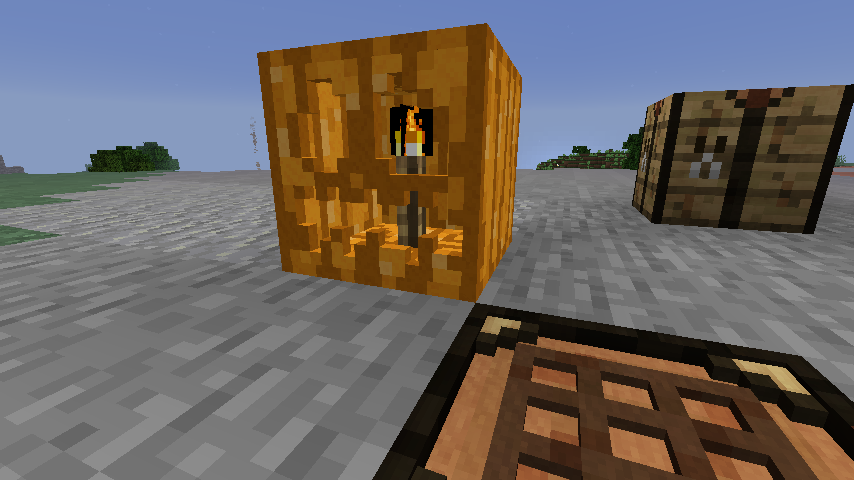
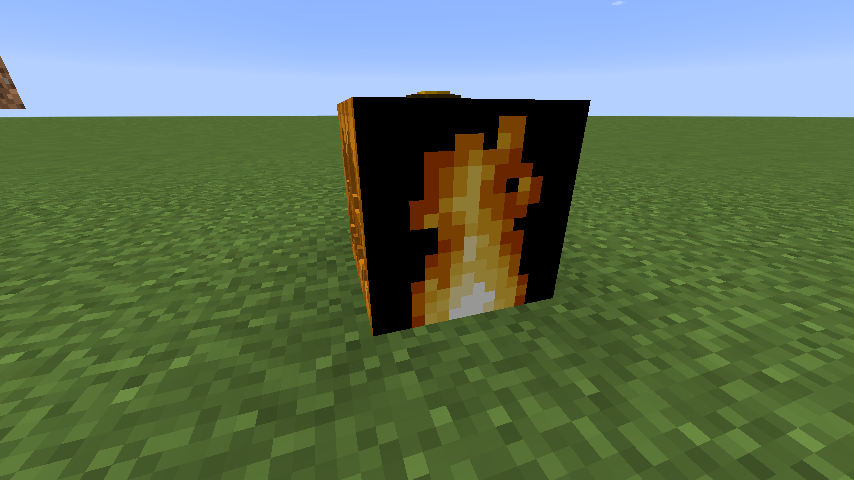




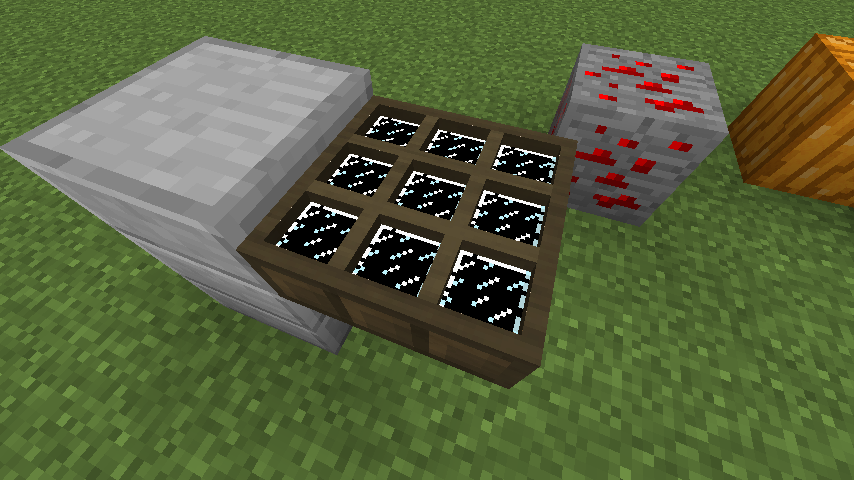

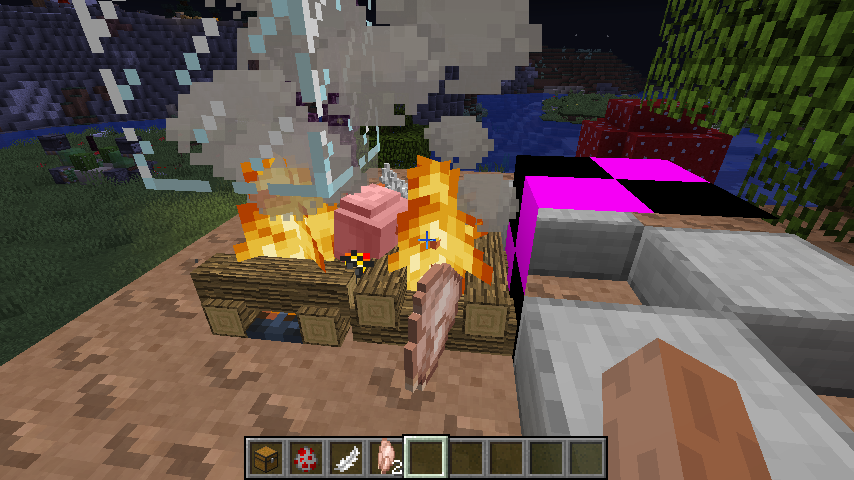













animatedtransparent texture becomes untransparent onparticularblockstransparent texture becomes untransparent on solid blocks
transparent texture becomes untransparent onsolidblockstransparent texture becomes untransparent on untransparent blocks
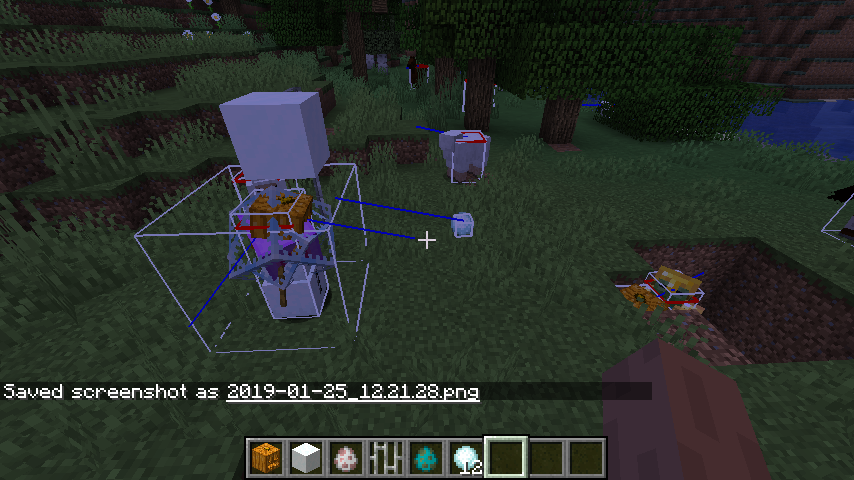
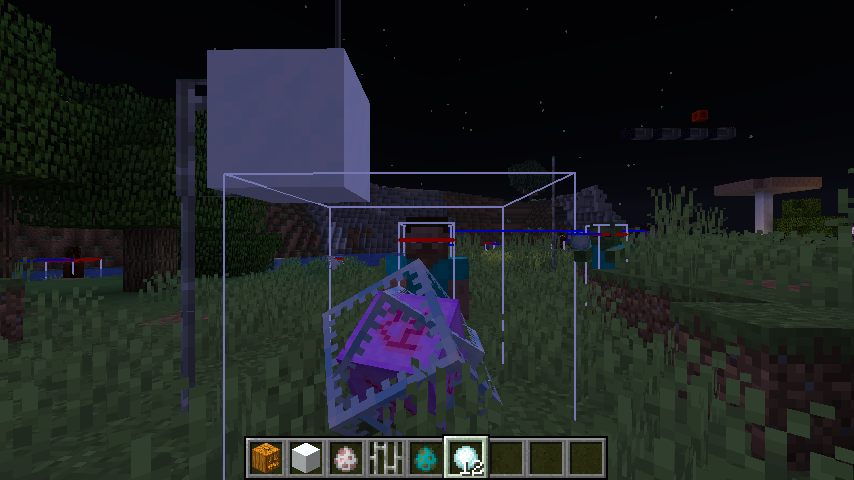
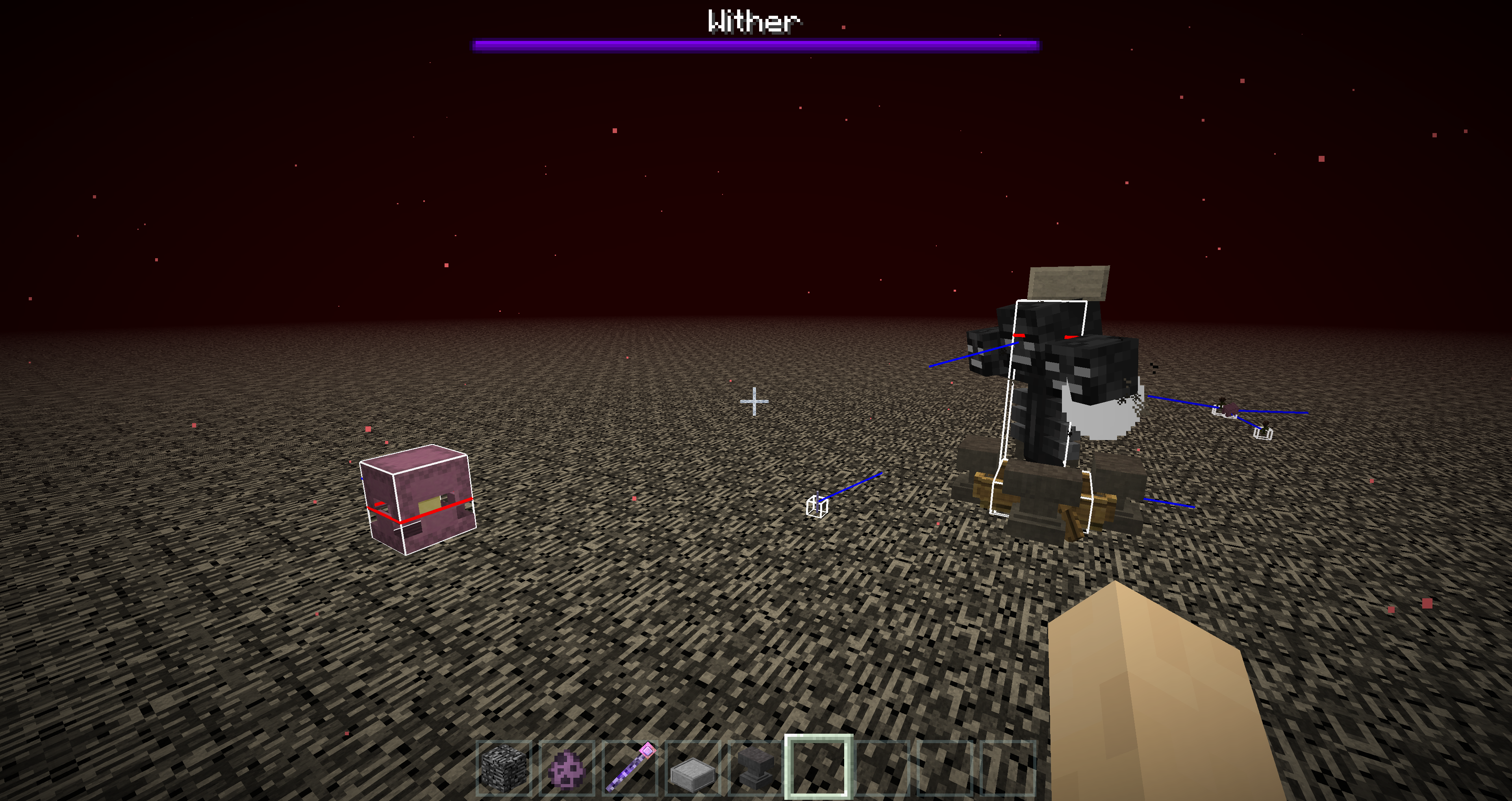
instead of hitting the closest zombie or the end_crystal [in which the projectile is generated] ,the projectile hits the zombie down below.
you can not hit the end crystal when stand nearby or inside of it
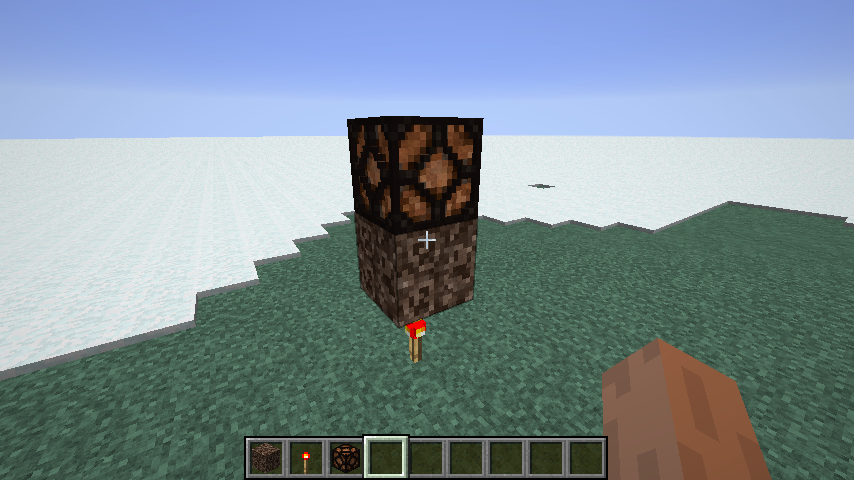
quite a lot of redstone contraptions rely on this。change that back,or give us another none-full-cube block instead,pleaseQAQ
quite a lot of redstone contraptions rely on this。change that back,or give us another none-full-cub
e block instead,pleaseQAQ
in 1.14 the GUI renders transparent custom textures properly
but in the recent snapshot that's broken
transparent textures are rendered none-transparent
in 1.14 the GUI renders transparent custom textures properly
but in the recent snapshot that's broken
transparent textures are rendered none-transparent
The Bug
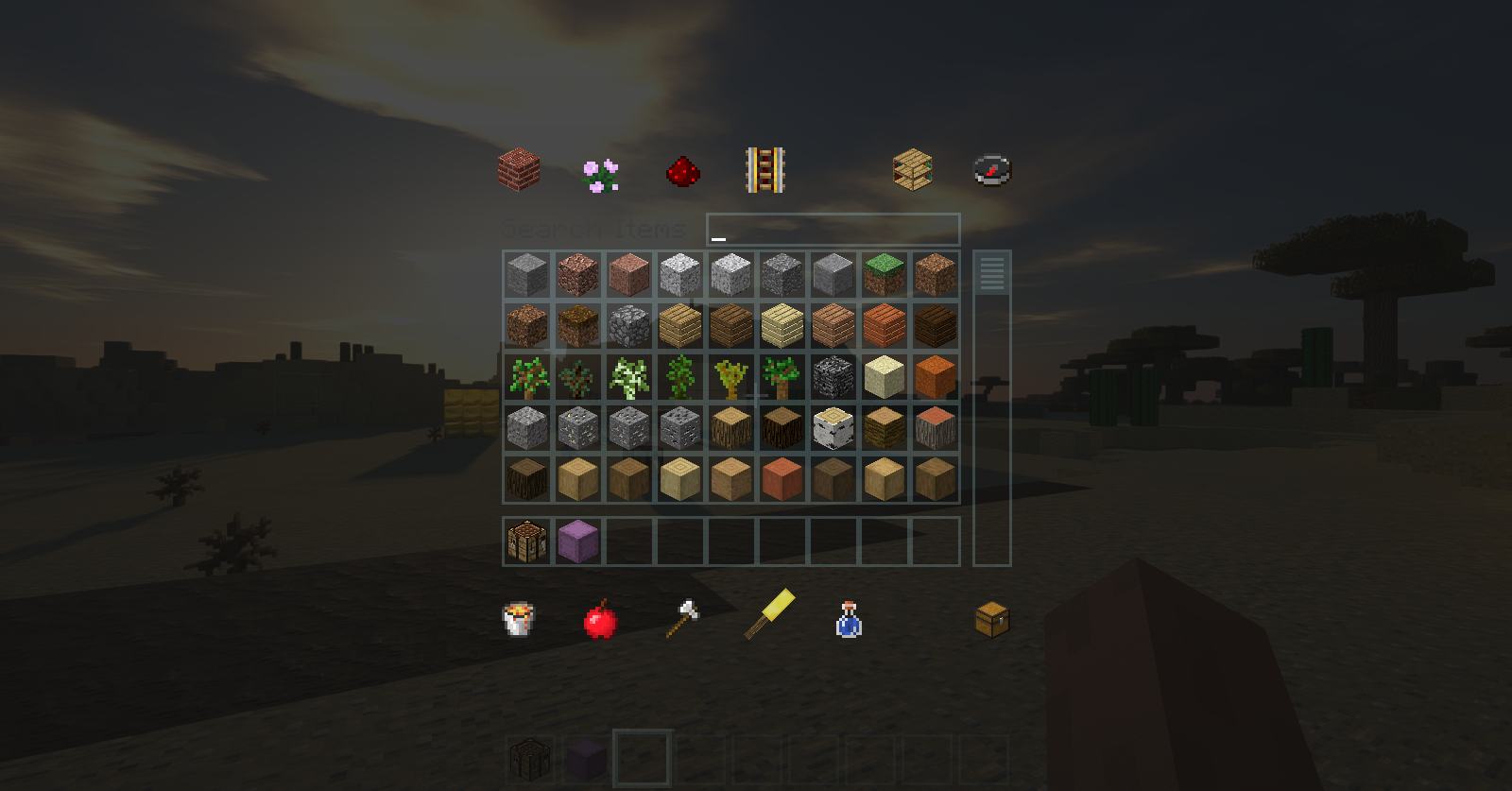
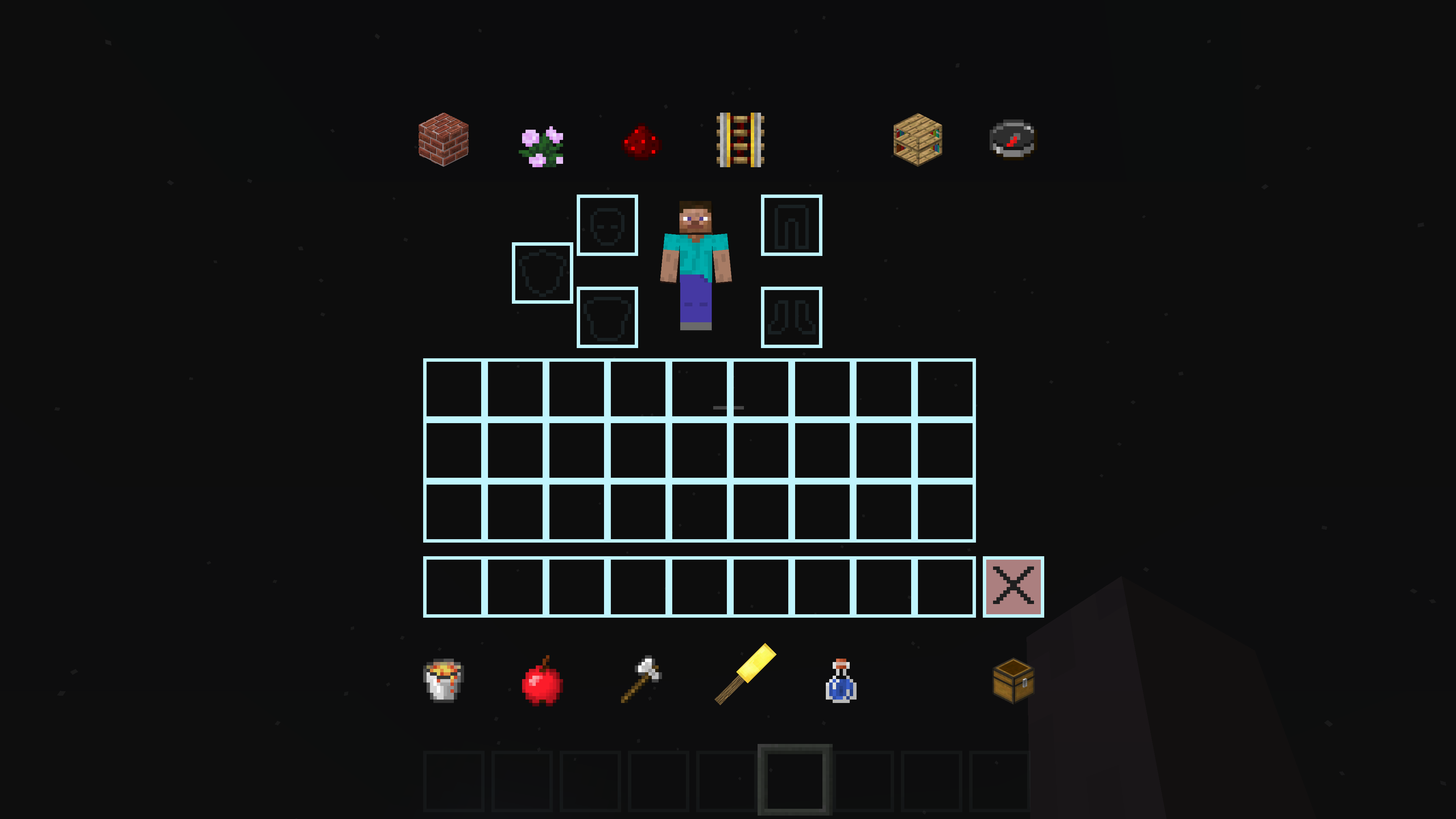
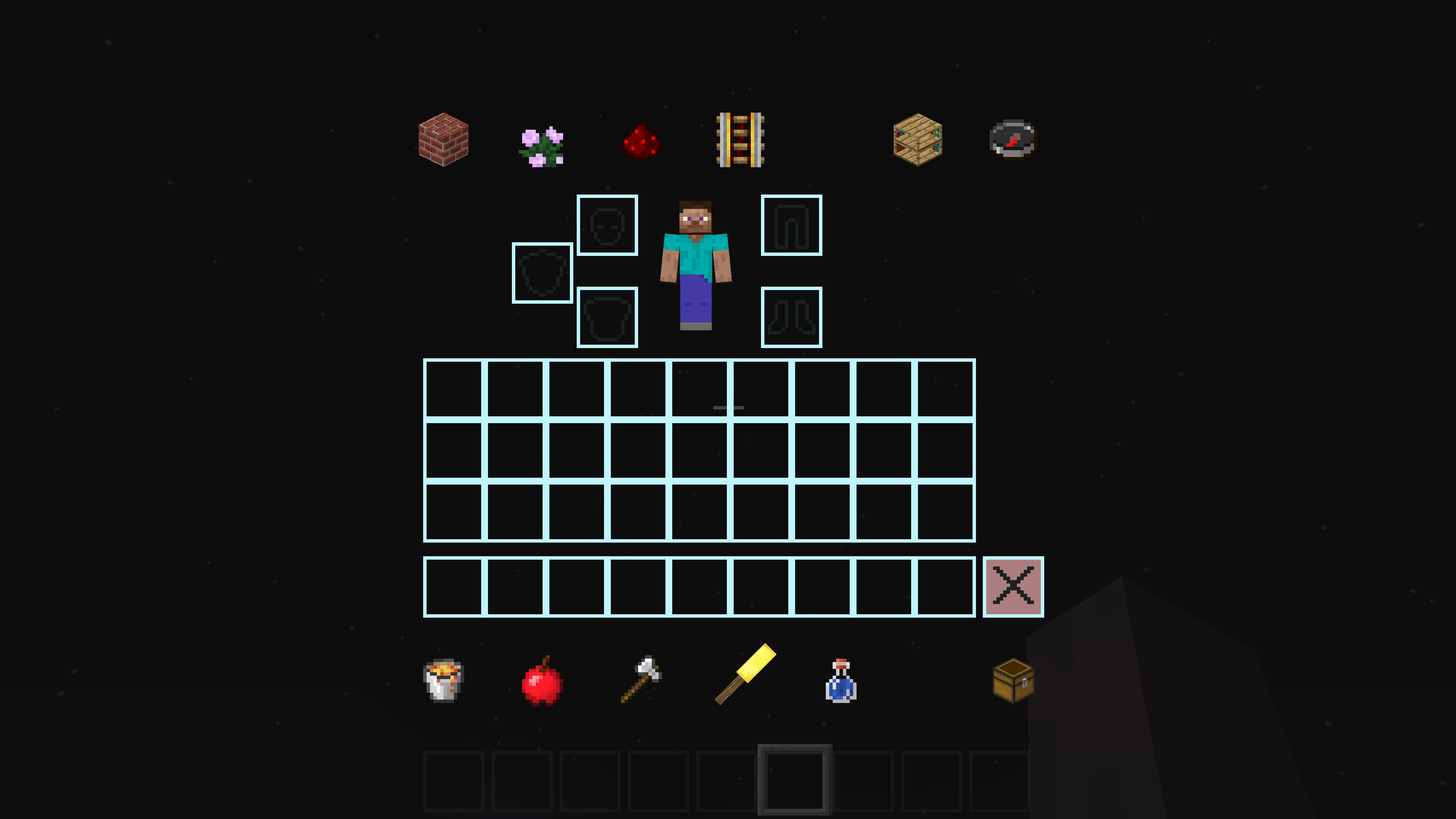
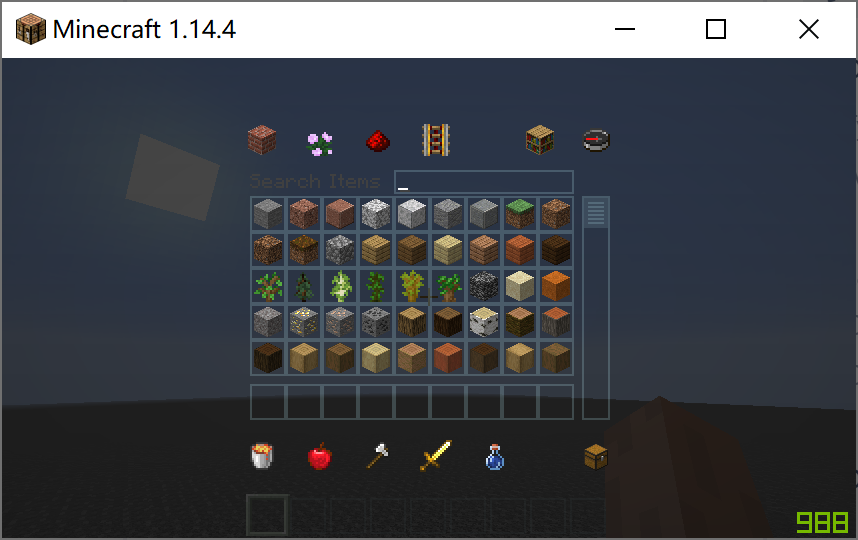
When you use resource packs with custom texture in folder assets\minecraft\textures\gui,{{ }}the texture will lose its Opacity map channel and would be rather completely transparent or untransparent. WHICH WAS NOT A ISSUE IN LOWER VERSIONS.
It's not a big issue that breaks game balance or makes the game unplayable, but the fact that it could break some custom resource packs should be considered.
How To Reproduce
1.download the resource pack provided in the attachment below
2.apply the pack
3.open up player inventory in creative mode in MINECRAFT 1.14.4
you will see something like this:
4:open up player inventory in creative mode in MINECRAFT 1.15 snapshot
++**you will see something like this:Some More Pictures To Show The Difference
I hope that would demonstrate things clear enoughConclusion
Since rendering the player inventory opacity is very unlikely to cause severe impact to framerate or any other rendering problems, I do not think this behavior is intended. I would appreciate it if the bug can be fixed in the 1.15 final release.
HUGE THANKS FROM TEXTUREPACK COMMUNITY
by the way player armour opacity is also not rendered properly
The Bug
When you use resource packs with custom texture in folder assets\minecraft\textures\gui,{{ }}the texture will lose its Opacity map channel and would be rather completely transparent or untransparent. WHICH WAS NOT A ISSUE IN LOWER VERSIONS.
It's not a big issue that breaks game balance or makes the game unplayable, but the fact that it could break some custom resource packs should be considered.
How To Reproduce
1.download the resource pack provided in the attachment below
2.apply the pack
3.open up player inventory in creative mode in MINECRAFT 1.14.4
you will see something like this:
4:open up player inventory in creative mode in MINECRAFT 1.15 snapshot
you will see something like this:
Some More Pictures To Show The Difference
I hope that would demonstrate things clear enoughConclusion
Since rendering the player inventory opacity is very unlikely to cause severe impact to framerate or any other rendering problems, I do not think this behavior is intended. I would appreciate it if the bug can be fixed in the 1.15 final release.
HUGE THANKS FROM TEXTUREPACK COMMUNITY
by the way player armour opacity is also not rendered properly

The Bug
When you use resource packs with custom texture in folder assets\minecraft\textures\gui,{{ }}the texture will lose its Opacity map channel and would be rather completely transparent or untransparent. WHICH WAS NOT A ISSUE IN LOWER VERSIONS.
It's not a big issue that breaks game balance or makes the game unplayable, but the fact that it could break some custom resource packs should be considered.
How To Reproduce
1.download the resource pack provided in the attachment below
2.apply the pack
3.open up player inventory in creative mode in MINECRAFT 1.14.4
you will see something like this:
4:open up player inventory in creative mode in MINECRAFT 1.15 snapshot
you will see something like this:
Some More Pictures To Show The Difference
I hope that would demonstrate things clear enoughConclusion
Since rendering the player inventory opacity is very unlikely to cause severe impact to framerate or any other rendering problems, I do not think this behavior is intended. I would appreciate it if the bug can be fixed in the 1.15 final release.
HUGE THANKS FROM TEXTUREPACK COMMUNITY
by the way player armour opacity is also not rendered properly
The Bug
When you use resource packs with custom texture in folder assets\minecraft\textures\gui,{{ }}the texture will lose its Opacity map channel and would be rather completely transparent or untransparent. WHICH WAS NOT A ISSUE IN LOWER VERSIONS.
It's not a big issue that breaks game balance or makes the game unplayable, but the fact that it could break some custom resource packs should be considered.
How To Reproduce
1.download the resource pack provided in the attachment below
2.apply the pack
3.open up player inventory in creative mode in MINECRAFT 1.14.4
you will see something like this:
4:open up player inventory in creative mode in MINECRAFT 1.15 snapshot
you will see something like this:
Some More Pictures To Show The Difference
I hope that would demonstrate things clear enoughConclusion
Since rendering the player inventory opacity is very unlikely to cause severe impact to framerate or any other rendering problems, I do not think this behavior is intended. I would appreciate it if the bug can be fixed in the 1.15 final release.
HUGE THANKS FROM TEXTUREPACK COMMUNITY
by the way player armour opacity is also not rendered properly
The Bug
When you use resource packs with custom texture in folder assets\minecraft\textures\gui,{{ }}the texture will lose its Opacity map channel and would be rather completely transparent or untransparent. WHICH WAS NOT A ISSUE IN LOWER VERSIONS.
It's not a big issue that breaks game balance or makes the game unplayable, but the fact that it could break some custom resource packs should be considered.
How To Reproduce
1.download the resource pack provided in the attachment below
2.apply the pack
3.open up player inventory in creative mode in MINECRAFT 1.14.4
you will see something like this:
4:open up player inventory in creative mode in MINECRAFT 1.15 snapshot
you will see something like this:
Some More Pictures To Show The Difference
I hope that would demonstrate things clear enoughConclusion
Since rendering the player inventory opacity is very unlikely to cause severe impact to framerate or any other rendering problems, I do not think this behavior is intended. I would appreciate it if the bug can be fixed in the 1.15 final release.
HUGE THANKS FROM TEXTUREPACK COMMUNITY
by the way player armour opacity is also not rendered properly
image-2019-11-08-16-08-11-310.png
the bug:
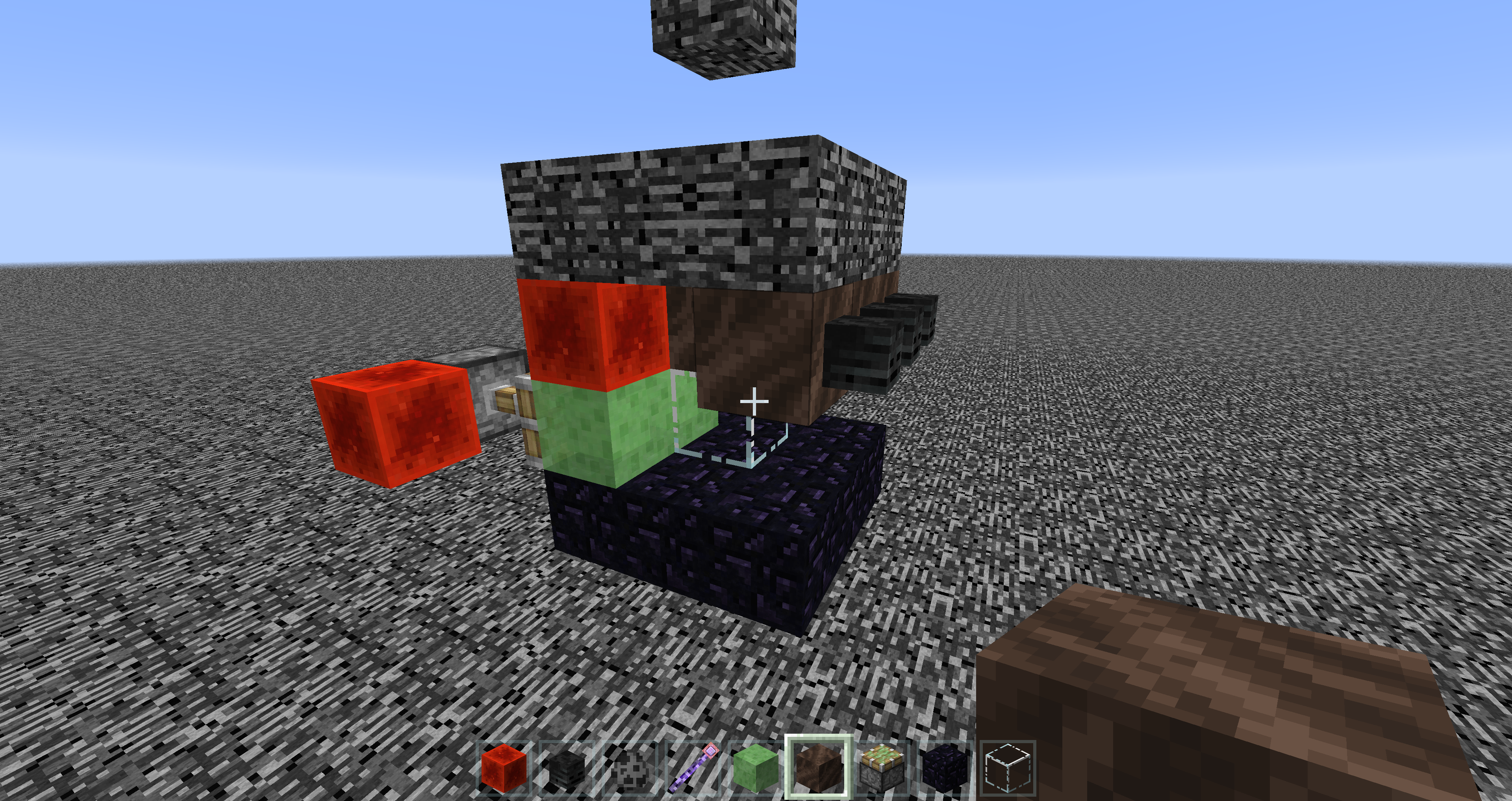
when an item entity is partially stuck inside a wall of blocks, it will not get repelled out of the wall like what you'd expect, but glitch around in the wall instead.
how to reproduce:
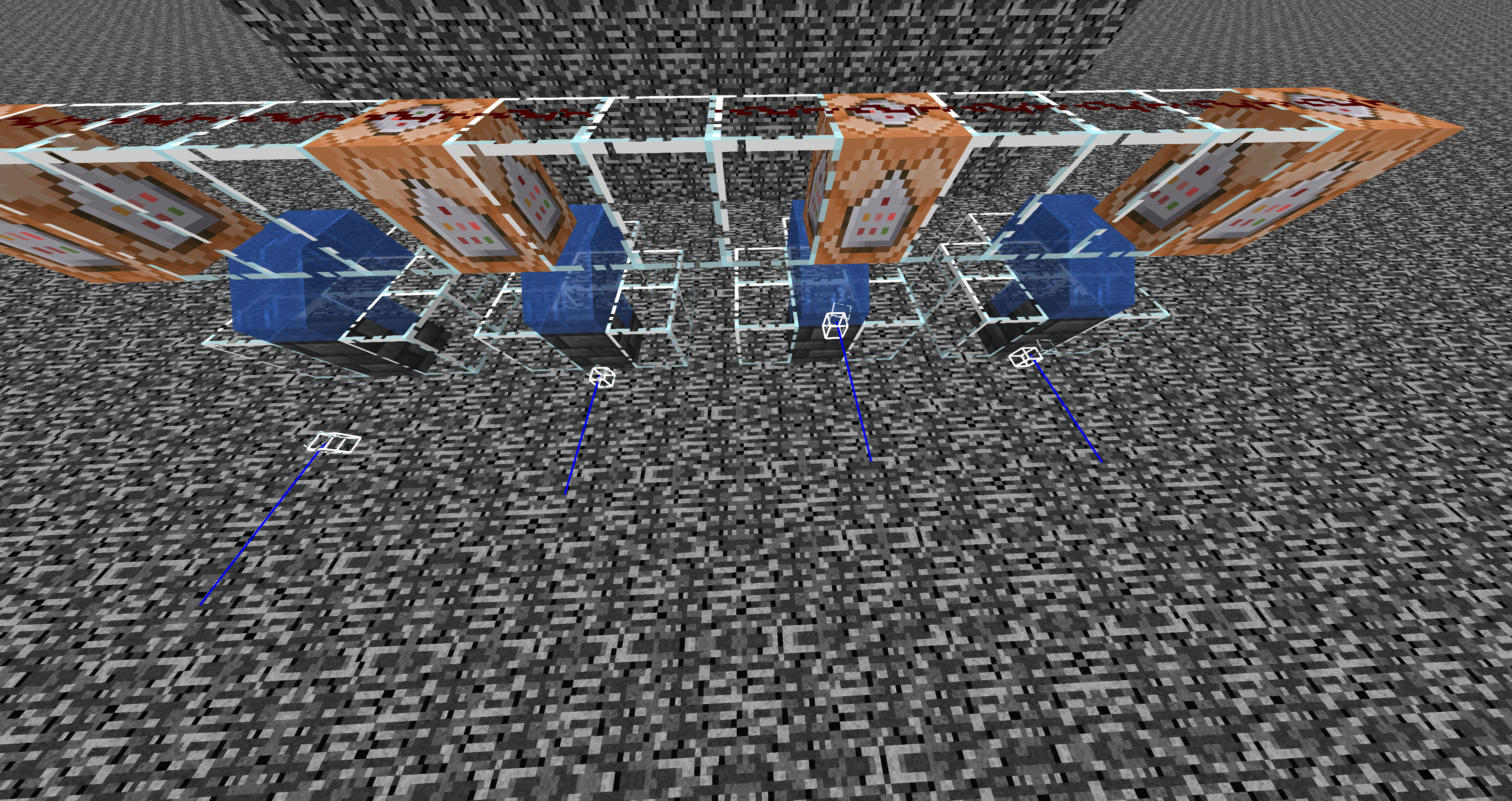
- create a test world and build the test contraption in image 1. the player should be facing north, or toward negative z
2. paste those commands in the command block
/summon minecraft:item ~ ~-1 ~0.4 {Item:{id:"minecraft:glass",Count:1b}}
/summon minecraft:item ~ ~-1 ~0.623 {Item:{id:"minecraft:glass",Count:1b}}
/summon minecraft:item ~ ~-1 ~0.624 {Item:{id:"minecraft:glass",Count:1b}}
/summon minecraft:item ~ ~-1 ~0.625 {Item:{id:"minecraft:glass",Count:1b}}
3. stand a few blocks away from the contraption, and break and replace the Redstone block to activate the command blocks.
4. the first item gets repelled out of the block wall, the second and third glitch around inside the wall without getting repelled outwards, and the last just drops down directly. (video in the attachment file)
the bug:
when an item entity is partially stuck inside a wall of blocks, it will not get repelled out of the wall like what you'd expect, but glitch around in the wall instead.
how to reproduce:
- create a test world and build the test contraption in image 1. the player should be facing north, or toward negative z
/summon minecraft:item ~ ~-1 ~0.4 {Item:{id:"minecraft:glass",Count:1b}}
/summon minecraft:item ~ ~-1 ~0.623 {Item:{id:"minecraft:glass",Count:1b}}
/summon minecraft:item ~ ~-1 ~0.624 {Item:{id:"minecraft:glass",Count:1b}}
/summon minecraft:item ~ ~-1 ~0.625 {Item:{id:"minecraft:glass",Count:1b}}
3. stand a few blocks away from the contraption, and break and replace the Redstone block to activate the command blocks.
4. the first item gets repelled out of the block wall, the second and third glitch around inside the wall without getting repelled outwards, and the last just drops down directly. (video in the attachment file)

the bug:
when an item entity is partially stuck inside a wall of blocks, it will not get repelled out of the wall like what you'd expect, but glitch around in the wall instead.
how to reproduce:
- create a test world and build the test contraption in image 1. the player should be facing north, or toward negative z
/summon minecraft:item ~ ~-1 ~0.4 {Item:{id:"minecraft:glass",Count:1b}}
/summon minecraft:item ~ ~-1 ~0.623 {Item:{id:"minecraft:glass",Count:1b}}
/summon minecraft:item ~ ~-1 ~0.624 {Item:{id:"minecraft:glass",Count:1b}}
/summon minecraft:item ~ ~-1 ~0.625 {Item:{id:"minecraft:glass",Count:1b}}
3. stand a few blocks away from the contraption, and break and replace the Redstone block to activate the command blocks.
4. the first item gets repelled out of the block wall, the second and third glitch around inside the wall without getting repelled outwards, and the last just drops down directly. (video in the attachment file)
the bug:
when an item entity is partially stuck inside a wall of blocks, it will not get repelled out of the wall like what you'd expect, but glitch around in the wall instead.
how to reproduce:
- create a test world and build the test contraption in image 1. the player should be facing north, or toward negative z
/summon minecraft:item ~ ~-1 ~0.4 {Item:{id:"minecraft:glass",Count:1b}}
/summon minecraft:item ~ ~-1 ~0.623 {Item:{id:"minecraft:glass",Count:1b}}
/summon minecraft:item ~ ~-1 ~0.624 {Item:{id:"minecraft:glass",Count:1b}}
/summon minecraft:item ~ ~-1 ~0.625 {Item:{id:"minecraft:glass",Count:1b}}
3. stand a few blocks away from the contraption, and break and replace the Redstone block to activate the command blocks.
4. the first item gets repelled out of the block wall, the second and third glitch around inside the wall without getting repelled outwards, and the last just drops down directly. (video in the attachment file)
the bug:
when an item entity is partially stuck inside a wall of blocks, it will not get repelled out of the wall like what you'd expect, but glitch around in the wall instead.
how to reproduce:
- create a test world and build the test contraption in image 1. the player should be facing north, or toward negative z
/summon minecraft:item ~ ~-1 ~0.4 {Item:{id:"minecraft:glass",Count:1b}}/summon minecraft:item ~ ~-1 ~0.
623{Item:{id:"minecraft:glass",Count:1b}}/summon minecraft:item ~ ~-1 ~0.62
4{Item:{id:"minecraft:glass",Count:1b}}/summon minecraft:item ~ ~-1 ~0.62
5{Item:{id:"minecraft:glass",Count:1b}}3. stand a few blocks away from the contraption, and break and replace the Redstone block to activate the command blocks.
4. the first item gets repelled out of the block wall, the second and third glitch around inside the wall without getting repelled outwards, and the last just drops down directly. (video in the attachment file)
the bug:
when an item entity is partially stuck inside a wall of blocks, it will not get repelled out of the wall like what you'd expect, but glitch around in the wall instead.
how to reproduce:
- create a test world and build the test contraption in image 1. the player should be facing north, or toward negative z
2. paste those commands in the command block
/summon minecraft:item ~ ~-1 ~0.4 {Item:{id:"minecraft:glass",Count:1b}}
/summon minecraft:item ~ ~-1 ~0.623 {Item:{id:"minecraft:glass",Count:1b}}
/summon minecraft:item ~ ~-1 ~0.624 {Item:{id:"minecraft:glass",Count:1b}}
/summon minecraft:item ~ ~-1 ~0.625 {Item:{id:"minecraft:glass",Count:1b}}
3. stand a few blocks away from the contraption, and break and replace the Redstone block to activate the command blocks.
4. the first item gets repelled out of the block wall, the second and third glitch around inside the wall without getting repelled outwards, and the last just drops down directly. (video in the attachment file)
the bug:
when an item entity lands on the edge of block where water is floating on, it can't get pushed bu the water current like what you'd expect.
how to reproduce:
- create a test world and build the test contraption in image 1. the player should be facing north, or toward negative z
2. paste those commands in the command block
/summon minecraft:item ~ ~-1 ~0.4 {Item:{id:"minecraft:glass",Count:1b}}
/summon minecraft:item ~ ~-1 ~0.623 {Item:{id:"minecraft:glass",Count:1b}}
/summon minecraft:item ~ ~-1 ~0.624 {Item:{id:"minecraft:glass",Count:1b}}
/summon minecraft:item ~ ~-1 ~0.625 {Item:{id:"minecraft:glass",Count:1b}}
3. stand a few blocks away from the contraption, and activate the command blocks.
4. the first and second item gets pushed down by the water stream, the third rests on the very edge of the stair block, not pushed by the water and falling down, the last just drops down directly. (video in the attachment file)
the bug:
when an item entity lands on the edge of block where water is floating on, it can't get pushed bu the water current like what you'd expect.
how to reproduce:
- create a test world and build the test contraption in image 1. the player should be facing north, or toward negative z
2. paste those commands in the command block
/summon minecraft:item ~ ~-1 ~0.4 {Item:{id:"minecraft:glass",Count:1b}}
/summon minecraft:item ~ ~-1 ~0.623 {Item:{id:"minecraft:glass",Count:1b}}
/summon minecraft:item ~ ~-1 ~0.624 {Item:{id:"minecraft:glass",Count:1b}}
/summon minecraft:item ~ ~-1 ~0.625 {Item:{id:"minecraft:glass",Count:1b}}
3. stand a few blocks away from the contraption, and activate the command blocks.
4. the first and second item gets pushed down by the water stream, the third rests on the very edge of the stair block, not pushed by the water and falling down, the last just drops down directly. (video in the attachment file)

@闫懋杰 that's the joke.
It is already solved。thanks,mojang
QWQ
but I forgot my account。I have to register a new one
still in 1.15 pre-1
@Dmitry Konev I didn't say cheating being broken is a bug, but the fix did not work properly, it didn't stop cheating but hurts normal gameplay instead.
confirmed still in 20w08a
confirm for 20w08a
especially common during poor network connection
still in 20w08a, can confirm
confirmed 20w09a
confirmed 20w12a
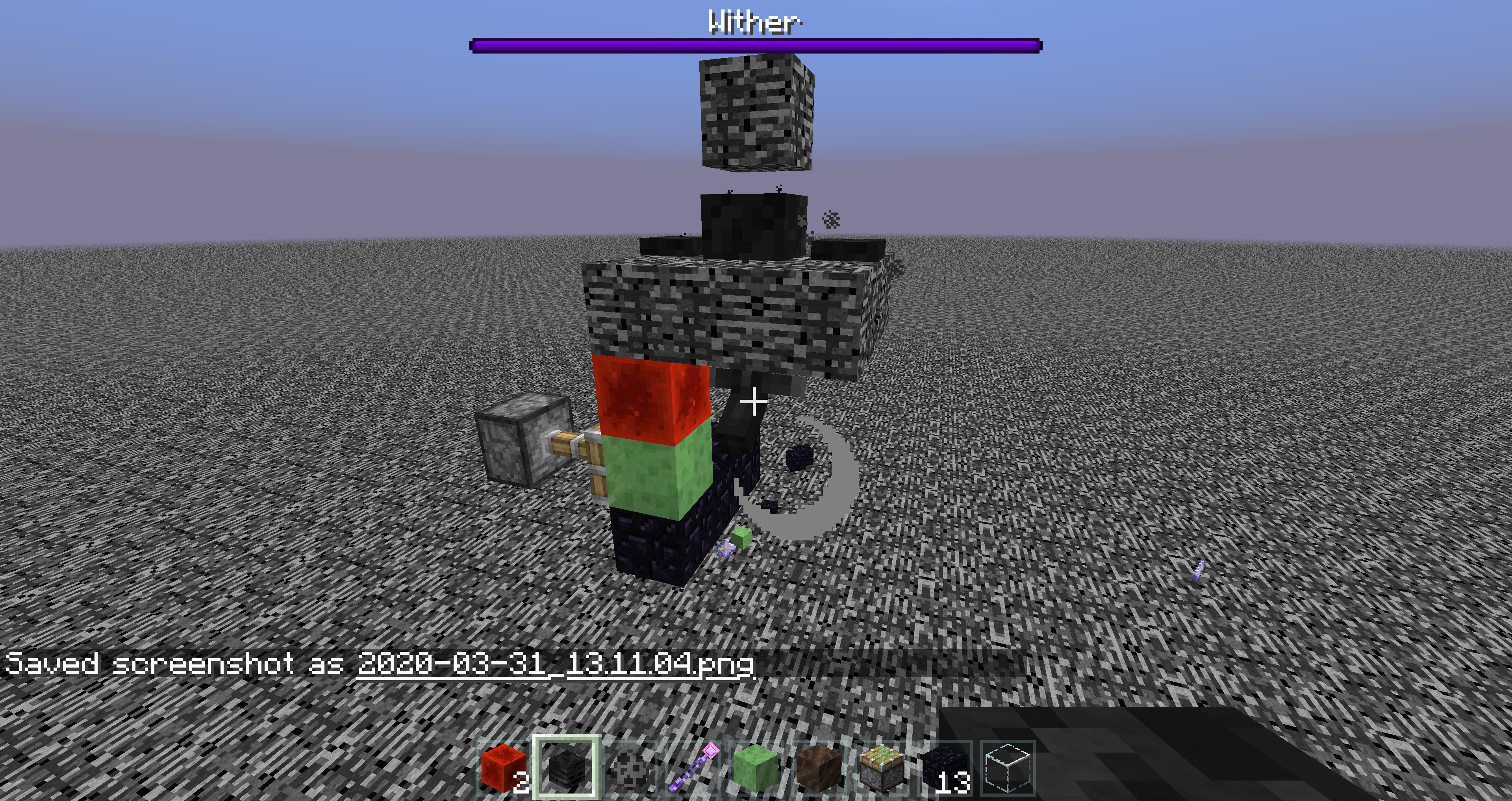
no,withers don‘t break block 36.
but in this case they do.
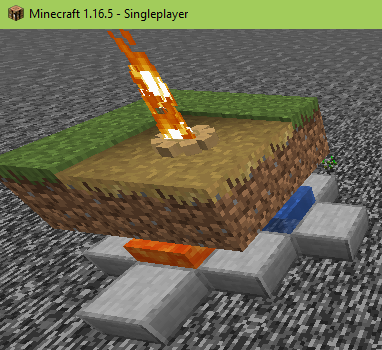
hopefully the flame animation is kept while the sound is removed. using infinite burning armor stands allows us to make cool flame effects that blend into the environment, which sometimes might be undoable with an actual campfire block due to space/decoration limits.
the behavior has been around since 1.8 when armor stands are first introduced into the game. It might be considered an undefined feature, but, since it's widely used in builds and there is a way to keep the behavior while fixing the sound issue, why not? please consider this, thanks!
if you reach a high enough falling speed you won't be able to get into the scaffolding even while sneaking.