 Michel
- Arendt
- arendt
- America/Sao_Paulo
- Yes
- No
 MC-150261












The issue:
Same rail design doesn't works the same depending on it's orientation - only works as intended on north-south orientation (see attached video where the first run is done on the design orientated north-south).
On east-west orientation, the Activator Rail after the curve is apparently activated sooner than it's north-south counterpart, making it go straight instead of going to the other direction. The same doesn't happens on north-south orientation as the cart makes the turn as expected.
The design:
They're the same design, just rotated 90 degrees. The one to the right is the north-south orientation.
Angle 1/2:
Angle 2/2:
Thoughts:
I have no idea what's causing the difference in behavior due to orientation changes. Maybe a redstone peculiarity, if so, I apologize for the mistake.
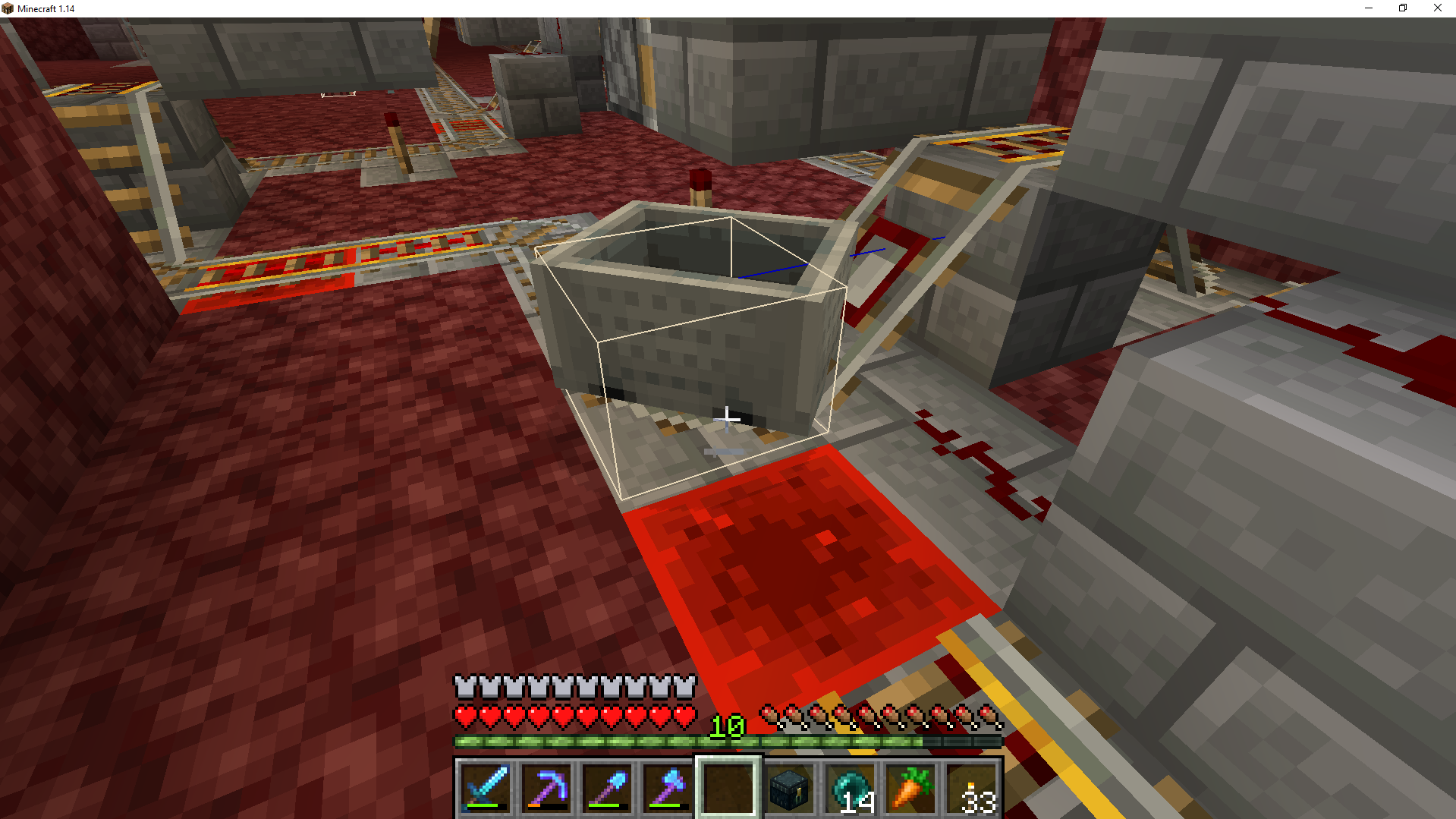
It seems to me that the issue is that the hitbox for the Minecart is nudged when there's a curve, which activates the Activator Rail on the next block - although the reason why the design works on one specific orientation is beyond me.
Minecart's hitbox right after it's placed:
Minecart's hitbox adjusted for the curve:
Temporary design fix (maybe this helps):
To temporarily fix the design I added this turn:
Any smaller turns don't work and make the cart ignore the entrance, so for the cart to not take the track where the redstone block is there should be at least 2 straight blocks perpendicularly.
The issue:
Same rail design doesn't works the same depending on it's orientation - only works as intended on north-south orientation (see attached video where the first run is done on the design orientated north-south and works as expected).
On east-west orientation, the Activator Rail after the curve is apparently activated sooner than it's north-south counterpart, making it go straight instead of going to the other direction. The same doesn't happens on north-south orientation as the cart makes the turn as expected.
The design:
They're the same design, just rotated 90 degrees. The one to the right is the north-south orientation.
Angle 1/2:
Angle 2/2:
Thoughts:
I have no idea what's causing the difference in behavior due to orientation changes. Maybe a redstone peculiarity, if so, I apologize for the mistake.
It seems to me that the issue is that the hitbox for the Minecart is nudged when there's a curve, which activates the Activator Rail on the next block - although the reason why the design works on one specific orientation is beyond me.
Minecart's hitbox right after it's placed:
Minecart's hitbox adjusted for the curve:
Temporary design fix (maybe this helps):
To temporarily fix the design I added this turn:
Any smaller turns don't work and make the cart ignore the entrance, so for the cart to not take the track where the redstone block is there should be at least 2 straight blocks perpendicularly.
The issue:
Same rail design doesn't works the same depending on it's orientation - only works as intended on north-south orientation (see attached video where the first run is done on the design orientated north-south and works as expected).
On east-west orientation, the Activator Rail after the curve is apparently activated sooner than it's north-south counterpart, making it go straight instead of going to the other direction. The same doesn't happens on north-south orientation as the cart makes the turn as expected.
The design:
They're the same design, just rotated 90 degrees. The one to the right is the north-south orientation.
Angle 1/2:
Angle 2/2:
Thoughts:
I have no idea what's causing the difference in behavior due to orientation changes. Maybe a redstone peculiarity, if so, I apologize for the mistake.
It seems to me that the issue is that the hitbox for the Minecart is nudged when there's a curve, which activates the Activator Rail on the next block - although the reason why the design works on one specific orientation is beyond me.
Minecart's hitbox right after it's placed:
Minecart's hitbox adjusted for the curve:
Temporary design fix (maybe this helps):
To temporarily fix the design I added this turn:
Any smaller turns don't work and make the cart ignore the entrance, so for the cart to not take the track where the redstone block is there should be at least 2 straight blocks perpendicularly.
The issue:
Same rail design doesn't works the same depending on it's orientation - only works as intended on north-south orientation (see attached video where the first run is done on the design orientated north-south and works as expected).
On east-west orientation, the Activator Rail after the curve is apparently activated sooner than it's north-south counterpart, making it go straight instead of going to the other direction. The same doesn't happens on north-south orientation as the cart makes the turn as expected.
The design:
They're the same design, just rotated 90 degrees. The one to the right is the north-south orientation.
Angle 1/2:
Angle 2/2:
Thoughts:
I have no idea what's causing the difference in behavior due to orientation changes. Maybe a redstone peculiarity, if so, I apologize for the mistake.
It seems to me that the issue is that the hitbox for the Minecart is nudged when there's a curve, which activates the Activator Rail on the next block - although the reason why the design works on one specific orientation is beyond me.
Minecart's hitbox right after it's placed:
Minecart's hitbox adjusted for the curve:
EDIT: Fix below seems to not be working, actually.
Temporary design fix (maybe this helps):
To temporarily fix the design I added this turn:
Any smaller turns don't work and make the cart ignore the entrance, so for the cart to not take the track where the redstone block is there should be at least 2 straight blocks perpendicularly.
Breaking the Redstone Block retracts the piston:

Screenshot_1.png
Mine does not retracts.
Switch off:
Blocks placed nearby after turning the switch off:
Is this "Quasi-Connectivity"?
EDIT: Apparently not related due to "Quasi-Connectivity"...
@Mod: I wasn't Hjicking the thread. I never could understand "QC". Sorry for the trouble, just trying to help. You're welcome to delete the posts since I just couldn't add more images to my original post.
Can confirm there's some sort of issue with Pistons. Once powered, the Sticky Piston with the Redstone Block pointing up doesn't retract even when unpowered:
Powered:
Unpowered:
Block removed:
I found this strange behavior while making a datapack and haven't found related bug.
The issue:
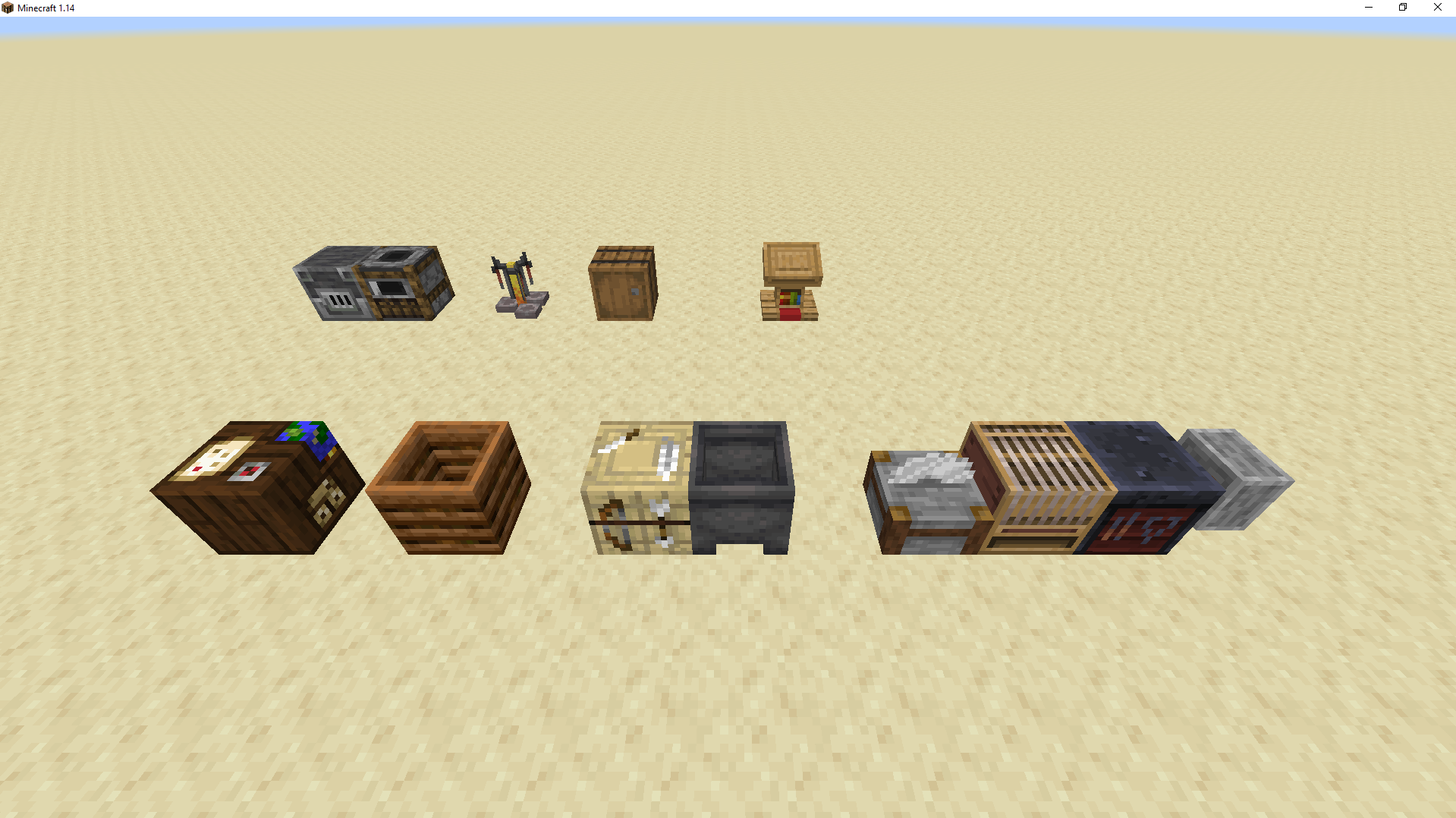
Apparently the following workstations aren't considered neither a Block nor an Entity by the game and running "/data get block X Y Z" doesn't returns any data:
- Cartography Table
- Composter
- Fletching Table
- Cauldron
- Stonecutter
- Loom
- Smithing Table
- Grindstone
The blocks on the top work for the "/data" command, while the ones on the bottom don't.
Running "/data get block 247 56 63" on Blast Furnace returns it's data:
Running "/data get block 245 56 58" on Cartography Table DOES NOT returns it's data:
This renders the player or scripts unable to fetch these workstation's coordinates, for example.
I found this strange behavior while making a datapack and haven't found a related bug.
The issue:
Apparently the following workstations aren't considered neither a Block nor an Entity by the game and running "/data get block X Y Z" doesn't returns any data:
- Cartography Table
- Composter
- Fletching Table
- Cauldron
- Stonecutter
- Loom
- Smithing Table
- Grindstone
The blocks on the top work for the "/data" command, while the ones on the bottom don't.
Running "/data get block 247 56 63" on Blast Furnace returns it's data:
Running "/data get block 245 56 58" on Cartography Table DOES NOT returns it's data:
This renders the player or scripts unable to fetch these workstation's coordinates, for example.
Can confirm for 1.14.2 Pre-Release 3. Crash attached to bug-report.
Upgraded world from 1.14.1 to 1.14.2 Pre-Release 3 via --forceUpgrade --eraseCache. Put the files back into hosting and turned the server on.
Was flying and teleporting around just to give it another pass and make sure everything was OK, then the crash happened.
![[Mod] violine1101](../../../data/avatars/users/92858.png)
I haven't had time to look at your world yet. However, I want to really prevent this ticket from being a catch-all ticket for all lighting issues. There are many different lighting issues in the game right now, and from what I have seen, the issue that this issue is about has been fixed, as there haven't been any reports about this issue outside of this comments section. This indicates to me that you might be experiencing a different, but similar issue. For instance, from the picture that you have posted, Michel, it looks like your issue is actually MC-149518.
If you still experience any lighting issues in 1.14.2, it's likely that they are different from this one. Please create a new ticket if they haven't been reported yet.
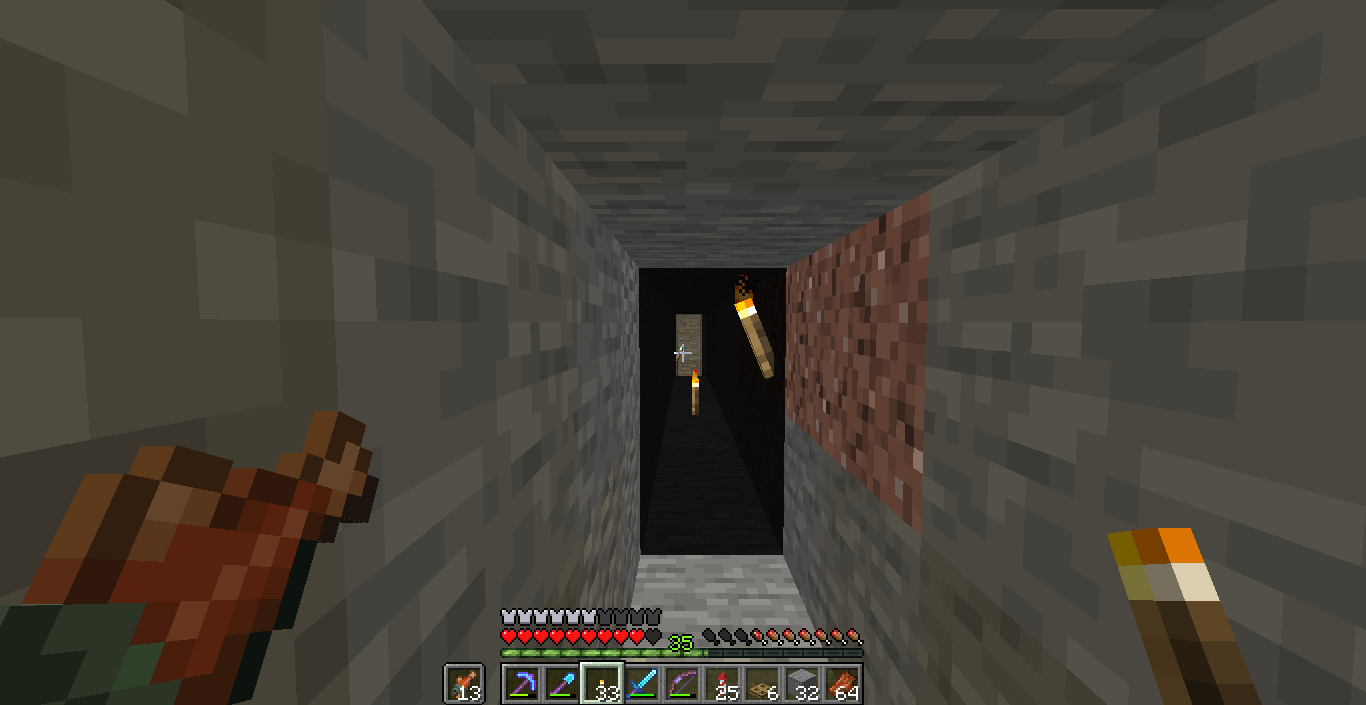
Can confirm mobs are also spawning outside of Villages and not burning. Also dark chunks are present throughout the world:

Light level shows as normal on the location the mobs are at:

Random dark chunks and I haven't found a way to fix them. I tried: upgrading world, placing torches (only lights it's lighting range) and placing blocks.

I'm not sure if this is related, but on my server there are chunks that keeps bugging still (see attached screenshot). I've upgraded the chunks to 1.14 pre-release 5 with --forceUpgrade --eraseCache:
Haven't found a way to reproduce it other than going far enough to unload the chunk and randomly come back with the lights not working.
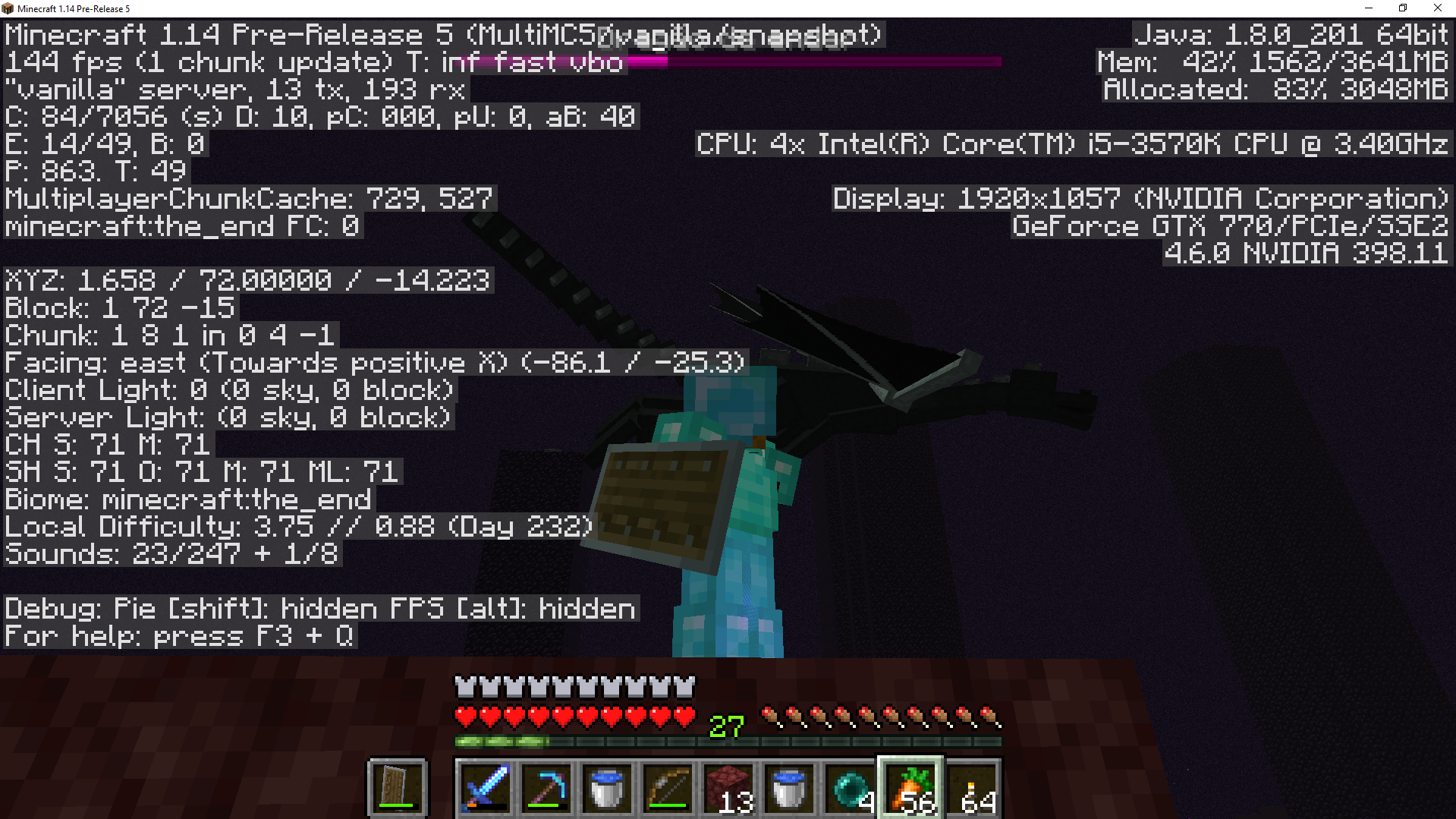
I can confirm this bug. In my game (multiplayer server) the dragon does not appear to be coming down from a certain height. It just wanders around that height.

I am unaware if this behavior existed before 1.14 as I've created this design after I updated my server to 1.14.
Can confirm still happening on 1.14.1. A member of my server sent this screenshot today after 1.14.1 upgrade from 1.14 with --forceUpgrade --eraseCache:
EDIT: If needed be, let me know and I can provide a link to download my server's world for testing purposes.
Can confirm this happened on my 1.14.1 server. I was working on my Villager Trading Hall assigning workstations to my villagers. After I did about 10 of them, I turned around and they all lost their professions. Not sure how to reproduce it though.
Can confirm on 1.14.2 Pre-Release 3. Here's the crash report: crash-2019-05-22_18.41.54-server.txt
Upgraded world from 1.14.1 to 1.14.2 Pre-Release 3 via --forceUpgrade --eraseCache. Put the files back into hosting and turned the server on.
Was flying and teleporting around just to give it another pass and make sure everything was OK, then the crash happened.
PS: Sorry for double post. Had page-loading issues.
Can confirm on 1.14.2. World upgraded from 1.14.1 to 1.14.2 via --forceUpgrade --eraseCache. Not sure when it happened, but I've just today upgraded the chunks and uploaded the world.


Can confirm on 1.14.2.
EDIT: Fixed links. Render distance is 10.
Backup - before chunk upgrade from 1.14.1 to 1.14.2: http://craftera.com.br/downloads/worlds/season1/28.05.2019_1.14.2_before_chunk_upgrade.zip
World after chunk upgrade (did this backup just now): http://craftera.com.br/downloads/worlds/season1/29.05.2019_1.14.2_after_chunk_update.zip
Done via --forceUpgrade --eraseCache
Timeline of Events:
So we were playing on 1.14.1 with the usual lighting glitches that were already reported. When 1.14.2 came out I did the backup linked above and swapped the .jar file in the server. Since there was this addition to the 1.14.2, I hoped that I wouldn't need to do the --forceUpgrade --eraseCache command: "All light will now be re-calculated the first time you open a world saved in a pervious version"
So I asked the members of the server to report any issues to me and someone sent me a screenshot of an issue he was having on his mob trap which was related to skylight passing through blocks on his mob-farm: https://media.discordapp.net/attachments/575706169948110858/583008907132272659/JPEG_20190528_160906.jpg?width=481&height=642
Although I was aware of the skylight bug I wasn't following it, so I didn't know if a fix was already proposed. So I figured I should upgrade the chunks to attempt to fix it and whatever other bugs from older chunks we might have. Then we have the second world link, which happened randomly. As other people have mentioned, it seems to be related to dimension change/chunk reloading as I had just left and came back to the Nether and spotted it. The coordinates are in the Nether as in the picture:
X: -203
Y: 74
Z: -64
I did a fly-around and another coordinate caught my attention (the other screenshot I attached):
X: -1374
Y: 100
Z: -244
There's a mob trap in the sky and the pillar made out of cobblestone with the ladders inside is with the light cut off at Y: 95/96 as if the sub-chunk isn't lit? Not sure. This is actually the same chunk as the sky lighting issue the the member reported to me and the one with the screenshot via Discord that I've linked above. The skylight issue was before 1.14.2 chunk upgrade with 1.14.2 jar, and after the issue was this unlit sub-chunk.
People haven't yet reported any other places where this lighting glitch might be occurring and I haven't seen it anywhere else on the server, as of yet, where the lighting is broken. I'll report whatever else I find.
Now I am not sure if this is the same issue I'm having on my world, but It seems so. Here's the world download:
http://craftera.com.br/downloads/worlds/season1/29.05.2019_1.14.2_after_chunk_update.zip
Teleport to X: -500, Y: 70, Z: 1800.
This is my base on my server and it was this lagged since server creation on 1.14 pre-releases. FPS there is much lower than anywhere else on the server - on my computer a least. If I turn on the bamboo 0-tick farm it becomes basically unplayable FPS-wise and the main problem always has been breaking blocks as there's a minor freeze in the game (at least for me).
Other members complained about lag in the beginning but I never payed much attention. Now I am as this is tiring me out.
I hope the world download adds to the issue. Thanks in advance!
Is this issue being investigated based on the new reports?
Can confirm for 1.14.2.
So far can only confirm 6 named Zombie Pigmen and 4 Villagers have disappeared. The beds of the Villagers that have disappeared are set to Occupied and have to be replaced to work again.
Will report if we find more missing things!
Can this be re-checked? I couldn't find a related post if it has been created yet...
Can confirm for 1.14.3.
I guess it could be, yes.
Confirmed for 1.15.1.
uKlDhXDRC6.gif
This issue can be confirmed on 1.17, can this be reopened?

I'm the data pack developer, this report was sent to me. It could be a data pack issue, since it freezes the villager's AI to apply some changes – maybe something went wrong on the unfreeze step.
I'm unaware of the freezing issue and unable to reproduce. If you could talk to me on Discord at ScorchedPsyche#8435, we can try to pinpoint if this is a data pack issue.