Skylight appearing under blocks
This issue is fixed starting the release of 1.14.3. But if you had this issue on a existing world, you will need to purge the light data in order to fix your map.
- On singleplayer: from the worlds menu, select your world, click Edit, Optimize World; then be sure to check the box Erase Cache Data before proceeding.
- On server: run your map (only) once by appending these arguments at the end of your java startup command: --forceUpgrade --eraseCache. If you don't have shell access to the host system, either contact your host provider, or download your world, paste it inside your singleplayer save folder, proceed with the singleplayer steps, and finally re-upload your map.
Do not confirm this issue for new version nor open any new ticket until you have tried those steps.
Original Description
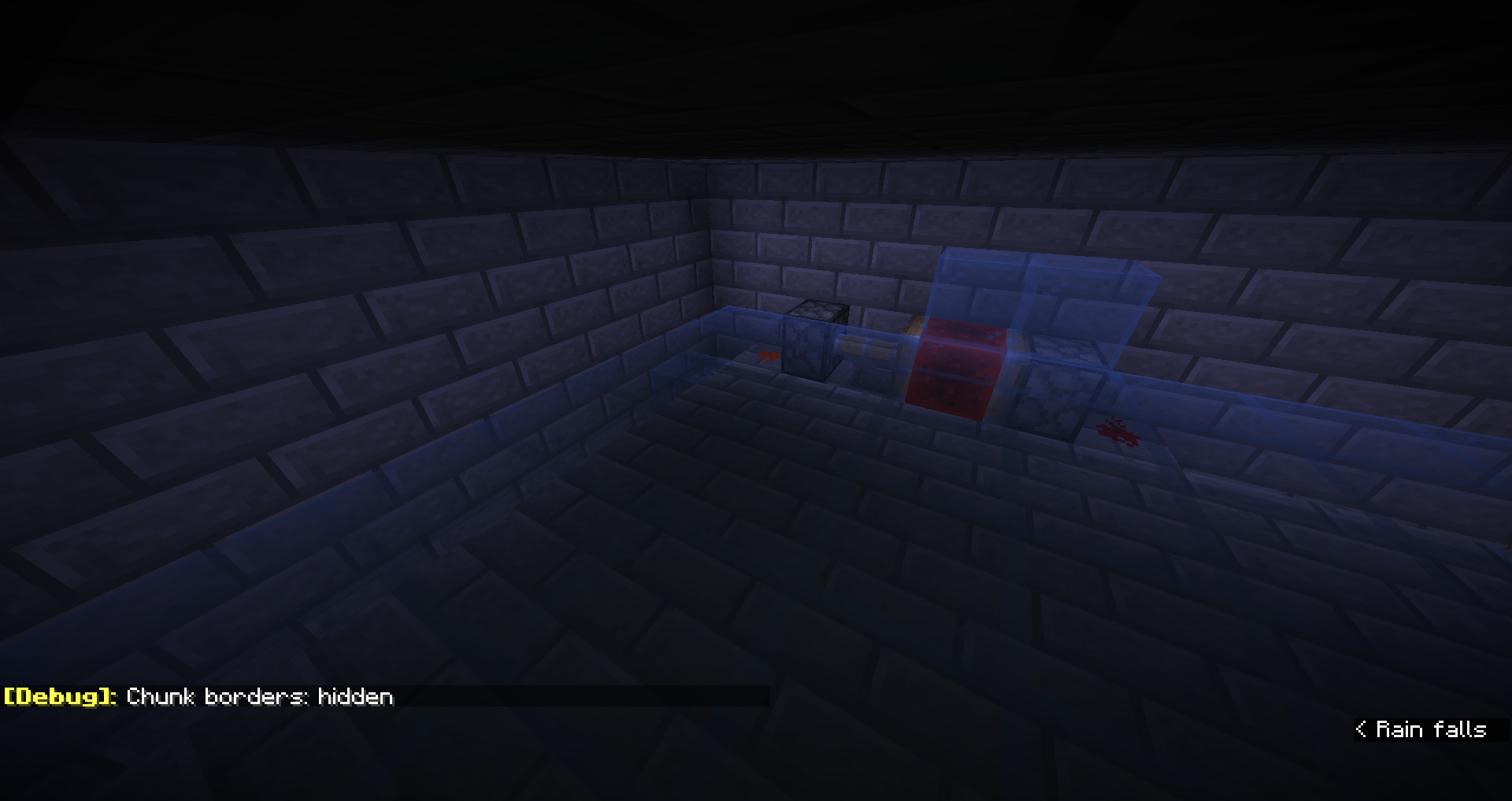
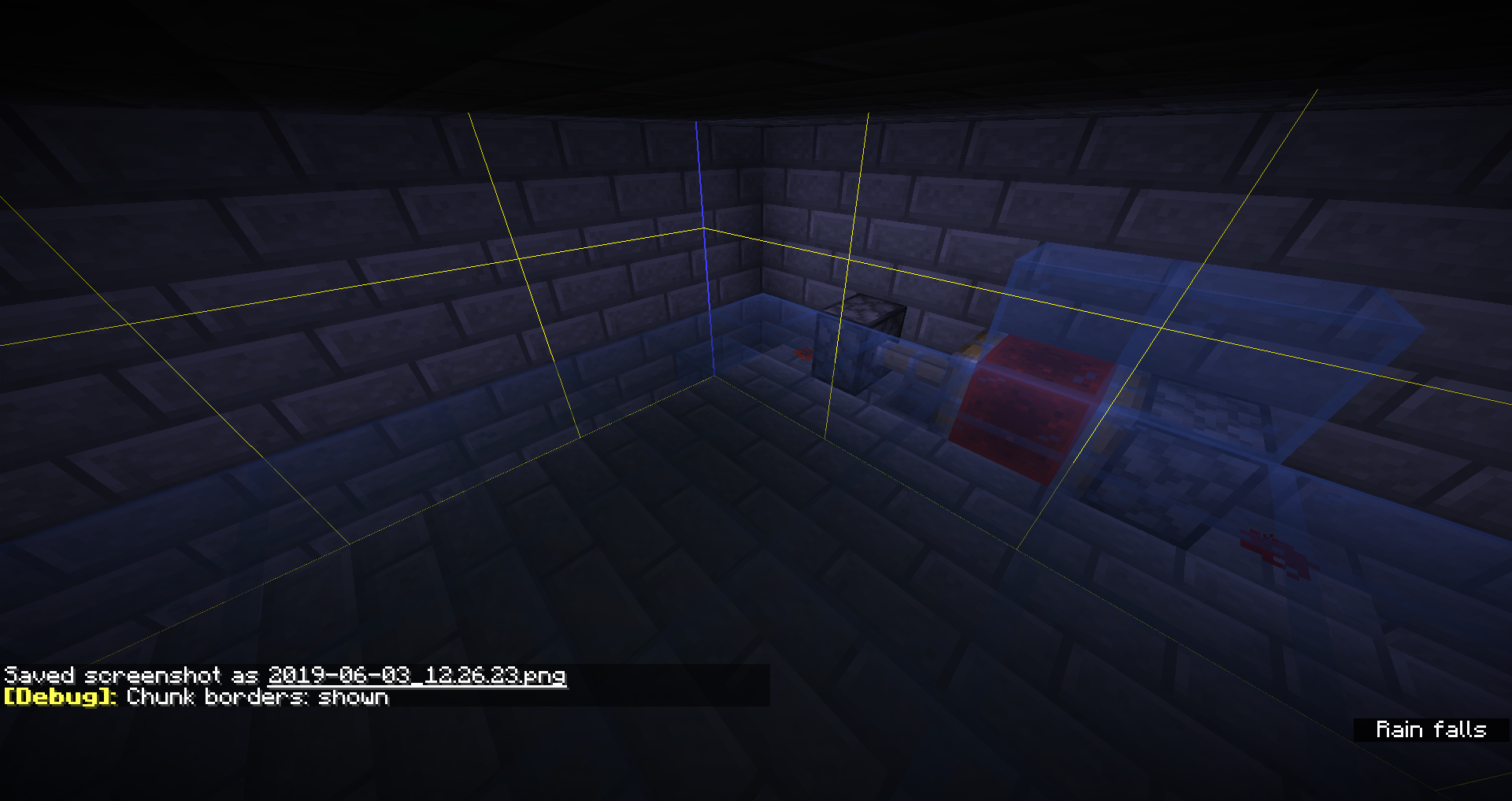
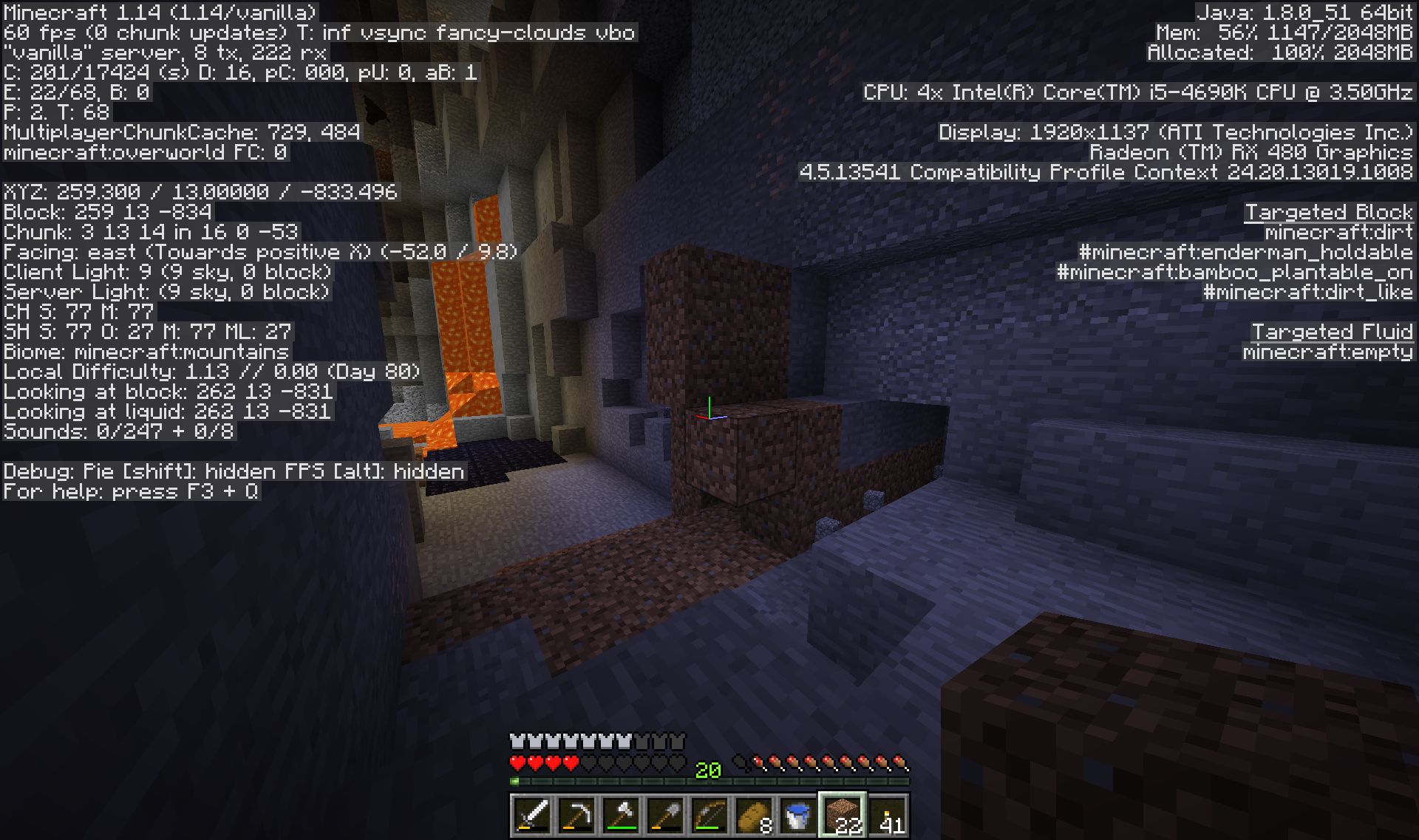
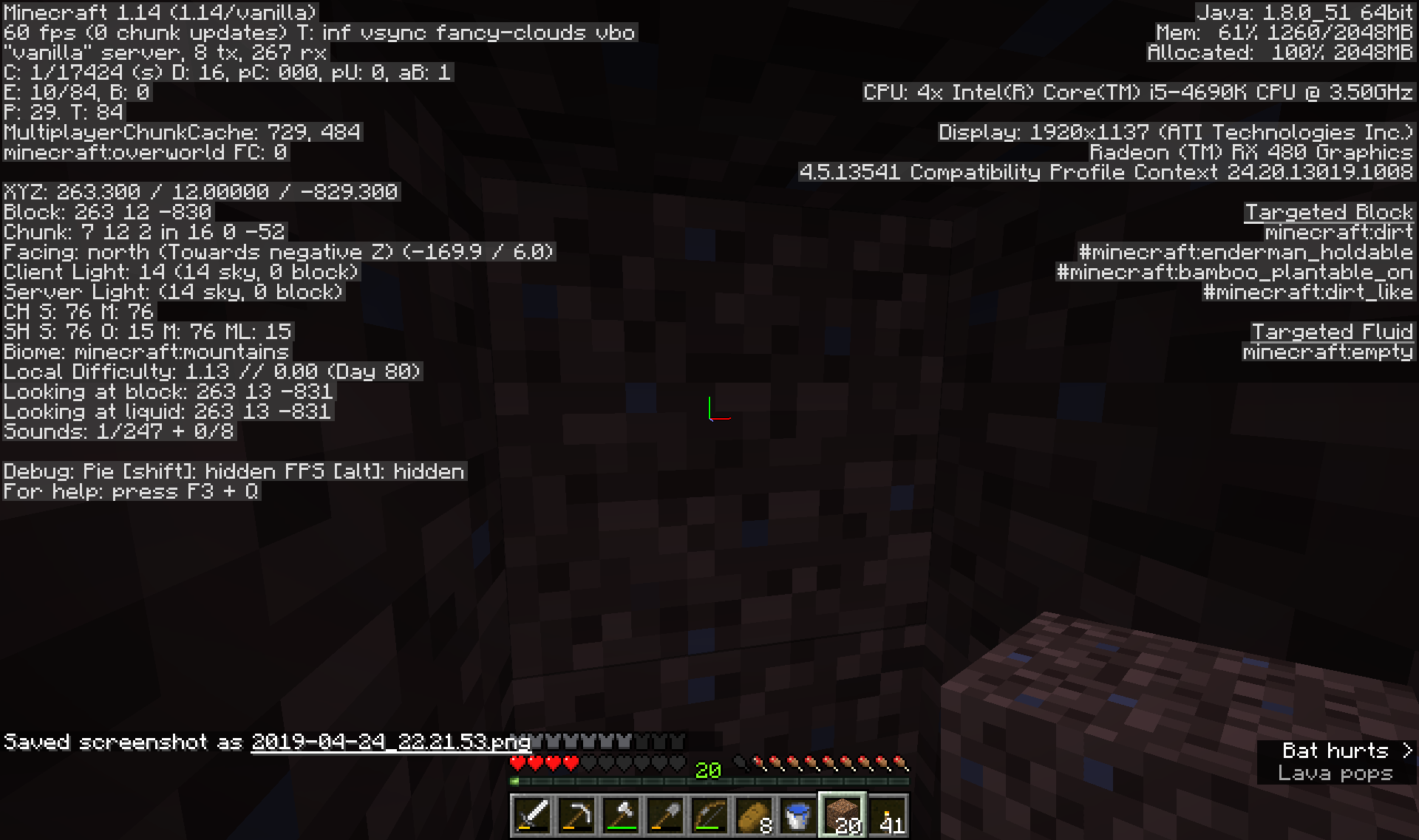
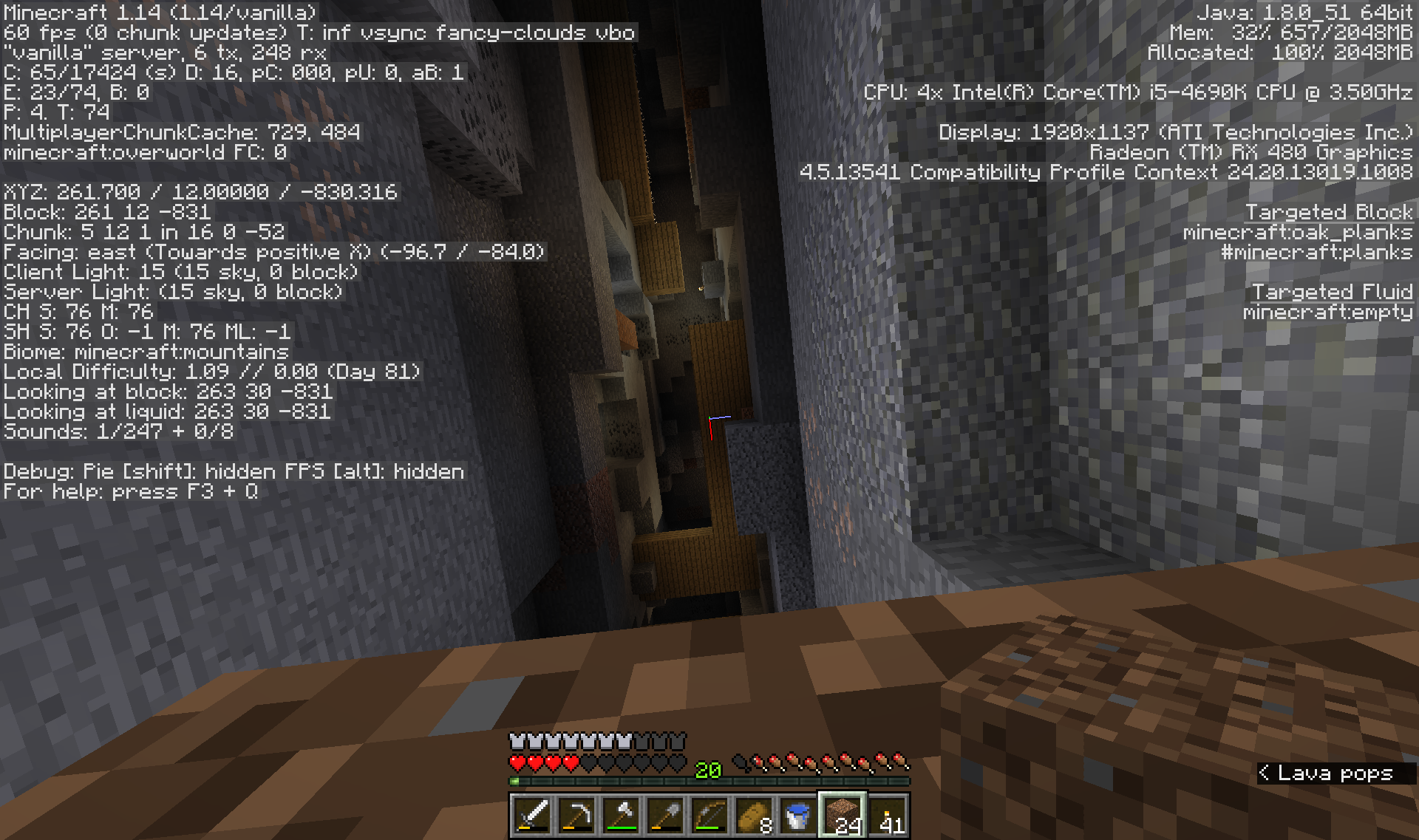
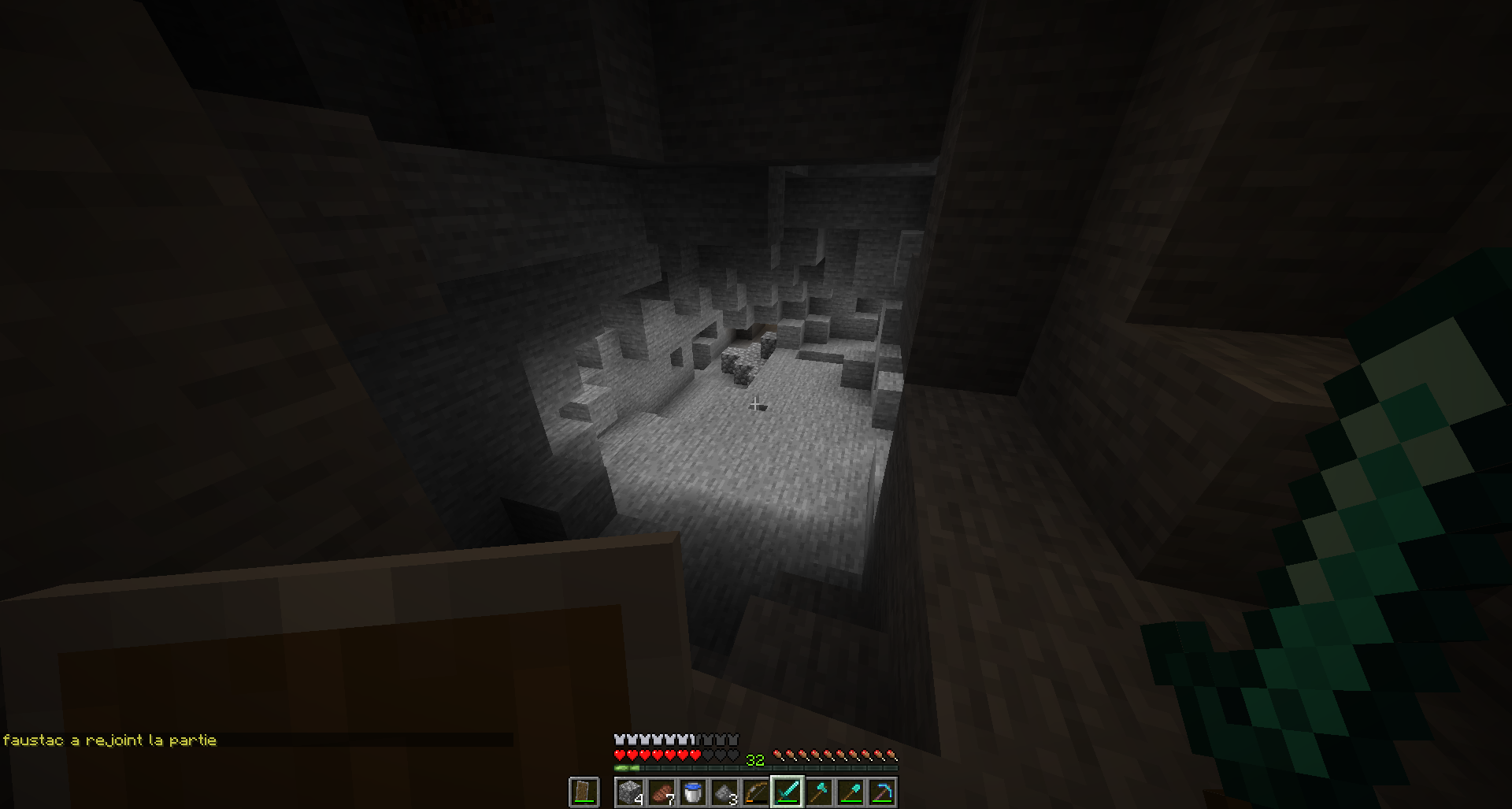
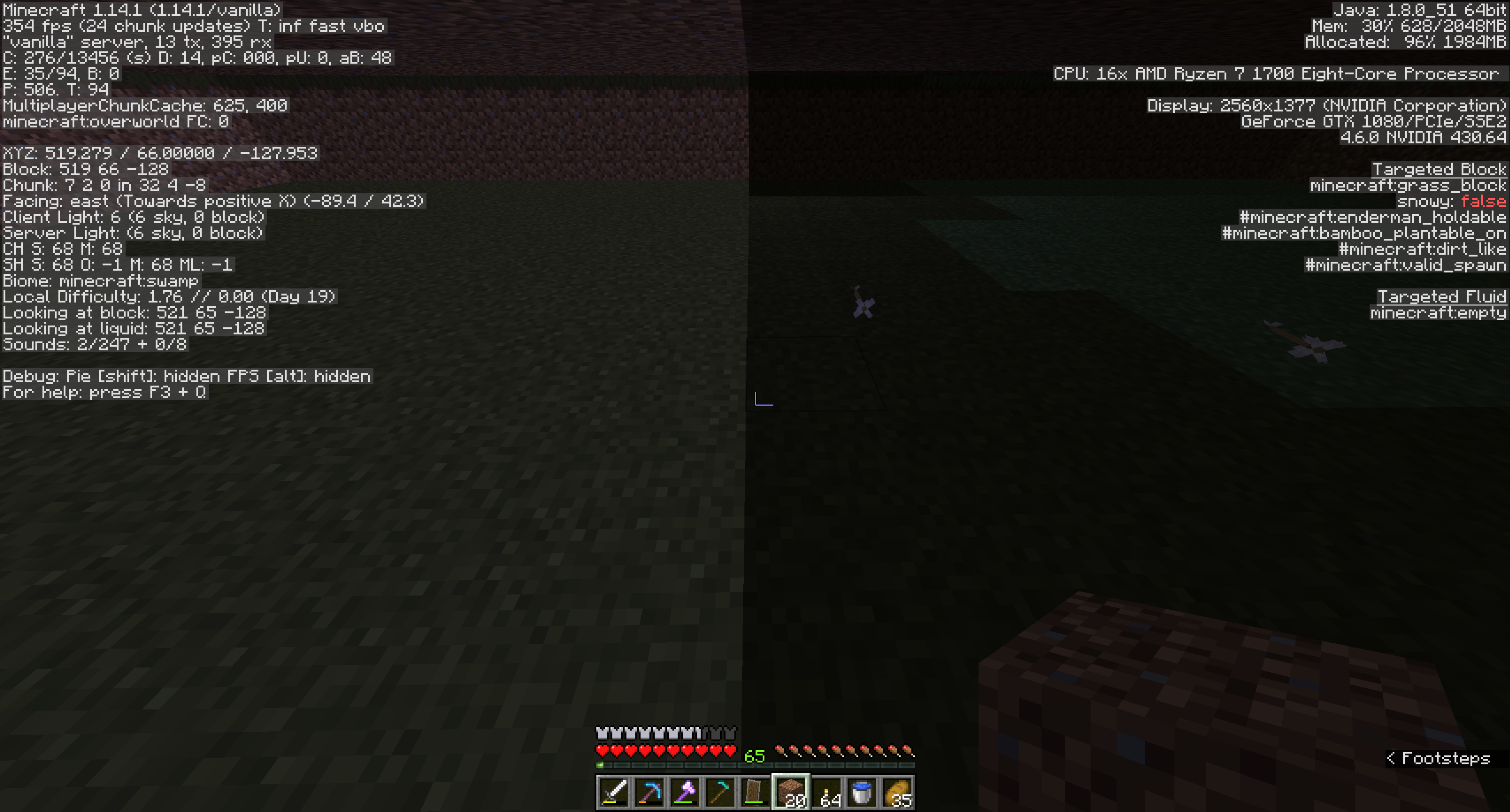
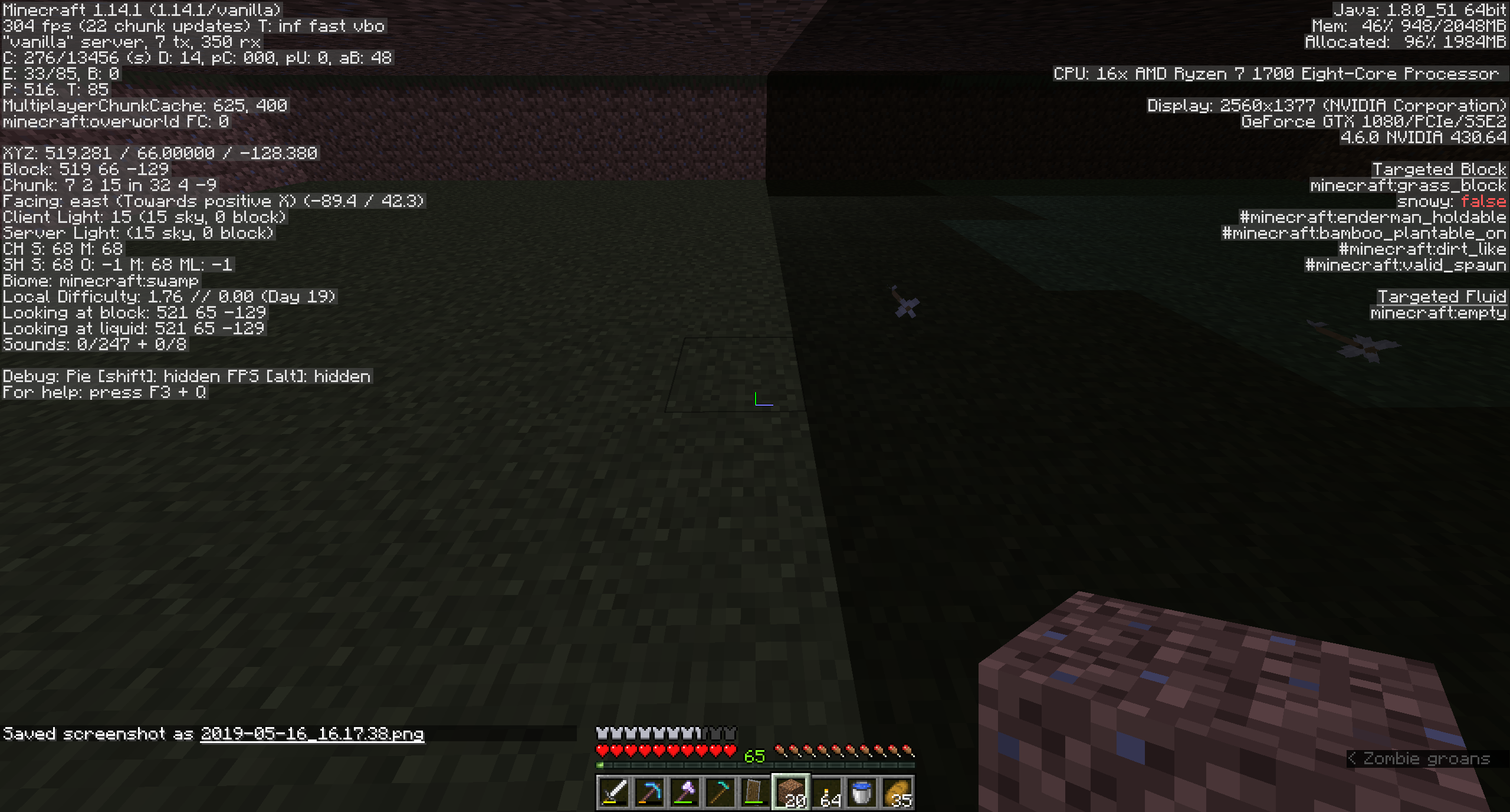
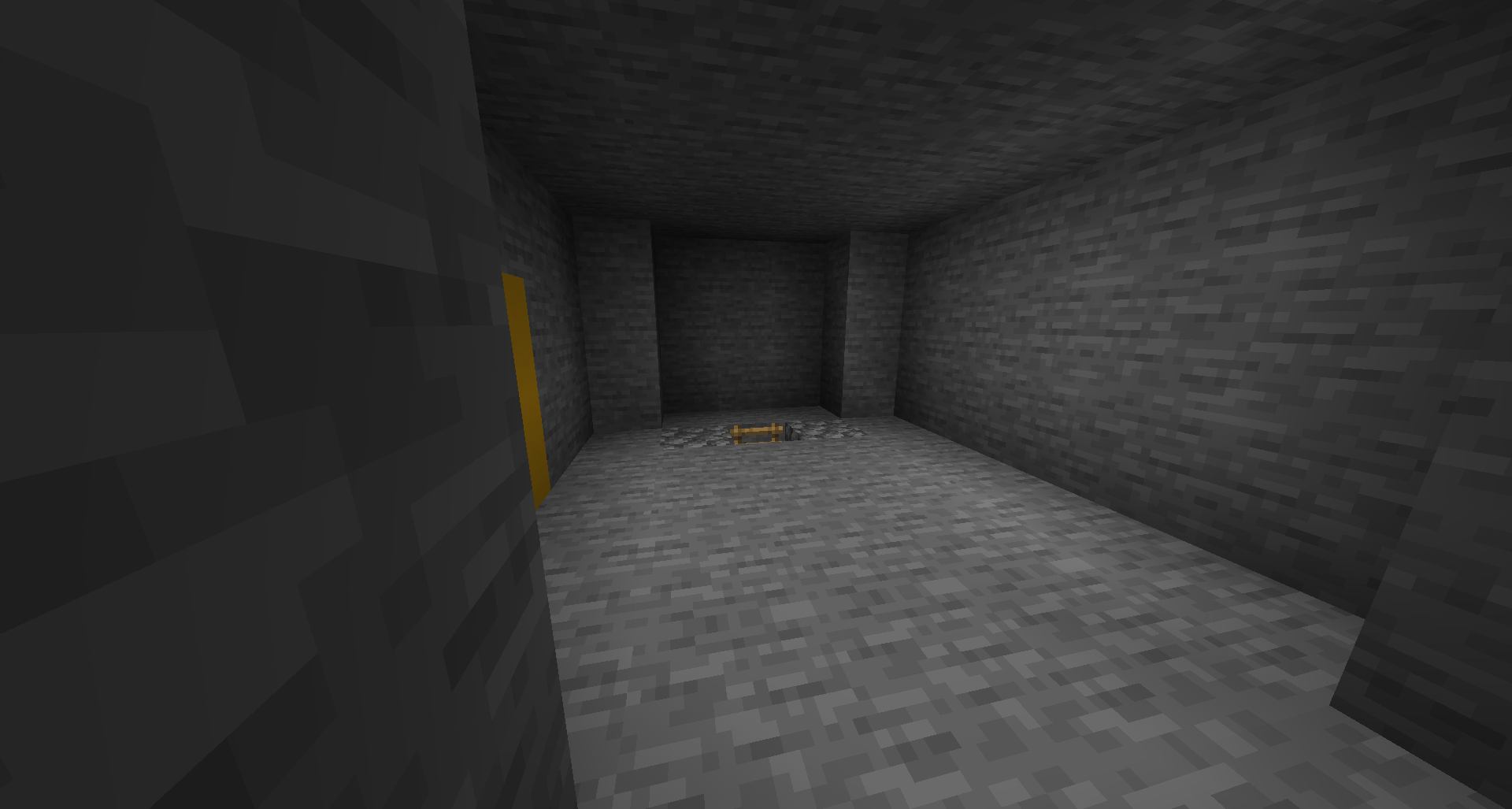
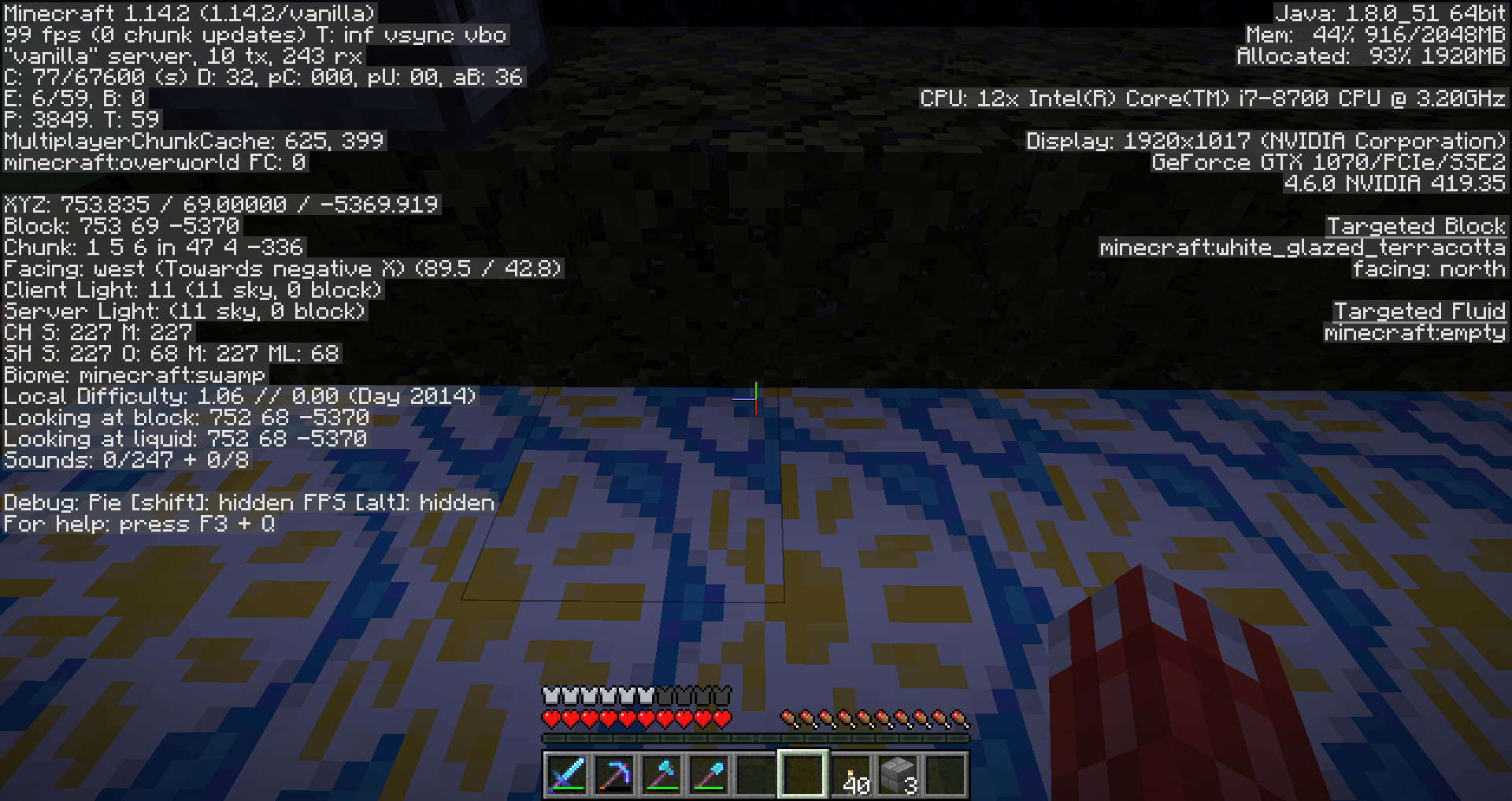
Came across a random patch of daylight at the bottom of a ravine, with no source above. Checking light levels, it shows 15 from the sky when standing in it, and 14 when completely enclosed in dirt. Light colour seems to match daylight cycle.
Linked Issues
is duplicated by72
 MC-147393Random chunks permenantly lit up DuplicateMC-149588Abnormally high sky light level undergroundDuplicateMC-149901Chunk Lighting BugDuplicateMC-149989Sky access in ravine that's coveredDuplicateMC-150001Heavenly light is deep underground.DuplicateMC-150128Lighting GlitchDuplicateMC-150222Skeletons burn under blocksDuplicateMC-150249Some chunk boundaries let sky light through solid blocksDuplicateMC-1502921.14 Lighting issueDuplicateMC-150394light problem DuplicateMC-150451Zombies burn during day time undergroundDuplicateMC-150534Lighting issue affecting caves, mob spawners, and other dark areasDuplicateMC-150560Skylight being rendered undergroundDuplicateMC-150580Проблема с освещениемDuplicateMC-150582In Mine Craft server we have had some lighting issues, for example touches being lit but within in a light level o area and mob spanners acting like they are in the sky. as in to the server the area around the spanner is getting sunlight access. DuplicateMC-150600Sky lightning in closed doors (undergroundDuplicateMC-150658Lighting IssueDuplicateMC-150718Light issues causing dark shadows in areas.DuplicateMC-150737Invisible Light SourceDuplicateMC-150788Mobs burn under blocks by the sun.DuplicateMC-150822Light sources aren't lighting up properly on realmsDuplicateMC-151092Half Slabs holding light valueDuplicateMC-151164Torches Not emitting light & Skylight shining through blocks in certain chunks DuplicateMC-151212Skeletons catching on fire when under shaded area DuplicateMC-151321Sky light seeps through full block roofDuplicateMC-151440Lighting Bug, Sky is Lighting CavesDuplicateMC-151762Sun light passing through blocksDuplicateMC-151865Day light bleedsDuplicateMC-152016Opaque blocks not acting like opaque blocksDuplicateMC-152338Areas appear to be lighted with no light sources presentDuplicateMC-152457Lighting Issues In The SkyDuplicateMC-152596nether portals reload previous cache maybe not really sure how to describe except that after cache is cleared and force upgrade MC-149518 and MC-142228 are recreated after entering a chunk with a nether portalDuplicateMC-152607Lighting bug in enclosed areas in 1.14 release.DuplicateMC-152709Bug iluminaciónDuplicateMC-153122lighting on the ceiling is glitchyDuplicateMC-153196Area is lit up during the day even though it is closed offDuplicateMC-153205Chunks that should not have skylight are litDuplicateMC-153208Skylight 15 in enclosed unlit space at nightDuplicateMC-153286Sunlight passes through blocks placed near sea-levelDuplicateMC-153291A huge section of a chunk is lit up, and I have no idea whyDuplicateMC-153294Light Levels Are WrongDuplicateMC-153339Light level bugDuplicateMC-153359sunlight going through blocksDuplicateMC-153426Zombies falling out of a waterstream start burning in the daytime, even though they have a roof over their headsDuplicateMC-153430Lighting issue with underwaterDuplicateMC-153434My mob farm is all lighted up but there are no lights in itDuplicateMC-153480Incorrect light calculationDuplicateMC-153486Light issuesDuplicateMC-153654light from no where?DuplicateMC-153677lighting broken in 1.14.2DuplicateMC-153757Lighting while there is no light source nearby in 1.14.3 pre-release 1DuplicateMC-153780zombies burn up under cover DuplicateMC-153803Lighting Glitch - Light Where No Light Should BeDuplicateMC-153949Minecraft thinks the sun is shining through my roof, I can't seem to fix itDuplicateMC-153952underground sky acces - sky light level 15DuplicateMC-153984Skylight passing through blocks in certain chunksDuplicateMC-154033Blocks in some chunks keep sky light of 15 even when there is no sky acces...DuplicateMC-154148Night time sky light remains 15 - no mobs spawn on ground level.DuplicateMC-154388Changing dimensions breaks lightning.DuplicateMC-154452Skylight appearing in an enclosed box on my serverDuplicateMC-154462zombie villagers still burn in daylight when under cover and in total darknessDuplicateMC-154555Light passes through blocks. I built a large box for a mob farm at level 199 using smooth stone, smooth stone slabs, as well as stone bricks. The light is passing through into the box and create high sky light levels.DuplicateMC-154764Zombies spontaneously combust as though they're in direct sunlightDuplicateMC-154786Lighting GlitchDuplicateMC-154824Light Leakingthrough enclosed spacesDuplicateMC-154898Lighting issues in closed roomsDuplicateMC-154996light coming through blocksDuplicateMC-155050daylight in enclosed/underground areasDuplicateMC-155220Lighting bugDuplicate
 MCL-10842Сhunks errorDuplicate
 REALMS-1786Sky light inside caves bug in realmsDuplicateREALMS-1924Lighting Glitch on RealmsDuplicate
Attachments31












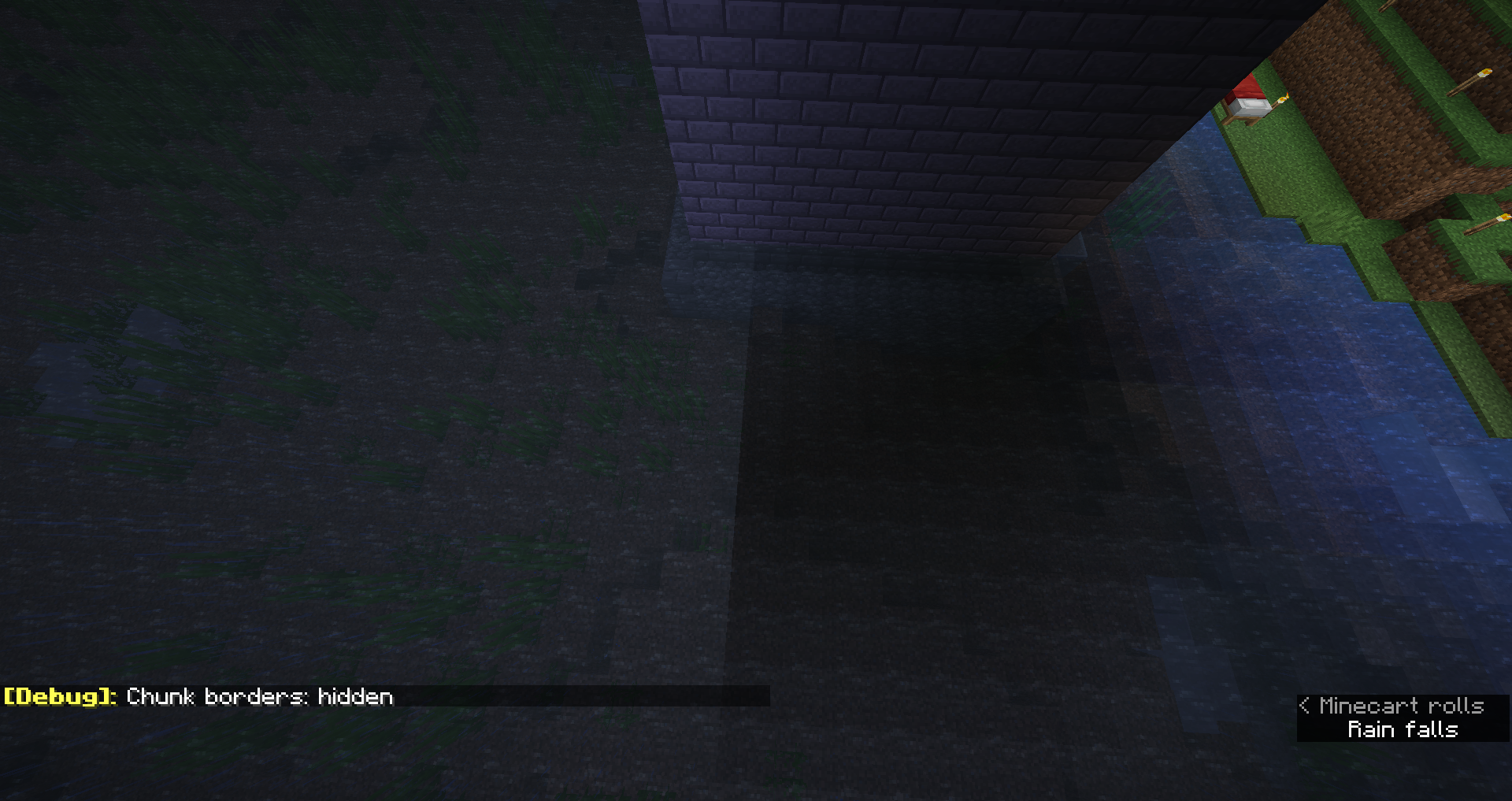
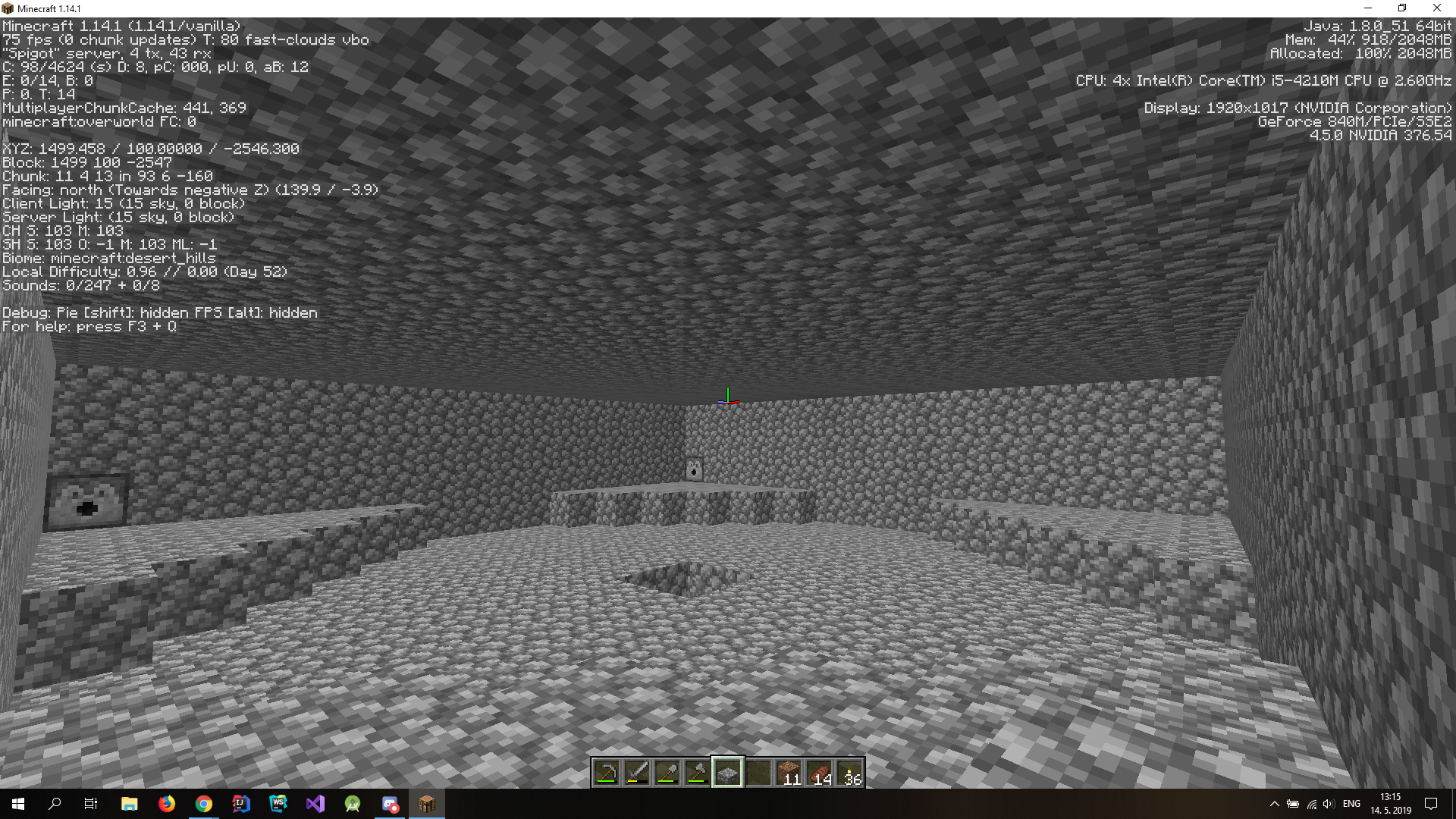
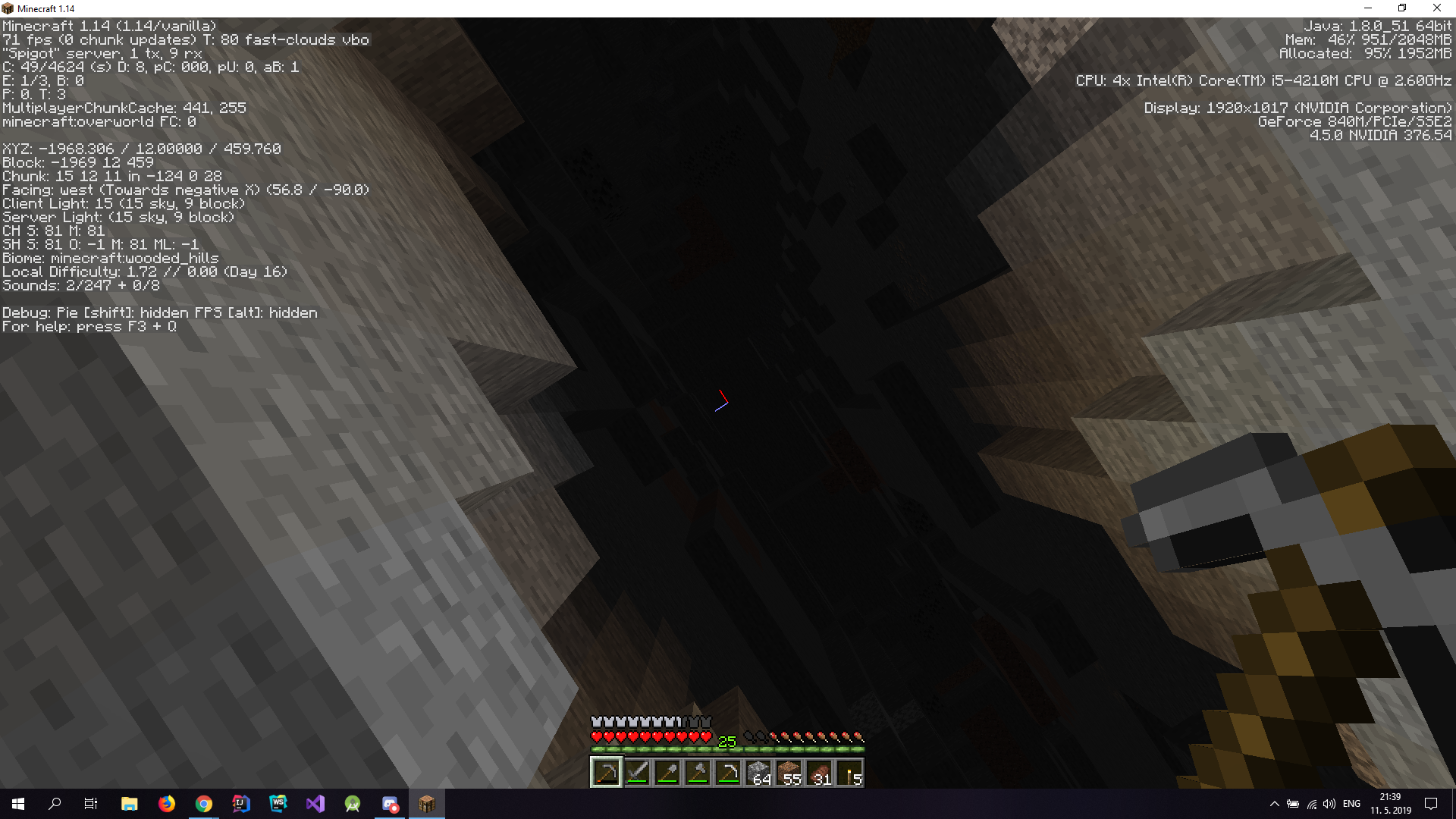


 Important
Created Issue:
Lighting issues deep in ravine - Sky light 14/15 even when completely surrounded.
Came across a random patch of daylight at the bottom of a ravine, with no source above. Checking light levels, it shows 15 from the sky when standing in it, and 14 when completely enclosed in dirt. Light colour seems to match daylight cycle.
Environment
Win10 using Java SE 12
Attachments3
![[Mod] Neko](../../../data/avatars/users/92901.png)
![[Bot] Arisa](../../../data/assets/gravatar/mustek2.png)
is duplicated by
relates to
Lighting issues deep in ravine -Skylight14/15 even when completely surrounded.Skylight appearing under blocks
![[Mod] violine1101](../../../data/avatars/users/92858.png)
Win10 using Java SE 12
is duplicated by
relates to
is duplicated by
relates to
is duplicated by
is duplicated by
is duplicated by
is duplicated by
is duplicated by
is duplicated by
is duplicated by
is duplicated by
is duplicated by
relates to
is duplicated by
is duplicated by
is duplicated by
![[Mod] Asteraoth](../../../data/avatars/users/92886.png)
is duplicated by
is duplicated by
is duplicated by
is duplicated by
is duplicated by
is duplicated by
is duplicated by
is duplicated by
is duplicated by
is duplicated by
relates to

![[Mojang] Georgii Gavrichev](../../../data/avatars/users/22428.png) [Mojang] Georgii Gavrichev
[Mojang] Georgii Gavrichevis duplicated by
is duplicated by
is duplicated by
is duplicated by
is duplicated by
![[Helper] Johnibur](../../../data/avatars/users/28381.png)
is duplicated by
is duplicated by

is duplicated by
2019-05-29_14.25.36.png
is duplicated by
![[Helper] ZeNico13](../../../data/avatars/users/31913.png)
is duplicated by
is duplicated by
is duplicated by
is duplicated by
is duplicated by
![[Mod] CubeTheThird](../../../data/assets/gravatar/cubethethird.jpeg)
is duplicated by
is duplicated by
is duplicated by
is duplicated by
![[Mojang] slicedlime](../../../data/assets/gravatar/slicedlime.jpeg)
is duplicated by
is duplicated by
relates to
is duplicated by
is duplicated by
is duplicated by
![[Bot] Piston](../../../data/avatars/users/31202.png)
is duplicated by
is duplicated by
is duplicated by
is duplicated by
is duplicated by
![[Mod] Michael Wobst](../../../data/avatars/users/37868.png)
is duplicated by
is duplicated by
NoticeThis issue is fixed starting the release of 1.14.3. But if you had this issue on a existing world, you will need to purge the light data in order to fix your map.
- On singleplayer: from the worlds menu, select your world, click Edit, Optimize World; then be sure to check the box Erase Cache Data before proceeding.
- On server: run your map (only) once by appending these arguments at the end of your java startup command: --forceUpdate --eraseCache. If you don't have shell access to the host system, either contact your host provider, or download your world, paste it inside your singleplayer save folder, proceed with the singleplayer steps, and finally re-upload your map.
Do not confirm this issue for new version nor open any new ticket until you have tried those steps.
Original Description
Came across a random patch of daylight at the bottom of a ravine, with no source above. Checking light levels, it shows 15 from the sky when standing in it, and 14 when completely enclosed in dirt. Light colour seems to match daylight cycle.
NoticeThis issue is fixed starting the release of 1.14.3. But if you had this issue on a existing world, you will need to purge the light data in order to fix your map.
- On singleplayer: from the worlds menu, select your world, click Edit, Optimize World; then be sure to check the box Erase Cache Data before proceeding.
- On server: run your map (only) once by appending these arguments at the end of your java startup command: --forceUp
date --eraseCache. If you don't have shell access to the host system, either contact your host provider, or download your world, paste it inside your singleplayer save folder, proceed with the singleplayer steps, and finally re-upload your map.Do not confirm this issue for new version nor open any new ticket until you have tried those steps.
Original Description
Came across a random patch of daylight at the bottom of a ravine, with no source above. Checking light levels, it shows 15 from the sky when standing in it, and 14 when completely enclosed in dirt. Light colour seems to match daylight cycle.
NoticeThis issue is fixed starting the release of 1.14.3. But if you had this issue on a existing world, you will need to purge the light data in order to fix your map.
- On singleplayer: from the worlds menu, select your world, click Edit, Optimize World; then be sure to check the box Erase Cache Data before proceeding.
- On server: run your map (only) once by appending these arguments at the end of your java startup command: --forceUpgrade --eraseCache. If you don't have shell access to the host system, either contact your host provider, or download your world, paste it inside your singleplayer save folder, proceed with the singleplayer steps, and finally re-upload your map.
Do not confirm this issue for new version nor open any new ticket until you have tried those steps.
Original Description
Came across a random patch of daylight at the bottom of a ravine, with no source above. Checking light levels, it shows 15 from the sky when standing in it, and 14 when completely enclosed in dirt. Light colour seems to match daylight cycle.
is duplicated by
Duplicate of MC-149518
Duplicate of MC-149518
Duplicate of MC-149518
Duplicate of MC-149518
Duplicate of MC-149518
Duplicate of MC-149518
Duplicate of MC-149518
Duplicate of MC-149518
Duplicate of MC-149518
Duplicate of MC-149518
Duplicate of MC-149518
Duplicate of MC-149518
Duplicate of MC-149518
Duplicate of MC-149518
Duplicate of MC-149518
Duplicate of MC-149518
Duplicate of MC-149518
Duplicate of MC-149518
Duplicate of MC-149518
Duplicate of MC-149518
Xinyue Zhang, your issue is MC-149518.
This ticket: There's light appearing under blocks without any light sources nearby
MC-149518: There's no light appearing where there are light sources nearby

I think that you are talking about MC-142134, in which no light appearing around light sources.
In MC-149518, everything described there seems to be identical to this ticket.
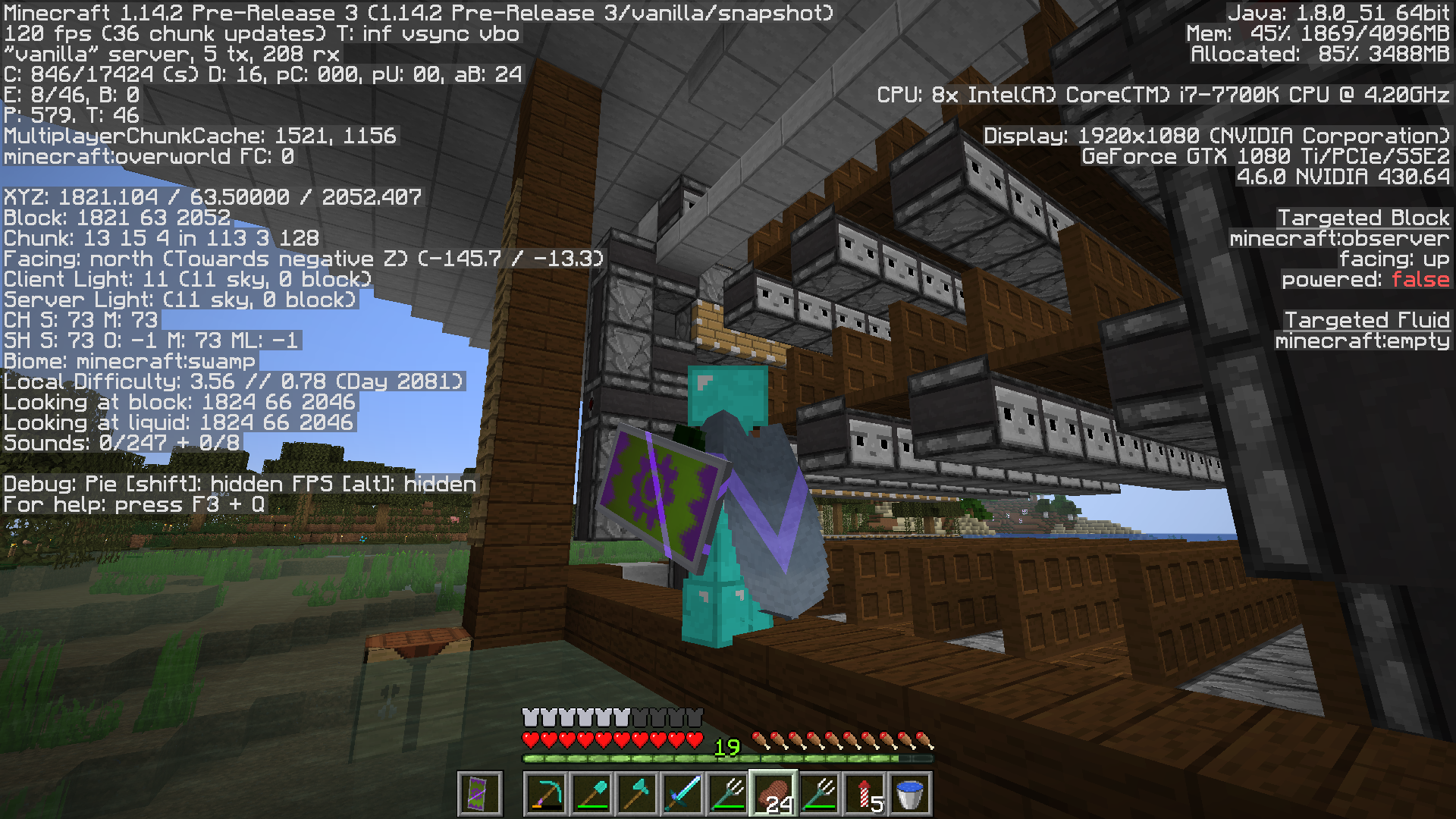
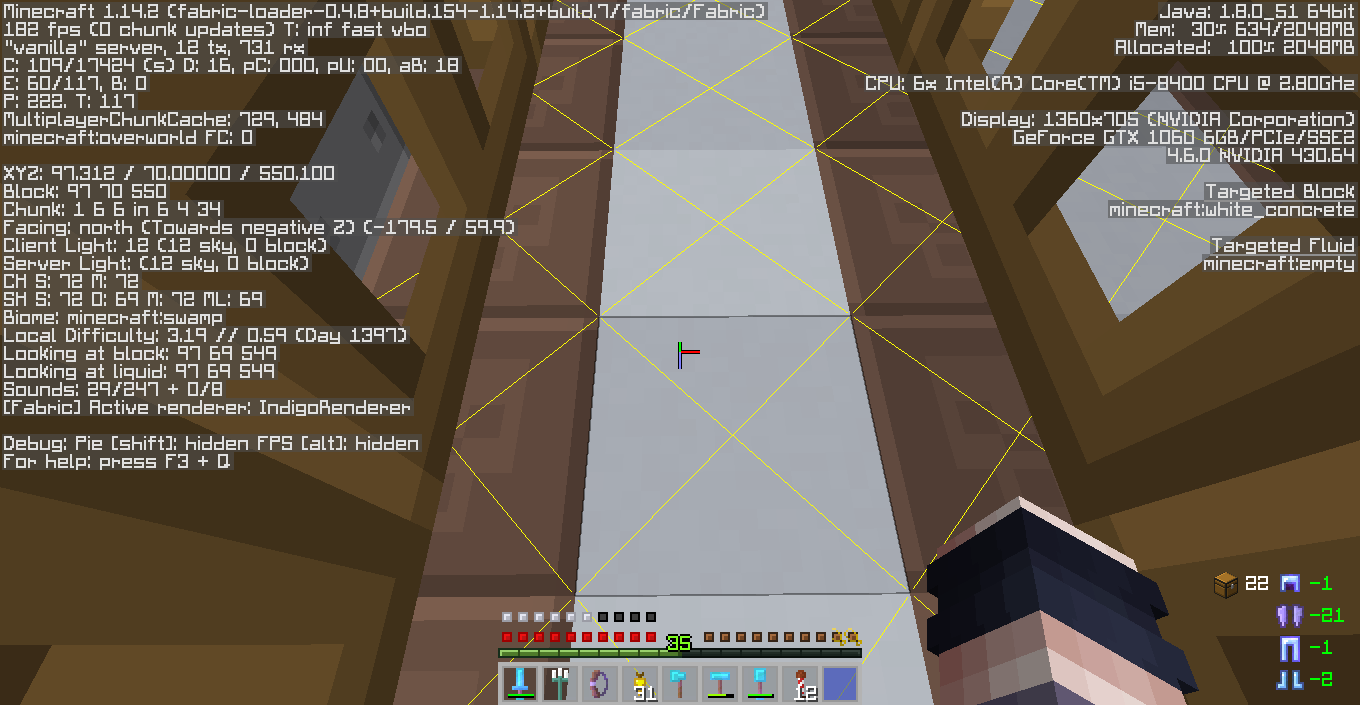
And there are two issues shown in my screenshot: on the right-hand side, no light is appearing around light sources, which is reported in MC-142134; on the left-hand side, skylight is shining through the concrete roof, as shown in the F3 screen, which matchs the description of both this ticket and MC-149518, I think.
Duplicate of MC-149518

Duplicate of MC-149518
Duplicate of MC-149518
Duplicate of MC-149518
Duplicate of MC-149518
Duplicate of MC-149518
okay so the two Minecraft tickets one MC-149518 and the other MC-142228 describe lighting issues one where skylight is under opaque blocks essentially and the other no light where light sources are. the issue I am having pertains to both but isn't, I don't think, the same as either. in this case either or both of those issues are recreated instantly after entering the chunk adjacent to the chunk that was previously fixed/and or chunks with a nether portal. so essentially after downloading the server world optimizing and erasing cache on top of running force upgrade erase cache both issues were solved but as soon as I left the adjacent chunk then reentered it used a nether portal both issues reappear as if cache maybe wasn't erased properly, or the nether portal just updates the adjacent chunk in a way that it creates those issues again. this is after moving the portal one chunk out of the original chunk not sure if that has an effect but I don't recall having the issue when the portal was in the same chunk as the light update problems. I hope I made this as clear as possible I don't have images because currently my chunks are fine as I just optimized and am trying to avoid the nether portals and recreating the issue again.
Duplicate of MC-149518
Please add that information as a comment to MC-149518, instead of creating a new report.
okay so the two Minecraft tickets one MC-149518 and the other MC-142228 describe lighting issues one where skylight is under opaque blocks essentially and the other no light where light sources are. the issue I am having pertains to both but isn't, I don't think, the same as either. in this case either or both of those issues are recreated instantly after entering the chunk adjacent to the chunk that was previously fixed/and or chunks with a nether portal. so essentially after downloading the server world optimizing and erasing cache on top of running force upgrade erase cache both issues were solved but as soon as I left the adjacent chunk then reentered it used a nether portal both issues reappear as if cache maybe wasn't erased properly, or the nether portal just updates the adjacent chunk in a way that it creates those issues again. this is after moving the portal one chunk out of the original chunk not sure if that has an effect but I don't recall having the issue when the portal was in the same chunk as the light update problems. I hope I made this as clear as possible I don't have images because currently my chunks are fine as I just optimized and am trying to avoid the nether portals and recreating the issue again.

Still getting some sort of weird lighting issue, at least around water (my mob farm collection system).
Definitely contained in a chunk, similar as before.
Very minor, but still worth mentioning to see if it's related.
DETAILS:
Original World Generation Version: 1.14
Upgraded to: 1.14.1 then 1.14.2-pre3 (used --forceUpgrade --eraseCache both times)
Running As: 1.14.2-pre3 SERVER .jar
Server Render distance: 10
I can send a link to my world files PRE-update and POST-update (update to 1.14.2-pre3) upon request.
UPDATE: I haven't seen any more issues in my world besides this one spot, so it's possible this is just kind of a one-off fluke area. I would be more curious to see if anyone else has issues still. Overall, the update seems good. Thank you for your hard work on this issue!
UPDATE: Turns out this issue is actually unrelated to torch lighting bug (see MC-149518). Thank you ModVioline for pointing this out
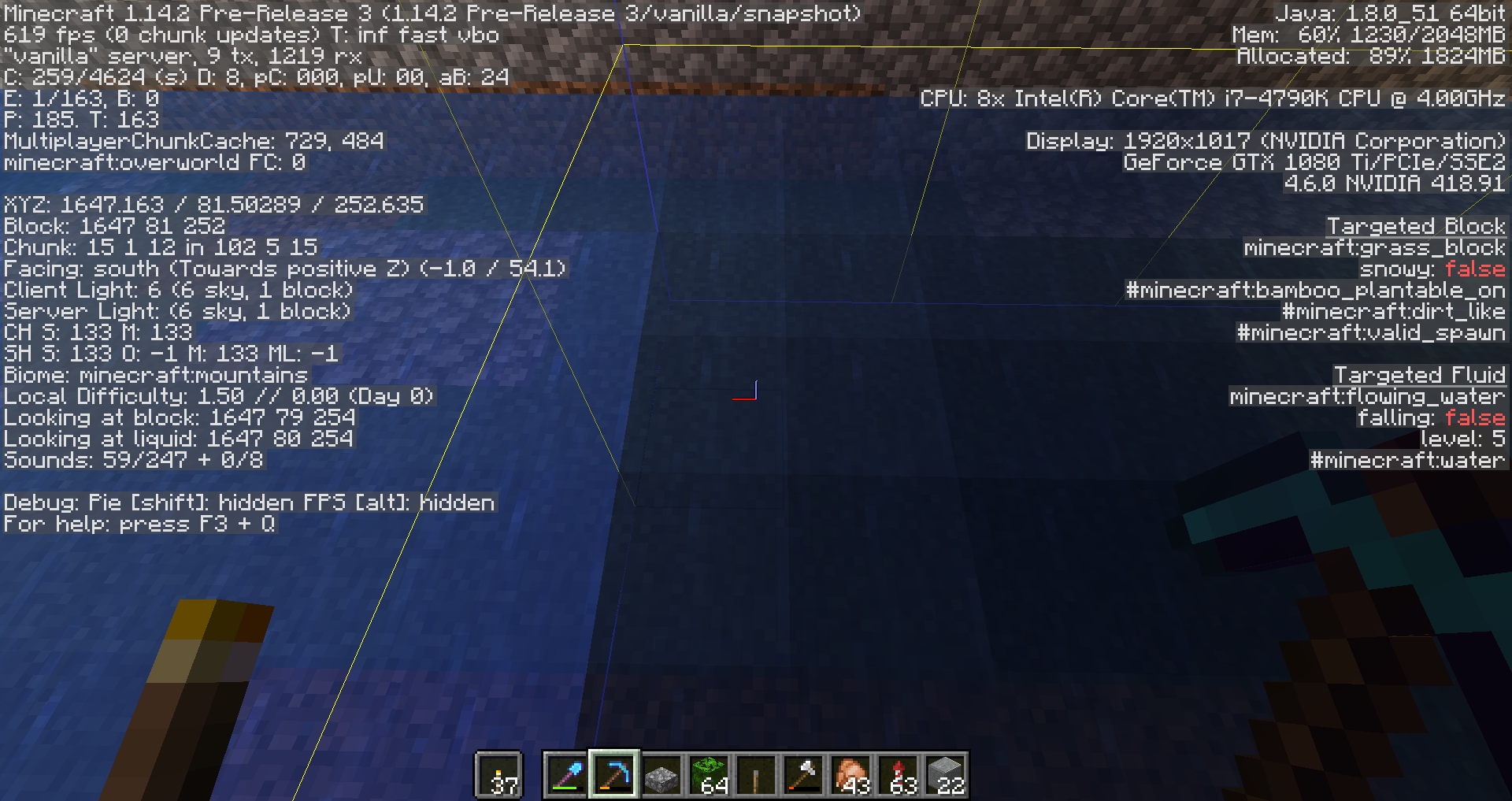
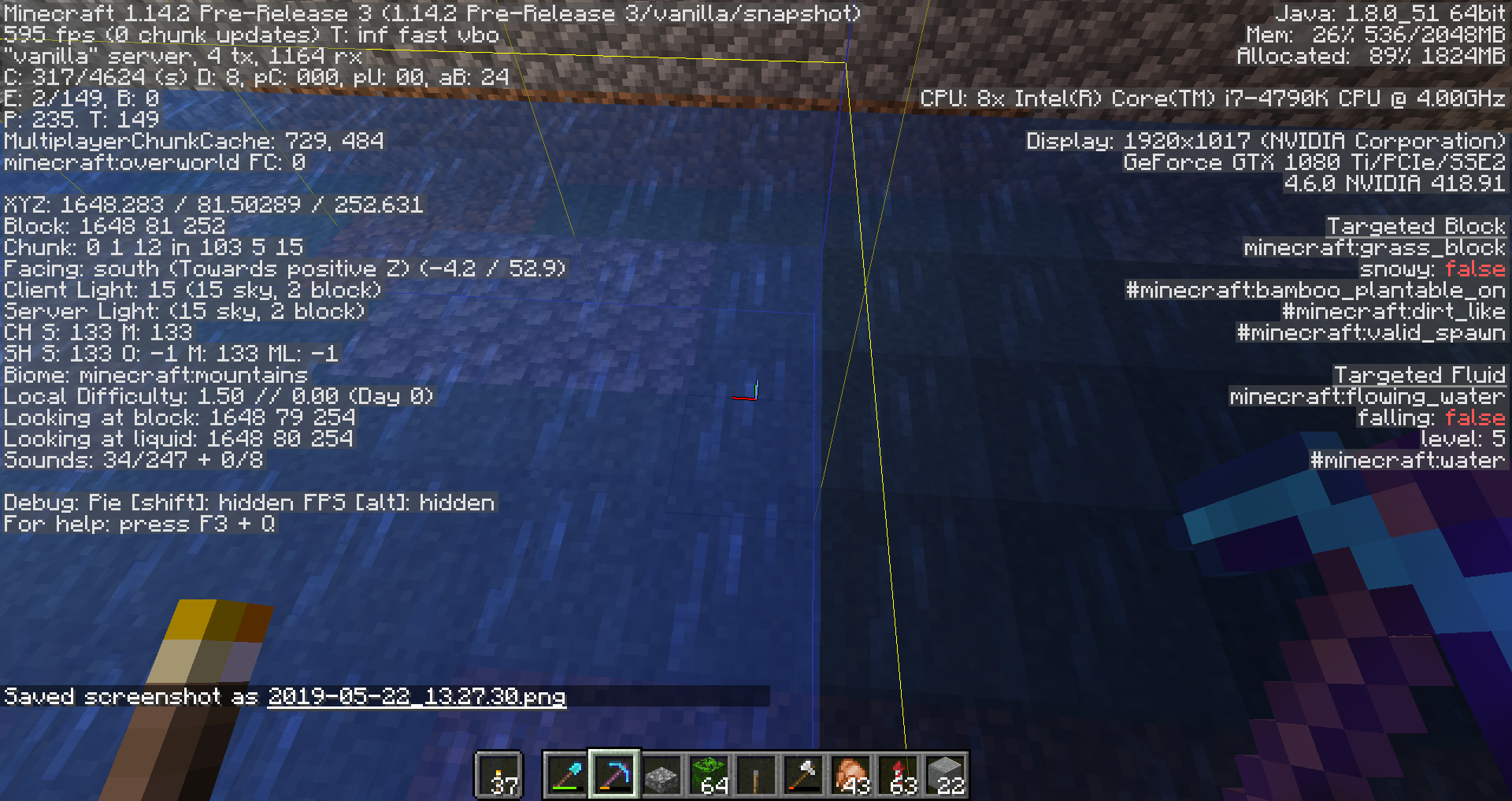
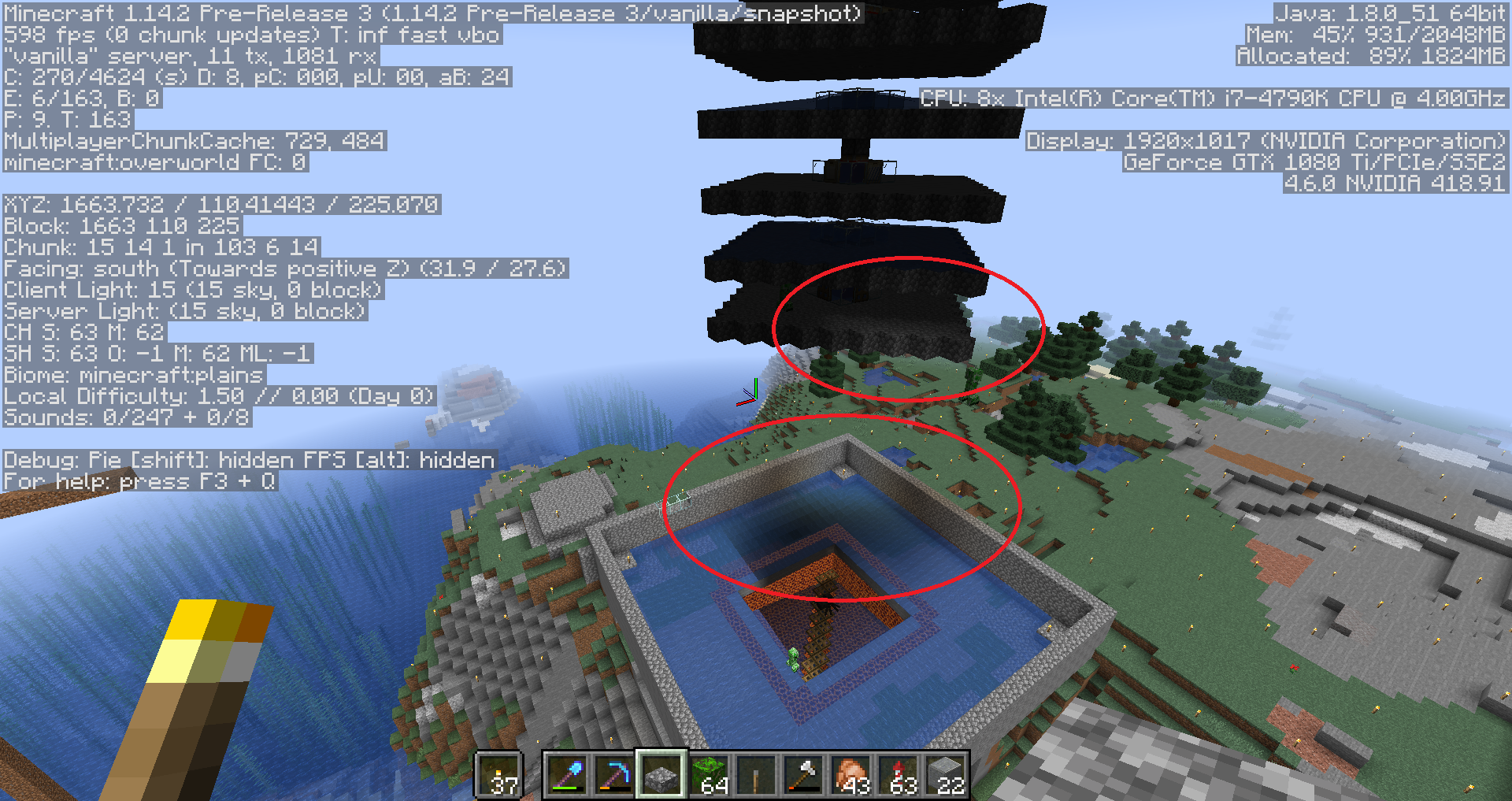
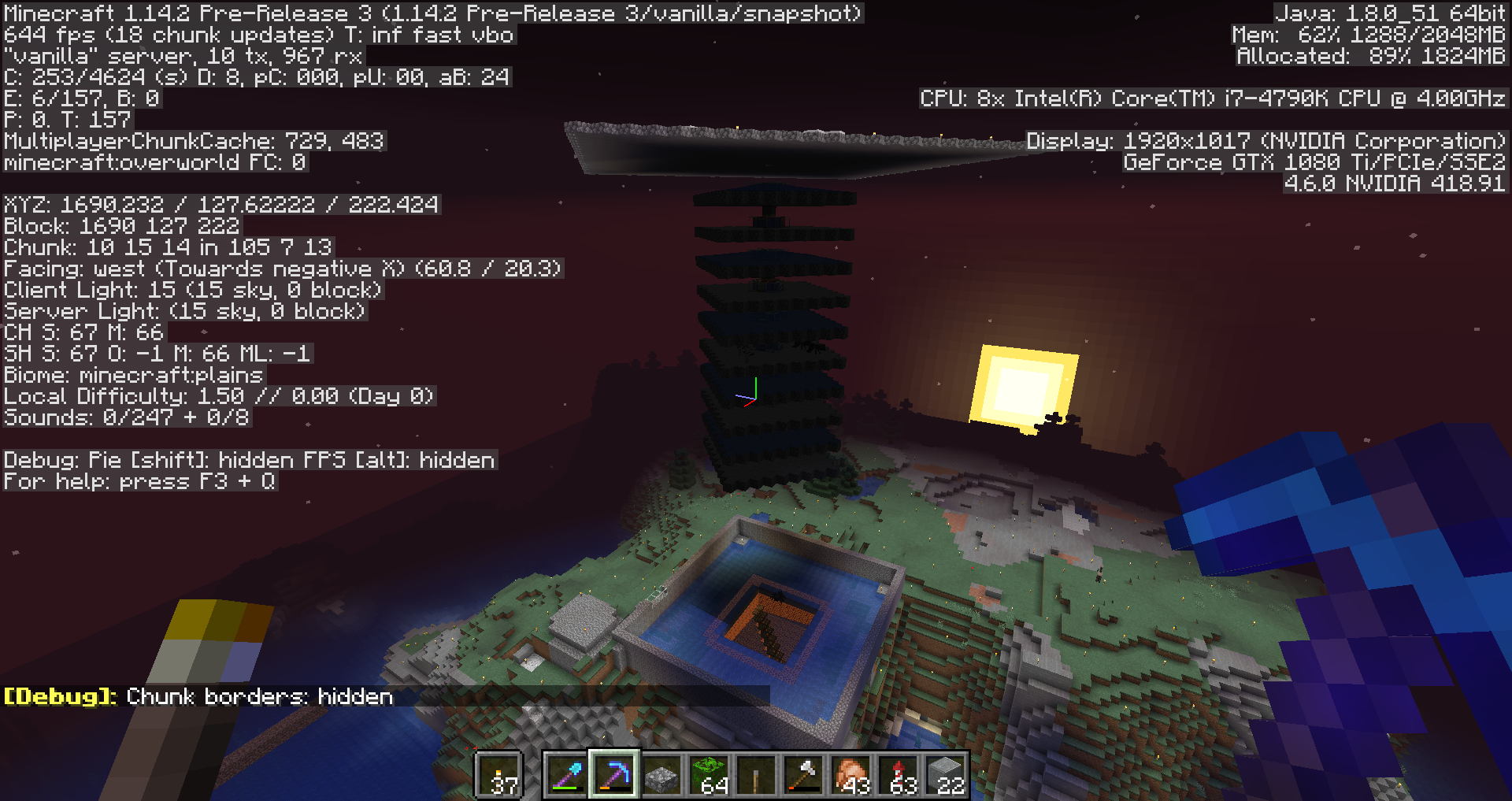
durward2003 and Jfarf_Gl, you have a different issue (MC-149518) which has not been fixed yet.
Duplicate of MC-149518
Duplicate of MC-149518
Duplicate of MC-149518
Duplicate of MC-149518
Duplicate of MC-149518
Duplicate of MC-149518
Duplicate of MC-149518
Duplicate of MC-149518
Duplicate of MC-149518
Duplicate of MC-149518
Duplicate of MC-149518
Duplicate of MC-149518
Duplicate of MC-149518
Probably same cause as MC-149518
This ticket has been resolved as a duplicate of MC-149518, which is still left open.
I haven't had time to look at your world yet. However, I want to really prevent this ticket from being a catch-all ticket for all lighting issues. There are many different lighting issues in the game right now, and from what I have seen, the issue that this issue is about has been fixed, as there haven't been any reports about this issue outside of this comments section. This indicates to me that you might be experiencing a different, but similar issue. For instance, from the picture that you have posted, Michel, it looks like your issue is actually MC-149518.
If you still experience any lighting issues in 1.14.2, it's likely that they are different from this one. Please create a new ticket if they haven't been reported yet.
Duplicate of MC-149518
Thank you for your report!
We're actually already tracking this issue at MC-149518, so we will resolve and link this ticket as a Duplicate.
If you would like to add a vote and any extra information to the main ticket it would be appreciated.
If you haven't already, you might like to make use of the search feature to see if the issue has already been mentioned.
Quick Links:
📓 Issue Guidelines – 💬 Community Support – 📧 Customer Support – 📖 Game Wiki
Duplicate of MC-149518
Duplicate of MC-149518
Duplicate of MC-149518
Duplicate of MC-149518
This is the same issue as MC-149518. I've resolved this ticket as a duplicate of that ticket since it has way more votes, duplicate links and comments, even though it has been created later.
Duplicate of MC-149518
Duplicate of MC-149518
Same issue as MC-149518
Duplicate of MC-149518
Duplicate of MC-149518 (fixed in 1.14.3)
Duplicate of MC-149518
Is there skylight inside of the mob farm? That would be MC-149518.
Duplicate of MC-149518
Duplicate of MC-149518
Sky light appearing under blocks is a different issue, see MC-149518.
Duplicate of MC-149518
That would be MC-149518.
Victor J Adkins, are you sure that this happened in 1.14.3-pre4? Also, can you try whether the fix from MC-142134 fixes this issue?
Duplicate of MC-149518
Duplicate of MC-149518
Did you play in this world during the 1.14 snapshots or pre-releases?
I didn't, it was generated yesterday a few hours after release
Also I've just noticed while I updated Java to 1.12 when I installed MC 1.14, the screenshots seem to show Minecraft using 1.8, not sure if this could be contributing to the issue.
Having this same issue, our world was generated about 3 days after 1.14 full release, and these skylight patches are appearing / moving around in caves under our world. We restart every night, and have noticed it in different spots after a restart.
Same issue in my world. Skylight patches sometimes can be seen by creating a large hollow cuboid with command, such as "/fill ~-20 ~-1 ~-20 ~20 ~10 ~20 stone hollow". Issue appears both in newly generated worlds and those updated from 1.13.2. Hope this will help.
I have had the same issue deep underground in a mob spawner (y=14), making it very difficult to farm mobs (because they either dont spawn, or spontaneously combust because the game thinks they are in the sun). I have found one work-around that always works, but it is time consuming and annoying. It seems that, whatever causes the bug, it places sources of skylight in a number of air blocks in some random chunk. If you manage to find these blocks (usually anywhere that light due to sky = 15), and fill them with solid blocks, once you break those blocks the issue should be gone. You may have to fill in almost the entire affected region with solid blocks though. This light can also generate in non-full/transparent blocks like slabs, ladders, chests, glass, etc. You will have to break them, replace with a solid block, break the solid block, and then place the original block again to remove the issue.
I suggest manually filling the brightest part of the underground region with easily breakable solid blocks that you can discern from the rest of the environment. Fill it all up, break the blocks you used to fill, and all should be good.
Same issue.
I made a room out of cobblestone, just cobblestone, no slabs or any other blocks make up the room. It has no holes or light sources in it. When I first made the room, it was dark, like it should be, but once I went on the outside of the room and placed torches on the top and around the room, the inside of the room became exposed to a light source. Still no holes anywhere, I went into the room and blocked my entrance hole, and still a very bright light source. Attempted to break the room, and replace all the blocks again, but the "invisible" light source is still present. It is affecting the efficiency of my mob farm, which is the purpose of the room.
Same issue.
Hope this will be resolved one day :3
Same issue, but under the roof of my witch farm, so my witch farm is crippled, hope this gets fixed soon.
This is still present in 1.14 (Server) and 1.14.1 Pre-Release 2 (Server), it handicapped my only mobfarm completely, tried filling everything with dirt and removing it solved it for a little while until the chunks get unloaded, when they reload it's back again, extremely frustrating...
Ah-ha! This claimed my zombie villager in my enchanting building.
EDIT: Re-optimizing the world seems to have fixed it whereas blocks changes nor light changes did.
Just ran into the same problem on a server.
Built a zombie grinder at y=11 at it worked really well until my zombies started burning the moment they left water.
An Imgur Album to help
I don't know what caused this or how to replicate it however.
Still in 1.14.1 Release
A quick fix for an above ground mob spawner or affected area is to break and replace every block and I mean EVERY BLOCK
... or an even quicker fix would be to check whether optimizing the world and erasing cache works. A guide for that can be found in
MC-142134.I already tried replacing every single block. Didn’t work
@Cynthia airblocks are affected too in my case, what I did was just pouring water in the entire room and then draining it and that fixed it for a while.
@violine1101 the quicker fix works, at least in server edition
Still in 1.14.2 Pre-Release 1 and 1.14.2 Pre-Release 2
okay so the two Minecraft tickets one
MC-149518and the otherMC-142228describe lighting issues one where skylight is under opaque blocks essentially and the other no light where light sources are. the issue I am having pertains to both but isn't, I don't think, the same as either. in this case either or both of those issues are recreated instantly after entering the chunk adjacent to the chunk that was previously fixed/and or chunks with a nether portal. so essentially after downloading the server world optimizing and erasing cache on top of running force upgrade erase cache both issues were solved but as soon as I left the adjacent chunk then reentered it used a nether portal both issues reappear as if cache maybe wasn't erased properly, or the nether portal just updates the adjacent chunk in a way that it creates those issues again. this is after moving the portal one chunk out of the original chunk not sure if that has an effect but I don't recall having the issue when the portal was in the same chunk as the light update problems. I hope I made this as clear as possible I don't have images because currently my chunks are fine as I just optimized and am trying to avoid the nether portals and recreating the issue again.I have same problems with lights, after leaving chunks, unloading them and then came back and reloading them, skylight is bugged. It is same after restarting server or login and log out.
skylight lvl 15 under blocks
I did have a semi useful solution if you literally cover the entire are with blocks like on all six side of the cub it seems to stay dark even after reentering chunks I will say I’m in 1.13.2 pre 3 now but problem still persists
I assume this is the same bug? It happens across chunk borders in my creeper tower.
Looks like it, yes.
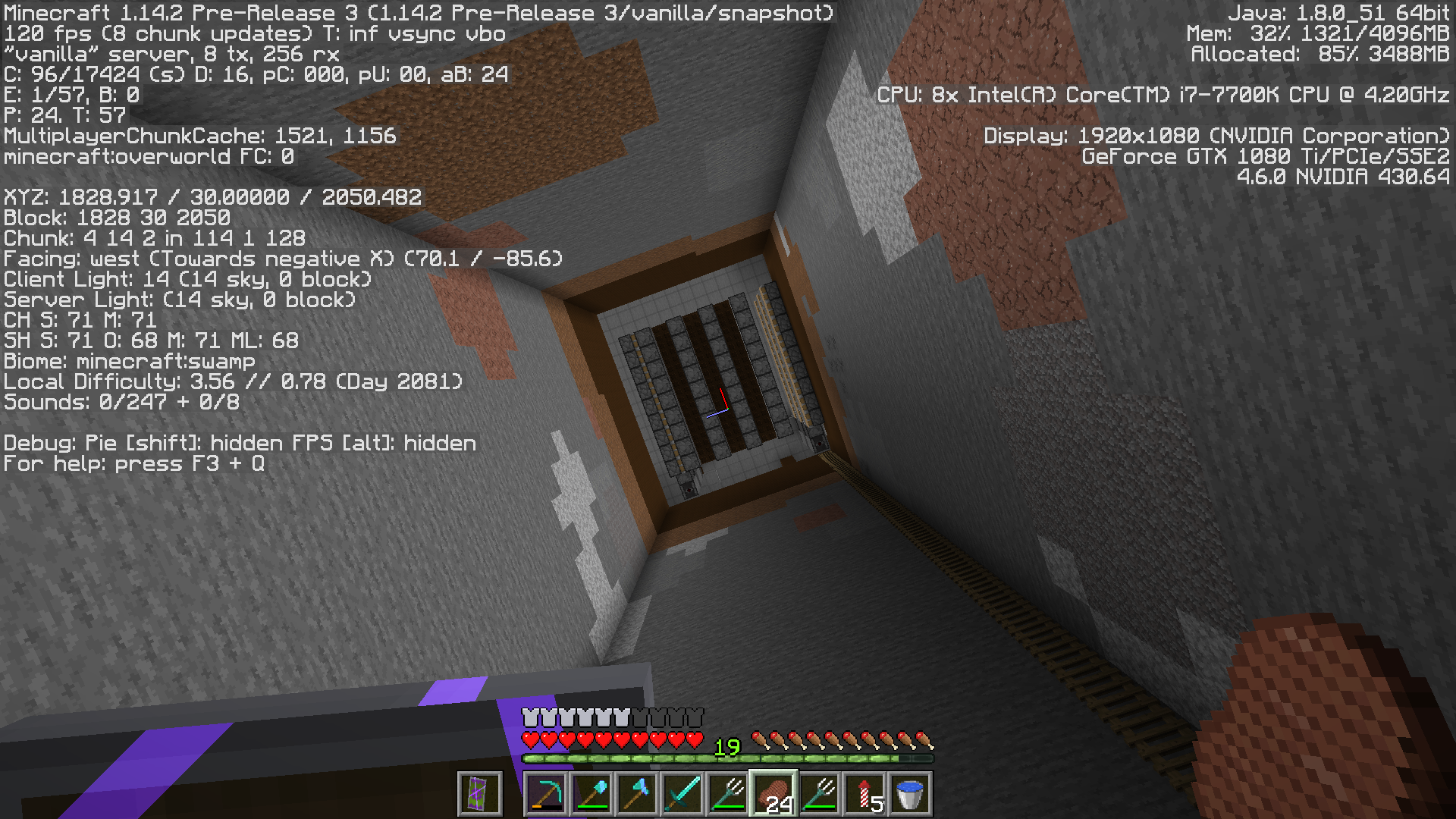
This is affecting me in 1.14.3 pre-3. I cleared my lighting cache and that fixed the issue, but it seems to have come back. See the attached screenshots.

Have the asignee determined the source of this bug?, or would more information be helpfull?
I have a witch farm where in 1.14.2 have daylight 15 inside a completely enclosed cobblestone building. Can share world file, or more information.
ps. Crossing my fingers that this fix will make it into 1.14.2
Its fixed 1.14.2 Prerelease 4!!!! Thank you MojangEdit: Its broken again, going through the nether and back broke it
It seems like the issue is present even in 1.14.2. There were a few comments about people having the light bugs appearing on different places every time, however on my world it looks as though the chunks being affected are constant. The chunk on the attached image is the one I'm having problems with.
I've tried the erase cache method with success, but the issue reappeared when I slept in a bed. It seems like the source of the bug, at least for me, is when light updates too fast (for example when you sleep in a bed and it turns morning).
In addition the whole chunk height-wise isn't affected by the bug. For example the basement under the skylighted area (on the picture) isn't affected, even though it's the same chunk.
Hope this helps to find a solution!

Experiencing similar lighting glitch in 1.14.2. Two completely enclosed farms (one witch, one creeper), above ground in the water, and it's as if the blocks aren't there when it comes to lighting. So far my experience has been it being with user created buildings, natural generation doesn't seem effected as of yet (natural spawners still dark, mineshafts and caves, etc.). Will try to clear lighting cache, see if that works for now. Figured I'd just add my voice to the crowd as opposed to opening new ticket, having it closed and moved here anyway :^).
Temporary workaround (fixed it in my case atleast) but you need to be opted in MP or have cheats enabled in SP. So after erasing cache for the world just keep the chunks permanently loaded that are affected with /forceload command.
Went quite a while after upgrading to 1.14.2 with no problems, but now it re-appeared. Same place as before. Inside my witch farm
Happened to mine to and completly broke my witch farm. This needs to be prioritized. Ruins all hostile mob based farms.
Same exact thing happened with me in my witch farm. The border of the chunks is where the skylight comes through in my case.
Edit: Version 1.14.2
still not fixed in 1.14.3 pre release 1
Magnus Nordbø Visnes Have you tried to do Optimize World -> Erase Cache before updating to 1.14.3-pre1?
Just downloaded my realm and optimized it for 1.14.3-pre1, tested it in single player, seems to be fixed now
My witchfarm doesnt spawn any witches at daytime because skylight goes trough the roof. i have build an roof and encased the farm with solid blocks. when i encased it with solid blocks it seemed to go away but after a couple hours it went back to before. all the blocks below the roof (even the caves) are lit with skylight.
this is an newly created server and has never been updated. im playing on version 1.14.2.
i have added some screenshots that may help.
please fix this problem because its breaks almost all my farms.
Still having this problem in pre-release 2.

Ok in realms server we erased the cache data fixed for a couple 6 hours then the issue re-appeared seems to only be a temporary fix then get reverted to this weird state. I was having this issue with my witch farm roof in which only one of the four chunks that it is in seems to behave properly but the rest are acting in this manner in which light levels are bleeding through the ceiling.
I have this problem, and I optimized my world, in that moment it solves, but, if I enter a nether portal and go back, the problem appears again, and the sky light is 15 again under blocks
This affected a mob farm I built and I found a workaround. Place solid blocks like dirt on the ceiling of the enclosed space and then remove them. This removes the skylight. This may not work in all instances.
This bug is 100% absolutely in no way resolved.
Are you playing in 1.14.3???!
Kyle Goodman Make sure you let the game recalculating any light value upon updating. If you are on singleplayer, in the world selection menu, click Edit, Optimize World, and check Erase Cache.
Agreed @Kyle Goodman. I am on a server on 1.14.2, and it is as light as day in here.
It is fixed starting 1.14.3.
@Johnibur
The correct server command is --forceUpgrade --eraseCache
Note: --force*Upgrade* instead of --forceUpdate
Edited, thanks.