Light sources spontaneously not working in some chunks
In order to fix your existing world, you can try following these steps. Apparently this is just a temporary workaround, so you might need to repeat this once the issue reoccurs again.
Singleplayer: Select world → Edit world → Optimize world → check "erase cache data" → Backup and load
Multiplayer: Start the server.jar with the following command:
java -jar server.jar --forceUpgrade --eraseCache
This only needs to be done once, after this you can start your world or the server the usual way again.
Minecraft Realms: Download the world from your realm, copy it into your Minecraft singleplayer worlds folder, follow the steps for singleplayer, and then upload the world back up to your realm.
If this is still happening to you, and if you have a backup of the world right before you can trigger the issue, that might help; I managed to get one and consistently reproduce it, and fixed what was causing it, but there might be more to it; if you can reproduce it by
- Restoring the backup
- Choosing edit -> optimize -> erase cached data (before loading it)
- See the issue immediately after loading the world
Then it would be very helpful if you can share your world backup, along with what render distance you're using.
Thanks!
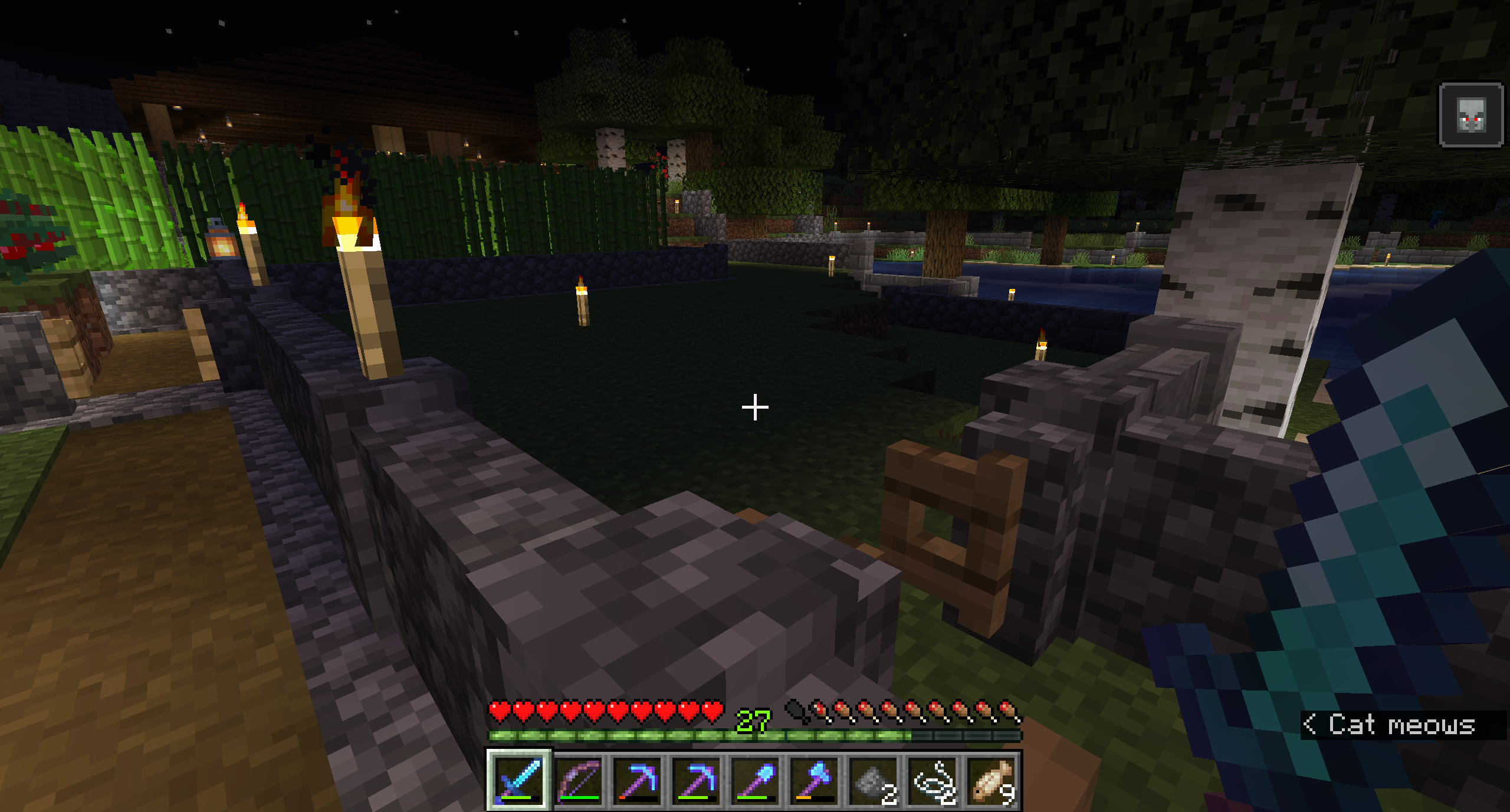
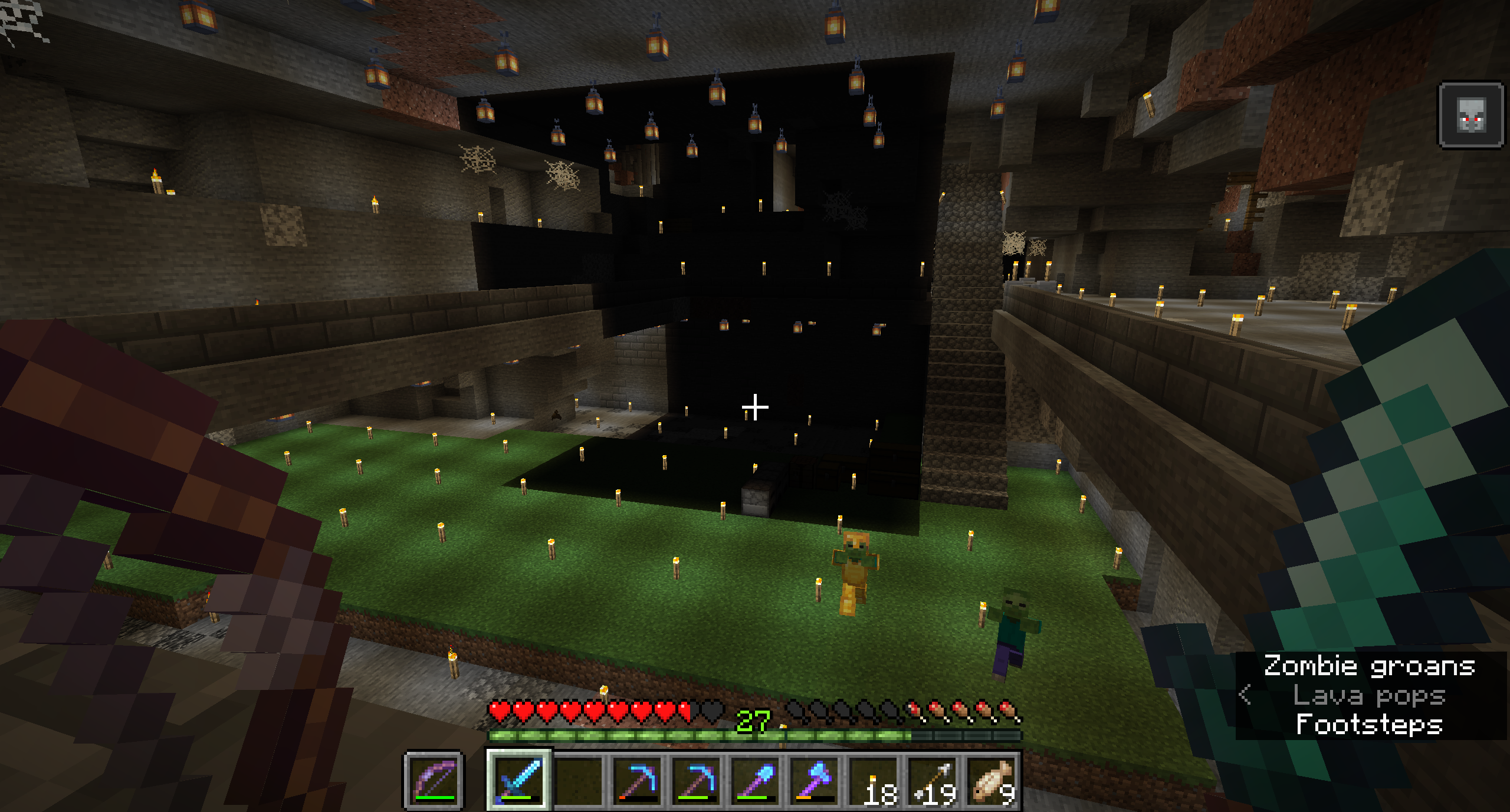
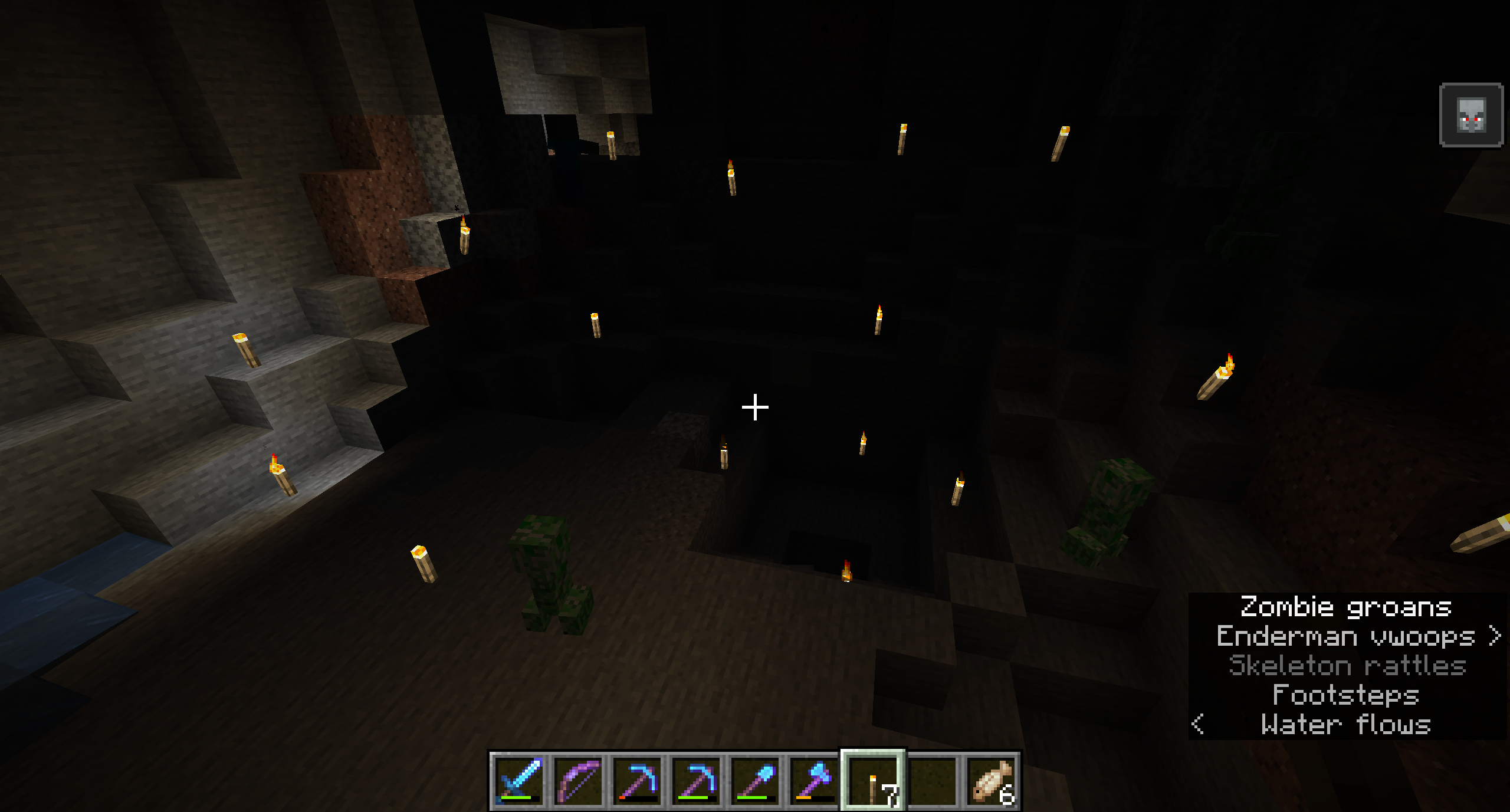
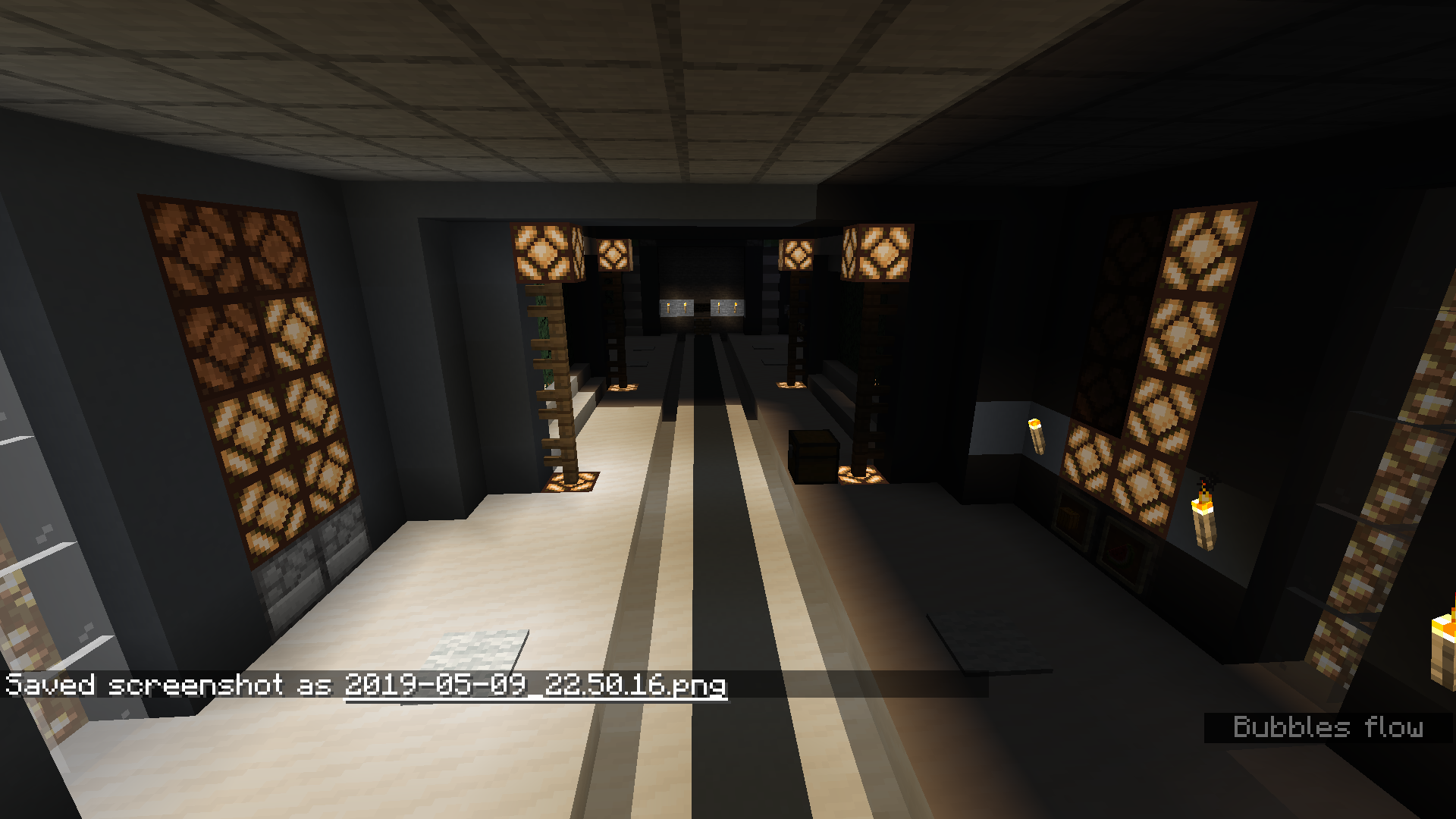
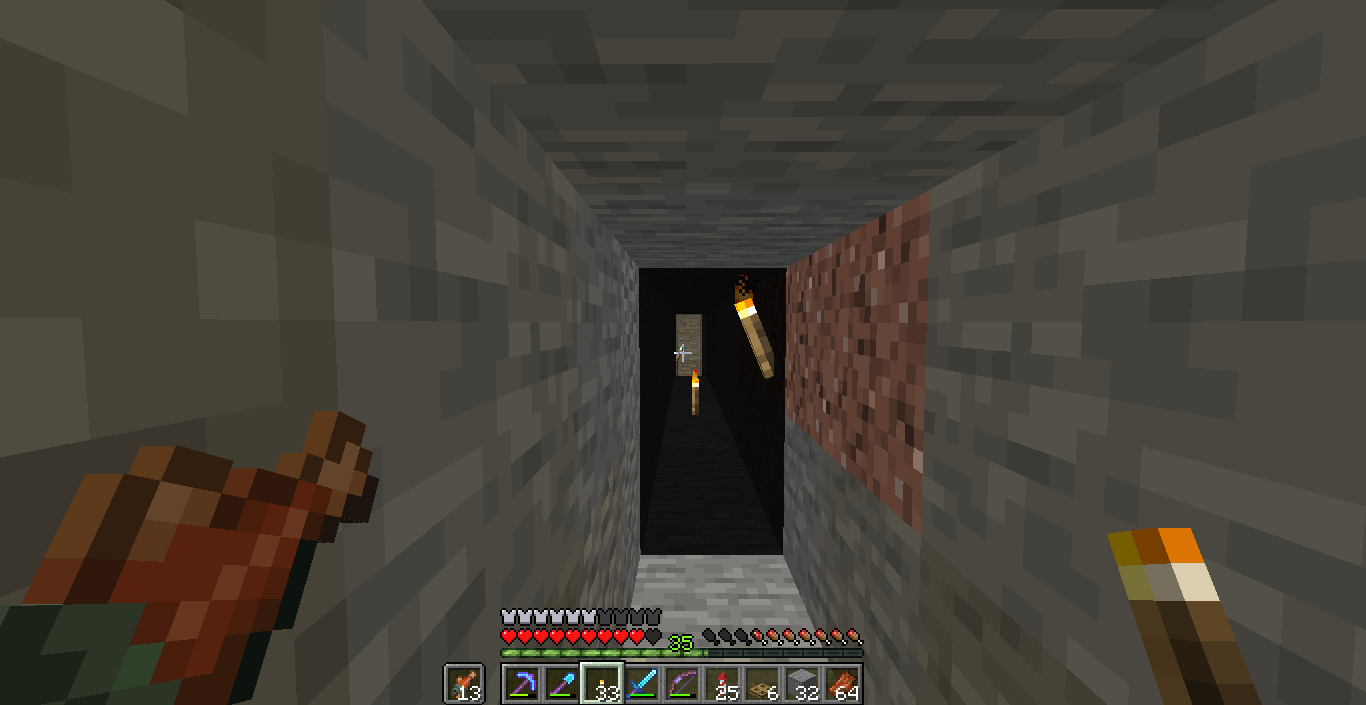
I found a stairway I'd previously made now pitch black.
I later found other areas (entire chunks, surface to bedrock) showing this behavior as well.
This is not just a visual glitch - the light sources I've used (torch, lantern, and jack-o-lantern) are all nonfunctional. As a result, monsters will spawn in them, and underground crops in these areas will break.
Forcing every single light source to update (or outright replacing them) is the only way I've found to get them to visually working again.
Environment
Win 10, Java Edition, Map previously made in past snapshots, now in 19w02a
Linked Issues
is duplicated by199
 MC-139038Lighting errors everywhereDuplicateMC-142219Torches Randomly Stop Giving Off LightDuplicateMC-142250Shading glitches in cavesDuplicateMC-142269Light-emitting blocks need replacement in certain chunksDuplicateMC-142274Torches fail to create lightDuplicateMC-142754Torches lose lighting effectDuplicateMC-143064Lights Giving Light Levels of 0DuplicateMC-143127LIghting Breaks at RandomDuplicateMC-143163Really Nasty Lighting GlitchDuplicateMC-143258Light level stay as after chunk reloads and needs block updates to fixDuplicateMC-143262Light source bugDuplicateMC-143320Torch lighting bugDuplicateMC-143496Blocks do not emit light unless updatesDuplicateMC-143649Light glitchesDuplicateMC-143654Lightning issue with torchesDuplicateMC-143676Mobs Spawning in daylight in a superflat villageDuplicateMC-143720lightbugDuplicateMC-143985Blocks have no light where they previously did.DuplicateMC-144240Torches placed in earlier snapshot have 0 light level in 19w07aDuplicateMC-144686There's a lighting bug in the 1.14 snapshotsDuplicateMC-144692the glitch of the lightDuplicateMC-144724Inconsistent client lighting; mobs spawn in lit areasDuplicateMC-14477319w08b Lighting IssuesDuplicateMC-144825Ilumination and shadows doesn´t work wellDuplicateMC-144918Light sources not emitting lightDuplicateMC-145161error rendering block light both in client and server,causing mobs spawning at places which light level are supposed to be >7DuplicateMC-145182fackeln deaktivieren sichDuplicateMC-145355Redstone Lamps do not produce light if they turn on when they are outside of the loaded chunksDuplicateMC-145389Light source is not working in a chunkDuplicateMC-145413Keeping Entity with UUID - New Information and SolutionDuplicateMC-145416Torches do not give off light in reloaded chunks on serverDuplicateMC-145567Lights loose ability to glow in select chunk areasDuplicateMC-145607light blocks dont provide light levelsDuplicateMC-145678Lighting BugDuplicateMC-145760light sources don't produce lightDuplicateMC-146220Torches/Lanterns not giving off lightDuplicateMC-147009Lighting hard reset to 0 or 15 within a chunkDuplicateMC-147078Torches don't emit light sometimes.DuplicateMC-147229Light glitches with torchesDuplicateMC-147349converting to 19w14a makes lights not create lightDuplicateMC-147400All light sources not workingDuplicateMC-147487ok so there a light glitch with torches. Even though there are torches in a certain area the mobs still keep spawning the that areaDuplicateMC-147585existing light sources only light one tileDuplicateMC-147636By playing from a part in 1.13.2, the blocks providing light no longer produce lights.DuplicateMC-147776Chunks have Lighting errors that are unfixableDuplicateMC-147787Dark areas in world and monsters spawning during the day and not dyingDuplicateMC-147842Varies Chunks not loading light levels proporley, resulting in crops not growing, and monsters spawning in the day.DuplicateMC-147859Glowstone lighting bugDuplicateMC-147860Areas not loading lighting properlyDuplicateMC-147874Dark chunks and roblems with day and night.DuplicateMC-147878Lighting doesn't work as intendedDuplicateMC-147883New lighting system bug: Individual chunks will be no brightness.DuplicateMC-147888Dark "Lightless" Chunks that spawn mobs in daytimeDuplicateMC-147903lighting problemDuplicateMC-147910chunks without lightDuplicateMC-1479821.14pre1 After leaving the nether my world gets covered in random "dark chunks"DuplicateMC-147985Light not working and monsters spawning in middle of dayDuplicateMC-147993Taiga Mob spawning issueDuplicateMC-148021Chunk corruption and dark patchesDuplicateMC-148049Chunk Skylight errors - pics attached. DuplicateMC-148058Lighting Bug SMP 1.14 PrereleaseDuplicateMC-148077Dark Spots In Pre-ReleasesDuplicateMC-148086Lighting in minecraft server corruptedDuplicateMC-148116Light level 0 chunksDuplicateMC-148134Lighting bug DuplicateMC-148142World Lighting IssueDuplicateMC-148143Light doesn't load properly in certain chunks DuplicateMC-148146Huge Luminosity bugDuplicateMC-148151No lighting above y=46 on custom superflat worldDuplicateMC-148159Dark placesDuplicateMC-148171Minecraft 1.14 Sky Block Light Glitch DuplicateMC-148175Lighting BugDuplicateMC-148180La iluminacion en el overworld al salir del nether de bugea por chunks generando una zona negra sin luz, lo que carece totalmente de sentidoDuplicateMC-148187Bug Lumières Chunks Pré 1.14DuplicateMC-148188chunks completely unlit (0 sky) in newest pre-releaseDuplicateMC-148196The lightingDuplicateMC-148201random dark chunks DuplicateMC-148237Lighting not working properly in worldDuplicateMC-148240Lighting issues DuplicateMC-148244Broken lighting in certain chunksDuplicateMC-148265Minecraft 1.14 Pre-Release chunk lightning bug.DuplicateMC-148306lighting Glitch In MultiplayerDuplicateMC-148320shadow bugsDuplicateMC-148338Shadowlands being created after server killedDuplicateMC-148343Invisible Ceiling on Chunk Boundaries Throughout WorldDuplicateMC-148359Random Dark Shadow areasDuplicateMC-148365Some areas turn dark by using /fill ~ ~ ~ ~ ~ ~ minecraft:air DuplicateMC-148397Darkness in daylightDuplicateMC-148406Lighting randomly disapers in my world but only in certain chucksDuplicateMC-148407Lighting randomly disapers in my world but only in certain chucksDuplicateMC-148414This bug really brokes the game in multiplayer!DuplicateMC-148470Lighting issues continue on Pre3DuplicateMC-148530Dark ChunkDuplicateMC-148532Light sources spontaneously not working in some chunksDuplicateMC-148598Lighting BugDuplicateMC-148605Lighting and Mob GlitchesDuplicateMC-148616Light sources still bugged.DuplicateMC-149071Lighting bug still present in pre-release 5, it comes back a while after optimisingDuplicateMC-149322Block lighting resets to 0 when travelling through portals in certain chunksDuplicateMC-149510light sources don't work when entering overworld from netherDuplicateMC-149598Torches are not producing lightDuplicateMC-149599Lighting Error In RealmsDuplicateMC-149602Dark SpotsDuplicateMC-149604Lighting Bug 1.14DuplicateMC-149619Chunk Border LightingDuplicateMC-149668Block lighting going to zero even though torches are placedDuplicateMC-149721Light reseting to 0 despite light sourcesDuplicateMC-149722Extremely broken lighting 1.14DuplicateMC-1497321.14 Weird Lighting Bug - Light Sources don`t emit light. DuplicateMC-149748After 1.14 update, most light blocks emit no light. DuplicateMC-1497741.14 Lighting bug on REALMS. Light Sources in some chuncks don`t emit light.DuplicateMC-149809Lights not lighting up areaDuplicateMC-149823Lighting bug in Ocean monument when respawningDuplicateMC-149831Jack o'Lantern no longer generate lightDuplicateMC-149932lighting breaks when i enter my base and the surrounding area by nether portal or when i log back on.DuplicateMC-1499411.14 lighting not working in some chunksDuplicateMC-149970光線亮度有問題DuplicateMC-149972Light source get very dim after some timeDuplicateMC-149991Light sources not working properly in certain areasDuplicateMC-150022Light sources not registeringDuplicateMC-150033Light bug / Lantern BugDuplicateMC-150066Lighting bug in 1.14 StrongholdDuplicateMC-150081Torches/lightDuplicateMC-150088LysDuplicateMC-150132Torches Not Lighting Up AreaDuplicateMC-150169Lighting is dim, replace the lighting source and it returns to normal for a whileDuplicateMC-150209FIX THE LIGHTING!DuplicateMC-150265Lighting issuesDuplicateMC-1502821.14 light bugs still happeningDuplicateMC-150311Lighting bugDuplicateMC-150348incorrect torch lightingDuplicateMC-150439Vanilla server lighting bug light sources not workingDuplicateMC-150446Monsters spawning in well lit areas on our serverDuplicateMC-150470Lights does not light up anything..DuplicateMC-150530Light sources not creating lightDuplicateMC-150536Torches don't work properly (might be Realms only idk)DuplicateMC-150551Realms Lighting GlitchDuplicateMC-150557The torch doesn's light the area around.DuplicateMC-150582In Mine Craft server we have had some lighting issues, for example touches being lit but within in a light level o area and mob spanners acting like they are in the sky. as in to the server the area around the spanner is getting sunlight access. DuplicateMC-150602баг со светом!DuplicateMC-150651torches not always activeDuplicateMC-150701Lava does not light blocks around it.DuplicateMC-150822Light sources aren't lighting up properly on realmsDuplicateMC-150835A notable lighting errorDuplicateMC-150846Torches no longer produce light in rendered chunks when entering world.DuplicateMC-150939Torches don't light areasDuplicateMC-150977Light sources not working after a whileDuplicateMC-150988On minecraft Realms, lighting in many chunks have become useless until removed and replaced.DuplicateMC-151024Lighting engine not working when reloading chunksDuplicateMC-151074Torches and lanterns (others) not showing lightDuplicateMC-151086Light Sources not emitting lightDuplicateMC-151087Lighting BugDuplicateMC-151105Lightlevels drop to zeroDuplicateMC-151147Light Level 0 On SourceDuplicateMC-151164Torches Not emitting light & Skylight shining through blocks in certain chunks DuplicateMC-1512291.14 Lighting issuesDuplicateMC-151237lighting still an issue in snapshotDuplicateMC-151241Areas with Light Level 0 in direct sunDuplicateMC-151267torches dont reload/light upDuplicateMC-151272Light from torches suddenly stopped workingDuplicateMC-151293MC-144686 still an issue on snapshot 1.14.1 pre 1DuplicateMC-151327Lights effect not workingDuplicateMC-151338Chunks go dark when in same block for long time DuplicateMC-151360All light sources no longer give off light after entering and leaving netherDuplicateMC-151389Torch lightning doesn't workDuplicateMC-151392Stronghold Strange Lighting DuplicateMC-151586Light is only working on the torch blockDuplicateMC-151590Light Sources do not generate lightDuplicateMC-1516731.14 Server Light 0 blocksDuplicateMC-151731Ilumination BUGSDuplicateMC-151801Light from some light sources will not emit any light in some chunks.DuplicateMC-151903Light sources aren't emitting light on servers in some chunksDuplicateMC-151906Light sources stop emitting light until block update occurs next to themDuplicateMC-151909Block light in serverDuplicateMC-151911Lighting glitchDuplicateMC-151937Light source keeps on suddenly not working DuplicateMC-1519481.14.1 some light sources don't emit light after chunks unload Minecraft RealmsDuplicateMC-151964Lighting glitch on Minecraft RealmsDuplicateMC-151990Lights and shadowsDuplicateMC-152006Server Lighting Still Broken In 1.14.1DuplicateMC-152008Lighting bug still not solved!DuplicateMC-152027Torches not giving off lightDuplicateMC-152061Lightning glitchDuplicateMC-152098Light bugDuplicateMC-152116Lights sources ( torches, lamps, glowstone, lava, etc) do not illuminate surrounding blocks when you join a world and they were previously placed.DuplicateMC-152210Chunk Lighting ErrorsDuplicateMC-152337Light Sources Stop Producing LightDuplicateMC-152646Already Placed Light Emitting Items,Then Mob Spawning Glitch!!DuplicateMC-152732Torches and other light sources don't give off lightDuplicateMC-152822Light blocks deliver no light in Realms ServerDuplicateMC-153037Ошибки со светомDuplicateMC-153077Lighting GlitchDuplicateMC-170285when going in and out of the nether colormaps sometimes mafunction in a chunkDuplicate
 MCL-10776Light texture issueDuplicate
 REALMS-1716Light sources not creating lightDuplicateREALMS-1767Lighting not functioningDuplicateREALMS-1768lighting bugging outDuplicateREALMS-1788Broken Light SourcesDuplicateREALMS-1803Light sources not creating light and in darkness mobs can spawn.Duplicate
relates to6
MC-139038Lighting errors everywhereDuplicateMC-148037Light Level decreases on Blocks as Y Level increasesFixedMC-80966Lightcalculation of ChunkSelection faulty implemented resulting in client bugs (empty chunks don’t show light/render dark)FixedMC-148504Mobs not affected by sunlight FixedMC-149518Skylight appearing under blocksFixedMC-153308Incorrect sky light lower than 15 despite the sky not being obstructedCannot ReproduceAttachments206


![[Mod] Neko](../../../data/avatars/users/92901.png)






![[Helper] ZeNico13](../../../data/avatars/users/31913.png)












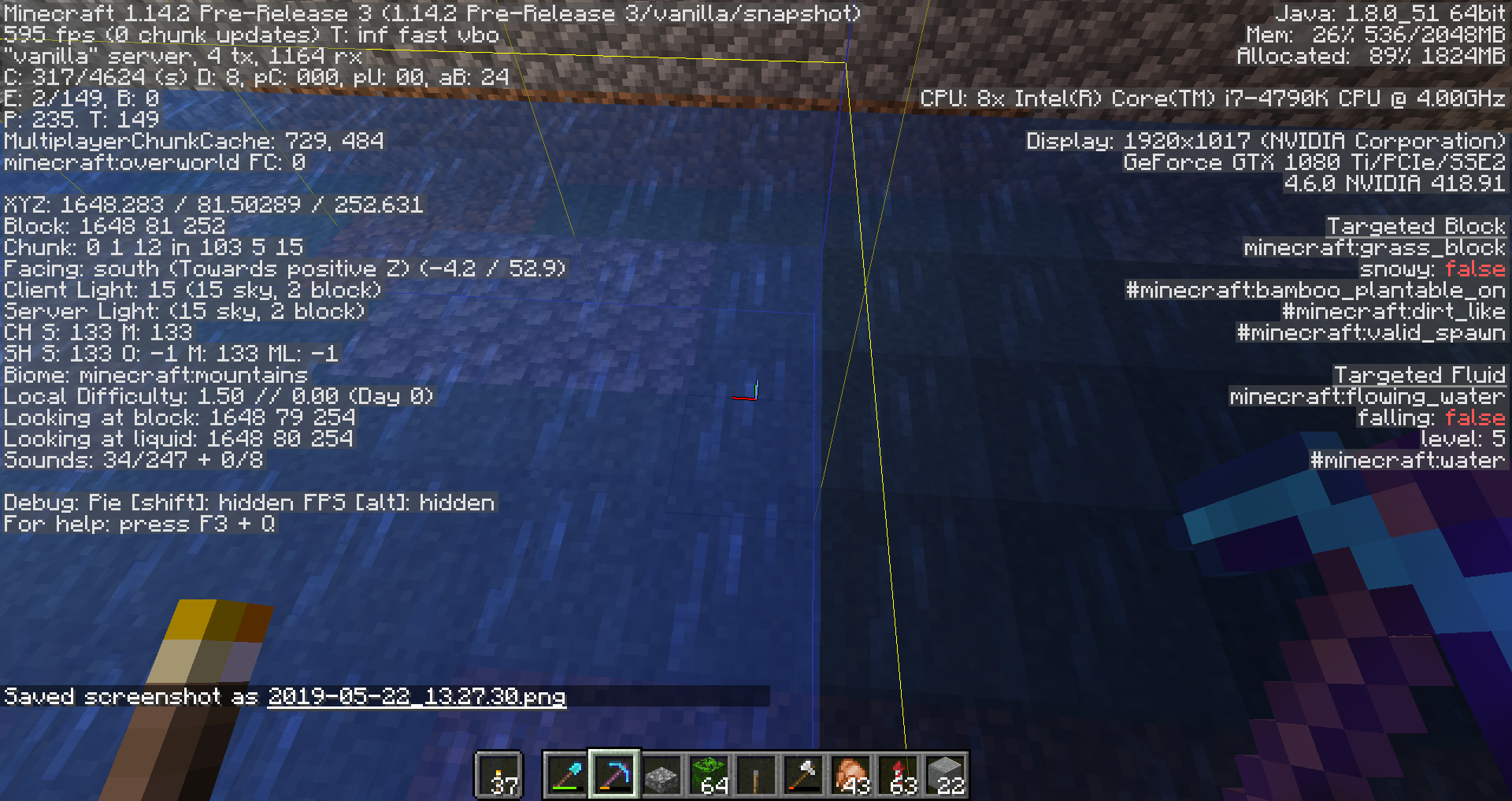
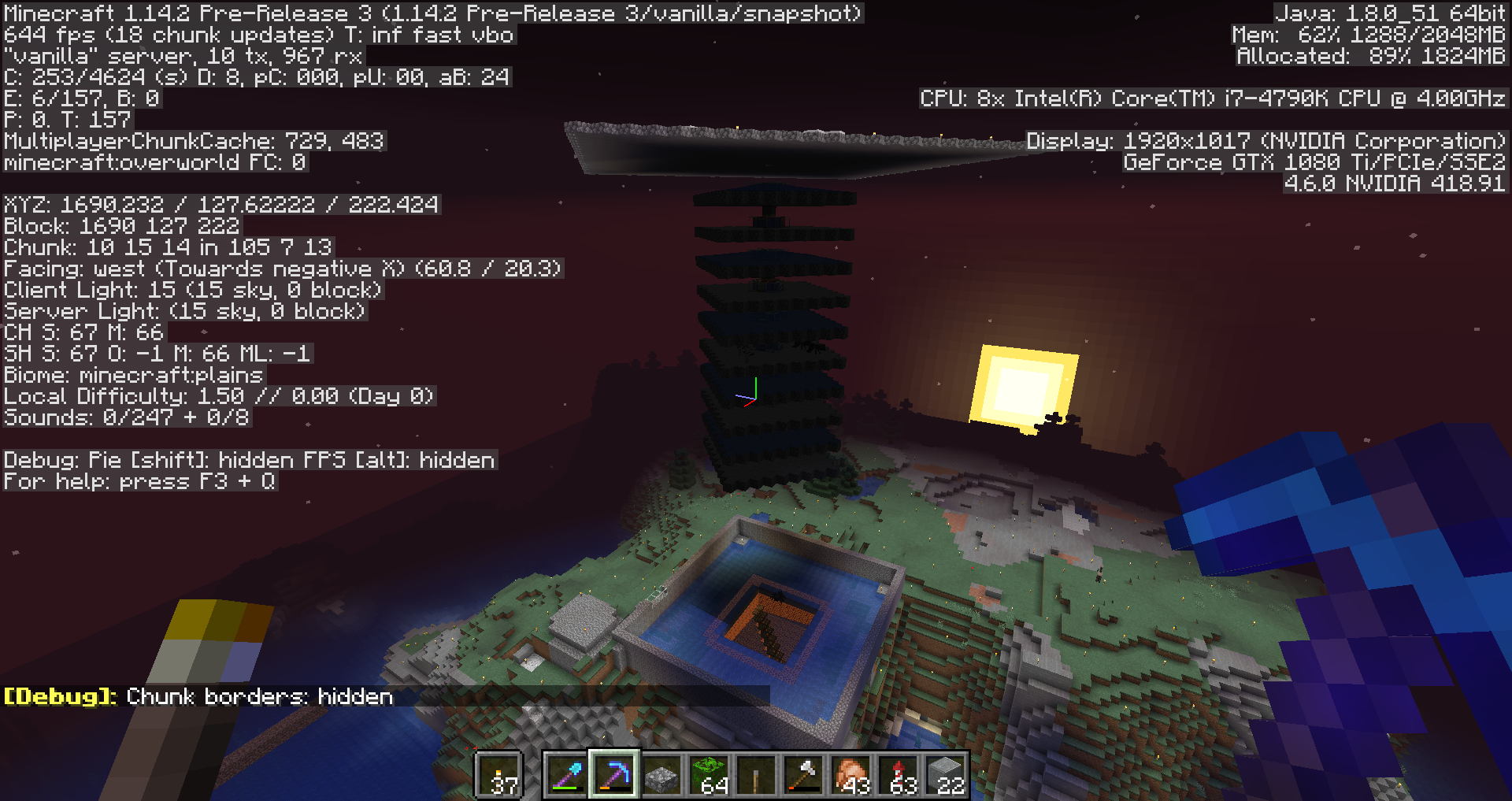
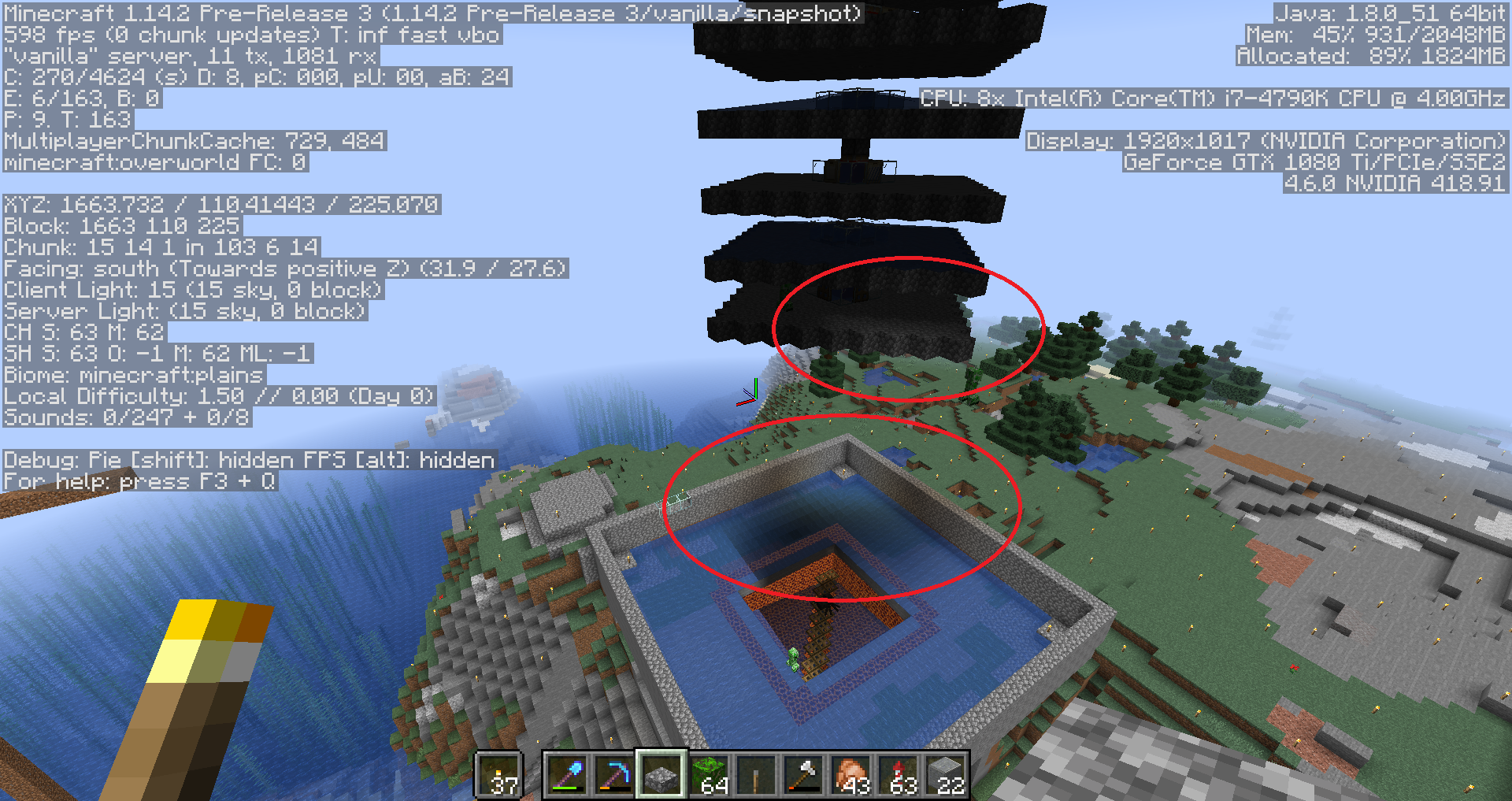


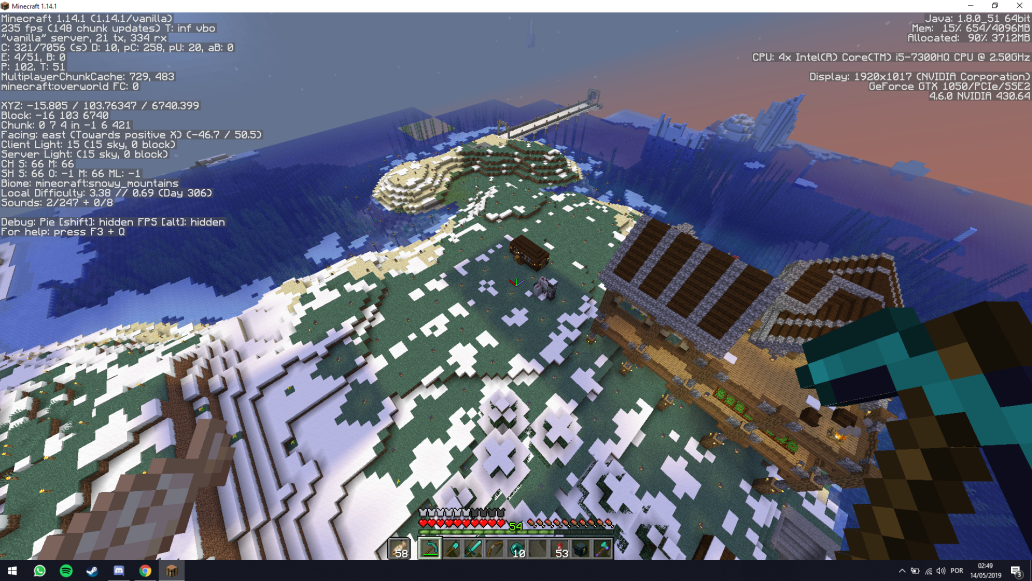





Created Issue:
Light sources spontaneously not working in some chunks.
I found a stairway I'd previously made now pitch black.
I later found other areas (entire chunks, surface to bedrock) showing this behavior as well.
This is not just a visual glitch – the light sources I've used (torch, lantern, and jack-o-lantern) are all nonfunctional. As a result, monsters will spawn in them, and underground crops in these areas will break.
Forcing every single light source to update (or outright replacing them) is the only way I've found to get them to visually working again.
Environment
Win 10, Java Edition, Map previously made in past snapshots, now in 19w02a
Attachments4
![[Mod] Pokechu22](../../../data/avatars/users/92931.png)
relates to
Light sources spontaneously not working in some chunks.
is duplicated by
is duplicated by
is duplicated by
is duplicated by
![[Mojang] Adrian Östergård](../../../data/assets/gravatar/nighter.jpeg)
![[Mojang] Georgii Gavrichev](../../../data/avatars/users/22428.png) [Mojang] Georgii Gavrichev
[Mojang] Georgii Gavrichev![[Mod] Sonicwave](../../../data/avatars/users/94627.png)
is duplicated by
is duplicated by
is duplicated by
is duplicated by

is duplicated by
is duplicated by
is duplicated by
19w05a is also affected in my world. Thank you for posting
is duplicated by
![[Mod] bemoty](../../../data/avatars/users/50554.png)
is duplicated by
is duplicated by
is duplicated by
![[Mod] Michael Wobst](../../../data/avatars/users/37868.png)
is duplicated by

is duplicated by
is duplicated by
is duplicated by
is duplicated by
is duplicated by
is duplicated by
is duplicated by
is duplicated by
is duplicated by
![[Mod] Asteraoth](../../../data/avatars/users/92886.png)
is duplicated by
is duplicated by
is duplicated by
is duplicated by
is duplicated by
is duplicated by
is duplicated by
is duplicated by

![[Mojang] Nathan Adams](../../../data/assets/gravatar/dinnerbone.png)
is duplicated by
is duplicated by
is duplicated by
is duplicated by
is duplicated by
is duplicated by
is duplicated by
is duplicated by
is duplicated by
![[Bot] Piston](../../../data/avatars/users/31202.png)
is duplicated by
is duplicated by
is duplicated by

is duplicated by
is duplicated by
is duplicated by
is duplicated by
2019-04-11_10.59.43.png
![[Bot] Arisa](../../../data/assets/gravatar/mustek2.png)
I have included a screen shot of a newly created amplified world. Skylight is 7, block level is 0, and there is nothing between the player and the sky. Seed and coordinates are there if you want to check.
is duplicated by
![[Mod] violine1101](../../../data/avatars/users/92858.png)
is duplicated by
![[Mod] Urielsalis](../../../data/assets/gravatar/urielsalis.jpeg)
is duplicated by
is duplicated by
is duplicated by
is duplicated by
Can anyone reproduce this in a world that was not created or opened in 19w14b or 1.14-pre1? (i.e. created before or after)
is duplicated by
Can anyone reproduce this (whole chunks being dark - not just a single column) in a world that was not created or opened in 19w14b or 1.14-pre1? (i.e. created before or after)
is duplicated by
relates to
is duplicated by
is duplicated by
I had the problem again by putting blocks in another chunk in an empty flat world, having optimized the world.
Here is the video: [^Light spontaneously not working in some chunks.mp4]
Note : By the way, in my case, a simple disconnection/reconnection to the world is enough to solve the problem (before it starts again...)
is duplicated by
is duplicated by
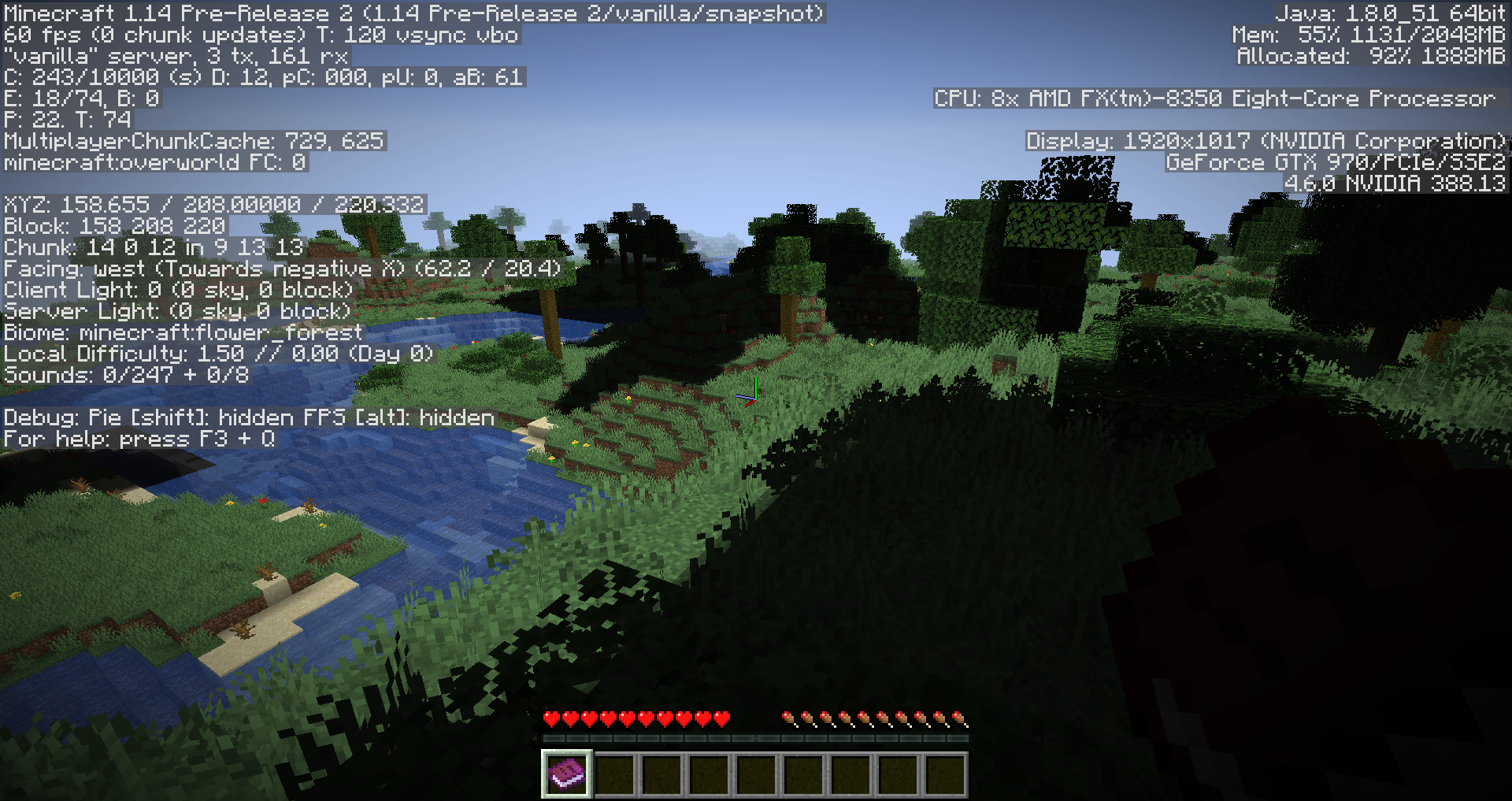
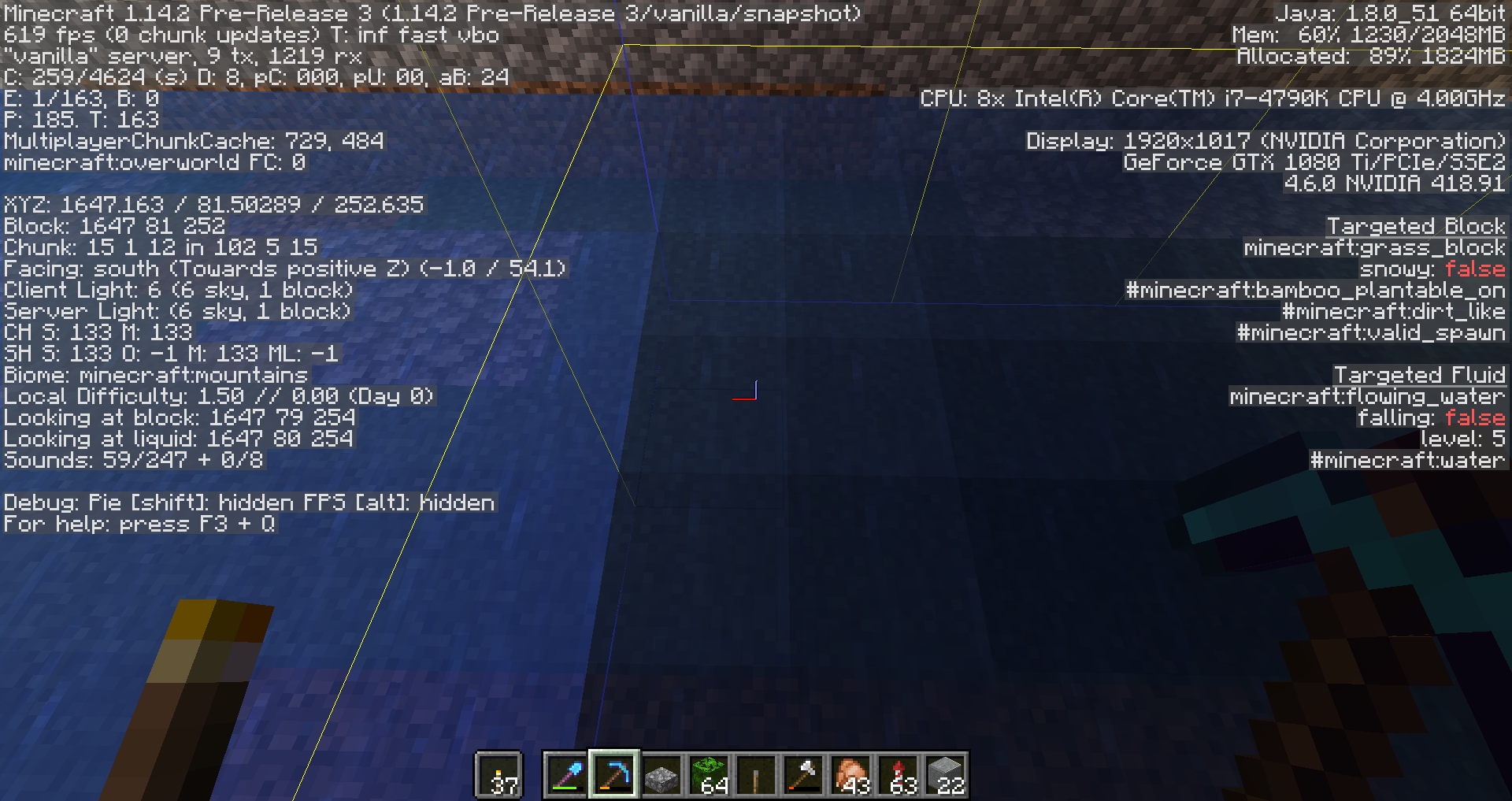
Moderator NoteIf you are experiencing this bug, please provide a screenshot of the problem occuring on 1.14-pre2 with your F3 screen open - on a world that was never opened in 1.14-pre1 or 19w14b.
I found a stairway I'd previously made now pitch black.
I later found other areas (entire chunks, surface to bedrock) showing this behavior as well.
This is not just a visual glitch – the light sources I've used (torch, lantern, and jack-o-lantern) are all nonfunctional. As a result, monsters will spawn in them, and underground crops in these areas will break.
Forcing every single light source to update (or outright replacing them) is the only way I've found to get them to visually working again.
is duplicated by
is duplicated by
is duplicated by
is duplicated by
is duplicated by
is duplicated by
is duplicated by
is duplicated by
is duplicated by
is duplicated by
I had the problem again by putting blocks in another chunk in an empty flat world, having optimized the world.
Here is the video: [^Light spontaneously not working in some chunks.mp4]
Note: By the way, in my case, a simple disconnection/reconnection to the world is enough to solve the problem (before it starts again...)
is duplicated by
is duplicated by
is duplicated by
is duplicated by
is duplicated by
is duplicated by
I can reproduce this issue every time I try in 1.14 pre 2, by doing the following:
- Start a new world with cheats enabled, with the following seed: -2848667230427644371
- Do /gamemode creative
- Fly straight up to Y-level 110
- Do: /setblock ~ ~ ~ minecraft:dirt
- The dirt block will get light level 0
The same exact thing happens when testing the same setup at a dedicated server.
is duplicated by
is duplicated by
is duplicated by
is duplicated by
is duplicated by
is duplicated by
Moderator NoteIf you are experiencing this bug, please provide a screenshot of the problem occuring on 1.14-pre2 with your F3 screen open - on a world that was never opened in 1.14-pre1 or 19w14b.
I found a stairway I'd previously made now pitch black.
I later found other areas (entire chunks, surface to bedrock) showing this behavior as well.
This is not just a visual glitch – the light sources I've used (torch, lantern, and jack-o-lantern) are all nonfunctional. As a result, monsters will spawn in them, and underground crops in these areas will break.
Forcing every single light source to update (or outright replacing them) is the only way I've found to get them to visually working again.
Fixing existing worlds
Singleplayer: Select world → Edit world → Optimize world → check "erase cache data" → Backup and load
Multiplayer: Start the server.jar with the following command:
java -jar server.jar --eraseCache
I found a stairway I'd previously made now pitch black.
I later found other areas (entire chunks, surface to bedrock) showing this behavior as well.
This is not just a visual glitch – the light sources I've used (torch, lantern, and jack-o-lantern) are all nonfunctional. As a result, monsters will spawn in them, and underground crops in these areas will break.
Forcing every single light source to update (or outright replacing them) is the only way I've found to get them to visually working again.
is duplicated by
Fixing existing worlds
Singleplayer: Select world → Edit world → Optimize world → check "erase cache data" → Backup and load
Multiplayer: Start the server.jar with the following command:
java -jar server.jar --eraseCache
I found a stairway I'd previously made now pitch black.
I later found other areas (entire chunks, surface to bedrock) showing this behavior as well.
This is not just a visual glitch – the light sources I've used (torch, lantern, and jack-o-lantern) are all nonfunctional. As a result, monsters will spawn in them, and underground crops in these areas will break.
Forcing every single light source to update (or outright replacing them) is the only way I've found to get them to visually working again.
Fixing existing worldsSingleplayer: Select world → Edit world → Optimize world → check "erase cache data" → Backup and load
Multiplayer: Start the server.jar with the following command:
java -jar server.jar --eraseCache
I found a stairway I'd previously made now pitch black.
I later found other areas (entire chunks, surface to bedrock) showing this behavior as well.
This is not just a visual glitch – the light sources I've used (torch, lantern, and jack-o-lantern) are all nonfunctional. As a result, monsters will spawn in them, and underground crops in these areas will break.
Forcing every single light source to update (or outright replacing them) is the only way I've found to get them to visually working again.
Fixing existing worldsSingleplayer: Select world → Edit world → Optimize world → check "erase cache data" → Backup and load
Multiplayer: Start the server.jar with the following command:
java -jar server.jar --eraseCache
I found a stairway I'd previously made now pitch black.
I later found other areas (entire chunks, surface to bedrock) showing this behavior as well.
This is not just a visual glitch – the light sources I've used (torch, lantern, and jack-o-lantern) are all nonfunctional. As a result, monsters will spawn in them, and underground crops in these areas will break.
Forcing every single light source to update (or outright replacing them) is the only way I've found to get them to visually working again.
Fixing existing worldsSingleplayer: Select world → Edit world → Optimize world → check "erase cache data" → Backup and load
Multiplayer: Start the server.jar with the following command:
java -jar server.jar --forceUpgrade --eraseCache
I found a stairway I'd previously made now pitch black.
I later found other areas (entire chunks, surface to bedrock) showing this behavior as well.
This is not just a visual glitch – the light sources I've used (torch, lantern, and jack-o-lantern) are all nonfunctional. As a result, monsters will spawn in them, and underground crops in these areas will break.
Forcing every single light source to update (or outright replacing them) is the only way I've found to get them to visually working again.
--forceUpgrade --eraseCache fixed both the dark chunks and the chunks with light but with non-burning mobs on my server. Without doing that the problem persisted even on pre3. I guess it could be considered resolved with an asterisk.
is duplicated by
relates to
Fixing existing worldsSingleplayer: Select world → Edit world → Optimize world → check "erase cache data" → Backup and load
Multiplayer: Start the server.jar with the following command:
java -jar server.jar --forceUpgrade --eraseCache
I found a stairway I'd previously made now pitch black.
I later found other areas (entire chunks, surface to bedrock) showing this behavior as well.
This is not just a visual glitch – the light sources I've used (torch, lantern, and jack-o-lantern) are all nonfunctional. As a result, monsters will spawn in them, and underground crops in these areas will break.
Forcing every single light source to update (or outright replacing them) is the only way I've found to get them to visually working again.
Fixing existing worldsSingleplayer: Select world → Edit world → Optimize world → check "erase cache data" → Backup and load
Multiplayer: Start the server.jar with the following command:
java -jar server.jar --forceUpgrade --eraseCacheThis only needs to be done once, after this you can start your world or the server the usual way again.
I found a stairway I'd previously made now pitch black.
I later found other areas (entire chunks, surface to bedrock) showing this behavior as well.
This is not just a visual glitch – the light sources I've used (torch, lantern, and jack-o-lantern) are all nonfunctional. As a result, monsters will spawn in them, and underground crops in these areas will break.
Forcing every single light source to update (or outright replacing them) is the only way I've found to get them to visually working again.
is duplicated by
is duplicated by
is duplicated by
is duplicated by
Fixing existing worldsSingleplayer: Select world → Edit world → Optimize world → check "erase cache data" → Backup and load
Multiplayer: Start the server.jar with the following command:
java -jar server.jar --forceUpgrade --eraseCacheThis only needs to be done once, after this you can start your world or the server the usual way again.
Please keep in mind that this bug has been fixed for worlds created in 1.13.2 and before and not opened with any 1.14 snapshots up to 1.14-pre2, as well as for worlds created in 1.14-pre3 and beyond. If you can still reliably reproduce this bug with such worlds, please leave a comment with steps to reproduce and we will investigate.
I found a stairway I'd previously made now pitch black.
I later found other areas (entire chunks, surface to bedrock) showing this behavior as well.
This is not just a visual glitch – the light sources I've used (torch, lantern, and jack-o-lantern) are all nonfunctional. As a result, monsters will spawn in them, and underground crops in these areas will break.
Forcing every single light source to update (or outright replacing them) is the only way I've found to get them to visually working again.
Fixing existing worldsSingleplayer: Select world → Edit world → Optimize world → check "erase cache data" → Backup and load
Multiplayer: Start the server.jar with the following command:
java -jar server.jar --forceUpgrade --eraseCacheThis only needs to be done once, after this you can start your world or the server the usual way again.
Please keep in mind that this bug has been fixed for worlds created in 1.13.2 and before and not opened with any 1.14 snapshots up to 1.14-pre2, as well as for worlds created in 1.14-pre3 and beyond. If you can still reliably reproduce this bug with such worlds, even after following the instructions above, please leave a comment with steps to reproduce and we will investigate.
I found a stairway I'd previously made now pitch black.
I later found other areas (entire chunks, surface to bedrock) showing this behavior as well.
This is not just a visual glitch – the light sources I've used (torch, lantern, and jack-o-lantern) are all nonfunctional. As a result, monsters will spawn in them, and underground crops in these areas will break.
Forcing every single light source to update (or outright replacing them) is the only way I've found to get them to visually working again.
relates to
relates to
I still have the same server problem every time I reload the chunks.
And even after doing the command to force the lights.
Minecraft Pre-Release 5
is duplicated by
is duplicated by
is duplicated by
is duplicated by
is duplicated by
is duplicated by
is duplicated by
Thank you for your report!
However, this issue is a Duplicate of MC-142134.
If you have additional information, please add it to that report.
Please search before reporting, as it's likely that one exists already.
Quick Links:
📓 Issue Guidelines – 💬 Community Support – 📧 Customer Support – 📖 Game Wiki
 Please do not mark issues as private, unless your bug report is an exploit or contains information about your username or server.
Thank you for your report!
However, this issue has been closed as a Duplicate of MC-142134.
It has been linked to this report. If you have additional information, please add it to the duplicated report.
Please search before reporting, as it's likely that one exists already.
Quick Links:
📓 Issue Guidelines – 💬 Community Support – 📧 Customer Support – 📖 Game Wiki
Thank you for your report!
However, this issue is a Duplicate of MC-142134.
If you have additional information, please add it to that report.
Please search before reporting, as it's likely that one exists already.
Quick Links:
📓 Issue Guidelines – 💬 Community Support – 📧 Customer Support – 📖 Game Wiki
Thank you for your report!
However, this issue is a Duplicate of MC-142134.
If you have additional information, please add it to that report.
Please search before reporting, as it's likely that one exists already.
Quick Links:
📓 Issue Guidelines – 💬 Community Support – 📧 Customer Support – 📖 Game Wiki
Thank you for your report!
However, this issue has been closed as a Duplicate of MC-142134.
It has been linked to this report. If you have additional information, please add it to the duplicated report.
Please search before reporting, as it's likely that one exists already.
Quick Links:
📓 Issue Guidelines – 💬 Community Support – 📧 Customer Support – 📖 Game Wiki
Does MC-142134 describe your issue?
Thank you for your report!
However, this issue is a Duplicate of MC-142134.
If you have additional information, please add it to that report.
Please search before reporting, as it's likely that one exists already.
Quick Links:
📓 Issue Guidelines – 💬 Community Support – 📧 Customer Support – 📖 Game Wiki
Thank you for your report!
However, this issue is a Duplicate of MC-142134.
If you have additional information, please add it to that report.
Please search before reporting, as it's likely that one exists already.
Quick Links:
📓 Issue Guidelines – 💬 Community Support – 📧 Customer Support – 📖 Game Wiki
This bug is a duplicate of MC-142134
Please search before creating a new report, as there is one already there.
Thank you for your report!
However, this issue is a Duplicate of MC-142134.
If you have additional information, please add it to that report.
Please search before reporting, as it's likely that one exists already.
Quick Links:
📓 Issue Guidelines – 💬 Community Support – 📧 Customer Support – 📖 Game Wiki
Thank you for your report!
However, this issue is a Duplicate of MC-142134 / MC-139446.
If you have additional information, please add it to that report.
Please search before reporting, as it's likely that one exists already.
Quick Links:
📓 Issue Guidelines – 💬 Community Support – 📧 Customer Support – 📖 Game Wiki
Thank you for your report!
We're actually already tracking this issue at MC-142134, so we will resolve and link this ticket as a duplicate.
If you would like to add a vote and any extra information to the main ticket it would be appreciated.
If you haven't already, you might like to make use of the search feature to see if the issue has already been mentioned.
Thank you for your report!
We're actually already tracking this issue at MC-142134, so we will resolve and link this ticket as a duplicate.
If you would like to add a vote and any extra information to the main ticket it would be appreciated.
If you haven't already, you might like to make use of the search feature to see if the issue has already been mentioned.
Thank you for your report!
We're actually already tracking this issue at MC-142134, so we will resolve and link this ticket as a duplicate.
If you would like to add a vote and any extra information to the main ticket it would be appreciated.
If you haven't already, you might like to make use of the search feature to see if the issue has already been mentioned.
Thank you for your report!
We're actually already tracking this issue at MC-142134, so we will resolve and link this ticket as a duplicate.
If you would like to add a vote and any extra information to the main ticket it would be appreciated.
If you haven't already, you might like to make use of the search feature to see if the issue has already been mentioned.
Sounds more like MC-142228 (https://bugs.mojang.com/browse/MC-142228).
I have had this problem as well as with light sources not working (MC-142134). Both are super annoying and tedious to deal with.
Oh yes.. Sorry about the mistake. I usually don't do anything non-vanilla to the server but there were too many creepers everywhere even when its lit due to MC-142134 :/ so I turned off mob-griefing until its fixed but I forgot about it. Sorry about it and please resolve the issue.
Edit: this broke my sheep farm which relies on detecting grass block changes, but I didnt think of that
Yes, still looks fixed to me. Your issue is MC-142134, I think.
I don't think it's MC-142134, because I didn't have any light sources like torches, beacons or lanterns near the black patches.
![[Helper] Johnibur](../../../data/avatars/users/28381.png)
It is probably a duplicate of MC-142134.
Thank you for your report!
We're actually already tracking this issue at MC-142134, so we will resolve and link this ticket as a duplicate.
If you would like to add a vote and any extra information to the main ticket it would be appreciated.
If you haven't already, you might like to make use of the search feature to see if the issue has already been mentioned.
I made a comment on MC-142134, "Actually confirmed in 1.14 pre1, I downloaded my multiplayer world back to my computer, put it to singleplayer and run the "Optimize World" function in 1.14 pre1. Uploaded it back to my host, and joined the game. A lot of the originally mislighted areas were fixed but this is new: (refer to lighting again.png)"
I did not realize other problems apart from lighting bugs after optimizing the world, but apparently it reset some of the chunks. I don't think this is supposed to happen.
As you can see in the picture, a part of the city built was gone.
Edit: I believe this happens with just loading this older world (created in 19w18a, chunks correctly showing in 19w14b) in 1.14 pre1. Meaning that purely by loading the world in 1.14pre1 some chunks were regenerated and overwritten. I tested this with an even older backup used in 19w14a, and by loading it in 1.14 pre1 singleplayer, those chunks were regenerated as well.
(The world is almost 1GB)
Thank you for your report!
We're actually already tracking this issue at MC-142134, so we will resolve and link this ticket as a duplicate.
If you would like to add a vote and any extra information to the main ticket it would be appreciated.
If you haven't already, you might like to make use of the search feature to see if the issue has already been mentioned.
Thank you for your report!
We're actually already tracking this issue at MC-142134, so we will resolve and link this ticket as a duplicate.
If you would like to add a vote and any extra information to the main ticket it would be appreciated.
If you haven't already, you might like to make use of the search feature to see if the issue has already been mentioned.
Duplicate of MC-142134
Duplicate of MC-142134
Is the lighting similar to MC-142134?
Thank you for your report!
We're actually already tracking this issue at MC-142134, so we will resolve and link this ticket as a duplicate.
If you would like to add a vote and any extra information to the main ticket it would be appreciated.
If you haven't already, you might like to make use of the search feature to see if the issue has already been mentioned.
Thank you for your report!
We're actually already tracking this issue at MC-142134, so we will resolve and link this ticket as a duplicate.
If you would like to add a vote and any extra information to the main ticket it would be appreciated.
If you haven't already, you might like to make use of the search feature to see if the issue has already been mentioned.
OK, MC-142134 is about the dark patches. But what about the regeneratign chunks? That reminds me of another issue that exited last year but was then resolved. Basically, some chunks that were fine in 19w14b, have now been completely regenerated.
Thank you for your report!
We're actually already tracking this issue at MC-142134, so we will resolve and link this ticket as a duplicate.
If you would like to add a vote and any extra information to the main ticket it would be appreciated.
If you haven't already, you might like to make use of the search feature to see if the issue has already been mentioned.
Thank you for your report!
We're actually already tracking this issue at MC-142134, so we will resolve and link this ticket as a duplicate.
If you would like to add a vote and any extra information to the main ticket it would be appreciated.
If you haven't already, you might like to make use of the search feature to see if the issue has already been mentioned.
Thank you for your report!
We're actually already tracking this issue at MC-142134, so we will resolve and link this ticket as a duplicate.
If you would like to add a vote and any extra information to the main ticket it would be appreciated.
If you haven't already, you might like to make use of the search feature to see if the issue has already been mentioned.
"Light sources spontaneously not working in some chunks" - that is the title of MC-142134, which also accurately describes this bug. Resolving as duplicate.
This is a duplicate of MC-142134, please remember to search before you report an issue.
Duplicates MC-142134
Report on April 13, 2019 Starts here
This world has been created on 19w08a, and has been updated into almost every single snapshot after, where I have fallen back two times because of barrel ticking (MC-145031), and chunks (not supposedly) being regenerated (MC-147800), meaning that the world had been on a newer version then back to 1 older version backwards (if it makes a difference). After the second falling back (1.14 pre1 back to 19w14b because of chunks regenerating), MC-142134 has also escalated from affecting around 20% of the light sources to 100% of the light sources (yes, not a single light source from the top to the bottom of the world, lava included was providing light).
Now the server has been upgraded to 1.14 pre2, but every time a player joins the server, within moving a few blocks of time or instantly, the server experiences "Exception in server tick loop" and crashes, rendering the world completely unplayable.
*Edit: my world is also more than 1GB in size, so please tell me if it is needed and Ill find a way.
*Edit: the second falling back is actually not a falling back as I only loaded in a backup that was last used, 'cos falling back would keep the regenerated chunks. But I am not sure how MC-142134 escalated if no environmental changes (server jar file and it was the same world last used for that version of server jar file) were present (anywho, that lighting bug triggers almost completely randomly too (except for but not limited to when player exits/unloads the chunk improperly: client crashes, server crashes))
*Edit: I was to create an issue right when this happened yesterday, but the site seemed to be down (at least for me), I also used the search function for "Exception in server tick loop" that affects 1.14 pre2 and could not find any.
Report on April 13, 2019 Ends here
Report on April 16, 2019 Starts here
1.14 pre3 is out: Still fails to optimize or be force upgraded. World may be corrupted but there were no cause to it.
Story in detail, I attempted upgrades through these versions:
*(Parentheses mean backup made without optimizing before the upgrade)
*[Square brackets mean action taken but no backup made after the upgrade]
(A) 19w08a to 19w08b
(B) 19w08b to 19w09a
(C) 19w09a to 19w09a
(D) 19w09a to 19w11a
(E) 19w11a to 19w09a (Fallback due to barrel ticking MC-145031)
(F) 19w09a to 19w09a
(G) 19w09a to 19w12b
(H) 19w12b to 19w13a
(I) 19w13a to 19w13b
(J) 19w13b to 19w13b
(K) 19w13b to 19w14a
(L) 19w14a to 19w14b
(M) 19w14b to 19w14b
[N] 19w14b(from after (M)) to 1.14pre1 (Optimization succeeds, reset some chunks due to MC-147800, update world trashed)
(O) 19w14b(from after (L)) to 1.14pre2 (Optimization fails at 52% in singleplayer)
[P] 19w14b(from after (M)) to 1.14pre3 (Optimization fails at 34% in multiplayer, 52% in singleplayer)
[Q] 19w14b(from after (M)) to 1.14pre3 (Optimization fails at 7% in multiplayer)
[R] 19w14a(from after (K)) to 1.14pre3 (Optimization fails at 68% in multiplayer)
[S] 19w14b(from after (M)) to 1.14pre3
*Note: All worlds up to (M) work perfectly with noted bugs but no sign of corruption in their own versions, but recognized as corrupted (failed) in 1.14pre2 up
*All these backup worlds add up to a total of 13.3 GB so tell me which one to upload if one is needed.
Conclusion and suggestions:
I believe some parts of the world is corrupted, in a way that up to 19w14b ignores, but that 1.14pre1 decides to regenerate those chunks, but 1.14pre2+ decides to fail the optimization. Again the worlds work perfectly fine (with noted bugs) up including 19w14b, but optimizations fail or regenerate chunks after 1.14pre1.
This means the determination of whether a world is corrupted is inconsistent in different versions and it should not be like so. Now it is immensely difficult to find out in which of the upgrades did anything go wrong. Also it would have been better if optimization fixes the corruptions in worlds, unless it is too corrupted.
Temporary/Permanent Solution
[S] Done without optimization. Some progress is lost but recoverable and just annoying.
Report on April 16, 2019 Ends here
---- Minecraft Crash Report ----
// My bad.

Time: 4/12/19 9:23 PM
Description: Exception in server tick loop

java.util.concurrent.CompletionException: m: Loading NBT data
	at java.util.concurrent.CompletableFuture.encodeThrowable(CompletableFuture.java:273)
	at java.util.concurrent.CompletableFuture.completeThrowable(CompletableFuture.java:280)
	at java.util.concurrent.CompletableFuture$AsyncSupply.run(CompletableFuture.java:1592)
	at agf.h(SourceFile:135)
	at agf.p(SourceFile:114)
	at vd$a.p(SourceFile:438)
	at vd.d(SourceFile:194)
	at net.minecraft.server.MinecraftServer.aW(SourceFile:708)
	at net.minecraft.server.MinecraftServer.p(SourceFile:696)
	at agf.bf(SourceFile:99)
	at net.minecraft.server.MinecraftServer.o(SourceFile:680)
	at net.minecraft.server.MinecraftServer.run(SourceFile:636)
	at java.lang.Thread.run(Thread.java:748)
Caused by: m: Loading NBT data
	at ib.a(SourceFile:444)
	at ib.a(SourceFile:81)
	at ib.a(SourceFile:438)
	at ib.a(SourceFile:81)
	at im.a(SourceFile:113)
	at im.a(SourceFile:78)
	at im.a(SourceFile:74)
	at bxs.d(SourceFile:53)
	at us.e(SourceFile:637)
	at us.f(SourceFile:412)
	at java.util.concurrent.CompletableFuture$AsyncSupply.run(CompletableFuture.java:1590)
	... 10 more
Caused by: java.io.UTFDataFormatException: malformed input around byte 5
	at java.io.DataInputStream.readUTF(DataInputStream.java:656)
	at java.io.DataInputStream.readUTF(DataInputStream.java:564)
	at ib.b(SourceFile:431)
	at ib.a(SourceFile:78)
	at ii.a(SourceFile:65)
	at ib.a(SourceFile:438)
	... 20 more


A detailed walkthrough of the error, its code path and all known details is as follows:
---------------------------------------------------------------------------------------

-- System Details --
Details:
	Minecraft Version: 1.14 Pre-Release 2
	Operating System: Linux (amd64) version 4.15.0-47-generic
	Java Version: 1.8.0_202, Oracle Corporation
	Java VM Version: Java HotSpot(TM) 64-Bit Server VM (mixed mode), Oracle Corporation
	Memory: 798686136 bytes (761 MB) / 2034761728 bytes (1940 MB) up to 3817865216 bytes (3641 MB)
	JVM Flags: 2 total; -Xms128M -Xmx4096M
	Player Count: 2 / 20; [vg['VegetaI'/692, l='world', x=62.28, y=9.00, z=134.30], vg['Exit___'/1603, l='world', x=-140.72, y=71.50, z=-194.48]]
	Data Packs: vanilla, file/double shulker shells v1.0.0.zip (incompatible), file/OnePlayerSleepV2_5.zip (incompatible), file/more mob heads v1.2.0.zip (incompatible), file/Hermitcrack.zip (incompatible)
	Is Modded: Unknown (can't tell)
	Type: Dedicated Server (map_server.txt)
Duplicate of MC-142134.
Duplicates MC-142134
Thank you for your report!
However, this issue is Invalid.
Bug reports are only accepted in English, sorry.
This is also a duplicate of another ticket(MC-142134), so there is no need to create a new one
Quick Links:
📓 Issue Guidelines – 💬 Community Support – 📧 Customer Support – 📖 Game Wiki
Duplicates MC-142134
Duplicates MC-142134
Duplicates MC-142134
Duplicates MC-142134
Duplicates MC-142134
Duplicate of MC-142134
Duplicate of MC-142134
Sounds like a different way to trigger MC-142134
Duplicates MC-142134
Duplicates MC-142134
Check the description of MC-142134 for instructions on how to fix this.
Windows 10
Map previously made in past snapshots
Map optimized to fix lighting issues from MC-142134
See MC-142134 for instructions on how to clear the lighting cache.
This issue affects chunks that were affected by MC-142134. The lighting now appears to be correct in these chunks however mobs spawned during the night are not affected by sunlight during the day when they are in these chunks.
The debug screen shows light levels of 15 within the affected chunks. If mobs walk outside of the affected chunks they start to burn. They stop burning when they move back into the affected chunks.
I haven't seen mobs spawn during the day in these chunks.
Just to clarify, when you optimized the world, you selected "Erase cache data" as well, correct? Doing so will recalculate the world's lighting (instructions can be found in MC-142134).
See MC-142134 on how to fix this.
same issue as MC-142134, which was said to be fixed in pre 3 but, although it took longer for it to happen, still happens.
See MC-142134.
Singleplayer: Select world → Edit world → Optimize world → check "erase cache data" → Backup and load to fix
As I said, instructions can be found in MC-142134. That includes servers as well.
See MC-142134 for instructions on how to fix this.
Does clearing cache data fix this issue? (See the description of MC-142134 for instructions)
Duplicate of MC-142134
Duplicate of MC-142134
Duplicate of MC-142134
Duplicate of MC-142134.
For fixing this on a Realms server, you need to download the world the realm is using, copy it into your Minecraft singleplayer world folder, follow the steps for single player, and then upload the world back onto the realm. Keep in mind that this is actually only a temporary workaround and might need to be done multiple times.
I assume you played your world in 1.13.2 though. If you backed up your world before upgrading it to 1.14, can you please attach it to the ticket? (If the file size is too large, please upload it somewhere else and then link to it here.) You can open the backups folder by going to Singleplayer → Select one of the worlds → Edit → Open Backups Folder.
To fix the issues with your world, please try the steps as described in MC-142134 to optimize it.
Duplicate of MC-142134
Duplicate of MC-142134
Duplicate of MC-142134
Duplicate of MC-142134
Duplicate of MC-142134
Duplicate of MC-142134
Duplicate of MC-142134
Duplicate of MC-142134
Duplicate of MC-142134
Duplicate of MC-142134
Duplicate of MC-142134
Duplicate of MC-142134
Duplicate of MC-142134
Duplicate of MC-142134
Duplicate of MC-142134
Duplicate of MC-142134
Duplicate of MC-142134
Duplicate of MC-142134
Duplicate of MC-142134
Duplicate of MC-142134
Duplicate of MC-142134
Duplicate of MC-142134
Duplicate of MC-142134
Duplicate of MC-142134.
Duplicate of MC-142134
Duplicate of MC-142134
Duplicate of MC-142134
Duplicate of MC-142134
Duplicate of MC-142134
See MC-142134
Duplicate of MC-142134
Duplicate of MC-142134
Duplicate of MC-142134
Duplicate of MC-142134
Duplicate of MC-142134
Duplicate of MC-142134
Duplicate of MC-142134
Duplicate of MC-142134
Duplicate of MC-142134
Duplicate of MC-142134
Duplicate of MC-142134
Duplicate of MC-142134
Duplicate of MC-142134
Jessy Noname, that's a different issue, see MC-142134.
Duplicate of MC-142134
Duplicate of MC-142134 , you should add relevant information there 
Was the light also disappearing for light sources in the same chunk as you WHILE afk fishing? Or did this only happen after walking around?
Duplicate of MC-142134
Duplicate of MC-142134
Duplicate of MC-142134
Duplicate of MC-142134
I think that you are talking about MC-142134, in which no light appearing around light sources.
In MC-149518, everything described there seems to be identical to this ticket.
And there are two issues shown in my screenshot: on the right-hand side, no light is appearing around light sources, which is reported in MC-142134; on the left-hand side, skylight is shining through the concrete roof, as shown in the F3 screen, which matchs the description of both this ticket and MC-149518, I think.
Duplicate of MC-142134
... or an even quicker fix would be to check whether optimizing the world and erasing cache works. A guide for that can be found in MC-142134.
Duplicate of MC-142134
Duplicate of MC-142134
Duplicate of MC-142134
Duplicate of MC-142134
Duplicate of MC-142134
Duplicate of MC-142134.
Duplicate of MC-142134
Duplicate of MC-142134
I was experiencing the same issue. 1.13 was fine, but from 1.14 snapshots through 1.14.2 PreRelease 1 I was experiencing restarts every 30-60 minutes. I ran the commands below from MC-142134 and was able to play all morning without a single restart. Not sure if this is the fix for everyone, but make sure you backup worlds if you attempt the fix below.
In order to fix your existing world, you can try following these steps. Apparently this is just a temporary workaround, so you might need to repeat this once the issue reoccurs again.
Singleplayer: Select world → Edit world → Optimize world → check "erase cache data" → Backup and load
Multiplayer: Start the server.jar with the following command:
java -jar server.jar --forceUpgrade --eraseCache
In which version of the game are you?
If you have upgraded your world from 1.14.1 or 1.14.2-pre2 and are now in 1.14.2-pre3, please follow the steps in MC-142134 and report back if the problem reappears after that.
Duplicate of MC-142134

Try checking out MC-142134. It has a temporary fix, if what you're describing is the same thing.
Duplicate of MC-142134. Please note that bug reports are only accepted in English.
Thank you for your report!
However, this issue is a Duplicate of MC-142134.
Quick Links:
📓 Issue Guidelines – 💬 Community Support – 📧 Customer Support – 📖 Game Wiki
Follow the steps provided in the Moderator Notice in MC-142134 and see if this fixes your issue.
That would be MC-149518.
Victor J Adkins, are you sure that this happened in 1.14.3-pre4? Also, can you try whether the fix from MC-142134 fixes this issue?
Then you're having a different issue it seems. Follow the steps provided in the Moderator Notice in MC-142134 and see if this fixes your issue.
Please check whether the fix from MC-142134 works for you. Make sure that you're on 1.14.3.
Please check whether the instructions from MC-142134 fix the issue.
Please check whether the instructions from MC-142134 help with resolving the issue.
The instructions from MC-142134 did not solve the problem
Please check whether the instructions from MC-142134 help to solve the issue.
Please check if the instructions from MC-142134 solve the issue.
Does the issue persist after optimizing the world? If you don't know how to do that, follow the instructions from MC-142134.
For a couple of weeks, mobs on my vanilla minecraft server have not been burning in the daylight. These include: zombies, skeletons and phantoms. The world has been generated in 1.15.2 and even after starting the server using the java -jar server.jar --forceUpgrade --eraseCache command from MC-142134 they still don't burn.
Unable to reproduce, it may be an issue with the specific world - try following the instructions here: MC-142134
Quick Links:
📓 Issue Guidelines – 💬 Community Support – 📧 Customer Support – ✍️ Feedback and Suggestions – 📖 Game Wiki
Sorry i took a while for me to confirm - finally got to optimizing the world
I'd like to move this ticket to resolved.
In my search for how to optimize a world I found another ticket referencing this fix: MC-142134S6
`java -jar ./bin/20w15a/minecraft_server.20w15a.jar bin/20w15a --forceUpgrade --eraseCache` [solved] the issue.
Another reference I found regarding world optimization was @ https://www.reddit.com/r/Minecraft/comments/bmqsv3/fixing_server_world/
I was curious whether the Java version would be a defining factor as well but I ultimately don't know - I figured newer versions would still have backwards compatibility.
Many thanks for everyone's support here.
Info to everyone using my mod as temporary workaround: There is a (vanilla) bug, see MC-196614, that caused basically all underground subchunks to become fully bright up to and including version mc-170010-v1.2.1. This issue is solved in https://github.com/PhiPro95/mc-fixes/tree/mc-196725.
A complete bundle of all required mods, including the fix for this issue, can be found here.
In order to repair already affected chunks you need to erase cached data, see MC-142134 for further instructions.
Sorry for the inconvenience.
Best,
PhiPro

Maybe relates to MC-142134?

Please try this fix MC-142134
I have had this issue and it is DEVASTATING to villages. Try and colonize one and it requires so much more work just to keep monsters from spawning!
Can confirm in 19w03b. Definitely affects old worlds; may not affect new.
I can confirm this for 19w03b after converting a 19w03a world. Some torches in an explored cave didn't emit light. Removing and replacing them fixed the problem.
Same! Happened to me when working on a Hogwarts Project!
Affected in 19w04b
That happens with chunks loading and unloading as I can tell, and with that also Entitys dups, and Observers stops working
Affected in 19w05a
This bug is becoming much worse... Please fix it for the next snapshot, I have had it!
Affected devices on macOS 10.13.6
Added some logs and images as well. It doesn't matter what resource pack you use, the bug will still persist.
Exactly the same as reported happened to me, on many occasions. This is not a graphics rendering issue, the light sources are actually at 0 if you check F3. Mobs spawn as well. Only way to fix it is do as the original reporter said, replacing the lights. It cannot be fixed by restarting the game.
Problem still persists in 19w06a. I have some notes from my experiments that may help pinpoint this issue. I've managed to intermittently replicate this bug by going to the Nether, then coming out seeing the lighting missing. This happened 3 times out of 10 random tries. If I backup the region files before entering the Nether and then the lighting is missing when I return I can easily fix the issue by replacing those region files that were modified at the time I entered the Nether. The problem seems to occur when you enter the Nether and the game saves the chunks you are in. I currently could not find anything else effecting the lighting. If I enter and leave the chunks any other way seems to produce no issue.
First time this bug bit me was in 19w07a. I've maintained and added to the same world save throughout the 1.14 snapshots without seeing this before. Confirmed that a restart does not fix light levels. Replacing the light source does fix the level.
I've had this happen to me in 19w06a once, but it was relatively minor. It happened moments ago in 19w07a, and was... not so minor. Torches, lanterns, and glowstone all had the issue in a rather large location. Like others have said, replacing the light causes them to be recognized, but otherwise they are not. Random lights are recognized, and always appears to be a perfect line where the light cutoff appears.
In 19w06a, it was upon loading up Minecraft that this occurred. Exiting and restarting, as well as restarting server did not resolve the problem. For 19w07a, it was after returning from the Nether at night that this occurred. Again, restarting client and server did not resolve the issue. The location that is missing lighting is several hundred blocks worth, with seemingly random square of lighting that works.
Cave torches that I replaced yesterday in 19w07a are now reset to light level 0 after I visited the Nether today, even though I turned off the day/night cycle and the weather cycle.
I made a server on 19w05a and later moved it to 19w06a, in both versions me and my friends kept getting this glitch which is aggrevating too say the least. we had multiple creepers blow up entire portions of our base, and also after collecting the best trades you can get from villagers, a zombie spawned in the middle of them and killed them all. why is this problem still not resolved after more than a month after the first post. It ruins the entire server, because especially in late game when u have automated farms and sorting systems it's really annoying that creepers keep blowing them up.
I believe this is a (block-) entity related bug. Upon chunk loading, several blocks such as furnaces or containers stop working, light sources are all "de-actvited", and entities disappear and glitch. Hope this will get fixed asap !
Still happening in 19w08b, but it is bloody hell worse than the past snapshots.
Agreed, it is much worse in the 08 snapshots.
If you leave the grounds as a book, then return (like the map: https://www.planetminecraft.com/project/mrkaspersson-s-hogwarts-map-ultimate-continuation-no-download/) back to the grounds, that is how you reproduce the bug.
Happening again in massive amounts in 19w08b.
Game is almost unplayable due to this bug; if I leave what I've built and then come back, it will take 20 minutes to fix all of the lighting. Really hope that this is fixed soon.
I just found this post, I've been seeing similar light glitches in my buildings in my survival world. My underground railway tunnel went black, even though it's full of torches.
Does anyone know the typical cycles it takes for these things to get ack'd/resolved? I assume the problem should be widespread enough to warrant a fix or is there something I'm doing differently that's trigger this that can be worked around?
Well, boats we're broken for 5 years. I wouldn't hold your breath. Hypixel will come out and Minecraft will be dead. It's not like they got bought for billions of dollars or have the entire Microsoft team behind them to hire better/more devs.
Yes, I'm salty about another game breaking bug.
Confirmed in 19w09a.
Why is it that a light rendering problem so conspicuous can be delayed for so long?Can you see the past versions above?It‘s been there ever since 02a.It causes mob spawning,crops decaying,and is visually obviously terrible.Please fix it soon,thx.
Confirmed 19w09a for now.
Confirmed in 19w09a.
Confirmed in 19w09a. I hope it is fixed in Wednesday's snapshot as it make it impossible to play (at least on multiplayer). Besides this, I hope they will force a light recalculation after updating to the new snapshot, so I will not have to manually break and replace torches again. It is happening like 2-3 times a day and I have to go in creative and replace everything, or use fill to set the torches to some obnoxious block and then back to torches. Really annoying, especially because it is not a visual only bug.
It's sadly still in 19w11a
Still in 19w12a
Confirmed in 19w13a. They might be planning to fix it in one of the final 1.14 snapshots, like a pre-release.
Confirmed in 19w13b
Confirmed in 19w14a
World where this bug happened will need to be fixed manually, by replacing the light sources, or by restoring the backups; Can you reproduce it in either a freshly created world, or in a world upgraded from 1.13.2 or earlier?
I just converted my 1.13.2 world (using the "Edit > Optimize" option in 19w14a) and the whole area where i logged in was set to lightlevel 0. I then went to check on one of my farms (to see if an issue i had is resolved in this snapshot) and the same had happened over there. Everything was set to lightlevel 0.
Replacing the torches fixed the light-level (but is really not an option as this would mean i have to replace hundreds of torches ans sea-lanterns in the world).
Edit: Just to see if the "Optimize"-function is bugged, i copied my 1.13.2 world and opened it without using Optimize first. Results are the same: lightlevel is set to 0.
Upgraded 1.13.2 world to 19w13b, then upgraded yesterday to 19w14a. Confirmed lighting issue. Replacing torches manually is not an option when you think of worlds that are thousands of blocks by thousands of blocks. It would be nice if there was a means to rescan lightlevels for entire worlds given past lighting issues.
Can you attach your world to the bug report?
If you need a pristine vanilla world, then we'll need to have one of the other watchers upload their world. Our world was demodded with 1.12 and would not have reported an issue had their not been an existing ticket. The zipped world backup is 4GB, so not sure if that is an issue as well and someone has a smaller example for testing?
I'm experiencing this on my small server world.
It seems to happen pretty reliably when going back and forth between the nether and the overworld.
The world was created in an earlier 1.14 snapshot, but I can't remember exactly which snapshot it was.
If it helps, I have uploaded a single region file due to the 10MB limit, and screenshot, which shows the issue. I originally noticed this issue teleporting to player builds, both of which showed this issue.
Edit: Also, you can see that it also extends to lava, glowstone and nether rack light sources.
I can confirm it affects all light sources including lava etc. I strongly belive this all related to that elusive lava not producing light bug thats been occasionally showing up over many MC versions. Ive seen it in many of my games over the years, as recently as last week. When searching I can only find closed duplicates of this bug, there must be hundreds of reports over the years. Here is one. https://bugs.mojang.com/browse/MC-120980
A command that replaces/restores/renews all the light sources while this problem it's solved will be useful.
Hello there, I have been able to reproduce this on a fresh new world. This problem also occurs on my world that I've had and upgraded from 1.4 all the way through 1.13.2. Here are the steps I took.
Please see the 3 attached worlds to see the progression of the bug. If there are any issues please let me know, thanks.
MC-142134-1.13.tar.gz
MC-142134-19w14a.tar.gz
MC-142134-19w14a-updated.tar.gz
Still happens in 19w14b but now the blocks where the torches are placed also LOOK like they are illuminated. But the lightlevel is still 0.
Here is a screenhot:
I think they might fix this 1.14 snapshot lighting bug in a pre-release, like they fixed the 1.13 snapshot lighting bug in a pre-release(1.13-pre5).
still happening in 19w14b- I found that if you place a lantern near them, The lights will then function. You can remove the lantern, however it only affects ones in its light range.
F3 shows them as normal light level, they just aren't generating the light.
the picture shows before and (inset) after. You can see from the back of the inset pictures torches which are out of range of the lantern i used.

Confirmed in 1.14-pre1
Can you provide instructions to recreate @Digit1704? This was marked as fixed in 1.14-pre1
See
MC-147776for 1.14-pre1.In 1.14-pre1, I am not sure if it still recreates itself, but previously mislighted chunks (light level 0 regardless of having light sources or not) stay mislighted (if its a word). Replacing the light source one-by-one is not an option as the bug affected thousands of metre squared in my world. To mark it fixed, can there be a way for the game to refresh the lighting server-side while loading in, or provide a command or F3-something.
I just came online in the new snapshot, lights I had replaced to get it working, only to find now that again some of the lightsources just don't work.
Try converting the world to 1.14 pre1 using the "Optimize World" function and make sure to enable the "Erase cached data" option. This should rebuild all height- and lightmaps. After doing this, my world was back to normal.
Where do I find d optimize world function
And how do I enable that option
Actually confirmed in 1.14 pre1, I downloaded my multiplayer world back to my computer, put it to singleplayer and run the "Optimize World" function in 1.14 pre1. Uploaded it back to my host, and joined the game. A lot of the originally mislighted areas were fixed but this is new: (refer to lighting again.png)
@BladeCP69925233 Read my comment after you
and also it now plays the sound when you are near a dark cave
@brandon In the single player screen select your world but dont double click. Then click edit and the optimize world option is there.
Still happening in newly generated worlds.
Can also confirm that this is not fixed.
I can triple confirm that. I left the overlord and came back and I saw the lighting get messed up. This newly formed after the fix. see screenshot 2019-04-10_22.41.27-1.png . Its like random chunks gets lighting turned off, other chunks are fine.
As an FYI. That occurred on a fresh world I made on snapshot 19w13a. I had no lighting issues until just now running on 1.14 pre release going back out of the nether.
Luckily optimizing the world fixed that lighting issue I posted.
Note: This isn't just a bug with light sources. Chunks that have no light sources in them will appear pitch black during the daytime at the surface level
The problem has escalated. I had a problem of

MC-147877(Namely 1.14 Pre1 resetting some of my chunks), so I took the original backup and decide to make my server fall back to 19w14b, which is when the backup was last used. Now throughout my world, not a single kind of light source is working. The game is basically unplayable now in normal survival as mobs spawn everywhere. (i was in spectator)I run the server with the command below on 1.14 pre-release
java -Xmx4096M -Xms1024M -jar server.jar nogui --forceUpgrade --eraseCache
And all the chunks with light issue is fixed perfectly
I can confirm that too.
Yesterday I want to play with my Friend. We generate a fresh standard world.
He was the host and saw these dark spots. But for me everything looks good.
Then we decided to switch .. I take the savegame and host the game.
Now I have dark spots and for my friend everything looks good!
strange... Perhaps this can help too..?!
and sorry for the grammar, I used a translator for this


This bug has not been completely fixed in the 1.14 Pre-Release 1.
Adding my own screenshots for 1.14 java pre-release 1. Might be a different issue as it behaves slightly differently. The dark chunks I had aren't updatable. Putting a torch simply acts as if there is a structure above outlining the entire chunk.
Suggested fix not applicable to singleplayer world. Game breaking bug as far as I can tell
Please provide the reproductions steps if you can, I can't trigger it myself on a fresh world in 1.14-pre1.
@Georgii Gavrichev simply create new amplified world and fly around
I have a 1.13.2 realm map that I opened in 1.14 prerelease 1. I believe this is at the edge of the transition from 1.13.2 -> 1.14 world, but not 100% sure that this is the edge. I converted the world to a 1.14 prerelease world before opening.
See: 2019-04-11_16.32.19.png
MC-147985provides these steps to reproduce:(I haven't tested this myself, just copying this here for visibility)
I confirm this annoying lighting glitch in Minecraft version 1.14-pre1. Dark shadows are randomly placed all over the world.

I can confirm this issue on my map I've created. (If you need it: https://www.dropbox.com/s/m9gv3jsf8r55r89/Xiphias%201.14pr1-19.04.11.zip?dl=0)
I cleared the chunk cache and then flew around some areas to make sure they were all loading correctly. Just flying around in one area on a second pass lighting glitches appeared where they weren't before. Quitting and relaunching a server with the map caused the generation of light glitches - and sometimes where the issues were changed.
Can confirm for 1.14-pre2. Actually since pre1, the lightning bug has a totally different effect than on snapshots: now it's noticeable by large 1 wide dark stripes affecting blocks that are supposed to have a sky access (the sky light value is falsely equal to 0).
Can confirm for pre2 as well, it happens on the multiplayer server I'm playing on.
Can anyone reproduce this (whole chunks being dark - not just a single column, that one is being tracked in
MC-148037) in a world that was not created or opened in 19w14b or 1.14-pre1? (i.e. created before or after, and not opened in either of those versions)(sorry about the confusion)
This has happened to me in a world that was generated in one of the first snapshots. It happens to other players but few as bad as me. Seems I made a poor choice in chunks, though as you can see, I've had the whole nether go dark as well. There are huge dark spots in our nether.
Following the instructions to refresh the cached files made the problem worse. The refreshed light sources never stay lit, they will go dark again.
I haven't had the problem since I ran the "optimize world"-fix.
(Side note: holy poop why are there so many status updates on this from the past hour? my email is getting spammed)
I have a world updated from 1.13.2 and cannot tell if it's a lighting error or the pistons. It's the only dark place I've noticed and it's the room with pistons over jacks o' lanterns.
1.14-pre2. World has been transferred from 1.13.2 and "optimize world" feature doesn't seem to help with this issue. After first attempt to transfer this world there's been dark chunks on the lake (fourth screenshot) but not after second transfer (third screenshot)
edit: during first transfer I tried to optimize world (with checked "erase cached data"), but not during second one


We had been playing on the prerelease for a little while (starting a LAN server at 19w14a I think), then one of us entered the nether (had updated to pre-release 2 at that point). When they came out we noticed this problem. Only seems to affect sub-chunks around the nether portal, if you go out far enough they don't seem to occur
https://twitter.com/HorzaPanda/status/1116747514089230336 has some of the screenshots we took.
Biggest difference I can see between us and other is we didn't have this happen on updating the world to pre-release 2, but after doing a thing (interacting with the nether)
Can confirm, generating a new world on singleplayer or multiplayer results in random chunks spontaneously turning dark from top to bottom. Optimizing the world and clearing the cached data temporarily fixes the issue, but not for long.
Edit: Added screenshots with F3 open + newly generated world on 1.14 Pre-2 with glitched lighting
1.14 Pre-2 world with glitched lighting
Update my map to 1.14 pre1 to pre2 do the same thing.
I've been using 1.14-pre2 for a while now, and haven't encountered this issue under any circumstances - so I am suspecting hardware-related issues (though this would be confusing, since it's not a visual glitch, but the actual lighting level is missing).
If you are experiencing this bug, please provide a screenshot of the problem occuring on 1.14-pre2 with your F3 screen open - on a world that was never opened in 1.14-pre1 or 19w14b.
EDITED
@[Mod] Galaxy 2Alex: Oh, thank you. My fault. Will this bug get fixed too? Maybe it kinda connects to this bug, it still is some kind of lightning bug
@Wild Katz: That bug is
MC-148037.Screenshot with F3 screen. Also, I cannot reproduce this bug while in singleplayer mode

I have this, on a world that was previously opened in both 19w14b and 1.14-pre1 (the world goes all the way back to Beta 1.3_01 and was fine until the 1.13 snapshots when problem started, that still persist even in 1.14-pre2), and in addition I've also seen random chunks get entirely regenerated.
I can confirm this is still an issue with new worlds created in 1.14-pre2. See 1.14-pre2.png .
.
I attached the world as well, MC-142134.zip . Just in case you don't spawn near the lighting error, use the following command to go there:
Is there a way for developers to simply add a debugging f3 combination/command that updates/ensures all light sources (say around a player) is doing their job server-side? I know this is not a permanent solution but I think it might be good enough for now, as replacing light sources (including lava) is a tedious manual thing to do, and it shouldn't be a difficult thing to implement (I guess?)
After some testing, I discovered that flying back and forth on full spectator speed in a redstone ready world can very very rarely reproduce this issue. I then tried the same thing on a different, much slower hard drive, and was able to reproduce it much more reliably - so hard drive speed may be a factor here.
I think this issue occurs when a chunk gets unloaded, but while it's unloaded is getting loaded again, messing up its light level values.
Unlike the old lighting bugs, placing a light source in these areas does not fix it, instead it acts as if the area is under ground. Mobs spawn, and light level from the sky reads as 0. We lit up one of these areas at one point, only to return and the torches were no longer giving off light.
Oddly, in creative I found that these dark patches have different heights. One black chunk flying to 96 height the sky light read 15 again, another was 113 height. It seems to be acting as if there are invisible blocks preventing light from reaching the lower levels.
My wife and I created a server using a 7200 rpm hard drive, this was also created yesterday using the 1.14 pre release 2. Everything was fine until we logged into the server a few minutes ago and we saw all this darkness (2019-04-13_18.38.32.png). I tried updating the chunk but nothing happened. We even tried putting down light sources and nothing happened.
I loaded up the world that [Mod] Neko provided. I have a pretty steady computer, Int i7-7700HQ, GeForce GTX 1050 and I received the lighting bugs. They don't look like any other as mobs actually spawn there!
The following solution worked for me and my friend:
Select world > instead of "Play selected world" > "Edit World" >
> Optimize World > tick box for "Erase cached data" and proceed
we are already playing for a few hours now and we don`t have dark spots anymore
If I go above lvl 94, I see the sky light back to level 15
If I go back to lvl 94 and lower the sky light lvl is 0
Can I ask you where you can find the "Optimize World" function?
We would like to play but with these dark spots its very annoying.
^Click a world then Edit.
The new erase cache data from the optimize world menu is useful as it forces the light to be recomputed, so it permits to solve any existing lightning issue. But still with pre2, dark patches seem to randomly reappear over time, at least from what I have seen, outside of Spawn chunks. Maybe picture (Neko's world attached) suggests that this glitch has something to do with chunks loading?
I've created three new worlds in 1.14-pre 2 (two normal and one amplified) and I've invested several minutes flying over each one, and I've not been able to find any black patch related to the lighting, so it seems to be fixed for me = D
I can give another example that seems to confirm that this issue is related to chunks loading. First these dark patches never appear at the same location again after cleaning the cache. Second, I had these patches appear at my logging location (outside of spawn chunks). Yet, the last time I was on, those patches weren't there.
I had the problem multiple times by putting blocks in another chunk in an empty flat world (The void preset).
Here is the video: Light spontaneously not working in some chunks (1).mp4
Note: Sometimes, in my case, a simple disconnection/reconnection to the world is enough to solve the problem (before it starts again...). But it is not always the case.
Also, the light problem affects the mobs.
Here is an example with zombies that should burn in the sun: Light spontaneously not working in some chunks (2).mp4
It's kind of weird that I created my world in early 1.14 snapshots, and still don't have this bug.
I can reliably recreate it by killing the server quickly without giving it time to save everything properly. Next time I log in, there will be shadows around my player.
For my server its almost as if the darkness is spreading it started with 1 or 2 spots around my base and now my entire island is dark and mobs spawn even during direct sun. Its been 3 days and the creepers are still there send help.
I had this issue with a map I created. I replaced the region data from a previous backup that wasn't loaded in 1.14-pre1 or 19w14b. I now see no lighting issues.
I tried the same files from my map (that are now working in single player) in a pre-2 server and there are still lighting glitches there.
I discovered the cause of my issue. Happy that my map was loading without lighting issues I ran it through the "Optimize world" option with "Erase cached data" checked. This re-added the lighting issues into the map. Reverting back to my fixed version and running that with the server resulted in no known lighting glitches.
This is not resolved. Today (4/16) while playing the single player world that I thought was fixed, lighting glitches appeared after visiting a previous area that had none.
I don't know if this is seed related, but I can reproduce this issue every time I try in 1.14 pre 2, by doing the following:
The same exact thing happens running the same setup at a dedicated server.
It is marked as fixed in future version, which is the next pre-release. So you'll have to wait for it. You'll probably have to use the new erase cache function to clean your map.
This issue is definitely not resolved. I had the problem on a world that I wasn't sure which snapshots has been running on so I tried to reproduce on a fresh new world created in 1.14-pre2. Only 4 minutes after world generation I found a buggy spot. For some reason, there's a void from y=94.5 to y=110.4 in certain random areas where the sky light drops to 0 and the player character goes pitch black accordingly.
Video from creation of the world to the bug showing up: https://youtu.be/-GXOzrF8RRw
Detail of the height at which it triggers: https://youtu.be/1Rg4CX0Gh70
World seed is 7985723480508602877, although it shouldn't be related to the bug as I just showed it's a random fresh new world created in 1.14 pre 2.
This issue will be fixed in the next pre-release. It's not fixed in 1.14-pre2 yet.
Yep, definitely not resolved. In 1.14-pre3 the darkness is gone - that really fine, but... In those previously dark chunks mobs are generating even in the full sunshine and zombies, skeletons and drowned do not burn. Spiders attack during the day. Mobs generate next to torches, so the lightning problems continues

See 2019-04-16_18.39.48.png
In Minecraft 1.14 Pre-Release 3, try using the new 'Erase cached data' option for worlds that have been generated in previous versions and see if the issues persists.
Any way of doing that on a server? Issue is still there - while I'm sure a cached data will reset it, I also don't want to delete the entire region file to fix it, if possible.
And how do I "erase cache data" in java edition?
How to erase cached data.
Please keep in mind that this bug has been fixed for worlds created in 1.13.2 and before and not opened with any 1.14 snapshots, as well as for worlds created in 1.14-pre3 and beyond. If you can still reliably reproduce this bug with such worlds, please leave a comment and we will investigate.
Will the server startup flags need to be used for one start-up, or should those remain in the startup file indefinitely.
Running my server (1.14pre3) with
fixed the issue on a world played on previous 1.14 snapshots as well.
Russell Woollums You only need and should anyway only use these options once.
Thanks for the reply. I was hoping it wasn't world loading dependent and was just done at startup.
Im happy to hear that the lighting bug seems to be finally fixed, but by optimizing world/force updating I encounter
MC-148147and it just fails on me (at 52% or 34%). I know my world might be corrupted somehow but I believe there was nothing I have done that was not intended to be done - I never killed the server apart from it crashing etc. I know this is not related to the lighting bug anymore but without optimizing the world/force updating the lighting situation would still be the same.Will worlds generated in the 1.14 snapshots with dark chunks not receive a fix? I'm glad the issue is fixed for new and 1.13 worlds but the issue still persists for recently generated worlds. Force upgrading/erasing cache for 1.14 snapshot worlds works at first but when the world is reloaded the problem comes back. Reloading dark chunks will appear to fix the issue however mobs will still spawn and not burn in daylight as if the sky light level and the regular light level were 0.
As per the previous comment mobs do not burn in chunks that were previously dark. Server and client light levels in chunks are correct at 15. Mobs will start to burn if they move outside of the chunk and then stop burning when they move back in.
Edit - Raised new bug
I fixed it by resetting my gamma
Tested this morning with a 1.13 world that previously experienced the issue. I was not able to reproduce the issue with world loads, teleports, portals or flying around the world. This additionally fixed some older dark spot issues we had. Thank you!
had this issue in pre 1 and 2, tried pre-3 this morning on our server and all seemed good, its now afternoon and i went back on only to see the dark patches again, torches there but no light, and mobs able to spawn there.
Did you follow the instructions in the description above for fixing worlds created in snapshots and pre-releases prior to 1.14-pre3?
I opened a map with this issue in pre-3 and it resolved. I followed the instructions above after (Singleplayer: Select world → Edit world → Optimize world → check "erase cache data" → Backup and load) and few around in creative with no issues. I then played for half an hour with no lighting issues. Pre-4 is out now, I will post a follow-up if I see the issue return.
Hello, this seems resolved for the most part, however, I did run into the odd case of this occurring in the nether in a single chunk around my portal today. However, the issue does seem to be resolved.
This hasn't been resolved and this better be fixed in the new patch this has gone on for too long now and nothing has been done about it.
@Brandon: If this issue still occurs for you, please keep in mind that this bug has been fixed for worlds created in 1.13.2 and before and not opened with any 1.14 snapshots, as well as for worlds created in 1.14-pre3 and beyond. If you can still reliably reproduce this bug with such worlds, please leave a comment with steps to reproduce and we will investigate.
hi im not great with server controls but you said to fix it do this, Multiplayer: Start the server.jar with the following command:
java -jar server.jar --forceUpgrade --eraseCache. how do i do this on a rented server?
It would be best to contact the support of the server rental service that you're using. Alternatively, you can download the world onto your computer, move it into your Minecraft world folder, and then follow the steps for singleplayer. After that you can move the world back to the server again.
I've got a 1.13.2 world that i converted to 1.14 pre 4 yesterday (using the Optimize-function and with the Delete Cached Data-checkbox enabled) and while lighting was OK when i converted it to pre 5 today, torches stopped working after i went to the nether and back a few times.
I then deleted this world and converted a backup of my 1.13.2 world to pre 5 - again using the optimize-function with the "Delete cached data" enabled. And again: lighting was OK for some time but after going to the nether and back a few times, torches stopped working again.
So far it seems that i can somewhat reliably reproduce the issue at my wither-skeleton-farm which is kinda special as i push skeletons into a portal to kill them in the overworld. So what I do is, I AFK for a few minutes in the nether (during this time skeletons will go through a portal every couple of seconds) and then go to the overworld myself (using a different portal). And after some time, the torches break. Sky light will be 15 and Block light will be 0 (during the night) for the torches.
I will do some additional tests tomorrow to see if i can gather some additional informations.
Edit: You can see this bug happening in the latest video by LogicalGeekBoy (https://www.youtube.com/watch?v=VHXi1dhntvI) at 16:20 -> and at 25:45 you can see that he is using the pre5-Version
Can confirm that this issue exists in 1.14-pre5 even after using the optimize function and deleting the cache. After traversing a nether portal, multiple chunks of my base are not receiving light. See screenshots attached. This issue was not immediately prevalent and only happened after traversing the nether portal a few times and after being in the game for a few hours.
Edit: Travelled even farther from my base and found even more chunks where the glitch is happening:


I still have the same server problem every time I reload the chunks.
And even after doing the command to force the lights.
Minecraft Pre-Release 5
Reopening because of the above comments in this ticket and a new report about the issue (
MC-149071).still getting this issue in 1.14 full release. we updated from 1.13.2 to 1.14 full, optimized world and cleared cache, but it is still happening, please sort this out.
I am also seeing this in 1.14; we updated from 1.13.2 to 1.14 full release.
EDIT: I applied the fix outlined in the bug header and it fixed the lighting bug for me.
RE-EDIT: The bug returned after a while, and I suspect this will keep reoccurring.
i hope we aren't going to have to wait months for 1.14.1 to fix this issue, its pretty much game breaking and was known about in all the 1.14 pre-releases
Same here. World originally created under 1.8 or some such, worked perfectly up to 1.13.2. With 1.14 full release torches do not light the surroundings, thereby spawning my (underground) bases full with monsters. Not nice, unplayable.
System: Linux Mint 19 Cinnamon, OpenJDK Runtime Environment (build 11.0.2+9-Ubuntu-3ubuntu118.04.3).
Above procedure to fix world DOES NOT.
Edit:
To make things abundantly clear: this world was NEVER opened in any prerelease and is not modded. My system has an SSD, so I would be flabbergasted if disk speed was an issue.
I just play in 1.13.2 until this bug is fixed, long as it may take.
Edit:
In my case this happened after returning from The End, not using a Nether portal.
It is in Realms too (it's the same release 1.14 after all). Is there a workaround for this case?
As of 10:30 Am eastern time this glitch still exists on 1.14. I just logged in and my torches were not putting off appropriate amounts of light. I logged off before the creepers got my base chests again. Frustrated.
Let's see if I can add something to the conversation.
Playing the full release (1.14) I have had this glitch on my friend's private server as well.
She ran the fix and the fix worked, this however was a temporary fix, not permanent.
I believe she ran the fix three of four times already which in all occasions definitely had it's positive effects, however they were immediately cancelled out a days later (or a number of hours later)
Sadly I am unable to contribute much to fixing the bug myself since I have as much experience with technology or coding as an actual bug does, I can test out the fixes provided with my friend to see whether they work or not, and give the specifics if they work, and if so if if seems to be working permanent.
To let Mojang know about the severity of the bug compared to others, look at it like this.
I have nothing against having housemates, if anything, can be fun even, many would (I hope) agree.
Unless those housemates try to shoot you, strangle you or blow up in your face.
I hope a fix will be introduced in the 1.14.1 release, it would make many happy experiencing the bug at this moment.
I have loaded a 1.13.2 world using 1.14 server.jar using the cache clearing method described by the moderator.
After a few hours or after a restart, the lighting issue is back. Am I supposed to add
--forceUpgrade --eraseCache
to my java server start command from now on?
This keeps coming back and has made my world unusable.
Robert Fedick Normally you shouldn't use these options at each start as cached data help running your world faster, as you don't want your world to always recompute light on each time you visit some chunks again. But as currently this bug persists, I suggest you to do this step whenever the lightning issue becomes an problem.
I must add that so far I haven't seen this issue on my world which was created on 1.14. This issue seems to only concerns conversion of old worlds. If it's the case, then the issue is different from the one that was originally created for 1.14 snapshots. Maybe you should consider cloning this ticket for clarity.
I optimised my survival world a couple times on the official release, and the lighting seems to be stable there now. Other than chunks loading at an odd rate, things are running pretty smoothly. I spread out pretty far across the overworld as I moved through the snapshots, building settlements tens of thousands of blocks apart, so I optimise the world at each faraway settlement which still has unloaded lighting glitches.
The issue seems to be that some chunks or objects load with a negative lighting value so instead of propagating light, it propagates darkness. I haven't found precise repro steps as the issue does not always occur in the same locations. Could very well happen during loading of the chunk.
The issue can be observed on torches that generate darkness. The torch block's lighting fx is not affected but the propagated light is. Knocking it off and setting a new one fixes the issue but not permanently. The bug might pop up again when the chunk gets unspawned and reloaded.
I have also had the issue pretty steadily with my monster spawner. The enclosed area on top of the drop should be pitch black but it often loads as full daylight. Again, loaded with a negative or inverted lighting value.
The issue is pretty easy to repro just by loading a world and walking around it. Torchlit caves or tunnels make it particularly easy to spot.
edit: Playing on a 1.13.2 world that was patched to 1.14
I've noticed that only block lighting is affected
@Johnibur - I too am working with a world brought from our 1.13.2 server. We have tried the cache clearing numerous times but the world is now zombie city. As such we have created a new world in 1.14 and are not seeing the problem. We are sad.
So this seems to confirm that this issue only affects converting old worlds.
Robert Fedick They might find a fix for your world in future 1.14.1 release.
@Johnibur unfortunately I don't think that is correct. We have a world created in the 1.14 pre-releases and are having the same problem. If the cache is cleared on startup, the problem goes away for a while, but always returns.
I confirm the issue for 1.14 generated map, I have a server with a 1.14 generated map and this issue appears
Experiencing this issue as well.
Playing on Realms (and it is not my realm, so the single-player temp fix is not an option).
Realm was created in 1.13.2 last September and I use a Win7 machine.
Have this issue as well, suddenly! 1.13 to 1.14 and worked since release and now suddenly!

We are having this issue on a Realm as well. 1.13.2 to 1.14, (it is a realm so no pre-releases)
Replacing the affected torches fixes the issue in the area until the next time the chunk is unloaded at which time it seems to come back. It only affects some chunks and in at least one case replacing the torches with sea lanterns seems to have made it go away... The problem is there are hundreds of torches.
I have the same issues, I am on a server and when I logged in my ware house/farm/etc became partially dark. Replacing torches helped but then it later when I logging in I got the same issue again. Playing on hard + replacing all torches everytime is certainly not an option. Also it is expanding to other players on the servers who have the same issues.
every time i load the server more lights are out - its unplayable at the moment on survival as mobs spawn in the rooms and replacing the lights every time is not an option. anyone got any suggestions on a fix? i dont host the server so i dont know how to clear the cache
[Possible cause found]
An update to the glitch from my former post, been playing Minecraft on the Private server and paid close attention to the moments when it happens.
The Lighting occurs /activates for me at least everytime someone goes offline while I am online, so if 2 people are on the server at once and once goes offline the glitch will occur when you log back in or get back out from The Nether.
I don't know when others pay attention to this and try it out if they observe the same thing as I do, the glitch just occurs specifically at those moments.
When I know 2 people have been online at the same time, after one goes offline glitch occurs.
I hope others could either debunk this for them or agree with me as well to what is the cause of this issue, addressing the cause can help Mojang fix it for 1.14.1
@Marilyn it only happens for me when I log out but maybe that's also because no one is at my region?
Someone had this issue around his nether portal destroyed it and the issue around the nether portal was fixed.
@konnichiwa You may be up to something here, I will try shutting down the Nether portal and see if it will be fixed.
I question it though based on the range of the issue and some screenshots posted, worth a try though.
This has gotten steadily worse since starting a new Realm on Tuesday. My entire base is now affected and mobs are spawning all through it. It's completely unplayable now. Even lava no longer glows. Please, please fix soon.
Also experienced on Realms today. Played every day in the past week since the release without incident after upgrading from 1.13.2. My entire base is a gigantic mob farm now, completely unplayable.
This is prolific on Realms and is breaking so much of the game. I have old cave systems which are now spawning monsters again, affecting rates of mob farms and endangering villagers, etc. Also all of my 'safe' places (i.e. base, storage, etc.) and constantly infested. It's making the game very tedious to play since I have to light everything up multiple times per day. This is SUPER important to fix soon, please.
After re-lighting my base on a Realm, the problem occurred again after I disconnected and signed back in. I traveled to a guardian farm about 1000 blocks away and the lights were out there as well.
In both cases, the affected area was at y=5 and the sky light level was 0. Even while standing on a platform of sea lanterns, the debug screen showed the block light level = 0 and mobs spawned on the sea lanterns.
I don't understand how you got the green light to release with this bug that has existed in snapshots. it makes the game unplayable and i kind of wish it was possible to get some kind of refund on a realm since its just wasted time now since its completely unplayable and it feels like i was basically scammed.
I relit my home twice for it to happen again only a few hours later... not going to be playing until this is fixed.
I play on a multi player server and am having this issue happening at base as well. Mining tunnels are dark except for the block where the torch is. Everywhere else registers 0 light. I popped into my storage room the other day where torches have been spammed and was greeted by a creeper. I can stand diagonally one block away from a torch and have that block register a light level of 7. Sure there is a temporary work around as described above but that's not realistic when you play with other people to have to reload the jar every time this happens. Nor is it realistic to have to re-light your entire base every time this happens.
Using Ubuntu and the java server 1.14. Ran the --eraseCache. Things seemed better initially so I removed the switch. Now it's back, so I stopped the server, added the --eraseCache back into my java launch and the problem is still happening. Seems like whole chunks are affected while others aren't.
Any kind of update on this since the game unplayable until its fixed?
Tarek, not sure why the game is unplayable. Did you follow the instructions from the moderator to fix the lighting? I had the exact same issue and the procedure fixed my lighting issues like a charm. The occurance of this bug is not very frequent as it used to be. At least I have not managed to get it to happen in the past month or so.
REALM server i play on its coming back each night
well dinnerbone said they were hoping to get a beta of 1.14.1 done by the end of the week or early next week so my guess is that, thats the earliest we may get a fix, but seeing as it still says unresolved and wasn't fixed in the pre-releases im not getting my hopes up. my faith in mojang has severely diminished with this update as, like tarek said it does make the game unplayable and it shouldn't of been in the full release after not being fixed in the pre's, which as far as i understand is the whole point of having pre-releases. the least they could of done was to have fixed this asap and put out a hotfix, the other bugs are still a pain but they dont make it unplayable like this one does.
@Daniel Tavares are you joking? That "fix" is about ad much if a fix as replacing the torches just slightly less annoying but still very annoying and arguably more of a pain if you play on a realm server. This bug happens every day when I log back in and if only gets worse as more parts of the world breaks. Villages are also basically impossible to protect now. My house keeps getting blown up by the 20 creepers inside of it. I dont know what you do in minecraft but the game is very unplayable right now
I play hardcore survival. And im not having those issues. There might be a configuaration on that server thats exagerating the issue. It seems to come about when the game is saving chunks when going between dimensions. Sorry to hear its that bad.
For those who have this issue and claimed not being able to play because of invading mob, a quick workaround until this is fixed is to turn the difficulty to peaceful or to disable mobs spawning.
Anyone know a fix for Multicraft (or other) server managers?
We started a new world during the snapshots and experienced this bug a lot through the pre-releases, making it very hard to play and build sustainable structures due to mobs spawning.
We tried the fix suggested over and over again, just to experience the issue coming back and sort of spreading to new chunks. Been following this issue since only a couple of watchers and has seen it grow and impact so many people.
Due to the overall performance of chunk loading, making elytra flying almost impossible, relying heavily on Nether portals for transportation, we decided to upgrade our server at CubedHost to see if it would get better. Tweaking GC settings and running the eraseCache every now and then, things didn't get better until we lowered our server View Distance on a wim, from 16 to 10. And presto, chunks that have been dark before now works and we have yet to experience the issue again.
I really hope this experience can help Georgii or some other developer so that we can safely rely on light sources again to stop mob spawning – which to me is a core mechanic of the game, that is now broken. So looking forward to 1.14.1! Go team!
As much as i love mojang, it would be nice, considering how bad this bug is, if we got some kind of acknowledgement from them about it, and perhaps an update as to how the fix is going because it seems to be taking a very long time and is causing a lot of grief for a lot of players.
Is it possible to get some insight into what
actually do?
I assume forceUpgrade is upgrading to the 1.14 chunk format, and I assume eraseCache is deleting some cache of some sort. Is it safe to do this even when the server is 1.14 and I've had to run this before?
Executing this caused half of my world to dissapear when rendered with Overviewer. I am unsure if that generated world still exists or was deleted from the system and only player location chunks were kept.
Yes, --forceUpgrade upgrades all chunks to 1.14. --eraseCache erases the lighting values saved in the chunks (maybe some other values as well, I don't really know) and re-calculates them as soon as the chunk is loaded the next time by the game. It should be safe to use, but just to be sure, create a backup before.
I don't really know how Overviewer works, so maybe it considered chunks whose cache has been cleared as "hasn't been generated yet". This would probably be an issue with Overviewer, and not with Minecraft.
I play on a Realms server, and I've been getting hit hard by this lighting glitch. It's annoying having to constantly replace light sources , and it's absolutely unacceptable to have strip mines and villages overrun with monsters simply because light sources bug out. While erasing cache data helps, it's a cumbersome enough process that our server owner is only willing to do it once a week. Frankly, I find it astonishing that Mojang didn't bother fixing this problem before releasing 1.14, and so far it's been giving me constant headaches.
I upgraded from 1.13.2, but noticed this bug in my base with all of my chests of enchanted books. with it being pitch black, as soon as I moved far enough away creepers started spawning and griefing my chests. I restored from backup, but later noticed that even rebooting the server didn't fix it. Now that I read that the bug has been found but no resolved, I'm going to downgrade to 1.13.2 and perhaps re-upgrade on a more stable build.
Just wanted to mention that I've just experienced this on a brand-new 1.14 world on a Realms server, so it doesn't require you to upgrade a world created in a previous version. I don't know how or why it happened - I logged into the server into a torch-filled area with light-level 0 and a bunch of mobs.
Another report of this issue. We started our server with a snapshot in March (I'm sorry I don't know which one). This issue first popped up for us after a few weeks.
We do not have access with our host to modify the java command line options.
It takes 20 to 40 minutes to download apply the fix locally and re-upload the server, but it only takes minutes for a chunk to go dark.
After manually replacing every single lantern in our villager packed library a couple times I decided to look into automating the relighting process.
What I've come up with is a datapack with a function that when executed:
It seems to work reliably for everything as long as the light sources are not packed immediately next to each other, If you have jack-o-lanterns or sea pickles packed immediately next to each other, you risk losing some of them.(I expect the same behavior from some configurations of end rods, but we don't have any yet.) (I understand why this is happening, and how to prevent it, but I don't currently have time for further refinement.
I'm willing to make this available in it's current form if anyone is interested.
I also found this problem too. I have log in to my server on afternoon, and everything are working normal at my house. But when I log in again in the evening, this bug happen. My house turn dark, other area in my house' garden too. It happen to only some chunks, not all. And when trying to replace the torch/jackolantern or place new one, it's become light. I run the server for a group of Minecraft fans in my country. So this bug impact more than just me. I hope the core of the game update to fix this bug soon. Thank you.
This pic from my strip mine which impact a lot from this bug.

Noticed just today: I'm underground but Sky light level is 15, and zombies start burning.
Happening on my Realm as well.
Martin Piper, could you make your datapack available? Sounds like a good temporary solution
relight.zip
Tobias Kristiansen, I've attached it here.
to use:
/function relight:me
again uses various types of dead coral fans & dead coral wall fans as place holders. If you use these in your builds, you'll want to edit the functions relight:me and relight:on to use different placeholder blocks
As a warning and for additional info, when I ran the recommended workaround (download, optimize world, upload) on our realms world that was first created in 1.14, it reset everything in the spawn chunks. Not just the lighting, everything we built/placed/mined in the spawn chunks was gone.
Confirmed for 1.14.1-pre1
Confirmed that this is currently breaking our vanilla 1.14 server as well. I need to apply work-around mentioned above every few days or so. Causes about 30 minutes of server downtime per instance (problem grows larger as our world gets explored more).
seriously? theres a 1.14.1 pre release and this bug isn't fixed? why fix little bugs first when theres game breaking bugs like this?
Because game breaking bugs generally take more time to fix than little bugs.
i agree they do, but the bug has been on going since the first 1.14 pre-release so its not like they haven't had time, perhaps if they just gave an update on how the fix is coming people would be less annoyed.
Does this still happen in 1.14.1-pre1 with either a new world, or a world with an erased cache? Please keep in mind that it's possible to trigger it, close the game, but not see it until you load the world the next time.
This bug is taking so long because we have not found any way at all to trigger it on demand; I never manager to trigger it once on my machine, and there seems to be no action in particular that makes it more or less likely to happen; a few potential causes of this error were fixed in 1.14.1-pre1, but without being able to check there's no way to know for sure.
Georgii if it helps, this tends to trigger for me when I reboot my server. My server is hosted at Apex using multi-craft interface. Every time I reboot, the more torches go out each time. that's when I notice. It seems to be elongated over time thing.
1.14 or 1.14.1-pre1? One of the fixed issues was for the server shutdown code.
1.14 Vanilla
Georgii. I did the fix on my realm server, copying it into singleplayer and then reuploading after erased cache. It fixed it for 1 hour, and then it happend again.
I assume realms run the newest version of 1.14, so yes it is still a problem.