 ClassyElm
- ClassyElm123
- classyelm123
- Europe/Stockholm
- Yes
- No
 MC-86488
![[Mojang] Bartosz Bok](../../../data/avatars/users/10122.svg)


This bug occurs when you try to place an armor stand(with the armor stand item) on top of a block that has items on it. This bug could be in versions prior to 1.10.2, but I didn't test earlier versions. The bug is that when you try to place an armor stand(item) on a block with items also on it, the armor stand just won't place.
The bug:
Function files without the .mcfunction file extension can still be run as long as ".mcfunction" is in the name of the file. The actual extension of the file cannot be .txt, but anything else seems to work. The location of ".mcfunction" in the file name does not appear to matter.
How to reproduce:
- Go to a world that was saved in any of the affected versions of this bug and navigate to the "datapacks" folder.
- Download and install the supplied data pack. If you examine the function file provided, you'll notice that the function file's name is ".mcfunction
_this_is_not_supposed_to_work.test".- In game, run the following command:
/function bug:.mcfuIf the function succeeds in running, a red tellraw message should be said in the chat stating "This text shouldn't be said in chat, but it will anyways due to a bug". This function should not be able to run because it doesn't have the correct file extension, yet it still will.
The bug:
Function files without the .mcfunction file extension can still be run as long as ".mcfunction" is in the name of the file. The actual extension of the file cannot be .txt, but anything else seems to work. The location of ".mcfunction" in the file name does not appear to matter.
How to reproduce:
- Go to a world that was saved in any of the affected versions of this bug and navigate to the "datapacks" folder.
- Download and install the supplied data pack. If you examine the function file provided, you'll notice that the function file's name is ".mcfunction.test".
In game,run the following command:/function bug:.mcfuIf the function succeeds in running, a red tellraw message should be said in the chat stating "This text shouldn't be said in chat, but it will anyways due to a bug". This function should not be able to run because it doesn't have the correct file extension, yet it still will.
The bug:
Function files without the .mcfunction file extension can still be run as long as ".mcfunction" is in the name of the file. The actual extension of the file cannot be .txt, but anything else seems to work. The location of ".mcfunction" in the file name does not appear to matter.
How to reproduce:
- Go to a world that was saved in any of the affected versions of this bug and navigate to the "datapacks" folder.
- Download and install the supplied data pack. If you examine the function file provided, you'll notice that the function file's name is ".mcfunction.test".
- Load the world you installed the data pack on in an affected version and run the following command:
/function bug:.mcfuIf the function succeeds in running, a red tellraw message should be said in the chat stating "This text shouldn't be said in chat, but it will anyways due to a bug". This function should not be able to run because it doesn't have the correct file extension, yet it still will.
The bug:
Clicking the compass item in an open recipe book will play the click sound multiple times.
How to reproduce:
- Open the recipe book in either the crafting table GUI or the player inventory GUI.
- Hover over the compass item and click. It should play the clicking sound more than once.
Here's an example of the bug in action.multiple_click_sounds.mp4

The bug
A painting will unrender itself after a few seconds of having its entitydata updated.
How to reproduce:
- Place a repeating command block down with always active enabled with a command of:
/entitydata @e[type=painting] {Invulnerable:1}- Place a painting and wait a couple seconds. The painting and its hitbox will vanish. When destroying the block it's placed on, the painting will drop.
The bug
A painting will unrender itself after a few seconds of having its entitydata updated.
How to reproduce:
- Place a repeating command block down with always active enabled with a command of:
/entitydata @e[type=painting,r=20] {Invulnerable:1}
- Place a painting within 20 blocks of the command block and wait a couple seconds. The painting and its hitbox will vanish. When destroying the block it's placed on, the painting will drop.
The bug
A painting will unrender itself after a few seconds of having its entitydata updated.
How to reproduce:
- Place a repeating command block down with always active enabled with a command of:
/entitydata @e[type=painting,r=20] {Invulnerable:1}
- Place a painting within 20 blocks of the command block and wait a couple seconds. The painting and its hitbox will vanish. When destroying the block it's placed on, the painting will drop.
The bug
A painting will unrender itself after a few seconds of having its entitydata updated.
How to reproduce (Prior to 17w49b):
- Place a repeating command block down with always active enabled with a command of:
/entitydata @e[type=painting,r=20] {Invulnerable:1}
- Place a painting within 20 blocks of the command block and wait a couple seconds. The painting and its hitbox will vanish. When destroying the block it's placed on, the painting will drop.
How to reproduce (17w49b and beyond):
- Place a repeating command block with always active enabled with a command of:
/execute as @e[type=painting,distance=..20] run data merge entity @s {Invulnerable:1}
- Place a chain command block following the repeating command block with a command of:
/execute as @e[type=painting,distance=..20] run data merge entity @s {Invulnerable:0}
- Place a painting within 20 blocks of the command block and wait a couple seconds. The painting and its hitbox will vanish. When destroying the block it's placed on, the painting will drop.
The bug
A painting will unrender itself after a few seconds of having its entitydata updated.
How to reproduce (Prior to 17w49b):
- Place a repeating command block down with always active enabled with a command of:
/entitydata @e[type=painting,r=20] {Invulnerable:1}
- Place a painting within 20 blocks of the command block and wait a couple seconds. The painting and its hitbox will vanish. When destroying the block it's placed on, the painting will drop.
How to reproduce (17w49b and beyond):
- Place a repeating command block with always active enabled with a command of:
/execute as @e[type=painting,distance=..20] run data merge entity @s {Invulnerable:1}
- Place a
chain command block following the repeating commandblockwith a command of:/execute as @e[type=painting,distance=..20] run data merge entity @s {Invulnerable:0}
- Place a painting within 20 blocks of the command block and wait a couple seconds. The painting and its hitbox will vanish. When destroying the block it's placed on, the painting will drop.
The bug
A painting will unrender itself after a few seconds of having its entitydata updated.
How to reproduce (Prior to 17w49b):
- Place a repeating command block down with always active enabled with a command of:
/entitydata @e[type=painting,r=20] {Invulnerable:1}
- Place a painting within 20 blocks of the command block and wait a couple seconds. The painting and its hitbox will vanish. When destroying the block it's placed on, the painting will drop.
How to reproduce (17w49b and beyond):
- Place a repeating command block with always active enabled with a command of:
/execute as @e[type=painting,distance=..20] run data merge entity @s {Test:1}
- Place a painting within 20 blocks of the command block and wait a couple seconds. The painting and its hitbox will vanish. When destroying the block it's placed on, the painting will drop.
How to reproduce:
Ensure you have access to commands.
- Type this command in chat:
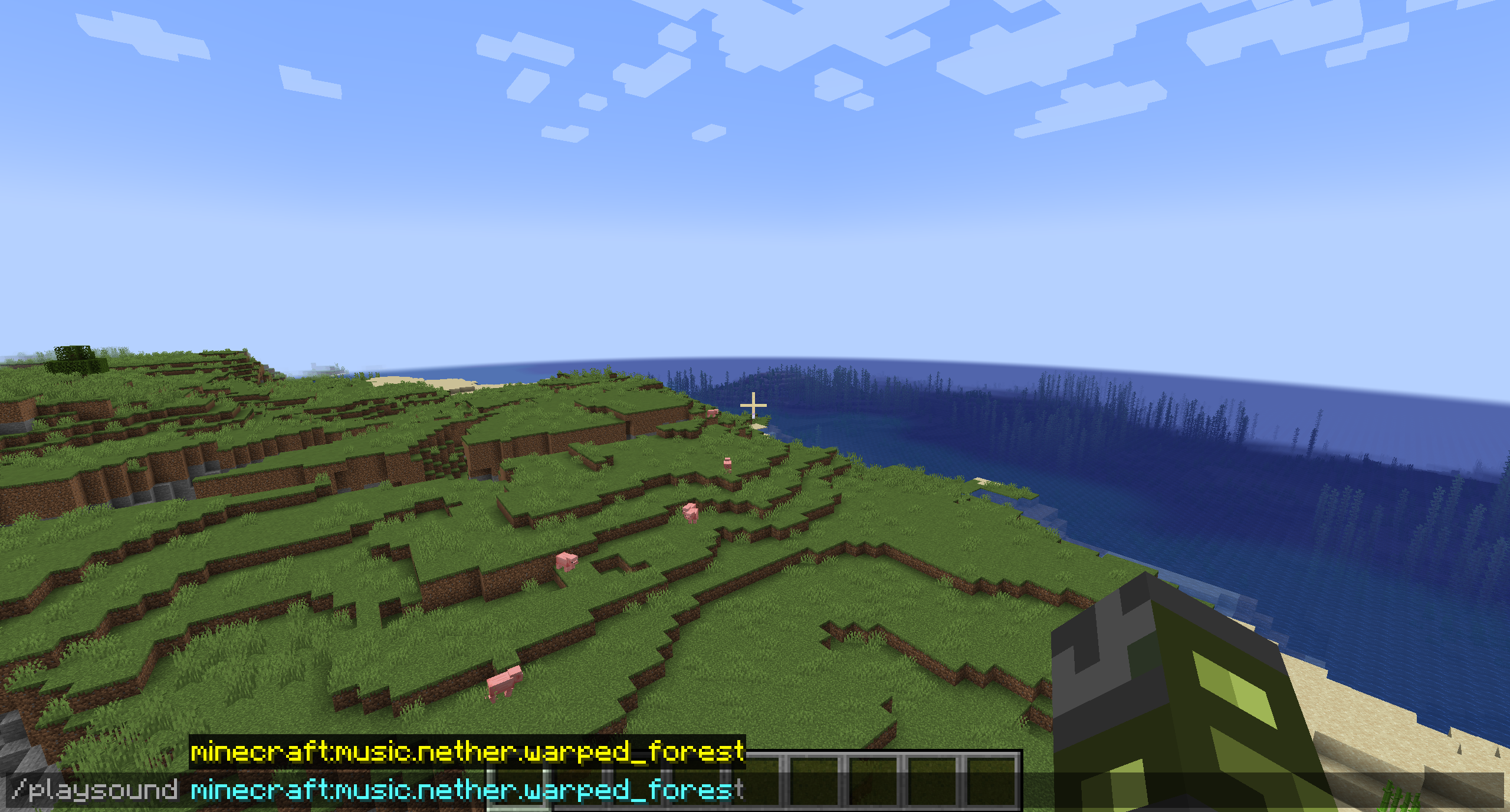
/playsound minecraft:music.nether.warped_forest
Note that there is a sound event for the warped forest despite there being no music configured.- Type this command in chat (intentionally incomplete) to view sound events available:
`/playsound minecraft:music.overworld`
Note that there is no entry for the pale gardenExpected Results:
For consistency with the warped forest (which also does not play music), there should be an empty sound event for the pale garden.
Observed results:
There is no sound event available (even an empty event) for the pale garden biome
How to reproduce:
Ensure you have access to commands.
- Type this command in chat:
/playsound minecraft:music.nether.warped_forest
Note that there is a sound event for the warped forest despite there being no music configured.- Type this command in chat (intentionally incomplete) to view sound events available:
`/playsound minecraft:music.overworld`
Note that there is no entry for the pale gardenExpected Results:
For consistency with the warped forest (which also does not play music), there should be an empty sound event for the pale garden.
Observed results:
There is no sound event available (even an empty event) for the pale garden biome
How to reproduce:
Ensure you have access to commands.
- Type this command in chat:
/playsound minecraft:music.nether.warped_forestNote that there is a sound event for the warped forest despite there being no music configured.
- Type this command in chat (intentionally incomplete) to view sound events available:
/playsound minecraft:music.overworldNote that there is no entry for the pale garden
Expected Results:
For consistency with the warped forest (which also does not play music), there should be an empty sound event for the pale garden.
Observed results:
There is no sound event available (even an empty event) for the pale garden biome
How to reproduce:
Ensure you have access to commands.
- Type this command in chat:
/playsound minecraft:music.nether.warped_forestNote that there is a sound event for the warped forest despite there being no music configured.
- Type this command in chat (intentionally incomplete) to view sound events available:
/playsound minecraft:music.overworldNote that there is no entry for the pale garden
Expected Results:
For consistency with the warped forest (which also does not play music), there should be an empty sound event for the pale garden.
Observed results:
There is no sound event available (even an empty event) for the pale garden biome
How to reproduce:
Ensure you have access to commands.
- Type this command in chat:
/playsound minecraft:music.nether.warped_forestNote that there is a sound event for the warped forest despite there being no music configured.
- Type this command in chat (intentionally incomplete) to view sound events available:
/playsound minecraft:music.overworldNote that there is no entry for the pale garden
Expected Results:
For consistency with the warped forest (which also does not play music), there should be an empty sound event for the pale garden.
Observed results:
There is no sound event available (even an empty event) for the pale garden biome
How to reproduce:
Ensure you have access to commands.
- Verify that there is a sound event for the warped forest using this command in chat:
/playsound minecraft:music.nether.warped_forest
- Verify that there is not a sound event using the command below (intentionally incomplete) in chat:
/playsound minecraft:music.overworldExpected Results:
For consistency with the warped forest (which also does not play music), there should be an empty sound event for the pale garden.
Observed results:
There is no sound event available (even an empty event) for the pale garden biome

ClassyElm Java edition bugs should be reported on the Java edition bugtracker. The MCPE bugtracker only tracks MCPE bugs.
Confirmed in 16w21b and lower 1.10 snapshots.
You might want to add Minecraft Java version as an affected Minecraft edition because of the addition of observer blocks in 16w39a. A very similar glitch occurs there. When opening and closing a door or fence gate, the observer does not detect this block update. I'm sure there are other block updates not detected, but that is just one.
Yes, I can confirm this bug/inconsistency is still present in 1.10.2, as well as 16w44a.
I know this is already mentioned above, but I can confirm this bug in 1.10.2. Also, the steps to replicate this bug are:
1. Create a world with generate structures off, cheats on, gamemode creative, and customized superflat world type. You can use the preset "3;minecraft:air;1;village".
2. Using the /setblock command, place a block underneath you. For example: "/setblock ~ ~-1 ~ stone"
3. Open your chat and run the command "/spreadplayers ~ ~ 1000 2000 false @p"
4. Observe the results. Now, because there are no blocks for the player to be teleported to, an error in running the command is to be expected. What isn't expected is the message it displays. I hope these steps are useful to anyone.
Confirmed for 1.11.2
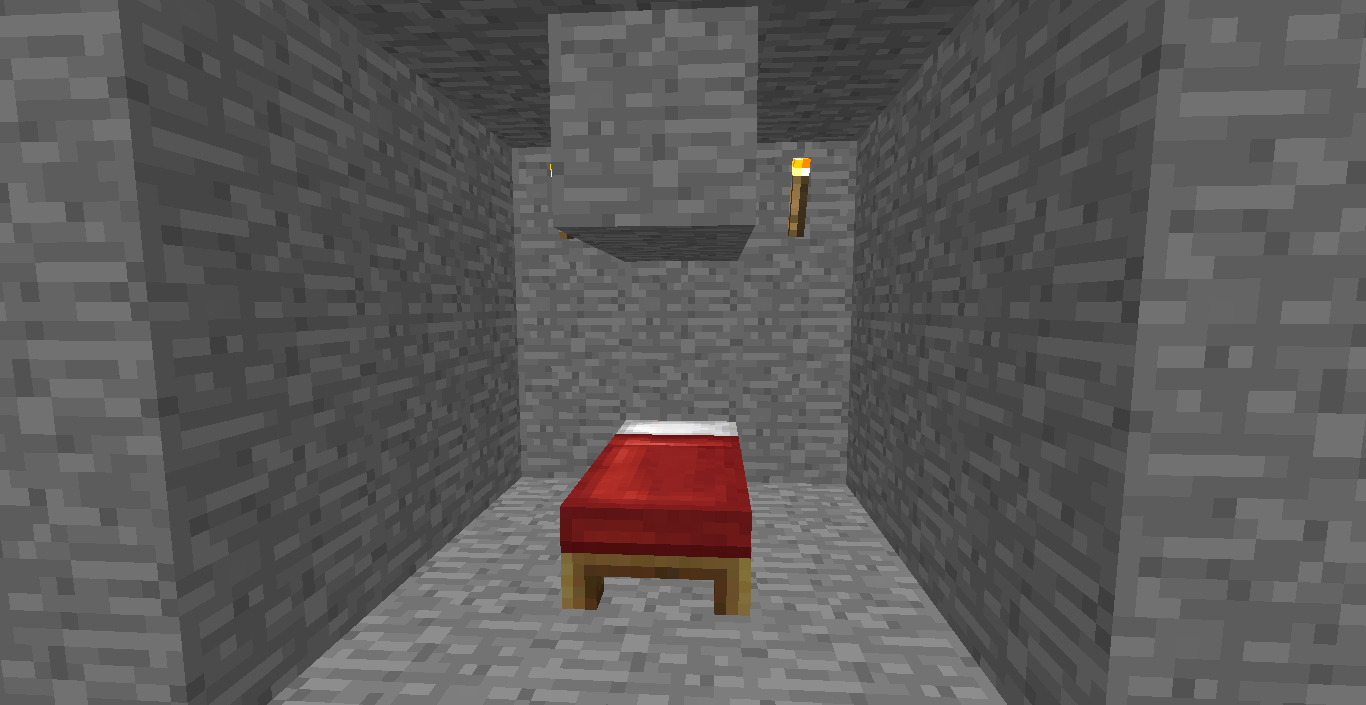
I just had this problem occur on a 1.12 world in survival mode. The bed was underground (at y=10 if that helps) and was in a 3x3x3 cube dug out. There were two blocks covering the bed one block above the bed. I've included an example of what I am talking about.
I wrote a command for anyone who would like to test this bug to check if it still exists. Run the following command:
/summon villager ~ ~ ~ {Offers:{Recipes:[{maxUses:128,buy:{id:"minecraft:emerald",Count:1b},sell:{id:"minecraft:diamond",Count:1b}}]}}This will summon a villager who sells one emerald for one diamond. You can easily grab a stack of emeralds and test the bug. I hope this helps!
Should this issue be closed for the same reason as
MC-66943? Seeing as they are both examples of updating entity data, they are both similar.See
MCL-15788. There is a new "Modded" versions check box in the installations section on the top right (next to the releases, snapshots, and historical versions check boxes). By default, the modded check box is disabled, which is why those versions do not show up in the version selector.Can confirm in 1.18.1.
I can confirm this issue is still present in 1.20.5
When a team is configured to have no name tag visibility, it seems this bug also causes pet names to disappear when their owner is near.
(The screenshots above are taken from my perspective, but I am not the owner of the cat)