 EndLordMC
- EndLordMC
- endlordmc
- America/Vancouver
- Yes
- No
 MCPE-49772
 MC-254186



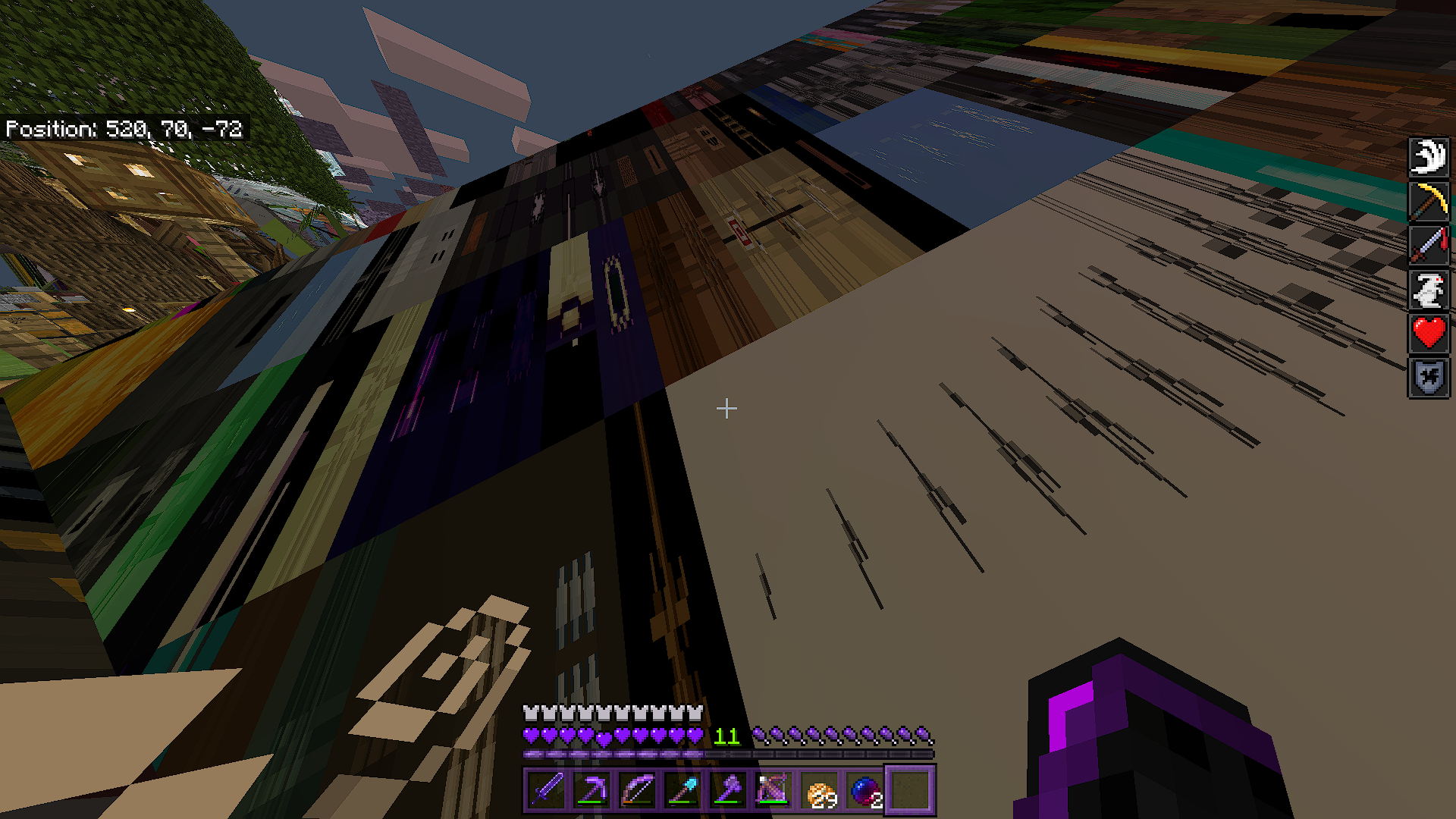

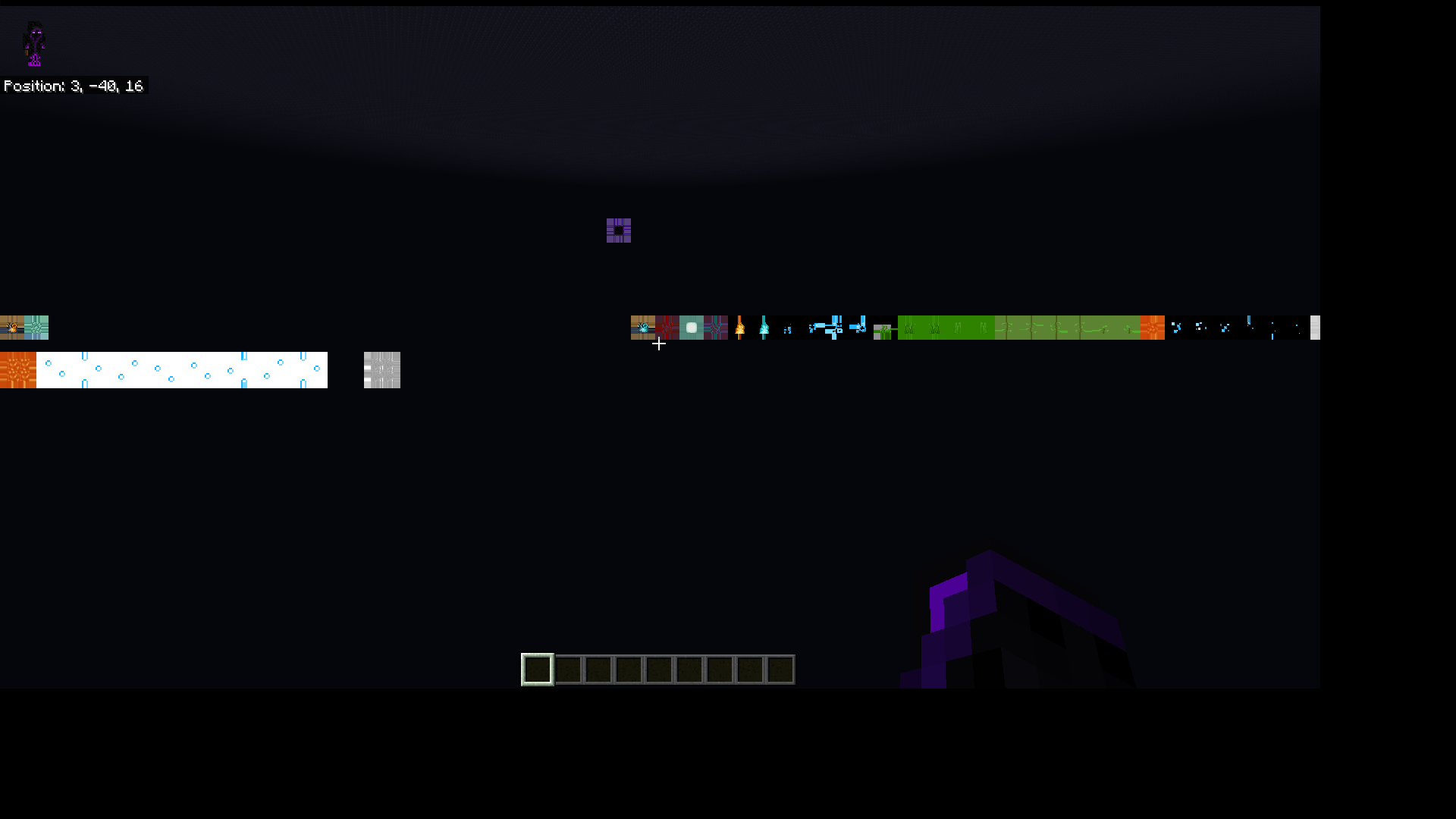


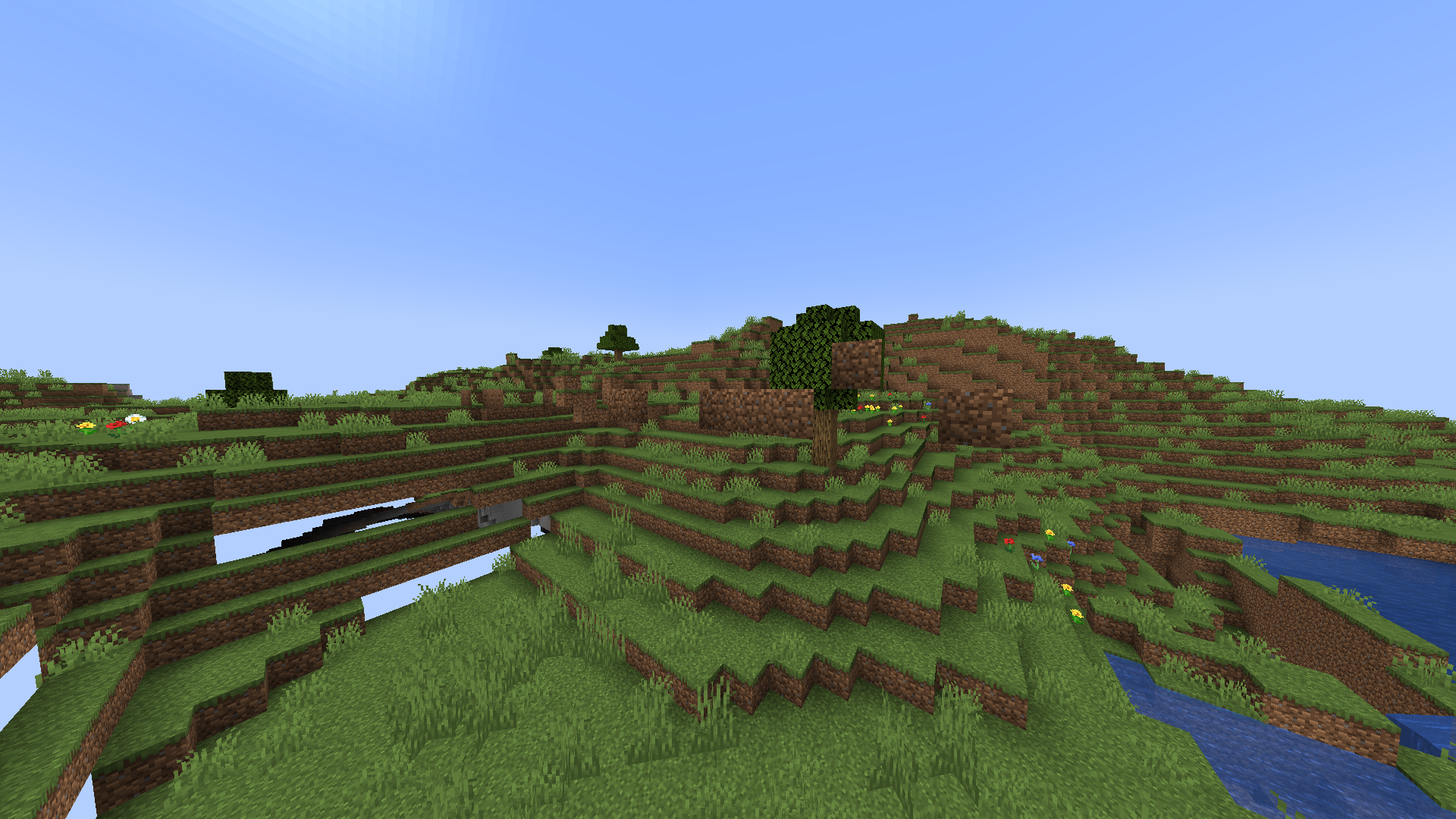
When i select a custom skin from a custom skin pack, and attach a cape to it with the character creator, it will not save. When i restart the game, the skin resets to default, and two new default characters are created. This happens without attaching a cape to the skin as well.
Here is a video of it happening: https://drive.google.com/open?id=162vNUJ-qWARm9C7NhdQom8QuZV6K6bdY
How to reproduce bug:
1 - Choose a skin from a custom skin pack located in /games/com.mojang/skin_packs
2 - If you have the Founders Cape, attach the cape to the skin from the custom skin pack
3 - Restart the game and you should find that the skin has been reset to default, and two new default characters are created
Please fix this bug, it is extremely annoying
Note: this also happens when minimizing the game and resuming it.
GameCrashingConstantlyGame Constantly Crashing
Whenever i enter a specific region, the game will crash within a few seconds of entering it. When i restart the game and go back into the world i will spawn at the location saved before i entered the region, or in the region where i crashed. What i did to temporarily fix this, is (using MCC Toolchest PE, a third party software) i reset all pistons in the area to a neutral state and deleted all unimportant entities within the area. When i loaded into the world again, it still crashed. the second time i loaded the world, i tried breaking and updating blocks. This worked and the game stopped crashing. however, this seems to be temporary, as after saving and quiting, i loaded into the world again and it crashed.
I have no idea how to reproduce this, i assume its a rare bug.
Here is information that may or may not be useful: The world this bug occurred on was originally generated in version 1.7.1 | The world seed is
1551198090 the region this bug occurred in is r 1.0 | the world this bug occurred in is very large in file size (Over 360 Megabytes)-If anything significant happens in relation to this bug, i will update this post.
Whenever i enter a specific region, the game will crash within a few seconds of entering it. When i restart the game and go back into the world i will spawn at the location saved before i entered the region, or in the region where i crashed. What i did to temporarily fix this, is (using MCC Toolchest PE, a third party software) i reset all pistons in the area to a neutral state and deleted all unimportant entities within the area. When i loaded into the world again, it still crashed. the second time i loaded the world, i tried breaking and updating blocks. This worked and the game stopped crashing. however, this seems to be temporary, as after saving and quiting, i loaded into the world again and it crashed.
I have no idea how to reproduce this, i assume its a rare bug.
Here is information that may or may not be useful: The world this bug occurred on was originally generated in version 1.7.1 | The world seed is 1551198090 the region this bug occurred in is r 1.0 | the world this bug occurred in is very large in file size (Over 360 Megabytes) -
If anything significant happens in relation to this bug, i will update this post.
Whenever i enter a specific region, the game will crash within a few seconds of entering it. When i restart the game and go back into the world i will spawn at the location saved before i entered the region, or in the region where i crashed. What i did to temporarily fix this, is (using MCC Toolchest PE, a third party software) i reset all pistons in the area to a neutral state and deleted all unimportant entities within the area. When i loaded into the world again, it still crashed. the second time i loaded the world, i tried breaking and updating blocks. This worked and the game stopped crashing. however, this seems to be temporary, as after saving and quiting, i loaded into the world again and it crashed.
I have no idea how to reproduce this, i assume its a rare bug.
Here is information that may or may not be useful: The world this bug occurred on was originally generated in version 1.7.1 | The world seed is 1551198090 the region this bug occurred in is r 1.0 | the world this bug occurred in is very large in file size (Over 360 Megabytes)
-If anything significant happens in relation to this bug, i will update this post.
Whenever i enter a specific region, the game will crash within a few seconds of entering it. When i restart the game and go back into the world i will spawn at the location saved before i entered the region, or in the region where i crashed. What i did to temporarily fix this, is (using MCC Toolchest PE, a third party software) i reset all pistons in the area to a neutral state and deleted all unimportant entities within the area. When i loaded into the world again, it still crashed. the second time i loaded the world, i tried breaking and updating blocks. This worked and the game stopped crashing. however, this seems to be temporary, as after saving and quiting, i loaded into the world again and it crashed.
I have no idea how to reproduce this, i assume its a rare bug.
Here is information that may or may not be useful: The world this bug occurred on was originally generated in version 1.7.1 | The world seed is 1551198090 | the region this bug occurred in is r 1.0 | the world this bug occurred in is very large in file size (Over 360 Megabytes)
If anything significant happens in relation to this bug, i will update this post.
Whenever i enter a specific region, the game will crash within a few seconds of entering it. When i restart the game and go back into the world i will spawn at the location saved before i entered the region, or in the region where i crashed. What i did to temporarily fix this, is (using MCC Toolchest PE, a third party software) i reset all pistons in the area to a neutral state and deleted all unimportant entities within the area. When i loaded into the world again, it still crashed. the second time i loaded the world, i tried breaking and updating blocks. This worked and the game stopped crashing. however, this seems to be temporary, as after saving and quiting, i loaded into the world again and it crashed.
I have no idea how to reproduce this, i assume its a rare bug.
Here is information that may or may not be useful: The world this bug occurred on was originally generated in version 1.7.1 | The world seed is
1551198090 | the region this bug occurred in is r 1.0 | the world this bug occurred in is very large in file size (Over 360 Megabytes)If anything significant happens in relation to this bug, i will update this post.
Whenever i enter a specific region, the game will crash within a few seconds of entering it. When i restart the game and go back into the world i will spawn at the location saved before i entered the region, or in the region where i crashed. What i did to temporarily fix this, is (using MCC Toolchest PE, a third party software) i reset all pistons in the area to a neutral state and deleted all unimportant entities within the area. When i loaded into the world again, it still crashed. the second time i loaded the world, i tried breaking and updating blocks. This worked and the game stopped crashing. however, this seems to be temporary, as after saving and quiting, i loaded into the world again and it crashed.
I have no idea how to reproduce this, i assume its a rare bug.
Here is information that may or may not be useful: The world this bug occurred on was originally generated in version 1.7.1 | The world seed is -1551198090 | the region this bug occurred in is r 1.0 | the world this bug occurred in is very large in file size (Over 360 Megabytes)
If anything significant happens in relation to this bug, i will update this post.
Whenever i enter a specific region, the game will crash within a few seconds of entering it. When i restart the game and go back into the world i will spawn at the location saved before i entered the region, or in the region where i crashed. What i did to temporarily fix this, is (using MCC Toolchest PE, a third party software) i reset all pistons in the area to a neutral state and deleted all unimportant entities within the area. (I don't think that really helped though) When i loaded into the world again, it still crashed. the second time i loaded the world, i tried breaking and updating blocks. This worked and the game stopped crashing. however, this seems to be temporary, as after saving and quiting, i loaded into the world again and it crashed.
I have no idea how to reproduce this, i assume its a rare bug.
Here is information that may or may not be useful: The world this bug occurred on was originally generated in version 1.7.1 | The world seed is -1551198090 | the region this bug occurred in is r 1.0 | the world this bug occurred in is very large in file size (Over 360 Megabytes)
If anything significant happens in relation to this bug, i will update this post.
This has always been a feature. Before blue and brown dyes where added, those where the crafting recipes for those beds, and they have stayed that way since.
2020-05-19_21-47-58.mp4
Mobs will try to walk and pathfind over buttons, but stop and start jumping as if they are trying to jump over the button. The mobs will not stop untill hit/pulled away from the button. After some testing,
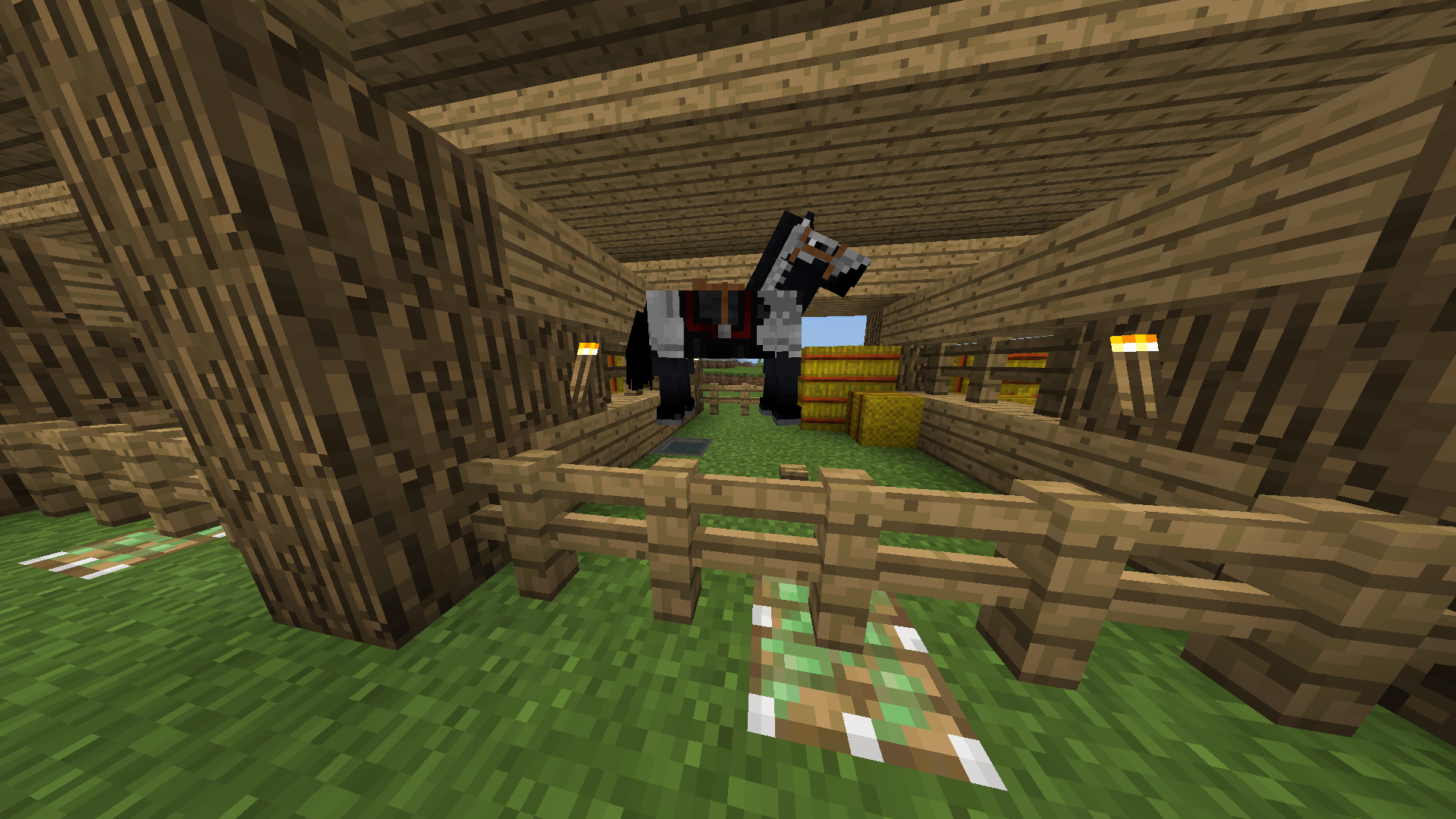
i have seen it happen with Creepers, zombies, and husks, i have yet to test it with all mobs. Ihave seen it happen mostly with Horses in confined spaces (as seen inthescreenshots). This is a very anoying bugand i would reallylike it tobe fixed.Mobs will try to walk and pathfind over buttons, but stop and start jumping as if they are trying to jump over the button. The mobs will not stop untill hit/pulled away from the button. After some testing, I can confidently say that i have seen it happen mostly with Horses in confined spaces (As seen in screenshots) and pretty much all mobs that can move on there own. This is a very anoying bug that should really be fixed.
Mobs will try to walk and pathfind over buttons, but stop and start jumping as if they are trying to jump over the button. The mobs will not stop untill hit/pulled away from the button. After some testing, I can confidently say that
ihave seen it happen mostly with Horses in confined spaces (As seen in screenshots) and pretty much all mobs that can move on there own. This is a very anoying bug that should really be fixed.Mobs will try to walk and pathfind over buttons, but stop and start jumping as if they are trying to jump over the button. The mobs will not stop untill hit/pulled away from the button. After some testing, I can confidently say that I have seen it happen mostly with Horses in confined spaces (As seen in screenshots) and pretty much all mobs that can move on there own. This is a very annoying bug that should really be fixed.
I have also observed that almost all other mobs will often get stuck while pathfinding over and/or onto non-solid/non-full blocks such as trapdoors, slabs, lower-half slabs, and similar blocks. Something in the pathfinding ai for mobs is clearly broken.
How to reproduce:
1 - Summon a mob (such as a pig or zombie) in a closed off pathway made with blocks mentioned in the description of this report.
2 - The result should be that the summoned mob will get stuck on the problematic block(s) and jump around.
3 - The intended behavior should be that the summoned mob reaches the other end of the pathway (or other destination) without getting stuck on the problematic blocks.
Mobs unable to properly Path on buttons (And other blocks)
Mobs will try to walk and pathfind over buttons, but stop and start jumping as if they are trying to jump over the button. The mobs will not stop untill hit/pulled away from the button. After some testing, I can confidently say that I have seen it happen mostly with Horses in confined spaces (As seen in screenshots) and pretty much all mobs that can move on there own. This is a very annoying bug that should really be fixed.
I have also observed that almost all other mobs will often get stuck while pathfinding over and/or onto non-solid/non-full blocks such as trapdoors, slabs, lower-half slabs, and similar blocks. Something in the pathfinding
aifor mobs is clearly broken.How to reproduce:
1 - Summon a mob (such as a pig or zombie) in a closed off pathway made with blocks mentioned in the description of this report.
2 - The result s
hould bethat the summoned mob will get stuck on the problematic block(s) and jump around.3 - The intended behavior should be that the summoned mob reaches the other end of the pathway (or other destination) without getting stuck on the problematic blocks.
Description:
Mobs will try to walk and pathfind over buttons, but stop and start jumping as if they are trying to jump over the button. The mobs will not stop untill hit/pulled away from the button. After some testing, I can confidently say that I have seen it happen mostly with Horses in confined spaces (As seen in screenshots) and pretty much all mobs that can move on there own. This is a very annoying bug that should really be fixed.
Notes:
I have also observed that almost all other mobs will often get stuck while pathfinding over and/or onto non-solid/non-full blocks such as trapdoors, slabs, lower-half slabs, and similar blocks. Something in the pathfinding AI for mobs is clearly broken.
This bug also appears to relate to
MCPE-46805&MCPE-44575How to reproduce:
1 - Summon a mob (such as a pig or zombie) in a closed off pathway made with blocks mentioned in the description of this report.
2 - The result is that the summoned mob will get stuck on the problematic block(s) and jump around.
The intended behavior should be that the summoned mob reaches the other end of the pathway (or other destination) without getting stuck on the problematic blocks.
Description:
Mobs will try to walk and pathfind over buttons, but stop and start jumping as if they are trying to jump over the button. The mobs will not stop untill hit/pulled away from the button. After some testing, I can confidently say that I have seen it happen mostly with Horses in confined spaces (As seen in screenshots) and pretty much all mobs that can move on there own. This is a very annoying bug that should really be fixed.
Notes:
I have also observed that almost all other mobs will often get stuck while pathfinding over and/or onto non-solid/non-full blocks such as trapdoors, slabs, lower-half slabs, and similar blocks. Something in the pathfinding AI for mobs is clearly broken. I have seen variations of this bug happen many times on Android, Windows 10, and Xbox.
This bug also appears to relate to
MCPE-46805&MCPE-44575How to reproduce:
1 - Summon a mob (such as a pig or zombie) in a closed off pathway made with blocks mentioned in the description of this report.
2 - The result is that the summoned mob will get stuck on the problematic block(s) and jump around.
The intended behavior should be that the summoned mob reaches the other end of the pathway (or other destination) without getting stuck on the problematic blocks.
When fighting the wither, and a player in survival mode gets hit with one of the wither's skulls, the player will receive 40 seconds of the effect wither 2, instead of the intended 10 seconds.
How to reproduce:
1 - Spawn a wither (/summon wither) or build the usual structe
rto spawn one (4 Soul sand in a T shape with 3 wither skeleton skulls on top)2 - go into survival mode, if not already. (/gamemode s, or go o settings > personal game mode > select survival)
3 - Once the wither has spawned, get hit with one of the wither's skulls, and the result should be that the player receives 40 seconds of the wither 2 effect rather that 10 seconds.
When fighting the wither, and a player in survival mode gets hit with one of the wither's skulls, the player will receive 40 seconds of the effect wither 2, instead of the intended 10 seconds.
How to reproduce:
1 - Spawn a wither (/summon wither) or build the usual structure to spawn one (4 Soul sand in a T shape with 3 wither skeleton skulls on top)
2 - go into survival mode, if not already. (/gamemode s, or go o settings > personal game mode > select survival)
3 - Once the wither has spawned, get hit with one of the wither's skulls, and the result should be that the player receives 40 seconds of the wither 2 effect rather that 10 seconds.
When fighting the wither, and a player in survival mode gets hit with one of the wither's skulls, the player will receive 40 seconds of the effect wither 2, instead of the intended 10 seconds. (This bug only happens in hard difficulty and works as intended in normal difficulty.)
How to reproduce:
1 - Spawn a wither (/summon wither) or build the usual structure to spawn one (4 Soul sand in a T shape with 3 wither skeleton skulls on top)
2 - go into survival mode, if not already. (/gamemode s, or go o settings > personal game mode > select survival)
3 - Once the wither has spawned, get hit with one of the wither's skulls, and the result should be that the player receives 40 seconds of the wither 2 effect rather that 10 seconds. (In hard difficulty)
When fighting the wither, and a player in survival mode gets hit with one of the wither's skulls, the player will receive 40 seconds of the effect wither 2, instead of the intended 10 seconds. (This bug only happens in hard difficulty and works as intended in normal difficulty.)
How to reproduce:
1 - Spawn a wither (/summon wither) or build the usual structure to spawn one (4 Soul sand in a T shape with 3 wither skeleton skulls on top)
2 - go into survival mode, if not already. (/gamemode s, or go o settings > personal game mode > select survival)
3 - Once the wither has spawned, get hit
withone of the wither's skulls, and the result should be that the player receives 40 seconds of the wither 2 effect rather that10 seconds. (In hard difficulty)When fighting the wither, and a player in survival mode gets hit with one of the wither's skulls, the player will receive 40 seconds of the effect wither 2, instead of the intended 10 seconds. (This bug only happens in hard difficulty and works as intended in normal difficulty.)
How to reproduce:
1 - Spawn a wither (/summon wither) or build the usual structure to spawn one (4 Soul sand in a T shape with 3 wither skeleton skulls on top)
2 - go into survival mode, if not already. (/gamemode s, or go o settings > personal game mode > select survival)
3 - Once the wither has spawned, get hit by one of the wither's skulls, and the result should be that the player receives 40 seconds of the wither 2 effect rather than 10 seconds. (In hard difficulty)
When loading or generating a world, the panorama background will continue to move normally for a few seconds. However, when the progress bar appears and the world actually starts loading all together, the panorama will stop for the rest of the loading / generation sequence. This is not the right behavior.
The intended behavior should be that the panorama background keeps moving while the world loads / generates.
I have seen this happen on multiple platforms ever since the early days of the better together update. (Version 1.2.10 - present)When loading or generating a world, the panorama background will continue to move normally for a few seconds. However, when the progress bar appears and the world actually starts loading all together, the panorama will stop for the rest of the loading / generation sequence. This is not the right behavior.
The intended behavior should be that the panorama background keeps moving while the world loads / generates.
Steps to reproduce:
1 - Generate a new world or load an existing one.
2 - Watch the menu's background closely. Notice that it stops moving when the progress bar appears.
This bug is very old, adn
When loading or generating a world, the panorama background will continue to move normally for a few seconds. However, when the progress bar appears and the world actually starts loading all together, the panorama will stop for the rest of the loading / generation sequence. This is not the right behavior.
The intended behavior should be that the panorama background keeps moving while the world loads / generates.
Steps to reproduce:
1 - Generate a new world or load an existing one.
2 - Watch the menu's background closely. Notice that it stops moving when the progress bar appears.
This bug is very old, a
dnWhen loading or generating a world, the panorama background will continue to move normally for a few seconds. However, when the progress bar appears and the world actually starts loading all together, the panorama will stop for the rest of the loading / generation sequence. This is not the right behavior.
The intended behavior should be that the panorama background keeps moving while the world loads / generates.
Steps to reproduce:
1 - Generate a new world or load an existing one.
2 - Watch the menu's background closely. Notice that it stops moving when the progress bar appears.
This bug is very old, and has been in the game since version 1.2.10.
Shortly after updating to the new 1.16.200 update, I opened the game like normal, but every time I did, the title screen buttons did not appear. Only once did the title screen properly appear, and it was for a message telling me to update my GPU drivers for RTX, even though my drivers are up to date. After that, the issue persisted. The Minecraft logo briefly flashed onto the screen a few times but that's all there was. I have tried removing all resource packs from the resource packs folder, as to remove any problematic packs, but that has not helped at all. I restarted my PC and done almost everything I can think of except for reinstalling.
Note: The panorama background continues to rotate, and clicking on the screen where the buttons should be sometimes activates one of the buttons, but still shows nothing.
Punching witha bowis slower than normalPunching with certain items is slower than normal
The achievements "Whatever floats your goat" and "The healing power of friendship" do not register, even when following the instructions exactly.
For the "Whatever floats your goat" achievement, the player must put a goat into a boat, and ride in the boat with said goat in the water. I tried this myself and nothing happened. I did not get the achievement. Even after taking a goat all the way out to the ocean for half an hour, i did not receive the achievement.
And for the "The healing power of Friendship" achievement, the player must kill a drowned or other hostile mob with the assist of a axolotl, while underwater. Once again, i tried this myself and nothing happened. Even after receiving the regeneration effect from killing the enemy with the help of an axolotl, i did not receive the achievement.
When trying to earn these achievements, i was signed into my xbox account, with a internet connection. I also tried going into completely new worlds without cheats, but so far nothing has changed.
I am currently not aware if the "Wax on wax off" achievement is working properly, since the achievement takes quite a while to earn.
Update: I have now tried the "Wax on, wax off" achievement. Just like the other two, they are unable to be completed. I have also tried using different Xbox/Microsoft accounts on various Windows 10 devices, but i still cannot earn any of the 3 achievements. I am, however, able to earn all three of these properly on my android device.
The achievements "Whatever floats your goat" and "The healing power of friendship" do not register, even when following the instructions exactly.
For the "Whatever floats your goat" achievement, the player must put a goat into a boat, and ride in the boat with said goat in the water. I tried this myself and nothing happened. I did not get the achievement. Even after taking a goat all the way out to the ocean for half an hour, i did not receive the achievement.
And for the "The healing power of Friendship" achievement, the player must kill a drowned or other hostile mob with the assist of a axolotl, while underwater. Once again, i tried this myself and nothing happened. Even after receiving the regeneration effect from killing the enemy with the help of an axolotl, i did not receive the achievement.
When trying to earn these achievements, i was signed into my xbox account, with a internet connection. I also tried going into completely new worlds without cheats, but so far nothing has changed.
I am currently not aware if the "Wax on wax off" achievement is working properly, since the achievement takes quite a while to earn.
Update: I have now tried the "Wax on, wax off" achievement. Just like the other two, they are unable to be completed. I have also tried using different Xbox/Microsoft accounts on various Windows 10 devices, but i still cannot earn any of the 3 achievements. I am, however, able to earn all three of these properly on my android device.
Update 12/1/2021:
The 3 achievements added in 1.17 are still not obtainable, and the ones recently added in 1.18 are not as well. I have attempted to complete the "Caves and Cliffs" achievement, however it never registered any progress at all. After my first few trials, i transferred the same world i attempted the achievement in to my Android device. Immediately, after the first attempt, i received the achievement as should happen on Windows 10.
2Achievements not workingMultiple Achievements not working
I'm quite sure when this happened, or even if this is related, but a while ago i tried to load my world but the game crashed. A chest full of empty shulker boxes i had nearby were gone (Except for renamed ones). Keep in mind, all of these shulker boxes were in a chest, completely untouched, and only the ones with items inside or with custom names remained. If this is it's own separate bug, please redirect me to that so i can go vote for it!
Villagers converted from older versions (Before the village & pillage update) are not working or sleeping as much as they should. Due to the obscurity of older villagers, this bug may be harder to reproduce.
The behavior these sorts of villagers display includes the following:
- Linking to workstations, bells & beds, but rarely using them
- Wandering outside the village, often getting lost in the wilderness
- Farmer Villagers not planting/harvesting crops, even though they can
Steps to Reproduce:
- Find a old village containing villagers
- Place down some beds and workstations
- Observe the villagers not working or sleeping as much as new villagers do
Villagers converted from older versions (Before the village & pillage update) are not working or sleeping as much as they should. Due to the obscurity of older villagers, this bug may be harder to reproduce.
The behavior these sorts of villagers display includes the following:
- Linking to workstations, bells & beds, but rarely using them
- Wandering outside the village, often getting lost in the wilderness
- Generally low activity
Steps to Reproduce:
- Find a old village containing villagers
- Place down some beds and workstations
- Observe the villagers not working or sleeping as much as new villagers do
When a sticky piston is retracting with a certain block, an entity on top of/inside of that block can be pulled through blocks, and into the ground. Players and entities can also completely fall through the ground if there is sufficient space beneath. This is easier of the player or entity is in motion.
Blocks affected by this glitch include:
**
- Fences
- Brewing Stand
- Iron Bars
It is worth noting that they're may be more blocks similar to these ones that are also affected.
How to reproduce:
- Create a contraption similar to the one shown in the attached video.
- Place one of the affected blocks on top of the sticky piston.
- With an entity standing on top of the block, activate the piston on and off repeatedly and observe its affects.
When a sticky piston is retracting with a certain block, an entity on top of/inside of that block can be pulled through blocks, and into the ground. Players and entities can also completely fall through the ground if there is sufficient space beneath. This is easier of the player or entity is in motion.
Blocks affected by this glitch include:
- Fences
- Brewing Stand
- Iron Bars
It is worth noting that they're may be more blocks similar to these ones that are also affected.
How to reproduce:
- Create a contraption similar to the one shown in the attached video.
- Place one of the affected blocks on top of the sticky piston.
- With an entity standing on top of the block, activate the piston on and off repeatedly and observe its affects.
When a sticky piston is retracting with a certain block, an entity on top of/inside of that block can be pulled through blocks, and into the ground. Players and entities can also completely fall through the ground if there is sufficient space beneath. This is easier of the player or entity is in motion.
Blocks affected by this glitch include:
- Fences
- Brewing Stand
- Iron Bars
It is worth noting that the
y're may be more blocks similar to these ones that are also affected.How to reproduce:
- Create a contraption similar to the one shown in the attached video.
- Place one of the affected blocks on top of the sticky piston.
- With an entity standing on top of the block, activate the piston on and off repeatedly and observe its affects.
![[Helper] Johnibur](../../../data/avatars/users/28381.png)
@EndLordMC Nothing is wrong with your keyboard. With the faulty library now updated, this issue is fixed starting in 1.19. 
Can confirm on windows 10 and android. Very annoying bug that should definitely be fixed.
Can confirm on both windows 10 and android. PLEASE fix this!
Can confirm in 1.11.4 | Wandering traders spawn in a cave and leave there llamas behind when they despawn.
Can confirm in 1.11.4
Can confirm in 1.11.4 on Windows 10 | Very annoying, especially with mob grinders. Takes up space in the inventory and skeletons & zombies drop wayyyyyy to much armor & tools.
Can confirm on Version 1.11.4 for Windows 10 & Android
Pillager patrols are just SUPER rare it should deffinetly be fixed
Can confirm for windows 10 and android 1.13
Can confirm for windows 10 & android 1.13
Can confirm for windows 10 & android. Mobs are also spawning on bedrock, glass and other transparent blocks that they should not be able to spawn on.
Honestly, how did Mojang not see this one before the release?
Yes, crashes are annoying, but they cant fix ALL crashing issues at once. You really need to specify what the crashes are caused by and how they occur.
Can confirm for windows 10 & android. This can also happen when opening your inventory or chat, and can also occur with sneaking.
Im pretty sure this is a intended feature. The only way to get the melons back is by breaking the melon block. (You can get more melons when using a fortune 3 tool)
Have you downloaded the free music pack in the market place? Music doesn't come pre-installed with the game for mobile devices, so if you want music, you need to download it. I dont think you need a xbox account to do so.
This bug Still effects 1.14.60. This is not resolved! This bug also effects 1.14.60 on Windows 10 & Android,
Can confirm for Windows 10 & Android on 1.14.60
Yeah, its what AbyssDC Said. If you want music on mobile, you need to download the music pack from the marketplace (Its free). Mojang has you download it seperatly because mobile devices dont have as much space as pcs, and other devices. Music just takes up a lot of space.
When i downloaded the music pack, it was actually in the wrong folder. It got saved to games/com.mojang/resource_packs/music/vanilla_music, when it needed to be just in one directory, wich would be resource_packs/vanilla_music. So to fix it, i simply moved it to the right place.
Can confirm for windows 10 & android on verison 1.14.60
You should also update the latest version this bug affects, that way it will get noticed better.
Can confirm for Windows 10 & android on version 1.14.60.
Can confirm for windows 10 & Android on version 1.14.60
Can confirm for windows 10 & android on version 1.14.60
Can confirm for windows 10 & android on version 1.14.60.
Can confirm for windows 10 & android on version 1.14.60
I think this might be intentional. The wolf should have started attacking the wither skeleton like they do with normal skeletons.
Looks like this doesnt happen because they are afraid of being withered. But i guess this should apply to the wither rose anyway.
Can confirm for windows 10 & android on version 1.14.60
@Owen Fung | Thanks for the information! I'll be sure to update the description.
Idk why this would be a problem. Either way is fine.
Have you tried changing the storage location settings? If you go to settings > profile I, you should be able to change it there.
This probably isn't a bug. The creeper cape was given out as a free skin pack for Minecon live last year, and you can't get the pack anymore. Only the players who got the pack before it expired should be able to use the cape.
Can confirm for 1.16.200 on Windows 10 PC. pls lemme play update :c
This is probably due to the new Render Dragon graphics engine. The shaders will need to be updated for the new version.
It seems like this is a bug with certain GPU drivers and the new Render Dragon engine. If I set my AMD graphics profile to the "Gaming" setting, I can load the menu, but as soon as I load a world or even enter the Resource Packs menu, the game freaks out and all sorts of rendering errors occur.
Even when adjusting the AMD profile settings for Minecraft and general Graphics, things like this still happen in my world. I'm running an AMD R7240 with the latest drivers and this still happens ;-;
I'm not a moderator, but this looks like a duplicate of
MCPE-109870It covers the same issue and you can enter your feedback there
Can confirm for version 1.16.221 on Windows 10. There was a time where this bug was fixed, but was later reverted.
Update: This bug still affects version 1.18.2
Can confirm for 1.16.221 on Windows 10
Can confirm for 1.16.221 on Windows 10
Can confirm for 1.17 on Windows 10 PC
Not really sure what could be causing the issue, but have you tried reinstalling/updating GPU drivers?
This bug STILL effects version 1.18.2. It also happens whenever a Xbox game bar notification comes over the screen or when receiving a windows notification. The screen flashes a combination of red and blue tint, this is likely a GPU related bug.
Can confirm for version 1.18.12
Can confirm for 1.18.12 on Windows 10
Can confirm for Windows 10 & Android 1.18.12
Can confirm for Windows 10 1.18.12
They definitely teleport to glass but i still need to test for leaf blocks
Can confirm for 1.18.12 on Windows 10
They do not spawn on glass, however they can teleport onto it which is still a big issue
Glass is a transparent block, because of this, mobs cannot spawn on it. If they aren't supposed to be spawned on, then why should they teleport there too?
If this is intended behavior, then why has it not been mentioned in the change logs?
You would think that something that effects mob farms would at least be present in the change logs. This has never been a feature as far as i can tell and i see no reason not to call it a bug. It is also good to keep things consistent, and in parity with Java Edition.
This is still happening for me on version 1.18.2. I'm using Manjaro KDE.
I do not know the detailed specifics of my keyboard, but the model is Havit-KB389L.
Can confirm, as it still Affects 1.18.12 - 1.19.0
Still affects 1.18.12. Probably the latest 1.19 releases too
Please reopen either this issue, or my issue. The bug is not a problem with the playsound command, but rather with the music itself, and has not been fixed.
Still affecting version 1.19.30
Still affecting 1.19.30
Still affecting 1.19.30
This is still an issue in 1.19.30
Still an issue in version 1.19.30
This is probably a side-affect of
MCPE-131325, where it only appears to be raining. I tested this and it works just fine in the rain.Still affecting version 1.19.30
Still affecting 1.19.30
Still affecting version 1.19.30
This bug still affects version 1.19.30
This bug still occurs in 22w46a
Still affects version 1.19.71
This bug still exists, but due to its obscurity, i doubt it will ever be fixed.
No longer affects version 1.20.81
Tested this using a potion of decay while wearing armor. This report should be marked as resolved.
Can confirm that this is affecting version 1.20.81
Here's a video i made further testing the bug.
According to my testing, this is how the bug works:
Starting from the skull in the northwest direction, the game checks the area to the southwest of the skull (a 4x4x5 area) for another newly placed skull. Regardless of what block it's placed on and the orientation, placing a new wither skull within this area will trigger the summoning.
This is likely related to the overall pathfinding behavior the game uses for most mobs. Often times, if an entity (a villager, for example) has a destination in mind and is moving towards that destination, often times that entity will not account for a sudden change in location, such as teleportation, and keep moving towards their destination, not stopping for a quite while until they arrive, or realize they can't reach it. Something similar might be happening with the Wither in this instance.
Can confirm that this is affecting 1.20.81