 EscoreFairplay
- EscoreFairplay
- escorefairplay
- Europe/Stockholm
- Yes
- No
 MC-46336


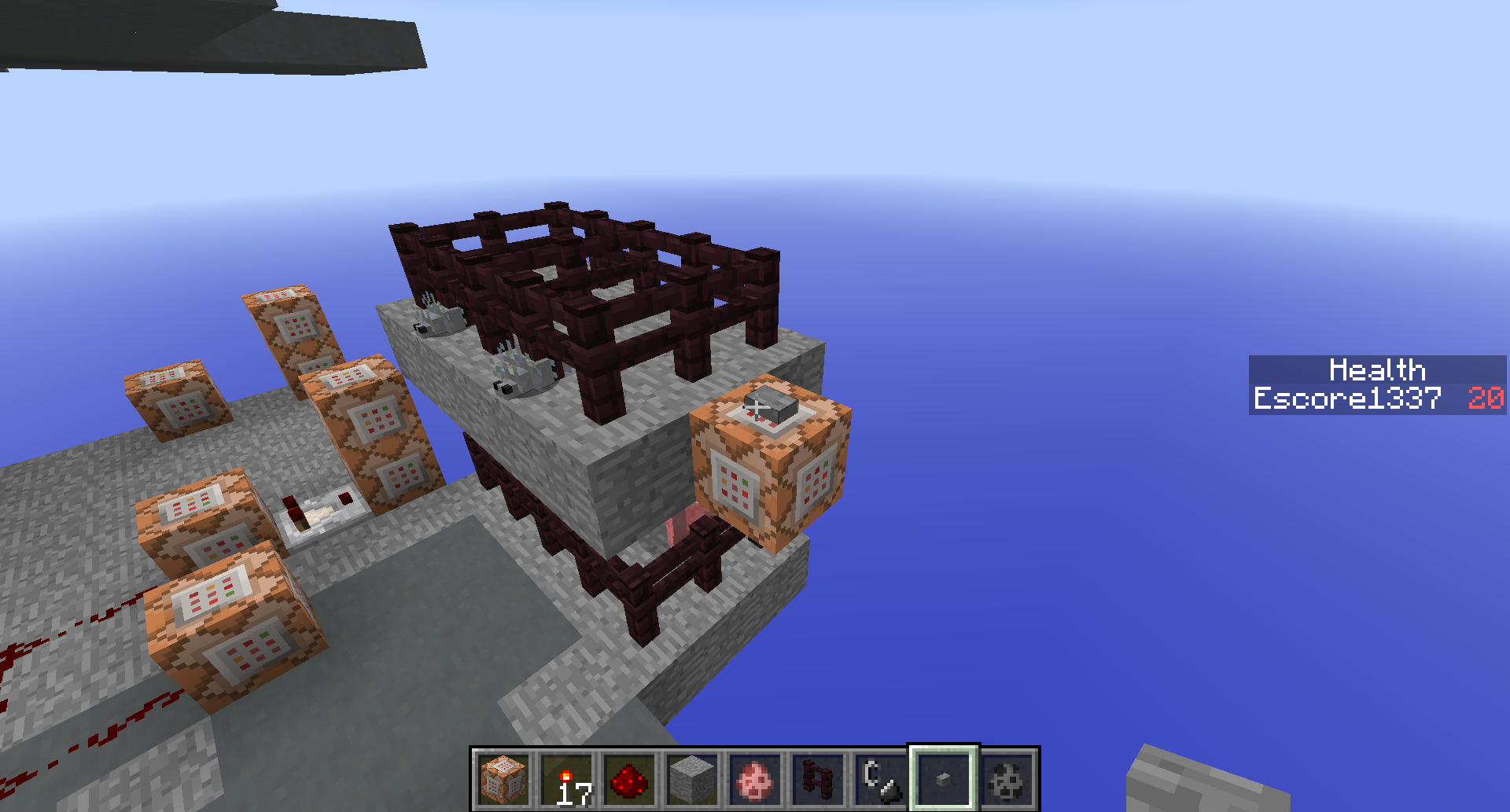

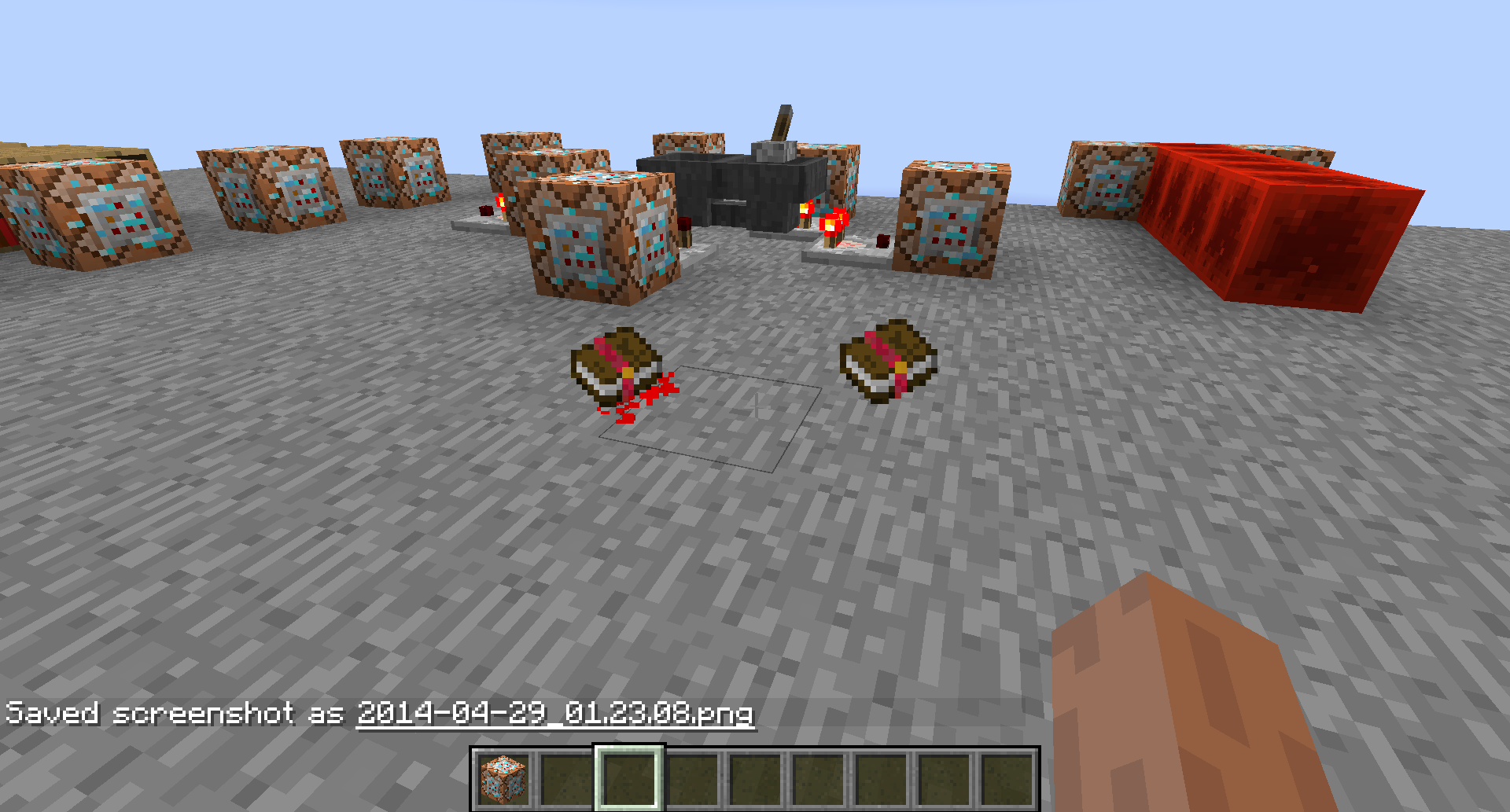

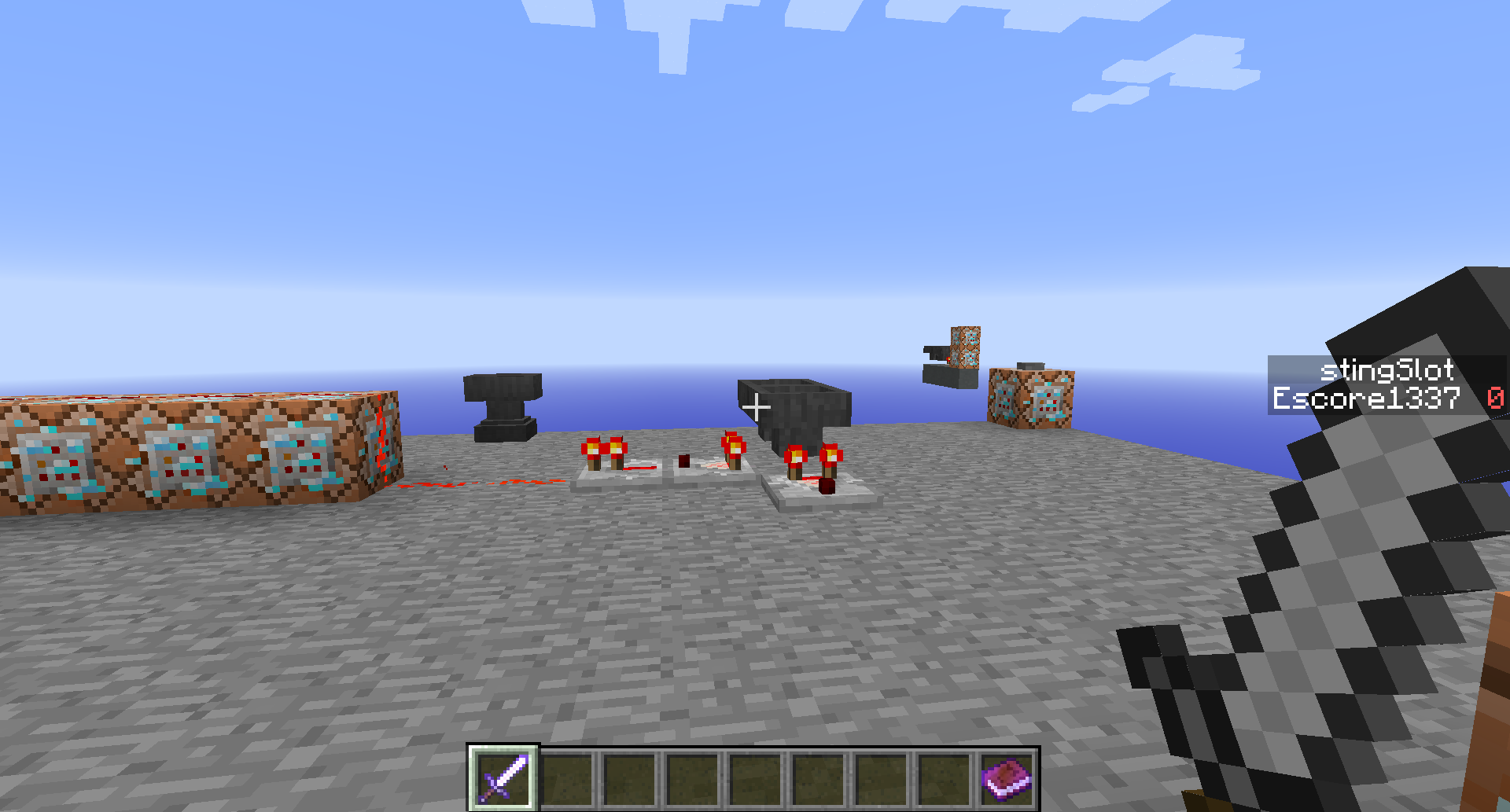
{...} does work, but for example
/testfor @e[...]/kill @e[...] {...}does not.
~~~~~~~~~~~~~~~~~~~~~~~~~~~~~~~~~~~~~~~~~~~~~~~~~~~~~~~
More examples:
/testfor @e[type=Slime] {Riding:{id:Zombie}} is working.
/kill @e[r=3,c=-1,type=Slime] {Riding:{id:Zombie}} is not.Making this work would help me to create a headshot detection system for my awesome soon to be playable 'Tower Defense' style game.
Also i think it would be nice to have a "RiddenBy" Tag to see if another entity is riding on the specific entity I want to be checked or manipulated.
(Because I want to kill the Zombies that have NO invisible slime on their head)I think a lot of people could make a use of this.
~~~~~~~~~~~~~~~~~~~~~~~~~~~~~~~~~~~~~~~~~~~~~~~~~~~~~~~
I have created a reddit post for this, but it does not feel like this issues are getting upvoted much because it does only affect map makers and not normal players (which are most of the people obviously).
/testfor @e[...]
{...} does work, but for example
/kill @e[...] {...}does not.
~~~~~~~~~~~~~~~~~~~~~~~~~~~~~~~~~~~~~~~~~~~~~~~~~~~~~~~
More examples:
/testfor @e[type=Slime] {Riding:{id:Zombie}} is working.
/kill @e[r=3,c=-1,type=Slime] {Riding:{id:Zombie}} is not.Making this work would help me to create a headshot detection system for my awesome soon to be playable 'Tower Defense' style game.
Also i think it would be nice to have a "RiddenBy" Tag to see if another entity is riding on the specific entity I want to be checked or manipulated.
(Because I want to kill the Zombies that have NO invisible slime on their head)I think a lot of people could make a use of this.
~~~~~~~~~~~~~~~~~~~~~~~~~~~~~~~~~~~~~~~~~~~~~~~~~~~~~~~
I have created a reddit post for this, but it does not feel like this issues are getting upvoted much because it does only affect map makers and not normal players (which are most of the people obviously).
/testfor @e[...]
{...} does work,but for example
/kill @e[...] {...}does not.
~~~~~~~~~~~~~~~~~~~~~~~~~~~~~~~~~~~~~~~~~~~~~~~~~~~~~~~
More examples:
/testfor @e[type=Slime] {Riding:{id:Zombie}} is working.
/kill @e[r=3,c=-1,type=Slime] {Riding:{id:Zombie}} is not.Making this work would help me to create a headshot detection system for my awesome soon to be playable 'Tower Defense' style game.
Also i think it would be nice to have a "RiddenBy" Tag to see if another entity is riding on the specific entity I want to be checked or manipulated.
(Because I want to kill the Zombies that have NO invisible slime on their head)I think a lot of people could make a use of this.
~~~~~~~~~~~~~~~~~~~~~~~~~~~~~~~~~~~~~~~~~~~~~~~~~~~~~~~
I have created a reddit post for this, but it does not feel like this issues are getting upvoted much because it does only affect map makers and not normal players (which are most of the people obviously).
/testfor @e[...]
{...} does work,
but for example /kill @e[...] {...}does not.
~~~~~~~~~~~~~~~~~~~~~~~~~~~~~~~~~~~~~~~~~~~~~~~~~~~~~~~
More examples:
/testfor @e[type=Slime] {Riding:{id:Zombie}} is working.
/kill @e[r=3,c=-1,type=Slime] {Riding:{id:Zombie}} is not.Making this work would help me to create a headshot detection system for my awesome soon to be playable 'Tower Defense' style game.
Also i think it would be nice to have a "RiddenBy" Tag to see if another entity is riding on the specific entity I want to be checked or manipulated.
(Because I want to kill the Zombies that have NO invisible slime on their head)I think a lot of people could make a use of this.
~~~~~~~~~~~~~~~~~~~~~~~~~~~~~~~~~~~~~~~~~~~~~~~~~~~~~~~
I have created a reddit post for this, but it does not feel like this issues are getting upvoted much because it does only affect map makers and not normal players (which are most of the people obviously).
/testfor @e[...]
{...}does work,
but for example /kill @e[...] {...}does not.
~~~~~~~~~~~~~~~~~~~~~~~~~~~~~~~~~~~~~~~~~~~~~~~~~~~~~~~
More examples:
/testfor @e[type=Slime] {Riding:{id:Zombie}} is working.
/kill @e[r=3,c=-1,type=Slime] {Riding:{id:Zombie}} is not.Making this work would help me to create a headshot detection system for my awesome soon to be playable 'Tower Defense' style game.
Also i think it would be nice to have a "RiddenBy" Tag to see if another entity is riding on the specific entity I want to be checked or manipulated.
(Because I want to kill the Zombies that have NO invisible slime on their head)I think a lot of people could make a use of this.
~~~~~~~~~~~~~~~~~~~~~~~~~~~~~~~~~~~~~~~~~~~~~~~~~~~~~~~
I have created a reddit post for this, but it does not feel like this issues are getting upvoted much because it does only affect map makers and not normal players (which are most of the people obviously).
/testfor @e[...]
{...}
does work, but for example /kill @e[...] {...}does not.
~~~~~~~~~~~~~~~~~~~~~~~~~~~~~~~~~~~~~~~~~~~~~~~~~~~~~~~
More examples:
/testfor @e[type=Slime] {Riding:{id:Zombie}} is working.
/kill @e[r=3,c=-1,type=Slime] {Riding:{id:Zombie}} is not.Making this work would help me to create a headshot detection system for my awesome soon to be playable 'Tower Defense' style game.
Also i think it would be nice to have a "RiddenBy" Tag to see if another entity is riding on the specific entity I want to be checked or manipulated.
(Because I want to kill the Zombies that have NO invisible slime on their head)I think a lot of people could make a use of this.
~~~~~~~~~~~~~~~~~~~~~~~~~~~~~~~~~~~~~~~~~~~~~~~~~~~~~~~
I have created a reddit post for this, but it does not feel like this issues are getting upvoted much because it does only affect map makers and not normal players (which are most of the people obviously).
/testfor @e[...]
{...}
does work, but for example /kill @e[...] {...}does not.
~~~~~~~~~~~~~~~~~~~~~~~~~~~~~~~~~~~~~~~~~~~~~~~~~~~~~~~
More examples:
/testfor @e[type=Slime] {Riding:{id:Zombie}} is working.
/kill @e[r=3,c=-1,type=Slime] {Riding:{id:Zombie}} is not.Making this work would help me to create a headshot detection system for my awesome soon to be playable 'Tower Defense' style game.
Also i think it would be nice to have a "RiddenBy" Tag to see if another entity is riding on the specific entity I want to be checked or manipulated.
(Because I want to kill the Zombies that have NO invisible slime on their head)I think a lot of people could make a use of this.
~~~~~~~~~~~~~~~~~~~~~~~~~~~~~~~~~~~~~~~~~~~~~~~~~~~~~~~
I have created a reddit post for this, but it does not feel like this issues are getting upvoted much because it does only affect map makers and not normal players (which are most of the people obviously).
/testfor @e[...]
{...}
does work, but for example /kill @e[...] {...}does not.
~~~~~~~~~~~~~~~~~~~~~~~~~~~~~~~~~~~~~~~~~~~~~~~~~~~~~~~
More examples:
/testfor @e[type=Slime] {Riding:{id:Zombie}} is working.
/kill @e[r=3,c=-1,type=Slime] {Riding:{id:Zombie}} is not.Making this work would help me to create a headshot detection system for my awesome soon to be playable 'Tower Defense' style game.
Also i think it would be nice to have a "RiddenBy" Tag to see if another entity is riding on the specific entity I want to be checked or manipulated.
(Because I want to kill the Zombies that have NO invisible slime on their head)I think a lot of people could make a use of this.
~~~~~~~~~~~~~~~~~~~~~~~~~~~~~~~~~~~~~~~~~~~~~~~~~~~~~~~
I have created a reddit post for this, but it does not feel like this issues are getting upvoted much because it does only affect map makers and not normal players (which are most of the people obviously).
/testfor @e[...]
{...}
does work, but for example /kill @e[...]{...}does not.
~~~~~~~~~~~~~~~~~~~~~~~~~~~~~~~~~~~~~~~~~~~~~~~~~~~~~~~
More examples:
/testfor @e[type=Slime] {Riding:{id:Zombie}} is working.
/kill @e[r=3,c=-1,type=Slime] {Riding:{id:Zombie}} is not.Making this work would help me to create a headshot detection system for my awesome soon to be playable 'Tower Defense' style game.
Also i think it would be nice to have a "RiddenBy" Tag to see if another entity is riding on the specific entity I want to be checked or manipulated.
(Because I want to kill the Zombies that have NO invisible slime on their head)I think a lot of people could make a use of this.
~~~~~~~~~~~~~~~~~~~~~~~~~~~~~~~~~~~~~~~~~~~~~~~~~~~~~~~
I have created a reddit post for this, but it does not feel like this issues are getting upvoted much because it does only affect map makers and not normal players (which are most of the people obviously).
/testfor @e[...]
{...} [[[[Another issue: I cant get {...}on the same line here!]]]]
{...}
does work, but for example /kill @e[...]does not.
~~~~~~~~~~~~~~~~~~~~~~~~~~~~~~~~~~~~~~~~~~~~~~~~~~~~~~~
More examples:
/testfor @e[type=Slime] {Riding:{id:Zombie}} is working.
/kill @e[r=3,c=-1,type=Slime] {Riding:{id:Zombie}} is not.Making this work would help me to create a headshot detection system for my awesome soon to be playable 'Tower Defense' style game.
Also i think it would be nice to have a "RiddenBy" Tag to see if another entity is riding on the specific entity I want to be checked or manipulated.
(Because I want to kill the Zombies that have NO invisible slime on their head)I think a lot of people could make a use of this.
~~~~~~~~~~~~~~~~~~~~~~~~~~~~~~~~~~~~~~~~~~~~~~~~~~~~~~~
I have created a reddit post for this, but it does not feel like this issues are getting upvoted much because it does only affect map makers and not normal players (which are most of the people obviously).
/testfor @e[...]
{...}[[[[Another issue: I cant get {...}on the same line here!]]]]
{...}does work, but for example /kill @e[...]does not.
~~~~~~~~~~~~~~~~~~~~~~~~~~~~~~~~~~~~~~~~~~~~~~~~~~~~~~~
More examples:
/testfor @e[type=Slime] {Riding:{id:Zombie}} is working.
/kill @e[r=3,c=-1,type=Slime] {Riding:{id:Zombie}} is not.Making this work would help me to create a headshot detection system for my awesome soon to be playable 'Tower Defense' style game.
Also i think it would be nice to have a "RiddenBy" Tag to see if another entity is riding on the specific entity I want to be checked or manipulated.
(Because I want to kill the Zombies that have NO invisible slime on their head)I think a lot of people could make a use of this.
~~~~~~~~~~~~~~~~~~~~~~~~~~~~~~~~~~~~~~~~~~~~~~~~~~~~~~~
I have created a reddit post for this, but it does not feel like this issues are getting upvoted much because it does only affect map makers and not normal players (which are most of the people obviously).
/testfor @e[...]
{...}
[[[[Another issue: I cant get {...}on the same line here!]]]]
does work, but for example /kill @e[...]
{...}does not.
~~~~~~~~~~~~~~~~~~~~~~~~~~~~~~~~~~~~~~~~~~~~~~~~~~~~~~~
More examples:
/testfor @e[type=Slime] {Riding:{id:Zombie}} is working.
/kill @e[r=3,c=-1,type=Slime] {Riding:{id:Zombie}} is not.Making this work would help me to create a headshot detection system for my awesome soon to be playable 'Tower Defense' style game.
Also i think it would be nice to have a "RiddenBy" Tag to see if another entity is riding on the specific entity I want to be checked or manipulated.
(Because I want to kill the Zombies that have NO invisible slime on their head)I think a lot of people could make a use of this.
~~~~~~~~~~~~~~~~~~~~~~~~~~~~~~~~~~~~~~~~~~~~~~~~~~~~~~~
I have created a reddit post for this, but it does not feel like this issues are getting upvoted much because it does only affect map makers and not normal players (which are most of the people obviously).
/testfor @e[...]
{...}
[[[[Another issue: I cant get {...}on the same line here!]]]]
does work, but for example /kill @e[...]
{...}does not.
~~~~~~~~~~~~~~~~~~~~~~~~~~~~~~~~~~~~~~~~~~~~~~~~~~~~~~~
More examples:
/testfor @e[type=Slime] {Riding:{id:Zombie}} is working.
/kill @e[r=3,c=-1,type=Slime] {Riding:{id:Zombie}} is not.Making this work would help me to create a headshot detection system for my awesome soon to be playable 'Tower Defense' style game.
Also i think it would be nice to have a "RiddenBy" Tag to see if another entity is riding on the specific entity I want to be checked or manipulated.
(Because I want to kill the Zombies that have NO invisible slime on their head)I think a lot of people could make a use of this.
~~~~~~~~~~~~~~~~~~~~~~~~~~~~~~~~~~~~~~~~~~~~~~~~~~~~~~~
I have created a reddit post for this, but it does not feel like this issues are getting upvoted much because it does only affect map makers and not normal players (which are most of the people obviously).
/testfor @e[...]
{...}
[[[[Another issue: I cant get the curly brackets and points on the same line here!]]]]
does work, but for example /kill @e[...] {...}does not.
~~~~~~~~~~~~~~~~~~~~~~~~~~~~~~~~~~~~~~~~~~~~~~~~~~~~~~~
More examples:
/testfor @e[type=Slime] {Riding:{id:Zombie}} is working.
/kill @e[r=3,c=-1,type=Slime] {Riding:{id:Zombie}} is not.Making this work would help me to create a headshot detection system for my awesome soon to be playable 'Tower Defense' style game.
Also i think it would be nice to have a "RiddenBy" Tag to see if another entity is riding on the specific entity I want to be checked or manipulated.
(Because I want to kill the Zombies that have NO invisible slime on their head)I think a lot of people could make a use of this.
~~~~~~~~~~~~~~~~~~~~~~~~~~~~~~~~~~~~~~~~~~~~~~~~~~~~~~~
I have created a reddit post for this, but it does not feel like this issues are getting upvoted much because it does only affect map makers and not normal players (which are most of the people obviously).
/testfor @e[...]
{...}
[[[[Another issue: I cant get the curly brackets and points on the same line here!]]]]
does work, but for example /kill @e[...]{...}does not.
~~~~~~~~~~~~~~~~~~~~~~~~~~~~~~~~~~~~~~~~~~~~~~~~~~~~~~~
More examples:
/testfor @e[type=Slime] {Riding:{id:Zombie}} is working.
/kill @e[r=3,c=-1,type=Slime] {Riding:{id:Zombie}} is not.Making this work would help me to create a headshot detection system for my awesome soon to be playable 'Tower Defense' style game.
Also i think it would be nice to have a "RiddenBy" Tag to see if another entity is riding on the specific entity I want to be checked or manipulated.
(Because I want to kill the Zombies that have NO invisible slime on their head)I think a lot of people could make a use of this.
~~~~~~~~~~~~~~~~~~~~~~~~~~~~~~~~~~~~~~~~~~~~~~~~~~~~~~~
I have created a reddit post for this, but it does not feel like this issues are getting upvoted much because it does only affect map makers and not normal players (which are most of the people obviously).
/testfor @e[...]
{..}[[[[Another issue: I cant get the curly brackets and points on the same line here!]]]]
does work, but for example /kill @e[...]
{...}does not.
~~~~~~~~~~~~~~~~~~~~~~~~~~~~~~~~~~~~~~~~~~~~~~~~~~~~~~~
More examples:
/testfor @e[type=Slime] {Riding:{id:Zombie}} is working.
/kill @e[r=3,c=-1,type=Slime] {Riding:{id:Zombie}} is not.Making this work would help me to create a headshot detection system for my awesome soon to be playable 'Tower Defense' style game.
Also i think it would be nice to have a "RiddenBy" Tag to see if another entity is riding on the specific entity I want to be checked or manipulated.
(Because I want to kill the Zombies that have NO invisible slime on their head)I think a lot of people could make a use of this.
~~~~~~~~~~~~~~~~~~~~~~~~~~~~~~~~~~~~~~~~~~~~~~~~~~~~~~~
I have created a reddit post for this, but it does not feel like this issues are getting upvoted much because it does only affect map makers and not normal players (which are most of the people obviously).
/testfor @e[...]
{..}[[[[Another issue: I cant get the curly brackets and points on the same line here!]]]]
does work, but for example /kill @e[...]
{...}does not.
~~~~~~~~~~~~~~~~~~~~~~~~~~~~~~~~~~~~~~~~~~~~~~~~~~~~~~~
More examples:
/testfor @e[type=Slime] {Riding:{id:Zombie}} is working.
/kill @e[r=3,c=-1,type=Slime] {Riding:{id:Zombie}} is not.Making this work would help me to create a headshot detection system for my awesome soon to be playable 'Tower Defense' style game.
Also i think it would be nice to have a "RiddenBy" Tag to see if another entity is riding on the specific entity I want to be checked or manipulated.
(Because I want to kill the Zombies that have NO invisible slime on their head)I think a lot of people could make a use of this.
~~~~~~~~~~~~~~~~~~~~~~~~~~~~~~~~~~~~~~~~~~~~~~~~~~~~~~~
I have created a reddit post for this, but it does not feel like this issues are getting upvoted much because it does only affect map makers and not normal players (which are most of the people obviously).
/testfor @e[...]
{...}
[[[[Another issue: I cant get the curly brackets and points on the same line here!]]]]
does work, but for example /kill @e[...] {...}does not.
~~~~~~~~~~~~~~~~~~~~~~~~~~~~~~~~~~~~~~~~~~~~~~~~~~~~~~~
More examples:
/testfor @e[type=Slime] {Riding:{id:Zombie}} is working.
/kill @e[r=3,c=-1,type=Slime] {Riding:{id:Zombie}} is not.Making this work would help me to create a headshot detection system for my awesome soon to be playable 'Tower Defense' style game.
Also i think it would be nice to have a "RiddenBy" Tag to see if another entity is riding on the specific entity I want to be checked or manipulated.
(Because I want to kill the Zombies that have NO invisible slime on their head)I think a lot of people could make a use of this.
~~~~~~~~~~~~~~~~~~~~~~~~~~~~~~~~~~~~~~~~~~~~~~~~~~~~~~~
I have created a reddit post for this, but it does not feel like this issues are getting upvoted much because it does only affect map makers and not normal players (which are most of the people obviously).
/testfor @e[...]
{...}
[[[[Anotherissue: I cant get the curly brackets and points on the same line here!]]]]
does work, but for example /kill @e[...] {...}does not.
~~~~~~~~~~~~~~~~~~~~~~~~~~~~~~~~~~~~~~~~~~~~~~~~~~~~~~~
More examples:
/testfor @e[type=Slime] {Riding:{id:Zombie}} is working.
/kill @e[r=3,c=-1,type=Slime] {Riding:{id:Zombie}} is not.Making this work would help me to create a headshot detection system for my awesome soon to be playable 'Tower Defense' style game.
Also i think it would be nice to have a "RiddenBy" Tag to see if another entity is riding on the specific entity I want to be checked or manipulated.
(Because I want to kill the Zombies that have NO invisible slime on their head)I think a lot of people could make a use of this.
~~~~~~~~~~~~~~~~~~~~~~~~~~~~~~~~~~~~~~~~~~~~~~~~~~~~~~~
I have created a reddit post for this, but it does not feel like this issues are getting upvoted much because it does only affect map makers and not normal players (which are most of the people obviously).
/testfor @e[...]
{...}
[[[[Minecraft unrelated issue: I cant get the curly brackets and points on the same line here!]]]]
does work, but for example /kill @e[...] {...}does not.
~~~~~~~~~~~~~~~~~~~~~~~~~~~~~~~~~~~~~~~~~~~~~~~~~~~~~~~
More examples:
/testfor @e[type=Slime] {Riding:{id:Zombie}} is working.
/kill @e[r=3,c=-1,type=Slime] {Riding:{id:Zombie}} is not.Making this work would help me to create a headshot detection system for my awesome soon to be playable 'Tower Defense' style game.
Also i think it would be nice to have a "RiddenBy" Tag to see if another entity is riding on the specific entity I want to be checked or manipulated.
(Because I want to kill the Zombies that have NO invisible slime on their head)I think a lot of people could make a use of this.
~~~~~~~~~~~~~~~~~~~~~~~~~~~~~~~~~~~~~~~~~~~~~~~~~~~~~~~
I have created a reddit post for this, but it does not feel like this issues are getting upvoted much because it does only affect map makers and not normal players (which are most of the people obviously).
/testfor @e[...]
{...}
[[[[Minecraft unrelated issue: I cant get the curly brackets and points on the same line here!]]]]
does work, but for example /kill @e[...]{...}does not.
~~~~~~~~~~~~~~~~~~~~~~~~~~~~~~~~~~~~~~~~~~~~~~~~~~~~~~~
More examples:
/testfor @e[type=Slime] {Riding:{id:Zombie}} is working.
/kill @e[r=3,c=-1,type=Slime] {Riding:{id:Zombie}} is not.Making this work would help me to create a headshot detection system for my awesome soon to be playable 'Tower Defense' style game.
Also i think it would be nice to have a "RiddenBy" Tag to see if another entity is riding on the specific entity I want to be checked or manipulated.
(Because I want to kill the Zombies that have NO invisible slime on their head)I think a lot of people could make a use of this.
~~~~~~~~~~~~~~~~~~~~~~~~~~~~~~~~~~~~~~~~~~~~~~~~~~~~~~~
I have created a reddit post for this, but it does not feel like this issues are getting upvoted much because it does only affect map makers and not normal players (which are most of the people obviously).
/testfor @e[...] {}
[[[[Minecraft unrelated issue: I cant get the curly brackets and points on the same line here!]]]]
does work, but for example /kill @e[...]
{...}does not.
~~~~~~~~~~~~~~~~~~~~~~~~~~~~~~~~~~~~~~~~~~~~~~~~~~~~~~~
More examples:
/testfor @e[type=Slime] {Riding:{id:Zombie}} is working.
/kill @e[r=3,c=-1,type=Slime] {Riding:{id:Zombie}} is not.Making this work would help me to create a headshot detection system for my awesome soon to be playable 'Tower Defense' style game.
Also i think it would be nice to have a "RiddenBy" Tag to see if another entity is riding on the specific entity I want to be checked or manipulated.
(Because I want to kill the Zombies that have NO invisible slime on their head)I think a lot of people could make a use of this.
~~~~~~~~~~~~~~~~~~~~~~~~~~~~~~~~~~~~~~~~~~~~~~~~~~~~~~~
I have created a reddit post for this, but it does not feel like this issues are getting upvoted much because it does only affect map makers and not normal players (which are most of the people obviously).
/testfor @e[...] {---}
[[[[Minecraft unrelated issue: I cant get the curly brackets and points on the same line here!]]]]
does work, but for example /kill @e[...]
{...}does not.
~~~~~~~~~~~~~~~~~~~~~~~~~~~~~~~~~~~~~~~~~~~~~~~~~~~~~~~
More examples:
/testfor @e[type=Slime] {Riding:{id:Zombie}} is working.
/kill @e[r=3,c=-1,type=Slime] {Riding:{id:Zombie}} is not.Making this work would help me to create a headshot detection system for my awesome soon to be playable 'Tower Defense' style game.
Also i think it would be nice to have a "RiddenBy" Tag to see if another entity is riding on the specific entity I want to be checked or manipulated.
(Because I want to kill the Zombies that have NO invisible slime on their head)I think a lot of people could make a use of this.
~~~~~~~~~~~~~~~~~~~~~~~~~~~~~~~~~~~~~~~~~~~~~~~~~~~~~~~
I have created a reddit post for this, but it does not feel like this issues are getting upvoted much because it does only affect map makers and not normal players (which are most of the people obviously).
/testfor @e[...] {---}
[[[[Minecraft unrelated issue: I cant get the curly brackets and points on the same line here!]]]]
does work, but for example /kill @e[...]
{...}does not.
~~~~~~~~~~~~~~~~~~~~~~~~~~~~~~~~~~~~~~~~~~~~~~~~~~~~~~~
More examples:
/testfor @e[type=Slime] {Riding:{id:Zombie}} is working.
/kill @e[r=3,c=-1,type=Slime] {Riding:{id:Zombie}} is not.Making this work would help me to create a headshot detection system for my awesome soon to be playable 'Tower Defense' style game.
Also i think it would be nice to have a "RiddenBy" Tag to see if another entity is riding on the specific entity I want to be checked or manipulated.
(Because I want to kill the Zombies that have NO invisible slime on their head)I think a lot of people could make a use of this.
~~~~~~~~~~~~~~~~~~~~~~~~~~~~~~~~~~~~~~~~~~~~~~~~~~~~~~~
I have created a reddit post for this, but it does not feel like this issues are getting upvoted much because it does only affect map makers and not normal players (which are most of the people obviously).
/testfor @e[...]
{...}
[[[[Minecraft unrelated issue: I cant get the curly brackets and points on the same line here!]]]]
does work, but for example /kill @e[...] {...}does not.
~~~~~~~~~~~~~~~~~~~~~~~~~~~~~~~~~~~~~~~~~~~~~~~~~~~~~~~
More examples:
/testfor @e[type=Slime] {Riding:{id:Zombie}} is working.
/kill @e[r=3,c=-1,type=Slime] {Riding:{id:Zombie}} is not.Making this work would help me to create a headshot detection system for my awesome soon to be playable 'Tower Defense' style game.
Also i think it would be nice to have a "RiddenBy" Tag to see if another entity is riding on the specific entity I want to be checked or manipulated.
(Because I want to kill the Zombies that have NO invisible slime on their head)I think a lot of people could make a use of this.
~~~~~~~~~~~~~~~~~~~~~~~~~~~~~~~~~~~~~~~~~~~~~~~~~~~~~~~
I have created a reddit post for this, but it does not feel like this issues are getting upvoted much because it does only affect map makers and not normal players (which are most of the people obviously).
/testfor @e[...]
{...}
[[[[Minecraft unrelated issue: I cant get the curly brackets and points on the same line here! (does only affect first appearance) ]]]]
does work, but for example /kill @e[...] {...}does not.
~~~~~~~~~~~~~~~~~~~~~~~~~~~~~~~~~~~~~~~~~~~~~~~~~~~~~~~
More examples:
/testfor @e[type=Slime] {Riding:{id:Zombie}} is working.
/kill @e[r=3,c=-1,type=Slime] {Riding:{id:Zombie}} is not.Making this work would help me to create a headshot detection system for my awesome soon to be playable 'Tower Defense' style game.
Also i think it would be nice to have a "RiddenBy" Tag to see if another entity is riding on the specific entity I want to be checked or manipulated.
(Because I want to kill the Zombies that have NO invisible slime on their head)I think a lot of people could make a use of this.
~~~~~~~~~~~~~~~~~~~~~~~~~~~~~~~~~~~~~~~~~~~~~~~~~~~~~~~
I have created a reddit post for this, but it does not feel like this issues are getting upvoted much because it does only affect map makers and not normal players (which are most of the people obviously).
/testfor @e[...]
{...}
[[[[Minecraft unrelated issue: I cant get the curly brackets and points on the same line here! (does only affect first appearance) ]]]]
does work, but for example /kill @e[...] {...}does not.
~~~~~~~~~~~~~~~~~~~~~~~~~~~~~~~~~~~~~~~~~~~~~~~~~~~~~~~
More examples:
/testfor @e[type=Slime] {Riding:{id:Zombie}} is working.
/kill @e[r=3,c=-1,type=Slime] {Riding:{id:Zombie}} is not.Making this work would help me to create a headshot detection system for my awesome soon to be playable 'Tower Defense' style game.
Also i think it would be nice to have a "RiddenBy" Tag to see if another entity is riding on the specific entity I want to be checked or manipulated.
(Because I want to kill the Zombies that have NO invisible slime on their head)I think a lot of people could make a use of this.
~~~~~~~~~~~~~~~~~~~~~~~~~~~~~~~~~~~~~~~~~~~~~~~~~~~~~~~
I have created a reddit post for this, but it does not feel like this issues are getting upvoted much because it does only affect map makers and not normal players (which are most of the people obviously).
/testfor @e[...]
{...}
[Minecraft unrelated issue: I cant get the curly brackets and points on the same line here! (does only affect first appearance) ]
does work, but for example /kill @e[...] {...}does not.
~~~~~~~~~~~~~~~~~~~~~~~~~~~~~~~~~~~~~~~~~~~~~~~~~~~~~~~
More examples:
/testfor @e[type=Slime] {Riding:{id:Zombie}} is working.
/kill @e[r=3,c=-1,type=Slime] {Riding:{id:Zombie}} is not.Making this work would help me to create a headshot detection system for my awesome soon to be playable 'Tower Defense' style game.
Also i think it would be nice to have a "RiddenBy" Tag to see if another entity is riding on the specific entity I want to be checked or manipulated.
(Because I want to kill the Zombies that have NO invisible slime on their head)I think a lot of people could make a use of this.
~~~~~~~~~~~~~~~~~~~~~~~~~~~~~~~~~~~~~~~~~~~~~~~~~~~~~~~
I have created a reddit post for this, but it does not feel like this issues are getting upvoted much because it does only affect map makers and not normal players (which are most of the people obviously).
/testfor @e[...]
{...}
[Minecraft unrelated issue: I cant get the curly brackets and points on the same line here! (does only affect first appearance)]
does work, but for example /kill @e[...] {...}does not.
~~~~~~~~~~~~~~~~~~~~~~~~~~~~~~~~~~~~~~~~~~~~~~~~~~~~~~~
More examples:
/testfor @e[type=Slime] {Riding:{id:Zombie}} is working.
/kill @e[r=3,c=-1,type=Slime] {Riding:{id:Zombie}} is not.Making this work would help me to create a headshot detection system for my awesome soon to be playable 'Tower Defense' style game.
Also i think it would be nice to have a "RiddenBy" Tag to see if another entity is riding on the specific entity I want to be checked or manipulated.
(Because I want to kill the Zombies that have NO invisible slime on their head)I think a lot of people could make a use of this.
~~~~~~~~~~~~~~~~~~~~~~~~~~~~~~~~~~~~~~~~~~~~~~~~~~~~~~~
I have created a reddit post for this, but it does not feel like this issues are getting upvoted much because it does only affect map makers and not normal players (which are most of the people obviously).
Brackets to define a mob don't work with /kill, /tp, /effect,..
~~~~~~~~~~~~~~~~~~~~~~~~~~~~~~~~~~~~~~~~~~~~~~~~~~~~~~~
/testfor @e[...]
{...}
[Minecraft unrelated issue: I cant get the curly brackets and points on the same line here! (does only affect first appearance)]
does work, but for example /kill @e[...] {...}does not.
~~~~~~~~~~~~~~~~~~~~~~~~~~~~~~~~~~~~~~~~~~~~~~~~~~~~~~~
More examples:
/testfor @e[type=Slime] {Riding:{id:Zombie}} is working.
/kill @e[r=3,c=-1,type=Slime] {Riding:{id:Zombie}} is not.Making this work would help me to create a headshot detection system for my awesome soon to be playable 'Tower Defense' style game.
Also i think it would be nice to have a "RiddenBy" Tag to see if another entity is riding on the specific entity I want to be checked or manipulated.
(Because I want to kill the Zombies that have NO invisible slime on their head)I think a lot of people could make a use of this.
~~~~~~~~~~~~~~~~~~~~~~~~~~~~~~~~~~~~~~~~~~~~~~~~~~~~~~~
I have created a reddit post for this, but it does not feel like this issues are getting upvoted much because it does only affect map makers and not normal players (which are most of the people obviously).
Brackets to define a mob don't work with /kill, /tp, /effect,..
~~~~~~~~~~~~~~~~~~~~~~~~~~~~~~~~~~~~~~~~~~~~~~~~~~~~~~~
/testfor @e[...]
{...}
[Minecraft unrelated issue: I cant get the curly brackets and points on the same line here! (does only affect first appearance)]
does work, but for example /kill @e[...] {...}does not.
~~~~~~~~~~~~~~~~~~~~~~~~~~~~~~~~~~~~~~~~~~~~~~~~~~~~~~~
More examples:
/testfor @e[type=Slime] {Riding:{id:Zombie}} is working.
/kill @e[r=3,c=-1,type=Slime] {Riding:{id:Zombie}} is not.Making this work would help me to create a headshot detection system for my awesome soon to be playable 'Tower Defense' style game.
Also i think it would be nice to have a "RiddenBy" Tag to see if another entity is riding on the specific entity I want to be checked or manipulated.
(Because I want to kill the Zombiesthat have NO invisible slime on their head)I think a lot of people could make a use of this.
~~~~~~~~~~~~~~~~~~~~~~~~~~~~~~~~~~~~~~~~~~~~~~~~~~~~~~~
I have created a reddit post for this, but it does not feel like this issues are getting upvoted much because it does only affect map makers and not normal players (which are most of the people obviously).
Brackets to define a mob don't work with /kill, /tp, /effect,..
~~~~~~~~~~~~~~~~~~~~~~~~~~~~~~~~~~~~~~~~~~~~~~~~~~~~~~~
/testfor @e[...]
{...}
[Minecraft unrelated issue: I cant get the curly brackets and points on the same line here! (does only affect first appearance)]
does work, but for example /kill @e[...] {...}does not.
~~~~~~~~~~~~~~~~~~~~~~~~~~~~~~~~~~~~~~~~~~~~~~~~~~~~~~~
More examples:
/testfor @e[type=Slime] {Riding:{id:Zombie}} is working.
/kill @e[r=3,c=-1,type=Slime] {Riding:{id:Zombie}} is not.Making this work would help me to create a headshot detection system for my awesome soon to be playable 'Tower Defense' style game.
Also i think it would be nice to have a "RiddenBy" Tag to see if another entity is riding on the specific entity I want to be checked or manipulated.
(Because I want to kill the ZOMBIES that have NO invisible slime on their head)I think a lot of people could make a use of this.
~~~~~~~~~~~~~~~~~~~~~~~~~~~~~~~~~~~~~~~~~~~~~~~~~~~~~~~
I have created a reddit post for this, but it does not feel like this issues are getting upvoted much because it does only affect map makers and not normal players (which are most of the people obviously).
Brackets to define a mob don't work with /kill, /tp, /effect,..
~~~~~~~~~~~~~~~~~~~~~~~~~~~~~~~~~~~~~~~~~~~~~~~~~~~~~~~
/testfor @e[...]
{...}
[Minecraft unrelated issue: I cant get the curly brackets and points on the same line here! (does only affect first appearance)]
does work, but for example /kill @e[...]{...}does not.
~~~~~~~~~~~~~~~~~~~~~~~~~~~~~~~~~~~~~~~~~~~~~~~~~~~~~~~
More examples:
/testfor @e[type=Slime] {Riding:{id:Zombie}} is working.
/kill @e[r=3,c=-1,type=Slime] {Riding:{id:Zombie}} is not.Making this work would help me to create a headshot detection system for my awesome soon to be playable 'Tower Defense' style game.
Also i think it would be nice to have a "RiddenBy" Tag to see if another entity is riding on the specific entity I want to be checked or manipulated.
(Because I want to kill the ZOMBIES that have NO invisible slime on their head)I think a lot of people could make a use of this.
~~~~~~~~~~~~~~~~~~~~~~~~~~~~~~~~~~~~~~~~~~~~~~~~~~~~~~~
I have created a reddit post for this, but it does not feel like this issues are getting upvoted much because it does only affect map makers and not normal players (which are most of the people obviously).
Brackets to define a mob don't work with /kill, /tp, /effect,..
~~~~~~~~~~~~~~~~~~~~~~~~~~~~~~~~~~~~~~~~~~~~~~~~~~~~~~~
/testfor @e[...]
Unknown macro: {...}[Minecraft unrelated issue: I cant get the curly brackets and points on the same line here! (does only affect first appearance)]
does work, but for example /kill @e[...]
{...}does not.
~~~~~~~~~~~~~~~~~~~~~~~~~~~~~~~~~~~~~~~~~~~~~~~~~~~~~~~
More examples:
/testfor @e[type=Slime] {Riding:{id:Zombie}} is working.
/kill @e[r=3,c=-1,type=Slime] {Riding:{id:Zombie}} is not.Making this work would help me to create a headshot detection system for my awesome soon to be playable 'Tower Defense' style game.
Also i think it would be nice to have a "RiddenBy" Tag to see if another entity is riding on the specific entity I want to be checked or manipulated.
(Because I want to kill the ZOMBIES that have NO invisible slime on their head)I think a lot of people could make a use of this.
~~~~~~~~~~~~~~~~~~~~~~~~~~~~~~~~~~~~~~~~~~~~~~~~~~~~~~~
I have created a reddit post for this, but it does not feel like this issues are getting upvoted much because it does only affect map makers and not normal players (which are most of the people obviously).
Brackets to define a mob don't work with /kill, /tp, /effect,..
~~~~~~~~~~~~~~~~~~~~~~~~~~~~~~~~~~~~~~~~~~~~~~~~~~~~~~~
/testfor @e[...]
Unknown macro: {...}[Minecraft unrelated issue: I cant get the curly brackets and points on the same line here! (does only affect first appearance)]
does work, but for example /kill @e[...]
{...}does not.
~~~~~~~~~~~~~~~~~~~~~~~~~~~~~~~~~~~~~~~~~~~~~~~~~~~~~~~
More examples:
/testfor @e[type=Slime] {Riding:{id:Zombie}} is working.
/kill @e[r=3,c=-1,type=Slime] {Riding:{id:Zombie}} is not.Making this work would help me to create a headshot detection system for my awesome soon to be playable 'Tower Defense' style game.
Also i think it would be nice to have a "RiddenBy" Tag to see if another entity is riding on the specific entity I want to be checked or manipulated.
(Because I want to kill the ZOMBIES that have NO invisible slime on their head)I think a lot of people could make a use of this.
~~~~~~~~~~~~~~~~~~~~~~~~~~~~~~~~~~~~~~~~~~~~~~~~~~~~~~~
I have created a reddit post for this, but it does not feel like this issues are getting upvoted much because it does only affect map makers and not normal players (which are most of the people obviously).
Brackets to define a mob don't work with /kill, /tp, /effect,..
~~~~~~~~~~~~~~~~~~~~~~~~~~~~~~~~~~~~~~~~~~~~~~~~~~~~~~~
/testfor @e[...] {...}[Minecraft unrelated issue: I cant get the curly brackets and points on the same line here! (does only affect first appearance)]
does work, but for example /kill @e[...]
{...}does not.
~~~~~~~~~~~~~~~~~~~~~~~~~~~~~~~~~~~~~~~~~~~~~~~~~~~~~~~
More examples:
/testfor @e[type=Slime] {Riding:{id:Zombie}} is working.
/kill @e[r=3,c=-1,type=Slime] {Riding:{id:Zombie}} is not.Making this work would help me to create a headshot detection system for my awesome soon to be playable 'Tower Defense' style game.
Also i think it would be nice to have a "RiddenBy" Tag to see if another entity is riding on the specific entity I want to be checked or manipulated.
(Because I want to kill the ZOMBIES that have NO invisible slime on their head)I think a lot of people could make a use of this.
~~~~~~~~~~~~~~~~~~~~~~~~~~~~~~~~~~~~~~~~~~~~~~~~~~~~~~~
I have created a reddit post for this, but it does not feel like this issues are getting upvoted much because it does only affect map makers and not normal players (which are most of the people obviously).
Brackets to define a mob don't work with /kill, /tp, /effect,..
~~~~~~~~~~~~~~~~~~~~~~~~~~~~~~~~~~~~~~~~~~~~~~~~~~~~~~~
/testfor @e[...] {...}[Minecraft unrelated issue: I cant get the curly brackets and points on the same line here! (does only affect first appearance)]
does work, but for example /kill @e[...]
{...}
does not.~~~~~~~~~~~~~~~~~~~~~~~~~~~~~~~~~~~~~~~~~~~~~~~~~~~~~~~
More examples:
/testfor @e[type=Slime] {Riding:{id:Zombie}} is working.
/kill @e[r=3,c=-1,type=Slime] {Riding:{id:Zombie}} is not.Making this work would help me to create a headshot detection system for my awesome soon to be playable 'Tower Defense' style game.
Also i think it would be nice to have a "RiddenBy" Tag to see if another entity is riding on the specific entity I want to be checked or manipulated.
(Because I want to kill the ZOMBIES that have NO invisible slime on their head)I think a lot of people could make a use of this.
~~~~~~~~~~~~~~~~~~~~~~~~~~~~~~~~~~~~~~~~~~~~~~~~~~~~~~~
I have created a reddit post for this, but it does not feel like this issues are getting upvoted much because it does only affect map makers and not normal players (which are most of the people obviously).
Brackets to define a mob don't work with /kill, /tp, /effect,..
~~~~~~~~~~~~~~~~~~~~~~~~~~~~~~~~~~~~~~~~~~~~~~~~~~~~~~~
/testfor @e[...] {...}does work, but for example
/kill @e[...] {...}does not.
~~~~~~~~~~~~~~~~~~~~~~~~~~~~~~~~~~~~~~~~~~~~~~~~~~~~~~~
More examples:
/testfor @e[type=Slime] {Riding:{id:Zombie}} is working.
/kill @e[r=3,c=-1,type=Slime] {Riding:{id:Zombie}} is not.Making this work would help me to create a headshot detection system for my awesome soon to be playable 'Tower Defense' style game.
Also i think it would be nice to have a "RiddenBy" Tag to see if another entity is riding on the specific entity I want to be checked or manipulated.
(Because I want to kill the ZOMBIES that have NO invisible slime on their head)I think a lot of people could make a use of this.
~~~~~~~~~~~~~~~~~~~~~~~~~~~~~~~~~~~~~~~~~~~~~~~~~~~~~~~
I have created a reddit post for this, but it does not feel like this issues are getting upvoted much because it does only affect map makers and not normal players (which are most of the people obviously).
Brackets to define a mob don't work with /kill, /tp, /effect,..
~~~~~~~~~~~~~~~~~~~~~~~~~~~~~~~~~~~~~~~~~~~~~~~~~~~~~~~
/testfor @e[...] {...}does work, but for example
/kill @e[...] {...}does not.
~~~~~~~~~~~~~~~~~~~~~~~~~~~~~~~~~~~~~~~~~~~~~~~~~~~~~~~
More examples:
/testfor @e[type=Slime] {Riding:{id:Zombie}} is working.
/kill @e[r=3,c=-1,type=Slime] {Riding:{id:Zombie}} is not.Making this work would help me to create a headshot detection system for my awesome soon to be playable 'Tower Defense' style game.
Also i think it would be nice to have a "RiddenBy" Tag to see if another entity is riding on the specific entity I want to be checked or manipulated.
(Because I want to kill the ZOMBIES that have NO invisible slime on their head)I think a lot of people could make a use of this.
~~~~~~~~~~~~~~~~~~~~~~~~~~~~~~~~~~~~~~~~~~~~~~~~~~~~~~~
I have created a reddit post for this, but it does not feel like this issues are getting upvoted much because it does only affect map makers and not normal players (which are most of the people obviously).
Brackets to define a mob don't work with /kill, /tp, /effect,..
~~~~~~~~~~~~~~~~~~~~~~~~~~~~~~~~~~~~~~~~~~~~~~~~~~~~~~~
/testfor @e[...] {...}does work, but for example
/kill @e[...] {...}does not.
~~~~~~~~~~~~~~~~~~~~~~~~~~~~~~~~~~~~~~~~~~~~~~~~~~~~~~~
More examples:
/testfor @e[type=Slime] {Riding:{id:Zombie}}is working.
/kill @e[r=3,c=-1,type=Slime] {Riding:{id:Zombie}}is not.
Making this work would help me to create a headshot detection system for my awesome soon to be playable 'Tower Defense' style game.
Also i think it would be nice to have a "RiddenBy" Tag to see if another entity is riding on the specific entity I want to be checked or manipulated.
(Because I want to kill the ZOMBIES that have NO invisible slime on their head)I think a lot of people could make a use of this.
~~~~~~~~~~~~~~~~~~~~~~~~~~~~~~~~~~~~~~~~~~~~~~~~~~~~~~~
I have created a reddit post for this, but it does not feel like this issues are getting upvoted much because it does only affect map makers and not normal players (which are most of the people obviously).
Brackets to define a mob don't work with /kill, /tp, /effect,..
~~~~~~~~~~~~~~~~~~~~~~~~~~~~~~~~~~~~~~~~~~~~~~~~~~~~~~~
/testfor @e[...] {...}does work, but for example
/kill @e[...] {...}does not.
~~~~~~~~~~~~~~~~~~~~~~~~~~~~~~~~~~~~~~~~~~~~~~~~~~~~~~~
More examples:
/testfor @e[type=Slime] {Riding:{id:Zombie}}is working.
/kill @e[r=3,c=-1,type=Slime] {Riding:{id:Zombie}}is not.
Making this work would help me to create a headshot detection system for my awesome soon to be playable 'Tower Defense' style game.
Also i think it would be nice to have a "RiddenBy"Tag to see if another entity is riding on the specific entity I want to be checked or manipulated.
(Because I want to kill the ZOMBIES that have NO invisible slime on their head)I think a lot of people could make a use of this.
~~~~~~~~~~~~~~~~~~~~~~~~~~~~~~~~~~~~~~~~~~~~~~~~~~~~~~~
I have created a reddit post for this, but it does not feel like this issues are getting upvoted much because it does only affect map makers and not normal players (which are most of the people obviously).
Brackets to define a mob don't work with /kill, /tp, /effect,..
~~~~~~~~~~~~~~~~~~~~~~~~~~~~~~~~~~~~~~~~~~~~~~~~~~~~~~~
/testfor @e[...] {...}does work, but for example
/kill @e[...] {...}does not.
~~~~~~~~~~~~~~~~~~~~~~~~~~~~~~~~~~~~~~~~~~~~~~~~~~~~~~~
More examples:
/testfor @e[type=Slime] {Riding:{id:Zombie}}is working.
/kill @e[r=3,c=-1,type=Slime] {Riding:{id:Zombie}}is not.
Making this work would help me to create a headshot detection system for my awesome soon to be playable 'Tower Defense' style game.
Also i think it would be nice to have a strong*RiddenBy*strong Tag to see if another entity is riding on the specific entity I want to be checked or manipulated.
(Because I want to kill the ZOMBIES that have NO invisible slime on their head)I think a lot of people could make a use of this.
~~~~~~~~~~~~~~~~~~~~~~~~~~~~~~~~~~~~~~~~~~~~~~~~~~~~~~~
I have created a reddit post for this, but it does not feel like this issues are getting upvoted much because it does only affect map makers and not normal players (which are most of the people obviously).
Brackets to define a mob don't work with /kill, /tp, /effect,..
~~~~~~~~~~~~~~~~~~~~~~~~~~~~~~~~~~~~~~~~~~~~~~~~~~~~~~~
/testfor @e[...] {...}does work, but for example
/kill @e[...] {...}does not.
~~~~~~~~~~~~~~~~~~~~~~~~~~~~~~~~~~~~~~~~~~~~~~~~~~~~~~~
More examples:
/testfor @e[type=Slime] {Riding:{id:Zombie}}is working.
/kill @e[r=3,c=-1,type=Slime] {Riding:{id:Zombie}}is not.
Making this work would help me to create a headshot detection system for my awesome soon to be playable 'Tower Defense' style game.
Also i think it would be nice to have a strong*RiddenBy*strong
Tag to see if another entity is riding on the specific entity I want to be checked or manipulated.
(Because I want to kill the ZOMBIES that have NO invisible slime on their head)I think a lot of people could make a use of this.
~~~~~~~~~~~~~~~~~~~~~~~~~~~~~~~~~~~~~~~~~~~~~~~~~~~~~~~
I have created a reddit post for this, but it does not feel like this issues are getting upvoted much because it does only affect map makers and not normal players (which are most of the people obviously).
Brackets to define a mob don't work with /kill, /tp, /effect,..
~~~~~~~~~~~~~~~~~~~~~~~~~~~~~~~~~~~~~~~~~~~~~~~~~~~~~~~
/testfor @e[...] {...}does work, but for example
/kill @e[...] {...}does not.
~~~~~~~~~~~~~~~~~~~~~~~~~~~~~~~~~~~~~~~~~~~~~~~~~~~~~~~
More examples:
/testfor @e[type=Slime] {Riding:{id:Zombie}}is working.
/kill @e[r=3,c=-1,type=Slime] {Riding:{id:Zombie}}is not.
Making this work would help me to create a headshot detection system for my awesome soon to be playable 'Tower Defense' style game.
Also i think it would be nice to have a *strong*RiddenByTag to see if another entity is riding on the specific entity I want to be checked or manipulated.
(Because I want to kill the ZOMBIES that have NO invisible slime on their head)I think a lot of people could make a use of this.
~~~~~~~~~~~~~~~~~~~~~~~~~~~~~~~~~~~~~~~~~~~~~~~~~~~~~~~
I have created a reddit post for this, but it does not feel like this issues are getting upvoted much because it does only affect map makers and not normal players (which are most of the people obviously).
Brackets to define a mob don't work with /kill, /tp, /effect,..
~~~~~~~~~~~~~~~~~~~~~~~~~~~~~~~~~~~~~~~~~~~~~~~~~~~~~~~
/testfor @e[...] {...}does work, but for example
/kill @e[...] {...}does not.
~~~~~~~~~~~~~~~~~~~~~~~~~~~~~~~~~~~~~~~~~~~~~~~~~~~~~~~
More examples:
/testfor @e[type=Slime] {Riding:{id:Zombie}}is working.
/kill @e[r=3,c=-1,type=Slime] {Riding:{id:Zombie}}is not.
Making this work would help me to create a headshot detection system for my awesome soon to be playable 'Tower Defense' style game.
Also i think it would be nice to have a *strong*RiddenByTagto see if another entity is riding on the specific entity I want to be checked or manipulated.
(Because I want to kill the ZOMBIES that have NO invisible slime on their head)I think a lot of people could make a use of this.
~~~~~~~~~~~~~~~~~~~~~~~~~~~~~~~~~~~~~~~~~~~~~~~~~~~~~~~
I have created a reddit post for this, but it does not feel like this issues are getting upvoted much because it does only affect map makers and not normal players (which are most of the people obviously).
Brackets to define a mob don't work with /kill, /tp, /effect,..
~~~~~~~~~~~~~~~~~~~~~~~~~~~~~~~~~~~~~~~~~~~~~~~~~~~~~~~
/testfor @e[...] {...}does work, but for example
/kill @e[...] {...}does not.
~~~~~~~~~~~~~~~~~~~~~~~~~~~~~~~~~~~~~~~~~~~~~~~~~~~~~~~
More examples:
/testfor @e[type=Slime] {Riding:{id:Zombie}}is working.
/kill @e[r=3,c=-1,type=Slime] {Riding:{id:Zombie}}is not.
Making this work would help me to create a headshot detection system for my awesome soon to be playable 'Tower Defense' style game.
Also i think it would be nice to have a strong RiddenByTag strong to see if another entity is riding on the specific entity I want to be checked or manipulated.
(Because I want to kill the ZOMBIES that have NO invisible slime on their head)I think a lot of people could make a use of this.
~~~~~~~~~~~~~~~~~~~~~~~~~~~~~~~~~~~~~~~~~~~~~~~~~~~~~~~
I have created a reddit post for this, but it does not feel like this issues are getting upvoted much because it does only affect map makers and not normal players (which are most of the people obviously).
Brackets to define a mob don't work with /kill, /tp, /effect,..
~~~~~~~~~~~~~~~~~~~~~~~~~~~~~~~~~~~~~~~~~~~~~~~~~~~~~~~
/testfor @e[...] {...}does work, but for example
/kill @e[...] {...}does not.
~~~~~~~~~~~~~~~~~~~~~~~~~~~~~~~~~~~~~~~~~~~~~~~~~~~~~~~
More examples:
/testfor @e[type=Slime] {Riding:{id:Zombie}}is working.
/kill @e[r=3,c=-1,type=Slime] {Riding:{id:Zombie}}is not.
Making this work would help me to create a headshot detection system for my awesome soon to be playable 'Tower Defense' style game.
Also i think it would be nice to have a strong
RiddenByTagstrong to see if another entity is riding on the specific entity I want to be checked or manipulated.
(Because I want to kill the ZOMBIES that have NO invisible slime on their head)I think a lot of people could make a use of this.
~~~~~~~~~~~~~~~~~~~~~~~~~~~~~~~~~~~~~~~~~~~~~~~~~~~~~~~
I have created a reddit post for this, but it does not feel like this issues are getting upvoted much because it does only affect map makers and not normal players (which are most of the people obviously).
Brackets to define a mob don't work with /kill, /tp, /effect,..
~~~~~~~~~~~~~~~~~~~~~~~~~~~~~~~~~~~~~~~~~~~~~~~~~~~~~~~
/testfor @e[...] {...}does work, but for example
/kill @e[...] {...}does not.
~~~~~~~~~~~~~~~~~~~~~~~~~~~~~~~~~~~~~~~~~~~~~~~~~~~~~~~
More examples:
/testfor @e[type=Slime] {Riding:{id:Zombie}}is working.
/kill @e[r=3,c=-1,type=Slime] {Riding:{id:Zombie}}is not.
Making this work would help me to create a headshot detection system for my awesome soon to be playable 'Tower Defense' style game.
Also i think it would be nice to have a RiddenBy-Tag to see if another entity is riding on the specific entity I want to be checked or manipulated.
(Because I want to kill the ZOMBIES that have NO invisible slime on their head)I think a lot of people could make a use of this.
~~~~~~~~~~~~~~~~~~~~~~~~~~~~~~~~~~~~~~~~~~~~~~~~~~~~~~~
I have created a reddit post for this, but it does not feel like this issues are getting upvoted much because it does only affect map makers and not normal players (which are most of the people obviously).
Brackets to define a mob don't work with /kill, /tp, /effect,..
~~~~~~~~~~~~~~~~~~~~~~~~~~~~~~~~~~~~~~~~~~~~~~~~~~~~~~~
/testfor @e[...] {...}does work, but for example
/kill @e[...] {...}does not.
~~~~~~~~~~~~~~~~~~~~~~~~~~~~~~~~~~~~~~~~~~~~~~~~~~~~~~~
More examples:
/testfor @e[type=Slime] {Riding:{id:Zombie}}is working.
/kill @e[r=3,c=-1,type=Slime] {Riding:{id:Zombie}}is not.
Making this work would help me to create a headshot detection system for my awesome soon to be playable 'Tower Defense' style game.
Also i think it would be nice to have a RiddenBy-Tag to see if another entity is riding on the specific entity I want to be checked or manipulated.
(Because I want to kill the ZOMBIES that have NO invisible slime on their head)I think a lot of people could make a use of this.
~~~~~~~~~~~~~~~~~~~~~~~~~~~~~~~~~~~~~~~~~~~~~~~~~~~~~~~
I have created a reddit post for this, but it does not feel like this issues are getting upvoted much because it does only affect map makers and not normal players (which are most of the people obviously).
~~~~~~~~~~~~~~~~~~~~~~~~~~~~~~~~~~~~~~~~~~~~~~~~~~~~~~~
Edit: Used proper formatting
Brackets to define a mob don't work with /kill, /tp, /effect,..
~~~~~~~~~~~~~~~~~~~~~~~~~~~~~~~~~~~~~~~~~~~~~~~~~~~~~~~
/testfor @e[...] {...}does work, but for example
/kill @e[...] {...}does not.
~~~~~~~~~~~~~~~~~~~~~~~~~~~~~~~~~~~~~~~~~~~~~~~~~~~~~~~
More examples:
/testfor @e[type=Slime] {Riding:{id:Zombie}}is working.
/kill @e[r=3,c=-1,type=Slime] {Riding:{id:Zombie}}is not.
Making this work would help me to create a headshot detection system for my awesome soon to be playable 'Tower Defense' style game.
Also i think it would be nice to have a RiddenBy-Tag to see if another entity is riding on the specific entity I want to be checked or manipulated.
(Because I want to kill the ZOMBIES that have NO invisible slime on their head)I think a lot of people could make a use of this.
~~~~~~~~~~~~~~~~~~~~~~~~~~~~~~~~~~~~~~~~~~~~~~~~~~~~~~~
I have created a reddit post for this, but it does not feel like this issues are getting upvoted much because it does only affect map makers and not normal players (which are most of the people obviously).
~~~~~~~~~~~~~~~~~~~~~~~~~~~~~~~~~~~~~~~~~~~~~~~~~~~~~~~
Edit: Used proper formatting
Brackets to define a mob don't work with /kill, /tp, /effect,..
~~~~~~~~~~~~~~~~~~~~~~~~~~~~~~~~~~~~~~~~~~~~~~~~~~~~~~~
/testfor @e[...] {...}does work, but for example
/kill @e[...] {...}does not.
~~~~~~~~~~~~~~~~~~~~~~~~~~~~~~~~~~~~~~~~~~~~~~~~~~~~~~~
More examples:
/testfor @e[type=Slime] {Riding:{id:Zombie}}is working.
/kill @e[r=3,c=-1,type=Slime] {Riding:{id:Zombie}}is not.
Making this work would help me to create a headshot detection system for my awesome soon to be playable 'Tower Defense' style game.
Also i think it would be nice to have a RiddenBy-Tag to see if another entity is riding on the specific entity I want to be checked or manipulated.
(Because I want to kill the ZOMBIES that have NO invisible slime on their head)I think a lot of people could make a use of this.
~~~~~~~~~~~~~~~~~~~~~~~~~~~~~~~~~~~~~~~~~~~~~~~~~~~~~~~
I have created a reddit post for this, but it does not feel like this issues are getting upvoted much because it does only affect map makers and not normal players (which are most of the people obviously).
~~~~~~~~~~~~~~~~~~~~~~~~~~~~~~~~~~~~~~~~~~~~~~~~~~~~~~~
Edit: Used proper formatting. Thanks to [Mod] Talven81.
Brackets to define a mob don't work with /kill, /tp, /effect,..
~~~~~~~~~~~~~~~~~~~~~~~~~~~~~~~~~~~~~~~~~~~~~~~~~~~~~~~
/testfor @e[...] {...}does work, but for example
/kill @e[...] {...}does not.
~~~~~~~~~~~~~~~~~~~~~~~~~~~~~~~~~~~~~~~~~~~~~~~~~~~~~~~
More examples:
/testfor @e[type=Slime] {Riding:{id:Zombie}}is working.
/kill @e[r=3,c=-1,type=Slime] {Riding:{id:Zombie}}is not.
Making this work would help me to create a headshot detection system for my awesome soon to be playable 'Tower Defense' style game.
Also i think it would be nice to have a RiddenBy-Tag to see if another entity is riding on the specific entity I want to be checked or manipulated.
(Because I want to kill the ZOMBIES that have NO invisible slime on their head)I think a lot of people could make a use of this.
~~~~~~~~~~~~~~~~~~~~~~~~~~~~~~~~~~~~~~~~~~~~~~~~~~~~~~~
I have created a reddit post for this, but it does not feel like this issues are getting upvoted much because it does only affect map makers and not normal players (which are most of the people obviously).
~~~~~~~~~~~~~~~~~~~~~~~~~~~~~~~~~~~~~~~~~~~~~~~~~~~~~~~
Edit: Used proper formatting. Thanks to [Mod] Talven81.
Edit2: Can you think of any other way to kill a zombie that has no slime riding on it?
Brackets to define a mob don't work with /kill, /tp, /effect,..
~~~~~~~~~~~~~~~~~~~~~~~~~~~~~~~~~~~~~~~~~~~~~~~~~~~~~~~
/testfor @e[...] {...}does work, but for example
/kill @e[...] {...}does not.
~~~~~~~~~~~~~~~~~~~~~~~~~~~~~~~~~~~~~~~~~~~~~~~~~~~~~~~
More examples:
/testfor @e[type=Slime] {Riding:{id:Zombie}}is working.
/kill @e[r=3,c=-1,type=Slime] {Riding:{id:Zombie}}is not.
Making this work would help me to create a headshot detection system for my awesome soon to be playable 'Tower Defense' style game.
Also i think it would be nice to have a RiddenBy-Tag to see if another entity is riding on the specific entity I want to be checked or manipulated.
(Because I want to kill the ZOMBIES that have NO invisible slime on their head)I think a lot of people could make a use of this.
~~~~~~~~~~~~~~~~~~~~~~~~~~~~~~~~~~~~~~~~~~~~~~~~~~~~~~~
I have created a reddit post for this, but it does not feel like this issues are getting upvoted much because it does only affect map makers and not normal players (which are most of the people obviously).
~~~~~~~~~~~~~~~~~~~~~~~~~~~~~~~~~~~~~~~~~~~~~~~~~~~~~~~
Edit: Used proper formatting. Thanks to [Mod] Talven81.
Edit2: Can you think of any other way to kill a zombie that has no slime riding on it, without the above suggestion (RiddenBy-Tag for example)?
Edit3: How can I reopen this issue? How could I verificate the answer?
Brackets to define a mob don't work with /kill, /tp, /effect,..
~~~~~~~~~~~~~~~~~~~~~~~~~~~~~~~~~~~~~~~~~~~~~~~~~~~~~~~
/testfor @e[...] {...}does work, but for example
/kill @e[...] {...}does not.
~~~~~~~~~~~~~~~~~~~~~~~~~~~~~~~~~~~~~~~~~~~~~~~~~~~~~~~
More examples:
/testfor @e[type=Slime] {Riding:{id:Zombie}}is working.
/kill @e[r=3,c=-1,type=Slime] {Riding:{id:Zombie}}is not.
Making this work would help me to create a headshot detection system for my awesome soon to be playable 'Tower Defense' style game.
Also i think it would be nice to have a RiddenBy-Tag to see if another entity is riding on the specific entity I want to be checked or manipulated.
(Because I want to kill the ZOMBIES that have NO invisible slime on their head)I think a lot of people could make a use of this.
~~~~~~~~~~~~~~~~~~~~~~~~~~~~~~~~~~~~~~~~~~~~~~~~~~~~~~~
I have created a reddit post for this, but it does not feel like this issues are getting upvoted much because it does only affect map makers and not normal players (which are most of the people obviously).
~~~~~~~~~~~~~~~~~~~~~~~~~~~~~~~~~~~~~~~~~~~~~~~~~~~~~~~
Edit: Used proper formatting. Thanks to [Mod] Talven81.
Edit2: Can you think of any other way to kill a zombie that has no slime riding on it, without the above suggestion (RiddenBy-Tag for example)?
Edit3: How can I reopen this issue? How could I verificate the answer?
Brackets to define a mob don't work with /kill, /tp, /effect,..
~~~~~~~~~~~~~~~~~~~~~~~~~~~~~~~~~~~~~~~~~~~~~~~~~~~~~~~
/testfor @e[...] {...}does work, but for example
/kill @e[...] {...}does not.
~~~~~~~~~~~~~~~~~~~~~~~~~~~~~~~~~~~~~~~~~~~~~~~~~~~~~~~
More examples:
/testfor @e[type=Slime] {Riding:{id:Zombie}}is working.
/kill @e[r=3,c=-1,type=Slime] {Riding:{id:Zombie}}is not.
Making this work would help me to create a headshot detection system for my awesome soon to be playable 'Tower Defense' style game.
Also i think it would be nice to have a RiddenBy-Tag to see if another entity is riding on the specific entity I want to be checked or manipulated.
(Because I want to kill the ZOMBIES that have NO invisible slime on their head)I think a lot of people could make a use of this.
~~~~~~~~~~~~~~~~~~~~~~~~~~~~~~~~~~~~~~~~~~~~~~~~~~~~~~~
I have created a reddit post for this, but it does not feel like this issues are getting upvoted much because it does only affect map makers and not normal players (which are most of the people obviously).
~~~~~~~~~~~~~~~~~~~~~~~~~~~~~~~~~~~~~~~~~~~~~~~~~~~~~~~
Edit: Used proper formatting. Thanks to [Mod] Talven81.
Edit2: Can you think of any other way to kill a zombie that has no slime riding on it, without the above suggestions (RiddenBy-Tag for example)?
Edit3: How can I reopen this issue? How could I verificate the answer?
Brackets to define a mob don't work with /kill, /tp, /effect,..
~~~~~~~~~~~~~~~~~~~~~~~~~~~~~~~~~~~~~~~~~~~~~~~~~~~~~~~
/testfor @e[...] {...}does work, but for example
/kill @e[...] {...}does not.
~~~~~~~~~~~~~~~~~~~~~~~~~~~~~~~~~~~~~~~~~~~~~~~~~~~~~~~
More examples:
/testfor @e[type=Slime] {Riding:{id:Zombie}}is working.
/kill @e[r=3,c=-1,type=Slime] {Riding:{id:Zombie}}is not.
Making this work would help me to create a headshot detection system for my awesome soon to be playable 'Tower Defense' style game.
Also i think it would be nice to have a RiddenBy-Tag to see if another entity is riding on the specific entity I want to be checked or manipulated.
(Because I want to kill the ZOMBIES that have NO invisible slime on their head)I think a lot of people could make a use of this.
~~~~~~~~~~~~~~~~~~~~~~~~~~~~~~~~~~~~~~~~~~~~~~~~~~~~~~~
I have created a reddit post for this, but it does not feel like this issues are getting upvoted much because it does only affect map makers and not normal players (which are most of the people obviously).
~~~~~~~~~~~~~~~~~~~~~~~~~~~~~~~~~~~~~~~~~~~~~~~~~~~~~~~
Edit: Used proper formatting. Thanks to [Mod] Talven81.
Edit2: Can you think of any other way to kill a zombie that has no slime riding on it, without the above suggestions (RiddenBy-Tag for example)?
Edit3: How can I reopen this issue? How could I verificate the answer?
Brackets to define a mob don't work with /kill, /tp, /effect,..
~~~~~~~~~~~~~~~~~~~~~~~~~~~~~~~~~~~~~~~~~~~~~~~~~~~~~~~
/testfor @e[...] {...}does work, but for example
/kill @e[...] {...}does not.
~~~~~~~~~~~~~~~~~~~~~~~~~~~~~~~~~~~~~~~~~~~~~~~~~~~~~~~
More examples:
/testfor @e[type=Slime] {Riding:{id:Zombie}}is working.
/kill @e[r=3,c=-1,type=Slime] {Riding:{id:Zombie}}is not.
Making this work would help me to create a headshot detection system for my awesome soon to be playable 'Tower Defense' style game.
Also i think it would be nice to have a RiddenBy-Tag to see if another entity is riding on the specific entity I want to be checked or manipulated.
(Because I want to kill the ZOMBIES that have NO invisible slime on their head)I think a lot of people could make a use of this.
~~~~~~~~~~~~~~~~~~~~~~~~~~~~~~~~~~~~~~~~~~~~~~~~~~~~~~~
I have created a reddit post for this, but it does not feel like this issues are getting upvoted much because it does only affect map makers and not normal players (which are most of the people obviously).
~~~~~~~~~~~~~~~~~~~~~~~~~~~~~~~~~~~~~~~~~~~~~~~~~~~~~~~
Edit: Used proper formatting. Thanks to [Mod] Talven81.
Edit2: Can you think of any other way to kill a zombie that has no slime riding on it, without the above suggestions (RiddenBy-Tag for example)?
Think of the multiple options this would give to the players!Edit3: How can I reopen this issue? How could I verificate the answer?
Brackets to define a mob don't work with /kill, /tp, /effect,..
~~~~~~~~~~~~~~~~~~~~~~~~~~~~~~~~~~~~~~~~~~~~~~~~~~~~~~~
/testfor @e[...] {...}does work, but for example
/kill @e[...] {...}does not.
~~~~~~~~~~~~~~~~~~~~~~~~~~~~~~~~~~~~~~~~~~~~~~~~~~~~~~~
More examples:
/testfor @e[type=Slime] {Riding:{id:Zombie}}is working.
/kill @e[r=3,c=-1,type=Slime] {Riding:{id:Zombie}}is not.
Making this work would help me to create a headshot detection system for my awesome soon to be playable 'Tower Defense' style game.
Also i think it would be nice to have a RiddenBy-Tag to see if another entity is riding on the specific entity I want to be checked or manipulated.
(Because I want to kill the ZOMBIES that have NO invisible slime on their head)I think a lot of people could make a use of this.
~~~~~~~~~~~~~~~~~~~~~~~~~~~~~~~~~~~~~~~~~~~~~~~~~~~~~~~
I have created a reddit post for this, but it does not feel like this issues are getting upvoted much because it does only affect map makers and not normal players (which are most of the people obviously).
~~~~~~~~~~~~~~~~~~~~~~~~~~~~~~~~~~~~~~~~~~~~~~~~~~~~~~~
Edit: Used proper formatting. Thanks to [Mod] Talven81.
Edit2: Can you think of any other way to kill a zombie that has no slime riding on it, without the above suggestions (RiddenBy-Tag for example)?
Think of the multiple options this would give to the players!Edit3: How can I reopen this issue? How could I verificate the answer?
/execute @a[score_Facing_min=1,score_Facing=1] ~-2 ~ ~-2 scoreboard players set @e[type=Zombie,dx=4,dy=0,dz=0] isSeen 1
is the code i used to set the variable isSeen to 1 if the
yare in a specific line in the direction of my sight. I previously had the code with "effect @e[] 2 1 7" instead of "scoreboard players set @e[] is Seen 1" and it worked like a charm. I tried to adapt it to the new scoreboard possibility for entities to add a simple blinking mechanic to create more realistic weeping angels.Seems like a player does not have the permission to execute when the command block was not powered by himself. It works if I press the button with the command.
Would be nice for map makers to have the possibility to let command blocks execute the scoreboard command.
(The image attached is how the line of sights work, if you need to understand this)
/execute @a[score_Facing_min=1,score_Facing=1] ~-2 ~ ~-2 scoreboard players set @e[type=Zombie,dx=4,dy=0,dz=0] isSeen 1
is the code i used to set the variable isSeen to 1 if the Zombies are in a specific line in the direction of my sight. I previously had the code with "effect @e[] 2 1 7" instead of "scoreboard players set @e[] is Seen 1" and it worked like a charm. I tried to adapt it to the new scoreboard possibility for entities to add a simple blinking mechanic to create more realistic weeping angels.
Seems like a player does not have the permission to execute when the command block was not powered by himself. It works if I press the button with the command.
Would be nice for map makers to have the possibility to let command blocks execute the scoreboard command.
(The image attached is how the line of sights work, if you need to understand this)
/execute @a[score_Facing_min=1,score_Facing=1] ~-2 ~ ~-2 scoreboard players set @e[type=Zombie,dx=4,dy=0,dz=0] isSeen 1
is the code i used to set the variable isSeen to 1 if the Zombies are in a specific line in the direction of my sight. I previously had the code with "effect @e[] 2 1 7" instead of "scoreboard players set @e[] is Seen 1" and it worked like a charm. I tried to adapt it to the new scoreboard possibility for entities, to add a simple blinking mechanic to create more realistic weeping angels.
Seems like a player does not have the permission to execute when the command block was not powered by himself. It works if I press the button with the command.
Would be nice for map makers to have the possibility to let command blocks execute the scoreboard command.
(The image attached is how the line of sights work, if you need to understand this)
Also it is not possible to execute the scoreboard command as a block of tnt (but maybe i just fail at these commands?)
/execute @a[score_Facing_min=1,score_Facing=1] ~-2 ~ ~-2 scoreboard players set @e[type=Zombie,dx=4,dy=0,dz=0] isSeen 1is the code i used to set the variable isSeen to 1 if the Zombies are in a specific line in the direction of my sight. I previously had the code with "effect @e[] 2 1 7" instead of "scoreboard players set @e[] is Seen 1" and it worked like a charm. I tried to adapt it to the new scoreboard possibility for entities, to add a simple blinking mechanic to create more realistic weeping angels.
Seems like a player does not have the permission to execute when the command block was not powered by himself. It works if I press the button with the command.
Would be nice for map makers to have the possibility to let command blocks execute the scoreboard command.
(The image attached is how the line of sights work, if you need to understand this)
Edit1: Also it is not possible to execute the /blockdata command as a block of tnt (but maybe i just fail at these commands?)
/execute @e[type=PrimedTnt,score_det_min=1] ~ ~ ~ blockdata ~1 ~ ~ {Fuse:2b}
/execute @a[score_Facing_min=1,score_Facing=1] ~-2 ~ ~-2 scoreboard players set @e[type=Zombie,dx=4,dy=0,dz=0] isSeen 1is the code i used to set the variable isSeen to 1 if the Zombies are in a specific line in the direction of my sight. I previously had the code with "effect @e[] 2 1 7" instead of "scoreboard players set @e[] is Seen 1" and it worked like a charm. I tried to adapt it to the new scoreboard possibility for entities, to add a simple blinking mechanic to create more realistic weeping angels.
Seems like a player does not have the permission to execute when the command block was not powered by himself. It works if I press the button with the command.
Would be nice for map makers to have the possibility to let command blocks execute the scoreboard command.
(The image attached is how the line of sights work, if you need to understand this)
Edit1: Also it is not possible to execute the /blockdata command as a block of tnt (but maybe i just fail at these commands?)
/execute @e[type=PrimedTnt,score_det_min=1] ~ ~ ~ blockdata ~1 ~ ~ {Fuse:2b}[07:22:00] Failed to execute 'blockdata ~1 ~ ~
{Fuse:2b}' as Block of TNT
/execute @a[score_Facing_min=1,score_Facing=1] ~-2 ~ ~-2 scoreboard players set @e[type=Zombie,dx=4,dy=0,dz=0] isSeen 1is the code i used to set the variable isSeen to 1 if the Zombies are in a specific line in the direction of my sight. I previously had the code with "effect @e[] 2 1 7" instead of "scoreboard players set @e[] is Seen 1" and it worked like a charm. I tried to adapt it to the new scoreboard possibility for entities, to add a simple blinking mechanic to create more realistic weeping angels.
Seems like a player does not have the permission to execute when the command block was not powered by himself. It works if I press the button with the command.
Would be nice for map makers to have the possibility to let command blocks execute the scoreboard command.
(The image attached is how the line of sights work, if you need to understand this)
Edit1: Also it is not possible to execute the /blockdata command as a block of tnt (but maybe i just fail at these commands?)
/execute @e[type=PrimedTnt,score_det_min=1] ~ ~ ~ blockdata ~1 ~ ~ {Fuse:2b}[07:22:00] Failed to execute 'blockdata ~1 ~ ~
{Fuse:2b}' as Block of TNT
/execute @a[score_Facing_min=1,score_Facing=1] ~-2 ~ ~-2 scoreboard players set @e[type=Zombie,dx=4,dy=0,dz=0] isSeen 1is the code i used to set the variable isSeen to 1 if the Zombies are in a specific line in the direction of my sight. I previously had the code with "effect @e[] 2 1 7" instead of "scoreboard players set @e[] is Seen 1" and it worked like a charm. I tried to adapt it to the new scoreboard possibility for entities, to add a simple blinking mechanic to create more realistic weeping angels.
Seems like a player does not have the permission to execute when the command block was not powered by himself. It works if I press the button with the command.
Would be nice for map makers to have the possibility to let command blocks execute the scoreboard command.
(The image attached is how the line of sights work, if you need to understand this)
Edit1: Also it is not possible to execute the /blockdata command as a block of tnt (but maybe i just fail at these commands?)
/execute @e[type=PrimedTnt,score_det_min=1] ~ ~ ~ blockdata ~1 ~ ~ {Fuse:2b}[07:22:00] Failed to execute 'blockdata ~1 ~ ~ {Fuse:2b}' as Block of TNT
/execute @a[score_Facing_min=1,score_Facing=1] ~-2 ~ ~-2 scoreboard players set @e[type=Zombie,dx=4,dy=0,dz=0] isSeen 1is the code i used to set the variable isSeen to 1 if the Zombies are in a specific line in the direction of my sight. I previously had the code with "effect @e[] 2 1 7" instead of "scoreboard players set @e[] is Seen 1" and it worked like a charm. I tried to adapt it to the new scoreboard possibility for entities, to add a simple blinking mechanic to create more realistic weeping angels.
Seems like a player does not have the permission to execute when the command block was not powered by himself. It works if I press the button with the command.
Would be nice for map makers to have the possibility to let command blocks execute the scoreboard command.
(The image attached is how the line of sights work, if you need to understand this)
~~~~~~~~~~~~~~~~~~~~~~~~~~~~~~~~~~~~~~~~~~~~~~~~~~~~~~~~~~~~~~~~~~~~~~~~~~~~~~~~~~~~~~~~~~~~~~~~~~~~~~~~~~~~~~~~~~~
Edit1: Also it is not possible to execute the /blockdata command as a block of tnt (but maybe i just fail at these commands?)
/execute @e[type=PrimedTnt,score_det_min=1] ~ ~ ~ blockdata ~1 ~ ~ {Fuse:2b}[07:22:00] Failed to execute 'blockdata ~1 ~ ~ {Fuse:2b}' as Block of TNT
/execute @a[score_Facing_min=1,score_Facing=1] ~-2 ~ ~-2 scoreboard players set @e[type=Zombie,dx=4,dy=0,dz=0] isSeen 1is the code i used to set the variable isSeen to 1 if the Zombies are in a specific line in the direction of my sight. I previously had the code with "effect @e[] 2 1 7" instead of "scoreboard players set @e[] is Seen 1" and it worked like a charm. I tried to adapt it to the new scoreboard possibility for entities, to add a simple blinking mechanic to create more realistic weeping angels.
Seems like a player does not have the permission to execute when the command block was not powered by himself. It works if I press the button with the command.
Would be nice for map makers to have the possibility to let command blocks execute the scoreboard command.
(The image attached is how the line of sights work, if you need to understand this)
~~~~~~~~~~~~~~~~~~~~~~~~~~~~~~~~~~~~~~~~~~~~~~~~~~~~~~~~~~~~~~~~~~~~~~~~~~~~~~~~~~~~~~~~~~~~~~~~~~~~~~~~~~~~~~~~~~~
Edit1: Also it is not possible to execute the /blockdata command as a block of tnt (but maybe i just fail at these commands?)
/execute @e[type=PrimedTnt,score_det_min=1] ~ ~ ~ blockdata ~1 ~ ~ {Fuse:2b}[07:22:00] Failed to execute 'blockdata ~1 ~ ~ {Fuse:2b}' as Block of TNT
/execute @a[score_Facing_min=1,score_Facing=1] ~-2 ~ ~-2 scoreboard players set @e[type=Zombie,dx=4,dy=0,dz=0] isSeen 1is the code i used to set the variable isSeen to 1 if the Zombies are in a specific line in the direction of my sight. I previously had the code with "effect @e[] 2 1 7" instead of "scoreboard players set @e[] is Seen 1" and it worked like a charm. I tried to adapt it to the new scoreboard possibility for entities, to add a simple blinking mechanic to create more realistic weeping angels.
Seems like a player does not have the permission to execute when the command block was not powered by himself. It works if I press the button with the command.
Would be nice for map makers to have the possibility to let command blocks execute the scoreboard command.
(The image attached is how the line of sights work, if you need to understand this)
Edit1: Also it is not possible to execute the /blockdata command as a block of tnt (but maybe i just fail at these commands?)
/execute @e[type=PrimedTnt,score_det_min=1] ~ ~ ~ blockdata ~1 ~ ~ {Fuse:2b}[07:22:00] Failed to execute 'blockdata ~1 ~ ~ {Fuse:2b}' as Block of TNT
/execute @a[score_Facing_min=1,score_Facing=1] ~-2 ~ ~-2 scoreboard players set @e[type=Zombie,dx=4,dy=0,dz=0] isSeen 1is the code i used to set the variable isSeen to 1 if the Zombies are in a specific line in the direction of my sight. I previously had the code with "effect @e[] 2 1 7" instead of "scoreboard players set @e[] is Seen 1" and it worked like a charm. I tried to adapt it to the new scoreboard possibility for entities, to add a simple blinking mechanic to create more realistic weeping angels.
Seems like a player does not have the permission to execute when the command block was not powered by himself. It works if I press the button with the command.
Would be nice for map makers to have the possibility to let command blocks execute the scoreboard command.
(The image attached is how the line of sights work, if you need to understand this)
Edit1: Also it is not possible to execute the /blockdata command as a block of tnt (but maybe i just fail at these commands?)
My TitleSome text with a title
/execute @e[type=PrimedTnt,score_det_min=1] ~ ~ ~ blockdata ~1 ~ ~ {Fuse:2b}[07:22:00] Failed to execute 'blockdata ~1 ~ ~ {Fuse:2b}' as Block of TNT
/execute @a[score_Facing_min=1,score_Facing=1] ~-2 ~ ~-2 scoreboard players set @e[type=Zombie,dx=4,dy=0,dz=0] isSeen 1is the code i used to set the variable isSeen to 1 if the Zombies are in a specific line in the direction of my sight. I previously had the code with "effect @e[] 2 1 7" instead of "scoreboard players set @e[] is Seen 1" and it worked like a charm. I tried to adapt it to the new scoreboard possibility for entities, to add a simple blinking mechanic to create more realistic weeping angels.
Seems like a player does not have the permission to execute when the command block was not powered by himself. It works if I press the button with the command.
Would be nice for map makers to have the possibility to let command blocks execute the scoreboard command.
(The image attached is how the line of sights work, if you need to understand this)
Edit1: Also it is not possible to execute the /blockdata command as a block of tnt (but maybe i just fail at these commands?)
My TitleSome text with a title
/execute @e[type=PrimedTnt,score_det_min=1] ~ ~ ~ blockdata ~1 ~ ~ {Fuse:2b}[07:22:00] Failed to execute 'blockdata ~1 ~ ~ {Fuse:2b}' as Block of TNT
/execute @a[score_Facing_min=1,score_Facing=1] ~-2 ~ ~-2 scoreboard players set @e[type=Zombie,dx=4,dy=0,dz=0] isSeen 1is the code i used to set the variable isSeen to 1 if the Zombies are in a specific line in the direction of my sight. I previously had the code with "effect @e[] 2 1 7" instead of "scoreboard players set @e[] is Seen 1" and it worked like a charm. I tried to adapt it to the new scoreboard possibility for entities, to add a simple blinking mechanic to create more realistic weeping angels.
Seems like a player does not have the permission to execute when the command block was not powered by himself. It works if I press the button with the command.
Would be nice for map makers to have the possibility to let command blocks execute the scoreboard command.
(The image attached is how the line of sights work, if you need to understand this)
Edit1: Also it is not possible to execute the /blockdata command as a block of tnt (but maybe
ijust fail at these commands?)/execute @e[type=PrimedTnt,score_det_min=1] ~ ~ ~ blockdata ~1 ~ ~ {Fuse:2b}[07:22:00] Failed to execute 'blockdata ~1 ~ ~ {Fuse:2b}' as Block of TNT
/execute @a[score_Facing_min=1,score_Facing=1] ~-2 ~ ~-2 scoreboard players set @e[type=Zombie,dx=4,dy=0,dz=0] isSeen 1is the code i used to set the variable isSeen to 1 if the Zombies are in a specific line in the direction of my sight. I previously had the code with "effect @e[] 2 1 7" instead of "scoreboard players set @e[] is Seen 1" and it worked like a charm. I tried to adapt it to the new scoreboard possibility for entities, to add a simple blinking mechanic to create more realistic weeping angels.
Seems like a player does not have the permission to execute when the command block was not powered by himself. It works if I press the button with the command.
Would be nice for map makers to have the possibility to let command blocks execute the scoreboard command.
(The image attached is how the line of sights work, if you need to understand this)
Edit1: Also it is not possible to execute the /blockdata command as a block of tnt (but maybe I just fail at these commands?)
/execute @e[type=PrimedTnt,score_det_min=1] ~ ~ ~ blockdata ~1 ~ ~ {Fuse:2b}[07:22:00] Failed to execute 'blockdata ~1 ~ ~ {Fuse:2b}' as Block of TNT
is the code i used to set the variable isSeen to 1 if the Zombies are in a specific line in the direction of my sight. I previously had the code with "effect @e[] 2 1 7" instead of "scoreboard players set @e[] is Seen 1" and it worked like a charm. I tried to adapt it to the new scoreboard possibility for entities, to add a simple blinking mechanic to create more realistic weeping angels.
Seems like a player does not have the permission to execute when the command block was not powered by himself. It works if I press the button with the command.
Would be nice for map makers to have the possibility to let command blocks execute the scoreboard command.
(The image attached is how the line of sights work, if you need to understand this)
Edit1: Also it is not possible to execute the /blockdata command as a block of tnt (but maybe I just fail at these commands?)
/execute @e[type=PrimedTnt,score_det_min=1] ~ ~ ~ blockdata ~1 ~ ~ {Fuse:2b}[07:22:00] Failed to execute 'blockdata ~1 ~ ~ {Fuse:2b}' as Block of TNT
Edit2: Scoreboard seems to work now. /blockdata ~1 ~ ~
{Fuse:2b}to a tnt block does not, but is because it is not a data holder block, which sucks but seems to work as intended.
/execute @a[score_Facing_min=1,score_Facing=1] ~-2 ~ ~-2 scoreboard players set @e[type=Zombie,dx=4,dy=0,dz=0] isSeen 1is the code i used to set the variable isSeen to 1 if the Zombies are in a specific line in the direction of my sight. I previously had the code with "effect @e[] 2 1 7" instead of "scoreboard players set @e[] is Seen 1" and it worked like a charm. I tried to adapt it to the new scoreboard possibility for entities, to add a simple blinking mechanic to create more realistic weeping angels.
Seems like a player does not have the permission to execute when the command block was not powered by himself. It works if I press the button with the command.
Would be nice for map makers to have the possibility to let command blocks execute the scoreboard command.
(The image attached is how the line of sights work, if you need to understand this)
Edit1: Also it is not possible to execute the /blockdata command as a block of tnt (but maybe I just fail at these commands?)
/execute @e[type=PrimedTnt,score_det_min=1] ~ ~ ~ blockdata ~1 ~ ~ {Fuse:2b}[07:22:00] Failed to execute 'blockdata ~1 ~ ~ {Fuse:2b}' as Block of TNT
Edit2: Scoreboard seems to work now. /blockdata ~1 ~ ~
{Fuse:2b}to a tnt block does not, but is because it is not a data holder block, which sucks but seems to work as intended.
/execute @a[score_Facing_min=1,score_Facing=1] ~-2 ~ ~-2 scoreboard players set @e[type=Zombie,dx=4,dy=0,dz=0] isSeen 1is the code i used to set the variable isSeen to 1 if the Zombies are in a specific line in the direction of my sight. I previously had the code with "effect @e[] 2 1 7" instead of "scoreboard players set @e[] is Seen 1" and it worked like a charm. I tried to adapt it to the new scoreboard possibility for entities, to add a simple blinking mechanic to create more realistic weeping angels.
Seems like a player does not have the permission to execute when the command block was not powered by himself. It works if I press the button with the command.
Would be nice for map makers to have the possibility to let command blocks execute the scoreboard command.
(The image attached is how the line of sights work, if you need to understand this)
Edit1: Also it is not possible to execute the /blockdata command as a block of tnt (but maybe I just fail at these commands?)
/execute @e[type=PrimedTnt,score_det_min=1] ~ ~ ~ blockdata ~1 ~ ~ {Fuse:2b}[07:22:00] Failed to execute 'blockdata ~1 ~ ~ {Fuse:2b}' as Block of TNT
Edit2: Scoreboard seems to work now. /blockdata to a tnt block does not, but is because it is not a data holder block, which sucks but seems to work as intended.
/execute @a[score_Facing_min=1,score_Facing=1] ~-2 ~ ~-2 scoreboard players set @e[type=Zombie,dx=4,dy=0,dz=0] isSeen 1is the code i used to set the variable isSeen to 1 if the Zombies are in a specific line in the direction of my sight. I previously had the code with "effect @e[] 2 1 7" instead of "scoreboard players set @e[] is Seen 1" and it worked like a charm. I tried to adapt it to the new scoreboard possibility for entities, to add a simple blinking mechanic to create more realistic weeping angels.
Seems like a player does not have the permission to execute when the command block was not powered by himself. It works if I press the button with the command.
Would be nice for map makers to have the possibility to let command blocks execute the scoreboard command.
(The image attached is how the line of sights work, if you need to understand this)
Edit1: Also it is not possible to execute the /blockdata command as a block of tnt (but maybe I just fail at these commands?)
/execute @e[type=PrimedTnt,score_det_min=1] ~ ~ ~ blockdata ~1 ~ ~ {Fuse:2b}[07:22:00] Failed to execute 'blockdata ~1 ~ ~ {Fuse:2b}' as Block of TNT
Edit2: Scoreboard seems to work now. /blockdata to a tnt block does not, but is because it is not a data holder block, which sucks but seems to work as intended.
/execute @a[score_Facing_min=1,score_Facing=1] ~-2 ~ ~-2 scoreboard players set @e[type=Zombie,dx=4,dy=0,dz=0] isSeen 1is the code i used to set the variable isSeen to 1 if the Zombies are in a specific line in the direction of my sight. I previously had the code with "effect @e[] 2 1 7" instead of "scoreboard players set @e[] is Seen 1" and it worked like a charm. I tried to adapt it to the new scoreboard possibility for entities, to add a simple blinking mechanic to create more realistic weeping angels.
Seems like a player does not have the permission to execute when the command block was not powered by himself. It works if I press the button with the command.
Would be nice for map makers to have the possibility to let command blocks execute the scoreboard command.
(The image attached is how the line of sights work, if you need to understand this)
Edit1: Also it is not possible to execute the /blockdata command as a block of tnt (but maybe I just fail at these commands?)
/execute @e[type=PrimedTnt,score_det_min=1] ~ ~ ~ blockdata ~1 ~ ~ {Fuse:2b}[07:22:00] Failed to execute 'blockdata ~1 ~ ~ {Fuse:2b}' as Block of TNT
I have the following commands:
/scoreboard players set @e[type=Silverfish,c=1] test 1
/execute @e[score_test_min=1,score_test=1] ~ ~ ~ testforblock ~ ~ ~ air
{SuccessCount:0}comparator between these
/tp @e[type=Silverfish,score_test_min=1,score_test=1]~ ~-1000 ~
/blockdata ~ ~ ~2What happened:
As long as the silverfish i summon simultanuously with
/execute @e[type=Pig] ~ ~ ~ summon Silverfish ~ ~3 ~1.2are inside a block (fence) they will not be teleported.
As soon as they move outside, they are.I have the following commands:
/scoreboard players set @e[type=Silverfish,c=1] test 1/execute @e[score_test_min=1,score_test=1] ~ ~ ~ testforblock ~ ~ ~ aircomparator between these
/tp @e[type=Silverfish,score_test_min=1,score_test=1] ~ ~-1000 ~/blockdata ~ ~ ~2 {SuccessCount:0}What happened:
As long as the silverfish i summon simultanuously with/execute @e[type=Pig] ~ ~ ~ summon Silverfish ~ ~3 ~1.2are inside a block (fence) they will not be teleported.
As soon as they move outside, they are.
I have the following commands:
1)
/scoreboard players set @e[type=Silverfish,c=1] test 11)
/execute @e[score_test_min=1,score_test=1] ~ ~ ~ testforblock ~ ~ ~ aircomparator between these
/tp @e[type=Silverfish,score_test_min=1,score_test=1] ~ ~-1000 ~/blockdata ~ ~ ~2 {SuccessCount:0}What happened:
As long as the silverfish i summon simultanuously with/execute @e[type=Pig] ~ ~ ~ summon Silverfish ~ ~3 ~1.2are inside a block (fence) they will not be teleported.
As soon as they move outside, they are.
I have the following commands:
1)
/scoreboard players set @e[type=Silverfish,c=1] test 1
1)/execute @e[score_test_min=1,score_test=1] ~ ~ ~ testforblock ~ ~ ~ aircomparator between these
/tp @e[type=Silverfish,score_test_min=1,score_test=1] ~ ~-1000 ~/blockdata ~ ~ ~2 {SuccessCount:0}What happened:
As long as the silverfish i summon simultanuously with/execute @e[type=Pig] ~ ~ ~ summon Silverfish ~ ~3 ~1.2are inside a block (fence) they will not be teleported.
As soon as they move outside, they are.I have the following commands:
1)
/scoreboard players set @e[type=Silverfish,c=1] test 12)
/execute @e[score_test_min=1,score_test=1] ~ ~ ~ testforblock ~ ~ ~ aircomparator between these
/tp @e[type=Silverfish,score_test_min=1,score_test=1] ~ ~-1000 ~/blockdata ~ ~ ~2 {SuccessCount:0}
What happened:
As long as the silverfish i summon simultanuously with/execute @e[type=Pig] ~ ~ ~ summon Silverfish ~ ~3 ~1.2are inside a block (fence) they will not be teleported.
As soon as they move outside, they are.
I have the following commands:
1)
/scoreboard players set @e[type=Silverfish,c=1] test 12)
/execute @e[score_test_min=1,score_test=1] ~ ~ ~ testforblock ~ ~ ~ aircomparator between these
/tp @e[type=Silverfish,score_test_min=1,score_test=1] ~ ~-1000 ~/blockdata ~ ~ ~2 {SuccessCount:0}
What happened:
As long as the silverfishisummon simultanuously with/execute @e[type=Pig] ~ ~ ~ summon Silverfish ~ ~3 ~1.2are inside a block (fence) they will not be teleported.
As soon as they move outside, they are.I have the following commands:
1)
/scoreboard players set @e[type=Silverfish,c=1] test 12)
/execute @e[score_test_min=1,score_test=1] ~ ~ ~ testforblock ~ ~ ~ aircomparator between these
/tp @e[type=Silverfish,score_test_min=1,score_test=1] ~ ~-1000 ~/blockdata ~ ~ ~2 {SuccessCount:0}
What happened:
As long as the silverfish I summon simultanuously with/execute @e[type=Pig] ~ ~ ~ summon Silverfish ~ ~3 ~1.2are inside a block (fence) they will not be teleported.
As soon as they move outside, they are.
SOLVED!!!
I have the following commands:
1)
/scoreboard players set @e[type=Silverfish,c=1] test 12)
/execute @e[score_test_min=1,score_test=1] ~ ~ ~ testforblock ~ ~ ~ aircomparator between these
/tp @e[type=Silverfish,score_test_min=1,score_test=1] ~ ~-1000 ~/blockdata ~ ~ ~2 {SuccessCount:0}
What happened:
As long as the silverfish I summon simultanuously with/execute @e[type=Pig] ~ ~ ~ summon Silverfish ~ ~3 ~1.2are inside a block (fence) they will not be teleported.
As soon as they move outside, they are.
SOLVED!!!
I have the following commands:
1)
/scoreboard players set @e[type=Silverfish,c=1] test 12)
/execute @e[score_test_min=1,score_test=1] ~ ~ ~ testforblock ~ ~ ~ aircomparator between these
/tp @e[type=Silverfish,score_test_min=1,score_test=1] ~ ~-1000 ~/blockdata ~ ~ ~2 {SuccessCount:0}
What happened:
As long as the silverfish I summon simultanuously with/execute @e[type=Pig] ~ ~ ~ summon Silverfish ~ ~3 ~1.2are inside a block (fence) they will not be teleported.
As soon as they move outside, they are.
I am sorry i am posting this here, but somehow I cant get the command to work, no matter how I try it.
/scoreboard players set @e[type=FallingSand] wall 1 {TileID:35}Was checking on Chunk Format Wiki, NBT Tag wiki, player.dat format wiki, google and so on and so on. Is there even a way to do this?
/scoreboard players set @e[type=Item] KillItem 1 {Item:{tag:{display:{Name:"Bob"}}}}works.
(I have multiple FallingSand Entities)
I am sorry i am posting this here, but somehow I cant get the command to work, no matter how I try it.
/scoreboard players set @e[type=FallingSand] wall 1 {TileID:35}Was checking on Chunk Format Wiki, NBT Tag wiki, player.dat format wiki, google and so on and so on. Is there even a way to do this?
/scoreboard players set @e[type=Item] KillItem 1 {Item:{tag:{display:{Name:"Bob"}}}}works.
(Also tried with UUID, but I have multiple FallingSand Entities)
I am sorryiam posting this here, but somehow I cant get the command to work, no matter how I try it./scoreboard players set @e[type=FallingSand] wall 1 {TileID:35}Was checking on Chunk Format Wiki, NBT Tag wiki, player.dat format wiki, google and so on and so on. Is there even a way to do this?
/scoreboard players set @e[type=Item] KillItem 1 {Item:{tag:{display:{Name:"Bob"}}}}works.
(Also tried with UUID, but I have multiple FallingSand Entities)
Sorry I am posting this here, but somehow I cant get the command to work, no matter how I try it.
/scoreboard players set @e[type=FallingSand] wall 1 {TileID:35}Was checking on Chunk Format Wiki, NBT Tag wiki, player.dat format wiki, google and so on and so on. Is there even a way to do this?
/scoreboard players set @e[type=Item] KillItem 1 {Item:{tag:{display:{Name:"Bob"}}}}works.
(Also tried with UUID, but I have multiple FallingSand Entities)
Sorry I am posting this here, but somehow I cant get the command to work, no matter how I try it./scoreboard players set @e[type=FallingSand] wall 1 {TileID:35}Was checking on Chunk Format Wiki, NBT Tag wiki, player.dat format wiki, google and so on and so on. Is there even a way to do this?
/scoreboard players set @e[type=Item] KillItem 1 {Item:{tag:{display:{Name:"Bob"}}}}works.
(Also tried with UUID, but I have multiple FallingSand Entities)
Edit: I think I found a solution. Now the problem that I have is that stacked falling sand entities are actually higher than they look.
/summon FallingSand ~ ~2 ~ {TileID:35,Data:5,Time:1,DropItem:0,TileEntityData:{CustomName:wall},Riding:{id:XPOrb,PickUpDelay:1000,Riding:{id:FallingSand,TileID:35,Data:5,Time:1,DropItem:0,Riding:{id:XPOrb,PickUpDelay:1000,Riding:{id:FallingSand,TileID:35,Data:5,Time:1,DropItem:0,Riding:{id:XPOrb,PickUpDelay:1000,Riding:{id:FallingSand,TileID:35,Data:5,Time:1,DropItem:0,Riding:{id:XPOrb,PickUpDelay:1000,Riding:{id:FallingSand,TileID:35,Data:5,Time:1,DropItem:0,Riding:{id:XPOrb,PickUpDelay:1000,Riding:{id:FallingSand,TileID:35,Data:5,Time:1,DropItem:0,Riding:{id:XPOrb,PickUpDelay:1000,Riding:{id:FallingSand,TileID:35,Data:5,Time:1,DropItem:0,Riding:{id:XPOrb,PickUpDelay:1000,Riding:{id:MinecartRideable,Motion:[0.0,0.0,0.0],CustomName:center}}}}}}}}}}}}}}}/scoreboard players set @e[type=FallingSand] wall 1 {TileEntityData:{CustomName:wall}}/execute @e[score_wall_min=1] ~ ~ ~ kill @e[type=Chicken,r=0]So If I am for example using above commands, and let a chicken drop 5 blocks above the blocks where the stacked falling sand entities appear to end, it will still die befor it touches them. The gap increases the more entities I stack.
Sorry I am posting this here, but somehow I cant get the command to work, no matter how I try it.
/scoreboard players set @e[type=FallingSand] wall 1 {TileID:35}Was checking on Chunk Format Wiki, NBT Tag wiki, player.dat format wiki, google and so on and so on. Is there even a way to do this?
/scoreboard players set @e[type=Item] KillItem 1 {Item:{tag:{display:{Name:"Bob"}}}}works.
(Also tried with UUID, but I have multiple FallingSand Entities)
Edit: I think I found a solution. Now the problem that I have is that stacked falling sand entities are actually higher than they look.
/summon FallingSand ~ ~2 ~ {TileID:35,Data:5,Time:1,DropItem:0,TileEntityData:{CustomName:wall},Riding:{id:XPOrb,PickUpDelay:1000,Riding:{id:FallingSand,TileID:35,Data:5,Time:1,DropItem:0,Riding:{id:XPOrb,PickUpDelay:1000,Riding:{id:FallingSand,TileID:35,Data:5,Time:1,DropItem:0,Riding:{id:XPOrb,PickUpDelay:1000,Riding:{id:FallingSand,TileID:35,Data:5,Time:1,DropItem:0,Riding:{id:XPOrb,PickUpDelay:1000,Riding:{id:FallingSand,TileID:35,Data:5,Time:1,DropItem:0,Riding:{id:XPOrb,PickUpDelay:1000,Riding:{id:FallingSand,TileID:35,Data:5,Time:1,DropItem:0,Riding:{id:XPOrb,PickUpDelay:1000,Riding:{id:FallingSand,TileID:35,Data:5,Time:1,DropItem:0,Riding:{id:XPOrb,PickUpDelay:1000,Riding:{id:MinecartRideable,Motion:[0.0,0.0,0.0],CustomName:center}}}}}}}}}}}}}}}/scoreboard players set @e[type=FallingSand] wall 1 {TileEntityData:{CustomName:wall}}/execute @e[score_wall_min=1] ~ ~ ~ kill @e[type=Chicken,r=0]So If I am for example using above commands (The long one stacks falling wool blocks and XPOrbs}, and let a chicken drop 5 blocks above the blocks where the stacked falling sand entities appear to end, it will still die befor it touches them. The gap increases the more entities I stack.
Sorry I am posting this here, but somehow I cant get the command to work, no matter how I try it.
/scoreboard players set @e[type=FallingSand] wall 1 {TileID:35}Was checking on Chunk Format Wiki, NBT Tag wiki, player.dat format wiki, google and so on and so on. Is there even a way to do this?
/scoreboard players set @e[type=Item] KillItem 1 {Item:{tag:{display:{Name:"Bob"}}}}works.
(Also tried with UUID, but I have multiple FallingSand Entities)
Edit: I think I found a solution. Now the problem that I have is that stacked falling sand entities are actually higher than they look.
/summon FallingSand ~ ~2 ~ {TileID:35,Data:5,Time:1,DropItem:0,TileEntityData:{CustomName:wall},Riding:{id:XPOrb,PickUpDelay:1000,Riding:{id:FallingSand,TileID:35,Data:5,Time:1,DropItem:0,Riding:{id:XPOrb,PickUpDelay:1000,Riding:{id:FallingSand,TileID:35,Data:5,Time:1,DropItem:0,Riding:{id:XPOrb,PickUpDelay:1000,Riding:{id:FallingSand,TileID:35,Data:5,Time:1,DropItem:0,Riding:{id:XPOrb,PickUpDelay:1000,Riding:{id:FallingSand,TileID:35,Data:5,Time:1,DropItem:0,Riding:{id:XPOrb,PickUpDelay:1000,Riding:{id:FallingSand,TileID:35,Data:5,Time:1,DropItem:0,Riding:{id:XPOrb,PickUpDelay:1000,Riding:{id:FallingSand,TileID:35,Data:5,Time:1,DropItem:0,Riding:{id:XPOrb,PickUpDelay:1000,Riding:{id:MinecartRideable,Motion:[0.0,0.0,0.0],CustomName:center}}}}}}}}}}}}}}}/scoreboard players set @e[type=FallingSand] wall 1 {TileEntityData:{CustomName:wall}}/execute @e[score_wall_min=1] ~ ~ ~ kill @e[type=Chicken,r=0]So If I am for example using above commands (The long one stacks falling wool blocks and XPOrbs}, and let a chicken drop 5 blocks above the blocks where the stacked falling sand entities appear to end, it will still die before it touches them. The gap increases the more entities I stack.
Sorry I am posting this here, but somehow I cant get the command to work, no matter how I try it.
/scoreboard players set @e[type=FallingSand] wall 1 {TileID:35}Was checking on Chunk Format Wiki, NBT Tag wiki, player.dat format wiki, google and so on and so on. Is there even a way to do this?
/scoreboard players set @e[type=Item] KillItem 1 {Item:{tag:{display:{Name:"Bob"}}}}works.
(Also tried with UUID, but I have multiple FallingSand Entities)
See title or this video (35mb so i uploaded it to youtube)
http://youtu.be/cIq1bt0g1L0?t=1m25s
[Youtube link, starting at 1m25s]Go to the beginning of the video if you need more details.
See title or this video (35mb so i uploaded it to youtube)
[http://youtu.be/cIq1bt0g1L0?t=1m25s|Youtube link, starting at 1m25s]
Go to the beginning of the video if you need more details.
See title or this video (35mb so i uploaded it to youtube)
[http://youtu.be/cIq1bt0g1L0?t=1m25s|Youtube link, starting at 1m25s]Go to the beginning of the video if you need more details.
See title or this video (35mb so i uploaded it to youtube)
Youtube link, starting at 1m25s
Go to the beginning of the video if you need more details.
Edit1: I have just noticed that it also resets your rotation to the one you had before falling.
See title or this video (35mb so i uploaded it to youtube)
Youtube
link, starting at 1m25sGo to the beginning of the video if you need more details.
Edit1: I have just noticed that it also resets your rotation to the one you had before falling.
See title or this video (35mb so i uploaded it to youtube)
Go to the beginning of the video if you need more details.
Edit1: I have just noticed that it also resets your rotation to the one you had before falling.
Seems like the inventory crafting slots are not targetable via commands?
{noformat]/testfor @a {Inventory:[
{Slot:80b,id:minecraft:leather_boots}]}
does not work.
It works with every other slot id. Have I done something wrong?
Would like to create custom inventory crafting!Seems like the inventory crafting slots are not targetable via commands?
{noformat]
{Slot:80b,id:minecraft:leather_boots}
/testfor @a {Inventory:[]}
does not work.
It works with every other slot id. Have I done something wrong?
Would like to create custom inventory crafting!
Seems like the inventory crafting slots are not targetable via commands?
{noformat]
{Slot:80b,id:minecraft:leather_boots}
/testfor @a {Inventory:[]}
does not work.
It works with every other slot id. Have I done something wrong?
Would like to create custom inventory crafting!Seems like the inventory crafting slots are not targetable via commands?
{noformat] lala {noformat}does not work.
It works with every other slot id. Have I done something wrong?
Would like to create custom inventory crafting!
Seems like the inventory crafting slots are not targetable via commands?
{noformat] lala {noformat}does not work.
It works with every other slot id. Have I done something wrong?
Would like to create custom inventory crafting!Seems like the inventory crafting slots are not targetable via commands?
/testfor @a {Inventory:[{Slot:80b,id:minecraft:leather_boots}]}does not work.
It works with every other slot id. Have I done something wrong?
Would like to create custom inventory crafting!
Seems like the inventory crafting slots are not targetable via commands?
/testfor @a {Inventory:[{Slot:80b,id:minecraft:leather_boots}]}does not work.
It works with every other slot id. Have I done something wrong?
Would like to create custom inventory crafting!Seems like the inventory crafting slots are not targetable via commands?
/testfor @a {Inventory:[{Slot:80b,id:minecraft:leather_boots}]}does not work.
It works with every other slot id. Have I done something wrong?
I would like to create custom inventory crafting!
1) Take fortune 1 book out of inventory (creative mode)
2) Rename it to "Lucky Book" at the anvil
3) Use the following give command:/give @p minecraft:enchanted_book 1 0 {StoredEnchantments:[{id:35,lvl:1}],display:{Name:Lucky Book}}4)Run the following commands on a clock:
/scoreboard players set @e[type=Item] luckyBookT 1 {Item:{id:minecraft:enchanted_book,tag:{StoredEnchantments:[{id:35,lvl:1}],display:{Name:Lucky Book}}}}/execute @e[score_luckyBookT_min=1] ~ ~ ~ particle reddust ~ ~ ~ 0.1 0.1 0.1 0.0 105) See that only the book via /give will have particle effects, even though they both look exactly the same (if you remove the ench part of the scoreboard command both will have the particle effect)
1) Take fortune 1 book out of inventory (creative mode)
2) Rename it to "Lucky Book" at the anvil
3) Use the following give command:/give @p minecraft:enchanted_book 1 0 {StoredEnchantments:[{id:35,lvl:1}],display:{Name:Lucky Book}}4)Run the following commands on a clock:
/scoreboard players set @e[type=Item] luckyBookT 1 {Item:{id:minecraft:enchanted_book,tag:{StoredEnchantments:[{id:35,lvl:1}],display:{Name:Lucky Book}}}}/execute @e[score_luckyBookT_min=1] ~ ~ ~ particle reddust ~ ~ ~ 0.1 0.1 0.1 0.0 105) Toss both books on the ground
6) See that only the book via /give will have particle effects, even though they both look exactly the same (if you remove the ench part of the scoreboard command both will have the particle effect)
1) Take fortune 1 book out of inventory (creative mode)
2) Rename it to "Lucky Book" at the anvil
3) Use the following give command:/give @p minecraft:enchanted_book 1 0 {StoredEnchantments:[{id:35,lvl:1}],display:{Name:Lucky Book}}4)Run the following commands on a clock:
/scoreboard players set @e[type=Item] luckyBookT 1 {Item:{id:minecraft:enchanted_book,tag:{StoredEnchantments:[{id:35,lvl:1}],display:{Name:Lucky Book}}}}/execute @e[score_luckyBookT_min=1] ~ ~ ~ particle reddust ~ ~ ~ 0.1 0.1 0.1 0.0 105) Toss both books on the ground
6) See that only the book via /give will have particle effects, even though they both look exactly the same (if you remove the ench part of the scoreboard command both will have the particle effect)
7) Cry a lot
1) Take fortune 1 book out of inventory (creative mode)
2) Rename it to "Lucky Book" at the anvil
3) Use the following give command:/give @p minecraft:enchanted_book 1 0 {StoredEnchantments:[{id:35,lvl:1}],display:{Name:Lucky Book}}4)Run the following commands on a clock:
/scoreboard players set @e[type=Item] luckyBookT 1 {Item:{id:minecraft:enchanted_book,tag:{StoredEnchantments:[{id:35,lvl:1}],display:{Name:Lucky Book}}}}/execute @e[score_luckyBookT_min=1] ~ ~ ~ particle reddust ~ ~ ~ 0.1 0.1 0.1 0.0 105) Toss both books on the ground
6) See that only the book via /give will have particle effects, even though they both look exactly the same(if you remove the ench part of the scoreboard command both will have the particle effect)
7) Cry a lot
1) Take fortune 1 book out of inventory (creative mode)
2) Rename it to "Lucky Book" at the anvil
3) Use the following give command:/give @p minecraft:enchanted_book 1 0 {StoredEnchantments:[{id:35,lvl:1}],display:{Name:Lucky Book}}4)Run the following commands on a clock:
/scoreboard players set @e[type=Item] luckyBookT 1 {Item:{id:minecraft:enchanted_book,tag:{StoredEnchantments:[{id:35,lvl:1}],display:{Name:Lucky Book}}}}/execute @e[score_luckyBookT_min=1] ~ ~ ~ particle reddust ~ ~ ~ 0.1 0.1 0.1 0.0 105) Toss both books on the ground
6) See that only the book via /give will have particle effects, even though they both look exactly the same
7)Crya lot1) Take fortune 1 book out of inventory (creative mode)
2) Rename it to "Lucky Book" at the anvil
3) Use the following give command:/give @p minecraft:enchanted_book 1 0 {StoredEnchantments:[{id:35,lvl:1}],display:{Name:Lucky Book}}4)Run the following commands on a clock:
/scoreboard players set @e[type=Item] luckyBookT 1 {Item:{id:minecraft:enchanted_book,tag:{StoredEnchantments:[{id:35,lvl:1}],display:{Name:Lucky Book}}}}/execute @e[score_luckyBookT_min=1] ~ ~ ~ particle reddust ~ ~ ~ 0.1 0.1 0.1 0.0 105) Toss both books on the ground
6) See that only the book via /give will have particle effects, even though they both look exactly the same
7) Try not to cry
8) Cry a lot
1) Take fortune 1 book out of inventory (creative mode)
2) Rename it to "Lucky Book" at the anvil
3) Use the following give command:/give @p minecraft:enchanted_book 1 0 {StoredEnchantments:[{id:35,lvl:1}],display:{Name:Lucky Book}}4) Run the following commands on a clock:
/scoreboard players set @e[type=Item] luckyBookT 1 {Item:{id:minecraft:enchanted_book,tag:{StoredEnchantments:[{id:35,lvl:1}],display:{Name:Lucky Book}}}}/execute @e[score_luckyBookT_min=1] ~ ~ ~ particle reddust ~ ~ ~ 0.1 0.1 0.1 0.0 105) Toss both books on the ground
6) See that only the book via /give will have particle effects, even though they both look exactly the same
7) Try not to cry
8) Cry a lot
1) Take fortune 1 book out of inventory (creative mode)
2) Rename it to "Lucky Book" at the anvil
3) Use the following give command:/give @p minecraft:enchanted_book 1 0 {StoredEnchantments:[{id:35,lvl:1}],display:{Name:Lucky Book}}4) Run the following commands on a clock:
/scoreboard players set @e[type=Item] luckyBookT 1 {Item:{id:minecraft:enchanted_book,tag:{StoredEnchantments:[{id:35,lvl:1}],display:{Name:Lucky Book}}}}/execute @e[score_luckyBookT_min=1] ~ ~ ~ particle reddust ~ ~ ~ 0.1 0.1 0.1 0.0 105) Toss both books on the ground
6) See that only the book via /give will have particle effects, even though they both look exactly the same
7) Try not to cry
8) Cry a lotEdit 1: Youtube video
The "report to mojang" button does not seem to work for me:---- Minecraft Crash Report ----
// Hi. I'm Minecraft, and I'm a crashaholic.Time: 30.04.14 15:05
Description: Rendering entity in worldjava.lang.NullPointerException: Rendering entity in world
at cce.a(SourceFile:79)
at cce.a(SourceFile:53)
at cce.a(SourceFile:24)
at cbt.a(SourceFile:219)
at cbt.a(SourceFile:199)
at cbt.a(SourceFile:176)
at bxs.a(SourceFile:495)
at bxl.a(SourceFile:1146)
at bxl.b(SourceFile:935)
at bjf.ai(SourceFile:828)
at bjf.f(SourceFile:755)
at net.minecraft.client.main.Main.main(SourceFile:121)A detailed walkthrough of the error, its code path and all known details is as follows:
---------------------------------------------------------------------------------------– Head –
Stacktrace:
at cce.a(SourceFile:79)
at cce.a(SourceFile:53)
at cce.a(SourceFile:24)– Entity being rendered –
Details:
Entity Type: ItemFrame (uh)
Entity ID: 1
Entity Name: entity.ItemFrame.name
Entity's Exact location: 1608,03, 28,50, 330,50
Entity's Block location: 1608,00,28,00,330,00 - World: (1608,28,330), Chunk: (at 8,1,10 in 100,20; contains blocks 1600,0,320 to 1615,255,335), Region: (3,0; contains chunks 96,0 to 127,31, blocks 1536,0,0 to 2047,255,511)
Entity's Momentum: 0,00, 0,00, 0,00
Entity's Rider: ~ERROR~ NullPointerException: null
Entity's Vehicle: ~ERROR~ NullPointerException: null– Renderer details –
Details:
Assigned renderer: cce@2e89d95c
Location: -16,90,9,71,-27,76 - World: (-17,9,-28), Chunk: (at 15,0,4 in -2,-2; contains blocks -32,0,-32 to -17,255,-17), Region: (-1,-1; contains chunks -32,-32 to -1,-1, blocks -512,0,-512 to -1,255,-1)
Rotation: -90.0
Delta: 0.86474276
Stacktrace:
at cbt.a(SourceFile:219)
at cbt.a(SourceFile:199)
at cbt.a(SourceFile:176)
at bxs.a(SourceFile:495)
at bxl.a(SourceFile:1146)– Affected level –
Details:
Level name: MpServer
All players: 1 total; [bxb['Escore1337'/3, l='MpServer', x=1624,93, y=18,79, z=358,23]]
Chunk stats: MultiplayerChunkCache: 130, 130
Level seed: 0
Level generator: ID 01 - flat, ver 0. Features enabled: false
Level generator options:
Level spawn location: 1607,00,22,00,407,00 - World: (1607,22,407), Chunk: (at 7,1,7 in 100,25; contains blocks 1600,0,400 to 1615,255,415), Region: (3,0; contains chunks 96,0 to 127,31, blocks 1536,0,0 to 2047,255,511)
Level time: 23591124 game time, 1000 day time
Level dimension: 0
Level storage version: 0x00000 - Unknown?
Level weather: Rain time: 0 (now: false), thunder time: 0 (now: false)
Level game mode: Game mode: creative (ID 1). Hardcore: false. Cheats: false
Forced entities: 3 total; [abq['Villager'/0, l='MpServer', x=1599,50, y=26,00, z=389,50], bxb['Escore1337'/3, l='MpServer', x=1624,93, y=18,79, z=358,23], uh['entity.ItemFrame.name'/1, l='MpServer', x=1608,03, y=28,50, z=330,50]]
Retry entities: 0 total; []
Server brand: vanilla
Server type: Non-integrated multiplayer server
Stacktrace:
at buw.a(SourceFile:308)
at bjf.b(SourceFile:2069)
at bjf.f(SourceFile:764)
at net.minecraft.client.main.Main.main(SourceFile:121)– System Details –
Details:
Minecraft Version: 14w18a
Operating System: Windows 7 (amd64) version 6.1
Java Version: 1.7.0_05, Oracle Corporation
Java VM Version: Java HotSpot(TM) 64-Bit Server VM (mixed mode), Oracle Corporation
Memory: 115965424 bytes (110 MB) / 382599168 bytes (364 MB) up to 954466304 bytes (910 MB)
JVM Flags: 2 total; -XX:HeapDumpPath=MojangTricksIntelDriversForPerformance_javaw.exe_minecraft.exe.heapdump -Xmx1G
IntCache: cache: 0, tcache: 0, allocated: 0, tallocated: 0
Launched Version: 14w18a
LWJGL: 2.9.1
OpenGL: GeForce GTX 580/PCIe/SSE2 GL version 4.4.0, NVIDIA Corporation
GL Caps: Using GL 1.3 multitexturing.
Using GL 1.3 texture combiners.
Using framebuffer objects because OpenGL 3.0 is supported and separate blending is supported.
Anisotropic filtering is supported and maximum anisotropy is 16.
Shaders are available because OpenGL 2.1 is supported.Is Modded: Probably not. Jar signature remains and client brand is untouched.
Type: Client (map_client.txt)
Resource Packs: [NBTcraft_Diamond_CMDblocks.zip]
Current Language: English (UK)
Profiler Position: N/A (disabled)
Anisotropic Filtering: On (8)It crashes after you move the mouse to look into a different direction
The "report to mojang" button does not seem to work for me:
---- Minecraft Crash Report ----
// Hi. I'm Minecraft, and I'm a crashaholic.Time: 30.04.14 15:05
Description: Rendering entity in worldjava.lang.NullPointerException: Rendering entity in world
at cce.a(SourceFile:79)
at cce.a(SourceFile:53)
at cce.a(SourceFile:24)
at cbt.a(SourceFile:219)
at cbt.a(SourceFile:199)
at cbt.a(SourceFile:176)
at bxs.a(SourceFile:495)
at bxl.a(SourceFile:1146)
at bxl.b(SourceFile:935)
at bjf.ai(SourceFile:828)
at bjf.f(SourceFile:755)
at net.minecraft.client.main.Main.main(SourceFile:121)A detailed walkthrough of the error, its code path and all known details is as follows:
---------------------------------------------------------------------------------------– Head –
Stacktrace:
at cce.a(SourceFile:79)
at cce.a(SourceFile:53)
at cce.a(SourceFile:24)– Entity being rendered –
Details:
Entity Type: ItemFrame (uh)
Entity ID: 1
Entity Name: entity.ItemFrame.name
Entity's Exact location: 1608,03, 28,50, 330,50
Entity's Block location: 1608,00,28,00,330,00 - World: (1608,28,330), Chunk: (at 8,1,10 in 100,20; contains blocks 1600,0,320 to 1615,255,335), Region: (3,0; contains chunks 96,0 to 127,31, blocks 1536,0,0 to 2047,255,511)
Entity's Momentum: 0,00, 0,00, 0,00
Entity's Rider: ~ERROR~ NullPointerException: null
Entity's Vehicle: ~ERROR~ NullPointerException: null– Renderer details –
Details:
Assigned renderer: cce@2e89d95c
Location: -16,90,9,71,-27,76 - World: (-17,9,-28), Chunk: (at 15,0,4 in -2,-2; contains blocks -32,0,-32 to -17,255,-17), Region: (-1,-1; contains chunks -32,-32 to -1,-1, blocks -512,0,-512 to -1,255,-1)
Rotation: -90.0
Delta: 0.86474276
Stacktrace:
at cbt.a(SourceFile:219)
at cbt.a(SourceFile:199)
at cbt.a(SourceFile:176)
at bxs.a(SourceFile:495)
at bxl.a(SourceFile:1146)– Affected level –
Details:
Level name: MpServer
All players: 1 total; [bxb['Escore1337'/3, l='MpServer', x=1624,93, y=18,79, z=358,23]]
Chunk stats: MultiplayerChunkCache: 130, 130
Level seed: 0
Level generator: ID 01 - flat, ver 0. Features enabled: false
Level generator options:
Level spawn location: 1607,00,22,00,407,00 - World: (1607,22,407), Chunk: (at 7,1,7 in 100,25; contains blocks 1600,0,400 to 1615,255,415), Region: (3,0; contains chunks 96,0 to 127,31, blocks 1536,0,0 to 2047,255,511)
Level time: 23591124 game time, 1000 day time
Level dimension: 0
Level storage version: 0x00000 - Unknown?
Level weather: Rain time: 0 (now: false), thunder time: 0 (now: false)
Level game mode: Game mode: creative (ID 1). Hardcore: false. Cheats: false
Forced entities: 3 total; [abq['Villager'/0, l='MpServer', x=1599,50, y=26,00, z=389,50], bxb['Escore1337'/3, l='MpServer', x=1624,93, y=18,79, z=358,23], uh['entity.ItemFrame.name'/1, l='MpServer', x=1608,03, y=28,50, z=330,50]]
Retry entities: 0 total; []
Server brand: vanilla
Server type: Non-integrated multiplayer server
Stacktrace:
at buw.a(SourceFile:308)
at bjf.b(SourceFile:2069)
at bjf.f(SourceFile:764)
at net.minecraft.client.main.Main.main(SourceFile:121)– System Details –
Details:
Minecraft Version: 14w18a
Operating System: Windows 7 (amd64) version 6.1
Java Version: 1.7.0_05, Oracle Corporation
Java VM Version: Java HotSpot(TM) 64-Bit Server VM (mixed mode), Oracle Corporation
Memory: 115965424 bytes (110 MB) / 382599168 bytes (364 MB) up to 954466304 bytes (910 MB)
JVM Flags: 2 total; -XX:HeapDumpPath=MojangTricksIntelDriversForPerformance_javaw.exe_minecraft.exe.heapdump -Xmx1G
IntCache: cache: 0, tcache: 0, allocated: 0, tallocated: 0
Launched Version: 14w18a
LWJGL: 2.9.1
OpenGL: GeForce GTX 580/PCIe/SSE2 GL version 4.4.0, NVIDIA Corporation
GL Caps: Using GL 1.3 multitexturing.
Using GL 1.3 texture combiners.
Using framebuffer objects because OpenGL 3.0 is supported and separate blending is supported.
Anisotropic filtering is supported and maximum anisotropy is 16.
Shaders are available because OpenGL 2.1 is supported.Is Modded: Probably not. Jar signature remains and client brand is untouched.
Type: Client (map_client.txt)
Resource Packs: [NBTcraft_Diamond_CMDblocks.zip]
Current Language: English (UK)
Profiler Position: N/A (disabled)
Anisotropic Filtering: On (8)
It crashes after you move the mouse to look into a different direction.
The "report to mojang" button does not seem to work for me:
---- Minecraft Crash Report ----
// Hi. I'm Minecraft, and I'm a crashaholic.Time: 30.04.14 15:05
Description: Rendering entity in worldjava.lang.NullPointerException: Rendering entity in world
at cce.a(SourceFile:79)
at cce.a(SourceFile:53)
at cce.a(SourceFile:24)
at cbt.a(SourceFile:219)
at cbt.a(SourceFile:199)
at cbt.a(SourceFile:176)
at bxs.a(SourceFile:495)
at bxl.a(SourceFile:1146)
at bxl.b(SourceFile:935)
at bjf.ai(SourceFile:828)
at bjf.f(SourceFile:755)
at net.minecraft.client.main.Main.main(SourceFile:121)A detailed walkthrough of the error, its code path and all known details is as follows:
---------------------------------------------------------------------------------------– Head –
Stacktrace:
at cce.a(SourceFile:79)
at cce.a(SourceFile:53)
at cce.a(SourceFile:24)– Entity being rendered –
Details:
Entity Type: ItemFrame (uh)
Entity ID: 1
Entity Name: entity.ItemFrame.name
Entity's Exact location: 1608,03, 28,50, 330,50
Entity's Block location: 1608,00,28,00,330,00 - World: (1608,28,330), Chunk: (at 8,1,10 in 100,20; contains blocks 1600,0,320 to 1615,255,335), Region: (3,0; contains chunks 96,0 to 127,31, blocks 1536,0,0 to 2047,255,511)
Entity's Momentum: 0,00, 0,00, 0,00
Entity's Rider: ~ERROR~ NullPointerException: null
Entity's Vehicle: ~ERROR~ NullPointerException: null– Renderer details –
Details:
Assigned renderer: cce@2e89d95c
Location: -16,90,9,71,-27,76 - World: (-17,9,-28), Chunk: (at 15,0,4 in -2,-2; contains blocks -32,0,-32 to -17,255,-17), Region: (-1,-1; contains chunks -32,-32 to -1,-1, blocks -512,0,-512 to -1,255,-1)
Rotation: -90.0
Delta: 0.86474276
Stacktrace:
at cbt.a(SourceFile:219)
at cbt.a(SourceFile:199)
at cbt.a(SourceFile:176)
at bxs.a(SourceFile:495)
at bxl.a(SourceFile:1146)– Affected level –
Details:
Level name: MpServer
All players: 1 total; [bxb['Escore1337'/3, l='MpServer', x=1624,93, y=18,79, z=358,23]]
Chunk stats: MultiplayerChunkCache: 130, 130
Level seed: 0
Level generator: ID 01 - flat, ver 0. Features enabled: false
Level generator options:
Level spawn location: 1607,00,22,00,407,00 - World: (1607,22,407), Chunk: (at 7,1,7 in 100,25; contains blocks 1600,0,400 to 1615,255,415), Region: (3,0; contains chunks 96,0 to 127,31, blocks 1536,0,0 to 2047,255,511)
Level time: 23591124 game time, 1000 day time
Level dimension: 0
Level storage version: 0x00000 - Unknown?
Level weather: Rain time: 0 (now: false), thunder time: 0 (now: false)
Level game mode: Game mode: creative (ID 1). Hardcore: false. Cheats: false
Forced entities: 3 total; [abq['Villager'/0, l='MpServer', x=1599,50, y=26,00, z=389,50], bxb['Escore1337'/3, l='MpServer', x=1624,93, y=18,79, z=358,23], uh['entity.ItemFrame.name'/1, l='MpServer', x=1608,03, y=28,50, z=330,50]]
Retry entities: 0 total; []
Server brand: vanilla
Server type: Non-integrated multiplayer server
Stacktrace:
at buw.a(SourceFile:308)
at bjf.b(SourceFile:2069)
at bjf.f(SourceFile:764)
at net.minecraft.client.main.Main.main(SourceFile:121)– System Details –
Details:
Minecraft Version: 14w18a
Operating System: Windows 7 (amd64) version 6.1
Java Version: 1.7.0_05, Oracle Corporation
Java VM Version: Java HotSpot(TM) 64-Bit Server VM (mixed mode), Oracle Corporation
Memory: 115965424 bytes (110 MB) / 382599168 bytes (364 MB) up to 954466304 bytes (910 MB)
JVM Flags: 2 total; -XX:HeapDumpPath=MojangTricksIntelDriversForPerformance_javaw.exe_minecraft.exe.heapdump -Xmx1G
IntCache: cache: 0, tcache: 0, allocated: 0, tallocated: 0
Launched Version: 14w18a
LWJGL: 2.9.1
OpenGL: GeForce GTX 580/PCIe/SSE2 GL version 4.4.0, NVIDIA Corporation
GL Caps: Using GL 1.3 multitexturing.
Using GL 1.3 texture combiners.
Using framebuffer objects because OpenGL 3.0 is supported and separate blending is supported.
Anisotropic filtering is supported and maximum anisotropy is 16.
Shaders are available because OpenGL 2.1 is supported.Is Modded: Probably not. Jar signature remains and client brand is untouched.
Type: Client (map_client.txt)
Resource Packs: [NBTcraft_Diamond_CMDblocks.zip]
Current Language: English (UK)
Profiler Position: N/A (disabled)
Anisotropic Filtering: On (8)
It crashes after you move the mouse to look into a different direction.
The "report to mojang" button does not seem to work for me:
---- Minecraft Crash Report ----
// Hi. I'm Minecraft, and I'm a crashaholic.Time: 30.04.14 15:05
Description: Rendering entity in worldjava.lang.NullPointerException: Rendering entity in world
at cce.a(SourceFile:79)
at cce.a(SourceFile:53)
at cce.a(SourceFile:24)
at cbt.a(SourceFile:219)
at cbt.a(SourceFile:199)
at cbt.a(SourceFile:176)
at bxs.a(SourceFile:495)
at bxl.a(SourceFile:1146)
at bxl.b(SourceFile:935)
at bjf.ai(SourceFile:828)
at bjf.f(SourceFile:755)
at net.minecraft.client.main.Main.main(SourceFile:121)A detailed walkthrough of the error, its code path and all known details is as follows:
---------------------------------------------------------------------------------------– Head –
Stacktrace:
at cce.a(SourceFile:79)
at cce.a(SourceFile:53)
at cce.a(SourceFile:24)– Entity being rendered –
Details:
Entity Type: ItemFrame (uh)
Entity ID: 1
Entity Name: entity.ItemFrame.name
Entity's Exact location: 1608,03, 28,50, 330,50
Entity's Block location: 1608,00,28,00,330,00 - World: (1608,28,330), Chunk: (at 8,1,10 in 100,20; contains blocks 1600,0,320 to 1615,255,335), Region: (3,0; contains chunks 96,0 to 127,31, blocks 1536,0,0 to 2047,255,511)
Entity's Momentum: 0,00, 0,00, 0,00
Entity's Rider: ~ERROR~ NullPointerException: null
Entity's Vehicle: ~ERROR~ NullPointerException: null– Renderer details –
Details:
Assigned renderer: cce@2e89d95c
Location: -16,90,9,71,-27,76 - World: (-17,9,-28), Chunk: (at 15,0,4 in -2,-2; contains blocks -32,0,-32 to -17,255,-17), Region: (-1,-1; contains chunks -32,-32 to -1,-1, blocks -512,0,-512 to -1,255,-1)
Rotation: -90.0
Delta: 0.86474276
Stacktrace:
at cbt.a(SourceFile:219)
at cbt.a(SourceFile:199)
at cbt.a(SourceFile:176)
at bxs.a(SourceFile:495)
at bxl.a(SourceFile:1146)– Affected level –
Details:
Level name: MpServer
All players: 1 total; [bxb['Escore1337'/3, l='MpServer', x=1624,93, y=18,79, z=358,23]]
Chunk stats: MultiplayerChunkCache: 130, 130
Level seed: 0
Level generator: ID 01 - flat, ver 0. Features enabled: false
Level generator options:
Level spawn location: 1607,00,22,00,407,00 - World: (1607,22,407), Chunk: (at 7,1,7 in 100,25; contains blocks 1600,0,400 to 1615,255,415), Region: (3,0; contains chunks 96,0 to 127,31, blocks 1536,0,0 to 2047,255,511)
Level time: 23591124 game time, 1000 day time
Level dimension: 0
Level storage version: 0x00000 - Unknown?
Level weather: Rain time: 0 (now: false), thunder time: 0 (now: false)
Level game mode: Game mode: creative (ID 1). Hardcore: false. Cheats: false
Forced entities: 3 total; [abq['Villager'/0, l='MpServer', x=1599,50, y=26,00, z=389,50], bxb['Escore1337'/3, l='MpServer', x=1624,93, y=18,79, z=358,23], uh['entity.ItemFrame.name'/1, l='MpServer', x=1608,03, y=28,50, z=330,50]]
Retry entities: 0 total; []
Server brand: vanilla
Server type: Non-integrated multiplayer server
Stacktrace:
at buw.a(SourceFile:308)
at bjf.b(SourceFile:2069)
at bjf.f(SourceFile:764)
at net.minecraft.client.main.Main.main(SourceFile:121)– System Details –
Details:
Minecraft Version: 14w18a
Operating System: Windows 7 (amd64) version 6.1
Java Version: 1.7.0_05, Oracle Corporation
Java VM Version: Java HotSpot(TM) 64-Bit Server VM (mixed mode), Oracle Corporation
Memory: 115965424 bytes (110 MB) / 382599168 bytes (364 MB) up to 954466304 bytes (910 MB)
JVM Flags: 2 total; -XX:HeapDumpPath=MojangTricksIntelDriversForPerformance_javaw.exe_minecraft.exe.heapdump -Xmx1G
IntCache: cache: 0, tcache: 0, allocated: 0, tallocated: 0
Launched Version: 14w18a
LWJGL: 2.9.1
OpenGL: GeForce GTX 580/PCIe/SSE2 GL version 4.4.0, NVIDIA Corporation
GL Caps: Using GL 1.3 multitexturing.
Using GL 1.3 texture combiners.
Using framebuffer objects because OpenGL 3.0 is supported and separate blending is supported.
Anisotropic filtering is supported and maximum anisotropy is 16.
Shaders are available because OpenGL 2.1 is supported.Is Modded: Probably not. Jar signature remains and client brand is untouched.
Type: Client (map_client.txt)
Resource Packs: [NBTcraft_Diamond_CMDblocks.zip]
Current Language: English (UK)
Profiler Position: N/A (disabled)
Anisotropic Filtering: On (8)It crashes after you move the mouse to look into a different direction.
Clearing the stat folder did not help.The "report to mojang" button does not seem to work for me:
---- Minecraft Crash Report ----
// Hi. I'm Minecraft, and I'm a crashaholic.Time: 30.04.14 15:05
Description: Rendering entity in worldjava.lang.NullPointerException: Rendering entity in world
at cce.a(SourceFile:79)
at cce.a(SourceFile:53)
at cce.a(SourceFile:24)
at cbt.a(SourceFile:219)
at cbt.a(SourceFile:199)
at cbt.a(SourceFile:176)
at bxs.a(SourceFile:495)
at bxl.a(SourceFile:1146)
at bxl.b(SourceFile:935)
at bjf.ai(SourceFile:828)
at bjf.f(SourceFile:755)
at net.minecraft.client.main.Main.main(SourceFile:121)A detailed walkthrough of the error, its code path and all known details is as follows:
---------------------------------------------------------------------------------------– Head –
Stacktrace:
at cce.a(SourceFile:79)
at cce.a(SourceFile:53)
at cce.a(SourceFile:24)– Entity being rendered –
Details:
Entity Type: ItemFrame (uh)
Entity ID: 1
Entity Name: entity.ItemFrame.name
Entity's Exact location: 1608,03, 28,50, 330,50
Entity's Block location: 1608,00,28,00,330,00 - World: (1608,28,330), Chunk: (at 8,1,10 in 100,20; contains blocks 1600,0,320 to 1615,255,335), Region: (3,0; contains chunks 96,0 to 127,31, blocks 1536,0,0 to 2047,255,511)
Entity's Momentum: 0,00, 0,00, 0,00
Entity's Rider: ~ERROR~ NullPointerException: null
Entity's Vehicle: ~ERROR~ NullPointerException: null– Renderer details –
Details:
Assigned renderer: cce@2e89d95c
Location: -16,90,9,71,-27,76 - World: (-17,9,-28), Chunk: (at 15,0,4 in -2,-2; contains blocks -32,0,-32 to -17,255,-17), Region: (-1,-1; contains chunks -32,-32 to -1,-1, blocks -512,0,-512 to -1,255,-1)
Rotation: -90.0
Delta: 0.86474276
Stacktrace:
at cbt.a(SourceFile:219)
at cbt.a(SourceFile:199)
at cbt.a(SourceFile:176)
at bxs.a(SourceFile:495)
at bxl.a(SourceFile:1146)– Affected level –
Details:
Level name: MpServer
All players: 1 total; [bxb['Escore1337'/3, l='MpServer', x=1624,93, y=18,79, z=358,23]]
Chunk stats: MultiplayerChunkCache: 130, 130
Level seed: 0
Level generator: ID 01 - flat, ver 0. Features enabled: false
Level generator options:
Level spawn location: 1607,00,22,00,407,00 - World: (1607,22,407), Chunk: (at 7,1,7 in 100,25; contains blocks 1600,0,400 to 1615,255,415), Region: (3,0; contains chunks 96,0 to 127,31, blocks 1536,0,0 to 2047,255,511)
Level time: 23591124 game time, 1000 day time
Level dimension: 0
Level storage version: 0x00000 - Unknown?
Level weather: Rain time: 0 (now: false), thunder time: 0 (now: false)
Level game mode: Game mode: creative (ID 1). Hardcore: false. Cheats: false
Forced entities: 3 total; [abq['Villager'/0, l='MpServer', x=1599,50, y=26,00, z=389,50], bxb['Escore1337'/3, l='MpServer', x=1624,93, y=18,79, z=358,23], uh['entity.ItemFrame.name'/1, l='MpServer', x=1608,03, y=28,50, z=330,50]]
Retry entities: 0 total; []
Server brand: vanilla
Server type: Non-integrated multiplayer server
Stacktrace:
at buw.a(SourceFile:308)
at bjf.b(SourceFile:2069)
at bjf.f(SourceFile:764)
at net.minecraft.client.main.Main.main(SourceFile:121)– System Details –
Details:
Minecraft Version: 14w18a
Operating System: Windows 7 (amd64) version 6.1
Java Version: 1.7.0_05, Oracle Corporation
Java VM Version: Java HotSpot(TM) 64-Bit Server VM (mixed mode), Oracle Corporation
Memory: 115965424 bytes (110 MB) / 382599168 bytes (364 MB) up to 954466304 bytes (910 MB)
JVM Flags: 2 total; -XX:HeapDumpPath=MojangTricksIntelDriversForPerformance_javaw.exe_minecraft.exe.heapdump -Xmx1G
IntCache: cache: 0, tcache: 0, allocated: 0, tallocated: 0
Launched Version: 14w18a
LWJGL: 2.9.1
OpenGL: GeForce GTX 580/PCIe/SSE2 GL version 4.4.0, NVIDIA Corporation
GL Caps: Using GL 1.3 multitexturing.
Using GL 1.3 texture combiners.
Using framebuffer objects because OpenGL 3.0 is supported and separate blending is supported.
Anisotropic filtering is supported and maximum anisotropy is 16.
Shaders are available because OpenGL 2.1 is supported.Is Modded: Probably not. Jar signature remains and client brand is untouched.
Type: Client (map_client.txt)
Resource Packs: [NBTcraft_Diamond_CMDblocks.zip]
Current Language: English (UK)
Profiler Position: N/A (disabled)
Anisotropic Filtering: On (8)
It crashes after you move the mouse to look into a different direction.
Clearing the stat folderdid not help.The "report to mojang" button does not seem to work for me:
---- Minecraft Crash Report ----
// Hi. I'm Minecraft, and I'm a crashaholic.Time: 30.04.14 15:05
Description: Rendering entity in worldjava.lang.NullPointerException: Rendering entity in world
at cce.a(SourceFile:79)
at cce.a(SourceFile:53)
at cce.a(SourceFile:24)
at cbt.a(SourceFile:219)
at cbt.a(SourceFile:199)
at cbt.a(SourceFile:176)
at bxs.a(SourceFile:495)
at bxl.a(SourceFile:1146)
at bxl.b(SourceFile:935)
at bjf.ai(SourceFile:828)
at bjf.f(SourceFile:755)
at net.minecraft.client.main.Main.main(SourceFile:121)A detailed walkthrough of the error, its code path and all known details is as follows:
---------------------------------------------------------------------------------------– Head –
Stacktrace:
at cce.a(SourceFile:79)
at cce.a(SourceFile:53)
at cce.a(SourceFile:24)– Entity being rendered –
Details:
Entity Type: ItemFrame (uh)
Entity ID: 1
Entity Name: entity.ItemFrame.name
Entity's Exact location: 1608,03, 28,50, 330,50
Entity's Block location: 1608,00,28,00,330,00 - World: (1608,28,330), Chunk: (at 8,1,10 in 100,20; contains blocks 1600,0,320 to 1615,255,335), Region: (3,0; contains chunks 96,0 to 127,31, blocks 1536,0,0 to 2047,255,511)
Entity's Momentum: 0,00, 0,00, 0,00
Entity's Rider: ~ERROR~ NullPointerException: null
Entity's Vehicle: ~ERROR~ NullPointerException: null– Renderer details –
Details:
Assigned renderer: cce@2e89d95c
Location: -16,90,9,71,-27,76 - World: (-17,9,-28), Chunk: (at 15,0,4 in -2,-2; contains blocks -32,0,-32 to -17,255,-17), Region: (-1,-1; contains chunks -32,-32 to -1,-1, blocks -512,0,-512 to -1,255,-1)
Rotation: -90.0
Delta: 0.86474276
Stacktrace:
at cbt.a(SourceFile:219)
at cbt.a(SourceFile:199)
at cbt.a(SourceFile:176)
at bxs.a(SourceFile:495)
at bxl.a(SourceFile:1146)– Affected level –
Details:
Level name: MpServer
All players: 1 total; [bxb['Escore1337'/3, l='MpServer', x=1624,93, y=18,79, z=358,23]]
Chunk stats: MultiplayerChunkCache: 130, 130
Level seed: 0
Level generator: ID 01 - flat, ver 0. Features enabled: false
Level generator options:
Level spawn location: 1607,00,22,00,407,00 - World: (1607,22,407), Chunk: (at 7,1,7 in 100,25; contains blocks 1600,0,400 to 1615,255,415), Region: (3,0; contains chunks 96,0 to 127,31, blocks 1536,0,0 to 2047,255,511)
Level time: 23591124 game time, 1000 day time
Level dimension: 0
Level storage version: 0x00000 - Unknown?
Level weather: Rain time: 0 (now: false), thunder time: 0 (now: false)
Level game mode: Game mode: creative (ID 1). Hardcore: false. Cheats: false
Forced entities: 3 total; [abq['Villager'/0, l='MpServer', x=1599,50, y=26,00, z=389,50], bxb['Escore1337'/3, l='MpServer', x=1624,93, y=18,79, z=358,23], uh['entity.ItemFrame.name'/1, l='MpServer', x=1608,03, y=28,50, z=330,50]]
Retry entities: 0 total; []
Server brand: vanilla
Server type: Non-integrated multiplayer server
Stacktrace:
at buw.a(SourceFile:308)
at bjf.b(SourceFile:2069)
at bjf.f(SourceFile:764)
at net.minecraft.client.main.Main.main(SourceFile:121)– System Details –
Details:
Minecraft Version: 14w18a
Operating System: Windows 7 (amd64) version 6.1
Java Version: 1.7.0_05, Oracle Corporation
Java VM Version: Java HotSpot(TM) 64-Bit Server VM (mixed mode), Oracle Corporation
Memory: 115965424 bytes (110 MB) / 382599168 bytes (364 MB) up to 954466304 bytes (910 MB)
JVM Flags: 2 total; -XX:HeapDumpPath=MojangTricksIntelDriversForPerformance_javaw.exe_minecraft.exe.heapdump -Xmx1G
IntCache: cache: 0, tcache: 0, allocated: 0, tallocated: 0
Launched Version: 14w18a
LWJGL: 2.9.1
OpenGL: GeForce GTX 580/PCIe/SSE2 GL version 4.4.0, NVIDIA Corporation
GL Caps: Using GL 1.3 multitexturing.
Using GL 1.3 texture combiners.
Using framebuffer objects because OpenGL 3.0 is supported and separate blending is supported.
Anisotropic filtering is supported and maximum anisotropy is 16.
Shaders are available because OpenGL 2.1 is supported.Is Modded: Probably not. Jar signature remains and client brand is untouched.
Type: Client (map_client.txt)
Resource Packs: [NBTcraft_Diamond_CMDblocks.zip]
Current Language: English (UK)
Profiler Position: N/A (disabled)
Anisotropic Filtering: On (8)It crashes after you move the mouse to look into a different direction.
What I tried so far:
Clearing the stat folder did not help.
Clearing the playerdata folder did not help.
Clearing all map.dat files did not help.
Clearing the scoreboard.dat did not help.The "report to mojang" button does not seem to work for me:
---- Minecraft Crash Report ----
// Hi. I'm Minecraft, and I'm a crashaholic.Time: 30.04.14 15:05
Description: Rendering entity in worldjava.lang.NullPointerException: Rendering entity in world
at cce.a(SourceFile:79)
at cce.a(SourceFile:53)
at cce.a(SourceFile:24)
at cbt.a(SourceFile:219)
at cbt.a(SourceFile:199)
at cbt.a(SourceFile:176)
at bxs.a(SourceFile:495)
at bxl.a(SourceFile:1146)
at bxl.b(SourceFile:935)
at bjf.ai(SourceFile:828)
at bjf.f(SourceFile:755)
at net.minecraft.client.main.Main.main(SourceFile:121)A detailed walkthrough of the error, its code path and all known details is as follows:
---------------------------------------------------------------------------------------– Head –
Stacktrace:
at cce.a(SourceFile:79)
at cce.a(SourceFile:53)
at cce.a(SourceFile:24)– Entity being rendered –
Details:
Entity Type: ItemFrame (uh)
Entity ID: 1
Entity Name: entity.ItemFrame.name
Entity's Exact location: 1608,03, 28,50, 330,50
Entity's Block location: 1608,00,28,00,330,00 - World: (1608,28,330), Chunk: (at 8,1,10 in 100,20; contains blocks 1600,0,320 to 1615,255,335), Region: (3,0; contains chunks 96,0 to 127,31, blocks 1536,0,0 to 2047,255,511)
Entity's Momentum: 0,00, 0,00, 0,00
Entity's Rider: ~ERROR~ NullPointerException: null
Entity's Vehicle: ~ERROR~ NullPointerException: null– Renderer details –
Details:
Assigned renderer: cce@2e89d95c
Location: -16,90,9,71,-27,76 - World: (-17,9,-28), Chunk: (at 15,0,4 in -2,-2; contains blocks -32,0,-32 to -17,255,-17), Region: (-1,-1; contains chunks -32,-32 to -1,-1, blocks -512,0,-512 to -1,255,-1)
Rotation: -90.0
Delta: 0.86474276
Stacktrace:
at cbt.a(SourceFile:219)
at cbt.a(SourceFile:199)
at cbt.a(SourceFile:176)
at bxs.a(SourceFile:495)
at bxl.a(SourceFile:1146)– Affected level –
Details:
Level name: MpServer
All players: 1 total; [bxb['Escore1337'/3, l='MpServer', x=1624,93, y=18,79, z=358,23]]
Chunk stats: MultiplayerChunkCache: 130, 130
Level seed: 0
Level generator: ID 01 - flat, ver 0. Features enabled: false
Level generator options:
Level spawn location: 1607,00,22,00,407,00 - World: (1607,22,407), Chunk: (at 7,1,7 in 100,25; contains blocks 1600,0,400 to 1615,255,415), Region: (3,0; contains chunks 96,0 to 127,31, blocks 1536,0,0 to 2047,255,511)
Level time: 23591124 game time, 1000 day time
Level dimension: 0
Level storage version: 0x00000 - Unknown?
Level weather: Rain time: 0 (now: false), thunder time: 0 (now: false)
Level game mode: Game mode: creative (ID 1). Hardcore: false. Cheats: false
Forced entities: 3 total; [abq['Villager'/0, l='MpServer', x=1599,50, y=26,00, z=389,50], bxb['Escore1337'/3, l='MpServer', x=1624,93, y=18,79, z=358,23], uh['entity.ItemFrame.name'/1, l='MpServer', x=1608,03, y=28,50, z=330,50]]
Retry entities: 0 total; []
Server brand: vanilla
Server type: Non-integrated multiplayer server
Stacktrace:
at buw.a(SourceFile:308)
at bjf.b(SourceFile:2069)
at bjf.f(SourceFile:764)
at net.minecraft.client.main.Main.main(SourceFile:121)– System Details –
Details:
Minecraft Version: 14w18a
Operating System: Windows 7 (amd64) version 6.1
Java Version: 1.7.0_05, Oracle Corporation
Java VM Version: Java HotSpot(TM) 64-Bit Server VM (mixed mode), Oracle Corporation
Memory: 115965424 bytes (110 MB) / 382599168 bytes (364 MB) up to 954466304 bytes (910 MB)
JVM Flags: 2 total; -XX:HeapDumpPath=MojangTricksIntelDriversForPerformance_javaw.exe_minecraft.exe.heapdump -Xmx1G
IntCache: cache: 0, tcache: 0, allocated: 0, tallocated: 0
Launched Version: 14w18a
LWJGL: 2.9.1
OpenGL: GeForce GTX 580/PCIe/SSE2 GL version 4.4.0, NVIDIA Corporation
GL Caps: Using GL 1.3 multitexturing.
Using GL 1.3 texture combiners.
Using framebuffer objects because OpenGL 3.0 is supported and separate blending is supported.
Anisotropic filtering is supported and maximum anisotropy is 16.
Shaders are available because OpenGL 2.1 is supported.Is Modded: Probably not. Jar signature remains and client brand is untouched.
Type: Client (map_client.txt)
Resource Packs: [NBTcraft_Diamond_CMDblocks.zip]
Current Language: English (UK)
Profiler Position: N/A (disabled)
Anisotropic Filtering: On (8)
It crashes after you move the mouse to look into a different direction.
What I tried so far:
Clearing the stat folder did not help.
Clearing the playerdata folder did not help.
Clearing all map.dat files did not help.
Clearing the scoreboard.dat did not help.
The "report to mojang" button does not seem to work for me:
---- Minecraft Crash Report ----
// Hi. I'm Minecraft, and I'm a crashaholic.Time: 30.04.14 15:05
Description: Rendering entity in worldjava.lang.NullPointerException: Rendering entity in world
at cce.a(SourceFile:79)
at cce.a(SourceFile:53)
at cce.a(SourceFile:24)
at cbt.a(SourceFile:219)
at cbt.a(SourceFile:199)
at cbt.a(SourceFile:176)
at bxs.a(SourceFile:495)
at bxl.a(SourceFile:1146)
at bxl.b(SourceFile:935)
at bjf.ai(SourceFile:828)
at bjf.f(SourceFile:755)
at net.minecraft.client.main.Main.main(SourceFile:121)A detailed walkthrough of the error, its code path and all known details is as follows:
---------------------------------------------------------------------------------------– Head –
Stacktrace:
at cce.a(SourceFile:79)
at cce.a(SourceFile:53)
at cce.a(SourceFile:24)– Entity being rendered –
Details:
Entity Type: ItemFrame (uh)
Entity ID: 1
Entity Name: entity.ItemFrame.name
Entity's Exact location: 1608,03, 28,50, 330,50
Entity's Block location: 1608,00,28,00,330,00 - World: (1608,28,330), Chunk: (at 8,1,10 in 100,20; contains blocks 1600,0,320 to 1615,255,335), Region: (3,0; contains chunks 96,0 to 127,31, blocks 1536,0,0 to 2047,255,511)
Entity's Momentum: 0,00, 0,00, 0,00
Entity's Rider: ~ERROR~ NullPointerException: null
Entity's Vehicle: ~ERROR~ NullPointerException: null– Renderer details –
Details:
Assigned renderer: cce@2e89d95c
Location: -16,90,9,71,-27,76 - World: (-17,9,-28), Chunk: (at 15,0,4 in -2,-2; contains blocks -32,0,-32 to -17,255,-17), Region: (-1,-1; contains chunks -32,-32 to -1,-1, blocks -512,0,-512 to -1,255,-1)
Rotation: -90.0
Delta: 0.86474276
Stacktrace:
at cbt.a(SourceFile:219)
at cbt.a(SourceFile:199)
at cbt.a(SourceFile:176)
at bxs.a(SourceFile:495)
at bxl.a(SourceFile:1146)– Affected level –
Details:
Level name: MpServer
All players: 1 total; [bxb['Escore1337'/3, l='MpServer', x=1624,93, y=18,79, z=358,23]]
Chunk stats: MultiplayerChunkCache: 130, 130
Level seed: 0
Level generator: ID 01 - flat, ver 0. Features enabled: false
Level generator options:
Level spawn location: 1607,00,22,00,407,00 - World: (1607,22,407), Chunk: (at 7,1,7 in 100,25; contains blocks 1600,0,400 to 1615,255,415), Region: (3,0; contains chunks 96,0 to 127,31, blocks 1536,0,0 to 2047,255,511)
Level time: 23591124 game time, 1000 day time
Level dimension: 0
Level storage version: 0x00000 - Unknown?
Level weather: Rain time: 0 (now: false), thunder time: 0 (now: false)
Level game mode: Game mode: creative (ID 1). Hardcore: false. Cheats: false
Forced entities: 3 total; [abq['Villager'/0, l='MpServer', x=1599,50, y=26,00, z=389,50], bxb['Escore1337'/3, l='MpServer', x=1624,93, y=18,79, z=358,23], uh['entity.ItemFrame.name'/1, l='MpServer', x=1608,03, y=28,50, z=330,50]]
Retry entities: 0 total; []
Server brand: vanilla
Server type: Non-integrated multiplayer server
Stacktrace:
at buw.a(SourceFile:308)
at bjf.b(SourceFile:2069)
at bjf.f(SourceFile:764)
at net.minecraft.client.main.Main.main(SourceFile:121)– System Details –
Details:
Minecraft Version: 14w18a
Operating System: Windows 7 (amd64) version 6.1
Java Version: 1.7.0_05, Oracle Corporation
Java VM Version: Java HotSpot(TM) 64-Bit Server VM (mixed mode), Oracle Corporation
Memory: 115965424 bytes (110 MB) / 382599168 bytes (364 MB) up to 954466304 bytes (910 MB)
JVM Flags: 2 total; -XX:HeapDumpPath=MojangTricksIntelDriversForPerformance_javaw.exe_minecraft.exe.heapdump -Xmx1G
IntCache: cache: 0, tcache: 0, allocated: 0, tallocated: 0
Launched Version: 14w18a
LWJGL: 2.9.1
OpenGL: GeForce GTX 580/PCIe/SSE2 GL version 4.4.0, NVIDIA Corporation
GL Caps: Using GL 1.3 multitexturing.
Using GL 1.3 texture combiners.
Using framebuffer objects because OpenGL 3.0 is supported and separate blending is supported.
Anisotropic filtering is supported and maximum anisotropy is 16.
Shaders are available because OpenGL 2.1 is supported.Is Modded: Probably not. Jar signature remains and client brand is untouched.
Type: Client (map_client.txt)
Resource Packs: [NBTcraft_Diamond_CMDblocks.zip]
Current Language: English (UK)
Profiler Position: N/A (disabled)
Anisotropic Filtering: On (8)
It crashes after you move the mouse to look into a different direction.
What I tried so far:
Clearing the stat folder did not help.
Clearing the playerdata folder did not help.
Clearing all map.dat files did not help.
Clearing the scoreboard.dat did not help.
The "report to mojang" button does not seem to work for me:
---- Minecraft Crash Report ----
// Hi. I'm Minecraft, and I'm a crashaholic.Time: 30.04.14 15:05
Description: Rendering entity in worldjava.lang.NullPointerException: Rendering entity in world
at cce.a(SourceFile:79)
at cce.a(SourceFile:53)
at cce.a(SourceFile:24)
at cbt.a(SourceFile:219)
at cbt.a(SourceFile:199)
at cbt.a(SourceFile:176)
at bxs.a(SourceFile:495)
at bxl.a(SourceFile:1146)
at bxl.b(SourceFile:935)
at bjf.ai(SourceFile:828)
at bjf.f(SourceFile:755)
at net.minecraft.client.main.Main.main(SourceFile:121)A detailed walkthrough of the error, its code path and all known details is as follows:
---------------------------------------------------------------------------------------– Head –
Stacktrace:
at cce.a(SourceFile:79)
at cce.a(SourceFile:53)
at cce.a(SourceFile:24)– Entity being rendered –
Details:
Entity Type: ItemFrame (uh)
Entity ID: 1
Entity Name: entity.ItemFrame.name
Entity's Exact location: 1608,03, 28,50, 330,50
Entity's Block location: 1608,00,28,00,330,00 - World: (1608,28,330), Chunk: (at 8,1,10 in 100,20; contains blocks 1600,0,320 to 1615,255,335), Region: (3,0; contains chunks 96,0 to 127,31, blocks 1536,0,0 to 2047,255,511)
Entity's Momentum: 0,00, 0,00, 0,00
Entity's Rider: ~ERROR~ NullPointerException: null
Entity's Vehicle: ~ERROR~ NullPointerException: null– Renderer details –
Details:
Assigned renderer: cce@2e89d95c
Location: -16,90,9,71,-27,76 - World: (-17,9,-28), Chunk: (at 15,0,4 in -2,-2; contains blocks -32,0,-32 to -17,255,-17), Region: (-1,-1; contains chunks -32,-32 to -1,-1, blocks -512,0,-512 to -1,255,-1)
Rotation: -90.0
Delta: 0.86474276
Stacktrace:
at cbt.a(SourceFile:219)
at cbt.a(SourceFile:199)
at cbt.a(SourceFile:176)
at bxs.a(SourceFile:495)
at bxl.a(SourceFile:1146)– Affected level –
Details:
Level name: MpServer
All players: 1 total; [bxb['Escore1337'/3, l='MpServer', x=1624,93, y=18,79, z=358,23]]
Chunk stats: MultiplayerChunkCache: 130, 130
Level seed: 0
Level generator: ID 01 - flat, ver 0. Features enabled: false
Level generator options:
Level spawn location: 1607,00,22,00,407,00 - World: (1607,22,407), Chunk: (at 7,1,7 in 100,25; contains blocks 1600,0,400 to 1615,255,415), Region: (3,0; contains chunks 96,0 to 127,31, blocks 1536,0,0 to 2047,255,511)
Level time: 23591124 game time, 1000 day time
Level dimension: 0
Level storage version: 0x00000 - Unknown?
Level weather: Rain time: 0 (now: false), thunder time: 0 (now: false)
Level game mode: Game mode: creative (ID 1). Hardcore: false. Cheats: false
Forced entities: 3 total; [abq['Villager'/0, l='MpServer', x=1599,50, y=26,00, z=389,50], bxb['Escore1337'/3, l='MpServer', x=1624,93, y=18,79, z=358,23], uh['entity.ItemFrame.name'/1, l='MpServer', x=1608,03, y=28,50, z=330,50]]
Retry entities: 0 total; []
Server brand: vanilla
Server type: Non-integrated multiplayer server
Stacktrace:
at buw.a(SourceFile:308)
at bjf.b(SourceFile:2069)
at bjf.f(SourceFile:764)
at net.minecraft.client.main.Main.main(SourceFile:121)– System Details –
Details:
Minecraft Version: 14w18a
Operating System: Windows 7 (amd64) version 6.1
Java Version: 1.7.0_05, Oracle Corporation
Java VM Version: Java HotSpot(TM) 64-Bit Server VM (mixed mode), Oracle Corporation
Memory: 115965424 bytes (110 MB) / 382599168 bytes (364 MB) up to 954466304 bytes (910 MB)
JVM Flags: 2 total; -XX:HeapDumpPath=MojangTricksIntelDriversForPerformance_javaw.exe_minecraft.exe.heapdump -Xmx1G
IntCache: cache: 0, tcache: 0, allocated: 0, tallocated: 0
Launched Version: 14w18a
LWJGL: 2.9.1
OpenGL: GeForce GTX 580/PCIe/SSE2 GL version 4.4.0, NVIDIA Corporation
GL Caps: Using GL 1.3 multitexturing.
Using GL 1.3 texture combiners.
Using framebuffer objects because OpenGL 3.0 is supported and separate blending is supported.
Anisotropic filtering is supported and maximum anisotropy is 16.
Shaders are available because OpenGL 2.1 is supported.Is Modded: Probably not. Jar signature remains and client brand is untouched.
Type: Client (map_client.txt)
Resource Packs: [NBTcraft_Diamond_CMDblocks.zip]
Current Language: English (UK)
Profiler Position: N/A (disabled)
Anisotropic Filtering: On (8)
It crashes after you move the mouse to look into a different direction.
What I tried so far:
Clearing the stat folder did not help.
Clearing the playerdata folder did not help.
Clearing all map.dat files did not help.
Clearing the scoreboard.dat did not help.
The "report to mojang" button does not seem to work for me:
---- Minecraft Crash Report ----
// Hi. I'm Minecraft, and I'm a crashaholic.Time: 30.04.14 15:05
Description: Rendering entity in worldjava.lang.NullPointerException: Rendering entity in world
at cce.a(SourceFile:79)
at cce.a(SourceFile:53)
at cce.a(SourceFile:24)
at cbt.a(SourceFile:219)
at cbt.a(SourceFile:199)
at cbt.a(SourceFile:176)
at bxs.a(SourceFile:495)
at bxl.a(SourceFile:1146)
at bxl.b(SourceFile:935)
at bjf.ai(SourceFile:828)
at bjf.f(SourceFile:755)
at net.minecraft.client.main.Main.main(SourceFile:121)A detailed walkthrough of the error, its code path and all known details is as follows:
---------------------------------------------------------------------------------------– Head –
Stacktrace:
at cce.a(SourceFile:79)
at cce.a(SourceFile:53)
at cce.a(SourceFile:24)– Entity being rendered –
Details:
Entity Type: ItemFrame (uh)
Entity ID: 1
Entity Name: entity.ItemFrame.name
Entity's Exact location: 1608,03, 28,50, 330,50
Entity's Block location: 1608,00,28,00,330,00 - World: (1608,28,330), Chunk: (at 8,1,10 in 100,20; contains blocks 1600,0,320 to 1615,255,335), Region: (3,0; contains chunks 96,0 to 127,31, blocks 1536,0,0 to 2047,255,511)
Entity's Momentum: 0,00, 0,00, 0,00
Entity's Rider: ~ERROR~ NullPointerException: null
Entity's Vehicle: ~ERROR~ NullPointerException: null– Renderer details –
Details:
Assigned renderer: cce@2e89d95c
Location: -16,90,9,71,-27,76 - World: (-17,9,-28), Chunk: (at 15,0,4 in -2,-2; contains blocks -32,0,-32 to -17,255,-17), Region: (-1,-1; contains chunks -32,-32 to -1,-1, blocks -512,0,-512 to -1,255,-1)
Rotation: -90.0
Delta: 0.86474276
Stacktrace:
at cbt.a(SourceFile:219)
at cbt.a(SourceFile:199)
at cbt.a(SourceFile:176)
at bxs.a(SourceFile:495)
at bxl.a(SourceFile:1146)– Affected level –
Details:
Level name: MpServer
All players: 1 total; [bxb['Escore1337'/3, l='MpServer', x=1624,93, y=18,79, z=358,23]]
Chunk stats: MultiplayerChunkCache: 130, 130
Level seed: 0
Level generator: ID 01 - flat, ver 0. Features enabled: false
Level generator options:
Level spawn location: 1607,00,22,00,407,00 - World: (1607,22,407), Chunk: (at 7,1,7 in 100,25; contains blocks 1600,0,400 to 1615,255,415), Region: (3,0; contains chunks 96,0 to 127,31, blocks 1536,0,0 to 2047,255,511)
Level time: 23591124 game time, 1000 day time
Level dimension: 0
Level storage version: 0x00000 - Unknown?
Level weather: Rain time: 0 (now: false), thunder time: 0 (now: false)
Level game mode: Game mode: creative (ID 1). Hardcore: false. Cheats: false
Forced entities: 3 total; [abq['Villager'/0, l='MpServer', x=1599,50, y=26,00, z=389,50], bxb['Escore1337'/3, l='MpServer', x=1624,93, y=18,79, z=358,23], uh['entity.ItemFrame.name'/1, l='MpServer', x=1608,03, y=28,50, z=330,50]]
Retry entities: 0 total; []
Server brand: vanilla
Server type: Non-integrated multiplayer server
Stacktrace:
at buw.a(SourceFile:308)
at bjf.b(SourceFile:2069)
at bjf.f(SourceFile:764)
at net.minecraft.client.main.Main.main(SourceFile:121)– System Details –
Details:
Minecraft Version: 14w18a
Operating System: Windows 7 (amd64) version 6.1
Java Version: 1.7.0_05, Oracle Corporation
Java VM Version: Java HotSpot(TM) 64-Bit Server VM (mixed mode), Oracle Corporation
Memory: 115965424 bytes (110 MB) / 382599168 bytes (364 MB) up to 954466304 bytes (910 MB)
JVM Flags: 2 total; -XX:HeapDumpPath=MojangTricksIntelDriversForPerformance_javaw.exe_minecraft.exe.heapdump -Xmx1G
IntCache: cache: 0, tcache: 0, allocated: 0, tallocated: 0
Launched Version: 14w18a
LWJGL: 2.9.1
OpenGL: GeForce GTX 580/PCIe/SSE2 GL version 4.4.0, NVIDIA Corporation
GL Caps: Using GL 1.3 multitexturing.
Using GL 1.3 texture combiners.
Using framebuffer objects because OpenGL 3.0 is supported and separate blending is supported.
Anisotropic filtering is supported and maximum anisotropy is 16.
Shaders are available because OpenGL 2.1 is supported.Is Modded: Probably not. Jar signature remains and client brand is untouched.
Type: Client (map_client.txt)
Resource Packs: [NBTcraft_Diamond_CMDblocks.zip]
Current Language: English (UK)
Profiler Position: N/A (disabled)
Anisotropic Filtering: On (8)After I changed the scoreboard value of a fake player named #global it crashes after you move the mouse to look into a different direction.
What I tried so far:
Clearing the stat folder did not help.
Clearing the playerdata folder did not help.
Clearing all map.dat files did not help.
Clearing the scoreboard.dat did not help.
The "report to mojang" button does not seem to work for me:
---- Minecraft Crash Report ----
// Hi. I'm Minecraft, and I'm a crashaholic.Time: 30.04.14 15:05
Description: Rendering entity in worldjava.lang.NullPointerException: Rendering entity in world
at cce.a(SourceFile:79)
at cce.a(SourceFile:53)
at cce.a(SourceFile:24)
at cbt.a(SourceFile:219)
at cbt.a(SourceFile:199)
at cbt.a(SourceFile:176)
at bxs.a(SourceFile:495)
at bxl.a(SourceFile:1146)
at bxl.b(SourceFile:935)
at bjf.ai(SourceFile:828)
at bjf.f(SourceFile:755)
at net.minecraft.client.main.Main.main(SourceFile:121)A detailed walkthrough of the error, its code path and all known details is as follows:
---------------------------------------------------------------------------------------– Head –
Stacktrace:
at cce.a(SourceFile:79)
at cce.a(SourceFile:53)
at cce.a(SourceFile:24)– Entity being rendered –
Details:
Entity Type: ItemFrame (uh)
Entity ID: 1
Entity Name: entity.ItemFrame.name
Entity's Exact location: 1608,03, 28,50, 330,50
Entity's Block location: 1608,00,28,00,330,00 - World: (1608,28,330), Chunk: (at 8,1,10 in 100,20; contains blocks 1600,0,320 to 1615,255,335), Region: (3,0; contains chunks 96,0 to 127,31, blocks 1536,0,0 to 2047,255,511)
Entity's Momentum: 0,00, 0,00, 0,00
Entity's Rider: ~ERROR~ NullPointerException: null
Entity's Vehicle: ~ERROR~ NullPointerException: null– Renderer details –
Details:
Assigned renderer: cce@2e89d95c
Location: -16,90,9,71,-27,76 - World: (-17,9,-28), Chunk: (at 15,0,4 in -2,-2; contains blocks -32,0,-32 to -17,255,-17), Region: (-1,-1; contains chunks -32,-32 to -1,-1, blocks -512,0,-512 to -1,255,-1)
Rotation: -90.0
Delta: 0.86474276
Stacktrace:
at cbt.a(SourceFile:219)
at cbt.a(SourceFile:199)
at cbt.a(SourceFile:176)
at bxs.a(SourceFile:495)
at bxl.a(SourceFile:1146)– Affected level –
Details:
Level name: MpServer
All players: 1 total; [bxb['Escore1337'/3, l='MpServer', x=1624,93, y=18,79, z=358,23]]
Chunk stats: MultiplayerChunkCache: 130, 130
Level seed: 0
Level generator: ID 01 - flat, ver 0. Features enabled: false
Level generator options:
Level spawn location: 1607,00,22,00,407,00 - World: (1607,22,407), Chunk: (at 7,1,7 in 100,25; contains blocks 1600,0,400 to 1615,255,415), Region: (3,0; contains chunks 96,0 to 127,31, blocks 1536,0,0 to 2047,255,511)
Level time: 23591124 game time, 1000 day time
Level dimension: 0
Level storage version: 0x00000 - Unknown?
Level weather: Rain time: 0 (now: false), thunder time: 0 (now: false)
Level game mode: Game mode: creative (ID 1). Hardcore: false. Cheats: false
Forced entities: 3 total; [abq['Villager'/0, l='MpServer', x=1599,50, y=26,00, z=389,50], bxb['Escore1337'/3, l='MpServer', x=1624,93, y=18,79, z=358,23], uh['entity.ItemFrame.name'/1, l='MpServer', x=1608,03, y=28,50, z=330,50]]
Retry entities: 0 total; []
Server brand: vanilla
Server type: Non-integrated multiplayer server
Stacktrace:
at buw.a(SourceFile:308)
at bjf.b(SourceFile:2069)
at bjf.f(SourceFile:764)
at net.minecraft.client.main.Main.main(SourceFile:121)– System Details –
Details:
Minecraft Version: 14w18a
Operating System: Windows 7 (amd64) version 6.1
Java Version: 1.7.0_05, Oracle Corporation
Java VM Version: Java HotSpot(TM) 64-Bit Server VM (mixed mode), Oracle Corporation
Memory: 115965424 bytes (110 MB) / 382599168 bytes (364 MB) up to 954466304 bytes (910 MB)
JVM Flags: 2 total; -XX:HeapDumpPath=MojangTricksIntelDriversForPerformance_javaw.exe_minecraft.exe.heapdump -Xmx1G
IntCache: cache: 0, tcache: 0, allocated: 0, tallocated: 0
Launched Version: 14w18a
LWJGL: 2.9.1
OpenGL: GeForce GTX 580/PCIe/SSE2 GL version 4.4.0, NVIDIA Corporation
GL Caps: Using GL 1.3 multitexturing.
Using GL 1.3 texture combiners.
Using framebuffer objects because OpenGL 3.0 is supported and separate blending is supported.
Anisotropic filtering is supported and maximum anisotropy is 16.
Shaders are available because OpenGL 2.1 is supported.Is Modded: Probably not. Jar signature remains and client brand is untouched.
Type: Client (map_client.txt)
Resource Packs: [NBTcraft_Diamond_CMDblocks.zip]
Current Language: English (UK)
Profiler Position: N/A (disabled)
Anisotropic Filtering: On (8)
When you update the blockdata of a dispenser to have a command block randomizer and you power the dispenser with a very fast clock (did not try with ultra fast) then command blocks inside will start to dissapear no matter how you set up the Count argument (capital, non capital, Count:0b,Count:0,....)
/blockdata ~ ~ ~5 {Items:[{id:minecraft:command_block,tag:{BlockEntityTag:{Command:say 1},display:{Lore:["1"]}},Slot:0,Count:0},{id:minecraft:command_block,tag:{BlockEntityTag:{Command:say 2},display:{Lore:["2"]}},Slot:1,Count:0},{id:minecraft:command_block,tag:{BlockEntityTag:{Command:say 3},display:{Lore:["3"]}},Slot:2,Count:0},{id:minecraft:command_block,tag:{BlockEntityTag:{Command:say 4},display:{Lore:["4"]}},Slot:3,Count:0},{id:minecraft:command_block,tag:{BlockEntityTag:{Command:say 5},display:{Lore:["5"]}},Slot:4,Count:0},{id:minecraft:command_block,tag:{BlockEntityTag:{Command:say 6},display:{Lore:["6"]}},Slot:5,Count:0},{id:minecraft:command_block,tag:{BlockEntityTag:{Command:say 7},display:{Lore:["7"]}},Slot:6,Count:0},{id:minecraft:command_block,tag:{BlockEntityTag:{Command:say 8},display:{Lore:["8"]}},Slot:7,Count:0},{id:minecraft:command_block,tag:{BlockEntityTag:{Command:say 9},display:{Lore:["9"]}},Slot:8,Count:0}]}
When you update the blockdata of a dispenser to have a command block randomizer and you power the dispenser with a very fast clock (did not try with ultra fast) then command blocks inside will start to dissapear no matter how you set up the Count argument (capital, non capital, Count:0b,Count:0,....)
Command used:
/blockdata ~ ~ ~5 {Items:[{id:minecraft:command_block,tag:{BlockEntityTag:{Command:say 1},display:{Lore:["1"]}},Slot:0,Count:0},{id:minecraft:command_block,tag:{BlockEntityTag:{Command:say 2},display:{Lore:["2"]}},Slot:1,Count:0},{id:minecraft:command_block,tag:{BlockEntityTag:{Command:say 3},display:{Lore:["3"]}},Slot:2,Count:0},{id:minecraft:command_block,tag:{BlockEntityTag:{Command:say 4},display:{Lore:["4"]}},Slot:3,Count:0},{id:minecraft:command_block,tag:{BlockEntityTag:{Command:say 5},display:{Lore:["5"]}},Slot:4,Count:0},{id:minecraft:command_block,tag:{BlockEntityTag:{Command:say 6},display:{Lore:["6"]}},Slot:5,Count:0},{id:minecraft:command_block,tag:{BlockEntityTag:{Command:say 7},display:{Lore:["7"]}},Slot:6,Count:0},{id:minecraft:command_block,tag:{BlockEntityTag:{Command:say 8},display:{Lore:["8"]}},Slot:7,Count:0},{id:minecraft:command_block,tag:{BlockEntityTag:{Command:say 9},display:{Lore:["9"]}},Slot:8,Count:0}]}
The
secondmob summoned with this command should drop all items he has:/setblock ~ ~1 ~ minecraft:mob_spawner 0 replace {SpawnCount:1,SpawnRange:8,MinSpawnDelay:60,MaxSpawnDelay:60,MaxNearbyEntities:200,RequiredPlayerRange:200,EntityId:Zombie,SpawnData:{PersistenceRequired:1b,CustomName:Red,CustomNameVisible:0,Equipment:[{},{},{},{},{id:minecraft:leather_helmet,tag:{display:{color:11141120}}}],HealF:5.0f,Attributes:[{Name:generic.maxHealth,Base:5d},{Name:isBaby,Base:0},{Name:generic.followRange,Base:300},{Name:generic.movementSpeed,Base:0.2}]},SpawnPotentials:[{Type:Zombie,Weight:1,Properties:{PersistenceRequired:1b,CustomName:Red,CustomNameVisible:0,DropChances:[1.0f,1.0f,1.0f,1.0f,1.0f],Equipment:[{id:minecraft:command_block},{},{},{},{id:minecraft:leather_helmet,tag:{display:{color:11141120}}}],HealF:5.0f,Attributes:[{Name:generic.maxHealth,Base:5d},{Name:isBaby,Base:0},{Name:generic.followRange,Base:300},{Name:generic.movementSpeed,Base:0.2}]}}]}The SECOND mob summoned with this command should drop all items he has:
/setblock ~ ~1 ~ minecraft:mob_spawner 0 replace {SpawnCount:1,SpawnRange:8,MinSpawnDelay:60,MaxSpawnDelay:60,MaxNearbyEntities:200,RequiredPlayerRange:200,EntityId:Zombie,SpawnData:{PersistenceRequired:1b,CustomName:Red,CustomNameVisible:0,Equipment:[{},{},{},{},{id:minecraft:leather_helmet,tag:{display:{color:11141120}}}],HealF:5.0f,Attributes:[{Name:generic.maxHealth,Base:5d},{Name:isBaby,Base:0},{Name:generic.followRange,Base:300},{Name:generic.movementSpeed,Base:0.2}]},SpawnPotentials:[{Type:Zombie,Weight:1,Properties:{PersistenceRequired:1b,CustomName:Red,CustomNameVisible:0,DropChances:[1.0f,1.0f,1.0f,1.0f,1.0f],Equipment:[{id:minecraft:command_block},{},{},{},{id:minecraft:leather_helmet,tag:{display:{color:11141120}}}],HealF:5.0f,Attributes:[{Name:generic.maxHealth,Base:5d},{Name:isBaby,Base:0},{Name:generic.followRange,Base:300},{Name:generic.movementSpeed,Base:0.2}]}}]}
The SECOND mob summoned with this command should drop all items he has:
/setblock ~ ~1 ~ minecraft:mob_spawner 0 replace {SpawnCount:1,SpawnRange:8,MinSpawnDelay:60,MaxSpawnDelay:60,MaxNearbyEntities:200,RequiredPlayerRange:200,EntityId:Zombie,SpawnData:{PersistenceRequired:1b,CustomName:Red,CustomNameVisible:0,Equipment:[{},{},{},{},{id:minecraft:leather_helmet,tag:{display:{color:11141120}}}],HealF:5.0f,Attributes:[{Name:generic.maxHealth,Base:5d},{Name:isBaby,Base:0},{Name:generic.followRange,Base:300},{Name:generic.movementSpeed,Base:0.2}]},SpawnPotentials:[{Type:Zombie,Weight:1,Properties:{PersistenceRequired:1b,CustomName:Red,CustomNameVisible:0,DropChances:[1.0f,1.0f,1.0f,1.0f,1.0f],Equipment:[{id:minecraft:command_block},{},{},{},{id:minecraft:leather_helmet,tag:{display:{color:11141120}}}],HealF:5.0f,Attributes:[{Name:generic.maxHealth,Base:5d},{Name:isBaby,Base:0},{Name:generic.followRange,Base:300},{Name:generic.movementSpeed,Base:0.2}]}}]}Solved.
Mob Spawner DropChances not workingSolved
SolvedMob Spawner Drop Chances (Solved)
FallingSand - Only top side ofBlock has a textureFallingSand - Only top side of block has a texture
In the newest snapshot there is a visual glitch if you use a command like this:
/execute @e[type=WitherSkull] ~ ~ ~ summon FallingSand ~ ~0.6 ~ {TileID:23,Data:2,Time:0,DropItem:0,Motion:[0.0,0.04,0.0]}to summon a FallingSand dispenser with a block infront of it. If you do this, only the top side of the blocks texture is visible, all other sides are not visible.
This did not happen in the snapshots before 14w25a.
This 11 second video shows what I mean:
Click meWould be nice to have a fix for this, because I promised my viewers a solution on how I did this:
LinkThanks!

In the newest snapshot there is a visual glitch if you use a command like this
:/execute @e[type=WitherSkull] ~ ~ ~ summon FallingSand ~ ~0.6 ~ {TileID:23,Data:2,Time:0,DropItem:0,Motion:[0.0,0.04,0.0]}to summon a FallingSand dispenser with a block infront of it. If you do this, only the top side of the blocks texture is visible, all other sides are not visible.
This did not happen in the snapshots before 14w25a.
This 11 second video shows what I mean:
Click meWould be nice to have a fix for this, because I promised my viewers a solution on how I did this:
LinkThanks!
Look at the picture. In my hotbar is an echanted sword, on the side of the screen is a normal iron sword.
Command used:
/execute @e[type=Creeper] ~ ~ ~ replaceitem entity @p[r=10,score_stingSlot_min=0,score_stingSlot=0] slot.container.0 iron_sword 1 0 {display:{Name:Sting},ench:[{id:3,lvl:1}]}Also it would be nice to have a replace all items of a kind function (without slot). Suggestions on reddit, I know, bla..Is not going to be upvoted anyway..
replaceitemreplaces itemin hotbar but not in hand (selected)replaceitem adds enchantement in hotbar but not in hand (selected)
replaceitemaddsenchantement in hotbar but not in hand (selected)replaceitem visual enchantement in hotbar but not in hand (selected)
I agree to this thread. Would be neat to use with stat.leaveGame!
Would be nice to have this possibility!
Hey guys, I was hoping for this to be fixed with 1.8 and the new adventure mode mechanics, but nothing happened, so I created a reddit post for this, but the problem was that I created an account just for that and posted it directly afterwards, without noticing that you need at least 10 comment karma for a post to be shown on the new feed (and anywhere else but yourself). So as soon as I got 10 comment karma it was shown, but with the time since I created the post, so it was on the very, very bottom of the page and therefor remained unseen :/
Here is the link still, if you want to have it:
http://redd.it/1v47u3
Anyways, I, as a mapmaker, would REALLY love this to be fixed/changed.
But it would be nice for /kill and the other commands to have the same possibilites as /testfor. Also the RiddenBy Tag would be extremely useful if you try to make something like a headshot detection system with invisible slimes riding zombies. Please consider the multiple options!
Confirmed 1.8 snapshots
Confirmed for ?1.8. Does not work for bows (neither left or right click)
Edit: Mod of this post, please add additional labels to make this post more easy to find
(for example: "bow","stat.UseItem",...)
It still does not for me @Garry Closse. Just tried again after i read your comment. It does not work with Active Effects and not when i give the slowness effect 7 afterwards.
Confirmed for 14w08a
Does effect any mob (14w08a) and is only if you use the effects speed and slowness. Every other effect works (except for bats, which are not affected by slowness 7 at all)
See here:
MC-32575and here:
MC-48336So yeah. Confirmed!
Confirm duplicate
Confirmed 14w08a
Confirmed for 14w08a
Confirmed 14w08a
Confirmed 14w08a
Confirmed. Please add more labels, e.g.: "Zero", "Selector",.. so it will be seen more likely.
I dont know why, but you are right. Setting the scoreboard value works now!
With the tnt. I tried to make fireworks tnt (fireworks instead of explosion) also activate the tnt arround it. But I guess i have to find another way. Thanks
So how are we able to define if a player already has a score? It was different before and it was a lot easier.
But it should!!
The problem is, the only suggestions that get upvoted by the community are "More color for stones", "More shiny water!!1" and such on. (Also its flooded with posts like this) Only about 20 people will upvote mapmaker stuff...
FOUND A SOLUTION: Click
FOUND A SOLUTION: Click
FOUND A SOLUTION: Click
FOUND A SOLUTION: Click
FOUND A SOLUTION: Click
FOUND A SOLUTION: Click
FOUND A SOLUTION: Click
Sorry guys, my bad, solved!
Still a problem in 14w11b - Not the youngest or oldest mob - uses the distance instead.
Still a problem in 14w11b - Not the youngest or oldest mob - uses the distance instead.
Confirmed for 14w11b
Currently having the same problem
+Kumasasa
#Kumasasa
@Kumasasa
Huh, I am sorry I am that blind, but isn't that the tag, I used?
In your command, don't you need to define which item of, he does not have any?
What you said:
{Inventory:[{Count:0b}]}What I said:
{Inventory:[{Count:0b,tag:{display:{Name:"Rupee"}}}]}Sorry, but I can not agree that it "works as intended".
But it is not about having no item in your inventory!! It is about having no item of a specific kind in your inventory!! xD
How can I reopen this issue?
Well, this is a bug then, and not just a suggestion!
How the game works causes problems in this specific case, and since it is a sandbox game, it is limiting possibilites that are there through a command, but not with a specific number, the number zero. Therefore it is a bug.
And I for some reason can not find a way to do this:
I even can not find a way to let the chest look into a specific direction with the fill command when not using an area:
Bug or my programming skills?
Confirmed 14w11b
I have it from here: http://hydra-media.cursecdn.com/minecraft.gamepedia.com/8/8c/Items_slot_number.JPG?version=fb2826de2587e57d9fa6d330285a9cde
Having the problem now in minecraft 14w11b
Unfortunately as I said in the description, it is the book from the anvil that causes problems. I attached Images, so you guys can understand better.
(Left book is done with give, right one is done with anvil)
Some bugs seem to never get looked at. But luckily suggestions like "we need stone in more different colors" will be looked at instantly. Yay! No offense though.
Seems to not work for me either (at least does not show that it worked)
Confirmed
You are right. /kill @e in the server command line helped!
Well, I did not know it was the item frame causing the crash, before qmagnet gave me the hint!
slowness effect does not effect bats unfortunately, as they fly :/
It is always "works as intended". Don't be so lazy guys, help us players make the game a little bit better!
I want to have the >possibility< to choose if players are able to break it. Should be disabled as default but you should be able to enable it with the CanDestroy command.
I would want this because I am a redstone and cmd block contraption inventor. This would open so many possibilities, like for example custom ores or lucky blocks without a plugin. You just make random cmd blocks spawn in the world and since players can't change the code inside them anyway, you could make a compressed command (activator rail, minecartCommandBlocks) to do random stuff and destroy the block with setblock air afterwards. It would be nice if players could pick up these lucky blocks again (of course also in the first place) if someone places them infront of their house, so they do not have to trust in their luck and activate it (by putting a button to the side and pressing it) to get rid of it (because they are lucky blocks, they could also spawn 10 creepers).
It is just depressing that you are limited every now and then (
MC-53347,MC-52819,MC-52958,MC-31365,MC-9661,MC-53928,MC-54716) in this beatiful sandbox game and it seems mods have too much to do to look into the problems longer than 10 seconds (or not even that) and just go for the easy option "works as intended".I am a commited player and reported a lot of bugs (like the ones above) to help mojang make a better game and none was solved or some not even viewed.
Just my opinion.
Greetings, Escore.
Thanks Ezekiel, you are the best! rolls eyes
Thats the problem. You can't see it, but it is there! :/
/blockdata ~ ~1 ~ {Items:[{id:minecraft:command_block,tag:{BlockEntityTag:{Command:say 1},display:{Lore:["life"]}},Slot:0,Count:0},{id:minecraft:command_block,tag:{BlockEntityTag:{Command:say 2},display:{Lore:["is"]}},Slot:1,Count:0},{id:minecraft:command_block,tag:{BlockEntityTag:{Command:say 3},display:{Lore:["beautiful"]}},Slot:2,Count:0}]}use the above command to update the blockdata of a dispenser. Connect the dispenser to a fast clock (2 hoppers with a TransferCooldown set to 1). Place a comparator 2 blocks after the dispenser (the direction it is facing) that has a setblock air command inside it, to set the block to air again after the command block that the dispenser places has been executed. Watch the command blocks disappear from the inside of the dispenser even though they have a Count of 0.
I have also added a picture of what the contraption should look like.
I recorded and uploaded a youtube video, so you can see it better.
Oh yeah, link is updated!
Updated the description: Added the command I used. Also recorded and uploaded another video:
Youtube video
Solved: DropChances needs the Count Tag for it to work. (Which is strange cause they still have an item in their hands without the count tag)
Still a problem in 14w21b
Still a problem in 14w21b
Still a problem in 14w21b
Thanks for your comment! Yes I tried!
Edit: And it did not work, just to be clear
confirmed
I do not understand the use of this command anyway.
How can I test if a score is greater or less than another score now?
How come that mojang staff became so rude in recent years.. be happy guys. Life is great!
Still a problem in 14w29b
Strangely when I now try this, I cannot see the wool blocks with the above command unless they drop and get solid blocks, so I can't tell if this still occurs.
40 people vote for this issue - works as intended
Thanks, it's now marked as "not listed"