 Etanarvazac Revorix
- Etanarvazac
- etanarvazac
- America/Indiana/Indianapolis
- Yes
- No
 MCPE-62978MCPE-149447
 MC-256741


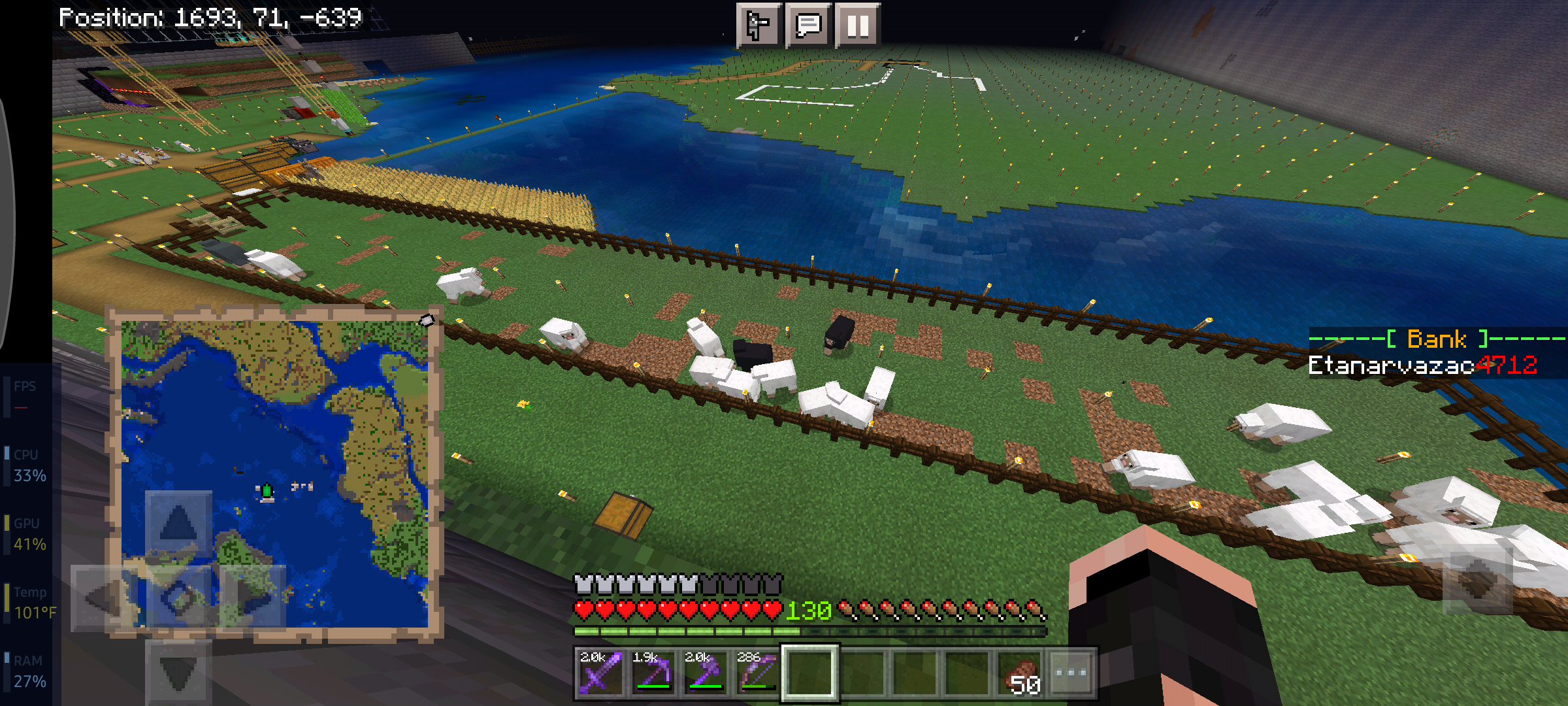

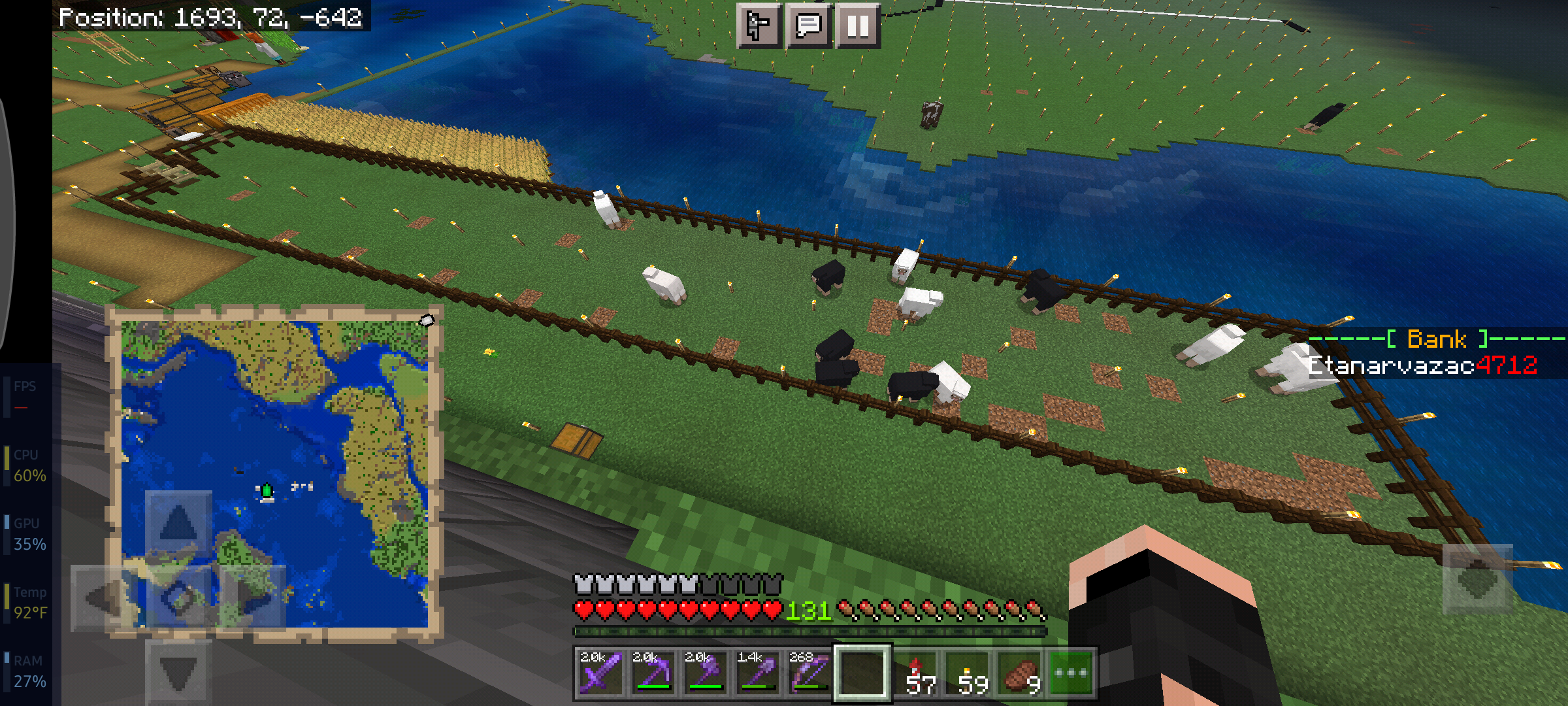


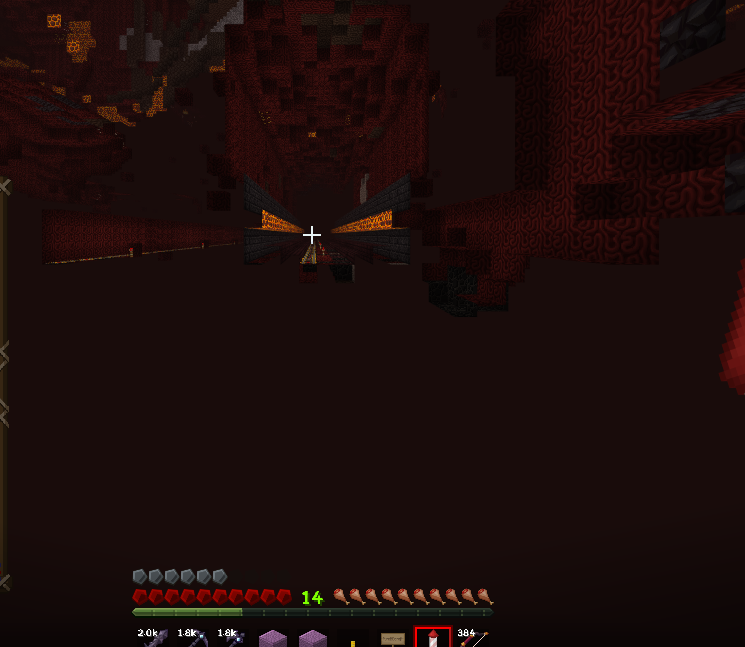
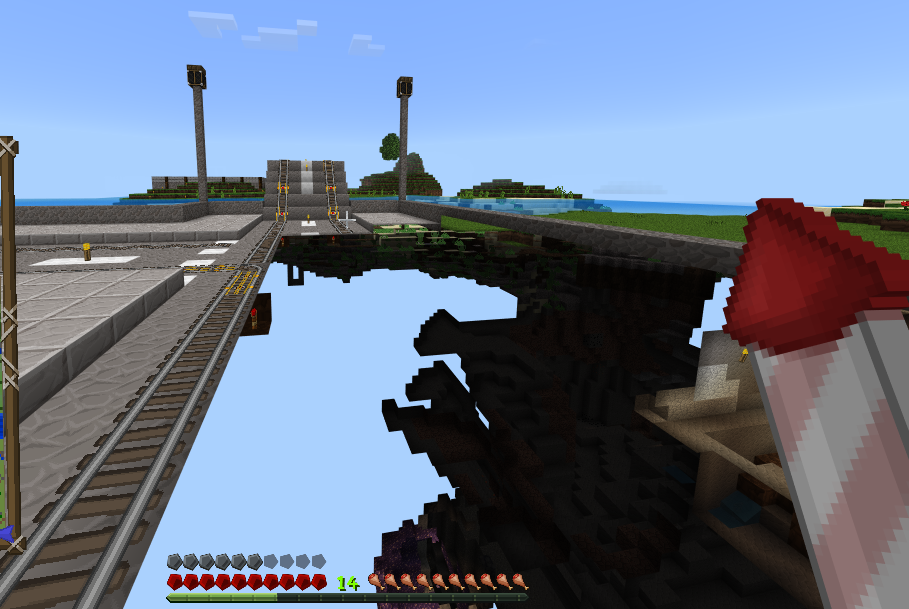
Marketplace will start a transaction but won't complete it. Even after restarting MCPE, error persists. I opened Google Play and launched MC directly from there and still received this error.
UPDATE : Bug delays purchases up to a half hour. Just received my purchase.
It's not just the servers. there is a issue with PE to PE connections. PE to Win10 works fine. But not sure what's up with same-device-type connections.
After double-checking all settings on MC and Xbox Live, it's still not working any other way.
Confirmed-Etanarvazac.png

[^Screen_Recording_20201022-005325_Minecraft.mp4]
(Added vid to my update)
I use one specific texture pack on mobile and console and chase to enable it from the main menu instead of doing so per-world. At first it works fine. Crash occurs after I launch MC again.Steps to reproduce:
- Launch MC and activate a texture pack fromvthe main menu
- Quit MC
- Launch MC
Observed Resault: MC crashes and when you launch MC again, it loads but with the "Global resources reset" banner across the top with the default appearance for the title screen.
Expected Result: MC launches normally and displays the resource pack on title screen (if pack has a custom title scren).
Additional Note: If the above steps fail to repo, add these steps prior to relaunching MC:
- Open any world that does not have a resource pack set in the world options
- After loaded in, wait a few seconds then quit to title
this was a dup of a Xbox texture pack startup crash as the webpage shown no signs of it's cration. Please close this.
Global texture pack enabled crashes MC on startupMods, this dup was accedental. Please close.
Android world access: New location denies players from adding customepacks or worlds
There was a point that was able able to use NPC's in Creative. The pack shown in the video linked below is one that I have been working on for my family's Realm. You can see in the Survival half that this GUI is packed with options. But in Creative, I can't get past the first part of the dialogue (which the initial button is part of the NPC herself and properly calls the JSON dialogue). I was able to beta test my work in the last version of MC from calling each individual scene (given some scenes required a certain player to open). However in 1.18.10, sub-dialogues won't open.
Video: NPC dialogues fail to open in Creative
Steps to Reproduce:
- Create a NPC behaviour pack with at least 2 or 3 scenes. Ensure the additional scenes are called from the first.
- Launch a world and /summon npc
- Use button mode (NPC setup prevents use of on-open commands) to call the first scene of the pack you just made then exit to save the edits.
- While in creative, open the NPC followed by Edit Dialogue and tap/click the button. This should have opened your first scene
- Press on the button for the second scene. This would have failed to open.
- Switch to survival and repeat steps 4 and 5. This time, however, the second scene should open.
Expected Result:{}
The second scene opens upon pressing the button regardless of game more.
Observed Result:
The second scene fails upon pressing the button while in Creative.
Removed a typo.
There was a point that was able able to use NPC's in Creative. The pack shown in the video linked below is one that I have been working on for my family's Realm. You can see in the Survival half that this GUI is packed with options. But in Creative, I can't get past the first part of the dialogue (which the initial button is part of the NPC herself and properly calls the JSON dialogue). I was able to beta test my work in the last version of MC from calling each individual scene (given some scenes required a certain player to open). However in 1.18.10, sub-dialogues won't open.
Video: NPC dialogues fail to open in Creative
Steps to Reproduce:
- Create a NPC behaviour pack with at least 2 or 3 scenes. Ensure the additional scenes are called from the first.
- Launch a world and /summon npc
- Use button mode (NPC setup prevents use of on-open commands) to call the first scene of the pack you just made then exit to save the edits.
- While in creative, open the NPC followed by Edit Dialogue and tap/click the button. This should have opened your first scene
- Press on the button for the second scene. This would have failed to open.
- Switch to survival and repeat steps 4 and 5. This time, however, the second scene should open.
Expected
Result:{}The second scene opens upon pressing the button regardless of game more.
Observed Result:
The second scene fails upon pressing the button while in Creative.
There was a point that was able able to use NPC's in Creative. The pack shown in the video linked below is one that I have been working on for my family's Realm. You can see in the Survival half that this GUI is packed with options. But in Creative, I can't get past the first part of the dialogue (which the initial button is part of the NPC herself and properly calls the JSON dialogue). I was able to beta test my work in the last version of MC from calling each individual scene (given some scenes required a certain player to open). However in 1.18.10, sub-dialogues won't open.
Video: NPC dialogues fail to open in Creative
Steps to Reproduce:
- Create a NPC behaviour pack with at least 2 or 3 scenes. Ensure the additional scenes are called from the first.
- Launch a world and /summon npc
- Use button mode (NPC setup prevents use of on-open commands) to call the first scene of the pack you just made then exit to save the edits.
- While in creative, open the NPC followed by Edit Dialogue and tap/click the button. This should have opened your first scene
- Press on the button for the second scene. This would have failed to open.
- Switch to survival and repeat steps 4 and 5. This time, however, the second scene should open.
Expected Result:
The second scene opens upon pressing the button regardless of game more.Observed Result:
The second scene fails upon pressing the button while in Creative.
NOTE: I couldn't find a ticket related to this after 30 minutes of searching and several search parameter adjustments.
Occasionally the inventory would glitch resulting in invisible items to be present or seemingly vanish completely. I have witnessed this on Xbox and Android versions in both personal and Realm worlds. This isn't easy to recreate, but does happen frequently. This mostly happens with stackable items (gravel is most famous for it) collected at any speed, but has affected Shulker Boxes and tools. Either two things can happen:
- Item is literally gone until you leave and rejoin the world or realm but the space in your inventory is considered occupied and no other item can use it.
- Items In a stack are visible, but you can't move the stack from the slot it's in until you either join and leave the world or realm, or you pickup another block that can join the glitched attack (in some cases, picking up more doesn't work).
You might be able to reproduce the stacked version of this glitch by using an efficiency 5 tool and haste. However, it can happen even without any buffs to speed. I will try getting a screen recording of this next time it happens.
NOTE: I couldn't find a ticket related to this after 30 minutes of searching and several search parameter adjustments.
Occasionally the inventory would glitch resulting in invisible items to be present or seemingly vanish completely. I have witnessed this on Xbox and Android versions in both personal and Realm worlds. This isn't easy to recreate, but does happen frequently. This mostly happens with stackable items (gravel is most famous for it) collected at any speed, but has affected Shulker Boxes and tools. Either two things can happen:
- Item is literally gone until you leave and rejoin the world or realm but the space in your inventory is considered occupied and no other item can use it.
- Items In a stack are visible, but you can't move the stack from the slot it's in until you either join and leave the world or realm, or you pickup another block that can join the glitched stack (in some cases, picking up more doesn't work).
You might be able to reproduce the stacked version of this glitch by using an efficiency 5 tool and haste. However, it can happen even without any buffs to speed. I will try getting a screen recording of this next time it happens.
I regularly get the following error for hours after launching MC:

What I've tried to resolve this (in no particular order):
- Launching a different MC version
- Checking firewall settings
- Reinstalling MC
- Reinstalling MC versions (Affects any MC version)
- Logging out and back in
- Restarting my router
- Checking router settings
I've also verified my computer is reaching the API site successfully via Edge, Command Prompt, and Powershell. All of which were successful.
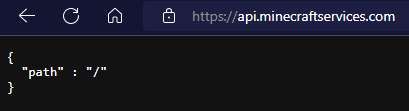
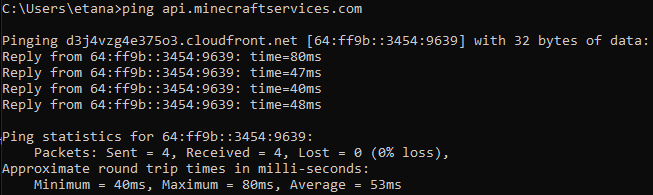
This issue seems to be getting worse by the day, taking longer and longer to suddenly resolve itself just to repeat the next day. I'm out of ideas on how to get this to resolve and now assuming it's an issue with MC (either the launcher or game itself, hard to tell).I regularly get the following error for hours after launching MC:
What I've tried to resolve this (in no particular order):
- Launching a different MC version
- Checking firewall settings
- Reinstalling MC
- Reinstalling MC versions (Affects any MC version)
- Logging out and back in
- Restarting my router
- Checking router settings
I've also verified my computer is reaching the API site successfully via Edge, Command Prompt, and Powershell. All of which were successful.
This issue seems to be getting worse by the day, taking longer and longer to suddenly resolve itself just to repeat the next day. I'm out of ideas on how to get this to resolve and now assuming it's an issue with MC (either the launcher or game itself, hard to tell).
[BE & Realms] Pillagers are NOT spawning at Outpost after building raid farm
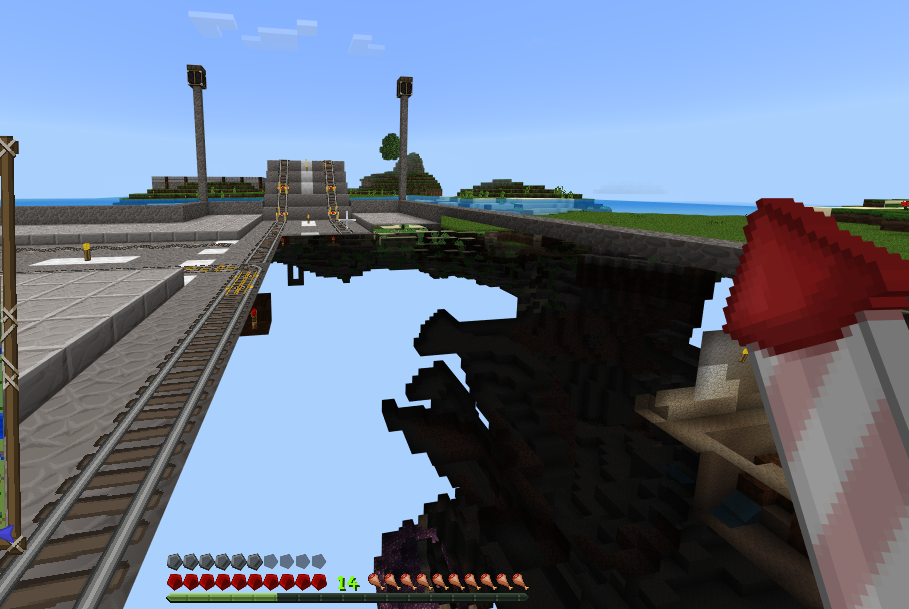
Chunks are failing to load whenever traveling quickly. In the attached image, this is from an Elytra flight which I'm glad I wasn't killed by "kinetic energy". Chunks eventually load, but I have actually died several times due to this. 3 kinetic energies and at least 2 "fell from a high place" spite being waaaaay above world build limit while I was filling out a max zoom map.
Chunks are failing to load whenever traveling quickly. In the attached image, this is from an Elytra flight which I'm glad I wasn't killed by "kinetic energy". Chunks eventually load, but I have actually died several times due to this. 3 kinetic energies and at least 2 "fell from a high place" spite being waaaaay above world build limit while I was filling out a max zoom map. This chunk was like hitting a brick wall...
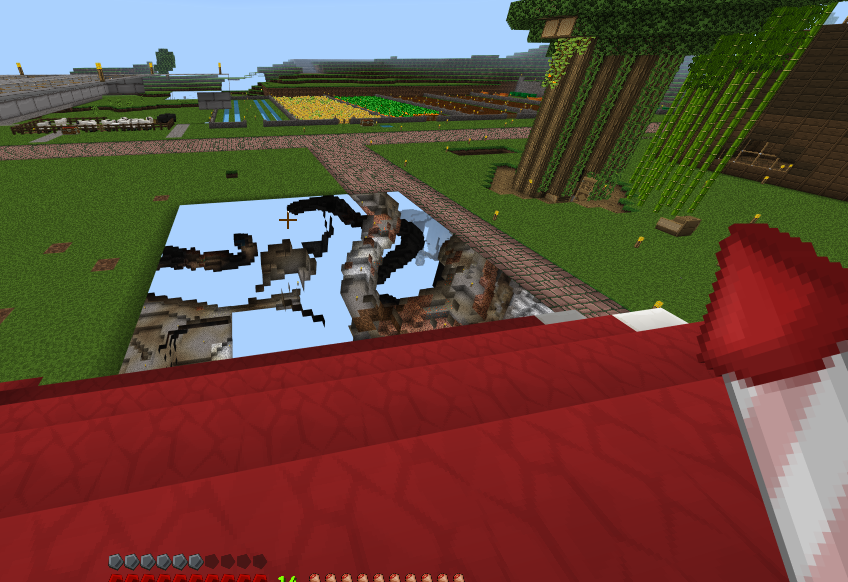
This one actually delt suffocation damage to me ^^^

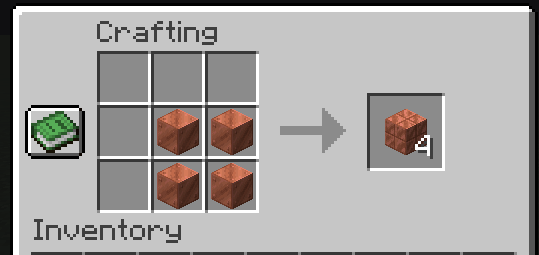
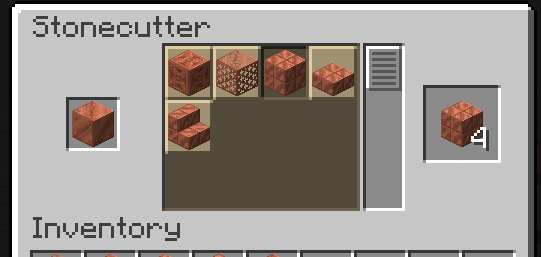
Converting a single copper block to any variant in the stonecutter causes 4x of variant output. Doesn't matter if it's Cut, Chiseled, Grate, Stair, or even slabs. 4x the result (slabs will show 8). Check out the clip I've attached. I have even displayed F3 to show this is vanilla directly.
Reproduce:
- Make copper block
- Place block in stonecutter
- Observe output is 4x no matter the variant.
EDIT: Provided screenshots of crafting the Cut Copper from the Crafting Table compared to the Stonecutter.

@Etanarvazac Revorix a good point. I will write a detailed manual later the day. But if you take the name from inside the levelname.txt, there should be no errors i think.
Just ending my nightshift now and work on that later 
Etanarvazac Revorix: Your hopper clock must have lost blocks for a different reason, because items in hoppers are not entities (or mobs, obviously). However, your second comment (that uploading the clip to Google Drive, outside the game may have caused mobs in the game to disappear) could be a very useful clue if it's reproducible. If you can make something like that happen again, please comment again with the details.
![[Mod] EVGENSYPERPRO](../../../data/avatars/users/92853.png)
Etanarvazac Revorix please provide a source.
Etanarvazac Revorix this is MCPE-153196.
I've had villagers that I've locked in their homes (dirt barrier 2-blocks high directly in from of door) to ensure their saftey as I build barriers despawn.
Confirmed.
Version: 1.14.30.51 beta
Platform: Android 9
Device: Samsung Galaxy A10e (SM-A102U)
Confirmed. That explains a lot...
Version: 1.14.30.51
OS: Android 9
Make: Samsung Galaxy A10e (SM-A102U)
I have a bad habbit of starting raids. This bug is annoying and makes raid levels harder than what they're supposed to be.
Little more than confirmed... My 3x3 piston door no longer works due to this. Direction of redstone is going to the wrong piston....

The redstone should be going straight. Not to the left. That piston shouldn't be active yet..
Confirmed for 1.14.30.51
Made mini-vids of it...
@Best Gamer EverYT
I am running 1.14.30.51. Bug still persists.
@Best Gamer EverYT
Ah. So Google Play didn't annoy me about updates for once. Worse that that: failed to say anything. Updated.
I am on Android... This bug ruins a weekly game play session with friends 4 friends...
Also, I would like to add the "Use Cellular Data" toggle is pointless if you cannot play on another's world. That could be a work around for those of us with unlimited data but, MC demands wifi is to used to join friend worlds...UPDATE: The "Use Cellular Data" toggle does nothing more than allow you to use the Marketplace right now. It is supposed to allow multiplayer over data too. But after doing some testing, that is found to be broken too.
VPN work-arounds do not work either. MCPE will base your data signal over VPN signal. Which means the typical Java edition work-around failed (though it worked on many other games).
Adding these to my updated comment.

This is a duplicate subject. There is a big multiplayer bug going on right now that won't allow players to join each other's worlds period. Even if the friend tapped/clicked/pressed on the button in the Friends tab of the world/server selection screen.
I have tried both WiFi and Data.
Having the same issue. Only, it goes deeper than the block. I am trying to condense what would be hundreds of blocks into a file but the execute command only effects closest to the command block. Both in a file and in the block itself is not working. I am trying to remaster my old parkour map that I was reconized by Utk io (Android app for all MCPE) with a cleaner, more functional appearance but this bug is stopping that.
@Edward I will have to give that a try. It would definitely be weird for it to work that way as it is technically a syntax error. But perhaps a good workaround for now.
like PC, you cannot be right against a block in line with the one you are placing. Back up a tad bit and it should place like normal. If it isn't, then it would be bug. I personally have not encountered this issue.
I added a clip (see below link) as I am also having this problem. However, I have discovered a temporary work-around (though the workaround sucks everytime a pack is updated). This work-around does not work on console as you cannot access MC file directory. This works with Windows 10 edition and the Android and iOS versions.
MC Behavior Pack Bug & Work-around
Mods: If wary of link, here is the destination preview as I shrink links with TinyURL. Also, I run version 1.16.210.53 Beta.
So it could be lag spikes. I never have that issue given my phone has 6GB ram.
I notice this issue when I quick swap between apps and return. My device runs on 6GB ram and keeps multiple apps in last known state. In this case, MC while I swap apps or sometimes when I leave my device's game screen lock feature. Usually leaving and returning again fixes this issue. Sometimes I actually have to restart MC entirely.
@Umija5895M It did not matter what pack is used. All steps are in the clip I made. I used my own pack in clip. But the global pack is not just my own. It is also ones updated by other developers. Like my Tree Capitator add-on for modded survival worlds won't update unless you manually go into every world the said add-on is in and replace them yourself via the file directory and not in-game.
Observed: Behaviour packs fail to update in-game using /reload for current functions and fail to update when the global resource pack is updated and MC is restarted.
Expected: Behaviour pack reloads current files using the command and all world packs update when global pack is updated with MC restart.
@Umija5895M I have made
MCPE-112467with a detailed summary, steps to reproduce, and temporary work-around (if any). Please add Windows 10 to the affected versions as I have this issue on Android as well.Affects 1.16.210.53 Beta. Though, not as much as it did in 1.16.201 Hotfix. Beta version mostly addressed this issue. It is rare to occur now which is a whole lot better than over half of the time.
Rest assured. I run 1.16.210.53 Beta and this bug cannot be repo'ed. Just checked.
I run 1.16.210.53 and do not have this bug.
@ItsEmbezz This did not happen in earlier versions. First notice was around June 2018. I personally did not see it prior to then.
@Giye It's any block. My screenshot (attached above) is in a grass block while on a horse.
Llamas follow other llamas (see Caravan achievement). The only way it would be a bug is the other 2 llamas had leads connected to the trader (making 4 total).
This is a duplate issue of MCPE-36190.
Perhaps iOS does not support that keyboard?
This could be a Sony problem. Sony initially declined cross-platform play when Microsoft asked. So it would not suprise me if they started having crossplay as a PS+ feature.
@Daniel Lu Theretical 0, or absolute 0? There is a difference based on seed entry. Putting in 0 would just give a random seed whereas putting in the correct translated string would be absolute 0.
Confirmed.
Loot tables probably changed a bit. I noticed too and I left the beta a while back prior to seeing this. I would recommend getting the More Treasure behavior pack for this as it improves the loot tables.
WARNING: Enabling behavior packs on a world will disable achievements. Use at your own risk!
This isn't really a bug. If there was a mob (such as a skeleton or zombie), they would've immediately equipped your gear and weapons. Upon dying, you lose a fraction of your XP. In most cases, dropping you down to 7 levels is amount is over 10-15. Also, if you died where a block is between that and the ground, your items could be on that block. For example, you hit the very top leaves of a tree. Items would sit on top of that tree.
Internet crash? Your worlds are accessible offline. The only tie to the internet would be Xbox Live and that cannot delete worlds as that just allows multiplayer. Check where your world save location is: Main Menu > Settings > Profile > Storage Location. Maybe you somehow switched between internal (inside MC directly) or external (outside MC and can accessed by file explorers).
Also, as everyone always recommends, back up your worlds regularly. I personally would do backups twice a week for worlds of that age. Worlds of lessor age, maybe once every week, week and a half.
Check where MC is watching for worlds. Default location is internally (in app). Everyone changes it to externally (accessible by file managers like how you explained). You can check here: Main Menu > Settings > Profile > Storage Location
Can you send a screenshot of what you mean?
Could be PlayStation issue. Two games can be affected differently from one issue. For example, you can install mods for Elder Scrolls: Skyrim but not for Minecraft. I would recommend checking if you have issues getting in-game mods from other games too (like the above example) then come back here if other games are working fine for their mods. If you are having a similar issue elsewhere, then this is definitely a PlayStation issue.
I partially have this issue. Only, the breaking is preventing players from logging in (including me, the host of the Realm). Had to unchecked "Force players to accept packs" option to stop the login issue.
Do you have the "Limit background apps" option enabled from the Android Developer Options via your device settings? This was a issue I had and that option was the answer. Basically, you want that option to be off.
It is definitely a bug. I actually have a similar issue I created moments ago about Shulkers in End Cities. I had like, 5+ Shulkers in 1 XYZ cord.
(See MCPE-119164)
Definitely isn't since the crafting recipe was removed a long time ago... I did find a working glitch for many achievements through Android though. DM me via Xbox if you can and I'll explain. Gamertag is Etanarvazac
Huh. Maybe since it's discovery, Mojang added it to the random seed generator instead of it being avoided
I agree. 3rd month I have had my realm and I still cannot go back to view the progression from the feed. I am on Android and Xbox One and neither version display the feed.
Have you and friend check you are on the same network (e.g.: home5 is different than home2.4 even if they are hosted by the same router). Also ensure than in cases of a LAN game, that port 19132 is open in the router settings and is not being used by any other app on any device.
Those fixes you may have tried. But they are that common. The other option is to ensure both your Microsoft account and your friends have multiplayer play allowed. Some accounts have that blocked. And, even if playing on LAN, the connection online to that setting can still bar play.
Ensure the world settings do not block other players. From the edit world menu, navigate to Multiplayer and ensure those settings are enabled.
The final idea I will bring up is a long shot as bedrock handles this differently than Java. Under servers, in case the world is hosted on LAN, hit Add Server than for the IP address, put "localhost". Then hit Add.
I hope one of these methods resolves your issue. In any case, leave an update here if it doesn't. Good luck!
Try re-installing MC. I would recommend backing up your stuff, but MC now prevents access to it.
@SR5798 Google Files won't even display the files in /storage/emulated/0/Android/Data. Given a Google app can't, Z Achiver won't be able to either.
@Marek Kedzierieski I would blame Google for the permission blockade. But I can also blame Mojang for moving the directory to a barely-view-only folder.
This isn't a bug, really. I personally use a 24-chunk radius (render distance). Meaning I can do around 400 blocks away. But anything about that gives me this error message. Basically you're trying to fill into chunks that have not been generated or loaded. MC does not place outside of your rendered area.
Which they used to do. Suddenly this is no longer an option...
@Marek I've notified the developer of the X-Plore file manager as they was able to get a work around for Android 11. The got back to me and said they will look into it when their device upgrades to Android 12. But that won't be until sometime January 2022.
Though you can do this on rooted devices easily, rooting your device can potentially void your device's warranty and may even make it ineligible to be on a service carrier's network. Root at your own risk.
@Herby Correct. As a map creator (via UTK io app via Google Play), this prevents me from revamping my map with the use of behaviour packs.
Duplicate of
MCPE-149447There is an app dev looking into this. But they won't be able to test until Android 12 hits their device in January.
@Rihaan I just took a look at that app. The foldet is hidden if you try to move or copy something to it, and read-only if you are just browsing it. Doesn't allow editing, unfortunately.
@Keenan Only being able to look at the files in there is the problem. Map creators (such as myself) can no longer modify (edit, add, or remove) anything in that folder. Which really sucks as some of the behaviours in one of my worlds is no longer available for me to work on. All I get to do is see my unfinfinished work as it taunts me.
@Jay Wells Samsung Galaxy S21 5G. Android Version 12
@Denis This workaround failed for me.
@Denis After playing around with it after the initial few attempts, I was able to get this working. I will be uploading a detailed vid on it later. Basically, the characters you use in the file name (and how many) affect MC's ability to import the world. For now, I'd recommend keeping a max of 32 characters and only with letters, numbers, and spaces. For example, Castle Build 12-10.mcworld won't work but Castle Build Dec10.mcworld will. The dash "-" seems to cause the import to fail.
Temporary Workaround (Worlds only):
Click here to view original post.
World Backup:
Simply copy your world from Android/data/com.mojang.minecraft to where you store them.
Restoring Worlds:
MC 1.18 World Restore Workaround Video
I know the video quality isn't perfect. But it's enough to know what's going on. If I raised it higher, video would jump from 39MB to well over 300MB.
Note: This workaround only works on your worlds.{}
@Manjot If you're referring to Blocktopograph, it is partly in development. No one has been able to reach the original dev that has it on Google Play in order to push an update out.
@Matt It'll get fixed. I do know your frustration as it has happed to me before when it was still called "Pocket Edition" The other thing you could look into is logging into your Xbox Live in your browser and double check account security & saftey settings to ensure nothing is blocking it from there.
This goes further than a sync issue for me.... My console is stuck with 1.17 and won't show any later versions...
There is another issue with NPC's that is a seperate bug. That bug deals with NPC names not able to called upon by the name arguement (e.g.: /tp @e[name=Shopkeeper] Etanarvazac). In that example, you will get the error "No targets match selector".
if your device has the front camera in that area, this is not a bug. It's intended. However, if you really want it to go to the edge, you can force MC to do this:
@GoldenHelmet I am on Android and having this issue. In fact, this is also affecting the realm I'm part of. I'd have 30 sheep fenced in spanning 3 chunks and I come back online to a mere 8. This has also reduced my tamed cats. Had 1 of every skin, came back on to only 3 cats total. I will see if I get a clip of the bug for you.
Xbox One S - Same issue. I've used "Report a Problem" over the course of 4 months with no prevail. I'm not getting any updates. I'm just glad I have my phone. Able to play 1.18+ on it...
I think this is more intended. Spite the fact that no structures generate in a flat world, it still has a seed. That being said, if yoy use that world seed and go to the cords given by that map, there should be the ocean monument there.
This effects player bed use too. Maybe not as bad, but I've skipped to dawn an was somehow sharing cords with Shulker Boxes and Chests.
One thung I will add to this, MC still has an issue linking a noted dependancy between manifests. A few of my mine (e.g.: Lockable Chests by Anniboy) is marked with "Missing dependancy" in-game. I checked both the resource and behaviour manifests, they match up correctly with the other's UUID and version.
This has had an effect on redstone clocks as well. Given chunks refused to unload, I did catch my grinder's clock lost items (again). And given they are considered as an enity in some cases, I have a clip of it.
Vanishing Enities
Note from [MCPE Mod] Auldrick: I edited the link to correct the URL.
And the moment that clip finishes it's upload, sheep vanish again.. Both clip and the following pick were taken on a Realm.
Video Example
@Auldrick I literally just hopped off the Realm a little bit ago as my device battery was low. After reading your reply afterwards, I waiting a few minutes (ensuring chunk unloads), then got back on to check sheep (which I did breed while on as I am using wool as a build outline). Here is the new screenshot. Most vanished again. There was ~19 in the first screenshot sent. Now (even after breeding), I'm down to 12.
@Auldrick I literally just hopped off the Realm a little bit ago as my device battery was low. After reading your reply afterwards, I waiting a few minutes (ensuring chunk unloads), then got back on to check sheep (which I did breed while on as I am using wool as a build outline). Here is the new screenshot. Most vanished again. There was ~19 in the first screenshot sent. Now (even after breeding), I'm down to 12.
@GoldenHelmet I'm sure it's not a player. There are 4 of us on there and we are all 1,000+ blocks away. Only meeting point is the center (world spawn) which is linked by NPC's (and don't teleport players to bases that aren't theirs). And the pics were taken & uploaded here an hour apart from the other. I'll get back on, breed more, take screeny, then leave the area for a bit. Will post update later.
On another note, I'm not sure why my last reply duplicated...
As for the clock, I'll check chunks to see if rides a border. If not, I'll look for a report here.
First, I must apoligize for the late reply. Something came up. I was just on the realm a little bit ago and I'm down to 16 sheep (from 29, see screenshots). These are not counting any outside the fence.
Edit: These screenshots are in the 1.18.12 Hotfix
3.1
3.2
@Auldrick All off my screenshots have been 1.18.10 & 1.18.12.
Edit: In any case, hopefully 1.18.20 does resolve this. However, the release has yet to reach public level.
So I was right on the money, given my pen crosses 3 chunks.
@Sara Look at your cords. X: 0 Z:0 Always represents the start of a chunk. So if you place a torch at 0,0 and then one every 4th block, the next chunk is evey 4th torch placed. If you look at my screenshots, this is a method I use all of the time. If you are as far from spawn like I am in those, start calculating multiples of 16 on a calculater until you reach your cords (X and Z, seperately). Also, there are tools out these that when you input your seed, it will show your chunk borders.
Edit: Also, if memory stress is the issue, I would recommend as (at least during the issue), that on the edit world screen, changing Simulation distance to 4 chunks (lowest setting).
@Sara Very true. That is one thing I used regularly on Java. The math of the method outlined is only if you're far from 0,0. I usually double until I reach the cord I need. For example with 1693: 16, 32, 64, 128. . . 1024 (then less based on prev multiple) 1536 (+512), 1664 (+128), 1696 (+32). So I know 1696 is on a border.
@GoldenHelmet The build was built after taking the 3.1 screenshot. I just got busy with some other junk and didn't get back to it (3.2) for a little over a day. There are indeed 3 chunks between. The build does go back another 2.5 chunks. So I must agree with you on the constant loading and unloading of chunks.
Answers:
This has been an issue since the Character Creator was introduced. Also, there was a time when switching online that the character creator would even reset your online skins. I really wish when openning MC, it defaults to an offline skin that was made instead of Steve or Alex – which was a thing prior to the character creator's addition.
I agree with this. The only work-around I found that has kept this from being an issue is casting my screen to a TV via wired connection. Without casting, I can only use the keyboard or the mouse, but not both at the same time.
@AJ8967 Wrong. I cannot reach 2 blocks in front of me in Creative. How is that "Works as intended"? Watch the clip. Shows was I mean. I know the distance is reduced. But not down to 2 blocks, for one. Secondly, I can reach 3 blocks in Survival just fine. But the second I enter Creative, I cannot place a block litterally 1 block in front of me until I move around in like, 30 different ways. Sometimes I've even had to go to a different adjacent block just to place something (any that is limited to non-directional blocks).
Edit: Also, I'm well aware of java's short reach as I played on only Java for 2 years prior to bedrock.
Called Xbox the other day. They don't have a solution for this and told me to reach out to devs. Sofurther updating in regards to my last update 6 days ago.
Edit: Furthermore, I have tried uninstalling and reinstalling, uninstalling, waiting a month and then reinstalling, uninstalling, opt into beta, wait a gew days, reinstall, and every methid Xbox Support gave me. Nothing's working.
This effects mobile when using mouse & keyboard. I typically get the issue where the slabs combine into a full block (even if I am not on the right side to combine tthem)
Reproduction steps? I've not seen this to be an issue.
I want to say that it's WAI. Though I'm not fully familiar with their spoawn habbits. However, a Snowy Slopes Mountain should be a logical spawn biome for them.
What is wrong with 3 | 4 or THREE | FOUR or even 2 | 4? I am trying to map out a good chunk of a Realm and the map name keeps resetting when placed or whenever you make a new map (given it oddly resets the name set on the previous map). This is an issue in version 1.18.12.
Steps to Reproduce:
Expected Results:
Map name stays as it was set
Observed Results:
Name is immediately reset.
Other map names & formats attempted & was reset:
Above naming formats revised to be accepted:
Additional Notes:
See the screenshots and video clip in this Google Drive folder. In the clip, you can see names 3 | 4 and THREE | FOUR be reset (watch hotbar upon attempting to place map in frame) while 03 | 04 works fine. Which doesn't make any sense as it's basically the exact same as the 2 that were reset.
The line breaks and text formatting on signs is also still a major issue. I've had to resort to command block messages in order to get around really stupid sign filtering. Below is an example of what I put compared to what is actually put on the sign.
So utilizing "/tellraw" or "/msg" works better. Though I will add, I never expected the "Hashtag endemic" to invade MC as bad as it has most other games... Also, the formatting codes are regularly hit by false positives. §fKelp for example, thinks you're using abbreviations to swear. I'm just going to create a document that contains a lot of the false positives and post them here. This filter is really irritating and needs some major work.
Edit: This filter has invaded player worlds now too. I'd mark a chest just for all the text to vanish or be tagged.
For Xbox Players:
I managed to figure out a solution that might work for you. The following things are what I checked and/or changed. I am unsure which one did it, but it may be worth a shot:
NOTE: Try these in any desired order. Hopefully one of them works for you. If one does, please say something here to help your fellow Minecrafters.
EDIT: PC players, check your Insider hub the PC equivalant of these. If you do, try leaving them. If it works, please update us here.
@Brandon Abraham Uvalle This is incomplete as there's not enough details for this. Please provide steps to reproduce the bug. Screenshots or video clips are also helpful (if clip is too large for posting here, upload to Google Drive or another storage and share link here (no ad links)).
Are you meaning in inventory, or upon derailing a minecart? Also, probably help to add reproduction steps.
This is a duplicate. However, the ticket is well buried.
Can confirm and outside beta version. However, I am not sure if that specific parity was added to bedrock yet.
Unfortunately, this isn't a bug. Yes, it is annoying (as my screen curves as well), but hopefully (if anything) it can be implemented that way or include "Back" or "Exit" (respectively).
This might be the cause of Xbox doing the same, but only with texture packs.
Can confirm. I have many try an attack even just to get stuck in the slab itself (e.g.: A porch on a hourlse build).
Platforms: Android & Xbox
World Types: Singleplayer & Realms.
Occasionally I have this issue and sometimes a texture pack is the cause of it (even if the pack has no character skin modifiers)
Another example that is missing:
<player1> was killed by <player2> using <weaponName>
Also, I have found behaviour packs are not able to change the specific causes anymore and some items override others. For exanple, 2 entries deal with a basic fall. If I change generic to "<player> tripped over air" and the other to "<player> tried to fly without an Elytra", the generic one is displayed spite the conditional variants stated in each line.
@Brandon Steps to reproduce? I've got several established villages near me in both singleplayer and Realms. I've not crashed when near or even when entered.
Skimmed over that sonehow. Either way, I've personally not encountered thus. However, it's something I'll have to see later.
@GoldenHelmet Sorry about my late reply. I have mainly noticed, and been able to reproduce this on Realms. However, I did find this self-same chunk unloading issue occasionally on personal worlds. I've literally stopped trying to get animal farms/villagers on either due to this. Latest being my makeshift village can hold up to 35 villagers. So due to this bug, everyone I had back in, villagers would start breeding again due to around half of them vanishing.
@Jay Wells Due to the security policies in Android 11 and 12, I can't properly get worlds as some of the world files are hidden from view in /storage/emulated/0/Android/Data/com.mojang.minecraftpe/files/games/com.mojang/minecraftWorlds . I'm honestly shocked any of files appear though...
This has been an issue for me on Xbox since 1.16. Global resources have never saved and it's really annoying....
This is now affecting me on Android as well
Here is a clip I recorded from my Xbox regarding this issue. This was on a Survival realm.
https://www.xbox.com/play/media/A4QRX3CXEDIT 7/25: It seems Xbox broke this clip and is only displaying the first 23 seconds out of the 5 minutes.
Still happening in latest update:
https://www.xbox.com/play/media/PRN2WHSZ
Made a correction (end of #2): "..join the glitched attack > stack (in..."
@EVGENSYPERPRO Core difference which made yours invisible to my 30 minutes search:
NOTE:
It seems the bug tracker's bug tracker needs a visit. Only your name is supposed to be in red. Not the entire comment. So I apologize if it remains that way as I tried to correct it.Editing without visual fixed this issue.EDIT 2: Listed more differences.
I literally found this exact scenario in MC Bedrock 1.19.10. 10-11 monuments surrounding a massive mushroom island near spawn. Seed: 7145029056561189374
Another seed with monuments near (and cords): 1879034213769205424
1: -5130 74 68 (1 monument, tiny mushroom island)
2: -6121 74 220 (2 monuments, medium mushroom island)
These moments are all oddly having their backs to the island.
Mods: I know this is a Java post, but the seeds should work between both editions if I recall updates to Bedrock Edition correctly.
After exploring the first seed I gave, I found a whooping 23 monuments, 3 mushroom islands in a 3,500 block radius. All cords listed below.
Seed: 7145029056561189374
Spawn: -855 68 546
Mushroom Islands:
. . 1 (XL) -215 77 184
. . 2 (XS): -1750 77 2215
. . 3 (M): -1352 77 3083
Ocean Monuments:
Can confirm in version 1.19.20 on Xbox. Custom skins for other accounts won't load and guest accounts never save. This also affects any settings set by the player. Example: FOV set to 90 when playing solo, resets to 60 while joining via split screen.
Furthermore, saved skins don't appear in skin creator while being Player 2, 3, or 4.
Hi Sabastian,
I use a physical keyboard and mouse myself. The behaviour of the Xbox On-Screen Keyboard is an Xbox thing. It's automatic and cannot be removed like on Android. I personally with a "Hide On-Screen" option was available, but this is not an issue Mojang can resolve.
This a vanilla parity fix that everyone is waiting on. I hate this as moving multiple mobs will cause them to bounce off the "frozen" minecart on a 1-way rail, even if all rails are powered.
Can confirm.... When loading back in, my cords in the Nether became my cords in the Overworld. If it wasn't for quick thinking, I would've suffocated in stone underground (portal was at 60 8 23, Overworld cords became the same).
JAMES, upload it to a cloud service. I personally use Google Drive or OneDrive (both under my game name) for my upload need.
Hi Emerald,
Due to Android security, we have to take an additional step to import worlds. You will need to create an .mcworld file in order for the world to import. Using multi-select in a file manager that can create .zip files, select all files in the world folder directly (not the Minecraft worlds folder). With all selected, you'll need to select Create ZIP and when asked the name of the ZIP file, change the extension to .mcworld. For example, "My world.zip" should be "My world.mcworld"
Hope this helps resolve this for you.
The file would just need to be saved. Doesn't matter where. After saving, it'll get the MC logo. Tapping on it would launch MC with a banner saying "Importing world..." at the top of the screen after loading to title.
For Android, I recommend using X-Plore. It's a powerful file manager for Android in Google Play that does have the ability to create ZIP files.
To clarify the "hidden" worlds, they are located at /storage/emulated/0/Android/data/com.mojang.minecraftpe/files/com.mojang instead of /storage/emulated/0/com.mojang. This location change took effect on Android 11 and newer because of Scoped Storage. Scoped Storage prevents apps from modifying other app's files. Using X-Plore, you'll be able to see the files in the new directory (Root > Android > data > com.mojang.minecraftpe > files), but won't be able to add, remove, nor modify anything in that folder.
Edit: When you zip the world's, do the files of the world in the selection, not the folder itself. So if it is 2 worlds, you should have 2 zip files as .mcworld and not .zip.
Can confirm. But I was less fortunate on the teleport. Nearly suffocated in stone (2 hearts left) when I loaded in. Thank Notch I had my pickaxe already in hand when I went through the portal....
This isn't really bug. This is as intended. Similar to the Bonus Chest.
This also occurs when you play the horn and walk away. It doesn't take long for the horn to fade away.
This could relate to the inventory glitch noted in
MCPE-158802.My mistake. Thought the two were closely related enough to be one ticket.
Should this toggle not be as intended, I'm sure this bug would've been reported when the toggle was first introduced. I've never seen this toggle lit after world creation. I may not have a direct source, but do know this has been a thing in earlier versions.
It would be whichever you encountered the bug in. Also, if you made the .mcworld file from the main world folder, it will break. Select the contents of the folder then zip it into the .mcworld file.
If it was a realm, yes. Realm backs up every 30 minutes.
Hey EVGENSYPERPRO,
After doing some testing, it appears that they apparently can detect block heights in their pathfinding? So it you place an egg and place a block above it with a 1-2 block gap, pigmen will ignore it. But the moment block is removed, they go to break the egg. Is this something new that I've missed? Because it also applies to the scenario of a 2 block high gap leading to a 3 block gap (where egg sits). If Pigmen pathfind that they cannot walk over the egg, it is also ignored. So this one for farm design (seen here) made in an earlier version doesn't work.
Not sure if it is a bug, per sè, but I have noticed this myself. Quite annoying.....
Can you confirm these:
Try these:
I'd simply be walking through my base when I randomly take damage. This could very well explain the type of damage. Thankfully it's never enough to kill or nearly kill me.....
I have noticed Opped players can use the command in a world without cheats, but Members and Visitors can't. I honestly think this is good to have. However due to the trolling that can be done with it, it should be a toggle in player permissions.
Affects 1.19.20. The "Pick Block" button work around works for keyboard & mouse input as well as if you keyed it into a controller, but mobile players don't have this ability.
@Bartlomiej I know this is a late reply, but the issue was resolved in 1.19, thankfully.
Not sure if this will help, but what I do when portals refuse to link is actually doing the math and building the portal manually on both sides. So take the Overworld cords and divide it by 8. Y cords don't matter. Build the portal in the Nether at the cords you get from dividing 8 on the X and Z. After making both, light them. Should link fine. If not, portal linking broke more since the time I started doing this method....
Hi Umija,
I have my render set to max on Xbox (16 chunks) and max on Android (22 chunks) and in both cases, if I stood on 1 tower, and the dragon is directory across, as soon it reaches the other tower, it vanishes. The only way I can tell where it is, is when another player is involved on the opposing side firing arrows with a flame bow at it. Otherwise, it's literally a guessing game.
May be an old issue, but this is still happening in Java 1.19.2. In my case, villagers are teleporting through the glass floor to reach the beds under it. When they wake, they are partly inside the glass block. This is causing my iron farm to break as the villagers can no longer do their jobs because it's become out of reach.
On Bedrock, this doesn't happen. So I'm not sure why this is happening on Java.
EDIT: Attached a screenshot of the viillagers that are now stuck because of this. I am using PureBDCraft for textures. The blue villagers are the desert varient and the elves are savanna. Though, the bottom of this box they are in is all glass, including the edges.

This also effects 1.19.2 in function files. Both using the § symbol directly and indirectly (\u00A7).
This sounds more like an Xbox bug. It's very possible in the Alpha Skip-Ahead tier for stuff like this to happen. I'd report this to Xbox as it doesn't really pertain to a part of MC itself.
Could you please prove more details? A screenshot of the issue would also be a great help.
I'd say this is an issue. No other MC block that fits 2 categories are in 2 different Creative Mode menus.
Can confirm in 1.19.3. This is still an issue and lays ruin to mob grinders.
EDIT: Clip of this bug in 1.19.3
Check to see if your NAT type is Strict by going to Settings > Gaming > Xbox Networking. This may sound a bit odd, but like console, if your NAT is Strict on PC, you won't be able to join any servers, nor will anyone be able to join your own.
The NAT Type is something delt with through your router and not the Windows OS. Let us know if this is your issue as it may be resolved with some troubleshooting of the router.
Maybe a dupe? Are you implying you died randomly, or the message therein, Cogumelo090?
For the record, you'll see a Phantom knock me out of flight. In my opinion, these mobs are nothing more than a nuisance and this being 1 of the reasons why...
Can confirm this bug is back in 1.19... I've built 2 different versions of a raid farm and both failed...
EDIT: The previous work-arounds appear to make no difference to the spawns.
Still happening on 1.19.81. I am playing on the Windows 10 version and occasionally the Xbox One version. Both affected by this. I nearly lost everything I had whist flying with Elytra. Chunk load wall killed me with the death message "Etanarvazac fell from a high place" spite the fact that I was flying well above the world build limit (320) while filling a series of maps out. Thankfully I have a backup of the world. But I lost all of that progress I have made...
I have also died from this issue twice on a realm while I was hunting for a specific biome. Thankfully, the realm owner rolled back both times.
When I am only one in the area and standing clear into the sky (where the ground is past max distance for mob spawns, I'm quite certain there's no patrols. And yes, pillagers did spawn there before I began the build. Afterward completing it, they stopped spawning altogether.
Apologies for the [very] late reply. Been quite busy in reality since posting this...
Can confirm in 1.19.4.
Have you tried reinstalling MC? I have the Windows version as well and don't have this issue.
Can confirm on MC 1.20.0. Both on Realms and personal worlds.
Yes, BugTracker, Though this I feel like is a change that doesn't quite make sense given it's about the only block that gives so much on each cut... Especially when you look at the way it's done on the crafting grid. In terms of the grid, it would be beneficial to match by making the grid give 16 (4 per block in grid) instead of only 4.