![[Mod] EVGENSYPERPRO](../../../data/avatars/users/92853.png) [Mod] EVGENSYPERPRO
[Mod] EVGENSYPERPRO
- EVGENSYPERPRO
- JIRAUSER597277
- Europe/Moscow
- Yes
- No
 MCPE-115389
 MC-213280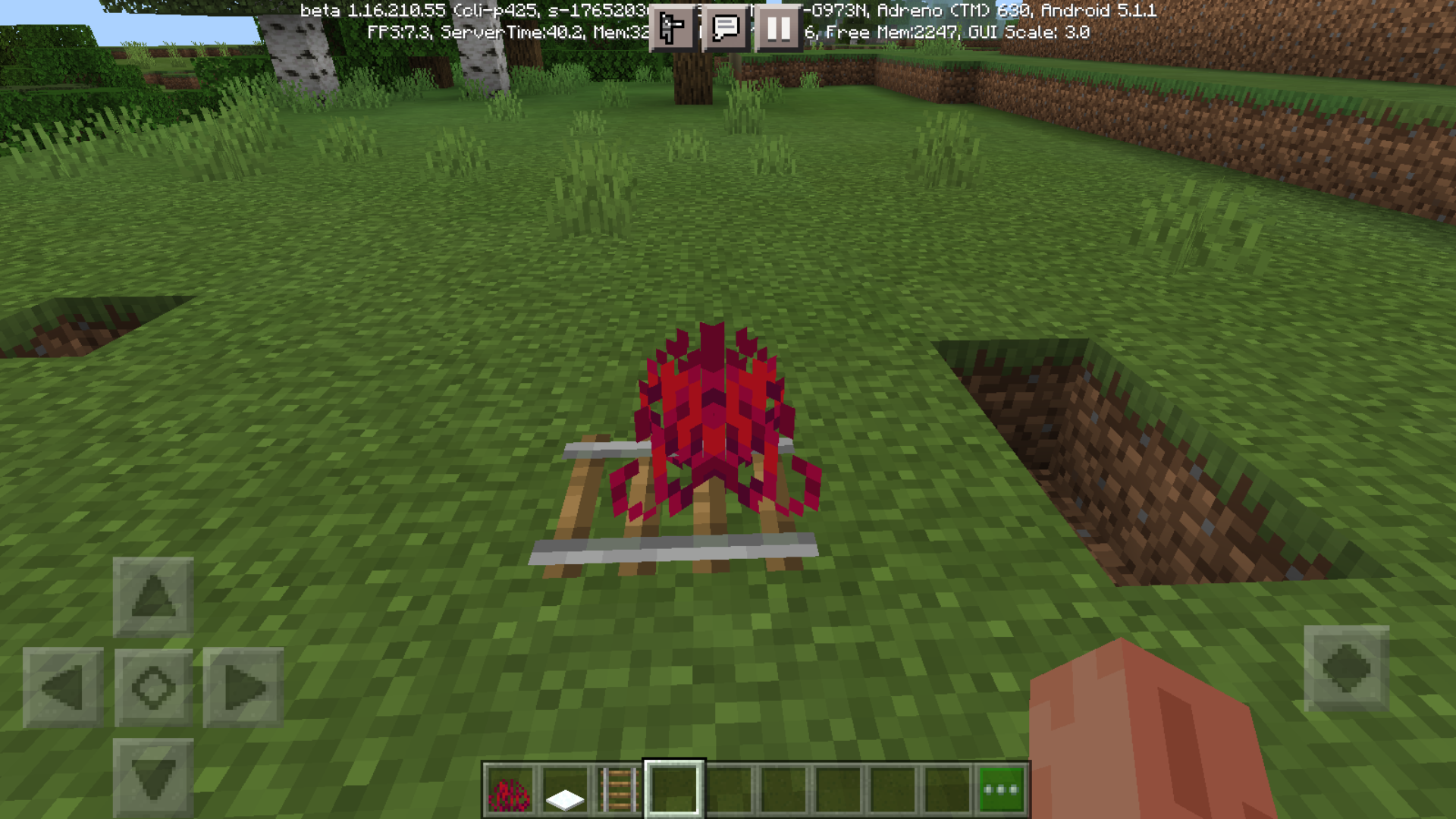


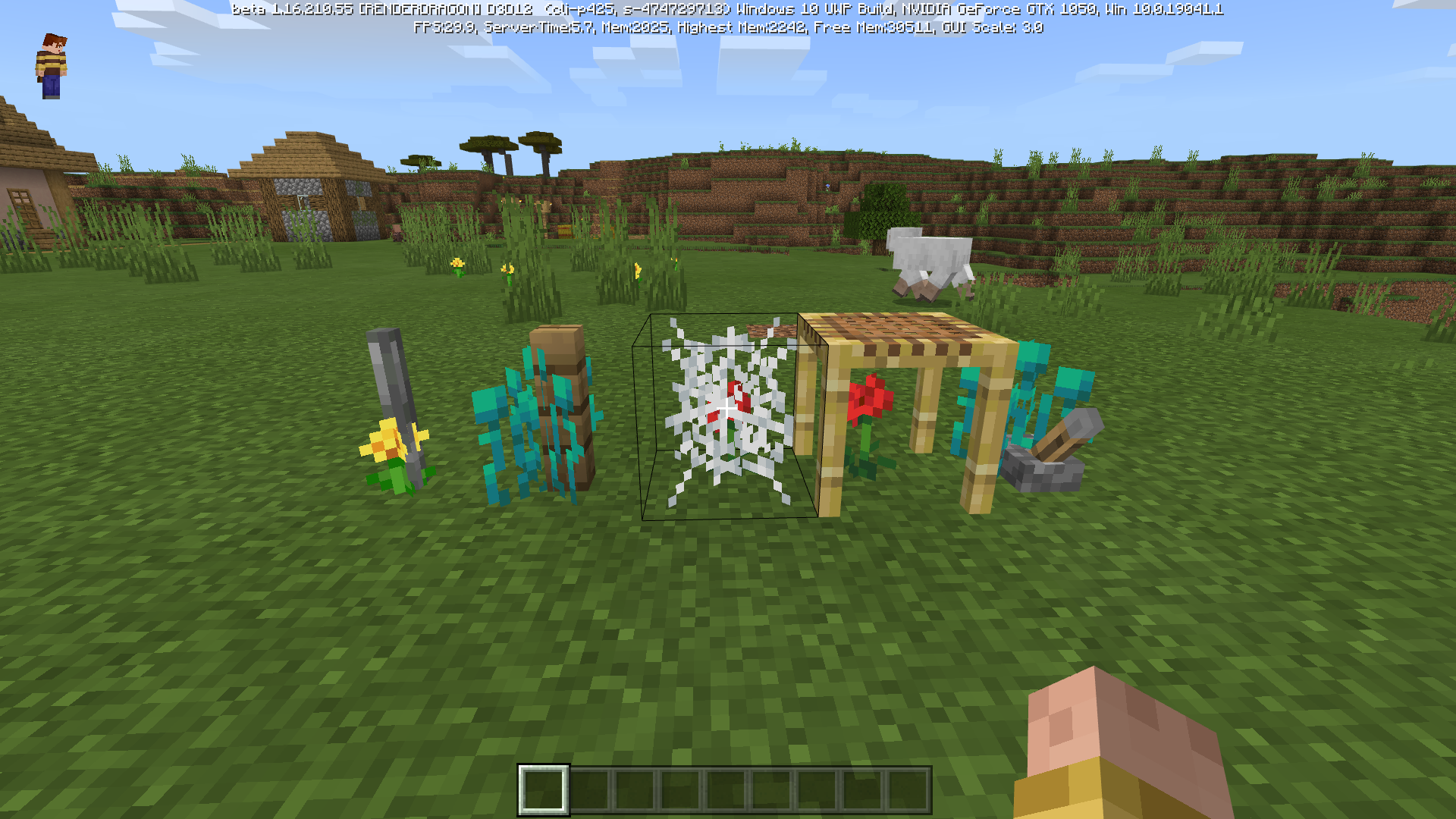
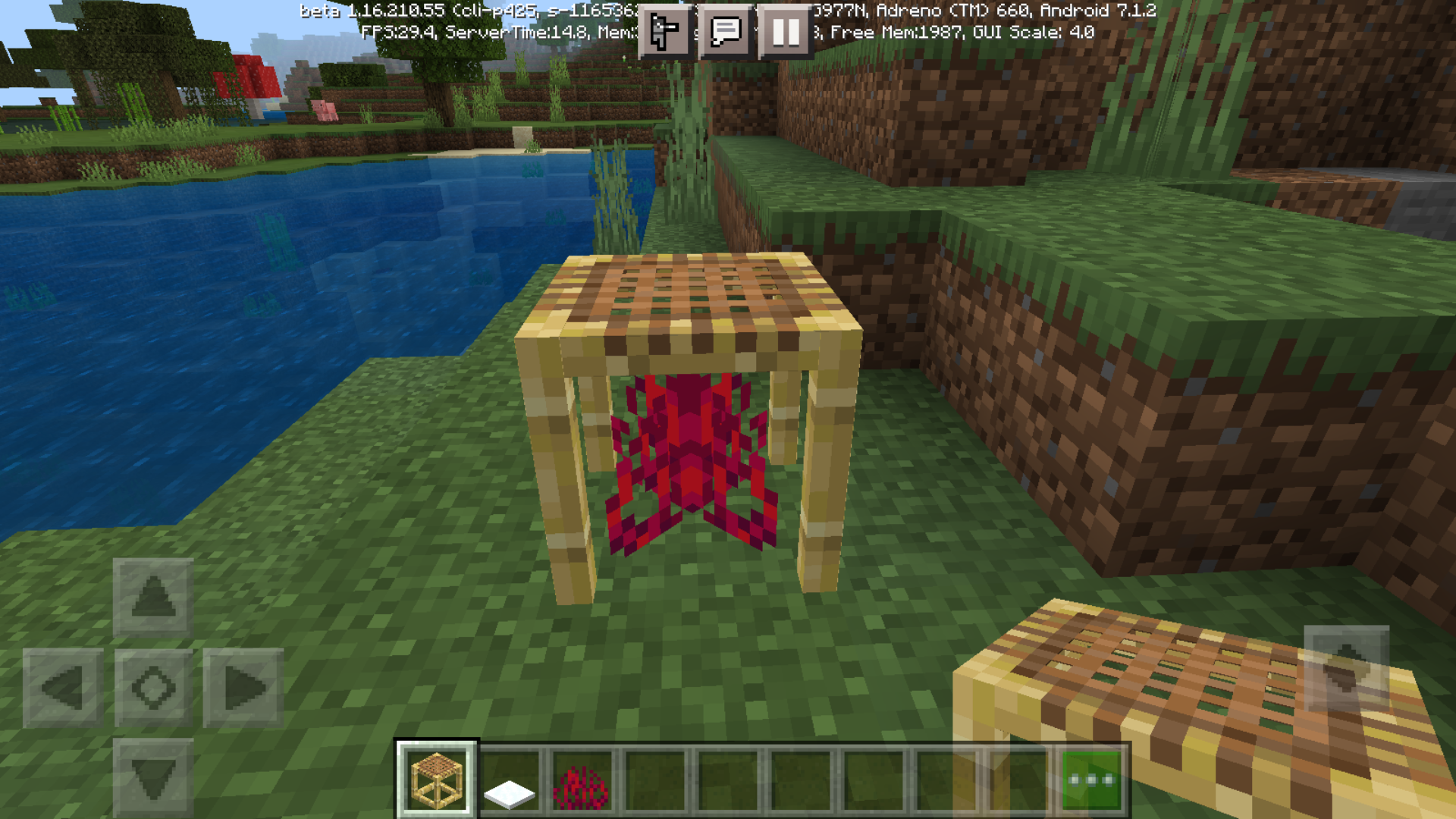


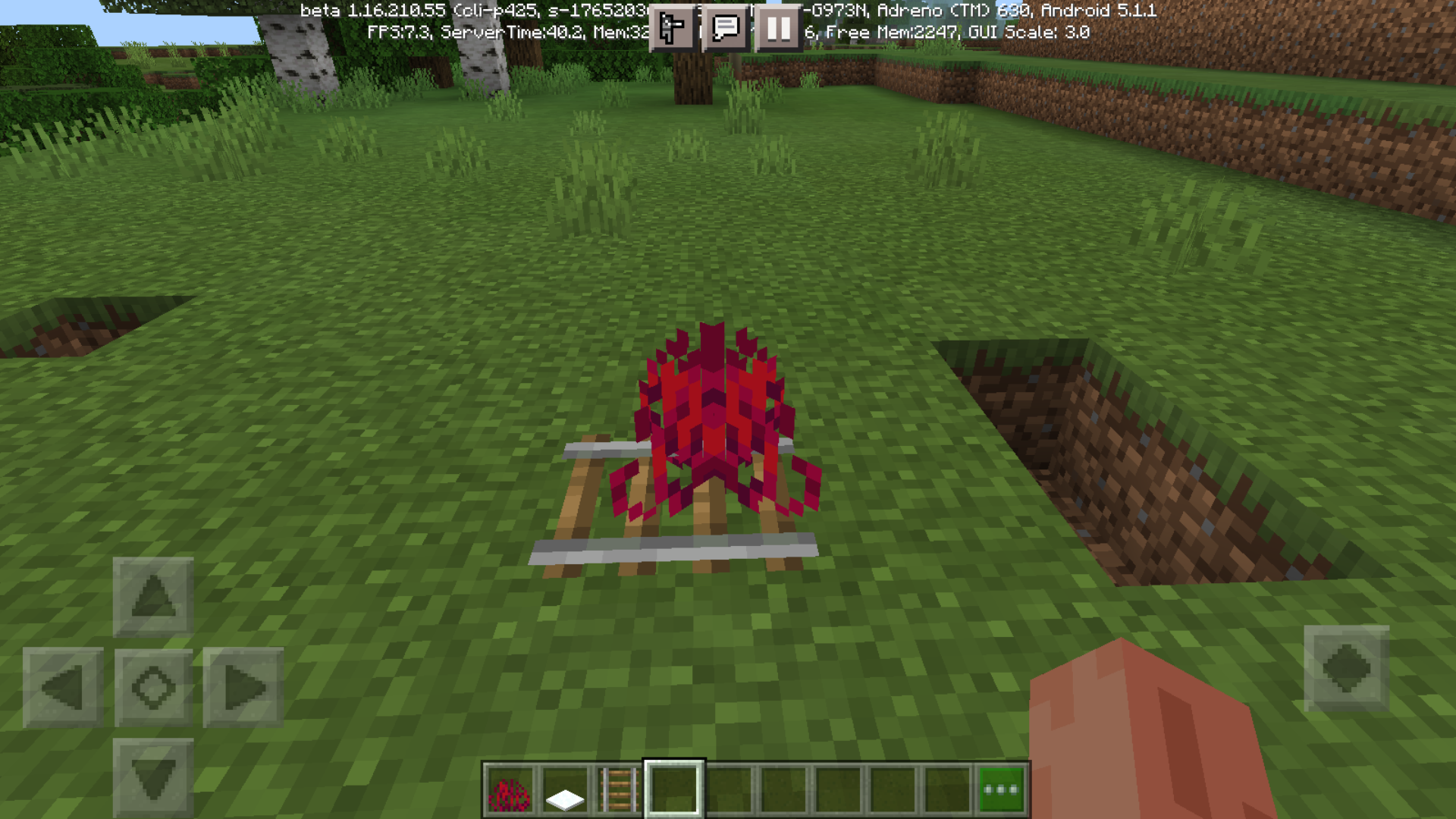
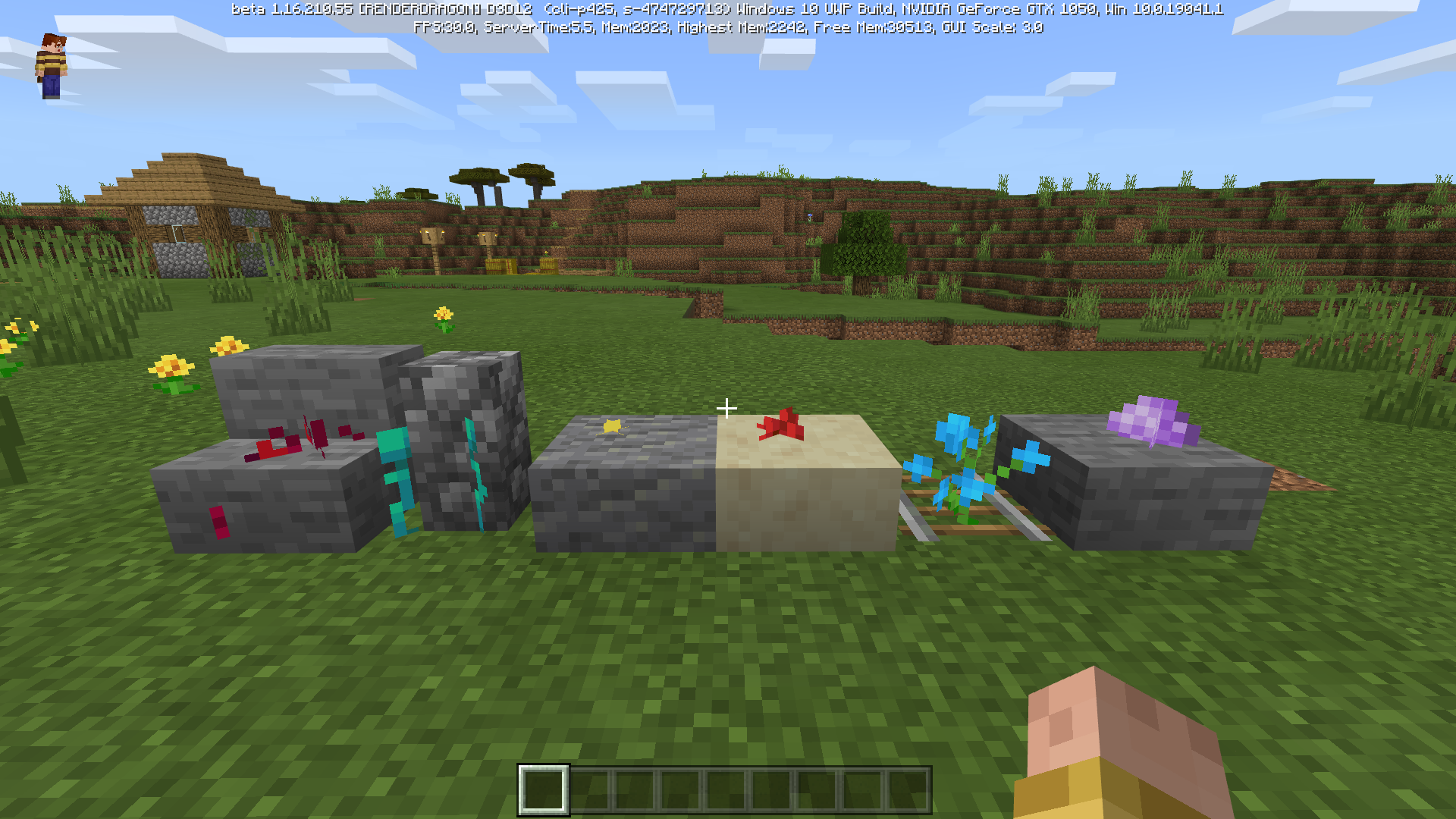

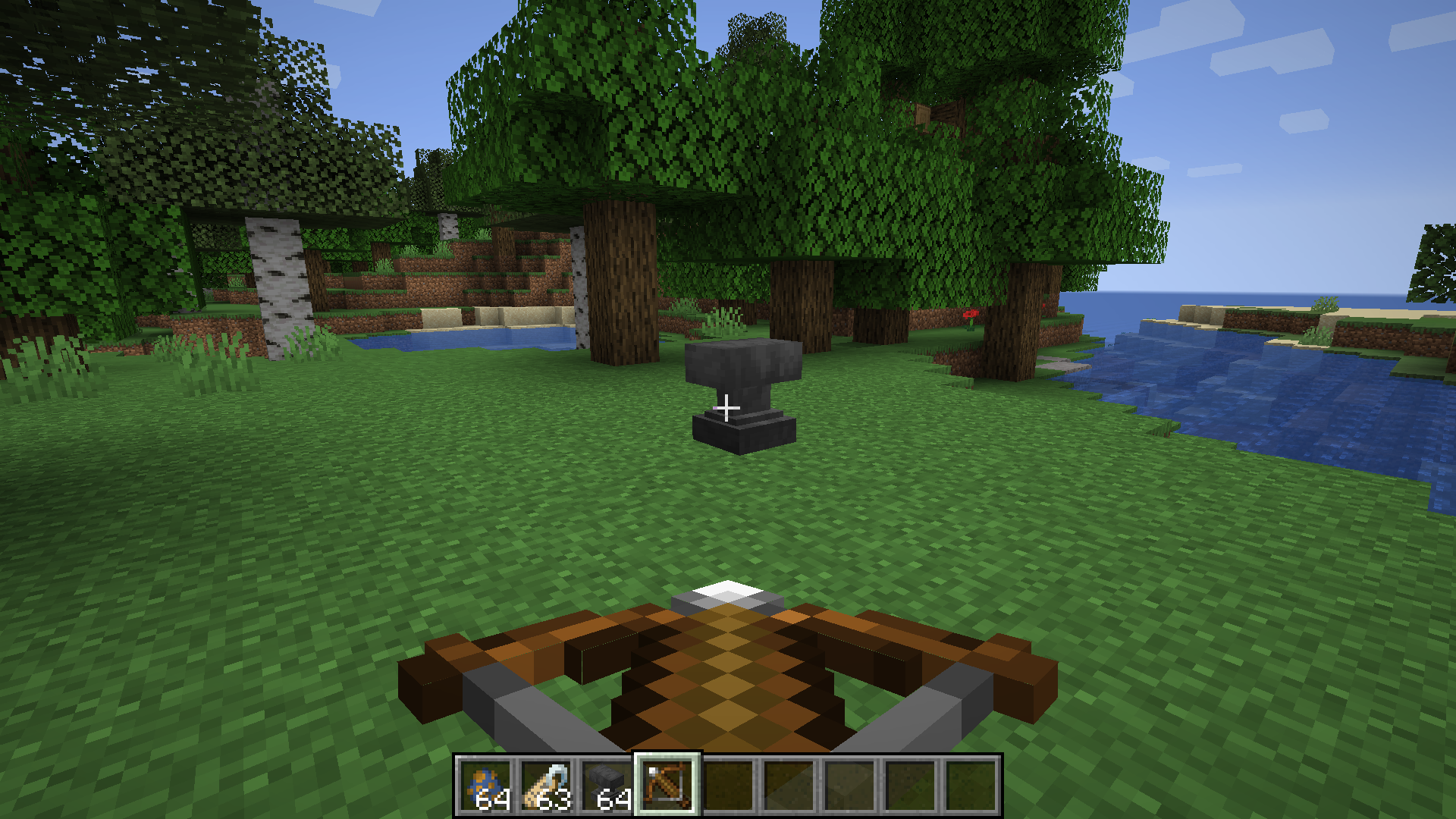
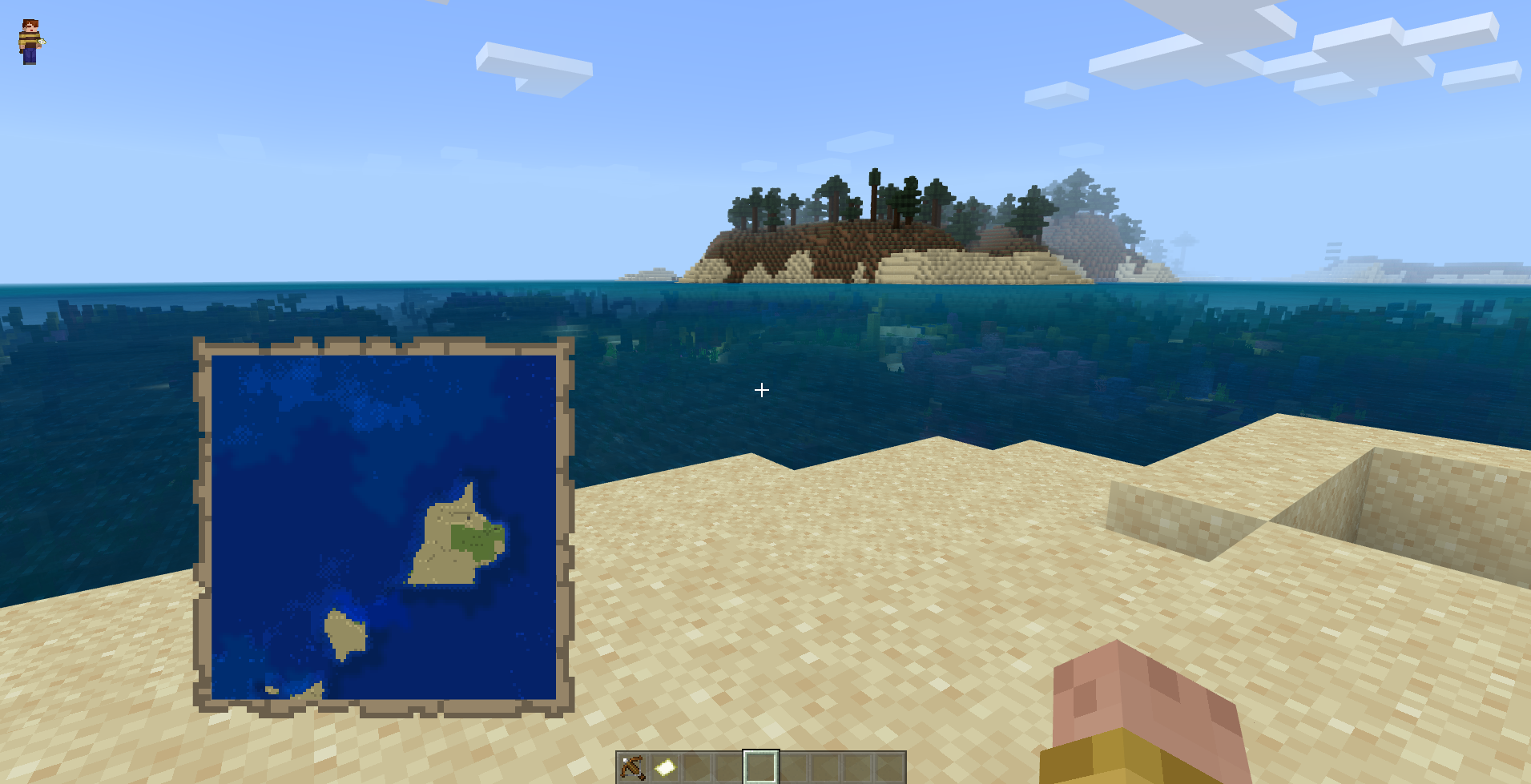


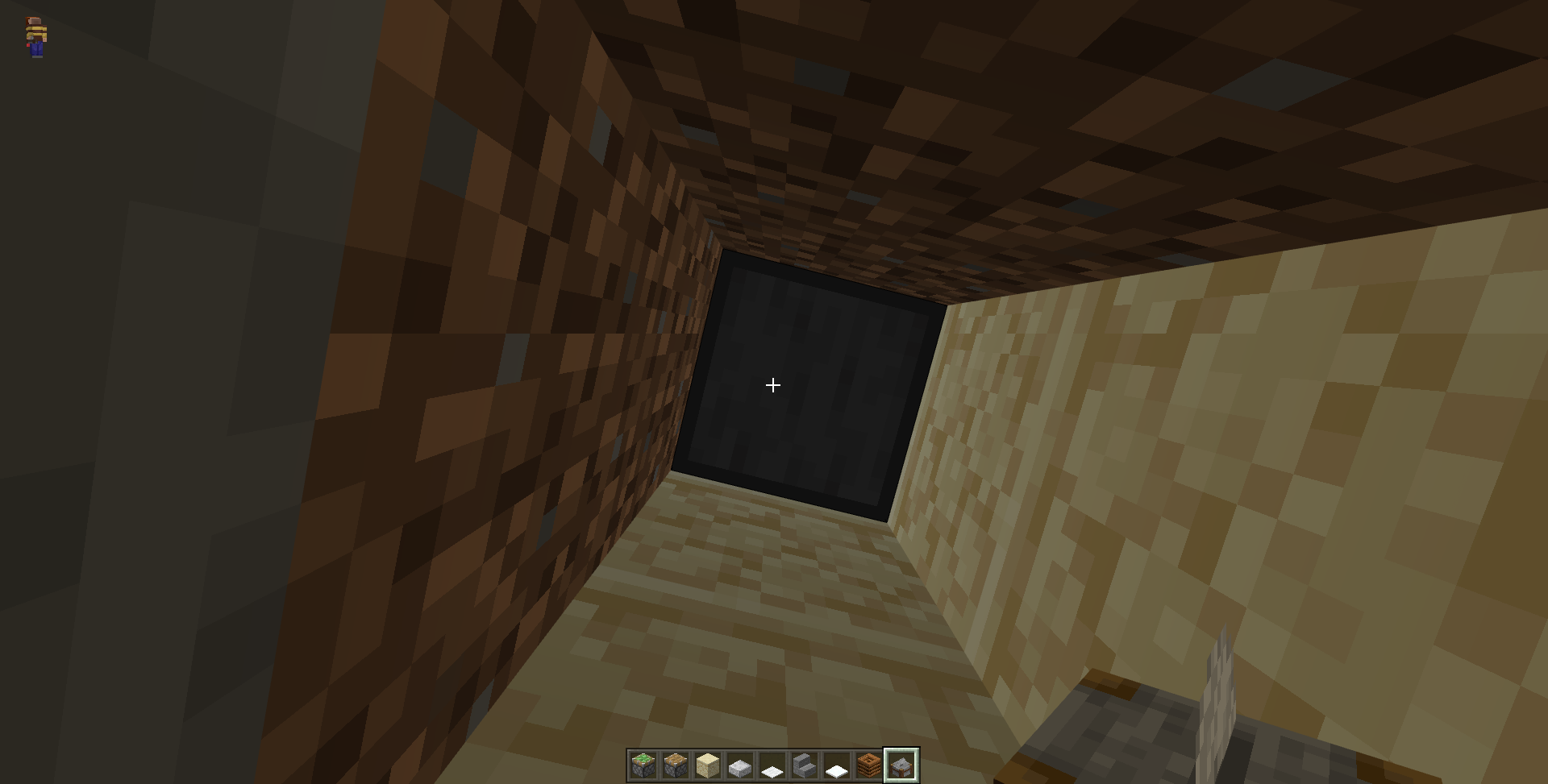
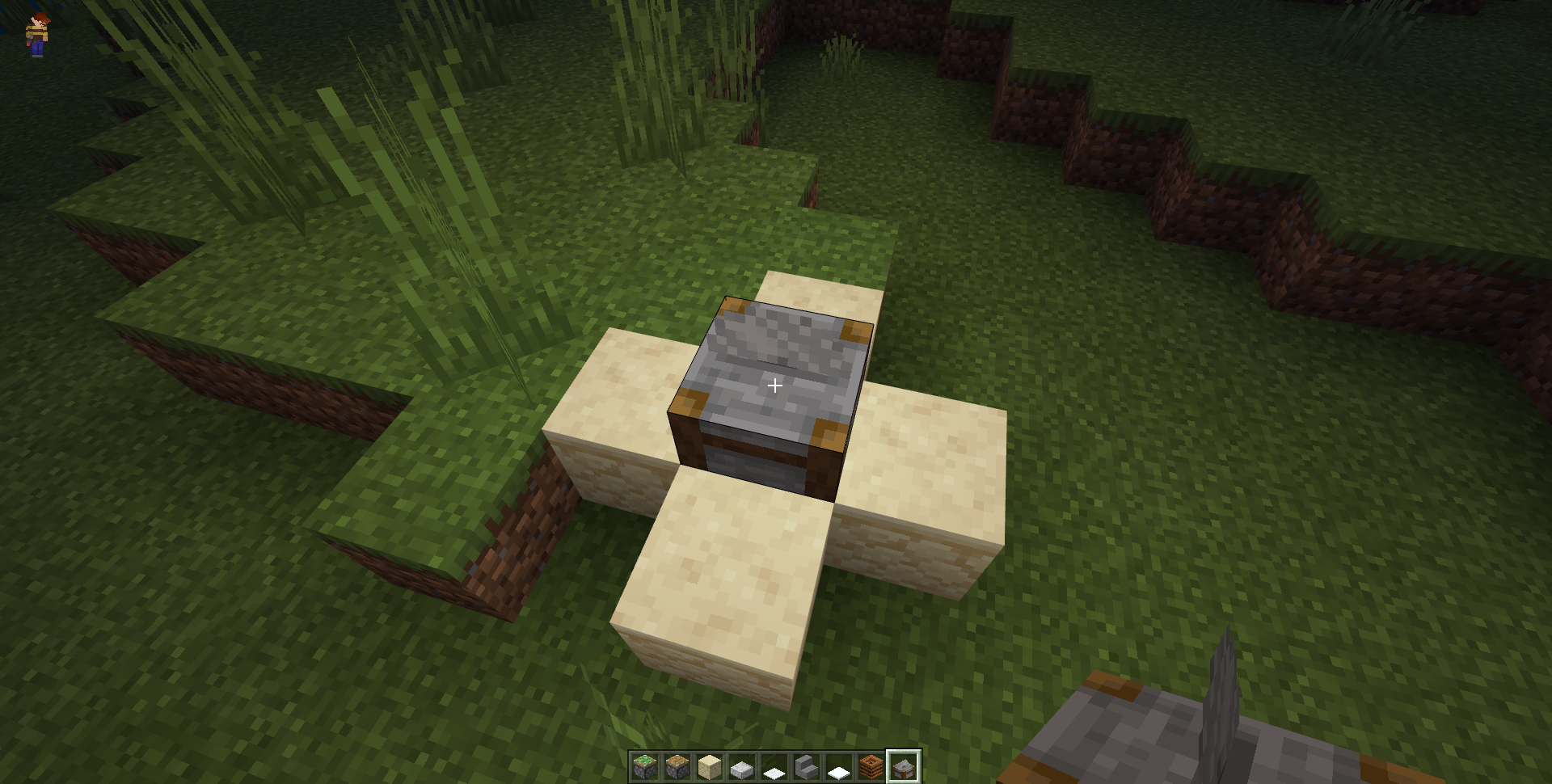


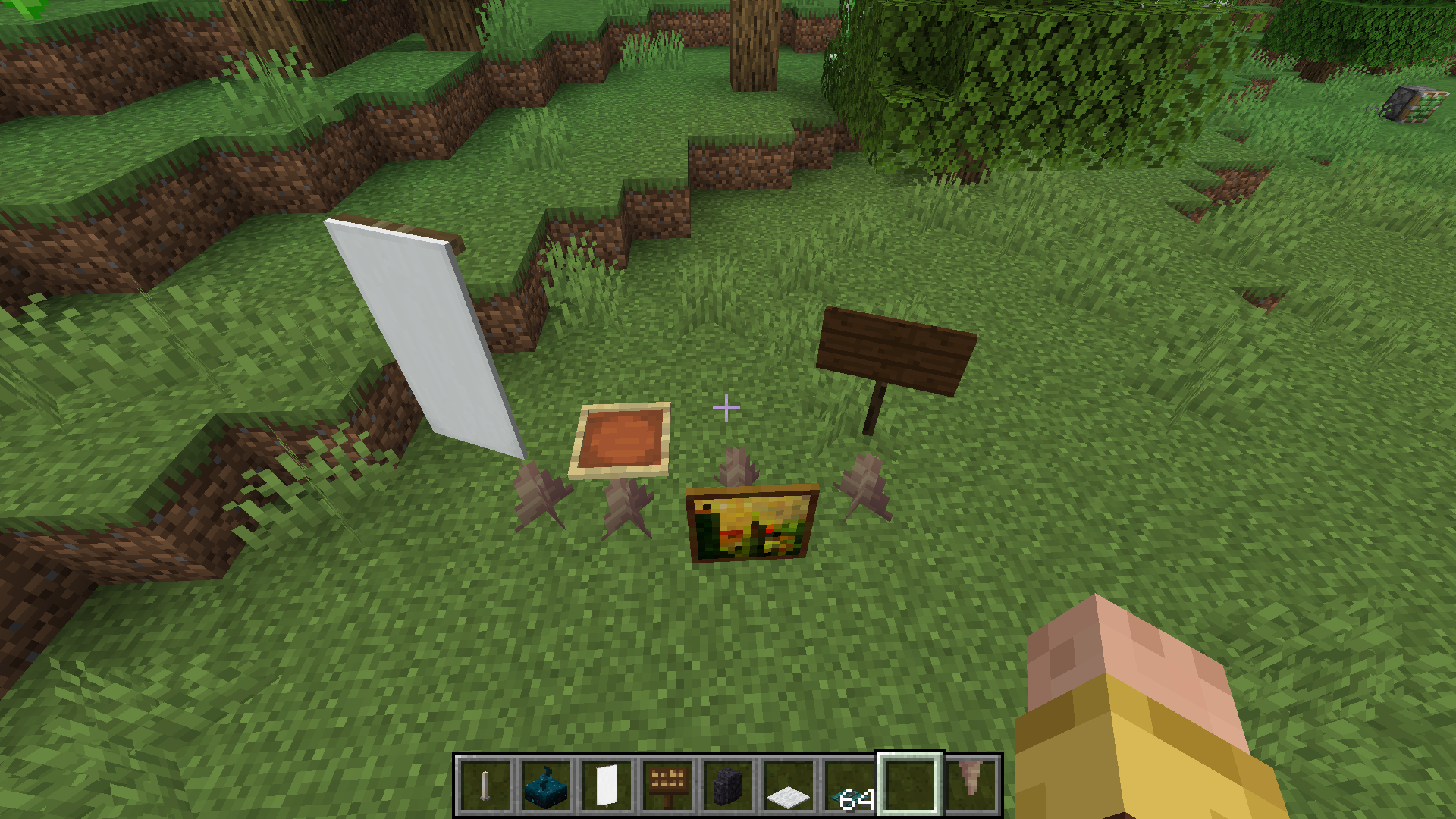
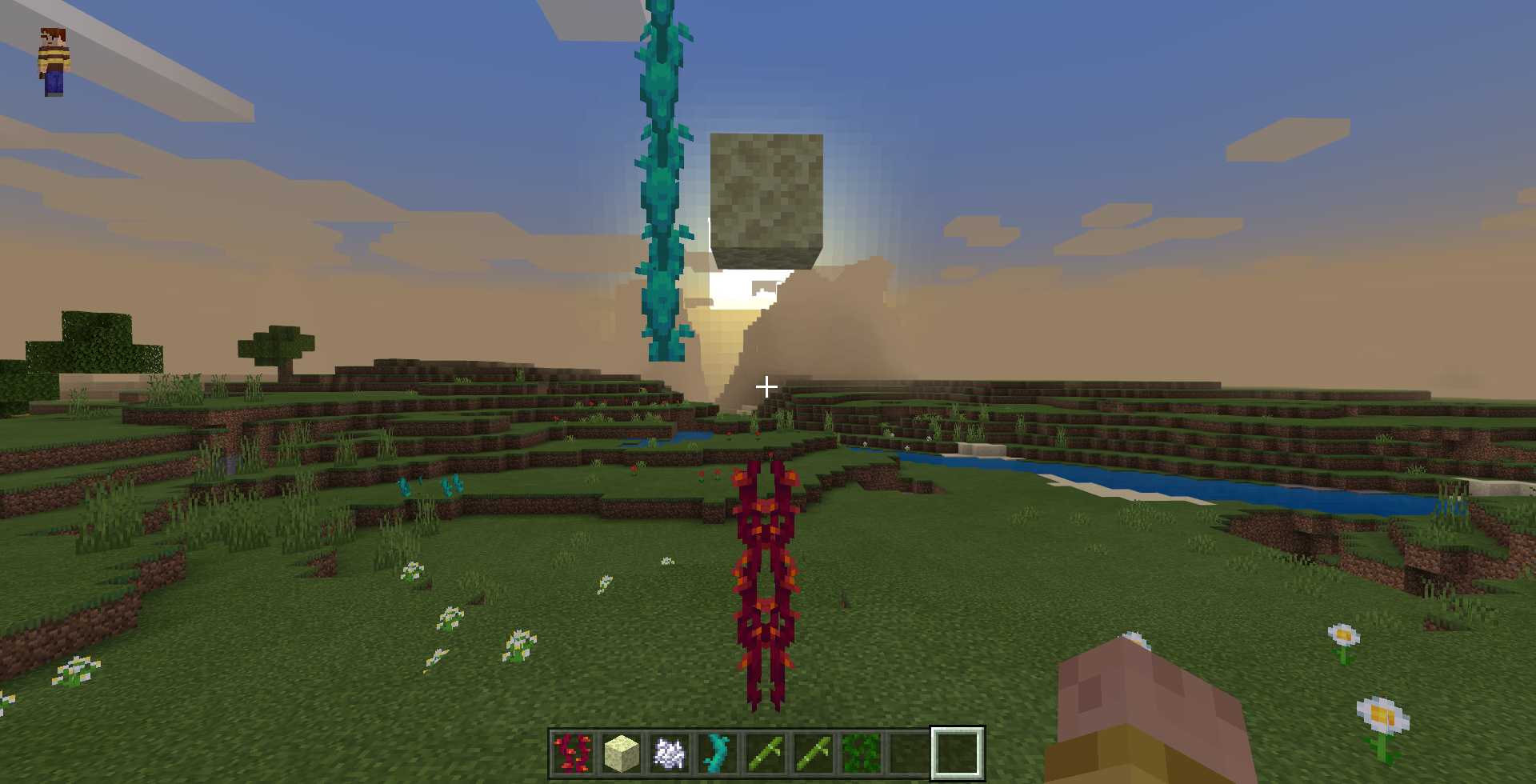


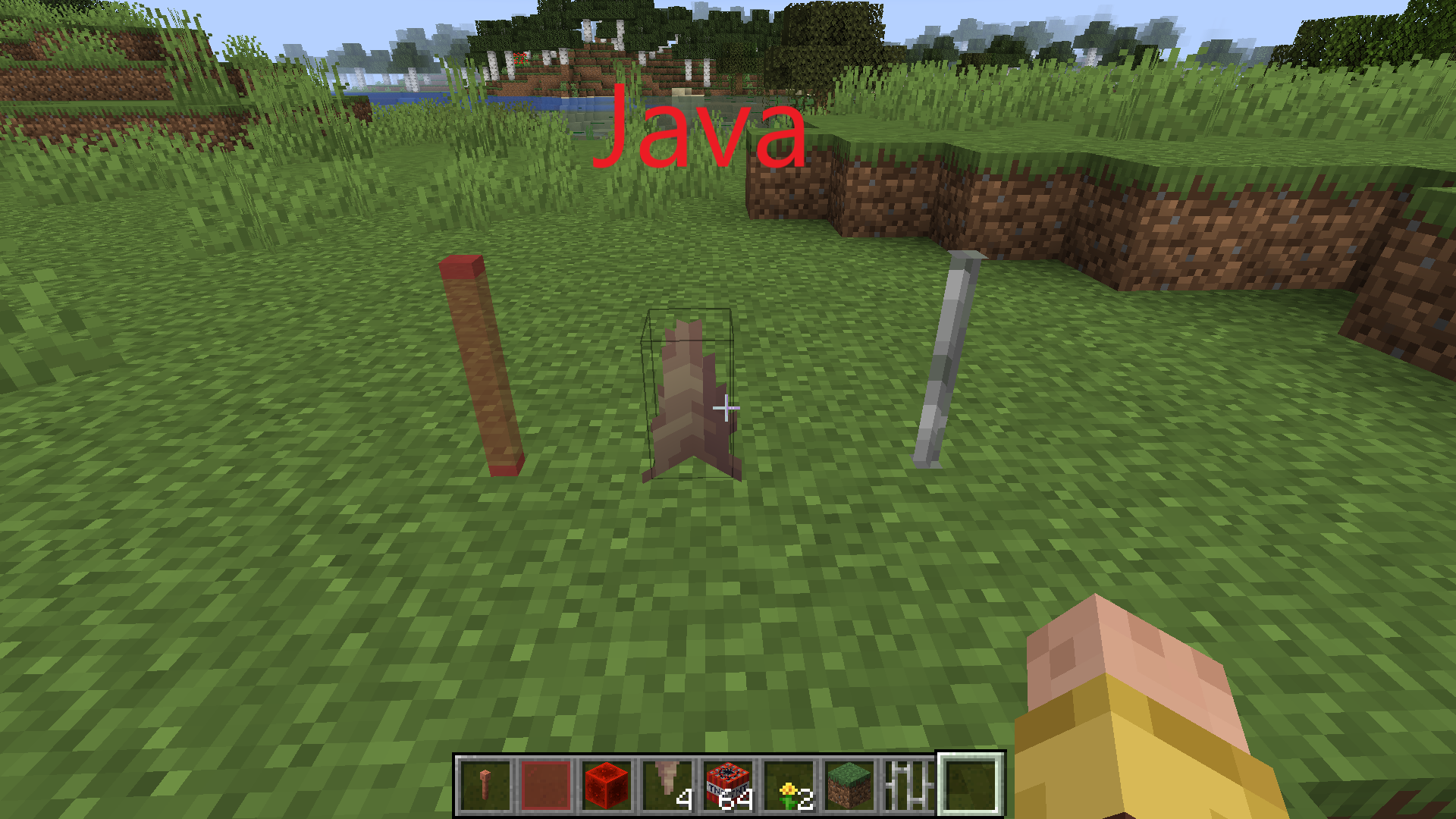
Blocks such as grass (except for double grass), flowers, mushrooms can be found in the snow.
If we try to put incomplete blockson these blocks (not all blocks fit), we will see the following effect.
Instead of disappearing, these blocks are in blocks.
I have also attached a video on how to reproduce this bug.
Also this bug works on android devices
Такие блоки, как трава (кроме махровой травы), цветы, грибы можно найти на снегу.
Если мы попытаемся поставить на эти блоки неполные блоки (не все блоки подходят), мы увидим следующий эффект.
Эти блоки не исчезают, а находятся в блоках.
Я также приложил видео о том, как воспроизвести эту ошибку.
Также эта ошибка работает на устройствах Android
.png)
Такие блоки, как трава (кроме махровой травы), цветы, грибы можно найти на снегу.
Если мы попытаемся поставить на эти блоки неполные блоки (не все блоки подходят), мы увидим следующий эффект.
Эти блоки не исчезают, а находятся в блоках.
Я также приложил видео о том, как воспроизвести эту ошибку.
Также эта ошибка работает на устройствах Android
Такие блоки, как трава (кроме махровой травы), цветы, грибы можно найти на снегу.
!
Если мы попытаемся поставить на эти блоки неполные блоки (не все блоки подходят), мы увидим следующий эффект.
Эти блоки не исчезают, а находятся в блоках.
Я также приложил видео о том, как воспроизвести эту ошибку.
Также эта ошибка работает на устройствах Android
Такие блоки, как трава (кроме махровой травы), цветы, грибы можно найти на снегу.
!
Если мы попытаемся поставить на эти блоки неполные блоки (не все блоки подходят), мы увидим следующий эффект.
Эти блоки не исчезают, а находятся в блоках.
Я также приложил видео о том, как воспроизвести эту ошибку.
Также эта ошибка работает на устройствах Android
Такие блоки, как трава (кроме махровой травы), цветы, грибы можно найти на снегу.
!
Если мы попытаемся поставить на эти блоки неполные блоки (не все блоки подходят), мы увидим следующий эффект.
Эти блоки не исчезают, а находятся в блоках.
Я также приложил видео о том, как воспроизвести эту ошибку.
Также эта ошибка работает на устройствах Android
Такие блоки, как трава (кроме махровой травы), цветы, грибы можно найти на снегу.
Если мы попытаемся поставить на эти блоки неполные блоки (не все блоки подходят), мы увидим следующий эффект.
Эти блоки не исчезают, а находятся в блоках.
Я также приложил видео о том, как воспроизвести эту ошибку.
Также эта ошибка работает на устройствах Android
Такие блоки, как трава (кроме махровой травы), цветы, грибы можно найти на снегу.
Если мы попытаемся поставить на эти блоки неполные блоки (не все блоки подходят), мы увидим следующий эффект.
Эти блоки не исчезают, а находятся в блоках.
Я также приложил видео о том, как воспроизвести эту ошибку.
Также эта ошибка работает на устройствах Android
Такие блоки, как трава (кроме махровой травы), цветы, грибы можно найти на снегу.
Если мы попытаемся поставить на эти блоки неполные блоки (не все блоки подходят), мы увидим следующий эффект.
Эти блоки не исчезают, а находятся в блоках.
Я также приложил видео о том, как воспроизвести эту ошибку.
Также эта ошибка работает на устройствах Android
Такие блоки, как трава (кроме махровой травы), цветы, грибы можно найти на снегу.
Если мы попытаемся поставить на эти блоки неполные блоки (не все блоки подходят), мы увидим следующий эффект.
Эти блоки не исчезают, а находятся в блоках.
Я также приложил видео о том, как воспроизвести эту ошибку.
Также эта ошибка работает на устройствах Android
Такие блоки, как трава (кроме махровой травы), цветы, грибы можно найти на снегу.
Если мы попытаемся поставить на эти блоки неполные блоки (не все блоки подходят), мы увидим следующий эффект.
Эти блоки не исчезают, а находятся в блоках.
Я также приложил видео о том, как воспроизвести эту ошибку.
Также эта ошибка работает на устройствах Android
Такие блоки, как трава (кроме махровой травы), цветы, грибы можно найти на снегу.
Если мы попытаемся поставить на эти блоки неполные блоки (не все блоки подходят), мы увидим следующий эффект.
Эти блоки не исчезают, а находятся в блоках.
Я также приложил видео о том, как воспроизвести эту ошибку.
Также эта ошибка работает на устройствах Android
Такие блоки, как трава (кроме махровой травы), цветы, грибы можно найти на снегу.
Если мы попытаемся поставить на эти блоки неполные блоки (не все блоки подходят), мы увидим следующий эффект.
Эти блоки не исчезают, а находятся в блоках.
Я также приложил видео о том, как воспроизвести эту ошибку.
Также эта ошибка работает на устройствах Android
Blocks such as grass (except terry grass), flowers, mushrooms can be found in the snow.
If we try to put incomplete blocks on these blocks (not all blocks fit), we will see the following effect.
These blocks do not disappear, but are in blocks.
I have also attached a video on how to reproduce this error.
Also this error works on android devices
Снимок экрана (810).png
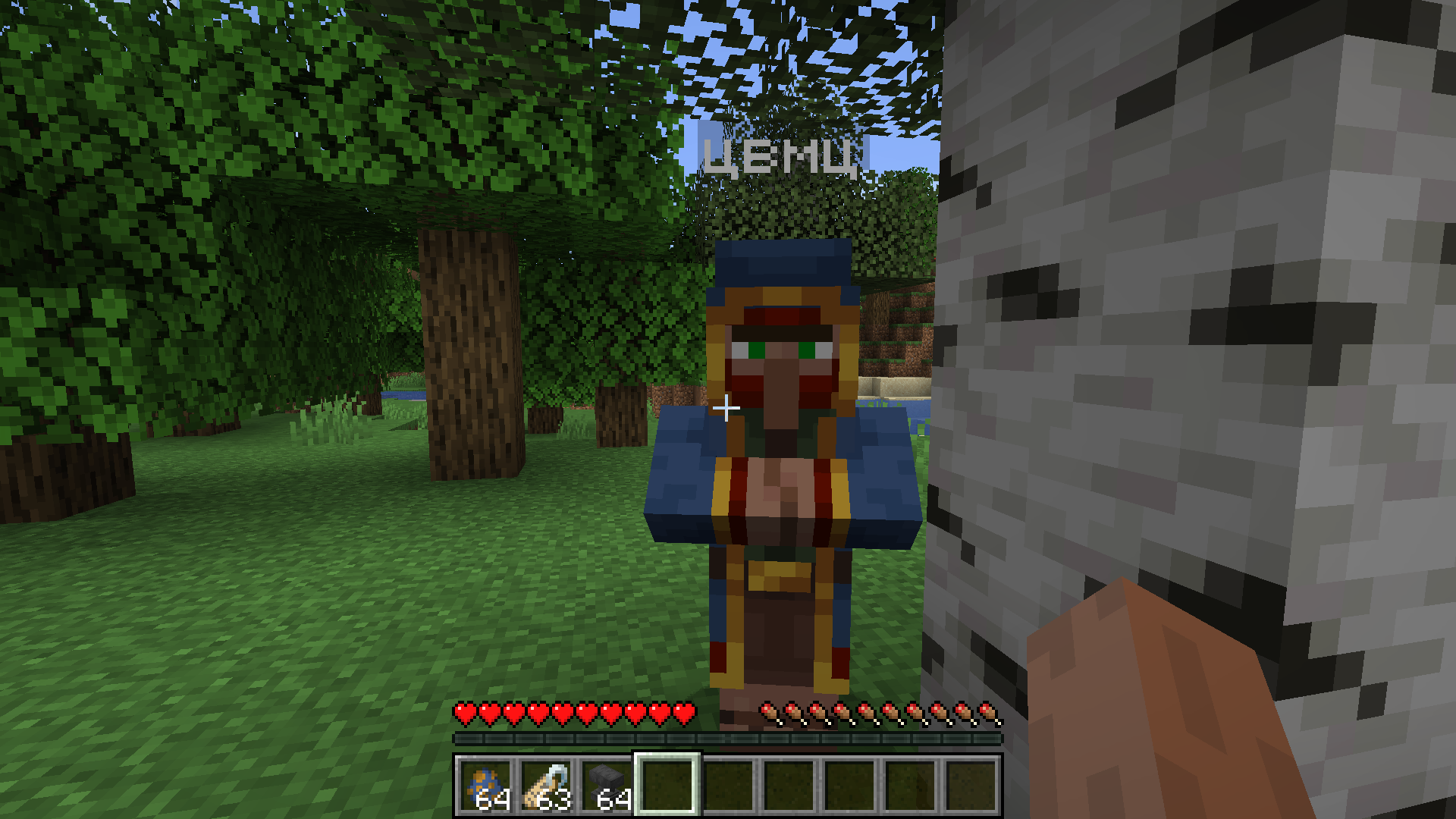
A wandering merchant cannot be named with a tag.
When you try to give the merchant a name, the trade window opens. There is no such bug in the Java version. There you can give a name to a traveling merchant.
The problem is also present on android devices.Summary:
In the Bedrock version, it is not possible to name the itinerant trader with a tag, although it is possible in the Java version!Steps to Reproduce:
- 1. Name the tag using an anvil.
- 2. Wait for the wandering merchant to appear or summon one.
- 3. Try giving a name to a traveling merchant.
Observed Results:
A trading window will open.Expected Results:
The merchant will receive a name (as in the Java version).
A wandering merchant cannot be named with a tag.
When you try to give the merchant a name, the trade window opens. There is no such bug in the Java version. There you can give a name to a traveling merchant.
The problem is also present on android devices.Summary:
In the Bedrock version, it is not possible to name the itinerant trader with a tag, although it is possible in the Java version!Steps to Reproduce:
1.Name the tag using an anvil.2.Wait for the wandering merchant to appear or summon one.3.Try giving a name to a traveling merchant.Observed Results:
A trading window will open.Expected Results:
The merchant will receive a name (as in the Java version).
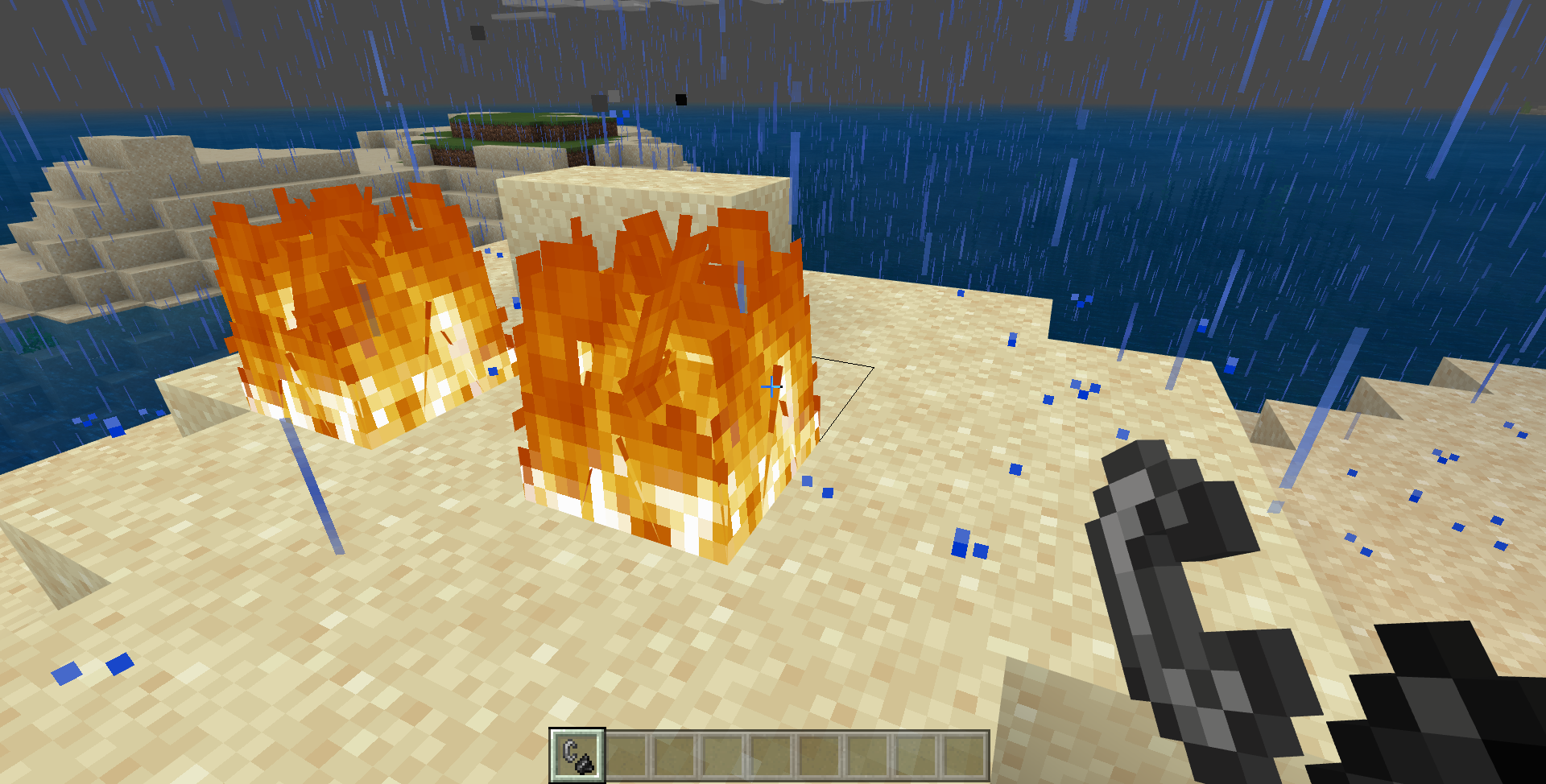
In the bedrock version, when it rains, the fire disappears almost instantly, while in the Java version it disappears gradually (quickly, but not instantly).
Random tick speed did not change!
I have not checked it on an android device yet)
In the bedrock version, when it rains, the fire disappears almost instantly, while in the Java version it disappears gradually (quickly, but not instantly).
Random tick speed did not change!
Updated:
Also, fire does not summon a thunderstorm (she summons it, but it immediately disappears)
In the bedrock version, when it rains, the fire disappears almost instantly, while in the Java version it disappears gradually (quickly, but not instantly).
Random tick speed did not change!
Updated:
Also, fire does not summon a thunderstorm (she summons it, but it immediately disappears)
The fire disappears instantly during rain or thunderstorm.
How to Reproduce
- Go to java and bedrock version.
- Wait or cause rain or thunderstorm.
- Take a flint and try to light the block on an open surface. If you have a thunderstorm you can summon a thunderstorm fire.
Observed Results
Fire will not appear in the bedrock version, but it will appear in the Java version.
Expected Results
On both versions, the fire should appear during rain or thunderstorms.
In the bedrock version, when it rains, the fire disappears almost instantly, while in the Java version it disappears gradually (quickly, but not instantly).
Random tick speed did not change!
Updated:
Also, fire does not summon a thunderstorm (she summons it, but it immediately disappears)
The fire disappears instantly during rain or thunderstorm.
How to Reproduce
- Go to java and bedrock version.
- Wait or cause rain or thunderstorm.
- Take a flint and try to light the block on an open surface. If you have a thunderstorm you can summon a thunderstorm fire.
Observed Results
Fire will not appear in the bedrock version, but it will appear in the Java version.
Expected Results
On both versions, the fire should appear during rain or thunderstorms.
The fire disappears instantly during rain or thunderstorm.
How to Reproduce
- Go to java and bedrock version.
- Wait or cause rain or thunderstorm.
- Take a flint and try to light the block on an open surface. If you have a thunderstorm you can summon a thunderstorm fire.
Observed Results
Fire will not appear in the bedrock version, but it will appear in the Java version.
Expected Results
On both versions, the fire should appear during rain or thunderstorms.
Notes
The random tick speed has not been changed!
The fire disappears instantly during rain or thunderstorm.
How to Reproduce
- Go to java and bedrock version.
- Wait or cause rain or thunderstorm.
- Take a flint and try to light the block on an open surface. If you have a thunderstorm you can summon a thunderstorm fire.
Observed Results
Fire will not appear in the bedrock version, but it will appear in the Java version.
Expected Results
On both versions, the fire should appear during rain or thunderstorms.
Notes
The random tick speed has not been changed!
The fire disappears instantly during rain or thunderstorm.
How to Reproduce
- Go to java and bedrock version.
- Wait or cause rain or thunderstorm.
- Take a flint and try to light the block on an open surface. If you have a thunderstorm you can summon a thunderstorm fire.
Observed Results
Fire will not appear in the bedrock version, but it will appear in the Java version.
Expected Results
On both versions, the fire should appear during rain or thunderstorms.
Notes
The random tick speed has not been changed!The fire disappears instantly during rain or thunderstorm.
How to Reproduce
- Go to java and bedrock version.
- Wait or cause rain or thunderstorm.
- Take a flint and try to light the block on an open surface. If you have a thunderstorm you can summon a thunderstorm fire.
Observed Results
Fire will not appear in the bedrock version, but it will appear in the Java version.
Expected Results
On both versions, the fire should appear during rain or thunderstorms.
Notes
The random tick speed has not been changed!
In version 1.14.60.5, the fire worked as shown in the video with the Java version (well, it disappeared a little faster, but not instantly). And in version 1.16.0.2 it already worked as shown in the video with the version of bedrock. (verified personally)
And no, it's still not vanilla-parity)
The fire disappears instantly during rain or thunderstorm.
How to Reproduce
- Go to java and bedrock version.
- Wait or cause rain or thunderstorm.
- Take a flint and try to light the block on an open surface. If you have a thunderstorm you can summon a thunderstorm fire.
Observed Results
Fire will not appear in the bedrock version, but it will appear in the Java version.
Expected Results
On both versions, the fire should appear during rain or thunderstorms.
Notes
The random tick speed has not been changed!
In version 1.14.60.5, the fire worked as shown in the video with the Java version (well, it disappeared a little faster, but not instantly). And in version 1.16.0.2 it already worked as shown in the video with the version of bedrock. (verified personally)
And no, it's still not vanilla-parity)
The fire disappears instantly during rain or thunderstorm.
How to Reproduce
- Go to java and bedrock version.
- Wait or cause rain or thunderstorm.
- Take a flint and try to light the block on an open surface. If you have a thunderstorm you can summon a thunderstorm fire.
Observed Results
Fire will not appear in the bedrock version, but it will appear in the Java version.
Expected Results
On both versions, the fire should appear during rain or thunderstorms.
Notes
The random tick speed has not been changed!
In version 1.14.60.5, the fire worked as shown in the video with the Java version (well, it disappeared a little faster, but not instantly). And in version 1.16.0.2 it already worked as shown in the video with the version of bedrock. (verified personally)
And no, it's still not vanilla-parity)
The fire disappears instantly during rain or thunderstorm.
How to Reproduce
Go to java and bedrock version.- Wait or cause rain or thunderstorm.
- Take a flint and try to light the block on an open surface. If you have a thunderstorm you can summon a thunderstorm fire.
Observed Results
Fire will not appear in the bedrock version, but it will appear in the Java version.
Expected Results
On both versions, the fire should appear during rain or thunderstorms.
Notes
The random tick speed has not been changed!
In version 1.14.60.5, the fire worked as shown in the video with the Java version (well, it disappeared a little faster, but not instantly). And in version 1.16.0.2 it already worked as shown in the video with the version of bedrock. (verified personally)
And no, it's still not vanilla-parity)
The fire disappears instantly during rain or thunderstorm.
How to Reproduce
- Wait or cause rain or thunderstorm.
- Take a flint and try to light the block on an open surface. If you have a thunderstorm you can summon a thunderstorm fire.
Observed Results
Fire will not appear in the bedrock version, but it will appear in the Java version.
Expected Results
On both versions, the fire should appear during rain or thunderstorms.
Notes
The random tick speed has not been changed!
In version 1.14.60.5, the fire worked as shown in the video with the Java version (well, it disappeared a little faster, but not instantly). And in version 1.16.0.2 it already worked as shown in the video with the version of bedrock. (verified personally)
And no, it's still not vanilla-parity)
The fire disappears instantly during rain or thunderstorm.
How to Reproduce
- Wait or cause rain or thunderstorm.
- Take a flint and try to light the block on an open surface. If you have a thunderstorm you can summon a thunderstorm fire.
Observed Results
Fire will not appear in the bedrock
version, but it will appear in the Javaversion.Expected Results
On both versions, the fire should appear during rain or thunderstorms.
Notes
The random tick speed has not been changed!
In version 1.14.60.5, the fire worked as shown in the video with the Java version (well, it disappeared a little faster, but not instantly). And in version 1.16.0.2 it already worked as shown in the video with the version of bedrock. (verified personally)
And no, it's still not vanilla-parity)
The fire disappears instantly during rain or thunderstorm.
How to Reproduce
- Wait or cause rain or thunderstorm.
- Take a flint and try to light the block on an open surface. If you have a thunderstorm you can summon a thunderstorm fire.
Observed Results
Fire will not appear in the bedrock version.
Expected Results
On both versions, the fireshouldappearduring rain or thunderstorms.Notes
The random tick speed has not been changed!
In version 1.14.60.5, the fire worked as shown in the video with the Java version (well, it disappeared a little faster, but not instantly). And in version 1.16.0.2 it already worked as shown in the video with the version of bedrock. (verified personally)
And no, it's still not vanilla-parity)
The fire disappears instantly during rain or thunderstorm.
How to Reproduce
- Wait or cause rain or thunderstorm.
- Take a flint and try to light the block on an open surface. If you have a thunderstorm you can summon a thunderstorm fire.
Observed Results
Fire will not appear in the bedrock version.
Expected Results
The fire will appear for a few seconds.
Notes
The random tick speed has not been changed!
In version 1.14.60.5, the fire worked as shown in the video with the Java version (well, it disappeared a little faster, but not instantly). And in version 1.16.0.2 it already worked as shown in the video with the version of bedrock. (verified personally)
And no, it's still not vanilla-parity)
The fire disappears instantly during rain or thunderstorm.
How to Reproduce
- Wait or cause rain or thunderstorm.
- Take a flint and try to light the block on an open surface. If you have a thunderstorm you can summon a thunderstorm fire.
Observed Results
Fire will not appear in the bedrock version.
Expected Results
The fire will appear for a few seconds.
Notes
The random tick speed has not been changed!
In version 1.14.60.5, the fire worked as shown in the video with the Java version (well, it disappeared a little faster, but not instantly). And in version 1.16.0.2 it already worked as shown in the video with the version of bedrock. (verified personally)
And no, it's still not vanilla-parity)
The fire disappears instantly during rain or thunderstorm.
How to Reproduce
- Wait or cause rain or thunderstorm.
- Take a flint and try to light the block on an open surface. If you have a thunderstorm you can summon a thunderstorm fire.
Observed Results
Fire will not appear in the bedrock version.
Expected Results
The fire will appear for a few seconds.
Notes
The random tick speed has not been changed!
In version 1.14.60.5 and earlier it worked like this Minecraft_1.14.60.5.mp4
And in version 1.16.0.2 it worked like this Bedrock.mp4
And no, it's still not vanilla-parity)
The fire disappears instantly during rain or thunderstorm.
How to Reproduce
- Wait or cause rain or thunderstorm.
- Take a flint and try to light the block on an open surface. If you have a thunderstorm you can summon a thunderstorm fire.
Observed Results
Fire will not appear in the bedrock version.
Expected Results
The fire will appear for a few seconds.
Notes
The random tick speed has not been changed!
In version 1.14.60.5 and earlier it worked like this Minecraft_1.14.60.5.mp4
And in version 1.16.0.2 it worked like this Bedrock.mp4
And no, it's still not vanilla-parity)
The fire disappears instantly during rain or thunderstorm.
How to Reproduce
- Wait or cause rain or thunderstorm.
- Take a flint and try to light the block on an open surface. If you have a thunderstorm you can summon a thunderstorm fire.
Observed Results
Fire will not appearin the bedrock version.Expected Results
The fire will appear for a few seconds.
Notes
The random tick speed has not been changed!
In version 1.14.60.5 and earlier it worked like this Minecraft_1.14.60.5.mp4
And in version 1.16.0.2 it worked like this Bedrock.mp4
And no, it's still not vanilla-parity)
The fire disappears instantly during rain or thunderstorm.
How to Reproduce
- Wait or cause rain or thunderstorm.
- Take a flint and try to light the block on an open surface. If you have a thunderstorm you can summon a thunderstorm fire.
Observed Results
The fire will not appear.
Expected Results
The fire will appear for a few seconds.
Notes
The random tick speed has not been changed!
In version 1.14.60.5 and earlier it worked like this Minecraft_1.14.60.5.mp4
And in version 1.16.0.2 it worked like this Bedrock.mp4
And no, it's still not vanilla-parity)
The fire disappears instantly during rain or thunderstorm.
How to Reproduce
- Wait or cause rain or thunderstorm.
- Take a flint and try to light the block on an open surface. If you have a thunderstorm you can summon a thunderstorm fire.
Observed Results
The fire will not appear.
Expected Results
The fire will appear for a few seconds.
Notes
The random tick speed has not been changed!
In version 1.14.60.5 and earlier it worked like this Minecraft_1.14.60.5.mp4
And in version 1.16.0.2 it worked like this
Bedrock.mp4
And no, it's still not vanilla-parity)
The fire disappears instantly during rain or thunderstorm.
How to Reproduce
- Wait or cause rain or thunderstorm.
- Take a flint and try to light the block on an open surface. If you have a thunderstorm you can summon a thunderstorm fire.
Observed Results
The fire will not appear.
Expected Results
The fire will appear for a few seconds.
Notes
The random tick speed has not been changed!
In version 1.14.60.5 and earlier it worked like this Minecraft_1.14.60.5.mp4
And since version 1.16.0.2 it already worked like this Bedrock.mp4
And no, it's still not vanilla-parity)
The fire disappears instantly during rain or thunderstorm.
How to Reproduce
- Wait or cause rain or thunderstorm.
- Take a flint and try to light the block on an open surface. If you have a thunderstorm you can summon a thunderstorm fire.
Observed Results
The fire will not appear.
Expected Results
The fire will appear for a few seconds.
Notes
The random tick speed has not been changed!
In version 1.14.60.5 and earlier it worked like this Minecraft_1.14.60.5.mp4
And since version 1.16.0.2 it already worked like this Bedrock.mp4
And no, it's still not vanilla-parity)The fire disappears instantly during rain or thunderstorm.
How to Reproduce
- Wait or cause rain or thunderstorm.
- Take a flint and try to light the block on an open surface. If you have a thunderstorm you can summon a thunderstorm fire.
Observed Results
The fire will not appear.
Expected Results
The fire will appear for a few seconds.
Notes
The random tick speed has not been changed!
In version 1.14.60.5 and earlier it worked like this Minecraft_1.14.60.5.mp4
And since version 1.16.0.2 it already worked like this Bedrock.mp4
This report is not about vanilla parity.
Well, since it’s about fire, in Java it burns during the rain from 3 to 12 seconds, and in the version with bedrock it always burns for 3 seconds.
The fire disappears instantly during rain or thunderstorm.
HowtoReproduce
- Wait or cause rain or thunderstorm.
- Take a flint and try to light the block on an open surface. If you have a thunderstorm you can summon a thunderstorm fire.
Observed
ResultsThe fire will not appear.
Expected
ResultsThe fire will appear for a few seconds.
Notes
The random tick speed has not been changed!
In version 1.14.60.5 and earlier it worked like this Minecraft_1.14.60.5.mp4
And since version 1.16.0.2 it already worked like this Bedrock.mp4
This report is not about vanilla parity.
Well, since it’s about fire, in Java it burns during the rain from 3 to 12 seconds, and in the version with bedrock it always burns for 3 seconds.
The fire disappears instantly during rain or thunderstorm.
Steps to reproduce:
- Wait or cause rain or thunderstorm.
- Take a flint and try to light the block on an open surface. If you have a thunderstorm you can summon a thunderstorm fire.
Observed results:
The fire will not appear.
Expected results:
The fire will appear for a few seconds.
Notes:
The random tick speed has not been changed!
In version 1.14.60.5 and earlier it worked like this Minecraft_1.14.60.5.mp4
And since version 1.16.0.2 it already worked like this Bedrock.mp4
This report is not about vanilla parity.
Well, since it’s about fire, in Java it burns during the rain from 3 to 12 seconds, and in the version with bedrock it always burns for 3 seconds.
A comment with security level 'Users' was removed.
Sculk Sensor does not respond to opening and closing the hatch.
And they should catch it like a physical movement likein theJava version!This bug report is a parity issue with Java.
Sculk Sensor does not respond to opening and closing the hatch.
How to Reproduce
1. Place the Sculk Sensor in the bedrock version and in the Java and after one block (or further (up to 8 blocks)) put any hatch.
2. Open / Close the hatch on both versions.
3. Compare the result of the two platforms.
Expected Results
And they should catch it like a physical movement like in the Java version!
This bug report is a parity issue with Java.
Sculk Sensor does not respond to opening and closing the hatch.
How to Reproduce
1.Place the Sculk Sensor in the bedrock version and in the Java and after one block (or further (up to 8 blocks)) put any hatch.
2.Open / Close the hatch on both versions.
3.Compare the result of the two platforms.Expected Results
And they should catch it like a physical movement like in the Java version!This bug report is a parity issue with Java.
Sculk Sensor does not respond to opening and closing the hatch.
How to Reproduce
#Place the Sculk Sensor in the bedrock version and in the Java and after one block (or further (up to 8 blocks)) put any hatch.
#Open / Close the hatch on both versions.
#Compare the result of the two platforms.
Expected Results
The hatch will emit a signal for the Sculk Sensor on both versions.
Observed Results
The Sculk Sensor does not respond to the hatch in the bedrock version, when in Java it reacts to the closing / opening of the hatch.
This bug report is a parity issue with Java.
Sculk Sensor does not respond to opening and closing the hatch.
How to Reproduce
#Place the Sculk Sensor in the bedrock version and in the Java and after one block (or further (up to 8 blocks)) put any hatch.
#Open / Close the hatch on both versions.
#Compare the result of the two platforms.
Expected Results
The hatch will emit a signal for the Sculk Sensor on both versions.
Observed Results
The Sculk Sensor does not respond to the hatch in the bedrock version, when in Java it reacts to the closing / opening of the hatch.
This bug report is a parity issue with Java.
Sculk Sensor does not respond to opening and closing the hatch.
How to Reproduce
- Place the Sculk Sensor in the bedrock version and in the Java and after one block (or further (up to 8 blocks)) put any hatch.
- Open / Close the hatch on both versions.
- Compare the result of the two platforms.
Expected Results
The hatch will emit a signal for the Sculk Sensor on both versions.
Observed Results
The Sculk Sensor does not respond to the hatch in the bedrock version, when in Java it reacts to the closing / opening of the hatch.
This bug report is a parity issue with Java.
Sculk Sensor does not respond to opening and closing the hatch.
How to Reproduce
- Place the Sculk Sensor in the bedrock version and in the Java and after one block (or further (up to 8 blocks)) put any hatch.
- Open / Close the hatch on both versions.
- Compare the result of the two platforms.
Expected Results
The hatch will emit a signal for the Sculk Sensor on both versions.
Observed Results
The Sculk Sensor does not respond to the hatch in the bedrock version, when in Java it reacts to the closing / opening of the hatch.
This bug report is a parity issue with Java.
Sculk Sensor does not respond to opening and closing the hatch.
How to Reproduce
- Place the Sculk Sensor in the bedrock version and in the Java and after one block (or further (up to 8 blocks)) put any hatch.
- Open / Close the hatch on both versions.
- Compare the result of the two platforms.
Expected Results
The hatch will emit a signal for the Sculk Sensor on both versions.
Observed Results
The Sculk Sensor does not respond to the hatch in the bedrock version, when in Java it reacts to the closing / opening of the hatch.
This bug report is a parity issue with Java.
Sculk Sensor does not respond to opening and closing the hatch.
How to Reproduce
- Place the Sculk Sensor in
the bedrock version and in the Javaand after one block (orfurther(up to 8 blocks))put any hatch.- Open /
Closethe hatchon both versions.- Compare the result of the two platforms.
Expected Results
The
hatchwillemita signalforthe Sculk Sensor on both versions.Observed Results
The Sculk Sensor does not respond tothe hatch in the bedrock version, when in Java itreactstothe closing / opening of the hatch.This bug report is a parity issue with Java.
The Sculk Sensor does not respond to opening and closing:
hatch
doors
wickets
piston activationHow to Reproduce
- Place the Sculk Sensor in base and Java version and after one block (or more (up to 8 blocks)) install the above blocks.
- Open / close blocks on both versions.
- Compare the result of the two platforms.
Expected Results
The units will supply a signal to the Sculk Sensor on both versions.
Observed Results
The Sculk Sensor does not respond to opening blocks in the base version, whereas in Java it does respond to closing / opening blocks.
Note
Since the Sculk Sensor in the latest version does not yet respond to pressing a button, you can simply activate the piston by pressing a button. When this is corrected (the Sculk Sensor will react to pressing the button), it will be necessary to conduct a redstone signal from the piston to the area where the Sculk Sensor will not pick up sounds (currently 8 blocks).
This bug report is a parity issue with Java.
The Sculk Sensor does not respond to opening and closing:
hatch
doors
wickets
piston activationHow to Reproduce
- Place the Sculk Sensor in base and Java version and after one block (or more (up to 8 blocks)) install the above blocks.
- Open / close blocks on both versions.
- Compare the result of the two platforms.
Expected Results
The units will supply a signal to the Sculk Sensor on both versions.
Observed Results
The Sculk Sensor does not respond to opening blocks in the base version, whereas in Java it does respond to closing / opening blocks.
Note
Since the Sculk Sensor in the latest version does not yet respond to pressing a button, you can simply activate the piston by pressing a button. When this is corrected (the Sculk Sensor will react to pressing the button), it will be necessary to conduct a redstone signal from the piston to the area where the Sculk Sensor will not pick up sounds (currently 8 blocks).
This bug report is a parity issue with Java.
The Sculk Sensor does not respond to opening and closing:
hatch
doors
wickets
piston activationHow to Reproduce
- Place the Sculk Sensor in base and Java version and after one block (or more (up to 8 blocks)) install the above blocks.
- Open / close blocks on both versions.
- Compare the result of the two platforms.
Expected Results
The units will supply a signal to the Sculk Sensor on both versions.
Observed Results
The Sculk Sensor does not respond to opening blocks in the base version, whereas in Java it does respond to closing / opening blocks.
Note
Since the Sculk Sensor in the latest version does not yet respond to pressing a button, you can simply activate the piston by pressing a button. When this is corrected (the Sculk Sensor will react to pressing the button), it will be necessary to conduct a redstone signal from the piston to the area where the Sculk Sensor will not pick up sounds (currently 8 blocks).
Sculk Sensor does not respond to opening and closingthe hatch.The Sculk Sensor does not respond to opening and closing a hatch, door, wicket... As well as piston activation.
This bug report is a parity issue with Java.
The Sculk Sensor does not respond to opening and closing:
hatch
doors
wickets
piston activationHow to Reproduce
- Place the Sculk Sensor in base and Java version and after one block (or more (up to 8 blocks)) install the above blocks.
- Open / close blocks on both versions.
- Compare the result of the two platforms.
Expected Results
The units will supply a signal to the Sculk Sensor on both versions.
Observed Results
The Sculk Sensor does not respond to opening blocks in the base version, whereas in Java it does respond to closing / opening blocks.
Note
Since the Sculk Sensor in the latest version does not yet respond to pressing a button, you can simply activate the piston by pressing a button. When this is corrected (the Sculk Sensor will react to pressing the button), it will be necessary to conduct a redstone signal from the piston to the area where the Sculk Sensor will not pick up sounds (currently 8 blocks).
This bug report is a parity issue with Java.
The Sculk Sensor does not respond to opening and closing:
Trapdoor
doors
wickets
piston activationHow to Reproduce
- Place the Sculk Sensor in base and Java version and after one block (or more (up to 8 blocks)) install the above blocks.
- Open / close blocks on both versions.
- Compare the result of the two platforms.
Expected Results
The units will supply a signal to the Sculk Sensor on both versions.
Observed Results
The Sculk Sensor does not respond to opening blocks in the base version, whereas in Java it does respond to closing / opening blocks.
Note
Since the Sculk Sensor in the latest version does not yet respond to pressing a button, you can simply activate the piston by pressing a button. When this is corrected (the Sculk Sensor will react to pressing the button), it will be necessary to conduct a redstone signal from the piston to the area where the Sculk Sensor will not pick up sounds (currently 8 blocks).
This bug report is a parity issue with Java.
The Sculk Sensor does not respond to opening and closing:
Trapdoor
doors
wickets
pistonactivationHow to Reproduce
- Place the Sculk Sensor in base and Java version and after one block (or more (up to 8 blocks)) install the above blocks.
- Open / close blocks on both versions.
- Compare the result of the two platforms.
Expected Results
The units will supply a signal to the Sculk Sensor on both versions.
Observed Results
The Sculk Sensor does not respond to opening blocks in the base version, whereas in Java it does respond to closing / opening blocks.
Note
Since the Sculk Sensor in the latest version does not yet respond to pressing a button, you can simply activate the piston by pressing a button. When this is corrected (the Sculk Sensor will react to pressing the button), it will be necessary to conduct a redstone signal from the piston to the area where the Sculk Sensor will not pick up sounds (currently 8 blocks).
This bug report is a parity issue with Java.
The Sculk Sensor does not respond to opening and closing:
Trapdoors
Doors
Fence Gate
Piston ActivationHow to Reproduce
- Place the Sculk Sensor in base and Java version and after one block (or more (up to 8 blocks)) install the above blocks.
- Open / close blocks on both versions.
- Compare the result of the two platforms.
Expected Results
The units will supply a signal to the Sculk Sensor on both versions.
Observed Results
The Sculk Sensor does not respond to opening blocks in the base version, whereas in Java it does respond to closing / opening blocks.
Note
Since the Sculk Sensor in the latest version does not yet respond to pressing a button, you can simply activate the piston by pressing a button. When this is corrected (the Sculk Sensor will react to pressing the button), it will be necessary to conduct a redstone signal from the piston to the area where the Sculk Sensor will not pick up sounds (currently 8 blocks).
The Sculk Sensor does not respond to opening and closing ahatch,door,wicket... As well as piston activation.The Sculk Sensor does not respond to opening and closing a Trapdoors, Doors, Fence Gate... As well as piston activation.
This bug report is a parity issue with Java.
The Sculk Sensor does not respond to opening and closing:
Trapdoors
Doors
Fence Gate
Piston Activation
HowtoReproduce
- Place the Sculk Sensor in base and Java version and after one block (or more (up to 8 blocks)) install the above blocks.
- Open / close blocks on both versions.
- Compare the result of the two platforms.
Expected
ResultsThe units will supply a signal to the Sculk Sensor on both versions.
Observed
ResultsThe Sculk Sensor does not respond to opening blocks in the base version, whereas in Java it does respond to closing / opening blocks.
Note
Since the Sculk Sensor in the latest version does not yet respond to pressing a button, you can simply activate the piston by pressing a button. When this is corrected (the Sculk Sensor will react to pressing the button), it will be necessary to conduct a redstone signal from the piston to the area where the Sculk Sensor will not pick up sounds (currently 8 blocks).
This bug report is a parity issue with Java.
Summary:
The Sculk Sensor does not respond to opening and closing:
Trapdoors
Doors
Fence Gate
Piston ActivationSteps to reproduce:
- Place the Sculk Sensor in base and Java version and after one block (or more (up to 8 blocks)) install the above blocks.
- Open / close blocks on both versions.
- Compare the result of the two platforms.
Expected results:
The units will supply a signal to the Sculk Sensor on both versions.
Observed results:
The Sculk Sensor does not respond to opening blocks in the base version, whereas in Java it does respond to closing / opening blocks.
Notes:
Since the Sculk Sensor in the latest version does not yet respond to pressing a button, you can simply activate the piston by pressing a button. When this is corrected (the Sculk Sensor will react to pressing the button), it will be necessary to conduct a redstone signal from the piston to the area where the Sculk Sensor will not pick up sounds (currently 8 blocks).
This bug report is a parity issue with Java.
Summary:
The Sculk Sensor does not respond to opening and closing:
Trapdoors
Doors
Fence Gate
Piston ActivationSteps to reproduce:
- Place the Sculk Sensor in
baseand Java versionand after one block (or more (up to 8 blocks)) install the above blocks.Open / close blocks on both versions.Compare the result of the two platforms.Expected results:
The units will supply a signal to the Sculk Sensor on both versions.
Observed results:The Sculk Sensor does not respond to opening blocks in the base version, whereas in Java it does respond to closing / opening blocks.
Notes:Since the Sculk Sensor in the latest version does not yet respond to pressing a button, you can simply activate the piston by pressing a button. When this is corrected (the Sculk Sensor will react to pressing the button), it will be necessary to conduct a redstone signal from the piston to the area where the Sculk Sensor will not pick up sounds (currently 8 blocks).
This bug report is a parity issue with Java.
Summary:
The Sculk Sensor does not respond to opening and closing:
- Trapdoors
- Doors
- Fence Gate
- Piston Activation
Steps to reproduce:
- Place the Sculk Sensor in Bedrock and Java version.
- Place the above blocks side by side.
- Interact with placed blocks (open/close).
- Compare the result of the two platforms.
Expected results:
The Sculk Sensor will respond to interactions with placed blocks.Observed results:
The Sculk Sensor does not respond to interactions with placed blocks in the Bedrock version.Notes:
Since the Sculk Sensor in the latest version does not yet respond to pressing a button, you can simply activate the piston by pressing a button. When this is corrected (the Sculk Sensor will react to pressing the button), it will be necessary to conduct a redstone signal from the piston to the area where the Sculk Sensor will not pick up sounds (currently 8 blocks).
Still present in 1.16.210.56
This bug report is a parity issue with Java.
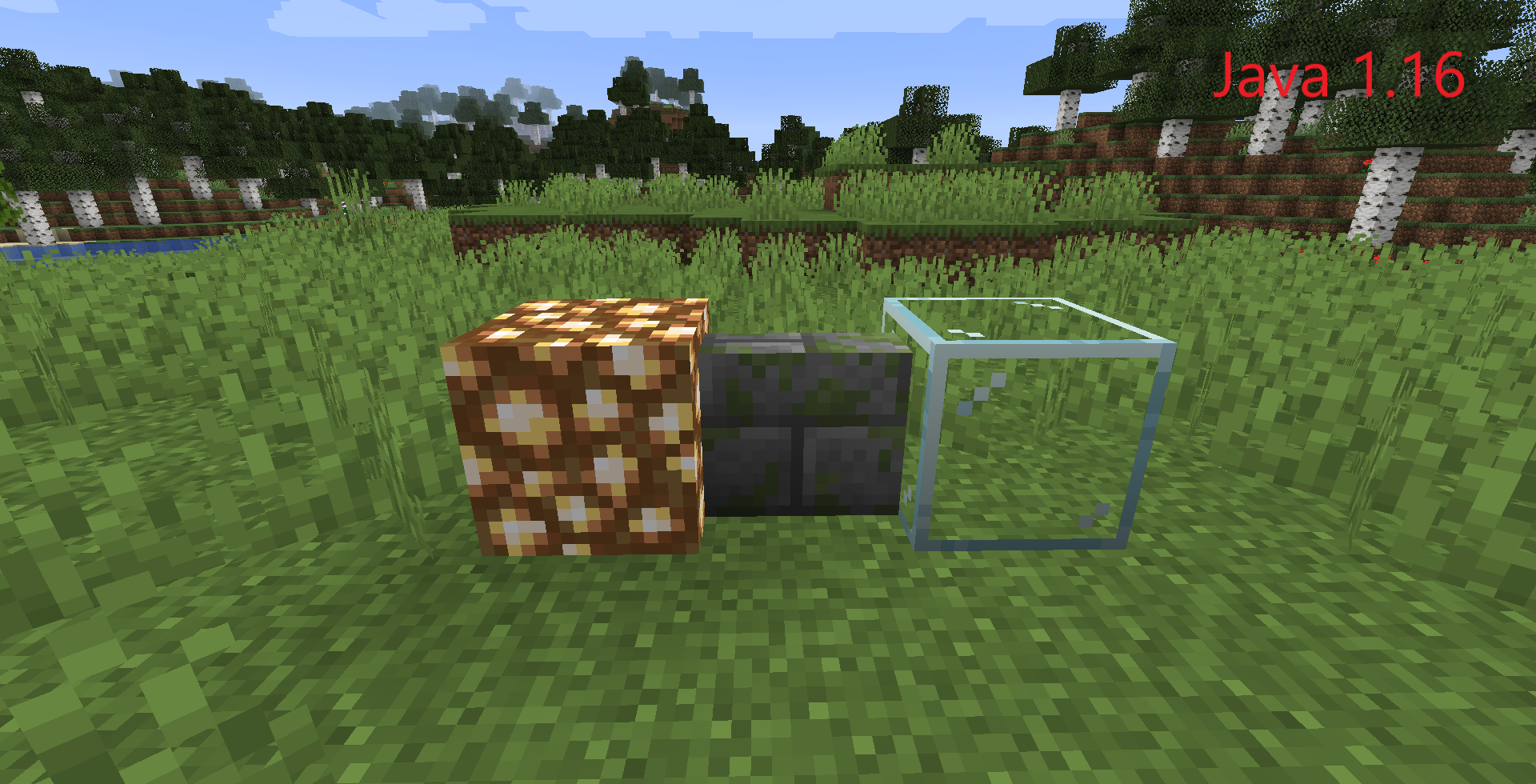
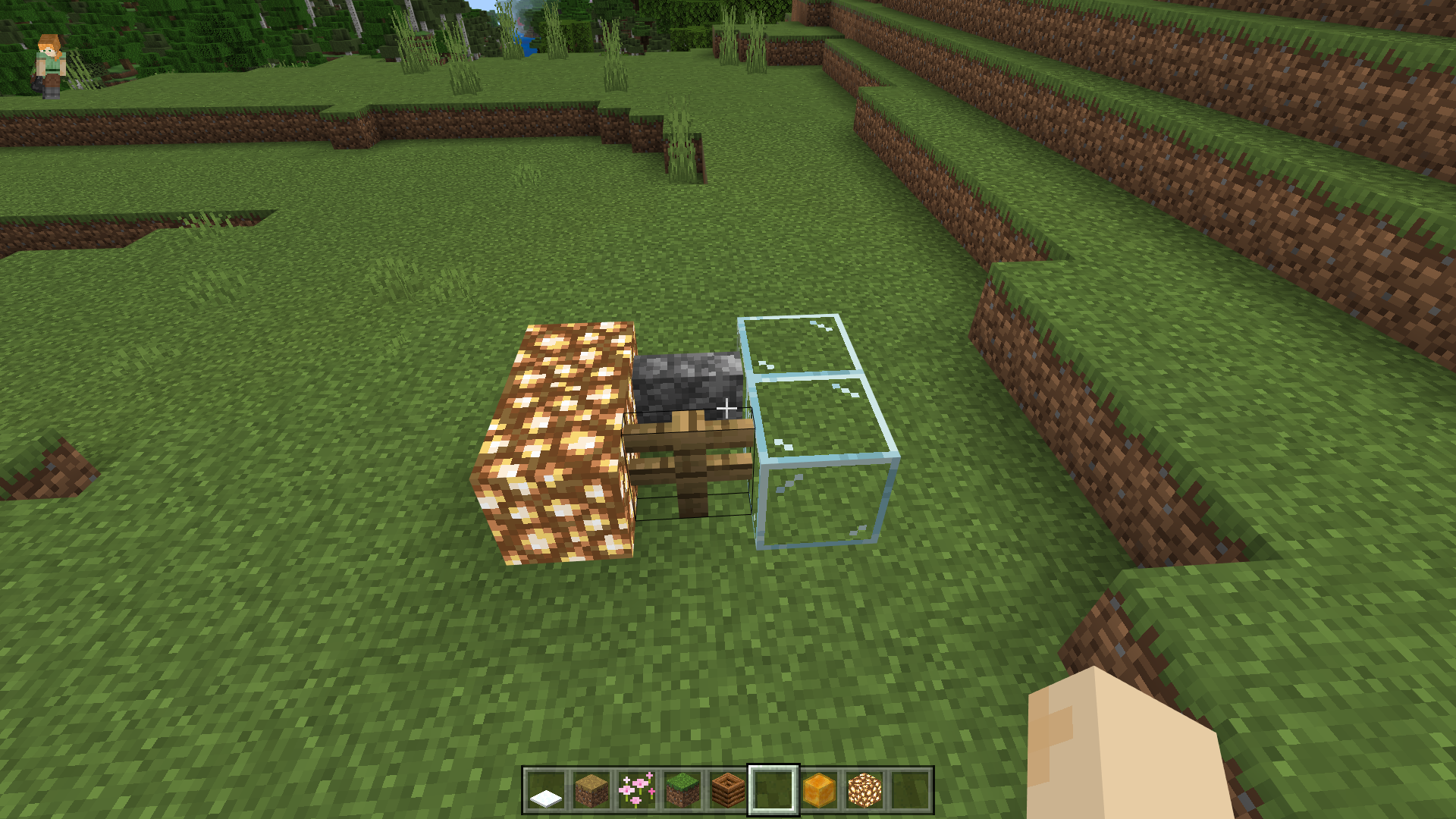
Fences in the bedrock version do not connect to glass and glowstone. And also the walls do not connect with the glowing stone.
How to Reproduce
- Check out the Java version and the Bedrock version for comparison.
- Place a block of fence with glass and a glowing stone next to it.
- Place a wall block and a glowing stone next to it.
- Compare the results across different platforms.
Expected Results
On both versions, the fences and walls will connect with glass and glowstone...

Observed Results
In the bedrok version, the fences are not connected to glass and luminous stone. And the walls don't connect to the glowing stone.
Note
I am aware of the error message # MCPE-928. But since 2012, minecraft has changed a lot and recently (I don't remember exactly in which version, but it was higher than 1.12 Java) it was added to the java version. At that time it really worked like that, but now it shouldn't be!
I ask you not to link this report as a duplicate, but to resolve it as an error.
Thank you)
This bug report is a parity issue with Java.
Fences in the bedrock version do not connect to glass and glowstone. And also the walls do not connect with the glowing stone.
How to Reproduce
- Check out the Java version and the Bedrock version for comparison.
- Place a block of fence with glass and a glowing stone next to it.
- Place a wall block and a glowing stone next to it.
- Compare the results across different platforms.
Expected Results
On both versions, the fences and walls will connect with glass and glowstone...
Observed Results
In the bedrok version, the fences are not connected to glass and luminous stone. And the walls don't connect to the glowing stone.
Note
I am aware of the error message # MCPE-928. But since 2012, minecraft has changed a lot and recently (I don't remember exactly in which version, but it was higher than 1.12 Java) it was added to the java version. At that time it really worked like that, but now it shouldn't be!
I ask you not to link this report as a duplicate, but to resolve it as an error.
Thank you)
This bug report is a parity issue with Java.
Fences in the bedrock version do not connect to glass and glowstone. And also the walls do not connect with the glowing stone.
How to Reproduce
- Check out the Java version and the Bedrock version for comparison.
- Place a block of fence with glass and a glowing stone next to it.
- Place a wall block and a glowing stone next to it.
- Compare the results across different platforms.
Expected Results
On both versions, the fences and walls will connect with glass and glowstone...
Observed Results
In the bedrok version, the fences are not connected to glass and luminous stone. And the walls don't connect to the glowing stone.
Note
I am aware of the error message # MCPE-928. But since 2012, minecraft has changed a lot and recently (I don't remember exactly in which version, but it was higher than 1.12 Java) it was added to the java version. At that time it really worked like that, but now it shouldn't be!
I ask you not to link this report as a duplicate, but to resolve it as an error.
Thank you)
This bug report is a parity issue with Java.
Fences in the bedrock version do not connect to glass and glowstone. And also the walls do not connect with the glowing stone.
How to Reproduce
- Check out the Java version and the Bedrock version for comparison.
- Place a block of fence with glass and a glowing stone next to it.
- Place a wall block and a glowing stone next to it.
- Compare the results across different platforms.
Expected Results
On both versions, the fences and walls will connect with glass and glowstone...
Observed Results
In the bedrok version, the fences are not connected to glass and luminous stone. And the walls don't connect to the glowing stone.
Note
I am aware of the error message #
MCPE-928. But since 2012, minecraft has changed a lot and recently (I don't remember exactly in which version, but it was higher than 1.12 Java) it was added to the java version. At that time it really worked like that, but now it shouldn't be!I ask you not to link this report as a duplicate, but to resolve it as an error.
Thank you)
This bug report is a parity issue with Java.
Fences in the bedrock version do not connect to glass and glowstone. And also the walls do not connect with the glowing stone.
How to Reproduce
- Check out the Java version and the Bedrock version for comparison.
- Place a block of fence with glass and a glowing stone next to it.
- Place a wall block and a glowing stone next to it.
- Compare the results across different platforms.
Expected Results
On both versions, the fences and walls will connect with glass and glowstone...
Observed Results
In the bedrok version, the fences are not connected to glass and luminous stone. And the walls don't connect to the glowing stone.
Note
I am aware of the error message [#MCPE-928]. But since 2012, minecraft has changed a lot and recently (I don't remember exactly in which version, but it was higher than 1.12 Java) it was added to the java version. At that time it really worked like that, but now it shouldn't be!
I ask you not to link this report as a duplicate, but to resolve it as an error.
Thank you)
This bug report is a parity issue with Java.
Fences in the bedrock version do not connect to glass and glowstone. And also the walls do not connect with the glowing stone.
How to Reproduce
- Check out the Java version and the Bedrock version for comparison.
- Place a block of fence with glass and a glowing stone next to it.
- Place a wall block and a glowing stone next to it.
- Compare the results across different platforms.
Expected Results
On both versions, the fences and walls will connect with glass and glowstone...
Observed Results
In the bedrok version, the fences are not connected to glass and luminous stone. And the walls don't connect to the glowing stone.
Note
I am aware of the error message
[#MCPE-928]. But since 2012, minecraft has changed a lot and recently (I don't remember exactly in which version, but it was higher than 1.12 Java) it was added to the java version. At that time it really worked like that, but now it shouldn't be!I ask you not to link this report as a duplicate, but to resolve it as an error.
Thank you)
This bug report is a parity issue with Java.
Fences in the bedrock version do not connect to glass and glowstone. And also the walls do not connect with the glowing stone.
How to Reproduce
- Check out the Java version and the Bedrock version for comparison.
- Place a block of fence with glass and a glowing stone next to it.
- Place a wall block and a glowing stone next to it.
- Compare the results across different platforms.
Expected Results
On both versions, the fences and walls will connect with glass and glowstone...
Observed Results
In the bedrok version, the fences are not connected to glass and luminous stone. And the walls don't connect to the glowing stone.
Note
I am aware of the error message
MCPE-928. But since 2012, minecraft has changed a lot and recently (I don't remember exactly in which version, but it was higher than 1.12 Java) it was added to the java version. At that time it really worked like that, but now it shouldn't be!I ask you not to link this report as a duplicate, but to resolve it as an error.
Thank you)
This bug report is a parity issue with Java.
Fences in the bedrock version do not connect to glass and glowstone. And also the walls do not connect with the glowing stone.
How to Reproduce
- Check out the Java version and the Bedrock version for comparison.
- Place a block of fence with glass and a glowing stone next to it.
- Place a wall block and a glowing stone next to it.
- Compare the results across different platforms.
Expected Results
On both versions, the fences and walls will connect with glass and glowstone...
Observed Results
In the bedrok version, the fences are not connected to glass and luminous stone. And the walls don't connect to the glowing stone.
Note
I am aware of the error message 989. But since 2012, minecraft has changed a lot and recently (I don't remember exactly in which version, but it was higher than 1.12 Java) it was added to the java version. At that time it really worked like that, but now it shouldn't be!
I ask you not to link this report as a duplicate, but to resolve it as an error.
Thank you)
This bug report is a parity issue with Java.
Fences in the bedrock version do not connect to glass and glowstone. And also the walls do not connect with the glowing stone.
How to Reproduce
- Check out the Java version and the Bedrock version for comparison.
- Place a block of fence with glass and a glowing stone next to it.
- Place a wall block and a glowing stone next to it.
- Compare the results across different platforms.
Expected Results
On both versions, the fences and walls will connect with glass and glowstone...
Observed Results
In the bedrok version, the fences are not connected to glass and luminous stone. And the walls don't connect to the glowing stone.
Note
I am aware of the error message
989. But since 2012, minecraft has changed a lot and recently (I don't remember exactly in which version, but it was higher than 1.12 Java) it was added to the java version. At that time it really worked like that, but now it shouldn't be!I ask you not to link this report as a duplicate, but to resolve it as an error.
Thank you)
This bug report is a parity issue with Java.
Fences in the bedrock version do not connect to glass and glowstone. And also the walls do not connect with the glowing stone.
How to Reproduce
- Check out the Java version and the Bedrock version for comparison.
- Place a block of fence with glass and a glowing stone next to it.
- Place a wall block and a glowing stone next to it.
- Compare the results across different platforms.
Expected Results
On both versions, the fences and walls will connect with glass and glowstone...
Observed Results
In the bedrok version, the fences are not connected to glass and luminous stone. And the walls don't connect to the glowing stone.
Note
I am aware of the error message [#https://bugs.mojang.com/browse/MCPE-928]. But since 2012, minecraft has changed a lot and recently (I don't remember exactly in which version, but it was higher than 1.12 Java) it was added to the java version. At that time it really worked like that, but now it shouldn't be!
I ask you not to link this report as a duplicate, but to resolve it as an error.
Thank you)
This bug report is a parity issue with Java.
Fences in the bedrock version do not connect to glass and glowstone. And also the walls do not connect with the glowing stone.
How to Reproduce
- Check out the Java version and the Bedrock version for comparison.
- Place a block of fence with glass and a glowing stone next to it.
- Place a wall block and a glowing stone next to it.
- Compare the results across different platforms.
Expected Results
On both versions, the fences and walls will connect with glass and glowstone...
Observed Results
In the bedrok version, the fences are not connected to glass and luminous stone. And the walls don't connect to the glowing stone.
Note
I am aware of the error message
[#https://bugs.mojang.com/browse/MCPE-928]. But since 2012, minecraft has changed a lot and recently (I don't remember exactly in which version, but it was higher than 1.12 Java) it was added to the java version. At that time it really worked like that, but now it shouldn't be!I ask you not to link this report as a duplicate, but to resolve it as an error.
Thank you)
This bug report is a parity issue with Java.
Fences in the bedrock version do not connect to glass and glowstone. And also the walls do not connect with the glowing stone.
How to Reproduce
- Check out the Java version and the Bedrock version for comparison.
- Place a block of fence with glass and a glowing stone next to it.
- Place a wall block and a glowing stone next to it.
- Compare the results across different platforms.
Expected Results
On both versions, the fences and walls will connect with glass and glowstone...
Observed Results
In the bedrok version, the fences are not connected to glass and luminous stone. And the walls don't connect to the glowing stone.
Note
I am aware of the error message MCPE-928 (https://bugs.mojang.com/browse/MCPE-928) . But since 2012, minecraft has changed a lot and recently (I don't remember exactly in which version, but it was higher than 1.12 Java) it was added to the java version. At that time it really worked like that, but now it shouldn't be!
I ask you not to link this report as a duplicate, but to resolve it as an error.
Thank you)
This bug report is a parity issue with Java.
Fences in the bedrock version do not connect to glass and glowstone. And also the walls do not connect with the glowing stone.
How to Reproduce
- Check out the Java version and the Bedrock version for comparison.
- Place a block of fence with glass and a glowing stone next to it.
- Place a wall block and a glowing stone next to it.
- Compare the results across different platforms.
Expected Results
On both versions, the fences and walls will connect with glass and glowstone...
Observed Results
In the bedrok version, the fences are not connected to glass and luminous stone. And the walls don't connect to the glowing stone.
Note
I am aware of the error message MCPE-928 (https://bugs.mojang.com/browse/MCPE-928
). But since 2012, minecraft has changed a lot and recently (I don't remember exactly in which version, but it was higher than 1.12 Java) it was added to the java version. At that time it really worked like that, but now it shouldn't be!I ask you not to link this report as a duplicate, but to resolve it as an error.
Thank you)
This bug report is a parity issue with Java.
Fences in the bedrock version do not connect to glass and glowstone. And also the walls do not connect with the glowing stone.
How to Reproduce
- Check out the Java version and the Bedrock version for comparison.
- Place a block of fence with glass and a glowing stone next to it.
- Place a wall block and a glowing stone next to it.
- Compare the results across different platforms.
Expected Results
On both versions, the fences and walls will connect with glass and glowstone...
Observed Results
In the bedrok version, the fences are not connected to glass and luminous stone. And the walls don't connect to the glowing stone.
Note
I am aware of the error message MCPE-928 https://bugs.mojang.com/browse/MCPE-928 . But since 2012, minecraft has changed a lot and recently (I don't remember exactly in which version, but it was higher than 1.12 Java) it was added to the java version. At that time it really worked like that, but now it shouldn't be!
I ask you not to link this report as a duplicate, but to resolve it as an error.
Thank you)
This bug report is a parity issue with Java.
Fences in the bedrock version do not connect to glass and glowstone. And also the walls do not connect with the glowing stone.
How to Reproduce
- Check out the Java version and the Bedrock version for comparison.
- Place a block of fence with glass and a glowing stone next to it.
- Place a wall block and a glowing stone next to it.
- Compare the results across different platforms.
Expected Results
On both versions, the fences and walls will connect with glass and glowstone...
Observed Results
In the bedrok version, the fences are not connected to glass and luminous stone. And the walls don't connect to the glowing stone.
Note
I am aware of the error message MCPE-928 https://bugs.mojang.com/browse/MCPE-928 . But since 2012, minecraft has changed a lot and recently (I don't remember exactly in which version, but it was higher than 1.12 Java) it was added to the java version. At that time it really worked like that, but now it shouldn't be!
I ask you not to link this report as a duplicate, but to resolve it as an error.
Thank you)
This bug report is a parity issue with Java.
Fences in the bedrock version do not connect to glass and glowstone. And also the walls do not connect with the glowing stone.
How to Reproduce
- Check out the Java version and the Bedrock version for comparison.
- Place a block of fence with glass and a glowing stone next to it.
- Place a wall block and a glowing stone next to it.
- Compare the results across different platforms.
Expected Results
On both versions, the fences and walls will connect with glass and glowstone...
Observed Results
In the bedrok version, the fences are not connected to glass and luminous stone. And the walls don't connect to the glowing stone.
Note
I am aware of the error message
MCPE-928https://bugs.mojang.com/browse/MCPE-928 . But since 2012, minecraft has changed a lot and recently (I don't remember exactly in which version, but it was higher than 1.12 Java) it was added to the java version. At that time it really worked like that, but now it shouldn't be!I ask you not to link this report as a duplicate, but to resolve it as an error.
Thank you)
This bug report is a parity issue with Java.
Fences in the bedrock version do not connect to glass and glowstone. And also the walls do not connect with the glowing stone.
How to Reproduce
- Check out the Java version and the Bedrock version for comparison.
- Place a block of fence with glass and a glowing stone next to it.
- Place a wall block and a glowing stone next to it.
- Compare the results across different platforms.
Expected Results
On both versions, the fences and walls will connect with glass and glowstone...
Observed Results
In the bedrok version, the fences are not connected to glass and luminous stone. And the walls don't connect to the glowing stone.
Note
I am aware of the error message
MCPE-928https://bugs.mojang.com/browse/MCPE-928. But since 2012, minecraft has changed a lot and recently (I don't remember exactly in which version, but it was higher than 1.12 Java) it was added to the java version. At that time it really worked like that, but now it shouldn't be!I ask you not to link this report as a duplicate, but to resolve it as an error.
Thank you)
This bug report is a parity issue with Java.
Fences in the bedrock version do not connect to glass and glowstone. And also the walls do not connect with the glowing stone.
How to Reproduce
- Check out the Java version and the Bedrock version for comparison.
- Place a block of fence with glass and a glowing stone next to it.
- Place a wall block and a glowing stone next to it.
- Compare the results across different platforms.
Expected Results
On both versions, the fences and walls will connect with glass and glowstone...
Observed Results
In the bedrok version, the fences are not connected to glass and luminous stone. And the walls don't connect to the glowing stone.
Note
I am aware of the error message
MCPE-928. But since 2012, minecraft has changed a lot and recently (I don't remember exactly in which version, but it was higher than 1.12 Java) it was added to the java version. At that time it really worked like that, but now it shouldn't be!I ask you not to link this report as a duplicate, but to resolve it as an error.
Thank you)
This bug report is a parity issue with Java.
Fences in the bedrock version do not connect to glass and glowstone. And also the walls do not connect with the glowing stone.
How to Reproduce
- Check out the Java version and the Bedrock version for comparison.
- Place a block of fence with glass and a glowing stone next to it.
- Place a wall block and a glowing stone next to it.
- Compare the results across different platforms.
Expected Results
On both versions, the fences and walls will connect with glass and glowstone...
Observed Results
In the bedrok version, the fences are not connected to glass and luminous stone. And the walls don't connect to the glowing stone.
Note
I am aware of
the error messageMCPE-928. But since 2012,minecraft has changed a lot and recently (I don't remember exactly in which version, but it was higher than 1.12 Java) it was added to the java version. At that time it really worked like that, but now it shouldn't be!I ask you not to link this report as a duplicate, but to resolve it as an error.
Thank you)
This bug report is a parity issue with Java.
Fences in the bedrock version do not connect to glass and glowstone. And also the walls do not connect with the glowing stone.
How to Reproduce
- Check out the Java version and the Bedrock version for comparison.
- Place a block of fence with glass and a glowing stone next to it.
- Place a wall block and a glowing stone next to it.
- Compare the results across different platforms.
Expected Results
On both versions, the fences and walls will connect with glass and glowstone...
Observed Results
In the bedrok version, the fences are not connected to glass and luminous stone. And the walls don't connect to the glowing stone.
Note
I am aware of a bug
MCPE-928. But since 2012 minecraft has changed a lot and recently (from version 1.14) it was added to the java version.
At the time of submitting the reportMCPE-928it should have worked this way, but it shouldn't work like that now!I ask you not to link this report as a duplicate, but to resolve it as an error.
Thank you)
Fences do not connect with glass and glowstone...
Fencesdo not connectwithglass and glowstoneFences or walls doesn't connect to glass and glowstone
This bug report is a parity issue with Java.
Fences in the bedrock version do not connect to glass and glowstone. And also the walls do not connect with the glow
ingstone.How to Reproduce
- Check out the Java version and the Bedrock version for comparison.
- Place a block of fence with glass and a glow
ingstone next to it.- Place a wall block and a glow
ingstone next to it.- Compare the results across different platforms.
Expected Results
On both versions, the fences and walls will connect with glass and glowstone...
Observed Results
In the bedrok version, the fences are not connected to glass and
luminousstone. And the walls don't connect to the glowingstone.
Note
I am aware of a bug
MCPE-928. But since 2012 minecraft has changed a lot and recently (from version 1.14) it was added to the java version.
At the time of submitting the reportMCPE-928it should have worked this way, but it shouldn't work like that now!I ask you not to link this report as a duplicate, but to resolve it as an error.
Thank you)
This bug report is a parity issue with Java.
Fences in the bedrock version do not connect to glass and glowstone. And also the walls do not connect with the glowstone.
How to Reproduce
- Check out the Java version and the Bedrock version for comparison.
- Place a block of fence with glass and a glowstone next to it.
- Place a wall block and a glowstone next to it.
- Compare the results across different platforms.
Expected Results
On both versions, the fences and walls will connect with glass and glowstone...
Observed Results
In the bedrok version, the fences are not connected to glass and glowstone. And the walls don't connect to the glowstone.
Note
I am aware of a bug
MCPE-928. But since 2012 minecraft has changed a lot and recently (from version 1.14) it was added to the java version.
At the time of submitting the reportMCPE-928it should have worked this way, but it shouldn't work like that now!I ask you not to link this report as a duplicate, but to resolve it as an error.
Thank you)
In the Creative version of Minecraft Windows 10, it does not always break blocks with an active shield in hand.
How to Reproduce
- Take the shield in your hand.
- Activate the shield by pressing the Shift key.
- Start breaking nearby blocks (hold the Shift key!).
Expected Results
Sometimes the blocks don't disappear. (may not work the first time)
Observed Results
The blocks will break.
Note
If something is not clear about reproducing this problem - ask a question in the comment. I will definitely answer!
Videos
In the Creative version of Minecraft Windows 10, it does not always break blocks with an active shield in hand.
How to Reproduce
- Take the shield in your hand.
- Activate the shield by pressing the Shift key.
- Start breaking nearby blocks (hold the Shift key!).
Expected Results
The blocks will break.
Observed Results
Sometimes the blocks don't disappear. (may not work the first time)
Note
If something is not clear about reproducing this problem - ask a question in the comment. I will definitely answer!
Videos

Update by [Mod] EVGENSYPERPRO
Summary:
https://youtu.be/DA2pi7Kx9gQ?t=78 as seen in this video you used to be able to fly using an elytra with parrots. They should stay on the shoulder when only flying up. In some snapshots parrots dismounted during upward movement but it was changed that they dismount the player’s should when falling.
Steps to reproduce:
- Summon/find a parrot.
- Tame a parrot.
- Sit the parrot on your shoulder.
- Put on the elytra.
- Fly up on the elytra.
Observed results:
When flying up on an elytra with a parrot, the parrot dismounts.
Expected results:
When flying up with a parrot, the parrot must not dismount. The parrot should dismount only when flying down.
Original Description:
I really wanted to report this but Parrots are not on the players' shoulders when flying the Elytra.
It was a problem from since like 1.12 Pre-2.

Updated description by [Mod] EVGENSYPERPRO:
Summary:
Respiration enchantment does not increase the time between taking drowning damage. In the Java version, respiration enchantment increases time how long it takes to take drowning damage again.
Steps to reproduce:
- Enchant the helmet with a respiration enchantment.
- Dive underwater.
- Wait underwater until you take drowning damage.
- Watch how often you take damage.
Observed results:
Drowning damage deals damage to the player every second (by default you take drowning damage every second).
Expected results:
The time between getting drowning damage will be increased like in the java version (about 3 seconds).
Original description:
When drowning without wearing a piece of armor that has respiration on it, the chance of not taking damage is 0%. When drowning while wearing a piece of armor that has respiration on it, the chance of not taking drowning damage is still 0%. According to the minecraft wiki, the chance should be ((level)/(level+1))% and not 0%.

Updated by [Mod] EVGENSYPERPRO.
Summary:
Lava converts into obsidian or cobblestone when coming into contact with waterlogged blocks even if the water doesn't visually touch the lava.
Steps to reproduce:
- Build the setup as shown in the attachment below.

- Break the diamond block.
- Take note as to whether or not lava converts into obsidian or cobblestone when coming into contact with waterlogged blocks even if the water doesn't visually touch the lava.
Observed results:
Lava converts into obsidian or cobblestone when coming into contact with waterlogged blocks even if the water doesn't visually touch the lava.
Expected results:
Lava would not convert into obsidian or cobblestone when coming into contact with waterlogged blocks when the water doesn't visually touch the lava.
Original description:
When you place lava/ when lava touches the back of a waterlogged stair where there isnt water it turns lava into cobble/obsidian. Also if the water rolls on the stair it will destroy the waterlogged stair and replace it with stone.

Updated from [Mod] EVGENSYPERPRO
Summary:
Bold text (§l) sometimes goes beyond the text field. This happens with a large number of characters in the second and next lines. Applies to chat, signs, books.
Steps to reproduce:
- Write in chat, sign or book several lines of bold text.
§laaaaaaaaaaaaaaaaaaaaaaaaaaaaaaaaaaaaaaaaaaaaaaaaaaaaaaaaaaaaaaaaaaaaaaaaaaaaaaaaaaaaaaaaaaaaaaaaaaaaaaaaaaaaaaaaaaaaaaaaaaaaaa
Observed results:
The text on the second (and next) lines goes beyond the text field.
Expected results:
The text will not go beyond the text field.
Original description:
Note: I am using a 21:9 monitor.
The image should give you all the details.
Bold text sent in chat using §l will leave the shaded text area if a word is long enough (i spammed Q).
When walking towards bamboo while crouching, it acts like a full block, causing you to pass the current block and fall down.
—
Additional information from [Mod] EVGENSYPERPRO
This only seems to work if you haven't previously stood at the edge on the shift. Also, the speed of the player's movement affects the success of testing a bug. To accurately reproduce the problem, the player must give themselves a speed of 6 or enable flight mode (due to changes in the flight mechanics the player is no longer faster when crouching while flying and accordingly this no longer works when reproducing this bug). It can be reproduced without speed, however, for dozens of tests, it turned out only 2 times for me.
Steps to reproduce:
- Find a placement of the bamboo so that the player can pass between the block and the bamboo (the coordinates of such a bamboo are -698 Y -348).
- Place bamboo in 2 or more blocks.
- Place a block next to it (so that the player walks between the block and the bamboo. Block example -699 Y -348).
- Stand in the center of the block.
- Give yourself a speed of 6.
- Go from to the center to the bamboo on the shift.
Observed results:
The player falls without releasing the shift.
Expected results:
The player will not fall while standing on the shift.
Update from [Mod] EVGENSYPERPRO
Summary:
When using skins from certain Marketplace skin packs, leads attach to the player’s head, sometimes blocking the screen.
List of affected skin packs (list may be incomplete):
- 1st Birthday Skin Pack
- 2nd Birthday Skin Pack
- DuckTales
- Earth Skin
- Legacy Skin Pack
- Super Cute Texture Pack
Steps to reproduce:
- Use any skin from the skin packs listed above
- Summon a mob that can be leashed.
- Take a lead and leash the mob with them.
Observed results:
Lead attaches to the player's head, partially blocking the screen.
Expected results:
Lead attaches to the player's hand (as when using skins not from the marketplace) and does not block the screen.
Original description:
Hi Mojang,
When playing Bedrock PS4, leads will appear above the player's head when tethered to entities and will block most of the screen. I have tried this with baby horses, wandering trader llamas, sheep and cows with the same result.
Thank you!
![[Mod] OcelotOnesie](../../../data/avatars/users/43220.png)
[Mod] EVGENSYPERPRO: Please don't use the helper/mod messages.
[Mod] EVGENSYPERPRO: THANK YOU! Another moderator noticed that your instructions mentioned that asterisks in the command had caused it to fail. On checking, we discovered that the asterisks had likewise caused the command to be rendered incorrectly on the Xbox page intended for troubleshooting this problem. We had not been aware that the command there was incorrect, and that the way it was rendered would cause Powershell to run without an error, but also without performing the intended fix. That fix was meant to be a brute force, last resort solution to the problem that should fix even in the worst case, so Mojang has been stumped about why it wasn't working. We are passing this information to Community Management, who will have the Xbox team fix the problem on the troubleshooting page.
Meanwhile, I modified your comment to include the command in a form that shouldn't cause a problem when copied and pasted. For future reference, the backslash "\" character can be used as an escape character in Mojira to prevent special characters such as * and _ from being interpreted as text formatting codes. I also enclosed the "minecraftUWP" string in double quotes because canonical Powershell syntax expects that. (It will usually work without the quotes, but it's safer to include them.)

[Mod] EVGENSYPERPRO java edition also has this bug and when you put multiple bottles in it, the brewing stand will spit the empty bottle out, making it possible to get it back, but on bedrock this is not the case, the empty bottle is always lost.

I can say, it is not similar as indicated in that report.
The difference is that the loading screen doesn't seem to load anything. I tried leaving it for 30 minutes and the progress bar is stuck at the initial point. While in the shared report, it is loading but slower than normal.
Although, I may try to extend it up to 2 hours to make sure of this issue.
Update: Tried running the game for 2 hours. Yes - It still stuck at the loading screen without any progress, unlike the other report.
Updated from [Mod] EVGENSYPERPRO
Summary:
When you enable the "Caves and Cliffs" and "Education Edition" features, a broken item with no name or description appears in the "Nature" tab. It has a broken texture.
Steps to Reproduce:
- Enable "Caves and Cliffs" and "Education Edition" in the world settings.
- Enter the world.
- Open your inventory in the "Nature" tab.
Observed Results:
A "broken item" will appear in your inventory.
Expected Results:
It shouldn't be in your inventory.
Notes:
Does not work only with "Caves and Cliffs" enabled / only with "Education Edition" enabled.
Image:

I confirm!
Add my description:
Updated from [Mod] EVGENSYPERPRO !
Summary:
When you enable the "Caves and Cliffs" and "Education Edition" features, a broken item with no name or description appears in the "Nature" tab. It has a broken texture.
Steps to Reproduce:
- Enable "Caves and Cliffs" and "Education Edition" in the world settings.
- Enter the world.
- Open your inventory in the "Nature" tab.
Observed Results:
A "broken item" will appear in your inventory.
Expected Results:
It shouldn't be in your inventory.
Notes:
Does not work only with "Caves and Cliffs" enabled / only with "Education Edition" enabled.
Image:
When the elytra are used to glide there is no sound.
How to reproduce [original report]
- Equip an elytra
- Start gliding
- No sound is played
Expected behaivor:
A sound is played while gliding with the elytra
Steps to reproduce [from [Mod] EVGENSYPERPRO]:
- Build a 10 * 10 area of nether blocks that burn all the time (Soul Soil, Netherrack, Soul Sand).
- Set all these blocks on fire.
- Stand in the center for 5 seconds.
- Fly on elytra.
Notes:
There will also be no half of other sounds such as switching tabs in the inventory, extinguishing fires, etc.
Video:
I found the reason. Very large sound reproduction. At least works with fire.
Tested on both android (1.16.210) and windows 10 (1.16.220.52).
Add my playback steps.
Steps to reproduce [from [Mod] EVGENSYPERPRO]:
- Build a 10 * 10 area of nether blocks that burn all the time (Soul Soil, Netherrack, Soul Sand).
- Set all these blocks on fire.
- Stand in the center for 5 seconds.
- Fly on elytra.
Notes:
There will also be no half of other sounds such as switching tabs in the inventory, extinguishing fires, etc.
Video:
[Mod] EVGENSYPERPRO please do not change the category of your reports. Changing categories is only meant for moderators and mojang.
![[Helper] Johnibur](../../../data/avatars/users/28381.png)
@[Mod] EVGENSYPERPRO This issue is for Minecraft: Java Edition. Please see Minecraft (Bedrock codebase) for issues affecting your game edition.
Please don't forget to search for an existing issue matching yours in the appropriate project before raising a new one.
Quick Links:
📓 Bug Tracker Guidelines – 💬 Community Support – 📧 Mojang Support
📓 Project Summary – ✍️ Feedback and Suggestions – 📖 Game Wiki
[Mod] EVGENSYPERPRO Can you put down what version each one was fixed in

if you do an emote with a parrot on your shoulder the parrot will just stay in the air.
Steps to reproduce [by [Mod] EVGENSYPERPRO]:
- Tame your parrot.
- Put the parrot on your shoulder.
- Run some emotions and look at the parrot.
Observed results:
The parrot in most emotions will not be on the shoulder, but will remain in the air.
Expected results:
The parrot will not hang in the air.

When an axolotl is regenerating and you pick it up while its regenerating and place it back it can move while regenerating
Steps to reproduce [by [Mod] EVGENSYPERPRO]:
- Get the axolotl to regenerate.
- Catch him in a bucket.
- Free the axolotl.
Observed results:
The axolotl will regenerate and swim.
Expected results:
When the axolotl regenerates, it should not move.
Notes:
In the Java version, when the axolotl is released from the bucket, the regeneration effect disappears MC-228903.
Video:

Undead mobs such as zombies, skeleton etc that are around the north, west and north-west of the powder snow (not in) do not burn
One of the images shows where the mobs don't burn relative to the powder snow with green concrete and where they burn with red concrete, the other image shows the bug occuring.
Steps to reproduce [by [Mod] EVGENSYPERPRO]:
- Dig a hole 3 * 3 blocks and 2 blocks high.
- Place 1 block of powder snow in the center.
- Place 1 more full block on powder snow.
- Summon zombies from different sides.
Steps to reproduce (1.17.20.23 Beta):
- Dig a hole 3 * 3 blocks and 2 blocks high.
- Place 1 block of powder snow in the center.
- Place 1 more full block on powder snow.
- Add 2 blocks (high) to the corners (to keep the mobs from moving).
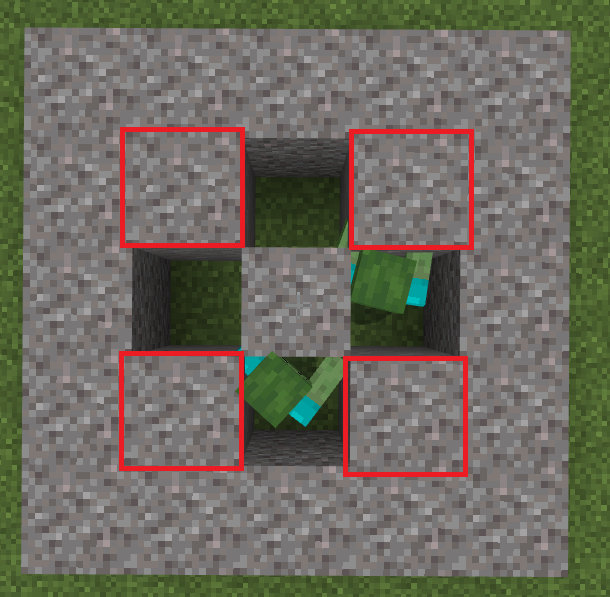
- Summon zombies from different directions and move them close to powder snow.
Observed results:
Undead mobs such as zombies, skeleton etc that are around the north, west and north-west of the powder snow do not burn.
Expected results:
Mobs should not burn just inside the powder snow.
Notes:
This error does not affect players in any way (no freezing effect is observed).
I can't find any dungeons on any world generated on the 1.17 version.
More information from [Mod] EVGENSYPERPRO
Summary:
Dungeons are not generated when the "caves and cliffs" switch is on
Steps to Reproduce:
Create a new world with the experimental "caves and cliffs" feature
Try to find a dungeon
Observed Results:
You won't be able to find any dungeons.
Expected Results:
Dungeons will be generated.
Notes:
You can also use this website when searching for dungeons.
However, remember that the site may contain errors...
Steps to reproduce [by [Mod] EVGENSYPERPRO]:
- Fill a large area in the End with water, several blocks high.
*the larger the area, the faster Axolotls and Glow Squids will spawn - Place blocks above the water-filled area.
Or you can just download the world in which all the conditions for spawn are already built TEST_End.mcworld
I confirm!
please add playback steps)
Steps to reproduce [by [Mod] EVGENSYPERPRO]:
- Dig a hole 3 * 3 blocks and 2 blocks high.
- Place 1 block of powder snow in the center.
- Place 1 more full block on powder snow.
- Summon zombies from different sides.
Observed results:
Undead mobs such as zombies, skeleton etc that are around the north, west and north-west of the powder snow do not burn.
Expected results:
Mobs should not burn just inside the powder snow.
Notes:
This error does not affect players in any way (no freezing effect is observed).
Video:
I confirm!
please add playback steps)
Steps to reproduce [by [Mod] EVGENSYPERPRO]:
- Get the axolotl to regenerate.
- Catch him in a bucket.
- Free the axolotl.
Observed results:
The axolotl will regenerate and swim.
Expected results:
When the axolotl regenerates, it should not move.
Notes:
In the Java version, when the axolotl is released from the bucket, the regeneration effect disappears MC-228903.
Video:
I confirm.
In my opinion, the best solution would be for the parrot to jump off the player when the emotion is being played. Or how emotions cannot be triggered on a boat.
Add my playback steps)
Steps to reproduce [by [Mod] EVGENSYPERPRO]:
- Tame your parrot.
- Put the parrot on your shoulder.
- Run some emotions and look at the parrot.
Observed results:
The parrot in most emotions will not be on the shoulder, but will remain in the air.
Expected results:
The parrot will not hang in the air.
Video:

[Mod] EVGENSYPERPRO could you provide the seed where dungeons generate?

I can't update this report since I didn't create this ticket. However, I can post what I posted on the ticket that was prematurely closed.
Editing this as [Mod] EVGENSYPERPRO seems to have it down in the comment above. Thanks!
[Mod] EVGENSYPERPRO Gotcha, thanks!

Clock and Compass display time/direction when viewed in Crafting Table output without actually crafting.
Steps to reproduce [from [Mod] EVGENSYPERPRO]:
- In survival game mode, go into crafting recipe book and find a clock and a compass.
- Click on the clock or compass icon.
- Look at the working clock and compass icon in the item receiving field.
Observed results:
At the output, you will see a working clock or compass, no crafting.
Expected results:
Without actually crafting the clock and compass, the icons in the inventory will not work.
Original Description
today, i found that the glitch of clock have been fixed. So i wanted get a try. But when I test it, i found that although it doesn't work in the syntheticic book. But when I tapped on it. It still works in your inventory. And the compass too.
(My English is a little bad, sorry)
![[Mod] LateLag](../../../data/avatars/users/92884.png)
[Mod] EVGENSYPERPRO This report is actually more correct, as it's simply the biome having the incorrect temperature. It doesn't try to match the temperature of the biome surrounding it. It's also more direct, simpler to understand and can be found more easily by those who search for a report about snow on the sides of mountains. For those reasons, I'll be forward resolving yours instead, hope that's fine for you. 
Placing a Light Block above the water prevents the player from being able to climb out of it.
I've tested this on Switch, Windows and Android, on both 1.17.30 and 1.17.40.21
Steps to reproduce [by [Mod] EVGENSYPERPRO]:
- Place the water block at the water outlet level.
- Place a light block above the water.
- Try to get out of the water onto a block adjacent to the water.
Observed results:
The light block prevents the player from getting out of the water onto the block.
Expected results:
The light block will not affect the player in any way.
Confirmed
Steps to reproduce [by [Mod] EVGENSYPERPRO]:
- Place the water block at the water outlet level.
- Place a light block above the water.
- Try to get out of the water onto a block adjacent to the water.
Observed results:
The light block prevents the player from getting out of the water onto the block.
Expected results:
The light block will not affect the player in any way.
I've been transporting a TON of villagers on boats + leads (each boat has two villagers). I have a ton of villagers waiting in a field, they're all in boats, and every boat is full and has two villagers. I went away from that field, and when I go back, some villagers are able to escape from their boats, wandering around. This has happened multiple times on 1.17.30, but I've never encountered this bug on previous versions.
Within that field, there are no job sites or beds nearby, although sometimes I'll put my bed and sleep nearby. I always sleep during night/thunderstorm, so they should be safe. The boat itself is also intact and not destroyed, so I usually push them back into the boat if they start wandering around. This might be unrelated, but their trades and jobs have been locked, and they've been zombie cured 5x.
This glitch seems to happen when I slowly approach that field, with about 10% chance. As that area is being loaded, the villagers can somehow get out of their boats.
Most of the time I put villagers on boats, but this glitch might also occur on other mobs as well.
Update: Still a big issue in the latest version (1.18.2). I was out exploring in the overworld, and when I came back, my villagers are somehow getting out of their boats!
Steps to reproduce [by [Mod] EVGENSYPERPRO]:
- Load the world MCPE-142983.mcworld.
- Enter the Nether portal (it is built nearby).
- Exit the nether.
- See how some of the horses got out of the boats.
- Load the world MCPE-142983.mcworld.
- Teleport to coordinates 0 100 0.
- Teleport to coordinates 218.04 78.12 10001.09.
- See how some of the horses got out of the boats.
Observed results:
Mobs can get out of boats under some circumstances.
Expected results:
Mobs without the player's help should not leave the boats.

Description from [Mod] EVGENSYPERPRO
Getting out of bed after sleep, the player can get up in some incomplete blocks, leaves, glass, beacon and some other blocks.
It can happen by accident. The player does not always stand in these blocks. To accurately reproduce this problem, you need to build a small structure. More details in steps to reproduce. And I will give a list of blocks in which the player may find himself getting out of bed.
- Chests
- Glass
- Shulker Box
- Leaves
- Beacon
- TNT
- Lectern
- Composter
- Cauldron
- Anvil
- Brewing Stand
- Azalea
- Pointed Dripstone
- Big Dripleaf
- Dragon Egg
- Grindstone
Steps to reproduce:
- Build the structure as shown in the image.

- Place the affected block in place of the diamond block (list above).
- Go to sleep.
- Get out of bed.
Observed results:
The player will be inside the block.
Expected results:
When the player gets out of bed, he must not get inside the blocks.
Video:
Minecraft 2021-10-10 15-46-23.mp4
Original Description
When I fell asleep it turns out that when I wake up, he directs me to the side of the bed but inside or on the chest

Description from [Mod] EVGENSYPERPRO
Blocks may not be generated randomly in the mansion. Not one particular mansion is affected..
Examples:
Seed: -2111305578 (examples use 2 mansions)
On coordinates /tp -12193 89 -9582 removed 2 blocks in the wall
On coordinates /tp 28438 88 -14713 and /tp 28455 88 -14697 also a passage in the wall
On coordinates /tp 28490 87 -14707 and /tp 28451 87 -14739 and /tp -12157 85 -9604 removed inverted stairs (decoration)
Steps to reproduce:
- Create a world with the specified seed (-2111305578).
- Visit the above red coordinates.
Observed results:
The mansion is not entirely complete. The mansion has randomly not generated blocks.
Expected results:
The mansion should be intact.
Image:


Original Description
World seed: -2111305578
Tp to "-12120 ~ -9591"
Updated description by [Mod] EVGENSYPERPRO:
Summary:
Minecarts float slightly over the rails (3 pixels instead of 2). Since the rails are 1 pixel high, the minecart should be placed 2px from the block that the rails are placed on, since if the minecart is placed 1px (just after the rail texture) there will most likely be z-fighting. It will also match the Java version.
Steps to reproduce:
- Place the rails.
- Place the minecart on the rails.
- See how many pixels from the block containing the rail to minecart.
Observed results:
From the block containing the rail to the minecart - 3 pixels.
Expected results:
From the block containing the rail to the minecart - 2 pixels.
Screenshots:
Bedrock

Java

Original description:
If you look closely under it, it is slightly off the rail.
Description from [Mod] EVGENSYPERPRO
The nether can generate stone next to gravel. This may be rare.
Seed: 1172033112 Coords: 99 32 275 Coords: 178 33 113 Coords: 281 33 60 Coords: 297 33 133 Coords: -12 33 -502
Steps to reproduce:
- Create a world with the above seed.
- Go to Nether.
- Set the above coordinates in the Nether.
Observed results:
A stone has been generated in the nether.
Expected results:
No stone should be generated in the nether.
Original Description
I found some stone and copper that naturally generated in the nether while playing beta 1.17.40.23 with experimental mode enabled. Seed 1172033112. Coordinates in picture attached.
Haven't found it yet on the new 1.18 beta, but I couldn't figure out how to put the old one in the version.
I think the description of this report should be updated, but I am confirming this report. This, as I understand it, concerns not only this mansion, but others as well, but this mansion is the best example of "disappeared blocks".
Description from [Mod] EVGENSYPERPRO
Blocks may not be generated randomly in the mansion. Not one particular mansion is affected..
Examples:
Seed: -2111305578 (examples use 2 mansions)
On coordinates /tp -12193 89 -9582 removed 2 blocks in the wall
On coordinates /tp 28438 88 -14713 and /tp 28455 88 -14697 also a passage in the wall
On coordinates /tp 28490 87 -14707 and /tp 28451 87 -14739 and /tp -12157 85 -9604 removed inverted stairs (decoration)
Steps to reproduce:
- Create a world with the specified seed (-2111305578).
- Visit the above red coordinates.
Observed results:
The mansion is not entirely complete. The mansion has randomly not generated blocks.
Expected results:
The mansion must be intact.
Image:
I confirm. I did a little research on this issue.
Description from [Mod] EVGENSYPERPRO
Getting out of bed after sleep, the player can get up in some incomplete blocks, leaves, glass, beacon and some other blocks.
It can happen by accident. The player does not always stand in these blocks. To accurately reproduce this problem, you need to build a small structure. More details in steps to reproduce. And I will give a list of blocks in which the player may find himself getting out of bed.
- Chests
- Glass
- Shulker Box
- Leaves
- Beacon
- TNT
- Lectern
- Composter
- Cauldron
- Anvil
- Brewing Stand
- Azalea
- Pointed Dripstone
- Big Dripleaf
- Dragon Egg
- Grindstone
Steps to reproduce:
- Build the structure as shown in the image.
- Place the affected block in place of the diamond block (list above).
- Go to sleep.
- Get out of bed.
Observed results:
The player will be inside the block.
Expected results:
When the player gets out of bed, he must not get inside the blocks.
In version 1.18.0.20, I did not find copper generation, nor on android not on Windows 10. Please. Update to the latest current version 1.18.0.20) But I confirm the generation of the stone. I will provide a description of the report if the current description is not entirely clear or does not follow the general format.
Description from [Mod] EVGENSYPERPRO
The nether can generate rock next to gravel. This may be rare.
Seed: 1172033112 Coords: 99 32 275 Coords: 178 33 113 Coords: 281 33 60 Coords: 297 33 133 Coords: -12 33 -502
Steps to reproduce:
- Create a world with the above seed.
- Go to Nether.
- Set the above coordinates in the Nether.
Observed results:
A stone has been generated in the nether.
Expected results:
No stone should be generated in the nether.

[Mod] EVGENSYPERPRO The glow lichen can grow on the sculk shrieker when I placed it next to it not on so it can happen if you are a few blocks away and with the bone meal grows the glow lichen forwardforward and then on the sculk shrieker. The sculk veins cannot grow despite killing many mobs next to the sculk catalyst.
Steps to reproduce [from [Mod] EVGENSYPERPRO]:
- In survival game mode, go into inventory and find a clock and a compass.
- Click on the clock or compass icon.
- Look at the working clock and compass icon in the item receiving field.
Observed results:
At the exit, you will see a working clock or compass, no crafting.
Expected results:
Without actually crafting the clock and compass, the icons in the inventory will not work.
I found a temporary reproduction of the problem. I also noticed that when the mobs "appear" after loading the area, they are slightly higher than the boat in the air.
Steps to reproduce [by [Mod] EVGENSYPERPRO]:
- Load the world MCPE-142983.mcworld.
- Enter the Nether portal (it is built nearby).
- Exit the nether.
- See how some of the horses got out of the boats.
- Load the world MCPE-142983.mcworld.
- Teleport to coordinates 0 100 0.
- Teleport to coordinates 218.04 78.12 10001.09.
- See how some of the horses got out of the boats.
Observed results:
Mobs can get out of boats under some circumstances.
Expected results:
Mobs without the player's help should not leave the boats.
When trying to sort items in mcpe(android) marketplace if I don't search for anything(so I want to see everything sorted by) it say's the searchbar is empty and not showing results
Steps to reproduce: from [Mod] EVGENSYPERPRO
- Go to marketplace.
- Click on the search button in the top right corner.
- Click on the sorting button (do not touch the filtering settings).
- Choose any sort.
- See the results.
Observed results:
If you try to sort the content of the marketplace without applying a filter and search, there will be no results.
Previously, when sorting without searching and filtering, the content was sorted successfully.
Expected results:
The content will be sorted.
Frogs should lay their eggs in still water, not in flowing water. like a player who just puts it on still water.
Steps to reproduce: from [Mod] EVGENSYPERPRO
- Position the water source so that there is a lot of flowing water.
- Summon 2 frogs.
- Feed both of them slimeball.
- Wait a bit.
Observed results:
The frog was able to lay eggs in the flowing water.
Expected results:
A frog can only lay eggs in a water source.

[Mod] EVGENSYPERPRO that doesn't look like legacy console to me

Hi [Mod] EVGENSYPERPRO!
Unfortunately, I wasn't able to reproduce this issue. Can You confirm that all coords are in positive values? If that is not the issue. attaching a World file would be very helpfull.
This ticket will automatically reopen when you reply.
Hello [Mod] EVGENSYPERPRO!
Unfortunately, the problem is still not reproducible from my side. I used the seed and visited listed coordinates, but still can't find the issue. Just a thought, from what I know Mangrove Swamp trees have leafs that deteriorate by their own after some time- was this issue observed after spending some time in the world, or straight away after creating it?
Either way, I'll appreciate World file to further investigate this issue.
This ticket will automatically reopen when you reply.

Summary:
If you have nothing in your offhand and craft an item that can be placed in the offhand (shield with banner, fireworks), instead of going into your inventory or hotbar, it goes straight to the offhand. (even if you have same items in your inventory already)
Updated by [Mod] EVGENSYPERPRO:
Similarly, items move to the offhand when trying to move them with "shift+click" from the crafting grid.
Steps to reproduce:
- Clear the offhand slot.
- Craft fireworks or a shield with a banner in your inventory.
- Clear the offhand slot.
- Place an offhand item in the crafting grid in your inventory and try to move it to inventory (shift+click).
Observed results:
The item is moved to the offhand slot instead of your inventory.
Expected results:
The item will be moved to your inventory.
Video:
https://youtu.be/uemJHqJzwW4

[Mod] EVGENSYPERPRO, this is still apparent in 1.18.31 with a low FOV (30.00°) or a spyglass.
30.00° FOV:

Spyglass:


@[Mod] EVGENSYPERPRO i do not see how chunk rendering and block/sound lag are related

The librarian displays a functioning clock and compass.That way, players can see what time is it or in which direction the spawn is without having any emerald.
Steps to reproduce [[Mod] EVGENSYPERPRO]:
- Summon villager.
- Give him a profession that has trades with a compass and clock.
- Look for trades that have a compass or clock.
Observed results:
Librarian trading output has functional clocks and compasses.
Expected results:
Librarian trading output will not has functional clocks or compasses.
Screenshots:

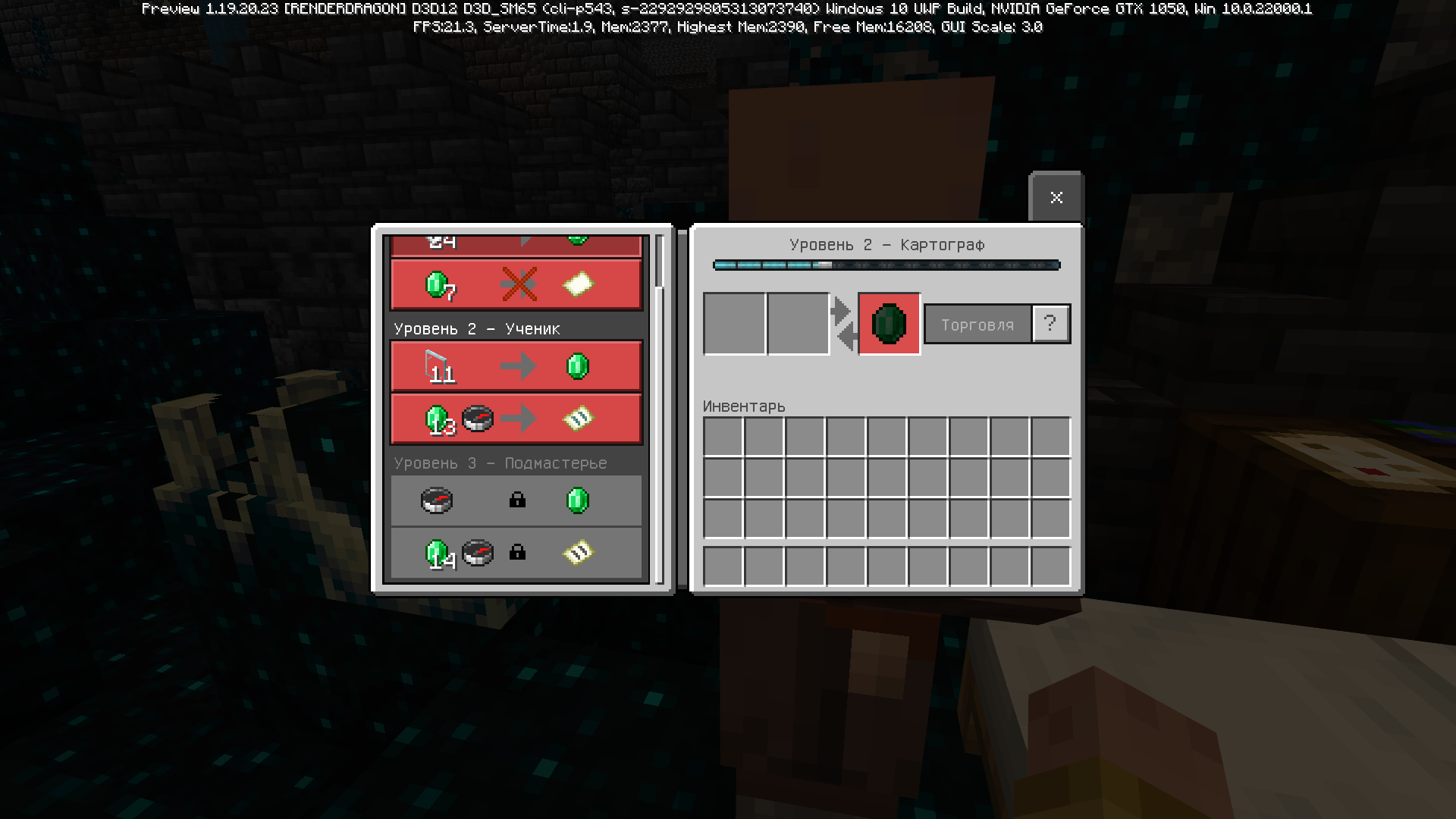
Hey OneGuy118 and [Mod] EVGENSYPERPRO, what graphic card do you possess?
Do you have by chance installed some like Discord, Nvidia (or other graphic cards) overlay + be sure to turn off all of the program which can affect graphic settings like programs which read temperatures and cpu/gpu load.

Update by [Mod] EVGENSYPERPRO
Summary:
When an item falls on a surface, Warden does not react to the item, unlike the sculk sensor. It also creates a problem of parity with java edition.
Steps to reproduce:
- Summon Warden.
- Throw the item on the surface.
Observed results:
Warden does not react to the item.
Expected results:
A vibration is created that Warden picks up.
Video:
Java Minecraft 1.19.2 - 2022-08-14 14-18-48.mp4
Bedrock Minecraft Preview 2022-08-14 14-19-52.mp4
Original Description:
On survival, if you drop an item near the warden, you don t create a vibration. As for the sculk sensor, it does detect items being dropped onto the ground.

Update by [Mod] EVGENSYPERPRO
Summary:
Sculk sensors are not activated upon interacting with dragon eggs.
Java report about this issue MC-225024.
Steps to reproduce:
- Place down a dragon egg.
- Place a sculk sensor nearby.
- Interact with the dragon egg so that it teleports away.
Observed results:
Sculk sensors are not activated upon interacting with dragon eggs.
Expected results:
Sculk sensors would be activated upon interacting with dragon eggs.
Notes:
They do however activate it upon landing on the ground.
Original Description:
The sculk sensor doesnt detect dragon eggs telaporting around
Update by [Mod] EVGENSYPERPRO
Summary:
Ender dragon disappears after 64 blocks. You can see ender dragon unlimited distance in version 1.18.0.
Steps to reproduce:
- Summon an ender dragon.
- Get more than 64 blocks away from him.
Observed results:
Ender Dragon is no longer visible if you move 64 blocks away from it.
Expected results:
Ender Dragon will be visible at any distance, as in version 1.18.0.

Update from [Mod] EVGENSYPERPRO
Issue Summary:
Some mobs have too big a hitbox and are visually too big to ride in a boat/minecart. This causes an access issue (cannot be broken/get on the boat) to the minecart/boat, and also creates a visual problem as the mobs goes out of the boat/minecart.
Issue only for minecart:
- Guardian
- Turtle
Issue for both boat and minecart:
- Spider
- Hoglin
- Zoglin
- Ravager
- Slime (third size)
- Magma Cube (third size)
- Elder Guardian
- Ghast
- Iron Golem (MCPE-67223)
- Sniffer
- Camel
- Polar Bear
- Mule/Donkey/Horse
Mob that should be able to interact in boat/minecart :
- Panda (Boat and Minecart)
- Mule/Donkey/Horse (Interact in Minecart only)
- Turtle (
MCPE-65719) (Boat only) - Iron Golem (MCPE-67223) (Interact in Minecart only)
Steps to reproduce:
- Place the boat/minecart.
- Pick the mob that have been listed above.
Observed results:
Certain large mobs can get into the boat/minecart.
Cannot interact with boat/minecart with large mob inside.
Expected results:
Certain large mobs cannot get into the boat/minecart.
Can be interact in boat/minecart with large mob inside.
Note:
Baby mobs that from the larger variants can grow inisde boat/minecart and become bigger inside boat/minecart.This shouldn't be happen because their hitbox will be larger inside the boat/minecart then you will be unable to interact and have some visual glitch.
Update by [Mod] EVGENSYPERPRO
Summary:
The player’s hands do not appear when he holds a map in first person view with an animated upper part on the skin (on the body). The hand appears when the player eats, uses a trident and goat horn.
Steps to reproduce:
- Put an animated item on the skin (from the section Tops, Outerwears)
- Take the map in the hand.
Observed results:
The player's hands do not appear.
Expected results:
The player's hands should appear.
Original Description:
In my world there is no experimental features enabled and my texture packs doesn't affect anything, I didn't use any character creator skins either
Update from [Mod] EVGENSYPERPRO
Summary:
When using bold text with an Unicode font (languages using this font), indents appear on the right side. This can be seen on signs, when using the command /title, (less noticeable) in chat, books and possibly other texts.
Steps to reproduce:
- Write any text in any field (for example on a sign) in the language using the Unicode font.
§lЭто тестовая надпись & Это тестовая надпись
Observed results:
The text has an indent on the right side.
Expected results:
Indents should not appear when using bold text with Unicode font.
Screenshots:


PMMP 4. When I use bold text in sendTitle, sendPopup, etc. (except for sendMessage) empty spaces appear; reset at the end of the line does not help either. Appear only in Cyrillic. In the screenshots, an example of text: §l§cЭто тестовая надпись & Это тестовая надпись

Updated from [Mod] EVGENSYPERPRO
Summary:
Standing on top of Soul Sand, Mud and Farmland as it converts to complete blocks (Sculk, Clay block and Dirt) causes the player to fall through or be pushed out of the block. Players on converted blocks would be pushed upwards slightly as to accommodate the new block's hitbox.
Steps to reproduce:
- Place Soul Sand, Mud or Farmland.
- Stand on Soul Sand, Mud or Farmland.
- Create the conditions for these blocks to turn into Sculk, Clay Block or Dirt.
Observed results:
The player is not moved upwards and falls into the Soul Sand, Mud and Farmland as a result.
Expected results:
Players atop converted blocks would be pushed upwards slightly as to accommodate the new block's hitbox.
Original description:
When the player's hoe falls, the soil will fall into the bottom
This bug has appeared in the Java version. How can a similar error occur in the bedrock version?!! I don't know. I hope Mojang knows
Updated from [Mod] EVGENSYPERPRO
Summary:
Horses, donkeys and mules after updating 1.19.50 can automatically walk up 1 block without a player, without the need to jump (until 1.19.50 they could automatically walk up one blocks only with the player). Since the carpet has a hitbox, horse, donkeys and mules should not walk up block with a carpet. It also creates parity with Java, and also breaks all the corrals with carpets built before 1.19.50.
Steps to reproduce:
- Place any block 1 block high.
- Place the carpet on block.
- Summon the horse, donkey or mule.
- Push a mob through a block or saddle and try to ride up a block without jumps.
Observed results:
Horses, donkeys and mules can walk up blocks with carpets.
Expected results:
Horses, donkeys and mules can not walk up blocks with carpets (since the height of the obstacle is more than 1 block).
Original description:
Fenced in horses can now escape by jumping onto carpets when the carpet is placed on the fance. To reproduce:
- put a horse in a fenced in area
- place a carpet on top of the fence
- nudge the horse onto the carpet

Update from [Mod] EVGENSYPERPRO
Summary:
The boat slows down in the air above incomplete blocks that do not contact with the boat (even without a hitbox, such as a flowers).
This can especially become a problem in the construction of "fast roads" using ice (when saving ice, players create a gap of 1 block that usually fill with slabs).
Steps to reproduce:
- Build two stripes from ice blocks, between which the distance is 1 block.
- Place incomplete blocks between them (for example, buttons or lower slabs).
- Place the boat in the center of the building and try to drive over incomplete blocks.
- Break incomplete blocks and try to drive again.
Observed results:
Incomplete blocks do not contact the boat, but they still slow down it.
Expected results:
Blocks not in contact with the boat will not slow down it.
Screenshots:
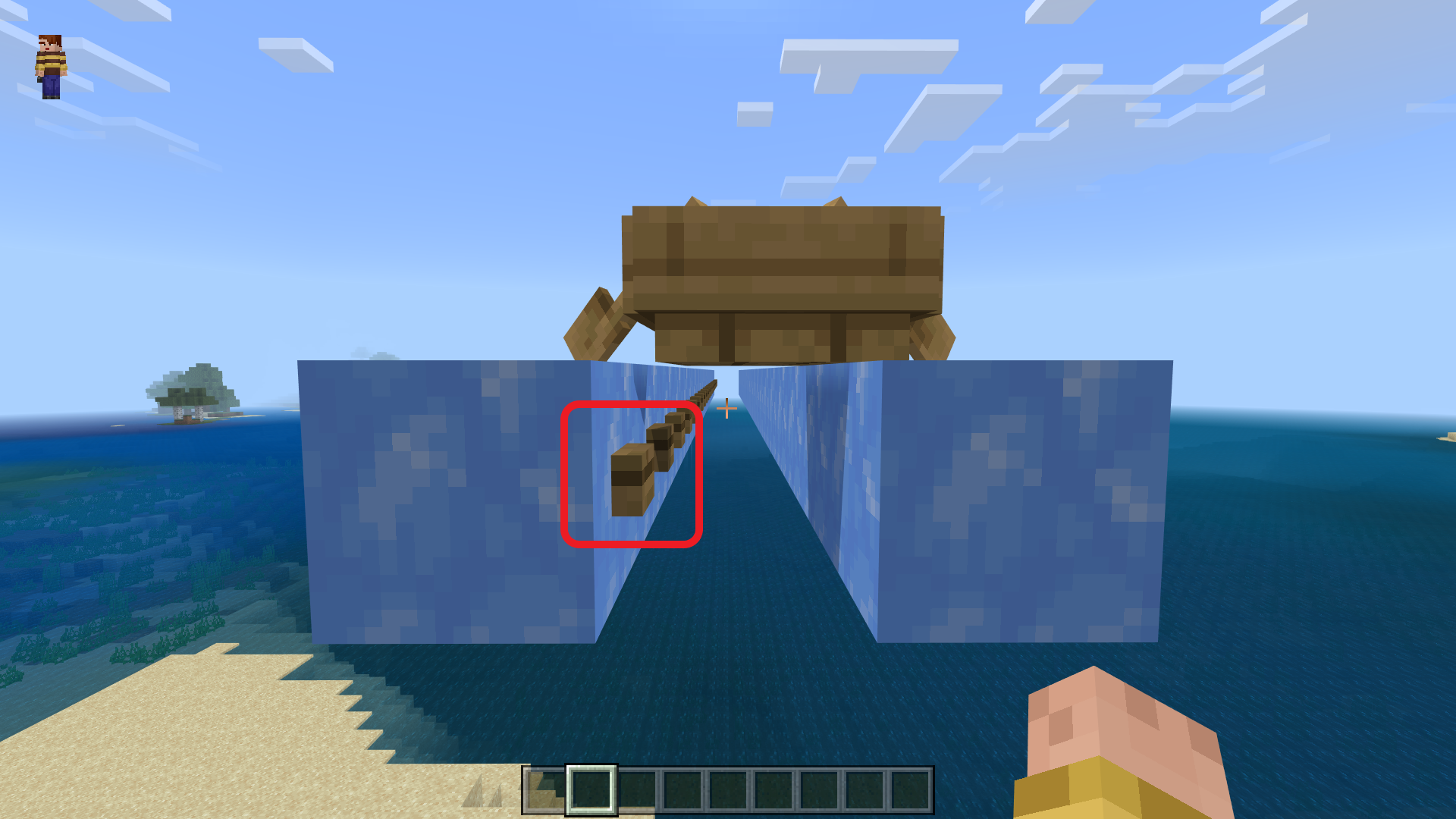
Original description:
Using a boat on an ice highway doesn't work as intended. The boat speeds up whenever it goes over ice, but as soon as it is over air, it slows down, and the cycle of speeding up and slowing down repeats over and over again.
You can see it here.

Update from [Mod] EVGENSYPERPRO
Summary:
Sometimes when loading the world slowly, blocks can be temporarily removed by interacting with them (blocks are restored after a while). This also affects survival.
Steps to reproduce:
- Create a new world (experiments are not required).
- Fly in one direction without stopping periodically trying to interact with the blocks.
- If the blocks do not disappear, set the render distance to a larger value.
Observed results:
Blocks sometimes disappear when interacting with them and are restored after continuing to load the world.
Expected results:
Blocks should not disappear when interacting with them.
Original description:
In the latest preview, Brush were added. If you set your gamemode in creative and then load chunks, you can use the brush to dig any blocks you want and instand break them.
Video:
https://drive.google.com/file/d/1d66gminLuxSacPassiFtML1vqe1Ny8Mg/view?usp=sharing

After updating Minecraft PE on my iPad, my old Map which I've only just put on a new YouTube Channel, the coloured wool blocks seem to have lost their colours, and are now white blocks. I haven't got a clue why this happened, as I've had this map for years. I confirmed this also on Minecraft PE on an Android Tablet, and same thing happens after update, so I can only think it may be a bug.
I’ve side loaded an older version of Minecraft PE on my iPad v1.19.41, and when I use my map with this version, it has all the colour blocks as it should. So, I have confirmed that it’s something to do with the new update.
It seems like all the coloured wool blocks, have been dyed to white.
I have five screenshots, two of my Map before it happened, and one after the update…
link to my map if you want to try…
https://www.dropbox.com/s/sd971h91ymivgs7/Minigames%20Central.mcworld?dl=0
Steps to reproduce ([Mod] EVGENSYPERPRO):
- Import the world Minigames Central.mcworld.
- Open in version 1.19.71+.
- Look at the wool blocks in the world.
Observed results:
All wool blocks in the world have become white.
Expected results:
Blocks of wool should not turn white.
Notes:
The problem is not present in versions 1.19.63 and below.
When updating the world from version 1.19.63 to 1.19.71, only some wool blocks become white (in some chunks).
im making a map and wanted to have waypoints around the map, so i opted to using command blocks. after teleporting to my desired location i started building, and, after distancing myself from the teleported location a little, i became unable to place blocks, interact with other command blocks, buttons, pressure plates, after i teleported i was only limited to interacting in a 10ish block radius, i went to try and teleport again to no avail, i had to restart the game and it happens again everytime i use a command block to use the /tp command.
here's a google drive link to the video i recorded: https://drive.google.com/file/d/1kyb7l9ZKmy4eRlBaFnFf6AL-hQFQ6i-4/view?usp=drivesdk
[Mod] EVGENSYPERPRO, how to i attach my world here? also, the issue is happening in a server
unlike the other ticket which claims this happens if you just tp at all, for me, it only works if i use tp with a command block
Updated description by [Mod] EVGENSYPERPRO
Summary:
Banner patterns on shields and banners look different despite having identical designs.
Steps to reproduce:
- Create a banner with a banner pattern.
- Create a shield with the same banner pattern on it.
- Compare the banner pattern on the shield with the banner pattern on the banner.
Observed results:
Banner patterns on shields and banners look different despite having identical designs.
Expected results:
Banner patterns on shields and banners would not look different when having identical designs.
Original Description:
When customizing the banner and placing it in the dark (customizing the shield) the banner image is not correctly placed on the shield (changing the image). including simple, complex figures and predefined patterns in the game.
Note: The same bug happens in minecraft java edition version (MC-86135).

[Mod] EVGENSYPERPRO added a comment - 12/Aug/22 12:40 PM
Yader tell me if there was any warning at the top of the screen when entering the world.
Reply:
Roughly translates to "Click Open chat to open the chat". There was no warning.
![[Mod] Avoma](../../../data/avatars/users/86198.png)
Just to clear up the confusion here; [Mod] EVGENSYPERPRO is completely correct. Your experience level isn't incrementing because the experience you're collecting is mending an item that has the mending enchantment on it. This is evident because the said mending item slides up and down when experience is collected.
With this being said, we'll be resolving this report as invalid since no issue is present here.
Updated description by [Mod] EVGENSYPERPRO
Summary:
Sniffers, camels, horses, donkeys and mules can enter boats when they're babies. While inside of the boat, they can grow up, leading to adult mobs in boats. As the hitbox of an adult mob is larger than that of a boat, the boat can then only be entered/broken from below.
In the java, when baby sniffers, camels, horses, donkeys and mules grow up in boats, they automatically exit the boat.
Steps to reproduce:
- Place a boat.
- Spawn a baby horse on top or next of it, so that it enters the boat.
- Feed the horse with haybales.
Observed results:
The adult mob stays in the boat.
Expected results:
An adult mob will automatically exit the boat.
Original Description:
Hello to the Mojang team, there is a bug that when the sniffer child sits in the boat and you give it torchflower seed, and when it grows up, it gets stuck in the boat. Thank you.

Updated by [Mod] EVGENSYPERPRO
Summary:
"/spreadplayers ... under" was added in Java 1.16, but not in Bedrock.
https://www.minecraft.net/article/nether-update-java
Added an optional argument to specify maximum height. New syntax: spreadplayers <center> [under ]
Steps to reproduce:
- Enter a world with cheats on
- Go to chat
- Type:
/spreadplayers ... under
Observed results:
There is no /spreadplayers ... under in Bedrock.
Expected results:
It should be there in Bedrock as Java has it in Java Edition 1.16.
Update from [Mod] EVGENSYPERPRO
Summary:
In languages other than English US in Mob Vote uses the event description "Trails and Tales" rather than "Minecraft Live".
Steps to reproduce:
- Switch to a language other than English US.
- Open the mob vote.
- Look at the event description.
Observed results:
Instead of a mob vote (Minecraft live), the description "Trails and Tales" is written.
Expected results:
There will be a description of the Minecraft live event as in English US.
Original description:
We have an event about the upcoming voting of new mobs and I see it:
1) The "Summer Event" button. And there should be an "Autumn Event" or better, a "Seasonal event".
2)The voting start date should be "Start in 2 days and 11 hours", not "Start in 2 days and 11 hours"
3)The dates are put down incorrectly, it says that the voting will begin on June 23 and will end on June 26, and the voting should begin on October 13 and end on October 16.
P.S. Maybe only in Russian there are such problems, but after all, voting will not begin next summer.
Update from [Mod] EVGENSYPERPRO
Summary:
Wolf's model has an offset to the left against their shadow.
Step to reproduce:
- Summon a wolf.
- Look at the model's location relative to the shadow.
Observed results:
The model has an offset to the left side when viewed from the front of the wolf.
Expected results:
The model will be centered relative to the shadow.
Original description:
This bug was still existing in the anciens versions, and the bug of the wolf's collision box may still affect at bug in 1.20.50.20 beta. The little dogs and wolfs are also, I saw it looks like a little strange...
Update from [Mod] EVGENSYPERPRO
Summary:
Falling through trapdoor when reloading crossbow at certain heights (31, 63, 127, 255).
Steps to reproduce:
- Place the horizontal bottom trapdoor at any height of 31, 63, 127, 255.
- Take a crossbow.
- Stand on the trapdoor and load the crossbow.
Observed results:
Player falls through the trapdoor.
Expected results:
Player does not fall through the trapdoor.
Original description:
falling thru horizontally placed trapdoors on water, while reloading crossbow.
![[Mod] Jiingy](../../../data/avatars/users/91802.png)
In versions prior to 1.13, when a donkey or mule equipped with a chest walked, (whether autonomously or under player control) the chest would wobble. However, with the shift in mob rotation synchronization to align fully with the player in 1.13 (previously it was only partially synced), this characteristic feature seems to have been inadvertently removed.
Steps to Reproduce:
- Summon/Spawn a donkey (or mule)
/summon minecraft:donkey ~ ~ ~ {Tame:1b,SaddleItem:{count:1,id:"minecraft:saddle"},ChestedHorse:1b} - Mount it
- Walk forward, in third-person view
Observed Behavior:
The chests do not wobble.
Expected Behavior:
The chests would wobble side-to-side just as in previous versions.
Screenshots/Videos:
Current Behavior:
NoWobble_24w09a_VideoEvidence.mp4
Previous Behavior:
WobblyChest_1.12.2_VideoDemo1.mp4
Bedrock edition:
0412.mp4
Notes:
As pointed out by [Mod] EVGENSYPERPRO, and noted in their attached video, this is also a parity issue with bedrock.

[[Mod] EVGENSYPERPRO Yeah thanks I can indeed confirm, so I also believe this is working as intended. But after a little testing, I discovered that the "damage buffer" distance is approximately about 5 next to the outside of the world border, why is that so? It can be 0 automatically rather than having to set it to 0.
[Mod] EVGENSYPERPRO seriously?

[Mod] EVGENSYPERPRO yeah, my game is crashing too, just wear it by moving in inventory

Updated by [Mod] EVGENSYPERPRO.
Summary:
Updating the world causes some loaded unchanged chunks to regenerate incorrectly.
As a result, cut-off water appears in caves, air under water, the landscape on the surface changes, etc.
This does not affect newly created worlds and chunks that were not previously generated.
Steps to reproduce:
- Create a world in 1.21.51 with seed -3763674536482985406.
- Teleport to coordinates -14 63 -17.
- Save the world.
- Update to version 1.21.60.
- Open the created world.
Observed results:
The generation of the world around you is broken.
Expected results:
The generation will correspond to the current seed, as a result of which there will be no corrupted chunks.
Original description:
Many parts of rivers are broken in the latest Preview version. I have exported a world from the non-preview version of the game (1.21.51) to the preview version, and when I opened the world, I saw that many river chunks are broken, being overwritten with land instead. It seems like it doesn't overwrite caves, only the water.
I attached some screenshots of 2 different coordinates in the same world in both the non-preview and preview versions showing how the chunks in the Preview are broken in rivers.
Version 1.16.210.55 still has this problem
This is not intended! In the Java version, a name can be given to a traveling merchant using a tag!
This works not only with grass and flowers, but also with mushrooms!
Video on reproducing this issue
https://bugs.mojang.com/secure/attachment/367240/Minecraft%202021-01-16%2013-25-32.mp4
duplicate problem MCPE-103568
Chara, it seems to me, should not work this way, since fire in real life does not behave this way) It should disappear faster, but not instantly. (principle as in Java)
Osfanjoshua, yes. I even checked it myself. Everything works like a video, even on an android.
I see this picture always for a few seconds when my available sets are loaded. But apparently because of problems with the Internet, you see this picture all the time)
I don't know if this should be so, but it is on Windows 10 in 1.16.201
I just saw it in the Java version and it works there the same way as in bedrock. I think you can close the topic as "Works As Intended"
Duplicate of MCPE-95929
And the cards and the shield should not be visible when the crossbow is loaded according to the java version!
This works the way it should work according to the Java version! (well, logically: when you shoot, you play the sound of the shot, which is captured by the rolling Sculk Sensor)
Yes. I confirm, but the time is so insignificant that I don't know if it's worth paying attention to it. I'm surprised that you noticed this and screened it. Perhaps this is how the new renderdragon engine works. (you noticed that the loading of chunks has become smooth and the parts that are loaded are half white) Also, if you place blocks very quickly, there will also be a similar effect of loading blocks.
This seems like a very old mistake. Played survival for a long time and my friends thought that I was using cheats to get items)
Tell me. The video that I attached correctly describes this error?
Vaggelis Venianakis is truly a duplicate. There, as I said above, it is confirmed that this is a renderdragon error.
Still present in 1.16.210.56
And yes. This is 100% renderdragon, but I'm not sure if it's a bug! Since, probably, many have noticed that when loading chunks / fast construction in blocks, they become white for a second, partially loading (smoothly). This also works with a piston (like a quick installation of new blocks.
This is due to the connection between the fence and the block. I think it is unlikely that they will fix it, since in the Java version it works exactly the same. But you can indicate that this affects all platforms and add version 1.16.210.56 (I checked on windows 10 in version 1.16.210.56)
By the way, if you put a block with which the fence does not connect (for some reason, glass, unlike Java, does not connect to the fence in the bedrock version), you will not be able to climb the fence.
Still present in 1.16.210.56
Still present in 1.16.210.56
Kyle Hawson, this was added to Java not so long ago.
Still present in 1.16.210.56
Still present in 1.16.210.56
Still present in 1.16.210.56
Also, this bug affects not only the XBOX platform. I think it is on all platforms) (I tested it on Windows 10
I cannot say that this is in 1.16.201, since it is very inconvenient to switch from version to version) Can someone confirm this for 1.16.201?
Changed:
Yes, it is present in 1.16.201, but there it is a little more difficult to reproduce.
This works best when you break blocks under you, but it can also be reproduced as described in the report.
This is due to the new RENDERDRAGON engine. It's not a mistake.
The problem is still present in version 1.16.5
bugsbugsbugs
It's sad. It's very sad, but I'll know. Thank you
[Mod] OcelotOnesie
I already understood) is very sad.
It turns out since it was already in 1.14, this is also considered as it should be?
https://www.reddit.com/r/Mojira/comments/g9rjfh/from_now_on_well_accept_bug_reports_about_certain/
This was fixed in java snapshot 18w46a https://www.minecraft.net/en-us/article/minecraft-snapshot-18w46a but since it was before 1.15 release this report can be closed!
But what about the composter ... What will happen when the ability to let in the light is corrected ... Anyway, sooner or later, these mistakes will have to be corrected! I hope it will be solved after all, and not just closed and forgotten!
Duplicate
MCPE-100259Wow! It is so beautiful! How can I get it?
Oh yeah) Then you can also close my report about hives
MCPE-115986They cannot be moved by pistons in Java either.Why not fix a similar bug with bamboo sprouts then?
Skaijie
But this is not a vanilla parity problem, as in version 1.14.60.5 and earlier it worked fine) I know what vanilla parity is (see my other reports)
Added cake)
I didn't mention the sculk sensor as it shouldn't be installed on it!
MCPE-116032I didn't mention the sculk sensor as it shouldn't be installed on it!
MCPE-116032Please do not duplicate your own reports (
MCPE-116099)Looks like a duplicate of
MCPE-69305Oh) The report can be closed as these vines are only attached to the ceiling!
https://minecraft.gamepedia.com/Weeping_Vines
Duplicate of MCPE-116094
Alas, this is no longer available. More details https://www.minecraft.net/en-us/article/ancient-java-players--you-attention-please-
Relates to:
MCPE-115811,MCPE-116150,MCPE-116202,MCPE-116148.This version has a bug with ticks. Because of this, crops will not grow, grass will not grow, etc. The developers themselves reported this in the changelog 1.16.210.57
Still in 1.16.210.57
[Mod] Avoma
Indeed) Sorry for the duplicate. Although I just wanted to point out the parity issue)
bugsbugsbugs
I disagree with you. Check out my report
MCPE-116205. Fire definitely needs support, so it seems to me that this can be implemented)Duplicate
MCPE-116221!Please read the list of changes 1.16.210.57!
And the truth! It looks much better in minecraft earth!
I can confirm on version 1.16.210.57 on windows 10
The camera cannot be obtained without third-party modifications, therefore errors should not be corrected by the developers. Well it seems to me)
[~osfanjoshua]
[Mod] OcelotOnesie attached the original report) For some reason I did not find it...
The fact is that you need to go on the shift, and you are standing! I checked for android myself)
Tell me if your problem is present in the latest version 1.16.201
Tell me if your problem is present in the latest version 1.16.210.57
Confirmed for 1.16.210.57
I know that you only accept reports in russian, but could you please provide this report to the translators)
Duplicate
MCPE-103568Duplicate
MCPE-21416Immediately I apologize for the possible duplicate
MCPE-116137. There, a person just very badly explained his problem and I decided to experiment and figure it out)duplicate MCPE-82206
I understand you) There are a lot of differences in the names of resources in Russian and this is wildly inconvenient! You try to find a resident (for example) in three ways. I also had an idea to create a table with the difference between versions (for the Russian language) and choose the best name (somewhere from bedrock, and somewhere from java), but the problem is that most likely these proposals will not be implemented into the game ...
Interesting idea! I support!
And in general, we still need to make the parity of translations! (somewhere from Java, and somewhere from bedrock!)
I hope this is not a duplicate. I couldn't find a report for this error)
[Mod] OcelotOnesie
Oh) I'm sorry for the duplicate.
If you want to fix it, vote for this question!
It seems to me that you have a problem with your account, as there is a blue exclamation mark on the image in place of your account avatar. I can't say exactly what this means, but check again if you are logged into your desired account or try to log into your account.
Also, please do not duplicate your own reports!
MCPE-116467Could you describe your problem better. What exactly do you do when you start to freeze. And could you please attach a copy of your world (if the size exceeds 10 mb you can attach it to the file hosting service)
I logged into minecraft.net without problems and quickly. Sometimes the site is undergoing technical work. Is the site up and running at the moment?
Is this message displayed for all servers?
There is no launcher in Windows 10 edition minecraft. All Windows 10 minecraft errors are left in the bedrock section of minecraft. And please add your problem with a picture. Where exactly does an offer to buy Windows 10 minecraft appear?
Perhaps you forgot to attach the world file. At least I don't see it in the files)
Export one world and send it to google drive, for example. And attach the link to the site. (Windows 10 has a button for exporting worlds. I hope you know how to do this)
Java edition is not available on Xbox One platform. You posted a report in the wrong section. Xbox One should be reported under Bedrock. However, your problem is probably duplicated (you are playing on version 1.16.210.57?)
MCPE-116221A bug about despawn mobs
MCPE-21416Duplicate
MCPE-96088On the contrary! The Crowdin translators did it right! Unlike bedrock translators.
I suggest doing it like with piglins and hoglins.
Duplicate
MCPE-116074Duplicate MCPE-115037
Alas, this is impossible. Worlds loaded in older versions will not be generated anew.
Also in one message you can leave only a report about one error)
[Mod] GoldenHelmet
This has nothing to do with the monster! I DIDN'T EVEN MENTION IT IN THE REPORT!
The fact is that in Java it was translated - sculk sensor! (it even sounds the same!) It sounds great (at least in Russian) and everyone has called it that for a long time. In the bedrock version it was called акустический датчик (Acoustic sensor) (in russian)... I think you shouldn't have removed the "vanilla-parity" label! All the same, everyone will call it sculk sensor (in russian, this is for sure), and the bedrock translation (if not changed) will remain incorrect!
Try logging in with another browser)
Sorry, I misunderstood you.
If you want to delete your realms world click edit world (pencil) and click delete realams.
Quite an interesting bug) By the way, note that if an area of 2 by 2 blocks (and more) is filled with lightning rods, this bug disappears
If the last block has the correct hitbox, but at the same time all its properties are the same as the lower ones, I think this is fixable) (the topmost block only has a slightly different texture! And that's it!)
bugsbugsbugs
thanks for the additional information) and yes there is a complete block without 1 pixel.
Chara Dreemurr
I honestly do not know how it sounds in other languages, but in Russian everyone speaks sculk sensor and everyone likes it) This dosikhpor report is on the site only because in Java it was translated in Russian as sculk sensor! (well, not only in Russian)
And yes! Of course you need some kind of rehabilitation) "Sensor Skulk" or "sculk sensor" are the subtleties of translation. Anyway, the basis is "sculk sensor")
Chara Dreemurr by the way in Java in Spanish it is Sensor de Sculk)
Okay! You defeated me) Let them change only for russian (although in the same languages as russian, then it will also need to be changed (for example, ukrainian))
Duplicate
MCPE-116221I have failed to establish peace. However, try to disable all texture packs and resource packs from your world. Perhaps some texture pack is buggy and the world does not work because of this.
Duplicate
MCPE-116221Shaders don't work because of the new renderdragon engine. No shaders will work until their creators update for the new renderdragon engine!
This is an unrecoverable problem.
Shaders don't work because of the new renderdragon engine. No shaders will work until their creators update for the new renderdragon engine!
This is an unrecoverable problem.
Duplicate
MCPE-115376From the first person changed the texture of the shield and animation, I believe that this is working on adding banners to the shields)
I checked the same for android)
It also shifts in the charged position, however a bug has been fixed MCPE-95929
Since I do not know how things are on 1.16.201 and on other devices (except for Windows 10 pc), I did not specify them. If the problem is present on the release and on other devices, let me know in the comments and I will change the problem characteristics.
Please report each issue in different reports.
Let us know in the comments if this problem is present not only on the pc
Let us know in the comments if this problem is present not only on the pc
Make sure your random tick speed is not zero.
Shaders don't work because of the new renderdragon engine.
https://help.minecraft.net/hc/en-us/articles/360052771272-About-the-1-16-200-Update-for-Windows-10-#communityshaders
Well ok)
This is related to
MCPE-116766but is not a duplicate!This is related to
MCPE-116767but is not a duplicate!This error is also present on the release, but there only the head of the character's icon twitches (from the first person)
You reported a parity issue. We are only tracking parity issues that meet the following criteria on this bug tracker:
Any parity issue that does not meet these criteria are not tracked on the bug tracker and should instead be reported on the Feedback website.
ambient
I totally agree with you! However, then describe your problem better as an error, and not as parity with Java) Perhaps this error will be corrected (I will be glad), however, for better success, it is better to indicate it not as parity but as an error)
Do not worry. This is a common mistake. This bug has already been reported, so your report is duplicating it
MCPE-103568.Yes! This is a duplicate of
MCPE-52937It seems to me that to fix this error, first you need to fix the error MCPE-115037. Since (it seems to me) this error occurs due to the instant disappearance of the fire)
Duplicate
MCPE-116678Possibly duplicate
MCPE-21416Alas, this problem is invalid because you provided too little information about the problem.
Please update to version 1.16.210.58 and check if your problem is in the latest version.
I confirm)
In 1.16.210.58, something was tricky with animations)
Alas, your problem is invalid as there is not enough information to reproduce this problem. Please provide us with more information about your problem (video, images)
Beta testing is not available on ios at the moment! You have clearly confused something! Please double-check the information provided!
We need more information to solve your problem. Please provide a video / image describing your problem!
Are you using any mods or resource packs?
Is this issue still present in the latest beta version 1.16.210.58?
Duplicate
MCPE-111667This issue has already been reported, so your report will be closed and linked to the main one. Duplicate
MCPE-109925.The screenshot shows that you are using an old unsupported version 1.14.60! Please update to the latest version 1.16.201 and report if your bug appears in the new version.
This issue has already been reported, so your report will be closed and linked to the main one. Duplicate
MCPE-72076.The dragon egg should only spawn after the first kill of the enderdragon. The second time the dragon egg fell out by mistake MCPE-51345.
Looks like a duplicate of
MCPE-21416Looks like a duplicate of
MCPE-21416Yes! Now these blocks do not drop, but they can be destroyed by an explosion. I think this is not so conceived... **(although I don't see much difference)
Duplicate
MCPE-100193Your problem is invalid, as you need to place one problem in each report! But in any case, your problems have already been reported in
MCPE-115376andMCPE-116074If you are on the first dripstone problem then this problem is not valid)
(as the developers warned about it)
https://feedback.minecraft.net/hc/en-us/articles/360055733571-Minecraft-Beta-1-16-210-56-Xbox-One-Windows-10-Android
Known issues:
[Mod] OcelotOnesie
And for some reason I didn't succeed with the slime block)
Changed:
Yes. I did it with slime blocks. I don't know why it didn't work then.
Duplicate
MCPE-100259This issue has already been reported. Please use the search function before creating a report, perhaps your problem has already been reported. Duplicate MCPE-87307
This issue has already been reported. Please use the search function before creating a report, perhaps your problem has already been reported. Duplicate
MCPE-105892This issue has already been reported. Please use the search function before creating a report, perhaps your problem has already been reported. Duplicate
MCPE-57022I don't understand what the problem is.
Netherite items float in lava after a few seconds.
It looks like your problem is not valid.
Tell me how you got the ink bags. Does
MCPE-101087describe your problem?This issue has already been reported. Please use the search function before creating a report, perhaps your problem has already been reported.
Duplicate MCPE-85529
Alas, your problem is not valid. Please provide more data to solve your problem (images / video). This is very similar to issue
MCPE-71243...I confirm your report.
Also works the other way around with fern)
This issue has already been reported. Please use the search function before creating a report, perhaps your problem has already been reported.
Duplicate
MCPE-102891Tell me, what I added describes your problem?
Tell me
MCPE-102891describes your problem?Tell me
MCPE-109925describes your problem?This issue has already been reported. Please use the search function before creating a report, perhaps your problem has already been reported.
Duplicate
MCPE-21416Currently, Render Dragon does not support 3rd party community shaders. Any community shaders previously used on Minecraft for Windows 10 may not run on a Render Dragon version of the game.
Please see this article for more information.
This issue has already been reported. Please use the search function before creating a report, perhaps your problem has already been reported.
Duplicate
MCPE-115839[Mod] OcelotOnesie
I beg your pardon. I understood you.
Also blink through honey blocks, slime blocks, and barriers are not displayed at all.
bugsbugsbugs
This also works with shields. But I think they won't fix it)
In java versions, the heads have sounds)
The creepers seem to be fixed. But only creepers)
bugsbugsbugs
Good. I have not found this report. Then I will change my report so that it is not a duplicate. It's not for nothing that I rechecked all the items 🤣😂
bugsbugsbugs
Okay, but let it be anyway)
[Mod] GoldenHelmet
Works with trident only. I checked with arrows. They don't stop at the enderman.
This is not a duplicate. This is a completely different problem. Did you watch the video before closing the report?)
Tell me if you are using shaders (or texture packs)
Duplicate MCPE-78206
[Mod] GoldenHelmet
The proposal is interesting, but it is not a mistake or parity. In Java it works the same as in bedrock. It seems that such proposals should be left on other sites)
Andrea Pappacoda
This site does not consider such offers. This is a site for fixing bugs in minecraft bedrock.
And in general it is technically (it seems to me) impossible.
[Mod] GoldenHelmet
Exactly! works in a similar way with snowballs and eggs! They crash against the enderman and he teleports quickly! I added this to the report however it still works in Java (although tridents do not touch them in Java). And they don't really care about potions (I think this is what was intended), what's in java, what's in bedrock)
Link MC-109147 to the report.
duplicate
MCPE-100259duplicate
MCPE-115376Try the steps below.
Enjoy the release!
duplicate
MCPE-33270You are using texture packs. Perhaps because of this, this error appears. Please disable texture packs and report to the site if the problem is still present.
Snowballs and eggs break on the endermen, while the endermen are instantly teleported. But they do not even try to dodge potions (I believe potions should hit the enderman)
like on a picture
duplicate
MCPE-88185I confirm!
duplicate
MCPE-66250duplicate MCPE-87307
Update to the new version 1.16.201 and tell me if your problem is present in the new version!
duplicate
MCPE-47121Very similar to
REALMS-6075duplicate
MCPE-102891Try disabling texture packs and let us know if your problem is still with disabled texture packs.
[MCPE Mod] Auldrick
I'm a little surprised!
[MCPE Mod] Auldrick
You can link to the xbox site with a solution to this problem. I can't find something.
[Mod] OcelotOnesie
I figured it out a few minutes ago myself) 😅
duplicate
MCPE-116841Duplicate
MCPE-117503[Mod] OcelotOnesie this is the same as with fern and grass in
MCPE-117250(unless it's a duplicate)duplicate
MCPE-117503You can even say this in foggy areas)
It also works in the nether)
Added a mandatory clause to reproduce this error. Enable player in upper left corner)
Alas, shaders are not available in minecraft with renderdragon)
Currently, Render Dragon does not support 3rd party community shaders. Any community shaders previously used on Minecraft for Windows 10 may not run on a Render Dragon version of the game.
Please see this article for more information.
This only happens with enabled shaders.
Duplicate
MCPE-116841Duplicate
MCPE-116741xz_seer
No, now it's only about new items.
duplicate
MCPE-109925(probably)
Pietro Boniolo
For feedback or issues with third party content, please contact the content creators directly.
duplicate
MC-214783Steps to Reproduce:
Observed Results:
The slot with the wrong item will be selected (if you copy the grass - fern, and if the fern - grass).
Expected Results:
Items are chosen correctly.
Note:
These items with empty inventory are copied correctly.
If you have both a fern and a grass in your inventory, then when you copy the grass, the fern will be selected, and when you copy the fern, the fern will be selected...
Video:
Fern selection: MCPE1.mp4
Grass selection: MCPE2.mp4