 Ghost29MC_xd
- Ghost29MC_xd
- JIRAUSER755709
- Europe/Stockholm
- Yes
- No
 MCPE-173951MCPE-174879MCPE-175946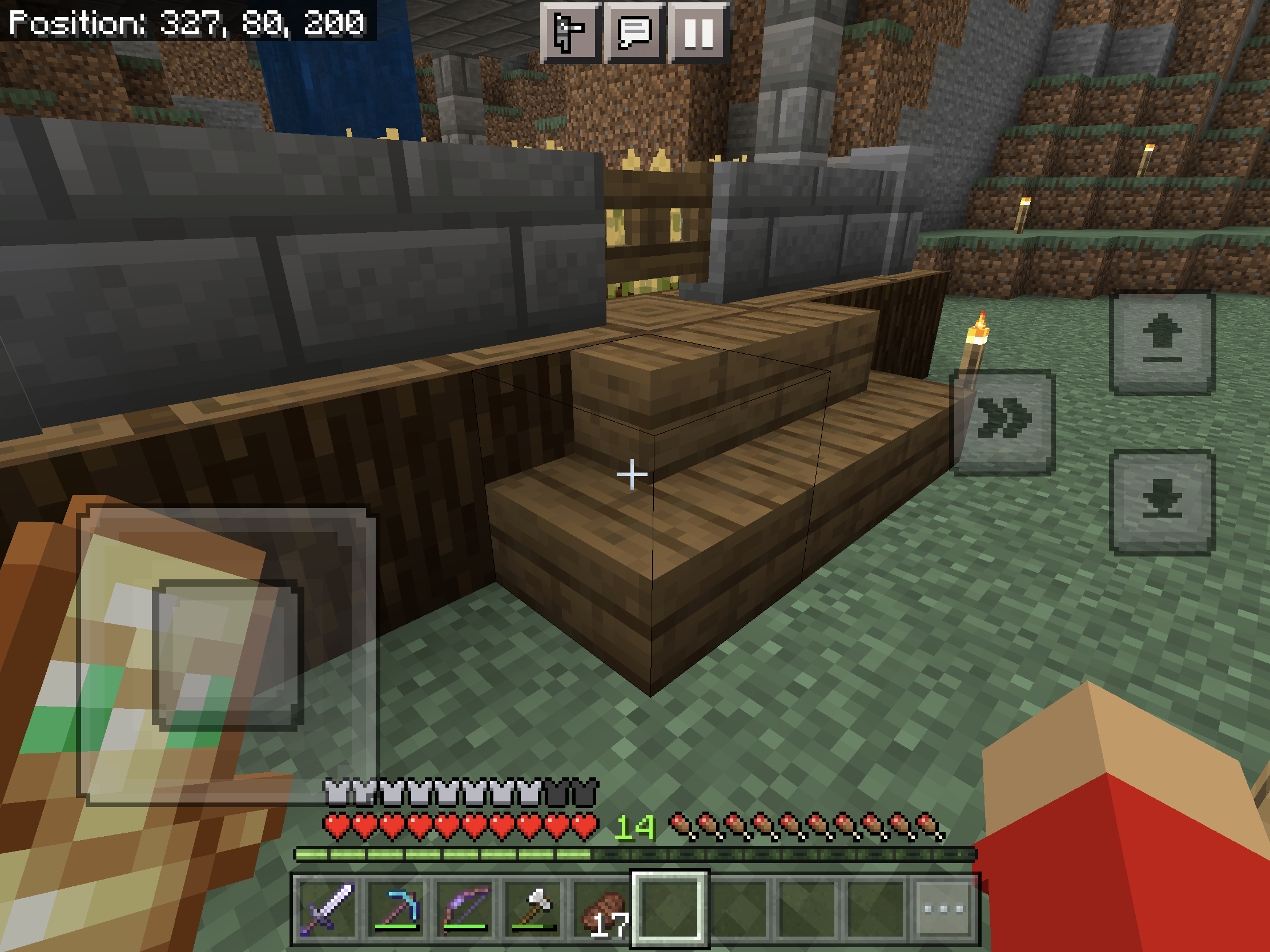







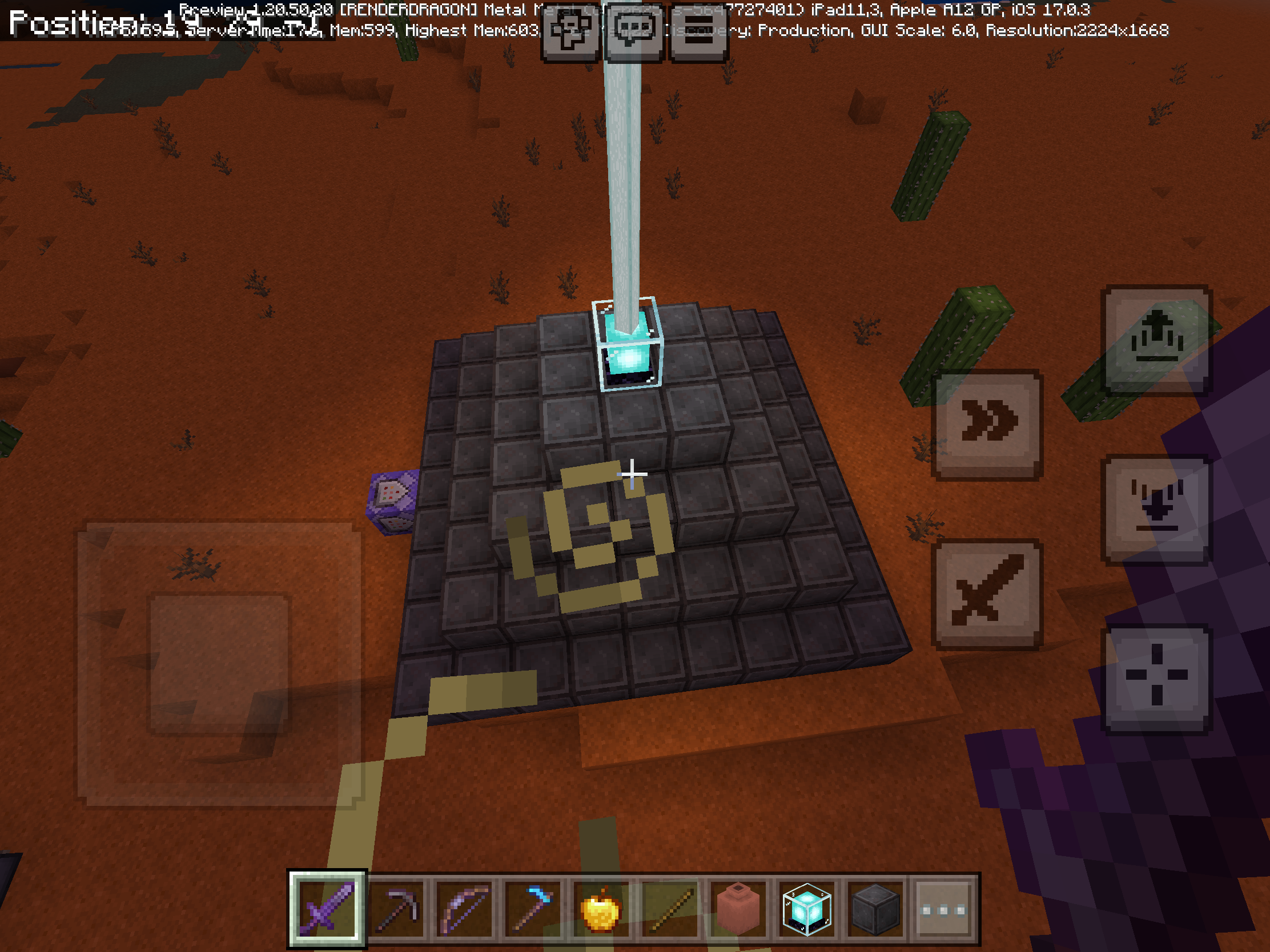









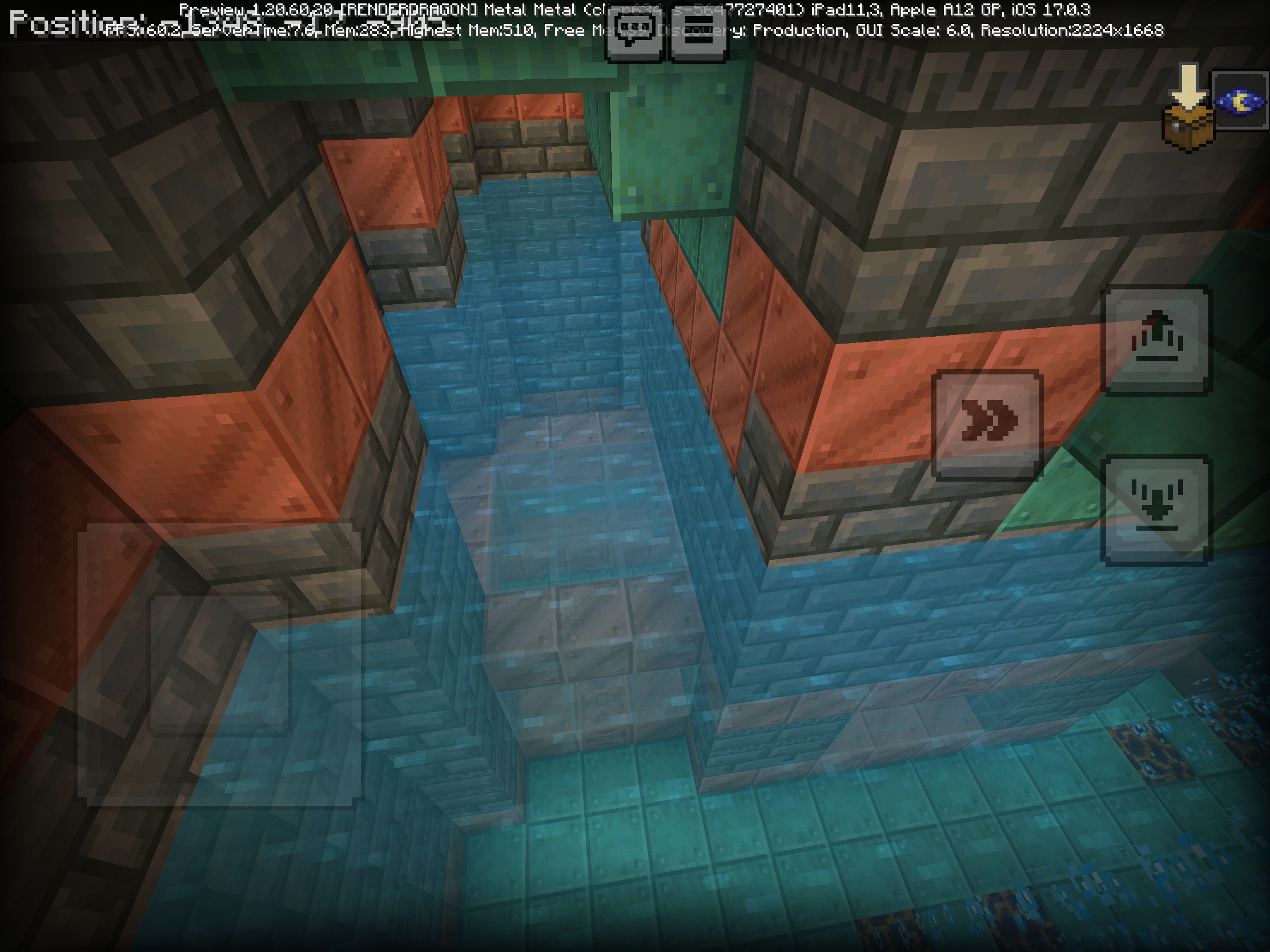



Stair collision block is full block, depsite
thethey have 3/4 shape block (image below).How to reproduce (for MCPE mobile needs to turn on crosshair): just move the crosshair into stairs
Expected results: stair collision block
**should match as the block it doesNote: This bug affects on all variant stairs and any direction (normal and curved)
Stair collision block is full block, depsite they
have 3/4shapeblock(image below).How to reproduce (for MCPE mobile needs to turn on crosshair): just move the crosshair into stairs
Expected results: stair collision block should match as the block it does
Note: This bug affects on all variant stairs and any direction (normal and curved)
Stair collision block is full block, depsite they block shape look like stair.
How to reproduce:
Just move the crosshair into stairs
Expected results:
Stair collision block should match as the block it does
Note:
This bug affects on all variant stairs and any direction (normal and curved)
Open any GUI always reduce the current render distance. This include:
- Open chat, emote, and pause
- Open any User Interface block (furnace, stonecutter, etc)
- Inventory GUI
How to reproduce:
- Open Minecraft world
- Press “Open chat”
- Notice the render distance were reducing
- Do the steps 2 again for another test
Observer results:
When open any GUI, render distance always reducing
Expected results:
Render distance should be set correctly when open any GUI
Note:
This bug affects on mobile devices only (PC version sets correctly)
Relates
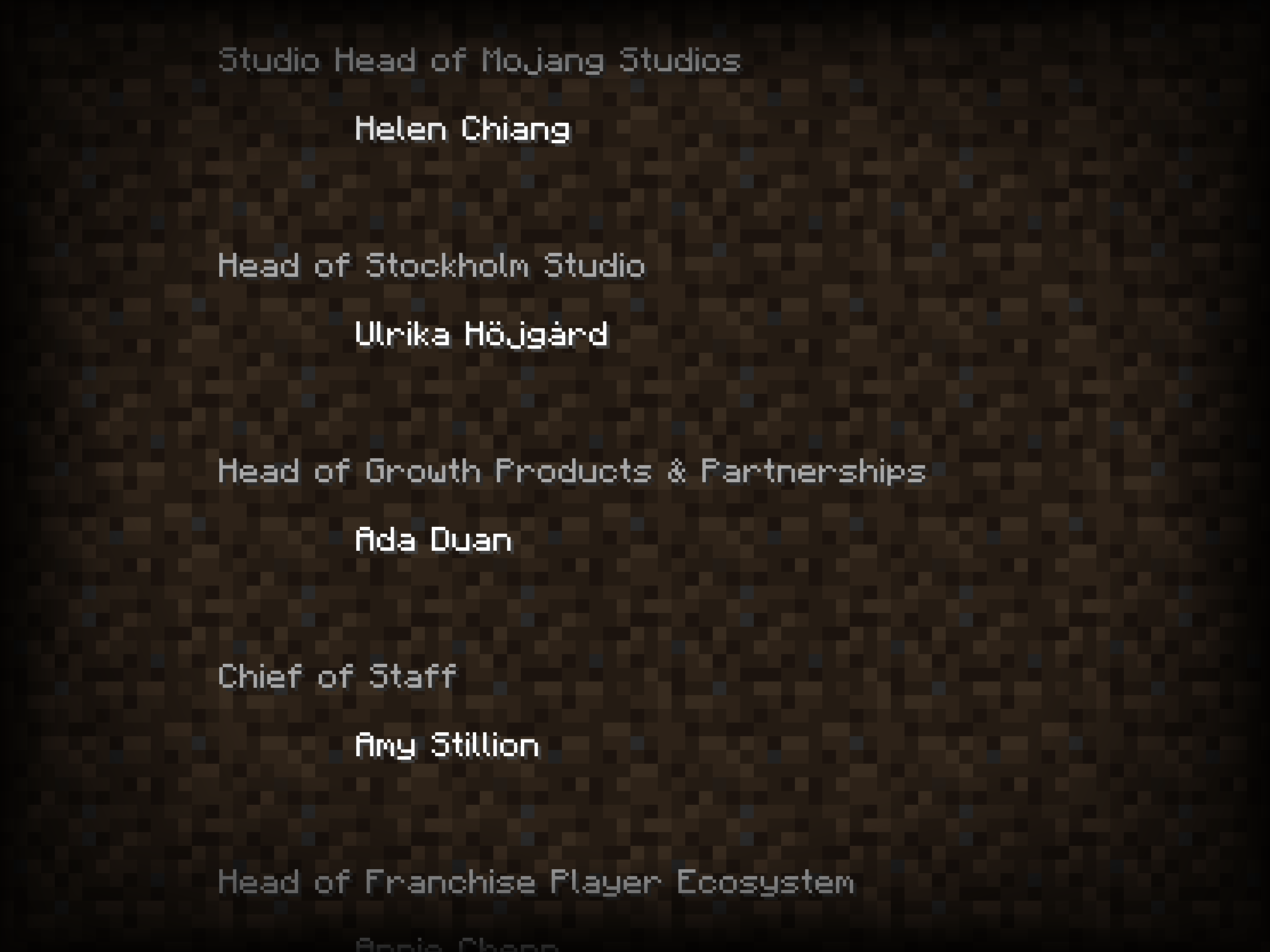
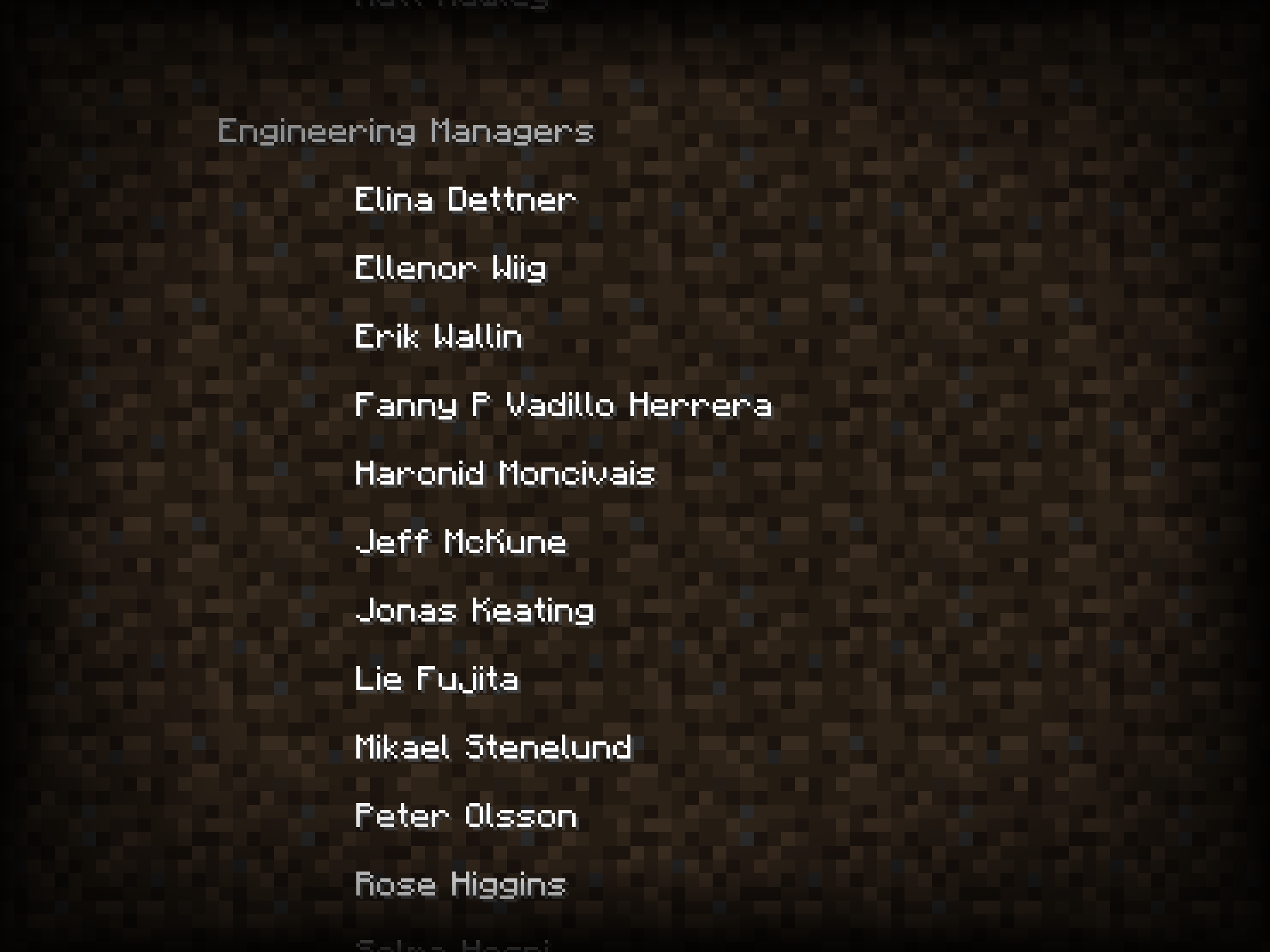
MC-226762Some credits text wraps despite having enough space to appear as one line
Howtoreproduce
- Go to settings in main menu
- In settings go to general, then press credits
ExpectedresultCredit text
shouldn'thave one empty lineRelates
MC-226762Some credits text wraps despite having enough space to appear as one line
Steps to Reproduce:
- Go to settings in main menu
- In settings go to general, then press credits
Observed Results:
Credits text have one empty line
Expected Results:
Credits text shouldn't have empty line
Relates
MC-226762Some credits text wraps despite having enough space to appear as one line
Steps to Reproduce:
- Go to settings in main menu
- In settings go to general, then press credits
Observed Results:
Credits text have one empty line
Expected Results:
Credits text shouldn't have empty line
Relates
for Bedrock EditionMC-226762Some credits text wraps despite having enough space to appear as one line
Steps to Reproduce:
- Go to settings in main menu
- In settings go to general, then press credits
Observed Results:
Credits text have one empty line
Expected Results:
Credits text shouldn't have empty line
Credittextwrapone lineCredits Text Wrapping
Relates
for Bedrock EditionMC-226762
Some creditstext wraps despite having enough space to appear as one lineSteps to Reproduce:
- Go to settings in main menu
- In settings go to general, then press credits
Observed Results:
Credits text have one empty
lineExpected Results:
Credits text shouldn't have empty
lineRelates
for Bedrock EditionMC-226762Credits have too much empty space between names, which makes credit take longer time
Steps to Reproduce:
- Go to settings in main menu
- In settings go to general, then press credits
Observed Results:
Credits text have one empty space
Expected Results:
Credits text shouldn't have empty space
Relates
for Bedrock EditionMC-226762Credits have too much empty space between names, which makes credit take longer time
Steps to Reproduce:
Go to settings in main menuIn settingsgo togeneral, then press creditsObserved Results:
Credits text have one empty space
Expected Results:
Credits text shouldn't have empty space
Relates
MC-226762Credits have too much empty space between names, which makes credit take longer time
Steps to Reproduce:
- Go to settings in main menu
- In settings go to general, then press credits
Or you can do this:
- Beat the ender dragon (new world)
- After beating, go to End fountain
Observed Results:
Credits text have one empty space
Expected Results:
Credits text shouldn't have empty space
Relates
MC-226762Credits have too much empty space between names, which makes credit take longer time
Steps to Reproduce:
- Go to settings in main menu
- In settings go to general, then press credits
Or you can do this:
- Beat the ender dragon (new world)
- After beating, go to End fountain
Observed Results:
Credits text have one empty space
Expected Results:
Credits text shouldn't have empty space
Relates
MC-226762Credits have too much empty space between names, which makes credit take longer time
Steps to Reproduce:
- Go to settings in main menu
- In settings go to general, then press credits
Or you can do this:
- Beat the ender dragon (new world)
- After beating, go to End fountain
Observed Behavior:
Credits text have one empty space
Expected Behavior:
Credits text shouldn't have empty space
Relates
MC-226762Credits have too much empty space between names, which makes credit take longer time
Steps to Reproduce:
- Go to settings in main menu
- In settings go to general, then press credits
Or you can do this:
- Beat the ender dragon (new world)
- After beating, go to End fountain
Observed Behavior:
Credits text have one empty space
Expected
Behavior:Credits text shouldn't have empty space
Relates
MC-226762Credits have too much empty space between names, which makes credit take longer time
Steps to Reproduce:
- Go to settings in main menu
- In settings go to general, then press credits
Or you can do this:
- Beat the ender dragon (new world)
- After beating, go to End fountain
Observed Results:
Credits text have one empty space
Expected Results:
Credits text shouldn't have empty space
In 1.20.10.23 preview, they have been changed the horse jump meter to match hotbar. However, the horse jump meter offset half pixel. See attached picture below
Observed Results:
The horse jump meter offset half pixel
Expected Results:
The horse jump meter should match the hotbar does
Note:{}
Horse jump meter on Windows version match the hotbar does
In 1.20.10.23 preview, they have been changed the horse jump meter to match hotbar. However, the horse jump meter offset half pixel. See attached picture below
Observed Results:
The horse jump meter offset half pixel
Expected Results:
The horse jump meter should match the hotbar does
Note:{}
Horse jump meter on Windows version match the hotbar does
Horse jump meteroffsetHorse jump meter doesn’t match hotbar placement
In 1.20.10.23 preview, they have been changed the horse jump meter to match hotbar. However, the horse jump meter offset half pixel. See attached picture below
Observed Results:
The horse jump meter offset half pixel
Expected Results:
The horse jump meter should match the hotbar does
Note:
Horse jump meter on Windows version match the hotbar does
In 1.20.10.23 preview, they have been changed the horse jump bar to match hotbar (
MCPE-156444). However, the horse jump bar offset half pixel. See attached picture belowStep to Reproduce:
- Ride horse, donkey, mule, or camel
- Observe the jump bar meter both left and right hotbar (picture attached below)
Observed Results:
The horse jump meter offset half pixel
Expected Results:
The horse jump meter should match the hotbar does
Note:
Horse jump meter on Windows version match the hotbar does
In 1.20.10.23 preview, they have been changed the horse jump bar to match hotbar (
MCPE-156444). However, the horse jump bar offset half pixel.See attached picture belowStep to Reproduce:
- Ride horse, donkey, mule, or camel
Observe the jump bar meter both left and right hotbar (picture attached below)Observed Results:
The horse jump meter offset half pixel
Expected Results:
The horse jump meter should match the hotbar does
Note:
Horse jump meter on Windows version match the hotbar does
In 1.20.10.23 preview, they have been changed the horse jump bar to match hotbar (
MCPE-156444). However, the horse jump bar offset half pixel.Step to Reproduce:
- Ride horse, donkey, mule, or camel
- Jump the horse (if playing in Survival)
- Observe the jump bar meter both left and right hotbar (picture attached below)
Observed Results:
The horse jump meter offset half pixel
Expected Results:
The horse jump meter should match the hotbar does
Note:
Horse jump meter on Windows version match the hotbar does
In 1.20.10.23 preview, they have been changed the horse jump bar to match hotbar (
MCPE-156444).However,the horse jump bar offset half pixel.Step to Reproduce:
- Ride horse, donkey, mule, or camel
- Jump the horse (if playing in Survival)
- Observe the jump bar meter both left and right hotbar (picture attached below)
Observed Results:
The horse jump meter offset half pixel
Expected Results:
The horse jump meter should match the hotbar does
Note:
Horse jump meter on Windows version match the hotbar does
In 1.20.10.23 preview, they have been changed the horse jump bar to match hotbar (
MCPE-156444). But I noticed after the changes horse jump bar offset half pixel.Step to Reproduce:
- Ride horse, donkey, mule, or camel
- Jump the horse (if playing in Survival)
- Observe the jump bar meter both left and right hotbar (picture attached below)
Observed Results:
The horse jump meter offset half pixel
Expected Results:
The horse jump meter should match the hotbar does
Note:
Horse jump meter on Windows version match the hotbar does
In 1.20.10.23 preview, they have been changed the horse jump bar to match hotbar (
MCPE-156444). But I noticed after the changes horse jump bar offset half pixel.Step to Reproduce:
- Ride horse, donkey, mule, or camel
- Jump the horse
(if playing in Survival)- Observe the jump bar meter both left and right hotbar (picture attached below)
Observed Results:
The horse jump meter offset half pixel
Expected Results:
The horse jump meter should match the hotbar does
Note:
Horse jump meter on Windows version match the hotbar does
In 1.20.10.23 preview, they have been changed the horse jump bar to match hotbar (
MCPE-156444). But I noticed after the changes horse jump bar offset half pixel.Step to Reproduce:
- Ride horse, donkey, mule, or camel
- Jump the horses or dash the camel
- Observe the jump bar meter both left and right hotbar (picture attached below)
Observed Results:
The horse jump meter offset half pixel
Expected Results:
The horse jump meter should match the hotbar does
Note:
Horse jump meter on Windows version match the hotbar does
Horses and camel jump bar doesn’t match hotbar placement
In 1.20.10.23 preview, they have been changed the horse jump bar to match hotbar (
MCPE-156444). But I noticed after the changes horse jump bar offset half pixel.Step to Reproduce:
- Ride horse, donkey, mule, or camel
- Jump the horses or dash the camel
- Observe the jump bar meter both left and right hotbar (picture attached below)
Observed Results:
The horse jump meter offset half pixel
Expected Results:
The horse jump meter should match the hotbar does
Note:
Horse jump meter on Windows version match the hotbar does
In 1.20.10.23 they state:
Horse and Donkey jump bar, and camel dash bar, now scale properly to experience bar (
MCPE-156444)However, after changes horses jump and camel dash bar offset half pixel.
Step to Reproduce:
- Ride horse, donkey, mule, or camel
- Jump the horses or dash the camel
- Observe the jump bar meter both left and right hotbar (picture attached below)
Observed Results:
The horse jump meter offset half pixel
Expected Results:
The horse jump meter should match the hotbar does
Note:
Horse jump meter on Windows version match the hotbar does
Horses and cameljumpbar doesn’t match hotbar placementHorses jump bar and camel dash bar doesn’t match hotbar placement
In 1.20.10.23
theystate:Horse and Donkey jump bar, and camel dash bar, now scale properly to experience bar (
MCPE-156444)However, after changes horses jump and camel dash bar offset half pixel.
Step to Reproduce:
- Ride horse, donkey, mule, or camel
- Jump the horses or dash the camel
- Observe the jump bar meter both left and right hotbar (picture attached below)
Observed Results:
The horse jump meter offset half pixel
Expected Results:
The horse jump meter should match the hotbar does
Note:
Horse jump meter on Windows version match the hotbar does
In 1.20.10.23 Preview state:
Horse and Donkey jump bar, and camel dash bar, now scale properly to experience bar (
MCPE-156444)However, after changes horses jump and camel dash bar offset half pixel.
Step to Reproduce:
- Ride horse, donkey, mule, or camel
- Jump the horses or dash the camel
- Observe the jump bar meter both left and right hotbar (picture attached below)
Observed Behavior:
The horse jump meter offset half pixel
Expected Behavior:
The horse jump meter should match the hotbar does
Note:
Horse jump meter on Windows version match the hotbar does
In 1.20.10.23 Preview state:
Horse and Donkey jump bar, and camel dash bar, now scale properly to experience bar (
MCPE-156444)However, after changes horses jump and camel dash bar offset half pixel.
Step to Reproduce:
- Ride horse, donkey, mule, or camel
- Jump the horses or dash the camel
- Observe the jump bar meter both left and right hotbar (picture attached below)
Observed
Behavior:The horse jump meter offset half pixel
Expected Behavior:
The horse jump meter should match the hotbar does
Note:
Horse jump meter on Windows version match the hotbar does
In 1.20.10.23 Preview state:
Horse and Donkey jump bar, and camel dash bar, now scale properly to experience bar (
MCPE-156444)However, after changes horses jump and camel dash bar offset half pixel.
Step to Reproduce:
- Ride horse, donkey, mule, or camel
- Jump the horses or dash the camel
- Observe the jump bar meter both left and right hotbar (picture attached below)
Observed Results:
The horse jump meter offset half pixel
Expected Results:
The horse jump meter should match the hotbar does
Notes:
Horse jump meter on Windows version match the hotbar does
You can’tselect cooked slot in Blast Furnace, Furnace, and SmokerUnable to select cooked slot in Blast Furnace, Furnace, and Smoker
You can’t
selectcooked slot in Blast Furnace, Furnace, and Smoker. However, raw item and fuel slots works asusual. This happens since 1.19.50Steps to Reproduce:
- Make sure you cook anything in Blast Furnace and wait a while
- Press the raw and fuel slots
- Then press cooked slots
- Do the step 1-3 with Furnace and Smoker
Observed Results:
Cooked slot can’t be select, instead they just pick one item/block
Expected Results:
Cooked slot should be able to select, like raw and fuel slots
Note:
This bug only happens on Android and iOS
You can’t take all item in cooked slot in Blast Furnace, Furnace, and Smoker instead take one item. However, raw item and fuel slots works as expected (take all item in the slots). This happens since 1.19.50
Steps to Reproduce:
- Make sure you cook anything in Blast Furnace and wait a while
- Press the raw and fuel slots
- Then press cooked slots
- Do the step 1-3 with Furnace and Smoker
Observed Results:
Cooked slot can’t be select, instead they just pick one item/block
Expected Results:
Cooked slot should be able to select, like raw and fuel slots
Note:
This bug only happens on Android and iOS
Unable to select cooked slot in Blast Furnace, Furnace, and SmokerCooked slot only take one item instead all item
I have the video that able to take the cooked slot
Screenrecorder-2023-08-30-01-30-05-62.mp4
You can’t take all item in cooked slot in Blast Furnace, Furnace, and Smoker instead take one item. However, raw item and fuel slots works as expected (t
ake all item inthe slots). This happens since 1.19.50Steps to Reproduce:
- Make sure you cook anything in Blast Furnace and wait a while
Pressthe raw and fuel slots- Then
presscooked slots- Do the step 1-3 with Furnace and Smoker
Observed Results:
Cooked slot can’t be select, instead they just pick one item/block
Expected Results:
Cooked slot should be able to select, like raw and fuel slots
Note:
This bug only happens on Android and iOS
You can’t take all item in cooked slot in Blast Furnace, Furnace, and Smoker instead take one item and aren’t able to select the slot. However, raw item and fuel slots works as expected (they able to choose the slots). This happens since 1.19.50
Steps to Reproduce:
- Make sure you cook anything in Blast Furnace and wait a while
- Tap the raw and fuel slots
- Then tap the cooked slots
- Do the step 1-3 with Furnace and Smoker
Observed Results:
Cooked slot can’t be select, instead they just pick one item/block
Expected Results:
Cooked slot should be able to select, just like raw and fuel slots
Note:
This bug only happens on Android and iOS
You can’t take all item in cooked slot in Blast Furnace, Furnace, and Smoker instead take one item and aren’t able to select the slot. However, raw item and fuel slots works as expected (they able to
choosethe slots). This happens since 1.19.50Steps to Reproduce:
- Make sure you cook anything in Blast Furnace and wait a while
- Tap the raw and fuel slots
- Then tap the cooked slots
- Do the step 1-3 with Furnace and Smoker
Observed Results:
Cooked slot can’t be select, instead they just pick one item/block
Expected Results:
Cooked slot should be able to select, just like raw and fuel slots
Note:
This bug only happens on Android and iOS
You can’t take all item in cooked slot in Blast Furnace, Furnace, and Smoker instead take one item and aren’t able to select the slot. However, raw item and fuel slots works as expected (they able to select the slots). This happens since 1.19.50
Steps to Reproduce:
- Make sure you cook anything in Blast Furnace and wait a while
- Tap the raw and fuel slots
- Then tap the cooked slots
- Do the step 1-3 with Furnace and Smoker
Observed Results:
Cooked slot can’t be select, instead they just pick one item/block
Expected Results:
Cooked slot should be able to select, just like raw and fuel slots
Note:
This bug only happens on Android and iOS
Cooked slot only take one item instead all item or select the slots
Cooked slotonly take one item instead all item or select the slotsCooked slot are not able to select, instead taking one item by tapping
You can’ttake all item in cooked slot in Blast Furnace, Furnace, and Smokerinstead take one item andaren’t able to select theslot. However, raw item and fuel slotsworks as expected (they able toselect the slots). This happens since 1.19.50Steps to Reproduce:
- Make sure you cook anything in Blast Furnace and wait a while
- Tap the raw and fuel slots
- Then tap the cooked slots
- Do the step 1-3 with Furnace and Smoker
Observed Results:
Cooked slot can’t be select, instead they just pick one item/block
Expected Results:
Cooked slot should be able to select, just like raw and fuel slots
Note:
This bug only happens on
Android and iOSWhen you take all item in cooked slot in Blast Furnace, Furnace, and Smoker they aren’t able to select the cooked slot instead taking one item/block. However, raw item and fuel slots can select the slot. This happens since 1.19.50
Steps to Reproduce:
- Make sure you cook anything in Blast Furnace and wait a while
- Tap the raw and fuel slots
- Then tap the cooked slots
- Do the step 1-3 with Furnace and Smoker
Observed Results:
Cooked slot can’t be select, instead they just pick one item/block
Expected Results:
Cooked slot should be able to select, just like raw and fuel slots
Note:
This bug only happens on mobile devices
Cooked slot are not able to select, instead taking one item/block by tapping
IMG_3561.jpeg
When you take all item in cooked slot in Blast Furnace, Furnace, and Smoker they aren’t able to select the cooked slot instead taking one item/block. However, raw item and fuel slots can select the slot. This happens since 1.19.50
Steps to Reproduce:
- Make sure you cook anything in Blast Furnace and wait a while
- Tap the raw and fuel slots
- Then tap the cooked slots
- Do the step 1-3 with Furnace and Smoker
Observed Results:
Cooked slot can’t be select, instead they just pick one item/block
Expected Results:
Cooked slot should be able to select, just like raw and fuel slots (like 1.19.41 and prior update)
Note:
This bug only happens on mobile devices
When you take all item in
cooked slot inBlast Furnace, Furnace, and Smoker they aren’t able to select thecooked slotinstead taking one item/block. However, rawitemand fuel slots can select the slot. This happens since 1.19.50Steps to Reproduce:
Make sure you cook anything in Blast Furnaceand wait a while- Tap the raw and fuel slots
- Then tap the
cookedslotsDo thestep 1-3 withFurnace and SmokerObserved Results:
Cooked slot can’t be select, instead they just pick one item/block
Expected Results:
Cooked slot should be able to select, just like raw and fuel slots (like 1.19.41 and prior update)
Note:
This bug only happens on mobile devices
When you take all item in Blast Furnace, Furnace, and Smoker output slot they aren’t able to select the instead taking one item/block. However, raw and fuel slots can select the slot. This happens since 1.19.50
Steps to Reproduce:
- Cook any item or block in Blast Furnace, Furnace, or Smoker and wait a while
- Tap the raw and fuel slots
- Then tap the output slots
- Repeat steps 1-3 with another furnace
Observed Results:
Cooked slot can’t be select, instead they just pick one item/block
Expected Results:
Cooked slot should be able to select, just like raw and fuel slots (like 1.19.41 and prior update)
Note:
This bug only happens on mobile devices
When you take all item in Blast Furnace, Furnace, and Smoker output slot they aren’t able to select the instead taking one item/block. However, raw and fuel slots can select the slot. This happens since 1.19.50
Steps to Reproduce:
- Cook any item or block in Blast Furnace, Furnace, or Smoker and wait a while
- Tap the raw and fuel slots
- Then tap the output slots
- Repeat steps 1-3 with another furnace
Observed Results:
Cookedslot can’t be select, instead they just pick one item/blockExpected Results:
Cookedslot should be able to select, just like raw and fuel slots (like 1.19.41 and prior update)Note:
This bug only happens on mobile devices
When you take all item in Blast Furnace, Furnace, and Smoker output slot they aren’t able to select the instead taking one item/block. However, raw and fuel slots can select the slot. This happens since 1.19.50
Steps to Reproduce:
- Cook any item or block in Blast Furnace, Furnace, or Smoker and wait a while
- Tap the raw and fuel slots
- Then tap the output slots
- Repeat steps 1-3 with another furnace
Observed Results:
Furnace's output slot can’t be select, instead they just pick one item or block
Expected Results:
Furnace's output slot should be able to select, just like raw and fuel slots (like 1.19.41 and prior update)
Note:
This bug only happens on mobile devices
When you take all item in Blast Furnace, Furnace, and Smoker output slot they aren’t able to select the instead taking one item/block. However, raw and fuel slots can select the slot. This happens since 1.19.50
Steps to Reproduce:
- Cook any item or block in Blast Furnace, Furnace, or Smoker and wait a while
- Tap the raw and fuel slots
- Then tap the output slots
- Repeat steps 1-3 with another furnace
Observed Results:
Furnace's output slot can’t be select, instead they just pick one item or block
Expected Results:
Furnace's output slot should be able to select, just like raw and fuel slots (like 1.19.41 and prior update)
Note:
This bug only happens on mobile devices
When you take all item in Blast Furnace, Furnace, and Smoker output slot they aren’t able to select the instead taking one item/block. However, raw and fuel slots can select the slot. This happens since 1.19.50
Steps to Reproduce:
- Cook any item or block in Blast Furnace, Furnace, or Smoker and wait a while
- Tap the raw and fuel slots
- Then tap the output slots
- Repeat steps 1-3 with another furnace
Observed Behavior:
Furnace's output slot can’t be select, instead they just pick one item or block
Expected Behavior:
Furnace's output slot should be able to select, just like raw and fuel slots (like 1.19.41 and prior update)
Note:
This bug only happens on mobile devices
When you take all item in Blast Furnace, Furnace, and Smoker output slot they aren’t able to select the instead taking one item/block. However, raw and fuel slots can select the slot. This happens since 1.19.50
Steps to Reproduce:
- Cook any item or block in Blast Furnace, Furnace, or Smoker and wait a while
- Tap the raw and fuel slots
- Then tap the output slots
- Repeat steps 1-3 with another furnace
Observed Behavior:
Furnace's output slot can’t be select, instead they just pick one item or block
Expected
Behavior:Furnace's output slot should be able to select, just like raw and fuel slots (like 1.19.41 and prior update)
Note:
This bug only happens on mobile devices
When you take all item in Blast Furnace, Furnace, and Smoker output slot they aren’t able to select the instead taking one item/block. However, raw and fuel slots can select the slot. This happens since 1.19.50
Steps to Reproduce:
- Cook any item or block in Blast Furnace, Furnace, or Smoker and wait a while
- Tap the raw and fuel slots
- Then tap the output slots
- Repeat steps 1-3 with another furnace
Observed Results:
Furnace's output slot can’t be select, instead they just pick one item or block
Expected Results::
Furnace's output slot should be able to select, just like raw and fuel slots (like 1.19.41 and prior update)
Notes:
This bug only happens on mobile devices
This affects on preview/beta version only!
Minecraft loading screen uses normal Minecraft logo, which doesn't same as title screen logo. It should be use Minecraft preview/beta logo
Minecraft development version loading screen uses normal Minecraft logo
This affects on preview/beta version only!
Minecraft development version loading screen uses normal Minecraft logo, which doesn't same as title screen logo. It should be use Minecraft preview/beta logo
Beds have no assigned tool to break them with
**Steps to Reproduce:
- Place 5 bed in your world
- Break it using Axe, Hoe, Pickaxe, and Shovel
Observed Results:
Bed don’t have assigned tool to break faster
Expected Results:
Bed should have assigned tool to break faster
Beds have no assigned tool to break them with
Steps to Reproduce:
- Place 5 bed in your world
- Break it using Axe, Hoe, Pickaxe, and Shovel
Observed Results:
Bed don’t have assigned tool to break faster
Expected Results:
Bed should have assigned tool to break faster
Item drops from fish entities aren
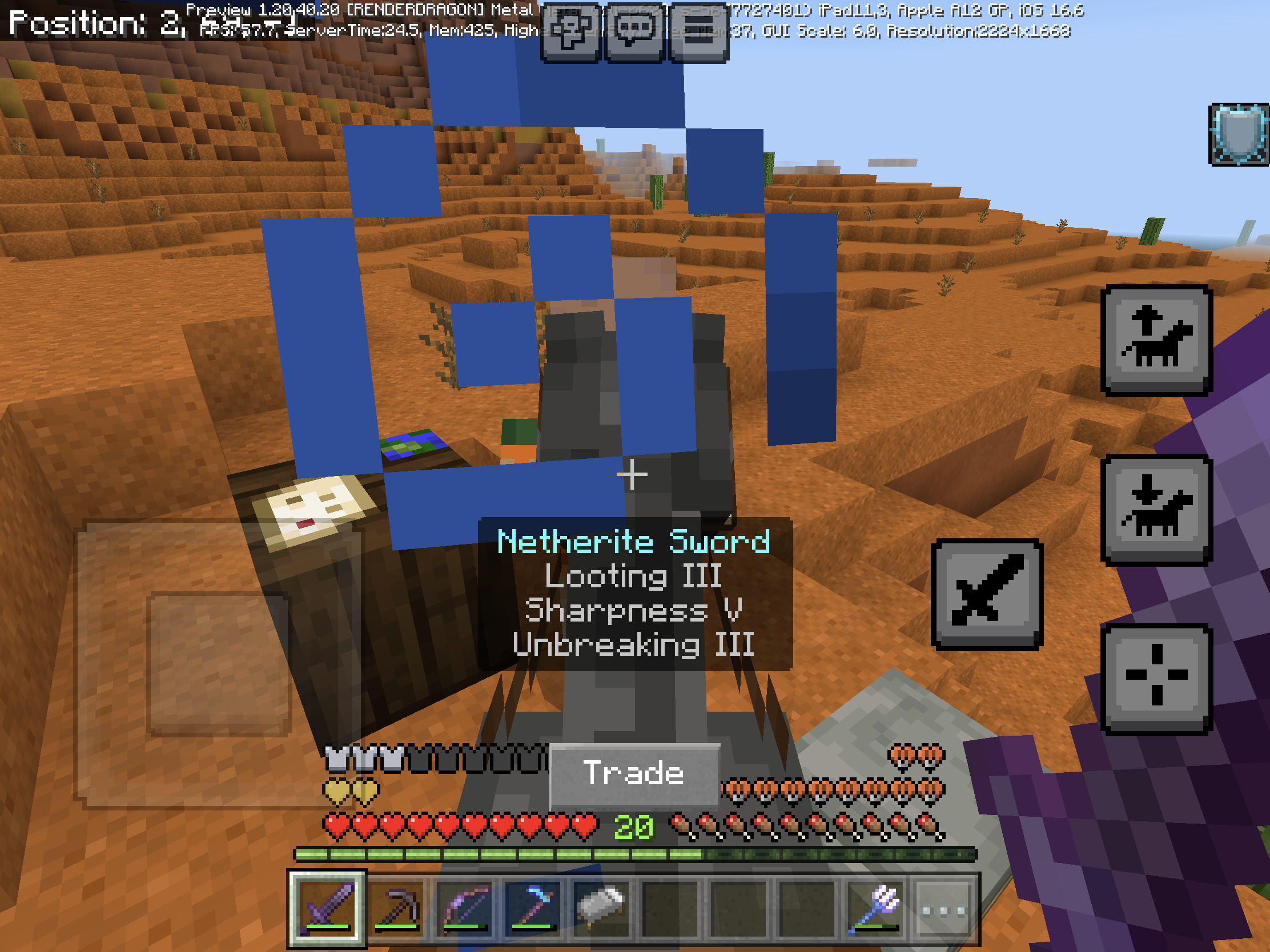
't affected by the lootingItem drops from fish entities aren't affected by the looting. Without looting, item drop a fish and bone (25% chance)
Just for clarification reasons, the affected entities are cod, salmon, tropical fish, and pufferfish
Steps to Reproduce:
- Make sure enchant your sword with Looting 3, using /enchant @s looting 3
- Summon a cod, salmon, tropical fish, or pufferfish.
- Kill it using the sword enchanted with looting and observe the loot that it drops upon death
Observed Results:
Item drops aren't affected by the looting enchantment.
Expected Results:
Item drops would be affected by the looting enchantment.
Item drops from fish entities aren’t affected by the looting. Without looting, item drop a fish and bone (25% chance)
Just for clarification reasons, the affected entities are cod, salmon, tropical fish, and pufferfish
Steps to Reproduce:
- Make sure enchant your sword with Looting 3, using /enchant @s looting 3
- Summon a cod, salmon, tropical fish, or pufferfish.
- Kill it using the sword enchanted with looting and observe the loot that it drops upon death
Observed Results:
Item drops aren't affected by the looting enchantment.
Expected Results:
Item drops would be affected by the looting enchantment.
Item drops from fish entities aren’t affected by the looting enchantment. Without looting, item drop a fish and bone (25% chance)
Just for clarification reasons, the affected entities are cod, salmon, tropical fish, and pufferfish
Steps to Reproduce:
- Make sure enchant your sword with Looting 3, using /enchant @s looting 3
- Summon a cod, salmon, tropical fish, or pufferfish.
- Kill it using the sword enchanted with looting and observe the loot that it drops upon death
Observed Results:
Item drops aren't affected by the looting enchantment.
Expected Results:
Item drops would be affected by the looting enchantment.
Item drops from fish entities aren’t affected by the looting enchantment. Without looting, item drop a fish and bone (25% chance)
Just for clarification reasons, the affected entities are cod, salmon, tropical fish, and pufferfish
Steps to Reproduce:
- Make sure enchant your sword with Looting 3, using /enchant @s looting 3
- Summon a cod, salmon, tropical fish, or pufferfish.
- Kill it using the sword enchanted with looting and observe the loot that it drops upon death
Observed Results:
Item drops aren't affected by the looting enchantment.
Expected Results:
Item drops would be affected by the looting enchantment.
Fish drops from fish entities aren’t affected by the looting enchantment. Without looting, item drop a fish and bone (25% chance)
Just for clarification reasons, the affected entities arecod, salmon, tropical fish, and pufferfishSteps to Reproduce:
- Make sure to enchant your sword with Looting 3, using /enchant @s looting 3
- Summon a cod, salmon, tropical fish, or pufferfish.
- Kill it using the sword enchanted with looting and observe the loot that it drops upon death
Observed Results:
Fish drops aren't affected by the looting enchantment, but bone drops are.
Expected Results:
Fish drops would be affected by the looting enchantment.
Fish drops from fish entities aren’t affected by the looting enchantment. Without looting, item drop a fish and bone (25% chance)
Affects cod, salmon, tropical fish, and pufferfish
Steps to Reproduce:
- Make sure to enchant your sword with Looting 3, using /enchant @s looting 3
- Summon a cod, salmon, tropical fish, or pufferfish.
- Kill it using the sword enchanted with looting and observe the loot that it drops upon death
Observed Results:
Fish drops aren't affected by the looting enchantment, but bone drops are.
Expected Results:
Fish drops would be affected by the looting enchantment.
Fish drops from fish entities aren’t affected by the looting enchantment.
Without looting, item drop a fish and bone (25% chance)Affects cod, salmon, tropical fish, and pufferfish
Steps to Reproduce:
- Make sure to enchant your sword with Looting 3, using /enchant @s looting 3
- Summon a cod, salmon, tropical fish, or pufferfish.
- Kill it using the sword enchanted with looting and observe the loot that it drops upon death
Observed Results:
Fish drops aren't affected by the looting enchantment, but bone drops are.
Expected Results:
Fish drops would be affected by the looting enchantment.
Fish drops from fish entities aren’t affected by the looting enchantment. They drop a fish and bone (25% chance) if without looting enchantment. But fish dropping doesn't increase when using looting enchantment.
Affects cod, salmon, tropical fish, and pufferfish
Steps to Reproduce:
- Make sure to enchant your sword with Looting 3, using /enchant @s looting 3
- Summon a cod, salmon, tropical fish, or pufferfish.
- Kill it using the sword enchanted with looting and observe the loot that it drops upon death
Observed Results:
Fish drops aren't affected by the looting enchantment, but bone drops are.
Expected Results:
Fish drops would be affected by the looting enchantment.
Fish drops from fish entities aren’t affected by the looting enchantment. They drop a fish and bone (25% chance) if without looting enchantment. But fish dropping doesn't increase when using looting enchantment.
Affects cod, salmon, tropical fish, and pufferfish
Steps to Reproduce:
- Make sure to enchant your sword with Looting 3, using /enchant @s looting 3
- Summon a cod, salmon, tropical fish, or pufferfish.
- Kill it using the sword enchanted with looting and observe the loot that it drops upon death
Observed Results:
Fish drops aren't affected by the looting enchantment, but bone drops are.
Expected Results:
Fish drops would be affected by the looting enchantment.
Fish drops from fish entities aren’t affected by the looting enchantment. They drop a fish and bone (25% chance) if without looting enchantment. But fish dropping doesn't increase when using looting enchantment.
Affects cod, salmon, tropical fish, and pufferfish
Steps to Reproduce:
- Make sure to enchant your sword with Looting 3, using /enchant @s looting 3
- Summon a cod, salmon, tropical fish, or pufferfish.
- Kill it using the sword enchanted with looting and observe the loot that it drops upon death
Observed Behavior:
Fish drops aren't affected by the looting enchantment, but bone drops are.
Expected Behavior:
Fish drops would be affected by the looting enchantment.
Fish drops from fish entities aren’t affected by the looting enchantment. They drop a fish and bone (25% chance) if without looting enchantment. But fish dropping doesn't increase when using looting enchantment.
Affects cod, salmon, tropical fish, and pufferfish
Steps to Reproduce:
- Make sure to enchant your sword with Looting 3, using /enchant @s looting 3
- Summon a cod, salmon, tropical fish, or pufferfish.
- Kill it using the sword enchanted with looting and observe the loot that it drops upon death
Observed Behavior:
Fish drops aren't affected by the looting enchantment, but bone drops are.
Expected Behavior:
Fish drops would be affected by the looting enchantment.
Code Analysis:
Code analysis by [Mod] OcelotOnesie can be found in this comment.
Fish drops from fish entities aren’t affected by the looting enchantment. They drop a fish and bone (25% chance) if without looting enchantment. But fish dropping doesn't increase when using looting enchantment.
Affects cod, salmon, tropical fish, and pufferfish
Steps to Reproduce:
- Make sure to enchant your sword with Looting 3, using /enchant @s looting 3
- Summon a cod, salmon, tropical fish, or pufferfish.
- Kill it using the sword enchanted with looting and observe the loot that it drops upon death
Observed Behavior:
Fish drops aren't affected by the looting enchantment, but bone drops are.
Expected Behavior:
Fish drops would be affected by the looting enchantment.
Code Analysis:
Code analysis by [Mod] OcelotOnesie can be found in this comment.
Fish drops from fish entities aren’t affected by the looting enchantment. They drop a fish and bone (25% chance) if without looting enchantment. But fish dropping doesn't increase when using looting enchantment.
Affects cod, salmon, tropical fish, and pufferfish
Steps to Reproduce:
- Make sure to enchant your sword with Looting 3, using /enchant @s looting 3
- Summon a cod, salmon, tropical fish, or pufferfish.
- Kill it using the sword enchanted with looting and observe the loot that it drops upon death
Observed Behavior:
Fish drops aren't affected by the looting enchantment, but bone drops are.
Expected Behavior:
Fish drops would be affected by the looting enchantment.
Code Analysis:
Fish drops in fish.json, pufferfish.json, salmon_<size>.json, and tropicalfish.json are missing the "looting_enchant" function.
Fish drops from fish entities aren’t affected by the looting enchantment. They drop a fish and bone (25% chance) if without looting enchantment. But fish dropping doesn't increase when using looting enchantment.
Affects cod, salmon, tropical fish, and pufferfish
Steps to Reproduce:
- Make sure to enchant your sword with Looting 3, using /enchant @s looting 3
- Summon a cod, salmon, tropical fish, or pufferfish.
- Kill it using the sword enchanted with looting and observe the loot that it drops upon death
Observed Behavior:
Fish drops aren't affected by the looting enchantment, but bone drops are.
Expected Behavior:
Fish drops would be affected by the looting enchantment.
Code Analysis:
Fish drops in fish.json, pufferfish.json, salmon_<size>.json, and tropicalfish.json are missing the "looting_enchant" function.
Fish drops from fish entities aren’t affected by the looting enchantment. They drop a fish and bone (25% chance) if without looting enchantment. But fish dropping doesn't increase when using looting enchantment.
Affects cod, salmon, tropical fish, and pufferfish
Steps to Reproduce:
- Make sure to enchant your sword with Looting 3, using /enchant @s looting 3
- Summon a cod, salmon, tropical fish, or pufferfish.
- Kill it using the sword enchanted with looting and observe the loot that it drops upon death
Observed Behavior:
Fish drops aren't affected by the looting enchantment, but bone drops are.
Expected Behavior:
Fish drops would be affected by the looting enchantment.
Code Analysis:
Fish drops in fish.json, pufferfish.json, salmon_<size>.json, and tropicalfish.json are missing the "looting_enchant" function. (Similar in this comment).
Fish drops from fish entities aren’t affected by the looting enchantment. They drop a fish and bone (25% chance) if without looting enchantment. But fish dropping doesn't increase when using looting enchantment.
Affects cod, salmon, tropical fish, and pufferfish
Steps to Reproduce:
- Make sure to enchant your sword with Looting 3, using /enchant @s looting 3
- Summon a cod, salmon, tropical fish, or pufferfish.
- Kill it using the sword enchanted with looting and observe the loot that it drops upon death
Observed Behavior:
Fish drops aren't affected by the looting enchantment, but bone drops are.
Expected Behavior:
Fish drops would be affected by the looting enchantment.
Code Analysis:
Fish drops in fish.json, pufferfish.json, salmon_<size>.json, and tropicalfish.json are missing the "looting_enchant" function. (Similar in this comment).
Fish drops from fish entities aren’t affected by the looting enchantment. They drop a fish and bone (25% chance) if without looting enchantment. But fish dropping doesn't increase when using looting enchantment.
Affects cod, salmon, tropical fish, and pufferfish
Steps to Reproduce:
- Make sure to enchant your sword with Looting 3, using /enchant @s looting 3
- Summon a cod, salmon, tropical fish, or pufferfish.
- Kill it using the sword enchanted with looting and observe the loot that it drops upon death
Observed Results:
Fish drops aren't affected by the looting enchantment, but bone drops are.
Expected Results:
Fish drops would be affected by the looting enchantment.
Code Analysis:
Fish drops in fish.json, pufferfish.json, salmon_<size>.json, and tropicalfish.json are missing the "looting_enchant" function. (Similar in this comment).
In new UI it shows the line were doesn’t black
Steps to Reproduce:
- Go to settings and go to video settings
- Change GUI scale modifier to -1
- Open any new UI
Observed Results:
In new UI, a line were show doesn’t black
Expected Results:
It should be
no longer see line in the new UIIn new UI it shows the line were doesn’t black
Steps to Reproduce:
- Go to settings and go to video settings
- Change GUI scale modifier to -1
- Open any new UI
Observed Results:
In new UI especially in the bottom of the screen, a line were show doesn’t black
Expected Results:
It should be fully black fade, especially in the bottom of the screen
In new UI
it shows the line were doesn’t blackSteps to Reproduce:
- Go to settings and go to video settings
- Change GUI scale modifier to -1
- Open any new UI
Observed Results:
In new UI especially in the bottom of the screen, a
line were show doesn’t blackExpected Results:
It should be fully black fade, especially in the bottom of the screen
In new UI, black fade screen in bottom doesn’t rendered as black fade.
Steps to Reproduce:
- Go to settings and go to video settings
- Change GUI scale modifier to -1
- Open any new UI
Observed Results:
In new UI especially in the bottom of the screen, a black fade screen shows line are not black
Expected Results:
It should be fully black fade, especially in the bottom of the screen
New UIshows not black lineNew UI black fade screen doesn’t full in bottom of screen
In new UI, black fade screen in bottom doesn’t rendered as black fade.
Steps to Reproduce:
- Go to settings and go to video settings
- Change GUI scale modifier to -1
- Open any new UI
Observed Results:
In new UI especially in the bottom of the screen, a black fade screen shows line are not black
Expected Results:
It should be fully black fade, especially in the bottom of the screen
In new UI, black fade screen in bottom doesn’t rendered as black fade.
Affected UI:
- Achievements screen
- Create new world screen
- Play screen
- Edit screen
- Inbox screen
- Bed screen (added from 1.21.20.21 Preview)
Steps to Reproduce:
- Go to settings and go to video settings
- Change GUI scale modifier to -1
- Open any new UI
Observed Results:
In new UI especially in the bottom of the screen, a black fade screen shows line are not black
Expected Results:
It should be fully black fade, especially in the bottom of the screen
New UI black fade screen doesn’t full in bottom of screenNew UI black fade screen have gap (doesn't full) in bottom of screen
In new UI, black fade screen in bottom doesn’t rendered as black fade.
Affected UI:
- Achievements screen
- Create new world screen
- Play screen
- Edit screen
- Inbox screen
Bed screen (added from 1.21.20.21 Preview)Steps to Reproduce:
- Go to settings and go to video settings
- Change GUI scale modifier to -1
- Open any new UI
Observed Results:
In new UI especially in the bottom of the screen, a black fade screen shows line are not black
Expected Results:
It should be fully black fade, especially in the bottom of the screen
In new UI, black fade screen in bottom doesn’t rendered as black fade.
Affected UI:
- Achievements screen
- Create new world screen
- Play screen
- Edit screen
- Inbox screen
- Bed screen
- Profile screen
Steps to Reproduce:
- Go to settings and go to video settings
- Change GUI scale modifier to -1
- Open any new UI
Observed Results:
In new UI especially in the bottom of the screen, a black fade screen shows line are not black
Expected Results:
It should be fully black fade, especially in the bottom of the screen
In new UI, black fade screen in bottom doesn’t rendered as black fade.
Affected UI:
- Achievements screen
- Create new world screen
- Play screen
- Edit screen
- Inbox screen
- Bed screen
- Profile screen
- Screenshot screen
- Promotion screen (changelog and add-ons)
Steps to Reproduce:
- Go to settings and go to video settings
- Change GUI scale modifier to -1
- Open any new UI
Observed Results:
In new UI especially in the bottom of the screen, a black fade screen shows line are not black
Expected Results:
It should be fully black fade, especially in the bottom of the screen
In new UI, black fade screen in bottom doesn’t render
edas black fade.Affected UI:
- Achievements screen
Create new world screenPlayscreenEditscreen- Inbox screen
Bedscreen- Profile screen
Screenshot screenPromotion screen (changelog and add-ons)Steps to Reproduce:
- Go to settings and go to video settings
- Change GUI scale modifier to -1
- Open any new UI
Observed Results:
In new UI especially in the bottom of the screen, a black fade screen shows line are not black
Expected Results:
It should be fully black fade, especially in the bottom of the screen
In new UI, black fade screen in bottom doesn’t render as black fade.
Affected UI:
- Achievements screen
- Bed screen
- Create new world screen
- Death screen
- Edit world screen (Preview only)
- Inbox screen
- Play screen (Preview only)
- Profile screen
- Promotion screen (changelog and add-ons)
- Screenshot screen
Steps to Reproduce:
- Go to settings and go to video settings
- Change GUI scale modifier to -1
- Open any new UI
Observed Results:
In the new UI especially in the bottom of the screen, a black fade screen shows line are not black
Expected Results:
It should be fully black fade, especially in the bottom of the screen
In new UI, black fade screen in bottom doesn’t render as black fade.
Affected UI:
- Achievements screen
- Bed screen
- C
reate new worldscreenDeathscreen- Edit world screen (Preview only)
- Inbox screen
- Play screen (Preview only)
- Profile screen
- Promotion screen (changelog and add-ons)
- Screenshot screen
Steps to Reproduce:
- Go to settings and go to video settings
- Change GUI scale modifier to -1
- Open any new UI
Observed Results:
In the new UI especially in the bottom of the screen, a black fade screen shows line are not black
Expected Results:
It should be fully black fade, especially in the bottom of the screen
In new UI, black fade screen in bottom doesn’t render as black fade.
Affected UI:
- Achievements screen
- Bed screen
- Control mode screen
- Create new world screen
- Death screen
- Edit world screen (Preview only)
- Inbox screen
- Play screen (Preview only)
- Profile screen
- Promotion screen (changelog and add-ons)
- Screenshot screen
Steps to Reproduce:
- Go to settings and go to video settings
- Change GUI scale modifier to -1
- Open any new UI
Observed Results:
In the new UI especially in the bottom of the screen, a black fade screen shows line are not black
Expected Results:
It should be fully black fade, especially in the bottom of the screen
In the new UI, black fade screen in bottom doesn’t render as black fade.
Affected UI:
- Achievements screen
- Bed screen
- Control mode screen
- Create new world screen
- Death screen
- Edit world screen (Preview only)
- Inbox screen
- Play screen (Preview only)
- Profile screen
- Promotion screen (changelog and add-ons)
- Screenshot screen
Steps to Reproduce:
- Go to settings and go to video settings
- Change GUI scale modifier to -1
- Open any new UI
Observed Results:
In the new UI especially in the bottom of the screen, a black fade screen shows line are not black
Expected Results:
It should be fully black fade, especially in the bottom of the screen
In the new UI, black fade screen in bottom doesn’t render as black fade.
Affected UI:
- Achievements screen
- Bed screen
- Control mode screen
- Create new world screen
- Death screen
- Edit world screen (Preview only)
- Inbox screen
- Play screen (Preview only)
- Profile screen
- Promotion screen (changelog and add-ons)
- Screenshot screen
Steps to Reproduce:
- Go to settings and go to video settings
- Change GUI scale modifier to -1
- Open any new UI
Observed Results:
In the new UI especially in the bottom of the screen, a black fade screen shows line are not black
Expected Results:
It should be fully black fade, especially in the bottom of the screen
In the new UI, black fade screen in bottom doesn’t render as black fade.
Affected UI:
- Achievements screen
- Bed screen
- Control mode screen
- Create new world screen
- Death screen
- Edit world screen (Preview only)
- Inbox screen
- Play screen (Preview only)
- Profile screen
- Promotion screen (changelog and add-ons)
- Screenshot screen
Steps to Reproduce:
- Go to settings and go to video settings
- Change GUI scale modifier to -1
- Open any new UI
Observed Behavior:
In the new UI especially in the bottom of the screen, a black fade screen shows line are not black
Expected Behavior:
It should be fully black fade, especially in the bottom of the screen
In the new UI, black fade screen in bottom doesn’t render as black fade.
Affected UI:
- Achievements screen
- Bed screen
- Control mode screen
- Create new world screen
- Death screen
- Edit world screen (Preview only)
- Inbox screen
- Play screen (Preview only)
- Profile screen
- Promotion screen (changelog and add-ons)
- Screenshot screen
Steps to Reproduce:
- Go to settings and go to video settings
- Change GUI scale modifier to -1
- Open any new UI
Observed
Behavior:In the new UI especially in the bottom of the screen, a black fade screen shows line are not black
Expected Behavior:
It should be fully black fade, especially in the bottom of the screen
In the new UI, black fade screen in bottom doesn’t render as black fade.
Affected UI:
- Achievements screen
- Bed screen
- Control mode screen
- Create new world screen
- Death screen
- Edit world screen (Preview only)
- Inbox screen
- Play screen (Preview only)
- Profile screen
- Promotion screen (changelog and add-ons)
- Screenshot screen
Steps to Reproduce:
- Go to settings and go to video settings
- Change GUI scale modifier to -1
- Open any new UI
Observed Results:
In the new UI especially in the bottom of the screen, a black fade screen shows line are not black
Expected Results:
It should be fully black fade, especially in the bottom of the screen
In the new UI,black fade screenin bottom doesn’t render as black fade.Affected
UI:
- Achievements screen
- Bed screen
- Control mode screen
- Create new world screen
- Death screen
- Edit world screen (Preview only)
- Inbox screen
- Play screen (
Preview only)- Profile screen
- Promotion screen (changelog and add-ons)
- Screenshot screen
Steps to Reproduce:
- Go to settings and go to video settings
- Change GUI scale modifier to -1
- Open any new UI
Observed Results:
In the new UI especially in the bottom of the screen, a black fade screen shows line are not blackExpected Results:
It should be fully black fade, especially in thebottom ofthescreenNew UI black fade screen have a gap in bottom of screen
Affected in the new UI, include:
- Achievements screen (Full version only)
- Bed screen
- Control mode screen
- Create new world screen
- Death screen
- Edit world screen (Preview only)
- Inbox screen (including Inbox settings
- Play screen (rolling out in 1.21.51 Hotfix)
- Profile screen
- Promotion screen (changelog and add-ons)
- Screenshot screen
Steps to Reproduce:
- Go to settings and go to video settings
- Change GUI scale modifier to -1
- Open any new UI
Observed Results:
New UI black fade screen have a gap in bottom of screen
Expected Results:
New UI black fade should doesn't have a gap in bottom of screen
New UI black fade screen have gap(doesn't full)in bottom of screenNew UI black fade screen have a gap in bottom of screen
If we resetting the search bar and close it then reopen creative inventory it doesn’t correctly reset
Steps to Reproduce:
- Type any item in search bar (e.g Cobblestone, smithing template, etc)
- Close and reopen creative inventory
- Click “X” in search bar
- Close and reopen again
Observed Results:
Search bar doesn’t updated after exit and reopen creative inventory
Expected Results:
Search bar should be updated after exit and reopen creative inventory
Note:
After doing step 3 and go to another tab inventory instead close and reopen again it got reset correctly
If we resetting the search bar and close it then reopen creative inventory it doesn’t correctly reset
Steps to Reproduce:
- Type any item in search bar (e.g Cobblestone, smithing template, etc)
- Close and reopen creative inventory
- Click “X” in search bar
- Close and reopen again
Observed Results:
Search bar doesn’t updated after exit and reopen creative inventory
Expected Results:
Search bar should be updated after exit and reopen creative inventory
Note:
After doing step 3
andgo to another tab inventory insteadclose and reopenagain it got reset correctlyIf we resetting the search bar and close it then reopen creative inventory it doesn’t correctly reset
Steps to Reproduce:
- Type any item in search bar (e.g Cobblestone, smithing template, etc)
- Close and reopen creative inventory
- Click “X” in search bar
- Close and reopen again
Observed Results:
Search bar doesn’t updated after exit and reopen creative inventory
Expected Results:
Search bar should be updated after exit and reopen creative inventory
Note:
After doing step 3, go to another tab inventory instead go to step 4 then exit reopen creative inventory again it got reset correctly
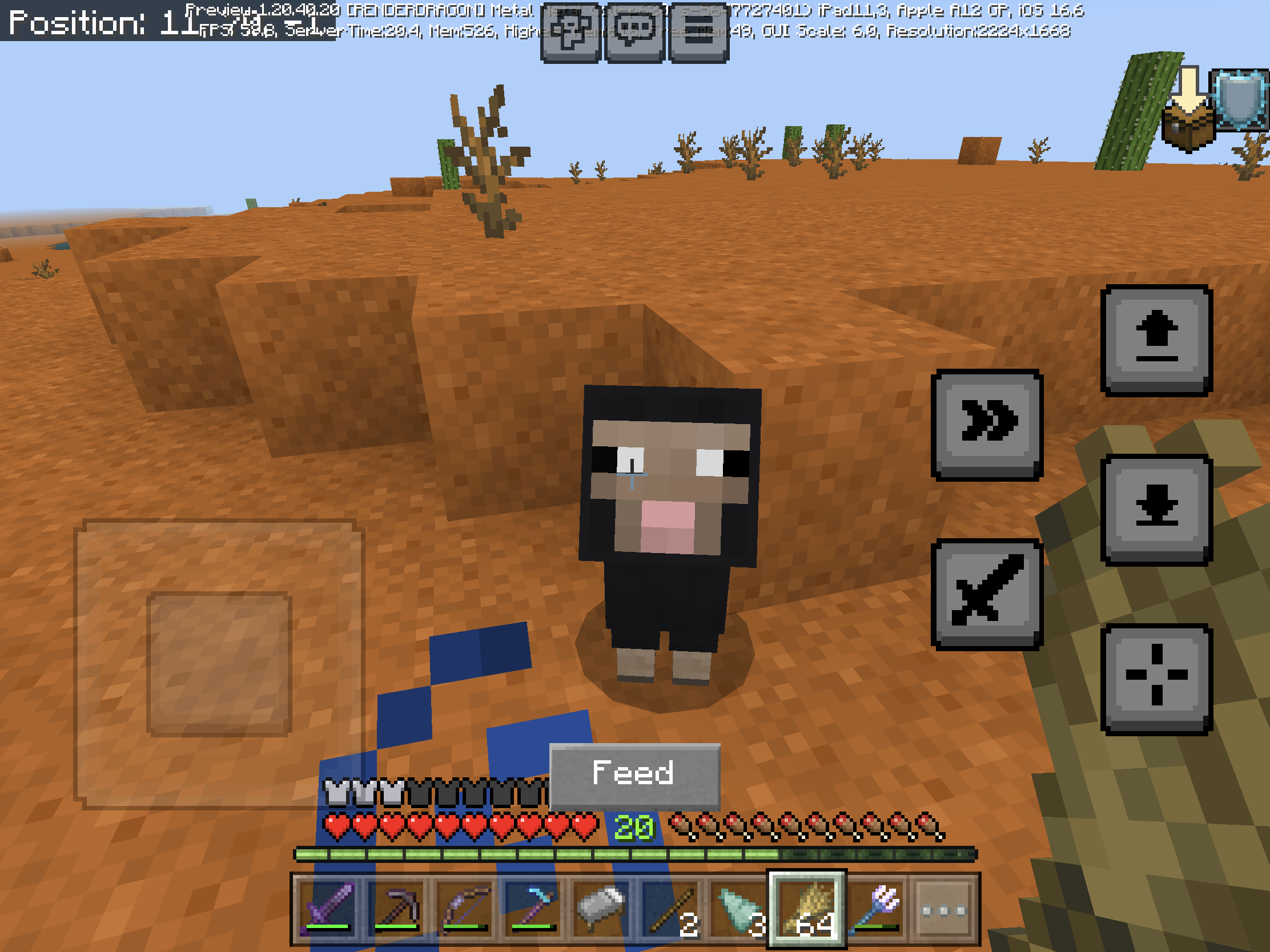
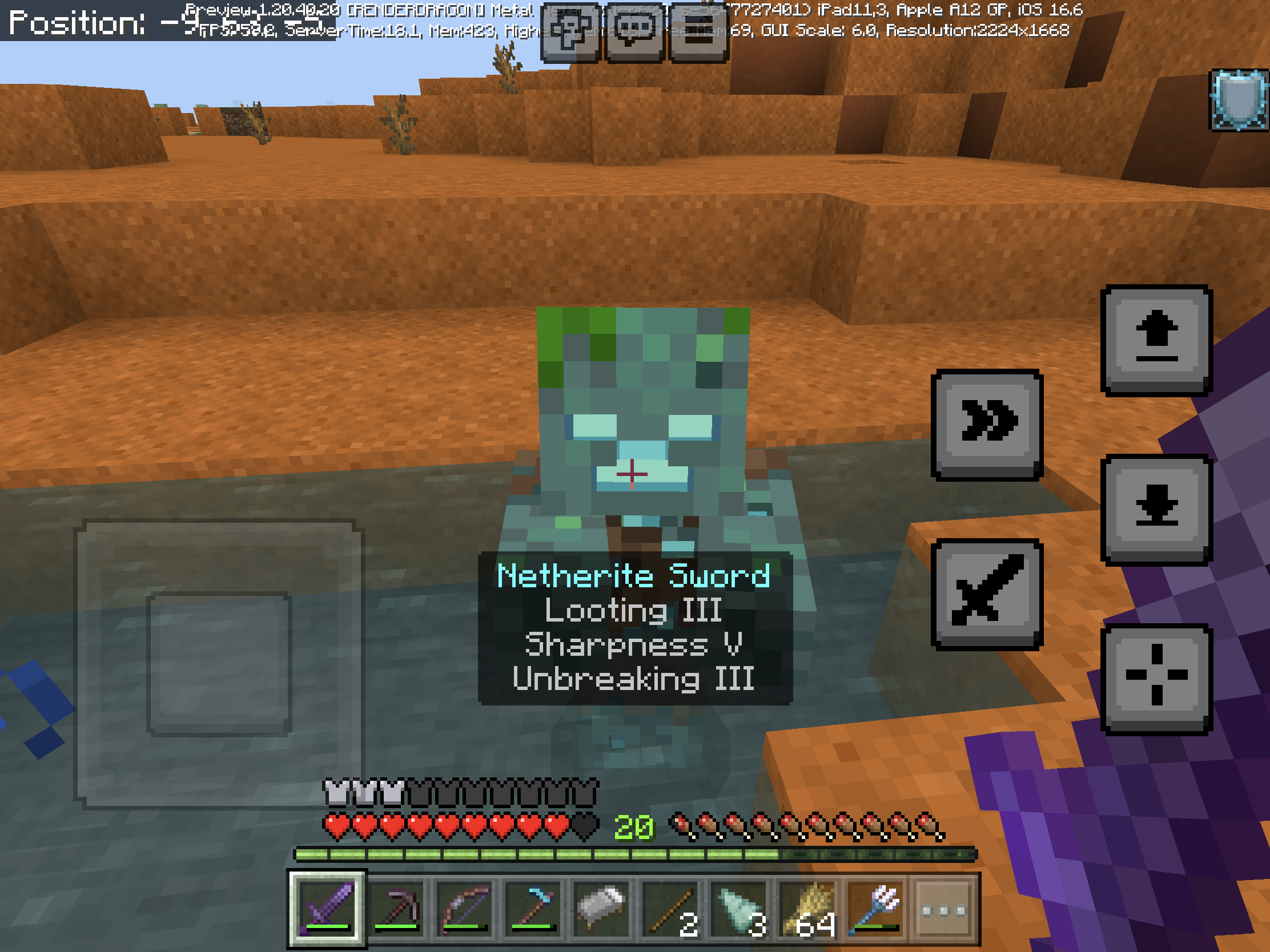
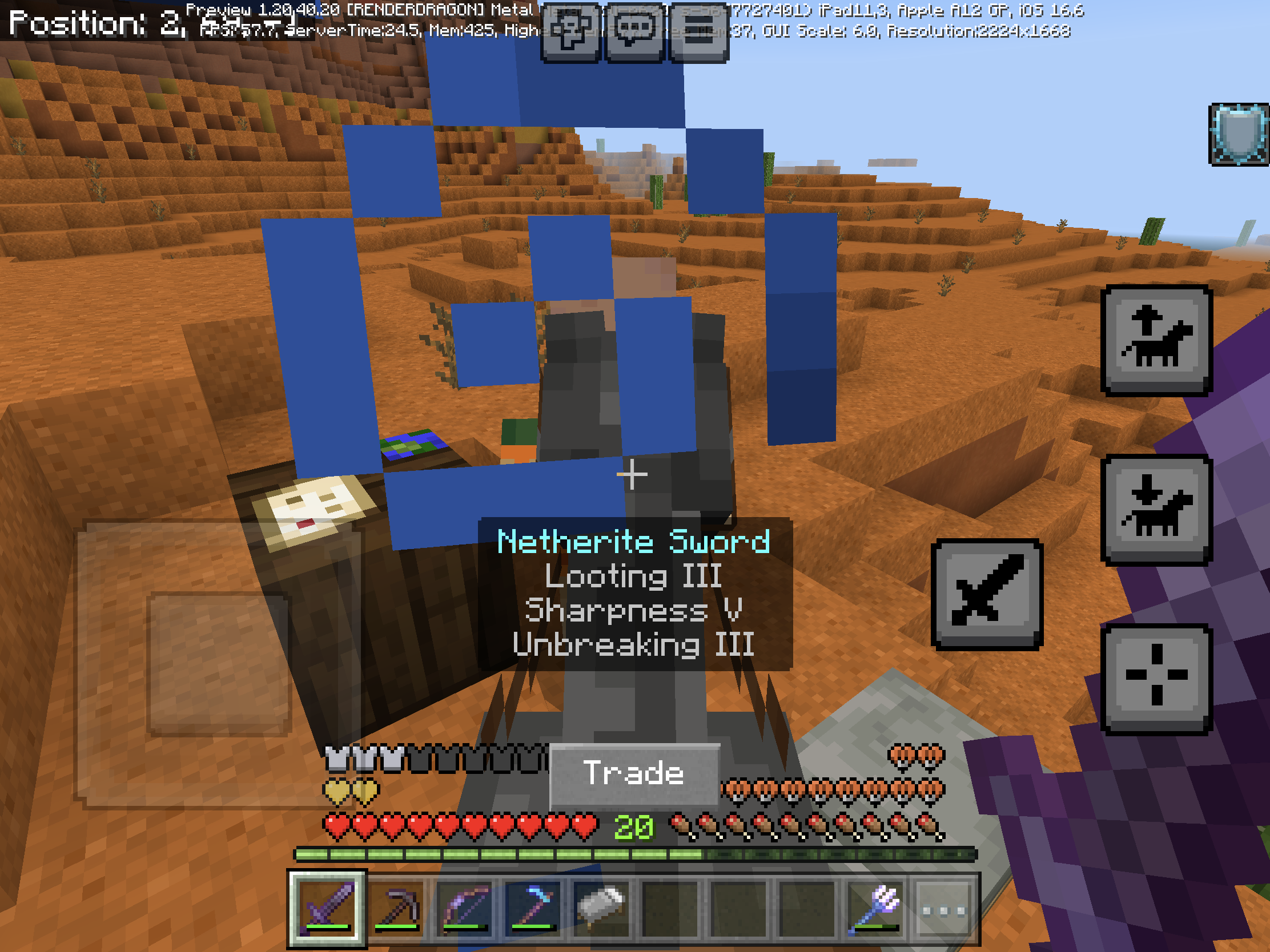
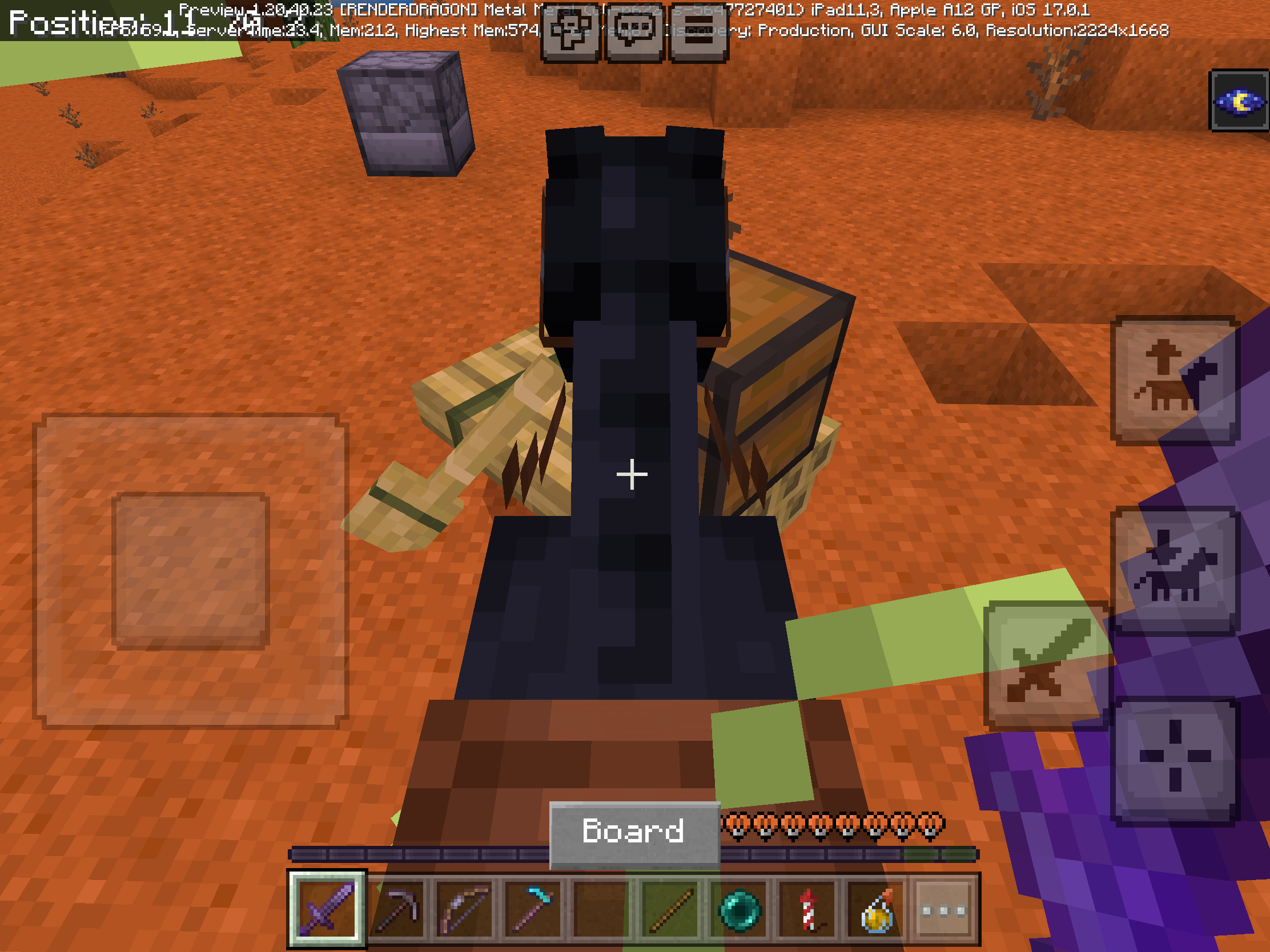
After fixing
MCPE-152131,MCPE-152130, andMCPE-152129item names are changed the position. However the action button was overlapping thehealth bar, armor, hunger, and oxygen. Also affect onabsorption health and mob healthAfter fixing
MCPE-152131,MCPE-152130, andMCPE-152129item names are changed the position. However the action button was overlapping the armor, oxygen, absorption health, and mob health bar
After fixing
MCPE-152131,MCPE-152130, andMCPE-152129item names are changed the position. However the action button was overlapping the armor, oxygen, absorption health, and mob health bar
Note:
This bug only affect on mobile devices or devices support touch screen
After fixing
MCPE-152131,MCPE-152130, andMCPE-152129item names are changed the position. However the action button was overlapping the armor, oxygen, absorption health, and mob health bar
Note:
This bug only affect on mobile devices or devices support touch screen
After fixing
MCPE-152131,MCPE-152130, andMCPE-152129item names are changed the position. However the action button was overlapping the armor, oxygen, absorption health, and mob health bar
For the bug that mob doesn’t have action button (drowned, nitwit villagers, etc) go to
MCPE-174878
After fixing
MCPE-152131,MCPE-152130, andMCPE-152129item names are changed the position. However the action button was overlapping the armor, oxygen, absorption health, and mob health bar
For the bug that mob doesn’t have action button (drowned, nitwit villagers, etc) go to
MCPE-174878After fixing
MCPE-152131,MCPE-152130, andMCPE-152129item names are changed the position. However the action button was overlapping the armor, oxygen, absorption health, and mob health bar
Steps to Reproduce:
- Make sure your game have absorption health, mob health, oxygen, or armor bar
- Swipe to the mob that are interactable (villager, breeding mobs, etc)
Observed Results:
Action button overlaps the armor, oxygen, absorption health, and mob health
Expected Results:
Action button should be placed top of the gameplay bar, just like item names
After fixing
MCPE-152131,MCPE-152130, andMCPE-152129item names are changed the position. However the action button was overlapping the armor, oxygen, absorption health, and mob health bar
Steps to Reproduce:
- Make sure your game have absorption health, mob health, oxygen, or armor bar
- Swipe to the mob that are interactable (villager, breeding mobs, etc)
Observed Results:
Action button overlaps the armor, oxygen, absorption health, and mob health
Expected Results:
Action button should be placed top of the gameplay bar, just like item names
After fixing
MCPE-152131,MCPE-152130, andMCPE-152129item names are changed the position. However the action button was overlapping the armor, oxygen, absorption health, and mob health barSteps to Reproduce:
- Make sure your game have absorption health, mob health, oxygen, or armor bar
- Swipe to the mob that are interactable (villager, breeding mobs, etc)
Observed Results:
Action button overlaps the armor, oxygen, absorption health, and mob health
Expected Results:
Action button should be placed top of the gameplay bar, just like item names
After fixing
MCPE-152131,MCPE-152130, andMCPE-152129item names are changed the position. However the action button was overlapping the armor, oxygen, absorption health, and mob health barSteps to Reproduce:
- Make sure your game have absorption health, mob health, oxygen, or armor bar
- Swipe to the mob that are interactable (villager, breeding mobs, etc)
Observed Results:
Action button overlaps the armor, oxygen, absorption health, and mob health
Expected Results:
Action button should be placed top of the gameplay bar, just like item names
After fixing
MCPE-152131,MCPE-152130, andMCPE-152129item names are changed the position. However the action button was overlapping the armor, oxygen, absorption health, and mob health barSteps to Reproduce:
- Make sure your game have absorption health, mob health, oxygen, or armor bar
- Swipe to the mob that are interactable (villager, breeding mobs, etc)
Observed Results:
- Action button overlaps the armor, oxygen, absorption health, and mob health, survival or adventure mode only
- Action button overlaps the armor, horse jump meter, mob health, and absorption health, creative mode only (IMG_3513.png)
Expected Results:
Action button should be placed top of the gameplay bar, just like item names
After fixing
MCPE-152131,MCPE-152130, andMCPE-152129item names are changed the position. However the action button was overlapping the armor, oxygen, absorption health, and mob health barSteps to Reproduce:
- Make sure your game have absorption health, mob health, oxygen, or armor bar
- Swipe to the mob that are interactable (villager, breeding mobs, etc)
Observed Results:
- Action button overlaps the armor, oxygen, absorption health, and mob health, survival or adventure mode only
- Action button overlaps the
armor,horse jump meter, mob health, and absorptionhealth, creative mode only (IMG_3513.png)Expected Results:
Action button should be placed top of the gameplay bar, just like item names
After fixing
MCPE-152131,MCPE-152130, andMCPE-152129item names are changed the position. However the action button was overlapping the armor, oxygen, absorption health, and mob health barSteps to Reproduce:
- Make sure your game have absorption health, mob health, oxygen, or armor bar
- Swipe to the mob that are interactable (villager, breeding mobs, etc)
Observed Results:
- Action button overlaps the armor, oxygen, absorption health, and mob health, survival or adventure mode only
- Action button overlaps the horse jump meter and mob health, creative mode only (IMG_3513.png)
Expected Results:
Action button should be placed top of the gameplay bar, just like item names
After fixing
MCPE-152131,MCPE-152130, andMCPE-152129item names are changed the position. However the action button was overlapping the armor, oxygen, absorption health, and mob health barSteps to Reproduce:
- Make sure your game have absorption health, mob health, oxygen, or armor bar
- Swipe to the mob that are interactable (villager, breeding mobs, etc)
Observed Results:
- Action button overlaps the armor, oxygen, absorption health, and mob health, survival or adventure mode only
- Action button overlaps the horse jump meter and mob health, creative mode
only(IMG_3513.png)Expected Results:
Action button should be placed top of the gameplay bar, just like item names
After fixing
MCPE-152131,MCPE-152130, andMCPE-152129item names are changed the position. However the action button was overlapping the armor, oxygen, absorption health, and mob health barSteps to Reproduce:
- Make sure your game have absorption health, mob health, oxygen, or armor bar
- Swipe to the mob that are interactable (villager, breeding mobs, etc)
Observed Results:
- Action button overlaps the armor, oxygen, absorption health, and mob health, survival or adventure mode only
- Action button overlaps the horse jump meter and mob health, while riding horse in creative mode (IMG_3513.png)
Expected Results:
Action button should be placed top of the gameplay bar, just like item names
After fixing
MCPE-152131,MCPE-152130, andMCPE-152129item names are changed the position. However the action button was overlapping thearmor, oxygen, absorption health, and mob health barSteps to Reproduce:
- Make sure your game have absorption health, mob health, oxygen, or armor bar
Swipeto themobthat are interactable (villager, breeding mobs, etc)Observed Results:
- Action button overlaps the armor, oxygen, absorption health, and mob health, survival or adventure mode only
- Action button overlaps the horse jump meter and mob health, while riding horse in creative mode (IMG_3513.png)
Expected Results:
Action button should be placed top of the gameplay bar, just like item names
After fixing
MCPE-152131,MCPE-152130, andMCPE-152129item names are changed the position. However the action button was overlapping the gameplay bar. Affects on survival and creative modeSteps to Reproduce (survival mode):
- Make sure your game have absorption health, mob health, oxygen, or armor bar
- Go to the entity that are interactable (villager, boat, breeding mobs, etc)
Observed Results:
Action button overlaps the armor, oxygen, absorption health, and mob health
Expected Results:
Action button should be placed top of the gameplay bar, just like item names
Steps to Reproduce (creative mode):
Since health (both normal and absorption), oxygen, and armor are not visible in creative it can be reproduce while you riding horses (IMG_3513.png)
- Ride the horse, mule, donkey, or camel
- Go to the entity that are interactable (villager, boat, breeding mobs, etc)
Observed Results:
Action button overlaps the horse jump meter and mob health, while riding horse in creative mode
Expected Results:
Action button should be placed top of the gameplay bar, just like item names
After fixing
MCPE-152131,MCPE-152130, andMCPE-152129item names are changed the position. However the action button was overlapping the gameplay bar. Affects on survival and creative modeSteps to Reproduce (survival mode):
- Make sure your game have absorption health, mob health, oxygen, or armor bar
- Go to the entity that are interactable (villager, boat, breeding mobs, etc)
Observed Results:
Action button overlaps the armor, oxygen, absorption health, and mob health
Expected Results:
Action button should be placed top of the gameplay bar, just like item names
Steps to Reproduce (creative mode):
Since health (both normal and absorption), oxygen, xp bar (except jump bar) and armor are not visible in creative it can be reproduce while you riding horses (IMG_3513.png)
- Ride the horse, mule, donkey, or camel
- Go to the entity that are interactable (villager, boat, breeding mobs, etc)
Observed Results:
Action button overlaps the horse jump meter and mob health, while riding horse in creative mode
Expected Results:
Action button should be placed top of the gameplay bar, just like item names
This bug maybe not only affect on iOS, but also on another devices. Unfortunately, I don't know if other devices also happen since I only have full iOS version and demo PC (windows) version
@[MCQA] Justyna Oleś Bedrock Edition credits have empty lines on each column, which the credit takes longer than Java Edition credits. The credits should be displayed one in a column like Java Edition credits does
@Makerboi88 It doesn't turn full black in 1.19.83 and which is not consistent in current version
Why this thing you closed as "won't fix"?
MC-218023has been fix. I'm feel bad about this report@Harry3073 But this slot can't take all item, instead they just pick one
@[MCQA] v-magwar Yes, I have double tap to collect all of them
But, if I tap cooked slot only once it only get one item. So I need to double tap to take all item. I have the video that it should be work like in 1.19.30 and older
Screenrecorder-2023-08-30-01-30-05-62.mp4
When show action button turn off in touch settings it placed just like joystick & tap to interact, but with crosshair
Platform changed as my devices problem. Also my another two new reports
Seem this bug doesn't fix
Also happen on iOS devices, when I go to settings and pressing “new design” it crash the game
Java report closing as WAI, this bug report should close as well
Sorry I forgot, I should use minecraft:crafter instead crafter
Java report has been fixed this issue, this should be fix too
It should be changed as multiple as affects on iOS devices
No, that feature was introduce since 1.20.50.20. So this isn't fixed
Duplicate of MCPE-45311
This bug seems fixed in 1.20.60.20 preview
As Java report in comments by tkasriel
This issue still active
I'm tapping the "read more" in new edit world. The picture no. 2 "Screenshot 2023-12-14 at 11.03.20 AM.png" warning can't earn achievment messages that already showing up before creating world. Since I'm turning all of these to turn on achievment (e.g turn off cheats) it goes without nothing in picture no. 2
It's duplicate report of MCPE-148594
This bug still affect, I'm unable to hear ambient sound
I just find an item/block in search inventory bar, in step 2 I closed and reopen again for trying to clear search. In step 3 press x and then closing again. When I open inventory after doing step 3, the search creative inventory bar didn't clear as I doing step 3 before exit inventory
Hud description now translated, I think should close this bug
This doesn't affect any gameplay, there's only error name in game files.
This doesn't affect any gameplay, there's only error name in game files.
This doesn't affect any gameplay, there's only error name in game files.
Can confirm in 1.21.60.23 Preview and 1.21.50
I think this bug should be WAI following this comment
I think this bug should be WAI following this comment