 Daniel
- glampkoo
- glampkoo
- Europe/London
- Yes
- No
 MC-2558
![[Mojang] Jeb (Jens Bergensten)](../../../data/assets/gravatar/jeb.jpeg)
![[Mojang] Nathan Adams](../../../data/assets/gravatar/dinnerbone.png)
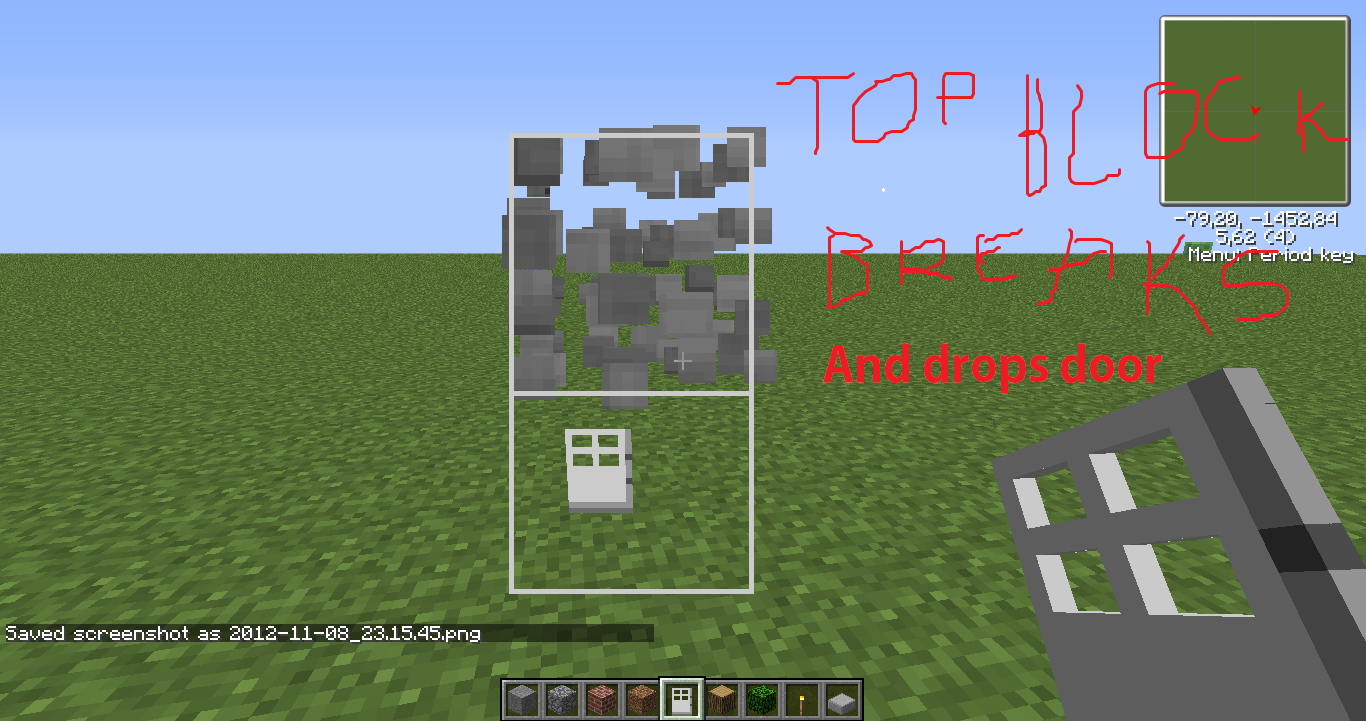

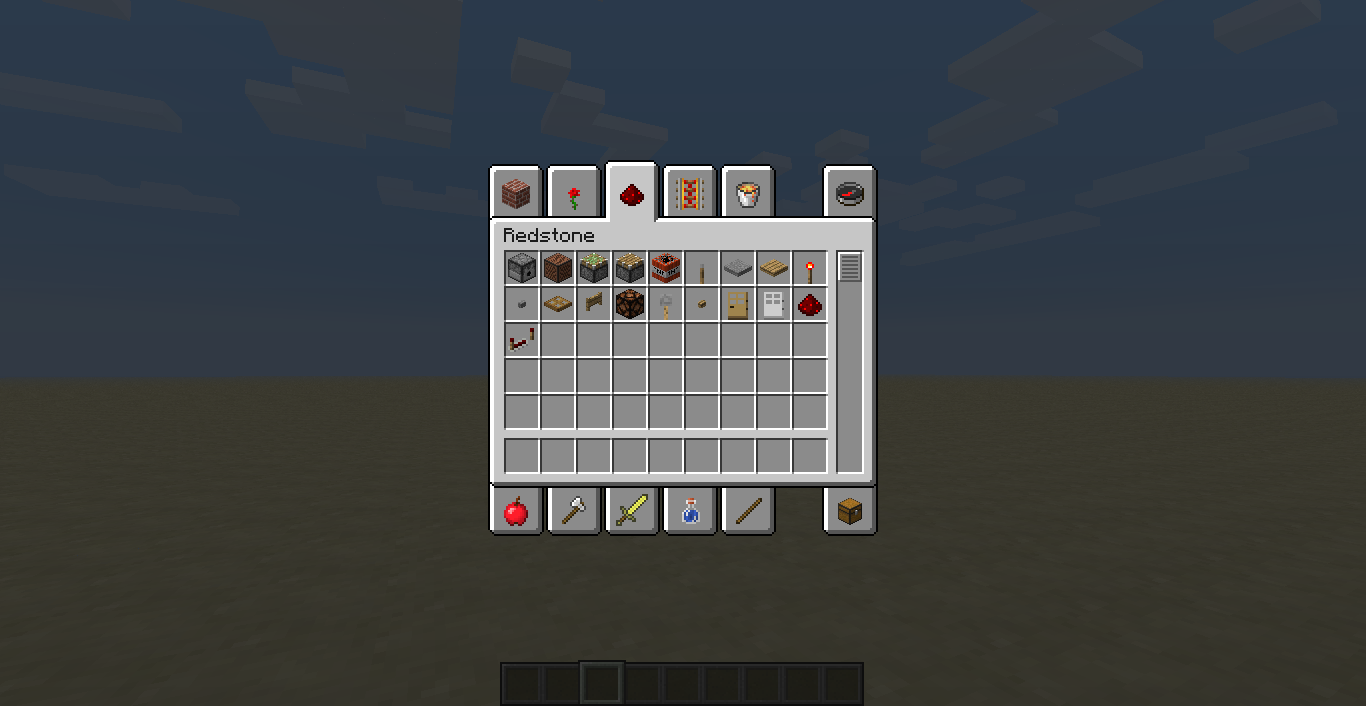
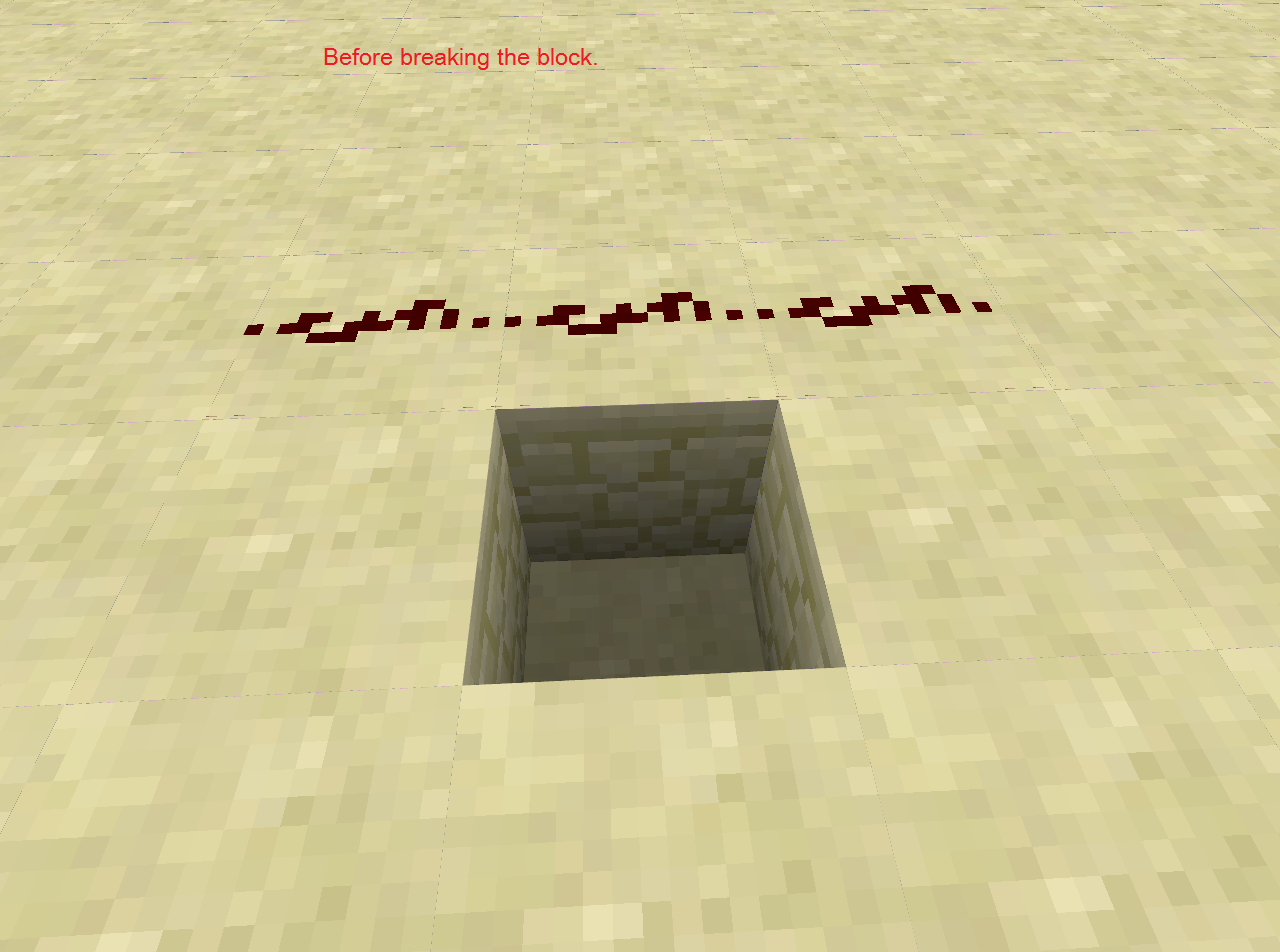








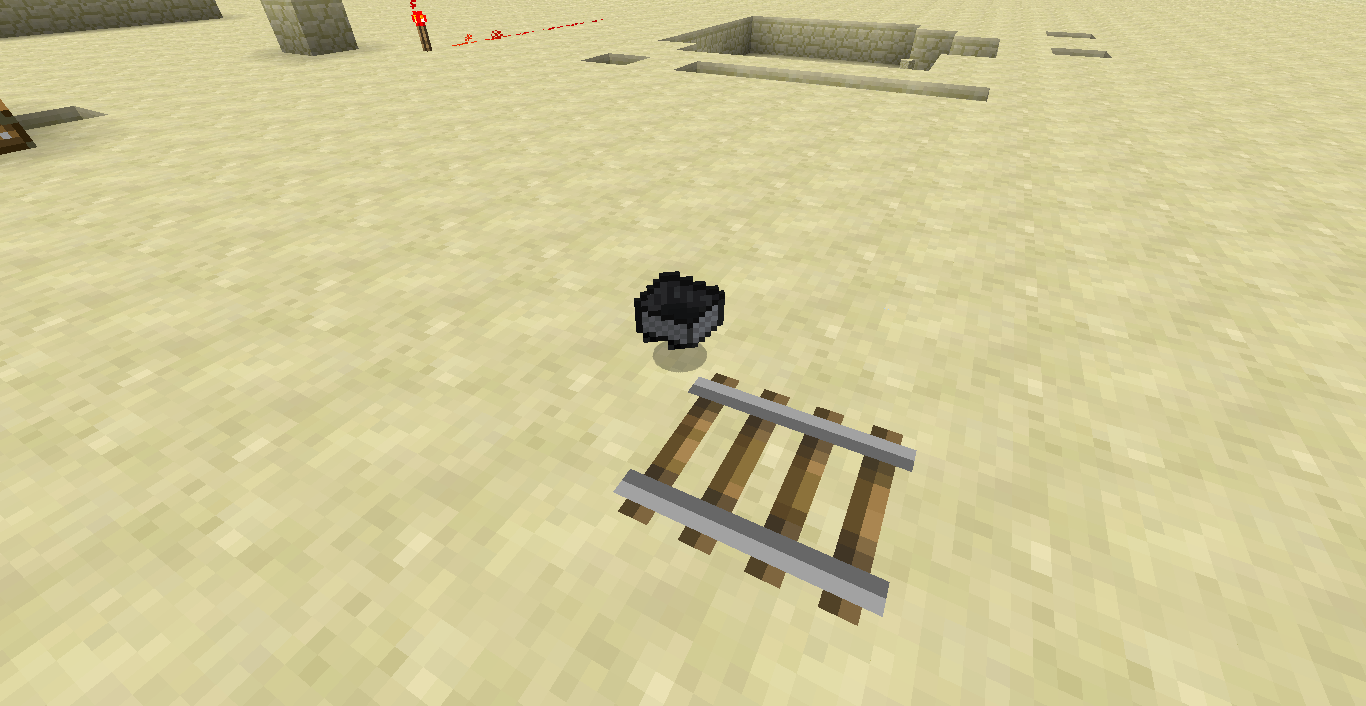


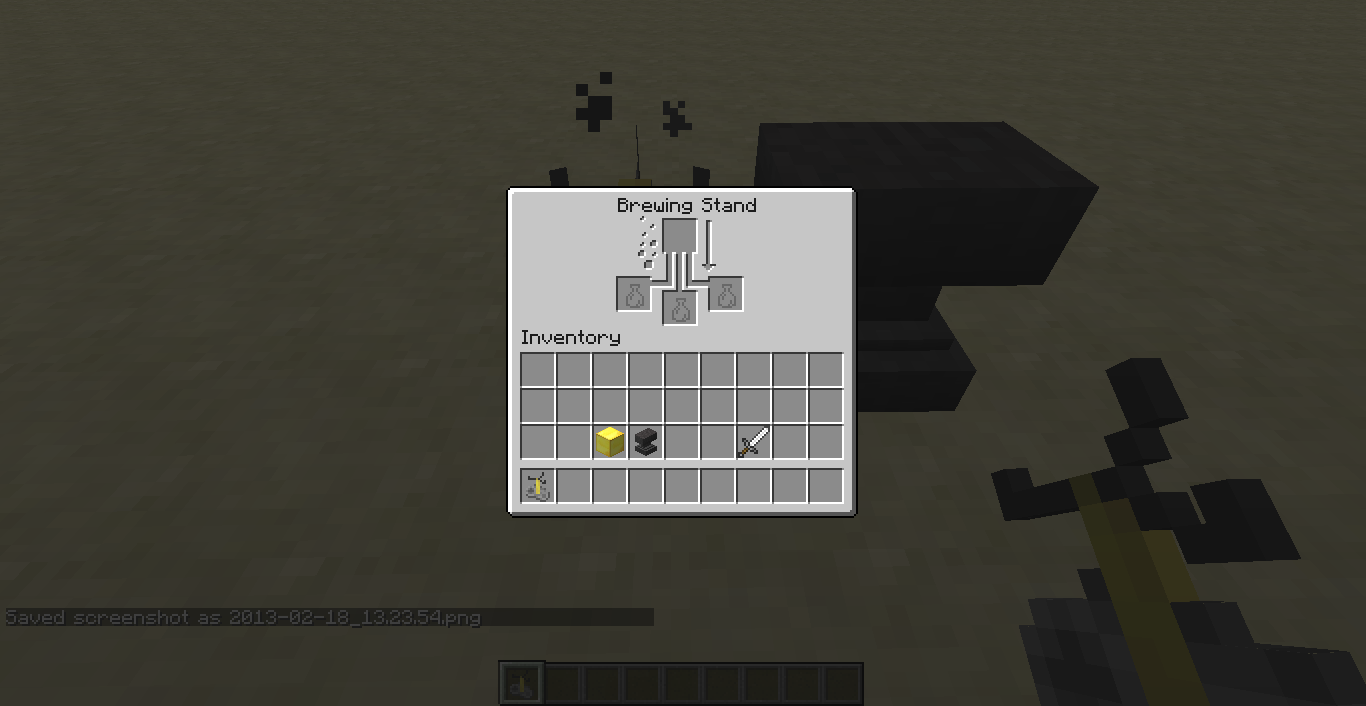

When I break a block and an item* attached to a block drops in Creative Mode.
What I expected to happen was:
When destroyed a block nothing drops.What actually happened was:
It dropped the item that was attached to that block. Which is annoying when deleting blocks that contains redstone.Steps to Reproduce:
1-Get an item* that attaches to an attachable block.
2-Break the block.
3-Expect to see dropped items.*Full list of items/blocks that can be attached to a block.
Lever, A.k.o. Pressure Plates, A.k.o torches, A.k.o Doors, A.k.o buttons, Redstone repeaters, A.k.o Saplings, A.k.o Mushrooms, A.k.o flowers, Lily Pad if place a block on the water that holds it, Sign, Flower Pot, Paintings and Item frames are kind of weird, Trapdoors, Ladders, A.k.o Rails and A.k.o Mine carts.A.k.o - All kinds of...
Examples:
\/
When I break a block and an item* attached to a block drops in Creative Mode.
What I expected to happen was:
When destroyed a block nothing drops.What actually happened was:
It dropped the item that was attached to that block. Which is annoying when deleting blocks that contains redstone.Steps to Reproduce:
1-Get an item* that attaches to an attachable block.
2-Break the block.
3-Expect to see dropped items.*Full list of items/blocks that can be attached to a block.
Lever, A.k.o. Pressure Plates, A.k.o torches, A.k.o Doors, A.k.o buttons, Redstone repeaters, A.k.o Saplings, A.k.o Mushrooms, A.k.o flowers, Lily Pad if place a block on the water that holds it, Sign, Flower Pot, Paintings and Item frames are kind of weird, Trapdoors, Ladders, A.k.o Rails and A.k.o Mine carts.A.k.o - All kinds of...
Examples:
\/
When I break a block and an item* attached to a block drops in Creative Mode.
What I expected to happen was:
When destroyed a block nothing drops.What actually happened was:
It dropped the item that was attached to that block. Which is annoying when deleting blocks that contains redstone.Steps to Reproduce:
1-Get an item* that attaches to an attachable block.
2-Break the block.
3-Expect to see dropped items.*Full list of items/blocks that can be attached to a block.
Lever, A.k.o. Pressure Plates, A.k.o torches, A.k.o Doors, A.k.o buttons, Redstone repeaters, A.k.o Saplings, A.k.o Mushrooms, A.k.o flowers, Lily Pad if place a block on the water that holds it, Sign, Flower Pot, Paintings and Item frames are kind of weird, Trapdoors, Ladders, A.k.o Rails and A.k.o Mine carts.A.k.o - All kinds of...
Examples:
\/
\/
When I break a block and an item* attached to a block drops in Creative Mode.
What I expected to happen was:
When destroyed a block nothing drops.What actually happened was:
It dropped the item that was attached to that block. Which is annoying when deleting blocks that contains redstone.
Steps to Reproduce:
1-Get an item* that attaches to an attachable block.
2-Break the block.
3-Expect to see dropped items.*Full list of items/blocks that can be attached to a block.
Lever, A.k.o. Pressure Plates, A.k.o torches, A.k.o Doors, A.k.o buttons, Redstone repeaters, A.k.o Saplings, A.k.o Mushrooms, A.k.o flowers, Lily Pad if place a block on the water that holds it, Sign, Flower Pot, Paintings and Item frames are kind of weird, Trapdoors, Ladders, A.k.o Rails and A.k.o Mine carts.A.k.o - All kinds of...
Examples:
\/
\/When I break a block and an item* attached to a block drops in Creative Mode.
What I expected to happen was:
When destroyed a block nothing drops.What actually happened was:
It dropped the item that was attached to that block. Which is annoying when deleting blocks that contains redstone.[bold]Steps to Reproduce:[/bold]
1-Get an item* that attaches to an attachable block.
2-Break the block.
3-Expect to see dropped items.*Full list of items/blocks that can be attached to a block.
Lever, A.k.o. Pressure Plates, A.k.o torches, A.k.o Doors, A.k.o buttons, Redstone repeaters, A.k.o Saplings, A.k.o Mushrooms, A.k.o flowers, Lily Pad if place a block on the water that holds it, Sign, Flower Pot, Paintings and Item frames are kind of weird, Trapdoors, Ladders, A.k.o Rails and A.k.o Mine carts.A.k.o - All kinds of...
Examples:
\/
\/
When I break a block and an item* attached to a block drops in Creative Mode.
What I expected to happen was:
When destroyed a block nothing drops.What actually happened was:
It dropped the item that was attached to that block. Which is annoying when deleting blocks that contains redstone.
[bold]Steps to Reproduce:[/bold]
1-Get an item* that attaches to an attachable block.
2-Break the block.
3-Expect to see dropped items.*Full list of items/blocks that can be attached to a block.
Lever, A.k.o. Pressure Plates, A.k.o torches, A.k.o Doors, A.k.o buttons, Redstone repeaters, A.k.o Saplings, A.k.o Mushrooms, A.k.o flowers, Lily Pad if place a block on the water that holds it, Sign, Flower Pot, Paintings and Item frames are kind of weird, Trapdoors, Ladders, A.k.o Rails and A.k.o Mine carts.A.k.o - All kinds of...
Examples:
\/
\/When I break a block and an item* attached to a block drops in Creative Mode.
What I expected to happen was:
When destroyed a block nothing drops.What actually happened was:
It dropped the item that was attached to that block. Which is annoying when deleting blocks that contains redstone.Steps to Reproduce:
1-Get an item* that attaches to an attachable block.
2-Break the block.
3-Expect to see dropped items.*Full list of items/blocks that can be attached to a block.
Lever, A.k.o. Pressure Plates, A.k.o torches, A.k.o Doors, A.k.o buttons, Redstone repeaters, A.k.o Saplings, A.k.o Mushrooms, A.k.o flowers, Lily Pad if place a block on the water that holds it, Sign, Flower Pot, Paintings and Item frames are kind of weird, Trapdoors, Ladders, A.k.o Rails and A.k.o Mine carts.A.k.o - All kinds of...
Examples:
\/
\/
When I break a block and an item* attached to a block drops in Creative Mode.
What I expected to happen was:
When destroyed a block nothing drops.What
actuallyhappenedwas:
It dropped the item that was attached to that block. Which is annoying when deleting blocks that contains redstone.Steps to Reproduce:
1-Get an item* that attaches to an attachable block.
2-Break the block.
3-Expect to see dropped items.*Full list of items/blocks that can be attached to a block.
Lever, A.k.o. Pressure Plates, A.k.o torches, A.k.o Doors, A.k.o buttons, Redstone repeaters, A.k.o Saplings, A.k.o Mushrooms, A.k.o flowers, Lily Pad if place a block on the water that holds it, Sign, Flower Pot, Paintings and Item frames are kind of weird, Trapdoors, Ladders, A.k.o Rails and A.k.o Mine carts.A.k.o - All kinds of...
Examples:
\/
\/When I break a block and an item* attached to a block drops in Creative Mode.
What I expected to happen was:
When destroyed a block nothing drops.What I expected to happen was...:
To have a nice indoors fireworks show
It dropped the item that was attached to that block. Which is annoying when deleting blocks that contains redstone.Steps to Reproduce:
1-Get an item* that attaches to an attachable block.
2-Break the block.
3-Expect to see dropped items.*Full list of items/blocks that can be attached to a block.
Lever, A.k.o. Pressure Plates, A.k.o torches, A.k.o Doors, A.k.o buttons, Redstone repeaters, A.k.o Saplings, A.k.o Mushrooms, A.k.o flowers, Lily Pad if place a block on the water that holds it, Sign, Flower Pot, Paintings and Item frames are kind of weird, Trapdoors, Ladders, A.k.o Rails and A.k.o Mine carts.A.k.o - All kinds of...
Examples:
\/
\/
When I break a block and an item* attached to a block drops in Creative Mode.
What I expected to happen was:
When destroyed a block nothing drops.What I expected to happen was
...:
To have a nice indoors fireworks show
It dropped the item that was attached to that block. Which is annoying when deleting blocks that contains redstone.Steps to Reproduce:
1-Get an item* that attaches to an attachable block.
2-Break the block.
3-Expect to see dropped items.*Full list of items/blocks that can be attached to a block.
Lever, A.k.o. Pressure Plates, A.k.o torches, A.k.o Doors, A.k.o buttons, Redstone repeaters, A.k.o Saplings, A.k.o Mushrooms, A.k.o flowers, Lily Pad if place a block on the water that holds it, Sign, Flower Pot, Paintings and Item frames are kind of weird, Trapdoors, Ladders, A.k.o Rails and A.k.o Mine carts.A.k.o - All kinds of...
Examples:
\/
\/
When I break a block and an item* attached to a block drops in Creative Mode.
What I expected to happen was:
When destroyed a block nothing drops.What I expected to happen was:
To have a nice indoors fireworks show <-- It wasn't me who wrote that.
It dropped the item that was attached to that block. Which is annoying when deleting blocks that contains redstone.Steps to Reproduce:
1-Get an item* that attaches to an attachable block.
2-Break the block.
3-Expect to see dropped items.*Full list of items/blocks that can be attached to a block.
Lever, A.k.o. Pressure Plates, A.k.o torches, A.k.o Doors, A.k.o buttons, Redstone repeaters, A.k.o Saplings, A.k.o Mushrooms, A.k.o flowers, Lily Pad if place a block on the water that holds it, Sign, Flower Pot, Paintings and Item frames are kind of weird, Trapdoors, Ladders, A.k.o Rails and A.k.o Mine carts.A.k.o - All kinds of...
Examples:
\/
\/
When I break a block and an item* attached to a block drops in Creative Mode.
What I expected to happen was:
When destroyed a block nothing drops.What I expected to happen was:
To have a nice indoors fireworks show <-- It wasn't me who wrote that.
It dropped the item that was attached to that block. Which is annoying when deleting blocks that contains redstone.Steps to Reproduce:
1-Get an item* that attaches to an attachable block.
2-Break the block.
3-Expect to see dropped items.*Full list of items/blocks that can be attached to a block.
Lever, A.k.o. Pressure Plates, A.k.o torches, A.k.o Doors, A.k.o buttons, Redstone repeaters, A.k.o Saplings, A.k.o Mushrooms, A.k.o flowers, Lily Pad if place a block on the water that holds it, Sign, Flower Pot, Paintings and Item frames are kind of weird, Trapdoors, Ladders, A.k.o Railsand A.k.o Mine carts.A.k.o - All kinds of...
Examples:
\/
\/When I break a block and an item* attached to a block drops in Creative Mode.
What I expected to happen was:
When destroyed a block nothing drops.What I expected to happen was:
To have a nice indoors fireworks show <-- It wasn't me who wrote that.
It dropped the item that was attached to that block. Which is annoying when deleting blocks that contains redstone.Steps to Reproduce:
1-Get an item* that attaches to an attachable block.
2-Break the block.
3-Expect to see dropped items.*Full list of items/blocks that can be attached to a block.
Lever, A.k.o. Pressure Plates, A.k.o torches, A.k.o Doors, A.k.o buttons, Redstone repeaters, A.k.o Saplings, A.k.o Mushrooms, A.k.o flowers, Lily Pad if place a block on the water that holds it, Sign, Flower Pot, Paintings and Item frames are kind of weird, Trapdoors, Ladders, A.k.o Rails, A.k.o Mine carts and A.k.o music discs after being ejected from JokeboxesA.k.o - All kinds of...
Examples:
\/
\/
When I break a block and an item* attached to a block drops in Creative Mode.
What I expected to happen was:
When destroyed a block nothing drops.What I expected to happen was:
To have a nice indoors fireworks show <-- It wasn't me who wrote that.
It dropped the item that was attached to that block. Which is annoying when deleting blocks that contains redstone.Steps to Reproduce:
1-Get an item* that attaches to an attachable block.
2-Break the block.
3-Expect to see dropped items.
*Full list of items/blocks that can be attached to a block.
Lever, A.k.o. Pressure Plates, A.k.o torches, A.k.o Doors, A.k.o buttons, Redstone repeaters, A.k.o Saplings, A.k.o Mushrooms, A.k.o flowers, Lily Pad if place a block on the water that holds it, Sign, Flower Pot, Paintings and Item frames are kind of weird, Trapdoors, Ladders, A.k.o Rails, A.k.o Mine carts and A.k.o music discs after being ejected from JokeboxesA.k.o - All kinds of...
Examples:
\/
\/
When I break a block and an item* attached to a block drops in Creative Mode.
What I expected to happen was:
When destroyed a block nothing drops.What I expected to happen was:
To have a nice indoors fireworks show <-- It wasn't me who wrote that. Probably a moderator.
It dropped the item that was attached to that block. Which is annoying when deleting blocks that contains redstone.Steps to Reproduce:
1-Get an item* that attaches to an attachable block.
2-Break the block.
3-Expect to see dropped items.Full list of items/blocks that can be attached to a block.
Lever, A.k.o. Pressure Plates, A.k.o torches, A.k.o Doors, A.k.o buttons, Redstone repeaters, A.k.o Saplings, A.k.o Mushrooms, A.k.o flowers, Lily Pad if place a block on the water that holds it, Sign, Flower Pot, Paintings and Item frames are kind of weird, Trapdoors, Ladders, A.k.o Rails, A.k.o Mine carts and A.k.o music discs after being ejected from JokeboxesA.k.o - All kinds of...
Examples:
\/
\/
When I break a block
and anitem*attached toablock dropsin Creative Mode.What I expected to happen was:
When destroyed a block nothing drops.What I expected to happen was:
To have a nice indoors fireworks show <-- It wasn't me who wrote that. Probably a moderator.
It dropped the item that was attached to that block. Which is annoying when deleting blocks that contains redstone.Steps to Reproduce:
1-Get an item* that attaches to an attachable block.
2-Break the block.
3-Expect to see dropped items.Full list of items/blocks that can be attached to a block.
Lever, A.k.o. Pressure Plates, A.k.o torches, A.k.o Doors, A.k.o buttons, Redstone repeaters, A.k.o Saplings, A.k.o Mushrooms, A.k.o flowers, Lily Pad if place a block on the water that holds it, Sign, Flower Pot, Paintings and Item frames are kind of weird, Trapdoors, Ladders, A.k.o Rails, A.k.o Mine carts and A.k.o music discs after being ejected from JokeboxesA.k.o - All kinds of...
Examples:
\/
\/When I break a block, the item attached to the block drops as item entity.
What I expected to happen was:
When destroyed a block nothing drops.What I expected to happen was:
To have a nice indoors fireworks show <-- It wasn't me who wrote that. Probably a moderator.
It dropped the item that was attached to that block. Which is annoying when deleting blocks that contains redstone.Steps to Reproduce:
1-Get an item* that attaches to an attachable block.
2-Break the block.
3-Expect to see dropped items.Full list of items/blocks that can be attached to a block.
Lever, A.k.o. Pressure Plates, A.k.o torches, A.k.o Doors, A.k.o buttons, Redstone repeaters, A.k.o Saplings, A.k.o Mushrooms, A.k.o flowers, Lily Pad if place a block on the water that holds it, Sign, Flower Pot, Paintings and Item frames are kind of weird, Trapdoors, Ladders, A.k.o Rails, A.k.o Mine carts and A.k.o music discs after being ejected from JokeboxesA.k.o - All kinds of...
Examples:
\/
\/
When I break a block, the item attached to the
blockdrops as item entity.What I expected to happen was:
When destroyed a block nothing drops.What I expected to happen was:
To have a nice indoors fireworks show <-- It wasn't me who wrote that. Probably a moderator.
It dropped the item that was attached to that block. Which is annoying when deleting blocks that contains redstone.Steps to Reproduce:
1-Get an item* that attaches to an attachable block.
2-Break the block.
3-Expect to see dropped items.Full list of items/blocks that can be attached to a block.
Lever, A.k.o. Pressure Plates, A.k.o torches, A.k.o Doors, A.k.o buttons, Redstone repeaters, A.k.o Saplings, A.k.o Mushrooms, A.k.o flowers, Lily Pad if place a block on the water that holds it, Sign, Flower Pot, Paintings and Item frames are kind of weird, Trapdoors, Ladders, A.k.o Rails, A.k.o Mine carts and A.k.o music discs after being ejected from JokeboxesA.k.o - All kinds of...
Examples:
\/
\/When I break a block, the item attached to the it drops as item entity.
What I expected to happen was:
When destroyed a block nothing drops.What I expected to happen was:
To have a nice indoors fireworks show <-- It wasn't me who wrote that. Probably a moderator.
It dropped the item that was attached to that block. Which is annoying when deleting blocks that contains redstone.Steps to Reproduce:
1-Get an item* that attaches to an attachable block.
2-Break the block.
3-Expect to see dropped items.Full list of items/blocks that can be attached to a block.
Lever, A.k.o. Pressure Plates, A.k.o torches, A.k.o Doors, A.k.o buttons, Redstone repeaters, A.k.o Saplings, A.k.o Mushrooms, A.k.o flowers, Lily Pad if place a block on the water that holds it, Sign, Flower Pot, Paintings and Item frames are kind of weird, Trapdoors, Ladders, A.k.o Rails, A.k.o Mine carts and A.k.o music discs after being ejected from JokeboxesA.k.o - All kinds of...
Examples:
\/
\/
When I break a block, the item attached to
theit drops as item entity.What I expected to happen was:
When destroyed a block nothing drops.What I expected to happen was:
To have a nice indoors fireworks show <-- It wasn't me who wrote that. Probably a moderator.
It dropped the item that was attached to that block. Which is annoying when deleting blocks that contains redstone.Steps to Reproduce:
1-Get an item* that attaches to an attachable block.
2-Break the block.
3-Expect to see dropped items.Full list of items/blocks that can be attached to a block.
Lever, A.k.o. Pressure Plates, A.k.o torches, A.k.o Doors, A.k.o buttons, Redstone repeaters, A.k.o Saplings, A.k.o Mushrooms, A.k.o flowers, Lily Pad if place a block on the water that holds it, Sign, Flower Pot, Paintings and Item frames are kind of weird, Trapdoors, Ladders, A.k.o Rails, A.k.o Mine carts and A.k.o music discs after being ejected from JokeboxesA.k.o - All kinds of...
Examples:
\/
\/
When I break a block, the item attached to it drops as an item entity.
What I expected to happen was:
When destroyed a block nothing drops.What I expected to happen was:
To have a nice indoors fireworks show <-- It wasn't me who wrote that. Probably a moderator.
It dropped the item that was attached to that block. Which is annoying when deleting blocks that contains redstone.Steps to Reproduce:
1-Get an item* that attaches to an attachable block.
2-Break the block.
3-Expect to see dropped items.Full list of items/blocks that can be attached to a block.
Lever, A.k.o. Pressure Plates, A.k.o torches, A.k.o Doors, A.k.o buttons, Redstone repeaters, A.k.o Saplings, A.k.o Mushrooms, A.k.o flowers, Lily Pad if place a block on the water that holds it, Sign, Flower Pot, Paintings and Item frames are kind of weird, Trapdoors, Ladders, A.k.o Rails, A.k.o Mine carts and A.k.o music discs after being ejected from JokeboxesA.k.o - All kinds of...
Examples:
\/
\/
When I break a block, the item attached to it drops as an item entity.
What I expected to happen was:
When destroyed a block nothing drops.What I expected to happen was:
To have a nice indoors fireworks show <-- It wasn't me who wrote that. Probably a moderator.
It dropped the item that was attached to that block. Which is annoying when deleting blocks that contains redstone.Steps to Reproduce:
1-Get an item* that attaches to an attachable block.
2-Break the block.
3-Expect to see dropped items.Full list of items/blocks that can be attached to a block.
Lever, A.k.o. Pressure Plates, A.k.o torches, A.k.o Doors, A.k.o buttons, Redstone repeaters, A.k.o Saplings, A.k.o Mushrooms, A.k.o flowers, Lily Pad if place a block on the water that holds it, Sign, Flower Pot, Paintings and Item frames are kind of weird, Trapdoors, Ladders, A.k.o Rails, A.k.o Mine carts and A.k.o music discs after being ejected from JokeboxesA.k.o - All kinds of...
Examples:*
\/
\/
When I break a block, the item attached to it drops as an item entity.
What I expected to happen was:
When destroyed a block nothing drops.What I expected to happen was:
To have a nice indoors fireworks show <-- It wasn't me who wrote that. Probably a moderator.
It dropped the item that was attached to that block. Which is annoying when deleting blocks that contains redstone.Steps to Reproduce:
1-Get an item* that attaches to an attachable block.
2-Break the block.
3-Expect to see dropped items.Full list of items/blocks that can be attached to a block.
Lever, A.k.o. Pressure Plates, A.k.o torches, A.k.o Doors, A.k.o buttons, Redstone repeaters, A.k.o Saplings, A.k.o Mushrooms, A.k.o flowers, Lily Pad if place a block on the water that holds it, Sign, Flower Pot, Paintings and Item frames are kind of weird, Trapdoors, Ladders, A.k.o Rails, A.k.o Mine carts and A.k.o music discs after being ejected from JokeboxesA.k.o - All kinds of...
Examples:
*
\/
\/
When I break a block, the item attached to it drops as an item entity.
What I expected to happen was:
When destroyed a block nothing drops.What I expected to happen was:
To have a nice indoors fireworks show <-- It wasn't me who wrote that. Probably a moderator.
It dropped the item that was attached to that block. Which is annoying when deleting blocks that contains redstone.Steps to Reproduce:
1-Get an item or block* that attaches to an attachable block.
2-Break the block.
3-Expect to see dropped items.Full list of items/blocks that can be attached to a block.
Lever, A.k.o. Pressure Plates, A.k.o torches, A.k.o Doors, A.k.o buttons, Redstone repeaters, A.k.o Saplings, A.k.o Mushrooms, A.k.o flowers, Lily Pad if place a block on the water that holds it, Sign, Flower Pot, Paintings and Item frames are kind of weird, Trapdoors, Ladders, A.k.o Rails, A.k.o Mine carts and A.k.o music discs after being ejected from JokeboxesA.k.o - All kinds of...
Examples:
\/
\/
When I break a block, the item attached to it drops as an item entity.
What I expected to happen was:
When destroyed a block nothing drops.What I expected to happen was:
To have a nice indoors fireworks show <-- It wasn't me who wrote that. Probably a moderator.
It dropped the item that was attached to that block. Which is annoying when deleting blocks that contains redstone.Steps to Reproduce:
1-Get an item or a block* that attaches to an attachable block.
2-Break the block.
3-Expect to see dropped items.Full list of items/blocks that can be attached to a block.
Lever, A.k.o. Pressure Plates, A.k.o torches, A.k.o Doors, A.k.o buttons, Redstone repeaters, A.k.o Saplings, A.k.o Mushrooms, A.k.o flowers, Lily Pad if place a block on the water that holds it, Sign, Flower Pot, Paintings and Item frames are kind of weird, Trapdoors, Ladders, A.k.o Rails, A.k.o Mine carts and A.k.o music discs after being ejected from JokeboxesA.k.o - All kinds of...
Examples:
\/
\/
When I break a block, the item attached to it drops as an item entity.
What I expected to happen was:
When destroyed a block, nothing drops.What I expected to happen was:
To have a nice indoors fireworks show <-- It wasn't me who wrote that. Probably a moderator.
It dropped the item that was attached to that block. Which is annoying when deleting blocks that contains redstone.Steps to Reproduce:
1-Get an item or a block* that attaches to an attachable block.
2-Break the block.
3-Expect to see dropped items.Full list of items/blocks that can be attached to a block.
Lever, A.k.o. Pressure Plates, A.k.o torches, A.k.o Doors, A.k.o buttons, Redstone repeaters, A.k.o Saplings, A.k.o Mushrooms, A.k.o flowers, Lily Pad if place a block on the water that holds it, Sign, Flower Pot, Paintings and Item frames are kind of weird, Trapdoors, Ladders, A.k.o Rails, A.k.o Mine carts and A.k.o music discs after being ejected from JokeboxesA.k.o - All kinds of...
Examples:
\/
\/
When I break a block, the item attached to it drops as an item entity.
What I expected to happen was:
When destroyed a block, nothing drops.What I expected to happen was:
To have a nice indoors fireworks show <-- It wasn't me who wrote that. Probably a moderator.
It dropped the item that was attached to that block. Which is annoying when deleting blocks that contains redstone.Steps to Reproduce:
1-Get an item or a block* that attaches to an attachable block.
2-Break the block.
3-Expect to see dropped items.Full list of items/blocks that can be attached to a block.
Lever, A.k.o. Pressure Plates, A.k.o torches, A.k.o Doors, A.k.o buttons, Redstone repeaters, A.k.o Saplings, A.k.o Mushrooms, A.k.o flowers, Lily Pad if place a block on the water that holds it, Sign, Flower Pot, Paintings and Item frames are kind of weird, Trapdoors, Ladders, A.k.o Rails, A.k.o Mine carts and A.k.o music discs after being ejected from JokeboxesA.k.o - All kinds of...
Examples:
\/
\/When I break a block, the item attached to it drops as an item entity.
What I expected to happen was:
When destroyed a block, nothing drops.What I expected to happen was:
To have a nice indoors fireworks show <-- It wasn't me who wrote that. Probably a moderator.
It dropped the item that was attached to that block. Which is annoying when deleting blocks that contains redstone.Steps to Reproduce:
1-Get an item or a block* that attaches to an attachable block.
2-Break the block.
3-Expect to see dropped items.Full list of items/blocks that can be attached to a block.
Lever, A.k.o. Pressure Plates, A.k.o torches, A.k.o Doors, A.k.o buttons, Redstone repeaters, A.k.o Saplings, A.k.o Mushrooms, A.k.o flowers, Lily Pad if place a block on the water that holds it, Sign, Flower Pot, Paintings and Item frames are kind of weird, Trapdoors, Ladders, A.k.o Rails, A.k.o Mine carts and A.k.o music discs after being ejected from JokeboxesA.k.o - All kinds of...
Examples:
\/
\/
When I break a block, the item attached to it drops as an item entity.What I expected to happen was:
When destroyed a block, nothing drops.What I expected to happen was:
To have a nice indoors fireworks show <-- It wasn't me who wrote that. Probably a moderator.
It dropped the item that was attached to that block. Which is annoying when deleting blocks that contains redstone.Steps to Reproduce:
1-Get an item or a block* that attaches to an attachable block.
2-Break the block.
3-Expect to see dropped items.Full list of items/blocks that can be attached to a block.
Lever, A.k.o. Pressure Plates, A.k.o torches, A.k.o Doors, A.k.o buttons, Redstone repeaters, A.k.o Saplings, A.k.o Mushrooms, A.k.o flowers, Lily Pad if place a block on the water that holds it, Sign, Flower Pot, Paintings and Item frames are kind of weird, Trapdoors, Ladders, A.k.o Rails, A.k.o Mine carts and A.k.o music discs after being ejected from JokeboxesA.k.o - All kinds of...
Examples:
\/
\/
When I break a block, the item attached to it drops as an item entity.What I expected to happen was:
When destroyed a block, nothing drops.What I expected to happen was:
To have a nice indoors fireworks show<-- It wasn't me who wrote that. Probably a moderator.
It dropped the item that was attached to that block. Which is annoying when deleting blocks that contains redstone.Steps to Reproduce:
1-Get an item or a block* that attaches to an attachable block.
2-Break the block.
3-Expect to see dropped items.Full list of items/blocks that can be attached to a block.
Lever, A.k.o. Pressure Plates, A.k.o torches, A.k.o Doors, A.k.o buttons, Redstone repeaters, A.k.o Saplings, A.k.o Mushrooms, A.k.o flowers, Lily Pad if place a block on the water that holds it, Sign, Flower Pot, Paintings and Item frames are kind of weird, Trapdoors, Ladders, A.k.o Rails, A.k.o Mine carts and A.k.o music discs after being ejected from JokeboxesA.k.o - All kinds of...
Examples:
\/
\/When I break a block, the item attached to it drops as an item entity.
What I expected to happen was:
When destroyed a block, nothing drops.What I expected to happen was:
To have a nice indoors fireworks show<-- It wasn't me who wrote that. Probably a moderator.
It dropped the item that was attached to that block. Which is annoying when deleting blocks that contains redstone.Steps to Reproduce:
1-Get an item or a block* that attaches to an attachable block.
2-Break the block.
3-Expect to see dropped items.Full list of items/blocks that can be attached to a block.
Lever, A.k.o. Pressure Plates, A.k.o torches, A.k.o Doors, A.k.o buttons, Redstone repeaters, A.k.o Saplings, A.k.o Mushrooms, A.k.o flowers, Lily Pad if place a block on the water that holds it, Sign, Flower Pot, Paintings and Item frames are kind of weird, Trapdoors, Ladders, A.k.o Rails, A.k.o Mine carts and A.k.o music discs after being ejected from JokeboxesA.k.o - All kinds of...
Examples:
\/
\/
When I break a block, the item attached to it drops as an item entity.
What I expected to happen was:
When destroyed a block, nothing drops.What I expected to happen was:
To have a nice indoors fireworks show<-- It wasn't me who wrote that. Probably a moderator.
It dropped the item that was attached to that block. Which is annoying to map/redstone makers when deleting blocks that contains redstone.Steps to Reproduce:
1-Get an item or a block* that attaches to an attachable block.
2-Break the block.
3-Expect to see dropped items.Full list of items/blocks that can be attached to a block.
Lever, A.k.o. Pressure Plates, A.k.o torches, A.k.o Doors, A.k.o buttons, Redstone repeaters, A.k.o Saplings, A.k.o Mushrooms, A.k.o flowers, Lily Pad if place a block on the water that holds it, Sign, Flower Pot, Paintings and Item frames are kind of weird, Trapdoors, Ladders, A.k.o Rails, A.k.o Mine carts and A.k.o music discs after being ejected from JokeboxesA.k.o - All kinds of...
Examples:
\/
\/
When I break a block, the item attached to it drops as an item entity.
What I expected to happen was:
When destroyed a block, nothing drops.What I expected to happen was:
To have a nice indoors fireworks show<-- It wasn't me who wrote that. Probably a moderator.
It dropped the item that was attached to that block. Which is annoying to map/redstone makers when deleting blocks that contains redstone.Steps to Reproduce:
1-Get an item or a block* that attaches to an attachable block.
2-Break the block.
3-Expect to see dropped items.Full list of items/blocks that can be attached to a block.
Lever, A.k.o. Pressure Plates, A.k.o torches, A.k.o Doors, A.k.o buttons, Redstone repeaters, A.k.o Saplings, A.k.o Mushrooms, A.k.o flowers, Lily Pad if place a block on the water that holds it, Sign, Flower Pot, Paintings and Item frames are kind of weird, Trapdoors, Ladders, A.k.o Rails, A.k.o Mine carts and A.k.o music discs after being ejected from JokeboxesA.k.o - All kinds of...
Other ways of reproducing this bug:
.Pushing melons with a piston.
.Using TNT.
.Breaking item frames with items in them.Examples:
\/
\/
When I break a block, the item attached to it drops as an item entity.
What I expected to happen was:
When destroyed a block, nothing drops.What I expected to happen was:
To have a nice indoors fireworks show<-- It wasn't me who wrote that. Probably a moderator.
It dropped the item that was attached to that block. Which is annoying to map/redstone makers when deleting blocks that contains redstone.Steps to Reproduce:
1-Get an item or a block* that attaches to an attachable block.
2-Break the block.
3-Expect to see dropped items.Full list of items/blocks that can be attached to a block.
Lever, A.k.o. Pressure Plates, A.k.o torches, A.k.o Doors, A.k.o buttons, Redstone repeaters, A.k.o Saplings, A.k.o Mushrooms, A.k.o flowers, Lily Pad if place a block on the water that holds it, Sign, Flower Pot, Paintings and Item frames are kind of weird, Trapdoors, Ladders, A.k.o Rails, A.k.o Mine carts and A.k.o music discs after being ejected from JokeboxesA.k.o - All kinds of...
Other ways of reproducing this bug:
.Pushing melons with a piston.
.Using TNT.
.Breaking item frames with items in them.Examples:
\/
\/
When I break a block, the item attached to it drops as an item entity.
What I expected to happen was:
When destroyed a block, nothing drops.What I expected to happen was:
To have a nice indoors fireworks show<-- It wasn't me who wrote that. Probably a moderator.
It dropped the item that was attached to that block. Which is annoying to map/redstone makers when deleting blocks that contains redstone.Steps to Reproduce:
1-Get an item or a block* that attaches to an attachable block.
2-Break the block.
3-Expect to see dropped items.Full list of items/blocks that can be attached to a block.
Lever, A.k.o. Pressure Plates, A.k.o torches, A.k.o Doors, A.k.o buttons, Redstone repeaters, A.k.o Saplings, A.k.o Mushrooms, A.k.o flowers, Lily Pad if place a block on the water that holds it, Sign, Flower Pot, Paintings and Item frames are kind of weird, Trapdoors, Ladders, A.k.o Rails, A.k.o Mine carts and A.k.o music discs after being ejected from JokeboxesA.k.o - All kinds of...
Other ways of reproducing this bug:
/Pushing melons with a piston./
/Using TNT./
/Breaking item frames with items in them./Examples:
\/
\/
When I break a block, the item attached to it drops as an item entity.
What I expected to happen was:
When destroyed a block, nothing drops.What I expected to happen was:
To have a nice indoors fireworks show<-- It wasn't me who wrote that. Probably a moderator.
It dropped the item that was attached to that block. Which is annoying to map/redstone makers when deleting blocks that contains redstone.Steps to Reproduce:
1-Get an item or a block* that attaches to an attachable block.
2-Break the block.
3-Expect to see dropped items.Full list of items/blocks that can be attached to a block.
Lever, A.k.o. Pressure Plates, A.k.o torches, A.k.o Doors, A.k.o buttons, Redstone repeaters, A.k.o Saplings, A.k.o Mushrooms, A.k.o flowers, Lily Pad if place a block on the water that holds it, Sign, Flower Pot, Paintings and Item frames are kind of weird, Trapdoors, Ladders, A.k.o Rails, A.k.o Mine carts and A.k.o music discs after being ejected from JokeboxesA.k.o - All kinds of...
Other ways of reproducing this bug:
/Pushing melons with a piston./
/Using TNT./
/Breaking item frames with items in them./Examples:
\/
\/
When I break a block, the item attached to it drops as an item entity.
What I expected to happen was:
When destroyed a block, nothing drops.What I expected to happen was:
To have a nice indoors fireworks show<-- It wasn't me who wrote that. Probably a moderator.
It dropped the item that was attached to that block. Which is annoying to map/redstone makers when deleting blocks that contains redstone.Steps to Reproduce:
1-Get an item or a block* that attaches to an attachable block.
2-Break the block.
3-Expect to see dropped items.Full list of items/blocks that can be attached to a block.
Lever, A.k.o. Pressure Plates, A.k.o torches, A.k.o Doors, A.k.o buttons, Redstone repeaters, A.k.o Saplings, A.k.o Mushrooms, A.k.o flowers, Lily Pad if place a block on the water that holds it, Sign, Flower Pot, Paintings and Item frames are kind of weird, Trapdoors, Ladders, A.k.o Rails, A.k.o Mine carts and A.k.o music discs after being ejected from JokeboxesA.k.o - All kinds of...
Other ways of reproducing this bug:
Pushing melons with a piston.
Using TNT.
Breaking item frames with items in them.Examples:
\/
\/When I break a block, the item attached to it drops as an item entity.
What I expected to happen was:
When destroyed a block, nothing drops.What I expected to happen was:
To have a nice indoors fireworks show<-- It wasn't me who wrote that. Probably a moderator.
It dropped the item that was attached to that block. Which is annoying to map/redstone makers when deleting blocks that contains redstone.Steps to Reproduce:
1-Get an item or a block* that attaches to an attachable block.
2-Break the block.
3-Expect to see dropped items.Full list of items/blocks that can be attached to a block.
Lever, A.k.o. Pressure Plates, A.k.o torches, A.k.o Doors, A.k.o buttons, Redstone repeaters, A.k.o Saplings, A.k.o Mushrooms, A.k.o flowers, Lily Pad if place a block on the water that holds it, Sign, Flower Pot, Paintings and Item frames are kind of weird, Trapdoors, Ladders, A.k.o Rails, A.k.o Mine carts and A.k.o music discs after being ejected from JokeboxesA.k.o - All kinds of...
Other ways of reproducing this bug:
Pushing melons with a piston.
Using TNT.
Breaking item frames with items in them.by [OCD] Xavier Brown
Examples:
\/
\/
When I break a block, the item attached to it drops as an item entity.
What I expected to happen was:
When destroyed a block, nothing drops.What I expected to happen was:
To have a nice indoors fireworks show<-- It wasn't me who wrote that. Probably a moderator.
It dropped the item that was attached to that block. Which is annoying to map/redstone makers when deleting blocks that contains redstone.Steps to Reproduce:
1-Get an item or a block* that attaches to an attachable block.
2-Break the block.
3-Expect to see dropped items.Full list of items/blocks that can be attached to a block.
Lever, A.k.o. Pressure Plates, A.k.o torches, A.k.o Doors, A.k.o buttons, Redstone repeaters, A.k.o Saplings, A.k.o Mushrooms, A.k.o flowers, Lily Pad if place a block on the water that holds it, Sign, Flower Pot, Paintings and Item frames are kind of weird, Trapdoors, Ladders, A.k.o Rails, A.k.o Mine carts and A.k.o music discs after being ejected from JokeboxesA.k.o - All kinds of...
Other ways of reproducing this bug:
Pushing melons with a piston.
Using TNT.
Breaking item frames with items in them.by [OCD] Xavier Brown
Examples:
\/
\/When I break a block, the item attached to it drops as an item entity.
What I expected to happen was:
When destroyed a block, nothing drops.What I expected to happen was:
To have a nice indoors fireworks show<-- It wasn't me who wrote that. Probably a moderator.
It dropped the item that was attached to that block. Which is annoying to map/redstone makers when deleting blocks that contains redstone.Steps to Reproduce:
1-Get an item or a block* that attaches to an attachable block.
2-Break the block.
3-Expect to see dropped items.Full list of items/blocks that can be attached to a block.
Lever, A.k.o. Pressure Plates, A.k.o torches, A.k.o Doors, A.k.o buttons, Redstone repeaters, A.k.o Saplings, A.k.o Mushrooms, A.k.o flowers, Lily Pad if place a block on the water that holds it, Sign, Flower Pot, Paintings and Item frames are kind of weird, Trapdoors, Ladders, A.k.o Rails, A.k.o Mine carts and A.k.o music discs after being ejected from JokeboxesA.k.o - All kinds of...
Other ways of reproducing this bug:
Pushing melons with a piston.
Using TNT.
Breaking item frames with items in them.by [OCD] Xavier Brown
Examples:
\/
\/
When I break a block, the item attached to it drops as an item entity.
What I expected to happen was:
When destroyed a block, nothing drops.What I expected to happen was:
To have a nice indoors fireworks show<-- It wasn't me who wrote that. Probably a moderator.
It dropped the item that was attached to that block. Which is annoying to map/redstone makers when deleting blocks that contains redstone.Steps to Reproduce:
1-Get an item or a block* that attaches to an attachable block.
2-Break the block.
3-Expect to see dropped items.Full list of items/blocks that can be attached to a block.
Lever, A.k.o. Pressure Plates, A.k.o torches, A.k.o Doors, A.k.o buttons, Redstone repeaters, A.k.o Saplings, A.k.o Mushrooms, A.k.o flowers, Lily Pad if place a block on the water that holds it, Sign, Flower Pot, Paintings and Item frames are kind of weird, Trapdoors, Ladders, A.k.o Rails, A.k.o Mine carts and A.k.o music discs after being ejected from JokeboxesA.k.o - All kinds of...
Other ways of reproducing this bug:
Pushing melons with a piston.
Using TNT.
Breaking item frames with items in them.by [OCD] Xavier Brown
Examples:
\/
\/When I break a block, the item attached to it drops as an item entity.
What I expected to happen was:
When destroyed a block, nothing drops.What I expected to happen was:
To have a nice indoors fireworks show<-- It wasn't me who wrote that. Probably a moderator.
It dropped the item that was attached to that block. Which is annoying to map/redstone makers when deleting blocks that contains redstone.Steps to Reproduce:
1-Get an item or a block* that attaches to an attachable block.
2-Break the block.
3-Expect to see dropped items.Full list of items/blocks that can be attached to a block.
Lever, A.k.o. Pressure Plates, A.k.o torches, A.k.o Doors, A.k.o buttons, Redstone repeaters, A.k.o Saplings, A.k.o Mushrooms, A.k.o flowers, Lily Pad if place a block on the water that holds it, Sign, Flower Pot, Paintings and Item frames are kind of weird, Trapdoors, Ladders, A.k.o Rails, A.k.o Mine carts and A.k.o music discs after being ejected from JokeboxesA.k.o - All kinds of...
Other ways of reproducing this bug:
^Pushing melons with a piston.
Using TNT.
Breaking item frames with items in them.by [OCD] Xavier Brown
Examples:
\/
\/
When I break a block, the item attached to it drops as an item entity.
What I expected to happen was:
When destroyed a block, nothing drops.What I expected to happen was:
To have a nice indoors fireworks show<-- It wasn't me who wrote that. Probably a moderator.
It dropped the item that was attached to that block. Which is annoying to map/redstone makers when deleting blocks that contains redstone.Steps to Reproduce:
1-Get an item or a block* that attaches to an attachable block.
2-Break the block.
3-Expect to see dropped items.Full list of items/blocks that can be attached to a block.
Lever, A.k.o. Pressure Plates, A.k.o torches, A.k.o Doors, A.k.o buttons, Redstone repeaters, A.k.o Saplings, A.k.o Mushrooms, A.k.o flowers, Lily Pad if place a block on the water that holds it, Sign, Flower Pot, Paintings and Item frames are kind of weird, Trapdoors, Ladders, A.k.o Rails, A.k.o Mine carts and A.k.o music discs after being ejected from JokeboxesA.k.o - All kinds of...
Other ways of reproducing this bug:
^Pushing melons with a piston.
Using TNT.
Breaking item frames with items in them.by [OCD] Xavier Brown
Examples:
\/
\/When I break a block, the item attached to it drops as an item entity.
What I expected to happen was:
When destroyed a block, nothing drops.What I expected to happen was:
To have a nice indoors fireworks show<-- It wasn't me who wrote that. Probably a moderator.
It dropped the item that was attached to that block. Which is annoying to map/redstone makers when deleting blocks that contains redstone.Steps to Reproduce:
1-Get an item or a block* that attaches to an attachable block.
2-Break the block.
3-Expect to see dropped items.Full list of items/blocks that can be attached to a block.
Lever, A.k.o. Pressure Plates, A.k.o torches, A.k.o Doors, A.k.o buttons, Redstone repeaters, A.k.o Saplings, A.k.o Mushrooms, A.k.o flowers, Lily Pad if place a block on the water that holds it, Sign, Flower Pot, Paintings and Item frames are kind of weird, Trapdoors, Ladders, A.k.o Rails, A.k.o Mine carts and A.k.o music discs after being ejected from JokeboxesA.k.o - All kinds of...
Other ways of reproducing this bug:
ºPushing melons with a piston.
Using TNT.
Breaking item frames with items in them.by [OCD] Xavier Brown
Examples:
\/
\/
When I break a block, the item attached to it drops as an item entity.
What I expected to happen was:
When destroyed a block, nothing drops.What I expected to happen was:
To have a nice indoors fireworks show<-- It wasn't me who wrote that. Probably a moderator.
It dropped the item that was attached to that block. Which is annoying to map/redstone makers when deleting blocks that contains redstone.Steps to Reproduce:
1-Get an item or a block* that attaches to an attachable block.
2-Break the block.
3-Expect to see dropped items.Full list of items/blocks that can be attached to a block.
Lever, A.k.o. Pressure Plates, A.k.o torches, A.k.o Doors, A.k.o buttons, Redstone repeaters, A.k.o Saplings, A.k.o Mushrooms, A.k.o flowers, Lily Pad if place a block on the water that holds it, Sign, Flower Pot, Paintings and Item frames are kind of weird, Trapdoors, Ladders, A.k.o Rails, A.k.o Mine carts and A.k.o music discs after being ejected from JokeboxesA.k.o - All kinds of...
Other ways of reproducing this bug:
ºPushing melons with a piston.º
Using TNT.
Breaking item frames with items in them.by [OCD] Xavier Brown
Examples:
\/
\/
When I break a block, the item attached to it drops as an item entity.
What I expected to happen was:
When destroyed a block, nothing drops.What I expected to happen was:
To have a nice indoors fireworks show<-- It wasn't me who wrote that. Probably a moderator.
It dropped the item that was attached to that block. Which is annoying to map/redstone makers when deleting blocks that contains redstone.Steps to Reproduce:
1-Get an item or a block* that attaches to an attachable block.
2-Break the block.
3-Expect to see dropped items.Full list of items/blocks that can be attached to a block.
Lever, A.k.o. Pressure Plates, A.k.o torches, A.k.o Doors, A.k.o buttons, Redstone repeaters, A.k.o Saplings, A.k.o Mushrooms, A.k.o flowers, Lily Pad if place a block on the water that holds it, Sign, Flower Pot, Paintings and Item frames are kind of weird, Trapdoors, Ladders, A.k.o Rails, A.k.o Mine carts and A.k.o music discs after being ejected from JokeboxesA.k.o - All kinds of...
Other ways of reproducing this bug:
ºPushing melons with a piston.º
Using TNT.
Breaking item frames with items in them.by [OCD] Xavier Brown
Examples:
\/
\/
When I break a block, the item attached to it drops as an item entity.
What I expected to happen was:
When destroyed a block, nothing drops.What I expected to happen was:
To have a nice indoors fireworks show<-- It wasn't me who wrote that. Probably a moderator.
It dropped the item that was attached to that block. Which is annoying to map/redstone makers when deleting blocks that contains redstone.Steps to Reproduce:
1-Get an item or a block* that attaches to an attachable block.
2-Break the block.
3-Expect to see dropped items.Full list of items/blocks that can be attached to a block.
Lever, A.k.o. Pressure Plates, A.k.o torches, A.k.o Doors, A.k.o buttons, Redstone repeaters, A.k.o Saplings, A.k.o Mushrooms, A.k.o flowers, Lily Pad if place a block on the water that holds it, Sign, Flower Pot, Paintings and Item frames are kind of weird, Trapdoors, Ladders, A.k.o Rails, A.k.o Mine carts and A.k.o music discs after being ejected from JokeboxesA.k.o - All kinds of...
Other ways of reproducing this bug:
:Pushing melons with a piston.:
Using TNT.
Breaking item frames with items in them.by [OCD] Xavier Brown
Examples:
\/
\/
When I break a block, the item attached to it drops as an item entity.
What I expected to happen was:
When destroyed a block, nothing drops.What I expected to happen was:
To have a nice indoors fireworks show<-- It wasn't me who wrote that. Probably a moderator.
It dropped the item that was attached to that block. Which is annoying to map/redstone makers when deleting blocks that contains redstone.Steps to Reproduce:
1-Get an item or a block* that attaches to an attachable block.
2-Break the block.
3-Expect to see dropped items.Full list of items/blocks that can be attached to a block.
Lever, A.k.o. Pressure Plates, A.k.o torches, A.k.o Doors, A.k.o buttons, Redstone repeaters, A.k.o Saplings, A.k.o Mushrooms, A.k.o flowers, Lily Pad if place a block on the water that holds it, Sign, Flower Pot, Paintings and Item frames are kind of weird, Trapdoors, Ladders, A.k.o Rails, A.k.o Mine carts and A.k.o music discs after being ejected from JokeboxesA.k.o - All kinds of...
Other ways of reproducing this bug:
:Pushing melons with a piston.:
Using TNT.
Breaking item frames with items in them.by [OCD] Xavier Brown
Examples:
\/
\/
When I break a block, the item attached to it drops as an item entity.
What I expected to happen was:
When destroyed a block, nothing drops.What I expected to happen was:
To have a nice indoors fireworks show<-- It wasn't me who wrote that. Probably a moderator.
It dropped the item that was attached to that block. Which is annoying to map/redstone makers when deleting blocks that contains redstone.Steps to Reproduce:
1-Get an item or a block* that attaches to an attachable block.
2-Break the block.
3-Expect to see dropped items.Full list of items/blocks that can be attached to a block.
Lever, A.k.o. Pressure Plates, A.k.o torches, A.k.o Doors, A.k.o buttons, Redstone repeaters, A.k.o Saplings, A.k.o Mushrooms, A.k.o flowers, Lily Pad if place a block on the water that holds it, Sign, Flower Pot, Paintings and Item frames are kind of weird, Trapdoors, Ladders, A.k.o Rails, A.k.o Mine carts and A.k.o music discs after being ejected from JokeboxesA.k.o - All kinds of...
Other ways of reproducing this bug:
**Pushing melons with a piston.
**Using TNT.
**Breaking item frames with items in them.by [OCD] Xavier Brown
Examples:
\/
\/
When I break a block, the item attached to it drops as an item entity.
What I expected to happen was:
When destroyed a block, nothing drops.What I expected to happen was:
To have a nice indoors fireworks show<-- It wasn't me who wrote that. Probably a moderator.
It dropped the item that was attached to that block. Which is annoying to map/redstone makers when deleting blocks that contains redstone.Steps to Reproduce:
1-Get an item or a block* that attaches to an attachable block.
2-Break the block.
3-Expect to see dropped items.Full list of items/blocks that can be attached to a block.
Lever, A.k.o. Pressure Plates, A.k.o torches, A.k.o Doors, A.k.o buttons, Redstone repeaters, A.k.o Saplings, A.k.o Mushrooms, A.k.o flowers, Lily Pad if place a block on the water that holds it, Sign, Flower Pot, Paintings and Item frames are kind of weird, Trapdoors, Ladders, A.k.o Rails, A.k.o Mine carts and A.k.o music discs after being ejected from JokeboxesA.k.o - All kinds of...
Other ways of reproducing this bug:
**Pushing melons with a piston.
**Using TNT.
**Breaking item frames with items in them.by [OCD] Xavier Brown
Examples:
\/
\/
When I break a block, the item attached to it drops as an item entity.
What I expected to happen was:
When destroyed a block, nothing drops.What I expected to happen was:
To have a nice indoors fireworks show<-- It wasn't me who wrote that. Probably a moderator.
It dropped the item that was attached to that block. Which is annoying to map/redstone makers when deleting blocks that contains redstone.Steps to Reproduce:
1-Get an item or a block* that attaches to an attachable block.
2-Break the block.
3-Expect to see dropped items.Full list of items/blocks that can be attached to a block.
Lever, A.k.o. Pressure Plates, A.k.o torches, A.k.o Doors, A.k.o buttons, Redstone repeaters, A.k.o Saplings, A.k.o Mushrooms, A.k.o flowers, Lily Pad if place a block on the water that holds it, Sign, Flower Pot, Paintings and Item frames are kind of weird, Trapdoors, Ladders, A.k.o Rails, A.k.o Mine carts and A.k.o music discs after being ejected from JokeboxesA.k.o - All kinds of...
Other ways of reproducing this bug:
*Pushing melons with a piston.*Using TNT.*Breaking item frames with items in them.by [OCD] Xavier Brown
Examples:
\/
\/When I break a block, the item attached to it drops as an item entity.
What I expected to happen was:
When destroyed a block, nothing drops.What I expected to happen was:
To have a nice indoors fireworks show<-- It wasn't me who wrote that. Probably a moderator.
It dropped the item that was attached to that block. Which is annoying to map/redstone makers when deleting blocks that contains redstone.Steps to Reproduce:
1-Get an item or a block* that attaches to an attachable block.
2-Break the block.
3-Expect to see dropped items.Full list of items/blocks that can be attached to a block.
Lever, A.k.o. Pressure Plates, A.k.o torches, A.k.o Doors, A.k.o buttons, Redstone repeaters, A.k.o Saplings, A.k.o Mushrooms, A.k.o flowers, Lily Pad if place a block on the water that holds it, Sign, Flower Pot, Paintings and Item frames are kind of weird, Trapdoors, Ladders, A.k.o Rails, A.k.o Mine carts and A.k.o music discs after being ejected from JokeboxesA.k.o - All kinds of...
Other ways of reproducing this bug:
[Pushing melons with a piston]
[Using TNT.]
[Breaking item frames with items in them.]by [OCD] Xavier Brown
Examples:
\/
\/
When I break a block, the item attached to it drops as an item entity.
What I expected to happen was:
When destroyed a block, nothing drops.What I expected to happen was:
To have a nice indoors fireworks show<-- It wasn't me who wrote that. Probably a moderator.
It dropped the item that was attached to that block. Which is annoying to map/redstone makers when deleting blocks that contains redstone.Steps to Reproduce:
1-Get an item or a block* that attaches to an attachable block.
2-Break the block.
3-Expect to see dropped items.Full list of items/blocks that can be attached to a block.
Lever, A.k.o. Pressure Plates, A.k.o torches, A.k.o Doors, A.k.o buttons, Redstone repeaters, A.k.o Saplings, A.k.o Mushrooms, A.k.o flowers, Lily Pad if place a block on the water that holds it, Sign, Flower Pot, Paintings and Item frames are kind of weird, Trapdoors, Ladders, A.k.o Rails, A.k.o Mine carts and A.k.o music discs after being ejected from JokeboxesA.k.o - All kinds of...
Other ways of reproducing this bug:
[Pushing melons with a piston][Using TNT.][Breaking item frames with items in them.]by [OCD] Xavier Brown
Examples:
\/
\/When I break a block, the item attached to it drops as an item entity.
What I expected to happen was:
When destroyed a block, nothing drops.What I expected to happen was:
To have a nice indoors fireworks show<-- It wasn't me who wrote that. Probably a moderator.
It dropped the item that was attached to that block. Which is annoying to map/redstone makers when deleting blocks that contains redstone.Steps to Reproduce:
1-Get an item or a block* that attaches to an attachable block.
2-Break the block.
3-Expect to see dropped items.Full list of items/blocks that can be attached to a block.
Lever, A.k.o. Pressure Plates, A.k.o torches, A.k.o Doors, A.k.o buttons, Redstone repeaters, A.k.o Saplings, A.k.o Mushrooms, A.k.o flowers, Lily Pad if place a block on the water that holds it, Sign, Flower Pot, Paintings and Item frames are kind of weird, Trapdoors, Ladders, A.k.o Rails, A.k.o Mine carts and A.k.o music discs after being ejected from JokeboxesA.k.o - All kinds of...
Other ways of reproducing this bug:
Pushing melons with a piston
Using TNT.
Breaking item frames with items in them.by [OCD] Xavier Brown
Examples:
\/
\/
When I break a block, the item attached to it drops as an item entity.
What I expected to happen was:
When destroyed a block, nothing drops.What I expected to happen was:
To have a nice indoors fireworks show<-- It wasn't me who wrote that. Probably a moderator.
It dropped the item that was attached to that block. Which is annoying to map/redstone makers when deleting blocks that contains redstone.Steps to Reproduce:
1-Get an item or a block* that attaches to an attachable block.
2-Break the block.
3-Expect to see dropped items.Full list of items/blocks that can be attached to a block.
Lever, A.k.o. Pressure Plates, A.k.o torches, A.k.o Doors, A.k.o buttons, Redstone repeaters, A.k.o Saplings, A.k.o Mushrooms, A.k.o flowers, Lily Pad if place a block on the water that holds it, Sign, Flower Pot, Paintings and Item frames are kind of weird, Trapdoors, Ladders, A.k.o Rails, A.k.o Mine carts and A.k.o music discs after being ejected from JokeboxesA.k.o - All kinds of...
Other ways of reproducing this bug:
*Pushing melons with a piston
*Using TNT.
*Breaking item frames with items in them.by [OCD] Xavier Brown
Examples:
\/
\/
When I break a block, the item attached to it drops as an item entity.
What I expected to happen was:
When destroyed a block, nothing drops.What I expected to happen was:
To have a nice indoors fireworks show<-- It wasn't me who wrote that. Probably a moderator.
It dropped the item that was attached to that block. Which is annoying to map/redstone makers when deleting blocks that contains redstone.Steps to Reproduce:
1-Get an item or a block* that attaches to an attachable block.
2-Break the block.
3-Expect to see dropped items.Full list of items/blocks that can be attached to a block.
Lever, A.k.o. Pressure Plates, A.k.o torches, A.k.o Doors, A.k.o buttons, Redstone repeaters, A.k.o Saplings, A.k.o Mushrooms, A.k.o flowers, Lily Pad if place a block on the water that holds it, Sign, Flower Pot, Paintings and Item frames are kind of weird, Trapdoors, Ladders, A.k.o Rails, A.k.o Mine carts and A.k.o music discs after being ejected from JokeboxesA.k.o - All kinds of...
Other ways of reproducing this bug:
*Pushing melons with a piston
*Using TNT.
*Breaking item frames with items in them.by [OCD] Xavier Brown
Examples:
\/
\/When I break a block, the item attached to it drops as an item entity.
What I expected to happen was:
When destroyed a block, nothing drops.What I expected to happen was:
To have a nice indoors fireworks show<-- It wasn't me who wrote that. Probably a moderator.
It dropped the item that was attached to that block. Which is annoying to map/redstone makers when deleting blocks that contains redstone.Steps to Reproduce:
1-Get an item or a block* that attaches to an attachable block.
2-Break the block.
3-Expect to see dropped items.Full list of items/blocks that can be attached to a block.
Lever, A.k.o. Pressure Plates, A.k.o torches, A.k.o Doors, A.k.o buttons, Redstone repeaters, A.k.o Saplings, A.k.o Mushrooms, A.k.o flowers, Lily Pad if place a block on the water that holds it, Sign, Flower Pot, Paintings and Item frames are kind of weird, Trapdoors, Ladders, A.k.o Rails, A.k.o Mine carts and A.k.o music discs after being ejected from JokeboxesA.k.o - All kinds of...
Other ways of reproducing this bug:
- Pushing melons with a piston
- Using TNT.
- Breaking item frames with items in them.
by [OCD] Xavier Brown
Examples:
\/
\/
When I break a block, the item attached to it drops as an item entity.
What I expected to happen was:
When destroyed a block, nothing drops.What I expected to happen was:
To have a nice indoors fireworks show<-- It wasn't me who wrote that. Probably a moderator.
It dropped the item that was attached to that block. Which is annoying to map/redstone makers when deleting blocks that contains redstone.Steps to Reproduce:
1-Get an item or a block* that attaches to an attachable block.
2-Break the block.
3-Expect to see dropped items.Full list of items/blocks that can be attached to a block.
Lever, A.k.o. Pressure Plates, A.k.o torches, A.k.o Doors, A.k.o buttons, Redstone repeaters, A.k.o Saplings, A.k.o Mushrooms, A.k.o flowers, Lily Pad if place a block on the water that holds it, Sign, Flower Pot, Paintings and Item frames are kind of weird, Trapdoors, Ladders, A.k.o Rails, A.k.o Mine carts and A.k.o music discs after being ejected from JokeboxesA.k.o - All kinds of...
Other ways of reproducing this bug:
- Pushing melons with a piston
- Using TNT.
- Breaking item frames with items in them.
by [OCD] Xavier Brown
Examples:
\/
\/When I break a block, the item attached to it drops as an item entity. The creative mod is supposed to not drop blocks.
What I expected to happen was:
When destroyed a block, nothing drops.What I expected to happen was:
To have a nice indoors fireworks show<-- It wasn't me who wrote that. Probably a moderator.
It dropped the item that was attached to that block. Which is annoying to map/redstone makers when deleting blocks that contains redstone.Steps to Reproduce:
1-Get an item or a block* that attaches to an attachable block.
2-Break the block.
3-Expect to see dropped items.Full list of items/blocks that can be attached to a block.
Lever, A.k.o. Pressure Plates, A.k.o torches, A.k.o Doors, A.k.o buttons, Redstone repeaters, A.k.o Saplings, A.k.o Mushrooms, A.k.o flowers, Lily Pad if place a block on the water that holds it, Sign, Flower Pot, Paintings and Item frames are kind of weird, Trapdoors, Ladders, A.k.o Rails, A.k.o Mine carts and A.k.o music discs after being ejected from JokeboxesA.k.o - All kinds of...
Other ways of reproducing this bug:
- Pushing melons with a piston
- Using TNT.
- Breaking item frames with items in them.
by [OCD] Xavier Brown
Examples:
\/
\/
When I break a block, the item attached to it drops as an item entity. The creative mod is supposed to not drop blocks.
What I expected to happen was:
When destroyed a block, nothing drops.What I expected to happen was:
To have a nice indoors fireworks show<-- It wasn't me who wrote that. Probably a moderator.
It dropped the item that was attached to that block. Which is annoying to map/redstone makers when deleting blocks that contains redstone.Steps to Reproduce:
1-Get an item or a block* that attaches to an attachable block.
2-Break the block.
3-Expect to see dropped items.Full list of items/blocks that can be attached to a block.
Lever, A.k.o. Pressure Plates, A.k.o torches, A.k.o Doors, A.k.o buttons, Redstone repeaters, A.k.o Saplings, A.k.o Mushrooms, A.k.o flowers, Lily Pad if place a block on the water that holds it, Sign, Flower Pot, Paintings and Item frames are kind of weird, Trapdoors, Ladders, A.k.o Rails, A.k.o Mine carts and A.k.o music discs after being ejected from JokeboxesA.k.o - All kinds of...
Other ways of reproducing this bug:
- Pushing melons with a piston
- Using TNT.
- Breaking item frames with items in them.
by [OCD] Xavier Brown
Examples:
\/
\/
When I break a block, the item attached to it drops as an item entity. The creative mod is supposed to not drop blocks.
What I expected to happen was:
When destroyed a block, nothing drops.What I expected to happen was:
To have a nice indoors fireworks show<-- It wasn't me who wrote that. Probably a moderator.
It dropped the item that was attached to that block. Which is annoying to map/redstone makers when deleting blocks that contains redstone.Steps to Reproduce:
1-Get an item or a block* that attaches to an attachable block.
2-Break the block.
3-Expect to see dropped items.Full list of items/blocks that can be attached to a block.
Lever, A.k.o. Pressure Plates, A.k.o torches, A.k.o Doors, A.k.o buttons, Redstone repeaters, A.k.o Saplings, A.k.o Mushrooms, A.k.o flowers, Lily Pad if place a block on the water that holds it, Sign, Flower Pot, Paintings and Item frames are kind of weird, Trapdoors, Ladders, A.k.o Rails, A.k.o Mine carts and A.k.o music discs after being ejected from JokeboxesA.k.o - All kinds of...
Other ways of reproducing this bug:
- Pushing melons with a piston
- Using TNT.
- Breaking item frames with items in them.
by [OCD]
Xavier BrownExamples:
\/
\/When I break a block, the item attached to it drops as an item entity. The creative mod is supposed to not drop blocks.
What I expected to happen was:
When destroyed a block, nothing drops.What I expected to happen was:
To have a nice indoors fireworks show<-- It wasn't me who wrote that. Probably a moderator.
It dropped the item that was attached to that block. Which is annoying to map/redstone makers when deleting blocks that contains redstone.Steps to Reproduce:
1-Get an item or a block* that attaches to an attachable block.
2-Break the block.
3-Expect to see dropped items.Full list of items/blocks that can be attached to a block.
Lever, A.k.o. Pressure Plates, A.k.o torches, A.k.o Doors, A.k.o buttons, Redstone repeaters, A.k.o Saplings, A.k.o Mushrooms, A.k.o flowers, Lily Pad if place a block on the water that holds it, Sign, Flower Pot, Paintings and Item frames are kind of weird, Trapdoors, Ladders, A.k.o Rails, A.k.o Mine carts and A.k.o music discs after being ejected from JokeboxesA.k.o - All kinds of...
Other ways of reproducing this bug:
- Pushing melons with a piston
- Using TNT.
- Breaking item frames with items in them.
by [[OCD]]Xavier Brown
Examples:
\/
\/
When I break a block, the item attached to it drops as an item entity. The creative mod is
supposed to not drop blocks.What I expected to happen was:
When destroyed a block, nothing drops.What I expected to happen was:
To have a nice indoors fireworks show<-- It wasn't me who wrote that. Probably a moderator.
It dropped the item that was attached to that block. Which is annoying to map/redstone makers when deleting blocks that contains redstone.Steps to Reproduce:
1-Get an item or a block* that attaches to an attachable block.
2-Break the block.
3-Expect to see dropped items.Full list of items/blocks that can be attached to a block.
Lever, A.k.o. Pressure Plates, A.k.o torches, A.k.o Doors, A.k.o buttons, Redstone repeaters, A.k.o Saplings, A.k.o Mushrooms, A.k.o flowers, Lily Pad if place a block on the water that holds it, Sign, Flower Pot, Paintings and Item frames are kind of weird, Trapdoors, Ladders, A.k.o Rails, A.k.o Mine carts and A.k.o music discs after being ejected from JokeboxesA.k.o - All kinds of...
Other ways of reproducing this bug:
- Pushing melons with a piston
- Using TNT.
- Breaking item frames with items in them.
by [[OCD]]Xavier Brown
Examples:
\/
\/When I break a block, the item attached to it drops as an item entity. The creative mod is intended to not drop blocks.
What I expected to happen was:
When destroyed a block, nothing drops.What I expected to happen was:
To have a nice indoors fireworks show<-- It wasn't me who wrote that. Probably a moderator.
It dropped the item that was attached to that block. Which is annoying to map/redstone makers when deleting blocks that contains redstone.Steps to Reproduce:
1-Get an item or a block* that attaches to an attachable block.
2-Break the block.
3-Expect to see dropped items.Full list of items/blocks that can be attached to a block.
Lever, A.k.o. Pressure Plates, A.k.o torches, A.k.o Doors, A.k.o buttons, Redstone repeaters, A.k.o Saplings, A.k.o Mushrooms, A.k.o flowers, Lily Pad if place a block on the water that holds it, Sign, Flower Pot, Paintings and Item frames are kind of weird, Trapdoors, Ladders, A.k.o Rails, A.k.o Mine carts and A.k.o music discs after being ejected from JokeboxesA.k.o - All kinds of...
Other ways of reproducing this bug:
- Pushing melons with a piston
- Using TNT.
- Breaking item frames with items in them.
by [[OCD]]Xavier Brown
Examples:
\/
\/
When I break a block, the item attached to it drops as an item entity. The creative mod is intended to not drop blocks.
What I expected to happen was:
When destroyed a block, nothing drops.What I expected to happen was:
To have a nice indoors fireworks show<-- It wasn't me who wrote that. Probably a moderator.
It dropped the item that was attached to that block. Which is annoying to map/redstone makers when deleting blocks that contains redstone.Steps to Reproduce:
1-Get an item or a block* that attaches to an attachable block.
2-Break the block.
3-Expect to see dropped items.Full list of items/blocks that can be attached to a block.
Lever, A.k.o. Pressure Plates, A.k.o torches, A.k.o Doors, A.k.o buttons, Redstone repeaters, A.k.o Saplings, A.k.o Mushrooms, A.k.o flowers, Lily Pad if place a block on the water that holds it, Sign, Flower Pot, Paintings and Item frames are kind of weird, Trapdoors, Ladders, A.k.o Rails, A.k.o Mine carts and A.k.o music discs after being ejected from JokeboxesA.k.o - All kinds of...
Other ways of reproducing this bug:
- Pushing melons with a piston
- Using TNT.
- Breaking item frames with items in them.
by [[OCD]]Xavier Brown
Examples:
\/
\/
When I break a block, the item attached to it drops as an item entity. The creative mod is intended to not drop blocks.
What I expected to happen was:
When destroyed a block, nothing drops.What I expected to happen was:
To have a nice indoors fireworks show<-- It wasn't me who wrote that. Probably a moderator.
It dropped the item that was attached to that block. Which is annoying to map/redstone makers when deleting blocks that contains redstone.Steps to Reproduce:
1-Get an item or a block* that attaches to an attachable block.
2-Break the block.
3-Expect to see dropped items.Full list of items/blocks that can be attached to a block.
Lever, A.k.o. Pressure Plates, A.k.o torches, A.k.o Doors, A.k.o buttons, Redstone repeaters, A.k.o Saplings, A.k.o Mushrooms, A.k.o flowers, Lily Pad if place a block on the water that holds it, Sign, Flower Pot, Paintings and Item frames are kind of weird, Trapdoors, Ladders, A.k.o Rails, A.k.o Mine carts and A.k.o music discs after being ejected from JokeboxesA.k.o - All kinds of...
Other ways of reproducing this bug:
- Pushing melons with a piston
- Using TNT.
- Breaking item frames with items in them.
by [[OCD]]Xavier Brown
Examples:
\/
\/
When I break a block, the item attached to it drops as an item entity. The creative mod is intended to not drop blocks.
What I expected to happen was:
When destroyed a block, nothing drops.What I expected to happen was:
It dropped the item that was attached to that block. Which is annoying to map/redstone makers when deleting blocks that contains redstone.Steps to Reproduce:
1-Get an item or a block* that attaches to an attachable block.
2-Break the block.
3-Expect to see dropped items.Full list of items/blocks that can be attached to a block.
Lever, A.k.o. Pressure Plates, A.k.o torches, A.k.o Doors, A.k.o buttons, Redstone repeaters, A.k.o Saplings, A.k.o Mushrooms, A.k.o flowers, Lily Pad if place a block on the water that holds it, Sign, Flower Pot, Paintings and Item frames are kind of weird, Trapdoors, Ladders, A.k.o Rails, A.k.o Mine carts and A.k.o music discs after being ejected from JokeboxesA.k.o - All kinds of...
Other ways of reproducing this bug:
- Pushing melons with a piston
- Using TNT.
- Breaking item frames with items in them.
by [[OCD]]Xavier Brown
Examples:
\/
\/When I break a block, the item attached to it drops as an item entity. The creative mod is intended to not drop blocks.
What I expected to happen was:
When destroyed a block, nothing drops.What I expected to happen was:
It dropped the item that was attached to that block. Which is annoying to map/redstone makers when deleting blocks that contains redstone.Steps to Reproduce:
1-Get an item or a block* that attaches to an attachable block.
2-Break the block.
3-Expect to see dropped items.Full list of items/blocks that can be attached to a block.
Lever, A.k.o. Pressure Plates, A.k.o torches, A.k.o Doors, A.k.o buttons, Redstone repeaters, A.k.o Saplings, A.k.o Mushrooms, A.k.o flowers, Lily Pad if place a block on the water that holds it, Sign, Flower Pot, Paintings and Item frames are kind of weird, Trapdoors, Ladders, A.k.o Rails, A.k.o Mine carts and A.k.o music discs after being ejected from Jukeboxes, Redstone Comparators.A.k.o - All kinds of...
Other ways of reproducing this bug:
- Pushing melons with a piston
- Using TNT.
- Breaking item frames with items in them.
by [[OCD]]Xavier Brown
Examples:
\/
\/
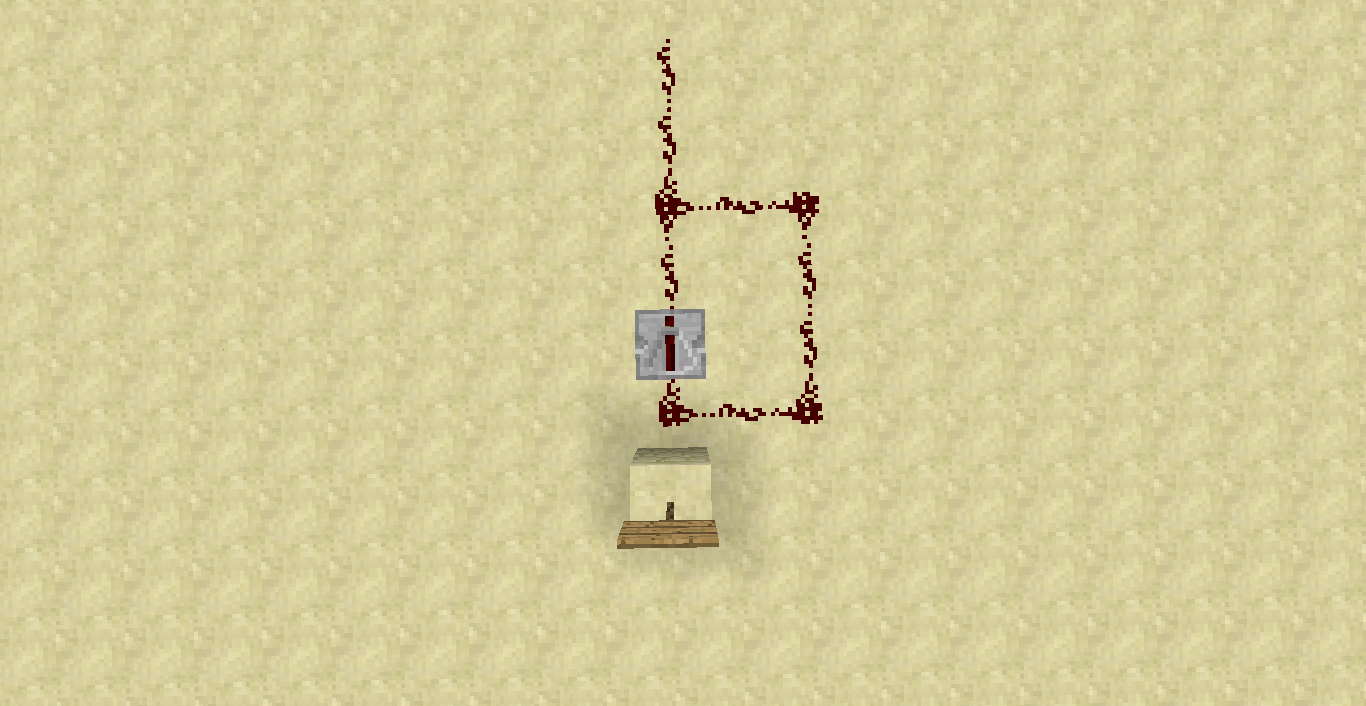
Redstone gets really weird when it powers redstone (as a button) to it and when the powered redstone of the repeater gets back to the repeater and stays "on"
TL;DR? See the images. Basically, this is a compact version of RS NOR Latch (Memory Cell).
What I was expecting to happen was:
When redstone was powered by the button, the redstone should stay "off".What actually happened was:
The redstone stayed "on" for unknown reasons.Steps to Reproduce:
1-Get a button (with a block to a attach him with), a repeater, and some redstone.
2-Put some redstone then put a repeater, then connect it with the circuit. As shown in the images below.
3-Get a button and a block and press it!Examples:
\/
Redstone gets really weird when it powers redstone (as a button) to it and when the powered redstone of the repeater gets back to the repeater and stays "on"
TL;DR? See the images. Basically, this is a compact version of RS NOR Latch (Memory Cell).
What I was expecting to happen was:
When redstone was powered by the button, the redstone should stay "off".What actually happened was:
The redstone stayed "on" for unknown reasons.Steps to Reproduce:
1-Get a button (with a block to a attach him with), a repeater, and some redstone.
2-Put some redstone then put a repeater, then connect it with the circuit. As shown in the images below.
3-Get a button and a block and press it!Examples:
\/
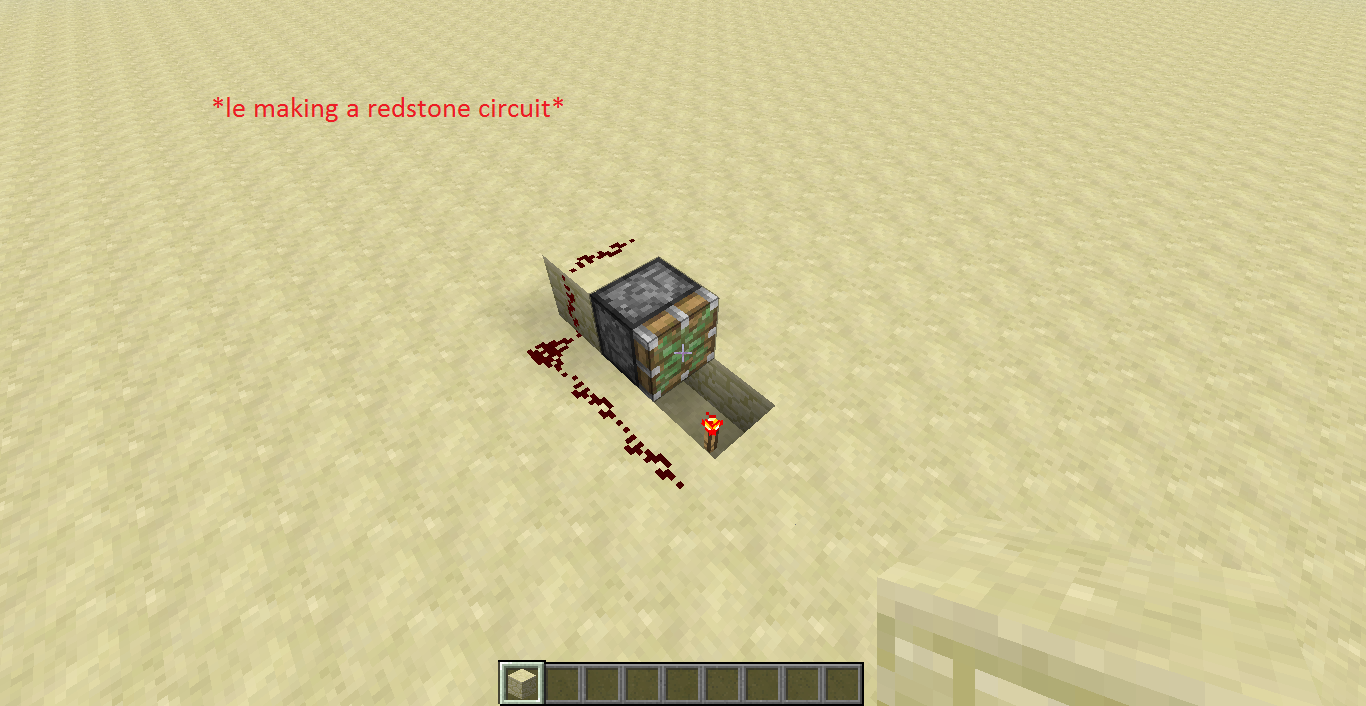
What I expected to happen was:
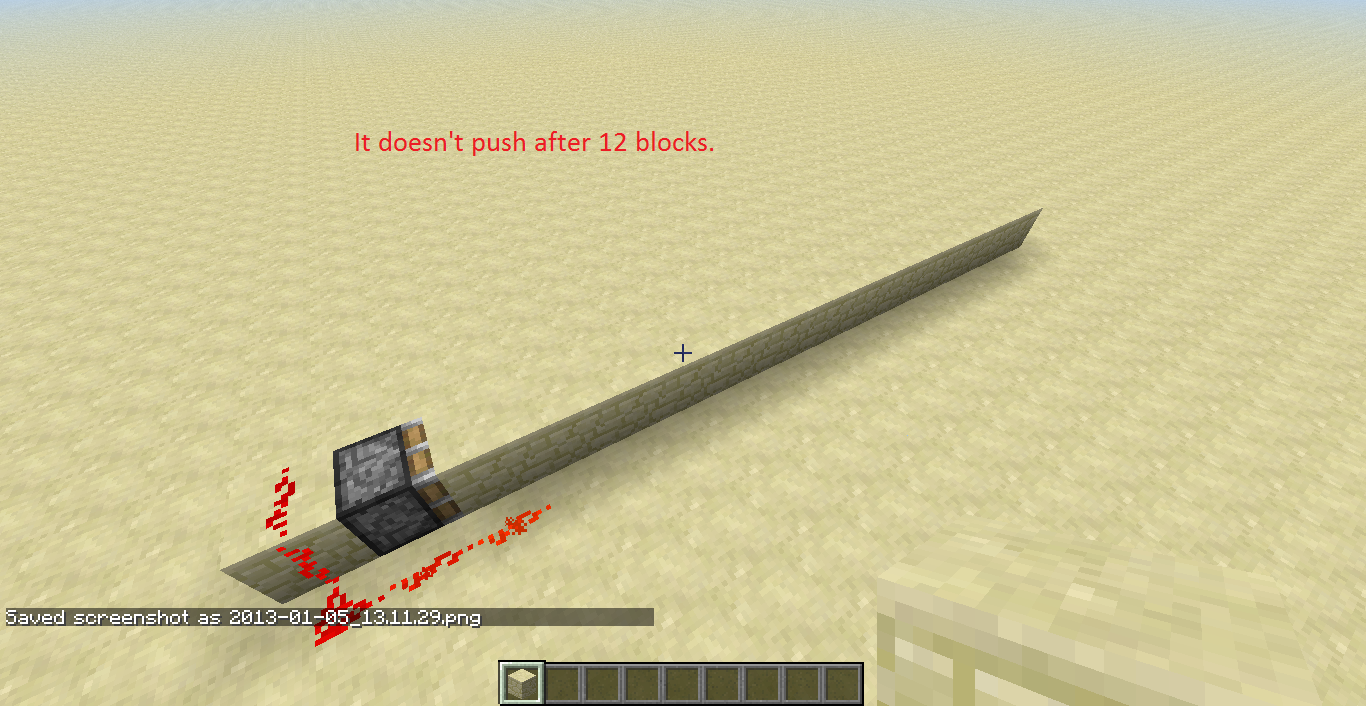
It should continue pushing blocks.What actually happened was:
It stopped pushing blocks after 12 blocks.Steps to Reproduce:
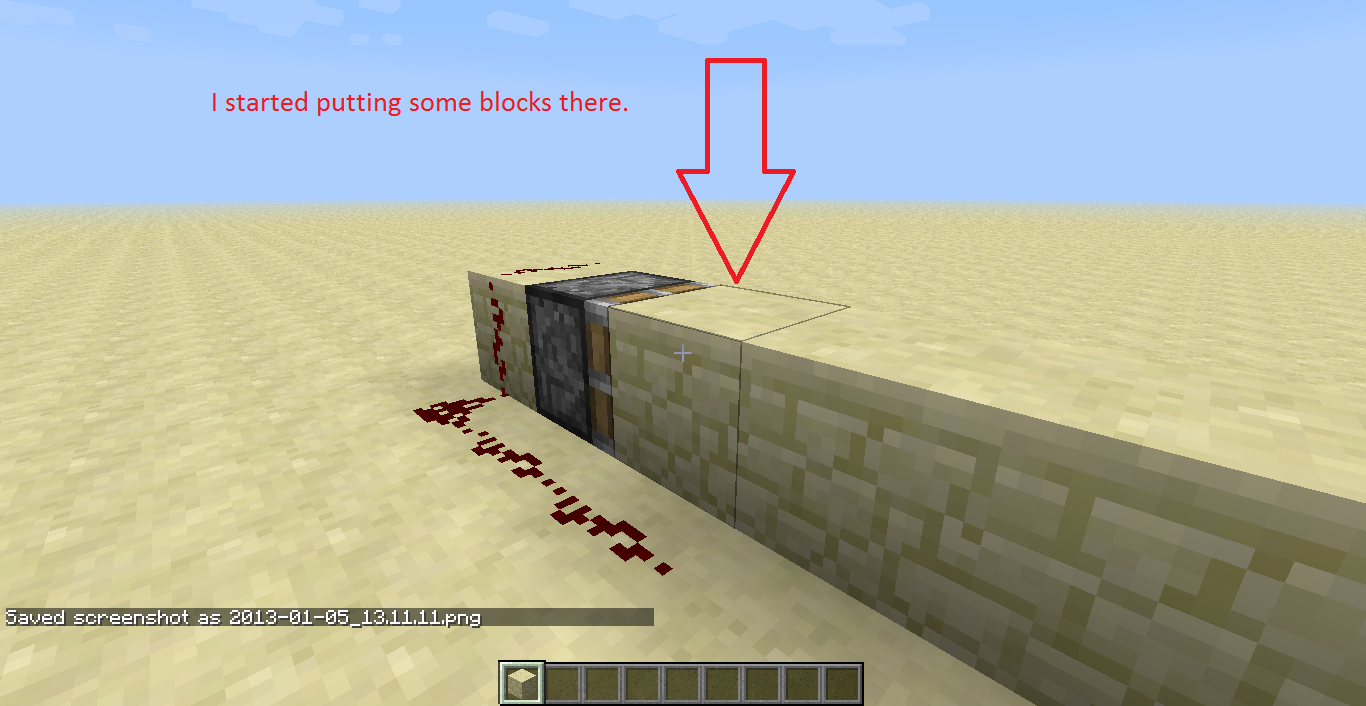
1-Make a redstone circuit that pushes 1 block in 1 tick. See 1st image for an example.
2-Put a block to push the block, see images for examples as I said.
3-After 12 blocks you notice that the circuit stops working.
4-Correct the bugjust kidding
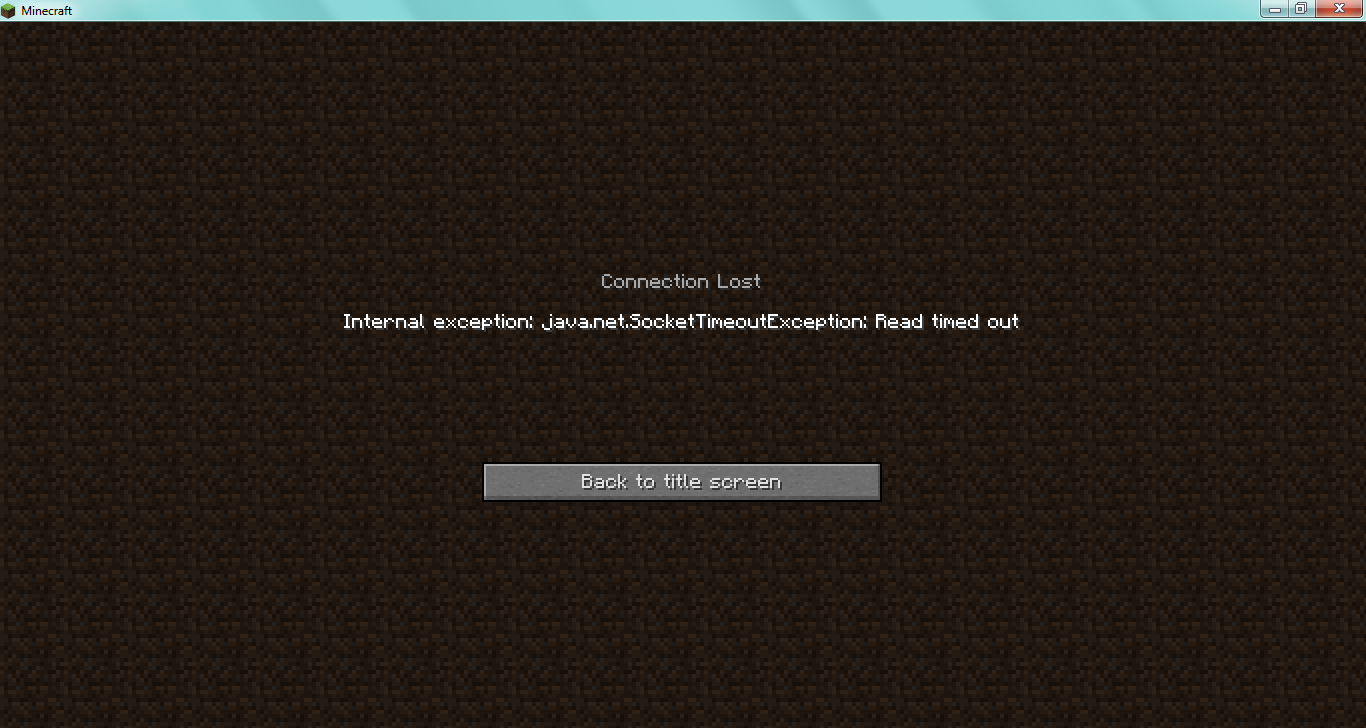
Affects any version. I have Minecraft on 2 laptops and 1 desktop not mine. No matter where I go, what Internet I have, this happens: Every time I join a server, I play for a while (2-5 minutes), then every entity freezes can't do anything. Weirdly, if I use hamachi to play with friends, this bug doesn't happen. Anyway, I'd like a way to stop this bug.
Affects any version. I have Minecraft on 2 laptops and 1 desktop not mine. No matter where I go, what Internet I have, this happens: Every time I join a server, I play for a while (2-5 minutes), then every entity freezes can't do anything. Weirdly, if I use hamachi to play with friends, this bug doesn't happen. Anyway, I'd like a way to stop this bug.
*Also can anyone help me how to make a force crash?
Affects any version. I have Minecraft on 2 laptops and 1 desktop not mine. No matter where I go, what Internet I have, this happens: Every time I join a server, I play for a while (2-5 minutes), then every entity freezes can't do anything. Weirdly, if I use hamachi to play with friends, this bug doesn't happen. Anyway, I'd like a way to stop this bug.
*Also can anyone help me how to make a force crash?
Affects any version. I have Minecraft on 2 laptops and 1 desktop not mine. No matter where I go, what Internet I have, this happens: Every time I join a server, I play for a while (2-5 minutes), then every entity freezes can't do anything. Weirdly, if I use hamachi to play with friends, this bug doesn't happen. Anyway, I'd like a way to stop this bug.
Also can anyone help me how to make a force crash?
Affects any version. I have Minecraft on 2 laptops and 1 desktop, not mine. No matter where I go, what Internet I have, this happens: Every time I join a server, I play for a while (2-5 minutes), then every entity freezes can't do anything. Weirdly, if I use hamachi to play with friends, this bug doesn't happen. Anyway, I'd like a way to stop this bug.
Also can anyone help me how to make a force crash?
Affects any version. I have Minecraft on 2 laptops and 1 desktop, not mine. No matter where I go, what Internet I have, this happens: Every time I join a server, I play for a while (2-5 minutes), then every entity freezes can't do anything. Weirdly, if I use hamachi to play with friends, this bug doesn't happen. Anyway, I'd like a way to stop this bug.
Also can anyone help me how to make a force crash?
When TNT Cart is destroyed, it drops as Minecart item. Also easy to reproduce.
I know this is a duplicate of
MC-6634but it isn't discussed and it's not well formatted.What I expected to happen was:
When I destroy/retrieve the redstone block, the door would close.What actually happened was:
When I destroyed/retrieved the redstone block, the door isn't closed.Steps to Reproduce:
1-Place a door.
2-Put a redstone block next to the door.
3-Destroy the RS block.
4-Note that the door remains open (not closed).
Examples
:
I know this is a duplicate of
MC-6634but it isn't discussed and it's not well formatted.What I expected to happen was:
When I destroy/retrieve the redstone block, the door would close.What actually happened was:
When I destroyed/retrieved the redstone block, the door isn't closed.Steps to Reproduce:
1-Place a door.
2-Put a redstone block next to the door.
3-Destroy the RS block.
4-Note that the door remains open (not closedExamples Below


I know this is a duplicate of
MC-6634but it isn't discussed and it's not well formatted. So please don't blame me for that.What I expected to happen was:
When I destroy/retrieve the redstone block, the door would close.What actually happened was:
When I destroyed/retrieved the redstone block, the door isn't closed.Steps to Reproduce:
1-Place a door.
2-Put a redstone block next to the door.
3-Destroy the RS block.
4-Note that the door remains open (not closedExamples Below

I know this is a duplicate of
MC-6634but it isn't discussed and it's not well formatted. So please don't blame me for that.What I expected to happen was:
When I destroy/retrieve theredstoneblock, the door would close.What actually happened was:
When I destroyed/retrieved theredstoneblock, the door isn't closed.Steps to Reproduce:
1-Place a door.
2-Put a redstone block next to the door.
3-Destroy the RS block.
4-Note that the door remains open (not closedExamples Below
I know this is a duplicate of
MC-6634but it isn't discussed and it's not well formatted. So please don't blame me for that.What I expected to happen was:
When I destroy/retrieve the Redstone Block, the door would close.What actually happened was:
When I destroyed/retrieved the Redstone Block, the door isn't closed.Steps to Reproduce:
1-Place a door.
2-Put a redstone block next to the door.
3-Destroy the Redstone Block.
4-Note that the door remains open (not closedExamples Below
I know this is a duplicate of
MC-6634but it isn't discussed and it's not well formatted. So please don't blame me for that.What I expected to happen was:
When I destroy/retrieve the Redstone Block, the door would close.What actually happened was:
When I destroyed/retrieved the Redstone Block, the door isn't closed.Steps to Reproduce:
1-Place a door.
2-Put aredstoneblock next to the door.
3-Destroy the Redstone Block.
4-Note that the door remains open (not closedExamples Below
I know this is a duplicate of
MC-6634but it isn't discussed and it's not well formatted. So please don't blame me for that.What I expected to happen was:
When I destroy/retrieve the Redstone Block, the door would close.What actually happened was:
When I destroyed/retrieved the Redstone Block, the door isn't closed.Steps to Reproduce:
1-Place a door.
2-Put a Redstone Block next to the door.
3-Destroy the Redstone Block.
4-Note that the door remains open (not closedExamples Below
I know this is a duplicate of
MC-6634but it isn't discussed and it's not well formatted. So please don't blame me for that.What I expected to happen was:
When I destroy/retrieve the Redstone Block, the door would close.What actually happened was:
When I destroyed/retrieved the Redstone Block, the door isn't closed.Steps to Reproduce:
1-Place a door.
2-Put a Redstone Block next to the door.
3-Destroy the Redstone Block.
4-Note that the door remains open (not closedExamples Below
I know this is a duplicate of
MC-6634but it isn't discussed and it's not well formatted. So please don't blame me for that.
s
What I expected to happen was:
When I destroy/retrieve the Redstone Block, the door would close.What actually happened was:
When I destroyed/retrieved the Redstone Block, the door isn't closed.Steps to Reproduce:
1-Place a door.
2-Put a Redstone Block next to the door.
3-Destroy the Redstone Block.
4-Note that the door remains open (not closedExamples Below
I know this is a duplicate of
MC-6634but it isn't discussed and it's not well formatted. So please don't blame me for that.
s
What I expected to happen was:
When I destroy/retrieve the Redstone Block, the door would close.What actually happened was:
When I destroyed/retrieved the Redstone Block, the door isn't closed.Steps to Reproduce:
1-Place a door.
2-Put a Redstone Block next to the door.
3-Destroy the Redstone Block.
4-Note that the door remains open (not closedExamples Below
I know this is a duplicate of
MC-6634but it isn't discussed and it's not well formatted. So please don't blame me for that.What I expected to happen was:
When I destroy/retrieve the Redstone Block, the door would close.What actually happened was:
When I destroyed/retrieved the Redstone Block, the door isn't closed.Steps to Reproduce:
1-Place a door.
2-Put a Redstone Block next to the door.
3-Destroy the Redstone Block.
4-Note that the door remains open (not closedExamples Below
I know this is a duplicate of
MC-6634but it isn't discussed and it's not well formatted. So please don't blame me for that.What I expected to happen was:
When I destroy/retrieve the Redstone Block, the door would close.What actually happened was:
When I destroyed/retrieved the Redstone Block, the door isn't closed.Steps to Reproduce:
1-Place a door.
2-Put a Redstone Block next to the door.
3-Destroy the Redstone Block.
4-Note that the door remains open (not closedFor those who understand JAVA:
Full crash report attached.Examples Below
I know this is a duplicate of
MC-6634but it isn't discussed and it's not well formatted. So please don't blame me for that.What I expected to happen was:
When I destroy/retrieve the Redstone Block, the door would close.What actually happened was:
When I destroyed/retrieved the Redstone Block, the door isn't closed.
bumpSteps to Reproduce:
1-Place a door.
2-Put a Redstone Block next to the door.
3-Destroy the Redstone Block.
4-Note that the door remains open (not closedFor those who understand JAVA:
Full crash report attached.Examples Below
I know this is a duplicate of
MC-6634but it isn't discussed and it's not well formatted. So please don't blame me for that.What I expected to happen was:
When I destroy/retrieve the Redstone Block, the door would close.What actually happened was:
When I destroyed/retrieved the Redstone Block, the door isn't closed.
bumpSteps to Reproduce:
1-Place a door.
2-Put a Redstone Block next to the door.
3-Destroy the Redstone Block.
4-Note that the door remains open (not closedFor those who understand JAVA:
Full crash report attached.Examples Below
I know this is a duplicate of
MC-6634but it isn't discussed and it's not well formatted. So please don't blame me for that.What I expected to happen was:
When I destroy/retrieve the Redstone Block, the door would close.What actually happened was:
When I destroyed/retrieved the Redstone Block, the door isn't closed.aSteps to Reproduce:
1-Place a door.
2-Put a Redstone Block next to the door.
3-Destroy the Redstone Block.
4-Note that the door remains open (not closedFor those who understand JAVA:
Full crash report attached.Examples Below
I know this is a duplicate of
MC-6634but it isn't discussed and it's not well formatted. So please don't blame me for that.What I expected to happen was:
When I destroy/retrieve the Redstone Block, the door would close.What actually happened was:
When I destroyed/retrieved the Redstone Block, the door isn't closed.aSteps to Reproduce:
1-Place a door.
2-Put a Redstone Block next to the door.
3-Destroy the Redstone Block.
4-Note that the door remains open (not closedFor those who understand JAVA:
Full crash report attached.Examples Below
Iknow this is a duplicate ofMC-6634but it isn't discussed and it's not well formatted. So please don't blame me for that.What I expected to happen was:
When I destroy/retrieve the Redstone Block, the door would close.What actually happened was:
When I destroyed/retrieved the Redstone Block, the door isn't closed.Steps to Reproduce:
1-Place a door.
2-Put a Redstone Block next to the door.
3-Destroy the Redstone Block.
4-Note that the door remains open (not closedFor those who understand JAVA:
Full crash report attached.Examples Below
know this is a duplicate of
MC-6634but it isn't discussed and it's not well formatted. So please don't blame me for that.What I expected to happen was:
When I destroy/retrieve the Redstone Block, the door would close.What actually happened was:
When I destroyed/retrieved the Redstone Block, the door isn't closed.Steps to Reproduce:
1-Place a door.
2-Put a Redstone Block next to the door.
3-Destroy the Redstone Block.
4-Note that the door remains open (not closedFor those who understand JAVA:
Full crash report attached.Examples Below
know this is a duplicate of
MC-6634but it isn't discussed and it's not well formatted. So please don't blame me for that.What I expected to happen was:
When I destroy/retrieve the Redstone Block, the door would close.What actually happened was:
When I destroyed/retrieved the Redstone Block, the door isn't closed.Steps to Reproduce:
1-Place a door.
2-Put a Redstone Block next to the door.
3-Destroy the Redstone Block.
4-Note that the door remains open (not closedFor those who understand JAVA:
Full crash report attached.Examples Below
I know this is a duplicate of
MC-6634but it isn't discussed and it's not well formatted. So please don't blame me for that.What I expected to happen was:
When I destroy/retrieve the Redstone Block, the door would close.What actually happened was:
When I destroyed/retrieved the Redstone Block, the door isn't closed.Steps to Reproduce:
1-Place a door.
2-Put a Redstone Block next to the door.
3-Destroy the Redstone Block.
4-Note that the door remains open (not closedFor those who understand JAVA:
Full crash report attached.Examples Below
I know this is a duplicate of
MC-6634but it isn't discussed and it's not well formatted. So please don't blame me for that.What I expected to happen was:
When I destroy/retrieve the Redstone Block, the door would close.What actually happened was:
When I destroyed/retrieved the Redstone Block, the door isn't closed.Steps to Reproduce:
1-Place a door.
2-Put a Redstone Block next to the door.
3-Destroy the Redstone Block.
4-Note that the door remains open (not closedFor those who understand JAVA:
Full crash report attached.Examples Below
I know this is a duplicate of
MC-6634but it isn't discussed and it's not well formatted. So please don't blame me for that.
asdf
What I expected to happen was:
When I destroy/retrieve the Redstone Block, the door would close.What actually happened was:
When I destroyed/retrieved the Redstone Block, the door isn't closed.Steps to Reproduce:
1-Place a door.
2-Put a Redstone Block next to the door.
3-Destroy the Redstone Block.
4-Note that the door remains open (not closedFor those who understand JAVA:
Full crash report attached.Examples Below
I know this is a duplicate of
MC-6634but it isn't discussed and it's not well formatted. So please don't blame me for that.
asdf
What I expected to happen was:
When I destroy/retrieve the Redstone Block, the door would close.What actually happened was:
When I destroyed/retrieved the Redstone Block, the door isn't closed.Steps to Reproduce:
1-Place a door.
2-Put a Redstone Block next to the door.
3-Destroy the Redstone Block.
4-Note that the door remains open (not closedFor those who understand JAVA:
Full crash report attached.Examples Below
I know this is a duplicate of
MC-6634but it isn't discussed and it's not well formatted. So please don't blame me for that.What I expected to happen was:
When I destroy/retrieve the Redstone Block, the door would close.What actually happened was:
When I destroyed/retrieved the Redstone Block, the door isn't closed.Steps to Reproduce:
1-Place a door.
2-Put a Redstone Block next to the door.
3-Destroy the Redstone Block.
4-Note that the door remains open (not closedFor those who understand JAVA:
Full crash report attached.Examples Below
I know this is a duplicate of
MC-6634but it isn't discussed and it's not well formatted. So please don't blame me for that.What I expected to happen was:
When I destroy/retrieve the Redstone Block, the door would close.*What actually happened was:
When I destroyed/retrieved the Redstone Block, the door isn't closed.Steps to Reproduce:
1-Place a door.
2-Put a Redstone Block next to the door.
3-Destroy the Redstone Block.
4-Note that the door remains open (not closedFor those who understand JAVA:
Full crash report attached.Examples Below
I know this is a duplicate of
MC-6634but it isn't discussed and it's not well formatted. So please don't blame me for that.What I expected to happen was:
When I destroy/retrieve the Redstone Block, the door would close.
*What actually happened was:
When I destroyed/retrieved the Redstone Block, the door isn't closed.Steps to Reproduce:
1-Place a door.
2-Put a Redstone Block next to the door.
3-Destroy the Redstone Block.
4-Note that the door remains open (not closedFor those who understand JAVA:
Full crash report attached.Examples Below
I know this is a duplicate of
MC-6634but it isn't discussed and it's not well formatted. So please don't blame me for that.What I expected to happen was:
When I destroy/retrieve the Redstone Block, the door would close.What actually happened was:
When I destroyed/retrieved the Redstone Block, the door isn't closed.Steps to Reproduce:
1-Place a door.
2-Put a Redstone Block next to the door.
3-Destroy the Redstone Block.
4-Note that the door remains open (not closedFor those who understand JAVA:
Full crash report attached.Examples Below
I know this is a duplicate of
MC-6634but it isn't discussed and it's not well formatted. So please don't blame me for that.What I expected to happen was:
When I destroy/retrieve the Redstone Block, the door would close.What actually happened was:
When I destroyed/retrieved the Redstone Block, the door isn't closed.
a
Steps to Reproduce:
1-Place a door.
2-Put a Redstone Block next to the door.
3-Destroy the Redstone Block.
4-Note that the door remains open (not closedFor those who understand JAVA:
Full crash report attached.Examples Below
I know this is a duplicate of
MC-6634but it isn't discussed and it's not well formatted. So please don't blame me for that.What I expected to happen was:
When I destroy/retrieve the Redstone Block, the door would close.What actually happened was:
When I destroyed/retrieved the Redstone Block, the door isn't closed.
a
Steps to Reproduce:
1-Place a door.
2-Put a Redstone Block next to the door.
3-Destroy the Redstone Block.
4-Note that the door remains open (not closedFor those who understand JAVA:
Full crash report attached.Examples Below
I know this is a duplicate of
MC-6634but it isn't discussed and it's not well formatted. So please don't blame me for that.What I expected to happen was:
When I destroy/retrieve the Redstone Block, the door would close.What actually happened was:
When I destroyed/retrieved the Redstone Block, the door isn't closed.Steps to Reproduce:
1-Place a door.
2-Put a Redstone Block next to the door.
3-Destroy the Redstone Block.
4-Note that the door remains open (not closedFor those who understand JAVA:
Full crash report attached.Examples Below
I know this is a duplicate of
MC-6634but it isn't discussed and it's not well formatted. So please don't blame me for that.What I expected to happen was:
When I destroy/retrieve the Redstone Block, the door would close.What actually happened was:
When I destroyed/retrieved the Redstone Block, the door isn't closed.ADASDASDSteps to Reproduce:
1-Place a door.
2-Put a Redstone Block next to the door.
3-Destroy the Redstone Block.
4-Note that the door remains open (not closedFor those who understand JAVA:
Full crash report attached.Examples Below
I know this is a duplicate of
MC-6634but it isn't discussed and it's not well formatted. So please don't blame me for that.What I expected to happen was:
When I destroy/retrieve the Redstone Block, the door would close.What actually happened was:
When I destroyed/retrieved the Redstone Block, the door isn't closed.ADASDASDSteps to Reproduce:
1-Place a door.
2-Put a Redstone Block next to the door.
3-Destroy the Redstone Block.
4-Note that the door remains open (not closedFor those who understand JAVA:
Full crash report attached.Examples Below
I know this is a duplicate of
MC-6634but it isn't discussed and it's not well formatted. So please don't blame me for that.What I expected to happen was:
When I destroy/retrieve the Redstone Block, the door would close.What actually happened was:
When I destroyed/retrieved the Redstone Block, the door isn't closed.
Steps to Reproduce:
1-Place a door.
2-Put a Redstone Block next to the door.
3-Destroy the Redstone Block.
4-Note that the door remains open (not closedFor those who understand JAVA:
Full crash report attached.Examples Below
I know this is a duplicate of
MC-6634but it isn't discussed and it's not well formatted. So please don't blame me for that.What I expected to happen was:
When I destroy/retrieve the Redstone Block, the door would close.What actually happened was:
When I destroyed/retrieved the Redstone Block, the door isn't closed.
Steps to Reproduce:
1-Place a door.
2-Put a Redstone Block next to the door.
3-Destroy the Redstone Block.
4-Note that the door remains open (not closedFor those who understand JAVA:
Full crash report attached.Examples Below
I know this is a duplicate of
MC-6634but it isn't discussed and it's not well formatted. So please don't blame me for that.What I expected to happen was:
When I destroy/retrieve the Redstone Block, the door would close.What actually happened was:
When I destroyed/retrieved the Redstone Block, the door isn't closed.Steps to Reproduce:
1-Place a door.
2-Put a Redstone Block next to the door.
3-Destroy the Redstone Block.
4-Note that the door remains open (not closedFor those who understand JAVA:
Full crash report attached.Examples Below
I know this is a duplicate of
MC-6634but it isn't discussed and it's not well formatted. So please don't blame me for that.What I expected to happen was:
When I destroy/retrieve the Redstone Block, the door would close.What actually happened was:
When I destroyed/retrieved the Redstone Block, the door isn't closed.Steps to Reproduce:
1-Place a door.
2-Put a Redstone Block next to the door.
3-Destroy the Redstone Block.
4-Note that the door remains open (not closedFor those who understand JAVA:
Full crash report attached.Examples Below
What I expected to happen was:
When I destroy/retrieve the Redstone Block, the door would close.What actually happened was:
When I destroyed/retrieved the Redstone Block, the door isn't closed.Steps to Reproduce:
1-Place a door.
2-Put a Redstone Block next to the door.
3-Destroy the Redstone Block.
4-Note that the door remains open (not closedFor those who understand JAVA:
Full crash report attached.Examples Below
This is a bug that I was experiencing.What I was expecting to happen was:
The name of the hopper should change after renamed in anvil.What actually happen was:
The name of the hopper didn't changed in the GUI.Steps to reproduce:
1-Get a Hopper.
2-Rename it to something else.
3-Plonk it down.
4-Note that the name in the GUI didn't change.Examples below
If this bug was already submitted, don't blame me, I searched and nothing appeared.
This is a bug that I was experiencing.
What I was expecting to happen was:
The name of the hopper should change after renamed in anvil.What actually happen was:
The name of the hopper didn't changed in the GUI.Steps to reproduce:
1-Get a Hopper.
2-Rename it to something else.
3-Plonk it down.
4-Note that the name in the GUI didn't change.Examples below
If this bug was already submitted, don't blame me, I searched and nothing appeared.
This is a bug that I was experiencing.
What I was expecting to happen was:
The name of the hopper should change after renamed in anvil.What actually happen was:
The name of the hopper didn't changed in the GUI.Steps to reproduce:
1-Get a Hopper.
2-Rename it to something else.
3-Plonk it down.
4-Note that the name in the GUI didn't change.Examples below
If this bug was already submitted, don't blame me, I searched and nothing appeared.
This is a bug that I was experiencing.
What I was expecting to happen was:
The name of the hopper should change after renamed in anvil.What actually happen was:
The name of the hopper didn't changed in the GUI.Steps to reproduce:
1-Get a Hopper.
2-Rename it to something else.
3-Plonk it down.
4-Note that the name in the GUI didn't change.Examples below
If this bug was already submitted, don't blame me, I searched and nothing appeared.
This is a bug that I was experiencing.
What I was expecting to happen was:
The name of the hopper should change after renamed in anvil.What actually happen was:
The name of the hopper didn't changed in the GUI.Steps to reproduce:
1-Get a Hopper.
2-Rename it to something else.
3-Plonk it down.4-Note that the name in the GUI didn't change.Examples below
If this bug was already submitted, don't blame me, I searched and nothing appeared.
This is a bug that I was experiencing.
What I was expecting to happen was:
The name of the hopper should change after renamed in anvil.What actually happen was:
The name of the hopper didn't changed in the GUI.Steps to reproduce:
1-Get a Hopper.
2-Rename it to something else.
3-Plonk it down.
4-Note that the name in the GUI didn't change.Examples below
Hopper's name doesn't change in its GUI after renamed in anvil
If this bug was already submitted, don't blame me, I searched and nothing appeared.
This is a bug that I was experiencing.
What I was expecting to happen was:
The name of the hopper should change after renamed in anvil.+What actually happen was:
The name of the hopper didn't changed in the GUI.Steps to reproduce:
1-Get a Hopper.
2-Rename it to something else.
3-Plonk it down.
4-Note that the name in the GUI didn't change.Examples below
If this bug was already submitted, don't blame me, I searched and nothing appeared.
This is a bug that I was experiencing.
What I was expecting to happen was:
The name of the hopper should change after renamed in anvil.+What actually happen was:
The name of the hopper didn't changed in the GUI.Steps to reproduce:
1-Get a Hopper.
2-Rename it to something else.
3-Plonk it down.
4-Note that the name in the GUI didn't change.Examples below
If this bug was already submitted, don't blame me, I searched and nothing like this bug appeared.
This is a bug that I was experiencing.
What I was expecting to happen was:
The name of the hopper should change after renamed in anvil.What actually happen was:
The name of the hopper didn't changed in the GUI.Steps to reproduce:
1-Get a Hopper.
2-Rename it to something else.
3-Plonk it down.
4-Note that the name in the GUI didn't change.Examples below
Hopper bug 1.png
If this bug was already submitted, don't blame me, I searched and nothing like this bug appeared.
This is a bug that I was experiencing.
What I was expecting to happen was:
The name of the hopper should change after renamed in anvil.What actually happen was:
The name of the hopper didn't changed in the GUI.++Steps to reproduce:
1-Get a Hopper.
2-Rename it to something else.
3-Plonk it down.
4-Note that the name in the GUI didn't change.Examples below
If this bug was already submitted, don't blame me, I searched and nothing like this bug appeared.
This is a bug that I was experiencing.
What I was expecting to happen was:
The name of the hopper should change after renamed in anvil.What actually happen was:
The name of the hopper didn't changed in the GUI.++Steps to reproduce:
1-Get a Hopper.
2-Rename it to something else.
3-Plonk it down.
4-Note that the name in the GUI didn't change.Examples below
If this bug was already submitted, don't blame me, I searched and nothing like this bug appeared.+
This is a bug that I was experiencing.
What I was expecting to happen was:
The name of the hopper should change after renamed in anvil.What actually happen was:
The name of the hopper didn't changed in the GUI.Steps to reproduce:
1-Get a Hopper.
2-Rename it to something else.
3-Plonk it down.
4-Note that the name in the GUI didn't change.Examples below
If this bug was already submitted, don't blame me, I searched and nothing like this bug appeared.+
This is a bug that I was experiencing.
What I was expecting to happen was:
The name of the hopper should change after renamed in anvil.What actually happen was:
The name of the hopper didn't changed in the GUI.Steps to reproduce:
1-Get a Hopper.
2-Rename it to something else.
3-Plonk it down.
4-Note that the name in the GUI didn't change.Examples below
FIXED IN 13w03a
If this bug was already submitted, don't blame me, I searched and nothing like this bug appeared.
This is a bug that I was experiencing.
What I was expecting to happen was:
The name of the hopper should change after renamed in anvil.What actually happen was:
The name of the hopper didn't changed in the GUI.Steps to reproduce:
1-Get a Hopper.
2-Rename it to something else.
3-Plonk it down.
4-Note that the name in the GUI didn't change.Examples below
NOT FIXED IN 13w03a
If this bug was already submitted, don't blame me, I searched and nothing like this bug appeared.
This is a bug that I was experiencing.
What I was expecting to happen was:
The name of the hopper should change after renamed in anvil.What actually happen was:
The name of the hopper didn't changed in the GUI.Steps to reproduce:
1-Get a Hopper.
2-Rename it to something else.
3-Plonk it down.
4-Note that the name in the GUI didn't change.Examples below
*NOT FIXED IN 13w03a "
MC-7167- Hopper's name doesn't change in its GUI after renamed in anvil"If this bug was already submitted, don't blame me, I searched and nothing like this bug appeared.
This is a bug that I was experiencing.
What I was expecting to happen was:
The name of the hopper should change after renamed in anvil.What actually happen was:
The name of the hopper didn't changed in the GUI.Steps to reproduce:
1-Get a Hopper.
2-Rename it to something else.
3-Plonk it down.
4-Note that the name in the GUI didn't change.Examples below
*NOT FIXED IN 13w03a
"MC-7167- Hopper's name doesn't change in its GUI after renamed in anvil"If this bug was already submitted, don't blame me, I searched and nothing like this bug appeared.
This is a bug that I was experiencing.
What I was expecting to happen was:
The name of the hopper should change after renamed in anvil.What actually happen was:
The name of the hopper didn't changed in the GUI.Steps to reproduce:
1-Get a Hopper.
2-Rename it to something else.
3-Plonk it down.
4-Note that the name in the GUI didn't change.Examples below
*NOT FIXED IN 13w03a Bug fixes:
...
...
"MC-7167- Hopper's name doesn't change in its GUI after renamed in anvil"
...*If this bug was already submitted, don't blame me, I searched and nothing like this bug appeared.
This is a bug that I was experiencing.
What I was expecting to happen was:
The name of the hopper should change after renamed in anvil.What actually happen was:
The name of the hopper didn't changed in the GUI.Steps to reproduce:
1-Get a Hopper.
2-Rename it to something else.
3-Plonk it down.
4-Note that the name in the GUI didn't change.Examples below
*NOT FIXED IN 13w03a
Bug fixes:
...
...
"MC-7167- Hopper's name doesn't change in its GUI after renamed in anvil"
...*If this bug was already submitted, don't blame me, I searched and nothing like this bug appeared.
This is a bug that I was experiencing.
What I was expecting to happen was:
The name of the hopper should change after renamed in anvil.What actually happen was:
The name of the hopper didn't changed in the GUI.Steps to reproduce:
1-Get a Hopper.
2-Rename it to something else.
3-Plonk it down.
4-Note that the name in the GUI didn't change.Examples below
*NOT FIXED IN 13w03a
Bug fixes:
...
...
"MC-7167- Hopper's name doesn't change in its GUI after renamed in anvil"
...If this bug was already submitted, don't blame me, I searched and nothing like this bug appeared.
This is a bug that I was experiencing.
What I was expecting to happen was:
The name of the hopper should change after renamed in anvil.What actually happen was:
The name of the hopper didn't changed in the GUI.Steps to reproduce:
1-Get a Hopper.
2-Rename it to something else.
3-Plonk it down.
4-Note that the name in the GUI didn't change.Examples below
*NOT FIXED IN 13w03a
Bug fixes:
...
...
"MC-7167- Hopper's name doesn't change in its GUI after renamed in anvil"
...
If this bug was already submitted, don't blame me, I searched and nothing like this bug appeared.This is a bug that I was experiencing.
What I was expecting to happen was:
The name of the hopper should change after renamed in anvil.What actually happen was:
The name of the hopper didn't changed in the GUI.Steps to reproduce:
1-Get a Hopper.
2-Rename it to something else.
3-Plonk it down.
4-Note that the name in the GUI didn't change.Examples below
*NOT FIXED IN 13w03a
Bug fixes:
...
...
"MC-7167- Hopper's name doesn't change in its GUI after renamed in anvil"
...This is a bug that I was experiencing in 13w03a.
What I was expecting to happen was:
The name of the hopper should change after renamed in anvil.What actually happen was:
The name of the hopper didn't changed in the GUI.Steps to reproduce:
1-Get a Hopper.
2-Rename it to something else.
3-Plonk it down.
4-Note that the name in the GUI didn't change.Examples below
*NOT FIXED IN 13w03a
Bug fixes:
...
...
"MC-7167- Hopper's name doesn't change in its GUI after renamed in anvil"
...This is a bug that I was experiencing in 13w03a.
What I was expecting to happen was:
The name of the hopper should change after renamed in anvil.What actually happen was:
The name of the hopper didn't changed in the GUI.Steps to reproduce:
1-Get a Hopper.
2-Rename it to something else.
3-Plonk it down.
4-Note that the name in the GUI didn't change.Examples below
NOT FIXED IN 13w03a!!!
Bug fixes:
...
...
"MC-7167- Hopper's name doesn't change in its GUI after renamed in anvil"
...This is a bug that I was experiencing in 13w03a.
What I was expecting to happen was:
The name of the hopper should change after renamed in anvil.What actually happen was:
The name of the hopper didn't changed in the GUI.Steps to reproduce:
1-Get a Hopper.
2-Rename it to something else.
3-Plonk it down.
4-Note that the name in the GUI didn't change.Examples below
THIS IS NOT FIXED IN 13w03a!!! ALTHOUGH IT SAYS THAT IS FIXED!!!
NOT FIXED IN 13w03a!!!
Bug fixes:
...
...
"MC-7167- Hopper's name doesn't change in its GUI after renamed in anvil"
...This is a bug that I was experiencing in 13w03a.
What I was expecting to happen was:
The name of the hopper should change after renamed in anvil.What actually happen was:
The name of the hopper didn't changed in the GUI.Steps to reproduce:
1-Get a Hopper.
2-Rename it to something else.
3-Plonk it down.
4-Note that the name in the GUI didn't change.Examples below
NOT FIXED IN 13w03a!!!
This is a bug that I was experiencing in 13w03a.
What I was expecting to happen was:
The name of the hopper should change after renamed in anvil.What actually happen was:
The name of the hopper didn't changed in the GUI.Steps to reproduce:
1-Get a Hopper.
2-Rename it to something else.
3-Plonk it down.
4-Note that the name in the GUI didn't change.Examples below
NOT FIXED IN 13w03a!!!
g
This is a bug that I was experiencing in 13w03a.What I was expecting to happen was:
The name of the hopper should change after renamed in anvil.What actually happen was:
The name of the hopper didn't changed in the GUI.Steps to reproduce:
1-Get a Hopper.
2-Rename it to something else.
3-Plonk it down.
4-Note that the name in the GUI didn't change.Examples below
NOT FIXED IN 13w03a!!!
gThis is a bug that I was experiencing in 13w03a.What I was expecting to happen was:
The name of the hopper should change after renamed in anvil.What actually happen was:
The name of the hopper didn't changed in the GUI.Steps to reproduce:
1-Get a Hopper.
2-Rename it to something else.
3-Plonk it down.
4-Note that the name in the GUI didn't change.Examples below
NOT FIXED IN 13w03a!!!
This is a bug that I was experiencing in 13w03a.
What I was expecting to happen was:
The name of the hopper should change after renamed in anvil.What actually happen was:
The name of the hopper didn't changed in the GUI.Steps to reproduce:
1-Get a Hopper.
2-Rename it to something else.
3-Plonk it down.
4-Note that the name in the GUI didn't change.Examples below
They can be. chests dispeners. they can be renamed and Dinnerbone says that this is indeed a bug.
NOT FIXED IN 13w03a!!!
This is a bug that I was experiencing in 13w03a.
What I was expecting to happen was:
The name of the hopper should change after renamed in anvil.What actually happen was:
The name of the hopper didn't changed in the GUI.Steps to reproduce:
1-Get a Hopper.
2-Rename it to something else.
3-Plonk it down.
4-Note that the name in the GUI didn't change.Examples below
*NOT FIXED IN 13w03a!!!*a
This is a bug that I was experiencing in 13w03a.
What I was expecting to happen was:
The name of the hopper should change after renamed in anvil.What actually happen was:
The name of the hopper didn't changed in the GUI.Steps to reproduce:
1-Get a Hopper.
2-Rename it to something else.
3-Plonk it down.
4-Note that the name in the GUI didn't change.Examples below
*NOT FIXED IN 13w03a!!!*a
This is a bug that I was experiencing in 13w03a.
What I was expecting to happen was:
The name of the hopper should change after renamed in anvil.What actually happen was:
The name of the hopper didn't changed in the GUI.Steps to reproduce:
1-Get a Hopper.
2-Rename it to something else.
3-Plonk it down.
4-Note that the name in the GUI didn't change.Examples below
NOT FIXED IN 13w03a!!!
This is a bug that I was experiencing in 13w03a.
What I was expecting to happen was:
The name of the hopper should change after renamed in anvil.What actually happen was:
The name of the hopper didn't changed in the GUI.Steps to reproduce:
1-Get a Hopper.
2-Rename it to something else.
3-Plonk it down.
4-Note that the name in the GUI didn't change.Examples below
NOT FIXED IN 13w03a!!!
This is a bug that I was experiencing in 13w03a.
What I was expecting to happen was:
The name of the hopper should change after renamed in anvil.What actually happen was:
The name of the hopper didn't changed in the GUI.Steps to reproduce:
1-Get a Hopper.
2-Rename it to something else.
3-Plonk it down.
4-Note that the name in the GUI didn't change.Examples below
*NOT FIXED IN 13w03a!!!*s
This is a bug that I was experiencing in 13w03a.
What I was expecting to happen was:
The name of the hopper should change after renamed in anvil.What actually happen was:
The name of the hopper didn't changed in the GUI.Steps to reproduce:
1-Get a Hopper.
2-Rename it to something else.
3-Plonk it down.
4-Note that the name in the GUI didn't change.Examples below
*NOT FIXED IN 13w03a!!!*s
This is a bug that I was experiencing in 13w03a.
What I was expecting to happen was:
The name of the hopper should change after renamed in anvil.What actually happen was:
The name of the hopper didn't changed in the GUI.Steps to reproduce:
1-Get a Hopper.
2-Rename it to something else.
3-Plonk it down.
4-Note that the name in the GUI didn't change.Examples below
NOT FIXED IN 13w03a!!!
This is a bug that I was experiencing in 13w03a.
What I was expecting to happen was:
The name of the hopper should change after renamed in anvil.What actually happen was:
The name of the hopper didn't changed in the GUI.Steps to reproduce:
1-Get a Hopper.
2-Rename it to something else.
3-Plonk it down.
4-Note that the name in the GUI didn't change.Examples below
NOT FIXED
IN 13w03a!!!This is a bug that I was experiencing in 13w0
3a.What I was expecting to happen was:
The name of the hopper should change after renamed in anvil.What actually happen was:
The name of the hopper didn't changed in the GUI.Steps to reproduce:
1-Get a Hopper.
2-Rename it to something else.
3-Plonk it down.
4-Note that the name in the GUI didn't change.Examples below
NOT FIXED!!!
This is a bug that I was experiencing in 13w05a.
What I was expecting to happen was:
The name of the hopper should change after renamed in anvil.What actually happen was:
The name of the hopper didn't changed in the GUI.Steps to reproduce:
1-Get a Hopper.
2-Rename it to something else.
3-Plonk it down.
4-Note that the name in the GUI didn't change.Examples below
NOT FIXED!!!
This is a bug that I was experiencing in 13w05a.
What I was expecting to happen was:
The name of the hopper should change after renamed in anvil.What actually happen was:
The name of the hopper didn't changed in the GUI.Steps to reproduce:
1-Get a Hopper.
2-Rename it to something else.
3-Plonk it down.
4-Note that the name in the GUI didn't change.Examples below
He (Dinnerbone) said he's gonna fix this bug.
YAY! DINNERBONE didn't FIXED THE BUG I FOUND!! I'm so sad. Although he said that he fixed it.
The crash report that used to reproduce the bug.
I have 4 dispensers, and 4 repeaters are plugged into them.
What I was expecting to happen was:
They would equip me at the exactly same time.What actually happened was:
I pressed the button and they equipped me at different speed. Repeaters?Steps to Reproduce
1-Put down an input(lever,button)
2-Plug in 4 repeaters to 4 dispensers(recommended)
3-Activate the input.
4-Note that they output at different speed.A video goes to demonstrate the bug
Redstone Repeaters aren'toutputtingat the samespeedRedstone Repeaters aren't equipping the player at the same time
*What I was expecting to happen was:*a
The bucket became filled when right-clicked and pointed to the cauldron and it became empty.
What really happened was:
I right clicked the filled cauldron and nothing happened.
*What I was expecting to happen was:*a
The bucket became filled when right-clicked and pointed to the cauldron and it became empty.
What really happened was:
I right clicked the filled cauldron and nothing happened.
*What I was expecting to happen was:*a
The bucket became filled when right-clicked and pointed to the cauldron and it became empty.
What really happened was:
I right clicked the filled cauldron and nothing happened.
*What I was expecting to happen was:*a
The bucket became filled when right-clicked and pointed to the cauldron and it became empty.
What really happened was:
I right clicked the filled cauldron and nothing happened.
*What I was expecting to happen was:*s
The bucket became filled when right-clicked and pointed to the cauldron and it became empty.
What really happened was:
I right clicked the filled cauldron and nothing happened.
*What I was expecting to happen was:*s
The bucket became filled when right-clicked and pointed to the cauldron and it became empty.
What really happened was:
I right clicked the filled cauldron and nothing happened.
*What I was expecting to happen was:*s
The bucket became filled when right-clicked and pointed to the cauldron and it became empty.
What really happened was:
I right clicked the filled cauldron and nothing happened.
*What I was expecting to happen was:*s
The bucket became filled when right-clicked and pointed to the cauldron and it became empty.
What really happened was:
I right clicked the filled cauldron and nothing happened.
When I edited an item to set its count to -1, it won't shift-click.
What I was expecting to happen was:
The item would teleport to the container.What actually happened was:
The item didn't teleported to the container.Steps to reproduce:
1-Edit any item and set its NBT tag "Count" to -1.
2-Shift-Click the item to a container.
3-Note that the item wasn't teleported to the container.
When I edited an item to set its count to -1, it won't shift-click.+
What I was expecting to happen was:
The item would teleport to the container.What actually happened was:
The item didn't teleported to the container.Steps to reproduce:
1-Edit any item and set its NBT tag "Count" to -1.
2-Shift-Click the item to a container.
3-Note that the item wasn't teleported to the container.
When I edited an item to set its count to -1, it won't shift-click.
+What I was expecting to happen was:
The item would teleport to the container.What actually happened was:
The item didn't teleported to the container.Steps to reproduce:
1-Edit any item and set its NBT tag "Count" to -1.
2-Shift-Click the item to a container.
3-Note that the item wasn't teleported to the container.
When I edited an item to set its count to -1, it won't shift-click.+s
What I was expecting to happen was:
The item would teleport to the container.What actually happened was:
The item didn't teleported to the container.Steps to reproduce:
1-Edit any item and set its NBT tag "Count" to -1.
2-Shift-Click the item to a container.
3-Note that the item wasn't teleported to the container.
When I edited an item to set its count to -1, it won't shift-click.
+sWhat I was expecting to happen was:
The item would teleport to the container.What actually happened was:
The item didn't teleported to the container.Steps to reproduce:
1-Edit any item and set its NBT tag "Count" to -1.
2-Shift-Click the item to a container.
3-Note that the item wasn't teleported to the container.
When I edited an item to set its count to -1, it won't shift-click.s
What I was expecting to happen was:
The item would teleport to the container.What actually happened was:
The item didn't teleported to the container.Steps to reproduce:
1-Edit any item and set its NBT tag "Count" to -1.
2-Shift-Click the item to a container.
3-Note that the item wasn't teleported to the container.
When I edited an item to set its count to -1, it won't shift-click.
sWhat I was expecting to happen was:
The item would teleport to the container.What actually happened was:
The item didn't teleported to the container.Steps to reproduce:
1-Edit any item and set its NBT tag "Count" to -1.
2-Shift-Click the item to a container.
3-Note that the item wasn't teleported to the container.
When I edited an item to set its count to -1, it won't shift-click.s
What I was expecting to happen was:
The item would teleport to the container.What actually happened was:
The item didn't teleported to the container.Steps to reproduce:
1-Edit any item and set its NBT tag "Count" to -1.
2-Shift-Click the item to a container.
3-Note that the item wasn't teleported to the container.
When I edited an item to set its count to -1, it won't shift-click.
sWhat I was expecting to happen was:
The item would teleport to the container.What actually happened was:
The item didn't teleported to the container.Steps to reproduce:
1-Edit any item and set its NBT tag "Count" to -1.
2-Shift-Click the item to a container.
3-Note that the item wasn't teleported to the container.
When I edited an item to set its count to -1, it won't shift-click.s
What I was expecting to happen was:
The item would teleport to the container.What actually happened was:
The item didn't teleported to the container.Steps to reproduce:
1-Edit any item and set its NBT tag "Count" to -1.
2-Shift-Click the item to a container.
3-Note that the item wasn't teleported to the container.
When I edited an item to set its count to -1, it won't shift-click.
sWhat I was expecting to happen was:
The item would teleport to the container.What actually happened was:
The item didn't teleported to the container.Steps to reproduce:
1-Edit any item and set its NBT tag "Count" to -1.
2-Shift-Click the item to a container.
3-Note that the item wasn't teleported to the container.
When I edited an item to set its count to -1, it won't shift-click.s
What I was expecting to happen was:
The item would teleport to the container.What actually happened was:
The item didn't teleported to the container.Steps to reproduce:
1-Edit any item and set its NBT tag "Count" to -1.
2-Shift-Click the item to a container.
3-Note that the item wasn't teleported to the container.
When I edited an item to set its count to -1, it won't shift-click.
sWhat I was expecting to happen was:
The item would teleport to the container.What actually happened was:
The item didn't teleported to the container.Steps to reproduce:
1-Edit any item and set its NBT tag "Count" to -1.
2-Shift-Click the item to a container.
3-Note that the item wasn't teleported to the container.
When I edited an item to set its count to -1, it won't shift-click.s
What I was expecting to happen was:
The item would teleport to the container.What actually happened was:
The item didn't teleported to the container.Steps to reproduce:
1-Edit any item and set its NBT tag "Count" to -1.
2-Shift-Click the item to a container.
3-Note that the item wasn't teleported to the container.
When I edited an item to set its count to -1, it won't shift-click.
sWhat I was expecting to happen was:
The item would teleport to the container.What actually happened was:
The item didn't teleported to the container.Steps to reproduce:
1-Edit any item and set its NBT tag "Count" to -1.
2-Shift-Click the item to a container.
3-Note that the item wasn't teleported to the container.
When I edited an item to set its count to -1, it won't shift-click.s
What I was expecting to happen was:
The item would teleport to the container.What actually happened was:
The item didn't teleported to the container.Steps to reproduce:
1-Edit any item and set its NBT tag "Count" to -1.
2-Shift-Click the item to a container.
3-Note that the item wasn't teleported to the container.
When I edited an item to set its count to -1, it won't shift-click.
sWhat I was expecting to happen was:
The item would teleport to the container.What actually happened was:
The item didn't teleported to the container.Steps to reproduce:
1-Edit any item and set its NBT tag "Count" to -1.
2-Shift-Click the item to a container.
3-Note that the item wasn't teleported to the container.
When I edited an item to set its count to -1, it won't shift-click.s
What I was expecting to happen was:
The item would teleport to the container.What actually happened was:
The item didn't teleported to the container.Steps to reproduce:
1-Edit any item and set its NBT tag "Count" to -1.
2-Shift-Click the item to a container.
3-Note that the item wasn't teleported to the container.
When I edited an item to set its count to -1, it won't shift-click.
sWhat I was expecting to happen was:
The item would teleport to the container.What actually happened was:
The item didn't teleported to the container.Steps to reproduce:
1-Edit any item and set its NBT tag "Count" to -1.
2-Shift-Click the item to a container.
3-Note that the item wasn't teleported to the container.
When I edited an item to set its count to -1, it won't shift-click.s
What I was expecting to happen was:
The item would teleport to the container.What actually happened was:
The item didn't teleported to the container.Steps to reproduce:
1-Edit any item and set its NBT tag "Count" to -1.
2-Shift-Click the item to a container.
3-Note that the item wasn't teleported to the container.
When I edited an item to set its count to -1, it won't shift-click.
sWhat I was expecting to happen was:
The item would teleport to the container.What actually happened was:
The item didn't teleported to the container.Steps to reproduce:
1-Edit any item and set its NBT tag "Count" to -1.
2-Shift-Click the item to a container.
3-Note that the item wasn't teleported to the container.
When I edited an item to set its count to -1, it won't shift-click.s
What I was expecting to happen was:
The item would teleport to the container.What actually happened was:
The item didn't teleported to the container.Steps to reproduce:
1-Edit any item and set its NBT tag "Count" to -1.
2-Shift-Click the item to a container.
3-Note that the item wasn't teleported to the container.
When I edited an item to set its count to -1, it won't shift-click.
sWhat I was expecting to happen was:
The item would teleport to the container.What actually happened was:
The item didn't teleported to the container.Steps to reproduce:
1-Edit any item and set its NBT tag "Count" to -1.
2-Shift-Click the item to a container.
3-Note that the item wasn't teleported to the container.
When I edited an item to set its count to -1, it won't shift-click.s
What I was expecting to happen was:
The item would teleport to the container.What actually happened was:
The item didn't teleported to the container.Steps to reproduce:
1-Edit any item and set its NBT tag "Count" to -1.
2-Shift-Click the item to a container.
3-Note that the item wasn't teleported to the container.
When I edited an item to set its count to -1, it won't shift-click.
sWhat I was expecting to happen was:
The item would teleport to the container.What actually happened was:
The item didn't teleported to the container.Steps to reproduce:
1-Edit any item and set its NBT tag "Count" to -1.
2-Shift-Click the item to a container.
3-Note that the item wasn't teleported to the container.
When I edited an item to set its count to -1, it won't shift-click.s
What I was expecting to happen was:
The item would teleport to the container.What actually happened was:
The item didn't teleported to the container.Steps to reproduce:
1-Edit any item and set its NBT tag "Count" to -1.
2-Shift-Click the item to a container.
3-Note that the item wasn't teleported to the container.
When I edited an item to set its count to -1, it won't shift-click.
sWhat I was expecting to happen was:
The item would teleport to the container.What actually happened was:
The item didn't teleported to the container.Steps to reproduce:
1-Edit any item and set its NBT tag "Count" to -1.
2-Shift-Click the item to a container.
3-Note that the item wasn't teleported to the container.
Renamed Command Blocks don't store their NBT tag.
What I was expecting to happen was:
The Command block stored the information like this:
!http://media-mcw.cursecdn.com/d/d0/Nbtsheet.png!Slot
!http://media-mcw.cursecdn.com/d/d0/Nbtsheet.png!id
!http://media-mcw.cursecdn.com/d/d0/Nbtsheet.png!Damage
!http://media-mcw.cursecdn.com/d/d0/Nbtsheet.png!Count
!http://media-mcw.cursecdn.com/d/d0/Nbtsheet.png!tag
!http://media-mcw.cursecdn.com/d/d0/Nbtsheet.png!display
!http://media-mcw.cursecdn.com/d/d0/Nbtsheet.png!NameWhat actually happened was:
The Command block stored the NBT data somewhere else.Steps to Reproduce:
1-Place an Anvil.
2-Rename the command block to something else.
3-Browse the NBT data of the command block.
4-Note that there isn't any NBT data about the Name tag.Renamed Command Blocks don't store their NBT tag.
What I was expecting to happen was:
The Command block stored the information like this:
(Working on the display)
!http://media-mcw.cursecdn.com/d/d0/Nbtsheet.png!Slot
!http://media-mcw.cursecdn.com/d/d0/Nbtsheet.png!id
!http://media-mcw.cursecdn.com/d/d0/Nbtsheet.png!Damage
!http://media-mcw.cursecdn.com/d/d0/Nbtsheet.png!Count
!http://media-mcw.cursecdn.com/d/d0/Nbtsheet.png!tag
!http://media-mcw.cursecdn.com/d/d0/Nbtsheet.png!display
!http://media-mcw.cursecdn.com/d/d0/Nbtsheet.png!NameWhat actually happened was:
The Command block stored the NBT data somewhere else.Steps to Reproduce:
1-Place an Anvil.
2-Rename the command block to something else.
3-Browse the NBT data of the command block.
4-Note that there isn't any NBT data about the Name tag.

Renamed Command Blocks don't store their NBT tag.
What I was expecting to happen was:
The Command block stored the information like this:
(Working on the display
!http://media-mcw.cursecdn.com/d/d0/Nbtsheet.png!Slot
!http://media-mcw.cursecdn.com/d/d0/Nbtsheet.png!id
!http://media-mcw.cursecdn.com/d/d0/Nbtsheet.png!Damage
!http://media-mcw.cursecdn.com/d/d0/Nbtsheet.png!Count
!http://media-mcw.cursecdn.com/d/d0/Nbtsheet.png!tag
!http://media-mcw.cursecdn.com/d/d0/Nbtsheet.png!display
!http://media-mcw.cursecdn.com/d/d0/Nbtsheet.png!NameWhat actually happened was:
The Command block stored the NBT data somewhere else.Steps to Reproduce:
1-Place an Anvil.
2-Rename the command block to something else.
3-Browse the NBT data of the command block.
4-Note that there isn't any NBT data about the Name tag.Renamed Command Blocks don't store their NBT tag.
What I was expecting to happen was:
The Command block stored the information like this:
(Working on the display
!http://media-mcw.cursecdn.com/d/d0/Nbtsheet.png!Slot!http://media-mcw.cursecdn.com/d/d0/Nbtsheet.png!id
!http://media-mcw.cursecdn.com/d/d0/Nbtsheet.png!Damage
!http://media-mcw.cursecdn.com/d/d0/Nbtsheet.png!Count
!http://media-mcw.cursecdn.com/d/d0/Nbtsheet.png!tag
!http://media-mcw.cursecdn.com/d/d0/Nbtsheet.png!display
!http://media-mcw.cursecdn.com/d/d0/Nbtsheet.png!Name
What actually happened was:
The Command block stored the NBT data somewhere else.Steps to Reproduce:
1-Place an Anvil.
2-Rename the command block to something else.
3-Browse the NBT data of the command block.
4-Note that there isn't any NBT data about the Name tag.
Renamed Command Blocks don't store their NBT tag.
What I was expecting to happen was:
The Command block stored the information like this:
(Working on the display
!http://media-mcw.cursecdn.com/d/d0/Nbtsheet.png!Slot!http://media-mcw.cursecdn.com/d/d0/Nbtsheet.png!id
!http://media-mcw.cursecdn.com/d/d0/Nbtsheet.png!Damage
!http://media-mcw.cursecdn.com/d/d0/Nbtsheet.png!Count
!http://media-mcw.cursecdn.com/d/d0/Nbtsheet.png!tag
!http://media-mcw.cursecdn.com/d/d0/Nbtsheet.png!display
!http://media-mcw.cursecdn.com/d/d0/Nbtsheet.png!Name
What actually happened was:
The Command block stored the NBT data somewhere else.Steps to Reproduce:
1-Place an Anvil.
2-Rename the command block to something else.
3-Browse the NBT data of the command block.
4-Note that there isn't any NBT data about the Name tag.
Renamed Command Blocks don't store their NBT tag.
What I was expecting to happen was:
The Command block stored the information like this:
(Working on the display
!http://media-mcw.cursecdn.com/d/d0/Nbtsheet.png!Slot!http://media-mcw.cursecdn.com/d/d0/Nbtsheet.png!id
!http://media-mcw.cursecdn.com/d/d0/Nbtsheet.png!Damage
!http://media-mcw.cursecdn.com/d/d0/Nbtsheet.png!Count
!http://media-mcw.cursecdn.com/d/d0/Nbtsheet.png!tag
!http://media-mcw.cursecdn.com/d/d0/Nbtsheet.png!display
!http://media-mcw.cursecdn.com/d/d0/Nbtsheet.png!Name
What actually happened was:
The Command block stored the NBT data somewhere else.Steps to Reproduce:
1-Place an Anvil.
2-Rename the command block to something else.
3-Browse the NBT data of the command block.
4-Note that there isn't any NBT data about the Name tag.
Renamed Command Blocks don't store their NBT tag.
What I was expecting to happen was:
The Command block stored the information like this:
(Working on the display)
!http://media-mcw.cursecdn.com/d/d0/Nbtsheet.png!SlotWhat actually happened was:
The Command block stored the NBT data somewhere else.Steps to Reproduce:
1-Place an Anvil.
2-Rename the command block to something else.
3-Browse the NBT data of the command block.
4-Note that there isn't any NBT data about the Name tag.Renamed Command Blocks don't store their NBT tag.
What I was expecting to happen was:
The Command block stored the information like this:
Slot
Id
Damage
Count
tag
display
NameWhat actually happened was:
The Command block stored the NBT data somewhere else.Steps to Reproduce:
1-Place an Anvil.
2-Rename the command block to something else.
3-Browse the NBT data of the command block.
4-Note that there isn't any NBT data about the Name tag.
Renamed Command Blocks don't store their NBT tag.
What I was expecting to happen was:
The Command block stored the information like this:
-Slot
Id
Damage
Count
tag
display
NameWhat actually happened was:
The Command block stored the NBT data somewhere else.Steps to Reproduce:
1-Place an Anvil.
2-Rename the command block to something else.
3-Browse the NBT data of the command block.
4-Note that there isn't any NBT data about the Name tag.
Renamed Command Blocks don't store their NBT tag.
What I was expecting to happen was:
The Command block stored the information like this:
-Slot
Id
Damage
Count
tag
display
NameWhat actually happened was:
The Command block stored the NBT data somewhere else.Steps to Reproduce:
1-Place an Anvil.
2-Rename the command block to something else.
3-Browse the NBT data of the command block.
4-Note that there isn't any NBT data about the Name tag.Renamed Command Blocks don't store their NBT tag.
What I was expecting to happen was:
The Command block stored the information like this:
- Slot
- Id
- Damage
- Count
- tag
- display
- Name
What actually happened was:
The Command block stored the NBT data somewhere else.Steps to Reproduce:
1-Place an Anvil.
2-Rename the command block to something else.
3-Browse the NBT data of the command block.
4-Note that there isn't any NBT data about the Name tag.
Renamed Command Blocks don't store their NBT tag.
What I was expecting to happen was:
The Command block stored the information like this:
- Slot
- Id
- Damage
- Count
- tag
- display
- Name
What actually happened was:
The Command block stored the NBT data somewhere else.Steps to Reproduce:
1-Place an Anvil.
2-Rename the command block to something else.
3-Browse the NBT data of the command block.
4-Note that there isn't any NBT data about the Name tag.Renamed Command Blocks don't store their NBT tag.
What I was expecting to happen was:
The Command block stored the information like this:
- Slot
- Id
- Damage
- Count
- tag
- display
- Name
What actually happened was:
The Command block stored the NBT data somewhere else.Steps to Reproduce:
1-Place an Anvil.
2-Rename the command block to something else.
3-Browse the NBT data of the command block.
4-Note that there isn't any NBT data about the Name tag.
Renamed Command Blocks don't store their NBT tag.s
What I was expecting to happen was:
The Command block stored the information like this:
- Slot
- Id
- Damage
- Count
- tag
- display
- Name
What actually happened was:
The Command block stored the NBT data somewhere else.Steps to Reproduce:
1-Place an Anvil.
2-Rename the command block to something else.
3-Browse the NBT data of the command block.
4-Note that there isn't any NBT data about the Name tag.
Renamed Command Blocks don't store their NBT tag.
sWhat I was expecting to happen was:
The Command block stored the information like this:
- Slot
- Id
- Damage
- Count
- tag
- display
- Name
What actually happened was:
The Command block stored the NBT data somewhere else.Steps to Reproduce:
1-Place an Anvil.
2-Rename the command block to something else.
3-Browse the NBT data of the command block.
4-Note that there isn't any NBT data about the Name tag.
Renamed Command Blocks don't store their NBT tag.
What I was expecting to happen was:
The Command block stored the information like this:
- Slot
- Id
- Damage
- Count
- tag
- display
- Name
What actually happened was:
The Command block stored the NBT data somewhere else.Steps to Reproduce:
1-Place an Anvil.
2-Rename the command block to something else.
3-Browse the NBT data of the command block.
4-Note that there isn't any NBT data about the CustomName tag.
Renamed Command Blocks don't store their NBT tag.
What I was expecting to happen was:
The Command block stored the information like this:
- Slot
- Id
- Damage
- Count
- tag
- display
- Name
What actually happened was:
The Command block stored the NBT data somewhere else.Steps to Reproduce:
1-Place an Anvil.
2-Rename the command block to something else.
3-Browse the NBT data of the command block.
4-Note that there isn't any NBT data about the CustomName tag.Renamed Command Blocks don't store their NBT tag.
What I was expecting to happen was:
The Command block stored the information like this:
- Slot
- Id
- Damage
- Count
- CustomName
What actually happened was:
The Command block stored the NBT data somewhere else.Steps to Reproduce:
1-Place an Anvil.
2-Rename the command block to something else.
3-Browse the NBT data of the command block.
4-Note that there isn't any NBT data about the CustomName tag.
Renamed Command Blocks don't store their NBT tag.
What I was expecting to happen was:
The Command block stored the information like this:
- Slot
- Id
- Damage
- Count
- CustomName
What actually happened was:
The Command block storedthe NBT datasomewhere else.Steps to Reproduce:
1-Place an Anvil.
2-Rename the command block to something else.
3-Browse the NBT data of the command block.
4-Note that there isn't any NBT data about the CustomName tag.Renamed Command Blocks don't store their NBT tag.
What I was expecting to happen was:
The Command block stored the information like this:
- Slot
- Id
- Damage
- Count
- CustomName
What actually happened was:
The Command block stores the NBT data only when it's an item entity in inventory.Steps to Reproduce:
1-Place an Anvil.
2-Rename the command block to something else.
3-Browse the NBT data of the command block.
4-Note that there isn't any NBT data about the CustomName tag.
Renamed Command Blocks don't store their NBT tag when placed.
Renamed Command Blocks don't store their NBT tag.
What I was expecting to happen was:
The Command block stored the information like this:
- Slot
- Id
- Damage
- Count
- CustomName
What actually happened was:
The Command block stores the NBT data only when it's an item entity in inventory.Steps to Reproduce:
1-Place an Anvil.
2-Rename the command block to something else.
4-Place the block
3-Browse the NBT data of the command block.
4-Note that there isn't any NBT data about the CustomName tag.
Renamed Command Blocks don't store their NBT tagwhen placed.Tile Entities don't store their NBT data when placed.
Renamed
Command Blocksdon't store their NBT tag.What I was expecting to happen was:
The Command block stored the information like this:
- Slot
- Id
- Damage
- Count
- CustomName
What actually happened was:
The Command block stores the NBT data only when it's an item entity in inventory.Steps to Reproduce:
1-Place an Anvil.
2-Rename the command block to something else.
4-Place the block
3-Browse the NBT data of the command block.
4-Note that there isn't any NBT data about the CustomName tag.Renamed Tile don't store their NBT tag.
What I was expecting to happen was:
The Command block stored the information like this:
- Slot
- Id
- Damage
- Count
- CustomName
What actually happened was:
The Command block stores the NBT data only when it's an item entity in inventory.Steps to Reproduce:
1-Place an Anvil.
2-Rename the command block to something else.
4-Place the block
3-Browse the NBT data of the command block.
4-Note that there isn't any NBT data about the CustomName tag.
Renamed Tile Entities don't store their NBT data when placed.
Renamed Tile don't store their NBT tag.
What I was expecting to happen was:
TheCommand blockstored the information like this:
- Slot
- Id
- Damage
- Count
- CustomName
What actually happened was:
The Command block stores the NBT data only when it's an item entity in inventory.Steps to Reproduce:
1-Place an Anvil.
2-Renamethe command blockto something else.
4-Place the block
3-Browse the NBT data of thecommand block.
4-Note that there isn't any NBT data about the CustomName tag.Renamed Tile don't store their NBT tag.
What I was expecting to happen was:
The Tile Entity stored the information like this:
- Slot
- Id
- Damage
- Count
- CustomName
What actually happened was:
The Command block stores the NBT data only when it's an item entity in inventory.Steps to Reproduce:
1-Place an Anvil.
2-Rename a tile entity to something else.
4-Place the block
3-Browse the NBT data of the tile entity.
4-Note that there isn't any NBT data about the CustomName tag.
Renamed Tile don't store their NBT tag.
What I was expecting to happen was:
The Tile Entity stored the information like this:
- Slot
- Id
- Damage
- Count
- CustomName
What actually happened was:
TheCommand blockstores the NBT data only when it's an item entity in inventory.Steps to Reproduce:
1-Place an Anvil.
2-Rename a tile entity to something else.
4-Place the block
3-Browse the NBT data of the tile entity.
4-Note that there isn't any NBT data about the CustomName tag.Renamed Tile Entities don't store their NBT tag when placed.
What I was expecting to happen was:
The Tile Entity stored the information like this:
- Slot
- Id
- Damage
- Count
- CustomName
What actually happened was:
The Renamed Tile Entity stores the NBT data only when it's an item entity in inventory.Steps to Reproduce:
1-Place an Anvil.
2-Rename a tile entity to something else.
4-Place the block
3-Browse the NBT data of the tile entity.
4-Note that there isn't any NBT data about the CustomName tag.
Connection Lost Internal Exception: java
IOException: Received string length longer than maximum allowed(18 > 16)I don't know why this is happening.
But it only happens with this world. Attached. Feel free to inspect it!Connection Lost Internal Exception: java.io.Exception: Received string length longer than maximum allowed(18 > 16)
I don't know why this is happening.
But it only happens with this world. Attached. Feel free to inspect it!
Connection Lost Internal Exception: java.io.Exception: Received string length longer than maximum allowed(18 > 16)
I don't know why this is happening.
But it only happens with this world. Attached. Feel free to inspect it!Connection Lost Internal Exception: java.io.Exception: Received string length longer than maximum allowed(18 > 16)
I don't know why this is happening.
Solved I think.
[SOLVED] Connection Lost from localhost
Connection Lost Internal Exception: java.io.Exception: Received string length longer than maximum allowed(18 > 16)
I don't know why this is happening.
Solved I think.Connection Lost Internal Exception: java.io.Exception: Received string length longer than maximum allowed(18 > 16)
Solved I think. I just had my e-mail address in the scoreboard.dat\PlayerScores(number of) entries\your email. So if you have and you are experiencing t
Connection Lost Internal Exception: java.io.Exception: Received string length longer than maximum allowed(18 > 16)
Solved I think. I just had my e-mail address in the scoreboard.dat\PlayerScores(number of) entries\your email. So if you have and you are experiencing the same issue. Just delete it.
@Tails Thank you for information.
If you would try that, you'll get pissed off by all that crap that dropped when you're just deleting a bunch of blocks when doing a redstone creation.
Well, which makes it almost useless. Who wants to make an button that only grabs a seed and you can only change gamemode and terrain generation. It's supposed to help map makers that want for example to change to adventure mode and turn off the cheats.
Imagine you're making a map, a giant RPG story. You finished. And you want to recreate the map to disable cheats and put to adventure/survival mode. You do, and you become angry. How do you do that? Do you need an 3rd party program or what?!
Oh, ok arthur. Thank you, I didn't know that.
Of course.
Work As Intended.
So it's a compact version of rs nor latch isn't it?
Minecraft Physics FTW!!!
Umm... spiders are neutral in the day, give more pics.
I'm not new to redstone. I know redstone since 2010.
Can you provide us some images? They can get very easy and explaining.
why? Piston shouldn't stop pushing blocks. If anyone gonna make a circuit that has more than 12 blocks? ah? AH?!
So, this isn't discussed anymore?
Specify your bug please, with screenshots, examples and clear information.
Thank you for information! I will add it. BTW what is [OCD]?
oh.
Kumasasa how do you do the ball thingy?
@[OCD] Xavier Brown I know that they drop but they can't stack. That causes a problem in inventory for having it full.
I think this is discussed too much but ok.
yup. I think this is the most discussed report ever!
You can always provide us the full crash report. It always helps the people who understand JAVA.
I will try that, but do you know how to force crash?
Yup! Same here!
Oh I searched and didn't find it. Dawn it.
You can use * to make text bold. like * text * but without space
Confirmed.
DIDN'T YOU READ MY POST?! Or you are an auto-mod bot?
Confirmed in 13w02a.
Confirmed by Dinnerbone. "Nathan Adams @Dinnerbone
Whilst the Dispenser may look like a furnace, it is just going through some identity issues and will return to normal shortly."
ah ok.
As requested by Dinnerbone, Snooper stats: http://i.imgur.com/7U1jH.png
Confirmed. I have that bug on my other pc.
oh I know it's 13w01a sorry.
does 4 gigs isn't enough for minecraft?
Resolved by Dinnerbone. Don't worry guys. Probably in 1 or 2 days they'll release a new snapshot full of bug fixes.
Confirmed bug. Note that on all PCs that doesn't happens.
Duplicate of
MC-6738. Use search function before posting new reports.What the hell man? Are you trolling him? dispenser has nothing to do with his bug. Also do not post stuff like: HELP!! FIX THIS BUG!1 All bugs are valued here and no wants them. So stay calm and cool. And also patient.
BECAUSE IT HAS BEEN FIXED!!!
@[Blake Stinson] Well THAT'S the problem
Well you see, in the Crafting Table it represents as Crafting. So I think it's not good to change that, Anvils do not even have their own name in its GUI. But Hopper DO have its name on its GUI! For example: You want to change Hopper Transport #1 or #2 so it will help the map makers knowing what's what, and what's where.
Very annoying bug! PLEASE MOJANG FIX IT! IT WILL RUIN MY MAP!!!
Confirmed in 13w02b.
Well at least jebs assigned my bug... PHUUUF!! JEB ASSIGNED MY BUG REPORT! * random dancing and dusbtep music*
At least in can apply only on SSP. Confirmed in 13w02b
Still confirmed in 13w02b
I think when using a lava bucket in a furnace you should get an empty bucket back.
It isn't WAI. Because mojang said that they are gonna make the BUD switch. Redstone Block isn't one.
FIX IT!!!
14w04a? wtf?
@Newton TELL US WHAT WILL BE IMPLEMENTED!!!
lol im such a dumb***
Unable to reproduce:
http://i.imgur.com/s8XEWIy.png
Confirmed in 13w07a. Also can you add more labels to avoid duplicates? You can also go to the duplicates and copy the labels.
I new there was a duplicate but I just couldn't find it.
Hi?
True StoryConfirmed for 13w07aSame here. I'm making a map and I solved by using scoreboard teams join @a[ location,r=1 ] This way you can only select 1 guy and still working.
The NBT data isn't stored when placing the block. However, if you name a Spawn Egg, it'll say The Guy was slain by Mob X
Sorry? That has NOTHING to do with that bug. I'm using online mode with internet. I don't how's that related.
Same problem if with hamachi or not.
Confirmed for 13w07a
Thanks! You really helped. Issue Solved.
I did that before you even told me. So basically, never join teams when you are in offline mode.
Changed the title a little bit.
Oh, I was using In game Editor 1.4.7 but it works only with snapshot. But still the hopper is the only one that doesn't change
MC-7167@Tails The search should be mandatory when making a bug, at least it will reduce a little the duplicates.
Confirmed in 13w07a
@Blake Thanks man. You made my day!
hey why this isn't discussed?
You use the NBTedit or NBTexplorer to edit NBT data. You can also use the Ingame NBT editor which is a mod for 1.4.7. You go to a world/level.dat/Player/Inventory/4 entries the item that you have the count set to -1. Also a lot of map makers (including me) use the -1 count feature to make dispensers infinite for instance.
Agreed.
/spawnpoint command doesn't work in 13w07a
Confirmed for 13w07a
he fixed it!
fixed!
If you want to make them pick up items. You have to edit their NBT tag.
Confirmed for 13w09c
Confirmed in 13w09c. I've seen this bug a lot.
People have access to mark their bugs as unreleased version. Then why there is an option to do that?
Yes add the boolean indestructible tag!
Fixed in 1.5
Ok give me the syntax of the console to reproduce it, please
Sorry but appears that I can't reproduce this bug.
@hypixel yea my IGN is Daniel_Mestre but it's glampkoo.