 Greg A. Woodruff
- gregopeck
- gregopeck
- Europe/Stockholm
- Yes
- No
 MC-164674




 MCPE-21416


2019-11-18_23.41.42.png
I'm seeing a very similar issue. When in a dark space (a cave), very small specks of light can be seen between blocks. They are difficult to see, minor, and seem to be a bit random. None of the steps included in the previous two comments resolved the issue. I tried to get video, but failed to get a good example using the XBox Game Bar with Windows 10. I'm going to try to find a better example that I can get with a screenshot or the Nvidia Geforce overlay. I'll update this comment, if I'm able to do so. I've included two screenshots of the Nvidia Control Panel settings that were recommended. This issue seems to still be there in 1.15 Pre-Release 1, but not seen as much as in other pictures here.

I took a couple of dogs in a cave, they went through some water and turned black. One turned white again, though. 1.15 Pre-Release 1.
I accidentally posted in the wrong project and then I posted in what I thought was the correct ticket and there was asked to create a new ticket. I
can't recall at the moment if I tested this in Pre-Release 2, so I will do so when I can and report back or edit this when I am able to.Here is what I originally wrote:
I loaded 1.15 Pre-Release 1.I was testing an issue that I had with the last snapshot where some villagers would not go to bed at night. I teleported to a snow village and instantly watched a villager die by suffocation, it's head was in the ceiling above or near the bed. You can see this in the screenshot I've attached. I've also included a fresh copy of the world (named Pre-Release1) created with seed#7333969029456169764. I have "cheats" enabled so you can quickly type in "/tp -502 70 -643" or "/tp -507 70 -642" to get to the point in the screenshot.I accidentally posted in the wrong project and then I posted in what I thought was the correct ticket and there was asked to create a new ticket. I have just tested and verified that this also occurs in 1.15 Pre-Release 2.
Description: I was testing an issue that I had with the last snapshot where some villagers would not go to bed at night. I teleported to a snow village and instantly watched a villager die by suffocation, it's head was in the ceiling above or near the bed. You can see this in the screenshot I've attached. I've also included a fresh copy of the world (named Pre-Release1) created with seed#7333969029456169764. I have "cheats" enabled so you can quickly type in "/tp -502 70 -643" or "/tp -507 70 -642" to get to the point in the screenshot.
To reproduce:
- When creating a new world with seed # 7333969029456169764 click "enabled cheats" then "create world" (or use attached saved file)
- type "/tp -502 70 -643" when you spawn in the world
You will then fall down to the coordinates exactly at the screenshot point and see a villager standing on a bed with its head through the wall suffocating.
I accidentally posted in the wrong project and then I posted in what I thought was the correct ticket and there was asked to create a new ticket. I have just tested and verified that this also occurs in 1.15 Pre-Release 2.
Description: I was testing an issue that I had with the last snapshot where some villagers would not go to bed at night. I teleported to a snow village and instantly watched a villager die by suffocation, it's head was in the ceiling above or near the bed. You can see this in the screenshot I've attached. I've also included a fresh copy of the world (named Pre-Release1) created with seed#7333969029456169764. I have "cheats" enabled so you can quickly type in "/tp -502 70 -643" or "/tp -507 70 -642" to get to the point in the screenshot.
To reproduce:
- When creating a new world with seed # 7333969029456169764 click "enabled cheats" then "create world" (or use attached saved file)
- type "/tp -502 70 -643" when you spawn in the world
You will then fall down to the coordinates exactly at the screenshot point and see a villager standing on a bed with its head through the wall suffocating.
I accidentally posted in the wrong project and then I posted in what I thought was the correct ticket and there was asked to create a new ticket. I have just tested and verified that this also occurs in 1.15 Pre-Release 2.
Description: I was testing an issue that I had with the last snapshot where some villagers would not go to bed at night. I teleported to a snow village and instantly watched a villager die by suffocation, it's head was in the ceiling above or near the bed. You can see this in the screenshot I've attached. I've also included a fresh copy of the world (named
Pre-Release1Pre-Release2VillagerTest.zip) created with seed # 7333969029456169764. I have "cheats" enabled so you can quickly type in "/tp -502 70 -643" or "/tp -507 70 -642" to get to the point in the screenshot.To reproduce:
- When creating a new world with seed # 7333969029456169764 click "enabled cheats" then "create world" (or use attached saved file)
- type "/tp -502 70 -643" when you spawn in the world
You will then fall down to the coordinates exactly at the screenshot point and see a villager standing on a bed with its head through the wall suffocating.
![[Mod] LateLag](../../../data/avatars/users/92884.png)
Thanks Greg A. Woodruff, but you're in the wrong project. Go to https://bugs.mojang.com/projects/MC/issues for Minecraft: Java Edition bugs!
Thank you for the support, I greatly appreciate it!
I installed Optifine and found the vignette setting. When I changed that setting to Fast, the issue went away. Thank you for helping me understand this issue and finding a way around it. I greatly appreciate it!
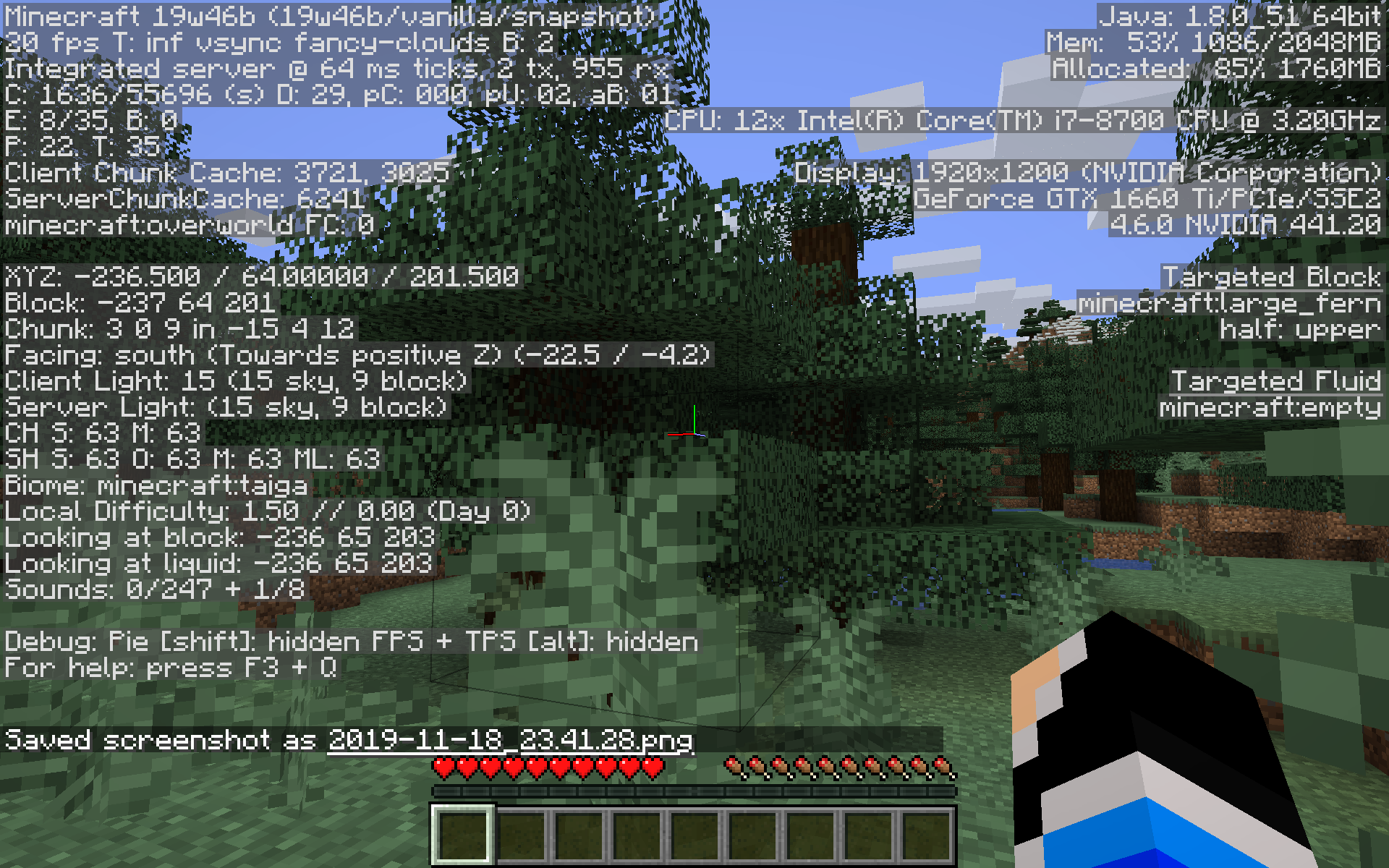
Testing snapshot 19w46b in Windows 10 installed on an SSD (both game and OS are on it) with a GTX 1660Ti and i7-8700 and 16GB RAM. Up to date NVidia driver and Windows 10 contains all updates as of today. I have attached screenshots of my settings and performance in-game. My resolution is 1920x1200@60hz. The game has been running for a few minutes. I just looked at it and the FPS (with Fullscreen off) was what I expect it to be (about 59), but then I switched to Fullscreen and looked around which caused the FPS to seriously drop. I tested this out in 1.14, but had no issues with that version of the game. There is an integrated GPU in my CPU, but I have verified that it is disabled in BIOS. I looked at the Nvidia Control Panel and changed the default option of OpenGL Rendering GPU from Auto-Select to the only other option, my Geforce GTX 1660Ti. At one point it seemed like this fixed it, but I tried again and couldn't replicate the seemingly success. I am not using any mods or resource packs with this snapshot, nor was I using any when I test (successfully) in 1.14. Also, while testing HWMonitor shows 0 to less than 10% GPU utilization. Also, it seems the first two cores of my CPU are working pretty hard, anywhere from about 50% or slightly less all the way to 100%.

Debug info
debug-report-2019-11-19_00.05.48.zip
debug-report-2019-11-19_00.12.10.zip
profile-results-2019-11-19_00.11.57.txt
After some testing and troubleshooting, I resolved my issue. The issue for me was an application called Razer Cortex. It's part of the Razer software I use for my keyboard and headset, although Cortex is not necessary. It has a feature to "auto-boost" your games, supposedly freeing up resources and such. Once I disabled this, the game ran so well that my CPU and GPU were barely being utilized. LOL I even turned off VSync and saw over 200+ FPS.
I just had a similar issue, which worked after rebooting my computer. In my case, though I didn't get an error saying that Java "isn't responding." So, you may just need to reinstall Java or reboot your computer. Otherwise, try these things: reinstalling the game, deleting the game files (*the ones under C:\Program Files (x86)\Minecraft Launcher\ and under C:\Users_yourusername_\AppData\Roaming\.minecraft\ after uninstalling the game via the Windows Apps and Features menu (for Windows 10), * reinstalling Java, and . If that still doesn't work *attach the launcher_log file under C:\Users_yourusername_\AppData\Roaming\.minecraft* ("yourusername" means the user name of the profile you're using on your computer, like mine is "gawoo"). I hope this helps!
Minecraft was working great for me last night, early this morning as I was playing with shaders. But, I just rant into this issue as well. It wouldn't do anything after I clicked Launch, so I got into Task Manager and selected End Process on Java, which made the game come back with an error, then I closed it. I tried reinstalling the game by uninstalling from the app menu in Windows 10, then deleting the Minecraft Launcher directory in c:\Program Files (x86)\, then deleting the .minecraft folder in my AppData directory (under my user name). Then I used the installer to reinstall the game. After clicking Launch, it would download the game files and when it was done with that I wouldn't run. I also tried to use the installer file to repair, but that didn't fix it either. I checked that my Java version was up to date and since it was, I just reinstalled Java (without uninstalling it, that was going to be my next troubleshooting step). Then I decided to just reboot my computer and it's working again.
In 1.15 snapshot 19w46b I found one village where only two villagers went to bed. I tried replacing a door and a bed and I think I managed to get one to go to bed, but I'm not sure if it was because of the door or the bed. I just found a new village and almost every villager went to bed, except for two or three. In my attached screenshot you'll see a villager out at night and behind it in the background is a house that contains an empty bed. I opened the door so you could see.
Sorry for the big picture. I know moderators know how to get a screen shot to show as a small thumbnail, but I haven't figured out how to do that yet. If you're a moderator and know how us regular users can do this, please comment and let me know. I was able to resize the picture by clicking on it and dragging a corner down, maybe that's how it's done.
I just loaded 1.15 Pre-Release 1. I was testing an issue I had with the last snapshot where some villagers would not go to bed at night. I teleported to a snow village and instantly watched a villager die by suffocation, it's head was in the ceiling above or near the bed. You can see this in the screenshot I've attached. I've also included a fresh copy of the world (named Pre-Release1) created with seed#7333969029456169764. I have "cheats" enabled so you can quickly type in "/tp -502 70 -643" or "/tp -507 70 -642" to get to the point in the screenshot.Sorry, added to the wrong bug tracker.
I'm playing Windows 10 Bedrock Edition version 1.13.1 and I feel like this is happening to me, too. I've created pens for some of my animals, specifically sheep and cows. I'm absolutely sure I've bred them multiple times, but when I went to check on them last time, I only had two cows and one sheep. The game has crashed a few times, so I think this ticket fits the issue I'm experiencing. I didn't test to see if these animals were on chunk borders. That might also explain why I can't seem to find the iron golem that used to be in the village I live near. I may have to do more testing and get a screenshot of how many animals I have now and if it changes, I can provide that.
Ok, so I attached two screenshots. One shows you my tamed horse in the pen, the other shows you that my horse disappeared. The game did crash in between these pictures, maybe a crash log could provide more information, but I'm not sure where that might be. Also, I bred some more cows, the game saved, then crashed, but my cows didn't disappear. I'll see what I can find out about the game crashing. I know it does this sometimes if I minimize the window. Perhaps I should save and quit instead of minimizing the window.
I tamed a wolf and used "/kill" and it teleported to my spawn point. So, this works in 1.15 Pre-Release 1 for Java, but could we please also get it to work for Bedrock Edition? I'm using Beta 1.14.05.1, which is pretty much equivalent to Java 1.15 Pre-Release/Snapshots. I realize this belongs in the Bedrock section, but similar Bedrock issues are linked to similar Java issues.
This sounds like
MC-157494which is now solved as of 1.15 Pre-Release 1. I just tamed a wolf, used "/kill" and it teleported to me when I respawned. This ticket is still open and I thought it was similar, so I thought I'd provide some recent feedback.Thanks Swekob. I found what you were referring to. In that post, a moderator commented that it relates to another ticket, which is labeled as "Works As Intended," so I deleted my previous comment here. Thanks for helping by pointing me in the right direction. I appreciate it.
Oh! I see now, I did overlook that this was the Switch version. Sorry about that.
I just loaded 1.15 Pre-Release 1. I was testing an issue I had with the last snapshot where some villagers would not go to bed at night. I teleported to a snow village and instantly watched a villager die by suffocation, it's head was in the ceiling above or near the bed. You can see this in the screenshot I've attached. I've also included a fresh copy of the world (named Pre-Release1) created with seed#7333969029456169764. I have "cheats" enabled so you can quickly type in "/tp -502 70 -643" or "/tp -507 70 -642" to get to the point in the screenshot. (There are a lot of duplicates of similar behavior and I accidentally reported this in the Switch bug tracker at first. This seems to be the correct place to report it.)
Thank you, I've done as you've asked. https://bugs.mojang.com/browse/MC-166612
Thanks for the reply! It does seem that you are correct, this is a world generation issue.
I created a new world with the seed I mentioned in creative mode. Then I teleported to the location, and watched the villager suffocate (that always happens). I added a villager spawn egg to my first inventory slot and had it in my hand to place. I right-clicked on the bed, but that just set my spawn point, it doesn't let you spawn a villager on a bed. So, I right-clicked on a block of the wall next to the bed, this block is one block high, sitting on top of the floor, pretty much. This caused the issue I reported, the villager spawned on the bed and suffocated. I then right-clicked on the floor next to the bed and the villager spawned correctly. I then changed the time to midnight and the villager went to bed. I then changed the time to day and the villager got out of bed correctly.
So, I think maybe the villager in the bug I reported wasn't spawning on the floor, but the wall. Maybe during spawn it dropped on to the bed which pushed the villager up a block or even just high enough to suffocate in the ceiling. I think this, because when teleporting to the coordinates I gave, I kind of fell to the spot, but safely, this isn't unusual, I was using the block coordinates from the F3 menu instead of the XYZ coordinates. I created a video showing what I did, but it's too big to attach here, so you can view it at https://youtu.be/f9V8Q-bUmRc.
Thanks again for your help, I greatly appreciate it!
I was told that my issue is a duplicate of this, so I thought I'd include the pic I took. MC-172852
Indeed, though now that I think on it, perhaps it has something to do with the "experimental" nature of the data pack. I forgot to mention that I'm using it and yes it is the latest one posted on the snapshot changelog.
That's not a bad observation. I saw that and overlooked it without watching the included video. When I initially noticed it, the technicality of what was stated was beyond my understanding of the game, so I quickly overlooked it. After actually watching the video included in that bug report and watching mine, I think I can agree this is a duplicate, though I think it sounds faster in my video.
Thanks for the input, both of you!