lighting bug (chests, signs, minecarts, skin)
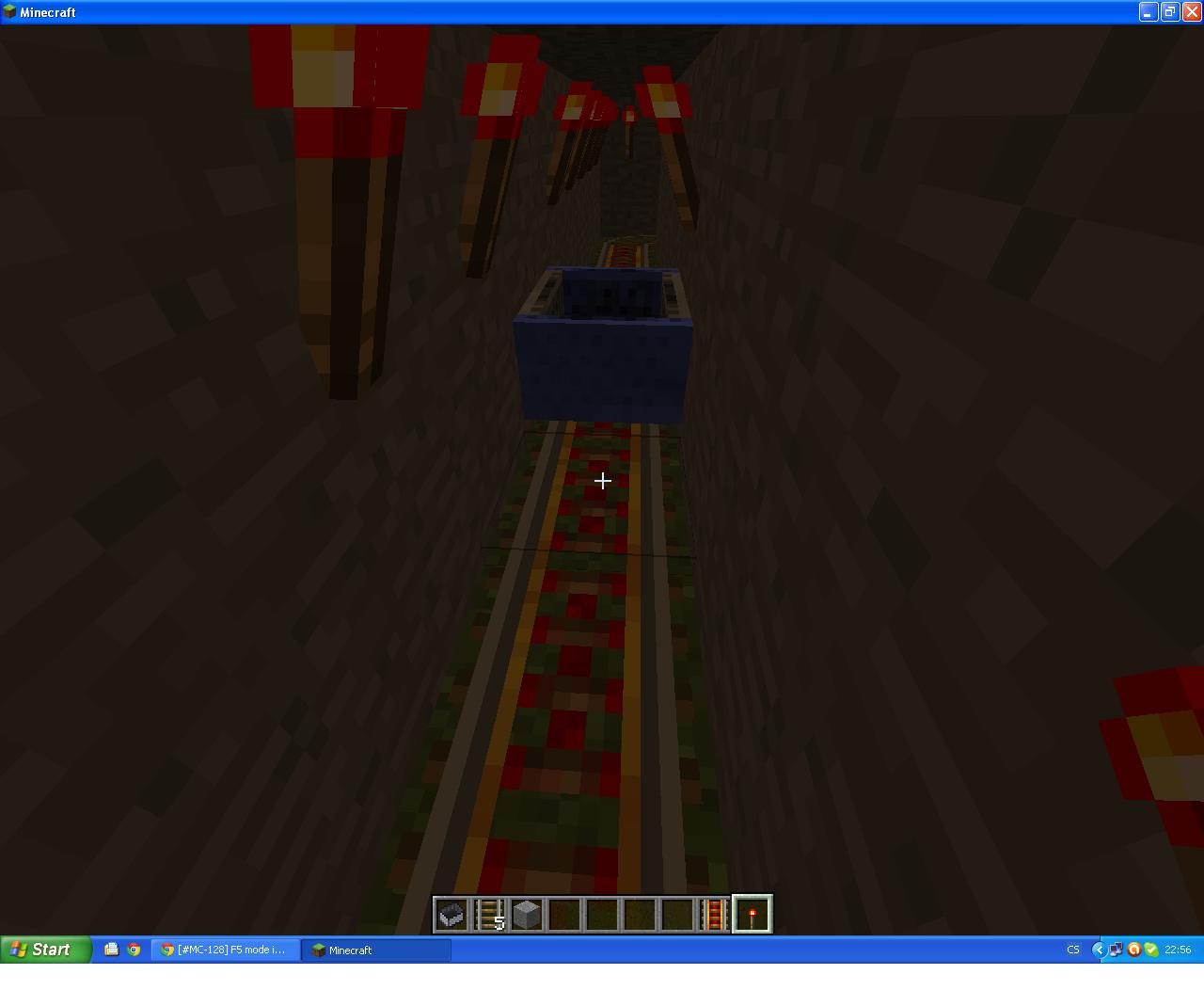
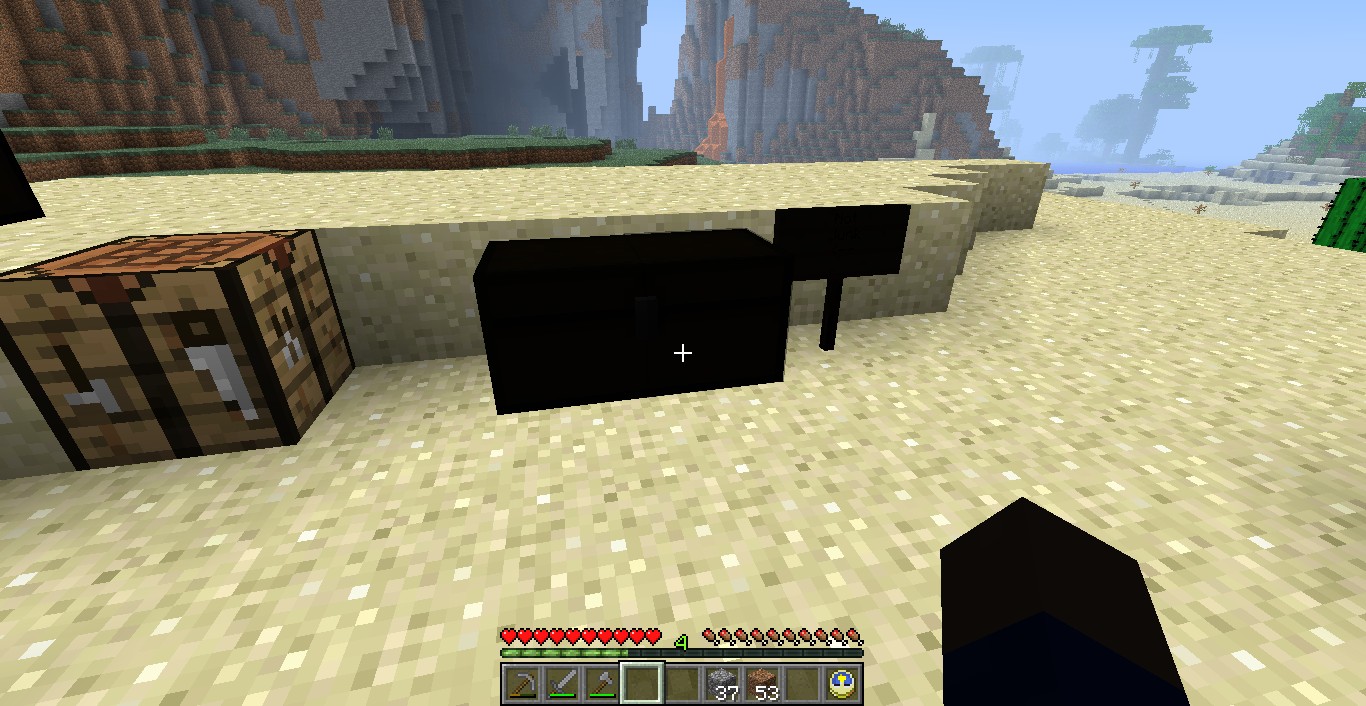
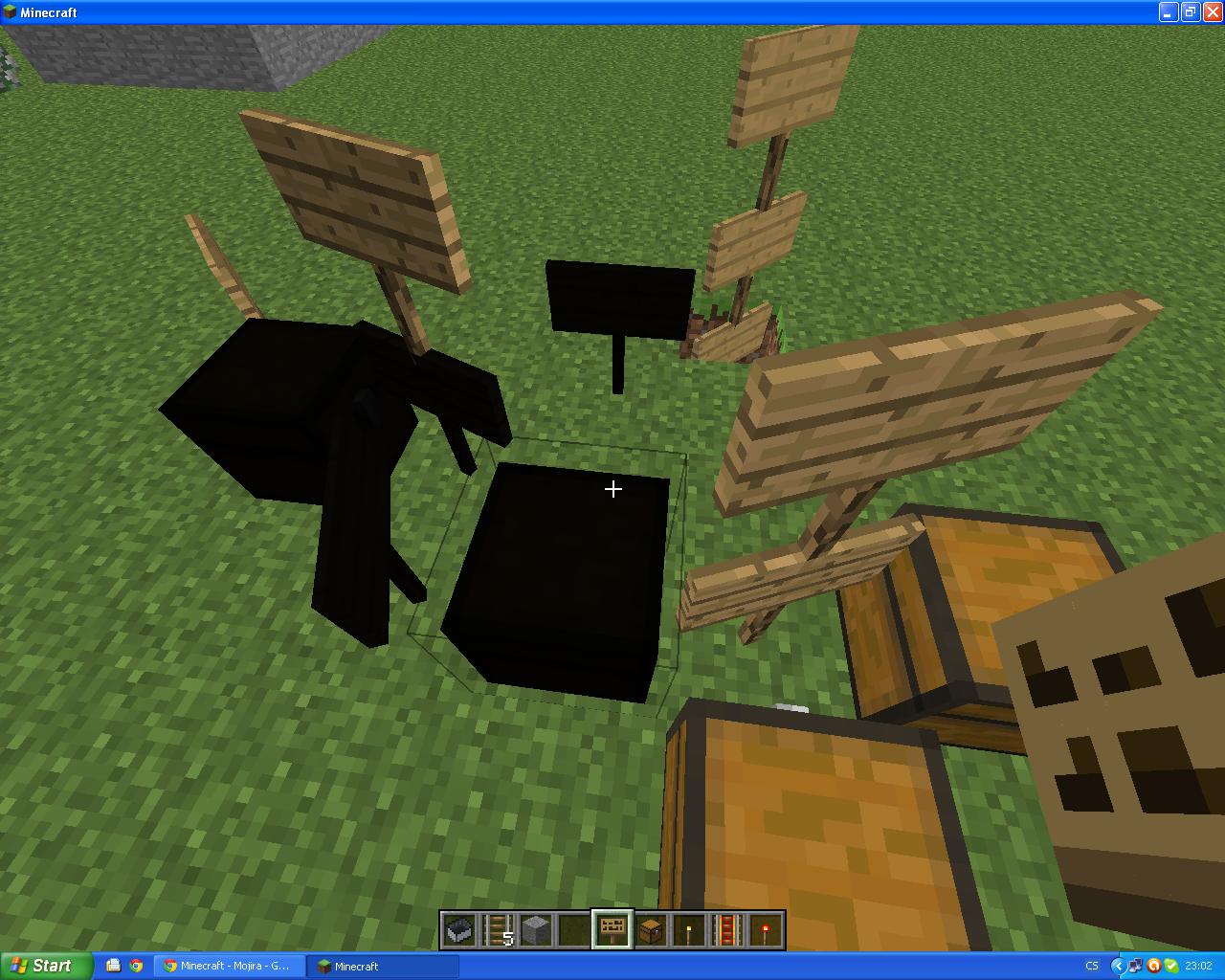
Illumination of minecarts, chests and signs is not perfect. But this "bug" is there since I started play Minecraft (1.8.3 beta).
Environment
Windows XP
Windows 7
Linked Issues
is duplicated by44
 MC-5509Signs and chests turning dark in slow computersDuplicateMC-5650OS X - Textures turning black depending on angle of visionDuplicateMC-8821Lighting bug on chestDuplicateMC-8842Black Skin at Certain Angles. Ect.DuplicateMC-8914Lighting glitch with item framesDuplicateMC-9515Chest DisplayDuplicateMC-10022Mobs sometimes appear blackDuplicateMC-14862Monsters and animals are blackDuplicateMC-16082Launcher Lighting GlitchDuplicateMC-16442looking in certain directions cause one side darkening of the armDuplicateMC-16667Error graph with mobs. Mobs and chests obscured.DuplicateMC-16926Double chest and double trapped chest graphical glitchDuplicateMC-18510Black Hand, No Colours On Signs. (MAC)DuplicateMC-18990Lighting is incorrectDuplicateMC-19646Black Items At Certain AnglesDuplicateMC-21526Minecart lightning DuplicateMC-25443Black Mark On Arm Mac OSXDuplicateMC-27958Blocks lose top texture at certain angleDuplicateMC-31808When I turn a certain way, the side of my arm is completely black. This fixable lighting glitch has happened ever since Minecraft was made on the Mac OSX. This lighting glitch also happens with chests, signs, and some more items.DuplicateMC-33775Dark arm and dark chest bugDuplicateMC-35148Black handDuplicateMC-36217Player's hand is partially blackDuplicateMC-46875chests randomly appear blackDuplicateMC-48112Strange Shadow Forms on PlayerDuplicateMC-48580Signs and chest turn black when looked at.DuplicateMC-49973Lag Spikes,Black fist(Lighting Bug)DuplicateMC-51740Black hands/blocksDuplicateMC-51863Bug black hand chest black lightingDuplicateMC-59641Trunks are darkDuplicateMC-61723Signs, hand and chests turn black DuplicateMC-74658Signs sometimes are black on servers.DuplicateMC-76516Sign lighting glich (without optifine)DuplicateMC-113641SkinsDuplicateMC-226Flickering ItemsDuplicateMC-559Something to do with the lighting.DuplicateMC-728Sign Blackening (Lighting Problem?) 1.3.2 and 1.4.2 DuplicateMC-1189Chest become darkDuplicateMC-1411lighting errors for charaters hand and for chestsDuplicateMC-1921About BrightnessDuplicateMC-2580Lighting incorrect on crate lidsDuplicateMC-4175Graphics bug - certain surfaces are rendered blackDuplicateMC-4466Character + Enchantment Table is DarkDuplicateMC-156Some blocks are really dark. Also signs... Thats pretty annoyingDuplicateMC-338Chest and sign glitchesDuplicate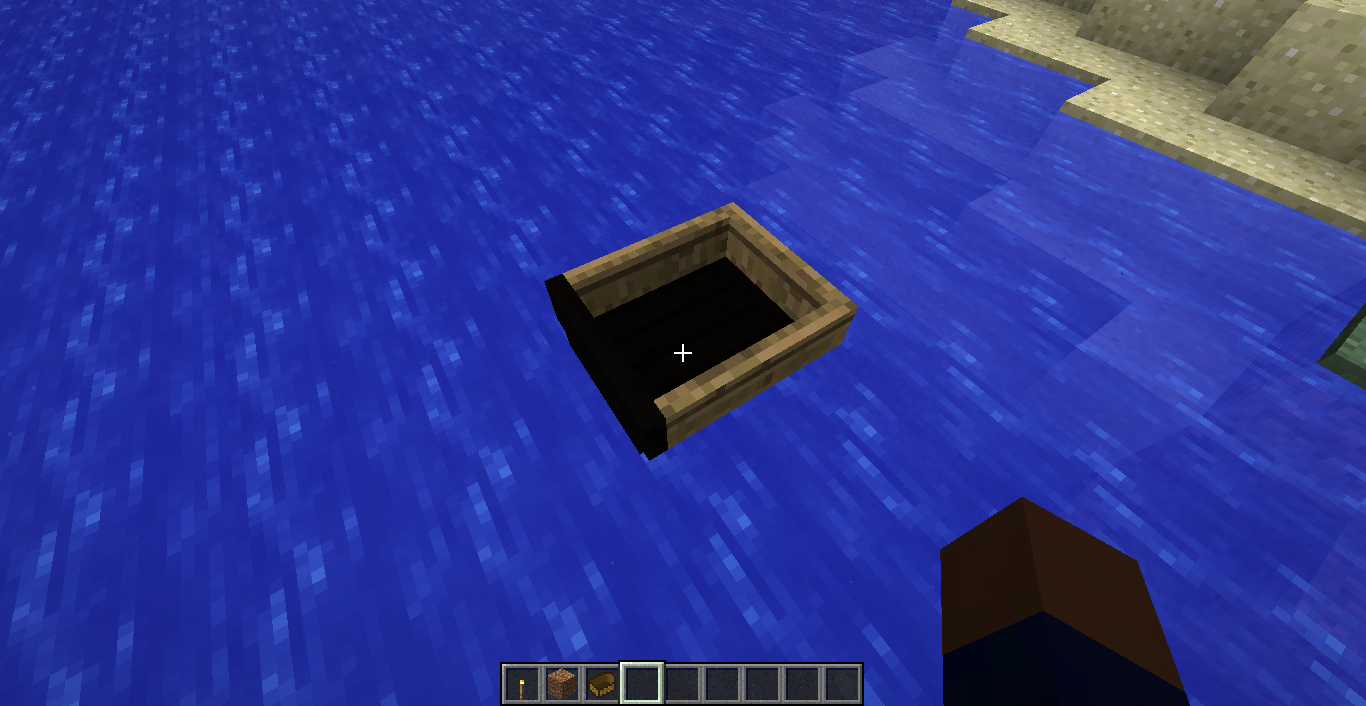


Created Issue:
lighting bug (chests, signs, minecarts)
Illumination of minecarts, chests and signs is not perfect. But this "bug" is there since I started play Minecraft (1.8.3 beta).
Environment
Windows XP
Windows 7
Linked Issues
is duplicated by2
TRASH-21709
Attachments3
is duplicated by
is duplicated by
![[Mojang] Nathan Adams](../../../data/assets/gravatar/dinnerbone.png)
is duplicated by
is duplicated by
is duplicated by
is duplicated by

is duplicated by

is duplicated by
is duplicated by
is duplicated by
is duplicated by
![[Mod] CubeTheThird](../../../data/assets/gravatar/cubethethird.jpeg)
is duplicated by
is duplicated by
is duplicated by
relates to
relates to
is duplicated by
is duplicated by
is duplicated by

is duplicated by
is duplicated by
relates to
is duplicated by
is duplicated by
relates to
relates to
is duplicated by
lighting bug (chests, signs, minecarts, skin)
is duplicated by
is duplicated by
is duplicated by
is duplicated by
is duplicated by
is duplicated by
is duplicated by
is duplicated by
is duplicated by

is duplicated by
is duplicated by
is duplicated by
![[Mod] Ezekiel (ezfe)](../../../data/assets/gravatar/ezekielelin.jpeg)
Is this still a concern in the latest Minecraft version 13w42b? If so, please update the affected versions in order to best aid Mojang ensuring bugs are still valid in the latest releases/pre-releases.
is duplicated by
is duplicated by
is duplicated by
is duplicated by
is duplicated by
is duplicated by
is duplicated by

is duplicated by
This ticket is incomplete without the requested information, no response has been received within a reasonable time and we are assuming the issue has been resolved. If you are still experiencing this issue, we can reopen it at your request.
is duplicated by

is duplicated by

is duplicated by
![[Mod] Neko](../../../data/avatars/users/92901.png)
is duplicated by
2019-11-24_01.22.54.png
I took a couple of dogs in a cave, they went through some water and turned black. One turned white again, though. 1.15 Pre-Release 1.

this is a duplicate of MC-206
(I have this problem since MC beta)
Agreed that this is a duplicate of MC-206. Thank you for the report!
I'm going to mark this as resolved again 
It's (hopefully) more manageable to have these linked together, and to have one open "reference ticket" (MC-206) and keep most of the conversation there. If this ticket and MC-559 are marked as duplicates of MC-206, it will be easy to find them again from there, but they won't drown out other stuff as much, because they won't be open.
tl;dr: I think we want to have only one ticket open per issue, no matter how good the tickets are.
![[Mod] Torabi](../../../data/assets/gravatar/torabi.png)
Duplicate of MC-206.
Duplicate of MC-206 , please use the search function to see if your bug has already been submitted. Currently over 30% of tickets are being closed as duplicate.
no, this is not the same issue as MC-206 and it certainly has not existed since beta days.
this one occurs only since 1.4.5 and is 100% reproducible. if you had looked at the screenshots you'd have seen that it also affects MOBs and is dependant on the angle at which you look at something.
Duplicate of MC-206. This is likely due to turning off smooth lighting. I will update the affected version for the other report.
Duplicate of MC-206 , please use the search function to see if your bug has already been submitted. Currently over 35% of tickets are being closed as duplicate.
Duplicate of MC-206, please use the search function to see if your bug has already been submitted. Currently over 50% of tickets are being closed as duplicate.
Duplicate of MC-206, please use the search function to see if your bug has already been submitted. Currently over 50% of tickets are being closed as duplicate.
Duplicate of MC-206, please use the search function to see if your bug has already been submitted. Currently over 51% of tickets are being closed as duplicate.
Sorry if duplicate I tried searching for it but only found MC-206 which is different.
22nd Duplicate of MC-206, please use the search function to see if your bug has already been submitted. Currently over 56% of tickets are being closed as duplicate.
Duplicate of MC-206, please use the search function to see if your bug has already been submitted. Currently over 57% of tickets are being closed as duplicate.
25th Duplicate of MC-206, please use the search function to see if your bug has already been submitted. Currently over 57% of tickets are being closed as duplicate.
26th Duplicate of MC-206, please use the search function to see if your bug has already been submitted. Currently over 57% of tickets are being closed as duplicate.
This only happens to my arm and only when I'm looking south. It's not a duplicate of MC-206. 
Duplicate of MC-206 - If you have not, please use the search function in the future, to see if your bug has already been submitted. If you could not find the original report, please comment with the keywords you searched for.
Dupe of MC-206
Wait... isn't it MC-206?
![[Mod] Michael Wobst](../../../data/avatars/users/37868.png)
Please update your graphics card drivers following these instructions: Updating Graphics Card Drivers.
- Do not rely on automatic searches for driver updates.
- If you know the brand and type of your graphics card, go to the links provided above and search manually for the most recent driver for your card. The automatic detection tools of the card manufacturers is not recommended.
But other than that, this issue duplicates MC-206
What graphics card are you using?
On my old PC is Intel(R) 82945G Express Chipset Family graphic card. But it happens on new PC too. (I cannot find out its graphic card now). It happens on my friend's PC too. I am used to it
This may be related, I noticed mushrooms were lit in a dark cave
I've had this problem too ever since beta 1.8. Really annoying. I have an Intel HD Graphics card.
yea i have this. they need to fix this because i dont see any reason why a signs,chests,minecarts and even for me you characters hand has to do this but everything els is fine. must have to be a bug not because of your specs because i dont see why chests the others are the only ones that get affected because of new lighting and not everything els.
Also realized this is happening in Vista for me
Confirmed on my Windows Vista laptop with an Intel integrated graphics card.
Please confirm that this is still happening in the latest version.
I can confirm in 2013, you can see it in this video. I am using mods in this video, but it happens in vanilla, too. http://youtu.be/MvwszBZneh8?t=4m33s
Some say that this happening only on slow computers or some certain settings. Actually wrong. It's VISIBLE on slow computers, if fps is below 20-25... but actually happens all the time. On new, powerful computer with GTX 5xx video and multi-core GPU minecraft able to render 200+ frames per second.. frame on which "darkness happens" just becomes lost and overwritten in buffer before appears on screen.
(P.S. VSyncn switched on doesn't seem affect FPS at all for me. Environment x64 Win 7, latest JRE x64, GTX560, CPU Core i7-3960X. FPS: 290-480 with unmodded client, highest settings and draw distance, VSync on)
Just today I spotted some connectionbetween two facts and two bugs which haunts people:
Since 1.3.6 on slow machine this effect causes client to disconnect from server with famous error "Software caused connection abort: recv failed".
On my main rig (specs) above I unable to log in into chunks near those areas,where effect was caused by significant amount of objects. After log in, I get "End of stream" error during chunk loading. Few seconds before disconnect happens, I'm able to move away from offending area.. If I move far enough, next login would be succeful. Not moving aty all results in endless "End of stream". I tried to use Magic Launcher to get log results "Software caused connection abort: recv failed" instead.
It's hard to track this, as first I though that "dangerous" area is area where I stayed longer, but of course I was putting down chest, I was thinking that chunks getting broke somehow, but it repeast over and over in new chunks, since Adventure update.. Most players have connection issues too, as random recv failures, but I'mm only one who got big latency (230ms) just because my geographic position.
Quite new "base" ereceted by other player in one day, with lots of said entities created new large area with such issue. I should double check correlation be
There is certain difference in stability between x32 and x64 versions, between 6u24 and 6u25 JRE (6u24 much more stable), and between i7 and Core2 Duo CPUs. I suspect, that issue causes some problem with thread synchronisation, GC, mutexes or semaphores.
Oh, forgot to add.. same "slow" hardware, linux, no lighting issue, no disconnects. Would try that on fast one next weekend, just for science
This still happens in the latest snapshot, 13w09c.
this is so annoying... why the hell this happen?
Happens to the arm on my skin sometimes in 13w17a
I've noticed this happening on chests, signs and the player's hand in first person view.
They are either too dark in a light environment or too light in a dark environment. Sometimes the lighting changes when you move around.
With chests, sometimes it's just the lid that's not lit correctly.
I have a screenshot of all three at once. I'm going to attach it.
I have discovered on my Intel GMA 950, that this graphical glitch often occurs when facing a downward position. When looking up, the entities appear light, when looking down, the entities appear dark.
@all still having this issue:
Please update your graphics card drivers following these instructions: Updating Graphics Card Drivers.
Is this still a concern in the latest Minecraft version 13w43a? If so, please update the affected versions in order to best aid Mojang ensuring bugs are still valid in the latest releases/pre-releases.
@ Ezekiel.
Yes, currently on 13w43a.
I 've MBA mid-2012, HD 4000, java 6 apple.
Cheers
I have reason to believe it's an issue with the MBA cards.
Timothee, does updating to 10.9 (Mavericks) fix this issue?
Downgrading my graphics card software has fixed this issue
Ethan Neumann Downgrading from what to what version ?
It was a optional update for my Intel HD Graphics Display. I just uninstalled the latest one and it fixed the lighting issue for me. This might only work for people with Intel HD Graphic cards though. Here is what it looks like in Windows Update: http://snag.gy/Sg6UC.jpg
EDIT: I dont know how to look at the version of the update.
You know, I don't think I've had this bug since I got my new laptop. It has a NVIDIA GT 755M graphics card.
I don't know what my old laptop had, but it was probably an Intel one. Whatever it was, it wasn't very good.
Ethan Neumann, thanks.
Is this still an issue in the latest 1.8 snapshot ?
Reopened (
MC-74658)Is this still an issue in the current Minecraft Snapshot 15w49b or later? If so, please update the affected versions in order to best aid Mojang ensuring bugs are still valid in the latest releases/pre-releases.
No response for a number of months.
That issue may be
MC-160324.Thanks Swekob. I found what you were referring to. In that post, a moderator commented that it relates to another ticket, which is labeled as "Works As Intended," so I deleted my previous comment here. Thanks for helping by pointing me in the right direction. I appreciate it.