 James9270
- james9270
- james9270
- Europe/Stockholm
- Yes
- No
 MC-3156
 MCPE-640
![[Mojang] Nathan Adams](../../../data/assets/gravatar/dinnerbone.png)




The
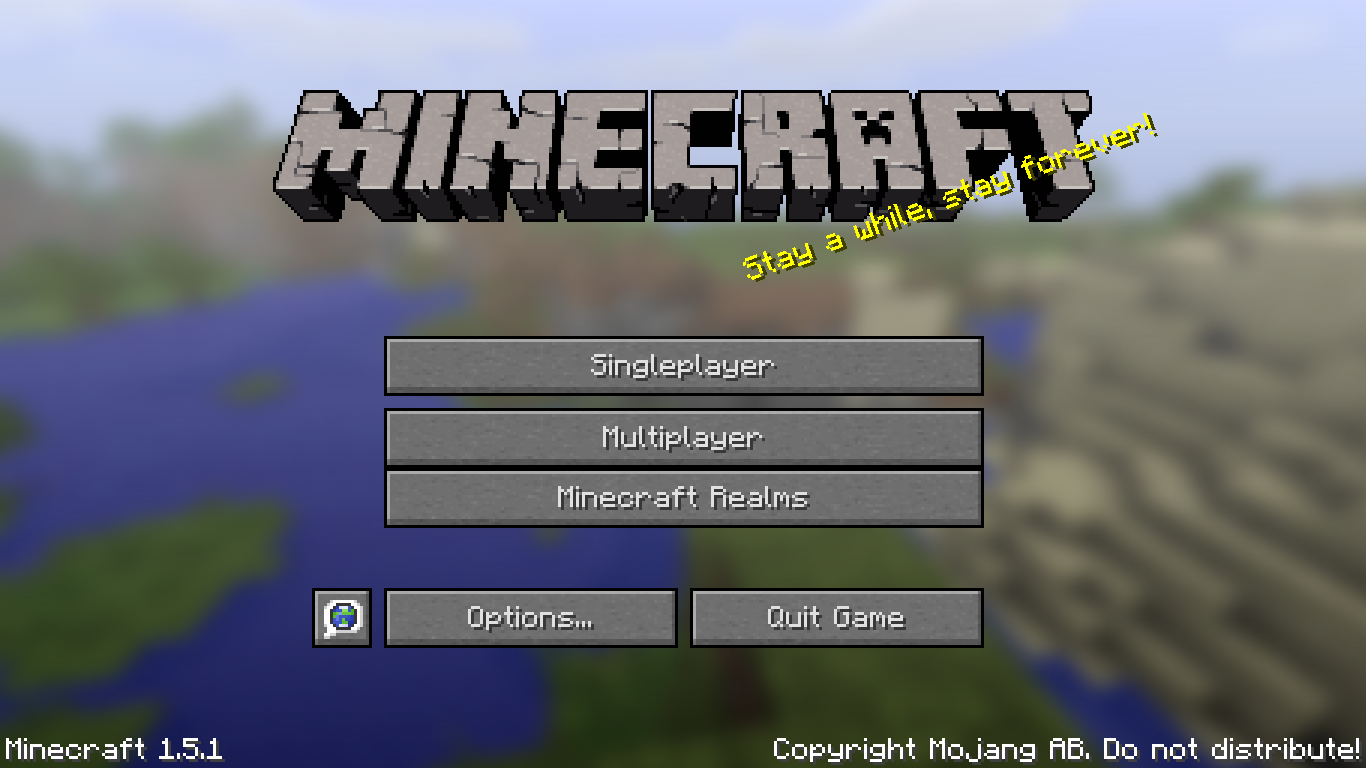
image shows youwhatImean.The button for Minecraft Realms is slightly offset up when I open the game in full screen.
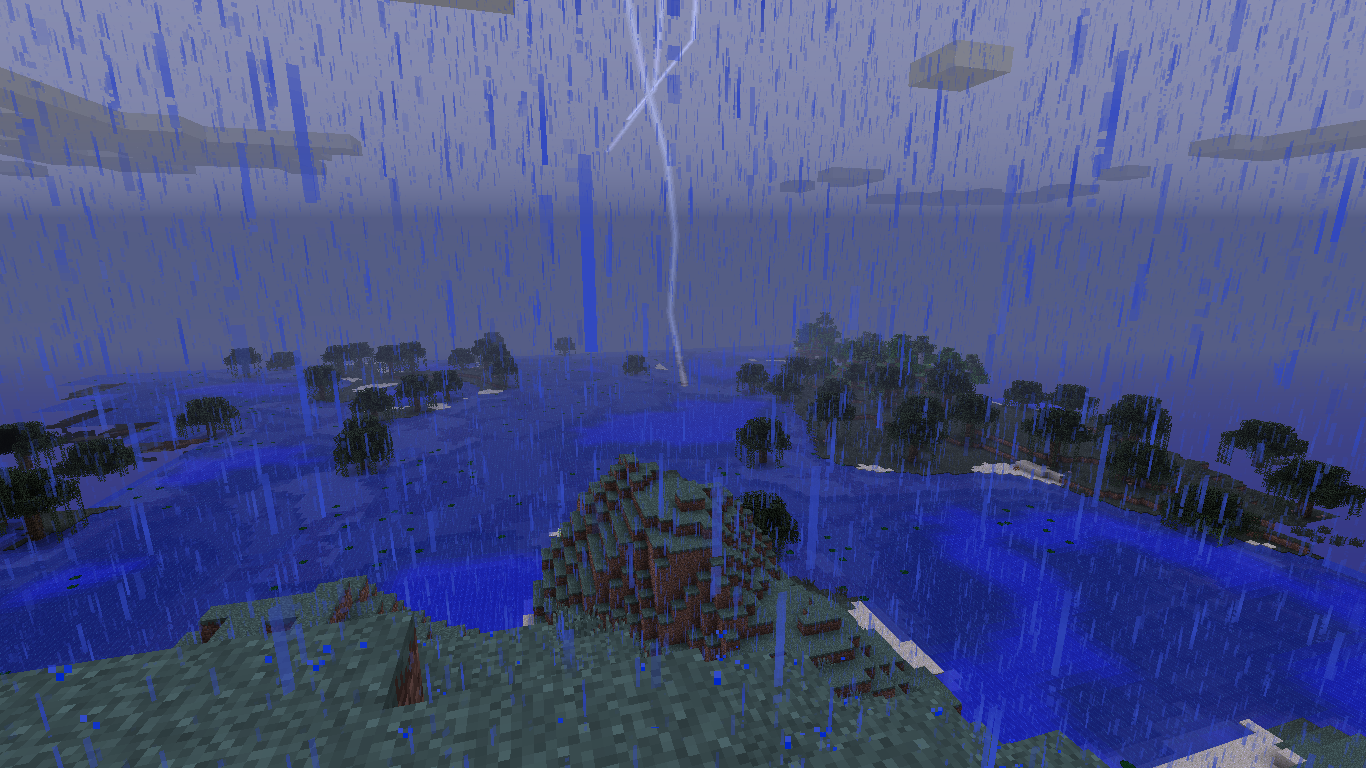
Lightning Bolts do not appear if they are more than 64 blocks away from the player. This makes it so in order to see the actual lightning bolt you must be close to it. I have seen lightning bolts strike further away then this in previous versions with it still rendering.
Recreate this by using this command:
/summon LightningBolt ~65 ~ ~
and look in the positive X direction.]The image below shows this working correctly in version 1.6.4
Vanilla Minecraft
Windows 8.1
AMD 64 bit graphics card.
Java 1.7.0_21
4GB RAM
Lightning Bolts do not appear if they are more than 64 blocks away from the player. This makes it so in order to see the actual lightning bolt you must be close to it. I have seen lightning bolts strike further away then this in previous versions with it still rendering.
Recreate this by using this command:
/summon LightningBolt ~65 ~ ~
and look in the positive X direction.]The image below shows this working correctly in version 1.6.4
Lightning Bolts do not appear if they are more than 64 blocks away from the player. This makes it so in order to see the actual lightning bolt you must be close to it. I have seen lightning bolts strike further away then this in previous versions with it still rendering.
Recreate this by using this command:
/summon LightningBolt ~65 ~ ~
and look in the positive X direction.The image below shows this working correctly in version 1.6.4
Lightning Bolts do not appear if they are more than 64 blocks away from the player. This makes it so in order to see the actual lightning bolt you must be close to it. I have seen lightning bolts strike further away then this in previous versions with it still rendering.
UPDATE: In 15w35b (and possibly 15w35a, I haven't checked that version) the distance seems to have been increased to about 95 blocks.
Recreate this by using this command:
/summon LightningBolt ~65 ~ ~
and look in the positive X direction.Or if you are running 15w35b:
/summon LightningBolt ~96 ~ ~The image below shows this working correctly in version 1.6.4
Lightning Bolts do not appear if they are more than 64 blocks away from the player. This makes it so in order to see the actual lightning bolt you must be close to it. I have seen lightning bolts strike further away then this in previous versions with it still rendering.
UPDATE: In 15w35b (and possibly 15w35a, I haven't checked that version) the distance seems to have been increased to about 95 blocks.
Recreate this by using this command:
/summon LightningBolt ~65 ~ ~
and look in the positive X direction.Or if you are running 15w35b or higher:
/summon LightningBolt ~96 ~ ~The image below shows this working correctly in version 1.6.4
Confirmed for 1.8.2-pre4 and all the other 1.8.2 pre releases.
Confirmed for 1.8.1-pre2
Confirmed for 1.8-pre1
Here's the crash report I get.
However this did not only happen one time, it happens occasionally when I load the world.---- Minecraft Crash Report ----
// I let you down. SorryTime: 1/27/15 4:42 PM
Description: Executing command blockjava.lang.NullPointerException: Executing command block
at java.util.Collections.addAll(Collections.java:5400)
at ah.a(SourceFile:149)
at ah.b(SourceFile:118)
at ab.a(SourceFile:49)
at aqc.a(SourceFile:97)
at aul.b(SourceFile:54)
at qu.a(SourceFile:526)
at qu.c(SourceFile:199)
at net.minecraft.server.MinecraftServer.A(SourceFile:600)
at net.minecraft.server.MinecraftServer.z(SourceFile:532)
at cyk.z(SourceFile:155)
at net.minecraft.server.MinecraftServer.run(SourceFile:448)
at java.lang.Thread.run(Thread.java:745)A detailed walkthrough of the error, its code path and all known details is as follows:
---------------------------------------------------------------------------------------– Head –
Stacktrace:
at java.util.Collections.addAll(Collections.java:5400)
at ah.a(SourceFile:149)
at ah.b(SourceFile:118)
at ab.a(SourceFile:49)– Command to be executed –
Details:
Command: /soreboard players set @e[type=Item] value 2 {Item:{tag:{display:{Name:"§rToken 2"}}}}
Name: @
Stacktrace:
at aqc.a(SourceFile:97)
at aul.b(SourceFile:54)– Block being ticked –
Details:
Block: minecraft:command_block[triggered=true]
Block location: World: (-385,45,-195), Chunk: (at 15,2,13 in -25,-13; contains blocks -400,0,-208 to -385,255,-193), Region: (-1,-1; contains chunks -32,-32 to -1,-1, blocks -512,0,-512 to -1,255,-1)
Stacktrace:
at qu.a(SourceFile:526)
at qu.c(SourceFile:199)– Affected level –
Details:
Level name: New World
All players: 0 total; []
Chunk stats: ServerChunkCache: 268 Drop: 0
Level seed: 9270
Level generator: ID 01 - flat, ver 0. Features enabled: false
Level generator options:
Level spawn location: -397.00,65.00,-243.00 - World: (-397,65,-243), Chunk: (at 3,4,13 in -25,-16; contains blocks -400,0,-256 to -385,255,-241), Region: (-1,-1; contains chunks -32,-32 to -1,-1, blocks -512,0,-512 to -1,255,-1)
Level time: 3242360 game time, 1063 day time
Level dimension: 0
Level storage version: 0x04ABD - Anvil
Level weather: Rain time: 1 (now: false), thunder time: 1 (now: false)
Level game mode: Game mode: survival (ID 0). Hardcore: false. Cheats: true
Stacktrace:
at net.minecraft.server.MinecraftServer.A(SourceFile:600)
at net.minecraft.server.MinecraftServer.z(SourceFile:532)
at cyk.z(SourceFile:155)
at net.minecraft.server.MinecraftServer.run(SourceFile:448)
at java.lang.Thread.run(Thread.java:745)– System Details –
Details:
Minecraft Version: 1.8.1
Operating System: Windows 8.1 (amd64) version 6.3
Java Version: 1.8.0_25, Oracle Corporation
Java VM Version: Java HotSpot(TM) 64-Bit Server VM (mixed mode), Oracle Corporation
Memory: 1001419968 bytes (955 MB) / 1184890880 bytes (1130 MB) up to 1908932608 bytes (1820 MB)
JVM Flags: 2 total; -XX:HeapDumpPath=MojangTricksIntelDriversForPerformance_javaw.exe_minecraft.exe.heapdump -Xmx2G
IntCache: cache: 0, tcache: 0, allocated: 0, tallocated: 0
Profiler Position: N/A (disabled)
Player Count: 0 / 8; []
Type: Integrated Server (map_client.txt)
Is Modded: Probably not. Jar signature remains and both client + server brands are untouched.


James9270 never opened a separate issue about that, and as long as an existing issue regarding that is resolved as a duplicate of this, I don't see the point in opening another duplicate of that.
Happens to me with zombies, I'm playing 1.5.1
Confirmed.
Still present in 1.6.1
Confirmed.
Still present in 1.6.1
Confirmed.
This is still here on 13w47e...
Confirmed.
Confirmed.
Confirmed.
Confirmed.
This happens to me as well.
So, confirmed.
Added an image of lightning rendering correctly in version 1.6.4
Confirmed for 14w34b
Confirmed for 1.8.1-pre2
Confirmed in 1.8.2-pre2.
Confirmed for 1.8.2-pre4 and many versions before that.
Confirmed for 1.8.2-pre4.
This is happening for me on version 1.8.1 for a map I'm working on.
The command mentioned in the crash is
"/soreboard players set @e[type=Item] value 2 {Item:{tag:{display:{Name:"§rToken 2"}}}}"
@Kumasasa
Done.
This was fixed in 1.8.2-pre7 along with
MC-47832.In 15w35b the distance seems to have been increased to 95 blocks, it's possible this change happened before 15w35b, I haven't tested it in previous 1.9 snapshots.
I was wrong, the render distance for lightning seems to be based on your render distance setting.
However, the lightning's render distance is about half of your total render distance.
When I set my render distance to 32 chunks, the lightning render distance was 160 blocks.
The 96 block limit was found while my render distance was set to 12.
The sound is fixed, but the "Entering the Nether/End" message is not.