 KakagouLT
- KakagouLT
- kakagoult
- Asia/Shanghai
- Yes
- No
 MC-65544
![[Mojang] Searge (Michael Stoyke)](../../../data/assets/gravatar/searge.png)
 WEB-5256
![[Mojang] Web Team](../../../data/avatars/users/10122.svg)
![[Mojang] slicedlime](../../../data/assets/gravatar/slicedlime.jpeg)

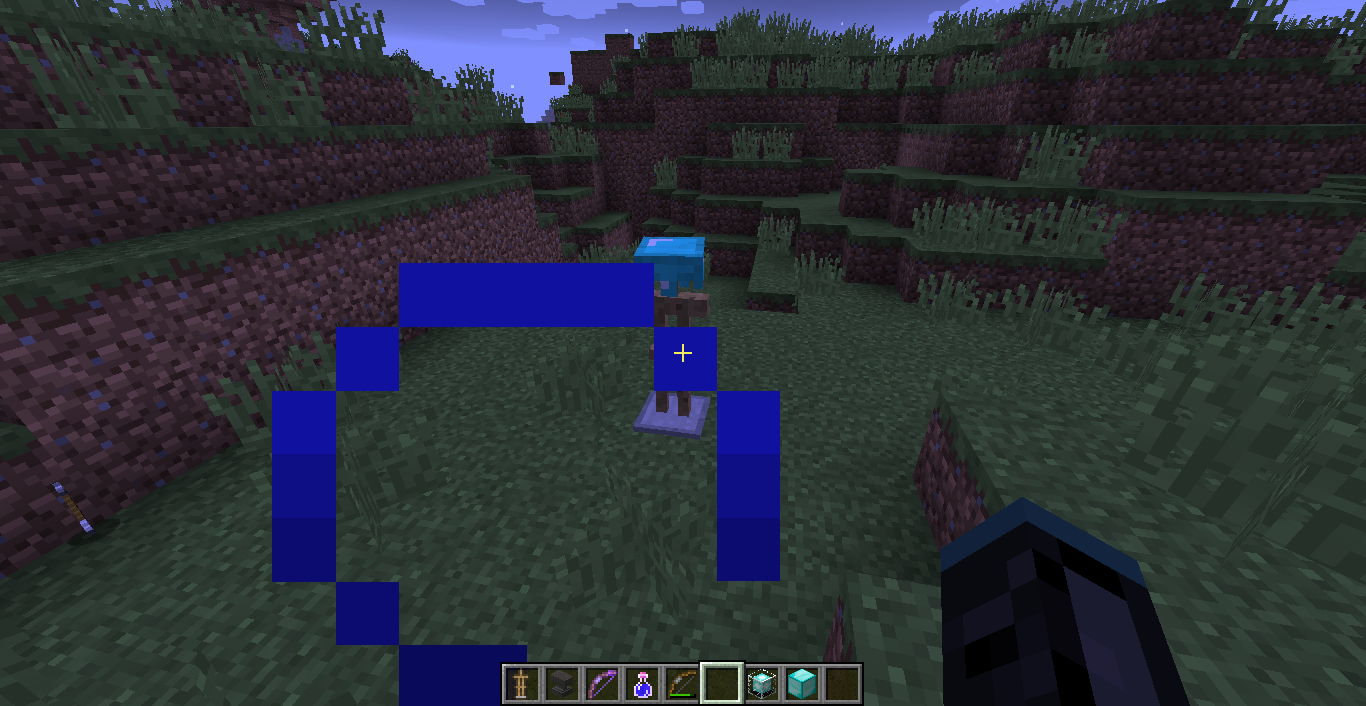
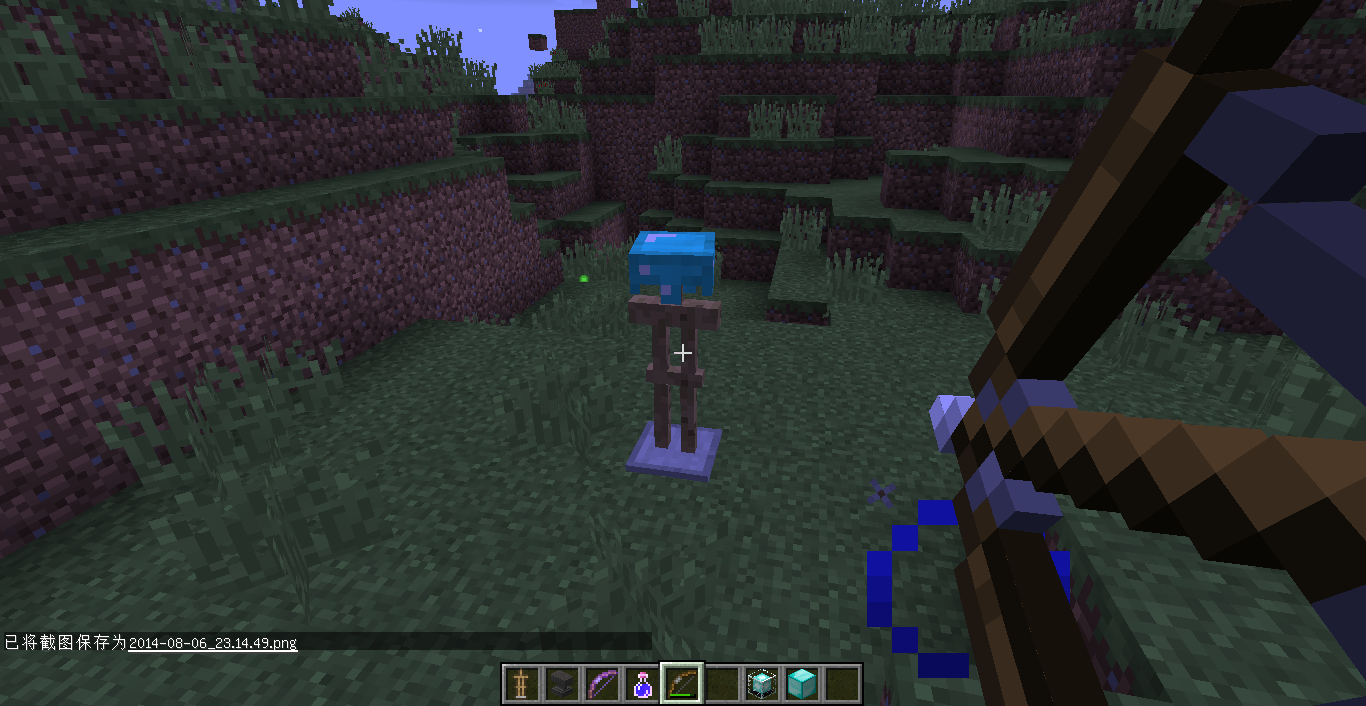


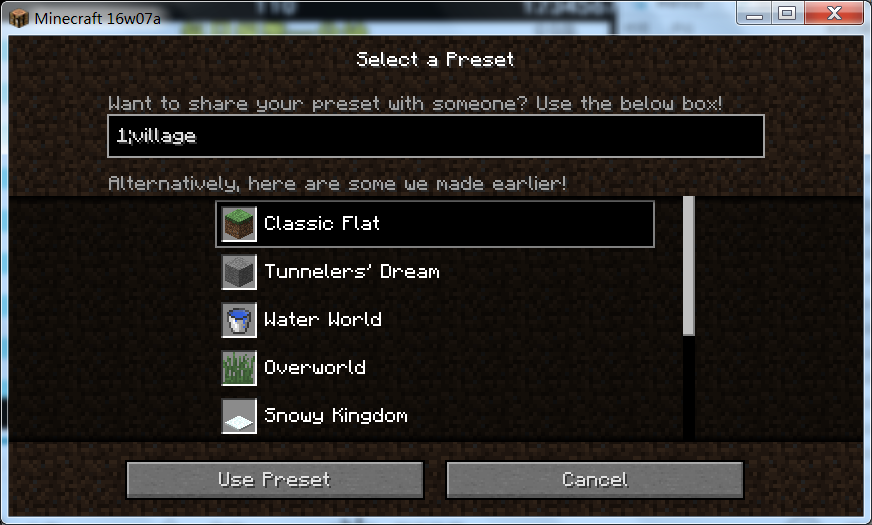





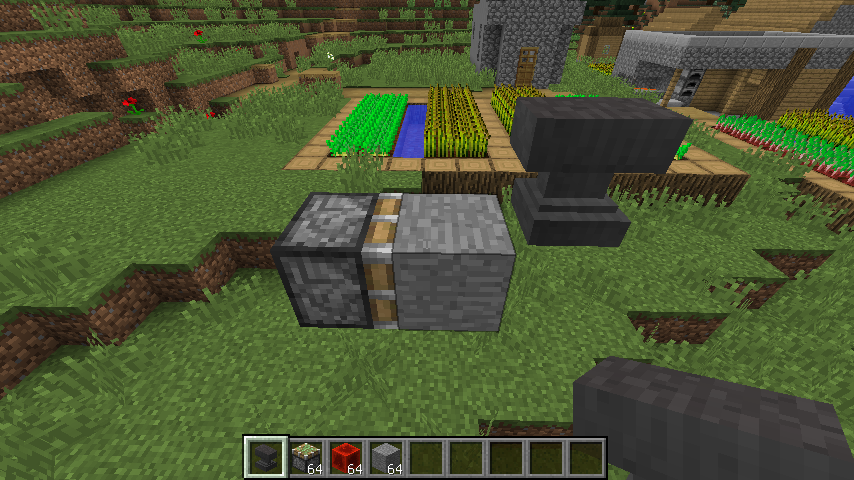




Take your bow, and shoot any armour stand.Hey,where is my armours and the armour stand?
Take your bow, and shoot any armour stand.Hey,where is my armours and the armour stand?
BTW,someone remind me this only happen in creative mode.
Fire and Lava can destory the armor standArmor stand destoryed by Fire or Lava
When
you areplaying the game,the screen may disappear a very short time,and reappear.
Can't know when the screen will flash and the process too fast.So I have no screenshot or video here.When I am playing the game,the screen may disappear a very short time,and reappear.
Can't know when the screen will flash and the process too fast.So I have no screenshot or video here.
First image happened when I got into a 15w31a map.
Second image happened when I created a new flat map after delete the 15w31a map.
Third image was the same as the Second,in 3P camera.
And then I reopened the game and the issue was gone
Fourth image happened when I filled some stone and grass just now in that flat map.
Reopen the game can solve the issue too.
1.8.3
works right.SoI think it is not a feature.1.8.3 happened but cannot reproduce.I am finding the way to reproduce.I think it is not a feature.
1.8.3 happened but cannot reproduce.
I am finding the way to reproduce.I think it is not a feature.1.8.3 happened but cannot reproduce.36c is easy to reproduce.I think it is not a feature.
Thoes particles should appear only when lightning bolt strikes lightning rod, like what happens to copper block.
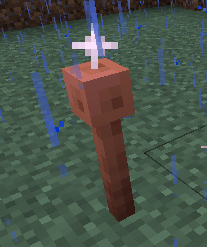
Thoes particles should appear only when lightning bolt strikes lightning rod, like what happens to copper block.
Note that this only happends in thunderstorm.
Articles listed in minecraft.net aretoo oldArticles listed in minecraft.net are sorted in time ascending order

You can visit minecraft.net and scroll down, then you will find articles published from Jan 2020.
DIfferent language sites have different results, but they are all showing old articles.
The reason of this issue is that, the API of article list returns a messy list, which roughly sorted in time ascending order (but not always).
You can visit minecraft.net and scroll down, then you will find articles published from Jan 2020.
DIfferent language sites have different results, but they are all showing old articles.
The reason of this issue is that, the API of article list returns a messy list, which roughly sorted in time ascending order (but not always).
To see the latest articles, try https://www.minecraft.net/content/minecraft-net/_jcr_content.articles.grid?pageSize=20&offset=600

@KakagouLT, I thought it was intended because now pressing TAB directly fills in a command argument even if there are multiple possibilities. In previous snapshot this used to not be the case, but instead, like you said, it would cycle through the arguments in the command help.
However, having TAB cycle through the values would be useful and probably expected which is why this report was reopened.
![[Helper] Misode](../../../data/avatars/users/93314.png)
By blocking this script with adblockplus, the scrolling problem no longer exists.
– KakagouLT in this comment
I just opened the 20w10a article and I noticed that I couldn't scroll.
I had a look at the css rules and notice that the body element had the "modal-open" class which gave it the "overflow: hidden" rule.
After opening the homepage, then opening the article page again, the issue seemed to have been fixed. I have not been able to reproduce.
In my look,it is a feature.
Dupe of
MC-91786Yeah,the original translations are weird.
But if it is not a bug, the textbox should be full of codes, not just a "ge" or something.
Dupe of
MC-97161.Please do not create duplications about one issue.You should add version number to the Affects Versions of
MC-97253.The functionality was changed in snapshot 16w07a. You need to activate the elytra by jumping in mid-air.See
MC-97161.The functionality was changed in snapshot 16w07a. You need to activate the elytra by jumping in mid-air.See
MC-97161.Uh, @Mustek, I mean, this is a issue about DISPLAY, not the code ITSELF.
Added: Seems @ doesn't work, Mustek might be useful...if not, I give up this issue anyway...
@redstonehelper: Ah, just click a preset, but not type a preset, this can easily reproduce.The codes even have different display at the different time you click it (but change to another preset first).
And seems you are right, once choosed a longer code, and back to a short one, the short codes would be indeed pushed to the left too far, but I still can not find out a exactly law.
Can't reproduce...are you sure if you were not knocking a block?
This bug has been fixed in 17w47a. (However enter don't add space now....)
@marcono1234 This bug is about cycle with TAB. If you try doing this even in 17w47b it works, which means this is indeed a bug.
When I try to run /locate under my language, the wrong message presents, which is the translation of "Located ... at x (y?) 64". However, after turning back to 1.12 and choosing English(US) to make a valid screenshot, I find that /locate works well but returns another message: "The nearest ... is at x 64 z (... blocks away) ". Maybe the difference is the key of this bug.
this has been metioned in changelog.
Oops, i can't reproduce it now, maybe it's about the position...
@redstonehelper strings in crowdin are correct, so i think it is a bug caused by the game itself!
I have checked some of other languages, but only zh-hans and zh-hant have this problem.
By blocking this script with adblockplus, the scrolling problem no longer exists. So I guess there are something to be fixed in it.
It seems like a new education edition page is deployed on the main minecraft page. Here is the latest article tweeted by @Minecraft: https://www.minecraft.net/en-us/article/lost-labyrinth , which should be a normal page like https://www.minecraft.net/en-us/article/around-block--snowy-beach but somehow showing education edition 404 page.
I think I have figured out what's wrong here.
`content/minecraft-net/_jcr_content.articles.grid` returns the articles in time ascending order.
So the lastest article shows in the bottom of the list.
I think this issue is the same as
WEB-5373, they haven't deleted articles, but sorted them in time ascending order.This issue has been fixed.