 TorandoChaser
- LadyFryan
- JIRAUSER471263
- America/Adak
- Yes
- No
 MC-180303
![[Mojang] Georgii Gavrichev](../../../data/avatars/users/22428.png)
 MCD-3677







Some commands don't work and/or don't display results in chat,in certain worlds but not othersSome commands don't work and/or don't display results in chat, and command blocks with the same input don't work/output incorrect results
I don't know if I can describe this well, but I'll do my best.
As the title says, some commands either don't work or don't display results in chat like they should, but only on certain worlds. For example I was trying to create a scoreboard that showed me how many villagers were in my village at any given moment, using this process:
- /scoreboard objectives add entity_count dummy
- (after which chat displayed "Created new objective [entity_count]"
- /scoreboard objectives setdisplay sidebar entity_count
- after which chat displayed "set display slot sidebar to show objective entity_count"
Then I ran this command to make my scoreboard track how many villagers there were.
- /execute store result score @s entity_count run execute if entity @e[type=minecraft:villager]
- after which chat displayed "Test passed, count [number of villagers]"
I then put the above /execute command into a command block, set to "always active" and "repeating" to track the number of villagers in real time. I then tested it by adding villagers via spawn eggs, and immediately after each one was spawned, the number of the scoreboard went up by 1, as was expected.
I tested this in a freshly created world, in snapshot 20w17a, and it worked perfectly. I then went to another world, also created in the snapshot, and repeated the exact same above steps, and two problems occurred:
- The scoreboard commands would work, but chat did not display them.
so after the first command used to add a scoreboard objective, I should've seen chat display "Created new objective [entity_count]", but I didn't. I confirmed the command had worked by typing in the command again, and luckily chat decided to display the error "an objective already exists by that name".- After blindly typing all the previous commands in order, getting no output in chat (except when entering the /execute command, the scoreboard appeared as it should and displayed the results of the command, though chat still did not display "test passed, [number of villagers]", I then put the /execute command into a command block as I did before, with the same settings, but this time the command block did not function except to display in chat "command set: [command I entered]". I tested this by spawning villagers with spawn eggs, and the number in the scoreboard did not go up at all unless I manually typed the /execute command after I spawned each villager.
If I looked at the command block's GUI again, the output box was blank, as if the command block had never run the command.Update: Now the command block consistently outputs the error "No entities were found" even if manually typing the same command returned the correct number of villagers. I created a new world and went through all the steps again, and the command block no longer works in any world, though an hour ago it worked perfectly fine. I have no idea what could've changed, and I've since tried at least four freshly generated worlds to test it, with the same result. I'm quite bamboozled.
I also tried changing the command block to "needs redstone" and powering it, but it still did not work. After googling for a bit, I've discovered that this second problem I've outlined seems to have existed in the game for a while, as I found some older bug reports from versions as early as 1.13 describing a similar, but not quite the same, issue (seeing as it is still happening, this current report is needed). However I haven't seen any reports for the first problem I outlined, and the two occurred together in my testing, so I assume they're related.
As for the world these problems occurred in, I tried recreating it using the same seed to see if it was limited to the individual save file, and continued to have the same issues, so it seems to be linked to the seed. (Except that after I typed this, all worlds started having the same issue, instead of just the one.)
If there's anything else I can do to test this bug and provide more information, let me know and I'll put the results here.
I also tried using the new /attribute commands added in the snapshots. They also failed when I used them in the world that had the above problems.
Summary: Commands seem to work, but in some worlds, they don't display results in chat like they should, so commands that solely return output in chat are useless. In the same worlds that have this problem, some commands don't work (either displaying no output, or incorrect output) when put into a command block, and while other worlds at first handled the same thing just fine, after a while they have all displayed the same issue, even when freshly generated.
I don't know if I can describe this well, but I'll do my best.
As the title says, some commands either don't work or don't display results in chat like they should, but only on certain worlds. For example I was trying to create a scoreboard that showed me how many villagers were in my village at any given moment, using this process:
- /scoreboard objectives add entity_count dummy
- (after which chat displayed "Created new objective [entity_count]"
- /scoreboard objectives setdisplay sidebar entity_count
- after which chat displayed "set display slot sidebar to show objective entity_count"
Then I ran this command to make my scoreboard track how many villagers there were.
- /execute store result score @s entity_count run execute if entity @e[type=minecraft:villager]
- after which chat displayed "Test passed, count [number of villagers]"
I then put the above /execute command into a command block, set to "always active" and "repeating" to track the number of villagers in real time. I then tested it by adding villagers via spawn eggs, and immediately after each one was spawned, the number of the scoreboard went up by 1, as was expected.
I tested this in a freshly created world, in snapshot 20w17a, and it worked perfectly. I then went to another world, also created in the snapshot, and repeated the exact same above steps, and two problems occurred:
- The scoreboard commands would work, but chat did not display them.
so after the first command used to add a scoreboard objective, I should've seen chat display "Created new objective [entity_count]", but I didn't. I confirmed the command had worked by typing in the command again, and luckily chat decided to display the error "an objective already exists by that name".- After blindly typing all the previous commands in order, getting no output in chat (except when entering the /execute command, the scoreboard appeared as it should and displayed the results of the command, though chat still did not display "test passed, [number of villagers]", I then put the /execute command into a command block as I did before, with the same settings, but this time the command block did not function except to display in chat "command set: [command I entered]". I tested this by spawning villagers with spawn eggs, and the number in the scoreboard did not go up at all unless I manually typed the /execute command after I spawned each villager.
If I looked at the command block's GUI again, the output box was blank, as if the command block had never run the command.Update: Now the command block consistently outputs the error "No entities were found" even if manually typing the same command returned the correct number of villagers. I created a new world and went through all the steps again, and the command block no longer works in any world, though an hour ago it worked perfectly fine. I have no idea what could've changed, and I've since tried at least four freshly generated worlds to test it, with the same result. I'm quite bamboozled.
I also tried changing the command block to "needs redstone" and powering it, but it still did not work. After googling for a bit, I've discovered that this second problem I've outlined seems to have existed in the game for a while, as I found some older bug reports from versions as early as 1.13 describing a similar, but not quite the same, issue (seeing as it is still happening, this current report is needed). However I haven't seen any reports for the first problem I outlined, and the two occurred together in my testing, so I assume they're related.
As for the world these problems occurred in, I tried recreating it using the same seed to see if it was limited to the individual save file, and continued to have the same issues, so it seems to be linked to the seed. (Except that after I typed this, all worlds started having the same command block output issue, instead of just the one, though manual command output in chat still works in those worlds but not in this one.)
If there's anything else I can do to test this bug and provide more information, let me know and I'll put the results here.
I also tried using the new /attribute commands added in the snapshots. They also failed when I used them in the world that had the above problems.
Summary: Commands seem to work, but in some worlds, they don't display results in chat like they should, so commands that solely return output in chat are useless. In the same worlds that have this problem, some commands don't work (either displaying no output, or incorrect output) when put into a command block, and while other worlds at first handled the same thing just fine, after a while they have all displayed the same issue, even when freshly generated.
UPDATE: While playing the problem world today, I was looking for a command using the suggested commands list in /gamerule, and by chance happened to notice /gamerule sendCommandFeedback. I entered it without setting it to either true or false so that it would tell me what mode it was currently in, and nothing happened. I then set it to true, and now all of my commands give feedback in chat as they're supposed to.
I suppose this issue should be closed now, as I believe the main issue was caused by user error. The command blocks producing incorrect output is still an issue though, and I may open a new report to include it and simplify things.
______
I don't know if I can describe this well, but I'll do my best.
As the title says, some commands either don't work or don't display results in chat like they should, but only on certain worlds. For example I was trying to create a scoreboard that showed me how many villagers were in my village at any given moment, using this process:
- /scoreboard objectives add entity_count dummy
- (after which chat displayed "Created new objective [entity_count]"
- /scoreboard objectives setdisplay sidebar entity_count
- after which chat displayed "set display slot sidebar to show objective entity_count"
Then I ran this command to make my scoreboard track how many villagers there were.
- /execute store result score @s entity_count run execute if entity @e[type=minecraft:villager]
- after which chat displayed "Test passed, count [number of villagers]"
I then put the above /execute command into a command block, set to "always active" and "repeating" to track the number of villagers in real time. I then tested it by adding villagers via spawn eggs, and immediately after each one was spawned, the number of the scoreboard went up by 1, as was expected.
I tested this in a freshly created world, in snapshot 20w17a, and it worked perfectly. I then went to another world, also created in the snapshot, and repeated the exact same above steps, and two problems occurred:
- The scoreboard commands would work, but chat did not display them.
so after the first command used to add a scoreboard objective, I should've seen chat display "Created new objective [entity_count]", but I didn't. I confirmed the command had worked by typing in the command again, and luckily chat decided to display the error "an objective already exists by that name".- After blindly typing all the previous commands in order, getting no output in chat (except when entering the /execute command, the scoreboard appeared as it should and displayed the results of the command, though chat still did not display "test passed, [number of villagers]", I then put the /execute command into a command block as I did before, with the same settings, but this time the command block did not function except to display in chat "command set: [command I entered]". I tested this by spawning villagers with spawn eggs, and the number in the scoreboard did not go up at all unless I manually typed the /execute command after I spawned each villager.
If I looked at the command block's GUI again, the output box was blank, as if the command block had never run the command.Update: Now the command block consistently outputs the error "No entities were found" even if manually typing the same command returned the correct number of villagers. I created a new world and went through all the steps again, and the command block no longer works in any world, though an hour ago it worked perfectly fine. I have no idea what could've changed, and I've since tried at least four freshly generated worlds to test it, with the same result. I'm quite bamboozled.
I also tried changing the command block to "needs redstone" and powering it, but it still did not work. After googling for a bit, I've discovered that this second problem I've outlined seems to have existed in the game for a while, as I found some older bug reports from versions as early as 1.13 describing a similar, but not quite the same, issue (seeing as it is still happening, this current report is needed). However I haven't seen any reports for the first problem I outlined, and the two occurred together in my testing, so I assume they're related.
As for the world these problems occurred in, I tried recreating it using the same seed to see if it was limited to the individual save file, and continued to have the same issues, so it seems to be linked to the seed. (Except that after I typed this, all worlds started having the same command block output issue, instead of just the one, though manual command output in chat still works in those worlds but not in this one.)
If there's anything else I can do to test this bug and provide more information, let me know and I'll put the results here.
I also tried using the new /attribute commands added in the snapshots. They also failed when I used them in the world that had the above problems.
Summary: Commands seem to work, but in some worlds, they don't display results in chat like they should, so commands that solely return output in chat are useless. In the same worlds that have this problem, some commands don't work (either displaying no output, or incorrect output) when put into a command block, and while other worlds at first handled the same thing just fine, after a while they have all displayed the same issue, even when freshly generated.
@slicedlime I did some singleplayer, 100% vanilla testing of this, ZERO mods, world was created in 100% vanilla. Waited for chicken jockeys to spawn. Those chicken jockeys are laying eggs and have the persistence required tag when they should not. This is NOT limited to bukkit, spigot, paper, whatever. This is a vanilla, base game, current issue. Tested in 1.17.1
Regarding the chicken jockey laying eggs issue, I've done some testing and I can 100% CONFIRM that chicken jockeys are spawning with persistence required and are laying eggs when they should not be. I tested this on a 100% vanilla (not optifine, not server, not forge, not anything) singleplayer world in 1.17.1, and chicken jockey chickens are persistent and lay eggs when they should not. This is NOT limited to spigot. This is in the vanilla game, in the current version.
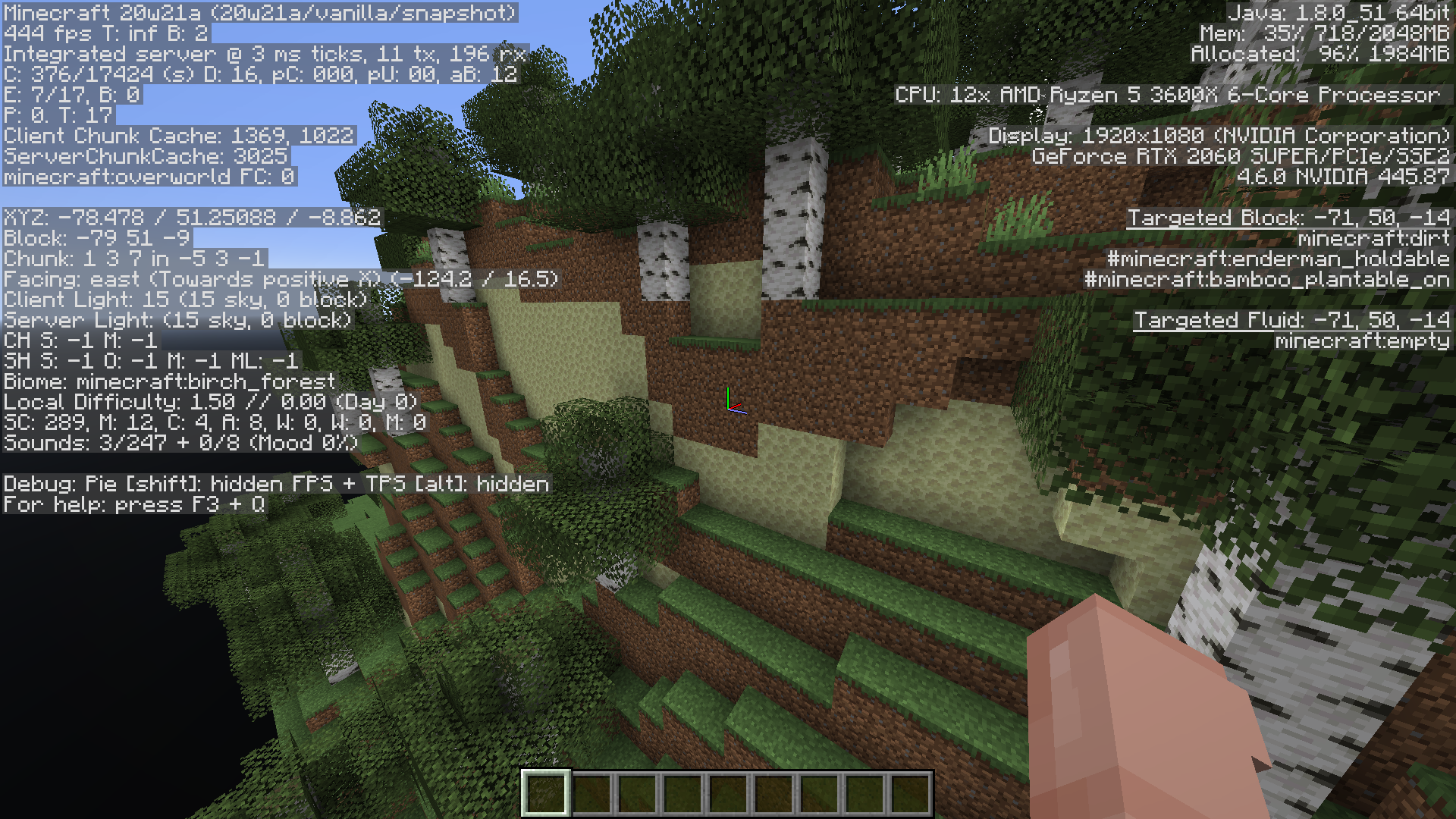
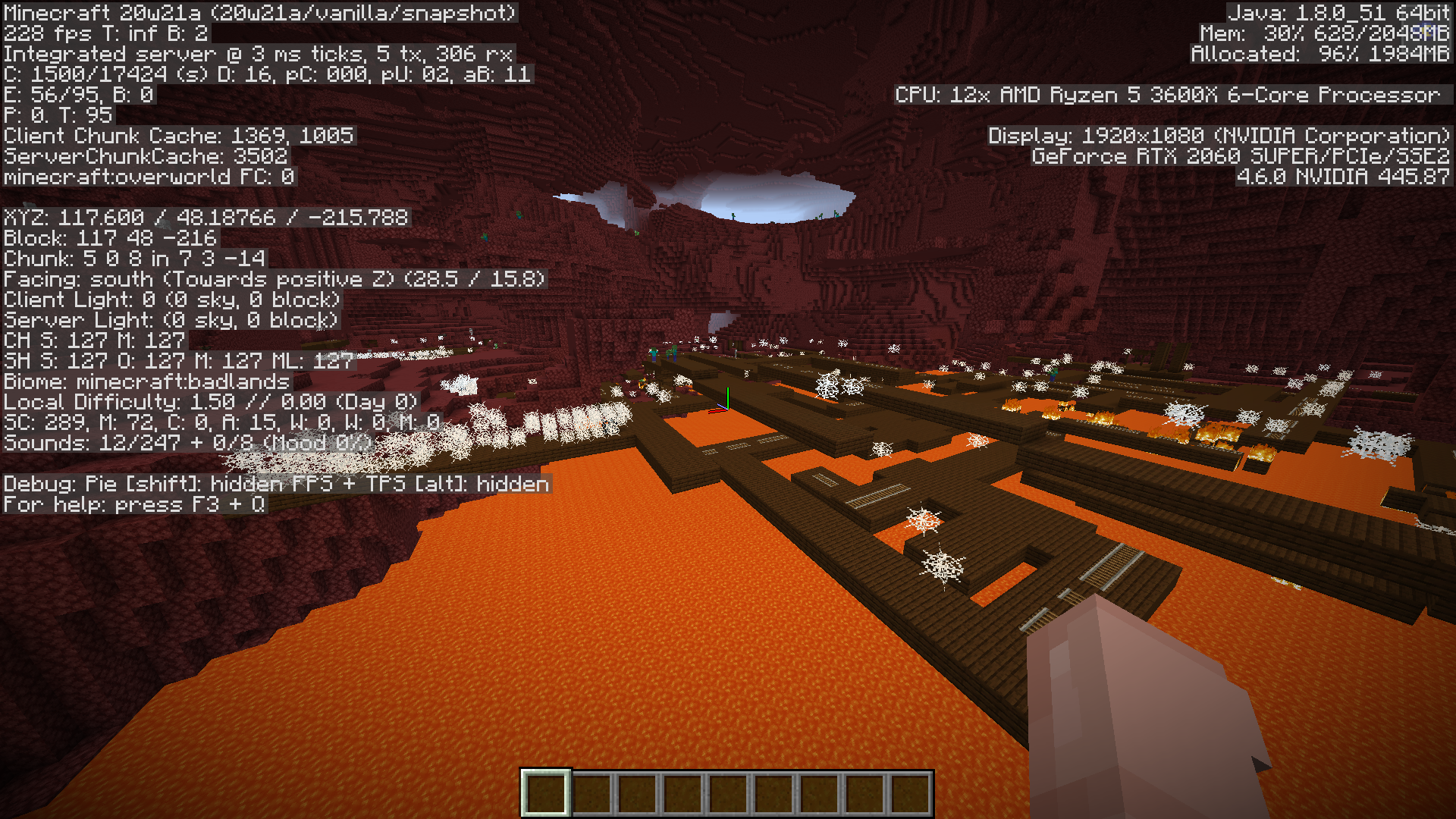
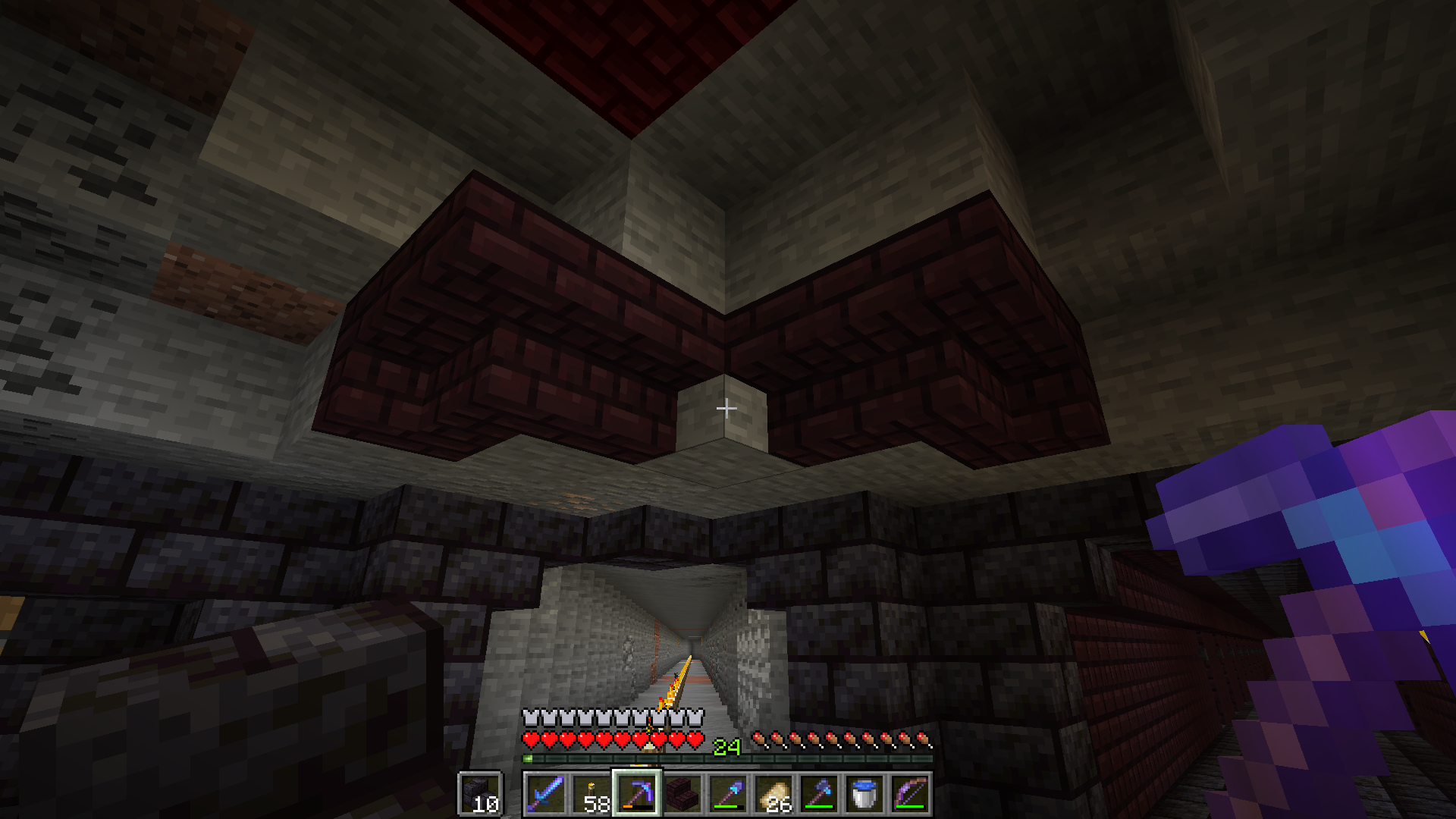
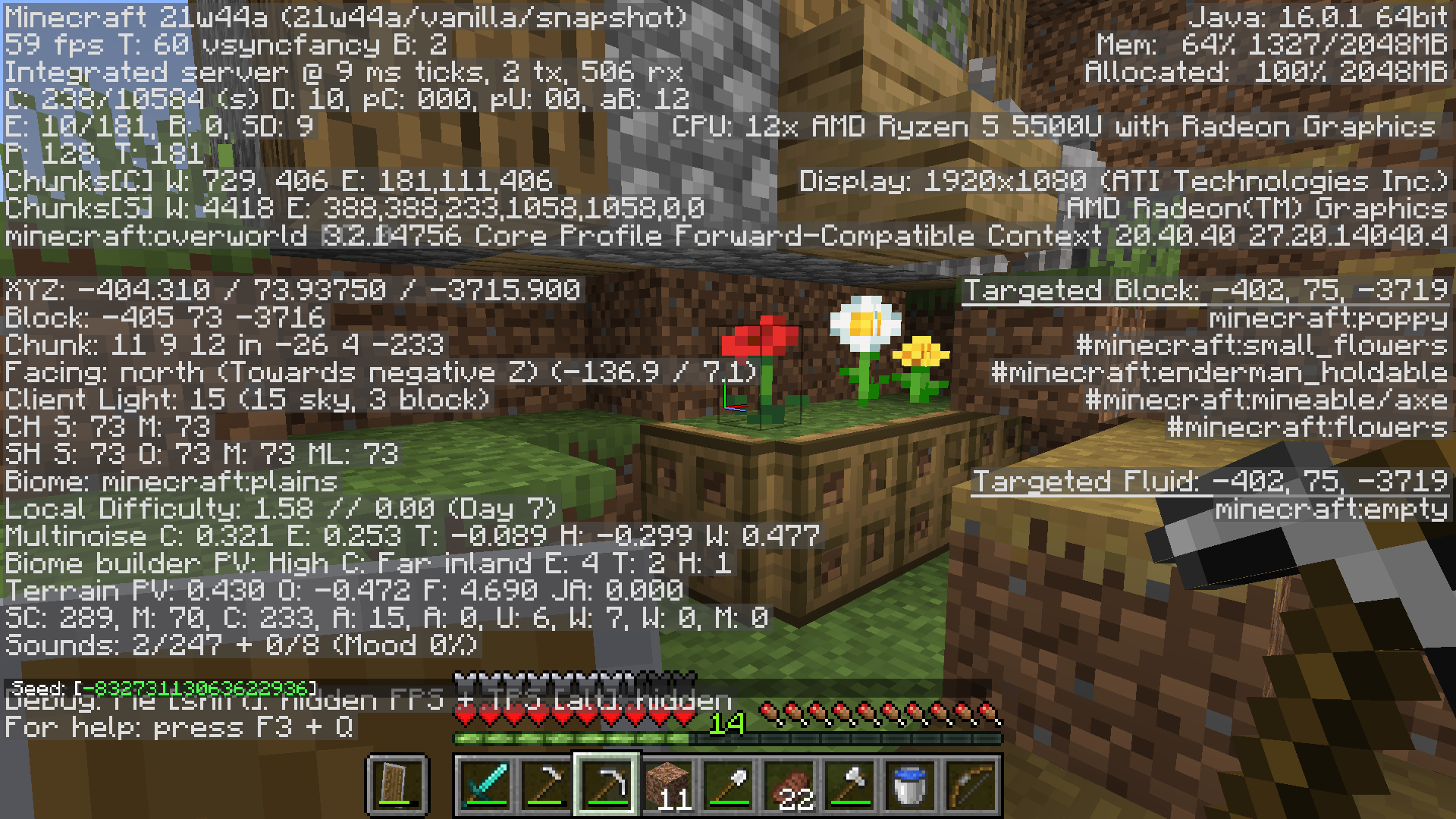
Playing a world created in 21w44a that I converted to 1.18 pre-release 1. One of the chunks in my village resets every time I reload the world. No other chunks seems to be affected as of yet and this only happened since upgrading to the 1.18 pre-release. Attached are screenshots of this happening, with debug screen up. Additionally, every time I load the world while standing in that chunk, I fall through the world for a second before the ground loads in, whereas this doesn't happen anywhere else in the world.
Seed is -83273113063622936, coordinates are in screenshot.
Here's a link to a video I took of this happening, uploaded on google drive. If this isn't allowed I can remove it.
https://drive.google.com/file/d/1_u0ToUo6fiH2TR3FXIGgSpE1ru1YNfOP/view?usp=sharingPlaying a world created in 21w44a that I converted to 1.18 pre-release 1. One of the chunks in my village resets every time I reload the world. No other chunks seems to be affected as of yet and this only happened since upgrading to the 1.18 pre-release. Attached are screenshots of this happening, with debug screen up. Additionally, every time I load the world while standing in that chunk, I fall through the world for a second before the ground loads in, whereas this doesn't happen anywhere else in the world.
Seed is -83273113063622936, coordinates are in screenshot.
I realize the seed isn't very helpful here, I have now attached the world file.
Here's a link to a video I took of this happening, uploaded on google drive. If this isn't allowed I can remove it. https://drive.google.com/file/d/1_u0ToUo6fiH2TR3FXIGgSpE1ru1YNfOP/view?usp=sharing
Playing a world created in 21w44a that I converted to 1.18 pre-release 1. One of the chunks in my village resets every time I reload the world. No other chunks seems to be affected as of yet and this only happened since upgrading to the 1.18 pre-release. Attached are screenshots of this happening, with debug screen up. Additionally, every time I load the world while standing in that chunk, I fall through the world for a second before the ground loads in, whereas this doesn't happen anywhere else in the world.
Seed is -83273113063622936, coordinates are in screenshot.
I realize the seed isn't very helpful here, I have now attached the world file.
Here's a link to a video I took of this happening, uploaded on google drive. If this isn't allowed I can remove it.https://drive.google.com/file/d/1_u0ToUo6fiH2TR3FXIGgSpE1ru1YNfOP/view?usp=sharingPlaying a world created in 21w44a that I converted to 1.18 pre-release 1. One of the chunks in my village resets every time I reload the world. No other chunks seems to be affected as of yet and this only happened since upgrading to the 1.18 pre-release. Attached are screenshots of this happening, with debug screen up. Additionally, every time I load the world while standing in that chunk, I fall through the world for a second before the ground loads in, whereas this doesn't happen anywhere else in the world.
Seed is -83273113063622936, coordinates are in screenshot.
Here's a link to a video I took of this happening, uploaded on google drive. If this isn't allowed I can remove it. https://drive.google.com/file/d/1_u0ToUo6fiH2TR3FXIGgSpE1ru1YNfOP/view?usp=sharing
Specific Chunk ResetsEach Time World is LoadedSpecific Chunks Reset Each Time World is Loaded
71efeada-b16e-49fa-99d1-405cafe03c80.dat
I tried to search for similar issues before I posted this report, but the search literally turned up nothing, despite there being several reports matching mine, using the same keywords I searched. I don't get it. If y'all don't like duplicate reports, maybe the search algorithm should be updated so it actually produces relevant results.
Can confirm this issue in snapshot 20w17a. I tested in a creative mode world with no nearby villages, spawned in a villager, placed a composter (he immediately became a farmer), and then destroyed the composter, but he did not lose his job. I placed a barrel nearby and he still wouldn't switch. I tested this with other professions too.
This issue does not seem to occur with villagers in already-existing villages.
Can confirm in snapshot 20w17a.
Can confirm, present in 20w17a.
Can confirm for 20w17a
I've encountered this problem. I would also add that mob spawning of any kind of mob has been insanely high in the snapshots. I'm finding groups of twenty squid all spawned in the same 9x9 block space (even when the whole ocean was nearby, so it's not like it was the only place for them to spawn), encountering waves of 10-20 mobs all within a small corridor in caves, bat spawning in caves is so high you can't hardly see, etc. I think this may be an issue caused by the developers finally fixing the years-old bug that didn't auto-despawn mobs when reaching a certain distance from them. Perhaps since the bug was around for so long, they bumped up the spawn rates of everything to work around it, and now that it's been fixed, spawn rates are far too high.
Can confirm for snapshot 20w17a.
Tested in snapshot 20w17a, though the problem presents a little differently than how you describe. On normal difficulty setting, I can't get skeletons or zombies to pick up anything at all, be it armor or weapons. On Hard difficulty they pick up armor and weapons just as frequently as usual, but on Normal difficulty I can spawn hundreds of them and none of them will pick anything up.
"If the player deflects a bee's attack with a shield, the bee continues attacking until it succeeds in hitting the player"
Quoted from the wiki. I assume since it's mentioned there, it's probably a feature (though it might be best to hear from a higher-up to confirm, the wiki can be wrong). Makes sense to me; a stinger wouldn't necessarily pierce into a shield and thus be removed from the bee, so it could continuously attempt to sting.
Can confirm for 20w16a.
Can confirm for 20w17a, both in creative using the trident/sword test, and when experiencing block lag in singleplayer worlds (which really shouldn't happen, but has started happening since the 1.16 snapshots).
I'm not sure exactly what the logic is behind it, but I think it's working as it's intended right now, so it's not a bug. You could make a suggestion in the suggestion forum though.
Affects version 20w21a. I can confirm that structures of any type can generate regardless of biome, i.e. a plains superflat will have jungle temples, desert temples, ocean ruins, shipwrecks, etc. everywhere.
Just here to confirm that F3 + T works like a charm to get the input working again. There is a waiting period as it reloads textures but it beats closing and reopening the entire client. Thanks to Nicolas for figuring out a workaround until Mojang decides not to give up on important issues anymore!
Also I can confirm that it affects version 20w21a, and will likely affect all versions to come, which isn't surprising.
When I created the report, only two similar reports existed, both of which had very low information. My report included both world types and much more info.
You can't run Minecraft 1.12 with a forge version for 1.15. If you installed a forge version for 1.12 before ever actually running 1.12 in vanilla, it's probably crashing because, well, you haven't actually downloaded that version yet. Create a new profile in the launcher for 1.12 and run it vanilla, then try installing and running forge for 1.12. Also, using forge invalidates any bug reports here because it's a third party program and can cause issues unrelated to vanilla, so if it only crashes when trying to use forge, Mojang isn't going to help you because they can't, only the forge devs can.
I feel like there are hundreds of parities between Bedrock and Java, and there have always been, as far as I'm aware. Even redstone works really differently in Bedrock compared to Java. Not entirely sure it's a bug so much as it's a difference in design, seeing as Bedrock is developed by a different team, or it could be a difference in functionality of the coding languages. I guess they're not too concerned with making sure all mechanics are exactly the same across all platforms.
For future reference, Debug Mode is selected by holding the Shift key while clicking the world type, potentially only if world type is on "Floating Islands"(snapshot 20w21a) or "Buffet", as Debug Mode is listed after those, despite being inaccessible without holding shift.
But I was able to recreate this bug, and have a little more info.
This does not seem to be purely a visual glitch. When recreating the steps in the video, I tested it further by these means:
When doing this, the world will generate with the player in Creative mode, as was displayed on the screen directly before generating the world.
I then tested using these steps:
When doing this, the world will generate with the player in Hardcore mode, as was "locked" in after choosing and then switching from Default.
Basically my conclusion is that if you're looking at the screen in which you pick the gamemode, the world will generate with that gamemode, even after initiating the bug with Debug world option, and if you aren't looking at that screen but the "more options" screen, the world will generate with the gamemode that was selected before Debug was first chosen, as the bug describes. So it switches to the "locked" gamemode upon moving to "more options".
Do you mean the new logo is not centered within the window, or the window itself is not centered on the screen? It seems to me that the logo is centered within the window, but the window itself might not be centered in the screen, though it's hard to tell for sure.
Commenting to add what I've discovered so far:
I haven't tested it with all biome options yet, but so far the bug has occurred in every single one I have chosen, which is Birch Forest, Flower Forest, Taiga, and Badlands.
So far it looks like only blocks are affected, while mob spawning is how it should be (Overworld mobs in an Overworld biome, etc.).
I can't imagine this is remotely intentional, because it makes the option to choose biomes in buffet style worlds nearly moot. Choosing the badlands biome using the caves world generation, for example, generates absolutely nothing related to badlands at all save for mineshafts with no minecart chests and overworld hostile mobs. The fact that the caves and islands generation options didn't act like this prior to the snapshot and adhered to expected results when choosing biomes, plus the fact that things are being changed by this snapshot to lay the groundwork for more customization, should be proof enough that this is a huge bug, and not remotely a feature.
The fact that the caves and floating islands generation types mimic those of both the Nether and End, respectively, doesn't mean that using those generation types must always be only the Nether and the End. Were it the case, the generation options would simply be called Nether and End, and they wouldn't bother pretending to let us choose a biome for it to generate as.
This looks like some sort of chunk error to me. Or perhaps new chunks after updating the world from an older version. This doesn't happen or shouldn't happen under normal circumstances.
No you're supposed to attach the logs here, they didn't mean that you need to read them.
I've seen this issue too, so far only in Cacti Canyon but I haven't played many other levels yet. Consistent glitching of the screen on the edges when exiting the inventory. Sometimes black bars, and sometimes weird colors and lighting meshes.
**POSSIBLE WORKAROUND**
(PS4)
I had this happen a few days ago, but found a way to get my characters back. This is on PS4, I have no idea if it's applicable on other platforms.
When everything resets and it prompts you to create a new character, go ahead and create the character but do not start the game. While still on the character selection screen, scroll to "create new character" and press L3, which is the delete button. It will ask for confirmation but do not accept, just wait a second and with any luck, your characters will pop back into existence in the background. If so, be sure to cancel the deletion instead of confirming it.
If they don't, and the new level 1 character is the only one there, try telling it to delete and see if that brings them back. I've heard that it does sometimes, but the game won't let you delete your only character so the bug involving clicking delete on the "make new character" selection must be used. Once this bug is fixed, though (if it hasn't been already), I don't know how to workaround it.
The game does keep several different save files, so when your character resets, only one of the saves should be affected. I don't know how to pick which one it uses, as I haven't dared to poke around much in the files, but there's probably a way to do it.
Hopefully this workaround can help others until Mojang figures out how to fix this.
Creepy Crypt seems to be bugged about the number of chests in general, as pretty much every time I start it, it tells me there's something like 11 chests at first, but then as I play the level and find chests, the number keeps going up (11/11, 12/12, 13/13, etc). Sometimes I'm sure I've found all the secrets and it will tell me I've missed a couple. At this point I just assume Creepy Crypt is lying to me and pay no heed to the secrets/chests number.
I can confirm this happens not just with beds but when anything appears in chat for the first time after loading a world, whether it's an advancement or "respawn point set" or just sleeping in a bed. This consistently happens every time a world is loaded, but only for the first time something would come up in chat.
MC-167183 is a similar issue, but not the same. The issue I'm encountering has to do with placing stairs in the same two directions, not placing a stair in an opposite direction against an existing line.
The problem I encountered in my build was that I had a diagonal corridor, and along the ceiling I had upside-down stairs. At the start of the corridor I wanted the first stairs to be inner corners, without having stairs on both sides, only one side. One side of the corridor I placed all the stairs starting from the beginning of the corridor, but the other side I placed from the end. When I got to the beginning of the corridor on that line, I tried to place the last stair in a way so that it would form an inner corner without any stair to the right of it (I placed the stairs left to right). I was able to do this easily for the other side of the corridor, but for this side the last stair would not form an inner corner unless I re-did the stair to the left of it, which then wouldn't connect to the stair to the left of that, and so on back down the line.
Put more simply (I hope), the issue is that when placing a diagonal line of stairs, the stair at a given end of the line can only be an inner corner if it is the first stair placed in the line, not the last.
I'm sorry if this is confusing, I'm having a hard time finding a way to concisely describe it. If I have the chance later, I'll try to record a video of the process to illustrate it better.
This is still an issue in 1.16.4. I have a huge flower patch within ten blocks of my beehives, and the bees keep ignoring/not finding it and wandering endlessly away from their hives. I have to use flowers to bring them back, they get totally lost on their own.
After poking around a little more I've realized that the chunk doesn't necessarily regenerate completely, it just reverts to how it was when I first upgraded the world to 1.18 pre-release 1. In the affected chunk is a leatherworker's building, and prior to updating, I had removed the three cauldrons in front of it. Those do not regenerate on save and load, seemingly only changes made after the update are reverted to. On the subject of that leatherworker's building, the chest inside regenerates its loot on save and load as well.
Duplicate of
MC-241204Possibly relates to
MC-241204? I've had similar issues but with an entire chunk resetting to its pre-update state.I wouldn't say it's working as intended. Even though it's not a bug in the technical sense, it's a texture disparity that does get updated from time to time as people notice, such as with the inventory texture for signs not having the updated stems, that was fixed recently.
Duplicate of
MC-241204I've noticed this a lot. It's really annoying when trying to watch a farmer to make sure he can pathfind to the crops correctly or see what seeds he's able to plant. Only farmers seem affected by this. I don't think this is desired behavior.
Here's my world save. Let me know if it doesn't work, I'm not as familiar with file sharing via google drive.
https://drive.google.com/file/d/1AtidRb-nJvmvFnK2rVv3p0d8T8coNWb3/view?usp=sharing
That makes sense, thanks for explaining it. I'm just glad someone understood my issue, I had the hardest time describing it and have no technical knowledge of stairs. I just know it was super annoying having to redo an entire line of 70 stairs because I started right to left instead of left to right or vice versa.
Yup, seems fixed. Loaded up the same world, now in pre-release 4, and the chunks saves just fine.
I'm having this issue in a 1.18.2 newly generated world. Seed is 250425787207038274, spawn is near a shipwreck with a treasure map that turns into a regular map. There's also an underwater ruin to the north with a treasure map that also turns into a regular map.
UPDATE: I finally found a working buried treasure map in seed 250425787207038274, at x1698 z685. I guess there really wasn't buried treasure nearby with all the others I opened, though there was certainly land close enough that could easily have generated it. Maybe it's failing to generate as much as it should? The weird thing is that the successful treasure map I found was already active, as in, it already had an ID and showed me X marks the spot without me having to right click it first.
Can confirm, had two zombies disappear, one held items and the other was named. Nothing nearby that could kill them.
I think this quirk has been a part of Minecraft for a long time. Sprinting diagonally goes faster too, and sneaking goes faster diagonally even without swift sneak. Don't know if it's a bug or not.