 LittleAylia
- LittleAylia
- littleaylia
- America/New_York
- Yes
- No
 MC-51158




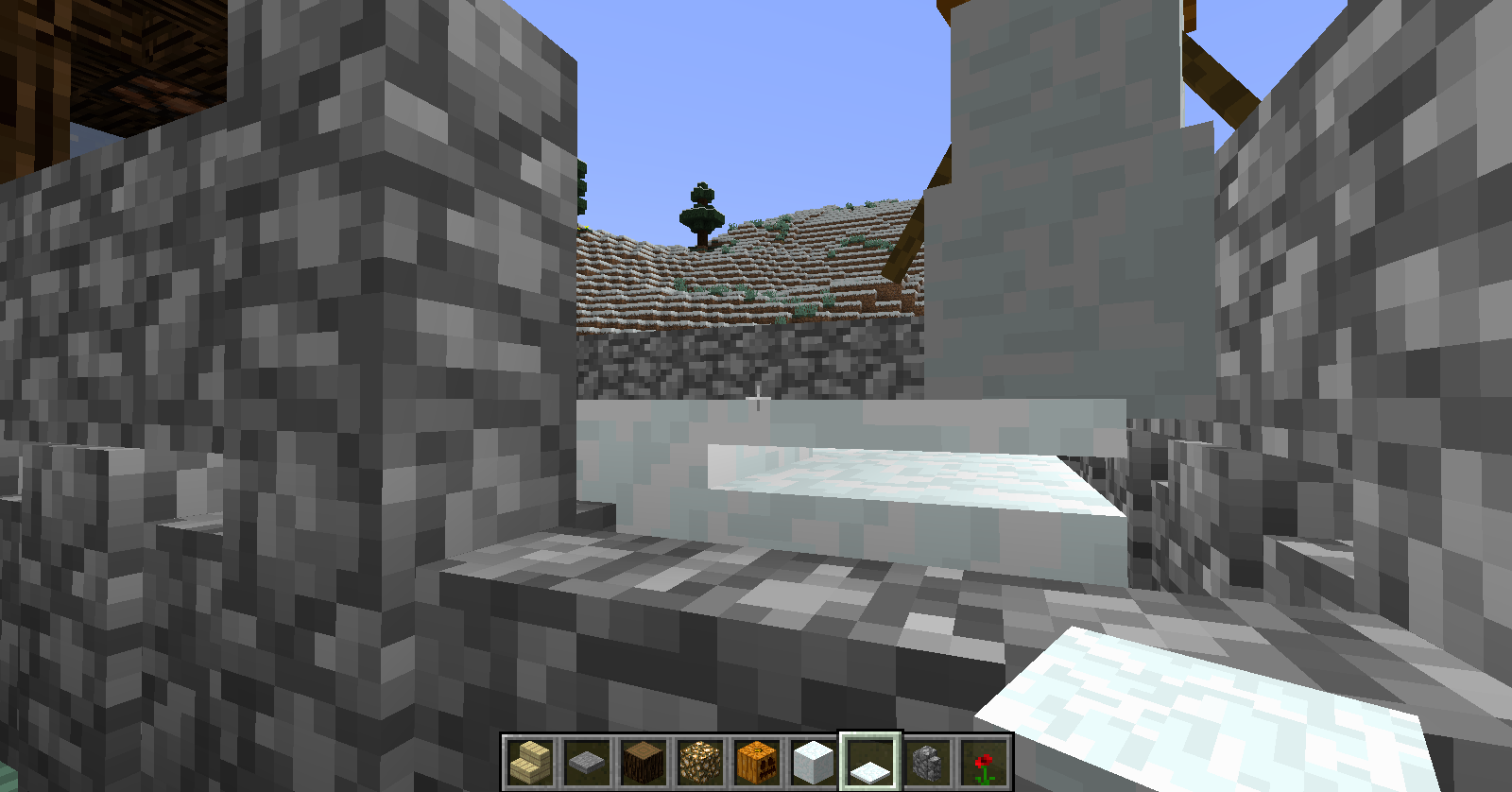
How to reproduce:
1- Create a small rail "round" with a minecart
2- Spawn a Spider
3- Push the minecart toward the spider so the spider rides it
4- Hit the spider with a sword
The spider sink into the solid ground bellow and start to suffocate.Work better in creative because the spider stay into the ground instead of trying to jump at you.
How to reproduce:
1- Create a small rail "round" with a minecart
2- Spawn a Spider
3- Push the minecart toward the spider so the spider rides it
4- Hit the spider with a sword, the center of it's body, which is inside the minecart. (Not the parts which stretch out through the cart.)
The spider sink into the solid ground bellow and start to suffocate.Work better in creative because the spider stay into the ground instead of trying to jump at you.
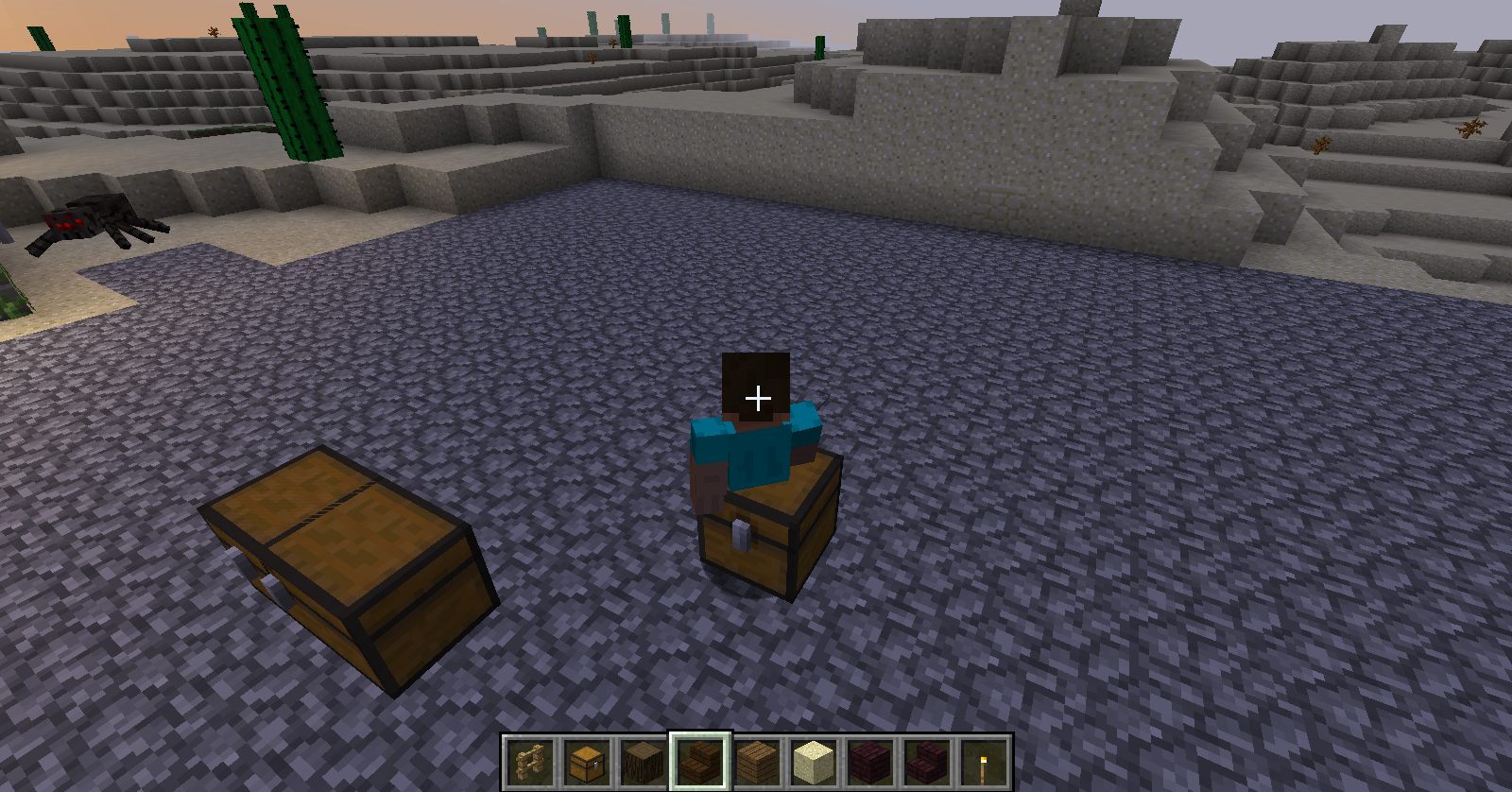
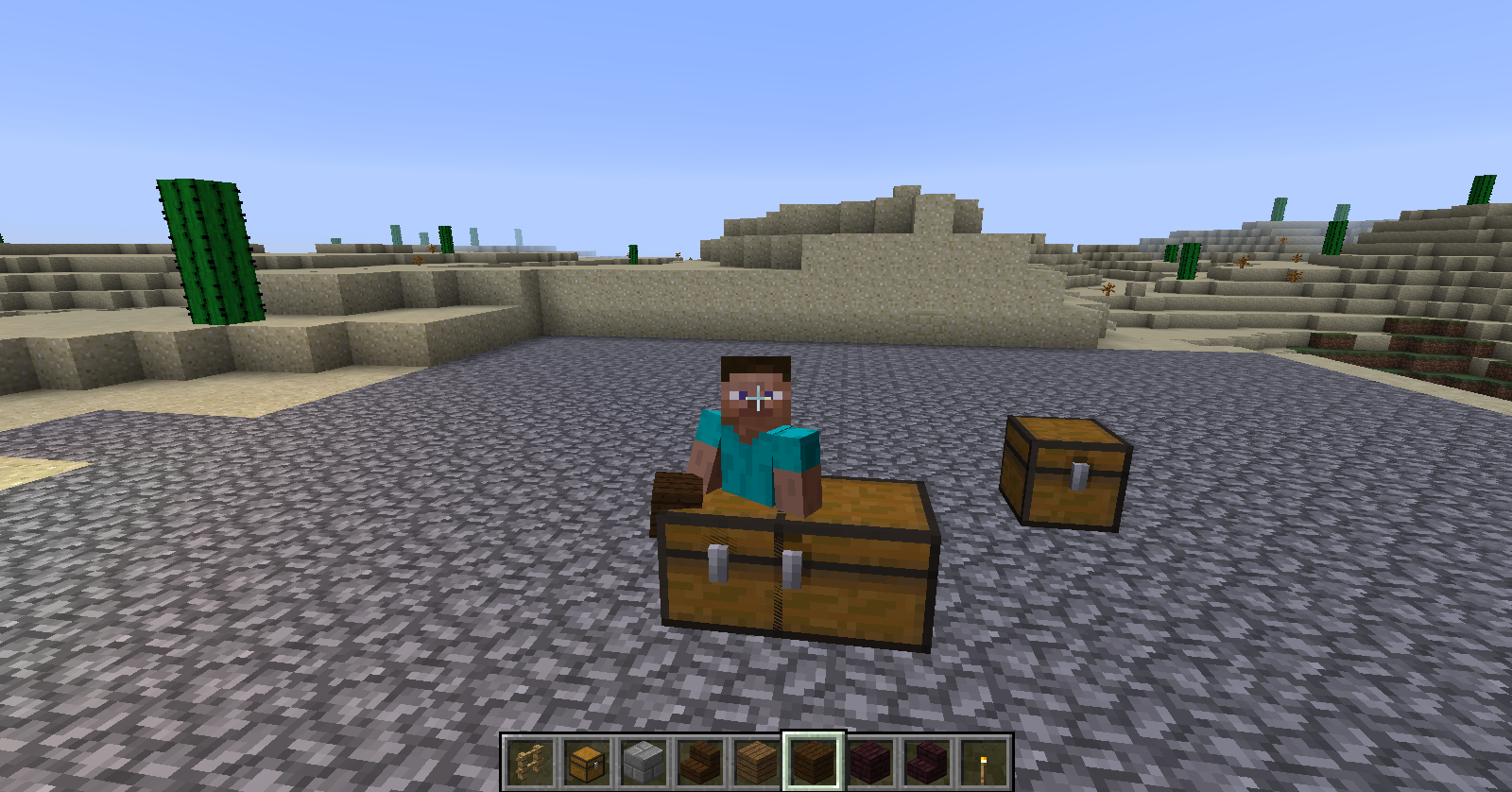
Chests destroyed or transformed into double chests while a player is away remains as ghost in their world. The chest is not physically there, you can pass through it.
Steps to reproduce:
You need 2 players in a lan world.1- One player place two chests then go away, far enough for the place where the chests are to disappear (out of render distance)
2- The second player then breaks one chest and makes a double chest with the other one
3- Now the first player comes back to where the chests are. He should see the chest bug, but to the player that stayed there, the same chest looks fine.
Chests destroyed or transformed into double chests while a player is away remains as ghost in their world. The chest is not physically there, you can pass through it.
Ghost chest don't disappear with time.Steps to reproduce:
You need 2 players in a lan world.1- One player place two chests then go away, far enough for the place where the chests are to disappear (out of render distance)
2- The second player then breaks one chest and makes a double chest with the other one
3- Now the first player comes back to where the chests are. He should see the chest bug, but to the player that stayed there, the same chest looks fine.
2014-07-29_22.47.22.png
Ghost chest in lan multiplayerLeaving an area then coming back create ghost chests
Chests destroyed or transformed into double chests while a player is away remains as ghost in their world. The chest is not physically there, you can pass through it.
Ghost chest don't disappear with time.Steps to reproduce:
You need 2 players in a lan world.
1- One player place two chests then go away, far enough for the place where the chests are to disappear (out of render distance)2- The
second player thenbreaks one chest and makes a double chest with the other one3-
Now the first player comes back to where thechestsare. He should see the chest bug, but to the player that stayed there, the same chest looks fine.Chests create ghosts as soon as the player is far enough.
It appears in many different ways:
When you open a chest you may see a ghost inside.
If you destroyed the chest that created the ghost the ghost stays there. -> Ghost chest don't disappear with time.
A ghost chest of a little chest stay when the chest is transformed inside a big chest.
Ghost chests may exist inside one another.– In multiplayer, ghost chests may exist only in the world of a single player. Only the players who leaved the area after seeing the chest will have a ghost chest.
Steps to reproduce:
1- Place two chests then go away, far enough for the place where the chests are to disappear (out of render distance)2- Then come back and breaks one chest and makes a double chest with the other one
3- You now have a ghost small chest and the ghost of a small chest inside a chest
Chests create ghosts as soon as the player is far enough.
It appears in many different ways:
When you open a chestyoumayseea ghost inside.
If you destroyed the chest that created the ghost the ghost stays there. -> Ghost chest don't disappear with time.
A ghost chest of a little chest stay when the chest is transformed inside a bigchest.
Ghost chests may exist inside one another.– In multiplayer, ghost chests may exist only in the world of a single player. Only the players who leaved the area after seeing the chest will have a ghost chest.
Steps to reproduce:
1- Place two chests then go away, far enough for the place where the chests are to disappear (out of render distance)2- Then come back and breaks one chest and makes a double chest with the other one
3- You now have a ghost small chest and the ghost of a small chest inside a chest
Chests create ghosts as soon as the player is far enough (out of render distance of the blocks). This "ghost" is only visually there; you can pass through it, it can exist through other block and entities. Once the "ghost" exist, you can do anything to the chest and the ghost will still exist. Ghost chest don't disappear with time, but they do disappear if you "save and quit to title".
Place where you can see them:
Inside a chest that you open. (Looks like the chest has two lid.)
Where a chest was after destroying a chest.
Where a small chest was before it was transformed into a large chest.– In multiplayer, ghost chests may exist only in the world of a single player. Only the players who leaved the area after seeing the chest will have a ghost chest.
Steps to reproduce:
1- Place two chests then go away, far enough for the place where the chests are to disappear (out of render distance)2- Then come back and breaks one chest and makes a double chest with the other one
3- You now have a ghost small chest and the ghost of a small chest inside a chest
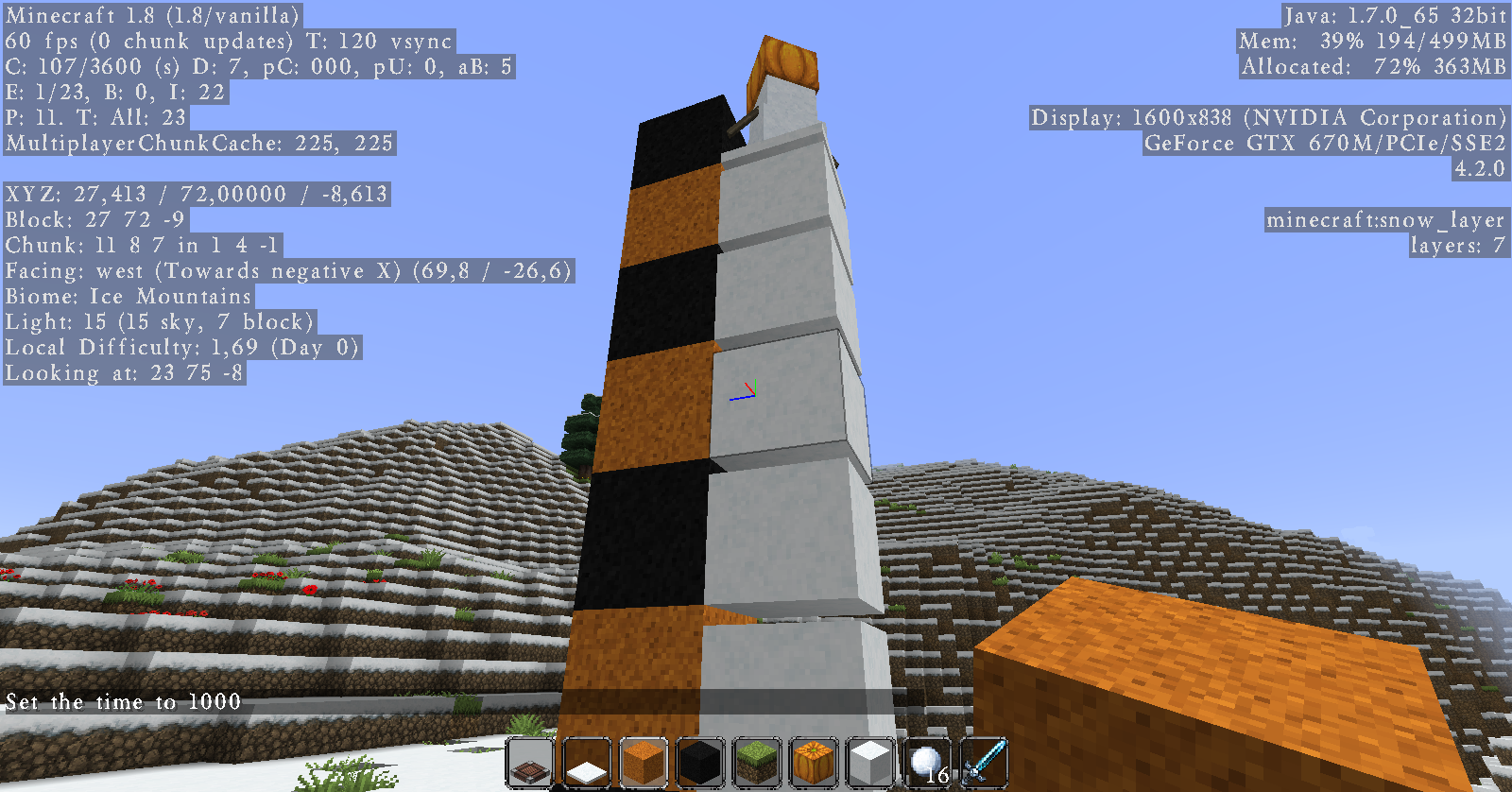
When a snowman walks over a snow block then continue over 7 layer "snow layer" pile, it create a layer of snow floating.
Steps to reproduce:
1- Place any block with 2 snow block over it (this will become our snowman later)2- Place a snow block right in front of our future snowman
3- Create piles of 7 snow layers around the snow block
4- Add the pumpkin to complete the snow man of step 1
5- And push him over the snow block and snow layers.
Voila. Floating snow layer.Somehow, the snowman don't "fall" when passing over a pile of 7 snow layers and drop another snow layer on top as if the 7 snow layers where a solid block.
When a snowman walks over a snow block then continue over 7 layer "snow layer" pile, it create a layer of snow floating.
Steps to reproduce:
1- Place any block with 2 snow block over it (this will become our snowman later)2- Place a snow block right in front of our future snowman
3- Create piles of 7 snow layers around the snow block
4- Add the pumpkin to complete the snow man of step 1
5- And push him over the snow block and snow layers.
Voila. Floating snow layer.Somehow, the snowman don't "fall" when passing over a pile of 7 snow layers and drop another snow layer on top as if the 7 snow layers where a solid block. So you have 7 piled snow layer, 1 layer with nothing and 1 layered snow on top.
When a snowman walks over a
snowblock then continue over 7 layer "snow layer" pile, it create a layer of snow floating.Steps to reproduce:
1- Place any block with 2 snow block over it (this will become our snowman later)2- Place a snow block right in front of our future snowman
3- Create piles of 7 snow layers around the snow block
4- Add the pumpkin to complete the snow man of step 1
5- And push him over the snow block and snow layers.
Voila. Floating snow layer.Somehow, the snowman don't "fall" when passing over a pile of 7 snow layers and drop another snow layer on top as if the 7 snow layers where a solid block. So you have 7 piled snow layer, 1 layer with nothing and 1 layered snow on top.
When a snowman walks over a full block then continue over 7 layer "snow layer" pile, it create a layer of snow floating. Also happens when he jumps on an block of 7 layer of snow. But not when he climb on with slab of lower snow layer block.
Steps to reproduce:
1- Place any block with 2 snow block over it (this will become our snowman later)2- Place a snow block right in front of our future snowman
3- Create piles of 7 snow layers around the snow block
4- Add the pumpkin to complete the snow man of step 1
5- And push him over the snow block and snow layers.
Voila. Floating snow layer.Somehow, the snowman don't "fall" when passing over a pile of 7 snow layers and drop another snow layer on top as if the 7 snow layers where a solid block. So you have 7 piled snow layer, 1 layer with nothing and 1 layered snow on top.
Snowman generate floatingsnow layerMissing 8th snow layer
When a snowman walks over a full block then continue over 7 layer "snow layer" pile, it create a layer of snow floating. Also happens when he jumps on an block of 7 layer of snow. But not when he climb on with slab of lower snow layer block.
Steps to reproduce:
1- Place any block with 2 snow block over it (this will become our snowman later)2- Place a snow block right in front of our future snowman
3- Create piles of 7 snow layers around the snow block
4- Add the pumpkin to complete the snow man of step 1
5- And push him over the snow block and snow layers.
Voila. Floating snow layer.Somehow, the snowman don't "fall" when passing over a pile of 7 snow layers and drop another snow layer on top as if the 7 snow layers where a solid block. So you have 7 piled snow layer, 1 layer with nothing and 1 layered snow on top.
The player can create the same kind of pile.
Steps to reproduce:
1- Create a 1 block wide tower of any solid block2- Create piles of 7 snow layers beside the tower
3- Look at the second block of the tower, on the same side you just put the snow
4- Place the snow layer. The game will allow you to, even if the 8th layer of the snow pile bellow is missing.
Missing 8th snow layerPossible to place a new snow layer block on top of a snow layer block of 7 layers
When a snowman walks over a full block then continue over 7 layer "snow layer" pile, it create a layer of snow floating. Also happens when he jumps on an block of 7layerofsnow. But not when he climb on with slab of lowersnow layer block.
Steps to reproduce:
1- Place any block with 2 snow block over it (this will become oursnowmanlater)2- Place a snow block right in front of our future snowman
3- Create piles of 7 snow layers around the snow block
4- Add the pumpkin to complete the snow man of step 1
5- And push him over the snow block and snow layers.
Voila. Floating snow layer.Somehow, the snowman don't "fall" when passing over a pile of 7 snow layers and drop another snow layer on top as if the 7 snow layers where a solid block. So you have 7 piled snow layer, 1 layer with nothing and 1 layered snow on top.
The player can create the same kind of pile.
Steps to reproduce:
1- Create a 1 block wide tower of any solid block2- Create piles of 7 snow layers beside the tower
3- Look at the second block of the tower, on the same side you just put the snow
4- Place the snow layer. The game will allow you to, even if the 8th layer of the snow pile bellow is missing.
Somehow, the game consider that a "block" of 7 snow layers is a full block allowing player and snowmen to place a new snow layer block on top of it.
What I expected to happen was...
That a snow man could not place a snow layer on top of a pile of 7 snow layers. It should place it only on top of a pile of 8 snow layers.
What actually happened was...
When a snowman walks over a full block then continue over a 7 layer snow layer block, it create a layer of snow floating. Also happens when he jumps on an block of 7 layer of snow. But not when he climb on with slab of lower snow layer block. Somehow, the snowman don't "fall" when passing over a pile of 7 snow layers and drop another snow layer on top as if the 7 snow layers where a complete block. So you have 7 piled snow layer, 1 layer with nothing and 1 layered snow on top.The player can create the same kind of pile as long as there is a block behind the pile.
Steps to reproduce: (Snowman)
1- Place any block with 2 snow block over it (this will become our snowman later)2- Place a snow block right in front of our future snowman
3- Create piles of 7 snow layers around the snow block
4- Add the pumpkin to complete the snow man of step 1
5- And push him over the snow block and snow layers.
Voila. Floating snow layer.Steps to reproduce: (Player)
1- Create a 1 block wide tower of any solid block2- Create piles of 7 snow layers beside the tower
3- Look at the second block of the tower, on the same side you just put the snow
4- Place the snow layer. The game will allow you to, even if the 8th layer of the snow pile bellow is missing.
Somehow, the game consider that a "block" of 7 snow layers is a full block allowing player and snowmen to place a new snow layer block on top of it.
-What I expected to happen was...
That a snow man could not place a snow layer on top of a pile of 7 snow layers. It should place it only on top of a pile of 8 snow layers.-What actually happened was...
When a snowman walks over a full block then continue over a 7 layer snow layer block, it create a layer of snow floating. Also happens when he jumps on an block of 7 layer of snow. But not when he climb on with slab of lower snow layer block. Somehow, the snowman don't "fall" when passing over a pile of 7 snow layers and drop another snow layer on top as if the 7 snow layers where a complete block. So you have 7 piled snow layer, 1 layer with nothing and 1 layered snow on top.The player can create the same kind of pile as long as there is a block behind the pile.
Steps to reproduce: (Snowman)
1- Place any block with 2 snow block over it (this will become our snowman later)2- Place a snow block right in front of our future snowman
3- Create piles of 7 snow layers around the snow block
4- Add the pumpkin to complete the snow man of step 1
5- And push him over the snow block and snow layers.
Voila. Floating snow layer.Steps to reproduce: (Player)
1- Create a 1 block wide tower of any solid block2- Create piles of 7 snow layers beside the tower
3- Look at the second block of the tower, on the same side you just put the snow
4- Place the snow layer. The game will allow you to, even if the 8th layer of the snow pile bellow is missing.

LittleAylia, a comment is enough.
The bug affect every type of minecart exception made for the powered minecart who don't build up speed like the others.
Also, the minecart actually stop then go reverse because it's in an incline. If you make a minecart go super fast on horizontal rails then try to make it climb on an inclined rail (a normal one) you'll see it stop at the first rail then go slowly in the opposite direction.
A pretty annoying bug with glass planes. One wrong move and you are outside your house. And a little problematic when your house is not on ground level.
Same thing happens with doors too. When you open a door it appears closed but really is open.
Well, my Advanced OpenGL is off. And I see that problem all the time.
The player who breaks the chest don't see the ghost. But every player who saw the chest before it was destroyed and was far from it when it was destroyed can see the ghost.
MC-62166is an old bug of an older snapshot. I saw that bug and this one isn't the same. The snapshot I'm using is 14w30c, the newest one. This bug affects only chests as far as I know. The ghost chests don't disappear after a time. Only closing and reopening the world makes them disappear.It happens when you are aligned with one of the plane of the mushrooms on the mooshroom.
The ghost of a chest inside the ghost of a double chest.
This bug also allow to stack 7 snow layer "blocks" on top of one another. The snowman must place the first snow layer of each "block".
Cannot confirm. Maybe there is something else to it? Or it was a random isolated bug...
@Phoenix Gutierrez
I did try in a superflat world.
But, my computer works on windows 7.
The key of the problem is the fact that the biome 8 and 9, respectively the hell and end biome, can't be selected in customized. So for the biome 8 and all the above, there is a difference of 2 between the real biome id and the id of the biome on the slider in customized. Some menu give the wrong id so when you either either; go to "Presets" and press "Use Presets "; or; exit the customized menu ("Done") than come back ("Customize"); the slider move forward of 2, changing the biome.
This part of the problem is still in 1.8.1.
The bug is really resolved. This is not a concern anymore. I just don't know how we are supposed to let the mods know the bug is resolved? Should I just leave a comment? Or should I put something in the description?
Confirmed
Confirmed for 15w38b too
If you place a path of lilypad and spawn a villager and a zombie on it, the zombie will walk on the lilypad to kill the villager but the villager will not run away. Skeletons and creepers also walk on lily pad correctly, but not villagers.
This is annoying when trying to create an adventure map in a snowy biome. It messes up all my snowbanks.
Is fixed in 15w45a
I just tried it in 16w21b and didn't get a crash. But I did get a massive fps drop. (60 fps drops down to about 8 when looking at the air blocks) Maybe it relates to other fps drop caused by huge number of entities like MC-5169???