 Awakened Redstone
- MarcosCD
- marcoscd
- America/Sao_Paulo
- Yes
- No
![[Mojang] Grum (Erik Broes)](../../../data/assets/gravatar/grum.png)
 MC-262978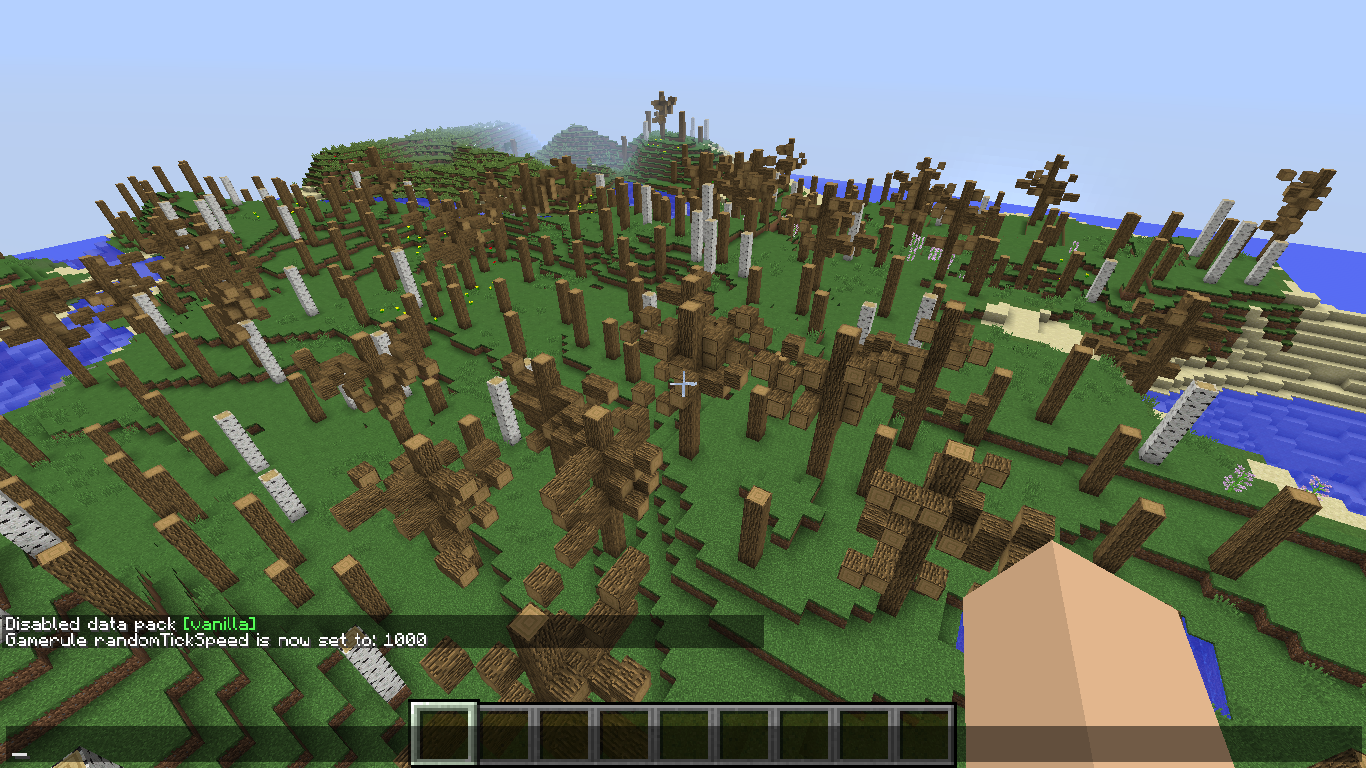



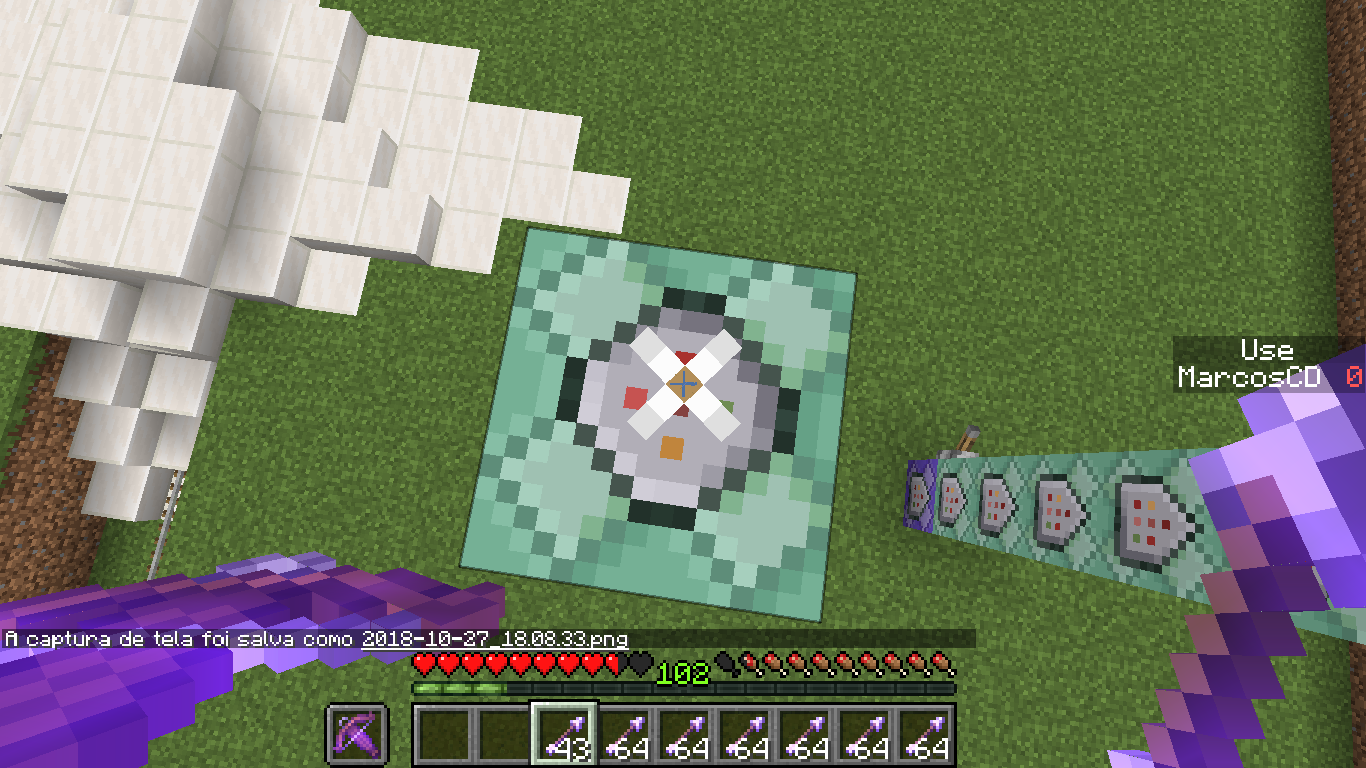
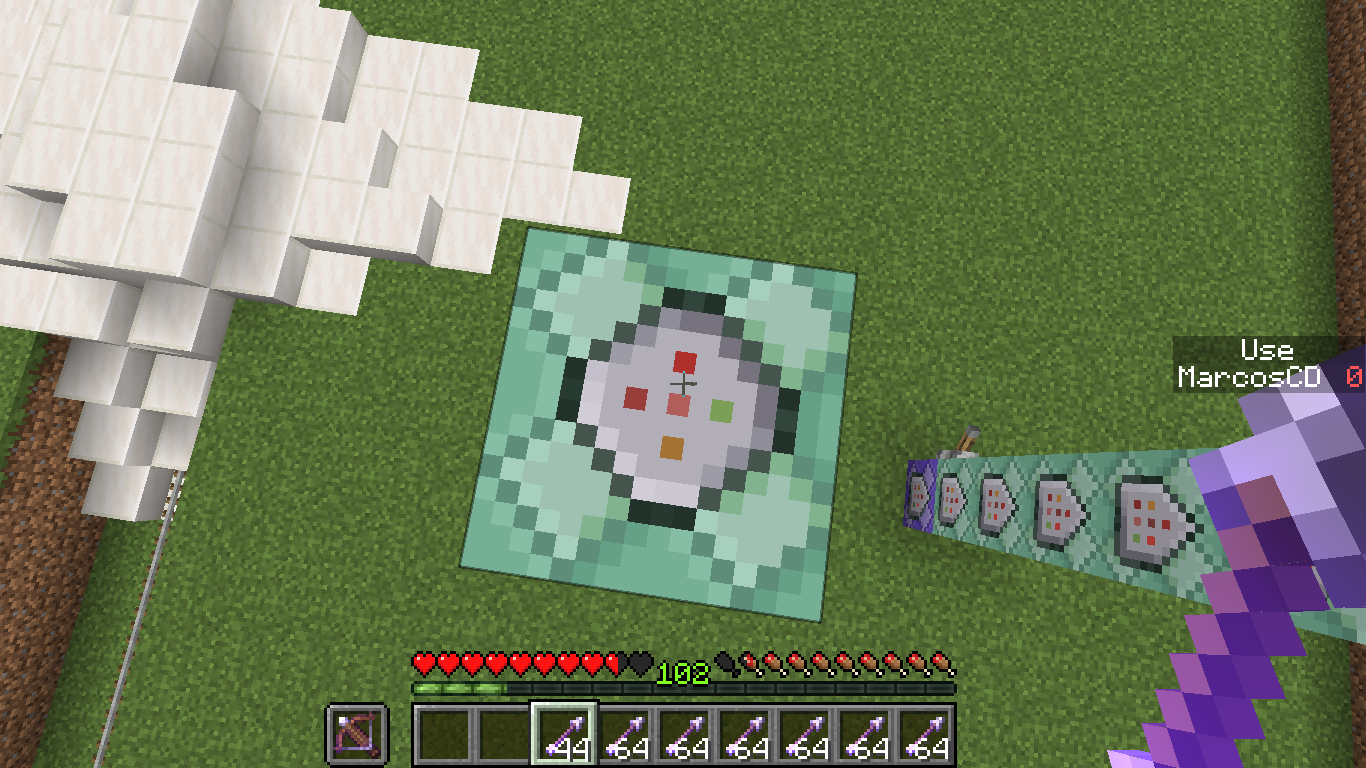









I open a LAN world and my friend can't see and open my world LAN.
Eu abro um mundo LAN e meu amigo não pode ver e abrir meu mundo LAN.
I open a LAN world and my friend can't see and open my world LAN.
Eu abro um mundo LAN e meu amigo não pode ver e abrir meu mundo LAN.
To me woks good
If i go tho the version texture file [opening the .jar with the winrar] and open the widgets.png file the texture see correct. It meand that a loading error.
If i go tho the version texture file [opening the .jar with the winrar] and open the widgets.png file the texture see correct. It meand that a loading error.
If i go tho the version texture file [opening the .jar with the winrar] and open the widgets.png file the texture see correct. It mean
dthat a loading error.
If i go tho the version texture file [opening the .jar with the winrar] and open the widgets.png file the texture see correct. It means that a loading error.
If i go tho the version texture file [opening the .jar with the winrar] and open the widgets.png file the texture see correct. It means that a loading error. I think that can need recreate the code what load the crosshair to solve it. I THINK.
If i go t
ho the version texture file [opening the .jar with the winrar] and open the widgets.png file the texture see correct. It means that a loading error. I think that can need recreate the code what load the crosshair to solve it. I THINK.
If i go to the version texture file [opening the .jar with the winrar] and open the widgets.png file the texture see correct. It means that a loading error. I think that can need recreate the code what load the crosshair to solve it.
I THINK.
If i go to the version texture file [opening the .jar with the winrar] and open the widgets.png file the texture see correct. It means that a loading error. I think that can need recreate the code what load the crosshair to solve it.
If i go to the version texture file [opening the .jar with the winrar] and open the widgets.png file the texture see correct. It means that a loading error. I think that can need recreate the code what load the crosshair to solve it.
I tried to change the resolution and the croshair stay with the problem, on low resolution the crosshair gliched texture is diferent, but stay gliched.
@bemoty
I add more information
The Block States is Ignored.
The Block States is Ignored.
The Block States is Ignored.
The Block States is Ignored.
The Block States is Ignored. Bug happans ans the grass ignore is not 100%.
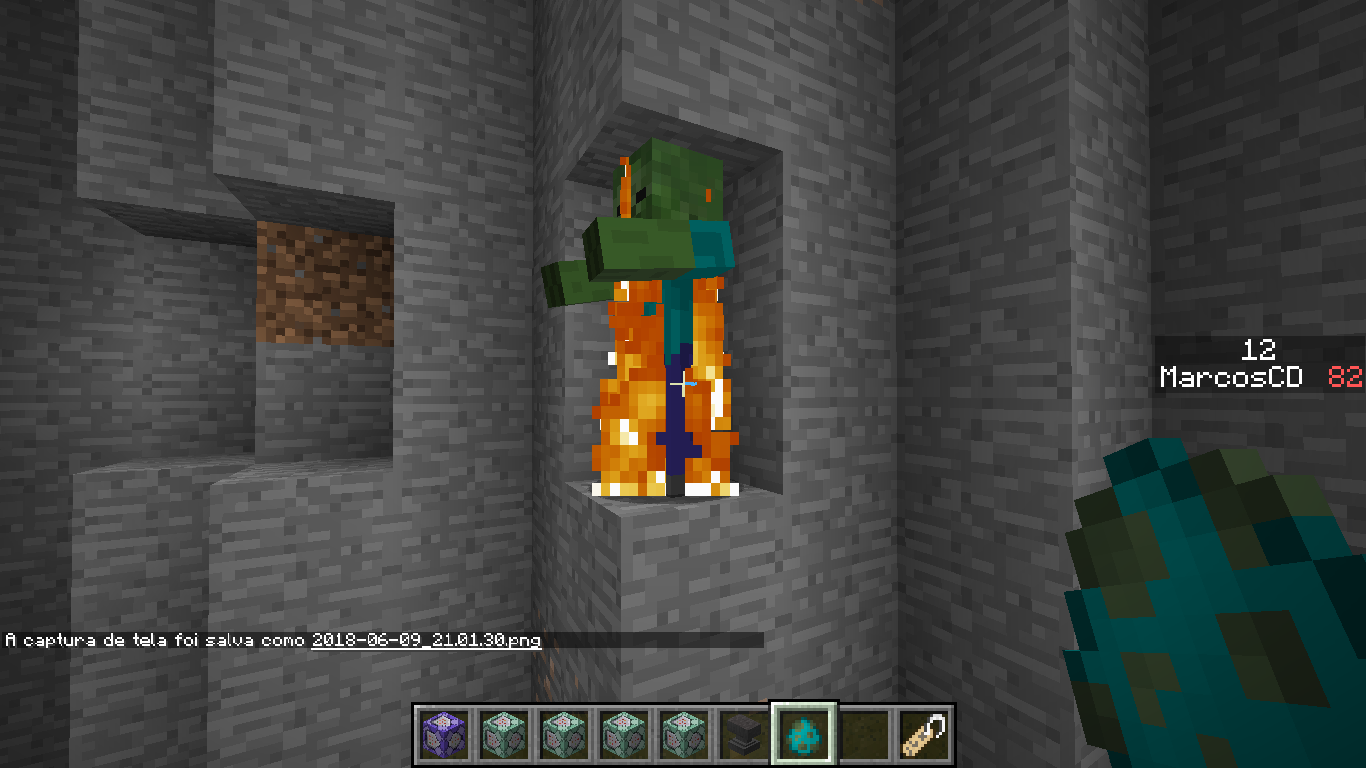
2018-06-09_21.04.36.png
Block Is Not a BlockBlock Is Not a Block and Entity only not hit grass/cobweb/etc. when into block
Block Is Not a Block and Entity only not hit grass/cobweb/etc. when into the block
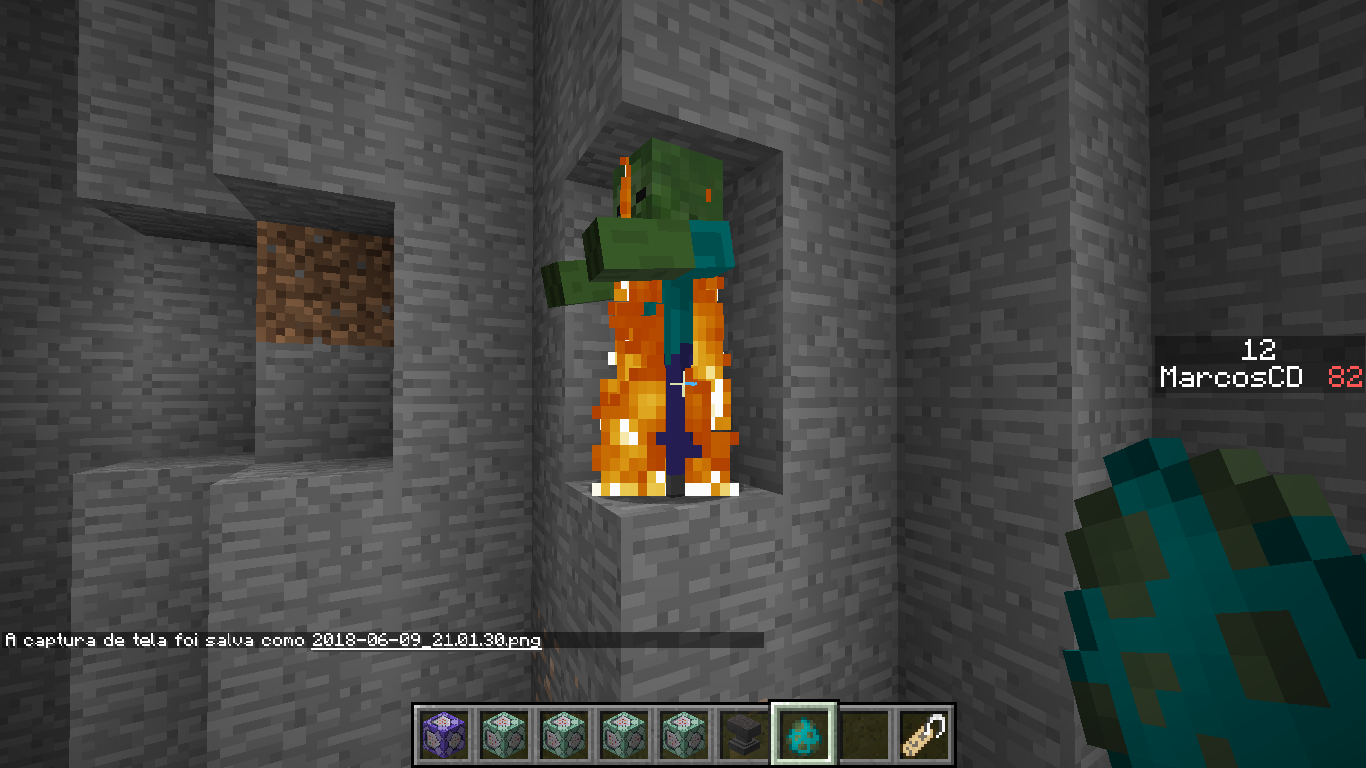
When Undead mobs be under some block they ignore the block and detect the sun going on fire
Fast particle like block breaking, explosion and fire smoke particles lag the game a lot.
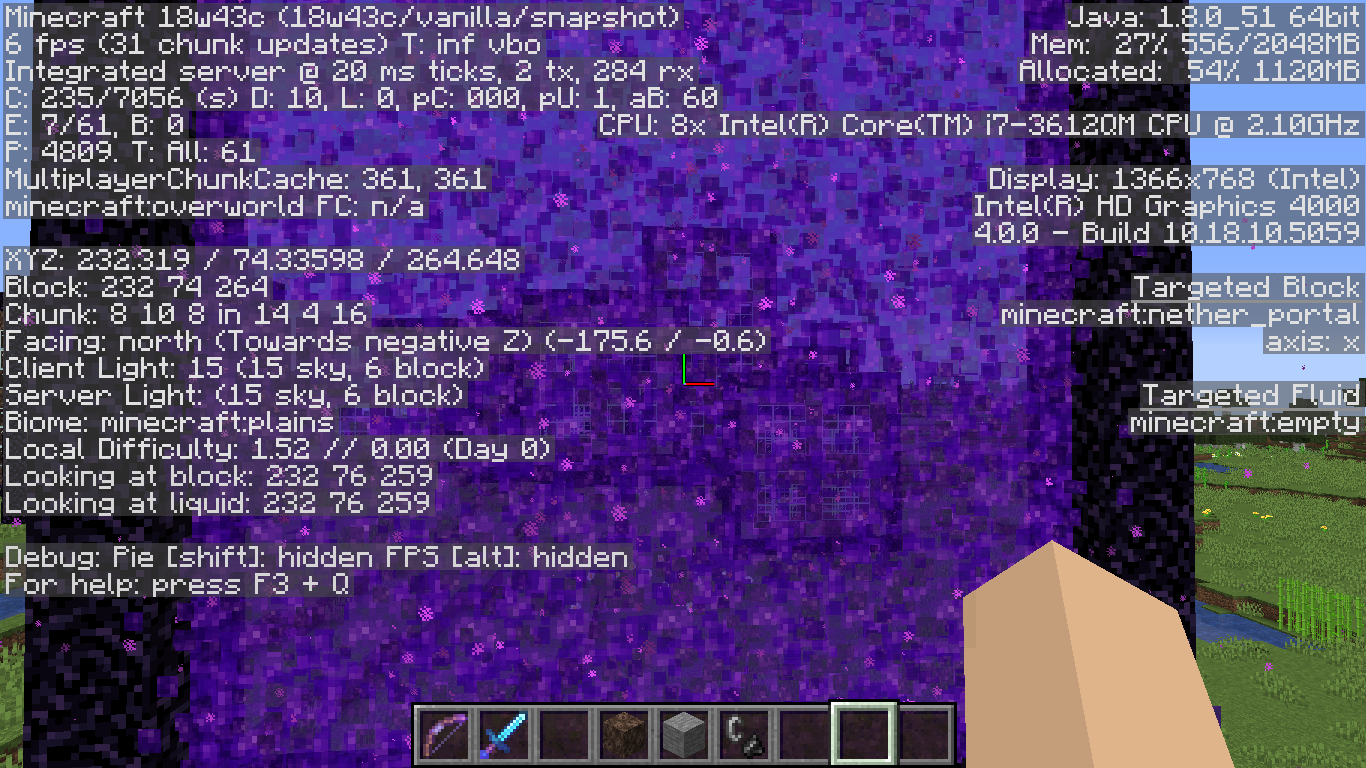
Fast particle like block breaking, explosion and fire smoke particles lag the game a lot.
Fast particle like block breaking, explosion and fire smoke particles lag the game a lot.
This is for small Quantity of particles like 20.
Is For the new snapshot not the older versions
Fast particle like block breaking, explosion and fire smoke particles lag the game a lot.
This is for small Quantity of particles like 20.
Is For the new snapshot not the older versions
Fast particle like block breaking, explosion and fire smoke particles lag the game a lot.
This is for small Quantity of particles like 20.
Is For the new snapshot not the older versions
Fast particle like block breaking, explosion and fire smoke particles lag the game a lot.
This is for small Quantity of particles like 20.
Is For the new snapshot not the older versions
Placing blocks make a FPS fall to
Fast particle like blockbreaking, explosion and fire smoke particles lag the game a lot.This is for small Quantity of particles like 20.
Is For the new snapshot not the older versions
Placing blocks make a FPS fall to
Block Updates like placing, bracking, exploding, destroyed by fire and similars make the FPS jump to down fastly.
Particles lag the game a lotBlock Updates lag the game a lot
Fast particle like blockbreaking, explosion and fire smoke particles lag the game a lot.This is for small Quantity of particles like 20.
Is For the new snapshot not the older versions
Block Updates like placing, bracking, exploding, destroyed by fire and similars make the FPS jump to down fastly.
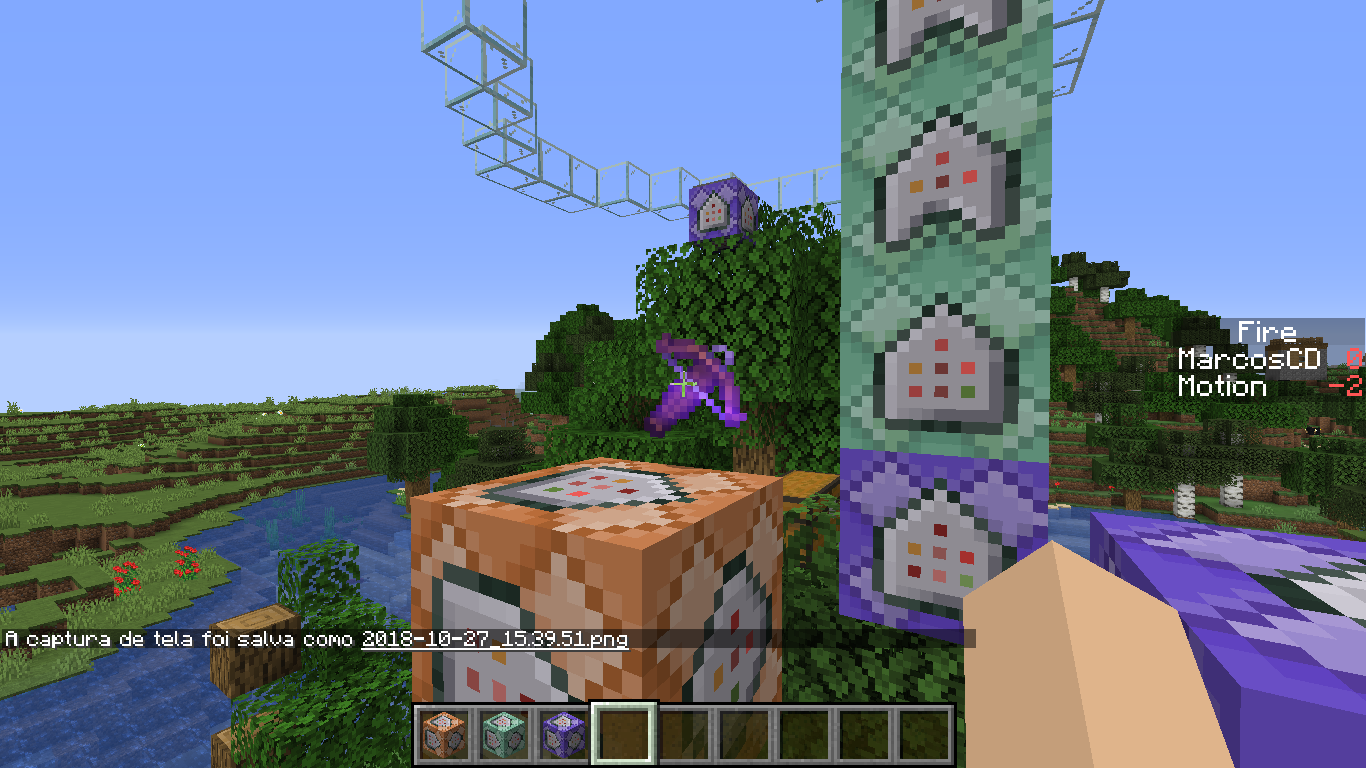
Quick Crage Bigger than 5 Make Crossbow not load 100%
Quick Crage Bigger than 5 Make Crossbow not load 100%

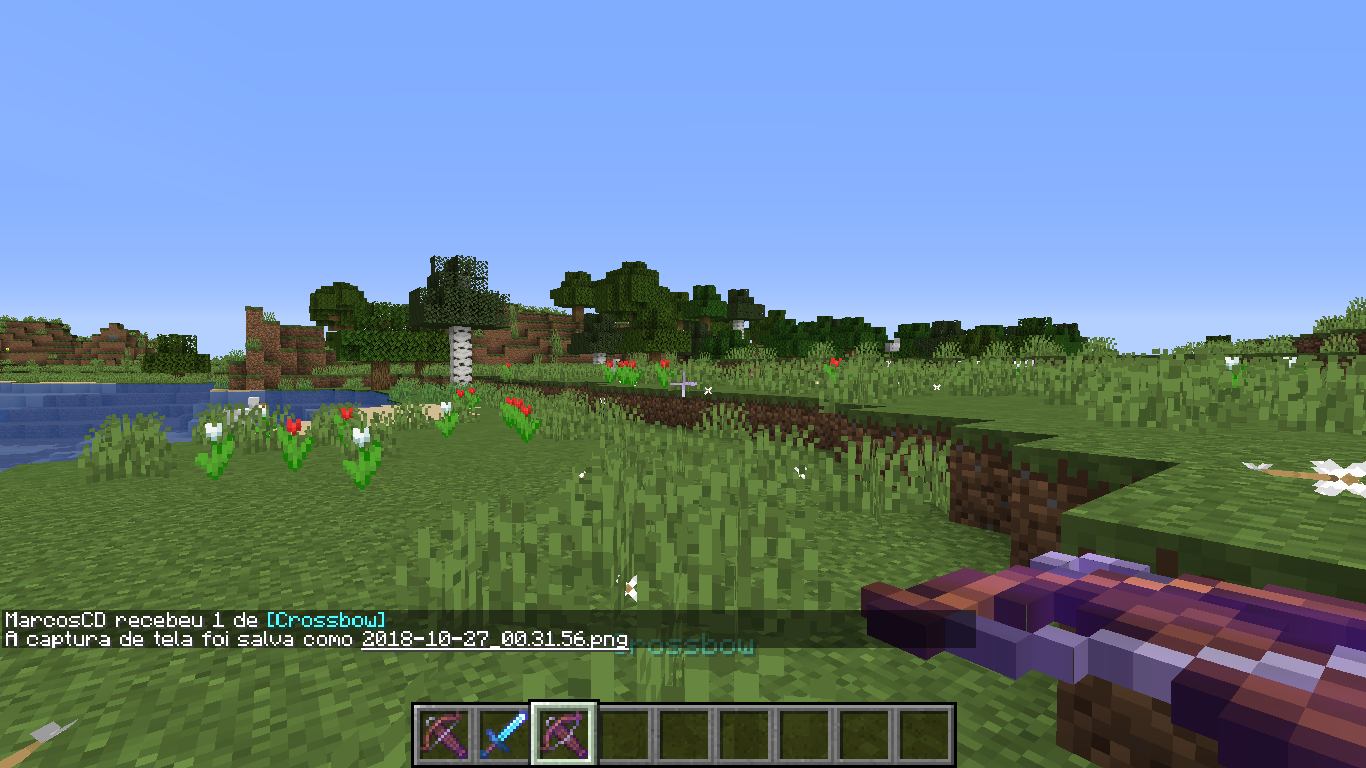
Loaded Crossbow Do not show as loaded when dropped

Biome Generation Bug
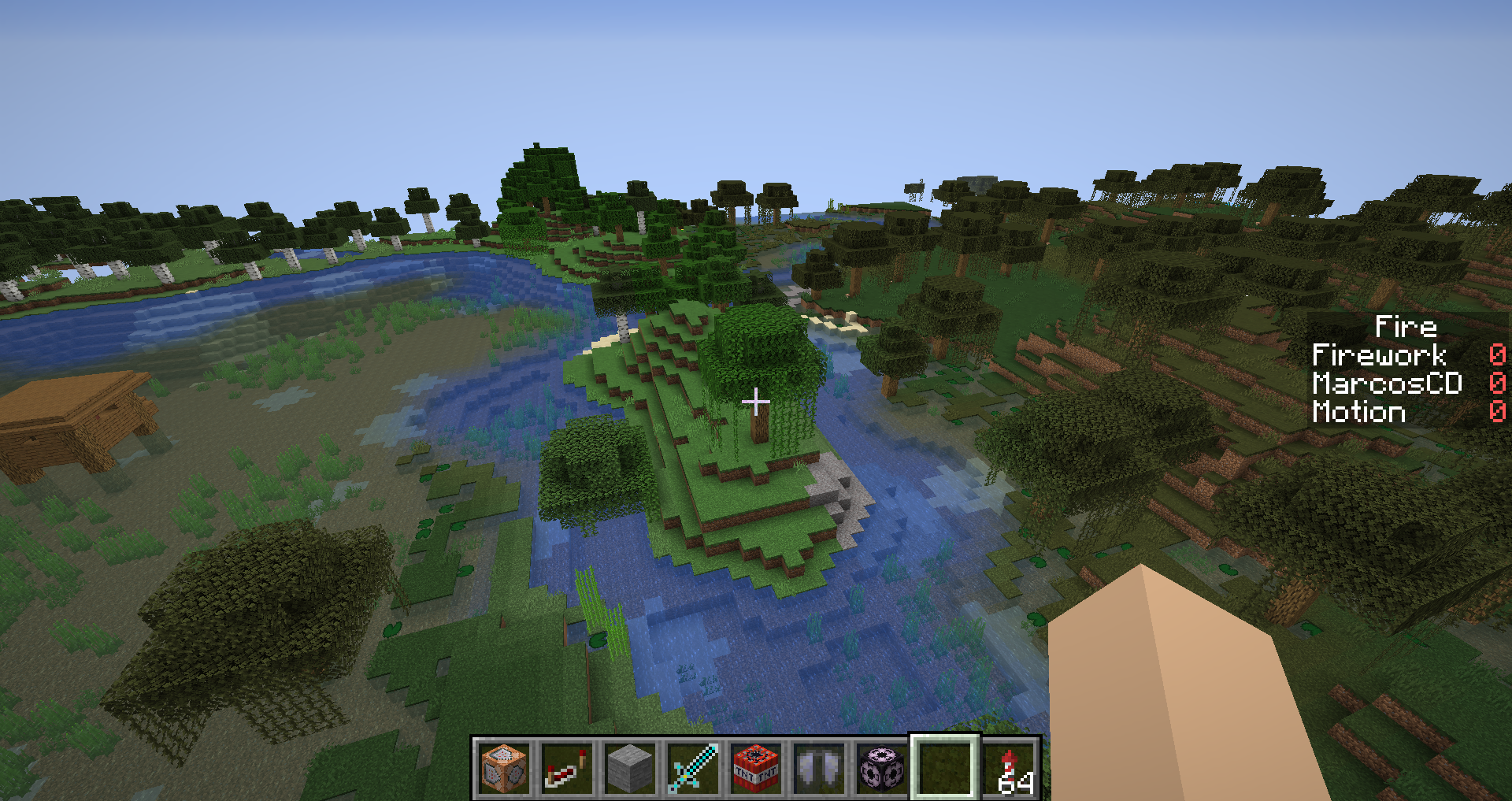

Seed: [2430016175080668397]
Coord: 10000 100 10000
Seed: [2430016175080668397]
Coord: 10000 100 10000
Seed: [2430016175080668397]
Coord: [10000 100 10000]
Seed: [2430016175080668397]
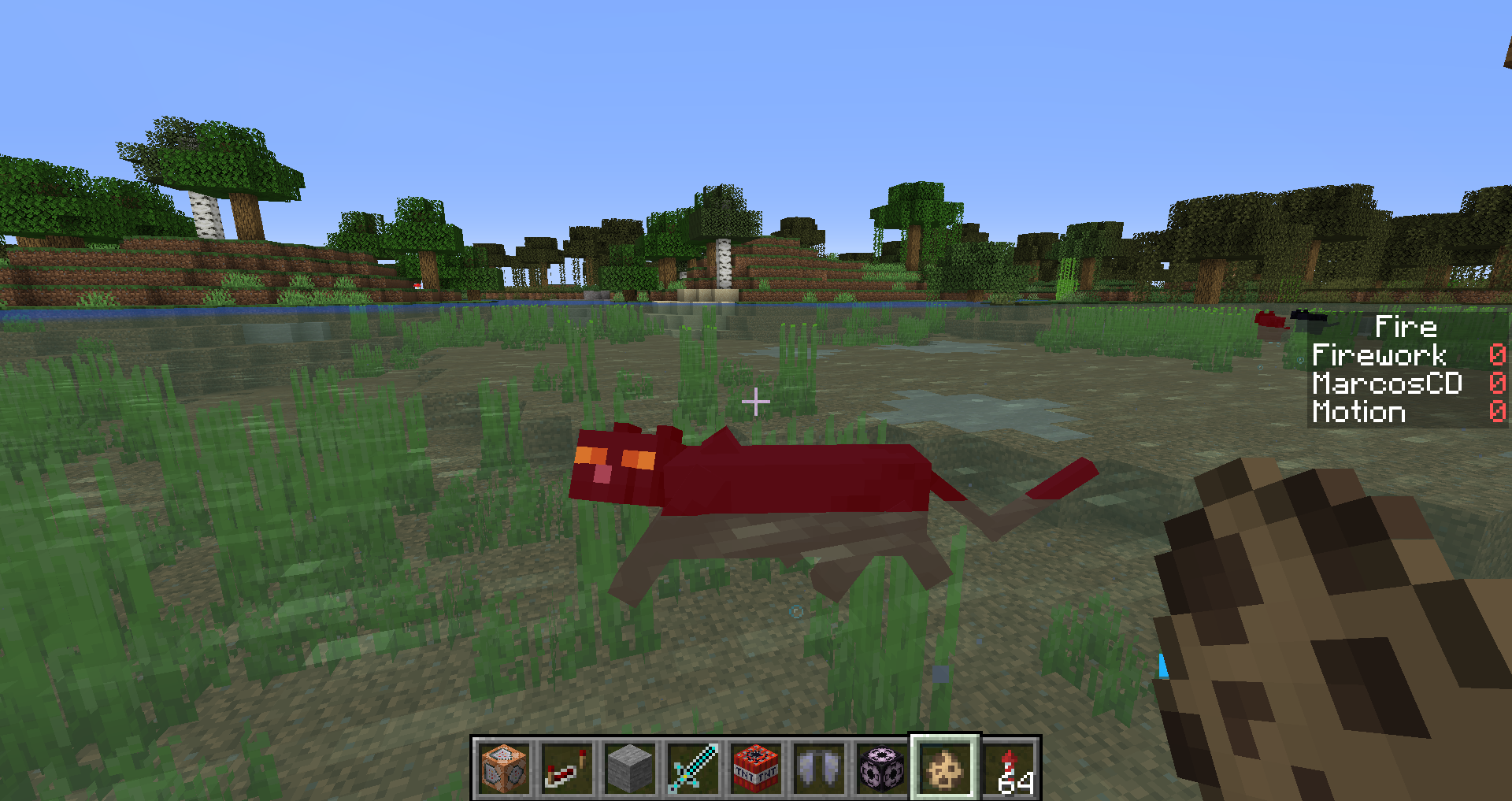
Cat is dying even when swiming.
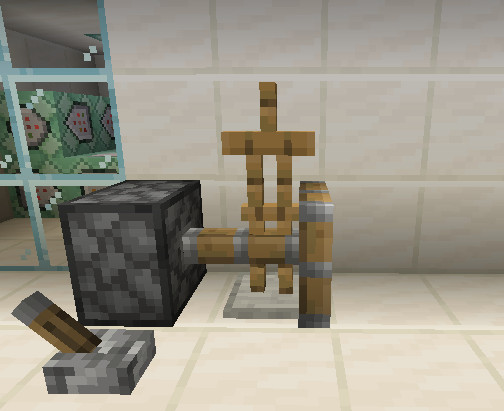
What happens: Armor stand with Marker tag pass through some blocks
What was expected: Armor stand with Marker tag stand on this blocksHow to reproduce:
- Put an armor stand on top of one of the listed blocks
- Do /data merge entity @e[type=armor_stand,distance=..5,limit=1] {Marker:1}
Result exemple:
Known affected Blocks:
- Hopper
- Anvil
- Piston Head
What happens: Armor stand with Marker tag pass through some blocks
What was expected: Armor stand with Marker tag stand on this blocksHow to reproduce:
- Put an armor stand on top of one of the listed blocks
- Do /data merge entity @e[type=armor_stand,distance=..5,limit=1] {Marker:1}
Result exemple:
Known affected Blocks:
- Hopper
- Anvil
- Piston Head

What happens: Armor stand with Marker tag pass through some blocks
What was expected: Armor stand with Marker tag stand on this blocksHow to reproduce:
- Put an armor stand on top of one of the listed blocks
- Do /data merge entity @e[type=armor_stand,distance=..5,limit=1] {Marker:1}
Result exemple:
Known affected Blocks:
- Hopper
- Anvil
- Piston Head
What happens: Armor stand with Marker tag pass through some blocks
What was expected: Armor stand with Marker tag stand on this blocksHow to reproduce:
- Put an armor stand on top of one of the listed blocks
- Do /data merge entity @e[type=armor_stand,distance=..5,limit=1] {Marker:1}
Result exemple:
Known affected Blocks: [Testing Blocks Now]
- Hopper
- Anvil
- Piston Head
What happens: Armor stand with Marker tag pass through some blocks
What was expected: Armor stand with Marker tag stand on this blocksHow to reproduce:
- Put an armor stand on top of one of the listed blocks
- Do /data merge entity @e[type=armor_stand,distance=..5,limit=1] {Marker:1}
Result exemple:
Known affected Blocks: [Testing Blocks Now]
- Hopper
- Anvil
- Piston Head
What happens: Armor stand with Marker tag pass through some blocks
What was expected: Armor stand with Marker tag stand on this blocksHow to reproduce:
- Put an armor stand on top of one of the listed blocks
- Do /data merge entity @e[type=armor_stand,distance=..5,limit=1] {Marker:1}
Result exemple:
Known affected Blocks:
- Hopper
- Anvil
- Piston Head
- Lectern
- End Rod
- Sea Pickle
- Open Shulker box
- Bell
- Extended Piston
- Bamboo
- Stairs
- Heads
- Caldron
I noticed that if I teleport to a block edge y,00 it pass through all the blocks and go to the void
What happens: Armor stand with Marker tag pass through some blocks
What was expected: Armor stand with Marker tag stand on this blocksHow to reproduce:
- Put an armor stand on top of one of the listed blocks
- Do /data merge entity @e[type=armor_stand,distance=..5,limit=1] {Marker:1}
Result exemple:
Known affected Blocks:
- Hopper
- Anvil
- Piston Head
- Lectern
- End Rod
- Sea Pickle
- Open Shulker box
- Bell
- Extended Piston
- Bamboo
- Stairs
- Heads
- Cauldron
I noticed that if I teleport to a block edge y,00 it pass through all the blocks and go to the void
Windows 10
Java 8
Campfiregamemode adventure glitch
What is expected: nothing, literally nothing.
What happens: When
I try break a campfire while on gamemode adventure it show the breaking animation, but it dosent break.
Images:
[I'll upload when possible]
What is expected: nothing, literally nothing.
What happens: When hit some block on survival and after the same block on adventure it show the animation of breaking. only the animation.
Images:
What is expected: nothing, literally nothing.
What happens: When hit some block on survival and after the same block on adventure it show the animation of breaking. only the animation.
Images:
What is expected: nothing, literally nothing.
What happens: When hit some block on survival and after the same block on adventure it show the animation of breaking. only the animation.
Video:
TimeShift 14-01-2019 17-34-04.mp4

What is expected: nothing, literally nothing.
What happens: When hit some block on survival and after the same block on adventure it show the animation of breaking. only the animation.
Video:
TimeShift 14-01-2019 17-34-04.mp4
What is expected: nothing, literally nothing.
What happens: When hit some block on survival and after the same block on adventure it show the animation of breaking. only the animation.
Video:
What is expected: nothing, literally nothing.
What happens: When hit some block on survival and after the same block on adventure it show the animation of breaking. only the animation.
Video:
What is expected: nothing, literally nothing.
What happens: When hit some block on survival and after the same block on adventure it show the animation of breaking. only the animation.
Video:
TimeShift 14-01-2019 17-34-04.mp4
Expected: Entities always visible, for server and client.
Happening: After I die the entities turn invisible (client side), and to the turn visible again I need die again, and I cant interact with them when invisible.
Images:
Before
After
Expected: Entities always visible, for server and client.
Happening: After I die the entities turn invisible (client side), and to the turn visible again I need die again, and I cant interact with them when invisible.
Images:
Before
After
Expected: Entities always visible, for server and client.
Happening: After I die the entities turn invisible (client side), and to the turn visible again I need die again, and I cant interact with them when invisible.
Images:
Before
After
Expected: Entities always visible, for server and client.
Happening: After I die the entities turn invisible (client side), and to the turn visible again I need die again, and I cant interact with them when invisible.
Images:
Before
After
Mobs can spawn on scaffolding.
The worst idea ever > build at night. You're at 100 blocks from ground, building your tower and a skeleton shoot you on the of lava nearby. It wasn't supposed to happen.
Or a creeper blow up the scaffolding on the extension that is 3 blocks under you, than when you fall there is other creeper waiting.
Its awful building with mobs on your scaffolding
Some block models aretransparentSome block models are wrong
Hummm, I can't describe it, but I recorded.
Its weird. Sorry for lack of info, but I couldn't guess what is causing the issue. I know that some block models are rendering wrong.
And only on some conditions.
With some conditions it render wrong, but with other conditions it render correctly, and something is lagging a lot. I created this world before the recording.
Since the video has 300MB I uploaded on YT
https://www.youtube.com/watch?v=Z_JZHFVDy2M
CPU: Intel Core i7 3612QM
GPU: None
OS: Windows 10 Pro (Insider) 21H1 (19043.844)
Java versions installed: Java 8, Java 11, Java 12
RAM: 12GB Total 3GB allocated to Minecraft
CPU: Intel Core i7 3612QM
GPU: None
OS: Windows 10 Pro (Insider) 21H1 (19043.844)
Java versions installed: Java 8, Java 11, Java 12
RAM: 12GB Total3GB allocated to MinecraftCPU: Intel Core i7 3612QM
GPU: None
OS: Windows 10 Pro (Insider) 21H1 (19043.844)
Java version: Java 8 (Launcher default)
RAM: 12GB Total | 4GB allocated to Minecraft
OpenGL debug/error spam
OpenGL debug/error spam | OpenGL debug messages are logged as info
OpenGL debug/error console spam | OpenGL debug messages are logged as info
OpenGL debug/error console spam |OpenGL debug messages are logged as info
Recently, when playing on the snapshots 20w10a and 20w11a I noticed that the logs were bigger that normal, and after opening them I noticed that they were full of OpenGL
errors. The sizes of the 3 logs (uncompressed) I got from the snapshots are 3GB, 1GB 600MBI have had some other issues after the OpenGL update, but not reporting those here.
Recently, when playing on the snapshots 20w10a and 20w11a I noticed that the logs were bigger that normal, and after opening them I noticed that they were full of OpenGL debug messages. The sizes of the 3 logs (uncompressed) I got from the snapshots are 3GB, 1GB 600MB
I have had some other issues after the OpenGL update, but not reporting those here.
Recently, when playing on the snapshots 20w10a and 20w11a I noticed that the logs were bigger that normal, and after opening them I noticed that they were full of OpenGL debug messages. The sizes of the 3 logs (uncompressed) I got from the snapshots are 3GB, 1GB 600MB
I have had some other issues after the OpenGL update, but not reporting those here.
OpenGLdebugmessages are loggedas infoOpenGL messages are logged wrongly
Recently, when playing on the snapshots 20w10a and 20w11a I noticed that the logs were bigger that normal, and after opening them I noticed that they were full of OpenGL debug messages. The sizes of the 3 logs (uncompressed) I got from the snapshots are 3GB, 1GB 600MB
I have had some other issues after the OpenGL update, but not reporting those here.
After paying more attention, I noticed all OpenGL messages are loged as info, error messages are't logged as error, and debug isn't logged as debug, this is awful to find the error on the shaders you're making.
Recently, when playing on the snapshots 20w10a and 20w11a I noticed that the logs were bigger that normal, and after opening them I noticed that they were full of OpenGL debug messages. The sizes of the 3 logs (uncompressed) I got from the snapshots are 3GB, 1GB and 600MB
I have had some other issues after the OpenGL update, but not reporting those here.
After paying more attention, I noticed all OpenGL messages are loged as info, error messages are't logged as error, and debug isn't logged as debug, this is awful to find the error on the shaders you're making.
Recently, when playing on the snapshots 20w10a and 20w11a I noticed that the logs were bigger that normal, and after opening them I noticed that they were full of OpenGL debug messages. The sizes of the 3 logs (uncompressed) I got from the snapshots are 3GB, 1GB and 600MB
I have had some other issues after the OpenGL update, but not reporting those here.
After paying more attention, I noticed all OpenGL messages are loged as info, error messages are't logged as error, and debug isn't logged as debug, this is awful to find the error on the shaders you're making.
Recently, when playing on the snapshots 20w10a and 20w11a I noticed that the logs were bigger that normal, and after opening them I noticed that they were full of OpenGL debug messages. The sizes of the 3 logs (uncompressed) I got from the snapshots are 3GB, 1GB and 600MB
After paying more attention, I noticed all OpenGL messages are loged as info, error messages are't logged as error, and debug isn't logged as debug, this is awful to find the error on the shaders you're making.
Recently, when playing on the snapshots 20w10a and 20w11a I noticed that the logs were bigger that normal, and after opening them I noticed that they were full of OpenGL debug messages. The sizes of the 3 logs (uncompressed) I got from the snapshots are 3GB, 1GB and 600MB
After paying more attention, I noticed all OpenGL messages are loged as info, error messages aren't logged as error, and debug isn't logged as debug, this is awful to find the error on the shaders you're making.
Recently, when playing on the snapshots 20w10a and 20w11a I noticed that the logs were bigger that normal, and after opening them I noticed that they were full of OpenGL debug messages. The sizes of the 3 logs (uncompressed) I got from the snapshots are 3GB, 1GB and 600MB
After paying more attention, I noticed all OpenGL messages are logged as info, error messages aren't logged as error, and debug isn't logged as debug, this is awful to find the error on the shaders you're making.
Recently, when playing on the snapshots 20w10a and 20w11a I noticed that the logs were bigger that normal, and after opening them I noticed that they were full of OpenGL debug messages. The sizes of the 3 logs (uncompressed) I got from the snapshots are 3GB, 1GB and 600MB
After paying more attention, I noticed all OpenGL messages are logged as info, error messages aren't logged as error, and debug isn't logged as debug, this is awful to find the error on the shaders you're making.
CPU: Intel Core i7 3612QM
GPU: None
OS: Windows 10 Pro (Insider) 21H1 (19043.844)
Java version: Java 8 (Launcher default)
RAM: 12GB Total | 4GB allocated to Minecraft
OpenGL messages are logged wrongly
Recently, when playing on the snapshots 20w10a and 20w11aI noticed that thelogs werebigger that normal, and after opening them I noticed that they werefullof OpenGL debug messages. The sizes of the 3 logs (uncompressed) I got from the snapshots are 3GB, 1GB and 600MBAfter paying more attention, I noticed all OpenGL messages are logged as info, error messages aren't logged as error, and debug isn't logged as debug, this is awful to find the error on the shaders you're making.
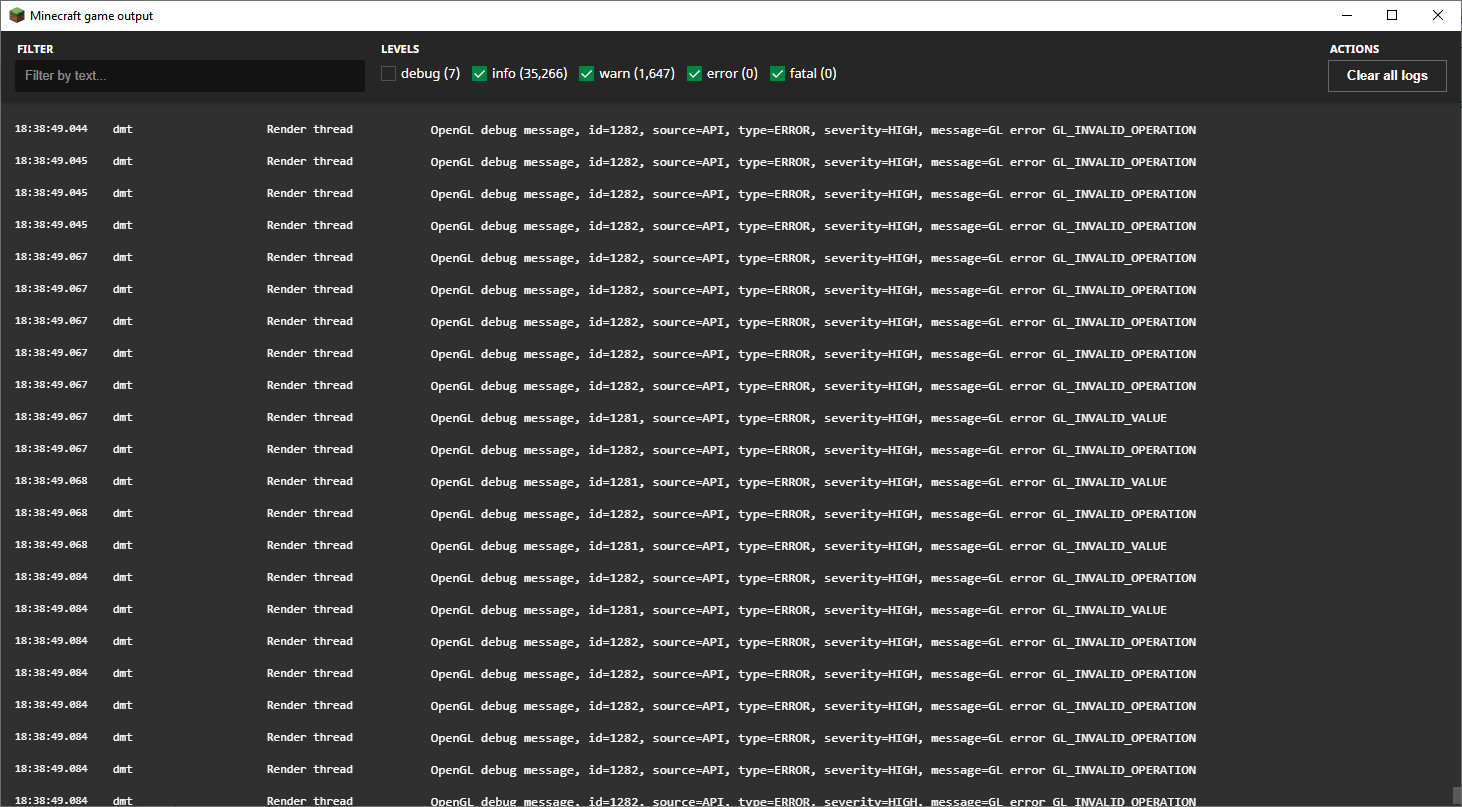
After some testing and checking a mapped version of the game code I noticed that the OpenGL messages are logged as info. With that, when there is an error with a shaders the console gets filled with debug warning messages all logged as info, an example can be seen on the attached image.
This also results on bigger logs, this can be a problem when trying to check where you had an error when working with shaders on resource packs.
Since that no rate limit is applied you can get hundreds of lines printed per second.
As found out by PhoenixSC, rendering a large amount of slime blocks or honey blocks will result on a game crash
Steps to reproduce:
↪ Join a world on 21w13a or 21w14a
↪ Run /fill -20 -10 -20 10 10 10 slime_block
↪ Move around a bit
✖ Game crashes
The crash report is of 21w13a [mapped version, ran using FabricMC to have methods mapped]
As found out by PhoenixSC, rendering a large amount of slime blocks or honey blocks will result on a game crash
Steps to reproduce:
↪ Join a world on 21w13a or 21w14a
↪ Run /fill -20 -10 -20 10 10 10 slime_block
↪ Move around a bit
✖ Game crashesThe crash report is of 21w13a [mapped version, ran using _FabricMC_ to have methods mapped]
As found out by PhoenixSC, rendering a large amount of slime blocks or honey blocks will result on a game crash
Steps to reproduce:
↪ Join a world on 21w13a or 21w14a
↪ Run /fill -20 -10 -20 10 10 10 slime_block
↪ Move around a bit
✖ Game crashesThe crash report is of 21w13a [mapped version, ran using
_FabricMC_to have methods mapped]
Slime blocks and honey blocks result on InvallidArgumentException crash
As found out by PhoenixSC, rendering a large amount of slime blocks or honey blocks will result on a game crash
Steps to reproduce:
↪ Join a world on 21w13a or 21w14a
↪ Run /fill -20 -10 -20 10 10 10 slime_block
↪ Move around a bit
✖ Game crashesThe crash report
isof 21w13a [mapped version, ran using FabricMC to have methods mapped]As found out by PhoenixSC, rendering a large amount of slime blocks or honey blocks will result on a game crash
Steps to reproduce:
↪ Join a world on 21w13a or 21w14a
↪ Run /fill -20 -10 -20 10 10 10 slime_block
↪ Move around a bit
✖ Game crashesThe crashs report are of 21w13a [with FabricMC mappings] and 21w14a [Vanilla]
Slime blocks and honey blocks result on InvalidArgumentException crashSlime blocks and honey blocks result on IllegalArgumentException crash
Looks like I took too long to get the mapped version of the game running...
I searched before reporting tho...
The server saves the potion effect amplifier on an int variable, but the packet sent to the client is byte, with potions with the amplifier over 127 the client will receive the wrong value, altho it isn't shown on the GUI, that is an inconsistency
and an issue when creating modifications
[Duplicate] Command alias isn't an exact replica of the original command
Steps to reproduce:
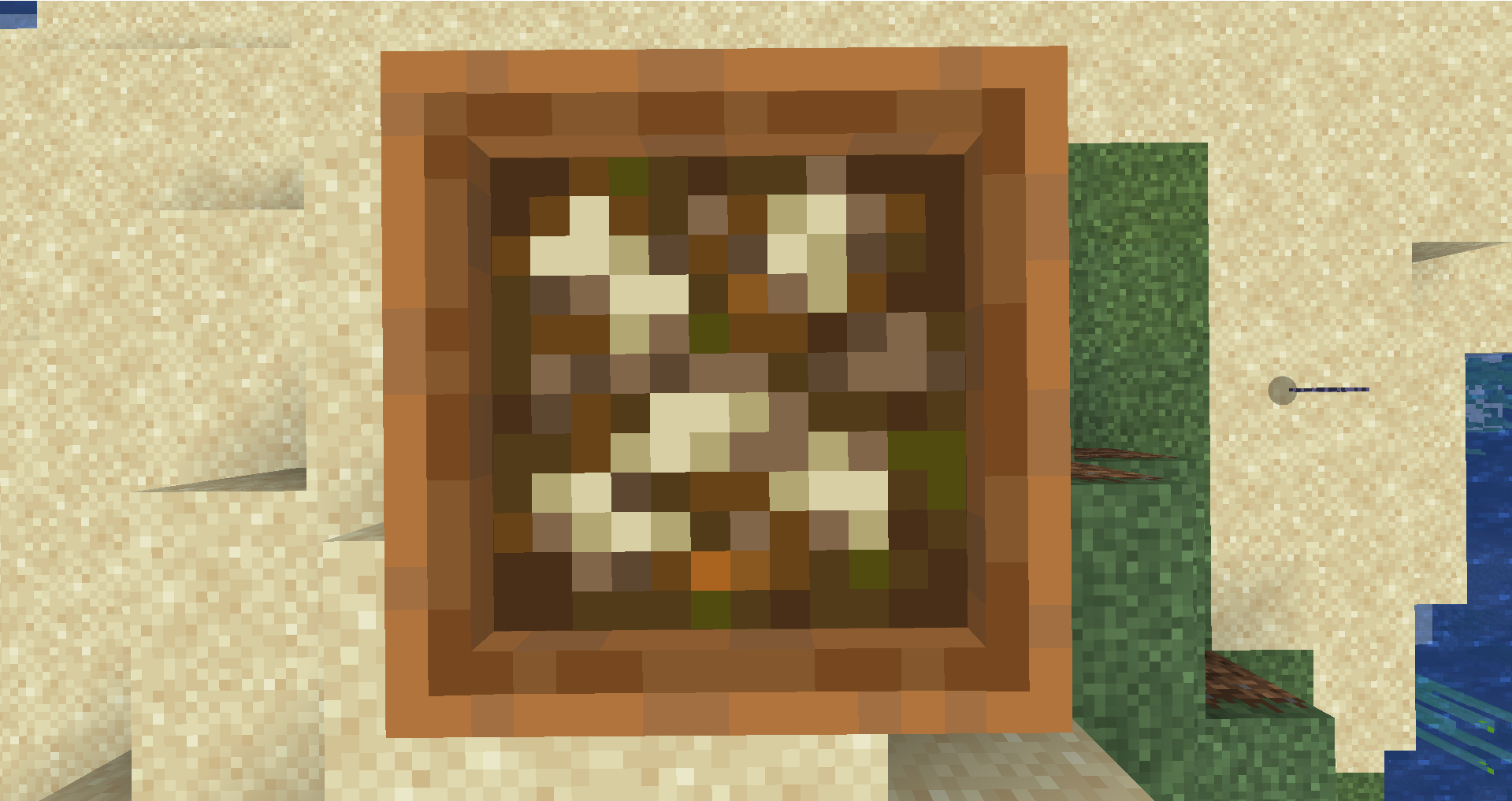
- Create a bubble column with soul sand
- Drop a suspicious sand on it
- When the falling sand time expires it drops due to the NBT having DropItem set to true
Expected behavior:
- Nothing drops as you can't obtain the sand when breaking it
Steps to reproduce:
- Create a bubble column with soul sand
- Drop a suspicious sand on it
- When the falling sand time expires it drops due to the NBT having DropItem set to true
Expected behavior:
- Nothing drops as you can't obtain the sand when breaking it
A video reproducing it can be seen here: https://youtu.be/SQeW9f_tvtY
[Duplicate] It is possible to obtain the suspicious sand and suspicious gravel items
![[Mod] Asteraoth](../../../data/avatars/users/92886.png)
Awakened Redstone, please stop updating this ticket. The particle lag is MC-124170 and the block lag is MC-137931.

Awakened Redstone, source?
I open a LAN world and my friend can't see and open my world LAN.
Eu abro um mundo LAN e meu amigo não pode ver e abrir meu mundo LAN.
yes
Its not only on linux
True
Affects 18w21b with VSynk off
Affects 18w21b with VSynk on
Isn't entity.
Correct usage:
type=minecraft:mob
substitute mob for a valid __ minecraft entity
Tryed use F3 + A?
The hotbar title is /title actionbar ...
[Mod] bemoty
I add more information
It can help to solve the problem
'-'
Why Alweys have someone that posted before me?
:|
Its the chunk Updates that is causing this lag issues.
Please add screenshots or videos to be easier and faster to know more details about the bug
Duplicated by
MC-139003MC-138979Duplicated by
MC-138979is duplicated by
MC-138989Please search before creating a issue
It describes partial.
It says that pass through all blocks until die on void.
It happens when is on a block corner, but if it is on top of ther listed blocks only pass through the block, I don't know why not happen to you, but to test it teleported the armor stand to up the block, like if the block was at y=64 I teleported the armor stand to y=65.
It's pretty strange. To me it doesn't stopped on the hitbox of the cauldron, it sopped only on the solid block hitbox, I'll see if it happens to others, this can be an erro during the game loading, world code or when was downloading the snapshot.
My expected with the piston is what you said, it stopping on the block but with, for example, the extended piston (the "stone part") it stopped inside the piston. I'll test later on a newer snapshot and I give a feedback later. [I only can test on 12/1 from now, if I not have to study all day]
MC-162101
Work as intended
Zombies don't avoid daylight, only skeletons
Will it be fixed, because its anoying
Silent tag removes sounds, not vibrations
Do not associate sound with vibrations
The Glow Lichen seams to exist, but doesn't have any hitbox.
The feature of having no limit something I like, but mot the crash, I noticed enchantments changed max value from 16bit to 32bit, and that would be great if done to dropped items to, from 8bit to 32bit.
About unstackable items, since /give provides same data to all of them, that could be done to, we already got to have 2147483647 items on a stack, the value on NBT said a negative number, but the game was able to know the value, on single player, with a bundle dupe that has been patched.
You get the experience from smelting
As from
MC-222524As found out by PhoenixSC, rendering a large amount of slime blocks or honey blocks will result on a game crash
Steps to reproduce:
↪ Join a world on 21w13a or 21w14a
↪ Run /fill -20 -10 -20 10 10 10 slime_block
↪ Move around a bit
✖ Game crashes
The crashs report are of 21w13a [with FabricMC mappings] and 21w14a [Vanilla]
Vanilla: crash-2021-04-08_01.15.18-client.txt Mapped: crash-2021-04-07_11.46.52-client.txt
A better title for the issue: High amount of Slime Blocks and Honey Blocks result on IllegalArgumentException crash
Can confirm in 1.17.1 Pre-release 3
Yeah, it may be better to merge
I swear, if they make potion effects byte and make the limit 127
Yeah, Woops, just noticed it, I failed to test on a snapshot