 Edward McGuire
- metaed
- metaed
- America/Chicago
- Yes
- No
 MCPE-22547
 REALMS-8562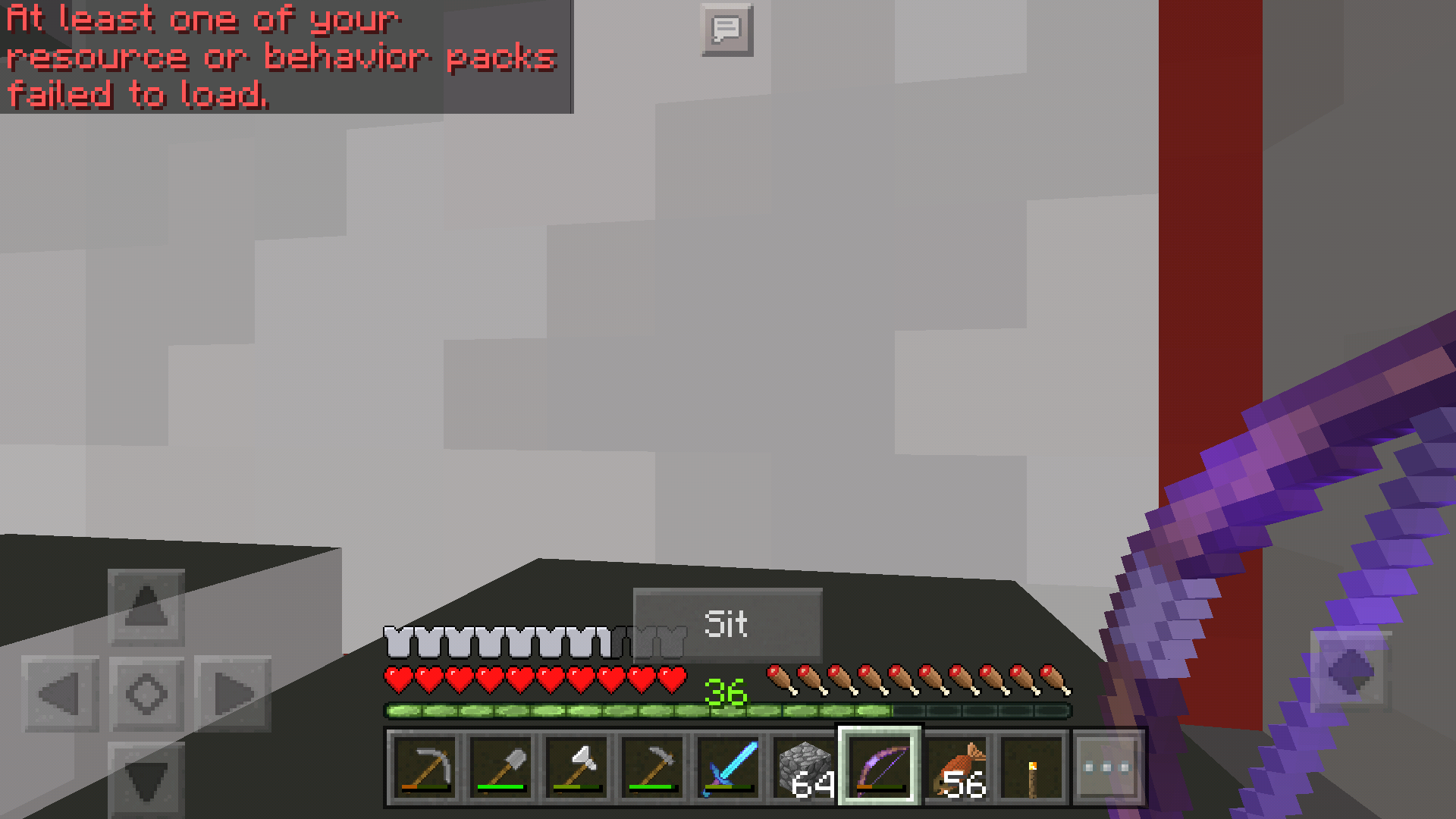




Samsung Galaxy S7 Active.
Saved game loaded. Player was near sea level but restored at above cloud level. Gravity worked.
Edit: confirmed the player was restored directly above the original spawn point, i.e., fell onto the location where player was spawned when the world was created.
Samsung Galaxy S7 Active.
Saved game loaded. Player was near sea level but restored at above cloud level. Gravity worked.
Edit: confirmed the player was restored directly above the original spawn point, i.e., fell onto the location where player was spawned when the world was created.
Edit: confirmed still occurs after placing a bed. Fall still takes place over original spawn point, not over the bed.
screen-20201117-212644~3.mp4
confirmed in 1.17.11.01 for Android.
Mob Vote 2022 voting countdown wrong in app, possibly timezone bug
Voting began on October 14, 12PM EDT. My local timezone is CDT so at 1200 ET it is 1100 CT.
However at that time, in the app there werestill2 hourson the clock. The countdown completed and allowed me to vote at 1300 CT (1400 ET). Attaching a screenshot showing the countdown and the local time.If this is truly a timezone math bug, it could affect everyone on the west coast of the US.
Voting began on October 14, 12PM EDT. My local timezone is CDT so at 1200 ET it is 1100 CT. The app invited me to vote with a push notification. However, in the app there was still time on the clock. The countdown completed and allowed me to vote at 1400 CT (1500 ET). Attaching a screenshot showing the countdown and the local time.
If this is truly a timezone math bug, it could affect everyone on the west coast of the US.
As documented in the support article "Managing Data and Game Storage in Minecraft: Bedrock Edition", Bedrock Edition worlds and other files are stored at:
/Android/data/com.mojang.minecraftpe/files/games/com.mojang/
It is also recommended there that you back up worlds from there to other storage media, to prevent them from being lost, especially before loading a snapshot or beta.
After a Minecraft first time install on a new device, I have saved two local worlds, one to internal (application) storage, the other to external storage. The game is able to find and play these worlds. But the game does not create (or creates hidden) the directory /Android/data/com.mojang.minecraftpe, so it is not actually possible to find either of these two worlds and back them up to other storage media.
Because the directory is not visible, it is also impossible to restore backups to this system, making migration from device to device impossible.
Other applications installed on this device have left readable documents that can be backed up to other storage media. For example, the directories "com.facebook.orca", "com.google.android.talk", "com.imgur.mobile", and "com.whatsapp" were created under /Android/media by the respective applications, and contain visible files that can be backed up. So this is at least partly an application issue.
Two of the attached screenshots show how the local worlds list looks when set for internal (application) storage, and when set for external storage, showing that both storage locations contain a saved world. The third shows the view of /Android/data from the Files application.
Minecraft 1.20.32, 1.20.40
Android 14
Google Pixel 8 Pro
As documented in the support article "Managing Data and Game Storage in Minecraft: Bedrock Edition", Bedrock Edition worlds and other files are stored at:
/Android/data/com.mojang.minecraftpe/files/games/com.mojang/
It is also recommended there that you back up worlds from there to other storage media, to prevent them from being lost, especially before loading a snapshot or beta.
After a Minecraft first time install on a new device, I have saved two local worlds, one to internal (application) storage, the other to external storage. The game is able to find and play these worlds. But the game does not create (or creates hidden) the directory /Android/data/com.mojang.minecraftpe, so it is not actually possible to find either of these two worlds and back them up to other storage media.
Because the directory is not visible, it is also impossible to restore backups to this system, making migration from device to device impossible.
Other applications installed on this device have left readable documents that can be backed up to other storage media. For example, the directories "com.facebook.orca", "com.google.android.talk", "com.imgur.mobile", and "com.whatsapp" were created under /Android/media by the respective applications, and contain visible files that can be backed up.
So this is atleast partly an application issue.Two of the attached screenshots show how the local worlds list looks when set for internal (application) storage, and when set for external storage, showing that both storage locations contain a saved world. The third shows the view of /Android/data from the Files application.
Minecraft 1.20.32, 1.20.40
Android 14
Google Pixel 8 ProAs documented in the support article "Managing Data and Game Storage in Minecraft: Bedrock Edition", Bedrock Edition worlds and other files are stored at:
/Android/data/com.mojang.minecraftpe/files/games/com.mojang/
It is also recommended there that you back up worlds from there to other storage media, to prevent them from being lost, especially before loading a snapshot or beta.
After a Minecraft first time install on a new device, I have saved two local worlds, one to internal (application) storage, the other to external storage. The game is able to find and play these worlds. But the game does not create (or creates hidden) the directory /Android/data/com.mojang.minecraftpe, so it is not actually possible to find either of these two worlds and back them up to other storage media.
Because the directory is not visible, it is also impossible to restore backups to this system, making migration from device to device impossible.
Other applications installed on this device have left readable documents that can be backed up to other storage media. For example, the directories "com.facebook.orca", "com.google.android.talk", "com.imgur.mobile", and "com.whatsapp" were created under /Android/media by the respective applications, and contain visible files that can be backed up. This means Android 14 is not simply hiding application directories, making this is least partly an application issue.
Two of the attached screenshots show how the local worlds list looks when set for internal (application) storage, and when set for external storage, showing that both storage locations contain a saved world. The third shows the view of /Android/data from the Files application.
Minecraft 1.20.32, 1.20.40
Android 14
Google Pixel 8 Pro
As documented in the support article "Managing Data and Game Storage in Minecraft: Bedrock Edition", Bedrock Edition worlds and other files are stored at:
/Android/data/com.mojang.minecraftpe/files/games/com.mojang/
It is also recommended there that you back up worlds from there to other storage media, to prevent them from being lost, especially before loading a snapshot or beta.
After a Minecraft first time install on a new device, I have saved two local worlds, one to internal (application) storage, the other to external storage. The game is able to find and play these worlds. But the game does not create (or creates hidden) the directory /Android/data/com.mojang.minecraftpe, so it is not actually possible to find either of these two worlds and back them up to other storage media.
Because the directory is not visible, it is also impossible to restore backups to this system, making migration from device to device impossible.
Other applications installed on this device have left readable documents that can be backed up to other storage media. For example, the directories "com.facebook.orca", "com.google.android.talk", "com.imgur.mobile", and "com.whatsapp" were created under /Android/media by the respective applications, and contain visible files that can be backed up. This means Android 14 is not simply hiding application directories, making this
isleast partly an application issue.Two of the attached screenshots show how the local worlds list looks when set for internal (application) storage, and when set for external storage, showing that both storage locations contain a saved world. The third shows the view of /Android/data from the Files application.
Minecraft 1.20.32, 1.20.40
Android 14
Google Pixel 8 Pro
Edward McGuire: We're pretty sure there's no inherent sequence involved. It's a desynchronization between the client and server. This happens when the orbs drop somewhere such that they're blocked from floating toward the player, but the client doesn't get updated about their positions in time and doesn't know they're blocked. So the client thinks they're free to move and renders them accordingly. It's waiting for the server to tell it that you've absorbed them, but the server won't do that because you're not close enough to them for the attraction to be strong enough to float them up and over whatever is in the way. If you go back to where they were dropped and look in, behind, and under everything you'll probably pick them up.
![[Mod] OcelotOnesie](../../../data/avatars/users/43220.png)
Edward McGuire: I've made you the reporter of this ticket since the original reporter hasn't been active for over 2 years. You can now update the affected versions yourself.
Encountered what looks like the identical bug in MCPE 1.1 (Android).
Issue can be closed.
Seeing this problem on Galaxy S7 Nougat after updating to 1.2.13.5.
Observed in 1.8.0.8 Beta.
I can confirm I'm only seeing it when server is running slower than real time. A new game runs faster than real time even at simulation distance of 8. The problem world runs slower than real time even at a simulation distance of 4, and even when I minimize the device load by turning all video processing down – no clouds, no effects, render distance 6, etc.
1.13.0.34 Android general release
Seeing what looks like identical behavior with 1.13.0.34 on Android platform. Android 10, Pixel 3 XL.
Consistently seeing this problem in 1.13.1.
Platform: Pixel 3 XL, Android 10.
Consistently reproducible by backgrounding and foregrounding the game. Samsung S7 active, and Pixel 3 XL. Current app version is 1.14.1.
it's other mobs also. [^screen-20201117-212644~2.mp4]
Reproducible on Android 11 with version 1.16.101.01.
Also there is a good workaround at MCPE 108981. Face north and place/break a pumpkin block to clear the problem.
Confirmed bug still exists in 1.16.221.01 for Android.
Issue still present in 1.17.0.02.
Also, on Android, the workaround has changed slightly. It is no longer necessary for me to exit and relaunch the app. I am still disconnected instantly from the Realm, but I am not prevented from joining a Realm after that. I can connect without exiting and relaunching.
Confirmed bug still exists in 1.17.0.02 for Android. On my device the exact sequence of dialog boxes is:
Loading resource packs [random loading message(s)]
Loading resource packs
Generating world [Building terrain]
Generating world [Loading Resources]
Loading... [Loading...]
Loading... [Let's Go!]
— game is live
— user selects Save & Quit
Loading ...
Generating world [Done!]
Generating world [Loading Resources] (accompanied by the Saving World animation)
Saving world ... [Done!]
Please add – affects version 1.17.0. Specifically – App: 1.17.0.02, OS: Android 11, Device: Pixel 3XL.
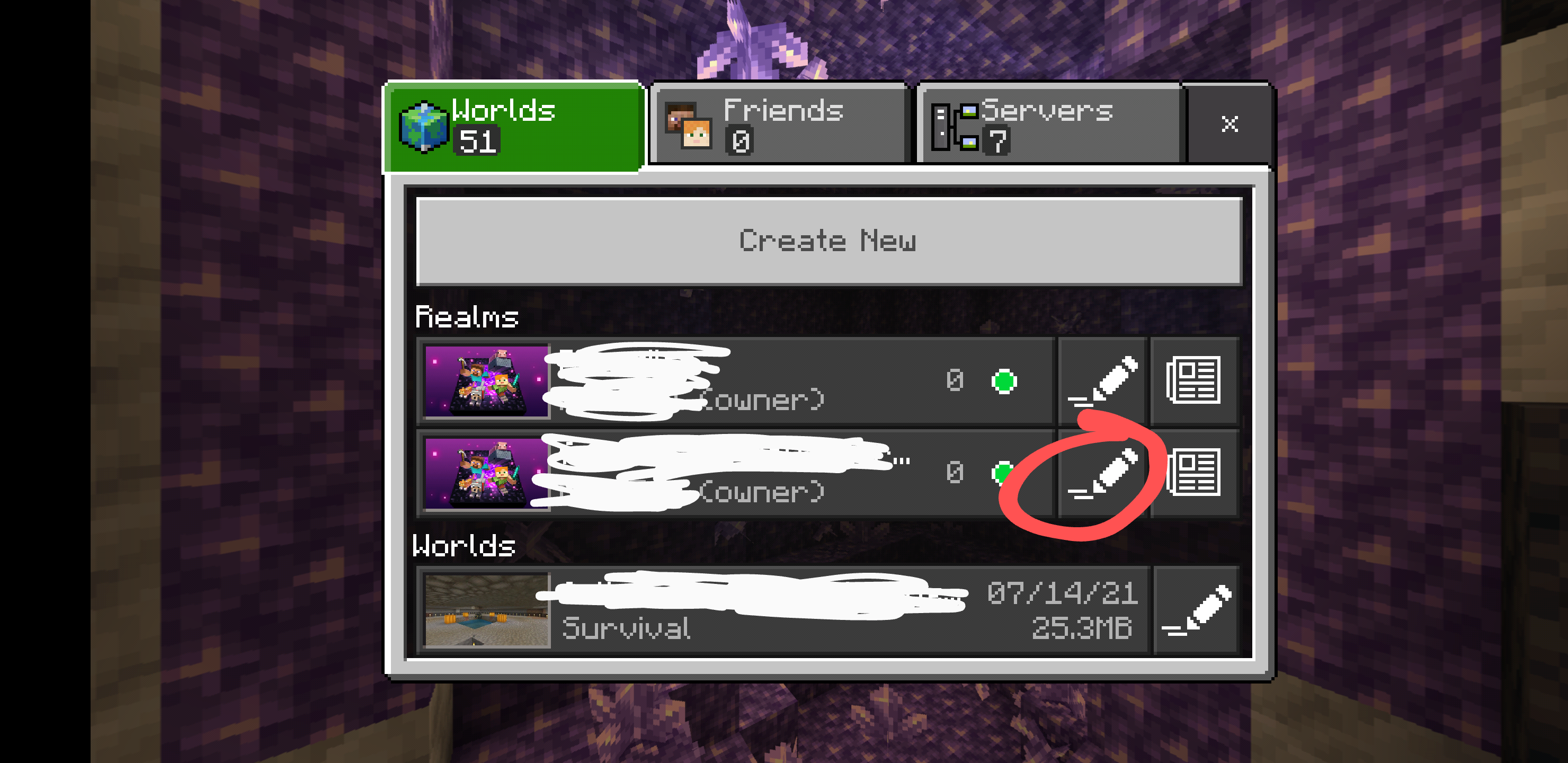
"Download World" still throws "Download failed. The world size exceeds the maximum downloadable limit of 426.7MB."
Please add affects version:1.17.0 – I verified the behavior is still present in release 1.17.0.02 for Android.
Please add affects version:1.17.0 – I confirmed still present in 1.17.0.02 for Android (general release).
Please add version 1.17.0.2 (general release). OS: Android 11. Device: Pixel 3 XL.
Observed several times playing a Realm. Seen only when numerous orbs were widely spread over terrain as a result of encounters with large slimes. One or more orbs follow the player around at floor level. These are either never picked up as XP, or are picked up after a significant delay.
It has always seemed to me that orbs are absorbed in a particular sequence. If an orb is invisible or hung up somewhere, that leaves the orbs after it in the sequence unable to be absorbed. Those follow you around until you discover the missing one.
UPDATE: Thanks to Auldrick for the great information.
Please add affects version 1.17.2 hotfix – specifically Android release 1.17.2.01, running on Android 11, Pixel 3XL. Symptoms unchanged from 1.17.0.02 for Android.
Verified problem affects version 1.17.2 hotfix (Android release 1.17.2.01, running on Android 11, Pixel 3XL)
Verified problem affects version 1.17.2 hotfix (Android release 1.17.2.01, running on Android 11, Pixel 3XL)
Please add also confirmed in 1.17.10.04 for Android
Please add also confirmed in 1.17.10.04 for Android. (general release, not the beta)
please add also confirmed in 1.17.10.04 for Android
confirmed in 1.17.11.01 for Android.
Confirmed bug still present in 1.17.11.01 (Hotfix for Android).
Confirmed bug still exists in 1.17.11.01 (Hotfix for Android)
Confirmed bug still present in 1.17.11.01 (hotfix for Android).
"Download World" or "Backups, Download" always throws "Download failed. The world size exceeds the maximum downloadable limit of 426.7MB."
Peculiar limit, 426.7, so obscure. 5 / 4 / 3 * 1024?
Confirmed bug still present in 1.17.11.01 (hotfix for Android) as described above by GoldenHelmet, for pumpkins mined using Silk Touch
Confirmed bug still present in 1.17.32.02 (hotfix for Android). "Download failed. The world size exceeds the maximum downloadable limit of 426.7MB."
Confirmed bug still present in 1.17.32.02 (hotfix for Android).
Please add bug also confirmed in 1.17.32.02 (hotfix for Android).
Please add bug also present in 1.17.32.02 hotfix for Android.
Confirmed bug still present in 1.17.41.01 (hotfix for Android).
Confirmed bug still present in 1.17.41.01 (hotfix for Android).
Confirmed bug still present in 1.17.41.01 (hotfix for Android).
I too have a dead spawner after the world upgrade to 1.18. This was a Realms world. After installing 1.18.0.02 for Android the spawner went dark. I have a backup made pre-upgrade that can be used for testing.
If I close and later reopen the affected Realms world, the spawner is back to normal. When I leave the area and go a considerable distance away and then return, the spawner is dark when I return.
Confirmed bug still present in 1.18.2.03 hotfix for Android.
Confirmed bug still present in 1.18.2.03 hotfix for Android. Please update version(s) affected.
@CornerHard - does the 1.18 workplan for solving realm import issues also extend to solving realm export issues tracked in MCPE-42091, such as the long-standing failure "Download failed. The world size exceeds the maximum downloadable limit of 426.7MB."
And I'm just idly curious as a programmer what 426.7MB might represent as an architectural limit. 5 / 4 / 3 * 1024? Does the first person to guess right get a job offer from Microsoft?
Reports in comments that the bug is still present in 1.18 have not been updated onto the ticket's Affects Version(s) field. Is the OP still updating this ticket?
My report that the bug is still present in 1.18 has not been updated onto the ticket's Affects Version(s) field. Is the OP still updating this ticket?
Confirmed still present in 1.8.12.01 hotfix for Android
Confirmed still present in 1.18.12.01 hotfix for Android
Confirmed still present in 1.18.12.01 hotfix for Android.
Confirmed still present in 1.18.30.04 for Android.
Confirmed still present in 1.18.30.04 for Android.
Confirmed still present in 1.18.30.04 update for Android.
Confirmed still present in 1.18.31.04 for Android.
OP are you still updating this ticket? Not seeing updates to the Affects Versions field after the bug was seen in the wild in 1.18.10, 1.18.11, 1.18.12, and 1.18.30.
Confirmed still present in 1.18.31.04 for Android.
Confirmed still present in 1.18.31.04 for Android.
confirmed still present in 1.18.32.02 for Android
confirmed still present in 1.18.32.02 for Android
confirmed still present in 1.18.32.02 for Android
Still looking for an answer to whether the good progress made here to fix Realm uploads will also solve long-standing problems with Realm downloads documented at MCPE-42091, especially the common condition "Download failed. The world size exceeds the maximum downloadable limit of 426.7MB."
Has anybody located global_settings.json using the Android version?
I have 1.18.32.02 and have no trouble finding world data, resource packs, etc., at (devicename)/Android/data/com.mojang.minecraftpe/files/games/com.mojang.
For example minecraftpe/global_resource_packs.json exists there.
But I don't see global_settings.json, even when showing hidden files.
Confirmed bug still present in 1.19.0.05 for Android.
Looked for global_settings.json in 1.19.0.05 for Android but did not find it.
Confirmed bug still present in 1.19.0.05 for Android.
Confirmed bug still present in 1.19.0.05 for Android.
Confirmed bug still present in 1.19.2.02 for Android.
Confirmed bug still present in 1.19.10.03 for Android.
Now that the new network stack is active for all Android devices, I wondered if world DOWNloads from Realms would start working for me (MCPE-42091). Unfortunately nothing changed.
Confirmed bug still present in 1.19.11.01 for Android.
Confirmed bug still present in 1.19.11.01 for Android.
Can we please have the bug report updated to include the 1.19.11 hotfix?
Confirmed bug still present in 1.19.20.02 for Android.
Confirmed bug still present in 1.19.20.02 for Android.
Confirmed bug still present in 1.19.20.02 for Android.
Confirmed bug still present in 1.19.21.01 hotfix for Android.
Confirmed bug still present in 1.19.21.01 hotfix for Android.
Confirmed bug still present in 1.19.21.01 hotfix for Android.
Confirmed bug still present in 1.19.22.01 hotfix for Android. Please update the list of versions affected.
Confirmed bug still present in 1.19.22.01 hotfix for Android.
Confirmed but still present in 1.19.30.04 hotfix for Android.
Confirmed bug still present in 1.19.30.04 hotfix for Android. Still gives an arbitrary downloadable limit of exactly 426.7 MB unrelated to local device capacity..
Confirmed bug still present in 1.19.30.04 hotfix for Android. Please update Affects Version(s) field.
Confirmed bug still present in 1.19.31.01 hotfix for Android.
Confirmed bug still present in 1.19.31.01 hotfix for Android.
Confirmed bug still present in 1.19.31.01 hotfix for Android. Still gives an arbitrary downloadable limit of exactly 426.7 MB unrelated to local device capacity.
Confirmed bug still present in 1.19.31.01 hotfix for Android.
The 2022 Mob Vote has ended, yes, I agree. But. There will, one presumes, be future mob votes, and they will be managed by this code in the app, that provides the countdown and opens access to the vote server at the correct local time. So it is still a bug worth fixing between now and the next mob vote.
Confirmed still present in 1.19.40.02 update for Android. Still gives an arbitrary downloadable limit of exactly 426.7 MB unrelated to local device capacity. Tried the new Settings, Storage, Clear Marketplace Cache button, and this had no effect at all on either the problem or the number reported in the message.
Confirmed bug still present in 1.19.40.02 hotfix for Android.
Confirmed bug still present in 1.19.40.02 hotfix for Android. Please update Affects Version(s) field.
Confirmed still present in version 1.19.41.01 for Android.
Confirmed still present in version 1.19.41.01 for Android.
Reply from [Mod] Umija5895M: It is not very helpful to continue adding comments like this to bug reports, and it generally just adds clutter and makes it harder to find the important comments. If an issue is not mentioned in a changelog, it is unlikely to have been fixed, so there is no need to comment about it.
However, if you want to ensure that the Affected Version does get updated, you can submit requests for that on the Mojira Discord.
Confirmed still present in version 1.19.41.01 for Android.
Confirmed still present in version 1.19.41.01 for Android.
Confirmed bug still present in version 1.19.50.02 for Android.
Confirmed bug still present in version 1.19.50.02 for Android.
Confirmed bug still present in version 1.19.50.02 for Android.
@Blumamu fix was released - 1.19.71 dropped today.
I can no longer reproduce the error "Download failed. The world size exceeds the maximum downloadable limit of 426.7MB." in 1.19.80 or 1.19.81, on a Pixel 3XL running Android 12. This problem has plagued me at least as far back as 1.17.0. Now I can download a 688 MB Realms backup with no problem.
Unfortunately I can't tell you what changed. I'm still on the same device and don't remember changing settings. I've installed updates as they've come out. But I've reviewed release changelogs all the way back to 1.19.41 and don't see a relevant bugfix announced.
Is this still reproducible by others?
EDIT: Thinking back, one thing I remember doing is cleaning up the old/obsolete directory /games/com.mojang/minecraftWorlds, that was left behind when the Caves and Cliffs update moved everything to /Android/data/com.mojang.minecraftpe/files/games/com.mojang/minecraftWorlds.
So it would be interesting to know if you are an Android user having the 426.7MB problem, whether there are pre-Caves-and-Cliffs files in the old directory, and if so, what happens if you clean those up.
EDIT: Still unable to reproduce, now running 1.20.30, still on the Android platform.
The error "Appearance is taking a long time to load. Proceeding with world generation" appears on my Google Pixel device running 1.20.32 for Android. This happens every time I open an on-device world. I have no resource packs activated – neither at the global level nor at the world level. The error does not impede world loading. After a short dwell time, the message disappears and the world loads.
I believe my bug report should be closed as a duplicate of
MCPE-149447. On the Pixel 8 platform the workaround is to install com.marc.files from the Google Play Store.Minecraft 1.20.50, build 19782186
Android 14, build UD1A.231105.004
Pixel 8 Pro
Workaround is to clear cache. Problem comes back later. I have not been logging in to a Realm.
Picture 1 shows the rounded display of a Google Pixel 8 Pro cropping the Main Menu. The crop can be seen obscuring the copyright symbol, and obscuring the minor version segment of the version tag.
Picture 2 shows the effect on the Settings screen. The troubling issue on the Settings screen is that the Back button in the top left corner is hard to trigger. This is partly because some of the touch zone is cropped, and partly because the user's finger is elevated by the adjacent bevel on the corner of the vendor-supplied case. This issue with the Back button applies to every individual Settings page, and also every Marketplace page.
On this device, manually adjusting the screen Safe Area to a value of around 75% was a decent workaround for me, in both portrait and landscape rotations. Credit to Jarl-Penguin on the Mojira Discord.
A reasonable permanent solution would be to detect the device and limit the value of Safe Area to 75%.
I can reproduce it in 1.21.20, if that's what you're asking. I have not tried betas.