Unable to upload / replace world on realm
5 August 2023 by [Mojang] CornerHard -
Hi everyone, I've seen a couple comments asking for an update, so I wanted to make a post about where we're at and what happens next.
We've updated all Bedrock platforms to our new network stack which did make a big improvement in uploads, and most people are currently able to upload fine to their Realms. However, I know that's not much consolation if you're currently having problems, which you probably are if you've searched out this bug.
When you upload a world to a Realm, there are several things that happen, and if you read through the bug reports here, you'll see different players run into issues at different points.
- After you pick a world to upload, the game compresses it into an MCWorld file on your device. This can be problematic on some consoles and phones, and there are bugs we're trying to track down, but it's can be difficult if we can't reproduce the problem ourselves.
- Once the game has an MCWorld file of your world, it gets an upload location from Realms and sends the file over the internet to the Realms service. Currently, this process is pretty fragile, and if your internet gets interrupted or there are other issues with the connection between your device and the Realms service, this can fail. The new network stack focused on improving this, but it's still delicate, especially for long uploads of large worlds.
- After the MCWorld file is fully uploaded, Realms will unpack the file, check for errors, then copy it to the right storage space so your Realm can use it. This part usually works pretty well, but the game doesn't show a progress bar while this is happening, so many players get confused and cancel out of their upload, even though the process is still working! We have some work in progress to always show a progress bar every step of the process, including this last one.
So what's next? We're working on better progress bars and status during uploads so players don't get confused and cancel their uploads early. Farther ahead, we're building "Realms Storage V2" which will allow us to upload files in pieces, more like what happens when you're uploading a file through your web browser. Now that you can do some Realm management on Minecraft.net, we're also looking into allowing players to upload and download worlds directly on the web, which will help in some situations. For the problems players run into in the world compression step, it's trickier as the platforms can be pretty different and have different storage issues.
If you're running into problems currently, my apologies. The most helpful thing is to post info about which platform (e.g. iPhone) you're playing on, what size the world is, how full your device storage is, and what type of internet connection you're using.
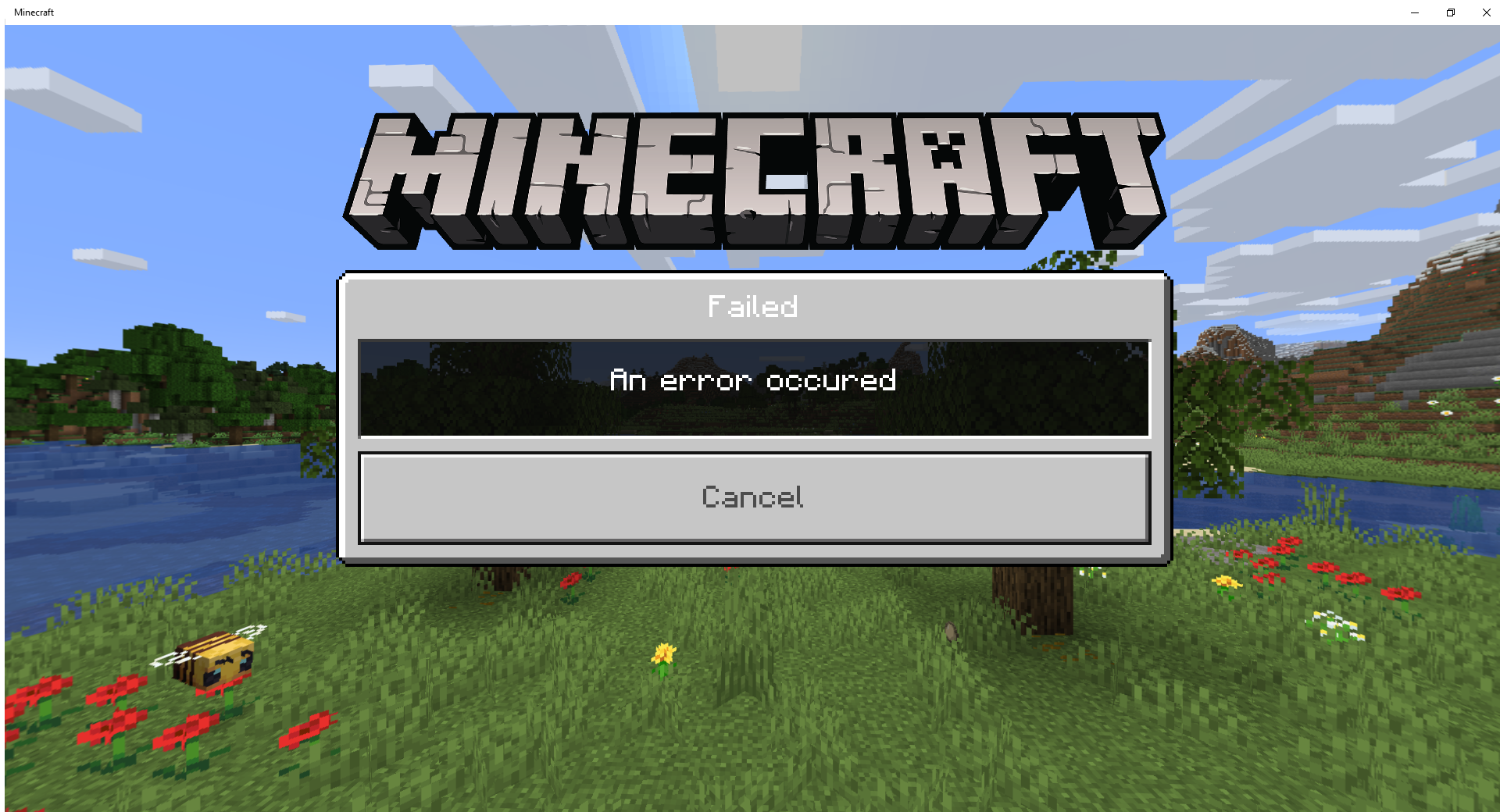
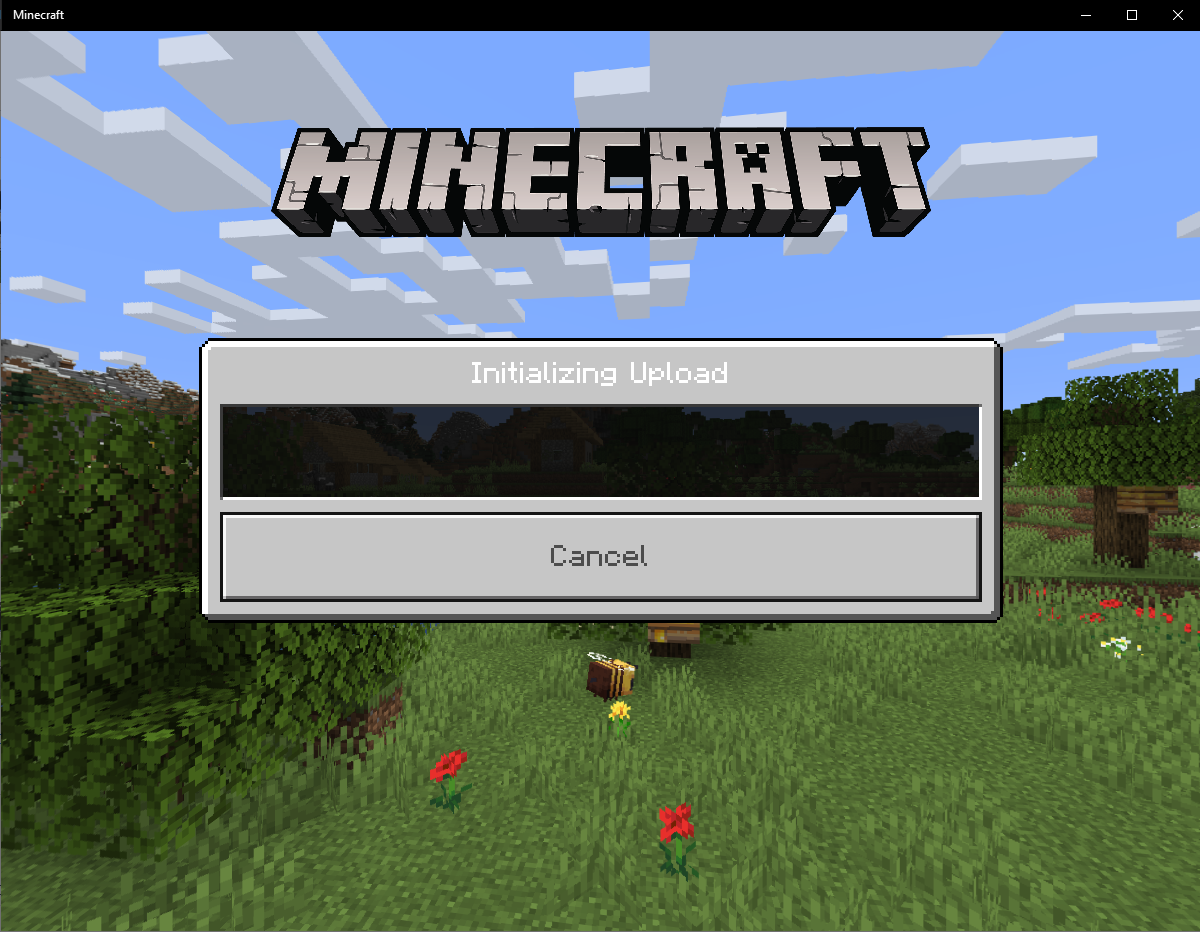
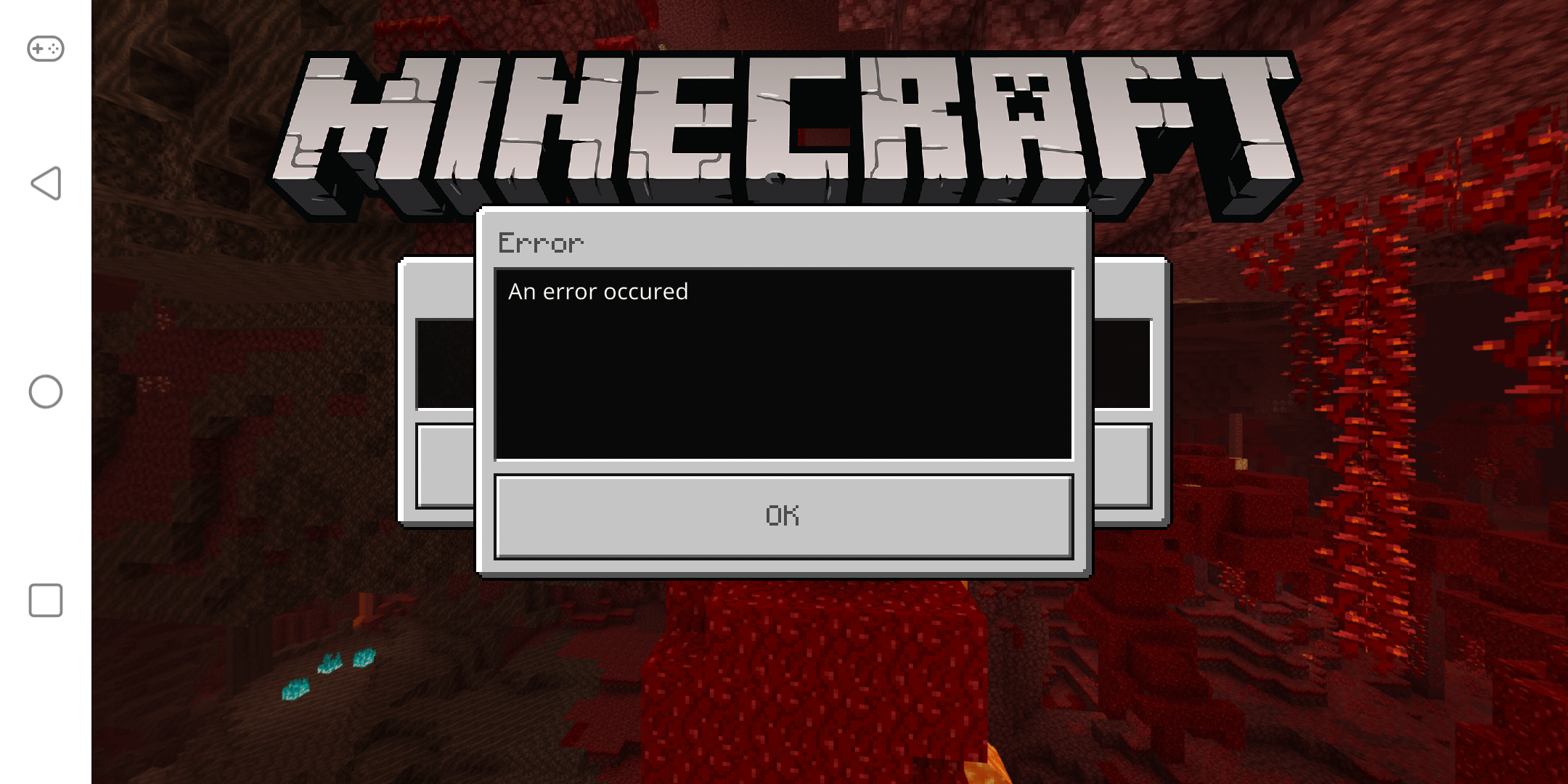
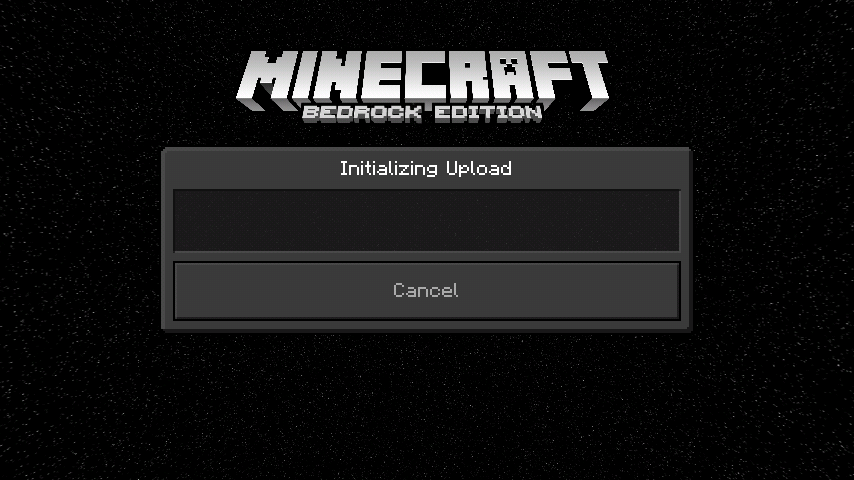
Trying to upload a world to my realm. States upload was successful but does not upload any MB. I can wait but never any upload progress even when it says uploading. Can only press cancel button, as never finishes.
Linked Issues
is duplicated by702
 BDS-5535Can't replace a world on realmsDuplicateBDS-5637I can`t replace my world on realms it just says it failed im using the one month free trial on realms and i dont want to pay again just because i want to play on my world from mcpe to windows 10 edition DuplicateBDS-5719Cant upload to realmDuplicateBDS-6012An Error Ocurred when I export a World to my Minecraft Bedrock RealmDuplicateBDS-6931Error uploading to realmDuplicateBDS-7531I am unable to transfer my world from a 2ppl to a 10ppl serverDuplicateBDS-7665Realm world export errorDuplicateBDS-7862I can't replace my realms worldDuplicateBDS-7977Can't upload to Minecraft RealmsDuplicateBDS-8620Replace world not workingDuplicateBDS-8967RealmsDuplicateBDS-9346Minecraft Nintendo Switch realmsDuplicateBDS-10659Unable to Replace World in RealmDuplicateBDS-11326Realm replace world not workingDuplicateBDS-11578Realms Bedrock I can´t replace my worldDuplicateBDS-11712Realms unable to upload worldDuplicateBDS-12063Unable to replace world for Realms plusDuplicateBDS-12881Error ha habido un error DuplicateBDS-13020Cannot upload to realmDuplicateBDS-13715won't allow me to upload world DuplicateBDS-14147Unable to upload/use RealmsDuplicateBDS-14497Wont let me upload worldDuplicateBDS-17425Unable to upload world to realmDuplicateBDS-17729Can’t export my solo world on RealmsDuplicate
 MC-235073I can't upload my world to a realm, it always makes me mistakeDuplicate
 MCPE-19467Custom Map/World can't be uploaded to the RealmDuplicateMCPE-27689I can't upload my Pro world to my realm!DuplicateMCPE-27717World Files That Are To Big Have Trouble Being Uploaded To RealmsDuplicateMCPE-30584minceraft realms fails to upload my worldDuplicateMCPE-30646Minecraft Realms not uploading world to Realm.DuplicateMCPE-45156Replace Realm World FailingDuplicateMCPE-45631Larger world sizes don't upload to realms anymore DuplicateMCPE-45735"Failed" when replacing my Realm's world.DuplicateMCPE-46775Realm not replacing worldDuplicateMCPE-47264Can’t upload world to realmDuplicateMCPE-47401Local world wont upload to realmDuplicateMCPE-47597Realms not completing the upload process DuplicateMCPE-48643Replacing Realm with backup failingDuplicateMCPE-52166I can't transfer my world into a realm.DuplicateMCPE-55507Realms world switchDuplicateMCPE-55939Realm replace world onlyworks for iosDuplicateMCPE-55956Cant upload a existent world on realmDuplicateMCPE-57001Can't replace my world on my realm.DuplicateMCPE-57321Realms not uploadingDuplicateMCPE-57910Can't upload world to RealmsDuplicateMCPE-59670Can´t replace a realm worldDuplicateMCPE-60899can not upload my world to my realm DuplicateMCPE-62066Minecraft World Not Replacing RealmDuplicateMCPE-64970Copying world failsDuplicateMCPE-67034Problem with transfer world to realmsDuplicateMCPE-67254Realms will not replace worldDuplicateMCPE-67798Error when changing the world in RealmDuplicateMCPE-68519Unable to update realmsDuplicateMCPE-68821i got the relam and for some odd reason it wont let me upload the world that iv been working on for years.DuplicateMCPE-70670Trying to replace realm world with backup won't workDuplicateMCPE-79978Minecraft shows error after i tried to upload one of my worlds to realmDuplicateMCPE-80131Me marca error al querer pasar mis mapas a realmsDuplicateMCPE-80197Me marca error al querer pasar mis mapas a reinoDuplicateMCPE-80447It wont let me replace my minecraft world on my realmDuplicateMCPE-80535Cannot replace world in realm xbox oneDuplicateMCPE-80653Realm save world Upload Initializing leads to ''an error occured''DuplicateMCPE-80709Impossible to export a world to RealmDuplicateMCPE-80856I cant replace my realm world with an existing worldDuplicateMCPE-80965Can't load my previously world to realmDuplicateMCPE-82116Realm World errorDuplicateMCPE-82211Heavier worlds can't be uploaded to realmsDuplicateMCPE-83056No puedo reemplazar mi mundo de realm DuplicateMCPE-83729Realms Corruption DuplicateMCPE-84489This is for Minecraft realms bedrock edition.DuplicateMCPE-84520ok so your realms dont work correctly. when I try to make a world a realm it makes me pay for it, then it makes a new world instead.DuplicateMCPE-84766Unable to close realm/upload worldDuplicateMCPE-84847Can't change my realms worldDuplicateMCPE-84999 Failed import world in realmDuplicateMCPE-85353Cannot upload realm post-updateDuplicateMCPE-85516Realms plus won't let me replace worldDuplicateMCPE-85976Switching worlds on realm stuckDuplicateMCPE-86554Error on uploading world in minecraft realmsDuplicateMCPE-86801I can't transfer my world to realmsDuplicateMCPE-86808I can't transfer my world to realmsDuplicateMCPE-87236Realm upload world screen getting stuck on Initializing UploadDuplicateMCPE-87952Cannot upload world to realms DuplicateMCPE-88219Realms cannot replace the worldDuplicateMCPE-88856I tried replaced a map on realms it will not work at all, Ive tried it many times with many maps and it says "Error: An Errror occured"DuplicateMCPE-88980I can' t replace my own world on my realm plus DuplicateMCPE-89130REALMS CANNOT BE REPLACEDDuplicateMCPE-89134Realm restarted and am trying to replace world with saved world but keeps saying an error occurred.DuplicateMCPE-89143Realm isn't able to be replacedDuplicateMCPE-89287Can't upload a world to my realm on Nintendo SwitchDuplicateMCPE-89341Minecraft Realms Plus does not workDuplicateMCPE-89546Replace Worlds is brokenDuplicateMCPE-89698Upload the world still failed in realms DuplicateMCPE-89754Realm Is Utterly UselesDuplicateMCPE-89774unable to upload a world to a realm/reset realmDuplicateMCPE-89778i tried to use a premade world on my realm and it wont workDuplicateMCPE-89896I cannot enter or change the map of my realms.DuplicateMCPE-90134Worlds will not upload to realmsDuplicateMCPE-90369Realm not allowing to be replaced DuplicateMCPE-90657Replace button not working on realm plusDuplicateMCPE-91120you can't replace the world of a realmDuplicateMCPE-91330Can't upload (replace world) any worlds to realmsDuplicateMCPE-91538World Will Not Upload to RealmDuplicateMCPE-91673Realm won’t import/replace/restoreDuplicateMCPE-92083World upload Failed “error occcured”DuplicateMCPE-92181I can't replace my realm with another world. The replace button works, butDuplicateMCPE-92390Can't replace my realm with another worldDuplicateMCPE-92800REALMS UPLOAD ERRORDuplicateMCPE-93493Realm not replacing with the world I wanted only get error DuplicateMCPE-94254Realm World Reset and Import Level Failed DuplicateMCPE-94651Realm replacement not workingDuplicateMCPE-95308I'm unable to replace a Realms world with a different world.DuplicateMCPE-95400Import My World to RealmDuplicateMCPE-95648Unable to upload worlds to realmsDuplicateMCPE-95807When i try To upload a my world it wont workDuplicateMCPE-95812Replacing a world on your realm is bugged DuplicateMCPE-95937Failed to replace world in realmDuplicateMCPE-96041I upload a world 200Mb or greater and get an errorDuplicateMCPE-96171Uploading existing worlds to a realmDuplicateMCPE-96460Realms error uploadingDuplicateMCPE-97224Can't replace Realm with backupDuplicateMCPE-97597Exporting world to Realms fails :(DuplicateMCPE-97618Cannot upload/replace the minecraft realm world With my world on Nintendo switch DuplicateMCPE-98107ever since 1.14 I can’t export realm worlds, Iam using iOS iPhone 11, it keeps saying that an error has occurredDuplicateMCPE-98138Problem to join or create RealmsDuplicateMCPE-98223Error when uploading world to Realms on Nintendo SwitchDuplicateMCPE-98542My realm won't let me change the fire spreads to back on and I can't get it to let me upload a copy that works without an error. DuplicateMCPE-98951I purchased realms + and I cant replace the default world with my other world, plz helpDuplicateMCPE-99146Realms Issue is RidiculousDuplicateMCPE-99265Error on trying to upload a realm to replace oneDuplicateMCPE-99268Cannot Upload Worlds to RealmsDuplicateMCPE-99743Everytime I try to make an existing world a realm it will always say "level export failed" this has happened for the last 2 months and I'm seriously fed up with it.DuplicateMCPE-100072I purchased a relm + and when I try to replace the world relm it wont let me it says error DuplicateMCPE-101277Switch cannot upload world to realmDuplicateMCPE-101790Realm issueDuplicateMCPE-101995Impossible to replace the world in RealmDuplicateMCPE-102408Cannot replace world in realm, cannot reopen realm after closingDuplicateMCPE-103214I can't upload my world to Realm from both swith and iOSDuplicateMCPE-103565error loading and unloading a world of realmsDuplicateMCPE-103782I can't download or upload my maps to my Realms plusDuplicateMCPE-103902error when changing a world in RealmsDuplicateMCPE-103959Upload World not working for RealmsDuplicateMCPE-104680A bug in the game prevents me from continuing the procedure of replacing a Realm with a World that I have created.DuplicateMCPE-105026Bedrock Realms "Replace World" feature not workingDuplicateMCPE-105878 Error replacing worlds in RealmsDuplicateMCPE-107023Can't replace realm with an existing world. Error & more errors.DuplicateMCPE-109003Can't Upload World to RealmDuplicateMCPE-109207I can't upload a world to my realm.DuplicateMCPE-109436Nintendo Switch →Realms World export errorDuplicateMCPE-110993Can't upload world to realms, crashing on realms menu.DuplicateMCPE-112046Unable to transfer a previously created world to my realmDuplicateMCPE-112343Issue is Bedrock Realms - won't load saved worldsDuplicateMCPE-112601World's failing to upload to Realms using replace world feature.DuplicateMCPE-112727Worlds won't load to Realm Server on Switch EditionDuplicateMCPE-112921Replacing Realm with a new world always shows error messageDuplicateMCPE-113424World will not upload to realms.DuplicateMCPE-113492Cannot upload a copy of my realmDuplicateMCPE-113694can't replace world on Nintendo switchDuplicateMCPE-114245"Replace World" Option on Minecraft Realms Does Not Work Properly.DuplicateMCPE-115067Realms Won't UploadDuplicateMCPE-115344Can not replace the world in realmDuplicateMCPE-115488Nintendo switch minecraft erroring when trying to upload a worldDuplicateMCPE-117893Cannot change the world on a realmDuplicateMCPE-118311I can't Export My minecraft world to a Minecraft RealmDuplicateMCPE-118677Everything I try to change my realm world an error occursDuplicateMCPE-119092error replacing worlds in realm plusDuplicateMCPE-119100Nintendo Switch Realms not workingDuplicateMCPE-119424Bedrock Realm issuesDuplicateMCPE-120129realms wont let me replace the worldDuplicateMCPE-121733problem to replace the world in realmsDuplicateMCPE-121755Unable to Replace World in Realms Plus - Possible world size issueDuplicateMCPE-122507wont let me replace my world into my realm DuplicateMCPE-122655Switch can't replace realm worldDuplicateMCPE-122790Issues with replacing realm worldDuplicateMCPE-122806Minecraft RealmsDuplicateMCPE-123085Realms upload errorDuplicateMCPE-123313Realm plusDuplicateMCPE-123470RealmDuplicateMCPE-123509Unable to upload works onto realmDuplicateMCPE-123536Cant not use realmDuplicateMCPE-123650Realms won't let me replace world or let me reset the worldDuplicateMCPE-124329Realm can't change my worldDuplicateMCPE-124645Realm crashes game DuplicateMCPE-125048Realm upload not workingDuplicateMCPE-125226Cannot replace world in Minecraft Bedrock RealmDuplicateMCPE-125304I can't transfer my world into a realm.DuplicateMCPE-125610Couldn'T transfer a world to realmDuplicateMCPE-126294Realm bugDuplicateMCPE-127584I can't replace the world of my realm for anotherDuplicateMCPE-127819Realms bugDuplicateMCPE-128044unknown error occurred replacing realmDuplicateMCPE-129991Doesn't let me replace realm DuplicateMCPE-130106I can't open my world(stored in my Phone) on realem.DuplicateMCPE-131579Realms replace systemDuplicateMCPE-134197Cannot Upload a worldDuplicateMCPE-134884replace world errorDuplicateMCPE-135965Can't upload my world to the realm I boughtDuplicateMCPE-136639Error while replacing world on minecraft bedrock realmDuplicateMCPE-137005About replacing the world of RealmsDuplicateMCPE-138588Cannot to replace world into the realmDuplicateMCPE-138650Unable to upload new worlds in RealmsDuplicateMCPE-140360An Error occurred during Initializing Upload on Minecraft Bedrock Edition RealmsDuplicateMCPE-141363Bedrock local world to Realms errorDuplicateMCPE-142756Realm wont let me put my existing world into it DuplicateMCPE-142823I can't upload my world to my realmDuplicateMCPE-144686It won't let me replace a real world with another worldDuplicateMCPE-145101Replacing Realm worlds doesnt woekDuplicateMCPE-149208Issue with uploading addons to realmsDuplicateMCPE-150114initializing world crash realms minecraft bedrockDuplicateMCPE-150141Unable to make existing world into RealmDuplicateMCPE-150217When I replace the world in realm,it shows the widows:error occuredDuplicateMCPE-151152Having trouble with my realm workingDuplicateMCPE-151327Cannot upload world to Realms. DuplicateMCPE-151371Won't let me upload a world to a realm keeps saying errorDuplicateMCPE-151504Minecraft realm wont upload a wrold to a realmDuplicateMCPE-151874World Upload to RealmsDuplicateMCPE-152476Can’t upload world onto realmDuplicateMCPE-154384Can't update/replace world in my realm. And can't delete old closed realms from my menu.DuplicateMCPE-155222Can't upload worlds to my realmDuplicateMCPE-156249Upload world to my RealmDuplicateMCPE-156474World will not upload to realmDuplicateMCPE-157258realm upload failDuplicateMCPE-158116Can't upload my world to realm (error message)DuplicateMCPE-160210World failed to upload to realmDuplicateMCPE-160260Realms "An error has occurred"DuplicateMCPE-161649Couldn't upload map to RealmsDuplicateMCPE-161887Loading MAPDuplicateMCPE-161921Can't replace realm with another worldDuplicateMCPE-162229Minecraft realm bugDuplicateMCPE-162441An error has occurred DuplicateMCPE-162818Minecraft realms new bugDuplicateMCPE-163286Realm upload issuesDuplicateMCPE-167205Can't upload my world to realm. It's a four years world I need to put it on realmDuplicateMCPE-170802Minecraft Bedrock RealmsDuplicateMCPE-171873Realms world export errorDuplicateMCPE-176870Can't upload, close, or join realmDuplicateMCPE-182923Error en subida de mundo al realmDuplicateMCPE-186672Downloading world to realmDuplicateMCPE-190079Unknown error when trying up upload world to realmDuplicate
 REALMS-308Realm doesn't replace world when replacing world.DuplicateREALMS-660replacing world stuck on 0.00MBDuplicateREALMS-882Replace world doesn't workDuplicateREALMS-954Unable to upload world to RealmDuplicateREALMS-962Can't Upload WorldsDuplicateREALMS-1383Cannot download/upload map on RealmsDuplicateREALMS-1451Realm World Upload initializing FailedDuplicateREALMS-1542Unable to Upload World on Minecraft SwitchDuplicateREALMS-1597Realms upload not working (FAILED) ERRORDuplicateREALMS-1685Import existing map in realm impossibleDuplicateREALMS-1714Importing or resetting worlds in realmsDuplicateREALMS-1718"The level import failed" DuplicateREALMS-1721Replace Realm Not WorkingDuplicateREALMS-1740Realms "Replace World" feature / option brokenDuplicateREALMS-1764Uploading World to Realms.DuplicateREALMS-1772can't reset or replace realmDuplicateREALMS-1790"Replace Realm" hangs indefinitely at 100% on xboxDuplicateREALMS-1793"Replace" not working, with behavior packsDuplicateREALMS-1809I can not replace the world of realmsDuplicateREALMS-1825Unable to Reset or Upload World to RealmDuplicateREALMS-1864I dont upload my map in realms in xbox oneDuplicateREALMS-1874CANT UPLOAD NEW WORLD TO REALMDuplicateREALMS-1890Replacing a worldDuplicateREALMS-1940When Trying To Replace A World That is 150mb on Xbox One, I get 0mb to 0mb Exporting Level, then Get Stuck on 'Initializing Upload' ForeverDuplicateREALMS-2017Replace world on minecraft realms gets stuckDuplicateREALMS-2057Minecraft Windows 10 realm world upload stuck at 100%DuplicateREALMS-2068Realm does not want to finish uploading.DuplicateREALMS-2076Minecraft Windows 10 Bedrock Realms stuck at 100% when trying to replace world.DuplicateREALMS-2220Unable to upload/replace world on Realms using Xbox One/Switch/AndroidDuplicateREALMS-2227I cant upload my world, stuck on initializing uploadDuplicateREALMS-2279My Realm is not letting me replace worldDuplicateREALMS-2296World Won't Upload (stuck at "Uploading World")DuplicateREALMS-2310Unable to Replace World for RealmDuplicateREALMS-2322Not able to upload worlds to Bedrock RealmsDuplicateREALMS-2343Realm world replace not workingDuplicateREALMS-2348Cant replace new worldDuplicateREALMS-2389Unable to Replace World for Realm DuplicateREALMS-2456Unable to replace realm, even with a backupDuplicateREALMS-2633Completely unable to upload realm world after Bee UpdateDuplicateREALMS-2658Error replacing realmDuplicateREALMS-2733Everytime i try to replace a realm i will make the export part perfect, but won´t load itDuplicateREALMS-2734Realm Replace Isn't FunctionalDuplicateREALMS-2747Realms Replace worldDuplicateREALMS-2757cant replace worldsDuplicateREALMS-2856Unable to join realmDuplicateREALMS-2931error changing world in realmDuplicateREALMS-2942Bedrock edition realm stuck on "Initalizing Upload"DuplicateREALMS-2963Can’t replace word on realm gets stuck on upload DuplicateREALMS-3016Can't replace realmDuplicateREALMS-3021Realms backup wont uploadDuplicateREALMS-3024Cant replace world with certain worldsDuplicateREALMS-3149i cannot transfer my realm to an already used modded world of 50.4 mb for unknown reasons it gives the message an error occurredDuplicateREALMS-3213Unable to load my personal map in realmsDuplicateREALMS-3288Won’t let change my realm worldDuplicateREALMS-3295Cannot replace the realm world with a backup or separate worldDuplicateREALMS-3439Failed to replace a world in my Realm ≡ Windows 10DuplicateREALMS-3525Bedrock error Replacing realm with selected backup failedDuplicateREALMS-3628When trying to replace a world, "export sucessful" and then failDuplicateREALMS-3741I am unable to replace Minecraft Realm World.DuplicateREALMS-3755Trying to Upload a World onto Realms, but Box Pop Ups with "Failed-An error occurred"DuplicateREALMS-3759Cannot Upload World to RealmDuplicateREALMS-3762Minecraft realms will not let me upload a world on windows 10 edition.DuplicateREALMS-3763Cannot Upload world to RealmDuplicateREALMS-3771I can't upload worlds to Realms.DuplicateREALMS-3774Minecraft Realm - "Failed an error occurred"DuplicateREALMS-3776Realms Level Export Keeps FailingDuplicateREALMS-3780Unable to replace world on realmDuplicateREALMS-3784Can't replace world on realm, xbox one, keeps failingDuplicateREALMS-3785Replace world "An error occured"DuplicateREALMS-3786Bedrock Windows 10 - Importing world failsDuplicateREALMS-3788I can't upload my world to a RealmDuplicateREALMS-3790Realms won’t upload/replace my worldDuplicateREALMS-3792Unable to upload a world to realmDuplicateREALMS-3801Whenever I try to replace my realm with a different save file, as a world, it won't let me replace it. So at first I thought it was just a pocket edition thing, but then the same thing would happen to windows 10 Minecraft and Xbox one bedrock edition.DuplicateREALMS-3802Keeps failing to upload worldsDuplicateREALMS-3803I can not upload a world to be played on my realmDuplicateREALMS-3809I can’t remove my realm worldDuplicateREALMS-3811replacing realm worlds problemDuplicateREALMS-3812cannot replace realm with a world on my xbox DuplicateREALMS-3814keep getting errorDuplicateREALMS-3821Cannot upload my Worlds.DuplicateREALMS-3824Cant change world on realms bedrockDuplicateREALMS-3826Realms Plus world replace bug.DuplicateREALMS-3829Cannot do anything with Realms (xbox one bedrock)DuplicateREALMS-3845When trying to replace world on bedrock realms It says '' Error "DuplicateREALMS-3846Error when uploading world to RealmDuplicateREALMS-3848No me permite reemplazar el realm con un mundo de 57,9 MB, se queda en la pantalla de carga y ocurre un error.DuplicateREALMS-3849Ошибка realms при загрузке мираDuplicateREALMS-3854Cannot upload to realm constantly says error occurred.DuplicateREALMS-3855Cannot upload world to realmDuplicateREALMS-3859Can't replace realmDuplicateREALMS-3868Really big probleDuplicateREALMS-3896When trying to replace a realm with a world, it will either get stuck on initializing or have an error occur.DuplicateREALMS-3906Can't renew/replace realmDuplicateREALMS-3910I have a mistake when I want to load another world that I already had to play in the realm and it gives me a mistake and it doesn't allow me to change more worlds or get into it.DuplicateREALMS-4026Can’t replace world on RealmDuplicateREALMS-4053Can't transfer my World to my RealmDuplicateREALMS-4062I can't upload my world to my realmDuplicateREALMS-4122Realms back up not workingDuplicateREALMS-4161I can't replace and even delete my world in realmDuplicateREALMS-4203Get "An error occurred" when upload/replace worldDuplicateREALMS-4269I get "error occurred" when uploading my backup world to the realms so it can updateDuplicateREALMS-4273Can't switch which world I am using for my bedrock realmDuplicateREALMS-4284Realm upload not workingDuplicateREALMS-4323On Nintendo switch you can not upload new worlds to realmsDuplicateREALMS-4337World stuck in "initializing upload" then "an error occured"DuplicateREALMS-4350Error uploading map to realmDuplicateREALMS-4367World Won't Upload To RealmsDuplicateREALMS-4384Won't let me upload world's, or clear the current world or close the realmDuplicateREALMS-4387Cant replace/Upload new realmDuplicateREALMS-4406Crash uploading 600+ MB world to Realm on Nintendo SwitchDuplicateREALMS-4407I can't replace my Realm with my local worldDuplicateREALMS-4410Realms not allowing to change settings of world or replace worldDuplicateREALMS-4415Whenever I Try to upload a world to MCPE Realms it says error occurred!DuplicateREALMS-4427Downloaded worlds wont UploadDuplicateREALMS-4448Error Resetting RealmDuplicateREALMS-4456I can't upload my world in realmsDuplicateREALMS-4458An error occurred since 1.16 updateDuplicateREALMS-4459Tried to upload a new world with experimental features to my realmDuplicateREALMS-4499World Upload failed (seed only uploads)DuplicateREALMS-4509I can't upload a world to my realm. DuplicateREALMS-4517When I try to upload my survival world on Nintendo Switch to my 2 player realm, it starts to upload and then says “An error occurred”. DuplicateREALMS-4518cant reset,download,replace or connect to the realmDuplicateREALMS-4521I can’t upload a 90mb world onto Minecraft realmsDuplicateREALMS-4549Replace world error DuplicateREALMS-4555You try to replace world and its say error DuplicateREALMS-4562Cant upload worlds to realmsDuplicateREALMS-4563Cannot replace world inside realmDuplicateREALMS-4573マインクラフトSwitch版のRealmsで世界の置き換えが出来ません。DuplicateREALMS-4597Realm ErrorDuplicateREALMS-4619I went to replace my world then an error occurred and now I can't close, reset, or even replace my realmDuplicateREALMS-4637Cannot replace Realms on certain devicesDuplicateREALMS-4641Can't replace world on Nintendo SwitchDuplicateREALMS-4644Minecraft Switch/Windows 10 Edition Realm Replace ErrorDuplicateREALMS-4646CAN'T REPLACE the world on REALMS (error occurred)*無法置換在realms上的世界DuplicateREALMS-4648Unable To Upload A New World Onto Realms On Xbox One Bedrock or Android BedrockDuplicateREALMS-4654can't replace current realm with backupDuplicateREALMS-4659Can't replace realmDuplicateREALMS-4663Realms will not upload large worlds and multiple issues with uploading.DuplicateREALMS-4664World transferDuplicateREALMS-4671Error message when trying to replace realms DuplicateREALMS-4673Can't replace realm, it gives me an error every time.DuplicateREALMS-4675Can't export local world to realmDuplicateREALMS-4682So im trying to replace a world on a realm and all i get is level export error DuplicateREALMS-4683Minecraft Realm "Replace World" option not work *2020*DuplicateREALMS-4687Failed to export to realm, Nintendo Switch Minecraft v.1.16.1DuplicateREALMS-4688"Replace world" and "Play on Realms" does not work on switch (1.16.1)DuplicateREALMS-4693Realm upload errorDuplicateREALMS-4708Cannot replace world on RealmDuplicateREALMS-4712can't Change my Realm WorldDuplicateREALMS-4717I cannot upload a previous world to my minecraft realm. Why I try replacing it I get a popup that says "an error occurred" I paid for realms plus and I can't play my own world on the realm. Please help.DuplicateREALMS-4726An error occurred when trying to replace worldDuplicateREALMS-4729I can't replace my realm's world. DuplicateREALMS-4731Error when replacing worldDuplicateREALMS-4743Replacing the world with the selected backup failed.DuplicateREALMS-4747Realm error messageDuplicateREALMS-4755cannot create new world within existing RealmDuplicateREALMS-4763Realm Replace is Failing and Cannot Remove the Realm Resource PacksDuplicateREALMS-4765Cannot replace RealmDuplicateREALMS-4767Level Export FailedDuplicateREALMS-4782Cannot Create or Join RealmsDuplicateREALMS-4785Cannot replace world in Realm since 1.16.1DuplicateREALMS-4786Failed to Connect to RealmDuplicateREALMS-4805Realm failing to uploadDuplicateREALMS-4827try to replace a world, following instructions (without success), then try to open the Realm again and it sends me an error DuplicateREALMS-4834Minecarft Worlds can not be imported to Realms (Bedrock)DuplicateREALMS-4841Not letting me download an original world into my realmDuplicateREALMS-4850Unable to download/reset or replace realmsDuplicateREALMS-4859Realms is totally brokenDuplicateREALMS-4863Current Server won't export to RealmsDuplicateREALMS-4878Can't repleace world or reset worldDuplicateREALMS-4881I cannot create a realm from a purchased world from the Microsoft storeDuplicateREALMS-4888I can't replace my Realm with existing worlds (Nintendo Switch)DuplicateREALMS-4894Whenever I try to do anything on it or try to fix it, it failsDuplicateREALMS-4921Cannot load worlds to my realmDuplicateREALMS-4931Cannot change the loaded realmDuplicateREALMS-4934Level Export FailedDuplicateREALMS-4943Level export failed transfer local world to realmsDuplicateREALMS-4947Ocurrió un error al unirte al realm/An error occurred while joining the realm.DuplicateREALMS-4984Cannot replace Realm worldDuplicateREALMS-4993upload not showing its progressDuplicateREALMS-4999世界を置き換えでエラーが出るDuplicateREALMS-5010Can't upload worldDuplicateREALMS-5045I can’t transfer a world I worked hard on into a realm. I tried every way even hooking it up manually. I wasted money on a realm now and can’t even play the empty world as the realm world is completely gone itself. This needs fixed ASAP.DuplicateREALMS-5065I can't export my already created world to the realmDuplicateREALMS-5075cant replace realm worldDuplicateREALMS-5079Replacing and Opening realm does not workDuplicateREALMS-5084Error whenever I export a worldDuplicateREALMS-5085Can't export world to Realm.DuplicateREALMS-5098I can't replace the world of realmDuplicateREALMS-5109Nintendo Switch World to Realm download ErrorDuplicateREALMS-5110 I CANNOT UPLOAD MY WORLD TO A REALMDuplicateREALMS-5115Error replacing my world in the realmDuplicateREALMS-5127I cannot upload my realmDuplicateREALMS-5128Unable to upload map to new Realm plusDuplicateREALMS-5133When i try to transfer a world to a realm it says and error has accord. I really need to transfer a new world and i cant to it without replacing it. Please fix this as soon at you can!DuplicateREALMS-5147Unable to transfer, upload, or do simple tasks in Realms.DuplicateREALMS-5148Error occurred problem!!DuplicateREALMS-5160Cannot replace realm with new worldDuplicateREALMS-5161Can not replace worldDuplicateREALMS-5170Reals ErrorDuplicateREALMS-5193After 1.16.20 worlds still don't upload to realmsDuplicateREALMS-5196Unable to upload/ replace world iOS!!DuplicateREALMS-5218I have a problem when I try to replace my world on my realm of minecraft bedrock for Nintendo switchDuplicateREALMS-5285Unable to Reset or Replace a World on my Bedrock RealmDuplicateREALMS-5287Error prevents upload of local world to Realms in Minecraft PEDuplicateREALMS-5328Error replacing world on Nintendo SwitchDuplicateREALMS-5334Worlds export error in realmsDuplicateREALMS-5379Errors when replacing the world on my realmDuplicateREALMS-5405Making your World a RealmDuplicateREALMS-5409Cannot Upload World To Realms on Nintendo SwitchDuplicateREALMS-5414I can't replace my map on the realmDuplicateREALMS-5416Every time upload world I created on Android Media Tablet it failsDuplicateREALMS-5435Can't upload worlds that have had custom resource packs to realmsDuplicateREALMS-5437Replace world not workingDuplicateREALMS-5453Realms is not responding to anything DuplicateREALMS-5455Level Export FailedDuplicateREALMS-5459"Replace World" button not working with mobile worlds.DuplicateREALMS-5463Can't Upload Offline WorldDuplicateREALMS-5471Realms refusing to load new worldDuplicateREALMS-5473Error whenever trying to replace a realm worldDuplicateREALMS-5500can't upload superflat worldsDuplicateREALMS-5527Can’t change realmDuplicateREALMS-5559Broken Map and RealmDuplicateREALMS-5564Unable to upload big worlds to realmsDuplicateREALMS-5603I found out the issue for why my realm wont ypload, but I need help.DuplicateREALMS-5604I can't replace the realm with another worldDuplicateREALMS-5666I can't upload my world to the realmsDuplicateREALMS-5687I can't replace the world of realms I signed. Help me, please.DuplicateREALMS-5707Realm won’t upload copy of backup world.DuplicateREALMS-5722I recently got realms a month ago and everyday ive been trying to get my 160mb minecraft world onto the realm but every time its in the middle of replacing world it says an error has occured Is there any way to fix this ? please!!!DuplicateREALMS-5751Cant replace world for realms.DuplicateREALMS-5764I can't reset or replace my world in the realmsDuplicateREALMS-5779Cannot upload local game to realmDuplicateREALMS-5784Obstacle in gameplayDuplicateREALMS-5805Cannot replace world on realm.DuplicateREALMS-5816I'm unable to replace a Realms world with a different world again.DuplicateREALMS-5820Cannot Get a world uploaded to a realmDuplicateREALMS-5825Error when uploading world to RealmDuplicateREALMS-5827i can't replace or download a realm worldDuplicateREALMS-5841I can't put or do any kind of backup on my realm. DuplicateREALMS-5849I cannot enter, reset, create or replace the world or close my Realm server.DuplicateREALMS-5850Error Realms Initializing loadDuplicateREALMS-5863Replace Realm give "error occurred"DuplicateREALMS-5867Error Uploading to RealmsDuplicateREALMS-5871Can't upload a map onto my realmDuplicateREALMS-5875error when changing a world in Realms (bedrock)DuplicateREALMS-5881I bought a realm and everytime I try to put my world on the realm, it says "An error occured"DuplicateREALMS-5884my minecraft realm won’t resetDuplicateREALMS-5887Cannot upload/replace realm. Original realm game settingsDuplicateREALMS-5891World cannot upload/replace to Realm.DuplicateREALMS-5901Unable to upload previous singleplayer world to 2 person RealmDuplicateREALMS-5951Not being able to replace a world on a realm DuplicateREALMS-5954I Can't upload a new worldDuplicateREALMS-5992Unable to upload existing world to realmDuplicateREALMS-6163An error occurs when trying to "replace the world" in a realmDuplicateREALMS-6238My PS4 Friend Cant Replace His world on a realmDuplicateREALMS-6321Can't upload a world to my realm.DuplicateREALMS-6348Exporting minecraft worlds to realmDuplicateREALMS-6400I cant replace a world i want on the RealmDuplicateREALMS-6409I am trying to replace a world on a realm. But it says an error has occurredDuplicateREALMS-6436Can't upload realms DuplicateREALMS-6492Cannot upload saved world to realmDuplicateREALMS-6508When replacing my world on a realm with another world it says "error". Tried replacing my world for two days now and it still does not work.DuplicateREALMS-6509Can't upload or download my realm world.DuplicateREALMS-6528I can't replace my realm world with another worldDuplicateREALMS-6549World cannot be replaced with the realm on Nintendo Switch.DuplicateREALMS-6592I cant replace my world for my realms.DuplicateREALMS-6657We could not confirm that your realm uploaded properly. Please join your Realm to check, then try again if it isnt the new world.DuplicateREALMS-6659Unable to upload or replace worlds on realmDuplicateREALMS-6702I Can't replace my realm world DuplicateREALMS-6742Replacing World - Failed to find a place to upload world.DuplicateREALMS-6913Minecraft Switch World not uploading to RealmsDuplicateREALMS-6925Can't upload existing world to my new realmDuplicateREALMS-7013Cannot replace existing realmDuplicateREALMS-7058Minecraft IOS Replace Realms feature not workingDuplicateREALMS-7068Exporting worlds onto realmsDuplicateREALMS-7157It does not allow to replace worlds in my realms (When this happens, it does not allow to open or close the realm or reset the realm) (I get an error when replacing world)DuplicateREALMS-7172Replace world with backup failedDuplicateREALMS-7173I can't replace the world on the realm.DuplicateREALMS-7174Changing my realm to my Nintendo Switch WorldDuplicateREALMS-7182Minecraft Bedrock Realms backups, opening and closing, and replacing worlds not working.DuplicateREALMS-7198I have paid one month of Realms to play a world and I cant replace the Realm with that world.DuplicateREALMS-7215Minecraft Bedrock Realms Replace World not workingDuplicateREALMS-7255I'm trying to replace my realm world with a different one by pressing the replace button but when I try it doesn't work DuplicateREALMS-7257Unable to load another realm World on the New realm on Windows 10DuplicateREALMS-7259Minecraft world won't upload to realmDuplicateREALMS-7277I can't replace a world on my realm with out a error messageDuplicateREALMS-7283Error uploading worlds to realmsDuplicateREALMS-7289Can't replace my realm with one of my worldsDuplicateREALMS-7306Unable to Use or Upload World to Realm (PS4/PS5)DuplicateREALMS-7325error message ("world failed to upload") when uploading a world to a realm, when going into the realm after upload, realm works fine EXCEPT all grass/ vegetation is bright greenDuplicateREALMS-7327Minecraft realms will not replace the world in any way other than resetting it.DuplicateREALMS-7332grass is BRIGHT green in realm, in places where it should be darker.DuplicateREALMS-7335Cannot Replace World on RealmsDuplicateREALMS-7369Minecraft realms are stuck on Initializing, And cannot replace world DuplicateREALMS-7372Inability to replace realms on nintendo switch versionDuplicateREALMS-7432Error occured replacing worldDuplicateREALMS-7437minecraft for PC (Windows 10 Edition) will not allow me to upload a world to my realm.DuplicateREALMS-7462Unable to upload world to realmDuplicateREALMS-7470Cant replace3 realm with existing world since new update last weekDuplicateREALMS-7527Unable to Upload worldDuplicateREALMS-7562I cannot upload any worlds to my realmDuplicateREALMS-7596I cant replace world in my realmDuplicateREALMS-7600Replace realm saying errorDuplicateREALMS-7604Minecraft Realms : Error has occuredDuplicateREALMS-7605An error occurred message everytime I try to change the realms worlDuplicateREALMS-7608Can't upload a worldDuplicateREALMS-7610I can't re open my realms world and I also can't change the world.DuplicateREALMS-7618Erro no realmsDuplicateREALMS-7656Error when uploading world to realms (Nintendo switch)DuplicateREALMS-7661Unable to add add-ons and wont replace my worldDuplicateREALMS-7685World Transfer isn't workingDuplicateREALMS-7703Can not replace realm with a saved realmDuplicateREALMS-7717iOS unable to replace worldDuplicateREALMS-7718Exporting a word on a realms not working for iOS DuplicateREALMS-7726World Replacement Gone WrongDuplicateREALMS-7737Cannot upload world to realmsDuplicateREALMS-7765Realms error when trying to replace world mcpeDuplicateREALMS-7786Realms replace world feature still not working it allows it to export but the fails to uploadDuplicateREALMS-7789Unable to upload ANY world to Realms from iOS DuplicateREALMS-7796Cant switch worldsDuplicateREALMS-7899Can't download / upload REALM WORLDDuplicateREALMS-7903uploading world to realm, an error occurredDuplicateREALMS-7905Minecraft Realm is not replacingDuplicateREALMS-7912upload or replace a worldDuplicateREALMS-7918Error window after initialization to replace worldDuplicateREALMS-7933Cant replace world on realm ps4DuplicateREALMS-7960I can't load my world on realmsDuplicateREALMS-7971Initializing upload DuplicateREALMS-7977Error when replacing realmDuplicateREALMS-7981Realm cannot be replacedDuplicateREALMS-7983Realm can't be replaced with another worldDuplicateREALMS-7989I can't change the map of realmDuplicateREALMS-7990If you try to upload a world over 15mb to Realm, it will be censoredDuplicateREALMS-8012Can't upload realmDuplicateREALMS-8024Cannot replace realm worldDuplicateREALMS-8036I could not do "Replace world" from switchDuplicateREALMS-8050Cannot Replace WorldDuplicateREALMS-80522.5GB world refuses to upload to RealmDuplicateREALMS-8064Minecraft realms can't upload worldDuplicateREALMS-8107Cant place world into realmsDuplicateREALMS-8124I cant replace realm worlds at all. I want to replace DuplicateREALMS-8126Replacement feature not working DuplicateREALMS-8141Uploading a world to realm "an error occurred"DuplicateREALMS-8147Bug in the systemDuplicateREALMS-8163There is an error when I want to remplace a world in Minecraft Realms for Nintendo SwichDuplicateREALMS-8169I can't replace my Realm world with my old one DuplicateREALMS-8215replace realms (bedrock)DuplicateREALMS-8248Error loading old world into realmDuplicateREALMS-8267Realm refusing to perform any actionsDuplicateREALMS-8284realms not letting replace world DuplicateREALMS-8288Error uploading world to RealmsDuplicateREALMS-8290PS4 realms replace world don't workDuplicateREALMS-8303I can’t replace my realm worldDuplicateREALMS-8333Error when trying to send a world with addons to realms in minecraft bedrock.DuplicateREALMS-8379an error occurred when trying to replace realm worldDuplicateREALMS-8413When trying to replace realm with a backup get an error saying failed to find a place to upload your worldDuplicateREALMS-8483Can't upload worldDuplicateREALMS-8487Error downloading, uploading and replacing worlds larger than 50 mbDuplicateREALMS-8495Cannot upload my world to realms DuplicateREALMS-8520Error failed to initialize when uploading saved world to new realmDuplicateREALMS-8523minecraft bedrock realms replace bugDuplicateREALMS-8531 Failed when trying to upload an old world in realmsDuplicateREALMS-8541There is a bug on Realms.(Minecraft Bedrock)DuplicateREALMS-8543About replacing the worldDuplicateREALMS-8550Whenever I try to replace my realm with another world, it says an error occurred DuplicateREALMS-8553I cant change my reaml wlodDuplicateREALMS-8585Cannot Replace my Realm WorldDuplicateREALMS-8598I can't replace a world to play in the realm because it gives me an error. I need helpDuplicateREALMS-8634Can't Upload Own World to RealmDuplicateREALMS-8669Replace World function not working or allowing to upload local save.DuplicateREALMS-8767An error occurredDuplicateREALMS-8800Realms Is Super BrokenDuplicateREALMS-8892Realms Upload World BugDuplicateREALMS-8894Replacing realms doesn't workDuplicateREALMS-8907Failed to replace a new world into one of my realm world slotsDuplicateREALMS-8984Whenever I try to replace realm there is always an errorDuplicateREALMS-9015Bug with uploading worlds to realmsDuplicateREALMS-9027I try to upload a world onto realms but aparently "An Error Occured".DuplicateREALMS-9067Realm problemDuplicateREALMS-9071Due to last update can not replace world on realmDuplicateREALMS-9079Minecraft RealmDuplicateREALMS-9092Can't upload world on realmDuplicateREALMS-9103Realms new world creation error during "initializing upload" phase DuplicateREALMS-9109Realms. I just renewed it and everytime I try to upload or replace my realm world I get an error while its intializing. I'm paying for this so there should be no reason that it isnt working. If you all cant fix it soon then I want my money back. DuplicateREALMS-9124It says that there's an error when I try to replace a world to be a realmDuplicateREALMS-9138Can't Close Realm, Can't Replace Realm, Can't Create WorldDuplicateREALMS-9167Realm problem! has been ten days no improvement...DuplicateREALMS-9195Cannot copy world to realmDuplicateREALMS-9226Cant install mod in realmDuplicateREALMS-9233Failed to load a world in RealmDuplicateREALMS-9285I cannot upload my survival world to my realmsDuplicateREALMS-9297Realms doesn't upload worldDuplicateREALMS-9357so ever time i try to replace my realm with a world that has a certain mod with exspiremtal fetures it says an error has occured DuplicateREALMS-9414Unable to upload worlds and custom packs into realmsDuplicateREALMS-9493Problem to Replace the WorldDuplicateREALMS-9546Worlds wont upload to Realm?DuplicateREALMS-9624''intilaizing upload'' when ı want to upload my save in realmsDuplicateREALMS-9638Error occurs when replacing Realm worldDuplicateREALMS-9684Error initializing upload to realms from PS5DuplicateREALMS-9795Issue With Realm UploadingDuplicateREALMS-9808Uploading a world to Realm via Replace a World function doesn't result in Realm being uploaded. (Progress Bar shows complete but Realm World is not replaced)DuplicateREALMS-9834Unable to upload world to realm MCBEDuplicateREALMS-9847Minecraft Realm purchasesDuplicateREALMS-9856Can't replace the worldDuplicateREALMS-9877REALM PLUS ITS BROKENDuplicateREALMS-9903I’m trying to create my realm but when I want to import my world over to the realm it’s not working it just says a error has occurredDuplicateREALMS-9909Importing worlds onto realmsDuplicateREALMS-9910Realm importDuplicateREALMS-9912I can't replace a world in my realm when exporting everything fine but when starting the load it gives me an error DuplicateREALMS-9926Error de carga de mundos DuplicateREALMS-9936World Not UploadingDuplicateREALMS-10000Upload world to RealmsDuplicateREALMS-10007Wont let me upload 600+ MB world to realmsDuplicateREALMS-10049World Export FailedDuplicateREALMS-10111Unable to Replace World on RealmDuplicateREALMS-10169Problems with realm management. DuplicateREALMS-10176RealmDuplicateREALMS-10219PlayStation 5 can't upload / replace world from realmDuplicateREALMS-10305I can't export a previous world to my Realm.DuplicateREALMS-10326An Error Occurred while uploading Realm DuplicateREALMS-10334Realm wont Upload Experimental WorldDuplicateREALMS-10348My Realm won't do any Manage optionsDuplicateREALMS-10428A world that doesn't move with realmsDuplicateREALMS-10472Realm replacement bug DuplicateREALMS-10525Initializing upload error when uploading world to RealmsDuplicateREALMS-10528I can't upload my private world to realmsDuplicateREALMS-10566Can't upload medium-sized maps to realmsDuplicateREALMS-10583PS4/PS5 Cannot initialize upload & cannot remove packsDuplicateREALMS-10619Cannot Upload world to RealmsDuplicateREALMS-10686Worlds Cannot Upload to RealmsDuplicateREALMS-10732Error during "world replacement" in realmsDuplicateREALMS-10762Can not replace a world on realms 1.19DuplicateREALMS-10788loading errorDuplicateREALMS-10803Cannot replace Realm - An error occurredDuplicateREALMS-10823Error Occurred when replacing world on my Realm (PS5)DuplicateREALMS-10834Error replacing minecraft world in realmDuplicateREALMS-10847Unable to properly upload worlds to realmDuplicateREALMS-10861World won't uploadDuplicateREALMS-10874Can't upload a new map to realmDuplicateREALMS-10876Cannot replace or upload new realm without an error message. "An Error Occurred"DuplicateREALMS-10879Realms wont allow me to replace world with a different worldDuplicateREALMS-10885Can't upload a World. Can't download map, can't do anything on REALMSDuplicateREALMS-10908I'm trying to replace a world with a realm I just created but I am getting an error message every time I time and export and initialize the process.DuplicateREALMS-10909Probléme exportation de mondeDuplicateREALMS-10911Can no longer upload a world to realmsDuplicateREALMS-10919Unable to transfer realm saveDuplicateREALMS-10967I can't upload my world to RealmDuplicateREALMS-10981Errors in realm/sDuplicateREALMS-10989Replace realm DuplicateREALMS-11112Everytime I try to change my Realms world to another different world that is modded it does not work, It keeps saying error occuredDuplicateREALMS-11170Unable to finish upload world on RealmsDuplicateREALMS-11282All I'm trying to do is play my minecraft world on the Realms with my friends!DuplicateREALMS-11300Cant Backup my realmDuplicateREALMS-11345Can't upload worlds on to my realm.DuplicateREALMS-11387Unable to do ANYTHING with Worlds in Realms Plus on Windows 11DuplicateREALMS-11424Error in the process of replacing the world (Realms +)DuplicateREALMS-11478Can't Upload Worlds To Realms 1.20.15DuplicateREALMS-11491Minecraft realm Upload/replace/backupreplace failedDuplicateREALMS-11541Unable to upload World to Realm ServerDuplicateREALMS-11610471.7MB World Will not Upload to RealmDuplicateREALMS-11854Unable to upload a large file size to realms DuplicateREALMS-12158Can't upload world after renew into my realmDuplicateREALMS-12403Error exporting to realmDuplicate
relates to6
REALMS-419Unable to download Realm worldCommunity ConsensusREALMS-364Verifying your world - 100% - Upload failed (-1)ConfirmedREALMS-881Cannot upload world to realms using Replace World optionCannot ReproduceREALMS-8020Upload gets Error: "Failed to find a place to upload your world. Maybe check your internet connection?"Cannot ReproduceREALMS-8022Upload gets Error: "We couldn't pack your world file for upload. Maybe your hard drive is full."Awaiting ResponseREALMS-8813Nintendo Switch crashing when uploading large world files to RealmsFixedAttachments32











- Unresolved
 Zachary Kerns
![[Mojang] CornerHard](../../../data/avatars/users/10122.svg) [Mojang] CornerHard
[Mojang] CornerHard- 723
- 369
- Confirmed
- 165262, 200384, 359383, 350931, 379659, 411614, 576312, 602771, 621888, 1352613
- Bedrock
MCPE-1.2 - 1.20.51 (Bedrock)
MCPE-1.2 MCPE-1.5 MCPE-1.10 MCPE-1.12.1 1.14.30 (Bedrock) 1.14.60 (Bedrock) 1.16 (Bedrock) 1.16.210 (Bedrock) 1.16.220 (Bedrock) 1.17 (Bedrock) 1.18 (Bedrock) 1.19 (Bedrock) 1.19.10 (Bedrock) 1.19.11 Hotfix (Bedrock) 1.19.20 (Bedrock) 1.19.21 (Bedrock) 1.19.22 (Bedrock) 1.19.30 (Bedrock) 1.19.31 (Bedrock) 1.19.41 (Bedrock) 1.19.51 (Bedrock) 1.19.60 (Bedrock) 1.19.62 (Bedrock) 1.19.80 (Bedrock) 1.19.81 (Bedrock) 1.20.0 (Bedrock) 1.20.1 (Bedrock) 1.20.10 (Bedrock) 1.20.15 (Bedrock) 1.20.51 (Bedrock)
Created Issue:
Unable to upload world to realm
Trying to upload a world to my realm. States upload was successful but does not upload any MB. I can wait but never any upload progress even when it says uploading. Can only press cancel button, as never finishes.
Environment
Xbox 1
Linked Issues
![[Mod] bemoty](../../../data/avatars/users/50554.png)
is duplicated by
is duplicated by
relates to
is duplicated by
relates to
![[Mojang] Mega_Spud (Jay Wells)](../../../data/avatars/users/92696.png)
duplicates
duplicates
is duplicated by
relates to
duplicates
![[Mod] Asteraoth](../../../data/avatars/users/92886.png)
is duplicated by
duplicates
![[Mod] OcelotOnesie](../../../data/avatars/users/43220.png)
is duplicated by
is duplicated by
![[Mod] Urielsalis](../../../data/assets/gravatar/urielsalis.jpeg)
is duplicated by
Xbox 1
is duplicated by
is duplicated by
![[MCPE Mod] Celesian](../../../data/avatars/users/81635.png)
is duplicated by
is duplicated by
is duplicated by
is duplicated by
![[Bot] Arisa](../../../data/avatars/users/43007.png)

is duplicated by
is duplicated by
is duplicated by
is duplicated by
REALMS-3753
is duplicated by
is duplicated by
is duplicated by
is duplicated by
is duplicated by
is duplicated by
is duplicated by
is duplicated by
Bought a realm yesterday, Still cant upload a world, download, turn off the realm.
is duplicated by
is duplicated by
is duplicated by
is duplicated by
is duplicated by
is duplicated by
is duplicated by
is duplicated by
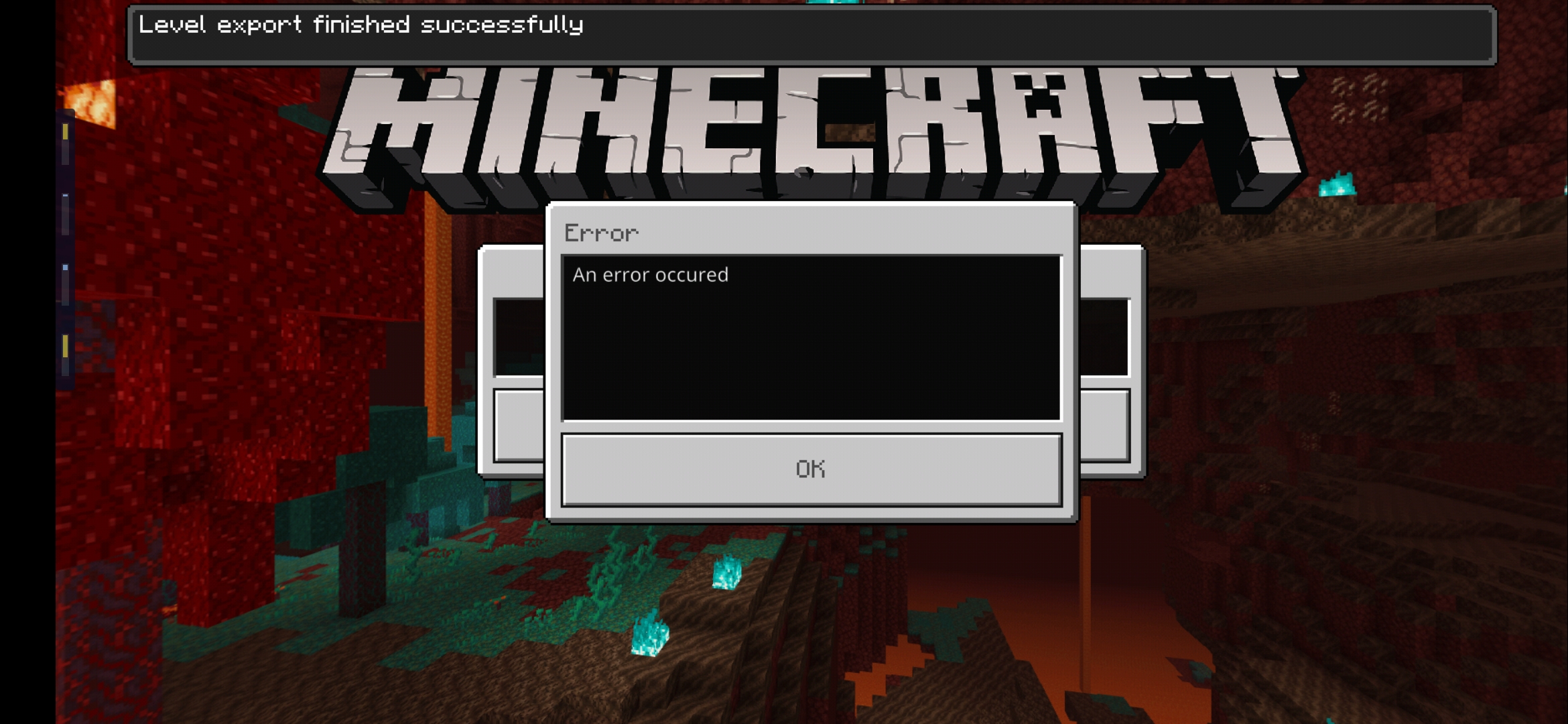
level export-1.png
is duplicated by
is duplicated by
is duplicated by
is duplicated by
NotePlease keep comments to new and helpful information that will assist in getting this issue resolved. Voting for this issue is the best way to raise attention.
Trying to upload a world to my realm. States upload was successful but does not upload any MB. I can wait but never any upload progress even when it says uploading. Can only press cancel button, as never finishes.
over 100 duplicates and lots of people getting this error yet we are getting no response. can we at least know if you're working on a fix?
is duplicated by
NotePlease keep comments to new and helpful information that will assist in getting this issue resolved. Voting for this issue is the best way to raise attention.
Mojang is aware of these issues, as indicated by the "ADO" values, which indicate that this bug is being tracked in the internal system used by the bedrock developer team. (The "Assigned" status only applies to Java-related bugs.)
Trying to upload a world to my realm. States upload was successful but does not upload any MB. I can wait but never any upload progress even when it says uploading. Can only press cancel button, as never finishes.
is duplicated by
is duplicated by
is duplicated by
is duplicated by
is duplicated by
is duplicated by
is duplicated by
is duplicated by
is duplicated by
is duplicated by
is duplicated by
is duplicated by
is duplicated by
is duplicated by
is duplicated by
NotePlease keep comments to new and helpful information that will assist in getting this issue resolved. Voting for this issue is the best way to raise attention.
Mojang is aware of these issues, as indicated by the "ADO" values, which indicate that this bug is being trackedin the internal system used by the bedrock developer team. (The "Assigned" status only applies to Java-related bugs.)Trying to upload a world to my realm. States upload was successful but does not upload any MB. I can wait but never any upload progress even when it says uploading. Can only press cancel button, as never finishes.
Update on this issue:1 June 2020 by [Mojang] Big Beak -
Please keep comments to new and helpful information that will assist in getting this issue resolved. Voting for this issue is the best way to raise attention.
Trying to upload a world to my realm. States upload was successful but does not upload any MB. I can wait but never any upload progress even when it says uploading. Can only press cancel button, as never finishes.
Update on this issue:1 June 2020 by [Mojang] Big Beak -
Please keep comments to new and helpful information that will assist in getting this issue resolved. Voting for this issue is the best way to raise attention.
Trying to upload a world to my realm. States upload was successful but does not upload any MB. I can wait but never any upload progress even when it says uploading. Can only press cancel button, as never finishes.
Update on this issue:1 June 2020 by [Mojang] Big Beak - Hey all, the team is working to resolve this issue and will have a solution soon. Thanks for your patience! Keep your eyes on https://twitter.com/MojangStatus for updates.
Please keep comments to new and helpful information that will assist in getting this issue resolved. Voting for this issue is the best way to raise attention.
Trying to upload a world to my realm. States upload was successful but does not upload any MB. I can wait but never any upload progress even when it says uploading. Can only press cancel button, as never finishes.
is duplicated by
Update on this issue:1 June 2020 by [Mojang] Big Beak - Hey all, the team is working to resolve this issue and will have a solution soon. Thanks for your patience! Keep your eyes on https://twitter.com/MojangStatus for updates.
Please keep comments to new and helpful information that will assist in getting this issue resolved. Voting for this issue is the best way to raise attention.
Trying to upload a world to my realm. States upload was successful but does not upload any MB. I can wait but never any upload progress even when it says uploading. Can only press cancel button, as never finishes.
Update on this issue:1 June 2020 by [Mojang] Big Beak - Hey all, the team is working to resolve this issue and will have a solution soon. Thanks for your patience! Keep your eyes on https://twitter.com/MojangStatus for updates.
26 May 2020 by [Mod] Umija5895M - Please keep comments to new and helpful information that will assist in getting this issue resolved. Voting for this issue is the best way to raise attention.
Trying to upload a world to my realm. States upload was successful but does not upload any MB. I can wait but never any upload progress even when it says uploading. Can only press cancel button, as never finishes.
is duplicated by
is duplicated by
is duplicated by
is duplicated by
![[Mod] Greymagic27](../../../data/avatars/users/92875.png)
is duplicated by
is duplicated by
is duplicated by
is duplicated by
is duplicated by
is duplicated by
is duplicated by
is duplicated by
is duplicated by
is duplicated by
I can't believe mods dubbed my report duplicate even though mine crashes, whereas this report is all about no data being uploaded and it never finishes.
is duplicated by
is duplicated by
is duplicated by
is duplicated by
is duplicated by
is duplicated by
is duplicated by
is duplicated by
is duplicated by
is duplicated by
is duplicated by
is duplicated by
is duplicated by
is duplicated by
![[Mod] LateLag](../../../data/avatars/users/92884.png)
is duplicated by
is duplicated by
is duplicated by
is duplicated by
is duplicated by
is duplicated by
is duplicated by
is duplicated by
is duplicated by
is duplicated by
is duplicated by
is duplicated by
is duplicated by
is duplicated by
is duplicated by
is duplicated by
is duplicated by
if this issue isn't fixed then i paid for realms for nothing.
is duplicated by
is duplicated by
is duplicated by
is duplicated by
is duplicated by
Update on this issue:1 June 2020 by [Mojang] Big Beak - Hey all, the team is working to resolve this issue and will have a solution soon. Thanks for your patience! Keep your eyes on https://twitter.com/MojangStatus for updates.
26 May 2020 by [Mod] Umija5895M - Please keep comments to new and helpful information that will assist in getting this issue resolved. Voting for this issue is the best way to raise attention.
Trying to upload a world to my realm. States upload was successful but does not upload any MB. I can wait but never any upload progress even when it says uploading. Can only press cancel button, as never finishes.
Update on this issue:10 July 2020 by [Mojang] Mega_Spud (Jay Wells) - Thank you for your patience while we work on this important issue. As a workaround, some players have found that they are able to use another device to upload their worlds to their Realms (such as Windows 10) - that might get you out of a fix until the bug is resolved.
1 June 2020 by [Mojang] Big Beak - Hey all, the team is working to resolve this issue and will have a solution soon. Thanks for your patience! Keep your eyes on https://twitter.com/MojangStatus for updates.
26 May 2020 by [Mod] Umija5895M - Please keep comments to new and helpful information that will assist in getting this issue resolved. Voting for this issue is the best way to raise attention.
Trying to upload a world to my realm. States upload was successful but does not upload any MB. I can wait but never any upload progress even when it says uploading. Can only press cancel button, as never finishes.
is duplicated by
is duplicated by
is duplicated by
is duplicated by
is duplicated by
is duplicated by
is duplicated by

is duplicated by
is duplicated by
is duplicated by

is duplicated by
is duplicated by
is duplicated by
is duplicated by
is duplicated by
is duplicated by
is duplicated by
is duplicated by
is duplicated by
Need to transfer my world from switch to windows 10, but looks like it won't happen anytime soon, same error everytime i try to upload.
This upload problem started when 1.16 was released, so it's been a month already & they've done absolutely nothing to fix this, how difficult can it really be?
Releasing these kinds of untested & game breaking updates is what microsoft has done with windows ever since vista came out, but i guess this it what we get now that microsoft owns minecraft.
Can't even access the world files on consoles, like on pc & phones, so realms is the only option here.
Maybe i should go back to java edition & give up on bedrock altogether.
is duplicated by
is duplicated by
is duplicated by
Update on this issue:
10July 2020 by [Mojang]Mega_Spud (Jay Wells)-Thank you for your patience while we work on this important issue. As a workaround, some players have found that they are able to use another device to upload their worlds to their Realms (such as Windows 10) - that might get you out of a fix until the bug is resolved.1 June 2020 by [Mojang] Big Beak - Hey all, the team is working to resolve this issue and will have a solution soon. Thanks for your patience! Keep your eyes on https://twitter.com/MojangStatus for updates.
26 May 2020 by [Mod] Umija5895M - Please keep comments to new and helpful information that will assist in getting this issue resolved. Voting for this issue is the best way to raise attention.
Trying to upload a world to my realm. States upload was successful but does not upload any MB. I can wait but never any upload progress even when it says uploading. Can only press cancel button, as never finishes.
Update on this issue:23 July 2020 by [Mojang] CornerHard - Apologies for the frustrations with not being able to get your worlds off your Switch consoles! I have a fix for world upload to Realms from Switch coming in 1.16.2, though you will still see the "An error has occured" dialog despite the successful upload. If this makes your Realm completely unusable until 1.16.2, please contact Mojang Support, and they will help you with a refund or compensation.
10 July 2020 by [Mojang] Mega_Spud (Jay Wells) - Thank you for your patience while we work on this important issue. As a workaround, some players have found that they are able to use another device to upload their worlds to their Realms (such as Windows 10) - that might get you out of a fix until the bug is resolved.
1 June 2020 by [Mojang] Big Beak - Hey all, the team is working to resolve this issue and will have a solution soon. Thanks for your patience! Keep your eyes on https://twitter.com/MojangStatus for updates.
26 May 2020 by [Mod] Umija5895M - Please keep comments to new and helpful information that will assist in getting this issue resolved. Voting for this issue is the best way to raise attention.
Trying to upload a world to my realm. States upload was successful but does not upload any MB. I can wait but never any upload progress even when it says uploading. Can only press cancel button, as never finishes.
[Mojang] CornerHardis duplicated by
is duplicated by
is duplicated by
is duplicated by
is duplicated by
is duplicated by
is duplicated by
I had the same problem for the last two days after creating a new realm on my switch. I tried again today. Upload still failed with an error - I looked through the created backups. To my surprise I was able to load the backup which was created during upload and it worked. My world is now fully loaded.
I have to say that I tried a lot and logged in after each error. Sometimes only the seed was used - sometimes my inventory was there but never the buildings.
To everyone encountering this issue: keep trying and when the world-size in the backups matches your world, try restoring this backup. Eventually it will work.
is duplicated by
Thank you for your report!
However, this issue is a Duplicate of REALMS-474.
If you have additional information, please add it to that report.
Quick Links:
📓 Issue Guidelines – 💬 Community Support – 📧 Customer Support – 📖 Game Wiki
This bug has already been reported here: REALMS-474
We have a lot of issues reported on failures to upload. Duplicating this to be tracked in REALMS-474.
We have a lot of issues reported on failures to upload. Duplicating this to be tracked in REALMS-474.
We have a lot of issues reported on failures to upload. Duplicating this to be tracked in REALMS-474.
We have a lot of issues reported on failures to upload. Duplicating this to be tracked in REALMS-474.
We have a lot of issues reported on failures to upload. Duplicating this to be tracked in REALMS-474.
We have a lot of issues reported on failures to upload. Duplicating this to be tracked in REALMS-474.
We have a lot of issues reported on failures to upload. Duplicating this to be tracked in REALMS-474.

I know that this issue has already been brought up, but for some unknown reason, has been labeled as RESOLVED. When I try to purchase a realm, it tells me that we cannot connect to the Marketplace or that I should check my connection. My connection is fine and I can connect to the Marketplace when I go to it directly from the Menu.
I'm only trying to buy a realm because I was unable to upload a different world onto my older realm, which I don't think I should have to do and is a different issue (I encourage you to vote on REALMS-474) but has been prevalent for more than a year without solution.
Thank you for your report!
We're actually already tracking this issue under REALMS-474 so I've requested this report be resolved and linked as a duplicate.
If you would like to add a vote and any extra information to the main ticket it would be appreciated.
Please don't forget to use the search feature before submitting a bug to see if it has already been reported. The less time we spend linking duplicates means more time testing and confirming the bugs.
Quick Links:
📓 Issue Guidelines – 💬 Community Support Discord – 📧 Mojang Customer Support – 📖 Game Wiki
When we consolidate duplicates into a master ticket it is not "sweeping it under the rug", but instead this provides a place where all of the relevant information can be gathered to focus the developers attention. We "helpers" are just volunteers who help out with this organizing and confirming of bugs. Since there are about 200+ new bug reports every day across all Minecraft projects, the developers will not have time to review them all, especially when many of them are duplicates of prior reports or do not have enough information and so on.
Your information about the version numbers being different could be a very useful clue though about why this is happening, so it would be helpful as noted in my earlier comment for you to add this to the main REALMS-474 ticket.
Thank you for your report!
We're actually already tracking this issue under REALMS-474 so I've requested this report be resolved and linked as a duplicate.
If you would like to add a vote and any extra information to the main ticket it would be appreciated.
Please don't forget to use the search feature before submitting a bug to see if it has already been reported. The less time we spend linking duplicates means more time testing and confirming the bugs.
Quick Links:
📓 Issue Guidelines – 💬 Community Support Discord – 📧 Mojang Customer Support – 📖 Game Wiki
Thank you for your report!
We're actually already tracking this issue at REALMS-474, so I will resolve and link this ticket as a duplicate.
If you would like to add a vote and any extra information to the main ticket it would be appreciated.
If you haven't already, you might like to make use of the search feature to see if the issue has already been mentioned.
Quick Links:
📓 Issue Guidelines – 💬 Community Support – 📧 Customer Support – 📖 Game Wiki
Thank you for your report!
We're actually already tracking this issue at REALMS-474, so I will resolve and link this ticket as a duplicate.
If you would like to add a vote and any extra information to the main ticket it would be appreciated.
If you haven't already, you might like to make use of the search feature to see if the issue has already been mentioned.
Quick Links:
📓 Issue Guidelines – 💬 Community Support – 📧 Customer Support – 📖 Game Wiki
Thank you for your report!
We're actually already tracking this issue at REALMS-474, so I will resolve and link this ticket as a duplicate.
If you would like to add a vote and any extra information to the main ticket it would be appreciated.
If you haven't already, you might like to make use of the search feature to see if the issue has already been mentioned.
Quick Links:
📓 Issue Guidelines – 💬 Community Support – 📧 Customer Support – 📖 Game Wiki
Thank you for your report!
We're actually already tracking this issue at REALMS-474, so I will resolve and link this ticket as a duplicate.
If you would like to add a vote and any extra information to the main ticket it would be appreciated.
If you haven't already, you might like to make use of the search feature to see if the issue has already been mentioned.
Quick Links:
📓 Issue Guidelines – 💬 Community Support – 📧 Customer Support – 📖 Game Wiki
Thank you for your report!
We're actually already tracking this issue under REALMS-474 so I've requested this report be resolved and linked as a duplicate.
If you would like to add a vote and any extra information to the main ticket it would be appreciated.
Please don't forget to use the search feature before submitting a bug to see if it has already been reported. The less time we spend linking duplicates means more time testing and confirming the bugs.
Quick Links:
📓 Issue Guidelines – 💬 Community Support Discord – 📧 Mojang Customer Support – 📖 Realms Wiki – 📖 FAQs
Thank you for your report!
We're actually already tracking this issue at REALMS-474, so I will resolve and link this ticket as a duplicate.
If you would like to add a vote and any extra information to the main ticket it would be appreciated.
If you haven't already, you might like to make use of the search feature to see if the issue has already been mentioned.
Quick Links:
📓 Issue Guidelines – 💬 Community Support – 📧 Customer Support – 📖 Game Wiki
Thank you for your report!
This step can take quite a long time, possibly 90 minutes or more for a 500MB world. The time may depend on internet speed or server load. So as long as it stays on that window you should let it go.
We're actually already tracking this issue under REALMS-474 so I've requested this report be resolved and linked as a duplicate.
If you would like to add a vote and any extra information to the main ticket it would be appreciated. Please see the comments for what information you should provide.
Please don't forget to use the search feature before submitting a bug to see if it has already been reported. The less time we spend linking duplicates means more time testing and confirming the bugs.
Quick Links:
📓 Issue Guidelines – 💬 Community Support Discord – 📧 Mojang Customer Support – 📖 Realms Wiki – 📖 FAQs
Thank you for your report!
We're tracking this issue under REALMS-474 so I've requested this report be resolved and linked as a duplicate.
If you would like to add a vote and any extra information to the main ticket it would be appreciated. In particular be sure to include the exact error messages you are getting.
Please don't forget to use the search feature before submitting a bug to see if it has already been reported. The less time we spend linking duplicates means more time testing and confirming the bugs.
Quick Links:
📓 Issue Guidelines – 💬 Community Support Discord – 📧 Mojang Customer Support – 📖 Game Wiki
Thank you for your report!
We're tracking this issue as REALMS-474, so this ticket is being resolved and linked as a duplicate.
If you would like to add a vote and any extra information to the main ticket it would be appreciated.
If you haven't already, you might like to make use of the search feature to see if the issue has already been reported.
Quick Links:
📓 Issue Guidelines – 💬 Community Support – 📧 Customer Support – ✍️ Feedback and Suggestions – 📖 Game Wiki – 📖 FAQs
Thank you for your report!
We're tracking this issue as REALMS-474, so this ticket is being resolved and linked as a duplicate.
If you would like to add a vote and any extra information to the main ticket it would be appreciated.
If you haven't already, you might like to make use of the search feature to see if the issue has already been reported.
Quick Links:
📓 Issue Guidelines – 💬 Community Support – 📧 Customer Support – ✍️ Feedback and Suggestions – 📖 Game Wiki – 📖 FAQs
Thank you for your report!
We're tracking this issue as REALMS-474, so this ticket is being resolved and linked as a duplicate.
If you would like to add a vote and any extra information to the main ticket it would be appreciated.
If you haven't already, you might like to make use of the search feature to see if the issue has already been reported.
Quick Links:
📓 Issue Guidelines – 💬 Community Support – 📧 Customer Support – ✍️ Feedback and Suggestions – 📖 Game Wiki – 📖 FAQs
Thank you for your report!
We're tracking this issue as REALMS-474, so this ticket is being resolved and linked as a duplicate.
If you would like to add a vote and any extra information to the main ticket it would be appreciated.
If you haven't already, you might like to make use of the search feature to see if the issue has already been reported.
Quick Links:
📓 Issue Guidelines – 💬 Community Support – 📧 Customer Support – ✍️ Feedback and Suggestions – 📖 Game Wiki – 📖 FAQs
Thank you for your report!
We're tracking this issue in REALMS-474, so this ticket is being resolved and linked as a duplicate.
If you would like to add a vote and any extra information to the main ticket it would be appreciated.
If you haven't already, you might like to make use of the search feature to see if the issue has already been mentioned.
Quick Links:
📓 Issue Guidelines – 💬 Community Support – 📧 Customer Support – ✍️ Feedback and Suggestions – 📖 Game Wiki – 📖 FAQs
Thank you for your report!
We're tracking this issue in REALMS-474, so this ticket is being resolved and linked as a duplicate.
If you would like to add a vote and any extra information to the main ticket it would be appreciated.
If you haven't already, you might like to make use of the search feature to see if the issue has already been mentioned.
You might first try uploading a simple brand-new world (no mods, etc) and then replace that with the one you want to use. Be sure to "close" the Realm while doing any uploads.
Quick Links:
📓 Issue Guidelines – 💬 Community Support – 📧 Customer Support – ✍️ Feedback and Suggestions – 📖 Game Wiki – 📖 FAQs
Thank you for your report!
We're tracking this issue in REALMS-474, so this ticket is being resolved and linked as a duplicate.
If you would like to add a vote and any extra information to the main ticket it would be appreciated.
If you haven't already, you might like to make use of the search feature to see if the issue has already been mentioned.
Quick Links:
📓 Issue Guidelines – 💬 Community Support – 📧 Customer Support – ✍️ Feedback and Suggestions – 📖 Game Wiki – 📖 FAQs
Thank you for your report!
We're tracking this issue in REALMS-474, so this ticket is being resolved and linked as a duplicate.
If you would like to add a vote and any extra information to the main ticket it would be appreciated.
If you haven't already, you might like to make use of the search feature to see if the issue has already been mentioned.
Quick Links:
📓 Issue Guidelines – 💬 Community Support – 📧 Customer Support – ✍️ Feedback and Suggestions – 📖 Game Wiki – 📖 FAQs
Thank you for your report!
We're tracking this issue in REALMS-474, so this ticket is being resolved and linked as a duplicate.
If you would like to add a vote and any extra information to the main ticket it would be appreciated.
If you haven't already, you might like to make use of the search feature to see if the issue has already been mentioned.
Quick Links:
📓 Issue Guidelines – 💬 Community Support – 📧 Customer Support – ✍️ Feedback and Suggestions – 📖 Game Wiki – 📖 FAQs
Thank you for your report!
We're tracking this issue in REALMS-474, so this ticket is being resolved and linked as a duplicate.
If you would like to add a vote and any extra information to the main ticket it would be appreciated.
If you haven't already, you might like to make use of the search feature to see if the issue has already been mentioned.
Quick Links:
📓 Issue Guidelines – 💬 Community Support – 📧 Customer Support – ✍️ Feedback and Suggestions – 📖 Game Wiki – 📖 FAQs
Thank you for your report!
We're tracking this issue in REALMS-474, so this ticket is being resolved and linked as a duplicate.
If you would like to add a vote and any extra information to the main ticket it would be appreciated.
If you haven't already, you might like to make use of the search feature to see if the issue has already been mentioned.
Quick Links:
📓 Issue Guidelines – 💬 Community Support – 📧 Customer Support – ✍️ Feedback and Suggestions – 📖 Game Wiki – 📖 FAQs
There was a server outage that affected Realms around 20/May to 22/May so please try uploading again. If it still does not work (or even if it does) please add a comment to REALMS-474 letting us know.
There was a server outage that affected Realms around 20/May to 22/May so please try uploading again. If it still does not work (or even if it does) please add a comment to REALMS-474 letting us know.
There was a server outage that affected Realms around 20/May to 22/May so please try uploading again. If it still does not work (or even if it does) please add a comment to REALMS-474 letting us know.
There was a server outage that affected Realms around 20/May to 22/May so please try uploading again. If it still does not work (or even if it does) please add a comment to REALMS-474 letting us know.
There was a server outage that affected Realms around 20/May to 22/May so please try uploading again. If it still does not work (or even if it does) please add a comment to REALMS-474 letting us know.
There was a server outage that affected Realms around 20/May to 22/May so please try uploading again. If it still does not work (or even if it does) please add a comment to REALMS-474 letting us know.
Thank you for your report!
We're tracking this issue in REALMS-474, so this ticket is being resolved and linked as a duplicate.
If you would like to add a vote and any extra information to the main ticket it would be appreciated.
If you haven't already, you might like to make use of the search feature to see if the issue has already been mentioned.
Quick Links:
📓 Issue Guidelines – 💬 Community Support – 📧 Customer Support – ✍️ Feedback and Suggestions – 📖 Game Wiki – 📖 FAQs
Hi Tommy,
We're not able to help with requests for compensation. This bug tracker is run by volunteers. For account and payment concerns please contact Mojang Customer Support (linked below).
We're currently tracking the issue of being unable to upload worlds to a realm under REALMS-474 so this report will be resolved as a duplicate and linked to that ticket.
Best of luck.
Quick Links:
📓 Issue Guidelines – 💬 Community Support – 📧 Customer Support – ✍️ Feedback and Suggestions – 📖 Game Wiki
Thank you for your report!
We're actually already tracking this issue at REALMS-474, so I will resolve and link this ticket as a duplicate.
If you would like to add a vote and any extra information to the main ticket it would be appreciated.
If you haven't already, you might like to make use of the search feature to see if the issue has already been mentioned.
Quick Links:
📓 Issue Guidelines – 💬 Community Support – 📧 Customer Support – ✍️ Feedback and Suggestions – 📖 Game Wiki
Thank you for your report!
We're tracking this issue in REALMS-474, so this ticket is being resolved and linked as a duplicate.
If you would like to add a vote and any extra information to the main ticket it would be appreciated.
If you haven't already, you might like to make use of the search feature to see if the issue has already been mentioned.
Quick Links:
📓 Issue Guidelines – 💬 Community Support – 📧 Customer Support – ✍️ Feedback and Suggestions – 📖 Game Wiki – 📖 FAQs
Thank you for your report!
We're tracking this issue in REALMS-474, so this ticket is being resolved and linked as a duplicate.
If you would like to add a vote and any extra information to the main ticket it would be appreciated.
If you haven't already, you might like to make use of the search feature to see if the issue has already been mentioned.
Quick Links:
📓 Issue Guidelines – 💬 Community Support – 📧 Customer Support – ✍️ Feedback and Suggestions – 📖 BDS Wiki – 📖 FAQs
– I am a bot. This action was performed automagically! Please report any issues in Discord or Reddit
Thank you for your report!
We're actually already tracking this issue at REALMS-474, so I will resolve and link this ticket as a duplicate.
If you would like to add a vote and any extra information to the main ticket it would be appreciated.
If you haven't already, you might like to make use of the search feature to see if the issue has already been mentioned.
Quick Links:
📓 Issue Guidelines – 💬 Community Support – 📧 Customer Support – ✍️ Feedback and Suggestions – 📖 Game Wiki
Thank you for your report!
We're actually already tracking this issue at REALMS-474, so I will resolve and link this ticket as a duplicate.
If you would like to add a vote and any extra information to the main ticket it would be appreciated.
If you haven't already, you might like to make use of the search feature to see if the issue has already been mentioned.
Quick Links:
📓 Issue Guidelines – 💬 Community Support – 📧 Customer Support – ✍️ Feedback and Suggestions – 📖 Game Wiki
Thank you for your report!
We're actually already tracking this issue at REALMS-474, so I will resolve and link this ticket as a duplicate.
If you would like to add a vote and any extra information to the main ticket it would be appreciated.
If you haven't already, you might like to make use of the search feature to see if the issue has already been mentioned.
Quick Links:
📓 Issue Guidelines – 💬 Community Support – 📧 Customer Support – ✍️ Feedback and Suggestions – 📖 Game Wiki
Thank you for your report!
We're actually already tracking this issue at REALMS-474, so I will resolve and link this ticket as a duplicate.
If you would like to add a vote and any extra information to the main ticket it would be appreciated.
If you haven't already, you might like to make use of the search feature to see if the issue has already been mentioned.
Quick Links:
📓 Issue Guidelines – 💬 Community Support – 📧 Customer Support – ✍️ Feedback and Suggestions – 📖 Game Wiki
Thank you for your report!
We're tracking this issue in REALMS-474, so this ticket is being resolved and linked as a duplicate.
If you would like to add a vote and any extra information to the main ticket it would be appreciated.
If you haven't already, you might like to make use of the search feature to see if the issue has already been mentioned.
Quick Links:
📓 Issue Guidelines – 💬 Community Support – 📧 Customer Support – ✍️ Feedback and Suggestions – 📖 Game Wiki – 📖 FAQs
Thank you for your report!
We're actually already tracking this issue at REALMS-474, so I will resolve and link this ticket as a duplicate.
If you would like to add a vote and any extra information to the main ticket it would be appreciated.
If you haven't already, you might like to make use of the search feature to see if the issue has already been mentioned.
Quick Links:
📓 Issue Guidelines – 💬 Community Support – 📧 Customer Support – ✍️ Feedback and Suggestions – 📖 Game Wiki
Thank you for your report!
We're tracking this issue in REALMS-474, so this ticket is being resolved and linked as a duplicate.
If you would like to add a vote and any extra information to the main ticket it would be appreciated.
If you haven't already, you might like to make use of the search feature to see if the issue has already been mentioned.
Quick Links:
📓 Issue Guidelines – 💬 Community Support – 📧 Customer Support – ✍️ Feedback and Suggestions – 📖 Game Wiki – 📖 FAQs
Thank you for your report!
We're tracking this issue in REALMS-474, so this ticket is being resolved and linked as a duplicate.
If you would like to add a vote and any extra information to the main ticket it would be appreciated.
If you haven't already, you might like to make use of the search feature to see if the issue has already been mentioned.
Quick Links:
📓 Issue Guidelines – 💬 Community Support – 📧 Customer Support – ✍️ Feedback and Suggestions – 📖 Game Wiki – 📖 FAQs
Thank you for your report!
We're tracking this issue in REALMS-474, so this ticket is being resolved and linked as a duplicate.
If you would like to add a vote and any extra information to the main ticket it would be appreciated.
If you haven't already, you might like to make use of the search feature to see if the issue has already been mentioned.
Quick Links:
📓 Issue Guidelines – 💬 Community Support – 📧 Customer Support – ✍️ Feedback and Suggestions – 📖 Game Wiki – 📖 FAQs
We're tracking this issue as REALMS-474, so this ticket is being resolved and linked as a duplicate.
If you would like to add a vote and any extra information to the main ticket it would be appreciated.
If you aren't already, please don't forget to use the search feature, the less time volunteers spend linking duplicates the more time we have to update new reports.
Voting on an existing report has a greater impact on getting the bugs most important to you fixed!
Quick Links:
📓 Issue Guidelines – 💬 Community Support – 📧 Customer Support – ✍️ Feedback and Suggestions – 📖 Game Wiki
Thank you for your report!
We're tracking this issue in REALMS-474, so this ticket is being resolved and linked as a duplicate.
If you would like to add a vote and any extra information to the main ticket it would be appreciated.
If you haven't already, you might like to make use of the search feature to see if the issue has already been mentioned.
Quick Links:
📓 Issue Guidelines – 💬 Community Support – 📧 Customer Support – ✍️ Feedback and Suggestions – 📖 Game Wiki – 📖 FAQs

Thank you Helper, but this is not exactly the same problem. Here it will show all 475mb of my world has been exported, but shortly after it will fail. In REALMS-474, the game shows zero sign of exportation.
Thank you for your report!
We're tracking this issue in REALMS-474, so this ticket is being resolved and linked as a duplicate.
If you would like to add a vote and any extra information to the main ticket it would be appreciated.
If you haven't already, you might like to make use of the search feature to see if the issue has already been mentioned.
Quick Links:
📓 Issue Guidelines – 💬 Community Support – 📧 Customer Support – ✍️ Feedback and Suggestions – 📖 Game Wiki – 📖 FAQs
Thank you for your report!
We're actually already tracking this issue at REALMS-474, so I will resolve and link this ticket as a duplicate.
If you would like to add a vote and any extra information to the main ticket it would be appreciated.
If you haven't already, you might like to make use of the search feature to see if the issue has already been mentioned.
Quick Links:
📓 Issue Guidelines – 💬 Community Support – 📧 Customer Support – ✍️ Feedback and Suggestions – 📖 Game Wiki
Thank you for your report!
We're tracking this issue in REALMS-474, so this ticket is being resolved and linked as a duplicate.
If you would like to add a vote and any extra information to the main ticket it would be appreciated.
If you haven't already, you might like to make use of the search feature to see if the issue has already been mentioned.
Quick Links:
📓 Issue Guidelines – 💬 Community Support – 📧 Customer Support – ✍️ Feedback and Suggestions – 📖 Game Wiki – 📖 FAQs
Thank you for your report!
We're tracking this issue in REALMS-474, so this ticket is being resolved and linked as a duplicate.
If you would like to add a vote and any extra information to the main ticket it would be appreciated.
If you haven't already, you might like to make use of the search feature to see if the issue has already been mentioned.
Quick Links:
📓 Issue Guidelines – 💬 Community Support – 📧 Customer Support – ✍️ Feedback and Suggestions – 📖 Game Wiki – 📖 FAQs
Thank you for your report!
We're actually already tracking this issue at REALMS-474, so I will resolve and link this ticket as a duplicate.
If you would like to add a vote and any extra information to the main ticket it would be appreciated.
If you haven't already, you might like to make use of the search feature to see if the issue has already been mentioned.
Quick Links:
📓 Issue Guidelines – 💬 Community Support – 📧 Customer Support – ✍️ Feedback and Suggestions – 📖 Game Wiki
Thank you for your report!
We're tracking this issue in REALMS-474, so this ticket is being resolved and linked as a duplicate.
If you would like to add a vote and any extra information to the main ticket it would be appreciated.
If you haven't already, you might like to make use of the search feature to see if the issue has already been mentioned.
Quick Links:
📓 Issue Guidelines – 💬 Community Support – 📧 Customer Support – ✍️ Feedback and Suggestions – 📖 Game Wiki – 📖 FAQs
Thank you for your report!
We're tracking this issue in REALMS-474, so this ticket is being resolved and linked as a duplicate.
If you would like to add a vote and any extra information to the main ticket it would be appreciated.
If you haven't already, you might like to make use of the search feature to see if the issue has already been mentioned.
Quick Links:
📓 Issue Guidelines – 💬 Community Support – 📧 Customer Support – ✍️ Feedback and Suggestions – 📖 Game Wiki – 📖 FAQs
Thank you for your report!
We're actually already tracking this issue at REALMS-474, so I will resolve and link this ticket as a duplicate.
If you would like to add a vote and any extra information to the main ticket it would be appreciated.
If you haven't already, you might like to make use of the search feature to see if the issue has already been mentioned.
Quick Links:
📓 Issue Guidelines – 💬 Community Support – 📧 Customer Support – ✍️ Feedback and Suggestions – 📖 Game Wiki
Thank you for your report!
We're actually already tracking this issue at REALMS-474, so I will resolve and link this ticket as a duplicate.
If you would like to add a vote and any extra information to the main ticket it would be appreciated.
If you haven't already, you might like to make use of the search feature to see if the issue has already been mentioned.
Quick Links:
📓 Issue Guidelines – 💬 Community Support – 📧 Customer Support – ✍️ Feedback and Suggestions – 📖 Game Wiki
Thank you for your report!
However, this issue is Invalid.
Please put only one bug report in each ticket. It is very difficult to keep track of bugs when they are not in their own tickets, and it is easier for you to make multiple tickets than for the mods to separate them.
Please be sure to search for duplicates before reporting. The issue with not being able to upload to Realms in REALMS-474 and the issue with unable to connect is REALMS-2054 if you want to upvote these to get them more attention.
Quick Links:
📓 Issue Guidelines – 💬 Community Support – 📧 Customer Support – ✍️ Feedback and Suggestions – 📖 Game Wiki – 📖 FAQs
Thank you for your report!
We're tracking this issue in REALMS-474, so this ticket is being resolved and linked as a duplicate.
If you would like to add a vote and any extra information to the main ticket it would be appreciated.
If you haven't already, you might like to make use of the search feature to see if the issue has already been mentioned.
Quick Links:
📓 Issue Guidelines – 💬 Community Support – 📧 Customer Support – ✍️ Feedback and Suggestions – 📖 Game Wiki – 📖 FAQs
Thank you for your report!
We're actually already tracking this issue at REALMS-474, so I will resolve and link this ticket as a duplicate.
If you would like to add a vote and any extra information to the main ticket it would be appreciated.
If you haven't already, you might like to make use of the search feature to see if the issue has already been mentioned.
Quick Links:
📓 Issue Guidelines – 💬 Community Support – 📧 Customer Support – ✍️ Feedback and Suggestions – 📖 Game Wiki
Thank you for your report!
We're tracking this issue in REALMS-474, so this ticket is being resolved and linked as a duplicate.
If you would like to add a vote and any extra information to the main ticket it would be appreciated.
If you haven't already, you might like to make use of the search feature to see if the issue has already been mentioned. Posting a duplicate does not bring more attention the bug, voting for the main ticket is the best way you can help.
Quick Links:
📓 Issue Guidelines – 💬 Community Support – 📧 Customer Support – ✍️ Feedback and Suggestions – 📖 Game Wiki – 📖 FAQs
Thank you for your report!
We're tracking this issue in REALMS-474, so this ticket is being resolved and linked as a duplicate.
If you would like to add a vote and any extra information to the main ticket it would be appreciated.
If you haven't already, you might like to make use of the search feature to see if the issue has already been mentioned.
Quick Links:
📓 Issue Guidelines – 💬 Community Support – 📧 Customer Support – ✍️ Feedback and Suggestions – 📖 Game Wiki – 📖 FAQs
Thank you for your report!
We're actually already tracking this issue at REALMS-474, so I will resolve and link this ticket as a duplicate.
If you would like to add a vote and any extra information to the main ticket it would be appreciated.
If you haven't already, you might like to make use of the search feature to see if the issue has already been mentioned.
Quick Links:
📓 Issue Guidelines – 💬 Community Support – 📧 Customer Support – ✍️ Feedback and Suggestions – 📖 Game Wiki
Thank you for your report!
We're tracking this issue in REALMS-474, so this ticket is being resolved and linked as a duplicate.
If you would like to add a vote and any extra information to the main ticket it would be appreciated.
If you haven't already, you might like to make use of the search feature to see if the issue has already been mentioned.
Quick Links:
📓 Issue Guidelines – 💬 Community Support – 📧 Customer Support – ✍️ Feedback and Suggestions – 📖 Game Wiki – 📖 FAQs
Thank you for your report!
We're tracking this issue in REALMS-474, so this ticket is being resolved and linked as a duplicate.
If you would like to add a vote and any extra information to the main ticket it would be appreciated.
If you haven't already, you might like to make use of the search feature to see if the issue has already been mentioned.
Quick Links:
📓 Issue Guidelines – 💬 Community Support – 📧 Customer Support – ✍️ Feedback and Suggestions – 📖 Game Wiki – 📖 FAQs
Thank you for your report!
We're actually already tracking this issue at REALMS-474, so I will resolve and link this ticket as a duplicate.
If you would like to add a vote and any extra information to the main ticket it would be appreciated.
If you haven't already, you might like to make use of the search feature to see if the issue has already been mentioned.
Quick Links:
📓 Issue Guidelines – 💬 Community Support – 📧 Customer Support – ✍️ Feedback and Suggestions – 📖 Game Wiki
Thank you for your report!
We're tracking this issue in REALMS-474, so this ticket is being resolved and linked as a duplicate.
If you would like to add a vote and any extra information to the main ticket it would be appreciated.
If you haven't already, you might like to make use of the search feature to see if the issue has already been mentioned.
Quick Links:
📓 Issue Guidelines – 💬 Community Support – 📧 Customer Support – ✍️ Feedback and Suggestions – 📖 Game Wiki – 📖 FAQs
Thank you for your report!
We're tracking this issue in REALMS-474, so this ticket is being resolved and linked as a duplicate.
If you would like to add a vote and any extra information to the main ticket it would be appreciated.
If you haven't already, you might like to make use of the search feature to see if the issue has already been mentioned.
Quick Links:
📓 Issue Guidelines – 💬 Community Support – 📧 Customer Support – ✍️ Feedback and Suggestions – 📖 Game Wiki – 📖 FAQs
Thank you for your report!
We're tracking this issue in REALMS-474, so this ticket is being resolved and linked as a duplicate.
If you would like to add a vote and any extra information to the main ticket it would be appreciated.
If you haven't already, you might like to make use of the search feature to see if the issue has already been mentioned. Please also note that reports must be in English to be accepted.
Quick Links:
📓 Issue Guidelines – 💬 Community Support – 📧 Customer Support – ✍️ Feedback and Suggestions – 📖 Game Wiki – 📖 FAQs
Thank you for your report!
We're tracking this issue in REALMS-474, so this ticket is being resolved and linked as a duplicate.
If you would like to add a vote and any extra information to the main ticket it would be appreciated.
If you haven't already, you might like to make use of the search feature to see if the issue has already been mentioned. Please also note that reports must be in English to be accepted as valid.
Quick Links:
📓 Issue Guidelines – 💬 Community Support – 📧 Customer Support – ✍️ Feedback and Suggestions – 📖 Game Wiki – 📖 FAQs
Thank you for your report!
We're tracking this issue in REALMS-474, so this ticket is being resolved and linked as a duplicate.
If you would like to add a vote and any extra information to the main ticket it would be appreciated.
If you haven't already, you might like to make use of the search feature to see if the issue has already been mentioned.
Quick Links:
📓 Issue Guidelines – 💬 Community Support – 📧 Customer Support – ✍️ Feedback and Suggestions – 📖 Game Wiki – 📖 FAQs
Thank you for your report!
We're tracking this issue in REALMS-474, so this ticket is being resolved and linked as a duplicate.
If you would like to add a vote and any extra information to the main ticket it would be appreciated.
If you haven't already, you might like to make use of the search feature to see if the issue has already been mentioned.
Quick Links:
📓 Issue Guidelines – 💬 Community Support – 📧 Customer Support – ✍️ Feedback and Suggestions – 📖 Game Wiki – 📖 FAQs
Hey there,
you can disable command blocks by typing into your chat:
/gamerule commandblocksenabled false
then you can remove the villager and re-enable command blocks with
/gamerule commandblocksenabled true
Please note that this is not a bug and the game seems to function as intended here. Please do not post any other posts not referring to bugs here.
If you want to know more about the game and its mechanics feel free to join the offical Minecraft Discord or Subreddit or just look these kind of things up in the Minecraft Wiki, so the Developers can focus on real issues like REALMS-474 .
Best,
Patrick
Thank you for your report!
We're tracking this issue in REALMS-474, so this ticket is being resolved and linked as a duplicate.
If you would like to add a vote and any extra information to the main ticket it would be appreciated.
If you haven't already, you might like to make use of the search feature to see if the issue has already been mentioned.
Quick Links:
📓 Issue Guidelines – 💬 Community Support – 📧 Customer Support – ✍️ Feedback and Suggestions – 📖 Game Wiki – 📖 FAQs
That ticket was simply used as the parent for all of the duplicates since it was already in the system. Mojang is working on the problem, as noted in the description with REALMS-474 so something is likely to be changed.
Thank you for your report!
We're tracking this issue in REALMS-474, so this ticket is being resolved and linked as a duplicate.
If you would like to add a vote and any extra information to the main ticket it would be appreciated.
If you haven't already, you might like to make use of the search feature to see if the issue has already been mentioned.
Quick Links:
📓 Issue Guidelines – 💬 Community Support – 📧 Customer Support – ✍️ Feedback and Suggestions – 📖 Game Wiki – 📖 FAQs
Thank you for your report!
We're tracking this issue in REALMS-474, so this ticket is being resolved and linked as a duplicate.
If you would like to add a vote and any extra information to the main ticket it would be appreciated.
If you haven't already, you might like to make use of the search feature to see if the issue has already been mentioned.
Quick Links:
📓 Issue Guidelines – 💬 Community Support – 📧 Customer Support – ✍️ Feedback and Suggestions – 📖 Game Wiki – 📖 FAQs
Go to REALMS-474
and upvote, it, that's the official bug report for this problem.
We're tracking this issue as REALMS-474, so this ticket is being resolved and linked as a duplicate.
If you would like to add a vote and any extra information to the main ticket it would be appreciated.
If you aren't already, please don't forget to use the search feature, the less time volunteers spend linking duplicates the more time we have to update new reports.
Voting on an existing report has a greater impact on getting the bugs most important to you fixed!
Quick Links:
📓 Issue Guidelines – 💬 Community Support – 📧 Customer Support – ✍️ Feedback and Suggestions – 📖 Game Wiki
Thank you for your report!
We're tracking this issue in REALMS-474, so this ticket is being resolved and linked as a duplicate.
If you would like to add a vote and any extra information to the main ticket it would be appreciated.
If you haven't already, you might like to make use of the search feature to see if the issue has already been mentioned.
Quick Links:
📓 Issue Guidelines – 💬 Community Support – 📧 Customer Support – ✍️ Feedback and Suggestions – 📖 Game Wiki – 📖 FAQs
Thank you for your report!
We're tracking this issue in REALMS-474, so this ticket is being resolved and linked as a duplicate.
If you would like to add a vote and any extra information to the main ticket it would be appreciated.
If you haven't already, you might like to make use of the search feature to see if the issue has already been mentioned.
Quick Links:
📓 Issue Guidelines – 💬 Community Support – 📧 Customer Support – ✍️ Feedback and Suggestions – 📖 Game Wiki – 📖 FAQs
Thank you for your report!
We're tracking this issue in REALMS-474, so this ticket is being resolved and linked as a duplicate.
If you would like to add a vote and any extra information to the main ticket it would be appreciated.
If you haven't already, you might like to make use of the search feature to see if the issue has already been mentioned.
Quick Links:
📓 Issue Guidelines – 💬 Community Support – 📧 Customer Support – ✍️ Feedback and Suggestions – 📖 Game Wiki – 📖 FAQs
Thank you for your report!
We're tracking this issue in REALMS-474, so this ticket is being resolved and linked as a duplicate.
If you would like to add a vote and any extra information to the main ticket it would be appreciated.
If you haven't already, you might like to make use of the search feature to see if the issue has already been mentioned.
Quick Links:
📓 Issue Guidelines – 💬 Community Support – 📧 Customer Support – ✍️ Feedback and Suggestions – 📖 Game Wiki – 📖 FAQs
Thank you for your report!
However, this issue is Invalid.
Please put only one bug report in each ticket. It is very difficult to keep track of bugs when they are not in their own tickets, and it is easier for you to make multiple tickets than for the mods to separate them.
Please note that both of these issues are already reported as REALMS-474 and REALMS-419
Quick Links:
📓 Issue Guidelines – 💬 Community Support – 📧 Customer Support – ✍️ Feedback and Suggestions – 📖 Game Wiki
Thank you for your report!
We're tracking this issue in REALMS-474, so this ticket is being resolved and linked as a duplicate.
If you would like to add a vote and any extra information to the main ticket it would be appreciated.
If you haven't already, you might like to make use of the search feature to see if the issue has already been mentioned.
Quick Links:
📓 Issue Guidelines – 💬 Community Support – 📧 Customer Support – ✍️ Feedback and Suggestions – 📖 Game Wiki – 📖 FAQs
Thank you for your report!
We're tracking this issue in REALMS-474, so this ticket is being resolved and linked as a duplicate.
If you would like to add a vote and any extra information to the main ticket it would be appreciated.
If you haven't already, you might like to make use of the search feature to see if the issue has already been mentioned.
Quick Links:
📓 Issue Guidelines – 💬 Community Support – 📧 Customer Support – ✍️ Feedback and Suggestions – 📖 Game Wiki – 📖 FAQs
Thank you for your report!
We're tracking this issue in REALMS-474, so this ticket is being resolved and linked as a duplicate.
If you would like to add a vote and any extra information to the main ticket it would be appreciated.
If you haven't already, you might like to make use of the search feature to see if the issue has already been mentioned.
Quick Links:
📓 Issue Guidelines – 💬 Community Support – 📧 Customer Support – ✍️ Feedback and Suggestions – 📖 Game Wiki – 📖 FAQs
We're tracking this issue as REALMS-474, so this ticket is being resolved and linked as a duplicate.
If you would like to add a vote and any extra information to the main ticket it would be appreciated.
If you aren't already, please don't forget to use the search feature, the less time volunteers spend linking duplicates the more time we have to update new reports.
Voting on an existing report has a greater impact on getting the bugs most important to you fixed!
Quick Links:
📓 Issue Guidelines – 💬 Community Support – 📧 Customer Support – ✍️ Feedback and Suggestions – 📖 Game Wiki
Thank you for your report!
We're actually already tracking this issue at REALMS-474, so I will resolve and link this ticket as a duplicate.
If you would like to add a vote and any extra information to the main ticket it would be appreciated.
If you haven't already, you might like to make use of the search feature to see if the issue has already been mentioned.
Quick Links:
📓 Issue Guidelines – 💬 Community Support – 📧 Customer Support – ✍️ Feedback and Suggestions – 📖 Game Wiki
Thank you for your report!
We're tracking this issue in REALMS-474, so this ticket is being resolved and linked as a duplicate.
If you would like to add a vote and any extra information to the main ticket it would be appreciated.
If you haven't already, you might like to make use of the search feature to see if the issue has already been mentioned.
Quick Links:
📓 Issue Guidelines – 💬 Community Support – 📧 Customer Support – ✍️ Feedback and Suggestions – 📖 Game Wiki – 📖 FAQs
Thank you for your report!
We're actually already tracking this issue at REALMS-474, so I will resolve and link this ticket as a duplicate.
If you would like to add a vote and any extra information to the main ticket it would be appreciated.
If you haven't already, you might like to make use of the search feature to see if the issue has already been mentioned.
Quick Links:
📓 Issue Guidelines – 💬 Community Support – 📧 Customer Support – ✍️ Feedback and Suggestions – 📖 Game Wiki
Thank you for your report!
We're tracking this issue in REALMS-474, so this ticket is being resolved and linked as a duplicate.
If you would like to add a vote and any extra information to the main ticket it would be appreciated.
If you haven't already, you might like to make use of the search feature to see if the issue has already been mentioned.
Quick Links:
📓 Issue Guidelines – 💬 Community Support – 📧 Customer Support – ✍️ Feedback and Suggestions – 📖 Game Wiki – 📖 FAQs
Thank you for your report!
We're tracking this issue in REALMS-474, so this ticket is being resolved and linked as a duplicate.
If you would like to add a vote and any extra information to the main ticket it would be appreciated.
If you haven't already, you might like to make use of the search feature to see if the issue has already been mentioned.
Quick Links:
📓 Issue Guidelines – 💬 Community Support – 📧 Customer Support – ✍️ Feedback and Suggestions – 📖 Game Wiki – 📖 FAQs

Thank you for your report!
We're tracking this issue in REALMS-474, so this ticket is being resolved and linked as a duplicate.
If you would like to add a vote and any extra information to the main ticket it would be appreciated.
If you haven't already, you might like to make use of the search feature to see if the issue has already been mentioned.
Quick Links:
📓 Issue Guidelines – 💬 Community Support – 📧 Customer Support – ✍️ Feedback and Suggestions – 📖 Game Wiki
Thank you for your report!
We're tracking this issue in REALMS-474, so this ticket is being resolved and linked as a duplicate.
If you would like to add a vote and any extra information to the main ticket it would be appreciated.
If you haven't already, you might like to make use of the search feature to see if the issue has already been mentioned.
Quick Links:
📓 Issue Guidelines – 💬 Community Support – 📧 Customer Support – ✍️ Feedback and Suggestions – 📖 Game Wiki
Thank you for your report!
We're actually already tracking this issue at REALMS-474, so I will resolve and link this ticket as a duplicate.
If you would like to add a vote and any extra information to the main ticket it would be appreciated.
If you haven't already, you might like to make use of the search feature to see if the issue has already been mentioned.
Quick Links:
📓 Issue Guidelines – 💬 Community Support – 📧 Customer Support – ✍️ Feedback and Suggestions – 📖 Game Wiki
Thank you for your report!
We're actually already tracking this issue at REALMS-474, so I will resolve and link this ticket as a duplicate.
If you would like to add a vote and any extra information to the main ticket it would be appreciated.
If you haven't already, you might like to make use of the search feature to see if the issue has already been mentioned.
Quick Links:
📓 Issue Guidelines – 💬 Community Support – 📧 Customer Support – ✍️ Feedback and Suggestions – 📖 Game Wiki
Thank you for your report!
We're actually already tracking this issue at REALMS-474, so I will resolve and link this ticket as a duplicate.
If you would like to add a vote and any extra information to the main ticket it would be appreciated.
If you haven't already, you might like to make use of the search feature to see if the issue has already been mentioned.
Quick Links:
📓 Issue Guidelines – 💬 Community Support – 📧 Customer Support – ✍️ Feedback and Suggestions – 📖 Game Wiki
Thank you for your report!
We're tracking this issue as REALMS-474, so this ticket is being resolved and linked as a duplicate.
If you would like to add a vote and any extra information to the main ticket it would be appreciated.
Quick Links:
📓 Issue Guidelines – 💬 Community Support – 📧 Customer Support – ✍️ Feedback and Suggestions – 📖 Game Wiki
Thank you for your report!
We're tracking this issue as REALMS-474, so this ticket is being resolved and linked as a duplicate.
If you would like to add a vote and any extra information to the main ticket it would be appreciated.
Quick Links:
📓 Issue Guidelines – 💬 Community Support – 📧 Customer Support – ✍️ Feedback and Suggestions – 📖 Game Wiki
Thank you for your report!
We're tracking this issue as REALMS-474, so this ticket is being resolved and linked as a duplicate.
If you would like to add a vote and any extra information to the main ticket it would be appreciated.
Quick Links:
📓 Issue Guidelines – 💬 Community Support – 📧 Customer Support – ✍️ Feedback and Suggestions – 📖 Game Wiki
Thank you for your report!
We're tracking this issue as REALMS-474, so this ticket is being resolved and linked as a duplicate.
If you would like to add a vote and any extra information to the main ticket it would be appreciated.
Quick Links:
📓 Issue Guidelines – 💬 Community Support – 📧 Customer Support – ✍️ Feedback and Suggestions – 📖 Game Wiki
Thank you for your report!
We're tracking this issue as REALMS-474, so this ticket is being resolved and linked as a duplicate.
If you would like to add a vote and any extra information to the main ticket it would be appreciated.
Quick Links:
📓 Issue Guidelines – 💬 Community Support – 📧 Customer Support – ✍️ Feedback and Suggestions – 📖 Game Wiki
Thank you for your report!
We're tracking this issue as REALMS-474, so this ticket is being resolved and linked as a duplicate.
If you would like to add a vote and any extra information to the main ticket it would be appreciated.
Quick Links:
📓 Issue Guidelines – 💬 Community Support – 📧 Customer Support – ✍️ Feedback and Suggestions – 📖 Game Wiki
Thank you for your report!
We're tracking this issue as REALMS-474, so this ticket is being resolved and linked as a duplicate.
If you would like to add a vote and any extra information to the main ticket it would be appreciated.
Quick Links:
📓 Issue Guidelines – 💬 Community Support – 📧 Customer Support – ✍️ Feedback and Suggestions – 📖 Game Wiki
Thank you for your report!
We're tracking this issue as REALMS-474, so this ticket is being resolved and linked as a duplicate.
If you would like to add a vote and any extra information to the main ticket it would be appreciated.
Quick Links:
📓 Issue Guidelines – 💬 Community Support – 📧 Customer Support – ✍️ Feedback and Suggestions – 📖 Game Wiki
Thank you for your report!
We're tracking this issue as REALMS-474, so this ticket is being resolved and linked as a duplicate.
If you would like to add a vote and any extra information to the main ticket it would be appreciated.
Quick Links:
📓 Issue Guidelines – 💬 Community Support – 📧 Customer Support – ✍️ Feedback and Suggestions – 📖 Game Wiki
Thank you for your report!
We're tracking this issue as REALMS-474, so this ticket is being resolved and linked as a duplicate.
If you would like to add a vote and any extra information to the main ticket it would be appreciated.
Quick Links:
📓 Issue Guidelines – 💬 Community Support – 📧 Customer Support – ✍️ Feedback and Suggestions – 📖 Game Wiki
Thank you for your report!
We're tracking this issue as REALMS-474, so this ticket is being resolved and linked as a duplicate.
If you would like to add a vote and any extra information to the main ticket it would be appreciated.
Quick Links:
📓 Issue Guidelines – 💬 Community Support – 📧 Customer Support – ✍️ Feedback and Suggestions – 📖 Game Wiki
Thank you for your report!
We're tracking this issue as REALMS-474, so this ticket is being resolved and linked as a duplicate.
If you would like to add a vote and any extra information to the main ticket it would be appreciated.
Quick Links:
📓 Issue Guidelines – 💬 Community Support – 📧 Customer Support – ✍️ Feedback and Suggestions – 📖 Game Wiki
Thank you for your report!
We're tracking this issue as REALMS-474, so this ticket is being resolved and linked as a duplicate.
If you would like to add a vote and any extra information to the main ticket it would be appreciated.
Quick Links:
📓 Issue Guidelines – 💬 Community Support – 📧 Customer Support – ✍️ Feedback and Suggestions – 📖 Game Wiki
Thank you for your report!
We're tracking this issue as REALMS-474, so this ticket is being resolved and linked as a duplicate.
If you would like to add a vote and any extra information to the main ticket it would be appreciated.
Quick Links:
📓 Issue Guidelines – 💬 Community Support – 📧 Customer Support – ✍️ Feedback and Suggestions – 📖 Game Wiki
We're tracking this issue as REALMS-474, so this ticket is being resolved and linked as a duplicate.
If you would like to add a vote and any extra information to the main ticket it would be appreciated.
If you aren't already, please don't forget to use the search feature, the less time volunteers spend linking duplicates the more time we have to update new reports.
Voting on an existing report has a greater impact on getting the bugs most important to you fixed!
Quick Links:
📓 Issue Guidelines – 💬 Community Support – 📧 Customer Support – ✍️ Feedback and Suggestions – 📖 Game Wiki
We're tracking this issue as REALMS-474, so this ticket is being resolved and linked as a duplicate.
If you would like to add a vote and any extra information to the main ticket it would be appreciated.
If you aren't already, please don't forget to use the search feature, the less time volunteers spend linking duplicates the more time we have to update new reports.
Voting on an existing report has a greater impact on getting the bugs most important to you fixed!
Quick Links:
📓 Issue Guidelines – 💬 Community Support – 📧 Customer Support – ✍️ Feedback and Suggestions – 📖 Game Wiki
Thank you for your report!
We're tracking this issue in REALMS-474, so this ticket is being resolved and linked as a duplicate.
If you would like to add a vote and any extra information to the main ticket it would be appreciated.
If you haven't already, you might like to make use of the search feature to see if the issue has already been mentioned.
Any refund request would need to be done via the store app where you purchased the Realm or using Customer Support at the link below.
Quick Links:
📓 Issue Guidelines – 💬 Community Support – 📧 Customer Support – ✍️ Feedback and Suggestions – 📖 Game Wiki – 📖 FAQs
Thank you for your report!
We're tracking this issue in REALMS-474, so this ticket is being resolved and linked as a duplicate.
If you would like to add a vote and any extra information to the main ticket it would be appreciated.
If you haven't already, you might like to make use of the search feature to see if the issue has already been mentioned.
Quick Links:
📓 Issue Guidelines – 💬 Community Support – 📧 Customer Support – ✍️ Feedback and Suggestions – 📖 Game Wiki – 📖 FAQs
Thank you for your report!
We're tracking this issue in REALMS-474, so this ticket is being resolved and linked as a duplicate.
If you would like to add a vote and any extra information to the main ticket it would be appreciated.
If you haven't already, you might like to make use of the search feature to see if the issue has already been mentioned.
Quick Links:
📓 Issue Guidelines – 💬 Community Support – 📧 Customer Support – ✍️ Feedback and Suggestions – 📖 Game Wiki – 📖 FAQs
In fact, both clicking on "Play on Realms" or "Replace world" won't work.
Steps to reproduce the crash:
1) Go to your Realms server and click on "Replace", then choose your (oversized) world.
Or
1') Go on your main (oversized) world settings, then click on "Play on Realms" and the Realms server you want to replace.
2) Wait for your world to be exported.
.
.
.
.
BOOM. Game crashed, the pop-up with the "[!]" marking will appear (screenshot). "The software was closed because an error occurred." (my console is in french, sorry)
EVENTUAL) I think the crash may be experienced not only by uploading an (oversized) world, but also by downloading it back on your Switch console if you've played that world for a very long time on Realms before.
P.S.: My issue is very similar to other players (see REALMS-474), BUT with a crash in bonus if my world is too big. However, I know Realms can carry 5gb worlds, so I don't understand how it couldn't carry 600mb worlds.

Thank you for your report!
We're tracking this issue in REALMS-474, so this ticket is being resolved and linked as a duplicate.
If you would like to add a vote and any extra information to the main ticket it would be appreciated.
If you haven't already, you might like to make use of the search feature to see if the issue has already been mentioned.
Quick Links:
📓 Issue Guidelines – 💬 Community Support – 📧 Customer Support – ✍️ Feedback and Suggestions – 📖 Game Wiki
Thank you for your report!
We're tracking this issue in REALMS-474, so this ticket is being resolved and linked as a duplicate.
If you would like to add a vote and any extra information to the main ticket it would be appreciated.
If you haven't already, you might like to make use of the search feature to see if the issue has already been mentioned.
Quick Links:
📓 Issue Guidelines – 💬 Community Support – 📧 Customer Support – ✍️ Feedback and Suggestions – 📖 Game Wiki
Thank you for your report!
We're tracking this issue in REALMS-474, so this ticket is being resolved and linked as a duplicate.
If you would like to add a vote and any extra information to the main ticket it would be appreciated.
If you haven't already, you might like to make use of the search feature to see if the issue has already been mentioned.
Quick Links:
📓 Issue Guidelines – 💬 Community Support – 📧 Customer Support – ✍️ Feedback and Suggestions – 📖 Game Wiki – 📖 FAQs
Thank you for your report!
We're tracking this issue in REALMS-474, so this ticket is being resolved and linked as a duplicate.
If you would like to add a vote and any extra information to the main ticket it would be appreciated.
If you haven't already, you might like to make use of the search feature to see if the issue has already been mentioned.
Quick Links:
📓 Issue Guidelines – 💬 Community Support – 📧 Customer Support – ✍️ Feedback and Suggestions – 📖 Game Wiki – 📖 FAQs
Thank you for your report!
We're tracking this issue in REALMS-474, so this ticket is being resolved and linked as a duplicate.
If you would like to add a vote and any extra information to the main ticket it would be appreciated.
If you haven't already, you might like to make use of the search feature to see if the issue has already been mentioned.
Quick Links:
📓 Issue Guidelines – 💬 Community Support – 📧 Customer Support – ✍️ Feedback and Suggestions – 📖 Game Wiki – 📖 FAQs
Thank you for your report!
We're tracking this issue in REALMS-474, so this ticket is being resolved and linked as a duplicate.
If you would like to add a vote and any extra information to the main ticket it would be appreciated.
If you haven't already, you might like to make use of the search feature to see if the issue has already been mentioned.
Quick Links:
📓 Issue Guidelines – 💬 Community Support – 📧 Customer Support – ✍️ Feedback and Suggestions – 📖 Game Wiki – 📖 FAQs
Thank you for your report!
We're tracking this issue in REALMS-474, so this ticket is being resolved and linked as a duplicate.
If you would like to add a vote and any extra information to the main ticket it would be appreciated.
If you haven't already, you might like to make use of the search feature to see if the issue has already been mentioned.
Quick Links:
📓 Issue Guidelines – 💬 Community Support – 📧 Customer Support – ✍️ Feedback and Suggestions – 📖 Game Wiki – 📖 FAQs
Thank you for your report!
We're tracking this issue in REALMS-474, so this ticket is being resolved and linked as a duplicate.
If you would like to add a vote and any extra information to the main ticket it would be appreciated.
If you haven't already, you might like to make use of the search feature to see if the issue has already been mentioned.
Generally the upload process is happening while the "Initializing upload" message is showing, so you should be prepared to let that stay on the screen for awhile. Large worlds especially can take a long time to upload depending on your network speed.
Quick Links:
📓 Issue Guidelines – 💬 Community Support – 📧 Customer Support – ✍️ Feedback and Suggestions – 📖 Game Wiki – 📖 FAQs
Thank you for your report!
We're tracking this issue in REALMS-474, so this ticket is being resolved and linked as a duplicate.
If you would like to add a vote and any extra information to the main ticket it would be appreciated.
If you haven't already, you might like to make use of the search feature to see if the issue has already been mentioned.
Quick Links:
📓 Issue Guidelines – 💬 Community Support – 📧 Customer Support – ✍️ Feedback and Suggestions – 📖 Game Wiki – 📖 FAQs
Thank you for your report!
We're tracking this issue in REALMS-474, so this ticket is being resolved and linked as a duplicate.
If you would like to add a vote and any extra information to the main ticket it would be appreciated.
If you haven't already, you might like to make use of the search feature to see if the issue has already been mentioned.
Quick Links:
📓 Issue Guidelines – 💬 Community Support – 📧 Customer Support – ✍️ Feedback and Suggestions – 📖 Game Wiki – 📖 FAQs
Thank you for your report!
We're tracking this issue in REALMS-474, so this ticket is being resolved and linked as a duplicate.
If you would like to add a vote and any extra information to the main ticket it would be appreciated.
If you haven't already, you might like to make use of the search feature to see if the issue has already been mentioned.
Quick Links:
📓 Issue Guidelines – 💬 Community Support – 📧 Customer Support – ✍️ Feedback and Suggestions – 📖 Game Wiki – 📖 FAQs
Thank you for your report!
We're tracking this issue in REALMS-474, so this ticket is being resolved and linked as a duplicate.
If you would like to add a vote and any extra information to the main ticket it would be appreciated.
If you haven't already, you might like to make use of the search feature to see if the issue has already been mentioned. Also, please note that reports need to be in English to be accepted on the bug tracker.
Quick Links:
📓 Issue Guidelines – 💬 Community Support – 📧 Customer Support – ✍️ Feedback and Suggestions – 📖 Game Wiki – 📖 FAQs
Thank you for your report!
We're tracking this issue in REALMS-474, so this ticket is being resolved and linked as a duplicate.
If you would like to add a vote and any extra information to the main ticket it would be appreciated.
If you haven't already, you might like to make use of the search feature to see if the issue has already been mentioned.
Quick Links:
📓 Issue Guidelines – 💬 Community Support – 📧 Customer Support – ✍️ Feedback and Suggestions – 📖 Game Wiki – 📖 FAQs
Thank you for your report!
We're tracking this issue in REALMS-474, so this ticket is being resolved and linked as a duplicate.
If you would like to add a vote and any extra information to the main ticket it would be appreciated.
If you haven't already, you might like to make use of the search feature to see if the issue has already been mentioned.
Quick Links:
📓 Issue Guidelines – 💬 Community Support – 📧 Customer Support – ✍️ Feedback and Suggestions – 📖 Game Wiki – 📖 FAQs
Thank you for your report!
We're actually already tracking this issue at REALMS-474, so I will resolve and link this ticket as a duplicate.
If you would like to add a vote and any extra information to the main ticket it would be appreciated.
If you haven't already, you might like to make use of the search feature to see if the issue has already been mentioned.
Quick Links:
📓 Issue Guidelines – 💬 Community Support – 📧 Customer Support – ✍️ Feedback and Suggestions – 📖 Game Wiki
Thank you for your report!
We're tracking this issue in REALMS-474, so this ticket is being resolved and linked as a duplicate.
If you would like to add a vote and any extra information to the main ticket it would be appreciated.
If you haven't already, you might like to make use of the search feature to see if the issue has already been mentioned.
Quick Links:
📓 Issue Guidelines – 💬 Community Support – 📧 Customer Support – ✍️ Feedback and Suggestions – 📖 Game Wiki
Thank you for your report!
We're tracking this issue in REALMS-474, so this ticket is being resolved and linked as a duplicate.
If you would like to add a vote and any extra information to the main ticket it would be appreciated.
If you haven't already, you might like to make use of the search feature to see if the issue has already been mentioned.
Quick Links:
📓 Issue Guidelines – 💬 Community Support – 📧 Customer Support – ✍️ Feedback and Suggestions – 📖 Game Wiki
Thank you for your report!
We're tracking this issue in REALMS-474, so this ticket is being resolved and linked as a duplicate.
If you would like to add a vote and any extra information to the main ticket it would be appreciated.
If you haven't already, you might like to make use of the search feature to see if the issue has already been mentioned.
Quick Links:
📓 Issue Guidelines – 💬 Community Support – 📧 Customer Support – ✍️ Feedback and Suggestions – 📖 Game Wiki
Thank you for your report!
We're tracking this issue in REALMS-474, so this ticket is being resolved and linked as a duplicate.
If you would like to add a vote and any extra information to the main ticket it would be appreciated.
If you haven't already, you might like to make use of the search feature to see if the issue has already been mentioned.
Quick Links:
📓 Issue Guidelines – 💬 Community Support – 📧 Customer Support – ✍️ Feedback and Suggestions – 📖 Game Wiki
Thank you for your report!
We're tracking this issue in REALMS-474, so this ticket is being resolved and linked as a duplicate.
If you would like to add a vote and any extra information to the main ticket it would be appreciated.
If you haven't already, you might like to make use of the search feature to see if the issue has already been mentioned.
Quick Links:
📓 Issue Guidelines – 💬 Community Support – 📧 Customer Support – ✍️ Feedback and Suggestions – 📖 Game Wiki
Thank you for your report!
We're tracking this issue in REALMS-474, so this ticket is being resolved and linked as a duplicate.
If you would like to add a vote and any extra information to the main ticket it would be appreciated.
If you haven't already, you might like to make use of the search feature to see if the issue has already been mentioned.
Quick Links:
📓 Issue Guidelines – 💬 Community Support – 📧 Customer Support – ✍️ Feedback and Suggestions – 📖 Game Wiki
Thank you for your report!
We're tracking this issue in REALMS-474, so this ticket is being resolved and linked as a duplicate.
If you would like to add a vote and any extra information to the main ticket it would be appreciated.
If you haven't already, you might like to make use of the search feature to see if the issue has already been mentioned.
Quick Links:
📓 Issue Guidelines – 💬 Community Support – 📧 Customer Support – ✍️ Feedback and Suggestions – 📖 Game Wiki
Thank you for your report!
We're tracking this issue in REALMS-474, so this ticket is being resolved and linked as a duplicate.
If you would like to add a vote and any extra information to the main ticket it would be appreciated.
If you haven't already, you might like to make use of the search feature to see if the issue has already been mentioned.
Quick Links:
📓 Issue Guidelines – 💬 Community Support – 📧 Customer Support – ✍️ Feedback and Suggestions – 📖 Game Wiki
Thank you for your report!
We're actually already tracking this issue at REALMS-474, so I will resolve and link this ticket as a duplicate.
If you would like to add a vote and any extra information to the main ticket it would be appreciated.
If you haven't already, you might like to make use of the search feature to see if the issue has already been mentioned.
Quick Links:
📓 Issue Guidelines – 💬 Community Support – 📧 Customer Support – ✍️ Feedback and Suggestions – 📖 Game Wiki
Thank you for your report!
We're tracking this issue in REALMS-474, so this ticket is being resolved and linked as a duplicate.
If you would like to add a vote and any extra information to the main ticket it would be appreciated.
If you haven't already, you might like to make use of the search feature to see if the issue has already been mentioned.
Quick Links:
📓 Issue Guidelines – 💬 Community Support – 📧 Customer Support – ✍️ Feedback and Suggestions – 📖 Game Wiki – 📖 FAQs
Thank you for your report!
We're actually already tracking this issue at REALMS-474, so I will resolve and link this ticket as a duplicate.
If you would like to add a vote and any extra information to the main ticket it would be appreciated.
If you haven't already, you might like to make use of the search feature to see if the issue has already been mentioned.
Quick Links:
📓 Issue Guidelines – 💬 Community Support – 📧 Customer Support – ✍️ Feedback and Suggestions – 📖 Game Wiki
Thank you for your report!
We're tracking this issue in REALMS-474, so this ticket is being resolved and linked as a duplicate.
If you would like to add a vote and any extra information to the main ticket it would be appreciated.
If you haven't already, you might like to make use of the search feature to see if the issue has already been mentioned.
Quick Links:
📓 Issue Guidelines – 💬 Community Support – 📧 Customer Support – ✍️ Feedback and Suggestions – 📖 Game Wiki – 📖 FAQs
Thank you for your report!
We're actually already tracking this issue at REALMS-474, so I will resolve and link this ticket as a duplicate.
If you would like to add a vote and any extra information to the main ticket it would be appreciated.
If you haven't already, you might like to make use of the search feature to see if the issue has already been mentioned.
Quick Links:
📓 Issue Guidelines – 💬 Community Support – 📧 Customer Support – ✍️ Feedback and Suggestions – 📖 Game Wiki
When a ticket is "resolved" as a duplicate that means that everything related to the issue is tracked in the main ticket , REALMS-474 in this case. This does not mean that the issue is "fixed".
We don't have the ability on the bug tracker to replace a realm for you unfortunately. My recommendation is to keep trying the upload as some have reported that they were successful after up to 10 attempts. Be sure to wait 10-15 minutes between attempts so the realm can reset. The best time to try would be between 2AM and 8AM USA time as that is likely when the load is lowest.
they're tracking this issue in REALMS-474, so soon this ticket would be resolved and linked as a duplicate.
Thank you for your report!
We're tracking this issue in REALMS-474, so this ticket is being resolved and linked as a duplicate.
If you would like to add a vote and any extra information to the main ticket it would be appreciated.
If you haven't already, you might like to make use of the search feature to see if the issue has already been mentioned.
Quick Links:
📓 Issue Guidelines – 💬 Community Support – 📧 Customer Support – ✍️ Feedback and Suggestions – 📖 Game Wiki – 📖 FAQs
Thank you for your report!
We're actually already tracking this issue at REALMS-474, so I will resolve and link this ticket as a duplicate.
If you would like to add a vote and any extra information to the main ticket it would be appreciated.
If you haven't already, you might like to make use of the search feature to see if the issue has already been mentioned.
Quick Links:
📓 Issue Guidelines – 💬 Community Support – 📧 Customer Support – ✍️ Feedback and Suggestions – 📖 Game Wiki
Thank you for your report!
We're actually already tracking this issue at REALMS-474, so I will resolve and link this ticket as a duplicate.
If you would like to add a vote and any extra information to the main ticket it would be appreciated.
If you haven't already, you might like to make use of the search feature to see if the issue has already been mentioned.
Quick Links:
📓 Issue Guidelines – 💬 Community Support – 📧 Customer Support – ✍️ Feedback and Suggestions – 📖 Game Wiki
Thank you for your report!
We're actually already tracking this issue at REALMS-474, so I will resolve and link this ticket as a duplicate.
If you would like to add a vote and any extra information to the main ticket it would be appreciated.
If you haven't already, you might like to make use of the search feature to see if the issue has already been mentioned.
Quick Links:
📓 Issue Guidelines – 💬 Community Support – 📧 Customer Support – ✍️ Feedback and Suggestions – 📖 Game Wiki
Thank you for your report!
We're tracking this issue in REALMS-474, so this ticket is being resolved and linked as a duplicate.
If you would like to add a vote and any extra information to the main ticket it would be appreciated.
If you haven't already, you might like to make use of the search feature to see if the issue has already been mentioned.
Quick Links:
📓 Issue Guidelines – 💬 Community Support – 📧 Customer Support – ✍️ Feedback and Suggestions – 📖 Game Wiki – 📖 FAQs
Thank you for your report!
We're tracking this issue in REALMS-474, so this ticket is being resolved and linked as a duplicate.
If you would like to add a vote and any extra information to the main ticket it would be appreciated.
If you haven't already, you might like to make use of the search feature to see if the issue has already been mentioned.
Quick Links:
📓 Issue Guidelines – 💬 Community Support – 📧 Customer Support – ✍️ Feedback and Suggestions – 📖 Game Wiki – 📖 FAQs
Thank you for your report!
We're tracking this issue in REALMS-474, so this ticket is being resolved and linked as a duplicate.
If you would like to add a vote and any extra information to the main ticket it would be appreciated.
If you haven't already, you might like to make use of the search feature to see if the issue has already been mentioned.
Quick Links:
📓 Issue Guidelines – 💬 Community Support – 📧 Customer Support – ✍️ Feedback and Suggestions – 📖 Game Wiki – 📖 FAQs
Thank you for your report!
We're tracking this issue in REALMS-474, so this ticket is being resolved and linked as a duplicate.
If you would like to add a vote and any extra information to the main ticket it would be appreciated.
If you haven't already, you might like to make use of the search feature to see if the issue has already been mentioned.
Quick Links:
📓 Issue Guidelines – 💬 Community Support – 📧 Customer Support – ✍️ Feedback and Suggestions – 📖 Game Wiki – 📖 FAQs
Thank you for your report!
We're tracking this issue in REALMS-474, so this ticket is being resolved and linked as a duplicate.
If you would like to add a vote and any extra information to the main ticket it would be appreciated.
If you haven't already, you might like to make use of the search feature to see if the issue has already been mentioned.
Quick Links:
📓 Issue Guidelines – 💬 Community Support – 📧 Customer Support – ✍️ Feedback and Suggestions – 📖 Game Wiki – 📖 FAQs
Thank you for your report!
We're tracking this issue in REALMS-474, so this ticket is being resolved and linked as a duplicate.
Please note though, this project is for the Bedrock Dedicated Server software only. For any future reports please head over to the appropriate project (links below).
– Minecraft: Bedrock Edition — Gear VR, iOS, Android, Windows 10 (from the Windows store), Xbox One, Windows 10 Mobile, Fire TV, Nintendo Switch, and PS4
– Minecraft: Java Edition — Windows, Mac, and Linux
– Minecraft Launcher — Bugs about the Minecraft Launcher specifically
– Minecraft Earth — AR Compatible Devices
– Minecraft Dungeons — Action-adventure title set in the Minecraft universe
Quick Links:
📓 Issue Guidelines – 💬 Community Support – 📧 Customer Support – ✍️ Feedback and Suggestions – 📖 BDS Wiki – 📖 FAQs
I am not longer able to access or use the realms feature. For weeks I have been unable to replace the world on my realm. The upload fails immediately during the "Initializing Upload" process. I have voted and added comments to REALMS-474; however, that appears to be a dead JIRA. The issue has been live for months now without out any response from Mojang on what the source of the problem is or when a resolution should be expected. Meanwhile we all continue to pay for a service that is unusable.
Now, based on some success stories in the comments have tried to close the realm and reset the world. Closing the realm seems to have worked, but I am unable to reset the world without receiving a failure message. In addition, I am also no longer able to open the realm back up.
Therefore I now I have a completely broken realm that cannot be opened or have a world uploaded successfully. Is there a fix coming in the near future for these issues and realms as a whole, or would it be best to stop paying for the subscription?
Thank you for your report!
We're tracking this issue in REALMS-474, so this ticket is being resolved and linked as a duplicate.
If you would like to add a vote and any extra information to the main ticket it would be appreciated.
If you haven't already, you might like to make use of the search feature to see if the issue has already been mentioned. For example, a search for "upload error occurred" would show the main ticket for this issue.
Quick Links:
📓 Issue Guidelines – 💬 Community Support – 📧 Customer Support – ✍️ Feedback and Suggestions – 📖 Game Wiki – 📖 FAQs
Thank you for your report!
We're tracking this issue in REALMS-474, so this ticket is being resolved and linked as a duplicate.
If you would like to add a vote and any extra information to the main ticket it would be appreciated.
If you haven't already, you might like to make use of the search feature to see if the issue has already been mentioned. For example, a search for "upload error occurred" would show the main ticket for this issue.
Quick Links:
📓 Issue Guidelines – 💬 Community Support – 📧 Customer Support – ✍️ Feedback and Suggestions – 📖 Game Wiki – 📖 FAQs
Thank you for your report!
We're actually already tracking this issue at REALMS-474, so I will resolve and link this ticket as a duplicate.
If you would like to add a vote and any extra information to the main ticket it would be appreciated.
If you haven't already, you might like to make use of the search feature to see if the issue has already been mentioned.
Quick Links:
📓 Issue Guidelines – 💬 Community Support – 📧 Customer Support – ✍️ Feedback and Suggestions – 📖 Game Wiki
Thank you for your report!
We're actually already tracking this issue at REALMS-474, so I will resolve and link this ticket as a duplicate.
If you would like to add a vote and any extra information to the main ticket it would be appreciated.
If you haven't already, you might like to make use of the search feature to see if the issue has already been mentioned.
Quick Links:
📓 Issue Guidelines – 💬 Community Support – 📧 Customer Support – ✍️ Feedback and Suggestions – 📖 Game Wiki
Thank you for your report!
We're tracking this issue in REALMS-474, so this ticket is being resolved and linked as a duplicate.
If you would like to add a vote and any extra information to the main ticket it would be appreciated.
If you haven't already, you might like to make use of the search feature to see if the issue has already been mentioned.
Quick Links:
📓 Issue Guidelines – 💬 Community Support – 📧 Customer Support – ✍️ Feedback and Suggestions – 📖 Game Wiki – 📖 FAQs
Thank you for your report!
We're tracking this issue in REALMS-474, so this ticket is being resolved and linked as a duplicate.
If you would like to add a vote and any extra information to the main ticket it would be appreciated.
If you haven't already, you might like to make use of the search feature to see if the issue has already been mentioned.
Quick Links:
📓 Issue Guidelines – 💬 Community Support – 📧 Customer Support – ✍️ Feedback and Suggestions – 📖 Game Wiki – 📖 FAQs
Thank you for your report!
We're tracking this issue in REALMS-474, so this ticket is being resolved and linked as a duplicate.
If you would like to add a vote and any extra information to the main ticket it would be appreciated.
If you haven't already, you might like to make use of the search feature to see if the issue has already been mentioned.
Quick Links:
📓 Issue Guidelines – 💬 Community Support – 📧 Customer Support – ✍️ Feedback and Suggestions – 📖 Game Wiki – 📖 FAQs
Thank you for your report!
We're tracking this issue in REALMS-474, so this ticket is being resolved and linked as a duplicate.
If you would like to add a vote and any extra information to the main ticket it would be appreciated.
If you haven't already, you might like to make use of the search feature to see if the issue has already been mentioned.
Quick Links:
📓 Issue Guidelines – 💬 Community Support – 📧 Customer Support – ✍️ Feedback and Suggestions – 📖 Game Wiki – 📖 FAQs
Thank you for your report!
We're tracking this issue in REALMS-474, so this ticket is being resolved and linked as a duplicate.
If you would like to add a vote and any extra information to the main ticket it would be appreciated.
If you haven't already, you might like to make use of the search feature to see if the issue has already been mentioned.
Quick Links:
📓 Issue Guidelines – 💬 Community Support – 📧 Customer Support – ✍️ Feedback and Suggestions – 📖 Game Wiki – 📖 FAQs
Thank you for your report!
We're actually already tracking this issue at REALMS-474, so I will resolve and link this ticket as a duplicate.
If you would like to add a vote and any extra information to the main ticket it would be appreciated.
If you haven't already, you might like to make use of the search feature to see if the issue has already been mentioned.
Quick Links:
📓 Issue Guidelines – 💬 Community Support – 📧 Customer Support – ✍️ Feedback and Suggestions – 📖 Game Wiki
Thank you for your report!
We're tracking this issue in REALMS-474, so this ticket is being resolved and linked as a duplicate.
If you would like to add a vote and any extra information to the main ticket it would be appreciated.
If you haven't already, you might like to make use of the search feature to see if the issue has already been mentioned. If you find a duplicate when searching, please do not create a new report, but instead add a vote for the existing one. Only comment on the existing report if you have new information (not just a "me too" comment).
Quick Links:
📓 Issue Guidelines – 💬 Community Support – 📧 Customer Support – ✍️ Feedback and Suggestions – 📖 Game Wiki – 📖 FAQs
Thank you for your report!
We're tracking this issue in REALMS-474, so this ticket is being resolved and linked as a duplicate.
If you would like to add a vote and any extra information to the main ticket it would be appreciated.
If you haven't already, you might like to make use of the search feature to see if the issue has already been mentioned.
Quick Links:
📓 Issue Guidelines – 💬 Community Support – 📧 Customer Support – ✍️ Feedback and Suggestions – 📖 Game Wiki – 📖 FAQs
– I am a bot. This action was performed automagically! Please report any issues in Discord or Reddit
Thank you for your report!
We're tracking this issue in REALMS-474, so this ticket is being resolved and linked as a duplicate.
If you would like to add a vote and any extra information to the main ticket it would be appreciated.
If you haven't already, you might like to make use of the search feature to see if the issue has already been mentioned.
Quick Links:
📓 Issue Guidelines – 💬 Community Support – 📧 Customer Support – ✍️ Feedback and Suggestions – 📖 Game Wiki – 📖 FAQs
– I am a bot. This action was performed automagically! Please report any issues in Discord or Reddit
Thank you for your report!
We're tracking this issue in REALMS-474, so this ticket is being resolved and linked as a duplicate.
If you would like to add a vote and any extra information to the main ticket it would be appreciated.
If you haven't already, you might like to make use of the search feature to see if the issue has already been mentioned.
Quick Links:
📓 Issue Guidelines – 💬 Community Support – 📧 Customer Support – ✍️ Feedback and Suggestions – 📖 Game Wiki – 📖 FAQs
– I am a bot. This action was performed automagically! Please report any issues in Discord or Reddit
Thank you for your report!
We're tracking this issue in REALMS-474, so this ticket is being resolved and linked as a duplicate.
If you would like to add a vote and any extra information to the main ticket it would be appreciated.
If you haven't already, you might like to make use of the search feature to see if the issue has already been mentioned.
Quick Links:
📓 Issue Guidelines – 💬 Community Support – 📧 Customer Support – ✍️ Feedback and Suggestions – 📖 Game Wiki – 📖 FAQs
– I am a bot. This action was performed automagically! Please report any issues in Discord or Reddit
Thank you for your report!
We're tracking this issue in REALMS-474, so this ticket is being resolved and linked as a duplicate.
If you would like to add a vote and any extra information to the main ticket it would be appreciated.
If you haven't already, you might like to make use of the search feature to see if the issue has already been mentioned.
Quick Links:
📓 Issue Guidelines – 💬 Community Support – 📧 Customer Support – ✍️ Feedback and Suggestions – 📖 Game Wiki – 📖 FAQs
– I am a bot. This action was performed automagically! Please report any issues in Discord or Reddit
Thank you for your report!
We're tracking this issue in REALMS-474, so this ticket is being resolved and linked as a duplicate.
If you would like to add a vote and any extra information to the main ticket it would be appreciated.
If you haven't already, you might like to make use of the search feature to see if the issue has already been mentioned.
Quick Links:
📓 Issue Guidelines – 💬 Community Support – 📧 Customer Support – ✍️ Feedback and Suggestions – 📖 Game Wiki – 📖 FAQs
– I am a bot. This action was performed automagically! Please report any issues in Discord or Reddit
Thank you for your report!
We're tracking this issue in REALMS-474, so this ticket is being resolved and linked as a duplicate.
If you would like to add a vote and any extra information to the main ticket it would be appreciated.
If you haven't already, you might like to make use of the search feature to see if the issue has already been mentioned. Please do not duplicate existing reports.
For any refund requests you will need to contact Customer Support or the online store for your device. We cannot help with that on the bug tracker.
Quick Links:
📓 Issue Guidelines – 💬 Community Support – 📧 Customer Support – ✍️ Feedback and Suggestions – 📖 Game Wiki – 📖 FAQs
Thank you for your report!
We're tracking this issue in REALMS-474, so this ticket is being resolved and linked as a duplicate.
If you would like to add a vote and any extra information to the main ticket it would be appreciated.
If you haven't already, you might like to make use of the search feature to see if the issue has already been mentioned.
Quick Links:
📓 Issue Guidelines – 💬 Community Support – 📧 Customer Support – ✍️ Feedback and Suggestions – 📖 Game Wiki – 📖 FAQs
Thank you for your report!
We're tracking this issue in REALMS-474, so this ticket is being resolved and linked as a duplicate.
If you would like to add a vote and any extra information to the main ticket it would be appreciated.
If you haven't already, you might like to make use of the search feature to see if the issue has already been mentioned.
Quick Links:
📓 Issue Guidelines – 💬 Community Support – 📧 Customer Support – ✍️ Feedback and Suggestions – 📖 Game Wiki – 📖 FAQs
Thank you for your report!
We're tracking this issue in REALMS-474, so this ticket is being resolved and linked as a duplicate.
If you would like to add a vote and any extra information to the main ticket it would be appreciated.
If you haven't already, you might like to make use of the search feature to see if the issue has already been mentioned.
Quick Links:
📓 Issue Guidelines – 💬 Community Support – 📧 Customer Support – ✍️ Feedback and Suggestions – 📖 Game Wiki – 📖 FAQs
Thank you for your report!
We're actually already tracking this issue at REALMS-474, so I will resolve and link this ticket as a duplicate.
If you would like to add a vote and any extra information to the main ticket it would be appreciated.
If you haven't already, you might like to make use of the search feature to see if the issue has already been mentioned.
Quick Links:
📓 Issue Guidelines – 💬 Community Support – 📧 Customer Support – ✍️ Feedback and Suggestions – 📖 Game Wiki
If you cancel or get an error when replacing a world there may be a delay while the Realm recovers to the previous valid state, so please try reopening again after waiting a few minutes. Also note that when you replace the world, there might not be any progress shown, so it is best to let it continue. If you get an error trying to replace / upload a Realm that is being tracked as REALMS-474.
Finally, we cannot help you manage your Realm via the bug tracker. If you are still unable to access your realm you will need to contact Mojang Customer Support
Thank you for your report!
We're tracking this issue in REALMS-474, so this ticket is being resolved and linked as a duplicate.
If you would like to add a vote and any extra information to the main ticket it would be appreciated.
If you haven't already, you might like to make use of the search feature to see if the issue has already been mentioned.
Quick Links:
📓 Issue Guidelines – 💬 Community Support – 📧 Customer Support – ✍️ Feedback and Suggestions – 📖 Game Wiki – 📖 FAQs
Thank you for your report!
We're actually already tracking this issue at REALMS-474, so I will resolve and link this ticket as a duplicate.
If you would like to add a vote and any extra information to the main ticket it would be appreciated.
If you haven't already, you might like to make use of the search feature to see if the issue has already been mentioned.
Quick Links:
📓 Issue Guidelines – 💬 Community Support – 📧 Customer Support – ✍️ Feedback and Suggestions – 📖 Game Wiki
Thank you for your report!
We're tracking this issue in REALMS-474, so this ticket is being resolved and linked as a duplicate.
If you would like to add a vote and any extra information to the main ticket it would be appreciated.
If you haven't already, you might like to make use of the search feature to see if the issue has already been mentioned.
Quick Links:
📓 Issue Guidelines – 💬 Community Support – 📧 Customer Support – ✍️ Feedback and Suggestions – 📖 Game Wiki – 📖 FAQs
Thank you for your report!
We're tracking this issue in REALMS-474, so this ticket is being resolved and linked as a duplicate.
If you would like to add a vote and any extra information to the main ticket it would be appreciated.
If you haven't already, you might like to make use of the search feature to see if the issue has already been mentioned.
Quick Links:
📓 Issue Guidelines – 💬 Community Support – 📧 Customer Support – ✍️ Feedback and Suggestions – 📖 Game Wiki – 📖 FAQs
Thank you for your report!
We're tracking this issue in REALMS-474, so this ticket is being resolved and linked as a duplicate.
If you would like to add a vote and any extra information to the main ticket it would be appreciated.
If you haven't already, you might like to make use of the search feature to see if the issue has already been mentioned.
Also note that after an error it may take a few minutes for the realm to recover and become available again.
Quick Links:
📓 Issue Guidelines – 💬 Community Support – 📧 Customer Support – ✍️ Feedback and Suggestions – 📖 Game Wiki – 📖 FAQs
Thank you for your report!
We're actually already tracking this issue at REALMS-474, so I will resolve and link this ticket as a duplicate.
If you would like to add a vote and any extra information to the main ticket it would be appreciated.
If you haven't already, you might like to make use of the search feature to see if the issue has already been mentioned.
Quick Links:
📓 Issue Guidelines – 💬 Community Support – 📧 Customer Support – ✍️ Feedback and Suggestions – 📖 Game Wiki
Thank you for your report!
We're tracking this issue in REALMS-474, so this ticket is being resolved and linked as a duplicate.
If you would like to add a vote and any extra information to the main ticket it would be appreciated.
If you haven't already, you might like to make use of the search feature to see if the issue has already been mentioned.
Quick Links:
📓 Issue Guidelines – 💬 Community Support – 📧 Customer Support – ✍️ Feedback and Suggestions – 📖 Game Wiki – 📖 FAQs
Thank you for your report!
We're actually already tracking this issue at REALMS-474, so I will resolve and link this ticket as a duplicate.
If you would like to add a vote and any extra information to the main ticket it would be appreciated.
If you haven't already, you might like to make use of the search feature to see if the issue has already been mentioned.
Quick Links:
📓 Issue Guidelines – 💬 Community Support – 📧 Customer Support – ✍️ Feedback and Suggestions – 📖 Game Wiki
Thank you for your report!
We're tracking this issue in REALMS-474, so this ticket is being resolved and linked as a duplicate.
If you would like to add a vote and any extra information to the main ticket it would be appreciated.
If you haven't already, you might like to make use of the search feature to see if the issue has already been mentioned.
Quick Links:
📓 Issue Guidelines – 💬 Community Support – 📧 Customer Support – ✍️ Feedback and Suggestions – 📖 Game Wiki – 📖 FAQs
Thank you for your report!
We're tracking this issue in REALMS-474, so this ticket is being resolved and linked as a duplicate.
If you would like to add a vote and any extra information to the main ticket it would be appreciated.
If you haven't already, you might like to make use of the search feature to see if the issue has already been mentioned.
Quick Links:
📓 Issue Guidelines – 💬 Community Support – 📧 Customer Support – ✍️ Feedback and Suggestions – 📖 Game Wiki – 📖 FAQs
I am having the same issue I have left it for 20 mins and it is stuck on 0.00MB
I have now tried on Xbox one and windows 10 phone same issue on both
Same on Win 10 computer. Please fix, this is infuriating. I feel like I've wasted money.
Same issue on Bedrock Realms. Happened after update that gave coordinates. We were told to download world. Change setting to allow coordinates. then replace realm. upload sits at 0mb but the bar climbs. goes to initializing and spins.. left for 12 hours and didnt go anywhere. have tried many times on xbox, and pc.
Sorry this is an ongoing issue. Have you tried renaming the copy of the world before uploading it?
I will check today and get back with you. This is Jokercollison btw Jay
I tried two things. I downloaded the world by pressing the download button above replace world button.. Renamed. And tried to upload. Didn't work. Then I went to previous saves. Picked one that saved 4 minutes ago. Downloaded it. Renamed. Pressed replace realm button. Did same thing.. It acts like it's working but says 0mb. Then when the initializing upload screen comes up. It never uploads.. Could it be something to do with where it uploads to?
Just made a new world. Opened up a new realm. Tried replacing realm world with this new world and still does the same thing.
James collison - Could you please get in touch with Mojang Customer Support directly? In your form include your realm name and gamertag, and they should be able to look into the problem.
Guess who's joined the party with "Upload Failed (-1)" cool, I payed for a broken product I can't use. If realms is this bad don't allow people to buy it ffs.
We have a number of issues reported on Realms where uploads fails. I am consolidating all of them as dupe to this bug.
Endless problems for months who do we contact about not paying for the time we have not been able to use what we have paid for.
I am on Switch and I have had the same problem, it's completely unacceptable that this game does not receive weekly patches, there are more bugs than players at this point.
Same issue, the realm I pay for is now worthless and I can't find where to get a refund
Having the same issue unable to upload world's to realms you would figure this would take priority since we pay for the service this has been going on for almost a year for me
From information provided with
MCPE-68519:Can anyone confirm whether this is currently happening when uploading from bedrock edition 1.14.60? Be sure to wait for plenty of time for the upload to finish and Do not Cancel it as there are reports that doing so can leave the Realm in an unusable state. There may not be any progress shown during the upload (there wasn't for me anyway) and it may take quite a bit longer than expected (for me it took about 1 hour to finish upload of a 47MB world).
If it still occurs, please include the following information:
1. What exact version number is shown for the world you are trying to upload? This is not necessarily the currently installed version of Minecraft. If the world came from a Realm download you can see the version number in the Realm backups list. For example, until 1.14.60 was released, some Realm backups show as 1.14.32, though the game was at 1.14.30.
2. What exact error message(s) do you get, if any?
3. What platform are you trying to upload from?
4. Are you using any add-on packs (texture, behavior, etc)? If so, does it work if you remove these? Either way, which add-on packs are in use?
5. How large is the world you are trying to upload?
6. Try opening the world locally and save it before uploading as that may resolve any version differences. Does that fix the issue for you?
I am having the same issue, and yes, I can confirm that this is still occurring as of 1.14.60. I have just tried to upload my world to Realms from the XBox One, and get the same problem as above. The messages state that the level export finished successfully, and then tries to initialize the world, but get the error message: " Failed. An error occurred."
My answers to your questions above:
1. I cannot find the version number for the save game, but my xbox load screen says v1.14.60, and I just saved the world this morning (19 April 2020).
2. The error message as detailed above.
3. Uploading from XBox One S
4. No add-ons
5. World says 575.7MB
6. Tried this. Still awaiting the outcome... [Edit]- Unsuccessful...
I just wanted to update this, in case anyone else is having the same issue. I have just successfully managed to upload my world to Realms. I suspect (although cannot prove) that my poor connection speed was the main cause of the problem, so I tried uploading at a time when I thought the local internet traffic might be quieter, starting at around 6am.
As with previous attempts, the level export finished successfully, and then the attempt to initialize the world went on for even longer than previous attempts, which made me hopeful that it might be successful this time. It eventually competed successfully about 30 minutes ago, having taken approximately one and a half hours to initialize a 575MB saved world.
I guess the moral is to pick the right time and be patient!
Hi,
I exactly have the same issue that Simon Preston, but on Win 10 Edition, from a 1.14.60 world to a 1.14.60 Realm. I even try to upload it on another Realm and same issue... After 1 hour (to upload a 500Mb world) : "Failed an error occured" (in french, because I am...).
I remember that it worked well on previous versions of the game, like this problem comes from 1.14.60 update for me......
If I had to count the wasted time with minecraft issues, I think I could claim at least 6 month of subscription... lol!
There was a server outage that affected Realms around 20/May to 22/May so please try uploading again. If it still does not work (or even if it does) please add a comment to REALMS-474 letting us know.
I had this problem up until last night. I went to the help discord and they talked me through deleting a file that was preventing the upload. It was a behavior/resource JSON file. After I deleted said file it uploaded instantly. (Don't guess on what files to delete have someone who knows what they are doing help you).
The world is still not uploading
The world is still not uploading
Same issue been trying for several hours to upload. only managed to get a skyblock pack to load on to it
1. using version 1.14.60
2. No error message apart from failed: An error occurred. file seams to export fine with the notifications on the top then the progress bar disappears then comes back at 100% then above error
3. Windows 10 Bedrock edition
4. No addons, textures or behaviours
5. world size is 34mb
6. Tried exporting the world and importing it. Renaming the file and exporting/importing it. Tried adding via the edit world/add to realms page and via the edit realms section. I can get a Skyblock level to upload and a new world (sometimes) but nothing else
this is happening to me, started happening yesterday. tried to upload the world to two different realms and both return with "An error occured".
same happened to me! I feel like I wasted money now please fix this asap, I have a community, and it was planned that I'll release the realm yesterday, but I couldn't and now I had to delay it. Please fix this Mojang! this is a serious issue/bug that needs to be fixed
+I'm on windows 10, but I also tried on my phone
+I've been trying for 2 days now
+I tried making the world size smaller, and I thought it was my network that was causing that..but neh.
+world size 300MB(didn't work), managed to delete some loaded chunks with a third party program so it shrunk to 36MB (still didn't work), I then even tried shrinking it more in size till it got to 24MB(still not working).
The same happens to me. A couple of months ago I took the free trial of Realm and it was going perfectly, I could upload and download the worlds without any problem.the free trial expired so I decided to remove the Realm. A couple of weeks ago I decided to buy my own Realm but I find that my 30mb world gets an error when trying to upload it to the Realm. When I used the free trial the Bedrock version was 1.14.30 and the world back then weighed 19mb. the world originally comes from Android but when I uploaded it to Realm I downloaded it on the Switch and I have a copy there, I kept playing the world from Android and that's the one I want to upload to my new Realm but I can't, I tried to upload the copy I have on the Switch (19mb) and it uploaded it without problems. I decided to restore the world because the world I want is the one I have on Android (30mb) I tried to upload it again but it failed again, Try closing the Realm and uploading it while it was closed and failed once again. Try to open the Realm but oh, "Cannot connect to the Realm, failed to open the Realm".
Getting same exact issue as well, been trying for 2 days now with no success. Recently renewed my Realms subscription after cancelling it for a while, now unable to access Realms, change or reset the world and can only download the world.
Also noticed I get a different error when trying to add a resource pack to the realm and when clicking the manage button under subscriptions returns an Xbox error
Same problem for me !
could we get some solutions or something lmao
I only found out that it works for really small worlds sometimes, like 2mb small. That might suggest the servers are stressed, so you could get lucky and hit a good spot with a small world, but will be more likely to fail with a bigger one. Maybe the problem has been getting worse because we are all tryharding. I've been trying for four days straight, no idea if I should stop.
Yes Unable to upload a saved world to a new realm - keeps saying "an error occured" and also "occured" should be spelled "Occurred"
Realm size 52.1 mb
any resolution coming ? i am waiting to upload my world to my realm !
Please Mojang! fix this issue
Same problem here since at least one week.
**come on! start working on the bug, please!
I am having the exact same problem. It has been 4 days now of trying to replace my world on my realm, the world size is 582.5MB and even though it sounds like a lot this is not the problem as I have managed to replace the world prior to this "error". It would help actually if we were provided with more information on the error other than "Failed An error occurred". This could even just be an error code or a brief hint to what caused the error e.g. Upload speed. I feel as if I have wasted my money and am understanding of the increased work due to lockdown. Please get this fixed or even provide feedback ASAP.
@Harry Morton don't worry about the size, mine is 1,2 GB and it always worked. And about the wasted money: I'm sure they will fix the error soon, I mean it's not occasional, everyone's having it, they can't ignore that. So I hope they will extend all realms by the time the error occurred.
Hey Mojang any progress ?!?
I am appalled that this has been open since 2017 and nothing has been done about it. I am paying for 3 realms at the moment, I will cancel all of them at the end of the month if nothing has been done about this. Ridiculous.
Still waiting and it says this issue is not even assigned to anyone !! Can we get an update?
Things I've tried that haven't worked (could help i guess):
-Renamed world.
-Deleted all texture/behaviour packs in the folder.
-Tried uploading it to another realm.
-Pressed 'Play On Realm' instead of replace.
-Tried using different account.
Some information:
The world is 150MB, the save is the same version as the current game version, I get the error message "Failed, an error occured", I've opened the world locally before attempting to put it on a realm, no add-on packs are downloaded. If you need any other information, please ask.
Everyone please vote for the issue.
Having the same issue bought a new realm yesterday morning, tried to replace the world with a previously saved world and get export successful then upload Failed an error occured tried this god know how many times
Have changed server name
Copied World and tried uploading copy
Tried from another xbox
Called MS support who had me remove profile and do usual steps before pointing me to Mojang
Raised a ticket but based on what I have seen on the web don't expect this to be answered soon
The world is on 118MB
Having a paid service go down/not work like this under a P1 issue with no notification from staff is disgraceful. Mojang owes us just a notice saying they're looking into this. They haven't done anything to this issue. I would expect this from a free service not a paid one.
I am also having this issue. No troubleshooting methods seem to work.
please can you give us some new and useful information on what you doing to resolve? still showing as unassigned?
is this just being ignored?
I'm also facing the same issue. Facts:
Conclusion: world upload to realms seem to be broken somehow.
same problem here... i cant believe these guys are getting away with this poor service. they also seem to be closing these tickets when the problem is obviously not resolved. guess its time to find a private server option
I am also facing the same issue.
Also seeing this issue on Nintendo Switch, and Xbox One.
También tengo ese problema y parece que lo ignoran desde principios de febrero
Nice you're all having the problem aswell, but please leave your vote above on the right. That's what makes us get recognized
I'm currently having this issue aswell. Trying to upload my world on to my realm as it has an older version. Also would like to add upon failing to upload, any attempt to log in to the realm to play on the old map fails first time, there after i'm able to log in.
The upload begins then goes to initalizing after a delay im presented with "Failed an error occured"
Im on Windows 10
Bedrock edition
No addons/textures/behaviours
World size about 200mb
Would also like to note if I download the world from settings it also fails, however if I download from a cloud backup that was created no more than 30 minutes ago it will download fine.
How are these tickets being actioned
I have checked using the filters on the left and this issue has the most votes out of the 271 realm issues and there alot of other tickets currently open which would be related to this issue
Is this site monitored by someone from Mojang cause alot of us are currently paying for a service we aren't receiving
Having the same issue.
I can upload small worlds I just created but I can't upload the world I want (134Mo).
Windows 10, bedrock edition 1.14.6005. No addons.
The world charge and then "echec - une erreur est survenue" (failed and error occured)
I suscribed a second realm, didn't work. So I made another email adress to get another microsoft account to get another Xbox account to suscribe a third realm that won't be relied to my first account. Didn't work ! So I tried to do so on my computer's girlfriend... I installed minecraft from the microsoft store with my first account (for not rebuying it) and then with my new account I tried to upload my world again on the third realm... Didn't work.......
So I paid three realm. For nothing.
To be more precise, this world I made is in experimental mode and I made some intensive modification on it (I exported my ex-world from PS4 with 400 structure blocks, because there is still no realm on PS4... and it took me days... for finaly not being able to upload it from my PC... Incredible).
So maybe it has something to do with world in experimental mode that had intense modification, but looking to previous comment it doesn't seem to be the case. And that this is kind of meaningless because my extremely modified world worked just fine out of the realm and worked just fine on the realm during several week, maybe mounths.
Also I'm not 100% sure but it may have created the world on the version 1.14.60.
If I undestand well I'm truly f****d. I exported my old ps4 world (like a 2 year world) on a PC world, that I played with for mounths but that appeare to be corrupted because suddenly it just totally ruins any Realm I want to upload the world on, no matter what Xbox account or what PC I use ... That's insane.
Also, it seems a little paranoid but I'm asking myself if that wouldn't be a kind of filthy virus, I had some issue with my computer at the exact same time I couldn't upload my world anymore. Why a virus would have any interest in ruining my happiness this tricky way ?... I'm not looking for a logical explanation right know I'm just looking for any explanation !
@Plastiboy I think this is more likely an issue with the realm as everyone here is if not having the same issue at the least very similar issues and there doesn't seem to be a specific reason. I know you are using experimental but I have tried with both survival basic and creative as a test and still the same, and world sizes seem to hugely vary based on the previous comments so doubt that's the issue, this seems to be a major issue with realms and its impacting me on xbox so doubt would be viral issue
Would be really good if someone monitoring these bug forums would provide even a sliver of an update or at the very least assign the bloody case to someone so we know its being looked into.
I have been looking through the other 200 odd issues on here and seeing alot of people outside the 66 here and this seems to be a recurring ticket people are opening and thats not including the ones they keep closing and flagging as duplicates.
can we please get some update on this? i cant even reset my realm so its really annoying
wow I cant believe this is actually a company. how do we request our money back? obviously they cant fix this problem. will be contacting microsoft about this. my children cant play the realms that i paid for
come on Mojang! can we get at least some updates? (eg: have you started working on this issue yet? )
Yeah I can't be bothered with waiting been 7 days unable to get onto my realm been playing the witcher in the mean time
So just contacted MS and requested a refund and cancellation of subscription I am not paying for something I can't use
If this isn't sorted by the 9th will be cancelling my other realm I rarely use
Think if MS see an increase in cancellations it will set alarm bells off to get this sorted and Mojangs Customer service is atrocious not a word from anyone on this
I just signed up for a Realm, but I'm going to cancel that subscription if I can't upload a ~90Mb world (which uses a resource pack). One thing I noticed was that after failing to upload, I'm unable to log on to the (unmodified) realm for a couple of minutes, and not only from the device which failed to upload the world. So, there must be traces of this failure on the server side.
I'm having the same issues as many others here.
Unable to use realms on Mobile or Windows 10. Even tried creating a new realm on Windows 10, but still the same issues of being able to upload an existing world.
I have already owned a realm with no problems in the past and have recently decided to Start another realm. Been Having the exact same problem everyone else is facing For close to a week. With shocking customer service/information from Microsoft and Minecraft I Foolishly decided maybe I’d start another one in case it’s just this realm that’s bust but I’m Now stuck with 2 useless realms. Appalled with the service I’m paying for
Hey all, the team is working to resolve this issue and will have a solution soon. Thanks for your patience! Keep your eyes on https://twitter.com/MojangStatus for updates.
-Matt.
It just uploaded my world. Hope it is fixed for everyone. Thanx!
I can confirm that it works again for me
Working for me too 👍
Working for us now too. Hopefully it stays working! Thanks!
Confirmed, now working for me, many thanks!
Working for me, thanks Mojang.
Thanks Guys for info
Re-signed up to realms yesterday and it is now working
I can also confirm my realm is working now, thanks for fixing this. Please can you pick up these issues quicker and keep everyone informed as its frustrating having to wait with no update.
Many thanks
Working for me too! yay
Thank you Mojang
People are saying it's working for them, but it's still not working for me.
If it is not working, please include what platform you are uploading from, the names of any resource pack(s) you are trying to include, and what error message(s) are you getting.
I'm trying to upload another map to my realm, & I got the same issue after uploading normally 2 days ago...
-Windows 10 Bedrock (1.14.0.60).
-85MB world (with & without mcpacks "2tries").
I tried it today and it worked for me. Thanks for fixing devs.
Signed up for the realms free trial yesterday. Was not able to upload a realm from my Xbox One. Bedrock v1.14.60. Only stock resource packs. Map was 60 MB creative map. Its a map we've had a for a long time. Error message says "Level export finished successfully" but has the "initializing upload" and the green cancel button. Same as 20200526_161402.jpg listed above.
Funny thing is, if I twiggle the sticks while the map is uploading, it will give me the "an error occurred" error message with a cancel button.
Looks like realms not working again. Can't upload a map. We will be cancelling ASAP. You guys are a total JOKE!
Again, I'm unable to upload a world to my realm as of this morning. Realms stopped working, so i tried to upload a backup
I'm Nintendo switch, Windows 10, I used both.
My realm buddies use Windows 10, consoles and a tablet on android.
We don't have any resource packs or addons installed
It fails after uploading all the mb
STARTED WORKING AGAIN ABOUT A WEEK AGO AND NOW HAS STOPPED WORKING. WHAT A JOKE.
DELETING MINECRAFT.
Absolute sick of being taken for a fool.
Yea, the feeling is shared by many, don't worry.
try downloading a backup.. if that works, try to replace realm with the backup.. it worked for me yesterday
Still getting the "failed an error occurred" message when trying to upload my World to my Realm. xbox one
Any chance of this being fixed or should I just cancel my Realm?
This issue has been open for how long and it’s still not resolved?
Tonight, I pulled my realm down so that I can delete the nether chunks in preparation for the update. The world is just over 600 MB, and it still showed the cancel button after it said the upload was successful. I assumed it was successful and tried to join, seeing that it had not uploaded properly. The second time, I let it stay on the Upload in progress/Cancel screen for a little over 5 minutes before it briefly showed a completed progress bar and the Let's Go button. When I hit the button, it took me to the realm settings and I was able to join the new upload on the realm.
Tried uploading a new world to my Realm and I got a error message I have uploaded a screenshot of the error message
I'm having this issue on the latest version (1.16.0)
I'm getting the same but I don't get any progress bar - it just instantly says 'An error occurred' every time. My report was deleted as a dupe but the differing error messages have me thinking it might be a slightly different issue
I'm seeing the same on Nintendo Switch. Trying to replace the world on my newly purchased realm immediately fails. It fails if I choose the "Play on Realm" option for the world too. The file size is 40.4MB and I have no added texture packs or anything like that. I'm on v1.16.0.
It happend to me to 1.14.30 as well but it somehow works again .and i am having the same problem after i reset the nether chuncks for 1.16.when the exporting is done it initialize for a while and BOOM “an error has occured”.pls fix this mojang studios.this is kinda important because i dont want my members to leave the realm for somewhere else.and good luck on fixing it.
This issue still happening. I can't upload my world to the Realm! And even worse, every time I try the world is getting restarted (latest version 1.16)
Can't upload my realm too, but not like you, when I try to export my world from Switch to Realms (size: circa 660mb), the game always ends with a crash with this pop-up with the "[!]" marking: "The software was closed because an error occurred.". Really annoying...

Also, someone should add 1.16.0(Bedrock) to affected versions.
Some of the difficulties may be due to the larger server loads due to the Nether Update. Overall the servers are likely to be the least busy between 0800 and 1200 UTC so you might try doing the upload then if possible.
Bedrock 1.16 - I don't know how many times I tried, for a couple of days, but it ended up working. I just alternated between reset world and replace, and it eventually went through.
Just got into Minecraft for my kids sake a week ago. Super disappointing we can't play together even though I just paid extra to make a Realm and allow us to do just that. Attempting on my switch, "An error occurred" Tried for a couple days, multiple times a day, different times.
Switch Bedrock edition, wanted to replace world on Realms but fails. It starts the level export then almost immediately "An error occurred" then at the top says that the level export failed. Was able to Reset world, have removed other members, renamed both the realm and the world I am trying to upload, but still same result/ error.
Switch Bedrock edition, I've been trying to replace world since before the update and I keep getting "An Error Occured" and "Level Export Failed" as soon as I press the Confirm button. Purchased a new Realm to try and combat the issue, but that won't let me upload to it either.
I play on switch and when i try to replace my realm it says an error ocurred
i’m having a similar issue for uploading behavior packs to realms
I’m having the same issue on switch bedrock edition. I tried on two different realms and both times it exported fine. However, it sits on initializing upload for 30 seconds without a status bar and then promts an error message saying “an error has occurred”.
having the same issues with not being able to download world, replace or reset realm.
Same issue here, with latest version of Minecraft on Switch. No matter which way i try to upload a local world to a Realm, it exports just fine but sits on "Initializing upload" for a little bit and errors out with "An error occured". This is only a small (~10 MB) world with no packs installed.
I just signed up for a Realms 30 day free trial and cannot upload any of my worlds to the realm from my daughter's iPad. I get a blank upload bar for about 5 minutes then a generic "an error has occurred" we have tried resetting the Realm and tried several saved worlds of various sizes. Sooooo, not having any fun on Realms yet. I see this issue has been open since June 1st. The only thing I did that was atypical was I subscribed to Realms using my Windows 10 app and I'm trying to upload a world from the iPad app.
On a Nintendo Switch and I just purchased the Realms Membership and I am getting the failure to upload a local world to the Realm. Why would you allow purchase of this feature if this bug is outstanding. I only found this bug after searching on the error "an error has occurred" and Realms and would have never signed up for Realms had I known. How do we get our mine coins back? I now have a 30 day membership that's pretty much useless for what I intended and the clock is ticking....... I see this bug has been open for almost a month.
It seems this is broken on most/all platforms and has been this way for a significant amount of time. I personally am seeing the issue on the latest iOS release. As we are all paying for this unusable feature, I am curious if someone from Mojang might weigh in on what is causing the error(s) and when a resolution is expected. All I have heard so far is that they are working on it; however, that does not mean we will see a fix in the near future. Would it be best to cancel the subscription until this is resolved?
Just chiming in that on 1.16.0 on the Switch, I cannot upload worlds to my Realms. Every time I try, I get the same "An error has occurred." that many other people have gotten. I hope this issue is fixed very soon, otherwise I expect some days to be compensated back to me, since I can't use the Realm I just bought in the way I need to!
I'm on Switch just did the 30 Day Realms trial super pumped to play with my GF and friends on Minecraft for the first time in a long time on our little server but only to also find I can't upload a world from my Switch and it just says "an error occurred" However PC uploads without a problem
V1.16, Switch & PC
I've tried the following with no fix
I've tried the following with results of sorts
What I will try
Hoping to extend my trial on the missed days of play
Pretty frustrating that you’re selling Realms on Switch when we can’t use them properly. Had to get a refund.
The same issue persists now in v1.16.0 for iPhone and iPad. Can't replace the realm with any other world. Can't create a new world into an existing realm slot (I guess it's because it needs to replace the old world). I can't believe this issue has been here for months. I just started the Realms paid membership and I'm going to cancel it right now.
I'm having this issue on both Switch and Windows 10. Bought 2 Realms trying to get this to work. Now I have to cancel both.
World upload seems to fail completely on Switch. Sorry about that, we are currently investigating.
Today I got an Update to Minecraft I tried uploading the world it took much longer and gave some promising but at the end still gave me the same "An error has occurred"
HOWEVER, the world did actually upload to the server from my switch successfully and was not only downloadable at its full size on my PC and Switch but was on the realms server successfully
My error could have been pure chance!
Thanks Team
Downloaded the update this morning to my Switch and attempted to upload my world. Still received the “An error occurred” Error Message immediately. This message persists with small (0.1MB) and larger (271.4MB) worlds...even after resetting the Realm and attempting again. Reset Realm is playable, however.
Can confirm that I’m seeing the same after the update. Multiple errors during uploading, however the Realm is updated and replaced with the world I uploaded. So this is some progress.
Updated to 1.16.1 today on my Switch, but still got the "An error occurred" message immediately when uploading. I think it's not fixed at all.
Similar issue to the people above. Prior to the latest update, the export of the world would be somewhat successful. The world seed would upload, but nothing that was built/developed after starting the world would upload.
Since 1.16.1, the export immeasurably fails and nothing loads to the realm and I continue to receive an error every time I try to upload to my realm.
Also, this error is occurring on Minecraft for Switch.
Same issue for me. Trying to upload a world from my Nintendo Switch to the realm. I had this issue prior to today's update and it persists now. I have tried resetting the realm in many different ways, all to no avail. Every time I attempt to upload my world it gets past the "Exporting World" phase and fails on "Initializing Upload".
I did notice as others have reported that the upload manages to add the world seed and game settings to the realm, but none of my builds or changes to the landscape are carried over.
My post was marked as resolved and I was linked here: so I'm just gonna copy and paste said post to share here in case it provides any helpful info:
"When I try to upload my world (which is about 80 GB) The progress bar is instantly cut off by an error message in the middle of the screen that says:
'An error has occurred'.
Afterwards a message appears on the top of the screen with an achievement jingle. This time it says
'Export failed'
I recorded it, but the mp4 file was too big to attach to this post so I created an unlisted youtube clip which should be imbeded [here |https://youtu.be/5VXxegvW7Dc]
Edit: It is currently July 12th and I have taken the advice of someone else on this thread, backing up my save data through Switch cloud saving, then archiving and reinstalling Minecraft, now I am able actually get the progress bar to work, the crawl text says "level exported successfully" but instead of "Let's Go!" It returns to the "initializing upload" screen and freezes with the only option being to hit "cancel"
This has been an issue on my account for a couple of months now with no progress. Same as everyone above. I am playing on the switch and get the an error occured right away.
I've found that you can get it to work if you close the realm first, then reset the realm, do not try to replace the world with another world until it resets.yes it took me about 3 times but if you keep persisting it will eventually work. I've replaced my world about 5 times now due to griefers.
Have to say, I'm pretty annoyed about this issue. Mine is occurring on the latest update on Switch. You can't replace a realm or reset it with the settings you want. No particular resolution appears to be in sight, and it's not clear how you claim a refund given that the service and game no longer work. I don't like it when paying customers are used as beta testers for updates that stop the game working.
Following the steps from Michael's comment I am no longer able to either re-open my realm or reset my world in addition to the main issue; being unable to replace my world. Sadly, realms is complete broken for me now. I have created
REALMS-4710to track those issues as well.Still not working, using Nintendo on 1.16.1 today cannot upload a Realms Plus world to a realm. I have even created a new realms plus subscription and I get the same "An error occurred" after trying to create from a template.
If I create a world locally it works fine, but replacing a realm with that local working copy also generates the same error message "An Error Occurred" . Access such realms from another account just has user drop into a vanilla world.
SORT THIS OUT MOJANG!!
Mojang porfavor ya reparen esto o si no lo reparan por lo menos pompensarnos a los que pagamos por realms plus con este error presente ya que pague y solo lo quería para subir un mundo y no es posible y el tiempo sigue corriendo sin tener en uso el realm es bastante inútil tenerlo sin poder subir mi mundo me gustaría que cuando ya sea actualizado a todos los que tuvimos problemas nos reinicien el tiempo de los realms o un reembolso
Every time I try to upload a world, an error always occurs after the “initializing upload“ stage. When I join the realm, the seed is there but none of my structures I’ve built, or any of my items I’ve obtained. My realms plus subscription gets shorter by the day and it’s very frustrating because my money is essentially being stolen. The issue has been existing for a while, and nothing has been done about it. Mojang if your reading this please know that the bedrock community is very frustrated. Please fix this.
This issue has been allowed to persist too long. June 1st is the last comment from Mojang and it says will be fixed “soon?” Mojang, please. We are talking about paying customers having zero access to the brand new update you put so much work into. I can’t update my world to a 1.16 world of my choice? What am I paying for?
This is awful service. I started using Realms to make it easier to play online with friends and family and now it’s unusable. Sort it out, Mojang! Or I’m sure you’ll start to lose paying customers to games which work!
Just started happening for me with the 1.16 update. It used to work fine. It affects iOS, Android, and Windows 10 clients at least. I haven’t tried on XBOX.
This just started happening to me on Xbox, was trying to reupload a save, it worked the first time but after I tried to do it again it started giving me “An Error has occurred” like it’s ridiculous, luckily I have the save file but now my realms doesn’t even work, I can’t join it, i can’t close it like as if it just died.
this issue still hasn't been fixed, and it has been over a month. The original post was from 2017. Will this ever be resolved? I only bought realms because I thought I could upload an old world. It feels like mojang is just scamming people.
It finally worked after about 20 tries of resetting and then trying to upload the world. Most of the time it would upload just the seed. I’m just glad to see it working.
My only suggestion as others have said is to keep trying to upload the world, However every time it errors go onto the realm and try and download the world onto your console or device and hopefully eventually despite it still gave you "An error has occurred" you will actually download the full world at the correct size, 9/10 times it will only upload the seed number but I think sometimes it will actually upload the whole world on very rare occasions.
With the 16.1 updates, I thought it was fixed because mine worked the first time despite still getting the "An error has occurred" but it seems everyone still has issues. Now my World is finally on the realm I will continue to use my PC version of Bedrock for any further realm changes as a don't trust any other version.
So Disappointed at Mojang to see this is still a persistent issue on and off for what seems like months? Voices on here feel really unheard.
People are losing a lot of fun with friends and time on a paid service.
I'm loving this Realms service right now as it's working for me If I get any of the rollback issues people are mentioning I'm out and I'm not coming back, I'm lucky as I am now being able to have actually uploaded my world which was nearly impossible and also could have essentially ruined the service entirely for me
Started getting this error yesterday. It’s been a while since I had a realm because I had so many issues before. I tried multiple times to upload a world. World is only 27mb and is vanilla. Made a copy of it to try and see if that would work and it didn’t. Tried replacing the realm with a brand new world at .7 mb and it still failed. Tried multiple different Nintendo switches. Then I went over to my pc. Worked the first time no issue. Problem is I can’t upload my world to my pc because the only way to transfer is via realms. Which isn’t working. Wasted $40 setting up two different realms. I thought maybe because my first one was old and hadn’t been used in a while that maybe that was the reason. Spent another $20 to set up a second one. Nope same issue. Fix this... there’s so many issues that make this game difficult to play.
@MattGartzke It's been over a month since the initial tweet about this issue with no updates. Even something like "this is a particularly hard issue and we're still working on it" would be much better than radio silence.
Any update to this issue yet? Would love some transparency here.
Anything further here? The realms service is useless unless you can upload worlds to the realm. Please fix ASAP. As others have stated it does not matter what world you try to upload (small, large or using "Play on Realm" or switch worlds on the realm) they all fail with the "an error has occurred" which presents almost immediately.
I am encouraging everyone to go ahead and ask for refunds for your Realms Supscription. Speaking with your wallet is the only way to be heard these days.
Mojang's automated email tells you that console refunds must be handled by the platform you made a purchase on. I encourage you to go ahead and file a report with Mojang so that they know why people are requesting refunds, then file a report with your respective console to get your money back.
Refund Links:
Refunds for XBOX/Windows 10
Refunds for Switch
Refunds for Playstation
Refunds for iOS
Refunds for Amazon
Refunds for Google Play
Let's try and get some attention on Twitter to this. Please tweet (or retweet my tweet: https://twitter.com/digitalhen/status/1281228443972239360), and tag the community managers + Mojang.
It seems to not let me upload my world to the realm correctly. It only uploads a blank world using the same seed. It only seems to upload the seed and the time of day and everything else fails to get across so a new world is created with the seed and ut sets to the time of day of the world i try upload. Nut i have none of my stuff its like its just a new world entirley which isnt what I payed for. If this doesn't get fixed soon I want my money back and im never getting realms ever again.
Please keep in mind this is a bug tracking site and not a forum for discussion or feedback, and we may not always be able to provide updates on the progression of the issue. Keep any comments limited to NEW, relevant information about the bug only, and add a vote if you would like to show your interest in this issue. Off-topic comments and chatter may be hidden to avoid clutter, enabling us to focus on the information relevant to the bug.
While we understand your frustration at certain game feature or mechanics not working as you would always like or expect, please remember that there is not always a simple fix that will resolve the issue immediately. Please be assured we are actively working on the bug and hope to have a fix available as soon as possible.
For further discussion and community feedback please visit one of the following links:
Yes I am trying to be patient but I paid to have this for 30 days and im worried it will never get fixed in that time and ill of just wasted my money. Espically hearing that people been waiting 2 weeks... if it takes more than a week from when I paid (8th July) I feel like I should get those days back but .. yea I think people who thinking about buying realms should be informed about this bug till its fixed.
[Minecraft] Mega_Spud (Jay Wells)
My issue is almost identical to the one Christian Green is expressing. My Switch world files never upload, they always Error out with "An Error Occurred". The files look like they have uploaded in the backups, and if I play the realm, or update from a backup and play the realm, it appears to work, but the world is only the seed, with none of the actual things I've built in the world exist anymore.
I would love to be able to try on a different platform, such as Win10. However, the world I want to upload only exists on our Switch. We have Minecraft on the PC as well (we were hoping to start playing on the PC, hence getting Realms to get our worlds off the Switch). Can you detail out a feasible work around to get a World off my Switch and onto a PC so I can try uploading it to Realms there? Again, it's not an issue with accessing Realms in general, we can go to other people's Realms on switch or PC, it's an issue of getting worlds off the Switch and onto a Realm.
Very similar to this person's issue as well:
Switch and it just says "an error occurred" However PC uploads without a problem
V1.16, Switch
I've tried the following with no fix
I also have the problem with uploading or replacing the realm, getting the error on initialising. In my case, I found that the level.dat had gotten corrupt on the realm and was able to fix it on win10.
I wasn't able to upload on win10, so i transfered to android and tried uploading there. the upload error persisted for a few days. i tried resetting the world which worked but did not allow an upload.
I managed to find a workaround that worked for me:
looking through the realm backups, I noticed that there was a backup entry for pretty much every failed upload. I was able to upload the world and, after receiving the error, reload the failed upload from the backup.
Not sure if my error is the same tracked on this ticket, and not sure if my workaround will work for anyone else.
--FG
@francois gurin
I tried your fix and noticed that backups were created but they were not of the world that I was attempting to upload, just the same realm world.
Has anyone figured out where to enter 0073735963?
In my case, I want to renew realm world with same seed value. (1.1MB)
OK: Replace world on Windows 10.
FAIL: Replace world on Switch.
hey guys! i found a solution that helped me:
go to software information on the switch and backup your save data to the cloud, after it is backed up archive the software. once that’s done re-download minecraft. once it’s redownloaded your worlds should still be there if you backed up the data. i was able to replace the world once i played in it for a couple minutes. it did still say error occurred when i upload the world, but it still replaced it. i had to do it multiple times because it would just upload the world seed with no progress, but eventually it worked. hope this helps!
I can confirm that if you can log into your Ninentendo account on Winodws 10 - using the xbox app and create/upload realms from Win10 to realms, the operations all complete successfully. But errors still persist when i try it on Nintendo.
Not everybody has Win10 - so this is s rubbish work around
Cmon Mojang FIX THIS!
@Ian Sharma-Cook, I'm trying to upload My switch World to Realms and download it onto Windows 10, can you explain the whole logging into a Nintendo account from Windows 10 to access Switch worlds?
Switch, v1.16.1, default texture pack.
"Level export started..." Then "An error occurred" and "Level export failed".
We uploaded an existing world once, and it failed every time thereafter. Do not have Windows 10 version so cannot use that workaround.
Mine broke again today (after getting fixed a while back) and saying "An error occured".
I'm using windows 10.
Not sure if this is related to the cause, but I've noticed that the time displayed in my Nintendo Switch version Minecraft is not synced.
It's the time displayed in the realm backup section, which shows the supposed time when the backup was made.
When I check in my Windows 10 version, the time is displayed correctly there and I have no problem replacing my realm world there. I've checked the time on my Switch system and the time there is correct so there's no problem with the Switch itself. I tried one of the solution provided above (Archiving and redownload) and it fixed the exporting error, but now I'm having initializing upload error.
So I'm wondering if anyone else can check to see if the displayed backup time is stated correctly? It might be the cause. Like if the time on your computer is incorrect, it will cause certain websites to not load correctly because of mismatched information. Hopefully this will be useful information for the developers to work on the fix.
I am Japanese.I am not good at English.
Please tell me in detail how to move the switch world to windows10.
Where do I log in to my Nintendo account from windows10?
From Minecraft? Or from Xbox?
Someone kind! If possible, please tell me with detailed instructions, photos and videos.
I'm really in trouble with this bug. help me.
I hope this bug is fixed as soon as possible.
I am getting this error on Switch, iOS and Windows 10. Using Win10 is not a workaround.
Especially because the whole reason I got the realm was to upload my world from my Switch to play on Windows with a dedicated server...
I am still experiencing this issue. I downloaded this version of our seed back when we couldn't access Realms due to outage. Now that the outage appears to be resolved, I am trying to upload the most recent version. I attempt to upload the realm every day and encounter the same error. The save file is located on an Android smartphone and the other realm players use Nintendo Switch.
Have you found the issue and trying to resolve?
Or still not sure what is causing the problem?
Hey guys, here it is a solution, at least worked for me:
Go to edit your world that you want to put in realms. Then "play realm" in the purple(pink) button. The minecraft will export and upload. Wait in the upload screen util the message ERROR shows up. Click OK and just go to the realm and the world is in!
Just tried and it didn’t work for me
In response to Gabriela, this is a fluke and only uploads the world seed. Any progress made in the world will not be uploaded.
My realm only uploads the world seed but with no progress. it’s just the seed. and when upload it says export successful on the top bar that shows up, but it gets the “error uploading” message when it’s initializing. is this a bug?
Grant.
Yes, that is a, the, very bug most of us are talking about in this thread. What platform are you using (Switch, Win10, Xbox?) Fill out as much info as you can.
This bug is very sad. Every time they do a new update, this thing happens
For me, was not just the seed, the whole progress was there. I did that in the mobile version. Maybe it is different or this huge bug is doing a lot of variations to the problem.
I can confirm that this issue exists on the Nintendo Switch Firmware 10.1.0 with Minecraft 1.16.1 on a fresh realm Subscription purchased (but not used) via Bedrock on Windows 10.
The subscription shows up correctly on the Switch. It tries to start the upload of the pre-existing world (4.5MB in size, started in version 1.16.1 on the Switch) and simply gives the pop up dialogue “an error occurred” and then bails out.
The marketplace seems messed up though other online features appear to be accessible, so the network connection to whatever those servers are appears to work.
That being said, the Marketplace on the Switch right now shows coding object names for categories, so there’s clearly some issues going on there too.
Edit: Some updates:
1. Worlds can be uploaded successfully to a realm and edited from the Windows 10 Bedrock Edition. This doesn’t solve anything as my worlds are on the Switch.
2. Worlds that are uploaded with the windows 10 Bedrock edition can be downloaded successfully (locally) to the Nintendo switch. That same world cannot be re-uploaded from the Nintendo Switch
3. World size doesn’t matter. The world size being replaced doesn’t seem to matter. I’ve tried with Empty, small and large worlds upload from the switch (smaller and larger than the existing realm world) with no success.
4. I’ve tried changing DNS servers with no success.
I was having this issue too but suddenly the overday it let my upload my world properly but it still said an error had occured but now everything working fine. But it seems it like a small chance for it to work as other people and my friend are still experincing the issue. I hope this gets fixed sooner ther than latter.
I am also experiencing this bug the same as the user below:
I'm trying to export a world from the Switch to PC. I can load the world on my PC version but there is no progress, it just loads the seed.
Grant Clinebell added a comment - Yesterday
My realm only uploads the world seed but with no progress. it’s just the seed. and when upload it says export successful on the top bar that shows up, but it gets the “error uploading” message when it’s initializing. is this a bug?
I'm having the same issue: can't upload my game using the Nintendo Switch version. I also have the Windows 10 edition and there it works perfectly, but what I wanted was to transfer my world from the Switch to my PC, and the work around can't do this.
I tried many times but not even the seed of the world was uploaded. I request the upload, it goes to the Initializing Upload screen and 1-2 seconds later it show the Error pop-up "An error ocurred". Tried uploading in both the Realm pen screen and my world pen screen, tried entering my world before uploading, tried resetting the Realm (which works in the Switch version) and then uploading, tried another wi-fi connection, tried in different times of the day. All to no avail.
I'm gonna add a tidbit of info that may or may not be helpful. As I already posted, I had this issue, but as of 2 days ago, I was able to upload my world on windows 10, before I could not. The only thing that changed, was a recent update to my wifi driver. Could be totally unrelated, as I dare not test it further atm, being it actually worked. Could be something Mojang did, the driver, or just a fluke.
Am having this problem on Nintendo Switch, Switch Lite and Samsung S6 Lite (android). I have tried all the things mentioned in the post a couple up from me, resetting realm etc
I haven't got the Windows 10 version - is there no other workaround for this? It seems poor to expect people to pay for a service that is not working for them.
Is somebody doing something to solve this bug? My friends and I have lost a whole realm suscription, at least I expect a refund or a suscription of the same type for free when this solves (if this happends someday).
I don't have the realm, it ended the suscription time, so I can't make any more tests to see if it works. And I am not paying another one to experiment the same issue and waste more money.
I have a similar issue. When I try to replace a realm with a world on my Switch, the replacement fails with a nondescript error message. Also, when I try to play a pre-existing world on realms by creating a new realm, it loads a completely different world with no progress, not even the same seed. I now have three useless realms because of this issue.
Same issue on the switch here. Have 2 useless realm subscriptions and both are about to expire. Neither have functioned since I subscribed.
Same problem here! I mentioned this on mojangs support Twitter account: "10 days since I paid a Nintendo subscription, a 10 players minecraft server, 2 minecraft PE copies for my friends so they can play with me on my world....and I still can't replace my world!!! I just gave my money away! Support says just to keep trying.
.."17 days now, I spent money on 4 products just to find this issue. I also would like my money back plus free realms access when this is solved. Also would be nice that mojang says something about this issue, apparently people is waiting for this fix since a lot of days or months.
I don’t have a computer, and I’m not exactly a rich kid, so PLEASE FIX THIS OR GIVE. E A REFUND!!!!!! All of your realms are buggy and always have things wrong with them. Prob just gonna cancel my subscription anyways. But I’ve gone a full month giving you money for literally nothing. Sad.
Some good news, and some bad news.
Good....I was able contact Microsoft (1 800 642-7676) and cancel my subscription and receive a refund.
Bad.....They would only refund my last payment installment and this was "an exception." They recommended contacting Mojang to resolve my issues and that if I decide to purchase Realms again, "the developer" would be the only one that could address in-game purchases and issues.
Recommendation: Cancel you Realm subscription, try to get a refund (at least for one month; I had three months I was paying for Realms that was not functioning properly for the purpose of which I subscribed - uploading worlds so that I can play cross-platform), and only re-subscribe once there is a confirmed fix.
Questions for Mojang: What steps are you willing to take to protect your customers from incurring unnecessary expenses for a service that is broken? If Microsoft is only issuing refunds "by exception," how do you plan to compensate those of us who continued paying despite dealing with an issue we expected to be resolved sooner? Is there a better platform for customers to address non-technical/development issue concerns such as this?
Closing Comment: I agree that this is a space customers/users should not use to vent dissatisfaction, but instead to document issues and contribute productively. However, there seems to be a disconnect between you and Big Microsoft. We love your product and want to support its development, but you can't expect us to continue paying for a broken service/product....especially as many are feeling the financial impact of the current pandemic. I wish I could continue contributing to the troubleshooting effort, but I can no longer afford it and look forward to when this issue is resolved so that I can continue enjoying your game on multiple platforms and with friends.
Same problem here Wasted so much money on extra Realms trying to solve the issue.
Same problem for me on Nintendo Switch. Impossible to replace the map in my realm (1 month free trial).
Always the same error after a few seconds : an error occured.
I tried 50 times without success.
I hope an issue will be found as soon as possible. I need to transfer a world in Minecraft Win 10...
Need to transfer my world from switch to windows 10, but looks like it won't happen anytime soon, same error everytime i try to upload.
This upload problem started when 1.16 was released, so it's been a month already & they've done absolutely nothing to fix this, how difficult can it really be?
Releasing these kinds of untested & game breaking updates is what microsoft has done with windows ever since vista came out, but i guess this it what we get now that microsoft owns minecraft.
Can't even access the world files on consoles, like on pc & phones, so realms is the only option here.
Maybe i should go back to java edition & give up on bedrock altogether.
I'm also experiencing this issue. I cannot upload a new world to my Realms server from either my Switch or my iPad. I get the same error everyone else here is reporting.
I have been following this issue for weeks now and there has been no resolution and the suggested workarounds are not working. Can we please have an update from the developers as to the status of this issue and a possible ETA as to the solution?
@Mega_Spud
The workaround is not a workaround. If you can't use realms, you won't be able to upload your world to other devices. I can't believe this deadly bug has been left for two months.
Issue: Unable to upload offline game to realm.
Version: Minecraft 1.16.1 for Nintendo Switch
Setup Required to Reproduce:
Steps Required to Reproduce:
Current result: Unable to upload realm
Expected Result: Should be able to upload realms.
Notes:
I want a refund or compensation since this hasn't been fixed yet. There is no way to put a world from your Nintendo Switch on to any other device with out using custom firmware. Saying use a different device is like telling someone to use a different door when there's only one door to use.
I'm getting this error as well. Though I do notice that the seed seems to have transferred to my realm but nothing that has changed in the world is there. Pretty frustrating as my wife and I decided to buy a realm specifically to upload a world and play with friends.
Apologies for the frustrations with not being able to get your worlds off your Switch consoles! I have a fix for world upload to Realms from Switch coming in 1.16.2, though you will still see the "An error has occured" dialog despite the successful upload. If this bug has made your Realm completely unusable until 1.16.2, please contact Mojang Support, and they will help you with a refund or compensation.
Could you give an ETA when 1.16.2 will be released?
There is no mention of when 1.16.2 will be released.
No release date to share for 1.16.2, but we're working on it
Would love to get a refund on my current realms purchase
Hi Joel,
We only track bugs here, for customer support (such as conversations on compensation or refunds) please contact Mojang Customer Support.
Quick Links:
📓 Issue Guidelines – 💬 Community Support – 📧 Customer Support – ✍️ Feedback and Suggestions – 📖 Game Wiki – 📖 FAQs
Hi all,
Would it be 1.16.2 or 1.16.20? I would have thought Nintendo Switch would go from 1.16.1 to 1.16.10 or higher. Thank you for your time.
Regards,
Ryan
Hello, I am having the same issue in IOS 13.5 (v 1.16.10) I had a realm but it said it was expired, and it would not allow me to renew with my current subscription (it kept saying your purchase succeeded but we couldn’t create your realm right now) After contacting Mojang Support, I ended up just buying another new 10 player realm, and now I am getting the error where it goes through export in progress, initializing upload, and then says Error - An error occurred. After this, when trying to join the realm, it stays on the Joining realm screen for about 4 mins, then shows an error and won’t connect.
Similar experience. Export in progress, initialize upload, an error occured. Click OK. Realm content has not changed.
Proximity to Wifi seems to matter but hard to say for sure. This morning it failed many times but finally worked in the end. iphone 11 plus, latest version of minecraft, ultra fast broadband speed https://www.speedtest.net/result/9825076604
This is a systemic bug with intermittent symptoms.
Also occurred is spelt with two r's.
I was experiencing this same issue on 7/26 right after I purchased my realm (using Nintendo Switch), but it suddenly worked yesterday on 7/27. Here's the workflow:
I was really frustrated by this, but last night I decided to try to replace the existing world again. On the first try, everything up to step 4 occurred. I then loaded up the realm to check it out and found that the world was successfully uploaded from my Nintendo switch. This seems very similar to CornerHard's 1.16.2 fix workflow, but of course 1.16.2 is not even announced yet.
I didn't really do anything special to get it working. My switch was docked and using WiFi. If you're experiencing this issue I will recommend that you keep trying each day and always log onto the realm even if you get an error while uploading because it may have actually been successful.
Has anyone figured out a work around? I am unable to replace the world on both android and PC. Its currently making realms unplayable seeing as everyone wants to play with an updated nether. This can't be good for business as I can see lots of people canceling realms subscriptions.
So 1.16.2 is out and still getting error when trying to apply add ons. On win 10 as well as iOS. These add ons are good and have been being used on realm for 6 months. But now we cannot update. PLEASE FIX!!!
One more thing, I cannot even exit the Realm info view without exiting the entire program! :-|
as expected it doesn’t work on iOS. Initializing Upload is a bit faster but the error still pops up and the world doesn’t upload.