Experience Orbs Not Being Absorbed
The bug
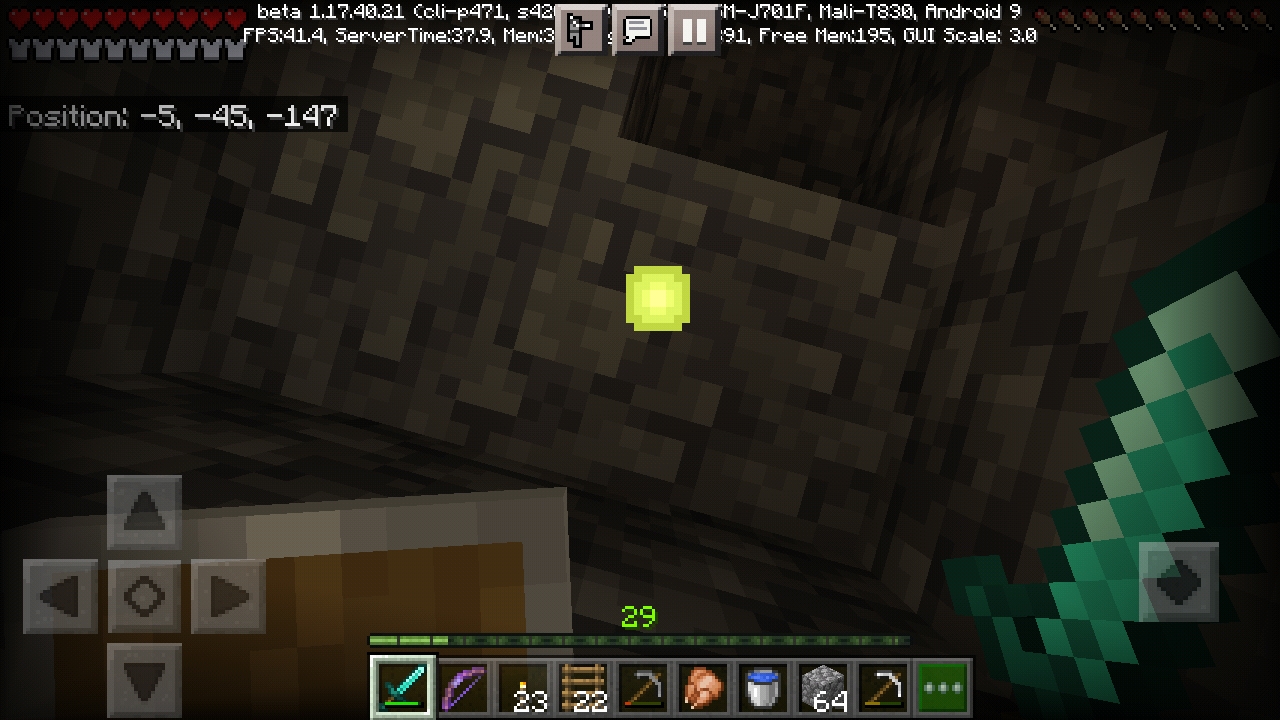
Sometimes, XP orbs hover around a player constantly, instead of being absorbed as they should. In some cases, the player can be so distracted and/or blinded by them that they don't notice hazards like ravines or lava.
How to reproduce:
1. Spawn a bunch of XP orbs (can be spawned using /summon, killing mobs, XP bottles, etc.)
2. Walk near those orbs
→  Notice how some follow you but do not get absorbed
Cause
XP orbs on the client do not sync positions with the corresponding entities on the server. As a result, whenever XP orbs move there is a chance that their client and server positions will diverge. This often happens when they collide with blocks or other entities, and
- since 1.16.220 it happens whenever they touch water with non-zero liquid_depth because the client-side orbs are no longer moved by water currents (
MCPE-120829), - since about 1.17.40 it happens when they spawn because client-side orbs do not spread (
MCPE-141467), and - since about 1.18.0 it happens when you relog because client-side orbs get teleported upwards (
MCPE-150723).
If the client and server positions become separated by too much then players can't absorb the orbs when they appear to be close enough. In this situation, the client-side orbs can follow the player for very long distances, and they cannot be destroyed (by fire, lava, explosions, or the void).
Workarounds
- Use a command like /tp @e[type=xp_orb] @s to teleport all the floating orbs in all ticked areas to your position, so that you should immediately absorb them. (Or, to give them to another player, use the command tp @e[type=xp_orb] <gamertag>, specifying the gamertag of the player.)
- Try moving around the area where the orbs originally dropped or you first saw them, including moving vertically if there are surfaces that invisible orbs could be lying on.
- To resync the orbs, save & quit then reload the world, or go to a different dimension, then come back.
If you hear the tinkling bell sound of an orb being absorbed, you'll know that you found one, even if you didn't see any.
Linked Issues
is duplicated by88
 BDS-9995Glitched ExperienceDuplicateBDS-11311Experience GlitchDuplicate
 MCPE-21050Sometimes when we enter an area with XP some orbs do not move or spin around you foreverDuplicateMCPE-22092XP Orb sometimes gets stuck spinning around player's head in RealmsDuplicateMCPE-22093XP Orb doesn't get picked up in RealmsDuplicateMCPE-22550XP Orbs "AI" is brokenDuplicateMCPE-22694Can't collect some experience orbs even when standing on it.DuplicateMCPE-24386XP Points infinitely follows meDuplicateMCPE-24773Indestructible xporbsDuplicateMCPE-31736Windows 10 edition XP ball keeps following me - uncollectableDuplicateMCPE-35037Experience orbs are sometimes not absorbed.DuplicateMCPE-44073cant pick up xp orbDuplicateMCPE-47580Experiment Orb BugDuplicateMCPE-47585Invisible Experience OrbDuplicateMCPE-51434Not collectabe xpDuplicateMCPE-55486Can't pick up XPDuplicateMCPE-59584Experience orb position desyncDuplicateMCPE-61185Experience Orbs not 'absorbed'DuplicateMCPE-61635If you almost collect XP And runaway It will follow you around and then you cannot collect it DuplicateMCPE-64065After killing a skeleton it wouldn't let me take the experience and it was just following me instead of disappearingDuplicateMCPE-71521xp orbs follow you and you can not pick them up DuplicateMCPE-75535False XP glitchDuplicateMCPE-79642XP is unable to be collectedDuplicateMCPE-80321Can't collect some experience orbsDuplicateMCPE-80786Some XP orbs sometimes fail to be collectedDuplicateMCPE-81219Xp orbs will not be absorbed immediatelyDuplicateMCPE-82980xp points bugDuplicateMCPE-83151My experience is just staying under me DuplicateMCPE-84657when fishing I don't catch the experienceDuplicateMCPE-85103XP orbs sometimes won’t collectDuplicateMCPE-85656I cannot absorb xp orbs from my guardian farmDuplicateMCPE-85814stuck xp orbsDuplicateMCPE-85984XP Orbs re mob (skeleton) farmDuplicateMCPE-87928EXP glitch DuplicateMCPE-89053Exp orbs that can’t be collectedDuplicateMCPE-89436xp not collectedDuplicateMCPE-93572Not getting xp when collecting a lot of it DuplicateMCPE-96458Exp. collection bug.DuplicateMCPE-96587Can't get the XPDuplicateMCPE-96760Experiens balls dont disappearDuplicateMCPE-98742Low Ender Dragon XP dropDuplicateMCPE-98841Experience orb bugDuplicateMCPE-99693Experience Orbs Dont Disintengrate In The VoidDuplicateMCPE-99720Experience orbs don’t disintegrate in The voidDuplicateMCPE-100189I can't collect some Xp orbsDuplicateMCPE-100549Misplaced Experience DuplicateMCPE-101132Xp orb not being absorbed by my character.DuplicateMCPE-102019XP orbs following you bat never going into you.DuplicateMCPE-102798XP Orb pick upDuplicateMCPE-104039You cannot collect EXP that is dropped by the Ender DragonDuplicateMCPE-104225Some XP orbs don't interact with anything and can't be collected after falling in powder snowDuplicateMCPE-104341XP Orbs not absorbed by playerDuplicateMCPE-105367Single Experience Orb Not CollectingDuplicateMCPE-105463Experience orbs just don't want to be picked up at allDuplicateMCPE-105728XP Orbs aren't able to be collected.DuplicateMCPE-106444Experience orb cannot be absorbedDuplicateMCPE-106865The positions of xp_orb sync only once.DuplicateMCPE-107016Experience orbs do not reach the player wellDuplicateMCPE-107326Experience orbs cannot be picked up consistentlyDuplicateMCPE-107995Exp BugDuplicateMCPE-108032exp glitchDuplicateMCPE-109306One experience orb refusd to be collectedDuplicateMCPE-109712Sometimes cant pick up XP orbsDuplicateMCPE-109806Exp Orbs DuplicateMCPE-110115Cannot collect XP and is following meDuplicateMCPE-114078Experience orbs are not being picked up correctlyDuplicateMCPE-114134The game frame rate drops all time DuplicateMCPE-114467Exp orb not absorbingDuplicateMCPE-117148When breeding my cows, the XP comes to me but I don't collect it.DuplicateMCPE-119340XP pick upDuplicateMCPE-119996Client and server can desync and causing ghost xpDuplicateMCPE-125542Experience orbDuplicateMCPE-139961xp ball old bugDuplicateMCPE-148879Xp stuck at player feetDuplicateMCPE-149621I can't able to take (exp) so resolve itDuplicateMCPE-151341Weird xp pointsDuplicateMCPE-152945Xp orb gets attracted but isn't absorbedDuplicateMCPE-153476bow animation is crashing and i can't get dragon experienceDuplicateMCPE-156021Exp orb doesn't get absorb DuplicateMCPE-157527You can't obtain some experience points or it takes too mutch time to get them.DuplicateMCPE-159610XP bar not absorbing XPDuplicateMCPE-161712Experience in itself and experience particle works separeted.DuplicateMCPE-162373invisible xp orbsDuplicateMCPE-162420Experience orbs dancing on lavaDuplicateMCPE-162590XP not being collected when trying to collect xpDuplicateMCPE-165473Some experience orbs resist collectionDuplicateMCPE-166074Experience is not collectedDuplicate
 REALMS-10609Silk Touch/Mending Pickaxe not Healing With XPDuplicate
relates to5
 MC-460Experience orb position client-server desyncAwaiting ResponseMCPE-99486Teleporting an ender crystal does not change its visible positionConfirmedMCPE-120829Experience orbs not moved by flowing waterFixedMCPE-141467Experience orbs don't spread aroundFixedMCPE-150723When you relog XP falls from the sky (client-side)Fixed
Attachments8
![[Mod] GoldenHelmet](../../../data/avatars/users/18951.svg)



- Fixed
 CallMeChris
- Daniel Williams
- 297
- 89
- Confirmed
- 43091 / 128382 / 380338 / 426856
- Multiple
- Android 4.4.2
1.20.0.20 Preview - 1.19.73
1.20.0.20 Preview 1.19.70.22 Preview 1.19.60.26 Preview 1.19.60.22 Preview 0.12.1 Win10 0.12.2 0.12.3 1.19.30.25 Preview 1.19.30.22 Preview 1.19.20.23 Preview 1.19.20.22 Preview 1.19.0.21 Preview 1.19.0.20 Beta 1.18.20.30 Preview 1.18.20.29 Beta 1.18.20.25 Beta 1.18.20.24 Preview 1.18.20.23 Beta 1.18.10.26 Beta 1.18.10.21 Beta 1.18.0.20 Beta 1.17.40.21 Beta 1.17.40.20 Beta 1.17.30.25 Beta 1.17.30.24 Beta 1.17.30.23 Beta 1.17.30.22 Beta 1.17.11 Hotfix 1.17.0.52 Beta 1.16.220 1.16.210.58 Beta 1.16.210.54 Beta 1.16.210.50 Beta 1.16.200.57 Beta 1.16.200.55 Beta 1.16.200.53 Beta 1.16.200.52 Beta 1.16.200.51 Beta 1.16.100.60 Beta 1.16.100.58 Beta 1.16.100.57 Beta 1.16.100.56 Beta 1.16.100.55 Beta 1.16.100.54 Beta 1.16.100.51 Beta 1.16.20.50 Beta 1.16.0.68 Beta 1.16.0.67 Beta 1.16.0.66 Beta 1.16.0.64 Beta 1.16.0.63 Beta 1.16.0.59 Beta 1.16.0.51 Beta 1.15.0.53 Beta 1.14.1 Hotfix 1.4.1 (Nintendo Switch) 1.4.4.0 1.2.1.1 1.2.8.0 1.2.9.1 1.2.10.1 1.2.10.2 1.2.11.4 1.4.3.0 1.4.2.0 1.6.0.5 1.14.0 1.14.60 Hotfix 1.16.0 1.16.1 1.16.10 1.16.21 1.16.20 1.16.50 Hotfix (iOS) 1.16.40 Hotfix 1.16.61 (PS4) 1.16.100.59 Beta 1.16.100 1.16.101 Hotfix 1.16.201 Hotfix 1.17.0 1.17.30 1.17.32 1.17.34 1.17.40 1.17.41 Hotfix 1.18.0 1.18.1 Hotfix 1.18.2 Hotfix 1.18.10 1.18.12 Hotfix 1.19.0 1.19.10 1.19.20.24 Preview 1.19.20 1.19.21 Hotfix 1.19.22 Hotfix 1.19.30 1.19.31 Hotfix 1.19.40 1.19.50 1.19.51 1.19.60 1.19.73- 1.19.80.21 Preview 1.19.80
Created Issue:
Experience Orbs Constantly Orbit Player Blocking View Multiplayer
Bug occurs when a second player gains experience and the orbs constantly orbit in front of her view. They go away when going through a nether portal, but the issue is very common anytime her player gets new orbs. It sounds similar to the desync bug on the regular version (
MC-460), and may be the same thing, just for us pocket edition folksI never experience this issue as host (on an asus memo ME173X with android 4.2.2)

Bug occurs when a second player gains experience and the orbs constantly orbit in front of her view. They go away when going through a nether portal, but the issue is very common anytime her player gets new orbs. It sounds similar to the desync bug on the regular version (
MC-460), and may be the same thing, just for us pocket edition folks
I never experience this issue as host (on an asus memo ME173X with android 4.2.2)
Bug occurs when a second player gains experience and the orbs constantly orbit in front of her view. They go away when going through a nether portal, but the issue is very common anytime her player gets new orbs. It sounds similar to the desync bug on the regular version (
MC-460), and may be the same thing, just for us pocket edition folks
(XP)
I never experience this issue as host (on an asus memo ME173X with android 4.2.2)
![[Mojang] Mega_Spud (Jay Wells)](../../../data/avatars/users/92696.png)
is duplicated by

Bug occurs when a second player gains experience and the orbs constantly orbit in front of her view. They go away when going through a nether portal, but the issue is very common anytime her player gets new orbs. It sounds similar to the desync bug on the regular version (
MC-460), and may be the same thing, just for us pocket edition folks
(XP)
I never experience this issue as host (on an asus memo ME173X with android 4.2.2)Additional information by [MCPE Mod] Auldrick
This also happens in singleplayer worlds. It's a relatively rare occurrence. The bugged orbs are attracted to a player in the normal way, but never get absorbed. They just hover around, sometimes flying into the player's face or otherwise pestering him.
is duplicated by
![[Mod] bemoty](../../../data/avatars/users/50554.png)
is duplicated by
![[Mod] OcelotOnesie](../../../data/avatars/users/43220.png)
relates to
is duplicated by
relates to
is duplicated by
is duplicated by
is duplicated by
![[Bot] Arisa](../../../data/avatars/users/43007.png)
is duplicated by
Experience Orbs Constantly Orbit Player Blocking ViewMultiplayer
is duplicated by
is duplicated by
is duplicated by
is duplicated by
![[MCPE Mod] Celesian](../../../data/avatars/users/81635.png)
is duplicated by
is duplicated by

is duplicated by
is duplicated by
is duplicated by
is duplicated by
is duplicated by
is duplicated by
is duplicated by
is duplicated by
relates to
is duplicated by
![[Mod] LateLag](../../../data/avatars/users/92884.png)
is duplicated by
Orb is not up ladder.mp4
![[Mod] Urielsalis](../../../data/assets/gravatar/urielsalis.jpeg)
is duplicated by
is duplicated by
is duplicated by
is duplicated by
is duplicated by
is duplicated by
is duplicated by
is duplicated by
is duplicated by
relates to
![[MCQA] Kinga Izdebska](../../../data/avatars/users/18949.svg)
is duplicated by
is duplicated by
is duplicated by
is duplicated by
is duplicated by
is duplicated by
relates to
is duplicated by
is duplicated by
is duplicated by
is duplicated by
relates to
is duplicated by
relates to
is duplicated by
is duplicated by
is duplicated by
is duplicated by
is duplicated by
Bug occurs when a second player gains experience and the orbs constantly orbit in front of her view. They go away when going through a nether portal, but the issue is very common anytime her player gets new orbs. It sounds similar to the desync bug on the regular version (MC-460), and may be the same thing, just for us pocket edition folks
(XP)
I never experience this issue as host (on an asus memo ME173X with android 4.2.2)Additional information by [MCPE Mod] Auldrick
This also happens in singleplayer worlds. It's a relatively rare occurrence. The bugged orbs are attracted to a player in the normal way, but never get absorbed. They just hover around, sometimes flying into the player's face or otherwise pestering him.The bug
When a second player gains experience and the orbs constantly orbit in front of her view. They go away when going through a nether portal, but the issue is very common anytime her player gets new orbs. It sounds similar to the desync bug on the regular version (
MC-460), and may be the same thing, just for us pocket edition folks
(XP)
I never experience this issue as host (on an asus memo ME173X with android 4.2.2)Additional information by [MCPE Mod] Auldrick
This also happens in singleplayer worlds. It's a relatively rare occurrence. The bugged orbs are attracted to a player in the normal way, but never get absorbed. They just hover around, sometimes flying into the player's face or otherwise pestering him.
The bug
When a second player gains experience and the orbs constantly orbit in front of her view. They go away when going through a nether portal, but the issue is very common anytimeherplayergets new orbs. It sounds similar tothe desyncbug on the regular version (MC-460), and may be the same thing, just for us pocket edition folks
(XP)I never experience this issue as host (on an asus memo ME173X with android 4.2.2)Additional information by [MCPE Mod] Auldrick
This also happens in singleplayer worlds. It's a relatively rare occurrence. The bugged orbs are attracted to a player in the normal way, but never get absorbed. They just hover around, sometimes flying into the player's face or otherwise pestering him.The bug
XP orbs randomly desync from the actual position causing players being unable to collect them causing them to constantly block the view of the player. This is a desync issue as if you find one of these desynced orbs then do /tp @e[type=xp_orb] @s the orb is then collected without an issue.
Additional information by [MCPE Mod] Auldrick
This also happens in singleplayer worlds. It's a relatively rare occurrence. The bugged orbs are attracted to a player in the normal way, but never get absorbed. They just hover around, sometimes flying into the player's face or otherwise pestering him.
is duplicated by
The bug
XP orbs randomly desync from the actual position causing players being unable to collect them causing them to constantly block the view of the player.This is a desync issue as if you find one of these desynced orbs then do /tp @e[type=xp_orb] @s the orb is then collected without an issue.Additional information by [MCPE Mod] Auldrick
This also happens in singleplayer worlds. It's a relatively rare occurrence. The bugged orbs are attracted to a player in the normal way, but never get absorbed. They just hover around, sometimes flying into the player's face or otherwise pestering him.XP orbs on the client randomly desync from the corresponding entities on the server, so that players can't absorb them. This result is often that orbs fly around the player's face, blocking their view.
Workaround
Someone with Operator permissions can
This is a desync issue as if you find one of these desynced orbs then do /tp @e[type=xp_orb] @s the orb is then collected without an issue.Additional information by [MCPE Mod] Auldrick
This also happens in singleplayer worlds. It's a relatively rare occurrence. The bugged orbs are attracted to a player in the normal way, but never get absorbed. They just hover around, sometimes flying into the player's face or otherwise pestering him.
XP orbs on the client randomly desync from the corresponding entities on the server, so thatplayerscan't absorb them. This result is often that orbs fly around the player's face, blocking their view.Workaround
Someone with Operator permissions canThis is a desync issueasifyoufind one of these desyncedorbsthen do /tp @e[type=xp_orb]@s the orb is then collected without an issue.Additional information by [MCPE Mod] Auldrick
This also happens in singleplayer worlds. It's a relatively rare occurrence. The bugged orbs are attracted to a player in the normal way, but never get absorbed. They just hover around, sometimes flying into the player's face or otherwise pestering him.Sometimes, XP orbs hover around a player constantly, instead of being absorbed as they should. In some cases, the player can be so distracted and/or blinded by them that they don't notice hazards like ravines or lava.
Cause
XP orbs on the client randomly desync from the corresponding entities on the server, so that players can't absorb them. This result is often that orbs fly around the player's face, blocking their view.
Workaround
Use a command like /tp @e[type=xp_orb] @s to teleport all the floating orbs in all ticked areas to your position, so that you should immediately absorb them. (Or, to give them to another player, use the command tp @e[type=xp_org] <gamertag>, specifying the gamertag of the player.)Otherwise, try moving around the area where the orbs originally dropped or you first saw them, including moving vertically if there are surfaces that invisible orbs could be lying on.
If you hear the tinkling bell sound of an orb being absorbed, you'll know that you found one, even if you didn't see any.
is duplicated by
is duplicated by
is duplicated by

is duplicated by
is duplicated by
is duplicated by
relates to
is duplicated by
![[MCPE Mod] Dr.Awesome4333](../../../data/assets/gravatar/drawesome4333.png)
relates to
is duplicated by
Can the reporter be changed because user-189af is inactive
Experience OrbsConstantly Orbit Player Blocking ViewExperience Orbs Not Being Absorbed
Sometimes, XP orbs hover around a player constantly, instead of being absorbed as they should. In some cases, the player can be so distracted and/or blinded by them that they don't notice hazards like ravines or lava.
Cause
XP orbs on the client randomly desync from the corresponding entities on the server, so that players can't absorb them. This result is often that orbs fly around the player's face, blocking their view.
Workaround
Use a command like /tp @e[type=xp_orb] @s to teleport all the floating orbs in all ticked areas to your position, so that you should immediately absorb them. (Or, to give them to another player, use the command tp @e[type=xp_org] <gamertag>, specifying the gamertag of the player.)Otherwise, try moving around the area where the orbs originally dropped or you first saw them, including moving vertically if there are surfaces that invisible orbs could be lying on.
If you hear the tinkling bell sound of an orb being absorbed, you'll know that you found one, even if you didn't see any.
Sometimes, XP orbs hover around a player constantly, instead of being absorbed as they should. In some cases, the player can be so distracted
and/or blindedby them that they don't notice hazards like ravines or lava.Cause
XP orbs on the client randomly desync from the corresponding entities on the server, so that players can't absorb them. This result is often that orbs fly around the player's face, blocking their view.
Workaround
Use a command like /tp @e[type=xp_orb] @s to teleport all the floating orbs in all ticked areas to your position, so that you should immediately absorb them. (Or, to give them to another player, use the command tp @e[type=xp_org] <gamertag>, specifying the gamertag of the player.)Otherwise, try moving around the area where the orbs originally dropped or you first saw them, including moving vertically if there are surfaces that invisible orbs could be lying on.
If you hear the tinkling bell sound of an orb being absorbed, you'll know that you found one, even if you didn't see any.
Sometimes, XP orbs hover around a player constantly, instead of being absorbed as they should. In some cases, the player can be so distracted
and/or blindedby them that they don't notice hazards like ravines or lava.Cause
XP orbs on the client randomly desync from the corresponding entities on the server, so that players can't absorb them. This result is often that orbs fly around the player's face, blocking their view.
Workaround
Use a command like /tp @e[type=xp_orb] @s to teleport all the floating orbs in all ticked areas to your position, so that you should immediately absorb them. (Or, to give them to another player, use the command tp @e[type=xp_org] <gamertag>, specifying the gamertag of the player.)Otherwise, try moving around the area where the orbs originally dropped or you first saw them, including moving vertically if there are surfaces that invisible orbs could be lying on.
If you hear the tinkling bell sound of an orb being absorbed, you'll know that you found one, even if you didn't see any.
Sometimes, XP orbs hover around a player constantly, instead of being absorbed as they should. In some cases, the player can be so distracted
and/or blindedby them that they don't notice hazards like ravines or lava.Cause
XP orbs on the client randomly desync from the corresponding entities on the server, so that players can't absorb them. This result is often that orbs fly around the player's face, blocking their view.
Workaround
Use a command like /tp @e[type=xp_orb] @s to teleport all the floating orbs in all ticked areas to your position, so that you should immediately absorb them. (Or, to give them to another player, use the command tp @e[type=xp_orb] <gamertag>, specifying the gamertag of the player.)Otherwise, try moving around the area where the orbs originally dropped or you first saw them, including moving vertically if there are surfaces that invisible orbs could be lying on.
If you hear the tinkling bell sound of an orb being absorbed, you'll know that you found one, even if you didn't see any.
is duplicated by
is duplicated by
relates to
relates to
![[Helper] lillybeacon](../../../data/avatars/users/93893.png)
Sometimes, XP orbs hover around a player constantly, instead of being absorbed as they should. In some cases, the player can be so distracted
and/or blindedby them that they don't notice hazards like ravines or lava.Cause
XP orbs on the client randomly desync from the corresponding entities on the server, so that players can't absorb them. This result is often that orbs fly around the player's face, blocking their view.
Workaround
Use a command like /tp @e[type=xp_orb] @s to teleport all the floating orbs in all ticked areas to your position, so that you should immediately absorb them. (Or, to give them to another player, use the command tp @e[type=xp_orb] <gamertag>, specifying the gamertag of the player.)Otherwise, try moving around the area where the orbs originally dropped or you first saw them, including moving vertically if there are surfaces that invisible orbs could be lying on.
If you hear the tinkling bell sound of an orb being absorbed, you'll know that you found one, even if you didn't see any.
Sometimes, XP orbs hover around a player constantly, instead of being absorbed as they should. In some cases, the player can be so distracted
and/or blindedby them that they don't notice hazards like ravines or lava.Cause
XP orbs on the client only sync positions with corresponding entities on the server when they are first loaded. As a result, whenever XP orbs move there is a chance that their client and server positions will diverge. This often happens when they collide with blocks or other entities, and since 1.16.220 it happens whenever they touch water with non-zero liquid_depth because the client-side orbs are no longer moved by water currents (
MCPE-120829). If the client and server positions become separated by too much then players can't absorb the orbs when they appear to be close enough. In this situation, the client-side orbs can follow the player for very long distances, and they cannot be destroyed (by fire, lava, explosions, or the void).Workarounds
- Use a command like /tp @e[type=xp_orb] @s to teleport all the floating orbs in all ticked areas to your position, so that you should immediately absorb them. (Or, to give them to another player, use the command tp @e[type=xp_orb] <gamertag>, specifying the gamertag of the player.)
- Try moving around the area where the orbs originally dropped or you first saw them, including moving vertically if there are surfaces that invisible orbs could be lying on.
- To resync the orbs, save & quit then reload the world, or go to a different dimension, then come back.
If you hear the tinkling bell sound of an orb being absorbed, you'll know that you found one, even if you didn't see any.
Sometimes, XP orbs hover around a player constantly, instead of being absorbed as they should. In some cases, the player can be so distracted
and/or blindedby them that they don't notice hazards like ravines or lava.Cause
XP orbs on the client only sync positions with corresponding entities on the server when they are first loaded. As a result, whenever XP orbs move there is a chance that their client and server positions will diverge. This often happens when they collide with blocks or other entities, and since 1.16.220 it happens whenever they touch water with non-zero liquid_depth because the client-side orbs are no longer moved by water currents (
MCPE-120829). If the client and server positions become separated by too much then players can't absorb the orbs when they appear to be close enough. In this situation, the client-side orbs can follow the player for very long distances, and they cannot be destroyed (by fire, lava, explosions, or the void).Workarounds
- Use a command like /tp @e[type=xp_orb] @s to teleport all the floating orbs in all ticked areas to your position, so that you should immediately absorb them. (Or, to give them to another player, use the command tp @e[type=xp_orb] <gamertag>, specifying the gamertag of the player.)
- Try moving around the area where the orbs originally dropped or you first saw them, including moving vertically if there are surfaces that invisible orbs could be lying on.
- To resync the orbs, save & quit then reload the world, or go to a different dimension, then come back.
If you hear the tinkling bell sound of an orb being absorbed, you'll know that you found one, even if you didn't see any.
The bug
Sometimes, XP orbs hover around a player constantly, instead of being absorbed as they should. In some cases, the player can be so distracted
and/or blindedby them that they don't notice hazards like ravines or lava.How to reproduce:
1. Spawn a bunch of XP orbs (can be spawned using /summon, killing mobs, XP bottles, etc.)
2. Walk near those orbs→
Cause
XP orbs on the client only sync positions with corresponding entities on the server when they are first loaded. As a result, whenever XP orbs move there is a chance that their client and server positions will diverge. This often happens when they collide with blocks or other entities, and since 1.16.220 it happens whenever they touch water with non-zero liquid_depth because the client-side orbs are no longer moved by water currents (
MCPE-120829). If the client and server positions become separated by too much then players can't absorb the orbs when they appear to be close enough. In this situation, the client-side orbs can follow the player for very long distances, and they cannot be destroyed (by fire, lava, explosions, or the void).Workarounds
- Use a command like /tp @e[type=xp_orb] @s to teleport all the floating orbs in all ticked areas to your position, so that you should immediately absorb them. (Or, to give them to another player, use the command tp @e[type=xp_orb] <gamertag>, specifying the gamertag of the player.)
- Try moving around the area where the orbs originally dropped or you first saw them, including moving vertically if there are surfaces that invisible orbs could be lying on.
- To resync the orbs, save & quit then reload the world, or go to a different dimension, then come back.
If you hear the tinkling bell sound of an orb being absorbed, you'll know that you found one, even if you didn't see any.
is duplicated by
is duplicated by
relates to
is duplicated by
is duplicated by
is duplicated by
is duplicated by
is duplicated by
The bug
Sometimes, XP orbs hover around a player constantly, instead of being absorbed as they should. In some cases, the player can be so distracted
and/or blindedby them that they don't notice hazards like ravines or lava.How to reproduce:
1. Spawn a bunch of XP orbs (can be spawned using /summon, killing mobs, XP bottles, etc.)
2. Walk near those orbs→
Cause
XP orbs on the client only sync positions with corresponding entities on the server when they are first loaded. As a result, whenever XP orbs move there is a chance that their client and server positions will diverge. This often happens when they collide with blocks or other entities, and since 1.16.220 it happens whenever they touch water with non-zero liquid_depth because the client-side orbs are no longer moved by water currents (
MCPE-120829). If the client and server positions become separated by too much then players can't absorb the orbs when they appear to be close enough. In this situation, the client-side orbs can follow the player for very long distances, and they cannot be destroyed (by fire, lava, explosions, or the void).Workarounds
- Use a command like /tp @e[type=xp_orb] @s to teleport all the floating orbs in all ticked areas to your position, so that you should immediately absorb them. (Or, to give them to another player, use the command tp @e[type=xp_orb] <gamertag>, specifying the gamertag of the player.)
- Try moving around the area where the orbs originally dropped or you first saw them, including moving vertically if there are surfaces that invisible orbs could be lying on.
- To resync the orbs, save & quit then reload the world, or go to a different dimension, then come back.
If you hear the tinkling bell sound of an orb being absorbed, you'll know that you found one, even if you didn't see any.
The bug
Sometimes, XP orbs hover around a player constantly, instead of being absorbed as they should. In some cases, the player can be so distracted
and/or blindedby them that they don't notice hazards like ravines or lava.How to reproduce:
1. Spawn a bunch of XP orbs (can be spawned using /summon, killing mobs, XP bottles, etc.)
2. Walk near those orbs→
Cause
XP orbs on the client do not sync positions with the corresponding entities on the server. As a result, whenever XP orbs move there is a chance that their client and server positions will diverge. This often happens when they collide with blocks or other entities, and
- since 1.16.220 it happens whenever they touch water with non-zero liquid_depth because the client-side orbs are no longer moved by water currents (
MCPE-120829),- since about 1.17.40 it happens when they spawn because client-side orbs do not spread (
MCPE-141467), and- since about 1.18.0 it happens when you relog because client-side orbs get teleported upwards (
MCPE-150723).
If the client and server positions become separated by too much then players can't absorb the orbs when they appear to be close enough. In this situation, the client-side orbs can follow the player for very long distances, and they cannot be destroyed (by fire, lava, explosions, or the void).Workarounds
- Use a command like /tp @e[type=xp_orb] @s to teleport all the floating orbs in all ticked areas to your position, so that you should immediately absorb them. (Or, to give them to another player, use the command tp @e[type=xp_orb] <gamertag>, specifying the gamertag of the player.)
- Try moving around the area where the orbs originally dropped or you first saw them, including moving vertically if there are surfaces that invisible orbs could be lying on.
- To resync the orbs, save & quit then reload the world, or go to a different dimension, then come back.
If you hear the tinkling bell sound of an orb being absorbed, you'll know that you found one, even if you didn't see any.
The bug
Sometimes, XP orbs hover around a player constantly, instead of being absorbed as they should. In some cases, the player can be so distracted
and/or blindedby them that they don't notice hazards like ravines or lava.How to reproduce:
1. Spawn a bunch of XP orbs (can be spawned using /summon, killing mobs, XP bottles, etc.)
2. Walk near those orbs→
Cause
XP orbs on the client do not sync positions with the corresponding entities on the server. As a result, whenever XP orbs move there is a chance that their client and server positions will diverge. This often happens when they collide with blocks or other entities, and
- since 1.16.220 it happens whenever they touch water with non-zero liquid_depth because the client-side orbs are no longer moved by water currents (
MCPE-120829),- since about 1.17.40 it happens when they spawn because client-side orbs do not spread (
MCPE-141467), and- since about 1.18.0 it happens when you relog because client-side orbs get teleported upwards (
MCPE-150723).
If the client and server positions become separated by too much then players can't absorb the orbs when they appear to be close enough. In this situation, the client-side orbs can follow the player for very long distances, and they cannot be destroyed (by fire, lava, explosions, or the void).Workarounds
- Use a command like /tp @e[type=xp_orb] @s to teleport all the floating orbs in all ticked areas to your position, so that you should immediately absorb them. (Or, to give them to another player, use the command tp @e[type=xp_orb] <gamertag>, specifying the gamertag of the player.)
- Try moving around the area where the orbs originally dropped or you first saw them, including moving vertically if there are surfaces that invisible orbs could be lying on.
- To resync the orbs, save & quit then reload the world, or go to a different dimension, then come back.
If you hear the tinkling bell sound of an orb being absorbed, you'll know that you found one, even if you didn't see any.
The bug
Sometimes, XP orbs hover around a player constantly, instead of being absorbed as they should. In some cases, the player can be so distracted
and/or blindedby them that they don't notice hazards like ravines or lava.How to reproduce:
1. Spawn a bunch of XP orbs (can be spawned using /summon, killing mobs, XP bottles, etc.)
2. Walk near those orbs→
Cause
XP orbs on the client do not sync positions with the corresponding entities on the server. As a result, whenever XP orbs move there is a chance that their client and server positions will diverge. This often happens when they collide with blocks or other entities, and
- since 1.16.220 it happens whenever they touch water with non-zero liquid_depth because the client-side orbs are no longer moved by water currents (
MCPE-120829),- since about 1.17.40 it happens when they spawn because client-side orbs do not spread (
MCPE-141467), and- since about 1.18.0 it happens when you relog because client-side orbs get teleported upwards (
MCPE-150723).If the client and server positions become separated by too much then players can't absorb the orbs when they appear to be close enough. In this situation, the client-side orbs can follow the player for very long distances, and they cannot be destroyed (by fire, lava, explosions, or the void).
Workarounds
- Use a command like /tp @e[type=xp_orb] @s to teleport all the floating orbs in all ticked areas to your position, so that you should immediately absorb them. (Or, to give them to another player, use the command tp @e[type=xp_orb] <gamertag>, specifying the gamertag of the player.)
- Try moving around the area where the orbs originally dropped or you first saw them, including moving vertically if there are surfaces that invisible orbs could be lying on.
- To resync the orbs, save & quit then reload the world, or go to a different dimension, then come back.
If you hear the tinkling bell sound of an orb being absorbed, you'll know that you found one, even if you didn't see any.
is duplicated by
is duplicated by

Still an issue
![[Mod] EVGENSYPERPRO](../../../data/avatars/users/92853.png)
is duplicated by

Affects versions 1.19.21 and 1.19.22
is duplicated by
is duplicated by
is duplicated by
is duplicated by
is duplicated by
relates to

pleaese fix soon drives me insane when there are xp orbs in my way
Still an issue in 1.19.50 and 1.19.60.22 preview
relates to
Thank you for your report!
However, this issue has been closed as a Duplicate of MCPE-11181.
It has been linked to this report. If you have additional information, please add it to that report.
If you have not, please search before reporting, as it's likely that one exists already.
Quick Links:
📓 Issue Guidelines – 💬 Community Support – 📧 Feedback – 📖 Game Wiki
Thank you for your report!
However, this issue has been closed as a Duplicate of MCPE-11181.
It has been linked to this report. If you have additional information, please add it to that report.
If you have not, please search before reporting, as it's likely that one exists already.
Quick Links:
📓 Issue Guidelines – 💬 Community Support – 📧 Feedback – 📖 Game Wiki
Thank you for your report!
However, this issue has been closed as a Duplicate of MCPE-11181.
It has been linked to this report. If you have additional information, please add it to that report.
If you have not, please search before reporting, as it's likely that one exists already.
Quick Links:
📓 Issue Guidelines – 💬 Community Support – 📧 Feedback – 📖 Game Wiki
Thank you for your report!
However, this issue has been closed as a Duplicate of MCPE-11181.
It has been linked to this report. If you have additional information, please add it to that report.
If you have not, please search before reporting, as it's likely that one exists already.
Quick Links:
📓 Issue Guidelines – 💬 Community Support – 📧 Feedback – 📖 Game Wiki
Thank you for your report!
However, this issue has been closed as a Duplicate of MCPE-11181.
It has been linked to this report. If you have additional information, please add it to that report.
If you have not, please search before reporting, as it's likely that one exists already.
Quick Links:
📓 Issue Guidelines – 💬 Community Support – 📧 Feedback – 📖 Game Wiki
Thank you for your report!
However, this issue has been closed as a Duplicate of MCPE-11181.
It has been linked to this report. If you have additional information, please add it to that report.
If you have not, please search before reporting, as it's likely that one exists already.
Quick Links:
📓 Issue Guidelines – 💬 Community Support – 📧 Feedback – 📖 Game Wiki
Thank you for your report!
However, this issue has been closed as a Duplicate of MCPE-11181.
It has been linked to this report. If you have additional information, please add it to that report.
If you have not, please search before reporting, as it's likely that one exists already.
Quick Links:
📓 Issue Guidelines – 💬 Community Support – 📧 Feedback – 📖 Game Wiki
Thank you for your report!
However, this issue has been closed as a Duplicate of MCPE-11181.
If you have not, you might like to make use of the search feature before making a new ticket, as it's likely that the issue has been reported already.
Quick Links:
📓 Issue Guidelines – 💬 Community Support – 📧 Feedback – 📖 Game Wiki
Thank you for your report!
However, this issue has been closed as a Duplicate of MCPE-11181.
Please add a vote and any new information to the main ticket, which will be updated accordingly.
If you have not, you might like to make use of the search feature before making a new ticket, as it's likely that the issue has been reported already.
Quick Links:
📓 Issue Guidelines – 💬 Community Support – 📧 Feedback – 📖 Game Wiki

I'm not a 100% sure about this but it may be related to MCPE-11181 Please check it out and let me know if that issue is similar to yours.
EDIT: I found MCPE-44073 which might more accurately reflect your situation...
Thanks for the response! As a general guideline MCPE = Bedrock while MC = Java. No need to worry about being a duplicate simply because the main ticket was marked as cannot duplicate which means the mods/helpers couldn't reproduce it (it could be hard to reproduce or only happen in specific conditions like your mob farm) and you were right to let us know it still affected you. please go to the main ticket (MCPE-11181) and press the watch button so you can stay informed on the progress of this bug (and add your own experiences with the bug in the tickets comments). Once again thank you for helping all of Minecraft!
Thank you for your report!
However, this issue is a Duplicate of MCPE-11181.
If you would like to add a vote and any extra information to the main ticket it would be appreciated.
If you haven't already, you might like to make use of the search feature to see if the issue has already been mentioned.
Quick Links:
📓 Issue Guidelines – 💬 Community Support – 📧 Customer Support – 📖 Game Wiki
Thank you for your report!
However, this issue is a Duplicate of MCPE-11181.
If you would like to add a vote and any extra information to the main ticket it would be appreciated.
If you haven't already, you might like to make use of the search feature to see if the issue has already been mentioned.
Quick Links:
📓 Issue Guidelines – 💬 Community Support – 📧 Customer Support – 📖 Game Wikistrong text
Thank you for your report!
However, this issue is a Duplicate of MCPE-11181.
If you would like to add a vote and any extra information to the main ticket it would be appreciated.
If you haven't already, you might like to make use of the search feature to see if the issue has already been mentioned.
Quick Links:
📓 Issue Guidelines – 💬 Community Support – 📧 Customer Support – 📖 Game Wiki
Thank you for your report!
However, this issue is a Duplicate of MCPE-11181.
If you would like to add a vote and any extra information to the main ticket it would be appreciated.
If you haven't already, you might like to make use of the search feature to see if the issue has already been mentioned.
Quick Links:
📓 Issue Guidelines – 💬 Community Support – 📧 Customer Support – 📖 Game Wiki
Thank you for your report!
However, this issue is a Duplicate of MCPE-11181.
If you would like to add a vote and any extra information to the main ticket it would be appreciated.
If you haven't already, you might like to make use of the search feature to see if the issue has already been mentioned.
Quick Links:
📓 Issue Guidelines – 💬 Community Support – 📧 Customer Support – 📖 Game Wiki
Thank you for your report!
We're already tracking this issue at MCPE-11181, so I will resolve and link this ticket as a duplicate.
If you would like to add a vote and any extra information to the main ticket it would be appreciated.
If you haven't already, you might like to make use of the search feature to see if the issue has already been mentioned.
Quick Links:
📓 Issue Guidelines – 💬 Community Support – 📧 Customer Support – 📖 Game Wiki
Thank you for your report!
We're actually already tracking this issue at MCPE-11181.
If you would like to add a vote and any extra information to the main ticket it would be appreciated.
Quick Links:
📓 Issue Guidelines – 💬 Community Support – 📧 Customer Support – 📖 Game Wiki
Thank you for your report!
We're actually already tracking this issue at MCPE-11181, so I will resolve and link this ticket as a duplicate.
If you would like to add a vote and any extra information to the main ticket it would be appreciated.
If you haven't already, you might like to make use of the search feature to see if the issue has already been mentioned.
Quick Links:
📓 Issue Guidelines – 💬 Community Support – 📧 Customer Support – ✍️ Feedback and Suggestions – 📖 Game Wiki
Thank you for your report!
We're actually already tracking this issue at MCPE-11181, so I will resolve and link this ticket as a duplicate.
If you would like to add a vote and any extra information to the main ticket it would be appreciated.
If you haven't already, you might like to make use of the search feature to see if the issue has already been mentioned.
Quick Links:
📓 Issue Guidelines – 💬 Community Support – 📧 Customer Support – ✍️ Feedback and Suggestions – 📖 Game Wiki
Thank you for your report!
We're actually already tracking this issue at MCPE-11181, so I will resolve and link this ticket as a duplicate.
If you would like to add a vote and any extra information to the main ticket it would be appreciated.
If you haven't already, you might like to make use of the search feature to see if the issue has already been mentioned.
Quick Links:
📓 Issue Guidelines – 💬 Community Support – 📧 Customer Support – ✍️ Feedback and Suggestions – 📖 Game Wiki
Thank you for your report!
We're actually already tracking this issue at MCPE-11181, so I will resolve and link this ticket as a duplicate.
If you would like to add a vote and any extra information to the main ticket it would be appreciated.
If you haven't already, you might like to make use of the search feature to see if the issue has already been mentioned.
Quick Links:
📓 Issue Guidelines – 💬 Community Support – 📧 Customer Support – ✍️ Feedback and Suggestions – 📖 Game Wiki
Thank you for your report!
We're actually already tracking this issue at MCPE-11181, so I will resolve and link this ticket as a duplicate.
If you would like to add a vote and any extra information to the main ticket it would be appreciated.
If you haven't already, you might like to make use of the search feature to see if the issue has already been mentioned.
Quick Links:
📓 Issue Guidelines – 💬 Community Support – 📧 Customer Support – ✍️ Feedback and Suggestions – 📖 Game Wiki
Thank you for your report!
We're actually already tracking this issue at MCPE-11181, so I will resolve and link this ticket as a duplicate.
If you would like to add a vote and any extra information to the main ticket it would be appreciated.
If you haven't already, you might like to make use of the search feature to see if the issue has already been mentioned.
Quick Links:
📓 Issue Guidelines – 💬 Community Support – 📧 Customer Support – ✍️ Feedback and Suggestions – 📖 Game Wiki

Does it circle around you without being collected (MCPE-11181)?
Thank you for your report!
We're actually already tracking this issue at MCPE-11181, so I will resolve and link this ticket as a duplicate.
If you would like to add a vote and any extra information to the main ticket it would be appreciated.
If you haven't already, you might like to make use of the search feature to see if the issue has already been mentioned.
Quick Links:
📓 Issue Guidelines – 💬 Community Support – 📧 Customer Support – ✍️ Feedback and Suggestions – 📖 Game Wiki
Thank you for your report!
We're tracking this issue in MCPE-11181, so this ticket is being resolved and linked as a duplicate.
If you would like to add a vote and any extra information to the main ticket it would be appreciated.
If you haven't already, you might like to make use of the search feature to see if the issue has already been mentioned.
Quick Links:
📓 Issue Guidelines – 💬 Community Support – 📧 Customer Support – ✍️ Feedback and Suggestions – 📖 Game Wiki
Thank you for your report!
We're actually already tracking this issue at MCPE-11181, so I will resolve and link this ticket as a duplicate.
If you would like to add a vote and any extra information to the main ticket it would be appreciated.
If you haven't already, you might like to make use of the search feature to see if the issue has already been mentioned.
Quick Links:
📓 Issue Guidelines – 💬 Community Support – 📧 Customer Support – ✍️ Feedback and Suggestions – 📖 Game Wiki
Thank you for your report!
We're actually already tracking this issue at MCPE-11181, so I will resolve and link this ticket as a duplicate.
If you would like to add a vote and any extra information to the main ticket it would be appreciated.
If you haven't already, you might like to make use of the search feature to see if the issue has already been mentioned.
Quick Links:
📓 Issue Guidelines – 💬 Community Support – 📧 Customer Support – ✍️ Feedback and Suggestions – 📖 Game Wiki
Does MCPE-11181 describe your issue?
Thank you for your report!
We're actually already tracking this issue at MCPE-11181, so I will resolve and link this ticket as a duplicate.
If you would like to add a vote and any extra information to the main ticket it would be appreciated.
If you haven't already, you might like to make use of the search feature to see if the issue has already been mentioned.
Quick Links:
📓 Issue Guidelines – 💬 Community Support – 📧 Customer Support – ✍️ Feedback and Suggestions – 📖 Game Wiki
Thank you for your report!
We're actually already tracking this issue at MCPE-11181, so I will resolve and link this ticket as a duplicate.
If you would like to add a vote and any extra information to the main ticket it would be appreciated.
If you haven't already, you might like to make use of the search feature to see if the issue has already been mentioned.
Quick Links:
📓 Issue Guidelines – 💬 Community Support – 📧 Customer Support – ✍️ Feedback and Suggestions – 📖 Game Wiki
Thank you for your report!
We're actually already tracking this issue at MCPE-11181, so I will resolve and link this ticket as a duplicate.
If you would like to add a vote and any extra information to the main ticket it would be appreciated.
If you haven't already, you might like to make use of the search feature to see if the issue has already been mentioned.
Quick Links:
📓 Issue Guidelines – 💬 Community Support – 📧 Customer Support – ✍️ Feedback and Suggestions – 📖 Game Wiki
Thank you for your report!
We're actually already tracking this issue at MCPE-11181, so I will resolve and link this ticket as a duplicate.
If you would like to add a vote and any extra information to the main ticket it would be appreciated.
If you haven't already, you might like to make use of the search feature to see if the issue has already been mentioned.
Quick Links:
📓 Issue Guidelines – 💬 Community Support – 📧 Customer Support – ✍️ Feedback and Suggestions – 📖 Game Wiki
Thank you for your report!
We're already tracking this issue at MCPE-11181, so I will resolve and link this ticket as a duplicate.
If you would like to add a vote and any extra information to the main ticket it would be appreciated. If you haven't already, you might like to make use of the search feature to see if the issue has already been mentioned.
Quick Links: 📓 Issue Guidelines – 💬 Community Support – 📧 Customer Support – 📖 Game Wiki
Thank you for your report!
However, this issue is being tracked in MCPE-11181.
Quite an old bug! It's been reported already
If you have any additional information that you think would be useful, feel free to add it there!
Quick Links:
📓 Issue Guidelines – 💬 Community Support – 📧 Mojang Support – ✍️ Feedback and Suggestions – 📖 Game Wiki

I think this is a duplicate of MC-460 and not a duplicate of MCPE-11181

Ender crystals only teleport server-side. If you telelport a crystal, it appears not to move and the player can interact with it at its visual location, but it will explode at the location it was teleported to. As noted in a comment below, this seems to be the same behavior shown by XP orbs: they never sync positions between client and server (MCPE-11181).
Steps to reproduce
- /fill ~3 ~ ~ ~3 ~9 ~ glass
- /summon ender_crystal ~2 ~ ~
- /tp @e[type = ender_crystal] ~3 ~10 ~
- Punch the visible ender crystal.
Expected results
In step (3) the ender crystal changes position visibly. In step (4) you have to go up to the top of the glass pillar to hit the ender crystal.
Observed results
In step (3) the ender crystal appear to stay in the same place. In step (4) when you punch the visible ender crystal an explosion occurs at the top of the glass pillar.
Ender crystals doesn't teleport when I used /tp. Fix it pls

Duplicate of MCPE-11181
Thank you for your report!
We're tracking this issue in MCPE-11181, so this ticket is being resolved and linked as a duplicate.
If you would like to add a vote and any extra information to the main ticket it would be appreciated.
If you haven't already, you might like to make use of the search feature to see if the issue has already been mentioned.
Quick Links:
📓 Issue Guidelines – 💬 Community Support – 📧 Mojang Support – ✍️ Feedback and Suggestions – 📖 Game Wiki
Thank you for your report!
We're actually already tracking this issue at MCPE-11181, so I will resolve and link this ticket as a duplicate.
If you would like to add a vote and any extra information to the main ticket it would be appreciated.
If you haven't already, you might like to make use of the search feature to see if the issue has already been mentioned.
Quick Links:
📓 Issue Guidelines – 💬 Community Support – 📧 Customer Support – ✍️ Feedback and Suggestions – 📖 Game Wiki
Thank you for your report!
We're tracking this issue in MCPE-11181, so this ticket is being resolved and linked as a duplicate.
If you would like to add a vote and any extra information to the main ticket it would be appreciated.
If you haven't already, you might like to make use of the search feature to see if the issue has already been mentioned.
Quick Links:
📓 Issue Guidelines – 💬 Community Support – 📧 Mojang Support – ✍️ Feedback and Suggestions – 📖 Game Wiki
Hello!
This appears to be my issue, MCPE-11181.
Thank you for your report!
We're actually already tracking this issue at MCPE-11181, so I will resolve and link this ticket as a duplicate.
If you would like to add a vote and any extra information to the main ticket it would be appreciated.
If you haven't already, you might like to make use of the search feature to see if the issue has already been mentioned.
Quick Links:
📓 Issue Guidelines – 💬 Community Support – 📧 Customer Support – ✍️ Feedback and Suggestions – 📖 Game Wiki
@leo190: based on your recent edit after I resolved this report, what you are experiencing is the same bug as MCPE-11181. When an orb is moving toward you and you move away quickly, the client and server data on the orb's position desync. The orb you see floating in the void is the client-side, rendered orb. If fly down to it from a different direction, you will find that it cannot be picked up. If reload the world, you will find that it no longer appears in the void, and instead it appears wherever the server-side orb was located. The same thing can happen with orbs in lava, where it appears that an orb is not being destroyed by lava.
Since what you're reporting has the same cause as MCPE-11181, there is no need to track it separately. I will, instead, re-resolve this report as a duplicate.
Thank you for your report!
We're tracking this issue in MCPE-11181, so this ticket is being resolved and linked as a duplicate.
If you would like to add a vote and any extra information to the main ticket it would be appreciated.
If you haven't already, you might like to make use of the search feature to see if the issue has already been mentioned.
Quick Links:
📓 Bug Tracker Guidelines – 💬 Community Support – 📧 Mojang Support
📓 Project Summary – ✍️ Feedback and Suggestions – 📖 Game Wiki
– I am a bot. This action was performed automatically! Please report any issues in Discord or Reddit
Ok. So the bug is that the sever side of the orb disappears when a player runs away from it, but the client side remains, which is the part you can see? And is the client side the thing that moves? I still don’t get how this is a duplicate of MCPE-11181.
Thank you for your report!
We're tracking this issue in MCPE-11181, so this ticket is being resolved and linked as a duplicate.
If you would like to add a vote and any extra information to the main ticket it would be appreciated.
If you haven't already, you might like to make use of the search feature to see if the issue has already been mentioned.
Quick Links:
📓 Bug Tracker Guidelines – 💬 Community Support – 📧 Mojang Support
📓 Project Summary – ✍️ Feedback and Suggestions – 📖 Game Wiki
Thank you for your report!
We're tracking this issue in MCPE-11181, so this ticket is being resolved and linked as a duplicate.
If you would like to add a vote and any extra information to the main ticket it would be appreciated.
If you haven't already, you might like to make use of the search feature to see if the issue has already been mentioned.
Quick Links:
📓 Bug Tracker Guidelines – 💬 Community Support – 📧 Mojang Support
📓 Project Summary – ✍️ Feedback and Suggestions – 📖 Game Wiki
Thank you for your report!
We're actually already tracking this issue at MCPE-11181, so I will resolve and link this ticket as a duplicate.
If you would like to add a vote and any extra information to the main ticket it would be appreciated.
If you haven't already, you might like to make use of the search feature to see if the issue has already been mentioned.
Quick Links:
📓 Bug Tracker Guidelines – 💬 Community Support – 📧 Mojang Support
📓 Project Summary – ✍️ Feedback and Suggestions – 📖 Game Wiki
Thank you for your report!
We're tracking this issue in MCPE-11181, so this ticket is being resolved and linked as a duplicate.
If you would like to add a vote and any extra information to the main ticket it would be appreciated.
If you haven't already, you might like to make use of the search feature to see if the issue has already been mentioned.
Quick Links:
📓 Bug Tracker Guidelines – 💬 Community Support – 📧 Mojang Support
📓 Project Summary – ✍️ Feedback and Suggestions – 📖 Game Wiki
– I am a bot. This action was performed automatically! Please report any issues in Discord or Reddit
Thank you for your report!
We're tracking this issue in MCPE-11181, so this ticket is being resolved and linked as a duplicate.
If you would like to add a vote and any extra information to the main ticket it would be appreciated.
If you haven't already, you might like to make use of the search feature to see if the issue has already been mentioned.
Quick Links:
📓 Bug Tracker Guidelines – 💬 Community Support – 📧 Mojang Support
📓 Project Summary – ✍️ Feedback and Suggestions – 📖 Game Wiki
Thank you for your report!
We're actually already tracking this issue at MCPE-11181, so I will resolve and link this ticket as a duplicate.
If you would like to add a vote and any extra information to the main ticket it would be appreciated.
If you haven't already, you might like to make use of the search feature to see if the issue has already been mentioned.
Quick Links:
📓 Bug Tracker Guidelines – 💬 Community Support – 📧 Mojang Support
📓 Project Summary – ✍️ Feedback and Suggestions – 📖 Game Wiki
I see no reason to think this is a distinct issue from MCPE-11181. In the video, orbs clearly sink into the snow both client-side and server side. If the player were to sink into or break/collect the powdered snow and walk around where those blocks were more slowly, they would eventually find and pick up the server-side, orb, and then the client-side orb would disappear. Or they could relog to re-sync the orbs, and then remove the powdered snow to find the missing orb.
What might be distinct about powdered snow here, is that it might be slowing the movement of xp orbs differently server-side and client side, and thus facilitating their desyncing when they are embedded in the snow and a player moves near enough to attract them. But it really isn't difficult to desync orbs in many other similar ways. Pretty much any time xp orbs have a player attracting them while they are also experiencing force in a different direction from another source (gravity, collision with blocks, collision with walls, etc.) they will desync. In fact, what the video shows with powdered snow is probably reproducible with cobwebs as well.
Duplicate of MCPE-11181
Thank you for your report!
We're tracking this issue in MCPE-11181, so this ticket is being resolved and linked as a duplicate.
If you would like to add a vote and any extra information to the main ticket it would be appreciated.
If you haven't already, you might like to make use of the search feature to see if the issue has already been mentioned.
Quick Links:
📓 Bug Tracker Guidelines – 💬 Community Support – 📧 Mojang Support
📓 Project Summary – ✍️ Feedback and Suggestions – 📖 Game Wiki
– I am a bot. This action was performed automatically! Please report any issues in Discord or Reddit
Thank you for your report!
We're actually already tracking this issue at MCPE-11181, so I will resolve and link this ticket as a duplicate.
If you would like to add a vote and any extra information to the main ticket it would be appreciated.
If you haven't already, you might like to make use of the search feature to see if the issue has already been mentioned.
Quick Links:
📓 Bug Tracker Guidelines – 💬 Community Support – 📧 Mojang Support
📓 Project Summary – ✍️ Feedback and Suggestions – 📖 Game Wiki
Thank you for your report!
We're actually already tracking this issue at MCPE-11181, so I will resolve and link this ticket as a duplicate.
If you would like to add a vote and any extra information to the main ticket it would be appreciated.
If you haven't already, you might like to make use of the search feature to see if the issue has already been mentioned.
Quick Links:
📓 Bug Tracker Guidelines – 💬 Community Support – 📧 Mojang Support
📓 Project Summary – ✍️ Feedback and Suggestions – 📖 Game Wiki
Thank you for your report!
We're actually already tracking this issue at MCPE-11181, so I will resolve and link this ticket as a duplicate.
If you would like to add a vote and any extra information to the main ticket it would be appreciated.
If you haven't already, you might like to make use of the search feature to see if the issue has already been mentioned.
Quick Links:
📓 Bug Tracker Guidelines – 💬 Community Support – 📧 Mojang Support
📓 Project Summary – ✍️ Feedback and Suggestions – 📖 Game Wiki
Thank you for your report!
We're actually already tracking this issue at MCPE-11181, so I will resolve and link this ticket as a duplicate.
If you would like to add a vote and any extra information to the main ticket it would be appreciated.
If you haven't already, you might like to make use of the search feature to see if the issue has already been mentioned.
Quick Links:
📓 Bug Tracker Guidelines – 💬 Community Support – 📧 Mojang Support
📓 Project Summary – ✍️ Feedback and Suggestions – 📖 Game Wiki
Thank you for your report!
We're tracking this issue in MCPE-11181, so this ticket is being resolved and linked as a duplicate.
If you would like to add a vote and any extra information to the main ticket it would be appreciated.
If you haven't already, you might like to make use of the search feature to see if the issue has already been mentioned.
Quick Links:
📓 Bug Tracker Guidelines – 💬 Community Support – 📧 Mojang Support
📓 Project Summary – ✍️ Feedback and Suggestions – 📖 Game Wiki
– I am a bot. This action was performed automatically! Please report any issues in Discord or Reddit
Duplicate of MCPE-11181
Thank you for your report!
We're actually already tracking this issue at MCPE-11181, so I will resolve and link this ticket as a duplicate.
If you would like to add a vote and any extra information to the main ticket it would be appreciated.
If you haven't already, you might like to make use of the search feature to see if the issue has already been mentioned.
Quick Links:
📓 Bug Tracker Guidelines – 💬 Community Support – 📧 Mojang Support
📓 Project Summary – ✍️ Feedback and Suggestions – 📖 Game Wiki
Both this issue and MCPE-109299 seem to be related to the xp_orb mob collision box. I would think the simplest way to fix these problems would be to just remove that collision box. I can't think of any good reason for keeping it. Removing it might also fix or at least greatly lessen the severity of MCPE-11181.
Update 1
I found that setting the collision box to 0.0 with a behavior pack fixes the orbs getting stuck on top slabs, but does not fix them floating over falling water.
Update 2
The behavior of items entities in falling water can be matched by setting gravity to "true" in the buoyancy component, but that also returns xp_orbs to their old behavior of sinking in all kinds of water. It seems that items switch between having gravity in falling water and bubble columns, and not having gravity in source water and horizontally flowing water.
Update 3
- xp_orb mob collision can be fully removed by setting "is_pushable": false within "minecraft:pushable", but this has no impact on the issues reported here.
- I have made a pack that causes XP orbs to move with the speed of items in falling water and bubble columns by restoring their gravity when inside those blocks. It fixes MCPE-109330 / MCPE-106439 so I attached it to those reports. However, it does not fix the issue of XP orbs floating on water that is above falling water.
Duplicate of MCPE-11181
Thank you for your report!
We're actually already tracking this issue at MCPE-11181, so I will resolve and link this ticket as a duplicate.
If you would like to add a vote and any extra information to the main ticket it would be appreciated.
If you haven't already, you might like to make use of the search feature to see if the issue has already been mentioned.
Quick Links:
📓 Bug Tracker Guidelines – 💬 Community Support – 📧 Mojang Support
📓 Project Summary – ✍️ Feedback and Suggestions – 📖 Game Wiki

Unaborbable xp orbs that float on water can prevent you from riptiding out of it!
Steps to Reproduce:
- kill some mobs on an ocean until you get the famous unabsorbed xp orbs
- give yourself a trident with the ripide enchantment
- try to propel yourself out of the water
Observed Results:
Most of the times the xp orbs will get on the way and you will be stopped by them, basically trapping you underwater.
Expected Results:
xp orbs' hitbox shouldn't keep you from using a trident to be propeled (or potentially other things). (Most important, xp orbs should be absorbed instantly: MCPE-11181)
Thank you for your report!
We're tracking this issue in MCPE-11181, so this ticket is being resolved and linked as a duplicate.
If you would like to add a vote and any extra information to the main ticket it would be appreciated.
If you haven't already, you might like to make use of the search feature to see if the issue has already been mentioned.
Quick Links:
📓 Bug Tracker Guidelines – 💬 Community Support – 📧 Mojang Support
📓 Project Summary – ✍️ Feedback and Suggestions – 📖 Game Wiki
– I am a bot. This action was performed automatically! Please report any issues on Discord or Reddit
Thank you for your report!
We're actually already tracking this issue at MCPE-11181, so I will resolve and link this ticket as a duplicate.
If you would like to add a vote and any extra information to the main ticket it would be appreciated.
If you haven't already, you might like to make use of the search feature to see if the issue has already been mentioned.
Quick Links:
📓 Bug Tracker Guidelines – 💬 Community Support – 📧 Mojang Support
📓 Project Summary – ✍️ Feedback and Suggestions – 📖 Game Wiki
Thank you for your report!
We're tracking this issue in MCPE-105892 and MCPE-11181, so this ticket is being resolved and linked as a duplicate.
If you would like to add a vote and any extra information to the main ticket it would be appreciated.
If you haven't already, you might like to make use of the search feature to see if the issue has already been mentioned.
Quick Links:
📓 Bug Tracker Guidelines – 💬 Community Support – 📧 Mojang Support
📓 Project Summary – ✍️ Feedback and Suggestions – 📖 Game Wiki
– I am a bot. This action was performed automatically! Please report any issues on Discord or Reddit
Thank you for your report!
We're tracking this issue in MCPE-11181, so this ticket is being resolved and linked as a duplicate.
If you would like to add a vote and any extra information to the main ticket it would be appreciated.
If you haven't already, you might like to make use of the search feature to see if the issue has already been mentioned.
Quick Links:
📓 Bug Tracker Guidelines – 💬 Community Support – 📧 Mojang Support
📓 Project Summary – ✍️ Feedback and Suggestions – 📖 Game Wiki
– I am a bot. This action was performed automatically! Please report any issues on Discord or Reddit
Thank you for your report!
We're actually already tracking this issue at MCPE-11181, so I will resolve and link this ticket as a duplicate.
If you would like to add a vote and any extra information to the main ticket it would be appreciated.
If you haven't already, you might like to make use of the search feature to see if the issue has already been mentioned.
Quick Links:
📓 Bug Tracker Guidelines – 💬 Community Support – 📧 Mojang Support
📓 Project Summary – ✍️ Feedback and Suggestions – 📖 Game Wiki
Thank you for your report!
We're tracking this issue in MCPE-11181, so this ticket is being resolved and linked as a duplicate.
If you would like to add a vote and any extra information to the main ticket it would be appreciated.
If you haven't already, you might like to make use of the search feature to see if the issue has already been mentioned.
Quick Links:
📓 Bug Tracker Guidelines – 💬 Community Support – 📧 Mojang Support
📓 Project Summary – ✍️ Feedback and Suggestions – 📖 Game Wiki
Duplicate of MCPE-11181
Thank you for your report!
We're tracking this issue in MCPE-11181, so this ticket is being resolved and linked as a duplicate.
If you would like to add a vote and any extra information to the main ticket it would be appreciated.
If you haven't already, you might like to make use of the search feature to see if the issue has already been mentioned.
Quick Links:
📓 Bug Tracker Guidelines – 💬 Community Support – 📧 Mojang Support
📓 Project Summary – ✍️ Feedback and Suggestions – 📖 Game Wiki
Note: My version is still reported as Beta 1.16.220.50. Not 51.
They now just seem to sit in the water completely ignoring any flow. They still retain any horizontal momentum so do move a bit in water sometimes, just not related to it's flow direction.
This seems to just be a client-side issue. If you make the water stream long enough, you will still get the experience from the orbs and they will start to disappear even though they are nowhere near you.
I think this may be related to MCPE-11181 but it affects all orbs, not just some and I'm pretty sure flowing water affected orbs properly in previous releases where MCPE-11181 was still present, so definitely not exactly the same issue.
The exact issue can be hard to spot is some situations since, if you are close to the orbs at all, their attraction to you will completely take over. The now very few orbs coming out of a water stream trident killer will have been pushed in the direction of the water stream by the last piston before the opening so it looks like they are just having a lot of trouble moving with the water. The ones now stuck in the trident killer that should be carried out by the flowing water are constantly being moved by the pistons so is harder to notice the problem.
I have attached a custom world that illustrates this by drooping both XP orbs and items into the middle of a water stream that eventually carries them to the player (when near all the controls). This makes it very obvious as the XP orbs will float upstream if they started with momentum in that direction. They will all just stop in the flowing water stream where their momentum runs out. The items on the other hand are very quickly accelerated in the direction of the water flow regardless of starting momentum.
If you switch it to survival and place your self at the end of the water stream you will see your experience increasing after enough time for the orbs reach you on the server side. You can also see the orbs start to disappear near where they were dropped at this time.
This makes it quite hard to design farms that generate XP that needs to be carried to the player either because the XP is a core part of the farm or because it will very quickly start to lag the server. E.g. Silentwhisper's Guardian farms or some gold farms.
Thank you for your report!
We're tracking this issue in MCPE-11181, so this ticket is being resolved and linked as a duplicate.
If you would like to add a vote and any extra information to the main ticket it would be appreciated.
If you haven't already, you might like to make use of the search feature to see if the issue has already been mentioned.
Quick Links:
📓 Bug Tracker Guidelines – 💬 Community Support – 📧 Mojang Support
📓 Project Summary – ✍️ Feedback and Suggestions – 📖 Game Wiki
Reopened because this issue might be like MCPE-120829 where touching a specific block always and immediately desyncs an xp_orb. I am not in the beta program so I cannot test it thoroughly. I had previously resolved this as a duplicate of MCPE-11181 because it looked like just another example of that, but it is apparent that MCPE-120829 is a special problem, so this one might be too.
Thank you for your report!
We're tracking this issue in MCPE-11181, so this ticket is being resolved and linked as a duplicate.
If you would like to add a vote and any extra information to the main ticket it would be appreciated.
If you haven't already, you might like to make use of the search feature to see if the issue has already been mentioned.
Quick Links:
📓 Bug Tracker Guidelines – 💬 Community Support – 📧 Mojang Support
📓 Project Summary – ✍️ Feedback and Suggestions – 📖 Game Wiki
After testing this more, I don't see anything special with powder snow here apart from the general issue of desyncing orbs (MCPE-11181). I dropper orbs in a 5 x 5 block of powder snow and pushed them into it with piston, removed the powder snow, checked their position, relogged, and check their position again. Also observed orbs moving along the edge of powder snow to compare client-side vs. server side friction.
Do the orbs appear spread out if you relog (MCPE-11181), or do they actually go through the fountain in the video?
I think if MCPE-11181 were fixed this would not continue to regress.
Thank you for your report!
We're tracking this issue in MCPE-11181, so this ticket is being resolved and linked as a duplicate.
If you would like to add a vote and any extra information to the main ticket it would be appreciated.
If you haven't already, you might like to make use of the search feature to see if the issue has already been mentioned.
Quick Links:
📓 Bug Tracker Guidelines – 💬 Community Support – 📧 Mojang Support
📓 Project Summary – ✍️ Feedback and Suggestions – 📖 Game Wiki
– I am a bot. This action was performed automatically! The ticket was resolved by one of our moderators, and I left this message to give more information to you.

After further Testing from me, it seems it is season time so about after 3-6 hours of playtime, this bug appears
And that tells me it's a rendering bug, like the exp bug linked here on bedrock MCPE-11181
sadly I was not recording at the time and I already closed Java
could be linked to MC-38419 as well
better details for the same bug MC-460
Steps to reproduce
- Scatter a bunch of xp on the ground.
- Stand far enough away that the xp is not attracted to you, and look at it.
- Relog.
Expected result
You see the XP in the same place it was when you left it.
Observed result
The XP falls from the sky.
Note: This is a client-side bug like MCPE-141467 and MCPE-120829. If you trap XP under blocks and relog, the falling XP will land on top of the blocks but the server side XP remains trapped. The root issue in all of these is the fact that XP position does not sync between client and server (MCPE-11181). It use to be that relogging would resync it, but with this bug now nothing resyncs it.
Thank you for your report!
We're tracking this issue in MCPE-11181, so this ticket is being resolved and linked as a duplicate.
If you would like to add a vote and any extra information to the main ticket it would be appreciated.
If you haven't already, you might like to make use of the search feature to see if the issue has already been mentioned.
Quick Links:
📓 Bug Tracker Guidelines – 💬 Community Support – 📧 Mojang Support
📓 Project Summary – ✍️ Feedback and Suggestions – 📖 Game Wiki
Thank you for your report!
We're tracking this issue in MCPE-11181, so this ticket is being resolved and linked as a duplicate.
If you would like to add a vote and any extra information to the main ticket it would be appreciated.
If you haven't already, you might like to make use of the search feature to see if the issue has already been mentioned.
Quick Links:
📓 Bug Tracker Guidelines – 💬 Community Support – 📧 Mojang Support
📓 Project Summary – ✍️ Feedback and Suggestions – 📖 Game Wiki
Thank you for your report!
We're tracking this issue in MCPE-11181, so this ticket is being resolved and linked as a duplicate.
If you would like to add a vote and any extra information to the main ticket it would be appreciated.
If you haven't already, you might like to make use of the search feature to see if the issue has already been mentioned.
Quick Links:
📓 Bug Tracker Guidelines – 💬 Community Support – 📧 Mojang Support
📓 Project Summary – ✍️ Feedback and Suggestions – 📖 Game Wiki
Thank you for your report!
We're tracking this issue in MCPE-11181, so this ticket is being resolved and linked as a duplicate.
If you would like to add a vote and any extra information to the main ticket it would be appreciated.
If you haven't already, you might like to make use of the search feature to see if the issue has already been mentioned.
Quick Links:
📓 Bug Tracker Guidelines – 💬 Community Support – 📧 Mojang Support
📓 Project Summary – ✍️ Feedback and Suggestions – 📖 Game Wiki
– I am a bot. This action was performed automatically! The ticket was resolved by one of our moderators, and I left this message to give more information to you.
Thank you for your report!
We're tracking this issue in MCPE-11181, so this ticket is being resolved and linked as a duplicate.
If you would like to add a vote and any extra information to the main ticket it would be appreciated.
If you haven't already, you might like to make use of the search feature to see if the issue has already been mentioned.
Quick Links:
📓 Bug Tracker Guidelines – 💬 Community Support – 📧 Mojang Support
📓 Project Summary – ✍️ Feedback and Suggestions – 📖 Game Wiki
– I am a bot. This action was performed automatically! The ticket was resolved by one of our moderators, and I left this message to give more information to you.
Thank you for your report!
We're tracking this issue in MCPE-11181, so this ticket is being resolved and linked as a duplicate.
If you would like to add a vote and any extra information to the main ticket it would be appreciated.
If you haven't already, you might like to make use of the search feature to see if the issue has already been mentioned.
Quick Links:
📓 Bug Tracker Guidelines – 💬 Community Support – 📧 Mojang Support
📓 Project Summary – ✍️ Feedback and Suggestions – 📖 Game Wiki – 📖 FAQs
– I am a bot. This action was performed automatically! The ticket was resolved by one of our moderators, and I left this message to give more information to you.
Thank you for your report!
We're tracking this issue in MCPE-11181, so this ticket is being resolved and linked as a duplicate.
If you would like to add a vote and any extra information to the main ticket it would be appreciated.
If you haven't already, you might like to make use of the search feature to see if the issue has already been mentioned.
Quick Links:
📓 Bug Tracker Guidelines – 💬 Community Support – 📧 Mojang Support
📓 Project Summary – ✍️ Feedback and Suggestions – 📖 Game Wiki
– I am a bot. This action was performed automatically! The ticket was resolved by one of our moderators, and I left this message to give more information to you.
Thank you for your report!
We're tracking this issue in MCPE-11181, so this ticket is being resolved and linked as a duplicate.
If you would like to add a vote and any extra information to the main ticket it would be appreciated.
If you haven't already, you might like to make use of the search feature to see if the issue has already been mentioned.
Quick Links:
📓 Bug Tracker Guidelines – 💬 Community Support – 📧 Mojang Support
📓 Project Summary – ✍️ Feedback and Suggestions – 📖 Game Wiki
Thank you for your report!
We're tracking this issue in MCPE-11181, so this ticket is being resolved and linked as a duplicate.
If you would like to add a vote and any extra information to the main ticket it would be appreciated.
If you haven't already, you might like to make use of the search feature to see if the issue has already been mentioned.
Quick Links:
📓 Bug Tracker Guidelines – 💬 Community Support – 📧 Mojang Support
📓 Project Summary – ✍️ Feedback and Suggestions – 📖 Game Wiki
– I am a bot. This action was performed automatically! The ticket was resolved by one of our moderators, and I left this message to give more information to you.
Thank you for your report!
We're tracking this issue in MCPE-11181, so this ticket is being resolved and linked as a duplicate.
If you would like to add a vote and any extra information to the main ticket it would be appreciated.
If you haven't already, you might like to make use of the search feature to see if the issue has already been mentioned.
Quick Links:
📓 Bug Tracker Guidelines – 💬 Community Support – 📧 Mojang Support
📓 Project Summary – ✍️ Feedback and Suggestions – 📖 Game Wiki
– I am a bot. This action was performed automatically! The ticket was resolved by one of our moderators, and I left this message to give more information to you.
Thank you for your report!
We're tracking this issue in MCPE-11181, so this ticket is being resolved and linked as a duplicate.
If you would like to add a vote and any extra information to the main ticket it would be appreciated.
If you haven't already, you might like to make use of the search feature to see if the issue has already been mentioned.
Quick Links:
📓 Bug Tracker Guidelines – 💬 Community Support – 📧 Mojang Support
📓 Project Summary – ✍️ Feedback and Suggestions – 📖 Game Wiki
Thank you for your report!
We're tracking this issue in MCPE-11181, so this ticket is being resolved and linked as a duplicate.
If you would like to add a vote and any extra information to the main ticket it would be appreciated.
If you haven't already, you might like to make use of the search feature to see if the issue has already been mentioned.
Quick Links:
📓 Bug Tracker Guidelines – 💬 Community Support – 📧 Mojang Support
📓 Project Summary – ✍️ Feedback and Suggestions – 📖 Game Wiki
– I am a bot. This action was performed automatically! The ticket was resolved by one of our moderators, and I left this message to give more information to you.
The 1.19.60 changelog states:
- Orbs spawned within the same block will merge and combine XP values until orb limit is reached
However, this does not occur in-game.
Steps to reproduce
- Load XP Orbs Do Not Merge.mcworld
 . This world has a scoreboard and command blocks set up to spawn and count xp orb entities.
 - Flip the lever.
Expected result
The count of xp orb entities goes up steadily while they are spawning and periodicaly goes down as they merge.
Observed result
The count of xp orb entities goes up steadily and goes down only when they despawn after 5 minutes.
Note that if you stand close enough to the glass cage the orbs will appear to combine into one visually, but this is only because client-side xp orbs have no collision and do not sync with server-side xp orbs (see MCPE-11181). If you relog (MCPE-150723) or break one of the glass blocks on the ground and stand where the xp orbs move toward you very slowly, the client-side visual orbs will separate again.
Experience orbs have always scattered more when they are colliding with more entities at once. The way that they repel off of each other and mobs is due to them having mob collision, which is reported as a bug at MCPE-87711.
The extreme scattering in crowded conditions was not usually visible due MCPE-11181, because the client-side visual orbs were not subject to mob collision. You would have to exit the world and come back in to see the orbs that had scattered far away in their actual positions.
Based on my experience testing from previous versions I do not see any difference in behavior in the current Preview. I only see the visual difference from MCPE-87711 being fixed. I have tested killing groups of mobs in a flat world and killing large stacks of mobs in a 1x1 with a one-block opening at their feet level.
If you still think this is a distinct new issue after reading my analysis, please reply back. It would help to have a video of what you are seeing.
This may be related to the fixes for MCPE-11181 and MCPE-167247. It is possible that orbs always behaved this way server-side, or that a delay was added with the merging to allow them to actually spread when spawned.
Confirmed on Samsung Galaxy Note 5. Android 5.1.1 Version: 0.12.3
Confirmed on Windows 10 Edition. Version: 0.12.3
confirmed iphone 4 ipad 3 ipad mini ios 7 and 9
.
Does this bug still appear in 0.13.1? If so please respond.
On version 14.3 my wife and I both experience this issue. If I host, she has it. If she hosts, I have it. I am on a Nexus 10, she is on iPad 2.
This ticket has been resolved as 'Cannot Reproduce' as it has not been updated recently (1 year+)
Reopening based on new reports of this issue.
Affects Windows 10 1.2.0.31 singleplayer world. Video clip: XP orb won't be absorbed
This issue had seemed to have gone away, but yesterday it happened to me again in my singleplayer world (1.2.8). It does seem much rarer now than it used to.
I think the original problem with this was the XP would orbit around the players head, which was very distracting and could cause a flashing effect. That part of this issue should be fixed now - could you please confirm?
Still happening in 1.2.11.4. It happened to me twice 4 days ago. The orbs mostly float around my feet, but can fly into my face after I jump down a block.
I tried to record a video, but the Game Bar "Record That" function didn't work correctly.
Still an issue and affects Switch 1.4.1 according to
MCPE-35037.This happened to me again in 1.4.2.0 (first time in a long time). Two orbs would not be absorbed after killing a husk. I saved the world and used an NBT editor to look at them; each was worth 1 point. When I reloaded the world, I was attacked by a zombie and killed it before I could check, so I absorbed orbs from that. I don't know if the 2 stuck orbs disappeared or were absorbed, but they were gone.
Cleaning up old tickets: This ticket has not been updated recently (~1 year+) so is being closed as Cannot Reproduce. If you feel this is still a valid issue then please comment, or create a new ticket following the Issue Guidelines.
Quick Links:
📓 Issue Guidelines – 💬 Mojang Support – 📧 Suggestions – 📖 Minecraft Wiki
This issue affects 1.11.4
I see it happen often, when experience orbs are sitting on the ground out of range from the player for a few minutes.
I will try and make a reliable setup to reproduce the issue and provide the video.
Still affects 1.41.1 hotfix. See
MCPE-61185Also found a less detailed version of what looks to be the same bugMCPE-44073I killed the enderdragon and none of the m were absorbed
in singleplayer
can confirm on pc/xbox for all 1.14 updates, and all 1.16 betas up to 1.16.0.64
Affects 1.16.0.67 beta
This bug affetcs items to. I've seen it since 1.14.1.3
Confirmed for beta 1.16.20.50
Happening to me in my Enderman farm in the End dimension. PS4 bedrock, 1.16.1 singleplayer, orbs float around at feet.
Happened to me as well on Windows 10 version 1.16.1. Traded with some villagers and now have an XP ball following me that will not absorb.
I'm experiencing the same on a regular basis on my Windows 10 1.16.10 version. Approximately 1/3 of the orbs will follow me and not absorb. This is experienced almost every time using my skeleton farm but I also see it out in the world too.
Note: this is a singleplayer world and I did not see this happening this regularly until 1.16 update.
I can make savegame available if necessary.
Affects: 1.16.100.51 Beta
It is an issue in 1.16.20 as well i was just about to search if it was an issue and exited fullscreen to open chrome.. and everything collected at once. So whoever is facing a problem... just exit fullscreen till the bug is fixed
Thanks for that info Saumya but still doesn't help those mobile players. Imagine my 90k xp /hr gold farm with this issue when I was playing on a server. Those unabsorbed xp orbs were causing serious lag.
I suspect that although this could be related to desync, and moving up and down (+/-10y) and around and around (on the x and z too) for want of a better description seemed to help.
How is this still not fixed?
I have the same problem.
https://bugs.mojang.com/secure/attachment/330951/Minecraft.mp4
I have evidence that this is essentially the same as
MC-460, as some have speculated, and also that it is due to XP orbs having different collision properties on client and server.MCPE-37005), but it gets pushed by XP orbs coming out of the trident killer. This means that XP orbs have collision boxes like mobs, and unlike most items.Putting these pieces of evidence together, I surmise that the XP orbs are actually getting ejected to varying distances from the kill chamber server-side, even up to more than 32 blocks away, due to momentum gained from collisions with mobs and possibly with each other. However, client-side they do not gain extreme momentum and they flow gently down the water stream. The client-side orbs that are desynced will follow you until you relog or happen to walk close enough to their server-side pairs.
This account of the issue explains why some users report that the bug does not occur or occurs less frequently for the host of a multiplayer game. Non-host clients will always be less synced to the server. It also explains why the bug tends to occur around kill chambers and the ender dragon, where lots of orbs are released in a small space.
Recently this has been happening to me a lot more often at my skeleton spawner XP farm. The skeletons fall 22 blocks onto a hopper covered with carpet. After I kill them, the XP rolls toward me, where I'm standing beside the hopper, one block lower than the carpet. Most of the orbs I absorb, but maybe 1/4 of them just drop to the ground at my feet and hover around me there. This all echoes what lots of people have reported so far.
But there's a difference in my case. I have a ladder beside the XP farm that goes up to the top of the drop chute, and also down to the bottom of the watervator that takes the skeletons to the top. If I have an XP orb hovering around me and I go down the ladder, it follows me down but I still don't absorb it. HOWEVER, if I go UP the ladder, as soon as I get a few blocks up (maybe 2 or 3) I hear the tinkle of an orb being absorbed, and when I look back to the orb that was hovering, it's gone! So it may be that the client's position is always 2 to 3 blocks below the server's.
Here is a video of what [MCPE Mod] Auldrick describes in the preceding comment, in case it is not clear:
Is orb up ladder.mp4
Auldrick allowed me to examine his world, and I think I can shed some light on what is going on. Here is a top-down map of the area:
at Y = 12
Y = 12
Y = 11 to 13
I looked at the save data in MCCToolchest and found that most of the time when the orbs glitch, the server-side orbs remain at the back of the skeleton kill box. Their saved coordinates when stuck back there are always one of the following:
-2224.875 12.0625 -1275.125
-2224.125 12.0625 -1275.125
I think what is happening is as follows:
The skeletons' heads are at Y = 13, so there is empty space above them at Y = 14, but the orbs don't get absorbed until Y = 15.5 or so. I think this is because the player needs to rise high enough to give the client-side orbs enough vertical momentum to overcome the horizontal momentum that is pinning them against the skeletons.
If you allow a very large number of skeletons to accumulate in the kill box, you can get glitched orbs that are not absorbed when climbing the ladder. In this case orbs fly out of the kill box with extreme velocity and land on the other side of the room. The following video shows a client-side orb that cannot be picked up going up and down the ladder or near the kill box, but can be picked up near the bookshelves opposite the kill chamber: Orb is not up ladder, it's by the bookcase.mp4
Golden Helmet: I didn't notice this at the time you commented, but the coordinates of the trapped orbs are exactly 1/8 block from either the northwest or the northeast corner of the block the falling skeletons land on. That would make perfect sense if the collision box of an orb is a .25 block on a side. The .0625 fraction in the Y coordinate is 1/16 of a block, which is the thickness of the carpet's collision box.
Yes, but I think you mean southwest and southeast. I made the chart as if facing the skeleton kill chamber, which is on the southeast side of the room.
You're right, my mistake.
Affects 1.16.200.55 Beta.
Per
MCPE-99693, this bug can make orbs appear to survive in the void and in lava.This bug is easily reproducible using powder snow from the new beta. (
MCPE-104225)XP orbs also desync easily in water
I had this problem in a single player world. It went away after some time (might have been because of pausing?).
What we have learned about this issue is that, at least sometimes, it occurs because of a desynchronization between the server and client components of the game. The client thinks the orbs are near the player, but the server thinks they're somewhere else, probably somewhere that blocks them from being able to float toward the player. It's the server that decides when the player absorbs them, so they can't get absorbed unless the player happens to get somewhere where they can float toward him or her.
Desynchronizations can usually be solved by reloading the world, but I'm not sure it would work in this case because I don't know if experience orbs get saved in the world save.
Yes, xp_orb are entities that get saved in the world save. Their saved position will be the server-side position, not the client-side position.
this happens for me too, obstructing view completely in water if I move backwards. forcing me to save & quit to remove the issue.
Android 10 | Oxygen OS 10.3.6
MCPE 1.16.101 Hotfix
do orbs last for 5 mins just like other drops?
Yes
Still happens in .210 and .220, this bug has actually made one of my server farms incredibly hard to make, because we want to deliver the xp somewhere, but we can't see it.
I have seen this issue on Java before but now I have to play on Nintendo switch. It is quite annoying and I just wanted to put my info in on it to show support for fixing it.
Please add version 1.17.0.2 (general release). OS: Android 11. Device: Pixel 3 XL.
Observed several times playing a Realm. Seen only when numerous orbs were widely spread over terrain as a result of encounters with large slimes. One or more orbs follow the player around at floor level. These are either never picked up as XP, or are picked up after a significant delay.
It has always seemed to me that orbs are absorbed in a particular sequence. If an orb is invisible or hung up somewhere, that leaves the orbs after it in the sequence unable to be absorbed. Those follow you around until you discover the missing one.
UPDATE: Thanks to Auldrick for the great information.
Edward McGuire: We're pretty sure there's no inherent sequence involved. It's a desynchronization between the client and server. This happens when the orbs drop somewhere such that they're blocked from floating toward the player, but the client doesn't get updated about their positions in time and doesn't know they're blocked. So the client thinks they're free to move and renders them accordingly. It's waiting for the server to tell it that you've absorbed them, but the server won't do that because you're not close enough to them for the attraction to be strong enough to float them up and over whatever is in the way. If you go back to where they were dropped and look in, behind, and under everything you'll probably pick them up.
I have been having this issue for a while now, but I noticed something new today. Sometimes the exps are already collected, but the orb do not disappear. Eg: I have a guardian farm which uses tridents to kill the mobs and then the loots and exp floats towards me. What I noticed is that I do not see any orbs coming towards me, but my exp is going higher which means I am collecting them, at the same time, I see the orbs being rendered as stuck where the guardian is killed. When I go to where they show up, none of them are collectable (which makes sense as I have already collected them), but they do appear till I move them somewhere and run away from them till they eventually stop being loaded by the client. I am running client (1.17.2) and server (1.17.1.01) on Windows 10 and tried multiple tick distances. It was not great, but since 1.17 the magnitude seem to have increased
@unblocked: The new behavior you mentioned is actually a separate issue tracked by
MCPE-120829“Experience orbs not moved by flowing water” if you wanted to add your vote to it as well. 👍I believe the desync actually occurs with every orb immediately after spawning. It's just not obvious because they have the same initial momentum on both client side and server side (except when .)
.)
MCPE-141467/MCPE-103703/MCPE-58715is in effectSteps to reproduce
Expected result
The orbs appear at the same places after steps 2, 4, and 5.
Actual result
The orbs are at the same places after steps 2 and 5, but after step 4 they appear clumped together at the spot where the Bottle o' Enchanting hit the ground.
I think this means that the position resulting from the initial client-side momentum is not actually saved by the client, and/or the server-side position is only accessible to the client when the orbs initially spawn or initially load from from disk, and never afterward. I.e. the server never updates the client about the position of any orb entities after initial load.
Still present in 1.17.40.21 beta (Android version).
Seed: +420420. Gameplay mode: Survival Difficulty: Hard
I have noticed that the persistent desynced orb/s(I have only had this happen with single orbs) track the player character until:
After the above the desynced orb is no longer visible. I am not certain whether it is absorbed or lost.
Attached screenshot shows an orb from coal mining which tracked me for 200x and 170y. It disappeared after I received experience after killing a spider.
This is happening to me more often since 1.16 on Xbox. This can be happened due too much experience orbs (happening to me when I killed zombie (drops 2-4 expierence orbs WARNING! I AM NOT MEANING THE INCREASES OF LEVEL! I AM MEANING ORBS (THEY CAN BE LARGE AND CAN BE COUNTING 2 INCREASES) ). One of the orb was acting like a small slime, but it was not killable when you touch it with Mouse click. Then just disappeared.
I have created an addon to help test and show the nature of this bug. Orb desync tether.mcaddon causes each xp_orb to create a dummy entity called "gh:orb_glow" that looks just like an experience orb. The dummy orbs are leashed tightly to the real experience orbs so that they track the position of the server-side orb. The client-side orbs render without color so that are easy to distinguish, looking like ghosts. The leash appears to connect the dummy colored orb to the client-side ghost orb because it renders based on client-side entity data, but it actually functions to make the dummy colored orb stick to the server-side orb. Using the pack, you can see exactly where each server-side orb is located in comparison to its client-side orb, or vice versa.
I play in a singleplayer world. My villager trading hall consists of several pods containing one villager each. There is a half-slab gap around the bottom of each pod for redstone, and the player is standing on a half-slab while trading. Behind each pod is a lower section (by about a half-slab or one block, I don't recall) that I use to carry a zombie in a minecart to each pod to infect villagers.
I never pick up all of the XP orbs when trading. There are always a few orbs bouncing around in the pods after each trade. I can run around forever on the main trading floor and never pick up the remaining orbs. But if I walk behind the pods on the minecart track, I pick them all up.
NT: If you "pick them all up", then that's intended behavior. Your orbs are simply getting stuck behind something solid, or they're in a hole where their magnetic attraction isn't strong enough to raise them against gravity. This report isn't about that, it's about orbs that won't be absorbed even after they reach you.
[Mod] GoldenHelmet
I had thought that GoldenHelment's Orb desync tether.mcaddon might have been a temporary solution to not being able to see XPs true position but the "gh:orb_glow" Doesn't show on 1.18.2.03 so the only effect is that it makes XP orbs small and grey!
I have tried to troubleshoot to no avail, it would be a great temporary fix for the community if its possible to make the mcpack work again?
Reply from [Mod] GoldenHelmet:
I also made a patch pack that still works for me in 1.18.2, which you can get at https://mcpedl.com/xp-orb-desync-patch-addon/. It has some limitations and is not a fix by any means, but it gets around the problem of XP position not syncing between client and server.
Thanks for that, I downloaded and ran today and got the message that it was "missing one or more dependancies", then the orbs are now invisible!
(sorry for formatting, im using chrome and have no ability to mention or reply on here)
Reply from [Mod] GoldenHelmet:
That message means you have only applied either the behavior pack or the resource pack, and not both. It needs both to function. I would guess that you enabled the resource pack in "global resources" but did not enable the behavior pack in the actual world you want to use it on. You should just enable both on an individual world.
You can block your shield in front of the experience orb(s) and wait to absorb it/them faster! I don't know why this works but I have tried many times and now I can verify it.
Trenton: Your last 2 comments have been removed because they do not conform to our guidelines. Please familiarize yourself with the Mojang Bug Tracker Guidelines and FAQ before commenting again.
Briefly, comments must provide additional information that might help the developers find and fix the problem. Anything else is off topic and may be removed. This is not a Customer Service site. Requests such as yours cannot be addressed here, as we are not Mojang Studios employees, we're volunteers from the community.
Still an issue in 1.19.20
Affects version 1.19.22
Confirmed bug still present in 1.19.31.01 hotfix for Android.
The experience ball actually passes through an incomplete block, its texture remains in place but the entity moves normally
You can still absorb xp bottle 's "ghost" entity ,and its texture will disappear.
I think Ju_mao is saying that one possible cause of this issue is that an XP ball goes through a "transparent" block on the server but gets blocked by it on the client (or vice versa).
Have a look at the Resolution and the comments to see why this ticket has been resolved. If you think this ticket has been resolved erroneously you can contact the Mojira staff on Discord or Reddit.
– I am a bot. This action was performed automatically! If you think it was incorrect, please notify us on Discord or Reddit
Have a look at the Resolution and the comments to see why this ticket has been resolved. If you think this ticket has been resolved erroneously you can contact the Mojira staff on Discord or Reddit.
– I am a bot. This action was performed automatically! If you think it was incorrect, please notify us on Discord or Reddit