Player spawned at wrong altitude and falls from a height when reloading the world
21/Jan/19 by [Mojang] Mega_Spud (Jay Wells)
As mentioned this issue has been fixed in the 1.9 beta version, but we will leave this ticket open as a point of reference until the fix is fully released.
Workaround: Players have found that placing a pool of water at the world spawn point will often prevent the player from falling to their death when the world is reloaded.
31/Dec/18 by [MCPE Mod] Auldrick:
This issue has already been fixed in the beta. We expect it to be fixed in release 1.9 when it becomes available. The release date for 1.9 has not been determined yet. Please limit additional comments to recurrences in the 1.9 Beta releases.
15/Dec/18 Workaround for Windows 10 by [MCPE Mod] Auldrick:
After saving and quitting, make sure to export a backup copy of your world before you load it again. (Doing it immediately after saving is the best practice.)
If you spawn in the wrong place and die, delete the world, then import your backup copy and try again. It worked for me!by
Samsung Galaxy S7 Active.
Saved game loaded. Player was near sea level but restored at above cloud level. Gravity worked.
Edit: confirmed the player was restored directly above the original spawn point, i.e., fell onto the location where player was spawned when the world was created.
Edit: confirmed still occurs after placing a bed. Fall still takes place over original spawn point, not over the bed.
Linked Issues
is duplicated by192
 MCPE-38454Spawn in Mid-airDuplicateMCPE-38463spawn in skyDuplicateMCPE-38684"You Died" at game startupDuplicateMCPE-38721Random Spawn FallingDuplicateMCPE-38766Teleport killDuplicateMCPE-38769Bedrock Edition spawning bugDuplicateMCPE-38855Player spawning in midair into saved beta worldDuplicateMCPE-38961Wrong heigth position after resuming the GameDuplicateMCPE-39005Spawn high above ground level after opening worldDuplicateMCPE-39016When I leave a game in survival,upon entering the game again,I am spawned hundreds of blocks up into the sky,and I fall to my death and lose all my stuff.I land on the world spawn point.Thanks for reading this!:)DuplicateMCPE-39035Spawn by falling sky damageDuplicateMCPE-39046When I leave a game in survival,upon entering the game again,I am spawned hundreds of blocks up into the sky,and I fall to my death and lose all my stuff.I land on the world spawn point.Thanks for reading this!:)DuplicateMCPE-39262Falling from the sky when entering the game DuplicateMCPE-39273Spawn point via bed not savingDuplicateMCPE-39337Die from a high place when enter in my worldDuplicateMCPE-39365when joining back on to a world the player is teleported to spawn in the air and then falls to thier deathDuplicateMCPE-39450Go back to the spawn point when I come back from the EndDuplicateMCPE-39509Spawning BugDuplicateMCPE-39684Spawned in mid air after update 1.8.0 on a realmDuplicateMCPE-39692Dying after reloading a world. DuplicateMCPE-39704after i load the world im in the mid air and dyingDuplicateMCPE-39726Scaffolding Teleport IssueDuplicateMCPE-39730Upon reopening game character is placed in sky and falls to deathDuplicateMCPE-39739Spawning in the skyDuplicateMCPE-39748Falling (and dying) at world spawn after opening appDuplicateMCPE-39781Fell to death upon entering worldDuplicateMCPE-39797Dropping from high altitude to death when rejoining a worldDuplicateMCPE-39802Sawning in mid-airDuplicateMCPE-39805Load location different from save locationDuplicateMCPE-39810Game loaded Player 1 in the sky above the clouds - I fell to my deathDuplicateMCPE-39839Sometimes I sign in to my survival world my player is above the clouds above the spawn point and he falls to his death, then I am brought to my bed with nothing. Does anyone else have this issue? DuplicateMCPE-39848Loading Game Causes DeathDuplicateMCPE-39866Loaded saved game and spawnwd above clouds -- fell to my death and all items and xp lost...DuplicateMCPE-39875Invisible Walls and other Strange OccurencesDuplicateMCPE-39876Random death and respawningDuplicateMCPE-39894dying DuplicateMCPE-39900Can't move forward. Glitches every 3 minutes!DuplicateMCPE-39905When I load a save state I spawn in the air and fall to my death.DuplicateMCPE-39910Load in and RespawnDuplicateMCPE-39927Falling into a random area after loading into Realm then dying. DuplicateMCPE-39933Starting game by spawning over world spawn high in the air and plummeting to your deathDuplicateMCPE-39940Dying After Save & QuitDuplicateMCPE-39945Died when opened survival worldDuplicateMCPE-39951When connected, it is respawned from the starting point and falls high and dies.DuplicateMCPE-39954After loading world I die DuplicateMCPE-39966Random Death DuplicateMCPE-39977Dying upon loading - all inventory and experience un-retrievable DuplicateMCPE-40007Sometimes when I get on my world I appear at the spawnpoint and dieDuplicateMCPE-40010Being dropped from sky to deathDuplicateMCPE-40016Starting an existing game with 1.8 sometimes puts player miles awayDuplicateMCPE-40021Spawning in wrong spotDuplicateMCPE-40026Dying upon loadDuplicateMCPE-40027Spawning high above World Spawn and fall to death on server joinDuplicateMCPE-40029Invisible walls.DuplicateMCPE-40033spaw dans les air , sucess ne fonctionelleInvalidMCPE-40035Instant death upon reloading a worldDuplicateMCPE-40050Weird world loading bugDuplicateMCPE-40077Teleport to the death in survival? DuplicateMCPE-40078Spawn IssueDuplicateMCPE-40080I die when the game startDuplicateMCPE-40081Immediately die when loading gameDuplicateMCPE-40092Falling glitchDuplicateMCPE-40113save successfully and endedDuplicateMCPE-40122Occasionally when I am playing Minecraft on Windows 10 (aka Bedrock) the game will randomly kill me upon loading and teleport me to somewhere random.DuplicateMCPE-40133Spawns in the clouds above spawn point when reentering a game, following 1.8.1 updateDuplicateMCPE-40138Spawning in the skyDuplicateMCPE-40143Falling to death when loading game and animals despawningDuplicateMCPE-40158Respown deadDuplicateMCPE-40164Fall from sky after going back in survival worldDuplicateMCPE-40170Instant death every time I load my world on iPad.DuplicateMCPE-40193Drops me from the sky when I start up a worldDuplicateMCPE-40196Solo Survival Re-logging "Kill"DuplicateMCPE-40197Teleported high in the sky after leaving the game. Upon returning, teleported to the world spawn.DuplicateMCPE-40199Saves load at world spawn, in mid air, where i instantly plummet to the ground and dieDuplicateMCPE-40216Dying when loading up the world DuplicateMCPE-40225Loaded me in the sky and I fell and died lost EVERYTHING including my horseDuplicateMCPE-40232Respawning in the skyDuplicateMCPE-40246Instant death on opening the world, inventory items sprayed at the wrong place spawnDuplicateMCPE-40254Fall from the sky in initial spawning point when I log in my worldDuplicateMCPE-40258When I open my world I spawn at the world spawn at y=205DuplicateMCPE-40259Sky SpawningDuplicateMCPE-40262Unexplained DeathDuplicateMCPE-40265Every time I save and quit the game I die. DuplicateMCPE-40266PLEASE READ! Occasionally open world to “You died!” for no apparent reasonDuplicateMCPE-40275SpawninDuplicateMCPE-40281Opening a world and spawning 20-40 blocks higher than when you left yhe world previoslyDuplicateMCPE-40285Death tpDuplicateMCPE-40291Dieing when Entering Realm GameDuplicateMCPE-40304Keep spawning in world at 256 blocks highDuplicateMCPE-40323player spawn in wrong location after starting gameDuplicateMCPE-40334Died when coming back in the game.DuplicateMCPE-40342Fall death bugDuplicateMCPE-40348Randomly instant death when reopening a worldDuplicateMCPE-40395Teleporting after loginDuplicateMCPE-40401Spawns in air and fall down and die when startingDuplicateMCPE-40410run into invisible wall then save/quit when i log back in i am spawned at my base 200 squares upDuplicateMCPE-40414Dying on login or start. DuplicateMCPE-40421I keep falling from the sky when I log inDuplicateMCPE-40423Dropping from sky at initial spawn point when loading gameDuplicateMCPE-40425spawn-in in crazy spots when reloading your worldDuplicateMCPE-40429Spawned in sky and killedDuplicateMCPE-40441Loading super fail deathDuplicateMCPE-40446I died when i rejoin my worldDuplicateMCPE-40452I keep falling from the sky when i igen my worlds. DuplicateMCPE-40454I keep falling from the sky when entering my worlds, and there seems to be a light bug with torches.DuplicateMCPE-40459Death Upon Joining Existing WorldDuplicateMCPE-40464Falling from the skyDuplicateMCPE-40466Invisible Wall on RealmDuplicateMCPE-40468Twice now I've signed off and turned my xbox off, when I reenter the world it says I've died and I lose my inventory. DuplicateMCPE-40470Falling out of sky when loading worldDuplicateMCPE-40471Opening World Causes player to be teleported to spawn and fall ti their deathDuplicateMCPE-40478Beta Textures switching causes issuesDuplicateMCPE-40484Teleporting to Y = 255 for no reason.DuplicateMCPE-40486Leaving End, spawning in air and falling to deathDuplicateMCPE-40490Dying upon reentering a worldDuplicateMCPE-40502muerte al entrar a un mundoInvalidMCPE-40515Character spawns in in the sky -- instant killDuplicateMCPE-40521When I sign up and sign back in I die and respawn.DuplicateMCPE-40547When I load a save game it randomly gives me the you died screen and drops my items at original spawn point.DuplicateMCPE-40565sky spawnDuplicateMCPE-40570Killed at reload of worldDuplicateMCPE-40572Inconsistent deathsDuplicateMCPE-40600Fall to death when logging in and losing everythingDuplicateMCPE-40613When i spawn i sometimes spawn in the skyDuplicateMCPE-40614Spawn at original location at game startupDuplicateMCPE-40623Changing mode then spawning in the air miles away from spawn and dieingDuplicateMCPE-40627I have a survival world and when I loaded it in, I wasn't where I was before I exited. I was in the sky and I fell and lost all my progress.DuplicateMCPE-40640Character auto dies when choosing world with touchscreen controlDuplicateMCPE-40642Help! I hope you fix this annoying bug.DuplicateMCPE-40649Instant death upon world loadDuplicateMCPE-40660Falling to death when joining worldDuplicateMCPE-40663Issues with Spawn pointDuplicateMCPE-40677Getting spawned in the sky glitchDuplicateMCPE-40683respawning in a realm or entering a realm issueDuplicateMCPE-40684I didnt fall from a high place even though it said i did, all i did was continue from where i was there was no cliffs. I died jusr for relogin into my worldDuplicateMCPE-40690Game not saving correctlyDuplicateMCPE-40698Died while not playingDuplicateMCPE-40721Game kills you off when you log on DuplicateMCPE-40734Steve has been summoned twice in the sky when I resume the game.DuplicateMCPE-40748Die at game log onDuplicateMCPE-40758Reloading a save causes the player to fall to his/her virtual death.DuplicateMCPE-40770Falling at world loadDuplicateMCPE-40771Invisible barriers & reload spawns player mid airDuplicateMCPE-40787Resuming game sends me free falling at spawn point and dying.DuplicateMCPE-40795respawned midairDuplicateMCPE-40828Login starts me 100+ blocks above my sign in and respawn points. Drops me to the ground losing all my inventory and experience.DuplicateMCPE-40834Respawning issuesDuplicateMCPE-40854Death on re-entering of a a worldDuplicateMCPE-40861dying automatically from entering a world and making world copies doesnt make it stop the "dying" It does it almost no matter whatDuplicateMCPE-40865I reloaded one of my worlds and I spawned a couple hundred blocks in the air when I was in my base underground when I leftDuplicateMCPE-40878invisible wall like a world border appearing randomlyDuplicateMCPE-40895Dying because of nothing and dying after dieDuplicateMCPE-40912I was getting on my world and fell from the skyDuplicateMCPE-40934Sometimes when I load into a world on Minecraft on switch version 1.8.1 I get in and see it say I died and lose all my stuffDuplicateMCPE-40942Weird glitch when I spawned into world.DuplicateMCPE-40955When logging in, not in the same location as logout DuplicateMCPE-40972Player problem when loading the worldDuplicateMCPE-40975Fell from high place. Died at spawn. DuplicateMCPE-40980[Realm] Standing on a Boat, falling from the sky.DuplicateMCPE-40990Respawn at World Spawn on loadDuplicateMCPE-41010I just loaded into my saved world, and died.DuplicateMCPE-41018Logging in dead DuplicateMCPE-41024Scaffold problemDuplicateMCPE-41033i start in the middle of the sky and i fallDuplicateMCPE-41036Fall from a high place survival glitchDuplicateMCPE-41060Falling and dying when loading into Survival WorldDuplicateMCPE-41095When riding white horses for long periods of time, traveling becomes glitched (Odd world border, horse stops auto-climbing blocks)DuplicateMCPE-41100Instant death when re-entering a worldDuplicateMCPE-41136Spawning aboveDuplicateMCPE-41158death at game resumeDuplicateMCPE-41210Spawned and was safe then died.DuplicateMCPE-41333Errorl Al cargar partida en una ravingDuplicateMCPE-41347Instant Death in logging inDuplicateMCPE-41357Spawn and dieDuplicateMCPE-41426Logging into a survival world spawns me in the skyDuplicateMCPE-41739glitched to max high and then killedDuplicateMCPE-41839Sometimes, when I enter my world, I fall from the sky at the point of appearanceDuplicateMCPE-41856die upon spawn or spawn already deadDuplicateMCPE-41950die upon spawn or spawn already deadDuplicateMCPE-41968Saving and quitting a map far from spawn and then coming back to the same world but at spawn instead of where you last wereDuplicateMCPE-41985Appeared in different cordenates and now all of them have changedDuplicateMCPE-42008Respawn in the air when entering the world and fall to deathDuplicateMCPE-42014Inventory clearedDuplicateMCPE-42284Upon re-entering game after save, character falls from the sky.DuplicateMCPE-42700# times when I logged on I got a message saying "You died!"DuplicateMCPE-42864bugDuplicateMCPE-44597Fail to respawn at the correct spawnpoint after being killed by Ender dragonDuplicate
 REALMS-1458Texture PackDuplicateREALMS-1472World Spawn DeathDuplicateREALMS-1493People logging in dead from a high fallDuplicateREALMS-1515Instant death when loading into a realm: GAME RUINING FLAWDuplicateREALMS-1534lose everything after saving and exitingDuplicate
relates to6
MCPE-39209loading back and died instantly Cannot ReproduceMCPE-31242Saving while against iron bar teleports you vertically when logging back in.FixedMCPE-38868Chunk generation temporary corrupted, causing invisible wall in worldFixedMCPE-39261When dying you spawn above the ground when your bed is under the groundCannot ReproduceMCPE-40467Player spawns at wrong position when reloading "Old"-type worldFixedMCPE-152255Player sometimes spawns in the sky at height limitIncompleteAttachments11







Created Issue:
Player spawned at wrong altitude
Samsung Galaxy S7 Active.
Saved game loaded. Player was near sea level but restored at above cloud level. Gravity worked.
Linked Issues
Samsung Galaxy S7 Active.
Saved game loaded. Player was near sea level but restored at above cloud level. Gravity worked.
Edit: confirmed the player was restored directly above the original spawn point, i.e., fell onto the location where player was spawned when the world was created.
Samsung Galaxy S7 Active.
Saved game loaded. Player was near sea level but restored at above cloud level. Gravity worked.
Edit: confirmed the player was restored directly above the original spawn point, i.e., fell onto the location where player was spawned when the world was created.
Edit: confirmed still occurs after placing a bed. Fall still takes place over original spawn point, not over the bed.
![[Mojang] Mega_Spud (Jay Wells)](../../../data/avatars/users/92696.png)
is duplicated by
is duplicated by
is duplicated by
Player spawned at wrong altitude and falls from a height when reloading the world
is duplicated by

is duplicated by
relates to
![[Mod] Asteraoth](../../../data/avatars/users/92886.png)
is duplicated by
relates to
is duplicated by
is duplicated by
is duplicated by
is duplicated by
relates to
is duplicated by
![[Mod] Neko](../../../data/avatars/users/92901.png)
is duplicated by
relates to
is duplicated by
is duplicated by
Samsung Galaxy S7 Active.
Saved game loaded. Player was near sea level but restored at above cloud level. Gravity worked.
Edit: confirmed the player was restored directly above the original spawn point, i.e., fell onto the location where player was spawned when the world was created.
Edit: confirmed still occurs after placing a bed. Fall still takes place over original spawn point, not over the bed.
Samsung Galaxy S7 Active.
Saved game loaded. Player was near sea level but restored at above cloud level. Gravity worked.
Edit: confirmed the player was restored directly above the original spawn point, i.e., fell onto the location where player was spawned when the world was created.
Edit: confirmed still occurs after placing a bed. Fall still takes place over original spawn point, not over the bed.
This issue has already been fixed in the beta. We expect it to be fixed in release 1.9 when it becomes available. The release date for 1.9 has not been determined yet.
is duplicated by
is duplicated by
is duplicated by
is duplicated by
is duplicated by
is duplicated by
is duplicated by
is duplicated by
![[MCPE Mod] Celesian](../../../data/avatars/users/81635.png)
is duplicated by
Samsung Galaxy S7 Active.
Saved game loaded. Player was near sea level but restored at above cloud level. Gravity worked.
Edit: confirmed the player was restored directly above the original spawn point, i.e., fell onto the location where player was spawned when the world was created.
Edit: confirmed still occurs after placing a bed. Fall still takes place over original spawn point, not over the bed.
This issue has already been fixed in the beta. We expect it to be fixed in release 1.9 when it becomes available.
The release date for 1.9 has not been determined yet.Samsung Galaxy S7 Active.
Saved game loaded. Player was near sea level but restored at above cloud level. Gravity worked.
Edit: confirmed the player was restored directly above the original spawn point, i.e., fell onto the location where player was spawned when the world was created.
Edit: confirmed still occurs after placing a bed. Fall still takes place over original spawn point, not over the bed.
This issue has already been fixed in the beta. We expect it to be fixed in release 1.9 when it becomes available. The release date for 1.9 has not been determined yet. Please limit additional comments to recurrences in the 1.9 Beta releases.
is duplicated by
is duplicated by
is duplicated by

[MCPE Mod] Auldrick.url
is duplicated by
is duplicated by
is duplicated by
is duplicated by
is duplicated by
is duplicated by
is duplicated by
is duplicated by
is duplicated by
is duplicated by
is duplicated by
is duplicated by
is duplicated by
is duplicated by
is duplicated by
is duplicated by
is duplicated by
is duplicated by
is duplicated by
is duplicated by
is duplicated by
is duplicated by
is duplicated by
I'm not using any texture packs, but have experienced this bug.
is duplicated by
is duplicated by
is duplicated by
is duplicated by
is duplicated by
is duplicated by
is duplicated by
is duplicated by
is duplicated by
is duplicated by
is duplicated by
is duplicated by
is duplicated by
is duplicated by
is duplicated by
is duplicated by
is duplicated by
is duplicated by
is duplicated by
is duplicated by
Samsung Galaxy S7 Active.
Saved game loaded. Player was near sea level but restored at above cloud level. Gravity worked.
Edit: confirmed the player was restored directly above the original spawn point, i.e., fell onto the location where player was spawned when the world was created.
Edit: confirmed still occurs after placing a bed. Fall still takes place over original spawn point, not over the bed.
After saving and quitting, make sure to export a backup copy of your world before you load it again. (Doing it immediately after saving is the best practice.)
If you spawn in the wrong place and die, delete the world, then import your backup copy and try again. It worked for me!This issue has already been fixed in the beta. We expect it to be fixed in release 1.9 when it becomes available. The release date for 1.9 has not been determined yet. Please limit additional comments to recurrences in the 1.9 Beta releases.
is duplicated by
is duplicated by
is duplicated by
![[Mojang] Alexander Torstling](../../../data/avatars/users/27191.png)
is duplicated by
is duplicated by
is duplicated by
is duplicated by
is duplicated by
is duplicated by
is duplicated by
is duplicated by
is duplicated by
is duplicated by
is duplicated by
is duplicated by
relates to
is duplicated by
is duplicated by
is duplicated by
is duplicated by
is duplicated by
is duplicated by
is duplicated by
is duplicated by
is duplicated by
is duplicated by
is duplicated by
is duplicated by
is duplicated by
is duplicated by
is duplicated by
is duplicated by
is duplicated by
is duplicated by
is duplicated by
is duplicated by
is duplicated by
is duplicated by
is duplicated by
is duplicated by
is duplicated by
is duplicated by
is duplicated by
is duplicated by
is duplicated by
Can confirm this happens for me on a recently created survival world. I get loaded in at the sky limit above the world spawn. No pattern seen as to when it happens, but I haven't seen it yet on any of my worlds created a number of a versions ago.
1.8.1 on Android 8.1.0
is duplicated by
is duplicated by
is duplicated by
is duplicated by
MCPE-40931
is duplicated by
is duplicated by
![[Mod] tryashtar](../../../data/avatars/users/41963.png)
is duplicated by
is duplicated by
is duplicated by
Samsung Galaxy S7 Active.
Saved game loaded. Player was near sea level but restored at above cloud level. Gravity worked.
Edit: confirmed the player was restored directly above the original spawn point, i.e., fell onto the location where player was spawned when the world was created.
Edit: confirmed still occurs after placing a bed. Fall still takes place over original spawn point, not over the bed.
After saving and quitting, make sure to export a backup copy of your world before you load it again. (Doing it immediately after saving is the best practice.)
If you spawn in the wrong place and die, delete the world, then import your backup copy and try again. It worked for me!
This issue has already been fixed in the beta. We expect it to be fixed in release 1.9 when it becomes available. The release date for 1.9 has not been determined yet.Please limit additional comments to recurrences in the 1.9 Beta releases.Update on this issue:21/Jan/19 by [Mojang] Mega_Spud (Jay Wells)
As mentioned this issue has been fixed in the 1.9 beta version, but we will leave this ticket open as a point of reference until the fix is fully released.Workaround: Players have found that placing a pool of water at the world spawn point will often prevent the player from falling to their death when the world is reloaded.
31/Dec/18 by [MCPE Mod] Auldrick:
This issue has already been fixed in the beta. We expect it to be fixed in release 1.9 when it becomes available. The release date for 1.9 has not been determined yet. Please limit additional comments to recurrences in the 1.9 Beta releases.15/Dec/18 Workaround for Windows 10 by [MCPE Mod] Auldrick:
After saving and quitting, make sure to export a backup copy of your world before you load it again. (Doing it immediately after saving is the best practice.)
If you spawn in the wrong place and die, delete the world, then import your backup copy and try again. It worked for me!bySamsung Galaxy S7 Active.
Saved game loaded. Player was near sea level but restored at above cloud level. Gravity worked.
Edit: confirmed the player was restored directly above the original spawn point, i.e., fell onto the location where player was spawned when the world was created.
Edit: confirmed still occurs after placing a bed. Fall still takes place over original spawn point, not over the bed.
is duplicated by
is duplicated by
is duplicated by
is duplicated by
is duplicated by
is duplicated by
is duplicated by
is duplicated by
is duplicated by
is duplicated by
is duplicated by
is duplicated by
is duplicated by
is duplicated by
is duplicated by
is duplicated by
![[Mod] bemoty](../../../data/avatars/users/50554.png)
is duplicated by
is duplicated by
is duplicated by
is duplicated by
is duplicated by
is duplicated by
is duplicated by
is duplicated by
is duplicated by
is duplicated by
is duplicated by
![[Mod] OcelotOnesie](../../../data/avatars/users/43220.png)
Thank you for your report!
However, this issue has been closed as a Duplicate of MCPE-38374.
Please add a vote and any new information to the main ticket, which will be updated accordingly.
Quick Links:
📓 Issue Guidelines – 💬 Community Support – 📧 Feedback – 📖 Game Wiki
Thank you for your report!
However, this issue has been closed as a Duplicate of MCPE-38374.
Please add a vote and any new information to the main ticket, which will be updated accordingly.
If you have not, you might like to make use of the search feature before making a new ticket, as it's likely that the issue has been reported already.
Quick Links:
📓 Issue Guidelines – 💬 Community Support – 📧 Feedback – 📖 Game Wiki

Thank you for your report!
However, this issue is a Duplicate of MCPE-38374.
If you have additional information, please add it to that report.
Please search before reporting, as it's likely that one exists already.
Also, please next time create issues in the correct project.
Quick Links:
📓 Issue Guidelines – 💬 Community Support – 📧 Customer Support – 📖 Game Wiki
Thank you for your report!
However, this issue has been closed as a Duplicate of MCPE-38374.
I think this is likely to be as a result of the bug described at MCPE-38374. Please add a vote and any new information to the main ticket, which will be updated accordingly.
Quick Links:
📓 Issue Guidelines – 💬 Community Support – 📧 Feedback – 📖 Game Wiki
Thank you for your report!
However, this issue has been closed as a Duplicate of MCPE-38374.
Please add a vote and any new information to the main ticket, which will be updated accordingly.
If you have not, you might like to make use of the search feature before making a new ticket, as it's likely that the issue has been reported already.
Quick Links:
📓 Issue Guidelines – 💬 Community Support – 📧 Feedback – 📖 Game Wiki
Thank you for your report!
However, this issue is a Duplicate of MCPE-38374.
If you have additional information, please add it to that report.
Please search before reporting, as it's likely that one exists already.
Quick Links:
📓 Issue Guidelines – 💬 Community Support – 📧 Customer Support – 📖 Game Wiki
Thank you for your report!
However, this issue is a Duplicate of MCPE-38374.
If you have additional information, please add it to that report.
Please search before reporting, as it's likely that one exists already.
Quick Links:
📓 Issue Guidelines – 💬 Community Support – 📧 Customer Support – 📖 Game Wiki
Do you have any steps to reproduce the issue? Could it be that you spawned in the sky and fell when loading the world? (As described at MCPE-38374)
Thank you for your report!
However, this issue is a Duplicate of MCPE-38374.
If you have additional information, please add it to that report.
Please search before reporting, as it's likely that one exists already.
Quick Links:
📓 Issue Guidelines – 💬 Community Support – 📧 Customer Support – 📖 Game Wiki
Thank you for your report!
However, this issue is a Duplicate of MCPE-38374.
If you have additional information, please add it to that report.
Please search before reporting, as it's likely that one exists already.
Quick Links:
📓 Issue Guidelines – 💬 Community Support – 📧 Customer Support – 📖 Game Wiki
Thank you for your report!
However, this issue is a Duplicate of MCPE-38374.
If you have additional information, please add it to that report.
Please search before reporting, as it's likely that one exists already.
Quick Links:
📓 Issue Guidelines – 💬 Community Support – 📧 Customer Support – 📖 Game Wiki
Thank you for your report!
However, this issue has been closed as a Duplicate of MCPE-38374.
Please add a vote and any new information to the main ticket, which will be updated accordingly.
If you have not, you might like to make use of the search feature before making a new ticket, as it's likely that the issue has been reported already.
Quick Links:
📓 Issue Guidelines – 💬 Community Support – 📧 Feedback – 📖 Game Wiki
Thank you for your report!
However, this issue is a Duplicate of MCPE-38374.
If you have additional information, please add it to that report.
Please search before reporting, as it's likely that one exists already.
Quick Links:
📓 Issue Guidelines – 💬 Community Support – 📧 Customer Support – 📖 Game Wiki
Thank you for your report!
However, this issue has been closed as a Duplicate of MCPE-38374.
Please add a vote and any new information to the main ticket, which will be updated accordingly.
If you have not, you might like to make use of the search feature before making a new ticket, as it's likely that the issue has been reported already.
Quick Links:
📓 Issue Guidelines – 💬 Community Support – 📧 Feedback – 📖 Game Wiki
Thank you for your report!
However, this issue is a Duplicate of MCPE-38374.
If you have additional information, please add it to that report.
Please search before reporting, as it's likely that one exists already.
Quick Links:
📓 Issue Guidelines – 💬 Community Support – 📧 Customer Support – 📖 Game Wiki
Thank you for your report!
However, this issue is a Duplicate of MCPE-38374.
If you have additional information, please add it to that report.
Please search before reporting, as it's likely that one exists already.
Quick Links:
📓 Issue Guidelines – 💬 Community Support – 📧 Customer Support – 📖 Game Wiki
Affects 1.9.0.2 according to MCPE-38374.
Thank you for your report!
However, this issue is a Duplicate of MCPE-38374.
If you have additional information, please add it to that report.
Please search before reporting, as it's likely that one exists already.
Quick Links:
📓 Issue Guidelines – 💬 Community Support – 📧 Customer Support – 📖 Game Wiki
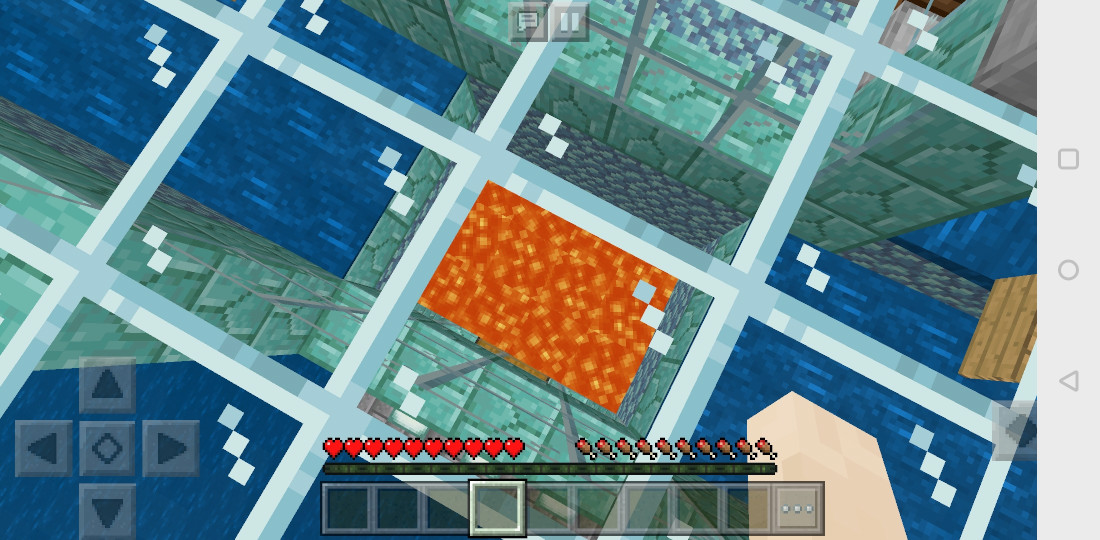
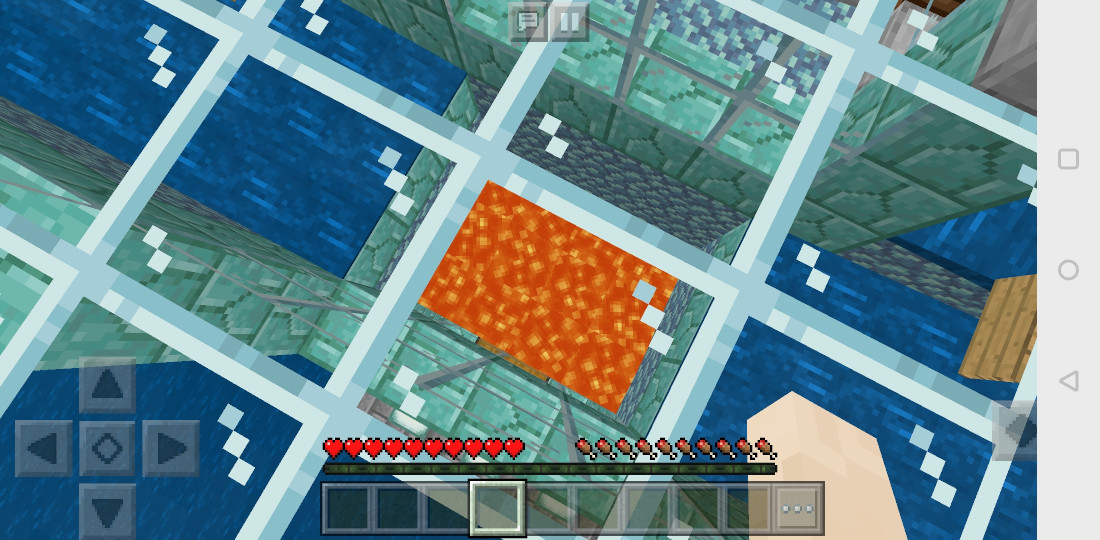
Thank you for the screenshots, they're very helpful.
On reviewing this report, it probably is a duplicate of MCPE-38374, though it wasn't obviously so at the time you reported it. I'm going to close this report as Awaiting Response so that if you comment on it, it will automatically be reopened. If you can't get it to happen again after updating to 1.9.0.3, I'll re-close it as a duplicate in a few weeks. Thanks for your report and cooperation!
Thank you for your report!
However, this issue is a Duplicate of MCPE-38374.
If you have additional information, please add it to that report.
Please search before reporting, as it's likely that one exists already.
Quick Links:
📓 Issue Guidelines – 💬 Community Support – 📧 Customer Support – 📖 Game Wiki
Thank you for your report!
However, this issue is a Duplicate of MCPE-38374.
If you have additional information, please add it to that report.
Please search before reporting, as it's likely that one exists already.
Quick Links:
📓 Issue Guidelines – 💬 Community Support – 📧 Customer Support – 📖 Game Wiki
Thank you for your report!
However, this issue is a Duplicate of MCPE-38374.
If you have additional information, please add it to that report.
Please search before reporting, as it's likely that one exists already.
Quick Links:
📓 Issue Guidelines – 💬 Community Support – 📧 Customer Support – 📖 Game Wiki
Thank you for your report!
However, this issue is a Duplicate of MCPE-38374.
If you have additional information, please add it to that report.
Please search before reporting, as it's likely that one exists already.
Quick Links:
📓 Issue Guidelines – 💬 Community Support – 📧 Customer Support – 📖 Game Wiki
Please do not create reports as Private unless they describe an exploit or contain personal information.
Thank you for your report!
However, this issue is a Duplicate of MCPE-38374.
If you have additional information, please add it to that report.
Please search before reporting, as it's likely that one exists already.
Quick Links:
📓 Issue Guidelines – 💬 Community Support – 📧 Customer Support – 📖 Game Wiki
Thank you for your report!
However, this issue is a Duplicate of MCPE-38374.
If you have additional information, please add it to that report.
Please search before reporting, as it's likely that one exists already.
Quick Links:
📓 Issue Guidelines – 💬 Community Support – 📧 Customer Support – 📖 Game Wiki
Thank you for your report!
However, this issue is a Duplicate of MCPE-38374.
If you have additional information, please add it to that report.
Please search before reporting, as it's likely that one exists already.
Quick Links:
📓 Issue Guidelines – 💬 Community Support – 📧 Customer Support – 📖 Game Wiki
Thank you for your report!
However, this issue is a Duplicate of MCPE-38374.
If you have additional information, please add it to that report.
Please search before reporting, as it's likely that one exists already.
Quick Links:
📓 Issue Guidelines – 💬 Community Support – 📧 Customer Support – 📖 Game Wiki
Thank you for your report!
However, this issue is a Duplicate of MCPE-38374.
If you have additional information, please add it to that report.
Please search before reporting, as it's likely that one exists already.
Please limit reports to one bug per ticket. (see the issue guidelines, link below)
Quick Links:
📓 Issue Guidelines – 💬 Community Support – 📧 Customer Support – 📖 Game Wiki
Thank you for your report!
However, this issue has been closed as a Duplicate of MCPE-38374
It has been linked to this report. If you have additional information, please add it to that report.
Please search before reporting, as it's likely that one exists already.
Quick Links:
📓 Issue Guidelines – 💬 Community Support – 📧 Customer Support – 📖 Game Wiki
Thank you for your report!
However, this issue has been closed as a Duplicate of MCPE-38374
It has been linked to this report. If you have additional information, please add it to that report.
Please search before reporting, as it's likely that one exists already.
Quick Links:
📓 Issue Guidelines – 💬 Community Support – 📧 Customer Support – 📖 Game Wiki
The latter issue is MCPE-38374, please when reporting issues make two tickets for separate bugs

This links to MCPE-38374

Duplicate of MCPE-38374
This issue is fixed in the 1.9.0.3 beta.
Thank you for your report!
However, this issue is a Duplicate of MCPE-38374.
If you have additional information, please add it to that report.
Please search before reporting, as it's likely that one exists already.
Quick Links:
📓 Issue Guidelines – 💬 Community Support – 📧 Customer Support – 📖 Game Wiki
Thank you for your report!
However, this issue has been closed as a Duplicate of MCPE-38374.
Please add a vote and any new information to the main ticket, which will be updated accordingly.
Quick Links:
📓 Issue Guidelines – 💬 Community Support – 📧 Feedback – 📖 Game Wiki
Thank you for your report!
However, this issue has been closed as a Duplicate of MCPE-38868 and MCPE-38374
It has been linked to this report. If you have additional information, please add it to that report.
Please search before reporting, as it's likely that one exists already.
Quick Links:
📓 Issue Guidelines – 💬 Community Support -https://bugs.mojang.com/browse/MCPE-39900- 📧 Customer Support – 📖 Game Wiki

Please see MCPE-38374
Please see MCPE-38374
Thank you for your report!
However, this issue has been closed as a Duplicate of MCPE-38374.
As mentioned this is very likely to be the same issue as MCPE-38374. Please add a vote and any new information to the main ticket, which will be updated accordingly.
Quick Links:
📓 Issue Guidelines – 💬 Community Support – 📧 Feedback – 📖 Game Wiki
Thank you for your report!
However, this issue has been closed as a Duplicate of MCPE-38374.
Please add a vote and any new information to the main ticket, which will be updated accordingly.
If you have not, you might like to make use of the search feature before making a new ticket, as it's likely that the issue has been reported already.
Quick Links:
📓 Issue Guidelines – 💬 Community Support – 📧 Feedback – 📖 Game Wiki
Thank you for your report!
However, this issue has been closed as a Duplicate of MCPE-38374.
Please add a vote and any new information to the main ticket, which will be updated accordingly.
If you have not, you might like to make use of the search feature before making a new ticket, as it's likely that the issue has been reported already.
Quick Links:
📓 Issue Guidelines – 💬 Community Support – 📧 Feedback – 📖 Game Wiki
Thank you for your report!
However, this issue has been closed as a Duplicate of MCPE-38374.
I think this is very likely to be the same issue as MCPE-38374. Please add a vote and any new information to the main ticket, which will be updated accordingly.
The invisible wall issue is being tracked at MCPE-38868.
Quick Links:
📓 Issue Guidelines – 💬 Community Support – 📧 Feedback – 📖 Game Wiki
Thank you for your report!
However, this issue has been closed as Invalid.
Thank you for taking the time to mention these bugs. It would be most helpful if you could keep these reports to one bug per ticket though, so we can track the progress of each of them individually.
(You can find an example bug ticket here.)
Also, we'd recommend making use of the search feature before writing a new bug report, as it's very likely that the issue has been mentioned already, and you can add a vote and any new information to the main ticket.
(The issues you have mentioned are being tracked at MCPE-38374 and MCPE-38868.)
Quick Links:
📓 Issue Guidelines – 💬 Community Support – 📧 Feedback – 📖 Game Wiki
Thank you for your report!
However, this issue has been closed as a Duplicate of MCPE-38374.
Please add a vote and any new information to the main ticket, which will be updated accordingly.
If you have not, you might like to make use of the search feature before making a new ticket, as it's likely that the issue has been reported already.
Quick Links:
📓 Issue Guidelines – 💬 Community Support – 📧 Feedback – 📖 Game Wiki
Duplicate of MCPE-38374
This issue is fixed in the 1.9.0.3 beta.
Duplicate of MCPE-38374
This issue is fixed in the 1.9.0.3 beta.
Thank you for your report!
However, this issue is a Duplicate of MCPE-38374.
If you have additional information, please add it to that report.
Please search before reporting, as it's likely that one exists already.
Quick Links:
📓 Issue Guidelines – 💬 Community Support – 📧 Customer Support – 📖 Game Wiki
Duplicate of MCPE-38374
This issue is fixed in the 1.9.0.3 beta.
When entering the world or respawning did you also fall from a higher height? If so, it sounds like a known issue. Please see MCPE-38374
Thank you for your report!
However, this issue is a Duplicate of MCPE-38374.
If you have additional information, please add it to that report.
Please search before reporting, as it's likely that one exists already.
Quick Links:
📓 Issue Guidelines – 💬 Community Support – 📧 Customer Support – 📖 Game Wiki
Thank you for your report!
Bug reports are only accepted in English, sorry. If you speak English, feel free to create a new ticket.
This is also a duplicate of MCPE-38374
Quick Links:
📓 Issue Guidelines – 💬 Community Support – 📧 Customer Support – 📖 Game Wiki
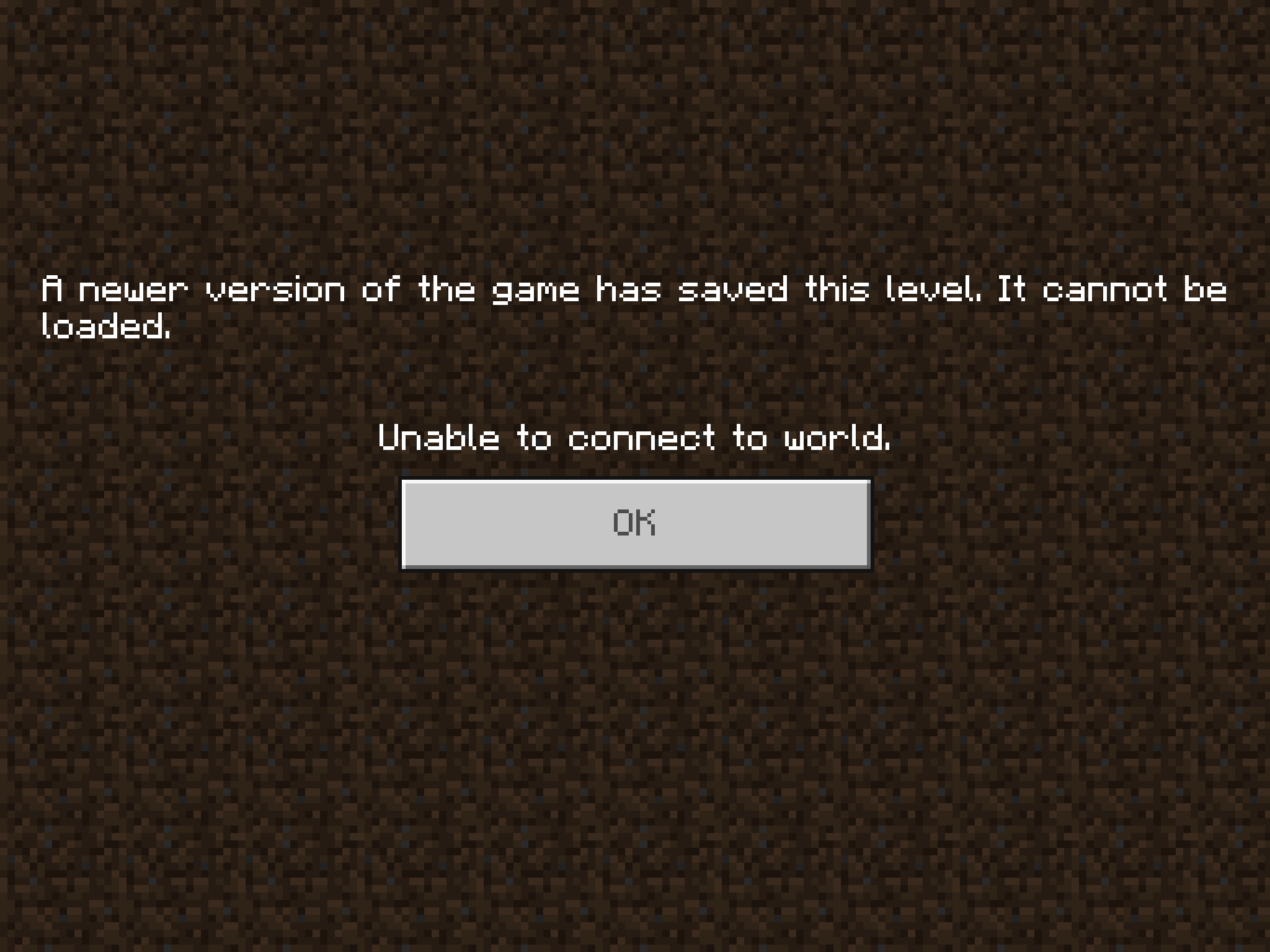
For the issue with worlds downloaded from Realms not loading (“saved in a newer version” message), please see the updated note for REALMS-1399.
For the issue of respawning and dying in a different location (original world spawn) upon loading a world, please see MCPE-38374.
Please see MCPE-38374.
Thank you for your report!
However, this issue has been closed as a Duplicate of MCPE-38374.
Please add a vote and any new information to the main ticket, which will be updated accordingly.
If you have not, you might like to make use of the search feature before making a new ticket, as it's likely that the issue has been reported already.
Quick Links:
📓 Issue Guidelines – 💬 Community Support – 📧 Feedback – 📖 Game Wiki
Thank you for your report!
However, this issue has been closed as a Duplicate of MCPE-38374.
Please add a vote and any new information to the main ticket, which will be updated accordingly.
The underlying issue is actually the same as MCPE-38374 as the player location is sometimes not saved correctly, so you can take fall damage if the player loads in before the chunks do.
Quick Links:
📓 Issue Guidelines – 💬 Community Support – 📧 Feedback – 📖 Game Wiki
Thank you for your report!
However, this issue is a Duplicate of MCPE-38374.
If you have additional information, please add it to that report.
Quick Links:
📓 Issue Guidelines – 💬 Community Support – 📧 Customer Support – 📖 Game Wiki
Thank you for your report!
However, this issue has been closed as a Duplicate of MCPE-38374
It has been linked to this report. If you have additional information, please add it to that report.
Please search before reporting, as it's likely that one exists already.
Quick Links:
📓 Issue Guidelines – 💬 Community Support – 📧 Customer Support – 📖 Game Wiki
Thank you for your report!
However, this issue has been closed as a Duplicate of MCPE-38374
It has been linked to this report. If you have additional information, please add it to that report.
Please search before reporting, as it's likely that one exists already.
Quick Links:
📓 Issue Guidelines – 💬 Community Support – 📧 Customer Support – 📖 Game Wiki
Duplicate of MCPE-38374
This issue is fixed in the 1.9.0.3 beta.
Thank you for your report!
However, this issue has been closed as a Duplicate of MCPE-38374
It has been linked to this report. If you have additional information, please add it to that report.
Please search before reporting, as it's likely that one exists already.
Quick Links:
📓 Issue Guidelines – 💬 Community Support – 📧 Customer Support – 📖 Game Wiki
Thank you for your report!
However, this issue has been closed as a Duplicate of MCPE-38374.
Please add a vote and any new information to the main ticket, which will be updated accordingly.
If you have not, you might like to make use of the search feature before making a new ticket, as it's likely that the issue has been reported already.
Quick Links:
📓 Issue Guidelines – 💬 Mojang Support – 📧 Suggestions – 📖 Minecraft Wiki
Thank you for your report!
However, this issue is a Duplicate of MCPE-38374.
If you have additional information, please add it to that report.
Please search before reporting, as it's likely that one exists already.
Quick Links:
📓 Issue Guidelines – 💬 Community Support – 📧 Customer Support – 📖 Game Wiki
Thank you for your report!
However, this issue is a Duplicate of MCPE-38374.
If you have additional information, please add it to that report.
Please search before reporting, as it's likely that one exists already.
Quick Links:
📓 Issue Guidelines – 💬 Community Support – 📧 Customer Support – 📖 Game Wiki
Thank you for your report!
However, this issue is a Duplicate of MCPE-38374.
If you have additional information, please add it to that report.
Please search before reporting, as it's likely that one exists already.
Quick Links:
📓 Issue Guidelines – 💬 Community Support – 📧 Customer Support – 📖 Game Wiki
Thank you for your report!
However, this issue is a Duplicate of MCPE-38374.
If you have additional information, please add it to that report.
Please search before reporting, as it's likely that one exists already.
Quick Links:
📓 Issue Guidelines – 💬 Community Support – 📧 Customer Support – 📖 Game Wiki
Thank you for your report!
However, this issue is a Duplicate of MCPE-38374.
If you have additional information, please add it to that report.
Please search before reporting, as it's likely that one exists already.
Quick Links:
📓 Issue Guidelines – 💬 Community Support – 📧 Customer Support – 📖 Game Wiki
Thank you for your report!
However, this issue has been closed as a Duplicate of MCPE-38374.
Please add a vote and any new information to the main ticket, which will be updated accordingly.
If you have not, you might like to make use of the search feature before making a new ticket, as it's likely that the issue has been reported already.
Quick Links:📓 Issue Guidelines – 💬 Mojang Support – 📧 Suggestions – 📖 Minecraft Wiki
Thank you for your report!
However, this issue has been closed as a Duplicate of MCPE-38374.
Please add a vote and any new information to the main ticket, which will be updated accordingly.
Quick Links:
📓 Issue Guidelines – 💬 Mojang Support – 📧 Suggestions – 📖 Minecraft Wiki
The issue that can result in the player either dying or falling when rejoining a world is being tracked in the related ticket MCPE-38374.
This issue with the "invisible wall" being present (often after riding a horse) should be fixed in the latest beta version (1.9.0.3).
Thank you for your report!
However, this issue has been closed as a Duplicate of MCPE-38374.
Please add a vote and any new information to the main ticket, which will be updated accordingly.
For account or support queries, please contact Mojang Customer Support directly.
Quick Links:
📓 Issue Guidelines – 💬 Mojang Support – 📧 Suggestions – 📖 Minecraft Wiki
Thank you for your report!
However, this issue has been closed as a Duplicate of MCPE-38374.
Please add a vote and any new information to the main ticket, which will be updated accordingly.
If you have not, you might like to make use of the search feature before making a new ticket, as it's likely that the issue has been reported already.
Quick Links:
📓 Issue Guidelines – 💬 Mojang Support – 📧 Suggestions – 📖 Minecraft Wiki
Thank you for your report!
However, this issue has been closed as a Duplicate of MCPE-38374.
Please add a vote and any new information to the main ticket, which will be updated accordingly.
If you have not, you might like to make use of the search feature before making a new ticket, as it's likely that the issue has been reported already.
Quick Links:
📓 Issue Guidelines – 💬 Mojang Support – 📧 Suggestions – 📖 Minecraft Wiki
This could be a combination of issues, where the player is spawning at height and dying when rejoining the world, as described at MCPE-38374.
Thank you for your report!
However, this issue has been closed as a Duplicate of MCPE-38374.
Please add a vote and any new information to the main ticket, which will be updated accordingly.
If you have not, you might like to make use of the search feature before making a new ticket, as it's likely that the issue has been reported already.
Quick Links:
📓 Issue Guidelines – 💬 Mojang Support – 📧 Suggestions – 📖 Minecraft Wiki
Thank you for your report!
However, this issue is a Duplicate of MCPE-38374.
If you have additional information, please add it to that report.
Please search before reporting, as it's likely that one exists already.
Quick Links:
📓 Issue Guidelines – 💬 Community Support – 📧 Customer Support – 📖 Game Wiki
Thank you for your report!
However, this issue has been closed as a Duplicate of MCPE-38374.
Please add a vote and any new information to the main ticket, which will be updated accordingly.
Quick Links:
📓 Issue Guidelines – 💬 Mojang Support – 📧 Suggestions – 📖 Minecraft Wiki
Thank you for your report!
However, this issue has been closed as a Duplicate of MCPE-38374.
Thanks for mentioning the bug with repro steps, and sorry for the inconvenience caused by the bug. It sounds very much like the issue described at MCPE-38374 which is to do with the player's position not loading in correctly when rejoining a world.
Please add a vote and any new information to the main ticket, which will be updated accordingly.
To find the version you can look at the bottom right of the main screen after loading the game. You can also go to Settings>Profile and find a little bit more information about the build, but the version will usually suffice, eg 1.8.0. (If you are enrolled in the beta then there is a debug overlay at the top of the screen.)
Quick Links:
📓 Issue Guidelines – 💬 Mojang Support – 📧 Suggestions – 📖 Minecraft Wiki
Thank you for your report!
This problem has been reported before as MCPE-38374.
This is not caused by your phone. If you have additional information, please add it to MCPE-38374 (in the comment section).
Quick Links:
📓 Issue Guidelines – 💬 Community Support – 📧 Customer Support – 📖 Game Wiki
Thank you for your report!
This has been reported already and is a duplicate of MCPE-38374.
If you have additional information, please add it to that report.
Quick Links:
📓 Issue Guidelines – 💬 Community Support – 📧 Customer Support – 📖 Game Wiki
Thank you for your report!
However, this issue is a Duplicate of MCPE-38374.
If you have additional information, please add it to that report.
This bug might look like a instant death on some platforms, you can see the cause of death in the chat-log.
Quick Links:
📓 Issue Guidelines – 💬 Community Support – 📧 Customer Support – 📖 Game Wiki
Thank you for your report!
This issue is a Duplicate of MCPE-38374.
If you have additional information, please add it to that report.
This bug might look like a instant death on some platforms, you can see the cause of death in the chat-log.
Quick Links:
📓 Issue Guidelines – 💬 Community Support – 📧 Customer Support – 📖 Game Wiki
Thank you for your report!
However, this issue is a Duplicate of MCPE-38374.
If you have additional information, please add it to that report.
Please search before reporting, as it's likely that one exists already.
Quick Links:
📓 Issue Guidelines – 💬 Community Support – 📧 Customer Support – 📖 Game Wiki
Thank you for your report!
However, this issue is a Duplicate of MCPE-38374.
If you have additional information, please add it to that report.
Please search before reporting, as it's likely that one exists already.
Quick Links:
📓 Issue Guidelines – 💬 Community Support – 📧 Customer Support – 📖 Game Wiki
Thank you for your report!
However, this issue has been closed as a Duplicate of MCPE-38374.
Please add a vote and any new information to the main ticket, which will be updated accordingly.
If you have not, you might like to make use of the search feature before making a new ticket, as it's likely that the issue has been reported already.
Quick Links:📓 Issue Guidelines – 💬 Mojang Support – 📧 Suggestions – 📖 Minecraft Wiki
Thank you for your report!
However, this issue has been closed as a Duplicate of MCPE-38374.
Please add a vote and any new information to the main ticket, which will be updated accordingly.
If you have not, you might like to make use of the search feature before making a new ticket, as it's likely that the issue has been reported already.
Quick Links:📓 Issue Guidelines – 💬 Mojang Support – 📧 Suggestions – 📖 Minecraft Wiki

Happened to me also. However, this is a duplicate. MCPE-38374
This is a duplicate of MCPE-38374
Looks like this is a duplicate of MCPE-38374
Is this in any way related to MCPE-38374?
Thank you for your report!
However, this issue has been closed as a Duplicate of MCPE-38374.
Please add a vote and any new information to the main ticket, which will be updated accordingly.
If you have not, you might like to make use of the search feature before making a new ticket, as it's likely that the issue has been reported already.
Quick Links:
📓 Issue Guidelines – 💬 Mojang Support – 📧 Suggestions – 📖 Minecraft Wiki
Thank you for your report!
However, this issue is a Duplicate of MCPE-38374.
If you have additional information, please add it to that report.
Please search before reporting, as it's likely that one exists already.
Quick Links:
📓 Issue Guidelines – 💬 Community Support – 📧 Customer Support – 📖 Game Wiki
Thank you for your report!
However, this issue is a Duplicate of MCPE-38374.
If you have additional information, please add it to that report.
Please search before reporting, as it's likely that one exists already.
Quick Links:
📓 Issue Guidelines – 💬 Community Support – 📧 Customer Support – 📖 Game Wiki
MCPE-38053.MCPE-38374.- I don't really know about shaders, might be issues on your side, if not create a report for it.
MCPE-29021.
Please next time, one bug per report.
Thank you for your report!
However, this issue is a Duplicate of MCPE-38374.
If you have additional information, please add it to that report.
Please search before reporting, as it's likely that one exists already.
Quick Links:
📓 Issue Guidelines – 💬 Community Support – 📧 Customer Support – 📖 Game Wiki
Thank you for your report!
However, this issue is a Duplicate of MCPE-38374.
If you have additional information, please add it to that report.
Please search before reporting, as it's likely that one exists already.
Quick Links:
📓 Issue Guidelines – 💬 Community Support – 📧 Customer Support – 📖 Game Wiki
Thank you for your report!
However, this issue is a Duplicate of MCPE-38868 / MCPE-38374.
If you have additional information, please add it to that report.
Please search before reporting, as it's likely that one exists already.
Quick Links:
📓 Issue Guidelines – 💬 Community Support – 📧 Customer Support – 📖 Game Wiki
Thank you for your report!
However, this issue is a Duplicate of MCPE-38374.
If you have additional information, please add it to that report.
You might wish to search before reporting, as it's likely that a bug has been reported previously.
Quick Links:
📓 Issue Guidelines – 💬 Community Support – 📧 Customer Support – 📖 Game Wiki
To inform the recent comments, there are two separate bugs being discussed. This bug is about chunks that aren't being generated, usually when exploring too fast over previously unknown territory. (I believe that internally, the requests for chunk generation are overflowing a queue so the later chunks never get generated.) This leaves void holes in the world. Players cannot enter the void chunks. Mobs can spawn in them and enter from outside, but they become stuck and just jitter in place. Edit: I'm informed that I misunderstood the symptoms of this bug. Nevertheless, there are two distinct bugs being discussed.
The other bug is MCPE-38374, about spawning at world spawn and falling to your death (or having the death screen right after you load), even if you set your spawn point with a bed. It seems to happen only when you save while at certain positions that may vary depending on the world seed. Though not directly related to this bug, it might be triggered if this bug causes you to die somehow.
This sounds as if connected to MCPE-38374. Are all of your items at the world spawn?
Thank you for your report!
This issue is a Duplicate of MCPE-38374.
If you have additional information, please add it to that report.
For the crashes mentioned. I suggest enabling Share error information on your Nintendo Switch. On the Nintendo Switch dashboard select: System settings -> System -> Share error information -> On.
Quick Links:
📓 Issue Guidelines – 💬 Community Support – 📧 Customer Support – 📖 Game Wiki
Thank you for your report!
However, this issue is a Duplicate of MCPE-38374.
If you have additional information, please add it to that report.
Quick Links:
📓 Issue Guidelines – 💬 Community Support – 📧 Customer Support – 📖 Game Wiki
![[Mod] Urielsalis](../../../data/assets/gravatar/urielsalis.jpeg)
Does MCPE-38374 explain your issue?
Thank you for your report!
However, this issue has been closed as a Duplicate of MCPE-38374.
Please add a vote and any new information to the main ticket, which will be updated accordingly.
If you have not, you might like to make use of the search feature before making a new ticket, as it's likely that the issue has been reported already.
Quick Links:📓 Issue Guidelines – 💬 Mojang Support – 📧 Suggestions – 📖 Minecraft Wiki
Thank you for your report!
However, this issue has been closed as a Duplicate of MCPE-38374.
Please add a vote and any new information to the main ticket, which will be updated accordingly.
If you have not, you might like to make use of the search feature before making a new ticket, as it's likely that the issue has been reported already.
Quick Links:📓 Issue Guidelines – 💬 Mojang Support – 📧 Suggestions – 📖 Minecraft Wiki
Thank you for your report!
However, this issue is a Duplicate of MCPE-38374.
If you have additional information, please add it to that report.
If you think this action was incorrect, please check the chat log for the cause of death and comment below.
Quick Links:
📓 Issue Guidelines – 💬 Community Support – 📧 Customer Support – 📖 Game Wiki
Thank you for your report!
However, this issue is a Duplicate of MCPE-38374.
If you have additional information, please add it to that report.
Quick Links:
📓 Issue Guidelines – 💬 Community Support – 📧 Customer Support – 📖 Game Wiki
Thank you for your report!
However, this issue is a Duplicate of MCPE-38374.
If you have additional information, please add it to that report.
Please search before reporting, as it's likely that one exists already.
Quick Links:
📓 Issue Guidelines – 💬 Community Support – 📧 Customer Support – 📖 Game Wiki
About falling from the sky, this happens to me fairly commonly and that bug (the falling one) is a copy of MCPE-38374, web address https://bugs.mojang.com/browse/MCPE-38374?jql=project%20%3D%20MCPE%20AND%20resolution%20%3D%20Unresolved%20ORDER%20BY%20updated%20DESC
Also, no offense but you are supposed to file separate reports for separate bugs.
Thank you for your report!
However, this issue is a Duplicate of MCPE-38374 / MCPE-39439.
To fix the lighting issue, replace the torches.
Also, one bug per report next time 
If you have additional information, please add it to that report.
Please search before reporting, as it's likely that one exists already.
Quick Links:
📓 Issue Guidelines – 💬 Community Support – 📧 Customer Support – 📖 Game Wiki
Thank you for your report!
However, this issue has been closed as a Duplicate of MCPE-38374.
Please add a vote and any new information to the main ticket, which will be updated accordingly.
If you have not, you might like to make use of the search feature before making a new ticket, as it's likely that the issue has been reported already.
Quick Links:📓 Issue Guidelines – 💬 Mojang Support – 📧 Suggestions – 📖 Minecraft Wiki
Thank you for your report!
However, this issue has been closed as a Duplicate of MCPE-38374.
Please add a vote and any new information to the main ticket, which will be updated accordingly.
If you have not, you might like to make use of the search feature before making a new ticket, as it's likely that the issue has been reported already.
Quick Links:📓 Issue Guidelines – 💬 Mojang Support – 📧 Suggestions – 📖 Minecraft Wiki
When loading an "Old"-type (limited) world, the player sometimes respawns a short distance away from where they were when they saved the world. When it happens, either their X or Z coordinate, whichever is closest to a chunk boundary, is changed to put them in a block next to that boundary on its eastern or southern side. Fractional position is significant in calculating which chunk boundary is closest.
The bug may not always be triggered, but is triggered pretty consistently in the attached test world. It has not been reported in "Infinite" or "Flat"-type worlds, but that possibility cannot be eliminated.
Steps to reproduce:
Import the sample world TestworldRespawn.mcworld and load it.
Expected results:
The player spawns at X=60.3372, Y=94.62, Z=60.6899 (the coordinates recorded as the player position in the saved world files).
Observed results:
The player spawns at X=60, Y=94, Z=63.
Special notes
- This issue was originally reported by Karla Maenlest in comments to
MCPE-38374. After a while, the mods concluded that it only occurred in old-type worlds and was therefore a separate issue, leading us to create this report to track it. - Karl created the test world and made a substantial and careful effort to explore the details of the bug (many thanks, Karl!). His comments, starting here, might well contain additional important information. In particular, the image he included in this comment helps clarify how the player spawn point gets moved.
- The test world was created with Experimental Gameplay enabled. It is unknown whether this has any effect, but it should be considered as a possible trigger for the bug.
Thank you for your report!
However, this issue has been closed as a Duplicate of MCPE-38374.
Please add a vote and any new information to the main ticket, which will be updated accordingly.
If you have not, you might like to make use of the search feature before making a new ticket, as it's likely that the issue has been reported already.
Quick Links:📓 Issue Guidelines – 💬 Mojang Support – 📧 Suggestions – 📖 Minecraft Wiki
This is a copy of the report MCPE-38374. The web address is https://bugs.mojang.com/browse/MCPE-38374?jql=project%20%3D%20MCPE%20AND%20resolution%20%3D%20Unresolved%20ORDER%20BY%20updated%20DESC
Actually as I am veiwing this report right now, MCPE-38374 is right below it.
Thank you for your report!
However, this issue is a Duplicate of MCPE-38374.
If you have additional information, please add it to that report.
Please search before reporting, as it's likely that one exists already.
Quick Links:
📓 Issue Guidelines – 💬 Community Support– 📧 Customer Support– 📖 Game Wiki
Thank you for your report!
We're actually already tracking this issue at MCPE-38374, so we will resolve and link this ticket as a duplicate.
If you would like to add a vote and any extra information to the main ticket it would be appreciated.
If you haven't already, you might like to make use of the search feature, to see if the issue has already been mentioned.
Suggested search terms for JIRA desktop view: mcpe unresolved
Quick Links:
📓 Issue Guidelines – 💬 Mojang Support – 📧 Suggestions – 📖 Minecraft Wiki
Thank you for your report!
However, this issue has been closed as a Duplicate of MCPE-38374.
Please add a vote and any new information to the main ticket, which will be updated accordingly.
If you have not, you might like to make use of the search feature before making a new ticket, as it's likely that the issue has been reported already.
Quick Links:📓 Issue Guidelines – 💬 Mojang Support – 📧 Suggestions – 📖 Minecraft Wiki
Thank you for your report!
Bug reports are only accepted in English, sorry. If you speak English, feel free to create a new ticket.
Also this is a duplicate ticket of MCPE-38374
Quick Links:
📓 Issue Guidelines – 💬 Community Support – 📧 Customer Support – 📖 Game Wiki
Thank you for your report!
However, this issue has been closed as a Duplicate of MCPE-38374.
Please add a vote and any new information to the main ticket, which will be updated accordingly.
If you have not, you might like to make use of the search feature before making a new ticket, as it's likely that the issue has been reported already.
Quick Links:📓 Issue Guidelines – 💬 Mojang Support – 📧 Suggestions – 📖 Minecraft Wiki
Does MCPE-38374 describe your issue?

It is not the same as MCPE-38374. It has happened to many MANY times since the update and there definitely is not a large fall involved. Every time it happens, it just loads straight up on to the "you died" screen, with no fall at all. After a few time of it happening (and not finding my stuff), I finally noticed it was at my spawn point. At least I can get my gear back. I have started making two backups of my world every time I save. I make a copy of the old copy in case the new copy and current world spawn me dead. At least I have an option to go back in time a bit if I choose.
edit: And it just happened again. This time my axe went missing. Time to put everything in a chest before I close I guess. The closing and saving process is going to start taking a few minutes.
Thank you for your report!
This issue has been resolved as a Duplicate of MCPE-38374.
If you have additional information, please add it to that report.
With this bug, the player can in some cases immediately see the death screen after reloading, or entering a world via multiplayer. In some cases you can observe the player falling or spawning high above their bed (followed by a death message).
If you feel that this issue was incorrectly resolved, please comment below. Please include the cause of death from the chat log, when this issue occurs. For Windows 10 press T after spawning back or for xbox one press d-pad right to open the chat (default controls).
Quick Links:
📓 Issue Guidelines – 💬 Community Support – 📧 Customer Support – 📖 Game Wiki
Thank you for your report!
However, this issue is a Duplicate of MCPE-38374.
If you have additional information, please add it to that report.
Please search before reporting, as it's likely that one exists already.
Quick Links:
📓 Issue Guidelines – 💬 Community Support – 📧 Customer Support – 📖 Game Wiki
Does MCPE-38374 describe your issue?
Thank you for your report!
However, this issue has been closed as a Duplicate of MCPE-38374.
Please add a vote and any new information to the main ticket, which will be updated accordingly.
If you have not, you might like to make use of the search feature before making a new ticket, as it's likely that the issue has been reported already.
Quick Links:📓 Issue Guidelines – 💬 Mojang Support – 📧 Suggestions – 📖 Minecraft Wiki
Duplicate of MCPE-38374.
Duplicate of MCPE-38374.
Duplicate of MCPE-38374.
This is MCPE-38374.
Duplicate of MCPE-38374. (By entering other dimensions you are reloading the other dimension)
Duplicate of MCPE-38374.
Duplicate of MCPE-38374.
Duplicate of MCPE-38374.
Duplicate of MCPE-38374.
Duplicate of MCPE-38868 / MCPE-38374.
Duplicate of MCPE-38374.
This just happened to me also. Like MCPE-38374 I spawned at high altitude above the world spawn point, not my spawn point or bed.
Sounds like your playing Bedrock edition and your issue is MCPE-38374. Moved to the MCPE project.
Does MCPE-38374 describe your issue?
Thank you for your report!
We're actually already tracking this issue at MCPE-38374, so we will resolve and link this ticket as a duplicate.
If you would like to add a vote and any extra information to the main ticket it would be appreciated.
If you haven't already, you might like to make use of the search feature, to see if the issue has already been mentioned.
Suggested search terms for JIRA desktop view: mcpe unresolved spawn* altitude
Quick Links:
📓 Issue Guidelines – 💬 Mojang Support – 📧 Suggestions – 📖 Minecraft Wiki
Duplicate of MCPE-38374.
Duplicate of MCPE-38374.
Thank you for your report!
We're actually already tracking this issue at MCPE-38374, so we will resolve and link this ticket as a duplicate.
If you would like to add a vote and any extra information to the main ticket it would be appreciated.
If you haven't already, you might like to make use of the search feature, to see if the issue has already been mentioned.
Suggested search terms for JIRA desktop view: mcpe unresolved spawn* altitude*
Quick Links:
📓 Issue Guidelines – 💬 Mojang Support – 📧 Suggestions – 📖 Minecraft Wiki
Duplicate of MCPE-38374
Note that the issue has already been reported as MCPE-38374
Thank you for your report!
We're actually already tracking this issue at MCPE-38374, so we will resolve and link this ticket as a duplicate.
If you would like to add a vote and any extra information to the main ticket feel free to do so. Creating extra duplicate reports just makes it harder to track the issue. The fix for this issue is on its way. As mentioned, one (fairly reliable) workaround is to create a pool of water at the world spawn point.
Quick Links:
📓 Issue Guidelines – 💬 Mojang Support – 📧 Suggestions – 📖 Minecraft Wiki
Thank you for your report!
However, this issue is a Duplicate of MCPE-38868 / MCPE-38374.
If you have additional information, please add it to that report.
Please search before reporting, as it's likely that one exists already.
Quick Links:
📓 Issue Guidelines – 💬 Community Support – 📧 Customer Support – 📖 Game Wiki
Thank you for your report!
However, this issue is a Duplicate of MCPE-38374.
If you have additional information, please add it to that report.
Please keep in mind: On some devices the player falling can not be observed. To determine the cause of death open the chat-log.
Quick Links:
📓 Issue Guidelines – 💬 Community Support – 📧 Customer Support – 📖 Game Wiki
This report is a duplicate. Please see MCPE-38374.
Thank you for your report!
However, this issue is a Duplicate of MCPE-38374.
If you have additional information, please add it to that report.
Please search before reporting, as it's likely that one exists already.
Quick Links:
📓 Issue Guidelines – 💬 Community Support – 📧 Customer Support – 📖 Game Wiki
Thank you for your report!
However, this issue is a Duplicate of MCPE-38374.
If you have additional information, please add it to that report.
Please search before reporting, as it's likely that one exists already.
Quick Links:
📓 Issue Guidelines – 💬 Community Support – 📧 Customer Support – 📖 Game Wiki
Joshua Harding-Frederick: That's a different bug, MCPE-38374, but several people have mentioned that it often follows this one so there may be a connection. (However, many more people have that bug without this one, so there may not be.) In any case, both bugs should be fixed in the 1.9 release.
Thank you for your report!
We're actually already tracking this issue at MCPE-38374, so we will resolve and link this ticket as a duplicate.
If you would like to add a vote and any extra information to the main ticket it would be appreciated.
If you haven't already, you might like to make use of the search feature, to see if the issue has already been mentioned.
Quick Links:
📓 Issue Guidelines – 💬 Mojang Support – 📧 Suggestions – 📖 Minecraft Wiki
Thank you for your report!
We're actually already tracking this issue at MCPE-38374, so we will resolve and link this ticket as a duplicate.
If you would like to add a vote and any extra information to the main ticket it would be appreciated.
If you haven't already, you might like to make use of the search feature, to see if the issue has already been mentioned.
Suggested search terms for JIRA desktop view: mcpe unresolved
Quick Links:
📓 Issue Guidelines – 💬 Mojang Support – 📧 Suggestions – 📖 Minecraft Wiki
Thank you for your report!
We're actually already tracking this issue at MCPE-38374, so we will resolve and link this ticket as a duplicate.
If you would like to add a vote and any extra information to the main ticket it would be appreciated.
If you haven't already, you might like to make use of the search feature, to see if the issue has already been mentioned.
Suggested search terms for JIRA desktop view: mcpe unresolved altitude* fall*
Quick Links:
📓 Issue Guidelines – 💬 Mojang Support – 📧 Suggestions – 📖 Minecraft Wiki
Thank you for your report!
We're actually already tracking this issue at MCPE-38374, so we will resolve and link this ticket as a duplicate.
If you would like to add a vote and any extra information to the main ticket it would be appreciated.
If you haven't already, you might like to make use of the search feature, to see if the issue has already been mentioned.
Suggested search terms for JIRA desktop view: mcpe unresolved spawn* altitude*
Quick Links:
📓 Issue Guidelines – 💬 Mojang Support – 📧 Suggestions – 📖 Minecraft Wiki
Thank you for your report!
However, this issue is a Duplicate of MCPE-38374.
If you have additional information, please add it to that report.
Please search before reporting, as it's likely that one exists already.
Quick Links:
📓 Issue Guidelines – 💬 Community Support – 📧 Customer Support – 📖 Game Wiki
Thank you for your report!
However, this issue is a Duplicate of MCPE-38374.
If you have additional information, please add it to that report.
Please search before reporting, as it's likely that one exists already.
Quick Links:
📓 Issue Guidelines – 💬 Community Support – 📧 Customer Support – 📖 Game Wiki
Thank you for your report!
However, this issue is a Duplicate of MCPE-38374.
If you have additional information, please add it to that report.
Please search before reporting, as it's likely that one exists already.
Quick Links:
📓 Issue Guidelines – 💬 Community Support – 📧 Customer Support – 📖 Game Wiki

Just had is bug for the first time, it was while riding a horse and it was just after if fell to the ground after spawning (MCPE-38374) I don't usually ride so I did not mention it in my comment in that bug.
Thank you for your report!
However, this issue is a Duplicate of MCPE-38374.
If you have additional information, please add it to that report.
Quick Links:
📓 Issue Guidelines – 💬 Community Support – 📧 Customer Support – 📖 Game Wiki
Thank you for your report!
However, this issue is a Duplicate of MCPE-38868 and MCPE-38374.
Both issues should be solved in the next 1.9 stable release.
If you have additional information, please add it to these reports.
Please limit future reports to one issue per report (if possible).
Quick Links:
📓 Issue Guidelines – 💬 Community Support – 📧 Customer Support – 📖 Game Wiki
Thank you for your report!
We're actually already tracking this issue at MCPE-38374, so we will resolve and link this ticket as a duplicate.
If you would like to add a vote and any extra information to the main ticket it would be appreciated.
If you haven't already, you might like to make use of the search feature, to see if the issue has already been mentioned.
Suggested search terms for JIRA desktop view: mcpe unresolved spawn* altitude
Quick Links:
📓 Issue Guidelines – 💬 Mojang Support – 📧 Suggestions – 📖 Minecraft Wiki
Thank you for your report!
We're actually already tracking this issue at MCPE-38374, so we will resolve and link this ticket as a duplicate.
If you would like to add a vote and any extra information to the main ticket it would be appreciated.
If you haven't already, you might like to make use of the search feature, to see if the issue has already been mentioned.
Suggested search terms for JIRA desktop view: mcpe unresolved spawn* altitude
Quick Links:
📓 Issue Guidelines – 💬 Mojang Support – 📧 Suggestions – 📖 Minecraft Wiki
Thank you for your report!
We're actually already tracking this issue at MCPE-38374, so we will resolve and link this ticket as a duplicate.
If you would like to add a vote and any extra information to the main ticket it would be appreciated.
If you haven't already, you might like to make use of the search feature, to see if the issue has already been mentioned.
Suggested search terms for JIRA desktop view: mcpe unresolved spawn* altitude*
Quick Links:
📓 Issue Guidelines – 💬 Mojang Support – 📧 Suggestions – 📖 Minecraft Wiki
Duplicate of MCPE-38374, please search before posting. Also, this is the project for Minecraft: Java Edition, will move to MCPE project.
Thank you for your report!
We're actually already tracking this issue at MCPE-38374, so we will resolve and link this ticket as a duplicate.
If you would like to add a vote and any extra information to the main ticket it would be appreciated.
If you haven't already, you might like to make use of the search feature, to see if the issue has already been mentioned.
Suggested search terms for JIRA desktop view: mcpe unresolved spawn* altitude*
Quick Links:
📓 Issue Guidelines – 💬 Mojang Support – 📧 Suggestions – 📖 Minecraft Wiki
I think it's unlikely to be related, but it's worth bearing in mind that there is a bug where the player spawns in at the wrong altitude, and at time their items can end up at the original world spawn location rather than where they died, or vice versa (see ticket MCPE-38374).
Also, if anyone has a copy of the Realm world save where this bug happened, it might be useful in helping us to reproduce the problem.
We have had the same problem occur with our Nintendo Switch. It has happened at least 4x, perhaps more. When it has occurred we were playing local multiplayer (we don't allow our younger child access to online gaming). When we need to step away, for dinner as an example, (and since there is no pause feature and it takes so long to save and exit and then later to reload) we both move our characters together to a safe place, typically within a house. Then we press the + button, then press the home button (this is our workaround for pausing) so the game menu for the switch is visible. We assume our characters will be safely entrenched in our house. However, when we return, player 1 is dead while player 2 remains perfectly fine in the same location as where player 1 was. Player 1's inventory is of course gone, and on only on one occasion have stumbled upon it (I don't recall if it was at or near our world spawn). My son was getting so frustrated by it we switched characters. Then it happened to me, I lost a full suit of diamond armor (enchanted helmet), enchanted diamond pickaxe (Fortune III), enchanted diamond sword, full-size map and several other important, hard to earn items. I almost cried given all the time that went into acquiring our items and we haven't played the game since. It is possible that this is the MCPE-38374 glitch, however, our items don't seem to re-appear at the world spawn. We've also never witnessed 'falling' or any indication that the death was caused by falling. Our world spawn point was on the top of a tree that no longer exists so now it is over water that the tree stood next to. In the most recent incident, the cause of death was "drowned" which perhaps indicates the character was moved to the world spawn point, fell into the water only to then drown. If that were the case I would have expected to find our inventory there, but did not. I doubt achievements are of interest to my son so we may enable KeepInventory, though I do like to earn achievements so I would rather the bug be fixed. Is there any way to test if this is the MCPE-38374 glitch or perhaps some other glitch that may not be addressed by the pending patch?
Duplicate of MCPE-38374. Please note that bug reports are only accepted in English.
Thank you for your report!
However, this issue is a Duplicate of MCPE-38374.
If you have additional information, please add it to that report.
Please search before reporting, as it's likely that one exists already.
Quick Links:
📓 Issue Guidelines – 💬 Community Support – 📧 Customer Support – 📖 Game Wiki
Thank you for your report!
However, this issue has been closed as a Duplicate of MCPE-38374.
It has been linked to this report. If you have additional information, please add it to the duplicated report.
Please search before reporting, as it's likely that one exists already.
Quick Links:
📓 Issue Guidelines – 💬 Community Support – 📧 Customer Support – 📖 Game Wiki
Thank you for your report!
However, this issue is a Duplicate of MCPE-38374.
If you have additional information, please add it to that report.
Please search before reporting, as it's likely that one exists already.
Quick Links:
📓 Issue Guidelines – 💬 Community Support – 📧 Customer Support – 📖 Game Wiki
We cannot restore your levels, nor can you without enabling cheats (which I assume you don't want to do).
There is a very widespread bug (MCPE-38374) that matches this description, which is probably what you're referring to ("ton of other tickets"). It was supposed to have been fixed in 1.9.0 and it seems to have worked for most people, but we are on the lookout for recurrences since it's possible that not all the triggering conditions have been identified yet, and your case might be one that was missed. If you're able to attach a copy of your world, that might be very helpful.
As a workaround, I would suggest, since you're using Windows 10, that you export a copy of your world either before or after every play session. That way, when this happens you can delete the world and import the copy to try again. If you're successful when retrying, you at least have a workaround. If the copy always fails, then we have a reproducible bug which means a copy of the world would definitely be helpful to us.
Thank you for your report!
We're actually already tracking this issue at MCPE-38374, so we will resolve and link this ticket as a duplicate.
If you would like to add a vote and any extra information to the main ticket it would be appreciated.
Please confirm that you are using the latest version (currently 1.9.0) - and whether this is happening on a Realm or in single-player.)
Quick Links:
📓 Issue Guidelines – 💬 Mojang Support – 📧 Suggestions – 📖 Minecraft Wiki
Thank you for your report!
We're actually already tracking this issue at MCPE-38374, so we will resolve and link this ticket as a duplicate.
If you would like to add a vote and any extra information to the main ticket it would be appreciated.
Please confirm that you are using the latest version (currently 1.9.0) - and whether this is happening on a Realm or in single-player.)
Quick Links:
📓 Issue Guidelines – 💬 Mojang Support – 📧 Suggestions – 📖 Minecraft Wiki
Thank you for your report!
We're actually already tracking this issue at MCPE-38374, so we will resolve and link this ticket as a duplicate.
If you would like to add a vote and any extra information to the main ticket it would be appreciated.
Please confirm that you are using the latest version (currently 1.9.0) - and whether this is happening on a Realm or in single-player.)
Quick Links:
📓 Issue Guidelines – 💬 Mojang Support – 📧 Suggestions – 📖 Minecraft Wiki
Three times in the last day or two with 1.9.0, I have resumed playing only to find myself disoriented because I spawned at the wrong location. Unlike most of what I see in the summary of MCPE-38374 or after a cursory read of the comments, I did not spawn high in the sky and fall to my death. I am not sure if this is a duplicate or a different but similar bug; maybe it's the same but only death from falling is enough to motivate reports.
In one case, I spawned on the ground, a few blocks above where I was when I saved. I think it was the same X and Z. I was in a 3 or 4 block-high space and was either next to or standing on a bed.
In another case, I spawned near where I saved, but a few blocks both above and offset from the Z axis and maybe X axis, in a game-generated cave. I think this was just a 3 block-high tunnel, although it might have been only 2.
In all of the recent cases I have resumed with my feet on a block, as if the location where I saved was invalid so the game sought to restore me at the nearest "safe" location by moving diagonally. (I recall that there was a bug where attempting to restore after saving in a 2-block high space would result in ones head being caught in the block above; I think this was due to the addition of the animation of the player "dropping in" upon restore. I can imagine that this safe relocation was added to compensate.)
I am fairly certain that I have seen this occasionally with different worlds on older versions, back when it was still called MCPE; I recall tunneling and laying tracks just below the surface, only to find myself upon resumption standing on the ground (and no doubt at night with creepers and zombies heading towards me).
In all cases, these were offline, infinite world types; my most recent was is from at least Jul/Aug 2018. (Local) multiplayer was active on the most recent incidents.
I have also seen MCPE-38374, spawning in the sky and falling to my death, once, in either Nov or Dec.
My save habits, alas, are not disciplined like some in the comments of MCPE-38374; playing mobile I often have to quickly end playing and save wherever I am; it is not uncommon for me to abruptly stop, without going to pause->save->exit-I might get a call, try to switch briefly to another app, bump the power button, etc.
Build: 1658977
Thank you for your report!
We're actually already tracking this issue at MCPE-38374, so we will resolve and link this ticket as a duplicate.
If you would like to add a vote and any extra information to the main ticket it would be appreciated.
Quick Links:
📓 Issue Guidelines – 💬 Mojang Support – 📧 Suggestions – 📖 Minecraft Wiki
Thank you for your report!
We're actually already tracking this issue at MCPE-38374, so we will resolve and link this ticket as a duplicate.
If you would like to add a vote and any extra information to the main ticket it would be appreciated.
If you are able to provide a copy of the world save where this is happening it would be greatly appreciated!
Quick Links:
📓 Issue Guidelines – 💬 Mojang Support – 📧 Suggestions – 📖 Minecraft Wiki
This should be fixed in the 1.10 beta version, but as MCPE-38374 is still an on-going issue, we'd very much like to hear from players as to whether this is still occurring in 1.10.
Thank you for your report!
We're already tracking this issue at MCPE-38374, so we're resolving this as a duplicate and linking it to that report. If you have additional information, please add it to that report. You may also want to upvote and/or watch it to show your interest.
If you didn't, please try to search before reporting a bug, as nearly half of all the reports we receive are duplicates.

This is already being covered in MCPE-38374
Nevermind, found MCPE-38374 has been reopened, though, if it helps, this issue is not happening at the original spawn point.
This is after the 1.9.0 update. I had been mining from the top of a tall mountain down to bedrock. Saved game. Later that day, entered game again and fell out of the sky onto the top of the mountain, luckily the mountain was high enough just sustained some damage. This was probably about 100-150 blocks from my spawn point which I had created a pool on to save me from this issue in 1.8.
This issue is almost certainly a result of either:
MCPE-38374- Spawning in mid air and falling/dyingMCPE-39261- Respawning above the ground when spawn point is underground
We'd like to know some more information from players:
Is this an issue in the 1.10 beta version, and if so, are you falling and dying when respawning?
Thank you for your report!
However, this issue is a Duplicate of MCPE-38374.
If you have additional information, please add it to that report.
Please search before reporting, as it's likely that one exists already.
Quick Links:
📓 Issue Guidelines – 💬 Community Support – 📧 Customer Support – 📖 Game Wiki
Thank you for your report!
However, this issue is a Duplicate of MCPE-38374.
If you have additional information, please add it to that report.
Please search before reporting, as it's likely that one exists already.
Quick Links:
📓 Issue Guidelines – 💬 Community Support – 📧 Customer Support – 📖 Game Wiki
Thank you for your report!
We're actually already tracking this issue at MCPE-38374, so we will resolve and link this ticket as a duplicate.
If you would like to add a vote and any extra information to the main ticket it would be appreciated.
If you haven't already, you might like to make use of the search feature to see if the issue has already been mentioned.
BDS only version of MCPE-38374
What I did :
- create a 3x3 pool of lava above the ocean (ocean and lava part is important)
- a few air blocks above this create a 3x3 glass or leaves platform
- logout on the glass/leaves platform
- log back in under bedrock (you get "fall out of the world" death) or sometimes in the ocean.
This is 100% reproducible on realms.
Lava is the important part, I tried to put water instead of glass blocks and I would log back on the same block I logged out.
I already talked about this bug in MCPE-38374 but you asked for a new bug entry.
Since it might be relevant, I only tested this with a phone over cellular data.
More information :

Thank you for your report!
We're actually already tracking this issue in MCPE-38374, so I've resolved and linked this ticket as a duplicate.
If you would like to add a vote and any extra information to the main ticket it would be appreciated.
If you haven't already, you might like to make use of the search feature to see if the issue has already been mentioned.
Quick Links:
📓 Issue Guidelines – 💬 Community Support – 📧 Customer Support – 📖 Game Wiki
Thank you for your report!
We're actually already tracking this issue in MCPE-38374, so I've resolved and linked this ticket as a duplicate.
If you would like to add a vote and any extra information to the main ticket it would be appreciated.
If you haven't already, you might like to make use of the search feature to see if the issue has already been mentioned.
Quick Links:
📓 Issue Guidelines – 💬 Community Support – 📧 Customer Support – 📖 Game Wiki
Was mining chorus fruit in the end and gotten the end egg to take to overworld or nether. Entered end portal and didn't work, was stuck in end. Decided to save and exit and enter world again after a few hours. Loaded back into the world and died instantly, sending me back into the nether where my spawn point was. Lost my items, including the ender dragon egg. Similar to MCPE-38374
Video of bug:
https://drive.google.com/file/d/1qTQCnGAyYfm4kAQFUcVA1kFB0bpZzs2Q/view?usp=drivesdk
We have seen this issue in our realm. One player saved an quit inside his base and when he returned he spawned on top of it.
This doesn't seem to occur every time - if there are any specific steps to reproduce the issue please let us know.
Also - if this is happening in a specific save, could you please provide a copy of the save here? (Either directly if its less than 10MB, or via file share such as google drive)
Since my report is listed as a duplicate, note that my issue did not occur at original spawn point, or on top of base, or above bed. I did not appear in mid-air or above anything, just immediate "You died" at start-up.
When this happened to me, I had saved the game and then changed texture packs. When I loaded the world again, I spawned in mid-air. When I respawned after being killed, I spawned in the correct place, but lost everything on me when I died.
Whenever this has happened to me it only has teleported me to the original spawn point, meaning I was able to place a platform whenever I started falling.
Randomly spawning in the air and dying has happened again, but this time I didn’t fall in the same place as the last three times which means recovering xp/gear isn’t fully possible anymore.
If you have any more world saves where this is happening it might be helpful.
well i can tell that this happened to me after i finished building my house. i just stould in the house. closed the game as usual. i hab a texture pack on. thats all. i can find the place i fell from. i searched a while but i guess my stuff is lost. original spawn was not the falling place.
It happened to me twice when I saved, exit the application and tried to re-enter my world again, I was spawned in midair, I thought it was chunks loading but I figured that I was falling from a high level enough to cause death.
Still happens in 1.9.0.2 beta. Third time it happened to me already. First time was in the Nether and I fell into lava. Today it happened again after I left the world because there seemed to be an invisible wall preventing me from going somewhere. Went back into the world and I fell from the sky and died. One of the times I survived by leaving the game before I got the ground.
For me I did not appear in mid-air or above anything, just immediate "You died" at start-up. I'm using 1.9.0.2 beta.The invisivle wall thing also happen to me.
The 1.9.0.3 changelog states that this issue is fixed
This happened to me as well. I logged back in and fell to death at the world spawn point. Very strange. I am using version 1.8.0.
Thank you for your hard work and for continuing to update a game that I have loved for many years.
This happened to me upon reloading a world of mine in 1.8. It teleported me to spawn with the message 'You died.' upon starting up with my gear scattered about nearby.
Been happening to me consistently since the Cats and Pandas update, playing on the Nintendo Switch. loaded several versions and backups, some get locked into the death screen and wont let me play, other backups work fine for a few hours but if I leave the game off for an extended period I return to the same deal, the You died screen and my items scattered around World Spawn
I play on Android. I created a new world after updating my game to the cats and pandas version. I was standing in my new little house when i logged off. When I logged back on I was several hundred blocks away from my house and falling from a height. I died on impact. This is vanilla minecraft, too. No packs or skins or anything. It was very weird.
Also happened to me on PC / Java version. Directly after the update, i returned to my saved game and SPLAT. Lost my gear too.
I'm also experiencing this problem. If I'm not splatting on game-start, when I try to run around I run into invisible walls and the world is loading /very/ slowly. The game is currently unplayable because of these bugs. :[ I'm playing on Nintendo Switch, 1.8.
I experienced this problem as well. Playing new 1.8 update on IOS 12.0. Paused the game, then, when resuming play had my character inserted about 40 blocks above last position of play. No invisible wall issues, though.
Confirming that when loading the game on realms I spawn at a high altitude over the world spawn point where I fall to my death even though I wasn’t anywhere near there when I last played. It has also happened to two other players on my realm. I play on Nintendo Switch.
I experienced the new update (which introduced crossbows, pandas etc.) on xbox one and this happened, though I didn't die at spawn. In addition, I am also experiencing the invisible walls problem that @Tak mentioned.
This same exact issue has happened to me and a few others on my realm.
This has happened to me on iOS, iPhone 8+, since updating to 1.8. Spawned 2 times above the world spawn and died. Exited the game while in an ocean monument, and spawned above where I exited, falling into the water.
Same has happened with me.
I experienced a panda update notice and loaded my game and it said "You died!" It put me on top of a house rather than a spawn point. I lost all my inventory. I shut down the console hoping it wouldn't save, but it did. It took me a LONG time to get that stuff. I'm not happy. I guess I'll wait to play until this is resolved.
As far as I know, I'm not playing beta.
Please limit comments to reporting new information, especially any recurrences in the 1.9 Beta releases. As stated in the description, this issue has already been fixed in the Beta and we expect it to be fixed in the next release. Additional reports of it occurring in 1.8 contribute nothing new, will not speed up the process, and cause more informative comments to scroll out of view.
This information is for the stable 1.8. I ran into this bug when reloading after killing the ender dragon. I was able to reproduce it several times in creative mode by doing the following, in the same session:
Until 1.9 is released, the death effects of the bug can be remedied by using slime blocks at spawn or by using a totem of undying. Obviously the former is cheaper and more desirable, but if you plan a trek to the End, always save and quit with a totem equipped.
This issue has hit me twice in two days. I would rather not wait until 1.9 in Spring of 2019 for a fix and would much rather have a 1.8 dot release and more rapid fix.
This bug really sucks the fun out of the game.
This happened to me again this morning making this 3 days in a row. I’m using on Minecraft PE on Windows 10. The exact version installed is 1.8.24.0.
I can be contacted to provide an export of the world if needed by support.
Again with 1.8, I want to say that this bug happened to me when exiting the End. I entered the exit portal, skipped the credits, and returned to the overworld, falling from mid-air onto the slime trampoline I set up at spawn.
The times it has been happening to me are on a map with only one character ever on the map, and that character has never been to the End. There appear to be multiple ways for this to happen.
Just had it happen to me, ever been to the End and it was a single player game
Has happened to me after saving on Minecraft PE on IPad, 2 days in a row
i can recover my items, but loose all my xp
I found a workaround for 1.8 users
When you get to the world spawn point, make a water tunnel that leads anywhere, this way, when the game spawns you in the air, instead of being "air-killed", you will be saved by the water tunnel.
Happen to me to in iOS 1.8 version. Months of work ruined and because they broken realm restore with 1.8 yesterday I lost everything.
can I get added to beta testers?
Boyd Fletcher : Unfortunately, the Beta program is not available on iOS devices. If you have access to an alternate Android, Xbox, or Windows 10 device you can join the Beta on that device; see this page for instructions.
Please note, however, that while this problem has apparently been fixed in the Beta, beta releases are inherently unstable and there is a risk of even more damage or complete loss of a world. So before you join, please read all warnings carefully and make sure you have multiple backups of any worlds you care about.
Also note that you can not play a Realms world while on the Beta program.
I've experienced this on PC - Windows 10. It seems to occur only when you reload the world and have no respawn (bed) point. I've avoided it by always keeping a bed placed as a respawn point.
Unfortunately, I’ve had it happen several times so far, even when I am using a bed. Placing water at the world spawn point has helped.
Despite using a bed, I am regularly spawned in a different heights form where my bed is, and sometimes back at the world spawn point. Perhaps something is wrong with setting spawn points in general in 1.8.
I have had this bug occur multiple times in different locations on my Xbox one. Quite frankly any bug that causes me to die is game breaking in my opinion. I have lost so many enchanting levels because of this I am literally not figuratively just about to uninstall the game entirely and forget about it indefinitely. No point in playing something that is stressing me out. I shouldn’t have to be patient either I have spent a lot on this game, I expect results or mojanky shall see no further money from me.
This has been a frustrating reoccurring problem for me as well. What is the point in playing if when you reload you’re going to lose all your hard work? I would think this would be at the top of their “To-Do” list since anyone dealing with it is as risk of just quitting.
I think I’m being burned by this problem as well (on iOS 12.1, Minecraft v1.8). It’s very difficult to reproduce, but it happens after the following steps:
The last time it happened, I appeared to suffocate somewhere below ground. Of course, when I returned to the spot where I actually left the game, none of my items were there, so I lost everything permanently.
Happening on windows 10 too... =/
Just happened to me for the second time in the last week. Was devastating before and I just started getting back into my PE world and this time I’ll have to quit until this is fixed. I was the only player in my world and hadn’t gotten to “the end” like someone earlier mentioned. I simply saved my game and started playing again the next day and spawned high in the air in some random location, then fell helplessly to my death only to realism back by my bed with none of my hard-won items, and no idea where on the map I had dropped to my death.
*respawn not realism
If it’s any help Jeff, every time this has happened to me I’ve dropped to my death at the original spawn point. I then respawn at the last bed I slept in.
I know it's pointless info to you now, but the same thing happened to me and I was able to recover my items by making a compass and following the needle to the start point (I read this tip in another forum). I hadn't built too far from it, so it was easy enough for me to find.
Today, I spawned at the starting point where I had landed before, but already on the ground and with all my items and experience gone.
I think it helped that I made that place into a giant infinity pool in case I fell again (another tip form the same forum), but honestly I think I would have just rather died. At least that way I could get my things back.
Same issue here on my ipad. Keep falling to my death onto the roof of my house above my bed.
It happened to me several times, exactly the way Ben Carter describes it - "I’ve dropped to my death at the original spawn point. I then respawn at the last bed I slept in."
This is a fairly gamebreaking bug. Might I suggest you backport the fix from the 1.9 beta and release a 1.8 hotfix to patch this right away? Right now Minecraft is a game of Russian Roulette
Cannot confrim totally, but it maybe not happen when not using any texture packs, I'm playing survival right now without "updated textures" only pack I was using, and it for now looks like not happening.
Not using texture packs at all here, bug still happening. Bug isn't consistent, maybe one in five respawns/logins or so.
This happens to me ever since the 1.8.0 update (pandas), I'm not using any texture packs or add-ons. I have narrowed it down to the coordinates of where I save and quit. I don't have cheats enabled so don't I have the actual number coordinates. Several things happen depending on where I save and quit. Some examples I can reproduce at various save and quit coordinates (all within a house with a floor that is 3 blocks tall (3 air blocks, then roof block):
Again, I can reproduce these by saving and quitting at specific coordinates. I now avoid these coordinates and have built a pool to fall into safely just in case I save and quit at the coordinates for that scenario. I've tested the pool and it works.
Been happening on and off for me since I bought Minecraft for Switch a couple of weeks ago. This bug makes the game unplayable. I would hope this should be a high priority fix
Same happening to me. Twice now, each time I'd accumulated more than 30xp. Returned to my house before saving and closing, opened my world later to find myself falling and dying. Really fed up. Now having to transfer everthing to a chest before I close (I had level three enchanted picks lost last time) but still face losing xp. This needs to be sorted!
Same issue here. I switched to my browser and then back. It spawned me randomly from high up and I died hitting the ground and lost a ton of stuff. No idea where it happened so can't get my stuff back.
Had the same issue as well. Upon loading the world on occasion, I will see that I have fallen to death despite exiting the world on solid ground and in a different location. I will have died on the spawnpoint of my world whether I exited there or not. Granted I had a structure built on the spawnpoint, but the issue only happens sometimes and each time I have to go retrieve my items. Guess I'm going to have to place a slime block on the world spawn until this is fixed.
Just happened to me - again. Bedrock, Xbox, falling to death. Thank the Gods for Porto the Super Speed donkey.
Dig the slime block idea! @NoneYaBusiness.
I'm personally just using a little pond of water on spawnpoint, it's cheaper and easier to get) And it does same)
Pond of water sounds good. I'll need one on my roof as well though because when I loaded this morning I was on top of my very tall building, on the roof above the room where my bed is. At least I was alive though. For a change. This has all been happening since the 1.8 release so let's hope 1.9 does resolve it.
I lost a lot of xp to this bug. Very disappointing. There’s a whole group of people on Facebook talking about rage quitting because of this. PLEASE make it stop!
I was watching other bug reports of this similar issue, specifically for the Nintendo Switch, but Mods insist that it was a duplicate directing me here. After reading the description I experienced this loading death screen at my most recent bed, not the spawn location. I don’t know if this makes a difference, but thought it might be worth sharing as it is slightly different and don’t want to see my specific issue not being addressed by the 1.9 release. Thanks!
Ross Allen: We looked at
MCPE-40266(and the very similarMCPE-40265) again to be sure we weren't overlooking anything. Both these tickets were originally created in the Minecraft Console Edition project, which is for the version maintained by 4J Studios. We moved them to the Minecraft (Bedrock Codebase) project based on comments that said it was happening in 1.8.1, which is the Bedrock version for the Switch. Please verify for me that you're using version 1.8.1, otherwise this is definitely a different problem (and we shouldn't have moved those tickets).We believe what happened to you is that you spawned at an altitude and fell to your death, as described in this ticket, but that in your cases your screen wasn't rendered soon enough for you to observe the fall. (Note that this ticket includes reports of falling from a height at both world spawn and near the player's bed.) It could be we're wrong about that, though, so if it happens again, please open your chat and check your death message. If it says something besides "fell from a high place" (or maybe "tried to swim in lava" if you fell into lava), tell us the details in a comment on
MCPE-40266and we'll look at possibly reopening it. I will watch that ticket for your comments.That happened to me on my survival realm world for bedrock edition today.
Recent discoveries of mine (Win 10 Edition, 1.9.0.3)
Being locally on the highest spot is related to the death issue. E.g. jumping and exiting quickly, standing ontop of a hill or a single block sticking out of a flat plane.
Standing ontop the eastern edge of a steep hill I could get myself to be placed into the world 5 blocks to the west (east, with a different place). I was immediately on the foot of the hill, had already taken damage, when I could see anything ingame.
Systematic testing
Standing at any of the invisible walls sets you ontop of that wall. All tests I conducted (y64 and y83) did that.
Standing ontop of a pillar at (z,x)=(63,63) didn't reposition me. Standing at (62,62) sent me to death, where there are no coordinates shown... So only creative now: I am placed at (62,63). Next I tried on blocks on the diagonal to (56,56), I got placed on (56,63), consistent with the (62,63) result. While testing the diagonal I noticed that the precise position determines wether one is moved from (m,m) to (m,63) or (63,m). Further mapping: (62,62)→(62,63), (61,61)→(61,63), (58,58)→(58,63), (57,57)→(63,57)[precise positioning...], (50,56)→(47,56) [random position for good measure and a little surprise again], [symmetric to previous] (54,60)→(54,63), (50,60)→(50,60), (52,58)→(52,58), (57,53)→(57,53)
I could repeat [some] of the stuff above at (47,47) as starting point [, but couldn't bother to do it all again].
Conclusion(s)
This has happened to me two or three times by now, and it is really annoying. It happened a couple hours ago when I loaded my world.
The last time I saved and quit today before I fell and died I was on the second floor of my house, so I also think that it has something to do with the player's most recent altitude.
Karla Maenlest: Unfortunately, I'm still unable to reproduce these results on my system (Win 10 1.8.0), but the amount of detail you provided is very convincing and you're the first person reporting it on 1.9.0.3, which was supposed to have fixed it. So I'm very interested in your details.
I have a hunch that your results showing that it's sometimes the X coordinate and sometimes the Z coordinate that gets changed, might be related to which way you were facing when you were saved. Would you be willing to try the same diagonal position twice, facing north and west, to see whether it reliably predicts the results?
this bug needs to be fixed asap !!!!!! Can’t play the game cuz of this :| . This bug alone made me look it up, find this site, find this post, create an account on this stupid site just so i can say that its a really bad bug and fix it !!!!!!
@Auldrick The requested tests with different facing did not deviate from my working theory of how it is behaving. Aligning myself with a /tp command (previously I was tired and forgot it) allowed me to reliably be placed towards the same direction, the east-west direction is prefered over north-south. My facing is saved only half correctly, the declination (up down) is always reset to some neutral.
Very important details: old world type, also in 1.8. I didn't have a working hypothesis for the expected behavior yet. I went back to a spot (survival world, original issue) where I got placed on the foot of a hill and it perfectly fit my model, although I still admit the lack of data for that version.
I made an image out of my tests, the player is moved from the color in the middle to the same color on the outer edges(straigth lines, recycling of colors), the upper right red spot is (63,63), the lower left red spot is (47,47). While making this graphic I could not recreate my own findings of the anti diagonal being safe.
This is an upgrade to the previous model, all quadrants are tested, I checked chunk borders via proper Minecraft and the east-west preference is left only on the main diagonal. This edge case only applies with positioning with tp command. Conclusion 2 from above still holds up. 12,1% (31/256) of the world is naturally safe! Everything is predictable now. I noticed no indications for any y level issues.
What I didn't test
The target block being blocked, so one would suffocate or placed somewhere else potentially.
Different y levels, in my survival world I was placed only once only one block deeper. Round errors, sneaking? I don't know.
Nothing of this was done in survival, I just assumed this not to be related to the issue.
Karla Maenlest: I am studying your data. Meanwhile, please try not to incrementally edit your comments. Each time you save changes or upload an image, the system sends a notification to each of the (currently) 42 people watching this report.
can confirm on xbox one this happened to me yesterday i was in my house i saved and quit and came back in like an hour later i was in some random cave
This happened to me with diamonds and gold and a ton of other loot I saved the game in my home spawn point at normal height and then when I logged back on later I was falling into a forest in an unknown location, I died and my stuff got scattered and I respawned at my house. I then enabled cheats and entered creative and started spiral searching the area and still nothing to be seen. It annoys me a ton because I had full armour and just started playing the game again yesterday, this Is the first time this has happened to me in 3 years of play, so obviously this is something recent and super annoying I can't get my stuff back now so whats the point. Anyway good day all and happy new year, cheers
Samuel Scholten and Antonio Socinski: Are you using the 1.9.0.3 beta? (We know the issue isn't fixed yet in 1.8.0 and 1.8.1, but we need to know if the fix to 1.9.0.3 isn't completely solving the problem.)
I am using v1.8.0 so you suppose if I update it will go away
update: there is no update for 1.9 in appstore
I placed black dots in the diagonals and white lines through the positions that are not altered. This is an extrapolation and cleanup from my previous findings. The south west corner is correct btw, it looked weird and I tested it.

Karla Maenlest: I concur with your extrapolation. Is it possible for you to attach a copy of your world?
TestworldRespawn.mcworld
Karla Maenlest: Thanks, that was very helpful! Your saved world has some odd data that is probably related. The world spawn point in the save file is at (28, 32767, 4). The local player has no bed. The local player position in the save file is at (60.3372, 94.62, 60.6899). Experimental Gameplay is enabled, which might be one of the triggering conditions; I hadn't thought of that before.
The first time I loaded the world (in 1.9.0.3), I spawned at (60, -40, 63), far below where I should be This confirms what your research predicts, but the negative Y coordinate is a clear bug. On the next 2 attempts I spawned normally.
Future commenters: If you choose to comment, please be sure to mention whether you're playing 1.8.0, 1.8.1, or 1.9.0.3 beta. Also, please tell us whether you have Experimental Gameplay enabled (even if you're not playing the beta).
I have had this issue happen numerous times in Windows 10 version 1.8.0 on 3 different worlds. All of which have a bed respawn point set and I have never had Experimental Gameplay enabled on any world.
Experienced this for the first time today on 1.8.0 Windows 10. I have no idea where I spawned but lost heaps of gear.
It's great that this is being/has been fixed, but for all of those who have lost all of their items and xp... is there no feature to roll back a game save? If not, feature request?
There must be heaps of instances where players have a crash or bug where they lose everything, then spawn and it's saved over their game?
Matt: Since you're using Windows 10, you can export your saved game to a .mcworld file as a backup. Then if a problem ruins your world, you can delete the world and import the backup to recover. -
However, my current hypothesis is that the bug works by introducing an error in the saved game, so a backup of it won't help you. Instead, you would have to keep the backup preceding it and use the older one to recover from this bug. It can be done, but it sets you back to the start of your previous session rather than the end of it, so you would lose the work you did in that session. And you have to manage your backup files carefully to avoid getting confused..-Edit: This finally happened to me (Win 10, 1.8.0) and I know now that the exported backup is not corrupted. See my comments below.
Thanks @Auldrick - would be nice if it were automated, keeping a cached version of your world each time you play for x number of saves (or at least having the option to). Surely this isn't the first time such a feature has been mentioned? I used to save iterations of saves on PS4, just not something I've done on Windows 10 (until now).
Matt: The Export function is all you really need, normally. In the usual case, the error occurs during gameplay and your last backup is the one you want. The only reason it's harder to use in this case is that the bug occurs in the save file after you've finished playing, so you don't see the error until the next time you load the world.
This site isn't equipped to pass on suggestions or feature requests. If you'd like to make a suggestion, you can do that on the Feedback site.
I've had the same problem 3 times since updating to 1.8.1 on both Xbox and Switch. It's happened on both local worlds and a Realm. Please advise on when this will be fixed as it's making the game unplayable - losing valuable stuff and a lot of XP randomly when starting is unacceptable
Apologies for logging this I've only just read your comment that it's fixed in 1.9, I will wait until that version is released.
Lemme Clean up my last comment.
This bug occurred to me on ios 12.1 after i ported the game from 1.6ish version on my last phone to a new phone on 1.8.0.
I have never turned experimental gameplay on.
Also im lucky to actually not have lost much from this bug due to the fact that i had a backup copy of the world not too far behind on progress (i deleted the bugged, made it the main , saved its backup until the bug strikes on the new main world then rinse and repeat) This bug happened sooner or later on every backup file i tried to continue on and it was getting pretty cumbersome trying to maintain all these copies and switching them. So now i just have put the game down.
One thing to note is, the bug prob occurs when the file is saved rather than when it is opened since i had a 2 copies of my world at 1 point and this bug occured in both of them (3rd copy from a previous point in the world saved me lol) .
A very annoying( more than annoying on 2nd thought) bug.
This finally happened to me on Win 10 using 1.8.0.
I played for several hours, then quit and saved and exported a backup copy (as is my normal habit). A short time later I logged in again and went straight to the You died! panel. After capturing some information, I tried deleting the world and importing it from my backup copy. It worked! I spawned where I was supposed to and none of my work was lost.
This has happened to me twice now, I have had to build something to protect the 6+ players in our realm, a fix for this as soon as possible would be nice as it's quite annoying to potentially lose high end mending gear because of a glitch.
I would like to mention the fact that this same issue happens on xbox one / IOS (PE) on the Better Together Edition. I personally cannot see a possibility to export from the menu on the xbox one console (I Have created copys of the world) but this will also happen to my friends that join in on my world while I am playing. because they join in mid-game there is no possible way for me to export the save game just before they log in? I know and understand that there is supposed to be a fix coming out in v1.9.0 for this issue, but can there be some other alternative to having to export (Copy) a game over and over again?
Same issue on FireHD with PE 1.8.0. Happens more often after adding a second world.
i hope mojang will fix this happen to me 5 times
I agree with the idea of time rollback
Had this issue twice this week on iOS PE 1.8. This time I lost my mule far away from the origin point.
i always spawn at the same point above my base so i created a "pool" for the next time i get spawned and hopefully that will break my fall.
I think when the game tries to check, it uses the raw Y value of the world spawn location (being 32767 on Y for unedited spawn locations).
This may be why players spawn in the sky.
Note that player physics are possible for at least 3 seconds before they can control or even see their character.
Katie Heart: I thought about that possibility too, but I don't think so. It takes several minutes in survival mode to fall 32,000 blocks.
I think that player physics taking 3 seconds before the player can control itself is unfair since I went around exploring in my survival world. It was night and I had no bed, and since I had not slept for 3 days, phantoms had spawned. They pushed me into the ocean below and my game crashed. When I got back into the game, I had drowned.
o62 That seems like a reasonable complaint. In fact, it seems odd to me that they would start the simulation at all before the world has been fully loaded. However, it is not a bug so we can't address your complaint on the bug tracker. I encourage you to suggest a way to improve the problem on the Feedback site.
Auldrick, I’m trying to use your fix (download/upload file) and I’m getting an error indicating Realms is using a different version than my iOS client (which is up to date per the App Store at 1.8.0).
Any ideas?
(just to be clear, I was attempting to open the file locally to ensure the latest edits had been captured by the backup before reuploading, and to ensure the file was not corrupted as it grew in reported size after download)
Lana Allaire: That's yet another bug, Realms-1399. I actually wasn't thinking about Realms when I suggested the workaround. I have barely used it and never managed a Realm, so I don't know much about the procedures. However, I believe you should be able to upload the world even though you can't open it in 1.8.0.
confirmed for me on xbox one but i was not at the right spot wrong altitude nor the world spawn point i was hundreds of blocks away
This has happened to me a few times. I play on xbox one, switch, and android (galaxy s8) and it's happened on all three. It always happens at the world spawn for me. My bed is a couple hundred blocks away from there.
I have had this happen to me at least 4-5 times on Switch. When the game loads I can physically see where I last saved but then I'm greeted by "You died!" Also when I've died I haven't respawned at my respawn point. Very frustrating to lose so much inventory. It's also very random. Doesn't happen every time. My workaround right now is offloading everything I have into a treasure chest by my respawn point before I save and quit. Would love to see the game offering rolling saves similar to Zelda. Or an option to export a copy like on PC. Running 1.8.1.
I have been having this issue as well. I did find a work around. A large pool around my initial spawn point (which is where I was always dropped) worked for me. Dropped from the sky and did not lose anything. That was my issue. Happened to me about 10 times where I either see myself falling or it just comes to the “you died” screen. I was frustrated because I would get close to level 30 experience, then get dropped from the sky while loading the game and lose most of my experience levels. Did not want to delete my seed. Had too much work into it. A copy of my seed did the same thing the original did anyways. I found my initial spawn point by reloading the same seed again and writing down the coordinates. I play in an Ipad. Hope this helps.
I tried to do the workaround suggested by Mod Auldrick, but exporting my world failed shortly before finished. My world grew very large over the time, about 2.4 GB at the moment. Is there still a size limit for exporting worlds (I know you fixed the 1 GB size limit from previous versions), maybe MAX_INT or something like that ? Or is my world corrupt ? But I notice no problems when playing, except this "Dying from spawning at wrong altitude" bug here (I am trying the pool idea, I hope this works, lost a lot of expensive stuff last time I died from this, maybe you should do a hotfix 1.8.2 release, if 1.9 is still far away). Should I create a separate ticket for the export world failure ?
I had this happen to me yesterday on the Xbox One. Nothing like your gear scattered about and in trees while losing many levels.
Norbert Irmer: I'm sorry the workaround isn't able to help you. We already have
MCPE-37269tracking the issue with copying or exporting very large worlds, so you don't need to create a ticket for it. However, you might wish to vote for and/or watch that issue. There was a fix for it applied to the 1.8.0.10 beta, but it didn't pass testing and wasn't included in the 1.8.0 release.You might also want to look at the 'related to' links from
MCPE-37269for similar problems that you share so you can vote for or watch them as well.Thanks for indicating that it was at the original spawn point; I was able to retrieve my items by joining the game using an unused account who is at spawn point and having it collect my items for me
By the way Im on Xbox, but you can also use another device and join via Xbox Live
Karla Maenlest: We have decided to track the behavior you reported in Old-type worlds as a separate issue,
MCPE-40467. If you were watching this report, you might wish to watch that one instead or in addition. Again, thank you for your extensive and careful experimentation!This is ALL correct and is exactly the same for me.
I am having this issue as well on xbox one edition however I do not fall from the sky above my prior location necessarily. Have an xbox live video of event recorded to send through xbox if needed. Has happened ever since the animal expansion add on was added a month or so ago
Woo really nice to finally kill the Ender Dragon with my daughter for the first time ever in our Realm, on Nintendo Switch. Upon entering the "exit" portal, both of us suddenly fall from the sky to our deaths over zero-zero spawn point and lose both of our 90+ levels of experience together. Ugh!
This did happen to me the first time I played after the upgrade to 1.8.0. I'm on Windows 10 and have always made it a practice every time I save and exit I export a copy. I was able to import the copy just prior to the upgrade and everything went fine. I didn't think it would ever happen again because I play several times a day resulting in 6-8 exported sessions each day. So I've played it dozens of times since without a repeat of the bug... until today.
It dropped from the sky & I died, but this time when I imported the most recent export it repeated the bug. I imported the second most recent game export and it was fine. Then I thought I would try importing the most recent copy again. This time no bug. I didn't lose any progress. I don't know what that indicates but the bug doesn't seem to be in the exported file.
This has happened to me 3 times also. Lost all my enchanted armour and tools, progress and levels for enchanting. Found out by the third time it teleported me across the map on the opposite side. Very frustrating.
I can confirm that it happens on ios phones as well. Happened to me multiple times already and wastes my XPs ☹️
I would like to take another moment to say that with this issue, I have begun thinking of some new ideas for Minecraft after being potentially killed for a second time {saved by a pool of water i created at original spawn}
https://feedback.minecraft.net/hc/en-us/community/posts/360010931372-Experience-Storage-was-Fill-Bottle-o-Enchanting-?page=1#community_comment_360003675012
This bug keeps happening at random to me and does not seem to be anything in particular that sets it off..
Noted that tested at various experience levels, saving at different times (day/noon/night) of the game, different difficulties, and different coordinates (below ground, above ground, far away from spawn, close by spawn) and can not see anything that seems to trigger this bug. It seems to happen at random just because it can.
This has also been an issue for me in the game. I really love playing Minecraft, but it's super annoying to often die when I load up the game. It's led to me not even wearing armor or carrying anything more than stone weapons because of how often this problem occurs. I mostly play the game in shorter bursts on my switch (about 1-2 hours), and it's to the point where I'm not enjoying the experience anymore. I really hope this gets fixed soon.
I'm adding this link to a video on my twitter because it's relevent. This has happened often to me, and is very annoying!
Temporary Workaround:
I've found that to mitigate the damage you can dig a 3x3 hole 1-block deep at exactly your original spawn point and put water in it. You can then fall from any height without damage.
Oh I see Nicolas thought of that in a previous post too...
I'm kinda interesed, does it happen in nether or end? Because idea of suddenly dying on nether celling or in lava is kinda scary... Or even in void, when you're in end...
I believe it's common knowledge that just one block of water will nullify any fall damage?
Nothing is ever 100% common knowledge.
I play on iOS and have been having this problem since the latest update with pandas. I have been mining and building a long way from my original spawn point. When I re-enter my world, i have spawned high in the air, I see clouds as I fall. Then I respawn at the last bed I slept in. The first 2 times this happened I spent 10 minutes riding my tail back to pick up all my inventory that had been dropped. I have started to put everything in a chest before I close my game.
It has happened a bunch of times, but not every time.
*riding my rail. Not tail. Darn autocorrect.
LOL Little off-topic for this issue, but to prevent wasting more time, consider building a nether transport system - much faster than using rails.
This has still only ever happened to me once, and although very many people have experienced this problem I believe most people haven't. It occurred to me that maybe our personal habits of playing are protecting some of us.
For myself, my habit is to end a play session back at my base, immediately after sleeping in my bed, so that I start the next session in a safe place with a full day ahead of me. On the one occasion the bug hit me, I remember something had interrupted my play and I think I broke my habit, saving in the middle of the day. So it might be that sleeping (and therefore resetting your respawn point) just before saving helps prevent the problem.
I would think lots of people might have a similar habit, and it could be protecting us from this bug.
To everybody: If this problem is happening to you repeatedly, I encourage you to experiment with sleeping just before you exit. If it seems to reliably help prevent the problem, please comment here so that we can suggest it as a workaround.
This happens to us on the xbox one occassionally. Most often after restarting the game after the chunk loading bug hits us (where you run into an invisible wall).
Happens to me everyday. Xbox one. I’ve been playing Minecraft for Years.... I’m so frickin tired of losing all my levels for hours and hours of game play. I always sleep before saving and quitting, but I just always end up falling. It’s been happening to my niece and boyfriend as well. Please for the love of god fix this bug.
RoseMary Murphy: Thanks for that. I guess sleeping doesn't help then, too bad.
If you haven't already, you might want to try one of the other mitigations people are using:
My spawn point is over 4000 blocks away (as my chosen spawn point is a jungle). So every time I die I’m thousands of blocks away from where my base is. I just lost 36 levels..and all of my items AGAIN. love it. It’s making me nuts it’s like the 20th time it’s happened to just me in this one world. It’s happened several times in each of my other worlds as well. So I can’t win...
does 1.8.1 include a fix for this ?
I also have this issue with my Switch.
Sahibjot Singh: Unfortunately, no. I was disappointed too.
Thanks
Jørn Rønne Gaarde. There is much for me to learn still 😜
I read that this falling issue i have had is in the update 1.9, which hasnt got a release date yet.
I'm not positive it helps but I've been logging off underneath a roof to see it prevents me from being pulled up into the sky on next log in. So far it's worked.
I accidentally logged off 1/9 around 5pm not doing this and logged in to see me flying down to my death again. lvl 30 gone... The screen on my death screen is showing a structure where I initially started the game. I logged off 10 minutes of a run from this location. My spawn point bed is at my new location but when I fall from the sky, I'm taken back to the worlds first creation start point. This explains why I have been unable to find any items on my death. I've been dying miles from where I last logged off but then respawn near my recently created spawn point.
knowing this, I'm going to make a lake at that location and see if I survive the fall
Everytime i start up the game im in the cloud's falling to my death on a unknown location far from were I left off. Then I spawn way over the last bed ive choosed to spawn from landing above the house or cave. I lose everything in my inventory and my armour everytime. I play survival mode in the latest PE version (1.8.1.2 , updated 4hours ago, but this also happend in the version before that) on a Sony Xperia Z5 Premium.
Fixed for old world types in the 1.9.0.5 beta according to the changelog
When I load my survival world back up from were I previously left off in the Xbox one/windows 10 version of Minecraft I am being spawned in the wrong location, and in the wrong altitude even though I have a set spawn point. This issue has killed my Minecraft character everytime making me loose all of the items in my inventory, and loose all of the XP I have gained. Sense November 2018 this issue has happened atleast 4 times to me.
Fixed for OLD world types in 1.9.0.5? I had this problem in INFINITE world!
WORKAROUND: One of the other tickets suggested building a 1 block deep pool of water where you were spawning so you wouldn't die. I did this about a week ago and the weird thing is that this has not happened to me since where it was happening to me daily before.
Still happening for me. It's happened on both my solo survival and my survival realm. Neither use experimental features. However, i finally noticed that it spawns me at my world spawn on both, so at least I have been able to recover my items a few times. I play on Switch and Windows 10 edition, if that helps anything.
It's happened to me about 4 times and twice I spawned a few blocks from where I saved once spawning me in a pool of lava... I just lost my fortune iii pickaxe and a handful of diamonds which has almost made me want to uninstall since I'm more focused on a project and now I have to sideline everything to focus on lvls and searching for another vein. Please fix this before any other players lose too much!!
This happened to me twice in a roll. On an android version.
When I resume playing, it spawned to a mid-air and I died. Then I click respawn, it goes to the place I saved, not the same place I would have been respawned if I'm killed by mobs. The place I saved is next to a valley, so maybe the respawning is a few blocks off.
I had a locator map with me, I only had locator map recently and it started to happen, not sure they're related.
I did try to log in and out without anything on me, I was safe this time.
I'm fairly confident that I have always had a locator map with me whenever this has happened to me. That said, it has also not happened many times when I've had the map, but it may be relevant.
I'm on console and this just happened to me. I loaded in and fell straight to my death losing all my items and armor
This just happened to me as well. I was forced to save and quit the game after encountering an invisible wall while exploring a new map. I had just loaded into a boat and then saved and quit, but and when I reloaded the game I spawned above cloud level and died on impact. Not only was I respawned at a great height, but I was on a unknown map section as well. I have not been able to locate any of my dropped items.
Just happened to me too on Xbox One. I quit and saved my progress when I was in a village 600 blocks away from the original spawning point. When I restarted the game I was in a free fall from the Sky at the original coordinates and died upon landing. When I respawned I was in the village 600 blocks away as I should be, but without maps, gear and XP. Luckily I had coordinates active so I ran back to 0, x 0 where I found my stuff scattered around the ground and in the trees. I have now dug and filled a water pond at the 0 starting point if this would happen again. But why is it happening in the first place?
You all might want to check at your spawn point. That's where I'm spawning in the sky, and all my lost inventory from dying was there in the ground when I went there. It happened multiple times to me, so I had to put chests there to gather it all back.
I have a large pool of water on the roof of my house to catch me as this has happened to me several times now. NOT GOOD ENOUGH MOJANG we've all paid money for this game and you accepting the bug but tellling us that we need to wait, with no release date for the fix, frankly sucks. I've now lost more than 90xp in total. Oh, and I put everything into chests, including armour, before climbing into my pool and saving and closing. Not exactly a quick way to shut down but it has meant that I only ever lose xp.
I play on the xbox one. I was riding a horse in an unexplored area, I had to save and quit. Upon loading the game, I fell out of the sky somewhere and died, losing all my items. I took another horse to go find my first horse and hit an invisible wall in the same area I left the first horse. My current horse then started vibrating, and I could not interact with it anymore, and I also could not get past the invisible wall on foot.
@Mandy The issue with an invisible wall is a separate issue that is being tracked at
MCPE-38868.Re spawn/fall/die point being over the original spawn point when world created, I have had one reload where I found myself on my roof about ten blocks above my bed, so I put a pool of water there just in case. The two times I have loaded and died since then I fell on an unknown point, probably my original spawn point. Having got into the habit of removing armour and inventory before saving and closing, I am now going to retain non-essential inventory items to give myself a chance of finding the point where I am falling when the bug occurs. I will then put a pool there to see if falling into water prevents death. But it would be a lot easier if the bug was fixed. I do wonder if the Android platform isn't seen as sufficiently high priority to bring forward the next release.
Still a problem for me... I’ve made a pool of water at origin point so I don’t die and lose Xp.... but it takes ages to travel back to where I was... what a pain in the neck! What with the other bugs of invisible wall and jittery screen, makes me play less and less.
1.8.1 iOS 12
This happened 3x in a few hours of play. Makes the game un-playable. Will quit until the next bug fix.
every time I log out i have to place everything in a chest just in case when I reload the game I don't end up falling to my death and losing everything because my original spawn point is really far from my base. Also afraid to ride my horse cause of that invisible wall thing going on which causes you to have to restart the game which means you have a chance of falling to your death when you reload the world. So now to be safe I'm traveling insane long distances on foot which takes forever cause I'm traveling 3000-4000 blocks away from my base to explore. These 2 bugs together are extremely annoying.
I have been experiencing the same problem except, it would appear, when I'm in the nether upon quitting the game. Although I have not exhaustively tested this, it has not recurred at all anytime I'm in the nether when I quit.
This started happening for me about a week ago. It does not happen every time, only occasionally, and I can't find any pattern, seems random. Fortunately my base is not far from my spawn point, but it's extremely annoying if you're saving up to use experience points for spells etc.
The most recent time it happened though, I lost all my gear (nothing was there when I returned to pick it up), including some really good tools. Not cool.
Twice when it happened, instead of waking back up in my bed, I wake up on the roof of my house. O.o
Sorry. Not going to limit comments to 1.9 and not going to burn time on backup copies. Same issues. Invisible walls and being dropped back at origin. Ya'll need to fix this mess or I need my $4 fee for realms for the month back.
I would love if this got fixed
This has been happening to me multiple times for a long time now, so long that I just created a building that spans the enire world spawn to quickly collect my inventory when this instant death glitch happens. This has been negatively affecting my gameplay. It's difficult to enchant & use anvils if I keep losing majority of my EXP. Instead of waiting for an undetermined date for 1.9, why can't this particular infuriating bug be patched into a 1.8 update? I was hoping that hotfix 1.8.1 would address this problem, but no.
Same problem here and for everyone. I saw a comment from a Mod that this bug was identified in beta testing. So my question is. If they found this in beta tests, why wasn't it fixed before official release. This is a game breaker and makes it pretty much unplayable. I hate seeing this game and company go the way of so many before. "We got your money, good luck with our broken product". Releasing an update with a known bug this bad is very unprofessional and bad business. I have been a Minecraft player since the beginning and was glad to see it go to console. It appears that they made their millions and are abandoning what used to be a quality product and timely fixes with a broken product and rushed updates with known bugs. Please Mojang, step back to being the company with integrity and care about the product your putting out.
As a temporary fix, I placed a small pond at the spawn point and called it the landing zone. I don't lose my items and experience, at least.
Appreciate that this isn't a discussion forum (though on this issue it's starting to feel like one) but when is the fix expected to be released please?
Guess this is my issue, I am on realms and it seems to be just me. All versions experience the bug. I will test to see if it happens with the beta texture pack or with no pack more often.
Bro did you erase my comment?
(To anyone else who may be reading this, let me emphasize that Rocks's comment was entirely civil and well thought out; it was not hidden because of any offensive content!)
Rocks: We don't delete comments, we only hide some of them from public view.
I hid your comment because it didn't contain any information about the bug that would be useful to a developer. That is the only kind of information that, ideally, a bug report should contain, because we (the community) and they are the only people who ever usually see them. On the bug tracker, we're generally very lenient about trying to enforce that ideal because most reporters and commenters are ordinary people who can't be expected to judge what's valuable and what isn't, and also because sometimes people just need to vent. But for a bug like this that affects a lot of people and takes a long time to fix, the comments gradually start changing over to conversation and sometimes negativity, and a bandwagon effect can set in that drowns out any useful information, making it even harder for a developer to find what he needs in the report. When we see this happening, we hide comments that don't contain any useful information to try and stave off the bandwagon effect and refocus commenters on helping the developers fix the problem, which is what we're all presumably here for.
Please don't think of my hiding your comment as reflecting any distaste for its content. I want you to know that I read it carefully and fully respect your and Bryan Russell's frustrations, as well as those of all the others who are tired of this bug. I'm just trying to make the bug report better suit its intended purpose.
I’m not sure if it has been reported, but I am having this issue using iPad. Really disappointing as it’s happened just as I’ve decided to download the game, paid good money for something that’s not working. Anyway, will attempt the water idea for a fix for the minute. But please sort it out ASAP, otherwise I will be wanting a refund.
This is the second time this glitch happened to me except rather than saving the game and quiting the game crashed. When I reloaded into the world I fell to my death. Not sure what caused the game to crash all i know is I was messing around with my juke box and music disc. Also the game apparently had duplicated my music disc as one was in my juke box and the other was with all my other items where I fell.
This has been happening to me rather regularly (Bedrock edition, Samsung Tab A). When I start up after quitting, I fall to my death near, but not exactly at, my original spawn point, even if I last saved the game a large distance away. After dying and respawning, I end up back at my last saved spawn point, but not underground where the bed is, many blocks above it outdoors. Good thing I have a passage back down nearby.
I have turned on cheats to save inventory and experience, since I pretty much only die due to bugs like this one. Glad to hear this will be fixed in 1.9.
Just happened to me, lost everything and I don't even know where to go look for them.
Total pain. Always pack everything including armour into chests before you close. That way you only lose xp. It is reported that you fall on or close to the point where you spawned when you first entered your world. I can't find where that was in my world but if you ever manage to work that out in yours you can try putting a pool of water there to fall into.
It happens at the exact Original World Spawn coordinates. Use a compass - it always points to this exact location.
Luckily this only happened to me once, but I'm a little confused by some of the comments. When I fell, I could see parts of my current build some 700 blocks away from my original world spawn point where I logged out. I respawned at the last bed I slept in in the same location. All of my stuff apparently evaporated, as I could not locate it anywhere in the vicinity. I play on Xbox one on a world transferred from the Xbox edition. If everyone else is reporting falling at spawn, was I just mistaken in what I saw when I fell? I'm hesitant to build a water trap over my world spawn if it's not going to work, and it would be very difficult to build one where I think I fell. I now put everthing in a chest before I log out, which works great, but I do run across the occasional glitches where I have to restart the game. Playing with substandard equipment to keep my good stuff safe is an option, but not very convenient.
Regina R: As I understand it, some people spawn high above the world spawn point, but some also spawn at various distances above their bed. In either case, your armor and inventory would be scattered where you died. It's unclear whether by "I respawned at the last bed" you mean immediately after opening the world or after respawning from the death screen, but if you mean the latter, it probably despawned while you had the death screen open. Many people don't realize that the 5 minute countdown timer starts at the moment of your death, not when you respawn. (You might exit instead of respawning, and in a multiplayer world those items can't just sit there forever waiting for somebody to collect them.)
Auldrick, thanks for the clarification about how and where the deaths occur. As far as my stuff despawning, I suppose it's a mystery. I logged into my world, fell, died, hit the button from the death screen to respawn, respawned at a bed within ten blocks from where I thought I fell, I would guess all within 30 seconds from which game became active. Then I ran around like an idiot trying to locate my stuff. I ran around outside my build, checked all the floors of my build, climbed the towers, checked the roof, then gave up, knowing I was probably too near the 5 min marker to find it. It's possible I just couldn't find exact spot I crash landed. I did see my stuff on the death screen. It's also a single player game. Multiplayer is turned off.
The place where I keep falling is directly over my spawn. If you don't know where your spawn is you can always use a compass and follow it (you should end up in the intersection between 4 blocks). Then place a 2x2 water there or something to prevent you from dying.I don't know why people don't want to do this as it takes very little time, you don't have to put your stuff in a chest every time and you don't lose xp this way.
This is happening somewhat regularly to my kids and myself playing on our Xbox One. The death fall is not happening at the world spawn point: the death fall occurs when opening a saved game and the fall occurs a short distance (NNW?) of where the last used bed was.
I am on console (bedrock) xbox one and just respawned to my death saying i fell from a high place. But I saved on ground level directly next to my bed. There is no way I should have fallen from anywhere and cannot find stuff nearby anywhere. I was level 36 with several diamond tools and diamond armor so I am really ticked right about now. I don't know how to include game info for verification.
Today I logged in to Minecraft on Xbox to be respawned from the sky, losing 14 levels and several diamond tools. So much time went in to this, what the heck gamertag is fatesluck
I just hope the update will be released soon so this will be fixed because its so frustrating losing 30 exp and a bunch of diamond tools with enchantments. luckily for me I was farming exp because if I stopped playing while mining i would’ve lost 20+ worth of diamonds and my precious Fortune 3 with efficiency 4 diamond pickaxe.
I didn't mean to be so negative, I would just hate to see such a good game go down the tubes. Thanks to Auldrick for clearing up the testing and release bit. Ii guess this was a case of Murphy's Law in action. Just a bit frustrating to loose everything and exp from this bug. Putting a pond of water down at spawn is impractical for me as it would ruin my build. I tend to build large complex cities and spent a lot of time on this particular one. Hopefully this will be fixed soon. Thanks again for the info and keeping us informeed.
Bro, I feel sorry for you. I have the same problem as you. There is one solution that will help you get your things back after the fall.
You need to go back to the chunk in which you first appeared. Of course, things were not in that chunk, but I found them right next to him.
If this problem appears again, you can use my solution to the problem.
Bug: https://youtu.be/1w_J3hFF1mg
Workaround bug: https://youtu.be/0PJrqi8BxlE
Can confirm in MCPE 1.8.1
I got my things back, all i did was create a new world ,copy my seed to locate where my original spawn point is , it was far but still worth getting back to get my things back and put some water in it.Since a river is near i took advantage of it I built about 28+ Blocks wide and about 20 blocks tall laid i know its something else but i got paranoid losing my farmed exp again .It took me about 3 minecraft nights to build this . Just To Be Sure
I always try to remember to put everything in a chest before logging out. Doesn't save the exp but I at least save my stuff.
started a new world last week as it's 2019, thought a fresh world would be fun. Been playing it every day and spawning in with no problem until today (04/02/2019) where I spawned in above the clouds, fell and died. Strange thing was i didn't lose the levels I had, but my gear was strewn over a large area, so lost some bits.
Fixed in 1.9.0
Its already fixed
Reopening based on some reports that this may be happening after 1.9.0.
For those still experiencing the issue, please leave as much detail as possible, for instance:
This is still occurring.
I have it occurring on a world that was created ~ 3 years ago - I am not sure if that is "old" or "normal infinite"
It's occurring in a single player world. I just updated to version 1.9.0 and it occurs. Below is a quick summary. I can give you a quick video if you need.
Summary: Play respawns in mid air. Once falling to death, player agains respawns in mid air. This loop continues. Respawn happens in mid air over where the bed is, not at world origin.
@Mike - Thanks for the response. Which platform are you using (eg Windows 10, Android, etc)?
This still happening. After loading the world and enter I either fall from sky plumbing to my death and then spawn way over the bed on roof or ground lvl, or I just spawn on ground lvl but left the game in the mines.
—
-Pocket Edition on Android
-Infinite world, 2years old
-Single player
This is occurring on iOS, PE Edition.
My son just logged in on the realm, the bug seems to have changed. That said. He did not get a "your bed was obstructed or removed" message and fell at the last spawn point he had. We are digging out a huge area so the blocks that were there are gone and his bed was broken. He should have spawned at world spawn, Or at least the nearest spawnable block. ( there are half slabs now) He is on Win 10, realm is about 2 or 3 months old (right after 1.8), infinite world.
Here we go. My story:
I expierienced this bug after playing on iOS survival only by myself after two month. I lost my full diamond stuff due to fall damage. So it was very frustrating. But I thought: sh.. happens.
It happend a second time and I thought that I have to investigate. Sadly, if you die, the coordinates disappear. I searched around spawn (0,x,0) but couldn’t find anything. I died in an oak/birch biome between the trees. So very hard to get an eye on. I had to cancel the search. It happend a third time and I was prepared and regonized a landmark while falling. So I found the place crowded with my valuable stuff. I build a swimming pool to prevent fall damage and connected the place to my nether hub. I figured out that this place is my spawning point, but I couldn’t recognise it, because I never died. I thought default spawn is at the exact center of the map but this place is a few hundred blocks away.
I estimate the chance for this bug is somwhere between 0,5 an 1 percent. (Every 100-200th Login) but I have the feeling that it appears more often lately (every 10th login) which is quite annoying. It makes no difference if you leave the game in the overworld or the nether. It is very random. But never ever leave the game while you are in the nether portal. I fell out of the world sometimes. (Probably another bug).
After experiencing this game for half a year, it is more then broken. I experienced a lot of bugs, from visual glitches to major issues (instant kills by blazes, to less mob spawnAfter the latest update the end portals caused a corrupted world (mcpe-19699). I lost everything and if no solution will be offered, I‘m not motivated to start over again.
Reading the comments, I experienced the falling above my latest bed issue once. It wasn’t so bad, because I worked on my ocean monument and dived into the ocean.
Also I’m not able to tell whether it still an issue or this has been finally fixed in 1.9, because my world corrupted soon after release. Sorry for the long explanations.
For those experiencing the issue in 1.9.0 - would you be able to provide a copy of the world save where this is happening?
I can assist you on this - please reach out to me on how to provide this to you.
Mike Thank you! As you're on iOS you will need a file explorer in order to extract the world save, which is found under
Device storage > games > com.mojang > minecraftWorlds. You can then zip the world save up and upload it. If the attachment is larger than 10MB, you can upload it to a file sharing site such as OneDrive and then add the link here.
If you need any help you might like to ask on the Minecraft Discord as the response is likely to be faster. Thanks in advance!
I attempted this but couldn't (quickly) find that setting in iOS. Can you set up a quick Realm and invite me to it? I will drop the world there. My Microsoft ID is TookT.
Thanks.