 metarmask
- metarmask
- metarmask
- Europe/Stockholm
- Yes
- No
 MC-5126
 REALMS-9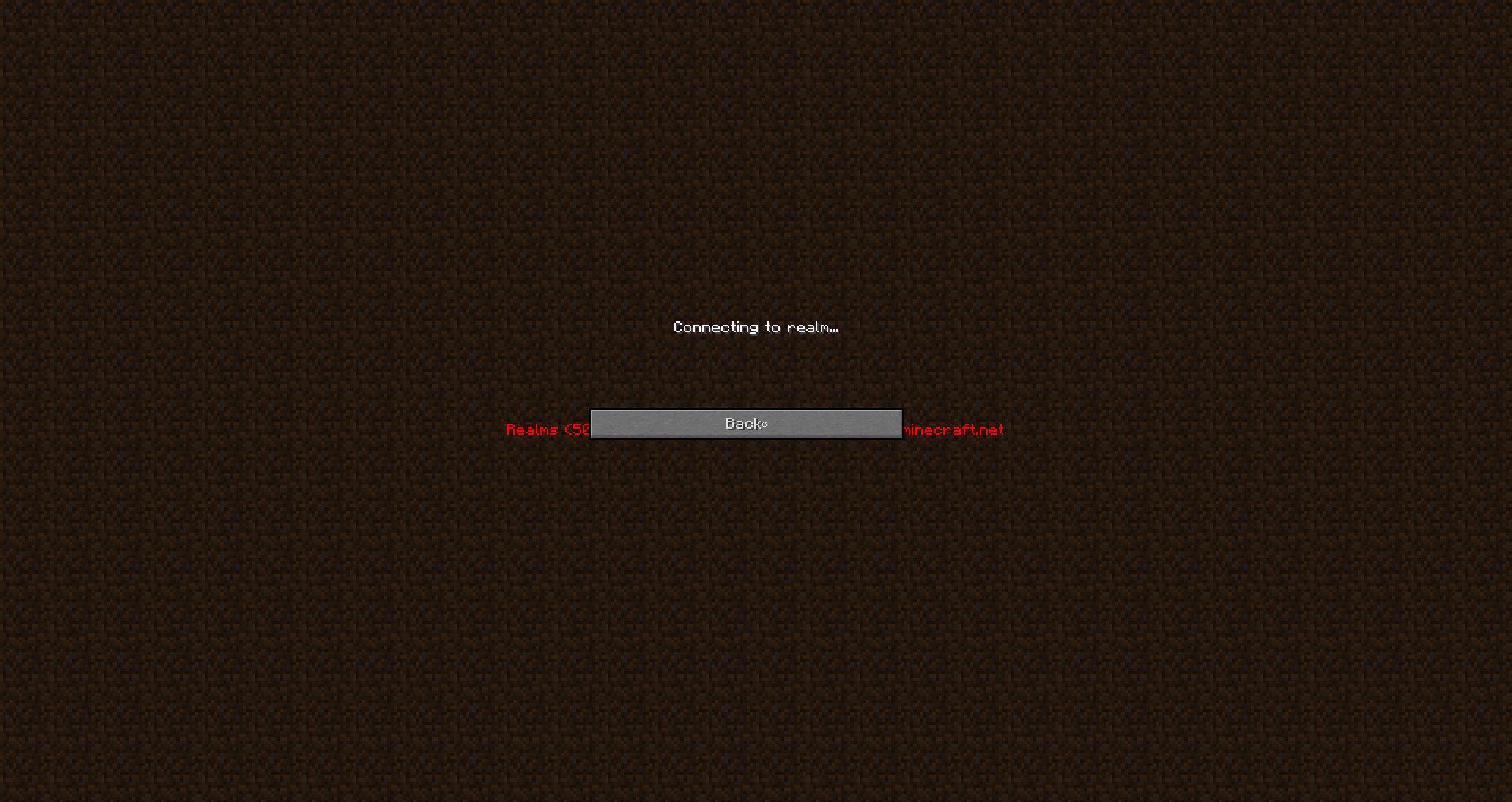

This can be fixed by force update.
I forced updated, but then I was unable to reproduce it.
This can be fixed by force update.
I forced updated, but then I was unable to reproduce it.This is fixed in the latest version and was caoused by the fullscreen.
If you have an invalid session ID and open realms, the console shows how the client tried to get the server list, even though it knows the player have an invalid session ID:
Console Output[08:19:35] [pool-7-thread-3/INFO]: Could not authorize you against Realms server: Invalid session id
[08:19:35] [pool-7-thread-3/ERROR]: Couldn't get pending invite count
com.mojang.realmsclient.exception.RealmsServiceException: Invalid session id
at com.mojang.realmsclient.client.RealmsClient.execute(RealmsClient.java:362) ~[realms-1.5.5.jar:1.5.5]
at com.mojang.realmsclient.client.RealmsClient.pendingInvitesCount(RealmsClient.java:271) ~[realms-1.5.5.jar:1.5.5]
at com.mojang.realmsclient.gui.RealmsDataFetcher$PendingInviteUpdateTask.updatePendingInvites(RealmsDataFetcher.java:174) [realms-1.5.5.jar:1.5.5]
at com.mojang.realmsclient.gui.RealmsDataFetcher$PendingInviteUpdateTask.run(RealmsDataFetcher.java:166) [realms-1.5.5.jar:1.5.5]
at java.util.concurrent.Executors$RunnableAdapter.call(Unknown Source) [?:1.7.0_67]
at java.util.concurrent.FutureTask.runAndReset(Unknown Source) [?:1.7.0_67]
at java.util.concurrent.ScheduledThreadPoolExecutor$ScheduledFutureTask.access$301(Unknown Source) [?:1.7.0_67]
at java.util.concurrent.ScheduledThreadPoolExecutor$ScheduledFutureTask.run(Unknown Source) [?:1.7.0_67]
at java.util.concurrent.ThreadPoolExecutor.runWorker(Unknown Source) [?:1.7.0_67]
at java.util.concurrent.ThreadPoolExecutor$Worker.run(Unknown Source) [?:1.7.0_67]
at java.lang.Thread.run(Unknown Source) [?:1.7.0_67]The interface doesn't display any error message which may be confusing to the user, because all their realms are gone...
If you have an invalid session ID and open realms, the console shows how the client tried to get the server list, even though it knows the player have an invalid session ID:
Console Output[08:19:35] [pool-7-thread-3/INFO]
:Could not authorize you against Realms server: Invalid session id
[08:19:35] [pool-7-thread-3/ERROR]:Couldn't get pending invite count
com.mojang.realmsclient.exception.RealmsServiceException: Invalid session id
at com.mojang.realmsclient.client.RealmsClient.execute(RealmsClient.java:362) ~[realms-1.5.5.jar:1.5.5]
at com.mojang.realmsclient.client.RealmsClient.pendingInvitesCount(RealmsClient.java:271) ~[realms-1.5.5.jar:1.5.5]
at com.mojang.realmsclient.gui.RealmsDataFetcher$PendingInviteUpdateTask.updatePendingInvites(RealmsDataFetcher.java:174) [realms-1.5.5.jar:1.5.5]
at com.mojang.realmsclient.gui.RealmsDataFetcher$PendingInviteUpdateTask.run(RealmsDataFetcher.java:166) [realms-1.5.5.jar:1.5.5]
at java.util.concurrent.Executors$RunnableAdapter.call(Unknown Source) [?:1.7.0_67]
at java.util.concurrent.FutureTask.runAndReset(Unknown Source) [?:1.7.0_67]
at java.util.concurrent.ScheduledThreadPoolExecutor$ScheduledFutureTask.access$301(Unknown Source) [?:1.7.0_67]
at java.util.concurrent.ScheduledThreadPoolExecutor$ScheduledFutureTask.run(Unknown Source) [?:1.7.0_67]
at java.util.concurrent.ThreadPoolExecutor.runWorker(Unknown Source) [?:1.7.0_67]
at java.util.concurrent.ThreadPoolExecutor$Worker.run(Unknown Source) [?:1.7.0_67]
at java.lang.Thread.run(Unknown Source) [?:1.7.0_67]The interface doesn't display any error message which may be confusing to the user, because all their realms are gone...
If you have an invalid session ID and open realms, the console shows how the client tried to get the server list, even though it knows the player have an invalid session ID:
Console Output[08:19:35] [pool-7-thread-3/INFO]: Could not authorize you against Realms server: Invalid session id
[08:19:35] [pool-7-thread-3/ERROR]: Couldn't get pending invite count
com.mojang.realmsclient.exception.RealmsServiceException: Invalid session id
at com.mojang.realmsclient.client.RealmsClient.execute(RealmsClient.java:362) ~[realms-1.5.5.jar:1.5.5]
at com.mojang.realmsclient.client.RealmsClient.pendingInvitesCount(RealmsClient.java:271) ~[realms-1.5.5.jar:1.5.5]
at com.mojang.realmsclient.gui.RealmsDataFetcher$PendingInviteUpdateTask.updatePendingInvites(RealmsDataFetcher.java:174) [realms-1.5.5.jar:1.5.5]
at com.mojang.realmsclient.gui.RealmsDataFetcher$PendingInviteUpdateTask.run(RealmsDataFetcher.java:166) [realms-1.5.5.jar:1.5.5]
at java.util.concurrent.Executors$RunnableAdapter.call(Unknown Source) [?:1.7.0_67]
at java.util.concurrent.FutureTask.runAndReset(Unknown Source) [?:1.7.0_67]
at java.util.concurrent.ScheduledThreadPoolExecutor$ScheduledFutureTask.access$301(Unknown Source) [?:1.7.0_67]
at java.util.concurrent.ScheduledThreadPoolExecutor$ScheduledFutureTask.run(Unknown Source) [?:1.7.0_67]
at java.util.concurrent.ThreadPoolExecutor.runWorker(Unknown Source) [?:1.7.0_67]
at java.util.concurrent.ThreadPoolExecutor$Worker.run(Unknown Source) [?:1.7.0_67]
at java.lang.Thread.run(Unknown Source) [?:1.7.0_67]The interface doesn't display any error message which may be confusing to the user, because all their realms are gone...
If you have an invalid session ID and open realms, the console shows how the client tried to get the server list, even though it knows the player have an invalid session ID:
Console Output[08:19:35] [pool-7-thread-3/INFO]: Could not authorize you against Realms server: Invalid session id
[08:19:35] [pool-7-thread-3/ERROR]: Couldn't get pending invite count
com.mojang.realmsclient.exception.RealmsServiceException:Invalid session id
at com.mojang.realmsclient.client.RealmsClient.execute(RealmsClient.java:362) ~[realms-1.5.5.jar:1.5.5]
at com.mojang.realmsclient.client.RealmsClient.pendingInvitesCount(RealmsClient.java:271) ~[realms-1.5.5.jar:1.5.5]
at com.mojang.realmsclient.gui.RealmsDataFetcher$PendingInviteUpdateTask.updatePendingInvites(RealmsDataFetcher.java:174) [realms-1.5.5.jar:1.5.5]
at com.mojang.realmsclient.gui.RealmsDataFetcher$PendingInviteUpdateTask.run(RealmsDataFetcher.java:166) [realms-1.5.5.jar:1.5.5]
at java.util.concurrent.Executors$RunnableAdapter.call(Unknown Source) [?:1.7.0_67]
at java.util.concurrent.FutureTask.runAndReset(Unknown Source) [?:1.7.0_67]
at java.util.concurrent.ScheduledThreadPoolExecutor$ScheduledFutureTask.access$301(Unknown Source) [?:1.7.0_67]
at java.util.concurrent.ScheduledThreadPoolExecutor$ScheduledFutureTask.run(Unknown Source) [?:1.7.0_67]
at java.util.concurrent.ThreadPoolExecutor.runWorker(Unknown Source) [?:1.7.0_67]
at java.util.concurrent.ThreadPoolExecutor$Worker.run(Unknown Source) [?:1.7.0_67]
at java.lang.Thread.run(Unknown Source) [?:1.7.0_67]The interface doesn't display any error message which may be confusing to the user, because all their realms are gone...
If you have an invalid session ID and open realms, the console shows how the client tried to get the server list, even though it knows the player have an invalid session ID:
Console Output[08:19:35] [pool-7-thread-3/INFO]: Could not authorize you against Realms server: Invalid session id
[08:19:35] [pool-7-thread-3/ERROR]: Couldn't get pending invite count
com.mojang.realmsclient.exception.RealmsServiceException: Invalid session id
at com.mojang.realmsclient.client.RealmsClient.execute(RealmsClient.java:362) ~[realms-1.5.5.jar:1.5.5]
at com.mojang.realmsclient.client.RealmsClient.pendingInvitesCount(RealmsClient.java:271) ~[realms-1.5.5.jar:1.5.5]
at com.mojang.realmsclient.gui.RealmsDataFetcher$PendingInviteUpdateTask.updatePendingInvites(RealmsDataFetcher.java:174) [realms-1.5.5.jar:1.5.5]
at com.mojang.realmsclient.gui.RealmsDataFetcher$PendingInviteUpdateTask.run(RealmsDataFetcher.java:166) [realms-1.5.5.jar:1.5.5]
at java.util.concurrent.Executors$RunnableAdapter.call(Unknown Source) [?:1.7.0_67]
at java.util.concurrent.FutureTask.runAndReset(Unknown Source) [?:1.7.0_67]
at java.util.concurrent.ScheduledThreadPoolExecutor$ScheduledFutureTask.access$301(Unknown Source) [?:1.7.0_67]
at java.util.concurrent.ScheduledThreadPoolExecutor$ScheduledFutureTask.run(Unknown Source) [?:1.7.0_67]
at java.util.concurrent.ThreadPoolExecutor.runWorker(Unknown Source) [?:1.7.0_67]
at java.util.concurrent.ThreadPoolExecutor$Worker.run(Unknown Source) [?:1.7.0_67]
at java.lang.Thread.run(Unknown Source) [?:1.7.0_67]The interface doesn't display any error message which may be confusing to the user, because all their realms are gone...
If you have an invalid session ID and open realms, the console shows how the client tried to get the server list, even though it knows the player have an invalid session ID:
Console Output[08:19:35] [pool-7-thread-3/INFO]: Could not authorize you against Realms server: Invalid session id
[08:19:35] [pool-7-thread-3/ERROR]: Couldn't get pending invite count
com.mojang.realmsclient.exception.RealmsServiceException: Invalid session id
at com.mojang.realmsclient.client.RealmsClient.execute(RealmsClient.java:362) ~[realms-1.5.5.jar:1.5.5]
at com.mojang.realmsclient.client.RealmsClient.pendingInvitesCount(RealmsClient.java:271) ~[realms-1.5.5.jar:1.5.5]
at com.mojang.realmsclient.gui.RealmsDataFetcher$PendingInviteUpdateTask.updatePendingInvites(RealmsDataFetcher.java:174) [realms-1.5.5.jar:1.5.5]
at com.mojang.realmsclient.gui.RealmsDataFetcher$PendingInviteUpdateTask.run(RealmsDataFetcher.java:166) [realms-1.5.5.jar:1.5.5]
at java.util.concurrent.Executors$RunnableAdapter.call(Unknown Source) [?:1.7.0_67]
at java.util.concurrent.FutureTask.runAndReset(Unknown Source) [?:1.7.0_67]
at java.util.concurrent.ScheduledThreadPoolExecutor$ScheduledFutureTask.access$301(Unknown Source) [?:1.7.0_67]
at java.util.concurrent.ScheduledThreadPoolExecutor$ScheduledFutureTask.run(Unknown Source) [?:1.7.0_67]
at java.util.concurrent.ThreadPoolExecutor.runWorker(Unknown Source) [?:1.7.0_67]
at java.util.concurrent.ThreadPoolExecutor$Worker.run(Unknown Source) [?:1.7.0_67]
at java.lang.Thread.run(Unknown Source) [?:1.7.0_67]The interface doesn't display any error message which may be confusing to the user, because all their realms are gone...
I expected the interface to show the error message, and not try to get the invite count.
What actually happened was that the client didn't show a error message, but instead
If you have an invalid session ID and open realms, the console shows how the client tried to get the server list, even though it knows the player have an invalid session ID:
Console Output[08:19:35] [pool-7-thread-3/INFO]: Could not authorize you against Realms server: Invalid session id
[08:19:35] [pool-7-thread-3/ERROR]: Couldn't get pending invite count
com.mojang.realmsclient.exception.RealmsServiceException: Invalid session id
at com.mojang.realmsclient.client.RealmsClient.execute(RealmsClient.java:362) ~[realms-1.5.5.jar:1.5.5]
at com.mojang.realmsclient.client.RealmsClient.pendingInvitesCount(RealmsClient.java:271) ~[realms-1.5.5.jar:1.5.5]
at com.mojang.realmsclient.gui.RealmsDataFetcher$PendingInviteUpdateTask.updatePendingInvites(RealmsDataFetcher.java:174) [realms-1.5.5.jar:1.5.5]
at com.mojang.realmsclient.gui.RealmsDataFetcher$PendingInviteUpdateTask.run(RealmsDataFetcher.java:166) [realms-1.5.5.jar:1.5.5]
at java.util.concurrent.Executors$RunnableAdapter.call(Unknown Source) [?:1.7.0_67]
at java.util.concurrent.FutureTask.runAndReset(Unknown Source) [?:1.7.0_67]
at java.util.concurrent.ScheduledThreadPoolExecutor$ScheduledFutureTask.access$301(Unknown Source) [?:1.7.0_67]
at java.util.concurrent.ScheduledThreadPoolExecutor$ScheduledFutureTask.run(Unknown Source) [?:1.7.0_67]
at java.util.concurrent.ThreadPoolExecutor.runWorker(Unknown Source) [?:1.7.0_67]
at java.util.concurrent.ThreadPoolExecutor$Worker.run(Unknown Source) [?:1.7.0_67]
at java.lang.Thread.run(Unknown Source) [?:1.7.0_67]The interface doesn't display any error message which may be confusing to the user, because all their realms are gone...
I expected the interface to show the error message, and not try to get the
invitecount.What actually happened was that the client didn't show a error message, but instead
If you have an invalid session ID and open realms, the console shows how the client tried to get the server list, even though it knows the player have an invalid session ID:
Console Output[08:19:35] [pool-7-thread-3/INFO]: Could not authorize you against Realms server: Invalid session id
[08:19:35] [pool-7-thread-3/ERROR]: Couldn't get pending invite count
com.mojang.realmsclient.exception.RealmsServiceException: Invalid session id
at com.mojang.realmsclient.client.RealmsClient.execute(RealmsClient.java:362) ~[realms-1.5.5.jar:1.5.5]
at com.mojang.realmsclient.client.RealmsClient.pendingInvitesCount(RealmsClient.java:271) ~[realms-1.5.5.jar:1.5.5]
at com.mojang.realmsclient.gui.RealmsDataFetcher$PendingInviteUpdateTask.updatePendingInvites(RealmsDataFetcher.java:174) [realms-1.5.5.jar:1.5.5]
at com.mojang.realmsclient.gui.RealmsDataFetcher$PendingInviteUpdateTask.run(RealmsDataFetcher.java:166) [realms-1.5.5.jar:1.5.5]
at java.util.concurrent.Executors$RunnableAdapter.call(Unknown Source) [?:1.7.0_67]
at java.util.concurrent.FutureTask.runAndReset(Unknown Source) [?:1.7.0_67]
at java.util.concurrent.ScheduledThreadPoolExecutor$ScheduledFutureTask.access$301(Unknown Source) [?:1.7.0_67]
at java.util.concurrent.ScheduledThreadPoolExecutor$ScheduledFutureTask.run(Unknown Source) [?:1.7.0_67]
at java.util.concurrent.ThreadPoolExecutor.runWorker(Unknown Source) [?:1.7.0_67]
at java.util.concurrent.ThreadPoolExecutor$Worker.run(Unknown Source) [?:1.7.0_67]
at java.lang.Thread.run(Unknown Source) [?:1.7.0_67]The interface doesn't display any error message which may be confusing to the user, because all their realms are gone...
I expected the interface to show the error message, and not try to get the player count.
What actually happened was that the client didn't show a error message, but instead an empty server list. The client also tried to get the player count, even thought it already checked that that wasn't possible because of the invalid session ID.
You can reproduce this by starting minecraft, opening a new launcher instance, logging in and out (entering username + password again) then opening minecraft with that launcher. Then clicking on the "Minecraft Realms" button on the first instance of minecraft.
If you have an invalid session ID and open realms, the console shows how the client tried to get the server list, even though it knows the player have an invalid session ID:
Console Output[08:19:35] [pool-7-thread-3/INFO]: Could not authorize you against Realms server: Invalid session id
[08:19:35] [pool-7-thread-3/ERROR]: Couldn't get pending invite count
com.mojang.realmsclient.exception.RealmsServiceException: Invalid session id
at com.mojang.realmsclient.client.RealmsClient.execute(RealmsClient.java:362) ~[realms-1.5.5.jar:1.5.5]
at com.mojang.realmsclient.client.RealmsClient.pendingInvitesCount(RealmsClient.java:271) ~[realms-1.5.5.jar:1.5.5]
at com.mojang.realmsclient.gui.RealmsDataFetcher$PendingInviteUpdateTask.updatePendingInvites(RealmsDataFetcher.java:174) [realms-1.5.5.jar:1.5.5]
at com.mojang.realmsclient.gui.RealmsDataFetcher$PendingInviteUpdateTask.run(RealmsDataFetcher.java:166) [realms-1.5.5.jar:1.5.5]
at java.util.concurrent.Executors$RunnableAdapter.call(Unknown Source) [?:1.7.0_67]
at java.util.concurrent.FutureTask.runAndReset(Unknown Source) [?:1.7.0_67]
at java.util.concurrent.ScheduledThreadPoolExecutor$ScheduledFutureTask.access$301(Unknown Source) [?:1.7.0_67]
at java.util.concurrent.ScheduledThreadPoolExecutor$ScheduledFutureTask.run(Unknown Source) [?:1.7.0_67]
at java.util.concurrent.ThreadPoolExecutor.runWorker(Unknown Source) [?:1.7.0_67]
at java.util.concurrent.ThreadPoolExecutor$Worker.run(Unknown Source) [?:1.7.0_67]
at java.lang.Thread.run(Unknown Source) [?:1.7.0_67]The interface doesn't display any error message which may be confusing to the user, because all their realms are gone...
I expected the interface to show the error message, and not try to get the player count.
What actually happened was that the client didn't show a error message, but instead an empty server list. The client also tried to get the player count, even thought it already checked that that wasn't possible because of the invalid session ID.
You can reproduce this by
starting minecraft, opening a new launcher instance, logging in and out (entering username + password again) then opening minecraft with that launcher. Then clicking on the "Minecraft Realms" button on the first instance of minecraft.If you have an invalid session ID and open realms, the console shows how the client tried to get the server list, even though it knows the player have an invalid session ID:
Console Output[08:19:35] [pool-7-thread-3/INFO]: Could not authorize you against Realms server: Invalid session id
[08:19:35] [pool-7-thread-3/ERROR]: Couldn't get pending invite count
com.mojang.realmsclient.exception.RealmsServiceException: Invalid session id
at com.mojang.realmsclient.client.RealmsClient.execute(RealmsClient.java:362) ~[realms-1.5.5.jar:1.5.5]
at com.mojang.realmsclient.client.RealmsClient.pendingInvitesCount(RealmsClient.java:271) ~[realms-1.5.5.jar:1.5.5]
at com.mojang.realmsclient.gui.RealmsDataFetcher$PendingInviteUpdateTask.updatePendingInvites(RealmsDataFetcher.java:174) [realms-1.5.5.jar:1.5.5]
at com.mojang.realmsclient.gui.RealmsDataFetcher$PendingInviteUpdateTask.run(RealmsDataFetcher.java:166) [realms-1.5.5.jar:1.5.5]
at java.util.concurrent.Executors$RunnableAdapter.call(Unknown Source) [?:1.7.0_67]
at java.util.concurrent.FutureTask.runAndReset(Unknown Source) [?:1.7.0_67]
at java.util.concurrent.ScheduledThreadPoolExecutor$ScheduledFutureTask.access$301(Unknown Source) [?:1.7.0_67]
at java.util.concurrent.ScheduledThreadPoolExecutor$ScheduledFutureTask.run(Unknown Source) [?:1.7.0_67]
at java.util.concurrent.ThreadPoolExecutor.runWorker(Unknown Source) [?:1.7.0_67]
at java.util.concurrent.ThreadPoolExecutor$Worker.run(Unknown Source) [?:1.7.0_67]
at java.lang.Thread.run(Unknown Source) [?:1.7.0_67]The interface doesn't display any error message which may be confusing to the user, because all their realms are gone...
I expected the interface to show the error message, and not try to get the player count.
What actually happened was that the client didn't show a error message, but instead an empty server list. The client also tried to get the player count, even thought it already checked that that wasn't possible because of the invalid session ID.
You can reproduce this by
starting minecraft, opening a new launcher instance, logging in and out (entering username + password again) then opening minecraft with that launcher. Then clicking on the "Minecraft Realms" button on the first instance of minecraft.by setting your computer on sleep mode with a minecraft instance over the night.
When I got the realms error "Could not connect to Realms: mcoapi.minecraft.net", it appeared under the cancel button. It then appeared in the right location when I resized the window from small and back again.
It also said "Connecting..." at the same time as it said that it couldn't...
I expected the cancel button to cancel the joining, just like on regular servers.
Instead, no matter what I do (going into other menus), it will continue connecting anyway.
You can reproduce this by connecting to a realm and clicking on the cancel button.
Video of me reproducing the bug: https://www.youtube.com/watch?v=mba4ytROYjg
1. Tame a horse
2. Attach a saddle
3. Mount
3. Face somewhere
4. Make note of horizontal facing
4. Dismount
3. Place fence in the air so that there is a 5 block gap between the fence and the ground
6. Attach the horse to the fence with a lead
4. Surround the horse with a 7x7 hollow square of slabs at eye level
5. Click the horse when standing on the ground outside the slab square
6. Make note of horizontal facing againUnexpectedly the player will have the same horizontal facing when dismounting as after clicking the horse. The player's vertical facing will also change but does not match vertical facing after dismounting the horse.
1. Tame a horse
2. Attach a saddle
3. Mount
4. Face somewhere
5. Make note of horizontal facing
6. Dismount
7. Place fence in the air so that there is a 5 block gap between the fence and the ground
8. Attach the horse to the fence with a lead
9. Surround the horse with a 7x7 hollow square of slabs at eye level
10. Click the horse when standing on the ground outside the slab square
11. Make note of horizontal facing againUnexpectedly the player will have the same horizontal facing when dismounting as after clicking the horse. The player's vertical facing will also change but does not match vertical facing after dismounting the horse.
1. Tame a horse
2. Attach a saddle
3. Mount
4. Face somewhere
5. Make note of horizontal facing
6. Dismount
7. Place fence in the air so that there is a 5 block gap between the fence and the ground
8. Attach the horse to the fence with a lead
9. Surround the horse with a 7x7 hollow square of slabs at eye level
10. Click the horse when standing on the ground outside the slab square
11. Make note of horizontal facing againUnexpectedly the player will have the same horizontal facing when dismounting as after clicking the horse. The player's vertical facing will also change but does not match vertical facing after dismounting the horse.
- Tame a horse
- Attach a saddle
- Mount
- Face somewhere
- Make note of horizontal facing
- Dismount
- Place fence in the air so that there is a 5 block gap between the fence and the ground
- Attach the horse to the fence with a lead
- Surround the horse with a 7x7 hollow square of slabs at eye level
- Click the horse when standing on the ground outside the slab square
- Make note of horizontal facing again
Unexpectedly the player will be forced to have the same horizontal facing when dismounting as after clicking the horse. The player's vertical facing will also change but does not match vertical facing after dismounting the horse.
- Tame a horse
- Attach a saddle
- Mount
- Face somewhere
- Make note of horizontal facing
- Dismount
Place fence in the air so that there isa5blockgap between the fence and the ground- Attach the horse to the fence with a lead
- S
urround the horse with a 7x7 hollow square of slabs at eyelevel- Click the horse when standing on the ground outside the slab square
- Make note of horizontal facing again
Unexpectedly the player will be forced to have the same horizontal facing when dismounting as after clicking the horse. The player's vertical facing will also change but does not match vertical facing after dismounting the horse.
- Tame a horse
- Attach a saddle
- Mount
- Face somewhere
- Make note of horizontal facing
- Dismount without touching the horse (by dismounting to a block at the eye level of the horse for instance)
- Stand more than three blocks away from the horse with without line-of-sight to its head (by digging straight down one block and placing a block at horse head level)
- Click the horse
- Make note of horizontal facing again
Unexpectedly the player will be forced to have the same horizontal facing when dismounting as after clicking the horse. The player's vertical facing will also change but does not match vertical facing after dismounting the horse.
- Tame a horse
- Attach a saddle
- Mount
- Face somewhere
- Make note of horizontal facing
- Dismount without touching the horse (by dismounting to a block at the eye level of the horse for instance)
- Stand more than three blocks away from the horse
withwithout line-of-sight to its head (by digging straight down one block and placing a block at horse head level)- Click the horse
- Make note of horizontal facing again
Unexpectedly the player will be forced to have the same horizontal facing when dismounting as after clicking the horse. The player's vertical facing will also change but does not match vertical facing after dismounting the horse.
- Tame a horse
- Attach a saddle
- Mount
- Face somewhere
- Make note of horizontal facing
- Dismount without touching the horse (by dismounting to a block at the eye level of the horse for instance)
- Stand more than three blocks away from the horse without line-of-sight to its head (by digging straight down one block and placing a block at horse head level like in attachment, for instance)
- Click the horse
- Make note of horizontal facing again
Unexpectedly the player will be forced to have the same horizontal facing when dismounting as after clicking the horse. The player's vertical facing will also change but does not match vertical facing after dismounting the horse.
2017-06-02_18.37.17.png
- Tame a horse
Attach a saddle- Mount
- Face somewhere
- Make note of horizontal facing
- Dismount without touching the horse (by dismounting to a block at the eye level of the horse for instance)
- Stand more than three blocks away from the horse without line-of-sight to its head (by digging straight down one block and placing a block at horse head level like in attachment, for instance)
- Click the horse
- Make note of horizontal facing again
Unexpectedly the player will be forced to have the same horizontal facing when dismounting as after clicking the horse. The player's vertical facing will also change but does not match vertical facing after dismounting the horse.
The issue also applies to llamas.
- Tame a horse
- Attach a saddle
- Mount
- Face somewhere
- Make note of horizontal facing
- Dismount without touching the horse (by dismounting to a block at the eye level of the horse for instance)
- Stand more than three blocks away from the horse without line-of-sight to its head (by digging straight down one block and placing a block at horse head level like in attachment, for instance)
- Click the horse
- Make note of horizontal facing again
Unexpectedly the player will be forced to have the same horizontal facing when dismounting as after clicking the horse. The player's vertical facing will also change but does not match vertical facing after dismounting the horse.
The issue also applies to llamas.
- Tame a horse
- Attach a saddle
- Mount
- Face somewhere
- Make note of horizontal facing
- Dismount without touching the horse (by dismounting to a block at the eye level of the horse for instance)
- Stand more than three blocks away from the horse without line-of-sight to its head (by digging straight down one block and placing a block at horse head level like in attachment, for instance)
- Click the horse
- Make note of horizontal facing again
Unexpectedly the player will be forced to have the same horizontal facing when dismounting as after clicking the horse. The player's vertical facing will also change but does not match vertical facing after dismounting the horse.
If the player touches the horse the player will still be forced to face in a direction but it will not be the same as before dismounting.
Reproduced. When the beacon isn't in the FOV, the beam disappears.
This is not a duplicate of
MC-64282! That one is about the error itself, this is about how the client tries to get the server list even if it already failed to authorize, and how it doesn't display the error in the interface, only in the console!This is very inconsistent to reproduce. Sometimes when I have a bad session ID the error shows up, sometimes it doesn't.
I can confirm this for the latest launcher version.
Maybe add all keyboards to the description/environment for easier access? @Alejandro Bentivengo
Confirmed for 1.8.1-pre4.
The title is incorrect. Spectators can travel to the nether by teleporting to that player (https://twitter.com/Dinnerbone/status/464386873365114880), it should be "Specators can't use nether portals". But I don't think it's supposed to work like that, because nothing (except commands) can interact with spectators. Also, dinnerbone said (https://twitter.com/Dinnerbone/status/428941132513705984) specators are supposed to be able to pass through all blocks, which wouldn't be possible with portals teleporting you away.
Confirmed in 1.8.7: http://www.youtube.com/watch?v=wtBS62Xyoa4 (this is why bugs shouldn't become features... "zero-tick pistons"? That sounds more like a hack than something intentional.)
The server up/down/join buttons also appear and change color when the mouse moves over the buttons.
@Marcono1234 No. Reproducing this issue does not require feeding the horse.