Beacon Beam disappears while looking upwards from it
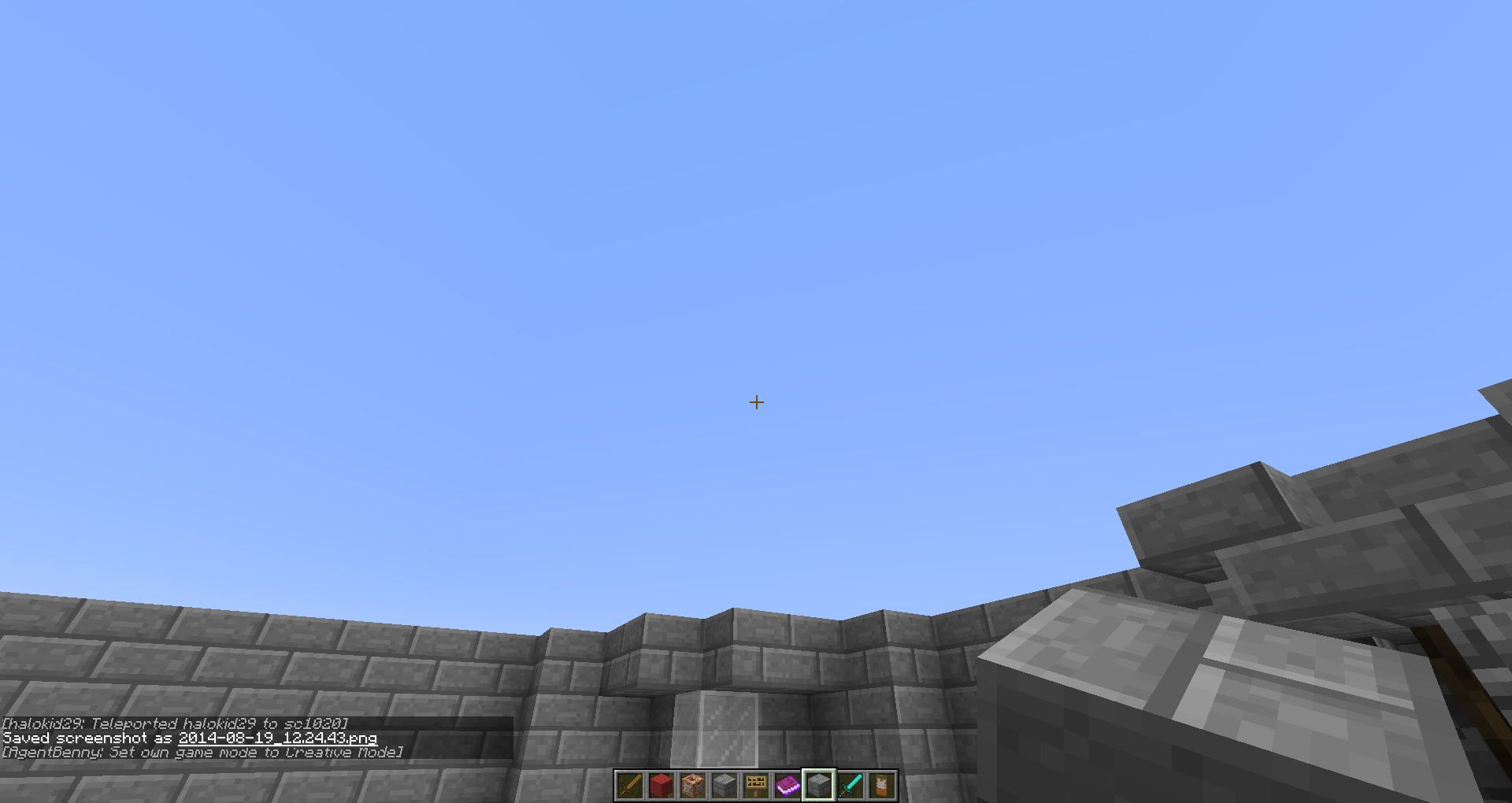
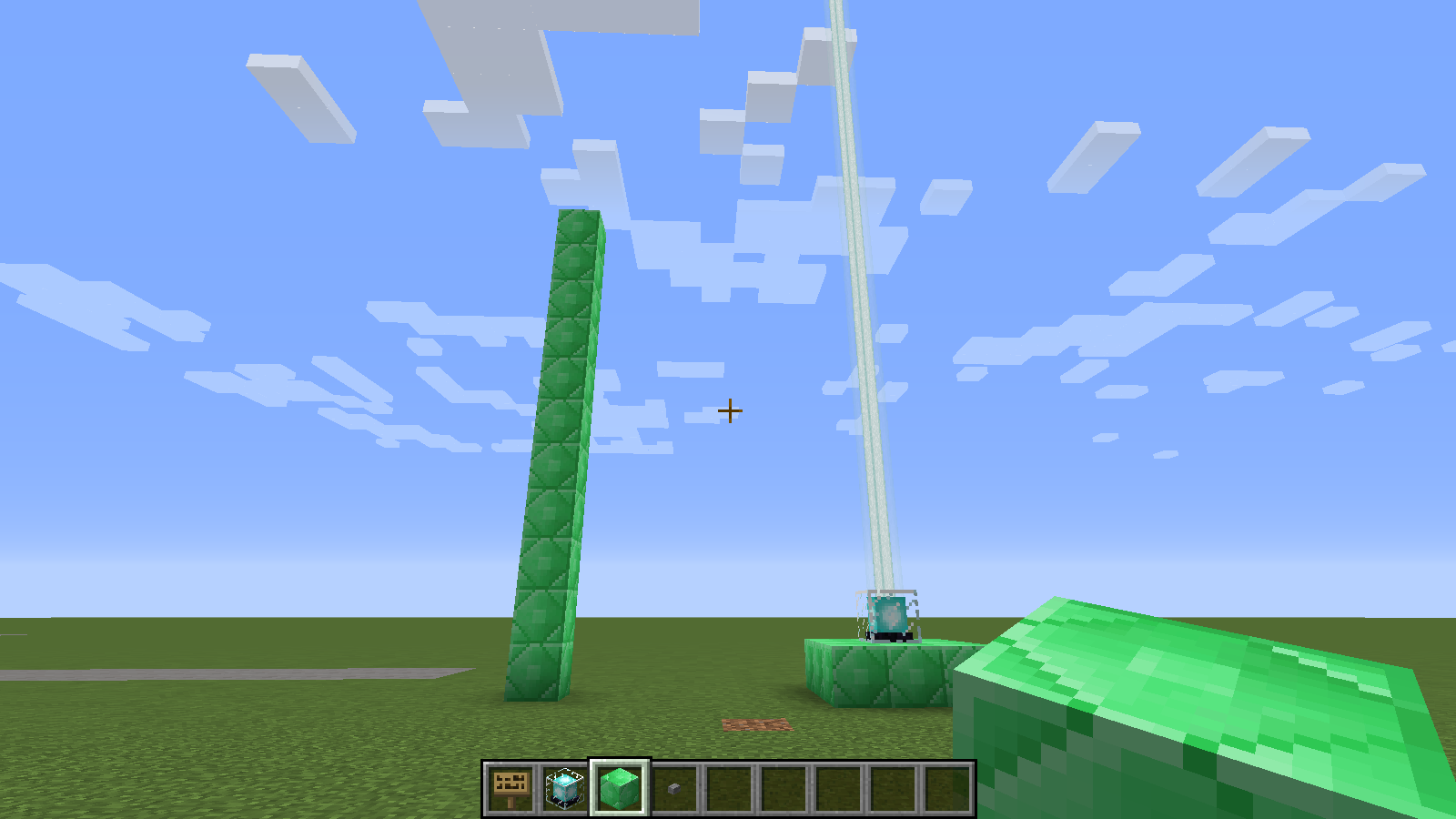
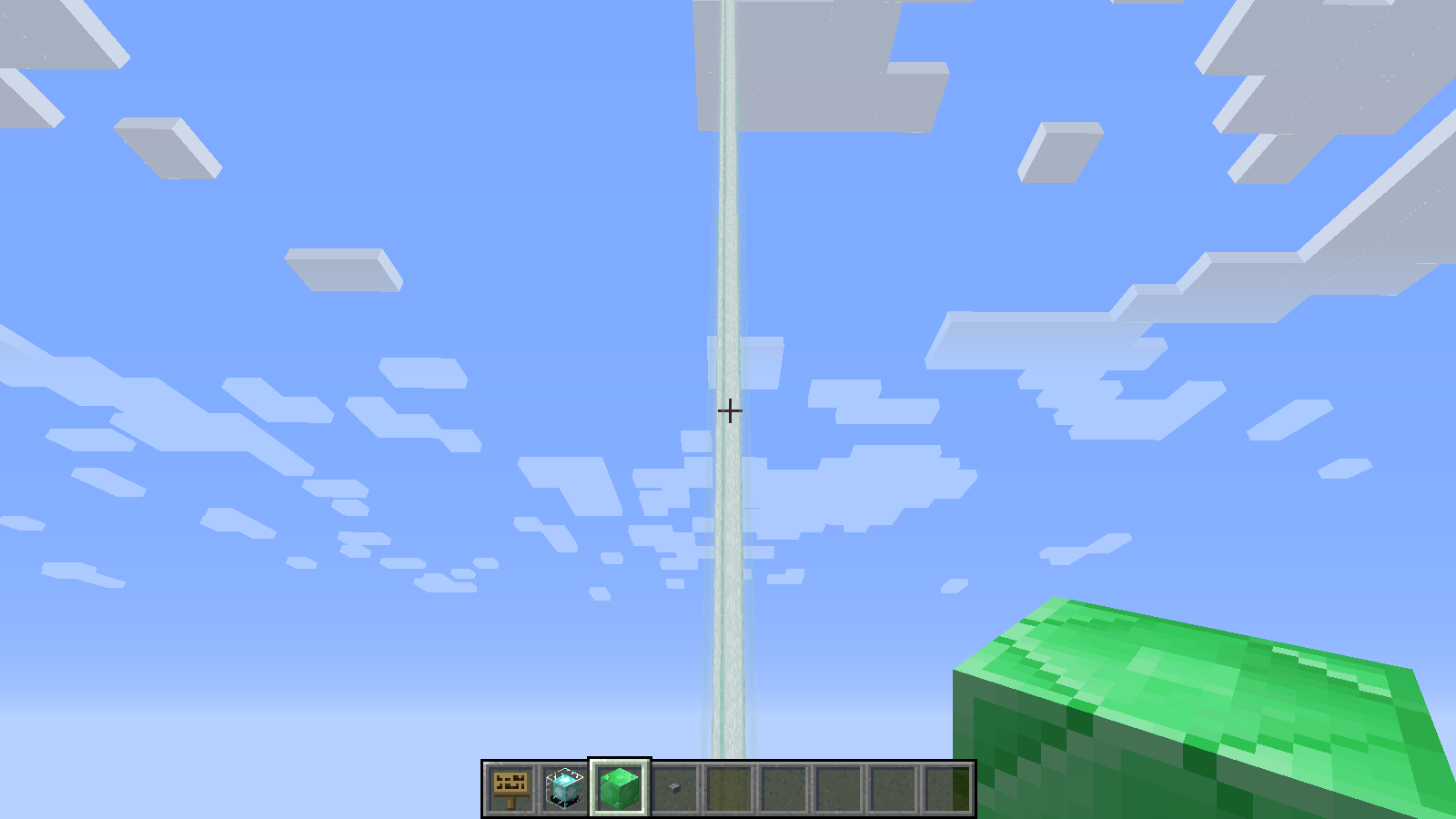
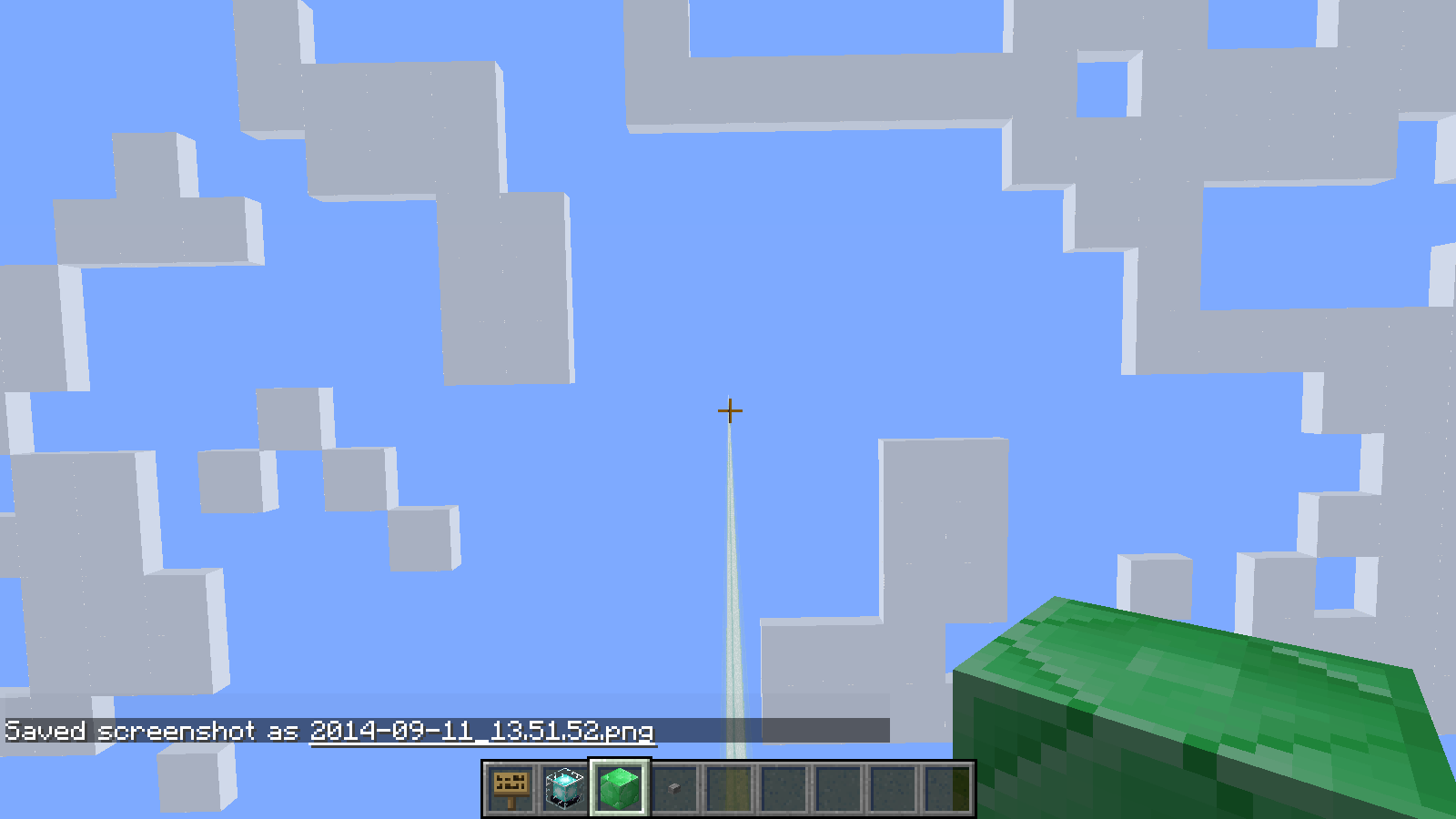
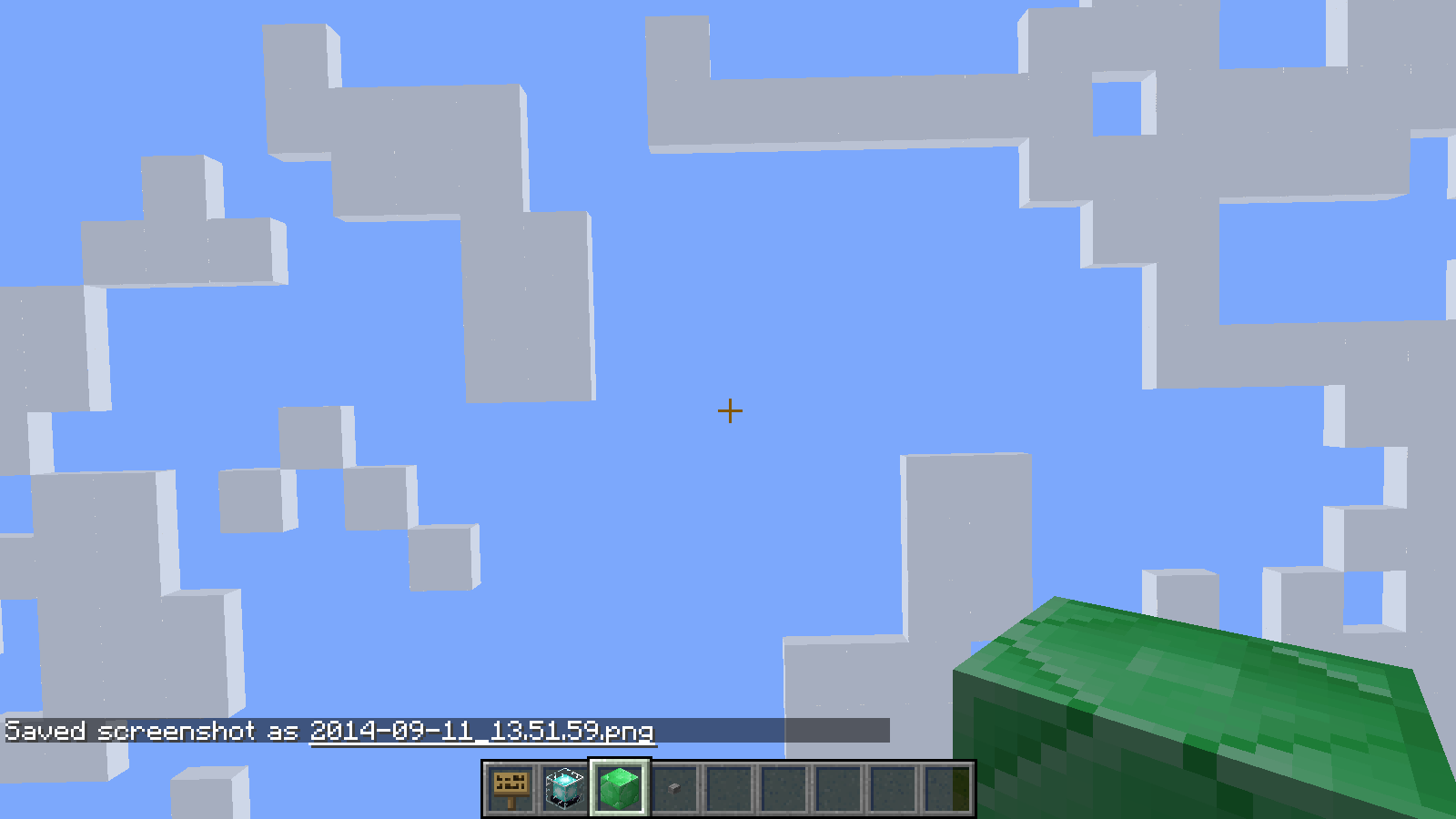
Looking upwards at a certain degree makes beacon beams disappear as it seems.
Linked Issues
is duplicated by67
 MC-68348The beacon beam disappearsDuplicateMC-68371Beacon beam dissapears the farther away you are vertically and the way you look.DuplicateMC-68408Disappearance of the beacon's ray with a certain viewpointDuplicateMC-68428Beacon Light disappears when the Beacon isn't in the Field of View anymoreDuplicateMC-68484Hidden beacons - Bug - DuplicateMC-68501Beacon beam disappearing from view.DuplicateMC-68518Beacon Visual GlitchDuplicateMC-68523Beacon Beam BugDuplicateMC-68559Beacon Beam not rendering unless beacon is in viewDuplicateMC-68627Beacon LightDuplicateMC-68665Beacons still not fixedDuplicateMC-68772Beacons not rendered unless on top of screenDuplicateMC-68774Disappearing entities and suchDuplicateMC-68813Beacon BugDuplicateMC-68823Beacon beams don't load when looking straight aheadDuplicateMC-68895Beacon loses light when player looks up toward sky.DuplicateMC-68928Beacon Light doesn't shine when not looking at the beaconDuplicateMC-69011BeaconDuplicateMC-69070Beacons do not appear when looking upDuplicateMC-69121Broblem with rendering beacon beam. when not lookin at itDuplicateMC-69144Beacon light doesn't display at certain positionsDuplicateMC-69155Beacon Beam Not VisableDuplicateMC-69182Beacon Beam not showing from an angle.DuplicateMC-69228Beacon beam disappears when looking upwardsDuplicateMC-69239crafting and light beams DuplicateMC-69286Beacon's light not shown when the player is looking/facing upwardsDuplicateMC-69360Beacon lights disappear when looking directly at themDuplicateMC-69388Colored BeaconsDuplicateMC-69407Beacon beam not visible if you are higher and looking upDuplicateMC-69415Beacon beam disappears when looked atDuplicateMC-69420Becons not shown properly DuplicateMC-69424Beacon beam disappears past certain trajectory (coloured beams) on my serverDuplicateMC-69432Beacon Beams DisappearDuplicateMC-69635Beacon Lights DisapperingDuplicateMC-69665Beacon light disappears at certain anglesDuplicateMC-69710Beacon bugDuplicateMC-69811Beacon LightDuplicateMC-69934Beacons rendering incorrectlyDuplicateMC-69968Beacon beam not showing if beacon is not loadedDuplicateMC-70103Beacon light , when i move with mouse , beacon light disappeared and appeared.DuplicateMC-70110Beacon lights dissapearing when you look at them from a certain angleDuplicateMC-70126Beacon Beam GlitchDuplicateMC-70173Beacon light doesn't render at certain angles!DuplicateMC-70209Bugs with pre-3 release - fireworks (moved to MC-70274)InvalidMC-70213visual glitch with beaconsDuplicateMC-70296Beam from low placed beacon disappears unless you look downwardsDuplicateMC-70391the ray of light beacon is not if you look at the skyDuplicateMC-70416Beacon light only renders when not looking at itDuplicateMC-70445Beacon Light DissapearingDuplicateMC-70457beacon invisibleDuplicateMC-70602BugDuplicateMC-70750Beacon beams not seen after looking up so farDuplicateMC-70863beacon colour BugDuplicateMC-70984Beacon (Bug to look up)DuplicateMC-71066Entities InvisibleIncompleteMC-71203Disappearing Beacon LightDuplicateMC-71244Things not LoadingDuplicateMC-71336Beacon beams not rendered when facing upDuplicateMC-71351Beams are invisible on sky DuplicateMC-71368Beacon BeamsDuplicateMC-71453BeaconsDuplicateMC-71497Beacon disappears when not looking at itDuplicateMC-71996Beacon Beams vanish when source block is out of viewDuplicateMC-72618Beacon Beam DiserpearingDuplicateMC-72931BEacon Beam DissapearingDuplicateMC-73645Beacon Beam Will Dissapear On Multiplayer ServersDuplicateMC-75079Beacons DissappearingDuplicate
Attachments24








Created Issue:
Looking Up Causes Beacon Beam to disappear
Looking upwards at a certain degree makes beacon beams disappear as it seems.
Attachments2

Looking Up CausesBeacon BeamtodisappearColored Beacon Beam disappears while looking at it at a certain angle

is duplicated by
is duplicated by
is duplicated by
is duplicated by

is duplicated by
is duplicated by
is duplicated by
![[Mod] CubeTheThird](../../../data/assets/gravatar/cubethethird.jpeg)
is duplicated by
ColoredBeacon Beam disappears while lookingat it at a certain angleBeacon Beam disappears while looking upwards
Beacon Beam disappears while looking upwards from it
is duplicated by
is duplicated by
is duplicated by
is duplicated by
is duplicated by
is duplicated by
is duplicated by
is duplicated by

is duplicated by
is duplicated by
is duplicated by
is duplicated by
is duplicated by
is duplicated by
is duplicated by
is duplicated by
is duplicated by
is duplicated by
is duplicated by
is duplicated by
is duplicated by
is duplicated by
is duplicated by
is duplicated by
is duplicated by
is duplicated by
is duplicated by
is duplicated by
is duplicated by
is duplicated by
is duplicated by
is duplicated by
is duplicated by
is duplicated by
is duplicated by
is duplicated by
is duplicated by
is duplicated by
is duplicated by
is duplicated by
is duplicated by
is duplicated by
is duplicated by
is duplicated by
is duplicated by
is duplicated by
is duplicated by
is duplicated by
is duplicated by
is duplicated by
is duplicated by
is duplicated by
![[Mojang] Searge (Michael Stoyke)](../../../data/assets/gravatar/searge.png)
![[Mojang] Grum (Erik Broes)](../../../data/assets/gravatar/grum.png) [Mojang] Grum (Erik Broes)[Mojang] Grum (Erik Broes)
[Mojang] Grum (Erik Broes)[Mojang] Grum (Erik Broes)![[Mojang] Nathan Adams](../../../data/assets/gravatar/dinnerbone.png) [Mojang] Nathan Adams
[Mojang] Nathan Adamsis duplicated by
is duplicated by
is duplicated by
![[Mod] Pokechu22](../../../data/avatars/users/92931.png)
relates to
This is still partially present in 1.18.1 Pre1. If the beacon block is beyond render range vertically, the beam does not render until the player gets within render range vertically. The player can they go above render range and the beam remains. On a server with server render distance 12 beacon beams will not render if a player does not get within 198 blocks vertical, even if the player render distance is set higher. If the player sets the render distance lower the beam will not render until the player gets as close as their client render distance. Screenshots attached with server render distance 12 and client distance 32. Tested by logging in at different y levels and seeing if the beam would appear. Once the beam was rendering I could go well above and the beam would remain.


Dupe of MC-68247
Duplicate of MC-68247
Duplicate of MC-68247
Dupe of MC-68247
Duplicates MC-68247
Dupe of MC-68247
Dupe of MC-68247
Dupe of MC-68247
Dupe of MC-68247
Dupe of MC-68247
Duplicate of MC-68247
Dupe of MC-68247
Duplicate of MC-68247
Duplicate of MC-68247
Dupe of MC-68247
Dupe of MC-68247
Dupe of MC-68247
Dupe of MC-68247
MC-68247 is what you're looking for.
Dupe of MC-68247
The beacon beam bug is a duplicate of MC-68247. As for the fireworks, you're using blank maps instead of paper.
Dupe of MC-68247
Dupe of MC-68247
Dupe of MC-68247
Dupe of MC-68247
Duplicate of MC-68247
Dupe of MC-68247
Duplicate of MC-68247
Also, by the way: Your Mac is not using Java 7 for Minecraft, but that is a known issue.
Duplicate of MC-68247
Duplicate of MC-68247
Dupe of MC-68247
Duplicate of MC-68247
Dupe of MC-68247
Dupe of MC-68247
Dupe of MC-68247
Dupe of MC-68247
Dupe of MC-68247
Duplicate of MC-68247
Duplicate of MC-68247
Duplicate of MC-68247
This issue is a duplicate of MC-68247. It has been linked to the original bugreport.
Please search before reporting any bugs, as it's likely that one exists already.
Duplicate of MC-68247
Duplicate of MC-68247
Dupe of MC-68247
Dupe of MC-68247
Duplicate of MC-68247
Duplicate of MC-68247
This issue is a duplicate of MC-68247. It has been linked to the original bugreport.
Please search before reporting any bugs, as it's likely that one exists already.
Dupe of MC-68247
Beacon beams render as garbled flickering static, distorted, or totally missing to varying degrees, depending on the world. Some worlds the beams render fine, some are a total mess, and some are in between. There appears to be no rhyme or reason as to which worlds have problems and to what degree they have them. However, the issue is totally reproducible per-world; any world that shows a problem maintains it to the same degree always, regardless of the number of times I quit and relaunch. Destroying and re-placing the beacons or any surrounding blocks has no effect.
The problem is hard to notice with the vanilla textures, so I've attached six examples: two pictures each of a custom texture on three different worlds. World "B" appears fine, world "A" has medium distortion, and world "F" has very bad distortion as well as the rainbow variant not showing up at all. In each case, I've superimposed the custom texture in use over the right hand side of the image so things are easier to understand.
NOTE: This is NOT a dupe of MC-68247, as this bug has nothing to do with viewing angle. In the case of "F-rainbow", all beams of all beacons in the world are missing all the time, no matter where you are or where you're looking.
EDIT
It turns out there is a direct correlation between the age of the world (NBT 'time' parameter') and how bad the texture looks. I can make the problem happen or disappear by manually editing that with a program like NBTExplorer. I'm not sure if this qualifies as being a dupe of MC-1279 though, as that bug is mainly about the beam animation being slow and choppy, but I've never seen that.
EDIT2:
I can get slow and choppy beam rotation if I edit the 'time' parameter to a very high value, and then look directly at the beam and stay completely stationary for several seconds (the animation seems ok when I move around). It looks like on my system that the texture gets garbled long before the animation gets choppy, and none of my natural worlds were quite old enough to exhibit that. This bug and MC-1279 are a lot more closely related than I initially thought. I'm not sure what the deal is with MC-1279 being closed though (was it really initially fixed for pre1 or did someone put that in by mistake and it's not actually fixed until 1.8.2?). Sonic partially confirmed seeing it too (on only one of the textures), but I'm not sure what that means for this bug. I honestly don't know if this should be left open, or MC-1279 should be reopened, or what.
Altough it might not be completed. They did add something so you can add armor to the giant.
Anyways, the problem here is the rendering. The rendering of the giant is at the feet, lets say, it is a normal zombie, if you look at rendering. If you don't see the two high anymore, you will not see it anymore.
Related to: MC-68247
But what [Mod] Mustek already said, this probably won't be fixed.
Fixed for 1.8.1. See MC-68247
Same bug as MC-68247, except in version 1.8.8. Wasn't this supposedly fixed in 1.8.1-pre1?
![[Mod] Neko](../../../data/avatars/users/92901.png)
I don't think this is a dupe of MC-87942 but I'm not sure. This more relates to MC-68247.
The Bug
When respawning the Ender Dragon, the beams will point up towards the center of the sky. If you don't have all the Ender Crystals in view, the beam will not show.
Ways to Reproduce
One way to reproduce this bug is to spawn the Ender Dragon using the Ender Crystal method and observe. Another way is to spawn an Ender Crystal and manually change the BeamTarget using /entitydata. You would have to use {BeamTarget:{X:,Y:,Z:}}. Make the beam about 20 or so blocks away. When the Ender Crystal is out of view, the beam will disappear.
The bug
Beacon beams and structure block outlines will render themselves twice per frame if the chunk sector that the block entity is in is in view.
This can be observed by the opacity of a beacon beam changing:

The decreased opacity when looking upward indicates there is only a single render.
As side note this bug was introduced in the fix to MC-68247
Affected blocks
Last updated for 1.11.2
- beacon
- structure_block
Code analysis
Based on 1.11.2 decompiled using MCP 9.35 rc1
This happens because the method net.minecraft.client.renderer.RenderGlobal.renderEntities(Entity, ICamera, float) first renders all tile entities and then all "global" tile entities. These are in the set net.minecraft.client.renderer.RenderGlobal.setTileEntities because their overridden method net.minecraft.client.renderer.tileentity.TileEntitySpecialRenderer.isGlobalRenderer(T) returns true.
The end gateway beam is culled when the source block isn't visible, similar to what used to happen with the beacon beam (MC-68247) although slightly less aggressive.
To reproduce
- Run /setblock ~2 ~ ~ end_gateway to create an end gateway block.
- Place a command block next to it.
- Enter /data merge block ~1 ~ ~ {Age:100} into the command block.
- Change the command block to a repeating, always-active command block.
- The beam should now be visible.
- Looking forward, fly up. After a few blocks, the beam should disappear.
- When looking down, the beam will reappear.
Sorry, rebuilt the setup in the picture with staned glass, able to reroduce now.
Strange. Perhaps it only happens when there's a lot of glass involved?
Exactly at -31.3 degrees, it stops showing the beam.
Edit: ...or 6 blocks away from the player... someone is being derpy today, sorry.
Confirmed. Only happens with colored beams at least 6 blocks away from the beacon beam
Also, the higher above a beacon you are, the lower the angle needs to be before the beam disappears. For example, 20 blocks above the beacon, the beam disappears before I even get to looking level much less looking up. At 26 blocks it's ~ -30 degrees (if 0 degrees is looking forward).
Reproduced.
Also works with regular beacons as well....
I can confirm this with regular beacons in 1.7.10.
Confirmed on 14w24c!
On 14w34b this isn´t an issue for me.
This bug is still present in 14w34d.
Confirmed en 14w34d
Confirmed
This issue is duplicated by
MC-68523. Not sure if the duplicates should be reported or not, I haven't helped much on here yet. =)Confirmed with 14W34D snapshot - looking at downward angle light appears, looking at or above beacons light disappears.
Confirmed. Looking downward works, level or upward doesn't.
Confirmed.
Bug is still present in 1.8-Pre1
Yep, I'm experiencing that one too in 1,8-pre. Looking down - beacon light there, looking up, beacon light gone.
Am I the only one who knows why this happens?
You know how item frames unload if your not looking at them....
Unload as in disappear
Item frames with Maps Unload, when you look away
This is why...
It's a Item Load Bug.
Happens with abunch of stuff!
If you would like me to list abunch of affected stuff I will, since Mojang most likely doesn't know.
Item frames unload since they came out, Beacons also can lag as in
You see the bottom and then it flickers on and off.
It's still unbelievable how these bugs are there and mojang doesn't know...
Thomas, that's incorrect. You're describing
MC-1058, but beacons are not entities.Definitely a big bug here. Would like to see fixed. The colored beacons are great, don't ruin them now.
Also, the beacons' movement is slower than usual, maybe even 2-3 fps. This was much less than the 96 fps I got otherwise.That's
MC-1279.I'm pretty sure that what is happening here is that if the beacon block itself would be in the field of view of the player (ignoring anything in between / blocking it) then the beacon is visible. If the beacon would be off the screen (usually below the bottom edge of the screen) then the beacon disappears. I've got a deeply buried beacon, so this bug is extremely annoying!
Nope, just experimented. Beacon block definitely isn't in my field of view (I've got one running up inside a tower up to the world limit), but the beacon beam is visible as long as I look at a slight angle from above. So the bug doesn't have anything to do with if the beacon block is within what the screen is momentarily showing.
Confirmed for 1.8pre2
sleepyowlet, yes I agree. The place I was testing had a threshold close to that, but as I get higher, the problem occurs significantly before the block would be in the field of view.
I would say, however, that to reproduce this bug you should make sure the beacon you are testing with is significantly below your current altitude. If I am close in y value to the beacon, I don't notice a problem. The further above the beacon I am at, the bigger the problem seems to be. Since beacons are meant to be buried deeply (their area of affect is larger when they are deeply buried) this bug is likely to be frequently seen.
THis has been annoying me all day
Dolphin263: Yes, I noticed that to. Also, the closer you are to the beam, the worse it gets. I've got a couple in and around really high towers as decoration, so I could fly around them and see what happens. The bug does seem to be connected to where you are yourself in relation to the beacon block, because if you happen to be below it, you can see the beam just fine when looking up.
I've also noticed that if you look at the beacon straight on, you are less likely to see it than if you looked further to the side,
Looks as though this won't even be fixed in 1.8.
From what I can tell, it seems to happen because of chunk sections (16x16x16 parts of chunks) not rendering when outside of the player's view, and if the renderer doesn't know there's a beacon there, it doesn't render the beam. The other possibility is that the beam is rendered like an entity, and its location is set to be at the beacon block, so when you can't see the beacon, the beam is technically out of view, according to the entity renderer.
Still present in pre3, I have a Beacon in an underground area and when the Beacon source is out of my cone of vision, the beam disappears.
Conor McS, I was just going to post the same finding. I was playing with beacon colors (rainbow) and created 32 beacons in a line and found a bunch of beacon beams disappear at once, but not all of them or one at a time. I realized that they were disappearing in groups of 16 on chunk boundaries. I was testing in pre-3.
Reproduced. When the beacon isn't in the FOV, the beam disappears.
Confirmed for 1.8. This is a noticeable glitch and should be easy to fix, wonder how it got in the official update.
Yup, same here. Can only see beacon beam when looking down. Been like that through several snapshots and the pre-releases. I'm surprised it hasn't been fixed yet and made it into the 1.8 final.
Big problem for me since my home is on an island and I use the beacon as a navigation marker to help me find my way.
Version: Minecraft 1.8
OS: Linux Mint-17 Mate
Intel Haswell based PC with Nvidia GTX 760 graphics card
Nvidia-331-updates (331.38-ubuntu7.1) graphics driver
Sadly, this bug makes completely useless to place a beacon at y=10, because the light isnt displayed for people walking as usual in the surface unless they intentionally look down... what kills the goal of the light.
Version: Minecraft 1.8
Graphic card: Nvidia GTX 560.
This breaks the appearance of my world as well, as beacons play an important part in it's design. Beacon beams should be excluded from the visibility culling code.
beacon pillar lights will disappear only if the beacon is not on screen (Or anywhere in the view of the rendering engine's frame where the player looks through from the real world), this is probably due to the whole cave rendering thing added in 1.8.
69 votes right now, so Mojang have probably seen the bug (though you never know...) and are working hard to fix it. No assignment yet, but I think they are. This will be fixed in 1.8.1, no doubt.
Something interesting (and maybe useful): under a certain setup, there are actually two ranges of angles causing the pillar to disappear (both narrow). That is, as I move the mouse up, it disappears for a second, then reappears, and disappears again when I'm almost looking straight up. I'm uploading all my screenshots for this.
In all screenshots (except the first) I'm standing atop the emerald pillar. As I move the camera up (screenshot 2~7), the light disappears, reappears, then disappear again.
Note: I'm using the default superflat world. There are 5 air blocks between the pyramid and the emerald pillar.
Here are 2 more examples right at the border of a section where it becomes really clearly visible.
Due to the new culling algorithm beacons aren't rendered anymore if the section they are in is out of view, unfortunately this often means that beacon beams become invisible since they reach far up into the sky. Breaks the asthetics of beacon beams completely.
Is this a recently introduced bug?
Pretty recent. Occurred as a result of the visibility culling code that was put in to improve performance in 1.8.
The reason this happens is that as Mojang introduced, chunks unload(sort of) while looking away... They should have thought it through a bit more.
Confirmed fixed in 1.8.1-pre1! Thanks!
I am still experiencing this bug.
I am attaching the screenshots that contain the coordinates for the beacon block, the coordinates and field of view numbers at which the beam appears, and the ones at which the beam disappears.
If you need specs, let me know. I'm playing in a supposedly "vanilla" server, but similar issues are present in my single player games.
I use the resource packs by mumbo jumbo.
Yass, you're playing on 1.8. This has been fixed for 1.8.1.