 João de Camões
- OBattler
- obattler
- Europe/Stockholm
- Yes
- No
 MC-50403
![[Mojang] Searge (Michael Stoyke)](../../../data/assets/gravatar/searge.png)
![[Mojang] Grum (Erik Broes)](../../../data/assets/gravatar/grum.png)

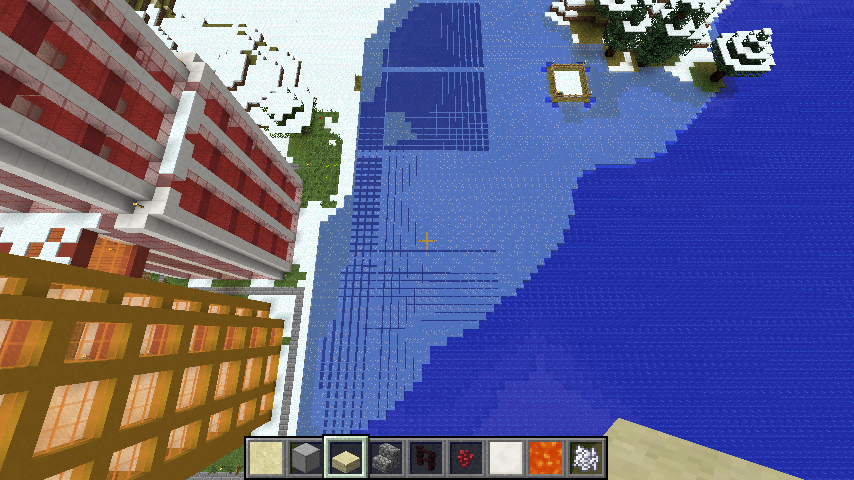

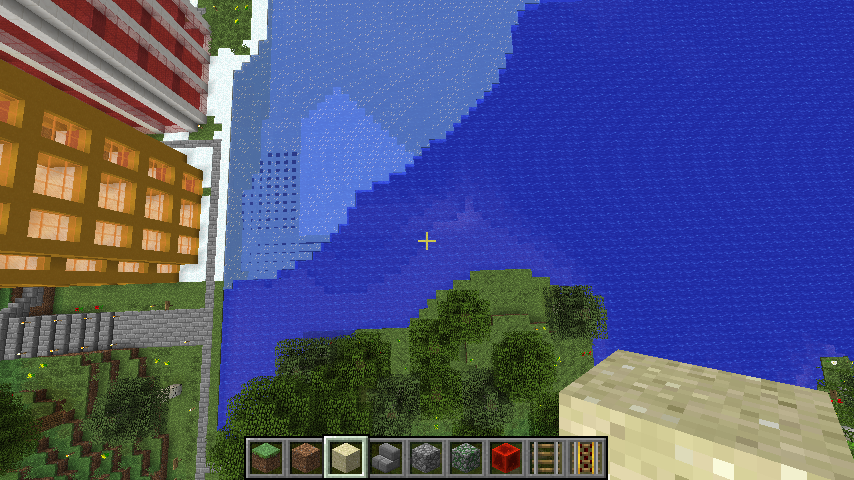


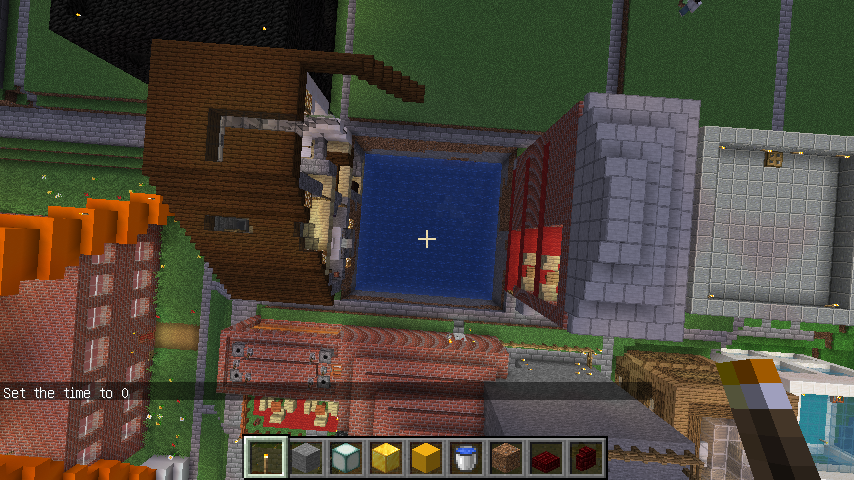


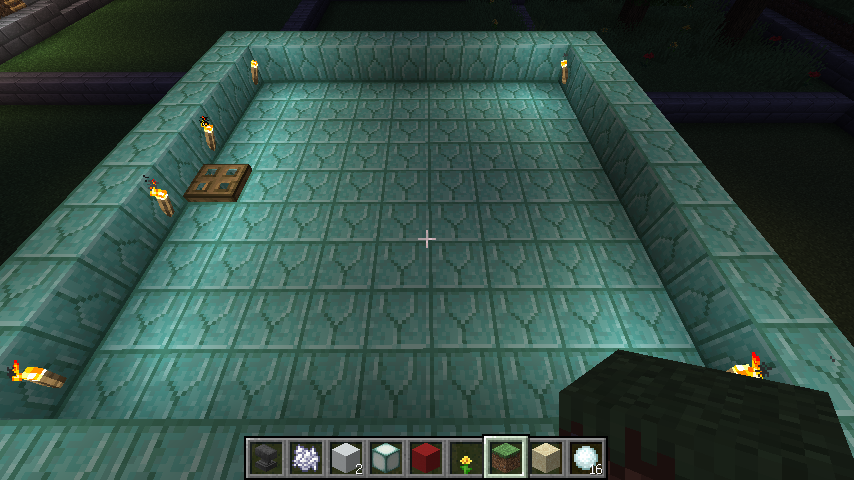
Even if I do force upgrade and erase cache, any chunk is fine after it's first loaded, but then the dark patches (re)appear after either walking out of it and in again or after all users disconnected and then someone reconnects. Attached screenshots are of a building without the patches, and of another building of identical design, with the patches. The patches are only visible at night, usually not at day.

![[Helper] Johnibur](../../../data/avatars/users/28381.png)
João de Camões Unfortunately, knowing that you still have the issue won't be useful if you don't provide more information. Can you provide a copy of you world, especially if you have a backup before triggering the glitch? And if so, from the backup file, do you have a consistent way to reproduce the bug on demand?
![[Mod] Michael Wobst](../../../data/avatars/users/37868.png)
João de Camões, can you please upload a screenshot or two of your issue/the black patches you are talking about?
Forced the crash as requested.
1. Java 1.8.0 is early access, it's in development.
2. OK, will do that.
3. OK, will do that too.
I did as I was told, removed the RAM JVM flags, and updated AMD Catalyst drivers to the last. This still happens.
The coordinates are: 258 108 404.
Attached is an abridged version of the world. The terrain is Beta terrain, generated with the world's original seed that has since been lost (the seed was changed in mid March 2011), so instead I attached a world with only regions 0.0 and 0.1 (I can upload the whole ~3 GB world somewhere if needed, though).
Attached is also the new crash dump.
Not a world, but an abriged version of the specific world from those screenshots. Coordiantes are in the post above (and are in region 0.0).
But the problem is there. Another player that plays on my server also started having problems with the ice rendering at the same time I did, which was in the 1.7 snapshots that introduced the new transparency handling.
Also, the problem doesn't manifest itself immediately. The ice renders correctly at first, then after some time flying above it and moving back and forth, the problem starts appearing.
How is it a duplicate of that? The log-placing crash issue throws an exception regarding ayi saying it doesn't exist. This throws one regarding ayj saying value "down" is not valid.
I tracked the issue down to unexpected data values. For example, chests edited into the world with data value 0 which the game assumes to mean the block is facing down (which is obviously impossible for a chest).
The crash went away after I removed all such blocks from the world, but I'm going to test 14w25b on the pre-fix world to see if the crash is still there.
Though I still think the game should react more graciously to unexpected data values (setting the values to default in such a case wouldn't be a bad idea).
Also, no block-adding/modifying mods were ever used on the world, only vanilla Minecraft, and the invalid blocks are mostly ones edited into the world by less-experienced players. I am going to make it a server rule now to pay attention to only use valid block values so such issues are avoided in the future.
Not a duplicate of the log-placing bug. More,
MC-57470(Minecraft Server crash, also reported by me) is related to this one.Basically, both bugs end up in the same exception (unable to set value to ayj because the value is not among the valid blues), but this is the client side, while the other is the server side.
As I explained in the other issue, it tracks down to unexpected/invalid data values due to blocks incorrectly edited into the world.
Yeah, it seems it has to do with certain blocks placed before Beta 1.8.1, such as chests. It seems some data values of certain blocks were valid in Beta 1.7.3 and earlier but became invalid later, and it wasn't apparent until now.
I think they should make Minecraft behave more gracefully in this kind of situation, my suggestion would be just assuming default value in case of an unknown/unexpected/invalid value.
Until then though, I recommend loading the world with MCEdit, having it analyze the world, then compare the analysis with MCEdit's internal list of block ID's and data values (MCEdit calls them subtypes) and nothing down any combinations present in the world that are not in said list, and then using MCEdit to replace them with either sane values or air blocks, one ID:data combination by one.
Confirms, it's the exact same issue as
MC-57470I reported. It has to do with data values for chests, etc. that were valid before Beta 1.8, Beta 1.8 made them invalid, and now 14w25* are making it all apparent by incorrectly interpreting them and mapping them to invalid property values, making the game crash.Yeah, happens to me too. And only in multiplayer. The exact same world causes no problems in singleplayer.
Yes, you however did not state that before even releasing 14w26a. You stated that when 14w26c was about to be released already. Not much I could do at that point. Again, using a backup is out of the question, I spent an entire day creating land plots in an era, and I'm not going to spend another day doing that. It would have costed nothing to make the game simply convert the wronged blocks to their correct values, thus preventing corruption.
It's still present in 14w27b, just checked.
Confirmed. Happens to me too and still present in 1.8.1.
It seems to be 1.8.x and earlier signs causing the problems. I've had no problems with worlds with 15w31b signs, but on any world with 1.8.x or earlier signs, when converted, causes you to be unable to join the server if any of the signs are within your view distance when you spawn.
Then at least the name should be changed, because the texture is not smooth at all.
The jar is called 17w50a, but it's actually 18w03b renamed to 17w50a because of MineOS.
Also, this is on a world that was carried over from 1.8 (from 2014). I start the snapshot server, connect with the 18w03b client (but same happens in 18w02a too), teleport to 764 100 1888 and then the server crashes with that exception.
By the way, this has been happening since some point during Beta 1.13 snapshots. I've even seen it happen to my 1.12 creative world - most of the town at spawn would get almost erased and replaced with wilderness.
Now, both of the affected world eventually had customization options added to their level.dat, so there might be that stuff in the chunks, but I removed that stuff from the level.dat (or else I couldn't even convert the world at all), and I would expect that if there's customization data in the chunks, the game would simply ignore that data, not decided to mess up the chunks.
Based on what I have observed, any chunks that were last opened in anything earlier than 1.13 final, seem to get regenned or at least messed up by 18w44a/18w45a. Any chunk opened in 1.13 final or later, will not get regenned or messed up.
Right now, I saw a chunk load fine in front of me, and then get regenerated.
I confirm this issue - whenever a minecart reaches a curved rail, it bounces back or sometimes goes completely out of place (had minecarts on an upper floor of a building end up on the floor below after being bounced back at a curved rail, for example).
Looks like my issue is a duplicate of this (may want to merge them), and my blast furnaces were placed in either 19w08b or 19w09a.
OK,
MC-142134is about the dark patches. But what about the regeneratign chunks? That reminds me of another issue that exited last year but was then resolved. Basically, some chunks that were fine in 19w14b, have now been completely regenerated.I just had the issue in Pre-Release 2 (but it might have occurred in Pre-Release 1 already).
Screenshot of the issue in Pre-Release 2 attached.
I have this, on a world that was previously opened in both 19w14b and 1.14-pre1 (the world goes all the way back to Beta 1.3_01 and was fine until the 1.13 snapshots when problem started, that still persist even in 1.14-pre2), and in addition I've also seen random chunks get entirely regenerated.
I confirm this, and it's even worse when Unicode font is set.
Unfortunately, I still had the problem on 1.14.2 pre-release 4, even after using force upgrade and erase cache on the world. Each chunk was fine on first load, but after unloading it and loading it again (done by moving far from the location and then back), the darkness patches were back.
The same thing still happens on 1.14.2 final.
I'll upload a cut down version of my world, but it's easy to reproduce:
1. Fix the glitch by loading the world with force upgrade and erase cache;
2. Log in, go to the chunk for the first time - it will look fine;
3. Go far away and then back, dark patches will reappear, eg. on the primarine railway station.
And every time the chunk is unloaded and loaded again, the patches increase in quantity.
Two screenshot are attached: the first one shows the way the building is suppose to look like (I reused the design so I have buildings with it that are unaffected by the dark patches), the second is the building with the dark patches. The patches only really appear at night, during day they are not really visible.
Another screenshot of the good one, from the same angle as the bad one:
Does anyone have a solution for the issue? I deliberately left those chunk on my world in such a state, for a specific reason. You don't expect me to manually walk through the whole world in an older version to populate every chunk, do you?
It still happens on both 1.14.4 stable and 19w37a.
OK, I reset the Java parameters to default and now it at least starts with the bundled Java.
The same problem also occurs with bundled Java.
The issue can be closed - it's caused by the 1.17 OptiFine Preview, and does not occur with Vanilla 1.17.