 MadHatter
- ravinmaddhatter
- ravinmaddhatter
- Europe/Stockholm
- Yes
- No
 MCPE-57158MCPE-68796MCPE-120078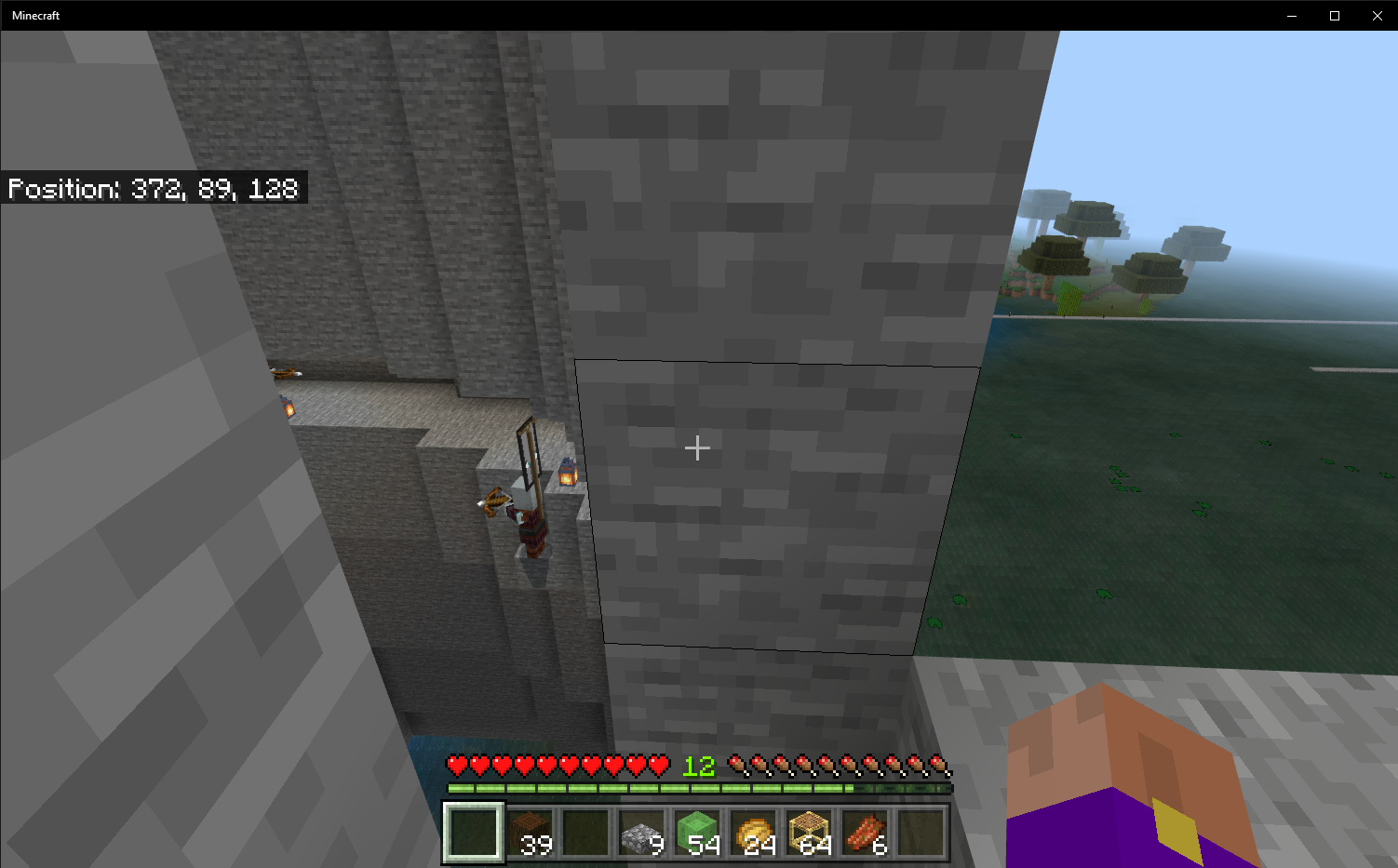


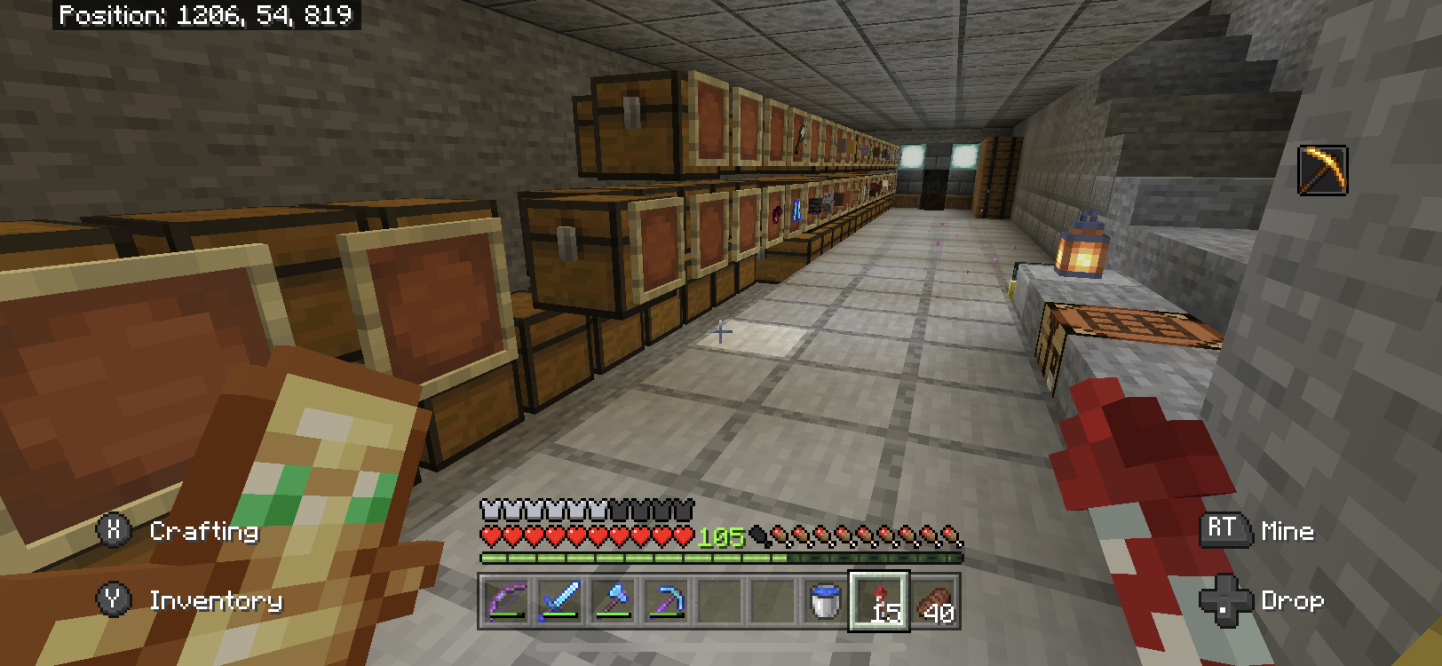

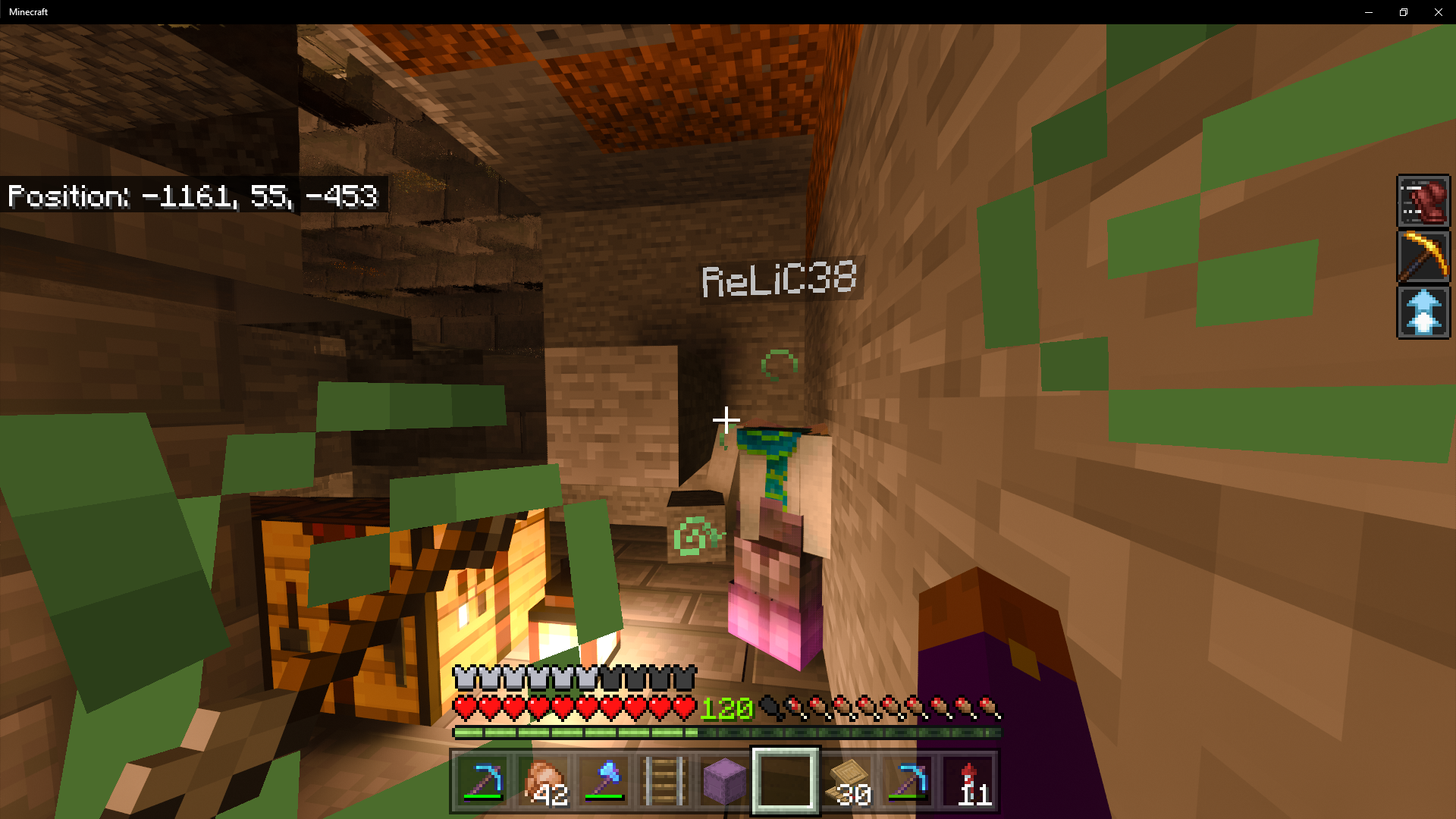
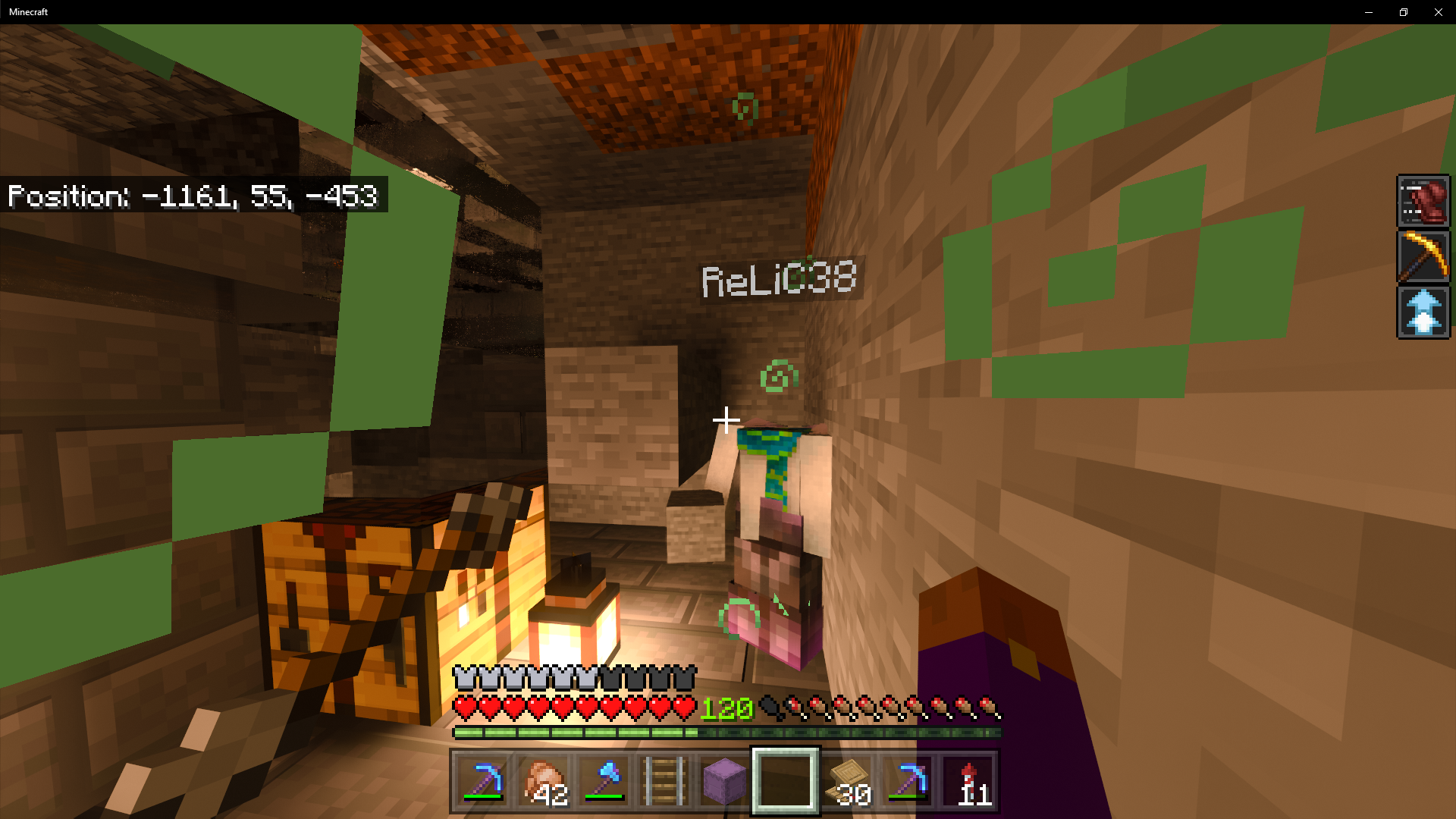
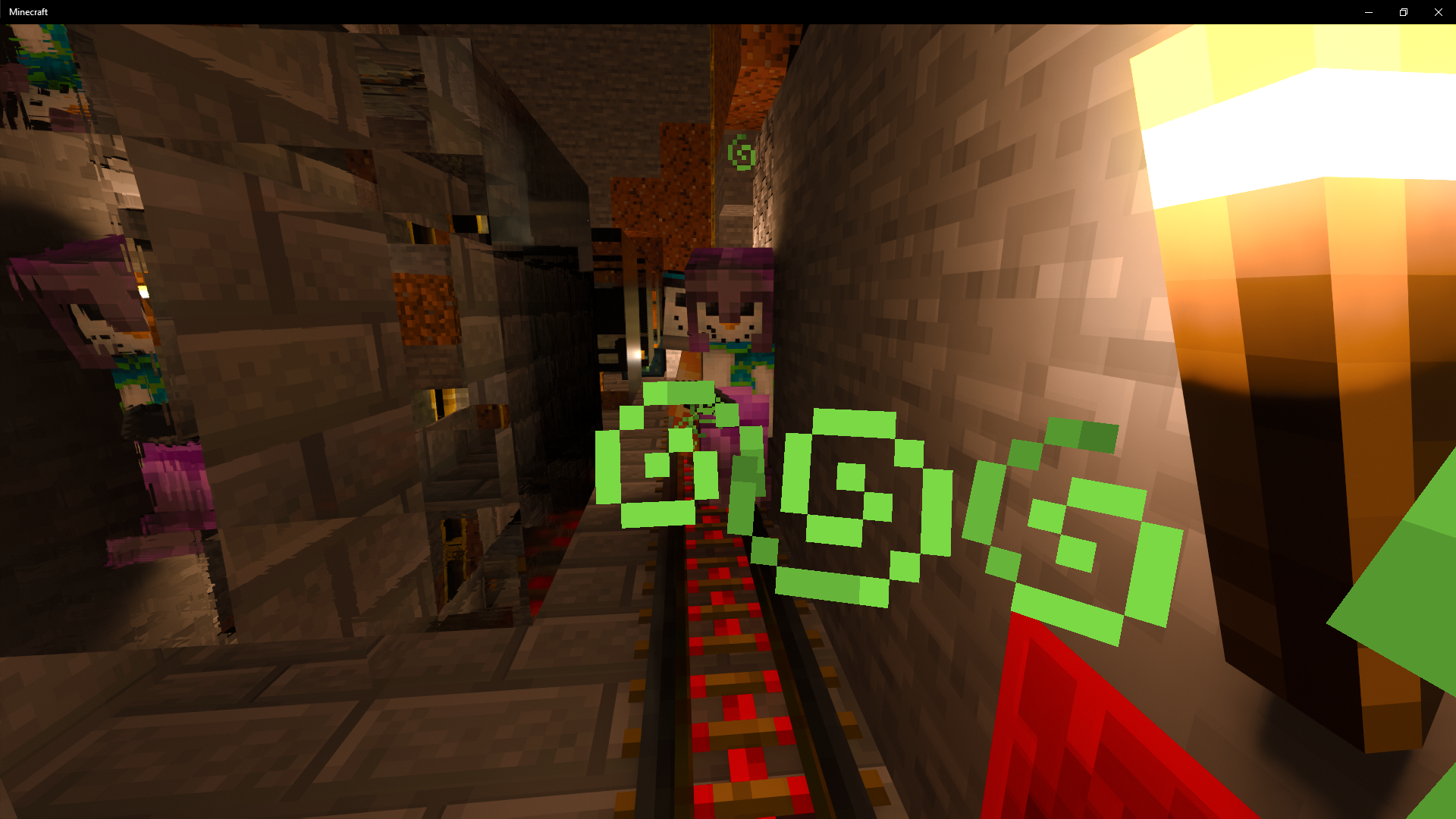

To repro, Fill 5 shulkers full of items, place those five shulkers into a hopper. Face that hopper into an empty shulker. Next steps prove that it isn't client side
Large amounts of lag will occur. The easiest way is to go to another dimension or an area a long way away (as a way to show it is server/host side not client side), and place gravity blocks while the hopper with 5 full shulkers are loaded on a second players device. This will cause entity rubber banding and block placement lag server wide.
Empty or partially full shulkers seem to cause less lag, this leads to the assumption that the data in the shulker is a contributing factor to the lag. Based upon this, the assumption is that the data in the shulker is put a transfer request then canceled ever tick,
Videos can be provided if needed.
To repro, Fill 5 shulkers full of items, place those five shulkers into a hopper. Face that hopper into an empty shulker. Next steps prove that it isn't client side
Large amounts of lag will occur. The easiest way is to go to another dimension or an area a long way away (as a way to show it is server/host side not client side), and place gravity blocks while the hopper with 5 full shulkers are loaded on a second players device. This will cause entity rubber banding and block placement lag server wide.
Empty or partially full shulkers seem to cause less lag, this leads to the assumption that the data in the shulker is a contributing factor to the lag. Based upon this, the assumption is that the data in the shulker is put a transfer request then canceled ever tick,
https://youtu.be/eTPg_hXs8hM world file is attached.
To repro, Fill 5 shulkers full of items, place those five shulkers into a hopper. Face that hopper into an empty shulker. Next steps prove that it isn't client side
Large amounts of lag will occur. The easiest way is to go to another dimension or an area a long way away (as a way to show it is server/host side not client side), and place gravity blocks while the hopper with 5 full shulkers are loaded on a second players device. This will cause entity rubber banding and block placement lag server wide.
Empty or partially full shulkers seem to cause less lag, this leads to the assumption that the data in the shulker is a contributing factor to the lag. Based upon this, the assumption is that the data in the shulker is put a transfer request then canceled ever tick,
https://youtu.be/eTPg_hXs8hM world file is attached.
A gametest was created to directly show the measurable lag. see BedrockTechnicalTestTools.mcaddon
lag:shulker_lag is the test for bring the shulkers in
lag:check_lag uses the time function in java script to measure the time between ticks...
This should not have been set to resolved. 1 hour after requesting more info.
In a texture pack if you define a texture set for a block and that texture set contains a normal and MER file as documented in the RTX guide from NVIDA, the texture set works properly.
If you define a variation set for a block in the terrain_textures.json as below
{{"num_mip_levels" : 0, "padding" : 0, "resource_pack_name" : "vanilla", "texture_data" : { "dirt" : { "textures" : { "variations" : [ {"path" : "textures/blocks/dirt/0"}, {"path" : "textures/blocks/dirt/1"}, {"path" : "textures/blocks/dirt/2"}, {"path" : "textures/blocks/dirt/3"}, {"path" : "textures/blocks/dirt/4"}, {"path" : "textures/blocks/dirt/5"}, {"path" : "textures/blocks/dirt/6"} ] } } }, "texture_name" : "atlas.terrain"}If the numbered files are texture sets, no MER or normal layer will be loaded, however the color layer is properly loaded.
I would expect that if the color layer is loaded, then the MER and Normal layer would be loaded.
I cannot find any documentation that states differently, i am happy to be proven wrong...
In a texture pack if you define a texture set for a block and that texture set contains a normal and MER file as documented in the RTX guide from NVIDA, the texture set works properly.
If you define a variation set for a block in the terrain_textures.json as below
{ { "num_mip_levels" : 0, "padding" : 0, "resource_pack_name" : "vanilla", "texture_data" : { "dirt" : { "textures" : { "variations" : [ {"path" : "textures/blocks/dirt/0"}, {"path" : "textures/blocks/dirt/1"}, {"path" : "textures/blocks/dirt/2"}, {"path" : "textures/blocks/dirt/3"}, {"path" : "textures/blocks/dirt/4"}, {"path" : "textures/blocks/dirt/5"}, {"path" : "textures/blocks/dirt/6"} ] } } }, "texture_name" : "atlas.terrain" }If the numbered files are texture sets, no MER or normal layer will be loaded, however the color layer is properly loaded.
I would expect that if the color layer is loaded, then the MER and Normal layer would be loaded.
I cannot find any documentation that states differently, i am happy to be proven wrong...
The change "Added new logic for mobs dismounting rideable" breaks the minecart.
The following issues occur:
- A mob in a minecart with solid blocks at a head height
(even if onto trapdoors that areopen)- It doesn't fix the issue with the boat, as you fall through when you get in water
- It doesn't fix the issue on the strider on going into lava
I am unclear on what this actually fixes as the stated fixes are not actually not fixed and the the player/entities end up often put into more hazardous locations IE inside of blocks causing suffocation damage.
This is a regression that actually causes death in more condition then it prevents.
The change "Added new logic for mobs dismounting rideable" breaks the minecart logic and boat exiting.
The following issues occur:
- A mob in a minecart with solid blocks at a head height will suffocate the player even if onto trapdoors that are have a safe fall near by or water near by
- It doesn't fix the issue with the boat, as you fall through when you get in water
- It doesn't fix the issue on the strider on going into lava
I am unclear on what this actually fixes as the stated fixes are not actually not fixed and the the player/entities end up often put into more hazardous locations IE inside of blocks causing suffocation damage.
This is a regression that actually causes death in more condition then it prevents.
Some solutions to consider for next time:
/kill is equivalent to:
- Jumping into the void
- Looking at the enderman and standing there
- falling from great height
- getting a shulker to kill you
- Starving to death by running and jumping
And also
- The end portals are there to go back home,
- The end foutain is not the same as a island portal
- and you can fly back or pillar back.
Cheers
Seems to be stone that was made from cobble. Stone from silk touch seems to be fine. Likely stone from the creative menus would be fine too
So there is no way to prevent spawns for pillagers and no despawning for them?
(Including indoors and in torched houses)
Steps to reproduce, have a base in Minecraft, go mine, come home. Pillagers are in your bed.
After more research I think the issue is that the money are classed as surface spawns. All other hostile surface spawn mobs are rejected by light. So building your roof out of half slab is cosmetic and prevents the need for lighting.
Pillagers require the roof to be made out of solid blocks covered by slabs (for the other spawns). This does increase the build bulk and material cost.
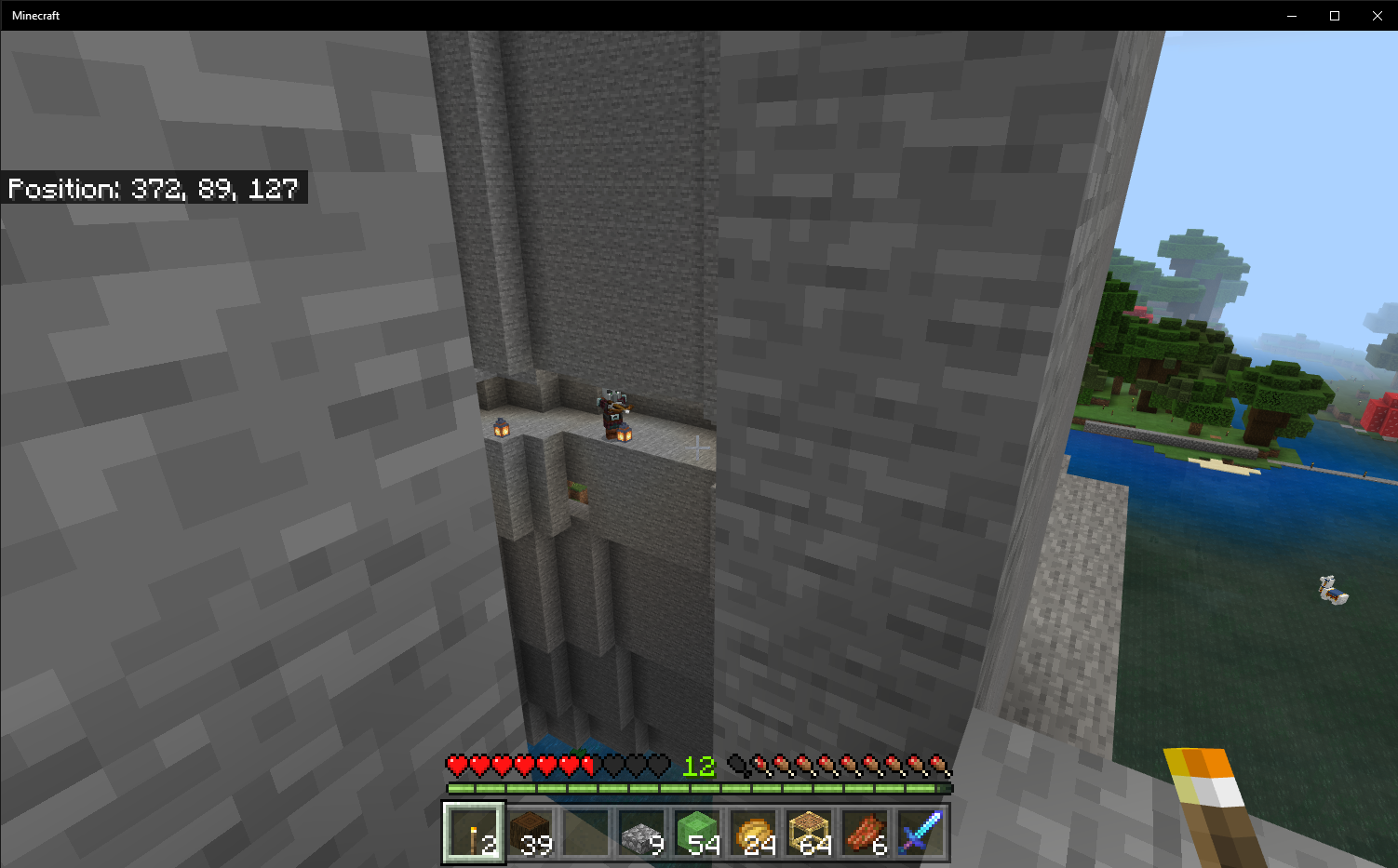
I don't think they should spawn under slabs as shown in the screenshots.
Confirmed on 1.13 in a realm
Thiis also impacts placing blocks in 1.13.
Both mining and crafting are impaired by block lag
I had them spawn on end stone, I had them spawn on end city roofs (purpur).
It seems that raiders can spawn on any solid block that doesn't have a solid block above it.
Same on realms. Some times it consumes Food. When walking and at only .5 hunger it seemes eating gets cancelled at the last moment continually some times.
I have video if needed
Reading through the comments it is hard to imagine a bug that is worse than mobs spawning in previously safe areas. I will lose litterally dozens of hours of work if i log in to the server i play on. A 20 chunk pixel art base that is spawn proofed with slabs is now a mob farm.
I understand that QA was testing and found out that it broke some undisclosed feature and the patch was removed at the last minute. The bug that was left in is worse than any other active bugs due to the creepers and enderman. They both destroy builds that take hundreds of hours to put together.
Confirmed on BDS Minecraft 1.14.1 and Windows 10
Can confirm it happens on server.
I can confirm. TNT also does no damage. in 1.14
did you try on a realm or server? 20 shulkers in this config will cause item transfer rate to reduce to 1 item every 4 seconds? I did put server in the title.
I have uploaded the world, upload the attached world file to a realm or server. i will upload a repro video to youtube in a few minutes and attached the link.
https://youtu.be/eTPg_hXs8hM
This video explains how easy this is to reproduce. I didnt put it in the BDS or Realms pool because it impacts both. a Jira Admin can move it if they choose.
I was also able to reproduce in a single player world, it just takes far more hoppers. with 30 hoppers, my computer is heavilly bogged down. Realms are just really really weak and susceptible to lag.
The faster your computer is the more shulkers pushed into hoppers are required.
One note:
After playing around with this a fair bit, i believe the important data in this ticket is as follows:
From that information, i believe this implies the server is copying the data for the shulker transfer, including all of its stored data, before checking the container type. However it does appear to check the container "fullness" before attempting the push. If the container type was checked at the same time the container fullness the data transfer would not occur and the lag would be reduced.
This may an over simplification of the algorithm, however it from testing that seems to be what is happening.
If it stays in, i know this can be exploited as a lag switch, it can be used to do things like obtain objects intended to be unattainable, duplication, and other game breaking exploits.
Not fixed in 1.14.6 it is actually far worse, in 1.14.6.
Every mob you fly over is loaded until server reset. this works in single player or in multi player worlds,this causes the memory and CPU usage of the server to increase over time. Noticeable amounts of lag and other issue occur over time on a server until restarts occur.
The garbage collector for the ram on bedrock needs to be looked at. this is causing major game-play issues.
This was also confirmed in 1.14, 1.16 beta. This looks like a connected ticket
MCPE-78279This looks linked to
MCPE-52790I do not have permissions to link them.
This has happened in at least 5 locations in one world in the last month. It has been much much worse in 14.6
Note, this particular issue has caused many of our community members to leave bedrock and go to java. It is discouraging.
Interesting thing occurred today. For months we have not had issues in the nether, but recently we asked a few people to log out in the nether to see if it fixed an unrelated issue. Since then the signs around the area that we have had them log out have disappeared. This appears to be log out related in my opinion.
I have the same issue in 1.14.6.. Mobs in the world do not unload either. the game keeps allocating memory. The easy way is to put a command block on repeat every 300 or so ticks, and run the command "spreadplayers 0 0 5000 5001 @a" on repeat. the more players you have in the world the faster the bug will repro.
This also happens without TP or Spread players. if you put 20 people in a world and just have them play the game after a while it becomes unplayable.
Server resets clear the issue, but it builds up quickly on servers.
Happens on BDS, on Realms, and local
The easy way is to put a command block on repeat every 300 or so ticks, and run the command "spreadplayers 0 0 5000 5001 @a" on repeat. the more players you have in the world the faster the bug will repro.
Server resets clear the issue, but it builds up quickly on servers.
Happens on BDS, on Realms, and local
FYI we are loosing players on the bedrock edition for java edition daily due to this bug. Losing you main storage and all of you items weekly kinda turns you off of minecraft. It is incredibly serious. honestly this is worse than block lag. it is as bad as the world corruption bug we had. you lose all of the items to build your bases, all of your tools, all of your shulker boxes. they are just gone.
The world coruption bug was at least obvious. you now need to check your storage system every log in or risk losing all the items.
I am still looking hard for a way to reliably repro. i have been told this is much much worse in 1.16 as in it happens constantly there.
We see invisible non functional chests about 1-2 times a week on a server of 15-20 people. in 1. 14.3 we saw 1 or 2 times a months. in 1.13 we saw it 2 times ever.
When it was 1 or 2 times ever we didnt really care. But in the last month we have lost something like 200 shulkers and 50 double chests, a few conduits, countless beds and a mob cage. It has been getting worse withe every update. We are trying to get a catalog of when and where this has happens in our worlds. We have seen impacts to every single tile entity at some point or another in 1.14.6. but i have yet to force it to happen. Right now i have a script logging me in and out at one location in 1.14.6, but that is not forcing the issue.
One note is we only recently saw it in the nether when we asked a user to log out in the nether as part of testing. in the save file the "tile entities" category is just gone for the chunk.
player seems to spawn where the portal was lit, not at the base of the frame. It has been a known issue in the community for a while. sorry i didn't see the ticket or we could have added it.
Work around. Light the portal on the bottom. it doesn't happen.
It may be partially due to that, after a few hundred re-logs, (in 1.14.6) i did not get a repro, i will see if i can find a way to force myself to use a nether portal on loop. as this is a rare ish repro.
Note, i don't want to loose access to my 1.14.6 worlds or i would test in the beta as well. if a supported launcher was available i would be testing in the beta. but a 2+hour process to switch makes beta testing really an investment.
The core issues here is Spawn > desapwn> no spawn. The proper arrangement is Despawn>= Spawn>=nospawn.
The quoted reason why the R44 is required for despawn is reliability of despawning. That reliability is jeopardized by allowing a mob to spawn at 54 then travel into unloaded chunks. I cannot think of a benefit of the mob spawning in the despawn zone. Forgetting about the numbers i think it is a must that Despawn>= Spawn>=nospawn.
I will say, from a game play perspective Despawn radius being as large as practical is ideal, but this bug is about the relative sizes.
The idea of adding a new state to the state machine for chunks (lazy state) scares me this late in the update. Honestly this is an unpopular statements, but everything should probably be 44 for this update, and users are able to set their ticking area higher for now.
So we had it happen again yesterday, we lost something like 20 barrels of wool, but this time it seems that the person noticed it on log in. as they were actively checking the wool.
the situation was as follows.
This is not a reliable repro case, but the fact it happened that way may be a clue. from the 50+ times that we have had this happen on 2 different servers, all locations where it happens are near places that a person frequently logs out/in, near a nether portal.
A 3rd test server has been set up running the same software and hardware at the same hosting company, TPing around with 1 player until the world runs out of ram does not cause this issue, Logging in and out with only 1 player online does not seem to cause this issue.
The next line of testing i will be performing is to log in and log out while a different account TPs around an area. filled with tile entities. I really hope to get a reliable repro case as this has caused no less than 15 players to abandon bedrock in favor of a different java server.
Forgetting about the wish for R=54
Despawing at 44 while spawning at 54 means that 42% of all mob spawns are just dead clock cycles.
It is really bad for the game. look at it this way, vaild spawning area =pi*(spawning radius)^2 - pi*(25)^2, area where mobs are not instantly despawned =pi*(despawn radius)^2 - pi*(25)^2
as an approximation you get 7197m2 spawn spawnable, and 4118 m2 as non-despawn
I am going to say again what is unpopular. in the current set of Minecraft spawn despawn conditions, For simulation distance 4, the spawn radius should be 44. The only reason it is not 44 is to falsely claim the update didn't change the spawn radius in a negative way. It is harmful to play on low end devices to keep it this way. It needs to change. there is 0 reason for the current situation.
The fix is extraordinarily simple. SpawnRadius=DespawnRadius. In the future lazy chunks or whatever else can be considered. but i would like to not simply burn double or more the CPU cycles as part of mob spawning.
alt lock was super useful for preventing pain in my had when running for a long time. without shift lock i actually get physical pain in my left hand from playing minecraft. This should be a priority.
This was unexpected behavior for me as every other passive mob offspring is persistent and does not despawn at R44.
Note: seems to be reproducible with the equivalent number of hoppers pointing into full chests as items in shulker boxes. This may seem confusing but here is the scenario
54 hoppers facing into 54 full chests all full of items, you can get equivalent lag to 4 shulkers on a server/realm. The lag caused is way more several people being online. it does bring our server to it knees.
We have had 2 reproduction, on a server. The first reproduction was the day the server was updated, Half of one chest was invisible, all contents were accessible in that chest, but one of the 2 double chests could not be seen. when the invisible chest was broken all of the items popped out and chest was returned.
The second reproduction was discover about 1 week after update, This time the individual client that was observing the issue could not access the chests, they could not interact with the chests in any way. As an experiment a second person on a different computer came to inspect the same chest. All items were present. as an addional experiment the person who could see the chest flew away ~250 blocks on Simulation 4 render 16, The person who could not see or access the invisible chest logged out and waited 1 minute, then logged back in. This was an attempt to see if autosaving would permanently delete the items. Upon re-logging the items returned and the chests re-rendered
This is an extremely concerning bug to everyone in our community as it very much resembles the tile entity deletion bug in 1.14
We have had 2 reproduction, on a server. The first reproduction was the day the server was updated, Half of one chest was invisible, all contents were accessible in that chest, but one of the 2 double chests could not be seen. when the invisible chest was broken all of the items popped out and chest was returned.
The second reproduction was discover about 1 week after update, This time the individual client that was observing the issue could not access the chests, they could not interact with the chests in any way. As an experiment a second person on a different computer came to inspect the same chest. All items were present. as an addional experiment the person who could see the chest flew away ~250 blocks on Simulation 4 render 16, The person who could not see or access the invisible chest logged out and waited 1 minute, then logged back in. This was an attempt to see if autosaving would permanently delete the items. Upon re-logging the items returned and the chests re-rendered
This is an extremely concerning bug to everyone in our community as it very much resembles the tile entity deletion bug in 1.14
We forgot to get pictures in either case. If we have another repro we will take pictures and document more completely.
From investigation into the "deleted tile entity bug" in 1.14 we had discovered that tile entities that do not have a data entry in a chunk seem to render as invisible. Speculatively data values from the server do not appear to be properly synchronized with the client that sees the "invisible chests" IE the data for the sub chunk containing the chests was not loaded or stored by the client.
Items that should be noted to confirm the "client doesn't have the sub chunk data" hypothesis include: conduits not appearing, furnaces being inaccessible, beds being invisible, ender chests being invisible, hoppers not working, droppers not being accessible, barrels not being accessible, the item in item frames not appearing, signs not containing text an beacons not being accessible (for other people to note when they have a repro)
Clients were windows 10, 1.16.100.4
Server is BDS
Behavior packs are 1 player sleep (animation controller that calls time add 100 when in bed) and mini blocks (educational edition armor stands that are reskinned to look like blocks and companion spawn eggs)
Resource packs were not recorded at the time of reproduction, at least one person had a chunk border visualizer that showed the chests were across a sub chunk or chunk borders. however this person did not have the missing chests.
latest repro. Same person reported same chests same issue. Relogged fixed.

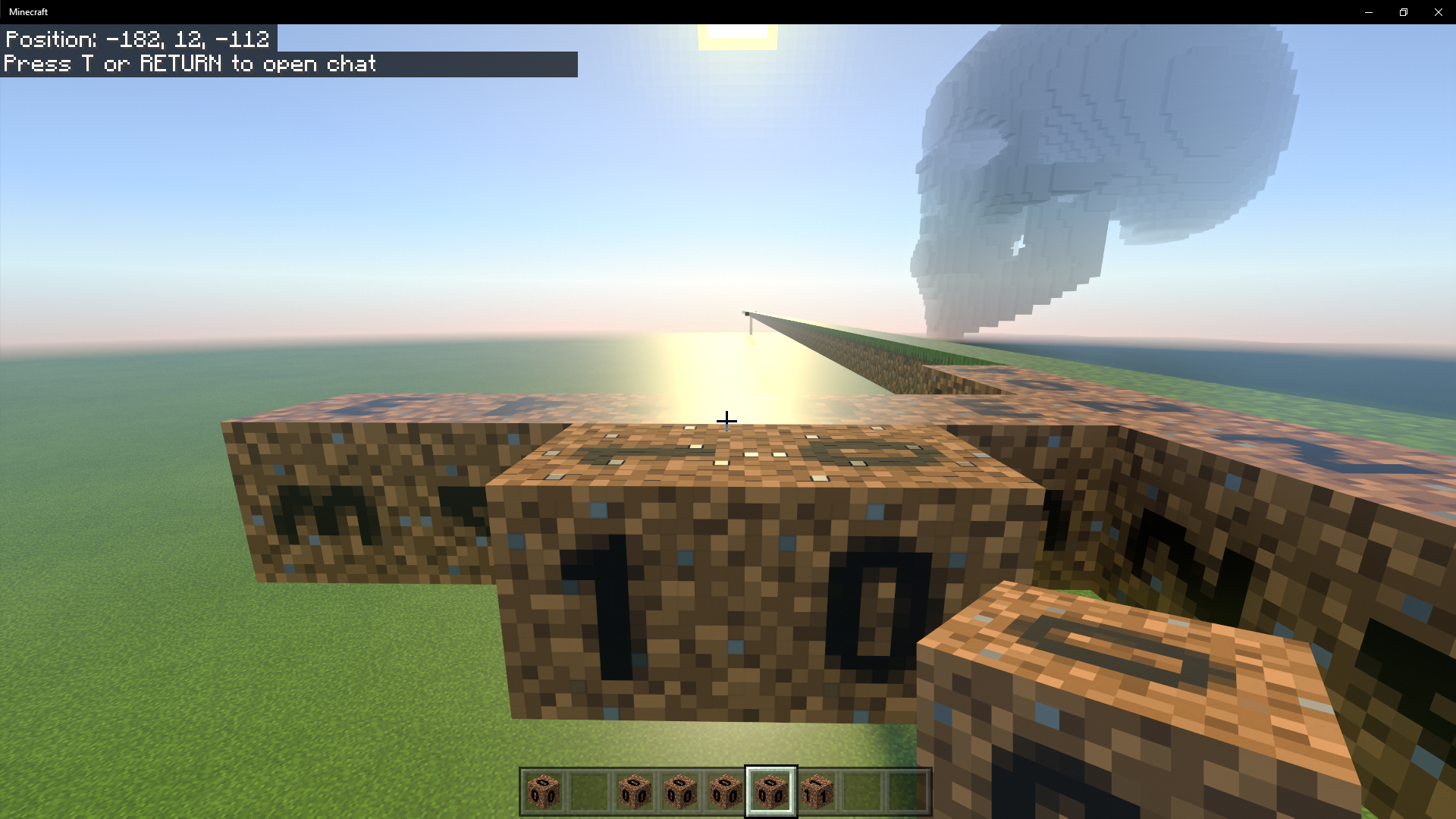
I have attached a data pack that has dirt randomized. (numbers on the dirt block). and coal_block and coal_ore set to call the exact same texture set file as dirt and drit1 (0 and 1 in the picture) as you can see the coal_block and coal_ore (closest to the user) have the proper texture set loaded, but dirt0 and dirt1 do not have the texture set loaded, only the color file.
for clarity this is the terrain_texture.json file used in that test (I redid the test with textures I can actually share):
{ { "num_mip_levels" : 0, "padding" : 0, "resource_pack_name" : "vanilla", "texture_data" : { "dirt" : { "textures" : { "variations" : [ {"path" : "textures/blocks/dirt/dirt" }, {"path" : "textures/blocks/dirt/dirt1"}, {"path" : "textures/blocks/dirt/dirt2"}, {"path" : "textures/blocks/dirt/dirt3"}, {"path" : "textures/blocks/dirt/dirt4"} ] } }, "coal_block" : { "textures" : "textures/blocks/dirt/dirt" }, "coal_ore" : { "textures" : "textures/blocks/dirt/dirt1" } }, "texture_name" : "atlas.terrain" }you can see the same texture should be called... it is "textures/blocks/dirt/dirt" and "textures/blocks/dirt/dirt" are character for character the same. And the PNG is named 0.png, so no way that it isn't loading the texture set (IE the color files can only be found through the dirt.texture_set.json) but it is not loading all info (IE the MER) from the same file. (as indicated by the shine).
I am very interested in what I am doing wrong here or if it is a proper bug with rtx
Umm.. can we do something about getting 79 phantoms in 1 minute after coming up from the mine.
Phantoms spawn, they move over to the closets player, open up spawn cap, and keep spawning... It is impossible to survive if you dont sleep. and you cant sleep easily on multi player servers
Client: all
It is sim 10 related and having sim 10 is just broken right now. Sim 6 and Sim 4 is fine
As this is broken i think i will suspend my realm sub until it is fixed. It is unplayable on Xbox one, phone, or windows 10 pc. even with 1 or 2 players online.
PC
I7-8700
32 gigs ram
RTX 2080
What does this have to do with the way that the resource packs stack? There is only 1 resource pack involved. I would understand if the you staid "works as intended PBR texture do not support texture variation" But this is inside 1 pack and it simply disables PBR or any ray traced texture if the variations are used.
Seems like a bad resolution justification....
Looks like i will just stop development of the RTX packs as texture variation is more important to me then PBR.
I think more to the point, this change actually REGRESSES the intended improvements. The player character will end up in a MORE dangerous situation more often then previous to the change.
I don't know who or what group was responsible for checking this improvement, but I cannot find a case where this change performed BETTER in 1.16.210 over 1.16.201 in putting a player in a safer place. The player ALWAYS ends up in the same place, equally safe place, or a more hazardous place as avoiding water at the cost of block suffocation damage is not safer. Check the world i have above, reconstruct in 1.16.201. and you will find that 1.16.201 results in not taking damage, where 1.16.210 does. Add this to the fact that the dirt blocks could be obsidian and the player without an efficiency 5 diamond pick would receive fatal damage in 1.16.210 and would receive 0 damage in 1.16.201
As a side note in 1.16.201. The player always ended up standing on the boat in water, In 1.16.210 the player ALWAYS ends up in the water counter to the change log statements unless the player is directly next to a block at equal or lower height to the boat, and in those cases it is inconsistent at best. Due to this change it is no longer possible to exit a boat in the middle of an ocean and fly away with an elytra because you ALWAYS are in the water and bedrock does not allow for flight mode to be entered in the water.
Forgetting about the impacts to builds that an individual has made, I have yet to see a case where the new change is safer than the old change in difficult conditions.
The change appears untested and haphazard at best.
@LateLage Can you give an example of a place where this new method doesnt put you in a worse place or a less safe place? There are MANY times i would rather be falling then in obsidian suffocating with no way out.
If the game considered "suffocating" as MORE unsafe then falling I would be fine with this change. But Suffocating is 100% death for all mobs, where as falling a few blocks into water is a great way to store mobs.
To me the important thing that it doesn't seem to be be consistent with the developers intent.
Some tips for next time:
/kill is equal to the following survival operations:
Also the following bits may be helpful:
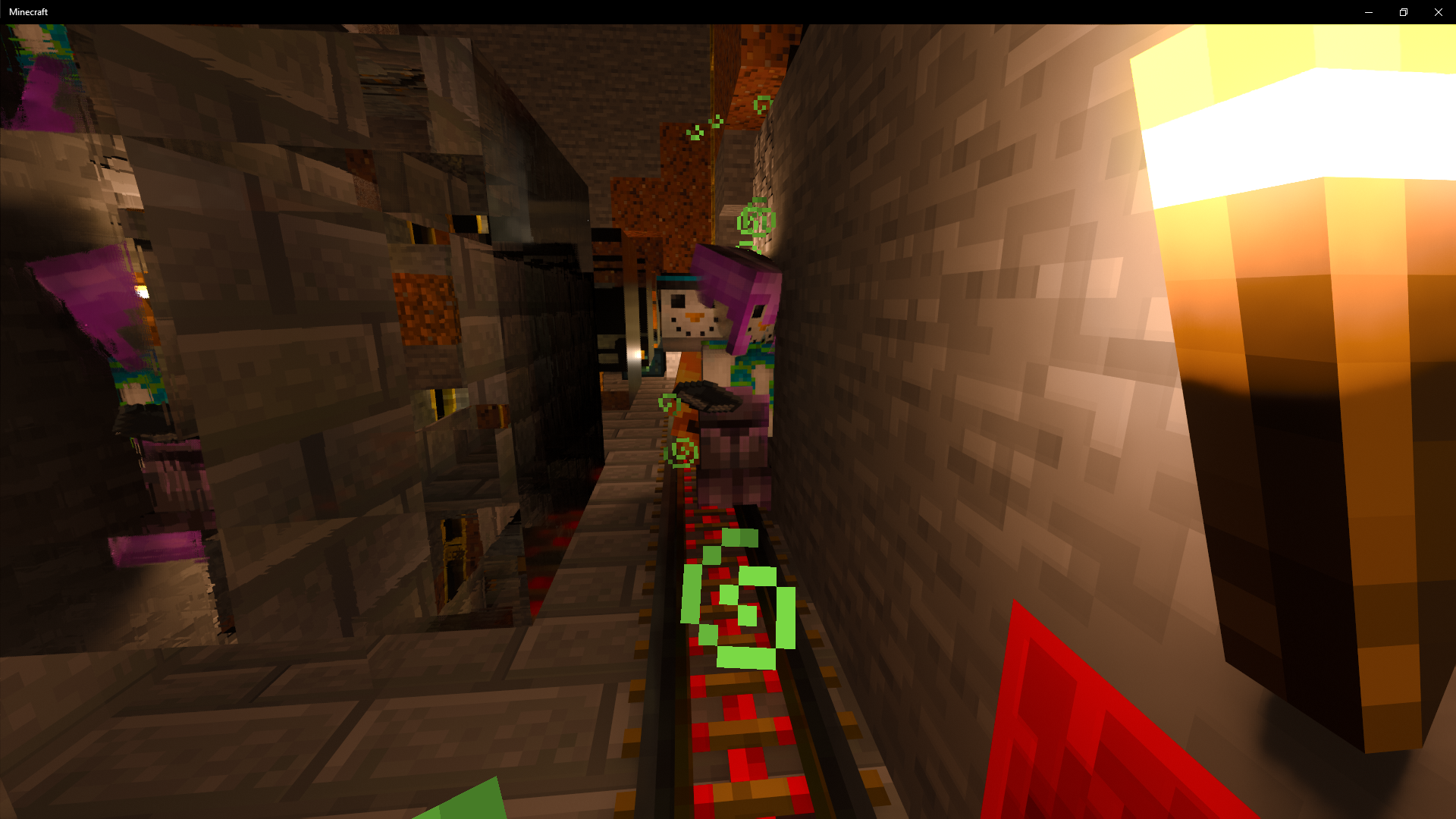
This occurs daily. litterally once ever few hours when you play on multi player servers. The player geo is completely messed up. It happens in all RTX version i have tried.
It even happens with Steve and Alex skins as long as an RTX pack is on and the player has RTX active
It happens so frequently i dont even both taking screen shots or reporting it. almost always a thing.
Much like my other tickets though this one was resolved without any meaningful attempt to repro by Mojang. It makes me not want to report issues.
Most definitely still a problem i use this as my lag source when testing.
I will be creating a new ticket as Mega spuds response makes exactly 0 sense.
I cannot links these, but this was the one that was closed with a resolution that makes absolutely 0 sense.
MCPE-110361Nowhere in the entirety of the ticket did we mention multiple packs interacting.
Sorry i had a child during this period of time and was unable to update the ticket due to parental commitments
Steps to Reproduce:
Observed Results:
Player takes continuous fall damage and dies
Expected Results:
player can fly as if in creative without death.
I have not been able to get people together to test it in this realease as i am busy taking care of a newborn.
Getting carpel tunnel, i have numbness and pain in my hand as i cant shift lock... This is an accessibility issue and is actually causing pain and harm to some players.
I attached a behavior pack to make testing easier. This uses the test framework. But to test this use the following game test commands.
\gametest lag:check_lag
every time this runs it calculates the time between ticks.
\gametest lag:shulker_lag
This spawns a setup with shulker boxes that the player can turn the item in the item frame to see how the lag increases. On a single player world it takes a few of these setups depending upon the single threaded performance on a your processor. on a realm... best of luck, it will be unplayable.
Attached.
Since we don't have access to the sleep time in bedrock (IE how much CPU time the game is taking up) i measure it using Date.now() in java script. If you run that command on consecutive ticks in the game test framework you SHOULD get 50ms. unless all of the Sleep time is used up. In the case of the shulker block lag issue you can use up all of the sleep time pretty easily causing major lag.
I know that on the other side of the Mojang "compile flags" settings wall the MSPT measurements would be actually trivial. But it is extremely hard to prove that something causes lag.... I have no way to measure how sleep time is impacted by things running in the game unless they are completely broken. But for now this one is so bad that even on an I9 with 32 gigs of ram i can lag my game with 6 hoppers and a few shulkers....
I did some math in Sim 10 the density is way way less after this change. It is not parity. it is actually a substantial reduction in cap. Honestly. if the nether is "too hard" that is what difficulty settings are for.
The max average mobs in bedrock is about 50 on bedrock after the change, but it is 70 in java....
it is in 1.17.0, 1.17.1, and 1.17.2.1.
To Repro, you must clearly have an RTX enable graphics card. Attach that pack i put in the jira, and place "coal" or "coal blocks" and dirt. Dirt is set up to use a PBR file that is not tied to variants. Dirt is tied to the EXACT SAME pbr file. and doesn't render the normal or MER file.
This is the terrain texture data to explain that in detail.
{{ "num_mip_levels" : 0, "padding" : 0, "resource_pack_name" : "vanilla",
"texture_data" : {
"dirt" : {
"textures" : { "variations" : [
{"path" : "textures/blocks/dirt/dirt"}, {"path" : "textures/blocks/dirt/dirt1"}, {"path" : "textures/blocks/dirt/dirt2"}, {"path" : "textures/blocks/dirt/dirt3"}, {"path" : "textures/blocks/dirt/dirt4"} ] }
}, "coal_block" :
{ "textures" : "textures/blocks/dirt/dirt" }, "coal_ore" :
{ "textures" : "textures/blocks/dirt/dirt1" }}, "texture_name" : "atlas.terrain"}
For clarity so you don't have to open it up the texture files are named 0.png 1.png ect. So the only way for the dirt block to find the png is to actually look in the JSON. however it is not finding the MER or the Normal.
This is a really simple pack designed to only express this 1 bug.
I would check in the beta... but getting into the beta is such a hug pain in the bum.... It is about 6 hours of work to change between the beta and normal....
I concur with the conclusions of this after trying to make my own MER. The candles do not find PBR files. This is similar to if you have varied textures, Varied textures also do not respect PBR settings.
Looking at the blocks i think this is linked to MCPE=126617 where items with block variants do not support PBR. It seems to be very similar. it loads the color map from the Json file, but will not load the MER or the normal..
This is an accessibility issue and much like the lack of crouch lock and other features that prevent people with different life experience from enjoying the game.
It is sad to see Minecraft bedrock failing the Microsoft promise of accessibility to gamers. First by removing crouch lock, then by preventing left hand mapping....
I think this is fixed.... in a full release?
Blaze should be impacted then as well.
In addition after a few ghasts spawn, no skeletons spawn in soul sand valleys, This seems unintended and should be linked to biome spawns as the nether has lava. the lava is high light level and blocks spawning in large areas of soul and valley. In addition enderman are substantially less likely to spawn in the warped biome...
In addition the behavior does not match the json..
"minecraft:brightness_filter":
{ "min": 0, "max": 7, "adjust_for_weather": true },