 Shadow
- Shadowtail117
- shadowtail117
- America/Los_Angeles
- Yes
- No
 MC-102675
 Low
Low





I'm not sure what XWayland is, but from the sounds of it it's a mod. If it is, Mojang can't help you.
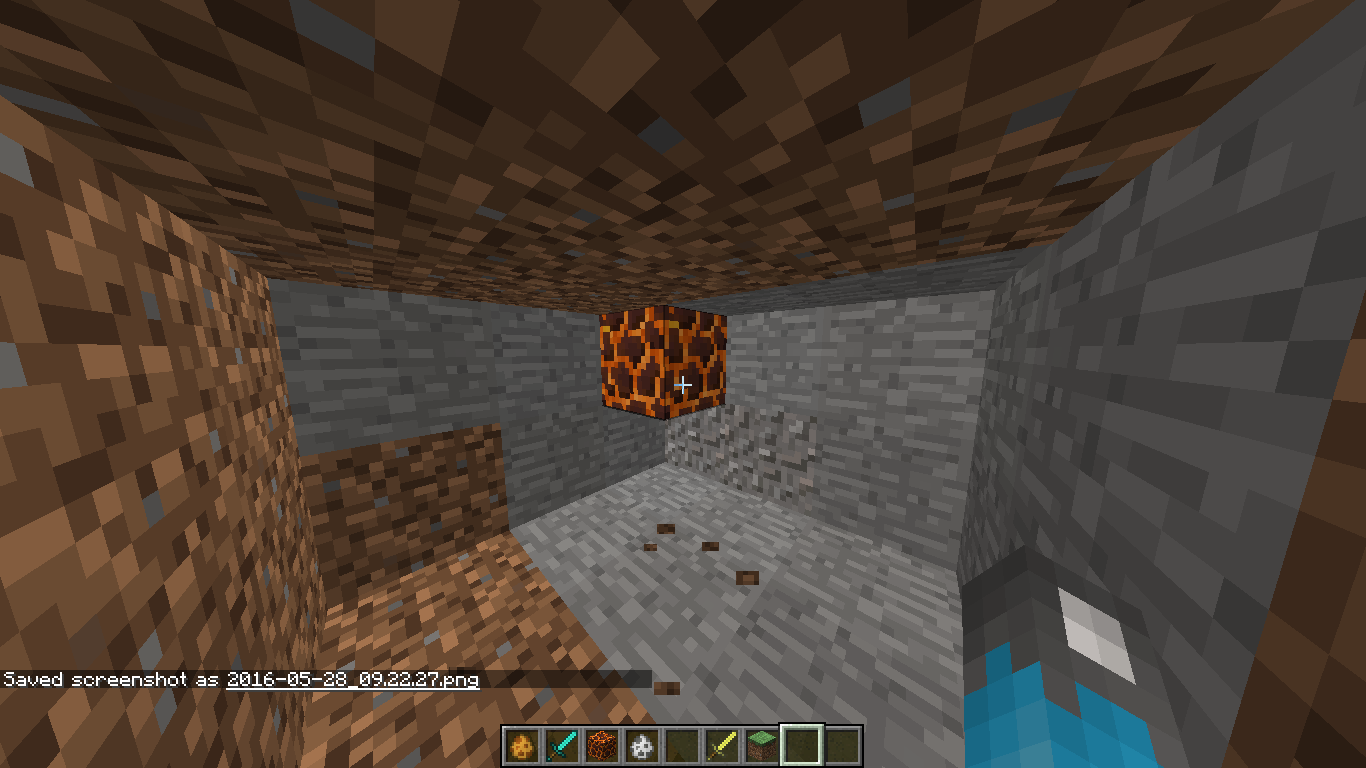
I created a new world to try to find any bugs with the game and I noticed that right next to my spawn there was a small lava lake. Then I noticed that it began burning down a tree. Then that fire spread and caught on to the next tree. And so on and soon the whole forest was ablaze and burning down AT my spawn point.
I created a new world to try to find any bugs with the game and I noticed that right next to my spawn there was a small lava lake. Then I noticed that it began burning down a tree. Then that fire spread and caught on to the next tree. And so on and soon the whole forest was ablaze and burning down AT my spawn point.
The attachment shows the lava catching fire to a nearby tree, which would, in a few minutes, spread to the entire forest.
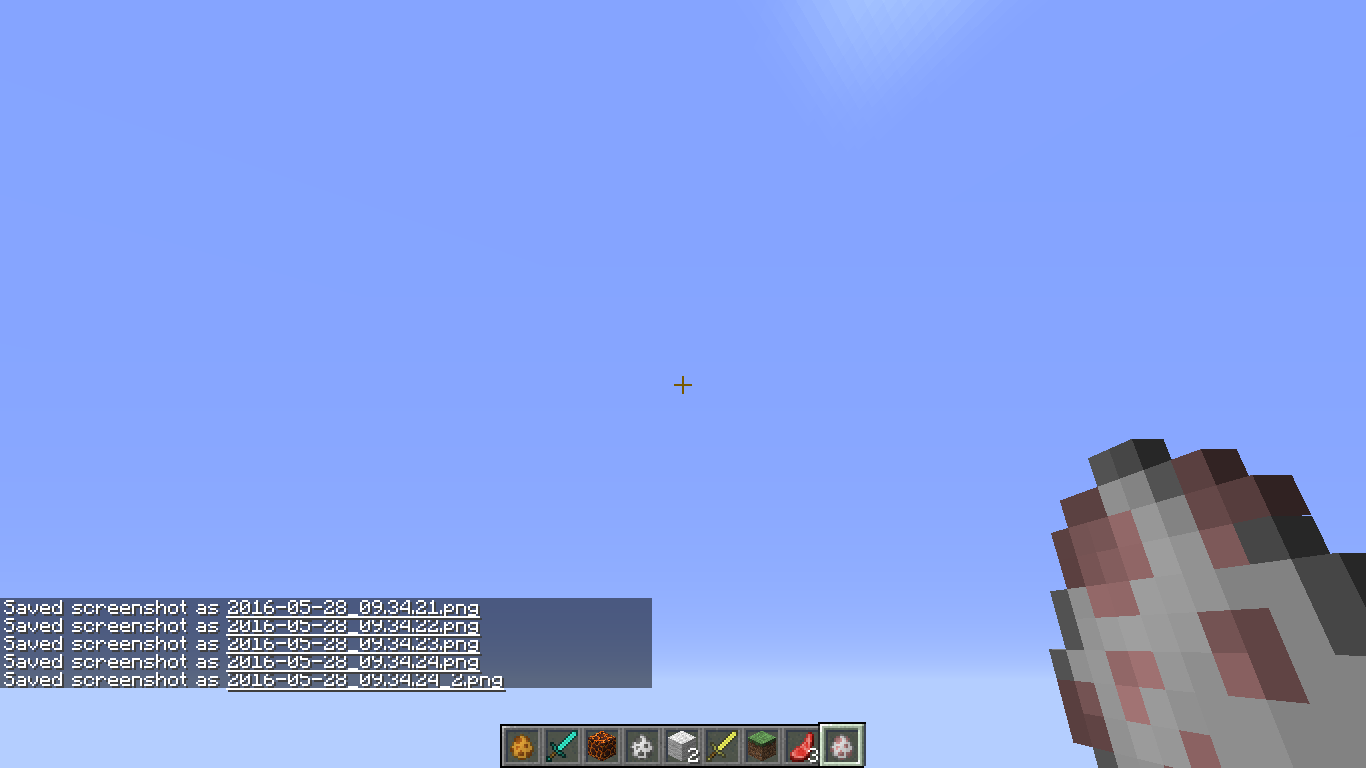
I was flying around in a testing world when I noticed in the spawn egg I was holding that the texture was very slightly clipping and creating a tiny line of nothing. I have a screenshot attached that shows this.
I was flying around in a testing world when I noticed in the spawn egg I was holding that the texture was very slightly clipping and creating a tiny line of nothing. I have a screenshot attached that shows this.
The spawn egg i'm holding is a Sheep egg.
Top right corner, just below the pink part.
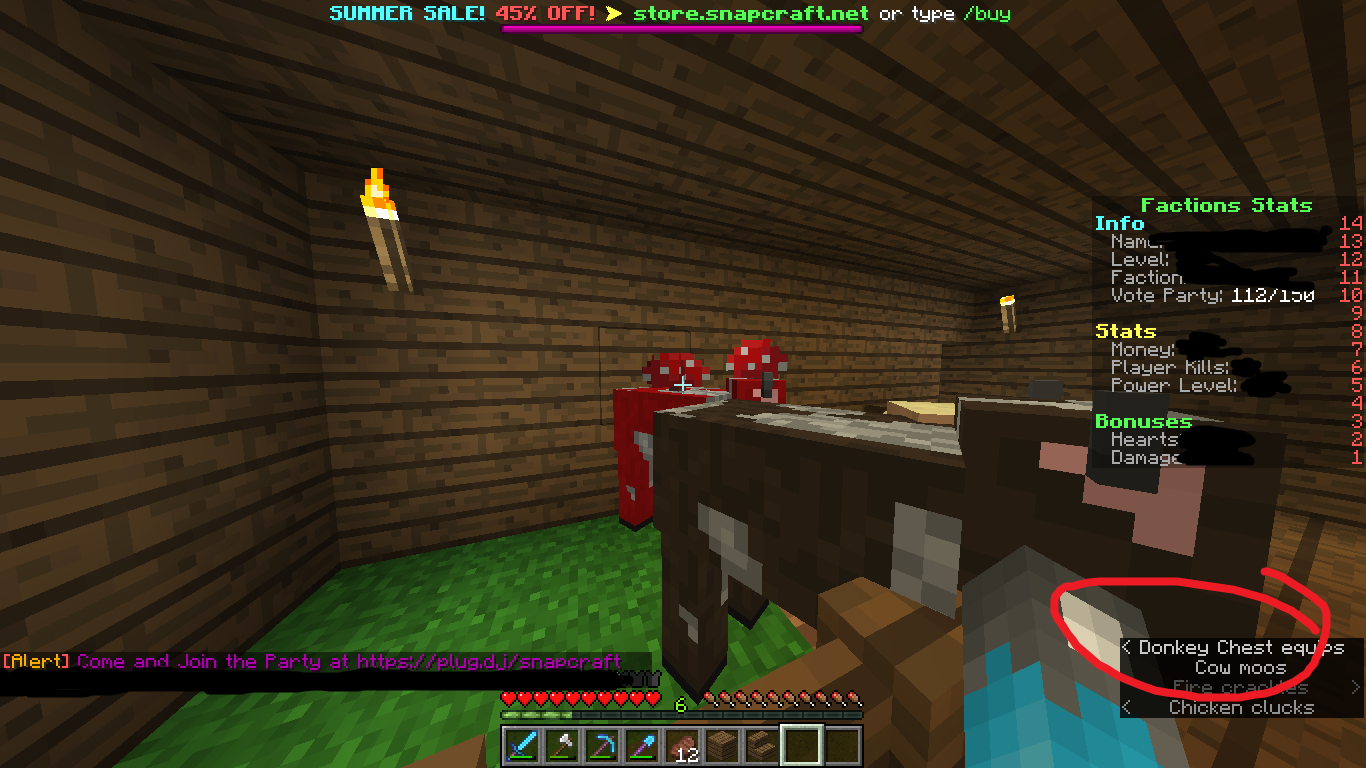
I was playing on a Minecraft Factions server (mc.snapcraft.net) and I noticed when I turned subtitles on that it said "Donkey chest equip" when there wasn't a donkey in our base. I have screenshots of this.
From where the subtitle was saying it's originating from, I'd say that it could becoming from the Mooshroom making noise, but I'm not 100% sure.
(Sorry for the bad photo editing skills, I don't do this often)
I was playing on a Minecraft Factions server (mc.snapcraft.net) and I noticed when I turned subtitles on that it said "Donkey chest equip" when there wasn't a donkey in our base. I have screenshots of this.
From where the subtitle was saying it's originating from, I'd say that it could becoming from the Mooshroom making noise, but I'm not 100% sure. It could also be perhaps the furnace or chickens downstairs.
(Sorry for the bad photo editing skills, I don't do this often)
Sound pops up as "Donkey Chest equips" when it isn't
I was playing on a Minecraft Factions server (mc.snapcraft.net) and I noticed when I turned subtitles on that it said "Donkey chest equips" when there wasn't a donkey in our base. I have screenshots of this.
From where the subtitle was saying it's originating from, I'd say that it could becoming from the Mooshroom making noise, but I'm not 100% sure. It could also be perhaps the furnace or chickens downstairs.
(Sorry for the bad photo editing skills, I don't do this often)
Windows 8.1
Windows 8.1
Self-updating Java
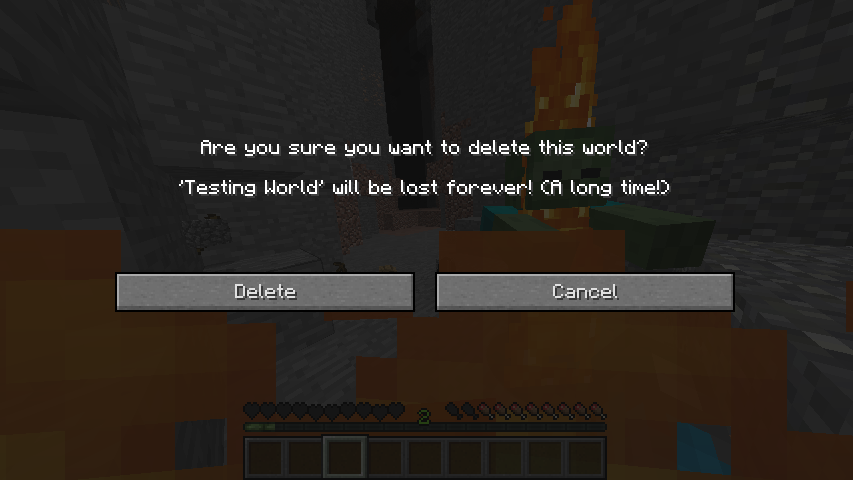
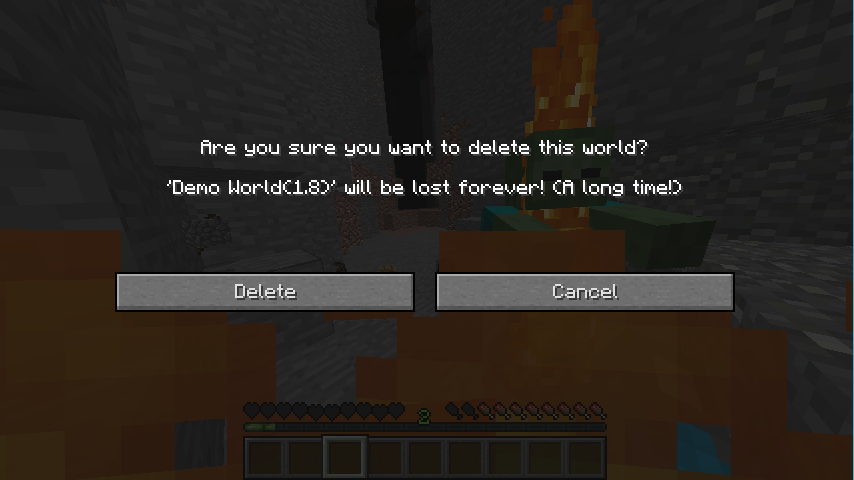
I died in my Hardcore world, and went to delete it since I couldn't respawn. However, when the Delete World menu was in front of me, the background had changed into the screen of my death. I tried deleting other worlds (as a test) and they too had their backgrounds altered.
I'm not sure if it affects other menus, but I can prove it affects the Delete World menu.
Attached are twopicturesofme attempting to (test) delete two different worlds after I died in my hardcore world. In bothof them, the background is the scene from when I died in my hardcore world.I died in my Hardcore world, and went to delete it since I couldn't respawn. However, when the Delete World menu was in front of me, the background had changed into the screen of my death. I tried deleting other worlds (as a test) and they too had their backgrounds altered.
I also tried editing a world, and, once again, the background was different.
Attached are three pictures, two being me attempting to (test) delete two different worlds after I died in my hardcore world, and one when I tried editing a world after I died. In all of them, the background is the scene from when I died in my hardcore world.
![[Mod] Skylinerw](../../../data/assets/gravatar/skylinerw.png)
@Shadow FallingSand entities come with a TileEntityData compound to store potential tile data.
The type of structure block is not saved as its metadata value. It's instead saved as the mode string:
/summon FallingSand ~ ~1 ~ {Block:structure_block,Time:1,DropItem:0,TileEntityData:{mode:"LOAD"}}

Shadow means that, yes.
![[Mod] NeunEinser](../../../data/avatars/users/39263.png)
Shadow This bug is fixed since 05/27/16, so no one cares.
This has happened to me before, when I accidentally walked into lava when going to the Nether. I exited out of panic, and when I came back I was dead in the lava (I hadn't touched it prior to logging out). My best guess to this is that Minecraft may simulate the world minus NPC mobs while it's shutting down; while you see the dirt screen when you press Save and Quit.
I don't see much wrong with this. The left screenshot's skeleton was fine, and so were the right's. The only discrepancy I see here is that the skeleton under the trapdoor in the picture on the right's head is poking out above the door slightly, but it's hard to measure since the skeleton spawned with an egg isn't under a trapdoor.
If my memory doesn't fail me, if mobs ride other mobs, they have their separate AI, but the bottom mob will do the moving.
Take the Spider Jockey for example. It is a skeleton riding a spider. The spider will move the unit as one and, because its AI is programmed to do so, will attack the player like any other spider; the skeleton doesn't have a say in the matter.
The skeleton itself will act according to its AI; it will fire arrows at the player if the player comes within range. It does not take heed to the spider at all.
Therefore, if a Blaze rode a pig, the pig would do the moving (which includes going crazy if hit) and the Blaze would still fire fireballs at you.
The blaze hitting the pig would depend on the hitbox of the pig and where the fireball spawns. I did not develop Minecraft and I'm pretty sure it wasn't developed in Processing JS so I can't delve into that.
Oh, and all this was taken from before 1.9, so it might not be 100% correct, but I hope it helps.
I want to say that stack-moving with the Shift key is hard-coded and cannot be changed.
This isn't necessarily a BUG, this is a suggestion. The ocelots and cats I believe are supposed to have the same (if not similar) audio files.
Judging from the looks of this I think it's all in working order. The second command block that you said would tell the minecart to teleport itself upward 2 blocks has the coordinates (~, ~2, ~), which means the X stays the same and the Z stays the same. However, the ~2 means that the minecart is teleported two blocks above of the command block, not two blocks above itself.
So basically, the way you set up the command block is that the minecart teleports two blocks above the command block, not itself.
Husks are technically a variant of the zombie, so the game will give you the base egg - the normal zombie. If you want a Husk spawn egg my best bet would be for you to use commands.
Chances are they haven't implemented villagers running away from Husks yet. Remember that the newest snapshot is only a few days old, so have patience.
Yes, summoning any block as an entity will reset any tags if said block goes into block form again. If you spawn a piece of sand with, let's say, no gravity, the sand will have no gravity. However, if it were to touch a piece of ground, it would affix and become a normal sand block. The game is unable to keep up with the fact that the sand block was once the entity with that NBT tag, so that sand would be 100% unmodified.
There is no auto doublejump feature. I'll assume you made a typo and meant to talk about the autojump feature.
Minecraft sees that the snow is on top of the block. It doesn't care that you are able to pass through that block, the only thing it recognizes is that the height of the snow block and whatever block the snow is on combined is taller than you can jump. Thus, it thinks that you couldn't jump up onto the snow and so does not jump for you.
It's meant to say "Which do I use?" so Mojang probably made a spelling error. That or your launcher messed up and you need to redownload it.
I want to say it's the latter, since it isn't happening on my launcher.
Were you in Creative or Survival? If you're in Survival you can't open command blocks; you have to be in Creative.
You mean Magma blocks, right?
I think that's intended, since in the real world if you're careful when walking on hot coals you won't hurt yourself.
I can confirm this. Happened both times I tried to start 16w21b, so I just use 16w20a now.
It also rarely (1/10) occurred in 1.8 and 1.7.
It's in the top right corner of the egg. I attached a screenshot zooming in on it.
This is a problem with Minecraft, not the launcher.
The other bug basically says your graphics card is unable to load a detailed texture, e.g. x512 Sphax BDCraft. Are you using a resourcepack?
If the answer is yes, then you need to downgrade your resourcepack (or stop using it).
If the answer is no, then your system doesn't meet the requirements to play the game, and the best thing you can do besides get a new computer is to try to update either Java or your graphics card.
So your operating system and other specs are "I tried finding a fix to this so long ago and i sill am but nothing is coming up! I cant see other peoples skins none of them not even my own, i cant see it on single i cant see any on realms or on any servers! This is really anoyying if i do roleplays i cant tell who is who and i like being able to take screen shots with skins in them please help me this is in 1.9 and up!"? Interesting.
Funniness aside, I see a lot of Alex and Steve skins on a lot of servers I join. Some just don't have skins, and others I know are glitched, because I've seen them with a skin before. I don't know HOW it works, but it hasn't happened so far when I've played 1.8+.
Forgive me if I'm wrong, but I'm pretty sure Minecraft isn't supposed to attempt to start the sound system 10 times.
This is confusing. The title says Unable to place anything but your description says unable to place torches. Which one?
1.10 has been fully released so I recommend you play that, since most bugs are fixed in that version.
I can't tell you much since I don't have much to work on, but it would sound to me as if you aren't giving MC enough RAM to work with. I won't go into the specifics, but basically, MC needs RAM in order to be able to quickly load blocks; it isn't based on processing itself.
You can just change the affected versions instead of commenting confirmed versions.
Duplicate of
MC-9974.That's normal. Cats will sit on chests and prevent you from opening them. The only way to get them off the chest (trying to use them doesn't work) to either push them off or I believe lure them with fish, but the former definitely works.
I'll assume you've bound your left-click to Use.
So, this is a problem with the launcher?
If you haven't already, turn off VBOs and turn on VSync. Some people have also reported increasing MC's allocated RAM helps as well.
If that doesn't work, you need to either upgrade your graphics drivers, or, if upgrading them caused the issue, downgrade them to a safer version.
Read the "Affects Versions" tab on the other bug:
/*
Affects Version/s:
Minecraft 1.10 Pre-Release 2, Minecraft 1.10, Minecraft 1.10.1, Minecraft 1.10.2
*/
This is just a duplicate.
Is this one 1.7.9 or 16w42a?
If this is the former, then your version is outdated.
If this is the latter, then please provide more details, such as (but not limited to) crash logs.