![[Mod] NeunEinser](../../../data/avatars/users/39263.png) [Mod] NeunEinser
[Mod] NeunEinser
- Schortan
- schortan
- Europe/Berlin
- Yes
- No
 MC-63118
 Low
Low![[Mojang] Grum (Erik Broes)](../../../data/assets/gravatar/grum.png)
![[Mojang] Jeb (Jens Bergensten)](../../../data/assets/gravatar/jeb.jpeg)
![[Mojang] Searge (Michael Stoyke)](../../../data/assets/gravatar/searge.png)
 Normal
![[Mojang] Bartosz Bok](../../../data/avatars/users/10122.svg)

![[Mojang] Nathan Adams](../../../data/assets/gravatar/dinnerbone.png)






















Put the summary of the bug you're having here
{CustomName:"Name",CustomNameVisible:1b}
What I expected to happen was...:
If the NBT-Tag "CustomNameVisible" of a mob has the value 1, the CustomName should be visible always and not only, if you look at the mob. As a command it should work like this: /summon Villager ~ ~ ~What actually happened was...:
The Tag "CustomNameVisible" has no effect anymore.What I expected to happen was...:
{CustomName:"Name",CustomNameVisible:1b}
If the NBT-Tag "CustomNameVisible" of a mob has the value 1, the CustomName should be visible always and not only, if you look at the mob. As a command it should work like this: /summon Villager ~ ~ ~What actually happened was...:
The Tag "CustomNameVisible" has no effect anymore.
Windows 7
Windows 7, Java Version 7 Update 65 (Build 1.7.0_65-b20)
What I expected to happen was...:
{CustomName:"Name",CustomNameVisible:1b}
If the NBT-Tag "CustomNameVisible" of a mob has the value 1, the CustomName should be visible always and not only, if you look at the mob. As a command it should work like this:/summon Villager ~ ~ ~What actually happened was...:
The Tag "CustomNameVisible" has no effect anymore.What I expected to happen was...:
{CustomName:"Name",CustomNameVisible:1b}
If the NBT-Tag "CustomNameVisible" of a mob has the value 1, the CustomName should be visible always and not only, if you look at the mob. As a command it should work like this:
/summon Villager ~ ~ ~What actually happened was...:
The Tag "CustomNameVisible" has no effect anymore.
What I expected to happen was...:
{CustomName:"Name",CustomNameVisible:1b}
If the NBT-Tag "CustomNameVisible" of a mob has the value 1, the CustomName should be visible always and not only, if you look at the mob. As a command it should work like this:
/summon Villager ~ ~ ~What actually happened was...:
The Tag "CustomNameVisible" has no effect anymore.What I expected to happen was...:
{CustomName:"Name",CustomNameVisible:1b}
If the NBT-Tag "CustomNameVisible" of a mob has the value 1, the CustomName should be visible always and not only, if you look at the mob. As a command it should work like this: /summon Villager ~ ~ ~What actually happened was...:
The Tag "CustomNameVisible" has no effect anymore.
What I expected to happen was...:
{CustomName:"Name",CustomNameVisible:1b}
If the NBT-Tag "CustomNameVisible" of a mob has the value 1, the CustomName should be visible always and not only, if you look at the mob. As a command it should work like this:/summon Villager ~ ~ ~What actually happened was...:
The Tag "CustomNameVisible" has no effect anymore.What I expected to happen was...:
If the NBT-Tag "CustomNameVisible" of a mob has the value 1, the CustomName should be visible always and not only, if you look at the mob. As a command it should work like this:/summon Villager ~ ~ ~
{CustomName:"Name",CustomNameVisible:1b}What actually happened was...:
The Tag "CustomNameVisible" has no effect anymore.
What I expected to happen was...:
If the NBT-Tag "CustomNameVisible" of a mob has the value 1, the CustomName should be visible always and not only, if you look at the mob. As a command it should work like this:/summon Villager ~ ~ ~
{CustomName:"Name",CustomNameVisible:1b}What actually happened was...:
The Tag "CustomNameVisible" has no effect anymore.What I expected to happen was...:
If the NBT-Tag "CustomNameVisible" of a mob has the value 1, the CustomName should be visible always and not only, if you look at the mob. As a command it should work like this:/summon Villager ~ ~ ~ {CustomName:"Name",CustomNameVisible:1b}What actually happened was...:
The Tag "CustomNameVisible" has no effect anymore.
Tellraw in books doesn'twork if it's too longTellraw in books doesn't alwayd
Tellraw in books doesn't alwaydTellraw in books doesn't always
If there's a long tellraw-formatted book, the tellraw formatting does not work after reloading the world. But if I just rightclick the command block and press the finish button without change something, the formatting works again.
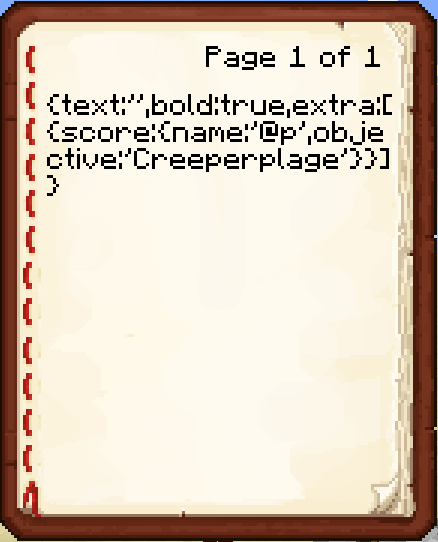
Here is my command (translations comes from the *.lang file in the ressourcepack, they aren't default translations)/give @p written_book 1 0 { title:"Creeperplage", author:"Tiran", pages: [ "{ text:'', bold:true, extra: [ { translate:'Adventure.quest.generic.book.task', with: [ { translate:'Adventure.quest.creeperplage.book.task', with: [ { translate:'entity.Creeper.name' }, { score: { name:'@p', objective:'Creeperplage' } } ], bold:false } ] }, { text:'\n' }, { translate:'Adventure.quest.generic.book.npc', with: [ { translate:'Adventure.quest.creeperplage.npc.name', bold:false } ] }, { text:'\n' }, { translate:'Adventure.quest.generic.book.description', with: [ { translate:'Adventure.quest.creeperplage.book.descriptionPage1', with: [ { translate:'entity.Creeper.name' } ], bold:false } ] } ] }", "{ translate:'Adventure.quest.creeperplage.book.descriptionPage2', with: [ { translate:'entity.Creeper.name' } ] }" ] }Page 1 looks like in the screenshot, page 2 works.
If there's a long tellraw-formatted book, the tellraw formatting does not work after reloading the world. But if I just rightclick the command block and press the finish button without change something, the formatting works again.
Here is my command (translations comes from the *.lang file in the ressourcepack, they aren't default translations)/give @p written_book 1 0 { title:"Creeperplage", author:"Tiran", pages: [ "{ text:'', bold:true, extra: [ { translate:'Adventure.quest.generic.book.task', with: [ { translate:'Adventure.quest.creeperplage.book.task', with: [ { translate:'entity.Creeper.name' }, { score: { name:'@p', objective:'Creeperplage' } } ], bold:false } ] }, { text:'\n' }, { translate:'Adventure.quest.generic.book.npc', with: [ { translate:'Adventure.quest.creeperplage.npc.name', bold:false } ] }, { text:'\n' }, { translate:'Adventure.quest.generic.book.description', with: [ { translate:'Adventure.quest.creeperplage.book.descriptionPage1', with: [ { translate:'entity.Creeper.name' } ], bold:false } ] } ] }", "{ translate:'Adventure.quest.creeperplage.book.descriptionPage2', with: [ { translate:'entity.Creeper.name' } ] }" ] }Page 1 looks like in the screenshot, page 2 works.
Well, I don't know because of what page 1 does not work after reload the world...
Tellraw in books doesn't work always
If there's a long tellraw-formatted book, the tellraw formatting does not work after reloading the world. But if I just rightclick the command block and press the finish button without change something, the formatting works again.
Here is my command (translations comesfrom the *.lang file in the ressourcepack, they aren't default translations)/give @p written_book 1 0 { title:"Creeperplage", author:"Tiran", pages: [ "{ text:'', bold:true, extra: [ { translate:'Adventure.quest.generic.book.task', with: [ { translate:'Adventure.quest.creeperplage.book.task', with: [ { translate:'entity.Creeper.name' }, { score: { name:'@p', objective:'Creeperplage' } } ], bold:false } ] }, { text:'\n' }, { translate:'Adventure.quest.generic.book.npc', with: [ { translate:'Adventure.quest.creeperplage.npc.name', bold:false } ] }, { text:'\n' }, { translate:'Adventure.quest.generic.book.description', with: [ { translate:'Adventure.quest.creeperplage.book.descriptionPage1', with: [ { translate:'entity.Creeper.name' } ], bold:false } ] } ] }", "{ translate:'Adventure.quest.creeperplage.book.descriptionPage2', with: [ { translate:'entity.Creeper.name' } ] }" ] }Page 1 looks like in the screenshot, page 2 works.
Well, I don't know because of what page 1 does not work after reload the world...
Tellraw in books doesn't workalwaysTellraw in books doesn't work with score-tag
If there's a long tellraw-formatted book, the tellraw formatting does not work after reloading the world. But if I just rightclick the command block and press the finish button without change something, the formatting works again.
Here is my command (translations come from the *.lang file in the ressourcepack, they aren't default translations)/give @p written_book 1 0 { title:"Creeperplage", author:"Tiran", pages: [ "{ text:'', bold:true, extra: [ { translate:'Adventure.quest.generic.book.task', with: [ { translate:'Adventure.quest.creeperplage.book.task', with: [ { translate:'entity.Creeper.name' }, { score: { name:'@p', objective:'Creeperplage' } } ], bold:false } ] }, { text:'\n' }, { translate:'Adventure.quest.generic.book.npc', with: [ { translate:'Adventure.quest.creeperplage.npc.name', bold:false } ] }, { text:'\n' }, { translate:'Adventure.quest.generic.book.description', with: [ { translate:'Adventure.quest.creeperplage.book.descriptionPage1', with: [ { translate:'entity.Creeper.name' } ], bold:false } ] } ] }", "{ translate:'Adventure.quest.creeperplage.book.descriptionPage2', with: [ { translate:'entity.Creeper.name' } ] }" ] }Page 1 looks like in the screenshot, page 2 works.
Well, I don't know because of what page 1 does not work after reload the world...If there is a formatted book with a score-tag in a extra-tag, the formatting of the book doesn't work, if you have reloaded the world after input the command. But if you just rightclick the command block and press the finish button without change anything, the command works.
/give @a[score_TalkTiran_min=5,score_TalkTiran=5] written_book 1 0 { title:"Test", author:"Test", pages: [ "{ text:'', bold:true, extra: [ { score: { name:'@p', objective:'Test' } } ] }" ] }
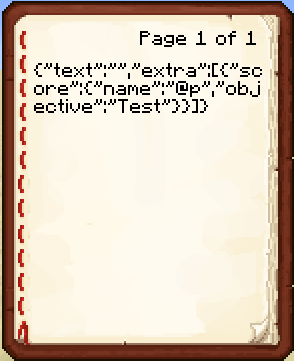
If there is a formatted book with a score-tag in a extra-tag, the formatting of the book doesn't work, if you have reloaded the world after input the command. But if you just rightclick the command block and press the finish button without change anything, the command works.
/give @a[score_TalkTiran_min=5,score_TalkTiran=5]written_book 1 0 {title:"Test",author:"Test",pages:[ "{text:'',bold:true,extra:[ { score: {name:'@p',objective:'Test'} } ]}"] }If there is a formatted book with a score-tag in a extra-tag, the formatting of the book doesn't work, if you have reloaded the world after input the command. But if you just rightclick the command block and press the finish button without change anything, the command works.
/give @a written_book 1 0 { title:"Test", author:"Test", pages: [ "{ text:'', bold:true, extra: [ { score: { name:'@p', objective:'Test' } } ] }" ] }
tellraw-formatting-does-not-work.png
If there is a formatted book with a score-tag in a extra-tag, the formatting of the book doesn't work, if you have reloaded the world after input the command. But if you just rightclick the command block and press the finish button without change anything, the command works.
/give @a written_book 1 0 { title:"Test", author:"Test", pages: [ "{text:'',bold:true, extra: [ { score: { name:'@p', objective:'Test' } } ] }" ] }
If there is a formatted book with a score-tag in a extra-tag, the formatting of the book doesn't work, if you have reloaded the world after input the command. But if you just rightclick the command block and press the finish button without change anything, the command works.
/give @a written_book 1 0 { title:"Test", author:"Test", pages: [ "{ text:'' bold:true, extra: [ { score: { name:'@p', objective:'Test' } } ] }" ] }
Answer foe [Mod] Ezekiel: Reload the world AND THEN activate the command block!
If there is a formatted book with a score-tag in a extra-tag, the formatting of the book doesn't work, if you have reloaded the world after input the command. But if you just rightclick the command block and press the finish button without change anything, the command works./give @a written_book 1 0 { title:"Test", author:"Test", pages: [ "{ text:'' bold:true, extra: [ { score: { name:'@p', objective:'Test' } } ] }" ] }Steps to reproduce the bug
3. write in the command block one of the commands, which were posted here... Let's take this, because it's from a Mod and Mods knows everything better than we stupid users:/give @a written_book 1 0 {pages:["{\"text\":\"\",\"extra\":[{\"score\":{\"name\":\"@p\",\"objective\":\"Test\"}}]}"],title:Book,author:TellrawGenerator}4. build a button on the command block. (If you want to, you can press it right now, but as you will see, the command works at this time)
5. press the "esc" button on your keyboard and click "Save and Quit to Title" in the menu.
6. open again the minecraft world.
7. If there already some books in your inventory remember their places, so that you don't confuse them with the book you'll get now
8. Press the button.
9. Open the book and you'll see, that something is wrong with it.Hope you can't misunderstand me now. I have wrote this in a shorter from in the main description, now
/give @a written_book 1 0 { title:"Test", author:"Test", pages: [ "{ text:'' bold:true, extra: [ { score: { name:'@p', objective:'Test' } } ] }" ] }
Steps to reproduce the bug
3. write in the command block one of the commands, which were posted here:/give @a written_book 1 0 {pages:["{\"text\":\"\",\"extra\":[{\"score\":{\"name\":\"@p\",\"objective\":\"Test\"}}]}"],title:Book,author:TellrawGenerator}4. build a button on the command block. (If you want to, you can press it right now, but as you will see, the command works at this time)
5.press the "esc" button on your keyboard and click "Save and Quit to Title" in the menu.
6.open again the minecraft world.
7. If there already some books in your inventory remember their places, so that you don't confuse them with the book you'll get now
8. Press the button.
9. Open the book and you'll see, that something is wrong with it.Hope you can't misunderstand me now. I have wrote this in a shorter from in the main description, now
/give @a written_book 1 0 { title:"Test", author:"Test", pages: [ "{ text:'' bold:true, extra: [ { score: { name:'@p', objective:'Test' } } ] }" ] }Steps to reproduce the bug
1. write in a command block the command at the end of the description
2. Quit to Title screen and open the world again
3. Activate the command block/give @a written_book 1 0 { title:"Test", author:"Test", pages: [ "{ text:'' bold:true, extra: [ { score: { name:'@p', objective:'Test' } } ] }" ] }This commands are working, too:
Steps to reproduce the bug
1. write in a command block the command at the end of the description
2. Quit to Title screen and open the world again
3. Activate the command block/give @a written_book 1 0 { title:"Test", author:"Test", pages: [ "{ text:'' bold:true, extra: [ { score: { name:'@p', objective:'Test' } } ] }" ] }This commands are working, too:
/give @a written_book 1 0 { title:"Test", author:"Test", pages: [ "{ text:\"\" bold:true, extra: [ { score: { name:\"@p\", objective:\"Test\" } } ] }" ] }
Steps to reproduce the bug
1. write in a command block the command at the end of the description
2. Quit to Title screen and open the world again
3. Activate the command block/give @a written_book 1 0 { title:"Test", author:"Test", pages: [ "{ text:'' bold:true, extra: [ { score: { name:'@p', objective:'Test' } } ] }" ] }This commands are working, too:
/give @a written_book 1 0 { title:"Test", author:"Test", pages: [ "{ text:\"\" bold:true, extra: [ { score: { name:\"@p\", objective:\"Test\" } } ] }" ] }/give @a written_book 1 0 { pages: [ "{ \"text\":\"\", \"extra\": [ { \"score\": { \"name\":\"@p\", \"objective\":\"Test\" } } ] }" ], title:Book, author:TellrawGenerator }
Steps to reproduce the bug
1. write in a command block on of the command at the end of the description
2. Quit to Title screen and open the world again
3. Activate the command block/give @a written_book 1 0 { title:"Test", author:"Test", pages: [ "{ text:'' bold:true, extra: [ { score: { name:'@p', objective:'Test' } } ] }" ] }This commands are working, too:
/give @a written_book 1 0 { title:"Test", author:"Test", pages: [ "{ text:\"\" bold:true, extra: [ { score: { name:\"@p\", objective:\"Test\" } } ] }" ] }/give @a written_book 1 0 { pages: [ "{ \"text\":\"\", \"extra\": [ { \"score\": { \"name\":\"@p\", \"objective\":\"Test\" } } ] }" ], title:Book, author:TellrawGenerator }
Steps to reproduce the bug
1. write in a command block on of the command at the end of the description
2. Quit to Title screen and open the world again
3. Activate the command block/give @a written_book 1 0 { title:"Test", author:"Test", pages: [ "{ text:'' bold:true, extra: [ { score: { name:'@p', objective:'Test' } } ] }" ] }This commands are
working, too:/give @a written_book 1 0 { title:"Test", author:"Test", pages: [ "{ text:\"\" bold:true, extra: [ { score: { name:\"@p\", objective:\"Test\" } } ] }" ] }/give @a written_book 1 0 { pages: [ "{ \"text\":\"\", \"extra\": [ { \"score\": { \"name\":\"@p\", \"objective\":\"Test\" } } ] }" ], title:Book, author:TellrawGenerator }Steps to reproduce the bug
1. write in a command block on of the command at the end of the description
2. Quit to Title screen and open the world again
3. Activate the command block/give @a written_book 1 0 { title:"Test", author:"Test", pages: [ "{ text:'' bold:true, extra: [ { score: { name:'@p', objective:'Test' } } ] }" ] }This commands are alternates:
/give @a written_book 1 0 { title:"Test", author:"Test", pages: [ "{ text:\"\" bold:true, extra: [ { score: { name:\"@p\", objective:\"Test\" } } ] }" ] }/give @a written_book 1 0 { pages: [ "{ \"text\":\"\", \"extra\": [ { \"score\": { \"name\":\"@p\", \"objective\":\"Test\" } } ] }" ], title:Book, author:TellrawGenerator }
Steps to reproduce the bug
1. write in a command block on of the command at the end of the description
2. Quit to Title screen and open the world again
3. Activate the command block/give @a written_book 1 0 { title:"Test", author:"Test", pages: [ "{ text:'' bold:true, extra: [ { score: { name:'@p', objective:'Test' } } ] }" ] }This commands are alternates:
/give @a written_book 1 0 { title:"Test", author:"Test", pages: [ "{ text:\"\" bold:true, extra: [ { score: { name:\"@p\", objective:\"Test\" } } ] }" ] }/give @a written_book 1 0 { pages: [ "{ \"text\":\"\", \"extra\": [ { \"score\": { \"name\":\"@p\", \"objective\":\"Test\" } } ] }" ], title:Book, author:TellrawGenerator }Steps to reproduce the bug
1. write in a command block on of the commands at the end of the description
2. Quit to Title screen and open the world again
3. Activate the command blockcommands at the end of the description
/give @a written_book 1 0 { title:"Test", author:"Test", pages: [ "{ text:'' bold:true, extra: [ { score: { name:'@p', objective:'Test' } } ] }" ] }This commands are alternates:
/give @a written_book 1 0 { title:"Test", author:"Test", pages: [ "{ text:\"\" bold:true, extra: [ { score: { name:\"@p\", objective:\"Test\" } } ] }" ] }/give @a written_book 1 0 { pages: [ "{ \"text\":\"\", \"extra\": [ { \"score\": { \"name\":\"@p\", \"objective\":\"Test\" } } ] }" ], title:Book, author:TellrawGenerator }
Tellraw in books doesn't work with score-tag after reload the world
Steps to reproduce the bug
1. write in a command block one of the commands at the end of the description
2. Quit to Title screen and open the world again
3. Activate the command blockcommands at the end of the description
/give @a written_book 1 0 { title:"Test", author:"Test", pages: [ "{ text:'' bold:true, extra: [ { score: { name:'@p', objective:'Test' } } ] }" ] }This commands are alternates:
/give @a written_book 1 0 { title:"Test", author:"Test", pages: [ "{ text:\"\" bold:true, extra: [ { score: { name:\"@p\", objective:\"Test\" } } ] }" ] }/give @a written_book 1 0 { pages: [ "{ \"text\":\"\", \"extra\": [ { \"score\": { \"name\":\"@p\", \"objective\":\"Test\" } } ] }" ], title:Book, author:TellrawGenerator }
Post updating finished ... and where is my comment, I posted before?!
And please, lovely mods, put the "Invalid" away...
Steps to reproducethe bug
1. write in a command block one of the commands at the end of the description
2. Quit to Title screen and open the world again
3. Activate the command blockcommands at the end of the description
/give @a written_book 1 0 { title:"Test", author:"Test", pages: [ "{ text:'' bold:true, extra: [ { score: { name:'@p', objective:'Test' } } ] }" ] }This commands are alternates:
/give @a written_book 1 0 { title:"Test", author:"Test", pages: [ "{ text:\"\" bold:true, extra: [ { score: { name:\"@p\", objective:\"Test\" } } ] }" ] }/give @a written_book 1 0 { pages: [ "{ \"text\":\"\", \"extra\": [ { \"score\": { \"name\":\"@p\", \"objective\":\"Test\" } } ] }" ], title:Book, author:TellrawGenerator }Description of the bug
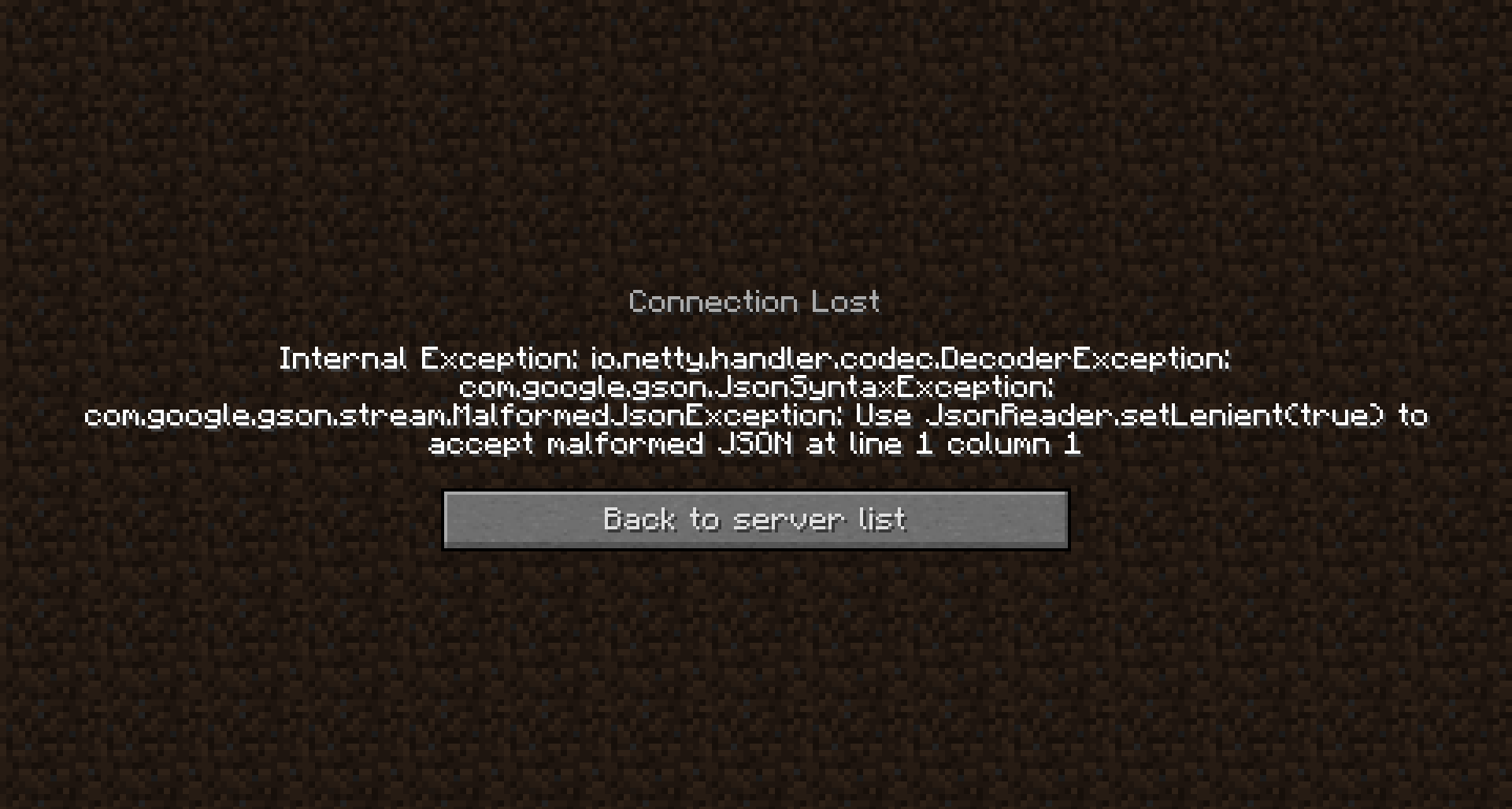
If you activate a command block, during you're not allowed to use commands, which gives you a book with a score-tag, the formatting of the book doesn't work (see attachments).Steps to reproduce the bug
1. Start a world with disabled commands
2. Open the world in Lan and allow commands to be able to build a command block.
3. Enter on of the commands below
4. Quit to title and open the world again, so it isn't opend in Lan anymore and commands are disabled again.
5. Activate the command block. The book, you get now is buggy.commands
/give @a written_book 1 0 { title:"Test", author:"Test", pages: [ "{ text:'' bold:true, extra: [ { score: { name:'@p', objective:'Test' } } ] }" ] }This commands are alternates:
/give @a written_book 1 0 { title:"Test", author:"Test", pages: [ "{ text:\"\" bold:true, extra: [ { score: { name:\"@p\", objective:\"Test\" } } ] }" ] }/give @a written_book 1 0 { pages: [ "{ \"text\":\"\", \"extra\": [ { \"score\": { \"name\":\"@p\", \"objective\":\"Test\" } } ] }" ], title:Book, author:TellrawGenerator }
scoretag in books doesn'tupdate when score ischangedscore-tag in books doesn't work, if commands are disabled
Description of the bug
If you activate a command block, during you're not allowed to use commands, which gives you a book with a score-tag, the formatting of the book doesn't work (see attachments).Steps to reproduce the bug
1. Start a world with disabled commands
2. Open the world in Lan and allow commands to be able to build a command block.
3. Enter on of the commands below
4. Quit to title and open the world again, so it isn't opend in Lan anymore and commands are disabled again.
5. Activate the command block. The book, you get now is buggy.commands
/give @a written_book 1 0 { title:"Test", author:"Test", pages: [ "{ text:'' bold:true, extra: [ { score: { name:'@p', objective:'Test' } } ] }" ] }This commands are alternates:
/give @a written_book 1 0 { title:"Test", author:"Test", pages: [ "{ text:\"\" bold:true, extra: [ { score: { name:\"@p\", objective:\"Test\" } } ] }" ] }/give @a written_book 1 0 { pages: [ "{ \"text\":\"\", \"extra\": [ { \"score\": { \"name\":\"@p\", \"objective\":\"Test\" } } ] }" ], title:Book, author:TellrawGenerator }Description of the bug
If you activate a command block, during you're not allowed to use commands, which gives you a book with a score-tag, the formatting of the book doesn't work (see attachments or this video: http://youtu.be/QTfumET7Apo).Steps to reproduce the bug
1. Start a world with disabled commands
2. Open the world in Lan and allow commands to be able to build a command block.
3. Enter on of the commands below
4. Quit to title and open the world again, so it isn't opend in Lan anymore and commands are disabled again.
5. Activate the command block. The book, you get now is buggy.commands
/give @a written_book 1 0 { title:"Test", author:"Test", pages: [ "{ text:'' bold:true, extra: [ { score: { name:'@p', objective:'Test' } } ] }" ] }This commands are alternates:
/give @a written_book 1 0 { title:"Test", author:"Test", pages: [ "{ text:\"\" bold:true, extra: [ { score: { name:\"@p\", objective:\"Test\" } } ] }" ] }/give @a written_book 1 0 { pages: [ "{ \"text\":\"\", \"extra\": [ { \"score\": { \"name\":\"@p\", \"objective\":\"Test\" } } ] }" ], title:Book, author:TellrawGenerator }
score-tag in books doesn't workScore tag in books doesn't work with cheats off
Description of the bug
If you activate a command block, during you're not allowed to use commands, which gives you a book with a score-tag, the formatting of the book doesn't work (see attachments or this video: http://youtu.be/QTfumET7Apo).Steps to reproduce the bug
1. Start a world with disabled commands
2. Open the world in Lan and allow commands to be able to build a command block.
3. Enter on of the commands below
4. Quit to title and open the world again, so it isn't opend in Lan anymore and commands are disabled again.
5. Activate the command block. The book, you get now is buggy.commands
/give @a written_book 1 0{title:"Test",author:"Test",pages:[ "{text:''bold:true,extra:[ { score: {name:'@p',objective:'Test'} } ]}"] }This commands are alternates:
/give @a written_book 1 0 {title:"Test",author:"Test",pages:[ "{text:\"\"bold:true,extra:[ { score: {name:\"@p\",objective:\"Test\"} } ]}"] }/give @a written_book 1 0 {pages:[ "{\"text\":\"\",\"extra\":[ {\"score\":{\"name\":\"@p\",\"objective\":\"Test\"} } ]}"],title:Book,author:TellrawGenerator }Description of the bug
If you activate a command block, during you're not allowed to use commands, which gives you a book with a score-tag, the formatting of the book doesn't work (see attachments or this video: http://youtu.be/QTfumET7Apo).Steps to reproduce the bug
1. Start a world with disabled commands
2. Open the world in Lan and allow commands to be able to build a command block.
3. Enter on of the commands below
4. Quit to title and open the world again, so it isn't opend in Lan anymore and commands are disabled again.
5. Activate the command block. The book, you get now is buggy.commands
/give @a written_book 1 0 { title:"Test", author:"Test", pages: [ "{ text:'' bold:true, extra: [ { score: { name:'@p', objective:'Test' } } ] }" ] }This commands are alternates:
/give @a written_book 1 0 { title:"Test", author:"Test", pages: [ "{ text:\"\" bold:true, extra: [ { score: { name:\"@p\", objective:\"Test\" } } ] }" ] }/give @a written_book 1 0 { pages: [ "{ \"text\":\"\", \"extra\": [ { \"score\": { \"name\":\"@p\", \"objective\":\"Test\" } } ] }" ], title:Book, author:TellrawGenerator }
Description of the bug
If you activate a command block, during you're not allowed to use commands, which gives you a book with a score-tag, the formatting of the book doesn't work (see attachments or this video: http://youtu.be/QTfumET7Apo).Steps to reproduce the bug
1. Start a world with disabled commands
2. Open the world in Lan and allow commands to be able to build a command block.
3. Enter on of the commands below
4. Quit to title and open the world again, so it isn't opend in Lan anymore and commands are disabled again.
5. Activate the command block. The book, you get now is buggy.commands
/give @a written_book 1 0 {title:"Test",author:"Test",pages:[ "{ text:'' bold:true, extra: [ { score: { name:'@p', objective:'Test'} } ] }" ]}This commands are alternates:
/give @a written_book 1 0{title:"Test",author:"Test",pages:[ "{ text:\"\"bold:true, extra: [ { score: { name:\"@p\",objective:\"Test\"} } ] }" ]}/give @a written_book 1 0{pages:[ "{ \"text\":\"\",\"extra\": [ {\"score\": {\"name\":\"@p\",\"objective\":\"Test\"} } ] }" ],title:Book,author:TellrawGenerator}Description of the bug
If you activate a command block, during you're not allowed to use commands, which gives you a book with a score-tag, the formatting of the book doesn't work (see attachments or this video: http://youtu.be/QTfumET7Apo).Steps to reproduce the bug
1. Start a world with disabled commands
2. Open the world in Lan and allow commands to be able to build a command block.
3. Enter on of the commands below
4. Quit to title and open the world again, so it isn't opend in Lan anymore and commands are disabled again.
5. Activate the command block. The book, you get now is buggy.commands
/give @a written_book 1 0 {title:"Test",author:"Test",pages:["{text:''bold:true,extra:[{score:{name:'@p',objective:'Test'}}]}"]}This commands are alternates:
/give @a written_book 1 0 {title:"Test",author:"Test",pages:["{text:\"\"bold:true,extra:[{score:{name:\"@p\",objective:\"Test\"}}]}"]}/give @a written_book 1 0 {pages:["{\"text\":\"\",\"extra\":[{\"score\":{\"name\":\"@p\",\"objective\":\"Test\"}}]}"],title:Book,author:TellrawGenerator}
Description of the bug
If you activate a command block, during you're not allowed to use commands, which gives you a book with a score-tag, the formatting of the book doesn't work (see attachments or this video: http://youtu.be/QTfumET7Apo).Steps to reproduce the bug
1. Start a world with disabled commands
2. Open the world in Lan and allow commands to be able to build a command block.
3. Enter on of the commands below
4. Quit to title and open the world again, so it isn't opend in Lan anymore and commands are disabled again.
5. Activate the command block. The book, you get now is buggy.commands
/give @a written_book 1 0 {title:"Test",author:"Test",pages:["{text:'',bold:true,extra:[{score:{name:'@p',objective:'Test'}}]}"]}This commands are alternates:
/give @a written_book 1 0 {title:"Test",author:"Test",pages:["{text:\"\"bold:true,extra:[{score:{name:\"@p\",objective:\"Test\"}}]}"]}/give @a written_book 1 0 {pages:["{\"text\":\"\",\"extra\":[{\"score\":{\"name\":\"@p\",\"objective\":\"Test\"}}]}"],title:Book,author:TellrawGenerator}
Description of the bug
If you activate a command block, during you're not allowed to use commands, which gives you a book with a score-tag, the formatting of the book doesn't work (see attachments or this video: http://youtu.be/QTfumET7Apo).Steps to reproduce the bug
1. Start a world with disabled commands
2. Open the world in Lan and allow commands to be able to build a command block.
3. Enter on of the commands below
4. Quit to title and open the world again, so it isn't opend in Lan anymore and commands are disabled again.
5. Activate the command block. The book, you get now is buggy.commands
/give @a written_book 1 0{title:"Test",author:"Test",pages:["{text:'',bold:true,extra:[{score:{name:'@p',objective:'Test'}}]}"]}This commands are alternates:
/give @a written_book 1 0{title:"Test",author:"Test",pages:["{text:\"\"bold:true,extra:[{score:{name:\"@p\",objective:\"Test\"}}]}"]}/give @a written_book 1 0{pages:["{\"text\":\"\",\"extra\":[{\"score\":{\"name\":\"@p\",\"objective\":\"Test\"}}]}"],title:Book,author:TellrawGenerator}Description of the bug
If you activate a command block, during you're not allowed to use commands, which gives you a book with a score-tag, the formatting of the book doesn't work (see attachments or this video: http://youtu.be/QTfumET7Apo).Steps to reproduce the bug
1. Start a world with disabled commands
2. Open the world in Lan and allow commands to be able to build a command block.
3. Enter on of the commands below
4. Quit to title and open the world again, so it isn't opend in Lan anymore and commands are disabled again.
5. Activate the command block. The book, you get now is buggy.commands
/give @a written_book 1 0 { title:"Test", author:"Test", pages: [ "{ text:'', bold:true, extra: [ { score: { name:'@p', objective:'Test' } } ] }" ] }This commands are alternates:
/give @a written_book 1 0 { title:"Test", author:"Test", pages: [ "{ text:\"\", bold:true, extra: [ { score: { name:\"@p\", objective:\"Test\" } } ] }" ] }/give @a written_book 1 0 { pages: [ "{ \"text\":\"\", \"extra\": [ { \"score\": { \"name\":\"@p\", \"objective\":\"Test\" } } ] }" ], title:Book, author:TellrawGenerator }
Description of the bug
If you activate a command block, during you're not allowed to use commands, which gives you a book with a score-tag, the formatting of the book doesn't work (see attachments or this video: http://youtu.be/QTfumET7Apo).Steps to reproduce the bug
1. Start a world with disabled commands
2. Open the world in Lan and allow commands to be able to build a command block.
3. Enter on of the commands below
4. Quit to title and open the world again, so it isn't opend in Lan anymore and commands are disabled again.
5. Activate the command block. The book, you get now is buggy.commands
/give @a written_book 1 0 { title:"Test", author:"Test", pages: [ "{ text:'', bold:true, extra: [ { score: { name:'@p', objective:'Test' } } ] }" ] }This commands are alternates:
/give @a written_book 1 0 { title:"Test", author:"Test", pages: [ "{ text:\"\", bold:true, extra: [ { score: { name:\"@p\", objective:\"Test\" } } ] }" ] }/give @a written_book 1 0 { pages: [ "{ \"text\":\"\", \"extra\": [ { \"score\": { \"name\":\"@p\", \"objective\":\"Test\" } } ] }" ], title:Book, author:TellrawGenerator }
Score tag in books doesn't work with cheats off/ as non-op
Description of the bug
If you activate a command block, during you're not allowed to use commands, which gives you a book with a score-tag, the formatting of the book doesn't work (see attachments or this video: http://youtu.be/QTfumET7Apo).Steps to reproduce the bug
1. Start a world with disabled commands
2. Open the world in Lan and allow commands to be able to build a command block.
3. Enter on of the commands below
4. Quit to title and open the world again, so it isn't opend in Lan anymore and commands are disabled again.
5. Activate the command block. The book, you get now is buggy.commands
/give @a written_book 1 0 { title:"Test", author:"Test", pages: [ "{ text:'', bold:true, extra: [ { score: { name:'@p', objective:'Test' } } ] }" ] }This commands are alternates:
/give @a written_book 1 0 { title:"Test", author:"Test", pages: [ "{ text:\"\", bold:true, extra: [ { score: { name:\"@p\", objective:\"Test\" } } ] }" ] }/give @a written_book 1 0 { pages: [ "{ \"text\":\"\",\"extra\": [ {\"score\":{\"name\":\"@p\", \"objective\":\"Test\" } } ] }" ], title:Book, author:TellrawGenerator }Description of the bug
If you activate a command block, during you're not allowed to use commands, which gives you a book with a score-tag, the formatting of the book doesn't work (see attachments or this video: http://youtu.be/QTfumET7Apo).Steps to reproduce the bug
1. Start a world with disabled commands
2. Open the world in Lan and allow commands to be able to build a command block.
3. Enter on of the commands below
4. Quit to title and open the world again, so it isn't opend in Lan anymore and commands are disabled again.
5. Activate the command block. The book, you get now is buggy.commands
/give @a written_book 1 0 { title:"Test", author:"Test", pages: [ "{ \"text\":\"\", \"bold\":true, \"extra\": [ { \"score\": { \"name\":\"@p\", \"objective\":\"Test\" } } ] }" ] }
Description of the bug
If you activate a command block, during you're not allowed to use commands, which gives you a book with a score-tag, the formatting of the book doesn't work (see attachments or this video: http://youtu.be/QTfumET7Apo).Steps to reproduce the bug
1. Start a world withdisabled commands
2. Open the world in Lan and allow commands to be able to build a command block.
3.Enter on ofthe commandsbelow
4. Quit to title and open the world again, so it isn't opend in Lan anymore and commands are disabled again.
5. Activate the command block.The book, you get now is buggy.commands
/give @a written_book 1 0 { title:"Test", author:"Test", pages: [ "{ \"text\":\"\", \"bold\":true, \"extra\": [ { \"score\": { \"name\":\"@p\", \"objective\":\"Test\" } } ] }" ] }Description of the bug
If you activate a command block, during you're not allowed to use commands, which gives you a book with a score-tag, the formatting of the book doesn't work (see attachments or this video: http://youtu.be/QTfumET7Apo).Steps to reproduce the bug
1. Start a world with cheats off
2. Open the world in Lan and and set 'allow cheats' to ON
3. give yourself a command block and insert the command below.
4. Reopen your world.
5. Activate the command block. You should now get a book that shows the JSON-text instead of the score.Alternatively, you can test it on a server if you deop yourself after you entered the command.
commands
/give @a written_book 1 0 { title:"Test", author:"Test", pages: [ "{ \"text\":\"\", \"bold\":true, \"extra\": [ { \"score\": { \"name\":\"@p\", \"objective\":\"Test\" } } ] }" ] }
Description of the bug
If you activate a command block, during you're not allowed to use commands, which gives you a book with a score-tag, the formatting of the book doesn't work (see attachments or this video: http://youtu.be/QTfumET7Apo).Steps to reproduce the bug
1. Start a world with cheats off
2. Open the world in Lan and and set 'allow cheats' to ON
3. give yourself a command block and insert the command below.
4. Reopen your world.
5. Activate the command block. You should now get a book that shows the JSON-text instead of the score.Alternatively, you can test it on a server if you deop yourself after you entered the command.
commands/give @a written_book 1 0 { title:"Test", author:"Test", pages: [ "{ \"text\":\"\", \"bold\":true, \"extra\": [ { \"score\": { \"name\":\"@p\", \"objective\":\"Test\" } } ] }" ] }Description of the bug
If you activate a command block, during you're not allowed to use commands, which gives you a book with a score-tag, the formatting of the book doesn't work (see attachments or this video: http://youtu.be/QTfumET7Apo).Steps to reproduce the bug
1. Start a world with cheats off
2. Open the world in Lan and and set 'allow cheats' to ON
3. give yourself a command block and insert the command below.
4. Reopen your world.
5. Activate the command block. You should now get a book that shows the JSON-text instead of the score.Alternatively, you can test it on a server if you deop yourself after you entered the command.
Command
/give @a written_book 1 0 { title:"Test", author:"Test", pages: [ "{ \"text\":\"\", \"bold\":true, \"extra\": [ { \"score\": { \"name\":\"@p\", \"objective\":\"Test\" } } ] }" ] }
Description of the bug
If you activate a command block, during you're not allowed to use commands, which gives you a book with a score-tag, the formatting ofthebook doesn't work (see attachments or this video: http://youtu.be/QTfumET7Apo).Steps to reproduce the bug
1. Start a world with cheats off
2. Open the world in Lan and and set 'allow cheats' to ON
3. give yourself a command block and insert the command below.
4. Reopen your world.
5. Activate the command block. You should now get a book that shows the JSON-text instead of the score.Alternatively, you can test it on a server if you deop yourself after you entered the command.
Command
/give @a written_book 1 0 { title:"Test", author:"Test", pages: [ "{ \"text\":\"\", \"bold\":true, \"extra\": [ { \"score\": { \"name\":\"@p\", \"objective\":\"Test\" } } ] }" ] }Description of the bug
The score-tag in a book does not work, if it is given to someone who is not an operator or if cheats are disabled in a singleplayer world. (Video: http://youtu.be/QTfumET7Apo).Steps to reproduce the bug
1. Start a world with cheats off
2. Open the world in Lan and and set 'allow cheats' to ON
3. give yourself a command block and insert the command below.
4. Reopen your world.
5. Activate the command block. You should now get a book that shows the JSON-text instead of the score.Alternatively, you can test it on a server if you deop yourself after you entered the command.
Command
/give @a written_book 1 0 { title:"Test", author:"Test", pages: [ "{ \"text\":\"\", \"bold\":true, \"extra\": [ { \"score\": { \"name\":\"@p\", \"objective\":\"Test\" } } ] }" ] }
Description of the bug
The score-tag in a book does not work, ifit isgivento someone who is not an operator orif cheats are disabled in a singleplayer world. (Video: http://youtu.be/QTfumET7Apo).Steps to reproduce the bug
1. Start a world with cheats off
2. Open the world in Lan and and set 'allow cheats' to ON
3. give yourself a command block and insert the command below.
4. Reopen your world.
5. Activate the command block. You should now get a book that shows the JSON-text instead of the score.Alternatively, you can test it on a server if you deop yourself after you entered the command.
Command
/give @a written_book 1 0 { title:"Test", author:"Test", pages: [ "{ \"text\":\"\", \"bold\":true, \"extra\": [ { \"score\": { \"name\":\"@p\", \"objective\":\"Test\" } } ] }" ] }Description of the bug
The score-tag in a book does not work, if you /give it to someone who is not an operator or, in a singleplayer world, if cheats are disabled. (Video: http://youtu.be/QTfumET7Apo).Steps to reproduce the bug
1. Start a world with cheats off
2. Open the world in Lan and and set 'allow cheats' to ON
3. give yourself a command block and insert the command below.
4. Reopen your world.
5. Activate the command block. You should now get a book that shows the JSON-text instead of the score.Alternatively, you can test it on a server if you deop yourself after you entered the command.
Command
/give @a written_book 1 0 { title:"Test", author:"Test", pages: [ "{ \"text\":\"\", \"bold\":true, \"extra\": [ { \"score\": { \"name\":\"@p\", \"objective\":\"Test\" } } ] }" ] }
The bug
The score-tag in a book does not work, if you /give it to someone who is not an operator or, in a singleplayer world, if cheats are disabled. Video demonstrating the issue: http://youtu.be/QTfumET7Apo
How to reproduce
- Start a world with cheats off
- Open the world in LAN and and set 'allow cheats' to ON
- /give yourself a command block and insert the command below
- Reopen your world
- Activate the command block. You should now get a book that shows the JSON-text instead of the score.
Alternatively, you can test it on a server if you deop yourself after you entered the following command
/give @a written_book1 0{ title:"Test", author:"Test", pages: [ "{ \"text\":\"\", \"bold\":true, \"extra\": [ { \"score\": { \"name\":\"@p\", \"objective\":\"Test\" } } ] }" ] }
If you try to remove a tile entity (e.g. a sign, a chest,...) with /setblock <x y z> air it says "The block couldn't be placed". Only the error message appears, the command works fine and removes the tile entity. /fill don't gives the error message.
If you replace a tile entity with any other block than air, the error message doesn't appear either.This might be related to https://bugs.mojang.com/browse/MC-77033 and https://bugs.mojang.com/browse/MC-82703
/fill more than 63 tile entities causes randering bug
If you have a JSON-book with a command that has more than 100 characters the command will get cut off when you try to use it in both 1.8.8 and the last Snapshot (15w3
3b)
When it comes to NBT-Data almost alleays you'll need more than 100 characters so this is really unfortunately.
For example the fallowing command will get cut of in the chat at "Da" of "Damage":/setblock ~ ~ ~ minecraft:chest 0 replace { CustomName:test, Items: [ { id:diamond_chestplate, Count:1b, Damage:500s } ] }The same command inside a clickEvent of a book:
/give @p minecraft:written_book 1 0 { author:"me", title:"testbook", pages: [ "{ \"text\":\"test command\", \"clickEvent\": { \"action\":\"run_command\", \"value\":\"/setblock ~ ~ ~ minecraft:chest 0 replace {CustomName:test,Items:[{id:diamond_chestplate,Count:1b,Damage:500s}]}\" } }" ] }Will return: "Data tag parsing failed: Unbalanced brackets: {CustomName:test,Items:[{id:diamond_chestplate,Count:1b,Da"
As you can see Minecraft only got the command to "Da".Whilst I was searching for the issue already been posted, I found only a "fixed" issue. It might be that this issue was fixed during the 1.8 Snapshots and came back
on a later one.MC-47060If you have a JSON-book with a command that has more than 100 characters the command will get cut off when you try to use it in both 1.8.8 and the last Snapshot (15w35b)
When it comes to NBT-Data almost alleays you'll need more than 100 characters so this is really unfortunately.
For example the fallowing command will get cut of in the chat at "Da" of "Damage":/setblock ~ ~ ~ minecraft:chest 0 replace { CustomName:test, Items: [ { id:diamond_chestplate, Count:1b, Damage:500s } ] }The same command inside a clickEvent of a book:
/give @p minecraft:written_book 1 0 { author:"me", title:"testbook", pages: [ "{ \"text\":\"test command\", \"clickEvent\": { \"action\":\"run_command\", \"value\":\"/setblock ~ ~ ~ minecraft:chest 0 replace {CustomName:test,Items:[{id:diamond_chestplate,Count:1b,Damage:500s}]}\" } }" ] }Will return: "Data tag parsing failed: Unbalanced brackets: {CustomName:test,Items:[{id:diamond_chestplate,Count:1b,Da"
As you can see Minecraft only got the command to "Da".
The command works if you leave out the "Damage:500s", though.Whilst I was searching for the issue already been posted, I found only a "fixed" issue. It might be that this issue was fixed during the 1.8 Snapshots and came back in a later one.
MC-47060
Book clickEvent has the same maximum carachter number like the chat.Book clickEvent has the same maximum character number like the chat.
This issue is related to
MC-83460
In the issue above it is clearly said that with 1.9 lenient JSON will be gone. Honestly, I hate this change a lot (welcome to backslash hell), but however so far only JSON texts (like in /tellraw or /title or a bok or a sign) can be written in strict JSON.
If JSON has to be written in a strict JSON format in future versions, I want to do this as soon as possible.
If I try the following command, it will not work, although it is strict JSON./give @a minecraft:sign 1 0 {"display":{"Name":"JSON"}}However, it does work like this:
/give @a minecraft:sign 1 0 {display:{Name:"JSON"}}}or even without any quotes:
/give @a minecraft:sign 1 0 {display:{Name:JSON}}When I however want to do a /tellraw I need to do strict JSON (as inttended).
/tellraw @a {"text":"I like blue","color":"blue"}If I want to add this text in JSON format into my book, I need to mix different JSON parsing.
/give @a minecraft:sign 1 0 { display: { Name:"JSON" }, BlockEntityTag: { Text1: "{ \"text\":\"I like blue\", \"color\":\"blue\" }" } }It becomes even more weird when I now add a clickEvent which gives me a book called JSON that has some JSON-text in it. See:
/give @a minecraft:sign 1 0 { display: { Name:"JSON" }, BlockEntityTag: { Text1: "{ \"text\":\"Wanna have a\", \"color\":\"blue\", \"clickEvent\": { \"action\":\"run_command\", \"value\": \" /give @p minecraft:written_book 1 0 { title:\\\"JSON\\\", author:\\\"NeunEinser\\\", pages: [ \\\" { \\\\\\\"text\\\\\\\":\\\\\\\"Welcome to the backslash-hell (\\\\\\\\\\\\)\\\\\\\", \\\\\\\"color\\\\\\\":\\\\\\\"dark_red\\\\\\\" } \\\" ] } \" } }", Text2: "{ \"text\":\"book?\", \"color\":\"blue\" }" } }In the middle of it I have to use for the
sign's NBT again lenient JSON. An I am not able to use quotes there. This is inconsistent.
I would prefer it much if you could lenient JSON again (seriously look at the amount of backslashes!). But Mojang must have big reasons top change it. But it's a bug that you can't use strict JSON everywhere.Ouh, just for fun some extra backslash hell. I hope minecraft will move to slash heaven soon again. But let's make it consistent at first. Otherwise the change simply makes no sense at all.
This issue is related to
MC-83460
In the issue above it is clearly said that with 1.9 lenient JSON will be gone. Honestly, I hate this change a lot (welcome to backslash hell), but however so far only JSON texts (like in /tellraw or /title or a bok or a sign) can be written in strict JSON.
If JSON has to be written in a strict JSON format in future versions, I want to do this as soon as possible.
If I try the following command, it will not work, although it is strict JSON./give @a minecraft:sign 1 0 {"display":{"Name":"JSON"}}However, it does work like this:
/give @a minecraft:sign 1 0 {display:{Name:"JSON"}}}or even without any quotes:
/give @a minecraft:sign 1 0 {display:{Name:JSON}}When I however want to do a /tellraw I need to do strict JSON (as inttended).
/tellraw @a {"text":"I like blue","color":"blue"}If I want to add this text in JSON format into my book, I need to mix different JSON parsing.
/give @a minecraft:sign 1 0 { display: { Name:"JSON" }, BlockEntityTag: { Text1: "{ \"text\":\"I like blue\", \"color\":\"blue\" }" } }It becomes even more weird when I now add a clickEvent which gives me a book called JSON that has some JSON-text in it. See:
/give @a minecraft:sign 1 0 { display: { Name:JSON }, BlockEntityTag: { Text1: "{ \"text\":\"Wanna have a\", \"color\":\"blue\", \"clickEvent\": { \"action\":\"run_command\", \"value\": \" /give @p minecraft:written_book 1 0 { title:JSON, author:me, pages: [ \\\" { \\\\\\\"text\\\\\\\":\\\\\\\"Welcome to the backslash-hell (\\\\\\\\\\\\)\\\\\\\", \\\\\\\"color\\\\\\\":\\\\\\\"dark_red\\\\\\\" } \\\" ] } \" } }", Text2: "{ \"text\":\"book?\", \"color\":\"blue\" }" } }In the middle of it I have to use for the book's NBT again lenient JSON. An I am not able to use quotes there. This is inconsistent.
I would prefer it much if you could lenient JSON again (seriously look at the amount of backslashes!). But Mojang must have big reasons top change it. But it's a bug that you can't use strict JSON everywhere.Ouh, just for fun some extra backslash hell. I hope minecraft will move to slash heaven soon again. But let's make it consistent at first. Otherwise the change simply makes no sense at all.
This issue is related to
MC-83460
In the issue above it is clearly said that with 1.9 lenient JSON will be gone. Honestly, I hate this change a lot (welcome to backslash hell), but however so far only JSON texts (like in /tellraw or /title or a bok or a sign) can be written in strict JSON.
If JSON has to be written in a strict JSON format in future versions, I want to do this as soon as possible.
If I try the following command, it will not work, although it is strict JSON./give @a minecraft:sign 1 0 {"display":{"Name":"JSON"}}However, it does work like this:
/give @a minecraft:sign 1 0 {display:{Name:"JSON"}}}or even without any quotes:
/give @a minecraft:sign 1 0 {display:{Name:JSON}}When I however want to do a /tellraw I need to do strict JSON (as inttended).
/tellraw @a {"text":"I like blue","color":"blue"}If I want to add this text in JSON format into my book, I need to mix different JSON parsing.
/give @a minecraft:sign 1 0 { display: { Name:"JSON" }, BlockEntityTag: { Text1: "{ \"text\":\"I like blue\", \"color\":\"blue\" }" } }It becomes even more weird when I now add a clickEvent which gives me a book called JSON that has some JSON-text in it. See:
/give @a minecraft:sign 1 0 { display: { Name:JSON }, BlockEntityTag: { Text1: "{ \"text\":\"Wanna have a\", \"color\":\"blue\", \"clickEvent\": { \"action\":\"run_command\", \"value\": \" /give @p minecraft:written_book 1 0 { title:JSON, author:me, pages: [ \\\" { \\\\\\\"text\\\\\\\":\\\\\\\"Welcome to the backslash-hell (\\\\\\\\\\\\)\\\\\\\", \\\\\\\"color\\\\\\\":\\\\\\\"dark_red\\\\\\\" } \\\" ] } \" } }", Text2: "{ \"text\":\"book?\", \"color\":\"blue\" }" } }In the middle of it I have to use for the book's NBT again lenient JSON. An I am not able to use quotes there. This is inconsistent.
I would prefer it much if you could lenient JSON again (seriously look at the amount of backslashes!). But Mojang must have big reasons top change it. But it's a bug that you can't use strict JSON everywhere.Ouh, just for fun some extra backslash hell. I hope minecraft will move to slash heaven soon again. But let's make it consistent at first. Otherwise the change simply makes no sense at all.
This issue is related to
MC-83460
In the issue above it is clearly said that with 1.9 lenient JSON will be gone. Honestly, I hate this change a lot (welcome to backslash hell), but however so far only JSON texts (like in /tellraw or /title or a bok or a sign) can be written in strict JSON.
If JSON has to be written in a strict JSON format in future versions, I want to do this as soon as possible.
If I try the following command, it will not work, although it is strict JSON./give @a minecraft:sign 1 0 {"display":{"Name":"JSON"}}However, it does work like this:
/give @a minecraft:sign 1 0 {display:{Name:"JSON"}}}or even without any quotes:
/give @a minecraft:sign 1 0 {display:{Name:JSON}}When I however want to do a /tellraw I need to do strict JSON (as inttended).
/tellraw @a {"text":"I like blue","color":"blue"}If I want to add this text in JSON format into my book, I need to mix different JSON parsing.
/give @a minecraft:sign 1 0 { display: { Name:"JSON" }, BlockEntityTag: { Text1: "{ \"text\":\"I like blue\", \"color\":\"blue\" }" } }It becomes even more weird when I now add a clickEvent which gives me a book called JSON that has some JSON-text in it. See:
/give @a minecraft:sign 1 0 { display: { Name:JSON }, BlockEntityTag: { Text1: "{ \"text\":\"Wanna have a\", \"color\":\"blue\", \"clickEvent\": { \"action\":\"run_command\", \"value\": \" /give @p minecraft:written_book 1 0 { title:JSON, author:me, pages: [ \\\" { \\\\\\\"text\\\\\\\":\\\\\\\"Welcome to the backslash-hell (\\\\\\\\\\\\)\\\\\\\", \\\\\\\"color\\\\\\\":\\\\\\\"dark_red\\\\\\\" } \\\" ] } \" } }", Text2: "{ \"text\":\"book?\", \"color\":\"blue\" }" } }In the middle of it I have to use for the book's NBT again lenient JSON. An I am not able to use quotes there. This is inconsistent.
I would prefer it much if you could lenient JSON again (seriously look at the amount of backslashes!). But Mojang must have big reasons top change it. But it's a bug that you can't use strict JSON everywhere.
I hope minecraft will move to slash heaven soon again. But let's make it consistent at first. Otherwise the change simply makes no sense at all.
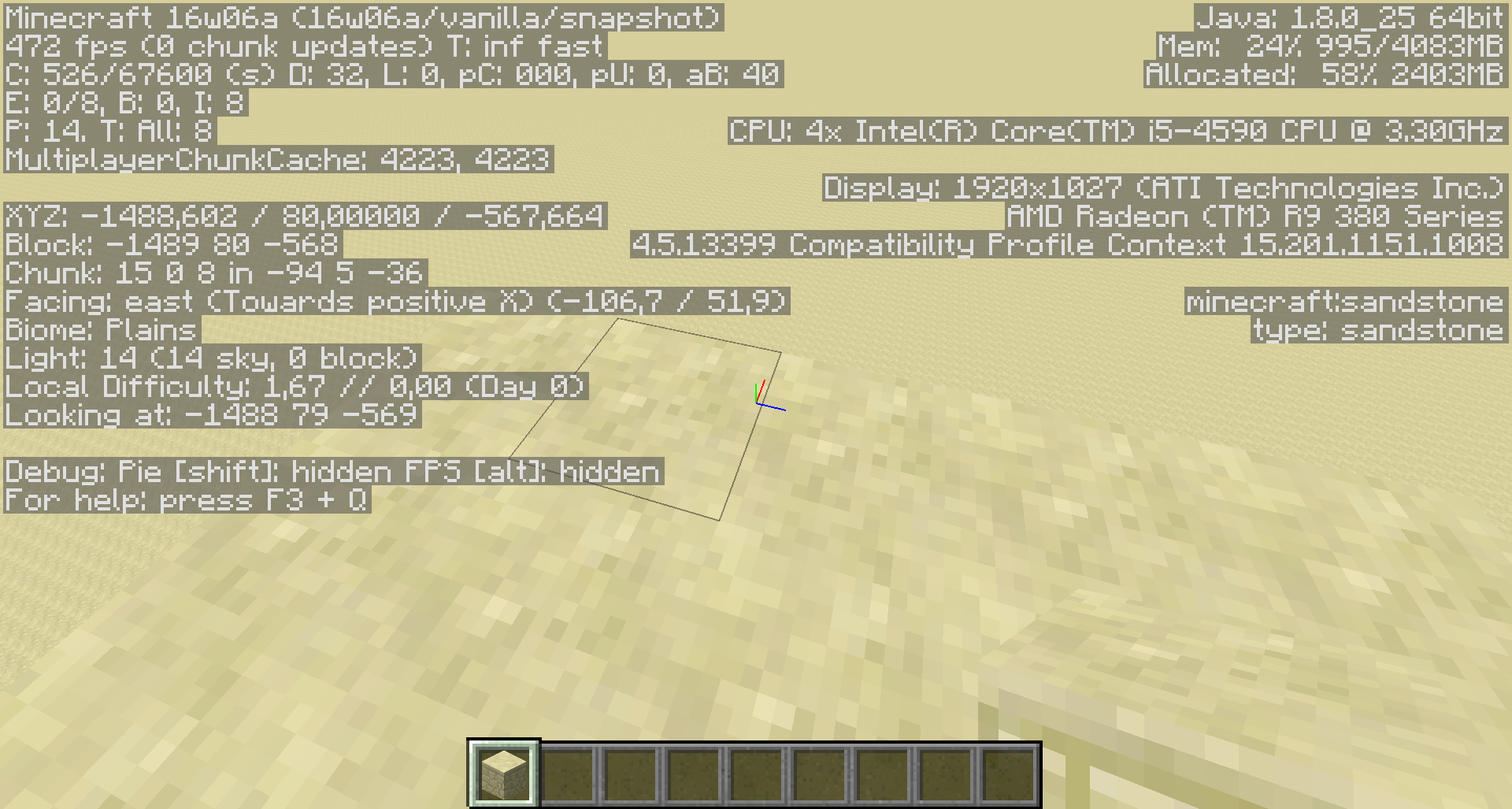
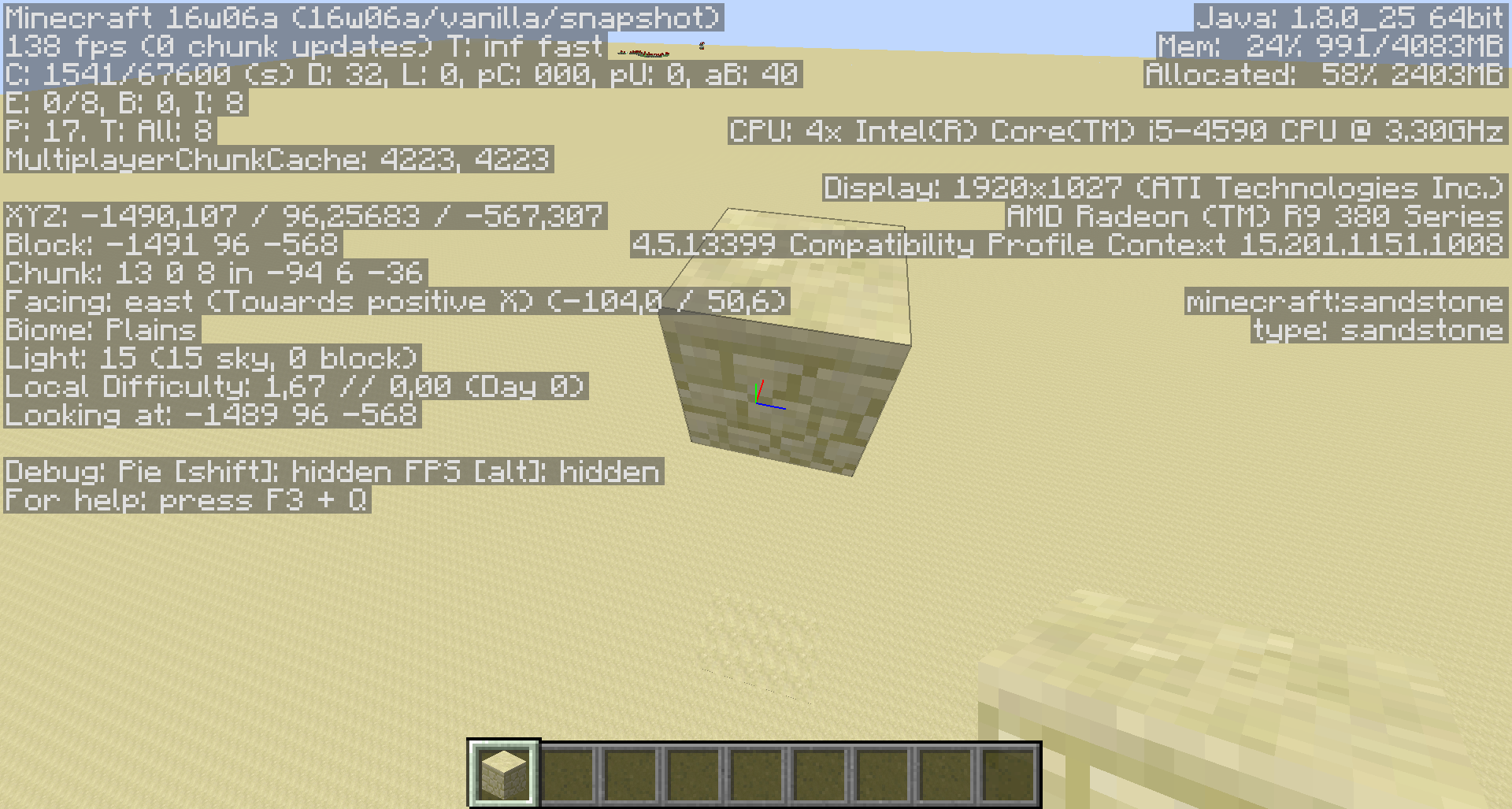
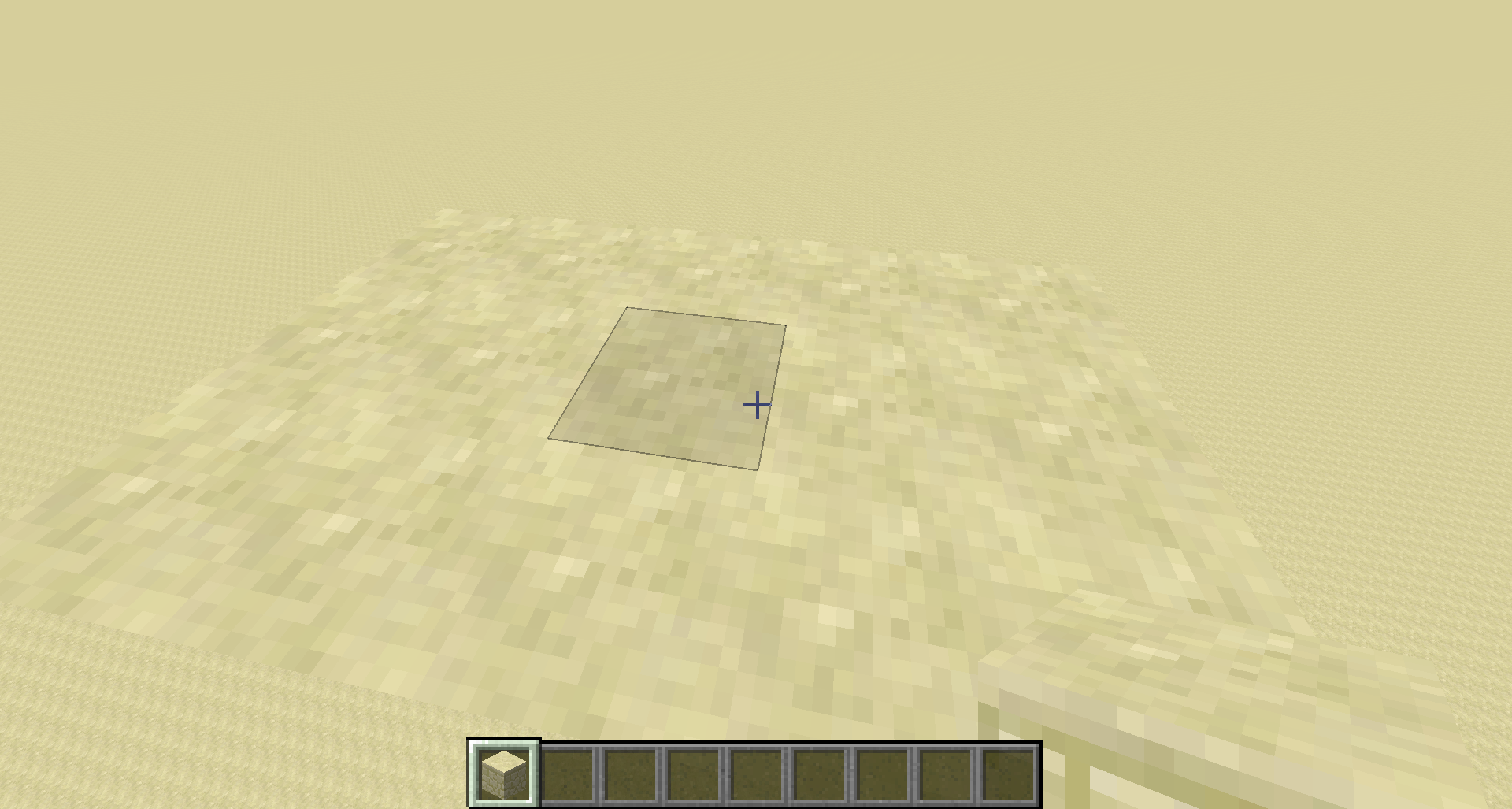
Blocks that have alternating models applied change their models once pretty randomly when a block update happens nearby.
A block does not need to get updated in order to change the model, it is enough if the block update happens near the block.
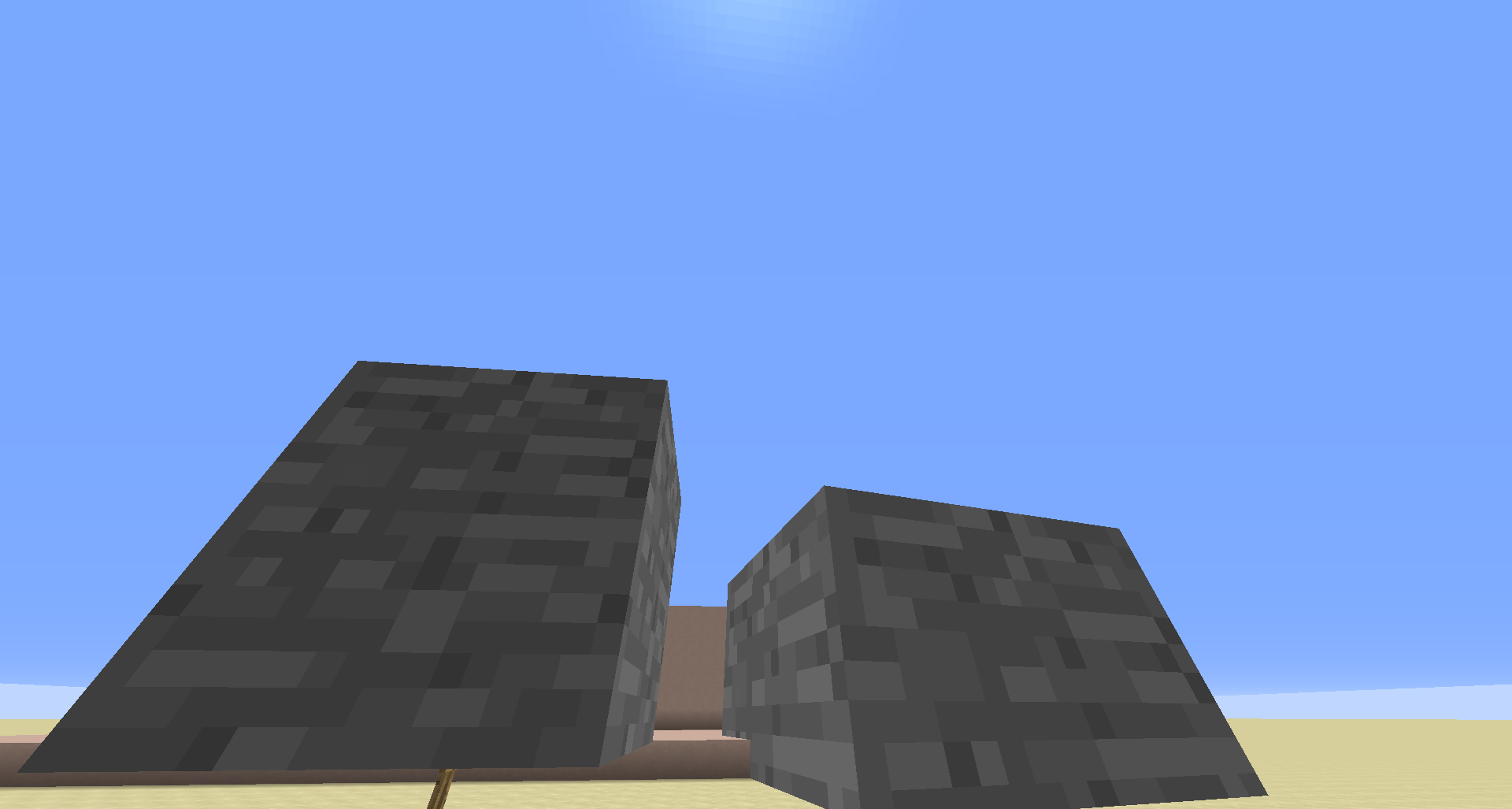
Normally I can just remove and replace a block and it will have the same model as before. That the model changes however, is not intended. Also this happens only once per block and then it will stay unless you reload the world or something.I've created a custom resource pack to make it more visible. The sandstone block alternates between 3 textures there. I choose lurid colors there in order to make it more visible when it changes.
The resource pack is attached for own experiments (I however do not recommend to use it for something else and I am not responsible for any epileptic seizures).
A gif to show the bug in action:
Blocks that have alternating models applied change their models once pretty randomly when a block update happens nearby.
A block does not need to get updated in order to change the model, it is enough if the block update happens near the block.
Normally I can just remove and replace a block and it will have the same model as before. That the model changes however, is not intended. Also this happens only once per block and then it will stay unless you reload the world or something.I've created a custom resource pack to make it more visible. The sandstone block alternates between 3 textures there. I choose lurid colors there in order to make it more visible when it changes.
The resource pack is attached for own experiments (I however do not recommend to use it for something else and I am not responsible for any epileptic seizuresA gif to show the bug in action:
http://i.imgur.com/laAALsy.gif

Blocks that have alternating models applied change their models once pretty randomly when a block update happens nearby.
A block does not need to get updated in order to change the model, it is enough if the block update happens near the block.
Normally I can just remove and replace a block and it will have the same model as before. That the model changes however, is not intended. Also this happens onlyonce per block and then it will stay unless you reload the world or something.I've created a custom resource pack to make it more visible. The sandstone block alternates between 3 textures there. I choose lurid colors there in order to make it more visible when it changes.
The resource pack is attached for own experiments (I however do not recommend to use it for something else and I am not responsible for any epileptic seizuresA gif to show the bug in action:
http://i.imgur.com/laAALsy.gifBlocks that have alternating models applied change their models once pretty randomly when a block update happens nearby.
A block does not need to get updated in order to change the model, it is enough if the block update happens near the block.
Normally I can just remove and replace a block and it will have the same model as before. That the model changes however, is not intended. Also this can only happen once per block and then it will stay unless you reload the world or something. It does not happen to all blocks, though and you might have to test several times to see it.I've created a custom resource pack to make it more visible. The sandstone block alternates between 3 textures there. I choose lurid colors there in order to make it more visible when it changes.
The resource pack is attached for own experiments (I however do not recommend to use it for something else and I am not responsible for any epileptic seizuresA gif to show the bug in action:
http://i.imgur.com/laAALsy.gif
Blocks that have alternating models applied change their models once pretty randomly when a block update happens nearby.
A block does not need to get updated in order to change the model, it is enough if the block update happens near the block.
Normally I can just remove and replace a block and it will have the same model as before. That the model changes however, is not intended. Also this can only happen once per block and then it will stay unless you reload the world or something. It does not happen to all blocks, though and you might have to test several times to see it.I've created a custom resource pack to make it more visible. The sandstone block alternates between 3 textures there. I choose lurid colors there in order to make it more visible when it changes.
The resource pack is attached for own experiments (I however do not recommend to use it for something else and I am not responsible for any epileptic seizureszcreate a flat world with the preset "redstone ready", you can test it easilyA gif to show the bug in action:
http://i.imgur.com/laAALsy.gif
This issue is related to
MC-87143
So according to the "fixed" issue named above it seems to be intended that you have to write JSON-text on signs now.So that command works just fine/setblock ~ ~1 ~ minecraft:standing_sign 0 replace {Text1:"[\"test\"]",Text2:"",Text3:"",Text4:""}
while the following just produces an empty sign/setblock ~ ~1 ~ minecraft:standing_sign 0 replace {Text1:"test",Text2:"",Text3:"",Text4:""}However, what is probably not intended is that the 2nd command produces the following error text in the command block output line
:An unknown error occurred while attempting to perform this commandeven though the sign got placed.
This issue is related to
MC-87143
So according to the "fixed" issue named above it seems to be intended that you have to write JSON-text on signs now.
So that command works just fine:/setblock ~ ~1 ~ minecraft:standing_sign 0 replace {Text1:"[\"test\"]",Text2:"",Text3:"",Text4:""}while the following just produces an empty sign:
/setblock ~ ~1 ~ minecraft:standing_sign 0 replace {Text1:"test",Text2:"",Text3:"",Text4:""}However, what is probably not intended is that the 2nd command produces the following error text in the command block output line even though the sign got placed:
An unknown error occurred while attempting to perform this command
This issue is related to
MC-87143
So according to the "fixed" issue named above it seems to be intended that you have to write JSON-text on signs now.
So that command works just fine:/setblock ~ ~1 ~ minecraft:standing_sign 0 replace {Text1:"[\"test\"]",Text2:"",Text3:"",Text4:""}while the following just produces an empty sign:
/setblock ~ ~1 ~ minecraft:standing_sign 0 replace {Text1:"test",Text2:"",Text3:"",Text4:""}However, what is probably not intended is that the 2nd command produces the following error text in the command block output line even though the sign g
otplaced:An unknown error occurred while attempting to perform this commandThis issue is related to
MC-87143
So according to the "fixed" issue named above it seems to be intended that you have to write JSON-text on signs now.
So that command works just fine:/setblock ~ ~1 ~ minecraft:standing_sign 0 replace {Text1:"[\"test\"]",Text2:"",Text3:"",Text4:""}while the following just produces an empty sign:
/setblock ~ ~1 ~ minecraft:standing_sign 0 replace {Text1:"test",Text2:"",Text3:"",Text4:""}However, what is probably not intended is that the 2nd command produces the following error text in the command block output line even though the sign gets placed:
An unknown error occurred while attempting to perform this command
This issue is related to
MC-87143
So according to the "fixed" issue named above it seems to be intended that you have to write JSON-text on signs now.
So that command works just fine:/setblock ~ ~1 ~ minecraft:standing_sign 0 replace {Text1:"[\"test\"]",Text2:"",Text3:"",Text4:""}while the following just produces an empty sign:
/setblock ~ ~1 ~ minecraft:standing_sign 0 replace {Text1:"test",Text2:"",Text3:"",Text4:""}However, what is probably not intended is that the 2nd command produces the following error text in the command block output line even though the sign gets placed:
An unknown error occurred while attempting to perform this commandThis issue is related to
MC-87143
So according to the "fixed" issue named above it seems to be intended that you have to write JSON-text on signs now.
So that command works just fine:/setblock ~ ~1 ~ minecraft:standing_sign 0 replace {Text1:"[\"test\"]",Text2:"[\"\"]",Text3:"[\"\"]",Text4:"[\"\"]"}while the following just produces an empty sign:
/setblock ~ ~1 ~ minecraft:standing_sign 0 replace {Text1:"test",Text2:"",Text3:"",Text4:""}However, what is probably not intended is that the 2nd command produces the following error text in the command block output line even though the sign gets placed:
An unknown error occurred while attempting to perform this command
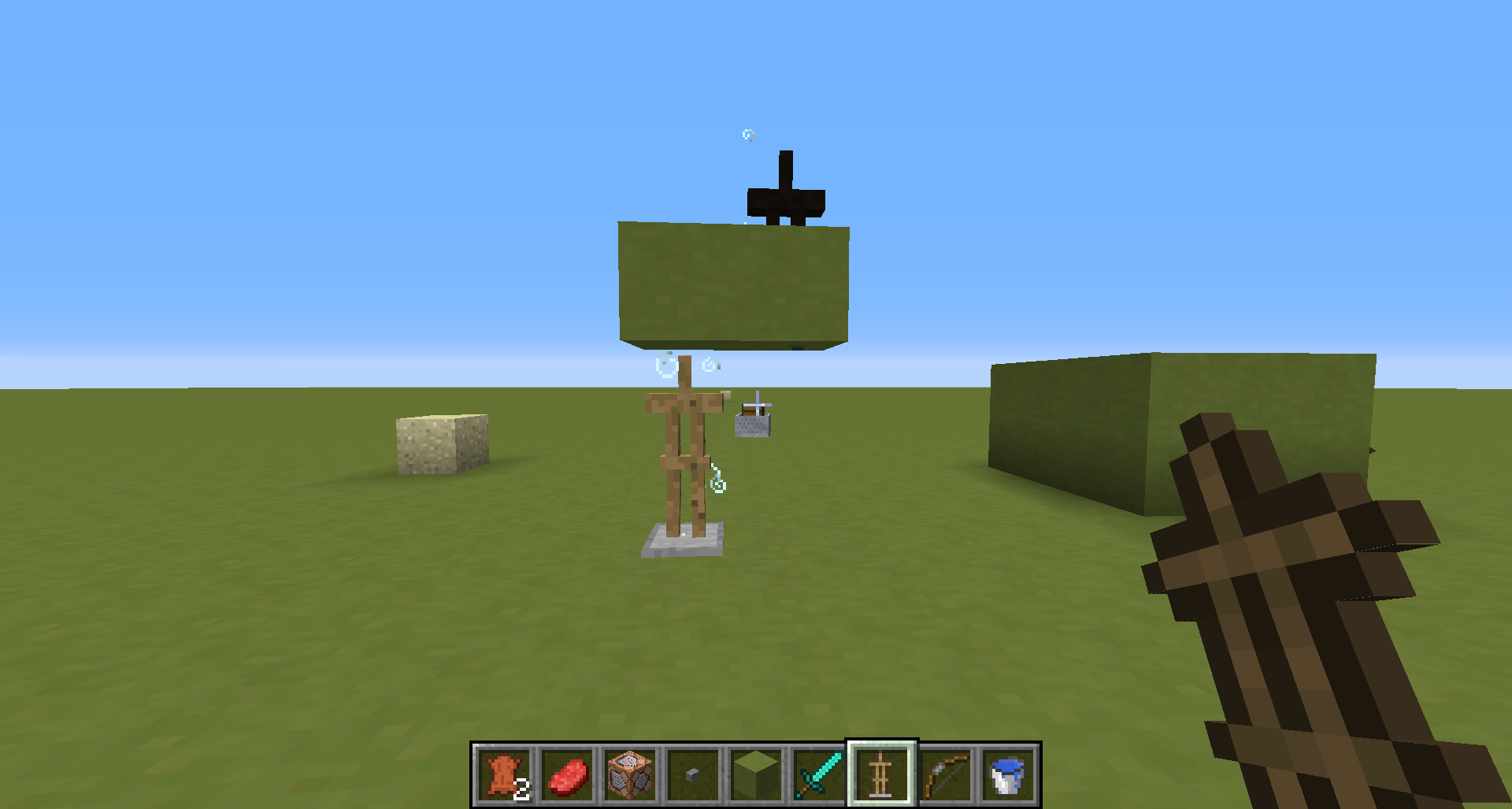
If you summon a
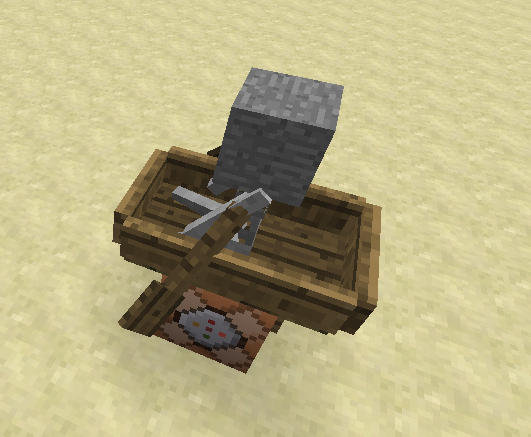
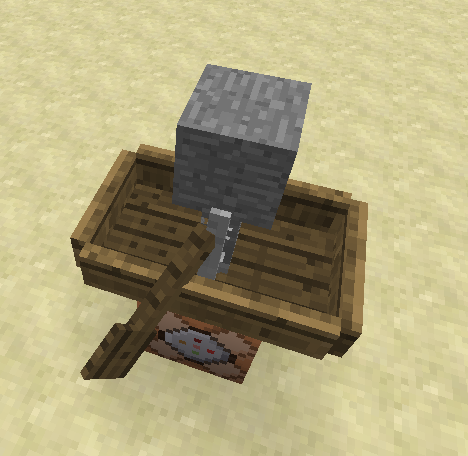
Mob riding something, some of them dosit visually. If you go away until the mob does not render anymore and then go to him again,hedoesn't appear sitting anymore, although he is still the Passenger of the other entity.Here a quick test command with a Skeleton sitting in a boat:
/summon Boat ~ ~1 ~ {Passengers:[{id:"Skeleton",ArmorItems:[{},{},{},{id:"minecraft:stone",Count:1}],PersistenceRequired:1b,NoAI:1b}]}This bug relates to
MC-96834If you summon a normal-sized Mob like a Skeleton or Zombie as a passenger of something, he will sit visually. If you go away until the mob does not render anymore and then go to him again, it doesn't appear sitting anymore, although he is still the Passenger of the other entity.
Here a quick test command with a Skeleton sitting in a boat:
/summon Boat ~ ~1 ~ {Passengers:[{id:"Skeleton",ArmorItems:[{},{},{},{id:"minecraft:stone",Count:1}],PersistenceRequired:1b,NoAI:1b}]}This bug relates to
MC-96834
If you summon a normal-sized Mob like a Skeleton or Zombie as a passenger of something, he will sit visually. If you go away until the mob does not render anymore and then go to him again,
itdoesn't appear sitting anymore, although he is still the Passenger of the other entity.Here a quick test command with a Skeleton sitting in a boat:
/summon Boat ~ ~1 ~ {Passengers:[{id:"Skeleton",ArmorItems:[{},{},{},{id:"minecraft:stone",Count:1}],PersistenceRequired:1b,NoAI:1b}]}This bug relates to
MC-96834If you summon a normal-sized Mob like a Skeleton or Zombie as a passenger of something, he will sit visually. If you go away until the mob does not render anymore and then go back to him again, he doesn't appear sitting anymore, although he is still the Passenger of the other entity.
Here a quick test command with a Skeleton sitting in a boat:
/summon Boat ~ ~1 ~ {Passengers:[{id:"Skeleton",ArmorItems:[{},{},{},{id:"minecraft:stone",Count:1}],PersistenceRequired:1b,NoAI:1b}]}This bug relates to
MC-96834
PassengerMobs don't sit anymorewhen rerenderedPassenger Entities get dismounted when rerendered
Entities riding a mop don't appear riding anymore
If you summon a normal-sized Mob like a Skeleton or Zombie as a passenger of something, he will sit visually. If you go away until the mob does not render anymore and then go back to him again, he doesn't appear sitting anymore, although he is still the Passenger of the other entity.
Here a quick test command with a Skeleton sitting in a boat:
/summon Boat ~ ~1 ~ {Passengers:[{id:"Skeleton",ArmorItems:[{},{},{},{id:"minecraft:stone",Count:1}],PersistenceRequired:1b,NoAI:1b}]}
Entities riding a mop don't appear riding anymore
Ifyou summon a normal-sized Mob like a Skeleton or Zombie as a passenger of something, he will sit visually. If you go away until the mob does not render anymore and then go back to him again, he doesn't appear sitting anymore, although he is still thePassenger of the other entity.Here a quick test command with a Skeleton sitting in a boat:
/summon Boat ~ ~1 ~ {Passengers:[{id:"Skeleton",ArmorItems:[{},{},{},{id:"minecraft:stone",Count:1}],PersistenceRequired:1b,NoAI:1b}]}Entities riding something don't appear riding anymore if you move away from them until the client does not render them anymore and come back. It is enough if it does not render the entity anymore / does not have it loaded, you do not need to unload the chunks.
You can see the effect for example when you're summoning a normal-sized Mob like a Skeleton or Zombie as a passenger of something. He will then sit visually. If you go away until the mob does not render anymore and then go back to him again, he doesn't appear sitting anymore, although he is still the passenger of the other entity.
Here a quick test command with a Skeleton sitting in a boat:
/summon Boat ~ ~1 ~ {Passengers:[{id:"Skeleton",ArmorItems:[{},{},{},{id:"minecraft:stone",Count:1}],PersistenceRequired:1b,NoAI:1b}]}
Entities riding something don't appear riding anymore if you move away from them until the client does not render them anymore and come back. It is enough if it does not render the entity anymore / does not have it loaded, you do not need to unload the chunks.
You can see the effect for example when you're summoning a normal-sized Mob like a Skeleton or Zombie as a passenger of something. He will then sit visually. If you go away until the mob does not render anymore and then go back to him again, he doesn't appear sitting anymore, although he is still the passenger of the other entity.
Here a quick test command with a Skeleton sitting in a boat:
/summon Boat ~ ~1 ~ {Passengers:[{id:"Skeleton",ArmorItems:[{},{},{},{id:"minecraft:stone",Count:1}],PersistenceRequired:1b,NoAI:1b}]}Another example is FallingSand as a passenger of an an ArmorStand. If you unload them and go back, the FallingSand will just fall client side. If you reopen the world, it will appear on the ArmorStand again.. Note, that the FallingSand will die if it persists for more than 400 game ticks (20 seconds).
Test command:
/summon ArmorStand ~ ~5 ~ {NoGravity:1b,Passengers:[{id:"FallingSand",Time:1,Tags:["NoDespawn"]}]}In order to prevent the FallingSand from dieing after 400 ticks do:
/entitydata @e[tag=NoDespawn,type=FallingSand] {Time:1}
Entities riding something don't appear riding anymore if you move away from them until the client does not render them anymore and come back. It is enough if it does not render the entity anymore / does not have it loaded, you do not need to unload the chunks.
You can see the effect for example when you're summoning a normal-sized Mob like a Skeleton or Zombie as a passenger of something. He will then sit visually. If you go away until the mob does not render anymore and then go back to him again, he doesn't appear sitting anymore, although he is still the passenger of the other entity.
Here a quick test command with a Skeleton sitting in a boat:
/summon Boat ~ ~1 ~ {Passengers:[{id:"Skeleton",ArmorItems:[{},{},{},{id:"minecraft:stone",Count:1}],PersistenceRequired:1b,NoAI:1b}]}Another example is FallingSand as a passenger of an an ArmorStand. If you unload them and go back, the FallingSand will just fall client side, but not server side. Therefore the sand will still stay as an entity even if it looks like it hit the ground. If you reopen the world, it will appear on the ArmorStand again.. Note, that the FallingSand will die if it persists for more than 400 game ticks (20 seconds).
Test command:
/summon ArmorStand ~ ~5 ~ {NoGravity:1b,Passengers:[{id:"FallingSand",Time:1,Tags:["NoDespawn"]}]}In order to prevent the FallingSand from dieing after 400 ticks do:
/entitydata @e[tag=NoDespawn,type=FallingSand] {Time:1}
Entities riding something don't appear riding anymore if you move away from them until the client does not render them anymore and come back. It is enough if it does not render the entity anymore / does not have it loaded, you do not need to unload the chunks. This is a client/sever desync.
You can see the effect for example when you're summoning a normal-sized Mob like a Skeleton or Zombie as a passenger of something. He will then sit visually. If you go away until the mob does not render anymore and then go back to him again, he doesn't appear sitting anymore, although he is still the passenger of the other entity.
Here a quick test command with a Skeleton sitting in a boat:
/summon Boat ~ ~1 ~ {Passengers:[{id:"Skeleton",ArmorItems:[{},{},{},{id:"minecraft:stone",Count:1}],PersistenceRequired:1b,NoAI:1b}]}Another example is FallingSand as a passenger of an an ArmorStand. If you unload them and go back, the FallingSand will just fall client side, but not server side. Therefore the sand will still stay as an entity even if it looks like it hit the ground. If you reopen the world, it will appear on the ArmorStand again.. Note, that the FallingSand will die if it persists for more than 400 game ticks (20 seconds).
Test command:
/summon ArmorStand ~ ~5 ~ {NoGravity:1b,Passengers:[{id:"FallingSand",Time:1,Tags:["NoDespawn"]}]}In order to prevent the FallingSand from dieing after 400 ticks do:
/entitydata @e[tag=NoDespawn,type=FallingSand] {Time:1}
Entities riding something don't appear riding anymore if you move away from them until the client does not render them anymore and come back. It is enough if it does not render the entity anymore / does not have it loaded, you do not need to unload the chunks. This is a client/sever desync.
You can see the effect for example when you're summoning a normal-sized Mob like a Skeleton or Zombie as a passenger of something. He will then sit visually. If you go away until the mob does not render anymore and then go back to him again, he doesn't appear sitting anymore, although he is still the passenger of the other entity.
Here a quick test command with a Skeleton sitting in a boat:
/summon Boat ~ ~1 ~ {Passengers:[{id:"Skeleton",ArmorItems:[{},{},{},{id:"minecraft:stone",Count:1}],PersistenceRequired:1b,NoAI:1b}]}Another example is FallingSand as a passenger of an an ArmorStand. If you unload them and go back, the FallingSand will just fall client side, but not server side. Therefore the sand will still stay as an entity even if it looks like it hit the ground. If you reopen the world, it will appear on the ArmorStand again.. Note, that the FallingSand will die if it persists for more than 400 game ticks (20 seconds).
Test command:
/summon ArmorStand ~ ~5 ~ {NoGravity:1b,Passengers:[{id:"FallingSand",Time:1,Tags:["NoDespawn"]}]}In order to prevent the FallingSand from d
ieing after 400 ticks do:/entitydata @e[tag=NoDespawn,type=FallingSand] {Time:1}Entities riding something don't appear riding anymore if you move away from them until the client does not render them anymore and come back. It is enough if it does not render the entity anymore / does not have it loaded, you do not need to unload the chunks. This is a client/sever desync.
You can see the effect for example when you're summoning a normal-sized Mob like a Skeleton or Zombie as a passenger of something. He will then sit visually. If you go away until the mob does not render anymore and then go back to him again, he doesn't appear sitting anymore, although he is still the passenger of the other entity.
Here a quick test command with a Skeleton sitting in a boat:
/summon Boat ~ ~1 ~ {Passengers:[{id:"Skeleton",ArmorItems:[{},{},{},{id:"minecraft:stone",Count:1}],PersistenceRequired:1b,NoAI:1b}]}Another example is FallingSand as a passenger of an an ArmorStand. If you unload them and go back, the FallingSand will just fall client side, but not server side. Therefore the sand will still stay as an entity even if it looks like it hit the ground. If you reopen the world, it will appear on the ArmorStand again.. Note, that the FallingSand will die if it persists for more than 400 game ticks (20 seconds).
Test command:
/summon ArmorStand ~ ~5 ~ {NoGravity:1b,Passengers:[{id:"FallingSand",Time:1,Tags:["NoDespawn"]}]}In order to prevent the FallingSand from dying after 400 ticks do:
/entitydata @e[tag=NoDespawn,type=FallingSand] {Time:1}
Passenger Entities get dismounted client-side when rerendered
Entities riding something don't appear riding anymore if you move away from them until the client does not render them anymore and come back. It is enough if it does not render the entity anymore / does not have it loaded, you do not need to unload the chunks. This is a client/sever desync.
You can see the effect for example when you're summoning a normal-sized Mob like a Skeleton or Zombie as a passenger of something. He will then sit visually. If you go away until the mob does not render anymore and then go back to him again, he doesn't appear sitting anymore, although he is still the passenger of the other entity.
Here a quick test command with a Skeleton sitting in a boat:
/summon Boat ~ ~1 ~ {Passengers:[{id:"Skeleton",ArmorItems:[{},{},{},{id:"minecraft:stone",Count:1}],PersistenceRequired:1b,NoAI:1b}]}Another example is FallingSand as a passenger of an an ArmorStand. If you unload them and go back, the FallingSand will just fall client side, but not server side. Therefore the sand will still stay as an entity even if it looks like it hit the ground. If you reopen the world, it will appear on the ArmorStand again.. Note, that the FallingSand will d
ieif it persists for more than 400 game ticks (20 seconds).Test command:
/summon ArmorStand ~ ~5 ~ {NoGravity:1b,Passengers:[{id:"FallingSand",Time:1,Tags:["NoDespawn"]}]}In order to prevent the FallingSand from d
ying after 400 ticks do:/entitydata @e[tag=NoDespawn,type=FallingSand] {Time:1}Entities riding something don't appear riding anymore if you move away from them until the client does not render them anymore and come back. It is enough if it does not render the entity anymore / does not have it loaded, you do not need to unload the chunks. This is a client/sever desync.
You can see the effect for example when you're summoning a normal-sized Mob like a Skeleton or Zombie as a passenger of something. He will then sit visually. If you go away until the mob does not render anymore and then go back to him again, he doesn't appear sitting anymore, although he is still the passenger of the other entity.
Here a quick test command with a Skeleton sitting in a boat:
/summon Boat ~ ~1 ~ {Passengers:[{id:"Skeleton",ArmorItems:[{},{},{},{id:"minecraft:stone",Count:1}],PersistenceRequired:1b,NoAI:1b}]}Another example is FallingSand as a passenger of an an ArmorStand. If you unload them and go back, the FallingSand will just fall client side, but not server side. Therefore the sand will still stay as an entity even if it looks like it hit the ground. If you reopen the world, it will appear on the ArmorStand again.. Note, that the FallingSand will drop as a Item if it persists for more than 400 game ticks (20 seconds).
Test command:
/summon ArmorStand ~ ~5 ~ {NoGravity:1b,Passengers:[{id:"FallingSand",Time:1,Tags:["NoDespawn"]}]}In order to prevent the FallingSand from dropping after 400 ticks do in a repeating command block:
/entitydata @e[tag=NoDespawn,type=FallingSand] {Time:1}
Entities riding something don't appear riding anymore if you move away from them until the client does not render them anymore and come back. It is enough if it does not render the entity anymore / does not have it loaded, you do not need to unload the chunks. This is a client/sever desync.
You can see the effect for example when you're summoning a normal-sized Mob like a Skeleton or Zombie as a passenger of something. He will then sit visually. If you go away until the mob does not render anymore and then go back to him again, he doesn't appear sitting anymore, although he is still the passenger of the other entity.
Here a quick test command with a Skeleton sitting in a boat:
/summon Boat ~ ~1 ~ {Passengers:[{id:"Skeleton",ArmorItems:[{},{},{},{id:"minecraft:stone",Count:1}],PersistenceRequired:1b,NoAI:1b}]}Another example is FallingSand as a passenger of an an ArmorStand. If you unload them and go back, the FallingSand will just fall client side, but not server side. Therefore the sand will still stay as an entity even if it looks like it hit the ground. If you reopen the world, it will appear on the ArmorStand again.. Note, that the FallingSand will drop as a Item if it persists for more than 400 game ticks (20 seconds).
Test command:
/summon ArmorStand ~ ~5 ~ {NoGravity:1b,Passengers:[{id:"FallingSand",Time:1,Tags:["NoDespawn"]}]}In order to prevent the FallingSand from dropping after 400 ticks do in a repeating command block:
/entitydata @e[tag=NoDespawn,type=FallingSand] {Time:1}
Entities riding something don't appear riding anymore if you move away from them until the client does not render them anymore and come back. It is enough if it does not render the entity anymore / does not have it loaded, you do not need to unload the chunks. This is a client/sever desync.
You can see the effect for example when you're summoning a normal-sized Mob like a Skeleton or Zombie as a passenger of something. He will then sit visually. If you go away until the mob does not render anymore and then go back to him again, he doesn't appear sitting anymore, although he is still the passenger of the other entity.
Here a quick test command with a Skeleton sitting in a boat:
/summon Boat ~ ~1 ~ {Passengers:[{id:"Skeleton",ArmorItems:[{},{},{},{id:"minecraft:stone",Count:1}],PersistenceRequired:1b,NoAI:1b}]}Another example is FallingSand as a passenger of an an ArmorStand. If you unload them and go back, the FallingSand will just fall client side, but not server side. Therefore the sand will still stay as an entity even if it looks like it hit the ground. If you reopen the world, it will appear on the ArmorStand again.. Note, that the FallingSand will drop as a Item if it persists for more than 400 game ticks (20 seconds).
Test command:
/summon ArmorStand ~ ~5 ~ {NoGravity:1b,Passengers:[{id:"FallingSand",Time:1,Tags:["NoDespawn"]}]}In order to prevent the FallingSand from dropping after 400 ticks do in a repeating command block:
/entitydata @e[tag=NoDespawn,type=FallingSand] {Time:1}Since there are some duplicates with Skeleton horse attacks let's describe that as well so that this report gets found a little better:
If you are in a survival world, occasionally during a thunder storm there might spawn a skeleton horse trap. There are Skeletons riding a horse then. If you reproduce the bug as described above, the skeletons will float in the air, can not get hit by you and will still shoot from the bag of the skeleton horse.
Code analysis by Marcono1234: https://bugs.mojang.com/browse/MC-96954?focusedCommentId=304953&page=com.atlassian.jira.plugin.system.issuetabpanels:comment-tabpanel#comment-304953
Entities riding something don't appear riding anymore if you move away from them until the client does not render them anymore and come back. It is enough if it does not render the entity anymore / does not have it loaded, you do not need to unload the chunks. This is a client/sever desync.
You can see the effect for example when you're summoning a normal-sized Mob like a Skeleton or Zombie as a passenger of something. He will then sit visually. If you go away until the mob does not render anymore and then go back to him again, he doesn't appear sitting anymore, although he is still the passenger of the other entity. You can also move the boat around and the riding entity will stay floating in the air and not move at all.
Here a quick test command with a Skeleton sitting in a boat:
/summon Boat ~ ~1 ~ {Passengers:[{id:"Skeleton",ArmorItems:[{},{},{},{id:"minecraft:stone",Count:1}],PersistenceRequired:1b,NoAI:1b}]}Another example is FallingSand as a passenger of an an ArmorStand. If you unload them and go back, the FallingSand will just fall client side, but not server side. Therefore the sand will still stay as an entity even if it looks like it hit the ground. If you reopen the world, it will appear on the ArmorStand again.. Note, that the FallingSand will drop as a Item if it persists for more than 400 game ticks (20 seconds).
Test command:
/summon ArmorStand ~ ~5 ~ {NoGravity:1b,Passengers:[{id:"FallingSand",Time:1,Tags:["NoDespawn"]}]}In order to prevent the FallingSand from dropping after 400 ticks do in a repeating command block:
/entitydata @e[tag=NoDespawn,type=FallingSand] {Time:1}Since there are some duplicates with Skeleton horse attacks let's describe that as well so that this report gets found a little better:
If you are in a survival world, occasionally during a thunder storm there might spawn a skeleton horse trap. There are Skeletons riding a horse then. If you reproduce the bug as described above, the skeletons will float in the air, can not get hit by you and will still shoot from the bag of the skeleton horse.Also on a multiplayer server, when riding a horse, boat or minecart, other players on that server might not see you correctly as described.
Code analysis by Marcono1234: https://bugs.mojang.com/browse/MC-96954?focusedCommentId=304953&page=com.atlassian.jira.plugin.system.issuetabpanels:comment-tabpanel#comment-304953
use
reporter = currentUser()
Can confirm for 1.11.2
So, that is a bit more complicated to reproduce and it is a bit weird.
Next to the steps in text form, I added a few screenshots to help to reproduce it.
First of all, if you press F3, there is one row with "Chunk (3 numbers) in (...)"
You need to take care about the y-chunk-coordinate, which is the 2nd one of these
To do your setup for the bug, stack up until it says 0 when you are standing on top of your block (so the block itself is actually 15 of the chunk below it)Then mark that block somehow and stack up another 17 blocks (the chunk y coordinate should say 1 if you are standing on top of the block). You can put the block higher if you want, that makes no difference.
Now make sure, the block that is 17 or more blocks above the first one is floating and there is no block in between these two. Add a few blocks next to the bottom block (really doesn't matter, maybe do a 4x4 area or so).If so, go back to title screen and reopen your world. There should now be a smooth shadow on the bottom block. If you stand where the shadow is, your arm or the block you're holding is getting entirely black. If you place a block on top of the shadow, the blocks surrounding it are getting black.
So, that is a bit more complicated to reproduce and it is a bit weird.
Next to the steps in text form, I added a few screenshots to help to reproduce it.
First of all, if you press F3, there is one row with "Chunk
(3 numbers) in(...)"
You need to take care about the y-chunk-coordinate, which is the 2nd one of these
To do your setup for the bug, stack up until it says 0 when you are standing on top of your block (so the block itself is actually 15 of the chunk below it)Then mark that block somehow and stack up another 17 blocks (the chunk y coordinate should say 1 if you are standing on top of the block). You can put the block higher if you want, that makes no difference.
Now make sure, the block that is 17 or more blocks above the first one is floating and there is no block in between these two. Add a few blocks next to the bottom block (really doesn't matter, maybe do a 4x4 area or so).If so, go back to title screen and reopen your world. There should now be a smooth shadow on the bottom block. If you stand where the shadow is, your arm or the block you're holding is getting entirely black. If you place a block on top of the shadow, the blocks surrounding it are getting black.
So, that is a bit more complicated to reproduce and it is a bit weird.
Next to the steps in text form, I added a few screenshots to help to reproduce it.
First of all, if you press F3, there is one row with "Chunk x y z (...)"
You need to take care about the y-chunk-coordinate, which is the 2nd one of these
To do your setup for the bug, stack up until it says 0 when you are standing on top of your block (so the block itself is actually 15 of the chunk below it)Then mark that block somehow and stack up another 17 blocks (the chunk y coordinate should say 1 if you are standing on top of the block). You can put the block higher if you want, that makes no difference.
Now make sure, the block that is 17 or more blocks above the first one is floating and there is no block in between these two. Add a few blocks next to the bottom block (really doesn't matter, maybe do a 4x4 area or so).If so, go back to title screen and reopen your world. There should now be a smooth shadow on the bottom block. If you stand where the shadow is, your arm or the block you're holding is getting entirely black. If you place a block on top of the shadow, the blocks surrounding it are getting black.
So, that is a bit more complicated to reproduce and it is a bit weird.
Next to the steps in text form, I added a few screenshots to help to reproduce it.
First of all, if you press F3, there is one row with "Chunk x y z (...)"
You need to take care about the y-chunk-coordinate, which is the 2nd one of these
To do your setup for the bug, stack up until it says 0 when you are standing on top of your block (so the block itself is actually 15 of the chunk below it)Then mark that block somehow and stack up another 17 blocks (the chunk y coordinate should say 1 if you are standing on top of the block). You can put th
eblock higher if you want, that makes no difference.
Now make sure, the block that is 17 or more blocks above the first one is floating and there is no block in between these two. Add a few blocks next to the bottom block (really doesn't matter, maybe do a 4x4 area or so).If so, go back to title screen and reopen your world. There should now be a smooth shadow on the bottom block. If you stand where the shadow is, your arm or the block you're holding is getting entirely black. If you place a block on top of the shadow, the blocks surrounding it are getting black.
So, that is a bit more complicated to reproduce and it is a bit weird.
Next to the steps in text form, I added a few screenshots to help to reproduce it.
First of all, if you press F3, there is one row with "Chunk x y z (...)"
You need to take care about the y-chunk-coordinate, which is the 2nd one of these
To do your setup for the bug, stack up until it says 0 when you are standing on top of your block (so the block itself is actually 15 of the chunk below it)Then mark that block somehow and stack up another 17 blocks (the chunk y coordinate should say 1 if you are standing on top of the block). You can put this block also higher if you want, that makes no difference.
Now make sure, the block that is 17 or more blocks above the first one is floating and there is no block in between these two. Add a few blocks next to the bottom block (really doesn't matter, maybe do a 4x4 area or so).If so, go back to title screen and reopen your world. There should now be a smooth shadow on the bottom block. If you stand where the shadow is, your arm or the block you're holding is getting entirely black. If you place a block on top of the shadow, the blocks surrounding it are getting black.
So, that is a bit more complicated to reproduce and it is a bit weird.
Next to the steps in text form, I added a few screenshots to help to reproduce it.
First of all, if you press F3, there is one row with "Chunk x y z (...)"
You need to take care about the y-chunk-coordinate, which is the 2nd one of these
To do your setup for the bug, stack up until it says 0 when you are standing on top of your block (so the block itself is actually 15 of the chunk below it)Then mark that block somehow and stack up another 17 blocks (the chunk y coordinate should say 1 if you are standing on top of the block). You can
put this block alsohigher if you want, that makes no difference.
Now make sure, the block that is 17 or more blocks above the first one is floating and there is no block in between these two. Add a few blocks next to the bottom block (really doesn't matter, maybe do a 4x4 area or so).If so, go back to title screen and reopen your world. There should now be a smooth shadow on the bottom block. If you stand where the shadow is, your arm or the block you're holding is getting entirely black. If you place a block on top of the shadow, the blocks surrounding it are getting black.
So, that is a bit more complicated to reproduce and it is a bit weird.
Next to the steps in text form, I added a few screenshots to help to reproduce it.
First of all, if you press F3, there is one row with "Chunk x y z (...)"
You need to take care about the y-chunk-coordinate, which is the 2nd one of these
To do your setup for the bug, stack up until it says 0 when you are standing on top of your block (so the block itself is actually 15 of the chunk below it)Then mark that block somehow and stack up another 17 blocks (the chunk y coordinate should say 1 if you are standing on top of the block). You can also stack up higher if you want, that makes no difference.
Now make sure, the block that is 17 or more blocks above the first one is floating and there is no block in between this and the one you marked before. Add a few blocks next to the bottom block (really doesn't matter, maybe do a 4x4 area or so).If so, go back to title screen and reopen your world. There should now be a smooth shadow on the bottom block. If you stand where the shadow is, your arm or the block you're holding is getting entirely black. If you place a block on top of the shadow, the blocks surrounding it are getting black.
So, that is a bit more complicated to reproduce and it is a bit weird.
Next to the steps in text form, I added a few screenshots to help to reproduce it.
First of all, if you press F3, there is one row with "Chunk x y z (...)"
You need to take care about the y-chunk-coordinate, which is the 2nd one of these
To do your setup for the bug, stack up until it says 0 when you are standing on top of your block (so the block itself is actually 15 of the chunk below it)Then mark that block somehow and stack up another 17 blocks (the chunk y coordinate should say 1 if you are standing on top of the block). You can also stack up higher if you want, that makes no difference.
Now make sure, the block that is 17 or more blocks above the first one is floating and there is no block in between this and the one you marked before. Add a few blocks next to the bottom block (really doesn't matter, maybe do a 4x4 area or so).If
so, go back to title screen and reopen your world. There should now be a smooth shadow on the bottom block. If you stand where the shadow is, your arm or the block you're holding is getting entirely black. If you place a block on top of the shadow, the blocks surrounding it are getting black.So, that is a bit more complicated to reproduce and it is a bit weird.
Next to the steps in text form, I added a few screenshots to help to reproduce it.
First of all, if you press F3, there is one row with "Chunk x y z (...)"
You need to take care about the y-chunk-coordinate, which is the 2nd one of these
To do your setup for the bug, stack up until it says 0 when you are standing on top of your block (so the block itself is actually 15 of the chunk below it)Then mark that block somehow and stack up another 17 blocks (the chunk y coordinate should say 1 if you are standing on top of the block). You can also stack up higher if you want, that makes no difference.
Now make sure, the block that is 17 or more blocks above the first one is floating and there is no block in between this and the one you marked before. Add a few blocks next to the bottom block (really doesn't matter, maybe do a 4x4 area or so).If you are done, go back to title screen and reopen your world. There should now be a smooth shadow on the bottom block. If you stand where the shadow is, your arm or the block you're holding is getting entirely black. If you place a block on top of the shadow, the blocks surrounding it are getting black.
So, when you update the Motion of a flying Arrow with /entitydata, it does only update serverside.
To reproduce, you can use the following commands (2nd in a chain command block after the 1st)
/summon Arrow ~ ~2 ~ {Motion:[1.0,0.0,0.0]}/entitydata @e[type=Arrow] {Motion:[-1.0,0.0,0.0]}You'll see that the arrow looks at first if it's flying towards positive X but then lands on negative X.
{Motion:[-1.0,2.0,0.0]}
If you'd choose something like /entitydata @e[type=Arrow]the arrow is going to not fly smooth, but instead will "jump" every second or so to the next position.
So, when you update the Motion of a flying Arrow with /entitydata, it does only update serverside.
To reproduce, you can use the following commands (2nd in a chain command block after the 1st)
/summon Arrow ~ ~2 ~ {Motion:[1.0,0.0,0.0]}/entitydata @e[type=Arrow] {Motion:[-1.0,0.0,0.0]}You'll see that the arrow looks at first if it's flying towards positive X but then lands on negative X.
{Motion:[-1.0,2.0,0.0]}
If you'd choose something like /entitydata @e[type=Arrow]the arrow is going to not fly smooth, but instead will "jump" every second or so to the next position.
So, when you update the Motion of a flying Arrow with /entitydata, it does only update serverside.
To reproduce, you can use the following commands (2nd in a chain command block after the 1st)
/summon Arrow ~ ~2 ~ {Motion:[1.0,0.0,0.0]}/entitydata @e[type=Arrow] {Motion:[-1.0,0.0,0.0]}You'll see that the arrow looks at first if it's flying towards positive X but then lands on negative X.
{Motion:[-1.0,2.0,0.0]}
If you'd choose something like /entitydata @e[type=Arrow]the arrow is going to not fly smooth, but instead will "jump" every second or so to the next position.
The new NoGravity-tag shows that behavior better.
/summon Arrow ~ ~2 ~ {NoGravity:1b}/entitydata @e[type=Arrow] {Motion:[0d,0d,0.5d]}
So, when you update the Motion of a flying Arrow with /entitydata, it does only update serverside.
To reproduce, you can use the following commands (2nd in a chain command block after the 1st)
/summon Arrow ~ ~2 ~ {Motion:[1.0,0.0,0.0]}/entitydata @e[type=Arrow] {Motion:[-1.0,0.0,0.0]}You'll see that the arrow looks at first if it's flying towards positive X but then lands on negative X.
{Motion:[-1.0,2.0,0.0]}
If you'd choose something like /entitydata @e[type=Arrow]the arrow is going to not fly smooth, but instead will "jump" every second or so to the next position.
The new NoGravity-tag shows that behavior better.
/summon Arrow ~ ~2 ~ {NoGravity:1b}/entitydata @e[type=Arrow] {Motion:[0d,0d,-0.5d]}
So, when you update the Motion of a flying Arrow with /entitydata, it does only update serverside.To reproduce, you can use the following commands
(2nd in a chain command block after the 1st)/summonArrow ~ ~2 ~ {Motion:[1.0,0.0,0.0]}/entitydata@e[type=Arrow] {Motion:[-1.0,0.0,0.0]}You'll see that the arrow looks at first if it's flying towards positive X but then lands on negative X.
{Motion:[-1.0,2.0,0.0]}
If you'd choose something like /entitydata @e[type=Arrow]the arrow is going to not fly smooth, but instead will "jump" every second or so to the next position.
The new NoGravity-tag shows that behavior better.
/summon Arrow ~ ~2 ~ {NoGravity:1b}/entitydata @e[type=Arrow] {Motion:[0d,0d,-0.5d]}When you update the Motion of a flying Arrow with /data, it does only update serverside.
To reproduce, you can use the following commands:
/summon arrow ~ ~2 ~ {NoGravity:1b}/data merge entity @e[type=arrow,limit=1,sort=nearest] {Motion:[0d,0d,-0.5d]}You should see, that the arrow ow "jumps" every so often to its new sever-side position but still facing the direction it was facing when it was summoned.
Java 1.8.0_25 64bit
Windows 10
entitydataan Arrow's Motion causes client-server-desyncChanging an Arrow's Motion using /data causes client-server-desync
I am not quiet sure whether this is intended or not, but the bone block is handled as if it was a transparent block and I see no reason for it to be like that. It is basically just a pillar block and in general pillars are not transparent.
It also is a full block (16x16x16)As a result of that, you cant place torches, redstone dust and things like that on top of it. It gets rendered even when it is inside of blocks wich may cause some unneccasary lag
The only advantage
of thisis thatis,you can spot it even in survival pretty easilyin your survival worldby using "features" likeMC-57930if you are in desperate need of bone mealI am not quiet sure whether this is intended or not, but the bone block is handled as if it was a transparent block and I see no reason for it to be like that. It is basically just a pillar block and in general pillars are not transparent.
It also is a full block (16x16x16)As a result of that, you cant place torches, redstone dust and things like that on top of it. It gets rendered even when it is inside of blocks wich may cause some unneccasary lag
The only advantage I see here, is that you can spot it even in survival pretty easily by using "features" like
MC-57930if you are in desperate need of bone meal
I am not quiet sure whether this is intended or not, but the bone block is handled as if it was a transparent block and I see no reason for it to be like that. It is basically just a pillar block and in general pillars are not transparent.
It also is a full block (16x16x16)As a result of that, you cant place torches, redstone dust and things like that on top of it
. It gets rendered even when it is inside of blocks wich may cause some unneccasary lagThe only advantage I see here, is that you can spot it even in survival pretty easily by using "features" like
MC-57930if you are in desperate need of bone mealI am not quiet sure whether this is intended or not, but the bone block is handled as if it was a transparent block and I see no reason for it to be like that. It is basically just a pillar block and in general pillars are not transparent.
It also is a full block (16x16x16)As a result of that, you cant place torches, redstone dust and things like that on top of it and it gets rendered even when it is inside of other full blocks which may cause some tiny amount of unneccasary lag
The only advantage I can see here, is that you can spot it even in survival pretty easily by using "features" like
MC-57930if you are in desperate need of bone meal.
I am not quiet sure whether this is intended or not, but the bone block is handled as if it was a transparent block and I see no reason for it to be like that. It is basically just a pillar block and in general pillars are not transparent.
It alsois a full block (16x16x16)As a result of that, you cant place torches, redstone dust and things like that on top of it (see
MC-102051) and it gets rendered even when it is inside of other full blockswhichmay cause some tiny amount of unneccasary lagThe only advantage I can see here
,is that you can spot it even in survival pretty easily by using "features" likeMC-57930if you are in desperate need of bone meal.I am not quiet sure whether this is intended or not, but the bone block is handled as if it was a transparent block and I see no reason for it to be like that. It is basically just a pillar block and in general pillars are not transparent.
Also it is a full block (16x16x16) and it does not have transparent textures.As a result of that, you cant place torches, redstone dust and things like that on top of it (see
MC-102051) and it gets rendered even when it is inside of other full blocks. That may cause some tiny amount of unneccasary lag.
Obviously it also lets light through because of that bug.The only advantage I can see here is that you can spot it even in survival pretty easily by using "features" like
MC-57930if you are in desperate need of bone meal.
When you save a structure with shulkers in it, the shulkers will appear at the position in the world were you saved the structure rather then were you loaded it.
The reason why this happens is because Shulkers have additionally to the Pos:[] -tag as well APX, APY and APZ which keep track of the Shulker's position in the world.
If you open the *.nbt-File with an external tool and remove these tags, it will work as expected.
For testing you can use shulkerTest.nbt in the attachments. It will spawn the Shulker always at 0, 70, 0.
So, I am aware that this might be a bit contradictable whether or not this should be considered a bug, but let me explain:
In the worldborder commands /worldborder set <...> and ~ add <...>, you can specify the time how long it will take the world border to move to the desired location. the upper limit of the time value is (without commas) 9,223,372,036,854,775.
This is the only command I am aware of that allows higher values than integer (2^31-1) and does not accept floating point values.But this limitation makes not much sense. The limit of java's long is 9,223,372,036,854,775,807 and I would expect this value to be the upper limit. Instead the last three digits are simply cut off in this command's limit. (9,223,372,036,854,775 instead of 9,223,372,036,854,775,807).
If it was the case that Mojang really wanted to limit the time around 10 quadrillions, they could just have set the upper limit to even 10 quadrillion.
So I am assuming that they somehow accidentally didn't add the last three digits to the upper limit to match the limit of java's long (2^63 -1)
relates to
Duplicate of MC-8340
Yes, but it is a different place in the code, thus a different cause. I wanted to provide code analysis, but I cannot do that at the duplicated issue. MC-31100 describes a different problem for that the code anlysis I did here have nothing to do with.
Preliminary remark
Despite sounding similar to MC-31100, this report is not a duplicate. MC-31100 covers redstone components which do not notice that they should be powered, this report here covers special cases in which redstone power supplying blocks do not update all required blocks.
The bug
Redstone power supplying blocks do not update all affected blocks when placed using commands. Mainly the do not update blocks which are currently receiving or should receive power through a block.
This affects commands like /setblock as well as falling block entities.
How to reproduce
- Build a setup as shown in Setup.png
- Stand on the lapis block and use a command to place a lever
/setblock ~ ~ ~ lever[face=floor,powered=true]→
The redstone wire which should be powered through the block was not updated
Code analysis
MCP 9.40-pre1 names
Usually additional code is executed that causes the additional block updates. This code is usually located in
net.minecraft.block.Block.onBlockAdded(World, BlockPos, IBlockState)for adding a block and
net.minecraft.block.Block.breakBlock(World, BlockPos, IBlockState)for removing the block. This code is usually called by
net.minecraft.world.chunk.Chunk.setBlockState(BlockPos, IBlockState)However, there is a check whether the block type it is setting in the mentioned method is the same or not. If it is the same, it will not execute onBlockAdded nor breakBlock. One possibility would obviously be to remove the check, but that might have side effects elsewhere that I am not aware of. At least in the case of redstone components it might do some unnecessary stuff in rare cases like replacing a redstone torch with a different facing-state.
A second, probably more clean way of fixing it is to just add a different method to Block, like onStateChange that gets called in this case.Preliminary remark
Despite sounding similar to MC-31100, this report is not a duplicate. MC-31100 covers redstone components which do not notice that they should be powered, this report here covers special cases in which redstone power supplying blocks do not update all required blocks.
The bug
Redstone power supplying blocks do not update all affected blocks when placed using commands. Mainly the do not update blocks which are currently receiving or should receive power through a block.
This affects commands like /setblock as well as falling block entities.
How to reproduce
- Build a setup as shown in Setup.png
- Stand on the lapis block and use a command to place a lever
/setblock ~ ~ ~ lever[face=floor,powered=true]→
Code analysis
MCP 9.40-pre1 names
In order to resolve the issue for placing a new block, the method net.minecraft.block.Block.onBlockAdded(World, BlockPos, IBlockState) needs to be overridden in the classes of power supplying blocks (lever, button and similar):
@Override public void onBlockAdded(World worldIn, BlockPos pos, IBlockState state) { if(state.getValue(POWERED)) { worldIn.notifyNeighborsOfStateChange(pos, this, false); EnumFacing enumfacing = ((BlockLever.EnumOrientation)state.getValue(FACING)).getFacing(); worldIn.notifyNeighborsOfStateChange(pos.offset(enumfacing.getOpposite()), this, false); } }net.minecraft.block.Block.onBlockAdded(World, BlockPos, IBlockState)for adding a block and
net.minecraft.block.Block.breakBlock(World, BlockPos, IBlockState)for removing the block. This code is usually called by
net.minecraft.world.chunk.Chunk.setBlockState(BlockPos, IBlockState)However, there is a check whether the block type it is setting in the mentioned method is the same or not. If it is the same, it will not execute onBlockAdded nor breakBlock. One possibility would obviously be to remove the check, but that might have side effects elsewhere that I am not aware of. At least in the case of redstone components it might do some unnecessary stuff in rare cases like replacing a redstone torch with a different facing-state.
A second, probably more clean way of fixing it is to just add a different method to Block, like onStateChange that gets called in this case.

Preliminary remark
Despite sounding similar to MC-31100, this report is not a duplicate. MC-31100 covers redstone components which do not notice that they should be powered, this report here covers special cases in which redstone power supplying blocks do not update all required blocks.
The bug
Redstone power supplying blocks do not update all affected blocks when placed using commands. Mainly the do not update blocks which are currently receiving or should receive power through a block.
This affects commands like /setblock as well as falling block entities.
How to reproduce
- Build a setup as shown in Setup.png
- Stand on the lapis block and use a command to place a lever
/setblock ~ ~ ~ lever[face=floor,powered=true]→
Code analysis
MCP 9.40-pre1 names
In order to resolve the issue for placing a new block, the method net.minecraft.block.Block.onBlockAdded(World, BlockPos, IBlockState) needs to be overridden in the classes of power supplying blocks (lever, button and similar):
@Overridepublic void onBlockAdded(World worldIn, BlockPos pos, IBlockState state){if(state.getValue(POWERED)){worldIn.notifyNeighborsOfStateChange(pos, this, false);EnumFacing enumfacing = ((BlockLever.EnumOrientation)state.getValue(FACING)).getFacing();worldIn.notifyNeighborsOfStateChange(pos.offset(enumfacing.getOpposite()), this, false);}}net.minecraft.block.Block.onBlockAdded(World, BlockPos, IBlockState)for adding a block and
net.minecraft.block.Block.breakBlock(World, BlockPos, IBlockState)for removing the block. This code is usually called by
net.minecraft.world.chunk.Chunk.setBlockState(BlockPos, IBlockState)
However, there is a check whether the block type it is setting in the mentioned method is the same or not. If it is the same, it will not executeonBlockAddednorbreakBlock. One possibility would obviously be to remove the check, but that might have side effects elsewhere that I am not aware of. At least in the case of redstone components it might do some unnecessary stuff in rare cases like replacing a redstone torch with a different facing-state.A second, probably more clean way of fixing itisto just add a different method to Block, likeonStateChangethat gets called in this case.Preliminary remark
Despite sounding similar to MC-31100, this report is not a duplicate. MC-31100 covers redstone components which do not notice that they should be powered, this report here covers special cases in which redstone power supplying blocks do not update all required blocks.
The bug
Redstone power supplying blocks do not update all affected blocks when placed using commands. Mainly the do not update blocks which are currently receiving or should receive power through a block.
This affects commands like /setblock as well as falling block entities.
How to reproduce
- Build a setup as shown in Setup.png
- Stand on the lapis block and use a command to place a lever
/setblock ~ ~ ~ lever[face=floor,powered=true]→
Code analysis
MCP 9.40-pre1 names
In order to resolve the issue for placing a new block, the method net.minecraft.block.Block.onBlockAdded(World, BlockPos, IBlockState) needs to be overridden in the classes of power supplying blocks (lever, button and similar):
@Override public void onBlockAdded(World worldIn, BlockPos pos, IBlockState state) { if(state.getValue(POWERED)) { worldIn.notifyNeighborsOfStateChange(pos, this, false); EnumFacing enumfacing = ((BlockLever.EnumOrientation)state.getValue(FACING)).getFacing(); worldIn.notifyNeighborsOfStateChange(pos.offset(enumfacing.getOpposite()), this, false); } }This method is however not called by net.minecraft.world.chunk.Chunk.setBlockState(BlockPos, IBlockState), when the block type it is placing is the same that was there previously.
One possibility would obviously be to remove the check, but that might have side effects elsewhere that I am not aware of. Some code would become redundant at the very least.
Another, probably more clean way of fixing it would be to add an additional method to Block, like onStateChange that gets called in this case. With this soloution some of the code of net.minecraft.block.BlockLever.onBlockActivated(World, BlockPos, IBlockState, EntityPlayer, EnumHand, EnumFacing, float, float, float) would become redundant as it is already changing the state in there and the new onStateChange method would take care of that anyways.
Preliminary remark
Despite sounding similar to MC-31100, this report is not a duplicate. MC-31100 covers redstone components which do not notice that they should be powered, this report here covers special cases in which redstone power supplying blocks do not update all required blocks.
The bug
Redstone power supplying blocks do not update all affected blocks when placed using commands. Mainly the do not update blocks which are currently receiving or should receive power through a block.
This affects commands like /setblock as well as falling block entities.
How to reproduce
- Build a setup as shown in Setup.png
- Stand on the lapis block and use a command to place a lever
/setblock ~ ~ ~ lever[face=floor,powered=true]→
Code analysis
MCP 9.40-pre1 names
In order to resolve the issue for placing a new block, the method net.minecraft.block.Block.onBlockAdded(World, BlockPos, IBlockState) needs to be overridden in the classes of power supplying blocks (lever, button and similar):
@Override public void onBlockAdded(World worldIn, BlockPos pos, IBlockState state) { if(state.getValue(POWERED)) { worldIn.notifyNeighborsOfStateChange(pos, this, false); EnumFacing enumfacing = ((BlockLever.EnumOrientation)state.getValue(FACING)).getFacing(); worldIn.notifyNeighborsOfStateChange(pos.offset(enumfacing.getOpposite()), this, false); } }This method is however not called by net.minecraft.world.chunk.Chunk.setBlockState(BlockPos, IBlockState), when the block type it is placing is the same that was there previously.
One possibility would obviously be to remove the check, but that might have side effects elsewhere that I am not aware of. Some code would become redundant at the very least.
Another, probably more clean way of fixing it would be to add an additional method to Block, like onStateChange that gets called in this case. With this soloution some of the code of net.minecraft.block.BlockLever.onBlockActivated(World, BlockPos, IBlockState, EntityPlayer, EnumHand, EnumFacing, float, float, float) would become redundant as it is already changing the state in there and the new onStateChange method would take care of that anyways.Preliminary remark
Despite sounding similar to MC-31100, this report is not a duplicate. MC-31100 covers redstone components which do not notice that they should be powered, this report here covers special cases in which redstone power supplying blocks do not update all required blocks.
The bug
Redstone power supplying blocks do not update all affected blocks when placed using commands. Mainly the do not update blocks which are currently receiving or should receive power through a block.
This affects commands like /setblock as well as falling block entities.
How to reproduce
- Build a setup as shown in Setup.png
- Stand on the lapis block and use a command to place a lever
/setblock ~ ~ ~ lever[face=floor,powered=true]→
Code analysis
MCP 9.40-pre1 names
In order to resolve the issue for placing a new block, the method net.minecraft.block.Block.onBlockAdded(World, BlockPos, IBlockState) needs to be overridden in the classes of power supplying blocks (lever, button and similar):
@Override public void onBlockAdded(World worldIn, BlockPos pos, IBlockState state) { if(state.getValue(POWERED)) { EnumFacing enumfacing = state.getValue(FACING)).getFacing(); worldIn.notifyNeighborsOfStateChange(pos.offset(enumfacing.getOpposite()), this, false); } }This method is however not called by net.minecraft.world.chunk.Chunk.setBlockState(BlockPos, IBlockState), when the block type it is placing is the same that was there previously.
One possibility would obviously be to remove the check, but that might have side effects elsewhere that I am not aware of. Some code would become redundant at the very least.
Another, probably more clean way of fixing it would be to add an additional method to Block, like onStateChange that gets called in this case. With this soloution some of the code of net.minecraft.block.BlockLever.onBlockActivated(World, BlockPos, IBlockState, EntityPlayer, EnumHand, EnumFacing, float, float, float) would become redundant as it is already changing the state in there and the new onStateChange method would take care of that anyways.
Preliminary remark
Despite sounding similar to MC-31100, this report is not a duplicate. MC-31100 covers redstone components which do not notice that they should be powered, this report here covers special cases in which redstone power supplying blocks do not update all required blocks.
The bug
Redstone power supplying blocks do not update all affected blocks when placed using commands. Mainly the do not update blocks which are currently receiving or should receive power through a block.
This affects commands like /setblock as well as falling block entities.
How to reproduce
- Build a setup as shown in Setup.png
- Stand on the lapis block and use a command to place a lever
/setblock ~ ~ ~ lever[face=floor,powered=true]→
Code analysis
MCP 9.40-pre1 names
In order to resolve the issue for placing a new block, the method net.minecraft.block.Block.onBlockAdded(World, BlockPos, IBlockState) needs to be overridden in the classes of power supplying blocks (lever, button and similar):
@Override public void onBlockAdded(World worldIn, BlockPos pos, IBlockState state) { if(state.getValue(POWERED)) { EnumFacing enumfacing = state.getValue(FACING)).getFacing(); worldIn.notifyNeighborsOfStateChange(pos.offset(enumfacing.getOpposite()), this, false); } }This method is however not called by net.minecraft.world.chunk.Chunk.setBlockState(BlockPos, IBlockState), when the block type it is placing is the same that was there previously.
One possibility would obviously be to remove the check, but that might have side effects elsewhere that I am not aware of. Some code would become redundant at the very least.
Another, probably more clean way of fixing it would be to add an additional method to Block, like onStateChange that gets called in this case. With this soloution some of the code of net.minecraft.block.BlockLever.onBlockActivated(World, BlockPos, IBlockState, EntityPlayer, EnumHand, EnumFacing, float, float, float) would become redundant as it is already changing the state in there and the new onStateChange method would take care of that anyways.
Preliminary remark
Despite sounding similar to MC-31100, this report is not a duplicate. MC-31100 covers redstone components which do not notice that they should be powered, this report here covers special cases in which redstone power supplying blocks do not update all required blocks.
The bug
Redstone power supplying blocks do not update all affected blocks when placed using commands. Mainly the do not update blocks which are currently receiving or should receive power through a block.
This affects commands like /setblock as well as falling block entities.
How to reproduce
- Build a setup as shown in Setup.png
- Stand on the lapis block and use a command to place a lever
/setblock ~ ~ ~ lever[face=floor,powered=true]→
Code analysis
MCP 9.40-pre1 names
In order to resolve the issue for placing a new block, the method net.minecraft.block.Block.onBlockAdded(World, BlockPos, IBlockState) needs to be overridden in the classes of power supplying blocks (lever, button and similar):
@Override public void onBlockAdded(World worldIn, BlockPos pos, IBlockState state) { if(state.getValue(POWERED)) { EnumFacingenumfacing = state.getValue(FACING).getFacing(); worldIn.notifyNeighborsOfStateChange(pos.offset(enumfacing.getOpposite()), this, false); } }This method is however not called by net.minecraft.world.chunk.Chunk.setBlockState(BlockPos, IBlockState), when the block type it is placing is the same that was there previously.
One possibility would obviously be to remove the check, but that might have side effects elsewhere that I am not aware of. Some code would become redundant at the very least.
Another, probably more clean way of fixing it would be to add an additional method to Block, like onStateChange that gets called in this case. With this soloution some of the code of net.minecraft.block.BlockLever.onBlockActivated(World, BlockPos, IBlockState, EntityPlayer, EnumHand, EnumFacing, float, float, float) would become redundant as it is already changing the state in there and the new onStateChange method would take care of that anyways.
Preliminary remark
Despite sounding similar to MC-31100, this report is not a duplicate. MC-31100 covers redstone components which do not notice that they should be powered, this report here covers special cases in which redstone power supplying blocks do not update all required blocks.
The bug
Redstone power supplying blocks do not update all affected blocks when placed using commands. Mainly the do not update blocks which are currently receiving or should receive power through a block.
This affects commands like /setblock as well as falling block entities.
How to reproduce
- Build a setup as shown in Setup.png
- Stand on the lapis block and use a command to place a lever
/setblock ~ ~ ~ lever[face=floor,powered=true]→
Code analysis
MCP 9.40-pre1 names
In order to resolve the issue for placing a new block, the method net.minecraft.block.Block.onBlockAdded(World, BlockPos, IBlockState) needs to be overridden in the classes of power supplying blocks (lever, button and similar):
@Override public void onBlockAdded(World worldIn, BlockPos pos, IBlockState state) { if(state.getValue(POWERED)){ EnumFacing facing = state.getValue(FACING).getFacing();worldIn.notifyNeighborsOfStateChange(pos.offset(facing.getOpposite()), this, false);}}This method is however not called by net.minecraft.world.chunk.Chunk.setBlockState(BlockPos, IBlockState), when the block type it is placing is the same that was there previously.
One possibility would obviously be to remove the check, but that might have side effects elsewhere that I am not aware of. Some code would become redundant at the very least.
Another, probably more clean way of fixing it would be to add an additional method to Block, like onStateChange that gets called in this case. With this soloution some of the code of net.minecraft.block.BlockLever.onBlockActivated(World, BlockPos, IBlockState, EntityPlayer, EnumHand, EnumFacing, float, float, float) would become redundant as it is already changing the state in there and the new onStateChange method would take care of that anyways.Preliminary remark
Despite sounding similar to MC-31100, this report is not a duplicate. MC-31100 covers redstone components which do not notice that they should be powered, this report here covers special cases in which redstone power supplying blocks do not update all required blocks.
The bug
Redstone power supplying blocks do not update all affected blocks when placed using commands. Mainly the do not update blocks which are currently receiving or should receive power through a block.
This affects commands like /setblock as well as falling block entities.
How to reproduce
- Build a setup as shown in Setup.png
- Stand on the lapis block and use a command to place a lever
/setblock ~ ~ ~ lever[face=floor,powered=true]→
Code analysis
MCP 9.40-pre1 names
In order to resolve the issue for placing a new block, the method net.minecraft.block.Block.onBlockAdded(World, BlockPos, IBlockState) needs to be overridden in the classes of power supplying blocks (lever, button and similar):
@Override public void onBlockAdded(World worldIn, BlockPos pos, IBlockState state) { if(state.getValue(POWERED)) worldIn.notifyNeighborsOfStateChange(pos.offset(state.getValue(FACING).getFacing().getOpposite()), this, false); }This method is however not called by net.minecraft.world.chunk.Chunk.setBlockState(BlockPos, IBlockState), when the block type it is placing is the same that was there previously.
One possibility would obviously be to remove the check, but that might have side effects elsewhere that I am not aware of. Some code would become redundant at the very least.
Another, probably more clean way of fixing it would be to add an additional method to Block, like onStateChange that gets called in this case. With this soloution some of the code of net.minecraft.block.BlockLever.onBlockActivated(World, BlockPos, IBlockState, EntityPlayer, EnumHand, EnumFacing, float, float, float) would become redundant as it is already changing the state in there and the new onStateChange method would take care of that anyways.
When a redstone torch burns out because of a redstone dust that both powers the redstone torch and gets powered by it, the redstone torch will stay turned off forever until it receives a block update.
Example for a setup:However, if the redstone torch burns out by powering itself with a short delay, it will turn on without any update after 8 seconds or 160 ticks or 80 redstone ticks.
Example setup:
Code Analysis
The reason why this happens is that in some cases the code will fail to schedule a tile tick for the torch because there is already a update scheduled with a shorter delay.
This is the portion of the code which is responsable for turning of a lit redstone torch. It is part of net.minecraft.block.BlockRedstoneTorch.updateTick(World, BlockPos, IBlockState, Random)if (this.isOn) { if (flag) //flag = shouldBeOff { //places unlit torch AND causes updates. worldIn.setBlockState(pos, Blocks.UNLIT_REDSTONE_TORCH.getDefaultState().withProperty(FACING, state.getValue(FACING)), 3); if (this.isBurnedOut(worldIn, pos, true)) { //Burn out sound worldIn.playSound((EntityPlayer)null, pos, SoundEvents.BLOCK_REDSTONE_TORCH_BURNOUT, SoundCategory.BLOCKS, 0.5F, 2.6F + (worldIn.rand.nextFloat() - worldIn.rand.nextFloat()) * 0.8F); //spawn smoke particles for (int i = 0; i < 5; ++i) { double d0 = (double)pos.getX() + rand.nextDouble() * 0.6D + 0.2D; double d1 = (double)pos.getY() + rand.nextDouble() * 0.6D + 0.2D; double d2 = (double)pos.getZ() + rand.nextDouble() * 0.6D + 0.2D; worldIn.spawnParticle(EnumParticleTypes.SMOKE_NORMAL, d0, d1, d2, 0.0D, 0.0D, 0.0D); } //Tries to schedule tile tick worldIn.scheduleUpdate(pos, worldIn.getBlockState(pos).getBlock(), 160); } } }The reason the torch in the first example never turns on is that the unlit redstone torch is placed before the burned out code happens and also causes updates. Because of that, the redstone torch will update the redstone wire which will turn off and update the torch which cause the torch to schedule a tile tick with a delay of 2 game ticks. When it then tries to schedule a tile tick with a delay of 160 game ticks, it will fail since there is already a tile tick scheduled.
An easy way to fix that would be to move the code for placing the torch behind the if statement for the burning out code like that:if (this.isOn) { if (flag) //flag = shouldBeOff { if (this.isBurnedOut(worldIn, pos, true)) { //Burn out sound worldIn.playSound((EntityPlayer)null, pos, SoundEvents.BLOCK_REDSTONE_TORCH_BURNOUT, SoundCategory.BLOCKS, 0.5F, 2.6F + (worldIn.rand.nextFloat() - worldIn.rand.nextFloat()) * 0.8F); //spawn smoke particles for (int i = 0; i < 5; ++i) { double d0 = (double)pos.getX() + rand.nextDouble() * 0.6D + 0.2D; double d1 = (double)pos.getY() + rand.nextDouble() * 0.6D + 0.2D; double d2 = (double)pos.getZ() + rand.nextDouble() * 0.6D + 0.2D; worldIn.spawnParticle(EnumParticleTypes.SMOKE_NORMAL, d0, d1, d2, 0.0D, 0.0D, 0.0D); } //Tries to schedule tile tick worldIn.scheduleUpdate(pos, Blocks.UNLIT_REDSTONE_TORCH, 160); } //places unlit torch AND causes updates. worldIn.setBlockState(pos, Blocks.UNLIT_REDSTONE_TORCH.getDefaultState().withProperty(FACING, state.getValue(FACING)), 3); } }When a redstone torch burns out because of a redstone dust that both powers the redstone torch and gets powered by it, the redstone torch will stay turned off forever until it receives a block update.
Example for a setup:
However, if the redstone torch burns out by powering itself with a short delay, it will turn on without any update after 8 seconds or 160 ticks or 80 redstone ticks.
Example setup:
Code Analysis
The reason why this happens is that in some cases the code will fail to schedule a tile tick for the torch because there is already a update scheduled with a shorter delay.
This is the portion of the code which is responsable for turning of a lit redstone torch. It is part of net.minecraft.block.BlockRedstoneTorch.updateTick(World, BlockPos, IBlockState, Random)if (this.isOn) { if (flag) //flag = shouldBeOff { //places unlit torch AND causes updates. worldIn.setBlockState(pos, Blocks.UNLIT_REDSTONE_TORCH.getDefaultState().withProperty(FACING, state.getValue(FACING)), 3); if (this.isBurnedOut(worldIn, pos, true)) { //Burn out sound worldIn.playSound((EntityPlayer)null, pos, SoundEvents.BLOCK_REDSTONE_TORCH_BURNOUT, SoundCategory.BLOCKS, 0.5F, 2.6F + (worldIn.rand.nextFloat() - worldIn.rand.nextFloat()) * 0.8F); //spawn smoke particles for (int i = 0; i < 5; ++i) { double d0 = (double)pos.getX() + rand.nextDouble() * 0.6D + 0.2D; double d1 = (double)pos.getY() + rand.nextDouble() * 0.6D + 0.2D; double d2 = (double)pos.getZ() + rand.nextDouble() * 0.6D + 0.2D; worldIn.spawnParticle(EnumParticleTypes.SMOKE_NORMAL, d0, d1, d2, 0.0D, 0.0D, 0.0D); } //Tries to schedule tile tick worldIn.scheduleUpdate(pos, worldIn.getBlockState(pos).getBlock(), 160); } } }The reason the torch in the first example never turns on is that the unlit redstone torch is placed before the burned out code happens and also causes updates. Because of that, the redstone torch will update the redstone wire which will turn off and update the torch which cause the torch to schedule a tile tick with a delay of 2 game ticks. When it then tries to schedule a tile tick with a delay of 160 game ticks, it will fail since there is already a tile tick scheduled.
An easy way to fix that would be to move the code for placing the torch behind the if statement for the burning out code like that:if (this.isOn) { if (flag) //flag = shouldBeOff { if (this.isBurnedOut(worldIn, pos, true)) { //Burn out sound worldIn.playSound((EntityPlayer)null, pos, SoundEvents.BLOCK_REDSTONE_TORCH_BURNOUT, SoundCategory.BLOCKS, 0.5F, 2.6F + (worldIn.rand.nextFloat() - worldIn.rand.nextFloat()) * 0.8F); //spawn smoke particles for (int i = 0; i < 5; ++i) { double d0 = (double)pos.getX() + rand.nextDouble() * 0.6D + 0.2D; double d1 = (double)pos.getY() + rand.nextDouble() * 0.6D + 0.2D; double d2 = (double)pos.getZ() + rand.nextDouble() * 0.6D + 0.2D; worldIn.spawnParticle(EnumParticleTypes.SMOKE_NORMAL, d0, d1, d2, 0.0D, 0.0D, 0.0D); } //Tries to schedule tile tick worldIn.scheduleUpdate(pos, Blocks.UNLIT_REDSTONE_TORCH, 160); } //places unlit torch AND causes updates. worldIn.setBlockState(pos, Blocks.UNLIT_REDSTONE_TORCH.getDefaultState().withProperty(FACING, state.getValue(FACING)), 3); } }
Burned Out Redstone Torch BehaviorWhenTurning On AgainInconsistentBurned Out Redstone Torch Has Inconsistent Behavior for Turning On Again
When a redstone torch burns out because of a redstone dust that both powers the redstone torch and gets powered by it, the redstone torch will stay turned off forever until it receives a block update.
Example for a setup:
However, if the redstone torch burns out by powering itself with a short delay, it will turn on without any update after 8 seconds or 160 ticks or 80 redstone ticks.
Example setup:
Code Analysis
The reason
whythis happens is that in some cases the code will fail to schedule a tile tick for the torch because there is already a update scheduled with a shorter delay.
This is the portion of the code which is responsable for turning of a lit redstone torch. It is part of net.minecraft.block.BlockRedstoneTorch.updateTick(World, BlockPos, IBlockState, Random)if (this.isOn) { if (flag) //flag = shouldBeOff { //places unlit torch AND causes updates. worldIn.setBlockState(pos, Blocks.UNLIT_REDSTONE_TORCH.getDefaultState().withProperty(FACING, state.getValue(FACING)), 3); if (this.isBurnedOut(worldIn, pos, true)) { //Burn out sound worldIn.playSound((EntityPlayer)null, pos, SoundEvents.BLOCK_REDSTONE_TORCH_BURNOUT, SoundCategory.BLOCKS, 0.5F, 2.6F + (worldIn.rand.nextFloat() - worldIn.rand.nextFloat()) * 0.8F); //spawn smoke particles for (int i = 0; i < 5; ++i) { double d0 = (double)pos.getX() + rand.nextDouble() * 0.6D + 0.2D; double d1 = (double)pos.getY() + rand.nextDouble() * 0.6D + 0.2D; double d2 = (double)pos.getZ() + rand.nextDouble() * 0.6D + 0.2D; worldIn.spawnParticle(EnumParticleTypes.SMOKE_NORMAL, d0, d1, d2, 0.0D, 0.0D, 0.0D); } //Tries to schedule tile tick worldIn.scheduleUpdate(pos, worldIn.getBlockState(pos).getBlock(), 160); } } }The reason the torch in the first example never turns on is that the unlit redstone torch is placed before the burned out code happens and also causes updates. Because of that, the redstone torch will update the redstone wire which will turn off and update the torch which cause the torch to schedule a tile tick with a delay of 2 game ticks. When it then tries to schedule a tile tick with a delay of 160 game ticks, it will fail since there is already a tile tick scheduled.
An easy way to fix that would be to move the code for placing the torch behind the if statement for the burning out code like that:if (this.isOn) { if (flag) //flag = shouldBeOff { if (this.isBurnedOut(worldIn, pos, true)) { //Burn out sound worldIn.playSound((EntityPlayer)null, pos, SoundEvents.BLOCK_REDSTONE_TORCH_BURNOUT, SoundCategory.BLOCKS, 0.5F, 2.6F + (worldIn.rand.nextFloat() - worldIn.rand.nextFloat()) * 0.8F); //spawn smoke particles for (int i = 0; i < 5; ++i) { double d0 = (double)pos.getX() + rand.nextDouble() * 0.6D + 0.2D; double d1 = (double)pos.getY() + rand.nextDouble() * 0.6D + 0.2D; double d2 = (double)pos.getZ() + rand.nextDouble() * 0.6D + 0.2D; worldIn.spawnParticle(EnumParticleTypes.SMOKE_NORMAL, d0, d1, d2, 0.0D, 0.0D, 0.0D); } //Tries to schedule tile tick worldIn.scheduleUpdate(pos, Blocks.UNLIT_REDSTONE_TORCH, 160); } //places unlit torch AND causes updates. worldIn.setBlockState(pos, Blocks.UNLIT_REDSTONE_TORCH.getDefaultState().withProperty(FACING, state.getValue(FACING)), 3); } }The Bug
When a redstone torch burns out because of a redstone dust that both powers the redstone torch and gets powered by it, the redstone torch will stay turned off forever until it receives a block update.
Example for a setup:
However, if the redstone torch burns out by powering itself with a short delay, it will turn on without any update after 8 seconds or 160 ticks or 80 redstone ticks.
Example setup:
Code Analysis
Fabric 1.14.4 build 12 names.
The reason this happens is that in some cases the code will fail to schedule a tile tick for the torch because there is already a update scheduled with a shorter delay.
This is the portion of the code which is responsable for turning of a lit redstone torch. It is part of net.minecraft.block.BlockRedstoneTorch.updateTick(World, BlockPos, IBlockState, Random)if (this.isOn) { if (flag) //flag = shouldBeOff { //places unlit torch AND causes updates. worldIn.setBlockState(pos, Blocks.UNLIT_REDSTONE_TORCH.getDefaultState().withProperty(FACING, state.getValue(FACING)), 3); if (this.isBurnedOut(worldIn, pos, true)) { //Burn out sound worldIn.playSound((EntityPlayer)null, pos, SoundEvents.BLOCK_REDSTONE_TORCH_BURNOUT, SoundCategory.BLOCKS, 0.5F, 2.6F + (worldIn.rand.nextFloat() - worldIn.rand.nextFloat()) * 0.8F); //spawn smoke particles for (int i = 0; i < 5; ++i) { double d0 = (double)pos.getX() + rand.nextDouble() * 0.6D + 0.2D; double d1 = (double)pos.getY() + rand.nextDouble() * 0.6D + 0.2D; double d2 = (double)pos.getZ() + rand.nextDouble() * 0.6D + 0.2D; worldIn.spawnParticle(EnumParticleTypes.SMOKE_NORMAL, d0, d1, d2, 0.0D, 0.0D, 0.0D); } //Tries to schedule tile tick worldIn.scheduleUpdate(pos, worldIn.getBlockState(pos).getBlock(), 160); } } }The reason the torch in the first example never turns on is that the unlit redstone torch is placed before the burned out code happens and also causes updates. Because of that, the redstone torch will update the redstone wire which will turn off and update the torch which cause the torch to schedule a tile tick with a delay of 2 game ticks. When it then tries to schedule a tile tick with a delay of 160 game ticks, it will fail since there is already a tile tick scheduled.
An easy way to fix that would be to move the code for placing the torch behind the if statement for the burning out code like that:if (this.isOn) { if (flag) //flag = shouldBeOff { if (this.isBurnedOut(worldIn, pos, true)) { //Burn out sound worldIn.playSound((EntityPlayer)null, pos, SoundEvents.BLOCK_REDSTONE_TORCH_BURNOUT, SoundCategory.BLOCKS, 0.5F, 2.6F + (worldIn.rand.nextFloat() - worldIn.rand.nextFloat()) * 0.8F); //spawn smoke particles for (int i = 0; i < 5; ++i) { double d0 = (double)pos.getX() + rand.nextDouble() * 0.6D + 0.2D; double d1 = (double)pos.getY() + rand.nextDouble() * 0.6D + 0.2D; double d2 = (double)pos.getZ() + rand.nextDouble() * 0.6D + 0.2D; worldIn.spawnParticle(EnumParticleTypes.SMOKE_NORMAL, d0, d1, d2, 0.0D, 0.0D, 0.0D); } //Tries to schedule tile tick worldIn.scheduleUpdate(pos, Blocks.UNLIT_REDSTONE_TORCH, 160); } //places unlit torch AND causes updates. worldIn.setBlockState(pos, Blocks.UNLIT_REDSTONE_TORCH.getDefaultState().withProperty(FACING, state.getValue(FACING)), 3); } }
The Bug
When a redstone torch burns out because of a redstone dust that both powers the redstone torch and gets powered by it, the redstone torch will stay turned off forever until it receives a block update.
Example for a setup:
However, if the redstone torch burns out by powering itself with a short delay, it will turn on without any update after 8 seconds or 160
ticks or 80 redstone ticks.
Example setup:
Code Analysis
Fabric 1.14.4 build 12 names.
The reason this happens is that in somecasesthecode will fail to schedule a tile tick forthetorch because there is already aupdate scheduledwith a shorter delay.
This is the portion of the code which is responsableforturning of a lit redstone torch. It is part of net.minecraft.block.BlockRedstoneTorch.updateTick(World, BlockPos, IBlockState, Random)if (this.isOn) {if(flag)//flag = shouldBeOff{ //places unlit torch AND causes updates. worldIn.setBlockState(pos, Blocks.UNLIT_REDSTONE_TORCH.getDefaultState().withProperty(FACING, state.getValue(FACING)), 3);if(this.isBurnedOut(worldIn, pos,true)) {//Burn out soundworldIn.playSound((EntityPlayer)null, pos, SoundEvents.BLOCK_REDSTONE_TORCH_BURNOUT, SoundCategory.BLOCKS, 0.5F, 2.6F + (worldIn.rand.nextFloat() - worldIn.rand.nextFloat()) * 0.8F);//spawn smoke particlesfor(int i = 0; i < 5; ++i) { double d0 = (double)pos.getX() + rand.nextDouble() * 0.6D + 0.2D;doubled1 = (double)pos.getY() + rand.nextDouble() * 0.6D + 0.2D;doubled2 = (double)pos.getZ() + rand.nextDouble() * 0.6D + 0.2D; worldIn.spawnParticle(EnumParticleTypes.SMOKE_NORMAL, d0, d1, d2, 0.0D, 0.0D, 0.0D); }//Tries to schedule tile tickworldIn.scheduleUpdate(pos, worldIn.getBlockState(pos).getBlock(), 160); } } }The reason the torch in the first example never turns on is that the unlit redstone torch is placed before the burned out code happens and also causes updates. Because of that, the redstone torch will update the redstone wire which will turn off and update the torch which cause the torch to schedule a tile tick with a delay of 2 game ticks. When it then tries to schedule a tile tick with a delay of 160 game ticks, it will fail since there is already a tile tick scheduled.
An easy way to fix that would be to move the code for placing the torch behind the if statement for the burning out code like that:if (this.isOn) { if (flag) //flag = shouldBeOff { if (this.isBurnedOut(worldIn, pos, true)) { //Burn out sound worldIn.playSound((EntityPlayer)null, pos, SoundEvents.BLOCK_REDSTONE_TORCH_BURNOUT, SoundCategory.BLOCKS, 0.5F, 2.6F + (worldIn.rand.nextFloat() - worldIn.rand.nextFloat()) * 0.8F); //spawn smoke particles for (int i = 0; i < 5; ++i) { double d0 = (double)pos.getX() + rand.nextDouble() * 0.6D + 0.2D; double d1 = (double)pos.getY() + rand.nextDouble() * 0.6D + 0.2D; double d2 = (double)pos.getZ() + rand.nextDouble() * 0.6D + 0.2D; worldIn.spawnParticle(EnumParticleTypes.SMOKE_NORMAL, d0, d1, d2, 0.0D, 0.0D, 0.0D); } //Tries to schedule tile tick worldIn.scheduleUpdate(pos, Blocks.UNLIT_REDSTONE_TORCH, 160); } //places unlit torch AND causes updates. worldIn.setBlockState(pos, Blocks.UNLIT_REDSTONE_TORCH.getDefaultState().withProperty(FACING, state.getValue(FACING)), 3); } }The Bug
When a redstone torch burns out because of a redstone dust that both powers the redstone torch and gets powered by it, the redstone torch will stay turned off forever until it receives a block update.
Example for a setup:
However, if the redstone torch burns out by powering itself with a short delay, it will turn on without any update after 8 seconds or 160 game ticks.
Example setup:
Code Analysis
Fabric 1.14.4 build 12 names.
This happens, because the redstone torch gets set with the changed state before the update is scheduled. in onBlockAdded, the redstone torch updates other blocks that receive power from it.
If that action updates redstone wire, so that the torch in turn receives an update, this will cause the torch to schedule an update with the usual 2 tick delay. This makes it impossible to schedule the 2nd tick.An easy fix is to simply moving setBlockState down in update
public void update(final BlockState state, final World world, final BlockPos pos) { final List<BurnoutEntry> burnedOutTorches = RedstoneTorchBlock.BURNOUT_MAP.get(world); //remove torches that were burned out for more than 60 ticks. while (burnedOutTorches != null && !burnedOutTorches.isEmpty() && world.getTime() - burnedOutTorches.get(0).time > 60L) { burnedOutTorches.remove(0); } if (state.get(LIT)) { //don't change the state here //world.setBlockState(pos, state.with(LIT, false), 0b11); if (isBurnedOut(world, pos, true)) { world.playLevelEvent(1502, pos, 0); //schedule tick world.getBlockTickScheduler().schedule(pos, world.getBlockState(pos).getBlock(), 160); } //change the state here instead world.setBlockState(pos, state.with(LIT, false), 0b11); } else if (!isBurnedOut(world, pos, false)) { world.setBlockState(pos, state.with(LIT, true), 0b11); } }The reason the torch in the first example never turns on is that the unlit redstone torch is placed before the burned out code happens and also causes updates. Because of that, the redstone torch will update the redstone wire which will turn off and update the torch which cause the torch to schedule a tile tick with a delay of 2 game ticks. When it then tries to schedule a tile tick with a delay of 160 game ticks, it will fail since there is already a tile tick scheduled.
An easy way to fix that would be to move the code for placing the torch behind the if statement for the burning out code like that:if (this.isOn) { if (flag) //flag = shouldBeOff { if (this.isBurnedOut(worldIn, pos, true)) { //Burn out sound worldIn.playSound((EntityPlayer)null, pos, SoundEvents.BLOCK_REDSTONE_TORCH_BURNOUT, SoundCategory.BLOCKS, 0.5F, 2.6F + (worldIn.rand.nextFloat() - worldIn.rand.nextFloat()) * 0.8F); //spawn smoke particles for (int i = 0; i < 5; ++i) { double d0 = (double)pos.getX() + rand.nextDouble() * 0.6D + 0.2D; double d1 = (double)pos.getY() + rand.nextDouble() * 0.6D + 0.2D; double d2 = (double)pos.getZ() + rand.nextDouble() * 0.6D + 0.2D; worldIn.spawnParticle(EnumParticleTypes.SMOKE_NORMAL, d0, d1, d2, 0.0D, 0.0D, 0.0D); } //Tries to schedule tile tick worldIn.scheduleUpdate(pos, Blocks.UNLIT_REDSTONE_TORCH, 160); } //places unlit torch AND causes updates. worldIn.setBlockState(pos, Blocks.UNLIT_REDSTONE_TORCH.getDefaultState().withProperty(FACING, state.getValue(FACING)), 3); } }
The Bug
When a redstone torch burns out because of a redstone dust that both powers the redstone torch and gets powered by it, the redstone torch will stay turned off forever until it receives a block update.
Example for a setup:
However, if the redstone torch burns out by powering itself with a short delay, it will turn on without any update after 8 seconds or 160 game ticks.
Example setup:
Code Analysis
Fabric 1.14.4 build 12 names.
This happens, because the redstone torch gets set with the changed state before the update is scheduled. in onBlockAdded, the redstone torch updates other blocks that receive power from it.
If that action updates redstone wire, so that the torch in turn receives an update, this will cause the torch to schedule an update with the usual 2 tick delay. This makes it impossible to schedule the 2nd tick.An easy fix is to simply moving setBlockState down in update
public void update(final BlockState state, final World world, final BlockPos pos) { final List<BurnoutEntry> burnedOutTorches = RedstoneTorchBlock.BURNOUT_MAP.get(world); //remove torches that were burned out for more than 60 ticks. while (burnedOutTorches != null && !burnedOutTorches.isEmpty() && world.getTime() - burnedOutTorches.get(0).time > 60L) { burnedOutTorches.remove(0); } if (state.get(LIT)) { //don't change the state here //world.setBlockState(pos, state.with(LIT, false), 0b11); if (isBurnedOut(world, pos, true)) { world.playLevelEvent(1502, pos, 0); //schedule tick world.getBlockTickScheduler().schedule(pos, world.getBlockState(pos).getBlock(), 160); } //change the state here instead world.setBlockState(pos, state.with(LIT, false), 0b11); } else if (!isBurnedOut(world, pos, false)) { world.setBlockState(pos, state.with(LIT, true), 0b11); } }The reason the torch in the first example never turns on is that the unlit redstone torch is placed before the burned out code happens and also causes updates. Because of that, the redstone torch will update the redstone wire which will turn off and update the torch which cause the torch to schedule a tile tick with a delay of 2 game ticks. When it then tries to schedule a tile tick with a delay of 160 game ticks, it will fail since there is already a tile tick scheduled.
An easy way to fix that would be to move the code for placing the torch behind the if statement for the burning out code like that:if (this.isOn) { if (flag) //flag = shouldBeOff { if (this.isBurnedOut(worldIn, pos, true)) { //Burn out sound worldIn.playSound((EntityPlayer)null, pos, SoundEvents.BLOCK_REDSTONE_TORCH_BURNOUT, SoundCategory.BLOCKS, 0.5F, 2.6F + (worldIn.rand.nextFloat() - worldIn.rand.nextFloat()) * 0.8F); //spawn smoke particles for (int i = 0; i < 5; ++i) { double d0 = (double)pos.getX() + rand.nextDouble() * 0.6D + 0.2D; double d1 = (double)pos.getY() + rand.nextDouble() * 0.6D + 0.2D; double d2 = (double)pos.getZ() + rand.nextDouble() * 0.6D + 0.2D; worldIn.spawnParticle(EnumParticleTypes.SMOKE_NORMAL, d0, d1, d2, 0.0D, 0.0D, 0.0D); } //Tries to schedule tile tick worldIn.scheduleUpdate(pos, Blocks.UNLIT_REDSTONE_TORCH, 160); } //places unlit torch AND causes updates. worldIn.setBlockState(pos, Blocks.UNLIT_REDSTONE_TORCH.getDefaultState().withProperty(FACING, state.getValue(FACING)), 3); } }The Bug
When a redstone torch burns out because of a redstone dust that both powers the redstone torch and gets powered by it, the redstone torch will stay turned off forever until it receives a block update.
Example for a setup:
However, if the redstone torch burns out by powering itself with a short delay, it will turn on without any update after 8 seconds or 160 game ticks.
Example setup:
Code Analysis
Fabric 1.14.4 build 12 names.
This happens, because the redstone torch gets set with the changed state before the update is scheduled. in onBlockAdded, the redstone torch updates other blocks that receive power from it.
If that action updates redstone wire, so that the torch in turn receives an update, this will cause the torch to schedule an update with the usual 2 tick delay. This makes it impossible to schedule the 2nd tick.An easy fix is to simply moving setBlockState down in update
public void update(final BlockState state, final World world, final BlockPos pos) { final List<BurnoutEntry> burnedOutTorches = RedstoneTorchBlock.BURNOUT_MAP.get(world); //remove torches that were burned out for more than 60 ticks. while (burnedOutTorches != null && !burnedOutTorches.isEmpty() && world.getTime() - burnedOutTorches.get(0).time > 60L) { burnedOutTorches.remove(0); } if (state.get(LIT)) { //don't change the state here //world.setBlockState(pos, state.with(LIT, false), 0b11); //sound effect if (isBurnedOut(world, pos, true)) { world.playLevelEvent(1502, pos, 0); world.getBlockTickScheduler().schedule(pos, world.getBlockState(pos).getBlock(), 160); } //change the state here instead world.setBlockState(pos, state.with(LIT, false), 0b11); } else if (!isBurnedOut(world, pos, false)) { world.setBlockState(pos, state.with(LIT, true), 0b11); } }
The Bug
When a redstone torch burns out because of a redstone dust that both powers the redstone torch and gets powered by it, the redstone torch will stay turned off forever until it receives a block update.
Example for a setup:
However, if the redstone torch burns out by powering itself with a short delay, it will turn on without any update after 8 seconds or 160 game ticks.
Example setup:
Code Analysis
Fabric 1.14.4 build 12 names.
This happens, because the redstone torch gets set with the changed state before the update is scheduled. in onBlockAdded, the redstone torch updates other blocks that receive power from it.
If that action updates redstone wire, so that the torch in turn receives an update, this will cause the torch to schedule an update with the usual 2 tick delay. This makes it impossible to schedule the 2nd tick.An easy fix is to simply moving setBlockState down in update
public void update(final BlockState state, final World world, final BlockPos pos) { final List<BurnoutEntry> burnedOutTorches = RedstoneTorchBlock.BURNOUT_MAP.get(world); //remove torches that were burned out for more than 60 ticks. while (burnedOutTorches != null && !burnedOutTorches.isEmpty() && world.getTime() - burnedOutTorches.get(0).time > 60L) { burnedOutTorches.remove(0); } if (state.get(LIT)) { //don't change the state here //world.setBlockState(pos, state.with(LIT, false), 0b11);//sound effectif(isBurnedOut(world, pos,true)) { world.playLevelEvent(1502, pos, 0);world.getBlockTickScheduler().schedule(pos, world.getBlockState(pos).getBlock(), 160); } //change the state here instead world.setBlockState(pos, state.with(LIT, false), 0b11); } else if (!isBurnedOut(world, pos, false)) { world.setBlockState(pos, state.with(LIT, true), 0b11); } }The Bug
When a redstone torch burns out because of a redstone dust that both powers the redstone torch and gets powered by it, the redstone torch will stay turned off forever until it receives a block update.
Example for a setup:
However, if the redstone torch burns out by powering itself with a short delay, it will turn on without any update after 8 seconds or 160 game ticks.
Example setup:
Code Analysis
Fabric 1.14.4 build 12 names.
This happens, because the redstone torch gets set with the changed state before the update is scheduled. in onBlockAdded, the redstone torch updates other blocks that receive power from it.
If that action updates redstone wire, so that the torch in turn receives an update, this will cause the torch to schedule an update with the usual 2 tick delay. This makes it impossible to schedule the 2nd tick.An easy fix is to simply moving setBlockState down in update
public void update(final BlockState state, final World world, final BlockPos pos) { final List<BurnoutEntry> burnedOutTorches = RedstoneTorchBlock.BURNOUT_MAP.get(world); //remove torches that were burned out for more than 60 ticks. while (burnedOutTorches != null && !burnedOutTorches.isEmpty() && world.getTime() - burnedOutTorches.get(0).time > 60L) { burnedOutTorches.remove(0); } if (state.get(LIT)) { //don't change the state here //world.setBlockState(pos, state.with(LIT, false), 0b11); if (isBurnedOut(world, pos, true)) { world.playLevelEvent(1502, pos, 0); //schedule tick world.getBlockTickScheduler().schedule(pos, world.getBlockState(pos).getBlock(), 160); } //change the state here instead world.setBlockState(pos, state.with(LIT, false), 0b11); } else if (!isBurnedOut(world, pos, false)) { world.setBlockState(pos, state.with(LIT, true), 0b11); } }
The Bug
When a redstone torch burns out because of a redstone dust that both powers the redstone torch and gets powered by it, the redstone torch will stay turned off forever until it receives a block update.
Example for a setup:
However, if the redstone torch burns out by powering itself with a short delay, it will turn on without any update after 8 seconds or 160 game ticks.
Example setup:
Code Analysis
Fabric 1.14.4 build 12 names.
This happens, because the redstone torch gets set with the changed state before the update is scheduled. in onBlockAdded, the redstone torch updates other blocks that receive power from it.
If that action updates redstone wire, so that the torch in turn receives an update, this will cause the torch to schedule an update with the usual 2 tick delay. This makes it impossible to schedule the 2nd tick.An easy fix is to simply mov
ingsetBlockState down in updatepublic void update(final BlockState state, final World world, final BlockPos pos) { final List<BurnoutEntry> burnedOutTorches = RedstoneTorchBlock.BURNOUT_MAP.get(world); //remove torches that were burned out for more than 60 ticks. while (burnedOutTorches != null && !burnedOutTorches.isEmpty() && world.getTime() - burnedOutTorches.get(0).time > 60L) { burnedOutTorches.remove(0); } if (state.get(LIT)) { //don't change the state here //world.setBlockState(pos, state.with(LIT, false), 0b11); if (isBurnedOut(world, pos, true)) { world.playLevelEvent(1502, pos, 0); //schedule tick world.getBlockTickScheduler().schedule(pos, world.getBlockState(pos).getBlock(), 160); } //change the state here instead world.setBlockState(pos, state.with(LIT, false), 0b11); } else if (!isBurnedOut(world, pos, false)) { world.setBlockState(pos, state.with(LIT, true), 0b11); } }The Bug
When a redstone torch burns out because of a redstone dust that both powers the redstone torch and gets powered by it, the redstone torch will stay turned off forever until it receives a block update.
Example for a setup:
However, if the redstone torch burns out by powering itself with a short delay, it will turn on without any update after 8 seconds or 160 game ticks.
Example setup:
Code Analysis
Fabric 1.14.4 build 12 names.
This happens, because the redstone torch gets set with the changed state before the update is scheduled. in onBlockAdded, the redstone torch updates other blocks that receive power from it.
If that action updates redstone wire, so that the torch, in turn, receives an update, this will cause the torch to schedule an update with the usual 2 tick delay. This makes it impossible to schedule the 2nd tick.An easy fix is to simply move setBlockState after the tick is scheduled.
public void update(final BlockState state, final World world, final BlockPos pos) { final List<BurnoutEntry> burnedOutTorches = RedstoneTorchBlock.BURNOUT_MAP.get(world); //remove torches that were burned out for more than 60 ticks. while (burnedOutTorches != null && !burnedOutTorches.isEmpty() && world.getTime() - burnedOutTorches.get(0).time > 60L) { burnedOutTorches.remove(0); } if (state.get(LIT)) { //don't change the state here //world.setBlockState(pos, state.with(LIT, false), 0b11); if (isBurnedOut(world, pos, true)) { world.playLevelEvent(1502, pos, 0); //schedule tick world.getBlockTickScheduler().schedule(pos, world.getBlockState(pos).getBlock(), 160); } //change the state here instead world.setBlockState(pos, state.with(LIT, false), 0b11); } else if (!isBurnedOut(world, pos, false)) { world.setBlockState(pos, state.with(LIT, true), 0b11); } }
The Bug
When a redstone torch burns out because of a redstone dust that both powers the redstone torch and gets powered by it, the redstone torch will stay turned off forever until it receives a block update.
Example for a setup:
However, if the redstone torch burns out by powering itself with a short delay, it will turn on without any update after 8 seconds or 160 game ticks.
Example setup:
Code Analysis
Fabric 1.14.4 build 12 names.
This happens, because the redstone torch gets set with the changed state before the update is scheduled. in onBlockAdded, the redstone torch updates other blocks that receive power from it.
If that action updates redstone wire, so that the torch, in turn, receives an update, this will cause the torch to schedule an update with the usual 2 tick delay. This makes it impossible to schedule the 2nd tick.An easy fix is to simply move setBlockState after the tick is scheduled.
publicvoid update(finalBlockState state,finalWorld world,finalBlockPos pos) {finalList<BurnoutEntry> burnedOutTorches = RedstoneTorchBlock.BURNOUT_MAP.get(world); //remove torches that were burned out for more than 60 ticks. while (burnedOutTorches != null && !burnedOutTorches.isEmpty() && world.getTime() - burnedOutTorches.get(0).time > 60L) { burnedOutTorches.remove(0); } if (state.get(LIT)) {//don't change the state here //world.setBlockState(pos, state.with(LIT, false), 0b11); if (isBurnedOut(world, pos, true)) { world.playLevelEvent(1502, pos, 0); //schedule tick world.getBlockTickScheduler().schedule(pos, world.getBlockState(pos).getBlock(), 160);}//change the state here instead world.setBlockState(pos, state.with(LIT, false), 0b11); } else if (!isBurnedOut(world, pos, false)) { world.setBlockState(pos, state.with(LIT, true), 0b11); } }The Bug
When a redstone torch burns out because of a redstone dust that both powers the redstone torch and gets powered by it, the redstone torch will stay turned off forever until it receives a block update.
Example for a setup:
However, if the redstone torch burns out by powering itself with a short delay, it will turn on without any update after 8 seconds or 160 game ticks.
Example setup:
Code Analysis
Fabric 1.14.4 build 12 names.
This happens, because the redstone torch gets set with the changed state before the update is scheduled. in onBlockAdded, the redstone torch updates other blocks that receive power from it.
If that action updates redstone wire, so that the torch, in turn, receives an update, this will cause the torch to schedule an update with the usual 2 tick delay. This makes it impossible to schedule the 2nd tick.An easy fix is to simply move setBlockState after the tick is scheduled.
public static void update(final BlockState state, final World world, final BlockPos pos, final Random rand, final boolean unpower) { final List<BurnoutEntry> burnedOutTorches = RedstoneTorchBlock.BURNOUT_MAP.get(world); //remove torches that were burned out for more than 60 ticks. while (burnedOutTorches != null && !burnedOutTorches .isEmpty() && world.getTime() - burnedOutTorches .get(0).time > 60L) { burnedOutTorches .remove(0); } if (state.get(RedstoneTorchBlock.LIT)) { if (unpower) { //don't change the state here //world.setBlockState(pos, state.with(RedstoneTorchBlock.LIT, false), 0b11); if (isBurnedOut(world, pos, true)) { world.playLevelEvent(1502, pos, 0); //schedule tick world.getBlockTickScheduler().schedule(pos, world.getBlockState(pos).getBlock(), 160); } //change the state here instead world.setBlockState(pos, state.with(LIT, false), 0b11); } } else if (!unpower && !isBurnedOut(world, pos, false)) { world.setBlockState(pos, (state).with(RedstoneTorchBlock.LIT, true), 0b11); } }
When teleporting using command blocks the redstone can remain permanently powered. Using a simple pulsar setup to power a single command block to tp the player far enough to unload the chunk reproduces the bug. The pulsar will be frozen every time with the repeaters unpowered even though they should be on. Originally came across this using a combination of redstone, redstone repeaters, and a wooden pressure plate to power one or multiple command blocks to teleport players. When I stepped on the pressure plate it teleported the player fine however when I went back the redstone was still powered on. This has happened multiple times with different setups of 1 - 4 teleports. I am teleporting a couple hundred blocks away (assuming to an unloaded chunk).
Sometimes repeater clocks may freeze due to the way tile ticks are saved and updated. Most cases of that already got fixed and it already got a lot better compared to when the issue was created.
I only manged to find one case were the problem still remains. That is, if you place an ordinary repeater clock with two repeaters in two different chunks.
Steps to reproduce:
- Move to a location outside of the spawn chunks. The spawn chunks are close to the location you are when you type /kill without having a bed spawn. Move far away from there.
- Hit F3+G to show chunk borders.
- Build a repeater clock in such a way that the repeaters are located in two different chunks.
- Now move away from the clock in such a way that the chunk of one repeater is closer than the other. Move away until you can't see either of the repeaters anymore and maybe a little further to be extra sure.
- Now move closer to your clock again. The clock is likely to be suck now.
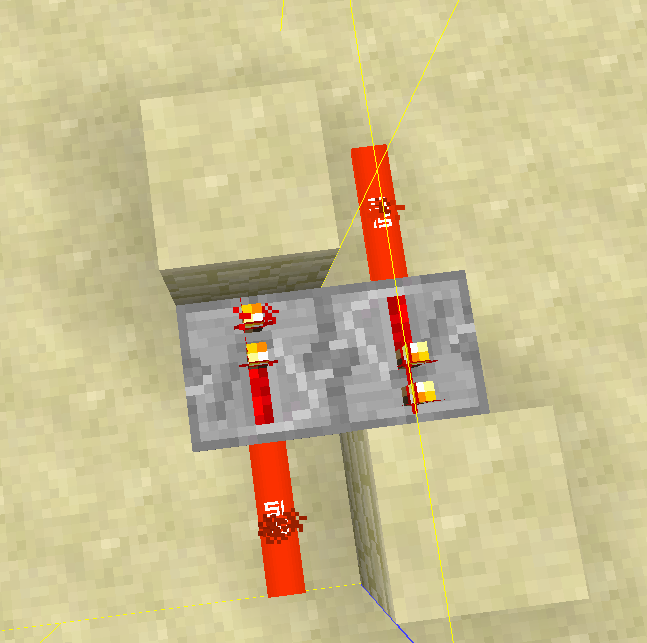
Why this happens
That happens because when you move away the chunks unload and so do the tile ticks of the repeaters. When you move closer again and the repeater that is in the chunk that was closer to you has a tile tick scheduled for turning on while the other has scheduled a tile tick for turning off, the chunk with the repeater that wants to turn on gets loaded first, the tile tick counts down and gets executed while the other repeater was not loaded the entire time and thus didn't yet turn off. Now both repeaters are turned on and the clock is broken.This is certainly not easy to fix. I think in order to fix this, tile ticks need to be overhauled in general. A system where tile ticks can be "connected" so that if one of them is loaded, the other gets loaded as well might be an option.
Redstoneandcomponentsstay powered after unloading chunksTile ticks of connected redstone componets might be executed in the wrong order when unloading/reloading chunks
The bug
Sometimes repeater clocks may freeze due to the way tile ticks are saved and updated. Most cases of that already got fixed and it already got a lot better compared to when the issue was created.
I only manged to find one case were the problem still remains. That is, if you place an ordinary repeater clock with two repeaters in two different chunks.
How to reproduce
- Move to a location outside of the spawn chunks. The spawn chunks are close to the location you are when you type /kill without having a bed spawn. Move far away from there.
- Hit F3 + G to show chunk borders.
- Build a repeater clock in such a way that the repeaters are located in two different chunks.
- Now move away from the clock in such a way that the chunk of one repeater is closer than the other. Move away until you can't see either of the repeaters anymore and maybe a little further to be extra sure.
- Now move closer to your clock again. The clock is likely to be stuck now.
Why this happens
That happens because when you move away the chunks unload and so do the tile ticks of the repeaters. When you move closer again and the repeater that is in the chunk that was closer to you has a tile tick scheduled for turning on while the other has scheduled a tile tick for turning off, the chunk with the repeater that wants to turn on gets loaded first, the tile tick counts down and gets executed while the other repeater was not loaded the entire time and thus didn't yet turn off. Now both repeaters are turned on and the clock is broken.
This is certainly not easy to fix. I think in order to fix this, tile ticks need to be overhauled in general. A system where tile ticks can be "connected" so that if one of them is loaded, the other gets loaded as well might be an option.
The bug
Sometimes repeater clocks may freeze due to the way tile ticks are saved and updated. Most cases of that already got fixed and it already got a lot better compared to when the issue was created. This happens when the repeaters are in different chunks.
How to reproduce
- Move to a location outside of the spawn chunks. The spawn chunks are close to the location you are when you type /kill without having a bed spawn. Move far away from there.
- Hit F3 + G to show chunk borders.
- Build a repeater clock in such a way that the repeaters are located in two different chunks.
- Now move away from the clock in such a way that the chunk of one repeater is closer than the other. Move away until you can't see either of the repeaters anymore and maybe a little further to be extra sure. You can lower your render distance if you want to make this happening faster.
- Now move closer to your clock again. The clock is likely to be stuck now.
Why this happens
That happens because when you move away the chunks unload and so do the tile ticks of the repeaters. When you move closer again and the repeater that is in the chunk that was closer to you has a tile tick scheduled for turning on while the other has scheduled a tile tick for turning off, the chunk with the repeater that wants to turn on gets loaded first, the tile tick counts down and gets executed while the other repeater was not loaded the entire time and thus didn't yet turn off. Now both repeaters are turned on and the clock is broken.
This is certainly not easy to fix. I think in order to fix this, tile ticks need to be overhauled in general. A system where tile ticks can be "connected" so that if one of them is loaded, the other gets loaded as well might be an option.

This is a compilation of instances were comparators do not update their power level correctly when a block with a comparator input override changed..
Breaking blocks or moving them by pistons
For these blocks the compartor does not turn off if it detects them through a solid block. It is essential that a solid block in between, otherwise the block update of removing the block will update the comparator,
- brewing stand
- cake
- cauldron
- Command Block
- End portal frame (cannot be removed in survival)
- Jukebox
- Detector Rail
Other instances where comparators do not update correctly
- Cauldron being filled by rain
That's every block and issue I could find related to this. If I missed something, please let me know down below.
This is a compilation of instances were comparators do not update their power level correctly when a block with a comparator input override changed..
Breaking blocks or moving them by pistons
For these blocks the compartor does not turn off if it detects them through a solid block. It is essential that a solid block is placed in between the detected block and the comparator, otherwise the block update of removing the block will update the comparator,
- brewing stand
- cake
- cauldron
- Command Block
- End portal frame (cannot be removed in survival)
- Jukebox
- Detector Rail
Other instances where comparators do not update correctly
- Cauldron being filled by rain
That's every block and issue I could find related to this. If I missed something, please let me know down below.
This is a compilation of instances were comparators do not update their power level correctly when a block with a comparator input override changed..
Breaking blocks or moving them by pistons
For these blocks the compartor does not turn off if it detects them through a solid block. It is essential that a solid block is placed in between the detected block and the comparator, otherwise the block update of removing the block will update the comparator,
- brewing stand
- cake
- cauldron
- Command Block
- End portal frame (cannot be removed in survival)
- Jukebox
- Detector Rail
Other instances where comparators do not update correctly
- Cauldron being filled by rain
- item frame being removed by piston or a /kill command.
That's every block and issue I could find related to this. If I missed something, please let me know down below.
This is a compilation of instances were comparators do not update their power level correctly when a block with a comparator input override changed..
Breaking blocks or moving them by pistons
For these blocks the compartor does not turn off if it detects them through a solid block. It is essential that a solid block is placed in between the detected block and the comparator, otherwise the block update of removing the block will update the comparator,
- brewing stand
- cake
- cauldron
- Command Block
- End portal frame (cannot be removed in survival)
- Jukebox
- Detector Rail
Other instances where comparators do not update correctly
- Cauldron being filled by rain
- item frame being removed by piston or a /kill command.
That's every block and issue I could find related to this. If I missed something, please let me know down below.
This is a compilation of instances were comparators do not update their power level correctly when a block with a comparator input override changed..
Breaking blocks or moving them by pistons
For these blocks the compartor does not turn off if it detects them through a solid block. It is essential that a solid block is placed in between the detected block and the comparator, otherwise the block update of removing the block will update the comparator.
- brewing stand
- cake
- cauldron
- Command Block
- End portal frame (cannot be removed in survival)
- Jukebox
- Detector Rail
Other instances where comparators do not update correctly
- Cauldron being filled by rain
- item frame being removed by piston or a /kill command.
That's every block and issue I could find related to this. If I missed something, please let me know down below.
This is a compilation of instances were comparators do not update their power level correctly when a block with a comparator input override changed..
Breaking blocks or moving them by pistons
For these blocks the comparator does not turn off if it detects them through a solid block. It is essential that a solid block is placed in between the detected block and the comparator, otherwise the block update of removing the block will update the comparator.
- brewing stand
- cake
- cauldron
- Command Block
- End portal frame (cannot be removed in survival)
- Jukebox
- Detector Rail
Other instances where comparators do not update correctly
- Cauldron being filled by rain
- item frame being removed by piston or a /kill command.
That's every block and issue I could find related to this. If I missed something, please let me know down below.
This is a compilation of instances were comparators do not update their power level correctly when a block with a comparator input override changed..
Breaking blocks or moving them by pistons
For these blocks the comparator does not turn off if it detects them through a solid block. It is essential that a solid block is placed in between the detected block and the comparator, otherwise the block update of removing the block will update the comparator.
- brewing stand
- cake
- cauldron
- Command Block
- End portal frame (cannot be removed in survival)
- Jukebox
- Detector Rail
Other instances where comparators do not update correctly
- Cauldron being filled by rain
- item frame being removed by piston or a /kill command.
Here is a video with a few examples when this bug happens. Note that it make no difference if a block is moved by a piston or removed by a player. It is just the case that some blocks cannot be moved by pistons.
https://youtu.be/OZ_P68JvPQQThat's every block and issue I could find related to this. If I missed something, please let me know down below.
Code Analysis
This is based on a decompiled version of Minecraft 1.12 using mcp 980.
In net.minecraft.world.World.setBlockState(BlockPos, IBlockState, int) there is some code that is meant to update comparators when a block with a comparator input override is placed and the flag for block updates is set. In there, you could also cause updates if a block with comparator input override is removed, however there are some cases where the update flag is not set and instead the net.minecraft.world.World.notifyNeighborsOfStateChange(BlockPos, Block, boolean) method is called instead.
So my proposed fix would be to remove the followingnet.minecraft.world.World.setBlockState(BlockPos, IBlockState, int)if (!this.isRemote && (flags & 1) != 0) { this.notifyNeighborsRespectDebug(pos, iblockstate.getBlock(), true); //remove this if (newState.hasComparatorInputOverride()) { this.updateComparatorOutputLevel(pos, block); } }and instead add this to net.minecraft.world.World.notifyNeighborsOfStateChange(BlockPos, Block, boolean)
net.minecraft.world.World.notifyNeighborsOfStateChange(BlockPos, Block, boolean)IBlockState newState = getBlockState(pos); if(blockType.getDefaultState().hasComparatorInputOverride() || newState.hasComparatorInputOverride()) { updateComparatorOutputLevel(pos, newState.getBlock()); }
This is a compilation of instances were comparators do not update their power level correctly when a block with a comparator input override changed..
Breaking blocks or moving them by pistons
For these blocks the comparator does not turn off if it detects them through a solid block. It is essential that a solid block is placed in between the detected block and the comparator, otherwise the block update of removing the block will update the comparator.
- brewing stand
- cake
- cauldron
- Command Block
- End portal frame (cannot be removed in survival)
- Jukebox
- Detector Rail
Other instances where comparators do not update correctly
- Cauldron being filled by rain
- item frame being removed by piston or a /kill command.
Here is a video with a few examples when this bug happens. Note that it make no difference if a block is moved by a piston or removed by a player. It is just the case that some blocks cannot be moved by pistons.
https://youtu.be/OZ_P68JvPQQThat's every block and issue I could find related to this. If I missed something, please let me know down below.
Code Analysis
This is based on a decompiled version of Minecraft 1.12 using mcp 980.
In net.minecraft.world.World.setBlockState(BlockPos, IBlockState, int) there is some code that is meant to update comparators when a block with a comparator input override is placed and the flag for block updates is set. In there, you could also cause updates if a block with comparator input override is removed, however there are some cases where the update flag is not set and instead the net.minecraft.world.World.notifyNeighborsOfStateChange(BlockPos, Block, boolean) method is called instead.
So my proposed fix would be to remove the followingnet.minecraft.world.World.setBlockState(BlockPos, IBlockState, int)if (!this.isRemote && (flags & 1) != 0) { this.notifyNeighborsRespectDebug(pos, iblockstate.getBlock(), true); //remove this if (newState.hasComparatorInputOverride()) { this.updateComparatorOutputLevel(pos, block); } }and instead add this to net.minecraft.world.World.notifyNeighborsOfStateChange(BlockPos, Block, boolean)
net.minecraft.world.World.notifyNeighborsOfStateChange(BlockPos, Block, boolean)IBlockState newState = getBlockState(pos); if(blockType.getDefaultState().hasComparatorInputOverride() || newState.hasComparatorInputOverride()) { updateComparatorOutputLevel(pos, newState.getBlock()); }Some code that becomes redundant after applying that fix also should be removed. That would be to remove worldIn.updateComparatorOutputLevel(pos, this); :in the following methodes
- net.minecraft.block.BlockChest.breakBlock(World, BlockPos, IBlockState)
- net.minecraft.block.BlockDispenser.breakBlock(World, BlockPos, IBlockState)
- net.minecraft.block.BlockFurnace.breakBlock(World, BlockPos, IBlockState)
- net.minecraft.block.BlockHopper.breakBlock(World, BlockPos, IBlockState)
- net.minecraft.block.BlockShulkerBox.breakBlock(World, BlockPos, IBlockState)
This is a compilation of instances were comparators do not update their power level correctly when a block with a comparator input override changed..
Breaking blocks or moving them by pistons
For these blocks the comparator does not turn off if it detects them through a solid block. It is essential that a solid block is placed in between the detected block and the comparator, otherwise the block update of removing the block will update the comparator.
- brewing stand
- cake
- cauldron
- Command Block
- End portal frame (cannot be removed in survival)
- Jukebox
- Detector Rail
Other instances where comparators do not update correctly
- Cauldron being filled by rain
- item frame being removed by piston or a /kill command.
Here is a video with a few examples when this bug happens. Note that it make no difference if a block is moved by a piston or removed by a player. It is just the case that some blocks cannot be moved by pistons.
https://youtu.be/OZ_P68JvPQQThat's every block and issue I could find related to this. If I missed something, please let me know down below.
Code Analysis
This is based on a decompiled version of Minecraft 1.12 using mcp 980.
In net.minecraft.world.World.setBlockState(BlockPos, IBlockState, int) there is some code that is meant to update comparators when a block with a comparator input override is placed and the flag for block updates is set. In there, you could also cause updates if a block with comparator input override is removed, however there are some cases where the update flag is not set and instead the net.minecraft.world.World.notifyNeighborsOfStateChange(BlockPos, Block, boolean) method is called instead.
So my proposed fix would be to remove the followingnet.minecraft.world.World.setBlockState(BlockPos, IBlockState, int)if (!this.isRemote && (flags & 1) != 0) { this.notifyNeighborsRespectDebug(pos, iblockstate.getBlock(), true); //remove this if (newState.hasComparatorInputOverride()) { this.updateComparatorOutputLevel(pos, block); } }and instead add this to net.minecraft.world.World.notifyNeighborsOfStateChange(BlockPos, Block, boolean)
net.minecraft.world.World.notifyNeighborsOfStateChange(BlockPos, Block, boolean)IBlockState newState = getBlockState(pos); if(blockType.getDefaultState().hasComparatorInputOverride() || newState.hasComparatorInputOverride()) { updateComparatorOutputLevel(pos, newState.getBlock()); }Some code that becomes redundant after applying that fix also should be removed. That would be to remove worldIn.updateComparatorOutputLevel(pos, this); :in the following methodes
- net.minecraft.block.BlockChest.breakBlock(World, BlockPos, IBlockState)
- net.minecraft.block.BlockDispenser.breakBlock(World, BlockPos, IBlockState)
- net.minecraft.block.BlockFurnace.breakBlock(World, BlockPos, IBlockState)
- net.minecraft.block.BlockHopper.breakBlock(World, BlockPos, IBlockState)
- net.minecraft.block.BlockShulkerBox.breakBlock(World, BlockPos, IBlockState)
This is a compilation of instances were comparators do not update their power level correctly when a block with a comparator input override changed..
Breaking blocks or moving them by pistons
For these blocks the comparator does not turn off if it detects them through a solid block. It is essential that a solid block is placed in between the detected block and the comparator, otherwise the block update of removing the block will update the comparator.
- brewing stand
- cake
- cauldron
- Command Block
- End portal frame (cannot be removed in survival)
- Jukebox
- Detector Rail
Other instances where comparators do not update correctly
- Cauldron being filled by rain
- item frame being removed by piston or a /kill command.
Here is a video with a few examples when this bug happens. Note that it make no difference if a block is moved by a piston or removed by a player. It is just the case that some blocks cannot be moved by pistons.
https://youtu.be/OZ_P68JvPQQThat's every block and issue I could find related to this. If I missed something, please let me know down below.
Code Analysis
This is based on a decompiled version of Minecraft 1.12 using mcp 980.Breaking/Moving block
In net.minecraft.world.World.setBlockState(BlockPos, IBlockState, int) there is some code that is meant to update comparators when a block with a comparator input override is placed and the flag for block updates is set. In there, you could also cause updates if a block with comparator input override is removed, however there are some cases where the update flag is not set and instead the net.minecraft.world.World.notifyNeighborsOfStateChange(BlockPos, Block, boolean) method is called instead.
So my proposed fix would be to remove the followingnet.minecraft.world.World.setBlockState(BlockPos, IBlockState, int)if (!this.isRemote && (flags & 1) != 0) { this.notifyNeighborsRespectDebug(pos, iblockstate.getBlock(), true); //remove this if (newState.hasComparatorInputOverride()) { this.updateComparatorOutputLevel(pos, block); } }and instead add this to net.minecraft.world.World.notifyNeighborsOfStateChange(BlockPos, Block, boolean)
net.minecraft.world.World.notifyNeighborsOfStateChange(BlockPos, Block, boolean)IBlockState newState = getBlockState(pos); if(blockType.getDefaultState().hasComparatorInputOverride() || newState.hasComparatorInputOverride()) { updateComparatorOutputLevel(pos, newState.getBlock()); }Some code that becomes redundant after applying that fix also should be removed. That would be to remove worldIn.updateComparatorOutputLevel(pos, this); :in the following methodes
- net.minecraft.block.BlockChest.breakBlock(World, BlockPos, IBlockState)
- net.minecraft.block.BlockDispenser.breakBlock(World, BlockPos, IBlockState)
- net.minecraft.block.BlockFurnace.breakBlock(World, BlockPos, IBlockState)
- net.minecraft.block.BlockHopper.breakBlock(World, BlockPos, IBlockState)
- net.minecraft.block.BlockShulkerBox.breakBlock(World, BlockPos, IBlockState)
An alternative would be to override the net.minecraft.block.Block.breakBlock(World, BlockPos, IBlockState) in all the classes that have a comperator input override as proposed by Marcono1234 in this comment. But it might be easier to apply the fix above since you don't need to remember to override the method when adding a new block with a comperator override.
Another alternative might be to add a class that all blocks with a comperator input override need to extend n which the net.minecraft.block.Block.breakBlock(World, BlockPos, IBlockState) method is already overridden.Cauldron being filled by rain
Code analysis by
This is a compilation of instances were comparators do not update their power level correctly when a block with a comparator input override changed..
Breaking blocks or moving them by pistons
For these blocks the comparator does not turn off if it detects them through a solid block. It is essential that a solid block is placed in between the detected block and the comparator, otherwise the block update of removing the block will update the comparator.
- brewing stand
- cake
- cauldron
- Command Block
- End portal frame (cannot be removed in survival)
- Jukebox
- Detector Rail
Other instances where comparators do not update correctly
- Cauldron being filled by rain
- item frame being removed by piston or a /kill command.
Here is a video with a few examples when this bug happens. Note that it make no difference if a block is moved by a piston or removed by a player. It is just the case that some blocks cannot be moved by pistons.
https://youtu.be/OZ_P68JvPQQThat's every block and issue I could find related to this. If I missed something, please let me know down below.
Code Analysis
This is based on a decompiled version of Minecraft 1.12 using mcp 980.Breaking/Moving block
In net.minecraft.world.World.setBlockState(BlockPos, IBlockState, int) there is some code that is meant to update comparators when a block with a comparator input override is placed and the flag for block updates is set. In there, you could also cause updates if a block with comparator input override is removed, however there are some cases where the update flag is not set and instead the net.minecraft.world.World.notifyNeighborsOfStateChange(BlockPos, Block, boolean) method is called instead.
So my proposed fix would be to remove the followingnet.minecraft.world.World.setBlockState(BlockPos, IBlockState, int)if (!this.isRemote && (flags & 1) != 0) { this.notifyNeighborsRespectDebug(pos, iblockstate.getBlock(), true); //remove this if (newState.hasComparatorInputOverride()) { this.updateComparatorOutputLevel(pos, block); } }and instead add this to net.minecraft.world.World.notifyNeighborsOfStateChange(BlockPos, Block, boolean)
net.minecraft.world.World.notifyNeighborsOfStateChange(BlockPos, Block, boolean)IBlockState newState = getBlockState(pos); if(blockType.getDefaultState().hasComparatorInputOverride() || newState.hasComparatorInputOverride()) { updateComparatorOutputLevel(pos, newState.getBlock()); }Some code that becomes redundant after applying that fix also should be removed. That would be to remove worldIn.updateComparatorOutputLevel(pos, this); :in the following methodes
- net.minecraft.block.BlockChest.breakBlock(World, BlockPos, IBlockState)
- net.minecraft.block.BlockDispenser.breakBlock(World, BlockPos, IBlockState)
- net.minecraft.block.BlockFurnace.breakBlock(World, BlockPos, IBlockState)
- net.minecraft.block.BlockHopper.breakBlock(World, BlockPos, IBlockState)
- net.minecraft.block.BlockShulkerBox.breakBlock(World, BlockPos, IBlockState)
An alternative would be to override the net.minecraft.block.Block.breakBlock(World, BlockPos, IBlockState) in all the classes that have a comperator input override as proposed by Marcono1234 in this comment. But it might be easier to apply the fix above since you don't need to remember to override the method when adding a new block with a comperator override.
Another alternative might be to add a class that all blocks with a comperator input override need to extend n which the net.minecraft.block.Block.breakBlock(World, BlockPos, IBlockState) method is already overridden.Cauldron being filled by rain
Code analysis by Marcono1234 can be found in this comment
This is a compilation of instances were comparators do not update their power level correctly when a block with a comparator input override changed..
Breaking blocks or moving them by pistons
For these blocks the comparator does not turn off if it detects them through a solid block. It is essential that a solid block is placed in between the detected block and the comparator, otherwise the block update of removing the block will update the comparator.
- brewing stand
- cake
- cauldron
- Command Block
- End portal frame (cannot be removed in survival)
- Jukebox
- Detector Rail
Other instances where comparators do not update correctly
- Cauldron being filled by rain
- item frame being removed by piston or a /kill command.
Here is a video with a few examples when this bug happens. Note that it make no difference if a block is moved by a piston or removed by a player. It is just the case that some blocks cannot be moved by pistons.
https://youtu.be/OZ_P68JvPQQThat's every block and issue I could find related to this. If I missed something, please let me know down below.
Code Analysis
This is based on a decompiled version of Minecraft 1.12 using mcp 980.Breaking/Moving block
In net.minecraft.world.World.setBlockState(BlockPos, IBlockState, int) there is some code that is meant to update comparators when a block with a comparator input override is placed and the flag for block updates is set. In there, you could also cause updates if a block with comparator input override is removed, however there are some cases where the update flag is not set and instead the net.minecraft.world.World.notifyNeighborsOfStateChange(BlockPos, Block, boolean) method is called instead.
So my proposed fix would be to remove the followingnet.minecraft.world.World.setBlockState(BlockPos, IBlockState, int)if (!this.isRemote && (flags & 1) != 0) { this.notifyNeighborsRespectDebug(pos, iblockstate.getBlock(), true); //remove this if (newState.hasComparatorInputOverride()) { this.updateComparatorOutputLevel(pos, block); } }and instead add this to net.minecraft.world.World.notifyNeighborsOfStateChange(BlockPos, Block, boolean)
net.minecraft.world.World.notifyNeighborsOfStateChange(BlockPos, Block, boolean)IBlockState newState = getBlockState(pos); if(blockType.getDefaultState().hasComparatorInputOverride() || newState.hasComparatorInputOverride()) { updateComparatorOutputLevel(pos, newState.getBlock()); }Some code that becomes redundant after applying that fix also should be removed. That would be to remove worldIn.updateComparatorOutputLevel(pos, this); :in the following methodes
- net.minecraft.block.BlockChest.breakBlock(World, BlockPos, IBlockState)
- net.minecraft.block.BlockDispenser.breakBlock(World, BlockPos, IBlockState)
- net.minecraft.block.BlockFurnace.breakBlock(World, BlockPos, IBlockState)
- net.minecraft.block.BlockHopper.breakBlock(World, BlockPos, IBlockState)
- net.minecraft.block.BlockShulkerBox.breakBlock(World, BlockPos, IBlockState)
An alternative would be to override the net.minecraft.block.Block.breakBlock(World, BlockPos, IBlockState) in all the classes that have a comperator input override as proposed by Marcono1234 in this comment. But it might be easier to apply the fix above since you don't need to remember to override the method when adding a new block with a comperator override.
Another alternative might be to add a class that all blocks with a comperator input override need to extend n which the net.minecraft.block.Block.breakBlock(World, BlockPos, IBlockState) method is already overridden.Cauldron being filled by rain
Code analysis by Marcono1234 can be found in this comment
This is a compilation of instances were comparators do not update their power level correctly when a block with a comparator input override changed..
Breaking blocks or moving them by pistons
For these blocks the comparator does not turn off if it detects them through a solid block. It is essential that a solid block is placed in between the detected block and the comparator, otherwise the block update of removing the block will update the comparator.
- brewing stand
- cake
- cauldron
- Command Block
- End portal frame (cannot be removed in survival)
- Jukebox
- Detector Rail
Other instances where comparators do not update correctly
- Cauldron being filled by rain
- item frame being removed by piston or a /kill command.
Here is a video with a few examples when this bug happens. Note that it make no difference if a block is moved by a piston or removed by a player. It is just the case that some blocks cannot be moved by pistons.
https://youtu.be/OZ_P68JvPQQThat's every block and issue I could find related to this. If I missed something, please let me know down below.
Code Analysis
This is based on a decompiled version of Minecraft 1.12 using mcp 980.Breaking/Moving block
In net.minecraft.world.World.setBlockState(BlockPos, IBlockState, int) there is some code that is meant to update comparators when a block with a comparator input override is placed and the flag for block updates is set. In there, you could also cause updates if a block with comparator input override is removed, however there are some cases where the update flag is not set and instead the net.minecraft.world.World.notifyNeighborsOfStateChange(BlockPos, Block, boolean) method is called instead.
So my proposed fix would be to remove the followingnet.minecraft.world.World.setBlockState(BlockPos, IBlockState, int)if (!this.isRemote && (flags & 1) != 0) { this.notifyNeighborsRespectDebug(pos, iblockstate.getBlock(), true); //remove this if (newState.hasComparatorInputOverride()) { this.updateComparatorOutputLevel(pos, block); } }and instead add this to net.minecraft.world.World.notifyNeighborsOfStateChange(BlockPos, Block, boolean)
net.minecraft.world.World.notifyNeighborsOfStateChange(BlockPos, Block, boolean)IBlockState newState = getBlockState(pos); if(blockType.getDefaultState().hasComparatorInputOverride() || newState.hasComparatorInputOverride()) { updateComparatorOutputLevel(pos, newState.getBlock()); }Some code that becomes redundant after applying that fix also should be removed. That would be to remove worldIn.updateComparatorOutputLevel(pos, this); :in the following methodes
- net.minecraft.block.BlockChest.breakBlock(World, BlockPos, IBlockState)
- net.minecraft.block.BlockDispenser.breakBlock(World, BlockPos, IBlockState)
- net.minecraft.block.BlockFurnace.breakBlock(World, BlockPos, IBlockState)
- net.minecraft.block.BlockHopper.breakBlock(World, BlockPos, IBlockState)
- net.minecraft.block.BlockShulkerBox.breakBlock(World, BlockPos, IBlockState)
An alternative would be to override the net.minecraft.block.Block.breakBlock(World, BlockPos, IBlockState) in all the classes that have a comperator input override as proposed by Marcono1234 in this comment. But it might be easier to apply the fix above since you don't need to remember to override the method when adding a new block with a comperator override.
Another alternative might be to add a class that all blocks with a comperator input override need to extend n which the net.minecraft.block.Block.breakBlock(World, BlockPos, IBlockState) method is already overridden.Cauldron being filled by rain
Code analysis by Marcono1234 can be found in this commentThis is a compilation of instances were comparators do not update their power level correctly when a block with a comparator input override changed..
Breaking blocks or moving them by pistons
For these blocks the comparator does not turn off if it detects them through a solid block. It is essential that a solid block is placed in between the detected block and the comparator, otherwise the block update of removing the block will update the comparator.
- brewing stand
- cake
- cauldron
- Command Block
- End portal frame (cannot be removed in survival)
- Jukebox
- Detector Rail
Other instances where comparators do not update correctly
- Cauldron being filled by rain
- item frame being removed by piston or a /kill command.
Here is a video with a few examples when this bug happens. Note that it make no difference if a block is moved by a piston or removed by a player. It is just the case that some blocks cannot be moved by pistons.
https://youtu.be/OZ_P68JvPQQThat's every block and issue I could find related to this. If I missed something, please let me know down below.
Code Analysis
This is based on a decompiled version of Minecraft 1.12 using mcp 980.Breaking/Moving block
In net.minecraft.world.World.setBlockState(BlockPos, IBlockState, int) there is some code that is meant to update comparators when a block with a comparator input override is placed and the flag for block updates is set. In there, you could also cause updates if a block with comparator input override is removed, however there are some cases where the update flag is not set and instead the net.minecraft.world.World.notifyNeighborsOfStateChange(BlockPos, Block, boolean) method is called instead.
So my proposed fix would be to remove the followingnet.minecraft.world.World.setBlockState(BlockPos, IBlockState, int)if (!this.isRemote && (flags & 1) != 0) { this.notifyNeighborsRespectDebug(pos, iblockstate.getBlock(), true); //remove this if (newState.hasComparatorInputOverride()) { this.updateComparatorOutputLevel(pos, block); } }and instead add this to net.minecraft.world.World.notifyNeighborsOfStateChange(BlockPos, Block, boolean)
net.minecraft.world.World.notifyNeighborsOfStateChange(BlockPos, Block, boolean)IBlockState newState = getBlockState(pos); if(blockType.getDefaultState().hasComparatorInputOverride() || newState.hasComparatorInputOverride()) { updateComparatorOutputLevel(pos, newState.getBlock()); }Some code that becomes redundant after applying that fix also should be removed. That would be to remove worldIn.updateComparatorOutputLevel(pos, this); :in the following methodes
- net.minecraft.block.BlockChest.breakBlock(World, BlockPos, IBlockState)
- net.minecraft.block.BlockDispenser.breakBlock(World, BlockPos, IBlockState)
- net.minecraft.block.BlockFurnace.breakBlock(World, BlockPos, IBlockState)
- net.minecraft.block.BlockHopper.breakBlock(World, BlockPos, IBlockState)
- net.minecraft.block.BlockShulkerBox.breakBlock(World, BlockPos, IBlockState)
An alternative would be to override the net.minecraft.block.Block.breakBlock(World, BlockPos, IBlockState) in all the classes that have a comperator input override as proposed by Marcono1234 in this comment. But it might be easier to apply the fix above since you don't need to remember to override the method when adding a new block with a comperator override.
Another alternative might be to add a class that all blocks with a comperator input override need to extend in which the net.minecraft.block.Block.breakBlock(World, BlockPos, IBlockState) method is already overridden.
Cauldron being filled by rain
Code analysis by Marcono1234 can be found in this comment
This is a compilation of instances were comparators do not update their power level correctly when a block with a comparator input override changed..
Breaking blocks or moving them by pistons
For these blocks the comparator does not turn off if it detects them through a solid block. It is essential that a solid block is placed in between the detected block and the comparator, otherwise the block update of removing the block will update the comparator.
- brewing stand
- cake
- cauldron
- Command Block
- End portal frame (cannot be removed in survival)
- Jukebox
- Detector Rail
Other instances where comparators do not update correctly
- Cauldron being filled by rain
- item frame being removed by piston or a /kill command.
Here is a video with a few examples when this bug happens. Note that it make no difference if a block is moved by a piston or removed by a player. It is just the case that some blocks cannot be moved by pistons.
https://youtu.be/OZ_P68JvPQQThat's every block and issue I could find related to this. If I missed something, please let me know down below.
Code Analysis
This is based on a decompiled version of Minecraft 1.12 using mcp 980.Breaking/Moving block
In net.minecraft.world.World.setBlockState(BlockPos, IBlockState, int) there is some code that is meant to update comparators when a block with a comparator input override is placed and the flag for block updates is set. In there, you could also cause updates if a block with comparator input override is removed, however there are some cases where the update flag is not set and instead the net.minecraft.world.World.notifyNeighborsOfStateChange(BlockPos, Block, boolean) method is called instead.
So my proposed fix would be to remove the followingnet.minecraft.world.World.setBlockState(BlockPos, IBlockState, int)if (!this.isRemote && (flags & 1) != 0) { this.notifyNeighborsRespectDebug(pos, iblockstate.getBlock(), true); //remove this if (newState.hasComparatorInputOverride()) { this.updateComparatorOutputLevel(pos, block); } }and instead add this to net.minecraft.world.World.notifyNeighborsOfStateChange(BlockPos, Block, boolean)
net.minecraft.world.World.notifyNeighborsOfStateChange(BlockPos, Block, boolean)IBlockState newState = getBlockState(pos); if(blockType.getDefaultState().hasComparatorInputOverride() || newState.hasComparatorInputOverride()) { updateComparatorOutputLevel(pos, newState.getBlock()); }Some code that becomes redundant after applying that fix also should be removed. That would be to remove worldIn.updateComparatorOutputLevel(pos, this); :in the following methodes
- net.minecraft.block.BlockChest.breakBlock(World, BlockPos, IBlockState)
- net.minecraft.block.BlockDispenser.breakBlock(World, BlockPos, IBlockState)
- net.minecraft.block.BlockFurnace.breakBlock(World, BlockPos, IBlockState)
- net.minecraft.block.BlockHopper.breakBlock(World, BlockPos, IBlockState)
- net.minecraft.block.BlockShulkerBox.breakBlock(World, BlockPos, IBlockState)
An alternative would be to override the net.minecraft.block.Block.breakBlock(World, BlockPos, IBlockState) in all the classes that have a comperator input override as proposed by Marcono1234 in this comment. But it might be
easier to apply the fix above since you don't need to remember to override the method when adding a new block with a comperator override.Another alternative might be to add a class that all blocks with a comperator input override need to extend in which the net.minecraft.block.Block.breakBlock(World, BlockPos, IBlockState) method is already overridden.
Cauldron being filled by rain
Code analysis by Marcono1234 can be found in this commentThis is a compilation of instances were comparators do not update their power level correctly when a block with a comparator input override changed..
Breaking blocks or moving them by pistons
For these blocks the comparator does not turn off if it detects them through a solid block. It is essential that a solid block is placed in between the detected block and the comparator, otherwise the block update of removing the block will update the comparator.
- brewing stand
- cake
- cauldron
- Command Block
- End portal frame (cannot be removed in survival)
- Jukebox
- Detector Rail
Other instances where comparators do not update correctly
- Cauldron being filled by rain
- item frame being removed by piston or a /kill command.
Here is a video with a few examples when this bug happens. Note that it make no difference if a block is moved by a piston or removed by a player. It is just the case that some blocks cannot be moved by pistons.
https://youtu.be/OZ_P68JvPQQThat's every block and issue I could find related to this. If I missed something, please let me know down below.
Code Analysis
This is based on a decompiled version of Minecraft 1.12 using mcp 980.Breaking/Moving block
In net.minecraft.world.World.setBlockState(BlockPos, IBlockState, int) there is some code that is meant to update comparators when a block with a comparator input override is placed and the flag for block updates is set. In there, you could also cause updates if a block with comparator input override is removed, however there are some cases where the update flag is not set and instead the net.minecraft.world.World.notifyNeighborsOfStateChange(BlockPos, Block, boolean) method is called instead.
So my proposed fix would be to remove the followingnet.minecraft.world.World.setBlockState(BlockPos, IBlockState, int)if (!this.isRemote && (flags & 1) != 0) { this.notifyNeighborsRespectDebug(pos, iblockstate.getBlock(), true); //remove this if (newState.hasComparatorInputOverride()) { this.updateComparatorOutputLevel(pos, block); } }and instead add this to net.minecraft.world.World.notifyNeighborsOfStateChange(BlockPos, Block, boolean)
net.minecraft.world.World.notifyNeighborsOfStateChange(BlockPos, Block, boolean)IBlockState newState = getBlockState(pos); if(blockType.getDefaultState().hasComparatorInputOverride() || newState.hasComparatorInputOverride()) { updateComparatorOutputLevel(pos, newState.getBlock()); }Some code that becomes redundant after applying that fix also should be removed. That would be to remove worldIn.updateComparatorOutputLevel(pos, this); :in the following methodes
- net.minecraft.block.BlockChest.breakBlock(World, BlockPos, IBlockState)
- net.minecraft.block.BlockDispenser.breakBlock(World, BlockPos, IBlockState)
- net.minecraft.block.BlockFurnace.breakBlock(World, BlockPos, IBlockState)
- net.minecraft.block.BlockHopper.breakBlock(World, BlockPos, IBlockState)
- net.minecraft.block.BlockShulkerBox.breakBlock(World, BlockPos, IBlockState)
An alternative would be to override the net.minecraft.block.Block.breakBlock(World, BlockPos, IBlockState) in all the classes that have a comperator input override as proposed by Marcono1234 in this comment. But it might be cleaner to apply the fix above since you don't need to remember to override the method when adding a new block with a comperator override.
Another alternative might be to add a class that all blocks with a comperator input override need to extend in which the net.minecraft.block.Block.breakBlock(World, BlockPos, IBlockState) method is already overridden.
Cauldron being filled by rain
Code analysis by Marcono1234 can be found in this comment
This is a compilation of instances were comparators do not update their power level correctly when a block with a comparator input override changed..
Breaking blocks or moving them by pistons
For these blocks the comparator does not turn off if it detects them through a solid block. It is essential that a solid block is placed in between the detected block and the comparator, otherwise the block update of removing the block will update the comparator.
- brewing stand
- cake
- cauldron
- Command Block
- End portal frame (cannot be removed in survival)
- Jukebox
- Detector Rail
Other instances where comparators do not update correctly
- Cauldron being filled by rain
- item frame being removed by piston or a /kill command.
Here is a video with a few examples when this bug happens. Note that it make
nodifferenceifa block is moved by a piston or removed by a player.It is just the case that some blocks cannot be moved by pistons.
https://youtu.be/OZ_P68JvPQQThat's every block and issue I could find related to this. If I missed something, please let me know down below.
Code Analysis
This is based on a decompiled version of Minecraft 1.12 using mcp 980.Breaking/Moving block
In net.minecraft.world.World.setBlockState(BlockPos, IBlockState, int) there is some code that is meant to update comparators when a block with a comparator input override is placed and the flag for block updates is set. In there, you could also cause updates if a block with comparator input override is removed, however there are some cases where the update flag is not set and instead the net.minecraft.world.World.notifyNeighborsOfStateChange(BlockPos, Block, boolean) method is called instead.
So my proposed fix would be to remove the followingnet.minecraft.world.World.setBlockState(BlockPos, IBlockState, int)if (!this.isRemote && (flags & 1) != 0) { this.notifyNeighborsRespectDebug(pos, iblockstate.getBlock(), true); //remove this if (newState.hasComparatorInputOverride()) { this.updateComparatorOutputLevel(pos, block); } }and instead add this to net.minecraft.world.World.notifyNeighborsOfStateChange(BlockPos, Block, boolean)
net.minecraft.world.World.notifyNeighborsOfStateChange(BlockPos, Block, boolean)IBlockState newState = getBlockState(pos); if(blockType.getDefaultState().hasComparatorInputOverride() || newState.hasComparatorInputOverride()) { updateComparatorOutputLevel(pos, newState.getBlock()); }Some code that becomes redundant after applying that fix also should be removed. That would be to remove worldIn.updateComparatorOutputLevel(pos, this); :in the following methodes
- net.minecraft.block.BlockChest.breakBlock(World, BlockPos, IBlockState)
- net.minecraft.block.BlockDispenser.breakBlock(World, BlockPos, IBlockState)
- net.minecraft.block.BlockFurnace.breakBlock(World, BlockPos, IBlockState)
- net.minecraft.block.BlockHopper.breakBlock(World, BlockPos, IBlockState)
- net.minecraft.block.BlockShulkerBox.breakBlock(World, BlockPos, IBlockState)
An alternative would be to override the net.minecraft.block.Block.breakBlock(World, BlockPos, IBlockState) in all the classes that have a comperator input override as proposed by Marcono1234 in this comment. But it might be cleaner to apply the fix above since you don't need to remember to override the method when adding a new block with a comperator override.
Another alternative might be to add a class that all blocks with a comperator input override need to extend in which the net.minecraft.block.Block.breakBlock(World, BlockPos, IBlockState) method is already overridden.
Cauldron being filled by rain
Code analysis by Marcono1234 can be found in this commentThis is a compilation of instances were comparators do not update their power level correctly when a block with a comparator input override changed..
Breaking blocks or moving them by pistons
For these blocks the comparator does not turn off if it detects them through a solid block. It is essential that a solid block is placed in between the detected block and the comparator, otherwise the block update of removing the block will update the comparator.
- brewing stand
- cake
- cauldron
- Command Block
- End portal frame (cannot be removed in survival)
- Jukebox
- Detector Rail
Other instances where comparators do not update correctly
- Cauldron being filled by rain
- item frame being removed by piston or a /kill command.
Here is a video with a few examples when this bug happens. Note that it doesn't make any difference whether a block is moved by a piston or removed by a player. Some blocks however cannot be moved by pistons.
https://youtu.be/OZ_P68JvPQQThat's every block and issue I could find related to this. If I missed something, please let me know down below.
Code Analysis
This is based on a decompiled version of Minecraft 1.12 using mcp 980.Breaking/Moving block
In net.minecraft.world.World.setBlockState(BlockPos, IBlockState, int) there is some code that is meant to update comparators when a block with a comparator input override is placed and the flag for block updates is set. In there, you could also cause updates if a block with comparator input override is removed, however there are some cases where the update flag is not set and instead the net.minecraft.world.World.notifyNeighborsOfStateChange(BlockPos, Block, boolean) method is called instead.
So my proposed fix would be to remove the followingnet.minecraft.world.World.setBlockState(BlockPos, IBlockState, int)if (!this.isRemote && (flags & 1) != 0) { this.notifyNeighborsRespectDebug(pos, iblockstate.getBlock(), true); //remove this if (newState.hasComparatorInputOverride()) { this.updateComparatorOutputLevel(pos, block); } }and instead add this to net.minecraft.world.World.notifyNeighborsOfStateChange(BlockPos, Block, boolean)
net.minecraft.world.World.notifyNeighborsOfStateChange(BlockPos, Block, boolean)IBlockState newState = getBlockState(pos); if(blockType.getDefaultState().hasComparatorInputOverride() || newState.hasComparatorInputOverride()) { updateComparatorOutputLevel(pos, newState.getBlock()); }Some code that becomes redundant after applying that fix also should be removed. That would be to remove worldIn.updateComparatorOutputLevel(pos, this); :in the following methodes
- net.minecraft.block.BlockChest.breakBlock(World, BlockPos, IBlockState)
- net.minecraft.block.BlockDispenser.breakBlock(World, BlockPos, IBlockState)
- net.minecraft.block.BlockFurnace.breakBlock(World, BlockPos, IBlockState)
- net.minecraft.block.BlockHopper.breakBlock(World, BlockPos, IBlockState)
- net.minecraft.block.BlockShulkerBox.breakBlock(World, BlockPos, IBlockState)
An alternative would be to override the net.minecraft.block.Block.breakBlock(World, BlockPos, IBlockState) in all the classes that have a comperator input override as proposed by Marcono1234 in this comment. But it might be cleaner to apply the fix above since you don't need to remember to override the method when adding a new block with a comperator override.
Another alternative might be to add a class that all blocks with a comperator input override need to extend in which the net.minecraft.block.Block.breakBlock(World, BlockPos, IBlockState) method is already overridden.
Cauldron being filled by rain
Code analysis by Marcono1234 can be found in this comment
This is a compilation of instances were comparators do not update their power level correctly when a block with a comparator input override changed.
.Breaking blocks or moving them by pistons
For these blocks the comparator does not turn off if it detects them through a solid block. It is essential that a solid block is placed in between the detected block and the comparator, otherwise the block update of removing the block will update the comparator.
- brewing stand
- cake
- cauldron
- Command Block
- End portal frame (cannot be removed in survival)
- Jukebox
- Detector Rail
Other instances where comparators do not update correctly
- Cauldron being filled by rain
- item frame being removed by piston or a /kill command.
Here is a video with a few examples when this bug happens. Note that it doesn't make any difference whether a block is moved by a piston or removed by a player. Some blocks however cannot be moved by pistons.
https://youtu.be/OZ_P68JvPQQThat's every block and issue I could find related to this. If I missed something, please let me know down below.
Code Analysis
This is based on a decompiled version of Minecraft 1.12 using mcp 980.Breaking/Moving block
In net.minecraft.world.World.setBlockState(BlockPos, IBlockState, int) there is some code that is meant to update comparators when a block with a comparator input override is placed and the flag for block updates is set. In there, you could also cause updates if a block with comparator input override is removed, however there are some cases where the update flag is not set and instead the net.minecraft.world.World.notifyNeighborsOfStateChange(BlockPos, Block, boolean) method is called instead.
So my proposed fix would be to remove the followingnet.minecraft.world.World.setBlockState(BlockPos, IBlockState, int)if (!this.isRemote && (flags & 1) != 0) { this.notifyNeighborsRespectDebug(pos, iblockstate.getBlock(), true); //remove this if (newState.hasComparatorInputOverride()) { this.updateComparatorOutputLevel(pos, block); } }and instead add this to net.minecraft.world.World.notifyNeighborsOfStateChange(BlockPos, Block, boolean)
net.minecraft.world.World.notifyNeighborsOfStateChange(BlockPos, Block, boolean)IBlockState newState = getBlockState(pos); if(blockType.getDefaultState().hasComparatorInputOverride() || newState.hasComparatorInputOverride()) { updateComparatorOutputLevel(pos, newState.getBlock()); }Some code that becomes redundant after applying that fix also should be removed. That would be to remove worldIn.updateComparatorOutputLevel(pos, this); :in the following methodes
- net.minecraft.block.BlockChest.breakBlock(World, BlockPos, IBlockState)
- net.minecraft.block.BlockDispenser.breakBlock(World, BlockPos, IBlockState)
- net.minecraft.block.BlockFurnace.breakBlock(World, BlockPos, IBlockState)
- net.minecraft.block.BlockHopper.breakBlock(World, BlockPos, IBlockState)
- net.minecraft.block.BlockShulkerBox.breakBlock(World, BlockPos, IBlockState)
An alternative would be to override the net.minecraft.block.Block.breakBlock(World, BlockPos, IBlockState) in all the classes that have a comparator input override as proposed by Marcono1234 in this comment. But it might be cleaner to apply the fix above since you don't need to remember to override the method when adding a new block with a comparator override.
Another alternative might be to add a class that all blocks with a comparator input override need to extend in which the net.minecraft.block.Block.breakBlock(World, BlockPos, IBlockState) method is already overridden.
Cauldron being filled by rain
Code analysis by Marcono1234 can be found in this comment
This is a compilation of instances were comparators do not update their power level correctly when a block with a comparator input override changed.
Breaking blocks or moving them by pistons
For these blocks the comparator does not turn off if it detects them through a solid block. It is essential that a solid block is placed in between the detected block and the comparator, otherwise the block update of removing the block will update the comparator.
- brewing stand
- cake
- cauldron
- Command Block
- End portal frame (cannot be removed in survival)
- Jukebox
- Detector Rail
Other instances where comparators do not update correctly
- Cauldron being filled by rain
- item frame being removed by piston or a /kill command.
Here is a video with a few examples when this bug happens. Note that it doesn't make any difference whether a block is moved by a piston or removed by a player. Some blocks however cannot be moved by pistons.
https://youtu.be/OZ_P68JvPQQThat's every block and issue I could find related to this. If I missed something, please let me know down below.
Code Analysis
This is based on a decompiled version of Minecraft 1.12 using mcp 980.Breaking/Moving block
In net.minecraft.world.World.setBlockState(BlockPos, IBlockState, int) there is some code that is meant to update comparators when a block with a comparator input override is placed and the flag for block updates is set. In there, you could also cause updates if a block with comparator input override is removed, however there are some cases where the update flag is not set and instead the net.minecraft.world.World.notifyNeighborsOfStateChange(BlockPos, Block, boolean) method is called instead.
So my proposed fix would be to remove the followingnet.minecraft.world.World.setBlockState(BlockPos, IBlockState, int)if (!this.isRemote && (flags & 1) != 0) { this.notifyNeighborsRespectDebug(pos, iblockstate.getBlock(), true); //remove this if (newState.hasComparatorInputOverride()) { this.updateComparatorOutputLevel(pos, block); } }and instead add this to net.minecraft.world.World.notifyNeighborsOfStateChange(BlockPos, Block, boolean)
net.minecraft.world.World.notifyNeighborsOfStateChange(BlockPos, Block, boolean)IBlockState newState = getBlockState(pos); if(blockType.getDefaultState().hasComparatorInputOverride() || newState.hasComparatorInputOverride()) { updateComparatorOutputLevel(pos, newState.getBlock()); }Some code that becomes redundant after applying that fix also should be removed. That would be to remove worldIn.updateComparatorOutputLevel(pos, this); :in the following methodes
- net.minecraft.block.BlockChest.breakBlock(World, BlockPos, IBlockState)
- net.minecraft.block.BlockDispenser.breakBlock(World, BlockPos, IBlockState)
- net.minecraft.block.BlockFurnace.breakBlock(World, BlockPos, IBlockState)
- net.minecraft.block.BlockHopper.breakBlock(World, BlockPos, IBlockState)
- net.minecraft.block.BlockShulkerBox.breakBlock(World, BlockPos, IBlockState)
An alternative would be to override the net.minecraft.block.Block.breakBlock(World, BlockPos, IBlockState) in all the classes that have a comparator input override as proposed by Marcono1234 in this comment. But it might be cleaner to apply the fix above since you don't need to remember to override the method when adding a new block with a comparator override.
Another alternative might be to add a class that all blocks with a comparator input override need to extend in which the net.minecraft.block.Block.breakBlock(World, BlockPos, IBlockState) method is already overridden.
Cauldron being filled by rain
Code analysis by Marcono1234 can be found in this commentThis is a compilation of instances were comparators do not update their power level correctly when a block with a comparator input override changed.
Affected blocks
For these blocks the comparator does not turn off if it detects them through a solid block. It is essential that a solid block is placed in between the detected block and the comparator, otherwise the block update of removing the block will update the comparator.
- brewing stand
- placed (through block) using command `/setblock x y z brewing_stand
Unknown macro: {Items}`
- broken (through block)
- changed (through block)
- cake
- cauldron
- Command Block
- End portal frame (cannot be removed in survival)
- Jukebox
- Detector Rail
Explanations:
- broken (through block): Comparator does not update when the affected block is broken and the comparator detects the affected block through a solid block.
- changed (through block): Comparator does not update when the affected block changes its comparator power level and the comparator detects the affected block through a solid block.
Other instances where comparators do not update correctly*
- Cauldron being filled by rain
- item frame being removed by piston or a /kill command.
Here is a video with a few examples when this bug happens. Note that it doesn't make any difference whether a block is moved by a piston or removed by a player. Some blocks however cannot be moved by pistons.
https://youtu.be/OZ_P68JvPQQThat's every block and issue I could find related to this. If I missed something, please let me know down below.
Code Analysis
This is based on a decompiled version of Minecraft 1.12 using mcp 980.
Breaking/Moving block
In net.minecraft.world.World.setBlockState(BlockPos, IBlockState, int) there is some code that is meant to update comparators when a block with a comparator input override is placed and the flag for block updates is set. In there, you could also cause updates if a block with comparator input override is removed, however there are some cases where the update flag is not set and instead the net.minecraft.world.World.notifyNeighborsOfStateChange(BlockPos, Block, boolean) method is called instead.
So my proposed fix would be to remove the followingnet.minecraft.world.World.setBlockState(BlockPos, IBlockState, int)if (!this.isRemote && (flags & 1) != 0) { this.notifyNeighborsRespectDebug(pos, iblockstate.getBlock(), true); //remove this if (newState.hasComparatorInputOverride()) { this.updateComparatorOutputLevel(pos, block); } }and instead add this to net.minecraft.world.World.notifyNeighborsOfStateChange(BlockPos, Block, boolean)
net.minecraft.world.World.notifyNeighborsOfStateChange(BlockPos, Block, boolean)IBlockState newState = getBlockState(pos); if(blockType.getDefaultState().hasComparatorInputOverride() || newState.hasComparatorInputOverride()) { updateComparatorOutputLevel(pos, newState.getBlock()); }Some code that becomes redundant after applying that fix also should be removed. That would be to remove worldIn.updateComparatorOutputLevel(pos, this); :in the following methodes
- net.minecraft.block.BlockChest.breakBlock(World, BlockPos, IBlockState)
- net.minecraft.block.BlockDispenser.breakBlock(World, BlockPos, IBlockState)
- net.minecraft.block.BlockFurnace.breakBlock(World, BlockPos, IBlockState)
- net.minecraft.block.BlockHopper.breakBlock(World, BlockPos, IBlockState)
- net.minecraft.block.BlockShulkerBox.breakBlock(World, BlockPos, IBlockState)
An alternative would be to override the net.minecraft.block.Block.breakBlock(World, BlockPos, IBlockState) in all the classes that have a comparator input override as proposed by Marcono1234 in this comment. But it might be cleaner to apply the fix above since you don't need to remember to override the method when adding a new block with a comparator override.
Another alternative might be to add a class that all blocks with a comparator input override need to extend in which the net.minecraft.block.Block.breakBlock(World, BlockPos, IBlockState) method is already overridden.
Cauldron being filled by rain
Code analysis by Marcono1234 can be found in this comment
This is a compilation of instances were comparators do not update their power level correctly when a block with a comparator input override changed.
Affected blocks
For these blocks the comparator does not turn off if it detects them through a solid block. It is essential that a solid block is placed in between the detected block and the comparator, otherwise the block update of removing the block will update the comparator.
- brewing stand
- placed (through block) using command
`/setblock x y z brewing_standUnknown macro: {Items}
`- broken (through block)
- changed (through block)
- cake
- cauldron
- Command Block
- End portal frame (cannot be removed in survival)
- Jukebox
- Detector Rail
Explanations:
broken(through block):Comparatordoes not update when the affected block is broken and the comparator detects the affected block through a solid block.- changed
(through block): Comparator does not update when the affected block changes its comparatorpower level and the comparator detects the affected block through a solid block.Other instances where comparators do not update correctly*
- Cauldron being filled by rain
- item frame being removed by piston or a /kill command.
Here is a video with a few examples when this bug happens. Note that it doesn't make any difference whether a block is moved by a piston or removed by a player. Some blocks however cannot be moved by pistons.
https://youtu.be/OZ_P68JvPQQThat's every block and issue I could find related to this. If I missed something, please let me know down below.
Code Analysis
This is based on a decompiled version of Minecraft 1.12 using mcp 980.
Breaking/Moving block
In net.minecraft.world.World.setBlockState(BlockPos, IBlockState, int) there is some code that is meant to update comparators when a block with a comparator input override is placed and the flag for block updates is set. In there, you could also cause updates if a block with comparator input override is removed, however there are some cases where the update flag is not set and instead the net.minecraft.world.World.notifyNeighborsOfStateChange(BlockPos, Block, boolean) method is called instead.
So my proposed fix would be to remove the followingnet.minecraft.world.World.setBlockState(BlockPos, IBlockState, int)if (!this.isRemote && (flags & 1) != 0) { this.notifyNeighborsRespectDebug(pos, iblockstate.getBlock(), true); //remove this if (newState.hasComparatorInputOverride()) { this.updateComparatorOutputLevel(pos, block); } }and instead add this to net.minecraft.world.World.notifyNeighborsOfStateChange(BlockPos, Block, boolean)
net.minecraft.world.World.notifyNeighborsOfStateChange(BlockPos, Block, boolean)IBlockState newState = getBlockState(pos); if(blockType.getDefaultState().hasComparatorInputOverride() || newState.hasComparatorInputOverride()) { updateComparatorOutputLevel(pos, newState.getBlock()); }Some code that becomes redundant after applying that fix also should be removed. That would be to remove worldIn.updateComparatorOutputLevel(pos, this); :in the following methodes
- net.minecraft.block.BlockChest.breakBlock(World, BlockPos, IBlockState)
- net.minecraft.block.BlockDispenser.breakBlock(World, BlockPos, IBlockState)
- net.minecraft.block.BlockFurnace.breakBlock(World, BlockPos, IBlockState)
- net.minecraft.block.BlockHopper.breakBlock(World, BlockPos, IBlockState)
- net.minecraft.block.BlockShulkerBox.breakBlock(World, BlockPos, IBlockState)
An alternative would be to override the net.minecraft.block.Block.breakBlock(World, BlockPos, IBlockState) in all the classes that have a comparator input override as proposed by Marcono1234 in this comment. But it might be cleaner to apply the fix above since you don't need to remember to override the method when adding a new block with a comparator override.
Another alternative might be to add a class that all blocks with a comparator input override need to extend in which the net.minecraft.block.Block.breakBlock(World, BlockPos, IBlockState) method is already overridden.
Cauldron being filled by rain
Code analysis by Marcono1234 can be found in this comment
This is a compilation of instances were comparators do not update their power level correctly when a block with a comparator input override changed.
Affected blocks
For these blocks the comparator does not turn off if it detects them through a solid block. It is essential that a solid block is placed in between the detected block and the comparator, otherwise the block update of removing the block will update the comparator.
- brewing stand
- placed (through block) using command {{/setblock x y z brewing_stand
Unknown macro: {Items}}}
- broken (through block)
- changed (through block)
- cake
- cauldron
- Command Block
- End portal frame (cannot be removed in survival)
- Jukebox
- Detector Rail
Explanations:
- (through block): The comparator must detect the affected block through a solid block for the described situation not to cause an update.
- *placed
- broken: Comparator does not update when the affected block is broken
- changed: Comparator does not update when the affected block changes its comparator input override.
Other instances where comparators do not update correctly*
- Cauldron being filled by rain
- item frame being removed by piston or a /kill command.
Here is a video with a few examples when this bug happens. Note that it doesn't make any difference whether a block is moved by a piston or removed by a player. Some blocks however cannot be moved by pistons.
https://youtu.be/OZ_P68JvPQQThat's every block and issue I could find related to this. If I missed something, please let me know down below.
Code Analysis
This is based on a decompiled version of Minecraft 1.12 using mcp 980.
Breaking/Moving block
In net.minecraft.world.World.setBlockState(BlockPos, IBlockState, int) there is some code that is meant to update comparators when a block with a comparator input override is placed and the flag for block updates is set. In there, you could also cause updates if a block with comparator input override is removed, however there are some cases where the update flag is not set and instead the net.minecraft.world.World.notifyNeighborsOfStateChange(BlockPos, Block, boolean) method is called instead.
So my proposed fix would be to remove the followingnet.minecraft.world.World.setBlockState(BlockPos, IBlockState, int)if (!this.isRemote && (flags & 1) != 0) { this.notifyNeighborsRespectDebug(pos, iblockstate.getBlock(), true); //remove this if (newState.hasComparatorInputOverride()) { this.updateComparatorOutputLevel(pos, block); } }and instead add this to net.minecraft.world.World.notifyNeighborsOfStateChange(BlockPos, Block, boolean)
net.minecraft.world.World.notifyNeighborsOfStateChange(BlockPos, Block, boolean)IBlockState newState = getBlockState(pos); if(blockType.getDefaultState().hasComparatorInputOverride() || newState.hasComparatorInputOverride()) { updateComparatorOutputLevel(pos, newState.getBlock()); }Some code that becomes redundant after applying that fix also should be removed. That would be to remove worldIn.updateComparatorOutputLevel(pos, this); :in the following methodes
- net.minecraft.block.BlockChest.breakBlock(World, BlockPos, IBlockState)
- net.minecraft.block.BlockDispenser.breakBlock(World, BlockPos, IBlockState)
- net.minecraft.block.BlockFurnace.breakBlock(World, BlockPos, IBlockState)
- net.minecraft.block.BlockHopper.breakBlock(World, BlockPos, IBlockState)
- net.minecraft.block.BlockShulkerBox.breakBlock(World, BlockPos, IBlockState)
An alternative would be to override the net.minecraft.block.Block.breakBlock(World, BlockPos, IBlockState) in all the classes that have a comparator input override as proposed by Marcono1234 in this comment. But it might be cleaner to apply the fix above since you don't need to remember to override the method when adding a new block with a comparator override.
Another alternative might be to add a class that all blocks with a comparator input override need to extend in which the net.minecraft.block.Block.breakBlock(World, BlockPos, IBlockState) method is already overridden.
Cauldron being filled by rain
Code analysis by Marcono1234 can be found in this comment
This is a compilation of instances were comparators do not update their power level correctly when a block with a comparator input override changed.
Affected blocks
For these blocks the comparator does not turn off if it detects them through a solid block. It is essential that a solid block is placed in between the detected block and the comparator, otherwise the block update of removing the block will update the comparator.
- brewing stand
- placed (through block) using command {{ /setblock x y z brewing_stand
Unknown macro: {Items}}}
- broken (through block)
- changed (through block)
- cake
- cauldron
- Command Block
- End portal frame (cannot be removed in survival)
- Jukebox
- Detector Rail
Explanations:
- (through block): The comparator must detect the affected block through a solid block for the described situation not to cause an update.
- *placed
- broken: Comparator does not update when the affected block is broken
- changed: Comparator does not update when the affected block changes its comparator input override.
Other instances where comparators do not update correctly*
- Cauldron being filled by rain
- item frame being removed by piston or a /kill command.
Here is a video with a few examples when this bug happens. Note that it doesn't make any difference whether a block is moved by a piston or removed by a player. Some blocks however cannot be moved by pistons.
https://youtu.be/OZ_P68JvPQQThat's every block and issue I could find related to this. If I missed something, please let me know down below.
Code Analysis
This is based on a decompiled version of Minecraft 1.12 using mcp 980.
Breaking/Moving block
In net.minecraft.world.World.setBlockState(BlockPos, IBlockState, int) there is some code that is meant to update comparators when a block with a comparator input override is placed and the flag for block updates is set. In there, you could also cause updates if a block with comparator input override is removed, however there are some cases where the update flag is not set and instead the net.minecraft.world.World.notifyNeighborsOfStateChange(BlockPos, Block, boolean) method is called instead.
So my proposed fix would be to remove the followingnet.minecraft.world.World.setBlockState(BlockPos, IBlockState, int)if (!this.isRemote && (flags & 1) != 0) { this.notifyNeighborsRespectDebug(pos, iblockstate.getBlock(), true); //remove this if (newState.hasComparatorInputOverride()) { this.updateComparatorOutputLevel(pos, block); } }and instead add this to net.minecraft.world.World.notifyNeighborsOfStateChange(BlockPos, Block, boolean)
net.minecraft.world.World.notifyNeighborsOfStateChange(BlockPos, Block, boolean)IBlockState newState = getBlockState(pos); if(blockType.getDefaultState().hasComparatorInputOverride() || newState.hasComparatorInputOverride()) { updateComparatorOutputLevel(pos, newState.getBlock()); }Some code that becomes redundant after applying that fix also should be removed. That would be to remove worldIn.updateComparatorOutputLevel(pos, this); :in the following methodes
- net.minecraft.block.BlockChest.breakBlock(World, BlockPos, IBlockState)
- net.minecraft.block.BlockDispenser.breakBlock(World, BlockPos, IBlockState)
- net.minecraft.block.BlockFurnace.breakBlock(World, BlockPos, IBlockState)
- net.minecraft.block.BlockHopper.breakBlock(World, BlockPos, IBlockState)
- net.minecraft.block.BlockShulkerBox.breakBlock(World, BlockPos, IBlockState)
An alternative would be to override the net.minecraft.block.Block.breakBlock(World, BlockPos, IBlockState) in all the classes that have a comparator input override as proposed by Marcono1234 in this comment. But it might be cleaner to apply the fix above since you don't need to remember to override the method when adding a new block with a comparator override.
Another alternative might be to add a class that all blocks with a comparator input override need to extend in which the net.minecraft.block.Block.breakBlock(World, BlockPos, IBlockState) method is already overridden.
Cauldron being filled by rain
Code analysis by Marcono1234 can be found in this comment
This is a compilation of instances were comparators do not update their power level correctly when a block with a comparator input override changed.
Affected blocks
For these blocks the comparator does not turn off if it detects them through a solid block. It is essential that a solid block is placed in between the detected block and the comparator, otherwise the block update of removing the block will update the comparator.
- brewing stand
- placed (through block) using command {{ /setblock x y z brewing_stand
Unknown macro: {Items}}}
- broken (through block)
- changed (through block)
- cake
- cauldron
- Command Block
- End portal frame (cannot be removed in survival)
- Jukebox
- Detector Rail
Explanations:
- (through block): The comparator must detect the affected block through a solid block for the described situation not to cause an update.
- *placed
- broken: Comparator does not update when the affected block is broken
- changed: Comparator does not update when the affected block changes its comparator input override.
Other instances where comparators do not update correctly*
- Cauldron being filled by rain
- item frame being removed by piston or a /kill command.
Here is a video with a few examples when this bug happens. Note that it doesn't make any difference whether a block is moved by a piston or removed by a player. Some blocks however cannot be moved by pistons.
https://youtu.be/OZ_P68JvPQQThat's every block and issue I could find related to this. If I missed something, please let me know down below.
Code Analysis
This is based on a decompiled version of Minecraft 1.12 using mcp 980.
Breaking/Moving block
In net.minecraft.world.World.setBlockState(BlockPos, IBlockState, int) there is some code that is meant to update comparators when a block with a comparator input override is placed and the flag for block updates is set. In there, you could also cause updates if a block with comparator input override is removed, however there are some cases where the update flag is not set and instead the net.minecraft.world.World.notifyNeighborsOfStateChange(BlockPos, Block, boolean) method is called instead.
So my proposed fix would be to remove the followingnet.minecraft.world.World.setBlockState(BlockPos, IBlockState, int)if (!this.isRemote && (flags & 1) != 0) { this.notifyNeighborsRespectDebug(pos, iblockstate.getBlock(), true); //remove this if (newState.hasComparatorInputOverride()) { this.updateComparatorOutputLevel(pos, block); } }and instead add this to net.minecraft.world.World.notifyNeighborsOfStateChange(BlockPos, Block, boolean)
net.minecraft.world.World.notifyNeighborsOfStateChange(BlockPos, Block, boolean)IBlockState newState = getBlockState(pos); if(blockType.getDefaultState().hasComparatorInputOverride() || newState.hasComparatorInputOverride()) { updateComparatorOutputLevel(pos, newState.getBlock()); }Some code that becomes redundant after applying that fix also should be removed. That would be to remove worldIn.updateComparatorOutputLevel(pos, this); :in the following methodes
- net.minecraft.block.BlockChest.breakBlock(World, BlockPos, IBlockState)
- net.minecraft.block.BlockDispenser.breakBlock(World, BlockPos, IBlockState)
- net.minecraft.block.BlockFurnace.breakBlock(World, BlockPos, IBlockState)
- net.minecraft.block.BlockHopper.breakBlock(World, BlockPos, IBlockState)
- net.minecraft.block.BlockShulkerBox.breakBlock(World, BlockPos, IBlockState)
An alternative would be to override the net.minecraft.block.Block.breakBlock(World, BlockPos, IBlockState) in all the classes that have a comparator input override as proposed by Marcono1234 in this comment. But it might be cleaner to apply the fix above since you don't need to remember to override the method when adding a new block with a comparator override.
Another alternative might be to add a class that all blocks with a comparator input override need to extend in which the net.minecraft.block.Block.breakBlock(World, BlockPos, IBlockState) method is already overridden.
Cauldron being filled by rain
Code analysis by Marcono1234 can be found in this comment
This is a compilation of instances were comparators do not update their power level correctly when a block with a comparator input override changed.
Affected blocks
For these blocks the comparator does not turn off if it detects them through a solid block. It is essential that a solid block is placed in between the detected block and the comparator, otherwise the block update of removing the block will update the comparator.
- brewing stand
- placed (through block) using command {{/setblock x y z brewing_stand
Unknown macro: {Items}}}
- broken (through block)
- changed (through block)
- cake
placed (through block) using command /setblock 247 16 -24 cauldron[level=3]
- broken (through block)
- changed (through block)
- cauldron
- placed (through block) using command /setblock 247 16 -24 cauldron[level=3]
- removed (through block)
- chest
- placed (through block) using command {{/setblock x y z chest
Unknown macro: {Items}}}
- changed (through block)
- Command Block
- placed (through block) using command {{/setblock x y z command_block {SuccessCount:1}
}}
- removed (through block)
- chest
- placed (through block) using command {{/setblock x y z chest
Unknown macro: {Items}}}
- changed (through block)
- dispenser
- placed (through block) using command {{/setblock x y z dispenser
Unknown macro: {Items}}}
- changed (through block)
- dropper
- placed (through block) using command {{/setblock x y z dropper
Unknown macro: {Items}}}
- changed (through block)
- End portal frame
- Jukebox
- Detector Rail
Explanations:
- (through block): The comparator must detect the affected block through a solid block for the described situation not to cause an update.
- placed: Comparator does not update when the affected block is placed.
- broken: Comparator does not update when the affected block is broken. Also applies for being moved away by a piston.
- changed: Comparator does not update when the affected block changes its comparator input override.
Other instances where comparators do not update correctly*
- Cauldron being filled by rain
- item frame being removed by piston or a /kill command.
Here is a video with a few examples when this bug happens. Note that it doesn't make any difference whether a block is moved by a piston or removed by a player. Some blocks however cannot be moved by pistons.
https://youtu.be/OZ_P68JvPQQThat's every block and issue I could find related to this. If I missed something, please let me know down below.
Code Analysis
This is based on a decompiled version of Minecraft 1.12 using mcp 980.
Breaking/Moving block
In net.minecraft.world.World.setBlockState(BlockPos, IBlockState, int) there is some code that is meant to update comparators when a block with a comparator input override is placed and the flag for block updates is set. In there, you could also cause updates if a block with comparator input override is removed, however there are some cases where the update flag is not set and instead the net.minecraft.world.World.notifyNeighborsOfStateChange(BlockPos, Block, boolean) method is called instead.
So my proposed fix would be to remove the followingnet.minecraft.world.World.setBlockState(BlockPos, IBlockState, int)if (!this.isRemote && (flags & 1) != 0) { this.notifyNeighborsRespectDebug(pos, iblockstate.getBlock(), true); //remove this if (newState.hasComparatorInputOverride()) { this.updateComparatorOutputLevel(pos, block); } }and instead add this to net.minecraft.world.World.notifyNeighborsOfStateChange(BlockPos, Block, boolean)
net.minecraft.world.World.notifyNeighborsOfStateChange(BlockPos, Block, boolean)IBlockState newState = getBlockState(pos); if(blockType.getDefaultState().hasComparatorInputOverride() || newState.hasComparatorInputOverride()) { updateComparatorOutputLevel(pos, newState.getBlock()); }Some code that becomes redundant after applying that fix also should be removed. That would be to remove worldIn.updateComparatorOutputLevel(pos, this); :in the following methodes
- net.minecraft.block.BlockChest.breakBlock(World, BlockPos, IBlockState)
- net.minecraft.block.BlockDispenser.breakBlock(World, BlockPos, IBlockState)
- net.minecraft.block.BlockFurnace.breakBlock(World, BlockPos, IBlockState)
- net.minecraft.block.BlockHopper.breakBlock(World, BlockPos, IBlockState)
- net.minecraft.block.BlockShulkerBox.breakBlock(World, BlockPos, IBlockState)
An alternative would be to override the net.minecraft.block.Block.breakBlock(World, BlockPos, IBlockState) in all the classes that have a comparator input override as proposed by Marcono1234 in this comment. But it might be cleaner to apply the fix above since you don't need to remember to override the method when adding a new block with a comparator override.
Another alternative might be to add a class that all blocks with a comparator input override need to extend in which the net.minecraft.block.Block.breakBlock(World, BlockPos, IBlockState) method is already overridden.
Cauldron being filled by rain
Code analysis by Marcono1234 can be found in this comment
This is a compilation of instances were comparators do not update their power level correctly when a block with a comparator input override changed.
Affected blocks
For these blocks the comparator does not turn off if it detects them through a solid block. It is essential that a solid block is placed in between the detected block and the comparator, otherwise the block update of removing the block will update the comparator.
- brewing stand
- placed (through block) using command {{/setblock x y z brewing_stand
Unknown macro: {Items}}}
- broken (through block)
- changed (through block)
- cake
placed (through block) using command /setblock 247 16 -24 cauldron[level=3]
- broken (through block)
- changed (through block)
- cauldron
- placed (through block) using command /setblock 247 16 -24 cauldron[level=3]
- removed (through block)
- chest
- placed (through block) using command {{/setblock x y z chest
Unknown macro: {Items}}}
- changed (through block)
- Command Block
- placed (through block) using command {{/setblock x y z command_block {SuccessCount:1}
}}
removed(through block)
- chest
- placed (through block) using command {{/setblock x y z chest
Unknown macro: {Items}}}
- changed (through block)
- dispenser
- placed (through block) using command {{/setblock x y z dispenser
Unknown macro: {Items}}}
- changed (through block)
- dropper
- placed (through block) using command {{/setblock x y z dropper
Unknown macro: {Items}}}
- changed (through block)
- End portal frame
- Jukebox
- Detector Rail
Explanations:
- (through block): The comparator must detect the affected block through a solid block for the described situation not to cause an update.
- placed: Comparator does not update when the affected block is placed.
- broken: Comparator does not update when the affected block is broken. Also applies for being moved away by a piston.
- changed: Comparator does not update when the affected block changes its comparator input override.
Other instances where comparators do not update correctly*
- Cauldron being filled by rain
- item frame being removed by piston or a /kill command.
Here is a video with a few examples when this bug happens. Note that it doesn't make any difference whether a block is moved by a piston or removed by a player. Some blocks however cannot be moved by pistons.
https://youtu.be/OZ_P68JvPQQThat's every block and issue I could find related to this. If I missed something, please let me know down below.
Code Analysis
This is based on a decompiled version of Minecraft 1.12 using mcp 980.
Breaking/Moving block
In net.minecraft.world.World.setBlockState(BlockPos, IBlockState, int) there is some code that is meant to update comparators when a block with a comparator input override is placed and the flag for block updates is set. In there, you could also cause updates if a block with comparator input override is removed, however there are some cases where the update flag is not set and instead the net.minecraft.world.World.notifyNeighborsOfStateChange(BlockPos, Block, boolean) method is called instead.
So my proposed fix would be to remove the followingnet.minecraft.world.World.setBlockState(BlockPos, IBlockState, int)if (!this.isRemote && (flags & 1) != 0) { this.notifyNeighborsRespectDebug(pos, iblockstate.getBlock(), true); //remove this if (newState.hasComparatorInputOverride()) { this.updateComparatorOutputLevel(pos, block); } }and instead add this to net.minecraft.world.World.notifyNeighborsOfStateChange(BlockPos, Block, boolean)
net.minecraft.world.World.notifyNeighborsOfStateChange(BlockPos, Block, boolean)IBlockState newState = getBlockState(pos); if(blockType.getDefaultState().hasComparatorInputOverride() || newState.hasComparatorInputOverride()) { updateComparatorOutputLevel(pos, newState.getBlock()); }Some code that becomes redundant after applying that fix also should be removed. That would be to remove worldIn.updateComparatorOutputLevel(pos, this); :in the following methodes
- net.minecraft.block.BlockChest.breakBlock(World, BlockPos, IBlockState)
- net.minecraft.block.BlockDispenser.breakBlock(World, BlockPos, IBlockState)
- net.minecraft.block.BlockFurnace.breakBlock(World, BlockPos, IBlockState)
- net.minecraft.block.BlockHopper.breakBlock(World, BlockPos, IBlockState)
- net.minecraft.block.BlockShulkerBox.breakBlock(World, BlockPos, IBlockState)
An alternative would be to override the net.minecraft.block.Block.breakBlock(World, BlockPos, IBlockState) in all the classes that have a comparator input override as proposed by Marcono1234 in this comment. But it might be cleaner to apply the fix above since you don't need to remember to override the method when adding a new block with a comparator override.
Another alternative might be to add a class that all blocks with a comparator input override need to extend in which the net.minecraft.block.Block.breakBlock(World, BlockPos, IBlockState) method is already overridden.
Cauldron being filled by rain
Code analysis by Marcono1234 can be found in this comment
This is a compilation of instances were comparators do not update their power level correctly when a block with a comparator input override changed.
Affected blocks
For these blocks the comparator does not turn off if it detects them through a solid block. It is essential that a solid block is placed in between the detected block and the comparator, otherwise the block update of removing the block will update the comparator.
- brewing stand
- placed (through block) using command {{/setblock x y z brewing_stand
Unknown macro: {Items}}}
- broken (through block)
- changed (through block)
- cake
- placed (through block) using command /setblock 247 16 -24 cake[bite=1] (Does update if bites-state is not set)
- broken (through block)
- changed (through block)
- cauldron
- placed (through block) using command /setblock 247 16 -24 cauldron[level=3]
- removed (through block)
- chest
- placed (through block) using command {{/setblock x y z chest
Unknown macro: {Items}}}
- changed (through block)
- Command Block
- placed (through block) using command {{/setblock x y z command_block {SuccessCount:1}
}}
- broken (through block)
- chest
- placed (through block) using command {{/setblock x y z chest
Unknown macro: {Items}}}
- changed (through block)
- dispenser
- placed (through block) using command {{/setblock x y z dispenser
Unknown macro: {Items}}}
- changed (through block)
- dropper
- placed (through block) using command {{/setblock x y z dropper
Unknown macro: {Items}}}
- changed (through block)
- End portal frame
- placed (through block) using command /setblock x y z end_portal_frame[eye=true]
- broken (through block)
- furnace
- placed (through block) using command {{/setblock x y z furnace
Unknown macro: {Items}}}
- changed (through block)
- hopper
- placed (through block) using command {{/setblock x y z hopper
Unknown macro: {Items}}}
- changed (through block)
- Jukebox
- placed (through block) using command {{/setblock x y z jukebox[has_record=true]{RecordItem:
Unknown macro: {id}}}}
- changed (through block)
- Detector Rail
- broken (through block)
Explanations:
- (through block): The comparator must detect the affected block through a solid block for the described situation not to cause an update.
- placed: Comparator does not update when the affected block is placed.
- broken: Comparator does not update when the affected block is broken. Also applies for being moved away by a piston.
- changed: Comparator does not update when the affected block changes its comparator input override.
Other instances where comparators do not update correctly*
- Cauldron being filled by rain
- item frame being removed by piston or a /kill command.
Here is a video with a few examples when this bug happens. Note that it doesn't make any difference whether a block is moved by a piston or removed by a player. Some blocks however cannot be moved by pistons.
https://youtu.be/OZ_P68JvPQQThat's every block and issue I could find related to this. If I missed something, please let me know down below.
Code Analysis
This is based on a decompiled version of Minecraft 1.12 using mcp 980.
Breaking/Moving block
In net.minecraft.world.World.setBlockState(BlockPos, IBlockState, int) there is some code that is meant to update comparators when a block with a comparator input override is placed and the flag for block updates is set. In there, you could also cause updates if a block with comparator input override is removed, however there are some cases where the update flag is not set and instead the net.minecraft.world.World.notifyNeighborsOfStateChange(BlockPos, Block, boolean) method is called instead.
So my proposed fix would be to remove the followingnet.minecraft.world.World.setBlockState(BlockPos, IBlockState, int)if (!this.isRemote && (flags & 1) != 0) { this.notifyNeighborsRespectDebug(pos, iblockstate.getBlock(), true); //remove this if (newState.hasComparatorInputOverride()) { this.updateComparatorOutputLevel(pos, block); } }and instead add this to net.minecraft.world.World.notifyNeighborsOfStateChange(BlockPos, Block, boolean)
net.minecraft.world.World.notifyNeighborsOfStateChange(BlockPos, Block, boolean)IBlockState newState = getBlockState(pos); if(blockType.getDefaultState().hasComparatorInputOverride() || newState.hasComparatorInputOverride()) { updateComparatorOutputLevel(pos, newState.getBlock()); }Some code that becomes redundant after applying that fix also should be removed. That would be to remove worldIn.updateComparatorOutputLevel(pos, this); :in the following methodes
- net.minecraft.block.BlockChest.breakBlock(World, BlockPos, IBlockState)
- net.minecraft.block.BlockDispenser.breakBlock(World, BlockPos, IBlockState)
- net.minecraft.block.BlockFurnace.breakBlock(World, BlockPos, IBlockState)
- net.minecraft.block.BlockHopper.breakBlock(World, BlockPos, IBlockState)
- net.minecraft.block.BlockShulkerBox.breakBlock(World, BlockPos, IBlockState)
An alternative would be to override the net.minecraft.block.Block.breakBlock(World, BlockPos, IBlockState) in all the classes that have a comparator input override as proposed by Marcono1234 in this comment. But it might be cleaner to apply the fix above since you don't need to remember to override the method when adding a new block with a comparator override.
Another alternative might be to add a class that all blocks with a comparator input override need to extend in which the net.minecraft.block.Block.breakBlock(World, BlockPos, IBlockState) method is already overridden.
Cauldron being filled by rain
Code analysis by Marcono1234 can be found in this comment
This is a compilation of instances were comparators do not update their power level correctly when a block with a comparator input override changed.
Affected blocks
For these blocks the comparator does not turn off if it detects them through a solid block. It is essential that a solid block is placed in between the detected block and the comparator, otherwise the block update of removing the block will update the comparator.
- brewing stand
- placed (through block) using command {{/setblock x y z brewing_stand
Unknown macro: {Items}}}
- broken (through block)
- changed (through block)
- cake
- placed (through block) using command /setblock 247 16 -24 cake[bite=1] (Does update if bites-state is not set)
- broken (through block)
- changed (through block)
- cauldron
- placed (through block) using command /setblock 247 16 -24 cauldron[level=3]
- removed (through block)
- chest
- placed (through block) using command {{/setblock x y z chest
Unknown macro: {Items}}}
- changed (through block)
- Command Block
- placed (through block) using command {{/setblock x y z command_block {SuccessCount:1}
}}
- broken (through block)
- chest
- placed (through block) using command {{/setblock x y z chest
Unknown macro: {Items}}}
- changed (through block)
- dispenser
- placed (through block) using command {{/setblock x y z dispenser
Unknown macro: {Items}}}
- changed (through block)
- dropper
- placed (through block) using command {{/setblock x y z dropper
Unknown macro: {Items}}}
- changed (through block)
- End portal frame
- placed (through block) using command /setblock x y z end_portal_frame[eye=true]
- broken (through block)
- furnace
- placed (through block) using command {{/setblock x y z furnace
Unknown macro: {Items}}}
- changed (through block)
- hopper
- placed (through block) using command {{/setblock x y z hopper
Unknown macro: {Items}}}
- changed (through block)
- Jukebox
- placed (through block) using command {{/setblock x y z jukebox[has_record=true]{RecordItem:
Unknown macro: {id}}}}
- changed (through block)
- Detector Rail
- broken (through block)
Explanations:
- (through block): The comparator must detect the affected block through a solid block for the described situation not to cause an update.
- placed: Comparator does not update when the affected block is placed.
- broken: Comparator does not update when the affected block is broken. Also applies for being moved away by a piston.
- changed: Comparator does not update when the affected block changes its comparator input override.
Other instances where comparators do not update correctly*
- Cauldron being filled by rain
- item frame being removed by piston or a /kill command.
Here is a video with a few examples when this bug happens. Note that it doesn't make any difference whether a block is moved by a piston or removed by a player. Some blocks however cannot be moved by pistons.
https://youtu.be/OZ_P68JvPQQThat's every block and issue I could find related to this. If I missed something, please let me know down below.
Code Analysis
This is based on a decompiled version of Minecraft 1.12 using mcp 980.
Breaking/Moving block
In net.minecraft.world.World.setBlockState(BlockPos, IBlockState, int) there is some code that is meant to update comparators when a block with a comparator input override is placed and the flag for block updates is set. In there, you could also cause updates if a block with comparator input override is removed, however there are some cases where the update flag is not set and instead the net.minecraft.world.World.notifyNeighborsOfStateChange(BlockPos, Block, boolean) method is called instead.
So my proposed fix would be to remove the followingnet.minecraft.world.World.setBlockState(BlockPos, IBlockState, int)if (!this.isRemote && (flags & 1) != 0) { this.notifyNeighborsRespectDebug(pos, iblockstate.getBlock(), true); //remove this if (newState.hasComparatorInputOverride()) { this.updateComparatorOutputLevel(pos, block); } }and instead add this to net.minecraft.world.World.notifyNeighborsOfStateChange(BlockPos, Block, boolean)
net.minecraft.world.World.notifyNeighborsOfStateChange(BlockPos, Block, boolean)IBlockState newState = getBlockState(pos); if(blockType.getDefaultState().hasComparatorInputOverride() || newState.hasComparatorInputOverride()) { updateComparatorOutputLevel(pos, newState.getBlock()); }Some code that becomes redundant after applying that fix also should be removed. That would be to remove worldIn.updateComparatorOutputLevel(pos, this); :in the following methodes
- net.minecraft.block.BlockChest.breakBlock(World, BlockPos, IBlockState)
- net.minecraft.block.BlockDispenser.breakBlock(World, BlockPos, IBlockState)
- net.minecraft.block.BlockFurnace.breakBlock(World, BlockPos, IBlockState)
- net.minecraft.block.BlockHopper.breakBlock(World, BlockPos, IBlockState)
- net.minecraft.block.BlockShulkerBox.breakBlock(World, BlockPos, IBlockState)
An alternative would be to override the net.minecraft.block.Block.breakBlock(World, BlockPos, IBlockState) in all the classes that have a comparator input override as proposed by Marcono1234 in this comment. But it might be cleaner to apply the fix above since you don't need to remember to override the method when adding a new block with a comparator override.
Another alternative might be to add a class that all blocks with a comparator input override need to extend in which the net.minecraft.block.Block.breakBlock(World, BlockPos, IBlockState) method is already overridden.
Cauldron being filled by rain
Code analysis by Marcono1234 can be found in this comment
This is a compilation of instances were comparators do not update their power level correctly when a block with a comparator input override changed.
Affected blocks
For these blocks the comparator does not turn off if it detects them through a solid block. It is essential that a solid block is placed in between the detected block and the comparator, otherwise the block update of removing the block will update the comparator.
- brewing stand
- placed (through block) using command
{{/setblock x y z brewing_standUnknown macro: {Items}}}- broken (through block)
- changed (through block)
- cake
- placed (through block) using command /setblock 247 16 -24 cake[bite=1] (Does update if bites-state is not set)
- broken (through block)
- changed (through block)
- cauldron
- placed (through block) using command /setblock 247 16 -24 cauldron[level=3]
- removed (through block)
- chest
- placed (through block) using command {{/setblock x y z chest
Unknown macro: {Items}}}
- changed (through block)
- Command Block
- placed (through block) using command {{/setblock x y z command_block {SuccessCount:1}
}}
- broken (through block)
- chest
- placed (through block) using command {{/setblock x y z chest
Unknown macro: {Items}}}
- changed (through block)
- dispenser
- placed (through block) using command {{/setblock x y z dispenser
Unknown macro: {Items}}}
- changed (through block)
- dropper
- placed (through block) using command {{/setblock x y z dropper
Unknown macro: {Items}}}
- changed (through block)
- End portal frame
- placed (through block) using command /setblock x y z end_portal_frame[eye=true]
- broken (through block)
- furnace
- placed (through block) using command {{/setblock x y z furnace
Unknown macro: {Items}}}
- changed (through block)
- hopper
- placed (through block) using command {{/setblock x y z hopper
Unknown macro: {Items}}}
- changed (through block)
- Jukebox
- placed (through block) using command {{/setblock x y z jukebox[has_record=true]{RecordItem:
Unknown macro: {id}}}}
- changed (through block)
- Detector Rail
- broken (through block)
Explanations:
- (through block): The comparator must detect the affected block through a solid block for the described situation not to cause an update.
- placed: Comparator does not update when the affected block is placed.
- broken: Comparator does not update when the affected block is broken. Also applies for being moved away by a piston.
- changed: Comparator does not update when the affected block changes its comparator input override.
Other instances where comparators do not update correctly*
- Cauldron being filled by rain
- item frame being removed by piston or a /kill command.
Here is a video with a few examples when this bug happens. Note that it doesn't make any difference whether a block is moved by a piston or removed by a player. Some blocks however cannot be moved by pistons.
https://youtu.be/OZ_P68JvPQQThat's every block and issue I could find related to this. If I missed something, please let me know down below.
Code Analysis
This is based on a decompiled version of Minecraft 1.12 using mcp 980.
Breaking/Moving block
In net.minecraft.world.World.setBlockState(BlockPos, IBlockState, int) there is some code that is meant to update comparators when a block with a comparator input override is placed and the flag for block updates is set. In there, you could also cause updates if a block with comparator input override is removed, however there are some cases where the update flag is not set and instead the net.minecraft.world.World.notifyNeighborsOfStateChange(BlockPos, Block, boolean) method is called instead.
So my proposed fix would be to remove the followingnet.minecraft.world.World.setBlockState(BlockPos, IBlockState, int)if (!this.isRemote && (flags & 1) != 0) { this.notifyNeighborsRespectDebug(pos, iblockstate.getBlock(), true); //remove this if (newState.hasComparatorInputOverride()) { this.updateComparatorOutputLevel(pos, block); } }and instead add this to net.minecraft.world.World.notifyNeighborsOfStateChange(BlockPos, Block, boolean)
net.minecraft.world.World.notifyNeighborsOfStateChange(BlockPos, Block, boolean)IBlockState newState = getBlockState(pos); if(blockType.getDefaultState().hasComparatorInputOverride() || newState.hasComparatorInputOverride()) { updateComparatorOutputLevel(pos, newState.getBlock()); }Some code that becomes redundant after applying that fix also should be removed. That would be to remove worldIn.updateComparatorOutputLevel(pos, this); :in the following methodes
- net.minecraft.block.BlockChest.breakBlock(World, BlockPos, IBlockState)
- net.minecraft.block.BlockDispenser.breakBlock(World, BlockPos, IBlockState)
- net.minecraft.block.BlockFurnace.breakBlock(World, BlockPos, IBlockState)
- net.minecraft.block.BlockHopper.breakBlock(World, BlockPos, IBlockState)
- net.minecraft.block.BlockShulkerBox.breakBlock(World, BlockPos, IBlockState)
An alternative would be to override the net.minecraft.block.Block.breakBlock(World, BlockPos, IBlockState) in all the classes that have a comparator input override as proposed by Marcono1234 in this comment. But it might be cleaner to apply the fix above since you don't need to remember to override the method when adding a new block with a comparator override.
Another alternative might be to add a class that all blocks with a comparator input override need to extend in which the net.minecraft.block.Block.breakBlock(World, BlockPos, IBlockState) method is already overridden.
Cauldron being filled by rain
Code analysis by Marcono1234 can be found in this comment
This is a compilation of instances were comparators do not update their power level correctly when a block with a comparator input override changed.
Affected blocks
For these blocks the comparator does not turn off if it detects them through a solid block. It is essential that a solid block is placed in between the detected block and the comparator, otherwise the block update of removing the block will update the comparator.
- brewing stand
- placed (through block) using command /setblock x y z brewing_stand{Items:[\{Slot:0b,id:"potion",Count:1b\}] }
- broken (through block)
- changed (through block)
- cake
- placed (through block) using command /setblock 247 16 -24 cake[bite=1] (Does update if bites-state is not set)
- broken (through block)
- changed (through block)
- cauldron
- placed (through block) using command /setblock 247 16 -24 cauldron[level=3]
- removed (through block)
- chest
- placed (through block) using command {{/setblock x y z chest
Unknown macro: {Items}}}
- changed (through block)
- Command Block
- placed (through block) using command {{/setblock x y z command_block {SuccessCount:1}
}}
- broken (through block)
- chest
- placed (through block) using command {{/setblock x y z chest
Unknown macro: {Items}}}
- changed (through block)
- dispenser
- placed (through block) using command {{/setblock x y z dispenser
Unknown macro: {Items}}}
- changed (through block)
- dropper
- placed (through block) using command {{/setblock x y z dropper
Unknown macro: {Items}}}
- changed (through block)
- End portal frame
- placed (through block) using command /setblock x y z end_portal_frame[eye=true]
- broken (through block)
- furnace
- placed (through block) using command {{/setblock x y z furnace
Unknown macro: {Items}}}
- changed (through block)
- hopper
- placed (through block) using command {{/setblock x y z hopper
Unknown macro: {Items}}}
- changed (through block)
- Jukebox
- placed (through block) using command {{/setblock x y z jukebox[has_record=true]{RecordItem:
Unknown macro: {id}}}}
- changed (through block)
- Detector Rail
- broken (through block)
Explanations:
- (through block): The comparator must detect the affected block through a solid block for the described situation not to cause an update.
- placed: Comparator does not update when the affected block is placed.
- broken: Comparator does not update when the affected block is broken. Also applies for being moved away by a piston.
- changed: Comparator does not update when the affected block changes its comparator input override.
Other instances where comparators do not update correctly*
- Cauldron being filled by rain
- item frame being removed by piston or a /kill command.
Here is a video with a few examples when this bug happens. Note that it doesn't make any difference whether a block is moved by a piston or removed by a player. Some blocks however cannot be moved by pistons.
https://youtu.be/OZ_P68JvPQQThat's every block and issue I could find related to this. If I missed something, please let me know down below.
Code Analysis
This is based on a decompiled version of Minecraft 1.12 using mcp 980.
Breaking/Moving block
In net.minecraft.world.World.setBlockState(BlockPos, IBlockState, int) there is some code that is meant to update comparators when a block with a comparator input override is placed and the flag for block updates is set. In there, you could also cause updates if a block with comparator input override is removed, however there are some cases where the update flag is not set and instead the net.minecraft.world.World.notifyNeighborsOfStateChange(BlockPos, Block, boolean) method is called instead.
So my proposed fix would be to remove the followingnet.minecraft.world.World.setBlockState(BlockPos, IBlockState, int)if (!this.isRemote && (flags & 1) != 0) { this.notifyNeighborsRespectDebug(pos, iblockstate.getBlock(), true); //remove this if (newState.hasComparatorInputOverride()) { this.updateComparatorOutputLevel(pos, block); } }and instead add this to net.minecraft.world.World.notifyNeighborsOfStateChange(BlockPos, Block, boolean)
net.minecraft.world.World.notifyNeighborsOfStateChange(BlockPos, Block, boolean)IBlockState newState = getBlockState(pos); if(blockType.getDefaultState().hasComparatorInputOverride() || newState.hasComparatorInputOverride()) { updateComparatorOutputLevel(pos, newState.getBlock()); }Some code that becomes redundant after applying that fix also should be removed. That would be to remove worldIn.updateComparatorOutputLevel(pos, this); :in the following methodes
- net.minecraft.block.BlockChest.breakBlock(World, BlockPos, IBlockState)
- net.minecraft.block.BlockDispenser.breakBlock(World, BlockPos, IBlockState)
- net.minecraft.block.BlockFurnace.breakBlock(World, BlockPos, IBlockState)
- net.minecraft.block.BlockHopper.breakBlock(World, BlockPos, IBlockState)
- net.minecraft.block.BlockShulkerBox.breakBlock(World, BlockPos, IBlockState)
An alternative would be to override the net.minecraft.block.Block.breakBlock(World, BlockPos, IBlockState) in all the classes that have a comparator input override as proposed by Marcono1234 in this comment. But it might be cleaner to apply the fix above since you don't need to remember to override the method when adding a new block with a comparator override.
Another alternative might be to add a class that all blocks with a comparator input override need to extend in which the net.minecraft.block.Block.breakBlock(World, BlockPos, IBlockState) method is already overridden.
Cauldron being filled by rain
Code analysis by Marcono1234 can be found in this comment
This is a compilation of instances were comparators do not update their power level correctly when a block with a comparator input override changed.
Affected blocks
For these blocks the comparator does not turn off if it detects them through a solid block. It is essential that a solid block is placed in between the detected block and the comparator, otherwise the block update of removing the block will update the comparator.
- brewing stand
- placed (through block) using command /setblock x y z brewing_stand{Items:[\{Slot:0b,id:"potion",Count:1b\}]}
- broken (through block)
- changed (through block)
- cake
- placed (through block) using command /setblock 247 16 -24 cake[bite=1] (Does update if bites-state is not set)
- broken (through block)
- changed (through block)
- cauldron
- placed (through block) using command /setblock 247 16 -24 cauldron[level=3]
- removed (through block)
- chest
- placed (through block) using command {{/setblock x y z chest
Unknown macro: {Items}}}
- changed (through block)
- Command Block
- placed (through block) using command {{/setblock x y z command_block {SuccessCount:1}
}}
- broken (through block)
- chest
- placed (through block) using command {{/setblock x y z chest
Unknown macro: {Items}}}
- changed (through block)
- dispenser
- placed (through block) using command {{/setblock x y z dispenser
Unknown macro: {Items}}}
- changed (through block)
- dropper
- placed (through block) using command {{/setblock x y z dropper
Unknown macro: {Items}}}
- changed (through block)
- End portal frame
- placed (through block) using command /setblock x y z end_portal_frame[eye=true]
- broken (through block)
- furnace
- placed (through block) using command {{/setblock x y z furnace
Unknown macro: {Items}}}
- changed (through block)
- hopper
- placed (through block) using command {{/setblock x y z hopper
Unknown macro: {Items}}}
- changed (through block)
- Jukebox
- placed (through block) using command {{/setblock x y z jukebox[has_record=true]{RecordItem:
Unknown macro: {id}}}}
- changed (through block)
- Detector Rail
- broken (through block)
Explanations:
- (through block): The comparator must detect the affected block through a solid block for the described situation not to cause an update.
- placed: Comparator does not update when the affected block is placed.
- broken: Comparator does not update when the affected block is broken. Also applies for being moved away by a piston.
- changed: Comparator does not update when the affected block changes its comparator input override.
Other instances where comparators do not update correctly*
- Cauldron being filled by rain
- item frame being removed by piston or a /kill command.
Here is a video with a few examples when this bug happens. Note that it doesn't make any difference whether a block is moved by a piston or removed by a player. Some blocks however cannot be moved by pistons.
https://youtu.be/OZ_P68JvPQQThat's every block and issue I could find related to this. If I missed something, please let me know down below.
Code Analysis
This is based on a decompiled version of Minecraft 1.12 using mcp 980.
Breaking/Moving block
In net.minecraft.world.World.setBlockState(BlockPos, IBlockState, int) there is some code that is meant to update comparators when a block with a comparator input override is placed and the flag for block updates is set. In there, you could also cause updates if a block with comparator input override is removed, however there are some cases where the update flag is not set and instead the net.minecraft.world.World.notifyNeighborsOfStateChange(BlockPos, Block, boolean) method is called instead.
So my proposed fix would be to remove the followingnet.minecraft.world.World.setBlockState(BlockPos, IBlockState, int)if (!this.isRemote && (flags & 1) != 0) { this.notifyNeighborsRespectDebug(pos, iblockstate.getBlock(), true); //remove this if (newState.hasComparatorInputOverride()) { this.updateComparatorOutputLevel(pos, block); } }and instead add this to net.minecraft.world.World.notifyNeighborsOfStateChange(BlockPos, Block, boolean)
net.minecraft.world.World.notifyNeighborsOfStateChange(BlockPos, Block, boolean)IBlockState newState = getBlockState(pos); if(blockType.getDefaultState().hasComparatorInputOverride() || newState.hasComparatorInputOverride()) { updateComparatorOutputLevel(pos, newState.getBlock()); }Some code that becomes redundant after applying that fix also should be removed. That would be to remove worldIn.updateComparatorOutputLevel(pos, this); :in the following methodes
- net.minecraft.block.BlockChest.breakBlock(World, BlockPos, IBlockState)
- net.minecraft.block.BlockDispenser.breakBlock(World, BlockPos, IBlockState)
- net.minecraft.block.BlockFurnace.breakBlock(World, BlockPos, IBlockState)
- net.minecraft.block.BlockHopper.breakBlock(World, BlockPos, IBlockState)
- net.minecraft.block.BlockShulkerBox.breakBlock(World, BlockPos, IBlockState)
An alternative would be to override the net.minecraft.block.Block.breakBlock(World, BlockPos, IBlockState) in all the classes that have a comparator input override as proposed by Marcono1234 in this comment. But it might be cleaner to apply the fix above since you don't need to remember to override the method when adding a new block with a comparator override.
Another alternative might be to add a class that all blocks with a comparator input override need to extend in which the net.minecraft.block.Block.breakBlock(World, BlockPos, IBlockState) method is already overridden.
Cauldron being filled by rain
Code analysis by Marcono1234 can be found in this comment
This is a compilation of instances were comparators do not update their power level correctly when a block with a comparator input override changed.
Affected blocks
For these blocks the comparator does not turn off if it detects them through a solid block. It is essential that a solid block is placed in between the detected block and the comparator, otherwise the block update of removing the block will update the comparator.
- brewing stand
- placed (through block) using command {{/setblock x y z brewing_stand{Items:[\{Slot:0b,id:"potion",Count:1b\}]} }}
- broken (through block)
- changed (through block)
- cake
- placed (through block) using command /setblock 247 16 -24 cake[bite=1] (Does update if bites-state is not set)
- broken (through block)
- changed (through block)
- cauldron
- placed (through block) using command /setblock 247 16 -24 cauldron[level=3]
- removed (through block)
- chest
- placed (through block) using command {{/setblock x y z chest
Unknown macro: {Items}}}
- changed (through block)
- Command Block
- placed (through block) using command {{/setblock x y z command_block {SuccessCount:1}
}}
- broken (through block)
- chest
- placed (through block) using command {{/setblock x y z chest
Unknown macro: {Items}}}
- changed (through block)
- dispenser
- placed (through block) using command {{/setblock x y z dispenser
Unknown macro: {Items}}}
- changed (through block)
- dropper
- placed (through block) using command {{/setblock x y z dropper
Unknown macro: {Items}}}
- changed (through block)
- End portal frame
- placed (through block) using command /setblock x y z end_portal_frame[eye=true]
- broken (through block)
- furnace
- placed (through block) using command {{/setblock x y z furnace
Unknown macro: {Items}}}
- changed (through block)
- hopper
- placed (through block) using command {{/setblock x y z hopper
Unknown macro: {Items}}}
- changed (through block)
- Jukebox
- placed (through block) using command {{/setblock x y z jukebox[has_record=true]{RecordItem:
Unknown macro: {id}}}}
- changed (through block)
- Detector Rail
- broken (through block)
Explanations:
- (through block): The comparator must detect the affected block through a solid block for the described situation not to cause an update.
- placed: Comparator does not update when the affected block is placed.
- broken: Comparator does not update when the affected block is broken. Also applies for being moved away by a piston.
- changed: Comparator does not update when the affected block changes its comparator input override.
Other instances where comparators do not update correctly*
- Cauldron being filled by rain
- item frame being removed by piston or a /kill command.
Here is a video with a few examples when this bug happens. Note that it doesn't make any difference whether a block is moved by a piston or removed by a player. Some blocks however cannot be moved by pistons.
https://youtu.be/OZ_P68JvPQQThat's every block and issue I could find related to this. If I missed something, please let me know down below.
Code Analysis
This is based on a decompiled version of Minecraft 1.12 using mcp 980.
Breaking/Moving block
In net.minecraft.world.World.setBlockState(BlockPos, IBlockState, int) there is some code that is meant to update comparators when a block with a comparator input override is placed and the flag for block updates is set. In there, you could also cause updates if a block with comparator input override is removed, however there are some cases where the update flag is not set and instead the net.minecraft.world.World.notifyNeighborsOfStateChange(BlockPos, Block, boolean) method is called instead.
So my proposed fix would be to remove the followingnet.minecraft.world.World.setBlockState(BlockPos, IBlockState, int)if (!this.isRemote && (flags & 1) != 0) { this.notifyNeighborsRespectDebug(pos, iblockstate.getBlock(), true); //remove this if (newState.hasComparatorInputOverride()) { this.updateComparatorOutputLevel(pos, block); } }and instead add this to net.minecraft.world.World.notifyNeighborsOfStateChange(BlockPos, Block, boolean)
net.minecraft.world.World.notifyNeighborsOfStateChange(BlockPos, Block, boolean)IBlockState newState = getBlockState(pos); if(blockType.getDefaultState().hasComparatorInputOverride() || newState.hasComparatorInputOverride()) { updateComparatorOutputLevel(pos, newState.getBlock()); }Some code that becomes redundant after applying that fix also should be removed. That would be to remove worldIn.updateComparatorOutputLevel(pos, this); :in the following methodes
- net.minecraft.block.BlockChest.breakBlock(World, BlockPos, IBlockState)
- net.minecraft.block.BlockDispenser.breakBlock(World, BlockPos, IBlockState)
- net.minecraft.block.BlockFurnace.breakBlock(World, BlockPos, IBlockState)
- net.minecraft.block.BlockHopper.breakBlock(World, BlockPos, IBlockState)
- net.minecraft.block.BlockShulkerBox.breakBlock(World, BlockPos, IBlockState)
An alternative would be to override the net.minecraft.block.Block.breakBlock(World, BlockPos, IBlockState) in all the classes that have a comparator input override as proposed by Marcono1234 in this comment. But it might be cleaner to apply the fix above since you don't need to remember to override the method when adding a new block with a comparator override.
Another alternative might be to add a class that all blocks with a comparator input override need to extend in which the net.minecraft.block.Block.breakBlock(World, BlockPos, IBlockState) method is already overridden.
Cauldron being filled by rain
Code analysis by Marcono1234 can be found in this comment
This is a compilation of instances were comparators do not update their power level correctly when a block with a comparator input override changed.
Affected blocks
For these blocks the comparator does not turn off if it detects them through a solid block. It is essential that a solid block is placed in between the detected block and the comparator, otherwise the block update of removing the block will update the comparator.
- brewing stand
- placed (through block) using command {{/setblock x y z brewing_stand{Items:[\{Slot:0b,id:"potion",Count:1b\}]} }}
- broken (through block)
- changed (through block)
- cake
- placed (through block) using command /setblock 247 16 -24 cake[bite=1] (Does update if bites-state is not set)
- broken (through block)
- changed (through block)
- cauldron
- placed (through block) using command /setblock 247 16 -24 cauldron[level=3]
- removed (through block)
- chest
- placed (through block) using command {{/setblock x y z chest
Unknown macro: {Items}}}
- changed (through block)
- Command Block
- placed (through block) using command {{/setblock x y z command_block {SuccessCount:1}
}}
- broken (through block)
- chest
- placed (through block) using command {{/setblock x y z chest
Unknown macro: {Items}}}
- changed (through block)
- dispenser
- placed (through block) using command {{/setblock x y z dispenser
Unknown macro: {Items}}}
- changed (through block)
- dropper
- placed (through block) using command {{/setblock x y z dropper
Unknown macro: {Items}}}
- changed (through block)
- End portal frame
- placed (through block) using command /setblock x y z end_portal_frame[eye=true]
- broken (through block)
- furnace
- placed (through block) using command {{/setblock x y z furnace
Unknown macro: {Items}}}
- changed (through block)
- hopper
- placed (through block) using command {{/setblock x y z hopper
Unknown macro: {Items}}}
- changed (through block)
- Jukebox
- placed (through block) using command {{/setblock x y z jukebox[has_record=true]{RecordItem:
Unknown macro: {id}}}}
- changed (through block)
- Detector Rail
- broken (through block)
Explanations:
- (through block): The comparator must detect the affected block through a solid block for the described situation not to cause an update.
- placed: Comparator does not update when the affected block is placed.
- broken: Comparator does not update when the affected block is broken. Also applies for being moved away by a piston.
- changed: Comparator does not update when the affected block changes its comparator input override.
Other instances where comparators do not update correctly*
- Cauldron being filled by rain
- item frame being removed by piston or a /kill command.
Here is a video with a few examples when this bug happens. Note that it doesn't make any difference whether a block is moved by a piston or removed by a player. Some blocks however cannot be moved by pistons.
https://youtu.be/OZ_P68JvPQQThat's every block and issue I could find related to this. If I missed something, please let me know down below.
Code Analysis
This is based on a decompiled version of Minecraft 1.12 using mcp 980.
Breaking/Moving block
In net.minecraft.world.World.setBlockState(BlockPos, IBlockState, int) there is some code that is meant to update comparators when a block with a comparator input override is placed and the flag for block updates is set. In there, you could also cause updates if a block with comparator input override is removed, however there are some cases where the update flag is not set and instead the net.minecraft.world.World.notifyNeighborsOfStateChange(BlockPos, Block, boolean) method is called instead.
So my proposed fix would be to remove the followingnet.minecraft.world.World.setBlockState(BlockPos, IBlockState, int)if (!this.isRemote && (flags & 1) != 0) { this.notifyNeighborsRespectDebug(pos, iblockstate.getBlock(), true); //remove this if (newState.hasComparatorInputOverride()) { this.updateComparatorOutputLevel(pos, block); } }and instead add this to net.minecraft.world.World.notifyNeighborsOfStateChange(BlockPos, Block, boolean)
net.minecraft.world.World.notifyNeighborsOfStateChange(BlockPos, Block, boolean)IBlockState newState = getBlockState(pos); if(blockType.getDefaultState().hasComparatorInputOverride() || newState.hasComparatorInputOverride()) { updateComparatorOutputLevel(pos, newState.getBlock()); }Some code that becomes redundant after applying that fix also should be removed. That would be to remove worldIn.updateComparatorOutputLevel(pos, this); :in the following methodes
- net.minecraft.block.BlockChest.breakBlock(World, BlockPos, IBlockState)
- net.minecraft.block.BlockDispenser.breakBlock(World, BlockPos, IBlockState)
- net.minecraft.block.BlockFurnace.breakBlock(World, BlockPos, IBlockState)
- net.minecraft.block.BlockHopper.breakBlock(World, BlockPos, IBlockState)
- net.minecraft.block.BlockShulkerBox.breakBlock(World, BlockPos, IBlockState)
An alternative would be to override the net.minecraft.block.Block.breakBlock(World, BlockPos, IBlockState) in all the classes that have a comparator input override as proposed by Marcono1234 in this comment. But it might be cleaner to apply the fix above since you don't need to remember to override the method when adding a new block with a comparator override.
Another alternative might be to add a class that all blocks with a comparator input override need to extend in which the net.minecraft.block.Block.breakBlock(World, BlockPos, IBlockState) method is already overridden.
Cauldron being filled by rain
Code analysis by Marcono1234 can be found in this comment
This is a compilation of instances were comparators do not update their power level correctly when a block with a comparator input override changed.
Affected blocks
For these blocks the comparator does not turn off if it detects them through a solid block. It is essential that a solid block is placed in between the detected block and the comparator, otherwise the block update of removing the block will update the comparator.
- brewing stand
- placed (through block) using command {{/setblock x y z brewing_stand{Items:[{Slot:0b,id:"potion",Count:1b}]} }}
- broken (through block)
- changed (through block)
- cake
- placed (through block) using command /setblock 247 16 -24 cake[bite=1] (Does update if bites-state is not set)
- broken (through block)
- changed (through block)
- cauldron
- placed (through block) using command /setblock 247 16 -24 cauldron[level=3]
- removed (through block)
- chest
- placed (through block) using command {{/setblock x y z chest
Unknown macro: {Items}}}
- changed (through block)
- Command Block
- placed (through block) using command {{/setblock x y z command_block {SuccessCount:1}
}}
- broken (through block)
- chest
- placed (through block) using command {{/setblock x y z chest
Unknown macro: {Items}}}
- changed (through block)
- dispenser
- placed (through block) using command {{/setblock x y z dispenser
Unknown macro: {Items}}}
- changed (through block)
- dropper
- placed (through block) using command {{/setblock x y z dropper
Unknown macro: {Items}}}
- changed (through block)
- End portal frame
- placed (through block) using command /setblock x y z end_portal_frame[eye=true]
- broken (through block)
- furnace
- placed (through block) using command {{/setblock x y z furnace
Unknown macro: {Items}}}
- changed (through block)
- hopper
- placed (through block) using command {{/setblock x y z hopper
Unknown macro: {Items}}}
- changed (through block)
- Jukebox
- placed (through block) using command {{/setblock x y z jukebox[has_record=true]{RecordItem:
Unknown macro: {id}}}}
- changed (through block)
- Detector Rail
- broken (through block)
Explanations:
- (through block): The comparator must detect the affected block through a solid block for the described situation not to cause an update.
- placed: Comparator does not update when the affected block is placed.
- broken: Comparator does not update when the affected block is broken. Also applies for being moved away by a piston.
- changed: Comparator does not update when the affected block changes its comparator input override.
Other instances where comparators do not update correctly*
- Cauldron being filled by rain
- item frame being removed by piston or a /kill command.
Here is a video with a few examples when this bug happens. Note that it doesn't make any difference whether a block is moved by a piston or removed by a player. Some blocks however cannot be moved by pistons.
https://youtu.be/OZ_P68JvPQQThat's every block and issue I could find related to this. If I missed something, please let me know down below.
Code Analysis
This is based on a decompiled version of Minecraft 1.12 using mcp 980.
Breaking/Moving block
In net.minecraft.world.World.setBlockState(BlockPos, IBlockState, int) there is some code that is meant to update comparators when a block with a comparator input override is placed and the flag for block updates is set. In there, you could also cause updates if a block with comparator input override is removed, however there are some cases where the update flag is not set and instead the net.minecraft.world.World.notifyNeighborsOfStateChange(BlockPos, Block, boolean) method is called instead.
So my proposed fix would be to remove the followingnet.minecraft.world.World.setBlockState(BlockPos, IBlockState, int)if (!this.isRemote && (flags & 1) != 0) { this.notifyNeighborsRespectDebug(pos, iblockstate.getBlock(), true); //remove this if (newState.hasComparatorInputOverride()) { this.updateComparatorOutputLevel(pos, block); } }and instead add this to net.minecraft.world.World.notifyNeighborsOfStateChange(BlockPos, Block, boolean)
net.minecraft.world.World.notifyNeighborsOfStateChange(BlockPos, Block, boolean)IBlockState newState = getBlockState(pos); if(blockType.getDefaultState().hasComparatorInputOverride() || newState.hasComparatorInputOverride()) { updateComparatorOutputLevel(pos, newState.getBlock()); }Some code that becomes redundant after applying that fix also should be removed. That would be to remove worldIn.updateComparatorOutputLevel(pos, this); :in the following methodes
- net.minecraft.block.BlockChest.breakBlock(World, BlockPos, IBlockState)
- net.minecraft.block.BlockDispenser.breakBlock(World, BlockPos, IBlockState)
- net.minecraft.block.BlockFurnace.breakBlock(World, BlockPos, IBlockState)
- net.minecraft.block.BlockHopper.breakBlock(World, BlockPos, IBlockState)
- net.minecraft.block.BlockShulkerBox.breakBlock(World, BlockPos, IBlockState)
An alternative would be to override the net.minecraft.block.Block.breakBlock(World, BlockPos, IBlockState) in all the classes that have a comparator input override as proposed by Marcono1234 in this comment. But it might be cleaner to apply the fix above since you don't need to remember to override the method when adding a new block with a comparator override.
Another alternative might be to add a class that all blocks with a comparator input override need to extend in which the net.minecraft.block.Block.breakBlock(World, BlockPos, IBlockState) method is already overridden.
Cauldron being filled by rain
Code analysis by Marcono1234 can be found in this comment
This is a compilation of instances were comparators do not update their power level correctly when a block with a comparator input override changed.
Affected blocks
For these blocks the comparator does not turn off if it detects them through a solid block. It is essential that a solid block is placed in between the detected block and the comparator, otherwise the block update of removing the block will update the comparator.
- brewing stand
- placed (through block) using command {{/setblock x y z brewing_stand{Items:[{Slot:0b,id:"potion",Count:1b}]} }}
- broken (through block)
- changed (through block)
- cake
- placed (through block) using command /setblock 247 16 -24 cake[bite=1] (Does update if bites-state is not set)
- broken (through block)
- changed (through block)
- cauldron
- placed (through block) using command /setblock 247 16 -24 cauldron[level=3]
- removed (through block)
- chest
- placed (through block) using command {{/setblock x y z chest
Unknown macro: {Items}}}
- changed (through block)
- Command Block
- placed (through block) using command {{/setblock x y z command_block {SuccessCount:1}
}}
- broken (through block)
- chest
- placed (through block) using command {{/setblock x y z chest
Unknown macro: {Items}}}
- changed (through block)
- dispenser
- placed (through block) using command {{/setblock x y z dispenser
Unknown macro: {Items}}}
- changed (through block)
- dropper
- placed (through block) using command {{/setblock x y z dropper
Unknown macro: {Items}}}
- changed (through block)
- End portal frame
- placed (through block) using command /setblock x y z end_portal_frame[eye=true]
- broken (through block)
- furnace
- placed (through block) using command {{/setblock x y z furnace
Unknown macro: {Items}}}
- changed (through block)
- hopper
- placed (through block) using command {{/setblock x y z hopper
Unknown macro: {Items}}}
- changed (through block)
- Jukebox
- placed (through block) using command {{/setblock x y z jukebox[has_record=true]{RecordItem:
Unknown macro: {id}}}}
- changed (through block)
- Detector Rail
- broken (through block)
Explanations:
- (through block): The comparator must detect the affected block through a solid block for the described situation not to cause an update.
- placed: Comparator does not update when the affected block is placed.
- broken: Comparator does not update when the affected block is broken. Also applies for being moved away by a piston.
- changed: Comparator does not update when the affected block changes its comparator input override.
Other instances where comparators do not update correctly*
- Cauldron being filled by rain
- item frame being removed by piston or a /kill command.
Here is a video with a few examples when this bug happens. Note that it doesn't make any difference whether a block is moved by a piston or removed by a player. Some blocks however cannot be moved by pistons.
https://youtu.be/OZ_P68JvPQQThat's every block and issue I could find related to this. If I missed something, please let me know down below.
Code Analysis
This is based on a decompiled version of Minecraft 1.12 using mcp 980.
Breaking/Moving block
In net.minecraft.world.World.setBlockState(BlockPos, IBlockState, int) there is some code that is meant to update comparators when a block with a comparator input override is placed and the flag for block updates is set. In there, you could also cause updates if a block with comparator input override is removed, however there are some cases where the update flag is not set and instead the net.minecraft.world.World.notifyNeighborsOfStateChange(BlockPos, Block, boolean) method is called instead.
So my proposed fix would be to remove the followingnet.minecraft.world.World.setBlockState(BlockPos, IBlockState, int)if (!this.isRemote && (flags & 1) != 0) { this.notifyNeighborsRespectDebug(pos, iblockstate.getBlock(), true); //remove this if (newState.hasComparatorInputOverride()) { this.updateComparatorOutputLevel(pos, block); } }and instead add this to net.minecraft.world.World.notifyNeighborsOfStateChange(BlockPos, Block, boolean)
net.minecraft.world.World.notifyNeighborsOfStateChange(BlockPos, Block, boolean)IBlockState newState = getBlockState(pos); if(blockType.getDefaultState().hasComparatorInputOverride() || newState.hasComparatorInputOverride()) { updateComparatorOutputLevel(pos, newState.getBlock()); }Some code that becomes redundant after applying that fix also should be removed. That would be to remove worldIn.updateComparatorOutputLevel(pos, this); :in the following methodes
- net.minecraft.block.BlockChest.breakBlock(World, BlockPos, IBlockState)
- net.minecraft.block.BlockDispenser.breakBlock(World, BlockPos, IBlockState)
- net.minecraft.block.BlockFurnace.breakBlock(World, BlockPos, IBlockState)
- net.minecraft.block.BlockHopper.breakBlock(World, BlockPos, IBlockState)
- net.minecraft.block.BlockShulkerBox.breakBlock(World, BlockPos, IBlockState)
An alternative would be to override the net.minecraft.block.Block.breakBlock(World, BlockPos, IBlockState) in all the classes that have a comparator input override as proposed by Marcono1234 in this comment. But it might be cleaner to apply the fix above since you don't need to remember to override the method when adding a new block with a comparator override.
Another alternative might be to add a class that all blocks with a comparator input override need to extend in which the net.minecraft.block.Block.breakBlock(World, BlockPos, IBlockState) method is already overridden.
Cauldron being filled by rain
Code analysis by Marcono1234 can be found in this comment
This is a compilation of instances were comparators do not update their power level correctly when a block with a comparator input override changed.
Affected blocks
For these blocks the comparator does not turn off if it detects them through a solid block. It is essential that a solid block is placed in between the detected block and the comparator, otherwise the block update of removing the block will update the comparator.
- brewing stand
- placed (through block) using command /setblock x y z brewing_stand{Items:[{Slot:0b,id:"potion",Count:1b}]}
- broken (through block)
- changed (through block)
- cake
- placed (through block) using command /setblock 247 16 -24 cake[bite=1] (Does update if bites-state is not set)
- broken (through block)
- changed (through block)
- cauldron
- placed (through block) using command /setblock 247 16 -24 cauldron[level=3]
- removed (through block)
- chest
- placed (through block) using command {{/setblock x y z chest
Unknown macro: {Items}}}
- changed (through block)
- Command Block
- placed (through block) using command {{/setblock x y z command_block {SuccessCount:1}
}}
- broken (through block)
- chest
- placed (through block) using command {{/setblock x y z chest
Unknown macro: {Items}}}
- changed (through block)
- dispenser
- placed (through block) using command {{/setblock x y z dispenser
Unknown macro: {Items}}}
- changed (through block)
- dropper
- placed (through block) using command {{/setblock x y z dropper
Unknown macro: {Items}}}
- changed (through block)
- End portal frame
- placed (through block) using command /setblock x y z end_portal_frame[eye=true]
- broken (through block)
- furnace
- placed (through block) using command {{/setblock x y z furnace
Unknown macro: {Items}}}
- changed (through block)
- hopper
- placed (through block) using command {{/setblock x y z hopper
Unknown macro: {Items}}}
- changed (through block)
- Jukebox
- placed (through block) using command {{/setblock x y z jukebox[has_record=true]{RecordItem:
Unknown macro: {id}}}}
- changed (through block)
- Detector Rail
- broken (through block)
Explanations:
- (through block): The comparator must detect the affected block through a solid block for the described situation not to cause an update.
- placed: Comparator does not update when the affected block is placed.
- broken: Comparator does not update when the affected block is broken. Also applies for being moved away by a piston.
- changed: Comparator does not update when the affected block changes its comparator input override.
Other instances where comparators do not update correctly*
- Cauldron being filled by rain
- item frame being removed by piston or a /kill command.
Here is a video with a few examples when this bug happens. Note that it doesn't make any difference whether a block is moved by a piston or removed by a player. Some blocks however cannot be moved by pistons.
https://youtu.be/OZ_P68JvPQQThat's every block and issue I could find related to this. If I missed something, please let me know down below.
Code Analysis
This is based on a decompiled version of Minecraft 1.12 using mcp 980.
Breaking/Moving block
In net.minecraft.world.World.setBlockState(BlockPos, IBlockState, int) there is some code that is meant to update comparators when a block with a comparator input override is placed and the flag for block updates is set. In there, you could also cause updates if a block with comparator input override is removed, however there are some cases where the update flag is not set and instead the net.minecraft.world.World.notifyNeighborsOfStateChange(BlockPos, Block, boolean) method is called instead.
So my proposed fix would be to remove the followingnet.minecraft.world.World.setBlockState(BlockPos, IBlockState, int)if (!this.isRemote && (flags & 1) != 0) { this.notifyNeighborsRespectDebug(pos, iblockstate.getBlock(), true); //remove this if (newState.hasComparatorInputOverride()) { this.updateComparatorOutputLevel(pos, block); } }and instead add this to net.minecraft.world.World.notifyNeighborsOfStateChange(BlockPos, Block, boolean)
net.minecraft.world.World.notifyNeighborsOfStateChange(BlockPos, Block, boolean)IBlockState newState = getBlockState(pos); if(blockType.getDefaultState().hasComparatorInputOverride() || newState.hasComparatorInputOverride()) { updateComparatorOutputLevel(pos, newState.getBlock()); }Some code that becomes redundant after applying that fix also should be removed. That would be to remove worldIn.updateComparatorOutputLevel(pos, this); :in the following methodes
- net.minecraft.block.BlockChest.breakBlock(World, BlockPos, IBlockState)
- net.minecraft.block.BlockDispenser.breakBlock(World, BlockPos, IBlockState)
- net.minecraft.block.BlockFurnace.breakBlock(World, BlockPos, IBlockState)
- net.minecraft.block.BlockHopper.breakBlock(World, BlockPos, IBlockState)
- net.minecraft.block.BlockShulkerBox.breakBlock(World, BlockPos, IBlockState)
An alternative would be to override the net.minecraft.block.Block.breakBlock(World, BlockPos, IBlockState) in all the classes that have a comparator input override as proposed by Marcono1234 in this comment. But it might be cleaner to apply the fix above since you don't need to remember to override the method when adding a new block with a comparator override.
Another alternative might be to add a class that all blocks with a comparator input override need to extend in which the net.minecraft.block.Block.breakBlock(World, BlockPos, IBlockState) method is already overridden.
Cauldron being filled by rain
Code analysis by Marcono1234 can be found in this comment
This is a compilation of instances were comparators do not update their power level correctly when a block with a comparator input override changed.
Affected blocks
For these blocks the comparator does not turn off if it detects them through a solid block. It is essential that a solid block is placed in between the detected block and the comparator, otherwise the block update of removing the block will update the comparator.
- brewing stand
- placed (through block) using command /setblock x y z brewing_stand{Items:[{Slot:0b,id:"potion",Count:1b}]}
- broken (through block)
- changed (through block)
- cake
- placed (through block) using command /setblock 247 16 -24 cake[bite=1] (Does update if bites-state is not set)
- broken (through block)
- changed (through block)
- cauldron
- placed (through block) using command /setblock 247 16 -24 cauldron[level=3]
- removed (through block)
- chest
- placed (through block) using command
{{/setblock x y z chest}- changed (through block)
- Command Block
- placed (through block) using command
{{/setblock x y z command_block {SuccessCount:1}}}- broken (through block)
- chest
- placed (through block) using command
{{/setblock x y z chest}- changed (through block)
- dispenser
- placed (through block) using command
{{/setblock x y z dispenser}- changed (through block)
- dropper
- placed (through block) using command
{{/setblock x y z dropper}- changed (through block)
- End portal frame
- placed (through block) using command /setblock x y z end_portal_frame[eye=true]
- broken (through block)
- furnace
- placed (through block) using command
{{/setblock x y z furnace}- changed (through block)
- hopper
- placed (through block) using command
{{/setblock x y z hopper}- changed (through block)
- Jukebox
- placed (through block) using command
{{/setblock x y z jukebox[has_record=true]{RecordItem:Unknown macro: {id}}}}- changed (through block)
- Detector Rail
- broken (through block)
Explanations:
- (through block): The comparator must detect the affected block through a solid block for the described situation not to cause an update.
- placed: Comparator does not update when the affected block is placed.
- broken: Comparator does not update when the affected block is broken. Also applies for being moved away by a piston.
- changed: Comparator does not update when the affected block changes its comparator input override.
Other instances where comparators do not update correctly*
- Cauldron being filled by rain
- item frame being removed by piston or a /kill command.
Here is a video with a few examples when this bug happens. Note that it doesn't make any difference whether a block is moved by a piston or removed by a player. Some blocks however cannot be moved by pistons.
https://youtu.be/OZ_P68JvPQQThat's every block and issue I could find related to this. If I missed something, please let me know down below.
Code Analysis
This is based on a decompiled version of Minecraft 1.12 using mcp 980.
Breaking/Moving block
In net.minecraft.world.World.setBlockState(BlockPos, IBlockState, int) there is some code that is meant to update comparators when a block with a comparator input override is placed and the flag for block updates is set. In there, you could also cause updates if a block with comparator input override is removed, however there are some cases where the update flag is not set and instead the net.minecraft.world.World.notifyNeighborsOfStateChange(BlockPos, Block, boolean) method is called instead.
So my proposed fix would be to remove the followingnet.minecraft.world.World.setBlockState(BlockPos, IBlockState, int)if (!this.isRemote && (flags & 1) != 0) { this.notifyNeighborsRespectDebug(pos, iblockstate.getBlock(), true); //remove this if (newState.hasComparatorInputOverride()) { this.updateComparatorOutputLevel(pos, block); } }and instead add this to net.minecraft.world.World.notifyNeighborsOfStateChange(BlockPos, Block, boolean)
net.minecraft.world.World.notifyNeighborsOfStateChange(BlockPos, Block, boolean)IBlockState newState = getBlockState(pos); if(blockType.getDefaultState().hasComparatorInputOverride() || newState.hasComparatorInputOverride()) { updateComparatorOutputLevel(pos, newState.getBlock()); }Some code that becomes redundant after applying that fix also should be removed. That would be to remove worldIn.updateComparatorOutputLevel(pos, this); :in the following methodes
- net.minecraft.block.BlockChest.breakBlock(World, BlockPos, IBlockState)
- net.minecraft.block.BlockDispenser.breakBlock(World, BlockPos, IBlockState)
- net.minecraft.block.BlockFurnace.breakBlock(World, BlockPos, IBlockState)
- net.minecraft.block.BlockHopper.breakBlock(World, BlockPos, IBlockState)
- net.minecraft.block.BlockShulkerBox.breakBlock(World, BlockPos, IBlockState)
An alternative would be to override the net.minecraft.block.Block.breakBlock(World, BlockPos, IBlockState) in all the classes that have a comparator input override as proposed by Marcono1234 in this comment. But it might be cleaner to apply the fix above since you don't need to remember to override the method when adding a new block with a comparator override.
Another alternative might be to add a class that all blocks with a comparator input override need to extend in which the net.minecraft.block.Block.breakBlock(World, BlockPos, IBlockState) method is already overridden.
Cauldron being filled by rain
Code analysis by Marcono1234 can be found in this comment
This is a compilation of instances were comparators do not update their power level correctly when a block with a comparator input override changed.
Affected blocks
For these blocks the comparator does not turn off if it detects them through a solid block. It is essential that a solid block is placed in between the detected block and the comparator, otherwise the block update of removing the block will update the comparator.
- brewing stand
- placed (through block) using command /setblock x y z brewing_stand{Items:[{Slot:0b,id:"potion",Count:1b}]}
- broken (through block)
- changed (through block)
- cake
- placed (through block) using command /setblock 247 16 -24 cake[bite=1] (Does update if bites-state is not set)
- broken (through block)
- changed (through block)
- cauldron
- placed (through block) using command /setblock 247 16 -24 cauldron[level=3]
- removed (through block)
- chest
- placed (through block) using command /setblock x y z chest{Items:[{Slot:0b,id:"stone",Count:1b}] }
- changed (through block)
- Command Block
- placed (through block) using command /setblock x y z command_block{SuccessCount:1}
- broken (through block)
- chest
- placed (through block) using command /setblock x y z chest{Items:[{Slot:0b,id:"stone",Count:1b}] }
- changed (through block)
- dispenser
- placed (through block) using command /setblock x y z dispenser{Items:[{Slot:0b,id:"stone",Count:1b}] }
- changed (through block)
- dropper
- placed (through block) using command /setblock x y z dropper{Items:[{Slot:0b,id:"stone",Count:1b}] }
- changed (through block)
- End portal frame
- placed (through block) using command /setblock x y z end_portal_frame[eye=true]
- broken (through block)
- furnace
- placed (through block) using command /setblock x y z furnace{Items:[{Slot:0b,id:"iron_ore",Count:1b}] }
- changed (through block)
- hopper
- placed (through block) using command /setblock x y z hopper{Items:[{Slot:0b,id:"stone",Count:1b}] }
- changed (through block)
- Jukebox
- placed (through block) using command /setblock x y z jukebox[has_record=true]{RecordItem:{id:"music_disc_far",Count:1b }}
- changed (through block)
- Detector Rail
- broken (through block)
Explanations:
- (through block): The comparator must detect the affected block through a solid block for the described situation not to cause an update.
- placed: Comparator does not update when the affected block is placed.
- broken: Comparator does not update when the affected block is broken. Also applies for being moved away by a piston.
- changed: Comparator does not update when the affected block changes its comparator input override.
Other instances where comparators do not update correctly*
- Cauldron being filled by rain
- item frame being removed by piston or a /kill command.
Here is a video with a few examples when this bug happens. Note that it doesn't make any difference whether a block is moved by a piston or removed by a player. Some blocks however cannot be moved by pistons.
https://youtu.be/OZ_P68JvPQQThat's every block and issue I could find related to this. If I missed something, please let me know down below.
Code Analysis
This is based on a decompiled version of Minecraft 1.12 using mcp 980.
Breaking/Moving block
In net.minecraft.world.World.setBlockState(BlockPos, IBlockState, int) there is some code that is meant to update comparators when a block with a comparator input override is placed and the flag for block updates is set. In there, you could also cause updates if a block with comparator input override is removed, however there are some cases where the update flag is not set and instead the net.minecraft.world.World.notifyNeighborsOfStateChange(BlockPos, Block, boolean) method is called instead.
So my proposed fix would be to remove the followingnet.minecraft.world.World.setBlockState(BlockPos, IBlockState, int)if (!this.isRemote && (flags & 1) != 0) { this.notifyNeighborsRespectDebug(pos, iblockstate.getBlock(), true); //remove this if (newState.hasComparatorInputOverride()) { this.updateComparatorOutputLevel(pos, block); } }and instead add this to net.minecraft.world.World.notifyNeighborsOfStateChange(BlockPos, Block, boolean)
net.minecraft.world.World.notifyNeighborsOfStateChange(BlockPos, Block, boolean)IBlockState newState = getBlockState(pos); if(blockType.getDefaultState().hasComparatorInputOverride() || newState.hasComparatorInputOverride()) { updateComparatorOutputLevel(pos, newState.getBlock()); }Some code that becomes redundant after applying that fix also should be removed. That would be to remove worldIn.updateComparatorOutputLevel(pos, this); :in the following methodes
- net.minecraft.block.BlockChest.breakBlock(World, BlockPos, IBlockState)
- net.minecraft.block.BlockDispenser.breakBlock(World, BlockPos, IBlockState)
- net.minecraft.block.BlockFurnace.breakBlock(World, BlockPos, IBlockState)
- net.minecraft.block.BlockHopper.breakBlock(World, BlockPos, IBlockState)
- net.minecraft.block.BlockShulkerBox.breakBlock(World, BlockPos, IBlockState)
An alternative would be to override the net.minecraft.block.Block.breakBlock(World, BlockPos, IBlockState) in all the classes that have a comparator input override as proposed by Marcono1234 in this comment. But it might be cleaner to apply the fix above since you don't need to remember to override the method when adding a new block with a comparator override.
Another alternative might be to add a class that all blocks with a comparator input override need to extend in which the net.minecraft.block.Block.breakBlock(World, BlockPos, IBlockState) method is already overridden.
Cauldron being filled by rain
Code analysis by Marcono1234 can be found in this comment
This is a compilation of instances were comparators do not update their power level correctly when a block with a comparator input override changed.
Affected blocks
For these blocks the comparator does not turn off if it detects them through a solid block. It is essential that a solid block is placed in between the detected block and the comparator, otherwise the block update of removing the block will update the comparator.
- brewing stand
- placed (through block) using command /setblock x y z brewing_stand{Items:[{Slot:0b,id:"potion",Count:1b}]}
- broken (through block)
- changed (through block)
- cake
- placed (through block) using command /setblock 247 16 -24 cake[bite=1] (Does update if bites-state is not set)
- broken (through block)
- changed (through block)
- cauldron
- placed (through block) using command /setblock 247 16 -24 cauldron[level=3]
- removed (through block)
- chest
- placed (through block) using command /setblock x y z chest{Items:[{Slot:0b,id:"stone",Count:1b}]}
- changed (through block)
- Command Block
- placed (through block) using command /setblock x y z command_block{SuccessCount:1}
- broken (through block)
- chest
- placed (through block) using command /setblock x y z chest{Items:[{Slot:0b,id:"stone",Count:1b}]}
- changed (through block)
- dispenser
- placed (through block) using command /setblock x y z dispenser{Items:[{Slot:0b,id:"stone",Count:1b}]}
- changed (through block)
- dropper
- placed (through block) using command /setblock x y z dropper{Items:[{Slot:0b,id:"stone",Count:1b}]}
- changed (through block)
- End portal frame
- placed (through block) using command /setblock x y z end_portal_frame[eye=true]
- broken (through block)
- furnace
- placed (through block) using command /setblock x y z furnace{Items:[{Slot:0b,id:"iron_ore",Count:1b}]}
- changed (through block)
- hopper
- placed (through block) using command /setblock x y z hopper{Items:[{Slot:0b,id:"stone",Count:1b}]}
- changed (through block)
- Jukebox
- placed (through block) using command /setblock x y z jukebox[has_record=true]{RecordItem:{id:"music_disc_far",Count:1b}}
- changed (through block)
- Detector Rail
- broken (through block)
Explanations:
- (through block): The comparator must detect the affected block through a solid block for the described situation not to cause an update.
- placed: Comparator does not update when the affected block is placed.
- broken: Comparator does not update when the affected block is broken. Also applies for being moved away by a piston.
- changed: Comparator does not update when the affected block changes its comparator input override.
Other instances where comparators do not update correctly*
- Cauldron being filled by rain
- item frame being removed by piston or a /kill command.
Here is a video with a few examples when this bug happens. Note that it doesn't make any difference whether a block is moved by a piston or removed by a player. Some blocks however cannot be moved by pistons.
https://youtu.be/OZ_P68JvPQQThat's every block and issue I could find related to this. If I missed something, please let me know down below.
Code Analysis
This is based on a decompiled version of Minecraft 1.12 using mcp 980.
Breaking/Moving block
In net.minecraft.world.World.setBlockState(BlockPos, IBlockState, int) there is some code that is meant to update comparators when a block with a comparator input override is placed and the flag for block updates is set. In there, you could also cause updates if a block with comparator input override is removed, however there are some cases where the update flag is not set and instead the net.minecraft.world.World.notifyNeighborsOfStateChange(BlockPos, Block, boolean) method is called instead.
So my proposed fix would be to remove the followingnet.minecraft.world.World.setBlockState(BlockPos, IBlockState, int)if (!this.isRemote && (flags & 1) != 0) { this.notifyNeighborsRespectDebug(pos, iblockstate.getBlock(), true); //remove this if (newState.hasComparatorInputOverride()) { this.updateComparatorOutputLevel(pos, block); } }and instead add this to net.minecraft.world.World.notifyNeighborsOfStateChange(BlockPos, Block, boolean)
net.minecraft.world.World.notifyNeighborsOfStateChange(BlockPos, Block, boolean)IBlockState newState = getBlockState(pos); if(blockType.getDefaultState().hasComparatorInputOverride() || newState.hasComparatorInputOverride()) { updateComparatorOutputLevel(pos, newState.getBlock()); }Some code that becomes redundant after applying that fix also should be removed. That would be to remove worldIn.updateComparatorOutputLevel(pos, this); :in the following methodes
- net.minecraft.block.BlockChest.breakBlock(World, BlockPos, IBlockState)
- net.minecraft.block.BlockDispenser.breakBlock(World, BlockPos, IBlockState)
- net.minecraft.block.BlockFurnace.breakBlock(World, BlockPos, IBlockState)
- net.minecraft.block.BlockHopper.breakBlock(World, BlockPos, IBlockState)
- net.minecraft.block.BlockShulkerBox.breakBlock(World, BlockPos, IBlockState)
An alternative would be to override the net.minecraft.block.Block.breakBlock(World, BlockPos, IBlockState) in all the classes that have a comparator input override as proposed by Marcono1234 in this comment. But it might be cleaner to apply the fix above since you don't need to remember to override the method when adding a new block with a comparator override.
Another alternative might be to add a class that all blocks with a comparator input override need to extend in which the net.minecraft.block.Block.breakBlock(World, BlockPos, IBlockState) method is already overridden.
Cauldron being filled by rain
Code analysis by Marcono1234 can be found in this comment
This is a compilation of instances were comparators do not update their power level correctly when a block with a comparator input override changed.
Affected blocks
- brewing stand
- placed (through block) using command /setblock x y z brewing_stand{Items:[{Slot:0b,id:"potion",Count:1b}]}
- broken (through block)
- changed (through block)
- cake
- placed (through block) using command /setblock 247 16 -24 cake[bite=1] (Does update if bites-state is not set)
- broken (through block)
- changed (through block)
- cauldron
- placed (through block) using command /setblock 247 16 -24 cauldron[level=3]
- removed (through block)
- chest
- placed (through block) using command /setblock x y z chest{Items:[{Slot:0b,id:"stone",Count:1b}]}
- changed (through block)
- Command Block
- placed (through block) using command /setblock x y z command_block{SuccessCount:1}
- broken (through block)
- chest
- placed (through block) using command /setblock x y z chest{Items:[{Slot:0b,id:"stone",Count:1b}]}
- changed (through block)
- dispenser
- placed (through block) using command /setblock x y z dispenser{Items:[{Slot:0b,id:"stone",Count:1b}]}
- changed (through block)
- dropper
- placed (through block) using command /setblock x y z dropper{Items:[{Slot:0b,id:"stone",Count:1b}]}
- changed (through block)
- End portal frame
- placed (through block) using command /setblock x y z end_portal_frame[eye=true]
- broken (through block)
- furnace
- placed (through block) using command /setblock x y z furnace{Items:[{Slot:0b,id:"iron_ore",Count:1b}]}
- changed (through block)
- hopper
- placed (through block) using command /setblock x y z hopper{Items:[{Slot:0b,id:"stone",Count:1b}]}
- changed (through block)
- Jukebox
- placed (through block) using command /setblock x y z jukebox[has_record=true]{RecordItem:{id:"music_disc_far",Count:1b}}
- changed (through block)
- Detector Rail
- broken (through block)
Explanations:
- (through block): The comparator must detect the affected block through a solid block for the described situation not to cause an update.
- placed: Comparator does not update when the affected block is placed.
- broken: Comparator does not update when the affected block is broken. Also applies for being moved away by a piston.
- changed: Comparator does not update when the affected block changes its comparator input override.
Other instances where comparators do not update correctly*
- Cauldron being filled by rain
- item frame being removed by piston or a /kill command.
Here is a video with a few examples when this bug happens. Note that it doesn't make any difference whether a block is moved by a piston or removed by a player. Some blocks however cannot be moved by pistons.
https://youtu.be/OZ_P68JvPQQThat's every block and issue I could find related to this. If I missed something, please let me know down below.
Code Analysis
This is based on a decompiled version of Minecraft 1.12 using mcp 980.
Breaking/Moving block
In net.minecraft.world.World.setBlockState(BlockPos, IBlockState, int) there is some code that is meant to update comparators when a block with a comparator input override is placed and the flag for block updates is set. In there, you could also cause updates if a block with comparator input override is removed, however there are some cases where the update flag is not set and instead the net.minecraft.world.World.notifyNeighborsOfStateChange(BlockPos, Block, boolean) method is called instead.
So my proposed fix would be to remove the followingnet.minecraft.world.World.setBlockState(BlockPos, IBlockState, int)if (!this.isRemote && (flags & 1) != 0) { this.notifyNeighborsRespectDebug(pos, iblockstate.getBlock(), true); //remove this if (newState.hasComparatorInputOverride()) { this.updateComparatorOutputLevel(pos, block); } }and instead add this to net.minecraft.world.World.notifyNeighborsOfStateChange(BlockPos, Block, boolean)
net.minecraft.world.World.notifyNeighborsOfStateChange(BlockPos, Block, boolean)IBlockState newState = getBlockState(pos); if(blockType.getDefaultState().hasComparatorInputOverride() || newState.hasComparatorInputOverride()) { updateComparatorOutputLevel(pos, newState.getBlock()); }Some code that becomes redundant after applying that fix also should be removed. That would be to remove worldIn.updateComparatorOutputLevel(pos, this); :in the following methodes
- net.minecraft.block.BlockChest.breakBlock(World, BlockPos, IBlockState)
- net.minecraft.block.BlockDispenser.breakBlock(World, BlockPos, IBlockState)
- net.minecraft.block.BlockFurnace.breakBlock(World, BlockPos, IBlockState)
- net.minecraft.block.BlockHopper.breakBlock(World, BlockPos, IBlockState)
- net.minecraft.block.BlockShulkerBox.breakBlock(World, BlockPos, IBlockState)
An alternative would be to override the net.minecraft.block.Block.breakBlock(World, BlockPos, IBlockState) in all the classes that have a comparator input override as proposed by Marcono1234 in this comment. But it might be cleaner to apply the fix above since you don't need to remember to override the method when adding a new block with a comparator override.
Another alternative might be to add a class that all blocks with a comparator input override need to extend in which the net.minecraft.block.Block.breakBlock(World, BlockPos, IBlockState) method is already overridden.
Cauldron being filled by rain
Code analysis by Marcono1234 can be found in this comment
This is a compilation of instances were comparators do not update their power level correctly when a block with a comparator input override changed.
Affected blocks
- brewing stand
- placed (through block) using command /setblock x y z brewing_stand{Items:[{Slot:0b,id:"potion",Count:1b}]}
- broken (through block)
- changed (through block)
- cake
- placed (through block) using command /setblock 247 16 -24 cake[bite=1] (Does update if bites-state is not set)
- broken (through block)
- changed (through block)
- cauldron
- placed (through block) using command /setblock 247 16 -24 cauldron[level=3]
- removed (through block)
- filled by rain
- chest
- placed (through block) using command /setblock x y z chest{Items:[{Slot:0b,id:"stone",Count:1b}]}
- changed (through block)
- Command Block
- placed (through block) using command /setblock x y z command_block{SuccessCount:1}
- broken (through block)
- chest
- placed (through block) using command /setblock x y z chest{Items:[{Slot:0b,id:"stone",Count:1b}]}
- changed (through block)
- dispenser
- placed (through block) using command /setblock x y z dispenser{Items:[{Slot:0b,id:"stone",Count:1b}]}
- changed (through block)
- dropper
- placed (through block) using command /setblock x y z dropper{Items:[{Slot:0b,id:"stone",Count:1b}]}
- changed (through block)
- End portal frame
- placed (through block) using command /setblock x y z end_portal_frame[eye=true]
- broken (through block)
- furnace
- placed (through block) using command /setblock x y z furnace{Items:[{Slot:0b,id:"iron_ore",Count:1b}]}
- changed (through block)
- hopper
- placed (through block) using command /setblock x y z hopper{Items:[{Slot:0b,id:"stone",Count:1b}]}
- changed (through block)
- Jukebox
- placed (through block) using command /setblock x y z jukebox[has_record=true]{RecordItem:{id:"music_disc_far",Count:1b}}
- changed (through block)
- Detector Rail
- broken (through block)
- item frame
- broken (by piston or command, manually would remove the item)
Explanations:
- (through block): The comparator must detect the affected block through a solid block for the described situation not to cause an update.
- placed: Comparator does not update when the affected block is placed.
- broken: Comparator does not update when the affected block is broken. Also applies for being moved away by a piston.
- changed: Comparator does not update when the affected block changes its comparator input override.
Here is a video with a few examples when this bug happens. Note that it doesn't make any difference whether a block is moved by a piston or removed by a player. Some blocks however cannot be moved by pistons.
https://youtu.be/OZ_P68JvPQQThat's every block and issue I could find related to this. If I missed something, please let me know down below.
Code Analysis
This is based on a decompiled version of Minecraft 1.12 using mcp 980.
Breaking/Moving block
In net.minecraft.world.World.setBlockState(BlockPos, IBlockState, int) there is some code that is meant to update comparators when a block with a comparator input override is placed and the flag for block updates is set. In there, you could also cause updates if a block with comparator input override is removed, however there are some cases where the update flag is not set and instead the net.minecraft.world.World.notifyNeighborsOfStateChange(BlockPos, Block, boolean) method is called instead.
So my proposed fix would be to remove the followingnet.minecraft.world.World.setBlockState(BlockPos, IBlockState, int)if (!this.isRemote && (flags & 1) != 0) { this.notifyNeighborsRespectDebug(pos, iblockstate.getBlock(), true); //remove this if (newState.hasComparatorInputOverride()) { this.updateComparatorOutputLevel(pos, block); } }and instead add this to net.minecraft.world.World.notifyNeighborsOfStateChange(BlockPos, Block, boolean)
net.minecraft.world.World.notifyNeighborsOfStateChange(BlockPos, Block, boolean)IBlockState newState = getBlockState(pos); if(blockType.getDefaultState().hasComparatorInputOverride() || newState.hasComparatorInputOverride()) { updateComparatorOutputLevel(pos, newState.getBlock()); }Some code that becomes redundant after applying that fix also should be removed. That would be to remove worldIn.updateComparatorOutputLevel(pos, this); :in the following methodes
- net.minecraft.block.BlockChest.breakBlock(World, BlockPos, IBlockState)
- net.minecraft.block.BlockDispenser.breakBlock(World, BlockPos, IBlockState)
- net.minecraft.block.BlockFurnace.breakBlock(World, BlockPos, IBlockState)
- net.minecraft.block.BlockHopper.breakBlock(World, BlockPos, IBlockState)
- net.minecraft.block.BlockShulkerBox.breakBlock(World, BlockPos, IBlockState)
An alternative would be to override the net.minecraft.block.Block.breakBlock(World, BlockPos, IBlockState) in all the classes that have a comparator input override as proposed by Marcono1234 in this comment. But it might be cleaner to apply the fix above since you don't need to remember to override the method when adding a new block with a comparator override.
Another alternative might be to add a class that all blocks with a comparator input override need to extend in which the net.minecraft.block.Block.breakBlock(World, BlockPos, IBlockState) method is already overridden.
Cauldron being filled by rain
Code analysis by Marcono1234 can be found in this comment
This is a compilation of instances were comparators do not update their power level correctly when a block with a comparator input override changed.
Affected blocks
- brewing stand
- placed (through block) using command /setblock x y z brewing_stand{Items:[{Slot:0b,id:"potion",Count:1b}]}
- broken (through block)
- changed (through block)
- cake
- placed (through block) using command /setblock 247 16 -24 cake[bite=1] (Does update if bites-state is not set)
- broken (through block)
- changed (through block)
- cauldron
- placed (through block) using command /setblock 247 16 -24 cauldron[level=3]
- removed (through block)
- filled by rain
- chest
- placed (through block) using command /setblock x y z chest{Items:[{Slot:0b,id:"stone",Count:1b}]}
- changed (through block)
- Command Block
- placed (through block) using command /setblock x y z command_block{SuccessCount:1}
- broken (through block)
- chest
- placed (through block) using command /setblock x y z chest{Items:[{Slot:0b,id:"stone",Count:1b}]}
- changed (through block)
- dispenser
- placed (through block) using command /setblock x y z dispenser{Items:[{Slot:0b,id:"stone",Count:1b}]}
- changed (through block)
- dropper
- placed (through block) using command /setblock x y z dropper{Items:[{Slot:0b,id:"stone",Count:1b}]}
- changed (through block)
- End portal frame
- placed (through block) using command /setblock x y z end_portal_frame[eye=true]
- broken (through block)
- furnace
- placed (through block) using command /setblock x y z furnace{Items:[{Slot:0b,id:"iron_ore",Count:1b}]}
- changed (through block)
- hopper
- placed (through block) using command /setblock x y z hopper{Items:[{Slot:0b,id:"stone",Count:1b}]}
- changed (through block)
- Jukebox
- placed (through block) using command /setblock x y z jukebox[has_record=true]{RecordItem:{id:"music_disc_far",Count:1b}}
- changed (through block)
- Detector Rail
- broken (through block)
- item frame
- broken (by piston or command,
manually wouldremove the item)Explanations:
- (through block): The comparator must detect the affected block through a solid block for the described situation not to cause an update.
- placed: Comparator does not update when the affected block is placed.
- broken: Comparator does not update when the affected block is broken. Also applies for being moved away by a piston.
- changed: Comparator does not update when the affected block changes its comparator input override.
Here is a video with a few examples when this bug happens. Note that it doesn't make any difference whether a block is moved by a piston or removed by a player. Some blocks however cannot be moved by pistons.
https://youtu.be/OZ_P68JvPQQThat's every block and issue I could find related to this. If I missed something, please let me know down below.
Code Analysis
This is based on a decompiled version of Minecraft 1.12 using mcp 980.
Breaking/Moving block
In net.minecraft.world.World.setBlockState(BlockPos, IBlockState, int) there is some code that is meant to update comparators when a block with a comparator input override is placed and the flag for block updates is set. In there, you could also cause updates if a block with comparator input override is removed, however there are some cases where the update flag is not set and instead the net.minecraft.world.World.notifyNeighborsOfStateChange(BlockPos, Block, boolean) method is called instead.
So my proposed fix would be to remove the followingnet.minecraft.world.World.setBlockState(BlockPos, IBlockState, int)if (!this.isRemote && (flags & 1) != 0) { this.notifyNeighborsRespectDebug(pos, iblockstate.getBlock(), true); //remove this if (newState.hasComparatorInputOverride()) { this.updateComparatorOutputLevel(pos, block); } }and instead add this to net.minecraft.world.World.notifyNeighborsOfStateChange(BlockPos, Block, boolean)
net.minecraft.world.World.notifyNeighborsOfStateChange(BlockPos, Block, boolean)IBlockState newState = getBlockState(pos); if(blockType.getDefaultState().hasComparatorInputOverride() || newState.hasComparatorInputOverride()) { updateComparatorOutputLevel(pos, newState.getBlock()); }Some code that becomes redundant after applying that fix also should be removed. That would be to remove worldIn.updateComparatorOutputLevel(pos, this); :in the following methodes
- net.minecraft.block.BlockChest.breakBlock(World, BlockPos, IBlockState)
- net.minecraft.block.BlockDispenser.breakBlock(World, BlockPos, IBlockState)
- net.minecraft.block.BlockFurnace.breakBlock(World, BlockPos, IBlockState)
- net.minecraft.block.BlockHopper.breakBlock(World, BlockPos, IBlockState)
- net.minecraft.block.BlockShulkerBox.breakBlock(World, BlockPos, IBlockState)
An alternative would be to override the net.minecraft.block.Block.breakBlock(World, BlockPos, IBlockState) in all the classes that have a comparator input override as proposed by Marcono1234 in this comment. But it might be cleaner to apply the fix above since you don't need to remember to override the method when adding a new block with a comparator override.
Another alternative might be to add a class that all blocks with a comparator input override need to extend in which the net.minecraft.block.Block.breakBlock(World, BlockPos, IBlockState) method is already overridden.
Cauldron being filled by rain
Code analysis by Marcono1234 can be found in this comment
This is a compilation of instances were comparators do not update their power level correctly when a block with a comparator input override changed.
Affected blocks
- brewing stand
- placed (through block) using command /setblock x y z brewing_stand{Items:[{Slot:0b,id:"potion",Count:1b}]}
- broken (through block)
- changed (causes updates on inventory close/open to comparators neighboring comparators, not through blocks)
- cake
- placed (through block) using command /setblock 247 16 -24 cake[bite=1] (Does update if bites-state is not set)
- broken (through block)
- changed (through block)
- cauldron
- placed (through block) using command /setblock 247 16 -24 cauldron[level=3]
- removed (through block)
- filled by rain
- chest
- placed (through block) using command /setblock x y z chest{Items:[{Slot:0b,id:"stone",Count:1b}]}
- changed (causes updates on inventory close/open to comparators neighboring comparators, not through blocks)
- Command Block
- placed (through block) using command /setblock x y z command_block{SuccessCount:1}
- broken (through block)
- chest
- placed (through block) using command /setblock x y z chest{Items:[{Slot:0b,id:"stone",Count:1b}]}
- changed (causes updates on inventory close/open to comparators neighboring comparators, not through blocks)
- dispenser
- placed (through block) using command /setblock x y z dispenser{Items:[{Slot:0b,id:"stone",Count:1b}]}
- changed (causes updates on inventory close/open to comparators neighboring comparators, not through blocks)
- dropper
- placed (through block) using command /setblock x y z dropper{Items:[{Slot:0b,id:"stone",Count:1b}]}
- changed (causes updates on inventory close/open to comparators neighboring comparators, not through blocks)
- End portal frame
- placed (through block) using command /setblock x y z end_portal_frame[eye=true]
- broken (through block)
- furnace
- placed (through block) using command /setblock x y z furnace{Items:[{Slot:0b,id:"iron_ore",Count:1b}]}
- changed (causes updates on inventory close/open to comparators neighboring comparators, not through blocks)
- hopper
- placed (through block) using command /setblock x y z hopper{Items:[{Slot:0b,id:"stone",Count:1b}]}
- changed (causes updates on inventory close/open to comparators neighboring comparators, not through blocks)
- Jukebox
- placed (through block) using command /setblock x y z jukebox[has_record=true]{RecordItem:{id:"music_disc_far",Count:1b}}
- changed (through block)
- Detector Rail
- broken (through block)
- item frame
- broken (by piston or command, left click would first remove the item)
Explanations:
- (through block): The comparator must detect the affected block through a solid block for the described situation not to cause an update.
- placed: Comparator does not update when the affected block is placed.
- broken: Comparator does not update when the affected block is broken. Also applies for being moved away by a piston.
- changed: Comparator does not update when the affected block changes its comparator input override.
Here is a video with a few examples when this bug happens. Note that it doesn't make any difference whether a block is moved by a piston or removed by a player. Some blocks however cannot be moved by pistons.
https://youtu.be/OZ_P68JvPQQThat's every block and issue I could find related to this. If I missed something, please let me know down below.
Code Analysis
This is based on a decompiled version of Minecraft 1.12 using mcp 980.
Breaking/Moving block
In net.minecraft.world.World.setBlockState(BlockPos, IBlockState, int) there is some code that is meant to update comparators when a block with a comparator input override is placed and the flag for block updates is set. In there, you could also cause updates if a block with comparator input override is removed, however there are some cases where the update flag is not set and instead the net.minecraft.world.World.notifyNeighborsOfStateChange(BlockPos, Block, boolean) method is called instead.
So my proposed fix would be to remove the followingnet.minecraft.world.World.setBlockState(BlockPos, IBlockState, int)if (!this.isRemote && (flags & 1) != 0) { this.notifyNeighborsRespectDebug(pos, iblockstate.getBlock(), true); //remove this if (newState.hasComparatorInputOverride()) { this.updateComparatorOutputLevel(pos, block); } }and instead add this to net.minecraft.world.World.notifyNeighborsOfStateChange(BlockPos, Block, boolean)
net.minecraft.world.World.notifyNeighborsOfStateChange(BlockPos, Block, boolean)IBlockState newState = getBlockState(pos); if(blockType.getDefaultState().hasComparatorInputOverride() || newState.hasComparatorInputOverride()) { updateComparatorOutputLevel(pos, newState.getBlock()); }Some code that becomes redundant after applying that fix also should be removed. That would be to remove worldIn.updateComparatorOutputLevel(pos, this); :in the following methodes
- net.minecraft.block.BlockChest.breakBlock(World, BlockPos, IBlockState)
- net.minecraft.block.BlockDispenser.breakBlock(World, BlockPos, IBlockState)
- net.minecraft.block.BlockFurnace.breakBlock(World, BlockPos, IBlockState)
- net.minecraft.block.BlockHopper.breakBlock(World, BlockPos, IBlockState)
- net.minecraft.block.BlockShulkerBox.breakBlock(World, BlockPos, IBlockState)
An alternative would be to override the net.minecraft.block.Block.breakBlock(World, BlockPos, IBlockState) in all the classes that have a comparator input override as proposed by Marcono1234 in this comment. But it might be cleaner to apply the fix above since you don't need to remember to override the method when adding a new block with a comparator override.
Another alternative might be to add a class that all blocks with a comparator input override need to extend in which the net.minecraft.block.Block.breakBlock(World, BlockPos, IBlockState) method is already overridden.
Cauldron being filled by rain
Code analysis by Marcono1234 can be found in this comment
This is a compilation of instances were comparators do not update their power level correctly when a block with a comparator input override changed.
Affected blocks
- brewing stand
- placed (through block) using command /setblock x y z brewing_stand{Items:[{Slot:0b,id:"potion",Count:1b}]}
- broken (through block)
- changed (causes updates on inventory close/open to
comparatorsneighboring comparators, not through blocks)
- cake
- placed (through block) using command /setblock 247 16 -24 cake[bite=1] (Does update if bites-state is not set)
- broken (through block)
- changed (through block)
- cauldron
- placed (through block) using command /setblock 247 16 -24 cauldron[level=3]
- removed (through block)
- filled by rain
- chest
- placed (through block) using command /setblock x y z chest{Items:[{Slot:0b,id:"stone",Count:1b}]}
- changed (causes updates on inventory close/open to
comparatorsneighboring comparators, not through blocks)
- Command Block
- placed (through block) using command /setblock x y z command_block{SuccessCount:1}
- broken (through block)
- chest
- placed (through block) using command /setblock x y z chest{Items:[{Slot:0b,id:"stone",Count:1b}]}
- changed (causes updates on inventory close/open to
comparatorsneighboring comparators, not through blocks)
- dispenser
- placed (through block) using command /setblock x y z dispenser{Items:[{Slot:0b,id:"stone",Count:1b}]}
- changed (causes updates on inventory close/open to
comparatorsneighboring comparators, not through blocks)
- dropper
- placed (through block) using command /setblock x y z dropper{Items:[{Slot:0b,id:"stone",Count:1b}]}
- changed (causes updates on inventory close/open to
comparatorsneighboring comparators, not through blocks)
- End portal frame
- placed (through block) using command /setblock x y z end_portal_frame[eye=true]
- broken (through block)
- furnace
- placed (through block) using command /setblock x y z furnace{Items:[{Slot:0b,id:"iron_ore",Count:1b}]}
- changed (causes updates on inventory close/open to
comparatorsneighboring comparators, not through blocks)
- hopper
- placed (through block) using command /setblock x y z hopper{Items:[{Slot:0b,id:"stone",Count:1b}]}
- changed (causes updates on inventory close/open to
comparatorsneighboring comparators, not through blocks)
- Jukebox
- placed (through block) using command /setblock x y z jukebox[has_record=true]{RecordItem:{id:"music_disc_far",Count:1b}}
- changed (through block)
- Detector Rail
- broken (through block)
- item frame
- broken (by piston or command, left click would first remove the item)
Explanations:
- (through block): The comparator must detect the affected block through a solid block for the described situation not to cause an update.
- placed: Comparator does not update when the affected block is placed.
- broken: Comparator does not update when the affected block is broken. Also applies for being moved away by a piston.
- changed: Comparator does not update when the affected block changes its comparator input override.
Here is a video with a few examples when this bug happens. Note that it doesn't make any difference whether a block is moved by a piston or removed by a player. Some blocks however cannot be moved by pistons.
https://youtu.be/OZ_P68JvPQQThat's every block and issue I could find related to this. If I missed something, please let me know down below.
Code Analysis
This is based on a decompiled version of Minecraft 1.12 using mcp 980.
Breaking/Moving block
In net.minecraft.world.World.setBlockState(BlockPos, IBlockState, int) there is some code that is meant to update comparators when a block with a comparator input override is placed and the flag for block updates is set. In there, you could also cause updates if a block with comparator input override is removed, however there are some cases where the update flag is not set and instead the net.minecraft.world.World.notifyNeighborsOfStateChange(BlockPos, Block, boolean) method is called instead.
So my proposed fix would be to remove the followingnet.minecraft.world.World.setBlockState(BlockPos, IBlockState, int)if (!this.isRemote && (flags & 1) != 0) { this.notifyNeighborsRespectDebug(pos, iblockstate.getBlock(), true); //remove this if (newState.hasComparatorInputOverride()) { this.updateComparatorOutputLevel(pos, block); } }and instead add this to net.minecraft.world.World.notifyNeighborsOfStateChange(BlockPos, Block, boolean)
net.minecraft.world.World.notifyNeighborsOfStateChange(BlockPos, Block, boolean)IBlockState newState = getBlockState(pos); if(blockType.getDefaultState().hasComparatorInputOverride() || newState.hasComparatorInputOverride()) { updateComparatorOutputLevel(pos, newState.getBlock()); }Some code that becomes redundant after applying that fix also should be removed. That would be to remove worldIn.updateComparatorOutputLevel(pos, this); :in the following methodes
- net.minecraft.block.BlockChest.breakBlock(World, BlockPos, IBlockState)
- net.minecraft.block.BlockDispenser.breakBlock(World, BlockPos, IBlockState)
- net.minecraft.block.BlockFurnace.breakBlock(World, BlockPos, IBlockState)
- net.minecraft.block.BlockHopper.breakBlock(World, BlockPos, IBlockState)
- net.minecraft.block.BlockShulkerBox.breakBlock(World, BlockPos, IBlockState)
An alternative would be to override the net.minecraft.block.Block.breakBlock(World, BlockPos, IBlockState) in all the classes that have a comparator input override as proposed by Marcono1234 in this comment. But it might be cleaner to apply the fix above since you don't need to remember to override the method when adding a new block with a comparator override.
Another alternative might be to add a class that all blocks with a comparator input override need to extend in which the net.minecraft.block.Block.breakBlock(World, BlockPos, IBlockState) method is already overridden.
Cauldron being filled by rain
Code analysis by Marcono1234 can be found in this comment
This is a compilation of instances were comparators do not update their power level correctly when a block with a comparator input override changed.
Affected blocks
- brewing stand
- placed (through block) using command /setblock x y z brewing_stand{Items:[{Slot:0b,id:"potion",Count:1b}]}
- broken (through block)
- changed (causes updates on inventory close/open to neighboring comparators, not through blocks)
- cake
- placed (through block) using command /setblock 247 16 -24 cake[bite=1] (Does update if bites-state is not set)
- broken (through block)
- changed (through block)
- cauldron
- placed (through block) using command /setblock 247 16 -24 cauldron[level=3]
- removed (through block)
- filled by rain
- chest
- placed (through block) using command /setblock x y z chest{Items:[{Slot:0b,id:"stone",Count:1b}]}
- changed (causes updates on inventory close/open to neighboring comparators, not through blocks)
- Command Block
- placed (through block) using command /setblock x y z command_block{SuccessCount:1}
- broken (through block)
- chest
- placed (through block) using command /setblock x y z chest{Items:[{Slot:0b,id:"stone",Count:1b}]}
- changed (causes updates on inventory close/open to neighboring comparators, not through blocks)
- dispenser
- placed (through block) using command /setblock x y z dispenser{Items:[{Slot:0b,id:"stone",Count:1b}]}
- changed (causes updates on inventory close/open to neighboring comparators, not through blocks)
- dropper
- placed (through block) using command /setblock x y z dropper{Items:[{Slot:0b,id:"stone",Count:1b}]}
- changed (causes updates on inventory close/open to neighboring comparators, not through blocks)
- End portal frame
- placed (through block) using command /setblock x y z end_portal_frame[eye=true]
- broken (through block)
- furnace
- placed (through block) using command /setblock x y z furnace{Items:[{Slot:0b,id:"iron_ore",Count:1b}]}
- changed (causes updates on inventory close/open to neighboring comparators, not through blocks)
- hopper
- placed (through block) using command /setblock x y z hopper{Items:[{Slot:0b,id:"stone",Count:1b}]}
- changed (causes updates on inventory close/open to neighboring comparators, not through blocks)
- Jukebox
- placed (through block) using command /setblock x y z jukebox[has_record=true]{RecordItem:{id:"music_disc_far",Count:1b}}
- changed (through block)
- Detector Rail
- broken (through block)
- item frame
- broken (by piston or command, left click would first remove the item)
Explanations:
- (through block): The comparator must detect the affected block through a solid block
forthe described situationnot to cause an update.- placed: Comparator does not update when the affected block is placed.
- broken: Comparator does not update when the affected block is broken. Also applies for being moved away by a piston.
- changed: Comparator does not update when the affected block changes its comparator input override.
Here is a video with a few examples when this bug happens. Note that it doesn't make any difference whether a block is moved by a piston or removed by a player. Some blocks however cannot be moved by pistons.
https://youtu.be/OZ_P68JvPQQThat's every block and issue I could find related to this. If I missed something, please let me know down below.
Code Analysis
This is based on a decompiled version of Minecraft 1.12 using mcp 980.
Breaking/Moving block
In net.minecraft.world.World.setBlockState(BlockPos, IBlockState, int) there is some code that is meant to update comparators when a block with a comparator input override is placed and the flag for block updates is set. In there, you could also cause updates if a block with comparator input override is removed, however there are some cases where the update flag is not set and instead the net.minecraft.world.World.notifyNeighborsOfStateChange(BlockPos, Block, boolean) method is called instead.
So my proposed fix would be to remove the followingnet.minecraft.world.World.setBlockState(BlockPos, IBlockState, int)if (!this.isRemote && (flags & 1) != 0) { this.notifyNeighborsRespectDebug(pos, iblockstate.getBlock(), true); //remove this if (newState.hasComparatorInputOverride()) { this.updateComparatorOutputLevel(pos, block); } }and instead add this to net.minecraft.world.World.notifyNeighborsOfStateChange(BlockPos, Block, boolean)
net.minecraft.world.World.notifyNeighborsOfStateChange(BlockPos, Block, boolean)IBlockState newState = getBlockState(pos); if(blockType.getDefaultState().hasComparatorInputOverride() || newState.hasComparatorInputOverride()) { updateComparatorOutputLevel(pos, newState.getBlock()); }Some code that becomes redundant after applying that fix also should be removed. That would be to remove worldIn.updateComparatorOutputLevel(pos, this); :in the following methodes
- net.minecraft.block.BlockChest.breakBlock(World, BlockPos, IBlockState)
- net.minecraft.block.BlockDispenser.breakBlock(World, BlockPos, IBlockState)
- net.minecraft.block.BlockFurnace.breakBlock(World, BlockPos, IBlockState)
- net.minecraft.block.BlockHopper.breakBlock(World, BlockPos, IBlockState)
- net.minecraft.block.BlockShulkerBox.breakBlock(World, BlockPos, IBlockState)
An alternative would be to override the net.minecraft.block.Block.breakBlock(World, BlockPos, IBlockState) in all the classes that have a comparator input override as proposed by Marcono1234 in this comment. But it might be cleaner to apply the fix above since you don't need to remember to override the method when adding a new block with a comparator override.
Another alternative might be to add a class that all blocks with a comparator input override need to extend in which the net.minecraft.block.Block.breakBlock(World, BlockPos, IBlockState) method is already overridden.
Cauldron being filled by rain
Code analysis by Marcono1234 can be found in this comment
This is a compilation of instances were comparators do not update their power level correctly when a block with a comparator input override changed.
Affected blocks
- brewing stand
- placed (through block) using command /setblock x y z brewing_stand{Items:[{Slot:0b,id:"potion",Count:1b}]}
- broken (through block)
- changed (causes updates on inventory close/open to neighboring comparators, not through blocks)
- cake
- placed (through block) using command /setblock 247 16 -24 cake[bite=1] (Does update if bites-state is not set)
- broken (through block)
- changed (through block)
- cauldron
- placed (through block) using command /setblock 247 16 -24 cauldron[level=3]
- removed (through block)
- filled by rain
- chest
- placed (through block) using command /setblock x y z chest{Items:[{Slot:0b,id:"stone",Count:1b}]}
- changed (causes updates on inventory close/open to neighboring comparators, not through blocks)
- Command Block
- placed (through block) using command /setblock x y z command_block{SuccessCount:1}
- broken (through block)
- chest
- placed (through block) using command /setblock x y z chest{Items:[{Slot:0b,id:"stone",Count:1b}]}
- changed (causes updates on inventory close/open to neighboring comparators, not through blocks)
- dispenser
- placed (through block) using command /setblock x y z dispenser{Items:[{Slot:0b,id:"stone",Count:1b}]}
- changed (causes updates on inventory close/open to neighboring comparators, not through blocks)
- dropper
- placed (through block) using command /setblock x y z dropper{Items:[{Slot:0b,id:"stone",Count:1b}]}
- changed (causes updates on inventory close/open to neighboring comparators, not through blocks)
- End portal frame
- placed (through block) using command /setblock x y z end_portal_frame[eye=true]
- broken (through block)
- furnace
- placed (through block) using command /setblock x y z furnace{Items:[{Slot:0b,id:"iron_ore",Count:1b}]}
- changed (causes updates on inventory close/open to neighboring comparators, not through blocks)
- hopper
- placed (through block) using command /setblock x y z hopper{Items:[{Slot:0b,id:"stone",Count:1b}]}
- changed (causes updates on inventory close/open to neighboring comparators, not through blocks)
- Jukebox
- placed (through block) using command /setblock x y z jukebox[has_record=true]{RecordItem:{id:"music_disc_far",Count:1b}}
- changed (through block)
- Detector Rail
- broken (through block)
- item frame
- broken (by piston or command, left click would first remove the item)
Explanations:
- (through block): The comparator must detect the affected block through a solid block to not update in the described situation.
- placed: Comparator does not update when the affected block is placed.
- broken: Comparator does not update when the affected block is broken. Also applies for being moved away by a piston.
- changed: Comparator does not update when the affected block changes its comparator input override.
Here is a video with a few examples when this bug happens. Note that it doesn't make any difference whether a block is moved by a piston or removed by a player. Some blocks however cannot be moved by pistons.
https://youtu.be/OZ_P68JvPQQThat's every block and issue I could find related to this. If I missed something, please let me know down below.
Code Analysis
This is based on a decompiled version of Minecraft 1.12 using mcp 980.
Breaking/Moving block
In net.minecraft.world.World.setBlockState(BlockPos, IBlockState, int) there is some code that is meant to update comparators when a block with a comparator input override is placed and the flag for block updates is set. In there, you could also cause updates if a block with comparator input override is removed, however there are some cases where the update flag is not set and instead the net.minecraft.world.World.notifyNeighborsOfStateChange(BlockPos, Block, boolean) method is called instead.
So my proposed fix would be to remove the followingnet.minecraft.world.World.setBlockState(BlockPos, IBlockState, int)if (!this.isRemote && (flags & 1) != 0) { this.notifyNeighborsRespectDebug(pos, iblockstate.getBlock(), true); //remove this if (newState.hasComparatorInputOverride()) { this.updateComparatorOutputLevel(pos, block); } }and instead add this to net.minecraft.world.World.notifyNeighborsOfStateChange(BlockPos, Block, boolean)
net.minecraft.world.World.notifyNeighborsOfStateChange(BlockPos, Block, boolean)IBlockState newState = getBlockState(pos); if(blockType.getDefaultState().hasComparatorInputOverride() || newState.hasComparatorInputOverride()) { updateComparatorOutputLevel(pos, newState.getBlock()); }Some code that becomes redundant after applying that fix also should be removed. That would be to remove worldIn.updateComparatorOutputLevel(pos, this); :in the following methodes
- net.minecraft.block.BlockChest.breakBlock(World, BlockPos, IBlockState)
- net.minecraft.block.BlockDispenser.breakBlock(World, BlockPos, IBlockState)
- net.minecraft.block.BlockFurnace.breakBlock(World, BlockPos, IBlockState)
- net.minecraft.block.BlockHopper.breakBlock(World, BlockPos, IBlockState)
- net.minecraft.block.BlockShulkerBox.breakBlock(World, BlockPos, IBlockState)
An alternative would be to override the net.minecraft.block.Block.breakBlock(World, BlockPos, IBlockState) in all the classes that have a comparator input override as proposed by Marcono1234 in this comment. But it might be cleaner to apply the fix above since you don't need to remember to override the method when adding a new block with a comparator override.
Another alternative might be to add a class that all blocks with a comparator input override need to extend in which the net.minecraft.block.Block.breakBlock(World, BlockPos, IBlockState) method is already overridden.
Cauldron being filled by rain
Code analysis by Marcono1234 can be found in this comment
Meri Diana It's right there in your screenshot, right underneath of the headline
https://i.imgur.com/Xc1RQda.png

This is a compilation of instances were comparators do not update their power level correctly when a block with a comparator input override changed.
Affected blocks
- brewing stand
- placed (through block) using command /setblock x y z brewing_stand{Items:[{Slot:0b,id:"potion",Count:1b}]}
- broken (
throughblock)- changed (causes updates on inventory close/open to neighboring comparators, not through blocks)
- cake
- placed (
throughblock) using command /setblock 247 16 -24 cake[bite=1] (Does update if bites-state is not set)- broken (
throughblock)- changed (
throughblock)
- cauldron
- placed (through block) using command /setblock 247 16 -24 cauldron[level=3]
- removed (
throughblock)- filled by rain
- chest
- placed (through block) using command /setblock x y z chest{Items:[{Slot:0b,id:"stone",Count:1b}]}
- changed (causes updates on inventory close/open to neighboring comparators, not
throughblocks)
- Command Block
- placed (
throughblock) using command /setblock x y z command_block{SuccessCount:1}- broken (
throughblock)
- chest
- placed (through block) using command /setblock x y z chest{Items:[{Slot:0b,id:"stone",Count:1b}]}
- changed (causes updates on inventory close/open to neighboring comparators, not through blocks)
- dispenser
- placed (through block) using command /setblock x y z dispenser{Items:[{Slot:0b,id:"stone",Count:1b}]}
- changed (causes updates on inventory close/open to neighboring comparators, not through blocks)
- dropper
- placed (
throughblock) using command /setblock x y z dropper{Items:[{Slot:0b,id:"stone",Count:1b}]}- changed (causes updates on inventory close/open to neighboring comparators, not through blocks)
- End portal frame
- placed (
throughblock) using command /setblock x y z end_portal_frame[eye=true]- broken (
throughblock)
- furnace
- placed (
throughblock) using command /setblock x y z furnace{Items:[{Slot:0b,id:"iron_ore",Count:1b}]}- changed (causes updates on inventory close/open to neighboring comparators, not through blocks)
- hopper
- placed (
throughblock) using command /setblock x y z hopper{Items:[{Slot:0b,id:"stone",Count:1b}]}- changed (causes updates on inventory close/open to neighboring comparators, not through blocks)
- Jukebox
- placed (
throughblock) using command /setblock x y z jukebox[has_record=true]{RecordItem:{id:"music_disc_far",Count:1b}}- changed (through block)
- Detector Rail
- broken (
throughblock)
- item frame
- broken (by piston or command, left click would first remove the item)
Explanations:
- (
throughblock): The comparator must detect the affected block through a solid block to not update in the described situation.- placed: Comparator does not update when the affected block is placed.
- broken: Comparator does not update when the affected block is broken. Also applies for being moved away by a piston.
- changed: Comparator does not update when the affected block changes its comparator input override.
Here is a video with a few examples when this bug happens. Note that it doesn't make any difference whether a block is moved by a piston or removed by a player. Some blocks however cannot be moved by pistons.
https://youtu.be/OZ_P68JvPQQThat's every block and issue I could find related to this. If I missed something, please let me know down below.
Code Analysis
This is based on a decompiled version of Minecraft 1.12 using mcp 980.
Breaking/Moving block
In net.minecraft.world.World.setBlockState(BlockPos, IBlockState, int) there is some code that is meant to update comparators when a block with a comparator input override is placed and the flag for block updates is set. In there, you could also cause updates if a block with comparator input override is removed, however there are some cases where the update flag is not set and instead the net.minecraft.world.World.notifyNeighborsOfStateChange(BlockPos, Block, boolean) method is called instead.
So my proposed fix would be to remove the followingnet.minecraft.world.World.setBlockState(BlockPos, IBlockState, int)if (!this.isRemote && (flags & 1) != 0) { this.notifyNeighborsRespectDebug(pos, iblockstate.getBlock(), true); //remove this if (newState.hasComparatorInputOverride()) { this.updateComparatorOutputLevel(pos, block); } }and instead add this to net.minecraft.world.World.notifyNeighborsOfStateChange(BlockPos, Block, boolean)
net.minecraft.world.World.notifyNeighborsOfStateChange(BlockPos, Block, boolean)IBlockState newState = getBlockState(pos); if(blockType.getDefaultState().hasComparatorInputOverride() || newState.hasComparatorInputOverride()) { updateComparatorOutputLevel(pos, newState.getBlock()); }Some code that becomes redundant after applying that fix also should be removed. That would be to remove worldIn.updateComparatorOutputLevel(pos, this); :in the following methodes
- net.minecraft.block.BlockChest.breakBlock(World, BlockPos, IBlockState)
- net.minecraft.block.BlockDispenser.breakBlock(World, BlockPos, IBlockState)
- net.minecraft.block.BlockFurnace.breakBlock(World, BlockPos, IBlockState)
- net.minecraft.block.BlockHopper.breakBlock(World, BlockPos, IBlockState)
- net.minecraft.block.BlockShulkerBox.breakBlock(World, BlockPos, IBlockState)
An alternative would be to override the net.minecraft.block.Block.breakBlock(World, BlockPos, IBlockState) in all the classes that have a comparator input override as proposed by Marcono1234 in this comment. But it might be cleaner to apply the fix above since you don't need to remember to override the method when adding a new block with a comparator override.
Another alternative might be to add a class that all blocks with a comparator input override need to extend in which the net.minecraft.block.Block.breakBlock(World, BlockPos, IBlockState) method is already overridden.
Cauldron being filled by rain
Code analysis by Marcono1234 can be found in this comment
This is a compilation of instances were comparators do not update their power level correctly when a block with a comparator input override changed.
Affected blocks
- brewing stand
- placed (through block) using command /setblock x y z brewing_stand{Items:[{Slot:0b,id:"potion",Count:1b}]}
- broken (behind block)
- changed (causes updates on inventory close/open to neighboring comparators, not through blocks)
- cake
- placed (behind block) using command /setblock 247 16 -24 cake[bite=1] (Does update if bites-state is not set)
- broken (behind block)
- changed (behind block)
- cauldron
- placed (through block) using command /setblock 247 16 -24 cauldron[level=3]
- removed (behind block)
- filled by rain
- chest
- placed (through block) using command /setblock x y z chest{Items:[{Slot:0b,id:"stone",Count:1b}]}
- changed (causes updates on inventory close/open to neighboring comparators, not behind blocks)
- Command Block
- placed (behind block) using command /setblock x y z command_block{SuccessCount:1}
- broken (behind block)
- dispenser
- placed (behind block) using command /setblock x y z dispenser{Items:[{Slot:0b,id:"stone",Count:1b}]}
- changed
- dropper
- placed (behind block) using command /setblock x y z dropper{Items:[{Slot:0b,id:"stone",Count:1b}]}
- changed
- End portal frame
- placed (behind block) using command /setblock x y z end_portal_frame[eye=true]
- broken (behind block)
- furnace
- placed (behind block) using command /setblock x y z furnace{Items:[{Slot:0b,id:"iron_ore",Count:1b}]}
- changed
- hopper
- placed (behind block) using command /setblock x y z hopper{Items:[{Slot:0b,id:"stone",Count:1b}]}
- changed
- Jukebox
- placed (behind block) using command /setblock x y z jukebox[has_record=true]{RecordItem:{id:"music_disc_far",Count:1b}}
- changed (through block)
- Detector Rail
- broken (behind block)
- item frame
- broken (by piston or command, left click would first remove the item)
Explanations:
- (behind block): The comparator must detect the affected block through a solid block to not update in the described situation.
- placed: Comparator does not update when the affected block is placed.
- broken: Comparator does not update when the affected block is broken. Also applies for being moved away by a piston.
- changed: Comparator does not update when the affected block changes its comparator input override.
Here is a video with a few examples when this bug happens. Note that it doesn't make any difference whether a block is moved by a piston or removed by a player. Some blocks however cannot be moved by pistons.
https://youtu.be/OZ_P68JvPQQThat's every block and issue I could find related to this. If I missed something, please let me know down below.
Code Analysis
This is based on a decompiled version of Minecraft 1.12 using mcp 980.
Breaking/Moving block
In net.minecraft.world.World.setBlockState(BlockPos, IBlockState, int) there is some code that is meant to update comparators when a block with a comparator input override is placed and the flag for block updates is set. In there, you could also cause updates if a block with comparator input override is removed, however there are some cases where the update flag is not set and instead the net.minecraft.world.World.notifyNeighborsOfStateChange(BlockPos, Block, boolean) method is called instead.
So my proposed fix would be to remove the followingnet.minecraft.world.World.setBlockState(BlockPos, IBlockState, int)if (!this.isRemote && (flags & 1) != 0) { this.notifyNeighborsRespectDebug(pos, iblockstate.getBlock(), true); //remove this if (newState.hasComparatorInputOverride()) { this.updateComparatorOutputLevel(pos, block); } }and instead add this to net.minecraft.world.World.notifyNeighborsOfStateChange(BlockPos, Block, boolean)
net.minecraft.world.World.notifyNeighborsOfStateChange(BlockPos, Block, boolean)IBlockState newState = getBlockState(pos); if(blockType.getDefaultState().hasComparatorInputOverride() || newState.hasComparatorInputOverride()) { updateComparatorOutputLevel(pos, newState.getBlock()); }Some code that becomes redundant after applying that fix also should be removed. That would be to remove worldIn.updateComparatorOutputLevel(pos, this); :in the following methodes
- net.minecraft.block.BlockChest.breakBlock(World, BlockPos, IBlockState)
- net.minecraft.block.BlockDispenser.breakBlock(World, BlockPos, IBlockState)
- net.minecraft.block.BlockFurnace.breakBlock(World, BlockPos, IBlockState)
- net.minecraft.block.BlockHopper.breakBlock(World, BlockPos, IBlockState)
- net.minecraft.block.BlockShulkerBox.breakBlock(World, BlockPos, IBlockState)
An alternative would be to override the net.minecraft.block.Block.breakBlock(World, BlockPos, IBlockState) in all the classes that have a comparator input override as proposed by Marcono1234 in this comment. But it might be cleaner to apply the fix above since you don't need to remember to override the method when adding a new block with a comparator override.
Another alternative might be to add a class that all blocks with a comparator input override need to extend in which the net.minecraft.block.Block.breakBlock(World, BlockPos, IBlockState) method is already overridden.
Cauldron being filled by rain
Code analysis by Marcono1234 can be found in this comment
This is a compilation of instances were comparators do not update their power level correctly when a block with a comparator input override changed.
Affected blocks
- brewing stand
- placed (
throughblock) using command /setblock x y z brewing_stand{Items:[{Slot:0b,id:"potion",Count:1b}]}- broken (behind block)
- changed (causes updates on inventory close/open to neighboring comparators, not through blocks)
- cake
- placed (behind block) using command /setblock 247 16 -24 cake[bite=1] (Does update if bites-state is not set)
- broken (behind block)
- changed (behind block)
- cauldron
- placed (
throughblock) using command /setblock 247 16 -24 cauldron[level=3]- removed (behind block)
- filled by rain
- chest
- placed (
throughblock) using command /setblock x y z chest{Items:[{Slot:0b,id:"stone",Count:1b}]}- changed (causes updates on inventory close/open to neighboring comparators, not behind blocks)
- Command Block
- placed (behind block) using command /setblock x y z command_block{SuccessCount:1}
- broken (behind block)
- dispenser
- placed (behind block) using command /setblock x y z dispenser{Items:[{Slot:0b,id:"stone",Count:1b}]}
- changed
- dropper
- placed (behind block) using command /setblock x y z dropper{Items:[{Slot:0b,id:"stone",Count:1b}]}
- changed
- End portal frame
- placed (behind block) using command /setblock x y z end_portal_frame[eye=true]
- broken (behind block)
- furnace
- placed (behind block) using command /setblock x y z furnace{Items:[{Slot:0b,id:"iron_ore",Count:1b}]}
- changed
- hopper
- placed (behind block) using command /setblock x y z hopper{Items:[{Slot:0b,id:"stone",Count:1b}]}
- changed
- Jukebox
- placed (behind block) using command /setblock x y z jukebox[has_record=true]{RecordItem:{id:"music_disc_far",Count:1b}}
- changed (
throughblock)
- Detector Rail
- broken (behind block)
- item frame
- broken (by piston or command, left click would first remove the item)
Explanations:
- (behind block): The comparator must detect the affected block through a solid block to not update in the described situation.
- placed: Comparator does not update when the affected block is placed.
- broken: Comparator does not update when the affected block is broken. Also applies for being moved away by a piston.
- changed: Comparator does not update when the affected block changes its comparator input override.
Here is a video with a few examples when this bug happens. Note that it doesn't make any difference whether a block is moved by a piston or removed by a player. Some blocks however cannot be moved by pistons.
https://youtu.be/OZ_P68JvPQQThat's every block and issue I could find related to this. If I missed something, please let me know down below.
Code Analysis
This is based on a decompiled version of Minecraft 1.12 using mcp 980.
Breaking/Moving block
In net.minecraft.world.World.setBlockState(BlockPos, IBlockState, int) there is some code that is meant to update comparators when a block with a comparator input override is placed and the flag for block updates is set. In there, you could also cause updates if a block with comparator input override is removed, however there are some cases where the update flag is not set and instead the net.minecraft.world.World.notifyNeighborsOfStateChange(BlockPos, Block, boolean) method is called instead.
So my proposed fix would be to remove the followingnet.minecraft.world.World.setBlockState(BlockPos, IBlockState, int)if (!this.isRemote && (flags & 1) != 0) { this.notifyNeighborsRespectDebug(pos, iblockstate.getBlock(), true); //remove this if (newState.hasComparatorInputOverride()) { this.updateComparatorOutputLevel(pos, block); } }and instead add this to net.minecraft.world.World.notifyNeighborsOfStateChange(BlockPos, Block, boolean)
net.minecraft.world.World.notifyNeighborsOfStateChange(BlockPos, Block, boolean)IBlockState newState = getBlockState(pos); if(blockType.getDefaultState().hasComparatorInputOverride() || newState.hasComparatorInputOverride()) { updateComparatorOutputLevel(pos, newState.getBlock()); }Some code that becomes redundant after applying that fix also should be removed. That would be to remove worldIn.updateComparatorOutputLevel(pos, this); :in the following methodes
- net.minecraft.block.BlockChest.breakBlock(World, BlockPos, IBlockState)
- net.minecraft.block.BlockDispenser.breakBlock(World, BlockPos, IBlockState)
- net.minecraft.block.BlockFurnace.breakBlock(World, BlockPos, IBlockState)
- net.minecraft.block.BlockHopper.breakBlock(World, BlockPos, IBlockState)
- net.minecraft.block.BlockShulkerBox.breakBlock(World, BlockPos, IBlockState)
An alternative would be to override the net.minecraft.block.Block.breakBlock(World, BlockPos, IBlockState) in all the classes that have a comparator input override as proposed by Marcono1234 in this comment. But it might be cleaner to apply the fix above since you don't need to remember to override the method when adding a new block with a comparator override.
Another alternative might be to add a class that all blocks with a comparator input override need to extend in which the net.minecraft.block.Block.breakBlock(World, BlockPos, IBlockState) method is already overridden.
Cauldron being filled by rain
Code analysis by Marcono1234 can be found in this comment
This is a compilation of instances were comparators do not update their power level correctly when a block with a comparator input override changed.
Affected blocks
- brewing stand
- placed (behind block) using command /setblock x y z brewing_stand{Items:[{Slot:0b,id:"potion",Count:1b}]}
- broken (behind block)
- changed
- cake
- placed (behind block) using command /setblock 247 16 -24 cake[bite=1] (Does update if bites-state is not set)
- broken (behind block)
- changed (behind block)
- cauldron
- placed (behind block) using command /setblock 247 16 -24 cauldron[level=3]
- removed (behind block)
- filled by rain
- chest
- placed (behind block) using command /setblock x y z chest{Items:[{Slot:0b,id:"stone",Count:1b}]}
- changed (causes updates on inventory close/open to neighboring comparators, not behind blocks)
- Command Block
- placed (behind block) using command /setblock x y z command_block{SuccessCount:1}
- broken (behind block)
- dispenser
- placed (behind block) using command /setblock x y z dispenser{Items:[{Slot:0b,id:"stone",Count:1b}]}
- changed
- dropper
- placed (behind block) using command /setblock x y z dropper{Items:[{Slot:0b,id:"stone",Count:1b}]}
- changed
- End portal frame
- placed (behind block) using command /setblock x y z end_portal_frame[eye=true]
- broken (behind block)
- furnace
- placed (behind block) using command /setblock x y z furnace{Items:[{Slot:0b,id:"iron_ore",Count:1b}]}
- changed
- hopper
- placed (behind block) using command /setblock x y z hopper{Items:[{Slot:0b,id:"stone",Count:1b}]}
- changed
- Jukebox
- placed (behind block) using command /setblock x y z jukebox[has_record=true]{RecordItem:{id:"music_disc_far",Count:1b}}
- changed (behind block)
- Detector Rail
- broken (behind block)
- item frame
- broken (by piston or command, left click would first remove the item)
Explanations:
- (behind block): The comparator must detect the affected block through a solid block to not update in the described situation.
- placed: Comparator does not update when the affected block is placed.
- broken: Comparator does not update when the affected block is broken. Also applies for being moved away by a piston.
- changed: Comparator does not update when the affected block changes its comparator input override.
Here is a video with a few examples when this bug happens. Note that it doesn't make any difference whether a block is moved by a piston or removed by a player. Some blocks however cannot be moved by pistons.
https://youtu.be/OZ_P68JvPQQThat's every block and issue I could find related to this. If I missed something, please let me know down below.
Code Analysis
This is based on a decompiled version of Minecraft 1.12 using mcp 980.
Breaking/Moving block
In net.minecraft.world.World.setBlockState(BlockPos, IBlockState, int) there is some code that is meant to update comparators when a block with a comparator input override is placed and the flag for block updates is set. In there, you could also cause updates if a block with comparator input override is removed, however there are some cases where the update flag is not set and instead the net.minecraft.world.World.notifyNeighborsOfStateChange(BlockPos, Block, boolean) method is called instead.
So my proposed fix would be to remove the followingnet.minecraft.world.World.setBlockState(BlockPos, IBlockState, int)if (!this.isRemote && (flags & 1) != 0) { this.notifyNeighborsRespectDebug(pos, iblockstate.getBlock(), true); //remove this if (newState.hasComparatorInputOverride()) { this.updateComparatorOutputLevel(pos, block); } }and instead add this to net.minecraft.world.World.notifyNeighborsOfStateChange(BlockPos, Block, boolean)
net.minecraft.world.World.notifyNeighborsOfStateChange(BlockPos, Block, boolean)IBlockState newState = getBlockState(pos); if(blockType.getDefaultState().hasComparatorInputOverride() || newState.hasComparatorInputOverride()) { updateComparatorOutputLevel(pos, newState.getBlock()); }Some code that becomes redundant after applying that fix also should be removed. That would be to remove worldIn.updateComparatorOutputLevel(pos, this); :in the following methodes
- net.minecraft.block.BlockChest.breakBlock(World, BlockPos, IBlockState)
- net.minecraft.block.BlockDispenser.breakBlock(World, BlockPos, IBlockState)
- net.minecraft.block.BlockFurnace.breakBlock(World, BlockPos, IBlockState)
- net.minecraft.block.BlockHopper.breakBlock(World, BlockPos, IBlockState)
- net.minecraft.block.BlockShulkerBox.breakBlock(World, BlockPos, IBlockState)
An alternative would be to override the net.minecraft.block.Block.breakBlock(World, BlockPos, IBlockState) in all the classes that have a comparator input override as proposed by Marcono1234 in this comment. But it might be cleaner to apply the fix above since you don't need to remember to override the method when adding a new block with a comparator override.
Another alternative might be to add a class that all blocks with a comparator input override need to extend in which the net.minecraft.block.Block.breakBlock(World, BlockPos, IBlockState) method is already overridden.
Cauldron being filled by rain
Code analysis by Marcono1234 can be found in this comment
This is a compilation of instances were comparators do not update their power level correctly when a block with a comparator input override changed.
Affected blocks
- brewing stand
- placed (behind block) using command /setblock x y z brewing_stand{Items:[{Slot:0b,id:"potion",Count:1b}]}
- broken (behind block)
- changed
- cake
- placed (behind block) using command /setblock 247 16 -24 cake[bite=1] (Does update if
bites-state is not set)- broken (behind block)
- c
hanged(behind block)
- cauldron
- placed (behind block) using command /setblock
247 16 -24cauldron[level=3]- removed (behind block)
- filled by rain
- chest
- placed (behind block) using command /setblock x y z chest{Items:[{Slot:0b,id:"stone",Count:1b}]}
- changed (causes updates on inventory close/open to neighboring comparators, not behind blocks)
- Command Block
- placed (behind block) using command /setblock x y z command_block{SuccessCount:1}
- broken (behind block)
- changed using command /data merge block x y z {SuccessCount:1}
- dispenser
- placed (behind block) using command /setblock x y z dispenser{Items:[{Slot:0b,id:"stone",Count:1b}]}
- changed
- dropper
- placed (behind block) using command /setblock x y z dropper{Items:[{Slot:0b,id:"stone",Count:1b}]}
- changed
- End portal frame
- placed (behind block) using command /setblock x y z end_portal_frame[eye=true]
- broken (behind block)
- furnace
- placed (behind block) using command /setblock x y z furnace{Items:[{Slot:0b,id:"iron_ore",Count:1b}]}
- changed
- hopper
- placed (behind block) using command /setblock x y z hopper{Items:[{Slot:0b,id:"stone",Count:1b}]}
- changed
- Jukebox
- placed (behind block) using command /setblock x y z jukebox[has_record=true]{RecordItem:{id:"music_disc_far",Count:1b}}
- changed (behind block)
- Detector Rail
- broken (behind block)
- item frame
- broken (by piston or command, left click would first remove the item)
- In case
MC-45619is intended: If blockdisabling detection is added /removedExplanations:
- (behind block): The comparator must detect the affected block through a solid block to not update in the described situation.
- placed: Comparator does not update when the affected block is placed.
- broken: Comparator does not update when the affected block is broken. Also applies for being moved away by a piston.
- changed: Comparator does not update when the affected block changes its comparator input override.
Here is a video with a few examples when this bug happens. Note that it doesn't make any difference whether a block is moved by a piston or removed by a player. Some blocks however cannot be moved by pistons.
https://youtu.be/OZ_P68JvPQQThat's every block and issue I could find related to this. If I missed something, please let me know down below.
Code Analysis
This is based on a decompiled version of Minecraft 1.12 using mcp 980.
Breaking/Moving block
In net.minecraft.world.World.setBlockState(BlockPos, IBlockState, int) there is some code that is meant to update comparators when a block with a comparator input override is placed and the flag for block updates is set. In there, you could also cause updates if a block with comparator input override is removed, however there are some cases where the update flag is not set and instead the net.minecraft.world.World.notifyNeighborsOfStateChange(BlockPos, Block, boolean) method is called instead.
So my proposed fix would be to remove the followingnet.minecraft.world.World.setBlockState(BlockPos, IBlockState, int)if (!this.isRemote && (flags & 1) != 0) { this.notifyNeighborsRespectDebug(pos, iblockstate.getBlock(), true); //remove this if (newState.hasComparatorInputOverride()) { this.updateComparatorOutputLevel(pos, block); } }and instead add this to net.minecraft.world.World.notifyNeighborsOfStateChange(BlockPos, Block, boolean)
net.minecraft.world.World.notifyNeighborsOfStateChange(BlockPos, Block, boolean)IBlockState newState = getBlockState(pos); if(blockType.getDefaultState().hasComparatorInputOverride() || newState.hasComparatorInputOverride()) { updateComparatorOutputLevel(pos, newState.getBlock()); }Some code that becomes redundant after applying that fix also should be removed. That would be to remove worldIn.updateComparatorOutputLevel(pos, this); :in the following methodes
- net.minecraft.block.BlockChest.breakBlock(World, BlockPos, IBlockState)
- net.minecraft.block.BlockDispenser.breakBlock(World, BlockPos, IBlockState)
- net.minecraft.block.BlockFurnace.breakBlock(World, BlockPos, IBlockState)
- net.minecraft.block.BlockHopper.breakBlock(World, BlockPos, IBlockState)
- net.minecraft.block.BlockShulkerBox.breakBlock(World, BlockPos, IBlockState)
An alternative would be to override the net.minecraft.block.Block.breakBlock(World, BlockPos, IBlockState) in all the classes that have a comparator input override as proposed by Marcono1234 in this comment. But it might be cleaner to apply the fix above since you don't need to remember to override the method when adding a new block with a comparator override.
Another alternative might be to add a class that all blocks with a comparator input override need to extend in which the net.minecraft.block.Block.breakBlock(World, BlockPos, IBlockState) method is already overridden.
Cauldron being filled by rain
Code analysis by Marcono1234 can be found in this comment
This is a compilation of instances were comparators do not update their power level correctly when a block with a comparator input override changed.
Affected blocks
- brewing stand
- placed (behind block) using command /setblock x y z brewing_stand{Items:[{Slot:0b,id:"potion",Count:1b}]}
- broken (behind block)
- cake
- placed (behind block) using command /setblock x y z cake (Does update if placed manually)
- broken (behind block)
- completely eaten up (behind block)
- cauldron
- placed (behind block) using command /setblock x y z cauldron[level=3]
- removed (behind block)
- filled by rain
- chest
- placed (behind block) using command /setblock x y z chest{Items:[{Slot:0b,id:"stone",Count:1b}]}
- Command Block
- placed (behind block) using command /setblock x y z command_block{SuccessCount:1}
- broken (behind block)
- dispenser
- placed (behind block) using command /setblock x y z dispenser{Items:[{Slot:0b,id:"stone",Count:1b}]}
- dropper
- placed (behind block) using command /setblock x y z dropper{Items:[{Slot:0b,id:"stone",Count:1b}]}
- End portal frame
- placed (behind block) using command /setblock x y z end_portal_frame[eye=true]
- broken (behind block)
- furnace
- placed (behind block) using command /setblock x y z furnace{Items:[{Slot:0b,id:"iron_ore",Count:1b}]}
- hopper
- placed (behind block) using command /setblock x y z hopper{Items:[{Slot:0b,id:"stone",Count:1b}]}
- changed
- Jukebox
- changed (behind block)
- Detector Rail
- broken (behind block)
- item frame
- broken (by piston or command, left click would first remove the item)
- In case
MC-45619is intended: If a block inside of the item frame is removedExplanations:
- (behind block): The comparator must detect the affected block through a solid block to not update in the described situation.
- placed: Comparator does not update when the affected block is placed.
- broken: Comparator does not update when the affected block is broken. Also applies for being moved away by a piston.
- changed: Comparator does not update when the affected block changes its comparator input override.
Here is a video with a few examples when this bug happens. Note that it doesn't make any difference whether a block is moved by a piston or removed by a player. Some blocks however cannot be moved by pistons.
https://youtu.be/OZ_P68JvPQQThat's every block and issue I could find related to this. If I missed something, please let me know down below.
Code Analysis
This is based on a decompiled version of Minecraft 1.12 using mcp 980.
Breaking/Moving block
In net.minecraft.world.World.setBlockState(BlockPos, IBlockState, int) there is some code that is meant to update comparators when a block with a comparator input override is placed and the flag for block updates is set. In there, you could also cause updates if a block with comparator input override is removed, however there are some cases where the update flag is not set and instead the net.minecraft.world.World.notifyNeighborsOfStateChange(BlockPos, Block, boolean) method is called instead.
So my proposed fix would be to remove the followingnet.minecraft.world.World.setBlockState(BlockPos, IBlockState, int)if (!this.isRemote && (flags & 1) != 0) { this.notifyNeighborsRespectDebug(pos, iblockstate.getBlock(), true); //remove this if (newState.hasComparatorInputOverride()) { this.updateComparatorOutputLevel(pos, block); } }and instead add this to net.minecraft.world.World.notifyNeighborsOfStateChange(BlockPos, Block, boolean)
net.minecraft.world.World.notifyNeighborsOfStateChange(BlockPos, Block, boolean)IBlockState newState = getBlockState(pos); if(blockType.getDefaultState().hasComparatorInputOverride() || newState.hasComparatorInputOverride()) { updateComparatorOutputLevel(pos, newState.getBlock()); }Some code that becomes redundant after applying that fix also should be removed. That would be to remove worldIn.updateComparatorOutputLevel(pos, this); :in the following methodes
- net.minecraft.block.BlockChest.breakBlock(World, BlockPos, IBlockState)
- net.minecraft.block.BlockDispenser.breakBlock(World, BlockPos, IBlockState)
- net.minecraft.block.BlockFurnace.breakBlock(World, BlockPos, IBlockState)
- net.minecraft.block.BlockHopper.breakBlock(World, BlockPos, IBlockState)
- net.minecraft.block.BlockShulkerBox.breakBlock(World, BlockPos, IBlockState)
An alternative would be to override the net.minecraft.block.Block.breakBlock(World, BlockPos, IBlockState) in all the classes that have a comparator input override as proposed by Marcono1234 in this comment. But it might be cleaner to apply the fix above since you don't need to remember to override the method when adding a new block with a comparator override.
Another alternative might be to add a class that all blocks with a comparator input override need to extend in which the net.minecraft.block.Block.breakBlock(World, BlockPos, IBlockState) method is already overridden.
Cauldron being filled by rain
Code analysis by Marcono1234 can be found in this comment
This is a compilation of instances were comparators do not update their power level correctly when a block with a comparator input override changed.
Affected blocks
- brewing stand
- placed (behind block) using command /setblock x y z brewing_stand{Items:[{Slot:0b,id:"potion",Count:1b}]}
- broken (behind block)
- cake
- placed (behind block) using command /setblock x y z cake (Does update if placed manually)
- broken (behind block)
- completely eaten up (behind block)
- cauldron
- placed (behind block) using command /setblock x y z cauldron[level=3]
- removed (behind block)
- filled by rain
- chest
- placed (behind block) using command /setblock x y z chest{Items:[{Slot:0b,id:"stone",Count:1b}]}
- Command Block
- placed (behind block) using command /setblock x y z command_block{SuccessCount:1}
- broken (behind block)
- dispenser
- placed (behind block) using command /setblock x y z dispenser{Items:[{Slot:0b,id:"stone",Count:1b}]}
- dropper
- placed (behind block) using command /setblock x y z dropper{Items:[{Slot:0b,id:"stone",Count:1b}]}
- End portal frame
- placed (behind block) using command /setblock x y z end_portal_frame[eye=true]
- broken (behind block)
- furnace
- placed (behind block) using command /setblock x y z furnace{Items:[{Slot:0b,id:"iron_ore",Count:1b}]}
- hopper
- placed (behind block) using command /setblock x y z hopper{Items:[{Slot:0b,id:"stone",Count:1b}]}
- changed
- Jukebox
changed(behind block)
- Detector Rail
- broken (behind block)
- item frame
- broken (by piston or command, left click would first remove the item)
- In case
MC-45619is intended: If a block inside of the item frame is removedExplanations:
- (behind block): The comparator must detect the affected block through a solid block to not update in the described situation.
- placed: Comparator does not update when the affected block is placed.
- broken: Comparator does not update when the affected block is broken. Also applies for being moved away by a piston.
- changed: Comparator does not update when the affected block changes its comparator input override.
Here is a video with a few examples when this bug happens. Note that it doesn't make any difference whether a block is moved by a piston or removed by a player. Some blocks however cannot be moved by pistons.
https://youtu.be/OZ_P68JvPQQThat's every block and issue I could find related to this. If I missed something, please let me know down below.
Code Analysis
This is based on a decompiled version of Minecraft 1.12 using mcp 980.
Breaking/Moving block
In net.minecraft.world.World.setBlockState(BlockPos, IBlockState, int) there is some code that is meant to update comparators when a block with a comparator input override is placed and the flag for block updates is set. In there, you could also cause updates if a block with comparator input override is removed, however there are some cases where the update flag is not set and instead the net.minecraft.world.World.notifyNeighborsOfStateChange(BlockPos, Block, boolean) method is called instead.
So my proposed fix would be to remove the followingnet.minecraft.world.World.setBlockState(BlockPos, IBlockState, int)if (!this.isRemote && (flags & 1) != 0) { this.notifyNeighborsRespectDebug(pos, iblockstate.getBlock(), true); //remove this if (newState.hasComparatorInputOverride()) { this.updateComparatorOutputLevel(pos, block); } }and instead add this to net.minecraft.world.World.notifyNeighborsOfStateChange(BlockPos, Block, boolean)
net.minecraft.world.World.notifyNeighborsOfStateChange(BlockPos, Block, boolean)IBlockState newState = getBlockState(pos); if(blockType.getDefaultState().hasComparatorInputOverride() || newState.hasComparatorInputOverride()) { updateComparatorOutputLevel(pos, newState.getBlock()); }Some code that becomes redundant after applying that fix also should be removed. That would be to remove worldIn.updateComparatorOutputLevel(pos, this); :in the following methodes
- net.minecraft.block.BlockChest.breakBlock(World, BlockPos, IBlockState)
- net.minecraft.block.BlockDispenser.breakBlock(World, BlockPos, IBlockState)
- net.minecraft.block.BlockFurnace.breakBlock(World, BlockPos, IBlockState)
- net.minecraft.block.BlockHopper.breakBlock(World, BlockPos, IBlockState)
- net.minecraft.block.BlockShulkerBox.breakBlock(World, BlockPos, IBlockState)
An alternative would be to override the net.minecraft.block.Block.breakBlock(World, BlockPos, IBlockState) in all the classes that have a comparator input override as proposed by Marcono1234 in this comment. But it might be cleaner to apply the fix above since you don't need to remember to override the method when adding a new block with a comparator override.
Another alternative might be to add a class that all blocks with a comparator input override need to extend in which the net.minecraft.block.Block.breakBlock(World, BlockPos, IBlockState) method is already overridden.
Cauldron being filled by rain
Code analysis by Marcono1234 can be found in this comment
This is a compilation of instances were comparators do not update their power level correctly when a block with a comparator input override changed.
Affected blocks
- brewing stand
- placed (behind block) using command /setblock x y z brewing_stand{Items:[{Slot:0b,id:"potion",Count:1b}]}
- broken (behind block)
- cake
- placed (behind block) using command /setblock x y z cake (Does update if placed manually)
- broken (behind block)
- completely eaten up (behind block)
- cauldron
- placed (behind block) using command /setblock x y z cauldron[level=3]
- removed (behind block)
- filled by rain
- chest
- placed (behind block) using command /setblock x y z chest{Items:[{Slot:0b,id:"stone",Count:1b}]}
- Command Block
- placed (behind block) using command /setblock x y z command_block{SuccessCount:1}
- broken (behind block)
- dispenser
- placed (behind block) using command /setblock x y z dispenser{Items:[{Slot:0b,id:"stone",Count:1b}]}
- dropper
- placed (behind block) using command /setblock x y z dropper{Items:[{Slot:0b,id:"stone",Count:1b}]}
- End portal frame
- placed (behind block) using command /setblock x y z end_portal_frame[eye=true]
- broken (behind block)
- furnace
- placed (behind block) using command /setblock x y z furnace{Items:[{Slot:0b,id:"iron_ore",Count:1b}]}
- hopper
- placed (behind block) using command /setblock x y z hopper{Items:[{Slot:0b,id:"stone",Count:1b}]}
- Jukebox
- broken (behind block)
- Detector Rail
- broken (behind block)
- item frame
- broken (by piston or command, left click would first remove the item)
- In case
MC-45619is intended: If a block inside of the item frame is removedExplanations:
- (behind block): The comparator must detect the affected block through a solid block to not update in the described situation.
- placed: Comparator does not update when the affected block is placed.
- broken: Comparator does not update when the affected block is broken. Also applies for being moved away by a piston.
- changed: Comparator does not update when the affected block changes its comparator input override.
Here is a video with a few examples when this bug happens. Note that it doesn't make any difference whether a block is moved by a piston or removed by a player. Some blocks however cannot be moved by pistons.
https://youtu.be/OZ_P68JvPQQThat's every block and issue I could find related to this. If I missed something, please let me know down below.
Code Analysis
This is based on a decompiled version of Minecraft 1.12 using mcp 980.
Breaking/Moving block
In net.minecraft.world.World.setBlockState(BlockPos, IBlockState, int) there is some code that is meant to update comparators when a block with a comparator input override is placed and the flag for block updates is set. In there, you could also cause updates if a block with comparator input override is removed, however there are some cases where the update flag is not set and instead the net.minecraft.world.World.notifyNeighborsOfStateChange(BlockPos, Block, boolean) method is called instead.
So my proposed fix would be to remove the followingnet.minecraft.world.World.setBlockState(BlockPos, IBlockState, int)if (!this.isRemote && (flags & 1) != 0) { this.notifyNeighborsRespectDebug(pos, iblockstate.getBlock(), true); //remove this if (newState.hasComparatorInputOverride()) { this.updateComparatorOutputLevel(pos, block); } }and instead add this to net.minecraft.world.World.notifyNeighborsOfStateChange(BlockPos, Block, boolean)
net.minecraft.world.World.notifyNeighborsOfStateChange(BlockPos, Block, boolean)IBlockState newState = getBlockState(pos); if(blockType.getDefaultState().hasComparatorInputOverride() || newState.hasComparatorInputOverride()) { updateComparatorOutputLevel(pos, newState.getBlock()); }Some code that becomes redundant after applying that fix also should be removed. That would be to remove worldIn.updateComparatorOutputLevel(pos, this); :in the following methodes
- net.minecraft.block.BlockChest.breakBlock(World, BlockPos, IBlockState)
- net.minecraft.block.BlockDispenser.breakBlock(World, BlockPos, IBlockState)
- net.minecraft.block.BlockFurnace.breakBlock(World, BlockPos, IBlockState)
- net.minecraft.block.BlockHopper.breakBlock(World, BlockPos, IBlockState)
- net.minecraft.block.BlockShulkerBox.breakBlock(World, BlockPos, IBlockState)
An alternative would be to override the net.minecraft.block.Block.breakBlock(World, BlockPos, IBlockState) in all the classes that have a comparator input override as proposed by Marcono1234 in this comment. But it might be cleaner to apply the fix above since you don't need to remember to override the method when adding a new block with a comparator override.
Another alternative might be to add a class that all blocks with a comparator input override need to extend in which the net.minecraft.block.Block.breakBlock(World, BlockPos, IBlockState) method is already overridden.
Cauldron being filled by rain
Code analysis by Marcono1234 can be found in this comment
End gateway generates 2 timesin a debug worldSome blockstates appear twice in a debug world.
The bug
In a Debug world setting, where every block with every states generates
, the end gateway appears two times despite not having any states whatsoever that could explain that.How to reproduce
- When creating a new world, go to more world options click the world type button holding shift until it says "Debug Mode" to create a debug world
- Now look at the blocks at
15770 165 and15970 1.They are most likely invisible, you can tell that they are end gateways if you pressF3 and look at the bottom right.The bug
In a Debug world setting, where every block with every states generates. However, all blocks will appear a second time with the exact same states, if they are happen to generate ar the end of the z-axis (z=165). They will then appear again at the beginning of the next row (x-coordinate + 2, z=1).
How to reproduce
- When creating a new world, go to more world options click the world type button holding shift until it says "Debug Mode" to create a debug world
- Now look for example at the blocks at 3 70 165 and 5 70 1. Press F3 to displaay the state at the bottom right. In that case both blocks will be minecraft:dispenser[facing=west,triggered=false]
This seems to be a general issue in the snapshot, i
n fact I could not find any obsidian in a newlygenerated world.
Note, that this is unrelated to either of the fixes ofMC-93468orMC-120709, since I was able to reproduce this issue generating a world in 17w49b. So it is something, that broke in the recent snapshots, but is unrelated to any of the changes of 17w50aThis seems to be a general issue in the snapshot, it is pretty rare that obsidian generates.
Note, that this is unrelated to either of the fixes ofMC-93468orMC-120709, since I was able to reproduce this issue generating a world in 17w49b. So it is something, that broke in the recent snapshots, but is unrelated to any of the changes of 17w50a.A pretty interesting case is that spot in seed 6507043972746672517 at -165 11 841 where water from the same source created an obsidian block at one spot, but did not at another spot.

Parentheses in file names of a resource pack disables all resource packs, including defaultSpecial characters in file names of a resource pack disables all resource packs, including default
If you use custom models in a resource pack which use custom texture names that include special chars such as spaces or parentheses, and you try to add the resource pack to the selected resource packs list, it fails to do so.
But instead of just disabling just the affected pack, it seems like all selected resource packs get disabled, including default, resulting in a black/magenta square- texture for every single texture in the game, all models being 16x16x16 and no sounds at all.
F3+T re-enables default with the message "debug.prefix debug.reload_resourcepacks.message", indicating missing language-files as well.An example resource pack is this one by Halbzwilling which is meant as a template to create custom items using predicate overrides: https://www.dropbox.com/s/loua16pv2olcvxq/XtraPack.zip?dl=1&v=THTB8MjOV24
I don't know if that may be intended due to technical limitations, but the json format tags do not appear to do anything when used in CustomNames of container blocks.
These commands do not give the desired format:
setblock ~ ~ ~ minecraft:chest{CustomName:"{\"text\":\"Hellou\",\"strikethrough\":true}"}setblock ~ ~ ~ minecraft:chest{CustomName:"{\"text\":\"Hellou\",\"color\":\"red\"}"}While these do:
summon minecraft:creeper ~ ~ ~ {CustomName:"{\"text\":\"Hellou\",\"strikethrough\":true}"}summon minecraft:creeper ~ ~ ~ {CustomName:"{\"text\":\"Hellou\",\"color\":\"red\"}"}give @p minecraft:stone{display:{Name:"{\"text\":\"Hellou\",\"strikethrough\":true}"}}give @p minecraft:stone{display:{Name:"{\"text\":\"Hellou\",,\"color\":\"red\"}"}}
I don't know if that may be intended due to technical limitations, but the json format tags do not appear to do anything when used in CustomNames of container blocks.
These commands do not give the desired format:
setblock ~ ~ ~ minecraft:chest{CustomName:"{\"text\":\"Hellou\",\"strikethrough\":true}"}setblock ~ ~ ~ minecraft:chest{CustomName:"{\"text\":\"Hellou\",\"color\":\"red\"}"}While these do:
summon minecraft:creeper ~ ~ ~ {CustomName:"{\"text\":\"Hellou\",\"strikethrough\":true}"}summon minecraft:creeper ~ ~ ~ {CustomName:"{\"text\":\"Hellou\",\"color\":\"red\"}"}give @p minecraft:stone{display:{Name:"{\"text\":\"Hellou\",\"strikethrough\":true}"}}give @p minecraft:stone{display:{Name:"{\"text\":\"Hellou\",,\"color\":\"red\"}"}}
Léa Gris Was something wrong with your setup? Definetly cannot reproduce it the same way as 1.12.2 in 18w03b.
Here video to show the difference between the versions: https://youtu.be/RZduzSD8cfQ
testing discovered
If you generate a new world with the same seed of a world you generated in a previous version, the world spawn will be located somewhere else.
Steps to Reproduce
- Generate a new world in a previous version (e.g. 1.12.2) and use an easy to remeber seed (different from 0), for example 1
- Generate a new world with the same seed in the latest snapshot
- The world spawn point will be at different places. In case of seed 1, in 1.12.2 it will be located at 164 64 256 and in the snapshot it will be at -172 64 206
If you generate a new world with the same seed of a world you generated in a previous version, the world spawn will be located somewhere else.
Steps to Reproduce
- Generate a new world in a previous version (e.g. 1.12.2) and use an easy to remeber seed (different from 0), for example 1
- Generate a new world with the same seed in the latest snapshot
- The world spawn point will be at different places. In case of seed 1, in 1.12.2 it will be located at 164 64 256 and in the snapshot
it will be at-172 64 206
If you generate a new world with the same seed of a world you generated in a previous version, the world spawn will be located somewhere else.
Steps to Reproduce
- Generate a new world in a previous version (e.g. 1.12.2) and use an easy to remeber seed (different from 0), for example 1
- Generate a new world with the same seed in the latest snapshot
- The world spawn point will be at different places. In case of seed 1, in 1.12.2 it will be located at 164 64 256 and in the snapshot at -172 64 206
The Bug
In previous versions, liquids would pregenerate rather than flowing down in front of the player's eyes.
This can be best observered in the nether since lava is going to start flowing down from the ceiling. In the nether, that also makes the game lagg a lot after visting for the first time because of all the lightupdates being caused by updating lava.This bug is probably the reason
MC-123150is no longer happening.
In seed 1, when teleporting to
10824 ~ 22280, the game crashes. There is a mansion there that might cause the crash, I was however able to generate another mansion without crashing. Note that the world will keep crashing when opening multiple times after finally being playable again.In seed 1, when teleporting to -791 ~ -11927 , the game crashes. There is a mansion there that might cause the crash, I was however able to generate another mansion without crashing. Note that the world will keep crashing when opening multiple times after finally being playable again.
In seed 1, when teleporting to -791 ~ -11927 , the game crashes. There is a mansion there that didn't completely generate which might have caused the crash, I was however able to generate another mansion without crashing. Note that the world will keep crashing when opening multiple times after finally being playable again.
In seed 1, when teleporting to -791 ~ -11927 , the game crashes. There is a mansion there that didn't completely generate which might have caused the crash, I was however able to generate another mansion without crashing. Note that the world will
keep crashing when opening multiple timesafter finally being playable again.In seed 1, when teleporting to -791 ~ -11927 , the game crashes. There is a mansion there that didn't completely generate which might have caused the crash, I was however able to generate another mansion without crashing. Note that the world will crash one more time when opening after finally being playable again.
In seed 1, when teleporting to -791 ~ -11927 , the game crashes. There is a mansion there that didn't completely generate which might have caused the crash, I was however able to generate another mansion without crashing.
Note that the world will crash one more time when opening after finally being playable again.In seed 1, when teleporting to -791 ~ -11927 , the game crashes. There is a mansion there that didn't completely generate which might have caused the crash, I was however able to generate another mansion without crashing.
Note that the world will crash one more time with a slightly different stack trace ( crash-2018-02-12_13.43.52-server.txt) when opening after finally being playable again.
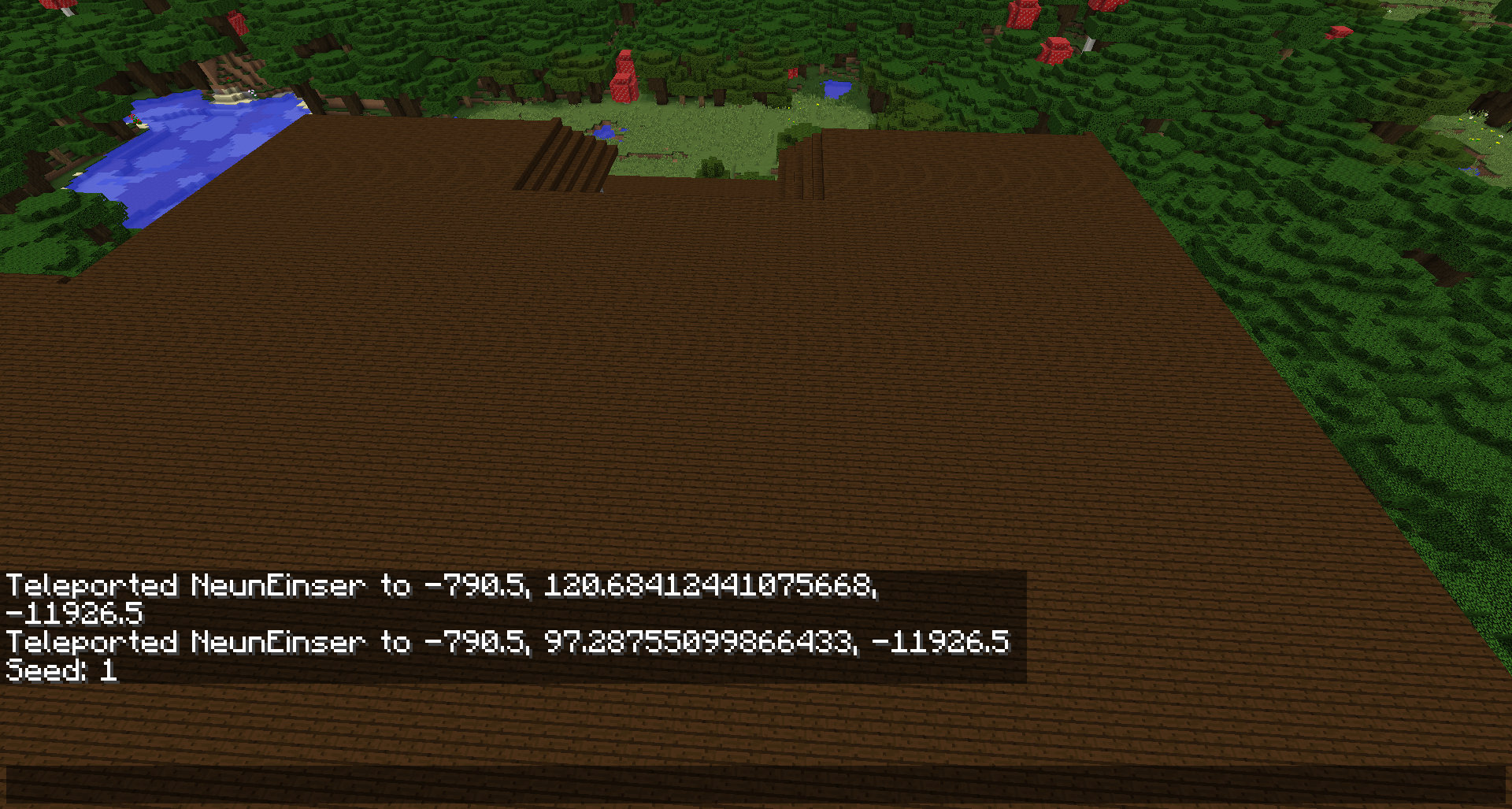
Crash"java.lang.RuntimeException:Not yet implemented"Crash Exception generating new chunk "Not yet implemented"
The bug
Death messages, such as:
- <player> fell off a ladder
- <player> fell off some vines
- <player> fell out of the water
don't show instead it is just <player> fell from a high place
How to reproduce
- Make a very tall tower on which one side has a ladder and the other side has vines
- Climb to the top of either side, and fall off, killing yourself
- Death message <player> fell from a high place displays
See also this reddit post: http://www.reddit.com/r/Minecraft/comments/2wpmer/help_me_die/
Code analysis
Code analysis by [Mod] NeunEinser can be found in this comment
I had a one tick clock going and the comparators weren't allowing a pulse to go through (which could be a bug itself), but when I repeatedly right clicked the comparator, I was able to get the pulse through as you can see in the screenshot.
Code analysis by [Mod] NeunEinser can be found in this comment.

MC-1058 fixed indeed the issue that most entities cannot be seen when on the edge of the screen, but from my testing it seems that only applies to mobs/living entities and normal-sized blocks on ArmorStands.
On an ArmorStand with a large model on headslot though this rendering bug still occurs, both at edge of screen as well as frontal (when you look upwards), depending on block model.
Summon command for dragon head on ArmorStand headslot:
/summon minecraft:armor_stand ~ ~ ~ {ArmorItems:[{},{},{},{id:stone,Count:1}]}
It also affects self-made models, see screenshots and attached test-resourcepack by [Mod] NeunEinser
This bug is important for mapmakers to be fixed before 1.9 release.
Two other things important to mention:
*Do not test on Y = 63* if you want to confirm it.
There is a (confirmed it by testing) bug that renders any entity (or the blocks attached to them) invisible if you're at Y= 63.
I'm not sure if this bug here can relate to it, but I'll leave the according bugpost in here to be safe, maybe you can fix it alongside this bug here:
MC-88176
*Do not test with ArmorStands that have their Marker-tag set to true*
I don't know whether or not it's "works as intended", but even regular-sized blocks vanish at certain perspective angles (sideways as well as looking up) if they're at an ArmorStand with Marker-tag set to 1. (Screenshots attached).
*It would be nice to know if this is intended behaviour* or - at least currently - not fixable, because I could think about some circumstances where it'd be nice to have an ArmorStand with Marker-tag set to true, but without the model/block "vanishing" out of sight of the player, dependant on their perspective.
*If this is maybe even a desired behaviour is up to Mojang and suggestions of the mapmaking community* - So i hope someone could comment on that.
If this is not intended behaviour and fixable, please fix it alongside with this bug.
Onnowhere opened a bugpost for this here on MC-98146
I suspect this might happen with any larger-scaled model, also selfmade models, I couldn't confirm that yet but will do so with according screenshots.
If any modelmakers read this and could test it themself with a largescale model on an ArmorStand headslot to confirm it via a comment and screenshot, I'd be very thankful }=)
Thank you.
[Mod] NeunEinser Thank you so much! 💙
Then it's even more important that it gets fixed before 1.9 release as it's very important for mapmakers!
Danke 😸
If you want your issue addressed you absolutely do need to provide steps on how to reproduce your issue. [Mod] NeunEinser made it clear that he unsuccessfully attempted to reproduce your issue with the given instructions. If a world download can help with reproduction please link the world download in the description.
Applying a large number of predicate overrides to an item in a resource pack will cause considerable FPS loss if the item is rendered too many times (example: armor stand head/hand slot).
Steps to recreate:
1- Download provided resource pack
2- Apply resource pack
3- Use the following command: "/give @p armor_stand 1 0 {EntityTag:{ArmorItems:[{},{},{},
]}}"
4- With the given item, place down 100* armor stands
5- Use the following command: "/replaceitem entity @e[type=ArmorStand] slot.armor.head diamond_axe 1 0"
6- Compare difference of FPS between diamond hoe (with 1,561 overrides applied) and diamond axe
*this number may vary depending on machine.
Code analysis by [Mod] NeunEinser in this comment

[Mod] NeunEinser: Of course the comment section of the tickets is for discussion about the bugs but not for any meta discussion about why this bug isn't fixed, how many votes it has, how much that bug annoys you and so on.

[Mod] NeunEinser the reason why they have seperate names might be because not every block has an item and the block names are also used for example for the CanDestroy tag.
But as [Mod] NeunEinser said before loot tables are not part of the resource pack, or are they now?
Thank you very much [Mod] NeunEinser }=)
[Mod] NeunEinser, this report is already closed as duplicate and therefor there is no need to keep the affected version up to date.
I added 1.11.2 for MC-108149 instead
![[Mod] Michael Wobst](../../../data/avatars/users/37868.png)
[Mod] NeunEinser: ticket is yours now. Please update it accordingly. Thanks!
[Mod] NeunEinser: ticket is yours now. Please update it accordingly. Thanks!
[Mod] NeunEinser tickets is already yours in case you didn't notice. You can update it yourself now.
[Mod] NeunEinser ticket is yours now.
![[Mod] Pokechu22](../../../data/avatars/users/92931.png)
We've figured out the basic steps to trigger this.
Notes
First off, it's important to note that the duplicate block entities were in the area that was being saved by a structure block - not the loading area (as I initially thought). This can be seen on the world from this ticket ("The Syndicate Epic Seed ! - Copy") - there are still structure blocks left over for saving, and the locations of the duplicate block entities are within there.
Secondly, it was initially noticed that all of the duplicate block entities were in the same chunk, but across multiple structure blocks (and there was one block entity that wasn't duplicated, which was part of a double-chest that stretched across chunk borders at 426 81 47). However, this observation seems to be less important, as the city world from the other ticket had duplicated ones in multiple chunks, and there were a lot of block entities that weren't duplicated (including parts of a double chest). So as far as we can tell, this is a red herring.
Cause of corruption + steps to reproduce
The key observation came from [Mod] NeunEinser: Chunk.getTileEntity(BlockPos, EnumCreateEntityType) can create a new block entity when IMMEDIATE is used. And, IMMEDIATE is used when World.getTileEntity(BlockPos) is called. However, this itself doesn't immediately seem like a problem - after all, it's definitely intended that it creates a new block entity.
Yet it is. Grab the attached test world (extract into a new folder), which contains a chest in the 0, 0 chunk that was NBTEdited to not have a block entity (more on this later) and a structure block that saves that chest. Open the structure block, and save it. Then save it a second time. Exit and reload the world; you will get this crash (and NBTEditing again shows that there are two chest block entities in the same location).
Why does this happen? It seems like it should be impossible to have two block entities in the same location, as chunks use Map<BlockPos, TileEntity> tileEntities which must have unique keys; it seems impossible for it to initially get into this state.
However, that assumption is false. If a MutableBlockPos is used, it can be put into that map, and then change position, which causes the behavior of the map to be unspecified (but in this case just means that it won't overwrite or get the MutableBlockPos-keyed block entity). Does this ever happen in practice? Yes!
The way that structure blocks save involves a loop that looks like this (simplified):
for (BlockPos.MutableBlockPos blockpos$mutableblockpos : BlockPos.getAllInBoxMutable(start, end)) { BlockPos relativePos = blockpos$mutableblockpos.subtract(start); IBlockState state = worldIn.getBlockState(blockpos$mutableblockpos); TileEntity tileentity = worldIn.getTileEntity(blockpos$mutableblockpos); if (tileentity != null) { NBTTagCompound tag = tileentity.writeToNBT(new NBTTagCompound()); tag.removeTag("x"); tag.removeTag("y"); tag.removeTag("z"); list.add(new BlockInfo(relativePos, state, tag)); } else { list.add(new BlockInfo(relativePos, state, null)); } }
Now, if there already is a block entity in that location, then getTileEntity will work fine. But if it ends up creating one, that passes the MutableBlockPos to Chunk.addTileEntity(BlockPos, TileEntity), which puts the MutableBlockPos as a key in the tileEntities map (and tells the block entity that it is located at that position via TileEntity.setPos, which makes an immutable copy). Then afterwards, the MutableBlockPos changes, so the block entity is "lost". Saving again adds it the second time (because since the MutableBlockPos changed, the map doesn't return it when checking for existing block entities).
But, when the world is saved, it uses chunk.getTileEntityMap().values(), which will include both block entities keyed by MutableBlockPos instances. And, since the location was captured immutably before, these will both actually save the correct location values (and not the ones wherever the MutableBlockPos ended up). Thus, multiple block entities are saved at the same location.
I've identified a second location where this can also be an issue: /testforblocks also uses a loop with MutableBlockPos that calls getTileEntity. It's a little more complicated to reproduce this bug that way, though, so I won't explain the details; just note that this technichally isn't a bug with structure blocks.
Fix for corruption
Simply put, avoid calling setTileEntity or addTileEntity with a MutableBlockPos. I'd do that by changing this:
if (creationMode == Chunk.EnumCreateEntityType.IMMEDIATE) { tileentity = this.createNewTileEntity(pos); this.world.setTileEntity(pos, tileentity); } else if (creationMode == Chunk.EnumCreateEntityType.QUEUED) { this.tileEntityPosQueue.add(pos); }
to this:
if (creationMode == Chunk.EnumCreateEntityType.IMMEDIATE) { tileentity = this.createNewTileEntity(pos); this.world.setTileEntity(pos.toImmutable(), tileentity); } else if (creationMode == Chunk.EnumCreateEntityType.QUEUED) { this.tileEntityPosQueue.add(pos.toImmutable()); }
(note that the QUEUED mode does not appear to be used currently, but would still have problems if a MutableBlockPos were used).
For similar reasons, the call to setTileEntity in Chunk.setBlockState should also call toImmutable (however, I don't know of any current situation where setBlockState is called with a MutableBlockPos):
this.world.setTileEntity(pos.toImmutable(), tileentity1);
Cause of crash
All of the above explains how two block entities got put in the same location. But it doesn't explain why that causes a crash. Well, first off, here's a snippet of the crash report with MCP names (with 3 lines repeated):
at net.minecraft.tileentity.TileEntityChest.invalidate(TileEntityChest.java:391) at net.minecraft.world.chunk.Chunk.addTileEntity(Chunk.java:905) at net.minecraft.world.chunk.Chunk.addTileEntity(Chunk.java:888) at net.minecraft.world.chunk.storage.AnvilChunkLoader.readChunkFromNBT(AnvilChunkLoader.java:443) at net.minecraft.world.chunk.storage.AnvilChunkLoader.checkedReadChunkFromNBT(AnvilChunkLoader.java:109) at net.minecraft.world.chunk.storage.AnvilChunkLoader.loadChunk(AnvilChunkLoader.java:76) at net.minecraft.world.gen.ChunkProviderServer.loadChunkFromFile(ChunkProviderServer.java:151) at net.minecraft.world.gen.ChunkProviderServer.loadChunk(ChunkProviderServer.java:103) at net.minecraft.world.gen.ChunkProviderServer.provideChunk(ChunkProviderServer.java:118) at net.minecraft.world.World.getChunkFromChunkCoords(World.java:355) at net.minecraft.world.World.getChunkFromBlockCoords(World.java:347) at net.minecraft.world.World.getBlockState(World.java:954) at net.minecraft.tileentity.TileEntityChest.isChestAt(TileEntityChest.java:235) at net.minecraft.tileentity.TileEntityChest.getAdjacentChest(TileEntityChest.java:212) at net.minecraft.tileentity.TileEntityChest.checkForAdjacentChests(TileEntityChest.java:200) at net.minecraft.tileentity.TileEntityChest.invalidate(TileEntityChest.java:391) at net.minecraft.world.chunk.Chunk.addTileEntity(Chunk.java:905) at net.minecraft.world.chunk.Chunk.addTileEntity(Chunk.java:888)
This is fairly easy to understand: Chunk.addTileEntity contains this code:
if (this.getBlockState(pos).getBlock() instanceof ITileEntityProvider) { if (this.tileEntities.containsKey(pos)) { ((TileEntity)this.tileEntities.get(pos)).invalidate(); } tileEntityIn.validate(); this.tileEntities.put(pos, tileEntityIn); }
TileEntityChest.invalidate looks like this:
public void invalidate() { super.invalidate(); this.updateContainingBlockInfo(); this.checkForAdjacentChests(); }
checkForAdjacentChests calls getAdjacentChest for the 4 cardinal directions. getAdjacentChest first calls isChestAt, and then does some checking on the block entity if there is a chest there. Here's isChestAt:
private boolean isChestAt(BlockPos posIn) { if (this.world == null) { return false; } else { Block block = this.world.getBlockState(posIn).getBlock(); return block instanceof BlockChest && ((BlockChest)block).chestType == this.getChestType(); } }
Since the chunk has not been (fully) loaded, calling getBlockState will attempt to load it again. Which repeats the whole process once it attempts to add the second chest block entity, forever, until the stack overflows and the game dies.
Fix for already corrupted worlds
There's two ways of fixing already corrupted worlds: fixing the chest case, or detecting and rejecting duplicate block entities when chunks are loaded. I'd favor the later one.
The chest case
Here's a possible way to handle the chest case: if the world hasn't loaded the chunk containing the block entity yet, don't check for adjacent chests. This requires adding a public method to check if a chunk is loaded.
if (this.world == null || !this.world.isChunkLoaded(this.pos, false)) { return; } // ... original code. Note that isChestAt also checks that this.world != null
public boolean isChunkLoaded(BlockPos pos, boolean allowEmpty) { // other isChunkLoaded is protected return isChunkLoaded(pos.getX() >> 4, pos.getZ() >> 4, allowEmpty); }
The general solution
Here's a more general solution to the problem that rejects all duplicate block entities. The original code to read block entities is this:
NBTTagList teList = compound.getTagList("TileEntities", 10); for (int i = 0; i < teList.tagCount(); i++) { NBTTagCompound teCompound = teList.getCompoundTagAt(i); TileEntity te = TileEntity.create(worldIn, teCompound); if (te != null) { chunk.addTileEntity(te); } }
Checking for duplicate block entities could be done like this:
NBTTagList teList = compound.getTagList("TileEntities", 10); Object2IntMap<BlockPos> teIndexes = new Object2IntOpenHashMap<>(); for (int i = 0; i < teList.tagCount(); i++) { NBTTagCompound teCompound = teList.getCompoundTagAt(i); TileEntity te = TileEntity.create(worldIn, teCompound); if (te != null) { if (teIndexes.containsKey(te.getPos())) { LOGGER.warn("Skipping duplicate block entity at {}: already have {}, ignoring {} ({})", te.getPos(), teList.getCompoundTagAt(teIndexes.get(te.getPos())), teCompound, te); continue; } teIndexes.put(te.getPos(), i); chunk.addTileEntity(te); } }
I include both the new and the original NBT in the log just because I'm paranoid about dropping data without any way to recover it, which makes complicates this slightly; if it seems like that's unnecessary, then this can be simplified to just use a HashSet.
But how does this situation occur without NBT editing?
I don't know. I still haven't figured out how a block which should have a block entity can be created without the block entity.
One idea (from [Mod] NeunEinser) was that it could happen when downgrading from 1.11 to 1.10; while this is definitely a possibility, it seems unlikely (this ticket was created early on in the 1.11 snapshots, and there doesn't seem to be any indication that the world was loaded in them; another reproduction happened in 1.12 and it seems unlikely that they downgraded to 1.10 and then loaded in 1.12 again).
Another possibility is that the block was first set with a call to setBlockState using a MutableBlockPos, which would also create a block entity using one. However, I cannot find any evidence of this being the case. But, if this hypothetical situation did occur, then the same problem would happen.
It seems like there must be a way this could happen, but it's still unknown.
[Mod] NeunEinser: ticket is yours now.
 I can confirm that this happens even for pistons now, which was not the case before.
Given the current situation, I would not like anyone to try to fix it for pistons specifically, but strictly for armor stands.
Onnowhere I don't know your project, but can you not do it with another block, or, like [Mod] NeunEinser already wrote, with a model/via resource pack? Given the fact that even pistons render Marker-true-AS dark now, I don't know if it would do it similarly for stairs or snow layers though, so how about a glass block which got the texture of being opaque, but the specs of being transparent?
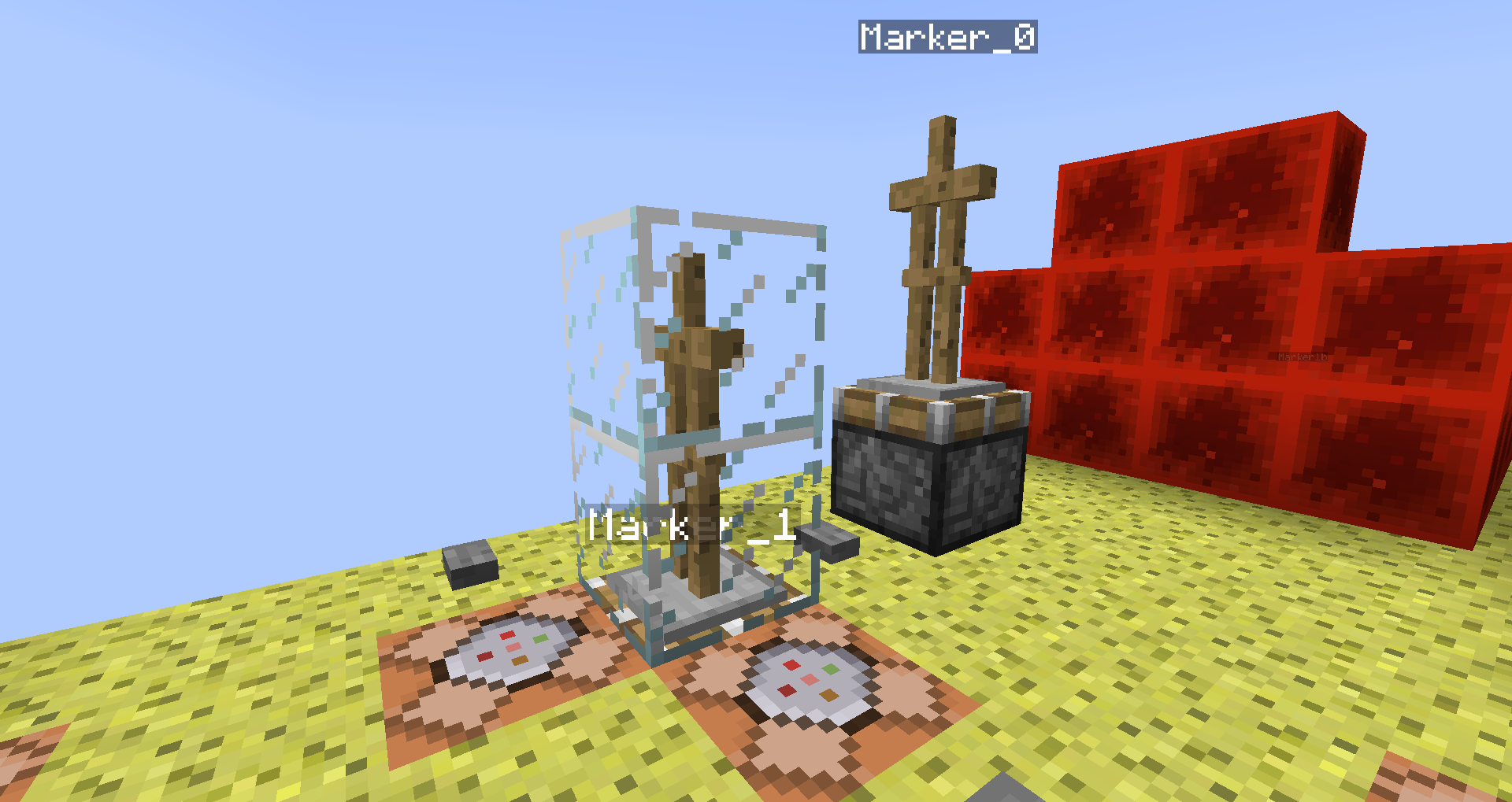 See pic, transparent blocks shouldn't affect Marker-true-AS.
@[Mod] NeunEinser, I am seeing this behavior even if the same block was not there before. Are you still seeing the behavior you originally described, in 18w06a or are the changes I made to this report fine for you?
Edit: If so, may I mark your code analysis as outdated or remove it for now?
[Mod] NeunEinser Yes, see 
I'll check in the current snapshot after I'm through with my own ~30+ bugposts 

The "game-breaking bugs" like the Dragon Egg block breaking, TNT duplication, etc. are not intended features, but abusable exploits to some extend. It's okay to fix the weird and strange exploits / mechanics.
But huge things like the pistons, slime blocks, redstone bugs are "game-breaking" from different perspective, I mean the technical player base, community and so on.
Yeah, I absolutely agree.
Not enough that the servers (Singleplayer, Multiplayer - doesn't matter. The Vanilla platform overall) are poorly optimized, buggy, there are synchronization issuess between clients and servers and many other things...
Currently the redstone causes tremendous client-side framerate and performance drops / hits, even when there are very simple redstone circuits.
Moving pistons, slime blocks, solid blocks, hopper-checking, item transfering, entity transportation, light updates, redstone torches, comparators, everything will be bad and sluggish, in terms of gameplay experience, even if every block is lit with torches / glowstone / sea lanters and every piece of a redstone circuit is optmized to the maximum efficiency.
I don't think that the technical players should spend hours and even days, looking at every piece of a redstone circuit / machine / farm and trying to optimize every single thing, otherwise it causes server and client lag, bad performance, bugs, glitches, etc.
The bug
Observers do not update upon tree growth unless they were already observing the sapling.
Also, block states are not updated properly, for example fences do not start connecting.
2018-08-25 15-27-40.mp4
Code Analysis
A code analysis by [Mod] NeunEinser can be found in this comment in MC-136442.
[Mod] NeunEinser, ticket is yours now.
[Mod] NeunEinser, ticket is yours now.
[Helper] Michał Structures are stored separetly and ported from 1.12. They will keep on generating properly in 1.13. They are also part of the decoration, so at this point, the chunk is already decorated and will not be dropped. Only pre-decoration chunks are dropped (ie : the initial noise map).
[Mod] NeunEinser You can fly a machine into an unpopulated chunk, but this is a very rare case and like the name indicate, the chunk isn't done generating. In 1.12, it was accessible in some cases, but the data in it is still not valid data for any gameplay purpose. The fact that you could act on those chunks to begin with is a bug all by itself (which has been partially fixed in 1.13 with the introduction of protochunks).
As far as I understand it, the reported bug is that modifying the map with an external tool doesn't work properly when the map is loaded directly in 1.13. When loaded first in 1.12, the map ports perfectly fine.
@[Mod] NeunEinser, it looks like this method is (at least in 1.12.2) only used for cases where the level is restricted to maximum values of the enchantments anyways (enchantment table, loot tables, /enchant ...), so it is not such a big problem.
![[Mod] violine1101](../../../data/avatars/users/92858.png)
The bug
When a mushroom grows into a giant mushroom, the blocks the giant mushroom consists of don't send block updates to adjacent blocks. Observers trigger properly though.
This happens both with red and brown mushrooms.
To reproduce
- Build the test setup seen in this screenshot:
- Place a red or brown mushroom on top of the podzol
- Use bonemeal on the mushroom until it grows
- The Redstone lamp won't activate:

Code analysis
A code analysis by [Mod] NeunEinser can be found in this comment.
Credit
Discovered by docm77 in this video

[Mod] NeunEinser: Good! Do you have any video or something so I can try to reproduce it, please?
[Mod] NeunEinser I was just conducting some tests in 1.13.2 and 18w50a, incl. videos, but I don't think we will need them atm.
Initially - it's what I tried yesterday as first thing - one would expect that it'd be possible to remove the data of a dataholder, but I couldn't find a way, be it a data merge, or a data modify set value with a {} at the end, it all doesn't work as I personally would have expected it, going by my old command knowledge. So that'd be certainly something to improve on, imo.
As for your suggestion with setblock: While it is true that if you setblock a gateway, it will give you a gateway with no ExitPortal specified yet, it does teleport you to a remote place though, once you get through.
While this is technically what we desire, there is an issue though: As soon as you try to get back via the remote gateway to the main island, you may end up in a tp-loop of sorts, as it seems that the remote gateway doesn't put you on solid ground. I found myself either inside the main island for 1 block, or inside the setblock'ed main island gateway or rather its surrounding bedrock itself, which resulted in the game teleporting me back to the remote gateway, and so on and so forth, and sometimes it was "Waiting for Chunk" at the remote area, and sometimes the chunk didn't load at all although I waited for a longer time, so I had to teleport back to the main island (I got video footage of everything).
I tested this several times, I also looked at the data both the main island as well as remote gateway held.
In 1.13.2, if you setblock a gateway in The End, it places you onto solid ground on the main island, when you return via the remote gateway.
At least in the few tests I could conduct so far, will have to do this a couple times more.
Given the short amount of time, I can't be 100% sure of what I just wrote, but I currently would not suggest to simply setblock a gateway in 18w50a, unless you do the following:
setblock a gateway on the main island (e.g. replacing a real one from after the dragon kill, although I'd suggest to set a separate one), and note down its coordinates
go through the setblock'ed main island gateway to the remote island
run a data get block against the remote gateway
go through the remote gateway back to the main island
in case it teleports you back to the remote gateway, it may be that it tried to teleport you either inside the main island gateway, or inside another solid block of the main island; in that case make a data merge block against the remote gateway with slightly offset-ExitPortal-coordinates compared to the setblock'ed main island gateway coordinates.
Going by the tweet you just sent me, it was no coincidence apparently that, by setblock'ing a gateway in 18w50a, it does indeed teleport you to a remote island, but it is a tiny island, not a real larger island with structures and all, as you would expect. I wanted to test this to verify it, but I'll take your idem experience as such.
Thus scratch the whole setblock-thing for now and just do the data merge with an ExitPortal you specified, it really seems that gateway-teleportd are quite broken atm
Please check the links in [Mod] NeunEinser's first comment to find out where the crash reports are saved. If you can't find a crash report, please attach the launcher log instead.

Copy/pasting from [Mod] NeunEinser
"I used the same setup as in the video from https://bugs.mojang.com/browse/MC-165728, with a solid block at the end of the pillar
It's important that the falling block is pushed against the honey block's hitbox. It happens because the honey block has a collision box slightly lower than a full block, and only when the falling block is pushed against that collision box."
![[Mod] SPGoding](../../../data/avatars/users/44622.png)
This is highly related to MC-133524, but they are not caused by the same thing.
When the water is flowing to somewhere else, it will be displayed lower than normal, but the game still use the regular edge case (-1.74 blocks beneath the water surface as claimed in this comment by [Mod] NeunEinser in MC-133524) to tell whether the eye level of player is under water or not, which makes MC-133524 much more noticeable when the player is standing beneath a flowing water source.
Reproduce Steps
1. Set up a 3×3 pool.
2. Place a water source one block higher of the center of the pool.
3. Fly into the water source, use /tp @s ~ x.26 ~ 0 0 to tweak your position.
4. Find that the sky is rendered blue.
5. Use F5 and F3+B to find that your eyes have a long distance from the water surface.

[Mod] NeunEinser that'd be MC-112991; you can use fishing rods instead (just the bobber obstructs view a bit, but resource pack can make it invisible, and you can /kill it)
@[Mod] NeunEinser: That's the section sign!
Can reproduce the incorrect text width computation. Adding repro steps for 20w07a and a screenshot.

@[Mod] NeunEinser I already found a ticket for witches MC-158428

[Mod] NeunEinser, it is not, because at MC-168607, there is described that at certain elevations (like Y=2100), the snow has orange-ish color. That is where you cannot use the riptide. Also, you said that you cannot use riptide in altitudes, where it is snowing. That is because this issue is blocked by MC-176452.
Well [Mod] NeunEinser, I just think that it still exists, because there was no response from anyone.
To determine the default key, you can click the reset button in the UI. Could you try if the default key for opening the chat with a / was different for you before 1.13? What type of keyboard are you using? I'm using a German keyboard, so your layout might be different. Perhaps someone with a German keyboard like [Mod] violine1101, [Mod] NeunEinser or Fabian Röling can reproduce this.
you've called it "_jeb" instead of "jeb_"
Just updated the post, because I have reproduced the bug.
Eeehmm, if I've use " before, it's like \", or? And because of what works the command upto reload the world again, if I just rightclick the command block and press "finish" without change anything?
And because of what does it only not work with the score tag? This works fantastic:
/give @a written_book 1 0 { title:"Test", author:"Test", pages: [ "{ text:'', bold:true, extra: [ { text:'Hello world!' } ] }" ] }btw: For this it's the same:
/give @a written_book 1 0 { title:"Test", author:"Test", pages: [ "{ text:\"\", bold:true, extra: [ { score: { name:\"@p\", objective:\"Test\" } } ] }" ] }Well, if i write this in a command block and reload the world, it doesn't work as well... It doesn't work, because it's a bug! What's so complicated? Just try it out and don't forget to reload the world before activating the command block...
Okay, sorry about that, but the bug comes at another time than I thought...
1. Your world have to be with disabled cheats.
2. You can use "Open the world in Lan" to allow cheats during build the command block and input the command
3. Quit to title and Open the world again, so it isn't open in Lan anymore and commands are disabled again.
4. Now the command doesnt' work. It doesn't work, if commands are disabled. A book, that was created when commands are allowed works all time, a book, that was created when commands are disabled doesn't work all the time...
Im going to update description...
Okay, I've created a video, too which shows the bug: http://youtu.be/QTfumET7Apo
Can you explain this?
I have changed it again... I have had another title, but I think a Mod has changed it for any reason...
@ Mod Anon Ymus: I've detected a little mistake in the JSON from the commands I posted here. Now it should work with cheats on, and only not if cheats off... Try again
Another thing that happens here is if you replace some written signs with air, the text of the old sign shows up at the gui "edit sign message" where you can enter the text for the sign. You can delete it there but if you leave it, it will show up even after a reload as you've written it.
@[Mojang] Grum (Erik Broes)
I actually think we are not the only ones who think, that change is really gamebreaking and not just a slight Change.
This breaks a whole bunch of Adventure Maps and some cool and creative contraptions.
Why did the block positioning changed like that? I don't understand the reason if you don't tell that to us. And you must have a big reason to break so many contraptions.
~NeunEinser
@SunCat Yeah... I want to have a book so I can execute the commands from everywhere...
The chat cap isn't a bug btw. but the cap in a JSON book.
I don't know how /execute should help me, that makes the command even longer.
{auto:1b}I know, that I could activate another command block somehow with a /setblock x y z redstone_block or in 1.9 /blockdata x y z
, but thats not very nice. I don't want to have a command block for every stupid command in a book. That's just a silly bug that makes things more complicate then needed.
Also I see it as a bug that redstone blocks can now power comparator sideways. Only directional redstone can. Pressure plates, levers, buttons etc cannot power a comparator sideways as well.
Yo write NBTalso as JSON. So it should be the same in my mind.
And it is still a bug, that strict JSON does not work and you HAVE TO write lenient JSON.
okay, so JSON-texts get not converted into NBT. That's interesting. So thanks, [Mojang] Grum (Erik Broes) for answering here.
Uhm, actually it does. The error is known, since you can describe it and know when it happens. So it should not be just described as an "unknown error" what is generally a bad thing for a compiler.
Plus it is not even an error. It just can't work with the string, so it returns an empty sign. So it works perfectly fine and it does not cause any problem. It should just say "Block placed".
Comfirmed for 15w51b.
Can confirm for 16w06a.
A /title @a title [] kicks players with an exception from the server.
The same does happen for
It can be prevented by using the following command instead:
Due to the changes to the JSON-texts it is not a bug that the command does not work, it is however a bug that the client gets kicked from a server (or crashes) when trying to execute that command.
Can confirm for 16w06a.
Also happens for
Can be fixed with
/title @a title [\"\"]I just tested it with a really quick made resource pack (I basically made the largest stone block ever) and can confirm it. It is also the case for item drops.
Screenshots + resource pack attached. (do
/summon minecraft:armor_stand ~ ~ ~ {ArmorItems:[{},{},{},{id:stone,Count:1}]}On the left side of my screenshots the stone is the head of an ArmorStand, on the right side it is an item drop.
dupe of
MC-95922Cannot confirm. Maybe the Golem landed on a weird pace when you tried it. But then it has nothing to do with the Zombie.
Can confirm as well.
Can confirm. He does not seem to be angry anymore but he keeps teleporting after you until you reopen the world.
Also if you swap back to survival mode and punch or look at him, he does not get angry anymore.
Can confirm. It is only a visual glitch and only the Shulker entity itself needs to render not anymore, you do not have to get out of render distance.
Is the same for FalingSand, but seems not to happen for a Creeper.
Can confirm
Duplicate of
MC-94178Just saying: https://twitter.com/afilina/status/695066872744669184

I also don't think they're gonna fix that.
I think it has something to do how the Zombie flies after the iron golem punched it. When you're standing on the ground, it happens more rarely.
Happens sometimes, can now confirm.
@Spake Miner You need /title @a title [\"\"] If you have a subtitle and only want to display the subtitle (A subtitle gets only displayed when you execute a /title <Player> title <JSON>).
Confirmed for 16w06a.
Confirmed for 16w06a.
use "Reported by me"
Duplicate of
MC-90591Duplicate of
MC-96821can confirm
@Gay You should not confirm your own reports. It's logical that you can confirm your own report. It just makes others think it's a fake.
To reproduce just use a command like
and turn your master volume to 100% and your music to OFF (and if necessary also raise your windows sound).
So, let's call it a client-server-desynchronization then
Duplicate of
MC-2912Btw: When a bug is there since 1.5.2, it's very likely, that it already had been posted.
Duplicate of
MC-96583Duplicate of MC-9682
Duplicate of
MC-96815Cannot confirm for windows 10.
Seems to happen when smooth lighting is off.
Can confirm.
Can confirm, added gif animation.
K. K If you read through the comments, the sword thing is also mentioned there.
Can't confirm either, please provide steps to reproduce.
Cannot confirm for 16w04a, neither for natural nor summoned lightning. Both do not make any sound when weather is turned off in the sound options.
Can confirm
When restarting the server, it prints the following in the server consol and makes the sign empty:
I would say, it is also related with
MC-87587(since that is the exact same thing just with a /title or /tellraw) and withMC-94178, because this is another thing caused by an invalid JSON sign.Can't confirm and I'm not going to rebuild your exact setup from a 55min video. Generally if you are in a minecart, Pigmen are chasing you correctly.
Please provide steps to reproduce.
Duplicate of
MC-96583It's actually Duplicate of
MC-96583Yes, it's a Duplicate of
MC-58614I just spawned a few different mobs in a lake. They tend to swim in the direction of land, although it is also petty random.
Cannot confirm.
Can confirm, Related to
MC-96749Confirmed for 16w07a
Can confirm for 16w07a
Confirmed for 16w07a
Can confirm for 16w07a
Can confirm for 16w07a
Can confirm for 16w07a
Confirmed for 16w07a
This is a different issue, so you should open a new post for that.
However, with some quick tests I cannot confirm this anyways.
/give @p minecraft:sign 1 0 {BlockEntityTag:{Text1:"{\"text\":\"test\",\"color\":\"dark_blue\",\"strikethrough\":true}",Text2:"{\"text\":\"test\",\"color\":\"dark_green\",\"underlined\":true}",Text3:"{\"text\":\"test\",\"color\":\"dark_aqua\",\"italic\":true}",Text4:"{\"text\":\"test\",\"color\":\"dark_red\",\"bold\":true}"}}works fine.
Hmm, I cannot confirm this.
I did try both in 1.9 and 1.9.1pre-3:
/summon ArmorStand ~ ~ ~ {Marker:1b}(^did levitate for 10 seconds)
/entitydata @e[type=ArmorStand] {Motion:[0.0,1.0,0.0]}(^did jump)
Okay, I just found something out while testing something completley different:
A marker Armorstand does not move upwards, when a block is on its feet. A normal one does not move upwards, when a block is one block above it.
There is a yellow glass block (that probably was supposed to be a FallingSand riding the ArmorStand) at the feet of the marker ArmorStand
I consider this as WAI
Edit: Added screenshot, you have to click on it to see it correctly for some reasons.
I edited the bug description a bit to show, that every entity is affected by this and added another example.
This is a really essential bug with the new Passengers-Tag.
Confirmed for:
Please, Mojang, that is a really annoying thing when you want to change unicode characters...
Confirmed for 1.9.3-pre3
Confirmed for 1.9.3
Yes, it is indeed very annoying for a whole bunch of things.
Btw: You are really fast in this. I just came back home and wanted to test it in 1.9.3 and eventually update my bug report...
Ha!
Added 1.9.4 to Affected Versions
[Mod] Asteraoth I cannot confirm that game output.
Confirmed for 1.9.4
The difference between them is for me ~210 FPS with the dimand axe, ~80 FPS with the hoe and ~550 FPS without the ArmorStand entities (1.9.4 vanilla).
Can confirm.
http://i.imgur.com/RKPxW9R.gifv
I might have found in the minecraft code what causes it.
The framerate does not drop that much with higher damage values (aka values that refer to models specified further down in the model file) (like /replaceitem entity @e[type=ArmorStand] slot.armor.head diamond_hoe 1 1561 will not cause more lag than the diamond axe).
This code gets run every tick by the renderer (1.9 / MCP 9.24beta)
This for loop loops 1561 times if it finds the required predicate values in the last step.
Since the renderer calculates the model it should render every game tick new, it might be very CPU heavy if you have many overrides specified.
However, it is not caused by minecraft loading all the different model files. It will not get laggier if you have more complex models applied, it gets only laggier depending on how many overrides are specified.
Please link this in the first post.
Since in the recent 1.10 Snapshot there is NoGravity for all Entities, you can see the effect for an Arrow with NoGravity very clearly.
Just do:
/summon Arrow ~ ~-1 ~ {NoGravity:1b}/entitydata @e[type=Arrow,c=1] {Motion:[0d,0d,-0.5d]}Confirmed for 16w20a
I do not think
MC-102051covers the bug I am explaining here, it only says you cant place torches on bone blocks and nether wart blocks.Also it is not related to the nether wards block that is also described there since this is not actually transparent (faces do not render inside of blocks and it does not let light through)
However, if you want to keep it that way, you should mark
MC-102079as a duplicate ofMC-102051as well and not as a dupe of this one for consistency.Just noticed that it also happens for Creepers.
Skeletons and Zombies don't have this behavior, though.
Confirmed for 16w20a
Yes. The ting that rally bugs me is that this is not only a bug mapmakers have to deal with but also a bug that effects vanilla frequently. That should have been more than enough to fix it before the release of 1.9. And it is still in 1.9.4.
Also 98 votes is a lot and therefore it should have a high priority. There is even a nice guy that did some code analysis for them (Thank you btw, Marcono1234).
But, well, I am not Mojang and it is not on me to decide this kind of stuff.
Due to the fix of
MC-102069it does not happen for the bone block in 16w21a anymore. It is still the case for the nether wart block.Work around: You can copy paste slashes. Had the same problem
Confirmed for 1.10-Pre1
confirmed for 1.10-pre2
Confirmed for release 1.10
I just tested it in my single player world and I cannot enter the minecart when reproducing
MC-96954in 1.10.So it might be a different issue, might have changed in 1.10 or might only have happend because of some sever plugins.
Can confirm for 1.10.
I cannot confirm the game output in 1.10, and everything else is just
MC-96954.The issue with the game output is described in MC-90683 and might happen if there is for instance an end crystal in your minecart, or another entity that has a higher render distance then minecarts.
Wait... why did my comment get deleted? I didnt say anything wrong.
I just sighted and said that 209 votes are a little something.
Hops Splurt I already saw YTs mention that bug, e.g. samasaurus6.
Well, I actually thought that this was exactly for discussing bugs to give Mojang an idea of how a bug effects the game. But I guess it is not really wanted to point out things, that are pretty obvious and dont really add something, then.
I wont go to reddit, I think that's pointless. If so thinks it helps, they can still do it.
So let's stop this at that point, I guess.
I highly doubt that this is
MC-96954.The bug he describes has nothing to do with dismounted Entities floating somewhere in the air. It is more like the mounted entity is desynced, but not the riding one.
I know that even when traveling short distances in a boat, when exiting it, the boat might disappear and shortly "move" back in (as if it got teleported). I think that this is the bug he describes.
I cannot find a bug that describes that, but it is probably somewhere.
Shadow This bug is fixed since 05/27/16, so no one cares.
Does that still happen in 1.10? If so, we need to know how to reproduce the issue (what have you done in your map to cause it (what exactly means "lots of redstone?" What do I need to build in order to reproduce it?) or can you provide a download of the save folder?).
Did you buy Minecraft on minecraft.net? Seems like the Mojang servers don't recognize your account.
If you did buy it, you should contact the Mojang support: https://help.mojang.com/customer/portal/emails/new?ref=footer
Same as
MC-103930. Please don't create the same ticket twice.And why exactly is that an issue? When the Shulker is closed, you can't see that anyways.
Confirmed.
Can confirm
This is a technical issue and not a bug. The Mojang support will help you there: https://help.mojang.com/customer/portal/emails/new?ref=footer
Why isn't that issue community consensus?
Can confirm as well, if that helps...
Probably Works As Intended.
Can confirm.
I also do not understand, why the item "minecraft:fish" and the loottable "minecraft:gameplay/fishing/fish" is in there. Wouldn't the loottable be enough? Or is it really wanted, that the default fish is way more common?
Yeah, can confirm that for 1.10, noticed it myself when doing some test.
I don't think this is really a bug, perhaps you should post it as a Suggestion in /r/MinecraftSuggestions
Don't know if it is intended that way, but I can definitely confirm that behavior. It is also still like that in 1.10.
The won't burn in lava-thingy is actually kinda interesting. According to the NBT data of a marker-ArmorStand standing in lava, it is actually burning (Fire:301s). Probably it just doesn't know where to render the fire animation.
Can confirm
Still in 1.10.
Can confirm.
Still persists in 1.10
Can confirm for 1.10
I think as well that this is Works as Intended.
As from the Code's perspective (MCP 928_1 names) they used intentionally "DamageSource.onFire" in the responsible fragment of the code:
Since it is counted as fire damage, a fire resistance potion will allow the snowman to not take damage. Don't see a bug here.
Can confirm for 1.10.
user-f2760 Ressourcepacks cannot change loottables. The only way to change loottables is via the saves folder (worldname/data/loot_tables)
Maybe "Reloaded game resources" would be more accurate.
Also since SunCat confirmed it, it probably should be marked as community consensus.
Can confirm.
Still in 1.10.
Sorry, I was looking for unconfirmed issues and did not see that this one wasn't at the latest version.
I was in 1.10.
And yes, it is a minor issue, and it might get resolved as WAI, and no one would really care, but that is on the mods/Mojangstas now.
Well, I tested it and can confirm.
Let 's let Mojang decide if they consider this bug worth fixing.
Confirmed for 1.10.2
Confirmed for 1.10.2
Perhaps related to
MC-99442.The effect can be better seen, when the arrow is shot into a block and the block gets removed afterwards.
Please link this post in the description.
All names are based on MCP 9.30
Why this happens
This happens because the check being done in net.minecraft.util.CombatTracker.calculateFallSuffix() looks for the block the player occupies when he dies. Since you aren't at the ladder anymore when you die, the messages will never appear.
How to fix
I came up with a simple fix, although it isn't just one line. In order to fix this problem, you need a variable that keeps track of the climbable Block the Entity occupied before it started falling (in this case fallSuffixBlock).
Changes/additions I made to net.minecraft.util.CombatTracker
Then I made a simple condition in net.minecraft.entity.EntityLivingBase.onUpdate() to keep it updated.
Also can confirm for 1.10.2
Can confirm for 1.10.2
I actually don't understand, why items and tiles should have different strings since the text is the same anyways. So tiles could also just use "item.x.name".
But yeah as said in the desc, minecraft just uses the wrong name. in the language files it is "tile.x.name" and in the game's code it is "item.tile.x".
It does work for Villagers with NoAI:1b, if that helps you.
Can confirm for normal Villagers.
wasawsawdawfwegf qwef we As Meri Diana already said, it was never intended, that this feature would be used the way that we use it for map making. And there is no easy way to "fix" this bug. The only way to fix it would be to make it event based but that would mean a major rewriting of the code, which they probably will eventually do and as a result of that this bug might as well get "fixed".
You can still reduce lag by not adding unused "spaceholder- models" and by placing often used models at the end (with the highest values).
Besides, if you use the feature as it was intended to be used, it does not create lag. So no, they did not intend to create lag.
Can confirm for 16w32a
Fixed for 16w32a (probably as a result of fix
MC-96954)Can confirm for 16w32a.
Can confirm for 16w32a.
Can confirm for 16w32a
Can confirm for 16w32a
Also I changed the command of my comment, so it works properly in the current 1.11-Snapshot. Entity names changed.
It seems like the game output in 16w32a is always "[Client thread/WARN]: Received passengers for unknown entity" now, even if it should be an unknown passenger for an Entity.
[Mojang] Grum (Erik Broes) I don't get it.
/summon item ~ ~ ~ {Item:{id:"dirt",Count:1b}}/summon armor_stand ~ ~ ~ {Passengers:[{id:creeper}]}/setblock ~ ~1 ~ minecraft:mob_spawner 0 replace {SpawnPotentials:[{Entity:{id:"minecraft:item",Item:{id:"cookie",Count:1b}},Weight:1}]}DO work. Minecraft just adds minecraft: to the id of dirt/the creeper/cookie. Why shouldn't it work like this the same way for entity-types if you add the check on them upon summoning with a spawn egg or spawner? Makes no sense.
Ouh, this is super awesome, thank you so much for fixing, [Mojang] Grum (Erik Broes)!
Can confirm the fix!
!This fix will not work for 16w44a and above. It will however still improve the lightning for everything but marker armor stands!
(MCP v9.30 names)
Hello,
first of all this does not only apply for ArmorStands, but also for pretty much every other entity. The reason why this is the case, is because net.minecraft.entity.Entity.getBrightnessForRender(float) only looks for the brightness level of the block at the entity's eye height.
A possible fix would be to actually look at every block the Entity is (partially) in. In this example it is going to set the entity's brightness to the light level of the brightest block the entity is touching. This means, if the entity is partially inside of a block (brightness 0), it is still going to find other blocks that are brighter and will choose the brightest one.
NOTE: In 1.10, this is NOT going to fix marker-AS as they have no hitbox in this version. But since they actually do have a hitbox in 1.11 snapshots, it is very likely that this fix will also work for marker-AS in the snapshots, but I do not have any way of testing that.
This might cause some lag, especially if many big mobs like giants or enderdragons are around but with my quick and limited testing, it seems to be okay.
Also, even for none-marker-ArmorStands the hitbox is not quite big enough to cover the entire armor stand + equipment and it is still the case that it goes black at some point. But it is a lot better than it was before.
Edit:
If it is considered too laggy, especially for giants/enderdragons, you could stop searching as soon as you find a block with a light level bigger than 0.
To make it behave more like current behavior, I start in this case with the highest y value of the bounding box. to be closer to the eye height at the beginning.
I added another variation of the fix which decreases the amount of lag caused by it.
FantomLX That's the thing: The hitbox is no longer on the feet of the AS, it now has a real hitbox.
Yurihaia This part is not true. If you had played around with the marker armor stand's hitbox, you would have noticed that this hitbox is not a hitbox you can interact with. Meaning: You can still place blocks inside of the armor stand, press buttons through it, etc.
QwertyuiopThePie I agree with the use of AEC as marker entity since they're less laggy. Unfortunately, they are not zero-height stackable. I would be really happy if they marked this bug as WAI and made AECs zero-height stackable instead.
Why is this a duplicate of a bug report posted later than my original one?
Ah I see, great work, I didn't really look at the ticket.
In 16w42a it creates the sign, and only prints "[Server thread/WARN]: Skipping Entity with id minecraft:fallingsand" to the server console when clicked. So let's call it fixed.
Edit: After restarting the server, the sign is invisible and only shows its hitbox. You have to restart the server though, simply reconnecting does nothing.
Can confirm for 16w42a
You really should censor your e-mail address (or change the security level of the post).
Due to the fixes of other armor stand related bugs, this issue is back in 16w44a.
The hitbox got changed back to the 1.10 behavior. This means, that once again the lightning of the armor stand's base is the relevant one and my suggested fix would not work for marker AS anymore, but it still would make it better for everything but marker-AS. I think however the link in the description to my fix should be removed since it is not relevant for this issue any longer.
Confirmed for 16w44a
Oh dear, this is old. I couldn't even speak English properly back then...
I updated this issue a little bit, should be less painful to read now.
Shouldn't the "is duplicated by" and "is related to" links be moved to MC-63988 as well, then?
Can confirm for 16w44a.
I can confirm it for 16w44a
Just to make it a bit more clear: If you make him angry in survival and switch to creative he is not actual mad at you anymore and he does not walk up to you. But if you fly some distance away from him, he will keep teleporting after you.
Confirmed for 1.11.2
Okay, I probably should have checked that before I wrote the report, but I just looked in the minecraft code and they're simply multiplying the given value by thousand to change it to miliseconds. That's why this limit actually does make sense.
Can be flagged as invalid, I'm sorry about that!
Can confirm for 1.11.2
Can confirm for 1.11.2
Can confirm for 1.11.2
can confirm for 1.11.2. Please change the entity id in the commands to "ender_crystal" to match the 1.11 names.
Can partially confirm for 1.11.2.
If you execute the command
before
It works fine, even after reloading the world.
I was also able to avoid this behaviour by restarting minecraft entirely. For some reason, simply reloading the world seems not to fix it for me.
Can confirm for 1.11.2
Can confirm for 1.11.2
Can confirm for 1.11.2
Just to add my opinion on the usefulness:
Brian McNamara Yes, they are very useful, especially if they were working properly. If you want to execute a whole chain of command blocks if a certain condition is true, and certain commands in that chain might resolve in an execution error (easiest example: a selector, but there is no entity who can be selected, or you need another check in that chain).
Would be great, if some one would look into it and fix it for the next release (and obviously not by removing a very useful feature).
Also something to add:
Every check gets executed, just one tick late. Basically a conditional repeating command block gets executed if the condition of the previous command was met in the previous tick. So it is not only the case, that the repeating command block activates one tick late, it also deactivates one tick late.
An example to illustrate that behaviour:
r/c/i = repeating/chain/impulse
& = conditional
all of them always active
As you move to it and away again:
So, at the end both the chain and the repeating command block have executed the same amount of times, the repeating command block was just always one tick behind.
I don't get why the two bug reports about horses are marked as duplicate of this bug. As [Mod] Torabi said, this report is about the mob AI not taking advantage of the jump boost. But the bug reports about horses are about the effect not getting applied to the horse.
Can confirm.
Here a short clip of how to reproduce: https://youtu.be/9lilpEq4zrA
Can confirm for 1.12-pre6
I just tested the bug with the simple design of the two high smart piston from the video. In the current version, 1.12, it is not the case anymore, that the redstone dust doesn't get unpowered.
It is true, that the two high smart piston does not work in that way anymore, but that is not because the redstone dust doesn't get unpowered, it's because the off pulse is too short for the torch to react. If you attach a dropper directly to the output, it will fire.
So while the behavior compared to 1.4 obviously changed I do not think, this should be considered a bug. The redstone wire changes state as expected and I assume that the created pulse is actually a 0 tick pulse which means, it is too short for even a 1 tick repeater to react.
An alternative design that works similar can be seen here: MC-9714.png
Can confirm for release 1.12
Can confirm for 1.12
Can confirm for 1.12
Can confirm for 1.12
Can confirm for 1.12
Can confirm for 1.12
I think this is at least related to MC-8911. This bug describes a behavior, where the comparator does not blink/ react unless you spam right click on it.
Anyways, can confirm for 1.12
Can confirm for release 1.12
Can confirm for release 1.12
Can confirm for 1.12
Can confirm for 1.12
Can confirm for 1.12
Can confirm for 1.12
Can confirm for 1.12
As mentioned before, this is fixed in the most recent versions of minecraft.
Can confirm for 1.12, probably related to
MC-11919Can confirm for 1.12
Trapdor only updates, when a redstone update is received.
Can confirm for 1.12.1
Related to
MC-12211Not really. MC-31100 is not about missing block updates or a lack of them. It is more about a block getting placed and the placed block not checking if it should be powered and thus do stuff.
This is about a block getting placed and not causing other blocks to update. Also in MC-31100 this will always happen, no matter what block has been at the position before. This will only happen if you replace the block with the same block, but different state.
Besides that, I created the report to provide code analysis. I cannot do that in MC-31100 since that is also codewise a totally different problem which my code analysis will have no effect on.
Also, to clarify a bit here, the issue description of MC-31100 is actually wrong. /setblock does cause block updates. And the issue also does not describe, as I said before, missing block updates. It doesn't even have to do anything with /setblock. If you have a command block with data in your inventory and place it, the command also does not get executed. This bug is really just describing a bug with command blocks only. It probably is just the command block not checking if it is powered when placed.
And yes, a block update on the command block will result in the command block executing, but that does not mean that the code should have caused a block update here. Blocks do not update themselves when placed in general.
Uhm, is it now considered a duplicate or not? [Mod] Michael Wobst reopened it, but didn't update issue links.
This bug is also not fixed because of the reversion of
MC-93468.Just do /gamerule randomTickSpeed 0 before you remove the source.
The fix of
MC-93468just made it more apparent that it is in the game, but it is not fixed by 1.12.2(edit: Started writing this comment before [Mod] Pokechu22 reopend)
My guess of why this check is in the code is so that no chunks get generated when they are to be generated anyways by the world generator.
However, I honestly don't understand why this change would fix it (not saying that it doesn't). If the check fails in vanilla code, the delay is set to 1 and it schedules the block tick like it would do it in the usual scheduleBlockUpdate, just with the delay set to 1. So it should just run the tile tick in the next game tick.
When I have time I might look into why the tick does not get executed in the next tick properly. I'll go on vacation shortly tho, so don't expect anything soon from me. Maybe someone else also wants to try investigating further
Actually, nevermind. I missed a brecket, the return statement is after that isAreaLoaded check.
So if the check is there to prevent chunks to try to generate when they shouldn't, an alternate way of fixing it is to just move the return statement up one bracket.
I guess you could technically fix it by scheduling a tile tick for every water and lava block in the world when converting a world to 1.13 and fix the return statement as described before.
If it is water or lava in an illegal state, I honestly see no other way besides refactoring liquid code entirely.
Attached shulkerTest.nbt from my original ticket for shulkers (
MC-102644). It's a structure file that will spawn a shulker at 0, 70, 0 but should spawn it above the structure block if the bug gets fixed.I can confirm for 1.12.2 and I am very confident that I know when and why it happens.
To reproduce that bug, just set up an ordinary repeater clock. Make sure that the two repeaters are in different chunks
Now move away so that one chunk is closer to you than the other. When you are far enough away and you cannot see any of the repeaters, press esc to trigger chunk unloading. When you now move closer again, you have a chance that the repeater clock is now stuck. For me it actually happened every time I tested it.

The reason that happens is that the repeater in the chunk a little further away from you had a tick scheduled for turning off and the repeater that is closer to you for turning on. What happens is that the repeater with a tile tick scheduled for turning on loads and executes its tile tick while the other repeater is still unloaded and does not continue counting down it's tile tick until the first repeater turns of, causes block updates and thus load the unloaded chunk with the other repeater. The repeater will than not turn off since it is receiving power.
Oh thank you!
I updated the description with what I found out.
For the moderators, these are tickets I found that are contained in this compilation:
MC-11919,MC-16716,MC-19451,MC-48017(MC-19230, but was marked as incomplete so does not really matter)Can confirm for 1.12.2, however it seems to never happen when the two pistons retracting the piston and slime blocks are facing to negative z aka north. For all other directions, the bug happens always.
Okay reviewing the ticket, from the screenshots:

It is not true that the redstone dust stays on for one game tick. The repeater will update, but it is actually a 0 tick. So this issue should be marked as Dupe of MC-8328.
If it was a game tick, a piston would react to the signal if you placed it where the repeater is (and remove the block below). It does not react. It is true, that pistons usually react to 0 ticks, that kind of 0 tick is however even too short for a piston to react.
Please link this in the description.
This issue happens because in net.minecraft.block.BlockRedstoneComparator.onBlockActivated(World, BlockPos, IBlockState, EntityPlayer, EnumHand, EnumFacing, float, float, float) the method onStateChange which checks if the comparator should be powered is called right away. Since the redstone signal stays on for 2 game ticks, there is basically a 25% chance that the player happens to activate the comparator in the 1st game tick of the signal being turned on.
This can be prevented by adding a check if there is an update scheduled before executing onStateChange. That will ensure that the repeater will not let a signal through in between the ticks.
Can confirm for 1.12.2
Note: It only seems to happen when you hold your mouse button after attacking, not when you click to attack and then try to mine.
I can confirm the problem. To simplify I used the command execute @a ~ ~ ~ testfor @e[type=item] {Age:0s} with commandBlockOutput enabled. The command block will have output, while the function will not. That changes when I change the age value in the function to 1s.
I suspect that this happens because of the order within a tick. Probably the order is something like that:
That would lead to the command block recognizing the item in the tick it got created with an Age-value of 0 and the gameLoopFunction not recognizing it.
Hey! Just noticed that the issues I have compiled here are still not linked as duplicates like it usually happens in that case.