 Tis_awesomeness
- Tis_awesomeness
- tis_awesomeness
- America/New_York
- Yes
- No
![[Mojang] Felix Jones](../../../data/avatars/users/40484.png)
 WEB-6704
 Normal
![[Mojang] eowyn36](../../../data/avatars/users/18935.svg)
![[Mojang] Cory Scheviak](../../../data/avatars/users/92893.png)
 MC-272811
 Low
Low






Cannot op orwhitelistplayers"That player does not exist" when trying to whitelist/op
"That player does not exist"when trying to whitelist/opWhitelist/op "That player does not exist"
Originally detailed in
MC-253521. Although 1.19 does not have chat reporting, tampered messages still show when "Only Show Secure Chat" is enabled, so the bug exists in that version as well.When a player with chat preview enabled sends a message, the client signs the chat preview, not the originally typed message. A malicious server can control the chat preview to make the client sign an incriminating message, then report that message. Even though the server has tampered with the message, other players do not see any indicator that the message has been modified.
Here's how the exploit works:
- Player types message
- Server modifies the chat preview response in a sneaky, hard-to-detect way
- Player sends message without realizing it has been edited
- Client signs the chat preview response
- The original typed text and the signature of the chat preview response, but not the chat preview response itself, is sent to the server
- Server formats the original typed text to be the same as the chat preview response
- Server sends the formatted message and signature to other clients
- Other clients verify the signature and mark the message as secure
- Malicious player reports the modified yet secure message
Code analysis:
- When the player presses enter to send the chat message, ChatScreen#handleChatInput(String, boolean) runs
- ChatScreen calls LocalPlayer#chatSigned(String, Component) with the originally typed message and the server-controlled chat preview response component
- Then in LocalPlayer#sendChat(MessageSigner, String, Component), the server-controlled component (from the preview) and only the component is signed
- The originally typed message and the message signature is sent to the server
There are many ways servers could trick users into sending modified messages in step 2:
- Abuse the fact that players often use muscle memory to type short phrases like "lol", "gg", or "F" (see lol.mp4
)
- Modify the start of a message while the player typing is focusing on the end of the message (see bee.mp4
- Use hard-to-see colors in the chat preview to make it difficult to visually see the edit
There are other ways for servers to modify the chat preview that are either extremely hard or impossible to detect. I will create a private report with details.
Adding a warning screen notifying players that they are responsible for what is sent through the chat preview is not a solution for a couple reasons:
- Younger kids and people with the game set in an unfamiliar language will click through the warning without reading
- Detecting server tampering is either impractical (requires stopping after typing every single message and carefully checking if the message has been changed) or impossible (see the private report)
lol.mp4
Originally detailed in
MC-253521. Although 1.19 does not have chat reporting, tampered messages still show when "Only Show Secure Chat" is enabled, so the bug exists in that version as well.When a player with chat preview enabled sends a message, the client signs the chat preview, not the originally typed message. A malicious server can control the chat preview to make the client sign an incriminating message, then report that message. Even though the server has tampered with the message, other players do not see any indicator that the message has been modified.
Here's how the exploit works:
- Player types message
- Server modifies the chat preview response in a sneaky, hard-to-detect way
- Player sends message without realizing it has been edited
- Client signs the chat preview response
- The original typed text and the signature of the chat preview response, but not the chat preview response itself, is sent to the server
- Server formats the original typed text to be the same as the chat preview response
- Server sends the formatted message and signature to other clients
- Other clients verify the signature and mark the message as secure
- Malicious player reports the modified yet secure message
Code analysis:
- When the player presses enter to send the chat message, ChatScreen#handleChatInput(String, boolean) runs
- ChatScreen calls LocalPlayer#chatSigned(String, Component) with the originally typed message and the server-controlled chat preview response component
- Then in LocalPlayer#sendChat(MessageSigner, String, Component), the server-controlled component (from the preview) and only the component is signed
- The originally typed message and the message signature is sent to the server
There are many ways servers could trick users into sending modified messages in step 2:
- Abuse the fact that players often use muscle memory to type short phrases like "lol", "gg", or "F" (see lol.mp4
- Modify the start of a message while the player typing is focusing on the end of the message (see bee.mp4
- Use hard-to-see colors in the chat preview to make it difficult to visually see the edit
There are other ways for servers to modify the chat preview that are either extremely hard or impossible to detect. I will create a private report with details.
Adding a warning screen notifying players that they are responsible for what is sent through the chat preview is not a solution for a couple reasons:
- Younger kids and people with the game set in an unfamiliar language will click through the warning without reading
- Detecting server tampering is either impractical (requires stopping after typing every single message and carefully checking if the message has been changed) or impossible (see the private report)
How to protect yourself:
Originally detailed in
MC-253521. Although 1.19 does not have chat reporting, tampered messages still show when "Only Show Secure Chat" is enabled, so the bug exists in that version as well.When a player with chat preview enabled sends a message, the client signs the chat preview, not the originally typed message. A malicious server can control the chat preview to make the client sign an incriminating message, then report that message. Even though the server has tampered with the message, other players do not see any indicator that the message has been modified.
Here's how the exploit works:
- Player types message
- Server modifies the chat preview response in a sneaky, hard-to-detect way
- Player sends message without realizing it has been edited
- Client signs the chat preview response
- The original typed text and the signature of the chat preview response, but not the chat preview response itself, is sent to the server
- Server formats the original typed text to be the same as the chat preview response
- Server sends the formatted message and signature to other clients
- Other clients verify the signature and mark the message as secure
- Malicious player reports the modified yet secure message
Code analysis:
- When the player presses enter to send the chat message, ChatScreen#handleChatInput(String, boolean) runs
- ChatScreen calls LocalPlayer#chatSigned(String, Component) with the originally typed message and the server-controlled chat preview response component
- Then in LocalPlayer#sendChat(MessageSigner, String, Component), the server-controlled component (from the preview) and only the component is signed
- The originally typed message and the message signature is sent to the server
There are many ways servers could trick users into sending modified messages in step 2:
- Abuse the fact that players often use muscle memory to type short phrases like "lol", "gg", or "F" (see lol.mp4
- Modify the start of a message while the player typing is focusing on the end of the message (see bee.mp4
- Use hard-to-see colors in the chat preview to make it difficult to visually see the edit
There are other ways for servers to modify the chat preview that are either extremely hard or impossible to detect. I will create a private report with details.
Adding a warning screen notifying players that they are responsible for what is sent through the chat preview is not a solution for a couple reasons:
- Younger kids and people with the game set in an unfamiliar language will click through the warning without reading
- Detecting server tampering is either impractical (requires stopping after typing every single message and carefully checking if the message has been changed) or impossible (see the private report)
How to protect yourself:
Originally detailed in
MC-253521. Although 1.19 does not have chat reporting, tampered messages still show when "Only Show Secure Chat" is enabled, so the bug exists in that version as well.When a player with chat preview enabled sends a message, the client signs the chat preview, not the originally typed message. A malicious server can control the chat preview to make the client sign an incriminating message, then report that message. Even though the server has tampered with the message, other players do not see any indicator that the message has been modified.
Here's how the exploit works:
- Player types message
- Server modifies the chat preview response in a sneaky, hard-to-detect way
- Player sends message without realizing it has been edited
- Client signs the chat preview response
- The original typed text and the signature of the chat preview response, but not the chat preview response itself, is sent to the server
- Server formats the original typed text to be the same as the chat preview response
- Server sends the formatted message and signature to other clients
- Other clients verify the signature and mark the message as secure
- Malicious player reports the modified yet secure message
Code analysis:
- When the player presses enter to send the chat message, ChatScreen#handleChatInput(String, boolean) runs
- ChatScreen calls LocalPlayer#chatSigned(String, Component) with the originally typed message and the server-controlled chat preview response component
- Then in LocalPlayer#sendChat(MessageSigner, String, Component), the server-controlled component (from the preview) and only the component is signed
- The originally typed message and the message signature is sent to the server
There are many ways servers could trick users into sending modified messages in step 2:
- Abuse the fact that players often use muscle memory to type short phrases like "lol", "gg", or "F" (see lol.mp4
- Modify the start of a message while the player typing is focusing on the end of the message (see bee.mp4
- Use hard-to-see colors in the chat preview to make it difficult to visually see the edit
There are other ways for servers to modify the chat preview that are either extremely hard or impossible to detect. I will create a private report with details.
Adding a warning screen notifying players that they are responsible for what is sent through the chat preview is not a solution for a couple reasons:
- Younger kids and people with the game set in an unfamiliar language will click through the warning without reading
- Detecting server tampering is either impractical (requires stopping after typing every single message and carefully checking if the message has been changed) or impossible (see the private report)
How to protect yourself:
Go to Settings > Chat Settings > Turn Chat Preview off
This causes axes to mine copper doors just as quickly as pickaxes, which is inconsistent with iron doors.

This causes axes to mine copper doors just as quickly as pickaxes, which is inconsistent with iron doors and other copper blocks.
Breezesjumptry to jump when blocked by waterlogged blocks
The Bug
When a waterlogged block is directly above a breeze's head, it tries to jump away even though its jump path is blocked.
To reproduce
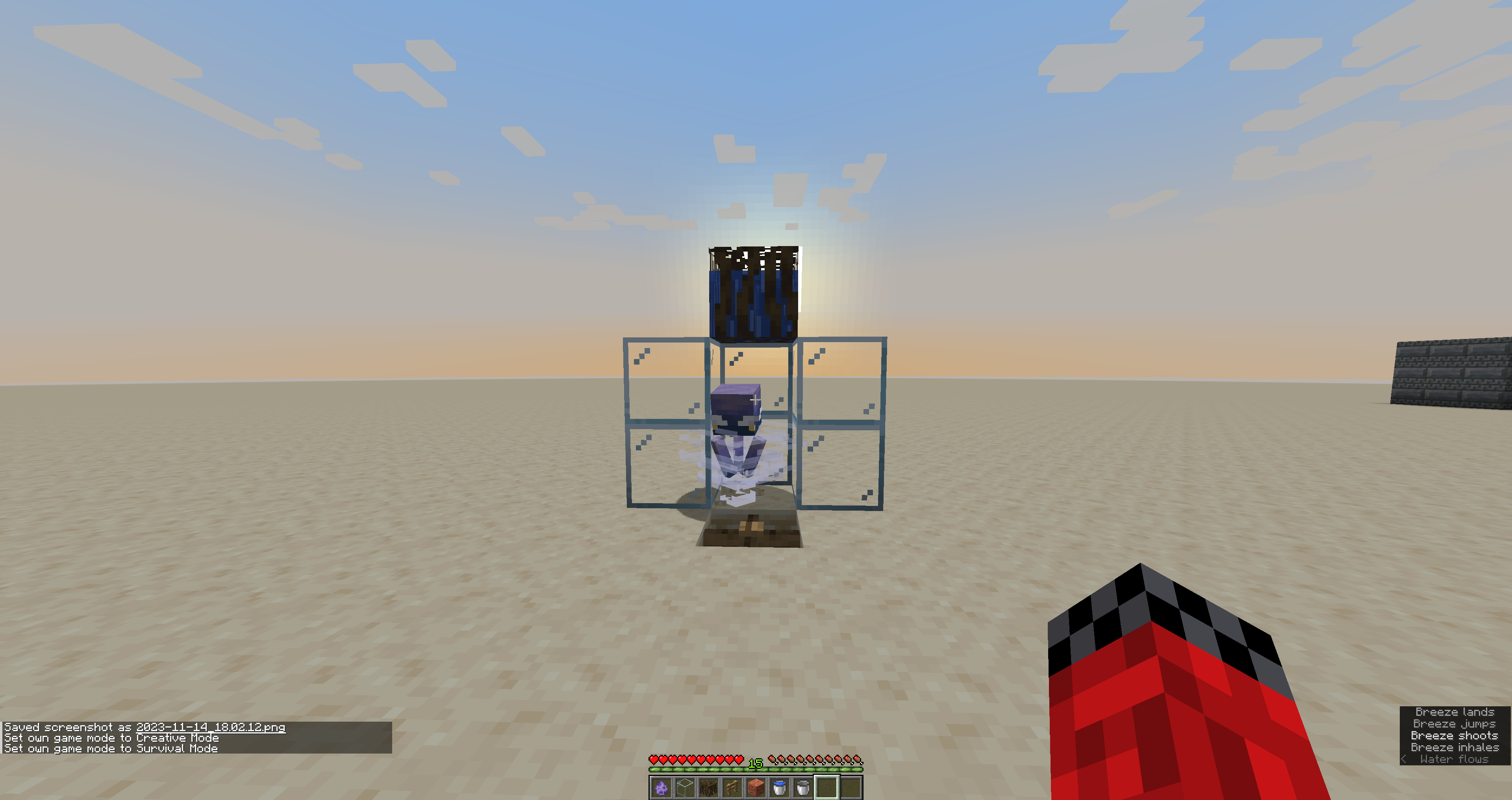
- Create the setup shown in the attached screenshot (breeze surrounded by glass on three sides, a fence in the ground to hold the breeze in place, and
amangrovepropaguleabove the breeze)- Stand 5 blocks away from the breeze, marked by the copper block
- Switch to survival (a repeating command block that kills wind charges will make testing easier)
- Observe that the breeze does not try to jump away as expected
- Place water in the mangrove
propagule- Observe that the breeze tries to jump away
Expected Result
The breeze does not jump.
Observed Result
The breeze jumps when the mangrove
propagule iswaterlogged.The Bug
When a waterlogged block is directly above a breeze's head, it tries to jump away even though its jump path is blocked.
To reproduce
- Create the setup shown in the attached screenshot (breeze surrounded by glass on three sides, a fence in the ground to hold the breeze in place, and mangrove roots above the breeze)
- Stand 5 blocks away from the breeze, marked by the copper block
- Switch to survival (a repeating command block that kills wind charges will make testing easier)
- Observe that the breeze does not try to jump away as expected
- Place water in the mangrove roots
- Observe that the breeze tries to jump away
Expected Result
The breeze does not jump.
Observed Result
The breeze jumps when the mangrove roots are waterlogged.
The Bug
Trial spawners ignore light levels when spawning mobs even when using the custom_spawn_rules tag to override the light level requirements.
To reproduce
Create a trial spawner with block light limit 10-15 (higher than spawner's max of 8):
/setblock ~ ~ ~ minecraft:trial_spawner{spawn_potentials:[{weight:1,data:{entity:{id:"minecraft:zombie"},custom_spawn_rules:{block_light_limit:{min_inclusive:10,max_inclusive:15}}}}]}
Place the spawner in a place with no block light.
Expected Result
The spawner would not spawn mobs because the light level is not within 10-15.
Observed Result
The spawner spawns mobs.
The Bug
Trial spawners ignore light levels when spawning mobs even when using the custom_spawn_rules tag to override the light level requirements.
To reproduce
Create a trial spawner with block light limit 10-15 (higher than spawner's max of 8):
/setblock ~ ~ ~ minecraft:trial_spawner{spawn_potentials:[{weight:1,data:{entity:{id:"minecraft:zombie"},custom_spawn_rules:{block_light_limit:{min_inclusive:10,max_inclusive:15}}}}]}
Place the spawner in a place with no block light.
Expected Result
The spawner would not spawn mobs because the light level is not within 10-15.
Observed Result
The spawner spawns mobs.

The blur shader is processed when the menu blurriness setting is set to 0%, causing the game to unnecessarily calculate a blur that has no effect. Relates to
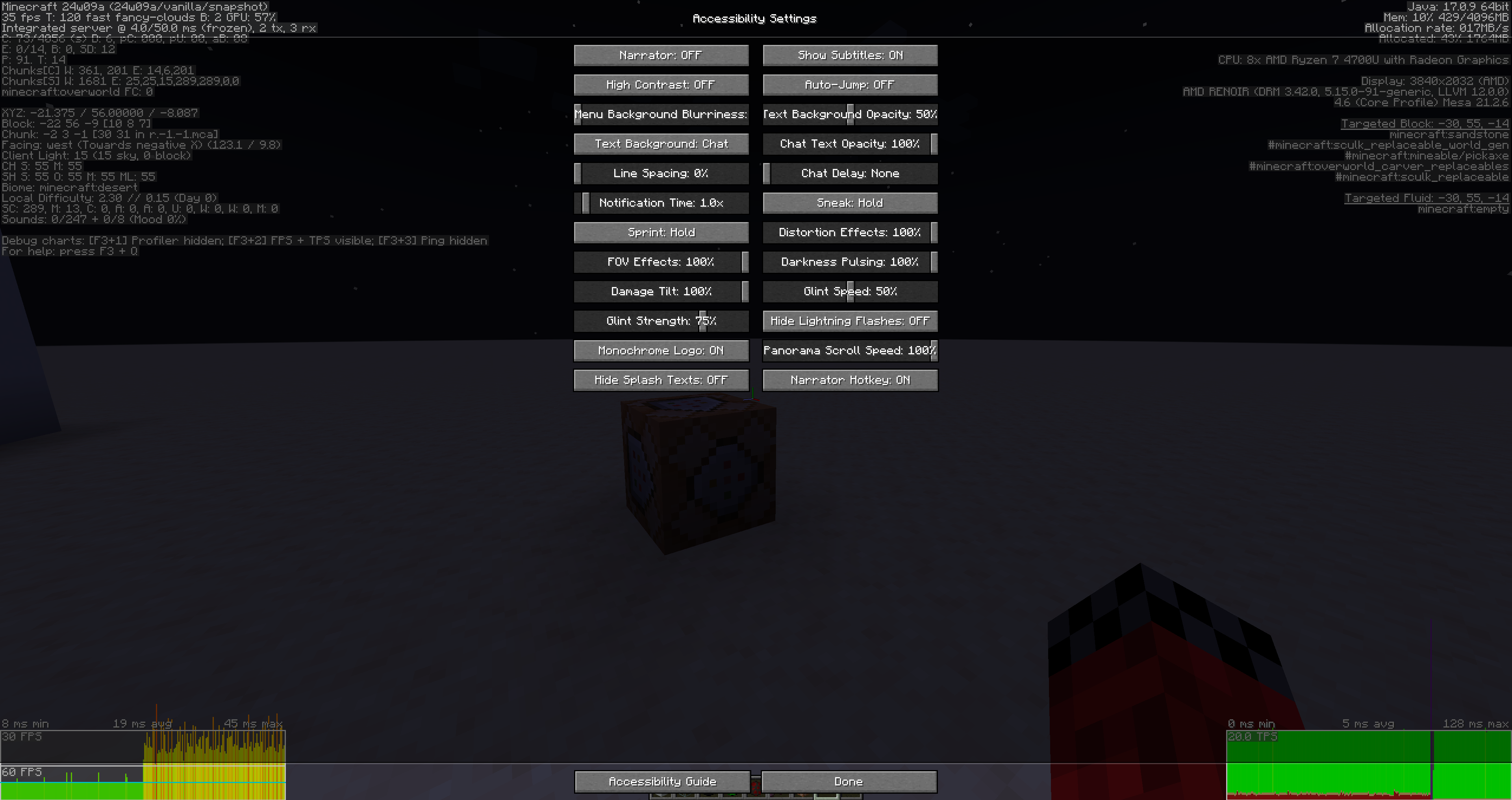
MC-268902, as users experience lag from running the shader even with 0% blurriness.Attached screenshot shows blur lag caused by
MC-268902happening with 0% blurriness. Additionally, inspecting GameRenderer#processBlur(float) and calling code shows the blur shader is run regardless of blurriness setting.
World border animationnot frozen after /tick freezeWorld border animated texture not frozen after /tick freeze
The world border's animat
iondoes not freeze after using /tick freeze, unlike animated blocks and liquids.The world border's animated texture does not freeze after using /tick freeze, unlike animated blocks and liquids.
Hitting an entity with a mace smash attack can knockback nearby tamed
mobs. This is likely unintentional because entities on the same scoreboard team as the player do not get knocked back.Hitting an entity with a mace smash attack can knockback nearby mobs tamed by the player. This is likely unintentional because entities on the same scoreboard team as the player do not get knocked back.
![[Mod] SPGoding](../../../data/avatars/users/44622.png)
Tis_awesomeness, from what I understand the message won't be signed in that case.
I'm going to resolve this report as Invalid as multiple issues are mixed in the same ticket, most of which have already been tracked separately as private issues. Feel free to create a new report if you think the chat preview consent screen is insufficient in explaining that the player is responsible for the previewed content they sent.
![[Mod] Avoma](../../../data/avatars/users/86198.png)
The Bug:
Sniffers ignore the "minecraft:generic.movement_speed" attribute.
Steps to Reproduce:
- Summon a sniffer with its "minecraft:generic.movement_speed" attribute set to a value of "0" by using the command provided below.
/summon minecraft:sniffer ~ ~ ~ {Attributes:[{Base:0.0d,Name:"generic.movement_speed"}]} - Wait for the sniffer to begin wandering around.
- Take note as to whether or not sniffers ignore the "minecraft:generic.movement_speed" attribute.
Observed Behavior:
Sniffers ignore the "minecraft:generic.movement_speed" attribute.
Expected Behavior:
Sniffers would not ignore the "minecraft:generic.movement_speed" attribute.
Code Analysis:
Code analysis by Tis_awesomeness can be found in this comment.
Can confirm. This also breaks adding usernames to server whitelists. "/whitelist add Tis_awesomeness" and "/whitelist add jeb_" both fail with "That player does not exist" on a vanilla online-mode Java 1.16.5 server.
Breaking whitelists is a massive bug, this issue should be upgraded to important priority.
As of July 19th, minecraft.net, sessionserver.mojang.com, and mojang.com are still all red. This breaks services that rely on the status API to check if Minecraft is down.
As Ined mentioned in
WEB-13,If that is the case, this issue should be closed.
I can confirm. When loading into a singleplayer world, these lines print to log:
Using /playsound on these sounds does nothing. Using goat horns in the inventory works, since these use the item.goat_horn.sound.# sound.
MC-250925is a more accurate description.This is still an exploit since a server can change the chat preview response a split second before the user sends a message. An example attack scenario:
People often type short words like "lol" and then press enter very shortly after to save time when chatting, especially in a fast-moving chat with lots of players online. It is unreasonable for players to slow down and check the chat preview before sending a message or risk getting banned for a message they didn't type in the first place.
As mentioned in the original bug report, the message is signed in that case. Since you asked, I will create a new issue.
UPDATE: The new issue is at
MC-253888Code analysis: in Sniffer#tick, the first line overwrites the movement speed attribute every tick.
Use the below commands to verify that the movement speed attribute is overwritten after modifying (movement speed should be 0.42, but is 0.1 or 0.2).
Can confirm in 1.19.4-pre1. To reproduce:
Can confirm in 1.19.4-pre1
In the official Minecraft Feedback Discord server, the following is listed under #already-considered:
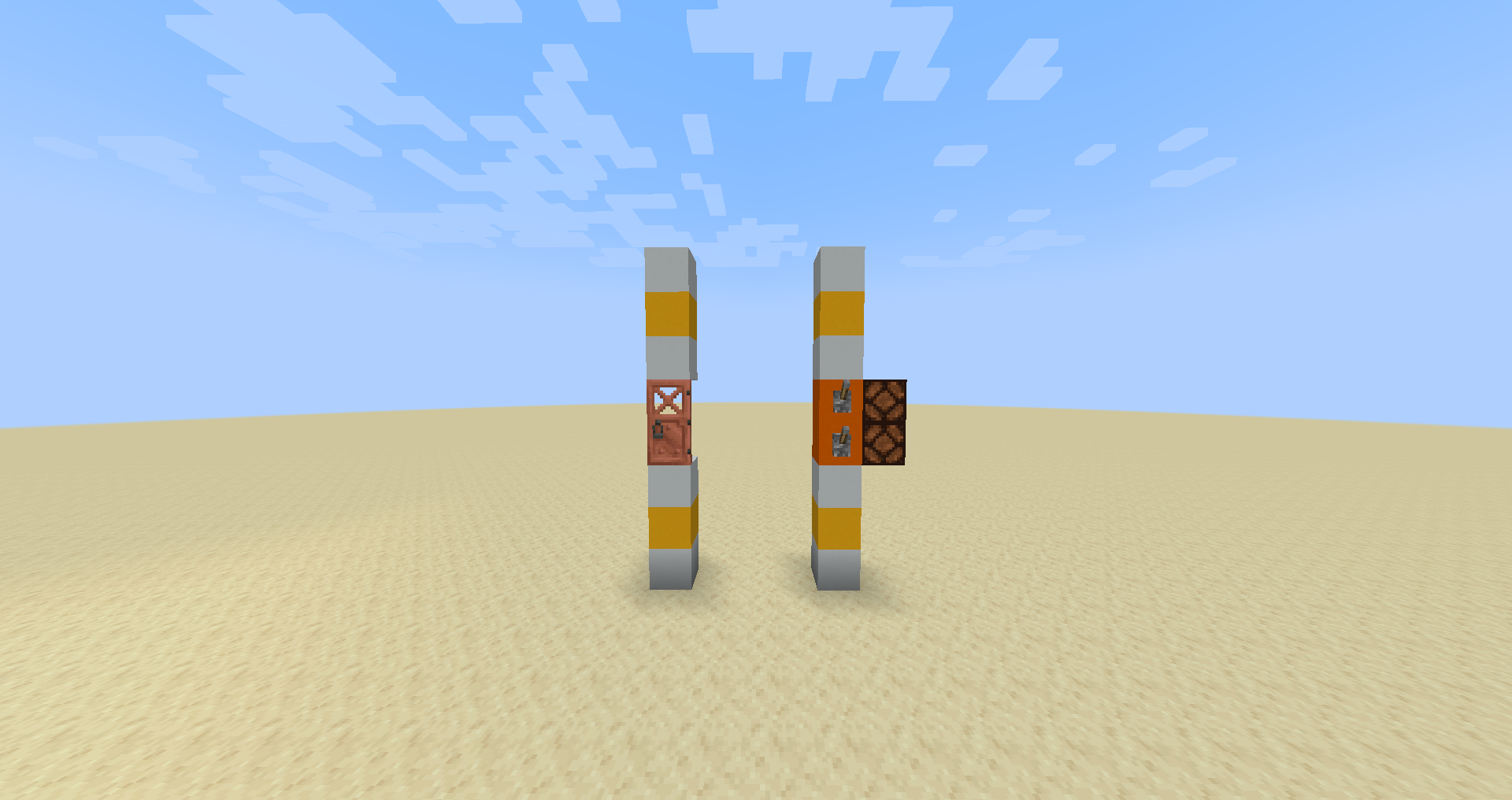
From Mojang's official statement, it is clear that parity does not apply to redstone components, especially Java-specific systems such as quasi-connectivity.
It is reasonable to expect that a dropper-like component is powered like a dropper, so this is a valid bug report, even if we don't currently know whether the absence of quasi-connectivity is intentional.
Although copper doors are in the #wooden_doors tag (tracked in
MC-266113), copper doors make metal sounds and are, of course, made of metal.Done
Still present in 1.20.3-pre3, see attached image.
This is not a bug, but a result of physics. If you are already moving upwards due to bobbing in water, the knockback will propel you further upwards even though the explosion power is the same. You can test this by comparing the knockback when you use a wind charge while moving upwards versus while moving downwards.
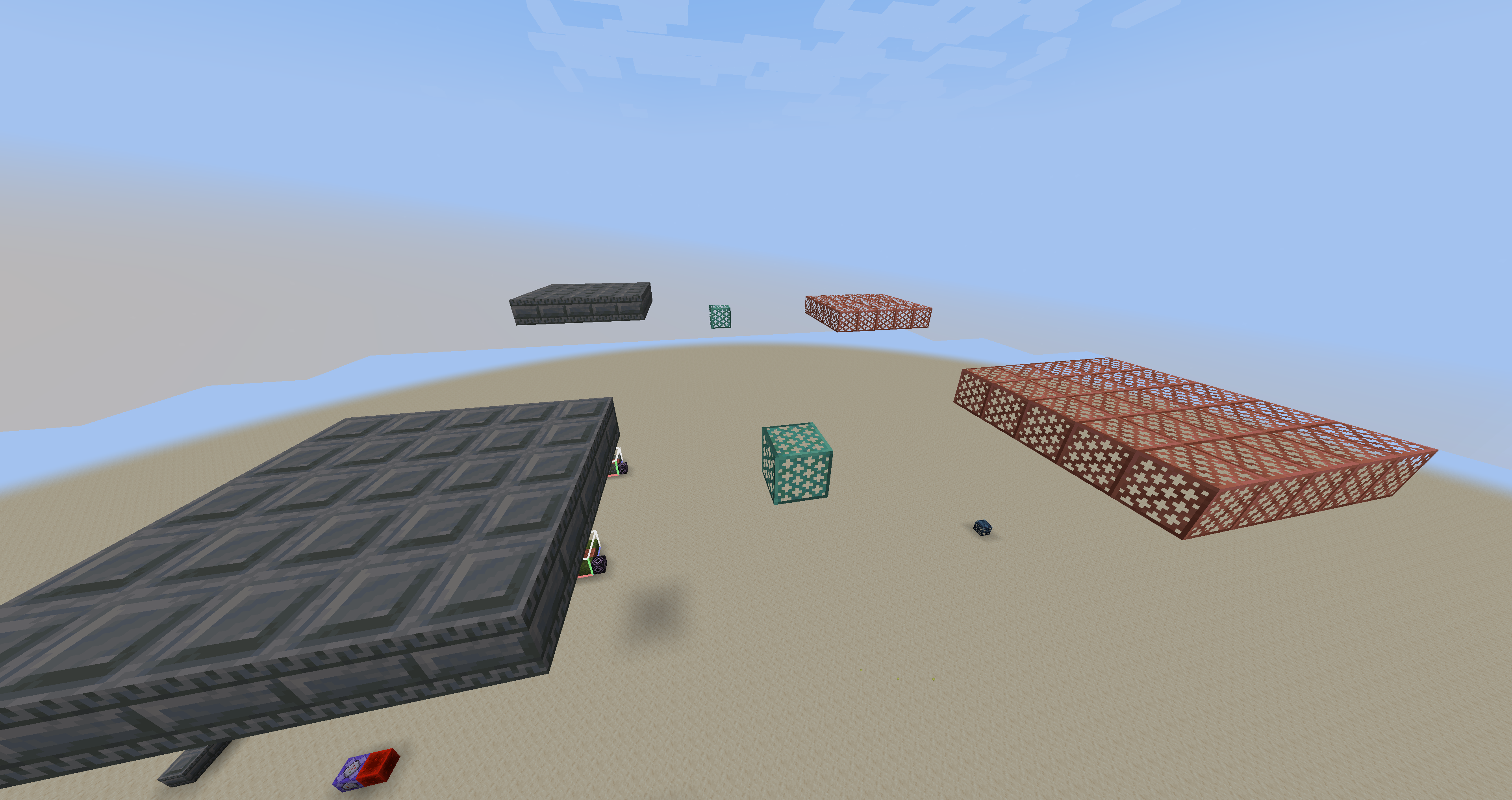
Reproducible setup:

The fall can be as small as a single block. Even if you switch to creative mode before the next time you fall, and fall while in creative mode, you will still take damage the next time you fall in survival mode.
On an integrated AMD Renoir on Ubuntu 20.04 with 1920x1080 resolution, there is no noticeable lag. Enabling 150% fractional scaling (tells the application to render at 3x resolution, then downscales by 2x) creates excessive lag. Reducing the size of the game window helps.
This is intentional:
"Paired with the darkened background is a blur... In-game screens such as containers and books are not affected by these changes"
I have uploaded a resource pack that replaces the blur shader with a no-op as a temporary fix. Note that the shader still runs even when blur is set to 0%, so some users may still experience a little lag.
NoBlur.zip
The previous NoBlur resource pack caused other shader effects that use blur (such as the glowing effect) to not work. This updated version only disables the post-processing blur.
NoBlurV2.zip
The 24w09a changelog states:
"Projectile weapon Enchantments like" implies that projectile enchantments in general now work on crossbows and bows, and infinity/multishot/piercing are listed as examples. Note that power now works on crossbows, but was not explicitly mentioned in the changelog. It's plausible that this bug report is not WAI.
I have uploaded a video (spider.mp4 ) and a force-crash report (crash-2024-03-15_20.28.06-client.txt
 ) of the spider frame drop happening in 24w11a. The performance has improved considerably after the blur shader changes in 24w11a (compare the F3+2 graph to the screenshot taken in 24w09a), but there is still a significant frame drop similar to the video clam posted.
The mace does 5.25 more damage for every block fallen (assuming crit), and sharpness 5 adds 3 damage. The mace is doing more damage from sharpness, but falling 1 extra block deals more damage than going from no sharpness to sharpness 5.
You can verify that sharpness works while falling by creating a sharpness 160 mace and hitting a ravager after walking off a 4 block platform. This kills with an enchanted mace but not with a regular mace.
Can confirm. Heavy core is not in the #mineable/pickaxe tag.
The in-game advancement description is correct. In adventure/who_needs_rockets.json, the advancement is granted after the player starts falling after being launched upwards 7 blocks.
The launch distance is measured starting at where the player was when they were hit by the explosion (NOT where the explosion was), and ending at where the player starts falling downwards. If you jump upwards 1 block, then use a wind charge to launch yourself 6 more blocks for 7 total, the game sees that as a 6 block launch.
In the video, you jumped slightly before you were launched by the wind charge, meaning part of the 7 blocks traveled was due to the jump, not the wind charge launch. The game saw a less than 7 block launch and didn't give you the advancement.
If you repeat the experiment by shooting a wind charge without jumping (you will need to lower gravity to get enough height), you will get the advancement:
This bug may still be valid because the advancement description and the changelog have different numbers, or because the mechanics of the advancement are unclear.
This bug has effects on vanilla gameplay. If you activate an ominous trial spawner and wait for an item spawner to appear, quitting and re-entering the world causes the item spawner to immediately drop its contents.
Note that you can summon the entity with commands, but it will always drop its contents immediately regardless of the value of spawn_item_after_ticks.
This was fixed by updating the advancement description to 8 blocks to account for the player's jump.
Not a duplicate. That issue is about the world border's expansion/contraction, while this issue is about the world border's animated texture. Will update this issue to clarify.
Confirmed. See
MC-270796for a demonstration.You're probably running the More Mob Heads datapack from Vanilla Tweaks. That datapack has not updated to 1.20.5 yet, and will cause mobs to not drop loot if run anyway on 1.20.5.
This was fixed in Bedrock Preview 1.21.0.25 (no corresponding bug report) by causing despawned mobs to drop any picked up equipment.
Can confirm, additionally messes up hitbox rendering
Although resolved as "Works as Intended", this was fixed in 24w33a.
Fixed in 24w33a for Impaling, Loyalty, and Channeling, but not Riptide
The code that drops planks and sticks in Boat.java was completely removed in 24w37a.
As of 24w45a, Azure Bluets give 11s of blindness, but Open Eyeblossoms still give 7s of blindness.