Missing BlockEntity (Piston_Extension, ...)
This ticket is for crashes on vanilla clients and servers only.
As a workaround, you can play on 1.10 for now: Start the launcher, select Edit Profile. In the Use Version dropdown menu, select release 1.10. Then click Save Profile.
Description: Server forgot to send required information to construct BlockEntity

java.lang.RuntimeException: Missing BlockEntity
	at bqy.b(SourceFile:162)
	at bqu.a(SourceFile:100)
	at bqu.run(SourceFile:43)
	at java.lang.Thread.run(Thread.java:745)
http://hopper.minecraft.net/crashes/minecraft/MCX-2840146/
Ways to reproduce:
Confirmed: Piston extensions, for example placed on their own for decoration using /setblock ~ ~ ~ piston_extension
Confirmed: Flower pots placed in worlds created in 1.6.4 or older, even if the world has been opened in versions > 1.6.4 (MC-103992)
Unconfirmed: Command blocks, world download sent to [Mojang] Searge (Michael Stoyke) according to MC-104216
Environment
Windows 10, java 1.8.whatever
Linked Issues
is duplicated by59
 MC-104001pistons cause the game to crash on extension: Server forgot to send required information to construct BlockEntityDuplicateMC-104002Crash on realmsDuplicateMC-104063Server cannot produce BlockEntity data for constructionDuplicateMC-104131Game crashing moments after joining a server. Happened multiple times just as I joined. I heard VBOs could be the issue, so i turned that off and I was able to play without interruption for about 15 minutes before it crashed again.DuplicateMC-104136Game crashing moments after joining a server. Happened multiple times just as I joined. I heard VBOs could be the issue, so i turned that off and I was able to play without interruption for about 15 minutes before it crashed again.DuplicateMC-104179Random CrashDuplicateMC-104194Crash while playing on Minecraft Realms.DuplicateMC-104207Crash when joining home serverDuplicateMC-104210My game crashes everytime I try to play multiplayer games!DuplicateMC-104215Piston pushing redstone block bugDuplicateMC-104216Server forgot to send required information to construct BlockEntity, missing instance dataDuplicateMC-104228Game crash seemingly caused by a common sticky piston 1-tick pulse device.DuplicateMC-104244will only let me log on to a multiplayer server for like 10 sec, or it would just wouldn't let me log onDuplicateMC-104263My game crashes after 2 seconds of flying or using an elytra in Realms or multiplayer servers,and possibly survival worlds. It tells me it has trouble 'rendering the world.' And then it closes the game, help?DuplicateMC-104264i have been trying to play multiplayer all day and it has not been working and i dont know why can you helpDuplicateMC-104265Game crashes within 60 secs or less after world loads.DuplicateMC-104266Crash: java.lang.RuntimeException: Missing BlockEntityDuplicateMC-104267Trying to join a singleplayer world, game crashes after loading the sky. Screen turns blue then goes to crash screenDuplicateMC-104268I can't open multiplayer without it crashingDuplicateMC-104271Not able to login to multi serverDuplicateMC-104273Constant CrashingDuplicateMC-104275when I join a server I just crashDuplicateMC-104276minecraft 1.10.1 crashes for some reasonDuplicateMC-104277we canot play on multiplayerDuplicateMC-104278Can´t play on the Hive anymoreDuplicateMC-104281Minecraft crashingDuplicateMC-104295I cant join a multiplayer server DuplicateMC-104296i keep getting crash reports that say weird stuff at the begining like //dont do that or //daisy daisyDuplicateMC-104298On some multiplayer servers I open the world won't load and it takes me to a crash report page.DuplicateMC-104299At my enderman farm, on a multiplayer server, there is a piston door; every time I open it, my minecraft crashes.DuplicateMC-104300so when i try joining a server it wont let me it sends me to a screen saying it crashedDuplicateMC-104302Game crashes when on realmDuplicateMC-104305When I am trying to go on a server, my game crash and I can't playDuplicateMC-104306when i try to play a minecraft multiplayer server i type the IP: and it load for a dew seconds then crashesDuplicateMC-104307whenever i log into one of my single player worlds, the world will try to load but then the game will crash.DuplicateMC-104308Every time I get on the hive it crashes on me, but when I create a world it doesn't crash on me. It's wierd to me at least.DuplicateMC-104310CrashDuplicateMC-104311I play vanilla Minecraft off of a portable HDD. Java is on the HDD with the game and I launch with a batch file as recommended on the official Wiki.DuplicateMC-104312CrashDuplicateMC-104314My multiplayer servers keep crashingDuplicateMC-104319Can't go into sever MinecadeDuplicateMC-104320World not rendering, causes crashingDuplicateMC-104324Minecraft keeps crashing on server for myself and any other who comes on.DuplicateMC-104341I cannot go into a server for more than a minute in normal unmodded 1.10.1 minecraftDuplicateMC-104361Realm kicking players out 3-10 seconds after logging in.DuplicateMC-104362The game keeps crashing in our town. 3 of us are having the same issue.DuplicateMC-104367Crashed without warning while culling unneeded Villagers from Iron farmDuplicateMC-1043804 Sticky pistons with gold blocks used to make door causes me to crash on server when I go through themDuplicateMC-104393Minecraft glitches me out once i join it DuplicateMC-104397Ramdom CrashesDuplicateMC-104410Insta-Crashing realmsDuplicateMC-104421Server forgot to sen require informationDuplicateMC-104429I try loading the world and it crashes...DuplicateMC-104443Pistons causing minecraft to crash in 1.10.1DuplicateMC-104468Server crashDuplicateMC-104479Game crashes due to missing data on piston extensionDuplicateMC-104489Error rendering world error when logging onto 1.10.1 server from 1.10.1 client (both Windows 7 x64)DuplicateMC-104496Crash Report (With File)DuplicateMC-104541BlockEntity missing instance data (piston_extension)Duplicate

Created Issue:
Server forgot to send required information to construct Block entity *CRASH*
Server forgot to send required informatin to construct block entity... Client then crashes. Seems to occur to random objects. Latest was a piston it looks like.
Attaching crash reportI control the server (and the client obviously) Both are updated to 1.10.1 If you need any other info please let me know
Environment
Windows 10, java 1.8.whatever
Attachments2


Server forgot to send required information to constructBlockentity*CRASH*Missing BlockEntity (Piston_Extension)
is duplicated by
Note from the moderatorsThis ticket is for crashes on vanilla clients and servers only.
This is related to piston heads.Server forgot to send required informatin to construct block entity... Client then crashes. Seems to occur to random objects. Latest was a piston it looks like.
Attaching crash reportI control the server (and the client obviously) Both are updated to 1.10.1 If you need any other info please let me know
is duplicated by

is duplicated by
relates to
is duplicated by
is duplicated by
is duplicated by
is duplicated by
Note from the moderatorsThis ticket is for crashes on vanilla clients and servers only.
This is related to piston heads.Server forgot to send required informatin to construct block entity... Client then crashes. Seems to occur to random objects. Latest was a piston it looks like.
Attaching crash reportI control the server (and the client obviously) Both are updated to 1.10.1 If you need any other info please let me know
Note from the moderatorsThis ticket is for crashes on vanilla clients and servers only.
This is related to piston heads.Description: Server forgot to send required information to construct BlockEntity java.lang.RuntimeException: Missing BlockEntity at bqy.b(SourceFile:162) at bqu.a(SourceFile:100) at bqu.run(SourceFile:43) at java.lang.Thread.run(Thread.java:745)
Missing BlockEntity (Piston_Extension, ...)
is duplicated by
Note from the moderatorsThis ticket is for crashes on vanilla clients and servers only.
This is related to piston heads.Description: Server forgot to send required information to construct BlockEntity java.lang.RuntimeException: Missing BlockEntity at bqy.b(SourceFile:162) at bqu.a(SourceFile:100) at bqu.run(SourceFile:43) at java.lang.Thread.run(Thread.java:745)http://hopper.minecraft.net/crashes/minecraft/MCX-2840146/
Ways to reproduce:
Confirmed: Piston extensions, placed on their own for decoration using /setblock ~ ~ ~ piston_extension
Confirmed: Flower pots placed in worlds created in 1.6.4 or older, even if the world has been opened in versions > 1.6.4 (MC-103992)
Unconfirmed: Command blocks, world download sent to [Mojang] Searge (Michael Stoyke) according toMC-104216
Note from the moderatorsThis ticket is for crashes on vanilla clients and servers only.
This is related to piston heads.Description: Server forgot to send required information to construct BlockEntity java.lang.RuntimeException: Missing BlockEntity at bqy.b(SourceFile:162) at bqu.a(SourceFile:100) at bqu.run(SourceFile:43) at java.lang.Thread.run(Thread.java:745)http://hopper.minecraft.net/crashes/minecraft/MCX-2840146/
Ways to reproduce:
Confirmed: Piston extensions, placed on their own for decoration using /setblock ~ ~ ~ piston_extension
Confirmed: Flower pots placed in worlds created in 1.6.4 or older, even if the world has been opened in versions > 1.6.4 (MC-103992)
Unconfirmed: Command blocks, world download sent to [Mojang] Searge (Michael Stoyke) according toMC-104216Note from the moderatorsThis ticket is for crashes on vanilla clients and servers only.
As a workaround, you can play on 1.10 for now: Start the launcher, select Edit Profile. In the Use Version dropdown menu, select release 1.10. Then click Save Profile.
Description: Server forgot to send required information to construct BlockEntity java.lang.RuntimeException: Missing BlockEntity at bqy.b(SourceFile:162) at bqu.a(SourceFile:100) at bqu.run(SourceFile:43) at java.lang.Thread.run(Thread.java:745)http://hopper.minecraft.net/crashes/minecraft/MCX-2840146/
Ways to reproduce:
Confirmed: Piston extensions, placed on their own for decoration using /setblock ~ ~ ~ piston_extension
Confirmed: Flower pots placed in worlds created in 1.6.4 or older, even if the world has been opened in versions > 1.6.4 (MC-103992)
Unconfirmed: Command blocks, world download sent to [Mojang] Searge (Michael Stoyke) according toMC-104216
is duplicated by
Note from the moderatorsThis ticket is for crashes on vanilla clients and servers only.
As a workaround, you can play on 1.10 for now: Start the launcher, select Edit Profile. In the Use Version dropdown menu, select release 1.10. Then click Save Profile.
Description: Server forgot to send required information to construct BlockEntity java.lang.RuntimeException: Missing BlockEntity at bqy.b(SourceFile:162) at bqu.a(SourceFile:100) at bqu.run(SourceFile:43) at java.lang.Thread.run(Thread.java:745)http://hopper.minecraft.net/crashes/minecraft/MCX-2840146/
Ways to reproduce:
Confirmed: Piston extensions, for example placed on their own for decoration using /setblock ~ ~ ~ piston_extension
Confirmed: Flower pots placed in worlds created in 1.6.4 or older, even if the world has been opened in versions > 1.6.4 (MC-103992)
Unconfirmed: Command blocks, world download sent to [Mojang] Searge (Michael Stoyke) according toMC-104216
is duplicated by
is duplicated by
is duplicated by
is duplicated by
is duplicated by
is duplicated by
is duplicated by
![[Mod] CubeTheThird](../../../data/assets/gravatar/cubethethird.jpeg)
is duplicated by
is duplicated by
![[Mod] Neko](../../../data/avatars/users/92901.png)
is duplicated by
is duplicated by
![[Bot] Arisa](../../../data/assets/gravatar/mustek2.png)
Duplicate of MC-103981 – If you have not, please use the search function in the future, to see if your bug has already been submitted.
For technical support, please use the Mojang Support Center.
– I am a bot. This action was performed automagically. Testing some upgrades!
Put the summary of the bug you're having here
What I expected to happen was...:
I would be able to play on the server
What actually happened was...:
Minecraft crashed and gave me 2 codes which are MC-103978 and MC-103981
Steps to Reproduce:
1. Log into the game
2. try to sign into the server "shadowxcraft.net"
3. it will kick you out of the game saying that either the world can't render or they didn't send the block entity of a single chest
There's a bug in Minecraft 1.10.1 that crashes your game when connecting to servers.
See MC-103981 and MC-103978 for more info.
In the meantime, you can safely downgrade to 1.10 until a proper fix is released.
To change your game to a different version, start the launcher. Select Edit Profile.
In the "Use Version" dropdown menu, select the game version you want. Then click Save Profile.
There's a bug in Minecraft 1.10.1 that crashes your game when connecting to servers.
See MC-103981 and MC-103978 for more info.
In the meantime, you can safely downgrade to 1.10 until a proper fix is released.
To change your game to a different version, start the launcher. Select Edit Profile.
In the "Use Version" dropdown menu, select the game version you want. Then click Save Profile.
There's a bug in Minecraft 1.10.1 that crashes your game when connecting to servers.
See MC-103981 and MC-103978 for more info.
In the meantime, you can safely downgrade to 1.10 until a proper fix is released.
To change your game to a different version, start the launcher. Select Edit Profile.
In the "Use Version" dropdown menu, select the game version you want. Then click Save Profile.
There's a bug in Minecraft 1.10.1 that crashes your game when connecting to servers.
See MC-103981 and MC-103978 for more info.
In the meantime, you can safely downgrade to 1.10 until a proper fix is released.
To change your game to a different version, start the launcher. Select Edit Profile.
In the "Use Version" dropdown menu, select the game version you want. Then click Save Profile.
There's a bug in Minecraft 1.10.1 that crashes your game when connecting to servers.
See MC-103981 and MC-103978 for more info.
In the meantime, you can safely downgrade to 1.10 until a proper fix is released.
To change your game to a different version, start the launcher. Select Edit Profile.
In the "Use Version" dropdown menu, select the game version you want. Then click Save Profile.
There's a bug in Minecraft 1.10.1 that crashes your game when connecting to servers.
See MC-103981 and MC-103978 for more info.
In the meantime, you can safely downgrade to 1.10 until a proper fix is released.
To change your game to a different version, start the launcher. Select Edit Profile.
In the "Use Version" dropdown menu, select the game version you want. Then click Save Profile.
There's a bug in Minecraft 1.10.1 that crashes your game when connecting to servers.
See MC-103981 and MC-103978 for more info.
In the meantime, you can safely downgrade to 1.10 until a proper fix is released.
To change your game to a different version, start the launcher. Select Edit Profile.
In the "Use Version" dropdown menu, select the game version you want. Then click Save Profile.
There's a bug in Minecraft 1.10.1 that crashes your game when connecting to servers.
See MC-103981 and MC-103978 for more info.
In the meantime, you can safely downgrade to 1.10 until a proper fix is released.
To change your game to a different version, start the launcher. Select Edit Profile.
In the "Use Version" dropdown menu, select the game version you want. Then click Save Profile.
There's a bug in Minecraft 1.10.1 that crashes your game when connecting to servers.
See MC-103981 and MC-103978 for more info.
In the meantime, you can safely downgrade to 1.10 until a proper fix is released.
To change your game to a different version, start the launcher. Select Edit Profile.
In the "Use Version" dropdown menu, select the game version you want. Then click Save Profile.
There's a bug in Minecraft 1.10.1 that crashes your game when connecting to servers.
See MC-103981 and MC-103978 for more info.
In the meantime, you can safely downgrade to 1.10 until a proper fix is released.
To change your game to a different version, start the launcher. Select Edit Profile.
In the "Use Version" dropdown menu, select the game version you want. Then click Save Profile.
There's a bug in Minecraft 1.10.1 that crashes your game when connecting to servers.
See MC-103981 and MC-103978 for more info.
In the meantime, you can safely downgrade to 1.10 until a proper fix is released.
To change your game to a different version, start the launcher. Select Edit Profile.
In the "Use Version" dropdown menu, select the game version you want. Then click Save Profile.
There's a bug in Minecraft 1.10.1 that crashes your game when connecting to servers.
See MC-103981 and MC-103978 for more info.
In the meantime, you can safely downgrade to 1.10 until a proper fix is released.
To change your game to a different version, start the launcher. Select Edit Profile.
In the "Use Version" dropdown menu, select the game version you want. Then click Save Profile.
There's a bug in Minecraft 1.10.1 that crashes your game when connecting to servers.
See MC-103981 and MC-103978 for more info.
In the meantime, you can safely downgrade to 1.10 until a proper fix is released.
To change your game to a different version, start the launcher. Select Edit Profile.
In the "Use Version" dropdown menu, select the game version you want. Then click Save Profile.
There's a bug in Minecraft 1.10.1 that crashes your game when connecting to servers.
See MC-103981 and MC-103978 for more info.
In the meantime, you can safely downgrade to 1.10 until a proper fix is released.
To change your game to a different version, start the launcher. Select Edit Profile.
In the "Use Version" dropdown menu, select the game version you want. Then click Save Profile.
There's a bug in Minecraft 1.10.1 that crashes your game when connecting to servers.
See MC-103981 and MC-103978 for more info.
In the meantime, you can safely downgrade to 1.10 until a proper fix is released.
To change your game to a different version, start the launcher. Select Edit Profile.
In the "Use Version" dropdown menu, select the game version you want. Then click Save Profile.
I use WesterosCraft texture pack and three downloaded maps of KingsLanding, Winterfell, and the Dreadfort. All three worlds are very large and full. Every time I have tried to load those three singleplayer games the game will load for roughly 10 seconds then the screen will turn blue and the entire game will crash giving me these JIRA Issues: MC-103978 MC-103981.
What I expected to happen was...:
I would load minecraft up, go to the singleplayer tab, and join one of the worlds that are causing me issues, I expected it to load, and have the game slowly but surely render in and be able to play.
What actually happened was...:
I loaded a game up and it loaded for 5 second then crashed
Steps to Reproduce:
1. Load minecraft, and click on the single player tab
2. Click a world and let it load up
3. Wait for the crash
There's a bug in Minecraft 1.10.1 that crashes your game when connecting to servers.
See MC-103981 and MC-103978 for more info.
In the meantime, you can safely downgrade to 1.10 until a proper fix is released.
To change your game to a different version, start the launcher. Select Edit Profile.
In the "Use Version" dropdown menu, select the game version you want. Then click Save Profile.
There's a bug in Minecraft 1.10.1 that crashes your game when connecting to servers.
See MC-103981 and MC-103978 for more info.
In the meantime, you can safely downgrade to 1.10 until a proper fix is released.
To change your game to a different version, start the launcher. Select Edit Profile.
In the "Use Version" dropdown menu, select the game version you want. Then click Save Profile.
There's a bug in Minecraft 1.10.1 that crashes your game when connecting to servers.
See MC-103981 and MC-103978 for more info.
In the meantime, you can safely downgrade to 1.10 until a proper fix is released.
To change your game to a different version, start the launcher. Select Edit Profile.
In the "Use Version" dropdown menu, select the game version you want. Then click Save Profile.
There's a bug in Minecraft 1.10.1 that crashes your game when connecting to servers.
See MC-103981 and MC-103978 for more info.
In the meantime, you can safely downgrade to 1.10 until a proper fix is released.
To change your game to a different version, start the launcher. Select Edit Profile.
In the "Use Version" dropdown menu, select the game version you want. Then click Save Profile.
There's a bug in Minecraft 1.10.1 that crashes your game when connecting to servers.
See MC-103981 and MC-103978 for more info.
In the meantime, you can safely downgrade to 1.10 until a proper fix is released.
To change your game to a different version, start the launcher. Select Edit Profile.
In the "Use Version" dropdown menu, select the game version you want. Then click Save Profile.
There's a bug in Minecraft 1.10.1 that crashes your game when connecting to servers.
See MC-103981 and MC-103978 for more info.
In the meantime, you can safely downgrade to 1.10 until a proper fix is released.
To change your game to a different version, start the launcher. Select Edit Profile.
In the "Use Version" dropdown menu, select the game version you want. Then click Save Profile.
There's a bug in Minecraft 1.10.1 that crashes your game when connecting to servers.
See MC-103981 and MC-103978 for more info.
In the meantime, you can safely downgrade to 1.10 until a proper fix is released.
To change your game to a different version, start the launcher. Select Edit Profile.
In the "Use Version" dropdown menu, select the game version you want. Then click Save Profile.
There's a bug in Minecraft 1.10.1 that crashes your game when connecting to servers.
See MC-103981 and MC-103978 for more info.
In the meantime, you can safely downgrade to 1.10 until a proper fix is released.
To change your game to a different version, start the launcher. Select Edit Profile.
In the "Use Version" dropdown menu, select the game version you want. Then click Save Profile.
There's a bug in Minecraft 1.10.1 that crashes your game when connecting to servers.
See MC-103981 and MC-103978 for more info.
In the meantime, you can safely downgrade to 1.10 until a proper fix is released.
To change your game to a different version, start the launcher. Select Edit Profile.
In the "Use Version" dropdown menu, select the game version you want. Then click Save Profile.
There's a bug in Minecraft 1.10.1 that crashes your game when connecting to servers.
See MC-103981 and MC-103978 for more info.
In the meantime, you can safely downgrade to 1.10 until a proper fix is released.
To change your game to a different version, start the launcher. Select Edit Profile.
In the "Use Version" dropdown menu, select the game version you want. Then click Save Profile.
I loaded up either a single player world or multiplayer world and it crashes immediately
Also i am not IS MOODED
What I expected to happen was me being able to play on a public server with other people or a single player world with me being alone
What actually happened was after a couple chunks loaded i crashed and it said "We're sorry, but minecraft encountered an error while rendering the world. If you were trying to play on a multiplayer server, please contact server administrator" (Both single and multiplayer crases)
JIRA issues MC-103978 and MC-103981
Steps to Reproduce
Start a vanilla 1.10.1 minecraft game
Load a single or multiplayer server
Crash after 1 second
There's a bug in Minecraft 1.10.1 that crashes your game when connecting to servers.
See MC-103981 and MC-103978 for more info.
In the meantime, you can safely downgrade to 1.10 until a proper fix is released.
To change your game to a different version, start the launcher. Select Edit Profile.
In the "Use Version" dropdown menu, select the game version you want. Then click Save Profile.
There's a bug in Minecraft 1.10.1 that crashes your game when connecting to servers.
See MC-103981 and MC-103978 for more info.
In the meantime, you can safely downgrade to 1.10 until a proper fix is released.
To change your game to a different version, start the launcher. Select Edit Profile.
In the "Use Version" dropdown menu, select the game version you want. Then click Save Profile.
There's a bug in Minecraft 1.10.1 that crashes your game when connecting to servers.
See MC-103981 and MC-103978 for more info.
In the meantime, you can safely downgrade to 1.10 until a proper fix is released.
To change your game to a different version, start the launcher. Select Edit Profile.
In the "Use Version" dropdown menu, select the game version you want. Then click Save Profile.
There's a bug in Minecraft 1.10.1 that crashes your game when connecting to servers.
See MC-103981 and MC-103978 for more info.
In the meantime, you can safely downgrade to 1.10 until a proper fix is released.
To change your game to a different version, start the launcher. Select Edit Profile.
In the "Use Version" dropdown menu, select the game version you want. Then click Save Profile.
Resolving to MC-103981, please provide any new information there.
There's a bug in Minecraft 1.10.1 that crashes your game when connecting to servers.
See MC-103981 and MC-103978 for more info.
In the meantime, you can safely downgrade to 1.10 until a proper fix is released.
To change your game to a different version, start the launcher. Select Edit Profile.
In the "Use Version" dropdown menu, select the game version you want. Then click Save Profile.
There's a bug in Minecraft 1.10.1 that crashes your game when connecting to servers.
See MC-103981 and MC-103978 for more info.
In the meantime, you can safely downgrade to 1.10 until a proper fix is released.
To change your game to a different version, start the launcher. Select Edit Profile.
In the "Use Version" dropdown menu, select the game version you want. Then click Save Profile.
There's a bug in Minecraft 1.10.1 that crashes your game when connecting to servers.
See MC-103981 and MC-103978 for more info.
In the meantime, you can safely downgrade to 1.10 until a proper fix is released.
To change your game to a different version, start the launcher. Select Edit Profile.
In the "Use Version" dropdown menu, select the game version you want. Then click Save Profile.
There's a bug in Minecraft 1.10.1 that crashes your game when connecting to servers.
See MC-103981 and MC-103978 for more info.
In the meantime, you can safely downgrade to 1.10 until a proper fix is released.
To change your game to a different version, start the launcher. Select Edit Profile.
In the "Use Version" dropdown menu, select the game version you want. Then click Save Profile.
There's a bug in Minecraft 1.10.1 that crashes your game when connecting to servers.
See MC-103981 and MC-103978 for more info.
In the meantime, you can safely downgrade to 1.10 until a proper fix is released.
To change your game to a different version, start the launcher. Select Edit Profile.
In the "Use Version" dropdown menu, select the game version you want. Then click Save Profile.
There's a bug in Minecraft 1.10.1 that crashes your game when connecting to servers.
See MC-103981 and MC-103978 for more info.
In the meantime, you can safely downgrade to 1.10 until a proper fix is released.
To change your game to a different version, start the launcher. Select Edit Profile.
In the "Use Version" dropdown menu, select the game version you want. Then click Save Profile.
 Please do not mark issues as private, unless your bug report is an exploit or contains information about your username or server.
There's a bug in Minecraft 1.10.1 that crashes your game when connecting to servers.
See MC-103981 and MC-103978 for more info.
In the meantime, you can safely downgrade to 1.10 until a proper fix is released.
To change your game to a different version, start the launcher. Select Edit Profile.
In the "Use Version" dropdown menu, select the game version you want. Then click Save Profile.
Please do not mark issues as private, unless your bug report is an exploit or contains information about your username or server.
There's a bug in Minecraft 1.10.1 that crashes your game when connecting to servers.
See MC-103981 and MC-103978 for more info.
In the meantime, you can safely downgrade to 1.10 until a proper fix is released.
To change your game to a different version, start the launcher. Select Edit Profile.
In the "Use Version" dropdown menu, select the game version you want. Then click Save Profile.
There's a bug in Minecraft 1.10.1 that crashes your game when connecting to servers.
See MC-103981 and MC-103978 for more info.
In the meantime, you can safely downgrade to 1.10 until a proper fix is released.
To change your game to a different version, start the launcher. Select Edit Profile.
In the "Use Version" dropdown menu, select the game version you want. Then click Save Profile.
There's a bug in Minecraft 1.10.1 that crashes your game when connecting to servers.
See MC-103981 and MC-103978 for more info.
In the meantime, you can safely downgrade to 1.10 until a proper fix is released.
To change your game to a different version, start the launcher. Select Edit Profile.
In the "Use Version" dropdown menu, select the game version you want. Then click Save Profile.
By the way, what does "Resolved - Invalid" mean?
This issue is caused by modded servers, modded servers are not supported so tickets related to them are resolved as invalid. See MC-103981 for the vanilla version of this issue.
Hello everyone!
Had the same thing happen to me on both a newly created 1.10.1 single player file as well as a 1.10.1 realms file in vanilla. Installing a command block creation would cause it to crash, and on realms, would give the same error to both me and my friend on the server. Got the error codes MC-103978 and MC-103981. Changing your client to 1.10 rather than 1.10.1 resolves the issue, both for single player and for realms servers. Allowing the world to render prior to installing the one command creations did not resolve the issue in 1.10.1. Crash report always reported a missing BlockEntity.
Did a test where my friend was able to be on the server with the working command creation in a 1.10 client (on realms) and it worked perfectly fine but when I went and changed back from 1.10 to 1.10.1 and got on, it would crash. Something in the 1.10.1 update is causing the issue, preventing people from getting onto their personal servers as well as multiplayer servers. ONLY WAY TO RESOLVE CURRENTLY IS TO CHANGE CLIENT TO OLDER VERSION OF 1.10. Hope this helps!
Time: 6/22/16 6:57 PM
Description: Server forgot to send required information to construct BlockEntity

java.lang.RuntimeException: Missing BlockEntity
	at bqy.b(SourceFile:162)
	at bqu.a(SourceFile:100)
	at bqu.run(SourceFile:43)
	at java.lang.Thread.run(Thread.java:745)
A detailed walkthrough of the error, its code path and all known details is as follows:
---------------------------------------------------------------------------------------
– BlockEntity missing instance data –
Details:
BlockState: minecraft:repeating_command_block[conditional=false,facing=east]
Block coordinates: World: (155,68,241), Chunk: (at 11,4,1 in 9,15; contains blocks 144,0,240 to 159,255,255), Region: (0,0; contains chunks 0,0 to 31,31, blocks 0,0,0 to 511,255,511)
Minecraft, for some reason, crashed when I was joining MCOrigins. Was it an issue others had or was I the first? Anyway, the crash report is attached to this issue. It said it had to do with two issues. The issues were: MC-103978 and MC-103981. And it's from rendering the world. I'm not sure if it's reported or not.
Whenever I join play.lemoncloud.org, I crash if I join their other servers, like factions or skywars. However, it does not effect other games or multiplayer servers. It says "JIRA Issues: MC-103978, MC-103981" and
" ---- Minecraft Crash Report ----
// Don't be sad. I'll do better next time, I promise!
Time: 6/22/16 10:21 PM
Description: Server forgot to send required information to construct BlockEntity
java.lang.RuntimeException: Missing BlockEntity
at bqy.b(SourceFile:162)
at bqu.a(SourceFile:100)
at bqt.b(SourceFile:140)
at boh.a(SourceFile:913)
at bnz.a(SourceFile:1237)
at bnz.b(SourceFile:1171)
at bnz.a(SourceFile:1018)
at bcx.av(SourceFile:991)
at bcx.a(SourceFile:396)
at net.minecraft.client.main.Main.main(SourceFile:124)
A detailed walkthrough of the error, its code path and all known details is as follows:
---------------------------------------------------------------------------------------
– Head –
Thread: Client thread
Stacktrace:
at bqy.b(SourceFile:162)
– BlockEntity missing instance data –
Details:
BlockState: minecraft:hopper[enabled=true,facing=down]
Block coordinates: World: (599,77,-814), Chunk: (at 7,4,2 in 37,-51; contains blocks 592,0,-816 to 607,255,-801), Region: (1,-2; contains chunks 32,-64 to 63,-33, blocks 512,0,-1024 to 1023,255,-513)
Stacktrace:
at bqy.b(SourceFile:162)
at bqu.a(SourceFile:100)
at bqt.b(SourceFile:140)
at boh.a(SourceFile:913)
at bnz.a(SourceFile:1237)
at bnz.b(SourceFile:1171)
– Affected level –
Details:
Level name: MpServer
All players: 1 total; [bnn['MC_Budgie'/20490, l='MpServer', x=603.50, y=77.00, z=-809.50]]
Chunk stats: MultiplayerChunkCache: 7, 7
Level seed: 0
Level generator: ID 00 - default, ver 1. Features enabled: false
Level generator options:
Level spawn location: World: (603,87,-810), Chunk: (at 11,5,6 in 37,-51; contains blocks 592,0,-816 to 607,255,-801), Region: (1,-2; contains chunks 32,-64 to 63,-33, blocks 512,0,-1024 to 1023,255,-513)
Level time: 270644223 game time, 270774982 day time
Level dimension: 0
Level storage version: 0x00000 - Unknown?
Level weather: Rain time: 0 (now: false), thunder time: 0 (now: false)
Level game mode: Game mode: survival (ID 0). Hardcore: false. Cheats: false
Forced entities: 1 total; [bnn['MC_Budgie'/20490, l='MpServer', x=603.50, y=77.00, z=-809.50]]
Retry entities: 0 total; []
Server brand: PaperSpigot
Server type: Non-integrated multiplayer server
Stacktrace:
at bln.a(SourceFile:364)
at bcx.b(SourceFile:2535)
at bcx.a(SourceFile:405)
at net.minecraft.client.main.Main.main(SourceFile:124)
– System Details –
Details:
Minecraft Version: 1.10.1
Operating System: Windows 10 (x86) version 10.0
Java Version: 1.8.0_91, Oracle Corporation
Java VM Version: Java HotSpot(TM) Client VM (mixed mode), Oracle Corporation
Memory: 103309320 bytes (98 MB) / 242679808 bytes (231 MB) up to 523501568 bytes (499 MB)
JVM Flags: 6 total; -XX:HeapDumpPath=MojangTricksIntelDriversForPerformance_javaw.exe_minecraft.exe.heapdump -Xmx512M -XX:+UseConcMarkSweepGC -XX:+CMSIncrementalMode -XX:-UseAdaptiveSizePolicy -Xmn128M
IntCache: cache: 0, tcache: 0, allocated: 13, tallocated: 95
Launched Version: 1.10.1
LWJGL: 2.9.4
OpenGL: Intel(R) HD Graphics 520 GL version 4.4.0 - Build 20.19.15.4360, Intel
GL Caps: Using GL 1.3 multitexturing.
Using GL 1.3 texture combiners.
Using framebuffer objects because OpenGL 3.0 is supported and separate blending is supported.
Shaders are available because OpenGL 2.1 is supported.
VBOs are available because OpenGL 1.5 is supported.
Using VBOs: Yes
Is Modded: Probably not. Jar signature remains and client brand is untouched.
Type: Client (map_client.txt)
Resource Packs:
Current Language: English (US)
Profiler Position: N/A (disabled)
CPU: 4x Intel(R) Core(TM) i3-6100U CPU @ 2.30GHz"
There's a bug in Minecraft 1.10.1 that crashes your game when connecting to servers.
See MC-103981 and MC-103978 for more info.
In the meantime, you can safely downgrade to 1.10 until a proper fix is released.
To change your game to a different version, start the launcher. Select Edit Profile.
In the "Use Version" dropdown menu, select the game version you want. Then click Save Profile.
There's a bug in Minecraft 1.10.1 that crashes your game when connecting to servers.
See MC-103981 and MC-103978 for more info.
In the meantime, you can safely downgrade to 1.10 until a proper fix is released.
To change your game to a different version, start the launcher. Select Edit Profile.
In the "Use Version" dropdown menu, select the game version you want. Then click Save Profile.
There's a bug in Minecraft 1.10.1 that crashes your game when connecting to servers.
See MC-103981 and MC-103978 for more info.
In the meantime, you can safely downgrade to 1.10 until a proper fix is released.
To change your game to a different version, start the launcher. Select Edit Profile.
In the "Use Version" dropdown menu, select the game version you want. Then click Save Profile.
There's a bug in Minecraft 1.10.1 that crashes your game when connecting to servers.
See MC-103981 and MC-103978 for more info.
In the meantime, you can safely downgrade to 1.10 until a proper fix is released.
To change your game to a different version, start the launcher. Select Edit Profile.
In the "Use Version" dropdown menu, select the game version you want. Then click Save Profile.
When connecting to a multiplayer world on my home lan, the world briefly appears on screen, then crashes back to the launcher with a dialog box named "Error rendering world" JIRA issues : MC-103978, MC-103981.
I tried uninstalling and removing the /users/username/AppData/Roaming/.minecraft folder and then reinstalling but the same error results
I include the crash report as an attachment
Duplicate of MC-103981. This issue has already been fixed for 1.10.2.

Single player world, created fresh in 10.0, now running 10.1, never modded. I was experimenting with the timing of a hopper loop involving a sticky piston / redstone block / normal piston by putting an increasing number of items into one of the hoppers while the timer was running. The game crashed, after turning sky-coloured for a moment, and I think it did so while extending the normal piston, but I cannot reproduce the error. Can't tell whether this is a new problem to 1.10.1 since I just created the machine – it ran "fine" (it's not working perfectly but that's likely my fault) for several days of in-game time. The world seems not affected by the crash, I can reopen it and play it normally. I saved a backup and can provide it if required.
I know, not very helpful, but I'll keep trying and come back to amend this if I can hunt it down. This might be a duplicate of MC-103981, but I am not certain because the behaviour is different, though the error message is the same.
Hi, reopened this since it's actually on a vanilla server.
Is this on a realm or a standard server?
This time, the Block Entity is a Piston Extension:
A detailed walkthrough of the error, its code path and all known details is as follows:
---------------------------------------------------------------------------------------
– BlockEntity missing instance data –
Details:
BlockState: minecraft:piston_extension[facing=west,type=normal]
Block coordinates: World: (3421,64,-442), Chunk: (at 13,4,6 in 213,-28; contains blocks 3408,0,-448 to 3423,255,-433), Region: (6,-1; contains chunks 192,-32 to 223,-1, blocks 3072,0,-512 to 3583,255,-1)
This is a standard server. Sequence of events this morning. Launched minecraft. Crash. Grabbed Server download (unknown if any code change in 1.10 vs. 1.10.1) and launched new server. Crash.
Server is pure vanilla, can pack up and send the server folder if it would help. Game world that is being used was created as a single player several? years ago then started using it for out in house multiplayer server.
I recieved the same error on multiple singleplayer worlds, once I switched back to 1.10 everything worked great again.
Happened to me on a realm using the 1.10.1 client, attached the crash report.
Curiously, using the 1.10 client works without problems (though I'm mostly surprised that it works at all, as realms previously always forced me to use the latest client).
This Block Entity is a Sticky Piston.
– BlockEntity missing instance data –
Details:
BlockState: minecraft:piston_extension[facing=up,type=sticky]
Block coordinates: World: (-167,70,69), Chunk: (at 9,4,5 in -11,4; contains blocks -176,0,64 to -161,255,79), Region: (-1,0; contains chunks -32,0 to -1,31, blocks -512,0,0 to -1,255,511)
It should be worth noting that in other tickets, some of these had to do with chests, and one actually had to do with an Ender Portal block. However, I cannot remember if they were vanilla or not.
Has to do with flower pots in my case.
Seems to be the 1.10.1 client that has the bug. (Mac in my case).
I upgraded my server to 1.10.1 (from 1.10) and still get this crash on the client. No errors appear on the server.
Setting my client Profile to 1.10 (Minecraft Launcher -> Edit Profile -> Use version) lets me log into the server with no problems.
Setting the client Profile back to "use latest version" (i.e. 1.10.1) and reconnecting to my server causes the crash.
Now there's a popup saying "If you were trying to play on a multiplayer server, please contact the server administrators." That's not much help, seeing as it's nothing to do with the server. Or are server admins expected to search the world for every sticky piston manually?!? :o)
Probably not a surprise, but this happens on my Linux client as well. Gentoo client on JRE 1.8u92, Ubuntu server on JRE 1.8.73, issue started on upgrade to 1.10.1, upgrading server didn't help, relaunching client as 1.10 seems stable.
Getting the same issue. Says:
– BlockEntity missing instance data – Details: BlockState: minecraft:flower_pot[contents=cactus,legacy_data=2] Block coordinates: World: (291,70,582), Chunk: (at 3,4,6 in 18,36; contains blocks 288,0,576 to 303,255,591), Region: (0,1; contains chunks 0,32 to 31,63, blocks 0,0,512 to 511,255,1023)
Downgrading from 1.10.1 to 1.10 fixed this issue for now, but not sure if its going to be an issue going forward.
My minecraft just crashed and directed me to this JIRA issue. I think this must be the first time I've had a crash direct me like this. I had an identical crash earlier, except that time it didn't give me an error message directing me to this JIRA isue.
Anyway, running a vanilla client connecting to a locally hosted vanilla server (both 1.10.1).
I'd like to note that this issue does not seem to be consistent. I've been building in an area away from my main base, and the game works just fine out there for hours on end. I come back to my main base to drop off mined material and pick up other stuff, then head back out. So I've been back to my main base 5 or 6 times in the past few hours, and I've only crashed twice. Both times it said it was due to a piston. While I have quite a few pistons around my base, only a single set activates in an automatic mechanism, and tracing the co-ordinates of the piston listed in the crash report goes to one of these pistons (used in a pumpkin auto-harvesting machine).
But I can't use Realms on 1.10...
The issue seems to be caused by looking at extending/retracting pistons from far away, in creative mode in my case (I was building a redstone printer with pistons).
I believe it's long distance usable blocks in general, considering I've seen crashes that involved chests and even an Ender Portal block.
Hello everyone!
Had the same thing happen to me on both a newly created 1.10.1 single player file as well as a 1.10.1 realms file in vanilla. Installing a command block creation would cause it to crash, and on realms, would give the same error to both me and my friend on the server. Got the error codes
MC-103978andMC-103981. Changing your client to 1.10 rather than 1.10.1 resolves the issue, both for single player and for realms servers. Allowing the world to render prior to installing the one command creations did not resolve the issue in 1.10.1. Crash report always reported a missing BlockEntity.Did a test where my friend was able to be on the server with the working command creation in a 1.10 client (on realms) and it worked perfectly fine but when I went and changed back from 1.10 to 1.10.1 and got on, it would crash. Something in the 1.10.1 update is causing the issue, preventing people from getting onto their personal servers as well as multiplayer servers. ONLY WAY TO RESOLVE CURRENTLY IS TO CHANGE CLIENT TO OLDER VERSION OF 1.10. Hope this helps!
Time: 6/22/16 6:57 PM
Description: Server forgot to send required information to construct BlockEntity

java.lang.RuntimeException: Missing BlockEntity
	at bqy.b(SourceFile:162)
	at bqu.a(SourceFile:100)
	at bqu.run(SourceFile:43)
	at java.lang.Thread.run(Thread.java:745)
A detailed walkthrough of the error, its code path and all known details is as follows:
---------------------------------------------------------------------------------------
– BlockEntity missing instance data –
Details:
BlockState: minecraft:repeating_command_block[conditional=false,facing=east]
Block coordinates: World: (155,68,241), Chunk: (at 11,4,1 in 9,15; contains blocks 144,0,240 to 159,255,255), Region: (0,0; contains chunks 0,0 to 31,31, blocks 0,0,0 to 511,255,511)
A (Repeating) Command Block this time?
I am most certainly convinced this is from usable blocks.
– BlockEntity missing instance data –
Details:
BlockState: minecraft:repeating_command_block[conditional=false,facing=east]
Block coordinates: World: (155,68,241), Chunk: (at 11,4,1 in 9,15; contains blocks 144,0,240 to 159,255,255), Region: (0,0; contains chunks 0,0 to 31,31, blocks 0,0,0 to 511,255,511)
It seems to be block/tile entities generally.
In my case it's so far CommandBlocks, Beacon, Chest, Sign, Flowerpots, Comparator, Dispenser, Jukebox, Piston extensions (also with no pistons present, just the technical block itself).
Everything was already placed in pre-1.10.1 worldsaves. I did not try yet to reproduce a crash with newly placed block entities.
Note: If the crash causing block entity is a CB, then (at least in my case) if it contained data such as a command inside, then this command will be erased, not the commands inside the other non-faulty CBs in the same worldsave though.
I went from 1.10.1 back to 1.10 to delete a faulty CB (to see if it fixes it or if there are more faulty CB), and when I checked the faulty CB in 1.10, the commandline was empty.
This happened to all CB, and I'm 100% sure there were commands in them before.
I'm not sure yet if this applies to all faulty block entities.
Possible crash candidates = Block entities, =crash occurred according to this bugpost,
  =crash occurs continuously in my own worldsaves (links to currently 15 partially large worldsaves will be passed to the Devs):
Banner
 Beacon
 Chest+Trapped Chest | Chest
 Comparator

 Command Block | ICB + CCB + RCB

 Dispenser

 Flower Pot
 Jukebox

 Piston extensions
 Sign
Sign
Brewing stand
Daylight Sensor
Dropper
Enchantment Table
Ender Chest
End Gateway
End Portal
Furnace
Hopper
Mob Head
Monster Spawner
Note Block
Structure Block
If you have a setup that causes this issue for command blocks please attach it to this ticket.
Sign: https://bugs.mojang.com/browse/MC-104429
Ok, i dont use JIRA too much but my ticket sent me to this and i have crashed several times in 1.10.1 with newly placed command block and pistons. The command block has a /tp @p ~ 200 ~ and whenever the piston is retracting while i teleport it crashes. Hope to be of help
Edit: also, this happened on a singleplayer map of mine
Description: Server forgot to send required information to construct BlockEntity

java.lang.RuntimeException: Missing BlockEntity
	at bqy.b(SourceFile:162)
	at bqu.a(SourceFile:100)
	at bqu.run(SourceFile:43)
	at java.lang.Thread.run(Thread.java:745)
A detailed walkthrough of the error, its code path and all known details is as follows:
---------------------------------------------------------------------------------------
– BlockEntity missing instance data –
Details:
BlockState: minecraft:piston_extension[facing=up,type=sticky]
Block coordinates: World: (280,65,-372), Chunk: (at 8,4,12 in 17,-24; contains blocks 272,0,-384 to 287,255,-369), Region: (0,-1; contains chunks 0,-32 to 31,-1, blocks 0,0,-512 to 511,255,-1)
– Affected level –
Details:
Level name: MpServer
All players: 1 total; [bnn['RaxDroid'/34, l='MpServer', x=281.30, y=201.00, z=-369.32]]
Chunk stats: MultiplayerChunkCache: 622, 622
Level seed: 0
Level generator: ID 01 - flat, ver 0. Features enabled: false
Level generator options:
Level spawn location: World: (287,4,-381), Chunk: (at 15,0,3 in 17,-24; contains blocks 272,0,-384 to 287,255,-369), Region: (0,-1; contains chunks 0,-32 to 31,-1, blocks 0,0,-512 to 511,255,-1)
Level time: 53814 game time, 53814 day time
Level dimension: 0
Level storage version: 0x00000 - Unknown?
Level weather: Rain time: 0 (now: false), thunder time: 0 (now: false)
Level game mode: Game mode: creative (ID 1). Hardcore: false. Cheats: false
Forced entities: 31 total; [wl['Sheep'/0, l='MpServer', x=204.75, y=64.00, z=-334.78], we['Cow'/1, l='MpServer', x=226.49, y=64.00, z=-338.96], wl['Sheep'/2, l='MpServer', x=241.42, y=64.00, z=-353.76], yk['item.item.rottenFlesh'/3, l='MpServer', x=228.11, y=64.00, z=-366.36], wl['Sheep'/4, l='MpServer', x=226.07, y=64.00, z=-337.97], bnn['RaxDroid'/34, l='MpServer', x=281.30, y=201.00, z=-369.32], we['Cow'/5, l='MpServer', x=233.21, y=64.00, z=-339.55], wl['Sheep'/6, l='MpServer', x=223.60, y=64.00, z=-345.75], wl['Sheep'/7, l='MpServer', x=231.18, y=64.00, z=-337.72], wl['Sheep'/8, l='MpServer', x=227.58, y=64.00, z=-344.24], wl['Sheep'/9, l='MpServer', x=226.78, y=64.00, z=-332.63], we['Cow'/10, l='MpServer', x=232.07, y=64.00, z=-331.30], wl['Sheep'/11, l='MpServer', x=234.42, y=64.00, z=-334.21], we['Cow'/12, l='MpServer', x=231.43, y=64.00, z=-336.11], yk['item.item.bone'/14, l='MpServer', x=316.04, y=64.00, z=-388.09], wd['Chicken'/15, l='MpServer', x=324.56, y=64.00, z=-357.22], wl['Sheep'/16, l='MpServer', x=331.75, y=64.00, z=-352.14], wi['Pig'/17, l='MpServer', x=326.74, y=64.00, z=-361.35], wd['Chicken'/18, l='MpServer', x=322.82, y=64.00, z=-358.09], yk['item.item.egg'/19, l='MpServer', x=325.14, y=64.00, z=-357.22], wi['Pig'/20, l='MpServer', x=333.23, y=64.00, z=-343.73], wl['Sheep'/21, l='MpServer', x=336.17, y=64.00, z=-348.83], wn['Squid'/208159, l='MpServer', x=269.50, y=62.00, z=-389.50], wn['Squid'/208158, l='MpServer', x=270.50, y=62.00, z=-385.50], yk['item.item.egg'/11551, l='MpServer', x=323.32, y=64.00, z=-358.14], wn['Squid'/208163, l='MpServer', x=272.50, y=55.00, z=-395.50], wn['Squid'/208162, l='MpServer', x=270.50, y=55.00, z=-396.50], wn['Squid'/208161, l='MpServer', x=264.50, y=62.00, z=-392.50], wn['Squid'/208160, l='MpServer', x=264.50, y=62.00, z=-392.50], wn['Squid'/208165, l='MpServer', x=271.50, y=55.00, z=-400.50], wn['Squid'/208164, l='MpServer', x=272.50, y=55.00, z=-400.50]]
Retry entities: 0 total; []
Server brand: vanilla
Server type: Integrated singleplayer server
Stacktrace:
at bln.a(SourceFile:364)
at bcx.b(SourceFile:2535)
at bqu.run(SourceFile:49)
at java.lang.Thread.run(Thread.java:745)
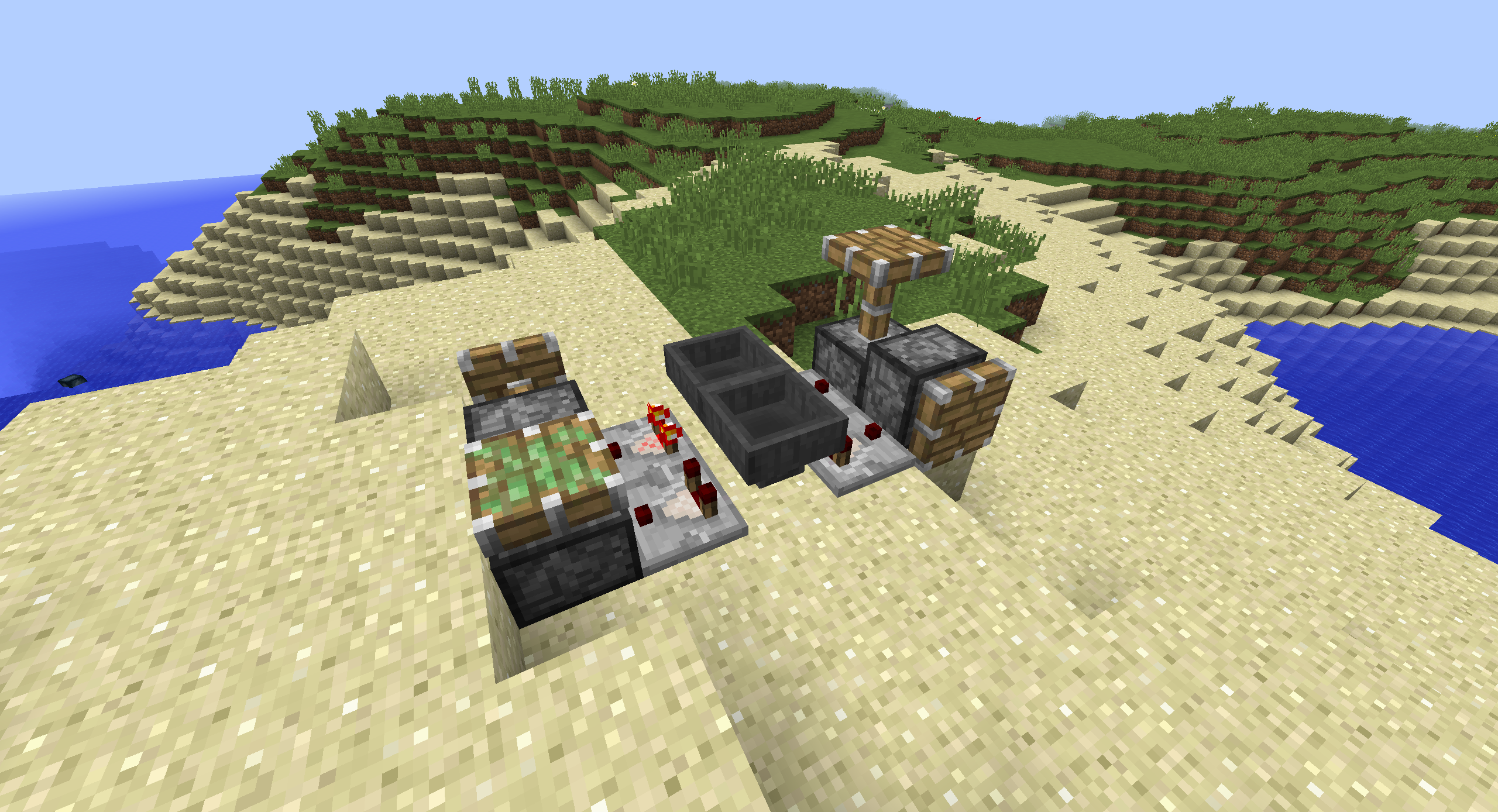
This little "machine" causes me to crash when I relog. If I build the exact same machine but without sticky pistons, I can log in to the world.
(Tested in full vanilla MC (not even optifine or sg. like that) 1.10.1 on the singleplayer server)
PS: 2016-06-22_23.59.27.png is my picture
Confirmed fixed for me in 1.10.2, in all of my formerly affected worldsaves, for CommandBlocks, Beacon, Chest, Sign, Flowerpots, Comparator, Dispenser, Jukebox, Piston extensions.
Confirmed fixed for me in 1.10.2 on Mac. Great job guys!
can anyone tell me why i have this problem i cant join anyserver except of my own server i have java edition please respond does anyone know why