 MC-107584
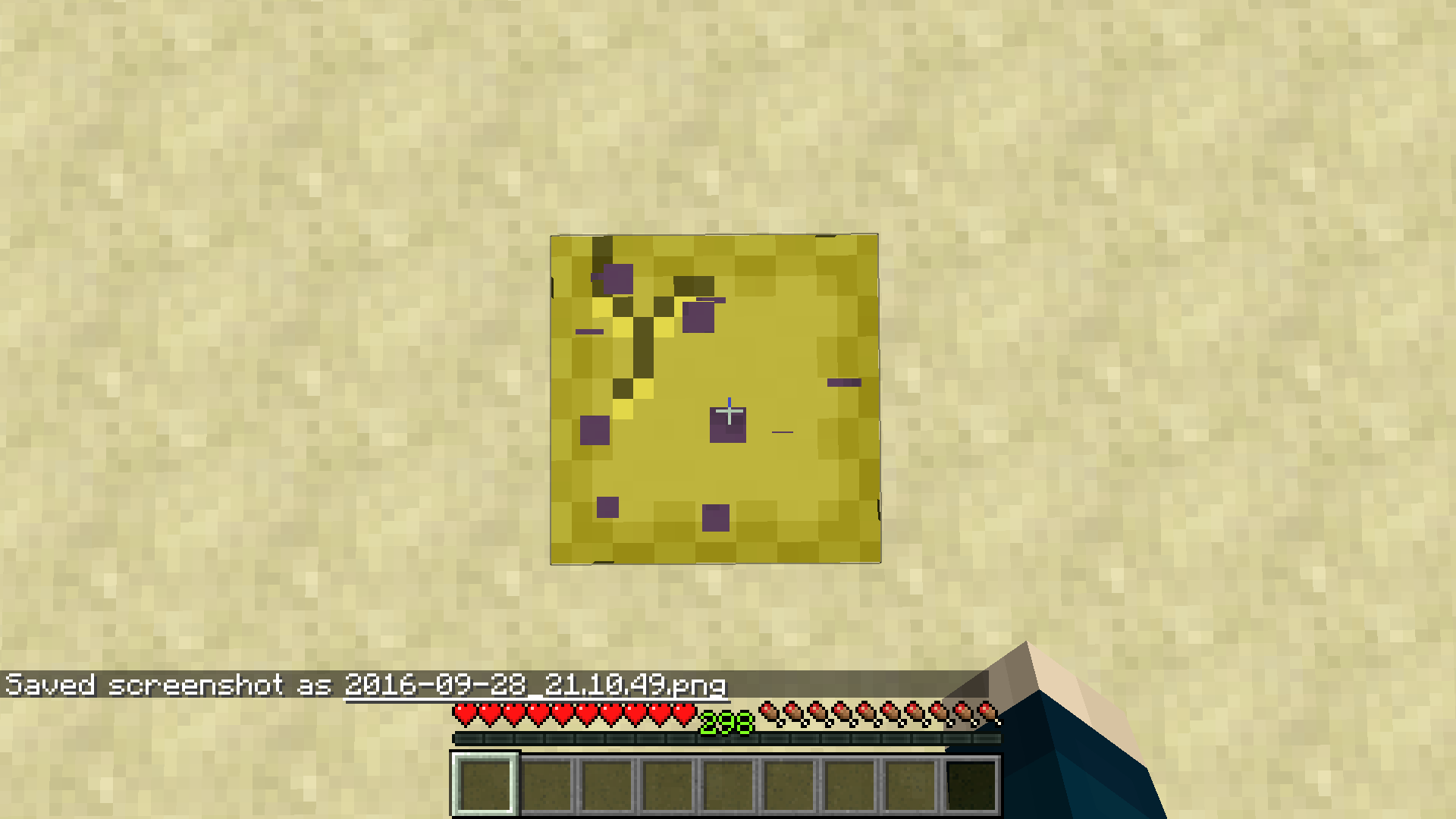
Breaking overlay texture of the Shulker Box is in a wrong spot (in one of the corners)
I expected the top left corner of the breaking overlay to be positioned at 0|0 of the block I am breaking like the sandstone in the last picture.
So far, I think it only concerns the Shulker Box and no other blocks.
Environment
Java 1.8.0_25
Linked Issues


Created Issue:
Breaking overlay texture of the Shulker Box is in a wrong spot (in one of the corners)
I expected the top left corner of the breaking overlay to be positioned at 0|0 of the block I am breaking like the sandstone in the last picture.
So far, I think it only concerns the Shulker Box and no other blocks.
Environment
Java 1.8.0_25
Attachments3
relates to

![[Mojang] Agnes Larsson](../../../data/avatars/users/10122.svg) [Mojang] Agnes Larsson
[Mojang] Agnes Larsson![[Mod] Asteraoth](../../../data/avatars/users/92886.png)
is duplicated by
is duplicated by
is duplicated by
Does MC-107584 describe your issue?
Relates to MC-167526, MC-208949 and MC-262933.
The bug
The way in which the enchanted glint is applied to models depends on what region of the texture is mapped to that specific point in the model, rather than the absolute position within said model. This means that, for example, if two elements which are right next to each other map different parts of the texture, there will be a sharp cutoff in where the enchantment glint appears.
I believe that the block cracking animation also used this logic in previous versions, resulting in MC-62197 and MC-107584, however that no longer occurs.
How to reproduce
- Enchant a fence gate using Creative means
- Look at it as an item
Expected results
The enchantment glint would look continuous on the front.
Actual results
Sharp vertical lines can be seen in several positions.
How to fix
The enchantment glint should be applied to planes depending on said plane's absolute position within the model itself, rather than depending on how the texture is mapped there.
I cannot reproduce in new versions