 MC-132060
Huge FPS drop when breaking blocks
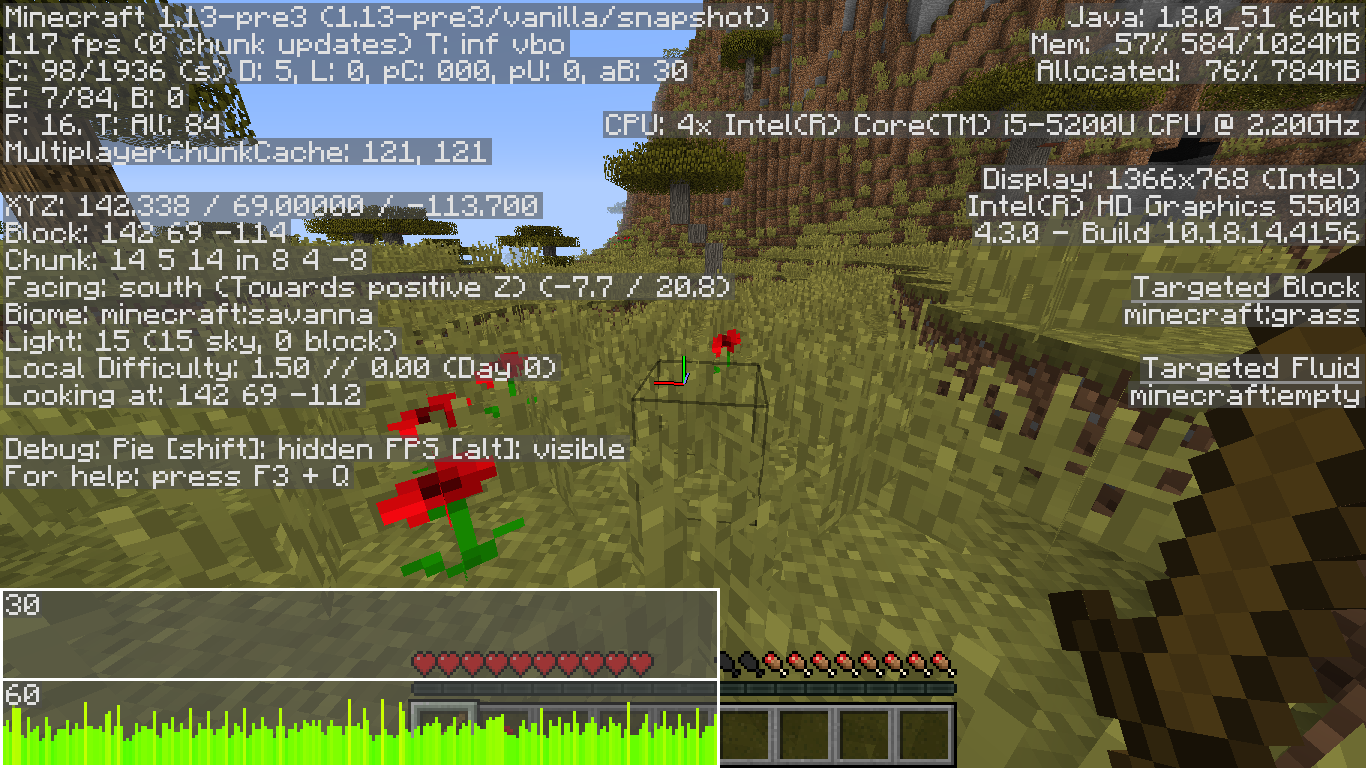
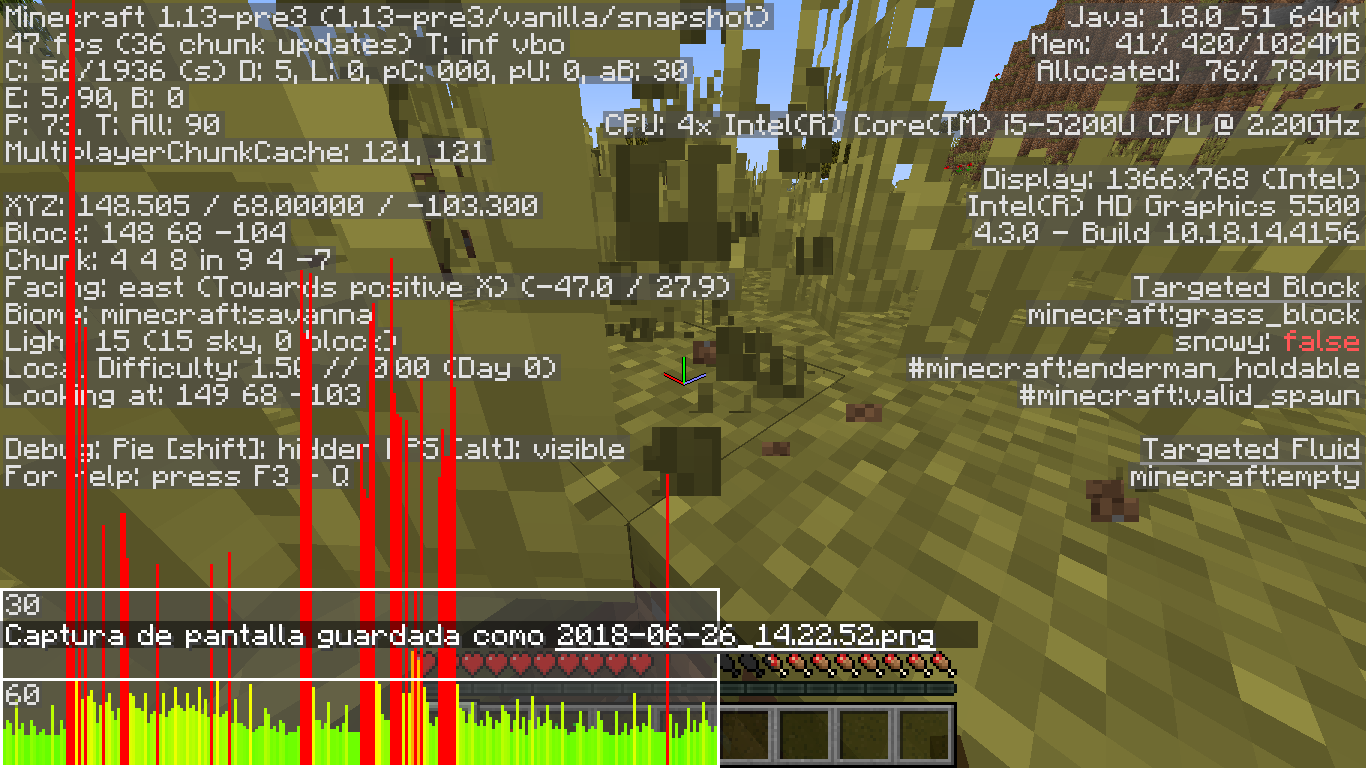
My computer can run the game at 100+ fps and 60 fps at worst. With the last 1.13 snapshots and pre-releases I've been experiencing a huge drop on my fps when I break an oak log, grass or any crop. I attached the before and after of my fps while breaking grass blocks.
Update 1: I just found a "fix" which lowers a little the amount of lag when you break blocks. I take the block that's causing lag, switch to creative mode, start to place them and break them and at that moment the lag is lower or inexistent. Then I switch to survival and when I break those blocks the lag stays lower or inexistent. Somehow I can break the blocks placed on creative without experiencing lag but with the blocks generated in the world I do experience a lot of lag.
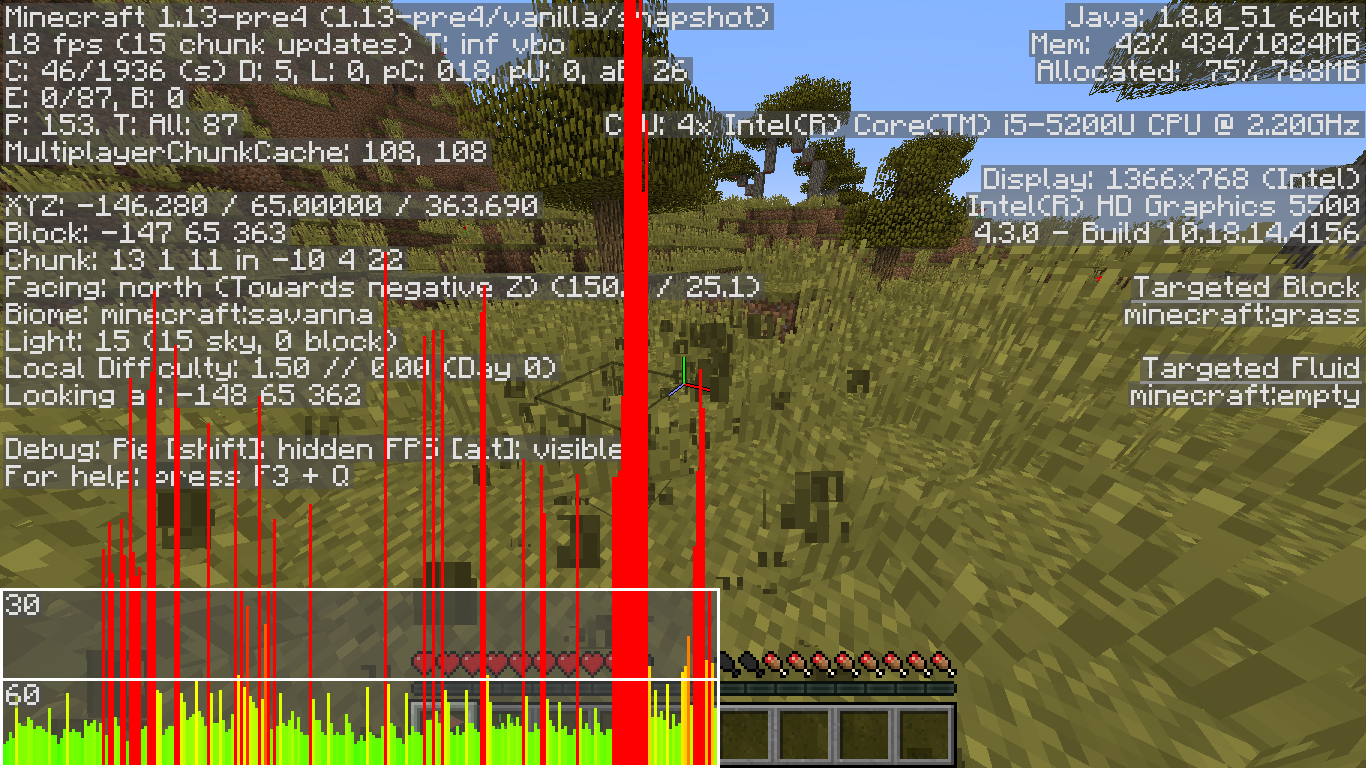
Update 2: Still present in 1.13 pre4. (Pictures attached)
Environment
Windows 8.1
Java 8 Update 172 (64-bit)
Ocurring on every Minecraft Java Edition 1.13 pre-release
Linked Issues
is duplicated by1
Attachments8





Created Issue:
Huge FPS drop when breaking blocks
My computer can run the game at 100+ fps and 60 fps at worst. With the last 1.13 snapshots and pre-releases I've been experiencing a huge drop on my fps when I break an oak log, grass or any crop. I attached the before and after of my fps while breaking grass blocks.
Environment
Windows 8.1
Java 8 Update 172 (64-bit)
Ocurring on every Minecraft Java Edition 1.13 pre-release
Attachments4
![[Bot] Arisa](../../../data/assets/gravatar/mustek2.png)
My computer can run the game at 100+ fps and 60 fps at worst. With the last 1.13 snapshots and pre-releases I've been experiencing a huge drop on my fps when I break an oak log, grass or any crop. I attached the before and after of my fps while breaking grass blocks.
Update: I just found a "fix" which lowers a little the amount of lag when you break blocks. I take the block that's causing lag, switch to creative mode, start to place them and break them and at that moment the lag is lower or inexistent. Then I switch to survival and when I break those blocks the lag stays lower or inexistent.
My computer can run the game at 100+ fps and 60 fps at worst. With the last 1.13 snapshots and pre-releases I've been experiencing a huge drop on my fps when I break an oak log, grass or any crop. I attached the before and after of my fps while breaking grass blocks.
Update: I just found a "fix" which lowers a little the amount of lag when you break blocks. I take the block that's causing lag, switch to creative mode, start to place them and break them and at that moment the lag is lower or inexistent. Then I switch to survival and when I break those blocks the lag stays lower or inexistent. Somehow I can break the blocks placed on creative without experiencing lag but with the blocks generated in the world I do experience a lot of lag.
My computer can run the game at 100+ fps and 60 fps at worst. With the last 1.13 snapshots and pre-releases I've been experiencing a huge drop on my fps when I break an oak log, grass or any crop. I attached the before and after of my fps while breaking grass blocks.
Update 1: I just found a "fix" which lowers a little the amount of lag when you break blocks. I take the block that's causing lag, switch to creative mode, start to place them and break them and at that moment the lag is lower or inexistent. Then I switch to survival and when I break those blocks the lag stays lower or inexistent. Somehow I can break the blocks placed on creative without experiencing lag but with the blocks generated in the world I do experience a lot of lag.
Update 2: Still present in 1.13 pre4. (Pictures attached)

![[Mod] Neko](../../../data/avatars/users/92901.png)
is duplicated by

Please do not mark unreleased versions as affected.
You don't have access to them yet.
Please do not mark unreleased versions as affected.
You don't have access to them yet.
Please do not mark unreleased versions as affected.
You don't have access to them yet.
Maybe this is duplicate of
MC-124170or MC-123584.Your graphics drivers are ancient. Please update to Intel drivers version > 15.xx.xx.xx. --> http://www.intel.com/content/www/us/en/support/graphics-drivers.html
The other versions work completely fine for me. I have experienced this issue only with the 1.13 snapshots and pre-releases.
If it's my driver I wonder why I'm getting this on the intel website...
Don't ever trust such version checker things. Version 10.xx.xx.xx is ancient.
Install Version 15.xx.xx.xx from here https://downloadcenter.intel.com/product/86210/Intel-HD-Graphics-5500
Drivers updated, problem solved. Thank you. It was only happening on this minecraft versions tho.
I saw the same problem!It got fixed,but in 1.13 pre 6 it is back.... I feel like this pre realease mostly broke than fixed.