GUI Scale: Large same as Normal
Works as intended. "Large" scaling corresponds to a scale value of 3x. As unicode fonts are effectively scaled down by 1/2, the Large GUI scale option with unicode would produce glyphs scaled by 1.5x, which makes them ugly and distorted. As such, GUI scaling is explicitly clamped to use only even scaling values when unicode fonts are used.
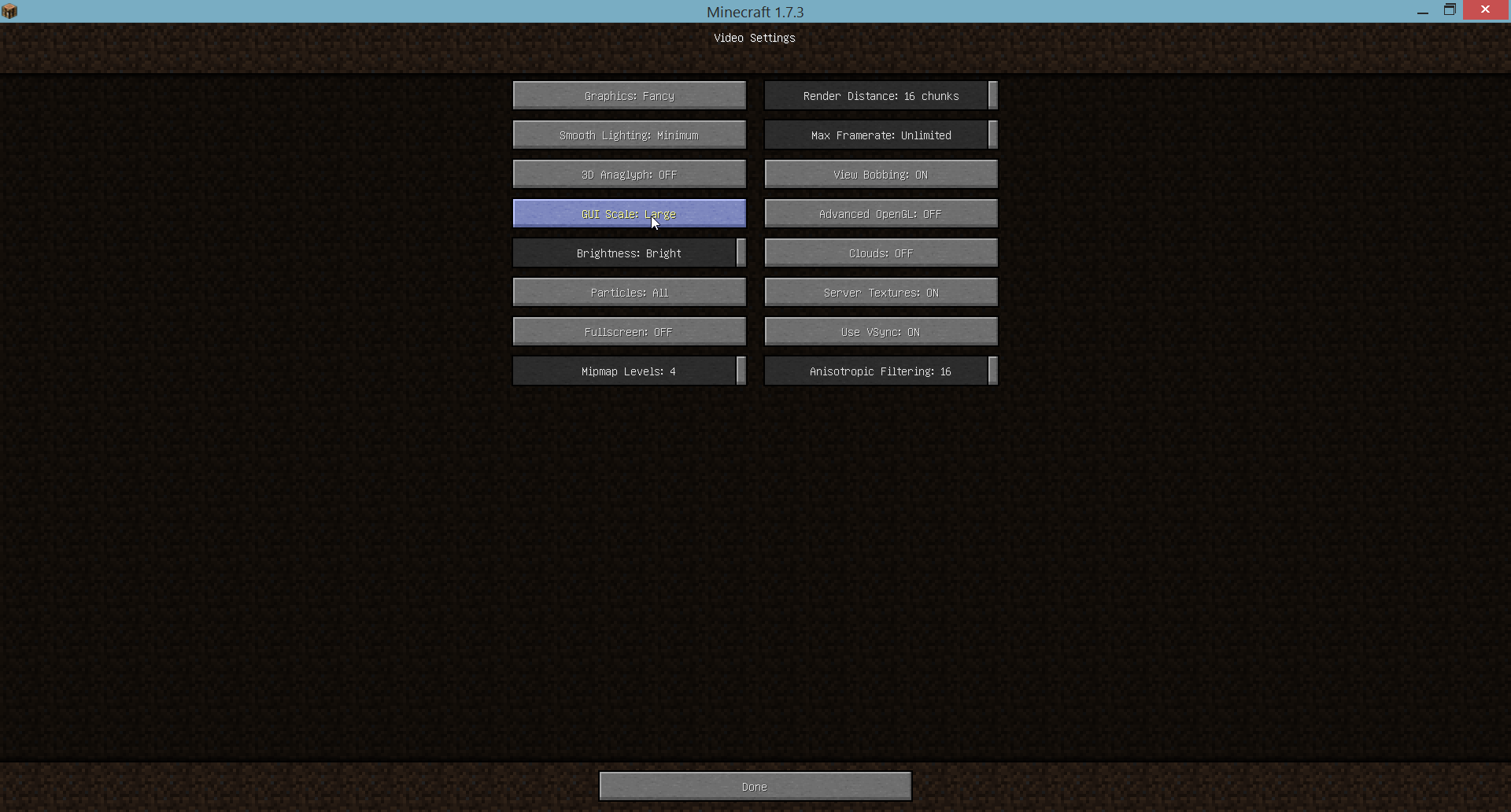
Selecting GUI Scale: Large from the Video Settings gives the same GUI scale as Normal when the Unicode font is used, the GUI does scale properly when the normal font is used.
What I expected to happen:
The GUI scale would be large
What really happened:
The GUI scale is the same as when Normal is selected
How to reproduce:
1. Go to language menu
2. Force Unicode Font: ON, or select a language that uses the Unicode font
3. Go to Video Settings menu
4. Select GUI Scale: Large
5. Observe no difference between Large and Normal
Environment
Windows 7, Java 1.7
Linked Issues
is duplicated by6
 MC-53018"Large" GUI turns to "Normal" size when Force Unicode Font option is enabled in Language settingsDuplicateMC-60760Bug with utf-8 fontDuplicateMC-65825Changing language make the GUI stuck.DuplicateMC-66577Gui scale Large the same as the Normal and AutoDuplicateMC-98157It does not change the size of the interfaceDuplicateMC-118259When set the language to Korean, The 'Normal' GUI size have the same ratio as the 'Large' GUI size.Duplicate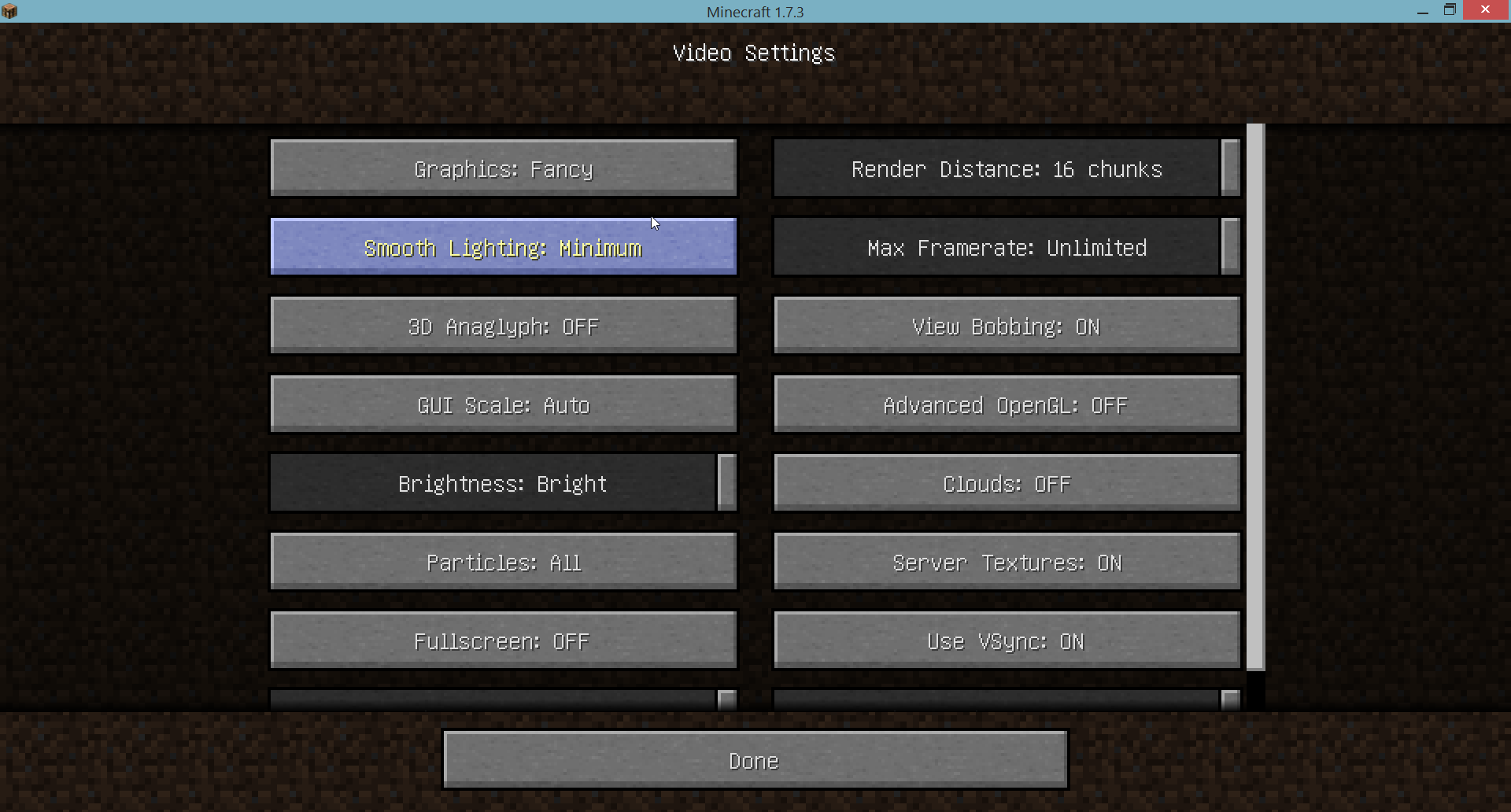





Created Issue:
GUI Scale - Large same as Normal
Selecting GUI Scale - Large from the Video Settings gives the same GUI scale as Normal.
What I expected to happen:
The GUI scale would be largeWhat really happened:
The GUI scale is the same as when Normal is selectedHow to reproduce:
1. Go to Video Settings menu
2. Select GUI Scale: Large
3. Observe no difference between Large and Normal
Attachments3
Selecting GUI Scale
-Large from the Video Settings gives the same GUI scale as Normal.What I expected to happen:
The GUI scale would be largeWhat really happened:
The GUI scale is the same as when Normal is selectedHow to reproduce:
1. Go to Video Settings menu
2. Select GUI Scale: Large
3. Observe no difference between Large and NormalSelecting GUI Scale: Large from the Video Settings gives the same GUI scale as Normal.
What I expected to happen:
The GUI scale would be largeWhat really happened:
The GUI scale is the same as when Normal is selectedHow to reproduce:
1. Go to Video Settings menu
2. Select GUI Scale: Large
3. Observe no difference between Large and Normal
GUI Scale-Large same as NormalGUI Scale: Large same as Normal
Windows 7, Java 1.7
Selecting GUI Scale: Large from the Video Settings gives the same GUI scale as Normal.
What I expected to happen:
The GUI scale would be largeWhat really happened:
The GUI scale is the same as when Normal is selected
How to reproduce:
1. Go to Video Settings menu
2. Select GUI Scale: Large
3. Observe no difference between Large and NormalSelecting GUI Scale: Large from the Video Settings gives the same GUI scale as Normal when Force Unicode Font is On, the GUI does scale properly when Force Unicode Font is off.
What I expected to happen:
The GUI scale would be largeWhat really happened:
The GUI scale is the same as when Normal is selectedHow to reproduce:
1. Go to language menu
2. Force Unicode Font: ON
3. Go to Video Settings menu
4. Select GUI Scale: Large
5. Observe no difference between Large and Normal
Selecting GUI Scale: Large from the Video Settings gives the same GUI scale as Normal when
Force UnicodeFont isOn, the GUI does scale properly whenForce Unicode Font isoff.What I expected to happen:
The GUI scale would be largeWhat really happened:
The GUI scale is the same as when Normal is selectedHow to reproduce:
1. Go to language menu
2. Force Unicode Font: ON
3. Go to Video Settings menu
4. Select GUI Scale: Large
5. Observe no difference between Large and NormalSelecting GUI Scale: Large from the Video Settings gives the same GUI scale as Normal when the Unicode font is used, the GUI does scale properly when the normal font is used.
What I expected to happen:
The GUI scale would be largeWhat really happened:
The GUI scale is the same as when Normal is selectedHow to reproduce:
1. Go to language menu
2. Force Unicode Font: ON, or select a language that uses the Unicode font
3. Go to Video Settings menu
4. Select GUI Scale: Large
5. Observe no difference between Large and Normal
 Mog (Ryan Holtz)
is duplicated by

is duplicated by

is duplicated by
is duplicated by

Resolution noteWorks as intended. "Large" scaling corresponds to a scale value of 3x. As unicode fonts are effectively scaled down by 1/2, the Large GUI scale option with unicode would produce glyphs scaled by 1.5x, which makes them ugly and distorted. As such, GUI scaling is explicitly clamped to use only even scaling values when unicode fonts are used.
Selecting GUI Scale: Large from the Video Settings gives the same GUI scale as Normal when the Unicode font is used, the GUI does scale properly when the normal font is used.
What I expected to happen:
The GUI scale would be largeWhat really happened:
The GUI scale is the same as when Normal is selectedHow to reproduce:
1. Go to language menu
2. Force Unicode Font: ON, or select a language that uses the Unicode font
3. Go to Video Settings menu
4. Select GUI Scale: Large
5. Observe no difference between Large and Normal
Duplicate of MC-41685
Duplicate of MC-41685
Duplicate of Works As Intended
MC-41685

MC-41685 was resolved by Mojang as "Working as Intended":
Mog (Ryan Holtz) added a comment - 02/Jul/14 3:30 PM
Works as intended. "Large" scaling corresponds to a scale value of 3x. As unicode fonts are effectively scaled down by 1/2, the Large GUI scale option with unicode would produce glyphs scaled by 1.5x, which makes them ugly and distorted. As such, GUI scaling is explicitly clamped to use only even scaling values when unicode fonts are used.
Mog (Ryan Holtz) made changes - 02/Jul/14 3:30 PM
| Status | Open [ 1 ] | Resolved [ 5 ] |
| Assignee | [Mojang] Mog (Ryan Holtz) [ themoogle ] | |
| Resolution | Works As Intended [ 6 ] |
Thank you for your report!
However, this issue has been closed as a Duplicate of MC-41685.
It has been linked to this report. If you have additional information, please add it to that report.
Please search before reporting, as it's likely that one exists already.
Quick Links:
📓 Issue Guidelines – 💬 Community Support – 📧 Customer Support – 📖 Game Wiki
I have run into this too, but my guess is that Minecraft thinks that your screen is too small to produce bigger buttons.
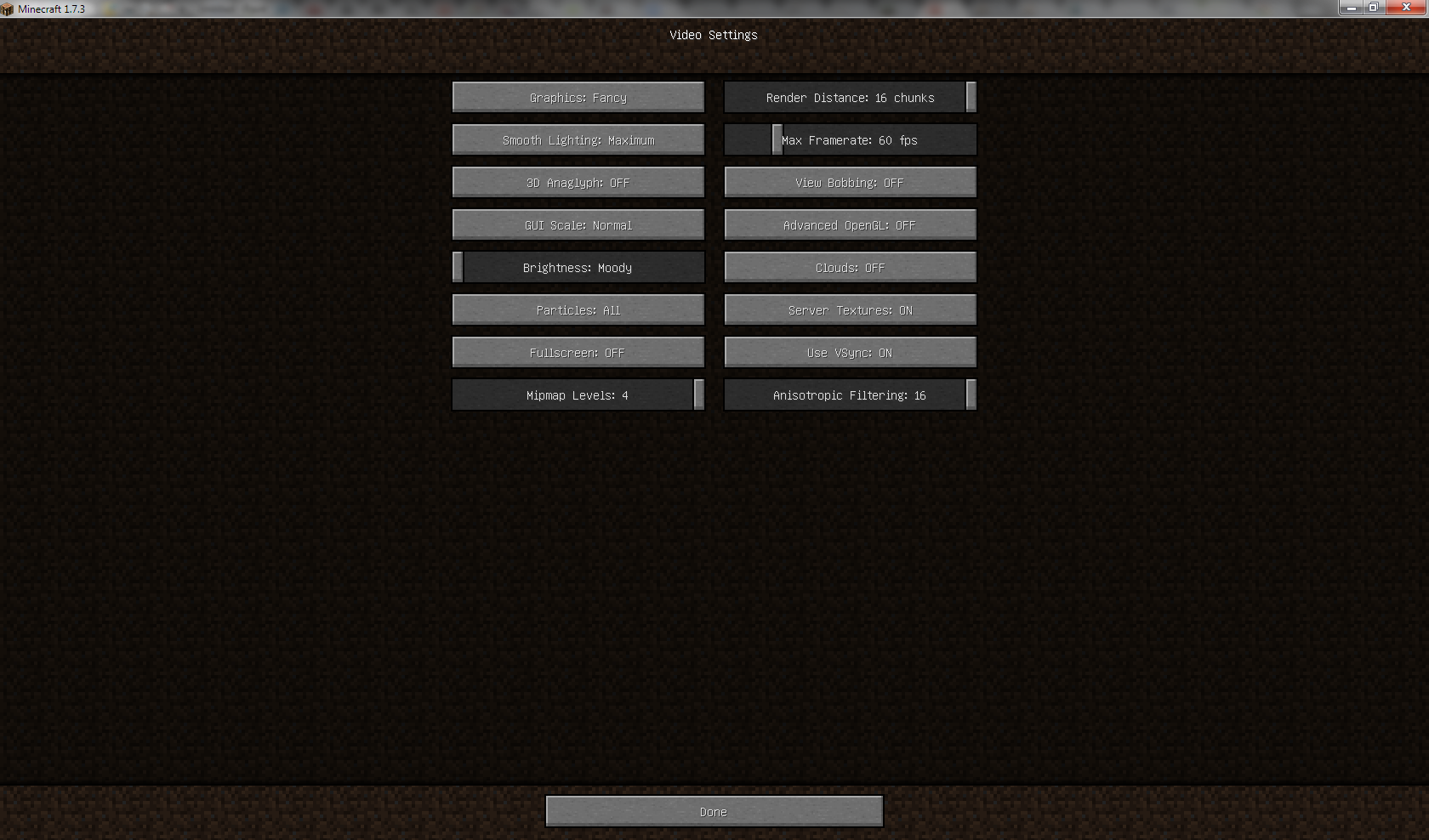
Confirmed, see screenshots.
Has nothing to do with the resolution of the screen: As you can see, Auto is very big and works.
Added GUI: Large screenshot from previous version (13w49a) for comparison
Affects 1.7.4 as well.
Yep, confirmed on 1.7.4. Unicode font the same,
I too have this bug. Please repair this fast.
I think that's because if you do it in 1.6.4 or older, the unicode text on Large GUI setting is scaled, but it looks distorted and is pretty much unreadable.
Works as intended. "Large" scaling corresponds to a scale value of 3x. As unicode fonts are effectively scaled down by 1/2, the Large GUI scale option with unicode would produce glyphs scaled by 1.5x, which makes them ugly and distorted. As such, GUI scaling is explicitly clamped to use only even scaling values when unicode fonts are used.
I found another problem with it, not only the unicode fonts used to get distorted, but it also happens with 32x32 items in the GUI
On this screenshot, I just copied an item into a 32x32 texture. As you can see, in the hotbar the texture also gets distorted and looks ugly. Is there anything that can be done about it?
http://i.imgur.com/5Kps9Wv.png
Used latest snapshot, 14w30c.
(btw. the texture is from Mindcrack resource pack if anyone wonders, I just grabbed the first pack I found and copied one of the textures into a grid like that)
It's very bad for russian-speakers. Russian uses unicode because of cyrrilic. So Large is the same Normal. Please, fix it!
It's very bad for Chinese,Japanese and Korean players too!