 Aerotactics
- aerotactics
- aerotactics
- America/Los_Angeles
- Yes
- No
 MC-8045
 MCL-81
![[Mojang] Searge (Michael Stoyke)](../../../data/assets/gravatar/searge.png)















After downloading the new update, I went to play it offline, and the new launcher says "cannot login: minecraft.login.net" or similar.
Please find a quick fix, or bypass if possible. I would like not to have to rely on my crappy internet.
After downloading the new update, I went to play it offline, and the new launcher says "cannot login: minecraft.login.net" or similar.
Please find a quick fix, or bypass if possible (not moderators, you guys are busy, but anyone else good at program bypass). I would like not to have to rely on my crappy internet.
After downloading the new update, I went to play it offline, and the new launcher says "cannot login: minecraft.login.net" or similar.
Please find a quick fix, or bypass if possible (not moderators, you guys are busy, but anyone else good at program bypass). I
would like not to haveto rely on my crappy internet.After downloading the new update, I went to play it offline, and the new launcher says "cannot login: minecraft.login.net" or similar.
Please find a quick fix, or bypass if possible (not moderators, you guys are busy, but anyone else good at program bypass). I don't want to rely on my crappy internet just to enjoy testing and playing the new update.
After downloading the new update, I went to play it offline, and the new launcher says "cannot login: minecraft.login.net" or similar.
Please find a quick fix, or bypass if possible (not moderators, you guys are busy, but anyone else good at program bypass). I don't want to rely on my crappy internet just to enjoy testing and playing the new update.
EDIT:
The only way around is connecting to the internet, logging in, then once in-game, disconnect from internet. Seems a bit redundant though.
Mine Cartw/Furnace glitchALL Mine Carts Glitch
Only tested with furnace carts so far
EDIT: Confirmed works with all, except you just have to bump the carts to get them going.
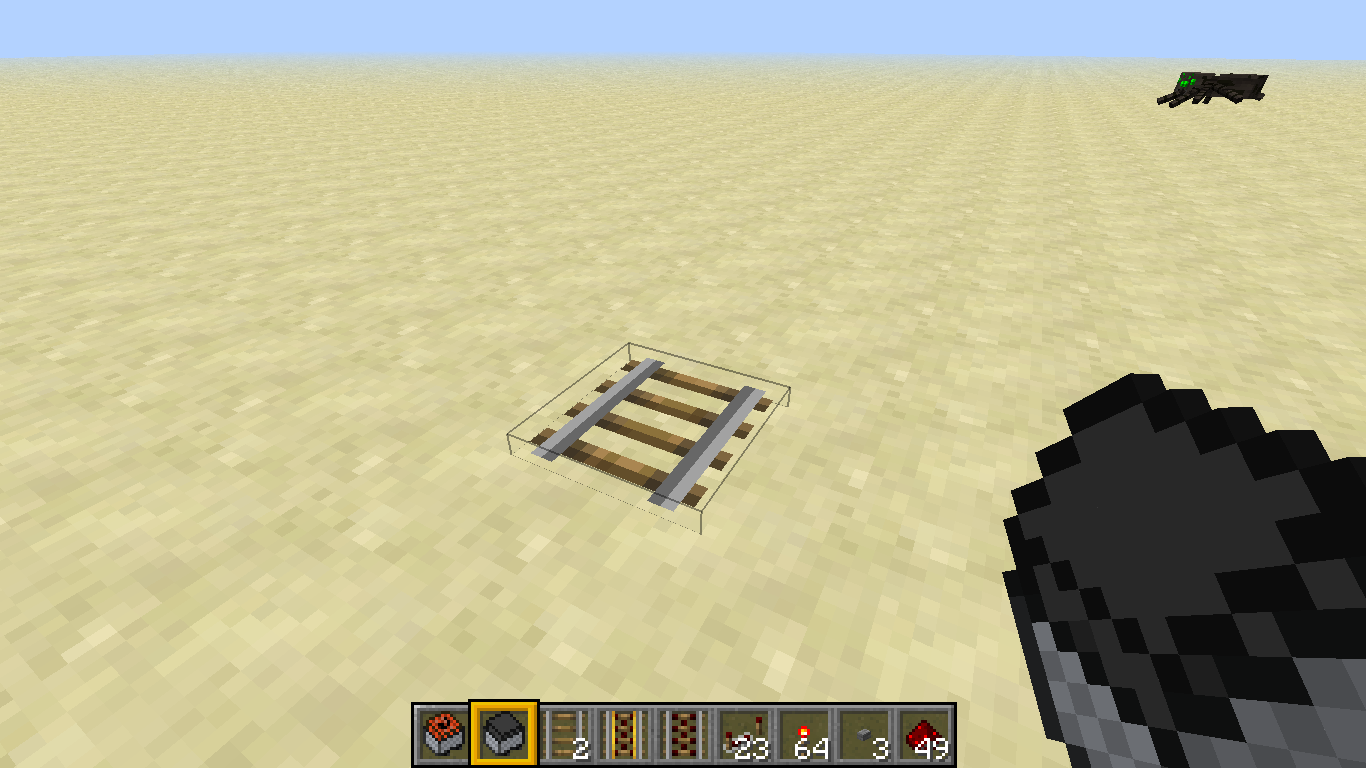
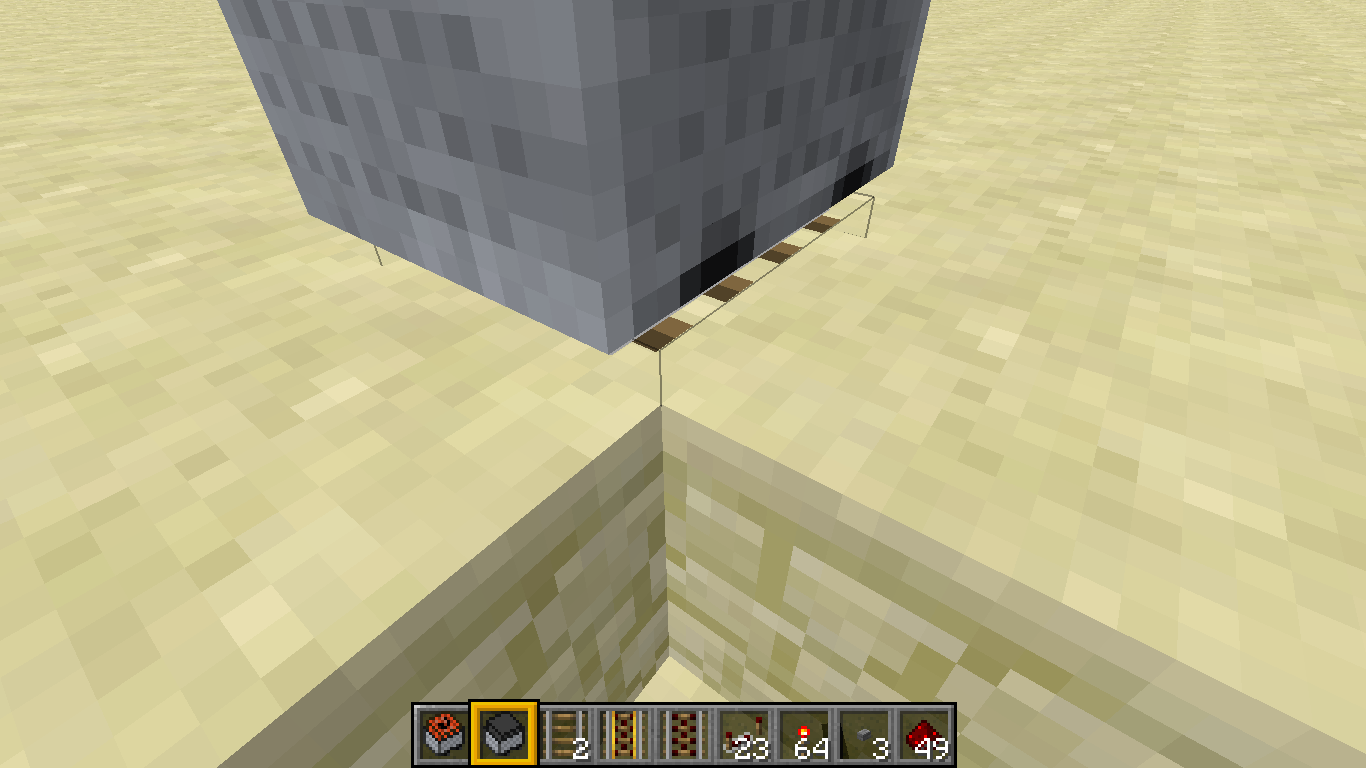
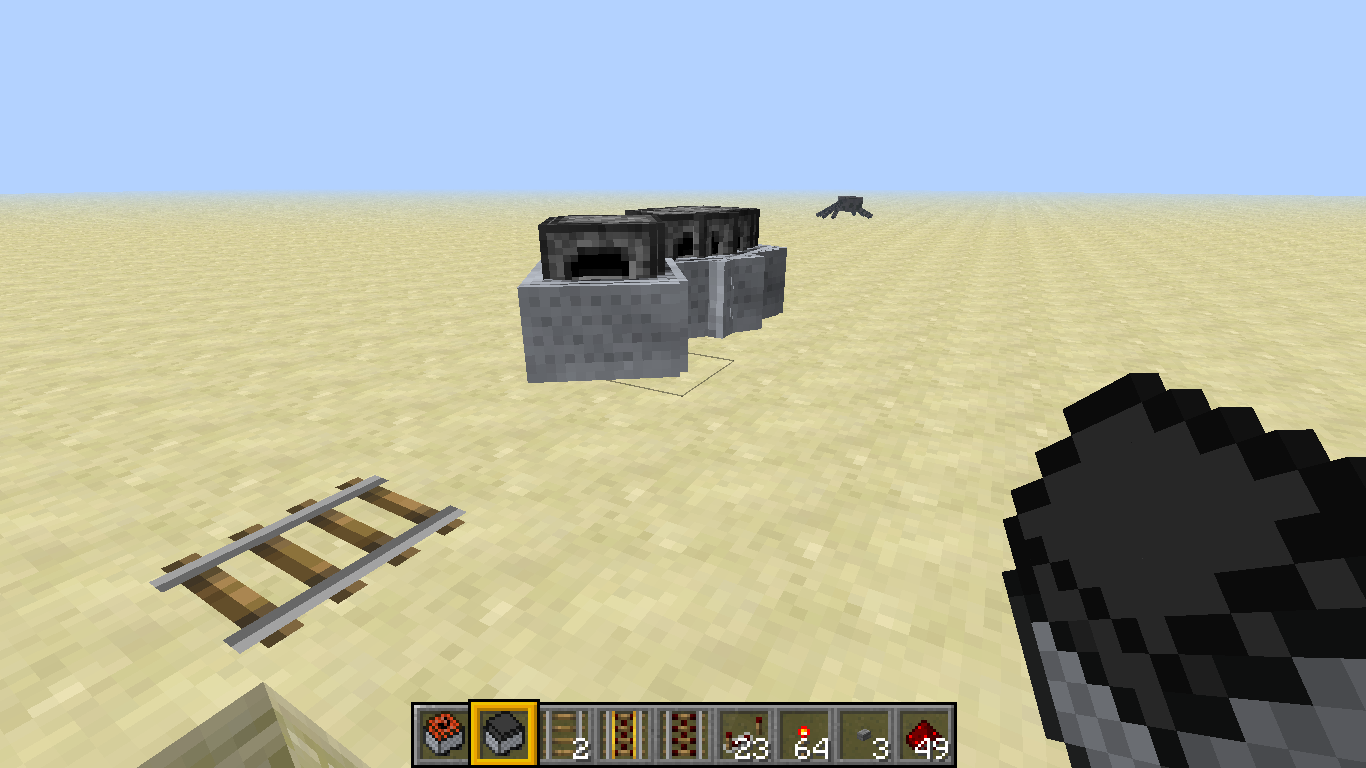
I was doing random things today and was messing with the Furnace cart. I found out that by placing one Mine track, then looking at that track while holding the right mouse button with Furnace carts in your hand, causing many to spawn on that one track.
The Glitch:
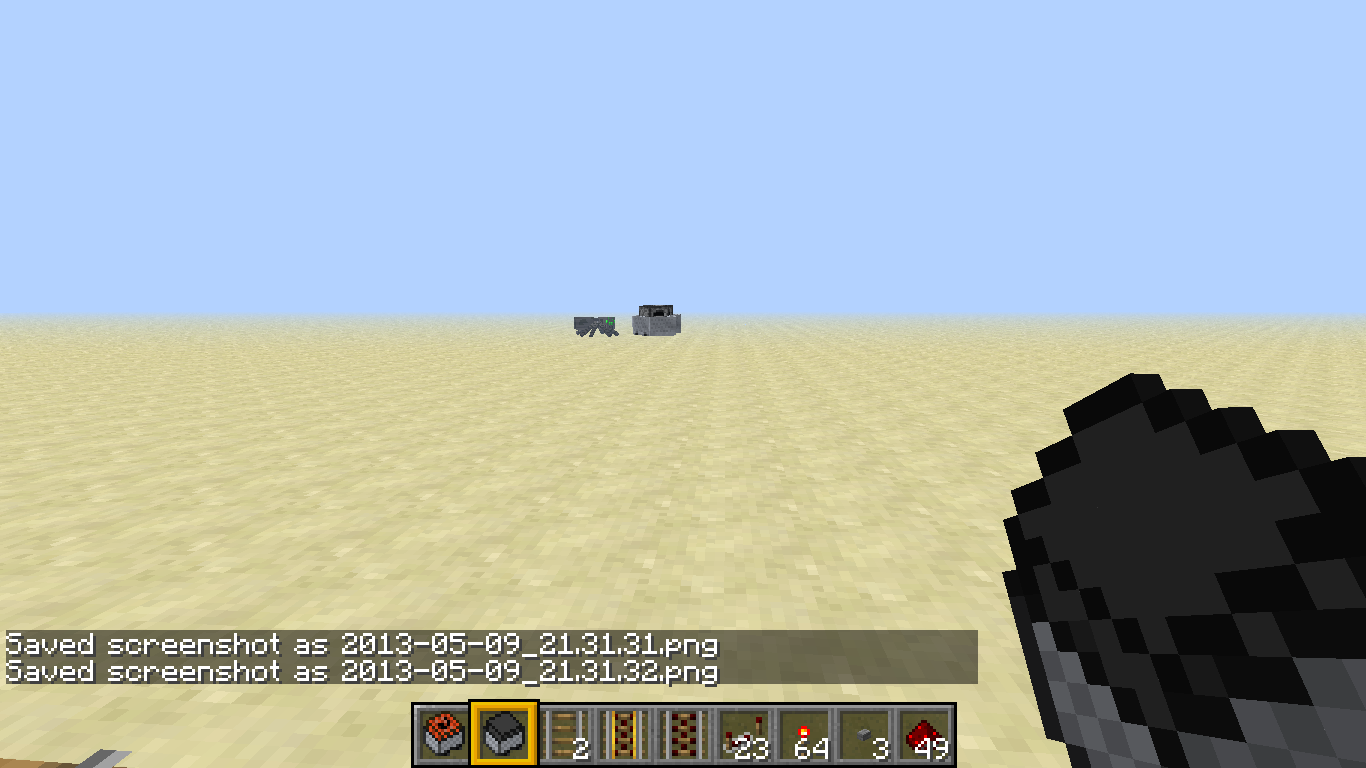
If you look up at the middle of the carts and hold right mouse button (Making them move), they will all fly off together and play the rolling minecart sound repeatedly, and it moves like a ghost train.I did look to see if there were any duplicates. Maybe not hard enough.
I was doing random things today and was messing with the Furnace cart. I found out that by placing one Mine track, then looking at that track while holding the right mouse button with Furnace carts in your hand, caus
ingmany to spawn on that one track.The Glitch:
If you look up at the middle of the carts and hold right mouse button (Making them move), they will all fly off together and play the rolling minecart sound repeatedly, and it moves like a ghost train.I did look to see if there were any duplicates. Maybe not hard enough.
I was doing random things today and was messing with the Furnace cart. I found out that by placing one Mine track, then looking at that track while holding the right mouse button with Furnace carts in your hand, it causes many to spawn on that one track, which leads to the glitch.
The Glitch:
If you look up at the middle of the carts and hold right mouse button (Making one of them move), they will all fly off together and play the rolling minecart sound repeatedly and rapidly, and it moves like a ghost train.I did look to see if there were any duplicates. Maybe not hard enough.
Title says it all. I'm already assuming this is a duplicate, because the search bar didn't give me anything.
Created a short clip of the bug. Will post if this isn't a duplicate.Title says it all. I'm already assuming this is a duplicate, because the search bar didn't give me anything.
I had 5 of the new player head skins spawned in-game, I found today that 2 were missing (one was the villager). I also tried to do a search of this and came up empty. Also, here's my code for the villager (it worked fine before):
give @p 397 1 3
{SkullOwner:"MHF_Villager"}Just like it says "on the box".
I had 5 of the new player head skins spawned in-game, I found today that 2 were missing (one was the villager). I also tried to do a search of this and came up empty. Also, here's my code for the villager (it worked fine before):
give @p 397 1 3
{SkullOwner:"MHF_Villager"}Just like it says "on the box".
I had 5 of the new player head skins spawned in-game, I found today that 2 were missing (one was the villager). I also tried to do a search of this and came up empty. Also, here's my code for the villager (it worked fine before):
"give @p 397 1 3
{SkullOwner:"MHF_Villager"}"
Just like it says "on the box".
I had 5 of the new player head skins spawned in-game, I found today that 2 were missing (one was the villager). I also tried to do a search of this and came up empty. Also, here's my code for the villager (it worked fine before):
"give @p 397 1 3
{SkullOwner:"MHF_Villager"}"
Just like it says "on the box".
I had 5 of the new player head skins spawned in-game, I found today that 2 were missing (one was the villager). I also tried to do a search of this and came up empty. Also, here's my code for the villager (it worked fine before):
{SkullOwner:"MHF_Villager"}
give @p 397 1 3Just like it says "on the box".
I had 5 of the new player head skins spawned in-game, I found today that 2 were missing (one was the villager). I also tried to do a search of this and came up empty. Also, here's my code for the villager (it worked fine before):
{SkullOwner:"MHF_Villager"}
give @p 397 1 3Just like it says "on the box".
I had 5 of the new player head skins spawned in-game, I found today that 2 were missing (one was the villager). I also tried to do a search of this and came up empty. Also, here's my code for the villager (it worked fine before): give @p 397 1 3
{SkullOwner:"MHF_Villager"}Just like it says "on the box".
I had 5 of the new player head skins spawned in-game, I found today that 2 were missing (one was the villager). I also tried to do a search of this and came up empty. Also,
{SkullOwner:"MHF_Villager"}here's my code for the villager (it worked fine before): give @p 397 1 3Just like it says "on the box".
I had 5 of the new player head skins spawned in-game, I found today that 2 were missing (one was the villager). I also tried to do a search of this and came up empty. Also, I used the same exact code both times (and there were not any typos).
I had 5 of the new player head skins spawned in-game, I found today that 2 were missing (one was the villager). I also tried to do a search of this and came up empty. Also, I used the same exact code both times (and there were not any typos).
EDIT: I logged back in just now from a while ago, and see that the skins are back. I do feel that this bug should be fixed though, since relogging anytime the skins are missing would be rather tedious.
I used the program Minecraft TellRaw Coder by CoolKiller 2012 to generate this tellraw command. The program doesn't have any problems, but the output I get is: Invalid json: Expected name at line 1 column 131, and here is my command: /tellraw @p {"text": "TPs: ", "extra": [{"text":"Front Gate, ","color":"gold","clickEvent":
{"action":"run_command","value":"tp @p -2 65 204"},{"text":"Controls, ","color":"gold","clickEvent":
{"action":"run_command","value":"tp @p -31 55 209"},{"text":"Back Wall, ","color":"gold","clickEvent":{"action":"run_command","value":"tp @p -2 80 302"}}]}
EDIT: In place of @p I've tried typing out my name, but didn't work.
[12:01:30]Invalid json: Expected name at line 1 column 131
I used the program Minecraft TellRaw Coder by CoolKiller 2012 to generate this tellraw command. The program doesn't have any problems, but the output I get is: Invalid json: Expected name at line 1 column 131, and here is my command: /tellraw @p {"text": "TPs: ", "extra": [{"text":"Front Gate, ","color":"gold","clickEvent":
{"action":"run_command","value":"tp @p -2 65 204"},{"text":"Controls, ","color":"gold","clickEvent":
{"action":"run_command","value":"tp @p -31 55 209"},{"text":"Back Wall, ","color":"gold","clickEvent":{"action":"run_command","value":"tp @p -2 80 302"}}]}
EDIT: In place of @p I've tried typing out my name, but didn't work.
EDIT 2: Like I said, the program used to create the code is not at fault, because all it does is put the pieces together. It functions perfectly in that respect. The problem is how the game reads the code, I believe.
Customentitynames can't be seen through wallsCustom mob names can't be seen through walls (13w38a)
Custom mob names can't be seen throughwalls (13w38a)Custom mob names can't be seen through blocks (13w38a)
Checked on some tests, and couldn't see the custom names through the blocks as of 13w38a. However, was able to see them in previous versions.
Checked on some tests, and couldn't see the custom names through the blocks as of 13w38a. However, was able to see them in previous versions.
EDIT: Persists through 13w38c
Custom mob names can't be seen through blocks (13w38a-13w38c)
Checked on some tests, and couldn't see the custom names through the blocks as of 13w38a. However, was able to see them in previous versions.
EDIT: Persists through 13w38c
EDIT2: Persists through 13w39b, Can a mod check this out?
Custom mob names can't be seen through blocks (13w38a-13w38c)Custom mob names can't be seen through blocks (13w38a-13w39b)
is cloned by
MC-34565
I've noticed this for a while and haven't found a post on it yet. If you have lvl 20 slowness and lvl 20 speed in the same potion, the "When applied" stats rapidly jump back and forth. Example code:
{Id:2,Amplifier:20,Duration:25}
[code]/give @p 373 1 16451 {CustomPotionEffects:[,
{Id:1,Amplifier:20,Duration:25}],display:{Name:"Splash potion of Teleport",Lore: ["Used for fast travel"] }} [/code]
I've noticed this for a while and haven't found a post on it yet. If you have lvl 20 slowness and lvl 20 speed in the same potion, the "When applied" stats rapidly jump back and forth. Example code:
[/give @p 373 1 16451 {CustomPotionEffects:[
{Id:2,Amplifier:20,Duration:25},
{Id:1,Amplifier:20,Duration:25}],display:{Name:"Splash potion of Teleport",Lore: ["Used for fast travel"] }}]
I've noticed this for a while and haven't found a post on it yet. If you have lvl 20 slowness and lvl 20 speed in the same potion, the "When applied" stats rapidly jump back and forth. Example code:
{Id:2,Amplifier:20,Duration:25}
[/give @p 373 1 16451 {CustomPotionEffects:[,
{Id:1,Amplifier:20,Duration:25}],display:{Name:"Splash potion of Teleport",Lore:["Used for fast travel"]}}]
I've noticed this for a while and haven't found a post on it yet. If you have lvl 20 slowness and lvl 20 speed in the same potion, the "When applied" stats rapidly jump back and forth. Example code:
/give @p 373 1 16451 {CustomPotionEffects:[
{Id:2,Amplifier:20,Duration:25},
{Id:1,Amplifier:20,Duration:25}],display:
{Name:"Splash potion of Teleport",Lore:["Used for fast travel"]}}
I've noticed this for a while and haven't found a post on it yet. If you have lvl 20 slowness and lvl 20 speed in the same potion, the "When applied" stats rapidly jump back and forth. Example code:
/give @p 373 1 16451 {CustomPotionEffects:[
{Id:2,Amplifier:20,Duration:25},
{Id:1,Amplifier:20,Duration:25}],display:
{Name:"Splash potion of Teleport",Lore:["Used for fast travel"]}}
I've noticed this for a while and haven't found a post on it yet. If you have lvl 20 slowness and lvl 20 speed in the same potion, the "When applied" stats rapidly jump back and forth. Example code:
/give @p 373 1 16451 {CustomPotionEffects:[{Id:2,Amplifier:20,Duration:25},{Id:1,Amplifier:20,Duration:25}],display:{Name:"Splash potion of Teleport",Lore:["Used for fast travel"]}}
I've noticed this for a while and haven't found a post on it yet. If you have lvl 20 slowness and lvl 20 speed in the same potion, the "When applied" stats rapidly jump back and forth. Example code:
/give @p 373 1 16451 {CustomPotionEffects:[{Id:2,Amplifier:20,Duration:25},{Id:1,Amplifier:20,Duration:25}],display:{Name:"Splash potion of Teleport",Lore:["Used for fast travel"]}}EDIT: I know this is a minor bug, but I felt like the problem could happen in more than one occurrence.
Slowness and speed potions combined [Persistent in 1.7.3]
Slowness and speed potions combined [Persistent in 1.7.3]Slowness and speed potions combined [Persistent in 1.7.4]
Slowness and speed potions combined [Persistent in 1.7.4]Slowness and speed potions combined [Persistent in 1.7.10]
Slowness and speed potions combined [Persistent in 1.7.10]Slowness and speed potions combined [Persistent in 1.8 Pre]
Slowness and speed potions combined [Persistent in 1.8 Pre3]
I've noticed this for a while and haven't found a post on it yet. If you have lvl 20 slowness and lvl 20 speed in the same potion, the "When applied" stats rapidly jump back and forth. Example code:
/give @p3731 16451 {CustomPotionEffects:[{Id:2,Amplifier:20,Duration:25},{Id:1,Amplifier:20,Duration:25}],display:{Name:"Splash potion ofTeleport",Lore:["Used for fast travel"]}}EDIT: I know this is a minor bug, but I felt like the problem could happen in more than one occurrence.
I've noticed this for a while and haven't found a post on it yet. If you have lvl 20 slowness and lvl 20 speed in the same potion, the "When applied" stats rapidly jump back and forth. Example code:
/give @p potion 1 16451 {CustomPotionEffects:[{Id:2,Amplifier:20,Duration:25},{Id:1,Amplifier:20,Duration:25}],display:{Name:"Splash potion of Glitching",Lore:["^^...Haha...^^"]}}EDIT: I know this is a minor bug, but I felt like the problem could happen in more than one occurrence.
For whatever reason, cannot eat Clownfish.
Details: On a private vanilla server, friends can't eat either
can i force a server crash? And would it help?
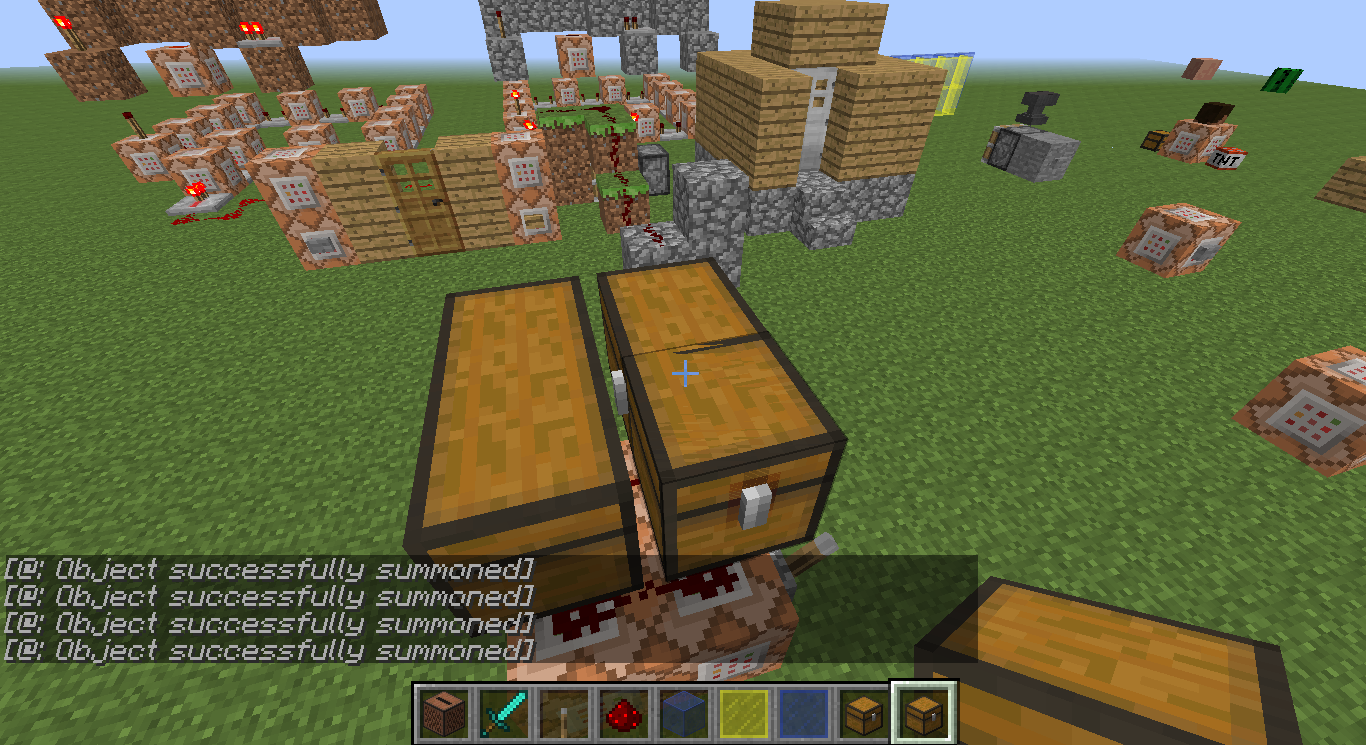
Lately I've been trying to summon a chest with a healing potion in it and come up empty. It
{bold}replaces
{/bold}a chest already there, but doesn't appear to contain a potion. Here's an example code:
summon FallingSand ~ ~ ~ {TileID:54,Time:0.9,TileEntityData:{Items:[{id:potion:8197,Slot:13,Count:1}]}}Lately I've been trying to summon a chest with a healing potion in it and come up empty. It replaces a chest already there, but doesn't appear to contain a potion. Here's an example code:
summon FallingSand ~ ~ ~ {TileID:54,Time:0.9,TileEntityData:{Items:[{id:potion:8197,Slot:13,Count:1}]}}
I've created a Music Disks Resource pack, and have everything set up as normal, but it only plays custom h
it sounds, and not the custom records.
Uploading the pack at this moment, please wait.I've created a Music Disks Resource pack and custom hurt sounds, and have everything set up as normal, but it only plays custom hurt sounds, and not the custom records.
Uploading the pack at this moment, please wait.
I've created a Music Disks Resource pack and custom hurt sounds, and have everything set up as normal, but it only plays custom hurt sounds, and not the custom records.
Uploading the pack at this moment, please wait.I've created a Music Disks Resource pack and custom hurt sounds, and have everything set up as normal, but it only plays custom hurt sounds, and not the custom records.
The Pack: http://www.mediafire.com/download/ble5wd1m73qeiwd/Pack.zip
It was too big of a file size to upload directly to Mojira.
I've created a Music Disks Resource pack and custom hurt sounds, and have everything set up as normal, but it only plays custom hurt sounds, and not the custom records.
The Pack:http://www.mediafire.com/download/ble5wd1m73qeiwd/Pack.zip
It was too big of a file size to upload directly to
Mojira.I've created a Music Disks Resource pack and custom hurt sounds, and have everything set up as normal, but it only plays custom hurt sounds, and not the custom records.
The Pack:http://www.mediafire.com/download/ble5wd1m73qeiwd/Pack.zip
It was too big of a file size to upload directly to here.
I've created a Music Disks Resource pack and custom hurt sounds, and have everything set up as normal, but it only plays custom hurt sounds, and not the custom records.
The Pack:http://www.mediafire.com/download/ble5wd1m73qeiwd/Pack.zip
It was too big of a file size to upload directly to here.
EDIT: I've been browsing around and it seems Records have been buggy in general. This must be related.
I've created a Music Disks Resource pack and custom hurt sounds, and have everything set up as normal, but it only plays custom hurt sounds, and not the custom records.
The Pack:http://www.mediafire.com/download/ble5wd1m73qeiwd/Pack.zip
It was too big of a file size to upload directly to here.
EDIT: I've been browsing around and it seems Records have been buggy in general. This must be related.
EDIT 2: I'd still like a mod to confirm this so I don't have to pull my hair out trying to fix what is perfectly fine.
Can't play custom records 13w42a-13w42b
I've created a Music Disks Resource pack and custom hurt sounds, and have everything set up as normal, but it only plays custom hurt sounds, and not the custom records.
The Pack:http://www.mediafire.com/download/ble5wd1m73qeiwd/Pack.zip
It was too big of a file size to upload directly to here.
EDIT: I've been browsing around and it seems Records have been buggy in general. This must be related.
EDIT 2: I'd still like a mod to confirm this so I don't have to pull my hair out trying to fix what is perfectly fine.
EDIT 3: It seems that my game isn't using ANY resource packs correctly. Possibly related to several other reports.
2013-10-17_22.52.30.png
Background music plays 2 songs at once.[This is a duplicate, apologies]
Title says it all. It just plays over it.
Possibly related to
MC-35856
is cloned by
is cloned by
is cloned by
duplicates
duplicates
relates to
relates to
I was enjoying the new sound mechanics and such, and I switched to another music disk, and it wouldn't play. I tried switching to another disk that I knew would play regularly, and it didn't play either. It seems like Re-logging was a temp fix.
Can still acquire technical blocks 1.7.1
Can still acquire technical blocks 1.7.1[RESOLVED]
I have one code that works:
{Name:"Undead Knight's Sword"}[code:XML]/summon Zombie ~ ~2 ~ {DropChances:[1.0f,0.2f,0.2f,0.2f,0.2f],Equipment:[{id:272,Count:1,tag:{display:}},{id:301,Count:1,tag:{display:}},{id:304,Count:1,tag:{display:}},{id:299,Count:1,tag:{display:}},{id:298,Count:1,tag:{display:}}],CustomNameVisible:1,CustomName:"Undead Knight"}[code]
And one that doesn't:
[code:XML]/summon Witch ~ ~2 ~ {DropChances:[1.0f,0.2f,0.2f,0.2f,0.2f],Equipment:[{id:387,Count:1,tag:{title:A word from Aero,author:Aerotactics,pages:["Good Riddance."]}},{},{},{},{}]}[code]And have no idea why code 2 doesn't work.
I have one code that works:
{Name:"Undead Knight's Sword"}
/summon Zombie ~ ~2 ~ {DropChances:[1.0f,0.2f,0.2f,0.2f,0.2f],Equipment:[{id:272,Count:1,tag:{display:}},{id:301,Count:1,tag:{display:}},{id:304,Count:1,tag:{display:}},{id:299,Count:1,tag:{display:}},{id:298,Count:1,tag:{display:}}],CustomNameVisible:1,CustomName:"Undead Knight"}
And one that doesn't:
/summon Witch ~ ~2 ~ {DropChances:[1.0f,0.2f,0.2f,0.2f,0.2f],Equipment:[{id:387,Count:1,tag:{title:A word from Aero,author:Aerotactics,pages:["Good Riddance."]}},{},{},{},{}]}And have no idea why code 2 doesn't work.
I have one code that works:
{Name:"Undead Knight's Sword"}
/summon Zombie ~ ~2 ~ {DropChances:[1.0f,0.2f,0.2f,0.2f,0.2f],Equipment:[{id:272,Count:1,tag:{display:}},{id:301,Count:1,tag:{display:}},{id:304,Count:1,tag:{display:}},{id:299,Count:1,tag:{display:}},{id:298,Count:1,tag:{display:}}],CustomNameVisible:1,CustomName:"Undead Knight"}
And one that doesn't:
/summon Witch ~ ~2 ~ {DropChances:[1.0f,0.2f,0.2f,0.2f,0.2f],Equipment:[{id:387,Count:1,tag:{title:A word from Aero,author:Aerotactics,pages:["Good Riddance."]}},{},{},{},{}]}And have no idea why code 2 doesn't work.
I have one code that works:
/summon Zombie ~ ~2 ~ {DropChances:[1.0f,0.2f,0.2f,0.2f,0.2f],Equipment:[{id:272,Count:1,tag:{display:{Name:"Undead Knight's Sword"}}},{id:301,Count:1,tag:{display:{color:8882055}}},{id:304,Count:1,tag:{display:{color:8882055}}},{id:299,Count:1,tag:{display:{color:8882055}}},{id:298,Count:1,tag:{display:{color:8882055}}}],CustomNameVisible:1,CustomName:"Undead Knight"}And one that doesn't:
/summon Witch ~ ~2 ~ {DropChances:[1.0f,0.2f,0.2f,0.2f,0.2f],Equipment:[{id:387,Count:1,tag:{title:A word from Aero,author:Aerotactics,pages:["Good Riddance."]}},{},{},{},{}]}And have no idea why code 2 doesn't work.
DropChances don't seem to be working, even with correct format. (Not quite Resolved!)
DropChances don't seem to be working, even with correct format.(Not quite Resolved!)
I think that MOST of the time you should catch regular fish (50%), OFTEN you should catch salmon (30%), SELDOM you should catch clownfish (15%), and RARELY you should catch pufferfish (5%). I feel that these proportions seem fair and reasonable per fish.
Fish: the common fish
Salmon: satisfies a little more food than fish
Clownfish: not a good source of food and are great decorations, if you can catch one.
Pufferfish: these tend to stack up when you don't need them for your one type of potion. It should be rarest BECAUSE it can be turned into a potion.With a group of 4 friends, we've caught 4 clownfish, 20-ish regular fish, 30-ish catfish, and 35+ pufferfish in a period of about an hour of fishing...
...also we should revert to the original pufferfish texture, the new one is UGLY.
I think that MOST of the time you should catch regular fish (50%), OFTEN you should catch salmon (30%), SELDOM you should catch clownfish (15%), and RARELY you should catch pufferfish (5%). I feel that these proportions seem fair and reasonable per fish.
Fish: the common fish
Salmon: satisfies a little more food than fish
Clownfish: not a good source of food and are great decorations, if you can catch one.
Pufferfish: these tend to stack up when you don't need them for your one type of potion. It should be rarest BECAUSE it can be turned into a potion.With a group of 4 friends, we've caught 4 clownfish, 20-ish regular fish, 30-ish catfish, and 35+ pufferfish in a period of about an hour of fishing...
...also we should revert to the original pufferfish texture, the new one is UGLY.
I think that MOST of the time you should catch regular fish (50%), OFTEN you should catch salmon (30%), SELDOM you should catch clownfish (15%), and RARELY you should catch pufferfish (5%). I feel that these proportions seem fair and reasonable per fish.
Fish: the common fish
Salmon: satisfies a little more food than fish
Clownfish: not a good source of food and are great decorations, if you can catch one.
Pufferfish: these tend to stack up when you don't need them for your one type of potion. It should be rarest BECAUSE it can be turned into a potion.With a group of 4 friends, we've caught 4 clownfish,
20-ish regular fish, 30-ish catfish, and35+ pufferfish in a period of about an hour of fishing......also we should revert to the original pufferfish texture, the new one is UGLY.
I think that MOST of the time you should catch regular fish (50%), OFTEN you should catch salmon (30%), SELDOM you should catch clownfish (15%), and RARELY you should catch pufferfish (5%). I feel that these proportions seem fair and reasonable per fish.
Fish: the common fish
Salmon: satisfies a little more food than fish
Clownfish: not a good source of food and are great decorations, if you can catch one.
Pufferfish: these tend to stack up when you don't need them for your one type of potion. It should be rarest BECAUSE it can be turned into a potion.With a group of 4 friends, we've caught 4 clownfish, 15-ish regular fish, 35-ish catfish, and 40+ pufferfish in a period of about an hour of fishing...
...also we should revert to the original pufferfish texture, the new one is UGLY.
I think that MOST of the time you should catch regular fish (50%), OFTEN you should catch salmon (30%), SELDOM you should catch clownfish (15%), and RARELY you should catch pufferfish (5%). I feel that these proportions seem fair and reasonable per fish.
Fish: the common fish
Salmon: satisfies a little more food than fish
Clownfish: not a good source of foodandare great decorations,ifyoucancatch one.
Pufferfish: these tend to stack up when you don't need them for your one type of potion. It should be rarest BECAUSE it can be turned into a potion.With a group of 4 friends, we've caught
4clownfish, 15-ish regular fish, 35-ish catfish, and 40+ pufferfish in a period of about an hour of fishing......also we should revert to the original pufferfish texture, the new one is UGLY.
I think that MOST of the time you should catch regular fish (50%), OFTEN you should catch salmon (30%), SELDOM you should catch clownfish (15%), and RARELY you should catch pufferfish (5%). I feel that these proportions seem fair and reasonable per fish.
Fish: the common fish, general population
Salmon: satisfies a little more food than fish, should be less often to catch
Clownfish: not a good source of food, but are great decorations, IF you ever catch one nowadays.
Pufferfish: these tend to stack up when you don't need them for your one type of potion. It should be rarest BECAUSE it can be turned into a potion.With a group of 4 friends, we've caught 3 clownfish, 15-ish regular fish, 35-ish catfish, and 40+ pufferfish in a period of about an hour of fishing...
...also we should revert to the original pufferfish texture, the new one is UGLY.
I think that MOST of the time you should catch regular fish (50%), OFTEN you should catch salmon (30%), SELDOM you should catch clownfish (15%), and RARELY you should catch pufferfish (5%). I feel that these proportions seem fair and reasonable per fish.
Fish: the common fish, general population,should be more often caught.
Salmon: satisfies a little more food than fish, should be less often to catch
Clownfish: not a good source of food, but are great decorations, IF you ever catch one nowadays.
Pufferfish: these tend to stack up when you don't need them for your one type of potion. It should be rarest BECAUSE it can be turned into a potion.With a group of 4 friends, we've caught 3 clownfish, 15-ish regular fish, 35-ish catfish, and 40+ pufferfish in a period of about an hour of fishing...
...also we should revert to the original pufferfish texture, the new one is UGLY.
I think that MOST of the time you should catch regular fish (50%), OFTEN you should catch salmon (30%), SELDOM you should catch clownfish (15%), and RARELY you should catch pufferfish (5%). I feel that these proportions seem fair and reasonable per fish.
Fish: the common fish, general population,should be more often caught.
Salmon: satisfies a little more food than fish, should be less often to catch
Clownfish: not a good source of food, but are great decorations, IF you ever catch one nowadays.
Pufferfish: these tend to stack up when you don't need them for your one type of potion. It should be rarest BECAUSE it can be turned into a potion.With a group of 4 friends, we've caught 3 clownfish, 15-ish regular fish, 35-ish catfish, and 40+ pufferfish in a period of about
anhour of fishing......also we should revert to the original pufferfish texture, the new one is UGLY.
I think that MOST of the time you should catch regular fish (50%), OFTEN you should catch salmon (30%), SELDOM you should catch clownfish (15%), and RARELY you should catch pufferfish (5%). I feel that these proportions seem fair and reasonable per fish.
Fish: the common fish, general population,should be more often caught.
Salmon: satisfies a little more food than fish, should be less often to catch
Clownfish: not a good source of food, but are great decorations, IF you ever catch one nowadays.
Pufferfish: these tend to stack up when you don't need them for your one type of potion. It should be rarest BECAUSE it can be turned into a potion.With a group of 4 friends, we've caught 3 clownfish, 15-ish regular fish, 35-ish catfish, and 40+ pufferfish in a period of about 2 hour s of fishing...
...also we should revert to the original pufferfish texture, the new one is UGLY.
I think that MOST of the time you should catch regular fish (50%), OFTEN you should catch salmon (30%), SELDOM you should catch clownfish (15%), and RARELY you should catch pufferfish (5%). I feel that these proportions seem fair and reasonable per fish.
Fish: the common fish, general population,should be more often caught.
Salmon: satisfies a little more food than fish, should be less often to catch
Clownfish: not a good source of food, but are great decorations, IF you ever catch one nowadays.
Pufferfish: these tend to stack up when you don't need them for your one type of potion. It should be rarest BECAUSE it can be turned into a potion.With a group of 4 friends, we've caught 3 clownfish, 15-ish regular fish, 35-ish catfish, and 40+ pufferfish in a period of about 2 hour s of fishing...
...also we should revert to the original pufferfish texture, the new one is UGLY.
I think that MOST of the time you should catch regular fish (50%), OFTEN you should catch salmon (30%), SELDOM you should catch clownfish (15%), and RARELY you should catch pufferfish (5%). I feel that these proportions seem fair and reasonable per fish.
Fish: the common fish, general population,should be more often caught.
Salmon: satisfies a little more food than fish, should be less often to catch
Clownfish: not a good source of food, but are great decorations, IF you ever catch one nowadays.
Pufferfish: these tend to stack up when you don't need them for your one type of potion. It should be rarest BECAUSE it can be turned into a potion.With a group of 4 friends, we've caught 3 clownfish, 15-ish regular fish, 35-ish catfish, and 40+ pufferfish in a period of about 2 hour
s of fishing......also we should revert to the original pufferfish texture, the new one is UGLY.
I think that MOST of the time you should catch regular fish (50%), OFTEN you should catch salmon (30%), SELDOM you should catch clownfish (15%), and RARELY you should catch pufferfish (5%). I feel that these proportions seem fair and reasonable per fish.
Fish: the common fish, general population,should be more often caught.
Salmon: satisfies a little more food than fish, should be less often to catch
Clownfish: not a good source of food, but are great decorations, IF you ever catch one nowadays.
Pufferfish: these tend to stack up when you don't need them for your one type of potion. It should be rarest BECAUSE it can be turned into a potion.With a group of 4 friends, we've caught 3 clownfish, 15-ish regular fish, 35-ish catfish, and 40+ pufferfish in a period of about 2 hour
s of fishing......also we should revert to the original pufferfish texture, the new one is UGLY.
I think that MOST of the time you should catch regular fish (50%), OFTEN you should catch salmon (30%), SELDOM you should catch clownfish (15%), and RARELY you should catch pufferfish (5%). I feel that these proportions seem fair and reasonable per fish.
Fish: the common fish, general population,should be more often caught.
Salmon: satisfies a little more food than fish, should be less often to catch
Clownfish: not a good source of food, but are great decorations, IF you ever catch one nowadays.
Pufferfish: these tend to stack up when you don't need them for your one type of potion. It should be rarest BECAUSE it can be turned into a potion.With a group of 4 friends, we've caught 3 clownfish, 15-ish regular fish, 35-ish catfish, and 40+ pufferfish in a period of about 2 hours of fishing...
...also we should revert to the original pufferfish texture, the new one is UGLY.
Well, if Chrome hadn't crashed on me, this would be a lot more descriptive...
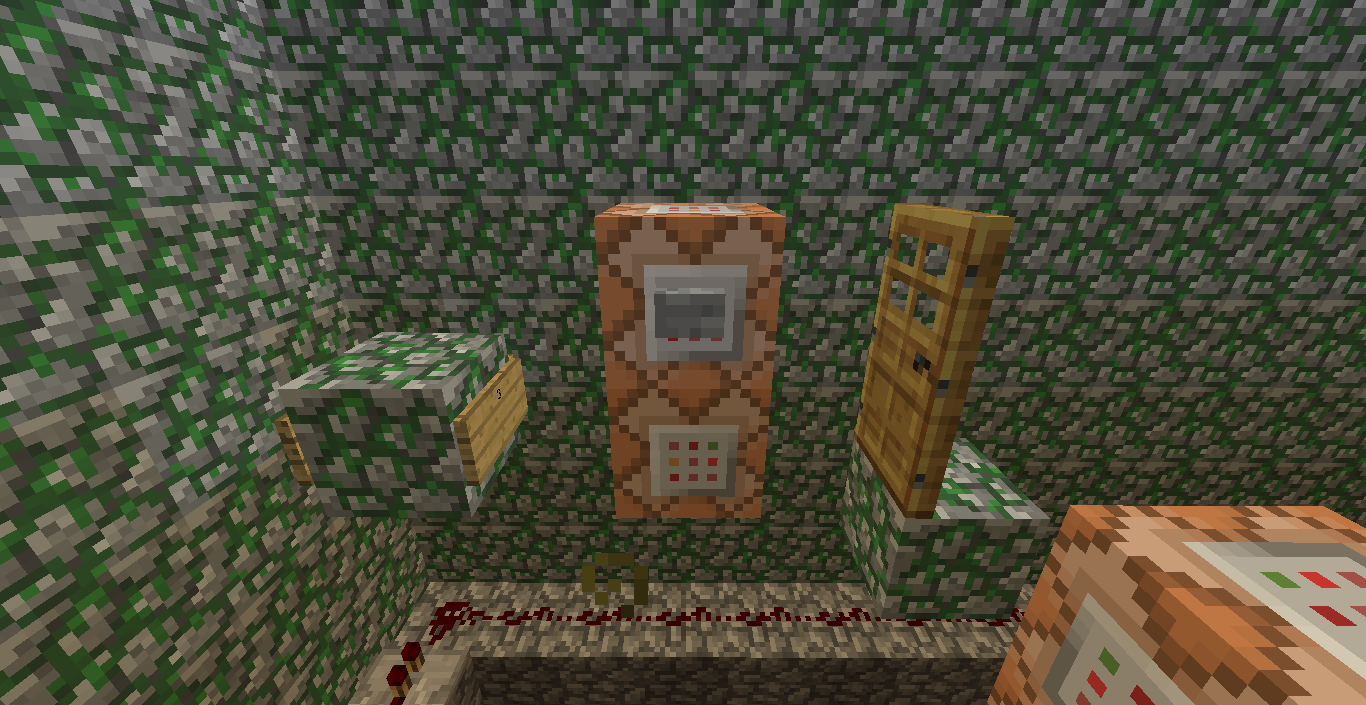
In previous versions of the game, I was able to spawn a door in a specific position, but I noticed in 1.7.2 that was not possible.
To duplicate this glitch, you'll need 2 command blocks, one on top of the other. In the top one place this code:
{DropItem:0}
[code:xml]setblock ~ ~ ~2 64 8 destroy[/code]
{DropItem:0}
And on the bottom place this code:
[code:xml]setblock ~ ~ ~2 64 4 destroy[/code]
The damage value of the upper door must be 8 or 9, and the DV on the bottom half of the door determines its position. In previous versions, IDS 1-4 would give 4 separate positions, but after 1.7.2, I was unable to get position 4, it would just move to position 1. I tested ID 5 and it moved to position 2.
Well, if Chrome hadn't crashed on me, this would be a lot more descriptive...
In previous versions of the game, I was able to spawn a door in a specific position, but I noticed in 1.7.2 that was not possible.
To duplicate this glitch, you'll need 2 command blocks, one on top of the other. In the top one place this code:
setblock ~ ~ ~2 64 8 destroy
{DropItem:0} {/code}
And on the bottom place this code:setblock ~ ~ ~2 64 4 destroy {DropItem:0}{/code}The damage value of the upper door must be 8 or 9, and the DV on the bottom half of the door determines its position. In previous versions, IDS 1-4 would give 4 separate positions, but after 1.7.2, I was unable to get position 4, it would just move to position 1. I tested ID 5 and it moved to position 2.
Well, if Chrome hadn't crashed on me, this would be a lot more descriptive...
In previous versions of the game, I was able to spawn a door in a specific position, but I noticed in 1.7.2 that was not possible.
To duplicate this glitch, you'll need 2 command blocks, one on top of the other. In the top one place this code:
setblock ~ ~ ~2 64 8 destroy
{DropItem:0} {/code}
And on the bottom place this code:setblock ~ ~ ~2 64 4 destroy {DropItem:0}{/code}The damage value of the upper door must be 8 or 9, and the DV on the bottom half of the door determines its position. In previous versions, IDS 1-4 would give 4 separate positions, but after 1.7.2, I was unable to get position 4, it would just move to position 1. I tested ID 5 and it moved to position 2.
Well, if Chrome hadn't crashed on me, this would be a lot more descriptive...
In previous versions of the game, I was able to spawn a door in a specific position, but I noticed in 1.7.2 that was not possible.
To duplicate this glitch, you'll need 2 command blocks, one on top of the other. In the top one place this code:
{code:xmlsetblock ~ ~ ~2 64 8 destroy {DropItem:0}}
And on the bottom place this code:
{code:xmlsetblock ~ ~ ~2 64 4 destroy {DropItem:0}}The damage value of the upper door must be 8 or 9, and the DV on the bottom half of the door determines its position. In previous versions, IDS 1-4 would give 4 separate positions, but after 1.7.2, I was unable to get position 4, it would just move to position 1. I tested ID 5 and it moved to position 2.
Well, if Chrome hadn't crashed on me, this would be a lot more descriptive...
In previous versions of the game, I was able to spawn a door in a specific position, but I noticed in 1.7.2 that was not possible.
To duplicate this glitch, you'll need 2 command blocks, one on top of the other. In the top one place this code:
{code:xmlsetblock ~ ~ ~2 64 8 destroy {DropItem:0}}
And on the bottom place this code:
{code:xmlsetblock ~ ~ ~2 64 4 destroy {DropItem:0}}The damage value of the upper door must be 8 or 9, and the DV on the bottom half of the door determines its position. In previous versions, IDS 1-4 would give 4 separate positions, but after 1.7.2, I was unable to get position 4, it would just move to position 1. I tested ID 5 and it moved to position 2.
Well, if Chrome hadn't crashed on me, this would be a lot more descriptive...
In previous versions of the game, I was able to spawn a door in a specific position, but I noticed in 1.7.2 that was not possible.
To duplicate this glitch, you'll need 2 command blocks, one on top of the other. In the top one place this code:
setblock ~ ~ ~2 64 8 destroy {DropItem:0}And on the bottom place this code:
setblock ~ ~ ~2 64 4 destroy {DropItem:0}The damage value of the upper door must be 8 or 9, and the DV on the bottom half of the door determines its position. In previous versions, IDS 1-4 would give 4 separate positions, but after 1.7.2, I was unable to get position 4, it would just move to position 1. I tested ID 5 and it moved to position 2.
Well, if Chrome hadn't crashed on me, this would be a lot more descriptive...because I haven't ever seen someone spawning doors regularly anywhere, so I figured not too many people know about it...
In previous versions of the game, I was able to spawn a door in a specific position, but I noticed in 1.7.2 that was not possible.
To duplicate this glitch, you'll need 2 command blocks, one on top of the other. In the top one place this code:
setblock ~ ~ ~2 64 8 destroy {DropItem:0}And on the bottom place this code:
setblock ~ ~ ~2 64 4 destroy {DropItem:0}The damage value of the upper door must be 8 or 9, and the DV on the bottom half of the door determines its position. In previous versions, IDS 1-4 would give 4 separate positions, but after 1.7.2, I was unable to get position 4, it would just move to position 1. I tested ID 5 and it moved to position 2.
Well, if Chrome hadn't crashed on me, this would be a lot more descriptive...because I haven't ever seen someone spawning doors regularly anywhere, so I figured not too many people know about it...
In previous versions of the game, I was able to spawn a door in a specific position, but I noticed in 1.7.2 that was not possible.
To duplicate this glitch, you'll need 2 command blocks, one on top of the other. In the top one place this code:
setblock ~ ~ ~2 64 8 destroy {DropItem:0}And on the bottom place this code:
setblock ~ ~ ~2 64 4 destroy {DropItem:0}The damage value of the upper door must be 8 or 9, and the DV on the bottom half of the door determines its position. In previous versions, IDS 1-4 would give 4 separate positions, but after 1.7.2, I was unable to get position 4, it would just move to position 1. I tested ID 5 and it moved to position 2.
This bug prevents me from progressing any farther in the tech of the map.
Well, if Chrome hadn't crashed on me, this would be a lot more descriptive...because I haven't ever seen someone spawning doors regularly anywhere, so I figured not too many people know about it...
In previous versions of the game, I was able to spawn a door in a specific position, but I noticed in 1.7.2 that was not possible.
To duplicate this glitch, you'll need 2 command blocks, one on top of the other. In the top one place this code:
setblock ~ ~ ~2 64 8 destroy {DropItem:0}And on the bottom place this code:
setblock ~ ~ ~2 64 4 destroy {DropItem:0}The damage value of the upper door must be 8 or 9, and the DV on the bottom half of the door determines its position. In previous versions, IDS 1-4 would give 4 separate positions, but after 1.7.2, I was unable to get position 4, it would just move to position 1. I tested ID 5 and it moved to position 2.
This bug prevents me from progressing any farther in the tech of the map. A vote up would be nice.
Well, if Chrome hadn't crashed on me, this would be a lot more descriptive...because I haven't ever seen someone spawning doors regularly anywhere, so I figured not too many people know about it...
In previous versions of the game, I was able to spawn a door in a specific position, but I noticed in 1.7.2 that was not possible.
To duplicate this glitch, you'll need 2 command blocks, one on top of the other. In the top one place this code:
setblock ~ ~ ~2 64 8 destroy {DropItem:0}And on the bottom place this code:
setblock ~ ~ ~2 64 4 destroy {DropItem:0}The damage value of the upper door must be 8 or 9, and the DV on the bottom half of the door determines its position. In previous versions, IDS 1-4 would give 4 separate positions, but after 1.7.2, I was unable to get position 4, it would just move to position 1. I tested ID 5 and it moved to position 2.
This bug prevents me from progressing any farther in the tech of the map. A vote up would be nice.
Additional details: persists even with exact coords, command blocks that were in the level before 1.7.2 still spawn correctly,
Well, if Chrome hadn't crashed on me, this would be a lot more descriptive...because I haven't ever seen someone spawning doors regularly anywhere, so I figured not too many people know about it...
In previous versions of the game, I was able to spawn a door in a specific position, but I noticed in 1.7.2 that was not possible.
To duplicate this glitch, you'll need 2 command blocks, one on top of the other. In the top one place this code:
setblock ~ ~ ~2 64 8 destroy {DropItem:0}And on the bottom place this code:
setblock ~ ~ ~2 64 4 destroy {DropItem:0}The damage value of the upper door must be 8 or 9, and the DV on the bottom half of the door determines its position. In previous versions, IDS 1-4 would give 4 separate positions, but after 1.7.2, I was unable to get position 4, it would just move to position 1. I tested ID 5 and it moved to position 2.
This bug prevents me from progressing any farther in the tech of the map. A vote up would be nice.
Additional details: persists even with exact coords, command blocks that were in the level before 1.7.2 still spawn correctly,
If someone would confirm this it would make me happier.
1.7.2-13w48b Door spawnplacementglitch1.7.2-13w48b Door setblock placement bug
Well, if Chrome hadn't crashed on me, this would be a lot more descriptive...because I haven't ever seen someone spawning doors regularly anywhere, so I figured not too many people know about it...
In previous versions of the game, I was able to spawn a door in a specific position, but I noticed in 1.7.2 that was not possible.
To duplicate this glitch, you'll need 2 command blocks, one on top of the other. In the top one place this code:
setblock ~ ~ ~2 64 8 destroy {DropItem:0}And on the bottom place this code:
setblock ~ ~ ~2 64 4 destroy {DropItem:0}The damage value of the upper door must be 8 or 9, and the DV on the bottom half of the door determines its position. In previous versions, IDS 1-4 would give 4 separate positions, but after 1.7.2, I was unable to get position 4, it would just move to position 1. I tested ID 5 and it moved to position 2.
This bug prevents me from progressing any farther in the tech of the map. A vote up would be nice.
Additional details: persists even with exact coords, command blocks that were in the level before 1.7.2 still spawn correctly,
If someone would confirm this it would make me happier. Seriously, the silence gets to you after some time...
Well, if Chrome hadn't crashed on me, this would be a lot more descriptive...because I haven't ever seen someone spawning doors regularly anywhere, so I figured not too many people know about it...
In previous versions of the game, I was able to spawn a door in a specific position, but I noticed in 1.7.2 that was not possible.
To duplicate this glitch, you'll need 2 command blocks, one on top of the other. In the top one place this code:
setblock ~ ~ ~2 64 8 destroy {DropItem:0}And on the bottom place this code:
setblock ~ ~ ~2 64 4 destroy {DropItem:0}The damage value of the upper door must be 8 or 9, and the DV on the bottom half of the door determines its position. In previous versions, IDS 1-4 would give 4 separate positions, but after 1.7.2, I was unable to get position 4, it would just move to position 1. I tested ID 5 and it moved to position 2.
This bug prevents me from progressing any farther in the tech of the map. A vote up would be nice.
Additional details: persists even with exact coords, command blocks that were in the level before 1.7.2 still spawn correctly,
If someone would confirm this it would make me happier. Seriously, the silence gets to you after some time... .-.
1.7.2-13w48bDoor setblock placement bug1.7.2-13w49 Door setblock placement bug
1.7.2-13w49Door setblock placement bug1.7.3 Door setblock placement bug
1.7.3Door setblock placement bug1.7.4 Door setblock placement bug
1.7.4 Door setblock placement bug [Resolved]
I did a quick search and nothing came up, SO...
I woke up one morning in MC and went outside to find a fully armored Villager Zombie. I thought "oh great, I can cure him. he ain't gonna die anytime soon."
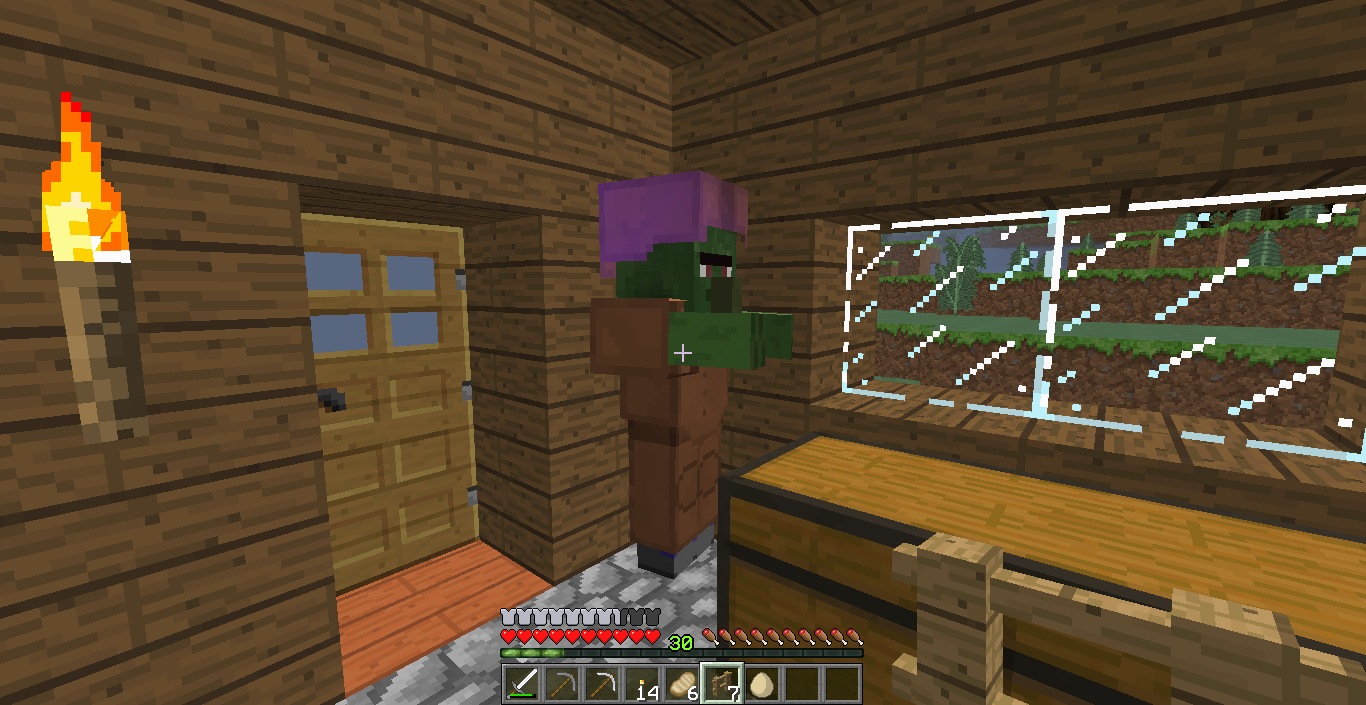
So, I led him into my house where I attempted to trap him, which didnt work out, so my wolf got up and started attacking him, after hurting me. I quickly made my wolf sit, and the zombie stood in the corner. Even after walking around out of the corner he didn't attack me. He did slip out of my house and I managed to push him back in again (pain in the arse, because even when I punched him, he stood there neutrally). After trapping him successfully (cause I could push him around like a passive mob), I saved and exited and came back. He was still neutral until I punched him.I'm not sure if this bug could be replicated too often, but here's a picture of him not trying to kill me in point-blank range.
EDIT: Supplied a crash log, sorry fo any inconvenience previously.
I did a quick search and nothing came up, SO...
I woke up one morning in MC and went outside to find a fully armored Villager Zombie. I thought "oh great, I can cure him. he ain't gonna die anytime soon."
So, I led him into my house where I attempted to trap him, which didnt work out, so my wolf got up and started attacking him, after hurting me. I quickly made my wolf sit, and the zombie stood in the corner. Even after walking around out of the corner he didn't attack me. He did slip out of my house and I managed to push him back in again (pain in the arse, because even when I punched him, he stood there neutrally). After trapping him successfully (cause I could push him around like a passive mob), I saved and exited and came back. He was still neutral until I punched him.I'm not sure if this bug could be replicated too often, but here's a picture of him not trying to kill me in point-blank range.
EDIT: Supplied a crash log, sorry for any inconvenience previously.
I did a quick search and nothing came up, SO...
I woke up one morning in MC and went outside to find a fully armored Villager Zombie. I thought "oh great, I can cure him. he ain't gonna die anytime soon."
So, I led him into my house where I attempted to trap him, which didnt work out, so my wolf got up and started attacking him, after hurting me. I quickly made my wolf sit, and the zombie stood in the corner. Even after walking around out of the corner he didn't attack me. He did slip out of my house and I managed to push him back in again (pain in the arse, because even when I punched him, he stood there neutrally). After trapping him successfully (cause I could push him around like a passive mob), I saved and exited and came back. He was still neutral until I punched him.I'm not sure if this bug could be replicated too often, but here's a picture of him not trying to kill me in point-blank range.
EDIT: Supplied a crash log, sorry for any inconvenience previously.
EDIT2: I CAN REPRODUCE IT! Im so happy!
Steps to reproduce:
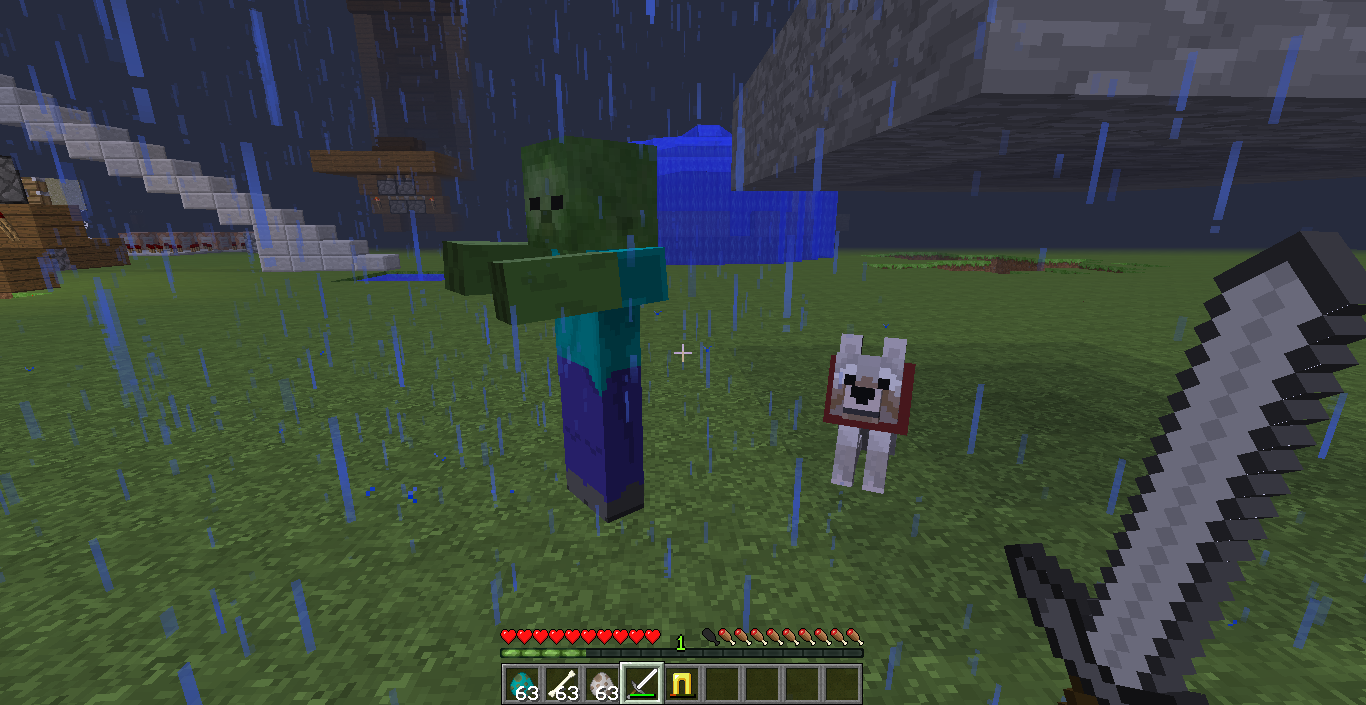
1-Spawn a zombie, and a wolf, Tame the wolf.
2-Hold a sword and go into survival mode, let the zombie hit you so that the wolf attacks teh zombie.
3-While still holding the sword, right-click your tamed wolf.
4-The zombie will lose aggresion towards you.
5-If the wolf dies, the zombie gets aggro on you again.I found a huge bug, and replicated it. Im awesome.
Friendly Zombie 1.7.2 [Can be Reproduced]
Friendly Zombie 1.7.2[Can be Reproduced]Friendly Zombie 13w49a [Can be Reproduced]
I did a quick search and nothing came up, SO...
I woke up one morning in MC and went outside to find a fully armored Villager Zombie. I thought "oh great, I can cure him. he ain't gonna die anytime soon."
So, I led him into my house where I attempted to trap him, which didnt work out, so my wolf got up and started attacking him, after hurting me. I quickly made my wolf sit, and the zombie stood in the corner. Even after walking around out of the corner he didn't attack me. He did slip out of my house and I managed to push him back in again (pain in the arse, because even when I punched him, he stood there neutrally). After trapping him successfully (cause I could push him around like a passive mob), I saved and exited and came back. He was still neutral until I punched him.I'm not sure if this bug could be replicated too often, but here's a picture of him not trying to kill me in point-blank range.
EDIT: Supplied a crash log, sorry for any inconvenience previously.
EDIT2: I CAN REPRODUCE IT! Im so happy!
Steps to reproduce:
1-Spawn a zombie, and a wolf, Tame the wolf.
2-Hold a sword and go into survival mode, let the zombie hit you so that the wolf attacks teh zombie.
3-While still holding the sword, right-click your tamed wolf.
4-The zombie will lose aggresion towards you.
5-If the wolf dies, the zombie gets aggro on you again.
6-You can now command your dog to follow you and the zombie will stay friendly.I found a huge bug, and replicated it. Im awesome.
I did a quick search and nothing came up, SO...
I woke up one morning in MC and went outside to find a fully armored Villager Zombie. I thought "oh great, I can cure him. he ain't gonna die anytime soon."
So, I led him into my house where I attempted to trap him, which didnt work out, so my wolf got up and started attacking him, after hurting me. I quickly made my wolf sit, and the zombie stood in the corner. Even after walking around out of the corner he didn't attack me. He did slip out of my house and I managed to push him back in again (pain in the arse, because even when I punched him, he stood there neutrally). After trapping him successfully (cause I could push him around like a passive mob), I saved and exited and came back. He was still neutral until I punched him.I'm not sure if this bug could be replicated too often, but here's a picture of him not trying to kill me in point-blank range.
EDIT: Supplied a crash log, sorry for any inconvenience previously.
EDIT2: I CAN REPRODUCE IT! Im so happy!
Steps to reproduce:
1-Spawn a zombie, and a wolf, Tame the wolf.
2-Hold a sword and go into survival mode, let the zombie hit you so that the wolf attacks teh zombie.
3-While still holding the sword, right-click your tamed wolf.
4-Thezombie will lose aggresion towards you.
5-If the wolf dies, the zombie gets aggro on you again.
6-You can now command your dog to follow you and the zombie will stay friendly.I found a huge bug, and replicated it. Im awesome.
I did a quick search and nothing came up, SO...
I woke up one morning in MC and went outside to find a fully armored Villager Zombie. I thought "oh great, I can cure him. he ain't gonna die anytime soon."
So, I led him into my house where I attempted to trap him, which didnt work out, so my wolf got up and started attacking him, after hurting me. I quickly made my wolf sit, and the zombie stood in the corner. Even after walking around out of the corner he didn't attack me. He did slip out of my house and I managed to push him back in again (pain in the arse, because even when I punched him, he stood there neutrally). After trapping him successfully (cause I could push him around like a passive mob), I saved and exited and came back. He was still neutral until I punched him.I'm not sure if this bug could be replicated too often, but here's a picture of him not trying to kill me in point-blank range.
EDIT: Supplied a crash log, sorry for any inconvenience previously.
EDIT2: I CAN REPRODUCE IT! Im so happy!
Steps to reproduce:
1-Spawn a zombie, and a wolf, Tame the wolf.
2-Hold a sword and go into survival mode, let the zombie hit you so that the wolf attacks teh zombie.
3-While still holding the sword, right-click your tamed wolf.
4-The wolf will sit (probably be standing visually) and the fighting will stop.
5-The zombie will lose aggresion towards you.
6-If the wolf dies, the zombie gets aggro on you again.
7-You can now command your dog to follow you and the zombie will stay friendly.I found a huge bug, and replicated it. Im awesome.
I did a quick search and nothing came up, SO...
I woke up one morning in MC and went outside to find a fully armored Villager Zombie. I thought "oh great, I can cure him. he ain't gonna die anytime soon."
So, I led him into my house where I attempted to trap him, which didnt work out, so my wolf got up and started attacking him, after hurting me. I quickly made my wolf sit, and the zombie stood in the corner. Even after walking around out of the corner he didn't attack me. He did slip out of my house and I managed to push him back in again (pain in the arse, because even when I punched him, he stood there neutrally). After trapping him successfully (cause I could push him around like a passive mob), I saved and exited and came back. He was still neutral until I punched him.I'm not sure if this bug could be replicated too often, but here's a picture of him not trying to kill me in point-blank range.
EDIT: Supplied a crash log, sorry for any inconvenience previously.
EDIT2: I CAN REPRODUCE IT! Im so happy!
Steps to reproduce:
1-Spawn a zombie, and a wolf, Tame the wolf.
2-Hold a sword and go into survival mode, let the zombie hit you so that the wolf attacks teh zombie.
3-While still holding the sword, right-click your tamed wolf.
4-The wolf will sit (probably be standing visually) and the fighting will stop.
5-The zombie will lose aggresion towards you.
6-If the wolf dies, the zombie gets aggro on you again.
7-You can now command your dog to follow you and the zombie will stay friendly.I found a huge bug, and replicated it. Im awesome.
I did a quick search and nothing came up, SO...
I woke up one morning in MC and went outside to find a fully armored Villager Zombie. I thought "oh great, I can cure him. he ain't gonna die anytime soon."
So, I led him into my house where I attempted to trap him, which didnt work out, so my wolf got up and started attacking him, after hurting me. I quickly made my wolf sit, and the zombie stood in the corner. Even after walking around out of the corner he didn't attack me. He did slip out of my house and I managed to push him back in again (pain in the arse, because even when I punched him, he stood there neutrally). After trapping him successfully (cause I could push him around like a passive mob), I saved and exited and came back. He was still neutral until I punched him.I'm not sure if this bug could be replicated too often, but here's a picture of him not trying to kill me in point-blank range.
EDIT: Supplied a crash log, sorry for any inconvenience previously.
EDIT2: I CAN REPRODUCE IT! Im so happy!
Steps to reproduce:
1-Spawn a zombie, and a wolf, Tame the wolf.
2-Hold a sword and go into survival mode, let the zombie hit you so that the wolf attacks teh zombie.
3-While still holding the sword, right-click your tamed wolf.
4-The wolf will sit (probably be standing visually) and the fighting will stop.
5-The zombie will lose aggresion towards you.
6-If the wolf dies, the zombie gets aggro on you again.
7-You can now command your dog to follow you and the zombie will stay friendly.NOTES: I think i actually used the fence post in the original bug, as shown by the photo, but the sword works too
I found a huge bug, and replicated it. Im awesome.
I did a quick search and nothing came up, SO...
I woke up one morning in MC and went outside to find a fully armored Villager Zombie. I thought "oh great, I can cure him. he ain't gonna die anytime soon."
So, I led him into my house where I attempted to trap him, which didnt work out, so my wolf got up and started attacking him, after hurting me. I quickly made my wolf sit, and the zombie stood in the corner. Even after walking around out of the corner he didn't attack me. He did slip out of my house and I managed to push him back in again (pain in the arse, because even when I punched him, he stood there neutrally). After trapping him successfully (cause I could push him around like a passive mob), I saved and exited and came back. He was still neutral until I punched him.I'm not sure if this bug could be replicated too often, but here's a picture of him not trying to kill me in point-blank range.
EDIT: Supplied a crash log, sorry for any inconvenience previously.
EDIT2: I CAN REPRODUCE IT! Im so happy!
Steps to reproduce:
1-Spawn a zombie, and a wolf, Tame the wolf.
2-Hold a sword and go into survival mode, let the zombie hit you so that the wolf attacks teh zombie.
3-While still holding the sword, right-click your tamed wolf.
4-The wolf will sit (probably be standing visually) and the fighting will stop.
5-The zombie will lose aggresion towards you.
6-If the wolf dies, the zombie gets aggro on you again.
7-You can now command your dog to follow you and the zombie will stay friendly.NOTES: I think i actually used the fence post in the original bug, as shown by the photo, but the sword works too
I found a huge bug, and replicated it. Imawesome.I did a quick search and nothing came up, SO...
I woke up one morning in MC and went outside to find a fully armored Villager Zombie. I thought "oh great, I can cure him. he ain't gonna die anytime soon."
So, I led him into my house where I attempted to trap him, which didnt work out, so my wolf got up and started attacking him, after hurting me. I quickly made my wolf sit, and the zombie stood in the corner. Even after walking around out of the corner he didn't attack me. He did slip out of my house and I managed to push him back in again (pain in the arse, because even when I punched him, he stood there neutrally). After trapping him successfully (cause I could push him around like a passive mob), I saved and exited and came back. He was still neutral until I punched him.I'm not sure if this bug could be replicated too often, but here's a picture of him not trying to kill me in point-blank range.
EDIT: Supplied a crash log, sorry for any inconvenience previously.
EDIT2: I CAN REPRODUCE IT! Im so happy!
Steps to reproduce:
1-Spawn a zombie, and a wolf, Tame the wolf.
2-Hold a sword and go into survival mode, let the zombie hit you so that the wolf attacks teh zombie.
3-While still holding the sword, right-click your tamed wolf.
4-The wolf will sit (probably be standing visually) and the fighting will stop.
5-The zombie will lose aggresion towards you.
6-If the wolf dies, the zombie gets aggro on you again.
7-You can now command your dog to follow you and the zombie will stay friendly.NOTES: I think i actually used the fence post in the original bug, as shown by the photo, but the sword works too.
I found a huge bug, and replicated it. Im proud of myself.
I did a quick search and nothing came up, SO...
I woke up one morning in MC and went outside to find a fully armored Villager Zombie. I thought "oh great, I can cure him. he ain't gonna die anytime soon."
So, I led him into my house where I attempted to trap him, which didnt work out, so my wolf got up and started attacking him, after hurting me. I quickly made my wolf sit, and the zombie stood in the corner. Even after walking around out of the corner he didn't attack me. He did slip out of my house and I managed to push him back in again (pain in the arse, because even when I punched him, he stood there neutrally). After trapping him successfully (cause I could push him around like a passive mob), I saved and exited and came back. He was still neutral until I punched him.I'm not sure if this bug could be replicated too often, but here's a picture of him not trying to kill me in point-blank range.
EDIT: Supplied a crash log, sorry for any inconvenience previously.
EDIT2: I CAN REPRODUCE IT! Im so happy!
Steps to reproduce:
1-Spawn a zombie, and a wolf, Tame the wolf.
2-Hold a sword and go into survival mode, let the zombie hit you so that the wolf attacks teh zombie.
3-While still holding the sword, right-click your tamed wolf.
4-The wolf will sit (probably will be standing visually for a second) and the fighting will stop.
5-The zombie will lose aggression towards you.
6-If the wolf dies, the zombie gets aggro on you again.
7-You can now command your dog to follow you and the zombie will stay friendly.NOTES: I think i actually used the fence post in the original bug, as shown by the photo, but the sword works too.
I found a huge bug, and replicated it. Im proud of myself.
I did a quick search and nothing came up, SO...
I woke up one morning in MC and went outside to find a fully armored Villager Zombie. I thought "oh great, I can cure him. he ain't gonna die anytime soon."
So, I led him into my house where I attempted to trap him, which didnt work out, so my wolf got up and started attacking him, after hurting me. I quickly made my wolf sit, and the zombie stood in the corner. Even after walking around out of the corner he didn't attack me. He did slip out of my house and I managed to push him back in again (pain in the arse, because even when I punched him, he stood there neutrally). After trapping him successfully (cause I could push him around like a passive mob), I saved and exited and came back. He was still neutral until I punched him.I'm not sure if this bug could be replicated too often, but here's a picture of him not trying to kill me in point-blank range.
EDIT: Supplied a crash log, sorry for any inconvenience previously.
EDIT2: I CAN REPRODUCE IT! Im so happy!
Steps to reproduce:
1-Spawn a zombie, and a wolf, Tame the wolf.
2-Hold a sword and go into survival mode, let the zombie hit you so that the wolf attacks teh zombie.
3-While still holding the sword, right-click your tamed wolf (a few times).
4-The wolf will sit (probably will be standing visually for a second) and the fighting will stop.
5-The zombie will lose aggression towards you.
6-If the wolf dies, the zombie gets aggro on you again.
7-You can now command your dog to follow you and the zombie will stay friendly.NOTES: I think i actually used the fence post in the original bug, as shown by the photo, but the sword works too.
I found a huge bug, and replicated it. Im proud of myself.
I did a quick search and nothing came up, SO...
I woke up one morning in MC and went outside to find a fully armored Villager Zombie. I thought "oh great, I can cure him. he ain't gonna die anytime soon."
So, I led him into my house where I attempted to trap him, which didnt work out, so my wolf got up and started attacking him, after hurting me. I quickly made my wolf sit, and the zombie stood in the corner. Even after walking around out of the corner he didn't attack me. He did slip out of my house and I managed to push him back in again (pain in the arse, because even when I punched him, he stood there neutrally). After trapping him successfully (cause I could push him around like a passive mob), I saved and exited and came back. He was still neutral until I punched him.I'm not sure if this bug could be replicated too often, but here's a picture of him not trying to kill me in point-blank range.
EDIT: Supplied a crash log, sorry for any inconvenience previously.
EDIT2: I CAN REPRODUCE IT! Im so happy!
Steps to reproduce:
1-Spawn a zombie, and a wolf, Tame the wolf.
2-Hold a sword and go into survival mode, let the zombie hit you so that the wolf attacks teh zombie.
3-While still holding the sword, right-click your tamed wolf (a few times).
4-The wolf will sit (probably will be standing visually for a second) and the fighting will stop.
5-The zombie will lose aggression towards you.
6-If the wolf dies, the zombie gets aggro on you again.
7-You can now command your dog to follow you and the zombie will stay friendly.NOTES: I think i actually used the fence post in the original bug, as shown by the photo, but the sword works too.
I found a huge bug, and replicated it. Im proud of myself.I did a quick search and nothing came up, SO...
I woke up one morning in MC and went outside to find a fully armored Villager Zombie. I thought "oh great, I can cure him. he ain't gonna die anytime soon."
So, I led him into my house where I attempted to trap him, which didnt work out, so my wolf got up and started attacking him, after hurting me. I quickly made my wolf sit, and the zombie stood in the corner. Even after walking around out of the corner he didn't attack me. He did slip out of my house and I managed to push him back in again (pain in the arse, because even when I punched him, he stood there neutrally). After trapping him successfully (cause I could push him around like a passive mob), I saved and exited and came back. He was still neutral until I punched him.I'm not sure if this bug could be replicated too often, but here's a picture of him not trying to kill me in point-blank range.
EDIT: Supplied a crash log, sorry for any inconvenience previously.
EDIT2: I CAN REPRODUCE IT! Im so happy!
Steps to reproduce:
1-Spawn a zombie, and a wolf, Tame the wolf.
2-Hold a sword and go into survival mode, let the zombie hit you so that the wolf attacks teh zombie.
3-While still holding the sword, right-click your tamed wolf (a few times).
4-The wolf will sit (probably will be standing visually for a second) and the fighting will stop.
5-The zombie will lose aggression towards you.
6-If the wolf dies, the zombie gets aggro on you again.
7-You can now command your dog to follow you and the zombie will stay friendly.NOTES: I think i actually used the fence post in the original bug, as shown by the photo, but the sword works too. I managed to have 5 neutral zombies at one time, before my wolf died and all hell broke loose (on a test map thankfully).
I found a huge bug, and replicated it. Im proud of myself.
I did a quick search and nothing came up, SO...
I woke up one morning in MC and went outside to find a fully armored Villager Zombie. I thought "oh great, I can cure him. he ain't gonna die anytime soon."
So, I led him into my house where I attempted to trap him, which didnt work out, so my wolf got up and started attacking him, after hurting me. I quickly made my wolf sit, and the zombie stood in the corner. Even after walking around out of the corner he didn't attack me. He did slip out of my house and I managed to push him back in again (pain in the arse, because even when I punched him, he stood there neutrally). After trapping him successfully (cause I could push him around like a passive mob), I saved and exited and came back. He was still neutral until I punched him.I'm not sure if this bug could be replicated too often, but here's a picture of him not trying to kill me in point-blank range.
EDIT: Supplied a crash log, sorry for any inconvenience previously.
EDIT2: I CAN REPRODUCE IT! Im so happy!
Steps to reproduce:
1-Spawn a zombie, and a wolf, Tame the wolf.
2-Hold a sword and go into survival mode, let the zombie hit you so that the wolf attacks teh zombie.
3-While still holding the sword, right-click your tamed wolf (a few times).
4-The wolf will sit (probably will be standing visually for a second) and the fighting will stop.
5-The zombie will lose aggression towards you.
6-If the wolf dies, the zombie gets aggro on you again.
7-You can now command your dog to follow you and the zombie will stay friendly.NOTES: I think i actually used the fence post in the original bug, as shown by the photo, but the sword works too. I managed to have 5 neutral zombies at one time, before my wolf died and all hell broke loose (on a test map thankfully).
I found a huge bug, and replicated it. Im proud of myself.
I did a quick search and nothing came up, SO...
I woke up one morning in MC and went outside to find a fully armored Villager Zombie. I thought "oh great, I can cure him. he ain't gonna die anytime soon."
So, I led him into my house where I attempted to trap him, which didnt work out, so my wolf got up and started attacking him, after hurting me. I quickly made my wolf sit, and the zombie stood in the corner. Even after walking around out of the corner he didn't attack me. He did slip out of my house and I managed to push him back in again (pain in the arse, because even when I punched him, he stood there neutrally). After trapping him successfully (cause I could push him around like a passive mob), I saved and exited and came back. He was still neutral until I punched him.I'm not sure if this bug could be replicated too often, but here's a picture of him not trying to kill me in point-blank range.
Edit: Supplied a crash log, sorry for any inconvenience previously.
Edit2: I CAN REPRODUCE IT! Im so happy!
Steps to reproduce:
1-Spawn a zombie, and a wolf, Tame the wolf.
2-Hold a sword and go into survival mode, let the zombie hit you so that the wolf attacks teh zombie.
3-While still holding the sword, right-click your tamed wolf (a few times).
4-The wolf will sit (probably will be standing visually for a second) and the fighting will stop.
5-The zombie will lose aggression towards you.
6-If the wolf dies, the zombie gets aggro on you again.
7-You can now command your dog to follow you and the zombie will stay friendly.NOTES: I think i actually used the fence post in the original bug, as shown by the photo, but the sword works too. I managed to have 5 neutral zombies at one time, before my wolf died and all hell broke loose (on a test map thankfully).
I found a huge bug, and replicated it. Im proud of myself.
I did a quick search and nothing came up, SO...
I woke up one morning in MC and went outside to find a fully armored Villager Zombie. I thought "oh great, I can cure him. he ain't gonna die anytime soon."
So, I led him into my house where I attempted to trap him, which didnt work out, so my wolf got up and started attacking him, after hurting me. I quickly made my wolf sit, and the zombie stood in the corner. Even after walking around out of the corner he didn't attack me. He did slip out of my house and I managed to push him back in again (pain in the arse, because even when I punched him, he stood there neutrally). After trapping him successfully (cause I could push him around like a passive mob), I saved and exited and came back. He was still neutral until I punched him.I'm not sure if this bug could be replicated too often, but here's a picture of him not trying to kill me in point-blank range.
Edit: Supplied a crash log, sorry for any inconvenience previously.
Edit2: I CAN REPRODUCE IT! Im so happy!
Steps to reproduce:
1-Spawn a zombie, and a wolf, Tame the wolf.
2-Hold a sword and go into survival mode, let the zombie hit you so that the wolf attacks teh zombie.
3-While still holding the sword, right-click your tamed wolf (a few times).
4-The wolf will sit (probably will be standing visually for a second) and the fighting will stop.
5-The zombie will lose aggression towards you.
6-If the wolf dies, the zombie gets aggro on you again.
7-You can now command your dog to follow you and the zombie will stay friendly.NOTES: I think i actually used the fence post in the original bug, as shown by the photo, but the sword works too. I managed to have 5 neutral zombies at one time, before my wolf died and all hell broke loose (on a test map thankfully).
I found a huge bug, and replicated it. Im proud of myself.
I did a quick search and nothing came up, SO...
I woke up one morning in MC and went outside to find a fully armored Villager Zombie. I thought "oh great, I can cure him. he ain't gonna die anytime soon."
So, I led him into my house where I attempted to trap him, which didnt work out, so my wolf got up and started attacking him, after hurting me. I quickly made my wolf sit, and the zombie stood in the corner. Even after walking around out of the corner he didn't attack me. He did slip out of my house and I managed to push him back in again (pain in the arse, because even when I punched him, he stood there neutrally). After trapping him successfully (cause I could push him around like a passive mob), I saved and exited and came back. He was still neutral until I punched him.I'm not sure if this bug could be replicated too often, but here's a picture of him not trying to kill me in point-blank range.
Edit: Supplied a crash log, sorry for any inconvenience previously.
Edit2: I CAN REPRODUCE IT! Im so happy!
Steps to reproduce:
1-Spawn a zombie, and a wolf, Tame the wolf.
2-Hold a sword and go into survival mode, let the zombie hit you so that the wolf attacks teh zombie.
3-While still holding the sword, right-click your tamed wolf (a few times).
4-The wolf will sit (probably will be standing visually for a second) and the fighting will stop.
5-The zombie will lose aggression towards you.
6-If the wolf dies, the zombie gets aggro on you again.
7-You can now command your dog to follow you and the zombie will stay friendly.
NOTES: I think i actually used the fence post in the original bug, as shown by the photo, but the sword works too. I managed to have 5 neutral zombies at one time, before my wolf died and all hell broke loose (on a test map thankfully).
I found a huge bug, and replicated it. Im proud of myself.
I did a quick search and nothing came up, SO...
_I woke up one morning in MC and went outside to find a fully armored Villager Zombie. I thought "oh great, I can cure him. he ain't gonna die anytime soon."
So, I led him into my house where I attempted to trap him, which didnt work out, so my wolf got up and started attacking him, after hurting me. I quickly made my wolf sit, and the zombie stood in the corner. Even after walking around out of the corner he didn't attack me. He did slip out of my house and I managed to push him back in again (pain in the arse, because even when I punched him, he stood there neutrally). After trapping him successfully (cause I could push him around like a passive mob), I saved and exited and came back. He was still neutral until I punched him._I'm not sure if this bug could be replicated too often, but here's a picture of him not trying to kill me in point-blank range.
Edit: Supplied a crash log, sorry for any inconvenience previously.
Edit2: I CAN REPRODUCE IT! Im so happy!
Steps to reproduce:
1-Spawn a zombie, and a wolf, Tame the wolf.
2-Hold a sword and go into survival mode, let the zombie hit you so that the wolf attacks teh zombie.
3-While still holding the sword, right-click your tamed wolf (a few times).
4-The wolf will sit (probably will be standing visually for a second) and the fighting will stop.
5-The zombie will lose aggression towards you.
6-If the wolf dies, the zombie gets aggro on you again.
7-You can now command your dog to follow you and the zombie will stay friendly.
NOTES: I think i actually used the fence post in the original bug, as shown by the photo, but the sword works too. I managed to have 5 neutral zombies at one time, before my wolf died and all hell broke loose (on a test map thankfully).
I found a huge bug, and replicated it. Im proud of myself.
I did a quick search and nothing came up, SO...
_I woke up one morning in MC and went outside to find a fully armored Villager Zombie. I thought "oh great, I can cure him. he ain't gonna die anytime soon."
So, I led him into my house where I attempted to trap him, which didnt work out, so my wolf got up and started attacking him, after hurting me. I quickly made my wolf sit, and the zombie stood in the corner. Even after walking around out of the corner he didn't attack me. He did slip out of my house and I managed to push him back in again (pain in the arse, because even when I punched him, he stood there neutrally). After trapping him successfully (cause I could push him around like a passive mob), I saved and exited and came back. He was still neutral until I punched him._I'm not sure if this bug could be replicated too often, but here's a picture of him not trying to kill me in point-blank range.
Edit: Supplied a crash log, sorry for any inconvenience previously.
Edit2: I CAN REPRODUCE IT! Im so happy!
Steps to reproduce:
1-Spawn a zombie, and a wolf, Tame the wolf.
2-Hold a sword and go into survival mode, let the zombie hit you so that the wolf attacks teh zombie.
3-While still holding the sword, right-click your tamed wolf (a few times).
4-The wolf will sit (probably will be standing visually for a second) and the fighting will stop.
5-The zombie will lose aggression towards you.
6-If the wolf dies, the zombie gets aggro on you again.
7-You can now command your dog to follow you and the zombie will stay friendly.
NOTES: I think i actually used the fence post in the original bug, as shown by the photo, but the sword works too. I managed to have 5 neutral zombies at one time, before my wolf died and all hell broke loose (on a test map thankfully).
I found a huge bug, and replicated it. Im proud of myself.
I did a quick search and nothing came up, SO...
??I woke up one morning in MC and went outside to find a fully armored Villager Zombie. I thought "oh great, I can cure him. he ain't gonna die anytime soon."
So, I led him into my house where I attempted to trap him, which didnt work out, so my wolf got up and started attacking him, after hurting me. I quickly made my wolf sit, and the zombie stood in the corner. Even after walking around out of the corner he didn't attack me. He did slip out of my house and I managed to push him back in again (pain in the arse, because even when I punched him, he stood there neutrally). After trapping him successfully (cause I could push him around like a passive mob), I saved and exited and came back. He was still neutral until I punched him.??I'm not sure if this bug could be replicated too often, but here's a picture of him not trying to kill me in point-blank range.
Edit: Supplied a crash log, sorry for any inconvenience previously.
Edit2: I CAN REPRODUCE IT! Im so happy!
Steps to reproduce:
1-Spawn a zombie, and a wolf, Tame the wolf.
2-Hold a sword and go into survival mode, let the zombie hit you so that the wolf attacks teh zombie.
3-While still holding the sword, right-click your tamed wolf (a few times).
4-The wolf will sit (probably will be standing visually for a second) and the fighting will stop.
5-The zombie will lose aggression towards you.
6-If the wolf dies, the zombie gets aggro on you again.
7-You can now command your dog to follow you and the zombie will stay friendly.
NOTES: I think i actually used the fence post in the original bug, as shown by the photo, but the sword works too. I managed to have 5 neutral zombies at one time, before my wolf died and all hell broke loose (on a test map thankfully).
I found a huge bug, and replicated it. Im proud of myself.
I did a quick search and nothing came up, SO...
??I woke up one morning in MC and went outside to find a fully armored Villager Zombie. I thought "oh great, I can cure him. he ain't gonna die anytime soon."
So, I led him into my house where I attempted to trap him, which didnt work out, so my wolf got up and started attacking him, after hurting me. I quickly made my wolf sit, and the zombie stood in the corner. Even after walking around out of the corner he didn't attack me. He did slip out of my house and I managed to push him back in again (pain in the arse, because even when I punched him, he stood there neutrally). After trapping him successfully (cause I could push him around like a passive mob), I saved and exited and came back. He was still neutral until I punched him.??I'm not sure if this bug could be replicated too often, but here's a picture of him not trying to kill me in point-blank range.
Edit: Supplied a crash log, sorry for any inconvenience previously.
Edit2: I CAN REPRODUCE IT! Im so happy!
Steps to reproduce:
1-Spawn a zombie, and a wolf, Tame the wolf.
2-Hold a sword and go into survival mode, let the zombie hit you so that the wolf attacks teh zombie.
3-While still holding the sword, right-click your tamed wolf (a few times).
4-The wolf will sit (probably will be standing visually for a second) and the fighting will stop.
5-The zombie will lose aggression towards you.
6-If the wolf dies, the zombie gets aggro on you again.
7-You can now command your dog to follow you and the zombie will stay friendly.
NOTES: I think i actually used the fence post in the original bug, as shown by the photo, but the sword works too. I managed to have 5 neutral zombies at one time, before my wolf died and all hell broke loose (on a test map thankfully).
I found a huge bug, and replicated it. Im proud of myself.
I did a quick search and nothing came up, SO...
+I woke up one morning in MC and went outside to find a fully armored Villager Zombie. I thought "oh great, I can cure him. he ain't gonna die anytime soon."
So, I led him into my house where I attempted to trap him, which didnt work out, so my wolf got up and started attacking him, after hurting me. I quickly made my wolf sit, and the zombie stood in the corner. Even after walking around out of the corner he didn't attack me. He did slip out of my house and I managed to push him back in again (pain in the arse, because even when I punched him, he stood there neutrally). After trapping him successfully (cause I could push him around like a passive mob), I saved and exited and came back. He was still neutral until I punched him.+I'm not sure if this bug could be replicated too often, but here's a picture of him not trying to kill me in point-blank range.
Edit: Supplied a crash log, sorry for any inconvenience previously.
Edit2: I CAN REPRODUCE IT! Im so happy!
Steps to reproduce:
1-Spawn a zombie, and a wolf, Tame the wolf.
2-Hold a sword and go into survival mode, let the zombie hit you so that the wolf attacks teh zombie.
3-While still holding the sword, right-click your tamed wolf (a few times).
4-The wolf will sit (probably will be standing visually for a second) and the fighting will stop.
5-The zombie will lose aggression towards you.
6-If the wolf dies, the zombie gets aggro on you again.
7-You can now command your dog to follow you and the zombie will stay friendly.
NOTES: I think i actually used the fence post in the original bug, as shown by the photo, but the sword works too. I managed to have 5 neutral zombies at one time, before my wolf died and all hell broke loose (on a test map thankfully).
I found a huge bug, and replicated it. Im proud of myself.
I did a quick search and nothing came up, SO...
+I woke up one morning in MC and went outside to find a fully armored Villager Zombie. I thought "oh great, I can cure him. he ain't gonna die anytime soon."
So, I led him into my house where I attempted to trap him, which didnt work out, so my wolf got up and started attacking him, after hurting me. I quickly made my wolf sit, and the zombie stood in the corner. Even after walking around out of the corner he didn't attack me. He did slip out of my house and I managed to push him back in again (pain in the arse, because even when I punched him, he stood there neutrally). After trapping him successfully (cause I could push him around like a passive mob), I saved and exited and came back. He was still neutral until I punched him.+I'm not sure if this bug could be replicated too often, but here's a picture of him not trying to kill me in point-blank range.
Edit: Supplied a crash log, sorry for any inconvenience previously.
Edit2: I CAN REPRODUCE IT! Im so happy!
Steps to reproduce:
1-Spawn a zombie, and a wolf, Tame the wolf.
2-Hold a sword and go into survival mode, let the zombie hit you so that the wolf attacks teh zombie.
3-While still holding the sword, right-click your tamed wolf (a few times).
4-The wolf will sit (probably will be standing visually for a second) and the fighting will stop.
5-The zombie will lose aggression towards you.
6-If the wolf dies, the zombie gets aggro on you again.
7-You can now command your dog to follow you and the zombie will stay friendly.
NOTES: I think i actually used the fence post in the original bug, as shown by the photo, but the sword works too. I managed to have 5 neutral zombies at one time, before my wolf died and all hell broke loose (on a test map thankfully).
I found a huge bug, and replicated it. Im proud of myself.
I did a quick search and nothing came up, SO...
I woke up one morning in MC and went outside to find a fully armored Villager Zombie. I thought "oh great, I can cure him. he ain't gonna die anytime soon."
So, I led him into my house where I attempted to trap him, which didnt work out, so my wolf got up and started attacking him, after hurting me. I quickly made my wolf sit, and the zombie stood in the corner. Even after walking around out of the corner he didn't attack me. He did slip out of my house and I managed to push him back in again (pain in the arse, because even when I punched him, he stood there neutrally). After trapping him successfully (cause I could push him around like a passive mob), I saved and exited and came back. He was still neutral until I punched him.I'm not sure if this bug could be replicated too often, but here's a picture of him not trying to kill me in point-blank range.
Edit: Supplied a crash log, sorry for any inconvenience previously.
Edit2: I CAN REPRODUCE IT! Im so happy!
Steps to reproduce:
1-Spawn a zombie, and a wolf, Tame the wolf.
2-Hold a sword and go into survival mode, let the zombie hit you so that the wolf attacks teh zombie.
3-While still holding the sword, right-click your tamed wolf (a few times).
4-The wolf will sit (probably will be standing visually for a second) and the fighting will stop.
5-The zombie will lose aggression towards you.
6-If the wolf dies, the zombie gets aggro on you again.
7-You can now command your dog to follow you and the zombie will stay friendly.
NOTES: I think i actually used the fence post in the original bug, as shown by the photo, but the sword works too. I managed to have 5 neutral zombies at one time, before my wolf died and all hell broke loose (on a test map thankfully).
I found a huge bug, and replicated it. Im proud of myself.
I did a quick search and nothing came up, SO...
I woke up one morning in MC and went outside to find a fully armored Villager Zombie. I thought "oh great, I can cure him. he ain't gonna die anytime soon."
So, I led him into my house where I attempted to trap him, which didnt work out, so my wolf got up and started attacking him, after hurting me. I quickly made my wolf sit, and the zombie stood in the corner. Even after walking around out of the corner he didn't attack me. He did slip out of my house and I managed to push him back in again (pain in the arse, because even when I punched him, he stood there neutrally). After trapping him successfully (cause I could push him around like a passive mob), I saved and exited and came back. He was still neutral until I punched him.I'm not sure if this bug could be replicated too often, but here's a picture of him not trying to kill me in point-blank range.
Edit: Supplied a crash log, sorry for any inconvenience previously.
Edit2: I CAN REPRODUCE IT! Im so happy!
Steps to reproduce:
1-Spawn a zombie, and a wolf, Tame the wolf.
2-Hold a sword and go into survival mode, let the zombie hit you so that the wolf attacks teh zombie.
3-While still holding the sword, right-click your tamed wolf (a few times).
4-The wolf will sit (probably will be standing visually for a second) and the fighting will stop.
5-The zombie will lose aggression towards you.
6-If the wolf dies, the zombie gets aggro on you again.
7-You can now command your dog to follow you and the zombie will stay friendly.
NOTES: I think i actually used the fence post in the original bug, as shown by the photo, but the sword works too. I managed to have 5 neutral zombies at one time, before my wolf died and all hell broke loose (on a test map thankfully).
I found a huge bug, and replicated it. Im proud of myself.
I did a quick search and nothing came up, SO...
I woke up one morning in MC and went outside to find a fully armored Villager Zombie. I thought "oh great, I can cure him. he ain't gonna die anytime soon."
So, I led him into my house where I attempted to trap him, which didnt work out, so my wolf got up and started attacking him, after hurting me. I quickly made my wolf sit, and the zombie stood in the corner. Even after walking around out of the corner he didn't attack me. He did slip out of my house and I managed to push him back in again (pain in the arse, because even when I punched him, he stood there neutrally). After trapping him successfully (cause I could push him around like a passive mob), I saved and exited and came back. He was still neutral until I punched him.I'm not sure if this bug could be replicated too often, but here's a picture of him not trying to kill me in point-blank range.
Edit: Supplied a crash log, sorry for any inconvenience previously.
Edit2: I CAN REPRODUCE IT! Im so happy!
Steps to reproduce:
1-Spawn a zombie, and a wolf, Tame the wolf.
2-Hold a sword and go into survival mode, let the zombie hit you so that the wolf attacks teh zombie.
3-While still holding the sword, right-click your tamed wolf (a few times).
4-The wolf will sit (probably will be standing visually for a second) and the fighting will stop.
5-The zombie will lose aggression towards you.
6-If the wolf dies, the zombie gets aggro on you again.
7-You can now command your dog to follow you and the zombie will stay friendly.NOTES: I think i actually used the fence post in the original bug, as shown by the photo, but the sword works too. I managed to have 5 neutral zombies at one time, before my wolf died and all hell broke loose (on a test map thankfully).
I found a huge bug, and replicated it. Im proud of myself.
I did a quick search and nothing came up, SO...
I woke up one morning in MC and went outside to find a fully armored Villager Zombie. I thought "oh great, I can cure him. he ain't gonna die anytime soon."
So, I led him into my house where I attempted to trap him, which didnt work out, so my wolf got up and started attacking him, after hurting me. I quickly made my wolf sit, and the zombie stood in the corner. Even after walking around out of the corner he didn't attack me. He did slip out of my house and I managed to push him back in again (pain in the arse, because even when I punched him, he stood there neutrally). After trapping him successfully (cause I could push him around like a passive mob), I saved and exited and came back. He was still neutral until I punched him.I'm not sure if this bug could be replicated too often, but here's a picture of him not trying to kill me in point-blank range.
Edit: Supplied a crash log, sorry for any inconvenience previously.
Edit2: I CAN REPRODUCE IT! Im so happy!
Steps to reproduce:
1-Spawn a zombie, and a wolf, Tame the wolf.
2-Hold a sword and go into survival mode, let the zombie hit you so that the wolf attacks teh zombie.
3-While still holding the sword, right-click your tamed wolf (a few times).
4-The wolf will sit (probably will be standing visually for a second) and the fighting will stop.
5-The zombie will lose aggression towards you.
6-If the wolf dies, the zombie gets aggro on you again.
7-You can now command your dog to follow you and the zombie will stay friendly.NOTES: I think i actually used the fence post in the original bug, as shown by the photo, but the sword works too. I managed to have 5 neutral zombies at one time, before my wolf died and all hell broke loose (on a test map thankfully).
I found a huge bug, and replicated it. Im proud of myself.
I did a quick search and nothing came up, SO...
I woke up one morning in MC and went outside to find a fully armored Villager Zombie. I thought "oh great, I can cure him. he ain't gonna die anytime soon."
So, I led him into my house where I attempted to trap him, which didnt work out, so my wolf got up and started attacking him, after hurting me. I quickly made my wolf sit, and the zombie stood in the corner. Even after walking around out of the corner he didn't attack me. He did slip out of my house and I managed to push him back in again (pain in the arse, because even when I punched him, he stood there neutrally). After trapping him successfully (cause I could push him around like a passive mob), I saved and exited and came back. He was still neutral until I punched him.I'm not sure if this bug could be replicated too often, but here's a picture of him not trying to kill me in point-blank range.
Edit: Supplied a crash log, sorry for any inconvenience previously.
Edit2: I CAN REPRODUCE IT! Im so happy!
Steps to reproduce:
1-Spawn a zombie, and a wolf, Tame the wolf.
2-Hold a sword and go into survival mode, let the zombie hit you so that the wolf attacks teh zombie.
3-While still holding the sword, right-click your tamed wolf (a few times).
4-The wolf will sit (probably will be standing visually for a second) and the fighting will stop.
5-The zombie will lose aggression towards you.
6-If the wolf dies, the zombie gets aggro on you again.
7-You can now command your dog to follow you and the zombie will stay friendly.NOTES: I think i actually used the fence post in the original bug, as shown by the photo, but the sword works too. I managed to have 5 neutral zombies at one time, before my wolf died and all hell broke loose (on a test map thankfully).
I found a huge bug, and replicated it. Im proud of myself.
I did a quick search and nothing came up, SO...
I woke up one morning in MC and went outside to find a fully armored Villager Zombie. I thought "oh great, I can cure him. he ain't gonna die anytime soon."
So, I led him into my house where I attempted to trap him, which didnt work out, so my wolf got up and started attacking him, after hurting me. I quickly made my wolf sit, and the zombie stood in the corner. Even after walking around out of the corner he didn't attack me. He did slip out of my house and I managed to push him back in again (pain in the arse, because even when I punched him, he stood there neutrally). After trapping him successfully (cause I could push him around like a passive mob), I saved and exited and came back. He was still neutral until I punched him.I'm not sure if this bug could be replicated too often, but here's a picture of him not trying to kill me in point-blank range.
Edit: Supplied a crash log, sorry for any inconvenience previously.
Edit2: I CAN REPRODUCE IT! Im so happy!
Steps to reproduce:
1-Spawn a zombie, and a wolf, Tame the wolf.
2-Hold a sword and go into survival mode, let the zombie hit you so that the wolf attacks teh zombie.
3-While still holding the sword, right-click your tamed wolf (a few times).
4-The wolf will sit (probably will be standing visually for a second) and the fighting will stop.
5-The zombie will lose aggression towards you.
6-If the wolf dies, the zombie gets aggro on you again.
7-You can now command your dog to follow you and the zombie will stay friendly.NOTES: I think i actually used the fence post in the original bug, as shown by the photo, but the sword works too. I managed to have 5 neutral zombies at one time, before my wolf died and all hell broke loose (on a test map thankfully).
I found a huge bug, and replicated it. Im proud of myself.
I did a quick search and nothing came up, SO...
I woke up one morning in MC and went outside to find a fully armored Villager Zombie. I thought "oh great, I can cure him. he ain't gonna die anytime soon."
So, I led him into my house where I attempted to trap him, which didnt work out, so my wolf got up and started attacking him, after hurting me. I quickly made my wolf sit, and the zombie stood in the corner. Even after walking around out of the corner he didn't attack me. He did slip out of my house and I managed to push him back in again (pain in the arse, because even when I punched him, he stood there neutrally). After trapping him successfully (cause I could push him around like a passive mob), I saved and exited and came back. He was still neutral until I punched him.I'm not sure if this bug could be replicated too often, but here's a picture of him not trying to kill me in point-blank range.
Edit: Supplied a crash log, sorry for any inconvenience previously.
Edit2: I CAN REPRODUCE IT! Im so happy!
Steps to reproduce:
1-Spawn a zombie, and a wolf, Tame the wolf.
2-Hold a sword and go into survival mode, let the zombie hit you so that the wolf attacks teh zombie.
3-While still holding the sword, right-click your tamed wolf (a few times).
4-The wolf will sit (probably will be standing visually for a second) and the fighting will stop.
5-The zombie will lose aggression towards you.
6-If the wolf dies, the zombie gets aggro on you again.
7-You can now command your dog to follow you and the zombie will stay friendly.NOTES: I think i actually used the fence post in the original bug, as shown by the photo, but the sword works too. I managed to have 5 neutral zombies at one time, before my wolf died and all hell broke loose (on a test map thankfully).
I found a huge bug, and replicated it. Im proud of myself.
I did a quick search and nothing came up, SO...
I woke up one morning in MC and went outside to find a fully armored Villager Zombie. I thought "oh great, I can cure him. he ain't gonna die anytime soon."
So, I led him into my house where I attempted to trap him, which didnt work out, so my wolf got up and started attacking him, after hurting me. I quickly made my wolf sit, and the zombie stood in the corner. Even after walking around out of the corner he didn't attack me. He did slip out of my house and I managed to push him back in again (pain in the arse, because even when I punched him, he stood there neutrally). After trapping him successfully (cause I could push him around like a passive mob), I saved and exited and came back. He was still neutral until I punched him.I'm not sure if this bug could be replicated too often, but here's a picture of him not trying to kill me in point-blank range.
Edit: Supplied a crash log, sorry for any inconvenience previously.
Edit2: I CAN REPRODUCE IT! Im so happy!
Steps to reproduce:
1-Spawn a zombie, and a wolf, Tame the wolf.
2-Hold a sword and go into survival mode, let the zombie hit you so that the wolf attacks teh zombie.
3-While still holding the sword, right-click your tamed wolf (a few times).
4-The wolf will sit (probably will be standing visually for a second) and the fighting will stop.
5-The zombie will lose aggression towards you.
6-If the wolf dies, the zombie gets aggro on you again.
7-You can now command your dog to follow you and the zombie will stay friendly.NOTES: I think i actually used the fence post in the original bug, as shown by the photo, but the sword works too. I managed to have 5 neutral zombies at one time, before my wolf died and all hell broke loose (on a test map thankfully).
Since my other bug didn't get any feedback, could you please take a look at it now as well?
MC-41304I found a huge bug, and replicated it. Im proud of myself.
I did a quick search and nothing came up, SO...
I woke up one morning in MC and went outside to find a fully armored Villager Zombie. I thought "oh great, I can cure him. he ain't gonna die anytime soon."
So, I led him into my house where I attempted to trap him, which didnt work out, so my wolf got up and started attacking him, after hurting me. I quickly made my wolf sit, and the zombie stood in the corner. Even after walking around out of the corner he didn't attack me. He did slip out of my house and I managed to push him back in again (pain in the arse, because even when I punched him, he stood there neutrally). After trapping him successfully (cause I could push him around like a passive mob), I saved and exited and came back. He was still neutral until I punched him.I'm not sure if this bug could be replicated too often, but here's a picture of him not trying to kill me in point-blank range.
Edit: Supplied a crash log, sorry for any inconvenience previously.
Edit2: I CAN REPRODUCE IT! Im so happy!
Steps to reproduce:
1-Spawn a zombie, and a wolf, Tame the wolf.
2-Hold a sword and go into survival mode, let the zombie hit you so that the wolf attacks teh zombie.
3-While still holding the sword, right-click your tamed wolf (a few times).
4-The wolf will sit (probably will be standing visually for a second) and the fighting will stop.
5-The zombie will lose aggression towards you.
6-If the wolf dies, the zombie gets aggro on you again.
7-You can now command your dog to follow you and the zombie will stay friendly.NOTES: I think i actually used the fence post in the original bug, as shown by the photo, but the sword works too. I managed to have 5 neutral zombies at one time, before my wolf died and all hell broke loose (on a test map thankfully).
Since my other bug didn't get any feedback, could you please take a look at it now as well? This one is more important to me personally.
MC-41304I found a huge bug, and replicated it. Im proud of myself.
I did a quick search and nothing came up, SO...
I woke up one morning in MC and went outside to find a fully armored Villager Zombie. I thought "oh great, I can cure him. he ain't gonna die anytime soon."
So, I led him into my house where I attempted to trap him, which didnt work out, so my wolf got up and started attacking him, after hurting me. I quickly made my wolf sit, and the zombie stood in the corner. Even after walking around out of the corner he didn't attack me. He did slip out of my house and I managed to push him back in again (pain in the arse, because even when I punched him, he stood there neutrally). After trapping him successfully (cause I could push him around like a passive mob), I saved and exited and came back. He was still neutral until I punched him.I'm not sure if this bug could be replicated too often, but here's a picture of him not trying to kill me in point-blank range.
Edit: Supplied a crash log, sorry for any inconvenience previously.
Edit2: I CAN REPRODUCE IT! Im so happy!
Steps to reproduce:
1-Spawn a zombie, and a wolf, Tame the wolf.
2-Hold a sword and go into survival mode, let the zombie hit you so that the wolf attacks teh zombie.
3-While still holding the sword, right-click your tamed wolf (a few times).
4-The wolf will sit (probably will be standing visually for a second) and the fighting will stop.
5-The zombie will lose aggression towards you.
6-If the wolf dies, the zombie gets aggro on you again.
7-You can now command your dog to follow you and the zombie will stay friendly.NOTES: I think i actually used the fence post in the original bug, as shown by the photo, but the sword works too. I managed to have 5 neutral zombies at one time, before my wolf died and all hell broke loose (on a test map thankfully).
Since my other bug didn't get any feedback, could you please take a look at it now as well? This one is more important to me personally.
MC-41304I found a huge bug, and replicated it. Im proud of myself.
I did a quick search and nothing came up, SO... (TL;DR skip to Edit2)
I woke up one morning in MC and went outside to find a fully armored Villager Zombie. I thought "oh great, I can cure him. he ain't gonna die anytime soon."
So, I led him into my house where I attempted to trap him, which didnt work out, so my wolf got up and started attacking him, after hurting me. I quickly made my wolf sit, and the zombie stood in the corner. Even after walking around out of the corner he didn't attack me. He did slip out of my house and I managed to push him back in again (pain in the arse, because even when I punched him, he stood there neutrally). After trapping him successfully (cause I could push him around like a passive mob), I saved and exited and came back. He was still neutral until I punched him.I'm not sure if this bug could be replicated too often, but here's a picture of him not trying to kill me in point-blank range.
Edit: Supplied a crash log, sorry for any inconvenience previously.
Edit2: I CAN REPRODUCE IT! Im so happy!
Steps to reproduce:
1-Spawn a zombie, and a wolf, Tame the wolf.
2-Hold a sword and go into survival mode, let the zombie hit you so that the wolf attacks teh zombie.
3-While still holding the sword, right-click your tamed wolf (a few times).
4-The wolf will sit (probably will be standing visually for a second) and the fighting will stop.
5-The zombie will lose aggression towards you.
6-If the wolf dies, the zombie gets aggro on you again.
7-You can now command your dog to follow you and the zombie will stay friendly.NOTES: I think i actually used the fence post in the original bug, as shown by the photo, but the sword works too. I managed to have 5 neutral zombies at one time, before my wolf died and all hell broke loose (on a test map thankfully).
Since my other bug didn't get any feedback, could you please take a look at it now as well? This one is more important to me personally.
MC-41304I found a huge bug, and replicated it. Im proud of myself.
I did a quick search and nothing came up, SO... (TL;DR skip to Edit2)
I woke up one morning in MC and went outside to find a fully armored Villager Zombie. I thought "oh great, I can cure him. he ain't gonna die anytime soon."
So, I led him into my house where I attempted to trap him, which didnt work out, so my wolf got up and started attacking him, after hurting me. I quickly made my wolf sit, and the zombie stood in the corner. Even after walking around out of the corner he didn't attack me. He did slip out of my house and I managed to push him back in again (pain in the arse, because even when I punched him, he stood there neutrally). After trapping him successfully (cause I could push him around like a passive mob), I saved and exited and came back. He was still neutral until I punched him.I'm not sure if this bug could be replicated too often, but here's a picture of him not trying to kill me in point-blank range.
Edit: Supplied a crash log, sorry for any inconvenience previously.
Edit2: I CAN REPRODUCE IT! Im so happy!
Steps to reproduce:
1-Spawn a zombie, and a wolf, Tame the wolf.
2-Hold a sword and go into survival mode, let the zombie hit you so that the wolf attacks teh zombie.
3-While still holding the sword, right-click your tamed wolf (a few times).
4-The wolf will sit (probably will be standing visually for a second) and the fighting will stop.
5-The zombie will lose aggression towards you.
6-If the wolf dies, the zombie gets aggro on you again.
7-You can now command your dog to follow you and the zombie will stay friendly.NOTES: I think i actually used the fence post in the original bug, as shown by the photo, but the sword works too. I managed to have 5 neutral zombies at one time, before my wolf died and all hell broke loose (on a test map thankfully).
Since my other bug didn't get any feedback, could you please take a look at it now as well? Th
isone is more important to me personally.MC-41304I found a huge bug, and replicated it. Im proud of myself.
I did a quick search and nothing came up, SO... (TL;DR skip to Edit2)
I woke up one morning in MC and went outside to find a fully armored Villager Zombie. I thought "oh great, I can cure him. he ain't gonna die anytime soon."
So, I led him into my house where I attempted to trap him, which didnt work out, so my wolf got up and started attacking him, after hurting me. I quickly made my wolf sit, and the zombie stood in the corner. Even after walking around out of the corner he didn't attack me. He did slip out of my house and I managed to push him back in again (pain in the arse, because even when I punched him, he stood there neutrally). After trapping him successfully (cause I could push him around like a passive mob), I saved and exited and came back. He was still neutral until I punched him.I'm not sure if this bug could be replicated too often, but here's a picture of him not trying to kill me in point-blank range.
Edit: Supplied a crash log, sorry for any inconvenience previously.
Edit2: I CAN REPRODUCE IT! Im so happy!
Steps to reproduce:
1-Spawn a zombie, and a wolf, Tame the wolf.
2-Hold a sword and go into survival mode, let the zombie hit you so that the wolf attacks teh zombie.
3-While still holding the sword, right-click your tamed wolf (a few times).
4-The wolf will sit (probably will be standing visually for a second) and the fighting will stop.
5-The zombie will lose aggression towards you.
6-If the wolf dies, the zombie gets aggro on you again.
7-You can now command your dog to follow you and the zombie will stay friendly.NOTES: I think i actually used the fence post in the original bug, as shown by the photo, but the sword works too. I managed to have 5 neutral zombies at one time, before my wolf died and all hell broke loose (on a test map thankfully).
Since my other bug didn't get any feedback, could you please take a look at it now as well? That one is more important to me personally.
MC-41304I found a huge bug, and replicated it. Im proud of myself.
I did a quick search and nothing came up, SO... (TL;DR skip to Edit2)
I woke up one morning in MC and went outside to find a fully armored Villager Zombie. I thought "oh great, I can cure him. he ain't gonna die anytime soon."
So, I led him into my house where I attempted to trap him, which didnt work out, so my wolf got up and started attacking him, after hurting me. I quickly made my wolf sit, and the zombie stood in the corner. Even after walking around out of the corner he didn't attack me. He did slip out of my house and I managed to push him back in again (pain in the arse, because even when I punched him, he stood there neutrally). After trapping him successfully (cause I could push him around like a passive mob), I saved and exited and came back. He was still neutral until I punched him.I'm not sure if this bug could be replicated too often, but here's a picture of him not trying to kill me in point-blank range.
Edit: Supplied a crash log, sorry for any inconvenience previously.
Edit2: I CAN REPRODUCE IT! Im so happy!
Steps to reproduce:
1-Spawn a zombie, and a wolf, Tame the wolf.
2-Hold a sword and go into survival mode, let the zombie hit you so that the wolf attacks teh zombie.
3-While still holding the sword, right-click your tamed wolf (a few times).
4-The wolf will sit (probably will be standing visually for a second) and the fighting will stop.
5-The zombie will lose aggression towards you.
6-If the wolf dies, the zombie gets aggro on you again.
7-You can now command your dog to follow you and the zombie will stay friendly.NOTES: I think i actually used the fence post in the original bug, as shown by the photo, but the sword works too. I managed to have 5 neutral zombies at one time, before my wolf died and all hell broke loose (on a test map thankfully). I realised after more testing it doesnt ALWAYS work, as in some cases the zombie will go passive and teh wolf will continue to attack, or vice versa.
Since my other bug didn't get any feedback, could you please take a look at it now as well? That one is more important to me personally.
MC-41304I found a huge bug, and replicated it. Im proud of myself.
Friendly Zombie 13w49a[Can be Reproduced]Friendly Zombies 1.7.3 [Can be Reproduced]
Friendly Zombies 1.7.3[Can be Reproduced]Friendly Zombies 1.7.4 [Can be Reproduced]
Friendly Zombies 1.7.4[Can be Reproduced]Friendly Zombies 1.7.10 [Can be Reproduced]
I did a quick search and nothing came up, SO... (TL;DR skip to Edit2)
I woke up one morning in MC and went outside to find a fully armored Villager Zombie. I thought "oh great, I can cure him. he ain't gonna die anytime soon."
So, I led him into my house where I attempted to trap him, which didnt work out, so my wolf got up and started attacking him, after hurting me. I quickly made my wolf sit, and the zombie stood in the corner. Even after walking around out of the corner he didn't attack me. He did slip out of my house and I managed to push him back in again (pain in the arse, because even when I punched him, he stood there neutrally). After trapping him successfully (cause I could push him around like a passive mob), I saved and exited and came back. He was still neutral until I punched him.I'm not sure if this bug could be replicated too often, but here's a picture of him not trying to kill me in point-blank range.
Edit: Supplied a crash log, sorry for any inconvenience previously.
Edit2: I CAN REPRODUCE IT! Im so happy!
Steps to reproduce:
1-Spawn a zombie, and a wolf, Tame the wolf.
2-Hold a sword and go into survival mode, let the zombie hit you so that the wolf attacks teh zombie.
3-While still holding the sword, right-click your tamed wolf (a few times).
4-The wolf will sit (probably will be standing visually for a second) and the fighting will stop.
5-The zombie will lose aggression towards you.
6-If the wolf dies, the zombie gets aggro on you again.
7-You can now command your dog to follow you and the zombie will stay friendly.NOTES: I think i actually used the fence post in the original bug, as shown by the photo, but the sword works too. I managed to have 5 neutral zombies at one time, before my wolf died and all hell broke loose (on a test map thankfully). I realised after more testing it doesnt ALWAYS work, as in some cases the zombie will go passive and teh wolf will continue to attack, or vice versa.
I found a huge bug, and replicated it. Im proud of myself.
I did a quick search and nothing came up, SO... (TL;DR skip to Edit2)
I woke up one morning in MC and went outside to find a fully armored Villager Zombie. I thought "oh great, I can cure him. he ain't gonna die anytime soon."
So, I led him into my house where I attempted to trap him, which didnt work out, so my wolf got up and started attacking him, after hurting me. I quickly made my wolf sit, and the zombie stood in the corner. Even after walking around out of the corner he didn't attack me. He did slip out of my house and I managed to push him back in again (pain in the arse, because even when I punched him, he stood there neutrally). After trapping him successfully (cause I could push him around like a passive mob), I saved and exited and came back. He was still neutral until I punched him.I'm not sure if this bug could be replicated too often, but here's a picture of him not trying to kill me in point-blank range.
Edit: Supplied a crash log, sorry for any inconvenience previously.
Edit2: I CAN REPRODUCE IT! Im so happy!
Steps to reproduce:
1-Spawn a zombie, and a wolf, Tame the wolf.
2-Hold a sword and go into survival mode, let the zombie hit you so that the wolf attacks teh zombie.
3-While still holding the sword, right-click your tamed wolf (a few times).
4-The wolf will sit (probably will be standing visually for a second) and the fighting will stop.
5-The zombie will lose aggression towards you.
6-If the wolf dies, the zombie gets aggro on you again.
7-You can now command your dog to follow you and the zombie will stay friendly.NOTES: I think i actually used the fence post in the original bug, as shown by the photo, but the sword works too. I managed to have 5 neutral zombies at one time, before my wolf died and all hell broke loose (on a test map thankfully). I realised after more testing it doesnt ALWAYS work, as in some cases the zombie will go passive and teh wolf will continue to attack, or vice versa.
Edit3 I completely forgot about this bug report, thinking it had been patched already. What's it been...
I did a quick search and nothing came up, SO... (TL;DR skip to Edit2)
I woke up one morning in MC and went outside to find a fully armored Villager Zombie. I thought "oh great, I can cure him. he ain't gonna die anytime soon."
So, I led him into my house where I attempted to trap him, which didnt work out, so my wolf got up and started attacking him, after hurting me. I quickly made my wolf sit, and the zombie stood in the corner. Even after walking around out of the corner he didn't attack me. He did slip out of my house and I managed to push him back in again (pain in the arse, because even when I punched him, he stood there neutrally). After trapping him successfully (cause I could push him around like a passive mob), I saved and exited and came back. He was still neutral until I punched him.I'm not sure if this bug could be replicated too often, but here's a picture of him not trying to kill me in point-blank range.
Edit: Supplied a crash log, sorry for any inconvenience previously.
Edit2: I CAN REPRODUCE IT! Im so happy!
Steps to reproduce:
1-Spawn a zombie, and a wolf, Tame the wolf.
2-Hold a sword and go into survival mode, let the zombie hit you so that the wolf attacks teh zombie.
3-While still holding the sword, right-click your tamed wolf (a few times).
4-The wolf will sit (probably will be standing visually for a second) and the fighting will stop.
5-The zombie will lose aggression towards you.
6-If the wolf dies, the zombie gets aggro on you again.
7-You can now command your dog to follow you and the zombie will stay friendly.NOTES: I think i actually used the fence post in the original bug, as shown by the photo, but the sword works too. I managed to have 5 neutral zombies at one time, before my wolf died and all hell broke loose (on a test map thankfully). I realised after more testing it doesnt ALWAYS work, as in some cases the zombie will go passive and teh wolf will continue to attack, or vice versa.
Edit3 I completely forgot about this bug report, thinking it had been patched already. What's it been...a little less than a year? Glad people pay more attention to the tracker than I do.
I did a quick search and nothing came up, SO... (TL;DR skip to Edit2)
I woke up one morning in MC and went outside to find a fully armored Villager Zombie. I thought "oh great, I can cure him. he ain't gonna die anytime soon."
So, I led him into my house where I attempted to trap him, which didnt work out, so my wolf got up and started attacking him, after hurting me. I quickly made my wolf sit, and the zombie stood in the corner. Even after walking around out of the corner he didn't attack me. He did slip out of my house and I managed to push him back in again (pain in the arse, because even when I punched him, he stood there neutrally). After trapping him successfully (cause I could push him around like a passive mob), I saved and exited and came back. He was still neutral until I punched him.I'm not sure if this bug could be replicated too often, but here's a picture of him not trying to kill me in point-blank range.
Edit: Supplied a crash log, sorry for any inconvenience previously.
Edit2: I CAN REPRODUCE IT! Im so happy!
Steps to reproduce:
1-Spawn a zombie, and a wolf, Tame the wolf.
2-Hold a sword and go into survival mode, let the zombie hit you so that the wolf attacks teh zombie.
3-While still holding the sword, right-click your tamed wolf (a few times).
4-The wolf will sit (probably will be standing visually for a second) and the fighting will stop.
5-The zombie will lose aggression towards you.
6-If the wolf dies, the zombie gets aggro on you again.
7-You can now command your dog to follow you and the zombie will stay friendly.NOTES: I think i actually used the fence post in the original bug, as shown by the photo, but the sword works too. I managed to have 5 neutral zombies at one time, before my wolf died and all hell broke loose (on a test map thankfully). I realised after more testing it doesnt ALWAYS work, as in some cases the zombie will go passive and teh wolf will continue to attack, or vice versa.
Edit3 I completely forgot about this bug report, thinking it had been patched already. What's it been...a little less than a year? Glad people pay more attention to the tracker than I do.
Video demonstration.
Friendly Zombies 1.7.10[Can be Reproduced]Friendly Zombies 1.8-Pre [Can be Reproduced]
Friendly Zombies 1.8-Pre3 [Can be Reproduced]
I did a quick search and nothing came up, SO... (TL;DR skip to Edit2)
I woke up one morning in MC and went outside to find a fully armored Villager Zombie. I thought "oh great, I can cure him. he ain't gonna die anytime soon."
So, I led him into my house where I attempted to trap him, which didnt work out, so my wolf got up and started attacking him, after hurting me. I quickly made my wolf sit, and the zombie stood in the corner. Even after walking around out of the corner he didn't attack me. He did slip out of my house and I managed to push him back in again (pain in the arse, because even when I punched him, he stood there neutrally). After trapping him successfully (cause I could push him around like a passive mob), I saved and exited and came back. He was still neutral until I punched him.I'm not sure if this bug could be replicated too often, but here's a picture of him not trying to kill me in point-blank range.
Edit: Supplied a crash log, sorry for any inconvenience previously.
Edit2: I CAN REPRODUCE IT! Im so happy!
Steps to reproduce:
1-Spawn a zombie, and a wolf, Tame the wolf.
2-Hold a sword and go into survival mode, let the zombie hit you so that the wolf attacks teh zombie.
3-While still holding the sword, right-click your tamed wolf (a few times).
4-The wolf will sit (probably will be standing visually for a second) and the fighting will stop.
5-The zombie will lose aggression towards you.
6-If the wolf dies, the zombie gets aggro on you again.
7-You can now command your dog to follow you and the zombie will stay friendly.NOTES: I think i actually used the fence post in the original bug, as shown by the photo, but the sword works too. I managed to have 5 neutral zombies at one time, before my wolf died and all hell broke loose (on a test map thankfully). I realised after more testing it doesnt ALWAYS work, as in some cases the zombie will go passive and teh wolf will continue to attack, or vice versa.
Edit3 I completely forgot about this bug report, thinking it had been patched already. What's it been...a little less than a year? Glad people pay more attention to the tracker than I do.
Video demonstration.
Edit4 After looking at the video, I could probably tell you why this bug occurs.
I did a quick search and nothing came up, SO... (TL;DR skip to Edit2)
I woke up one morning in MC and went outside to find a fully armored Villager Zombie. I thought "oh great, I can cure him. he ain't gonna die anytime soon."
So, I led him into my house where I attempted to trap him, which didnt work out, so my wolf got up and started attacking him, after hurting me. I quickly made my wolf sit, and the zombie stood in the corner. Even after walking around out of the corner he didn't attack me. He did slip out of my house and I managed to push him back in again (pain in the arse, because even when I punched him, he stood there neutrally). After trapping him successfully (cause I could push him around like a passive mob), I saved and exited and came back. He was still neutral until I punched him.I'm not sure if this bug could be replicated too often, but here's a picture of him not trying to kill me in point-blank range.
Edit: Supplied a crash log, sorry for any inconvenience previously.
Edit2: I CAN REPRODUCE IT! Im so happy!
Steps to reproduce:
1-Spawn a zombie, and a wolf, Tame the wolf.
2-Hold a sword and go into survival mode, let the zombie hit you so that the wolf attacks teh zombie.
3-While still holding the sword, right-click your tamed wolf (a few times).
4-The wolf will sit (probably will be standing visually for a second) and the fighting will stop.
5-The zombie will lose aggression towards you.
6-If the wolf dies, the zombie gets aggro on you again.
7-You can now command your dog to follow you and the zombie will stay friendly.NOTES: I think i actually used the fence post in the original bug, as shown by the photo, but the sword works too. I managed to have 5 neutral zombies at one time, before my wolf died and all hell broke loose (on a test map thankfully). I realised after more testing it doesnt ALWAYS work, as in some cases the zombie will go passive and teh wolf will continue to attack, or vice versa.
Edit3 I completely forgot about this bug report, thinking it had been patched already. What's it been...a little less than a year? Glad people pay more attention to the tracker than I do.
Video demonstration.
Edit4 After looking at the video, I could probably tell you why this bug occurs.
I did a quick search and nothing came up, SO... (TL;DR skip to Edit2)
I woke up one morning in MC and went outside to find a fully armored Villager Zombie. I thought "oh great, I can cure him. he ain't gonna die anytime soon."
So, I led him into my house where I attempted to trap him, which didnt work out, so my wolf got up and started attacking him, after hurting me. I quickly made my wolf sit, and the zombie stood in the corner. Even after walking around out of the corner he didn't attack me. He did slip out of my house and I managed to push him back in again (pain in the arse, because even when I punched him, he stood there neutrally). After trapping him successfully (cause I could push him around like a passive mob), I saved and exited and came back. He was still neutral until I punched him.I'm not sure if this bug could be replicated too often, but here's a picture of him not trying to kill me in point-blank range.
Edit: Supplied a crash log, sorry for any inconvenience previously.
Edit2: I CAN REPRODUCE IT! Im so happy!
Steps to reproduce:
1-Spawn a zombie, and a wolf, Tame the wolf.
2-Hold a sword and go into survival mode, let the zombie hit you so that the wolf attacks teh zombie.
3-While still holding the sword, right-click your tamed wolf (a few times).
4-The wolf will sit (probably will be standing visually for a second) and the fighting will stop.
5-The zombie will lose aggression towards you.
6-If the wolf dies, the zombie gets aggro on you again.
7-You can now command your dog to follow you and the zombie will stay friendly.NOTES: I think i actually used the fence post in the original bug, as shown by the photo, but the sword works too. I managed to have 5 neutral zombies at one time, before my wolf died and all hell broke loose (on a test map thankfully). I realised after more testing it doesnt ALWAYS work, as in some cases the zombie will go passive and teh wolf will continue to attack, or vice versa.
Edit3 I completely forgot about this bug report, thinking it had been patched already. What's it been...a little less than a year? Glad people pay more attention to the tracker than I do.
Video demonstration.
Edit4 After looking at the video, I could probably tell you why this bug occurs:
-Zombies only have aggression towards one target
-While the wolf attacks the zombie, the wolf takes aggro
-When tricking the wolf into sitting, it stops attacking
-The zombie still has aggro for the wolf, but can't attack, resulting in stalemate.
I did a quick search and nothing came up, SO... (TL;DR skip to Edit2)
I woke up one morning in MC and went outside to find a fully armored Villager Zombie. I thought "oh great, I can cure him. he ain't gonna die anytime soon."
So, I led him into my house where I attempted to trap him, which didnt work out, so my wolf got up and started attacking him, after hurting me. I quickly made my wolf sit, and the zombie stood in the corner. Even after walking around out of the corner he didn't attack me. He did slip out of my house and I managed to push him back in again (pain in the arse, because even when I punched him, he stood there neutrally). After trapping him successfully (cause I could push him around like a passive mob), I saved and exited and came back. He was still neutral until I punched him.I'm not sure if this bug could be replicated too often, but here's a picture of him not trying to kill me in point-blank range.
Edit: Supplied a crash log, sorry for any inconvenience previously.
Edit2: I CAN REPRODUCE IT! Im so happy!
Steps to reproduce:
1-Spawn a zombie, and a wolf, Tame the wolf.
2-Hold a sword and go into survival mode, let the zombie hit you so that the wolf attacks teh zombie.
3-While still holding the sword, right-click your tamed wolf (a few times).
4-The wolf will sit (probably will be standing visually for a second) and the fighting will stop.
5-The zombie will lose aggression towards you.
6-If the wolf dies, the zombie gets aggro on you again.
7-You can now command your dog to follow you and the zombie will stay friendly.NOTES: I think i actually used the fence post in the original bug, as shown by the photo, but the sword works too. I managed to have 5 neutral zombies at one time, before my wolf died and all hell broke loose (on a test map thankfully). I realised after more testing it doesnt ALWAYS work, as in some cases the zombie will go passive and teh wolf will continue to attack, or vice versa.
Edit3 I completely forgot about this bug report, thinking it had been patched already. What's it been...a little less than a year? Glad people pay more attention to the tracker than I do.
Video demonstration.
Edit4 After looking at the video, I could probably tell you why this bug occurs:
-Zombies only have aggression towards one target
-While the wolf attacks the zombie, the wolf takes aggro
-When tricking the wolf into sitting, it stops attacking
-The zombie still has aggro for the wolf, but can't attack, resulting in stalemate.Edit5 Still in 1.8.2, however after testing I noticed that if you punch a friendly zombie, your wolf will start attacking it, maybe not right away, but it will.
Unable to Reproduce. Please provide a debug log by holding F3+C and copy and paste that information in a text document, then attach the document here like a screenshot.
I have a bug that is unresolved, and no mods have taken the time to confirm it. Did they not look at it? Or are they leaving it open for someone else to look at and confirm? I ask because its been left unnoticed for so long.
The bug:
MC-41304
While playing on Minecraft, I noticed I was getting frequent lag spikes, and I have a great computer. After seeing my debug menu, I noticed my Used Memory would rise until it reached max, cause the game to spike, then it would reset to a low number. I tried a search to find my issue.
Video:
While playing on Minecraft, I noticed I was getting frequent lag spikes, and I have a great computer. After seeing my debug menu, I noticed my Used Memory would rise until it reached max, cause the game to spike, then it would reset to a low number. I tried a search to find my issue.
Video:
http://youtu.be/KrJ3AAcP_f4Crash Report:
http://pastebin.com/m0d6wpsi
So I was making a thing that makes a stair object above the player fall if it has a custom name.
The Issue:
The effect worked on stairs with any name defined with CustomName. This makes it impossible to differentiate between specific blocks.
I wish for this systemtoonly work on blocks of a certain name, so that all blocks of that type aren't effected. Of course it's possible to use differentdata values but they might not work for every type of block (I.E. stairs data value determines their position, so there's no way to differentiate stairs of the same position).I'm currently using /execute @a /testforblock etc.So I was making a thing that makes a stair object above the player fall if it has a custom name.
The Issue:
The effect worked on stairs with any name defined with CustomName. This makes it impossible to differentiate between specific blocks.This system should only work on blocks of a certain name, so that all blocks of that type aren't effected. Of course it's possible to use different data values but they might not work for every type of block (I.E. stairs data value determines their position, so there's no way to differentiate stairs of the same position).
I'm currently using /testforblock and /setblock with the CustomName datatag and neither of them are working as expected.
Off-hand weapons are unusable.
Placing a block in right hand and sword in off-hand allows you to block with off-hand, but attacks with block.
Having a sword in both hands leaves the off-hand useless when it should be usable.
I assumed you needed 2 hands to use a bow and arrow, but with an object (BLOCK OR SWORD)held in the off-hand, you can still use the bow in the main hand.
Can use a Bow while holdingsomething inoff-handCan use a Bow while holding *Blocks* or a *Sword* in your off-hand.
Can use a Bow while holding*Blocks* or a *Sword*in your off-hand.Can use a Bow while holding Blocks/Sword/Sheild in your off-hand.
I assumed you needed 2 hands to use a bow and arrow, but with an object
(BLOCK OR SWORD)held in the off-hand, you can still use the bow in the mainhand.I assumed you needed 2 hands to use a bow and arrow, but with any object held in the off-hand that should be too big to use for anything else but that hand, you can still use the bow in the main hand which in first person looks like you're shooting the bow with one hand.
Tried using a Redstone Block to power the chain, no effect.
EDIT: After breaking the Redstone Block under the last Command Block and replacing it, it started to function properly. There's clearly an issue of the Command Block not being updated that it is powered.
Tried using a Redstone Block to power the chain, no effect.
EDIT: After breaking the Redstone Block under the last Command Block and replacing it, it started to function properly. There's clearly an issue of the Command Block not being updated that it is powered.
I think it works like this: If the block is powered before input of a command, then it won't function. When the power is applied after there is a command then it works.
Tried using a Redstone Block to power the chain, no effect.
EDIT: After breaking the Redstone Block under the last Command Block and replacing it, it started to function properly. There's clearly an issue of the Command Block not being updated that it is powered.
I think it works like this: If the block is powered before input of a command, then it won't function. When the power is applied after there is a command then it works.
EDIT2: So I realized that the Chain Command Block doesn't output it's command unless it is powered with an impulse or a repeater command block. I think this bug is an issue with the repeater block + chain block + redstone block. I'll be doing more tests.
Chain Command Block not powered by Redstone Block while in Chain with Repeater Redstone Block unless the power to the Chain Command Block is updated.
Tried using a Redstone Block to power the chain, no effect.
EDIT: After breaking the Redstone Block under the last Command Block and replacing it, it started to function properly. There's clearly an issue of the Command Block not being updated that it is powered.
I think it works like this: If the block is powered before input of a command, then it won't function. When the power is applied after there is a command then it works.
EDIT2: So I realized that the Chain Command Block doesn't output it's command unless it is powered with an impulse or a repeater command block. I think this bug is an issue with the repeater block + chain block + redstone block. I'll be doing more tests. Changed the bug title accordingly.
Tried using a Redstone Block to power the chain, no effect.
EDIT: After breaking the Redstone Block under the last Command Block and replacing it, it started to function properly. There's clearly an issue of the Command Block not being updated that it is powered.
I think it works like this: If the block is powered before input of a command, then it won't function. When the power is applied after there is a command then it works.
EDIT2: So I realized that the Chain Command Block doesn't output it's command unless it is powered with an impulse or a repeater command block. I think this bug is an issue with the repeater block + chain block + redstone block. I'll be doing more tests. Changed the bug title accordingly.
EDIT3: OKAY I GOT IT! Reproduce:
1) Place Redstone Blocks where the chain is going to be.
2) Place the Chain and Repeater/Impulse Block
3) Power the Repeater/Impulse Block
4) If there is a command in any of the chain blocks, they wont execute.
Chain Command Block not powered by Redstone Block while in Chainwith Repeater Redstone Block unless the power to the Chain Command Block is updated.Chain Command Block not powered by Redstone Block when Chain Block is placed next to or on a Redstone Block.
Tried using a Redstone Block to power the chain, no effect.
EDIT: After breaking the Redstone Block under the last Command Block and replacing it, it started to function properly. There's clearly an issue of the Command Block not being updated that it is powered.
I think it works like this: If the block is powered before input of a command, then it won't function. When the power is applied after there is a command then it works.
EDIT2: So I realized that the Chain Command Block doesn't output it's command unless it is powered with an impulse or a repeater command block. I think this bug is an issue with the repeater block + chain block + redstone block. I'll be doing more tests. Changed the bug title accordingly.
EDIT3: OKAY I GOT IT! Reproduce:
1) Place Redstone Blocks where the chain is going to be.
2) Place the Chain and Repeater/Impulse Block
3) Power the Repeater/Impulse Block
4) If there is a command in any of the chain blocks, they wont execute.Changed Title again.
Tried using a Redstone Block to power the chain, no effect.
EDIT: After breaking the Redstone Block under the last Command Block and replacing it, it started to function properly. There's clearly an issue of the Command Block not being updated that it is powered.
I think it works like this: If the block is powered before input of a command, then it won't function. When the power is applied after there is a command then it works.
EDIT2: So I realized that the Chain Command Block doesn't output it's command unless it is powered with an impulse or a repeater command block. I think this bug is an issue with the repeater block + chain block + redstone block. I'll be doing more tests. Changed the bug title accordingly.
EDIT3: OKAY I GOT IT! Reproduce:
1) Place Redstone Blocks where the chain is going to be.
2) Place the Chain and Repeater/Impulse Block
3) Power the Repeater/Impulse Block
4) If there is a command in any of the chain blocks after the first one, they wont execute.Changed Title again.
Chain Command Block not powered by Redstone Block when Chain Block is placed next to or on a Redstone Block before being turned from Impulse to Chain.
Tried using a Redstone Block to power the chain, no effect.
EDIT: After breaking the Redstone Block under the last Command Block and replacing it, it started to function properly. There's clearly an issue of the Command Block not being updated that it is powered.
I think it works like this: If the block is powered before input of a command, then it won't function. When the power is applied after there is a command then it works.
EDIT2: So I realized that the Chain Command Block doesn't output it's command unless it is powered with an impulse or a repeater command block. I think this bug is an issue with the repeater block + chain block + redstone block. I'll be doing more tests. Changed the bug title accordingly.
EDIT3: OKAY I GOT IT! Reproduce:
1) Place Redstone Blocks where the chain is going to be.
2) Place the Chain and Repeater/Impulse Block
3) Power the Repeater/Impulse Block
4) If there is a command in any of the chain blocks after the first one, they wont execute.Changed Title again.
EDIT4: Video: http://youtu.be/j73JWzjmR34
Not sure if it's a bug but I'm unable to switch teams via command blocks in the recent snapshot. Instead it spits out an error:
"Could not add 1 player to team zombies: Aerotactics"
There's no reason given.
UPDATE: After changing 5 levers to Redstone Blocks and since starting to play 15w34d, everything appeared to work again. It may have been a coding issue, and it may have been an issue similar to https://bugs.mojang.com/browse/MC-51340 but as of now, everything works as planned.
Read-Only objectives cannot be set on entitiesCannot add entities to read-only objectives
As of 1.16-ish, Read-Only objectives such as Health cannot have players assigned to them since you cannot add or set any values.
This has probably been reported already, but couldn't find it.
Affects health, xp, level, food, air, armor: https://minecraft.gamepedia.com/Scoreboard
1) scoreboard objectives add h health
2) scoreboard players set @p h 0 (impossible, read-only)
scoreboard players add @p h 0 (impossible, read-only)
3) scoreboard players list @p (No objectives shown)I expect entities to be able to be added to the "h" objective. Before, players were added automatically, but now they're not, so these objectives are unaccessible.
As of 1.16-ish, Read-Only objectives such as Health cannot have players assigned to them since you cannot add or set any values.
This has probably been reported already, but couldn't find it.
Affects health, xp, level, food, air, armor: https://minecraft.gamepedia.com/Scoreboard
1) scoreboard objectives add h health
2) scoreboard players set @p h 0 (impossible, read-only)
scoreboard players add @p h 0 (impossible, read-only)
3) scoreboard players list @p (No objectives shown)I expect entities to be able to be added to the "h" objective. Before, players were added automatically, but now they're not, so these objectives are
unaccessible.As of 1.16-ish, Read-Only objectives such as Health cannot have players assigned to them since you cannot add or set any values.
This has probably been reported already, but couldn't find it.
Affects health, xp, level, food, air, armor: https://minecraft.gamepedia.com/Scoreboard
1) scoreboard objectives add h health
2) scoreboard players set @p h 0 (impossible, read-only)
scoreboard players add @p h 0 (impossible, read-only)
3) scoreboard players list @p (No objectives shown)I expect entities to be able to be added to the "h" objective. Before, players were added automatically, but now they're not, so these objectives are inaccessible.
![[Mod] violine1101](../../../data/avatars/users/92858.png)
Aerotactics, please note that villagers can only restock during certain times of the day and up to twice a day.
Because that's a different setup from the one in the explanation...I used redstone dust instead of repeaters. Im assuming repeaters are the only way for it to work...
Probably something to do with the new saddles...
Maybe you need string to wrap them? I don't know for sure, someone will figure it out.
Ooooh, So Buuutifruuu...
Maybe its intended...
Tested on 13w17a with MinecraftDev launcher
Could not Duplicate
Were you holding anything in particular? What EXACTLY did you do (step-by-step).
Also, was this using the new launcher?
The wiring looks a bit long leading up to the three rows. Are you sure you are getting a strong enough pulse to each row?
Works as Intended
Mobs don't continue to attack you in creative mode, they 'get bored' or 'ignore' you after a couple seconds.
Tested
Confirmed
I do agree that it should be moved to an area around the hand, but it might look unusual when viewing back in first person.
Tested
Confirmed
Leashed Ocelot, unleashed, then leashed again, and it wandered off. Took less than 30 secs to test.
I tested this and the closest i could find was a single pond, different sizes, that occasionally appeared.
20.34.42.png is the largest I found.
So I made a short video, to see what would happen. It wouldn't fit under 10 mb, so i took screenshots of it.
I found a zombie. A wild zombie was on the hill behind him. After climbing away and coming back, there was a third zombie, then towards the end, a zombie fell from the sky. While this report may be a duplicate, here is a representation anyway.
Most annoying thing ever. I'm afraid to play any of the snapshots on my survival game because of all the anoying bugs.
OMG LOL I laughed SO hard after reading the comments.
Perhaps it was lag? Or a bad connection?
Check the timing on each stack of rockets again. 1 stack could be 3 second, while the other says 2 sec or 1 sec.
Probably 'client updated', or, like when you have ghost items, reload the map, and they're gone.
More or less a false pregnancy.
Tell me your Video settings, 'cause I believe that's the problem.
Attached pics:
1) One Mine Track
2) Rapid spawns for about 10-20 secs, could go more.
3-5) consecutive pics (it moved pretty fast.)
This happens all the way up to 13w18c, I hadn't known this was found before.
That's it, I'm never posting bugs again lol, always being duplicated...
ALSO, easier way to do it: Place ONE track, spawn many carts on it, touch carts.
I think there should be a new Map style that has speckled chunks like this. I think it's beautiful, and would make a fun survival map.
There's 2 ways this will happen:
-Packets are sent through the internet during downloads, and not all of them arrive on time, which causes letters to appear missing.
-Someone looking for attention may edit a picture in microsoft paint, which is what I did to reproduce the above pictures. It was really simple, because all the background colors are the same, solid color. I can't prove that you edited the pictures to make it look like missing graphics, but I was able to reproduce it by editing a screenshot in MS Paint, and came up with strikingly similar results. When you used Paint (I'm assuming) to mark the missing graphics with red lines, that's when I realized you could have edited the graphics as well. If a Moderator can't reproduce your bug, then they will probably assume those are edited pictures.
Which brings me back to my "packages" theory, and is also why I can't decide for a fact what the problem is.
Unable to test, due to terrible internet connection at the moment. Are all the servers you are going on Bukkit servers, or other modded servers? It could be server side problems rather than client side.
Confirmed
How do you add another profile?
EDIT: NVM I got it.
It appears you're on a public server, these may be the issues to look at:
1)lag
2)server plugins
3)permissions^
Perhaps you don't have permission to create an Enchant table due to server plugins...
lol Tails, but the Carrot on a Stick is used to control the pig while you're riding, not on foot.
This is probably the most stupid "working as intended feature" because if I don't want any drops, that means I don't want ANY AT ALL EVEN FROM STUPID CRAP LIKE THIS!
Found the same problem, glad it was reported.
That would be a funny glitch, but I think I know the problem, its one of those server/client errors, server thinks you shot the bow at a normal rate, but client thinks you shot the bow with little pullback.
Testing: Confirmed. Glad I did not try that on any of my personal maps.
Alrighty thanks!
Unable to reproduce, however I noticed if you land on a block next to water you'll get the water splash.
/say is used to broadcast globally, but /tell will tell a person specifically. Sounds like Works as Intended.
Ah I see what you mean now.
EDIT: confirmed
Works as intended, The carpet is a block off the ground (can jump on it) which doesnt affect the fence post.
THat worked, thanks! Guess it was an error on the program's part.
Why have none of the mods looked at this?! This is one of the main problems of the map i'm creating at the moment. EVERYONE VOTE FOR IT!
@Kumasasa Well, if you've already tested it, and confirmed it. I was kinda expecting a comment about it being confirmed. And it was in a joking manner, that last comment lol same with the chart. Don't take it personally, I was just kidding around.
After I cycled through all the shaders and came back to the first one, the texture persists. Confirmed.
I noticed this also, confirmed.
I really hope that this command is fixed ASAP or never fixed at all! It works if you have the coords set off by one, but when it fixes everything will have to be redone
BUT you can see the log if you open the server using a batch file.
That one word, that makes all of us bug finders happy.
Awkward...well Clownfish are useless on my server lol
Also confirmed.
Cannot Reproduce. They despawn as normal (each one after 1 minute or so).
Duplicate
I have, and 373 1 8197, neither work.
Thank you!
EDIT: Misread it the first time, going more in-depth in testing
Unable to reproduce, instead got an error.
Unable to Reproduce
Confirmed.
AND, that is working as intended. I'm assuming they switched from numerical ids to named ids in this snapshot.
Explicit language
Still unable to reproduce, could you supply us with a picture and a better explanation?
Confirmed. I even had 2 disks play at once trying to eject the first one.
Confirmed.
Confirmed.
I think I broke it. I ended up with the old "combined 3 chests" gui but with 4 chests. Will try again...See pic
In this next one, I broke the farthest most chest and saw 2 double chests, but this one im standing on was connected to all 4 chests and could open them at once...
I agree, I've run into too many structures. I think you just got a bad seed.
One last pic, I put a trapped chest in that ghost space for a cool looking texture...
In the latest snapshots, it's required that you use name IDS instead of numeric IDS anymore. In SP it gives an error if you use numerical IDS, must be bugged for servers.
Thank you, wasnt sure if it was already reported.
Yup that worked, thanks.
I can't Reproduce it.
MC-35860Someone decided this is "Working as Intended"MC-35860Someone decided this "Works as Intended"STILL OCCURRING in 1.7! Come'on Mojang, don't release partially made games like EA or Rockstar. We expect better. Just saying.
(Attached pic) This is 1.7.1, as you can see I have a tech block and it is fully usable. If you notice there is a dark oak tree, and also a dirt spot behind the Jukebox (that was an Acacia tree).
I've seen them in 1.7.1
Alright, tested and resolved.
I think I have the same problem in SP and SMP. I thought it was just my PC, Will check the log next time it happens.
Possible Works as Intended, but perhaps they should give you a bucket of lava instead.
Possible works as Intended, I think.
I had the same problem:
Retry with Skeletons and Zombies. Same results!
And boom goes the dynamite. Thank you!
Confirmed. My guess is it's a Client/Server bug. How did you find this bug? I've found one similar, but completely different.
I've noticed this for as long as I've played Minecraft (since 1.0) and I just figured that the 10th texture was there for either when the block breaks, or for blocks that take longer to break (Obsidian, for ex.). OR perhaps if you see the 10th texture, it crashes the game...or summons Herobrine...who knows?
Unable to reproduce
I can confirm this. Better explanation: Create a slab staircase straight about 15 blocks. Run (Not sprint) up it and hold spacebar. Tada.
I can confirm this to a certain point. Yes, clicking right on time SHOULD output something, but giving nothing is a bit annoying. I do believe that the fish types caught are bugged though, frequency-wise. I think that MOST of the time you should catch regular fish, OFTEN you should catch catfish, SELDOM you should catch clownfish, and RARELY you should catch pufferfish, but NO, in a group of 4, we've caught 4 clownfish, 20-ish regular fish, 30-ish catfish, and 35+ pufferfish in a period of about an hour of fishing...also we should revert to the original pufferfish texture, the new one is UGLY.
I feel the same way with bobbers, certain sprites should be fixed to the Y Axis.
None to my knowledge, I just know that the fishing bobber looks normal if cast out normally, but if you can cast it almost straight up and look at it at your feet, it's sideways.
I'm not sure I understand. I have a working testfor and the radius isn't affected.
Can confirm, see Screenshot. I feel that this could go either way as a bug though. Endermen can teleport, so why can't they also teleport blocks they can see?
Confirmed to both
Definitely works as Intended, also occurs in Item Lore.
Unable to reproduce (based on your description)
Confirmed, also @Meta Kumasasa makes a valid point as well.you shouldn't be able to place a block if you're standing on it either. I also noticed if you place a cauldron 2 blocks under ground, then place a glowstone block on it while you're standing on the rim of the cauldron, then fall into the cauldron, you can see the through the ground.
I had a crash on that server too, BUT this site is for VANILLA servers and clients. Hive.mc is heavily modified.
Textures don't naturally render 512x256...I get the feeling you aren't giving the full story...level seed 0?
You mean like this? That's intended...and I'm holding myself back from getting frustrated at this...
Correction: Frustrated at this bug report, not the bug itself.
I usually see this happen on SMP when my comp starts to overheat. The server slows down and eventually crashes.
I can confirm this happens occasionally.
I have to agree with Jack on this one. If you want to livestream, you're gonna have to deal with the ads.
Not really, it only occurred that one time. I was just afraid it would happen again. No one else seemed to have the problem, os alls good from here. Please close.
Also persists in 1.7.3
Cannot Reproduce in Snapshot 13w48b, see screenshot above.
This only happened to me on SMP when I had some Effects on me, like nightvision and some others, but that was pre 1.7.
To be fair, we can't tell for certain that they are holding Enderman spawners, however I do feel that this should be looked into.
Still occurs in 13w48b
^UNpaid Moderator for the win, I do believe you spend more time here than most of the mods anyways. (Opinion, not proven)
Not a glitch, it is a visual effort to reduce lag.
"but in survival mode blocks should drop, even if broken by hand."
Not if there's massive lag, which this is one major effect of lag.
Are high-res textures even supported yet? I call mod invalidity.
I've noticed this before, but I'm almost positive this is a duplicate. What happens is that the range you are in water is different thatn the range you see the air gauge.
OH ok, I read it wrong the first time. So what you're saying is, you both made a map of the same exact spot (and area), but you actually ventured out to explore the map area, while they did nothing?
Here's what actually happens (I believe), when you create a map, you can see everything on it, but if a different account has the SAME map, they can only see what THEY explore. Are you all playing together? or sharing the same account? If there were 2 or more accounts, each account would see different maps. Does this make sense? I know its a lot to take in.
You can see the same effect while flying. This should be fixed if possible, you shouldn't be aloud to sprint in air.
I figured its because your house is too dark in some areas, I get the same problem sometimes when I build my house in a cave, and there's not enough light.
Unable to Reproduce.
Could you also add the code for the "Shank"? Otherwise its impossible to test.
EDIT: Nevermind, I reverse engineered the code:
/give @p 272 1 1 tag:{ench:[{id:16,lvl:3}],display:{Name:"Shank",Lore:["Sharp Enough"]}}Confirmed.
That makes a lot of sense. This is definitely a bug that requires fixing. Good luck to the three of you and happy crafting.
-Aero
I realised High res textures ARE supported, I ask because high res textures used to require a third-party mod to use. Sorry for the inconvenience.
~Aero
Cannot reproduce.
(╯°□°)╯︵ ┻━┻ Already reported.
I guarantee its due to lag or slow net connectivity.
(╯°□°)╯︵ ┻━┻ In a lot of those pictures you're standing right next to a river.
I can't anymore, because 1) I saved and exited and came back to normal again, 2) my wolf killed the zombie as soon I wrote this report
But will it still work if I logged out?
Confirmed in Windows 8
Oh. no problem. I'll do it now.
I did update my java, but I highly doubt that is the reason. And yes that is a vanilla single player save, thanks for asking. My guess, if nobody else has the same problem, is that it is just an anomaly, but I decided to post because it happened that once. If I can replicate it I will definately post my results.I REPLICATED IT! Just...not the way i thought i would :I More testing.OK now I got it to work every time. added steps to reproduce.
I have run into this too, but my guess is that Minecraft thinks that your screen is too small to produce bigger buttons.
Confirmed.
@David yes it is a little difficult to reproduce, and thank you for confirming it as well.
Can confirm. See screenshot. After punching the zombie, he refuses to escape this pod he's in by means of breaking down the door.
Unable to confirm (see screenshot); however, I'm almost definite this relates to mobs leaving wooden fence boundaries. In the picture I did a side-by-side test of a wood fence boundary and a Cobblestone wall boundary. Results were very similar: I learned that in either case, the cows didn't know that they are in an enclosed place, and insisted on trying to run into one of the sides.
While in this case I couldn't confirm, I can't say the same for chickens inside wooden fences. Often on my singleplayer world, I'll be doing something in my farm and here an egg drop, and I look up to the surprise of a chicken standing in front of me.
In agreement with Carl, I can't say I've run into the same problem, but I will ask that you supply a debug log by holding F3+C for 10 seconds. This is to give us a little info on your system and game specs. And instead of pasting directly into the bug info, I would suggest pasting it into a text document, and attaching that file here, as if you would attach a screenshot. Thanks in advance
I also cannot reproduce. "1.7.2 and 1.6.4 with mods." Well THERE'S your problem...I call Invalidity, sorry to say.
Easy to reproduce, difficult to get a good screenshot. However, I'm not sure if that is fixable.
And a debug log would be helpful. Press F3+C for 10 seconds, copy and paste that log into a text document, then attach that file like you would a screenshot. Thanks in Advance.
Able to reproduce (See screenshot), however there was a whole line of endermen on the top and bottom, and only that one had the glitch occurred.
That's really strange, but I'm curious as to why this occurs. Perhaps it is an anomaly.
Reproduced in 1.7.3!
-In creative, start with an empty inventory, and put a sword as the first item in your hotbar.
-Place a water bucket as the second item. Switch to your sword outside of the inventory.
-Try breaking blocks with the sword (you can't), but you can with the bucket.
-Back in your inventory, hover your mouse over the sword and press 2. Exit your inventory.
-Both will be able to break blocks, but one won't produce sound.
NOTES:The other way around doesn't work (hovering over item 2 and pressing "1"), the bug doesn't work in survival; however, if you do this bug in creative, then switch to survival, if you try picking up the sword in your inventory, it will turn into a bucket of water, and the other bucket of water stays as a bucket of water (you lose the sword). At one point during testing, I ran into another bug, where some blocks were "unloaded", or invisible, and didn't appear until after relog; the only way I could tell they were there was that water wasn't getting to them. Done on Windows 8 (if that makes a difference).
Reproduced in 1.7.3!
-In creative, start with an empty inventory, and put a sword as the first item in your hotbar.
-Place a water bucket as the second item. Switch to your sword outside of the inventory.
-Try breaking blocks with the sword (you can't), but you can with the bucket.
-Back in your inventory, hover your mouse over the sword and press 2. Exit your inventory.
-Both will be able to break blocks, but one won't produce sound.
NOTES:The other way around doesn't work (hovering over item 2 and pressing "1"), the bug doesn't work in survival; however, if you do this bug in creative, then switch to survival, if you try picking up the sword in your inventory, it will turn into a bucket of water, and the other bucket of water stays as a bucket of water (you lose the sword). At one point during testing, I ran into another bug, where some blocks were "unloaded", or invisible, and didn't appear until after relog; the only way I could tell they were there was that water wasn't getting to them. Done on Windows 8 (if that makes a difference).
WOW this bug is THAT old? Who knew?
Can confirm (see screenshot), and in case anyone else wants to confirm it, you'll need this code for spawner minecarts (note: /give will not work):
/summon MinecartRideable ~ ~ ~ {CustomDisplayTile:1,DisplayTile:52}Could you attach a debug log? Hold F3+C for 10 seconds, then copy and paste that in a text document, and attach the document like you would a screenshot.
Please provide a debug log by holding F3+C for 10 seconds, then copy and paste the information in a text document, and attach it here like you would a screenshot.
Confirmed (see screenshot). Letters appear to be spaced improperly.
Duplicate of
MC-35881, if you have not already, please use the search function before submitting bugs.I don't see a problem with it, it's hardly noticeable. Even if it is a bug, it's not a very significant one. Thank you for bringing it to our (the moderators, not my) attention, though.
Unable to reproduce, please provide a debug log by holding F3+C for 10 seconds, then copy and paste that information in a text document, and attach the document like you would a screenshot.
Please provide a debug log by holding F3+C for 10 seconds, then copy and paste the information in a text document, and attach it here like you would a screenshot.
Occurs with any entity that can be broken by water: redstone dust, plants, torches, etc. Can confirm (see screenshot).
Can't confirm (on Windows). <-- Half-joking
Duplicate of MC-34947, if you have not already, please use the search function before submitting a bug.
Incomplete.
Must be occurring only on Mac, as I have no problems on Windows 8.
This is intended. A door consists of 2 blocks, I.E. you need 2 command blocks. See my bug here for more info:
MC-41304Unable to Reproduce (See screenshot).
Confirmed, but why would you find a Chicken in the nether?
Please attach a screenshot of the bug.
I agree, it appears to be of the same type, but perhaps the devs could confirm these are the same.
Thank you for your input. That is really confusing. I just don't know why it works that way instead of how it worked previously. Thanks.
Confirmed in 1.7.9 will make video
EDIT:
http://youtu.be/ceXeN_Pd-kI
Worked on first try
I noticed after crashing the game, it ran smoother, around 25-35% memory instead of the full 95-100%. Before crashing the game, I also set the priority of the process to high, so that may have taken effect upon restart. I'll look into a 64-bit OS. Thanks.
Yup, just confirmed for latest version.
Just confirmed for 1.7.10
What exactly are you repetitively clicking?
Confirmed.
Can't confirm.
Unless a mob was given a name tag, it has a chance of despawning if far enough form the player.
I believe the chicken's choices should be improved, and avoid sitting in water for hours at a time.
I can confirm I've had issues with this menu screen.
Confirmed.
Correct me if I'm wrong, but I believe tellraw only works in chat...
Confirmed.
Confirmed, but it really only works in that one scenario, with a block above, and a block in front.
Can't confirm in 1,8-Pre3
Confirmed, but not particularly relevant. It's because you are within the hitbox as you place it.
Confirmed
Yes sir.
Can't confirm, see screenshot.
Cannot Reproduce
Confirmed, I would have never noticed that had you not pointed it out though.
Confirmed
Only a visual bug. Also, has been reported before.
Quick-Fix: Reload the game save. Had this issue once in the past.
Plausible, I've noticed world generation is significantly slower in 1,8-Pre3
Obviously fake. Look at the chat. The screenshots from the first pic and second pic are different. Not to mention this hasn't been found by anyone else before.
EDIT: all screenshots in each pic are different. I call BS. Try recording a video of it.
Confirmed for 1.8.3
Results:
Some entities dropped to items at the end of their pass through the cobweb, some appeared as blocks below (usually when a block was shoved into the side of the cobweb).
Relogging with a suspended entity, or sometimes passing through, or placing blocks around it forces an update, putting it back in the cobweb.
In a rare occurence, when an entity made it to the ground and remained an entity, it would have a brief repeating falling animation, and after a few seconds, dropped as an item.
Possibly related to
MC-5405Unable to reproduce, although my process made my items disappear O.o
1) Start a lan world
2) connect another account
3) die (from fall damage)
4) run to your corpse, dont pick anything up
5) alt-tab and exit the program
6) load the game and map back up
This is what I assumed your process was, correct any mistakes and I will try again later.
Yeah it's a duplicate, but I couldn't find any related posts with a search. As for the "bug," I believe it is still a valid bug because it doesn't fit the slime block rule. If the rail were to be pushed vertical while the rail is on the side like that, it would break the rail.
That results in the output:
{CustomName:"TEST' is not a valid number.
EDIT: I was using it on /execute, my bad. But the setup you showed still results in an error along the lines of "cant find string "CustomName="TEST"""
Well the issue Im getting now is that if "TEST" doesn't exist it breaks the command block, I.E. if I test if there's a "TEST" it will output an error, then if I actually put a TEST and try again there's no result.
I was doing that. I'll have another look at my codes and see if I have a mistake somewhere. Thanks for the help (and the laugh)
I feel like this should be considered a bug. You can't use /execute on anything with a custom name, which makes it impossible to create custom mob commands, or target specific mobs. While Kumasasa considers this a feature I consider it a missing parameter. It's the difference between 1 creeper and ALL creepers.
Well I'll be damned. So that one worked:
@e[name=NAME]
For whatever reason I got a UUID error every other time before that. Probably trying to add quotes.
The thing is that Blocks, like mobs/container/etc, can have a customized name, and their name can be defined in the DataTag "CustomName," but the issue that arises is that the name, for some reason, isn't checked in testforblock and setblock. Just because it isn't a container shouldn't be the issue. You can add the CustomName DataTag in those commands, but for whatever reason they do not function properly. That sounds like a bug to me. If not, then shouldn't the command output an error like "DataTag 'CustomName' is not usable on blocks."
Damn, well there goes my project for now.
Fair resolution. If anything, when W10 does release, refer to this report as a resource for where the game might crash in W10.