 MC-45200
Cloning a large chest beside another makes the first invisible and make both have 2 inventories.
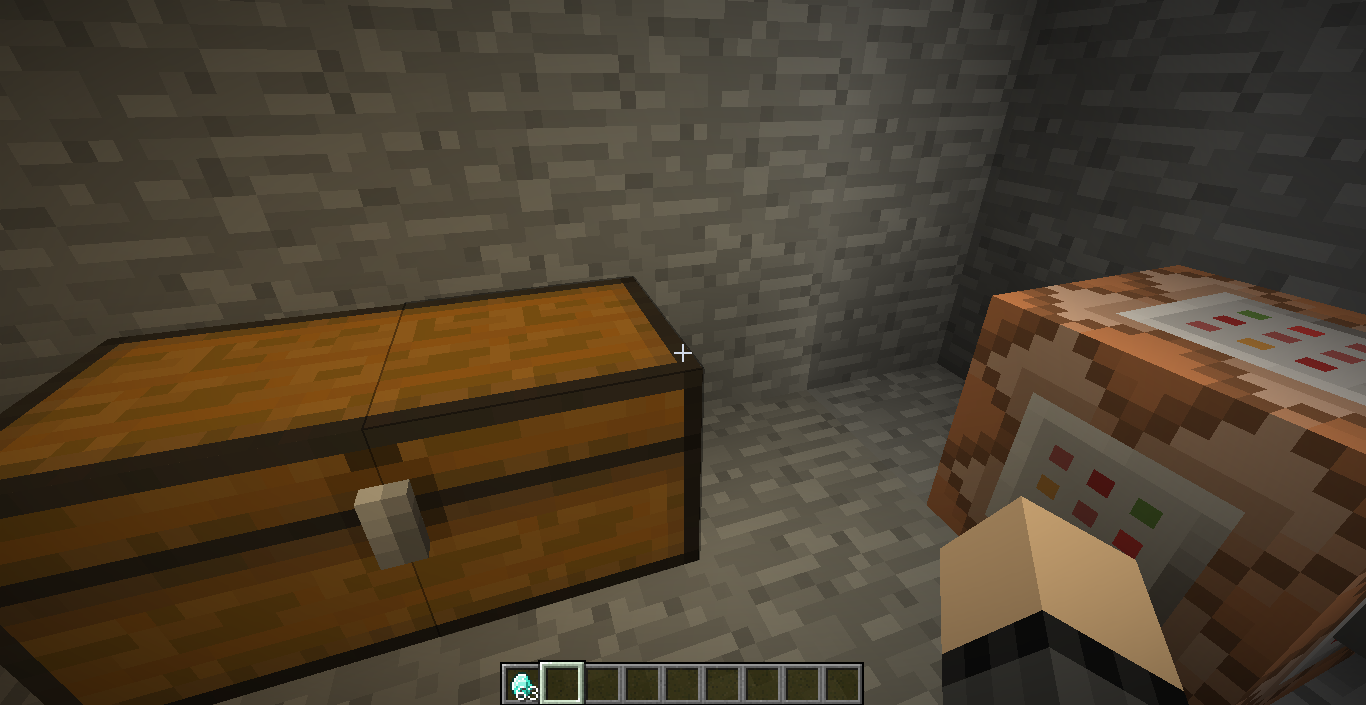
I cloned a chest right beside another chest without a blocks space.
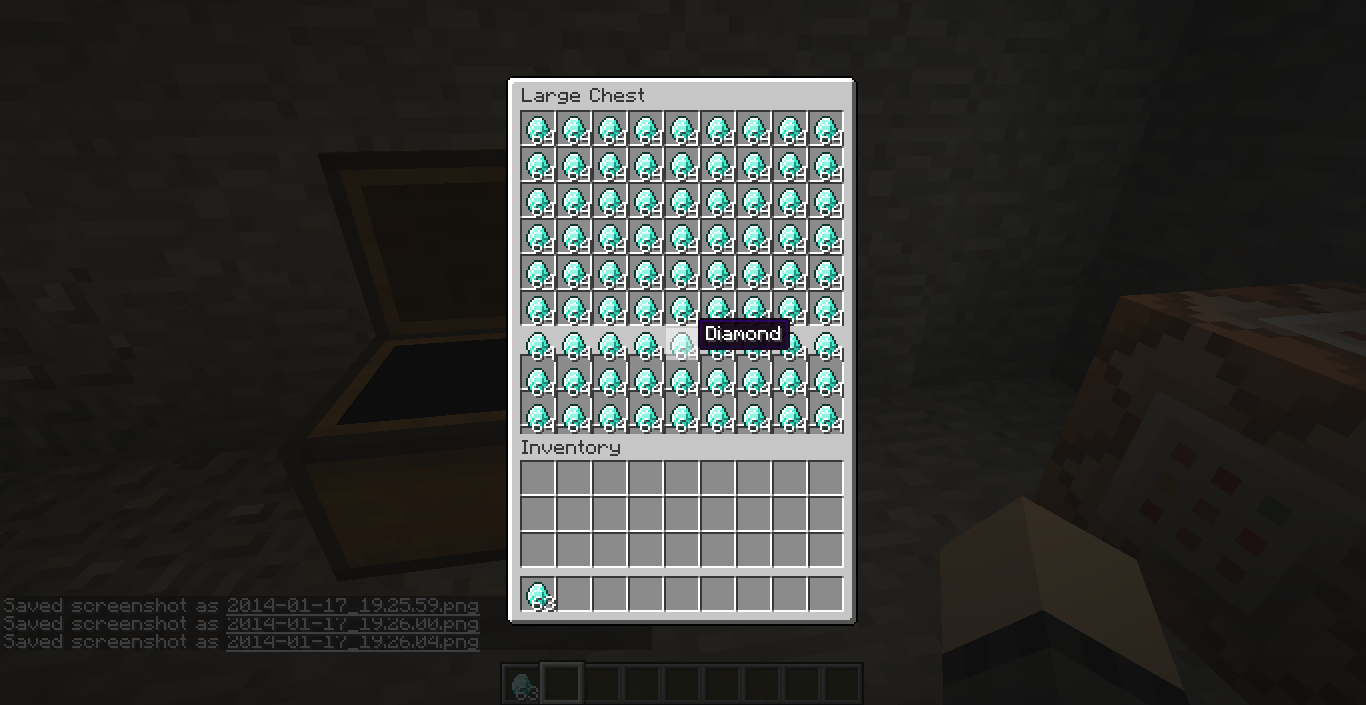
What happened was the first chest went invisible, but was still there. Right clicking any of the chests (not the invisible one) will display the inventory from all of the chests.
How I did this:
1. Created a large chest.
2. Used the new clone command to clone the chest right beside itself using relative coordinates. (clone ~ ~ ~-1 ~-1 ~ ~-1 ~-3 ~ ~-1)
3. Ran the command.
This can also be done with setblock, and most likely fill aswell.
Note: Breaking the second chest will return the first to normal.
Another Note: One thing I noticed since I originally posted this is that right clicking the invisible chest shows a double chest inventory like normal.
Environment
Windows 8 x64, Java Version 7 Update 45
Linked Issues
duplicates1


Created Issue:
Cloning a large chest beside another makes the first invisible and make both have 2 inventories.
I cloned a chest right beside another chest without a blocks space.
What happened was the first chest disappeared, but was still there. Right clicking chest 1 or 2 will display the inventory from both chests.
How I did this:
1. Created a large chest.
2. Used the new clone command to clone the chest right beside itself using relative coordinates. (clone ~ ~ ~-1 ~-1 ~ ~-1 ~-3 ~ ~-1)
3. The command block was on the right side of the furthest side of the chest from the cloning location.
4. Ran the command.Environment
Windows 8 x64, Java Version 7 Update 45
Attachments6
I cloned a chest right beside another chest without a blocks space.
What happened was the first chest disappeared, but was still there. Right clicking chest 1 or 2 will display the inventory from both chests.
How I did this:
1. Created a large chest.
2. Used the new clone command to clone the chest right beside itself using relative coordinates. (clone ~ ~ ~-1 ~-1 ~ ~-1 ~-3 ~ ~-1)
3. The command block was on the right side of the furthest side of the chest from the cloning location.
4. Ran the command.Note: Breaking the second chest will return the first to normal.

This ticket is incomplete without the requested information, no response has been received within a reasonable time and we are assuming the issue has been resolved. If you are still experiencing this issue, we can reopen it at your request.
I cloned a chest right beside another chest without a blocks space.
What happened was the first chest
disappeared, but was still there. Right clickingchest 1 or 2will display the inventory fromboth chests.How I did this:
1. Created a large chest.
2. Used the new clone command to clone the chest right beside itself using relative coordinates. (clone ~ ~ ~-1 ~-1 ~ ~-1 ~-3 ~ ~-1)
3. The command block was on the right side of the furthest side of the chest from the cloning location.
4. Ran the command.
Note: Breakingthesecond chest will return the first to normal.I cloned a chest right beside another chest without a blocks space.
What happened was the first chest went invisible, but was still there. Right clicking any of the chests (not the invisible one) will display the inventory from all of the chests.
How I did this:
1. Created a large chest.
2. Used the new clone command to clone the chest right beside itself using relative coordinates. (clone ~ ~ ~-1 ~-1 ~ ~-1 ~-3 ~ ~-1)
3. Ran the command.This can also be done with setblock, and most likely fill aswell.
Note: Breaking the second chest will return the first to normal.
Another Note: One thing I noticed since I originally posted this is that right clicking the invisible chest shows a double chest inventory like normal.

relates to

duplicates
relates to
![[Mod] Michael Wobst](../../../data/avatars/users/37868.png)
Probably invalid or wontfix. Chests aren't able to be placed 3 in a row, due to how double-chest detection works. If you want this functionality, do a chest (or double chest) next to a (double)trapped chest. This allows for them to be placed next to each other because trapped chests don't connect to regular chests.
Actually, I can see this possibly causing problems anyway. There are currently various issues with /fill and /clone due to the order which blocks are set. Cloning structures with order-specific blocks are very likely to break. This includes things like torches being set before the blocks they are attached to and falling off. Basically, set order needs to be rearranged for certain blocks.
Reopened, thanks.
It still happens in 1.8.1-pre3
Easy way to reproduce it:
/fill ~ ~ ~ ~1 ~ ~1 minecraft:chest
I would expect that won't fix be fixed as insomniac_lemon said. Of course that's up Mojang.
Dupe or related to
MC-34365Rather a duplicate because it describes the exact situation. One is done with the /setblock, this here with the /clone command and I am pretty sure you can also reproduce this with the /fill command