 DetachableMonkey (Kurt Boyer)
- detachablemonkey
- detachablemonkey
- Europe/Stockholm
- Yes
- No
 MC-145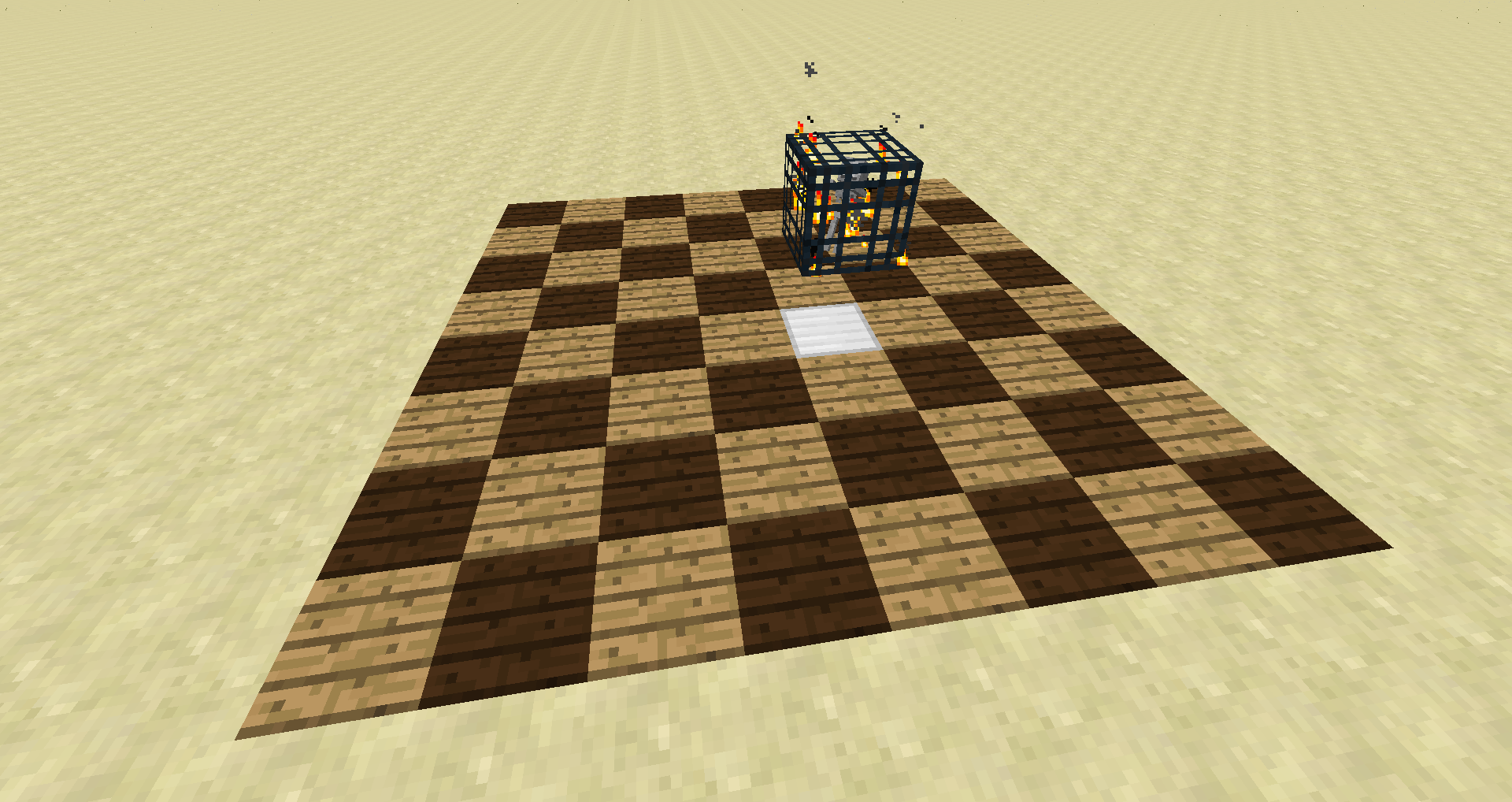


Did you throw a potion of invisibility on the sheep? If so, this is the intended behavior.
This was a feature change request, not a bug.
Arrows do not stuck in mobArrows do not stick (and stay) in mobs
Walking CartsStacked minecarts continue momentum when not on a rail.
Mob spawners are now spaw
ining zombies, spiders, etc. under any light level condition. To test this, you can start a flat map and place a spawner:/setblock ~ ~1 ~ mob_spawner 0 replace
{EntityId:Skeleton}This will place the spawner at your head height. Nothing will spawn – until you place at least one block down on the ground with the spawner's 8 by 8 spawning grid. Then, even if it is the middle of the day under full light, an entity will spawn within the block that is placed. The block can be placed on the ground, at the spawner level, or one level above the spawner within the 8x8 grid to see this.
Mob spawners are now spawning zombies, spiders, etc. under any light level condition. To test this, you can start a flat map and place a spawner:
/setblock ~ ~1 ~ mob_spawner 0 replace
{EntityId:Skeleton}This will place the spawner at your head height. Nothing will spawn – until you place at least one block down on the ground with the spawner's 8 by 8 spawning grid. Then, even if it is the middle of the day under full light, an entity will spawn within the block that is placed. The block can be placed on the ground, at the spawner level, or one level above the spawner within the 8x8 grid to see this.
Mob spawners are now spawning zombies, spiders, etc. under any light level condition. To test this, you can start a flat map and place a spawner:
Test Code/setblock ~ ~1 ~ mob_spawner 0 replace {EntityId:Skeleton}This will place the spawner at your head height. Nothing will spawn – until you place at least one block down on the ground with the spawner's 8 by 8 spawning grid. Then, even if it is the middle of the day under full light, an entity will spawn within the block that is placed. The block can be placed on the ground, at the spawner level, or one level above the spawner within the 8x8 grid to see this.
Mob spawners are now spawning zombies, spiders, etc. under any light level condition. To test this, you can start a flat map and place a spawner:
Test Code/setblock ~ ~1 ~ mob_spawner 0 replace {EntityId:Skeleton}This will place the spawner at your head height. Nothing will spawn – until you place at least one block down on the ground with the spawner's 8 by 8 spawning grid. Then, even if it is the middle of the day under full light, an entity will spawn within the block that is placed. The block can be placed on the ground, at the spawner level, or one level above the spawner within the 8x8 grid to see this.
Mob spawners are now spawning zombies, spiders, etc. under any light level condition. To test this, you can start a flat map and place a spawner:
Place a Skeleton Spawner/setblock ~ ~1 ~ mob_spawner 0 replace {EntityId:Skeleton}This will place the spawner at your head height. Nothing will spawn – until you place at least one block down on the ground with the spawner's 8 by 8 spawning grid. Then, even if it is the middle of the day under full light, an entity will spawn within the block that is placed. The block can be placed on the ground, at the spawner level, or one level above the spawner within the 8x8 grid to see this.
Mob spawners are now spawning zombies, spiders, etc. under any light level condition. To test this, you can start a flat map and place a spawner:
Place a Skeleton Spawner/setblock ~ ~1 ~ mob_spawner 0 replace {EntityId:Skeleton}This will place the spawner at your head height. Nothing will spawn – until you place at least one block down on the ground within the spawner's 8 by 8 spawning grid. Then, even if it is the middle of the day under full light, an entity will spawn within the block that is placed. The block can be placed on the ground, at the spawner level, or one level above the spawner within the 8x8 grid to see this.
Buttons that have been placed on the ground have their hit box in the correct position, but the texture is displayed as if the button were on top of an air block (see image).
Edit: This may be a duplicate of
MC-59853.
In version 14w33c, I get a smooth experience when running or walking on a newly created or already existing world. It is great. Now, in version 14w34a and 14w34b, I get a consistent choppy lag when I run or walk – in the same world.
To test I do the following:
1: Create a survival world with the seed "ChoppyLag" in version 14w33c.
2. Run or walk towards the ice spike biome. Great smooth experience.
3. Now load the world in 14w34b.
4. Run or walk towards the ice spike biome. I get a consistent jerky/choppy lag spikes.In version 14w33c, I get a smooth experience when running or walking on a newly created or already existing world. It is great. Now, in version 14w34a and 14w34b, I get a consistent choppy lag when I run or walk – in the same world.
To test I do the following:
1: Create a survival world with the seed "Test Choppy" in version 14w33c.
2. Run or walk towards the ice spike biome. Great smooth experience.
3. Now load the world in 14w34b.
4. Run or walk towards the ice spike biome. I get a consistent jerky/choppy lag spikes.
I can confirm this as well. When playing on my multiplayer server and a minecart stops against a block, it will continue to make sounds.
I've just created a sample creative world with this issue. Get in the cart, press the wooden button and when you get out of the cart, the sound persists until you log out and back in. This is in 1.4.1prerelease. World Download --> http://www.mediafire.com/?xa76optyc6bqbhi
Confirmed that the anvil does not drop when placed directly on the black section of the portal. However, if you place the anvil above the portal and allow it to fall, it falls through correctly every time.
Confirmed. Issue persists on 1.4.2 prerelease.
I've attempted this locally (1.4.2pre) with multiple block types and Efficiency IV and Unbreaking III picks. I do not get stuck in blocks as I did in earlier prereleases. Windows 7/Java 6.1.7601
We cannot change the priority. It can only be voted on by the users I believe. I voted it up. From what I can tell, only Mojang has the ability to change priority and to close/resolve/fix issues.
Erik, according to the wiki, Markus fixed the score in Beta 1.9pre2. http://www.minecraftwiki.net/wiki/Score
However, I've just force updated to 1.3.2 and haven't been able to achieve a score yet. All of my tests have been acquiring 1 level of XP (which should be a score of 1) and then drowning. I have not gone a full day/night cycle. Testing that to see if that is the issue.
Not sure what version this got broken in, but it used to work. Here is a screenshot of it working: http://www.gameranx.com/img/11-Sep/minecraft-orbs.jpg
Confirmed (1.4.2pre). I tried smelting gold. When hovering over the gold brick and pressing '1' it was transferred to my hotbar, but I received no XP.
Wasn't this fixed in 1.4.1pre? I'm spawning zombies like crazy on sand and wood in 1.4.2pre, but I can't get them to glitch through the floor any more.
I can not confirm this in 1.4.2pre. I dug a hole, and placed lava inside. Then I used an 8:00 potion of fire resistance on myself. I then stepped into the hole and was on fire, but did not receive any damage. I didn't get damage for exactly 8 minutes. I used a stopwatch to verify that the time was exactly 8 minutes and it was.
I could not confirm this for 1.4.2pre local. I built a wooden fence about 10x10 and spawned a sheep within. Then I pushed the sheep around for 2 minutes. The sheep remained on the correct level the entire time. Wasn't this fixed in 1.4.1pre?
From what I know, this is by design. Regular skeletons can sometimes spawn in the nether as well as wither skeletons. In my opinion, this makes the nether much more challenging and fun.
In 1.4.2pre, the first iron pick I just tried enchanting at level 30 gave me Unbreaking III and Efficiency IV. I did not receive silk touch. I believe you may be on a streak of bad luck.
Was this locally or on a multi-player server?
In 1.4 you feed pigs carrots and you feed chickens seed. You can no longer feed wheat to them. This is by design. Wheat only feeds cows.
In 1.4.2pre on a local single player world, my arrows fly just fine while riding a pig. Haven't tested this out on a multiplayer server.
Is the squeak different than the new sound that Bats make?
Confirmed in 1.4.2pre.
I would suggest changing the title of this issue to "Nether Portal sound not playing in Adventure or Survival modes on multiplayer."
The title [MSP/MSP only] is well...
Aaron is correct. This happens only in Peaceful mode. While playing the world, press ESC and then select "Options...". Click on the "Difficulty:" button until you select either Easy, Normal or Hard and spawning will occur like you'd expect.
It looks like
MC-470is referring to the same thing. We posted the same issue within a minute of each other.You cannot log in to Minecraft at the moment because the login servers are down. It has nothing to do with the mods you have installed, nor does it provide cause for Mojang wanting to "steal" your money.
The Minecraft login servers are down at the moment. Mojang is working on the issue right now.
I believe this happens every time you update Minecraft, or manually upgrade with a snapshot. I agree that this is a bug though and should be looked into to see if there is a fix/workaround.
This will also happen if you drop an anvil on lily pads and possibly other items. I'm not sure if this functionality is intended or not.
Thank you for providing the world download (It made it easy to test). I can confirm that the fall damage is inconsistent from varying heights when falling into 1 high water blocks. Windows 7
If Nether Portals in the overworld are located within 1,024 blocks of each other, they should link to the same portal within the Nether. I believe this is by design. Take a look at the "Implications" section of the Minecraft Wiki for a bit more info. http://www.minecraftwiki.net/wiki/Nether_Portal
I can confirm this in 1.4.2. Here is a screenshot of what I believe Brian is describing: http://i.imgur.com/6GG8e.png
I dug a hole 2 deep. At the bottom, I placed a sticky piston and then a TNT block on top. Then I dug one hole to the right and placed a redstone torch there. You immediately see an image of 2 TNT blocks, but the actual damage that occurs is from a single TNT block. This seems to be a graphical issue and not a duplication issue.
Are you referring to right-clicking on a stack of 64 items to split it into a stack of 32 while in your inventory window or crafting grid? I just tried this in 1.4.2 and everything seems to be functioning normally.
This is an intentional feature of the Wither boss. On his initial explosion, he will destroy every type of block except for bedrock and anvils (from what I've witnessed). After the Wither starts shooting, every block except for bedrock has the possibility of being destroyed.
[Edit] Actually I just ran 3 tests and the initial explosion did not break the obsidian. Only when he started firing did it break. If he is in a tight enclosed space, he will explode and then almost immediately start firing it seems, so it may appear that the first explosion is doing the destruction, when it isn't?
Marko, can you open your world and press the T button on your keyboard and then type in /seed ? That will give you the world seed. Additionally, if you press F3, it will give you X and Z coordinates of your location. Both of those items would help test the issue.
MiiNiPaa, unfortunately anvil damage being too low is not a bug report because the anvil damage is working as intended at the moment. It was recently capped or nerfed most likely due to the fact that during earlier snapshots, you could kill the Wither from a "one shot kill" with an anvil. May I suggest posting your suggestion to Reddit /minecraft or the minecraft forums? Thank you for the time you put into this.
Agreed that this is a duplicate of
MC-206. Thank you for the report!I think that the root of the problem is probably the same. This is also referenced in
MC-559. Mojang is aware of many of the lighting issues and are actively working on fixes. I'll reopen this issue because you have kindly included your graphics card specs. That may help.Daedalus is correct. As of 1.4.2, swamp biomes now spawn slimes on the surface intentionally. Slimes continue to spawn in the original slime chunks at the appropriate levels.
I can confirm this issue with the Launcher on Windows 7 using the Classic theme.
Are you playing on a map that someone else created that may have a custom spawner hidden?
Confirmed. I too had to cancel the "javaw" task when trying to create a world with that seed. The name of the world can be anything. The seed is the problem point here.
Are you using the default texture pack? Check to make sure.
There is always the possibility that a mob spawned in the low light levels inside the temple where the pressure plate is. If it walks on the plate, the trap will trigger.
Dinnerbone resolved the issue as fixed, so I'll assume that it is.
Bats are an ambient mob at this time and are working as intended.
You are using a modded version of Minecraft. Is there any way you could test this issue with an unmodded version ("vanilla")?
I can confirm this issue with 1.4.2. It has been around for quite a few versions.
Requested Leon to try the issue in an unmodded Minecraft copy, and the user deleted the error log file from the bug report.
Duplicate of
MC-57907.I can confirm this. I was swimming in the ocean towards a chest that was already in my world and got the same crash report. I'll attach mine.
Edit: From the crash report, it seems that it is trying to render a MinecartChest? This is a simple double chest placed on the ground – not a chest in a minecart.
Confirmed. I've visited 8 desert temples now in the latest snapshot and all of them seem to have been detonated before my arrival. I know a mob can spawn inside and set it off, but for all 8 to have been detonated is very odd.
Confirmed for both sand and gravel in version 14w27b.
This issue still persists in snapshot 14w34c unfortunately. I've noted it in the "Affects version" item.
Duplicate of
MC-68080.I can confirm this, but as soon as you move your mouse, the view fixes itself.
This issue has been fixed (for me at least) in snapshot 14w34d. Any others have no lag now?
Confirmed that this is now back for 1.8-pre2. It was OK for 1.8-pre1, so some change has affected this again.
Confirmed for 1.8-pre3. Added it to the affected versions.
Installing Java 8 has completely fixed this issue for me. In fact, it has doubled my FPS overall within Minecraft. I downloaded it from the Oracle site. http://www.oracle.com/technetwork/java/javase/downloads/jre8-downloads-2133155.html
@pianoboy8 Unfortunately, upgrading to Java 8 is the only method that has worked for me so far to eliminate the awful choppy lag when moving. If you have Windows XP, you will have to wait for Mojang to fix this issue in the code. I know they can do it, because everything was working in 1.8-pre1, but then after that, things went sour.
Matthew, I have a quad core processor and it was affecting me until I uninstalled my previous Java versions and then installed Java 8 - 64 bit.
http://products.amd.com/(S(4yy4cs45u0lwws45sx5s2i2r))/pages/desktopapudetail.aspx?id=17&AspxAutoDetectCookieSupport=1
And my video card is: AMD Radeon HD 6550D