 MCL-12229
Launcher fails to start after trying to move Java license to a different disk
The bug
When starting the Minecraft Launcher, it fails to start after trying to install Java. It seems like it cannot move the Java license file to another disk.
The following lines appear in the launcher log:
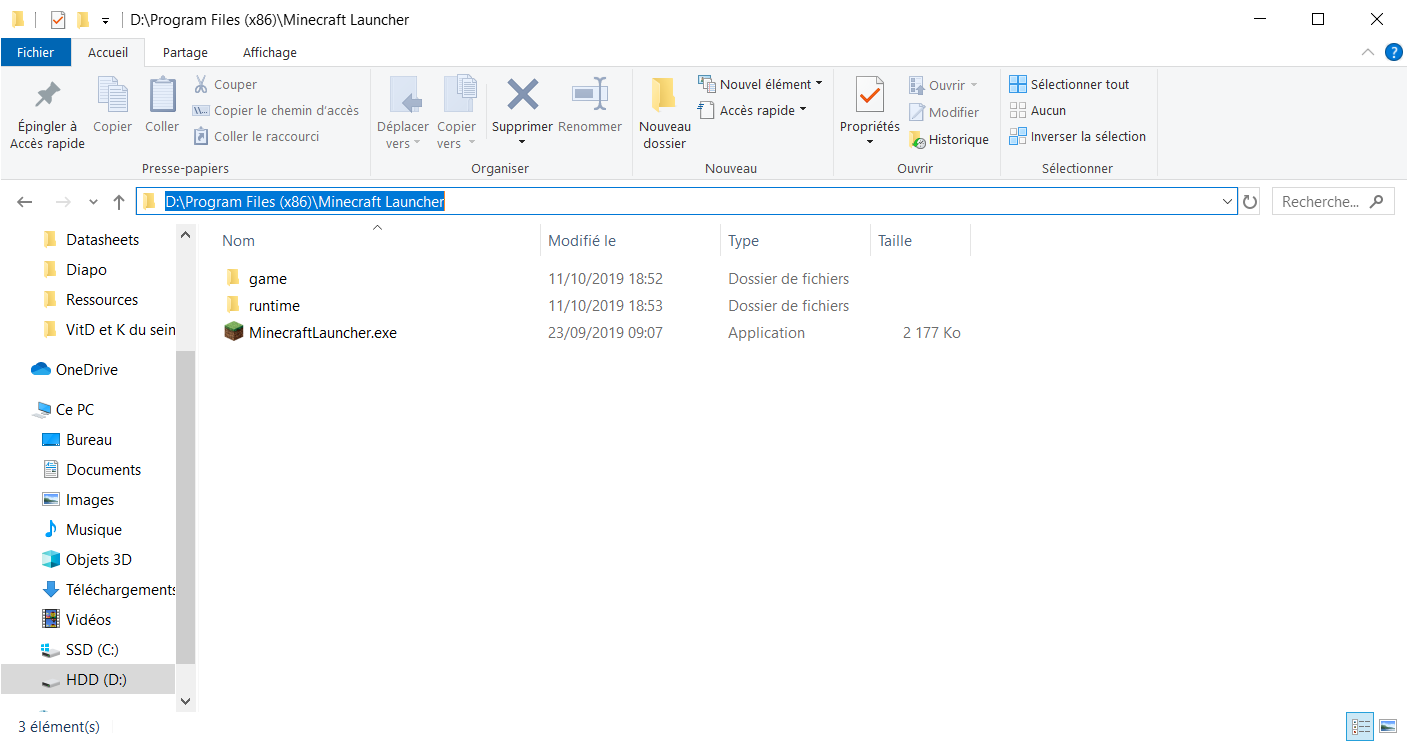
[Info: 2019-10-11 16:30:03.8094579: PistonUpdate.cpp(361)] MoveFile(C:\Users\<username>\AppData\Local\Temp\MinecraftLauncher\PistonStaging\3e86865deec0814c958bcf7fb87f790bccc0e8bd, D:\Program Files (x86)\Minecraft Launcher\runtime\jre-x64\LICENSE
[Error: 2019-10-11 16:30:03.8098162: PistonUpdate.cpp(403)] Update failed for: LICENSE, Error: The system cannot move the file to a different disk drive.
Original description
I just issued a problem where I installed my launcher on my D:\ disk and Java was installed in the C:\. The launcher couldn't find Java and it's impossible to tell it where to find it. You absolutly NEED to install the launcher in the same disk as Java if you want it to work.
Maybe a possible futur improvement ?
Linked Issues
is duplicated by3
 MC-163500




Created Issue:
Can't tell to the launcher where Java is
I just issued a problem where I installed my launcher on my D:\ disk and Java was installed in the C:\. The launcher couldn't find Java and it's impossible to tell it where to find it. You absolutly NEED to install the launcher in the same disk as Java if you want it to work.
Maybe a possible futur improvement ?
![[Mod] violine1101](../../../data/avatars/users/92858.png)
![[Bot] Arisa](../../../data/assets/gravatar/mustek2.png)
Can't tell to the launcher where Java is when started for the first time
Sans titre.png
Can't tell to the launcher where Java is when started for the first timeLauncher can no longer start on a disk that Java is not yet installed on
The bug
When starting the Minecraft Launcher for the first time on a disk that Java is not yet installed on, it will be unable to start.
The following lines appears in the launcher log:
[Info: 2019-10-11 16:30:03.8094579: PistonUpdate.cpp(361)] MoveFile(C:\Users\<username>\AppData\Local\Temp\MinecraftLauncher\PistonStaging\3e86865deec0814c958bcf7fb87f790bccc0e8bd, D:\Program Files (x86)\Minecraft Launcher\runtime\jre-x64\LICENSE [Error: 2019-10-11 16:30:03.8098162: PistonUpdate.cpp(403)] Update failed for: LICENSE, Error: The system cannot move the file to a different disk drive.The bug
I just issued a problem where I installed my launcher on my D:\ disk and Java was installed in the C:\. The launcher couldn't find Java and it's impossible to tell it where to find it. You absolutly NEED to install the launcher in the same disk as Java if you want it to work.
Maybe a possible futur improvement ?
is duplicated by
is duplicated by
The bug
When starting the Minecraft Launcher
for the first time on a disk that Java is not yet installed on, it will be unable to start.The following lines appear
sin the launcher log:[Info: 2019-10-11 16:30:03.8094579: PistonUpdate.cpp(361)] MoveFile(C:\Users\<username>\AppData\Local\Temp\MinecraftLauncher\PistonStaging\3e86865deec0814c958bcf7fb87f790bccc0e8bd, D:\Program Files (x86)\Minecraft Launcher\runtime\jre-x64\LICENSE [Error: 2019-10-11 16:30:03.8098162: PistonUpdate.cpp(403)] Update failed for: LICENSE, Error: The system cannot move the file to a different disk drive.The bug
I just issued a problem where I installed my launcher on my D:\ disk and Java was installed in the C:\. The launcher couldn't find Java and it's impossible to tell it where to find it. You absolutly NEED to install the launcher in the same disk as Java if you want it to work.
Maybe a possible futur improvement ?
The bug
When starting the Minecraft Launcher, it fails to start after trying to install Java. It seems like it cannot move the Java license file to another disk.
The following lines appear in the launcher log:
[Info: 2019-10-11 16:30:03.8094579: PistonUpdate.cpp(361)] MoveFile(C:\Users\<username>\AppData\Local\Temp\MinecraftLauncher\PistonStaging\3e86865deec0814c958bcf7fb87f790bccc0e8bd, D:\Program Files (x86)\Minecraft Launcher\runtime\jre-x64\LICENSE [Error: 2019-10-11 16:30:03.8098162: PistonUpdate.cpp(403)] Update failed for: LICENSE, Error: The system cannot move the file to a different disk drive.The bug
I just issued a problem where I installed my launcher on my D:\ disk and Java was installed in the C:\. The launcher couldn't find Java and it's impossible to tell it where to find it. You absolutly NEED to install the launcher in the same disk as Java if you want it to work.
Maybe a possible futur improvement ?
Launchercan no longer start on a disk that Java is not yet installed onLauncher fails to start after trying to move Java license to a different disk
The bug
When starting the Minecraft Launcher, it fails to start after trying to install Java. It seems like it cannot move the Java license file to another disk.
The following lines appear in the launcher log:
[Info: 2019-10-11 16:30:03.8094579: PistonUpdate.cpp(361)] MoveFile(C:\Users\<username>\AppData\Local\Temp\MinecraftLauncher\PistonStaging\3e86865deec0814c958bcf7fb87f790bccc0e8bd, D:\Program Files (x86)\Minecraft Launcher\runtime\jre-x64\LICENSE [Error: 2019-10-11 16:30:03.8098162: PistonUpdate.cpp(403)] Update failed for: LICENSE, Error: The system cannot move the file to a different disk drive.The bug
I just issued a problem where I installed my launcher on my D:\ disk and Java was installed in the C:\. The launcher couldn't find Java and it's impossible to tell it where to find it. You absolutly NEED to install the launcher in the same disk as Java if you want it to work.
Maybe a possible futur improvement ?
The bug
When starting the Minecraft Launcher, it fails to start after trying to install Java. It seems like it cannot move the Java license file to another disk.
The following lines appear in the launcher log:
[Info: 2019-10-11 16:30:03.8094579: PistonUpdate.cpp(361)] MoveFile(C:\Users\<username>\AppData\Local\Temp\MinecraftLauncher\PistonStaging\3e86865deec0814c958bcf7fb87f790bccc0e8bd, D:\Program Files (x86)\Minecraft Launcher\runtime\jre-x64\LICENSE [Error: 2019-10-11 16:30:03.8098162: PistonUpdate.cpp(403)] Update failed for: LICENSE, Error: The system cannot move the file to a different disk drive.Original description
I just issued a problem where I installed my launcher on my D:\ disk and Java was installed in the C:\. The launcher couldn't find Java and it's impossible to tell it where to find it. You absolutly NEED to install the launcher in the same disk as Java if you want it to work.
Maybe a possible futur improvement ?
is duplicated by
relates to
relates to
![[Mojang] Linus Cumselius](../../../data/avatars/users/18950.svg) [Mojang] Linus Cumselius
[Mojang] Linus Cumseliusrelates to

relates to
relates to
This issue is caused by Java being installed on a different drive than the one you started the Launcher on.
See MCL-12229.
Yes, there's an issue if Java is not installed on the same drive that the launcher is on. See MCL-12229.
Jacek Jankowski, please attach the full launcher log found in minecraft/launcher_log.txt so that we can diagnose whether that's what your issue is.
This issue has been temporarily closed as Awaiting Response. Once the requested information has been delivered, the report will be reopened automatically.
Quick Links:
📓 Issue Guidelines – 💬 Community Support – 📧 Customer Support – 📖 Game Wiki
This ticket has been resolved as a duplicate of another ticket, not as fixed. This issue is already tracked in MCL-12229, and we don't need two tickets about the same issue. Hence this one has been closed.
Thanks, this is a known issue that is caused by running the launcher on a different disk than Java is installed on. See MCL-12229. As a workaround, you can start the launcher on the C:\ drive.
I've edited MCL-12229. Please add any information about that issue to that ticket, if you have any.
This ticket might becompletely unrelated to the issue that you have.
Thank you for your report!
We're actually already tracking this issue in MCL-12229, so I resolved and linked this ticket as a duplicate.
If you would like to add a vote and any extra information to the main ticket it would be appreciated.
If you haven't already, you might like to make use of the search feature in the future to see if the issue has already been reported.
Quick Links:
📓 Issue Guidelines – 💬 Community Support – 📧 Customer Support – 📖 Game Wiki
This issue seems similar to MCL-12229, but that ticket is about a different file failing to be moved, and seems to be Windows-only.
IsJustaGhost, just fyi, there are two different very similar issues right now that have different workarounds as well:
MCL-12229(workaround: start the launcher on C:\ drive or move the system temp folder to the drive you have Minecraft on)MCL-12279(workaround: disable the beta launcher by editing launcher_profiles.json)
It's likely that most of the cases you're encountering are covered by either of these tickets.
What do you mean? I use a different java installation from a different disk, and it works fine. You can customize it by editing the installation and clicking on "More options". Then you can enter any path to where the java installation is.
@violine1101 no because the launcher doesn't even launch when started for the first time if Java isn't at the good path. It tries to "Update Java runtime", then the progression bar stop and a dialog box opens to say that it's impossible to update.
Ah, I thought you meant the Java runtime for the game itself. Thanks for clearing that up.
I've edited the ticket a bit so that it's more clear what the issue is. And you're not alone with the issue, others have reported it as well.
I'd like to add that if the temp folder is not the same drive the java version is to be installed on, it will fail:
[Info: 2019-10-12 15:29:14.5517125: PistonUpdate.cpp(361)] MoveFile(T:\Temp\MinecraftLauncher\PistonStaging\3e86865deec0814c958bcf7fb87f790bccc0e8bd, G:\Minecraft\runtime\jre-x64\LICENSE
[Error: 2019-10-12 15:29:14.5517125: PistonUpdate.cpp(403)] Update failed for: LICENSE, Error: The system cannot move the file to a different disk drive.
Which is the real problem. It's trying to move the files across disks instead of copying them to the destination and deleting the temporaries.
A possible workaround is to set the temp folder to be on the drive you're installing on (you can do this from console with SET TMP=<drive letter>:\TEMP then running the installer from that console).
Okay, I'm here from my own apparently-duplicate thread.
@Entity is there any chance you can provide screenshots or a step-by-step so that people who are not as console-savvy can more easily grasp what you've suggested?
I do not know how to run the installer from the console.
Just to add, the java folder HAS to be named exactly the same as the default for the runtime to work
(it is also case-sensitive)
I've edited the ticket a bit so that it is hopefully a bit more accurate.
Popping in from
MCL-12282to add:launcher_log.txt
WINDOWS WORKAROUND UPDATE:
For anyone who isn't a coder/programmer and doesn't understand this thread's workaround, my husband simplified it for me.
The workaround is starting the Minecraft Launcher on the C:\ drive. You're currently using the E:\ drive for Minecraft. Obviously that is not optimal, but it should work, as the error stems from the launcher trying (and failing) to move a file to a different drive.
I can hereby confirm that the issue has been resolved in the updated Bootstrap code (601) of the Launcher build/version that was released/signed on October 15th.
PROOF:
As stated above, this issue is resolved in bootstrap versions 598 (MacOS) and 601 (Windows).
This is a bootstrap fix that affects multiple core versions, the earliest, Windows version 2.1.5964.
Hi, I'm not a coder or programmer, but I do know how to open command prompt of course. And I'm experiencing this issue. I didn't really understand the steps.
The file location for my game is "C:\Program Files (x86)\Minecraft Launcher\MinecraftLauncher.exe" .
So which command do I do. If you're going to answer, please write the directory for my game so that I could just copy paste it into cmd prompt.
Thanks