 MCL-17557
Holding windows & clicking on buttons in the MCL
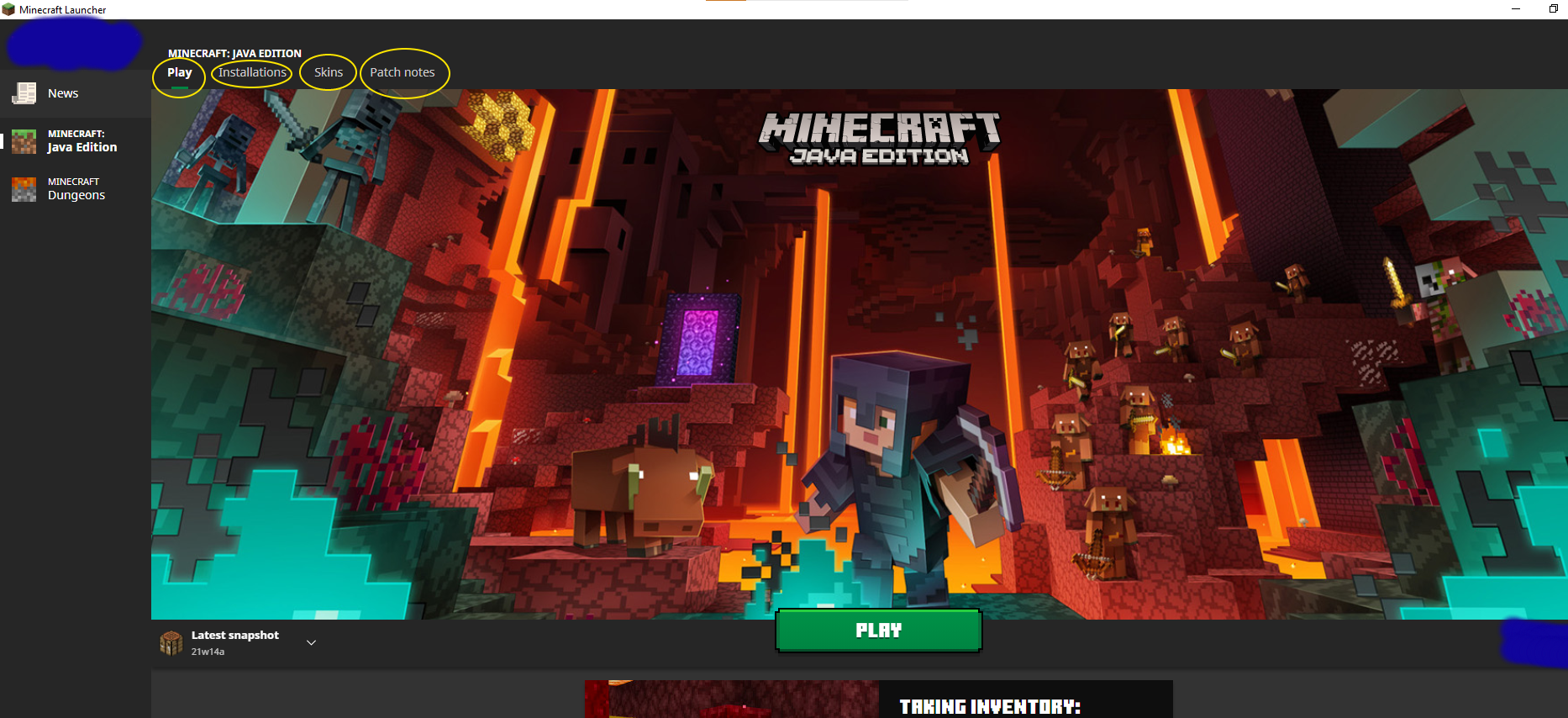
While in the Minecraft Launcher, when holding the windows key and pressing the buttons at the top: "Play", "Installations", "Skins", or "Patch Notes" it would bring you to a white error page. Nothing would happen upon pressing "Reload" on the white page and so you would have to close and re-load the Minecraft Launcher.
Environment
Minecraft Launcher
Linked Issues


Created Issue:
Holding windows & clicking on buttons in the MCL
While in the Minecraft Launcher, when holding the windows key and pressing "Play", "Installations", "Skins", or "Patch Notes" it would bring you to a white error page. Nothing would happen upon pressing "Reload" on the white page and so you would have to close and re-load the Minecraft Launcher.
Environment
Minecraft Launcher
Attachments2
While in the Minecraft Launcher, when holding the windows key and pressing the buttons at the top: "Play", "Installations", "Skins", or "Patch Notes" it would bring you to a white error page. Nothing would happen upon pressing "Reload" on the white page and so you would have to close and re-load the Minecraft Launcher.
![[Mojang] Donuts1000](../../../data/avatars/users/18949.svg)
![[MCQA] Zgajak](../../../data/avatars/users/10122.svg)
![[Mod] markderickson](../../../data/avatars/users/18946.svg)
testing discovered
making reference to MCL-17557 , in my case the bug wasn´t resolved
![[Mod] turbo](../../../data/avatars/users/92867.png)
Discovered while testing MCL-17557.
The Bug:
The error message strings displayed within the launcher are untranslatable.
Affected Strings:
| String | Context | Translatable? |
|---|---|---|
| PAGE NOT FOUND | N/A | No |
| Back to Minecraft | N/A | No |
Steps to Reproduce:
- Open the Launcher in the version stated.
- Set the language to something that is not English (Settings).
- Click on the Minecraft: Java Edition tab.
- Click either the Installations, Skins, or Patch Notes page tab while holding down the Windows logo key.
- Observe the error.
→  The error message and the Back button remain in English, regardless of the language selected.
Observed Behavior:
The strings for the error message and the Back button are not translatable.
Expected Behavior:
The strings for the error message and the Back button would be translatable.
Notes:
- Attempt to search for the existence of these strings by using this and this search filter on the official Minecraft Launcher project on Crowdin.
- Take note as to whether or not these error message strings are untranslatable.