![[Mojang] Donuts1000](../../../data/avatars/users/18949.svg) [Mojang] Donuts1000
[Mojang] Donuts1000
- davidsiegel
- JIRAUSER584755
- Europe/Stockholm
- Yes
- No







![[Mojang] Petr Mrázek](../../../data/avatars/users/26709.png) [Mojang] Petr Mrázek
[Mojang] Petr MrázekMinecraft Lsuncher CrashMinecraft Launcher Crash
Blackscreen after ckicking play buttonBlackscreen after clicking play button
 MCL-17650 →
  MC-223767MCL-17678 → MC-223768MCL-17672 → MC-223769MCL-17656 → MC-223772MCL-17692 → MC-223934
Can you attach a log?
MCL-17705 →  WEB-4433
Windows 10, Java 8, Minecraft Launcher 2.2.2311, Bootstrap 924, UI 7208.
 NormalMCL-17735 → MC-224337MCL-17741 → MC-224499MCL-17737 → MC-224500MCL-17747 →
  MCCE-12666MCL-17745 → MC-224501MCL-17744 → MC-224502MCL-17778 → MC-224883MCL-17840 → MC-225492MCL-17891 → MC-225787MCL-17914 → MC-225962MCL-17908 → MC-225965MCL-17904 → MC-225966MCL-17958 → MC-226389MCL-17960 → MC-226390MCL-17971 →
  MCPE-128991MCL-17982 → MC-226547MCL-18081 → MC-228412MCL-18124 → MC-229280MCL-18360 → MC-230153MCL-18413 → MC-230162MCL-19319 → MC-234725MCL-20871 → MC-245587
Team is working on this, but I'm sorry to say due to the complexity of the required fix/update it will likely take at least a few weeks before there's been enough progress to get a solid fix out the door. We'll keep you informed.
MCL-21081 → MC-248288MCL-21084 → MC-248290MCL-9282 → MC-248496MC-248496 → MCL-21110MCQA-97 → MCL-21111MCL-9590 → MC-248497MC-248497 → MCL-21115[Mojang] Donuts1000Mojang Studios NoteThis site intended for bugs so we can't really help you out here with account problems. With that said you might be running into this situation because you have a wrong active account. Try these steps:
- For players acquiring access to our games via PC Game Pass:
- If your subscription has ended, then this is expected behavior. You can view and update your subscription on account.microsoft.com
- If you still have an active PC Game Pass subscription, see
MCL-19984. Otherwise:- Locate the receipt sent to the email that was used when purchasing the game (Minecraft: Java Edition or Minecraft Dungeons)
- Use this email account to sign in to Minecraft Launcher:
- For Minecraft Dungeons (Windows 7/8/10),
Minecraft: Java Edition (purchased after December 1, 2020) or recently migrated accounts, sign in using your Microsoft Account.- For Minecraft: Java Edition (unmigrated & purchased before December 1, 2020) you sign in using your Mojang Account.
- If you have several accounts, you can sign in with all of them in Minecraft Launcher. Click Settings, and Accounts, and there you can add additional accounts
- Make sure you have internet connection and are connected to Minecraft Services (you do not see a gray info message at the bottom of Minecraft Launcher saying otherwise)
- Make sure you switch to the account that you own the game on (in the top-left corner of the launcher)
- After migrating your account make sure you've logged in with your new Microsoft account. To do this log out of the launcher, click 'go back' and select the 'Microsoft Login' button.
- You can also sign in on our website to verify that you own the game:
- For Minecraft: Java Edition sign in on https://www.minecraft.net/
- For Minecraft Dungeons sign in on https://www.minecraftdungeons.net/
- Still an issue? Read our help article: Can only play Minecraft demo (Java Edition)
- Even so, you still have a problem? Please contact Customer Support and provide proof of your purchase and what account you are using (Microsoft or Mojang, and the email address)
.I bought je by code to microsoft account.
If I go into the purchase window, it says I've already purchased it.
but at launcher, there's only demo.
nickname is high37806
Mojang Studios NoteThis site intended for bugs so we can't really help you out here with account problems. With that said you might be running into this situation because you have a wrong active account. Try these steps:
- For players acquiring access to our games via PC Game Pass:
- If your subscription has ended, then this is expected behavior. You can view and update your subscription on account.microsoft.com
- If you still have an active PC Game Pass subscription, see
MCL-19984. Otherwise:- Locate the receipt sent to the email that was used when purchasing the game (Minecraft: Java Edition or Minecraft Dungeons)
- Use this email account to sign in to Minecraft Launcher:
- For Minecraft Dungeons (Windows 7/8/10), Minecraft: Java Edition (purchased after December 1, 2020) or recently migrated accounts, sign in using your Microsoft Account.
- For Minecraft: Java Edition (unmigrated & purchased before December 1, 2020) you sign in using your Mojang Account.
- If you have several accounts, you can sign in with all of them in Minecraft Launcher. Click Settings, and Accounts, and there you can add additional accounts
- Make sure you have internet connection and are connected to Minecraft Services (you do not see a gray info message at the bottom of Minecraft Launcher saying otherwise)
- Make sure you switch to the account that you own the game on (in the top-left corner of the launcher)
- After migrating your account make sure you've logged in with your new Microsoft account. To do this log out of the launcher, click 'go back' and select the 'Microsoft Login' button.
- You can also sign in on our website to verify that you own the game:
- For Minecraft: Java Edition sign in on https://www.minecraft.net/
- For Minecraft Dungeons sign in on https://www.minecraftdungeons.net/
- Still an issue? Read our help article: Can only play Minecraft demo (Java Edition)
- Even so, you still have a problem? Please contact Customer Support and provide proof of your purchase and what account you are using (Microsoft or Mojang, and the email address)
We are working on a solution for this issue. In the meantime, if you are facing this problem, please try using the previous version of Launcher, available on minecraft.net/download as the Launcher for Win7/8
I bought je by code to microsoft account.
If I go into the purchase window, it says I've already purchased it.
but at launcher, there's only demo.
nickname is high37806
[Mojang] Donuts1000The team are working on an issue that causes some players to only see the Demo version available in the updated Launcher.
However, please make sure that you are signing in with your Microsoft account with which your Xbox Game Pass for PC subscription is associated.
- For further information about seeing the Demo Version only, please see this help article
- For more information about the Minecraft Launcher, please see the Minecraft Launcher for Windows FAQ
I have the game pass, and I've downloaded Minecraft a few minutes ago but for some reason, it says play demo. I have the game pass what's wrong with the launcher???
 Update on this issue:
The team are working on an issue that causes some players to only see the Demo version available in the updated Launcher.
However, please make sure that you are signing in with your Microsoft account with which your Xbox Game Pass for PC subscription is associated.
- For further information about seeing the Demo Version only, please see this help article
- For more information about the Minecraft Launcher, please see the Minecraft Launcher for Windows FAQ
- We are working on a solution for this issue. In the meantime, if you are facing this problem, please try using the previous version of Launcher, available on minecraft.net/download as the Launcher for Win7/8
I have the game pass, and I've downloaded Minecraft a few minutes ago but for some reason, it says play demo. I have the game pass what's wrong with the launcher???

Update on this issue:The team are working on an issue that causes some players to only see the Demo version available in the updated Launcher.
However, please make sure that you are signing in with your Microsoft account with which your Xbox Game Pass for PC subscription is associated.
- For further information about seeing the Demo Version only, please see this help article
- For more information about the Minecraft Launcher, please see the Minecraft Launcher for Windows FAQ
- We are working on a solution for this issue. In the meantime, if you are facing this problem, please try using the previous version of Launcher, available on minecraft.net/download as the Launcher for Win7/8
I have the game pass, and I've downloaded Minecraft a few minutes ago but for some reason, it says play demo. I have the game pass what's wrong with the launcher???
Update on this issue:The team are working on an issue that causes some players to only see the Demo version available in the updated Launcher.
However, please make sure that you are signing in with your Microsoft account with which your Xbox Game Pass for PC subscription is associated.
- For further information about seeing the Demo Version only, please see this help article
- For more information about the Minecraft Launcher, please see the Minecraft Launcher for Windows FAQ
- We are working on a solution for this issue. In the meantime, if you are facing this problem, please try using the previous version of Launcher, available on minecraft.net/download as the Launcher for Win7/8
I have the game pass, and I've downloaded Minecraft a few minutes ago but for some reason, it says play demo. I have the game pass what's wrong with the launcher???
[Mojang] Donuts1000As the comment above suggests, for users still running into this problem on Windows: Consider installing the Xbox app ([Xbox App for Windows PC | Xbox|https://www.xbox.com/en-US/apps/xbox-app-for-pc]).
If your problem is the Launcher is not accurately reflecting what you own - a fix for that should be rolling out later this week.
image-2022-03-10-17-24-25-133.png
[Mojang] Donuts1000[Mojang] Donuts1000Moderator notePotential workarounds:
- Log into the Microsoft store: ms-windows-store://signin (copy this into your browser address bar)
- If you have the new Xbox app installed, click "Get" while signed into your account in that. You can get the new Xbox app at https://www.xbox.com/en-US/apps/xbox-app-for-pc (based on this comment
)Please comment if one of these workarounds were successful, or if you are aware of other workarounds.
I can't enter to minecraft launcher
The Minecraft Launcher license is not currently available for your account. Make sure you're signed in to the Microsoft Store and try again. We include an error code if you need it: 0x803F8001.
Moderator notePotential workarounds:
- Log into the Microsoft store: ms-windows-store://signin (copy this into your browser address bar)
- If you have the new Xbox app installed, click "Get" while signed into your account in that. You can get the new Xbox app at https://www.xbox.com/en-US/apps/xbox-app-for-pc (based on this comment)
- WSRESET: Press the [Win] + [R] keys on your keyboard simultaneously, enter "WSReset" in the window that comes up, and confirm with [Enter]. Then try going back to the Launcher's listing in the Store and reinstalling.
Please comment if one of these workarounds were successful, or if you are aware of other workarounds.
I can't enter to minecraft launcher
The Minecraft Launcher license is not currently available for your account. Make sure you're signed in to the Microsoft Store and try again. We include an error code if you need it: 0x803F8001.
[Mojang] Donuts1000[Mojang] Donuts1000MC-251895 → MCL-21477MC-251940 → MCL-21478
NoteIf you're having this issue, log an incident with Mojang customer support: https://aka.ms/M
CLauncherSupport.Please start that support ticket with the following text: "Reporting from
MCL-20496to provide the requested information". This is so that our support team can find you easily and forward that to us.Then include screenshots of the launcher, the launcher_log.txt file (from this location on your PC: %appdata%\.minecraft) , your Xbox Gamertag, and information on how you own Minecraft Java and/or Bedrock
Keeps asking for username even though i have set it up already and now i am unable to play
NoteIf you're having this issue, log an incident with Mojang customer support: https://aka.ms/Minecraft-Support.
Please start that support ticket with the following text: "Reporting from
MCL-20496to provide the requested information". This is so that our support team can find you easily and forward that to us.Then include screenshots of the launcher, the launcher_log.txt file (from this location on your PC: %appdata%\.minecraft) , your Xbox Gamertag, and information on how you own Minecraft Java and/or Bedrock
Keeps asking for username even though i have set it up already and now i am unable to play
A workaround by [Mojang] Donuts1000 can be found in this comment.
After executing the last launcher's update everything is working fine but not when I switch user on the Mac and try to launch MC again.
The message I get then is:
"Minecraft updater. Unable to start Minecraft, if you are running from a dmg, please drag to Applications and try again"
As a check I reinstalled MC on the account with the problem and then the situation is reversed: everything works fine but when I switch user I get exactly the same error.

Resolving as duplicate then, I hope that is alright for you [Mojang] Donuts1000; feel free to reopen the report if this is not the same bug.
[Mojang] Donuts1000 Ho my bad i just understand what happened, the link in the comment is not the good one (even for my comment), but the file has been correctly uploaded to Jira
my file: launcher_log-1.txt
Jørn Støylen 's file: launcher_log-2.txt
Edit: I updated my initial message with the good link.
[Mojang] Donuts1000 san. thank you for your reply.
The result of testing in my environment.
Even if I log in with my Microsoft account on the Xbox Console Companion and Xbox App, if I set the firewall to "Ountbound connections that do not match a rule are blocked", the minecraft launcher goes offline.
Even if I don't log in with my Microsoft account on the Xbox Console Companion and Xbox App, if I set the firewall to "Ount bound connections that do not match a rule are allowed", the minecraft launcher will be online.
So, in order to use minecraft launcher with the firewall set to "Ountbound connections that do not match a rule are blocked", I need to add minecraft launcher to the firewall's Outbound Rules, but now It cannot be added with the path name running in the version of.


![[Mod] markderickson](../../../data/avatars/users/18946.svg)
The bug is still open, but someone reported it earlier at MCL-21588. This was resolved as a duplicate of that report to better organize the tracker. Please read the comments on that report by [Mojang] Donuts1000 in order to potentially fix your issue. 
According to [Mojang] Donuts1000 on MC-242661 a fix has been put in place that should prevent this. Can you check if this is still an issue in the current version
Thank you for your report!
We're tracking this issue in MCL-20216, so this ticket is being resolved and linked as a duplicate.
Please take a look at the comments by [Mojang] Donuts1000 on that report for a potential fix for your issue.
Quick Links:
📓 Bug Tracker Guidelines – 💬 Community Support – 📧 Mojang Support
📓 Project Summary – ✍️ Feedback and Suggestions – 📖 Game Wiki

I saw this on the Minecraft discord server from [Mojang] Donuts1000:
I’m sorry to say it might take a week longer - we’ve hit a snag in distribution. But if you’re entitled to one then we will definitely get it to you.
@[Mojang] Donuts1000 Am I correct in that the change you introduced was rolling back the latest available launcher version to 2.3.462?
My copies of the launcher across all 3 platforms (macOS, Windows, Linux) which I had previously purposely withheld to 2.3.462 via the undocumented --skipUpdate argument are not seeing any new updates beyond 2.3.462, and are treating that as if it's the latest version.
If this is indeed the case, then I too can confirm that the issue is addressed (and sort of "resolved" in a sense) by virtue of the rollback action.
※ Please note: I currently do not have any copies of the broken 2.3.481 launcher on local storage, and therefore cannot attest to whether or not users on that newer version are able to downgrade successfully.
I noticed that 2.3.481 introduced the addition of a new file, launcher_custom_skins.json that is migrated if available from the old launcher_skins.json (which is used by <= 2.3.462). I however, do not recall if launcher_skins.json was deleted from disk as part of the migration process.
If it was, this may cause users to lose their saved custom skins in that file if a downgrade → re-upgrade (to a future 2.3.5xx or whatever) action is performed, as the future migrator may end up overwriting the launcher_custom_skins.json with an empty one if 2.3.462 created one due to the temporary rollback.
If launcher_skins.json was left intact and unmodified as part of the 2.3.481 migration process, then disregard this section.
![[Mod] turbo](../../../data/avatars/users/92867.png)
As per this comment by [Mojang] Donuts1000, this issue should be resolved now. Is this still occurring for anyone?
Updated notes to match previously grammatically incorrect style for Bugs section
Can you attach screenshots or log files?
Do you have screenshots and log files you can provide?
Not a Launcher bug
Not a Launcher bug
This version is not in the Launcher - you have to get the software directly from the Microsoft Store.
Please try uninstalling and reinstalling and comment what happens.
Doesn't seem to be Launcher bug
Perhaps try uninstalling and then deleting your .../appdata/roaming/.minecraft folder before reinstalling again?
Can you provide us with a log output after the issue happens?
Have you tried reinstalling the launcher: https://launcher.mojang.com/download/MinecraftInstaller.msi
Try reinstalling the launcher once more: https://launcher.mojang.com/download/MinecraftInstaller.msi
And please update this bug with a log if that doesn't help
Try reinstalling the launcher: https://launcher.mojang.com/download/MinecraftInstaller.msi
And please update this bug with a log if that doesn't help
Can you add a screenshot?
Try reinstalling the launcher: https://launcher.mojang.com/download/MinecraftInstaller.msi
And please update this bug with a log if that doesn't help
Try reinstalling the launcher: https://launcher.mojang.com/download/MinecraftInstaller.msi
And please update this bug with a log if that doesn't help
Try reinstalling the launcher: https://launcher.mojang.com/download/MinecraftInstaller.msi
Please try reinstalling the launcher: https://launcher.mojang.com/download/MinecraftInstaller.msi
Please try uninstalling and reinstalling the launcher: https://launcher.mojang.com/download/MinecraftInstaller.msi
Please try uninstalling and reinstalling the launcher: https://launcher.mojang.com/download/MinecraftInstaller.msi
You need to make a new shortcut - that one is attached to the version you uninstalled
when uninstalled, shortcut disappeared; that shortcut just needs to be deleted/removed and replaced w/the newly installed version.
Maybe try reinstalling the launcher: https://launcher.mojang.com/download/MinecraftInstaller.msi
Can you attach a log to the ticket?
Please attach a screenshot & a log
Could you upload your log file?
Did you try reinstalling the launcher itself: https://launcher.mojang.com/download/MinecraftInstaller.msi
Try reinstalling the launcher: https://launcher.mojang.com/download/MinecraftInstaller.msi
Try reinstalling the launcher: https://launcher.mojang.com/download/MinecraftInstaller.msi
Try reinstalling the launcher: https://launcher.mojang.com/download
Could be connectivity/internet issue
Can you attach a log file?
Thank you for your report!
As this is an issue with your account or billing, you will need to contact Mojang Customer Support directly.
Quick Links:
📓 Issue Guidelines – 💬 Community Support – 📧 Customer Support – 📖 Game Wiki
Are you on an M1 device?
Please attach a log to the bug.
Thank you for your report!
As this is an issue with your account or billing, you will need to contact Mojang Customer Support directly.
Quick Links:
📓 Issue Guidelines – 💬 Community Support – 📧 Customer Support – 📖 Game Wiki
Can you attach a screenshot and/or log?
Could you upload a log and a video? Thank you!
Please try reinstalling the Launcher: https://launcher.mojang.com/download/MinecraftInstaller.msi
Thank you for your report!
As this is an issue with your account or billing, you will need to contact Mojang Customer Support directly.
Quick Links:
📓 Issue Guidelines – 💬 Community Support – 📧 Customer Support – 📖 Game Wiki
Sorry you're having trouble
Please try uninstalling and reinstalling the Launcher: https://launcher.mojang.com/download/MinecraftInstaller.msi
Sorry you're having trouble
Please try uninstalling and reinstalling the Launcher: https://launcher.mojang.com/download/MinecraftInstaller.msi
Sorry you're having trouble
Please try uninstalling and reinstalling the Launcher: https://launcher.mojang.com/download/MinecraftInstaller.msi
Sorry you're having trouble
I know you mentioned you tried uninstalling - but please try uninstalling and reinstalling the Launcher once more: https://launcher.mojang.com/download/MinecraftInstaller.msi
Can you attach a log?
Thank you for your report!
As this is an issue with your account or billing, you will need to contact Mojang Customer Support directly.
Quick Links:
📓 Issue Guidelines – 💬 Community Support – 📧 Customer Support – 📖 Game Wiki
In the Launcher you have, open "Settings" and try to change the version you're running to the Beta version, and then re-load and see if that changes anything.
If not please attach a log to this ticket.
Thank you for your report!
As this is an issue with your account or billing, you will need to contact Mojang Customer Support directly.
Quick Links:
📓 Issue Guidelines – 💬 Community Support – 📧 Customer Support – 📖 Game Wiki
technically working as intended
Can you attach a log file?
Can you attach a log?
Thank you for your report!
As this is an issue with your account or billing, you will need to contact Mojang Customer Support directly.
Quick Links:
📓 Issue Guidelines – 💬 Community Support – 📧 Customer Support – 📖 Game Wiki
Thank you for your report!
As this is an issue with your account or billing, you will need to contact Mojang Customer Support directly.
Quick Links:
📓 Issue Guidelines – 💬 Community Support – 📧 Customer Support – 📖 Game Wiki
This will be fixed in next release
Please attach a log
Thank you for your report!
As this is an issue with your account or billing, you will need to contact Mojang Customer Support directly.
Quick Links:
📓 Issue Guidelines – 💬 Community Support – 📧 Customer Support – 📖 Game Wiki
Thank you for your report!
As this is an issue with your account or billing, you will need to contact Mojang Customer Support directly.
Quick Links:
📓 Issue Guidelines – 💬 Community Support – 📧 Customer Support – 📖 Game Wiki
Would you please attach a log?
Should be fixed; try again.
Can you attach a log and ideally detailed steps to reproduce?
Should be fixed; please re-check.
Should be fixed; please re-check.
Can you attach a log?
Can you attach a log file?
Can you attach a log file please?
Please try running using the official bundled JRE.
https://aka.ms/jnierror - scroll to bottom
Workaround could be to open Activity Monitor and manually stop Minecraft processes and try again.
Thank you for your report!
As this appears to be an issue with your account or billing, you will need to contact Mojang Customer Support directly.
Quick Links:
📓 Issue Guidelines – 💬 Community Support – 📧 Customer Support – 📖 Game Wiki
Please attach log files if possible.
Please try uninstalling and reinstalling and updating with whether that helps
Would you please attach a log file?
Hopefully fixed in most recent release
There is this help page now which should hopefully offer some assistance: Secure Token Storage Failure on Linux – Home (minecraft.net)
What OS are you on, and are you using a Mojang Account or a Microsoft Account?
Please try uninstalling and reinstalling and report back.
please re-try and report results back
please try to uninstall and reinstall and report your results back.
To play under a game pass subscription you need to purchase a game pass subscription and then login to the launcher using the account you bought game pass under. The Minecraft PC Bundle is a game pass only product.
To install you need to be logged in to the Microsoft Store using your MSA.
Go here and login to the Store:
https://www.microsoft.com/store/r/9PGW18NPBZV5
and try to reinstall and it should work.
FYI Launcher team is working on this. Seems a bug in Win11 interaction that we will correct.
Click "Play" and create a username first, then should work
Might be solved by changing install target to C: drive
What path were the save files you did have found in? Could you paste in the path, removing any names/personal info, but including the root drive letter you're based within?
Might want to try resetting microsoft store cache:
Reset the Microsoft Store cache: Press the Windows Logo Key + R to open the Run dialog box, type wsreset.exe, and then select OK.
Note: A blank Command Prompt window will open, and after about ten seconds the window will close and Microsoft Store will open automatically.
Teams are working on the issues described here. There's more than one issue in this bug, and Mojang teams don't assign out bugs in this bugbase for work, so whether it's assigned out or not does not reflect the way the Mojang teams are dealing with issues. We don't have an estimate as to when issues will be addressed yet since we're still teasing out what the issues here are, as there are several described lumped into one larger bug.
Fix for this has been found and will be coming soon. Recent Store update is to fix a related but distinct issue.
Launcher team does have visibility into a likely cause of this for mac 10.11.6 users; hope to have a fix in the coming weeks, if not sooner.
Official update to fix this problem is scheduled for later this week.
Please ensure this step is followed in troubleshooting:
I don’t see my games or a “Play” button to press; how can I play?
You may be signed in to different Microsoft accounts in the Store and Launcher. You will need to make sure you’re signed in to the Microsoft Store using the same account that you’re using to sign-in to the Minecraft Launcher; Click here to go to the Store and review or update the active account. You will find the account (or an option to sign in if you are not currently) on the top left of the page.
The mac problem is different than the Win7 problem. Mojang is aware of both issues & is working on a solution for the Mac side.
Should be fixed now.
This bug is about this issue on Mac. If this is happening on win10, it is an unrelated issue that needs its own item to track.
The "Can't launch (any/certain) Java versions on Mac" bug definitely needs its own item and shouldn't be tracked here (referring to Navin Gidwani's report from yesterday) - and it might be easier to track this specific issue if it's still happening for anyone on an OS by OS basis in separate bugs.
If you have not already contacted Mojang customer support, I strongly recommend you do so. They might be able to help you - and you can potentially provide them with your log file and they might be able to make progress.
If you have not already contacted Mojang customer support, I recommend you do so. They might be able to help you - and you can potentially provide them with your log file and they might be able to make progress.
Kai'Ak: What OS are you on that you are still seeing this?
If the problem being described is that you are unable to change and/or set your Java username via the minecraft.net web page if you are playing via Game Pass, then this will be fixed in the coming weeks.
You can right now set your initial Java username if you have Game Pass via the Launcher, and play Java. And game pass subscribers can get the Launcher via the Xbox games app. So you should be able to play Minecraft Java right now via Game Pass.
Not sure if you are contacting support via social media or directly - but as this may be an issue with your account or billing, I recommend you consider contacting Mojang Customer Support directly.
Quick Links:
📓 Issue Guidelines – 💬 Community Support – 📧 Customer Support – 📖 Game Wiki
Have you tried clicking "Try again" on the warning message at the bottom of the screen? Looks like Launcher thinks you're offline...
Sometimes this is resolved by upgrading your OS. If you're able to, it might make your issue go away.
Sometimes you have to wait a few minutes.
Or you can try downloading the new Launcher here:
https://www.microsoft.com/store/r/9PGW18NPBZV5
Please uninstall and reinstall the Unified Launcher: minecraft.net/download
This should update the redistributable libraries you need to make the error described go away.
The language displayed in the web page should be based on IP address. The Launcher generally just kicks open a browser w/no default language set and lets the browser do that work.
Everyone still having this problem: Please contact Mojang Customer Support directly.
@kiara "exit=0" means the game crashed. What version of MacOS are you running? I'm guessing you either need to update your MacOS to the newest or find a way to update your JDK version to the version required by Java 1.18.
Also: This bug is not about a game crash problem, so Mods please consider my request to open separate bugs to track this issue on an OS-by-OS level.
Contact customer support; they will figure out your account issue for you.
What happens when you click "Try Again" in the error message at the bottom of the new Launcher?
@george gafos: And you're using the same email address to try to login to minecraft.net and both versions of the Launcher?
Wait - are you a game pass subscriber, or are you an owner of the game? If you are an owner and it's not recognizing your entitlements, you need to log a NEW bug (or find the right issue in the tracker if one already exists), because that means you're not in the right place here.
Also: Did you speak with Mojang support or Xbox support?
Please be sure you're logging in to the launcher with the correct email address that you migrated TO, You need to use the email address you used to migrate or else nothing will look right.
I recommend reaching back out to Support and explaining that you were incorrectly sent to the bug base when you appear to have an account issue. They can resolve account issues, and ensure that if this is an account issue it gets dealt with.
Can you provide your log file from your .minecraft folder?
Andre: Can you confirm that you're logging in to the Launcher + MS Store using the same email address / account? This sounds like a different account/account mis-match issue, though I understand you may have also double checked that already.
Trying to get reliable reproduction steps for this since it only is impacting a small percentage of users - apologies for those it's still impacting, we're looking into how to get more visibility into what's going on under the hood.
Jason C Burn: If you're seeing this on minecraft.net as well, you might not be logging in to the website/launcher using the email address/account you migrated to. Please double check what email address you used as your migrated-to account when you created your microsoft account and ensure that's the one you're using, and comment back here with results if you would!
Would anyone experiencing this issue please add their .minecraft folder log to this bug? It would be a great help to have a log from someone experiencing this issue. Thanks in advance!
Will check into this, thanks
Re: this comment:
".. there is a reported bug that the launcher does not start on MacOS Monterey..."
this bug has been fixed. Doesn't impact this specific issue, but wanted to be sure this information was clarified.
Thank you so much! We have been looking into this but this should help a lot.
Betas from Bedrock won't be posted for now.
Would you please attach your logs so we can try to diagnose the issue? Thank you!
Fix is coming soon; it is not yet fixed. This is being actively worked on.
Are you trying to install from minecraft.net or from the Microsoft Store?
New build (just pushed to beta) should include the fix to this in the new launcher.
Fix was pushed out last Friday; it should no longer be happening where this is stuck forever.
Please try to redownload the installer. Try redownloading from minecraft.net/download and please report back whether it works this time.
The fix is out on the Release channel; try switching back to full release and see if it helps. If you still are unable to play Java and should be able to, Tobias, please comment back here so I can check into it.
ALSO: Checked into it and uninstalling the Launcher SHOULD no longer remove your .minecraft folder, so you should be safe to uninstall and reinstall. HOWEVER: to be extra safe, please do backup your .minecraft folder! And then uninstall and reinstall the Launcher. Strong recommendation to try doing so to resolve this issue for you.
And then copy/paste the files into your new/actual .minecraft folder once reinstallation is completed.
Team is looking into this, but with the way Apple structures privileges it's a little tricky. Still working on a more permanent built-in solution, but users should be able to resolve this directly by changing the permissions on the "Minecraft.app" folder to include the "staff" group. This can be done using the following terminal command from the user that installed the Application:
chown -R :staff /Applications/Minecraft.app
The fix just rolled out should fix the problem for Game Pass subscriber users in particular. If you outright own a game and the new Launcher is not reflecting that reality, it's possible your entitlements cache is in an invalid state. You should be able to force the entitlements to refresh by logging out of the Launcher and logging back in, which should hopefully address your issue.
And just to confirm: upon reinstallation it required you to re-login, and you logged in using the same email/password you're otherwise using to login to the other "old" Launcher version where things look fine? Just want to be sure you force a re-login.
Ok, thank you. Would you kindly get your log file from your .minecraft folder and attach it to a new bug (since this one is written about Game Pass specifically)? Having it might make it possible for us to better fix what's going on with your access.
Shelby: Can you confirm that you are also signed in to the Microsoft Store using the same account?
Windows Apps - Microsoft Store - or make sure you're signed in here: [Get Minecraft Launcher | Xbox|https://www.xbox.com/en-us/games/store/Minecraft-Launcher/9PGW18NPBZV5]
Ok - thank you for the information. Shelby, would you kindly attach the log file from your .minecraft folder to the bug linked above?
Shelby: Would you attach your log file here? Having that will help us figure out how to solve your problem. Without it, it's quite difficult to say what's going on.
No - just the launcher_log.txt file. That's the only item we need right now.
Shelby, one more question - can you tell me what games you own so I can be sure what should/shouldn't be showing up?
Additional potential workaround: WSRESET
Press the [Win] + [R] keys on your keyboard simultaneously, enter "WSReset" in the window that comes up, and confirm with [Enter]. Then try going back to the Launcher's listing in the Store and reinstalling.
A small percentage of users won't see it for now - something like 5% of the userbase. So this is likely as designed. Doesn't mean you aren't eligible for the offer, just fyi.
Thank you - sorry, probably more questions coming. But: And so will you confirm that the new launcher doesn't seem to know that you own Java OR Bedrock? I.e., that it's in an incorrect state in relation to BOTH games?
Has anyone having this problem tried wsreset? Might not address the issue, but it might:
Press the [Win] + [R] keys on your keyboard simultaneously, enter "WSReset" in the window that comes up, and confirm with [Enter]. Then try re-installing/re-running.
Three possible troubleshooting steps a user could take here that might fix this (and please tell me if any of this helps):
1) Run Wsreset to reset Store:
2) Repair / Reset the Launcher:
3) Ensure Xbox Identity Provider is installed:
Setting to resolved since it appears it was fixed many months ago
Can users running into this post comments clarifying:
If someone running into this bug can, immediately after encountering it, grab a launcher log file from their .minecraft folder and attach it here that would be very helpful in assisting us in getting to the bottom of what's going on right now.
So RIGHT after you run into the "not responding" state, open up your .minecraft folder and grab the launcher log, and attach it here please!
Is anyone running into this using the new launcher or only the older Launcher? The log file attached appears to be for a user running the older launcher.
Would be helpful if you are still experiencing this to call out your OS & Launcher version you are running.
If you are running the new Launcher, please open it and then close it after a minute or two, and upload your launcher log file here so we can try to make some progress on this. And do NOT open the other version of the Launcher between steps because it will overwrite your log file.
Also: if you're running into this problem, this may or may not help:
Are users still running into this issue presently? We're unsuccessfully reproducing it internally and need more information if it's still happening for anyone.
Archer Legend: Have you tried any of the troubleshooting steps provided?
Thanks for calling that out, Thomas A.
For context: Logs that are not current are not useful in helping to diagnose, and in fact can make it harder if it adds confusion as this one will have.
Could anyone running into this attach a launcher log file to this ticket? Thank you in advance!
The team is looking into this issue. Thanks for your patience.
Thanks. The team is looking into this issue.
Update released in Beta channel today that might resolve this. Fingers crossed. Setting to resolved in spirit of optimism.
EDIT: Re-opening because I'm doubtful this will fix for all impacted users. If this issue is resolved for you in the Beta channel, please comment here.
Please re-test on Beta channel in Launcher; new fix released hopefully will help.
Realizing fix won’t work for those impacted until it’s on the Release branch.
Which will be early next week. Sorry for the inconvenience.
too many potential downstream risks, unfortunately.
Update has been pushed to release; please re-check!
It should be resolved on the production/release channel.
However, you may need to reinstall the Launcher and/or run wsreset to reset the microsoft store to correct your state.
Not 100% translated.
Please confirm:
Then choose Update & Security.
Click Troubleshoot.
The scroll down to find Windows Store App.
Click Run the troubleshooter to continue.
Shelby: Are you saying the Launcher is showing Play Demo / Play Trial for Java / Bedrock, respectively? Or you can't sucessfully load either game?
Previously you said you were seeing "Play Demo" - did anything change, or is that still the case? And either way: Did you migrate recently? And I presume you've double checked that you're signed in to the Microsoft Store with the same microsoft account you're using to sign in to the Launcher?
Assuming all this is true and as you say you've tried uninstalling and reinstalling the Launcher itself as well - we might need a new log file. And it's possible this is something support might be ableto fix, depending on what it is.
Shelby - that's very strange. Would you try running the new launcher to ensure it generates a new log file and attach a log file to this bug so I can check it out? It should not be doing this anymore, which leads me to believe there's something strange going on under the hood there.
There were some big changes/fixes recently and some users will likely have to uninstall/reinstall and/or logout and log back in to reset/fix their launcher instance. I recommend trying that and seeing if it fixes it. And if not, then try to wsreset the store; one of these steps should resolve the issue.
Have you also tried to uninstall and reinstall, Pisteur_alpin?
And which issue are you having? The previous commenter is having an entitlements issue, which isn't this bug per se - so are you having a problem where it says "Play Demo" or is it as described in this bug, the "can't connect to services" issue?
Team has released some fixes that might help; please try to uninstall and reinstall again and tell me if the issues are persisting. Just released yesterday.
Sorry to hear this is happening!
Would you attach your nativeUpdaterLog.txt file from your .minecraft folder to this bug so we can review it?
Thank you for attaching your log! anyone else running into this specific mac issue, it would be useful to get a log file to get a sense of consistency.
And the other issues linked in the item above are unrelated to this. And in fact some have been logged much earlier than this one.
Ok. I'll ask the team to look into this again. Could someone still having this issue where they see the "Play Demo" attach a NEW log file from their minecraft folder? I want to be sure we have the latest to look at.
One potential mitigation: When the Launcher loads up and you see it say Play Demo... try switching to the Minecraft for Windows tab (or the Dungeons tab) and then back to the Java tab. That MIGHT help it figure out that you own it - if it does, then that would be really helpful to know for me because it tells me exactly what's going wrong and we can fix it!
Try this and tell me if it changed anything.
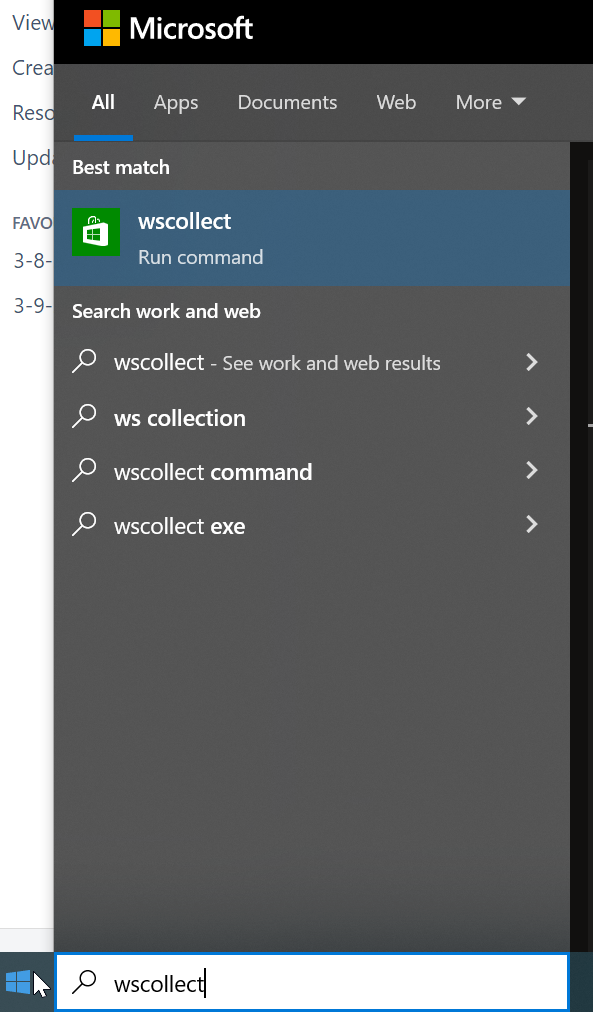
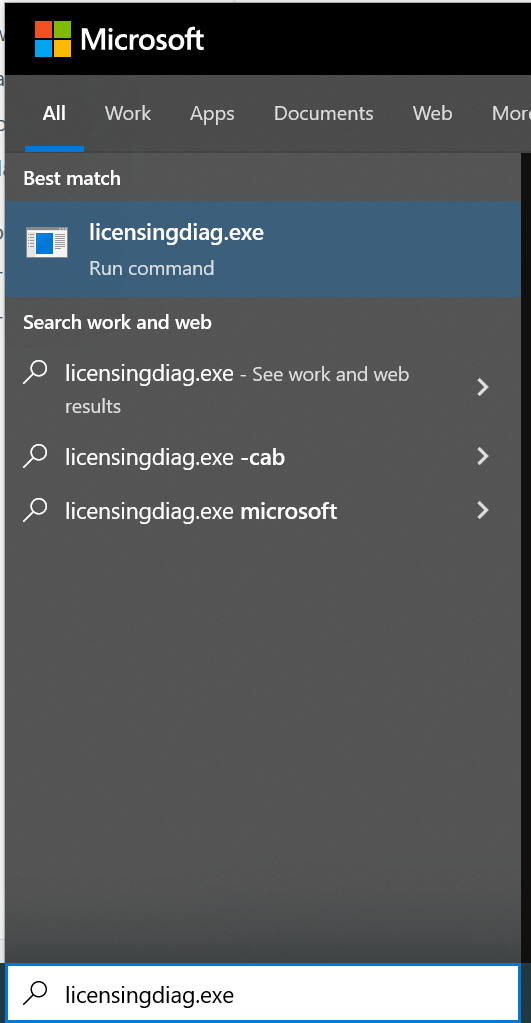
If users are running into issues at the Microsoft Store / Xbox level, it would be very helpful to get system-level log files from a device facing the problem in question: CAB files generated from * wscollect.exe and
Both of these are system commands a user can type in the text entry window on a PC after hitting the windows button in the lower left of the screen and/or directly in the persistent search bar at the bottom of the screen:


This outputs 2 sets of log files: * a .cab package/file
Users can either attach these directly to a bug that mods should immediately make private, or else users can zip up these files into a single zip file and then attach it to a bug which will then be made private.
Either way, users should be sure to describe the problem they are having, and including any relevant screen shots and error messages in addition to the mentioned files.
not really a bug; the angle looks strange but it really is a single picture
I recommend trying to run wsreset and see if it helps:
Run Wsreset to reset Store:
Re-opening since launcher team has a question for the user:
Aaron:
Would you please:
The offer isn't live yet; it says "Coming Summer 2022;" more details are coming soon.
Try to reset the Store and try again:
Run Wsreset to reset Store:
Interesting.
It should be the same for anyone regardless of if they are accessing via game pass or not - the Xbox services relate to the game entitlements (launcher knowing what you do/don't own) and the basic sign-on, which relates to everyone.
Shelby: I can't vouch for Pisteur-alpin's fix, but it doesn't sound like it would break anything to try it - and if it worked, it would be very interesting to know. I don't really understand why that would fix the problem though!
Also, try this:
Run Wsreset to reset Store:
If this is still happening to you: Could you attach a fresh/new launcher log file to this ticket?
Volta_29: Would you attach a launcher log file to this ticket for us to review from your .minecraft folder?
If you're still having this problem: Would you attach a current launcher log file to this bug so we can figure this out?
Type windows-R
type "%appdata%" and hit return
open " .minecraft" folder
In that folder is a text file called "launcher_log.txt"
that's the one.
Volta_29: From what I can tell, you own Bedrock and not Java; you should see "Play" when you move to the Bedrock (minecraft for Windows" tab.
Is this not what you see?
And/or if you DO own Java (also?) then you probably need to contact support to get that figured out.
Volta_29: It looks like you bought only Minecraft for Windows - which means you should only be able to play Bedrock currently, which it looks like you can according to your screenshots. Not Java.
As the callout box says, however, you should be able to play Java once we roll out the new bundle (summer 2022).
Anyone running into this problem: We need your launcher log file attached to this bug from your .minecraft folder. There are several other bugs open for this issue and we've been tracking it elsewhere - but please attach your launcher log file here so we can figure this out.
ctr17163: I don't know what you mean by "main account." I need a very clear description of what you're running into so we can figure this out (what is the "Microsoft" vs the "Mojang" half of your accounts?). Mojang accounts should be at a required migration state so you might just have to migrate that to a microsoft account to make anything work. Mojang accounts can't be used anymore.
notchen502: Have you attached a new launcher log file to the ticket yet?
Raaj22 & PhantomVir, we've checked out your log files; please try the following:
1) Run Wsreset to reset Store:
2) Sign out of the Microsoft Store and sign back in - this might reset your connection
3) Sign out and back in to the Xbox App: For that matter, get it here if you don't have it already: https://www.xbox.com/en-US/apps/xbox-app-for-pc
Try these steps and report back your results please.
Raaj22: The launcher_log file you attached has a datestamp of Dec 2019; can you re-attach a newer/current one?
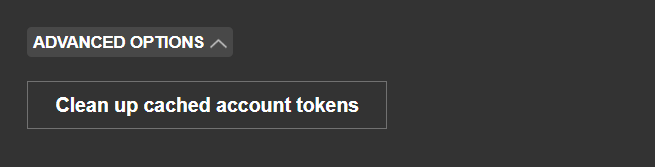
Ashenguard: You can also try going in the Launcher to Settings / Accounts / Advanced Settings and clicking the "clean up cached account tokens" button - that might help on windows
But I agree logging a new bug w/your issue on Windows & launcher log files attached would help us figured out why your issue is happening.
Did you try repair/reset?
Repair / Reset the Launcher:
And please attach your launcher log files to the ticket if you want us to be able to consider looking into your issue. Thank you!
Above is a great recommendation to try.
If that doesn't work, try this:
Run Wsreset to reset Store:
And attach your launcher log file to the bug as well please.
Again, anyone who is having this problem: Attach your launcher_log file from your .minecraft folder; a screenshot of your launcher doesn't help as much as this would!
The new launcher does have to be installed and you should have run it recently to get a recent log. Just run the launcher and it'll generate a new log file.
And perhaps you know this already - but then open this file location: C:\Users\YOURNAME\AppData\Roaming\.minecraft
(that's where it typically is anyway)
Where YOURNAME is replaced with whatever your user name on your COMPUTER is.
In that folder you'll see your launcher_log.txt file.
Bill Rothanburg: Have you tried the above recommendation - installing JDK 17 to see if that fixes your problem?
We are looking into it still yes - we've released updates that solve this for some users, but apparently not all.
Shelby: Have you installed the Xbox app as well by any chance?
https://www.xbox.com/en-US/apps/xbox-app-for-pc
Sometimes it installs dependencies the Store failed to do so, somehow.
Regardless - Shelby, confirm when you open the launcher now, even if you change to different game tabs, it never corrects itself?
Shelby - are you logged in to the Microsoft Store? It sounds like the installer from Minecraft.net is having Store connection issues; might just be best to go directly to the Store itself to install.
I also do recommend installing the Xbox app - sometimes it does help. Please try these steps and tell me if anything changes!
We also have an updated version released to Beta just today that you might want to try - if you can click the checkmark in your Settings to see the Beta version of the Launcher, I'd be interested in knowing if this updated version helps anything!
Shelby: To be clear - are you having trouble installing the Launcher or with the Launcher not showing that you own games you own? It sounds like it's both and I'm a little confused.
And if you have the Launcher installed - one user has solved this by re-adding their account to the Launcher, and it refreshed their entitlements & fixed their problem.
Alternately: Be sure to open the Xbox app and try to run the Launcher from within it; the Xbox app needs to be launched to be most helpful!
We are looking into this, hope to have more info soon
Anyone running into this: Can you report a support case so that we can have a closer look at your problem? You can do that here: https://aka.ms/MCLauncherSupport
Please start that support ticket with the following text: "Reporting from unable to update Minecraft Native Launcher bug to provide the information". This is so that our support team can find you easily and forward that to us.
Then include screenshots of the launcher, the launcher text log, your Xbox Gamertag, and information on how you own Minecraft Java and/or Bedrock. Was it a direct purchase on minecraft.net or by game pass?
Anyone running into this: Can you report a support case so that we can have a closer look at your problem? You can do that here: https://aka.ms/MCLauncherSupport
Please start that support ticket with the following text: "Reporting from unable to update Minecraft Native Launcher bug to provide the information". This is so that our support team can find you easily and forward that to us.
Then include screenshots of the launcher, the launcher text log, your Xbox Gamertag, and information on how you own Minecraft Java and/or Bedrock. Was it a direct purchase on minecraft.net or by game pass?
Anyone running into this: Can you report a support case so that we can have a closer look at your problem? You can do that here: https://aka.ms/MCLauncherSupport
Please start that support ticket with the following text: "Reporting from unable to update Minecraft Native Launcher bug to provide the information". This is so that our support team can find you easily and forward that to us.
Then include screenshots of the launcher, the launcher text log, your Xbox Gamertag, and information on how you own Minecraft Java and/or Bedrock. Was it a direct purchase on minecraft.net or by game pass?
Anyone running into this issue still: Can you report a support case so that we can have a closer look at your problem? You can do that here: https://aka.ms/MCLauncherSupport
Please start that support ticket with the following text: "Reporting from
MCL-19840to provide the information". This is so that our support team can find you easily and forward that to us.Then include screenshots of the launcher, the launcher text log, your Xbox Gamertag, and information on how you own Minecraft Java and/or Bedrock. Was it a direct purchase on minecraft.net or by game pass?
Per the dev team, this should now be resolved!
Per the dev team, this should now be resolved!