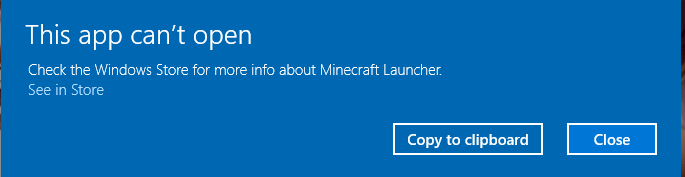
This app can't open
i tried openig
Linked Issues
Attachments1

Created Issue:
This app can't open
i tried openig
Attachments1
![[Mod] Greymagic27](../../../data/avatars/users/92875.png)
Moved Issue:  MC-256772 →
  MCL-22606
MC-256772 → MCL-22606Removed Category: (Unassigned)
Added Affects Versions: 2.3.451 (New Windows App)
Removed Affects Versions: 1.19.2
![[Mod] markderickson](../../../data/avatars/users/18946.svg)
Added Linked Issues:
is duplicated by
![[Bot] Arisa](../../../data/avatars/users/43007.png)
![[MCQA] Zgajak](../../../data/avatars/users/10122.svg)
Added Linked Issues:
is duplicated by
![[Mod] EVGENSYPERPRO](../../../data/avatars/users/92853.png)
Duplicate MCL-22606
Please do not duplicate your own reports! MCL-22606
![[Mod] GoldenHelmet](../../../data/avatars/users/18951.svg)
I had this issue today. It's the same message described in MCL-22606 and MCL-22556. However, the launcher will not reinstall! When I click "Install" in the MS store the button changes from blue to gray and nothing else happens.
Microsoft Store 2023-03-08 20-26-36.mp4
help!!
i want to play
Please see if Community Support can help at all.
not helping can you help
Hi there!
Thank you for your report!
However, this issue is Invalid.
This is a technical support issue; this site is for bug reports only. We do not have the resources to provide you with technical support.
Please contact Mojang Support for assistance and refer to this ticket by providing a link.
I can also suggest these solutions:
Install Xbox app, Xbox companion and Xbox identity provider.
Please go to Apps (apps & features) in Windows settings, click each app (Xbox app, Ms store, Xbox companion) then click advanced options, and then click on each one, 'Terminate' and 'Reset', then restart your computer.
Sign out of all your Windows/Xbox apps and sign again with the same account.
Please also try to install Launcher from minecraft.net website.
Quick Links:
📓 Bug Tracker Guidelines – 📧 Mojang Support
📓 Project Summary – ✍️ Feedback and Suggestions – 📖 Game Wiki
I was able to fix the issue by following the steps shown here https://support.xbox.com/en-US/help/games-apps/troubleshooting/troubleshoot-games-windows-10
Under "Specific installation and startup errors" > "If you get sent to the store". The steps have you remove and reinstall an app called "Gaming Services". It might work to just reinstall that from the store rather than PowerShell, if that's easier.