The scaling for the new UI screens is broken with devices that have small screens
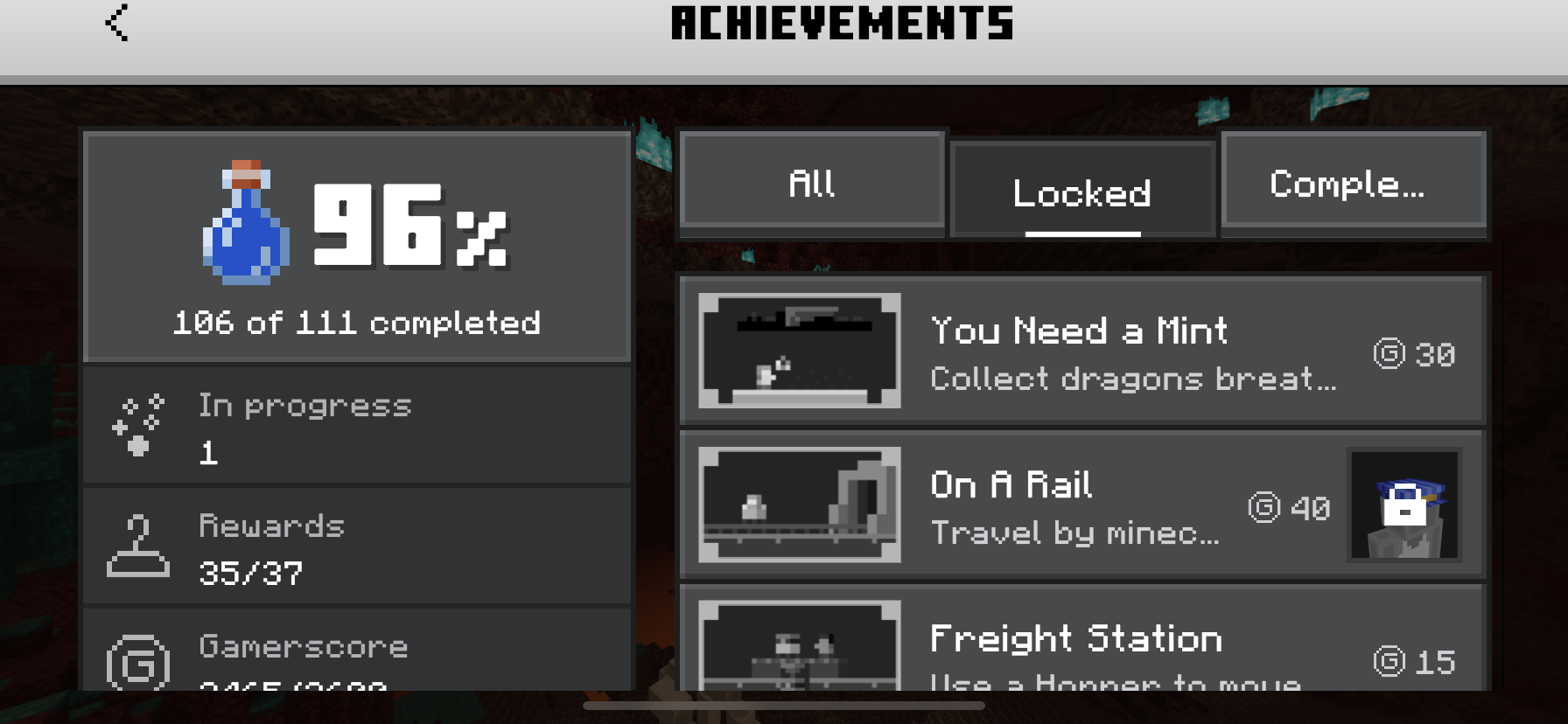
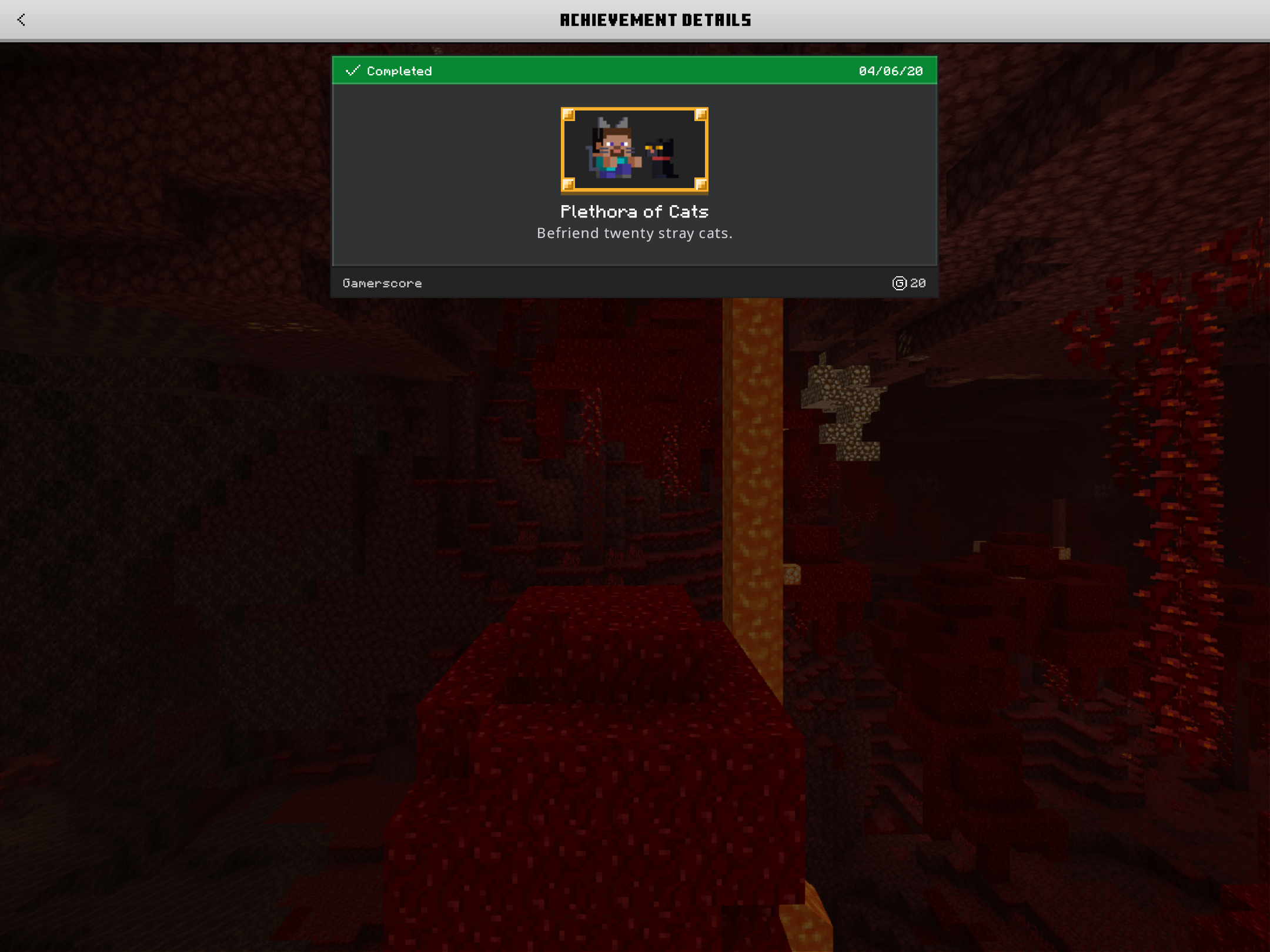
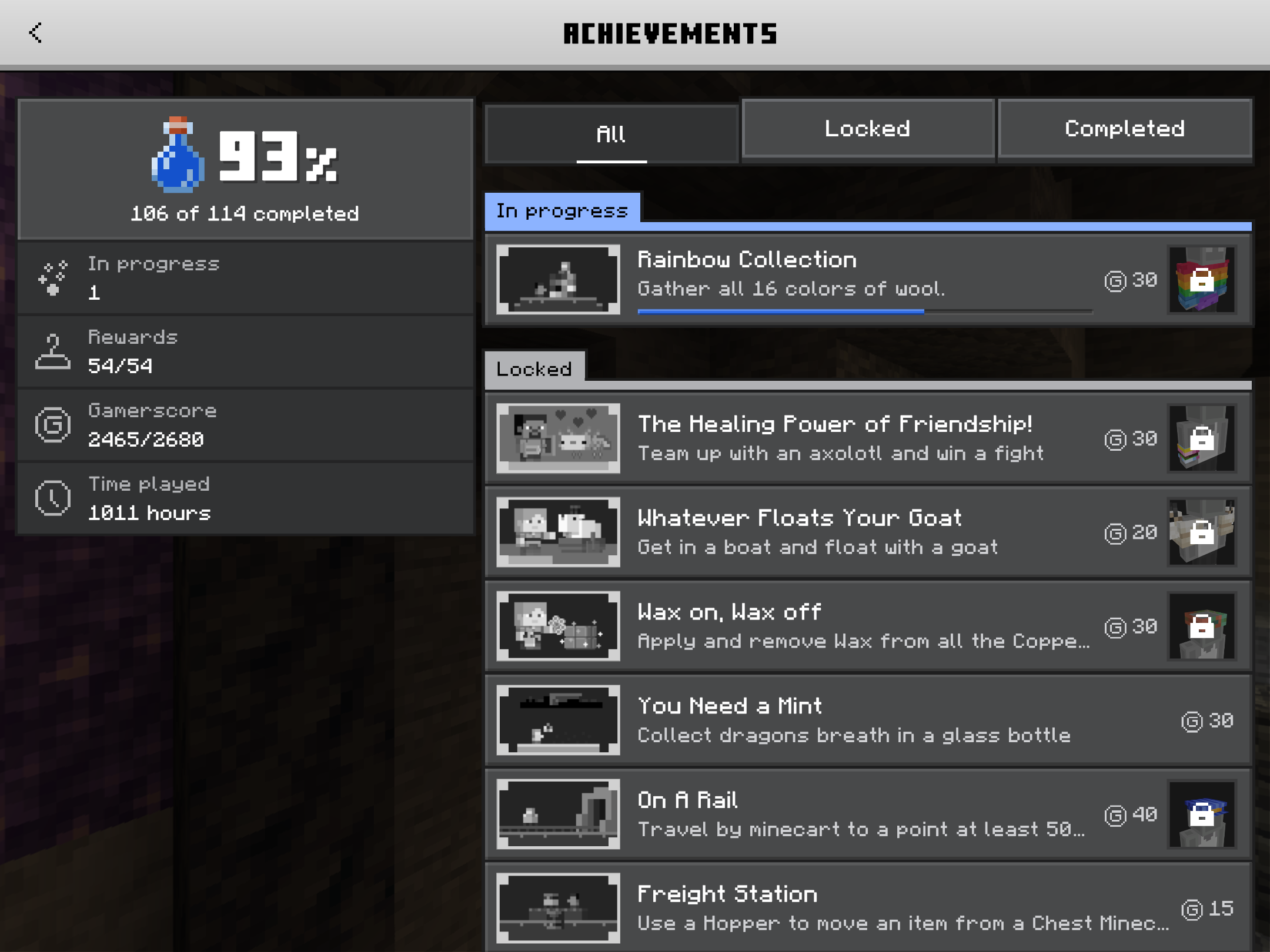
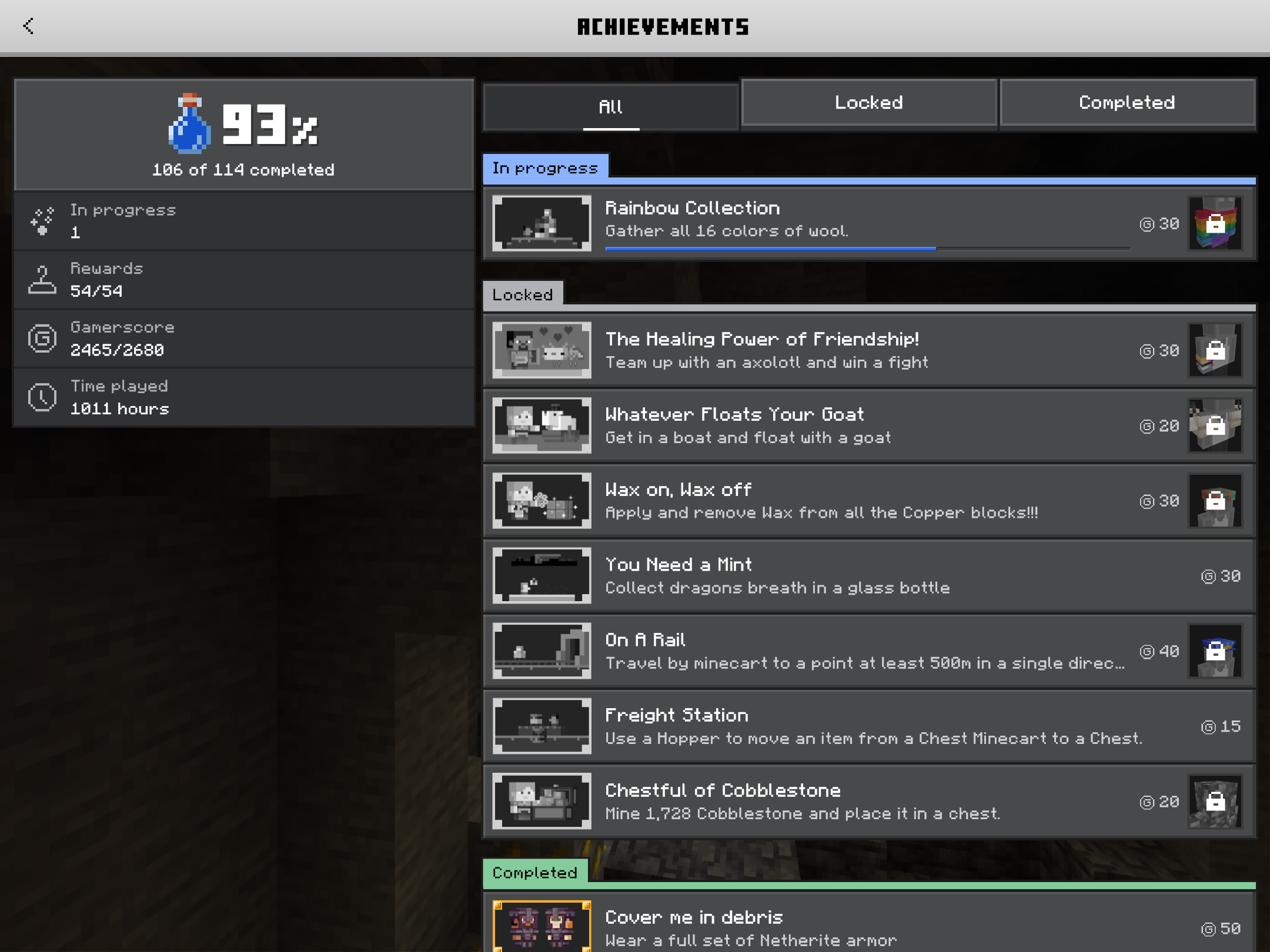
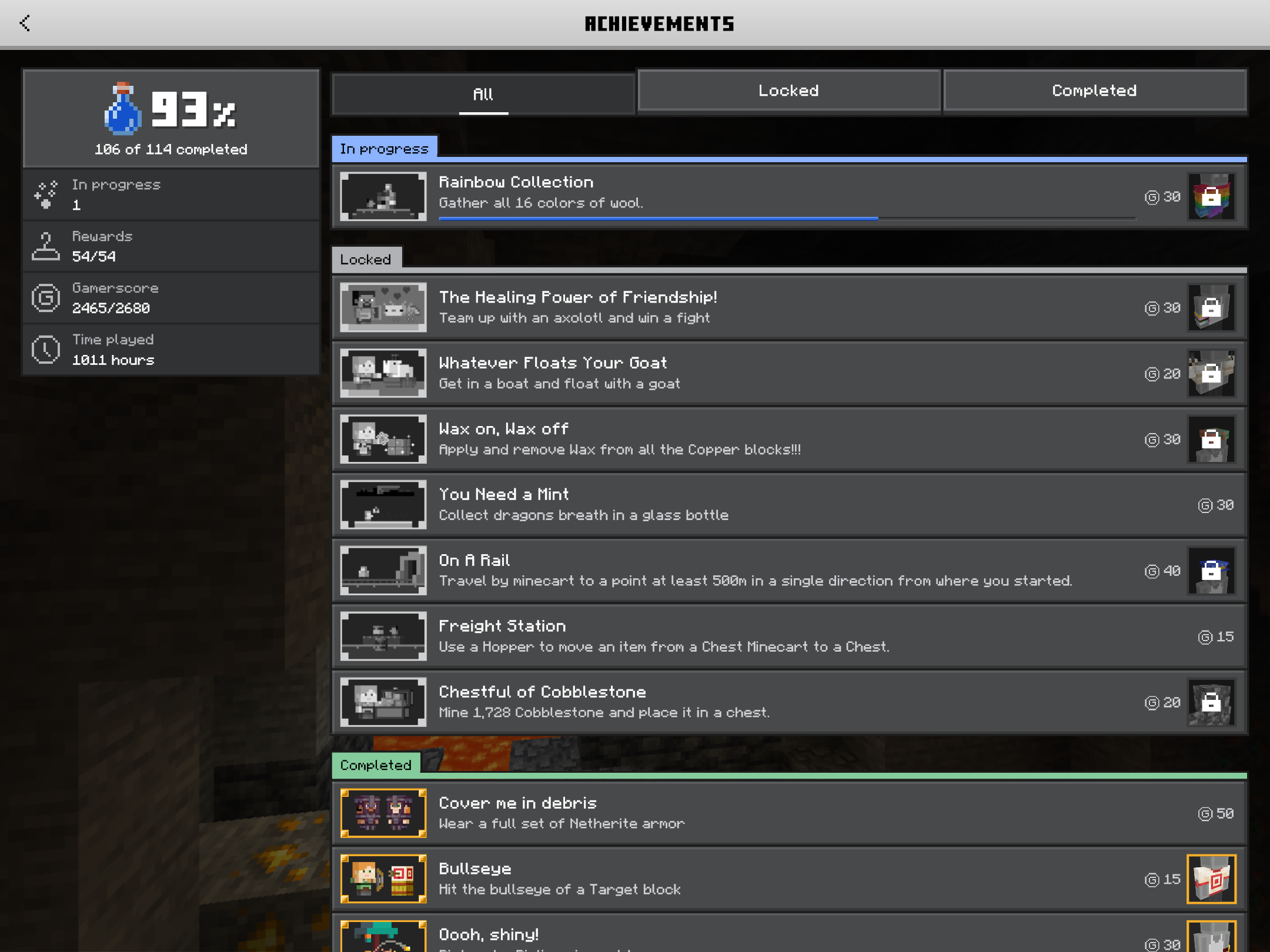
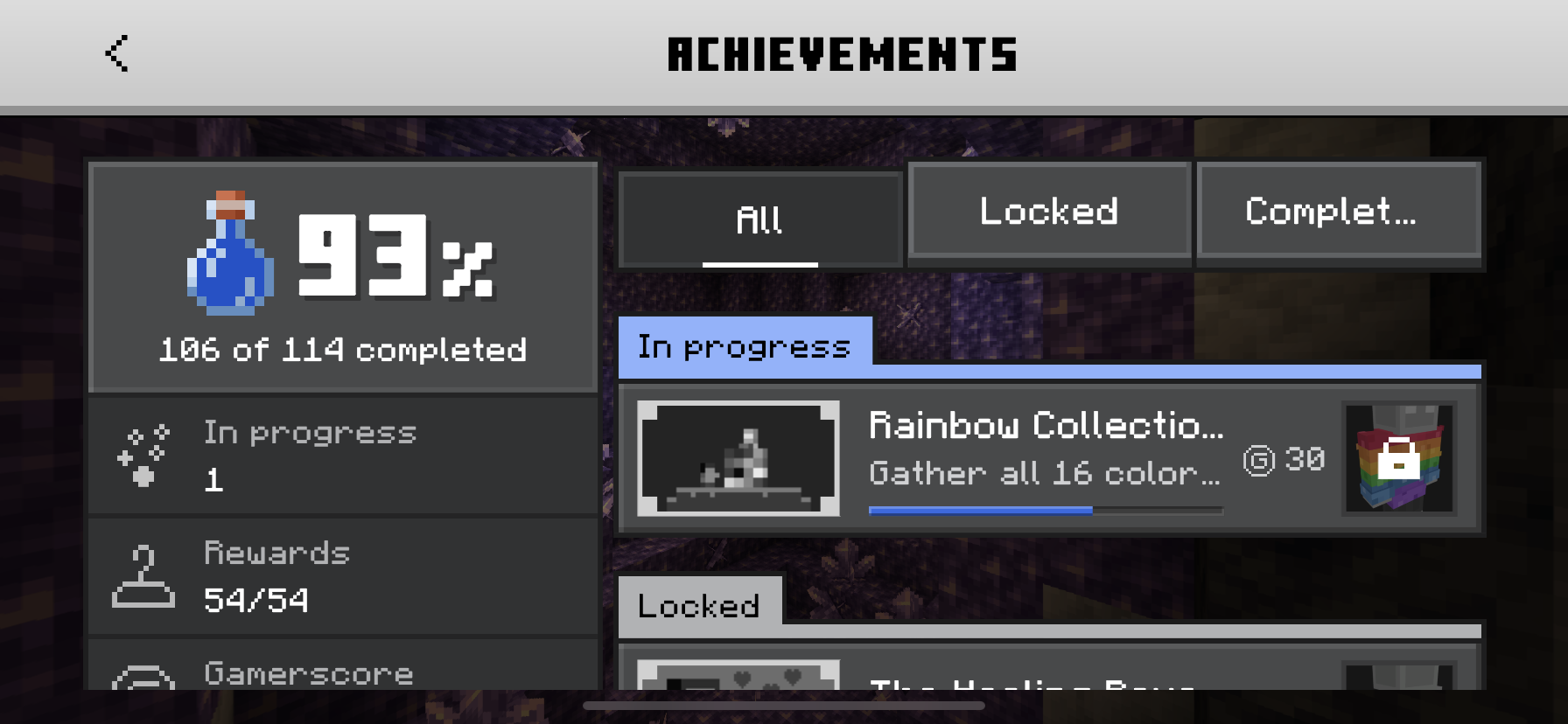
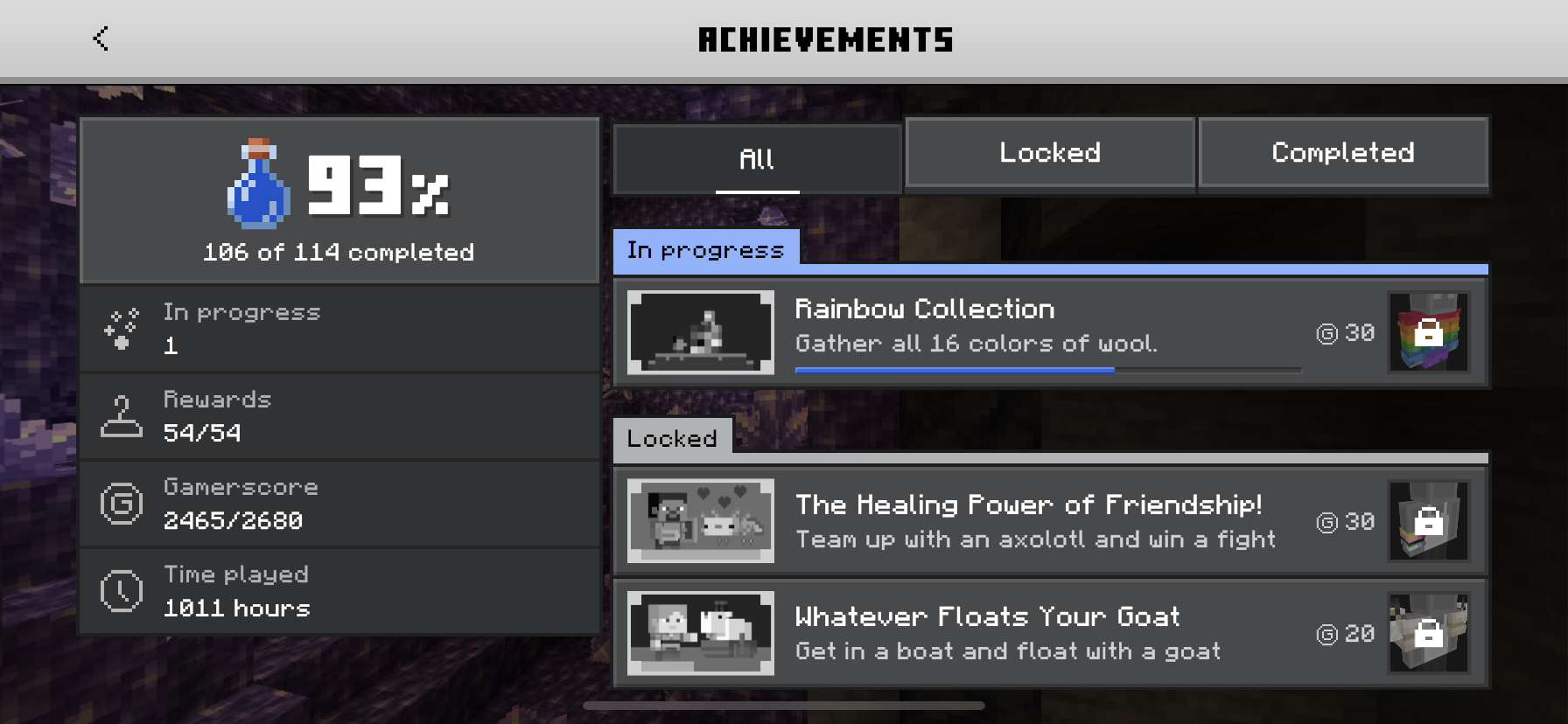
The UI scaling for the Achievements screen is broken for devices with small screens (Example: phones & tablets). On my tablet, it appears small, but on my phone it appears big.
2/14/21 Update: I found this also affects split screen as well.
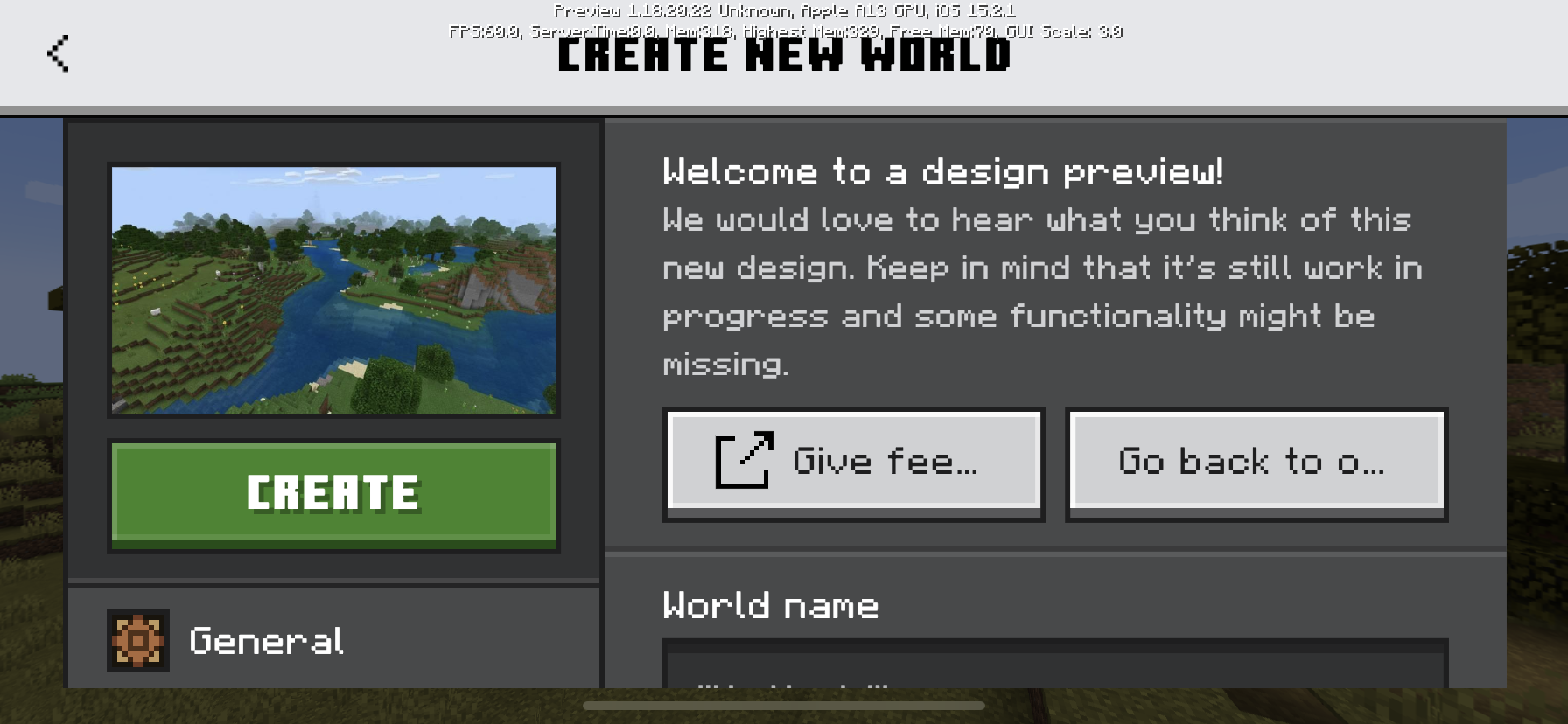
4/29/22 Update: This bug also affects the New Create New World Screen
Linked Issues
is duplicated by6
 MCPE-109120Achievements screen too smallDuplicateMCPE-113514The achievements menu is very smallDuplicateMCPE-116072Achievements Screen UI Very SmallDuplicateMCPE-117413New achivemnet screen zoomed outDuplicateMCPE-182833When setting GUI Scale to low values, the UI is still too denseDuplicateMCPE-186633New UI is unreadably small when run on 4K TV.Duplicate
Attachments25





- Unresolved
 gumdropolotl
- 9
- 6
- Community Consensus
- 410018
- Multiple
- iOS 14
- Achievements OreUI UI-scaling
1.19.0.35 Preview - 1.21.22 Hotfix
1.19.0.35 Preview 1.18.32 1.19.0.29 Preview 1.18.20.22 Preview 1.18.20.21 Beta 1.18.10.27 Beta 1.18.10.26 Beta 1.18.10.24 Beta 1.18.10.21 Beta 1.18.10.20 Beta 1.18.0.27 Beta 1.18.0.24 Beta 1.18.0.22 Beta 1.18.0.21 Beta 1.18.0.20 Beta 1.17.40.23 Beta 1.17.40.21 Beta 1.17.40.20 Beta 1.17.30.24 Beta 1.17.30.23 Beta 1.17.30.22 Beta 1.17.30.20 Beta 1.17.11 Hotfix 1.17.20.23 Beta 1.17.20.22 Beta 1.17.20.21 Beta 1.17.10 1.17.1 Hotfix 1.17.10.21 Beta 1.17.10.20 Beta 1.17.0.58 Beta 1.17.0.56 Beta 1.16.220 1.16.210.57 Beta 1.16.210.56 Beta 1.16.210.55 Beta 1.16.210.53 Beta 1.16.200 1.16.201 Hotfix 1.16.210 1.16.221 Hotfix 1.17.0 1.17.2 Hotfix 1.17.30 1.17.32 1.17.34 1.17.40 1.18.0.25 Beta 1.17.41 Hotfix 1.18.0 1.18.2 Hotfix 1.18.30 1.18.31 1.21.10.23 Preview 1.21.0 1.21.22 Hotfix
Created Issue:
The UI scaling for the new Achievements screen is broken for devices with small screens Example phones
The UI scaling for the new Achievements screen is broken for devices with small screens Example phones.
Attachments11
IMG_1101.MOV
The UI scaling for the new Achievements screen is broken for devices with small screens Example phones & tablets. On my tablet, it appears small, but on my phone it appears big.
The UI scaling for the new Achievements screen is brokenfordeviceswith small screensExample phonesThe UI scaling for the new Achievements screen is broken with devices that have small screens
![[Mojang] Mega_Spud (Jay Wells)](../../../data/avatars/users/92696.png)
![[Bot] Arisa](../../../data/avatars/users/43007.png)
![[Mod] OcelotOnesie](../../../data/avatars/users/43220.png)
is duplicated by
is duplicated by
is duplicated by
The UI scaling for thenewAchievements screen is broken with devices that have small screens
The UI scaling for the
newAchievements screen is broken for devices with small screens Example phones & tablets. On my tablet, it appears small, but on my phone it appears big.
is duplicated by
![[MCQA] Kinga Izdebska](../../../data/avatars/users/18949.svg)
The UI scaling for the Achievements screen is broken for devices with small screens Example phones & tablets. On my tablet, it appears small, but on my phone it appears big.
2/14/21 Update: I found this also affects split screen as well.The UI scaling for the Achievements screen is broken for devices with small screens (Example: phones & tablets). On my tablet, it appears small, but on my phone it appears big.
2/14/21 Update: I found this also affects split screen as well.
4/29/22 Update: This bug also affects the New Create New World Screen
![[Mod] Jarl-Penguin](../../../data/avatars/users/92849.png)
is duplicated by
The UI scaling for theAchievementsscreen is broken with devices that have small screensThe UI scaling for the new UI screens is broken with devices that have small screens
TheUIscaling for the new UI screens is broken with devices that have small screens
is duplicated by
![[Mod] tryashtar](../../../data/avatars/users/41963.png)
Thank you for your report!
We're tracking this issue in MCPE-110454, so this ticket is being resolved and linked as a duplicate.
If you would like to add a vote and any extra information to the main ticket it would be appreciated.
If you haven't already, you might like to make use of the search feature to see if the issue has already been mentioned.
Quick Links:
📓 Bug Tracker Guidelines – 💬 Community Support – 📧 Mojang Support
📓 Project Summary – ✍️ Feedback and Suggestions – 📖 Game Wiki
Thank you for your report!
We're tracking this issue in MCPE-110454, so this ticket is being resolved and linked as a duplicate.
If you would like to add a vote and any extra information to the main ticket it would be appreciated.
If you haven't already, you might like to make use of the search feature to see if the issue has already been mentioned.
Quick Links:
📓 Bug Tracker Guidelines – 💬 Community Support – 📧 Mojang Support
📓 Project Summary – ✍️ Feedback and Suggestions – 📖 Game Wiki
Thank you for your report!
We're tracking this issue in MCPE-110454, so this ticket is being resolved and linked as a duplicate.
If you would like to add a vote and any extra information to the main ticket it would be appreciated.
Quick Links:
📓 Bug Tracker Guidelines – 💬 Community Support – 📧 Mojang Support
📓 Project Summary – ✍️ Feedback and Suggestions – 📖 Game Wiki
Thank you for your report!
We're tracking this issue in MCPE-110454, so this ticket is being resolved and linked as a duplicate.
If you would like to add a vote and any extra information to the main ticket it would be appreciated.
If you haven't already, you might like to make use of the search feature to see if the issue has already been mentioned.
Quick Links:
📓 Bug Tracker Guidelines – 💬 Community Support – 📧 Mojang Support
📓 Project Summary – ✍️ Feedback and Suggestions – 📖 Game Wiki
Thank you for your report!
We're tracking this issue in MCPE-110454, so this ticket is being resolved and linked as a duplicate.
If you would like to add a vote and any extra information to the main ticket it would be appreciated.
If you haven't already, you might like to make use of the search feature to see if the issue has already been mentioned.
Quick Links:
📓 Bug Tracker Guidelines – 💬 Community Support – 📧 Mojang Support (Technical Issues) – 📧 Microsoft Support (Account Issues)
📓 Project Summary – ✍️ Feedback and Suggestions – 📖 Game Wiki
Thank you for your report!
We're tracking this issue in MCPE-110454, so this ticket is being resolved and linked as a duplicate.
If you would like to add a vote and any extra information to the main ticket it would be appreciated.
If you haven't already, you might like to make use of the search feature to see if the issue has already been mentioned.
Quick Links:
📓 Bug Tracker Guidelines – 💬 Community Support – 📧 Mojang Support (Technical Issues) – 📧 Microsoft Support (Account Issues)
📓 Project Summary – ✍️ Feedback and Suggestions – 📖 Game Wiki
Could you please include information about your device? Without it we may be unable to reproduce the issue.
Quick Links:
📓 Issue Guidelines – 💬 Mojang Support – 📧 Suggestions – 📖 Minecraft Wiki
On my iPad 7th Generation, the new screen appears too small. On my iPhone 11, the new screen appears too big & the scrolling is broken because of how small the Screen is. How to reproduce: go on ether of these devices, & then compare the Achievements screen to the rest of the Bedrock UI. There's a difference in scaling.
Dam I got the EXACT same ipad lol
I have this same problem on my Samsung Galaxy Tab A 10.1 2019
I have this problem on my iPad Pro 9.7” running iPadOS 14.4. I noticed it recently in 1.16.201 when I started an achievement world and it is still an issue in 1.16.210. My GUI Scale Modifier is normal, -1.
Yep, me too ☹️
I also still experience the overly large UI scaling (title bar, tabs, icons). Additionally the left column is not scrollable.
Expected behavior:
The left column can be scrolled to view all information in the list (percentage, in progress, rewards, gamerscore, time played).
Observed behavior:
The left column is fixed and cannot be scrolled when when Settings → Video → GUI Scale Modifier is set to 0 (default). Only percentage, in process, and rewards items in the list are visible.
Game version:
1.16.221
Device:
iPhone 11
iOS 14.5
Image 1: Large UI, left column not scrollable. Settings → Video → GUI Scale Modifier is set to 0 (default)

Image 2: Smaller UI, left column viewable. Smaller UI, Settings → Video → GUI Scale Modifier is set to -1

It seems some updates later it has slightly improved on my iPad 7th Generation, but on my iPhone 11 it remains the same.
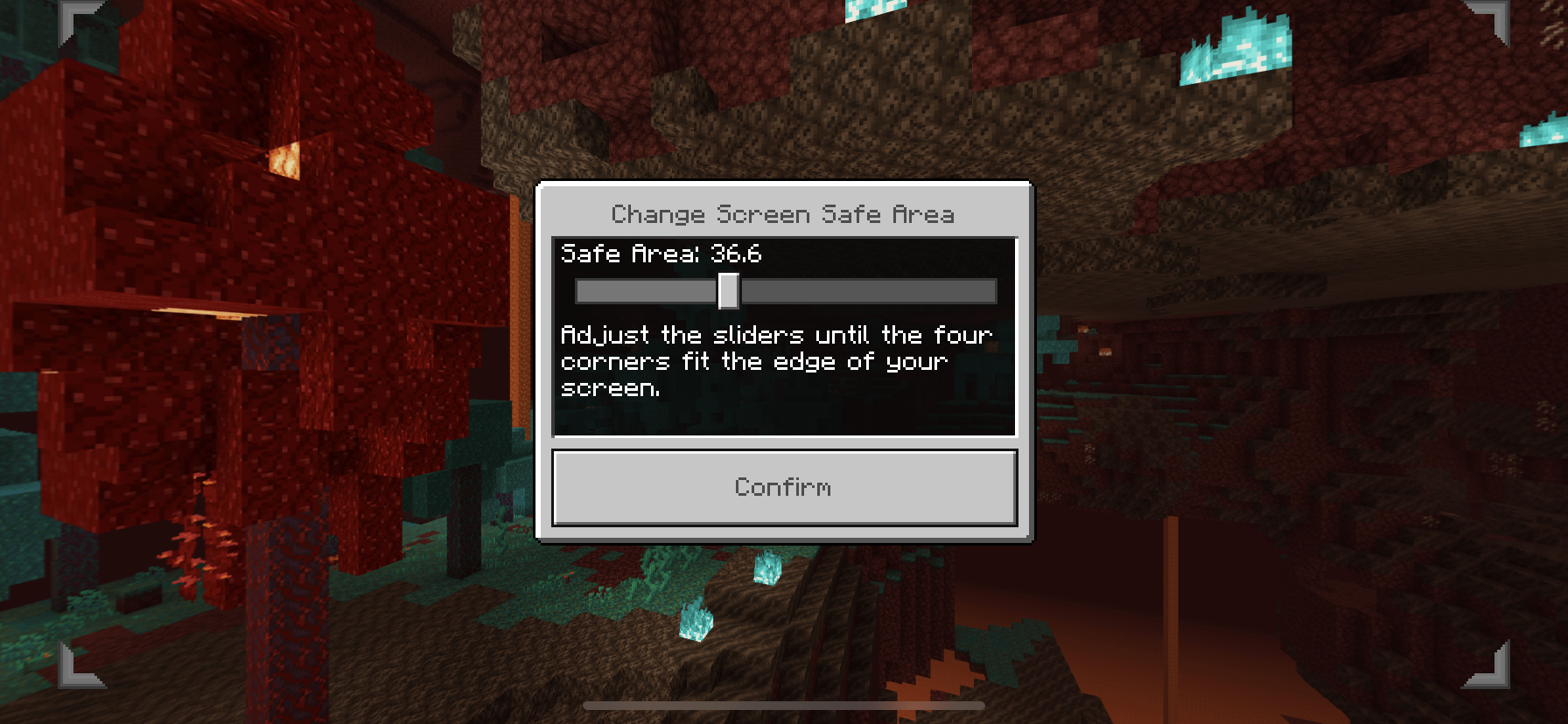
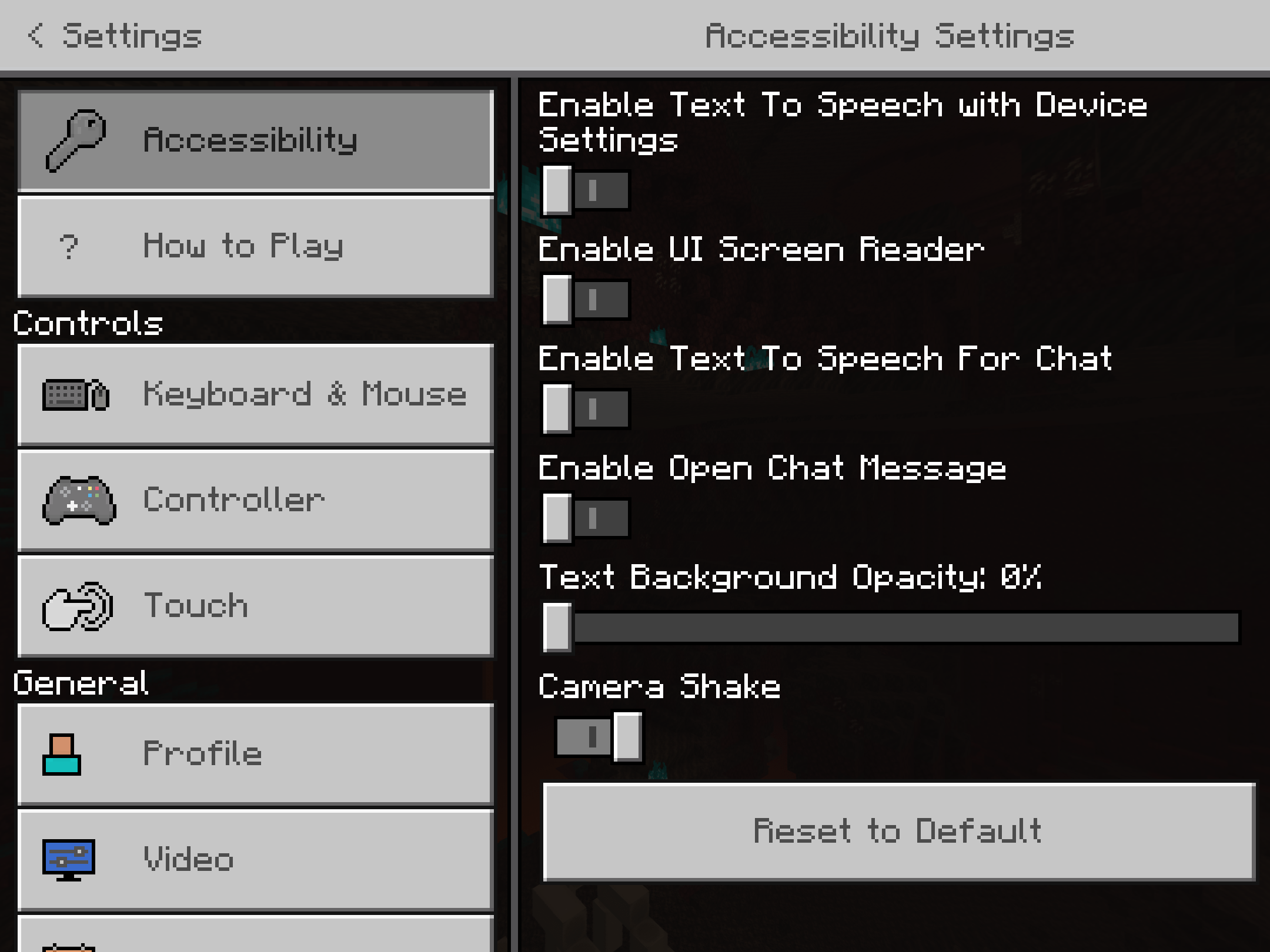
I have added some updated screenshots to this report.
– I am a bot. This action was performed automatically! If you think it was incorrect, please notify us on Discord or Reddit
This bug also affects the New Create New World Screen. It looks like this affects the New UI system as a whole.
Also experiencing large UI scaling with new Create World screen UI when Settings → Video → GUI Scale Modifier is set to 0 (default).
Game Version: 1.18.20.22 Preview
Device: iPhone 11, iOS 15.2.1
Attached video shows UI scale difference when switching to new UI at same GUI Scale Modifier. RPReplay_Final1643775740.mov
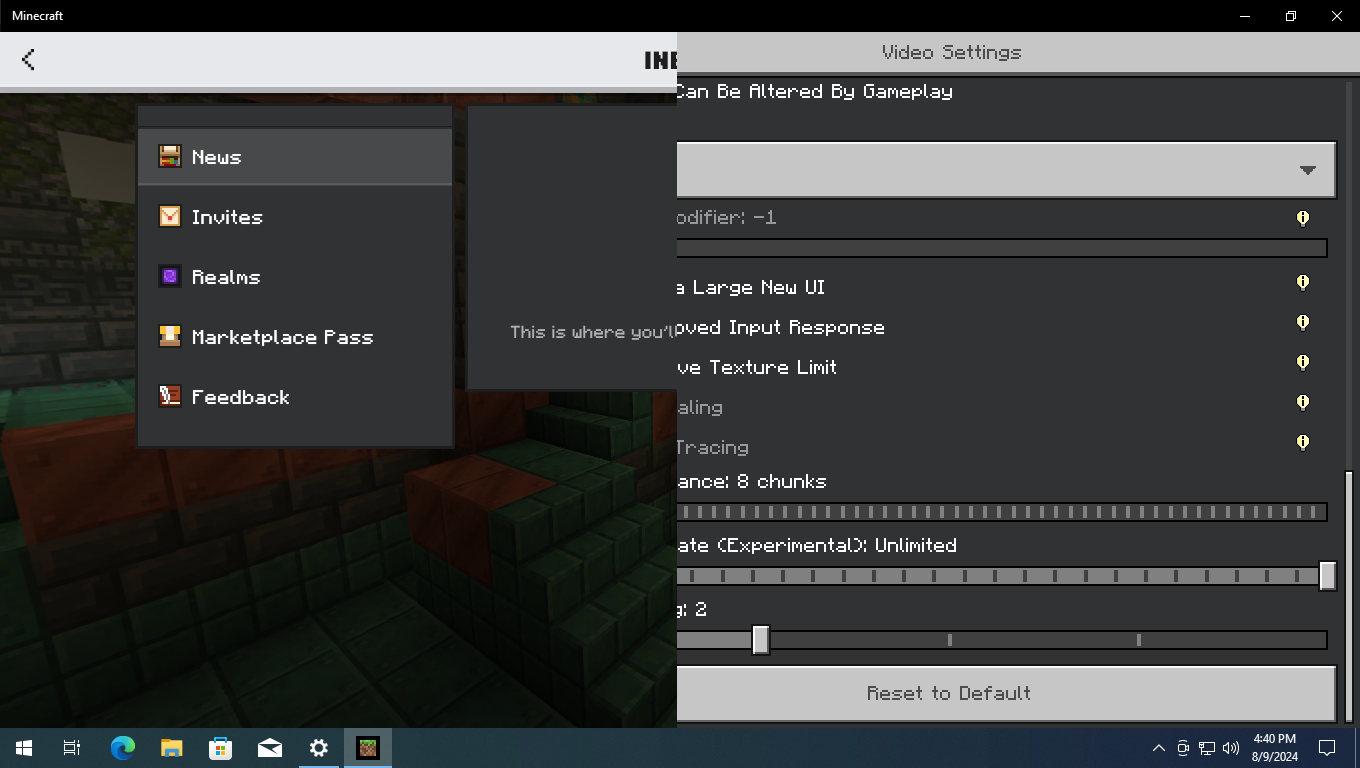
These also affect Windows 10

(cannot reproduce on Windows 11 due to the taskbar being slightly bigger in there), with resolution set to 1366x768 and the game set on Maximized Window.Edit: This can also be reproduced in Windows 11 (and Windows 10) by enabling Taskbar auto-hide features in Windows settings.