Characters/skins revert to default when restarting the game
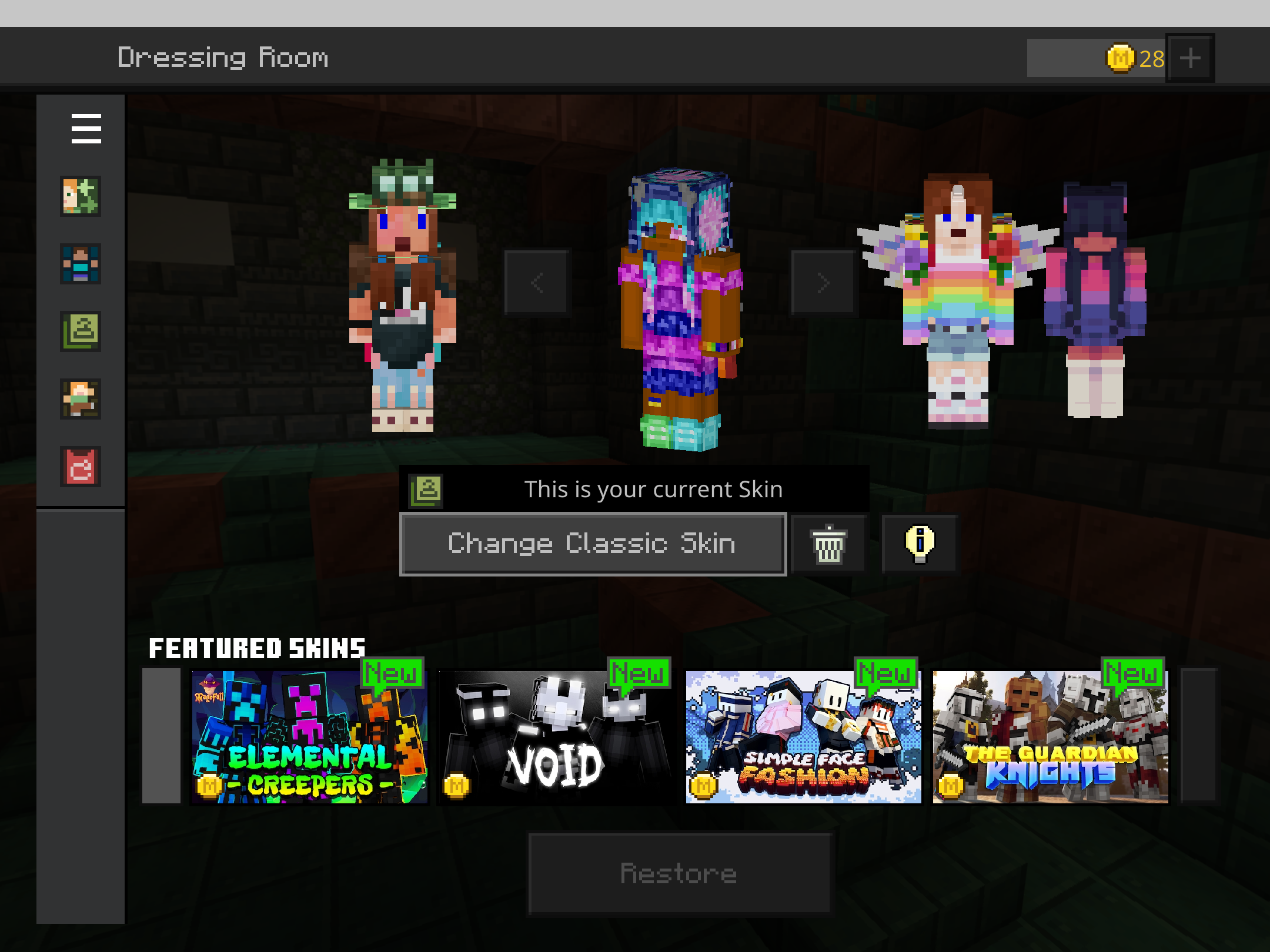
Some time after the 1.21.20 update, I'm no longer able to keep the skin I've been using for the last several years ("Smile" from the Emoji Skin Pack by Visula). Every time I open the game, my character changes to something else. If I try to change my character back to "Smile" by going to the Marketplace, finding the skin, and entering back in, it will work occasionally, but most of the time it will revert back to either the default Steve or Alex or some other random character.
I am attaching a video that shows what I am experiencing. I open and close the game multiple times, and each time the skin changes. At the end I try to change back to the Smile skin by going to the Marketplace via the Dressing Room and the change doesn't take.
I have noticed that I can usually make the Smile skin change stick if I stay away from the "Dressing Room" and instead just go directly to the Marketplace from the game's opening screen, search for the skin pack, and equip it that way. Doing that will allow me to use the skin until I close and reopen the game again.
Note: I am playing the game without being signed in. I do have a Microsoft account and I do play Minecraft on other devices with that account, but I've been playing not signed in on my Windows 10 machine with this skin for years without issue until now.
Linked Issues
is duplicated by13
 BDS-19654Dressing Room has deleted my skins. Duplicate
 MCPE-180132All Characters removed/replaced in dressing roomDuplicateMCPE-185513Character settings are no longer stickyDuplicateMCPE-185628Everytime I restart Minecraft, my characters get deleted.DuplicateMCPE-185788Minecraft skin will revert to default skin when restarting the gameDuplicateMCPE-1858671.21.20 & 1.21.21 Skins Go AwayDuplicateMCPE-185957Skin gets overwrittenDuplicateMCPE-186018skinDuplicateMCPE-186147User Skin Resets Upon Re-LoggingDuplicateMCPE-188025Issues with custom skin DuplicateMCPE-188248Minecraft Unable to save skin and capeDuplicateMCPE-190002Skin not applying on log inDuplicateMCPE-190441so the skins are broken. Me and my friends skins wont fully load or will just show a default skin. They wont fully show up or things will be changedDuplicate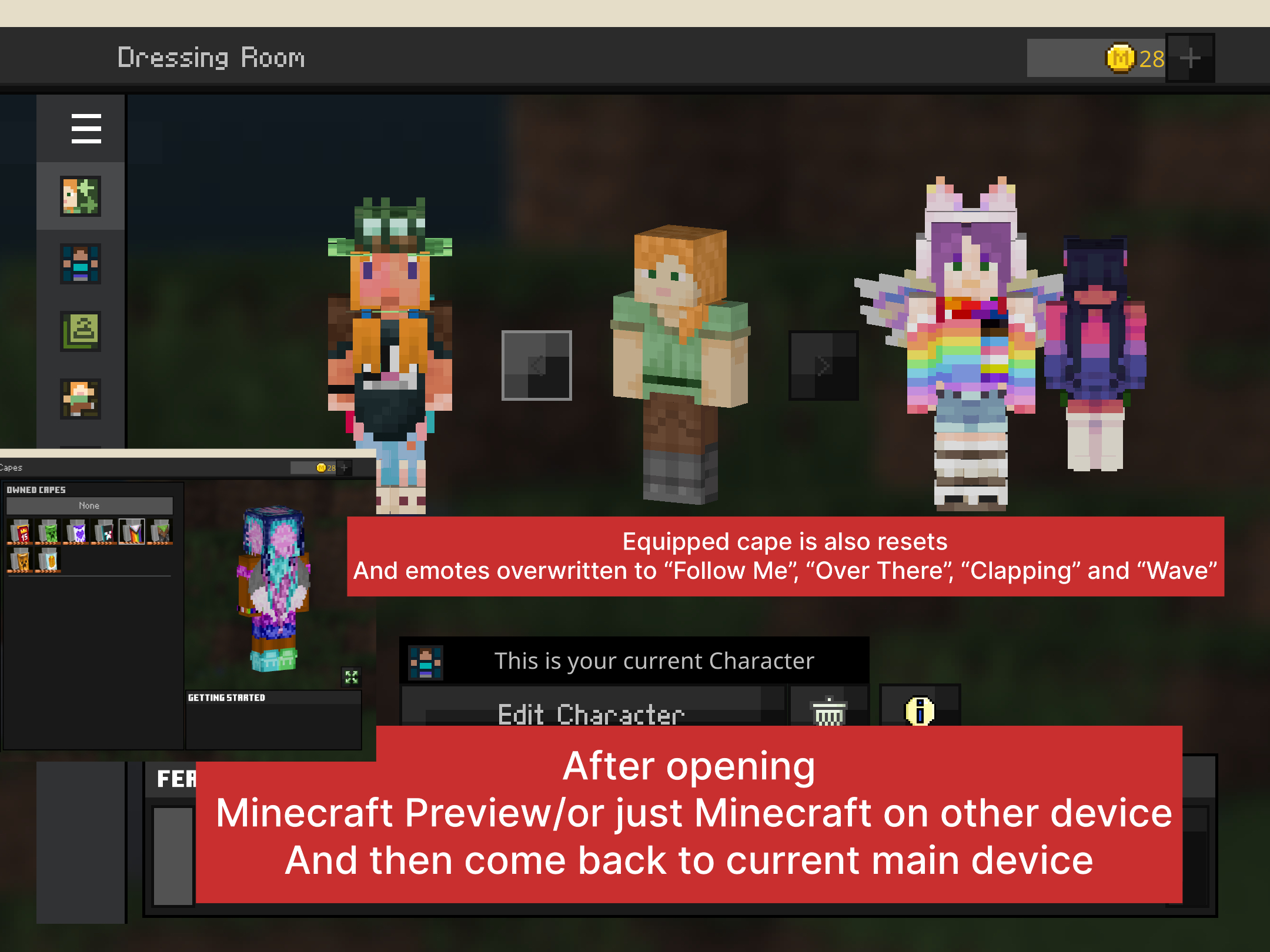


Created Issue:
Character Randomly Changes Every Time Minecraft Starts
Some time after the 1.21.20 update, I'm no longer able to keep the skin I've been using for the last several years ("Smile" from the Emoji Skin Pack by Visula). Every time I open the game, my character changes to something else. If I try to change my character back to "Smile" by going to the Marketplace, finding the skin, and entering back in, it will work occasionally, but most of the time it will revert back to either the default Steve or Alex or some other random character.
I am attaching a video that shows what I am experiencing. I open and close the game multiple times, and each time the skin changes. At the end I try to change back to the Smile skin by going to the Marketplace via the Dressing Room and the change doesn't take.
I have noticed that I can usually make the Smile skin change stick if I stay away from the "Dressing Room" and instead just go directly to the Marketplace from the game's opening screen, search for the skin pack, and equip it that way. Doing that will allow me to use the skin until I close and reopen the game again.
Note: I am playing the game without being signed in. I do have a Microsoft account and I do play Minecraft on other devices with that account, but I've been playing not signed in on my Windows 10 machine with this skin for years without issue until now.
- Unresolved
- Open
- Unconfirmed
- Windows
- Windows 10
- 1.21.20
![[Mod] Jarl-Penguin](../../../data/avatars/users/92849.png)
![[Bot] Arisa](../../../data/avatars/users/43007.png)
is duplicated by
is duplicated by
is duplicated by
is duplicated by
![[Mod] OcelotOnesie](../../../data/avatars/users/43220.png)
is duplicated by
is duplicated by
is duplicated by
is duplicated by
is duplicated by
is duplicated by
![[MCQA] Emir Misiratov](../../../data/avatars/users/18935.svg)
is duplicated by
Thank you for your report!
We're tracking this issue in MCPE-185386, so this ticket is being resolved and linked as a duplicate.
If you would like to add a vote and any extra information to the main ticket it would be appreciated.
If you haven't already, you might like to make use of the search feature to see if the issue has already been mentioned.
Quick Links:
📓 Bug Tracker Guidelines – 💬 Community Support – 📧 Mojang Support (Technical Issues) – 📧 Microsoft Support (Account Issues)
📓 Project Summary – ✍️ Feedback and Suggestions – 📖 Game Wiki
Thank you for your report!
We're tracking this issue in MCPE-185386, so this ticket is being resolved and linked as a duplicate.
If you would like to add a vote and any extra information to the main ticket it would be appreciated.
If you haven't already, you might like to make use of the search feature to see if the issue has already been mentioned.
Quick Links:
📓 Bug Tracker Guidelines – 💬 Community Support – 📧 Mojang Support (Technical Issues) – 📧 Microsoft Support (Account Issues)
📓 Project Summary – ✍️ Feedback and Suggestions – 📖 Game Wiki
Thank you for your report!
We're tracking this issue in MCPE-185386, so this ticket is being resolved and linked as a duplicate.
If you would like to add a vote and any extra information to the main ticket it would be appreciated.
If you haven't already, you might like to make use of the search feature to see if the issue has already been mentioned.
Quick Links:
📓 Bug Tracker Guidelines – 💬 Community Support – 📧 Mojang Support (Technical Issues) – 📧 Microsoft Support (Account Issues)
📓 Project Summary – ✍️ Feedback and Suggestions – 📖 Game Wiki
Thank you for your report!
We're tracking this issue in MCPE-185386, so this ticket is being resolved and linked as a duplicate.
If you would like to add a vote and any extra information to the main ticket it would be appreciated.
If you haven't already, you might like to make use of the search feature to see if the issue has already been mentioned.
Quick Links:
📓 Bug Tracker Guidelines – 💬 Community Support – 📧 Mojang Support (Technical Issues) – 📧 Microsoft Support (Account Issues)
📓 Project Summary – ✍️ Feedback and Suggestions – 📖 Game Wiki
Thank you for your report!
We're resolving and linking this ticket forward as a duplicate of MCPE-185386, as that ticket contains more detailed information and/or has already been triaged by Mojang.
If you would like to add a vote and any extra information to the main ticket it would be appreciated.
Quick Links:
📓 Bug Tracker Guidelines – 💬 Community Support – 📧 Mojang Support (Technical Issues) – 📧 Microsoft Support (Account Issues)
📓 Project Summary – ✍️ Feedback and Suggestions – 📖 Game Wiki
Thank you for your report!
We're tracking this issue in MCPE-185386, so this ticket is being resolved and linked as a duplicate.
If you would like to add a vote and any extra information to the main ticket it would be appreciated.
If you haven't already, you might like to make use of the search feature to see if the issue has already been mentioned.
Quick Links:
📓 Bug Tracker Guidelines – 💬 Community Support – 📧 Mojang Support (Technical Issues) – 📧 Microsoft Support (Account Issues)
📓 Project Summary – ✍️ Feedback and Suggestions – 📖 Game Wiki
Thank you for your report!
We're tracking this issue in MCPE-185386, so this ticket is being resolved and linked as a duplicate.
If you would like to add a vote and any extra information to the main ticket it would be appreciated.
If you haven't already, you might like to make use of the search feature to see if the issue has already been mentioned.
Quick Links:
📓 Bug Tracker Guidelines – 💬 Community Support – 📧 Mojang Support (Technical Issues) – 📧 Microsoft Support (Account Issues)
📓 Project Summary – ✍️ Feedback and Suggestions – 📖 BDS Wiki – 📖 FAQs
Thank you for your report!
We're tracking this issue in MCPE-185386, so this ticket is being resolved and linked as a duplicate.
If you would like to add a vote and any extra information to the main ticket it would be appreciated.
If you haven't already, you might like to make use of the search feature to see if the issue has already been mentioned.
Quick Links:
📓 Bug Tracker Guidelines – 💬 Community Support – 📧 Mojang Support (Technical Issues) – 📧 Microsoft Support (Account Issues)
📓 Project Summary – ✍️ Feedback and Suggestions – 📖 Game Wiki
– I am a bot. This action was performed automatically! The ticket was resolved by one of our moderators, and I left this message to give more information to you.

Duplicates MCPE-185386

Duplicate of MCPE-185386
For the smaller issue where eye, facial and hair colo(u)rs changing, it's being tracked on MCPE-183453.
For the bigger issue, if it was default characters (Ari, Alex, Steve, Zuri, etc), it's being tracked on MCPE-185386
Thank you for your report!
We're tracking this issue in MCPE-185386, so this ticket is being resolved and linked as a duplicate.
If you would like to add a vote and any extra information to the main ticket it would be appreciated.
If you haven't already, you might like to make use of the search feature to see if the issue has already been mentioned.
Quick Links:
📓 Bug Tracker Guidelines – 💬 Community Support – 📧 Mojang Support (Technical Issues) – 📧 Microsoft Support (Account Issues)
📓 Project Summary – ✍️ Feedback and Suggestions – 📖 Game Wiki
– I am a bot. This action was performed automatically! The ticket was resolved by one of our moderators, and I left this message to give more information to you.

Duplicate of MCPE-185386
Thank you for your report!
We're tracking this issue in MCPE-185386, so this ticket is being resolved and linked as a duplicate.
If you would like to add a vote and any extra information to the main ticket it would be appreciated.
If you haven't already, you might like to make use of the search feature to see if the issue has already been mentioned.
Quick Links:
📓 Bug Tracker Guidelines – 💬 Community Support – 📧 Mojang Support (Technical Issues) – 📧 Microsoft Support (Account Issues)
📓 Project Summary – ✍️ Feedback and Suggestions – 📖 Game Wiki
– I am a bot. This action was performed automatically! The ticket was resolved by one of our moderators, and I left this message to give more information to you.
Thank you for your report!
We're tracking this issue in MCPE-185386, so this ticket is being resolved and linked as a duplicate.
If you would like to add a vote and any extra information to the main ticket it would be appreciated.
If you haven't already, you might like to make use of the search feature to see if the issue has already been mentioned.
Quick Links:
📓 Bug Tracker Guidelines – 💬 Community Support – 📧 Mojang Support (Technical Issues) – 📧 Microsoft Support (Account Issues)
📓 Project Summary – ✍️ Feedback and Suggestions – 📖 Game Wiki
– I am a bot. This action was performed automatically! The ticket was resolved by one of our moderators, and I left this message to give more information to you.
Thank you for your report!
We're tracking this issue in MCPE-185386, so this ticket is being resolved and linked as a duplicate.
If you would like to add a vote and any extra information to the main ticket it would be appreciated.
If you haven't already, you might like to make use of the search feature to see if the issue has already been mentioned.
Quick Links:
📓 Bug Tracker Guidelines – 💬 Community Support – 📧 Mojang Support (Technical Issues) – 📧 Microsoft Support (Account Issues)
📓 Project Summary – ✍️ Feedback and Suggestions – 📖 Game Wiki
– I am a bot. This action was performed automatically! The ticket was resolved by one of our moderators, and I left this message to give more information to you.
Your character will change every time if you don't have a Microsoft Account.
Was this a recent change? I can't find anything indicating that this is intended behavior. As I said I've been playing Minecraft on my Windows 10 PC for several years without signing in and have never experienced this issue until the recent update.
Even if that's now the case, it still doesn't explain why when I go through the Dressing Room and select the skin I want, the change doesn't go through and it still reverts back to a random character.
There was an outage recently that may have caused this issue that has now been resolved. Is this still an issue?
This issue is being temporarily resolved as Awaiting Response. Once the requested information has been delivered, the report will be reopened automatically.
Quick Links:
📓 Bug Tracker Guidelines – 💬 Community Support – 📧 Mojang Support (Technical Issues) – 📧 Microsoft Support (Account Issues)
📓 Project Summary – ✍️ Feedback and Suggestions – 📖 Game Wiki
No - unfortunately this is still happening. Even after my client updated to 1.21.21. Skin/character changes to something different every time I open the game, just like shown in the video.
Don't know if this helps - but every time I first open the game and go to "Dressing Room", it gives me the "Character and Classic Skin Differences" pop-up, as if it's the first time I've ever been to the Dressing Room. I wonder if whatever is causing this problem is originating there.
Trying to update the skin through the Dressing Room still does not work (just like shown in the video) - but the current workaround of going to the Marketplace and resetting my skin that way every time I open the game is still working.
This is definitely an issue I have experienced, especially on Xbox and mobile. All of my character creator skins poof out of existence or back to a default character (usually Alex, Kai or Efe) but all of my classic skins still exist.
Is there a glitch with a Microsoft account acceptance? I sign in repeatedly and still cannot access the skins so just by simply saying that you must sign into your Microsoft account is not a resolve to all those suggesting such. There may be an issue with Microsoft itself. I have noticed that in some attempts when signing into the Microsoft account that it does not accept my account at all. And other attempts it seems to be just fine.
I have tried opening the suggested classic skins but an unable to move to a different skin. If I back out and come back in it offers me a different character. But I am still unable to move with the cursor on my d-pad. So I have to exit and come back in just to finally get it to select the classic Steve skin pack about six or seven times.
Worst answer ever GreasyBat735419
This still happens in 1.21.23 all my characters is just resetting they hair, eyes, eyebrows, lips color and chosen emotes and equipped capes is gone too after reopening the game.
Still the issue in Minecraft 1.21.30 on iPad(9th generation) with iPadOS 18.
This is interesting - I just opened 1.21.30 for the first time on Windows 10, and while initially my character changed to Steve or someone else, eventually it did go back to my default "Smile" skin I had selected before closing the game.
I will keep testing with this version to make sure it wasn't just a fluke, but it's certainly promising.
I see alisistarsun said they're still having the issue on 1.21.30 on an iPad - so possible it's not fixed yet and I just got lucky. I'll post back after a couple of days to see if it's consistently remembering my skin.
UPDATE 9/19/24 - I've started the game several times since 1.21.30 dropped, and even though my character still briefly appears with one of the random skins as the game is first opening, it corrects to my usual skin within a second or two before I advance to the Play menu. I believe this issue has been fixed at least for Windows 10.
Update on 22 September.
Login today into game and all my created characters changes they colors again, also I realized that when I login into Minecraft Preview 1.21.40.22 after encountering this bug in release version my character creator characters colors back to normal even in when I’m open Minecraft 1.21.30 after. However on the next day Minecraft 1.21.30 forgets about that, what color my skins had.
UPD. After trying to fix this bug via opening current Minecraft Preview 1.21.30.22 the same bug also appeared here however when I open Minecraft 1.21.30 on my iPhone 8 my characters colors return to normal but my custom skin got overwritten by default, along with that when I open Minecraft on my iPad, yes my skins colors back to normal although custom skin and emotes got replaced by default and cape got unequipped.
Update on 28/29 September
Even on new device such as iPhone 16 this bug still exists, every time when I also open Minecraft on my iPhone 16/also iPhone 8 my characters and custom skins is just keep resetting to default. BUT when I play only on my iPad and not touching phone version the only issue I have in this situation it’s just characters creator skins who keeps reverting to default and changing they colors.
For my case, I use custom skins. This issue seems to occur very frequently when I simply close Minecraft, then relaunch the game before the game signs me in. This is what happened:
If all steps have been replicated, the skin will revert back to the character creator skin before the game logs you in. Also, after logging in, your character skin will change to a different skin.
Still occurring. Minecraft Bedrock v1.21.43, Windows 10.
The bug is still on 1.21.51 😒