 KR_
KR_
- KR_
- JIRAUSER767843
- Europe/Stockholm
- Yes
- No
 MCPE-179265MCPE-179614MCPE-187522MCPE-188271MCPE-188999
 MC-279439MCPE-144194


 WEB-6819




Hi, I saw that you wrote your previous report in portuguese, but due to google translate not being 100% reliable I'm unable to fully understand what issue you're encountering. If it'd be possible to list in steps how to recreate the bug, that'd be very helpful for everyone involved.
Affects 1.20.41
Would be great if you could link the add-ons you're using.
Can't reproduce your issue in 1.20.3 rc-1, I circled the area on the left map for clarity.

2023-12-05_17.03.42.png
Possibly relates to
MC-5415
Duplicate of
MCPE-177353
Duplicate of
MCPE-177351
Duplicate of
MCPE-177353
Duplicate of MC-265371
Hi, this isn't a bug. This works as intended according to
MC-241997, which suggested this exact idea, but with the stripped variants instead. You're always free to make a suggestion on the feedback website.
Duplicate of MCPE-174886
Duplicate of
MC-3175
Can confirm on Windows, although for me, it only spawned the blue variant, rather than the pink one.
I'd like to request ownership of this ticket, as its reporter has been inactive since 2022.
Have you made sure you're signed in to the Xbox account you used to purchase the game? Also, billing/account issues such as these need to be taken care of by Mojang Support
Could you attach a screenshot/video? Also, is this reproducible in a singleplayer world, or are you only experiencing this issue on realms?
Is this the report you're referring to that has been "fixed"
MCPE-169001?
Duplicate of MC-113242
Duplicate of
MCPE-129319
Duplicate of MCPE-36190
Wasn't able to get this to consistently reproduce, there seems to be certain keys which trigger it, but I was unable to properly verify which.
Do you have any other additional helpful or useful information that may aid others in consistently reproducing this? From the video alone, and what little information you've provided, it simply isn't enough for others to confirm.
Hi, I found an old case that appeared to describe a very similar issue to the one you're encountering. Although the report has since been resolved as "cannot reproduce", it can be found here:
MCPE-11285. Although in that report, the issue was only stated to be occurring in a completely unmodded environment, so it's most likely unrelated.If this still affects the current release, could you please update the report and add as much information as possible regarding the behavior observed, ideally with steps on how to reproduce, and more info about your device's specifications?
Please also make sure that you have no other or additional add-ons or resource packs enabled aside from the shader packs you're using, as those might interfere and cause further issues.
A few additional questions:
As per your description, does this affect every shader pack you've installed? How many have you tested? If so, could you share some examples of those affected?
Since you've specified that this only occurs when a shader pack is enabled, does the game run perfectly fine when they're disabled?
A few similar and more recent reports that might or might not be related:
MCPE-177398MCPE-177250MCPE-177709From what I've observed, these issues are all related in the sense that they only appear to afflict Android devices.
Can't reproduce, possibly fixed.
Check the attached screenshot.
This bug was originally discovered whilst testing for
MCPE-178055andMCPE-177283In the most recent previews, holding down right-click/the place button, will only result with a single boat being summoned. Multiple boats can still be summoned by double-clicking or spam-clicking (as long as there isn't another entity in the way).
Steps to Reproduce:
- Pick a boat of your choosing in creative mode.
- Try to place several of them whilst flying/walking and holding down the place button.
Observed Results:
Only one boat will be summoned.Expected Results:
Multiple boats should be summoned, like in 1.20.51.**
This bug was originally discovered whilst testing for
MCPE-178055andMCPE-177283In
the mostrecent previews, holding downright-click/the place button, will only result with a single boat being summoned. Multiple boats can still be summonedby double-clicking or spam-clicking (as long as there isn't another entity in the way).Steps to Reproduce:
- Pick a boat of your choosing in creative mode.
Try to place several of them whilst flying/walking and holding down the place button.Observed Results:
Only one boat will be summoned.Expected Results:
Multiple boats should be summoned, like in 1.20.51.This bug was originally discovered whilst testing for
MCPE-178055andMCPE-177283In recent previews, holding down the use/place button, will only result with a single boat being spawned. Multiple boats can still be spawned in by double-clicking or spam-clicking (as long as there isn't another entity in the way).
Steps to Reproduce:
- Pick a boat of your choosing in creative mode.
- Hold down the use/place button, aiming at a block.
Observed Results:
Only one boat will be summoned.Expected Results:
Multiple boats should be summoned, like in 1.20.51.
This bug was originally discovered whilst testing for
MCPE-178055andMCPE-177283In recent previews, holding down the use/place button, will only result with a single boat being spawned. Multiple boats can still be spawned in by double-clicking or spam-clicking (as long as there isn't another entity in the way).
Steps to Reproduce:
- Pick a boat
of your choosingin creativemode.- Hold down the use/place button, aiming at a block.
Observed Results:
Only one boat will be summoned.Expected Results:
Multiple boats should be summoned, like in 1.20.51.This bug was originally discovered whilst testing for
MCPE-178055andMCPE-177283In recent previews, holding down the use/place button, will only result with a single boat being spawned. Multiple boats can still be spawned in by double-clicking or spam-clicking (as long as there isn't another entity in the way).
Steps to Reproduce:
- Pick a boat (in creative)
- Hold down the use/place button, whilst aiming at a block.
- Start strafing, whilst keeping the place/use button pressed.
Observed Results:
Only one boat will be summoned.Expected Results:
Multiple boats should be summoned, like in 1.20.51.
This bug was originally discovered whilst testing for
MCPE-178055andMCPE-177283In recent previews, holding down the use/place button, will only result with a single boat being spawned. Multiple boats can still be spawned in by double-clicking or spam-clicking (as long as there isn't another entity in the way).
Steps to Reproduce:
- Pick a boat (in creative)
- Hold down the use/place button, whilst aiming at a block.
- Start strafing, whilst keeping the place/use button
pressed.Observed Results:
Only one boat will be summoned.Expected Results:
Multiple boats should be summoned, like in 1.20.51.This bug was originally discovered whilst testing for
MCPE-178055andMCPE-177283In recent previews, holding down the use/place button, will only result with a single boat being spawned. Multiple boats can still be spawned in by double-clicking or spam-clicking (as long as there isn't another entity in the way).
Steps to Reproduce:
- Pick a boat (in creative)
- Hold down the use/place button, whilst aiming at a block.
- Start strafing, whilst keeping the place/use button held.
Observed Results:
Only one boat will be summoned.Expected Results:
Multiple boats should be summoned, like in 1.20.51.
I was unable to reproduce this from the description you've given. Has this reoccurred since? This does appear to have been an issue in the past
MCPE-41793If you're able to find a way to consistently reproduce this behavior, then please update the ticket with guided steps on how to reproduce it, and ideally attach an accompanying video.
This is working as intended as per the resolution of
MC-127093
This is working as intended according to this comment.
What is your OS? If you're on Windows 11, then this report would duplicate MCPE-174018
Relates to MCPE-84901
Does
MCPE-176235describe what you're experiencing?
MCPE-174535is android-specific. Does this still occur if you disable the resource pack/texture pack?
Is this still an issue in the latest release? If so, please attach a copy of the affected world.
When I initiate a block with a shield, a brief window of time of less than a second exists for an enemy mob todamagemewhile my shield is all the way up. This makes combat very annoyingThis is also currently being tracked on Java MC-100949 .
Since at least 1.18 (according to other reports) there has been an issue with shields not instantly blocking any incoming damage when activated. This causes there to be a slight visual and practical delay when the shield is used.
Steps to reproduce:
- Spawn in a zombie and coax it into attacking you.
- With your shield in hand, try and block any attacks.
Observed results:
There'll be a slight delay between when the shield is first activated to when it starts blocking any damage.Expected results:
The shield should immediately start blocking any damage when used.
Blocking with a shield doesn't work for a brief period of time after blockingShield blocking is delayed
Please check if this is still an issue after fixing your pack, as currently, even with every experimental feature enabled, it still throws around 30 errors in the content log.
Also, specify which of the blocks are not functioning correctly and their names.
You appear to have duplicated your post that was resolved as "cannot reproduce"
MCPE-178685, so could you double-check to make sure that this is still fully reproducible for others?
Can confirm.
What is odd, though, is that when I first loaded in the world, most of the custom blocks were absent from the creative inventory. Additionally, the pack threw around 30 content errors even when every experimental feature was enabled, so I thought that the pack was broken, but when I rejoined the world, all the custom items appeared in the creative inventory.
The name of one of the blocks in question that this bug occurs with is "smoky quartz pillar", which doesn't appear to rotate its Y and X axis' correctly if placed sideways to an adjacent block.
Edit: These content log errors should not affect the bug at hand, as they were mostly minecraft:display_name component errors.
Edit: You can omit the reproduction steps I've provided and reproduce this by simply selecting a cape in the dressing room.
In the latest preview, you'll possibly encounter this new content log error if you exit a world and head to the dressing room:
[Molang][error]-minecraft:player.0.persona-19747a2db20c4ed7-0 | | query.armor_texture_slot can only be used when an entity context is provided.This is fully reproducible in vanilla minecraft without any RP/BP enabled.
Steps to reproduce:
- Activate the Content Log GUI and create a new world.
- Join the world, then save and quit.
- Head back to the start menu.
- Click to view the Dressing Room.
Observed results:
You'll see a content log error.Expected results:
No content log errors should be thrown.
Duplicates MCPE-170175
Is it still an issue in the latest preview? Does it occur with any other pack? I cannot reproduce this using other packs.
Can confirm.
Have you tried this in preview 1.21.0.20? It appears to be fixed in that version. I wasn't able to test this in the main release, as the pack refused to work on that version for some reason.
Based on the resolution of
MC-57918, this may not be fixed.
Duplicates MCPE-131043.


Duplicates
MCPE-32089
I am unable to reproduce this on Windows.

Can confirm, also an issue on 1.21.10.20
Duplicates MCPE-18432

Relates to MCPE-180955
If you walk on a carpet it will not showthe particleeffects of thecarpet but the block under the carpetSprinting/falling on any of the following blocks will result in the particles of the block beneath being shown instead. I'll periodically update the list if I find or miss any blocks.
Affected blocks (some may be missing):
- Carpets including moss
- Sculk vein
- Trapdoors
- Glow lichen
- All rail variants
- 1-2 layers of snow
- Lilly pads
- Comparators and repeaters
Steps to reproduce:
- Select one of the affected blocks from the list above.
- Place it down and run/sprint over it.
- Try falling on it too.
Observed results:
The particles produced when falling or sprinting on these blocks will always be from the block directly below. If a block such as a trapdoor is floating in the air, it won't produce any particles whatsoever when you sprint/fall on it, as the block directly below is non-existent.Expected results:
All the aforementioned blocks display their corresponding particles, as with any other block, when you either sprint or fall on them.
Walking on carpet showsparticlesforblock belowcarpet.Sprinting / falling on certain blocks will produce the particles of the block below
Sprinting/falling on any of the following blocks will result in the particles of the block beneath being shown instead. I'll periodically update the list if I find
ormiss any blocks.Affected blocks (some may be missing):
- Carpets including moss
- Sculk vein
- Trapdoors
- Glow lichen
- All rail variants
- 1-2 layers of snow
- Lilly pads
- Comparators and repeaters
Steps to reproduce:
- Select one of the affected blocks from the list above.
- Place it down and run/sprint over it.
- Try falling on it too.
Observed results:
The particles produced when falling or sprinting on these blocks will always be from the block directly below. If a block such as a trapdoor is floating in the air, it won't produce any particles whatsoever when you sprint/fall on it, as the block directly below is non-existent.Expected results:
All the aforementioned blocks display their corresponding particles,as with any otherblock, when you either sprint or fall on them.Sprinting/falling on any of the following blocks will result in the particles of the block beneath being shown instead. I'll periodically update the list if I find new ones or have missed any blocks.
Affected blocks (some may be missing):
- Carpets including moss
- Sculk vein
- Trapdoors
- Glow lichen
- All rail variants
- 1-2 layers of snow
- Lilly pads
- Comparators and repeaters
Steps to reproduce:
- Select one of the affected blocks from the list above.
- Place it down and run/sprint over it.
- Try falling on it too.
Observed results:
The particles produced when falling or sprinting on these blocks will always be from the block directly below. If a block such as a trapdoor is floating in the air, it won't produce any particles whatsoever when you sprint/fall on it, as the block directly below is non-existent.Expected results:
All the aforementioned blocks should display their corresponding particles, not the ones from the block below.

For some reason, the number has increased to minus 3 pages as of 1.21.22.
Duplicates REALMS-419
Please attach a video demonstrating the bug.

Duplicates
MCPE-185087
Duplicates MCPE-185261
Please tell us what your device specifications are.
The grass blocks in a roofed forest become black if smooth lighting isenabledThe grass blocks in a roofed forest become black if smooth lighting is disabled
I'm creating a separate report for this bug, as I originally ascribed it as a symptom of
MCPE-186374but later found out that changing your render distance doesn't affect it, unlike both the spruce and birch leaves reported there (and also the fact that those are semi-transparent blocks, meanwhile grass blocks are opaque). Also worth nothing that with these grass blocks, only the top texture is affected.Steps to reproduce:
- Make sure you have "smooth lighting" disabled under Settings > Video
- Locate any roofed forest biome.
Observed results:
All the grass blocks within that biome will be pitch black.Expected results:
They shouldn't be black.
I'm creating a separate report for this bug, as I originally ascribed it as a symptom of
MCPE-186374but later found out that changing your render distance doesn't affect it, unlike both the spruce and birch leaves reported there (and also the fact that those are semi-transparent blocks, meanwhile grass blocks are opaque). Also worth nothing that with these grass blocks, only the top texture is affected.Steps to reproduce:
- Make sure you have "smooth lighting" disabled under Settings > Video
- Locate any roofed forest biome.
Observed results:
All the grass blocks within that biome will be pitch black.Expected results:
They shouldn't be black.I'm creating a separate report for this bug, as I originally ascribed it as a symptom of
MCPE-186374but later found out that changing your render distance doesn't affect it, unlike both the spruce and birch leaves reported there (and also the fact that those are semi-transparent blocks, meanwhile grass blocks are opaque). Also, it's worth noting that with these grass blocks, only the top texture is affected.Steps to reproduce:
- Make sure you have "smooth lighting" disabled under Settings > Video
- Locate any roofed forest biome.
Observed results:
All the grass blocks within that biome will be pitch black.Expected results:
They shouldn't be black.
Duplicates MCPE-173569
It sounds like you may be describing multiple bugs here: if these trial chamber spawners are spawning in empty as soon as they're discovered, then you're most likely experiencing MCPE-180780 which should only affect older worlds generated in previous releases.
The second part of your report appears to describe
MCPE-185960but we cannot be certain unless you can confirm. Please update us on whether any of these two reports describe what you're experiencing. If not, then it'd be appreciated if you could give us more information (world seed) with the coordinates to said trial chambers.
Duplicates MCPE-186823


Duplicates
MCPE-174535

On Bedrock creaking hearts are moveable with pistons, meanwhile on Java, they aren't.
Steps to reproduce:
- Place a creaking heart.
- Place a piston facing towards it.
- Activate the piston.
Observed results:
The piston will push the creaking heart.Expected results:
The creaking heart will not be pushed, just like on Java.On Bedrock creaking hearts are moveable with pistons, meanwhile on Java, they aren't. Other than being a parity issue, this causes further problems, such as those described in
MCPE-187298, basically resulting in the heart remaining active but unlinking itself from any creakings present.Steps to reproduce:
- Place a creaking heart.
- Place a piston facing towards it.
- Activate the piston.
Observed results:
The piston will push the creaking heart.Expected results:
The creaking heart will not be pushed, just like on Java.
On Bedrock, creaking hearts are moveable with pistons, meanwhile on Java, they aren't. Other than being a parity issue, this causes further problems, such as those described in
MCPE-187298, basically resulting in the heart remaining active but unlinking itself from any creakings present.Steps to reproduce:
- Place a creaking heart.
- Place a piston facing towards it.
- Activate the piston.
Observed results:
The piston will push the creaking heart.Expected results:
The creaking heart will not be pushed, just like on Java.
Duplicates
MCPE-43626
Duplicates MCPE-176407


It doesn't matter which method was used to enable cheats in the world, as you're still effectively describing a bug of a bug, and a behavior that is not supported on Bedrock Edition.
The only legitimate way to toggle cheats on Java is by using the method described in
MC-134which is not considered a valid parity issue for bedrock, as previously mentioned (MCPE-180305).So to reiterate: this isn't a valid parity issue, as it relies on the fact that you can use a bug or other exploit to enable cheats in a hardcore world (which in itself is a bug), and as I previously covered, is not a supported feature on bedrock.
Being able to enable cheats in a hardcore world is considered a bug itself, see MCPE-180404
Also, similarly to the resolution of
MCPE-180305I don't believe this describes a valid parity issue as being able to use commands to change your gamemode is a feature only present in one edition. Commands such as /gamemode (considered a cheat) shouldn't be able to be used in a hardcore world to begin with according to MCPE-180404.
Trees still don't grow when planted on pale moss blocks
Duplicates MCPE-187993
This is also a bug present on Java MC-8187
Steps to reproduce:
- Plant spruce or jungle saplings in a 2x2 formation.
- Place any block adjacent to the saplings on the western (X) or northern (
Y) coordinates.- Bonemeal any of the saplings.
Observed results:
They won't grow into a tree.Expected results:
They should.This is also a bug present on Java MC-8187
Steps to reproduce:
- Plant spruce or jungle saplings in a 2x2 formation.
- Place any block adjacent to the saplings on the western (X) or northern (Z) coordinates.
- Bonemeal any of the saplings.
Observed results:
They won't grow into a tree.Expected results:
They should.
This is also a bug present on Java MC-8187
Steps to reproduce:
- Plant spruce or jungle saplings in a 2x2 formation.
- Place any block adjacent to the saplings on the western (X) or northern (Z) coordinates.
- Bonemeal any of the saplings.
Observed results:
They won't grow into a tree.Expected results:
They should.Note: They will grow when using blocks such as leaves, logs, and dirt.
Game crashes if you try to open the dressing room or marketplace while offline.
This only appears to be an issue in the latest preview.
Steps to reproduce:
- Disconnect from the internet.
- Launch the game.
- Try to go into the dressing room or marketplace.
Observed results:
The game crashes.Expected results:
It shouldn't.


KR_ I can reproduce this on Windows, this can be reproduced while exiting other UI as well, not only Chat screen, also this can only be reproduced while the screen animations is turned on, as the Emote screens will appears instead while screen animations is turned off
Steps to reproduce:
- Enable screens animation
- Open Chat, Inventory, or any Screen
- Close the screen and then quickly click B (don't hold it, just click it)
Expected results:
Nothing happen/Emote screens appears.
Observed results:
Quick Emote menu appears.

Thanks KR_ for reproduce on Windows device, Because i didn't affect for Android version 

@KR_: According to the label and description, the issue is clearly reported as a parity issue, so it should meet the requirements. As a parity issue, it is invalid.
As you've mentioned yourself, and from my own testing, I haven't been able to successfully reproduce this bug. Care to elaborate more on when/how it occurred during your testing?
I can't seem to replicate this either. Would be great if you could demonstrate it occurring in a video.
After testing this in numerous worlds with both the 1.21 experimental features enabled and disabled, I just cant seem to replicate this. If it occurs again please update the report, ideally with how you got it to happen again.
Hi, the command to summon an item frame is /give @s frame, not /give @s item_frame
Can confirm. Additionally, this has not been fixed as of the latest preview (1.20.60.21)
This works as intended, there have never been any blue fire arrows. You can submit it as a suggestion instead, here's a similar suggestion i found on the feedback website: https://feedback.minecraft.net/hc/en-us/community/posts/360052509111-Soul-Sand-Tipped-Arrows-Blue-Fire-Arrows-
Edit: My bad, this has been recognized as a bug but since it has been marked as low priority it's been prevalent in many versions of the game for years now, hence making me think it was intentional design/or a quirk of the game.
This is most likely an issue to be brought up with microsoft/mojang support rather than a bug.
Did you double-check that you were logged into the right microsoft account that you used to purchase the game, and that you didn't mistakenly use another account?
Can confirm on PC.
You should provide a crash report or at least attach some screenshots so that the mods and others know what you're referring to, otherwise it'll be difficult to help you, or know what it is you're experiencing.
This is a duplicate of MCPE-113619
This works as intended, read more here: https://minecraft.makecode.com/courses/csintro/coordinates/overview#:~:text=To%20see%20where%20you%20are,see%20how%20these%20values%20change.
Edit: Sorry turbo, I'll add an official link regarding info about coordinates instead (provided by microsoft themselves) hopefully that works better
Reply from [Mod] turbo:
Please do not use the old Minecraft Wiki, I have updated the link. Also, the Minecraft Wiki is not a source for intended behavior. It's a documentation of the current state and cannot be used as a proof of intended behavior.
Related to MC-172407
I recreated your test spawning around 15 sniffers on grass blocks in a normal world. From what I can observe, they do still dig up seeds. They work as intended, it's just that from what I've seen they take a very long time until they actually start sniffing and digging out seeds.
Additionally, there is a very long cooldown after they've dug out seeds.
I had it running for no more than 10 minutes before the first one started to dig up seeds. It definitely shouldn't take half an hour. Maybe try unloading and reloading the chunks?
Can confirm.
Duplicate of MCPE-173209
Can confirm: check the two attached screenshots.
It's important to note that the 1.21 experimental features must be enabled for the stronghold to be visible, otherwise the structure won't actually generate in its intended location. You can verify its spawn location otherwise by running the /locate command in a world created without enabling the experimental features.
Duplicate of MC-14850
Duplicate of MCPE-87307
Duplicate of MCPE-128863
After redoing the experiment, I still can't replicate your results. After spawning around 20 sniffers, the first ones still start digging at around the 7-8 minute mark (I made sure to time it).
Duplicate of
MCPE-157298This affects windows sytems too.
Duplicate of MCPE-106349
The original report offers a few possible solutions for this.
Duplicate of MCPE-89347
Duplicate of MC-177476
Can't reproduce this. Care to share how it can be reproduced? Ideally, attach a screenshot or video, thanks.
Are you referring to
MCPE-168257?Duplicate of MCPE-156072
Can confirm, I attached 4 screenshots. If you attempt to climb the ladder, you'll find the entrance/exit is being blocked off by a block (waxed chiseled copper block), which is situated right behind the chest on the floor above.
Can't reproduce, will need a more detailed guide/steps on how to reproduce. The coordinates given do lead to a dark forest and there isn't any mansion in sight, but I can't find a villager that'll trade me a map that leads to the purportedly missing mansion, they all lead to mansions elsewhere that do successfully generate.
Can confirm on bedrock PC.
Can confirm on 1.20.41 on PC
Can confirm in 1.20.41
Can confirm that boats can be placed normally in 1.20.41, but in 1.20.60.21, the boat vanishes as soon as you attempt to place it beside another boat or on the block you're currently standing on. Additionally, holding down the place button (right click) will just make them disappear, regardless of which block you're looking at.
There also seems to be a certain radius from the block in which you're standing in which every boat placed will disappear. (most likely to be in pixels)
You don't need to be in creative mode to reproduce, the only difference is that in survival mode the boat will disappear from your inventory too when you attempt to summon it.
Edit: I've uploaded 2 videos showcasing the differences in boat summoning mechanics between the latest releases and previews.
Confirmed in 1.20.3-rc1
Can confirm in 1.20.3 rc-1
Can confirm in 1.20.3 rc-1
Can confirm in 1.20.3 rc-1
Can confirm in 1.20.3 rc-1
Can confirm in 1.20.3 rc-1
This behavior is observable in all species of fish (puffer fish, cod, salmon, tropical), and can be traced all the way back to 1.13, which was when they were introduced.
Can confirm.
Can confirm in 1.20.4 rc-1
Duplicate of
MCPE-177351Duplicate of
MCPE-177351Duplicate of
MCPE-177351Can confirm in 1.20.4 rc-1
Duplicate of
MC-267170Duplicate of MCPE-177362
Duplicate of MCPE-177362
Relates to MCPE-87307
Affects 1.20.60.22
Duplicate of
MC-266431Mind giving the seed?
This works as intended as per
MCPE-176506Duplicate of MC-265594
This works as intended as per
MC-142452.Duplicate of MC-113937
Duplicate of
MCPE-177353Works as intended as per
MC-7656Edit: My bad, the fact that a camel that's laying down can't be ridden around when the game is frozen, and that visual glitch that occurs when it stands up, is definitely different from
MC-266000, apologies.Invalid report, please create separate tickets for each individual bug. Additionally, you'll need to provide more information and steps on how to reproduce them.
Duplicate of
MCPE-177353.Duplicate of MC-266463
Duplicate of
MCPE-177353This isn't a bug and works as intended. The colors were changed slightly in order to make the outer layer of bark blend in more, to not make it stick out as much and to offer a better contrast and make it look more natural.
Works as intended as per
MC-97799Possible duplicate of
MCPE-168518, what are your Y coordinates?Duplicate of
MCPE-177353Not a bug, dark oak, acacia, mangrove, and cherry trees do not have/never have had fallen counterparts.
Duplicate of
MCPE-176373Duplicate of
MCPE-177353Duplicate of MC-148559, their relatively small hitbox causes them to disappear when viewed from a certain angle and distance (see
MC-146813)Duplicate of MCPE-120083
Works as intended as per
MC-260453Not a bug, most likely bad RNG.
Duplicate of
MCPE-177353Check out MCPE-36190 for potential solutions.
Please ensure that you're properly connected to the internet and that you have a stable connection.
Otherwise, refer to MCPE-36190 in regard to multiplayer connection issues, as there is a lot of useful information there with potential solutions.
This works as intended as per
MC-125351Duplicate of MCPE-150000
This is most likely caused by any add-ons you may be using. According to the reporter of
MCPE-177434which was experiencing the same issue, removing the add-ons solved the problem.Duplicate of MCPE-177362
Have a look at
MCPE-175116in regards to poor performance on an android device.Even if you somehow prove there to be a statistical difference in the spawning rate of skeleton horses between java and bedrock, it'd still be a parity issue that precedes the 1.15 buzzy bees update, hence still making this report invalid.
Not a bug, if you click the text I circled, the search bar should reappear. You can also use the search bar located beside your avatar at the top right-hand corner.
Duplicate of MC-258705
Can confirm.
This seems to only affect versions 1.20.3 onwards.
Have you tried reproducing this without the add-on enabled?
Duplicate of
MCPE-175116Hi, bug reports are only accepted in english. You can use google translate as help.
Dungeons cannot be found using /locate, this works as intended according to
MCPE-169078, whilst pyramids can be found via the command /locate temple, which will locate either: pyramids, jungle temples, igloos, and witchhuts, and will give you the coords to whichever is nearest.Check your internet connection, as that is what most frequently causes this specific error code.
Duplicate of
WEB-6821Duplicate of MCPE-66541
Your report is also listed on the wrong project, as this pertains to a bedrock issue, not a mojang web issue.
Duplicate of
MCPE-177353You'll need to provide more information regarding your crash, are you on android?
Duplicate of MCPE-170910
Cannot reproduce, mind attaching a screenshot/video and provide some additional info?
Duplicate of
MCPE-175116Does
MCPE-175283describe your issue then? That's also a duplicate of the aforementioned report.Cannot reproduce.
Hi, this isn't a bug, but rather a technical issue which needs to be brought up with Mojang Support instead.
This is not a bug, rather a technical issue, which can be resolved by contacting Minecraft Support instead.
Invalid report, issues like these need to be reported to Mojang Support instead. But I'll still try and help you:
From what I've read online and from what other users who have experienced this issue have said, here are two potential fixes.
1. Uninstall forge and any other mods you may be using. Start minecraft fresh with 0 modifications installed/enabled whatsoever.
2. Open your Nvidia Control Panel, go to "Manage 3d Settings" and turn off image sharpening. After rebooting the game, you should no longer experience any issues.
Duplicate of
REALMS-11594Duplicate of
MCPE-174535Duplicate of
MCPE-177353Duplicate of MCPE-177362
Duplicate of MC-226214
Can confirm, this is fully reproducible in vanilla with the above steps provided. Additionally, this affects all fish species and both squid variants. I even attempted this in 1.20.1 as per
MC-263546, and was still able to reproduce.Although, if the death message is intentional and works as intended, if it were to change, it'd probably be more apt to rename it to "suffocated" rather than "died from dehydration", as the latter is only used for axolotls and dolphins.
Duplicate of
MCPE-171883Bedrock crashes usually require reporting to Mojang Support, unless you can provide details and full steps on how to reproduce the crash.
Duplicate of
MCPE-177353Can confirm on Windows.
Can confirm.
Affects 1.20.50
Can confirm on PC.
Can confirm on PC. Although, since currently beacons don't have a specific tool assigned to them in order for them to be broken, this technically "should" be considered as working as intended.
BUT! this isn't an issue exclusive to beacons however, as this also affects other glass-like blocks such as glowstone, glass, redstone lamps, etc. Over on the java side of things, mainly reports such as MC-171534 and MC-11992, both recognize the fact that these blocks aren't assigned a particular item (like a pickaxe) nor that they're affected by efficiency, which both affect the mining rate of these blocks.
Interestingly enough, the closest report i saw regarding this issue on here on bedrock was
MCPE-138700, which contradicts a lot of what I've just said about it being recognized as an actual bug on java.Can confirm on PC.
Please provide a little more information to your report, ideally attach a screenshot/video and give us a few steps on how to reproduce the issue.
There are many issues pertaining to villager pathfinding, so it's difficult to know exactly what you're referring to.
Cannot reproduce this either, is this still occurring in 1.20.51?
Cannot reproduce, cartographers do not trade diamond armor, you must've meant armorers.
Still, after trying to get a few armorers in a taiga biome, I was successfully able to get all 4 diamond armor trades. You must've been very unlucky, or this was an issue only in older releases.
I ran my tests in 1.20.51.
The second screenshot looks like a duplicate of MCPE-161162.
As for the first screenshot, the only issue I seem to encounter related to fishing as you've described is occasionally experience orbs won't be picked up after fishing, as per
MCPE-170540. Can't reproduce not being able to pick up fish as seen in the first screenshot, please update the report if you can reproduce it in the latest release.Duplicate of
MCPE-169672Duplicate of MCPE-176504
Duplicate of
MCPE-171314Can confirm.
Can confirm.
(if you attempt to replicate this using the chamber from the above picture, make sure to separate the foxes from the polar bears).
Can confirm, check the attached video. This bug also affects java: MC-113242
Updated steps on how to reproduce:
1. Build an elevated track, around 5 rails should suffice.
2. On one end of the track place a powered rail and place a block with a button, not only to power the track but to also prevent the minecart from derailing at that end.
3. At the other end of the track make sure that there's nothing blocking the way and that the minecart can fall off the ledge.
4. Place the minecart at the starting point (the end with the powered rail), and power the rail.
Observed results:
The minecart will derail too early, causing it to stay floating midair.
Expected results:
The minecart should be able to be ridden off the ledge, and fall on the blocks below.
This works as intended, crafters have a 4 tick delay (0.2 seconds) after receiving a redstone signal.
Duplicate of
MCPE-176383Can confirm.
Can't reproduce, see the attached video. Can you verify whether this issue still persists in the latest version, and add any necessary steps and info that may be useful for others to successfully reproduce?
Remember to carry out all tests in vanilla minecraft with no add-ons or resource packs enabled.
From your description, this sounds like it could be an issue with surround sound. Are you experiencing this on a headset/headphones? If so, are they from Razer or Logitech? Does this also occur if you plug in any other audio devices you may own (if you have any)?
Can confirm, see my attached video.
To elaborate, the mechanic behind spawning mobs (with an egg) under blocks seems to be contingent on their overall height/size, as smaller mobs such as silverfish, spiders, guardians, will always spawn centered directly under the block. Meanwhile taller mobs such as zombies, villagers, camels, endermen, etc. will always spawn at a block's corner/edge/off-center. Regardless of whether they're under a single block or a 4x4 platform, this behavior is the same.
This is very odd, as we're dealing with air blocks and there is nothing obstructing the mob from being spawned regularly. It seems as if the inverse of
MCPE-122684is occurring.Steps to reproduce:
1. Choose a spawn egg of a taller/larger mob (zombie, villager, camel), and a smaller one (spider, silverfish, guardian).
2. Build a 1x1 and 4x4 platform in the air.
3. Position yourself under one of the platforms, aiming straight at a single block, and spawn one of each differently sized mob.
4. Repeat the same process under the other platform.
Observed results:
The larger/taller mobs will always spawn to the side/off-center of the block you're aiming at, regardless of whether you're under a single block, or under a large platform. Under a single block, the taller mobs will always spawn level to the block and to its sides, whilst under a larger platform, they will always spawn off-center or under the adjacent block.
Expected results:
Mobs that are spawned using eggs, irrespective of size/height, should be able to be spawned directly under a block you're aiming at if there's enough space.
Hi, I couldn't reproduce this on Windows. My guess is that you must've mistakenly marked the affected platform as Windows instead of Xbox, as the video attached shows this occurring in Xbox, not on Windows.
But could you confirm that for me, as I'd like to know whether this is also reproducible on Windows PCs. Also, are you still experiencing this issue in the latest version?
Can confirm in 1.20.51.
Improved reproduction steps:
1. Set your spawnpoint using /spawnpoint @s
2. Surround your designated spawnpoint with around 15-20 hostile mobs (preferably zombies).
3. Fly a bit away from your spawnpoint before changing your gamemode to survival, then type /kill
4. Once you respawn, don't move, let the mobs kill you 2–3 times in-place so that they properly cluster around your spawnpoint, only then should you start fleeing (which will be very difficult).
Observed results:
There will always be a short delay after respawning before the user can perform any actions, whether it be moving, punching, looking around, etc. Additionally, I've noticed that after you click the respawn button (if you have /gamerule doImmediateRespawn set to false), the mouse cursor will linger onscreen for a few ticks immediately after respawn before the crosshair becomes visible.
Expected results:
There shouldn't be a delay of x ticks after respawn before a user can perform any action, as this would pose an unfair advantage to hostile mobs if they happen to be near the respawn point, and can land a hit or two on the user before they're able to respond.
Do you have any add-ons or resource packs enabled? Please attach a video of this occurring if the issue still persists in the latest version of Minecraft without any external modifications.
If this issue arose in vanilla Minecraft with no add-ons or resource packs enabled: How far away from the jukebox did you stand? Does the volume never decrease or fade regardless of how far away from the jukebox you're standing, i.e. can you teleport 500 blocks away and still hear it equally loud?
Please provide more info regarding your case, the more information you give, the better.
Hi, I wasn't able to reproduce this, could you verify whether this still affects the latest releases? Also, please provide some additional info, plus clearly outlined steps on how to reproduce the issue, as it helps testers confirm its occurrence.
Attaching another video reproducing this in the latest version would also be greatly appreciated.
Please ensure you have no add-ons or behavior packs enabled, thanks.
Are you still experiencing this lag? Could you provide more info and context behind your lag, like are you only experiencing this on multiplayer, singleplayer, both, on a realm? Is this affecting a single world or all worlds? Old worlds, newly created ones, both?
If you can, please also attach a video.
I can't reproduce this, are you still experiencing this issue in the latest release? Make sure you have no add-ons, resource packs or other modifications enabled.
If you can still reproduce this issue, please update the report with more information and steps on how to reproduce.
Thanks for the update, any other information you'd like to share that might be helpful in figuring out the cause of your lag? Like any specific actions that seem to cause the game to freeze and/or lag spikes? Such as interacting with certain blocks, UIs, menus, loading chunks, etc.
Make sure you don't have any resource packs or add-ons enabled.
Are you also experiencing lag on any other games on your device, or is the lag limited to Minecraft?
Adding a video would certainly help others visualize what it is you're dealing with. What Xbox are you playing on?
Are the issues you're describing in this report identical to those you wrote about in
MCPE-175718?Does this affect the latest release? As the command provided doesn't work in the latest release since the pack is outdated, I wasn't able to reproduce. Please update the report if the issue still persists, and add any additional info necessary in order to reproduce. Ideally, update the pack so that it's compatible with the latest release.
Are you still experiencing this issue in the latest version? Does this affect both players when playing split-screen or only one? There was a recent fix regarding other players who were experiencing similar issues as those described by you, see
MCPE-170831.This might still affect those who are playing on split-screen though, so It'd be nice if you could verify.
Hi, I wasn't able to fully reproduce this. From I've observed, it's most apparent when smooth lighting is enabled.
Could you please verify whether this affected the X or Z axis? As of the latest release (1.20.51), as I was only able to observe this occurring on the Z axis.
Can confirm, affects 1.20.51
This can also be reproduced in survival mode, the egg will phase through the player regardless of gamemode. I have not tested this in multiplayer.
As for eggs not breaking on contact with water and sinking, this is most likely working as intended.
Observed results:
A player can't hit themselves with an egg.
Expected results:
A player should be able to hit themselves with an egg.
Could you attach an image of this happening if the issue still persists? Can player 1 still play the game normally? Is player 2 stuck on the loading screen? If so, check whether MCPE-87744 describes what you're experiencing.
Can confirm.
Hi, are you still encountering this lag in the latest release? If so, please check whether
MCPE-175116describes what you're experiencing.In the event that the report I provided doesn't address your issue, you'll need to update yours with additional info, such as the specifications of your device, and attach a video, which would greatly help others understand your case.
Can confirm in 1.20.51
From my tests, this appears to occur independently of your render distance, Y-level, and dimension. This behavior can also be observed in water.
Can confirm in 1.20.51
How to reproduce:
1. Build a structure like the one pictured above. Optionally, you can also cover the other sides of the hive block with trapdoors.
2. Spawn 3 bees outside the hive.
3. Watch them swarm around the hive, but be unable to enter.
Observed results:
The bees will just fly around the lower portion of the structure and will remain stuck, being unable to enter.
Expected results:
The bees should be able to enter their hive regardless of whether there's a closed or open trapdoor under the hive, just like in Java.
Can't reproduce, possibly fixed.
Check the attached screenshot.
Can confirm, affects 1.20.51.
How to reproduce:
Observed behavior:
When the clone of a locked map is updated, none of its progress will be saved and will be reset if it gets locked.
Expected behavior:
The clone of a map that's been locked should be able to retain any updates made prior to being locked.
Hi, I was unable to reproduce your findings from the iron_ore_feature.json file. For me, it displays the "count" as 9, like it should. Check the attached screenshot:
Cannot reproduce, see the attached video.
Minecraft_2023-12-30_19-07-12.mp4
Reproducible in 1.20.60.23, although, this only appears to occur when you have the new edit screen redesign enabled.
Steps to reproduce:
1. Switch to the new UI in the "Play Preview" tab.
2. Create a new world and exit back to the title screen.
3. Click the "Play Preview" button again, then click "Edit".
4. Activate the new edit screen redesign by clicking the "Try new design" button
5. Once activated, delete the world you created.
Observed results:
There'll be a delay after deleting a world, in which the now-deleted world will remain visible on the Play screen for a short period after deletion.
Expected results:
World deletion should be instant.
Check out the two attached videos showcasing the differences between the old and new design.
Can confirm, affects 1.20.51. See the attached video.
entity damage test.mp4
Important to note: The BP provided was built using an older and outdated version of the beta API. You'll have to manually update the @minecraft/server "version" in the manifest.json file to the latest stable release of the API, which can be found at https://learn.microsoft.com/en-us/minecraft/creator/scriptapi/minecraft/server/minecraft-server?view=minecraft-bedrock-stable
Cannot reproduce in 1.20.51 using version 1.7.0 of the API (singleplayer)
I opted to use "console.warn" with the script provided instead of "console.log", as the latter didn't function properly for me. From what I've observed, by directly storing all the console's output logs in the log folder, not only is this inconvenient since the output isn't visible in-game, but also results with "???" being found in said log files (using versions 1.2.0 or older of the API doesn't fix this).
Check the attached screenshot.
Cannot reproduce this in 1.20.51 using version 1.5.0 of the API. Does this occur with every script used? Could you please provide a sample script in which this error is known to occur? Please also include steps on how to reproduce this.
Additionally, providing some general info about your system specifications and which OS you're using would be greatly appreciated.
Can confirm, affects 1.20.51. Although, I couldn't reproduce this on normal rails/with minecarts going at normal speed, so this seems to mostly affect minecarts travelling at higher speeds.
Steps to reproduce:
1. Build a short track using only powered rails (like the one shown in the video above).
2. Activate all the rails using a redstone torch/es.
3. Place a minecart at either end of the track.
4. Make sure both minecarts intersect, and that they're both going opposite directions of one another.
Observed results:
The minecarts won't always collide with one another, and will phase through one another when travelling at higher speeds.
Expected results:
Minecarts should be able to collide with one another at higher speeds.
Hi, for the missing founders cape please refer to
MCPE-103568as for your missing skinpack, check outMCPE-160329Can confirm.
Can confirm, affects 1.20.60.24. Reproducible on PC.
Can confirm, affects 1.20.60.24. Reproduced on PC.
Can confirm, affects 1.20.60.24.
Can confirm, affects 1.20.51. This does indeed appear to be contingent on which direction the player is facing.
Check the attached video:
minecraft_2024-01-09_10-56-49 (720p).mp4
Can confirm, affects 1.20.51.
This also affects all explorer maps, irrespective of their given data value. Every locator and explorer map given via the /replaceitem command, will default to a normal filled map.
How to reproduce:
1. Run /give @p filled_map 1 7 in a world with cheats enabled.
2. Then, run /replaceitem entity @p slot.weapon.mainhand 0 filled_map 1 7 in a separate main hand slot.
3. Compare the two maps given.
Observed results:
The map obtained via the /replaceitem command will always be a default filled map.
Expected results:
The map obtained via the /replaceitem command will be identical to the one obtained through /give, in this case, it should be a Snowy Village locator map.
Can confirm.
This issue is invalid, as currently, there is no option for Vertical Sync in the game.
I cannot reproduce this in 1.20.51
Video: Minecraft 2024-01-12 18-43-25.mp4
This is caused by MCPE-51825 as per
MCPE-122091Unfortunately, due to the command systems being used differ between platforms, parity issues concerning commands aren't considered valid, and are thus deemed "feature requests" instead.
MC-262950MC-236575Possibly related to MCPE-104207
Is this still an issue in the latest release? If it is, please make 100% sure that you don't have any third-party modifications enabled (resource packs, behavior packs, texture packs, etc.) Additionally, attach a copy of the world in which you're experiencing the issue. Steps on how to reproduce (if possible) would also be greatly appreciated.
This issue also appears to have affected other platforms in the past, so it's unlikely that it's limited to a single platform.
Other instances of this occurring:
MCPE-169464MCPE-167913MCPE-163779MCPE-167349I cannot reproduce this in 1.20.51.
Are the upper frames and slender skin still missing entirely from the character creator for anyone else?
Interestingly enough, both these items were easy for me to find in the character creator, and could be found under the "all face items" and "all bases" sections; respectively.
What I did find, though, was that it was necessary to restart the game in order for both of these items to show under their respective "owned" sections.
See the two attached screenshots.
Can confirm, affects 1.20.51
Is this still an issue in the latest release? If so, since you're unable to upload a copy of your world, would it be possible for you to attach a short video of the bug instead?
Has the bug affected other worlds since, or is it still just the one world that's affected?
If you've found a way to reproduce the bug, then please make sure to add guided steps on how to reproduce the issue.
Most likely related to
MCPE-175550If this is still an issue, could you please provide a video of it occurring?
Also add more info to the ticket, and try and be as descriptive as possible, as it will help everyone understand what is going on.
Is this still an issue in the latest release? Is this the only achievement you can't unlock, or are others affected?
Since you're on android, please check if the following workaround helps solve the issue:
It has been reported that using a private DNS can cause this problem. On Android, in Settings > Network & Internet > Private DNS, you might try turning it off or setting it to Automatic. Note that if you are using a private DNS server to enhance your privacy, block ads, or circumvent regional access restrictions, changing this setting might interfere with your purpose.
This workaround was quoted from
MCPE-115808Can confirm, affects 1.20.51.
How to reproduce:
Observed results:
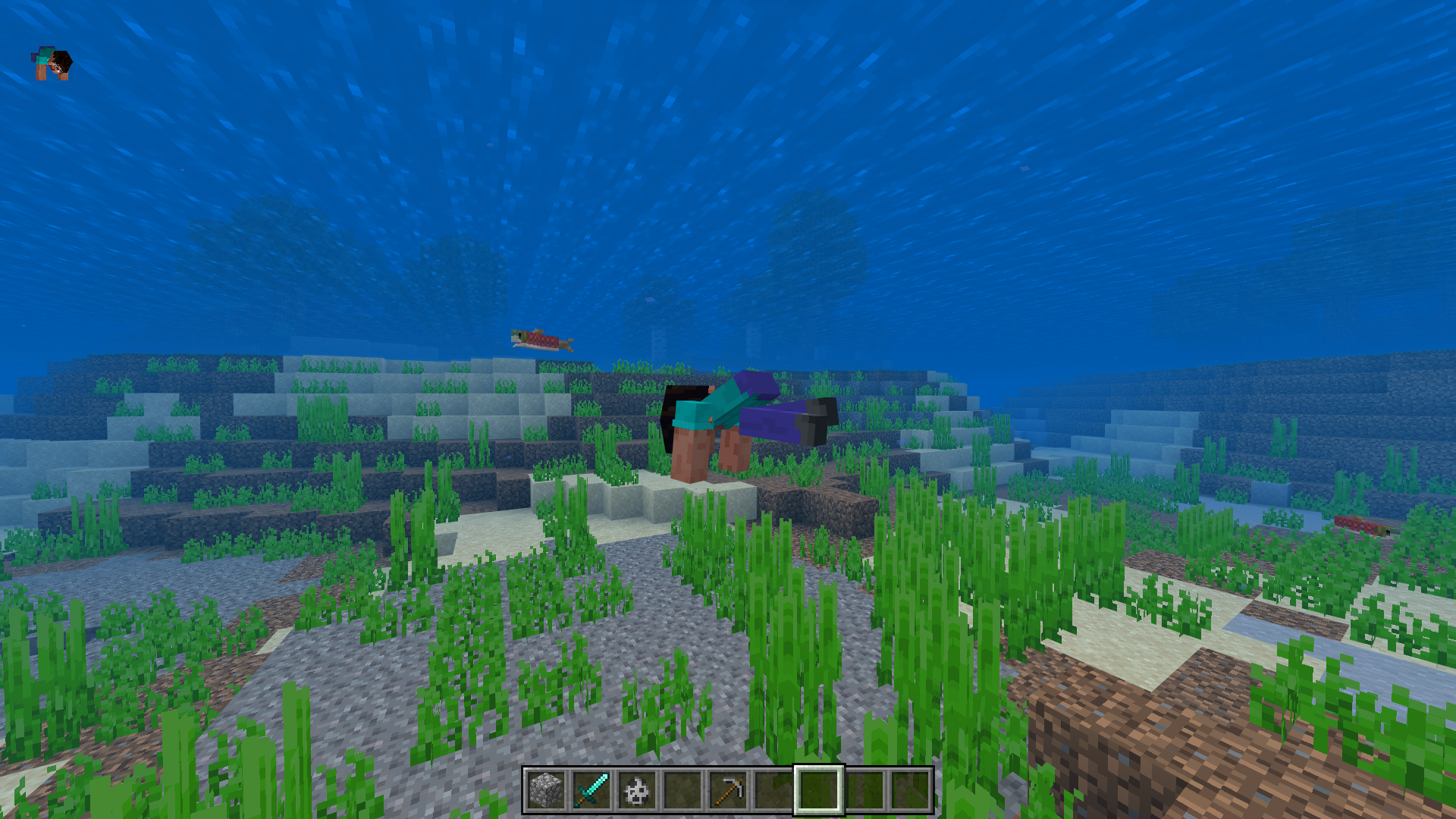
Whilst sneaking in a crawling/swimming state, the player's legs will become disjointed from the torso.
Expected results:
Sneaking whilst swimming/crawling shouldn't force the player's body to become detached.{}
Were you ever able to make/save a copy of the affected world? Have any other of your worlds mysteriously disappeared since? Do you remember if the game updated on the day you lost the world? Did any power cuts/outages occur prior to the world being deleted?
Is your offline name the same one that is displayed above your skin? Would MCPE-173209 describe your issue?
Can confirm.
Steps to reproduce:
For the attack/destroy animation
As for the bobbing animation; you can compare the bobbing differences between items on the list and ones that aren't, it's subtle, but still noticeable to some degree.
Observed results:
The attack/destroy and bobbing animations for the items listed are inconsistent with those of all the items that haven't been listed.
Expected results:
The attack/destroy and bobbing animations for items held should be consistent/the same for every item in the game.
Can confirm, affects 1.20.51.
From my tests, applying Efficiency V and Unbreaking III to a golden or wooden shovel is the best way to trigger the glitch.
Updated description of the bug: Whenever you enchant a tool (shovel) with any level of unbreaking; mining or breaking any blocks with said tool, will occasionally cause the durability meter to glitch out, causing the tool to visually gain or lose durability.
Observed results:
The durability meter will occasionally fluctuate between gaining or losing durability.
Expected results:
The durability meter should constantly decrease (unless mending is applied).
Closely observe the durability meter in the attached video:
Minecraft_2024-01-19_13-59-35.mp4
Issues such as these are very difficult to verify unless you can provide a copy of the world, if this is still an issue, please attach a copy of the affected world.
In the clips you've provided, there appears to be dimly lit spots/areas in which it could be possible for hostile mobs to spawn. Especially in the clip where the skeleton is found inside the room (the room doesn't appear properly lit).
Have you encountered this issue since? This may be a long shot, but would it be possible for you to attach a copy of the affected world? Ideally, if you remember, you could give the coordinates to at least one of the areas from the examples you provided.
The only other report remotely similar to what you're describing, that I could find on here, was
MCPE-120140, so maybe you could check if that describes what you're experiencing? Although, that bug seems to mostly affect players who are pillaring up, and not on a completely flat surface, like you described.A bit difficult to fully understand the bug, given that in the video you provided, it cuts off right before getting to the part where the bug can be observed.
If this is still an issue in the latest release, could you please provide an updated video that actually shows the bug occurring?
Is this still an issue? I cannot reproduce this in 1.20.51.
See the attached video: Minecraft_2024-01-20_08-31-23.mp4
The screenshot of the open inventory does appear to be MCPE-164754, as for the other GUIs, if this is still an issue in the latest release could you attach a short video to the ticket?
Additionally, if you've found a way to reproduce this, please add guided steps.
I cannot reproduce this in 1.20.51.
If this is still an issue in the latest release, could you please attach a video demonstrating how to reproduce the bug?
If you have a copy of the affected world from before 1.19 still around, you could also upload that to your ticket.
Also, make sure you don't have any behavior/resource packs enabled.
See the attached video: minecraft_2024-01-20_09-11-36 (1080p).mp4
Can confirm, affects 1.20.60.26 and 1.20.51.
From my observations, this probably also applies to ghasts.
How to reproduce:
Observed results:
Ghasts and magma cubes appear to only spawn on the netherrack platform.
Expected results:
They should also be able to spawn on the magma block platform.
Does what GoldenHelmet said explain what you were experiencing?
If not, and this is still an issue in the latest release, please attach a video of this occurring.
Can confirm, affects 1.20.51.
How to reproduce:
Observed results:
You'll notice that the back item you just equipped won't be displayed in-game, and that it will only be visibly equipped on the paper doll in the pause menu.
Expected results:
Back items should display, even when you have a cape equipped.
Is this still an issue in the latest release?
Would
MCPE-170638describe what you're experiencing? If not, please update the ticket by adding more info and attach a video of the bug occurring.If this is still an issue, could you upload a video of what it sounds like in-game?
Additionally, it would be helpful to know what headset/headphones/audio device you're using, and whether it only occurs on one specific audio device, or if it affects them all.
Just to confirm: this doesn't ever occur outside minecraft, right?
I cannot reproduce this in 1.20.51 on PC.
If this is still an issue for other platforms, please update the ticket or leave a comment specifying which devices are affected.
Check the attached video: Minecraft 2024-01-21 14-42-41.mp4
Can confirm, affects 1.20.51.
View the attached video for more clarity on what the bug is, and how to reproduce. minecraft_2024-01-22_17-19-10 (720p).mp4
Steps to reproduce:
Observed results:
When the weather is set to rainy in a biome in which there cannot be any rainfall (in this case, a savanna biome), there will be no visible weather fog.
Expected results:
The weather fog function should work in every biome, regardless of climate, as weather as a whole applies globally.
Might relate to MCPE-44178