 MCPE-23462
The File Size (MB, KB, etc.) of My Worlds Are Going Crazy!
I have the latest version of Minecraft Pocket Edition: iOS, using an iPad Mini 4 with the latest iOS version. The file size is going crazy. I could open the app and go into a world that says it is 43.2MB, chop down a tree or something, save/exit, and then it's claiming to be 250.3MB! I go back into the world, which is now taking a lot longer than usual to load, do something else, log out, and then it's saying it's 41.0MB! I exit the app and restart it, it's back to normal, and then the whole cycle repeats itself! This is happening on all of my worlds, with it being a whole lot worse on the worlds I've explored more of and have been using more often. Also, I could go onto one world, and then when I exit, sometimes other worlds get affected by that bug! I have roughly about 2GB of storage space available on my iPad, and when I exit a world and see that multiple worlds claim to be 200+MB, I don't get the notification telling me that I should be careful because the storage is beginning to get a bit low, and that's what's most bizarre about it. I check the storage by going into Settings, and I still have over 2GB available. It's irritating the crap out of me, so can you please hurry up and fix it? FYI it's happening on worlds I haven't even filled a Level 2 Map up on as well. Please fix it soon, I don't want other people encountering this glitch and panicking because they think their phone with 30MB available storage is having all it's info crammed to make room for 200+MB of a level in a high-resource 3D Game and then take it to the Apple/Android Store to have their phone potentially wiped. Please fix it.
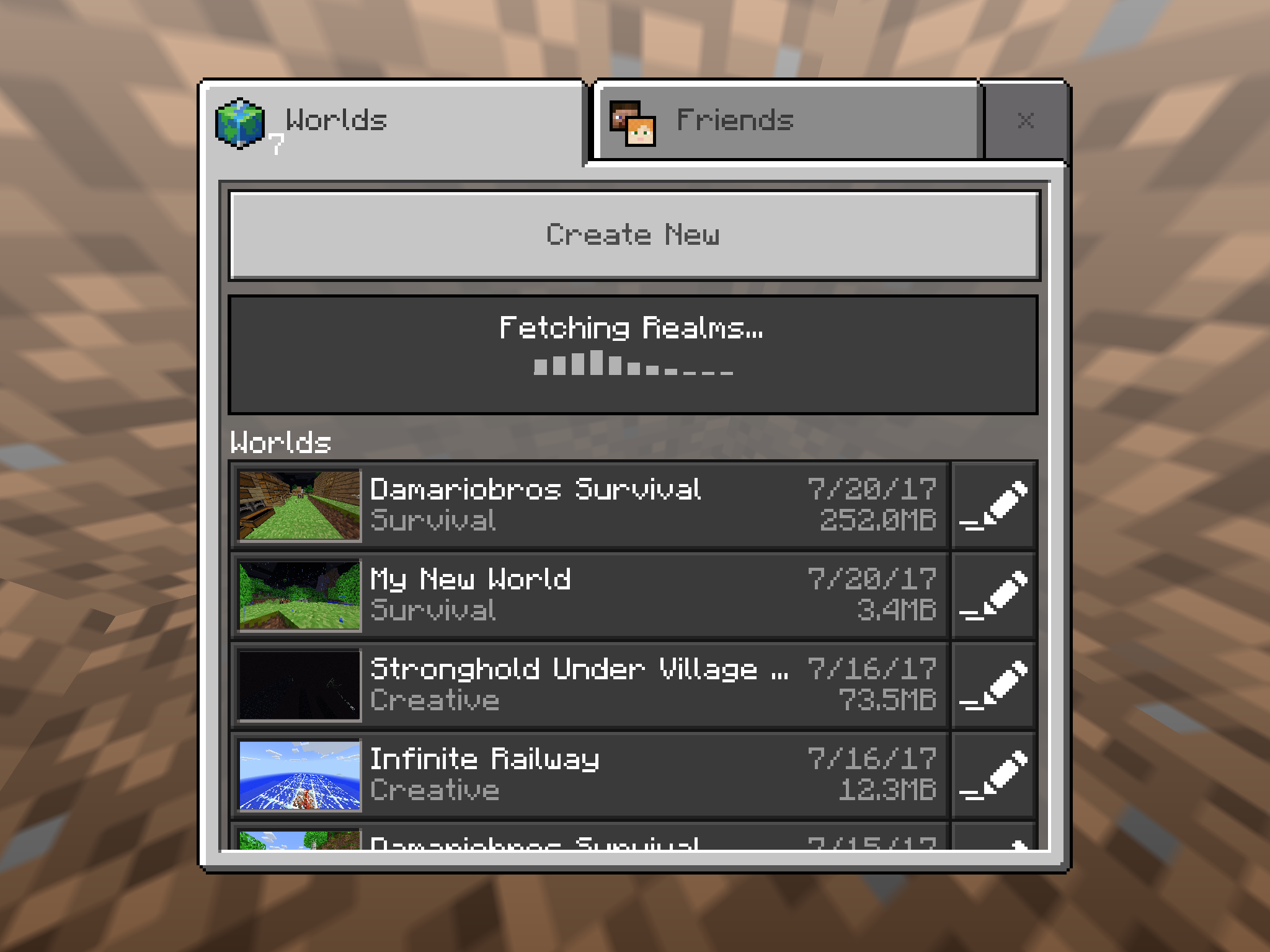
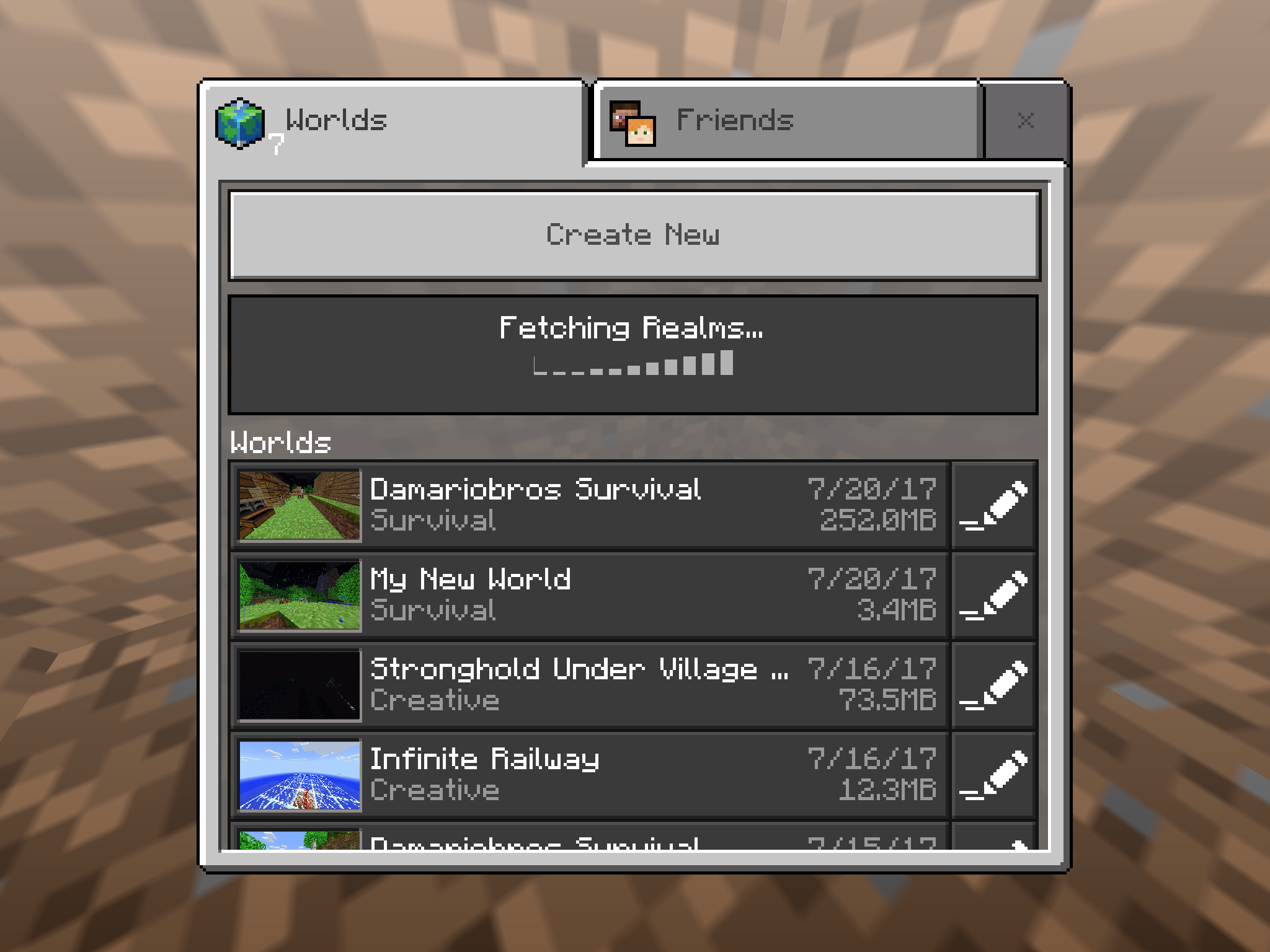
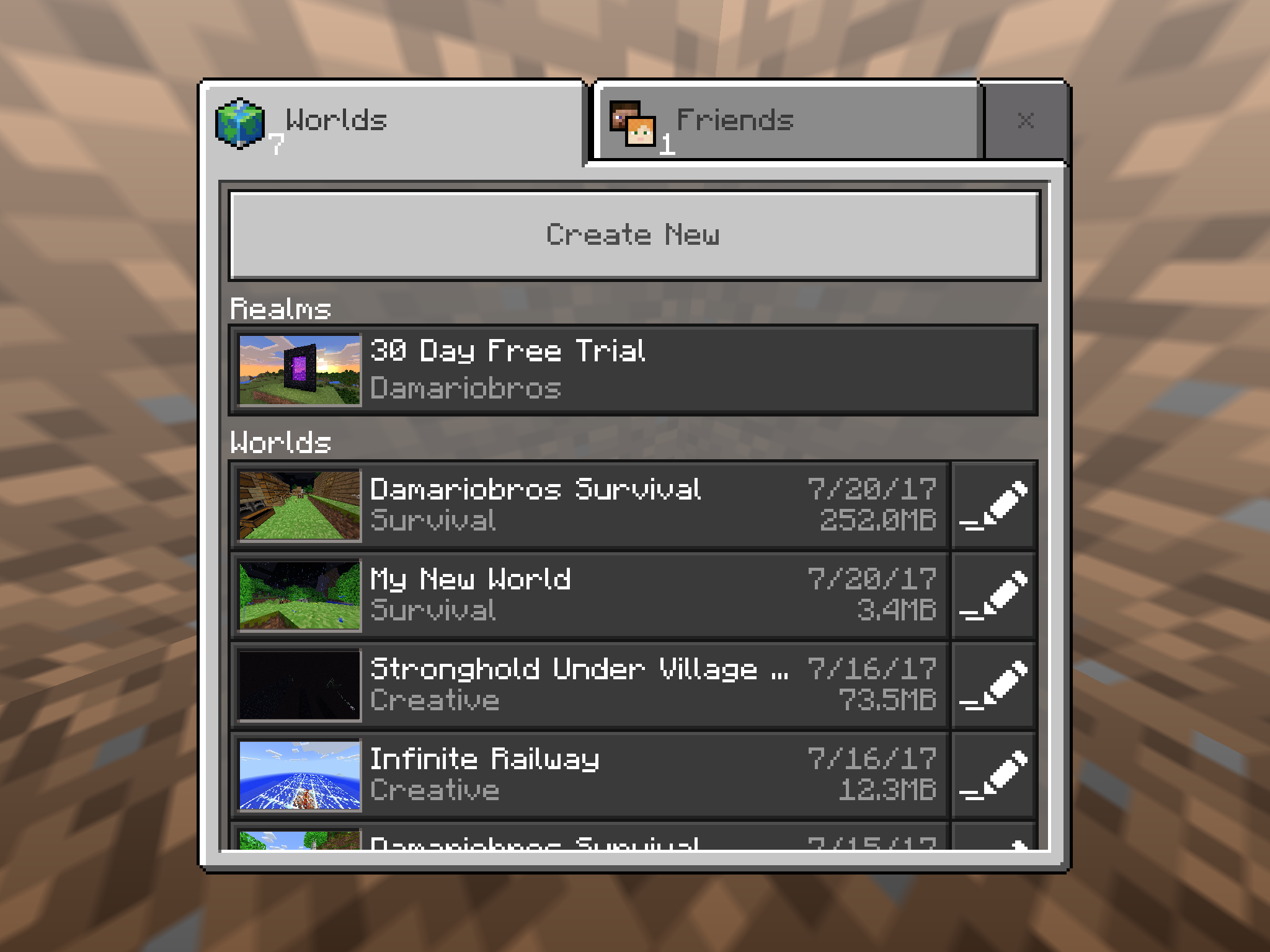
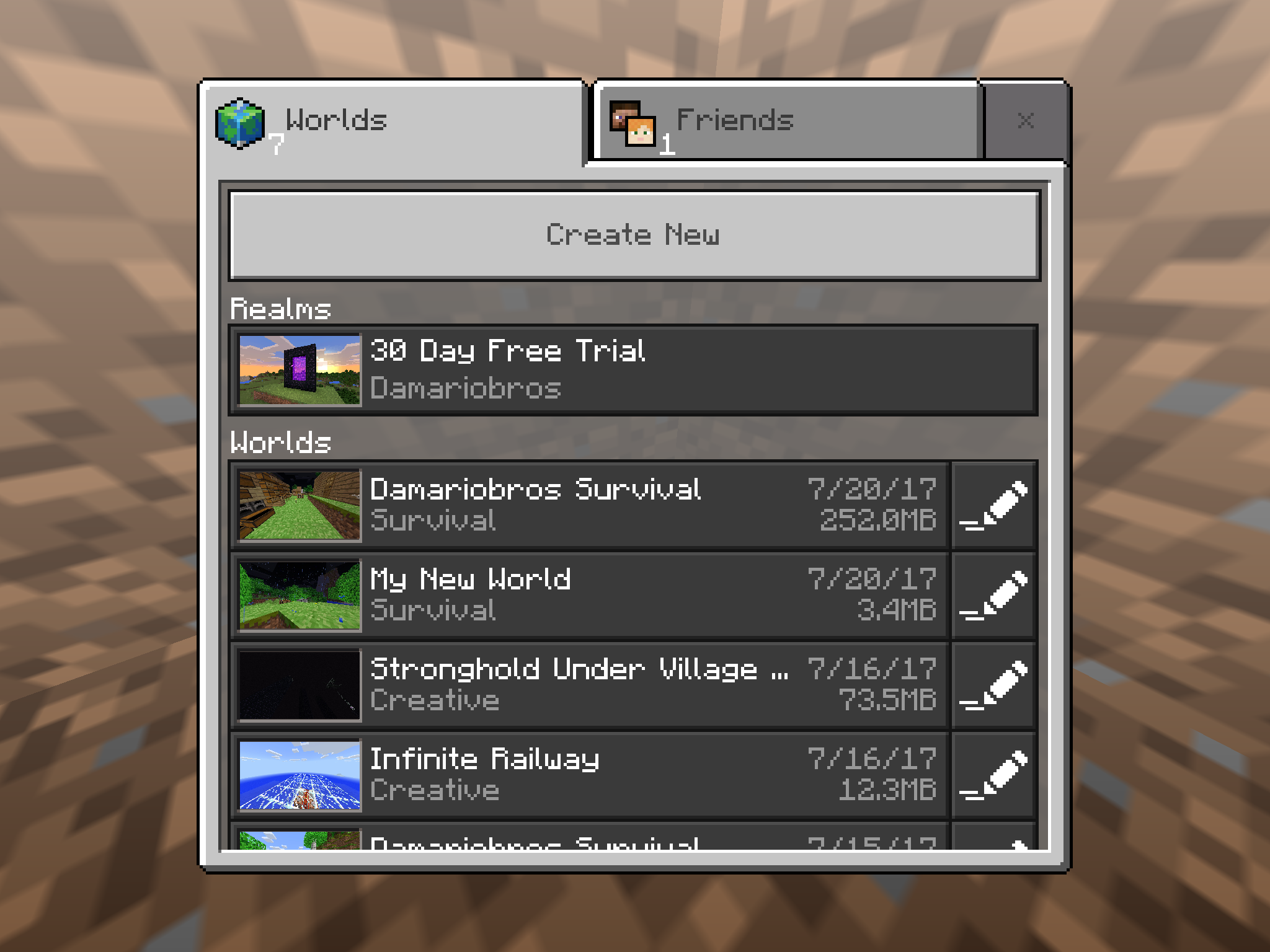
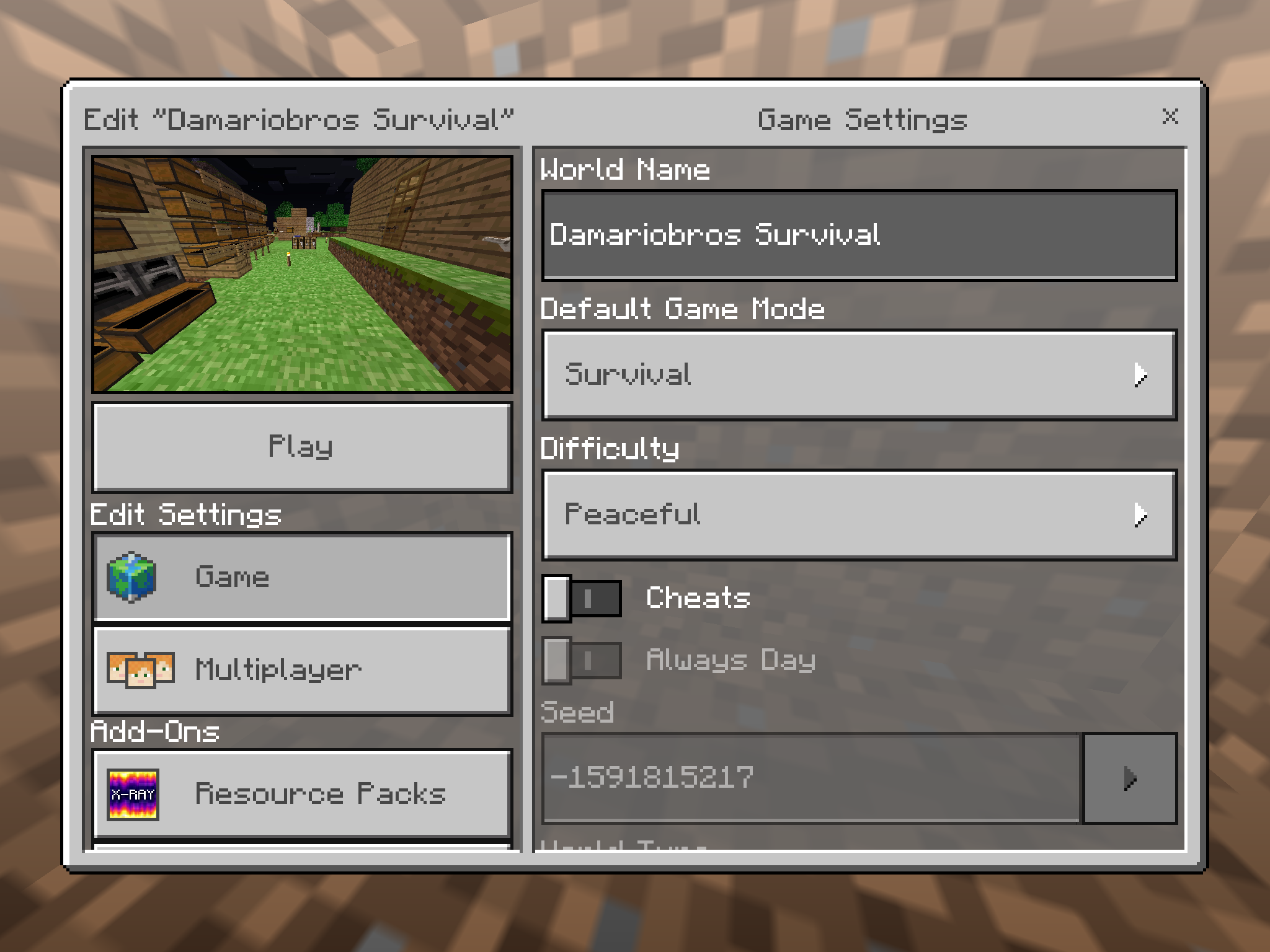
EDIT: The first image is after I have exited my world after a while. The second image is when I went to the settings for that world right afterwords, and the third image is of me exiting the world settings and the file size is back to normal!
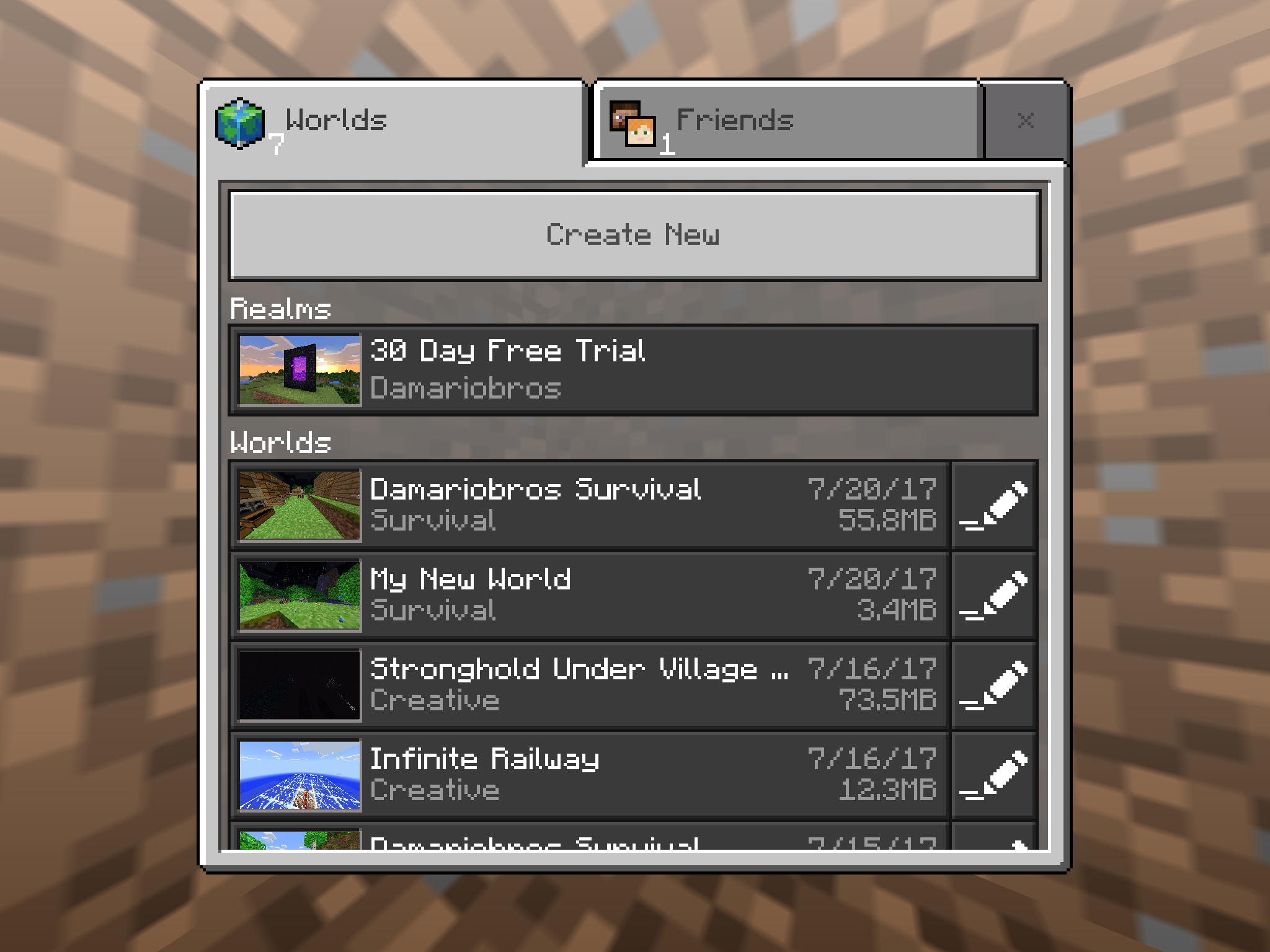
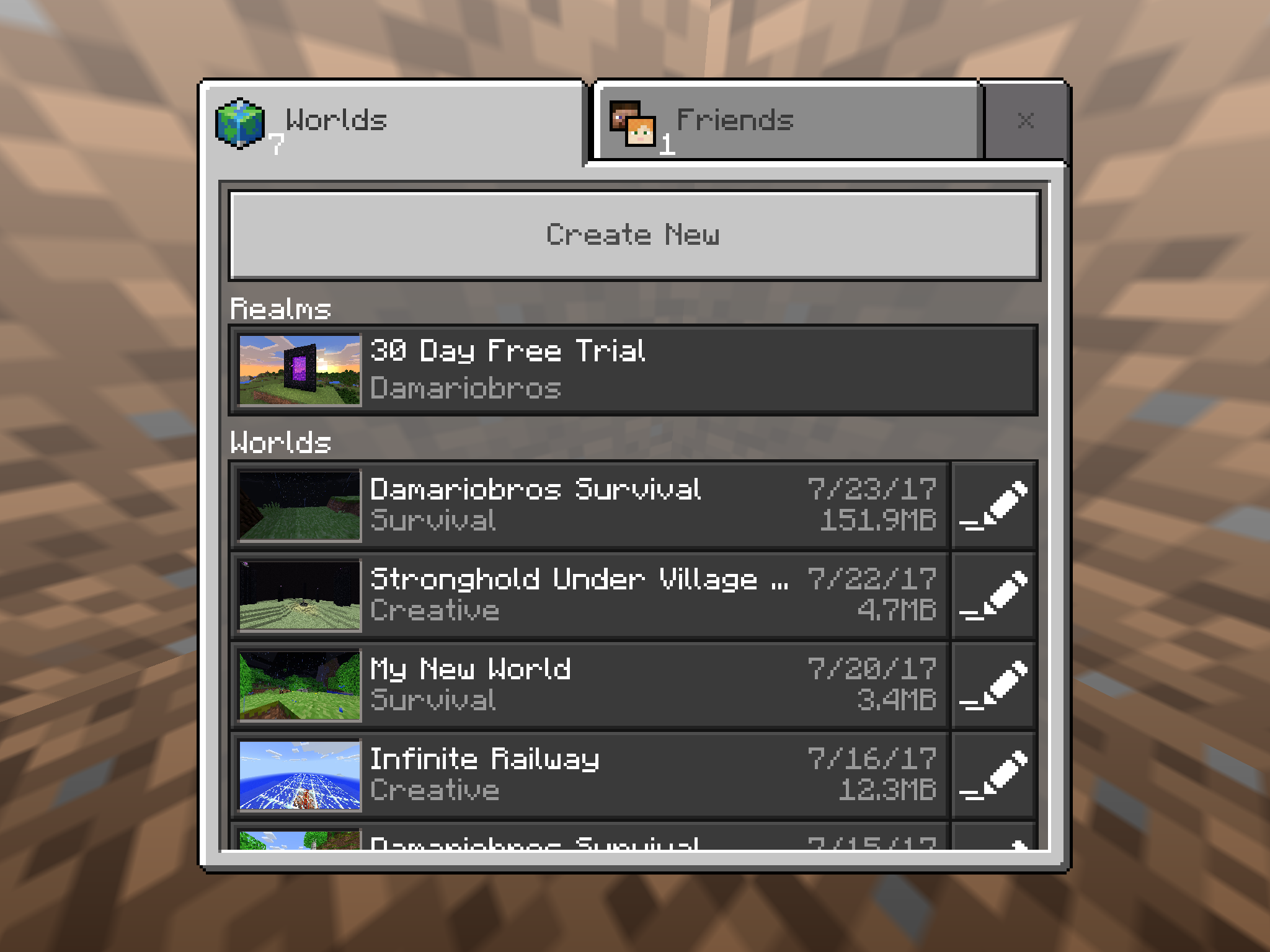
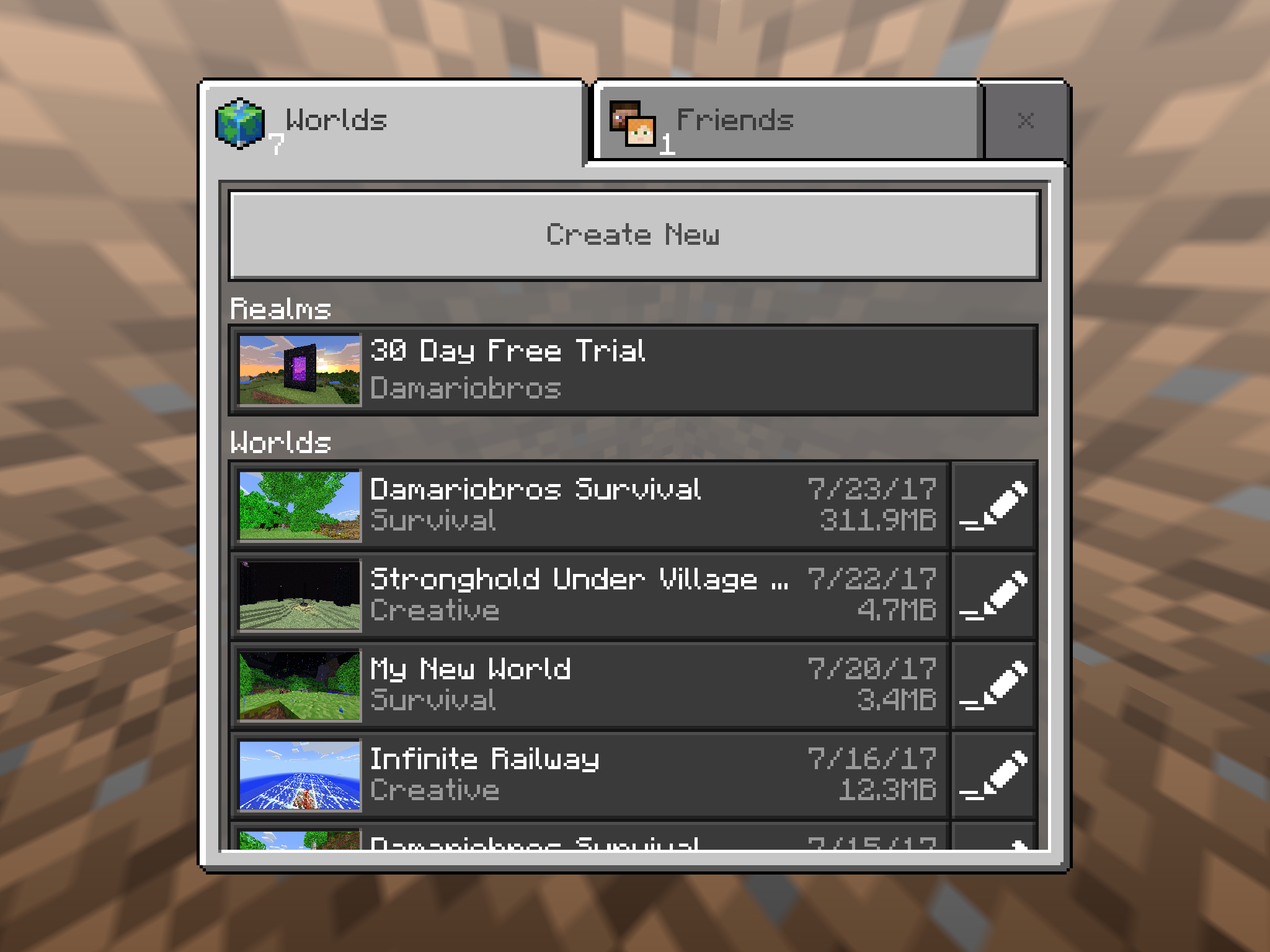
UPDATE: Here are some more screenshots of this glitch happening. I will post them in the order they actually happened so you can see how crazy this glitch really is. Remember, they are IN THE ORDER THEY HAPPENED. They are in the Attachments section, in the order of occurrence with the top image being the oldest and the bottom image being the most recent.
Also, even though it says it on the world selection screen, it does not affect the actual storage of my iPad in the slightest. It occurs, I check the iPad storage to find that it has not even dropped down 1/100 of a GB!
Linked Issues



Created Issue:
The File Size (MB, KB, etc.) of My Worlds Are Going Crazy!
I have the latest version of Minecraft Pocket Edition: iOS, using an iPad Mini 4 with the latest iOS version. The file size is going crazy. I could open the app and go into a world that says it is 43.2MB, chop down a tree or something, save/exit, and then it's claiming to be 250.3MB! I go back into the world, which is now taking a lot longer than usual to load, do something else, log out, and then it's saying it's 41.0MB! I exit the app and restart it, it's back to normal, and then the whole cycle repeats itself! This is happening on all of my worlds, with it being a whole lot worse on the worlds I've explored more of and have been using more often. Also, I could go onto one world, and then when I exit, sometimes other worlds get affected by that bug! I have roughly about 2GB of storage space available on my iPad, and when I exit a world and see that multiple worlds claim to be 200+MB, I don't get the notification telling me that I should be careful because the storage is beginning to get a bit low, and that's what's most bizarre about it. I check the storage by going into Settings, and I still have over 2GB available. It's irritating the crap out of me, so can you please hurry up and fix it? FYI it's happening on worlds I haven't even filled a Level 2 Map up on as well. Please fix it soon, I don't want other people encountering this glitch and panicking because they think their phone with 30MB available storage is having all it's info crammed to make room for 200+MB of a level in a high-resource 3D Game and then take it to the Apple/Android Store to have their phone potentially wiped. Please fix it.
I have the latest version of Minecraft Pocket Edition: iOS, using an iPad Mini 4 with the latest iOS version. The file size is going crazy. I could open the app and go into a world that says it is 43.2MB, chop down a tree or something, save/exit, and then it's claiming to be 250.3MB! I go back into the world, which is now taking a lot longer than usual to load, do something else, log out, and then it's saying it's 41.0MB! I exit the app and restart it, it's back to normal, and then the whole cycle repeats itself! This is happening on all of my worlds, with it being a whole lot worse on the worlds I've explored more of and have been using more often. Also, I could go onto one world, and then when I exit, sometimes other worlds get affected by that bug! I have roughly about 2GB of storage space available on my iPad, and when I exit a world and see that multiple worlds claim to be 200+MB, I don't get the notification telling me that I should be careful because the storage is beginning to get a bit low, and that's what's most bizarre about it. I check the storage by going into Settings, and I still have over 2GB available. It's irritating the crap out of me, so can you please hurry up and fix it? FYI it's happening on worlds I haven't even filled a Level 2 Map up on as well. Please fix it soon, I don't want other people encountering this glitch and panicking because they think their phone with 30MB available storage is having all it's info crammed to make room for 200+MB of a level in a high-resource 3D Game and then take it to the Apple/Android Store to have their phone potentially wiped. Please fix it.
EDIT: The first image is after I have exited my world after a while. The second image is when I went to the settings for that world right afterwords, and the third image is of me exiting the world settings and the file size is back to normal!

I have the latest version of Minecraft Pocket Edition: iOS, using an iPad Mini 4 with the latest iOS version. The file size is going crazy. I could open the app and go into a world that says it is 43.2MB, chop down a tree or something, save/exit, and then it's claiming to be 250.3MB! I go back into the world, which is now taking a lot longer than usual to load, do something else, log out, and then it's saying it's 41.0MB! I exit the app and restart it, it's back to normal, and then the whole cycle repeats itself! This is happening on all of my worlds, with it being a whole lot worse on the worlds I've explored more of and have been using more often. Also, I could go onto one world, and then when I exit, sometimes other worlds get affected by that bug! I have roughly about 2GB of storage space available on my iPad, and when I exit a world and see that multiple worlds claim to be 200+MB, I don't get the notification telling me that I should be careful because the storage is beginning to get a bit low, and that's what's most bizarre about it. I check the storage by going into Settings, and I still have over 2GB available. It's irritating the crap out of me, so can you please hurry up and fix it? FYI it's happening on worlds I haven't even filled a Level 2 Map up on as well. Please fix it soon, I don't want other people encountering this glitch and panicking because they think their phone with 30MB available storage is having all it's info crammed to make room for 200+MB of a level in a high-resource 3D Game and then take it to the Apple/Android Store to have their phone potentially wiped. Please fix it.
EDIT: The first image is after I have exited my world after a while. The second image is when I went to the settings for that world right afterwords, and the third image is of me exiting the world settings and the file size is back to normal!
UPDATE: Here are some more screenshots of this glitch happening. I will post them in the order they actually happened so you can see how crazy this glitch really is. Remember, they are IN THE ORDER THEY HAPPENED. They are in the Attachments section, in the order of occurrence with the top image being the oldest and the bottom image being the most recent.
I have the latest version of Minecraft Pocket Edition: iOS, using an iPad Mini 4 with the latest iOS version. The file size is going crazy. I could open the app and go into a world that says it is 43.2MB, chop down a tree or something, save/exit, and then it's claiming to be 250.3MB! I go back into the world, which is now taking a lot longer than usual to load, do something else, log out, and then it's saying it's 41.0MB! I exit the app and restart it, it's back to normal, and then the whole cycle repeats itself! This is happening on all of my worlds, with it being a whole lot worse on the worlds I've explored more of and have been using more often. Also, I could go onto one world, and then when I exit, sometimes other worlds get affected by that bug! I have roughly about 2GB of storage space available on my iPad, and when I exit a world and see that multiple worlds claim to be 200+MB, I don't get the notification telling me that I should be careful because the storage is beginning to get a bit low, and that's what's most bizarre about it. I check the storage by going into Settings, and I still have over 2GB available. It's irritating the crap out of me, so can you please hurry up and fix it? FYI it's happening on worlds I haven't even filled a Level 2 Map up on as well. Please fix it soon, I don't want other people encountering this glitch and panicking because they think their phone with 30MB available storage is having all it's info crammed to make room for 200+MB of a level in a high-resource 3D Game and then take it to the Apple/Android Store to have their phone potentially wiped. Please fix it.
EDIT: The first image is after I have exited my world after a while. The second image is when I went to the settings for that world right afterwords, and the third image is of me exiting the world settings and the file size is back to normal!
UPDATE: Here are some more screenshots of this glitch happening. I will post them in the order they actually happened so you can see how crazy this glitch really is. Remember, they are IN THE ORDER THEY HAPPENED. They are in the Attachments section, in the order of occurrence with the top image being the oldest and the bottom image being the most recent.
Also, even though it says it on the world selection screen, it does not affect the actual storage of my iPad in the slightest. It occurs, I check the iPad storage to find that it has not even dropped down 1/100 of a GB!
![[Mojang] Mega_Spud (Jay Wells)](../../../data/avatars/users/92696.png)
is duplicated by
![[Mod] OcelotOnesie](../../../data/avatars/users/43220.png)
is duplicated by
Thank you for your report!
However, this issue has been closed as a Duplicate of MCPE-23462.
Your additional information and observations are very useful, so if you can add them to the comments section of the parent issue it would be appreciated.
If you have not, you might like to make use of the search feature before making a new ticket, as it's likely that the issue has been reported already.
Quick Links:
📓 Issue Guidelines – 💬 Community Support – 📧 Feedback – 📖 Game Wiki

This is going to be my last post for a while (I'm done with all of these stupid PE bugs). The in game file size in my previous comment might be caused by MCPE-23462, MCPE-25613, MCPE-7749, etc. Still no explanation for exported file size differences
Thank you for your report!
We're actually already tracking this issue at MCPE-23462, so I will resolve and link this ticket as a duplicate.
That ticket has already been resolved as working as intended, which means this is not considered a bug and won't be fixed. Please do not leave a comment on the linked ticket.
If you haven't already, you might like to make use of the search feature to see if the issue has already been mentioned.
Quick Links:
📓 Bug Tracker Guidelines – 💬 Community Support – 📧 Mojang Support
📓 Project Summary – ✍️ Feedback and Suggestions – 📖 Game Wiki
![[Mod] GoldenHelmet](../../../data/avatars/users/18951.svg)
About the file size, it's important to note that the file sizes shown in the world list have always changed in unpredictable ways. Apparently this is Working As Intended to some extent per MCPE-23462. However,
- There is a confirmed bug with how Minecraft detects file sizes and storage space:
MCPE-32501. - I have always found that when simply copying a world, the copy will show as much smaller than the original in the Minecraft worlds list. I have never compared what is shown to the actual disk space uses by the world folder, but I suspect there is a bug and the displayed world sizes are unreliable.
The first image is after I have exited my world after a while. The second image is when I went to the settings for that world right afterwords, and the third image is of me exiting the world settings and the file size is back to normal!
I can confirm the issue on 1.1.4 / iOS.
My biggest world sometimes goes up to whopping 1GB and sometimes shrinks down to 400MB.
Possibly WAI or Won't Fix because this is how LevelDB behaves AFAIK.