 husky2490
- husky2490
- husky2490
- America/Chicago
- Yes
- No
 MC-72686
![[Mojang] Jeb (Jens Bergensten)](../../../data/assets/gravatar/jeb.jpeg)
 MCPE-30805
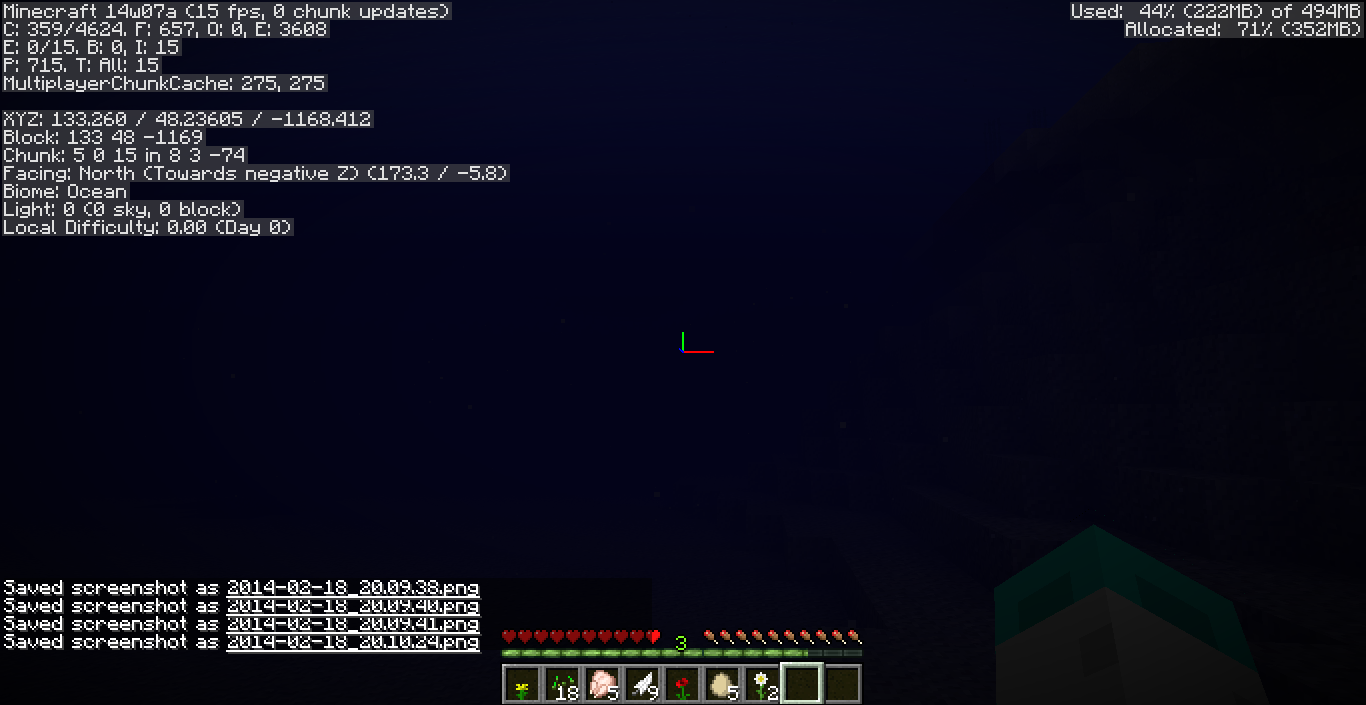
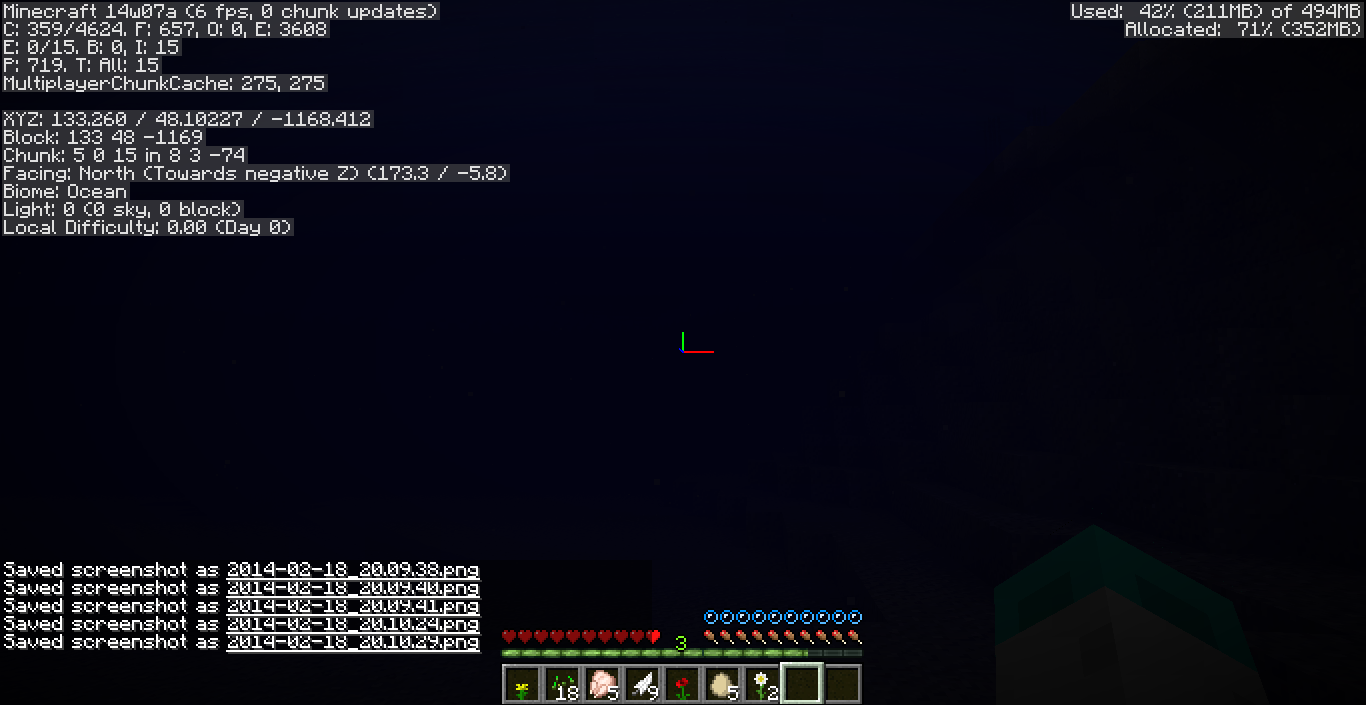

 MCL-1905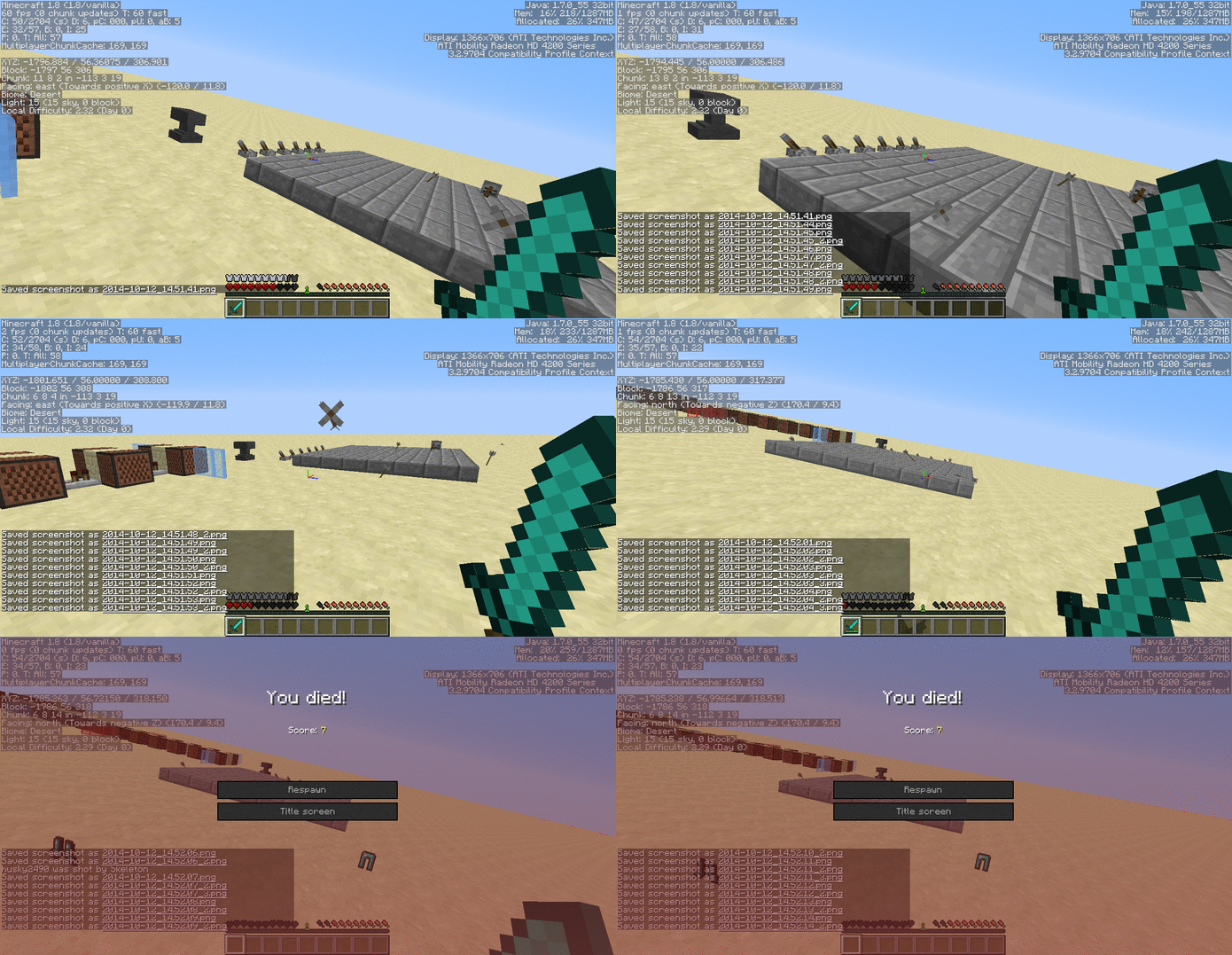
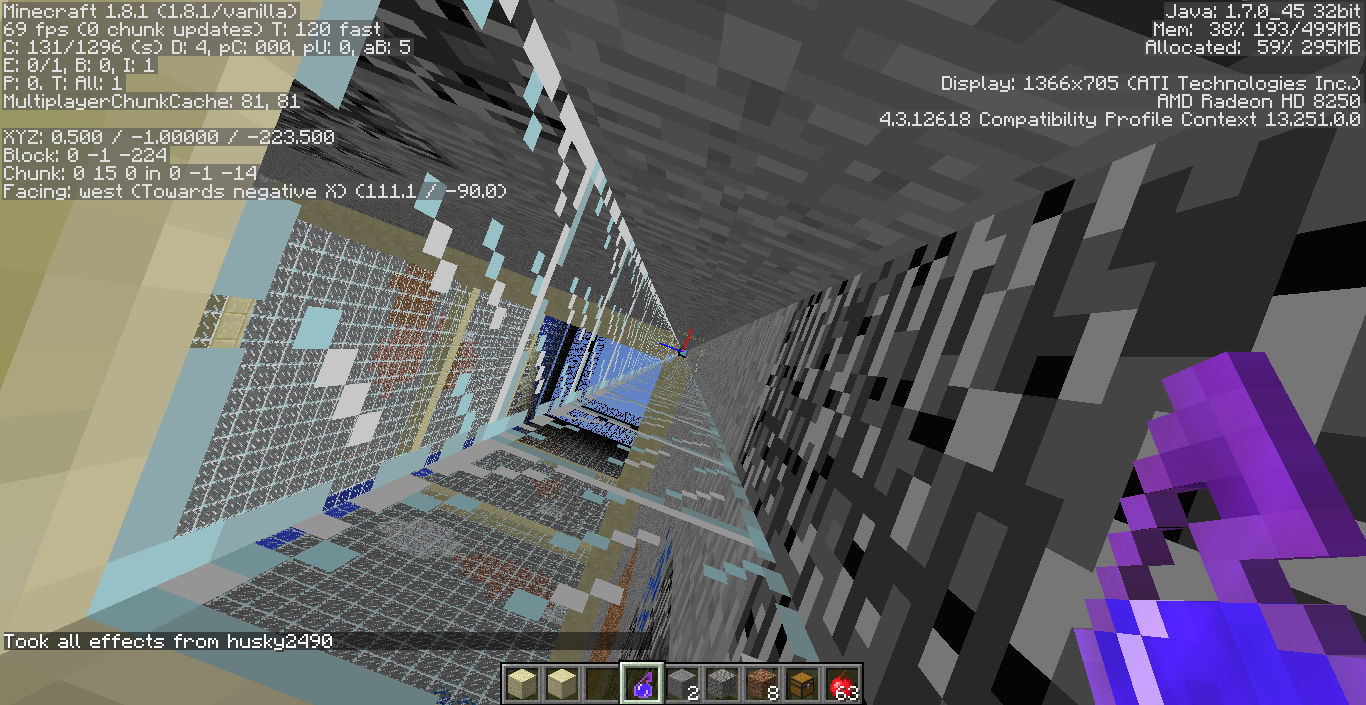


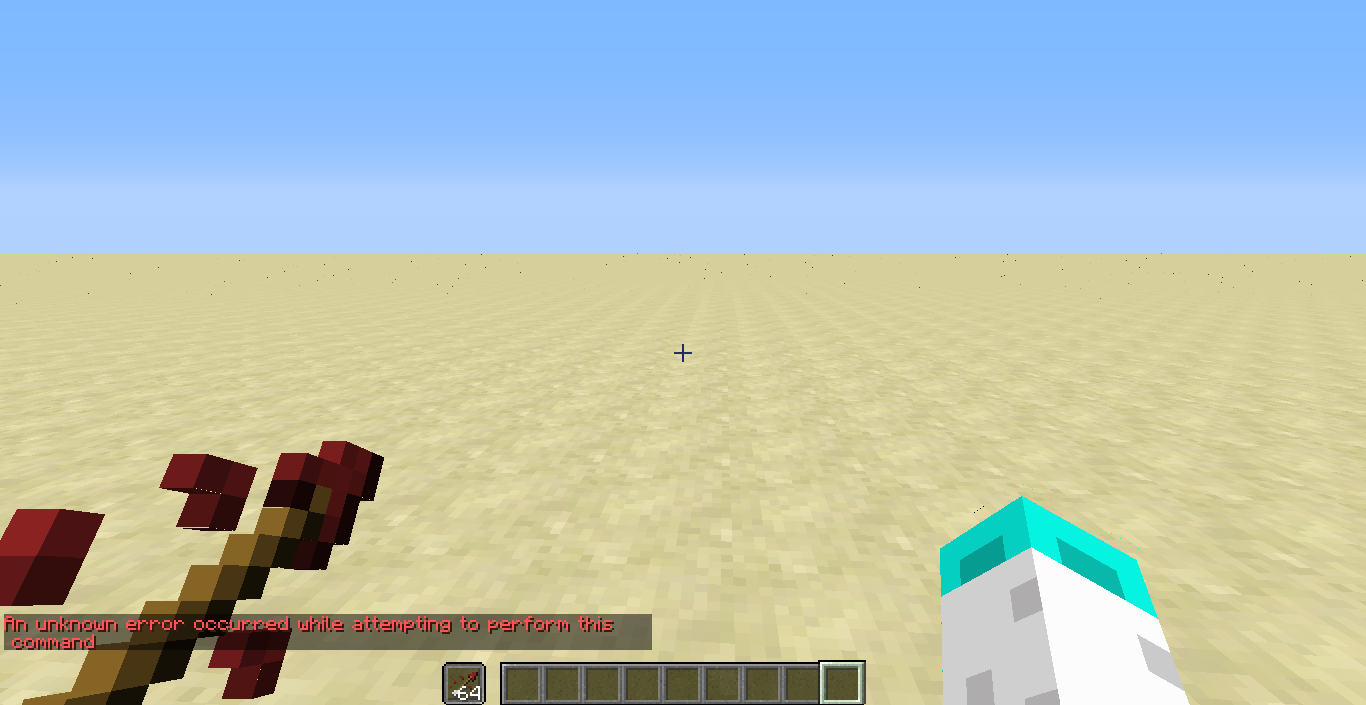





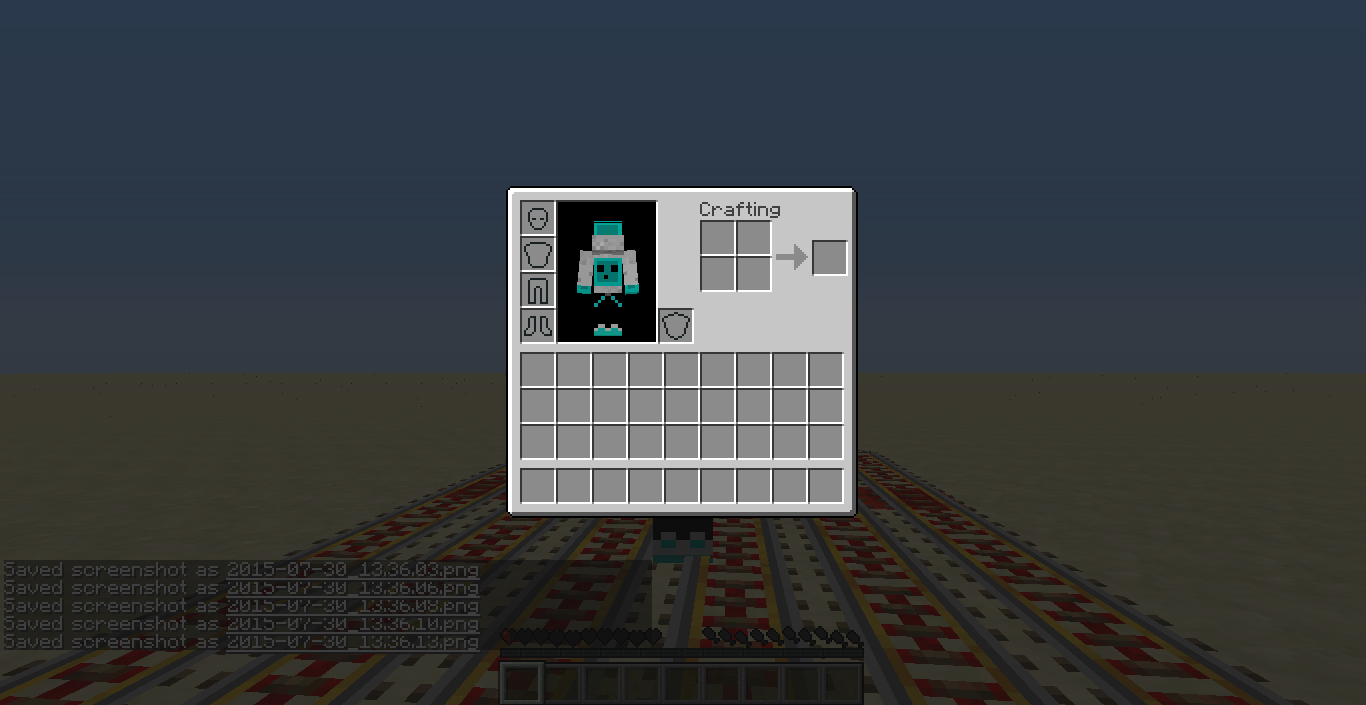

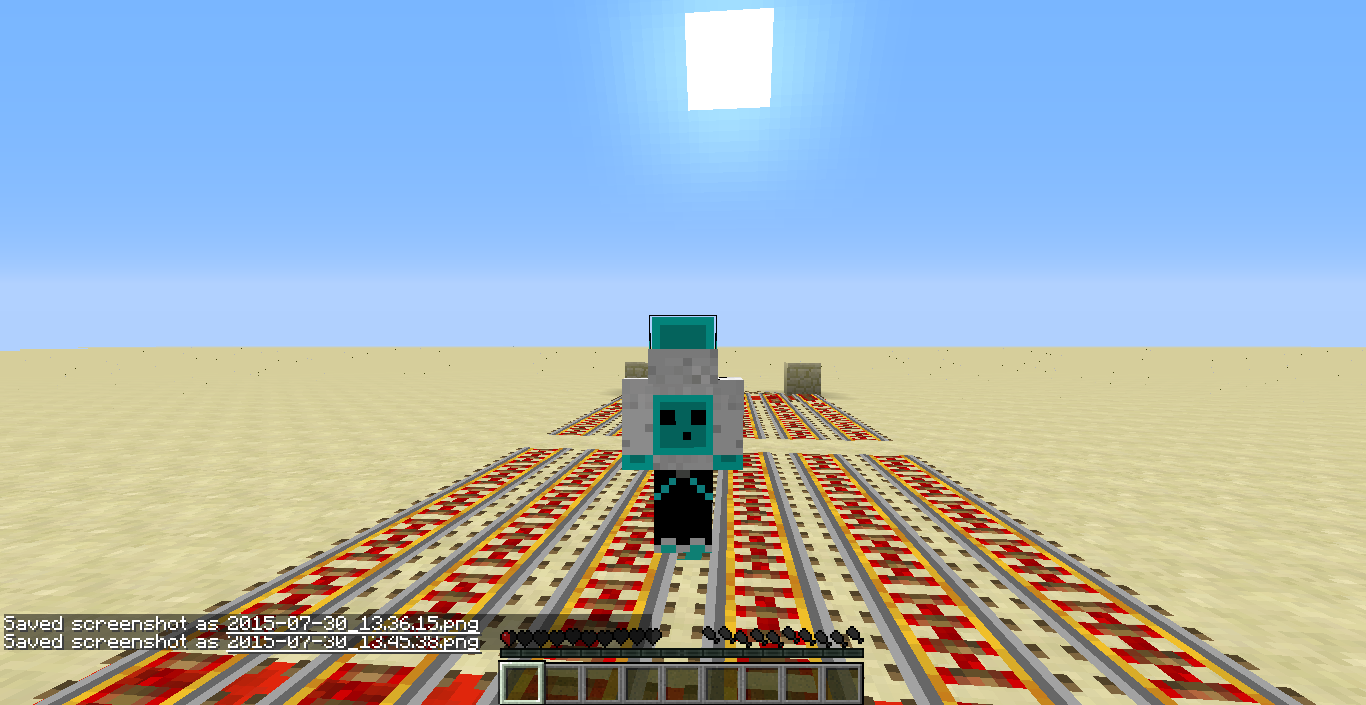


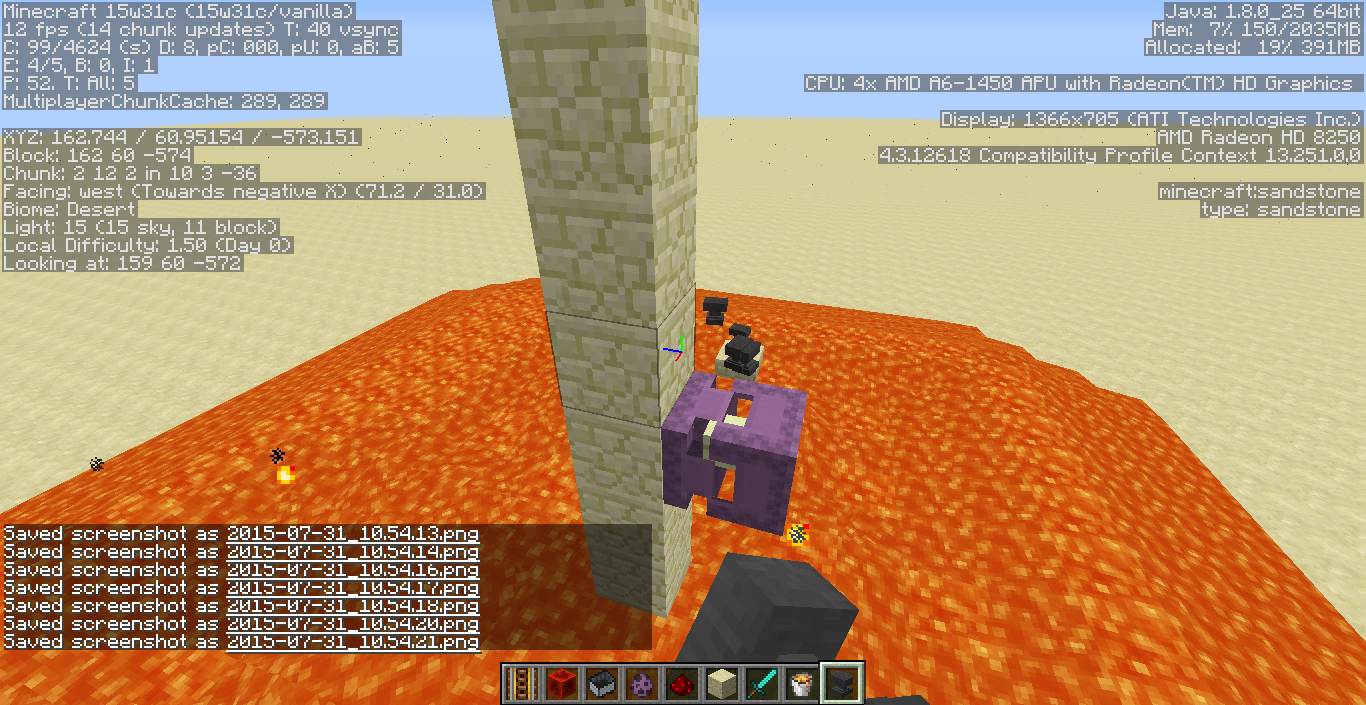


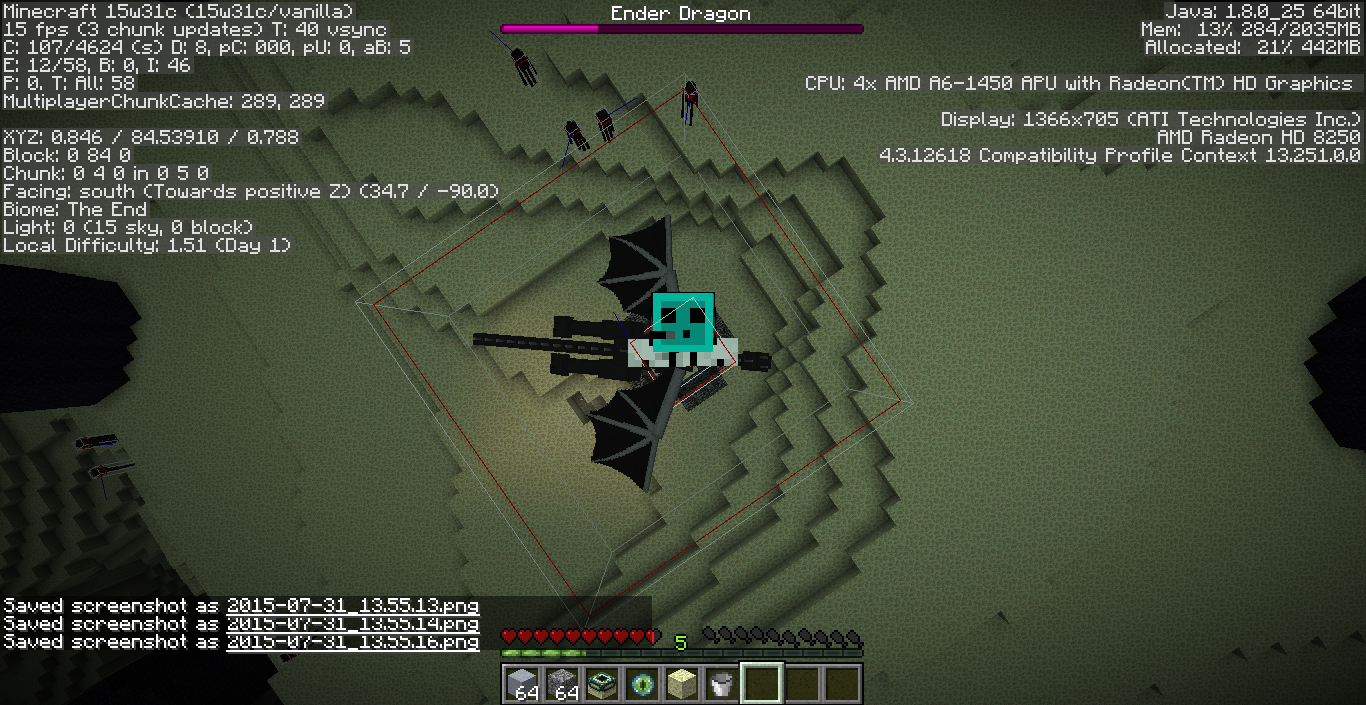





I was creating a new world in Minecraft and was in the middle of naming it when it crashed. For once the logs had no real information on the crash and the report said "Unknown Error".
The game output log up to and including the first line of the crash:
[20:09:34] [Client thread/INFO]: Setting user: husky2490 [20:09:34] [Client thread/INFO]: (Session ID is token:980d50d596dd4c7d8130b60e4cbaa75c:29ba63512fa34ac2b4de6e9d498e0170) [20:09:36] [Client thread/INFO]: LWJGL Version: 2.9.1 [20:09:37] [Client thread/INFO]: Reloading ResourceManager: Default [20:09:39] [Client thread/WARN]: File minecraft:sounds/mob/ghast/fireball.ogg does not exist, cannot add it to event minecraft:item.fireCharge.use [20:09:39] [Sound Library Loader/INFO]: Starting up SoundSystem... [20:09:39] [Thread-6/INFO]: Initializing LWJGL OpenAL [20:09:39] [Thread-6/INFO]: (The LWJGL binding of OpenAL. For more information, see http://www.lwjgl.org) [20:09:39] [Thread-6/INFO]: OpenAL initialized. [20:09:39] [Sound Library Loader/INFO]: Sound engine started [20:09:41] [Client thread/INFO]: Created: 512x512 textures-atlas Exception in thread "Twitch authenticator" java.lang.StackOverflowErrorThe crash report also has little to offer, the stack-trace is below and the rest of the report is just system info.
---- Minecraft Crash Report ---- // Everything's going to plan. No, really, that was supposed to happen. Time: 10/16/14 8:09 PM Description: Unexpected error java.lang.NullPointerException: Unexpected error at tv.twitch.ErrorCode.failed(ErrorCode.java:289) at daa.q(SourceFile:1243) at daq.g(SourceFile:186) at bsu.as(SourceFile:938) at bsu.a(SourceFile:314) at net.minecraft.client.main.Main.main(SourceFile:120)The complete versions of both files are attached below.
I have absolutely no idea how to recreate this error at this time as the error just happened randomly during a task that shouldn't cause any problems what-so-ever; namely typing in a world name PRE-generation.
I was creating a new world in Minecraft and was in the middle of naming it when it crashed. For once the logs had no real information on the crash and the report said "Un
knownError".The game output log up to and including the first line of the crash:
[20:09:34] [Client thread/INFO]: Setting user: husky2490 [20:09:34] [Client thread/INFO]: (Session ID is token:980d50d596dd4c7d8130b60e4cbaa75c:29ba63512fa34ac2b4de6e9d498e0170) [20:09:36] [Client thread/INFO]: LWJGL Version: 2.9.1 [20:09:37] [Client thread/INFO]: Reloading ResourceManager: Default [20:09:39] [Client thread/WARN]: File minecraft:sounds/mob/ghast/fireball.ogg does not exist, cannot add it to event minecraft:item.fireCharge.use [20:09:39] [Sound Library Loader/INFO]: Starting up SoundSystem... [20:09:39] [Thread-6/INFO]: Initializing LWJGL OpenAL [20:09:39] [Thread-6/INFO]: (The LWJGL binding of OpenAL. For more information, see http://www.lwjgl.org) [20:09:39] [Thread-6/INFO]: OpenAL initialized. [20:09:39] [Sound Library Loader/INFO]: Sound engine started [20:09:41] [Client thread/INFO]: Created: 512x512 textures-atlas Exception in thread "Twitch authenticator" java.lang.StackOverflowErrorThe crash report also has little to offer, the stack-trace is below and the rest of the report is just system info.
---- Minecraft Crash Report ---- // Everything's going to plan. No, really, that was supposed to happen. Time: 10/16/14 8:09 PM Description: Unexpected error java.lang.NullPointerException: Unexpected error at tv.twitch.ErrorCode.failed(ErrorCode.java:289) at daa.q(SourceFile:1243) at daq.g(SourceFile:186) at bsu.as(SourceFile:938) at bsu.a(SourceFile:314) at net.minecraft.client.main.Main.main(SourceFile:120)The complete versions of both files are attached below.
I have absolutely no idea how to recreate this error at this time as the error just happened randomly during a task that shouldn't cause any problems what-so-ever; namely typing in a world name PRE-generation.
I was creating a new world in Minecraft and was in the middle of naming it when it crashed. For once the logs had no real information on the crash and the report said "Unexpected Error".
The game output log up to and including the first line of the crash:
[20:09:34] [Client thread/INFO]: Setting user: husky2490 [20:09:34] [Client thread/INFO]: (Session ID is token:980d50d596dd4c7d8130b60e4cbaa75c:29ba63512fa34ac2b4de6e9d498e0170) [20:09:36] [Client thread/INFO]: LWJGL Version: 2.9.1 [20:09:37] [Client thread/INFO]: Reloading ResourceManager: Default [20:09:39] [Client thread/WARN]: File minecraft:sounds/mob/ghast/fireball.ogg does not exist, cannot add it to event minecraft:item.fireCharge.use [20:09:39] [Sound Library Loader/INFO]: Starting up SoundSystem... [20:09:39] [Thread-6/INFO]: Initializing LWJGL OpenAL [20:09:39] [Thread-6/INFO]: (The LWJGL binding of OpenAL. For more information, see http://www.lwjgl.org) [20:09:39] [Thread-6/INFO]: OpenAL initialized. [20:09:39] [Sound Library Loader/INFO]: Sound engine started [20:09:41] [Client thread/INFO]: Created: 512x512 textures-atlas Exception in thread "Twitch authenticator" java.lang.StackOverflowErrorThe crash report also has little to offer, the stack-trace is below and the rest of the report is just system info.
---- Minecraft Crash Report ---- // Everything's going to plan. No, really, that was supposed to happen. Time: 10/16/14 8:09 PM Description: Unexpected error java.lang.NullPointerException: Unexpected error at tv.twitch.ErrorCode.failed(ErrorCode.java:289) at daa.q(SourceFile:1243) at daq.g(SourceFile:186) at bsu.as(SourceFile:938) at bsu.a(SourceFile:314) at net.minecraft.client.main.Main.main(SourceFile:120)The complete versions of both files are attached below.
I have absolutely no idea how to recreate this error at this time as the error just happened randomly during a task that shouldn't cause any problems what-so-ever; namely typing in a world name PRE-generation.
I was improving a village in creative mode when it placed a door from my first hot-bar slot instead of the block I had selected. I then figured out through trial and error that the door was placed
when it couldn't place the block because I was in the way(see 2015-08-10_21.18.53.png).To Reproduce:
- grab a regular block and a block with a reduced hit-box i.e. a door
- put the block with the reduced hit-box in the first hot-bar slot and the other anywhere else
- place the regular block where you can't place it because of a player but can normally place the door
I was improving a village in creative mode when it placed a door from my first hot-bar slot instead of the block I had selected. I then figured out through trial and error that the door was placed as if it were in my offhand (see 2015-08-10_21.18.53.png
). Upon reloading the world for further testing I noticed that the door in question had been duplicated into my offhand which explains why it placed the door instead but I have no idea how or why this happened.
I was improving a village in creative mode when it placed a door from my first hot-bar slot instead of the block I had selected. I then figured out through trial and error that the door was placed as if it were in my offhand (see 2015-08-10_21.18.53.png
Footnote for ModsI have changed this issue to private as I have come to believe that this glitch might be exploitable on servers. If you believe this to be a mistake, feel free to change this issue back to public.
I was improving a village in creative mode when it placed a door from my first hot-bar slot instead of the block I had selected. I then figured out through trial and error that the door was placed as if it were in my offhand (see 2015-08-10_21.18.53.png
Footnote for ModsI have changed this issue to private as I have come to believe that this glitch might be exploitable on servers. If you believe this to be a mistake, feel free to change this issue back to public.
Detects First Inventory slot asoff-hand when off-hand is emptyUnder some conditions items can duplicate into offhand without updating the GUI
I was improving a village in creative mode when it placed a door from my first hot-bar slot instead of the block I had selected. I then figured out through trial and error that the door was placed as if it were in my offhand (see 2015-08-10_21.18.53.png
I have changed this issue to private as I have come to believe that this glitch might be exploitable on servers. If you believe this to be a mistake, feel free to change this issue back to public.
I logged out of a world while falling and when I tried to quickly rejoin I was repeatedly pressing right click (in bursts) to block any remaining fall damage but somehow triggered an infinite loop of "Loading World" and "Generating Terrain". This started 30-45 minutes before posting this and has subsequently caused the game to freeze. The game had to be closed with task manager. It might be worth noting that the game crashed with an error already reported in an older ticket, link will be attached soon.
Before anyone asks me to manually trigger a crash just know that I've tried, and failed, to do so by means of F3+C.
Attached is the log from this event.
The log is too big to be attached so a GZip-ed version is attached instead.I logged out of a world while falling and when I tried to quickly rejoin I was repeatedly pressing right click (in bursts) to block any remaining fall damage but somehow triggered an infinite loop of "Loading World" and "Generating Terrain". This started 30-45 minutes before posting this and has subsequently caused the game to freeze. The game had to be closed with task manager. It might be worth noting that the game crashed with an error already reported in an older ticket, link will be attached soon.
\\\\
Before anyone asks me to manually trigger a crash just know that I've tried, and failed, to do so by means of F3+C.
Attached is the log from this event.
The log is too big to be attached so a GZip-ed version is attached instead.
I logged out of a world while falling and when I tried to quickly rejoin I was repeatedly pressing right click (in bursts) to block any remaining fall damage but somehow triggered an infinite loop of "Loading World" and "Generating Terrain". This started 30-45 minutes before posting this and has subsequently caused the game to freeze. The game had to be closed with task manager. It might be worth noting that the game crashed with an error already reported in an older ticket, link will be attached soon.
\\\\
Before anyone asks me to manually trigger a crash just know that I've tried, and failed, to do so by means of F3+C.
Attached is the log from this event.
The log is too big to be attached so a GZip-ed version is attached instead.I logged out of a world while falling and when I tried to quickly rejoin I was repeatedly pressing right click (in bursts) to block any remaining fall damage but somehow triggered an infinite loop of "Loading World" and "Generating Terrain". This started 30-45 minutes before posting this and has subsequently caused the game to freeze. The game had to be closed with task manager. It might be worth noting that the game crashed with an error already reported in an older ticket, link will be attached soon.
Before anyone asks me to manually trigger a crash just know that I've tried, and failed, to do so by means of F3+C.
Attached is the log from this event.
The log is too big to be attached so a GZip-ed version is attached instead.
I logged out of a world while falling and when I tried to quickly rejoin I was repeatedly pressing right click (in bursts) to block any remaining fall damage but somehow triggered an infinite loop of "Loading World" and "Generating Terrain". This started 30-45 minutes before posting this and has subsequently caused the game to freeze. The game had to be closed with task manager. It might be worth noting that the game
crashed with an error already reported inan older ticket, link will be attached soon.
Before anyone asks me to manually trigger a crash just know that I've tried, and failed, to do so by means of F3+C.
Attached is the log from this event.
The log is too big to be attached so a GZip-ed version is attached instead.I logged out of a world while falling and when I tried to quickly rejoin I was repeatedly pressing right click (in bursts) to block any remaining fall damage but somehow triggered an infinite loop of "Loading World" and "Generating Terrain". This started 30-45 minutes before posting this and has subsequently caused the game to freeze. The game had to be closed with task manager. It might be worth noting that the game launched with an error already reported in [
MCL-1905].
Before anyone asks me to manually trigger a crash just know that I've tried, and failed, to do so by means of F3+C.
Attached is the log from this event.
The log is too big to be attached so a GZip-ed version is attached instead.
I logged out of a world while falling and when I tried to quickly rejoin I was repeatedly pressing right click (in bursts) to block any remaining fall damage but somehow triggered an infinite loop of "Loading World" and "Generating Terrain". This started 30-45 minutes before posting this and has subsequently caused the game to freeze
. The game had to be closedwith task manager. It might be worth noting that the game launched with an error already reported in [MCL-1905].
Before anyone asks me to manually trigger a crash just know that I've tried, and failed, to do so by means of F3+C.
Attached is the log from this event.
The log is too big to be attached so a GZip-ed version is attached instead.I logged out of a world while falling and when I tried to quickly rejoin I was repeatedly pressing right click (in bursts) to block any remaining fall damage but somehow triggered an infinite loop of "Loading World" and "Generating Terrain". This started 30-45 minutes before posting this and has subsequently caused the game to freeze and forced me to close the game with task manager. It might be worth noting that the game launched with an error already reported in [
MCL-1905].
Before anyone asks me to manually trigger a crash just know that I've tried, and failed, to do so by means of F3+C.
Attached is the log from this event.
The log is too big to be attached so a GZip-ed version is attached instead.
I logged out of a world while falling and when I tried to quickly rejoin I was repeatedly pressing right click (in bursts) to block any remaining fall damage but somehow triggered an infinite loop of "Loading World" and "Generating Terrain". This started 30-45 minutes before posting this and has subsequently caused the game to freeze and forced me to close the game with task manager. It might be worth noting that the game launched with an error already reported in [
MCL-1905].
Before anyone asks me to manually trigger a crash just know that I've tried, and failed, to do so by means of F3+C.
Attached is the log from this event.
The log is too big to be attached so a GZip-ed version is attached instead. BE WARNED: this file is absolutely MASSIVE for a plain text file, only download and extract it if you are willing to read 20MB of text.
I logged out of a world while falling and when I tried to quickly rejoin I was repeatedly pressing right click (in bursts) to block any remaining fall damage but somehow triggered an infinite loop of "Loading World" and "Generating Terrain". This started 30-45 minutes before posting this and has subsequently caused the game to freeze and forced me to close the game with task manager. It might be worth noting that the game launched with an error already reported in [
MCL-1905].
Before anyone asks me to manually trigger a crash just know that I've tried, and failed, to do so by means of F3+C.
Attached is the log from this event.
The log is too big to be attached so a GZip-ed version is attached instead.BE WARNED: this file is absolutely MASSIVE for a plain text file, only download and extract it if you are willing to read 20MB of text.I logged out of a world while falling and when I tried to quickly rejoin I was repeatedly pressing right click (in bursts) to block any remaining fall damage but somehow triggered an infinite loop of "Loading World" and "Generating Terrain". This started 30-45 minutes before posting this and has subsequently caused the game to freeze and forced me to close the game with task manager. It might be worth noting that the game launched with an error already reported in [
MCL-1905].
Before anyone asks me to manually trigger a crash just know that I've tried, and failed, to do so by means of F3+C.
Attached is the log from this event.
The log is too big to be attached so a GZip-ed version is attached instead.
BE WARNED: this file is absolutely MASSIVE for a plain text file, only download and extract it if you are willing to read 20MB of text.
Java 1.8.0_25
Windows 8.1
AMD A6
Acer Aspire V5 Laptop
Launch Args: -Xmx2G -XX:+UseConcMarkSweepGC -XX:+CMSIncrementalMode -XX:-UseAdaptiveSizePolicy -Xmn128M
I logged out of a world while falling and when I tried to quickly rejoin I was repeatedly pressing right click (in bursts) to block any remaining fall damage but somehow triggered an infinite loop of "Loading World" and "Generating Terrain". This started 30-45 minutes before posting this and has subsequently caused the game to freeze and forced me to close the game with task manager. It might be worth noting that the game launched with an error already reported in [
MCL-1905].
Before anyone asks me to manually trigger a crash just know that I've tried, and failed, to do so by means of F3+C.
Attached is the log from this event.
The log is too big to be attached so a GZip-ed version is attached instead.
BE WARNED: this file is absolutely MASSIVE for a plain text file, only download and extract it if you are willing to read 20MB of text.I logged out of a world while falling and when I tried to quickly rejoin I was repeatedly pressing right click (in bursts) to block any remaining fall damage but somehow triggered an infinite loop of "Loading World" and "Generating Terrain". This started 30-45 minutes before posting this and has subsequently caused the game to freeze and forced me to close the game with task manager. It might be worth noting that the game launched with an error already reported in [
MCL-1905].
Before anyone asks me to manually trigger a crash just know that I've tried, and failed, to do so by means of F3+C.
Attached is the log from this event.
The log is too big to be attached so a GZip-ed version is attached instead.BE WARNED
This file is absolutely MASSIVE for a plain text file, only download and extract it if you are willing to read 20MB of text.
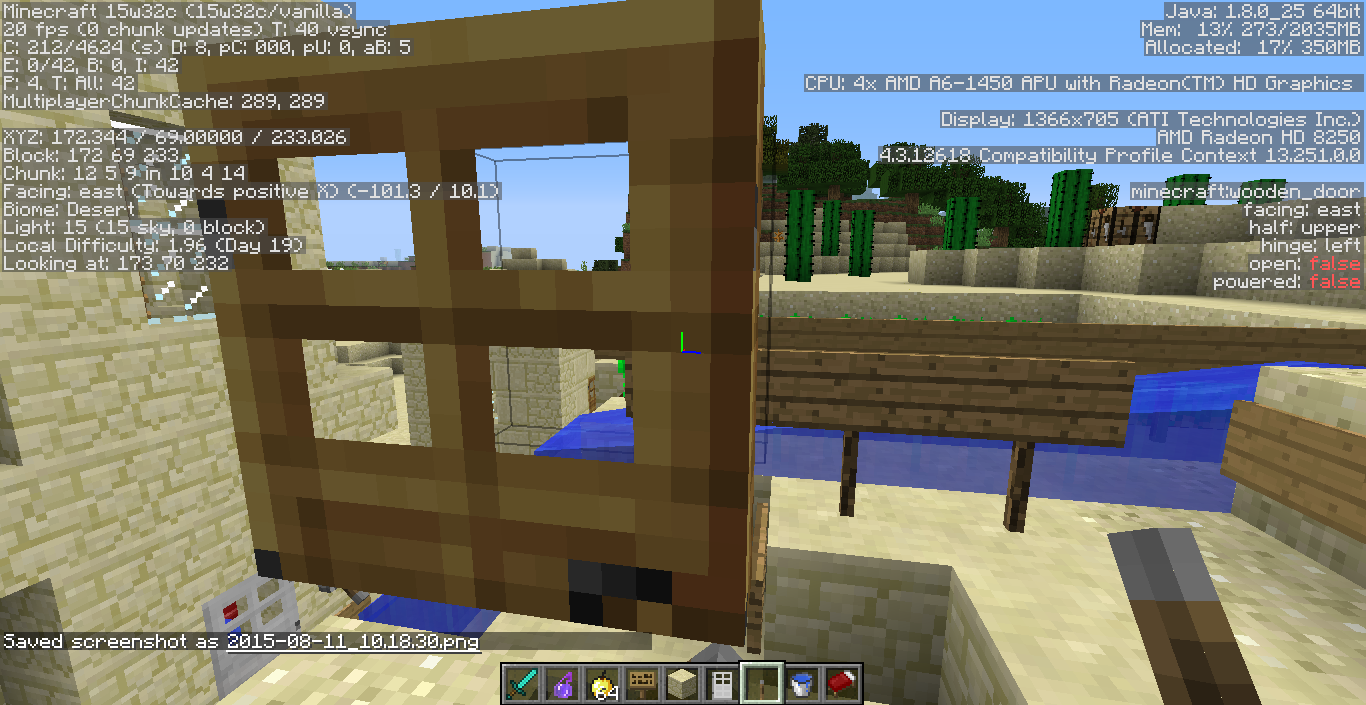
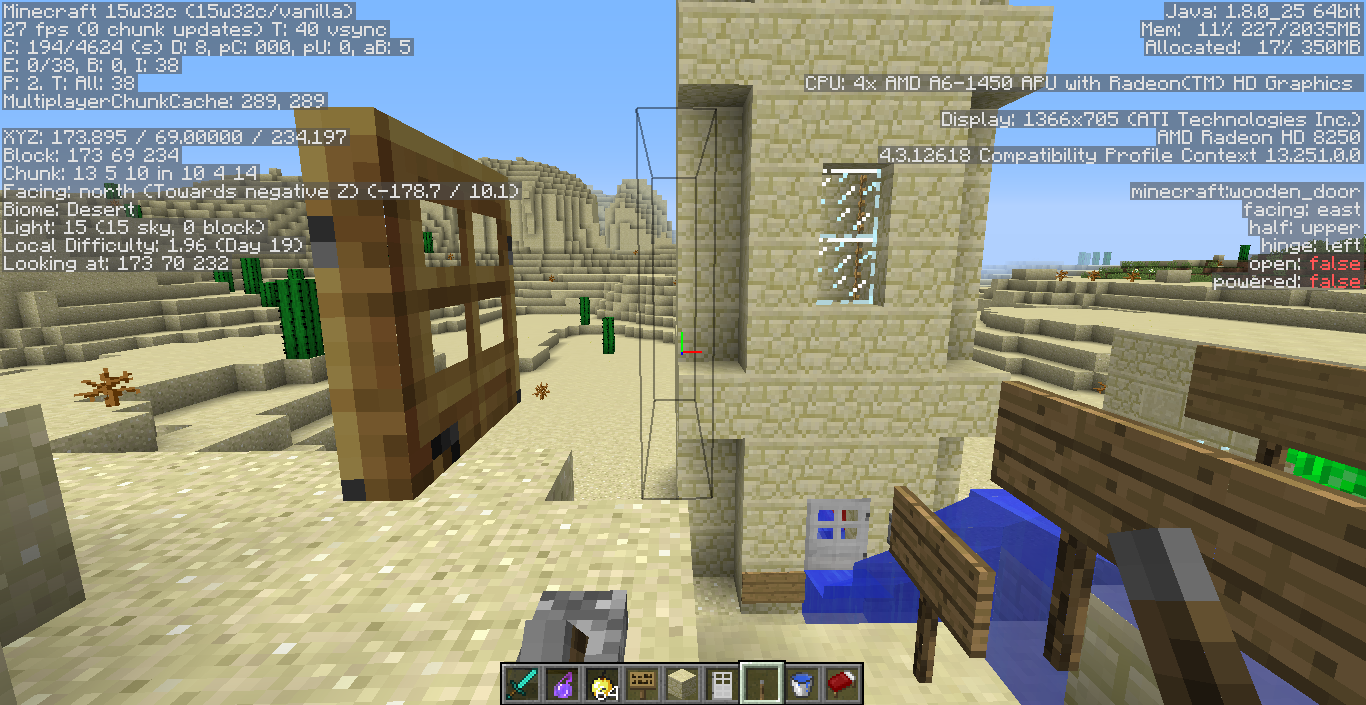
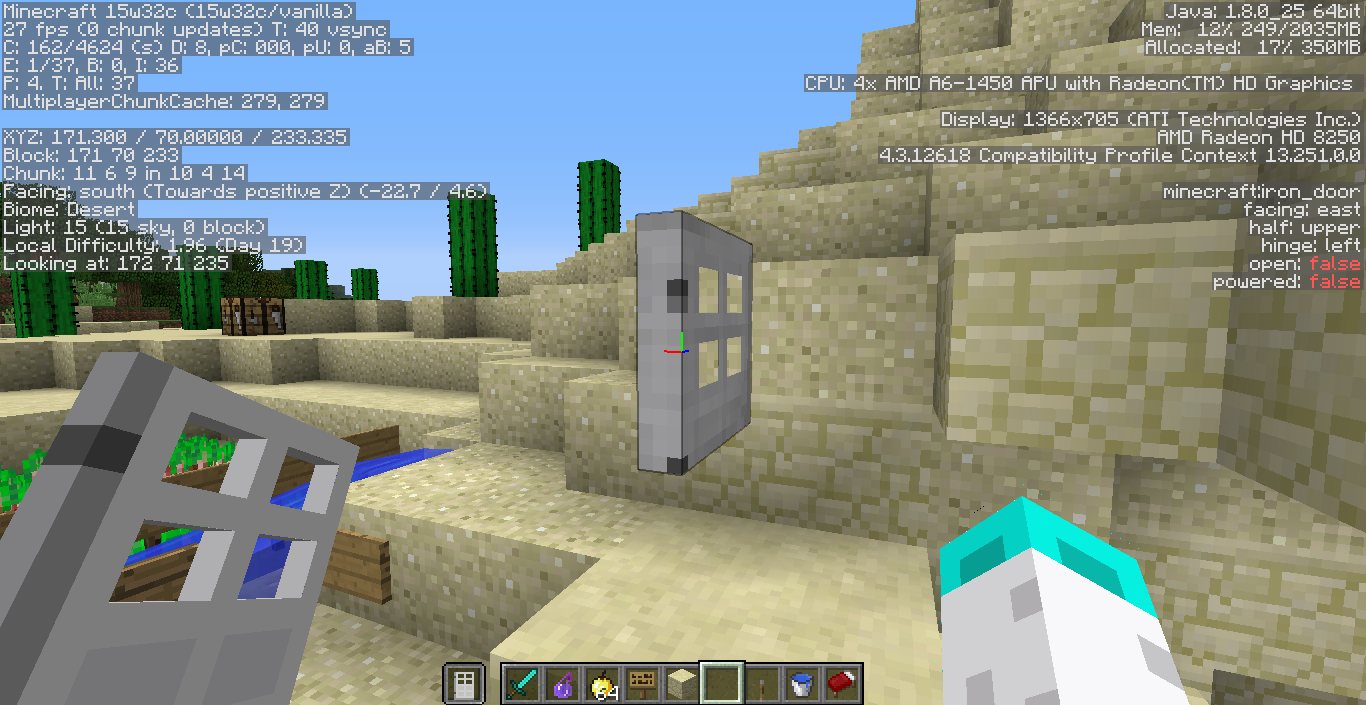
I found that if you place a door and press "F" immediately afterwords, sometimes a glitched top half of the door will remain as seen here
Glitch as seen with iron door but no offset.To Recap, The Steps for Reproduction:
- get a door of some kind
- place door and quickly press "F" to switch
to an emptyhand NOTE: This may take more than one attempt to get the timing right.- If you get it right you should get a floating top half of the door
I found that if you place a door and press "F" immediately afterwords, sometimes a glitched top half of the door will remain as seen here
Glitch as seen with iron door but no offset.To Recap, The Steps for Reproduction:
- get a door of some kind
- place door and at the same time press "F" to switch hands NOTE: This may take more than one attempt to get the timing right.
- If you get it right you should get a floating top half of the door
I created a machine for the sole purpose for testing if/when pistons bug out and how they do so. Two weeks ago I posted two results, the first I added to
MCPE-16314, which I deemed most relevant, and is still marked as "Resolved: Fixed". The second I added toMCPE-28260at a moderator's request, which I questioned due to the lack of any signs of crashing when I found the bug; I have yet to receive a reply.Thus, I have decided to repost these here. The first bug is that the piston deletes the block it moves into. Upon closer inspection, it seems the piston extends, begins to retract but instantly begins moving, gets stuck in extended position with the arm inside of T2, then deletes the block when it decides to retract. This occurs when T1 is air and T2 is a normal block.
The second bug is that the piston carries a block sideways then (the piston) turns into an item drop. Again, upon closer inspection the piston spits out T1, begins extending right as it is moved by the machine, gets its arm stuck in T2, proceeds to bring T2 to T1's starting location as the piston is moved back, then the piston drops itself as an item. This occurs when both T1 and T2 are normal blocks.
Both of these glitches appear to stem from extending/ed pistons remaining movable if powered in a special way.
A schematic (with original coordinates) of the original machine is below:
Facing positive z, x (left): 165, x (right): 161
z: 10
RB SB RB [RB] P> PA SB <P z: 9
vO NB S* NB z: 8
{T1} |{T2}| |
Key:
| > | Left |
| < | Right |
| v | Down |
| * | Towards the screen |
| NB | Normal block |
| RB | Redstone block |
| [RB] | Remove this block to start the machine, replace to stop |
| SB | Slime block |
| P | Regular Piston |
| S | Sticky Piston |
| O | Observer |
| {T1},
{T2}
Testing blocks, known to change the end result of the machine P.S.: Sorry mods, I just didn't feel like this was getting the right attention being in what I consider to be a dead ticket and a separate and/or blanket issue.
I created a machine for the sole purpose for testing if/when pistons bug out and how they do so. Two weeks ago I posted two results, the first I added to
MCPE-16314, which I deemed most relevant, and is still marked as "Resolved: Fixed". The second I added toMCPE-28260at a moderator's request, which I questioned due to the lack of any signs of crashing when I found the bug; I have yet to receive a reply.Thus, I have decided to repost these here. The first bug is that the piston deletes the block it moves into. Upon closer inspection, it seems the piston extends, begins to retract but instantly begins moving, gets stuck in extended position with the arm inside of T2, then deletes the block when it decides to retract. This occurs when T1 is air and T2 is a normal block.
The second bug is that the piston carries a block sideways then (the piston) turns into an item drop. Again, upon closer inspection the piston spits out T1, begins extending right as it is moved by the machine, gets its arm stuck in T2, proceeds to bring T2 to T1's starting location as the piston is moved back, then the piston drops itself as an item. This occurs when both T1 and T2 are normal blocks.
Both of these glitches appear to stem from extending/ed pistons remaining movable if powered in a special way.
A schematic (with original coordinates) of the original machine is below:
Facing positive z, x (left): 165, x (right): 161
z: 10
RB SB RB [RB] P> PA SB <P z: 9
vO NB S* NB z: 8
{T1} | {T2} | |
Key:
| > | Left |
| < | Right |
| v | Down |
| * | Towards the screen |
| NB | Normal block |
| RB | Redstone block |
| [RB] | Remove this block to start the machine, replace to stop |
| SB | Slime block |
| P | Regular Piston |
| S | Sticky Piston |
| O | Observer |
| {T1},
{T2}
Testing blocks, known to change the end result of the machine P.S.: Sorry mods, I just didn't feel like this was getting the right attention being in what I consider to be a dead ticket and a separate and/or blanket issue.
I created a machine for the sole purpose for testing if/when pistons bug out and how they do so. Two weeks ago I posted two results, the first I added to
MCPE-16314, which I deemed most relevant, and is still marked as "Resolved: Fixed". The second I added toMCPE-28260at a moderator's request, which I questioned due to the lack of any signs of crashing when I found the bug; I have yet to receive a reply.Thus, I have decided to repost these here. The first bug is that the piston deletes the block it moves into. Upon closer inspection, it seems the piston extends, begins to retract but instantly begins moving, gets stuck in extended position with the arm inside of T2, then deletes the block when it decides to retract. This occurs when T1 is air and T2 is a normal block.
The second bug is that the piston carries a block sideways then (the piston) turns into an item drop. Again, upon closer inspection the piston spits out T1, begins extending right as it is moved by the machine, gets its arm stuck in T2, proceeds to bring T2 to T1's starting location as the piston is moved back, then the piston drops itself as an item. This occurs when both T1 and T2 are normal blocks.
Both of these glitches appear to stem from extending/ed pistons remaining movable if powered in a special way.
A schematic (with original coordinates) of the original machine is below:
Facing positive z, x (left): 165, x (right): 161
z: 10
RB SB RB [RB] P> PA SB <P z: 9
vO NB S* NB z: 8
{T1} | {T2} | |
Key:
| > | Left |
| < | Right |
| v | Down |
| * | Towards the screen |
| NB | Normal block |
| RB | Redstone block |
| [RB] | Remove this block to start the machine, replace to stop |
| SB | Slime block |
| P | Regular Piston |
| S | Sticky Piston |
| O | Observer |
| {T1},
{T2}
Testing blocks, known to change the end result of the machine P.S.: Sorry mods, I just didn't feel like this was getting the right attention being in what I consider to be a dead ticket and a separate and/or blanket issue.
I created a machine for the sole purpose for testing if/when pistons bug out and how they do so. Two weeks ago I posted two results, the first I added to
MCPE-16314, which I deemed most relevant, and is still marked as "Resolved: Fixed". The second I added toMCPE-28260at a moderator's request, which I questioned due to the lack of any signs of crashing when I found the bug; I have yet to receive a reply.Thus, I have decided to repost these here. The first bug is that the piston deletes the block it moves into. Upon closer inspection, it seems the piston extends, begins to retract but instantly begins moving, gets stuck in extended position with the arm inside of T2, then deletes the block when it decides to retract. This occurs when T1 is air and T2 is a normal block.
The second bug is that the piston carries a block sideways then (the piston) turns into an item drop. Again, upon closer inspection the piston spits out T1, begins extending right as it is moved by the machine, gets its arm stuck in T2, proceeds to bring T2 to T1's starting location as the piston is moved back, then the piston drops itself as an item. This occurs when both T1 and T2 are normal blocks.
Both of these glitches appear to stem from extending/ed pistons remaining movable if powered in a special way.
A schematic (with original coordinates) of the original machine is below:
Facing positive z, x (left): 165, x (right): 161
z: 10
RB SB RB [RB] P> PA SB <P z: 9
vO NB S* NB z: 8
{T1} | {T2} | |
Key:
| > | Left |
| < | Right |
| v | Down |
| * | Towards the screen |
| NB | Normal block |
| RB | Redstone block |
| [RB] | Remove this block to start the machine, replace to stop |
| SB | Slime block |
| P | Regular Piston |
| S | Sticky Piston |
| O | Observer |
| {T1},
{T2}
Testing blocks, known to change the end result of the machine P.S.: Sorry mods, I just didn't feel like this was getting the right attention being in what I consider to be a dead ticket and a separate and/or blanket issue.
I created a machine for the sole purpose for testing if/when pistons bug out and how they do so. Two weeks ago I posted two results, the first I added to
MCPE-16314, which I deemed most relevant, and is still marked as "Resolved: Fixed". The second I added toMCPE-28260at a moderator's request, which I questioned due to the lack of any signs of crashing when I found the bug; I have yet to receive a reply.Thus, I have decided to repost these here. The first bug is that the piston deletes the block it moves into. Upon closer inspection, it seems the piston extends, begins to retract but instantly begins moving, gets stuck in extended position with the arm inside of T2, then deletes the block when it decides to retract. This occurs when T1 is air and T2 is a normal block.
The second bug is that the piston carries a block sideways then (the piston) turns into an item drop. Again, upon closer inspection the piston spits out T1, begins extending right as it is moved by the machine, gets its arm stuck in T2, proceeds to bring T2 to T1's starting location as the piston is moved back, then the piston drops itself as an item. This occurs when both T1 and T2 are normal blocks.
Both of these glitches appear to stem from extending/ed pistons remaining movable if powered in a special way.
A schematic (with original coordinates) of the original machine is below:
Facing positive z, x (left): 165, x (right): 161
z: 10
RB SB RB [RB] P> PA SB <P z: 9
vO NB S* NB z: 8
T1 T2 Key:
> Left < Right v Down
Towards the screen NB Normal block RB Redstone block [RB] Remove this block to start the machine, replace to stop SB Slime block P Regular Piston S Sticky Piston O Observer T1, T2 Testing blocks, known to change the end result of the machine P.S.: Sorry mods, I just didn't feel like this was getting the right attention being in what I consider to be a dead ticket and a separate and/or blanket issue.
I created a machine for the sole purpose for testing if/when pistons bug out and how they do so. Two weeks ago I posted two results, the first I added to
MCPE-16314, which I deemed most relevant, and is still marked as "Resolved: Fixed". The second I added toMCPE-28260at a moderator's request, which I questioned due to the lack of any signs of crashing when I found the bug; I have yet to receive a reply.Thus, I have decided to repost these here. The first bug is that the piston deletes the block it moves into. Upon closer inspection, it seems the piston extends, begins to retract but instantly begins moving, gets stuck in extended position with the arm inside of T2, then deletes the block when it decides to retract. This occurs when T1 is air and T2 is a normal block.
The second bug is that the piston carries a block sideways then (the piston) turns into an item drop. Again, upon closer inspection the piston spits out T1, begins extending right as it is moved by the machine, gets its arm stuck in T2, proceeds to bring T2 to T1's starting location as the piston is moved back, then the piston drops itself as an item. This occurs when both T1 and T2 are normal blocks.
Both of these glitches appear to stem from extending/ed pistons remaining movable if powered in a special way.
A schematic (with original coordinates) of the original machine is below:
Facing positive z, x (left): 165, x (right): 161
z: 10
RB SB RB [RB] P> PA SB <P z: 9
vO NB S* NB z: 8
T1 T2 Key:
> Left < Right v Down
Towards the screen NB Normal block RB Redstone block [RB] Remove this block to start the machine, replace to stop SB Slime block P Regular Piston S Sticky Piston O Observer T1, T2 Testing blocks, known to change the end result of the machine P.S.: Sorry mods, I just didn't feel like this was getting the right attention being in what I consider to be a dead ticket and a separate and/or blanket issue.
I created a machine for the sole purpose for testing if/when pistons bug out and how they do so. Two weeks ago I posted two results, the first I added to
MCPE-16314, which I deemed most relevant, and is still marked as "Resolved: Fixed". The second I added toMCPE-28260at a moderator's request, which I questioned due to the lack of any signs of crashing when I found the bug; I have yet to receive a reply.Thus, I have decided to repost these here. The first bug is that the piston deletes the block it moves into. Upon closer inspection, it seems the piston extends, begins to retract but instantly begins moving, gets stuck in extended position with the arm inside of T2, then deletes the block when it decides to retract. This occurs when T1 is air and T2 is a normal block.
The second bug is that the piston carries a block sideways then (the piston) turns into an item drop. Again, upon closer inspection the piston spits out T1, begins extending right as it is moved by the machine, gets its arm stuck in T2, proceeds to bring T2 to T1's starting location as the piston is moved back, then the piston drops itself as an item. This occurs when both T1 and T2 are normal blocks.
Both of these glitches appear to stem from extending/ed pistons remaining movable if powered in a special way.
A schematic (with original coordinates) of the original machine is below:
Facing positive z, x (left): 165, x (right): 161
z: 10
RB SB RB [RB] P> PA SB <P z: 9
vO NB S* NB z: 8
T1 T2 Key:
> Left < Right v Down * Towards the screen NB Normal block RB Redstone block [RB] Remove this block to start the machine, replace to stop SB Slime block P Regular Piston S Sticky Piston O Observer T1, T2 Testing blocks, known to change the end result of the machine P.S.: Sorry mods, I just didn't feel like this was getting the right attention being in what I consider to be a dead ticket and a separate and/or blanket issue.
I created a machine for the sole purpose for testing if/when pistons bug out and how they do so. Two weeks ago I posted two results, the first I added to
MCPE-16314, which I deemed most relevant, and is still marked as "Resolved: Fixed". The second I added toMCPE-28260at a moderator's request, which I questioned due to the lack of any signs of crashing when I found the bug; I have yet to receive a reply.Thus, I have decided to repost these here. The first bug is that the piston deletes the block it moves into. Upon closer inspection, it seems the piston extends, begins to retract but instantly begins moving, gets stuck in extended position with the arm inside of T2, then deletes the block when it decides to retract. This occurs when T1 is air and T2 is a normal block.
The second bug is that the piston carries a block sideways then (the piston) turns into an item drop. Again, upon closer inspection the piston spits out T1, begins extending right as it is moved by the machine, gets its arm stuck in T2, proceeds to bring T2 to T1's starting location as the piston is moved back, then the piston drops itself as an item. This occurs when both T1 and T2 are normal blocks.
Both of these glitches appear to stem from extending/ed pistons remaining movable if powered in a special way.
A schematic (with original coordinates) of the original machine is below:
Facing positive z, x (left): 165, x (right): 161
z: 10
RB SB RB [RB] P> PA SB <P z: 9
vONB S* NB z: 8
T1 T2 Key:
> Left < Right v Down * Towards the screen NB Normal block RB Redstone block [RB] Remove this block to start the machine, replace to stop SB Slime block P Regular Piston S Sticky Piston O Observer T1, T2 Testing blocks, known to change the end result of the machine P.S.: Sorry mods, I just didn't feel like this was getting the right attention being in what I consider to be a dead ticket and a separate and/or blanket issue.
I created a machine for the sole purpose for testing if/when pistons bug out and how they do so. Two weeks ago I posted two results, the first I added to
MCPE-16314, which I deemed most relevant, and is still marked as "Resolved: Fixed". The second I added toMCPE-28260at a moderator's request, which I questioned due to the lack of any signs of crashing when I found the bug; I have yet to receive a reply.Thus, I have decided to repost these here. The first bug is that the piston deletes the block it moves into. Upon closer inspection, it seems the piston extends, begins to retract but instantly begins moving, gets stuck in extended position with the arm inside of T2, then deletes the block when it decides to retract. This occurs when T1 is air and T2 is a normal block.
The second bug is that the piston carries a block sideways then (the piston) turns into an item drop. Again, upon closer inspection the piston spits out T1, begins extending right as it is moved by the machine, gets its arm stuck in T2, proceeds to bring T2 to T1's starting location as the piston is moved back, then the piston drops itself as an item. This occurs when both T1 and T2 are normal blocks.
Both of these glitches appear to stem from extending/ed pistons remaining movable if powered in a special way.
A schematic (with original coordinates) of the original machine is below:
Facing positive z, x (left): 165, x (right): 161
z: 10
RB SB RB [RB] P> PA SB <P z: 9
Ov NB S* NB z: 8
T1 T2 Key:
> Left < Right v Down * Towards the screen NB Normal block RB Redstone block [RB] Remove this block to start the machine, replace to stop SB Slime block P Regular Piston S Sticky Piston O Observer T1, T2 Testing blocks, known to change the end result of the machine P.S.: Sorry mods, I just didn't feel like this was getting the right attention being in what I consider to be a dead ticket and a separate and/or blanket issue.
I created a machine for the sole purpose for testing if/when pistons bug out and how they do so. Two weeks ago I posted two results, the first I added to
MCPE-16314, which I deemed most relevant to the issue, and is still marked as "Resolved: Fixed". The second I added toMCPE-28260at a moderator's request, which I questioned due to the lack of any signs of crashing when I found the bug; I have yet to receive a reply.Thus, I have decided to repost these here. The first bug is that the piston deletes the block it moves into. Upon closer inspection, it seems the piston extends, begins to retract but instantly begins moving, gets stuck in extended position with the arm inside of T2, then deletes the block when it decides to retract. This occurs when T1 is air and T2 is a normal block.
The second bug is that the piston carries a block sideways then (the piston) turns into an item drop. Again, upon closer inspection the piston spits out T1, begins extending right as it is moved by the machine, gets its arm stuck in T2, proceeds to bring T2 to T1's starting location as the piston is moved back, then the piston drops itself as an item. This occurs when both T1 and T2 are normal blocks.
Both of these glitches appear to stem from extending/ed pistons remaining movable if powered in a special way.
A schematic (with original coordinates) of the original machine is below:
Facing positive z, x (left): 165, x (right): 161
z: 10
RB SB RB [RB] P> PA SB <P z: 9
Ov NB S* NB z: 8
T1 T2 Key:
> Left < Right v Down * Towards the screen NB Normal block RB Redstone block [RB] Remove this block to start the machine, replace to stop SB Slime block P Regular Piston S Sticky Piston O Observer T1, T2 Testing blocks, known to change the end result of the machine P.S.: Sorry mods, I just didn't feel like this was getting the right attention being in what I consider to be a dead ticket and a separate and/or blanket issue.
I created a machine for the sole purpose for testing if/when pistons bug out and how they do so. Two weeks ago I posted two results, the first I added to
MCPE-16314, which I deemed most relevant to the issue, and is still marked as "Resolved: Fixed". The second I added toMCPE-28260at a moderator's request, which I questioned due to the lack of any signs of crashing when I found the bug; I have yet to receive a reply.Thus, I have decided to repost these here. The first bug is that the piston deletes the block it moves into. Upon closer inspection, it seems the piston extends, begins to retract but instantly begins moving, gets stuck in extended position with the arm inside of T2, then deletes the block when it decides to retract. This occurs when T1 is air and T2 is a normal block.
The second bug is that the piston carries a block sideways then (the piston) turns into an item drop. Again, upon closer inspection the piston spits out T1, begins extending right as it is moved by the machine, gets its arm stuck in T2, proceeds to bring T2 to T1's starting location as the piston is moved back, then the piston drops itself as an item. This occurs when both T1 and T2 are normal blocks.
Both of these glitches appear to stem from extending/ed pistons remaining movable if powered in a special way.
A schematic (with original coordinates) of the original machine is below:
Facing positive z, x (left): 165, x (right): 161
z: 10
RB SB RB [RB] P> PA SB <P z: 9
Ov NB S* NB z: 8
T1 T2 Key:
> Left < Right v Down * Towards the screen NB Normal block RB Redstone block [RB] Remove this block to start the machine, replace to stop SB Slime block P Regular Piston S Sticky Piston O Observer T1, T2 Testing blocks, known to change the end result of the machine P.S.: Sorry mods, I just didn't feel like this was getting the right attention
beingin what I consider to be a dead ticket and a separate and/or blanket issue.
-qoIACp-AQA=.zip
I created a machine for the sole purpose for testing if/when pistons bug out and how they do so. Two weeks ago I posted two results, the first I added to
MCPE-16314, which I deemed most relevant to the issue, and is still marked as "Resolved: Fixed". The second I added toMCPE-28260at a moderator's request, which I questioned due to the lack of any signs of crashing when I found the bug; I have yet to receive a reply.Thus, I have decided to repost these here. The first bug is that the piston deletes the block it moves into. Upon closer inspection, it seems the piston extends, begins to retract but instantly begins moving, gets stuck in extended position with the arm inside of T2, then deletes the block when it decides to retract. This occurs when T1 is air and T2 is a normal block.
The second bug is that the piston carries a block sideways then (the piston) turns into an item drop. Again, upon closer inspection the piston spits out T1, begins extending right as it is moved by the machine, gets its arm stuck in T2, proceeds to bring T2 to T1's starting location as the piston is moved back, then the piston drops itself as an item. This occurs when both T1 and T2 are normal blocks.
Both of these glitches appear to stem from extending/ed pistons remaining movable if powered in a special way.
A schematic (with original coordinates) of the original machine is below:Facing positive z, x (left): 165, x (right): 161
z: 10
RB SB RB [RB] P> PA SB <P z: 9
Ov NB S* NB z: 8
T1 T2 Key:
> Left < Right v Down * Towards the screen NB Normal block RB Redstone block [RB] Remove this block to start the machine, replace to stop SB Slime block P Regular Piston S Sticky Piston O Observer T1, T2 Testing blocks, known to change the end result of the machine P.S.: Sorry mods, I just didn't feel like this was getting the right attention in what I consider to be a dead ticket and a separate and/or blanket issue.
I created a machine for the sole purpose for testing if/when pistons bug out and how they do so. Two weeks ago I posted two results, the first I added to
MCPE-16314, which I deemed most relevant to the issue, and is still marked as "Resolved: Fixed". The second I added toMCPE-28260at a moderator's request, which I questioned due to the lack of any signs of crashing when I found the bug; I have yet to receive a reply.Thus, I have decided to repost these here. The first bug is that the piston deletes the block it moves into. Upon closer inspection, it seems the piston extends, begins to retract but instantly begins moving, gets stuck in extended position with the arm inside of T2, then deletes the block when it decides to retract. This occurs when T1 is air and T2 is a normal block.
The second bug is that the piston carries a block sideways then (the piston) turns into an item drop. Again, upon closer inspection the piston spits out T1, begins extending right as it is moved by the machine, gets its arm stuck in T2, proceeds to bring T2 to T1's starting location as the piston is moved back, then the piston drops itself as an item. This occurs when both T1 and T2 are normal blocks.
Both of these glitches appear to stem from extending/ed pistons remaining movable if powered in a special way.
World download: [^-qoIACp-AQA=.zip]
A schematic (with original coordinates) of the original machine is below:
Facing positive z, x (left): 165, x (right): 161
z: 10
RB SB RB [RB] P> PA SB <P z: 9
Ov NB S* NB z: 8
T1 T2 Key:
> Left < Right v Down * Towards the screen NB Normal block RB Redstone block [RB] Remove this block to start the machine, replace to stop SB Slime block P Regular Piston S Sticky Piston O Observer T1, T2 Testing blocks, known to change the end result of the machine P.S.: Sorry mods, I just didn't feel like this was getting the right attention in what I consider to be a dead ticket and a separate and/or blanket issue.
A comment with security level 'Users' was removed.
I created a machine for the sole purpose for testing if/when pistons bug out and how they do so. Two weeks ago I posted two results, the first I added to
MCPE-16314, which I deemed most relevant to the issue, and is still marked as "Resolved: Fixed". The second I added toMCPE-28260at a moderator's request, which I questioned due to the lack of any signs of crashing when I found the bug; I have yet to receive a reply.Thus, I have decided to repost these here. The first bug is that the piston deletes the block it moves into. Upon closer inspection, it seems the piston extends, begins to retract but instantly begins moving, gets stuck in extended position with the arm inside of T2, then deletes the block when it decides to retract. This occurs when T1 is air and T2 is a normal block.
The second bug is that the piston carries a block sideways then (the piston) turns into an item drop. Again, upon closer inspection the piston spits out T1, begins extending right as it is moved by the machine, gets its arm stuck in T2, proceeds to bring T2 to T1's starting location as the piston is moved back, then the piston drops itself as an item. This occurs when both T1 and T2 are normal blocks.
Both of these glitches appear to stem from extending/ed pistons remaining movable if powered in a special way.
World download: [^-qoIACp-AQA=.zip]
A schematic (with original coordinates) of the original machine is below:
Facing positive z, x (left): 165, x (right): 161
z: 10
RB SB RB [RB] P> PA SB <P z: 9
Ov NB S* NB z: 8
T1 T2 Key:
> Left < Right v Down * Towards the screen NB Normal block RB Redstone block [RB] Remove this block to start the machine, replace to stop SB Slime block P Regular Piston S Sticky Piston O Observer T1, T2 Testing blocks, known to change the end result of the machine P.S.: Sorry mods, I just didn't feel like this was getting the right attention in what I consider to be a dead ticket and a separate and/or blanket issue.
I created a machine for the sole purpose for testing if/when pistons bug out and how they do so. Two weeks ago I posted two results, the first I added to
MCPE-16314, which I deemed most relevant to the issue, and is still marked as "Resolved: Fixed". The second I added toMCPE-28260at a moderator's request, which I questioned due to the lack of any signs of crashing when I found the bug; I have yet to receive a reply.Thus, I have decided to repost these here. The first bug is that the piston deletes the block it moves into. Upon closer inspection, it seems the piston extends, begins to retract but instantly begins moving, gets stuck in extended position with the arm inside of T2, then deletes the block when it decides to retract. This occurs when T1 is air and T2 is a normal block.
The second bug is that the piston carries a block sideways then (the piston) turns into an item drop. Again, upon closer inspection the piston spits out T1, begins extending right as it is moved by the machine, gets its arm stuck in T2, proceeds to bring T2 to T1's starting location as the piston is moved back, then the piston drops itself as an item. This occurs when both T1 and T2 are normal blocks.
Both of these glitches appear to stem from extending/ed pistons remaining movable if powered in a special way.
World download: MCPE-30805.mcworld
A schematic (with original coordinates) of the original machine is below:
Facing positive z, x (left): 165, x (right): 161
z: 10
RB SB RB [RB] P> PA SB <P z: 9
Ov NB S* NB z: 8
T1 T2 Key:
> Left < Right v Down * Towards the screen NB Normal block RB Redstone block [RB] Remove this block to start the machine, replace to stop SB Slime block P Regular Piston S Sticky Piston O Observer T1, T2 Testing blocks, known to change the end result of the machine P.S.: Sorry mods, I just didn't feel like this was getting the right attention in what I consider to be a dead ticket and a separate and/or blanket issue.
I created a machine for the sole purpose for testing if/when pistons bug out and how they do so. Two weeks ago I posted two results, the first I added to
MCPE-16314, which I deemed most relevant to the issue, and is still marked as "Resolved: Fixed". The second I added toMCPE-28260at a moderator's request, which I questioned due to the lack of any signs of crashing when I found the bug; I have yet to receive a reply.Thus, I have decided to repost these here. The first bug is that the piston deletes the block it moves into. Upon closer inspection, it seems the piston extends, begins to retract but instantly begins moving, gets stuck in extended position with the arm inside of T2, then deletes the block when it decides to retract. This occurs when T1 is air and T2 is a normal block.
The second bug is that the piston carries a block sideways then (the piston) turns into an item drop. Again, upon closer inspection the piston spits out T1, begins extending right as it is moved by the machine, gets its arm stuck in T2, proceeds to bring T2 to T1's starting location as the piston is moved back, then the piston drops itself as an item. This occurs when both T1 and T2 are normal blocks.
Both of these glitches appear to stem from extending/ed pistons remaining movable if powered in a special way.
World download: MCPE-30805.mcworld
A schematic (with original coordinates) of the original machine is below:Facing positive z, x (left): 165, x (right): 161
z: 10
RB SB RB [RB] P> PA SB <P z: 9
Ov NB S* NB z: 8
T1 T2 Key:
> Left < Right v Down * Towards the screen NB Normal block RB Redstone block [RB] Remove this block to start the machine, replace to stop SB Slime block P Regular Piston S Sticky Piston O Observer T1, T2 Testing blocks, known to change the end result of the machine P.S.: Sorry mods, I just didn't feel like this was getting the right attention in what I consider to be a dead ticket and a separate and/or blanket issue.
I created a machine for the sole purpose for testing if/when pistons bug out and how they do so. Two weeks ago I posted two results, the first I added to
MCPE-16314, which I deemed most relevant to the issue, and is still marked as "Resolved: Fixed". The second I added toMCPE-28260at a moderator's request, which I questioned due to the lack of any signs of crashing when I found the bug; I have yet to receive a reply.Thus, I have decided to repost these here. The first bug is that the piston deletes the block it moves into. Upon closer inspection, it seems the piston extends, begins to retract but instantly begins moving, gets stuck in extended position with the arm inside of T2, then deletes the block when it decides to retract. This occurs when T1 is air and T2 is a normal block.
The second bug is that the piston carries a block sideways then (the piston) turns into an item drop. Again, upon closer inspection the piston spits out T1, begins extending right as it is moved by the machine, gets its arm stuck in T2, proceeds to bring T2 to T1's starting location as the piston is moved back, then the piston drops itself as an item. This occurs when both T1 and T2 are normal blocks.
Both of these glitches appear to stem from extending/ed pistons remaining movable if powered in a special way.
World download: MCPE-30805.mcworld
(!)Warning: Using Note Blocks creates a chance for the game to crash. This seems to be limited to just Note Blocks for now.
A schematic (with original coordinates) of the original machine is below:
Facing positive z, x (left): 165, x (right): 161
z: 10
RB SB RB [RB] P> PA SB <P z: 9
Ov NB S* NB z: 8
T1 T2 Key:
> Left < Right v Down * Towards the screen NB Normal block RB Redstone block [RB] Remove this block to start the machine, replace to stop SB Slime block P Regular Piston S Sticky Piston O Observer T1, T2 Testing blocks, known to change the end result of the machine P.S.: Sorry mods, I just didn't feel like this was getting the right attention in what I consider to be a dead ticket and a separate and/or blanket issue.
The setup here is simple. Place a sticky piston facing upward, place an observer facing horizontally and a piece of redstone at the output of that. Update the
repeater and Bob's your uncle, you have a clock.The setup here is simple. Place a sticky piston facing upward, place an observer facing horizontally and a piece of redstone at the output of that. Update the observer and Bob's your uncle, you have a clock.
The setup here is simple. Place a sticky piston facing upward, place an observer facing horizontally and a piece of redstone at the output of that. Update the observer and Bob's your uncle, you have a clock.
The setup here is simple. Place a sticky piston facing upward, place an observer facing horizontally and a piece of redstone at the output of that. Update the observer and Bob's your uncle, you have a clock.Nevermind, works as intended. The observer powers the redstone after moving back down which then powers the block that it's on which then powers the piston.
husky2490: It was a bit hard to tell what was going on from your gif.
You said that you were experimenting with halfslabs when this happend. Did you have anything below?
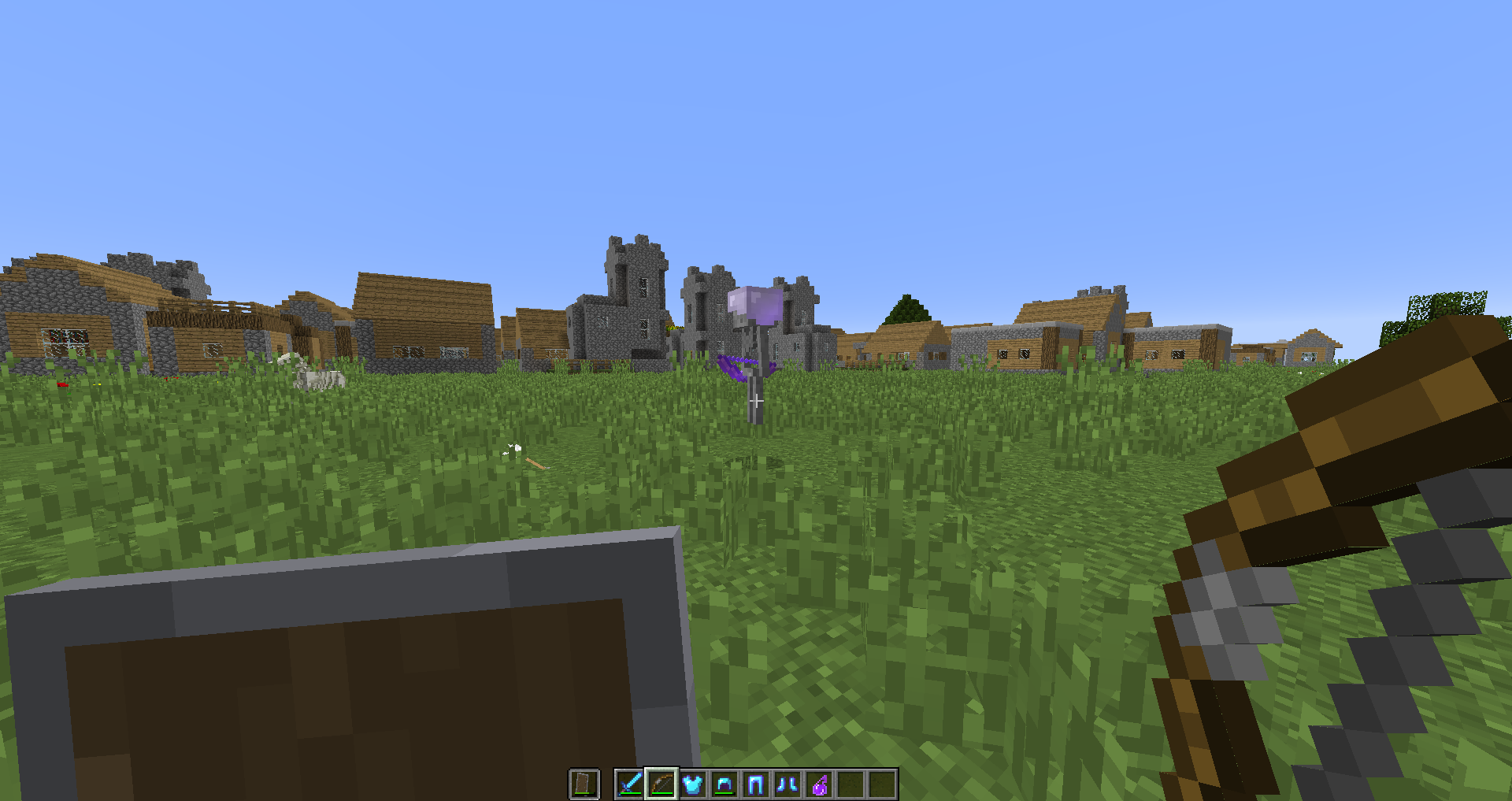
I could see a head in some of the pictures, are you sure that it is not MC-119 that you are experiencing? I dont know, but skeletons might be able to shoot you while still seem to be below the ground (and thus be invisible to you).
If not, could you describe a bit more what was going on?
![[Mojang] Mega_Spud (Jay Wells)](../../../data/avatars/users/92696.png)
husky2490 Did this happen when you reloaded the world? I think this might be as a result of the bug where you are walking instead of flying when you rejoin the world.

Proof that it happens
I am seeing this same problem in a more recent version: 1.7.9. It is almost like the problem has been inherited by some of the more recent versions of Minecraft which is weird since it was almost non-existent in 1.6.
this happened to me as I was experimenting with mobs and half slabs, after respawning for the nth time, at least two of the remaining skeletons turned invisible and both proceeded to attack and kill me. now i had the render distance at 6 and the setup was just within viewing distance from spawn and in my astonishment i took numerous screenshots of which I selected 1 per second to insert into this gif.
Word to the wise concerning the apparent conflict with antivirus software programs, always have a backup ready to go if you are even thinking of uninstalling or disabling ANY security software for any reason such as that stated above by the Mods.
So is it 100% explainable?
Pierre Waldén: Sorry for not responding sooner to your question but I am certain that it is not related to MC-119 as I placed the mobs there myself. I put a bunch of skeletons in a hole 1 block deep with a half-slab roof and attempted to see how many of the skeletons I could coax into killing each other without dieing too often. I tried similar experiments prior to that with other kinds of hostile mobs but the skeletons were the only ones that could still harm the player and stay in their hole. I would upload the annotated world file but the computer it is on is currently in the repair shop for a damaged motherboard. However, if and when I get the world file back in one piece, I will attach it to this issue report either under its original file-name, "Note Block Magic", or as "Mob Experiments" and hopefully clear up some confusion.
A photo of your configuration would help. Also, is "nate90911" your IGN or In Game Name?
Sounds like a server plugin might be causing this issue, contact a server administrator or inform the plugin creator about the problem.
@[~ericz1]: I'm not even sure the launcher gives a crash report for itself. If it does, it is either where he said with a typical file-name or just a .txt file with a weird file-name floating around in .minecraft or even the launcher.jar/launcher.pack.lzma files themselves.
What is your Java version? Since Minecraft runs on Java and makes minimal direct interaction with the operating system.
EDIT: Also, fix the title of this issue because it currently makes no sense.
I have the sneaky suspicion that this is a duplicate. Although I have not personally found one as of yet.
I can confirm this happening in 1.8.1
the windows location is
and it is only the "assets", "libraries", and "versions" folders that you will have to delete under most circumstances
EDIT: useful link for getting a hold of the mods: http://www.reddit.com/r/Mojira/
Truth be told it happened to me, many times, on three very different computers all since 1.7 came out. I only got it to happen upon hitting the refresh button repeatedly or attempting to reconnect to a server immediately after losing connection way too many times in a row.
I think it is simply forgetting to follow through after "buffering" the file or the file-system doesn't get properly notified of changes made by Java (platform-specific).
EDIT:
Todd Powers I agree it is pretty darn irritating after a while.
Confirmed in 1.8.4
I looked in it and I think this file is just a hash index of all the resources in the assets folder. You could delete the assets folder to force an update, but this is a possible workaround and not a fix.
I don't think this is a bug because that kind of information is not stored in the save file.
Confirmed for 1.8.4
Tested in 1.8.4 and it appears to be client-side as Steve cannot trigger pressure-plates, take damage, or enter portals by falling inside them while sleeping.
Further testing underway.EDIT:
Confirmed to be client-side as command-blocks see you as being in the bed even though you've "fallen out of bed"
@Kumasasa I looked a little more into it and it might be that java cannot open or write to the file because of some sort of permission issue i.e. read-only or protected directory. This makes it a different, though similar bug; if its even a bug at all.
Steven Clark, I think the reason you are seeing this is because either:
If this setup counts, confirmed for Vanilla 1.8.5.

I think this might be a similar thing to what happened to me, will try to get a screenshot. BTW, appears to be visual only.
EDIT: this may be due to having the world open for extended periods of time as I'm finding it hard to replicate after restarting the game
Got the same thing happening to me.
Sethbling did it during a livestream he did earlier today <http://twitch.tv/sethbling>. This probably has something to do with how the shulker's location is stored.
I have these too, they just stay put and you can even walk through them as if they weren't there at all.
Confirmed for Snapshot 15w31a
Confirmed for Snapshot 15w31a
Confirmed for Snapshot 15w31a
Confirmed for Snapshot 15w31a
Confirmed for Snapshot 15w31a
confirmed in Snapshot 15w31a
Confirmed for Snapshot 15w31a
Confirmed for Snapshot 15w31a
Confirmed for Snapshot 15w31a, only happens when centered on the block though
last time i checked the seed you put in the world gen. does not effect the formation of the end, sorry.
Possible duplicate of
MC-82816I think that is intentional. Devs, correct me if I'm wrong.
try deleting the DIM-1 folder from your save file or just make a creeper face with clay (debug feature)
Just uploaded some screenshots the glitch as seen in Snapshot 15w31b from every angle, all 9 of them. I have no idea how many times this happened in the past without me noticing it.
EDIT: just realized this glitch only applies to the survival inventory as the creative inventory works fine
confirmed for Snapshot 15w31b
confirmed for Snapshot 15w31c
Confirmed for Snapshot 15w31c
confirmed for 15w31c. It's very weird how the head changes as you move around it.
This is also a safe spot .
.
Weird thing is if you take damage of any kind, this will happen:
Confirmed, it isn't just the chunks, its everything:
Got it on newest snapshot (15w32c):
launcher.log
game still launched though... first "Game Output" entry is at 14:20:20
When I reloaded the world, it duplicated the door to my offhand, not sure exactly how or why that happened though... might be why I thought the block placement was the bug. will update description
duplicate of MC-13518
Possibly related to
MC-185On my computer, 30 fps is considered slightly above normal under most circumstances. The world I tried to log back into was default and was generated earlier that session. Upon scanning through the log, I noticed Minecraft had started multiple attempts to load a very laggy custom world initially generated in 15w32c. I suspect the cause is that the menu from
MC-185is actually functional and can be used to load multiple world instances within a single window.Notice how the sponge that did activate also removed the source block that was one block away from both sponges. I see how it's easier to code but it defies logic
I think the description should be updated to avoid confusion. E.g.,
The alternate workaround is making a backup of servers.dat (literally copy, paste into "my documents" or anywhere else)
For all we know, the fix could come whenever Jeb, Dinnerbone, Grumm, or someone else decides to change the save format, which might be a while
This might help to visualize the behavior...
https://youtu.be/2UhbmKqR82g
Also, confirmed for Minecraft 1.10.2
I've had this happen on a notoriously laggy server (not in 1.10 nor was the server vanilla) while strip mining with unenchanted stone picks. I would mine some blocks, they would disappear without dropping items and my pick would break. I wait a few seconds (as it was normal on that server) and some of the blocks would return and I got my tool back. It is also normal on that server to fall twice from the same point
[~Nathanael Tronerud]'s idea would be thousands of times more pleasant to listen to, it's just extremely hard to code because object-oriented programming. Each instance of a chicken, for example, plays a sound randomly regardless of nearby chickens. The only reasonable place to limit sounds created by large groups of things is by controlling the shared link, the sound engine itself. If I recall correctly, Minecraft's sound engine was not created by Mojang; so they might end up having to create a new sound engine and it only gets messier from there.
Maybe just have a greifable property for all entities and take its value into account when calculating damage i.e. allowing melee damage only.
Confirmed for 1.10.2 on video
in my creative world, i had a skeleton trap spawn next to me. I decided to yolo it in survival and tried taking it on with only iron gear... I got recked. So I respawned and flew back over to the trap to find that one the horsemen was mysteriously hovering in the air as if it had no AI but they still looked around. I assumed that this was a glitch and that the skeletons had actually dismounted their horses. I geared up again, with enchanted diamond armor this time, and got blitzed by a invisible rider as all of the other horses were moving wildly in what were effectively circles. I killed the horse and the rider suddenly pops into existence, and I quickly killed him too. I took one of the horses because I thought that the fight was over since the floating dismounted rider could not be hit. I come back to find a second horseless rider chilling at one of the nearby villager huts and I can't get on another horse sitting on the battlefield. I fire an arrow above it and the first horseless rider gets hit. I then tried my best to document it in the screenshots I will attach. It was definitely the strangest hostile mob encounter I have ever had.
just realized this was marked as duplicate, will move all my stuff over to proper thread
really freaking annoying and weird when it happens to skeleton traps, it's as if it has a slight chance to pacify them too.
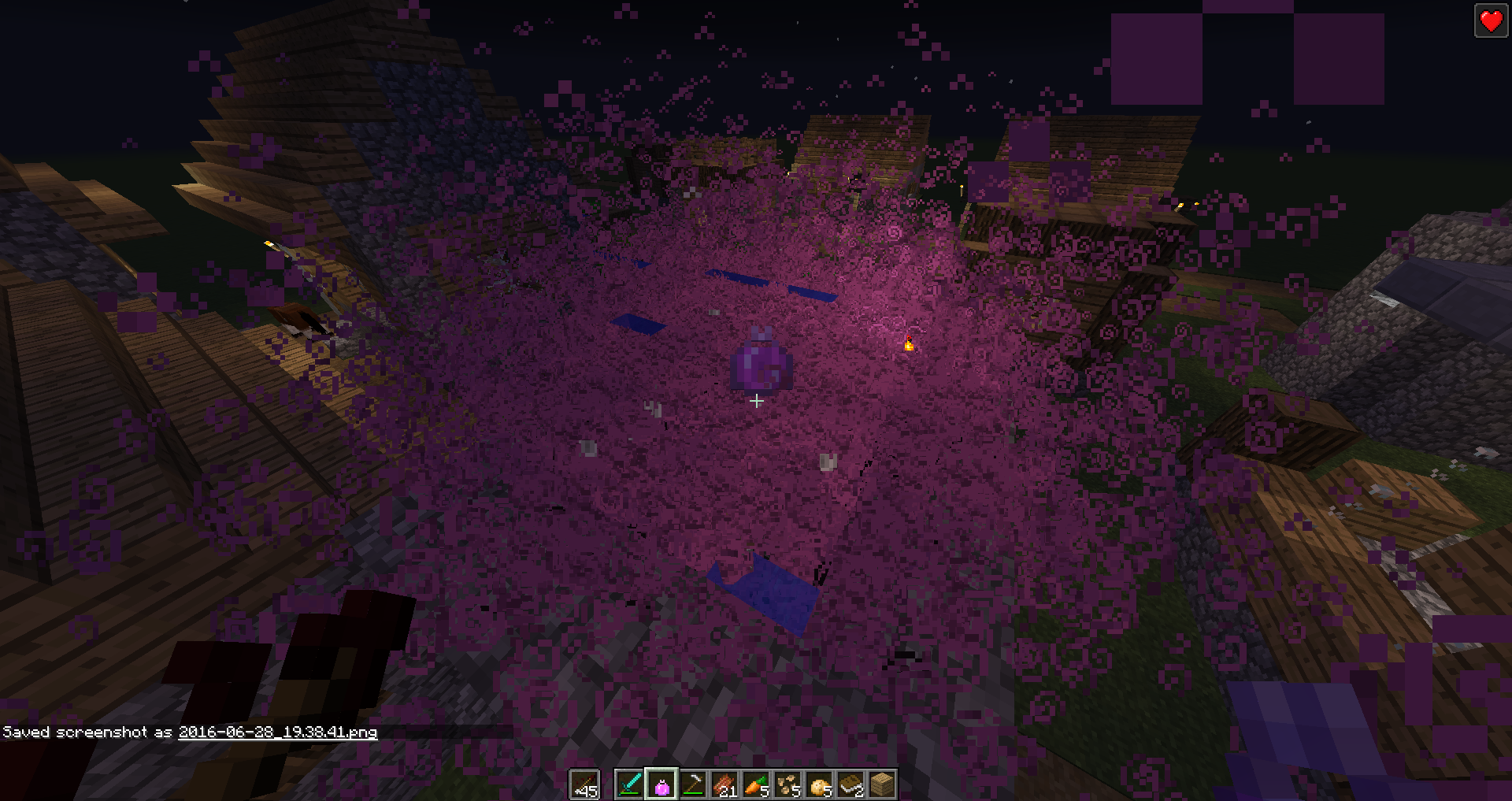
I'm not sure this is the right ticket but this screenshot shows how water overwrites particle effects. In detail you can see the crops obscuring the strips of water on the upper half of the image illuminated pink because of the particles and the same with the villager swimming in the pond almost directly below me. There is also a torch particle layered on top of all the particles for some reason. In the picture I used multiple lingering potions of regeneration to create the particles I needed and was captured in 1.10.2.
Edit: Is this the right ticket, mods?
Try updating Java to the latest version.
I doubt it's permanent
Does this happen with any other kind of notifications or issues including beeps? I've had problems with a track pad that beeped at me and became laggy before shutting off hard and only did it for one app (not Minecraft).
Also, does Minecraft become "not responding" during these lockouts? Could you do a debug crash (Hold F3 + C)?
No. The way I see it, showing the texture of the block you're in is intended by the devs but it leaves your view in 1st person mode and is sometimes triggered aggravatingly often; this is by a fault on the part of either the devs, the player or some combination of the two.
just realized this was fixed last year
Might I make a suggestion? Would it be possible to exempt dropped items from client-side gravity? It might create some weird floating items but you already do a similar thing with players
Unless you manage to find it in your recycle bin, it is not. Your best safeguard against this happening again is to create a backup. For some reason it happens a few times then randomly stops, idk why or how to stop it.
Sounds like it might be a related bug. Moderators?
TwinShards the main issue is not that mobs destroy these things but that mobs still destroy them when mob griefing is turned off
I'm not sure that is covered under this ticket. Your description is hazy as well, specifically the part where you suddenly talk about ghost and duplicate minecarts.
The cause might be system specific. I know that when I encountered the bug a few years ago I wasn't using any kind of backup or syncing software on my Minecraft folder. I actually remember copying the server list into My Documents and manually replacing it as needed.
If it hasn't been tried already, maybe opening the server list in "read-only" mode by default could help
I believe it also works if you use potions
Suggested edit:
Changes italicized
The lack of an "and" near the top still irks me
I originally posted this to
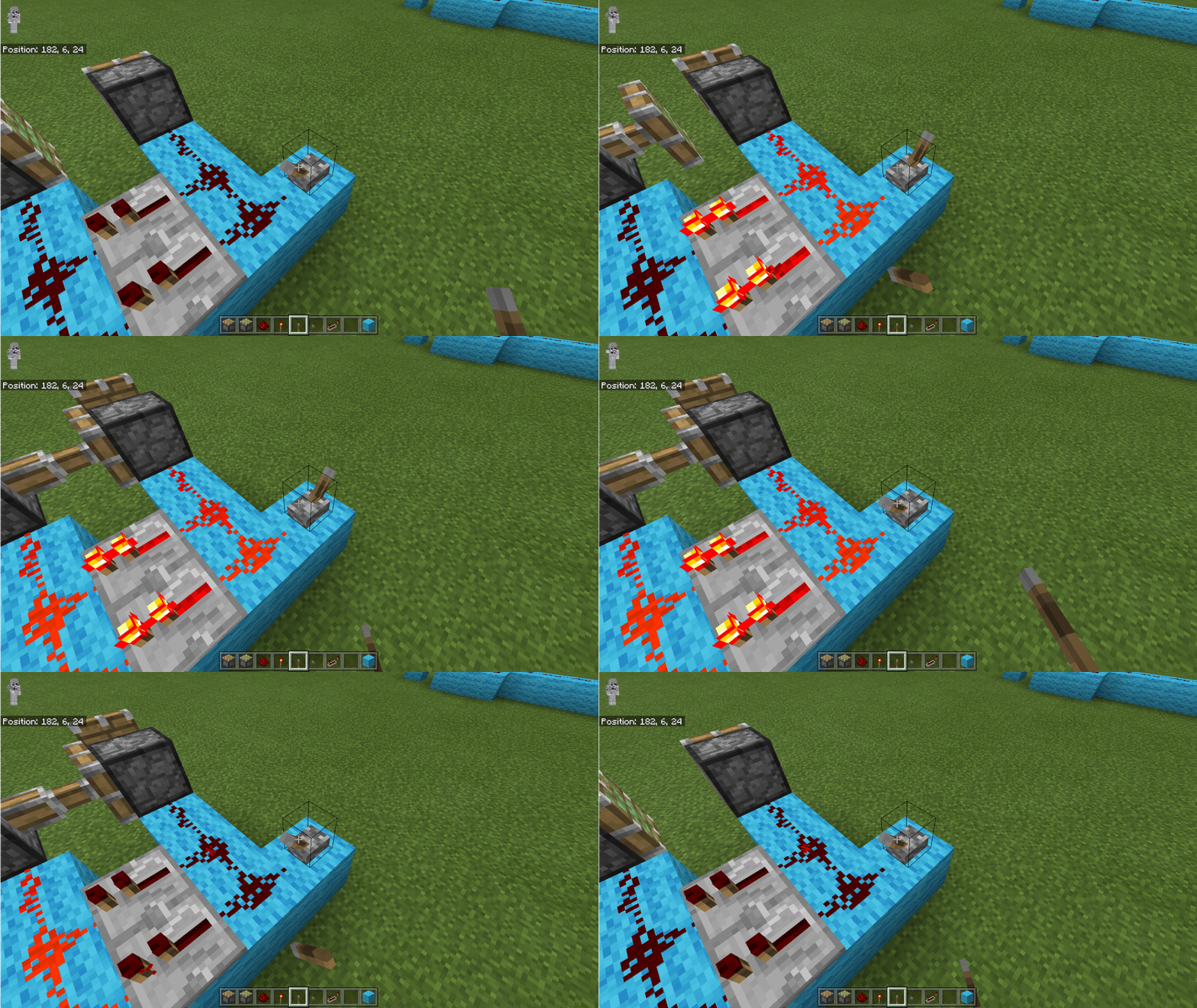
MCPE-25360but I think it belongs here moreI captured this behavior today in slow-mo with the help of a macro script (Uses AutoHotkey v1.1; run then press ALT+k to activate). The GIF with a very long name
 contains 10 images, 5 covering the rising edge and 5 covering the falling edge, representing 0.005 second intervals beginning with 0.005 seconds after clicking the lever. Due to issues with Windows not saving screenshots, images were captured individually on sequential runs.
Can anyone prove if this happens to moving observer blocks?Edit:
I'm going to try my hand at itSorry, what I'm thinking of is probably a different issueIf this is not the right place, please point me to where I should go.
I recently started a multiplayer server and everything worked fine until I restarted it. Now my client is stuck in peaceful difficulty even though the server is on normal difficulty (I have done /difficulty 2, I can see wild wolves wandering around my temporary base, and creepers show up in commands). I am pretty certain it's the client because in the settings there is a greyed-out "Difficulty: Peaceful".
How do I fix?Edit: Relogging fixed it. Would setting the difficulty to peaceful in the server properties file when creating the world, then setting the difficulty later with commands cause this?
Not fixed. Just happened to me upon opening my redstone testing world.
I think I've encountered this in 1.2.9
Edit: might not be this issue but a related one
What do you mean?
Are you sure? That issue deals with pistons crashing the game. Is the moving of blocks sideways also included in that issue?
Does this count? (I was sent here by a mod)
For those who can't load it. It's a crazy slime block contraption where a sticky piston facing perpendicular to the direction of movement and an observer powering it are moved side to side by two regular pistons powered by redstone blocks on top of the contraption. There are two quartz blocks lined up side by side so the sticky piston should always have something in front of it. I remove the redstone block that is stopping the machine. Here's what the piston does on each stroke of the machine.
Stroke 1 (back stroke): nothing.
Stroke 2 (forward stroke): piston extends and stays put.
Stroke 2.5: piston retracts.
Stroke 3: nothing.
Stroke 3.5: piston extends.
Stroke 4: piston remains extended and stays put, then begins to retract.
Stroke 4.5: piston continues retracting.
Stroke 5: nothing.
Stroke 5.5: piston extends.
Stroke 6: piston remains extended and stays put.
Stroke 6.5: piston retracts.
Stroke 7: nothing.
Stroke 7.5: piston extends.
Stroke 8: piston partially retracts, leaves first block in place, and moves with the machine, it's arm clipping into the second quartz block. It then extends again.
Stroke 8.5: the piston seems extended with it's arm completely inside the quartz block in front of it.
Stroke 9: both the piston and the quartz block move with the machine. The behavior of the piston head is unclear but it seems extended.
Stroke 9.5: the piston drops as an item.
Stroke-by-stroke analysis:
Stroke 1 (back stroke): piston moves with the machine.
Stroke 2 (forward stroke): piston moves with the machine.
Stroke 3: piston moves with the machine.
Stroke 3.5: piston extends.
Stroke 4: piston retracts and arm clips into quartz block, unknown behavior upon clipping.
Stroke 5: piston retracts and deletes quartz block
The same machine in a slightly different configuration showing another bug (might be related)
Picture of the initial setup of the machine:

I didn't notice anything about the flying speed, but the glitch was active upon loading the world. Should I post this there?
I was making a dedicated world and found that adding signs changed its behavior, so an instructional book will have to do.
Can break: (assume "no drop" unless stated otherwise)
Moves:
Deals damage to:
Only breaks piston:
Crash the game:
Transmute:
Edit: It seems even the crash caused by the note block is inconsistent as there is the only one of 5 crashes with a certain exception code and different crashes list different failing modules and only happens most of the time, when it feels like it.
All three basic behaviors confirmed for latest update
I don't know what I just did but I transmuted a piston into stone
Did a user named "bug" get silently deleted or is there something wrong with my notifications? I was going to reply to them.
has anyone tested if this crashes servers too?
Confirmed in part for 1.2.13. Definitely behaves differently, note blocks don't crash the game anymore, and trickery is needed to reproduce. See v2 of testing world
Also increases your world size by 840 kB!
This is starting to feel like a mega-report but I have no idea how to break it up. In a recent setup with sand, I created a copy of the testing world, made two sand pillars to near build limit in front of the machine and a hole to the void for the sand to fall into after being pushed and then saved. I created a copy of that and ran the test in the copy to compare file sizes afterwards and killed all entities before saving. In game it said there was an additional 1.2MB in the copy world and after exporting there was a 25kB difference between the two worlds with no difference between them other than running the machine to remove a sand pillar and removing all entities afterwards.
This is going to be my last post for a while (I'm done with all of these stupid PE bugs). The in game file size in my previous comment might be caused by
MCPE-23462,MCPE-25613,MCPE-7749, etc. Still no explanation for exported file size differencesI might volunteer for code analysis. The earliest I can start is Wednesday. If someone else wants to do it before then, be my guest.
Tell whoever is in charge of this site that this shows up as "Confirmation Status: None" on mobile but "Confirmation Status: Confirmed" on the desktop version.
MCP's version is pointing to asset files that don't exist and exits w/o a stacktrace before the game even loads
Can confirm in 1.19