 MCPE-50175
Some Corrupt Chunks | Redstone & Water Delay | Seems like lag but only affects certain chunks
Please see explainer video: https://youtu.be/8EYrVxP6sA4
Various chunks around the world are "corrupted", "broken", "slow", "laggy" where redstone does not fire properly and water does not flow properly.
Redstone becomes extremely slow, with a delay of several seconds before it activates and water flows extremely slowly.
This can happen in 1 chunk next to another chunk which is completely fine.
Removing farms, redstone, hoppers and pistons in the area does not improve anything.
Render distance is on minimum, mob spawning is off, no command blocks active and all entities have been wiped from the world.
Toggling the difficulty to peaceful and using commands to kill all entities in the loaded areas does not fix the problem.
The problem is not due to lag as the chunks next to the corrupt chunks work as expected.
This happens on Minecraft Bedrock single player worlds and Minecraft Bedrock Realms.
This is currently affecting version 1.12.0 across all devices.

Created Issue:
Some Corrupt Chunks | Redstone & Water Delay | Seems like lag but only affects some chunks
Please see explainer video: https://youtu.be/8EYrVxP6sA4
Various chunks around the world are "corrupted", "broken", "slow", "laggy" where redstone does not fire properly and water does not flow properly.
Redstone becomes extremely slow, with a delay of several seconds before it activates and water flows extremely slowly.
This can happen in 1 chunk next to another chunk which is completely fine.
Removing farms, redstone, hoppers and pistons in the area does not improve anything.
Render distance is on minimum, mob spawning is off, no command blocks active and all entities have been wiped from the world.
Toggling the difficulty to peaceful and using commands to kill all entities in the loaded areas does not fix the problem.
The problem is not due to lag as the chunks next to the corrupt chunks work as expected.
This happens on Minecraft Bedrock single player worlds and Minecraft Bedrock Realms.
This is currently affecting version 1.12.0 across all devices.
- Unresolved
- Open
- Unconfirmed
- Windows
- Windows 10
- 1.12.0
Some Corrupt Chunks | Redstone & Water Delay | Seems like lag but only affectssomechunksSome Corrupt Chunks | Redstone & Water Delay | Seems like lag but only affects certain chunks
![[Mojang] Mega_Spud (Jay Wells)](../../../data/avatars/users/92696.png)
relates to
![[MCPE Mod] Auldrick](../../../data/avatars/users/10122.svg)

1.13.0.17 also
1.13.0.18 and 1.14.0.1 also
1.14.0.2 also
1.14.0.3 also
1.14.0.4 also
Relevant to 1.13.0 and all the 1.13 updates
1.14.0.51 and 1.13.3 also
![[Mod] OcelotOnesie](../../../data/avatars/users/43220.png)
1.14.1.2 also
1.14.2.50 and 1.14.1 hotfix also
1.14.2.51 also.
1.14.30.51 also
relates to
Kelp stops growing prematurely, at least in most cases. This cessation of natural growth is permanent for a given kelp plant, but growth can be resumed by breaking any kelp block in the stalk. Growth of a plant can also be resumed (sometimes) by causing a block update to the topmost kelp block of the stalk. When either of these methods is used, the growth will eventually stop prematurely again, but at a new maximum height. Note that bone meal cannot be used to resume growth.
The height at which any given plant stops growing is variable, but is not random. In a fresh copy of a world imported from a backup, any given kelp plant will always stop growing at the same height (but different plants will stop at different heights), So for a single plant, the behavior is reproducible, but at the scale of a kelp farm the maximum growth height appears to be randomly determined.
The normal mechanics of kelp growth that are intended to limit how high a plant grows have been eliminated as possible causes of this behavior.
- The block above the top kelp block is water or flowing_water.
- The kelp's age property (examined with multiple 3rd party tools) is less than 25. In fact, it has been observed to be 0 in some cases. As additional evidence, placing and then breaking a solid block above the kelp will sometimes cause it to resume growing, so it must have had age < 25 when it was stopped.
Impact:
In a kelp farm, a piston is used to break a kelp plant that has grown to a certain height or for a certain length of time. Each time it's broken, its top block is randomly assigned a new age, which determines how high the plant can grow before the next harvest cycle. (I believe the intent is to produce a more natural looking kelp bed by preventing all the plants from topping out at the same height.) The kelp farm is designed with the piston positioned to break the second block of the plant so that, regardless what the randomly assigned age may be, the plant is always guaranteed to grow high enough to be broken again during a later harvest cycle.
This bug thwarts that design because each time the piston breaks the plant, the plant may become affected by the bug and cease growing at some effectively random height. Most of the time, that height will still allow it to grow high enough to be broken again. But the shortest maximum height that can occur this way is 1, so from time to time a plant will become unable to grow up in front of the piston any more. Once that happens, its bug-imposed maximum height cannot change, so the plant will never grow again without intervention.
Because the bug-imposed maximum height is randomly determined, a farm will start out growing kelp at a rapid pace, but as more and more plants become stuck at maximum height 1 and stop growing, the output of the farm declined over time until ultimately it produces no kelp at all.
Steps to reproduce:
1. Import the world MCPE-57330 right after building, no growth.mcworld . This world contains a single kelp block in a miniscule farm. The kelp block is known to be affected by the bug and has a maximum growth height of 2, despite the actual age of the kelp being 0. The world's randomtickrate is set to 300 to speed up the testing process.
2. Wait for the kelp to grow at least 2 blocks, which should activate the observer and fire the piston to break the kelp.
Expected results:
The kelp eventually grows to 3 blocks in height, which triggers the observer, which fires the piston to break the kelp. (I didn't actually connect the observer output to the piston, but it doesn't matter because the kelp never grows high enough anyway.)
Actual results:
The kelp grows to 2 blocks in height, then stops growing forever.
Speculation:
As a hunch, this might be related to the fix for MCPE-50175. That fix eliminated large numbers of erroneously generated pending chunk data elements associated with kelp farms, which was causing extreme lag as they continued accumulating and were not being deleted. If creating and destroying pending chunks data is part of the normal processing logic for kelp, which seems likely given the association with kelp farms, it might be that the fix was too aggressive in eliminating them, with the result that a necessary trigger for resuming deferred kelp growth under certain circumstances is no longer happening. The fix was implemented in 1.14.0, which is the same release when people started reporting this bug.
Problem: Kelp seems to be growing much, much slower than it used to.
I've noticed this in the past several Beta Updates. I can't remember which update specifically.... but Kelp has been growing extremely slow compared to how it used to grow.
In my Kelp farm, I broke them all down to last base Kelp and waited, and after nearly 30 minutes of waiting only a Single stalk of Kelp had grown, and it had only grown once.
This is... so much slower than it used to be. Is this a bug? Or was it an intended change?
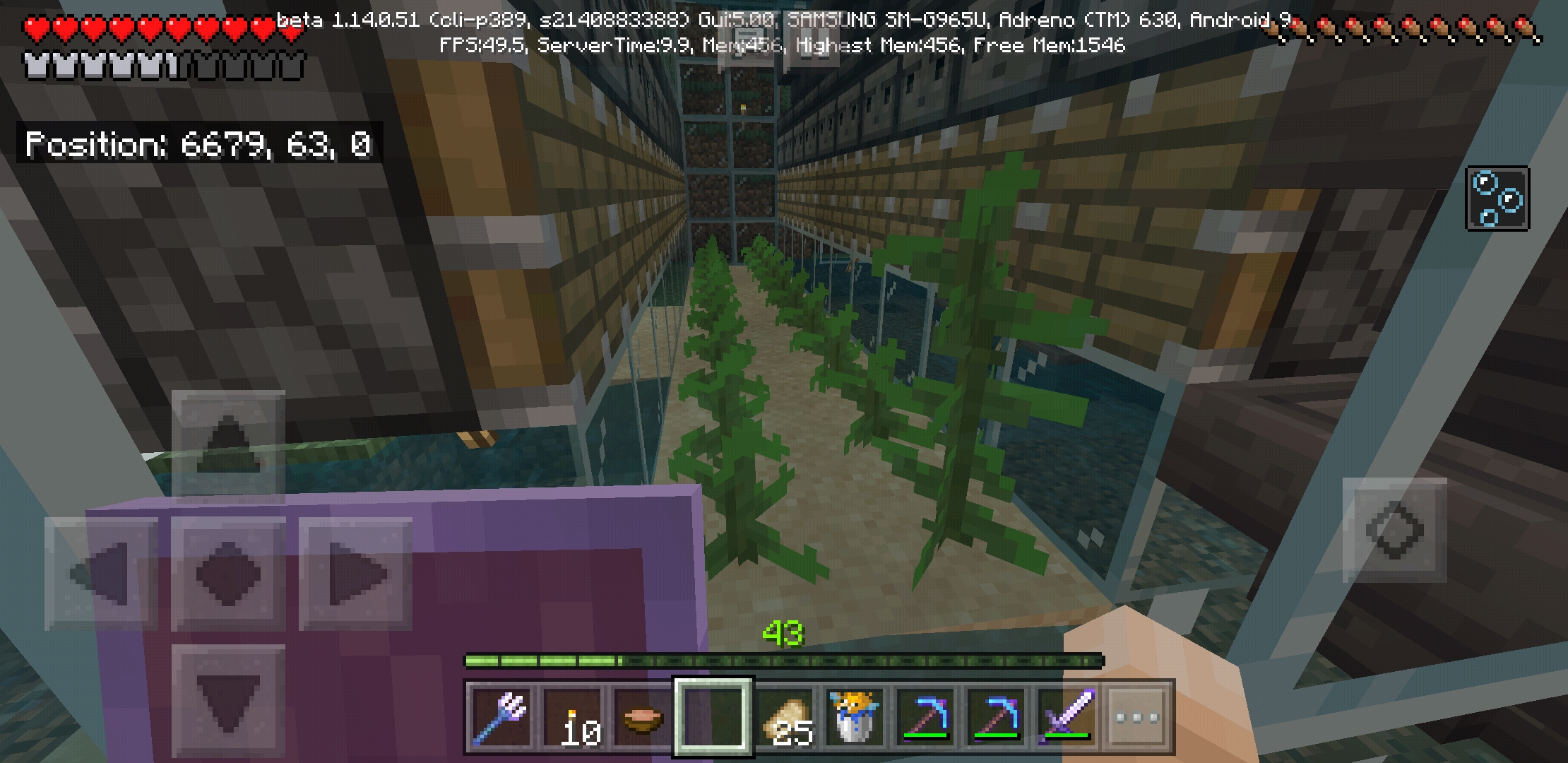
As this was fixed in 1.16, can someone test MCPE-50175 to ensure that this fix did not bring back that bug?
![[Mod] GoldenHelmet](../../../data/avatars/users/18951.svg)
Try this one: https://drive.google.com/file/d/1wA4bpEIkJ5hiSDY7sVGU0YXgFa5aEIL4/view?usp=sharing
Using MCBERepair I found 2 chunks with massive pendingTick buildups, one around 400, Y, 330 (chunk 24, 20) and one around 420, Y, 760 (chunk 25, 47). The latter had a couple of leftover items floating on the ground. I'm guessing that this was where you cloned the builds from, and when you destroyed the old builds it activated observers that were then destroyed before they could complete their deactivation, leaving behind the pendingTick (which is basically an instruction to do a specific block update) which could not be completed. This is related to issues like MCPE-50175, MCPE-50602, and MCPE-64409, MCPE-75966, and MCPE-89260.
After identify the problem chunks I used UME to delete the pendingTick data from them.
As for copy-pasting into a clean world, you can export structures using structre blocks or the structure command on Windows 10, and then use a behavior pack to load them into another world. However, each structure is limite to 64 x 256 x 64, so that would be a tedious process to transfer your whole world that way.
Bryce Woodall: you mentioned a large kelp plot. That could be the culprit. Kelp farms were a factor behind MCPE-50175, which led to the changes in kelp ticking that caused problems with kelp growth in 1.14. All of that should be sorted by now, but depending on how you built the farm or how you harvest there could be issues. Perhaps if pistons are extending across a chunk border to break kelp, causing water to try to spread across the simulation distance boundary --see MCPE-75966.
Matthias: some redstone components do use pending ticks, so it could be that in your storage area. As far different XBox consoles I don't know anything and I've never owned and XBox. But, I think it is safe to say these pending tick crashes relate to a combination of cpu power, memory capacity, and memory management. The info about sound seems important. I'm no expert but I think it points to memory overload, e.g. if the entire available RAM is churning through the pending tick data then attempting to load separate process for the sound breaks it.
Update: I have discovered a way to "fix" the issue, per chunk, using Universal Minecraft Editor to edit the LevelDB file.
Tutorial in this video here: https://youtu.be/BTD-6rua5sQ
Basically, load up the chunk that is lagging, delete the PendingTicks data.
Hi,
I went though my world file with a custom script.
I have 15 chunks that have more than 1000 pendingTicks all of them being from kelp blocks. All those chunks have the same redstone issue.
I might be able to extract one of those chunk and attach it to this ticket if you are interested.
This bug is literally bringing realms down.
Steps are easy to reproduce :
- Create an new world
- Load ocean chunks with kelp in it
- Wait... (To speed up the process you can increase randomTickSpeed)
At any point you can take a look at the nbt data of that chunks to assess the amount of pending tick that will never be removed, but still be simulated every tick by the server.
When the numbers get too high the server starts to lag and end up crashing.
Lag caused by kelp growth was reported fixed in 1.14.0. If you still experience problems with pending chunk data accumulating in association with kelp growth, please comment below so we can consider whether to reopen this ticket. If you experience problems with pending chunk data associated with some other process, please create a new report describing what you know about it.
I am experiencing this in v1.14.20 on Windows 10 (UWP).
(Tested before reported - from 'Technical Bugs List' https://docs.google.com/document/d/1nziKYzCr4pBdCRj2gIMlfr9MVdWHd6HyafdiBHx9F0c/edit)
This issue happens in 1.14.30 hotfix and 1.15.0.51 also.
Tal Melamed: This issue was found to be caused by incorrect handling of pending chunk data in some chunks where kelp was grown. That problem has been fixed and the fix was confirmed by the original reporter (Foxy No-Tail) in a video on YouTube. So apparently, your testing is either exposing a different cause of the same problem or is identifying an entirely different bug, in which case we'll need you to create a new ticket for it. Before we can decide whether to reopen this ticket or ask for a new ticket, we'll need more information about exactly how you're testing.
In fact, for all these issues that you re-test on every release, knowing how you tested it would be very helpful, because having multiple ways to reproduce the problem narrows the space within which the developers have to look. I'm not asking you to describe your test every time you give us a comment with additional affected versions, but it would be appreciated if you would describe it once. It would also confirm that we're all talking about the same bug, not similar bugs with different causes.
Hi. I made a mistake here, you are right.
I want to say I test everything before I report and I don't want to describe you more than that to prove because I know it's true.
The way I report is - first of all I test all the bugs in the list I mentioned and then report them in batches one after one.
I just forgot to delete this from my list, probably missed the notifications on my Email.
I know you just do your job but mistakes happen sometimes...