 Foxy No-Tail
- foxynotail
- foxynotail
- Europe/London
- Yes
- No
 MCPE-50175
 REALMS-2373
 BDS-2733


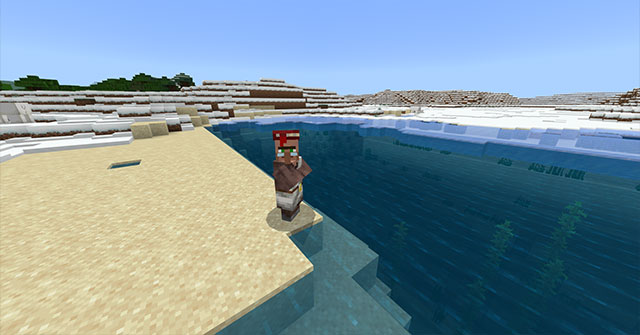
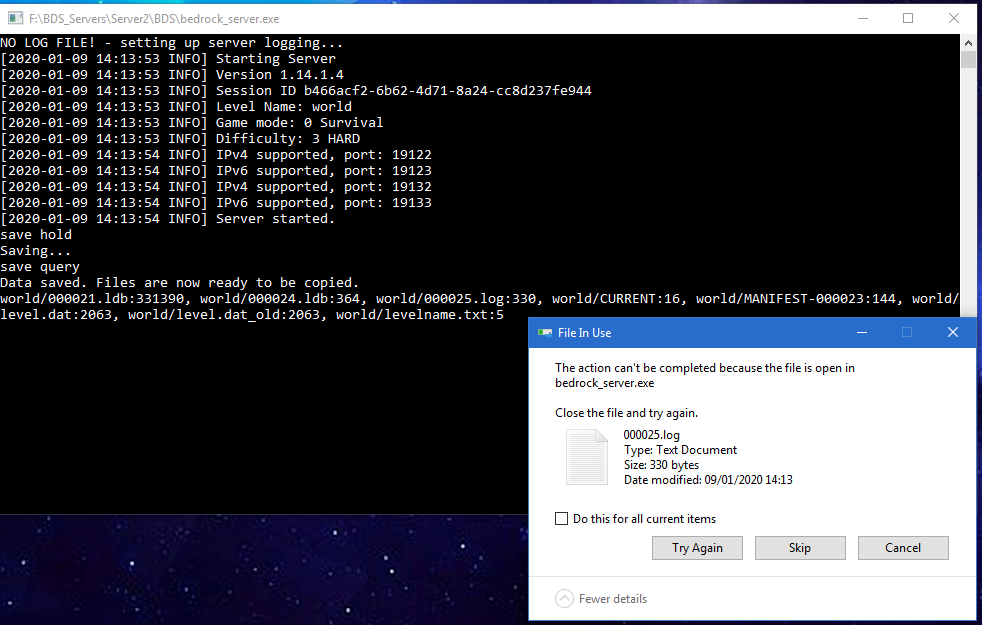
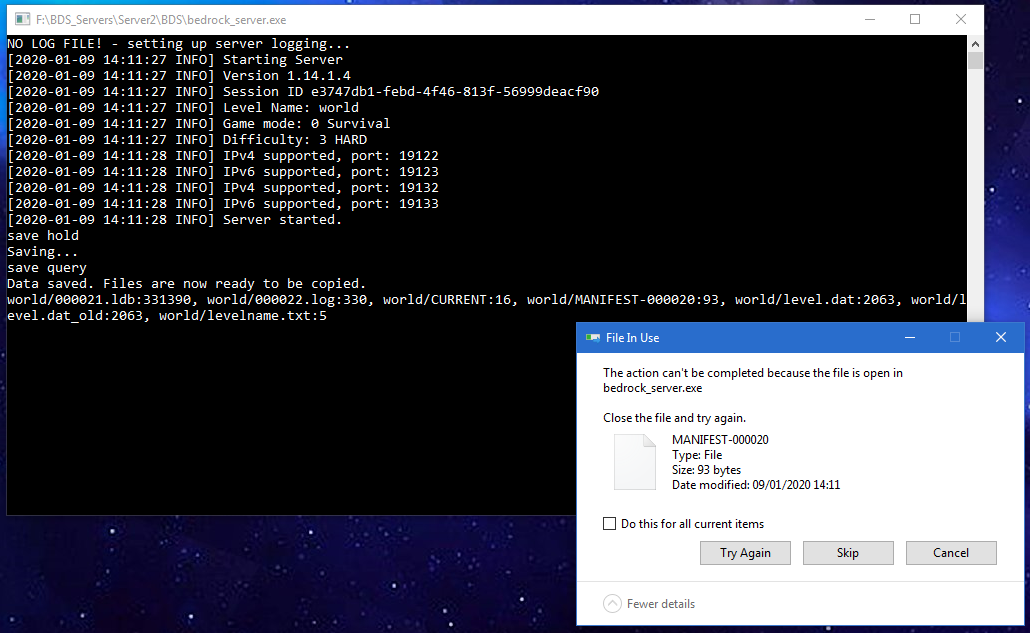


Issues as per my video here: https://youtu.be/zgTqfpuWXaQ
There are several issues present in this report as follows:
1. Trading is overall more Expensive
Compared to the JAVA edition of the game, many items across many of the professions are either more expensive to purchase or you get less in return.
Take the librarian for instance:
- On JAVA 6 Emeralds gives you 3 bookcases per trade
- On Bedrock 6 Emeralds gives you only 1 bookcase per trade
There are other examples of this disparity across the various professions.2. Trades lock up much more quickly
On JAVA edition the same villager profession will offer between 6 and 8 trades before requiring a restock and more than 1 enchanted book.
On Bedrock edition trades are capped at 2 and 4 and just 1 enchanted book before restocking.
Again the JAVA Librarian will offer 18 bookcases (3 x 6 trades) before locking up where as on Bedrock librarian will offer 4 (1 x 4 trades)
This wouldn't be so bad if the Bedrock edition villagers restocked more than once per day.
It seems Bedrock edition villagers have a chance to restock twice a day, if they're allowed to roam free in a village, but when held in a trading hall style system, they will only restock when they first wake up in the morning
3. Levels / Experience increases much more slowly
On JAVA it is possible to level up a librarian to Master in just one 1 without him needing to restock costing just:
- 144 paper
- 11 emeralds
- 1 book and quill
In comparison, the Bedrock villager requires:
- 3 in game days for restocking
- 144 paper
- 140 emeralds
- 38 ink sacs
- 33 books
- 1 book and quill
Other professions take even longer and require you to buy even more unwanted items in order to level up.
If just using paper, emeralds and books, the Bedrock villager takes:
- 12 in game days
- 2,268 paper
- 616 Emeralds
- 138 books
Compared to JAVA which requires just:
- 3 in game days
- 600 paper
- 146 Emeralds
- 28 Books
Overall it is just crazy how much more time and resources are required to level up a villager in the Bedrock edition of the game. There are massive differences in costs over the two platforms as well as the number of available trades per day and the general trade mechanics.
Issues as per my video here: https://youtu.be/zgTqfpuWXaQ
There are several issues present in this report as follows:
1. Trading is overall more Expensive
Compared to the JAVA edition of the game, many items across many of the professions are either more expensive to purchase or you get less in return.
Take the librarian for instance:
- On JAVA 6 Emeralds gives you 3 bookcases per trade
- On Bedrock 6 Emeralds gives you only 1 bookcase per trade
There are other examples of this disparity across the various professions.2. Trades lock up much more quickly
On JAVA edition the same villager profession will offer between 6 and 8 trades before requiring a restock and more than 1 enchanted book.
On Bedrock edition trades are capped at 2 and 4 and just 1 enchanted book before restocking.
Again the JAVA Librarian will offer 18 bookcases (3 x 6 trades) before locking up where as on Bedrock librarian will offer 4 (1 x 4 trades)
This wouldn't be so bad if the Bedrock edition villagers restocked more than once per day.
It seems Bedrock edition villagers have a chance to restock twice a day, if they're allowed to roam free in a village, but when held in a trading hall style system, they will only restock when they first wake up in the morning
3. Levels / Experience increases much more slowly
On JAVA it is possible to level up a librarian to Master in just one 1 without him needing to restock costing just:
- 144 paper
- 11 emeralds
- 1 book and quill
In comparison, the Bedrock villager requires:
- 3 in game days for restocking
- 144 paper
- 140 emeralds
- 38 ink sacs
- 33 books
- 1 book and quill
Other professions take even longer and require you to buy even more unwanted items in order to level up.
If just using paper, emeralds and books, the Bedrock villager takes:
- 12 in game days
- 2,268 paper
- 616 Emeralds
- 138 books
Compared to JAVA which requires just:
- 3 in game days
- 600 paper
- 146 Emeralds
- 28 Books
Overall it is just crazy how much more time and resources are required to level up a villager in the Bedrock edition of the game. There are massive differences in costs over the two platforms as well as the number of available trades per day and the general trade mechanics.
Some Corrupt Chunks | Redstone & Water Delay | Seems like lag but only affectssomechunksSome Corrupt Chunks | Redstone & Water Delay | Seems like lag but only affects certain chunks
I am running 1.13.1
Bug report
MCPE-156751is not a duplicate of this bug.
The bug report for the fill command is not affected by simulation distance.
In 1.19.80, spawn egg syntax was changed so that you reference the entity instead of using "set_actor_id" in loot tables and commands. However this change doesn't seem to have considered trade tables or the language files.
For my mini-blocks addon, I've updated the pack to provide the player with the correct mini-block spawn egg from the entity when it's picked up via loot tables which works fine. (Loot table).
However, to get the mini-blocks in survival, you buy them from the wandering trader.
The problem is, using "minecraft:spawn_egg" with "set_actor_id" in the wandering trader trade table gives a default spawn egg instead of the mini-block, but changing it to match the loot table's updated system just breaks the trade table.e.g.
Pre 1.19.80 this worked:{ "max_uses": 3, "wants": [{ "item": "minecraft:emerald" }, { "item": "wool:9" } ], "gives": [{ "item": "minecraft:spawn_egg", "functions": [{ "function": "set_actor_id", "id": "fmb:cyan_wool" } ], "quantity": 8 } ] }But in 1.19.80/81 it just gives a default spawn egg.
Using the updated syntax:{ "max_uses": 3, "wants": [{ "item": "minecraft:emerald" }, { "item": "wool:9" } ], "gives": [{ "item": "fmb:cyan_wool_spawn_egg", "quantity": 8 } ] }causes the error:
[Json][error]-In trade file: trading/economy_trades/wandering_trader_trades.json | num_to_select[1] must not be greater than the number of trades[0] [Json][error]-In trade file: trading/economy_trades/wandering_trader_trades.json | "item" not found [Entity][error]-In trade file: trading/economy_trades/wandering_trader_trades.json | Trade [ { "choice" : null, "functions" : null, "item" : "fmb:cyan_wool_spawn_egg", "quantity" : 8 } ] doesn't have any recieves, at least one is required [Json][error]-In trade file: trading/economy_trades/wandering_trader_trades.json | num_to_select[1] must not be greater than the number of trades[0]As for the language files. They still reference "minecraft:spawn_egg:id" which works fine, but I assume this should also be changd to "fmb:actor_spawn_egg" to match the change.
Here are the packs to check.7.3.0 uses the pre-1.19.80 wandering trader system and gives blank spawn eggs
7.3.1 has the updated syntax and throws errorsTo replicate in version 7.3.0 (1.19.80+):
1. Spawn a wandering trader (or find one in survival)
2. Open their trades by interacting with them
3. See blank spawn eggs instead of mini-blocksExpected results:
Wandering trader has mini-blocks for sale
Actual Results:
Wandering trader sells blank spawn eggsTo replicate in version 7.3.1 (1.19.80+):
1. Spawn a wandering trader (or find one in survival)
2. Open their trades by interacting with them
3. See no trades at allExpected results:
Wandering trader has mini-blocks for sale
Actual Results:
Wandering trader has no trades
In 1.19.80, spawn egg syntax was changed so that you reference the entity instead of using "set_actor_id" in loot tables and commands. However this change doesn't seem to have considered trade tables or the language files.
For my mini-blocks addon, I've updated the pack to provide the player with the correct mini-block spawn egg from the entity when it's picked up via loot tables which works fine. (Loot table).
However, to get the mini-blocks in survival, you buy them from the wandering trader.
The problem is, using "minecraft:spawn_egg" with "set_actor_id" in the wandering trader trade table gives a default spawn egg instead of the mini-block, but changing it to match the loot table's updated system just breaks the trade table.e.g.
Pre 1.19.80 this worked:{ "max_uses": 3, "wants": [{ "item": "minecraft:emerald" }, { "item": "wool:9" } ], "gives": [{ "item": "minecraft:spawn_egg", "functions": [{ "function": "set_actor_id", "id": "fmb:cyan_wool" } ], "quantity": 8 } ] }But in 1.19.80/81 it just gives a default spawn egg.
Using the updated syntax:{ "max_uses": 3, "wants": [{ "item": "minecraft:emerald" }, { "item": "wool:9" } ], "gives": [{ "item": "fmb:cyan_wool_spawn_egg", "quantity": 8 } ] }causes the error:
[Json][error]-In trade file: trading/economy_trades/wandering_trader_trades.json |num_to_select[1] must not be greater than the number of trades[0] [Json][error]-In trade file: trading/economy_trades/wandering_trader_trades.json |"item" not found [Entity][error]-In trade file: trading/economy_trades/wandering_trader_trades.json | Trade [ { "choice" : null, "functions" : null, "item" : "fmb:cyan_wool_spawn_egg", "quantity" : 8 } ] doesn't have any recieves, at least one is required [Json][error]-In trade file: trading/economy_trades/wandering_trader_trades.json | num_to_select[1] must not be greater than the number of trades[0]As for the language files. They still reference "minecraft:spawn_egg:id" which works fine, but I assume this should also be changd to "fmb:actor_spawn_egg" to match the change.
Here are the packs to check.7.3.0 uses the pre-1.19.80 wandering trader system and gives blank spawn eggs
7.3.1 has the updated syntax and throws errorsTo replicate in version 7.3.0 (1.19.80+):
1. Spawn a wandering trader (or find one in survival)
2. Open their trades by interacting with them
3. See blank spawn eggs instead of mini-blocksExpected results:
Wandering trader has mini-blocks for sale
Actual Results:
Wandering trader sells blank spawn eggsTo replicate in version 7.3.1 (1.19.80+):
1. Spawn a wandering trader (or find one in survival)
2. Open their trades by interacting with them
3. See no trades at allExpected results:
Wandering trader has mini-blocks for sale
Actual Results:
Wandering trader has no tradesIn 1.19.80, spawn egg syntax was changed so that you reference the entity instead of using "set_actor_id" in loot tables and commands. However this change doesn't seem to have considered trade tables or the language files.
For my mini-blocks addon, I've updated the pack to provide the player with the correct mini-block spawn egg from the entity when it's picked up via loot tables which works fine. (Loot table).
However, to get the mini-blocks in survival, you buy them from the wandering trader.
The problem is, using "minecraft:spawn_egg" with "set_actor_id" in the wandering trader trade table gives a default spawn egg instead of the mini-block, but changing it to match the loot table's updated system just breaks the trade table.e.g.
Pre 1.19.80 this worked:{ "max_uses": 3, "wants": [{ "item": "minecraft:emerald" }, { "item": "wool:9" } ], "gives": [{ "item": "minecraft:spawn_egg", "functions": [{ "function": "set_actor_id", "id": "fmb:cyan_wool" } ], "quantity": 8 } ] }But in 1.19.80/81 it just gives a default spawn egg.
Using the updated syntax:
{ "max_uses": 3, "wants": [{ "item": "minecraft:emerald" }, { "item": "wool:9" } ], "gives": [{ "item": "fmb:cyan_wool_spawn_egg", "quantity": 8 } ] }causes the error:
[Json][error]-In trade file: trading/economy_trades/wandering_trader_trades.json | "item" not found [Entity][error]-In trade file: trading/economy_trades/wandering_trader_trades.json | Trade [ { "choice" : null, "functions" : null, "item" : "fmb:cyan_wool_spawn_egg", "quantity" : 8 } ] doesn't have any recieves, at least one is required [Json][error]-In trade file: trading/economy_trades/wandering_trader_trades.json | num_to_select[1] must not be greater than the number of trades[0]As for the language files. They still reference "minecraft:spawn_egg:id" which works fine, but I assume this should also be changd to "fmb:actor_spawn_egg" to match the change.
Here are the packs to check.7.3.0 uses the pre-1.19.80 wandering trader system and gives blank spawn eggs
7.3.1 has the updated syntax and throws errorsTo replicate in version 7.3.0 (1.19.80+):
1. Spawn a wandering trader (or find one in survival)
2. Open their trades by interacting with them
3. See blank spawn eggs instead of mini-blocksExpected results:
Wandering trader has mini-blocks for sale
Actual Results:
Wandering trader sells blank spawn eggsTo replicate in version 7.3.1 (1.19.80+):
1. Spawn a wandering trader (or find one in survival)
2. Open their trades by interacting with them
3. See no trades at allExpected results:
Wandering trader has mini-blocks for sale
Actual Results:
Wandering trader has no trades
In 1.19.80, spawn egg syntax was changed so that you reference the entity instead of using "set_actor_id" in loot tables and commands. However this change doesn't seem to have considered trade tables or the language files.
For my mini-blocks addon, I've updated the pack to provide the player with the correct mini-block spawn egg from the entity when it's picked up via loot tables which works fine. (Loot table).
However, to get the mini-blocks in survival, you buy them from the wandering trader.
The problem is, using "minecraft:spawn_egg" with "set_actor_id" in the wandering trader trade table gives a default spawn egg instead of the mini-block, but changing it to match the loot table's updated system just breaks the trade table.e.g.
Pre 1.19.80 this worked:{ "max_uses": 3, "wants": [{ "item": "minecraft:emerald" }, { "item": "wool:9" } ], "gives": [{ "item": "minecraft:spawn_egg", "functions": [{ "function": "set_actor_id", "id": "fmb:cyan_wool" } ], "quantity": 8 } ] }But in 1.19.80/81 it just gives a default spawn egg.
Using the updated syntax:
{ "max_uses": 3, "wants": [{ "item": "minecraft:emerald" }, { "item": "wool:9" } ], "gives": [{ "item": "fmb:cyan_wool_spawn_egg", "quantity": 8 } ] }causes the error:
[Json][error]-In trade file: trading/economy_trades/wandering_trader_trades.json | "item" not found [Entity][error]-In trade file: trading/economy_trades/wandering_trader_trades.json | Trade [ { "choice" : null, "functions" : null, "item" : "fmb:cyan_wool_spawn_egg", "quantity" : 8 } ] doesn't have any recieves, at least one is required [Json][error]-In trade file: trading/economy_trades/wandering_trader_trades.json | num_to_select[1] must not be greater than the number of trades[0]As for the language files. They still reference "minecraft:spawn_egg:id" which works fine, but I assume this should also be changd to "
fmb:actor_spawn_egg" to match the change.
Here are the packs to check.7.3.0 uses the pre-1.19.80 wandering trader system and gives blank spawn eggs
7.3.1 has the updated syntax and throws errorsTo replicate in version 7.3.0 (1.19.80+):
1. Spawn a wandering trader (or find one in survival)
2. Open their trades by interacting with them
3. See blank spawn eggs instead of mini-blocksExpected results:
Wandering trader has mini-blocks for sale
Actual Results:
Wandering trader sells blank spawn eggsTo replicate in version 7.3.1 (1.19.80+):
1. Spawn a wandering trader (or find one in survival)
2. Open their trades by interacting with them
3. See no trades at allExpected results:
Wandering trader has mini-blocks for sale
Actual Results:
Wandering trader has no tradesIn 1.19.80, spawn egg syntax was changed so that you reference the entity instead of using "set_actor_id" in loot tables and commands. However this change doesn't seem to have considered trade tables or the language files.
For my mini-blocks addon, I've updated the pack to provide the player with the correct mini-block spawn egg from the entity when it's picked up via loot tables which works fine. (Loot table).
However, to get the mini-blocks in survival, you buy them from the wandering trader.
The problem is, using "minecraft:spawn_egg" with "set_actor_id" in the wandering trader trade table gives a default spawn egg instead of the mini-block, but changing it to match the loot table's updated system just breaks the trade table.e.g.
Pre 1.19.80 this worked:{ "max_uses": 3, "wants": [{ "item": "minecraft:emerald" }, { "item": "wool:9" } ], "gives": [{ "item": "minecraft:spawn_egg", "functions": [{ "function": "set_actor_id", "id": "fmb:cyan_wool" } ], "quantity": 8 } ] }But in 1.19.80/81 it just gives a default spawn egg.
Using the updated syntax:
{ "max_uses": 3, "wants": [{ "item": "minecraft:emerald" }, { "item": "wool:9" } ], "gives": [{ "item": "fmb:cyan_wool_spawn_egg", "quantity": 8 } ] }causes the error:
[Json][error]-In trade file: trading/economy_trades/wandering_trader_trades.json | "item" not found [Entity][error]-In trade file: trading/economy_trades/wandering_trader_trades.json | Trade [ { "choice" : null, "functions" : null, "item" : "fmb:cyan_wool_spawn_egg", "quantity" : 8 } ] doesn't have any recieves, at least one is required [Json][error]-In trade file: trading/economy_trades/wandering_trader_trades.json | num_to_select[1] must not be greater than the number of trades[0]As for the language files. They still reference "minecraft:spawn_egg:id" which works fine, but I assume this should also be changed to "namespace:actor_spawn_egg" to match the change.
Here are the packs to check.7.3.0 uses the pre-1.19.80 wandering trader system and gives blank spawn eggs
7.3.1 has the updated syntax and throws errorsTo replicate in version 7.3.0 (1.19.80+):
1. Spawn a wandering trader (or find one in survival)
2. Open their trades by interacting with them
3. See blank spawn eggs instead of mini-blocksExpected results:
Wandering trader has mini-blocks for sale
Actual Results:
Wandering trader sells blank spawn eggsTo replicate in version 7.3.1 (1.19.80+):
1. Spawn a wandering trader (or find one in survival)
2. Open their trades by interacting with them
3. See no trades at allExpected results:
Wandering trader has mini-blocks for sale
Actual Results:
Wandering trader has no trades
I have noticed a couple of times, that while digging or mining, the entities of broken blocks on the floor that haven't been picked up does seem to correlate with the amount of block breaking lag.
Even just a couple of stacks of items seems to have a noticeable affect on the ability to break blocks without them reappearing.
It may well be coincidence. Further evidence is required.
This affects the actaully 1.12 release too.
Each time I load the game my skin is reset to Alex or Steve.
If I choose my custom skin again I can play in Game once.
But if I exit the world and join another I'm reset back to either Steve or Alex depending on what Bedrock fancies at the time.
I'm playing Windows 10 1.12
Yes this is an issue again on 1.12 realms. I've only played on Windows 10
Update: I have discovered a way to "fix" the issue, per chunk, using Universal Minecraft Editor to edit the LevelDB file.
Tutorial in this video here: https://youtu.be/BTD-6rua5sQ
Basically, load up the chunk that is lagging, delete the PendingTicks data.
Having the same issue.
Cannot renew any expired realms and cannot make a new realm.
Affecting two separate Windows 10 PCs in two different locations though both using the same Xbox Live and Microsoft Accounts.
This is still an issue. Why is is marked as resolved?
I can confirm Dragon Heads are too low down on the block they're placed against
Dragon head is overall too low down.
Placing it on blocks sits inside the block.
Placing it on head shows the top of the player head through the top of the dragon head.
Texture positioning is broken
Placing it on head shows the top of the player head through the top of the dragon head.
Texture positioning is broken
This also happened to me. Video example here: https://youtu.be/G26gOG4nJ_c
I confirm this started happening to me after the Rollback fix was pushed out on the 4th of November.
Video showing the issues: https://youtu.be/W7Ve_ydkRWA
I cannot download any of my realms now.
Clip of food issues at 22:34
https://www.youtube.com/watch?v=a1E61Q2Jii4
I confirm this is an issue for me too.
Not after every backup. Sometimes it can go through several successful backups which are automated every 10 mins.
The more players online the more often it hangs.
For me, I am not waiting 15 seconds after save hold, (only 2 seconds) and it is hanging either mid save (prior to save resume) or just after the successful save finishes.
So I theorise from the main bug report, that the issue is happening at a specific time after the save hold call rather than on the call.
Today I played for 2 hours saving every 10 mins without issue. I was the only one online.
Yesterday with 3 of us it crashed every 2nd or 3rd save.
No crash report . The server just becomes unresponsive.
This is running on Windows 10 Pro
Using BDS Version 1.13.1 for Windows
Today we ran for a good 12 hours autosaving regularly without any crashes / hangs.
The server was intentionally restarted twice in during that time (Auto restart every 5 hrs).
After the 2nd restart one of the saves triggered the freeze which then continued to happen every 2 or 3 saves (autosave every 10 mins).
It's strange that we had so much time without an issue with people playing and then once we encountered it it continued to happen, even after restarting the BDS.
The BDS was started that morning on a fresh boot of the server PC.
I wonder if this issue is a memory leak or something that builds up over time.
According to task manager, the bedrock_server.exe is only using 300MB of ram on a 16GB system which is only using 20% for all processes.
First I was stuck in the standard BETA on my Alt account PC.
Tried all of the things listed, in the end I had to reinstall windows and use a completely new user account and buy the game again to get out.
Now I'm stuck in the RTX Beta on my main PC.
I've used powershell to uninstall and remove the game and all references to it.
I've unenrolled from the beta - SEVERAL TIMES!
I've closed my insider account
I've deleted my C:\Windows\SoftwareDistribution folder
I've checked for any Minecraft references in my WindowsApps folder
I've deleted all my devices from my Microsoft Account
I've signed in as a different user
I've logged in to the store as a different user
Yet each time I download it from the store on this system, it gives me 1.15.0.8 RTX version.
A fix for this would be greatly appreciated!
Thanks for your quick response, but this is not the same bug at all. It's a completely different scenario.
This is still an issue on 1.16.0.67
The fix for this is terrible.
Loot chests now have their loot generated when the chest loads into the world instead of when a player opens the chest which means it's now impossible for map makers to have loot tables for chests in custom maps.
This needs addressing as it's such a massive oversight by the devs!
Please fix!
Using world edit, it's possible to see that treasure / loot chests no longer maintain their loot table data and therefore cannot be used in map making.
The LootTable key and LootTableSeed keys are missing from the database data for the chests and manually adding those keys (which worked before), no longer works. The data is removed when the world is loaded and the items are generated in what should be an empty chest.
It seems that the loot is being generated when the chunk contianing the chests are loaded, instead of when the player opens the chest.
Whilst this isn't a huge issue for survival gameplay, for any map makers or add-ons that use custom loot tables for chests, this is a huge issue as you can no longer create random loot in existing chests.
Changing the UUID is a temporary fix. The packs can "break" again after changing the UUIDs on the same realm. We need a long term solution or an actual bug fix for this
I can confirm this made it into stable release.
This issue is back in 1.16.100 but not just after jumping.
If there is any form of lag or latancy from internal processing, players will die on being teleported.
Sometimes they die instantly, sometimes it can be a couple of seconds after they appear to have survived, dependant on ping.
Giving the teleporting player status effects including resistance and slow falling does not help.
I've also tried deactivating the fall damage game rule whilst players are teleporting but that also doesn't help.
Death messages are always, "player fell from a high place" or "player experienced fall damage".
This has happened on a realm and single player worlds with local players (Lan) and remote players.
I.e. on my local world with one Lan player the lab player died on teleporting. On my realm several members died while teleporting.
To recreate:
Create a world
Invite players
Teleport players from y=200 to Y=50 or vice versa.
Repeat until they die from it.
Sometimes the local player can see the player teleport back and forth from the place they're supposed to be going to before they die. For example, the teleport command is run, the player visually moves to the correct location, then appears back where they were for a second, and then goes back to the correct teleport location.
Perhaps this rubber banding is causing the issue.
This happens regularly in the UHC map that I've made. MC Version 1.16.201.2
Steps to reproduce
1. Players start at 5000 100 5000 in the UHC Hub
2. On starting the map the following command runs: /spreadplayers 0 0 0 512 @a
Observed results
Players fall from the correct coords around 0, 0 but from 255 in the air.
Expected results
Players should appear on the surface and not at 255
There is a ticking area at 0,0 and also one at the UHC Hub at 5000,5000
This is still an issue.
Please see my recent Beta video for reference.
The issue occurs at 18mins 43seconds
https://youtu.be/qMMGFxqdbiw?t=1123
Version: 1.16.210.59
Platform: Windows 10
All Experimental Features Enabled
Playing on a multiplayer world, connected via VPN to induce lag to simulate realms / server performance in the Betas.
Additionally to this, in survival...
If you craft a lightning rod it will place just fine.
Breaking that lightning rod causes it to become cursed. It gets stuck in your inventory and you can no longer place it in the world. You can also not interact with other blocks while holding it.
It is possible to throw it out of your inventory using the mouse while it is cursed, but that doesn't fix the issue.
There is no walking sound at all below Y=0 which is why the stairs lose their noise. You still hear the "thud" sound as you technically fall from one stair to the next (falling/jumping sounds still exist below Y=0), but there are no footstep sounds below that level, so you don't hear the copper "ting" any more.
This is not resolved. The issue still occurs in Minecraft 1.18.1
I have video evidence of spawners emitting full light level on a BDS server.
Two players in the same area can see different lighting & light levels.
Relogging fixes the issue.
Request to reopen as the linked bug is related to simulation distance where as this bug is not.
This bug occurs on any simulation distance with a fill area of any size (small 16x16) to large.
The fill command will not work because the chunks it's trying to fill in have not been visited by a player which means they are not saved / loaded.
As simulation distance no longer affects how chunks are saved / stored (i.e. the player has to have visited the chunk for it to be saved to the leveldb), the parent bug of this bug report is invalid and this bug report should stand on it's own.
Reply from [Mod] Umija5895M
What is the specific command you tried and where were you standing at the time?
The "duplicated" bug
MCPE-156751is not a duplicate of this bug as it is unrelated to simulation distance.It is a separate bug that should stand on it's own
I was standing (flying) at 20 40 20 in a flat world in creative mode.
I ran the command /fill 20 40 20 40 40 40 stone 0
I also ran commands with relative coordinates and tried the same fill command with different coordinates in the area around me
It wasn't until I had physically been in all of the chunks within the fill area that the command would run.
I've tried to replicate the issues I had yesterday in which changing the simulation made no difference, but I cannot replicate it exactly.
I did get a fill command that was within the simulation distance of a player to fail, but increasing the sim distance fixed it today, whereas yesterday it did not.
Process:
1. Start a new flat world, in creative, sim 4, no experiments.
2. Go into fly mode
3. tp to 0 40 0
4. run the fill command 0 40 0 50 40 50 stone 0 -> gives error "cannot place blocks outside of world"
5. /tp 20 40 20
6. /fill 20 40 20 40 40 40 stone 0 -> Works today (didn't yesterday: could be human error)
Yesterday I tried a range of commands within the same area, even switched up to sim distance of 12 and still couldn't fill that area.
All of the commands are copy pasted from a list, so its unlikely I typed them in wrong, but not impossible.
From today's testing it does very much seem like this is related to simulation distance, however this is bizzare as I spent a very long time trying the exact same process yesterday and I only managed to get 1 out of 20 fill commands to work on a sim distance of 12.
I don't think they forgot to add a clean function.
I've been writing functions to get rid of the lost actor data with my prune tool, but even when the leveldb reports the actor key as deleted, it will often appear again.
I think this bug is with the leveldb system, more than it is mojang. Perhaps the structure of the keys or data within them is bugging out leveldb system, preventing them truly being deleted.
This affects 1.19.41 too.

Our Nodecraft server resets every 12 hours at 1pm and you can see the issues from the attached graphs.
It also affects the other server that I run which resets twice per day
I have had this issue on two separate worlds several times.
Both are flat worlds, one is new and the other is a few years old. Both have filesizes of less than 1MB
Platform: Windows 10
MC Version: 1.19.51
Video taken from a recent Live stream highlighting the bug:
Video Link
What happens:
Opening the world the first time after loading Minecraft:
The world has reverted to an older state. Builds / chunks and items are missing. The player is in a different location from where they logged out.
Closing and opening the world for a second time:
The world is as expected. Blocks / chunks & items are back and the player is where they logged out.
To reproduce:
There is seemingly no consistent way to reproduce.
Steps taken in 1st scenario:
1. Open Minecraft (Windows 10 1.19.51)
2. Click play
3. Choose a world ( only had this issue with flat worlds so far)
4. Observe the world reverted to a previous state. (builds/chunks/items missing, player in wrong location)
5. Close the world
5. Open the same world
6. Observe the world back to its expected state
Steps taken in 2nd scenario (As per video link above)
1. Open Minecraft (Windows 10 1.19.51)
2. Click play
3. Play on a server
4. Exit the server
5. Choose a local world (only had this issue with flat worlds so far)
6. Observe the world reverted to a previous state. (builds/chunks/items missing, player in wrong location)
7. Close the world
8. Open the same world
9. Observe the world back to its expected state
test_crouch.mcaddon
I've tested this thoroughly.
The player can no longer interact with an entity while crouching.
The addon I've attached shows that the game is detecting the player crouching and or holding shears. However when interacting with a sheep that requires the player to be crouched in order to shear it, nothing happens.
This has broken several of my most popular packs including marketplace content!