 bugmancx
- bugmancx
- bugmancx
- America/New_York
- Yes
- No
 MC-132039
![[Mojang] Georgii Gavrichev](../../../data/avatars/users/22428.png)
 Normal
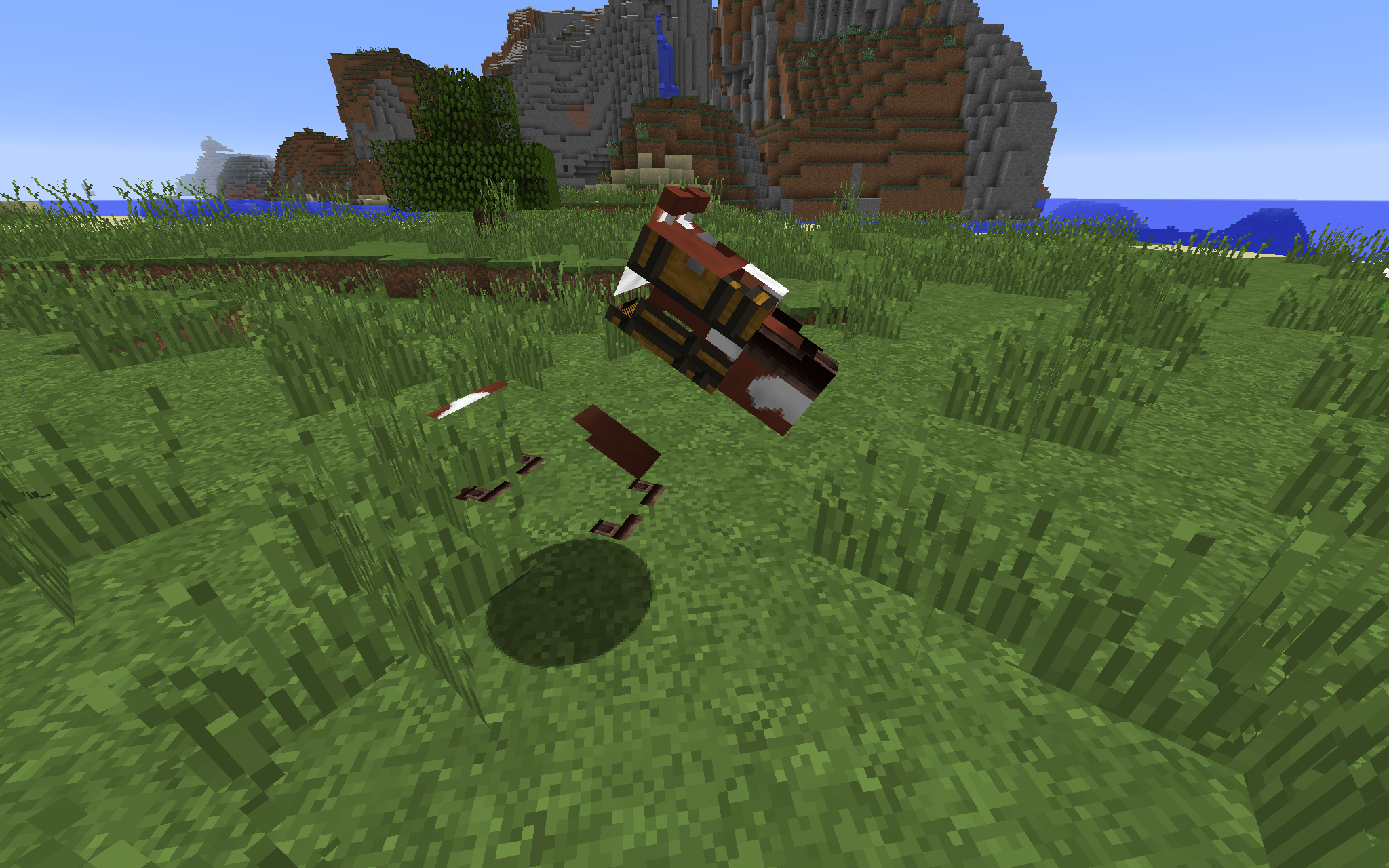
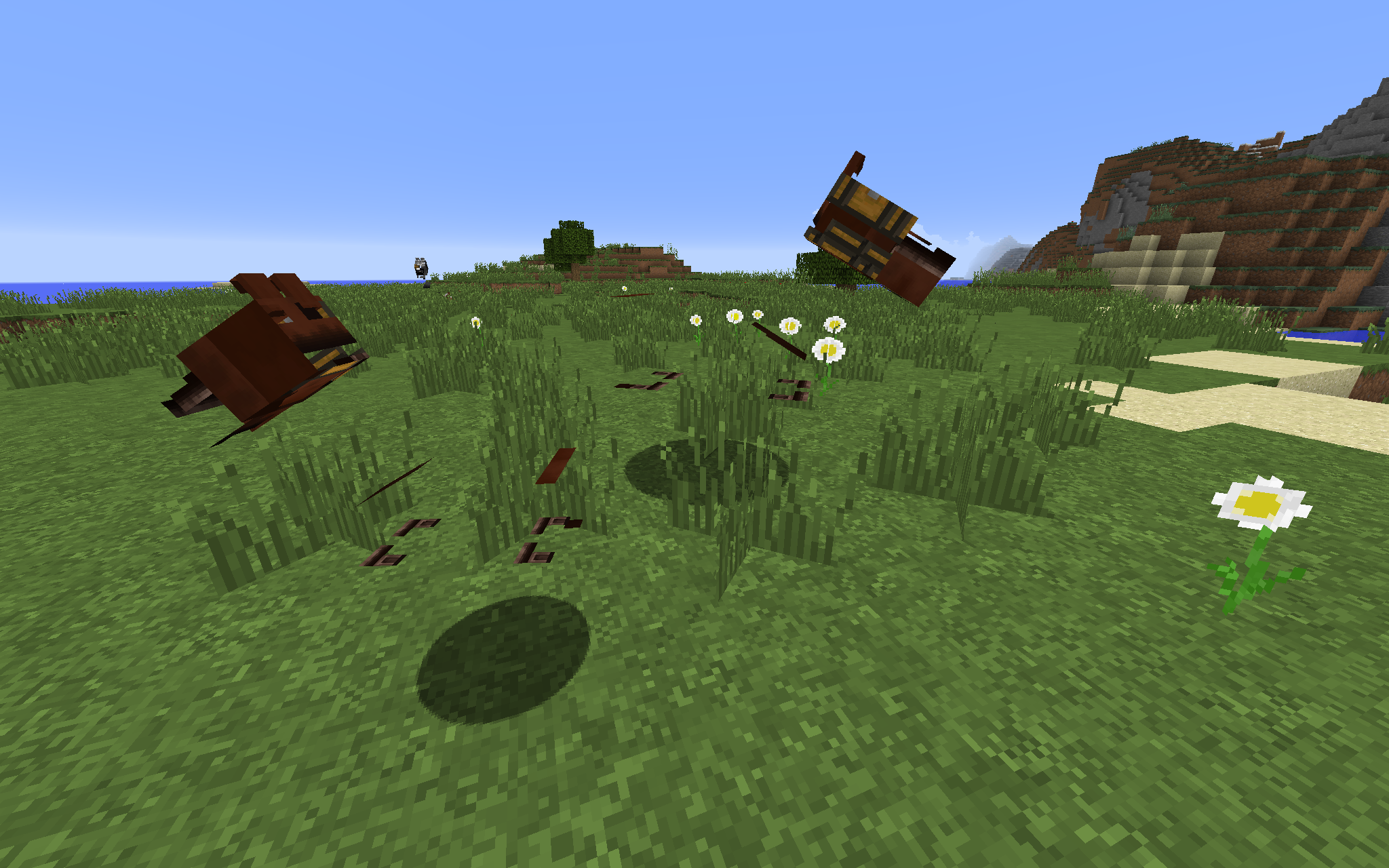

INVALID PLEASE CLOSE - Horse model textures render incorrectly
During the loading sequence and right before the game appears, the game will sometimes make the "Splashing" sound. This is also visible on the subtitles. There are no water sources nearby that could account for the noise being made.
I have moved around to different locations in the world and it still happens.
It also seems to happen more frequently on the first load after launching the game fresh. I don't really know why.
Note:
I've tried this on new worlds but been unable to replicate it reliably, though I have observed it when I've logged into a test 1.13 server. I am unable to explain if it's something to do specifically with this world, or if I just haven't seen the bug anywhere else but I'm certainly able to replicate it on this world many times, especially when starting the game up fresh.
_I have captured this on video (attached) and if you need a zip of the world, it's here:http://bugman.cx/bugs.mojang.com/1_13%20test.zip_During the loading sequence and right before the game appears, the game will sometimes make the "Splashing" sound. This is also visible on the subtitles. There are no water sources nearby that could account for the noise being made.
I have moved around to different locations in the world and it still happens.
It also seems to happen more frequently on the first load after launching the game fresh. I don't really know why.
Note:
I've tried this on new worlds but been unable to replicate it reliably, though I have observed it when I've logged into a test 1.13 server. I am unable to explain if it's something to do specifically with this world, or if I just haven't seen the bug anywhere else but I'm certainly able to replicate it on this world many times, especially when starting the game up fresh.
I have captured this on video (attached) and if you need a zip of the world, it's here: http://bugman.cx/bugs.mojang.com/1_13%20test.zip
Confirmed for 1.13-pre4
During the loading sequence and right before the game appears, the game will sometimes make the "Splashing" sound. This is also visible on the subtitles. There are no water sources nearby that could account for the noise being made.
I have moved around to different locations in the world and it still happens.
It also seems to happen more frequently on the first load after launching the game fresh. I don't really know why.
Note:
I've tried this on new worlds but been unable to replicate it reliably, though I have observed it when I've logged into a test 1.13 server. I am unable to explain if it's something to do specifically with this world, or if I just haven't seen the bug anywhere else but I'm certainly able to replicate it on this world many times, especially when starting the game up fresh.
I have captured this on video (attached) and if you need a zip of the world, it's here: http://bugman.cx/bugs.mojang.com/1_13%20test.zip
During the loading sequence and right before the game appears, the game will sometimes make the "Splashing" sound. This is also visible on the subtitles. There are no water sources nearby that could account for the noise being made.
STR:
- Create a world using an affected seed (or use world download)
- Start the game in single player mode
- Listen for the sound of "Splashing" (or the sound of "Minecart rolls")
- If no sound is played, repeat the action several times until it happens.
- Occasionally quit and restart Minecraft, as it seems to help?
Observed outcome: Sometimes the sound effect of "Splashing" will play, and in other occasions that I've tested, I get a "Minecart rolls" sound playing back, while still on the dirt loading screen and before the game has fully loaded. In some cases you will see the subtitle of the sound appear if subtitles are enabled.
Expected outcome: The player is not causing any splashing nor within earshot of a minecart, therefore these sounds should not play.
NOTE: I am aware that during some chunk loading, abandoned minecarts will display a "Minecart rolls" subtitle as the minecarts are loaded in, even if you can't hear it. In this case it's quite different; the sound effect plays during the loading sequence.)
I have captured this on video (attached) and if you need a zip of the world, it's here: http://bugman.cx/bugs.mojang.com/1_13%20test.zip
During the loading sequence and right before the game appears, the game will sometimes make the "Splashing" sound. This is also visible on the subtitles. There are no water sources nearby that could account for the noise being made.
STR:
- Create a world using an affected seed (or use world download)
- Start the game in single player mode
- Listen for the sound of "Splashing" (or the sound of "Minecart rolls")
- If no sound is played, repeat the action several times until it happens.
- Occasionally quit and restart Minecraft, as it seems to help?
Observed outcome: Sometimes the sound effect of "Splashing" will play, and in other occasions that I've tested, I get a "Minecart rolls" sound playing back, while still on the dirt loading screen and before the game has fully loaded. In some cases you will see the subtitle of the sound appear if subtitles are enabled.
Expected outcome: The player is not causing any splashing nor within earshot of a minecart, therefore these sounds should not play.
NOTE: I am aware that during some chunk loading, abandoned minecarts will display a "Minecart rolls" subtitle as the minecarts are loaded in, even if you can't hear it. In this case it's quite different; the sound effect plays during the loading sequence.)
I have captured this on video (attached) and if you need a zip of the world, it's here: http://bugman.cx/bugs.mojang.com/1_13%20test.zip
During the loadingsequence and right before the game appears, the game will sometimes make the "Splashing" sound. This is also visible on the subtitles. There are no water sources nearby that could account for the noise being made.
STR:
Create a world using an affected seed (or use world download)Start the game in single player modeListen for the sound of "Splashing" (orthesound of "Minecart rolls")If no sound is played, repeat the action several times until it happens.Occasionally quit and restart Minecraft, as it seems to help?Observed outcome: Sometimes the sound effect of "Splashing" will play, and in other occasions that I've tested, I get a "Minecart rolls" sound playing back, while still on the dirt loading screen and before the game has fully loaded. In some cases you will see the subtitle of the sound appear if subtitles are enabled.
Expected outcome: The player is not causing any splashing nor within earshot of a minecart, therefore these sounds should not play.
NOTE: I am aware that during some chunk loading, abandoned minecarts will display a "Minecart rolls" subtitle as the minecarts are loaded in, even if you can't hear it. In this case it's quite different; the sound effect plays during the loading sequence.)
I have captured this on video (attached) and if you need a zip of the world, it's here: http://bugman.cx/bugs.mojang.com/1_13%20test.zip
For certain seeds (at least one I have found), players do not spawn in at their correct coordinates during game load, and are teleported during (presumably) the game's first tick.
STR:
- Make sure Minecraft is windowed (this will be easier to replicate.)
- Optionally enable subtitles (This will help you see the sound effect as it happens.)
- Create a single-player world with seed "-3709921680383185983"
- Launch the world
- While the world is pre-generating, tab out to another application, preferably one that keeps both windows visible. (Once the world loads, this will cause the menu to display and the world to freeze during the first tick, which is important to visualise the issue.)
- Tab back to the minecraft only after the world has generated and the menu has appeared.
- Take note of the view you're looking at (It is coordinates 0,0 and you are in water)
- Click "Back to game" to unfreeze game. (Notice that you have teleported to a different location. You MAY hear the "Splashing" sound effect play because you have entered and left water during that tick. I can't get this to replicate every time, but you can see the teleport happen every time.)
(You can repeat from step 4 using the same world and you'll see the same results repeatedly.)
Expected outcome: The player should spawn at their last known coordinates.
Observations: The original bug report was because the "Splashing" sound was being made during game load on random occasions and it was thought this had to do with the 0,0 coordinates being water. In some attempts to replicate this, I've spawned in on land and then teleported back to my correct location. This may explain why the Splashing sound was intermittent, but the warping certainly wasn't.
Splashing sound plays occasionally during world load when there is nothing causing the splashingPlayers briefly spawn in at the wrong coordinates before being teleported to correct coordinates after game loads
For certain seeds (at least one I have found to be reliable at replicating this), players do not spawn in at their correct coordinates during game load, and are teleported during (presumably) the game's first tick.
STR:
- Make sure Minecraft is windowed (this will be easier to replicate.)
- Optionally enable subtitles (This will help you see the sound effect as it happens.)
- Create a single-player world with seed "-3709921680383185983"
- Launch the world
- While the world is pre-generating, tab out to another application, preferably one that keeps both windows visible. (Once the world loads, this will cause the menu to display and the world to freeze during the first tick, which is important to visualise the issue.)
- Tab back to the minecraft only after the world has generated and the menu has appeared.
- Take note of the view you're looking at (It is coordinates 0,0 and you are in water)
- Click "Back to game" to unfreeze game. (Notice that you have teleported to a different location. You MAY hear the "Splashing" sound effect play because you have entered and left water during that tick. I can't get this to replicate every time, but you can see the teleport happen every time.)
(You can repeat from step 4 using the same world and you'll see the same results repeatedly.)
Expected outcome: The player should spawn at their last known coordinates.
Observations: The original bug report was because the "Splashing" sound was being made during game load on random occasions and it was thought this had to do with the 0,0 coordinates being water. In some attempts to replicate this, I've spawned in on land and then teleported back to my correct location. This may explain why the Splashing sound was intermittent, but the warping certainly wasn't.
For certain seeds (at least one I have found to be reliable at replicating this), players do not spawn in at their correct coordinates during game load, and are teleported during (presumably) the game's first tick.
STR:
- Make sure Minecraft is windowed (this will be easier to replicate.)
- Optionally enable subtitles (This will help you see the sound effect as it happens.)
- Create a single-player world with seed "-3709921680383185983"
- Launch the world
- While the world is pre-generating, tab out to another application, preferably one that keeps both windows visible. (Once the world loads, this will cause the menu to display and the world to freeze during the first tick, which is important to visualise the issue.)
- Tab back to the minecraft only after the world has generated and the menu has appeared.
- Take note of the view you're looking at (It is coordinates 0,0 and you are in water)
- Click "Back to game" to unfreeze game. (Notice that you have teleported to a different location. You MAY hear the "Splashing" sound effect play because you have entered and left water during that tick. I can't get this to replicate every time, but you can see the teleport happen every time.)
(You can repeat from step 4 using the same world and you'll see the same results repeatedly.)
Expected outcome:The player should spawn at their last known coordinates.
Observations:The original bug report was because the "Splashing" sound was being made during game load on random occasions and it was thought this had to do with the 0,0 coordinates being water. In some attempts to replicate this, I've spawned in on land and then teleported back to my correct location. This may explain why the Splashing sound was intermittent, but the warping certainly wasn't.
For certain seeds (at least one I have found to be reliable at replicating this), players do not spawn in at their correct coordinates during game load, and are teleported during (presumably) the game's first tick.
How to reproduce
- Make sure Minecraft is windowed (this will be easier to replicate.)
- Optionally enable subtitles (This will help you see the sound effect as it happens.)
- Create a single-player world with seed "-3709921680383185983"
- Launch the world
- While the world is pre-generating, tab out to another application, preferably one that keeps both windows visible. (Once the world loads, this will cause the menu to display and the world to freeze during the first tick, which is important to visualise the issue.)
- Tab back to the minecraft only after the world has generated and the menu has appeared.
- Take note of the view you're looking at (It is coordinates 0,0 and you are in water)
- Click "Back to game" to unfreeze game. (Notice that you have teleported to a different location. You MAY hear the "Splashing" sound effect play because you have entered and left water during that tick. I can't get this to replicate every time, but you can see the teleport happen every time.)
(You can repeat from step 4 using the same world and you'll see the same results repeatedly.)
Expected outcome:
The player should spawn at their last known coordinates.
Observations:
The original bug report was because the "Splashing" sound was being made during game load on random occasions and it was thought this had to do with the 0,0 coordinates being water. In some attempts to replicate this, I've spawned in on land and then teleported back to my correct location. This may explain why the Splashing sound was intermittent, but the warping certainly wasn't.
Players briefly spawn in at the wrong coordinates holding an item from a previous save game before being teleported to correct coordinates after game loads
Players briefly spawn inat thewrong coordinates holdinganitem from a previous save game before being teleportedto correct coordinates after game loadsPlayers briefly spawn in wrong coordinates for one frame, holding item from a previous save game before being teleported without item
For certain seeds (at least one I have found to be reliable at replicating this), players do not spawn in at their correct coordinates during game load, and are teleported during (presumably) the game's first tick.How to reproduce
- Make sure Minecraft is windowed (this will be easier to replicate.)
Optionally enable subtitles (This will help you see the sound effect as it happens.)Create a single-player world with seed "-3709921680383185983"Launch the world- While the world is pre-generating, tab out to another application, preferably one that keeps both windows visible. (Once the world loads, this will cause the menu to display and the world to freeze during the first tick, which is important to visualise the issue.)
Tab back to the minecraft only after the world has generated and the menu has appeared.Take note of the view you're looking at (It is coordinates 0,0 and you are in water)- Click "Back to game" to unfreeze game. (Notice that you have teleported to a different location. You MAY hear the "Splashing" sound effect play because you have entered and left water during that tick. I can't get this to replicate every time, but you can see the teleport happen every time.)
(You can repeat from step 4 using the same world and you'll see the same results repeatedly.)Expected outcome:
The player should spawn at their last known coordinates.
Observations:
The original bug report was because the "Splashing" sound was being made during game load on random occasions and it was thought this had to do with the 0,0 coordinates being water. In some attempts to replicate this, I've spawned in on land and then teleported back to my correct location. This may explain why the Splashing sound was intermittent, but the warping certainly wasn't.
When working with multiple singleplayer worlds (not tested on multiplayer), the player will spawn in at the wrong location, holding the item they had in their hand from the previous world, before being teleported to their correct spawn location and that item then disappears from their inventory.
This issue has the occasional effect of playing the water enter/leaving sounds depending on the seed you're using and the environment. You can replicate the player position and item holding issue flawlessly, but the water sound effect one is a bit harder to repeat consistently.
How to reproduce
- Make sure Minecraft is windowed (this will be easier to replicate.)
- Create a new single-player creative world
- Launch the world
- Place any item from the creative menu in your hand
- 'Save and Quit to Title'
- Create another new creative world
- While it's generating, tab out to another window, or click on the desktop – anything to remove the window focus from Minecraft
- After the world has generated, the "Game Menu" will appear. Notice you're holding the item from the previous world you were playing. Notice also your surroundings will be different from those you spawn into.
- Click 'Back to Game'
- Observe that the item you have teleported to your correct spawning location and the item you were holding is now gone.
Now we will repeat this on the other world, demonstrating the issue is consistent
- Place a different item in your player's hand
- 'Save and Quit to Title'
- Launch the first world you created
- Tab out, or click the desktop, to remove the window focus from Minecraft
- After the world has generated and the "Game Menu" appears, notice you're holding the item from the previous game and that your location surroundings will be different to the ones you're about to spawn back into.
Notes: As I have explored this bug more and more, I've managed to replicate it consistently with the above steps. I have uploaded one final video demonstrating the entire bug, including items in hand. Please click
When working with multiple singleplayer worlds (not tested on multiplayer), the player will spawn in at the wrong location, holding the item they had in their hand from the previous world, before being teleported to their correct spawn location and that item then disappears from their inventory.
This issue has the occasional effect of playing the water enter/leaving sounds depending on the seed you're using and the environment. You can replicate the player position and item holding issue flawlessly, but the water sound effect one is a bit harder to repeat consistently.
How to reproduce
- Make sure Minecraft is windowed (this will be easier to replicate.)
- Create a new single-player creative world
- Launch the world
- Place any item from the creative menu in your hand
- 'Save and Quit to Title'
- Create another new creative world
- While it's generating, tab out to another window, or click on the desktop – anything to remove the window focus from Minecraft
- After the world has generated, the "Game Menu" will appear. Notice you're holding the item from the previous world you were playing. Notice also your surroundings will be different from those you spawn into.
- Click 'Back to Game'
- Observe that the item you have teleported to your correct spawning location and the item you were holding is now gone.
Now we will repeat this on the other world, demonstrating the issue is consistent
- Place a different item in your player's hand
- 'Save and Quit to Title'
- Launch the first world you created
- Tab out, or click the desktop, to remove the window focus from Minecraft
- After the world has generated and the "Game Menu" appears, notice you're holding the item from the previous game and that your location surroundings will be different to the ones you're about to spawn back into.
Notes: As I have explored this bug more and more, I've managed to replicate it consistently with the above steps. I have uploaded one final video demonstrating the entire bug, including items in hand. Please click the YouTube link for the best representation of this bug:
https://www.youtube.com/watch?v=mRfegVLshnk
When working with multiple singleplayer worlds (not tested on multiplayer), the player will spawn in at the wrong location, holding the item they had in their hand from the previous world, before being teleported to their correct spawn location and that item then disappears from their
inventory.This issue has the occasional effect of playing the water enter/leaving sounds depending on the seed you're using and the environment. You can replicate the player position and item holding issue flawlessly, but the water sound effect one is a bit harder to repeat consistently.
How to reproduce
- Make sure Minecraft is windowed (this will be easier to replicate.)
- Create a new single-player creative world
- Launch the world
- Place any item from the creative menu in your hand
- 'Save and Quit to Title'
- Create another new creative world
- While it's generating, tab out to another window, or click on the desktop – anything to remove the window focus from Minecraft
- After the world has generated, the "Game Menu" will appear. Notice you're holding the item from the previous world you were playing. Notice also your surroundings will be different from those you spawn into.
- Click 'Back to Game'
- Observe that the item you have teleported to your correct spawning location and the item you were holding is now gone.
Now we will repeat this on the other world, demonstrating the issue is consistent
- Place a different item in your player's hand
- 'Save and Quit to Title'
- Launch the first world you created
- Tab out, or click the desktop, to remove the window focus from Minecraft
- After the world has generated and the "Game Menu" appears, notice you're holding the item from the previous game and that your location surroundings will be different to the ones you're about to spawn back into.
Notes: As I have explored this bug more and more, I've managed to replicate it consistently with the above steps. I have uploaded one final video demonstrating the entire bug, including items in hand. Please click the YouTube link for the best representation of this bug:
https://www.youtube.com/watch?v=mRfegVLshnk
When working with multiple singleplayer worlds (not tested on multiplayer), the player will spawn in at the wrong location, holding the item they had in their hand from the previous world, before being teleported to their correct spawn location and that item then disappears from their hand.
This issue has the occasional effect of playing the water enter/leaving sounds depending on the seed you're using and the environment. You can replicate the player position and item holding issue flawlessly, but the water sound effect one is a bit harder to repeat consistently.
How to reproduce
- Make sure Minecraft is windowed (this will be easier to replicate.)
- Create a new single-player creative world
- Launch the world
- Place any item from the creative menu in your hand
- 'Save and Quit to Title'
- Create another new creative world
- While it's generating, tab out to another window, or click on the desktop – anything to remove the window focus from Minecraft
- After the world has generated, the "Game Menu" will appear. Notice you're holding the item from the previous world you were playing. Notice also your surroundings will be different from those you spawn into.
- Click 'Back to Game'
- Observe that the item you have teleported to your correct spawning location and the item you were holding is now gone.
Now we will repeat this on the other world, demonstrating the issue is consistent
- Place a different item in your player's hand
- 'Save and Quit to Title'
- Launch the first world you created
- Tab out, or click the desktop, to remove the window focus from Minecraft
- After the world has generated and the "Game Menu" appears, notice you're holding the item from the previous game and that your location surroundings will be different to the ones you're about to spawn back into.
Notes: As I have explored this bug more and more, I've managed to replicate it consistently with the above steps. I have uploaded one final video demonstrating the entire bug, including items in hand. Please click the YouTube link for the best representation of this bug:
https://www.youtube.com/watch?v=mRfegVLshnk
The bug
When working with multiple singleplayer worlds (not tested on multiplayer), the player will spawn in at the wrong location, holding the item they had in their hand from the previous world, before being teleported to their correct spawn location and that item then disappears from their hand.
This issue has the occasional effect of playing the water enter/leaving sounds depending on the seed you're using and the environment. You can replicate the player position and item holding issue flawlessly, but the water sound effect one is a bit harder to repeat consistently.
How to reproduce
- Make sure Minecraft is windowed (this will be easier to replicate.)
- Create a new single-player creative world
- Launch the world
- Place any item from the creative menu in your hand
- 'Save and Quit to Title'
- Create another new creative world
- While it's generating, tab out to another window, or click on the desktop – anything to remove the window focus from Minecraft
- After the world has generated, the "Game Menu" will appear. Notice you're holding the item from the previous world you were playing. Notice also your surroundings
willbe different from those you spawn into.- Click 'Back to Game'
- Observe that the item you have teleported to your correct spawning location and the item you were holding is now gone
Now we will repeat this on the other world, demonstrating the issue is consistent
- Place a different item in your player's hand
- 'Save and Quit to Title'
- Launch the first world you created
- Tab out, or click the desktop, to remove the window focus from Minecraft
- After the world has generated and the "Game Menu" appears, notice you're holding the item from the previous game and that your location surroundings will be different to the ones you're about to spawn back into
Notes
As I have explored this bug more and more, I've managed to replicate it consistently with the above steps. I have uploaded one final video demonstrating the entire bug, including items in hand. Please click the YouTube link for the best representation of this bug: https://www.youtube.com/watch?v=mRfegVLshnk
The bug
When working with multiple singleplayer worlds (not tested on multiplayer), the player will spawn in at the wrong location, holding the item they had in their hand from the previous world, before being teleported to their correct spawn location and that item then disappears from their hand.
This issue has the occasional effect of playing the water enter/leaving sounds depending on the seed you're using and the environment. You can replicate the player position and item holding issue flawlessly, but the water sound effect one is a bit harder to repeat consistently.
How to reproduce
- Make sure Minecraft is windowed (this will be easier to replicate.)
- Create a new single-player creative world
- Launch the world
- Place any item from the creative menu in your hand
- 'Save and Quit to Title'
- Create another new creative world
- While it's generating, tab out to another window, or click on the desktop – anything to remove the window focus from Minecraft
- After the world has generated, the "Game Menu" will appear. Notice you're holding the item from the previous world you were playing. Notice also your surroundings may be different from those you spawn into.
- Click 'Back to Game'
- Observe that the item you appear to have have teleported to your correct spawning location (if surroundings were different) and the item you were holding is now gone
Now we will repeat this on the other world, demonstrating the issue is consistent
- Place a different item in your player's hand
- 'Save and Quit to Title'
- Launch the first world you created
- Tab out, or click the desktop, to remove the window focus from Minecraft
- After the world has generated and the "Game Menu" appears, notice you're holding the item from the previous game and that your location surroundings will be different to the ones you're about to spawn back into
Notes
As I have explored this bug more and more, I've managed to replicate it consistently with the above steps. I have uploaded one final video demonstrating the entire bug, including items in hand. Please click the YouTube link for the best representation of this bug: https://www.youtube.com/watch?v=mRfegVLshnk
Using F11 to go into full-screen causes the Minecraft window to minimise to the Dock whenever cmd-tab is pressed to "tab out" another window. The behaviour works correctly when Minecraft is maximised using the green window maximise button.
STR:
- Launch the game
- Press fn-ctrl-F11 (to switch into full-screen, if not already)
- Press cmd-Tab (to tab out to another application)
- Press cmd-Tab again to switch back to Minecraft
Observed behaviour: Window minimises to Dock, making it impossible to tab back to, and forcing the user to click the minimised window to bring it back. (Demonstrated in attached video)
Expected behaviour: Minecraft should remain maximised but allow you to tab out and back in again, just as it does when you maximise the window using the green window "Maximise" button.
(NOTE: This is probably a duplicate but I struggled to find an exact match for this bug after some searching. Apologies in advance if it is!)
Confirmed for 1.13-pre4
STR:
- Launch Minecraft 1.12.2 or an earlier snapshot than the latest available.
- Create a new single-player world from that version
- Close the game
- Launch Minecraft with the latest snapshot
- Click 'Singleplayer'
- Select the world you created previously in the earlier version/snapshot
- Click Play
The "Do you really want to load this world?" screen confirms whether you want to upgrade this world or not.
Take note of the three options: "I know what I'm doing", "Backup and load" and "Cancel"
- On the "Do you really want to load this world?" screen, Press the 'Esc' key on your keyboard.
EXPECTED BEHAVIOUR: Pressing 'Esc' should abort the request as if you pressed 'Cancel'.
OBSERVED BEHAVIOUR: The world loads up in the newer snapshot, converting itself without making a backup. It is as if the Esc key triggered "I know what I'm doing!"
RECOMMENDED FIX: Change the 'Esc' key to become 'Cancel.' This should always be the default of someone hitting 'Esc'.
Note: Other screens, such as the "Are you sure you want to delete this world?" screen behave the correct way - aborting the request rather than completing it.
When quitting the game with CMD-Q, the game crashes. This also prevents the world from saving which means that very recent progress is not saved.
STR:
- Launch Minecraft
- Start a new singleplayer world OR join a multiplayer game
- Press CMD-Q when the game has started
- Note game crash.
This happens consistently in my testing.
This happens when a game is loaded in either singleplayer or multiplayer
++If a game is loaded in singleplayer, this will prevent the world from saving. You can test this by breaking a block just before pressing CMD-Q and then reloading the world. You'll see that the block you broke has returned.
The game does not produce a crash report in ~/Library/Application\ Support/minecraft/crash-reports.
If I enable the game console via the launcher, the following lines are output just before the crash:
22:48:12 ces Client thread info Stopping! 22:48:14 dfk Client thread info SoundSystem shutting down... 22:48:14 dfk Client thread info SoundSystem Author: Paul Lamb, www.paulscode.com This seems to indicate that the game is making its way through the shutdown sequence but crashing at some point.
I've generated a manual crash report in case it is of any use but please note this is NOT the crash report from the actual game crash observed.
When quitting the game with CMD-Q, the game crashes. This also prevents the world from saving which means that very recent progress is not saved.
STR:
- Launch Minecraft
- Start a new singleplayer world OR join a multiplayer game
- Press CMD-Q when the game has started
- Note game crash.
This happens consistently in my testing.
This happens when a game is loaded in either singleplayer or multiplayer.
If a game is loaded in singleplayer, this will prevent the world from saving. You can test this by breaking a block just before pressing CMD-Q and then reloading the world. You'll see that the block you broke has returned.
The game does not produce a crash report in ~/Library/Application\ Support/minecraft/crash-reports.
If I enable the game console via the launcher, the following lines are output just before the crash:
22:48:12 ces Client thread info Stopping! 22:48:14 dfk Client thread info SoundSystem shutting down... 22:48:14 dfk Client thread info SoundSystem Author: Paul Lamb, www.paulscode.com This seems to indicate that the game is making its way through the shutdown sequence but crashing at some point.
I've generated a manual crash report in case it is of any use but please note this is NOT the crash report from the actual game crash observed.
In 1.13-pre6, changes were made to the fonts in Minecraft which affected obfuscated text.
The bug
Since 1.13-pre6, obfuscated text now uses a severely limited characterset (looks like just the ASCII characterset) whereas it previously used a rich characterset of accents, letters, symbols, and other peculiar characters.
I have uploaded a video which shows the effect in 1.13-pre5 and 1.13-pre7. The video is at 25% normal speed but you can also view it frame-by-frame or test yourself.
How to reproduce:
On either version of Minecraft, enter:
/tellraw @a
{"text":"abcdefghijklmnopqrstuvwxyz1234567890","obfuscated":true}
Note: This bug may also relate to
MC-132664, which covers obfuscated text not randomizing.In 1.13-pre6, changes were made to the fonts in Minecraft which affected obfuscated text.
The bug
Since 1.13-pre6, obfuscated text now uses a severely limited characterset (looks like just the ASCII characterset) whereas it previously used a rich characterset of accents, letters, symbols, and other peculiar characters.
I have uploaded a video which shows the effect in 1.13-pre5 and 1.13-pre7. The video is at 25% normal speed but you can also view it frame-by-frame or test yourself.
How to reproduce:
On either version of Minecraft, enter:
{{ /tellraw @a {"text":"abcdefghijklmnopqrstuvwxyz1234567890","obfuscated":true}}}
Note: This bug may also relate to
MC-132664, which covers obfuscated text not randomizing.
In 1.13-pre6, changes were made to the fonts in Minecraft which affected obfuscated text.
The bug
Since 1.13-pre6, obfuscated text now uses a severely limited characterset (looks like just the ASCII characterset) whereas it previously used a rich characterset of accents, letters, symbols, and other peculiar characters.
I have uploaded a video which shows the effect in 1.13-pre5 and 1.13-pre7. The video is at 25% normal speed but you can also view it frame-by-frame or test yourself.
How to reproduce:
On either version of Minecraft, enter:
{{/tellraw @a {"text":"abcdefghijklmnopqrstuvwxyz1234567890","obfuscated":true}}}
Note: This bug may also relate to
MC-132664, which covers obfuscated text not randomizing.In 1.13-pre6, changes were made to the fonts in Minecraft which affected obfuscated text.
The bug
Since 1.13-pre6, obfuscated text now uses a severely limited characterset (looks like just the ASCII characterset) whereas it previously used a rich characterset of accents, letters, symbols, and other peculiar characters.
I have uploaded a video which shows the effect in 1.13-pre5 and 1.13-pre7. The video is at 25% normal speed but you can also view it frame-by-frame or test yourself.
How to reproduce:
On either version of Minecraft, enter:
{{
/tellraw @a {"text":"abcdefghijklmnopqrstuvwxyz1234567890","obfuscated":true}
}}
Note: This bug may also relate to
MC-132664, which covers obfuscated text not randomizing.
In 1.13-pre6, changes were made to the fonts in Minecraft which affected obfuscated text.
The bug
Since 1.13-pre6, obfuscated text now uses a severely limited characterset (looks like just the ASCII characterset) whereas it previously used a rich characterset of accents, letters, symbols, and other peculiar characters.
I have uploaded a video which shows the effect in 1.13-pre5 and 1.13-pre7. The video is at 25% normal speed but you can also view it frame-by-frame or test yourself.
How to reproduce:
On either version of Minecraft, enter:
{{
/tellraw @a {"text":"abcdefghijklmnopqrstuvwxyz1234567890","obfuscated":true}
}}
Note: This bug may also relate to
MC-132664, which covers obfuscated text not randomizing.In 1.13-pre6, changes were made to the fonts in Minecraft which affected obfuscated text.
The bug
Since 1.13-pre6, obfuscated text now uses a severely limited characterset (looks like just the ASCII characterset) whereas it previously used a rich characterset of accents, letters, symbols, and other peculiar characters.
I have uploaded a video which shows the effect in 1.13-pre5 and 1.13-pre7. The video is at 25% normal speed but you can also view it frame-by-frame or test yourself.
How to reproduce:
On either version of Minecraft, enter:
/tellraw @a {"text":"abcdefghijklmnopqrstuvwxyz1234567890","obfuscated":true}
Note: This bug may also relate to
MC-132664, which covers obfuscated text not randomizing.
Obfuscated text characterset is now limited toenglish alphabetObfuscated text characterset is now limited to simple ASCII
Obfuscated text charactersetis nowlimited to simple ASCII
Trapped Skeletons on skeleton horses can swim extremely quickly underwater while on horseback
Trapped Skeletons on skeleton horses can swim extremely quickly underwaterwhile on horseback
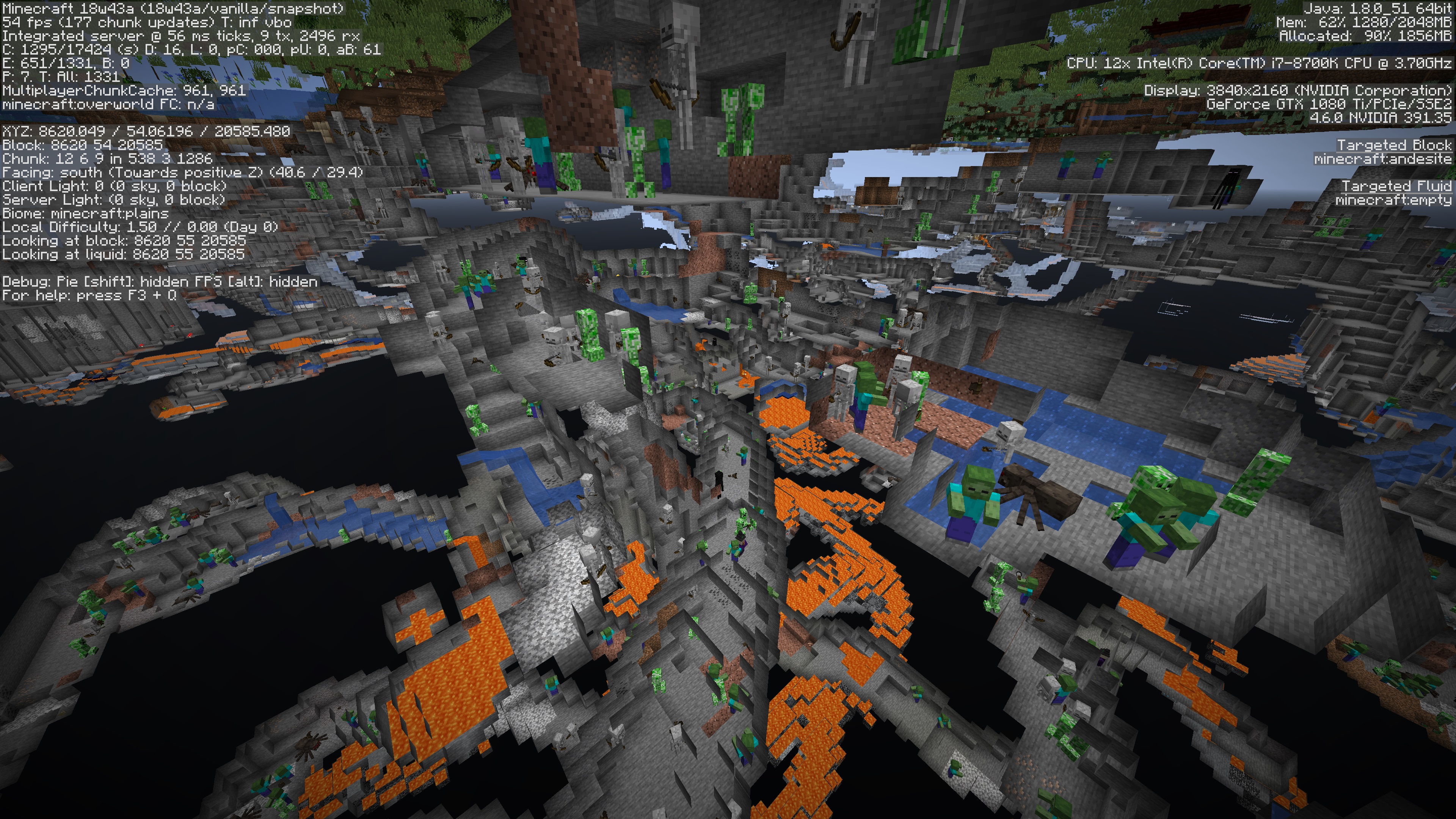
In my testing in spectator mode, hundreds of mobs are spawning inthe localcaves, lagging out the game.Hundreds of hostile mobs are spawning in caves, lagging out the game.
When locating a structure, the Y axis remains constant. That means when you click the coordinates given to issue a /tp command, you are sometimes teleported inside of blocks.
How to replicate
- Generate a new world using the seed 'desert'
- Type /locate Desert_Pyramid (it should give you one at 1872, ~, -160)
- Click the coordinates
- Observe that you have teleported inside of a block at level 63
It would make sense for the teleport to take your Y level into consideration and /tp you to the highest block at the coordinates (however my guess is that it can't do that because the chunk is yet to be rendered.)
Note to moderators: This bug may get closed as similar ones have been reported and closed before, but consider that while it may be considered "Expected behaviour" to teleport you and leave your Y level constant, surely it wasn't considered expected behaviour to teleport a player inside of a block. I think
this issuewas "fixed" by preserving the player's Y level, but this has introduced new problems such as the above.See also:
MC-125002which contains history of the Y=0 issueWhen locating a structure, the Y axis remains constant. That means when you click the coordinates given to issue a /tp command, you are sometimes teleported inside of blocks.
How to replicate
- Generate a new world using the seed 'desert'
- Type /locate Desert_Pyramid (it should give you one at 1872, ~, -160)
- Click the coordinates
- Observe that you have teleported inside of a block at level 63
It would make sense for the teleport to take your Y level into consideration and /tp you to the highest block at the coordinates (however my guess is that it can't do that because the chunk is yet to be rendered.)
Note to moderators: This bug may get closed as similar ones have been reported and closed before, but consider that while it may be considered "Expected behaviour" to teleport you and leave your Y level constant, surely it wasn't considered expected behaviour to teleport a player inside of a block. I think an earlier issue relating to Y=0 coordinates was "fixed" by preserving the player's Y level, but this has introduced new problems such as the above.
See also:
MC-125002which contains history of the Y=0 issue
When locating a structure, the Y axis remains constant. That means when you click the coordinates given to issue a /tp command, you are sometimes teleported inside of blocks.
How to replicate
- Generate a new world using the seed 'desert'
- Type /locate Desert_Pyramid (it should give you one at 1872, ~, -160)
- Click the coordinates
- Observe that you have teleported inside of a block at level 63
It would make sense for the teleport to take your Y level into consideration and /tp you to the highest block at the coordinates (however my guess is that it can't do that because the chunk is yet to be rendered.)
Note to moderators: This bug may get closed as similar ones have been reported and closed before, but consider that while it may be considered "Expected behaviour" to teleport you and leave your Y level constant, surely it wasn't considered expected behaviour to teleport a player inside of a block. I think an earlier issue relating to Y=0 coordinates was "fixed" by preserving the player's Y level, but this has introduced new problems such as the above.
(If you try this with seed 6825116916374065574, and locate Desert_Pyramid, you'll get teleported into a block and fall directly into laval! Surely not intended.)
See also:
MC-125002which contains history of the Y=0 issue
Double-pressing spacebar to ascend in creative or spectator mode does not work and instead the player floats downwards and if in spectator mode, eventually falls out of the world.
To replicate, in either creative or spectator mode:
- /tp @p ~ ~100 ~ #Move up 100 blocks
- Double-tap spacebar to stop falling
- ❌ Player continuously floats downwards
Video: https://youtu.be/oflfS-irkYU
Double-pressing spacebar to ascend in creative or spectator mode does not work and instead the player floats downwards and if in spectator mode, eventually falls out of the world.
To replicate, in either creative or spectator mode:
- /tp @p ~ ~100 ~ #Move up 100 blocks
- Double-tap spacebar to stop falling
- ❌ Player continuously floats downwards
Video: https://youtu.be/oflfS-irkYU
Double-pressing spacebar to ascend in creative or spectator mode does not work and instead the player floats downwards and if in spectator mode, eventually falls out of the world.
To replicate, in either creative or spectator mode:
- Enable Sneak: Toggle
- /tp @p ~ ~100 ~ #Move up 100 blocks
- Double-tap spacebar to stop falling
- ❌ Player continuously floats downwards
Double-pressing spacebar to ascend in creative or spectator mode does not work when Sneak Toggle is enabled and instead the player floats downwards and if in spectator mode, eventually falls out of the world.
To replicate, in either creative or spectator mode:
- Enable Sneak: Toggle
- /tp @p ~ ~100 ~ #Move up 100 blocks
- Double-tap spacebar to stop falling
- ❌ Player continuously floats downwards
Flying in creative / spectator causes player to descend if Sneak Toggle enabled
Double-pressing spacebar to ascend in creative or spectator mode does not work when Sneak Toggle is enabled and instead the player floats downwards and if in spectator mode, eventually falls out of the world.
To replicate, in either creative or spectator mode:
- Enable Sneak: Toggle
- /tp @p ~ ~100 ~ #Move up 100 blocks
- Double-tap spacebar to stop falling
- ❌ Player continuously floats downwards
Double-pressing spacebar to ascend in creative or spectator mode does not work when Sneak Toggle is enabled and instead the player floats downwards and if in spectator mode, eventually falls out of the world.
To replicate, in either creative or spectator mode:
- Enable Sneak: Toggle
- /tp @p ~ ~100 ~ #Move up 100 blocks
- Double-tap spacebar to stop falling
- ❌ Player continuously floats downwards
Update: This may be considered expected behaviour as I didn't realise at first that sneak toggle had actually activated. If you deactivate sneak by pressing shift you are able to ascend again. It looks like the combination of a toggled sneak in progress and the spacebar for ascending will override each other causing the player to stay stationary until the ascend (spacebar) is cancelled and the sneak (descend) resumes.
Possibly a little counter-intuitive since unless you are on the ground, there is no sneaking so what is actually happening is the shift key bind is being toggled rather than the act of sneaking. This is also confusing because there's no key toggle for ascending.
Snow golems freeze and then die when trapped in a
fallingsnow block.They are made of snow, so it doesn't make sense that they should freeze to death.
Snow golems freeze and then die when trapped in a powder snow block.
They are made of snow, so it doesn't make sense that they should freeze to death.
Snow golems freeze and then die when
trappedin a powder snow block.They are made of snow, so it doesn't make sense that they should freeze to death.
Snow golems freeze and then die when standing in a powder snow block.
They are made of snow, so it doesn't make sense that they should freeze to death.
![[Mod] NeunEinser](../../../data/avatars/users/39263.png)
![[Mod] Pokechu22](../../../data/avatars/users/92931.png)
Seems to be a duplicate of
MC-93601(logged just minutes before this one, sorry.)I duplicated this in a new test world where no blocks have been placed (tested with a Superflat world with Bedrock, Dirt, Dirt, Grass.)
java.lang.IllegalArgumentException: Cannot get property arh
{name=half, clazz=class als$a, values=[top, bottom]}as it does not exist in aqv
{block=minecraft:double_stone_slab, properties=[seamless, variant]}Fenhl's comment is more accurate, my re-test was on Superflat but it had generate structures enabled.
Confirmed for 16w36a.
Can also confirm this happens when you have a polar bear on a lead. Try to drag it up some blocks and it gets stuck.
Confirmed, still an issue in 17w43b on Mac.
My bad, please close. I had a texture pack enabled like a pro.
I have been doing some more testing on this issue. My setup is on MacOS 10.13.3 and a Logitech MX Master Mouse with the mouse wheel in "click-to-click" mode (i.e. you can move the mouse wheel one "notch" at a time with feedback.)
Prior to 18w01a, if you were to move the mouse wheel one notch on the hotbar, the selector would move across one slot for each notch.
Since 18w01a, it takes 10 individual notches to register the mouse moving across (it will move over on the 10th notch.) I have tested this by counting the number of individual notched scrolls before the selector will move across to the next slot in the hotbar. This effect happens in either direction.
Note that this is best demonstrated by using a Mac laptop trackpad. Ctrl-Click on a trackpad should send a right-click.
Confirmed for 18w20b. This one is a real nuisance for Mac users.
Confirmed for 18w20c
Confirmed for 18w20c
Someone suggested it may be to do with whether the coordinates 0,0 are water or not. I have done some testing and found some another seed that seem to do this repeatedly, and they have a water block at 0,0. I'm not sure this is the cause yet, as there isn't a big enough sample size, and some worlds with water at 0,0 are not doing it in my tests.
668252533235536017
-3709921680383185983 (This is the seed from world zip linked in the original comments)
Still an issue - tested in 1.13-pre3
Confirmed- still an issue in 1.13-pre4
In my attempts to re-test this for 1.13-pre5, I managed to get it to do it repeatedly now with a "minecart rolls" sound (which was played back as audio and played back right at the end of the dirt loading screen, before the world appeared) on the same seed as above (-370992....)
Just for some better clarity around the splashing sound. I just tried one attempt and got two sounds played back. Exactly like this:
It was almost as if I became submerged momentarily before my player was positioned during the world load.
There's some discussion here about forcing a crash however, this has not been tested on the latest snapshots as far as I know.
The issue of F11 and a maximized window is still a problem.
What is happening is that if you use the native window Maximize/Minimize button, Minecraft window will max/minimize but when you press F11, the game itself seems to maximize to full screen. This means if you have already maximized your window using the native buttons, then maximize the game again using F11, the game is "stranded" on a maximized window space. This can be seen if you F11 again to go back to windowed mode. You'll notice that your game returns to a window size, but stays in the same resolution and for some reason moves across to the right.
I will attempt to demonstrate in a video but the STR are:
To get out of this mess you need to use the green window button to return the whole application's back to windowed.
The above was tested in 1.13-pre5. Should this bug remain open or should I file a separate bug for it? @Mods?
Affects 1.13-pre6
I've played with this some more and understand what is now happening with this bug. I have updated the description to more accurately reflect the issue and rewritten the steps. I have uploaded a new video showcasing the issue. Note during the world pre-load, I have tabbed out but due to the way I did the recording, that is not obvious. But the steps followed in the video are the same as those above, from step 4 onwards.
I hardly think so. Hitting Esc from any menu should always abort the request as is consistent with UI everywhere. In this case the Esc key is doing the wrong thing. Compare the other menu of "Delete" as an example for how the behaviour should work.
Confirmed in 1.13-pre6
Confirmed 1.13-pre6 and 1.13-pre7.
Note new STR for 1.13 syntax:
Confirmed 1.13-pre6
Not to mention the setting gets erased if you load a world up in any version previous to 18w21a and then change any setting in that version (e.g. modify the sound settings). This results in the options.txt file being rewritten, and of course, mouseWheelSensitivity is not a valid option in earlier versions.
Obviously this is only an issue when running older versions of Minecraft but since this is the way the launcher is designed to work, I'd say that this renders the new feature fairly tedious for any user.
Updated accuracy of STR including some additional findings, and linked to a better representation of this bug via YouTube.
Can no longer replicate in 1.13-pre7
Affects 1.13-pre7
Affects 1.13-pre7
Also note that after step 4, Minecraft is back in windowed mode but the desktop is black, suggesting that it has become stuck inside a macOS ("Space")
Confirmed for 1.13-pre7
Affects 1.13-pre7
Sorry, I spoke too soon. For a while it was OK, but now it is repeatedly crashing again.
Affects 1.13-pre7. Please reopen.
I was able to replicate this only once, but not consistently. If you drink a potion during F5 mode, the player model remained visible although on subsequent attempts that I tried, I was rendering as invisible.
Confirmed for 1.13-pre7.
It also appears that the characterset is also much more limited now. In previous versions you would see many accented and other unusual characters appear as the obfuscated text. Since this change it seems to only use non-accented alphanumerics.
Here's a screenshot from 1.12.
New bug raised:
MC-133260Affects 1.13-pre8
Try with seed -3709921680383185983. I had consistent results with this one replicating the splashing sound, I believed to be because your coordinates during the translocation issue are in water.
Affects 1.13-pre8
Related to/duplicate of
MC-132039I think this is a duplicate of MC-129998
Despite my searching you don't always find what you're looking for!
Affects 1.13-pre10
Confirmed for 1.13-pre10
Somehow this has been fixed in 1.13-pre10 but it was not included in the release notes or updated on this ticket (It could have been a coincidence or on purpose)
Affects 1.13-pre10
Affects 1.13
Affects 1.13
Affects 1.13
Affects 1.13.2-pre1
Affects 1.13.2-pre1
Affects 18w43a
Affects 18w43a
Confirmed for 18w43a
Do you have a technical reference to assert that, or can you demonstrate other apps that behave in this way where it is deemed to be the correct behaviour?
Other apps maximise themselves to a space which slides across the screen when you tab back/forth. This is the same behaviour as if you were pressing the green maximise button with Minecraft, and in fact, Minecraft will behave correctly under these conditions and Alt-Tab will "slide" across.
However, when F11 is used, a different type of full-screen is happening which is causing Minecraft to minimise to the Dock when you Alt-Tab. So it would be more correct to say that "This is just how MINECRAFT works" and that is why it is reported as a Minecraft bug.
This possibly relates to:
Affects 18w43b
Confirmed for 18w43c
Affects 18w43c
(Mods can you allow me to edit the "Affects version/s" field directly? I am happy to keep updating this bug with new releases.)
Affects 18w43c
cmd-q is reserved for quitting apps (like Alt-F4 in Windows.) CTRL on Windows and CMD on on a Mac are not interchangeable in the way you might be expecting.
Affects 19w05a
Affects 19w05a
Affects 19w12a
Affects 19w12a
Affects 19w12a
Makes no sense. Polar bears aren't made of snow.
Can confirm no longer occuring. Tested in 1.20.1