 Cavinator 1
- Cavinator1
- cavinator1
- Australia/Adelaide
- Yes
- No
 MC-93515MC-94367
![[Mojang] Grum (Erik Broes)](../../../data/assets/gravatar/grum.png)
 Normal
![[Mojang] Nathan Adams](../../../data/assets/gravatar/dinnerbone.png)
![[Mojang] Cory Scheviak](../../../data/avatars/users/92893.png)
 MC-159623


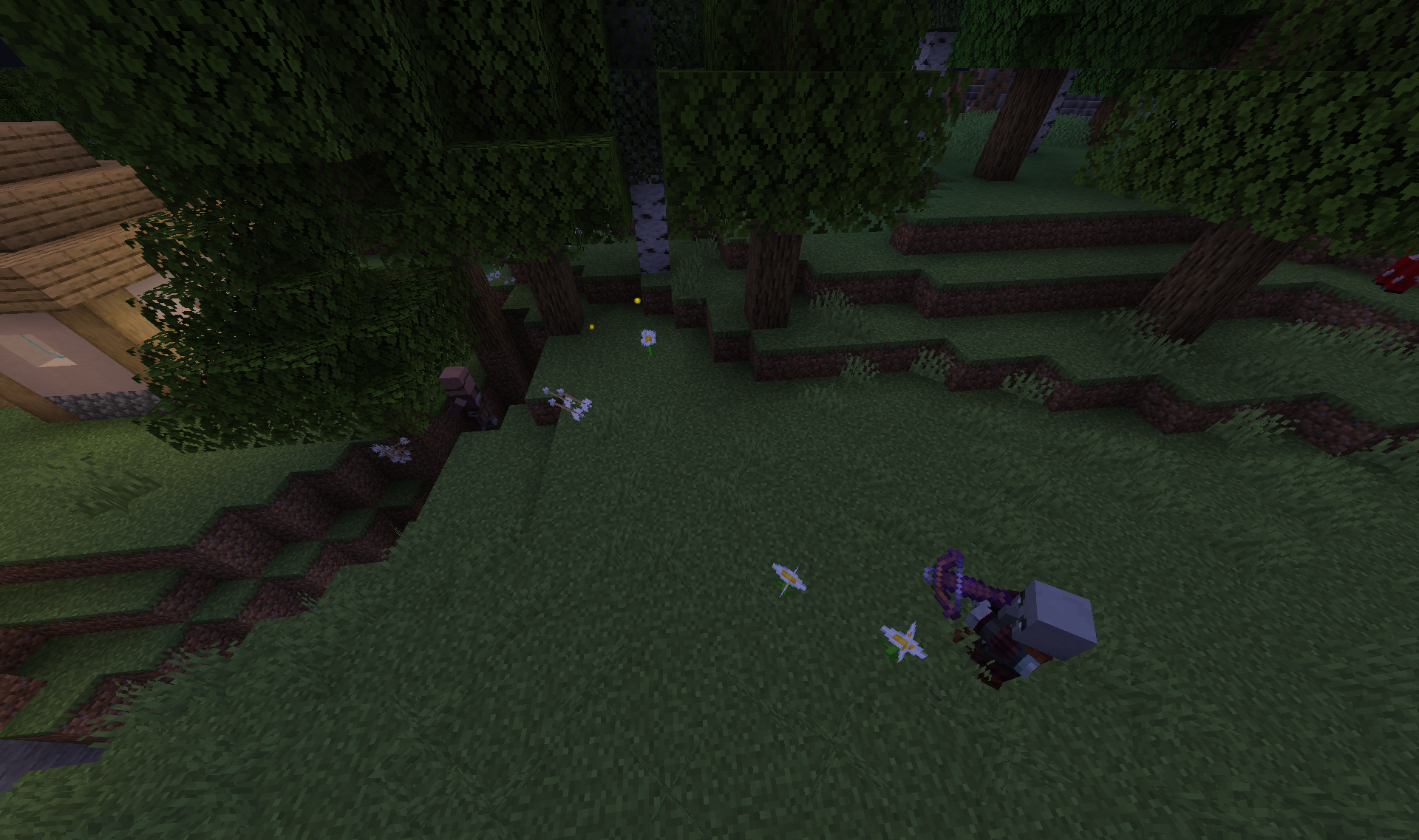
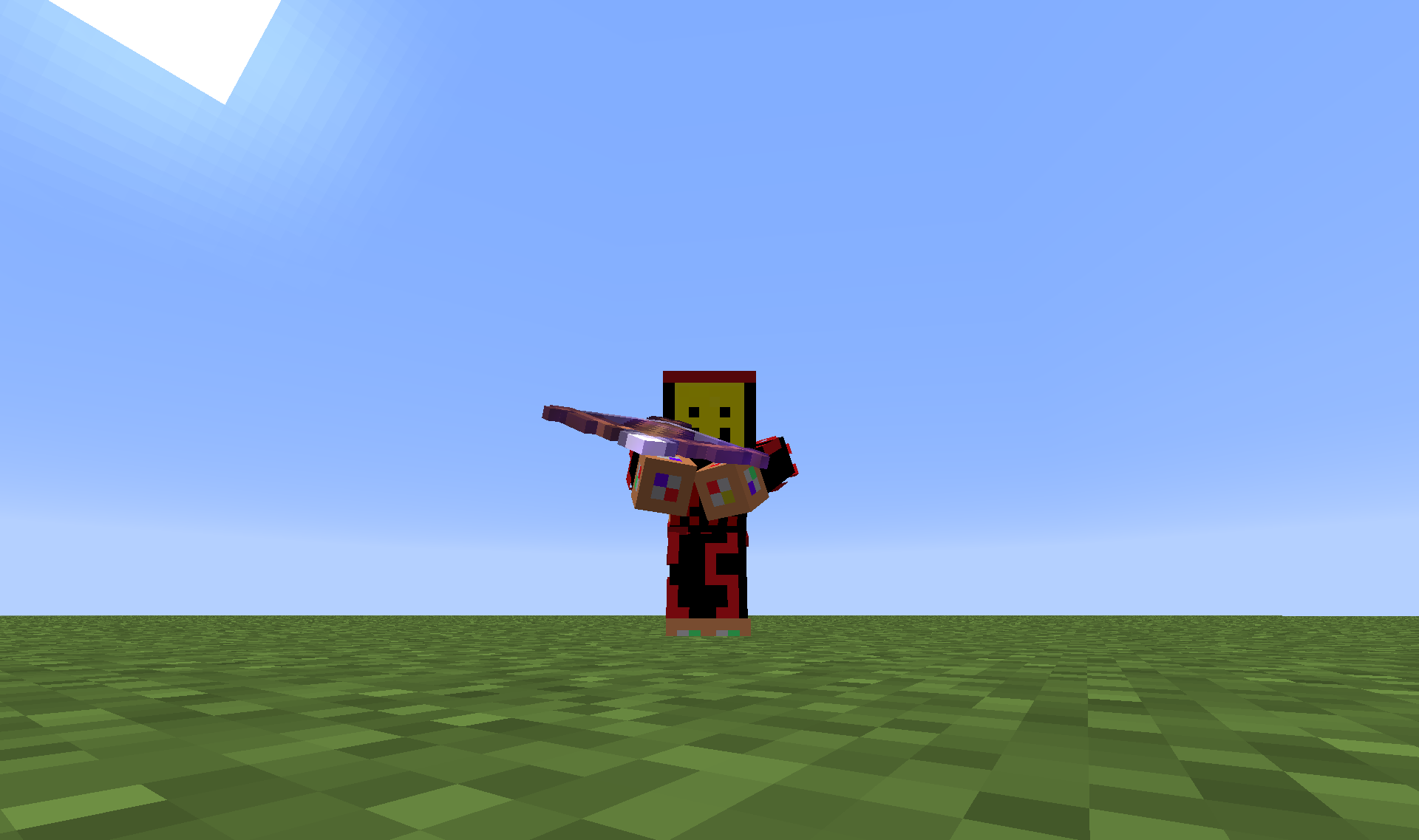
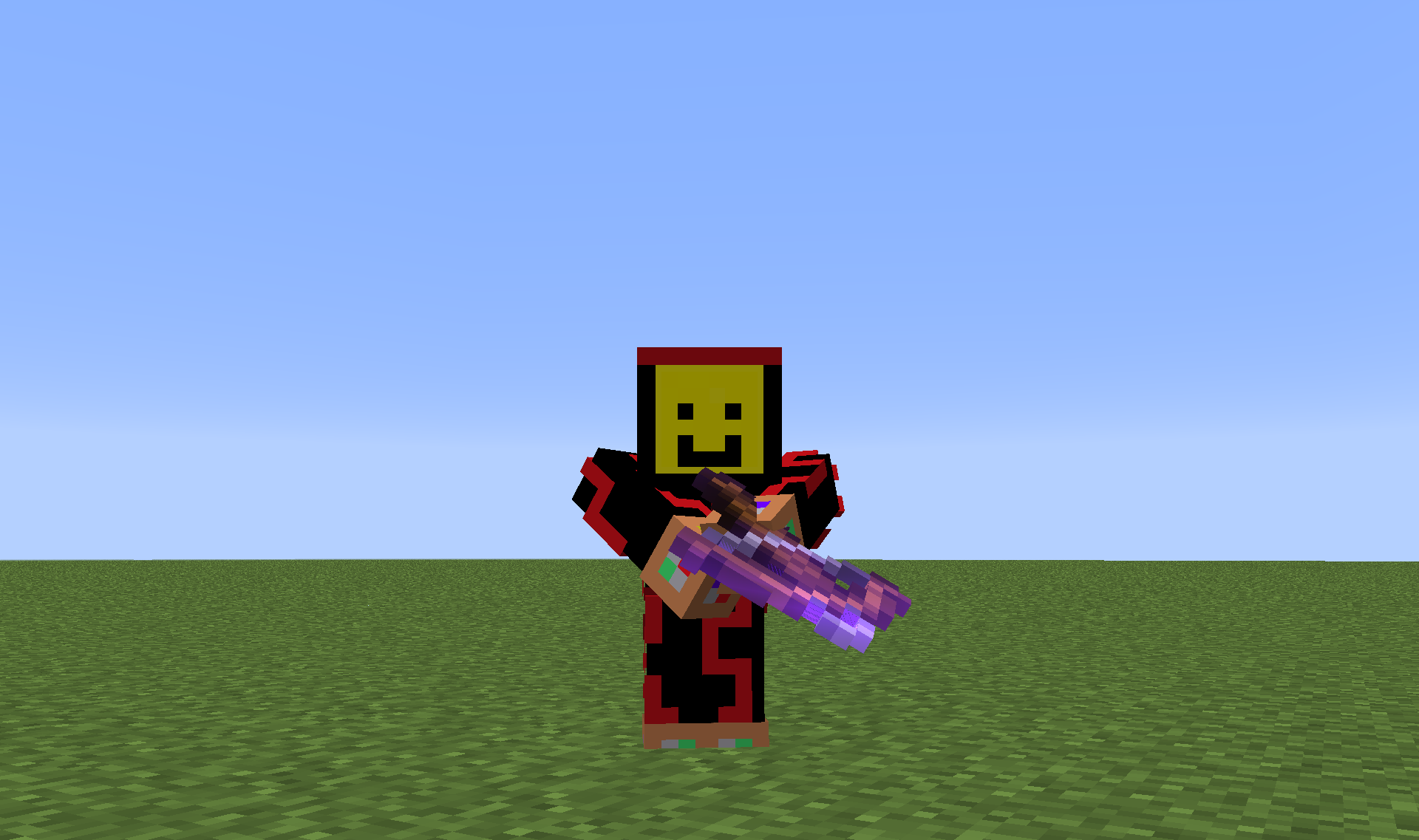


If a mob wielding a renamed weapon kills you, it's renamed weapon doesn't show in the death message.
What I expected to happen was...:
If any mob wielding a melee weapon (i.e. not a bow) that is renamed is spawned, and if you let the mob kill you, it should say: <player name> was slain by <name of mob> using <name of weapon>What actually happened was...:
The death message was <player name> was slain by <name of mob>Steps to Reproduce:
1. Enter this command into a command block and activate it:/summon Zombie ~ ~1 ~ {CustomName:Zombie test dummy,Equipment:[{id:minecraft:diamond_sword,tag:{display:{Name:This Sword,Lore:[This is a test!]}}},{},{},{},{}]}2. Switch to survival or adventure and let the Zombie kill you.
3. The death message says: <player name> was slain by Zombie test dummy, as seen in Screenshot 1. But it should actually say <player name> was slain by Zombie test dummy using [This Sword]An additional detail here is that if a Skeleton kills you with a renamed bow the death message works just fine, as seen in Screenshot 2. Test it with this command:
/summon Skeleton ~ ~1 ~ {CustomName:Renamed Skeleton,Equipment:[{id:minecraft:bow,tag:{display:{Name:Renamed Bow,Lore:[This is also a test!]}}},{},{},{},{}]}If a mob wielding a renamed weapon kills you, it's renamed weapon doesn't show in the death message.
What I expected to happen was...:
If any mob wielding a melee weapon (i.e. not a bow) that is renamed is spawned, and if you let the mob kill you, it should say: <player name> was slain by <name of mob> using <name of weapon>What actually happened was...:
The death message was <player name> was slain by <name of mob>Steps to Reproduce:
1. Enter this command into a command block and activate it:/summon Zombie ~ ~1 ~ {CustomName:Zombie test dummy,Equipment:[{id:minecraft:diamond_sword,tag:{display:{Name:This Sword,Lore:[This is a test!]}}},{},{},{},{}]}Use this command if using a 1.9 snapshot:
/summon Zombie ~ ~1 ~ {CustomName:"Zombie test dummy",HandItems:[{id:"minecraft:diamond_sword",Count:1b,tag:{display:{Name:"This Sword",Lore:["This is a test!"]}}},{}]}2. Switch to survival or adventure and let the Zombie kill you.
3. The death message says: <player name> was slain by Zombie test dummy, as seen in Screenshot 1. But it should actually say <player name> was slain by Zombie test dummy using [This Sword]An additional detail here is that if a Skeleton kills you with a renamed bow the death message works just fine, as seen in Screenshot 2. Test it with this command:
/summon Skeleton ~ ~1 ~ {CustomName:Renamed Skeleton,Equipment:[{id:minecraft:bow,tag:{display:{Name:Renamed Bow,Lore:[This is also a test!]}}},{},{},{},{}]}
If a mob wielding a renamed weapon kills you, it's renamed weapon doesn't show in the death message.
What I expected to happen was...:
If any mob wielding a melee weapon (i.e. not a bow) that is renamed is spawned, and if you let the mob kill you, it should say: <player name> was slain by <name of mob> using <name of weapon>What actually happened was...:
The death message was <player name> was slain by <name of mob>Steps to Reproduce:
1. Enter this command into a command block and activate it:/summon Zombie ~ ~1 ~ {CustomName:Zombie test dummy,Equipment:[{id:minecraft:diamond_sword,tag:{display:{Name:This Sword,Lore:[This is a test!]}}},{},{},{},{}]}Use this command if using a 1.9 snapshot:
/summon Zombie ~ ~1 ~ {CustomName:"Zombie test dummy",HandItems:[{id:"minecraft:diamond_sword",Count:1b,tag:{display:{Name:"This Sword",Lore:["This is a test!"]}}},{}]}2. Switch to survival or adventure and let the Zombie kill you.
3. The death message says: <player name> was slain by Zombie test dummy, as seen in Screenshot 1. But it should actually say <player name> was slain by Zombie test dummy using [This Sword]An additional detail here is that if a Skeleton kills you with a renamed bow the death message works just fine, as seen in Screenshot 2. Test it with this command:
/summon Skeleton ~ ~1 ~ {CustomName:Renamed Skeleton,Equipment:[{id:minecraft:bow,tag:{display:{Name:Renamed Bow,Lore:[This is also a test!]}}},{},{},{},{}]}Or this command in 1.9:
/summon Skeleton ~ ~1 ~ {CustomName:"Renamed Skeleton",HandItems:[{id:"minecraft:bow",Count:1b,tag:{display:{Name:"Renamed Bow",Lore:["This is also a test!"]}}},{}]}
If you summon a slime that is being ridden by another mob using commands, a crash will eventually occur.
This is my crash report:
---- Minecraft Crash Report ----
// You're mean.Time: 7/10/15 8:41 AM
Description: Ticking entityjava.lang.ClassCastException: yq cannot be cast to rs
at axt.a(SourceFile:31)
at uo.a(SourceFile:172)
at uo.a(SourceFile:97)
at up.k(SourceFile:236)
at up.j(SourceFile:168)
at rm.bV(SourceFile:560)
at rl.n(SourceFile:1588)
at rm.n(SourceFile:409)
at rl.m(SourceFile:1456)
at rm.m(SourceFile:240)
at yq.m(SourceFile:117)
at agw.a(SourceFile:1462)
at lk.a(SourceFile:705)
at agw.g(SourceFile:1440)
at agw.k(SourceFile:1330)
at lk.k(SourceFile:538)
at net.minecraft.server.MinecraftServer.D(SourceFile:618)
at net.minecraft.server.MinecraftServer.C(SourceFile:546)
at bvr.C(SourceFile:154)
at net.minecraft.server.MinecraftServer.run(SourceFile:450)
at java.lang.Thread.run(Thread.java:745)A detailed walkthrough of the error, its code path and all known details is as follows:
---------------------------------------------------------------------------------------– Head –
Stacktrace:
at axt.a(SourceFile:31)
at uo.a(SourceFile:172)
at uo.a(SourceFile:97)
at up.k(SourceFile:236)
at up.j(SourceFile:168)
at rm.bV(SourceFile:560)
at rl.n(SourceFile:1588)
at rm.n(SourceFile:409)
at rl.m(SourceFile:1456)
at rm.m(SourceFile:240)
at yq.m(SourceFile:117)
at agw.a(SourceFile:1462)
at lk.a(SourceFile:705)
at agw.g(SourceFile:1440)– Entity being ticked –
Details:
Entity Type: Slime (yq)
Entity ID: 786
Entity Name: Slime
Entity's Exact location: -233.81, 64.00, 228.24
Entity's Block location: World: (-234,64,228), Chunk: (at 6,4,4 in -15,14; contains blocks -240,0,224 to -225,255,239), Region: (-1,0; contains chunks -32,0 to -1,31, blocks -512,0,0 to -1,255,511)
Entity's Momentum: 0.04, -0.08, -0.06
Entity's Rider: yc['Creeper'/785, l='Slime Crash World', x=-233.81, y=65.53, z=228.24]
Entity's Vehicle: ~ERROR~ NullPointerException: null
Stacktrace:
at agw.k(SourceFile:1330)
at lk.k(SourceFile:538)– Affected level –
Details:
Level name: Slime Crash World
All players: 1 total; [lm['Cavinator1'/644, l='Slime Crash World', x=-234.06, y=66.17, z=232.23]]
Chunk stats: ServerChunkCache: 272 Drop: 0
Level seed: -2266167899765054753
Level generator: ID 00 - default, ver 1. Features enabled: true
Level generator options:
Level spawn location: World: (-242,64,232), Chunk: (at 14,4,8 in -16,14; contains blocks -256,0,224 to -241,255,239), Region: (-1,0; contains chunks -32,0 to -1,31, blocks -512,0,0 to -1,255,511)
Level time: 1677 game time, 14000 day time
Level dimension: 0
Level storage version: 0x04ABD - Anvil
Level weather: Rain time: 48971 (now: false), thunder time: 170183 (now: false)
Level game mode: Game mode: creative (ID 1). Hardcore: false. Cheats: true
Stacktrace:
at net.minecraft.server.MinecraftServer.D(SourceFile:618)
at net.minecraft.server.MinecraftServer.C(SourceFile:546)
at bvr.C(SourceFile:154)
at net.minecraft.server.MinecraftServer.run(SourceFile:450)
at java.lang.Thread.run(Thread.java:745)– System Details –
Details:
Minecraft Version: 15w40b
Operating System: Windows 7 (amd64) version 6.1
Java Version: 1.8.0_25, Oracle Corporation
Java VM Version: Java HotSpot(TM) 64-Bit Server VM (mixed mode), Oracle Corporation
Memory: 166171328 bytes (158 MB) / 340983808 bytes (325 MB) up to 1060372480 bytes (1011 MB)
JVM Flags: 6 total; -XX:HeapDumpPath=MojangTricksIntelDriversForPerformance_javaw.exe_minecraft.exe.heapdump -Xmx1G -XX:+UseConcMarkSweepGC -XX:+CMSIncrementalMode -XX:-UseAdaptiveSizePolicy -Xmn128M
IntCache: cache: 0, tcache: 0, allocated: 12, tallocated: 94
Profiler Position: N/A (disabled)
Player Count: 1 / 8; [lm['Cavinator1'/644, l='Slime Crash World', x=-234.06, y=66.17, z=232.23]]
Type: Integrated Server (map_client.txt)
Is Modded: Probably not. Jar signature remains and both client + server brands are untouched.In the "Entity being ticked" part it says an error under "Entity vehicle."
Steps to Reproduce:
1. Use the following commmand to summon a Creeper riding a Slime:
/summon Creeper ~ ~ ~ {Riding:{id:Slime,Size:3}}
2. Eventually the game will crash.Notes: I have only tested zombies and creepers riding slimes. Other mobs being ridden on (Like a zombie on a skeleton) seem to work fine. I have not tested slimes of smaller or larger sizes or magma cubes.
When connecting to a LAN world that is rather large, the host will send huge network packets to its clients, and there appears to be a 'protocol maximum,' which makes properly connecting to large LAN worlds impossible.
Steps to Reproduce:
1. Host a LAN world that is large and well played on. (E.g. a well-played survival world, or an adventure map).
2. When other players attempt to join, they will get an error message like this:
Internal Exception: io.netty.handler.codec.DecoderException: Badly compressed packet - size of 2487995 is larger than protocol maximum of 2097152It is worth noting that you can properly connect to a LAN world if the world has just recently been created, probably because it is newly generated and therefore is not sending very many network packets.
This problem must be fixed. It is not a problem with the network we were using - we tried it at two different places and came up with the same problem. Therefore it must be a problem with Minecraft.
While testing my 1.9 adventure map, in recent snapshots there has been extreme network lag. My fps is just fine, the problem is that when I hit a mob, it takes, like, five or ten seconds for it to register, and all the other mobs move really, really slowly. Other effects include redstone repeaters having a much longer delay (often, taking about four or five times as long to delay),
andplayers regenerating much slower. Essentially, the world around you slows down, but you can still move at normal speed.
This is likely because of all the complicated redstone and command block systems that exist in my map, so something should be done about this, otherwise most complicated adventure maps in 1.9 will be unplayable.Steps to Reproduce:
1. You will need a complicated adventure map with very complicated redstone systems. There likely aren't many 1.9 maps out there currently that would trigger this bug, but I cannot upload my own map here because it is unfinished.
2. Go in, and try to play it. The effects should soon become apparent.While testing my 1.9 adventure map, in recent snapshots there has been extreme network lag. My fps is just fine, the problem is that when I hit a mob, it takes, like, five or ten seconds for it to register, and all the other mobs move really, really slowly. Other effects include redstone repeaters having a much longer delay (often, taking about four or five times as long to delay), players regenerating much slower, and shot arrows will barely fly any distance at all. Essentially, the world around you slows down, but you can still move at normal speed.
This is likely because of all the complicated redstone and command block systems that exist in my map, so something should be done about this, otherwise most complicated adventure maps in 1.9 will be unplayable.Steps to Reproduce:
1. You will need a complicated adventure map with very complicated redstone systems. There likely aren't many 1.9 maps out there currently that would trigger this bug, but I cannot upload my own map here because it is unfinished.
2. Go in, and try to play it. The effects should soon become apparent.
The recently added debug command F3 + t allows users to reload resource packs, meaning if they are creating a resource pack and changing it slightly, F3 + t is used so that you don't have to go into the resource pack menu and deselect, then reselect the resource pack.
However, this command also reloads loot tables, which is also useful for the same reason, but it just doesn't say that it does. Normally, if loot tables are edited while in a world, they don't seem to update in the actual world unless you exit, then re-enter the world, or press F3 + tIt should be changed so that, when F3 + t is pressed, it says it "Reloaded resource packs and loot tables."
Steps to Reproduce:
1. Press F3 + t. It will say "Reloaded resource packs." If you modify a loot table in the world, then press F3 + t, you will find the new loot table is now functioning.
If you create a custom advancement that is supposed to trigger using the location trigger when you find a Shipwreck or an Ocean Ruin, in a similar manner to the vanilla advancements "A Terrible Fortress" or "The City at the End of the Game", well, they do not work.
I can confirm that they work with Nether Fortresses and End Cities, as covered by vanilla advancements, and also work with other structures like Mineshafts or Igloos, so they do not work forShipwrecksor Ocean Ruins.
Code for the criteria component:
    "criteria": {
        "ocean_ruin": {
            "trigger": "minecraft:location",
            "conditions": {
                "feature": "ocean_ruin"
            }
        }
    }
If you create a custom advancement that is supposed to trigger using the location trigger when you find a Shipwreck or an Ocean Ruin, in a similar manner to the vanilla advancements "A Terrible Fortress" or "The City at the End of the Game", well, they do not work.
While the advancement will show up in the advancement menu, it will not actually be obtainable, in that if you enter a Shipwreck or an Ocean Ruin they won't trigger.
I can confirm that they work with Nether Fortresses and End Cities, as covered by vanilla advancements, and also work with other structures like Mineshafts or Igloos, so they do not work for Shipwrecks or Ocean Ruins.
Code for the criteria component:
    "criteria": {
        "ocean_ruin": {
            "trigger": "minecraft:location",
            "conditions": {
                "feature": "ocean_ruin"
            }
        }
    }
Advancement location trigger does not work with Shipwrecks,buried Treasure, and Underwater RuinsAdvancement location trigger does not work with Shipwrecks, Buried Treasure, and Underwater Ruins
If you create a custom advancement that is supposed to trigger using the location trigger when you find a Shipwreck, Buried Treasure or an Ocean Ruin, in a similar manner to the vanilla advancements "A Terrible Fortress" or "The City at the End of the Game", well, they do not work.
While the advancement will show up in the advancement menu, it will not actually be obtainable, in that if you enter a Shipwreck, Buried Treasure or an Ocean Ruin they won't trigger.
I can confirm that they work with Nether Fortresses and End Cities, as covered by vanilla advancements, and also work with other structures like Mineshafts or Igloos, so they do not work for Shipwrecks or Ocean Ruins.
Code for the criteria component:
    "criteria": {
        "ocean_ruin": {
            "trigger": "minecraft:location",
            "conditions": {
                "feature": "ocean_ruin"
            }
        }
    }
If you create a custom advancement that is supposed to trigger using the location trigger when you find a Shipwreck, Buried Treasure or an Ocean Ruin, in a similar manner to
thevanilla advancements "A Terrible Fortress" or "The City at the End of the Game", well, they do not work.
While the advancement will show up in the advancement menu,it will not actually be obtainable, in that if you enter a Shipwreck, Buried Treasure or an Ocean Ruin they won't trigger.
I can confirm that they work with Nether Fortresses and End Cities, as covered by vanilla advancements, and also work with other structures like Mineshafts or Igloos, so they do not work for Shipwrecks or Ocean Ruins.
Code for the criteria component:
    "criteria": {
        "ocean_ruin": {
            "trigger": "minecraft:location",
            "conditions": {
                "feature": "ocean_ruin"
            }
        }
    }
If you create a custom advancement that is supposed to trigger using the location trigger when you find a structure that uses internal structure-block structures to generate (i.e. any structure added in 1.9 or later, or an End City, Igloo, Woodland Mansion, Shipwreck, Buried Treasure or an Ocean Ruin), in a similar manner to vanilla advancements "A Terrible Fortress" or "Eye Spy", well, it is inconsistent as to whether or not it will actually give you the advancement when you enter such structure.
While the advancement will show up in the advancement menu, when you enter the structure in question it might not actually work.Meanwhile structures added prior to 1.9 (like Nether Fortresses, Strongholds, Pyramids and Jungle Temples) always work seamlessly.
1.9 was the version when they started making new structures added to the game use structure-block structures to generate, and due to this strange pattern it makes me think the issue has something to do with this.
This means "The City at the End of the Game" advancement is bugged, and any new advancement created for these new structures also works inconsistently.
Code for the criteria component:
    "criteria": {
        "ocean_ruin": {
            "trigger": "minecraft:location",
            "conditions": {
                "feature": "ocean_ruin"
            }
        }
    }
Advancement location trigger does not work withShipwrecks, Buried Treasure, and Underwater RuinsAdvancement location trigger does not work with structures added in 1.9 or later
Advancement location triggerdoes not work withstructures added in 1.9 or laterAdvancement location trigger works inconsistently for structures added in 1.9 or later
Due to new content added in recent snapshots, some of the advancements require updating, however the following have not been and require it:
"Two By Two" should also require breeding pandas.
"Monster Hunter" and "Monsters Hunted" should also have Pillagers and Illager Beasts.
"A Balanced Diet" should have
suspiciousstew."Adventuring Time" should have Bamboo Forests.
Due to new content added in recent snapshots, some of the advancements require updating, however the following have not been and require it:
"Two By Two" should also require breeding pandas.
"Monster Hunter" and "Monsters Hunted" should also have Pillagers and Illager Beasts.
"A Balanced Diet" should have Suspicious Stew.
"Adventuring Time" should have Bamboo Forests.
"How Did We Get Here" should have Blindness since Suspicious Stew crafted using Azure Bluets give Blindness.
Due to new content added in recent snapshots, some of the advancements require updating, however the following have not been and require it:
"Two By Two" should also require breeding pandas.
"Monster Hunter" and "Monsters Hunted" should also have Pillagers and Illager Beasts.
"A Balanced Diet" should have Suspicious Stew.
"Adventuring Time" should have Bamboo Forests and Bamboo Forest Hills.
"How Did We Get Here" should have Blindness since Suspicious Stew crafted using Azure Bluets give Blindness.
Due to new content added in recent snapshots, some of the advancements require updating, however the following have not been and require it:
"Monster Hunter" and "Monsters Hunted" should also have Pillagers and Illager Beasts.
→ Files "adventure/kill_a_mob.json" and "adventure/kill_all_mobs.json" respectively"A Balanced Diet" should have Suspicious Stew.
→ File "husbandry/balanced_diet.json""Adventuring Time" should have Bamboo Forests and Bamboo Forest Hills.
→ File "adventure/adventuring_time.json""How Did We Get Here" should have Blindness and Saturation since Suspicious Stew crafted using Azure Bluets give Blindness and Blue Orchids give Saturation.
→ File "nether/all_effects.json"Due to new content added in recent snapshots, some of the advancements require updating, however the following have not been and require it:
"A Balanced Diet" should have Suspicious Stew.
→ File "husbandry/balanced_diet.json"
Due to new content added in recent snapshots, some of the advancements require updating, however the following have not been and require it:
"A Balanced Diet" should have Suspicious Stew.
→ File "husbandry/balanced_diet.json""How Did We Get Here" should have the Bad Omen effect.
→ File "nether{{/all_effects.json"}}
Due to new content added in recent snapshots, some of the advancements require updating, however the following have not been and require it:
"A Balanced Diet" should have Suspicious Stew.
→ File "husbandry/balanced_diet.json""How Did We Get Here" should have the Bad Omen effect.
→ File "nether{{/all_effects.json"}}
Due to new content added in recent snapshots, some of the advancements require updating, however the following have not been and require it:
"A Balanced Diet" should have Suspicious Stew and Sweet Berries.
→ File "husbandry/balanced_diet.json""How Did We Get Here" should have the Bad Omen effect.
→ File "nether/all_effects.json"
The bug
Due to new content added in recent snapshots, some of the advancements require updating, however the following have not been and require it:
"A Balanced Diet" should have Suspicious Stew and Sweet Berries.
→ File: husbandry/balanced_diet.json"How Did We Get Here" should have the Bad Omen effect.
→ File: nether/all_effects.json"Two by Two" should have foxes.
→ File: husbandry/bred_all_animals.json"T
he Parrots and the Bats" should have foxes.
→ File: husbandry/breed_an_animal.json
The bug
Due to new content added in recent snapshots, some of the advancements require updating, however the following have not been and require it:
"A Balanced Diet" should have Suspicious Stew and Sweet Berries.Fixed in 19w11a
→ File: husbandry/balanced_diet.json
"How Did We Get Here" should have the Bad Omen effect.Fixed in 19w11a
→ File: nether/all_effects.json
"Two by Two" should have foxes.
→ File: husbandry/bred_all_animals.json
"The Parrots and the Bats" should have foxes.Fixed in 19w11a
→ File: husbandry/breed_an_animal.jsonThe bug
Due to new content added in recent snapshots, some of the advancements require updating, however the following have not been and require it:
"A Balanced Diet" should have Suspicious Stew and Sweet Berries.Fixed in 19w11a
→ File: husbandry/balanced_diet.json
"How Did We Get Here" should have the Bad Omen effect.Fixed in 19w11a
→ File: nether/all_effects.json
"Two by Two" should have foxes.Fixed in 19w12a
→ File: husbandry/bred_all_animals.json
"The Parrots and the Bats" should have foxes.Fixed in 19w11a
→ File: husbandry/breed_an_animal.json
If you use a command to summon a Pillager holding an enchanted crossbow, you'd expect that the crossbow would have its enchanted effects in a similar way that skeletons with say Punch II on their bows give increased knockback.
The following command summons a Pillager with a Quick Charge III crossbow. If you switch to survival mode or summon a villager or iron golem for it to attack, you will find it does indeed shoot much faster.
/summon minecraft:pillager ~ ~1 ~ \{HandItems:[{id:"minecraft:crossbow",Count:1,tag:{Enchantments:[{id:"minecraft:quick_charge",lvl:3}]}}]}\{code}However, the Multishot and Piercing enchantments do not seem to cause its enchanted effects to carry over to the Pillager - Multishot will not cause it to shoot multiple arrows, and Piercing will not allow the arrows it shoots to pierce you and hit other mobs or players behind you./summon minecraft:pillager ~ ~1 ~ {HandItems:[{id:"minecraft:crossbow",Count:1,tag:{Enchantments:[
{id:"minecraft:multishot",lvl:1}]}}]}
{code}/summon minecraft:pillager ~ ~1 ~ {HandItems:[{id:"minecraft:crossbow",Count:1,tag:{Enchantments:[
{id:"minecraft:piercing",lvl:4}]}}]}
{code}If you use a command to summon a Pillager holding an enchanted crossbow, you'd expect that the crossbow would have its enchanted effects in a similar way that skeletons with say Punch II on their bows give increased knockback.
The following command summons a Pillager with a Quick Charge III crossbow. If you switch to survival mode or summon a villager or iron golem for it to attack, you will find it does indeed shoot much faster.
/summon minecraft:pillager ~ ~1 ~ \{HandItems:[{id:"minecraft:crossbow",Count:1,tag:{Enchantments:[{id:"minecraft:quick_charge",lvl:3}]}}]} However, the Multishot and Piercing enchantments do not seem to cause its enchanted effects to carry over to the Pillager - Multishot will not cause it to shoot multiple arrows, and Piercing will not allow the arrows it shoots to pierce you and hit other mobs or players behind you./summon minecraft:pillager ~ ~1 ~ {HandItems:[{id:"minecraft:crossbow",Count:1,tag:{Enchantments:[
{id:"minecraft:multishot",lvl:1}]}}]}
/summon minecraft:pillager ~ ~1 ~ {HandItems:[{id:"minecraft:crossbow",Count:1,tag:{Enchantments:[
{id:"minecraft:piercing",lvl:4}]}}]}
If you use a command to summon a Pillager holding an enchanted crossbow, you'd expect that the crossbow would have its enchanted effects in a similar way that skeletons with say Punch II on their bows give increased knockback.
The following command summons a Pillager with a Quick Charge III crossbow. If you switch to survival mode or summon a villager or iron golem for it to attack, you will find it does indeed shoot much faster.
/summon minecraft:pillager ~ ~1 ~ \{HandItems:[{id:"minecraft:crossbow",Count:1,tag:{Enchantments:[{id:"minecraft:quick_charge",lvl:3}]}}]} However, the Multishot and Piercing enchantments do not seem to cause its enchanted effects to carry over to the Pillager - Multishot will not cause it to shoot multiple arrows, and Piercing will not allow the arrows it shoots to pierce you and hit other mobs or players behind you./summon minecraft:pillager ~ ~1 ~ {HandItems:[{id:"minecraft:crossbow",Count:1,tag:{Enchantments:[
{id:"minecraft:multishot",lvl:1}]}}]}
/summon minecraft:pillager ~ ~1 ~ {HandItems:[{id:"minecraft:crossbow",Count:1,tag:{Enchantments:[
{id:"minecraft:piercing",lvl:4}]}}]}
If you use a command to summon a Pillager holding an enchanted crossbow, you'd expect that the crossbow would have its enchanted effects in a similar way that skeletons with say Punch II on their bows give increased knockback.
The following command summons a Pillager with a Quick Charge III crossbow. If you switch to survival mode or summon a villager or iron golem for it to attack, you will find it does indeed shoot much faster.
/summon minecraft:pillager ~ ~1 ~ {HandItems:[{id:"minecraft:crossbow",Count:1,tag:{Enchantments:[
{id:"minecraft:quick_charge",lvl:3}]}}]} However, the Multishot and Piercing enchantments do not seem to cause its enchanted effects to carry over to the Pillager - Multishot will not cause it to shoot multiple arrows, and Piercing will not allow the arrows it shoots to pierce you and hit other mobs or players behind you.
/summon minecraft:pillager ~ ~1 ~ {HandItems:[{id:"minecraft:crossbow",Count:1,tag:{Enchantments:[
{id:"minecraft:multishot",lvl:1}]}}]}
/summon minecraft:pillager ~ ~1 ~ {HandItems:[{id:"minecraft:crossbow",Count:1,tag:{Enchantments:[
{id:"minecraft:piercing",lvl:4}]}}]}
If you use a command to summon a Pillager holding an enchanted crossbow, you'd expect that the crossbow would have its enchanted effects in a similar way that skeletons with say Punch II on their bows give increased knockback.
The following command summons a Pillager with a Quick Charge III crossbow. If you switch to survival mode or summon a villager or iron golem for it to attack, you will find it does indeed shoot much faster.
/summon minecraft:pillager ~ ~1 ~ {HandItems:[{id:"minecraft:crossbow",Count:1,tag:{Enchantments:[
{id:"minecraft:quick_charge",lvl:3}
]}}]}However, the Multishot and Piercing enchantments do not seem to cause its enchanted effects to carry over to the Pillager - Multishot will not cause it to shoot multiple arrows, and Piercing will not allow the arrows it shoots to pierce you and hit other mobs or players behind you./summon minecraft:pillager ~ ~1 ~ {HandItems:[{id:"minecraft:crossbow",Count:1,tag:{Enchantments:[
{id:"minecraft:multishot",lvl:1}]}}]}
/summon minecraft:pillager ~ ~1 ~ {HandItems:[{id:"minecraft:crossbow",Count:1,tag:{Enchantments:[
{id:"minecraft:piercing",lvl:4}]}}]}
If you use a command to summon a Pillager holding an enchanted crossbow, you'd expect that the crossbow would have its enchanted effects in a similar way that skeletons with say Punch II on their bows give increased knockback.
The following command summons a Pillager with a Quick Charge III crossbow. If you switch to survival mode or summon a villager or iron golem for it to attack, you will find it does indeed shoot much faster.
/summon minecraft:pillager ~ ~1 ~ {HandItems:[{id:"minecraft:crossbow",Count:1,tag:{Enchantments:[{id:"minecraft:quick_charge",lvl:3}]}}]}However, the Multishot and Piercing enchantments do not seem to cause its enchanted effects to carry over to the Pillager - Multishot will not cause it to shoot multiple arrows, and Piercing will not allow the arrows it shoots to pierce you and hit other mobs or players behind you.
/summon minecraft:pillager ~ ~1 ~ {HandItems:[{id:"minecraft:crossbow",Count:1,tag:{Enchantments:[{id:"minecraft:multishot",lvl:1}]}}]}
/summon minecraft:pillager ~ ~1 ~ {HandItems:[{id:"minecraft:crossbow",Count:1,tag:{Enchantments:[{id:"minecraft:piercing",lvl:4}]}}]}
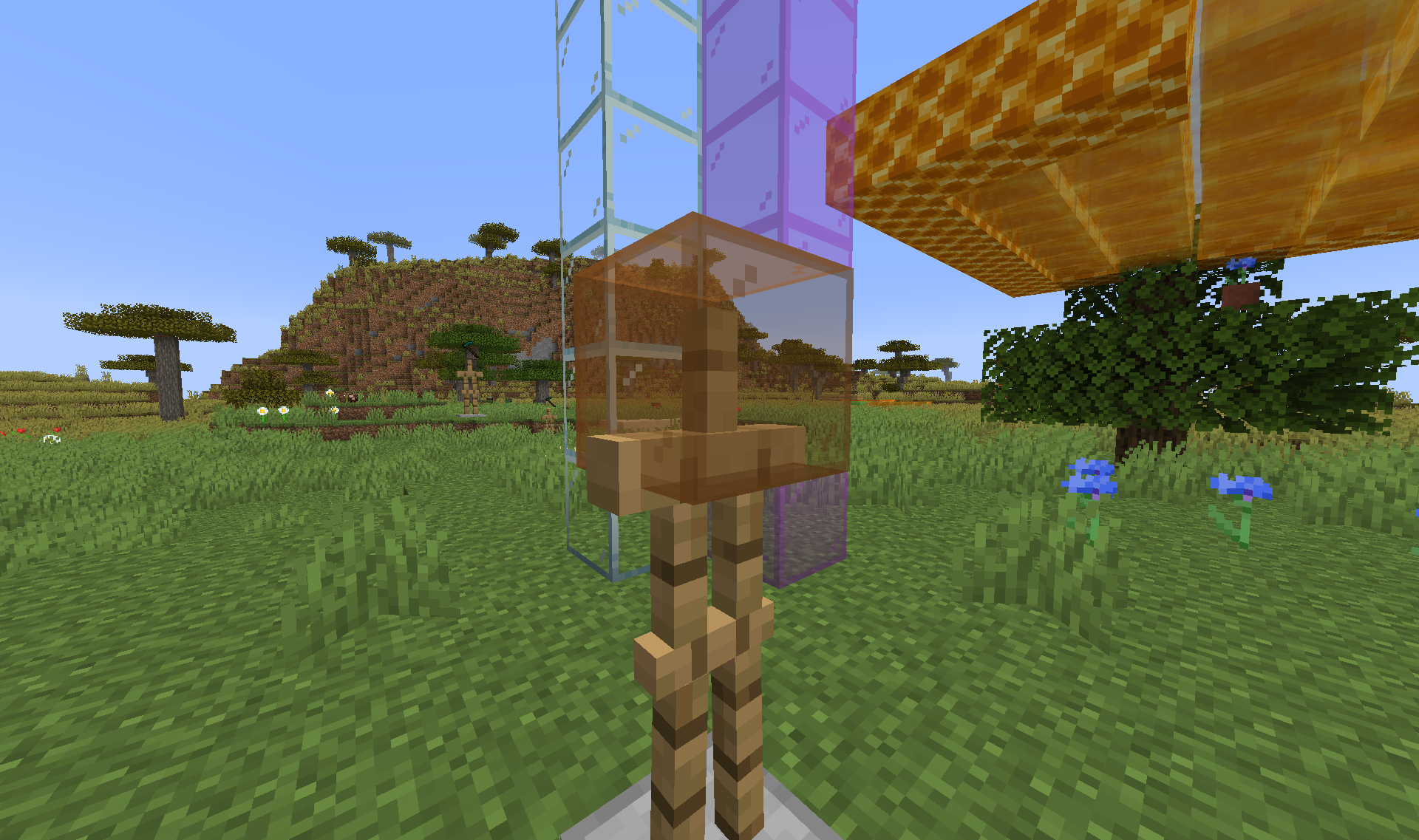
Basically if you have an armor stand wearing or holding a translucent item model (e.g. stained glass), which can be summoned using the following command:
/summon minecraft:armor_stand ~ ~ ~ {ArmorItems:[{},{},{},{id:"minecraft:orange_stained_glass",Count:1}]}and look through the translucent parts, the following problems occur:
- Translucent blocks (namely, other stained glass blocks placed in the world) do not render at all through translucent item models.
- Some entities also will not render. It seems to be purely random which entities do or do not render behind a translucent item model, it does not seem to depend on whether the entity was spawned before or after the translucent item model was summoned, or on which direction through the model you look in. Furthermore, if you have two different armor stands wearing translucent item models, it is possible for a particular entity to be visible looking through one of them but not visible looking through the other.
Basically if you have an armor stand wearing or holding a translucent item model (e.g. stained glass), which can be summoned using the following command:
/summon minecraft:armor_stand ~ ~ ~ {ArmorItems:[{},{},{},{id:"minecraft:orange_stained_glass",Count:1}]}and look through the translucent parts, the following problems occur:
- Translucent blocks (namely, other stained glass blocks placed in the world) do not render at all through translucent item models.
Some entities also will not render. It seems to be purely random which entities do or do not render behind a translucent item model, it does not seem to depend on whether the entity was spawned before or after the translucent item model was summoned, or on which direction through the model you look in. Furthermore, if you have two different armor stands wearing translucent item models, it is possible for a particular entity to be visible looking through one of them but not visible looking through the other.(Fixed in 19w42a)
Entities and translucent blocks do not render behind translucent item modelsTranslucent blocks do not render behind translucent item models
Fairly self-explanatory. To replicate, do the following steps:
1) Create a new world with the 1.20 experimental features enabled. Note that the 'Distance by Horse' statistic is listed as 0 cm
2) Spawn and saddle a camel, then ride it for a bit
3) Check the statistics again - you will see this statistic went up despite never riding a horse
Fairly self-explanatory. To replicate, do the following steps:
1) Create a new world. Note that the 'Distance by Horse' statistic is listed as 0 cm
2) Spawn and saddle a camel, then ride it for a bit
3) Check the statistics again - you will see this statistic went up despite never riding a horse

Cavinator 1 the sintax changed, you require to specify a source between the sound and the player, use
/playsound minecraft:entity.shulker.ambient hostile @a ~ ~ ~ 1 1
The command will not work if the selector resolves to more than 1 player

@Cavinator 1 that is MC-121790
You can go /testfor @e[type=!Player,name=unknown]
As long as there are no other entities in your world called that, it will pick up fishing rod bobbers.
I've used the ender dragon so its health gets affected by /entitydata to make it looks like it goes down during boss fights.
1.9 breaks this, because the health bar isn't visible so I still think it should appear when using /summon.
I know I could use the wither, but it makes the sky go darker when it spawns and I don't want that.
For me this command spawns one horde of zombies, then the model inside the spawner turns into a pig and it stops spawning anything. I'm not using the EntityID tag here, as you may notice, but it still doesn't make the SpawnPotentials work.
I also tried getting rid of the Type:Zombie parts in the SpawnPotentials code (just in case for whatever reason that one was gone too) but that doesn't work either.
/setblock ~ ~2 ~ minecraft:mob_spawner 0 replace {SpawnData:{id:Zombie,Attributes:[{Name:generic.maxHealth,Base:10}],Health:10,PersistenceRequired:1,CustomName:Zombie,CustomNameVisible:0},SpawnPotentials:[{Type:Zombie,Weight:3,Properties:{id:Zombie,Attributes:[{Name:generic.maxHealth,Base:10}],Health:10,PersistenceRequired:1,CustomName:Zombie,CustomNameVisible:0}},{Type:Skeleton,Weight:1,Properties:{id:Skeleton,Attributes:[{Name:generic.maxHealth,Base:10}],Health:10,PersistenceRequired:1,CustomName:Skeleton,CustomNameVisible:0}}],SpawnCount:12,SpawnRange:6,RequiredPlayerRange:128,MinSpawnDelay:70,MaxSpawnDelay:100,MaxNearbyEntities:15}Edit: This was done in 15w35e. So this is a bug that should be fixed for 1.9! (I noticed it said Affects versions 1.8.7)
They've changed it. Instead of Entity, in 1.8 it used to be Properties.
I guess that explains a lot.
I agree that there should be an NBT tag or something, or that this bug should at least be fixed so custom names work again. They changed it so that the ender dragon health bar does not appear when using /summon (according to https://bugs.mojang.com/browse/MC-83239 ). Now you have to build the creeper-face clay in the end to make its health bar appear, and that means that only the wither can be used. The wither's problem is that it makes the sky go darker when it is alive, which some custom map creators would not want.
Only naturally spawned slimes have those sizes. The other sizes can be spawned using commands, and function perfectly well. I have tested spawning slimes with high size values who aren't being ridden on by anything in that snapshot, and it doesn't crash. Also, when using commands, when you type in a size value it spawns a slime with the size one more than what you entered. (Since I typed in Size:3 there, it means that it spawns a large, size 4 slime).
This bug is fixed in 15w41a and b (probably because of the updated Riding tag to become the new Passengers tag).
Please put under resolved and fix version 15w41a.
Can confirm for all three dimensions.
In my LAN world with my friend, when we went to the nether we wound up stuck in a wall. (we cheated by teleporting to the nether portal's proper coordinates - we had them from playing before so we wouldn't get lost.)
When we returned to the overworld sometimes we spawned in a forest far from home, but because we also recorded our home's coordinates we could get back home.
When we went to the end we spawned over the void and died several times. More cheating was required to get the end platform's coordinates so we could go there and beat the ender dragon.
Oddly, sometimes it worked properly by putting us properly next to a nether portal or on the obsidian platform, but more often it put us somewhere else. The other thing I noticed was, with our nether portal in the overworld, located at about coordinates -75 64 200, whenever it put us in the wrong place in the nether it was the same coordinates, -75 64 200, but in the nether. Same thing with the end - our end portal's coordinates are about -800 32 550, and that was where we wound up whenever it teleported us over the void. So I guess there's a problem with the coordinate conversion, as it is said in the bug report.
This is a very serious bug that must be fixed!
This bug is still here in 15w42a.
This is a bug that seriously needs to be fixed. It would likely break all sorts of redstone contraptions. Can confirm that it happens now and not in 1.8.8
Confirmed. It's pretty funny fighting witches - they can't hurt you at all.
This bug is still going strong in 15w46a.
Oddly, it's worked fine for me but suddenly in 15w47a there is no sounds.
Except for my custom resource pack sounds, but if I turn off my resource pack there is no sound at all.
EDIT: Sounds are back for me in 15w47b!
It still affects the same world in 15w50a. Some other worlds work, though.
The world that doesn't work is an unfinished adventure map, and so I cannot attach it publicly. Do you know how I could attach it so only moderators and other people that can be trusted see it?
Can confirm. This should be fixed, since it's not often that people equip armor by right-clicking armor that they're holding in their hand.
That's pretty much what I'm hoping for, too.
I'm waiting until 1.9 is released before attempting to find an alternative way that would work for my map.
I've lost my sound again in 15w51b.
This bug is still around in 15w51b.
I know this isn't a forum, so I posted an idea for a simple way of manipulating boss health bars on a forum:
http://www.minecraftforum.net/forums/minecraft-discussion/suggestions/2527509-bosshealth-command
I've seen this happen with vanilla loot tables. Like when I go to a nether fortress, often, I find gold ingots, all in stacks of one, spread throughout the chest.
Confirmed for 15w51b
And it's still here in 16w02a.
Funnily, the mob itself is renamed (so if you rename a wither "Bob" and mouse over it, above its head it says "Bob"), but the boss health bar isn't.
Confirmed for 16w02a.
Why is this marked as a duplicate? Spawning a zombie with 1000 follow range (as highlighted in
MC-60182) would crash it, but that large amount is never needed, since mobs won't move at all while outside your render distance (which can only go up to 32 chunks, or 512 blocks). A much smaller value of 160 is much more practical for making a map where hostile mobs spawn at a distance and come towards you. This doesn't crash or cause lag in 1.8.9, even if applied to a ton of mobs, but in the 1.9 snapshots it causes lag even if only put on a handful of mobs, rendering the game unplayable. So something changed, thus taking out a useful feature of allowing mobs to follow players from large distances.Plus, it's totally broken a map that I've been working on for nearly a year.
Confirmed for 16w03a.
"We will deal with our bug list in the order that works best for us"
It is possible that they may not currently know how or why this bug exists, and are just currently focusing on bugs that they know how to fix. Once those bugs are all out of the way, they'll turn to more complicated bugs like this one.
For me, I get the error message: "An unknown error occurred while attempting to perform this command" if I just type in
And it doesn't matter what target selector I use, or if I use a player name.
However, if I type this in, adding coordinates, volume and pitch (which are all not required to be typed in in order to do this command):
I get the error message "That player cannot be found." Again it doesn't matter if I use @a or @p or a player name.
Interesting
I haven't really had much lag at all, even when playing on a LAN world with my friend, and pretty much the only place I've had lag in vanilla survival is when fighting endermen in the End. I first thought that was because of their high follow ranges of 64 blocks (I am pretty sure large follow ranges is another problem with path-finding, which would mostly be prevalent in custom maps), but with Jono's comment, I think it's because I normally place down water to keep them from hitting me.
Confirmed for 16w04a.
Confirmed for 16w04a.
I spawned an iron golem, and a skeleton on a 1-block-high ledge for the iron golem to go and attack. The skeleton kept shooting the iron golem over and over and the iron golem walked up to the ledge to the skeleton, but didn't actually jump up so it could attack it.
Confirmed for 16w05b.
Confirmed for 16w05b.
Can also confirm.
Confirmed for 16w06a.
Confirmed for 16w06a.
Confirmed for 16w07a and b.
Confirmed for 1.9 Pre-release 1 and 2
Confirmed for 1.9 Pre-releases 1 and 2
Can confirm. Suddenly no mobs are spawning at all with any of my custom spawners in my map.
Confirmed for 1.9 Pre-release 3
Confirmed for 1.9 Pre-release 3
Confirmed for 1.9 Pre-release 4
Confirmed for 1.9 Pre-release 4
Confirmed for 1.9.1 pre-release 1, 2 and 3
Confirmed for 1.9.1 Pre-releases 1, 2 and 3
I can confirm. I used this command to give myself a tipped arrow that inflicts wither for 80 seconds:
/give @p minecraft:tipped_arrow 1 0 {display:{Name:Wither Arrow},CustomPotionEffects:[{Id:20,Amplifier:1,Duration:1600}]}But when you mouse over it in your inventory, it says it lasts for 10 seconds. Yet if you shoot yourself with the arrow (using a dispenser, or by shooting it up slightly then letting it land on you), the wither is still inflicted for the full 80 seconds as shown by the command.
Normal tipped arrows obtained from the creative inventory or through vanilla crafting have proper durations and last for the proper amount of time.
This bug might possibly be caused due to the fact that effects from vanilla tipped arrows last for 1/8th of the time of normal potions, so there is probably something wrong with the code.
Confirmed for 1.9.3 pre1. Iron golems can jump once again.
Confirmed for 1.9.3 pre-release 1
Yes, confirmed fixed. Sorry about any confusion redstonehelper.
They travel up blocks in 1.9.3 pre-release 1 both on their own and when they're chasing hostile mobs.
I definitely agree. Iron golems, although they do go up blocks, they still have strange behavior. In 1.9.3 pre-release 2 I spawned an iron golem at the bottom of a hill and a skeleton at the top. The iron golem kept walking around the bottom of the hill, looking at the skeleton but failing to actually jump for about ten seconds. Then on the next level of the hill the whole thing repeated.
So something is certainly still strange with their behavior.
Confirmed for 1.9.3 pre-release 3
Confirmed for 1.10
The bug appears to be fixed in 1.10. Iron Golems are now able to jump up the single blocks on my hill to kill skeletons at the top without any problem.
Confirmed for release 1.10
I have tested in 1.10.2 and 16w42a and the strange behavior seems to not be occurring anymore. However, I think some others should test this before it is confirmed that this bug is fixed.
A bug like this still exists in 1.11.2 but only for strays and wither skeletons - giving a stray tipped arrows in their offhand doesn't cause them to change to shooting that tipped arrow, they remain shooting their normal tipped arrow that inflicts slowness for 30 seconds. Giving a wither skeleton tipped arrows makes them shoot flame arrows that do nothing else.
Normal skeletons still work properly.
This bug still exists in 17w16a for wither skeletons and strays, and happens for illusioners as well.
Yes, it is an issue in 1.11.2, and for that matter true in 1.12.1 as well.
For now you can make mobs be able to take more punishment than 1024 health by giving them the resistance effect (e.g. mob with 1024 health with resistance IV (80% resistance) gets it to 5120 health)
Can confirm for doors in 1.12.2
Can confirm that this bug isn't actually fixed in 17w45b. It also happens with other gamerules, e.g. type in "dof" and it will autocomplete to "dofireTick" and will not work - only "doFireTick" works.
Can confirm.
Can confirm this is fixed in 18w10a. Phantoms have been added to "Monster Hunter" and "Monsters Hunted", "Adventuring Time" now requires you to explore 40 biomes when it was previously 36 (they would have added Warm, Lukewarm, Cold and Frozen Oceans), and "A Balanced Diet" now requires you to eat 36 different foods, when it was previously 35, and kelp does indeed count towards it.
Can confirm for 18w10a.
"Monster Hunter" and "Monsters Hunted" should now include Drowned in 18w11a but it doesn't.
The "Conduit Power" effect was added in 18w15a, and I'd imagine this is another effect that should be added to "How Did We Get Here." Should this report be re-opened or should I post a new report?
Confirmed for 18w16a.
Confirmed for 18w19a and 18w19b
Confirmed for 18w20a
Confirmed for 18w20a.
Confirmed for 18w20b and c.
Confirmed for 18w20b and c.
Confirmed for 1.13 pre1
Confirmed for 1.13 pre1
Can confirm this bug exists in 1.13 pre-release 1. I found a cartographer in a village near an ocean monument which got an ocean monument map but no woodland mansion map.
Confirmed for 1.13 pre2
Confirmed for 1.13 pre2
Confirmed for 1.13 pre4
Confirmed for 1.13 pre4
This seems to be happening in 1.13-pre5. I came here from
MC-118841I was testing an advancement system where when you get a certain item it clears the item from your inventory, revokes the advancement, but then gives you a "reward" item. The thing I discovered is that it let me duplicate the reward items by putting the ghost block out and in my inventory over and over again
I've done a bit more digging into this problem, and I've discovered that there is a chance the advancement might work. In my advancements datapack in a world with my friend, my friend got the advancement for finding a shipwreck without any commands when he entered a shipwreck, but it was not the first shipwreck he had found in the world, and I found many shipwrecks myself but never got it.
However, the problem is not restricted to Shipwrecks, Ocean Ruins and Buried Treasure alone. It also seems to happen with Woodland Mansions, Igloos, and End Cities, but not with some other structures like Nether Fortresses, Strongholds, or Jungle Temples. What do all these structures where it doesn't always work have in common? They were added in 1.9 or later, and it was in 1.9 that they started using structures to generate structures
So there's me thinking this issue is connected somehow...
It even affects vanilla advancements. "The City At The End Of The Game" is a vanilla advancement that requires you to find an end city. I just created a new world in 1.13-pre10 without any custom advancements (so just vanilla advancements) and went to find an end city. Guess what? When I enter an end city it doesn't give me it.
I have gotten "The City At The End Of The Game" before properly but the bug is that it doesn't always work.
Can also confirm.
"How Did We Get Here", "Monster Hunter", "Monsters Hunted", and "Adventuring Time" all seem to have been fixed in 18w45a, leaving only "A Balanced Diet" unfixed.
Updated the description. "How Did We Get Here" needs to be updated with the new effect Bad Omen introduced in 18w47a.
Confirmed for 18w50a
Updated the description again. "A Balanced Diet" needs to be updated with the new food Sweet Berries.
This bug appears to be fixed in 19w02a, but only because at some stage or another in 1.14's snapshots they removed the animation where when you use the riptide trident, in your hand it no longer goes sideways, hence meaning this bug no longer happens.
Never mind, forget what I said above, another bug was making the animation not play.
As for this bug, it is confirmed for 19w02a.
Mojang added blindness and saturation to How Did We Get Here in an early 1.14 snapshot because of the suspicious stew, but then in a later one they added the new bad omen effect which still hasn't been added to the actual advancement.
This bug still exists in 19w08b in some form, however I have found that using the same criteria as found and used in "Two Birds, One Arrow" and "Arbalistic" in a custom advancement, it will work when previously it didn't, however creating a custom advancement with any different criteria using that trigger still does not work (eg even if you use the simple criteria in the description).
It is indeed fixed, although I do notice that Pillagers using a multishot crossbow disappointingly don't seem to shoot arrows in the same spread as players do. Not sure if that should mean reopening or creating a new ticket or if it's intended.
Can confirm. "Two by Two" still requires foxes in 19w11a, please reopen. "How Did We Get Here" and "A Balanced Diet" were indeed fixed.
Can confirm for 19w11a.
This bug appears to be fixed fully in 19w11a. Please marked as "fixed".
Wilker, this is where you report Minecraft Bedrock issues
https://bugs.mojang.com/projects/MCPE/summary
Can confirm for 19w13a.
Can confirm on 19w13b. Vindicators and ravagers consistently always kept moving quickly around the village, ignoring me completely. Pillagers often did this too, although occasionally pillagers did attack me.
I've had vindicators drop stone axes as well. Hard to tell if this is intended, but if it is, it's strange.
Can confirm for 1.14 Pre-release 1.
Can confirm for 1.14.4
I'm not sure when it was fixed but I just checked it in 19w40a and it appears to be fixed. Please mark as "fixed"
Happens to husks too
This seems to happen for any item with a right-click function when looking at an iron golem, whether it be throwing snowballs, using a bow, crossbow or trident, or drinking a potion or eating food.
I'm in 19w42a, and I'm playing on full screen and I've noticed if you scroll the "Adventure" tab all the way to the top or the bottom the advancements can still be seen outside the menu (the clipping doesn't extend out all the way). Screenshot is attached
The entity component appears to be fixed in 19w42a. So I've updated the ticket
Just adding my own screenshot from my duplicate bug report where this bug also happens with transparent items being worn by armor stands
Can confirm for 19w45a.
With regards to the recent change to "Community Consensus" I remember having problems with this bug in my map back in 1.14.1 and 1.14.2 but ever since (in 1.14.3 and 1.14.4) I have seen no sign of it occurring again
I can additionally confirm this bug's existence
Still broken in 1.15.2 Pre-Release 1
Still broken in 1.15.2 Pre-Release 1
Confirmed for 20w09a
Confirmed for 20w09a
Confirmed for 1.15.2 and 20w09a
Confirmed for 20w11a
Confirmed for 20w11a
Confirmed for 20w11a
Confirmed for 20w12a
Confirmed for 20w12a
Confirmed for 20w12a
Both type of fungi are renewable now in 20w12a through using bone meal on nylium
Confirmed for 20w13a
Confirmed for 20w13a
Confirmed for 20w13a
Confirmed for 20w15a
Confirmed for 20w15a
Confirmed for 20w16a
Confirmed for 20w16a
Confirmed for 20w16a
Confirmed for 20w17a
Confirmed for 20w17a
Confirmed for 20w17a
Can additionally confirm this bug's existence, and i would really like to see this bug get fixed.
Aikar's comment about adding a target_range attribute would also be good.
Can confirm for 1.16.2
Confirmed for 1.16.4
Can also confirm
Can confirm this bug's existence
Can confirm for 1.16.5 and 21w15a.
Confirmed for 1.16.5 and 21w15a.
Can confirm for 1.19.4 Pre-Release 3
Confirmed for 1.20.4.
Can confirm in 1.21
You can replicate this just in survival by simply renaming a Trial Key in an anvil - that trial key becomes unable to unlock any vault in trial chambers anywhere