 Bryttany Nikole Messina
- Cryptic_Vyper
- cryptic_vyper
- America/Chicago
- Yes
- No
 MCPE-58640MCPE-132046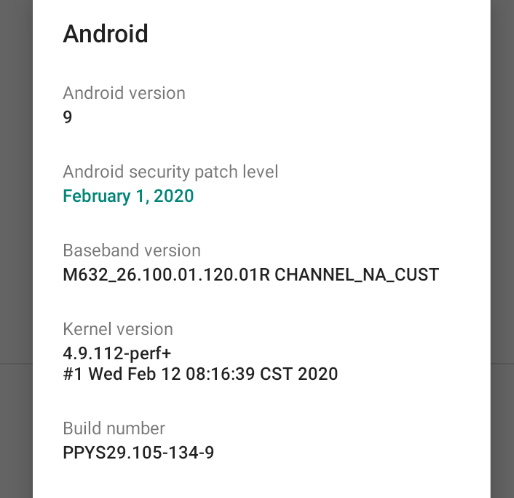




















When playing offline mode with multiple players using split screen on a single world, host skin will remain as created/selected, however guests on the split screen world, that have their own PSN/Microsoft log in accounts, the skins are not saved into the world data.
Once player 2/3/4 join game on their PSN/Microsoft accounts on a single console PS4 system and join the Host's world in Minecraft. Players 2/3/4 in split screen can create a character skin for themselves to use in the world, however upon save and exit of the world, players 2/3/4 skins are lost. When host loads the same world, with the same 2/3/4 players using the same PSN/Microsoft log in IDs jo
king the world they have already played, they load as Steve and not the skins they took 30-45 minutes creating for the world.
This disrupts immersion, game play, and causes frustration to players 2/3/4 who spent all that time creating their in game look.
After the 2nd or 3rd rejoining of the world and having to re-create their skins each time they join the world, it making them to want to stop playing Minecraft Bedrock Edition.
This issue was not present in PlayStation 4 Edition update 1.95 or below, it has only occurred with the 1.99 PS4 Edition update which installed Bedrock 1.14.0 onto PlayStation 4. This issue does not exist when using the Editions button and play the Legacy Console PS4 Edition (it remembers split screen skins for all players)… the issue is only with the Minecraft "Bedrock" Edition 1.14.0 world play on the PlayStation 4 Console.
When playing offline mode with multiple players using split screen on a single world, host skin will remain as created/selected, however guests on the split screen world, that have their own PSN/Microsoft log in accounts, the skins are not saved into the world data.
Once player 2/3/4 join game on their PSN/Microsoft accounts on a single console PS4 system and join the Host's world in Minecraft. Players 2/3/4 in split screen can create a character skin for themselves to use in the world, however upon save and exit of the world, players 2/3/4 skins are lost. When host loads the same world, with the same 2/3/4 players using the same PSN/Microsoft log in IDs joining the world they have already played, they load as Steve and not the skins they took 30-45 minutes creating for the world.
This disrupts immersion, game play, and causes frustration to players 2/3/4 who spent all that time creating their in game look.
After the 2nd or 3rd rejoining of the world and having to re-create their skins each time they join the world, it making them to want to stop playing Minecraft Bedrock Edition.
This issue was not present in PlayStation 4 Edition update 1.95 or below, it has only occurred with the 1.99 PS4 Edition update which installed Bedrock 1.14.0 onto PlayStation 4. This issue does not exist when using the Editions button and play the Legacy Console PS4 Edition (it remembers split screen skins for all players)… the issue is only with the Minecraft "Bedrock" Edition 1.14.0 world play on the PlayStation 4 Console.
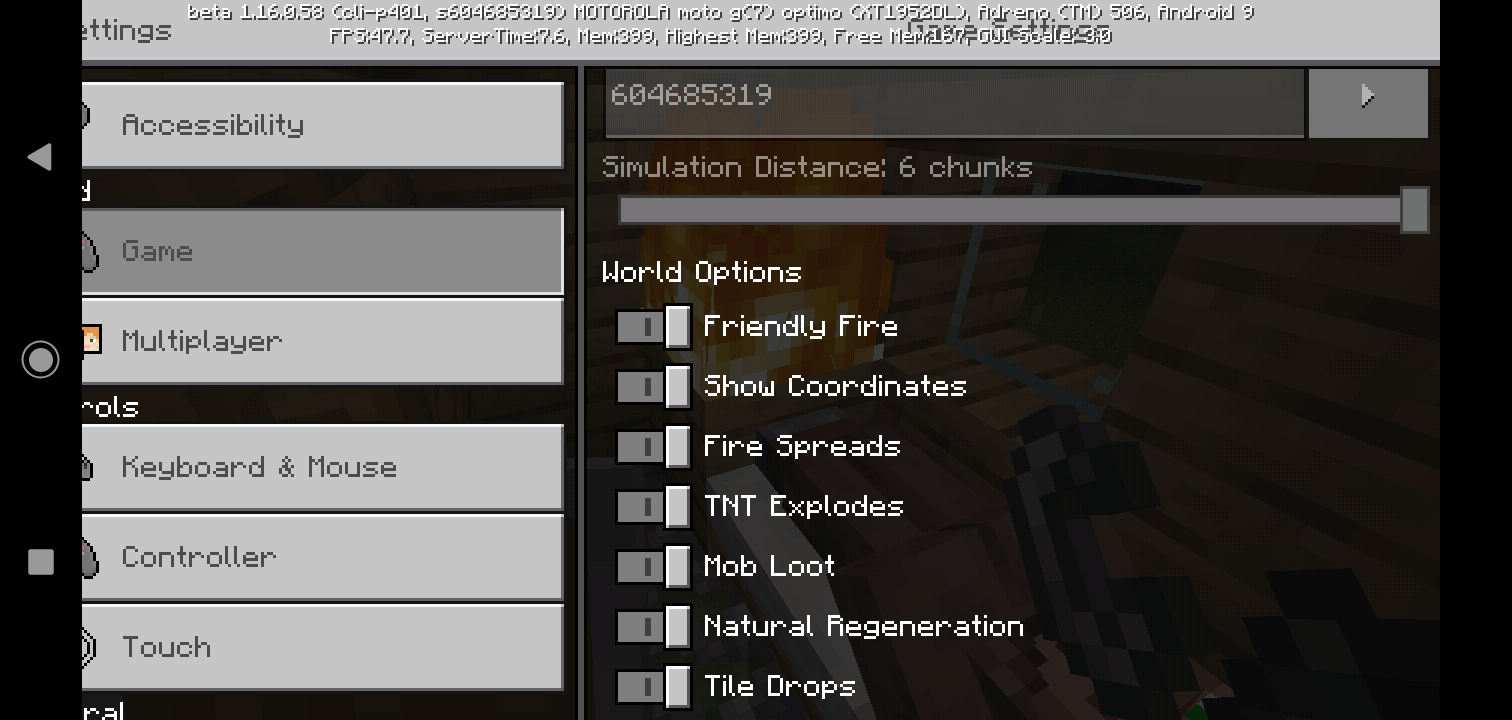
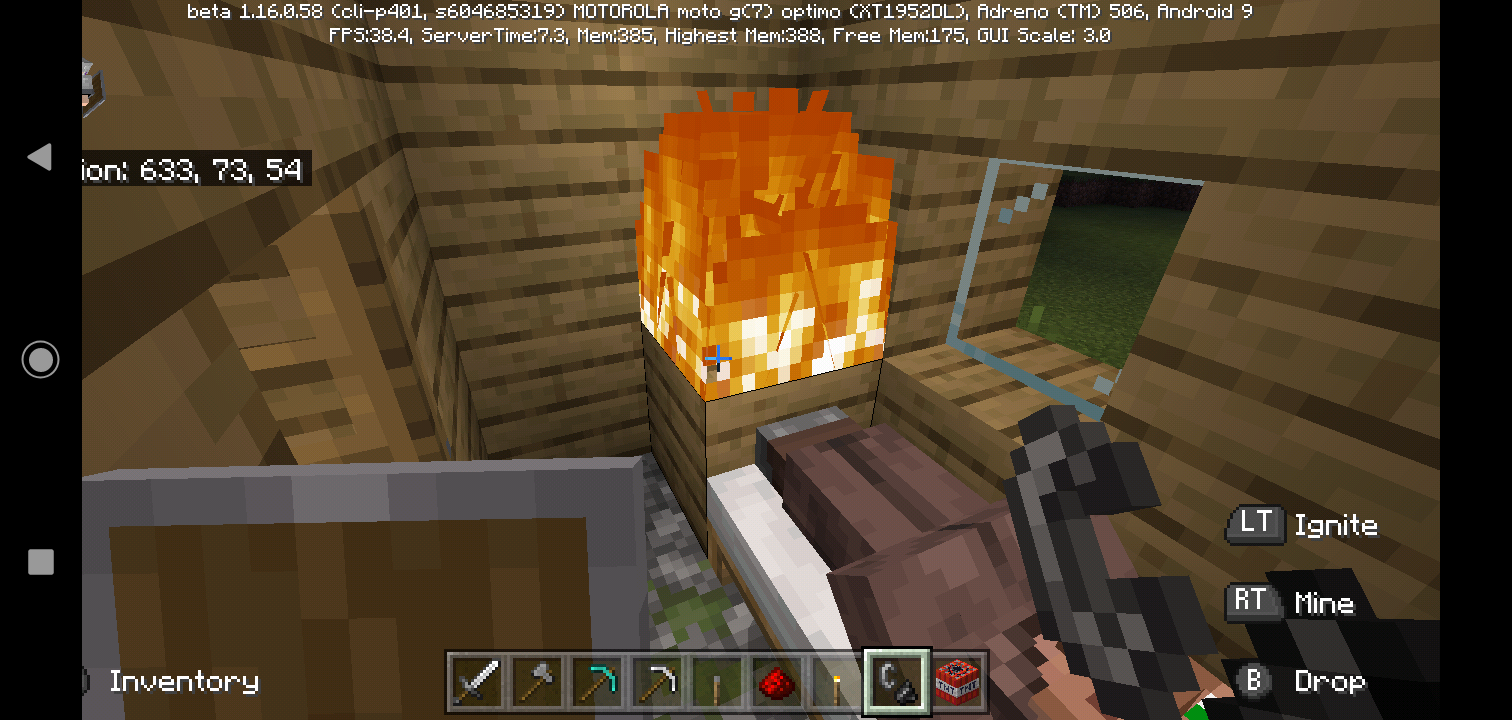
Fire spreads caused by lava or other sources, when fire spreads to TNT, TNT catches fire on sides and to
obut it does not ignite TNT fuse to detonate TNT. Fire eventually burns out leaving TNT intact.Tested on Moto G7 Optimo/Play. OS: Android 9 Pie
Fire spreads caused by lava or other sources, when fire spreads to TNT, TNT catches fire on sides and top but it does not ignite TNT fuse to detonate TNT. Fire eventually burns out leaving TNT intact.
Tested on Moto G7 Optimo/Play. OS: Android 9 Pie
Attempting to create a loadstone in 1.16.0.59…recipe book does not have loadstone, no
tcan you craft it in the manual craft table.Was attempting to craft loadstone to market entry to my double skeleton spawner and to market nether portal.. loadstone is not currently in Creative or Survival menus.
Attempting to create a loadstone in 1.16.0.59…recipe book does not have loadstone, nor can you craft it in the manual craft table.
Was attempting to craft loadstone to market entry to my double skeleton spawner and to market nether portal.. loadstone is not currently in Creative or Survival menus.
Attempting to create a loadstone in 1.16.0.59…recipe book does not have loadstone, nor can you craft it in the manual craft table.
Was attempting to craft loadstone to mark
etentry to my double skeleton spawner and to marketnether portal.. loadstone is not currently in Creative or Survival menus.
Animations for the arms of Yoda and Ewoks do not work except for walking. When eating an item, arm does not show, empty hand, arm does not show, in 3rd person, arm does not move when mining
iteating or placing blocks.If you equip an Emote, model fails to load on older versions of separate platform.
Ex.. Android Beta 1.16.0.60, Emote (Yoda Bob, Ewok Bob, R2D2 Bob (no waves)… when wave Emote set, however when signing into PS4 (7.05 OS) on Minecraft version 7.02 (1.14.60) the skin fails to load until you disabled or removesaving Emote on the Beta Version first due to PS4 linking accounts on Xbox Minecraft versions.This becomes disruptive when playing multiple platforms on different versions when Beta is not available on certain platforms.
Classic Star Wars Skin Pack needs to be updated for latest versions to include arm movements on all characters, and to include emotes on all skin models, and to be cross platform compliant us running on different update versions.
Animations for the arms of Yoda and Ewoks do not work except for walking. When eating an item, arm does not show, empty hand, arm does not show, in 3rd person, arm does not move when mining or eating or placing blocks.
If you equip an Emote, model fails to load on older versions of separate platform.
Ex.. Android Beta 1.16.0.60, Emote (Yoda Bob, Ewok Bob, R2D2 Bob (no waves)… when wave Emote set, however when signing into PS4 (7.05 OS) on Minecraft version 7.02 (1.14.60) the skin fails to load until you disabled or remove waving Emote on the Beta Version (Android) first due to PS4 linking accounts on Xbox Minecraft versions.This becomes disruptive when playing multiple platforms on different versions when Beta is not available on certain platforms (Beta not available on PS4 Bedrock, but accounts are linked on Xbox Live and Android version is Beta).
Classic Star Wars Skin Pack needs to be updated for latest versions to include arm movements on all characters, and to include emotes on all skin models, and to be cross platform compliant us running on different update versions. I paid money for this pack and expect it to work as the default in game models.
Animations for the arms of Yoda and Ewoks do not work except for walking. When eating an item, arm does not show, empty hand, arm does not show, in 3rd person, arm does not move when mining or eating or placing blocks.
If you equip an Emote, model fails to load on older versions of separate platform.
Ex.. Android Beta 1.16.0.60, Emote (Yoda Bob, Ewok Bob, R2D2 Bob (no waves)… when wave Emote set, however when signing into PS4 (7.05 OS) on Minecraft version 7.02 (1.14.60) the skin fails to load until you disabled or remove waving Emote on the Beta Version (Android) first due to PS4 linking accounts on Xbox Minecraft versions.This becomes disruptive when playing multiple platforms on different versions when Beta is not available on certain platforms (Beta not available on PS4 Bedrock, but accounts are linked on Xbox Live and Android version is Beta).
Classic Star Wars Skin Pack needs to be updated for latest versions to include arm movements on all characters, and to include emotes on all skin models, and to be cross platform compliant
usrunning on different update versions. I paid money for this pack and expect it to workasthe default ingame models.Animations for the arms of Yoda and Ewoks do not work except for walking. When eating an item, arm does not show, empty hand, arm does not show, in 3rd person, arm does not move when mining or eating or placing blocks.
If you equip an Emote, model fails to load on older versions of separate platform.
Ex.. Android Beta 1.16.0.60, Emote (Yoda Bob, Ewok Bob, R2D2 Bob (no waves)… when wave Emote set, however when signing into PS4 (7.05 OS) on Minecraft version 7.02 (1.14.60) the skin fails to load until you disabled or remove waving Emote on the Beta Version (Android) first due to PS4 linking accounts on Xbox Minecraft versions.This becomes disruptive when playing multiple platforms on different versions when Beta is not available on certain platforms (Beta not available on PS4 Bedrock, but accounts are linked on Xbox Live and Android version is Beta).
Classic Star Wars Skin Pack needs to be updated for latest versions to include arm movements on all characters, and to include emotes on all skin models, and to be cross platform compliant if running/using on different update versions. I paid money for this pack and expect it to work just like the default in-game models.
When putting an item down for a fox, item disappears but is not in Fox's mouth, it is deleted from game, even upon killing the fox after it "picks up" item that disappears, item is just gone. When spawning in a fox that has item in mouth, if you give it
good, food disappears and item stays in fix mouth I stead of fox dropping item, picking up food into mouth, and then after a short period of time eating the food leaving mouth empty. If you are trying to get fox to hold a sword in mouth, the sword disappears like fix picks it up, but item is not in mouth, and sword enchantments do not work if it kills chickens (fire aspect II to cook chicken)… the sword does not appear in mouth, sword item is gone, not recoverable..Expected results, fox picks up or swaps items in mouth and carries it until swapped with another item, if item is food, f
ix eats food after a minute or so, items do not disappear and should be recoverable by trading items with the fox.When putting an item down for a fox, item disappears but is not in Fox's mouth, it is deleted from game, even upon killing the fox after it "picks up" item that disappears, item is just gone. When spawning in a fox that has item in mouth, if you give it food, food disappears and item stays in fox mouth I stead of fox dropping item, picking up food into mouth, and then after a short period of time eating the food leaving mouth empty. If you are trying to get fox to hold a sword in mouth, the sword disappears like fox picks it up, but item is not in mouth, and sword enchantments do not work if it kills chickens (fire aspect II to cook chicken)… the sword does not appear in mouth, sword item is gone, not recoverable..
Expected results, fox picks up or swaps items in mouth and carries it until swapped with another item, if item is food, fox eats food after a minute or so, items do not disappear and should be recoverable by trading items with the fox or fox dies.
If you mean pay to play.. ummm no.
If you mean like in game diamonds or emeralds, if open world like Minecraft is, it's up to you to catch them and make them pay, if on a custom server, then maybe that could be done, if they can't break the bricks or barriers.
When playing on my Moto G7 Play, The latest Bet
s(1.16.0.63) starts chugging/lagging after 20-30 minif game play, and progressively gets worse, indicating a memory leak.When playing on my Moto G7 Play, The latest Beta (1.16.0.63) starts chugging/lagging after 20-30 min of game play, and progressively gets worse, indicating a memory leak.
Cats caught in a 1x1 spacerespawn when chunk unloadsCats caught in a 1x1 space despawn when chunk unloads
This is a repost of a bug to the Beta Update released to Android on
5/5/20, version 1.66.0.66A Dev or mid closed my last bug report and attached it to PS4 version 1.14.30 from months ago. This should not have been done as
1) everything was working correctly on Android Betas up to 1.16.0.62, it was only 1.0.16.63, 1.16.0.64, 1.16.0.65, and now 1.16.0.66.
2) this is Android Platform, not PS4
3) This is Beta Build 1.16.0.66, not release version 1.14.30 or 1.14.60.
Let's not confuse platform and builds again.
This is Android Platform, Android 9 Pie, April 1, 2020 Security Patch, MCPE edition, Beta Build 1.16.0.66.
So let's keep this in the proper category.
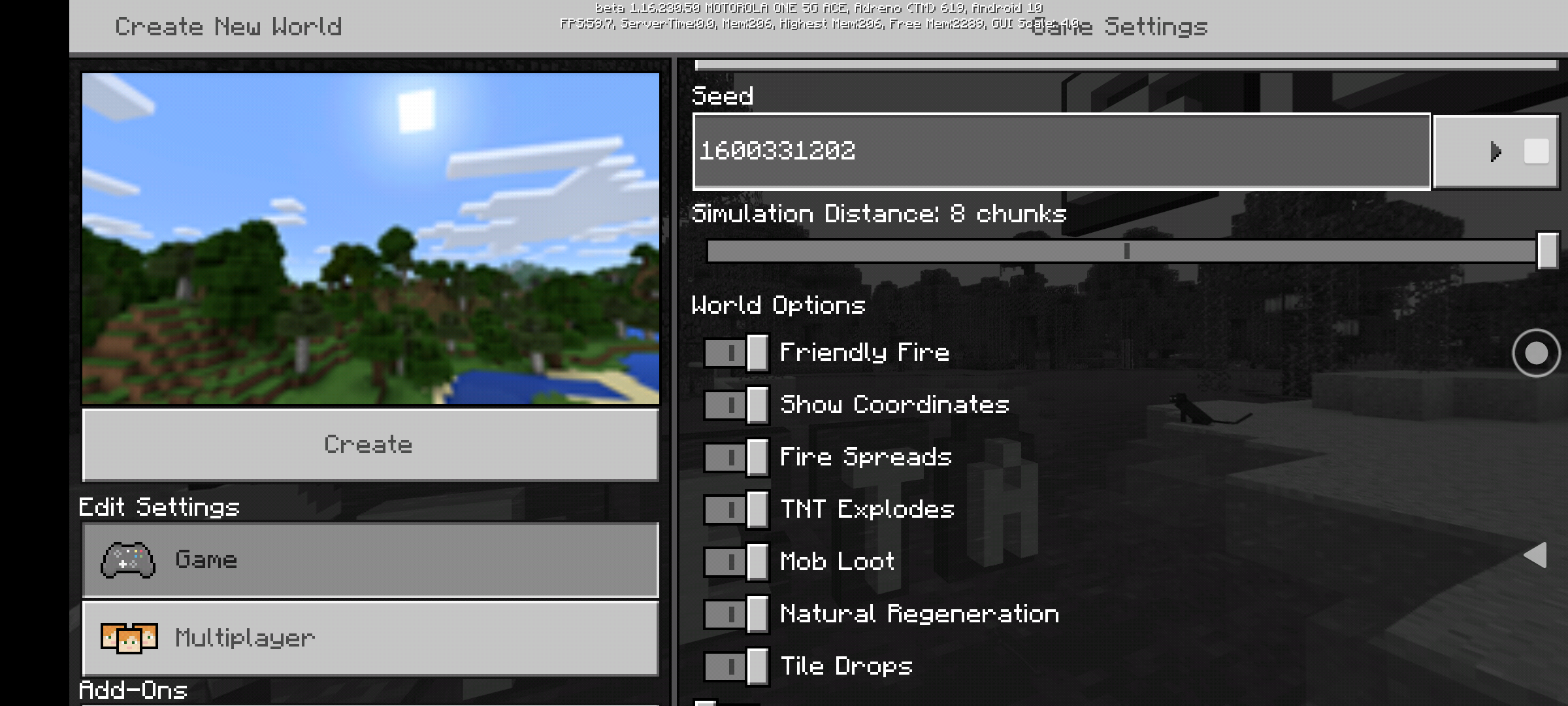
The issue is with new world generation (I'm using seed 1600331202)… Structures like Desert Temples, some villager houses, Jungle Temples, some underwater ruins, and ruined portals do not generate with loot chests inside. This also periodically applies to known dungeon locations not generating at all.
Previous issue was loot chests not generating or loot chests being empty (1.16.0.63, 1.16.0.64, and 1.60.0.65), currently 1.16.0.66 seems to have loot appearing in chests correctly, however Generated structures which players hunt their maps for like Desert Temples, villages, dungeons, jungle temples, etc, many, but not all, are generating with no loot chests inside.
Let's not burry this with an outdated 1.14.60 bug report, let's address this one on the merits of 1.16.0.66 beta.
This is a repost of a bug to the Beta Update released to Android on 6/5/20, version 1.66.0.66
A Dev or mid closed my last bug report and attached it to PS4 version 1.14.30 from months ago. This should not have been done as
1) everything was working correctly on Android Betas up to 1.16.0.62, it was only 1.0.16.63, 1.16.0.64, 1.16.0.65, and now 1.16.0.66.
2) this is Android Platform, not PS4
3) This is Beta Build 1.16.0.66, not release version 1.14.30 or 1.14.60.
Let's not confuse platform and builds again.
This is Android Platform, Android 9 Pie, April 1, 2020 Security Patch, MCPE edition, Beta Build 1.16.0.66.
So let's keep this in the proper category.
The issue is with new world generation (I'm using seed 1600331202)… Structures like Desert Temples, some villager houses, Jungle Temples, some underwater ruins, and ruined portals do not generate with loot chests inside. This also periodically applies to known dungeon locations not generating at all.
Previous issue was loot chests not generating or loot chests being empty (1.16.0.63, 1.16.0.64, and 1.60.0.65), currently 1.16.0.66 seems to have loot appearing in chests correctly, however Generated structures which players hunt their maps for like Desert Temples, villages, dungeons, jungle temples, etc, many, but not all, are generating with no loot chests inside.
Let's not burry this with an outdated 1.14.60 bug report, let's address this one on the merits of 1.16.0.66 beta.
This is a repost of a bug to the Beta Update released to Android on 6/
5/20, version 1.66.0.66A Dev or mid closed my last bug report and attached it to PS4 version 1.14.30 from months ago. This should not have been done as
1) everything was working correctly on Android Betas up to 1.16.0.62, it was only 1.0.16.63, 1.16.0.64, 1.16.0.65, and now 1.16.0.66.
2) this is Android Platform, not PS4
3) This is Beta Build 1.16.0.66, not release version 1.14.30 or 1.14.60.
Let's not confuse platform and builds again.
This is Android Platform, Android 9 Pie, April 1, 2020 Security Patch, MCPE edition, Beta Build 1.16.0.66.
So let's keep this in the proper category.
The issue is with new world generation (I'm using seed 1600331202)… Structures like Desert Temples, some villager houses, Jungle Temples, some underwater ruins, and ruined portals do not generate with loot chests inside. This also periodically applies to known dungeon locations not generating at all.
Previous issue was loot chests not generating or loot chests being empty (1.16.0.63, 1.16.0.64, and 1.60.0.65), currently 1.16.0.66 seems to have loot appearing in chests correctly, however Generated structures which players hunt their maps for like Desert Temples, villages, dungeons, jungle temples, etc, many, but not all, are generating with no loot chests inside.
Let's not burry this with an outdated 1.14.60 bug report, let's address this one on the merits of 1.16.0.66 beta.
This is a repost of a bug to the Beta Update released to Android on 6/4/20, version 1.66.0.66
A Dev or mid closed my last bug report and attached it to PS4 version 1.14.30 from months ago. This should not have been done as
1) everything was working correctly on Android Betas up to 1.16.0.62, it was only 1.0.16.63, 1.16.0.64, 1.16.0.65, and now 1.16.0.66.
2) this is Android Platform, not PS4
3) This is Beta Build 1.16.0.66, not release version 1.14.30 or 1.14.60.
Let's not confuse platform and builds again.
This is Android Platform, Android 9 Pie, April 1, 2020 Security Patch, MCPE edition, Beta Build 1.16.0.66.
So let's keep this in the proper category.
The issue is with new world generation (I'm using seed 1600331202)… Structures like Desert Temples, some villager houses, Jungle Temples, some underwater ruins, and ruined portals do not generate with loot chests inside. This also periodically applies to known dungeon locations not generating at all.
Previous issue was loot chests not generating or loot chests being empty (1.16.0.63, 1.16.0.64, and 1.60.0.65), currently 1.16.0.66 seems to have loot appearing in chests correctly, however Generated structures which players hunt their maps for like Desert Temples, villages, dungeons, jungle temples, etc, many, but not all, are generating with no loot chests inside.
Let's not burry this with an outdated 1.14.60 bug report, let's address this one on the merits of 1.16.0.66 beta.
This is a repost of a bug to the Beta Update released to Android on 6/4/20, version 1.66.0.66
A Dev or m
id closed my last bug report and attached it to PS4 version 1.14.30 from months ago. This should not have been done as1) everything was working correctly on Android Betas up to 1.16.0.62, it was only 1.0.16.63, 1.16.0.64, 1.16.0.65, and now 1.16.0.66.
2) this is Android Platform, not PS4
3) This is Beta Build 1.16.0.66, not release version 1.14.30 or 1.14.60.
Let's not confuse platform and builds again.
This is Android Platform, Android 9 Pie, April 1, 2020 Security Patch, MCPE edition, Beta Build 1.16.0.66.
So let's keep this in the proper category.
The issue is with new world generation (I'm using seed 1600331202)… Structures like Desert Temples, some villager houses, Jungle Temples, some underwater ruins, and ruined portals do not generate with loot chests inside. This also periodically applies to known dungeon locations not generating at all.
Previous issue was loot chests not generating or loot chests being empty (1.16.0.63, 1.16.0.64, and 1.60.0.65), currently 1.16.0.66 seems to have loot appearing in chests correctly, however Generated structures which players hunt their maps for like Desert Temples, villages, dungeons, jungle temples, etc, many, but not all, are generating with no loot chests inside.
Let's not burry this with an outdated 1.14.60 bug report, let's address this one on the merits of 1.16.0.66 beta.
This is a repost of a bug to the Beta Update released to Android on 6/4/20, version 1.66.0.66
A Dev or mod closed my last bug report and attached it to PS4 version 1.14.30 from months ago. This should not have been done as
1) everything was working correctly on Android Betas up to 1.16.0.62, it was only 1.0.16.63, 1.16.0.64, 1.16.0.65, and now 1.16.0.66.
2) this is Android Platform, not PS4
3) This is Beta Build 1.16.0.66, not release version 1.14.30 or 1.14.60.
Let's not confuse platform and builds again.
This is Android Platform, Android 9 Pie, April 1, 2020 Security Patch, MCPE edition, Beta Build 1.16.0.66.
So let's keep this in the proper category.
The issue is with new world generation (I'm using seed 1600331202)… Structures like Desert Temples, some villager houses, Jungle Temples, some underwater ruins, and ruined portals do not generate with loot chests inside. This also periodically applies to known dungeon locations not generating at all.
Previous issue was loot chests not generating or loot chests being empty (1.16.0.63, 1.16.0.64, and 1.60.0.65), currently 1.16.0.66 seems to have loot appearing in chests correctly, however Generated structures which players hunt their maps for like Desert Temples, villages, dungeons, jungle temples, etc, many, but not all, are generating with no loot chests inside.
Let's not burry this with an outdated 1.14.60 bug report, let's address this one on the merits of 1.16.0.66 beta.
When playing game, if you are traveling, building, mining, and especially fighting, game freezes/hesitates during autisave.
When mining, blocks will disappear, then after autosave completes, all the broken blocks update and then item drops.
While fighting, you hit enemy 3
/5/5 times, like a zombie, with a diamond sword with Smite V on it (should be 1 hit one kill on zombie with no armor). Mobs will not die until autosave completes.When traveling, like in minecart or horse at high rate of speed, when autosave hits, you freeze in place intermittently. 2-3 times while autosave completes.
This is all immersion breaking and is a big pain when exploring the world at night or traveling minecart across world..
This is on Motorola G7 Play, Android 9 Pie Security Patch April 1, 2020
MCPE Beta Update 1.16.0.66When playing game, if you are traveling, building, mining, and especially fighting, game freezes/hesitates during autisave.
When mining, blocks will disappear, then after autosave completes, all the broken blocks update and then item drops.
While fighting, you hit enemy 3, 4, or 5 times, like a zombie, with a diamond sword with Smite V on it (should be 1 hit one kill on zombie with no armor). Mobs will not die until autosave completes.
When traveling, like in minecart or horse at high rate of speed, when autosave hits, you freeze in place intermittently. 2-3 times while autosave completes.
This is all immersion breaking and is a big pain when exploring the world at night or traveling minecart across world..
This is on Motorola G7 Play, Android 9 Pie Security Patch April 1, 2020
MCPE Beta Update 1.16.0.66
Game hesitates/temporarily freezes during autisaveGame hesitates - temporarily freezes during autisave
Game hesitates - temporarily freezes during autisaveGame hesitates - temporarily freezes during autosave
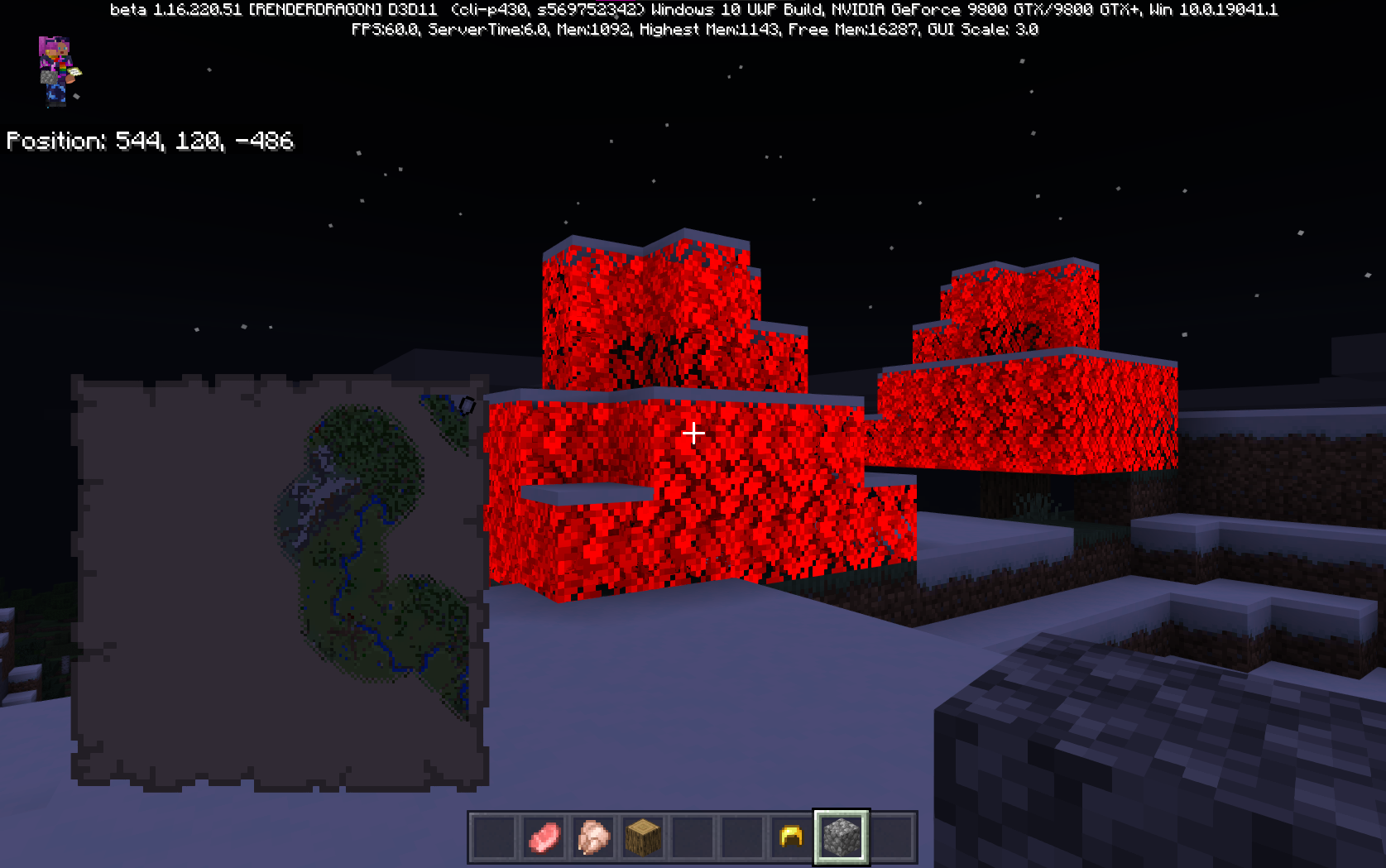
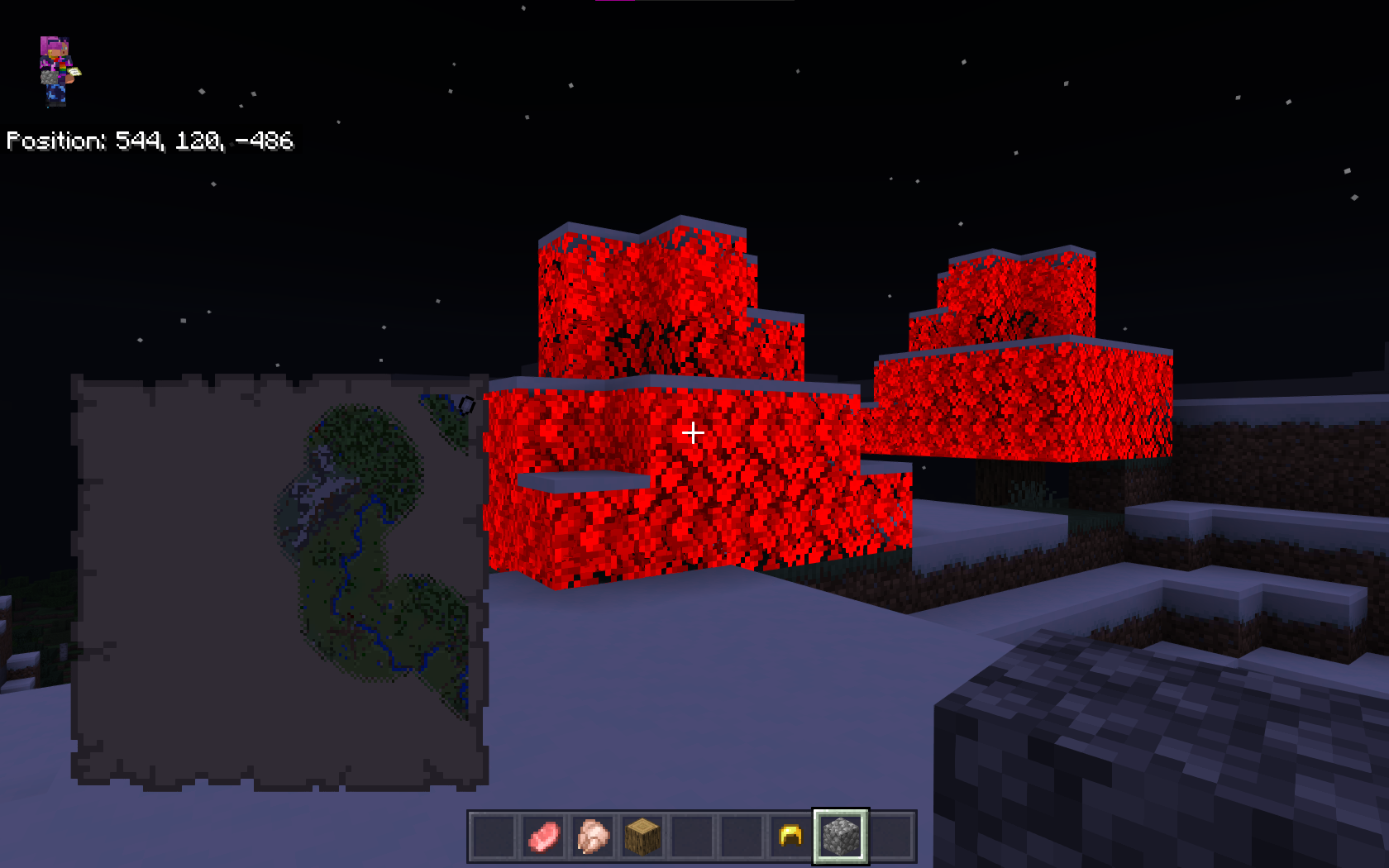
Oak trees growing on new mountain generation are showing red leaves, Spruce shows red exterior leaves and green interior leaves on new mountain generations.
expected green leaves on all world generations
System is a dynosaur, but it is what i use.
Compaq Presario CQ5320F main chasis upgraded
Mainboard:
Manufacturer: Pegatron
Form factor: microATX - 24.4 cm (9.6 inches) x 24.4 cm (9.6 inches)
Chipset: NVIDIA GeForce 6150SE nForce 430
Memory sockets: 2 x DDR3
Front side bus speeds: 2000MT/s (2.0 GT/s)
Processor socket: AM3
Expansion Slots:
1 PCI Express x16 slot for graphics card
2 PCI Express x1 slots
1 PCI slotRam:
Manufactruer: MemoryMasters
16GB Kit (2x8GB) DualRank 1333MHz DDR3 Non-ECC Unbuffered CL9Video Card:
FXF Geforce 9800 GTX 512MB
NVidia Driver version: 21.21.13.4201 Release date: 11/14/16CPU:
AMD Phenom(tm) II X4 945 Processor 3.00 GHzOS:
Edition Windows 10 Home
Version 21H1
Installed on 2/21/2021
OS build 19043.867
Experience Windows Feature Experience Pack 120.2212.3030.0
This is a persistent bug ever since caves and cliffs was introduced.
This dungeon is famous on several content creator sites, blog posts, forum boards.
Seed 1600331202
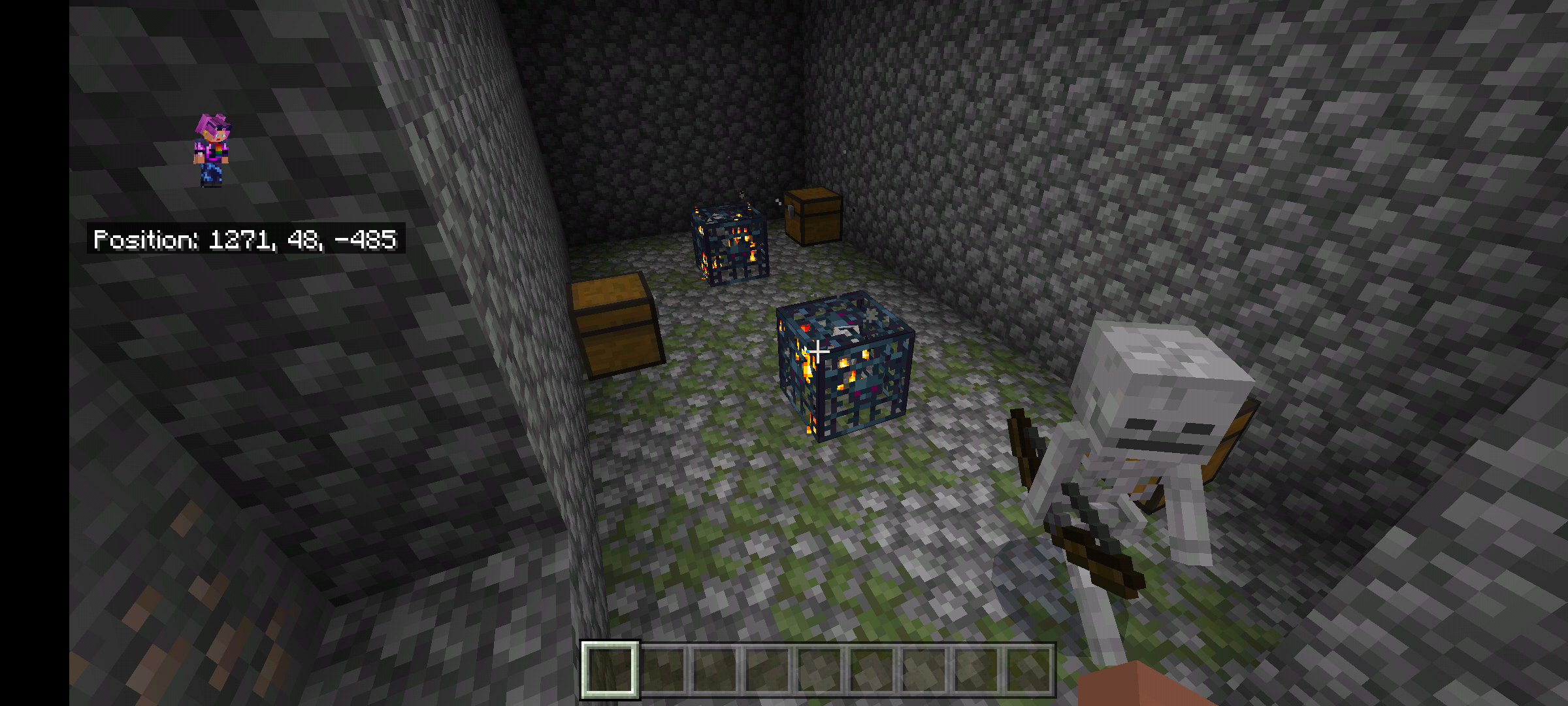
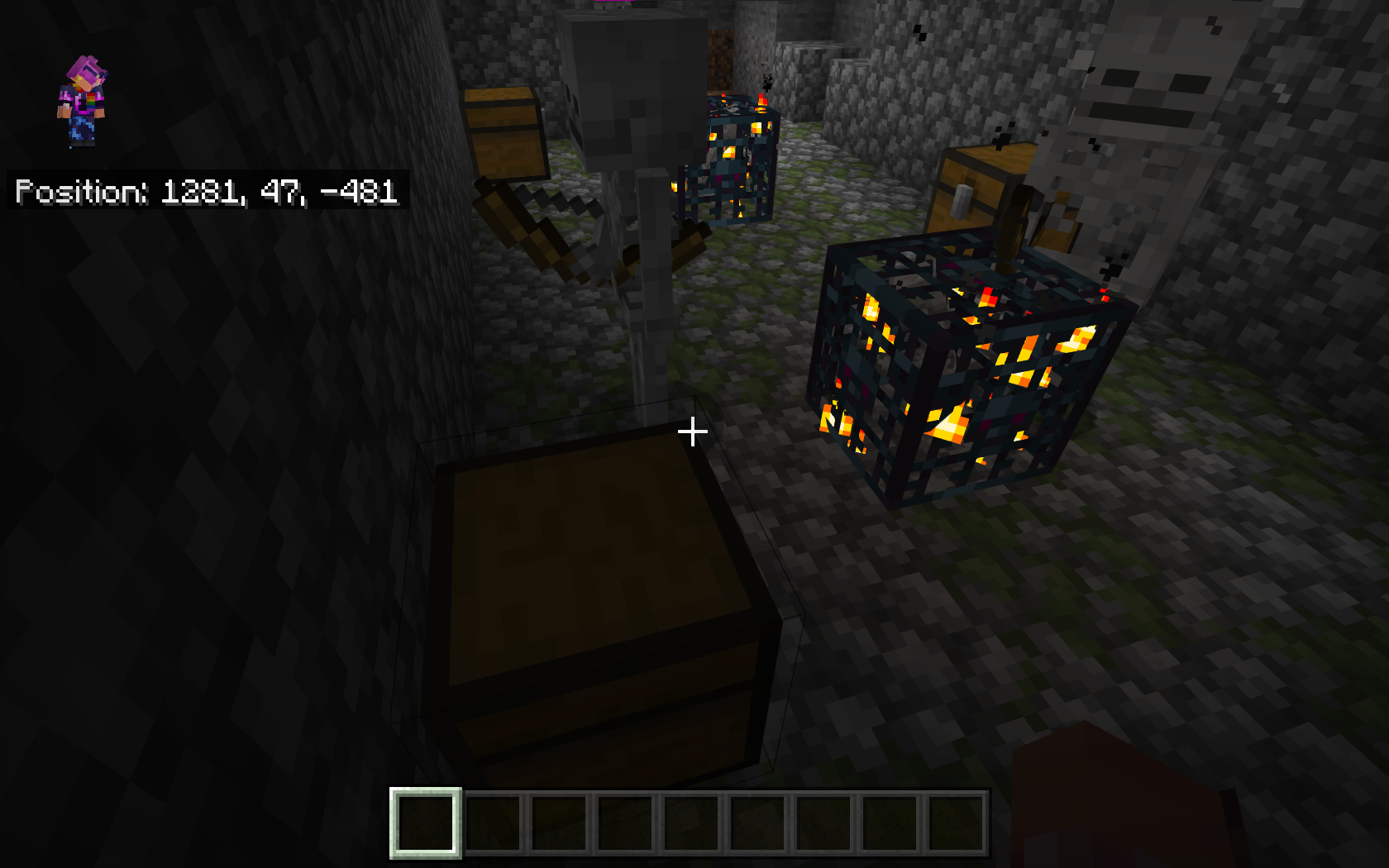
Dungeon in a side by side double skeleton spawner just next to a slime chunk at y=47.
The double spawner is next to a village which has a end portal fortress
There was another single skeleton spawner about 4 chunks away at y=11 next to a lava pit.The double skeleton spawner has been present in game since before the Village and Pillage
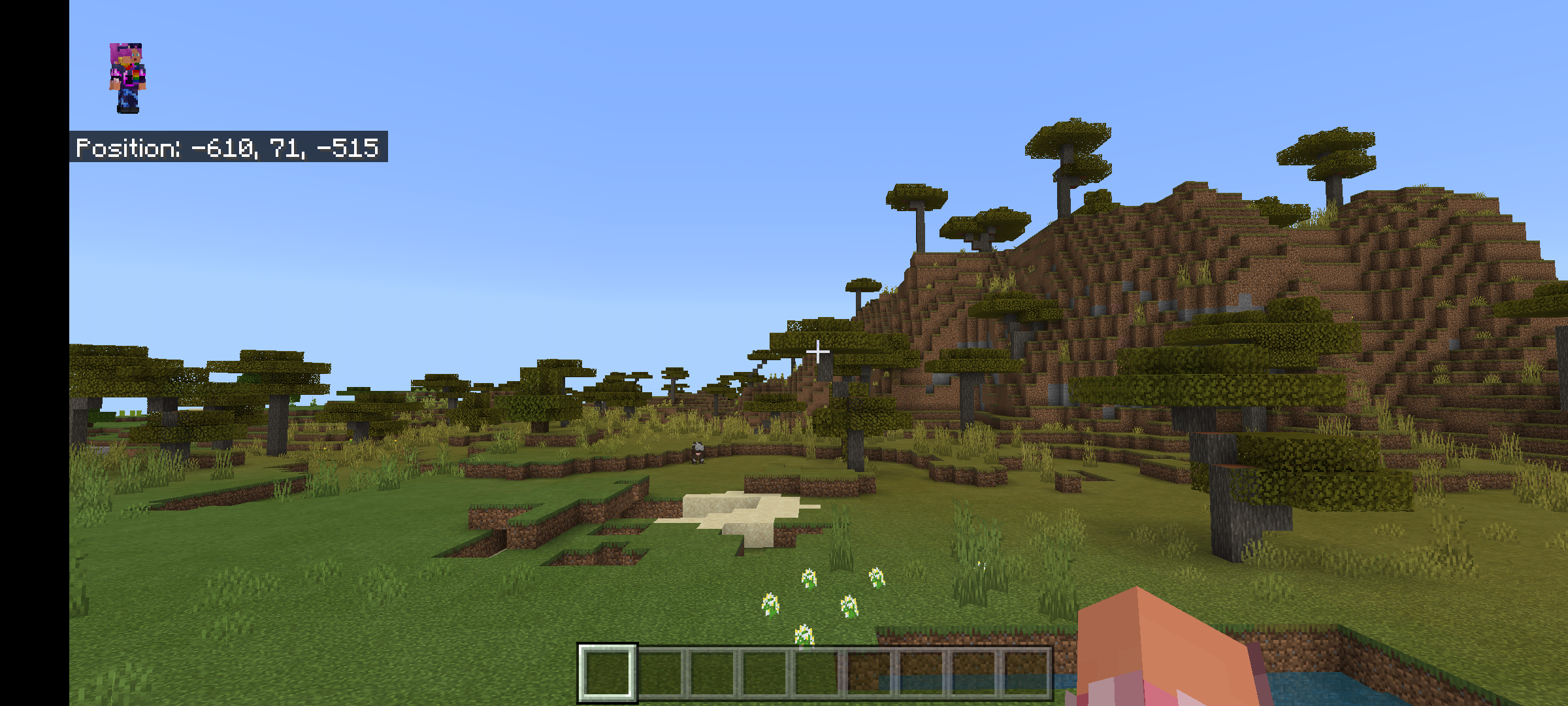
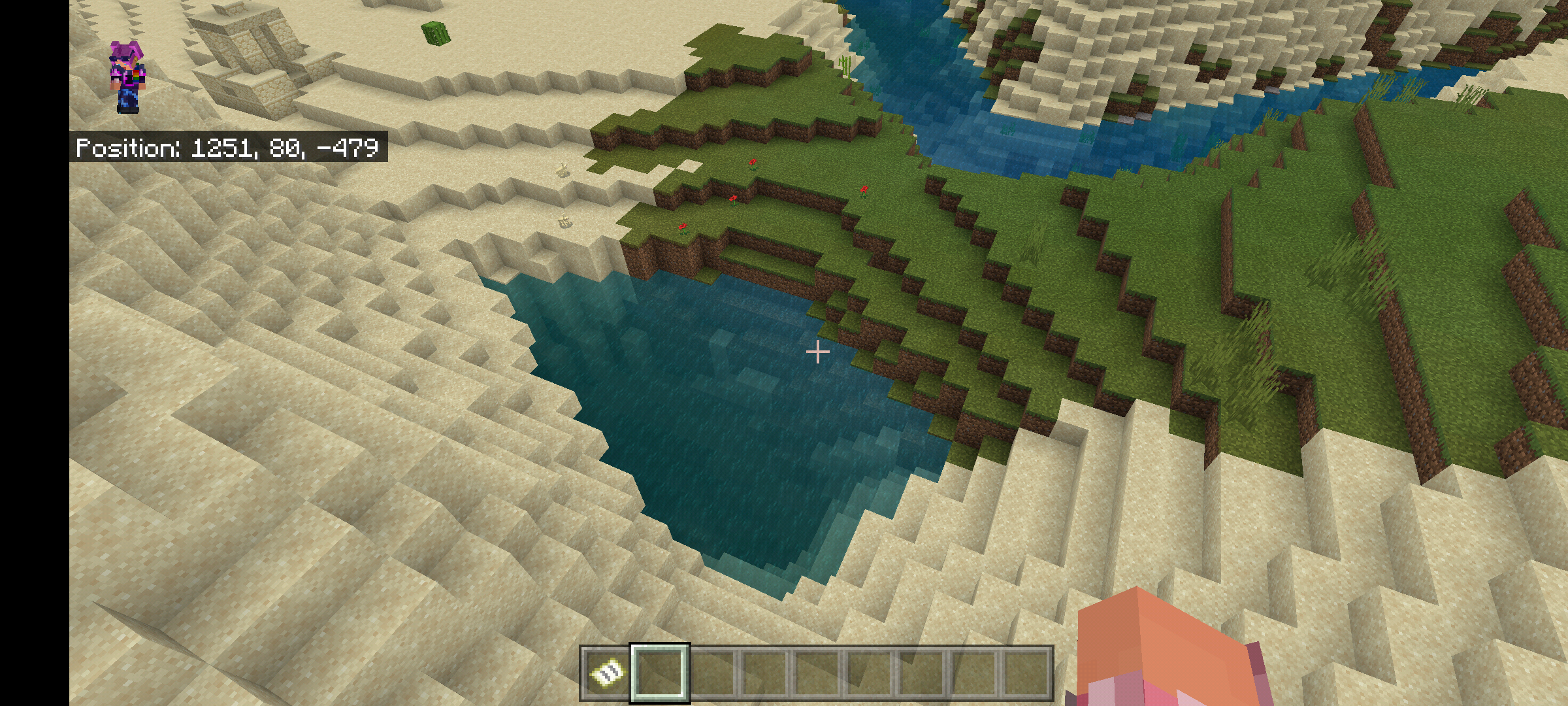
Update, it is a seed I use often.The first 3 images below will show the current release version as captured on my Android, but you can recreate on PS4, PS5, Windows 10, Android.. I do not have an Xbox (I have a PC) but since the seed generates on Windows 10 the same as PS5, I would assume it generates the same on Xbox consoles.
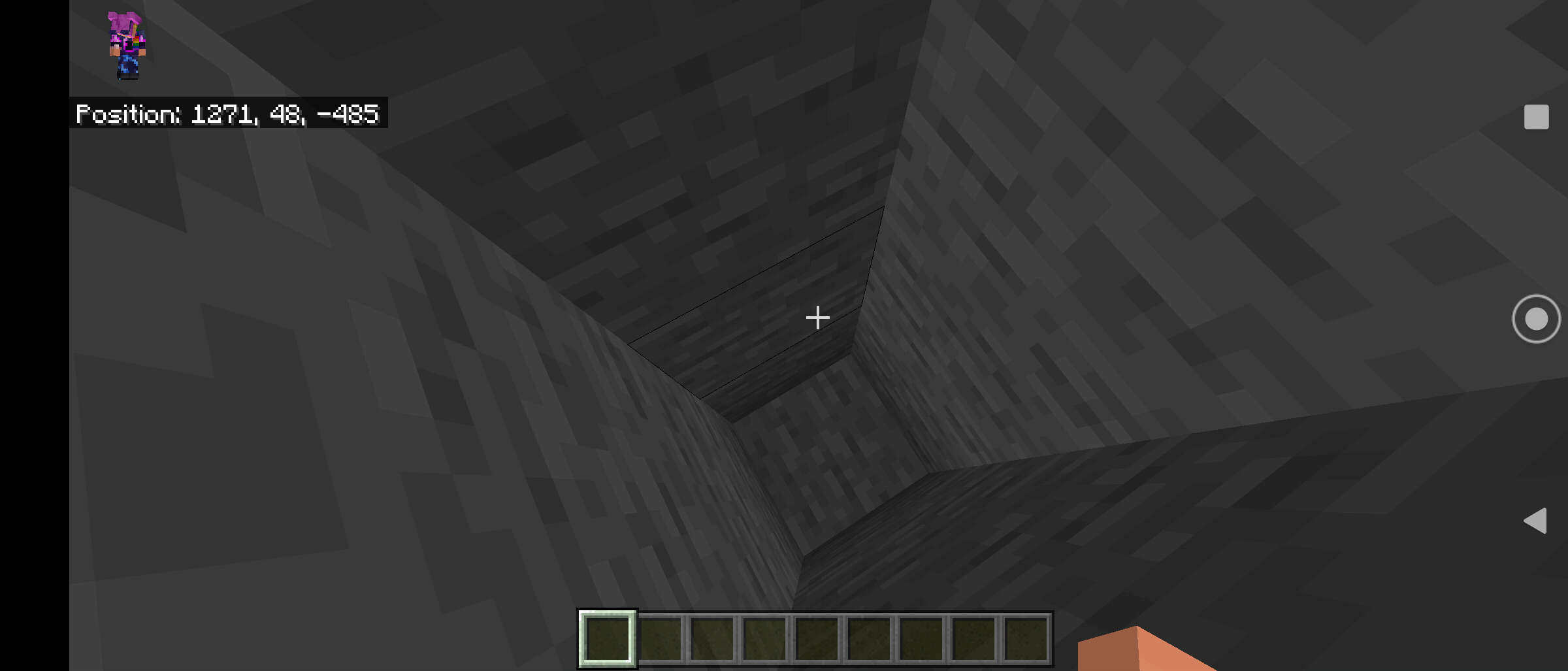
To reproduce.. load game in current version 1.16.210 and create world using seed 1600331202. Go to x=1271 y=47 z= -485.
Observe 2 skeleton spawner dungeon with 3 loot chests
Update game to Beta Version 1.16.230.50
Create world with same seed 1600331202
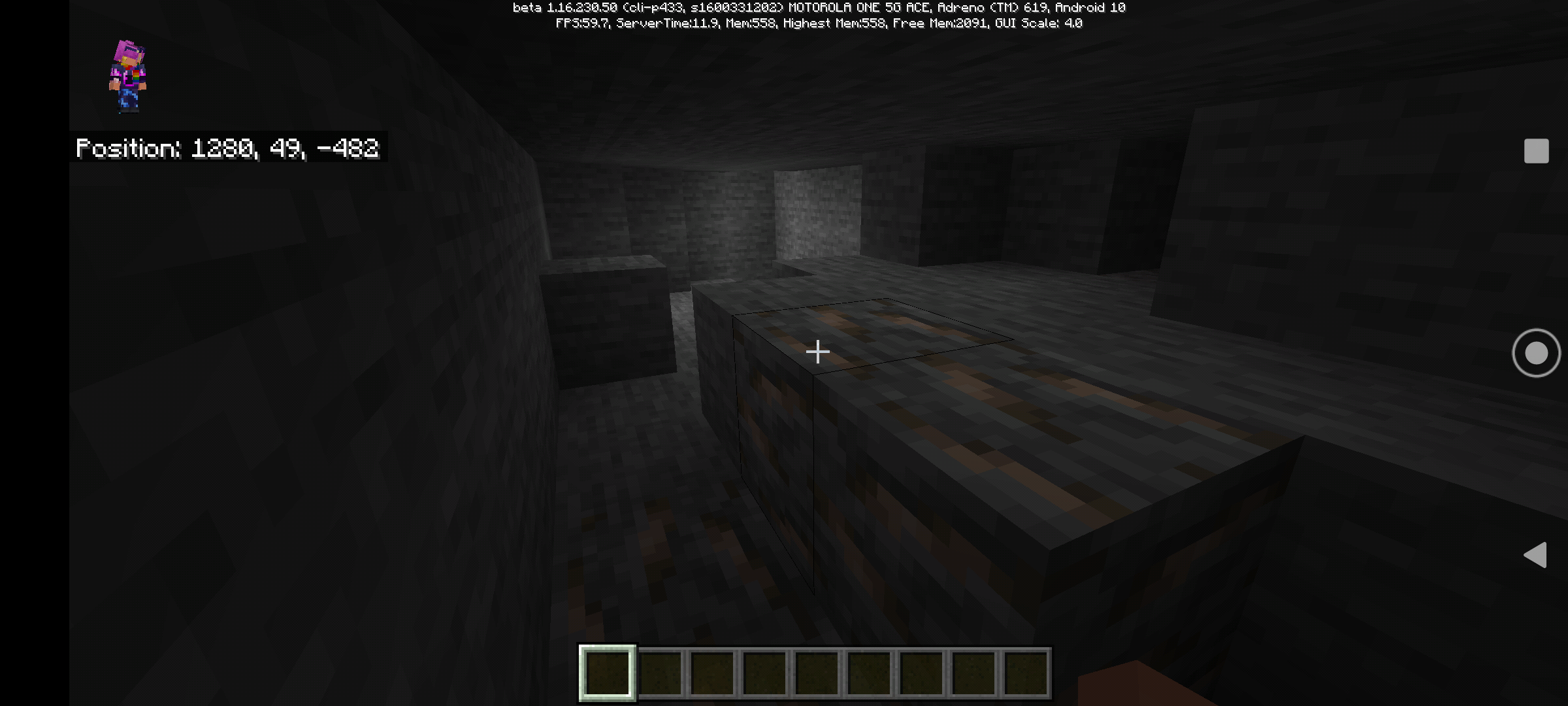
Travel to same coordinates, observe dungeon does not generate, but is not completely solid stone or ores or other rock types.
This can be reproduced on every device.
Expected results, world/dungeon generation to remain consistent with newer updates, only enhanced by the caves and cliffs update.. temples, dungeons, villages, monuments, shipwrecks, etc should not be disrupted or destroyed by world generation of future updates, only enhanced or blended in during generation.
Current observation.. dungeons and cave area is destroyed by new world generation mechanics no matter if cave and cliffs toggle is enabled or not.
Below is first
2images as current release 1.16.210
The second set of 3 images is from 1.16.230.50 Beta.This is a persistent bug ever since caves and cliffs was introduced.
This dungeon is famous on several content creator sites, blog posts, forum boards.
Seed 1600331202
Dungeon in a side by side double skeleton spawner just next to a slime chunk at y=47.
The double spawner is next to a village which has a end portal fortress
There was another single skeleton spawner about 4 chunks away at y=11 next to a lava pit.The double skeleton spawner has been present in game since before the Village and Pillage
Update, it is a seed I use often.The first 3 images below will show the current release version as captured on my Android, but you can recreate on PS4, PS5, Windows 10, Android.. I do not have an Xbox (I have a PC) but since the seed generates on Windows 10 the same as PS5, I would assume it generates the same on Xbox consoles.
To reproduce.. load game in current version 1.16.210 and create world using seed 1600331202. Go to x=1271 y=47 z= -485.
Observe 2 skeleton spawner dungeon with 3 loot chests
Update game to Beta Version 1.16.230.50
Create world with same seed 1600331202
Travel to same coordinates, observe dungeon does not generate, but is not completely solid stone or ores or other rock types.
This can be reproduced on every device.
Expected results, world/dungeon generation to remain consistent with newer updates, only enhanced by the caves and cliffs update.. temples, dungeons, villages, monuments, shipwrecks, etc should not be disrupted or destroyed by world generation of future updates, only enhanced or blended in during generation.
Current observation.. dungeons and cave area is destroyed by new world generation mechanics no matter if cave and cliffs toggle is enabled or not. Can be reproduced in Survival and Creative modes.
Below is first 3 images as current release 1.16.210
The second set of 3 images is from 1.16.230.50 Beta.
This is a persistent bug ever since caves and cliffs was introduced.
This dungeon is famous on several content creator sites, blog posts, forum boards.
Seed 1600331202
Dungeon in a side by side double skeleton spawner just next to a slime chunk at y=47.
The double spawner is next to a village which has a end portal fortress
There was another single skeleton spawner about 4 chunks away at y=11 next to a lava pit.The double skeleton spawner has been present in game since before the Village and Pillage
Update, it is a seed I use often.The first 3 images below will show the current release version as captured on my Android, but you can recreate on PS4, PS5, Windows 10, Android.. I do not have an Xbox (I have a PC) but since the seed generates on Windows 10 the same as PS5, I would assume it generates the same on Xbox consoles.
To reproduce.. load game in current version 1.16.210 and create world using seed 1600331202. Go to x=1271 y=47 z= -485.
Observe 2 skeleton spawner dungeon with 3 loot chests
Update game to Beta Version 1.16.230.50
Create world with same seed 1600331202
Travel to same coordinates, observe dungeon does not generate, but is no
tcompletely solid stone or ores or other rock types.This can be reproduced on every device.
Expected results, world/dungeon generation to remain consistent with newer updates, only enhanced by the caves and cliffs update.. temples, dungeons, villages, monuments, shipwrecks, etc should not be disrupted or destroyed by world generation of future updates, only enhanced or blended in during generation.
Current observation.. dungeons and cave area is destroyed by new world generation mechanics no matter if cave and cliffs toggle is enabled or not. Can be reproduced in Survival and Creative modes.
Below is first 3 images as current release 1.16.210
The second set of 3 images is from 1.16.230.50 Beta.This is a persistent bug ever since caves and cliffs was introduced.
This dungeon is famous on several content creator sites, blog posts, forum boards.
Seed 1600331202
Dungeon in a side by side double skeleton spawner just next to a slime chunk at y=47.
The double spawner is next to a village which has a end portal fortress
There was another single skeleton spawner about 4 chunks away at y=11 next to a lava pit.The double skeleton spawner has been present in game since before the Village and Pillage
Update, it is a seed I use often.The first 3 images below will show the current release version as captured on my Android, but you can recreate on PS4, PS5, Windows 10, Android.. I do not have an Xbox (I have a PC) but since the seed generates on Windows 10 the same as PS5, I would assume it generates the same on Xbox consoles.
To reproduce.. load game in current version 1.16.210 and create world using seed 1600331202. Go to x=1271 y=47 z= -485.
Observe 2 skeleton spawner dungeon with 3 loot chests
Update game to Beta Version 1.16.230.50
Create world with same seed 1600331202
Travel to same coordinates, observe dungeon does not generate, but is now completely solid stone or ores or other rock types.
This can be reproduced on every device.
Expected results, world/dungeon generation to remain consistent with newer updates, only enhanced by the caves and cliffs update.. temples, dungeons, villages, monuments, shipwrecks, etc should not be disrupted or destroyed by world generation of future updates, only enhanced or blended in during generation.
Current observation.. dungeons and cave area is destroyed by new world generation mechanics no matter if cave and cliffs toggle is enabled or not. Can be reproduced in Survival and Creative modes.
Below is first 3 images as current release 1.16.210
The second set of 3 images is from 1.16.230.50 Beta.
This is a persistent bug ever since caves and cliffs was introduced.
This dungeon is famous on several content creator sites, blog posts, forum boards.
Seed 1600331202
Dungeon in a side by side double skeleton spawner just next to a slime chunk at y=47.
The double spawner is next to a village which has a end portal fortress
There was another single skeleton spawner about 4 chunks away at y=11 next to a lava pit.The double skeleton spawner has been present in game since before the Village and Pillage
Update, it is a seed I use often.The first 3 images below will show the current release version as captured on my Android, but you can recreate on PS4, PS5, Windows 10, Android.. I do not have an Xbox (I have a PC) but since the seed generates on Windows 10 the same as PS5, I would assume it generates the same on Xbox consoles.
To reproduce.. load game in current version 1.16.210 and create world using seed 1600331202. Go to x=1271 y=47 z= -485.
Observe 2 skeleton spawner dungeon with 3 loot chests
Update game to Beta Version 1.16.230.50
Create world with same seed 1600331202
Travel to same coordinates, observe dungeon does not generate, but is now completely solid stone or ores or other rock types.
This can be reproduced on every device.
Expected results, world/dungeon generation to remain consistent with newer updates, only enhanced by the caves and cliffs update.. temples, dungeons, villages, monuments, shipwrecks, etc should not be disrupted or destroyed by world generation of future updates, only enhanced or blended in during generation.
Current observation.. dungeons and cave area is destroyed by new world generation mechanics no matter if cave and cliffs toggle is enabled or not. Can be reproduced in Survival and Creative modes.
Below is first 3 images as current release 1.16.210
The second set of3images is from 1.16.230.50 Beta.This is a persistent bug ever since caves and cliffs was introduced.
This dungeon is famous on several content creator sites, blog posts, forum boards.
Seed 1600331202
Dungeon in a side by side double skeleton spawner just next to a slime chunk at y=47.
The double spawner is next to a village which has a end portal fortress
There was another single skeleton spawner about 4 chunks away at y=11 next to a lava pit.The double skeleton spawner has been present in game since before the Village and Pillage
Update, it is a seed I use often.The first 3 images below will show the current release version as captured on my Android, but you can recreate on PS4, PS5, Windows 10, Android.. I do not have an Xbox (I have a PC) but since the seed generates on Windows 10 the same as PS5, I would assume it generates the same on Xbox consoles.
To reproduce.. load game in current version 1.16.210 and create world using seed 1600331202. Go to x=1271 y=47 z= -485.
Observe 2 skeleton spawner dungeon with 3 loot chests
Update game to Beta Version 1.16.230.50
Create world with same seed 1600331202
Travel to same coordinates, observe dungeon does not generate, but is now completely solid stone or ores or other rock types.
This can be reproduced on every device.
Expected results, world/dungeon generation to remain consistent with newer updates, only enhanced by the caves and cliffs update.. temples, dungeons, villages, monuments, shipwrecks, etc should not be disrupted or destroyed by world generation of future updates, only enhanced or blended in during generation.
Current observation.. dungeons and cave area is destroyed by new world generation mechanics no matter if cave and cliffs toggle is enabled or not. Can be reproduced in Survival and Creative modes.
Below is first 3 images as current release 1.16.210
The second set of 4 images is from 1.16.230.50 Beta.


Screenshot_20210327-160605-1.png

Open minecraft, go to market place, click on search button, type in "LittleBigPlanet" or "Little Big Planet", mashup pack does not appear in search results.
if you own the mashup pack, the Little Big Planet Mashup does not appear in your owned inventory section under any category.
the only way to retrieve the Little Big Planet mashup pack is to web search it and click the link to go to the pack on the Minecraft.net web page, click purchase, then Minecraft will launch and load the marketplace page for Little Big Planet Mashup pack, If you own it, you can just download it, or if you don't, you can purchase, but purchase does not show up in owned packs.
this happens on every version including Android, Windows 10, PS4/PS5.
on PS4 or PS5, if you purchased the Starter pack which includes the Little Big Planet mashup, you have to install from the PS Store on console, then let game update the pack when you select the textures or world to play.
expected results: Little big Planet mashup to be available in search of mashups on Minecraft Store, and the purchased pack should appear in your Purchased Mashups listing under your owned section of the Minecraft Store without having to use the PS Store or a web page in order to access the mashup pack.
The Little Big Planet mashup pack does not show up in store by searching Mojang or 4J Studios either.
looks more like an old vid card with low RAM.. or system memory less than 8GB or both, or possibly an integrated video card that shares system ram for video (need to dedicate 2GB for VRAM). but I don't have that issue on my Windows 10 PC from 2009 running a
Processor AMD Phenom(tm) II X4 945 Processor 3.00 GHz
Installed RAM 16.0 GB
System type 64-bit operating system, x64-based processor
Edition Windows 10 Home
Version 21H1
Installed on 2/21/2021
OS build 19043.962
Experience Windows Feature Experience Pack 120.2212.3530.0My videocard is an FXF NVidia Geforce 9800 GTX OC2 512MB
I just don't run high view distance (16 chunks) and I keep my active chunks set around 12.
but I do get some glitches under the current Beta as the tree leaves on mountains render with red leave as my video drivers are outdated from 2018 (video card support ended). but I do not get partial rendering of the blocks.
maybe update or use a different video card driver?
slime is suppose to be green, only time slime is another color is with texture packs
Currently on PS4 and PS5, shields take up the lower 1/4 of screen when walking/sprin
ging, when crouched, shield takes up 1/3 of screen space and covers over player cross hairs. This makes building bridges, say in the Nether over lava, very difficult as you can not see exactly where you are aiming to place the block or to break a block in crouch.Currently on PS4 and PS5, shields take up the lower 1/4 of screen when walking/sprinting, when crouched, shield takes up 1/3 of screen space and covers over player cross hairs. This makes building bridges, say in the Nether over lava, very difficult as you can not see exactly where you are aiming to place the block or to break a block in crouch.
Currently on PS4 and PS5, shields take up the lower 1/4 of screen when walking/sprinting almost covering cross hair.., when crouched, shield takes up 1/3 of screen space and covers over player cross hairs. This makes building bridges, say in the Nether over lava, very difficult as you can not see exactly where you are aiming to place the block or to break a block in crouch.
Shield should only cover 1/16 of lower left screen in the corner giving better field of view, when crouched (shield raised) it should only cover 1/8 of screen towards middle of screen in order to keep optimum fov while giving protection.
little big planet mashup missing from Android and Windows 10storelittle big planet mashup missing from Android and Windows 10 Minecraft Store
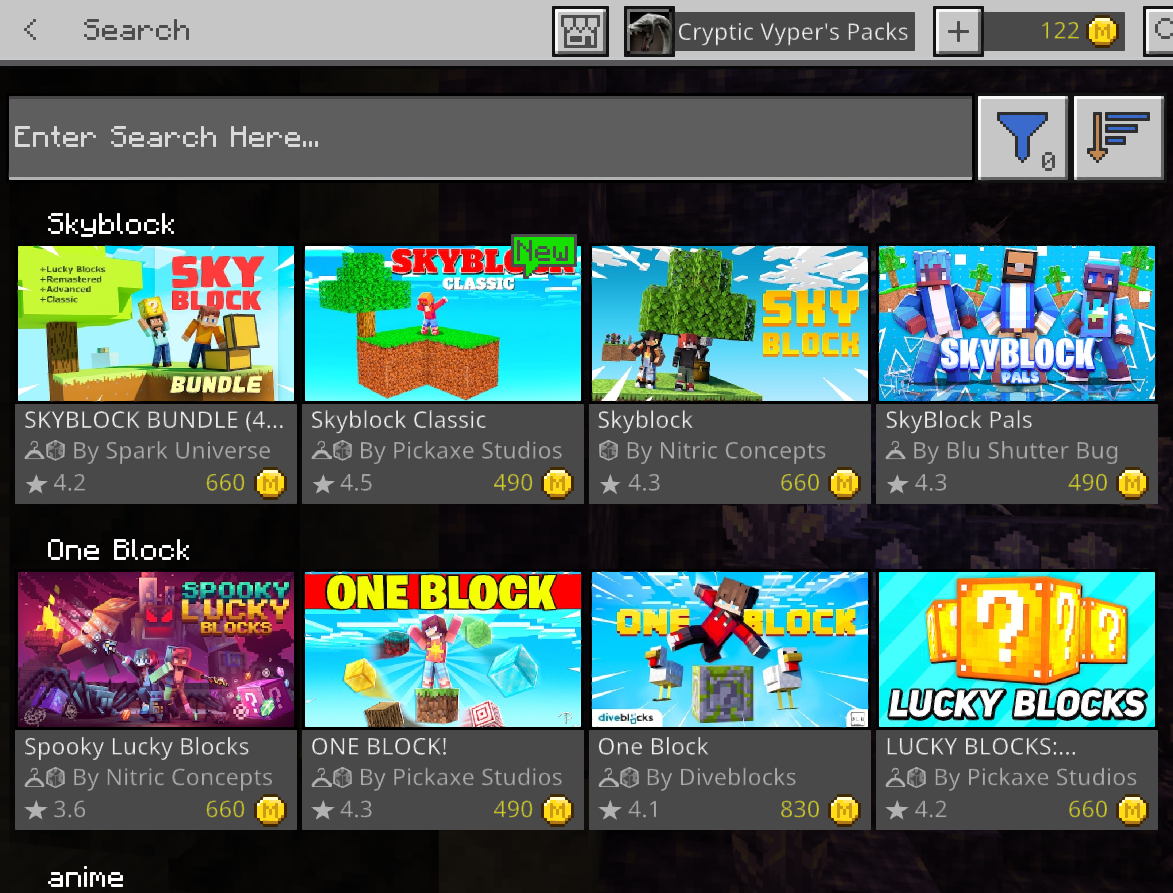
as title states, Little big planet is not locatable in Minecraft Store on Windows 10 or Android versions of Minecraft Bedrock Edition. you can not load the mashup page by either searching in the Minecraft store or my linking to the mashup from the Minecraft web page.
https://www.minecraft.net/en-us/pdp?id=4d7590d6-8f7f-4f53-989a-2df76b6b015b#
You can see every other product in the store (image 2) but Little big planet gives an error (image 1)
The major issue here is that I already own this pack, but I am unable to install it on my Windows 10 or Android. it is no longer listed in my Mashup Packs (image 3)
even using the direct link from the page above you get the screen below (image 1)

as title states, Little big planet is not locatable in Minecraft Store on Windows 10 or Android versions of Minecraft Bedrock Edition. you can not load the mashup page by either searching in the Minecraft store or my linking to the mashup from the Minecraft web page.
https://www.minecraft.net/en-us/pdp?id=4d7590d6-8f7f-4f53-989a-2df76b6b015b#
You can see every other product in the store (image 2) but Little big planet gives an error (image 1)
The major issue here is that I already own this pack, but I am unable to install it on my Windows 10 or Android. it is no longer listed in my Mashup Packs (image 3)
even using the direct link from the page above (image 4) you get the screen below (image 1)

as title states, Little big planet is not locatable in Minecraft Store on Windows 10 or Android versions of Minecraft Bedrock Edition. you can not load the mashup page by either searching in the Minecraft store or
my linking to the mashup from the Minecraft web page.https://www.minecraft.net/en-us/pdp?id=4d7590d6-8f7f-4f53-989a-2df76b6b015b#
You can see every other product in the store (image 2) but Little big planet gives an error (image 1)
The major issue here is that I already own this pack, but I am unable to install it on my Windows 10 or Android. it is no longer listed in my Mashup Packs (image 3)
even using the direct link from the page above (image 4) you get the screen below (image 1)
as title states, Little big planet is not locatable in Minecraft Store on Windows 10 or Android versions of Minecraft Bedrock Edition. you can not load the mashup page by either searching in the Minecraft store or by linking to the mashup from the Minecraft web page.
https://www.minecraft.net/en-us/pdp?id=4d7590d6-8f7f-4f53-989a-2df76b6b015b#
You can see every other product in the store (image 2) but Little big planet gives an error (image 1)
The major issue here is that I already own this pack, but I am unable to install it on my Windows 10 or Android. it is no longer listed in my Mashup Packs (image 3)
even using the direct link from the page above (image 4) you get the screen below (image 1)
What
shouldhappen: When creating a new world with Bonus Chest turned on, With all Experimental switches turned on, the Bonus Chest spawns underground, and not within the 5 blocks around the player spawn.Observed behavior: The last world I created, the Bonus Chest spawned at Y=9 directly below my character which spawned in water at Y=63. The previous world, the Bonus Chest spawned at Y=8 below my character spawn at y=93.
Expected behavior, the Bonus Chest should spawn around character within 5 to 10 blocks
8n a specialarea from the player as center, and player should always spawn on land as should the bonus chest on the land surface near the player.What happens: When creating a new world with Bonus Chest turned on, With all Experimental switches turned on, the Bonus Chest spawns underground, and not within the 5 blocks around the player spawn.
Observed behavior: The last world I created, the Bonus Chest spawned at Y=9 directly below my character which spawned in water at Y=63. The previous world, the Bonus Chest spawned at Y=8 below my character spawn at y=93.
Expected behavior, the Bonus Chest should spawn around character within 5 to 10 blocks in a specific area from the player as center, and player should always spawn on land as should the bonus chest on the land surface near the player.
Present in 1.17.41 on PS4 and PS5.

PS4 and PS5 affected. Animals on a lead, or set up where animal without lead has no choice but to cross boat, animal will not enter boat, but will walk over it, around it, etc.. Cows, Sheep, Foxes, Chickens, Rabbits, etc will not get into boats.. after the last 4 hours trying to move artic foxes to my base, only 1 of the 4 foxes I have got into the boat.
This is also true of villagers you try to push into boat.. you push them around/over boat but not into boat. Villagers will walk into it on own, but most cross on top instead of entering it.
Not sure if it will affect hostile mobs, but most likely and if so, this can break record drop traps concerning boating skeleton and creeper.
Still not fixed on Bedrock Edition 1.12 or 1.12.1, and doesn't seem resolved in the 1.13 0.x updates on Minecraft PE or Windows 10.
I haven't done sn issue video, but SilentWhisper has posted it on YouTube as well as a work around using command blocks.
Issue described
https://youtu.be/P8jL5JGJbsE
Work around currently
https://youtu.be/ZRahG4TtqzM
Hope this gets the Devs attention.
Same on PS4. Won't load any custom of purchased skins. Skins should be local on device and only need connection to either update skin (user option) or download saved skin from previous upload (again, user option). Skins should never be dependant on connectivity. Skins should be physically on the device SDD or HDD and always accessed FIRST by the game, then only updated at User Authorization.
*no custom or purchased skins.. PS4 1.14.1 (TU2. 01).
Problem persists in PS4 Bedrock 1.14.1 (TU 2.01).
Same issue, Gold Ore from overworld and Guilded Blackstone from Nether will not smelt in Furnace or Blast Furnace. Playing on Android 1.16.0.57.
You may want to change your version number above from 1.14.60 to 1.16.0.57 Beta so they can track it.. several of these posts have been merged into one issue number. The issue also is happening with Sand and Guilded Blackstone.
Detailed Xbox Opt Out Steps
1) Open the Xbox Insider Hub app and unenroll from the beta.
2) Uninstall Minecraft.
3) Hard reset the Xbox console by holding down the power button until the console turns off, wait 10 seconds, then turn the console back on.
4) Reinstall Minecraft from the Ready to Install section of Games & Apps.
Detailed Windows 10 Opt Out Steps
Be sure to backup your worlds first!
1) Open the Xbox Insider Hub app and unenroll from the beta.
2) Uninstall Minecraft.
3) Reinstall Minecraft from Microsoft Store app.
Multiple Users on One Device
Please be aware that if you have multiple users and/or Xbox Live accounts signed in to your Windows 10 device, you will need to make sure that each user has:
1) Backed up any world saves
2) Signed in to their respective Windows and Xbox Live accounts
3) Unenrolled from the beta
4) Uninstalled the beta version of the game
After each user has completed those steps, it should be possible to download the non-beta version of the game.
Do you have a Windows 10 PC that is stuck on the beta still and you don't want to be? Try the Windows store troubleshooter, it resolves the issue for most people:
Update the graphics card driver. NVidia has a Minecraft specific driver available.
Have you updated the NVidia Driver to the one they made for Minecraft?
Have you updated to the new Minecraft Specific NVidia Driver?
Are you using the Minecraft Specific NVIDIA driver?
NVidia has a Minecraft Specific Driver.. have you updated to it yet!
NVidia has a Minecraft specific driver.. have you tried it?
In the Play Store, click "Leave Beta"… then uninstall game, use a phone cleaner to remove residual game files (back up saved game data first). Reinstall non beta version of game from Play Store, then you can "join Beta" again.
That fixed some of my issues on Android 9 Pie with Feb 2020 security patch..
But there is issues on smelting sand and gold ore and guilded Blackstone. Furnace and blast furnace won't smelt them.
Xbox One uses Bedrock version, not Java version.
The release Bedrock version is 1.14.60
The Beta Bedrock version is 1.16.0.57
Java is for Linux or MAC PC (and some windows PC)
Consoles like Xbox One and Xbox One X and PS4 use the Bedrock version of the game. And the smelting of the Gold ore and Guilded Blackstone and Sand in the furnace or Blast Furnace isn't working for a lot of people on the Bedrock 1.16.0.57 Beta.
It was broken in 1.16.0.58, but works in 1.16.0.59 on my Android, with Android 9 Pie OS, are you sure you updated to the newest build last week?
If survival, did you silk touch it with bees in it? If the Hive/nest had no bees in it, it will not magically make new bees, you have to wait until night to silk touch Hive/nest after bees went inside (make sure to use campfire to keep them calm when harvesting Hive or Nest). In Creative, I've had hives with bees and hives without bees, but that is why spawn eggs exist.
This is why 1.16 update is coming out, to fix issues like iron farms because several iron golem generation mechanics in 1.14 are broken..
Hence why we get updates.
Reporting problems in 1.14 in comparison to 1.16 fixes is not going to fix 1.14.. you will need 1.16 update on your world to fix the issue.
In PS4 Edition, when unleashing an animal, the lead dropped as an item, same as when lead breaks.
It is same on Bedrock Edition.
Java Edition may be different, maybe Mojang will bring Java into parity with Bedrock as Bedrock Edition is now the main game per Microsoft.
I get it may be a bug, but it doesn't change the fact the Wither does not suffocate when in a block, which would include sand or gravel that trap the wither inside.
I'm also pointing out how the wither does not spawn in place intended, and pointing out the wither not moving or breaking blocks in order to move if trapped.
But the method of suffocation on the Wither is on JAVA Edition, as a Wither Rose/Nether Star farm showcased by Avomance, where on latest update of Bedrock, the Wither does not spawn in location correctly and does not take suffocation damage as per Java Edition v 1.15 updates (and several 1.16 updates). I'm looking for parity in editions and believe there should be a mechanic to safely farm Wither bosses without total world destruction. Under the Nether Portal, the Wither can destroy the nether blocks and Obsidian, but not the Portal, making an ideal place to create a Wither Rose farm and Nether Star Farm, given the Dragon is defeated, as such it is a late game farm which requires several resources to repair after each use as well as transporting livestock to the End.
What level of looting?
Looting goes up to looting III. It works normal on Android so far.
New Update 1.16.0.64, game freezes every 8-10 min on block interaction (all blocks) and then updates all blocks at once. When doing a build, this breaks gameplay as you either mine the wrong blocks or place blocks on incorrect place or if attempting to break a single block, be you end up breaking 3/4 blocks behind the 1 block you wanted to break.
On Moto G7 Play, Android 9 Pie SP April 1 2020.
Minecraft Beta Version 1.16.0.64
Issue is still present, several world spawned item chests in structures and dungeons are generating without loot on new world's, and in newly discovered chunks. Loot tables are still broken. I respawned the same seed 4x times.. 5 villages within a 1500 x 1500 area, with 1 desert temple and a double spawner dungeon with 3 chests..
First generation, 1 village chest with loot, other 3 chests in village empty, no chests in Desert temple, dungeon chests empty, 4 other villages no loot, 2nd generation, dungeon and temple have loot, but all 5 villages had empty chests, 3rd respawn, 1 chest only in e ach of e villages have loot, all other chests empty, 4th respawn, only Dungeon had loot, everything else empty.
Loot tables are severely broken and needs immediate fix. This also affects buried treasure, ship wrecks, Bastions, jungle temples, etc.
Seed 1600331202
This is still happening on 1.16.0.66 beta.
Why are you making this resolved and attaching to an old version update?
This is Beta Update 1.16.0.66, released yesterday, 6/4/20.
You attached to 1.14.30.. a completely different build.
This issue is a continuation of a bug that started in Beta 1.16.0.63.
Loot is generating in chests now, the issue is chests are not generating in structures like Jungle and Desert temples, and at times underwater ruins.
Why would any Dev attach this to an outdated bug report when this concerns the latest Beta, which needs to be fixed before final release?
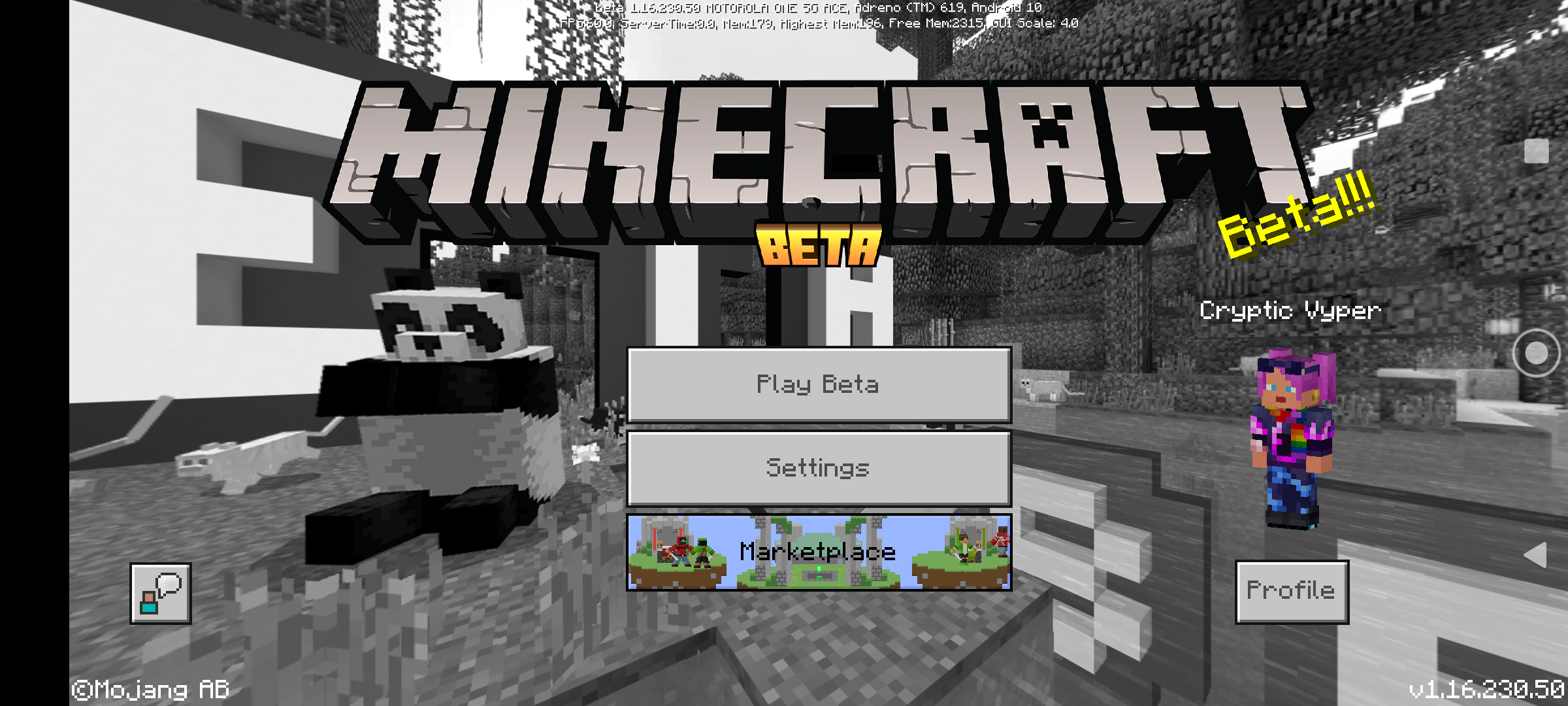
On main menu title screen, bottom right corner is the version number. Your picture cuts off the area where version number should be, below character select button, bottom right corner.
1.16.1, if you read the patch notes, is only available for Windows 10 PC currently, all other versions will come out most likely when 1.16.20.50 beta is released as update 1.16.2.
I'm not sure how Xbox does it with the janky windows 10 ultra lite, but on PS4, we can go into system settings > storage > game title name > select specific save game files and delete them manually.
I have the same issue but it is left drift instead of up drift and affects my right stick more than my left stick, but no issues in any other game, and I have 78 games for PS4.
Steps to Reproduce:
1. Launch Minecraft on PlayStation 4 with PSN account linked to Microsoft/Xbox account.
2. Complete any achievement common between Xbox achievements and PlayStation Trophies.
3. Go to PS4 Messages to confirm trophy is completed, then check cooresponding Achievement on Xbox Account.
Observed Results:
(Briefly describe what happens)
PSN updates a completed trophy for Minecraft while the linked Microsoft/Xbox Achievement does not update, In addition, previous completed trophies for Minecraft Bedrock on PS4/PSN will not update Microsoft/Xbox linked account when accounts are linked and you launch Minecraft.
Expected Results:
(Briefly describe what should happen)
All PSN trophies should automatically update Xbox/Microsoft linked account achievements upon signing into Minecraft Bedrock Edition,or when completing a new trophy while playing on PS4 with a PSN/Xbox linked account.
-----------
_-----------Steps to Reproduce:
1. Launch Minecraft on Android device with MS/Xbox account.
2.open character creator, edit character, go to emotes. Observe emotes that unlock with Achievements.
3. Open Minecraft Bedrock on PS4 and sign in with PSN account linked to the same Xbox/MS account above, perform same of Step 2.
Observed Results:
(Briefly describe what happens)
Emotes are missing on the PS4 Minecraft Bedrock Edition that are available on the Minecraft Bedrock Android Edition, namely the Achievement unlock emotes. If the emote is available on PS4, it is pay to unlock, whereon Android it unlocks by achievement, same goes for clothing that unlocks on Android Minecraft Bedrock Edition, but is pay for or missing on PS4 Minecraft Bedrock.
Expected Results:
(Briefly describe what should happen)
Both games are Minecraft Bedrock, both should be in perfect parity on Achievements and unlocks and items regardless of platform being utilized. I paid $8 for Android MCPE, I paid $35 for Bedrock Edition with Starter Pack (PS3 Edition $20, $5 Upgrade price to PS4 Edition (losing all PS3 paid content (another $36)… then after PS4 Edition upgrade Update to Bedrock Edition, $10 for the Starter Pack Add On) I expect everything that is available for Android, iOS, Xbox, PC (Windows), Switch to be available and in parity on PS4 Bedrock version Minecraft (including Realms and servers and mini games).
Oak trees growing on new mountain generation are showing red leaves, Spruce shows red exterior leaves and green interior leaves on new mountain generations.
expected green leaves on all world generations
System is a dynosaur, but it is what i use.
Compaq Presario CQ5320F main chasis upgraded
Mainboard:
Manufacturer: Pegatron
Form factor: microATX - 24.4 cm (9.6 inches) x 24.4 cm (9.6 inches)
Chipset: NVIDIA GeForce 6150SE nForce 430
Memory sockets: 2 x DDR3
Front side bus speeds: 2000MT/s (2.0 GT/s)
Processor socket: AM3
Expansion Slots:
1 PCI Express x16 slot for graphics card
2 PCI Express x1 slots
1 PCI slot
Ram:
Manufactruer: MemoryMasters
16GB Kit (2x8GB) DualRank 1333MHz DDR3 Non-ECC Unbuffered CL9
Video Card:
FXF Geforce 9800 GTX 512MB
NVidia Driver version: 21.21.13.4201 Release date: 11/14/16
CPU:
AMD Phenom(tm) II X4 945 Processor 3.00 GHz
OS:
Edition Windows 10 Home
Version 21H1
Installed on 2/21/2021
OS build 19043.867
Experience Windows Feature Experience Pack 120.2212.3030.0
edit:
still happening on windows 10 update
Edition Windows 10 Home
Version 21H1
Installed on 2/21/2021
OS build 19043.899
Experience Windows Feature Experience Pack 120.2212.3030.0
issure still present on BETA 1.16.220.52
This is a persistent bug ever since caves and cliffs was introduced.
This dungeon is famous on several content creator sites, blog posts, forum boards.
Seed 1600331202
Dungeon is a side by side double skeleton spawner just next to a slime chunk at y=47.
The double spawner is next to a village which has a end portal fortress
There was another single skeleton spawner about 4 chunks away at y=11 next to a lava pit.
The double skeleton spawner has been present in game since before the Aquatic
Update, it is a seed I use often.
The first 3 images below will show the current release version as captured on my Android, but you can recreate on PS4, PS5, Windows 10, Android.. I do not have an Xbox (I have a PC) but since the seed generates on Windows 10 the same as PS5, I would assume it generates the same on Xbox consoles.
To reproduce.. load game in current version 1.16.210 and create world using seed 1600331202. Go to x=1271 y=47 z= -485.
Observe 2 skeleton spawner dungeon with 3 loot chests
Update game to Beta Version 1.16.230.50
Create world with same seed 1600331202
Travel to same coordinates, observe dungeon does not generate, but is now completely solid stone or ores or other rock types.
This can be reproduced on every device.
Expected results, world/dungeon generation to remain consistent with newer updates, only enhanced by the caves and cliffs update.. temples, dungeons, villages, monuments, shipwrecks, etc should not be disrupted or destroyed by world generation of future updates, only enhanced or blended in during generation.
Current observation.. dungeons and cave area is destroyed by new world generation mechanics no matter if cave and cliffs toggle is enabled or not. Can be reproduced in Survival and Creative modes.
Below is first 3 images as current release 1.16.210
The second set of 4 images is from 1.16.230.50 Beta.
Dungeon and cave generation as described above is still broken as per beta update 1.16.230.52
What are the phone specs? I use a Motorola One 5G Ace (2021) that has the snapdragon 750G processor and newer graphics hardware with 6GB RAM 128 GB storage.
My game stays at 60 FPS on Release and Beta versions.
issue still present in 1.16.230.52
Have you cleared the PS4 cache for minecraft?
Press and Hold the playstation button on your controller.
Select Turn Off PS4.
After 30 seconds, restart your PS4.
Launch Minecraft
When the initial loading screen appears, hold the following buttons:
Button combination is
L1 + R1 + L2 + R2 + OPTIONS + Touch Pad
and must be held until the initial splash screen is removed
You may need to download any texture/world packs you have purchased or installed previously.
Have you cleared the PS4 cache for minecraft?
Press and Hold the playstation button on your controller.
Select Turn Off PS4.
After 30 seconds, restart your PS4.
Launch Minecraft
When the initial loading screen appears, hold the following buttons:
Button combination is
L1 + R1 + L2 + R2 + OPTIONS + Touch Pad
and must be held until the initial splash screen is removed
You may need to download any texture/world packs you have purchased or installed previously.
Have you added exceptions to your router firewall or set your Apple device on NAT1 or NAT2 or put the device in DMZ on your router?
PS4 or PS5? I don't have any issues like this on PS5.
pitcher or picture?
You may need to clear the PS4 Minecraft game cache.
Start PS4.
Launch Minecraft, on the red splash screen press the following buttons at the same time and hold until splash screen goes away.
L1 + R1+ L2+ R2 + touch pad + Options
this will clear the Minecraft cache.. however if you have installed packs, you may need to reinstall them after clearing game cache.
Do you use glass above their head if building 2 block high space? They do not suffocate in glass blocks. If using solid blocks, you need a space of 3 blocks high for beds just as you do for players. Area must spread over entire bed. You can substitute a leaf block in place of glass.
Ex
Solid Block
Space
Space
Bed
Or
Glass
Space
Bed
Or
Glass
Glass
Bed
Have you changed or updated audio drivers?
Do you change Windows audio source to headset instead of speakers when you connect headset (sound control panel)?
computer specs?
Dualsense is not currently supported on Android. You need to use a PS4 Dualshock 4 controller until Android adds support for PS5 Dualsense. Android will most likely add Dualsense support for Android 11 and up, unlikely support will be added for Dualsense in Android 10 or lower.
https://www.androidcentral.com/how-use-ps5-controller-android
"The DualSense isn't natively supported by a lot of Android apps but it can be used with Remote Play. This allows you to stream all of your PS4 and PS5 games through a broadband network, provided you own a console and those games to begin with (this isn't a service like xCloud on Android. You may lose certain functionality on mobile like the DualSense's haptic feedback and adaptive triggers, but the core functionality should still work.
All in all, the process is nearly identical with how to use a PS4 controller on Android. And like the PS4 controller, your mileage may vary on its usage. Some games just don't let you remap buttons and there are better controllers out there specifically designed for mobile devices."
https://www.xda-developers.com/add-playstation-5-dualsense-controller-support-root/
"Android does support the DualShock 4 for the most part in current versions, and you can expect to use your controller just the way you would use it on your PS4. The PS5’s DualSense, though? Your mileage may vary. To be clear, it’s an amazing controller that adds to the best aspects of the DualShock 4 with new features and improvements across the board. But it’s too new, and so your older Android device may not support it. If your device is rooted, though, then all you have to do is install the 1Controller Magisk module to make the DualSense controller map button presses properly."
PlayStation official page: " DualSense is available only on Windows PC (wired) and Mac (wired). DUALSHOCK 4 is available on Android devices (Android 10 or later), iPhone and iPad (iOS 13 or later), and Windows PC and Mac."
Dualsense is not natively supported currently on Android devices.. you have to do work arounds, and root your android device (voids warranty) to use a 3rd party app ($30) for Dualsense to work properly.
Did you read the changelog?
Did you read the changelog for the update?
Did you read the changelog?

beta 1.16.230.54 has some of the caves generating as before (referencing seed 1600331202) however the dungeon and spawners are still blocked over in world generation (dungeons above y16 are filled in/destroyed by world generation. the cave system where the dungeons could be found is generating again, at lease on 1600331202 seed.
Dungeon generation in 1.16.230.54 beta is still broken. see my screenshots above.. cave generation next to where the dungeon was is forming correctly now. Just missing dungeon generation (image above shows the side by side double skeleton spawner) the cobblestone, mossy cobblestone floor, 3 loot chests and 2 skeleton spawners side by side on same y level 3 spaces between the spawners that are on the same x coordinate are not generating and instead is being replaced and filled with Stone and ores and gravel, which is still broken for world generation.
above is with the experimental and caves/cliffs switches in off position
with experimental and caves/clifs turned on (all switches).. the caves do not generate at all above y12 and 1.16.230.54 beta is still just as broken as previous builds.
You have read the patch notes in the change log right?
I know on Android, this issue happens when the app does not have permissions to your SD card and contacts (giving app all permissions needed for it to work). have you denied permissions to your game?
Phone\tablet specs?
Processor?
Graphics chip?
RAM?
Storage?
Android version?
Phone/tablet make and model?
I have a new phone (Motorola One 5G Ace 2021) with a 750G 5G octo (8) core 3.0 GHz CPU and 6GB RAM on Android 10 with Feb 2021 security pack and I am not having issues with generation of the world set at 24 chunks (12 chunks active).. it may be your phone specs.. just saying you have issues on your device without the device info does nothing to help.
also group worlds should always be hosted on the most powerful system of those in your group.
Have you read the patch notes in the changelog? it clearly stated that this is a known issue.
bedrock edition, you only get achievements or trophies 1 time on your account.. it is not like Java where you get advancements on each world you create.
Android does not currently support the PS5 DualSense controller.. Android may add DualSense support in Android 11 or higher.
Currently only DualShock 4 of the PS4 is supported on Android 10 or higher.
This information can be found on the PlayStation website and/or the Android websites.
sounds like hard difficulty. I've seen this for quite a while, before 1.16
Build height is 256 in Bedrock, when reloading into world, you will be set to the build height where you can stand (feet at 255, head at 256).
Huawei phones are not sold nor supported (no carrier services) in the US.. are you in the US? Huawei was one of the Chinese phones banned in the US by Trump in 2019. If not in the US, then I have no idea.
Can I buy Huawei phone in USA?
In many regions around the world, Huawei phones are easy to come by. They're sold through carriers, and available in stores. That's not the case in the US, where Huawei does not officially sell its devices and no carriers offer them. May 25, 2019
still present in 1.16.230.54
1.16.230.56 beta has replaced known cave system in above seed 1600331202 with a water cave, dungeon generation of double skeleton spawner is still destroyed at 1271, 46, -485 (see image of double spawner above); Dungeons are still being destroyed and replaced by random block/ore fill, and now cut into with a partial water cave. this is world destroying when you have a built world that no longer can be used due to new world generation mechanics.
Expected results, dungeon and cave generation as in 1.16.220 generation with caves enhanced by the Caves and Cliffs updates, not destroying dungeons and cave systems by Caves and cliffs update.
Observed results: caves and cliffs in 1.16.230.56 beta is still destroying known locations of dungeons in seeds, destroying cave generations of 1.16.220, destroying playable worlds which have been created using known locations of world generation.
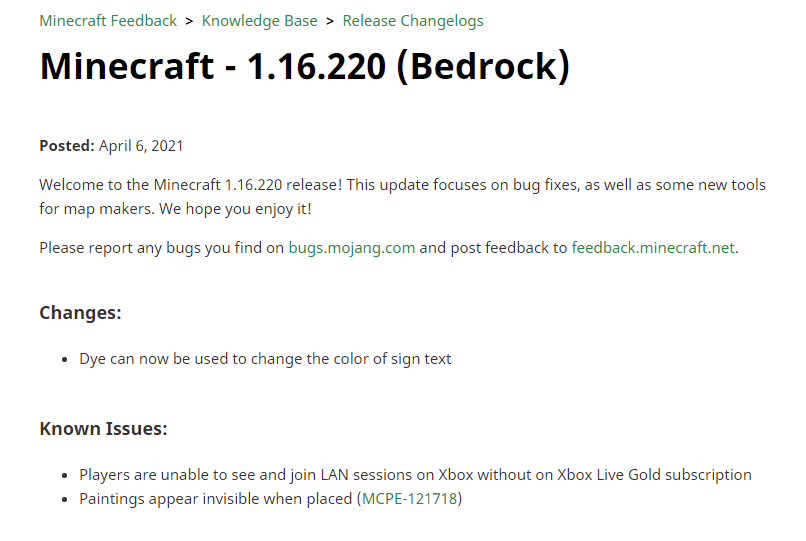
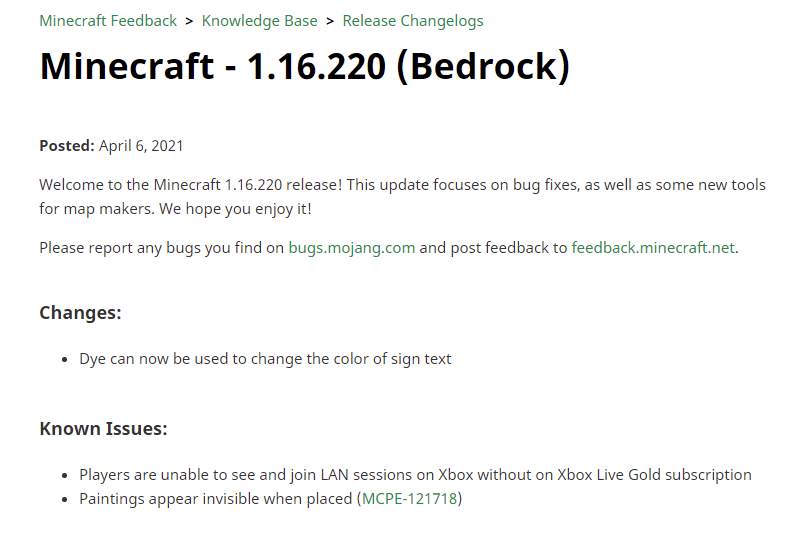
Update your system, your PS4 is way out of date on the system build.. link your PSN to a free Microsoft Account, a linked account auto-updates resource packs from Mojang as they are released (unannounced). Paintings not showing in game is a known issue as listed in the 1.16.220 patch notes. If your internet is only a cell phone, you can turn your cell phone into a Mobile hotspot and link your PS4 to your phone via WiFi (2G) for your PS4 to update online.
https://feedback.minecraft.net/hc/en-us/articles/360059426071-Minecraft-1-16-220-Bedrock-
Has the villager worked at the work station to restock.. or sleep overnight and then use work station to restock?
have you ensured that your model mouse is supported with your android version and has supported blue tooth technology (blue tooth 4.6 vs 5.1 or both using same tech level)? does the Android have the proper support drivers for the mouse? Otherwise it could be game code, but maybe posting model/specs of the android device, android OS version and security update, mouse model and Wi-Fi/blue tooth versions, etc.. Just saying a mouse isn't working gives no detail on how to duplicate the issue on what hardware in order to fix an issue or if it is even game related.
Have you checked the firewall on the PC and set it to low/medium protection? If your firewall is set to max (NAT3) you won't connect, you need to be NAT3 or medium firewall setting (never NAT1 or DMZ as firewall would be disabled)..
Device make and model, RAM, ROM, Processor/APU, Android version, security update version? Just saying something is wrong without key information won't help developers.. you also need steps to reproduce.
After purchase you have to download and allow to import, then you launch the world from your purchased worlds located in the marketplace store (Create World where pack download use to be)..
Link your Minecraft account to an MSN account and sign in, you will be able to use the custom skin creator, and it will save/lock your skin which will load every time you log into your Minecraft MSN account. You will also be able to use pre-created skins from the Store as well and skins you download from independent sites.
Are you signed into your Minecraft MSN account?
Not that I know of. when you hit Create World, it should take you to the world settings option to create the world. If it isn't doing that or creating world, the only workaround i know of is to ensure you have Storage permissions and contact permissions enabled on the app.. if on a mobile or tablet device, ensure External Storage is selected. If that isn't working, it may be device specs/incompatibility and that is something Mojang does need to fix. they would probably need device specs, make, model, processor, ram, rom storage, gpu..
Is the toggle for friendly fire turned on or off? (it is above the Cheats Section)
Beta 1.17.50 world generation continues to degrade.
Referring to seed 1600331202 under current beta with all experimental features enabled, weird spawn point is now moved almost 1k blocks from previous world spawn point.
World now is terra formed around coordinates x=1271 z=-485.
See pictures below.
Original cave system is missing/flooded, a pond is replacing partial desert/plains dungeon area overworld. Dungeon containing double skeleton spawner at x= 1271, y=46, z=-485 is still being destroyed by new world generation, being over written by stone, gravel, iron ore, coal ore. The 2 spawner cages are destroyed as are the 3 treasure chests.
Compare the terrain between 1.16.220 to 1.17.50 with experimental all engaged to see difference in world generation. Check dungeon generation between 1.16.220 to 1.17.50 given coordinates provided.
1.17.50 world generation is more broken than previous builds. Need to reassert original world carver then have noise carver work on world after previous world generation (including dungeons) is complete without overriding the original world carver algorithm.
Images based upon seed 1600331202 using Release 1.16.220 and 1.17.50 Beta
World Spawn 1.16.220

World Spawn 1.17.550 Beta

Over Dungeon world 1.16.220

Over Dungeon world 1.17.50

Dungeon 1.16.220


Dungeon destroyed in world generation 1.17.50 Beta


This is not resolved. I made this as an independent bug report and it was merged with this ticket. New caves destroys world generation prior to 1.16.230.56 and has continued to be an issue with the current 1.17.50. This is not a resolved issue. World generation should not change from 1.16.22002 initial carving, Caves and Cliffs should be supplemental to the original world generation and the carving of new caves and cliffs should apply to y=5 and below and y=90 and above and only supplement existing caves of initial world generation between y=5 to y=89 without over writing the initial world generation, including existing caves, dungeons, ravines, strongholds, mineshafts, etc.
Does the villager have a bed and access to sleep and workstation? Or linked to a bed and villager bobbing in water with access to workstation?
You shouldn't be able to log into 2 separate devices on same account at same time. You would need 2 different accounts to log into 2 different devices at same time. You can use 1 account on 1 device, log off, then log in with same account on a different device.
World generation issues are still present in 1.17.0.52 as described above for 1.17.0.50, known world spawn places such as dungeons, caves, slime chunks, ravines, etc are being destroyed by Caves and Cliffs world generation, spawn point location changed by Caves and cliffs.. all the above is happening with Caves and Cliffs toggle enabled or disabled, the amount of destruction of generated dungeons and other local varies by worstening severity with the caves and cliffs toggle on
1) piglins turn into zombified piglins in over world. 2) did you nametag it?
The game saves incrementally, it does not autosave world by crash exit of game (not using save and quit). If you do not wish to lose progress when exiting game, use save and quit, then close out game properly (not force crash using device app closing, but closing the app with built in function, only exception is PS4/5 after saving and quitting world).
Go to device settings, go to apps, find Minecraft, and look for permissions, enable Storage and Contacts.
I reported this bug as well about a year ago, I also told them one of the causes. There are a couple.
explanation:
Windows 10, Xbox (all consoles), and Android all use the same store achievements unlocks for clothing items and emotes.
Many of these are not currently in parity with iOS, Switch and PS4/5 (Items/Emotes not available on those platforms).
Trophies and Achievements between Xbox account and merged PSN accounts do not sync achievements, and as such, you can have 100% platinum on PS4\5 and only 30% complete achievements on Xbox (gained only when playing on XBox, Windows 10, or Android), despite accounts being linked by the game itself.
Android, Windows 10, and Xbox has unlocks for Items and Emotes that are not available on other devices, which throws off parity, so if you equip a clothing item or emote from an Xbox based achievement (Android, Xbox, Windows 10 only) and do not unequip the item or emote before logging into your PS4/5, iOS, Switch device, then your character will fail to load due to iOS, PS4/5, Switch not having those unique items on those platforms (out of parity).
For your character to load on every device, you must wear clothing items and/or equip emotes on that are common between all device platforms, skipping achievement unlocks from the Xbox based achievements that are unique only to Android/Windows 10/Xbox console.
This is a parity issue that Mojang has yet to address in addition to the Trophy/Achievement parity needed between PS consoles or other devices and Xbox/Android/Windows 10, specially when accounts are linked in Minecraft.
When launching Minecraft on PS4/5, press and hold, R2, R1, L2, L1, touch pad, and options button simultaneously until the red Mojang splash screen disappears.
this resets the Minecraft game cache, however any packs you have downloaded from the Store may have to be reinstalled.
IIRC, they are only suppose to pick up ingots?
Have you tried updating your video card driver?
You need regular berries, not glow berries.. the red, not the yellow.
Got any phone specs? APU, RAM, ROM, Make, Model?
Have you assigned the button in the main settings under controller?
What are the specs of your android, make, model? CPU, GPU, RAM, ROM, Android build number?
on Android, 4GB RAM is the recommended minimum with storage of 16-32GB.
are you wearing a piece of gold armor? you have to have 1 piece of gold armor on to keep them from attacking you, this is by game design.
what is the quality of the pack? Switch I think requires 16x16 textures and might push max 32x32 .. if the texture pack is higher, then system memory may be impacted too much for game to function properly.
You need to contact the maker of the mod, Mojang supports mods made by Mojang/Microsoft/ 4J Studios.
There is only a chance of a bee nest generating,, but you can easily build a bee nest farm using Birch saplings and any ytpe of flower, though 1 high works best. Just generate your own bee nests if none are present in a biome.
On PlayStation 4/5, you only need to clear the game cache by holding r1, r2, l1, l2, touchpad, and options button during the red Mojang splash screen and hold until it disappears. IDK about other platforms.
what kind of elevator? soul sand or flying machine?
Reset your cache
Hold R1, R2, L1, L2, Touchpad and Options at same time on the red Mojang screen, keep holding until splash screen goes away.
You may need to download all your purchased packs again.
Still broken in 1.17.0.56, same as 1.17.0.54 and 1.17.0.52 and 1.17.0.50, by creating a different spawn point, existing dungeons being destroyed as compared to 1.16.221. See world seed details above for recreation.
Still an issue in 1.17.0.54 and most recently 1.17.0.56.
This is a driver incompatibility issue ... the latest driver for older NVidia cards is final driver ... check GeForce 9800 GTX latest and last driver (2016) ... the issue is driver compatibility. Given that this is a FINAL driver for legacy cards, and NVidia will not update the drivers any longer for older cards such as these, it is upon Mojang to fix game compatibility with the card/driver, not NVidia.
PS4 and PS5 have a too large shield in walk position, shield should only take up 1/16 of screen, not 1/4 of screen. the Shield in defend, Crouch) should not cover cross hairs, makes aiming difficult or impossible. shield should only cover 1/8 to 2/5 of screen when defending and leaving cross hairs open to view. for proper shield display, check Legacy Console Edition for PlayStation 3 and PlayStation 4 by 4J Studios and implement shield visuals from those versions.
Walking with shield on Playstation 4 and playstation 5, v1.16.221

Crouched Shield Defend on Playstation 4 and Playstation 5, v 1.16.221

Did you allow the App to have access to Contacts and Storage? if not.. that is the issue.
have you updated video drivers?
This happens when the minecraft/MSN log in sever is down for a short time.. keep track of Mojang, Mojang Status on Twitter to check connectivity.. if nothing posted, send them a message that sign in servers are down and that it is Bedrock Editio and let them know which platform.
It could also be your ISP or router firewall.. make sure you are on NAT2 and your ISP is not blocking the ports for the game.
the biome where the villager spawns will determine clothing style.. the gear the villager wears will change to match the workstation, but the gear will match the style of the biome clothing. Villager clothing will not change.
Go into phone settings, go to apps, find Minecraft, under permissions, give Storage and Contact permissions. If it is still doing the same, what Phone make, model, Android version, phone RAM, Storage ROM space, Snapdragon processor...
A work around would be an observer watching the block space running a signal to a dispenser with shears., Hopper minecart under the growth block dumping to hopper then chest
But I agree that a piston should break it and it regrows naturally after some tics/seconds.. have you set up a dispenser with bone meal to stimulate growth!?
This has been an issue since Dec 9, 2019 when Bedrock came to PlayStation platform. Prior to Bedrock on PlayStation platform, I had platinumed everything except mini games on the 4J Studios version of Minecraft for PS3, PS4.. However when PS4 upgraded to Bedrock, only a couple of unlockable items unlocked based on my acquired trophies, many clothing/emote items remain locked, though the required trophies have already been achieved on my account. In addition, my already acquired trophies are not being applied to my MSN Minecraft Account Achievements even though accounts are linked.
PSN and MSN Xbox gamer tag accounts are linked through Minecraft on PS4/PS5.
Also, Minecraft Bedrock PS4/PS5 is missing unlockable items that are available in MCPE and Windows 10 versions, and causes characters to fail to load on PS4/PS5 console if equipped on Android MCPE or Xbox or Windows 10.
First 10 images are from PS5.
Last 2 images are from my MCPE on Android/Windows 10 version of Bedrock on linked MSN Xbox Gamer Tag account with my PSN account.
As you can see, Trophies are not triggering Xbox Achievements AND the PSN Trophies are not unlocking character creator items. A simple visual inspection of creator items and emotes between PlayStation version of Bedrock and Android/Windows 10 version will easily show that several character creator/emote unlockables are missing from the PlayStation version which if equipped on character on Android/Xbox/Windows 10 will cause character to fail to load on linked PSN account when attempting to play on PlayStation Bedrock version.
Simple solution, allow PSN account to update and unlock MSN Xbox gamer tag linked account for Minecraft, add achievement unlockable items/emotes to Bedrock for PSN PS4/PS5 version, and allow linked accounts to update trophies/achievements between platforms on linked account between PlayStation and Microsoft/Mojang.
images added in next post
PS4/5 (captured on PS5)
Notice the locked creator content
Here is the achievements on the linked MSN Xbox Gamer Tag account on my Windows 10/Android Bedrock MCPE version, Account linked with my PSN ID on PlayStation Bedrock Edition Minecraft.
If you need me to, I can list each and every item and emote that Android/Xbox/Windows 10 contains that is missing from Playstation versions of Minecraft which when equipped on Android/Xbox/Windows 10 will cause character to fail to load on PlayStation 4/5 Bedrock Edition.
still present from Dec 9, 2019 to current release version 1.16.221 on PlayStation (also present on Android/Xbox/Windows 10 version of Bedrock Minecraft Beta 1.17.0.58)
Still broken as described above in 1.17.10.20 beta.
issue still present in 1.17.10.20 Beta
Cross platform trophies/Achievements still not synced up or unlocking items in 1.17.10.20 Beta with 1.16.221 release on PlayStation consoles. Characters equipped with unlocked gear on 1.17.10.20 beta still fail to load on release version 1.16.221 on PlayStation consoles and other platforms such as Switch and iOS. Both Character Creator clothing and Emotes and not universal across platforms, the missing items and emotes for other platforms outside of Android, Xbox, and Windows 10 causes characters on PlayStation, Switch, iOS to fail to load if you equip unlocked items which are only present in the versions that can play the Beta. The Bedrock versions need full parity between all platforms.
That sounds similar to what happens on PlayStation when you crash close a game.
Basically, in Minecraft, it is designed to where you have to close the world properly back to at lease the world select screen or main screen before closing the game. If you are in the game world and force close Minecraft, from the Console Menu or turning off the console while in game world, or have a power outage while in a world, the world will corrupt.. the Console does not tell you the world is corrupt, it will just say unable to load and the game freezes up.. it won't allow you to change world settings, copy or delete world.. you have to crash close the game from console menu.. on PlayStation 4/5, you then have to go into Console Setting, then to Storage, then to where game save data is stored and you can see the corrupted files.. there is no recovery of corrupted worlds, all you can do is Delete the corrupted files, then start a new world in Minecraft, however on PlayStation, if you have PLUS membership, you can retrieve a save of your world (Cloud Save) that corrupted and play your world again, but you would have lost the progress you made from the last complete session in your world.
Basically, on Consoles, you have to properly close your worlds, do not rely on quick resume or crash close Minecraft while in a world, and hope the power does not go out or the cord is unplugged while you are in a world, or the world will corrupt. You have to actually save and quit a world before closing Minecraft to prevent world corruption.
I have only seen that when you create a new tool, you have to mine the first block twice just after tool creation, after which it mines just fine, mines like normal.. however it happens with every tool after you make it in the crafting table. This has been happening since 1.16 was released. It happens on all Minecraft platforms that Bedrock plays on, including mobile, consoles, PC and tablets.
Is your PSN account linked to the MSN/Xbox account? You have to link the PSN account with a MSN/Xbox account and make sure Minecraft is signed into your MSN/Xbox account.
Also do you play on multiple platforms? Android, Xbox, Windows 10 have achievement unlocked character creator clothing and emotes that are not present on PlayStation, if you equip those items on Android, Xbox, or Windows 10, and fail to unequip them before playing on PlayStation, then the character/skin will fail to load on the PlayStation console.
This has been reported several times but has fallen on deaf ears. It has been an issue since Dec 9, 2019, when Bedrock came to PlayStation.
Did you exit the game properly? As in Save and Quit the world? If not, the world may not have saved
Given that Switch has very little memory, the lag could be caused by the game attempting to load the keyboard into memory to display on screen. I agree it should be smoother (using the in game keyboard instead of using device keyboard).
Minecraft on console has a fixed amount of allocated storage built into the game. It calculates total game storage as in the game, downloaded packs, worlds, etc. I have a PS5, let me check out to see if this happens on my system (I have a lot of packs installed but only 2 worlds).
Just checked, the Store servers seem to be having an issue as "We,'re unable to connect to the Minecraft Store." Either the server is down, or they are doing maintenance. Same goes for character skin loading and skin creator.. Mojang/Microsoft Azure servers are probably down.
Intermittent but often as of late.. idk why, but I experience it more on the PS5 than Android or Windows 10, but it still happens on Android and Windows 10.
The release version 1.17.0 is broken as is the current beta. See seed and coordinates posted above, spawners in known locations are removed by new world generation.
It works, there is only a 5% chance of a lava cauldron filling from drip stone per drip. For you to have a decent return rate, you should set up a 2x2 or 3x3 drip area. Water is a 17% chance to give 1/3 cauldron per drip.
Also, the length of the stalactite changes drip rate (speed) depending on how long you make it.
Use the Classic or updated texture packs from the Minecraft Store, they are free.
are you timing your jumps with the stamina jump bar to get the sweet spot?
Be hive or bee nest? Bee hive is the one you craft, bee nest is the one that spawns into world, are you checking in flower biomes, that is where bee nests normally spawn. You can also use a bitch tree farm with flowers next to the saplings and as the trees grow, you have a 5% chance of a nest spawning.. I usually go with farms spaced 3 north, 1 east apart from each other in rows 3 spaces east/west and one space either north or south.. it makes diagonal rows.. with the flowers placed to north side of each sapling.. doing 20/30 trees, you usually will spawn 1 or 2 nests on the first growth of all the trees, but 2nd growth (after chopping and replanting sapling) will usually result in a nest spawning.
issue still present in 1.17.0 and 1.17.2.0 (Windows 10) and 1.17.10.23 beta.
still an issue in 1.17.0 for PS4/5. Shield still covers crosshairs t top edge of shield.
already a known issue.. a hotfix is coming soon.
Incorrect. This is Bedrock version of Little Big Planet.. it is available on the Mojang Store as linked above. Clicking the link launches Minecraft both on Windows 10 and Android 10. I have had it installed on my Android and Windows 10 PC both, in addition to my PS4 and PS5. It was part of the $10 add on Starters Pack I purchased Dec 2019.
Patch notes 1.17.0
General
Classic skin choices no longer revert after reloading the game
Fixed .mcworld and .mctemplate files not importing on devices running iOS 13
Fixed the LittleBigPlanet world and textures not being usable if the game was installed from disc
Fixed issues with the 'Chroma Hills' texture pack not loading on Nintendo Switch
Split-screen players can no longer be left in a limbo state when joining the game while the primary player quits at the same time"
I'm checking the Double Skeleton Spawners at the coordinates above. When you implemented 1.17.0 patch, the dungeon with the double spawners no longer generate. This has been the case since the Beta where you introduced the Mountains. The underlying code is what you built the beta on, even with mountains and caves removed, the world generation under ground level is completely different. At the coordinates above, the adjacent cave formation has been restored, granted some areas of the cave are somewhat flooded more than before, but the Dungeon generation is not working as it was prior to 1.17. the double spawners us completely gone, filled in by various stone. The Skeleton Spawner at Y=11 3 chunks away is missing, the Slime Chunk that was 42 blocks from the Spawners is no longer a slime chunk.
Generation is broken.
Now if you said " world generation will be changing in 1.17 and will generate underground different than world surface on your known or familiar seeds" it wouldn't be an issue..
Keep your favorite worlds is what you stated live to the community on YouTube 2 months ago..
My favorite world is 1600331202.. I like building that seed several different ways.. I use that seed mainly for that double skeleton spawner.
Your world generation has destroyed the usefulness of that seed, the usefulness of my worlds.
If destroying dungeon generation is what is required for Caves and Cliffs, just be open and honest about it to the community in YouTube, instead if shadow destroying seeds that you stated would remain the same except adding enhancements to the existing caves and stacking mountains on world generation.
It takes pillagers over 600 shots to break a crossbow.. it is way higher than other mobs.
Windows 10 always shows a build version with incorrect numbers. Your splash screen shows the correct version, but because of how Microsoft has updated Minecraft in the past, Windows 10 install number is 1.17.2.0 but the game build is still 1.17.0.. on PS4/5 it is 2.89 or something like that but it is still 1.17.0 on the game splash screen.. to my knowledge it is connecting with everything correctly on my end, Android, PS4 and PS5, Windows 10 in my house and neighbors all connect well.. then again, none of us has a Switch or iOS device.. those devices inherently have problems with Minecraft..
Cross hairs are still in shield when touched in defensive mode on PS4 and PS5.
Still present in 1.17.2 and 1.17.20.20 beta
Look down to bottom of screen, is there a gear looking icon, which most apps use as a settings button?
What Slippi Meat fails to understand is that the Mojang mods who oversee submitted tickets, as well as the Mojang devs, moved my issue, which was created as a separate ticket, and added it to this issue/topic thread. I can only assume that they believe the issue of cave generation is also affecting the generation of slime chunks, spawner dungeons, chests in Desert Temples, etc are all being affected by the new world generation when the world is being expanded to y=352 to y=-64 and the 1.16 world generation is being broken by the Caves and Cliffs generation overwriting/replacing the generation of 1.16.
But I do agree that your concern of surface and intermediate cave generation seems different than dungeon and etc generation, both issues of which were changed universally on ALL SEEDS, not just the one I mention.. seen to stem from the new Cave and Cliff generation algorithm.
And I am sure 5hat you understand the 1 seed I mention repeatedly is a base seed of a known rarity of Minecraft where 2 spawners generate on the same y level, 3 blocks horizontally away from each other.. given this rarity, they can look at the generation code of 1.16, 1.15, 1.14, 1.13 and then look at the generation code of 1.17 and 1.18 to determine where the new code is damaging the old generation mechanics.
But because it is the same world generation error happening for your caves and my dungeons, it qualified for you crying about a Dev responding to me directly when I call out that they should have stated that world generation would significantly change anything below y=64, instead of stating "your worlds won't be affected".
The Dev was reassuring that the intent isn't to change world generation as we have become accustomed to, but to add enhancements to to generation we already knew. They were also reassuring that Caves and Cliffs coding is being looked at to minimize the destructive reconstruction of previous assets of world generation.. and the bug is being looked into.
5 min of thinking about world generation should have brought you to the same conclusion that the generation that is affecting your caves is affecting slime chunks, temple chests, dungeon spawners, etc.. it is the same issue, and it is game breaking.
So instead of backhanded slams against me and the devs, I believe apologies should come forth from you to everyone on the thread and let's focus on getting the bug squashed.
PS, the issue is still present in 1.17.10 and Beta 1.17.20.22.
Issue still present in 1.17.10 and Beta 1.17.20.22.
still not in Android or Win 10 from Starter Pack.. if you restricted it to PS4/5, that isn't what I paid $10 for.
Chest is still spawning ay Y= 32 or below, it does not spawn on world surface next to player in any 1.17 version, including the 1.17.40 put out today. This is on PS4, PS4 Pro, and PS5 versions of the game.
1.17.40 update.. I was able to install 2 of my Madu-Up packs on PS5 after this update before it said storage full (with over 100GB free on PS5). I still have 2 more mashups, 4 texture packs, and 48 world's to download and install.
When is this going to be fixed? Why is there a storage limit at all?
Still present in 1.17.41 on PS4 and PS5. Also sound of rain is louder at window pane seam with 2 window panes connecting.
Found a work around.. on PS4/PS5, you must delete the Data files from Save Game storage from console storage menu, Delete game, reinstall fresh, re-link to Microsoft Account, then My Content will work if you hit the DualShock 4/Dualsense options button (there is no on screen mention of this) and the square Minecoin triangle search markers disappear after first time in market.
But using the options button brings up the content/realms menu.. it should be clearly marked to use options button on screen, however currently there are no indicators for PS players to use the option button to open the menu.
Shulker boxes by dye colors on the grey scale at the time I made this report
Also, just a reminder, to make your bug report as effective as possible, please try and include the following steps to reproduce the problem:
Steps to Reproduce:
1. Make a shulder box
2. Make light grey dye
3. Make Grey dye
4. Apply light grey dye to Shulker Box
5. Apply Grey dye to shulker box
Observed Results:
(Briefly describe what happens)
Applying Light Grey dye to shulker box colors shulker box to the regular grey color but says light grey.
Applying regular grey color dye to shulker box will not make a grey shulker box.
Expected Results:
(Briefly describe what should happen)
Applying light grey dye to a shulker box should color the shulker box so that it looks light grey and not regular grey with the light grey shulker box name.
Applying regular grey dye to a shulker box should color the shulker box so that it looks like the regular grey color with the grey shulker box name.